#helpdesk-selive
1 messages · Page 139 of 1
 tender python
 grizzled timber
HOLD ON. Stupid question.
I always have started my stream from my PS4 console. Now I'm realizing there is a "start streaming" button within Streamlabs... Seeing as I am BRAND NEW to this, this could very well be the problem.
If I hit "Start Streaming" within Streamlabs, does that fix my problem?
Because that YouTube literally told me to do exactly what I already did.
 rugged quail
@tender python thanks
tender python
HOLD ON. Stupid question.
I always have started my stream from my PS4 console. Now I'm realizing there is a "start streaming" button within Streamlabs... Seeing as I am BRAND NEW to this, this could very well be the problem.
If I hit "Start Streaming" within Streamlabs, does that fix my problem?
@grizzled timber Are you capturing your PS4 output on your PC?
 fervent sigil
hi guys! new to obslive and streamelements. Can anyone tell me how i can see my viewer count?
grizzled timber
@tender python Hi, yes. I have my capture card all set up and it is all feeding into my PC.
tender python
Then yes, dont start from the PS4
grizzled timber
Do I need to start from both sides? Or ONLY within Streamlabs?
tender python
only from within OBS
grizzled timber
Stupid, I know, but that was probably a "basic" that was not in any video I have watched! lol
tender python
if you see your PS4 output in OBS, and your overlay and everything there
that's where you want to go live from 🙂
@fervent sigil https://i.gyazo.com/05be9b47de3856eebf0f9518126c8502.gif
 grizzled timber
@tender python Thank you!
tender python

 tacit maple
hello 🙂 does anyone know how to fix issues with using a Streamdeck to control Media Request on OBS?
 narrow sparrow
Hey, my OBSLive doesn't show my Twitch activity feed or my chat/media share, i've checked docks but i'm not seeing anything. Thanks
 steel bladeBOT
@narrow sparrow Streamelements on top of OBS -> Logout -> login
 vital jay
hi, does anyone know how to change currency in streamelements
grizzled timber
Dangit. Yesterday I had my stream on my computer. Today I hooked it all up again (yes it was unplugged), and now this!
Overlay is there. Computer has tv stuff. But now my cam didn't turn on?!
I think I deleted my ps4 cam somehow. 😣 gotta figure out how to add it back.
 honest echo
@grizzled timber check if you web cam is been use by another software
steel bladeBOT
@grizzled timber For the best OBS support, please join their Official Discord @ discord.gg/obsproject
 plain mason
@Formalite#2330 https://streamelements.com/dashboard/tipping-settings > Tipping settings (tab) > Page settings

StreamElements
The Ultimate All in One Platform for Streamers
grizzled timber
Okay, so now streamlabs wants to use my laptop cam and not my PS4 cam. what do i dooooo?
 karmic grotto
refer to StreamLabs discord / forum, as here is the StreamElements support server @grizzled timber
grizzled timber
thanks. everyone is just arguing over there currently lol.
 honest finch
How do I import my scenes and sources from streamlabs obs to obs.live?
karmic grotto
don't think they are 100% compatible but u can try, just use the scene colection on the menu in top and try exporting
honest echo
@honest finch You will need to have installed obs.live
karmic grotto
also ^, that too
honest finch
I did @honest echo
@karmic grotto What do you mean? How do you export scenes/sources?
honest echo
honest finch
That only lets you import overlays. i want to import my scenes and sources. (my brb, ofline and live screens, etc.)
karmic grotto
ok i'm back one sec i will send a screenshot
export from the SLobs
import in OBSlive
steel bladeBOT
@honest finch We're not able to troubleshoot issues with using our overlays in StreamLabs OBS (SLOBS) as we don't have the tools to support their software. We recommend using OBS Studio or OBS Studio with our plugin OBS.Live.
honest finch
@karmic grotto I want my scenes and sources like my brb and live and ofline screens. I am already using stream elements for my overlays
karmic grotto
those screens are property of streamlabs
like the support AI said
we recommend using OBSlive and using the SE editor for brb, live and offline screens
if u have file source access to these files then u can just import them like u did in slobs, in obslive
or
you can head into #art-marketplace and get yourself new stuff XD
karmic grotto
just import them into obslive like you did in slobs like i said 😉
honest echo
@honest finch You can create scenes on OBS Studio
honest finch
I know but then I have to do everything over again
I already have scenes in slobs
I just want to import them
honest echo
We don't have the tools to help you on the step by step procedure on SLOBS
karmic grotto
@honest finch just try what i said above in the screenshots about the scene coletion exporting > importing and give me a feedback about that, atm i don't know if slobs has or not removed that feature so its up to you tell me
honest finch
I exported it from slobs to obs.live and it did not do anything. As I have said I use se for overlays and all I want is to import my scenes and sources
karmic grotto
if it did nothing then they are not compatible and you will need to > do everything over again @honest finch
 topaz olive
@honest finch does obs have a support discord? yes discord.gg/obsproject
honest finch
Thank you
tender python
I think I deleted my ps4 cam somehow. 😣 gotta figure out how to add it back.
@grizzled timber add it as a video input source
grizzled timber
@tender python I tried, but it's only connecting to my laptop webcam. my ps4 cam is connected via my ps4. is that the problem?
karmic grotto
yes
tender python
^
karmic grotto
either obs and windows didn't get devices from your PS4, also i belive u are using a capture card to use obs with ps4 then how the HDMI would possible result in a new webcam device driver inside windows?
we don't have this tech yet :/
tender python
isnt the ps4 cam USB anyways?
karmic grotto
i think sony blocks it from using in other stuff istead of a ps
tender python
Proprietary hardware lock-out 
grizzled timber
oohhh. So the PS4 cam is NOT USB. It is a different plug in, but it IS plugged into my PS4.
grizzled timber
I tried to find a 'Source' and it only found my laptop camera.
obviously the quality from that is so-so.
but when I tried to stream with it, the screen went all black!
grizzled timber
Okay. Maybe I'll do that. I have an S8+ but I can also use a S20+
tender python
both would work perfectly fine
grizzled timber
I'll Google around for info on how to connect my phone then, and see how that goes. But I'd read any links that you all would like to share as well.
tender python
if you're on your internal network, i would recommend to get NDI
it's a one time purchase on the market (if it's still there)
and you can use it on any device you have your google account linked to.
this way you could, for example, use your phone as a camera input and walk through the house and still have it work as a cam input
grizzled timber
I don't even know what an NDI is! haha
tender python
obviously, plug it into a power source if you're using it for a prolonged period.,
grizzled timber
I appreciate all of your help this evening @tender python
tender python
https://www.youtube.com/watch?v=72q3iX3JWhE seems to explain it fairly well
2020 Update: A new challenger has appeared, and now you can use your phone with ANY program as a webcam! Not just OBS Studio! Video here - https://www.youtube.com/watch?v=SNEYrWH3sME
- Update 11/13/19: the Newtek NDI app doesn't appear to be on the Play store anymore. Just Goo...
grizzled timber
Perfect. I was watching his videos earlier tonight.
rugged quail
I use IV Cam
I'll link here
iVCam transforms your Mobile Phone / Pad into a webcam for Windows PC.
tender python
whatever works, i would go NDI though; but that's me.
rugged quail
WiFi and USB connection but doesn't have to be both at the same time. Personally thru wifi works for me. Just make sure u are well close to your router so that the stream doesn't cut off.
karmic grotto
usb is superior in latency not @tender python ?
tender python
always
karmic grotto
i would go for cable connection then XD i hate latency
grizzled timber
Thanks so much everyone! I appreciate it.
grizzled timber
This is all a learning experience lol
tender python
and this is just the start.
rugged quail
Hi. i need help on my activity feeds. it doesnt show the one from mixer. thanks
steel bladeBOT
@rugged quail Streamelements on top of OBS -> Logout -> login
 lunar nest
Hi @all I just imported everything i can from SL and my bought Event List is messed up. How to import payed overlays stuff into Streamelements? Its just the animated Event List thats not "looking" the same, rest of the overlay migrated well. I ask here because i dont see an elements helpdesk...^^ There may be more broken, but till now its the event list and maybe all other animated alerts. Test didnt work right from the editor
- Solved - found a description deep inside the bought folders. thx anyway
 austere bone
Hey @tender python I fixed the transparency issue for the alert in overlay, holy fuck took a whole day lol
adobe is so JANK lol
tender python
what was it?
austere bone
I couldnt get it to work in premiere even with AME, so i threw it in AE and still wasn't working! I made it in AE, rendered it as a quicktime with alpha VP8(same as I was doing in Premiere -.-) then used AME to convert it from quicktime to webm
tender python
...
that sounds more like your project is messed up tbh
but
if it works it works
austere bone
same settings for both, I 100% confirmed the background was transparent in premiere, but possible its just some dumb setting I missed somewhere
tender python
i mean, it's still Adobe..
 haughty haven
Good morning! My question today is about the Alerts! I have an alerts widget set up (obviously lol). Whenever I test it using the emulate button every alert works fine. But when someone raids or hosts me the alert does not appear. Also, when someone cheers the alert defaults to the original image even though I changed it. What can be causing this, and how can I fix it? Thanks for any suggestions!
 gaunt spear
Kinda dumb idea but is the scene et to visible in OBS? 😬 @haughty haven
haughty haven
@gaunt spear No idea is dumb, you have no idea of the dumb reasons my stuff has not worked in the past. lol Yes, it is visible in OBS, and when I test it the alerts appear in OBS as well as on the StreamElements site.
gaunt spear
Ok then Im sorry i've no clue then 😅 that was just why i diddnt saw an alert some time ago 😆
haughty haven
Lol I appreciate you trying to help! 🙂
 swift salmon
Aloha from Hawaii.
I have a small challenge with OBS.live, it's probably a stupid question.
Where is the ideal place to ask about setting up a browser source?
steel bladeBOT
@swift salmon Welcome to the helpdesk! Please let us know how we can assist you today and a support volunteer or staff member will assist you as soon as they are available. Thank you for your patience.
swift salmon
I'm linking a browser source and it is not appearing for me (I have disabled Hardware Acceleration).
It's just showing a black screen 😦
 tranquil olive
hi there, i am trying to add a sound effect to my store on stream elements and having a bit of trouble. i have figured how to enter them to redeem it but now trying to figure out how they use it?
 ripe zenith
can someone help e ,e
steel bladeBOT
@ripe zenith Welcome to the helpdesk! Please let us know how we can assist you today and a support volunteer or staff member will assist you as soon as they are available. Thank you for your patience.
ripe zenith
i cant close my account
tranquil olive
oh you have to ask for help before you get a reply?
ripe zenith
i dont know @tranquil olive lol
tranquil olive
lol
you got the bot to reply lol i just typed a message and didn't it likes you lol
ripe zenith
@steel blade i wanna unlink my Youtube from SE .
@tranquil olive you have to type a sentence with help so the bot can reply , but trust me it rarely helps . lol
tranquil olive
lol
Can I please get some help? hi there, i am trying to add a sound effect to my store on stream elements and having a bit of trouble. i have figured how to enter them to redeem it but now trying to figure out how they use it?
like that?
oh no bot
ripe zenith
yep , he doesnt like you
tranquil olive
lol
ripe zenith

tranquil olive
its prob like the easier answer but i cant figure it out lol
 wary dew
@ripe zenith send your JWT tokens in an email to reem@streamelements.com
steel bladeBOT
@ripe zenith You can find your JWT token on your account channels page ("Show Secrets" to reveal the token): https://streamelements.com/dashboard/account/channels
READ ME:
This is a private security token. Do NOT share this token here or other public places, only with a StreamElements staff member in private.
wary dew
its prob like the easier answer but i cant figure it out lol
@tranquil olive!redeem itemname
in chat
tranquil olive
yeah i have that part
but when i go to play it like say its the sound yeet i have done !redeem yeet it redeems but then how do they use it in chat
like i want them to be able to type !yeet and get the sound
wary dew
they type !redeem yeet
 rich hill
Hey i'm french streamer and i want setup a pool but i can't foun a widget link to add on obs can you help me ? 🙂
i launch a pool but nobody can participate
tranquil olive
wouldn't that redeem it everytime and take points?
wary dew
everytime they do it yes
i don't understand the problem or what you are trying to do different here
tranquil olive
all good i think i get it sorry half asleep its 12am
tranquil olive
yeah think i will need points so it isn't spammed lol dont want yeet scaring me over and over
wary dew

tranquil olive
lol
 wary dew

tranquil olive
Oh help on this as well. I am trying to get my rules in the commands to be set out like
1.
2.
etc but it all appears on one line and looks really bad.
ripe zenith
@tranquil olive i think , this is twitch's fault 😛
tranquil olive
oh i got it on twitch in the about tabs this is trying to get the bot to say it every few mins or if someone types in !rules
so i wanted it to be set like this in the commands
but comes out like this (sorry if its long)StreamElements: Be kindRespect other humansInclude everyoneListen to the moderation teamNo bullying, sexism, racism, homophobia or other hate-based chatDon’t spam words or use all-capsNo spoilers to a game, TV show or filmDon’t argue with people over chat — especially the moderators*No advertising or self-promotion
wary dew
@tranquil olive twitch doesn't allow line brakes 😦
tranquil olive
really? my mate has his set up for his streamelements set out like the pic
tranquil olive
yeah hard to ask when they are always streaming lol and miss half the questions hes a friend of a friend
rich hill
Any helper here plz ?
ripe zenith
i demand a fix , lets riot lol
tender python
awkward timing
wary dew
you changed your name with that extra i ?
because the linked twitch in the discord profile doesn't work either 😛
might want to relog the website
ripe zenith
ok i did relog but its the same :T it doesnt work
wary dew
i'll send it to staff
 west swallow
Does OBS live still not support Mixer? I noticed they finally have a tie-in for mixer on the website for overlays and whatnot...
 toxic fern
It does. Simply login with your account in the streamelements menu.
haughty haven
Hi everyone! Looking for some help with an issue I am having. I have an alerts widget set up (obviously lol). Whenever I test it using the emulate button every alert works fine. But when someone raids or hosts me the alert does not appear. Also, when someone cheers the alert defaults to the original image even though I changed it. What can be causing this, and how can I fix it? Thanks for any suggestions!
steel bladeBOT
@haughty haven Due to changes to Twitch API, we have filtered out hosts and will only show these ones on your activity feed:
- All hosts coming from an online channel with at least 1+ viewer
- Auto host events with at least 1 viewer - only from a channel that just went offline
Note: If you see "X channel has hosted you" with no viewers on the back, that is considered an offline host or a host with 0 viewers, we do not show these.
Note for Mixer streamers: The above 2 filters currently apply for Mixer and we are aware its actually not how Mixer hosts work. We do plan on changing it, but no ETA on when.
haughty haven
Ah, thanks Support Bot! Lol
So that answers the questions about the hosting. Does anyone know why the raid alerts are not showing, or why the cheer image is showing that generic default image instead of the image I set?
 odd kraken
Same for raids.
For the cheer, check your variations.
haughty haven
No, the raids are DEFINITELY more than 1 viewer, and they are not popping up! Going to double check the cheer variations right now, thanks @odd kraken!
odd kraken
If it is an offline raid, we do not show these.
haughty haven
@odd kraken No, it's when people are ending their streams by raiding mine. Question about the variations - What is the point of having the main default image set if I still have to go in and put the same image as each of the variations?
odd kraken
You can edit and delete the variations if they are not needed.
For the raid, is it in your activity feed? If not, most likely it is considered being filtered.
 night estuary
My sub train widget isn’t working, I have gif files as the images and it works on the editor emulator, but doesn’t show up on obs, I put it in as browser source but idk it isn’t working ☹️
 brittle oak
Also to add what @odd kraken Benno said, ensure that your "Raid Alert" in the settings of the alerts is checked off, this is a common thing that people don't notice when importing or using alerts. @haughty haven
haughty haven
I deactivated all of the cheer variations, hopefully that fixes it. Thanks @odd kraken!
 empty fern
im new to this whole streaming thing - one the stream elements website i picked an overlay theme. I downloaded the stream elements obs live app .... how do i get this theme to show up ?
haughty haven
@brittle oak all of the alert types are checked off. It is just so strange to me that it is not registering.
steel bladeBOT
@empty fern To add your overlays to OBS, add a new browser source in your scene. Paste your overlay URL in the browser source properties, set the dimensions to 1920x1080 (unless you changed them on the website), and ☑ “Shutdown source when not visible” https://youtu.be/KDvLynUqXI4
haughty haven
Why does the Support AI always react to its own messages with a wastebasket?! 🤣
empty fern
where do i find the overlay url ?
brittle oak
There is a chain picture above copy that link and click the + in the sources section and add a browser source, then paste the link into that section there @empty fern set the resolution to 1920x1080 for best overall look.
In the "edit" of the overlay by "Preview"
empty fern
thank you. i will try it now
brittle oak
@haughty haven One other thing you may try is removing that alert and readding it or duplicating it and activating that link instead seeing if that fixes it? Not sure.
Of course @empty fern
haughty haven
Thanks @brittle oak, I'll try it. Hopefully someone raids me soon so I know if it works or not! Lol
brittle oak
For sure, my DMs are open, I'm not StreamElements staff but I have been using the software and the site for about as long as they have been active.
empty fern
i think i got them all on. I am assuming i manually click the view/hide eye ball depending on the screen i want to show?
night estuary
@empty fern yes the eyeball will hide whatever you don’t want to show up in the scene
 elfin quest
Quick question with Alerts. When someone gifts sub it will run my alert for each gifted sub. How can I make it to where it shows the person who gifted the "x" amount of subs instead of the alert going off every time for each gifted sub.
odd kraken
Create variations in the alertbox sub event settings.
 dapper axle
just recorded my first video on streamelements and now i dont know where it went
wary dew
on OBS you mean 😛
dapper axle
yh
dapper axle
under what title do i check
wary dew
Settings > Output > Recordings
dapper axle
yup i went and checked and its not there
steel bladeBOT
@dapper axle For the best OBS support, please join their Official Discord @ discord.gg/obsproject
dapper axle
who do i talk to @wary dew
 drowsy kestrel
Anyone know why whenever I go to the streamelements dashboard its just white? And how do I fix it
steel bladeBOT
@drowsy kestrel Our Dashboard and Overlay editor are Chromium Optimized. We strongly recommend using Chrome. Opera GX and the new Microsoft Edge Chromium might work closest to Chrome as its also Chromium built. FireFox also works, but some things might look a bit different or not work. We do not recommend using Internet Explorer with our Dashboard as it does not support functions.
If the website doesn’t work on chrome, be sure none of your plugins are blocking our website or clear your cookies. You can try if the website works in a incognito tab.
 mental basin
how do I add a custom overlay I made in affinity designer into my overlays?
steel bladeBOT
@mental basin We've released our new Overlay Editor revamp. You can check out the changes and how to work with it here: https://youtu.be/X5VzXjqAsjk
Check out our blog post as well: https://blog.streamelements.com/streamelements-overlay-editor-just-got-even-better-c22cb5b4853e

We are thrilled to announce the launch of the remastered StreamElements Overlay editor!
https://p.strms.net/newoverlayyt
Why StreamElements Overlays are better?
😎 Simple: Load your entier setup using only 1 link
⚡ Fast: Cloud-powered Overlays arrive in real-time, say goodb...
@mental basin To add your overlays to OBS, add a new browser source in your scene. Paste your overlay URL in the browser source properties, set the dimensions to 1920x1080 (unless you changed them on the website), and ☑ “Shutdown source when not visible” https://youtu.be/KDvLynUqXI4
mental basin
this isnt super helpful I want to know if I can add something that I made as a background into the creator and then add widgets from there
like if I were to use photoshop
 tulip hamlet
Of course you can add anything you'd like to the editor.
 floral trout
When I copy the URL for an overlay into my OBS Studio it shows just the top left quarter of the overlay. Any solutions
steel bladeBOT
@floral trout To add your overlays to OBS, add a new browser source in your scene. Paste your overlay URL in the browser source properties, set the dimensions to 1920x1080 (unless you changed them on the website), and ☑ “Shutdown source when not visible” https://youtu.be/KDvLynUqXI4
mental basin
@tulip hamlet how do I do that I dont see anyway to
tulip hamlet
Add a widget, and when customizing it, assuming it's the kind of widget that uses an image or video, select the option to change it.
floral trout
When I set it to 1920x1080 things get distorted and I cant change the screen size of OBS from what I can see
tulip hamlet
Press Ctrl+F to fit to your canvas if needed.
floral trout
ty @tulip hamlet is there a reason the bottom text is blurry or will that correct itself on stream?
tulip hamlet
What do you mean?
steel bladeBOT
@floral trout Please provide a proper screenshot with the issue visible. If not sure how to take a screenshot, you can check here: https://www.take-a-screenshot.org/
mental basin
thank you so much
floral trout
 tulip hamlet
Go to Settings>Video and take a screenshot.
floral trout
... settings were set to 800x600 >_<
empty fern
so i managed to get my overlays set and did a test stream. now every time i try to open obs it crashes. i have closed it multiple times and restarted my laptop over and over again.....idk why it keeps crashing?
steel bladeBOT
@empty fern To find the OBS Studio crash logs, follow these steps:
- Press Win+R to open the Run dialog
- Type in:
%APPDATA%\obs-studio\crashesand press Enter - Upload the desired crash log, usually the latest, directly to this Discord channel by dragging and dropping the file into the chat window
floral trout
Is there a way to make the labels automatically change font size? my last bit was sent by someone with a long name so its showing outside of the overlay box
 prime geyser
Is there a way I could have the chat stretched outside of the scene?
i cant fullscreen it
tulip hamlet
@floral trout Some widgets have the option for dynamic font size.
steel bladeBOT
@prime geyser Please provide a proper screenshot with the issue visible. If not sure how to take a screenshot, you can check here: https://www.take-a-screenshot.org/
empty fern
i was just able to get it to re-open with but in the preview window my overlays are not showing when they are connected?
prime geyser
need to stretch this to be all over the screen basically
tulip hamlet
That does not appear to be the dock we provide in OBS.Live. That looks to be the dock provided by OBS Studio. Try removing it and getting the chat dock from the StreamElements menu at the top of OBS.
prime geyser
I can with 100% certainty say that it's the one under StreamElements menu
I moved the dock out of obs.live issue is it doesnt have a normal windows window border that lets me minimize, expand or close.
empty fern
my overlays are not showing up in obs when they are linked....anyone know why ?
tulip hamlet
@prime geyser The dock provided by OBS.Live has a refresh button in the top left. It's the easiest way to distinguish between the one OBS.Live provides and the one OBS Studio provides. Note that just having OBS.Live installed doesn't by default mean you're using the one provided by OBS.Live; both are active and available.
steel bladeBOT
@empty fern To add your overlays to OBS, add a new browser source in your scene. Paste your overlay URL in the browser source properties, set the dimensions to 1920x1080 (unless you changed them on the website), and ☑ “Shutdown source when not visible” https://youtu.be/KDvLynUqXI4
prime geyser
@tulip hamlet Now thats wild. So how can I have it use obs.live version if the one in Streamelements menu gives me a different one?
tulip hamlet
The one in the StreamElements menu is the OBS.Live dock. The one in the View>Docks menu is the OBS Studio dock.
empty fern
so the studio seems to open and the live seems to crash and it wont give me the pop up now to save the crash report... ill have to restart
tulip hamlet
Ah. Well, I guess we can't fullscreen that dock, then. Good to know. 
tulip hamlet
Probably has to do with your skin probably affecting the display.
empty fern
crash report
prime geyser
thats crazy that a skin wont let you even stretch a dock
tulip hamlet
@empty fern Follow these steps exactly, in order. Skipping anything will result in issues.
Uninstall OBS.Live, leaving only OBS Studio on your computer.
Open OBS Studio and delete every browser source in every scene.
Reinstall OBS.Live, and recreate your browser sources.
empty fern
k. i will do this now.
rugged quail
is it possible to keep a camera source static when resizing it so that it can be bigger in one scene and smaller in another?
empty fern
should i re-add the sources in studio or in live?
rugged quail
since i can only have one camera source at a time id like to resize it
tulip hamlet
@empty fern In OBS.Live, per the instructions. Follow them to the letter.
empty fern
@tulip hamlet i just restarted so about to re-download obs.live
wary dew
is it possible to keep a camera source static when resizing it so that it can be bigger in one scene and smaller in another?
@rugged quail yup, just drag the box and make it bigger or smaller, if you have a cam frame you can just group them together and then make it bigger or smaller
empty fern
@tulip hamlet I did everything exactly as you said and when i re-add the source there is nothing. its just black.
steel bladeBOT
@empty fern OBS -> settings -> advanced -> scroll down -> enable/disable hardware accel.
https://i.imgur.com/ggMe9ZE.png
empty fern
@tulip hamlet and now it just crashed again!!
tulip hamlet
@empty fern Redo all the steps I said. Make 100% sure you are deleting every browser source in every scene in every scene collection. If you leave even a single browser source, you will face the same issue.
empty fern
i did... i only had 3 sources... but sure, i will do it exactly like that again.
rugged quail
@wary dew thank you :)
empty fern
okay - have uninstalled and restarted then removed the one source then restarted - then re-downloaded OBS.Live -
it is still black. i will close and re open and see if i get a crash
yep, when i open steam. i crashes
@tulip hamlet i did this all again, perfectly, none of these steps are working. it shows a black screen and if i exit and reopen it all crashes.
empty fern
@tulip hamlet i just went the step of deleting the overlays and remaking them and it still does not work anymore!
tulip hamlet
Follow these adjusted steps:
Uninstall OBS.Live
Uninstall OBS Studio
Install OBS Studio
Delete all browser sources
Install OBS.Live
Remake your browser sources.
empty fern
k
 nimble cove
Hello everyone my name is aiden, i work for an esports lounge, and im trying to have a way to where we can see 6 computers screens at a time durning tournaments i tried using ndi and 840 mbps is too much overload to try that for our network another other suggestions?
tulip hamlet
Probably gonna need capture cards for that kind of setup.
 last flower
If that's megabytes I can't think of any sub-megabit efficient way personally
nimble cove
what do you mean @tulip hamlet
the problem is to run a shit ton of hdmis half way across the store is a mess
is my issue
tulip hamlet
Yeah, yeah it will be.
nimble cove
so is there any other way?
steel bladeBOT
@nimble cove For the best OBS support, please join their Official Discord @ discord.gg/obsproject
last flower
I wouldn't say to get your hopes up though
nimble cove
i was in there no one has been able to answer
tulip hamlet
If your network can't handle it, then capture cards are going to be your only option.
last flower
That's a lot of data. Dealing with cables are your best bet
Looooooonng powered HDMI
nimble cove
LOL
yeah idk thats just alot of money the lounge doesnt have atm
i mean one computer works great with ndi
i thought about the route of rmtp
but even then was dealing with issues
last flower
Gotta say, those cables would be cheaper than upgrading your network. Rtmp is less flexible than ndi
nimble cove
agreed, okay so the best bet is too order a shit ton of hdmi and run it into one room?
also with capture cards in those pcs?
plain mason
@nimble cove are you using hub gigabit (100/1000)?
last flower
6 computers, 6 powered HDMI with a capture card each.... Looking at somewhere around 1500 USD
rugged quail
Hi, so I have a low end pc but I can’t stream using OBS.live and play fortnite without getting potato graphics, do you know what streaming settings I could use? P.s Sorry for Interrupting your help here
plain mason
@nimble cove right, with cables gigabit (Cat6e or 6a)?
tulip hamlet
@rugged quail Just from that description, your computer probably isn't powerful enough to accomplish that.
rugged quail
Ok
nimble cove
honestly im not sure what i can do :/
the hope was to run it over the network with ndi
rugged quail
All I need is to upgrade my cpu I think because I have like an old amd one but they’re really expensive :/
nimble cove
but yeah, it was barely able to handle last night testing one
ryzen 3600 is a good option but u need a new mobo and ram lol
last flower
Yep, assuming if it's that slow, it's probably not covered in the new Mobo upgrade line
rugged quail
I have 16gb ram but I’m saving up for a new mobo and Ryzen 3000
nimble cove
But basically i think i have to go with something like u guys said. rmtp doesnt work, ndi doesnt work, I mean if they are willing to invest in our network then maybe that would work but you guys are saying for best result i should go towards capture cards.
last flower
In time the cost is lower. A few months of an internet speed upgrade would cross one-time cost of 1k-1.5k
Just depends on what they think may be the best. Both would work, just one is cheaper overall
floral trout
When I hit my hotkeys to switch scenes it doesn't switch. Any ideas?
 teal shale
double check your hotkeys
plain mason
@floral trout are you running OBS as administrator?
floral trout
I applied them, deleted them hit apply, reset them hit apply, changed them hit apply. Nothing has worked. Yes I am running as admin
 plain sonnet
help > logfiles > upload current
paste the link here
floral trout
plain sonnet
can you go to settings > advanced > hotkeys and screenshot that section please
floral trout
It was set to disable them when the main screen was in use.
Thank you @plain sonnet Do you know if there is a way to get the overlays to load faster instead of showing black then popping up a second later
plain sonnet
np 👍
the black screen is down to your pc reloading the overlays.
you can either set the browser sources to never shut down
(this will keep everything in your cache until you restart obs)
or use a stinger transition to hide the loading.
if you go down the route of not having your overlays shutdown,
i would recommend to separate your overlays.
have things like the alert box and stream labels in a separate overlay so that they refresh every time you switch scenes so they are always up to date and avoid getting caught up
floral trout
Working perfectly now! Thank you again!
plain sonnet
np
 coral sparrow
Hey guys, I'm not sure if I can get the support that I need here. But, I'm trying to be able to play a scene inside of scene in OBS using my Stream Deck. Is that possible to do?
 agile shoal
My OBS is recording a completely black screen suddenly, not sure why.
steel bladeBOT
@agile shoal For the best OBS support, please join their Official Discord @ discord.gg/obsproject
 vital rapids
is there any way to Resume and Pause alerts using API or Hotkeys?
please tag me if you have an answer
tulip hamlet
Yes, look in the menu in the top left of the activity feed in OBS.Live.
tulip hamlet
Yes. And look in there.
tulip hamlet
Yes. Otherwise, you'll need the stream deck integration, or just click the Pause alerts button at the top of the activity feed.
vital rapids
ok. Is this possible to acomplish via API ?
tulip hamlet
It is not.
vital rapids
how come SDeck.. i guess custom made lol
hmm thanks for your help anway 🙂
im going to suggest it here
maybe it makes it to "#💭︱feedback-and-ideas" someday
steel bladeBOT
@vital rapids Check out the StreamElements ideas board: https://strms.net/ideas. You'll be able to add ideas, upvote ideas you agree with, and track their progress with email notifications. Adding and upvoting ideas also helps the staff know which ideas should be prioritized so please take some time to upvote.
tulip hamlet
That's Ground Control, not OBS.Live.
tulip hamlet
It didn't, no.
vital rapids
So i checked if the idea was posted and this came up
what's the real difference between Live and ground
tulip hamlet
OBS.Live is a plugin for OBS Studio, not a standalone software. And does everything Ground Control does nowadays, and more.
vital rapids
is Ground being replaced with Live?
tulip hamlet
I wouldn't say "replaced" but the priority is OBS.Live over Ground Control.
vital rapids
I see because there is no longer a link to it from the main page. Just wanted to make sure . Thanks again
 astral jasper
Is it safe to assume that multiple browser sources would consume more cpu resources than using a single browser source? Right now i have separate overlays each implementing my custom alert widgets - this keeps everything down to a single browser source but also makes editing alerts a pain - as i have to make the adjustments on multiple overlays. Is there a way to customize a widget (such as alert widget) and use that customized widget in multiple overlays?
tulip hamlet
No. Every alertbox is completely independent.
Instead, create an overlay solely for your alertbox, and when adding in OBS, use the "Use existing" option after adding it the first time. This'll make it so it's one browser source used in multiple scenes.
astral jasper
But if i separate my other overlay elements i will still need to use a browser source for alerts and then another for elements. I was trying to get it down to one browser source for everything - but still have a single point for editing alerts. One of my local overlays uses a lot of power to render, just trying to manage al the cpu / gpu utilization as best possible
 quasi dagger
Just wondering if anyone else streamelements website erased all overlays for all platforms?
tulip hamlet
Pardon?
quasi dagger
I was jsut logging into my dashboard and noticed my accounts were all gone I.E twitch,mixer,fb,youtube.
tulip hamlet
Overlays never expire and are never automatically deleted. The only times overlays are deleted are either if you or someone you've given access to your account deletes it, or if you delete your account entirely.
Judging by your sign-up date being today, I'm assuming it was the latter.
tulip hamlet
Did you use the "Close my account" button previously?
quasi dagger
No, yesterday i had someone from the online chat merge my mixer to my other accounts
tulip hamlet
And you never used that button before then, or requested a channel be deleted?
quasi dagger
negative... i seen it there and decided to try the chat on the website before doing that. the person was really nice and helped me out.
I'm assuming theres no getting any of that stuff back?
tulip hamlet
Once deleted, overlays cannot be recovered.
quasi dagger
Alrighty, are you able to assist me with merging my account again? ill just start over, not a biggie
steel bladeBOT
@quasi dagger Account Merging - Please note:
- Merging accounts only allows faster ways to switch between accounts
- Merging accounts does not allow data sharing between accounts - different streaming platforms, different type of events
- Merging accounts allows duplicating/sharing overlays between the accounts
If you understand the limitations of merging and want to proceed, please find the JWT tokens (!jwt) from both accounts you want to merge and you will be directed to DM them to a staff member.
quasi dagger
!jwt
steel bladeBOT
You can find your JWT token on your account channels page ("Show Secrets" to reveal the token): https://streamelements.com/dashboard/account/channels
READ ME:
This is a private security token. Do NOT share this token here or other public places, only with a StreamElements staff member in private.
quasi dagger
Thanks @tulip hamlet
 carmine dagger
Hello, i'm having a problem with the overlays.
Everytime i put an overlay, the screen stays black.
steel bladeBOT
@carmine dagger OBS -> settings -> advanced -> scroll down -> enable/disable hardware accel.
https://i.imgur.com/ggMe9ZE.png
carmine dagger
Thank you.
 rugged garden
Hello everyone. I just did an uninstall, fresh install of OBS.Live and it says I need an update. I click update and then it runs the updater. Then it keeps giving me installer errors. I keep hitting retry and it is not working so I click ignore. then when OBS opens back up it keeps asking me to do an update. Any help would be appreciated. Thank you!
tulip hamlet
What version of OBS Studio?
tulip hamlet
Try uninstalling and using 25.0.4
tulip hamlet
You need to uninstall OBS.Live before uninstalling OBS Studio. It's heavily reliant on there being an installation of OBS Studio.
rugged garden
I already uninstalled OBS studio
tulip hamlet
Then you'll need to reinstall it before uninstalling OBS.Live.
tulip hamlet
Check your task manager.
rugged garden
Okay I got that to work. right now I have version 25.0.8
But streamelements is not installed
 versed creek
Hey I’m having issues with my capture card reading in streamelements. It worked yesterday.
It works in regular streamlabs obs no issues.
Maybe a setting I can find or accidentally switched?
steel bladeBOT
@versed creek If you are having issues with Elgato hardware or software, we recommend reaching out to their support here: https://e.lga.to/help
 jagged sentinel
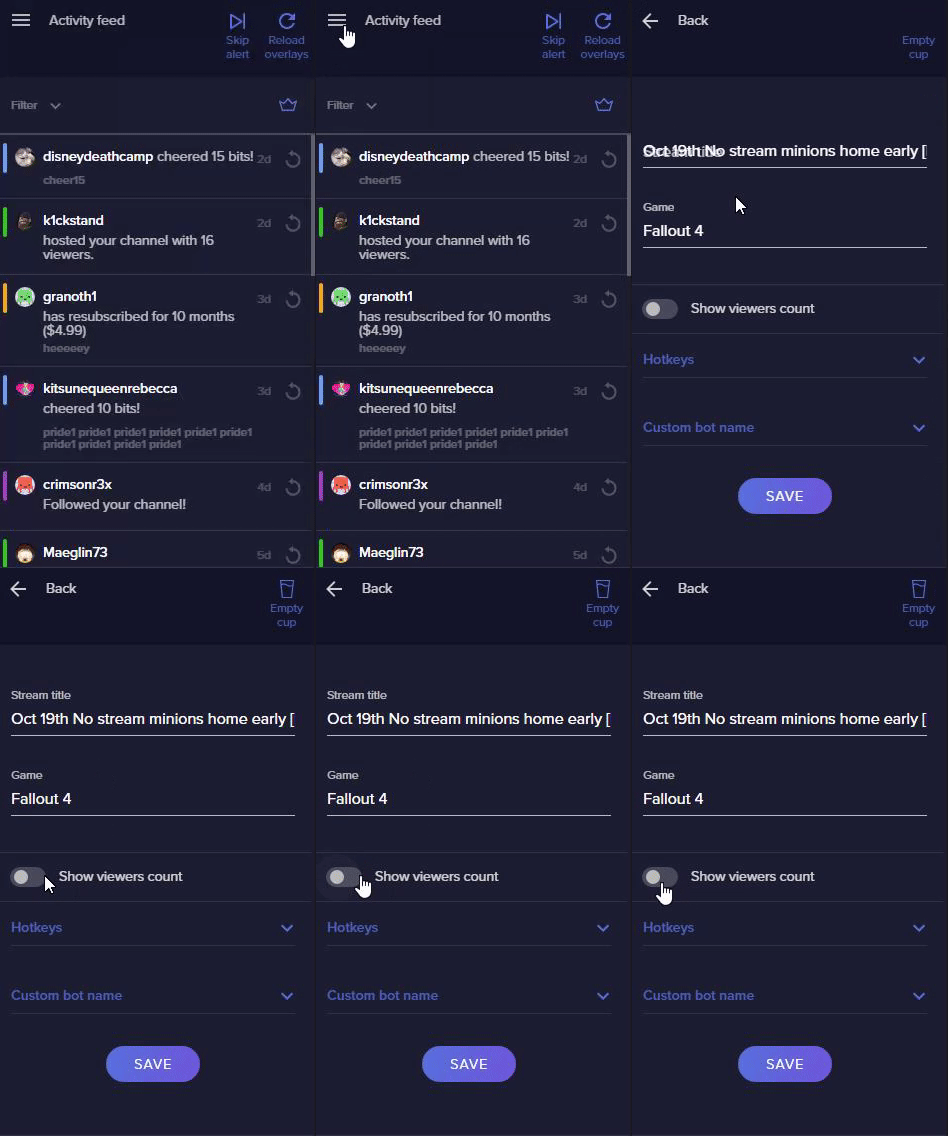
Is there anywhere on Obs Live that I can see the count of people watching?
tulip hamlet
The toggle is in the menu in the top left of the activity feed, for Twitch only.
 lapis valley
so how do i toggle my cam, on or off or even tell if its being detected?
karmic grotto
if your cam shows in OBS source then its being detected, and to toggle it on or off in live you could change scenes or setup a hotkey to hide / unhide the source
lapis valley
i cant find the setting for it
karmic grotto
for?
lapis valley
would it be under video capture device?
then i dont have it added and that would solve my issus
karmic grotto
first u need to explain what is your real issue as u said two diff stuff here, you got a problem to add your cam or to toggle view/hide it?
this is to add your cam into OBS
this is to toggle view/hide it
or
you can create a new scene without a webcam in it and that would be a toggle too
lapis valley
no i added the cam and fixed that issue but when i hit start streaming, my overlay disappears and wont load, even in the obs client its not showing any of my scenes
this is the problem
karmic grotto
you are using obs normal, it is recommended that u use OBSlive. Check if reloading the cache from the websource does something, and wait u said your overlay just disappear after hiting start streaming? it shows in preview just normal before that?
lapis valley
was but no its not even showing in the preview
karmic grotto
when u hit stop streaming the overlay goes back?
lapis valley
i had this problem before it started crashing last night so i uninstalled and reinstalled, which fixed it for a bit and now its happening again
no nothing is showing, in preview or live
only cam is showing
karmic grotto
ok go into settings
if this is enabled, disable it and restart the software. If it is disabled, enable it and restart the software
lapis valley
ok so that seems to have fixed the issue
karmic grotto
😉 glad
lapis valley
legend its working. had so much issues with the damn overlay i was ready to give up and go back to twitch studio
karmic grotto
we are here to help you, always ❤️
 gentle cradle
I can not get the display capture to show my display
steel bladeBOT
@gentle cradle For the best OBS support, please join their Official Discord @ discord.gg/obsproject
 wintry kelp
hello, is there a way of exporting obs studio overlays into streamelements
there only seems to be streamlabs to SE
steel bladeBOT
@wintry kelp To add your overlays to OBS, add a new browser source in your scene. Paste your overlay URL in the browser source properties, set the dimensions to 1920x1080 (unless you changed them on the website), and ☑ “Shutdown source when not visible” https://youtu.be/KDvLynUqXI4
wintry kelp
where I would like to export the overlays I have built in obs studio into stream elements to incorporate alerts
wintry kelp
i made my overlay already in obs studio
i want to export that into the stream elements overlays system
but there is only advice going the OTHER way
 shy mountain
Im still not sure what you mean by that
shy mountain
If you've added your image assets to OBS, then no you can't just import them as is
You need to make a blank overlay and upload the assets and build the overlay that way
 willow cave
hello, my alert box does not show up. I have added the browser source in obs and configured the alerts in streamelements online, but when I go to test it, it doesn't work
steel bladeBOT
@willow cave The default resolution for StreamElements overlays (theme and custom) is 1920x1080. Please add them in OBS at their full resolution and use CTRL+F to fit to screen if necessary. You can then downscale your stream in OBS settings > Video if you'd like https://i.imgur.com/6bWXxjR.png
 willow cave
I did that already and I hear the sound, but no image, and it's left on the default notifications
shy mountain
If you are hearing the sound, but not seeing the iamge, then you've not set the proper resolution and the source is bellow your gameplay
 fluid oyster
good day. Can someone advise me about my problem, which is that when streaming to twitch, the sound from the game is delayed by about 2-5 seconds. I don't know what to do with it anymore 😦
steel bladeBOT
@fluid oyster For the best OBS support, please join their Official Discord @ discord.gg/obsproject
 glacial fjord
Hi team, not sure what I might have done so I need some guidance please! I updated a photo on my stream starting soon screen and now my countdown is all weird. It is now showing days, hours, minutes and seconds. I've always had it set up as only Minutes and Seconds but now it just looks weird. Heeeeelp please!
And "count to exact time" is marked, not "count date"
Thank you in advanced!
shy mountain
We deployed something for the countdown widget, which it seems was not the fix we intended
we rolled it back just now
glacial fjord
We deployed something for the countdown widget, which it seems was not the fix we intended
@shy mountain what action do I need on my end to correct it? Or will it auto fix?
shy mountain
refresh the overlay
glacial fjord
Lol I tried "fixing it" and just am seeing this. Crap. I hope I didnt make it worse 😅
But as long as I bring it back to count down to a time, fill out the amount I want (just 10 mins) it should all work out?
shy mountain
yes
 tepid turret
if i use obs live can the bot use my sub emotes?
shy mountain
If you place the custom bot name option as your name, yes
else you have to gift the custom name you use a sub
tepid turret
great :) thank you, will try it.
Also i read there is a channel for the obs live beta release path?
 vague lion
Im trying to get a browser overlay into stream elements OBS, however the whole thing isnt appearing?
tender python
!accel
steel bladeBOT
OBS -> settings -> advanced -> scroll down -> enable/disable hardware accel.
https://i.imgur.com/ggMe9ZE.png

 ornate cypress
i have a problem on my obs live. even though i selected twitch on settings when i click start stream it keeps on asking me to stream on fb
steel bladeBOT
@ornate cypress Streamelements on top of OBS -> Logout -> login
ornate cypress
pog bot
steel bladeBOT
@vague lion The default resolution for StreamElements overlays (theme and custom) is 1920x1080. Please add them in OBS at their full resolution and use CTRL+F to fit to screen if necessary. You can then downscale your stream in OBS settings > Video if you'd like https://i.imgur.com/6bWXxjR.png
 edgy frost
Wondering the Activity feed
is there a way for me to switch it to youtube i multi stream or not in the normal way i stream 2 times a week on twitch 2 times a week on youtube
but my activity feed is only there for twitch not sure if there aint a activity feed for youtube ?
edgy frost
Okay might need to do that, hopefully that will come along, since the data is allready gathered from my knowledge adleest
hope it is adleest down the road
One thing that would be nice folders - so you can have scenes in folders damn i would love that
 kindred fox
I believe obs is working on implementing simultaneous rtmp output, at which point you would be able to have multiple activity feed docks (presumably).
Scene collections are your scene “folders”
edgy frost
Ye i ment like if i got all my overlays for Twitch having them in a folder a like thing would be nice
 cedar badger
Hey I had a question. I recently changed my twitch name and when i did the chat widget in obs live stopped working where it won't connect to my chat. Is there anyway to fix this?
plain sonnet
settings > stream
disconnect and reconnect
if you have the stream elements plugin
streamelements > logout > log in
 normal bough
Hey all. I normally stream on twitch and it allows me to see all of my notifications in OBS live which is great. Last night I decided to switch and stream on mixer for the night, I signed in and it gave me the chat window widget, but I noticed that I could NOT see my notifications for incoming follows and all of that. I couldnt find any way to switch to my notification alerts for mixer. Is this even possible?
toxic fern
!relog
steel bladeBOT
Streamelements on top of OBS -> Logout -> login
cedar badger
ty did it once and it didn't work the second time did
 tropic solstice
Hello, what is better for streaming: Hardware (AMD), Hardware (QSV) or Sowtare (x264) ?
wary dew
x264 probably
rugged quail
Ok, hello, I have an issue... Sometimes when I start OBS all my stream elements widgets load up just fine, other times i have to restart OBS a bunch before they load going as far as needing to restart my PC (even after a fresh start) before they will load... what is going wrong?
plain mason
@rugged quail OBS.live?
rugged quail
ok like just now, i had to open and close and open and close like a dozen times before it connected
@plain mason yes, obs.lvie
version 20.3.22.613
plain mason
@rugged quail what is the version of OBS Studio?
rugged quail
it's so wierd, because sometimes it works perfect first time
othertimes i gotta open and close repeatedly before it works out
now, is there a way to manually try to have OBS reconnect to all browser sources?
steel bladeBOT
@rugged quail Streamelements on top of OBS -> Logout -> login
rugged quail
how to set chroma key in transitions?
i think there's no way, only making in one video editor
karmic grotto
how to set chroma key in transitions?
@rugged quail u mean set transparent pixels? u need alpha channels
 versed rivet
anyone else have this issue when having there stream information trying to update? Tried logging out and back in and checking for updates. not sure what else i should do
plain sonnet
if you havent changed your name on twitch, then its down to twitch being funky atm
versed rivet
lol ok sounds about right.
wary dew
Twitch has issues at the moment
 maiden dew
Yeah mine wont connect twitch
 strong depot
I goto place my source for one of the scenes and when I apply it, it doesn't work. Does anyone have a solution?
karmic grotto
I goto place my source for one of the scenes and when I apply it, it doesn't work. Does anyone have a solution?
@strong depot what resolution did u set it?
the websource
strong depot
@karmic grotto 1920x1080
steel bladeBOT
@wicked mortar Please follow our community rules:
- No advertisement or stream promotion
- Respect ALL server members
- No NSFW/NSFL
Thank you
 versed pagoda
Usually this updates it self but for some reason it dropped to 0 when i have 19 subs
plain mason
@versed pagoda what is your streaming platform?
versed pagoda
Twitch
strong depot
@karmic grotto Thanks it worked!
plain mason
Twitch has some issues, if it's possible wait some minutes. @versed pagoda
plain mason
@wicked mortar > #🇵🇹︱português
rugged quail
@rugged quail u mean set transparent pixels? u need alpha channels
@karmic grotto ok i search for that on After Effects
karmic grotto
sure
rugged quail
thanks
 lucid wagon
Do I need OBS live if I have the streamlabs version of obs?
plain sonnet
its recommended to have obs, as SE overlays work intermittently in slobs
lucid wagon
ty
 scarlet dagger
i have some struggle with game capturing. OBS never detects the game i am launching any ideas to fix it?
karmic grotto
are u using OBS with admin mode @scarlet dagger ?
 cold sundial
hi is every one having a problem on activity feed keep saying i need to sign in to twitch and give error code 404
plain sonnet
twitch issues, need to wait for them to fix it
cold sundial
ohh ok thannk you
 fallow burrow
how do i fix my stream from lagging? everytime i stream my voice is off by a few seconds?
steel bladeBOT
@fallow burrow 1) Restart OBS
2) Start your stream/recording for about 30 seconds. Make sure you replicate any issues as best you can, which means having any games/apps open and captured, etc.
3) Stop your stream/recording.
4) Select Help > Log Files > Upload Current Log File. Copy the URL and paste the link here.
(Note: If you do not see an obsproject.com URL, you will need to update OBS Studio to version 22+)
tulip hamlet
@fallow burrow https://obsproject.com/analyzer/?url=https%3A%2F%2Fobsproject.com%2Flogs%2FgWBWlOn_a8dYwEys
You can follow these steps, but this may not be lag. Instead, you may need to set up an audio delay. Or, if you're viewing your own stream and others see things fine, you could just need to update your video drivers.
fallow burrow
i just updated my driver and it still laggs, how would i add a audio delay? and my video lags too like its slow motion
steel bladeBOT
@fallow burrow For the best OBS support, please join their Official Discord @ discord.gg/obsproject
 onyx sonnet
How do i change the size of a overlay on StreamElements
honest echo
@onyx sonnet
onyx sonnet
ok
That didn't change it.... The overlay is to large to to fit on the whole screen and i need to make it smaller
tulip hamlet
Press Ctrl+F after adding it to OBS to fit to canvas.
 velvet vapor
I'm having all kinds of audio issues with OBS Live. In Settings > Audio > Devices I have Desktop Audio as my Headset, Desktop Audio 2 as a virtual input that I have Spotify set to play on in Windows settings, and Mic/Aux as my mic. I have 4 different tracks setup under Advanced Audio Properties. Track 1 - All 3 audio devices checkmarked, Track 2 - just Desktop Audio (which is my headset) checkmarked, Track 3 - just Mic checkmarked, and Track 4 - just Spotify checkmarked. My issue is when I'm recording all the audios bleed over. I record as a mkv file and convert it to an mp4. I import the mp4 into Audacity to separate the audio tracks. When I load the mic track, I can hear both desktop audio and spotify faintly in the back. When I load the desktop audio, both desktop audio and spotify can be heard. When I load the spotify audio, only spotify is playing. Sorry this is so long, but I have been messing with this all day and it is driving me crazy lol!
steel bladeBOT
@velvet vapor For the best OBS support, please join their Official Discord @ discord.gg/obsproject
onyx sonnet
nope still didnt work
steel bladeBOT
@onyx sonnet Please provide a proper screenshot with the issue visible. If not sure how to take a screenshot, you can check here: https://www.take-a-screenshot.org/
onyx sonnet
This is to large to fit my whole screen
and i need to be able to make it fit my screen
karmic grotto
when u add it in OBS u press control F
thus will resize it to fit your screen @onyx sonnet
plain mason
@velvet vapor check your Settings > Video > Recording (tab) ... did you mark tracks 2, 3, 4 and unmark track 1?
@velvet vapor please, show us a printscreen of your Advanced Audio Properties
 hearty dragon
Hello there, hopefully someone can assist with this. Just updated windows which has resulted in audio devices being reset/not picked up in OBS, not sure why. I've sorted most things but for some reason I cannot hear the audio of any media I add to a scene.
steel bladeBOT
@hearty dragon For the best OBS support, please join their Official Discord @ discord.gg/obsproject
rugged quail
how do I add my own custom transitions?
honest echo
@rugged quail You need to add them directly on obs as a stinger transition
 maiden horizon
I need help with overlays.. not sure if this is the correct section
steel bladeBOT
@maiden horizon Welcome to the helpdesk! Please let us know how we can assist you today and a support volunteer or staff member will assist you as soon as they are available. Thank you for your patience.
 finite crypt
should i be running obslive streamelements edition or just obs?
tulip hamlet
OBS.Live is a plugin for OBS Studio, not its own software.
finite crypt
what is the benefit of running OBS.Live?
tulip hamlet
@finite crypt Additional control over StreamElements from within OBS. Chat, activity feed, custom bot name, media request, some hotkeys, possibility for Stream Deck integration, etc.
finite crypt
i don't understand how all this works. overlay is for the alerts and donation links via paypal?
steel bladeBOT
@finite crypt New to Stream Elements?
Check out our YouTube channel https://www.youtube.com/c/streamelements/videos
with tutorial videos from setting up the basics, to in depth details on how to use our product.
New to OBS? Here is a 4 step quickstart guide
https://obsproject.com/wiki/OBS-Studio-Quickstart
Want to learn even more? Here is an in-depth overview
https://obsproject.com/wiki/OBS-Studio-Overview
tranquil olive
hey wondering if anyone can hlp me trying to setup up my capture card for switch
i have it working but no audio
steel bladeBOT
@tranquil olive For the best OBS support, please join their Official Discord @ discord.gg/obsproject
tranquil olive
ok already joined there
 gleaming loom
I have just installed OBS live. I have modified an overlay from the gallery. When I add the URL into the source it only show part of the overlay as though it's too big. Am I missing something really simple to get it to fit?
steel bladeBOT
@gleaming loom The default resolution for StreamElements overlays (theme and custom) is 1920x1080. Please add them in OBS at their full resolution and use CTRL+F to fit to screen if necessary. You can then downscale your stream in OBS settings > Video if you'd like https://i.imgur.com/6bWXxjR.png
gleaming loom
@steel blade Thank you for your help so far but now it seems to be too far from the margins. Any ides?
shy mountain
Settings -> Video -> is your base canvas 1920x1080?
tranquil olive
no one seems to be helping in the other discord 😦
gleaming loom
It is now @shy mountain Thank you for your help. You and @steel blade have made an old noob very happy 😁👍
shy mountain
@tranquil olive Check in OBS -> Audio -> desktop audio -> set to default
tranquil olive
okay yeh i cant even get it on screen now the video capture it was there b4
shy mountain
I would recommend to ask in the OBS discord at this point and wait until someone can answer you there
tranquil olive
yeh been asking in there
tranquil olive
welp at least got picture but no sound still
finally got it on my own
maybe not 😦 got it in my headset but not on record or stream
got it phew
 chilly timber
heyo everyone! Im currently using restream with obs.live
I was wondering if the activity monitor will monitor both my twitch and mixer activity at the same time or is it just going to be whichever one i selected first (in this case I chose mixer) thank! Please @ me
karmic grotto
second option @chilly timber
 mossy flax
How do i add follower and sub sources for a custom overlay?
as in what do I use in the sources box to create the actual counter or alert.
karmic grotto
alerts are made from alertbox widget, and counters are in the counting, both of them can be found in the plus button in overlay editor @mossy flax
 stray kernel
Does anyone know how to add a custom transition in OBS.Live ?. It does not allow me to modify the transitions, it only gives me to choose the default ones.
steel bladeBOT
@stray kernel For the best OBS support, please join their Official Discord @ discord.gg/obsproject
 dire hare
Hi all. I’ve created some custom animated overlays within a webm. Do you know is it more or less taxing on my pc to upload to Stream Elements and run them via Stream Elements or just directly as a media source in OBS? Or does it make no difference either way? Thanks.
shy mountain
If its a 1920x1080 sized webm, it might be best to add it directly to OBS.
dire hare
Okay thank you, yes I made them in 1920x1080.
Although I never thought about making them in a smaller res. I could try that actually.
 molten pier
Was told by support to come here. Im having issue streaming COD MW any other game streams fine and I can play COD MW without streaming. But when I go live it causes the game and OBS to crash sometimes taking the whole system with it. Any troubleshooting/help?
steel bladeBOT
@molten pier A crash log is required to investigate the cause of your issue. Please upload the last crash log.
- In OBS, click the Help menu
- Select Crash Reports, and then Upload Last Crash Report
- Copy the URL, and paste it to the chat here.
--
If you are not able to follow the above steps, open your file explorer and go here:%appdata%\obs-studio\crashesand provide the last listed file.
molten pier
shy mountain
Ok I know this might sound silly sending you all over the place and Im sorry, but looking at the crash log
it doesn't seem like OBS.Live is causing it.
I will have to send you to the OBS experts them selves
molten pier
To be honest didnt think so but tried so many fixes now, Ill take a look on there
 plucky snow
hi, I have a problem with Stream Elemnts alert box not showing properly in OBS Studio, can you help me? I see the alert working fine in the web editor, however, in the preview tab I see only half of the alert (the second half). how to fix this?
karmic grotto
in the websource preferences u have to setup the res to 1920 x 1080
also select the web source in the preview and press control F to fit it on the screen
done
plucky snow
Yeah, if I change the properties to 1080p the alert is not visible in obs at all
plucky snow
where ctrl F? in obs?
karmic grotto
yes
also the properties u have to change to 1080p are in obs too
in the web source preferences that u added the link
plucky snow
I cannot stream 1080 as I'm not partner or anything and my upload speeds are not that great. I have everything in OBS set base 1080 > 720
second, after following steps the alert refuses to show at all, i hear the sound, but don't see the alert
thanks for your patience 😉
 tacit whale
hello stream elements. can you guys tell me how to stream youtube and facebook both in sametime ???? please
karmic grotto
even if u are not streaming 1080 the overlays are set by default to 1080p so either u changed that in overlay editor ( what i really doubt ) or u need to press control F with it selected to it fit the 1080p into 720p
the preferences i'm talking about is not OBS settings
is the source preferences
the one that shows when u double click it
@plucky snow
tacit whale
LegendKg.. please help me tooo .. appreciate so much
karmic grotto
hello stream elements. can you guys tell me how to stream youtube and facebook both in sametime ???? please
@tacit whale restream probably
plucky snow
yeah I get that, I'm changing properties for the alert box websource and in the web overlay editor
karmic grotto
if u have changed the size of the overlay in the overlay editor from 1080p to 720p then u need to set the web source preferences in OBS to 1280 x 720
but if u didn't then u need to supersample it using 1920 x 1080 and pressing control F to fit it in 720p
plucky snow
@karmic grotto thanks! it's kind of complicated to get it right, but looks like it is ok now, thank you 🙏 💐
karmic grotto
np 😉
tacit whale
LegendkG... you mean we cannot multistream in stremelements?
karmic grotto
never said that
restream is a service for multistreaming
a more technical option would be https://obsproject.com/forum/resources/multi-streaming-server.376/ @tacit whale
OBS Forums
Multi Streaming Server
A Nginx server with RTMP module to send video streaming to multiple services.
If you have an optical fiber connection, you might want to send your live streams to multiple services to reach a wider audience.
If you use...
tacit whale
thank you so much
 thick dune
hello, could you tell me how to import overlays bought at fiverr.com to streamelements?
 lilac heart
hi there, I am not getting monitoring alerts sounds on my pc. I know they work as tested online but not on my end feed
odd kraken
@thick dune Do you have an install link for the assets?
thick dune
no , they don't provide a link
odd kraken
What did they provide?
thick dune
only animated videos
odd kraken
Then add them as video assets to your StreamElements overlays via the overlay editor
thick dune
@odd kraken ok, thanks👍
 rose vale
hello i alrdy have mixer on my streamelements but i would like to add twitch aswell is it possible ?!
odd kraken
https://streamelements.com/dashboard/account/channels Add them via the bottom options.
rose vale
i did it says channel already claimed
steel bladeBOT
@rose vale Account Merging - Please note:
- Merging accounts only allows faster ways to switch between accounts
- Merging accounts does not allow data sharing between accounts - different streaming platforms, different type of events
- Merging accounts allows duplicating/sharing overlays between the accounts
If you understand the limitations of merging and want to proceed, please find the JWT tokens (!jwt) from both accounts you want to merge and you will be directed to DM them to a staff member.
 stray yoke
Why is my bot not in the chat
rose vale
can some1 help me with merging accounts ?!
odd kraken
@rose vale DM the tokens to @sinful flint please.
 modest pagoda
Hey OBS.Live support! I'm getting a brand new error that started last night "Fault address: 7FF8E264C656 (c:\program files (x86)\obs-studio\obs-plugins\64bit\libcef.dll)"
Whole thing: https://pastebin.com/0RC5FvAx
I uninstalled OBS.Live and it doesn't crash every single time now, so the problem is pin-pointed to OBS Live and its interactions.



 tacit harness
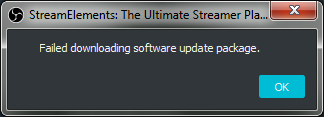
I tried to uninstall obs.live (cause it doesn't work for me). I uninstalled the program, but the update promt still occures. What can / should I do now?
 muted viper
Hi. Im streaming with obs and have some streamelemts overlays. At the Start the alerts worked fine but rn alerts arent shown in my stream. Do u know why?
 tropic pendant
Hey there, I have a quesion about Zanzer's Custom command widget. I have set it up as shown in the tutorial video but I can't hear anything when I test the command, any help would be appreciated 🙂
lilac heart
hi there, I am not getting monitoring alerts sounds on my pc. I know they work as tested online but not on my end feed
 errant fable
i need configurate comand for, moderator change title "live", Anybody know ?
 native spindle
Hello, im having an issue with my OBS.Live, My chat and activity feed arent loading and i cant connect my account, any reason?
plain mason
@errant fable > #🇵🇹︱português please, send your message on only one channel.
 jagged lagoon
browser url it's doesn't work with my obs
 oak fog
I am new to the PC world of streaming and need help with setting up overlays on my stream, It would be greatly appreciated if you helped
last flower
@oak fog you were linked the setup tutorial in #general-chat
oak fog
oh ok my bad
last flower

oak fog
Honestly Im confused more then i was before xD
 slow raven
How do i add the overlay onto OBS?
oak fog
I wanna have the overlay up as i stream so that it shows Top Dono, New follower or new Sub
steel bladeBOT
@slow raven To add your overlays to OBS, add a new browser source in your scene. Paste your overlay URL in the browser source properties, set the dimensions to 1920x1080 (unless you changed them on the website), and ☑ “Shutdown source when not visible” https://youtu.be/KDvLynUqXI4
vague lion
How do i get my game capture to work, doesnt seem to be ?
steel bladeBOT
@vague lion 1) Restart OBS
2) Start your stream/recording for about 30 seconds. Make sure you replicate any issues as best you can, which means having any games/apps open and captured, etc.
3) Stop your stream/recording.
4) Select Help > Log Files > Upload Current Log File. Copy the URL and paste the link here.
(Note: If you do not see an obsproject.com URL, you will need to update OBS Studio to version 22+)
 hardy wing
Hi! I'm trying to set up the ElGato Stream Deck, but when I try to add a scene it tells me that the plugin is not found
 alpine leaf
I just updated my streamelements obslive and literally everything got reset and ive lost all my scenes
anyway to revert?
karmic grotto
u should have exported the scene colection before update
unfortunately there isn't...
alpine leaf

 mortal pecan
@alpine leaf sorry
fallow burrow
i found out that my stream is lagging because im using logitech app for my camera to obs, if i just go straight to my brio cam without the app theres no lag on my stream
toxic fern
@alpine leaf Could you click file > show settings folder > basic > scenes and see if there's anything in there?
rugged quail
So, I was wondering if anyone else uses VoiceMeter Potato because I dont think I have the media request being captured in my audio. How do I make this happen? If need be I can share what my audio set up is
plain sonnet
oh god, voicemeeter 
what are you trying to do, only chat to hear, or different volumes for you and chat?
last flower
I use Banana 
rugged quail
I wanna have the media request be heard through VM so I can mute it when I dont wanna hear the music but my viewers can still hear it
I know I can do it via media request on browser but Chrome takes a bit from my computer and I like functionality of it being in OBS
Im using VM Potato
last flower
I know nothing about potato but I know I can do that in banana 
I also feel like there may be a shortcut path to change output paths in OBS natively, but I could be wrong
rugged quail
Oh I know what I did wrong
last flower
Though it would also mute any game audio in the case I'm mentioning  MR pipes through windows desktop audio, so unless you map your game audio to something else and apply that to VM, you'd lose both
Audio is just grand
last flower
Nah I don't have an issue with mine. I'm a music streamer so I have a different use case than most here
last flower
There is an unofficial way to separate audio, using a chrome extension that separates browser audio to a different audio source
If you do that you'd be separated in VM, assuming it has virtual cables like banana
 stuck cloak
Hello, I am an iMac user, can i stream using streamelements on my mac?
tulip hamlet
You can use our overlays, bot, etc., core features, but the OBS.Live plugin for OBS Studio is Windows only at this time.
You may also have difficulties with animated assets due to how OBS on Mac works.
stuck cloak
Okay if i want to use the overlays and things, which software would i requier and how do i link it up?
tulip hamlet
OBS is available for Mac, just not our plugin.
hardy wing
Anyone? Any idea of to connect it with Stream Deck??
stuck cloak
Are streamlabs and streamelements compatible, e.g: I have found an overlay on streamelements i very much like however i wish to use it on streamlabs, is this possible??
stuck cloak
Okay ty
 mossy python
@rugged quail You could download ground control, and have that run the music requests. On Windows, you can force it to use your virtual input, which should be manipulatable in voicemeter
I might be wrong though - you'll have to check if ground control does media request
rugged quail
https://mayflower.s-ul.eu/yjfnqRQv hey so, none of my docks load except for the chat, it loaded correctly at first but then stopped working randomly last night and hasnt worked since, i have no idea what to do

 lilac ocean
Yes that’s just normal obs with a old version as well
rugged quail
oh wow lol
lilac ocean
OBS.Live is a Plugin for OBS created by StreamElements. You can download OBS.Live here: https://streamelements.com/obslive
Please make sure you have the latest version of OBS installed, Current Version: 25.0.4. You can install OBS here: https://obsproject.com/
@rugged quail
rugged quail
https://mayflower.s-ul.eu/BKGel1mY it wont let me update this
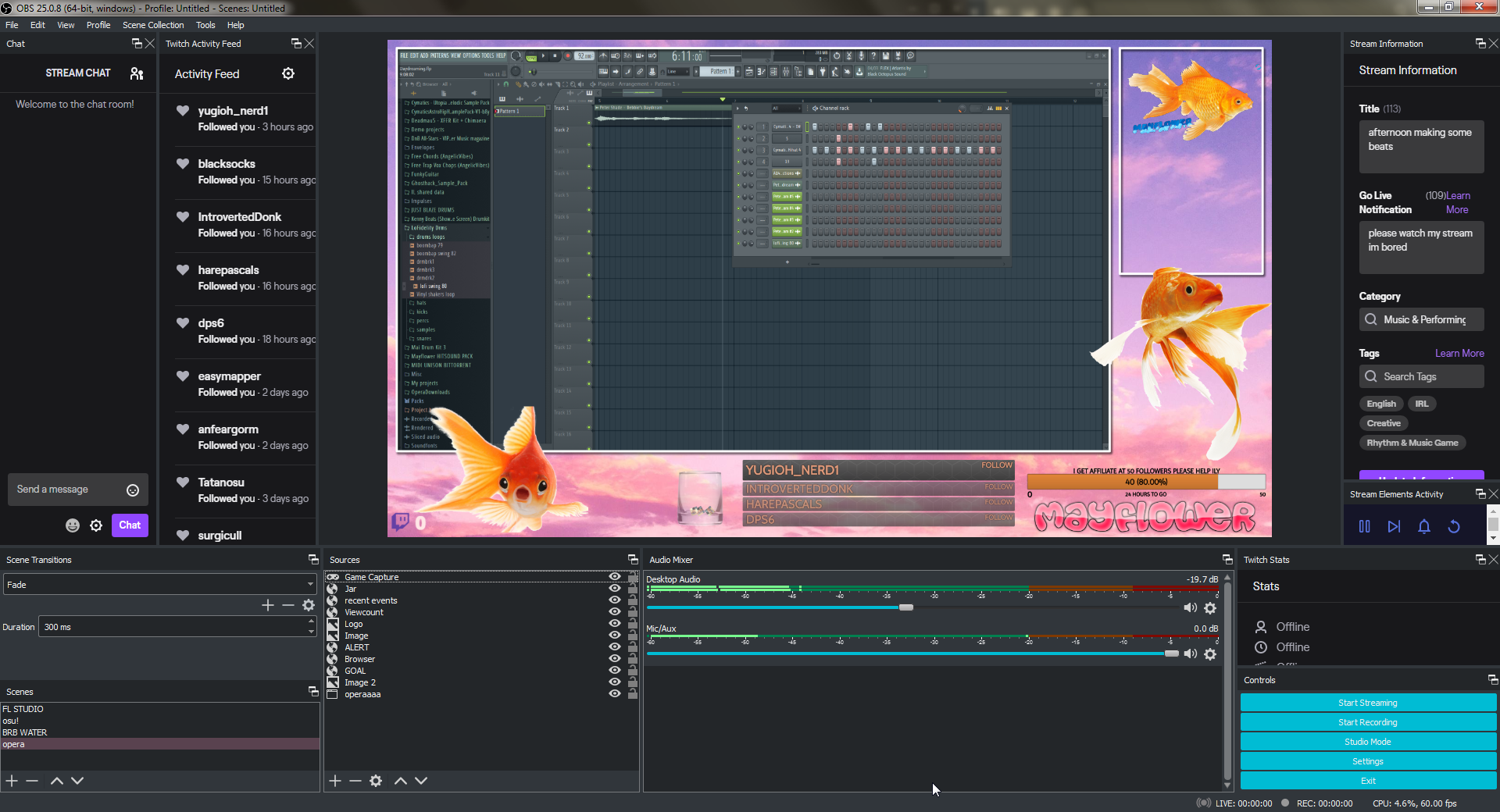
i searched up streamelements in my apps and launched it
and all my things loaded
the ui doesnt look any different tho
tulip hamlet
You're using a very outdated version of OBS Studio.
rugged quail
i still have windows 7 that might be why?
plain sonnet
it wouldnt matter, however as windows 7 is no longer supported my Microsoft, obs is not being devolved anymore for it.
you can get the latest obs from here
https://obsproject.com/download
rugged quail
ok thank you
- would it keep all of my overlays and settings n stuff?
and 2. is it really necessary to download? my experience with this version of obs has been very positive so idk if there even is a reason to
plain sonnet
-
yes updating keeps your obs set up, however you can, and should have a backup:
scene collection > export
profile > export -
the last pic you posted shows your obs is up to date, which is good because they made big changed from the version you was on.
if you ever have any issues then you can always downgrade your obs to an older version
rugged quail
ohhhhh okie great, tysm
uggh when i try to stream using obs.live this happens https://mayflower.s-ul.eu/hQiWaysP
when i use normal obs everything is perfectly fine ;-;
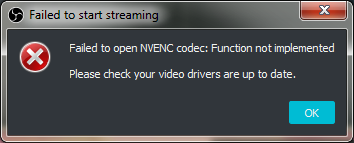 plain sonnet
in obs, go to
help > log files > upload current
paste the url in here
rugged quail
plain sonnet
make sure your gpu drivers are up to date, the best way is to just do a clean install:
You need to update your NVIDIA drivers. You have 2 ways you can do it:
- Open GeForce Experience if it's installed on your PC. Login, click on DRIVERS, then select Download. Install it fully, then reboot.
OR - Manually download your drivers using this link: https://www.geforce.com/drivers
Make sure to reboot your PC once the drivers are installed.
following that will make sure they are updated
rugged quail
i have geforce experience
let me try that
ok geforce experience literally wont open
rugged quail
https://mayflower.s-ul.eu/Gr5tNKSk yeah will do lol
 tender python
tbh
i would delete it
if you just want the drivers, i highly recommend getting the cleaned drivers here: https://drive.google.com/open?id=1IPoqR1w23_wzEOtN5ptWyfYqqkizA3ci
version 446.14 without all the telemetry and add-on crap 🙂
rugged quail
@tender python delete what?
tender python
it adds only so little.
Like you said, screen recording, which is nice, sure.
Then there's library of games w/ data collection
and then there's some games that include GE as an extension for like clips
rugged quail
yeah i see
 terse plume
i cant download obs.live
tender python
terse plume
i already have the setup i just has a problem while installing it
tender python
that's a whole different problem than:
i cant download obs.live
so what's the problem while installing
 brisk hull
anyone know how to have discord and desktop audio separated?
 mystic folio
if i add a subscriber count will it update automatically
terse plume
@tender python when i go to download it it says failed downloading installation package
plain mason
@brisk hull you can search on google: potato obs discord ... or voicemeeter obs discord separated ... etc
tender python
dont pm. @terse plume keep it here.
terse plume
sorry
tender python
yeah i was correct
If you have a monitor output
just set that in Discord
add that output in OBS
then monitor + output.
no need for potato or VM
plain mason
@brisk hull and here #helpdesk-selive message i did a quick explanation about media request.
brisk hull
thank you i figured it out
tender python
even singular apps you can route in windows nowadays.
terse plume
im gonna go
tender python
@terse plume share a screenshot, Nethyr probably will have a solution for you
terse plume
ok
tender python
no need for wacky Virtual Audio Cables routes..
Granted, im not sure if this is a feature that's available below windows 10 build 1903/1909.
plain mason
@brisk hull send me a DM (to remember me about that) and i'll help you later.
 swift falcon
Hey, is there an easy way to change the chatbot's name? Not in Ground Control. Because I watched that bot reply here but that's outdated and doesn't work.
terse plume
@JayniusGamingTV
tender python
download the installer; https://cdn-fastly.obsproject.com/downloads/OBS-Studio-25.0.8-Full-Installer-x64.exe for OBS
plain mason
@swift falcon read pinned messages, please.
tender python
then try the installer again
terse plume
ok
tender python
might be a chance it cant install OBS.
swift falcon
@plain mason I did, that's why I ask again. Because I don't get that Activity Feed in my OBS. The pinned post is a year old
plain mason
And update the app.. ⤴️
tender python
@tulip hamlet any chance you have a seperate download link for the SE.live plugin? Just in case?
terse plume
@tender python Do i run the setup and dowload OBS
plain sonnet
there is, you get a tick box to only install one or the other
tender python
Yes, just install @terse plume
tulip hamlet
terse plume
ok
swift falcon
Never mind 🙂 Closed and reopened and it appeared lol
tender python
So yeah, try that @terse plume run the OBS installer, install OBS
then run the setup you downloaded before, and only pick the SE.live plugin to install.
terse plume
ok thanks!
tender python
Any luck ?
 alpine flume
so when attempting to resize my cam i messed up and now my stream is blown up like everything on mass zoom
plain sonnet
click on the cam in the source box
press ctrl+r then (if you want if full screen) ctrl+f
rugged quail
wtaf is this shit
like.
this is so painful lol
https://mayflower.s-ul.eu/i14Ow3Tr is this why nothing will work
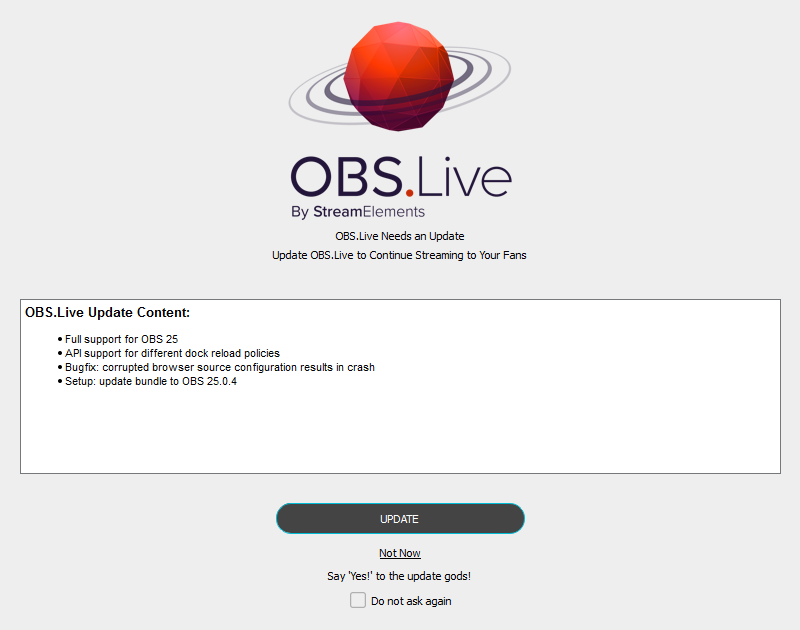
it literally wotn let me update
plain sonnet
borked geforce??
try just from their site
https://www.geforce.com/drivers
fully close down geforce before doing so, just in case
 slim yoke
Hello, I keep receiving the text bellow, encoder overloaded.. etc.. I've tried lowering down the settings as much as I can keep the 1080p60fps but I still keep getting the same thing. Setup: i7 8700k, GTX 1070, 16gb 3200mhz, encoder: NVENC.
tulip hamlet
@slim yoke Please provide a log from your last stream. To do this, in OBS go to Help > Log Files > Upload Last Log File and paste the link to the log file here.
tulip hamlet
@slim yoke ```Your log contains no recording or streaming session. Results of this log analysis are limited. Please post a link to a clean log file.
To make a clean log file, please follow these steps:
- Restart OBS.
- Start your stream/recording for about 30 seconds. Make sure you replicate any issues as best you can, which means having any games/apps open and captured, etc.
- Stop your stream/recording.
- Select Help > Log Files > Upload Current Log File. Send that link via this troubleshooting tool or whichever support chat you are using.```
tulip hamlet
rugged quail
man im just gonna go back to normal obs
been trying to troubleshoot all day but its just useless. thanks for helping
karmic grotto
what is your issue lol ?
slim yoke
Which OBS you are on?
slim yoke
I mean streamelements or streamlabs?
karmic grotto
did u tried delete everything and reinstall ?
karmic grotto
can u try ?
karmic grotto
she is using obslive @slim yoke
karmic grotto
she sent a screenshot of the obslive update window
that obs is without SE plugin
i really recommend u delete everything and reinstall, also update the drivers
slim yoke
Btw after getting the OBS log analyzer, everything makes absolutely no sense
karmic grotto
tried reinstalling geforce experience ?
plain mason
@rugged quail you can use Live plugin with OBS 25.0.4 ... did you try with this version?
rugged quail
i think that is what i used to use before i updated when i isntalled stream elements
 livid coral
Hi everyone, newbie here looking for some help/insight. If I want to stream any game on my pc smoothly, I am able to but I HAVE to have the game open and running BEFORE I open obs or else I will drop massive amounts of frames- even when running in admin mode. So this also means I can't switch to a different game while streaming unless I stop streaming, close obs, open a new game , then open obs and start streaming again. Anyone ever experience anything like this?
plain mason
You can't do downgrade (back to older version) automatically, so, if you want to try it... you will have to uninstall the StreamElements Live plugin, OBS Studio, and reinstall the OBS Studio 25.0.4 and install Live plugin.
If you have any data (overlay, settings, ...) on your OBS you can do backup before uninstall it. Clicking on the button "Export" on Scene Collection and Profile menu you can backup it.
@rugged quail
rugged quail
the obs i have is 25.04 @plain mason
n it doesnt work
well it works when streamelements is off..
 exotic pawn
So I'm struggling with encoding overload issues with COD. Before Valorant beta I played cod on stream no problem with all the same settings and now when i try an play regular MP like before 1 map itll be fine and next map the lag is so bad I cant play. My stuff is scaled down to 720, my bitrate is at 6k( Have gig net), game mode etc off. I have tried everything i can find via google
anyone have any ideas?
SPECS are:
i7 8700
Geforce RTX 2070
32GB of ram
https://obsproject.com/logs/t4TwPJuRnCe3adM5 theres the log file i believe
tulip hamlet
@exotic pawn ```Your log contains no recording or streaming session. Results of this log analysis are limited. Please post a link to a clean log file.
To make a clean log file, please follow these steps:
- Restart OBS.
- Start your stream/recording for about 30 seconds. Make sure you replicate any issues as best you can, which means having any games/apps open and captured, etc.
- Stop your stream/recording.
- Select Help > Log Files > Upload Current Log File. Send that link via this troubleshooting tool or whichever support chat you are using.```
tulip hamlet
exotic pawn
sometimes first game or even a few are good
tulip hamlet
Log isn't recording any overload.
exotic pawn
then it happens and nothing fixes it
tulip hamlet
You'll need to replicate the issue and provide a log of that.
exotic pawn
okay ill see if i can it to happen
 dim drum
This may be an obs issue but it seems as though my obs kept wanting to ignore my chromakey. Anyone else have that issue
tulip hamlet
I'd recommend reaching out to OBS Project's support: discord.gg/obsproject
 rustic cosmos
anyone getting issue when you double click the top tool bar of obs it sometimes gets stuck in full screen mode only way to get out of it is to close the program
tulip hamlet
That's likely just because your windowed mode is bigger than your screen. I know a good trick to save it so you can size it back down.
rustic cosmos
ohh okay it only happens sometimes
tulip hamlet
Follow these instructions exactly:
Have the OBS window be the currently in focus window
Press Alt + Spacebar
Press M
Press any arrow key
Move your mouse
rustic cosmos
ok ill give it a go
tulip hamlet
You're basically opening a menu, using the move option, and then locking it to your mouse so you can move it somewhere.
 tall ruin
Can someone help me?
 keen bloom
Hi can anyone help me?
Why isn't Obs getting sound from my Elgato with my headphones connected to the ps4
tulip hamlet
@keen bloom If you are having issues with Elgato hardware or software, we recommend reaching out to their support here: https://e.lga.to/help
rustic cosmos
u using video capture
tulip hamlet
@tall ruin Not if you don't ask a question.
keen bloom
yes Moon
tall ruin
Is there a possible way to add custom transitions?
tulip hamlet
Sure. Has nothing to do with us, though; our system doesn't do anything with transitions.
rustic cosmos
ty mods ❤️ love the plugin
tall ruin
Then how can I do it?
rustic cosmos
@keen bloom there shoud be a audio called video capture
tulip hamlet
The transitions dock in OBS Studio.
tall ruin
Where is that located (sorry im new)
keen bloom
@rustic cosmos I can't find it where will it be
rustic cosmos
@keen bloom
keen bloom
its not reading it
getting frustrated with this lol
because its working already but when I want to play with my ps4 buddies on party chat when I plugg in my headphones to the controller its not reading it
keen bloom
@rustic cosmos can you help me with this
 grim finch
Having an Issue with OBS Live with StreamElemens was working fine earlier. and tonight was going to work on a new scene.. and now its asking me to setup the bot and tipping which have been working fine since I installed this over a year ago.. anybody else having issue?
I sign into twitch with it and then it goes back to saying managing your stream just got a whole lot easier and it asks to connect with twitch again
kindred fox
@grim finch is this within OBS.Live or inside your browser?
grim finch
OBS.Live
kindred fox
@keen bloom have you looked up how to connect a console to OBS with party chat? I believe there's an OBS guide out there somewhere with instructions on how to do it.
kindred fox
so when you click Connect with Twitch it signs you in?
grim finch
so how do i fix that?
grim finch
I see when I go to my browser page on StreamElements it says "Request failed with status code 429"
it asks me at the bottom of the page to connect to twitch.. must be a twitch issue then
I even uninstalled OBS.Live thinking its the issue.. well back or re-installing it now
and then bed.. gotta be up in 6hrs.
drowsy kestrel
Anybody know why it says I have 14 followers when I actually have 45?
It also shows it wrong in my follower goal
steel bladeBOT
@drowsy kestrel To reset goals:
- from the overlay editor -> data on top -> goal tab -> reset progress of desired goal
- from the dashboard -> activity feed on the left -> widget data on the right -> goals tab -> reset progress of desired goal
Note: Goal widgets(progress) only counts up and doesn't go down automatically, if you loose followers/subs
 tribal pasture
Hi, first thanks for awesome obs addon. I´m experience some problems last month with streaming.I did reinstall windows 10 (64bit), install all new and now I´m checking logs from OBS. One unsolved issue for me is "signal_handler_connect: signal 'streamelements_update_settings' not found" How can I fix it ?
shy mountain
And what is that causing?
tribal pasture
My stream becomes laggy after a 30mins or so...it stops for a 10-20 sec, including audio etc. I´m facing problems with NVEC codecs, but I thing i fixed that. SO last unsolved issue in log was this. I donnt know if its important or not...
steel bladeBOT
@tribal pasture Please provide a log from your last stream. To do this, in OBS go to Help > Log Files > Upload Last Log File and paste the link to the log file here.
 rigid laurel
Heyy, I wanted to switch over from Streamlabs to StreamElements. But there are some issues that keep on happening.
Alerts: I setted up the alerts from the Streamelements overlay website and everything works, for 5 minutes and my sub alert someone shops up as a dancing shark on my screen while on the website being normal or also a dancing shark. Sometimes alerts doesn't shop up at all on website and software but the sound does.
Tried setting up things manually and ran in these issues. Tried importing it from the other streamsoftware. Same issues?
lilac ocean
@rigid laurel for what platform is this?
There are two things that can cause it by the way
do you have set all the sub variations in the Overlay Editor?
Have you added the right dimension for your overlay, 1920x1080?
rigid laurel
This is for twitch, Setted up 2 alerts, Deleted all variation and my sub alert for example. It works for the first 5 minutes and somehow it changes over to a dancing shark, or all the visuals of the alert are gone but the sound still plays
lilac ocean
Yhea the dancing shark is the standard alert thing, did you press on save in the Overlay Editor and tried refreshing the page, to see if it still works?
rigid laurel
Yess, Saved it, also made a new overlay with the alerts. Somethimes on the site u see my alert and on the software the shark for some reason? But mostly the visuals are gone and the sound is still there
Think I fixxed it for now. But still a weird issue that randomly pops up
shy mountain
the dancing shark is if you've enabled custom css option on the variation/alert
rigid laurel
Hope that that also will fixx that the visuals of the alert is not gone and only sound it getting played
Right now it everything works. Will let u guys update if the same issue returns of losing the alert on screen and still have the sound
Thanks for the support 😄
lilac ocean
No worries, don't hesitate to come back when it doesnt work 
 main quail
I'm having an issue with setting my custom bot name via OBS.Live:
I previously had my custom bot name successfully connected to OBS.Live. However, I recently changed the password to my "bot" account and I feel like it may have caused an issue with OBS.Live - the bot name no longer appears in the dropdown menu. Whenever I try to "connect custom bot account" and log in/authorize, nothing happens. I have tried removing the OBS.Live connection via Twitch and logging out of Streamelements but nothing there as well. Any tips for fixing? Thanks!
shy mountain
@main quail 1) Right click on your OBS desktop shortcut -> properties - in the "Target" field add this -> --remote-debugging-port=40404
2) Open OBS(or restart if it was open)
3) Open your browser and type in "localhost:40404"
4) Click on "StreamElements - Activity feed"
5) navigate to the Console tab
6) type in the console this: store.customBot.removeCustomBotIntegration() and hit enter
7) Try setting the custom bot name
main quail
@shy mountain thank you! im getting error right at step 1. am i entering the target field correctly?