#helpdesk-selive
1 messages · Page 131 of 1
 cedar umbra
 cunning barn
Weird on Slobs everything works fine but on OBS nothing works HELP!!!!
Top is Slobs bottom is OBS
cunning barn
got the camera working now just seems like browser sources from streamelements aren't working
 steel bladeBOT
@cunning barn We're not able to troubleshoot issues with using our overlays in StreamLabs OBS (SLOBS) as we don't have the tools to support their software. We recommend using OBS Studio or OBS Studio with our plugin OBS.Live.
 lilac ocean
Streamlabs tends to block our overlays
what exactly doesnt work?
I think the streamlabels you are using, are placed in SLOBS, correct?
Or are they placed over at the StreamElements website?
cunning barn
No I am saying I am trying to use OBS it was working a month ago
then it crashed so I just started using slobs again
@lilac ocean
lilac ocean
What platform do you stream on?
lilac ocean
im going to ask around fro you
cunning barn
I have been using streamelements for about 4 months the browser source usually works fine
@lilac ocean
steel bladeBOT
@cunning barn For the best OBS support, please join their Official Discord @ discord.gg/obsproject
lilac ocean
would be the best to ask in OBS their Discord
lilac ocean
there we go 👌
 tall breach
not sure if anyone else gets this issue or maybe its the streaming software i use but the font i pick in streamelemnts doesn't transfer over to my stream when i hit save. it reverts back to times new roman, only some fonts seem to work like default nunito font
steel bladeBOT
@tall breach Google Fonts
More than 900 google fonts are supported at this time. You can preview them here: https://fonts.google.com/
Custom Fonts
Steps:
- Install the font on the streaming PC or choose a pre-installed windows font.
- In the overlay widget settings, select Text Settings
- Enable Custom Font
- Type the name of the font as it appears in the windows font directory (This is usually
C:\Windows\Fonts)
Note: After installing fonts, the browser and OBS must be restarted for the font to appear.
tall breach
oh ok thank u so much! can i download straight from the google link?
found the download ^-^ thank u
 vague spoke
guys i need some help please. When i go to obs live settings it always says that i cant change anything because a video source is active but im not streaming and im not recording. What can i do to fix it?\
 plain sonnet
turn off all output (recording/streaming/NDI/virtual cam etc...)
vague spoke
thats what i did and still the same
the only things i have on obs is my overlay and my camera
plain sonnet
in obs
help > log files > upload current
paste the url here
vague spoke
plain sonnet
you have ndi plugin, turn it off @vague spoke
tools menu
 late olive
I'm having an issue where i got to start streaming, and the page that pops up is for facebook while everything i have is set to twitch
vague spoke
@plain sonnet ohhh thank you very much:)
steel bladeBOT
@rugged quail Currently renaming the bot fully works with OBS.Live.
You can follow this video guide to set it up: https://discordapp.com/channels/141203863863558144/494513233416421386/561516184718278676
If you don't want to use OBS.Live and want to stick with Ground Control, please let us know your Twitch username.
late olive
any help would be greatly appreciated, I've been trying to fix this for about an hour now
steel bladeBOT
@late olive Streamelements on top of OBS -> Logout -> login
late olive
@steel blade Ty 🙂
 desert pebble
hi there, noticing a fram drop when using the stream elements overlay again... changed nothing from the last time you all helped me fix it... any ideas?
 muted cliff
Is there a way to put a custom widget onto a scene on the streamelements site?
 mighty umbra
Hey so i made an overlay on the website and i went through the steps to set it up on my stream but its not showing up anymore. It used to work and when i came back one time it was gone and now it wont show up at all
 scarlet jasper
hey i cant import my overlays fromSLOBS
 rose reef
hello i am on overlay editor, my monitor is 49 inches so 3840 x 1080. I cant get the white background to get bigger to fix it?
steel bladeBOT
@mighty umbra OBS -> settings -> advanced -> scroll down -> enable/disable hardware accel.
https://i.imgur.com/ggMe9ZE.png
 rose reef
my overlay dont fit on obs.live. its like shrunk
its 1920 x 1080 but it wont like resize to my resolution
 main comet
@rose reef if you have already added the overlay to obs live as a source try right clicking the source goto transform and click fit to screen see if that helps
rose reef
hmm let me see
main comet
@rose reef or right click the source goto propertys and were it says width and height try altering that to your screen size
main comet
ok slick settings in bottom right corner goto video and were it says base canvas and chat to see what that is set to <-- on obs live
rose reef
Oh
main comet
have you found it
rose reef
Yes but the game is messed up
main comet
resize it to refit
rose reef
main comet
now right click ur game and fit to screen
rose reef
I can’t
main comet
why cant you
rose reef
 austere bough
is there a staff member around to help me merge my mixer and twitch accounts
rose reef
It’s on game capture
main comet
not in that part try right click transform and fit to screen
rose reef
Ok
main comet
mind you im not a pro im just listing thing that i would check
rose reef
It look tiny lol the game screen
main comet
you look tiny or the game does?
main comet
your webcam or game?
plain sonnet
what is your desktop resolution?
 proper portal
@rose reef you cant stream 3840x1080 full screen games
austere bough
@sinful flint are you availible to help me merge
 sinful flint
I can certainly try, do you know what's required already?
austere bough
yes
sinful flint
DM me the JWT tokens and I'll try to get it done
proper portal
@rose reef Top screen is what I see, bottom is what my stream sees. Just scale your game to fit vertically and center it on screen,your viewers will still see the game but wont see all the extra wide goodies
rose reef
Ooo nice
proper portal
they wont see my mini map or ammo but thats not important really
some games adjust themselves so the HUD fits in 16:9 ratio so the mini map isn't way off to the side and where it usually should be
But if you want them to be able to see that, just change your in game resolution to 1920x1080 and put other things in the un used side space
rose reef
Alright, thanks
proper portal
No problem, enjoy your ultrawide!
 sick olive
Hi! i am having this weird graphical bug show up on my OBS Live and i was wondering if i could have some help with fixing it
i can provide images
steel bladeBOT
We've released our new Overlay Editor revamp. You can check out the changes and how to work with it here: https://youtu.be/X5VzXjqAsjk
Check out our blog post as well: https://blog.streamelements.com/streamelements-overlay-editor-just-got-even-better-c22cb5b4853e

We are thrilled to announce the launch of the remastered StreamElements Overlay editor!
https://p.strms.net/newoverlayyt
Why StreamElements Overlays are better?
😎 Simple: Load your entier setup using only 1 link
⚡ Fast: Cloud-powered Overlays arrive in real-time, say goodb...
proper portal
My OBS.Live seems to be bugging out, It doesn't seem to want to load when I load OBS, i was having this issue yesterday and an un/reinstall fixed it but today its doing it again. I got an error today mentioning something to do with my connection to twitch, but OBS opened but none of my chat or activity windows would load, from the OBS docks or Stream Elements ones.
Im reinstalling now in hopes to have it work for today but Im hoping to find a fix for this.
 rancid dragon
Is there a way to separate your media request so your info is on one part of the screen and video on another without showing video in both? Here's an example of what I want but without the video showing in the top left widget.
proper portal
@rancid dragon Media Request Window > Gear Icon/Settings > Show/Hide Video button
rancid dragon
yes but that hides both
proper portal
double check the settings because I had the same issue and it is definitely a feature
my obs live is bugging out so I cant walk you thru it 😦
rancid dragon
definitely no setting to only turn one off
or a particular one, rather
i could do it by making the background of the info box white but that'd ruin the look i'm going for
proper portal
@rancid dragon i promise to explain my setup as soon as I get my .Live running, unless someone else can explain it before I do lol
 hollow frigate
any tips on how to import the chat boxes from streamlabs?
rancid dragon
@rancid dragon i promise to explain my setup as soon as I get my .Live running, unless someone else can explain it before I do lol
@proper portal it works with a white background
proper portal
i guess its not under settings, i should have looked at your picture larger and I wouldnt have missed it lol
at the top of the media request window theres a button called "video on", click it lol
oh, but you want 2 video request windows on?
hollow frigate
any tips on how to import the chat boxes from streamlabs?
or maybe import an existing overlay into the editor
 visual crane
hi i have a question when i use media request on choose show on stream the music duplicates itself and echo's any advice?
proper portal
Thats because its playing directly to the stream on its own audio channel (as it should), but youre also listening to it from windows default setup im assuming, which is also playing that same audio source as if it were a browser or game audio source.
proper portal
Where are you listening to the video from exactly, if i remember correctly it only lets you play the media request for yourself or "show on stream".
I haven't set up media request with default windows audio before so I cant really explain how to prevent it from looping without looking into it (but my obs.live wont load right now), its do able for sure but without being able to open my media request settings i cant walk you thru it, i suggest googling it as I assume its a common thing.
Need Help, OBS keeps crashing from communicating with OBS.Live and Twitch
Attached is my crash log
rose reef
i hafve a question, do those overlay like sub alert works? or i add on it?
proper portal
@rose reef are you new to setting up overlays and alerts?
steel bladeBOT
@rose reef New to Stream Elements?
Check out our YouTube channel https://www.youtube.com/c/streamelements/videos
with tutorial videos from setting up the basics, to in depth details on how to use our product.
New to OBS? Here is a 4 step quickstart guide
https://obsproject.com/wiki/OBS-Studio-Quickstart
Want to learn even more? Here is an in-depth overview
https://obsproject.com/wiki/OBS-Studio-Overview
proper portal
@rose reef if youre using an overlay that has them added then it should already be set up. to check go to the overlay editor and click "edit" on the overlay youre using
when youre in the editor there is an "emulate" button with a bell, click that and then click "follower event", if an alert pops up on screen then that overlay has alerts
proper portal
They should update if they're set up by the designer. If you got the overlay from streamelements themselves and using their browser then they're most likely all ready to go
rose reef
like recent sub, donation, follower and now playing?
proper portal
Basically, if you use a streamelements overlay from their site its already set up with alerts and all the widgets working, some things you may need to link depending on the widget but they should for the most part be working.
If you get an overlay from somewhere else you have to make a new overlay in the editor, place all the elements you want and where, including widgets, by yourself.
rose reef
OBS.live will be working with that?
proper portal
Yes, OBS.Live is a direct connection to the streamelements website, its a plugin.
If you update your overlay with OBS open, it will update live.
rose reef
ok
proper portal
If something happens on twitch, it will send it to your stream elements account (be it chat or donations etc) and with the obs.live plugin it will show it to you in OBS, so you have access to everything you need for twitch and settings/control for stream elements all within OBS.
rose reef
oh i should add obs live plug in on twitch?
proper portal
@rose reef oh, no, thats not a thing, you connect your twitch and obs.live settings when you link it on the website. OBS.Live is just the StreamElements plugin for OBS. Everything should already be set up if you have OBS.Live working in OBS.
rose reef
okay 🙂
proper portal
If youre live and have the overlay on stream, youre all set up
rose reef
i hope i did everything right lol
proper portal
you can test if your alerts work by going into the overlay editor and using the emulate button. But other than that everything should be working!
 spark owl
audio for my intro was working fine yesterday. today i accidently removed it. when i put it back it has no audio??? anybody know how to fix this?
rose reef
okay
proper portal
@spark owl your intro scene?
spark owl
media source
yessir, intro scene coming from a media source where audio is playing fine on my pc. when i open it in obslive i get nothing
proper portal
alright, so if its a media source coming from your pc, re link the file in the media source properties or have the "refresh when scene is loaded" button and reload the scene
spark owl
well i just removed media source, re added it and made sure all of my boxes were clicked correctly, tried it and nothing. so i deleted the media source exited obs live. loaded back in re-added it and it says media source audio levels are moving but im getting no audio. its strange
 static jetty
How do I add my overlays from the streamelements website to the streamelements obs
steel bladeBOT
@static jetty To add your overlays to OBS, add a new browser source in your scene. Paste your overlay URL in the browser source properties, set the dimensions to 1920x1080 (unless you changed them on the website), and ☑ “Shutdown source when not visible” https://youtu.be/KDvLynUqXI4
proper portal
@spark owl if the meter is moving then it should be outputting to the stream, are you wanting to hear that audio back as well? if so you need to go to Edit > advanced audio settings, then on the audio source channel you want to hear select the Monitor drop down menu and select monitor + output
rose reef
how to copy overlay from i edited?
steel bladeBOT
@rose reef To add your overlays to OBS, add a new browser source in your scene. Paste your overlay URL in the browser source properties, set the dimensions to 1920x1080 (unless you changed them on the website), and ☑ “Shutdown source when not visible” https://youtu.be/KDvLynUqXI4
static jetty
How do I get my overlay url
proper portal
@static jetty from the overlay editor or "My Overlays" page, the overlay you can edit will have a chain link button as well like RubenSaurus just mentioned. Paste that into a new browser source in OBS
spark owl
@proper portal thanks, ill try that. its just weird bc i changed zero settings and i was hearing it today and yesterday fine until i deleted it and now im getting nothing. ill try that and let you know... thanks for the help bro
proper portal
@spark owl settings sometimes bug out, just the way she goes
spark owl
super weird that it was working through desktop audio yesterday but not today. you are a life saver. this shit stresses me out. that worked btw. THANK YOU!
proper portal
ayyy good to hear!
spark owl
youre a beast bro. have a good day!
proper portal
You as well! Happy Streaming!
 wintry kiln
OBS stream elements is lagging my game and the overlay ?
When it's closed, My game goes back to normal.
proper portal
@wintry kiln do you have the website open? How "busy" graphically is your overlay? And can your computer handle the game and OBS at the same time?
steel bladeBOT
@wintry kiln Please provide a log from your last stream. To do this, in OBS go to Help > Log Files > Upload Last Log File and paste the link to the log file here.
wintry kiln
I have RTX 2070 super, I9 9900kf , 32gb ram
When i click on the obs tab shall i say its fine, I go and click on the game.
and it lags
 eager peak
How do you add a sound command? I want to make a command that a viewer can use with their name in it.
Ex: !Kamehameha will play a certain sound
 wary dew
How do you add a sound command? I want to make a command that a viewer can use with their name in it.
Ex: !Kamehameha will play a certain sound
@eager peak https://streamelements.com/dashboard/store/items

StreamElements
The Ultimate All in One Platform for Streamers
but making one that has the username in it is not possible
or you would have to make an item for every user
rose reef
okay.. i am deaf.. how i make music? i added media request and linked the YT music. so it will work through the stream but dont want be bothered by it because i am using buttkicker system thats under my chair
proper portal
@eager peak check out triggerfire 😉 can do it using that
eager peak
Thank you!!
proper portal
@eager peak triggerfyre
it has a y instead of i, just a heads up lol
wintry kiln
Any ideas ?
steel bladeBOT
@wintry kiln Please provide a log from your last stream. To do this, in OBS go to Help > Log Files > Upload Last Log File and paste the link to the log file here.
eager peak
Thank ya!
proper portal
should still post your log so it can be viewed
@steel blade can i get some help too?
wintry kiln
static jetty
How to add chat on the screen
steel bladeBOT
@wintry kiln OBS -> settings -> advanced -> scroll down -> enable/disable hardware accel.
https://i.imgur.com/ggMe9ZE.png
wintry kiln
That's ticked for me.
wary dew
untick it
proper portal
@static jetty what screen and whos chat for?
do you want chat popping up during stream or do you want chat on top of your gameplay for you to read while the game is full screened
wary dew
@steel blade can i get some help too?
@proper portal what is your issue? i scrolled up quite a bit but only saw you helping out other people

 tulip hamlet
@proper portal In order:
Uninstall OBS.Live, leaving only OBS Studio.
Delete your browser sources.
Reinstall OBS.Live
Remake your browser sources.
static jetty
chat popping up during stream
wary dew
proper portal
https://obsproject.com/logs/OKLmDljWRz-KpRya
@tulip hamlet thanks, i'll give it a try
Is there any way for me to export my sources so I dont lose my settings (so i can remake the sources after)
static jetty
@wary dew How do you get to that page
wary dew
StreamElements
The Ultimate All in One Platform for Streamers
steel bladeBOT
@static jetty We've released our new Overlay Editor revamp. You can check out the changes and how to work with it here: https://youtu.be/X5VzXjqAsjk
Check out our blog post as well: https://blog.streamelements.com/streamelements-overlay-editor-just-got-even-better-c22cb5b4853e
We are thrilled to announce the launch of the remastered StreamElements Overlay editor!
https://p.strms.net/newoverlayyt
Why StreamElements Overlays are better?
😎 Simple: Load your entier setup using only 1 link
⚡ Fast: Cloud-powered Overlays arrive in real-time, say goodb...
tulip hamlet
@proper portal The point of the steps taken is an issue with the sources themselves, so exporting and then importing is counterproductive, because then you're back to having the bad sources.
static jetty
How to add chat for viewers to see
tulip hamlet
@static jetty You were already answered.
tall breach
how do i turn off viewer count off, i knew there was a way before but i cant find it
tulip hamlet
@tall breach Menu in top left of activity feed.
 proper portal
@tulip hamlet not to be used upon reinstall but to know what settings and filters were used so I can recreate them
 odd arch
hello, this error message means i need a faster computer ? Encoding overloaded! Consider turning down video settings or using a faster encoding preset.
 wispy escarp
Is there a tutorial for overlaying chat on one of my stream scenes?
proper portal
@tulip hamlet so remove JUST browser sources from my scenes correct?
tulip hamlet
Correct.
proper portal
lol wish there was an undo so i could undo deleting 3 of my scenes without noticing hahaha
@wispy escarp in the overlay editor https://discordapp.com/channels/141203863863558144/494513233416421386/712399326760140840
wispy escarp
Thank you, king! 👑
proper portal
@tulip hamlet so during the uninstall it says i still have an [\obs-browser-page.exe] open, but i literally deleted everything, every source and scene i had. Do plugins count as browser sources? I have StreamFX and the new OBS MIDI plugin installed
tulip hamlet
It's possible.
proper portal
Should I remove those as well or try the reinstall with those still installed?
tulip hamlet
Were you able to uninstall?
proper portal
Im still at the "Close Programs and Resume Setup" page of the uninstall wizard
Alright, so I reinstalled WITH the plugins still installed, opened OBS and have my OBS.Live features working. Going to load a new browser source and see if it loads
@tulip hamlet Overlay loaded into a new browser source doesn't work.
steel bladeBOT
@proper portal OBS -> settings -> advanced -> scroll down -> enable/disable hardware accel.
https://i.imgur.com/ggMe9ZE.png
proper portal
Confirmed, that hardware accel. is causing my issues. I turned it off, reloaded, overlay popped up. I turned it back on, instant crash and crashes upon loading.
I dont remember ever changing it, but if its fine to keep off then i have no issue doing so!
rancid dragon
oh, but you want 2 video request windows on?
@proper portal sorry for the late reply but yeah
proper portal
@rancid dragon why do you want 2 request windows?
rancid dragon
i'm essentially wanting my info separate from my video
so my info above my webcam
and the video in the corner
i did get a workaround by adding a background to the info
but it doesn't really go with it
i want the transparent background without having the video behind it when i turn video on
proper portal
@rancid dragon you just want the modules separate from each other, correct?
proper portal
i believe you can add multiple media request windows in the overlay editor, its under engagement
rancid dragon
i can, yes
but when i have the video turned on the video shows under the info box
because it's set to transparent
proper portal
gimme a little bit, im going to fiddle with it and see what I can come up with
rancid dragon
cool cool mate, thanks
 honest echo
@rancid dragon You can add the "now playing" widget 😉
rancid dragon
oh you're a life saver mate
 eager sphinx
Hello, currently I am doing multiple streaming outputs at once on Twitch and mixer but for some reason the overlays do not want to work together? I have them both on two seperate platforms and tested individually is fine, for some reason when i copy the mixer alert link into my OBS the twitch one then deactivates and so on? Is there a way around this?
tulip hamlet
@eager sphinx StreamElements does not have multistreaming support.
eager sphinx
Ah ok, thought id try it out to see what it was like but I guess I wont be 😛 Back to single streaming platform!
Thanks!
 lusty kayak
i need to link my facebook channel but it says its already claimed
logged out on both accounts on stream elements and didnt work
also on my streaming pc the streamelements page is white with just a help logo. ive cleared cache and everything. seem to have ran into issues
steel bladeBOT
@lusty kayak Account Merging - Please note:
- Merging accounts only allows faster ways to switch between accounts
- Merging accounts does not allow data sharing between accounts - different streaming platforms, different type of events
- Merging accounts allows duplicating/sharing overlays between the accounts
If you understand the limitations of merging and want to proceed, please find the JWT tokens (!jwt) from both accounts you want to merge and you will be directed to DM them to a staff member.
 steel mural
DM them to @tulip hamlet
lusty kayak
thank you!
 velvet comet
hello why my obs cant record display capture
tulip hamlet
@velvet comet Laptop?
steel bladeBOT
@velvet comet Due to the way laptops are designed, your system must be configured to run OBS on a specific GPU, depending on the type of capture you are trying to do.
For Game Capture and Window Capture (recommended), your system must be configured to run OBS on your laptop’s high performance GPU (default); for Display Capture, your system must be configured to run OBS on your laptop’s power saving GPU (iGPU).
If you are running Windows 10 1903 or newer, use this guide for instructions on how to configure your system: https://github.com/obsproject/obs-studio/wiki/Laptop-GPU-Selection-Windows-10
For instructions on configuring an older version of Windows (you should consider upgrading), use this guide: https://obsproject.com/wiki/Laptop-Troubleshooting
 potent sequoia
hello. is there anyway to have preset auto tweet to twitter when i press start streaming
tulip hamlet
Auto tweet is set up on the site, not in OBS.Live.
potent sequoia
steps plz?
honest echo
@potent sequoia https://streamelements.com/dashboard/social-media
potent sequoia
another thing .. each time i close obs and re-open it, the custom bot name goes to default and the chat goes back to default white-norm font and size .. thaws causing that?
honest echo
@potent sequoia for the dark mode check pinned messages
potent sequoia
yes but its not the dark only as i said its also the size and type of font
its been like that for 3 days
lusty kayak
is there anyone that can help me merge jwts?
tulip hamlet
@lusty kayak Your channels were already merged.
potent sequoia
this is my issue that i mentioned up
 lethal creek
When I try to open my obs live it won't open how can I fix this issue?
steel bladeBOT
@potent sequoia If you are not seeing the OBS Twitch integrations and have OBS.Live installed, please follow these steps:
- Make sure you are on the latest and greatest version of OBS.Live
- exit OBS (make sure OBS is not running)
- delete %appdata%\obs-studio\plugin_config\obs-browser\obs_profile_cookies
- start OBS.Live
- Settings -> Stream -> disconnect -> connect
lethal creek
Now how do I stop it from running? Or how to delete the app data?
 harsh wren
my alerts are only showing half of it in obs live, I'm new to stream elements and i just grabbed one of the alert packs, I've tried 2 different packs, could i get some help?
steel bladeBOT
@harsh wren To add your overlays to OBS, add a new browser source in your scene. Paste your overlay URL in the browser source properties, set the dimensions to 1920x1080 (unless you changed them on the website), and ☑ “Shutdown source when not visible” https://youtu.be/KDvLynUqXI4
 split carbon
When I try to record or go live my mic audio works fine but the game audio is silent, I'm trying to stream in VR, i hear the game in my VR headset, any suggestions
 shrewd hawk
Hello. I am new to streamElements and am having a few issues if anyone can help. I added a layer that pops up for a new follower or sub but when this happens only about 1/4 of the image is showing up and it is not being announced in my chat as I wish it would. Sorry if I posted this in the wrong spot
steel bladeBOT
@shrewd hawk To add your overlays to OBS, add a new browser source in your scene. Paste your overlay URL in the browser source properties, set the dimensions to 1920x1080 (unless you changed them on the website), and ☑ “Shutdown source when not visible” https://youtu.be/KDvLynUqXI4
 lyric hare
hey i was told that the sub count will be fixed when i stream as well as the follower count but its still not displaying the right number
steel bladeBOT
@split carbon For the best OBS support, please join their Official Discord @ discord.gg/obsproject
split carbon
thank you will do
honest echo
@lyric haretwitch right?
lyric hare
yes
honest echo
maybe we can keep the order and move this question to #helpdesk-twitch
lyric hare
gotcha
lethal creek
My obs isn't appearing at all? I cannot run it or nothing I try to uninstall the program and install it again and still isn't working? Can anyone help me?
steel bladeBOT
@lethal creek For the best OBS support, please join their Official Discord @ discord.gg/obsproject
 sharp kite
Hey guys I'm having trouble with TTS. I can hear my alert sound but can't hear the TTS. My stream has the sound but I can't hear it.
 proper cargo
wait is ground control basically installed within OBS Live
honest echo
@proper cargo no
 proud yacht
is ground control the exact same is the obs.live?
 deft goblet
having an issue with the program, Game cap will not work at all. i have tried deleting GC then opening the program in admin mode then reading the GC tab, even restarted my PC but still nothing anyone have a fix for this ?
 shy mountain
What does ground control have to do with game capture?
@proud yacht in essence, yes and no - OBS.Live has its separate docks that provide the activity feed and media request, while GC can't have both open at the same time
proud yacht
Thanks @shy mountain. I downloaded GC but for whatever reason I cannot get it to open at all. I pops up in the task bar as if it is open. However, when I click on it, nothing happens.
shy mountain
open a cmd and run this
del %homepath%\.se-gc\config.json
 willow sigil
I am trying to import my themes, and I have been using the browser source. I has only been putting in a little bit of it. This is what it looks like:
steel bladeBOT
@willow sigil The default resolution for StreamElements overlays (theme and custom) is 1920x1080. Please add them in OBS at their full resolution and use CTRL+F to fit to screen if necessary. You can then downscale your stream in OBS settings > Video if you'd like https://i.imgur.com/6bWXxjR.png
 willow sigil
Thanks
eager sphinx
Hey guys, having an issue tried out mixer to see what the quality was like, swapped back to Twitch and now all of a sudden it keeps trying to go live through mixer despite me changing it back to twitch in the settings?
steel bladeBOT
@eager sphinx Streamelements on top of OBS -> Logout -> login
 sullen stone
hello. I have a problem where my alerts are completely off center on my stream but not when im setting them up
steel bladeBOT
@sullen stone The default resolution for StreamElements overlays (theme and custom) is 1920x1080. Please add them in OBS at their full resolution and use CTRL+F to fit to screen if necessary. You can then downscale your stream in OBS settings > Video if you'd like https://i.imgur.com/6bWXxjR.png
sullen stone
alerts not overlays
my alerts are all the way to the upper right, on some of bigger gifs they are completely cut off
shy mountain
The alert widget is part of the overlay
so if the overlay is set to the correct resolution
then most likely you've not placed the source properly in the OBS canvas
 grand spade
Hi, I'm facing issue that one of my screen is not getting captured or showing black screen or FPS is showing 0 fps but on another screen its actually capturing while recording. please help me out.
steel bladeBOT
@grand spade For the best OBS support, please join their Official Discord @ discord.gg/obsproject
 rugged quail
My custombot name stopped working.. Last week was just fine, but now.. Nothing. Have allready tried to disconnect botaccount.. refressing botacc token.. Dont know what to try next.. ?
shy mountain
- Right click on your OBS desktop shortcut -> properties - in the "Target" field add this -> --remote-debugging-port=40404
- Open OBS(or restart if it was open)
- Open your browser and type in "localhost:40404"
- Click on "StreamElements - Activity feed"
- navigate to the Console tab
- type in the console this: store.customBot.removeCustomBotIntegration() and hit enter
- Try setting the custom bot name
rugged quail
Do i add like this "C:\Program Files\obs-studio\bin\64bit\obs64.exe"--remote-debugging-port=40404" ??
@shy mountain ?
rugged quail
Yes
ok
@shy mountain Same. No effect. Basicly this was removing connection manually.
Dosent sent test message.. nothing..
steel bladeBOT
@rugged quail Please provide your account ID found at the top of this page: https://streamelements.com/dashboard/account/channels This ID is public info and safe to share here.
shy mountain
and you are absolutely sure you did the steps one after another?
rugged quail
@shy mountain Yes. I can repeat it.. wait a bit..
shy mountain
now try and set the custom bot
rugged quail
Yep, nothing.. It lets me set that normally.. but no any action after that.. turned OBS off and on.. and nothing
rugged quail
how do i make the chat and stream info darkmode
 toxic fern
@rugged quail pinned mmessages.
 wraith valve
is it possible to have in the activity feed widget twitch + youtube data?
 odd kraken
No.
wraith valve
okay 😦
rugged quail
hey i have a question bout the recording video feature
how do i see the video it self when finished recording and does it save to youre files
 sweet birch
i have a ? about one of my widgets & how the alertts are working On stream since changing over to obs live ...its the supershoutouts
 hybrid sinew
Hi currently trying to set up stream elements alerts on OBS got as far as adding them and they show up however they are cut off it only displays half of the animation
 broken coyote
hello, i have been running into the issue of my media request section in OBS not showing up. I can still find the media requests in the web browser so it is still receiving them, just not showing up at all in OBS.
steel bladeBOT
@broken coyote Streamelements on top of OBS -> Logout -> login
@hybrid sinew To add your overlays to OBS, add a new browser source in your scene. Paste your overlay URL in the browser source properties, set the dimensions to 1920x1080 (unless you changed them on the website), and ☑ “Shutdown source when not visible” https://youtu.be/KDvLynUqXI4
odd kraken
@rugged quail You can find your recoding path in the settings in OBS.
steel bladeBOT
@sweet birch Welcome to the helpdesk! Please let us know how we can assist you today and a support volunteer or staff member will assist you as soon as they are available. Thank you for your patience.
hybrid sinew
@hybrid sinew To add your overlays to OBS, add a new browser source in your scene. Paste your overlay URL in the browser source properties, set the dimensions to 1920x1080 (unless you changed them on the website), and ☑ “Shutdown source when not visible” https://youtu.be/KDvLynUqXI4
@steel blade
Done this and get same results as video above
odd kraken
@hybrid sinew What video above?
hybrid sinew
odd kraken
What is your browser source resolution?
sweet birch
https://clips.twitch.tv/DifficultNiceBisonOSkomodo Not sure why it is doing this horrible echo please help I use the supershoutout
 steel bladeBOT
@sweet birch Make sure to ☑️ “Shutdown source when not visible” for all browser sources (all OBS scenes). If using studio mode, uncheck “Swap Preview/Output scenes After Transitioning.” Also keep in mind that sound can play from any overlay loaded in the browser (editor or launched). https://i.imgur.com/6bWXxjR.png https://i.imgur.com/yY0wcFl.png
 sweet birch
ohhhh I didn't know that thank you so much
wow i better make sure my gifs are set the same cuz they will be a night mare
 weak ginkgo
my stream chat in obs live is black but i want it in white how i cjange it
hybrid sinew
What is your browser source resolution?
@odd kraken yeah that was issue fixed it now thank you
sweet birch
Ty so much that fixed it whew
 pure snow
So, I hope this isn't a really dumb question but I am very new. Going to the Streamelements website and looking up Themes, I selected one, hit Create and it goes to My Overlays. All I am getting is URLs that it says enter into OBS. Where do I enter it? I can't seem to figure out how to get the Overlay from the website into OBS using the URL.
steel bladeBOT
@pure snow To add your overlays to OBS, add a new browser source in your scene. Paste your overlay URL in the browser source properties, set the dimensions to 1920x1080 (unless you changed them on the website), and ☑ “Shutdown source when not visible” https://youtu.be/KDvLynUqXI4
pure snow
Thank you I will see if that helps
weak ginkgo
my stream chat in obs live is black but i want it in white how i change it
 patent igloo
hi! i cannot get my live to broadcast to twitch instead of mixer its connected to my twitch even has the stream key but will not broadcast to twitch
steel bladeBOT
@patent igloo Streamelements on top of OBS -> Logout -> login
weak ginkgo
can someone plz help i want my chat in obs live to be white how do i change it\
oh i found it
 vital zenith
Hi I need someones help my streamelements.obs is just a black screen when I add something and all the things at the bottom are gone like new scenes and the audio so I kind of want to know what I should do
even my chat is gone
 kindred fox
@vital zenith can you post a screenshot of your obs?
rugged quail
how do i switch from my twitch to youtube directly in obs.live (both youtube and twitch under same streamelements account)
vital zenith
ok
@kindred fox I will post a screenshot but I fixed the issue where there was nothing at the bottom but now whenever I add something it is just a black screen
Like lets say I add something like my webcam and my webcam where to be on it wouldnt work it is just a black screen
@kindred fox what can I do
kindred fox
Well looking at the above screenshot, you have no sources
vital zenith
@kindred fox I added something as a source and still it does not show
See still no
kindred fox
Move the browser source above the video capture device
 languid totem
Hello, when I add a source "game capture" and add my games screen, its just black?
 mystic otter
My chat is no longer working since i changed my name on twitch I have logged out and back in and re ran the update tool
 turbid hazel
@vital zenith are the settings set to the right webcam?
vital zenith
Yes I am 100% positive
mystic otter
I might have to do the same BOP
especially since noone will answer on how to fix my chat
vital zenith
and my browser source for the overlays from my stream elements dont work either
turbid hazel
@vital zenith what happens when you add an image? also nothing?
languid totem
when I add a source "game capture" and add my games screen, its just black? anyone know a fix?
 warped grotto
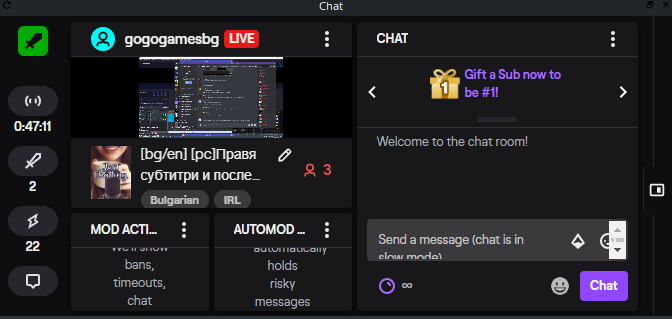
I bugged my chat in obs and now is that: https://prnt.sc/skiqpv How to remove that and back the chat (Im with the mod of stream elements )
 steel bladeBOT
@mystic otter Streamelements on top of OBS -> Logout -> login
 vapid valley
Hi, I'm trying to use the media request feature for my stream however the window appears blue. i tried restarting the window and restarting OBS.
kindred fox
@vital zenith can you capture any sources (game/window)? And do they show up?
steel bladeBOT
@vapid valley Streamelements on top of OBS -> Logout -> login
vital zenith
they dont
 earnest gull
Hey everybody! Jsut got the capture card and I play xbox, how can i stream with streamlabs overlays on??
 sharp parcel
hello, my overlays are not showing up in OBS. i am using browser source. i followed the instructions given in streamelements.
steel bladeBOT
@sharp parcel OBS -> settings -> advanced -> scroll down -> enable/disable hardware accel.
https://i.imgur.com/ggMe9ZE.png
sharp parcel
@steel blade thank you, it worked!
kindred fox
@vital zenith are you on a laptop by chance?
 vocal turret
Hey there! Trying to use my webcam for OBS but I’m having trouble. Black screen
lilac ocean
Black screen in total or only with the webcam?
vocal turret
Only with the webcam
Just got a new webcam and whenever I run elgato on the same frequency it comes on but then turns off
lilac ocean
That is something to ask either Elgato or OBS about then
Webcam on OBS works fine on its own?
steel bladeBOT
For the best OBS support, please join their Official Discord @ discord.gg/obsproject
lilac ocean
be sure to ask in there ^
 hollow ginkgo
Is there a way to edit files in the overlay editor to create transparent backgrounds? I have a webm file that has a black background, and I'm trying to remove it so it's not blocking the screen
It's for my recent follower/dono/subscriber
lilac ocean
you should that in the program you make those webm files in
hollow ginkgo
Looks like i need to contact my creator then, thank you
 timid trail
i haw problem with the streamdeck streamelements obs
steel bladeBOT
@timid trail - Open %appdata%\Elgato\StreamDeck\Plugins
- Delete the
com.streamelements.obslive.sdplugin folder
timid trail
okay i wil try
 stone flint
Can anyone help with this? i tried opening from both obs and streamelements obslive
steel bladeBOT
@stone flint Please ask your question in one helpdesk channel only. A support volunteer or StreamElements staff member will assist you as soon as they are available. Asking in multiple places will only result in confusion, not faster answers. Thank you for your patience.
 quiet hollow
Hello I am trying to setup over lays I don't know how to Ive watched all the videos to do so but the width and height is annoying me
steel bladeBOT
@quiet hollow New to Stream Elements?
Check out our YouTube channel https://www.youtube.com/c/streamelements/videos
with tutorial videos from setting up the basics, to in depth details on how to use our product.
New to OBS? Here is a 4 step quickstart guide
https://obsproject.com/wiki/OBS-Studio-Quickstart
Want to learn even more? Here is an in-depth overview
https://obsproject.com/wiki/OBS-Studio-Overview
@quiet hollow To add your overlays to OBS, add a new browser source in your scene. Paste your overlay URL in the browser source properties, set the dimensions to 1920x1080 (unless you changed them on the website), and ☑ “Shutdown source when not visible” https://youtu.be/KDvLynUqXI4
lilac ocean
^try these two
 mellow nexus
I am having issues with my alerts where after uploading my alert sounds and the animation it still plays the default sound and default animation. Any help?
lilac ocean
Check the variations in the overlay editor @mellow nexus
 undone citrus
hey, I was trying to start a stream in my new notebook but my Screen Capture isnt showing my desktop
Help
lilac ocean
Try a Display capture instead or otherwise a Window capture
mellow nexus
thank you man!
I am also having an issue where it wont display the text over the alert even though it is set to "text over image". The text is just gone when emulated. Like it physically isn't showing any text over the animation.
undone citrus
Sorry, I was trying to say Display Capture, is not working
quiet hollow
It's displays overlays too large or really zoomed in I don't know how to do this
Can someone help me
steel bladeBOT
@quiet hollow To add your overlays to OBS, add a new browser source in your scene. Paste your overlay URL in the browser source properties, set the dimensions to 1920x1080 (unless you changed them on the website), and ☑ “Shutdown source when not visible” https://youtu.be/KDvLynUqXI4
lilac ocean
try pressing CTR+F
 shell panther
hey team I'm in desperate need of assistance with audio! Im using an elgato hd60s capture card to stream my PS4 through OBS and i cant hear any of my alerts with subs and followers? Im using Astro A40s that are connected to my PS4, however i have a brand new Yeti Blue Nano. how do i use my Mic for Chat/stream and Astros for PS4? hope i explained that right 😆
steel bladeBOT
@shell panther For the best OBS support, please join their Official Discord @ discord.gg/obsproject
mellow nexus
I am also having an issue where it wont display the text over the alert even though it is set to "text over image". The text is just gone when emulated. Like it physically isn't showing any text over the animation
undone citrus
@lilac ocean I tried it but still not showing my desktop
lilac ocean
Are you on a laptop? @undone citrus
undone citrus
Yeah
steel bladeBOT
@undone citrus Due to the way laptops are designed, your system must be configured to run OBS on a specific GPU, depending on the type of capture you are trying to do.
For Game Capture and Window Capture (recommended), your system must be configured to run OBS on your laptop’s high performance GPU (default); for Display Capture, your system must be configured to run OBS on your laptop’s power saving GPU (iGPU).
If you are running Windows 10 1903 or newer, use this guide for instructions on how to configure your system: https://github.com/obsproject/obs-studio/wiki/Laptop-GPU-Selection-Windows-10
For instructions on configuring an older version of Windows (you should consider upgrading), use this guide: https://obsproject.com/wiki/Laptop-Troubleshooting
undone citrus
It worked, thanks 😄
lilac ocean
No worries!
 west moth
does anybody know why i can't get a new overlay to display on obs? im copying the URL and posting it in the browser and nothing has come up.
steel bladeBOT
@west moth To add your overlays to OBS, add a new browser source in your scene. Paste your overlay URL in the browser source properties, set the dimensions to 1920x1080 (unless you changed them on the website), and ☑ “Shutdown source when not visible” https://youtu.be/KDvLynUqXI4
west moth
ill try the new dimensions but pasting the link in for some reason still didnt get it to pop up D:
ahh it was the dimensions. Thanks!
lilac ocean
no wrories!
hollow ginkgo
Question, when emulating an event it shows up perfectly on the streamlabs editor, but when following my main twitch account on a second account, my alert didn't show up on my OBS, or am I just stupid and it only shows when I'm live?
mellow nexus
I am also having an issue where it wont display the text over the alert even though it is set to "text over image". The text is just gone when emulated. Like it physically isn't showing any text over the animation. @lilac ocean
 tepid plaza
Hello brand new to SE I'm trying to get my social media tabs on my overlay to display the correct text but cant seem to get them to change.
<@&382267076632379392>
steel bladeBOT
@tepid plaza New to Stream Elements?
Check out our YouTube channel https://www.youtube.com/c/streamelements/videos
with tutorial videos from setting up the basics, to in depth details on how to use our product.
New to OBS? Here is a 4 step quickstart guide
https://obsproject.com/wiki/OBS-Studio-Quickstart
Want to learn even more? Here is an in-depth overview
https://obsproject.com/wiki/OBS-Studio-Overview
@tepid plaza To edit the text of a widget, click on it and select "Settings" at the bottom left.
 grand tulip
When I try to edit the image for the cheers in my alert box it isnt actually changing it is showing the same animation regardless of if I change the image or video and save
can anybody help me?
mellow nexus
Still having issues with text too
tepid plaza
Click the layer your trying to edit the text for then click the settings tab in the bottom left @mellow nexus
mellow nexus
The text wont show up overtop of my alert for some reason @tepid plaza
grand tulip
Can I get some help please?
 calm bridge
with?
grand tulip
In the overlay editor ^^^
I said what happened up there
It wont let me change the cheers animation in alert box
calm bridge
idk
but anyways
do you guys know how to access obs studio without it saying do you want to let obs studio make changes to your device
tulip hamlet
@grand tulip Edit the variations, not just the main alert.
grand tulip
Thank you
grand tulip
@tulip hamlet Now I am having a problem with the sound, I disabled all of the Variations and now I want to change the sound effect but when I do I still hear the old sound effect
and the new sound effect
fixed it
mellow nexus
Can I screen share with one of the streamelements staff I need help?
I still need help with the text ontop of my custom alerts
I am having an issue where it wont display the text over the alert even though it is set to "text over image". The text is just gone when emulated. Like it physically isn't showing any text over the animation
I really need help before I can start my stream
 neat briar
need help to setup my obs settings for a smooth and clear streaming of apex legends on facebook gaming
my spec
i7 4790
rx 570 8gb
16gb ddr3
can anyone help setting up the best settings for a smooth and crisp stream
steel bladeBOT
@neat briar There are no "best settings".
Please understand that every setup will be very different.
Any guides or videos that claim otherwise are misinforming. Your best option is to start with a base and adjust as necessary.
You can run the OBS auto-configuration tool. To use the auto-config, click on the Tools menu in OBS, select Auto-Configuration Wizard, and then just follow the on-screen directions.
You can use this tool to get baseline settings for your hardware and adjust as necessary from there.
Test, test, and test again. We are happy to offer suggestions for any issues you may be having afterwards, but not a list of settings.
Thank you 
 slender haven
Can anyone help me, I’m trying to figure out how to get my headset microphone audio that’s plugged into a razer ripsaw to show up in the mixer on obs live
 umbral barn
 sour fox
Hello, im trying to set up media request but its seems that its not picking up the source in the overlay
its not finding the widget
 inner knot
Hello I'm having an issue with setting up my alerts. Specifically the cheer alert. I have an animated alert and sound I've uploaded and I've submitted them to the cheer alert portion of the overlay. When I emulate a bit cheer it still shows the default steamelements alert animation and sound even after hitting save. Keep in mind when I emulate it's showing the default animation and sound both in the overlay editor and in obslive.
 cloud finch
just got my overlays and screens in, but bc of animations, it was sent as mp4. How do i set that in stream elements
grand tulip
I just got donated on stream but it didnt not go to SEPay it still went to paypal please someone help
tulip hamlet
@inner knot Edit the variations, not just the main alert.
@cloud finch Far as I know, .mp4 is not supported. We always recommend .webm for animated assets.
@grand tulip If you left PayPal set up, then they're given PayPal as an option.
cloud finch
i got it working.
tulip hamlet
@frozen pecan StreamElements menu at the top.
 frozen pecan
can you be more specific?
 timid vapor
Push To Talk is not work at all, and I have dogs and stuff if someone can help me
Cant talk to my stream till i figure this out
steel bladeBOT
@timid vapor For the best OBS support, please join their Official Discord @ discord.gg/obsproject
timid vapor
nobody answers on there lol
shy mountain
Maybe its a bit too early for them.
 maiden horizon
how to i move layers in the template editor
shy mountain
template editor?
maiden horizon
overlay editor
the web based overlay editor
i click and drag the layer but it doesnt move it
shy mountain
the layers in the editor are for the widgets
i'm not sure what you are trying to achieve here
maiden horizon
i need to send the airportceo logo to the back
so its under my frame
i want the top layer in the list to be the last layer in the list
shy mountain
be careful how much you drag it to the obttom
cuz if are passing the settings and position - those are tabs
maiden horizon
it wont even let me move it down 1
shy mountain
Then use your browser in this case
maiden horizon
ah ok, yah im using what popped up in obs.live... i brain farted, im tired and didnt think of that, thank you
sullen stone
How do i get my capture card sound to not come through on scenes without it set up?
steel bladeBOT
@sullen stone For the best OBS support, please join their Official Discord @ discord.gg/obsproject
 stone thicket
Hi I have an issue with my alert box, My custom video is uploaded to the widget however when I test to see if my video pops up it shows the old video instead.
So thats my new video however when I try to emulate it after saving as well I get.
Any ideas??
shy mountain
Check the variations of the alert
stone thicket
Thank you
cloud finch
ive got the same problem @shy mountain
 cloud finch
with submitting a new sub vid alert. And it showing the same one that shaderx did
shy mountain
check variations
cloud finch
the only variations are checked are resub, sub gift, and community gift
ok i fixed it
 mellow oracle
Hey, I believe I accidentally deleted the widget that was automatically added when trying to add/connect media requests. Where should I go from here to reconnect my media request to to obslive? It was also not playing the audio of the songs being requested to my twitch stream? How can I fix this?
shy mountain
Streamelements on top -> media request
mellow oracle
Yeah
It’s connected
But I do not have a new source added on the bottom
And am unsure how to connect everything
shy mountain
Are you referring to the dock OR the MR widget for the overlays?
steel bladeBOT
@mellow oracle To add your overlays to OBS, add a new browser source in your scene. Paste your overlay URL in the browser source properties, set the dimensions to 1920x1080 (unless you changed them on the website), and ☑ “Shutdown source when not visible” https://youtu.be/KDvLynUqXI4
mellow oracle
👌
 hard orchid
idk if this is just me or i cant find a way to change this to dark mode
toxic fern
@hard orchid Pinned messages.
hard orchid
thanks
 urban plover
hello guys im new in using streamelements .can someone teach me the basic ..
 tender python
can we all just give @shy mountain a well deserved bag of cookies? 🍪 🍪 🍪 🍪 🍪 🍪 🍪
steel bladeBOT
@urban plover New to Stream Elements?
Check out our YouTube channel https://www.youtube.com/c/streamelements/videos
with tutorial videos from setting up the basics, to in depth details on how to use our product.
New to OBS? Here is a 4 step quickstart guide
https://obsproject.com/wiki/OBS-Studio-Quickstart
Want to learn even more? Here is an in-depth overview
https://obsproject.com/wiki/OBS-Studio-Overview
urban plover
HOW TO UPLOAD MY OVERLAYS to THEME GALLERY ??????????
steel bladeBOT
@urban plover To add your overlays to OBS, add a new browser source in your scene. Paste your overlay URL in the browser source properties, set the dimensions to 1920x1080 (unless you changed them on the website), and ☑ “Shutdown source when not visible” https://youtu.be/KDvLynUqXI4
 olive narwhal
hey guys I wanna ask if I stream at 60fps on OBS, is that affect on reduces the fps on game? btw I stream in 1 PC
tender python
hey guys I wanna ask if I stream at 60fps on OBS, is that affect on reduces the fps on game? btw I stream in 1 PC
@olive narwhal that depends.
do you stream on a potato? Then yes.
Are you maxing out your GPU/CPU resources? Then yes.
 fallen summit
How can i duplicate an overlay changing the url from the new one?
so the little changes won't affect the original one?
 marble robin
You have the 3 dots for the overlay you want to duplicate and click on Duplicate
lilac ocean
Hey Van, thats only for duplicating
im asking around if you make changes in the other one if it actually generates a new link
i would say it would
marble robin
It does, I had 1 duplicated
 main spire
what channel do I go to for SE pay help
marble robin
like that, but idk about the url but it didn't save it other one?
lilac ocean
!sepaysupport @main spire
steel bladeBOT
Please contact us via email for support with SE.Pay. You can use our contact form here: https://streamelements.com/contact Thank you
 inner patio
Anyone know why when I press Home key, which I set to mute Mic/AUX, why it mutes the Desktop audio? It just like push mute, it drags the audio level all the way to 0
 lunar musk
hey guys how do i fix my media request from playing twice when i show on stream?
steel bladeBOT
@lunar musk How to exclude audio sources for a stream or recording: https://obsproject.com/forum/resources/8/
Voicemeeter Banana guide: https://obsproject.com/forum/resources/397/
 gentle aspen
Hello, when i want to add my first video into my playlist in the media request tool in obs.live when taking the tour it always says: PLEASE ENTER A VALID YOUTUBE URL. What am i doing wrong? I tried different youtube videos and none of them work
gentle aspen
yes i tried the complete url as well as the shortened
for example: https://www.youtube.com/watch?v=TQy_MuZGQDw
this should work normally!?
marble robin
It does work, make sure you don't put any spaces
lilac ocean
trying to regenerate issue with my MR
works for me, no spaces indeed
paste the URL and press enter
however you could also always use the in chat command for this
gentle aspen
ah thx. i pressed on "Add media" and not on enter. Little bit confusing
lilac ocean
did that work for you?
gentle aspen
now it's working thanks a lot! 🙂
 fierce silo
I know this really isnt a question for StreamElements but it is for OBS. If I change the canvas and scaled sizes to 1280 x 720, will people see black bars on their screen or no?
I am new to this, so I apolgize.
steel bladeBOT
@fierce silo For the best OBS support, please join their Official Discord @ discord.gg/obsproject
 old wolf
as soon as i press start streaming i get connection disconnecting ? can any 1 help
 warm rock
So I have - again - problems with updating obs.live. After I did an OBS update I get a prompt from obs.live to update, I click ok, it downloads the update and then automatically closes obs, but then I get error messages saying that it can't open several .dlls to write over them
tender python
I know this really isnt a question for StreamElements but it is for OBS. If I change the canvas and scaled sizes to 1280 x 720, will people see black bars on their screen or no?
@fierce silo yes and no.
on 16:9 screens: no.
on 21:9 screens: yes.
on 16:10 screens: yes.
However, the majority of the market views 16:9.
 deft valley
Hello I have a problem. My chat in OBS.Live didn´t work!
 languid orbit
Hi id like some help with my stream because its super blurry when the character is moving
here are my specs
CPU: core i7 2600
GFX Card::gtx 1060 3gb
Memory: ?
Download Speed:355
Upload Speed:200
Ethernet or WiFi:ethernet
Bitrate:3000
Resolution:1280x720
Framerate:30 fps
Encoder (x264/NVENC etc):Nvenc
steel bladeBOT
@languid orbit There are no "best settings".
Please understand that every setup will be very different.
Any guides or videos that claim otherwise are misinforming. Your best option is to start with a base and adjust as necessary.
You can run the OBS auto-configuration tool. To use the auto-config, click on the Tools menu in OBS, select Auto-Configuration Wizard, and then just follow the on-screen directions.
You can use this tool to get baseline settings for your hardware and adjust as necessary from there.
Test, test, and test again. We are happy to offer suggestions for any issues you may be having afterwards, but not a list of settings.
Thank you
 inland tartan
how do i add widgets
steel bladeBOT
@inland tartan We've released our new Overlay Editor revamp. You can check out the changes and how to work with it here: https://youtu.be/X5VzXjqAsjk
Check out our blog post as well: https://blog.streamelements.com/streamelements-overlay-editor-just-got-even-better-c22cb5b4853e
We are thrilled to announce the launch of the remastered StreamElements Overlay editor!
https://p.strms.net/newoverlayyt
Why StreamElements Overlays are better?
😎 Simple: Load your entier setup using only 1 link
⚡ Fast: Cloud-powered Overlays arrive in real-time, say goodb...
inland tartan
ty
 strange moth
Can someone help me with setting up a custom bot account? I've tried all thge things, but it never works. 🤔
 feral panther
my sparks alert dosent pop up and i cant see in activity feed can someone help ?
i checked sparks in filter btw and alert settings
warm rock
Regarding my problem I will write a mail, so no need to answer here anymore.
tender python
So I have - again - problems with updating obs.live. After I did an OBS update I get a prompt from obs.live to update, I click ok, it downloads the update and then automatically closes obs, but then I get error messages saying that it can't open several .dlls to write over them
@warm rock hit retry, a few times
how dumb that might sound
that does the trick 99/100 times.
marble robin
@feral panther Did you set the proper Minimum Amount?
feral panther
yes @marble robin
0 and 100 dosent work 😦
when i emulate its working
but in stream nahh
 pulsar hollow
Hello, I wanted to know how I can solve it ... the street fighter does not capture me 5. Other games do capture me well but the street fighter cannot be solved?
 weak jacinth
Hi I am having issues activating my overlays into OBS live, I click the button to activate them and it takes me to my overlays but what do I do from there?
steel bladeBOT
@weak jacinth To add your overlays to OBS, add a new browser source in your scene. Paste your overlay URL in the browser source properties, set the dimensions to 1920x1080 (unless you changed them on the website), and ☑ “Shutdown source when not visible” https://youtu.be/KDvLynUqXI4
lilac ocean
#🇪🇸︱español @elder jacinth
 elder jacinth
oh oks :(
#🇪🇸︱español @elder jacinth
@lilac ocean
lilac ocean
only english in here
Hello, I wanted to know how I can solve it ... the street fighter does not capture me 5. Other games do capture me well but the street fighter cannot be solved?
@pulsar hollow are you using game capture? Something changed around them, when game captures dont work either use a display or window capture
 elder jacinth
Hello a question you know why in OBS live it does not capture screen? it remains black although I can record and all that but the game captures / screenshot come out black, how can I solve it? :C
pulsar hollow
I just don't like the other ways. Capture mode seems better to me because I browse the desktop if you are streaming see only the game and not the entire desktop only the game some help or next update
steel bladeBOT
@elder jacinth OBS -> settings -> advanced -> scroll down -> enable/disable hardware accel.
https://i.imgur.com/ggMe9ZE.png
lilac ocean
its a hardware accel thing probably @marble robin
marble robin
I just don't like the other ways. Capture mode seems better to me because I browse the desktop if you are streaming see only the game and not the entire desktop only the game some help or next update
@pulsar hollow You an also use Window Capture if Game Capture doesn't work
lilac ocean
when captures dont capture at all
marble robin
its a hardware accel thing probably @marble robin
oh
elder jacinth
@elder jacinth OBS -> settings -> advanced -> scroll down -> enable/disable hardware accel.
https://i.imgur.com/ggMe9ZE.png
@steel blade 😮
lilac ocean
did it work?
elder jacinth
do I have to disable it? @steel blade
strange moth
@lilac ocean Can you help me with my custom bot name problem? I've tried everything, but it wont work for me...
lilac ocean
can you share the source properties please? @elder jacinth
what is it trying to capture atm?
steel bladeBOT
@strange moth Currently renaming the bot fully works with OBS.Live.
You can follow this video guide to set it up: https://discordapp.com/channels/141203863863558144/494513233416421386/561516184718278676
If you don't want to use OBS.Live and want to stick with Ground Control, please let us know your Twitch username.
lilac ocean
follow this vid ^
strange moth
Thats how i did it before, but nothing changes
It stays like that
And I also cant send a test message
lilac ocean
so when you click on the Set custom bot name, you cant select anything?
elder jacinth
this?
lilac ocean
right click on the capture source @elder jacinth
strange moth
I can select these and the other options are working, but if i click on custom bot name and log in with my bot account, it stays like snd before
lilac ocean
and once again, if you want support in Spanish, you can ask our support in #🇪🇸︱español @elder jacinth
elder jacinth
:'/
lilac ocean
do you stay logged in when you exit the OBS.Studios program? @strange moth
elder jacinth
and once again, if you want support in Spanish, you can ask our support in #🇪🇸︱español @elder jacinth
@lilac ocean I tried :(.
strange moth
With my stream elements account? Yes
And also with Twitch, so I guess that’s a yes too
lilac ocean
alright, ill just ask around for you
@elder jacinth right click on the capture source -> properties
strange moth
@lilac ocean thanks!
elder jacinth
this?
warm rock
Ok, next try:
I'm having - again - problems with updating OBS.live. After updating OBS I get a message that I have to update my streamelements plugins as well, I click ok, it downloads the update, closes OBS automatically, but then I recieve several errors mentioning "Error opening file for writing".
According to my taskmanager, every instance of OBS is closed, as well as every other process that - I at least - can identify to be part of OBS.
Hitting retry, as someone metioned, does not help
deft valley
Hello I have a problem. My chat in OBS.Live didn´t work!
 terse rivet
salve io ho problemi a creare i miei overlay personalizzati ed inserirli su streamlab qualcuno puo aiutarmi?
lilac ocean
@terse rivet english only please
rugged quail
would like to important everything from slobs to streamelements
can anyone help me i tried everything.
 sullen remnant
so when i try to import my overlay from nerd or die from streamlabs to obs live it messes up and wont take it. i dont know what to do
 tall gate
I am having trouble with my overlay alert sounds. When I'm streaming my alert sounds will either play again 30 seconds after, 1 second after, or on top of each other. It doesn't happen when testing the sounds, it only happens when I'm streaming. I've gone through and removed the extra browser sources to see if that would fix it, and I've even checked to disable it while not on scene. I've also now tried making the alerts it's own overlay.
marble robin
After installing SE, my dropped frames (which was never happening before) went crazy.
steel bladeBOT
@marble robin Please provide a log from your last stream. To do this, in OBS go to Help > Log Files > Upload Last Log File and paste the link to the log file here.
marble robin
Log without SL, same settings, unchanged, same game, same screens with same bitrate, no dropped frames: https://obsproject.com/logs/2nQjEKOelDrafCrq
tulip hamlet
marble robin
2004 is out? Haven't received it, but yes I have 2 monitors, 1 is TV and it's only support is 720p50Hz weird that it wasn't saying that before
Still don't get it why is there no dropped frames here: https://obsproject.com/tools/analyzer?log_url=https%3A%2F%2Fobsproject.com%2Flogs%2F2nQjEKOelDrafCrq
when SL was uninstalled
tulip hamlet
You'd have to ask SL.
tulip hamlet
Dropped frames are only from internet connection. Having the plugin or not doesn't affect that at all.
marble robin
That's why I am confused
tulip hamlet
There's ethernet to USB options out there, I'd recommend looking into it.
marble robin
yup.
I'll try again with SE installed
but I'll check if any of the stores in my country have the USB ethernet port
It was Wi-Fi I guess: https://obsproject.com/logs/VnX2iFT9vC6-0GUa
I assumed that, that's why I said in general chat and not here
but I'll keep looking for that USB, still haven't found any of the stores here having them :L
Thanks for the assist
rugged quail
My activity feed doesnt work
tulip hamlet
Can you be more descriptive, please?
rugged quail
if someone subscribes or donates it doesnt show up in my activity feed
and not on screen aswell
its on youtube
 bitter quest
im trying to use streamelements overlay in obs and its not pulling up the whole overlay
rugged quail
you need to put width and hight on 1920 x 1080
steel bladeBOT
@bitter quest To add your overlays to OBS, add a new browser source in your scene. Paste your overlay URL in the browser source properties, set the dimensions to 1920x1080 (unless you changed them on the website), and ☑ “Shutdown source when not visible” https://youtu.be/KDvLynUqXI4
lilac ocean
be sure to follow all the steps above!
rugged quail
do i need to retype my answer for it to be answerd or just wait?
bitter quest
thank you so much
steel bladeBOT
@rugged quail Please ask your question in one helpdesk channel only. A support volunteer or StreamElements staff member will assist you as soon as they are available. Asking in multiple places will only result in confusion, not faster answers. Thank you for your patience.
rugged quail
Oh eayh sorry bro
yeah*
when will my question be answerd cuz i want to livetsream
 edgy quail
Does anyone know how to make such gradient in tip goal widget?
tulip hamlet
@edgy quail You would need to custom code a widget. The default won't do gradients.
edgy quail
I know, I just don't know how to write it
 wheat atlas
How do I change my OBS.Live chat window to darkmode?
tulip hamlet
@wheat atlas See pinned messages.
@rugged quail Please provide screenshots showing events you received that did not appear in your activity feed.
rugged quail
there is nothing to screen its just that if someone subscribe or donates its wont show op in my activity feed or on like my overlay it doesnt show up i dont know why
tulip hamlet
If there's nothing to take a screenshot of, then how do you know you received anything?
rugged quail
sub counter on internet and on youtube it self i see my sub count going up
and i saw on my paypal someone donate
steel bladeBOT
@rugged quail Users can choose to make the channels that they subscribe to public or private. By default, all settings are set to private.
Private: When a users subscriptions are set to private, no other user can see what channels they subscribe to. A user's account does not show in a channel's Subscribers List, even if they are subscribed.
Public: When users subscriptions are set to public, another user can see what channels they subscribe to. User subscriptions are listed on their channel page, and their account is listed in the Subscribers List for any channel they subscribe to.
If a user has it set to Private they will not show up in the activity feed. More info: https://support.google.com/youtube/answer/7280190
tulip hamlet
Take a screenshot of the transaction in your PayPal.
rugged quail
do i need to send the screen in this chat
tulip hamlet
Preferably. You can black out personal information.
rugged quail
tulip hamlet
DM me the full screenshot. No blacked out parts.
tulip hamlet
@wheat atlas Screenshot please.
wheat atlas

steel bladeBOT
@wheat atlas For the best OBS support, please join their Official Discord @ discord.gg/obsproject
rugged quail
@tulip hamlet send it private
tulip hamlet
@rugged quail If a viewer tipped through PayPal but no information appears in your StreamElements account, this generally means PayPal has held the tip for verification. Until PayPal clears the tip and sends back a confirmation to your StreamElements account, no information will appear there and no alert will play, as that confirmation is the only way for us to be aware of a successful transaction. If you believe there may be an issue with the transaction, you'll need to contact PayPal support as StreamElements is only a passthrough service and never actually gets involved with the transaction or touches the money.
marble robin
How long does it usually last? (talking to the previous message)
rugged quail
i made a alt acc and it still didnt work my alert box and activity feed idk whats wrong with it i turned of sub private on my alt youtube account and nothing came in my alert box or in my activity feed
So nothing worked
sour fox
Question.. Host alerts dont appear on the activity feed.. are they bugged or something?
steel bladeBOT
@sour fox Due to changes to Twitch API, we have filtered out hosts and will only show these ones on your activity feed:
- All hosts coming from an online channel with at least 1+ viewer
- Auto host events with at least 1 viewer - only from a channel that just went offline
Note: If you see "X channel has hosted you" with no viewers on the back, that is considered an offline host or a host with 0 viewers, we do not show these.
Note for Mixer streamers: The above 2 filters currently apply for Mixer and we are aware its actually not how Mixer hosts work. We do plan on changing it, but no ETA on when.
 mortal summit
Can anybody help me on my obs live my chat will not change to dark mode?? Really want to have it in darkmode I know it's possible
tulip hamlet
See pinned messages.
mortal summit
Perfect thank you
Also is there any way of changing the way that the activity feed looks? Is there a dark mode for that?? Instead of the blue/purple??
 ember lily
Am i able to transer my scenes from one pc to other without remaking it?
lilac ocean
@mortal summit check the pinned message again, there is a dark mode instruction there as well
mortal summit
Thank you @lilac ocean I cant seem to find the media request so I can see it on my OBS ??
steel bladeBOT
We've released our new Overlay Editor revamp. You can check out the changes and how to work with it here: https://youtu.be/X5VzXjqAsjk
Check out our blog post as well: https://blog.streamelements.com/streamelements-overlay-editor-just-got-even-better-c22cb5b4853e
We are thrilled to announce the launch of the remastered StreamElements Overlay editor!
https://p.strms.net/newoverlayyt
Why StreamElements Overlays are better?
😎 Simple: Load your entier setup using only 1 link
⚡ Fast: Cloud-powered Overlays arrive in real-time, say goodb...
lilac ocean
add the widget in your overlay ^
mortal summit
It's not that part you know how you have the tabs that show audio mixer start streaming etc I used to have the media request there so I could see the videos when someone makes a request 🙂
How do I add that again I cant seem to find it ^
tulip hamlet
@mortal summit StreamElements menu at the top of OBS.
mortal summit
And that will add it to like the bottom row if I wanted too right??
 balmy hearth
Hi guys, can you help me? It's my first time to actually design my own layouts..
So, what are the differences between the alerts: FANS, SUPPORTERS and FOLLOWERS? Also TIPS and STARS..
Which ones are triggered by facebook and which ones are for other platforms? Or are they the same whatever the platform for streaming is used?
tulip hamlet
Those are all Facebook events.
balmy hearth
Oh I see.. if I decide to stream via Youtube for example, how do I set those as well?
tulip hamlet
You log in with those accounts instead.
balmy hearth
ahh and the specific alerts will show... gotcha.
thank you so much!
 reef spire
The backup feature in OBS Live is not working for me. Any advise?
tulip hamlet
@reef spire Please be as descriptive as possible when explaining your issue.
reef spire
When I go to the OBS Live backup option in the app on my computer, all my boxes are checked beside my scenes and profile, but the backup button is grayed out.
 gray creek
I can't get the OBS stream elements overlay editor to open. It says invalid.
tulip hamlet
Edit your overlays from the site, not from OBS.
gray creek
It's worked before. I'm trying to resize the webcam box.
 rose swift
my obs live on both computers will only record 10 second clips....please help. wicked annoying
steel bladeBOT
@rose swift For the best OBS support, please join their Official Discord @ discord.gg/obsproject
ember lily
So I’m having major issues with everything. I moved laptops and I’m trying to set everything up and it’s a huge huge mess
steel bladeBOT
@ember lily Welcome to the helpdesk! Please let us know how we can assist you today and a support volunteer or staff member will assist you as soon as they are available. Thank you for your patience.
ember lily
So one, the OBS live is “updating” but it stopped updating and moving. And 2 my overlays I made or completely out of view and I can’t fix it without it looking super bad and cramped
It’s hard to explain we’d have to screen share
honest echo
@ember lily about the obs.live stoping at update this could happen if your didn't give it admin right, if the issue persist, try a fresh install remove obs.live and obs studio and then install all of them again,
And for the overlay byt default the overlays are 1920x1080, if your base resolution isn't that you may need to change it on the overlay page and check every widget is in the right place have change it. You can check your base resolution in OBS > SEttings > Video
ember lily
the base resolution is 1920x 1080. If i have it in the middle of the canvas its 75% off of the obs canvas on the right @honest echo
honest echo
Did you check the width and height on the browser source?
honest echo
👍
ember lily
also for the updating it has the admin rights
 unborn schooner
I got followerbotted with 1000 Followers right now.. I already removed the follows but how can I reset the alerts? I can't activate my stream overlay without getting followers spammed
honest echo
@unborn schooner
unborn schooner
That's not working :/
 echo folio
my audio stopped working once i installed OBSLIVE how do i add more audio sources ? https://i.imgur.com/AsWta6G.png
 honest echo
@echo folio
echo folio
ty
ember lily
@honest echo i cant cancel the download or anything
i tried re runing it as admin and nothing is happening, i cant delete it ether
 honest echo
@ember lily Did you uninstall OBS Studio first? if so that is why it fails, install OBS Studio and then remove the add-on
ember lily
@honest echo i tried both ways and nothing
rugged quail
Anyone knows how to fix a OBS recording that has like 5 mins of frozen frames with audio still playing?
ember lily
All so @honest echo It's impossible for me to uninstall. It says that the intaller is already running. I'm stuck
honest echo
@ember lily try to restart your PC and try again, maybe some ghost process still running
ember lily
okay, ill let you know
wheat atlas
How can I transfer scenes from one profile to another
ember lily
@honest echo do you want me to reopen the application? and the installer is gone from my pin bar. It wants to update again
steel bladeBOT
@wheat atlas For the best OBS support, please join their Official Discord @ discord.gg/obsproject
ember lily
@honest echo i think it works now, Thank you!!
sharp parcel
hi, i set up my alerts within streamelements. i streamed today and all the alerts worked except for the host alert. i checked while i was live and the alert for hosts was checked meaning it shouldve worked too.
steel bladeBOT
@sharp parcel Due to changes to Twitch API, we have filtered out hosts and will only show these ones on your activity feed:
- All hosts coming from an online channel with at least 1+ viewer
- Auto host events with at least 1 viewer - only from a channel that just went offline
Note: If you see "X channel has hosted you" with no viewers on the back, that is considered an offline host or a host with 0 viewers, we do not show these.
Note for Mixer streamers: The above 2 filters currently apply for Mixer and we are aware its actually not how Mixer hosts work. We do plan on changing it, but no ETA on when.
sharp parcel
thank you!
 stone pier
I am having trouble with my overlay alert sounds. When I'm streaming my alert sounds will either play again 30 seconds after, 1 second after, or on top of each other. It doesn't happen when testing the sounds, it only happens when I'm streaming. I've gone through and removed the extra browser sources to see if that would fix it, and I've even checked to disable it while not on scene. I've also now tried making the alerts it's own overlay.
 patent pawn
hi , i have a problem that the bitrate is not getting higher than 4000 and it fluctuates too much , my upload speed is 20 mb/s
steel bladeBOT
@stone pier Right click on the BrowserSource > Properties > Scroll down a bit > Refresh Cache of current page
@patent pawn Please provide a log from your last stream. To do this, in OBS go to Help > Log Files > Upload Last Log File and paste the link to the log file here.
stone pier
Already have done that, it's still happening
shy mountain
Have you tried removing all browser sources
and readding them?
specifically the one with the alerts?
 vestal otter
Hi there, is there a developer from StreamElements who can help me?
My main problem is the widget animations (fadein, fadeout, bouncein, etc) not working at all. Neither in my browsers, neither in OBS. Reinstalled both but the issue is still the same. Maybe the issue is with the javascript or someting? from a different webpage the animations work perfectly fine.
Maybe the video below will explain better.
https://youtu.be/w39iBmgGQdQ

I just want some cool nice transitions like, fadein-out or bouncein-out between my social links or in my rotating feed (like te green arrow below). But insted i just got "raw cuts" or a "slideshow" which is not looking really good
shy mountain
Is the top rotating widget from Alpha gaming?
vestal otter
yes
shy mountain
Then its a custom widget
meaning you will have to report the issue with them
to take a look at the animation code
shy mountain
I don't recognize the one on the left
But if its a custom widget as well, then its best to contact the creator of the widget
I assume the 2 green arrows is the working animations, correct?
shy mountain
@odd kraken ⤴️
vestal otter
if i check the urls from my phone it is working fine
both alpha gaming and the social media rotator as well
shy mountain
As mentioned its best the creator of the custom widgets to take a look.
My only suggestion would be to try this:
!accel
steel bladeBOT
OBS -> settings -> advanced -> scroll down -> enable/disable hardware accel.
https://i.imgur.com/ggMe9ZE.png
shy mountain
but i don't think it will help
vestal otter
it is enabled already
let me try what happens if i turn off
@shy mountain unfortunately nothing changed :\
shy mountain
Then you need to speak with the creators of the widgets.
vestal otter
alright, will write to them 🙂 thank you
odd kraken
@vestal otter try this: https://discordapp.com/channels/141203863863558144/199460642975907840/590167198891507715
 cobalt marten
I am missing a lot of options on the SE website and my alert box is being cut off does anyone know how to fix any of this?
steel bladeBOT
@cobalt marten The default resolution for StreamElements overlays (theme and custom) is 1920x1080. Please add them in OBS at their full resolution and use CTRL+F to fit to screen if necessary. You can then downscale your stream in OBS settings > Video if you'd like https://i.imgur.com/6bWXxjR.png
vestal otter
@odd kraken hi Benno, i dont think it is a twitch related issue
cobalt marten
the bot section or setup also does not come up?
odd kraken
@vestal otter Yes, the link is an explanation, how to enable the animations in windows 10.
 torpid prawn
so not really a problem with obslive but a problem with Ground Control, the option to change my bot username doesnt appear in ground control and only appears in obslive
steel bladeBOT
@torpid prawn Currently renaming the bot fully works with OBS.Live.
You can follow this video guide to set it up: https://discordapp.com/channels/141203863863558144/494513233416421386/561516184718278676
If you don't want to use OBS.Live and want to stick with Ground Control, please let us know your Twitch username.
torpid prawn
when will i be able to use the bot rename on ground control?
odd kraken
I will ask staff to enable it for you.
torpid prawn
sounds good, thank you
odd kraken
Restart GroundControl and the rename option should be available.
torpid prawn
yup works fine thank you guys
proper cargo
hey whenever i hover over a youtube link in my chat it says something went wrong and i cant preview it
 twin moon
hey guys
steel bladeBOT
@twin moon Welcome to the helpdesk! Please let us know how we can assist you today and a support volunteer or staff member will assist you as soon as they are available. Thank you for your patience.
twin moon
hey i already wrote yesterday with a member but he was not able to help me in this case
wary dew
what was the issue and who did you talk to?
twin moon
the watchers cant see the musik that i play
i klicked show it on stream but nothing happen
when i open stream elements in my layout it work but wheni open stream elements obslive i cant but a simple youtube link in the list
wary dew
do you have the media request widget on that overlay?
is that the box under your cambox?
steel bladeBOT
@twin moon OBS -> settings -> advanced -> scroll down -> enable/disable hardware accel.
https://i.imgur.com/ggMe9ZE.png
wary dew
disable that ^
twin moon
nothing happened...
shell i start to stream and u can help me?
than u can see my screen
its way easyer to find out the issue
oh nice
now it works 🙂
thx dude... but dont know why this happened... because i dont klick this button 🙂
thx ruben 😉
strange moth
Just click on the settings icon in the chat, go to BTTV Settings and there you have to toggle Dark Theme
wary dew
how to resolve it?
@trim kettle https://discordapp.com/channels/141203863863558144/494513233416421386/649491105951252480
 trim kettle
thx
strange moth
Maybe someone can help me with my custom bot name problem? I asked yesterday, but its still not working for me. I've tried the video and also a complete reinstall, but it wont work for me.
shy mountain
For Ground control or OBS.live?
strange moth
in OBS.live
shy mountain
so you connect the bot name but it doesn't show up?
strange moth
Yes
shy mountain
- Right click on your OBS desktop shortcut -> properties - in the "Target" field add this -> --remote-debugging-port=40404
- Open OBS(or restart if it was open)
- Open your browser and type in "localhost:40404"
- Click on "StreamElements - Activity feed"
- navigate to the Console tab
- type in the console this: store.customBot.removeCustomBotIntegration() and hit enter
- Try setting the custom bot name
shy mountain
add a space before the --
 shy mountain
👍
strange moth
Can I delete the custom debugging port or can I leave it there?
 worn spoke
guys, i've recorded a 2h session (still recording) but how do i save it on obs?
just click stop recording saves it automatically?
shy mountain
@strange moth you can remove it
@worn spoke you can't start recording without having a save path already placed in the settings
worn spoke
have a recording path
shy mountain
shy mountain
yes
 oblique cargo
I was wondering why emotes from kappagen weren't showing up on preview. I saved my settings, copied URL, and put it as web source but emotes don't seem to show up. I'm using streamlabs atm
 dark wasp


 steel bladeBOT
@oblique cargo We're not able to troubleshoot issues with using our overlays in StreamLabs OBS (SLOBS) as we don't have the tools to support their software. We recommend using OBS Studio or OBS Studio with our plugin OBS.Live.
shy mountain
@dark wasp settings -> stream -> disconnect -> connect
strange moth
Another bot question: Is the custom bot name only active, if i'm running the programm? And if its so, is there a possibility that it can also run, when obs.live is not running?
shy mountain
yes and no
strange moth
Ok, thanks!
 pale ravine
I dont know if this is the right channel but I am having problems with the bot modules. The messages wont save what I want them to say and keep disabling when I tab over to edit another subject, ie tips disabling when I click over to edit cheers
 grizzled marsh
Just refresh @pale ravine and you should see your changes saved, it's just something that happens when tabbing left and right through the options. As long as you see the "Saved" on the top right, you're good.
pale ravine
Alright, thanks @grizzled marsh
rugged quail
is there a way i can have both twitch and youtube alerts at the same time?
i use ReStream so i kinda need to
wary dew
not possible, you can only get the alerts from the account you are logged in to
rugged quail
damn ok
 fluid sequoia
My media request on OBSlive doesn't work, is there a way to fix it?
steel bladeBOT
@fluid sequoia Streamelements on top of OBS -> Logout -> login
fluid sequoia
ohh that fixed it, thank you ❤️
 plush pendant
how to add overlay for alerts video
 wooden granite
how do i put sponsors for my stream
steel bladeBOT
@plush pendant To add your overlays to OBS, add a new browser source in your scene. Paste your overlay URL in the browser source properties, set the dimensions to 1920x1080 (unless you changed them on the website), and ☑ “Shutdown source when not visible” https://youtu.be/KDvLynUqXI4
odd kraken
@wooden granite Can you elaborate?
 fleet mantle
hi I am just learning how to do scene overlays using Streamelements. I have hotkeys all set up in OBS and have tested that it works. However when it is live on FB, the scene does not switch although I see it being switched on OBS...did I miss something?
plush pendant
how to add alerts to streams
steel bladeBOT
@plush pendant To add your overlays to OBS, add a new browser source in your scene. Paste your overlay URL in the browser source properties, set the dimensions to 1920x1080 (unless you changed them on the website), and ☑ “Shutdown source when not visible” https://youtu.be/KDvLynUqXI4
fleet mantle
Yes I did all of that
and when switching scenes, it also works on OBS Live but the scene does not switch on FB
rugged quail
Wrong chat
 austere quest
After connecting my custom bot account, nothing on this page changes. The custom bot name wont work. This is using the activity feed built directly into OBS Live. It works fine when I download the Ground Control application, but I would like to be able to do it all in OBS Live.
 winged furnace
can anyone help me with the bot as well
im using obslive
same @austere quest
i log in and nothing happens
rugged quail
Hey guys, a few moments ago i was streaming and i received a donation, but i just recived my stream report and says "No Revenue during this stream"
wary dew
is the donation in your activity feed? @rugged quail
same @austere quest
@winged furnace asking around for both of you
rugged quail
@wary dew No
wary dew
did the bot announce the donation or the user?
rugged quail
yes both
wary dew
that is highly unlikely because if the bot announced it, it would also show on your activity feed
StreamElements
The Ultimate All in One Platform for Streamers
how was the donation made? credit card? paypal?
if it was this one
you got trolled
winged furnace
thank you!
rugged quail
Hey anyome knows how to steam at 60 fps while playing at 120 or above fps
ahaha really?
Why ????
sorry @rugged quail @wary dew ahaha really?
wary dew
ahaha really?
@rugged quail yes, that is just the user typing/me donated x amount
Why ????
@rugged quail he was not talking to you 😛
rugged quail
@wary dew Thanks Man
 swift fulcrum
Hello everyone.
How do people send a paid media request with stream elements? I'm already using the media request and etc.
The option to send media is already set to "both" but by typing !songrequest it will only send the free media
wary dew
they have to use the tipping link for a paid song request
rugged quail
How to stream at 60 fps while playing at more than 120 fps ???????????????????
swift fulcrum
Thanks @wary dew I was wondering that 🙂
steel bladeBOT
@rugged quail For the best OBS support, please join their Official Discord @ discord.gg/obsproject
austere quest
Thank you @wary dew Been experiencing this for a while but have been unable to get a response about it
rugged quail
apologies if im in the wrong channel but does SE have a follow bot
grizzled marsh
A follow bot? Like welcoming new followers? Which platform are you on?
rugged quail
obs live?
grizzled marsh
I mean Twitch/YouTube/Etc
grizzled marsh
Ohh, no. There is not StreamElements/Discord integrations just yet.
rugged quail
so when one of my followes goes live it will post
grizzled marsh
But if you join me in #general-chat I might know a way to accomplish it.
 exotic moss
Hey! I'm looking to get a 'requests open\closed' box on my streamelements overlay (I'm using obs and obs.live). Can you help me?
 wooden forge
hello?
exotic moss
Hi
wooden forge
your not a helper correct?
exotic moss
No
wooden forge
ok
exotic moss
Was waiting for help myself