#helpdesk-selive
1 messages · Page 99 of 1
 neat ermine
 shy mountain
Show me what you see(screenshot of your sources, properties of one of the browser sources and the obs canvas)
neat ermine
i guesse i fixed it. i did changed some settings and i get my overlay now but its still kinda laggy. what is the best settings for a animate overlay?
shy mountain
Beefy PC
shy mountain
What is the issue you are facing?
 ripe zenith
i just need the parameter for the sub months you know like if someone subbed for two month he will get something like x2 etc

see i wanna use it there :T
[name] [months] etc
shy mountain
{amount}
 wicked yoke
hello all. im planing to build a new system but im not sure about 2 things.
1- Shall I use any of my 4yo parts to cut the cost?
2- as my current has r9 380 4gb and im thinking of nvidia (with ryzen) for my future system. can i do Nvenc over LAN and use my old system as streaming pc?
current pc specs: i5 6500, msi r9 380 4gb, 2x8gb 2133mhz HyperX FURY, Thermaltake smartpower 80PLUS Bronze 750W, COOLER MASTER HYPER T4, MSI B150 GAMING M3 MoBo
pls @ Tag me for reply
shy mountain
This question doesn't feel suited for the helpdesks, more like in #general-chat
 pearl sluice
Song Request keeps lagging out my stream and causing dropped frames. If i stop and close and reopen song request it'll fix for 30-60 min started about 2-3 days ago
 rugged quail
hey there, So I follow the epoxvox guide to record webcam and screen side by side here https://www.youtube.com/watch?v=O8w9x31FBUo basically what I did was I increased the width of my canvas from 1920x1080 to 3840x1080 to fit TWO 1080p sources. All fine till now, but when I edit in and zoom in the screen part, the text on the screen is all blurry. I am not recording games just screencasts. If I change the canvas to 1920x1080 then the screen recording when zoomed is clear, its gets blurry when I am using the large side by side canvas. I have bitrate=80000, rate control= CBR, Keyframe interval =2, Encoder=QuickSync H.264..I cant seem to figure it out.

▼▼▼ EXPAND FOR IMPORTANT LINKS & INFO ▼▼▼
Welcome to my OBS Studio MASTER CLASS - The most in-depth and comprehensive OBS Studio tutorial course EVER MADE. This should be a great one-stop shop of a resource for you to learn about the software.
▹ Elgato Stream Deck - http://e.l...
 steel bladeBOT
@rugged quail For the best OBS support, please join their Official Discord @ discord.gg/obsproject
shy mountain
@pearl sluice You might need to reinstall OBS.Live
 ripe pond
Hi there. I moved everything over to Streamelements this weekend to try and gain more control over audio splitting (stream / streamer). I’m using OBS.live, SE chat, ground control and VoiceMeeter potato with virtual cable also. I want to hear all sounds except music in my headset (oculus rift) and all sound including music to stream. Can you help?
steel bladeBOT
@ripe pond How to exclude audio sources for a stream or recording: https://obsproject.com/forum/resources/8/
Voicemeeter Banana guide: https://obsproject.com/forum/resources/397/
ripe pond
Thanks, the second article is new for me. My main issue is separating sounds from SE chat from music. I need to split out the music away from other chat sounds
 kindred fox
@ripe pond in the oculus app you can mirror oculus audio to your PC by going to devices and clicking on your headset iirc
You might see if that pushes your oculus audio into obs before diving down the VM rabbit hole
ripe pond
Hi Orsuna. I have all the audio going out but I need to know how to separate out song requests from sound commands. Can Ground control or other split the sounds like that if it all comes from OBS?
Sorry if this adds to confusion but I found that media requests without showing video on stream used a different audio out than media share requests with video on stream. I’m still playing with the output settings for that but ultimately it comes down to separation of media share requests from other sounds in the chat stream
kindred fox
VM will let you seperate ground control audio from everything else
 gritty urchin
Ayayaya have a question - is there a way to control the OBS through the web dashboard? I'm sure I've seen a plugin for OBS legacy that allowed to do that, but is that possible with streamelements?
 thorn blaze
How may I import my Streamlab OBS scenes to OBS live?
I tried exporting the scenes and they export as .overlay, something the import function of OBS.live isn't picking up
 odd kraken
@gritty urchin The plugin should work without issues as OBS.Live is a plugin for OBS Studio.
@thorn blaze There is an import tool in OBS.Live you can use to import your scenes to your StreamElements library.
thorn blaze
Thank you, I had managed to somehow miss it and Google didn't show that function either.
 ocean mica
HELP..dumb question.."Emulation sent, but alerts are paused in the activity scene" fix please to test alert
 feral trout
How does one get access to the super themes?
Cause all I see is one theme on the default themes
Unless there is only themes?
oh nvm found them 😂
@odd kraken Sorry to ping you but quick question. How big are the overlays?
What x What?
steel bladeBOT
@feral trout To add your overlays to OBS, add a new browser source in your scene. Paste your overlay URL in the browser source properties, set the dimensions to 1920x1080 (unless you changed them on the website), and ☑ “Shutdown source when not visible” https://youtu.be/KDvLynUqXI4
ripe zenith
hey guys can someone give me the code to move the font on the alerts ?
steel bladeBOT
@ripe zenith Google Fonts
More than 900 google fonts are supported at this time. You can preview them here: https://fonts.google.com/
Custom Fonts
Steps:
- Install the font on the streaming PC or choose a pre-installed windows font.
- In the overlay widget settings, select Text Settings
- Enable Custom Font
- Type the name of the font as it appears in the windows font directory (This is usually
C:\Windows\Fonts)
Note: After installing fonts, the browser and OBS must be restarted for the font to appear.
rugged quail
Hey, what do you mean move it?
ripe zenith
like when it says thank you for following etc you know :T i wanna move them using css but i dk how
rugged quail
Oh you don't even have to do that
if you go to the text settings of the alert, you have access to advanced mode
there you can change the different margin values for the text
ripe zenith
e ,e omg really is it that easy !
you're life saviour my friend LOL
i thought it was like SLobs
you need to edit the Css
rugged quail
Imagine needing CSS knowledge to just move some text around 😂
the absolute state of it all
ripe zenith
i wish i used SE the first time i streamed like dude its way way easier than slobs
ty 😛 again @rugged quail
rugged quail
My pleasure bud
ripe zenith
is there a way to move the webm video as well ?
ripe zenith
@rugged quail https://prnt.sc/r0b67f
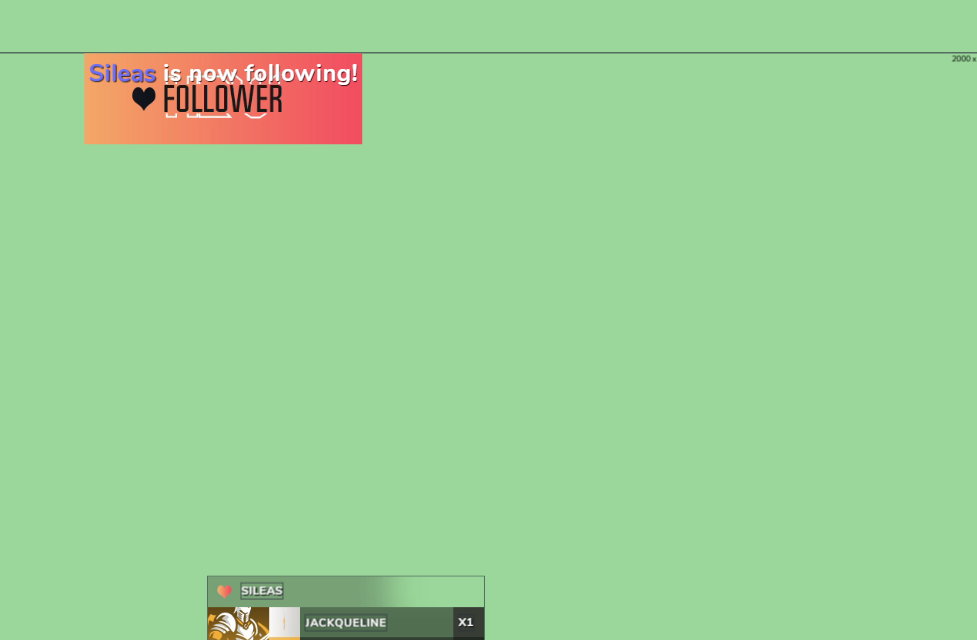
ad you can see the file is at the top
i wanna move it to the bottom
rugged quail
Ah yeah, that's not something that you can change.
ripe zenith
:/
rugged quail
I can however see that the size of the alertbox is huge
2000*2000
if you make it smaller, you can move the widget itself around the overlay and make it more comfortable

 rugged quail
Try to set the widget size at 800*600 my dude
ripe zenith
ok doki
you see i wanna make the alert hide my labes down there , so the text should be at the top , i tried using two screens but it didnt work
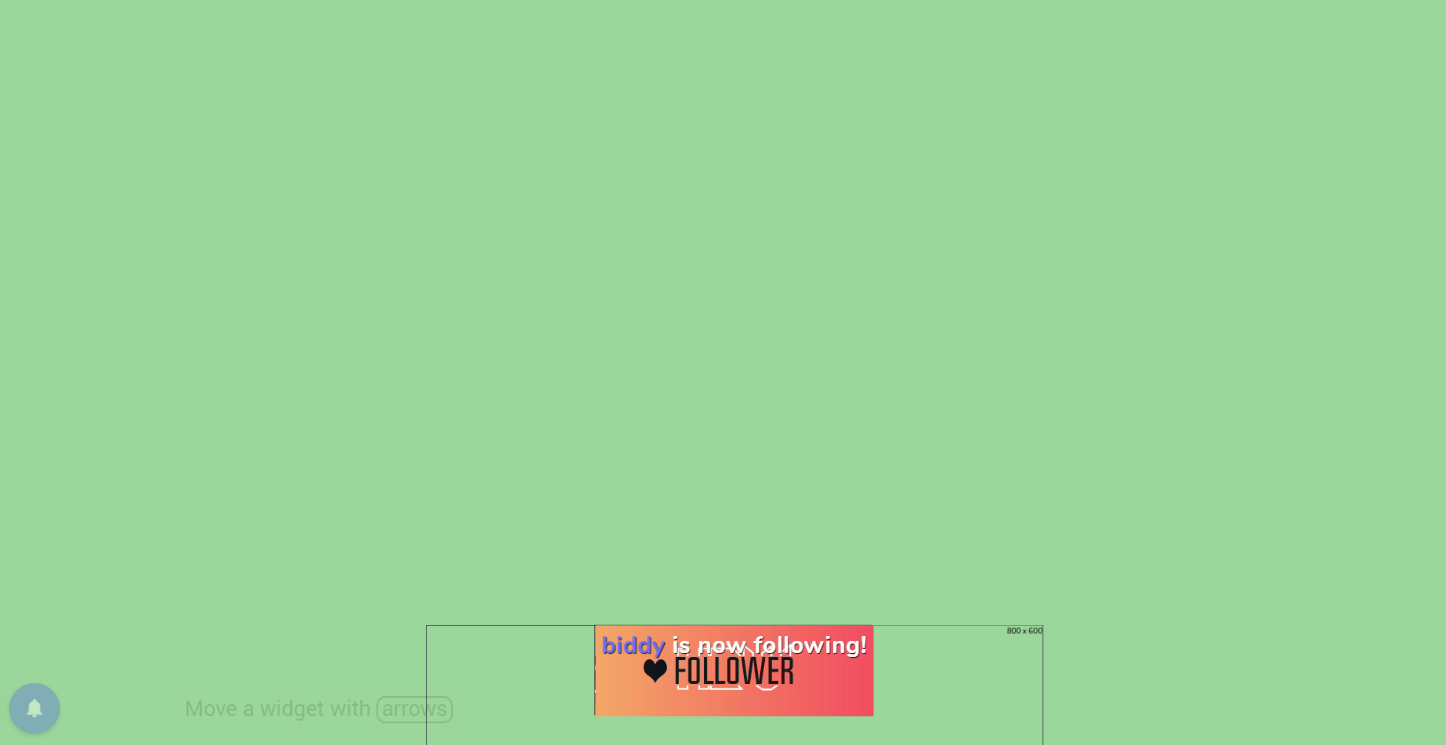
 wary dew
you are trying to re-create the alerts style from CourageJD i see 
wary dew

wary dew
that's going to get messy real quick i think
ripe zenith
it wont be perfect but it will work
T _T
just help me out like i wanna make this perfect only using SE
or should i use player.me for the alerts ?
wary dew
what? 😛
ripe zenith

wary dew
you do know that his overlays cost more than $3000? 😛
so trying to make it look the same might be harder than you think
wary dew
just make sure the alert is just as big as the box for the latest sub and all
 honest echo
i dont really get what you trying to do.. maybe i could help
ripe zenith
its complicated but manageable LUL

@honest echo can i move the video file without moving the alert box ?
using CSS
right ? i think
honest echo
yes
ripe zenith
do you know how ?
honest echo
i really really really wanna help, but i dont get what exactly you are trying to acomplish
ripe zenith
you see the alert box is down there
cause the video file is at the top of the box
you know
i wanna keep the text at the top
but move the the webm file to the bottom
wary dew
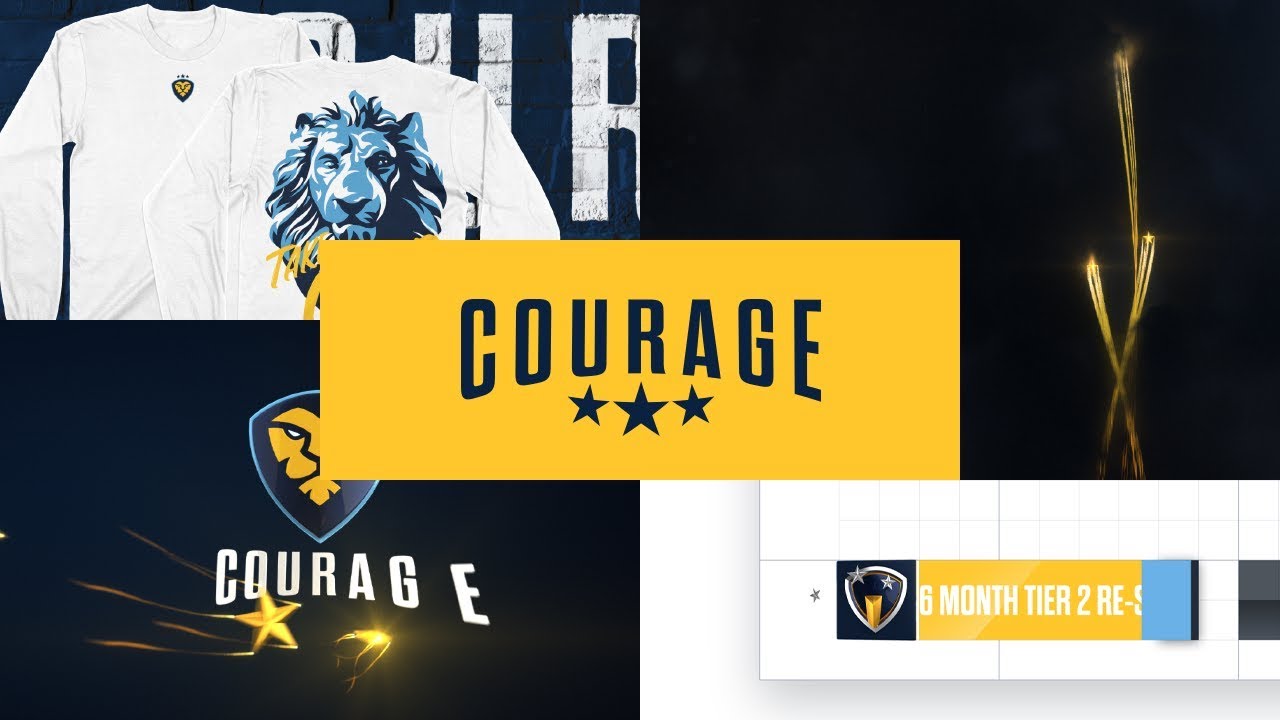
Taking Over.
Custom brand design for Jack 'CouRage' Dunlop. Legendary #esports caster, superstar #Fortnite #Twitch streamer, & new #100Thieves content creator.
something like that @honest echo
the alert over the feed
ripe zenith
yes
ripe zenith
teach me senpai
honest echo
i'll give it a try.. i'll DM you in a bit k?
ripe zenith
ok
TYT
@honest echo ok , got an idea how to recreate it :T ill make it simpler LOL , you dont need to work yourself for me bro ;_ ; ty tho i appreciate it really

 remote stirrup
Hi,
I've got crash with OBS/streamelement software. I have crash report but I don't know what the problem is. It happen since a win 10 reinstall. (before no problem)
I have lot of crash report but Don't know what to look exacxtly.
I'm using twitch but the soft crash when recording or streaming. So it's not Twitch related I think.
Thanks 🙂
 wise silo
fuck.
steel bladeBOT
@remote stirrup A crash log is required to investigate the cause of your issue. Please upload the last crash log.
- In OBS, click the Help menu
- Select Crash Reports, and then Upload Last Crash Report
- Copy the URL, and paste it to the chat here.
wise silo
Sorry for double ping, on mobile 
remote stirrup
I do it now :)
any preference to where upload or I upload directly here ?
wise silo
What GPU do you have?
steel bladeBOT
@remote stirrup Please provide a log from your last stream. To do this, in OBS go to Help > Log Files > Upload Last Log File and paste the link to the log file here.
remote stirrup
wise silo
 hm, one moment
remote stirrup
take your time, thanks for help 🙂
wary dew
wise silo
that one cause it to crash Ruben
 steel mural
The analyzer doesn't really help with crashes.
wise silo
won't* stupid mobile....
remote stirrup
If it can help I'm using touch portal to control stream element
wary dew
i am a simple man, i see link, i run analyzer
steel mural
Well...
What were you trying to stream? "Jump King" by any chance?
remote stirrup
Game like DCS World or IL2 Sturmovik 1946 (those are combat flight simulations)
One is pretty new so request big PC to play. But the other game is from 2006 and don't request big PC
steel mural
OBS crashes on all these games?
remote stirrup
Crash on both
The soft just stop without alarm. I have some other crash report if it can help
I can be recording or streaming, it just stop and I get the surprise when stopping the game
steel mural
Hm.. I'm stating to think that Nvidia screwed with their drivers as crashes with a specific .dll occurring a lot lately.
 granite crescent
How can i test the alert notifications? and how do i display the recent follower users on my screen?
remote stirrup
I get this since my Win 10 reinstall and I think I missed somthing but I don't find what
steel bladeBOT
@granite crescent To test/emulate alerts, hover over the blue bell at the bottom of the overlay editor. From here you can select the type of event and the amount to test.
wise silo
and use the recent follower widget.
granite crescent
is this on the streamelements website or the obs?
steel mural
@remote stirrup I don't think this is caused by you, as a few more people having the same problem. Try this:
!ddu @remote stirrup
wut
wise silo
website in the overlay editor @granite crescent
steel mural
You can perform a clean driver installation for your GPU by following the instructions at http://obsproject.com/forum/resources/65/
wise silo
thanks @steel mural that crashlog kinda confused me 🤔
remote stirrup
I'll try ! thanks 🙂
steel mural
@wise silo If the first few lines are things like w32-pthreads.dll, obs.dll and obs64.exe, go further down the list till something unusual comes up. nvwgf2umx.dll = Nvidia because of the "nv". Same with AMD (often ATI). If you don't recognize anything, google the .dll names and you'll find the corresponding driver / hardware 😄
wise silo
with that fault dll I normally expect a bad encoder but also didn't go any deeper than that
steel mural
Crash logs in general can be  . Especially if the crash is really caused by OBS itself. If you see that -> Run! 🏃
wise silo

rugged quail
hi iam having issue with frame rate drop when i check ping it shows 19 and the speed is 30mbps down and up
kindly tell me what to do
it start happening today afternoon
steel bladeBOT
@rugged quail 1) Restart OBS
2) Start your stream/recording for about 30 seconds. Make sure you replicate any issues as best you can, which means having any games/apps open and captured, etc.
3) Stop your stream/recording.
4) Select Help > Log Files > Upload Current Log File. Copy the URL and paste the link here.
(Note: If you do not see an obsproject.com URL, you will need to update OBS Studio to version 22+)
 lilac ocean
can you get us one of these logs ^
rugged quail
lilac ocean
Can you try streaming/recording a bit longer, the log shows no output session
rugged quail
can i stream for 5 min and then stop stream and copy the url?
lilac ocean
2) Start your stream/recording for about 30 seconds. Make sure you replicate any issues as best you can, which means having any games/apps open and captured, etc.
 half sphinx
When I stream and game capture my game the game starts micro stuttering and lagging like fps drops feels like its not even 60fps sometimes in battles even if my fps is way above 60... But the actual stream looks buttery smooth. That happens in most of the games like CSGO, Fortnite and Overwatch and actually any game that I play on stream. Nothing that I have tried worked so far...
 quick current
any advice on why the camera is not zooming? I have a c922 pro and the normal of doing it is not working
millenn1um are you capped on FPS?
steel bladeBOT
@thorny sparrow Streamelements on top of OBS -> Logout -> login
 thorny sparrow
oh yeah
 lucid wolf
So i just want to set up a simple alerts box for my stream, i created it and every copied and pasted in browser source. but when i go to sample it, it doesnt pop up in obs, any suggestion on how to fix this?
odd kraken
Please only post your question in one channel. Thank you.
lucid wolf
yea i just noticed this one when i posted it in the other channel
 compact hinge
So literally as soon as i downloaded the obs live from streamelements all my overlays from streamelements no longer worked in obs. tried reading the info article, did everything they said. tried re making different layers nothing has worked its all just a black screen
 tulip hamlet
@compact hinge Disable Browser Source Hardware Acceleration from Settings>Advanced.
compact hinge
Thank you!
 next nest
steel bladeBOT
next nest
steel bladeBOT
@next nest Streamelements on top of OBS -> Logout -> login
 inner sigil
when i press start streaming , how do i change the stream title and descripition
tulip hamlet
What site are you streaming to?
inner sigil
tulip hamlet
When clicking Start Streaming, does a popup box appear?
inner sigil
no
tulip hamlet
Is there a big blue button in the middle of the chat dock?
inner sigil
not that i can see
tulip hamlet
Can you screenshot your OBS window for me?
tulip hamlet
@inner sigil Please click StreamElements at the top and click Chat to bring back the chat dock.
inner sigil
oh wow i got it. thanks man
 elfin moon
Does anyone have an issue where you overlays stop showing up?
tulip hamlet
No known issue with that. Make sure you have Browser Source Hardware Acceleration disabled in Settings>Advanced, though.
 meager spire
my overlay for streamelements isnt working
tulip hamlet
Can you be more specific?
steel bladeBOT
@meager spire To add your overlays to OBS, add a new browser source in your scene. Paste your overlay URL in the browser source properties, set the dimensions to 1920x1080 (unless you changed them on the website), and ☑ “Shutdown source when not visible” https://youtu.be/KDvLynUqXI4
elfin moon
They were working previously, then just stopped showing up.
tulip hamlet
@elfin moon @meager spire Please give the name of a specific overlay you are having difficulty with.
tulip hamlet
@meager spire Looks fine to me.
meager spire
but its not working on obs
tulip hamlet
That is OBS.
Please screenshot your browser source properties and what you have in Settings>Advanced.
meager spire
?
tulip hamlet
You didn't provide a screenshot of your browser source properties.
 ancient vessel
hello! i recently came across an issue with StreamElements where my microphone is picked up just fine but my desktop audio seems to have disappeared and is not picked up in the mixer even though i can hear it just fine in my headset.
kindred fox
Set your default desktop audio device in your audio settings to match what windows is using
ancient vessel
i have done that and it does not seem to have worked. windows says my default is the headset, so that's what i changed the settings to here, but still nothing
elfin moon
Whoever mentioned disabling browser source hardware acceleration that worked! Thank you!
kindred fox
@meager spire can you check the box that says "Refresh browser when scene becomes active, and then click the "Refresh cache of current Page" button?
@ancient vessel My recommendation will be to change your Audio settings within OBS to this:
Then you're going to add your headset directly to your scene as an Audio Output Capture
and your mic as an Audio Input Capture
That will force OBS to grab the correct devices
ancient vessel
gotcha!
it still is not picking it up big RIP, it might be that i updated the software for my headset yesterday and that might have messed with it? iCUE has been known to cause issues so maybe the latest update messed something up?
kindred fox
what kind of headset is it @ancient vessel
@meager spire Can you delete the browser source entirely and re-add it?
ancient vessel
corsair void elite pro
kindred fox
that's one of them fancy schmancy wireless ones isn't it?
ancient vessel
nop
ancient vessel
yeah its neat! i had a bit of a struggle when i first got it with the software and it not picking up my mic, but i've fixed that and now im confused as to what happened lol
ancient vessel
yes it does
kindred fox
Ok. And your windows output is set to USB-Corsair Void Headset thingy?
I don't remember what it says
ancient vessel
ye, i have screenshots if you want/need them :y
kindred fox
says it there?
do me a flavor
hit start and type "Control Panel"
we're gonna check something
kindred fox
Okay, for your Void USB hardware, can you screenshot the Playback tab?
ancient vessel
mmm im very not smart, can you tell me where to find that? im looking under hardware and sound and i cant find it
kindred fox
There is a difference between the Settings app and the actual Windows Control Panel
The screenshot with the arrow is the Windows Control Panel which is only accessed by pushing the start button and typing "Control Panel"
kindred fox
right click your headset and select "Set as Default Communication Device"
then in the Recording Tab, make sure your headset mic is selected as your default recording device as well
ancient vessel
wait right clicking it doesnt have that as an option, but the "set default" button at the bottom is not clickable, it is the default device already
kindred fox
okie dokie that's good
If you play a youtube video can you see the bars lighting up in the sound control panel?
on the playback tab >> Corsair Headset
the little bars next to it should light up
ancient vessel
im playin spotify and they are not lighting up on any of them
kindred fox
so nothing on the playback tab is lighting up at all?
ancient vessel
correct
kindred fox
Okay. Unplug your headset's USB Dongle, count to.....14....then plug it back in
@meager spire how you doing? Did deleting the browser source and pasting the link back in work?
ancient vessel
oh, i didn't notice this before bc its usually in the back of my tower but the light on the usb dongle wasnt on
kindred fox
what about now?
make sure to reset it as the default output device
then it should work 😄
ancient vessel
light is still off
 indigo nebula
Curious as to why everytime i open Stream elements OBS i lose all sound.
kindred fox
Does it register in iCue? Also, does the light turn on if you plug it into a different USB port?
@indigo nebula can you elaborate a little more?
indigo nebula
I open the app and i get no sound
i have a stream open and now i cant hear anything
also first time user
kindred fox
have you added an audio source........
indigo nebula
First time to open it
ancient vessel
tried a different usb port, still no light but im able to hear everything just fine and my mic still gets picked up. restarting the icue service (yes it does register there. sorry for this being super annoying 😭 )
kindred fox
@indigo nebula https://www.youtube.com/watch?v=DTk99mHDX_I

Recently in the “Free Software” series, I showed you OBS Studio, which is a free and open source screen recorder for Windows, Mac, and Linux. In the comments of that video, many of you asked for me to do a tutorial. In this beginner’s guide, I will show you how to set-up and use ...
indigo nebula
but is this normal
kindred fox
restart your computer @ancient vessel and see if it's iCue being dumb
@indigo nebula If this is the first time you have ever launched OBS, I would suggest watching the above video.
rugged quail
So how do I set a donation goal through stream elements or do I have to do that through obs or somewhere else
kindred fox
@rugged quail you add a tip goal widget, as you are not a registered non-profit/charity. you do this via the online overlay editor
indigo nebula
Also i got it to work
rugged quail
@kindred fox oh ok thank you
indigo nebula
it was because i didnt have a mic set up
kindred fox
@rugged quail yep yep. Overlays online are set to 1920 x 1080 resolution, so they fit the majority of OBS Canvas windows. Simply add what widgets you want, position them where you want them on screen, and drop the overlay URL into OBS.
@indigo nebula That was the first question I asked you
I saw that snorkels
.....
ancient vessel
i put it in the wrong channel, oops!! anyways im back from the restart; light still isn't on. jsdgjdfng
rugged quail
@kindred fox thanks it shouldn't be hard as o have a package from nerdordie I can just add it in there
kindred fox
I believe the majority of Nerd or Die packages come with a StreamElements "install link" which will basically throw them all in your Overlays list on the website
you can also modify some of the widgets from there
indigo nebula
maybe
rugged quail
Yea
kindred fox
@ancient vessel does the dongle let you plug pretty much any headset in? or is it a USB Cable that only connects to the headset?
does it have a 3.5mm headset cable that plugs into it?
ancient vessel
it's a usb cable that has a headphone jack, this headset is the only one i've got that is like, headphone wired, if that makes sense
kindred fox
yes
i have that same thing
this is going to sound extremely dumb: unplug the headphone cable from the USB dongle, then reconnect it and make sure it's securely connected
I have had to do that with mine before
ancient vessel
it is securely connected, still no light. maybe it's just the iCUE update being dumb?
kindred fox
could be
force the update again and see what it says. My mouse did that the other day and wouldn't work correctly until I forced a second update
The other option would be to completely remove the device and re-install it again
ancient vessel
forced update, still nothin. im gonna reinstall the device and see if that works
oh my god wait i disabled it in the windows sound control panel and re-enabled it and now the little bars are lighting up
was that really the fix
ancient vessel
so close but so far okay so the bars light up but nothing is captured in elements 😭
kindred fox
Did you launch OBS before the bars lit up or after?
ancient vessel
after
kindred fox
you might delete the source in OBS and re-add it
 safe compass
I am having issues when i update obs live my browser pages and alerts stop working and dont show up on stream.
steel bladeBOT
@safe compass OBS -> settings -> advanced -> scroll down -> enable/disable hardware accel.
https://i.imgur.com/ggMe9ZE.png
 ancient vessel
still no hfhgjdngjd this is painful
meager spire
@kindred fox I have already deleted
and added a new one
and even deleted off obs
and the streamelements overlay itself
yeah i think obs is broken
cuse mine wont show either
and i have alerts from streamlabs that arent working either
its somethign with obs
meager spire
anyone else having these issues?
kindred fox
Can you screenshot your entire OBS window for me?
meager spire
honest echo
@meager spire hi, weird behavior .. i trully recommend to migrate entirely to SE 
indigo nebula
im trying to import my settings from Streamlabs but it keeps failing! Any idea what i should do
shy mountain
What settings exactly?
indigo nebula
overlays
shy mountain
To import overlays/widgets/etc from SLOBS, install OBS.Live, click on "Streamelements" on top -> import from other services -> import from SLOBS.
Each Scene from SLOBS will be imported as an individual overlay here: https://streamelements.com/dashboard/overlays
then you simply do this:
steel bladeBOT
To add your overlays to OBS, add a new browser source in your scene. Paste your overlay URL in the browser source properties, set the dimensions to 1920x1080 (unless you changed them on the website), and ☑ “Shutdown source when not visible” https://youtu.be/KDvLynUqXI4
indigo nebula
Ive done that
shy mountain
Every step?
indigo nebula
yes
steel bladeBOT
@indigo nebula OBS -> settings -> advanced -> scroll down -> enable/disable hardware accel.
https://i.imgur.com/ggMe9ZE.png
shy mountain
Ok I see whats the problem - finish the onboarding
indigo nebula
??
shy mountain
Show me either the screenshot you just deleted or a new one that doesn't have the settings window showing.
steel bladeBOT
@indigo nebula To add your overlays to OBS, add a new browser source in your scene. Paste your overlay URL in the browser source properties, set the dimensions to 1920x1080 (unless you changed them on the website), and ☑ “Shutdown source when not visible” https://youtu.be/KDvLynUqXI4
indigo nebula
But how do i import them???
shy mountain
To import overlays/widgets/etc from SLOBS, install OBS.Live, click on "Streamelements" on top -> import from other services -> import from SLOBS.
Each Scene from SLOBS will be imported as an individual overlay here: https://streamelements.com/dashboard/overlays

StreamElements
The Ultimate All in One Platform for Streamers
indigo nebula
it fails every time i do that
shy mountain
StreamElements
The Ultimate All in One Platform for Streamers
go here and see if there is anything imported
indigo nebula
nothing shows up
This is what i get everytime....... ive tried all the overlays i have on Slabs
indigo nebula
nope that is my twitch]
shy mountain
Right, I saw at least 4 imported overlays there, which are now gone.
indigo nebula
not overlays they were the tips and alert
shy mountain
But for the failing of the import here are reasons it might fail:
- Streamlabs copyrighted assets
- media files over 100mb
indigo nebula
idk
Well i just went to make a new overlay and hit library and they are there idk what is going on
 normal mango
I'm not a huge fan of these static layouts I kinda like being able to drag my cam around and whatnot and move things on a whim. Is there a way to integrate individual widgets?
odd kraken
You can create an overlay for each widget of course. But I would not recommend that.
normal mango
Yeah definitely not really interested in doing that. I'll look for something else. Thanks.
Only real thing I need is chat, alerts, and my webcam. The rest I can do manually.
 sacred sky
Dear i have a question about obs studio
steel bladeBOT
@sacred sky Welcome to the helpdesk! Please let us know how we can assist you today and a support volunteer or staff member will assist you as soon as they are available. Thank you for your patience.
sacred sky
i whil set up my donation settings and i whille add more paymants methodes but i can take only paypall i whill ad credit card becaus is the most payment methode butt she ask for a verification from my account butt i dont find it where i can do that i am from belgium
steel bladeBOT
@sacred sky Please contact us via email for support with SE.Pay. You can use our contact form here: https://streamelements.com/contact Thank you
 cloud lance
When someone redeem an item in the store the alert stay there forever, I have to reload the overlays to delete from there. The duration it's set at 5 seconds of duration.
 dreamy turret
Hello there, I'm having a problem with a tip alerts, they just don't show up on stream, everything else does pop up but donation don't, my moderation tip option is off
 plush dragon
Having trouble getting my twitch chat on obs live to show up. The activity feed shows up but the chat won't load nor will it let me press enter and type into the chat. Any possible fix?
steel bladeBOT
@plush dragon Streamelements on top of OBS -> Logout -> login
kindred fox
@cloud lance that is unfortunately a known issue and there is not currently an ETA on the resolution of the issue.
@dreamy turret Can you elaborate a little more? When you say "everything else does pop up" what do you mean?
kindred fox
ask away
 vestal oracle
when I copy the url and put it in obslive the sizing is all wrong, is there a fix or way to work it
steel bladeBOT
@vestal oracle To add your overlays to OBS, add a new browser source in your scene. Paste your overlay URL in the browser source properties, set the dimensions to 1920x1080 (unless you changed them on the website), and ☑ “Shutdown source when not visible” https://youtu.be/KDvLynUqXI4
kindred fox
Most important part is to ensure that you set the Overlay resolution to 1920 x 1080
vestal oracle
ok thank you ill give that a try
quick current
Is there a way to adjust media request volume in OBS? or does the viewer change it? I am not seeing a volume level in Audio Mixer
kindred fox
If you are running obs.live, you can launch the media request panel by clicking StreamElements > docks > media request which does have volume controls on it
 small cobalt
hi i can't have my overlay on obs live can anyone help ?
steel bladeBOT
@small cobalt To add your overlays to OBS, add a new browser source in your scene. Paste your overlay URL in the browser source properties, set the dimensions to 1920x1080 (unless you changed them on the website), and ☑ “Shutdown source when not visible” https://youtu.be/KDvLynUqXI4
quick current
thanks Orsuna!
 solid garden
omg...
The same problem as before
the stream went for 2 hours and then the bitrate went to 0 and the chat told me that the stream its off
any solutions ?
 flat shoal
Почему OBS Live через захват игры какие-то игры нормально захватывает, а большинство других вообще не хочет показывать???
Why does OBS Live normally capture some games via game capture, but most of the others don't want to show them at all???
steel bladeBOT
@solid garden Please provide a log from your last stream. To do this, in OBS go to Help > Log Files > Upload Last Log File and paste the link to the log file here.
kindred fox
@flat shoal are you running OBS as administrator?
flat shoal
@kindred fox yes
kindred fox
The information within the analyzer is the most assistance that I can offer. If you're dropping to 0 bitrate, you most likely have a network issue somewhere
flat shoal
проблема в основном с играми из steam
kindred fox
If OBS loses the connection to Twitch, then your bitrate will drop to 0
flat shoal
the problem is mainly with games from steam
solid garden
Yeah but I fix it when I close obs from task manager and then open in again and start the stream
and the analyzer don't say that anythnig its wrong
 regal sleet
hey when i have made my overlay and take the link an going to sources and make an image and set the link in it is just black? some body know what to do?
 alpine sun
Can I run the obs.live plug-in on OBS Studio on a mac OS?
tulip hamlet
@alpine sun OBS.Live currently only supports the Windows build of OBS Studio.
 visual abyss
OBS live is broken today. cant even start it anymore. Even tried to reinstall it. And when it start it cant load the streamelements overlay browser source. Is this a known issue?
tulip hamlet
There haven't been any other reports of that lately. What do you mean by "can't start it?" Is it crashing? Do you have a crash log?
visual abyss
yes it does
have done this last 3 hours i have tried to start stream
@tulip hamlet it says the obs.browser stuff crashed want to see it? last stream i did was last week and it worked fine
tulip hamlet
Please upload your crash log here.
tulip hamlet
Try this:
Uninstall OBS.Live, keep OBS Studio
Launch it, delete your browser sources.
Reinstall OBS.Live
Should be working, remake your browser sources.
visual abyss
i did uninstall it and re installed it but not removed the browser sources
will do that part now then
tulip hamlet
We've found this can happen due to corrupted browser source data.
visual abyss
the last browser source was your merch i added otherwise i have used the same sources for the last 10 month 😛
rugged quail
Hello, we are a group of streamer preparing a charity event,
We are going to use Tiltify for that:
Problem, it seems that the ony avaible currency on the Overlay are $, but we are getting our donations in €.
May you help us plase ?
tulip hamlet
@rugged quail Please link your Tiltify campaign here.
rugged quail
https://tiltify.com/+charity-event-2020/charityevent2020
But it's not gonna help because isnt live yet (we are starting friday)
if you need further info Nethyr tell me
visual abyss
@tulip hamlet same issue after removing and adding browser sources again
i will remove the merch one and see if that is the issue
It didnt help the browser sources dont load and obs close down automaticly
and chat and activity feed doesnt even load just white boxes
tulip hamlet
Please provide your last regular log, not your crash log.
visual abyss
dont have any since the reinstallation of obs live
i only have from today
because they should be under appdata and logs right?
steel bladeBOT
@visual abyss Please provide a log from your last stream. To do this, in OBS go to Help > Log Files > Upload Last Log File and paste the link to the log file here.
tulip hamlet
That one.
tulip hamlet
If chat and activity feed were appearing as white, it sounds like something is blocking the connection to our services.
Have you added exceptions to your firewall?
visual abyss
solved to bring out the logfile but dont know how before it crashed
tulip hamlet
Oh, well that's good to hear.
visual abyss
but it is still crashing
 echo eagle
having issues with the ground control app not pulling up...i have re installed, uninstalled, restarted my pc ext...Have windows 10. Screen just loads white...anyone else having this problem?
visual abyss
@tulip hamlet well obs have been on exception since i got it
so havent changed anything between last week and this week
and now obs doesnt work
with the obslive plugin
@tulip hamlet well after reinstalling obslive it works for 5-10 min then it stops working
tulip hamlet
Share your latest crash log and regular log please, and I'll pass it along to be looked at by a more discerning eye than mine.
visual abyss
and stop loading the browser sources
but cant share latest regular log because it got deleted when i uninstalled obslive
and reinstalled it
tulip hamlet
Each time you open OBS, it should be making a new log.
visual abyss
yeah it does
tulip hamlet
So you should be able to share that log.
visual abyss
that was the link i sent earlier
tulip hamlet
Yes, and you've been playing with it more since then, and have it going for 5-10 minutes. Which means there should be a log for those 5-10 minutes.
tulip hamlet
@visual abyss So wait. Making sure. It crashed without OBS.Live installed?
visual abyss
no it didnt
tulip hamlet
I need a log from a crash.
visual abyss
it only crash with obs live installed
tulip hamlet
Not from when it didn't have OBS.Live.
visual abyss
the last is after reinstalling obs live
and alot of api callbacks there
and stylesheet error
echo eagle
Anyone else experiencing issues with ground control app? Mine worked fine during my last stream 3 days ago
tulip hamlet
@echo eagle Ground Control is working as expected. Please make sure your computer does not have something that is preventing from connecting to StreamElements and loading the information, and make sure it is whitelisted in your Windows Defender and any other firewall in use.
(My Mixer activity sure is popping, isn't it?)
echo eagle
Thanks @tulip hamlet how do I validate its whitelisted?
Out of curiosity what could have happened over the last couple days for something like this to happen?
tulip hamlet
Nothing that I'm aware of. Maybe a Windows update.
visual abyss
hope you find a solution to my issue soon because soon is bedtime for me so i can stream tomorrow 🙂
 young zenith
whenever I try to use game capture to record rainbow six siege gameplay, the entire source becomes transparent, and the outline that would normally be around the source disappears, so then I resort to display capture, which drops my frames by over 60, so can anyone help me fix this game capture problem?
steel bladeBOT
@young zenith For the best OBS support, please join their Official Discord @ discord.gg/obsproject
echo eagle
Still can’t figure out why I can’t get ground control to work..no firewall is blocking it
tulip hamlet
@echo eagle Just making sure, what version of Ground Control are you using?
Try downloading and installing the latest version: https://streamelements.com/groundcontrol
StreamElements
StreamElements is the leading platform for live streamers on Twitch and Youtube. StreamElements includes Overlay management, ChatBot, Tipping, Alerts & Loyalty
echo eagle
just completed that sir and it still wont pull up. when i hover over the icon it just shows white and wont let me open the window
ive tried running as admin also still nothing
tulip hamlet
Open a command prompt as administrator and type in del %homepath%\.se-gc\config.json
echo eagle
says it cannot find it..
tulip hamlet
That's... new.
echo eagle
clicked run as admin and then copied and pasted what u sent
visual abyss
want to stream but that is not possible how it looks right now 😦
echo eagle
i can pop out the activity feed on streamelements website but the app should be working since it just was 3 days ago and i have the updated version
tulip hamlet
@echo eagle Have you completely uninstalled and reinstalled it?
Not just repaired the install or tried to overwrite it.
tulip hamlet
This is going to be a local issue specific to your PC or internet connection, as the program is working as expected for others.
There's only so much guidance we can provide as we don't know what's on your PC.
echo eagle
4 month old pc with an internet connection of 230 down 11 up...makes no sense how it worked fine 3 days ago
 lavish junco
Quick question, is there a way to switch which activity feed is in obs.live when i switch profiles? Like when i'm on my twitch profile the stream key switches fine but the activity log stays as whatever i logged into obs.live with
tulip hamlet
@lavish junco No, you need to log out and log back in with the StreamElements menu at the top.
Profiles will do nothing.
lavish junco
ok, just making sure i wasn't missing something obvious
ty
just to clarify, profiles essentially just control the items on the settings page
tulip hamlet
Yes, and the activity feed isn't tied to the settings.
It's part of the OBS.Live plugin.
visual abyss
@tulip hamlet how are you doing on locate the issue with my case?
tulip hamlet
@visual abyss This is not something that can be handled immediately. The devs will need to look over your logs. And it's past midnight. A resolution will not come soon.
visual abyss
@tulip hamlet okey 🙂 so will not be able to stream then for a while then 
tulip hamlet
OBS.Live is not required to stream. You may just want to uninstall it for now while the issue is looked into.
visual abyss
true will do that till you found a solution for it and hope that works now 🙂
but it work to edit in it without obslive so 🙂
echo eagle
Any other recommendations I have @tulip hamlet than uninstall and re install?
tulip hamlet
@echo eagle This is going to be a local issue specific to your PC or internet connection, as the program is working as expected for others.
There's only so much guidance we can provide as we don't know what's on your PC.
echo eagle
So the program I used of yours for months, I won’t be able to now
tulip hamlet
The program itself is working as expected on other machines. This is a local issue so you need to find out what local setting or software is messing with it.
We can speculate on what could be it, like a firewall or Windows Defender. But it's impossible for us to know for sure.
echo eagle
So I can manipulate it by hovering over the icon at the bottom, then right click, then maximize and it pull up. If I try do the two squared it completely minimizes it
The restore window
I fixed it I appreciate your patience @tulip hamlet and understand u have limitations on your end. Hope you have a wonderful evening and appreciate your quick response and efforts to help!
inner sigil
how do i see how many viewers i have from obslive
tulip hamlet
Are you logged in with Twitch or a different streaming platform?
inner sigil
tulip hamlet
Currently not possible for Facebook.
inner sigil
okay thank you
 hazy island
I normally stream on Twitch but I am going to be testing Facebook Live. I accidentally logged in with Facebook instead of adding it to my existing account. Now I cannot add that facebook to my existing because it is already linked. Any way to fix this?
steel bladeBOT
@hazy island Account Merging - Please note:
- Merging accounts only allows faster ways to switch between accounts
- Merging accounts does not allow data sharing between accounts - different streaming platforms, different type of events
- Merging accounts allows duplicating/sharing overlays between the accounts
If you understand the limitations of merging and want to proceed, please find the JWT tokens (!jwt) from both accounts you want to merge and you will be directed to DM them to a staff member.
hazy island
Yes I would like to merge and have both JWT tokens
tulip hamlet
Please DM me both tokens.
 twin charm
Hi there folks... Not sure which channel to ask this in, but I have been having some trouble with overlays so here it is: For whatever reason all overlays I have created now share the same url. And creating new ones, even blank ones, get created with the exact same launch url. Meaning I can't make any more changes or add any more overlays to OBS.Live
tulip hamlet
@twin charm Overlays never share the same URL. The middle portion changes, not the end portion.
twin charm
I see what you mean. Apologies for the mistake.
hazy island
just wanted to say the streamelements customer service team is always awesome. thank you guys so much for always helping so quick
tulip hamlet
Oh, yes, my apologies, I did the merge and forgot to tell you.
Surprise, they're merged! 😂
 stuck lance
does OBSlive work with restream? i have to be doing something wrong. Restream is one of the streaming services listed but after linking it to my stream key then going live it only transmits to mixer. i go back to see what the streaming service is set to and it is mixer now not restream... any ideas?
 olive meadow
is there not a way to show activity from multiple services ie mixer twitch and youtube?
tulip hamlet
@stuck lance StreamElements does not support multistreaming and does not have Restream support. If you're signed in with Mixer, you'll be streaming to Mixer.
@olive meadow There is not. StreamElements does not support multistreaming.
olive meadow
but it allows me to link twitch mixer and youtube......seems kind of strange that alerts work across the board but not activity feed....or am i misunderstanding something from alerts?
stuck lance
is OBSlive part of streamlabs? because it is selectable in the streaming service section.
tulip hamlet
@olive meadow Alerts are platform-specific. They will play over each other like the other doesn't exist.
@stuck lance It is not. We're competitors.
olive meadow
ok that makes sense. so alerts will work across the multiple platforms if they are linked though right?
tulip hamlet
@olive meadow No.
stuck lance
i meant streamelements sorry
tulip hamlet
@stuck lance OBS.Live is a plugin made by StreamElements to provide StreamElements controls in OBS Studio. So yes, it is a part of StreamElements.
stuck lance
i downloaded obs from the streamelements website
olive meadow
ok so alerts will only fire for the account I log into in obs live?
stuck lance
ok well restream.io is in your section for streaming
tulip hamlet
@olive meadow If you received an event in Twitch and an event in YouTube at the same time, they would play on top of each other and just make things confusing.
@stuck lance No, it's an option in OBS Studio. OBS.Live is a plugin.
olive meadow
ok
 mellow meteor
is there a way i can use my restream chat in OBSLIVE?
 merry wave
Switching from streamlabs, trying to switch my scenes from labs to elements, but not happening. I see my overlways and scenes on the webpage under 'my overlays' but cannot get them into obs. what am i missing?
tulip hamlet
@mellow meteor Not through OBS.Live, but the base OBS Studio functionality might let you.
steel bladeBOT
@merry wave To add your overlays to OBS, add a new browser source in your scene. Paste your overlay URL in the browser source properties, set the dimensions to 1920x1080 (unless you changed them on the website), and ☑ “Shutdown source when not visible” https://youtu.be/KDvLynUqXI4
mellow meteor
how would i do that?
tulip hamlet
@mellow meteor This might help.
 sour stag
Sorry if this is wrong spot, but my Media Requests today is suddenly blank? It was fine yesterday, not today.
steel bladeBOT
@sour stag Streamelements on top of OBS -> Logout -> login
merry wave
Have a custom scene imported. How do I edit the text that shows in stream in the editor? not seeing a way to.
tulip hamlet
Selecting the widget will show its options on the left. If it's under another widget, it might be easier to select via the layers menu.
merry wave
This is what i am seeing, I am trying to edit the times under schedule but am not seeing a way to.
The Monday, Tuesday, ect on the left seem to be the asset for the times, but no option to edit in the editor
 fresh crystal
hey when I test out my notifications in streamelements.com/overlay editor, they don't appear on my obs live ? i thought they did appear unless something has changed
steel bladeBOT
@fresh crystal You can test Alerts via the bell on the lower right corner of the Overlay Editor. Simply go to your Dashboard -> My Overlays -> Pencil/edit button on the overlay. Make sure the "Show Emulated events on stream" option is on to see the alert in OBS/Xsplit https://streamable.com/h6qgy
 fresh crystal
bet
 mossy python
Is it possible to launch OBS without OBS Live automatically enabling itself? I understand that I can disable it temporarily but I'd like to create a separate shortcut
mossy python
😮
At least I asked something interesting
Maybe is there a "launch without plugins" launch option somewhere?
tulip hamlet
👍
mossy python
I might make a separate installation
 agile obsidian
Is OBS.Live up to date with Studio? Or does the plugin need an older version?
tulip hamlet
It is up to date and compatible with the latest official release.
agile obsidian
Know if there's a way to request more chat games on the SE bot? My viewers  Hot Potato
(Shoud've moved elsewhere)
steel bladeBOT
@agile obsidian Check out the StreamElements ideas board: https://strms.net/ideas. You'll be able to add ideas, upvote ideas you agree with, and track their progress with email notifications. Adding and upvoting ideas also helps the staff know which ideas should be prioritized so please take some time to upvote.
agile obsidian
And I need obslive for a custom bot name right? IIRC?
tulip hamlet
Correct. The function is there.
agile obsidian
I have ground control installed but I don't see the option to change name in 'stream settings' tab
Even went to 'bot and tipping setup' and I just see blank: https://i.imgur.com/5E5YXIV.png
 tulip hamlet
The option is in the menu in the top left of the activity feed. Please refer to the tutorial video in the pinned messages.
agile obsidian
ah, now I see it, I tried the ground control thing. I don't need it for that setup right?
tulip hamlet
Rename is not functioning as intended in Ground Control, so no.
agile obsidian
ok good, i want a web-based bot so I can turn PC off at night haha. Thanks!
 velvet pasture
i still cant get this chat bot to show up on ground control
steel bladeBOT
@velvet pasture Due to a recent change from Twitch API, these features are affected by the change:
- Ground Control does not have Custom Bot Name
- Subscriber count will count the Channel and any other permanent sub you may have (+1 or +2 or +3 on top).
We are working on fixing both issues, but there is no ETA.
OBS.Live still has Custom Bot name working fine in it.
shy mountain
There is a pinned video guide in this channel
 fresh bay
After opening the overlay editor it stays blank with only the hotbar at the top and the loading icon, after refreshing the browser source cache it still is blank.
shy mountain
What browser are you using?
fresh bay
The editor works online in chrome through the website but inside of obs live it stays blank
steel bladeBOT
@fresh bay Streamelements on top of OBS -> Logout -> login
 cerulean rapids
I have changed the bot name but I want to know how to change what it says when someone subscribes for a second month
shy mountain
Go here: https://streamelements.com/dashboard/bot-modules and enable the chat alerts -> then click on the subscriber tab for more sub options
StreamElements
The Ultimate All in One Platform for Streamers
cerulean rapids
thank you very much
 idle silo
how do i add streamelements bot to my channel?
shy mountain
https://streamelements.com/dashboard -> right side -> join channel
StreamElements
The Ultimate All in One Platform for Streamers
idle silo
thank you so much
 worn sundial
how do i add the media request widget to the obs studio
honest echo
@worn sundial you add the widget to your overlay, and then add the overlay (as a browser source) to obs
worn sundial
@honest echo its on my overlay but i dont see it when i open obs nor do i see the controls that i see when i look it up on line
honest echo
remember to check the size of the overlay, then to see the control on obs, you have to install obs.live (the plugin for obs) but if you dont want to, you can use the media request web
StreamElements
The Ultimate All in One Platform for Streamers
worn sundial
I have obs live installed now im just trying to see it on the actual the plugin
thank you for helping me too
honest echo
ok, on OBS > on the top go to the menu "StreamElements" an there you will find "media request"
worn sundial
yea thanks you solved my issue
 slender echo
Help help Help is anyone online?
rugged quail
What seems to be the Problem?
slender echo
Im having an issue going live.
I'm trying to use Restream to stream to multiple platforms. . I followed the instructions of putting Restream as my streaming service, picking the closest, connecting my account and hitting apply. I have the floating windows from restream in OBS, and when I go to Start Stream it brings up the "Stream to Service" box but it is for Mixer....
When I go back and look at my settings it still says Restream, so I tried again. Box still comes up for Mixer,, so I clicked Go Live... It says my stream key is bad.... that's because its the Restream stream key.... I can't get it to work. Help... I have restarted OBS, I have disconnected and reconnected my account, tried it with just the stream key without my account attached.... nothing is working
Help please
This is the version of OBS Live I am using
My Stream Settings
Still coming up as Mixer instead of Restream
shy mountain
We don't have restream.io support
slender echo
it's not Restream support in need
shy mountain
So when you login to OBS.Live with your Mixer account
it in a way overwrites the start streaming button
and you get that window
meaning that, even if you place a restream.io key
it won't work
slender echo
so how do I fix it?
shy mountain
I would recommend not using OBS.Live if you intend to use restream.io
slender echo
is there a reason?
shy mountain
To expand on the reason that was given above:
OBS.Live streams directly to teh logged in account, as in the one that you use for the login button.
If its Mixer, it will stream to mixer.
But if you connect your Twitch account for example
via
settings -> stream -> connect
you can get the twitch chat and activity feed OBS integrations
whilist having our activity feed and chat for mixer.
But since you want to use Restream.io, I assume you want to stream to more then just mixer and twitch
to which there is no solution or workaround
 gray gale
not sure why but my host alerts aren't working? but i check in obs and overlay settings and everything should be fine?
steel bladeBOT
@gray gale Due to changes to Twitch API, we have filtered out hosts and will only show these ones on your activity feed:
- All hosts coming from an online channel with at least 1+ viewer
- Auto host events with at least 1 viewer - only from a channel that just went offline
Note: If you see "X channel has hosted you" with no viewers on the back, that is considered an offline host or a host with 0 viewers, we do not show these.
slender echo
Well, StreamLabs had a work around right away. Log out ot Streamlabs, restart it, Do Not Log In, Use the "Continue without loggin in" option. Checked my settings, started stream and I am now live to Twitch, Mixer, and YouTube all using OBS, StreamLabs, and Restream
shy mountain
we have this option as well
 analog orchid
I am trying to connect the remote to my OBS and i cannot seen to find the setting that has the qr code?? help please
 toxic fern
@analog orchid Screenshot what you're talking about? Doesn't sound like something we have.
rugged quail
Wait, there is a Link that can allow you remote control OBS
 plain sonnet
To control from the web on any device (including phones and computers), use OBS Tablet Remote
http://t2t2.github.io/obs-tablet-remote/
 stuck maple
Guys, I've googled this but got no solution. My camera settings always reset after I reboot my streaming PC. Logitech C920
stuck maple
Ehm, not sure if I have the cam software installed
shy mountain
I'm with the same cam and I don't have that issue
but I dont think I have the software installed for it as well
stuck maple
Yeah it sucks because of Chroma Key, you can imagine
shy mountain
I don't use green screen 
stuck maple
Green Screen not worth imo... LUL
shy mountain
i just don't have the means to use one personally
stuck maple
THe lighting stress .... but anyway
stuck maple
Aight thanks 🙂
rugged quail
How do I get me follows and host to show up in my overlay I got the commands to work but the name wont show up on my overlay bar
 drowsy seal
I’m not sure if this is where to file a bug report, but after downloading an update to OBS.live today, OBS consistently crashes when switching to a new Scene Collection. This happens no matter what I’m switching to, even when making a new blank one. Uninstalling OBS.live fixed the issue
shy mountain
Hey, lets move to #dreamteam 😉
rugged quail
K
 sour viper
I just did the same update, and getting the exact same issue as above mentioned by @drowsy seal
How do I revert to the previous version until this is fixed?
rugged quail
@shy mountain I dont see that section
 neon fern
rugged quail
neon fern
rugged quail
It just asked me to install it again
shy mountain
@rugged quail That channel is for Dreamteam, sorry buddy. As for your issue, are you referring to alerts? have you added an overlay to OBS?
rugged quail
@shy mountainyes I did the alerts trigger just fine but the names wont show up in the overlay
neon fern
er i meant to tag @sour viper with https://cdn.streamelements.com/obs/dist/obs-streamelements-installer-wrapper/windows/latest/obs-streamelements-setup-stable.exe
rugged quail
Oh
shy mountain
in the alert it self, add {name}
rugged quail
The alert is good just not showing up in the overlay itself
steel bladeBOT
@rugged quail The default resolution for StreamElements overlays (theme and custom) is 1920x1080. Please add them in OBS at their full resolution and use CTRL+F to fit to screen if necessary. You can then downscale your stream in OBS settings > Video if you'd like https://i.imgur.com/6bWXxjR.png
 rugged quail
Sorry I'm not explaining well
rugged quail
Does steam elements have labels to show my followers and hosts
In the overlay bar itself
Not as a separate widget
regal sleet
hey when i have made my overlay and take the link an going to sources and make an image and set the link in it is just black? some body know what to do?
 sacred current
how can i make the chat in that box clean because its now really dirty to see
honest echo
@rugged quail the widgets are elements that you add to the overlay, then you add the overlay to your obs
@regal sleet check the sizes
steel bladeBOT
@regal sleet To add your overlays to OBS, add a new browser source in your scene. Paste your overlay URL in the browser source properties, set the dimensions to 1920x1080 (unless you changed them on the website), and ☑ “Shutdown source when not visible” https://youtu.be/KDvLynUqXI4
 ripe flax
@stuck maple download Logitech GHUB for settings on your camera. Also you can download LogiCapture as well. LogiCapture will store a camera profile within the software and every time you start it up, it will load that camera settings profile onto the camera, resulting in your settings going back to the way you wanted them to be. After you load the software and it load the profile onto your camera, you can close it and the settings will persist.
sour viper
@neon fern Thanks very much, that worked.
 lusty pawn
Hi, I'm trying to fix an issue with the sound on my alerts in OBS. The audio seems to have doubled playing the alert sound twice with a minor delay which shows up while streaming and in my recordings. I don't know if its because i am testing the alert in stream elements or if there is something else going on. I have a audio output capture set to monitor off. If anyone knows a fix to this then that would be appreciated.
kindred fox
Check the properties of every overlay that you have added and ensure that the checkbox for "Shutdown when inactive" is checked as per arrow #3
lusty pawn
Yeah thats all setup like that
kindred fox
Do you have the overlay editor open at all?
lusty pawn
I have that open so i can test the alerts work, i think im just dumb and its because i have that open its doubling up on the audio
lusty pawn
@kindred fox So it has just been confirmed that i am a dumbass and never noticed this option previously... you don't understand how many youtube videos ive watched to find a solution to this 😢 Thank you lol
lusty pawn
Thank you haha
 dusk palm
i have a question about ground control - where should i ask that?
kindred fox
force quit Ground control and then do this: https://discordapp.com/channels/141203863863558144/494513233416421386/676910968370102293
dusk palm
didn't work
kindred fox
can you screenshot what you see?
dusk palm
I got it to work fix is in #helpdesk-twitch
 jolly wolf
hey quick question. i am trying to emulate a follow alert using streamelements on obs and it doesn't seem to show up. Am i doing something wrong?
honest echo
@jolly wolf rigth new to the bell icon, there is a check
jolly wolf
yea. it doesn't work when i check it on OBS
honest echo
on the web editor?
jolly wolf
yes on the web editor on streamelements. I clicked emulate follower and then checked OBS if it came up and it doesn't show
steel bladeBOT
@jolly wolf To add your overlays to OBS, add a new browser source in your scene. Paste your overlay URL in the browser source properties, set the dimensions to 1920x1080 (unless you changed them on the website), and ☑ “Shutdown source when not visible” https://youtu.be/KDvLynUqXI4
jolly wolf
yes. i did all that. still doesn't work
i tried re-doing it and everything. does it only work if i stream? doesn't even work when i record it. None of my widgets are showing up.
steel bladeBOT
@jolly wolf OBS -> settings -> advanced -> scroll down -> enable/disable hardware accel.
https://i.imgur.com/ggMe9ZE.png
jolly wolf
I tried that as well and its still not working
i even tried using the premade overlays and my own and its still not working.
 uneven ruin
Hey guys, i just have a quick question, is there a way using stream elements obs, to record without certain layers? (Alerts/webcam, etc) I like using all of that for the stream, but i was wondering if there was a way to set it to not be on the recorded video, so that it could be edited and posted in a different manner and not feel so much like just a stream highlight. I havent been able to find anything online for this other than using standard obs, or SLOBS.
jolly wolf
ok. i realized that its a firefox issue.
not a streamelements or a obs issue. firefox hates me trying to emulate my widgets. thanks anyways guys.
 gleaming quiver
i see the announcement about the update for obslive but I open obslive and there is no update o_0
wary dew
let's just say there was a small bump on the road 😛
gleaming quiver
haha gotcha 🙂
honest echo
@jolly wolf good to know, and yes SE is optimizated to work on Chrome
 green sorrel
Hey there, i've turned off the delay but there's still a 12-13 second delay on the stream. Is there anything else I can do to get rid of the delay?
 flint sorrel
hey this might sound really dumb but i have like all my overlays downloaded and stuff offline i just don't understand how to use or start them? i'm streaming off of obs live
rugged quail
OBS.Live is basically a plugin to regular obs, so if your overlays worked before you switched, they'll also work after
One thing I would recommend is if you're gonna use our donation link, to create a streamelements overlay with an alertbox for it
 reef garden
so my follower count widget is not updating. the number keeps going up but it doesn't take in to account when people unfollow. so it shows more followers than i really have. i have deleted the widget many times to see if it refreshes the count but no go. plz help 😦
honest echo
@reef garden please just ask in one channel ;)
 hollow lichen
"Your livestream chat widget" is bugging. Occasionally will show an old message again
reef garden
@honest echo i thought i put it in the wrong one so there you go 😉
 sharp lake
hey guys i just played with nvidia control panel settings and found out that the image sharpening option is kinda bugging the media request and activity feed windows in obs.live. Maybe it's a bad driver who knows. What i know is that if u wanna use that and ur chat not going full rainbow mode turning off hardware acceleration "solves"the problem.
 tranquil panther
I was wondering if you can help. My song request is not showing anything in the box where media request would be it is blank. How do I fix that?
 late furnace
on site or obs live?
tranquil panther
OBS
late furnace
@tranquil panther For future reference, please do not post one question in multiple channels. Thank you!
At the top on your OBS you will see streamelements, use that to log out and log bacc in and that should fix your problem
tranquil panther
ok checking that nw
late furnace

tranquil panther
it worked ty
late furnace

 mental egret
Hello, how can i put my chat again on obslive? i cant go back to it, was trying to search it by going to my channel and adding it, but no luck
tulip hamlet
For you to monitor or to display on stream?
Former: StreamElements menu at the top
Latter: Overlay editor on the site
mental egret
yeah on the streamelements i already marked checked, and is still something else that appears
i can take a screenshot if it helps
tulip hamlet
Sure. I'd like to see what this something else is.
mental egret
 tulip hamlet
Oh, you probably hosted someone or clicked a link.
steel bladeBOT
@mental egret Streamelements on top of OBS -> Logout -> login
mental egret
oh okay, thanks for that
 timid glade
steel bladeBOT
timid glade
steel bladeBOT
@timid glade Streamelements on top of OBS -> Logout -> login
green sorrel
Can anyone help with the delay?
 tribal moat
Hi, does anyone know why I see my chatbot name but my chat doesn't?
 tranquil quarry
Hey, I just opened my OBS and my panel to Update my stream title, category, and tags is gone. Idk how to get it back. 😦
wary dew
@tranquil quarry View > Docks > Stream Information
wary dew
i see the bot responded to you in #helpdesk-twitch
tranquil quarry
Lemme see
 pseudo crescent
hi, my overlays dont work and ive tried to reset it on transform and everything. i have re tried to do the link for the obs overlay but its not working
tulip hamlet
Can you provide specifics about the behavior?
pseudo crescent
my overlays wont show, like my followers and sub goal on my screen for my stream
i have tried to do a new link for my overlay for the browser part on my obs live
but it doesnt come up
tulip hamlet
Is Browser Source Hardware Acceleration disabled in Settings>Advanced?
pseudo crescent
it still not working for me 😦
tulip hamlet
Can you screenshot your browser source properties please?
pseudo crescent
sure
tulip hamlet
Thank you. Deleted it to hide the URL.
Can you click the clear cache button there in the properties?
tulip hamlet
Do you have our OBS.Live plugin installed with OBS Studio, or are you only using OBS Studio?
pseudo crescent
i have obs live
tulip hamlet
Can you screenshot your entire OBS window?
tulip hamlet
Can you take another with your sources tab visible?
tulip hamlet
Can you open the overlay URL in the browser and tell me if it loads there?
tulip hamlet
Sounds like it's something in your OBS causing issues. Can you click this in the StreamElements menu please?
And make sure to include the logs (the checkbox)
rugged quail
is there a way with a command-line parameter for obs to disable the start of obs.live?
i know you can disable it when obs is already started, for the current session. my question goes into the direction to have a "pure obs" link without starting obs.live, and an "obs.live" link which starts obs.live - both in the same obs installation.
kindred fox
Click start >> type OBS Studio
Click start >> type StreamElements
There are two shortcuts generated on installation typically
tulip hamlet
@pseudo crescent Thank you for submitting the report. We've created a ticket to investigate using the data provided, and will update you when we can.
agile obsidian
Had to uninstall onslive, OBS was crashing over and over after a fresh pc bootup. May try again later when I'm not supposed to be live haha
Obslive*
tulip hamlet
@agile obsidian What caused it to crash? A specific action?
 upper sable
@pseudo crescent how you get stream chat in dark mode
 elfin cloud
how do I stream @ 120 FPS in obs live?
green sorrel
Need help with delays please! The delay is 12-13 seconds. Delay it turned off. Help please!!!!
steel bladeBOT
@green sorrel If your Mixer stream has "Low Latency" greyed out in the player while using OBS.Live, do the following:
- Stop your stream
- Go to your stream settings in OBS and return them to your previous settings, where your service is listed as "Mixer.com - FTL"
- In "live video settings" for OBS.Live on the left-hand side (in the chat window) change the setting on top of the window to "Go Live with Mixer Broadcast Dashboard settings" and press "Go Live!" from there
green sorrel
Doesnt make a difference
 left prawn
Hey all. I am running into a problem while using the media request. When I just play the music, it works fine, but when i show on stream it sounds weird and there is an echo. I assume I am somehow sending the source to the stream twice, but I cant find where. Any help is greatly appreciated!
steel bladeBOT
@left prawn Make sure to ☑ “Shutdown source when not visible” for all browser sources (all OBS scenes). If using studio mode, uncheck “Swap Preview/Output scenes After Transitioning.” Also keep in mind that sound can play from any overlay loaded in the browser (editor or launched). https://i.imgur.com/FegZJQS.png https://i.imgur.com/yY0wcFl.png

 left prawn
Thanks aton!!
 hardy elbow
media request went blank, i tried closing the doc and reopening it through the StreamElements tab and clicking "media request" but it still is blank
steel bladeBOT
@hardy elbow Streamelements on top of OBS -> Logout -> login
hardy elbow
okay, now the video on/off button is not working
The video off/on button shows that its off but the video doesnt actually go away, any suggestions?
tulip hamlet
The video will only go away in the overlay when showing on stream. It will not be hidden from the dock.
steel bladeBOT
@dusky tendon You can test Alerts via the bell on the lower right corner of the Overlay Editor. Simply go to your Dashboard -> My Overlays -> Pencil/edit button on the overlay. Make sure the "Show Emulated events on stream" option is on to see the alert in OBS/Xsplit https://streamable.com/h6qgy

 dusky tendon
how do i turn alerts off if i wanted to ?
kindred fox
@dusky tendon
This is in the online dashboard. It can also be controlled via the activity feed panel in OBS.Live
 autumn umbra
I see in #270206314561404928 that there is a new 20.X build of live, but I'm still on 19.X and check for updates doesn't find anything new, nor does downloading the latest version from SE.
tulip hamlet
It was rolled back.
 drowsy matrix
how can I rollback the update? I updated earlier today and now it wont swap scene collections
toxic fern
@drowsy matrix uninstall then redownload installer and run that.
 golden lodge
yoo how do you set up the wheel of fortune?
shy mountain
Can you elaborate?
golden lodge
the mini game or its in the stream store wheel of fortune i just dont know how to set it up on the my overlay thing
shy mountain
I'm still not fully sure what you are referring to
golden lodge


 steel bladeBOT
@golden lodge To add your overlays to OBS, add a new browser source in your scene. Paste your overlay URL in the browser source properties, set the dimensions to 1920x1080 (unless you changed them on the website), and ☑ “Shutdown source when not visible” https://youtu.be/KDvLynUqXI4
shy mountain
I'm not sure what the issue is then. There should be instructions within the overlay editor it self.
 ocean oriole
I'm setting up a bunch of gifs on multiple scenes, so to keep it neat, I grouped them. However, if I want to toggle them with seperate hotkeys, I can only find a way to set a hotkey to the whole group in the hotkeys section for the scene. Setting a hotkey on the source won't actually do anything. Anyone been able to solve this?
ripe pond
I have SE Ground Control playing music and this shows as mic aux 2 in OBS.live. Win 10 advanced used to force Ground Control onto a dedicated VM channel, which is heard locally and seen in OBS mixer. When a record locally to test, the recording is fine, with music + game audio + voice (mic in OBS). However, music does not appear on the actual stream.
There’s an option to select “show on stream” for the video but I don’t use this as I can’t mix the audio separate from OBS then.
So I use Ground Control without selecting to show the music video on stream. It’s fine in recordings but no music heard on stream
shy mountain
@ocean oriole You should be able to in the hotkey management
@ripe pond OBS.Live also has Media request, so I suggest not using GC with it.
OBS.Live's MR will default to the desktop output though
As for "show on stream" you can have a separate overlay with the MR widget and then have the "control audio" on the browser source ticked
that should also produce music for the stream and you
ripe pond
Hi Keizar. I sim race in vr so don’t want the music for me, only the stream. That’s why I used GC with win10 force onto a different audio in VoiceMeeter. Works fine in recording but no music on live stream.
shy mountain
you might have to check the tracks the audio is going to.
1 is stream and 2 is recording
ripe pond
Ok thanks I’ll take a look at that. And use monitor only?
shy mountain
monitor only is for you to hear it
if you see i have my alerts set to monitor, because when using the "control audio" option i don't hear them unless i use that
ripe pond
Ok. So monitor off means stream output only. Makes sense
 warm hemlock
why my obs.live crash every time ?
shy mountain
When is it crashing?
warm hemlock
when i make a scense
warm hemlock
overlay,camera,game or etc
shy mountain
Does it crash when you add a new scene or a new source?
shy mountain
yes to "scene" or "source"?
steel bladeBOT
@warm hemlock If you are not seeing the OBS Twitch integrations and have OBS.Live installed, please follow these steps:
- Make sure you are on the latest and greatest version of OBS.Live
- exit OBS (make sure OBS is not running)
- delete %appdata%\obs-studio\plugin_config\obs-browser\obs_profile_cookies
- start OBS.Live
- Settings -> Stream -> disconnect -> connect
shy mountain
try this
warm hemlock
2 sec
- i cant find the obs_profile_cookies
- delete %appdata%\obs-studio\plugin_config\obs-browser\obs_profile_cookies
i cant find this
shy mountain
Ok so its not that.
is it every time you click on the plus sign "+" and click on "browser"?
warm hemlock
yeah
shy mountain
Just to make sure, this?
warm hemlock
i add the camera,and image and try to move them and then crashed
and this happend
shy mountain
Ok, will poke the devs and see what they would need for this
warm hemlock
ok ty
shy mountain
Ok, so get the installer again from https://obs.live

OBS.Live | Open Broadcaster Software Streaming Knowledge Base
OBS (open broadcaster software) knowledge base for live streaming. Find articles and videos about streaming with OBS.
it should install the previous version while we work on this issue
shy mountain
@warm hemlock Can you click on "streamelements" on top -> report issue and make a report card form there? make sure to mention the add source issue and my name so that I can show the devs the specific report card
@warm hemlock Also make sure to include the browser link you are trying to add
 grand river
did anything change in the latest update? Mine just prompted to update and now when i try to record the encoding goes overload within seconds
shy mountain
I can assure you we do not touch the encoding of OBS
steel bladeBOT
@grand river Please provide a log from your last stream. To do this, in OBS go to Help > Log Files > Upload Last Log File and paste the link to the log file here.
grand river
all the settings remain the same, game capture window doesn't work properly now either
ok will do
shy mountain
Which version do you see on the lower right of the obs window?
grand river
whats weird is those settings haven't changed and i've had no issues until the update i just did
shy mountain
We reverted from that version due to some other type of issues
I would suggest to download the installer and reinstall obs.live
grand river
so i need a previous version to this 556?
shy mountain
yes
grand river
can i grab a version before that?
shy mountain
I don't understand what you mean
grand river
if i try and download it won't it just grab the latest version available which is 556?
grand river
not sure why i was prompted to update if it was reverted, so i need to reinstall the plugin or both the plugin and obs
shy mountain
just uninstall OBS.Live
restart PC
open OBS Studio and see that you don't get a prompt for update
then run the installer
you should be back on 19.12.something.something
grand river
ok cool thanks i'll try it now
 mossy epoch
Does anyone know why I cant change output mode or recording path and format?
 quasi snow
tried running it as admin?
mossy epoch
@quasi snow nope thats not it just tried it again just in case
shy mountain
Can you elaborate exactly what you want to change?
mossy epoch
I would like change to recording path to another drive and if possible recording format(but not 100% need). I currently record all my streaming sessions just dont have room on my C drive for storage.
shy mountain
shy mountain
are you currently recording?
mossy epoch
no
quasi snow
can you try changing on top, from simple to advanced on the output mode
mossy epoch
current screen shot
shy mountain
Thats greyed out as well for some reason
mossy epoch
yeah
shy mountain
Try reinstalling