
#helpdesk-selive
1 messages · Page 98 of 1
 steel bladeBOT

 cerulean condor
bruh 😂
 timid coral
Is there a way to have a chat command to trigger a SE:OBS scene change? (Moved From General)
 kindred fox
@timid coral unfortunately not currently. You can see if it has been proposed on the ideas board and upvote it there: https://strms.net/ideas
kindred fox
np!
 glossy dagger
Can anyone help me with changing streamelements bot name?
steel bladeBOT
@glossy dagger Custom bot name requirements
- StreamElements bot modded and in chat
- Active overlay with alerts
- StreamElements tipping page in the panels below the stream (!panels)
- OBS.Live or Ground Control open
- Create a twitch account for the name you want to use or run the bot under your own name
- Custom bot name doesn't work on Mac
 rugged quail
What platform do you stream on?
steel bladeBOT
@glossy dagger Due to a recent change from Twitch API, these features are affected by the change:
- Ground Control does not have Custom Bot Name
- Subscriber count will count the Channel and any other permanent sub you may have (+1 or +2 or +3 on top).
We are working on fixing both issues, but there is no ETA.
OBS.Live still has Custom Bot name working fine in it.
glossy dagger
OBS.Live
kindred fox
Ground Control is a known issue
glossy dagger
I've searched the OBS.Live option to do Custom Bot name where is it?
kindred fox
OBS.Live will let you change the bot name
In the Activity Feed >> click the Hamburger menu >> click Stream Settings gear
 odd kraken
rugged quail
odd kraken
rugged quail
Just to refresh my mind, this does not work for Mixer correct?
glossy dagger
I have no hamburger menu in Activity Feed like in Ground Control
rugged quail
Are you Streaming to Mixer, Twitch, Youtube or Facebook?
glossy dagger
Twitch
kindred fox
StreamElements >> Docks >> Activity Feed
glossy dagger
I'm only using OBS.Live
kindred fox
@glossy dagger Click StreamElements in the Menu bar >> Docks >> Activity Feed
then follow the instructions Benno linked above
glossy dagger
LOL
such a bot
Found it
yo... does this activity feed have to stay open or can I just use this feed instead of Ground Control?
kindred fox
you can use that instead of Ground Control
glossy dagger
POG you're goated! thank you for the help
 ornate niche
how do i add alerts and a chat box from the obs.live program,or is it not possible ?
odd kraken
You need to add these to an overlay in the browser here. https://streamelements.com/dashboard/overlays
ornate niche
So,not possible from the program itself.
odd kraken
After you added a browser source you can add it via OBS.Live.
But it is best practise to edit the overlays in the browser.
ornate niche
Well,sadly i think I'm going to stay with slobs,doesn't seem like there's anything better here
Thank you for everything anyways!
odd kraken
Anything we can help you with exactly?
 obsidian crow
hey guys, I have a question
how long does it take for orders to show up on the orders tab
in the dashboard
 honest echo
@obsidian crow .. Afaik up to 24h and remember use #helpdesk-merch to all the merch related
 wary dew

obsidian crow
oh sorry I thought I clicked merch helpdesk
thank you very mich for the info
its just I'm getting screenshots of orders and check up on what people are liking the most
honest echo
You're welcime 😛
 mortal bone
i got a little bit stuck with my custom bot
i cant seem to remove it
i want to re add a new one
I have everything set up correctly and the one i have now is working perfect but i need to remove that one but i do not see the remove button on the active feed anymore
honest echo
@mortal bone you are using Obs.live?
mortal bone
yes
@honest echo
there should according to the tutorial be a remove button there
and it aint
honest echo
just above the text "this feature .." should let you change the name of the bot isn't?
mortal bone
@honest echo yes but only the ones that I already had I want to add a new one
and remove the old LHQ one
honest echo
i'm out my office right, im on my way in about 15 minutes and i check that for you
mortal bone
@honest echo much appreciated
 twin glen
is obs.live available on macOS? I havent been able to find a download for it
odd kraken
No, it is not.
 river sorrel
Hi! Is there an option to assign a hotkey to add +1 the counter?
 formal tundra
hi all - is there a way to make the stream chat on obs.live be in dark mode?
my general obs setting is darkmode but if i pop out chat it is white
steel bladeBOT
@formal tundra To set your panels to dark mode please do the following:
Close down your chat,
Close down stream information,
In OBS go to view > docks > chat
Click on the cog, go to non-mod settings
look under "My Preferences" to enable/disable dark mode
You can then reopen your docks
view > docks
https://media.discordapp.net/attachments/370226812669788161/655790222902296591/unknown.png

 hallow kestrel
Is OBS.Live acting really slowly for other people? I seem to be having trouble loading anything, it was working perfectly fine last night.
I'm having trouble even loading my overlays or my chat.
 cloud raft
how do I add the media source widget to my obs?
@hallow kestrel try restarting your computer, I usually have to do that on my laptop
hallow kestrel
I'll give that a shot, that's basically my last resort right now lol.
cloud raft
anyone in hear that can help me add a media source? for the song request
steel bladeBOT
@cloud raft Checkout StreamElements Youtube channel, several guides for you!! https://www.youtube.com/channel/UCjerlCIbLPQwSnYlClkjDXg or a list with all the guides https://www.youtube.com/playlist?list=PLCDDKlFdScbEwdx5AntcQIS1InkFJwHtv
 opal glacier
how do i add the media request file as a side add on like my chat and activity filter
kindred fox
Click StreamElements > Docks > Media Request
opal glacier
thanks
 dawn pivot
I just recently purchased a new montior and i saw that my stream was skipping frames very bad its was over like 60%
honest echo
@mortal bone sorry the delay, i share a SS of my activity feed for you 🙂
 wispy junco
my mic isn't getting picked up but i have the audio input set up
wispy junco
anyone?
 radiant jolt
Hi, i'm having an issue where OBS Studio works fine without Streamelements OBS.live, but when i install it, it crashes OBS on statup. Any fixes?
steel bladeBOT
@wispy junco For the best OBS support, please join their Official Discord @ discord.gg/obsproject
 shy mountain
@radiant jolt remove all browser sourcrs prior to installing obslive
radiant jolt
Ugh.
 slender sphinx
OBS.live is causing my stream to lag and skip frames. When I switched back to Studio, it was working smoothly. Any way to fix this issue?
steel bladeBOT
@slender sphinx Please provide a log from your last stream. To do this, in OBS go to Help > Log Files > Upload Last Log File and paste the link to the log file here.
slender sphinx
shy mountain
slender sphinx
shy mountain
@slender sphinx Sorry, i didn't notice you posted a 2nd log but here is the anaylzer: https://obsproject.com/analyzer/?url=https%3A%2F%2Fobsproject.com%2Flogs%2FGmFflmexpFcXBOTb
Are you using animated overlays?
river sorrel
Hi! Is there an option to assign a hotkey to add +1 the counter?
shy mountain
if you have streamdeck you can trigger a chat message to increase the counter.
But there is no other way I believe
 true harness
OBS Live doesn't allow plugins?
shy mountain
OBS.Live is a plugin for OBS Studio
true harness
I'm referring about filters added
Like motion effect
I added a motion effect via OBS as a plugin because streamelements is not allowing the plugin
shy mountain
If you are having issues with any other plugin its best to ask the OBS guys at their discord here: https://discord.gg/obsproject or ask the plugin creator
We in no way should hinder any other plugin
slender sphinx
Yes I am
true harness
It's completely hidden when in OBS.live
shy mountain
@slender sphinx most likely those are causing the issue with the frames
true harness
The filter is there but the properties becomes disabled. Is there a folder for OBS Live?
shy mountain
And have you contacted the OBS guys?
shy mountain
Right, so lets recap.
You installed OBS Studio, then you installed this plugin, then you installed OBS.Live and the 1st plugin is gone?
Have you tried reinstalling the plugin while having OBS.Live installed?
true harness
I just drag and drop the DLL in the 64 plugin folder
Both are installed already
I just added the plugin to my OBS plugin folder.
I pinged them. Let's see what they say
shy mountain
What is the name of the plugin?
true harness
Motion effect
OBS Forums
The plugin is designed for source item animation.
Features
motion transition : Animate all sources between scene switch (easy to use)
motion filter : Animate one source in the scene.
Screenshot
How to Install?
Unzip motion-effect.zip and Put...
rugged quail
Did anyone hear if they fixed KappaGen Bttv emotes with appear on alert overlay screen yet
 lilac ocean
I have not heard of a fix yet, but I will ask around for you
true harness
OBS told me to come back here and ask about the plugin not working
This is suppose to be an OBS plugin. But shuts off with se plugin
 earnest scarab
Wondering if anybody can help me out; The Media Request for Stream Elements, it works great; however i cannot place the media request on screen because it starts playing the song twice; almost as if the song is dubbed and was dubbed a little behind so you can hear the song twice... anybody know how to fix this???
kindred fox
@true harness did you install the plug-in before or after obs.live?
@earnest scarab make sure you have “shutdown source when inactive” checked on all your overlays
slender sphinx
When I switched back to OBS Studio though all the lag and freezes disappeared.
steel bladeBOT
@slender sphinx OBS -> settings -> advanced -> scroll down -> enable/disable hardware accel.
https://i.imgur.com/ggMe9ZE.png
 cursive pelican
Hi there, I';m having one issue where my event list will not show up in my OBS. I've linked your overlay and the events work, but the event list will not pop up. Could anyone provide some details on this?
Actually never mind, I may have found the issues
 sudden ingot
Need an explanation regarding SE.Pay
It asks for "Number", what the heck do you mean?
Number
Street
City
Zip Code
Country Code
Phone Number
Country of Residence
All of these are easy to understand except the "Number"

 unborn saddle
How do you change title of the stream from OBS live?
kindred fox
@sudden ingot I would believe it is your house number
sudden ingot
Literally dont have one .-.
lilac ocean
oof
kindred fox
@unborn saddle Activity Feed panel >> Click the hamburger menu
 devout dune
Hey guys, Would anyone be willing to take a small amount of time to help me out with OBS and SE please? Im new to PC and just trying to figure out how to get a stream going! I cant figure out how to get my overlays to fit correctly in obs 
kindred fox
@sudden ingot
Number = 123
Street = abc street/circle/avenue/etc
City = anytown
Zip Code = 12345
Country Code = 1
Phone Number = 123-456-7890
Country of Residence = United States
steel bladeBOT
@devout dune To add your overlays to OBS, add a new browser source in your scene. Paste your overlay URL in the browser source properties, set the dimensions to 1920x1080 (unless you changed them on the website), and ☑ “Shutdown source when not visible” https://youtu.be/KDvLynUqXI4
sudden ingot
@sudden ingot
Number = 123
Street = abc street/circle/avenue/etc
City = anytown
Zip Code = 12345
Country Code = 1
Phone Number = 123-456-7890
Country of Residence = United States
@kindred fox Like I fully get that, but I still aint got no "Number" I can really put in so just put in the door number since am in apartment block .-.
but the thing is that number is also literally the street name .-.
kindred fox
the apartment building address would go in the number, and the street would be 123rd St #4 (for apartment #4)
So Number = the address of the apartment building
Street = Street name + Apt #
 vital crescent
Hi. Im having tons of problems with my Streaming.. I use Streamelements OBS. It has been a week from this day that i've had tons of cuts, lags, disconnections. I've tried streaming in other house to verify if it was my network, but it happened the same. The only way i have to stream at this moment is doing it on my mobile phone.
steel bladeBOT
@vital crescent Please provide a log from your last stream. To do this, in OBS go to Help > Log Files > Upload Last Log File and paste the link to the log file here.
kindred fox
@vital crescent fix the issues indicated here and try again https://obsproject.com/analyzer/?url=https%3A%2F%2Fobsproject.com%2Flogs%2FQnNrkQngtuaEKwn_
kindred fox
Click the link above,then click the link under the GPU error
vital crescent
I've made some changes. I will try now
rugged quail
Hey, can anyone help I removed the bar on the left of the screen showing follower/sub activity and I have no idea how or how to get it back 😦 I also can't see how many viewers I have..
wary dew
click on the streamelements menu in the top bar of OBS.Live and click on Activity Feed
true harness
@kindred fox after OBS live. Is there a folder for OBS live
kindred fox
@true harness when you download the Motion-effect plug-in, you need to take the two files here:
and put them here:
 winged oxide
cant disable preview
none of my scenes work properly now
@rugged quail
@ me if you have the answer
 plain swan
@winged oxide can you post a full screenshot of your OBS
odd kraken
Disable the studio mode.
 cold rapids
Can anyone help me get my transition not to take forever to switch
 limber juniper
@cold rapids is it a custom stinger?
cold rapids
It's one I got from the website but when I click to transition it wi load the game play then 30 seconds later it loads the iverlay
 plain sonnet
what website?
cold rapids
Stream elements
wary dew
it's not a stinger transistion, he is talking about switching scenes and the overlay loading late
limber juniper
ah ha
plain sonnet
so its an overlay, not a transition?
wary dew
studio mode can be helpful maybe
you can preload the next scene
or an actual stinger transition 😛
cold rapids
Yes sorry where do I get a good transition from them
plain sonnet
the reason it takes long is because it has to download the overlay when you switch.
you can either break you overlays up into things that need to be downloaded everytime and things that can just stay open
or use an actual stinger to hide the loading
google, plenty of free ones out there
wary dew
Nerd or Die, Visuals By Impulse, they all have same cool stinger transistions for free on their websites
plain sonnet
its where i got mine
cold rapids
Sorry this is still really new to me I have use slobs in the past and had no issue so this is different
 chilly jasper
Hi can anyone help please. I just installed the obs.live plugin and now obs just crashes. Also the activity feed along with the chatbox do not load, they are just white boxes... anyone have any idea what's going on here?
 wise oasis
My Media Request isn't working, for every song there's just this error message: "This Video is not available in your country." While it obviously is because i can watch it on youtube normally.
rugged quail
@wary dew my saviour 🥰 thank you!!

 wise silo
Everything.
rugged quail
Told me how to get my activity feed back lol
wary dew

winged oxide
@plain swan @odd kraken fixed it thanks, i feel rally dank rn 
 distant oracle
Hey! I need help.. switched over to Mixer from twitch but my activity feed still shows follows from my twitch channel even though the settings are switched over to mixer.. not sure how to fix
 sleek cargo
I'm running into a strange problem with my media request again, different issue this time. Any time someone requests a song unless theyre ranked as a mod in chat it plays the same video thats completely unrelated to what they linked
distant oracle
nevermind fixed
 delicate field
is there a way to use gimp+sketchpad to draw over a gamecapture on obs?
kindred fox
Like a telestrator?
delicate field
yes
 stoic drum
Hello there,
Its been a week and I am experiencing too much drop frames using obs live
I am using same settings ever since I started streaming for a year and its my first time to experience this.
steel bladeBOT
@stoic drum Please provide a log from your last stream. To do this, in OBS go to Help > Log Files > Upload Last Log File and paste the link to the log file here.
kindred fox
@delicate field no clue
Probably? But maybe not?
You might check on the obs forums for a plug-in that does it?
 ashen vapor
anyone having issues with the editor from browser source not opening?
ashen vapor
hm. ight
wise silo
Are you using GoOGlE CHroMe 
ashen vapor
the editer within obs
wise silo
Thats the joke 
true harness
@kindred fox i already did that. It's disabled within OBS live version. It works fine on Just OBS.
 whole crane
More of an OBS question but for lower end pcs is it better to have the base and output resolution on 720 or is it fine for the base to stay at 1080 and the output down to 720?
 rugged shoal
i have a quick questions boys
so how do i get the overlay i made through stream elements onto the obs live application
steel bladeBOT
@rugged shoal To add your overlays to OBS, add a new browser source in your scene. Paste your overlay URL in the browser source properties, set the dimensions to 1920x1080 (unless you changed them on the website), and ☑ “Shutdown source when not visible” https://youtu.be/KDvLynUqXI4
 fresh edge
I can't get game capture to work, it randomly stopped months ago and I just display capture, I'm running as admin, I've deleted and re-added game capture
steel bladeBOT
@fresh edge Due to the way laptops are designed, your system must be configured to run OBS on a specific GPU, depending on the type of capture you are trying to do.
For Game Capture and Window Capture (recommended), your system must be configured to run OBS on your laptop’s high performance GPU (default); for Display Capture, your system must be configured to run OBS on your laptop’s power saving GPU (iGPU).
If you are running Windows 10 1903 or newer, use this guide for instructions on how to configure your system: https://github.com/obsproject/obs-studio/wiki/Laptop-GPU-Selection-Windows-10
For instructions on configuring an older version of Windows (you should consider upgrading), use this guide: https://obsproject.com/wiki/Laptop-Troubleshooting
 fickle flame
So I can't set my bot's custom name in OBS.Live. It goes through the process and after clicking authorize it doesn't take.
shy mountain
the window just goes away?
Follow these steps:
2) Open OBS(or restart if it was open)
3) Open your browser and type in "localhost:40404"
4) Click on "StreamElements - Activity feed"
5) navigate to the Console tab
6) type in the console this: store.customBot.removeCustomBotIntegration() and hit enter
7) Try setting the custom bot name```Oh, that worked. Thank you so much.
shy mountain

fickle flame
That's been driving me crazy for months.
 hexed dune
I've been getting a ton of Frame Drops over the last few days. Apparently it doesn't hit my stream too much but on OBS Studio I dropped 100k frames over 5 hours.
steel bladeBOT
@hexed dune Please provide a log from your last stream. To do this, in OBS go to Help > Log Files > Upload Last Log File and paste the link to the log file here.
hexed dune
shy mountain
hexed dune
That's the most recent log, did a bandwidth test and it was still dropping. Wasn't that many frames since it was only a test.
shy mountain
read the guide in the analyzer
shy mountain
Can you elaborate?
 rapid wing
when i open obs and typ in my mixer chat the chat doesnt show in the obs chat box
how do i fix it
steel bladeBOT
@rapid wing Streamelements on top of OBS -> Logout -> login
rapid wing
is streaming on ftl or the rtmp better
shy mountain
Thats up to you to choose.
rapid wing
whats the diffrence
shy mountain
 sonic estuary
Sorry if this seems like a dumb question, but is there a way to test the widgets right from the OBS interface?
lilac ocean
If you add your overlay to OBS you can see the widgets that you have added over at the website
if you have done that, what widget are you trying to test?
sonic estuary
I can see the widget on the StreamElements browser, but I want to test it in OBS to make sure it'll alert during stream. For example, the Follow of Share alerts.
steel bladeBOT
@sonic estuary To add your overlays to OBS, add a new browser source in your scene. Paste your overlay URL in the browser source properties, set the dimensions to 1920x1080 (unless you changed them on the website), and ☑ “Shutdown source when not visible” https://youtu.be/KDvLynUqXI4
lilac ocean
be sure to add your overlay with the widget in it to OBS
sonic estuary
Managed to figure it out, thanks for the help.
My other problem now is that when I record to make sure all my sound is good for stream, in the recording there is no sound at all.
sonic estuary
All of them are checked.
steel bladeBOT
@sonic estuary For the best OBS support, please join their Official Discord @ discord.gg/obsproject
sonic estuary
Thank you!
 molten kettle
has anyone had issues with multiple browser sources completely maxing out a cpu on a Streaming Only PC... I have an i7 4790k
steel bladeBOT
@molten kettle OBS -> settings -> advanced -> scroll down -> enable/disable hardware accel.
https://i.imgur.com/ggMe9ZE.png
molten kettle
received a response from the OBS Community discord saying that "the streamelements plugin makes changes to the browser plugin that makes it so that we can't support it"
molten kettle
enabling and disabling hardware acceleration did not help
kindred fox
how many browser sources are you using?
molten kettle
narrowed it down to a browser source showing 3 social icons and text... taking up like 1% of the screen... my intro scene which is all animated takes 2% cpu usage
steel bladeBOT
To add your overlays to OBS, add a new browser source in your scene. Paste your overlay URL in the browser source properties, set the dimensions to 1920x1080 (unless you changed them on the website), and ☑ “Shutdown source when not visible” https://youtu.be/KDvLynUqXI4
 quasi snow
make sure ☑️ “Shutdown source when not visible” is ticked
molten kettle
I already done that.. i think it's time to make an upgrade to ryzen.. hopefully the higher thread counts will help.
quasi snow
do you have hardware acceleration on or off?
molten kettle
off
quasi snow
ok, so I assume having it on didn't help either
molten kettle
nope same cpu usage
quasi snow
can u try turn off things until u discover the culprit?
that really ain't normal, am a ryzen user also
molten kettle
which cpu are you using cause I'm really considering buying one at this point? As you can see I'm using a bunch of browser sources as I bought an overlay with streamelements integration. Also I might add.. i have a stinger transition which I turned off cause it completely decimates the cpu for like 3 seconds haha
kindred fox
if you have the money, 3900X is where I'd put it
3950X if you really have money to burn
molten kettle
how about the 3700x with 16 threads.. you think it would be enough for the amount of browser sources i have?
kindred fox
plenty
quasi snow
which one do you currently have?
molten kettle
right now i have an i7 4790k
quasi snow
ahh
quasi snow
dunno why had the idea u were on a ryzen lol, my bad
molten kettle
thought it would be enough for just streaming
kindred fox
Any Ryzen 7 or Ryzen 9 from their 3000 series will be sufficient for what you're looking to do
only problem would be that you'd need a new motherboard, RAM, CPU Cooler.....
molten kettle
and a capture card cause I have the Avermedia Extreme which only works with Intel chipsets... just my luck
kindred fox

molten kettle
yep
quasi snow
damn, probably better to disable what's eating the cpu then at least for the time being
molten kettle
yeah I'll see what I can do.. thank you guys for your help
quasi snow
best of luck!
odd kraken
rugged quail
hi therer
i am new to stream but i am having serious issues
i am using obs live together with elgato game capture 4k , but the screen in obs freezes constantly after just a few seconds when i broadcast my iphone via hdmi
kindred fox
Try Elgato Screen Link instead of using HDMI
worth the $9.99
connects right into OBS
rugged quail
semms to be like airserver right?
rugged quail
but there is no need for a caputre card when in unse screen link right?
kindred fox
Are you using the Apple HDMI adapter or a 3rd party adapter?
and how are you getting your game into OBS?
are you adding a Video Capture Device source and selecting the capture card?
or are you attempting to capture the Game Capture 4K window?
rugged quail
3rd party adapter using elgato as video recording source
kindred fox
So in OBS, what are you capturing? The Game Capture 4K window or the card itself?
rugged quail
card itself
kindred fox
So if you launch Game Capture and monitor the footage from your phone, does game capture freeze as well?
rugged quail
the caputure inside obs freezes short after the device is connected
rugged quail
so now i run 4k capture utlility
this seems to work
so it already did for like 2 minutes
kindred fox
So there's something broken between OBS and your capture card
rugged quail
strage thing is, i didnt forget about obs and left it open.
the input instantly changed to 4k capture
and ist still working.
will give it ta try.
kindred fox
if you close game capture does it freeze?
rugged quail
let me try
seems to be more stable now.
but sound doesnt work
yeah, seems to be stable right now. already up for like 5 minutes
shouldnt have said anything. it froze again.
kindred fox
So I would suggest re-installing Game Capture
as there's something broken between Game Capture and OBS
rugged quail
i was first trying to reinstall obs. but, will give it a try.
 knotty lark
new here
how can i get the streamelement chat box in OBS rather the the Twitch one?
i notice other youtubers have a different chat implemented inside their OBS.live
kindred fox
StreamElements > Docks > Chat
kindred fox
Click StreamElements >> Click Docks >> Click Chat
knotty lark
is this what the chat looks like?
i feel like i saw a more streamelement-ish looking chat in a youtube video
its not the end of the world because i can just use a pop-out chat
thanks for your help
vital crescent
Hi! I'm having problems with my OBS. I can't capture my screen. I have 3 screens and it only captures 1 of them, the other 2 do not appear :l
I don't know what to do there
kindred fox
Three monitors or three windows?
vital crescent
3 monitors
kindred fox
are they all connected to your GPU?
vital crescent
Let me check
What the hell xd. The 2 windows i do not have connected to the GPU are the ones that i can't capture
the other 1 is connected to the GPU and is the only one wich i can capture
kindred fox
correct
vital crescent
but this didn't happen to me before :l
I could capture the 3 of them
is there anything i can do here?
kindred fox
unsure. asking
vital crescent
oki
 next nest
i've an another question : When i launch "Fortnite", i've 400 fps and when i launch "obs.live" with fortnite, i'm descending to 90 fps... why ? I've good all settings however
 pliant smelt
Can anyone help me why I’m getting encoding over load on obs only planing apex but it’s still showing streaming at 60fps
rugged quail
how do i transfer all the things i created from the chrome to the obs???
steel bladeBOT
@rugged quail To add your overlays to OBS, add a new browser source in your scene. Paste your overlay URL in the browser source properties, set the dimensions to 1920x1080 (unless you changed them on the website), and ☑ “Shutdown source when not visible” https://youtu.be/KDvLynUqXI4
 tranquil panther
How do i get my host to work on stream none will trigger
steel bladeBOT
@tranquil panther Due to changes to Twitch API, we have filtered out hosts and will only show these ones on your activity feed:
- All hosts coming from an online channel with at least 1+ viewer
- Auto host events with at least 1 viewer - only from a channel that just went offline
Note: If you see "X channel has hosted you" with no viewers on the back, that is considered an offline host or a host with 0 viewers, we do not show these.
 hollow marsh
hi guys i have done my overlays on the website and i have scrolling text enabled for my recent donos which is working on the website but on my obs it isn't scrolling its just a solid locked text
steel bladeBOT
@hollow marsh OBS -> settings -> advanced -> scroll down -> enable/disable hardware accel.
https://i.imgur.com/ggMe9ZE.png
hollow marsh
thank you very much. sorted ❤️
 drifting agate
High I'm new to obs and I've imported some overlays and I don't know how to put them on here so I can use them. Can you help me please?
steel bladeBOT
@drifting agate To add your overlays to OBS, add a new browser source in your scene. Paste your overlay URL in the browser source properties, set the dimensions to 1920x1080 (unless you changed them on the website), and ☑ “Shutdown source when not visible” https://youtu.be/KDvLynUqXI4
drifting agate
Where do i find the overlays that I have imported?
odd kraken
steel bladeBOT
@drifting agate To add your overlays to OBS, add a new browser source in your scene. Paste your overlay URL in the browser source properties, set the dimensions to 1920x1080 (unless you changed them on the website), and ☑ “Shutdown source when not visible” https://youtu.be/KDvLynUqXI4
drifting agate
the overlays I was talking about are the ones I imported from streamlabs and they're not on my dashboard.
odd kraken
Then something went wrong with the import most likely.
kindred fox
was your streamlabs overlay one from their Prime selection?
drifting agate
no
kindred fox
So if you click the https://streamelements.com/dashboard/overlays link, you don't see anything at all?

StreamElements
The Ultimate All in One Platform for Streamers
drifting agate
I go into where it says (my overlays) and the overlay I imported is not in there
honest echo
@drifting agate like Benno say: probably something went wrong with the import
 lofty wyvern
Im trying to switch over to using streamelements and some of my notification like bit donations are stuck
playing the defaults even though i have changed them.
wary dew
check all your variations on the bit alert 😉
kindred fox
don't feel bad
 pliant halo
i need some help i dont know how to use an own alertsound for my alerts
kindred fox
You want to use your own sound for an alert?
When you’re in the alert sounds window to pick a new sound, there should be an upload button in the top-right of the window. That should let you upload it to your Library which will then let you select it as your alert sound for the widget
 charred trail
Is there a way to easily stop a song from replaying once it begins? Been trying to mess around with stuff since last night and can't figure it out :/
kindred fox
What do you mean?
charred trail
Like the media source, it plays the song when I go live, but restarts it like 10 seconds in, while the song is still playing and keeps doing it each time.. So it'd be playing 100 times while the others are still going.
kindred fox
Is it like a YouTube video?
charred trail
I don't believe so, but it could be, haha.
I've had the file for a couple years, so I don't remember.
kindred fox
Is it a file on your hard drive?
Can you screenshot the properties of the source and post it here?
charred trail
charred trail
Tried doing it through apple music to see if it'd work better, but then it doesn't play the song at all haha, so idk what im doin wrong now 😂
kindred fox
Apple Music will hate you because Copy protection
So you have a media file that you want to play during your starting screen? You can try to upload it to the library inside the overlay editor which will let you add image/sound files directly and I believe you can just play it from there
charred trail
ah, okay. i'll try that. thank you 🙂
kindred fox
If you need help just holler. We are here
 tame yoke
When i hit start stream it gives a pop up saying invalid path or connection
kindred fox
Obs settings > stream > delete the stream key and sign into the platform
 stable pike
I can't edit my bot name even though i completed all the steps
kindred fox
Are you using ground control or obs.live
stable pike
both
stable pike
just figured it out. guess i made one already by accident lol
kindred fox
Dammit I just had the link to it!
So close!
Glad you got it!
Let us know if you need anything else
stable pike
I will thanks tho
 mellow coral
im dropping a lot of frames, and not only that a couple times before it said that it couldnt start the output and to check logs, but all of my drives are up to date
steel bladeBOT
@mellow coral Please provide a log from your last stream. To do this, in OBS go to Help > Log Files > Upload Last Log File and paste the link to the log file here.
mellow coral
wise silo
 hollow prairie
 burnt knot
I'm having trouble getting my webcam footage to show up. How do I fix this?
burnt knot
I have a Logitech pro. I don't believe its in use\
kindred fox
Check the Logitech software
kindred fox
Well you need the drivers for the camera which are installed with the software
burnt knot
do you know where I can get the software? the camera box contents dont say anything about software
actually I think I found it
 humble sky
Does anyone know how they do this nameplate slide animation without having to pre-render the player's name beforehand?
shy mountain
Most likely custom CSS animations
or rendering
or a special software that does both of the above
humble sky
fun, thanks for a starting point, I'll research more into it
 cedar vale
Hello guys! I just had an idea for alerts on my stream and I was wondering how to get it to work. I want to fire off two different videos for an alert, so that I can have each video on a different layer, this way I can put the webcam in between, so one is in front of me and one is in the background. Is this doable?
cedar vale
Hmm. But it'd need to be two different alert boxes, one on each overlay, right. Aren't they still going to play the SAME video for the same alert?
charred trail
@kindred fox got it figured out. Thank you for the help 😊
shy mountain
@cedar vale 2 different overlays, with duplicated alert widget from one to the other
then you change the video
cedar vale
Ohhh I see. as if it was two different scenes but I just link both browser sources in the same scene.
Thank you!
 pearl sluice
Is there anyway to set a specific audio driver for Media Request in either OBS.Live or Ground Control? I would love to pair this with voicemeeter/audiocables to give me more volume control. Right now me options are the first 'click' about 5-10% or off without ear bleed compared to the rest me computers audio levels
steel bladeBOT
@pearl sluice How to exclude audio sources for a stream or recording: https://obsproject.com/forum/resources/8/
Voicemeeter Banana guide: https://obsproject.com/forum/resources/397/
pearl sluice
I'd like to set the playback of media request to Audio Cable A rather than my systems default of VoiceMeeter VAIO. I tried setting the monitor settings in OBS settings but didnt output media request. My other concern with this is if alerts will also be channeled/lumped in with Media Request. Thanks in advanced!
 steel mural
You can route Ground Control to your VAIO 3 via windows
Yeah or your Cable A, what ever fits the best 😄
pearl sluice
yea i've tweaked that but workflow wise sucks... have to go into settings find the app change it mid stream/show.... Voicemeeter if have triggered to a midi controller
I want to separate Media Request by sending it to a separate Audio Driver than Windows system default
kinda the same if you wanted media request to go out your headset only but alerts n games to go through the TV. is there a way to set audio devices in Ground Control or OBS.Live i'm missing or is this a future suggestion? ^_^
but i'm using virtual audio devices rather than real hardware
steel mural
You can route Ground Control to VAIO AUX and enable track A1 /A2 for your headphones and B1, B2 or B3 for OBS. I'm not sure why you're using the Cables as your "main" devices in the first place, since the virtual inputs of VM are the same but with less latency.
The VM author himself mentioned it in his forums.
"Use VM for things like your game etc, and cables for things were latency isn't that important like music"
Here's my (slightly outdated) setup
pearl sluice
got it
yea i use vaio same as you for default i just want discord n media request on the virtual audio cables. Discord has it in their settings to grab an audio device. for ground control i had to go into the windows settings to set it. and obs.live is fubar, no way to segregate the audio away from alerts. Now if I can get obs.live's media request to stop conflicting with ground control ill be all set ^_^
steel mural
The thing with OBS.Live is a bit more complicated, as CEF (browser sources and docks) doesn't support it yet afaik.
pearl sluice
all good, not trash talking. I love the SE live addon. i've dabbled with code n dont envy the devs behind all this lol I'm just getting back into it too so was more making sure it wasn't user error n overlooking something. I used to be a sound engineer so really picky about audio and have leftover midi controller from garage bands growing up so might as well repurpose them for streaming ^_^ 2 birds 1 stoner if you ask me
steel mural
It would definitely be nice to route the docks' audio to different devices, but this'd be a huge task code and UX wise. Who knows what the future holds 😄
 oak blade
Hello
Im putting in my youtube link into media request
And it says please enter a valid youtube url
 fast sable
shy mountain
fast sable
shy mountain
@oak blade What is the link exactly?
@fast sable Please don't post in multiple channels
 crimson canyon
helo can you help me with this please
my media share in obs is just blank
shy mountain
Click on the swirly on the top left
crimson canyon
the widget will get for one second white color, and then get back this blue color
steel bladeBOT
@crimson canyon Streamelements on top of OBS -> Logout -> login
shy mountain
then try this
humble sky
I have a few blank lowerthirds, how do I add text to it that will display and disappear with the lower thirds? the text need to be editable on the go and not pre-renders
shy mountain
I don't understand at what you are referring to
humble sky
shy mountain
I don't think we can help with this.
humble sky
ok, well, thanks for the quick response anyway ❤️
wise oasis
My Media Request isn't working, for every song there's just this error message: "This Video is not available in your country." While it obviously is because i can watch it on youtube normally.
shy mountain
Are you getting this in OBS.Live or in the dashboard? Or in both places?
wise oasis
I only tried using Media Request in OBS.Live but give me a sec and i'll test it in the dashboard
It doesn't work in the Dashboard aswell.
wise oasis
If i just use it on the dashboard, without obs.live it plays perfectly fine.
 shy mountain
willing to do a quick team vewier session so that I can check something?
wise oasis
sure
shy mountain
DM me your id and password
wise oasis
Okay, gimme a sec.
shy mountain
What is the issue you are facing?
 main drift
in streamlabs obs i have terrible fps dropp
steel bladeBOT
@main drift We're not able to troubleshoot issues with using our overlays in StreamLabs OBS (SLOBS) as we don't have the tools to support their software. We recommend using OBS Studio or OBS Studio with our plugin OBS.Live.
shy mountain
If you are having issues with SLOBS - its best to ask their support.
main drift
where i can ask it?
stoic drum
Any update @steel blade ?
stoic drum
Yes because BOT is the one who responded to my enquiry and never get back @shy mountain
It asked for my upload logs because I keep dropping frames
stoic drum
So what should I do on my end?
stoic drum
Ok thanks @shy mountain
 dusty wadi
Anyone knows how to switch the audio from Left/right to RIght/left in OBS? I know that you can make it sound right with flipping the webcam but I wonder if there's a way to do it with the audio only
wary dew
i'll try to find some smart people who know audio, as that is not my strong side 😛
So far i've heard that this is not possible 😦 @dusty wadi
 celest sequoia
Aw thank you 🙏
kindred fox
What do you mean?
 steady badger
How can I react to my browser pages? I see in the task manager that a browser page sometimes takes 10% of my CPU.
only one browser page and i cant play games because my CPU is to high
steel bladeBOT
@steady badger OBS -> settings -> advanced -> scroll down -> enable/disable hardware accel.
https://i.imgur.com/ggMe9ZE.png
kindred fox
Make sure that is disabled
steel bladeBOT
@steady badger Please provide a log from your last stream. To do this, in OBS go to Help > Log Files > Upload Last Log File and paste the link to the log file here.
kindred fox
Oh noes
steady badger
kindred fox
When you launch obs are you running it as Administrator? Right-click the icon and select run as administrator?
steady badger
steel mural
@steady badger You know that there's a #🇩🇪︱deutsch on this Discord? 😄
steady badger
Yes?
steel mural
Alright. Just wanted to make sure since you seem to ask about three completely different things ^^
humble sky
how do I anchor the position of a text source?
 barren mantle
My commands are broken in stream Elemis because I changed my twitch name and now I’m unable to add the stream elements bot back to my channel any ideas?
odd kraken
Part the bot from your channel in the dasboard, log out of the dashboard, log back in and make the bot join your channel again.
@humble sky What do you mean with anchor exactly?
You can use the position parameters to position a widget in the overlay editor.
humble sky
I want to be able to position a sample text box, lock the right side of it to a position, then when I edit the text to be longer or shorter, it'll always extend to the left side of the screen instead of the right side.
odd kraken
 cedar helm
Hey guys I'm noticing extremely low bitrate numbers while using my elgato hds60 capture card any ideas on how to remedy the situation?
 granite vessel
is there anyone that can help me step by step in a call to switch from streamlabs to streamelements ?
odd kraken
@granite vessel We cannot provide 1 to 1 calls for support. Best to ask your questions here.
 dense sky
Hello. I am having issues with OBS, where if I try to use a display capture it comes up blank. Also with window capture the main canvas of photoshop comes up black as well
wary dew
are you on a laptop?
 full plaza
hi guys. tryng to figure out how to make the links to my facebook page, etc on the overlays. is there somewhere I have to fill that out?
wary dew
https://obsproject.com/forum/threads/laptop-black-screen-when-capturing-read-here-first.5965/ @dense sky
OBS Forums
Depending on your Windows version and what sources you wish to use, you may need to set OBS to run on a specific GPU. Not sure which Windows version you have? Press Windows+R and run "winver".
For Windows 10 1909 or newer:
Open Settings and search for "Graphics Settings". Se...
odd kraken
The elements to show your socials are most likely a text widget you can edit on the left when you click it in the overlay editor @full plaza
full plaza
using the forcefield theme but I cannot figure out how to make them actual links. just editing the "streamerelements" to my user name doesn't make them a link
odd kraken
You do not need to make it a link, as noone will be able to click it on your broadcast. It is just plain text.
full plaza
ohhhh okay. so I have to do it for each overlay? there is no where to set it so it puts them in?
odd kraken
Yes that is correct, as you normally do it once when you set up your overlay.
full plaza
okay thanks. thought I was missing something lol
dense sky
Thank you. one of the solutions there sorted out the problem
full plaza
ok another dumb question - using the force field overlay in obs 24.0.3 with obs live...how do you put your webcam and game footage in the right places on the overlay? do you still have to add them to the scene or will the overlay auto import them???
kindred fox
You still have to add the sources in obs
full plaza
ok then how do you place them in the right place on the overlay? my webcam is in the usual red box when I try to add it to the scene
rugged quail
Not sure where to ask but where can I set up a dono goal
rugged quail
Stupid auto correct
wary dew
click widgets > donation goal
rugged quail
@wary dew thanks man
tranquil panther
hello I am having issues with a browser source not working in OBS Live I will add it (the alerts) and test it and nothing shows up
it worked before
steel bladeBOT
@tranquil panther You can test Alerts via the bell on the lower right corner of the Overlay Editor. Simply go to your Dashboard -> My Overlays -> Pencil/edit button on the overlay. Make sure the "Show Emulated events on stream" option is on to see the alert in OBS/Xsplit https://streamable.com/h6qgy
 tranquil panther
with teh host not working in elements I an using labs for the host and elements for everything else
steel bladeBOT
@tranquil panther We're not able to troubleshoot issues with using our overlays in StreamLabs OBS (SLOBS) as we don't have the tools to support their software. We recommend using OBS Studio or OBS Studio with our plugin OBS.Live.
steel bladeBOT
@tranquil panther OBS -> settings -> advanced -> scroll down -> enable/disable hardware accel.
https://i.imgur.com/ggMe9ZE.png
tranquil panther
what does that do
wary dew
fix the alerts not playing hopefully 😉
tranquil panther
i hope so
wary dew
it works for a lot of people 😉
tranquil panther
ok ty and that will allow both browser sources to work
wary dew
hopefully yes
tranquil panther
ok ty
wary dew
and also run OBS in admin mode, always.. that is telling windows to give more priority to OBS 😉
tranquil panther
ok ty yeah it will run elements browser but not any other that is the weird when it did before
honest echo
@tranquil panther did you disable hadware acceleration om chrome?
tranquil panther
does that need to be done
honest echo
in most cases, yep
honest echo
on chrome> settings > advance
tranquil panther
ok ty
 lone copper
hey i had media reqs and other things like chat and stats open and i linked my twitch acc and now media reqs are gone
anyone know why?
i checekd docks and its not there
odd kraken
@lone copper Do you see StreamElements at the top in OBS?
 brave badge
I am trying to setup Razer Ripsaw HD Capture Card with my Astro A40 Headset so I have audio coming through my headset and talk into the mic
odd kraken
Can you reactivate the docks with StreamElements > Activity feed for example= @lone copper
steel bladeBOT
@brave badge For the best OBS support, please join their Official Discord @ discord.gg/obsproject
lone copper
thank you @odd kraken
 cedar swan
😦
glossy dagger
StreamElements OBS.Live plugin is so broken just came from OBS Community and they said all the issues I'm having is with OBS Live and to uninstall it.
wise silo
Depends on your issue.
glossy dagger
Opening and closing the Program having to reconnect to twitch all the time
Loosing all my dock settings and having to set up every time I open the Program
Top 2
steel bladeBOT
@glossy dagger Please provide a log from your last stream. To do this, in OBS go to Help > Log Files > Upload Last Log File and paste the link to the log file here.
 serene wharf
Is there a way to have a custom CSS and add another video for alerts?
serene wharf
xD
wise silo
Youll get there 😉
serene wharf
3rd time's the charm right :p
glossy dagger
wise silo
17:36:30.153: Running as administrator: false Lets start by running OBS as admin.
glossy dagger
How do you have it do that "everytime" without right clicking to open it
wise silo
Right click the program,g o to Properties, go to Compatibility
Once there
Check 'run this program as an admin' then hit ok/apply
wise silo
Now completely close your OBS, check your task manager to make sure it is completely gone, then relaunch it and re-post your log.
As long as your task bar shortcut is the same program as the one you just edited the properties of, yes.
glossy dagger
wise silo
Alright, now that we got that out of the way, does it reset everytime you restart your OBS or is it at random?
glossy dagger
@wise silo I've closed and opened twice now and not lost settings.
wise silo
Always run as admin 😉
wise silo
If it ever comes back, come back on over. Were here to help, and to not pass the blame!
steel bladeBOT
@acoustic wadi Streamelements on top of OBS -> Logout -> login
wise silo
Log back in to mixer.
 gray gale
is there an undo option?
wise silo
In what?
 acoustic wadi
thanks very much
wise silo

gray gale
in obs? to undo or redo a mistake i know that slobs recently added this function
wise silo
To my knowledge; currently no.
But that would be an excellent idea to submit to the Ideas Board!
steel bladeBOT
@gray gale Check out the StreamElements ideas board: https://strms.net/ideas. You'll be able to add ideas, upvote ideas you agree with, and track their progress with email notifications. Adding and upvoting ideas also helps the staff know which ideas should be prioritized so please take some time to upvote.
 left cloud
I am still unable to import from Streamlabs OBS
it gets stuck on importing alerts 2 of 2
then fails
discovered that it apperiently is "failing" before even selecting the scene to import
 toxic fern
@left cloud any media files or SLOBS specific themes in there?
left cloud
no SLOBS specific themes
by media files, do you mean like an image source @toxic fern
toxic fern
Videos though images could be a problem as well. But I doubt you've got any image big enough to get noped.
 native willow
hello, is there a way to delete an alert from the activity feed. theres someone who's been stalking my online accounts for like a year now and he found my twitch and he donated $1 to me just to send me a message. His message has been in my alerts for over a week now and won't go away.
wise silo
As in on-screen in your overlay, or on your dashboard?
native willow
dashboard
wise silo
To my knowledge no.
left cloud
ah, i do have a few media sources @toxic fern , music
toxic fern
If they're big enough that might be why.
wise silo
You can filter it out by not showing every type of that alert @native willow
But a single one, no
native willow
@wise silo ok, thx for the help and response
 smoky barn
is anyone else obslive start crashing then stop? I cant evern get my alerts to work anymore
steel bladeBOT
@smoky barn A crash log is required to investigate the cause of your issue. Please upload the last crash log.
- In OBS, click the Help menu
- Select Crash Reports, and then Upload Last Crash Report
- Copy the URL, and paste it to the chat here.
left cloud


 humble sky
where can I find this widget option thing? all I have when I double click on a text source is this.
humble sky
yeah but where do I find the overlay editor in the first place? is that a widget I have to install, or does it come with OBS.Live?
 azure folio
Just bought jellyui; can't get the correct subs and followers to show up on the goals overlay
wise silo
Sub count is due to a recent twitchapi that has partially broken it.
Followers count should be working.
steel bladeBOT
@azure folio If you are using the total follower/total subscriber widget, reset your session from the Activity Feed to fetch updated data from twitch. If you’re using goal widgets, you can edit the progress of any goal by going to Activity Feed > Widget Data > Goals. This can also be found in the overlay editor by selecting DATA (next to WIDGETS) > Goals
 dapper grail
hello guys
trying to get obs working
but I get a announcement about the nvenc or amd drivers
that they are not updated
I don't know what that thing is talking about
 wise whale
Hey folks
When I open my OBS live I just see the launch page of Stream Elements
it is like the overlays are not loading
rugged quail
Hey there, I am unable to resize the preview window in OBS, it is not Locked still I am unable to resize it
 floral plover
how could i copy my bot settings from twitch to mixer? (custom commands/alerts/responses)
odd kraken
Not possible, was there are different variables available.
@wise whale Can you share a screenshot of your whole OBS please?
@dapper grail Please update your drivers of your graphics card.
@rugged quail Are you referring to the rezising of an overlay, or the whole preview window itself?
 nocturne ocean
Is it possible to change in cheer goal that I want to count them since today, not all cheers?
steel bladeBOT
@nocturne ocean To reset goals:
- from the overlay editor -> data on top -> goal tab -> reset progress of desired goal
- from the dashboard -> activity feed on the left -> widget data on the right -> goals tab -> reset progress of desired goal
Note: Goal widgets(progress) only counts up and doesn't go down automatically, if you loose followers/subs
nocturne ocean
Thanks ❤️ tried to find that really long
molten kettle
anyone ever experienced alerts not showing up on obs?
odd kraken
!rules @next musk
steel bladeBOT
Please follow our community rules:
- No advertisement or stream promotion
- Respect ALL server members
- No NSFW/NSFL
Thank you
molten kettle
how can I fix alerts not showing up on obs?
steel bladeBOT
@molten kettle OBS -> settings -> advanced -> scroll down -> enable/disable hardware accel.
https://i.imgur.com/ggMe9ZE.png
molten kettle
removed the source and added it again.. working now
 full tide
Hi im woundering if someone can help me out with a problem im having with my alert box on steamelements. When i play the follower, sub, host and all the rest of the commands, on streamelements it work perect but when I view them over on obs the alert off center with the alert box. I know this could is probably something so simple but i cant seem to fix it. Any help thank you.
 jaunty latch
Is OBSLive just an Addon for OBS Studio or a Standalone Software?
wise silo
@full tide SO it appears fine in your overlay editor, but not in OBS?
@jaunty latch It is a plugin for OBS.
full tide
Thats correct @wise silo
wise silo
Are you emulating them properly?
full tide
yes im using the emulater in the bottom left corner if thats what you mean ?
dapper grail
@odd kraken I all ready did doesn't work
steel bladeBOT
@dapper grail For the best OBS support, please join their Official Discord @ discord.gg/obsproject
full tide
yes i do @wise silo
steel bladeBOT
@full tide To add your overlays to OBS, add a new browser source in your scene. Paste your overlay URL in the browser source properties, set the dimensions to 1920x1080 (unless you changed them on the website), and ☑ “Shutdown source when not visible” https://youtu.be/KDvLynUqXI4
wise silo
Delete the overlay and re-add it following those instructions
full tide
Yeah works perfectly now. I used to default settings. I knew it was something so simple thank you @wise silo
 south sorrel
i need help on alerts not showing the right video i upload to the alertbox
wise silo
You need to upload the video to each alert.
south sorrel
i have it just doesnt do anything it keeps showing the default image/video and not the one i upload and it is not working on subs and cheer alerts. All other alerts work with the custom upload
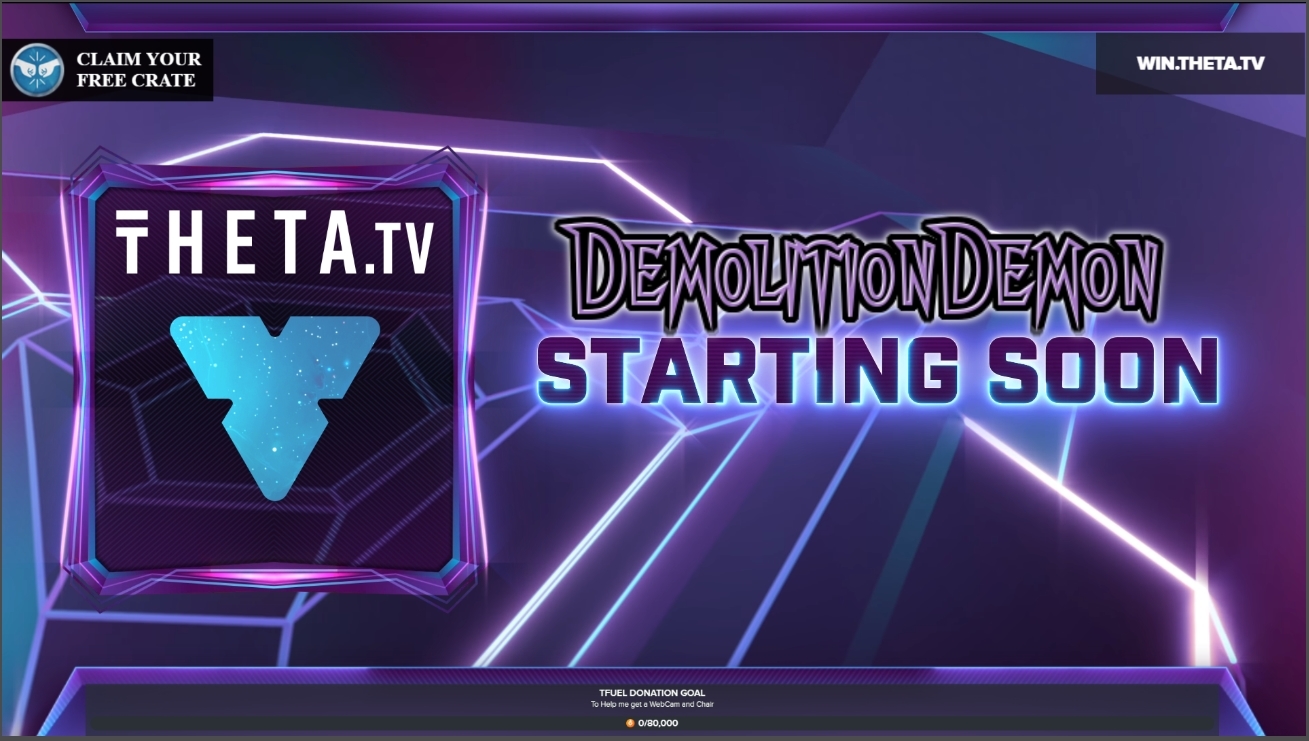
 gray bear
how do i remove the grey box round my Tfuel dono at the bottom of the picture https://i.gyazo.com/92986319916af9ae67c4cc1d6bdc34b7.jpg

 fervent oyster
I tried the solutions listed for fixing lag but it still isnt wotking
 neat ermine
if i copy the link of my overlay that i want and put in in obs live as browser and then click ok, i still have a black screen. i tried it with a couple of overlays but it doessent work. how can i fix this issue?
left cloud
Still unable to import
 hushed wigeon
I dont know what im doing wrong, im kinda confused lmao
once i cloase OBS i get my 230 fps
once its open i get 90
 kindred isle
Why cant I use hotkeys when not focused on obs.live?
Actually wait got an idea to fix my problem
rugged quail
@hushed wigeon is it possible you're using the shoftware encoder or the NVENC encoder?
@neat ermine do you have hardware acceleration enabled?
@left cloud what is the issue?
left cloud
@rugged quail I try to import and it fails
rugged quail
Is any of your assets over 30MB in size?
left cloud
no
left cloud
no
cedar vale
Hello everyone!
Is there a way to rename the bot?
steel bladeBOT
@cedar vale Custom bot name requirements
- StreamElements bot modded and in chat
- Active overlay with alerts
- StreamElements tipping page in the panels below the stream (!panels)
- OBS.Live or Ground Control open
- Create a twitch account for the name you want to use or run the bot under your own name
- Custom bot name doesn't work on Mac
cedar vale
Awesome thanks
 kind river
I'm a NOOB looking for some help with the OBS.LIVE Instant Replay script on a Mac laptop. Can someone send me the script?
Trying to follow: https://www.obs.live/articles/2019/10/4/b6zieupip1h45bgewyvp6gamwube7g

OBS.Live | Open Broadcaster Software Streaming Knowledge Base
Setup and customize your own instant replay using an OBS.live script. With the simple click of a button your viewers will be able to see up to your last minute of game play and the clips will be saved to your PC for you to use on social media or for compilation videos later!
rugged quail
hi guys,
im having a little trouble with the croma key. i have it setup and the green screen is grey and i see the screen behind it. im getting a redish tint on my skin and my blue shirt that more purple than blue now
steel bladeBOT
@rugged quail For the best OBS support, please join their Official Discord @ discord.gg/obsproject
cedar vale
Ok so I met all the requirements to have the custom bot name, but how do I actually do it?
 tulip hamlet
You'll find a tutorial video in the pinned messages.
cedar vale
@tulip hamlet Thank you
tulip hamlet
@kind river As OBS.Live is not available on Mac, it's highly likely the script likewise is not made to work with the Mac version of OBS Studio, either.
Instead, check in #widget-share for an instant replay alternative.
kind river
Anyway you can send it to me so I can try to see how it works and make it work?
I can't get it as its packaged in the exe
tulip hamlet
I cannot. There is no standalone file.
kind river
oh. isnt is instant-replay.lua?
I thought that would be a file thats like included somewhere with OBS.Live
I'll check in #widget-share to see if anyone knows
kind river
FYI. I didnt realize that script was included with all OBS installs, not just with obs.live It was included with my mac download and works as expected.
 obsidian beacon
I can't seem to get the cloud back ups to work properly. I've run the program as admin and every time I open the prompt the screen is solid purple and won't show me anything. Is there something I'm missing?
tulip hamlet
@obsidian beacon Try adding OBS.Live as an exception to your Windows Defender and any other firewall.
You might also need to add an exception for streamelements.com
obsidian beacon
If I export the profile. Will it do the same as the back up?
That's more of a backup idea if I can't get the cloud prompt to work.
tulip hamlet
Profiles won't wrap up all of your local files that are being referenced, but the cloud backup does.
Also, profiles are only settings, not scene collections. So you'll want to export your scene collection too.
obsidian beacon
I can't seem to find where I'd do that. I got into the firewall, added OBS, but I can't seem to find OBS.Live
tulip hamlet
OBS.Live is a plugin for OBS Studio, not its own software.
Adding OBS Studio should be enough.
obsidian beacon
Did that, the rule was already enabled. Then I restarted the program and still getting the same screen.
I may try putting everything on a flash drive and moving it over that way. Will Exporting the scene keep the sources? I am fine messing with settings, the computer is old and just not wanting to cooperate. I appreciate what you tried to do for me @tulip hamlet gonna try a roundabout solution. Thanks
tulip hamlet
Sources yes, but not any locally referenced files. Those will need to be copied as well.
 molten plover
@glacial moat did you solve your echo issue? I have it too
obsidian beacon
@tulip hamlet That's mainly all I needed. Local stuff I can just redownload. Have to get text files and stuff anyway and I shared a lot of the stuff with my friends. Thank you again
 hardy robin
when trying to import my streamlabs over to streamlabs using the extension
it just says an error occurred
would be appreciated if anyone could help
tulip hamlet
@hardy robin Make sure you have a tab open and logged into SE, a tab open and logged into SL, and then run it.
 quasi spruce
Hey guys. Got a few questions about S.E and OBSL.
1 - I stream to Twitch, YouTube and Mixer all at the same time with Restream and I have all 3 channels linked on my S.E account. Right now the activity feed on OBSL only monitors the channel that I log into in OBSL. So for example, if I log into OBS live with twitch, the activity feed monitors twitch activity only, logging in with mixer will monitor mixer activity only and so on. Is there a way for me to have all 3 channels be monitored in my activity feed at the same time when logged in with any platform instead of only monitoring the activity of the platform I'm logged into?
2 - Is there a way for me to add Twitch alerts, Mixer alerts and Youtube alerts all to 1 browser source or must I have 3 browser sources (1 alerts browser source per platform)?
3 - Can I use SL for streaming and SE for my tipping page or vice versa or must the tipping page be the same as the software I'm using (SL tipping page if using SL or SE tipping page if using SE/OBSL)?
tulip hamlet
@quasi spruce StreamElements does not support multistreaming. Data from multiple channels will never combine.
quasi spruce
O ok cool stuff. Thanks.
 glacial moat
@molten plover no i have not
 quick current
Why is it that when i edit overlay in SE and save some changes don't appear in SE OBS? for ex: I changed color of font or when I changed video in widget, only some changes appear in OBS but some do not
next nest
/staff I would like some help please because when i want make my social medias with an effect "Slide in left, slide out right", it's not applicated
please i need some help
tulip hamlet
@quick current Are you editing your variations in addition to the main alert?
@next nest Community created widgets are provided as is and it is your responsibility to set them up and maintain them. That being said, the setting seems to have applied and doing what is expected.
tulip hamlet
next nest
slide in and slide out not working
quick current
ok so i edited video in sub, follower, cheers, etc, only follower and tip appear with video i uploaded but the others are the default animated ones when i test widget
but i did the same video to all
tulip hamlet
@quick current Did you edit the variations for each type of alert?
next nest
@tulip hamlet not working for me
tulip hamlet
@quick current
tulip hamlet
@next nest Community created widgets are provided as is and it is your responsibility to set them up and maintain them.
quick current
wdym variations? in the widget itself, I went into each alert individually: follower, sub,
tulip hamlet
@quick current Look at the screenshot.
quick current
im doing it in the alertbox widget, like i said it worked for 2 of the 5 widgets
next nest
@tulip hamlet ok ty
tulip hamlet
@quick current Please look at the screenshot I provided once again. Click the menu the six arrows are pointing at. Edit those.
@quick current "Follower" and "Subscriber" are not variations. Each of those has their own variations depending on set conditions.
quick current
aww ok i gotcha, i was thinking since it worked for 2 then the others auto set, ty!
tulip hamlet
Nothing auto sets.
Every individual setting does not affect any other setting in any other alertbox in any overlay.
quick current
thats exactly what i was looking for ty Nethyr!
tulip hamlet
@next nest Community created widgets are provided as is and it is your responsibility to set them up and maintain them.
next nest
😦
 glacial fjord
Hi everyone! I just added the shoutout command and when I do it, it just says "playing (insert title here) at ***"
Shouldn't it give their link? Only thing I changed was the wording to say "they are/were playing" prior to the category
tulip hamlet
That is a Twitch moderation setting in your Twitch dashboard.
Either make the bot a moderator (recommended anyway) or disable that setting.
quick current
btw im coming from Streamlabs and I feel that SE is a huge improvement just on what i have done so far!
glacial fjord
Thank you @tulip hamlet
 undone oxide
When loading a new scene the browser source containing the new overlay takes a bit longer than id like to load in.. any work around?
wise silo
Studio mode 
steel bladeBOT
@undone oxide Check out this tutorial for OBS’ studio mode which allows you to preload scenes before transitioning. https://www.youtube.com/watch?v=W8iWsD2Lq3U
undone oxide
nice one, thanks 🙂
that was what i was after, thanks again. Another question this may be the inappropriate place for, can i control studio mode, scenes and transition button from within streamdeck?
steel bladeBOT
For the best OBS support, please join their Official Discord @ discord.gg/obsproject
wise silo
Gunna be a question for those guys
undone oxide
ok, thanks again bud 🙂
 alpine vessel
So I am using streamelements and I have amazon music connected to my twitch account. How do I separate game audio and the music so I can balance out the game audio where people can still hear the game and the music is just the background noise?
alpine vessel
That's frustrating. I have been trying to fix this issue for hours now. My wife has it working on hers by just clicking default on desktop audio 1 and 2 but for me when I do that it just plays both game and music through both desktop audios which is not what I'm trying to do.
smoky barn
Can someone help me? my obs live keeps crashing
steel bladeBOT
@smoky barn A crash log is required to investigate the cause of your issue. Please upload the last crash log.
- In OBS, click the Help menu
- Select Crash Reports, and then Upload Last Crash Report
- Copy the URL, and paste it to the chat here.
smoky barn
I did that and got no reply to it
wise silo
Then post it again.
smoky barn
here ya go
@wise silo it crashes right after opening, I uninstalled stream elements/ obs live and I could run Obs
i am confusion
steel bladeBOT
@smoky barn Please provide a log from your last stream. To do this, in OBS go to Help > Log Files > Upload Last Log File and paste the link to the log file here.
smoky barn
wise silo
Not the cause of the crash; but psa: ALWAYS run OBS as admin.
smoky barn
I did, When I uninstalled I dont think I turned that back on
I think even with that off that wouldnt be the issue.
smoky barn
done both of those
smoky barn
i am
smoky barn
i am listening 😂
wise silo
Uninstall OBS.Live and OBS Studio Go to %appdata% and remove OBS.Live and OBS STudio folders from here Then go to AppData/Local/Temp and remove any OBS-related files lastly go to Program Files/Programiles (x86) and make sure OBS wa sfully removed
After doing those 4 🤷♂️ things reinstall OBS Studio, then install OBS.Live, then try it.
smoky barn
it wont let me uninstall?
@wise silo so I got 3rd step and it goes to uninstall obslive then stops installation and asks to install
 young grove
how do i donload my entire stream afterward?
plain swan
?
young grove
like the vod
wise silo
Either through the twitch dahsboard (not reccommended)
or use a program like Twitch Leecher.
plain swan

Appuals.com
Twitch is a streaming service designed primarily for gamers. Twitch is a platform gamers can use to broadcast their games to (in many cases) millions of
 abstract pagoda
Hello, can someone help me with settings for OBS.live
tulip hamlet
Can you be more specific?
abstract pagoda
The settings for stream
steel bladeBOT
@abstract pagoda There are no "best settings".
Please understand that every setup, will be very different.
Any guides or videos that claim otherwise are misinforming. Your best option is to start with a base and adjust as necessary.
Test, test, and test again. We are happy to offer suggestions for any issues you may be having, but not a list of settings.
@abstract pagoda Please run the OBS auto-configuration tool. To use the auto-config, click on the Tools menu in OBS, select Auto-Configuration Wizard, and then just follow the on-screen directions. You can use this tool to get a set baseline settings for your hardware, and adjust as necessary from there.
abstract pagoda
I just got told to not use auto configuration
The settings i got from auto configuration are fine, But my game isnt smooth
steel bladeBOT
@abstract pagoda Please provide a log from your last stream. To do this, in OBS go to Help > Log Files > Upload Last Log File and paste the link to the log file here.
abstract pagoda
steel bladeBOT
@abstract pagoda 1) Restart OBS
2) Start your stream/recording for about 30 seconds. Make sure you replicate any issues as best you can, which means having any games/apps open and captured, etc.
3) Stop your stream/recording.
4) Select Help > Log Files > Upload Current Log File. Copy the URL and paste the link here.
(Note: If you do not see an obsproject.com URL, you will need to update OBS Studio to version 22+)
wise silo
Then do ^
abstract pagoda
wise silo
Do you have any scenes or sources?
abstract pagoda
game
wise silo
Youre sure you followed the above steps correctly?\
abstract pagoda
Play game , Start stream then do it
wise silo
Close your OBS.
Completely.
Check Task Manager to make sure everything related to OBS is closed
Open it as admin.
Start strum for 30~ seconds, end. Post log.
abstract pagoda
I saw some people using x264 instead of NVENC
wise silo
With your PC, really shouldnt matter that much.
abstract pagoda
Thats why i dont understand this issue, And its only in League of Legends
And even when i watched task manager or encoder stuffs if i dont drop something, it was fine
wise silo
🤷♂️ without a log with the above steps followed not much I can help you with

Livestreaming to Twitch, Mixer, or YouTube Live requires you to use an efficient codec, but which is better in October 2018?
Theres a link explaining encoders a little for you though
abstract pagoda
I can try set it to x264 too but i actually got no clue what to setup
Well, i figure it out on next stream, Also could help me with Overlay editor ?
wise silo
Weve got a fancy video if you wanna watch that
steel bladeBOT
@abstract pagoda Check out this video guide to learn about the StreamElements overlay editor: https://www.youtube.com/watch?v=LwAfMIR3Cj0&list=PLCDDKlFdScbEwdx5AntcQIS1InkFJwHtv

StreamElements Overlays are loaded from a single browser source in your streaming software, making streaming easy. https://streamelements.com/
StreamElements overlay editor enables full customization of your overlay, improving stream visibility and an increase of audience intera...
abstract pagoda
I saw that, but i use some overlay premaded and there isnt any option to change text
wise silo
One of SE's premade overlays?
abstract pagoda
"League Of Legend Static Super Theme"
wise silo
And which scene are you trying to edit?
abstract pagoda
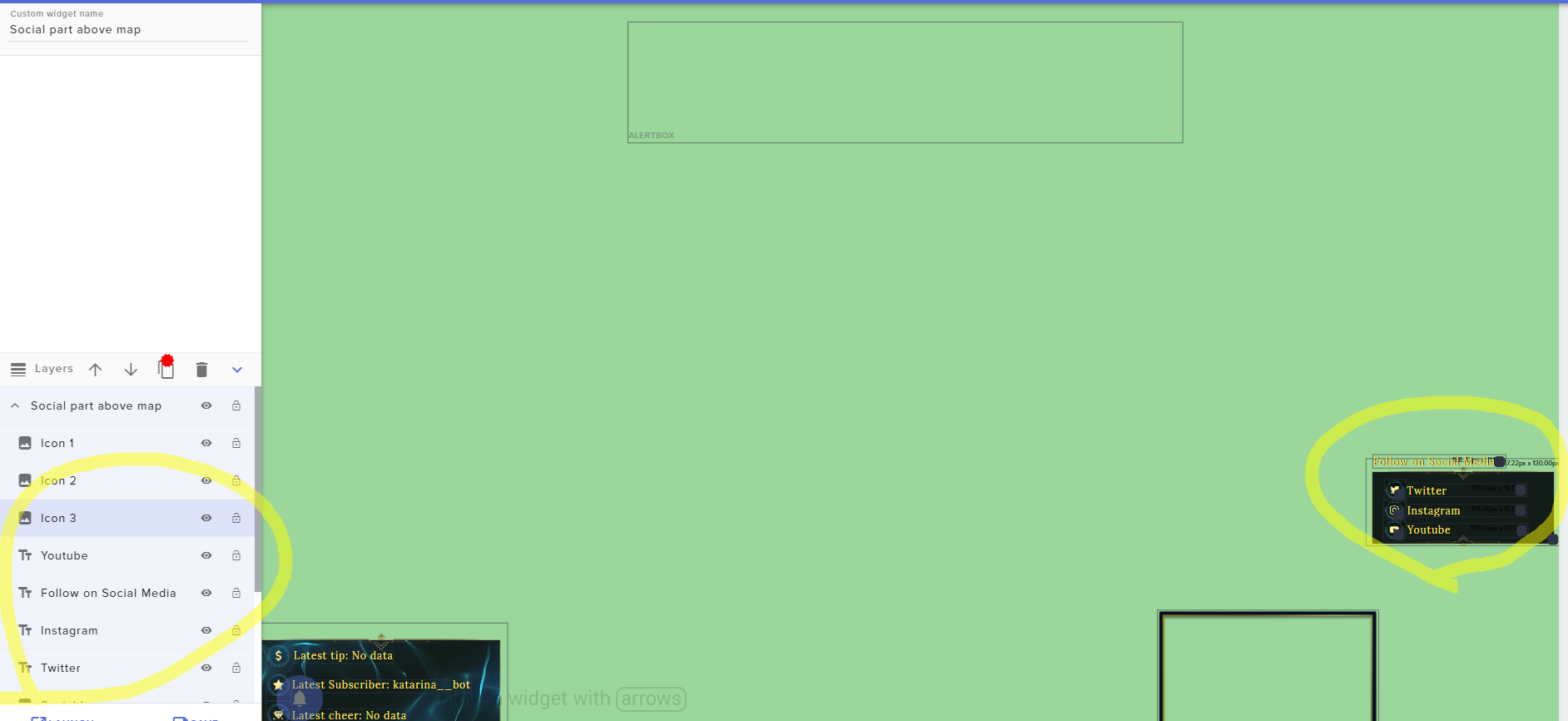
I dont know if i am blind, But i cannot find the option to change the social media names
wise silo
Thats game scene, right?
abstract pagoda
Yes
wise silo
🤔 my scene doesnt look like that
regardless what cha gotta do is click the text you want to edit
Say - twitter.
Click it
This shows on the left hand side
To change what it says, change where it says 'twitter'
to change the text settings, expand the text settings bar
abstract pagoda
The issue is i cant click on it
nothing happens
It still take as folder
If i click on "twitter" it automatically chose the entire folder
abstract pagoda
How? I am so stupid or totaly blind🤦♂️
 waxen eagle
hey guys, any idea why my obs session would expire every time? like every time i open it i have to log in again to either twitch or fb gaming in order to be able to stream...
kindred fox
@abstract pagoda top of editor window when you have them selected....I think it’s the last thing in the top blue bar with widgets, data, library
 vestal stirrup
how can i fix a laggy stream
 modest temple
yoooo
steel bladeBOT
@vestal stirrup Please provide a log from your last stream. To do this, in OBS go to Help > Log Files > Upload Last Log File and paste the link to the log file here.
 cedar mist
Is there a way that i could import my scenes from StreamlabsOBS into StreamElements OBS.live?
shy mountain
Streamelements on top -> Import from other services -> import from SLOBS -> then go to the dashboard and then "My Overlays" => each scene should be imported as an overlay there
cedar mist
thanks  👍🏻
👍🏻
neat ermine
@neat ermine do you have hardware acceleration enabled?
@rugged quail
@rugged quail hello, sorry for the late response for my question yesterday. where can i find the hardware acceleration? is that a option on the settings or ? im new to streamelements so i dont have any knowledge im sorry
steel bladeBOT
@neat ermine OBS -> settings -> advanced -> scroll down -> enable/disable hardware accel.
https://i.imgur.com/ggMe9ZE.png
neat ermine
still doessent work, is there something else i can do because my overlays wont load. it is still a black screen
shy mountain
So it was disabled or enabled?
neat ermine
it is enabled
shy mountain
Have you added the overlays to OBS?