#helpdesk-selive
1 messages · Page 92 of 1
 pallid sentinel
 steel bladeBOT
@pallid sentinel To add your overlays to OBS, add a new browser source in your scene. Paste your overlay URL in the browser source properties, set the dimensions to 1920x1080 (unless you changed them on the website), and ☑ “Shutdown source when not visible” https://youtu.be/KDvLynUqXI4
 rugged quail
Go to my overlays, create blank overlay (name it), go to overlay editor, insert image top of the screen @pallid sentinel
or add a browser source for obs 🙂
 shell sparrow
Hey, my media request in obs live hasn't been working recently and I'm not sure why. It's just blank in obs now.
steel bladeBOT
@shell sparrow Streamelements on top of OBS -> Logout -> login
 still dawn
Hi guys, I stream with Obs live on twitch. I decided to try out mixer, so I made an account. Linked it to streamelements. log in with my Mixer account on obs but it only gives me the mixer chat. Do features like media request and the activity feed are not supported for mixer on the add-on? in the streamelements tab if I click media request or the activity feed it just gives me the twitch one. And in the option on the activity feed i can only see my twitch account
shell sparrow
I logged back in and I don't have media request at all now, and it's not under the streamelements tab at the top
 odd kraken
MediaRequest is not available on Mixer, but you should be able to activate the activity feed like Calvin showed above.
 dense wraith
Having an issue with OBS Studio. Added the OBS.Live boxes for it, and now my obs crashes OVER and OVER again after I closed obs down this morning. The boxes for chat/notifcations don't seem to load then obs is crashing. Any ideas?
Stream is currently via facebook if that helps.
shell sparrow
@plain swan exactly, it was there before i logged out and logged back in
still dawn
@odd kraken i can pop it up, but it only shows me my twitch activity feed. I have no option to make it show me the mixer one
odd kraken
Log out via StreamElements > Log out and log back in with your mixer account.
 heady sail
how ca i make the chat to dark mode?
still dawn
ill tell you the error
odd kraken
what error? do you get any error message?
steel bladeBOT
@heady sail To set your panels to dark mode please do the following:
Close down your chat,
Close down stream information,
In OBS go to view > docks > chat
Click on the cog, go to non-mod settings
look under "My Preferences" to enable/disable dark mode
You can then reopen your docks
view > docks
https://media.discordapp.net/attachments/370226812669788161/655790222902296591/unknown.png

 junior sundial
Im getting this error, I streamed yesterday with no problem.
still dawn
i had an error message that said it had trouble because there was no stream key detected (i logged through account instead) but now its not even showing that up
it just gives me the mixer chat, but the activity feed stays on twitch
if i download ground control, that one does show me the activity feed from mixer
guess ill just put that over obs
odd kraken
Log out of OBS.Live with StreamElemetns > Log out and also log out of OBS Studio with Settings > Stream
Then log back in to OBS Studio with your mixer account and log back in to OBS.Live.
Do you get any error message on the way? Is the activity feed still on twitch?
heady sail
tank you^^
still dawn
@odd kraken done, its on now, error is gone. Thank you so much!
 honest echo
"Log out and then Log in" is for obs like "turn power off and turning back on" for pc 😛
 glossy light
What resolution do i need to set to make my gameplay fit the whole screen
rugged quail
1920*1080 is the standard
 leaden drum
Is there a way I can get OBS to start up my web cam? Or do I have to go through my webcam first and then start up OBS?
 round scarab
obs keeps crashing passed couple of days. never had this happen before
nothing has changed
 wise silo
Pardon? @heady sail
steel bladeBOT
@round scarab A crash log is required to investigate the cause of your issue. Please upload the last crash log.
- In OBS, click the Help menu
- Select Crash Reports, and then Upload Last Crash Report
- Copy the URL, and paste it to the chat here.
 wary dew
then why do i still have that button? 😛
 plain sonnet
where?
wary dew
on the video producer page on my twitch
plain sonnet
round scarab
wise silo
that's a gpu crash
something with OBS and your GPUdoesnt sync
uninstall your GPU driver, install the latest
plain sonnet
reinstall obs, the libcef and browser source are causing issues
round scarab
thank you
 white torrent
hey there can someone help me im trying to get an overlay working and i cant seem to find a way
steel bladeBOT
@white torrent To add your overlays to OBS, add a new browser source in your scene. Paste your overlay URL in the browser source properties, set the dimensions to 1920x1080 (unless you changed them on the website), and ☑ “Shutdown source when not visible” https://youtu.be/KDvLynUqXI4
white torrent
thanks
rugged quail
is there a way to add time to the countdown widget each time an event happens?
 tulip hamlet
Are you talking about a marathon timer? We've got those.
rugged quail
we do? i was talking coutdown widget
tulip hamlet
Right, but a countdown widget that increases its time based on things like subs and tips, with the idea that you'll stop stream when it reaches 0, is commonly referred to as a marathon or subathon.
tulip hamlet
😄
 deft jacinth
my obs live is continuously crashing and idk why ive tried uninstalling and reinstalling it/ restarting my pc and nothing is working
deft jacinth
tulip hamlet
Looks like corrupted browser sources. Follow these steps:
Uninstall OBS.Live, leaving vanilla OBS Studio installed.
Start OBS Studio and delete all of your browser sources.
Install OBS.Live again and recreate your browser sources.
deft jacinth
now my alerts not working
tulip hamlet
Disable browser source hardware acceleration in Settings>Advanced if you haven't already.
shell sparrow
My media request stopped working, and when i logged out and logged back in it disappeared from the stream elements menu bar completly
tulip hamlet
If you're streaming on Mixer, the Media request dock isn't in OBS.Live for Mixer yet.
shell sparrow
Ok, thanks
 cloud heart
hey everybody. usually I am able to stream through OBS ==> Video Capture Display and its smooth... but lately its got a consistent (every 10 seconds there is a 1 second delayyyyy) then when I choose the alternative.... Window Mode ==> full screen elgato then its not seemless on my end but is for viewers. help please?
steel bladeBOT
@cloud heart Please provide a log from your last stream. To do this, in OBS go to Help > Log Files > Upload Last Log File and paste the link to the log file here.
cloud heart
tulip hamlet
@cloud heart https://obsproject.com/analyzer/?url=https%3A%2F%2Fobsproject.com%2Flogs%2FnjzOg7uAkpgjL8At
This is not a log from a stream.
steel bladeBOT
@cloud heart 1) Restart OBS
2) Start your stream/recording for about 30 seconds. Make sure you replicate any issues as best you can, which means having any games/apps open and captured, etc.
3) Stop your stream/recording.
4) Select Help > Log Files > Upload Current Log File. Copy the URL and paste the link here.
(Note: If you do not see an obsproject.com URL, you will need to update OBS Studio to version 22+)
cloud heart
 strange trout
Hey, what's up
So, i'm getting a little trouble with media request. When i choose to show media request on stream i got an echo
if i don't show media request on stream the echo goes away
i'm not getting where he is duplicating
Nevermind i already find the problem
 fresh creek
hey gang, i've been getting generic encoding errors tonight, roughly every half hour to hour. if i close out of obs and reopen it, the stream comes back up just fine until i get the encoding error again. crash report here: https://obsproject.com/logs/exNWPM8QSNEBI3Y4
 mild summit
how do i turn off bandwidth test mode on streamlabs obs?
steel bladeBOT
@fresh creek Please provide a log from your last stream. To do this, in OBS go to Help > Log Files > Upload Last Log File and paste the link to the log file here.
 kindred fox
You may need to stream/record for 30 seconds in order to duplicate the encoding errors
fresh creek
hmmm, the log link i pasted has content for me... https://obsproject.com/logs/exNWPM8QSNEBI3Y4
 shy mountain
Thosr are crash logs
steel bladeBOT
@fresh creek Please provide a log from your last stream. To do this, in OBS go to Help > Log Files > Upload Last Log File and paste the link to the log file here.
fresh creek
ohhhh, sorry, was misreading that. thanks for your patience. lol https://obsproject.com/logs/cYnNB_G-Y8jXkbYy
this .txt log file looks to have the actual error on it though
 rocky lake
hi, i play in 4k, my output is 1080, but i get some wierd lag or something, i have to move the mouse non-stop so i can see the video move, i tryed alot of things, dont know whats going on, my settings are the same on Streamlabs and i dont get this wierd lag
rugged quail
Any plans on adding support for caffeine TV for obslive?
shy mountain
steel bladeBOT
@rocky lake Please provide a log from your last stream. To do this, in OBS go to Help > Log Files > Upload Last Log File and paste the link to the log file here.
shy mountain
@rugged quail No plans for caffeine integration
fresh creek
Thanks @shy mountain !
 nova sail
Okay, I'm not using OBS Live though @shy mountain just regular OBS
nova sail
awesome
shy mountain
If you use restream.io
i believe you can load up the Twitch dashboard activity feed
and then load up our activity feed
via the custom docks from OBS
View -> Docks -> custom browser dock
nova sail
So you are saying load up twitch's activity feed in one dock and then Streamelements Mixer activity feed in the other so that I can get both?
shy mountain
let me test if you can load up both from us
rocky lake
its like the video is not refreshing
nova sail
It seems like the pop will only connect to twitch cause when I put it into OBS it says session expired then only allows me to login via twitch
shy mountain
yea same thing i noticed
rugged quail
👍
nova sail
There isn't a way to have the platforms merged into one activity feed and just have a platform symbol to show which one a notification was for is there? (this is how streamlabs does it, and I'm trying to move away from them)
shy mountain
No. All platforms we support track their own separate data.
nova sail
hmm
rocky lake
how is that one, i made an automatic setup,
shy mountain
kindred fox
@nova sail that isn’t actually how streamlabs does it. Because of how API programming works they technically can’t provide alerts from multiple platforms now that they’ve migrated to a more normal fork of obs studio
shy mountain
I would not recommend the automatic wizzard
@nova sail I would recommend to use at least Ground Control linked to your mixer account and the OBS custom browser dock linked to our Twitch activity
thats the only idea that comes to mind
nova sail
@kindred fox well how ever they are doing it I can have one activity feed that shows follows and all the other notifications from each platform which I dock into OBS
kindred fox
Then they’re not using authentication tokens
Because those expire at the end of a session
Which means your information becomes vulnerable
nova sail
I am not using Streamlabs OBS just regular OBS and have each platform linked in my streamlabs account
kindred fox
Yes. Each platform can be linked, just like streamelements
Each platform receives API data when the API is active or will detect changes assuming the platform forwards data via the API. You cannot however receive alerts simultaneously for multiple platforms unless you have overlays added for each platform (this applies to both SL and SE) because APIs don’t work that way
nova sail
Right I have alerts setup for each platform under both SL and SE. I'm just talking about a recent events list or activity list which on SL is merged into one list where as SE you can only view each platform separate.
 nova sail
I saw that @shy mountain thx. Looks like that is the only option right now.
kindred fox
Until obs.live lets you authenticate to multiple platforms that’s the only solution. If you want you can put it on the ideas board at https://strms.net/ideas
nova sail
👍
So with ground control that has to still be in a separate window right? Can't get it into OBS itself as a dock
shy mountain
Well thats the idea behind OBS.Live
kindred fox
It’s a work in progress to build the best tools for everyone
nova sail
No doubt
 regal marlin
I am currently having issues pulling a video capture from a window. For xbox console companion. Anyone know how to fix the loss of video here?
 cobalt crown
hello when i hit to load the overlay it pops up a blank webpage
shy mountain
@regal marlin Run OBS as admin
@cobalt crown Please don't post in 2 channels - this can cause confusion.
Are you on twitch or youtube?
regal marlin
Thank you.
cobalt crown
twitch
regal marlin
Twitch
shy mountain
Then what is your username? @cobalt crown
cobalt crown
i dont understand which user name and why would i need that for not loading overlays
shy mountain
Ok lets go back to #helpdesk-twitch and i'll explain why I need your username.
@regal marlin So did you run OBS as admin?
regal marlin
@shy mountain I did and still same result. Not pulling anything from that window
steel bladeBOT
@regal marlin For the best OBS support, please join their Official Discord @ discord.gg/obsproject
regal marlin
@shy mountain I joined the discord linked. Thank you very much.
 rocky fable
I am youtube streamer, in streamlabs i can see active event and start streaming by simply choosing the event. But with obs.live i need to first create a event in youtube studion then change the stream key in obs setting. Also, when i end stream from obs i need to go to youtube studio to manually end the stream everytime. Is there is any solution to create/edit/end youtube live event from obs itself ???
shy mountain
You should be able to start and stop the stream via the usual button.
Just make sure you are logged in with your YT account in OBS.Live
rocky fable
@shy mountain I am logged in. When i stop stream from usual "stop streaming" button in obs. the stream keeps going on youtube repeating the last few minutes. One day my stream was live for 12 hours because of this issue
shy mountain
Is this every time?
shy mountain
I understand. I will poke our QA to investigate this as I dont think there is another work around.
rocky fable
i like streamelements but because of this issue i am using streamlabs from past few days. Hope, you guys implement youtube integration how streamlabs done
shy mountain
We do have Youtube support, but this might be a new bug.
rocky fable
Okay, thanks for the support
 proven pelican
Hey guys! Got a quick question regarding the StreamElements chatbot. Is there a way to make the bot ignore a certain user?
shy mountain
Ignore it from responding to commands?
proven pelican
yes, make a certain user not able to interact with the bot
at least in my channel
Also, love the pfp @shy mountain
shy mountain

proven pelican

 a roo sub?
proven pelican
a roo sub?
proven pelican
Perhaps 

 rugged quail

 ashen jacinth
I am trying to troubleshoot a NDI issue so I am trying to uninstall OBS.Live. I am getting this error.
It just sits there
 fathom cobalt
@ashen jacinth Did you remove OBS Studio before OBS.Live?
ashen jacinth
Yes. I would be willing to bet that is the issue. Do I need to reinstall OBS and then uninstall OBS.Live,
fathom cobalt
Restart your PC and try the uninstall again
ashen jacinth
Trying that now. I will report back. Thanks
 cyan holly
hello together, i have an issue, not specific with the OBS.Live-plugin, but with the streamelements Ground Control. The built-in activity Feed inside OBS just works fine, but the standalone Ground-Control does not start up. the screen just stays like this (left screen is the running OBS, right screen is the captured one)
honest echo
try close kill the ground control process within the task manager
cyan holly
i already tried that, as well as a fresh install of ground control. that doesn´t change anything
ashen jacinth
Same error @fathom cobalt
honest echo
maybe is already open but too far for the screen.. try turning off the 2nd monitor just to see if GC appers
cyan holly
nope, it stays like this after killing all processes and disabling the second monitor:
(and restarting ground control ofc)
honest echo
so weird.. maybe opening with admin rights ...
cyan holly
already tried that too, with the same result
honest echo
reinstalling GC ?
 quasi snow
kill all ground control in task manager + bot.exe if any
cyan holly
already did that. bot.exe was not even running, so nothing to kill here
quasi snow
ok, when its open like that, can't u right click it and choose move/resize/maximize/etc?
or press it on taskbar and hit shift+windows key + direction keys <- or ->
quasi snow
👍
cyan holly
jep. also after restart, it keeps the settings fine. i have no clue how that happened, but that seems to have been the issue.
quasi snow
I blame it on windows tbh, had that with other programs
 ashen vapor
why you hate me se.obs
 dry sphinx
quasi snow
probably have a big size element
ashen vapor
define "big"
quasi snow
not sure if the limit is 30MB or 100MB
odd kraken
limit for the cloud backupo storage is 100
quasi snow
yeah but I dunno per file or is that per file
odd kraken
100 is total afaik.
ashen vapor
what monster backup storage
dry sphinx

quasi snow
😂
 barren lichen
Good morning everyone! I am running into an issue with Media Request. When I click "show on stream" it's doubled in my headphones and on stream audio. What am I doing wrong?
steel bladeBOT
@barren lichen Make sure to ☑ “Shutdown source when not visible” for all browser sources (all OBS scenes). If using studio mode, uncheck “Swap Preview/Output scenes After Transitioning.” Also keep in mind that sound can play from any overlay loaded in the browser (editor or launched). https://i.imgur.com/FegZJQS.png https://i.imgur.com/yY0wcFl.png


 mortal aspen
@barren lichen make sure you don't have the song request tab open in chrome
barren lichen
#update The @steel blade AI fixed it for me. "The shutdown source when not visible" is what the problem is for future reference on the same problem!
 sinful flint
Perfect 😃
barren lichen
Cheers for the great bot dude! Thanks for saving my butt. lol
 vagrant trench
how do i go about forcing a reset of media request, it's playing stuff that i have long since removed...? i've tried disconnect/reconnect the acct from twitch, is there a temp file somewhere?
quasi snow
add a new playlist to the backup list here https://streamelements.com/dashboard/mediarequest/settings
quasi snow
and check if here there's something https://streamelements.com/dashboard/mediarequest/general
are you sure it's saving, since if there's any errors on page it won't save the new playlist
anyway you can try using !srclear on chat
rocky lake
pleaz take a look, its verry dark and refresh is not happening, but wen i move the mouse it refreshes, my desktop is in 4k, and i play 4k, output is 1080, streamlabs dosent do this, it runs fine, on the verry same settings, https://youtu.be/FKRmeP43tFM
can the windows HDR do something like this,
trying now , i removed the HDR thing
omg its the damn windows HDR doing chit, now its ok, pleaz look into it so i can run it again sometime in the future. 🙂
 frigid pivot
I need some help with overlay
wary dew
please keep your question in one channel
 shell shore
is there a reason my chat window turns to light mode every load?
 kindred violet
Can anyone tell me how i enable BTTV emtes on screen chat?
 plain swan
@kindred violet as in when you're streaming
you want your onscreen chat to have BTTV enabled?
kindred violet
yea
kindred violet
yes
plain swan
what's your twitch channel?
kindred violet
gs0xreptile
kindred violet
PepeLaugh is enabled
dry sphinx
Have you tried !emotes update bttv?
kindred violet
no, but why should that help?
plain swan
yeah type !emotes update in your chat, with the default !emotes command enabled
then close and reopen the overlay editor and reload the overlay in OBS by clearing the Browser Source cache
see if that helps
 broken mulch
Is there a way to switch from streaming on your computer to your phone without interrupting the stream at all?
 languid oar
@broken mulch msg for me? if so, I am not streaming currently.
broken mulch
No I'm asking for a friend
languid oar
oh my bad, got it.
I don't think there's a way to switch easily from computer to phone without inturrupting the stream
plain swan
i talked about this with jakenbakelive, I don't believe it's possible
cloud heart
https://obsproject.com/logs/6tU4jQ5xiFmTsoG- - - - - - so I got left hanging on this
hey everybody. usually I am able to stream through OBS ==> Video Capture Display and its smooth... but lately its got a consistent (every 10 seconds there is a 1 second delayyyyy) then when I choose the alternative.... Window Mode ==> full screen elgato then its not seemless on my end but is for viewers. help please?
 elfin blaze
Hey guys, can I only login to a single platform with OBS.Live? Or is there a way to see both Twitch, Mixer and YouTube alerts in one?
odd kraken
There is no multi Platformsupport with OBS.Live.
elfin blaze
Is there a StreamElements alternative to Streamlabs's Streamlabels program?
Since I don't mind running a separate app for it, I have 5 monitors at my disposal..
odd kraken
You can add widgets to your overlay via the overlay editor if that is what you are referring to.
elfin blaze
No, just to monitor the activity feed on multiple platforms, like followers, subscribers etc..
Not to put it on stream, but just to see them myself..
odd kraken
Are you using OBS.Live?
elfin blaze
I'm running OBS Studio, testing OBS.Live right now, but I logged into it via Mixer and it only shows me my mixer activity feed..
odd kraken
OBS.Live can only show the feed of one platform you are logged in to with OBS.Live.
elfin blaze
And that brings me back to my other question, is there another app that does support it perhaps?
Similar to what Streamlabs has in the form of their 'Stream Labels' progam
plain swan
i think you can add a tool
that'll track viewers/followers from multiple platforms
so for example you want to see how many followers you have on youtube and twitch at the same time right?
elfin blaze
Well, it's Twitch, Mixer and YouTube, but yeah, just live tracking it..
plain swan
something akin to this?
OBS Forums
Viewer and follower counters for multiple platforms (Twitch, Mixer, Smashcast).
(Due to YouTube's quota restrictions, we have to terminate the service of providing YouTube counters.)
Use the generated URL in OBS Brower Source.
Counters...
youtube has quota restrictions so youtube counters aren't currently running afaik
elfin blaze
This is what I mean
kindred violet
@plain swan it still shows up as plain text,
kindred violet
i get the responce but cant see the emotes
elfin blaze
Guys, how can I remove a channel from StreamElements?
 fickle hatch
can someone help me out with my OBS not working correctly?
My browser sources are just not showing up anymore
fickle hatch
you want the URL?
plain swan
im assuming there's supposed to be more things on it?
fickle hatch
It has alert box and stuff too
plain swan
the overlay itself is the issue
fickle hatch
it worked fine for like a month
now in my OBS screen none of that stuff is showing up anymore
I was having an issue before where the app crashed over and over again as well
steel bladeBOT
@fickle hatch Right click on the BrowserSource > Properties > Scroll down a bit > Refresh Cache of current page
fickle hatch
that didnt work
plain swan
try open it in the overlay editor
when i open it i get this
right click the browser and the box will be under the URL
 modern bone
Hello 🙂 Are we able to install StreamFX plugin for OBS within OBS.Live?
wary dew
yes
fickle hatch
ok opened
modern bone
@wary dew Can you screen shot the file structure and send it to me?
wary dew
no, i don't have it 😛 but i know people use it 😛
modern bone
Hmmmmm....
wary dew
are you coming from Sam? 😛
modern bone
Perhaps 😄
wary dew

modern bone
He claimed in his video you can't use StreamFX with OBS.Live
fickle hatch
ugh
wary dew
no, he said to use OBS and not SLOBS, he has OBS.Live himself @modern bone
fickle hatch
none of this is working
plain swan
jert try a fresh overlay from the store
just to see if that works
if that works, then it's time to get to work on fixing that original overlay
fickle hatch
random ones not working either
I tried one of the ones from the themes gallery
no browser sources are working for me at all it looks like
 fickle hatch
keep getting this now
plain swan
alright try this instead
- In OBS, click the Help menu
- Select Crash Reports, and then Upload Last Crash Report
- Copy the URL, and paste it to the chat here.
plain swan
alright couple things to try first
update your graphics drivers and OBS
if neither of them arent already the latest copy
after that try this
*uninstall obs.live so that we have obs studio
Then in obs studio -> scene collection on top -> export -> save the exported file somewhere i guess where its easy to find later on
delete all scenes or just browser sources
install obs.live and see if it crashes - if it doesn't
- either import the scene collection
- or start adding all browser sources one by one to see which one crashes obs.live
plain swan
alright fingers cross those help
plain swan
legendary, glad we could get that sorted for ya
fickle hatch
its always something so simple.
plain swan
what did you end up trying, the OBS and gpu driver updates?
fickle hatch
GPU driver was the issue
 torn solstice
Hello! The Tipping Setup step for "copy your tipping page link and paste it in the donation panel in Twitch" will not complete for me. I've added the link many times, and clicked Check, but the gray checkbox will not turn green. I've tried in Firefox and Chrome. The first time I tried it was a few hours ago, so I've given it some time but it's still not working. Any idea what is going on? TIA! 🙂
steel bladeBOT
@torn solstice Please connect your streaming account (Twitch, YouTube, or Facebook) with Discord by going to ⚙ Settings and then Connections here in Discord. https://streamable.com/eg92w
 torn solstice
It is connected, but I had it hid on my profile. I've unhidden it now.
My original tip panel wasn't being detected, so I also added a second brand new panel today to see if it re-triggers something. If you're wondering why there's 2 tip panels on my profile.
steel bladeBOT
@torn solstice Streamelements on top of OBS -> Logout -> login
odd kraken
After you relogged try it again please.
torn solstice
Thanks I'll try that now!
I logged out, (exited streamelements, and even restarted my pc), logged back in, and went through the setup steps again, and still no go 😦
I also logged out of my twitch account in my browser, then logged back in to see if a fresh connection would help, but it didn't
odd kraken
I need to ask internally on this.
torn solstice
Thank you, I appreciate the help!
odd kraken
can you try to do that setup later and see if you can go on from there.
round scarab
how come my overlays won't load sometimes
torn solstice
Yes, I will continue to try the setup steps.
odd kraken
@round scarab Sometimes? all overalys, only some the whole browser sources then not, or only some elements in the overlay?
odd kraken
So when you start it, it crashes or what?
 zealous lily
Does anyone know how to have viewer count show on the activity feed when streaming to facebook?
odd kraken
If you are using OBS.Live, then I think, but can't guarantee, there should a viewer count on the activity feed dock.
zealous lily
@odd kraken Cheers dude, it's not there when streaming
 placid thicket
Hey, i have same issue as Velorra, tried some stuff, but still not working
odd kraken
Can you also try to continue the setup please?
placid thicket
you mean, skip it? or press next?
odd kraken
I think pressing next is not possible, if it is, choose that.
placid thicket
no, i only can skip it and "do it later"
but then, i can't change the name of my bot
odd kraken
then try that please. You can change it afterwards.
placid thicket
yeah, i tried, but i sign up to streamelements only today, so i will wait, may be tomorrow 🙂 thank you for helping
 zenith stream
When I try and delete my filters on one of my audio inputs, it causes OBS to crash.
steel bladeBOT
@zenith stream A crash log is required to investigate the cause of your issue. Please upload the last crash log.
- In OBS, click the Help menu
- Select Crash Reports, and then Upload Last Crash Report
- Copy the URL, and paste it to the chat here.
zenith stream
wise silo
Re-read what the bot said.
 bleak sun
hello and happy friday! When using obslive, is there a way to switch activity feeds between sites?
steel bladeBOT
@bleak sun Streamelements on top of OBS -> Logout -> login
bleak sun
So you cant do it while live?
odd kraken
You should be able to do it while live afaik. But I am not too sure on this.
bleak sun
ok thanks...i'll test it out. 🙂
wise silo
@zenith stream which of your filters are you trying to delete?
zenith stream
I have three I want to delete. Gain, Compressor and expander. I do not want filters.
wise silo
And it crashes on all 3?
zenith stream
Yes it does
wise silo
Have you tried deleteing the Astro source entirely and readding it?
zenith stream
Yes I have
steel bladeBOT
@zenith stream For the best OBS support, please join their Official Discord @ discord.gg/obsproject
 spiral ravine
Hi there. I am trying to set up my media request on it's own channel on OBS.live so that I can enable ducking when the alert sound comes on. Is this possible? Tips? Tricks? Thanks!!
odd kraken
Create an overlay with only the media request widget, add it to OBS and in the browser source properties, enable that the audio is controlled via OBS.
spiral ravine
ah... @odd kraken Thank you
 errant moth
Good evening.. on initial setup, I did the bot activation, then the tipping panel (twitch) setup, and it worked. deleted the tipping panel to remake it later, but now it keeps saying I need to set up the tipping panel, and the 'test' button doesn't work, and the 'next' button is inoperable.
both from the OBS interface, or the web interface.
frigid pivot
So i bought an overlay package from fivver and I am having trouble getting it uploaded to my stream.
odd kraken
Is the overlay in your overlay section with StreamElements?
frigid pivot
No, thats what im trying to figure out, i try to drag and drop it into that section but all it does is pull up an image of the overlay
odd kraken
Normally you get an import url. Best to contact the artist who done it for you for further instructions.
frigid pivot
He sent .png files and source files
odd kraken
Then you can upload the png files to your StreamElements cloud and then add them as image widget to your overlay.
frigid pivot
Oh okay. And will it still update mid stream when people follow and donate?
odd kraken
For that you need widgets and an alertbox if you want to have an alert.
frigid pivot
Okay, how do i use those?
odd kraken
In the overlay editor on the top left: WIDGETS
frigid pivot
Thank you!
 wicked yoke
msi afterburner crashes standard OBS but does it to SEOBS?
odd kraken
Could be, best to try that out.
wicked yoke
i tried yes it does crash OBS, SEOBS and SLOBS all of them. and my researched show me this is not anything new.
how hard is it to fix or talk to msi about this?
odd kraken
If it is an MSI error you would need to contact them.
wicked yoke
i have to encode with GPU support but i cannot use its full potential
nothing else crashes in my pc so its not "MSI" error
odd kraken
Do you have a crashlog for us?
 tardy quail
any way to fix audio being delayed with the stream?
 high magnet
@tardy quail Your mic audio or your PC audio?
tardy quail
both
high magnet
In your display / game capture & webcam you can add a video delay to help sync with your audio delay. Just test out the ms till it matches up.
Just add a filter to the sources
 prime needle
hey can someone help me??? I accidently clicked on the X on the chat box on the right side of OBS Live and I dont know how to get it back. Any answers?
high magnet
@prime needle View -> Docks -> Chat
prime needle
@high magnet thank you! found it! omg I was looking for like an hour.
 dire seal
obs is showing a black screen, and all of the things ive tried do not work. the ones ive tried are: run with integrated graphics, disable game mode, run as administrator, restart computer, restart obs, use different resolution, uninstall and reinstall obs, maximize settings, lowest settings, and a bunch of others. can someone please help me?
 vast knot
I need help. My SE overlays are in 1920x1080 mode, and my OBS is recording in 1920x1200 (my monitor res). Therefore I can't put a widget on the bottom of my stream as it will be 120px too high
shy mountain
sorted both ⤴️
rugged quail
I need help, i have 2 displays open and when i try to do a display capture it only shows display 1 instead of 2
it used to work before but now its not showing as if their is no second display open
 errant goblet
how do i actually add the overlay in obslive when i hit launch in the steam elements its brings it up in a mostly blank page.
steel bladeBOT
@errant goblet To add your overlays to OBS, add a new browser source in your scene. Paste your overlay URL in the browser source properties, set the dimensions to 1920x1080 (unless you changed them on the website), and ☑ “Shutdown source when not visible” https://youtu.be/KDvLynUqXI4
 lime mantle
Stream elements wont verify that my tipping link is in my panels to activate the custom bot does anybody have any fixes?
lime mantle
alrighty thank you!
 jagged stirrup
OBS would crash on start up and when it doesn't none of my scenes or chat / activity feeds work, those windows are white and blank.
Does anyone know how I can fix this?
shy mountain
by crash do you mean it closes right after it opens?
jagged stirrup
Latest File
shy mountain
An overlay made OBS crash upon loading.
or a browser source in general
is the docks are white currently try this:
!obscookies
steel bladeBOT
If you are not seeing the OBS Twitch integrations and have OBS.Live installed, please follow these steps:
- Make sure you are on the latest and greatest version of OBS.Live
- exit OBS (make sure OBS is not running)
- delete %appdata%\obs-studio\plugin_config\obs-browser\obs_profile_cookies
- start OBS.Live
- Settings -> Stream -> disconnect -> connect
jagged stirrup
I try to connect after putting stream key back in and that windows that pops up is also white
rugged quail
Good morning everyone,
I'm having an issue with my media source audio. I have created the scene, selected the media source, and although it plays, and my stream can hear it, I cannot. Are there any ways to fix this so that I can hear the audio of the media source?
 low sundial
so since september last year my OBS has crashed everytime i have tried to stream both OBS studio and Streamelements !! even went back to streamlabs and it crashed to . . .
 limpid berry
I have a question. if you want to start the stream you will be asked if you want to stream via yt dashboard or stream elements. how can I add a custom thumbnail to streamelements?
lime mantle
really dumb question, on my overlay under themes my text is scrolling left which i want, i hit save put the link on a browser source and its still. Any thoughts?
 pseudo wraith
so when someone host me why do i not get an alert in activity feed or on my overlay
steel bladeBOT
@pseudo wraith Due to changes to Twitch API, we have filtered out hosts and will only show these ones on your activity feed:
- All hosts coming from an online channel with at least 1+ viewer
- Auto host events with at least 1 viewer - only from a channel that just went offline
Note: If you see "X channel has hosted you" with no viewers on the back, that is considered an offline host or a host with 0 viewers, we do not show these.
pseudo wraith
yikes... so what if i use just obs studio and disable stream elements
odd kraken
Then you would not get an alert in your overlay for anything if I understood you correctly.
pseudo wraith
nope, everything works. cheers, follows, subs. it does not even appear in activity feed which is upsetting
raids do not either
but i am more focused on host
odd kraken
Read what the bot posted above again.
pseudo wraith
read what i said after that 
i'm good tho, streamlabs has been recommended by alot of people and it is a lot more hands free.
i looked into streamelements for kappagen
 pseudo wraith
thank you
 daring flower
help, how do i get my overlays from my account into my obs live for scenes
steel bladeBOT
@daring flower To add your overlays to OBS, add a new browser source in your scene. Paste your overlay URL in the browser source properties, set the dimensions to 1920x1080 (unless you changed them on the website), and ☑ “Shutdown source when not visible” https://youtu.be/KDvLynUqXI4
pseudo wraith
browser source
daring flower
so do i launch my overlay and copy url
pseudo wraith
yes
wise silo
Yes.
daring flower
cool thank you
pseudo wraith
yup
 honest drum
So I've been wondering this nerd or die sent me a affiliate thing with a lil nerd or doe logo thing that that's animated and I've been trying to figure out how to make it have a longer cooldown then repeating immediately after its finished playing
wise silo
You will need to contact Nerd or Die for that.
honest drum
So there isnt a way to get it to like just be timed on my end
wise silo
If you were to edit it, yes, but we provide support for OBS.Live an StreamElements
 muted blade
Hello
steel bladeBOT
@muted blade Welcome to the helpdesk! Please let us know how we can assist you today and a support volunteer or staff member will assist you as soon as they are available. Thank you for your patience.
muted blade
I want to use streamelements with nimotv
Who will help me for this ?
I am wait any good people for thiS
 sterile dagger
Hey, My OBS started doing this thing today. After like 5 Minutes I can't read anything. I tried re-installing (removing all files after uninstalling) Run in compatibility mode etc. Nothing has fixed the issue
steel bladeBOT
@sterile dagger Please follow these steps:
close OBS,
open the Nvidia Control Panel,
in the left menu select "manage 3D settings" and then under the list of options (right panel) press "restore default settings",
Start OBS again.
 royal scroll
Hi @steel blade i have ran into a problem where i am unable to resize docks in my OBS
steel bladeBOT
@royal scroll I'm a bot, only here to send helpful messages because the helpers are lazy.
wise silo
Is it every dock, or singular dock?
wise silo
And did you restart OBS?
wise silo
Log out of OBS.Live and log back in.
wise silo
Streamelements at the top.
wise silo
Are you able to move them?
royal scroll
i can move them but they auto lock into certain places and decide their own size
i can resize them when ive popped them out but when theyre docked i cant move them
wise silo
Mind sending a screenshot of your OBS.Live?
royal scroll
ive tried that i know it comes up with 2 arrows with a line in the middle thing but when i click it doesnt let me move them
wise silo
Can you move it to the left?
royal scroll
neither direction
wise silo
Only other idea I would have is ti completely remove OBS & OBS.Live, then reinstall.
Someone else may come along with a better idea, though.
royal scroll
ill try that but thanks for the help 🙂 might just be a faulty install or something like that
rugged quail
hi i need help with obs live plz
steel bladeBOT
Welcome to the helpdesk! Please let us know how we can assist you today and a support volunteer or staff member will assist you as soon as they are available. Thank you for your patience.
rugged quail
when i start streaming using obs live i dont see the very bottom part...where it shows when theres frames drop etc
i must have clicked something in the setting n it removed it
wise silo
Click View at the top, then click Stats.
 elder rapids
Hello. My chat window in OBS live does not display chat.
steel bladeBOT
@elder rapids Streamelements on top of OBS -> Logout -> login
elder rapids
thank you
kindred violet
dont know if anyone have tried this before but when im streaming and launch "Z1 battle royal" obs crashed instantly
royal scroll
probably just Z1 its buggy asf anyway
 terse marsh
how do i get my mic audio on stream
kindred violet
chose the correct input source
 peak saddle
so even with an rtx 2060 r5 3600 with 1 gig download and 40 upload i still drop frames? i even nerf myself all the way down to 3000 bitrate when i got 40 upload lol
odd kraken
This is between the twitch servers and your PC.
peak saddle
ahhh ok @odd kraken ty
errant moth
Does the streamelements / obs.live setup support chat from multiple sources at once? i.e., twitch/youtube simultaneously?
wise silo
No. You need to use Restream or something similar to that.
errant moth
ok. I can stream to both places just fine, I just send the OBS stream to a small linux box runing nginx, which then splits it to both services. It would be neat if there was a plugin that could connect to all of one's services, and dump the chat into the OBS window somewhere. Maybe it'll be a future thing.
wise silo
There is plans to add multi-strema to OBS, nothing has been officially announced though.
 hardy gyro
Hi! Is Obs.live available for mac?
wise silo
Nope.
hardy gyro
do you know if there is any WIP project for obs.live mac?
sinful flint
Not currently unfortunately
wise silo
While we do not comment on our roadmap, you can check out the StreamElements ideas board: https://strms.net/ideas. You'll be able to add ideas, upvote ideas you agree with, and track their progress with email notifications. Adding and upvoting ideas also helps the staff know which ideas should be prioritized so please take some time to upvote.
 marble robin
Since I cannot delete any of the channels in SE, would deleting everything also remove already used tip page (which is on my different channel than what I am going to use, both owned by me)?
marble robin
or can I somehow change the tip link?
the both, original, which I want to move to the other channel and the random-generated numbers at the end link are owned by me
odd kraken
@marble robin Deleting your account will result in deleting all the channels connected to it.
You cannot remove a channel from an account.
marble robin
Yes, will it also make a free space for the tip link or is that taken forever now?
odd kraken
That I am not sure.
marble robin
Is it possible to export / backup the overlay before doing complete reset / delete?
odd kraken
Not that I am aware of. Best case you have the assets uploaded to the SE cloud saved locally.
marble robin
I guess I'll do settings by hand again, hope the link resets... thanks for the info.
Close my account did nothing expect gave me the form which I believe filled it correctly and after entering it, the window just closed it self.
odd kraken
Yes, this send a request to close your accout then, which will be done the next couple of days.
marble robin
ooh. It didn't said anything so I tried multiple times, sorry
 humble wing
sooo.....I go to StreamElements to backup to the cloud...and the window that pops up is BLANK....thoughts?
odd kraken
Screenshot?
humble wing
odd kraken
Then most likely something is blocking the connection, check firewalls.
humble wing
everything else works 100% I've never had to mess with that
i'll try though!
what app should i specifically look for in firewall settings?
odd kraken
Whitelist the OBS folder
humble wing
still no affect
rugged quail
Sorry I'm unsure if this is where I should ask this. I recently changed my stream name and it has messed with my chat stats, I had the same issue in the past could some please assist? Kind Regards.
odd kraken
@humble wing Try tp relog with StremElements > Log out then Log back in
@rugged quail What was your old and what is your new name?
humble wing
relog meaning....close it down, then open again or actually LOG out
(sorry clarification)
odd kraken
actually Log out.
humble wing
o7
humble wing
did the trick! thanks captain!
odd kraken
@rugged quail Informed staff to fix your chat stats.
rugged quail
You're amazing, Thank you. Enjoy your day 🙂
humble wing
@odd kraken when backing up, is there a "content" size limit?
wary dew
100mb
humble wing
is that total, or per item
yeah....i've got a lot of videos, music, and integrated content items...I should probably uncheck that
wary dew
i thought total, let me ask real quick
humble wing
I'm thinking that if I backup everything BUT the content, and keep my content in the same place on the new PC (drive location...same file pathways) then everything SHOULD just load right up
wary dew
sounds logical to me
humble wing
i would assume that (no content) means just all the scenes, all the parts of the scenes, including where its looking at to grab the content
wary dew
yes i assume that as well
torn solstice
@odd kraken Hello! Just following up from my messages yesterday. Unfortunately, the tipping page setup is still not letting me complete it because it's not detecting my tipping URL on my Twitch stream panel.
wary dew
it's still bugged because of Twitch's change to the API, no fix yet unfortunately
torn solstice
@wary dew Is that to me?
wary dew
yes
torn solstice
Oh okay gotcha, sorry. Thank you! It's been driving me nuts
wary dew
yeah, it's a really shitty situation that Twitch caused with that BS change yesterday
torn solstice
UGH it happened yesterday?! I literally just started working on this portion yesterday... wow that's really crappy timing.
wary dew
yeah and Twitch didn't announce anything, it just happend
 clear narwhal
is there any alternative of obs live on mac, or a way you can download obs live on mac
?
odd kraken
There is no OBS.Live for Mac.
clear narwhal
k, any good alternatives?
odd kraken
Use OBS Studio and pop out the activity feed from the website.
kindred fox
Or run boot camp on your Mac and install windows and run obs.live
rugged quail
I have my streamelements tip link attached to my twitch, but it will not let me change the bot name?
steel bladeBOT
@rugged quail Custom bot name requirements
- StreamElements bot modded and in chat
- Active overlay with alerts
- StreamElements tipping page in the panels below the stream (!panels)
- OBS.Live or Ground Control open
- Create a twitch account for the name you want to use or run the bot under your own name
- Custom bot name doesn't work on Mac
rugged quail
!panels
steel bladeBOT
Twitch's official help guide for Panels: https://help.twitch.tv/customer/portal/articles/2416760-how-to-edit-info-panels
rugged quail
I literally have all that. What.
odd kraken
There is an issue with the checking of the panles. We are looking into it. No ETA on a fix yet.
rugged quail
Ah. Ok.
 shrewd jacinth
How do i get the overlays i got on the website to Obs.live?
steel bladeBOT
@shrewd jacinth To add your overlays to OBS, add a new browser source in your scene. Paste your overlay URL in the browser source properties, set the dimensions to 1920x1080 (unless you changed them on the website), and ☑ “Shutdown source when not visible” https://youtu.be/KDvLynUqXI4
 young depot
When i right click in obs live to enable/disable tools all of them are blacked out so i cant enable certain tools
kindred fox
Screenshot?
steel bladeBOT
@young depot https://www.take-a-screenshot.org
young depot
Nvm my dumbass fixed it
odd kraken
@rugged quail Your chat stats have been fixed.
rugged quail
Thank you
 severe wyvern
Hi! Can i use restream.io?
odd kraken
You can use it in OBS Studio to stream to multiple plattforms, but the plugin OBS.Live does not support it.
So you can only see ones plattforms activity feed and chat.
severe wyvern
But i can use overlays from stream elements and chat from restream app?
odd kraken
Yes. But the overlays are also platform based.
severe wyvern
Hmm. I thought it’s just a source, like a video source. So, we need to wait for integration?
I also found in interface of obs live ability to create stream, but haven’t found option to enter scheduled stream. Am i doing something wrong, or everything will pop up if i enter stream key to obs?
odd kraken
You can use overlays just fine, but be aware that they are platform based. So your twitch alert box will not trigger on youtube events for example.
scheduled stream? Can you elaborate what you are looking for?
severe wyvern
I scheduled stream for tomorrow, it has it’s own stream thumbnail and description. When i use restream, for example, i can “go live” (it will create a live stream) or stream to “scheduled” or created in advance stream. In obs live I don’t see its in the list.
So, there will be youtube allerts on facebook, it’s ok for me, because youtube is primary platform. And i was worried that no overlays will be present at all
odd kraken
I am not too sure that the option is only available on restream. Haven't seen it on OBS so far.
severe wyvern
In obs you just enter a proper stream key, than start streaming, than check in youtube stream control center and press “start streaming” on youtube (when you checked that everything works)
 half widget
In OBS my stream chat widget keeps connecting to chat and says *welcome to the chat" over and over on my feed. I've restarted OBS hoping to solve the problem. Anyone have an answer?
steel bladeBOT
@half widget Streamelements on top of OBS -> Logout -> login
 silent inlet
I have the tip link in a panel and it still won't register it.
wise silo
Custom bot name?
silent inlet
Yes
steel bladeBOT
@silent inlet Due to a sudden and unforeseen Twitch API change, SubCounts and the process in which we use to check panels are not currently working. We are looking into it. No ETA on a fix yet.
 sturdy folio
Hello, I'm having a problem with OBS where I have it open for between15-30 minutes then it crashes whether I'm streaming or just going through the settings. I've tried uninstalling and reinstalling and I've even hard reset my PC and reinstalled all new drivers. However, it still crashes. Any help with this please?
plain swan
!crashlog
steel bladeBOT
A crash log is required to investigate the cause of your issue. Please upload the last crash log.
- In OBS, click the Help menu
- Select Crash Reports, and then Upload Last Crash Report
- Copy the URL, and paste it to the chat here.
sturdy folio
plain swan
hmmm i think that's a known issue
OBS Forums
Hi everyone, I'm new here and to streaming in general! Been going about 6 weeks now and up until this evening no problems
Earlier, whenever I started a stream, OBS would either crash, my PC would BSOD and in one case my entire screen went very pixelated...I then opened a yo...
the suggestion is to roll it back to a previous version
OBS 23.2.1 and see if that works
sturdy folio
How do I downgrade
plain swan

GitHub
OBS Studio - Free and open source software for live streaming and screen recording - obsproject/obs-studio
you can either try the very latest version
which is 24.0.5
or scroll down to 23.2.1
 surreal marsh
So i set a video for my background in a SE overlay and everytime it loops, it stutters. Any thoughts? Should i just keep it local?
wise silo
@sturdy folio Thats odd, that update has already been released for that error.
sturdy folio
The crashing?
wise silo
Yep
Gimmie a sec
@surreal marsh I would keep it local if youre wanting a perfect loop.
surreal marsh
easy enough, thanks
sturdy folio
thats what ive just gone from
I had 24.0.3 then was told to go to 23.2.1 so I need to go back for the fix to be in place?
wise silo
Is the issue still occuring on 23.2.1?
sturdy folio
I dont know it take between 15-30 minutes to find out
wise silo
If the issue persists ding me.
sturdy folio
I will do cheers
It says I need to update OBS stream elements now to get the media player, activity feed, chat and etc. Will that just take me back to 24.0.3? @wise silo
I had to go back to 24.0.3 to get Stream Elements addons and its crashed again @wise silo
wise silo
How long does it take for you to crash?
sturdy folio
between 15-30 minutes it differs
steel bladeBOT
Please provide a log from your last stream. To do this, in OBS go to Help > Log Files > Upload Last Log File and paste the link to the log file here.
wise silo
Youre using a 1050 TI correct?
sturdy folio
yes
wise silo
Give me abit and see if I can replicate this 
sturdy folio
had Vega 11 intergrated graphics with Ryzen 5 2400G before now I have both and I was hoping this card would fix the problem
wise silo
02:40:53.981: Failed to rebuild shared texture:
02:40:53.981: Failed to rebuild shared texture:
02:40:53.985: Failed to rebuild shared texture: ```Your GPU is crashing OBS
Lets try this.
sturdy folio
How do I fix that?
wise silo
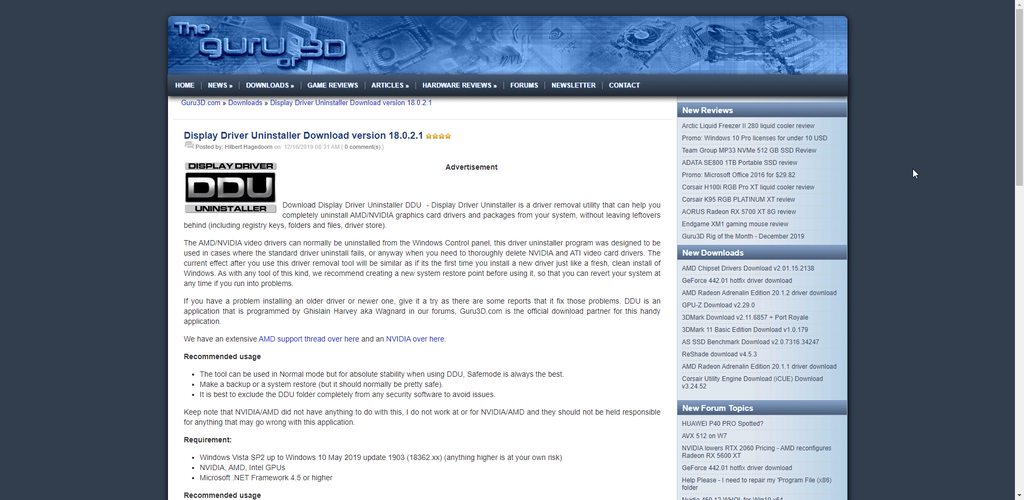
Install "DDU" to completely remove your Display Driver
Once you get that done, install the stable driver for your 1050 TI
sturdy folio
The DDU driver?
wise silo
DDU is a program
Guru3D.com
Here you can Download Display Driver Uninstaller, this Display Driver Uninstaller is a driver removal utility that can help you completely uninstall AMD/NVIDIA graphics card drivers and packages from your system, with...
It completely removes your Display Driver allowing for a complete fresh install.
Once you use DDU to completely remove your current driver, use this link to get your new one. https://www.geforce.com/drivers/results/156281
sturdy folio
Its saying I need to sign up and then asks for my card details I cant scroll
wise silo
Guru3D.com
Here you can Download Display Driver Uninstaller, this Display Driver Uninstaller is a driver removal utility that can help you completely uninstall AMD/NVIDIA graphics card drivers and packages from your system, with...
 wise silo
Extract it, then run the program "DDU vXXXXX.XXXXX.XXX.exe"
Dont know what version its on, just the program name.
 lost hinge
i have no audio options in obs live. Just restarted my pc to see if that fixed it and still same issue. I had audio selections when i first installed so not sure what happen in the span of 3 hours
steel bladeBOT
@lost hinge Please provide a log from your last stream. To do this, in OBS go to Help > Log Files > Upload Last Log File and paste the link to the log file here.
lost hinge
haven't streamed yet....
lost hinge
wise silo
And nothing is showing in Settings > Audio?
lost hinge
nothing at all
sturdy folio
A folder and a application for v18.0.2.1 but the application when I click it just says extract
sturdy folio
Yes Ive found it in the folder
wise silo
Run it. Extract it to your location.
Once youve done so, it creates a folder at htat location.
Run the program there.
sturdy folio
On this atm on the right
Do I uninstall the driver folders or just the things that are already ticked? @wise silo
wise silo
Leave everything default.
And to answer the next question, no you do not need to be in safemode.
wise silo
clean and Restart,
sturdy folio
Ok think I got it downloaded @wise silo
wise silo
Then give it a go.
tardy quail
how do you add a delay to the mic?
sturdy folio
Ok Ill @ you if it doesnt work. Cheers
@wise silo Still crashing
Failed to recreate D3D11: Failed to create input layout (80070057
kindred fox
@sturdy folio run windows update to 1909
The logs you have are from a previous build of windows
Also because of the recent windows vulnerability
 buoyant dock
<@&364840891023622144> Hi ... I am professional translator, and I would like to you to DM me a way to contact the administrators of this great project so we can work on Translating #StreamElementsBot and #OBS.Live into Arabic. I am also a Science Educator YouTuber, so I am sure we can find interesting options of collaboration.
 zealous minnow
I’m trying to record but it says like update drivers or something
wise silo
Does it say to "like update them" or does it say to "update them"?
 azure cedar
Chatbot name no longer working.. when it did, it gave me duplicate messages.. now back to seeing StreamElements messages... Ground Control no longer shows test bot
steel bladeBOT
@azure cedar Due to a sudden and unforeseen Twitch API change, SubCounts and the process in which we use to check panels are not currently working. We are looking into it. No ETA on a fix yet.
azure cedar
thanks
zealous minnow
What do I need to fix
 echo tartan
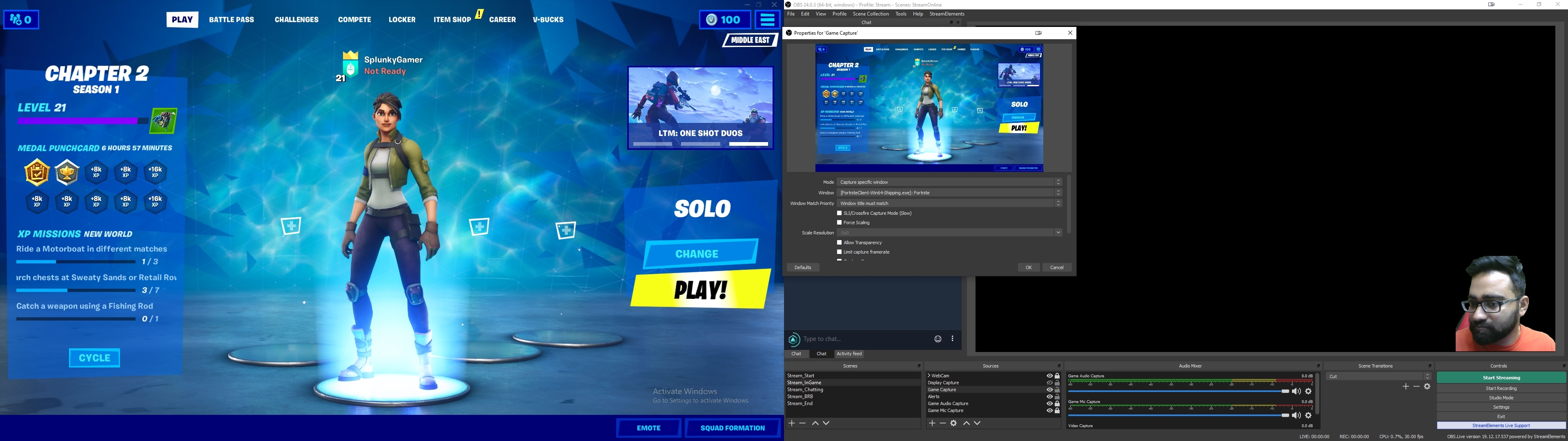
I am not sure which room I need to ask this but I am having issues with game capture, even after selecting the game obs live isnt recording it lately. I ended up using display capture for last nights stream
 distant trench
m,y obs used to run at 1.0 or less and now its running at 10.9% frame loss and i cant figure it out. anyone have any idea of what it could be?
 toxic plover
on obs when i click my overlay properties and go to "open in streamelements overlay editor" it launches a window that just spins forever
 thin lake
Something happened to my ground control application where the custom bot setting disappeared. After doing some searching I found that OBS.Live also allowed for custom bot names through OBS itself in the Activity Feed. However I cannot change the bot because this check cannot complete. And before you ask, yes I hooked up my donate panel on Twitch with the link provided and the link works.
 calm violet
@steel blade + @thin lake Before, my nickname was assigned to the bot, but now it doesn’t connect https://youtu.be/nFCWDtwUTHo
 fathom cobalt
Known issues. We are looking into it. No ETA on a fix.
 delicate bone
Hi,
Since few days I have to set my chat manually in dark mode before each streams. Is this a knowed issue ?
delicate bone
❤️
errant goblet
obs live wasnt working with minecraft , any one know y?
wary dew
wasn't working? like the game capture didn't work?
errant goblet
sorry i guess i have the sound off, ya like it was just black
i tried with a few differnt ways and the only way it would stream it was in windowed and a window capture
 summer lily
Launch obs in administrator mode. Always administrator mode
 stark fiber
good day fella's, i have a question when i try to control my streamelements sounds in discord i get no sound at al, how do i fix that?
alright i see i fixed it with turning audiomonitoring on

sturdy folio
Still crashing https://obsproject.com/logs/nTMkBPP0at3nbw7x
kindred violet
obs is not showing all emotes, some global emotes are showing and some is not, the ones i have personally chosen is not and its 50/50 if the global bttv emotes is showing, all the normal twitch emotes are showing no problem
anyone ever experienced this?
 coral bridge
can someone help me to solve a problem with my overlay ?
plain swan
tell us about it here and we'll try our best to help
coral bridge
i play csgo 1280x960 rez , 4:3 ...when start streaming they see with blackbars..... and my overlay it seems to resize or something
plain swan
you'll need to resize your overlays to fit your stream since you play CS at that specific resolution
coral bridge
so if i play 1280x960 , in properties on source should set 1920x1080 ?
and the overlay to resize to how much ?
steel bladeBOT
@sturdy folio A crash log is required to investigate the cause of your issue. Please upload the last crash log.
- In OBS, click the Help menu
- Select Crash Reports, and then Upload Last Crash Report
- Copy the URL, and paste it to the chat here.
coral bridge
how can i do that Calvin ?
sturdy folio
plain swan

Check out the new Overlay manager guide: https://youtu.be/LwAfMIR3Cj0
Create an amazing overlay with StreamElements, watch our video guide to learn how.
Tipping page setup: https://youtu.be/eLzxRkq7tJo
Add KappaGen to your overlay: https://youtu.be/Mlz3pj_gkBM
Overla...
that should help
coral bridge
yeah...maybe i solve the problem to fit the overlay with my csgo res
tx so much Calvin 🙂
plain swan
no worries my pleasure
kindred fox
@sturdy folio can you post a full log?
kindred fox
Run it as admin, once it loads then go into obs settings >> advanced >> scroll down and disable hardware acceleration
sturdy folio
Done
kindred fox
At what point is your obs crashing?
sturdy folio
About 15-30 mins after opening it
kindred fox
What are your encoder settings?
sturdy folio
that in Output
sturdy folio
Encoder is NVIDIA NVENC H.264 (new)
plain swan
what bit rate are you streaming from?
sturdy folio
Other options are The same as before without new at end and x264
kindred fox
Your CPU should let you encode with the integrated Vega
Change it to x264 and see what happens
sturdy folio
Ok ill let you know if it crashes again
plain swan
godspeed
coral bridge
i doesn t work.....i can t resize the overlay with cs rez....
kindred fox
@sturdy folio are you running dual monitors?
sturdy folio
yeah
kindred fox
Are both plugged into your 1050?
sturdy folio
yeah 1 via Display and 1 HDMI
kindred fox
Plug your obs monitor into your motherboard and leave your gaming monitor in your gpu
As dumb as that sounds....
sturdy folio
It doesnt work
kindred fox
Wait wut
That’s not how that is supposed to work
There’s something funky going on
Your CPU has a GPU on it which should let you use the onboard video and a discrete gpu like your 1050
sturdy folio
I know its weird I might just take it to get checked and see if they can help me out Ive reset pc and everything reinstalled drivers and downloaded ddu
kindred fox
Latest Nvidia GeForce experience/drivers?
sturdy folio
Yeah Downloaded last night cos Mitch was trying to help
kindred fox
There's something else going on. You should be able to use both the onboard hdmi on the motherboard and the displayport on your GPU
sturdy folio
Ill get it looked at then cheers
kindred fox
np!
sturdy folio
First PC ive ever built never doing it again ahhaha
kindred fox
@sturdy folio https://community.amd.com/thread/232704 make sure that you have the latest AMD Drivers as well
I recently bought this APU called Ryzen 5 2400g about 3 weeks ago and saw so many post about ryzen 5 2400g users that are not satisfied enough because of
That CPU may also not support a discrete GPU
sturdy folio
I checked in a part picker their compatable and theirs youtube videos of builds with them toghether
kindred fox
yeah, they work, but when you connect a GTX card it disables onboard video
which isn't how it's supposed to work
make sure your motherboard BIOS is updated and your AMD drivers are updated as well via Catalyst or whatever they use
Do you know what motherboard you have?
sturdy folio
Yeah MSI A320M PRO-VH PLUS AMD Socket AM4 Motherboard
kindred fox
what BIOS version are you running?
sturdy folio
I dont knowe
kindred fox
https://www.msi.com/Motherboard/support/A320M-PRO-VH-PLUS#down-driver&Win10 64 download the Live Update 6 Utility from there and see what BIOS you're running / need to update to
If you haven't updated it since you got it, there's probably a few you need to run
sturdy folio
Havent got a clue how this works it says I should download and get an application but only get a folder
kindred fox
is it a compressed folder?
 slate shoal
Hello, i can no longer rename my bot using obs.live, it's telling me that i have to "Add your StreamElements Tipping Link to your Twitch Panels." But obviously i have done that ages ago lol? I have tried everything, i have deleted my tipping panel and redone it, i have added the tipping link into multiple panels, i mean i don't know what else i can do? Maybe this is some sort of bug or something? This has never been an issue for me and my custom bot name was working fine last stream. Also whenever i hit the "RECHECK" button after re-adding my tipping link, nothing even happens.
fathom cobalt
 vernal tendon
In Obs.live I have 3 rows of panels (decks) and I'm having problems setting chat from top to bottom because of the Preview panel that's not really a panel like the others. Is there an easy way to move the panels beside snapping them?
plain sonnet
there are 4 dockable sections (top, bottom, left, right), you wont be able to get a full top to bottom window
its how obs is built
vernal tendon
Ok, thanks. It's something I always wanted and struggle to achieve so I thought I will ask here. Now I can sleep well knowing it can't be achieved. Unless... I rotate my monitor vertically.
plain sonnet
same, i asked in the obs discord last year 
 sudden granite
Is there anyway to add an NDI source to streamelements??
sudden granite
well i use streamlabs and it's very straight forward. but in elements for some reason NDI isn't under sources or scenes
 elder jewel
do the computer's that you are trying to pull the ndi source from have it also installed
sudden granite
yes that's what odd. For some reason it's not pullling it.
elder jewel
Okay, just to confirm also, on the source computer, do you have the NDI settings set to Main output?
kindred fox
@sudden granite you will need to make sure that you download the NDI Plug-in after installing OBS.Live
sudden granite
Yeah everything checks out, i'm honestly not sure why it's not working only with Elements. I'll try removing it and installing again
daring flower
how to add chat box from twitch in overlays any help
steel bladeBOT
@daring flower To add your overlays to OBS, add a new browser source in your scene. Paste your overlay URL in the browser source properties, set the dimensions to 1920x1080 (unless you changed them on the website), and ☑ “Shutdown source when not visible” https://youtu.be/KDvLynUqXI4
wary dew
@daring flower in the overlay editor, click on Widgets and look for the My Chat widget
 timber kettle
hey guys. lately the media request area in obs live shows up as blank page with a purple background. any ideas what it could be?
wise silo
Log out of OBS and back in.
timber kettle
you are awesome. Thank you!
 ember niche
Guys im having issuses setting up the tipping page would anybody be able to help?
errant goblet
display capture wont work for my and ideas why?
errant goblet
no
steel bladeBOT
@errant goblet Please provide a log from your last stream. To do this, in OBS go to Help > Log Files > Upload Last Log File and paste the link to the log file here.
errant goblet
welll my last stream was long using game capture should i do a short stream trying to use display again so thats all there is?
wise silo
Nope.
errant goblet
errant goblet
ok ill try that, thanks
 signal thicket
So I was trying to rename my bot and it's greyed out. When I looked at the tipping config it is missing s green check mark but on SE website I configure all the tip sections for twitch, mixer and FB but still no dice. I tried logout and in, restarting obs but still no dice. It was working in ground control and then I noticed in ground control it was also gone. So that is when I installed obs live and saw the tip issue.
steel bladeBOT
@signal thicket Due to a sudden and unforeseen Twitch API change Custom bot name feature through OBS.Live / Ground Control not working temporarily. We are looking into it. No ETA on a fix yet.
 wraith flame
Hey I'm trying to complete the Bot & Tipping setup but when I get to the step to press "Next" after adding the link to my Tipping panel I can't press it, its just grayed out and I need to pass that step to get into tipping setup. Any ideas?
wraith flame
Oh okay well rip 🙂
 bitter elm
Sometimes I need to restart OBS during a stream to get rid of an audio glitch.
What's the best way to restart OBS during a Twitch livestream? Hit 'Stop Streaming' first, or just force close, reopen, and Start Streaming? Does it make a difference to what the viewers see?
tulip hamlet
If you're force closing, you're letting Windows control when the feed cuts, whereas if you hit stop streaming, you're the one controlling it.
Bit cleaner.
bitter elm
@tulip hamlet thanks. Do you know if it affects whether the viewers see 'stream has eneded'?
I want to avoid them thinking it's over
tulip hamlet
If it's set as your offline screen, yes, it'll show up no matter what.
bitter elm
Do you know of a way to restart OBS with less disruption than that?
tulip hamlet
No. By definition, closing the program that's controlling your stream will always be a disruption.
bitter elm
In that case, do you know of a way to reload the audio sources, to try to get my audio glitch fixed without restarting OBS Live?
steel bladeBOT
@bitter elm For the best OBS support, please join their Official Discord @ discord.gg/obsproject
tulip hamlet
They'd be better suited to help with audio issues.
bitter elm
thanks.
Also just found this: https://help.twitch.tv/s/article/Disconnect-Protection
 tawdry sundial
question about overlays. im working on switching everything from SLOBS to OBS Live and the only issue im having is things not updating in the overlay editor. For example, when i want to add an animation to my alertbox notifications its not updating. Any thoughts?
tulip hamlet
- Are you saving?
- Are you editing variations?
tawdry sundial
Yes i am saving. cause when you save it just updates right away. unless i have to plug in a new browser source every time
and no im not doing any variations
tulip hamlet
There are default ones.
tawdry sundial
default animations? in the overlay editor?
tulip hamlet
Default variations.
tawdry sundial
so i need to use variations for this work?
tulip hamlet
No.
There are default variations.
When a variation is applicable, it is used instead of the "main" alert.
If you're editing the "main" alert and testing it and you don't see the change you made, chances are a variation is triggering.
So edit the variation.
tawdry sundial
says there arent any variations
tulip hamlet
What exactly are you changing?
tawdry sundial
im just changing the animation of the main alertbox. i want to slide up and slide down
 mental bone


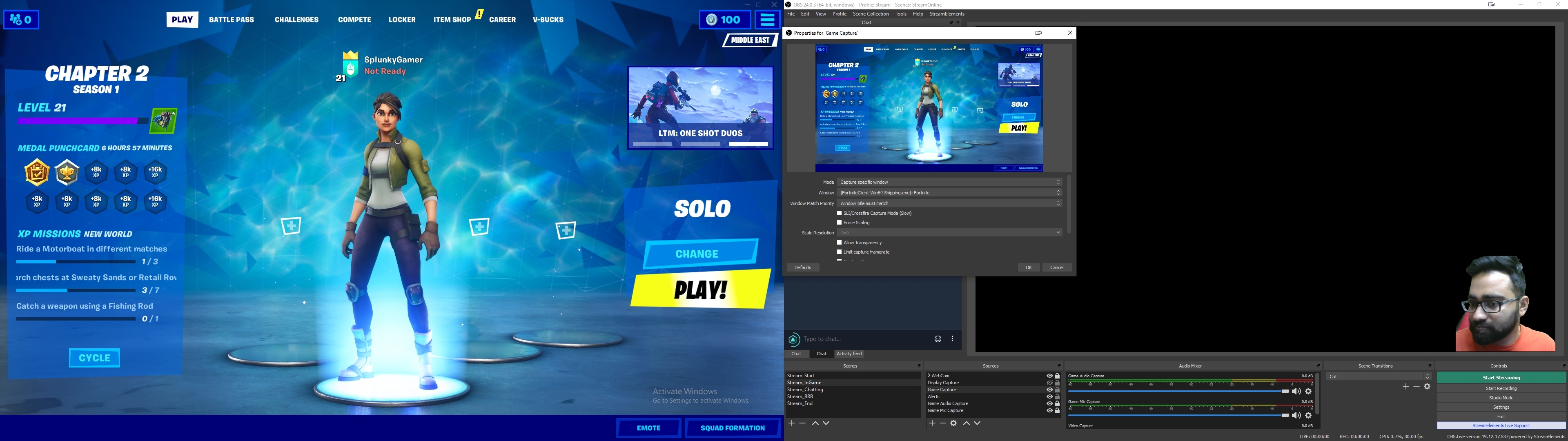 steel bladeBOT
@mental bone For the best OBS support, please join their Official Discord @ discord.gg/obsproject
tawdry sundial
hello again. just finished my alertbox in thre overlay editor for OBS Live. do i have to make multiple alertboxes for different scenes?
kindred fox
No. You can duplicate the alert box to your other overlays
tawdry sundial
@hereanyone know how to duplicate overlays in the editor? I want to use the same overlay on different scenes in OBS
plain swan
hey
tawdry sundial
awesome! but say i created my alertbox on one overlay but only want the alertbox from that one overlay to use for other scenes? Possible?
tulip hamlet
Widget duplication, above.
tawdry sundial
oh snap nice thanks lol
 coral blaze
Hey guys, my custom bot won't change back to what I had... somehow over the last couple days SE no longer recognizes that I have the tip link in my Twitch panels, even though it's always been there. I've clicked Recheck a bunch of times and completely uninstalled and reinstalled OBS Studio and OBS.Live. I'm not sure what my next steps are
tulip hamlet
Please see #270206314561404928
coral blaze
TY
 river arch
Hey guys. i can't see media request in my obs. it's just a blank dock atm. any idea how to fix? tried unistalling and reinstalling obs live. nothing. halp? srs plox.
river arch
media request is under stream elements not view > docks. tried that tho. logging back in atm
logging in again fixed thanks lat for me stream lol
wise silo
No problem lad, enjoy your journeys and gain many viewers.
For only 12 gold pieces, if youve got any other issues, come on back! First one is on us.
 sand mortar
how do i add transitions?
fathom cobalt
@sand mortar https://www.youtube.com/watch?v=f-fDhIrhISo
 ashen zodiac
I have a issue whenever I open the streamelements obs.live the application opens but all I have is a White screen
 zealous robin
my display capture and window capture is not working. it only shows a black screen
steel bladeBOT
@ashen zodiac If you are not seeing the OBS Twitch integrations and have OBS.Live installed, please follow these steps:
- Make sure you are on the latest and greatest version of OBS.Live
- exit OBS (make sure OBS is not running)
- delete %appdata%\obs-studio\plugin_config\obs-browser\obs_profile_cookies
- start OBS.Live
- Settings -> Stream -> disconnect -> connect
shy mountain
@zealous robin Laptop?
zealous robin
yes
steel bladeBOT
@zealous robin Due to the way laptops are designed, your system must be configured to run OBS on a specific GPU, depending on the type of capture you are trying to do.
For Game Capture and Window Capture (recommended), your system must be configured to run OBS on your laptop’s high performance GPU (default); for Display Capture, your system must be configured to run OBS on your laptop’s power saving GPU (iGPU).
If you are running Windows 10 1903 or newer, use this guide for instructions on how to configure your system: https://github.com/obsproject/obs-studio/wiki/Laptop-GPU-Selection-Windows-10
For instructions on configuring an older version of Windows (you should consider upgrading), use this guide: https://obsproject.com/wiki/Laptop-Troubleshooting
ashen zodiac
The fix that the support AI told me didnt work out apparently