#helpdesk-selive
1 messages · Page 86 of 1
 shy mountain
 light inlet
I got that part, but is there a way for the labels to get updated, since I can't really pull them from all accounts. That would make them overlay eachother, if you get what I mean
 steel bladeBOT
@light inlet Account Merging - Please note:
- Merging accounts only allows faster ways to switch between accounts
- Merging accounts does not allow data sharing between accounts - different streaming platforms, different type of events
- Merging accounts allows duplicating/sharing overlays between the accounts
shy mountain
merge = link
light inlet
okay, so what I wanted is not possible unfortunately.
 jade folio
when creating a blank overlay how do i make sure my webcam frame matches my webcam image size
shy mountain
usually if the webcam video source is 16:9 ratio resolution
you can make a webcam border the same ratio and w/e size you want the webcam source to be after you add the overlay to obs
or at least add the image to the overlay.
 left cape
How do I activate the overlays for my channel
steel bladeBOT
@left cape To add your overlays to OBS, add a new browser source in your scene. Paste your overlay URL in the browser source properties, set the dimensions to 1920x1080 (unless you changed them on the website), and ☑ “Shutdown source when not visible” https://youtu.be/KDvLynUqXI4
 lilac ocean
you mean adding them to obs?
left cape
Correct
lilac ocean
Follow Support AI's steps 😄
left cape
lol thanks
jade folio
how do i get a overlay to add most recent widgets on to
 fathom cobalt
@jade folio create new overlay in https://streamelements.com/dashboard/overlays and add your selected widgets.
And
steel bladeBOT
@jade folio To add your overlays to OBS, add a new browser source in your scene. Paste your overlay URL in the browser source properties, set the dimensions to 1920x1080 (unless you changed them on the website), and ☑ “Shutdown source when not visible” https://youtu.be/KDvLynUqXI4
jade folio
well i know that part but what about the overlay parts those go on to. that have like a $ and background for the name to sit on
 fierce atlas
can you show an example via screenshot?
jade folio
i have this but how do i get the text to sit on it and fit properly depending on the size of the persons name
fierce atlas
if you add it as an image and set it to the bottom layer, then add the appropriate widget info on top and set the fonts/colors you want you should be good to go 🙂
jade folio
right but when people with long names go on it then it wont fit
is there a way to make the text adjust to the proper fit
fierce atlas
that is correct. if you want it to get really custom then you'd need to create your own custom widget with adaptations to the text's CSS based on how long the username is
jade folio
yeah i have no idea what that means haha
fierce atlas
the easiest way to do it is test how big the font should be using a slightly longer than mid-length username and assume it's going to be fine for the most part 🙂
jade folio
okay ty
what are those overlay things called? is there a way to find ones set up specifically for mixer
lilac ocean
Log in with your mixer account on the StreamElements website
go to overlays, those are all for for mixer
jade folio
lol all 4 of them
fierce atlas
Mixer support just got added to StreamElements, give it time 😎
jade folio
is anyone good with photoshop they can change the wording on the one i sent
fierce atlas
you can find a lot of photoshop-experts/artists available for commission in #art-marketplace 
left cape
Can I change the alert notification sounds
 odd kraken
Yes, that would be done in the alertbox settings. Also check the variation settings.
left cape
Where can I find those settings
odd kraken
@faint hornet Add the widgets to your overlay in the StreamElements overlay editor.
@left cape Create an overlay and add an alertbox widget to this overlay. Then select the widget and on the left side you can edit the settings.
left cape
Thank you
 wary dew
no
it all looks cool and easy on streams, but this is the way it works behind the scenes
 faint hornet
yea
 round igloo
Is it possible to add widgets as browser source instead of adding them to the overlays via the editor? It's annoying having to open the editor to quickly hide something instead of just clicking the show/hide icon on a widget in obs
round igloo
I did that for my alerts, but then I have to guess the appropriate size for the overlay so it's not that much bigger than the widget itself etc...I wish we could just add widgets as browser source instead of creating an overlay for them
I guess I'll just make an overlay, thanks.
 wise silo
SLOBS has a tool to automatically adjust the stream quality based on the game youre playing - does obs live have anything like this?
Am able to stream Destiny 2 perfectly fine on SLOBS but I prefer OBS Live and I cant figure out what I need to do to make my stream not-pixelated
wary dew
?
wise silo
Theres been talk of it but to my knowledge there is no set date/confirmed announcement from them
There is ways to make it run on linux but none that wont effect its performance to some degree
That being said it is an open source software & converting software can be anywhere from easily to close to impossible so it would be on your own agenda
 regal mica
YOU SAID AGENDA!!!
spams the doom button
Dun dun duuuuun
and alright, I'm not a programmer so this might take some time 😛
wise silo
It would essentially just be changing the windows specific apis (if any, I am unsure) over to a substitute - agian how hard this may be is beyond my knowledge
regal mica
got it
wise silo
The dirty way that effects its performance would be WiNE >> it runs most programs from Winows on Linux
 rugged quail
Hey! How do i make my streamelements bot automatically put a link in my twitch chat every few minutes?
wise silo
Youd.. uh.. make a timer?
rugged quail
Oh
wise silo
Give it a name in "Time Name" in "Response Message" you put whatever text/link you want
rugged quail
How did you direct yourself to find that?
wise silo

StreamElements
The Ultimate All in One Platform for Streamers
At the very bottom udner "Bot"
rugged quail
oh im dumb LOL
wise silo
wise silo

StreamElements
Jump to section
Timers are messages that run in your chat automatically. You can set as many as you like, both for offline and online. StreamElements will take care of the spacing between each mess...
Timers are abit finicky on how they work too
The online/offline timers work by waiting X amount of minutes and awaits X amount of chat lines to be met
If the chatlines are met the next timer youve set is triggered, if the chat lines are NOT met then the internal timer of X minutes is reset and begins to wait for the chat lines to be met
fathom cobalt
@rugged quail and see this https://discordapp.com/channels/141203863863558144/199460642975907840/508911738528333849
wise silo
And thats why ^ has a blue name 
fathom cobalt
?
wise silo
Provided a better explanantion than I did
fathom cobalt
Trolling?
I just added a link to the additional explanation.
wise silo
Sorry not trolling - just sometimes I dont explain things the best & didnt know the all might lord and savior senpai- @shy mountain -chan (dont ban you fool!) had done it in the past 
fathom cobalt
You explain well
 tardy quail
hey so i right now im running into an issue where i have a music request widget on my overlay however whenever i show the music on that overlay it wont allow me to hear it through my obs. Its outputting the music but i dont know how i can hear it but also make sure that it doesnt play through desktop audio so it doesnt loop.
My main goal was trying to seperate the music from my stream's recording so that i can upload it to youtube. I see the bar moving and its outputting in the recording.
 plain sonnet
have the overlay set up as default (like you would normally)
if you want remove sources form recording then you will need a VAC
steel bladeBOT
@tardy quail How to exclude audio sources for a stream or recording: https://obsproject.com/forum/resources/8/
Voicemeeter Banana guide: https://obsproject.com/forum/resources/397/
 toxic vortex
So i changed my capture card from an Avermedia c985 to an Elgato hd60 pro, OBS picks up the Elgato perfectly fine as a passthrough to my 2nd pc
but for some reason OBS does not give me the option to use the elgato to record
tardy quail
well if i listen to it through monitoring, would it loop @plain sonnet
plain sonnet
why through monitoring? if its set up the same as default overlays then it will be fine.
just like the follower alerts, when they play it doesnt loop/echo but you can still hear it.
the sound plays through the browser source and gets picked up by the desktop audio for the stream
wise silo
@toxic vortex that would be a question for the OBS Discord but I can do my best - assuming youre on Windows and not OSX / LInux?
 west eagle
Hello and merry xmas eve! My media request hasnt been working at all, just a big black window. Updated everything (I'm on OBS.Live) and still nada. Tried disconnecting my twitch acct and reconnecting, still blank. Any ideas?
odd kraken
Tried StreamElements > Log out , Log back in?
west eagle
Hmm, nope, just in OBS itself. I will try that! Thank you!
Dang. Worked like a charm. Ye ol turn it off and on again wins again. Thank you kindly good sir!
or maam!
 strange hull
In OBS LIVE I click on preferemces for the twitch chat extension but I’m not able to scroll up in the settings inside of the extension to change how big the fonts are. Any fixes so I can scroll up? (Windows version)
 crisp sail
Hey everyone!
Does anyone know if there is a way to transfer alerts and other widgets to multiple scenes without re-doing the creation process?
wary dew
you can just copy the source to the other scenes
crisp sail
You mean just ctrl +c , ctrl + v it?
wary dew
if you add a browser source to a scene, select existing and not new, it gives you the options for the ones you already added earlier
wise silo
https://www.youtube.com/watch?v=taoPrfnYpMQ @faint hornet

Setup Article: https://support.restream.io/encoders-and-broadcast-software/how-to-connect-obs-studio-to-restream
Restream helps you multiply your audience by providing the best way to stream to Twitch, Mixer, YouTube, Facebook, and 30+ other platforms si...
crisp sail
I mean within the stream element web app, if I make an alert within one scene, let’s say stream starting, get it all set up with the picture and could I want, there is no way for me to copy that alert and settings to another scene, let’s say BRB scene, without redoing it.
I don’t have a separate web address for my alerts, it’s just built in to the overlay link.
steel bladeBOT
@crisp sail To duplicate a layer on an overlay select the layer that you want to duplicate in the layers drawer (bottom left of the editor) and then select the duplicate button with the red asterisk right above the layers panel. You can duplicate a layer to the same overlay or to other overlays.
crisp sail
Thank you!! Much love and happy holidays!
wary dew
 viscid wyvern
 tulip hamlet
Remove the JWT token.
 true gulch
Hello my bitrate doesn't go higher than 4000kbps does anyone know why
wise silo
a few reasons
true gulch
I have it captured on 6000 and nothing looks overloaded in my task manager
steel bladeBOT
@true gulch Please provide a log from your last stream. To do this, in OBS go to Help > Log Files > Upload Last Log File and paste the link to the log file here.
true gulch
yea when I set it to 6k it like goes between 3700 to 4100 and my frames drop goes high
wise silo
3732 bitrate eh?
6000 x .378 = 2268 ~~~~~ 6000 - 2268 = 3732 bitrate
Follow these instructions here @true gulch https://obsproject.com/wiki/How-to-disable-Windows-10-Gaming-Features
Certain Windows 10 gaming features can cause rendering and encoding issues when using OBS. It is recommended you disable them to ensure OBS performs at its best. As of March 2019,…
run obs as admin Once you do that, follow these instructions to do a test stream: https://inspector.twitch.tv/#/
then
steel bladeBOT
@true gulch Please provide a log from your last stream. To do this, in OBS go to Help > Log Files > Upload Last Log File and paste the link to the log file here.
true gulch
still the same
wise silo
re-upload your log
- Restart OBS.
- Start your stream/recording for about 30 seconds. Make sure you replicate any issues as best you can, which means having any games/apps open and captured, etc.
- Stop your stream/recording.
- Select Help > Log Files > Upload Current Log File. Send that link via this troubleshooting tool or whichever support chat you are using.
@true gulch
But use the streamkey that you got from https://inspector.twitch.tv/#/ to test
wary dew
should be the same
wary dew
you can click the green link for more info and tips
wise silo
Sum bitch there is a new analyzer
wary dew
?
 true gulch
do you think it's because of how far the server is, because it's kinda far
wise silo
servers being far general result in higher latency but sometimes frame drops
https://www.speedtest.net/ run this & post your results

Speedtest.net
Test your Internet connection bandwidth to locations around the world with this interactive broadband speed test from Ookla
tulip hamlet
The first is vanilla. The second will use OBS.Live.
rugged quail
Looks like they both include the plugin 🤔 I got both icons installing OBS.Live. Oh well, doesn't matter I guess
tulip hamlet
OBS.Live includes an option to switch to vanilla OBS Studio for a session, that's likely why you have both references.
rugged quail
Good to know, thanks!
rugged quail
Could anyone provide a link to an up to date video that goes through the Auto-Configuration Wizard for OBS.Live? Or am I fine just posting screenshots + questions here?
shy mountain
Do not use the auto-config in obs.
rugged quail
Oh?
shy mountain
From what I know its not optimized by the OBS guys.
What is the issue you are facing?
shy mountain
You are better of following this: https://www.youtube.com/watch?v=Zt_HVScA3Js
UPDATED 2018 version of The Ultimate Guide to Streaming to Twitch with OBS Studio. In this video, we go through how to setup OBS Studio's server, bitrate, resolution and framerate settings to get you started and streaming to Twitch 👇🏻Timestamps & Links👇🏻
📕 Ful...
rugged quail
But you're saying to skip it and just go through the settings on my own?
rugged quail
Thank you for the links 🙂
rugged quail
The youtube video went through what I was asking for, thanks again!
 fresh fable
Hello and merry Christmas! I’m streaming but my viewers say they hear an echo. Camera mic is disabled so I have no idea what’s going on. I’d appreciate the help!!
shy mountain
What kind of echo?
fresh fable
The echo is on stream, no where else.
So whenever I talk my viewers hear me twice
If that makes sense
rugged quail
Is it everything on stream that echoes (voice, gameplay ets) or just your voice?
rugged quail
Looks like everything is up and running, thanks again for the links @shy mountain
 buoyant dock
Hi, I have an urgent question ... Why can't I find the NDi in my OBS sources? Is it still available? I installed the plugin and I think it should appear in the sources but it doesn't
<@&364840891023622144>
 meager raven
@buoyant dock we provide support for OBS.Live plugin and StreamElements services. Check NDI or OBS support for their products.
steel bladeBOT
For the best OBS support, please join their Official Discord @ discord.gg/obsproject
 brittle pelican
hi, i get echo only when i enable media request to be shown on stream, no other instance of the media is playing on any browser, would appreciate any assistance.
 kindred fox
Do you get the echo, or is it on stream as well?
 maiden mantle
Ive had this issue as well. Never happened before but when i enable the media request on stream is plays double.
And its on steam as well
kindred fox
I forget what the fix is
maiden mantle
In obs or on the widget?
even when i do it from another source, when i hit the "show on stream" is plays double
kindred fox
Don’t remember.
maiden mantle
ok thx anyway
 wise needle
Hi support merry xmas on ya ! ''''my chat is not working "error loading data" (OBS Live) on twitch it works fine.
kindred fox
Click streamelements at the top, log out and back in
 twilit marten
Hi, i have a problem with my Streamdeck, he said :
Please login bla bla bla
Where ??
kindred fox
Did you follow the instructions?
twilit marten
To log ?
kindred fox
The screenshot you posted tells you what you need to do
twilit marten
I'm already log, with twitch
rugged quail
In your OBS.Live application?
twilit marten
Yes
kindred fox
Click streamelements in the menu and click log in
twilit marten
I'm already log, with twitch
kindred fox
Relaunch the stream deck application
 compact sentinel
I can not launch the program whenever i try i get this
compact sentinel
i just uninstalled literally everything that is connected to
when ever i do click launch anyway it flickers on for a millisecond then closes
rugged quail
Reboot your PC and check Task Manager -> Details, see if it runs
wise silo
Youre not using an Elgato are you?
I know that issue is still floating around with their drivers & OBS
wise silo
I dont remember the fix; give me a sec to look it up
compact sentinel
ok thx
wise silo
Is your elgato plugged in currently?
compact sentinel
yes
wise silo
On Windows 10?
compact sentinel
yes
wise silo
Unplug elgato > check your startup files to confirm OBS isnt there (shouldnt be anyways) > restart PC > confirm OBS isnt in your task manager
compact sentinel
so uninstall obs.live again
wise silo
Nop
Go to your task manasger, "Startup" and confirm OBS is NOT on that list && disabled
 idle rapids
My Kappagen isnt showing animated BTTV emotes even though they're selected
it isnt showing them static it just doesnt show them at all
compact sentinel
how do i get to the start up section my task manager is like this
wise silo
Thats your file explorer
compact sentinel
and dont question the yeet files
wise silo
not your task manager
compact sentinel
oh im a dumbass
wise silo
Hit ctrl+alt+delete then hit "task Manager"
idle rapids
does kappagen no longer support animated emotes?
fathom cobalt
No at this time
idle rapids
thanks
compact sentinel
@wise silo obs is not on the list and it is still showing the same message
fathom cobalt
@compact sentinel try reinstall
wise silo
i just uninstalled literally everything that is connected to
I believe he already did @fathom cobalt
rugged quail
Can you check the Details tab to see if anything related to it is running there?
compact sentinel
So the program launches then closes again and is completley invisible so i cant open it again
rugged quail
Click the "more Details" button. Is the program in there? If so "End task" on anything that is related to it. Try launching it again afterwards.
Both OBS and Elgato if that is believed to be part of the issue
wise silo
It was just a known issue for a Elgato driver to cause issues with OBS opening & staying open &then registering that it is still open even when it is not
compact sentinel
so i have the elgato unplugged but the issue is still there
rugged quail
And you cleaned your details list from anything related to OBS and elgato?
compact sentinel
rugged quail
Click "More details"
fathom cobalt
Finally screenshot
compact sentinel
rugged quail
Goi to the Details tab
compact sentinel
k i am there
rugged quail
Kill anything that is related to OBS and Elgato
Select it from the list and click the "End task button" and confirm the prompt it throws at you
compact sentinel
ok i have done that
rugged quail
Start OBS
compact sentinel
same thing happends i am going to take apart eh pc and have to remove the elgato from the eentire case (i have the internal one that goes to the motherboard)
I thought it only pulged into hdmi shit
rugged quail
Next step would probably be trying to uninstall the Elgato driver then, if that is even part of the problem. Worth ruling out before you take your PC apart tho 😂
wise silo
^ Very well may not be, just an immediate semi-common issue.
 crude ginkgo
Everytime I try to post a link in chat is shows stars. Any help? https://prnt.sc/qfqc1y

I don't have link protection on either
tulip hamlet
Make the bot a moderator.
rugged quail
@crude ginkgo that is related to Twitch and you have disabled links in your Twitch settings
wary dew
Type /mod streamelements in your chat @crude ginkgo
crude ginkgo
ahhh there we go. thanks Ruben
rugged quail
If you want it sorted later on. It can be found under: https://dashboard.twitch.tv/u/ YOUR USER NAME HERE /settings/moderation
brittle pelican
Has anyone encountered Echoing of the audio when" Media request >> show video on stream is >> Enabled?" Its fine when its just streaming without the video. its really difficult to pinpoint the issue because if its something i did wrong or if i have another instance running, disabling the video stream would mean i would still get the issue..
steel bladeBOT
@brittle pelican Make sure to ☑ “Shutdown source when not visible” for all browser sources (all OBS scenes). If using studio mode, uncheck “Swap Preview/Output scenes After Transitioning.” Also keep in mind that sound can play from any overlay loaded in the browser (editor or launched). https://i.imgur.com/FegZJQS.png https://i.imgur.com/yY0wcFl.png


 heavy island
Since the last update i haven't been able to stream music through a browser and a game at the same timr everytime i try the music keeps buffering now
steel bladeBOT
@heavy island Please provide a log from your last stream. To do this, in OBS go to Help > Log Files > Upload Last Log File and paste the link to the log file here.
tulip hamlet
Log is clean. Likely has nothing to do with OBS at all.
heavy island
Weird because itonly started after the update :/
wise silo
OBS is find & successfully connecting to SR updates
17:28:22.383: obs-browser[3]: CONSOLE: Successfully subscribed to songrequest updates
heavy island
No not thru Sr just through a regular browser
thought maybe it was taking up resources or so,ething
wise silo
Try a clean browser (aka incognito mode)
heavy island
oki
crude ginkgo
So now how do I get alerts to pop up on obs if someone follows or donates or something?
tulip hamlet
@crude ginkgo https://www.youtube.com/watch?v=8LVRd2X4HvU

Learn how to customize your alerts and setup different alerts variations with StreamElements Alertbox
Overlay Manager guide: https://youtu.be/X7XrDdRE7Fk
Add HypeCup to your Stream: https://www.youtube.com/watch?v=8LVRd2X4HvU
Got any questions, or just want to say "Hey...
 lofty canyon
What do I add to put in my microphone to my streams? Or better question since I can't seem to find an answer, how do I apply an overlay?
steel bladeBOT
@lofty canyon To add your overlays to OBS, add a new browser source in your scene. Paste your overlay URL in the browser source properties, set the dimensions to 1920x1080 (unless you changed them on the website), and ☑ “Shutdown source when not visible” https://youtu.be/KDvLynUqXI4
fathom cobalt
Microphone - You have to click on the plus icon to add a new source, And then add a audiosource wich should be your microphone
@lofty canyon ^
lofty canyon
@fathom cobalt I look at the sources and Audio Source doesnt appear to be one, Audio Input and Audio output are though
fathom cobalt
Screenshot, please
lofty canyon
Wish I knew how tbh, I'm all kinds of new to this computer stuff, I'm a console gamer
The only two Audio anything is "Audio Input Capture" and "Audio Output Capture"
I feel like it has something to do with this but unfortunately I can't make the Mic/Aux say anything other than 'Disabled'.
wise silo
Means OBS isnt picking up any Mic or aux audios
Should look similar to that where both are default or other
Go ahead and click Mic/Aucilliary Audio (the first one) and expand it and show me what it looks like, should be similar to this:
lofty canyon
It still says Disabled. That's all it's been saying and I can't seem to fix it.
lofty canyon
mhm...
wise silo
Then click Recording and send me a screenshot of that
wise silo
Mic may be bad / driver may be bad / mic port may be bad, but thats why OBS isnt picking up your mic
lofty canyon
Dang, well, I'll see what I can do to try and fix it. Thanks for showing me something I should have seen myself smh
wise silo
Unplug the mic / restart pc / plug back in, try a new mic, or try your current mic on another PC
All I really got for ya
fresh fable
Does anyone know how to fix an echo with a blue yeti mic?
wise silo
No need to ask again
fresh fable
Oh sorry.
wise silo
When someone that knows is available and reads it, they will help
fresh fable
Okie, mb. Thanks.
fresh fable
I’m hearing an echo.
shy mountain
Have you plugged in your headphones in the microphone's headphone jack?
fresh fable
Whenever I speak, type, click my mouse there’s an echo in my headset
Headphones are usb
fresh fable
Well, I unplugged it and plugged it back in. There’s no echo but I’m wondering if that’s going to be a problem every time I turn on my computer
fresh fable
Yes that is marked
shy mountain
Unmark it
fresh fable
Unmarked
Thank you for your help, I really appreciate it. I’m sorry if I was being annoying earlier
rugged quail
Are you fine leaving this unticked for a webcam?
 untold tiger
Yes where do i got to get help setting up my streamelement layout so i can stream
rugged quail
Download OBS.Live, get a super theme and add the browser sources for it and press go live 👍
steel bladeBOT
@untold tiger New to Stream Elements?
Check out our YouTube channel https://www.youtube.com/c/streamelements/videos
with tutorial videos from setting up the basics, to in depth details on how to use our product.
rugged quail
StreamElements
The Ultimate All in One Platform for Streamers
untold tiger
Thank u
 frosty crane
hello how do i set up the tip thing
wise silo
Go to your dashboard and tipping settings
StreamElements
The Ultimate All in One Platform for Streamers
 crimson cedar
Hello is anyone here using the extension called Streamdeck. I am trying to install it and connecting it to OBS Live. But it doesn't do anything
wary dew
the stream deck plugin for OBS.Live?
i have it
are you logged in to StreamElements in OBS.Live?
crimson cedar
yes
wait no
it is called deckboard
not streamdeck
haha
oops
is anyone here using deckboard
wary dew
ah okay, never heard of that one
crimson cedar
ok
it is like an app for android/ios
that can all the thing a stream deck can
but an app
i just don't know how to make it connect to OBS on pc
if i am using OBS Live
wary dew
ah yes, i see the app, it looks familiar
crimson cedar
yes it is pretty popular
wary dew
let me ask if someone else from support knows about it
crimson cedar
thanks
Also is it even possible to install OBS plugins when using OBS Live
because i need to install the plugin called obs-websocket
but idk if i have done it right
 steel mural
You can install multiple plugins at the time, yes. Websocket is necessary.
crimson cedar
what do you mean multiple at a time?
steel mural
You can install both, OBS.Live and obs-websocket
crimson cedar
ok
Where do i place obs-websocket
to install it for OBS Live
ohhh
wait nevermind
OBS Live is just a plugin
haha
steel mural
You don't place it anywhere. You install it by downloading and executing obs-websocket-4.7.0-Windows-Installer.exe from here https://github.com/Palakis/obs-websocket/releases/tag/4.7.0
Yes. OBS.Live is a plugin, not a separate version of OBS
If you installed that, restart OBS, click on the orange "SCAN" button in the app and scan this QR Code:
crimson cedar
yes, but when i try to make a button that does something in obs it just says this:
and when i click connect to obs studio, nothing happens
steel mural
Did you enable OBS websocket?
crimson cedar
i have installed it from the link yes
steel mural
Installed is not the same as enable
crimson cedar
where do i enable sorry
crimson cedar
"WebSockets Server Settings" isn't under tools for me
steel mural
Then it's not installed properly
steel mural
No it's not. No idea why OBS is in your appdata directory. I'd recommend you to completely reinstall OBS. Your scenes, sources and settings will remain when you don't check the tick in the uninstaller
The right path for plugins would be something like C:\Program Files\obs-studio\obs-plugins\32bit.
Did you create the "obs-plugins" folder yourself?
crimson cedar
well i have a folder called obs-studio here as well, but this is the only things that are in it
i also put the plugin in there
steel mural
Stop pasting the plugin everywhere. This'll mess up things for sure.
crimson cedar
yeah ok should i just completely reinstall obs?
steel mural
Uninstall, then reinstall again yes
crimson cedar
ok
crimson cedar
ok i have reinstalled everything and it is now where you said it should be, but still nothing happens when i click connect in the app
steel mural
It should connect automatically. Is obs-websocket under tools?
crimson cedar
yes now it is
steel mural
And you enabled it? If so, show me a screenshot of its settings
steel mural
That's not a screenshot but okay. Lets try this again. Send me a SCREENSHOT of your Deckboard settings like shown here:
 steep sphinx
Hi guys, is there a way to add a hotkey to record the last 30 seconds of my stream through obs?
steel mural
Yes the feature is called Replay Buffer.
The replay buffer is a feature that allows you to keep a rolling buffer of OBS' output for a set amount of time (known as "flashback recording"), which can be saved to disk as a recorded video when a hotkey is pressed. You can enable it via Settings -> Output.
steel mural
Change it to 4444
crimson cedar
ok
steel mural
Deckboard should connect itself automatically
crimson cedar
Thank you so much it worked. Sorry it had to take that long haha.
steep sphinx
how would i go about setting it up bud @steel mural ive enabled replay buffer. i see maximum replay time 20s maximum meory etc. so would i just set the 20s to 30s and how do i hotkey it . ive seen the replay buffer in the hotkeys but fromw hat ive found that just starts and ends a recording
steel mural
You just set a hotkey for saving the replay buffer. Start it by hand where you'd start your stream. The replay buffer rolls all the time and only saves the last 30 seconds after hitting the hotkey
steep sphinx
so i could just set it to F12 then when im live and want to save a replay just press f12 job done?
steel mural
jup
steep sphinx
how do i choose the location it saves too?
steel mural
It saves in the same folder where you normal recordings are
steep sphinx
And i can only save a reply when im live right? ( sorry about all the questions
 lunar cypress
hello
 gray drum
how do i stream streched using obs?
wary dew
adjust the canvas and output size
gray drum
if its 1444x1080 what do i do?
lunar cypress
i need help my loyalty system
gray drum
whats my canvas suppose to be?
wary dew
1440x1080
gray drum
aight thx g
wary dew
@lunar cypress what is the problem?
steel mural
@steep sphinx No the replay buffer saves everything from the preview, no matter if you're recording / live
lunar cypress
im tryin to set up to see how long people been in my stream command !hours
steep sphinx
ive set the hotkey and its not saving to the file path
steel mural
Did you press this button to start the replay buffer?
steep sphinx
ahh so i have to click that before i go live?
wary dew
@lunar cypress there is a default command for !watchtime
but that is total time watched of all your streams
per user
lunar cypress
yea thats what i want how to do that
steep sphinx
i've set it to auto start replay buffer when streaming, so that'll run throughout the stream then my hotkey will work yeah? how taxing on cpu etc is that? @steel mural
steel bladeBOT
@lunar cypress Please connect your streaming account (Twitch, YouTube, or Facebook) with Discord by going to ⚙ Settings and then Connections here in Discord. https://streamable.com/eg92w
 wary dew
do that first please
steel mural
@steep sphinx Enabling this setting is also an option. And how taxing that is? No clue. Not much on my end can be a lot on your end. I don't know your settings, your setup etc. Just try it. Streaming is all about trial and error
wary dew
?
lunar cypress
how do i get there on that screen
lunar cypress
ok i did now what
lunar cypress
all i need is how to put it so when they put !hours it can pop up as there username and hours thats all i need
wary dew
yes i get that
but i do not know how the bot works on YT 😛
have you added the bot to your channel already?
lunar cypress
yea i just need what i said beacause i also can use streamlabs
 narrow sparrow
quick question
can i crop facecam? im using greenscreen and part of my room shows in the courner, how do i crop it out?
fathom cobalt
@lunar cypress pls explain your problem
wise silo
https://www.youtube.com/watch?v=GjYORJw0-YU @narrow sparrow

Here's a quick and easy guide on how to crop your webcam in OBS Studio. Also works if you want to crop images as well. Please LIKE and SUBSCRIBE if the video helped!
For a written guide, check it out here: https://streamsentials.com/how-to-crop-in-obs/
Its a little old but same steps
lunar cypress
i want to want how to setup to hours a person been in my stream i just need it type meaning like {user.name} {hours} like i dont know how to type it out you get me
?????
fathom cobalt
No watchtime command for YT
Loyalty points and watchtime doesn't work with Youtube, due to restrictions from YT's side.
lunar cypress
no asking what can i type in the response so when my views put !hours in the chat it can show them how long they been in the stream if it did work for yt
fathom cobalt
No
lunar cypress
no what
wary dew
it doesn't work for youtube
steel bladeBOT
@lunar cypress https://tenor.com/view/no-u-keanu-reeves-got-it-gif-14479787
 lunar cypress
i know i also got streamlabs obs to thats why im asking
wise silo
wot
steel bladeBOT
 lunar cypress
i know it doesn't work for youtube i also got streamlabs obs to
wise silo
this discord is for streamelements
streamlabs is a competitor to streamelements and we do not provide support for them
tulip hamlet
@lunar cypress Do not ask in multiple channels.
The variable ${user.time_online} will display watchtime.
lunar cypress
Oh ok thank
wise silo

untold tiger
YouTube video are not helping me and i got overlay after over lays saved every where. How to i start this over and make a stream page thing. Been trying to do this for a week now
 warped lagoon
How to remedy this?
tulip hamlet
@warped lagoon Could just download the update from our site instead.
untold tiger
Lmao
tulip hamlet
@untold tiger Can you perhaps describe the issue a little more clearly and with more detail?
untold tiger
Who can i pay to do it for me
wary dew
wise silo
warped lagoon
@tulip hamlet oH tHaNk YoU
wary dew
but then you still wouldn't understand the core of streaming overlays
tulip hamlet
@warped lagoon yOu ArE mOsT wElCoMe SiR sArCaSm
untold tiger
Iam on 18 hours straight trying to do this it only takes 15 min that i see everyone else doing this i messing up some where
steel bladeBOT
@untold tiger To add your overlays to OBS, add a new browser source in your scene. Paste your overlay URL in the browser source properties, set the dimensions to 1920x1080 (unless you changed them on the website), and ☑ “Shutdown source when not visible” https://youtu.be/KDvLynUqXI4
 fading sentinel
Hello my obs isnt allowing me to stream saying it cant access the stream key
tulip hamlet
Check everything in Settings>Stream and redo it all if you have to.
fading sentinel
Thank you
 mellow gorge
I accidentally closed the window that contains the chat and can't seem to find it in the View menu. How do I add it back?
rugged quail
mellow gorge
where do you get that menu?
rugged quail
rugged quail
No worries and you ain't dumb 👍
mellow gorge
I'm switching everything over from SLOBS to OBS.live/StreamElements and lemme tell ya, I haven't felt this dumb in a while 😂
rugged quail
Consider it a learning process 🙂 Hope it goes well for you!
 narrow token
Hey Y'all, just came over to OBS from SLOBS... loving the editions and all... however, running into one slight issue.
I've set up several Scenes. 2 of these scenes has my webcam. While each scene has their own sources, they share the same "resource" for my webcam, because, when trying to add it as a 2nd source, I discovered that will cause issues.
While now I have the webcams working, the problem is that in one source, my webcam is set to 1024 resolution, while, in my other source, I have it on 420 res..... it seems to not staying to those resolutions and reverts to the last inputted.
Is there a way to change that?
Other than that, loving the software. Feel its right what I want to do and up my alley for new changes to my channel. I've completely disconnected from SteamlabsOBS (except for stream labels) and now using OBS w/Streamelements. Love it!
tulip hamlet
When adding the webcam to a second scene, you should use existing rather than add a new source.
narrow token
I did. And that's how I have it working, however, if I change the resolution on one source, it changes it for the other source.
tulip hamlet
Yes, the properties are shared between the two scenes, as it's the same source.
narrow token
Understood. Any way to work around that?
tulip hamlet
You can resize the webcam in the canvas by clicking and dragging on the corner but it'll still be capturing 1024.
narrow token
I see.
On one source, I have it set to 1024x576 (intermission Scene) and on my other Scene (Playing Scene) its set to 432x240. It's to fit my camera box.
So, I will need to change the resolution then to fit my camera box everytime I change the Scene?
tulip hamlet
Right, don't use the properties to do so, just manually click and drag resizing.
narrow token
ohhhh
::puts on stupid hat for a quick minute::
oh my god
Ya...
hmm
This wins the stupid IT question award for the week
too much egg non
Thank you @tulip hamlet I appreciate it so much.
 drowsy creek
Hello, I opened OBS.live after a long time and none of my sources or scenes saved. I've had these scenes for a long time and I'm wondering if there is anyway I can get them back? :(
wise silo
If you created them in the overlay editor then yes
StreamElements
The Ultimate All in One Platform for Streamers
drowsy creek
yes I did but I mean like putting them back into OBS
wise silo
Then you would copy the browser link and add it to your OBS
rugged quail
Do the browser links "run out" at some point?
wise silo
Lots can happen, settings file corrupted/changed user account/ had a portable installation/ userprofile correupted/lots more
rugged quail
Obviously.. I'm wondering if they have a lifetime in general
wise silo
As far as I am aware no
@drowsy creek if you want, follow this and I can check if it was due to corruption
steel bladeBOT
@drowsy creek Please provide a log from your last stream. To do this, in OBS go to Help > Log Files > Upload Last Log File and paste the link to the log file here.
wise silo
17:17:28.548: No scene file found, creating default scene
17:17:28.548: All scene data cleared
Either orginal file was corrupted / deleted / moved or did not exist
https://h4ndy.eu/obslog?url=https%3A%2F%2Fobsproject.com%2Flogs%2FtA9cU37QJRLuZPkV @drowsy creek while you are setting it up I would reccomend taking a look @ this aswell
 austere mauve
Could someone please help me ive set up obs.live and want to stream to facebook but everytime i want to go live. i get an errror message saying it cant connect to server
shy mountain
Please don't provide the log file.
Make sure in the settings -> stream -> you've set the correct server(facebook live) and placed your stream key
austere mauve
yeah ive done that but still no joy
shy mountain
Using OBS.Live?
austere mauve
yeah
steel bladeBOT
@austere mauve Streamelements on top of OBS -> Logout -> login
austere mauve
im still getting the same error message
shy mountain
When exactly are you getting the error?
Can you screenshot the error or record what you are doing?
austere mauve
as soon as i go to go live
how do i screenshot or record. this is all very new to me
steel bladeBOT
@austere mauve https://www.take-a-screenshot.org
shy mountain
And when you click on "start streaming" what do you see?
Ok, so lets make it easier - do not make actual full screen screenshots
because you are leaking your stream key right now
austere mauve
ok
wise silo
 shy mountain
also other thing i recommend is using the snipping tool
austere mauve
im just trying to set this up for my son i have no clue
shy mountain
show me what you've setup here
There is a "Facebook" server choice as mentioned previously
austere mauve
ive tried that as well but it still wouldnt do it
shy mountain
And you are sure you logged in with the right facebook account?
austere mauve
yeah
shy mountain
then the only thing that is left is - the streamkey is invalid
try and get a new streamkey
austere mauve
how do i do that
shy mountain
Do you want to know how to GO LIVE ON FACBOOK? To PLAY GAMES AND STREAM? First you need to get the STREAM KEY and then paste the stream key into OBS or STREAM LABS OBS!
This is an easy facebook live stream key generator tutorial. I will teach you how to find you facebook pro...
austere mauve
thanks
rugged quail
Oh, it's facebook, my bad 😅
austere mauve
its still not working where should i turn to next
shy mountain
At this point im not sure where the problem is, but we can try with removing OBS.Live
and seeing if that will solve the issue.
if not, then you have a general issue which im not sure how to fix.
austere mauve
ok thanks
 shell sparrow
Hey, I’m having trouble getting my game audio into obs
shell sparrow
Yea, I do
steel bladeBOT
@shell sparrow For the best OBS support, please join their Official Discord @ discord.gg/obsproject
 lapis ginkgo
Any way I can get media request to play through a different sound source?
shy mountain
The only way to separate the Media Request sound is to add the media request widget to an overlay and then use this on the browser source that holds the media request
lapis ginkgo
Ah, right, I'll give that one a try then, cheers!
Well, that works, now how do I get it so that the stream can hear the music, but I can't? If that's possible
Back when I used Streamlabs chatbot, I just used an external router to send it through a virtual speaker
steel bladeBOT
@lapis ginkgo How to exclude audio sources for a stream or recording: https://obsproject.com/forum/resources/8/
Voicemeeter Banana guide: https://obsproject.com/forum/resources/397/
 viral shadow
so ive had mixer as my main stream atm but im trying to add my twitch account to it aswell but from whats happening it seems like i cant use both?
shy mountain
OBS.Live only allows to be logged in as 1 account
But that doesn't mean you can't stream via OBS Studio's settings
in Settings -> Stream you can set to stream to another platform
but OBS.Live will show the activity feed of the logged in account.
viral shadow
:/ thats a real pain in the ass, would be easy if i could just select what platform if i wanna change over while not having to always log in and out of accounts...
thank you though 🙂
warped lagoon
how would you use media request without hearing it yourself so only on stream?
steel bladeBOT
@warped lagoon How to exclude audio sources for a stream or recording: https://obsproject.com/forum/resources/8/
Voicemeeter Banana guide: https://obsproject.com/forum/resources/397/
lapis ginkgo
Another one from me, is there any way to disable the media request video entirely, so it never comes on, as upon restarting OBS it turns itself back on
kindred fox
Close the panel
steel bladeBOT
@rugged quail To test/emulate alerts, hover over the blue bell at the bottom of the overlay editor. From here you can select the type of event and the amount to test.
 strong vessel
Im trying to change the chatbot name but the option doe snot appear in ground control or obs.live
steel bladeBOT
@strong vessel Custom bot name requirements
- StreamElements bot modded and in chat
- Active overlay with alerts
- StreamElements tipping page in the panels below the stream (!panels)
- OBS.Live or Ground Control open
- Create a twitch account for the name you want to use or run the bot under your own name
- Custom bot name doesn't work on Mac
rugged quail
obs.live does not recognized my el gato stream deck as a tool
even though I have the plugin downloaded and I have reinstalled both and
any other ways to fix this? all 3 programs stream deck, obs studio, and obs.live or on my local disk
 lunar bison
how to stream from obs
steel bladeBOT
@lunar bison New to Stream Elements?
Check out our YouTube channel https://www.youtube.com/c/streamelements/videos
with tutorial videos from setting up the basics, to in depth details on how to use our product.
lunar bison
Thanks
 round solar
I bought some overlays and a streamer pack. But all the things were saved to the obs website and I do not know how to add the overlays from the website, can some one help?
steel bladeBOT
@round solar To add your overlays to OBS, add a new browser source in your scene. Paste your overlay URL in the browser source properties, set the dimensions to 1920x1080 (unless you changed them on the website), and ☑ “Shutdown source when not visible” https://youtu.be/KDvLynUqXI4
round solar
Okay thank you
 proper cargo
My OBSLive chat stays in light mode except when I switch it to dark mode, however it stays in light mode everytime i reopen the program. How do I make it stay in dark mode?
 olive cape
hey could i get some help im running touch portal and stream elements and when i try to set up a button it says to make sure that obs is open and it is open
olive cape
ok thanks
proper cargo
@shy mountain i already did that
shy mountain
Every step?
olive cape
at least you guy help the obs discord dont help
proper cargo
ok i had a third extension that wasnt BTTV that was messing with stuff i fixed it @shy mountain
olive cape
i got it working
 past jewel
Question, would the premium work with the elgato software? Or do I absolutely need obs?
kindred fox
What premium?
kindred fox
@past jewel what premium?
olive cape
The Elgato Stream Deck is a customizable control pad for live-streaming that includes 15 LCD keys for switching scenes, launching media, and adjusting audio on the fly. You can trigger self-promotional tweets, chat commands, and a bunch of things you’d usually have to Alt-Tab to do. The Stream Deck is powered over USB 2.0 on either Windows 10 or macOS 10.11 and later.
Elgato says the its device is compatible with Elgato Game Capture, OBS, Twitch, Twitter, TipeeeStream, and other services, although it doesn’t list any others explicitly. More than anything else, the Stream Deck reminds us of the customizable Optimus keyboard, if you remember those from nearly a decade ago.
shy mountain
Um okey?
past jewel
@kindred fox for the overlays the animated premium ones
wise silo
those are free
kindred fox
Everything within the realm of StreamElements is free. We don’t charge for “premium” things unlike other services. You are welcome to use everything you can see in your dashboard
 wise silo
ok so heres what cha gotta do
shy mountain
Network
kindred fox
Bind to IP?
shy mountain
Yes
wise silo
which ip i have 2
shy mountain
@wise silo yes
wise silo
ipv6 or ivp4
shy mountain
Yes ^
kindred fox
IP all the time
shy mountain
Ok enough trolling. 
shy mountain
no its 127.0.0.1
shy mountain
shuffles for the phone numbers of the janitors to clean up #helpdesk-selive
 red halo
can someone help me, the text isn't disappearing after the rest of the alert box disappears
plain sonnet
thats normal, its transparent so it doesnt show
red halo
thank you 👍
 oblique lintel
Hello, I am was trying to use the OBS.Live Pluggin and I was following the tutorial from the StreamElements's YT Channel, but at some point it was shown that by pressing the Let's Take a Tour button will put you the Media Request in the Audio Mixer, for me it didn't. My problem is that I don't think the Song Requests can't be heard on stream. Thanks in advance.
rugged quail
You think they can't or they can't be heard?
oblique lintel
I think the music is not heard on stream.
rugged quail
Start your stream and try to request a song, stop the stream and watch your past broadcast
Let me know if you can hear it or not
oblique lintel
Ok.
lilac ocean
@oblique lintel have you added an audio output?
Actually, I hear instantly hear it when I click on the play button under Media Request
oblique lintel
I verified right now, I can't hear the music at all. I tried to put the audio output, but I got confused, because I didnt see the media request.
lilac ocean
For what platform are you using Media Request?
oblique lintel
Twitch.
oblique lintel
It didnt register the sound.
lilac ocean
but do you hear the sound when you click on play?
because the soundbar is actually in the Media Request dock
oblique lintel
Yes, I hear the sound.
lilac ocean
Then viewers should hear it as well, do you have the Media Request widget on your overlay?
oblique lintel
Yes.
lilac ocean
you are aware that you have both SE and Nightbot doing your Media Request?
oblique lintel
Yes, and i've been trying to figure them out.
But as you can see I wasn't able to.
I tried to put the song request page from nightbot to a browser source
That didnt work out.
lilac ocean
You might have to remove Nightbot
Since you are asking two different bots to play music for you
oblique lintel
Ok.
 trail ginkgo
Hi support ! 🙂 i have a issue here i imported alerts from streamlabs to streamelements, if i test it on editor it works, if i test it on my stream it doesnt show the amount of ppl i got hosted or example, it only shows "host x" hope u can help thanks
for *
steel bladeBOT
@trail ginkgo Due to changes to Twitch API, we have filtered out hosts and will only show these ones on your activity feed:
- All hosts coming from an online channel with at least 1+ viewer
- Auto host events with at least 1 viewer - only from a channel that just went offline
Note: If you see "X channel has hosted you" with no viewers on the back, that is considered an offline host or a host with 0 viewers, we do not show these.
 daring geyser
any helpers here?
I'm using blue yeti mic. and Suddenly this happened. It gives a weird noise to stream but no problem at all when I checked from windows. what wrong?
wise silo
@daring geyser what do you consider weird noises?
daring geyser
@wise silo It's continuing noise.
I tried several things to fix. first noise come from the right and went for left. it's shaky when it comes to record but from the inside of the mic when I test my sound by plugging headphones 0 voice. nothing wrong.
upper image as you can see upper bar has more sound than lower one and the upper one is hava noise like a continuing signal noise.
wise silo
Try reinstalling your audio drivers for that mic
Ive heard that sound before & the fix is on the top of my tongue but I cant remember what it was
Could be a lose connection somewhere aswell
daring geyser
can you guide me how to do it? @wise silo
wise silo
YUou on windows 10?
daring geyser
I wasn't doing anyting instead of just chatting. suddenly sound went crazy
@wise silo yes I am
wise silo
https://ugetfix.com/ask/how-to-reinstall-audio-drivers-on-windows-10/ will lead you on how to uninstall then reinstall your audio drivers
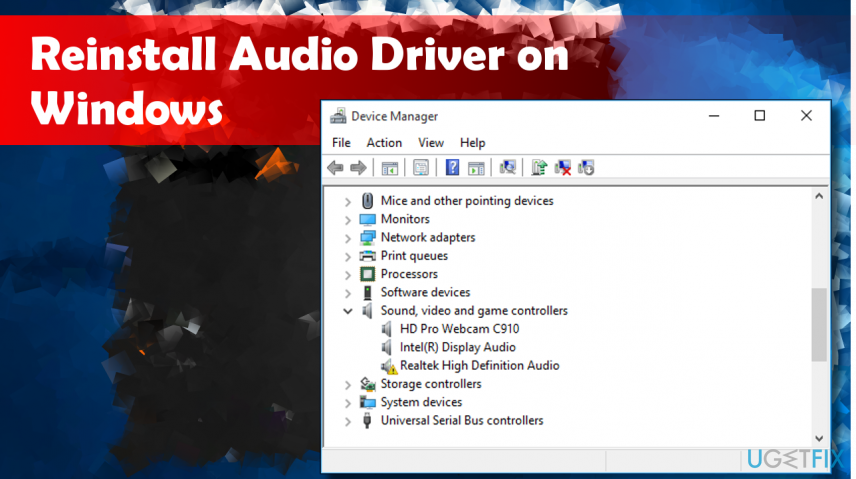
Hi, I have HP 2000 NoteBook. I have sound issues and I am not sure what to do. Everything looks okay with cables and so on. Maybe it is a driver problem. How can I reinstall my audio drivers on
If that doesnt fix the error / reseating all your connections doesnt, then being OBS.Live does not effect audio is OBS, their discord would be the best place to go if the above does not work.
steel bladeBOT
@daring geyser For the best OBS support, please join their Official Discord @ discord.gg/obsproject
daring geyser
@wise silo thanks I'll try it
 vernal roost
So whenever I boot up OBS.Live, it loads just fine but it constantly ask me to take a Tour of my media request panel, when I skip it and just click "Launch Media Request" it just pops up outside OBS onto my main monitor, any ways to stop it from doing that?
 cerulean lagoon
Question... I accidently chose YT instead of Twitch during setup. I've gotten everything else switched to teitch except bot, activity feed and live chat... If anyone knows how, I love to know how.
steel bladeBOT
@cerulean lagoon Streamelements on top of OBS -> Logout -> login
cerulean lagoon
@steel blade wow, I feel derpy for missing that...
 broken mulch
I'm having an issue with OBS.Live window capture just displaying a black box when selected chrome as the window
Nevermind! Figured it out with this article https://www.google.com/amp/s/www.obs.live/articles/2019/3/20/how-to-fix-the-obs-capture-window-black-issue%3Fformat=amp
 modest plaza
What's the minuim spectsva laptop has to have to stream from obs to twitch
wise silo
What is your issue?
kindred fox
@modest plaza https://obsproject.com/wiki/System-Requirements
OBS Studio requires the following hardware and operating systems to function. Having a compatible system does not guarantee that it is capable of streaming or recording using OBS.…
 lunar latch
Can anyone tell me why i cannot upload anything from my computer?
wise silo
What do mean 'cannot upload'?
lunar latch
i try to add a pic to stream elements and it opens but wont upload
i click upload image then upload i open file then it just wont upload
 frank harbor
hey! im having a problem where my webcam wont turn on in one of my scenes if i switch from a scene with a webcam already in it. im using the razer kiyo if that helps at all
wise silo
@frank harbor check that "deactive when not showing" button on your cam.
frank harbor
on both scenes?
wise silo
Indeed
frank harbor
that did not fix it
wise silo
Say you boot into a "Starting Scene" on OBS and that has your cam and it works. You swap to "intermission" scene and it doesnt, if you swap back to the "Starting scenee" does it work?
wise silo
Delete the scene that doesnt work
Right click > add video capture >
Instead of creating a new one
create a 'add existing'
frank harbor
that fixed the issue but i need them to be 2 different sizes
frank harbor
appreciate it
steel bladeBOT
@frank harbor Please provide a log from your last stream. To do this, in OBS go to Help > Log Files > Upload Last Log File and paste the link to the log file here.
frank harbor
wise silo
I cant find the fix - last thing I can reccommend is to delete all cam scenes and to add them all back in witht he "Deactivate when not showing" as I can see in the log it is not un-loading one of your camera scenes when changing
frank harbor
okay i can do that ez
wise silo
Also; since you are on windows 10 I would reccommend following this small tutorial; https://obsproject.com/wiki/How-to-disable-Windows-10-Gaming-Features; it is known to provide performance boosts on the CPU & GPU
frank harbor
its giving me more options now so things are looking good
wise silo
In general you want to deactivate every scene when it is not on top @frank harbor
frank harbor
how would i do that?
frank harbor
the more you know
wise silo
Regardless OBS.Live does not change how a Webcam interacts with OBS unless its a browser source - so if the above does not fix your issue
steel bladeBOT
@frank harbor For the best OBS support, please join their Official Discord @ discord.gg/obsproject
wise silo
They would be the best ones to ask.
frank harbor
thanks for being so helpful at 430am lol
 lilac ocean

 buoyant quest
Is there anyone that can help me through pms? 🙂 Trying to get into streaming but cant get my overlays to show on stream 😮 (yes new to all that has to do with streaming)
lilac ocean
@buoyant quest we dont do PM support, however
have you added your overlay to a browser source?
steel bladeBOT
@buoyant quest To add your overlays to OBS, add a new browser source in your scene. Paste your overlay URL in the browser source properties, set the dimensions to 1920x1080 (unless you changed them on the website), and ☑ “Shutdown source when not visible” https://youtu.be/KDvLynUqXI4
 weary lion
@meager raven thx for Twitter reply, just to go deeper on what I 've written... Set up as always scene in obs (browser src for overlay, webcam, game capture for specific name)
When I go to BF5 (full screen or full no border) obs shows only the top left quarter, when I go to obs to resize it, it shows correctly...
Tried also "force resize to 1080p" but same issue
Game is at 1080p
Any idea!?
meager raven
Can you post a screenshot of the source properties?
This is not a StreamElements issue but let's try solve it.
meager raven
As in the game source in OBS 😉
buoyant quest
I follow that ytguide up there, but its still just black 🤔
wary dew
can you post a screenshot of your sources in OBS?
you have added the source like this right?
 wary dew
did you save the overlay before adding it to OBS?
because if you don't hit save, it won't show 😉
buoyant quest
its saved, its one of the themed ones, maybe thats why it dont work?
wary dew
nah, that shouldn't be a problem. let's try this:
steel bladeBOT
@buoyant quest OBS -> settings -> advanced -> scroll down -> enable/disable hardware accel.
https://i.imgur.com/ggMe9ZE.png
 wary dew
buoyant quest
so next one xD When trying to get the overlays to show on game, does it have to be game display as source?
wary dew
yes you can do that, but some games won't allow that because of anti cheat software. if that happens you can choose display capture
buoyant quest
cause trying to stream from bluestacks, and I can only get it with window capture/display, but then again the overlays dont show xD
wary dew
make sure that the layer of the overlay is above the one of the gameplay in your sources list like this:
Overlays
GamePlay
because it is a layered system so the one on top will show above the one underneath it
buoyant quest
oh it was that easy, thx ❤️
wary dew
no problem 🙂
 kindred holly
Ok guys it not working for me
im in obs and its not showing my chat or notifactiomn
 rose idol
Hey guys
My computer crashes randomly when i stream
Just wondering if anyone can help, tried all avenues
plain sonnet
you can check the windows event viewer to see what it says what caused the crash,
or see if there is anything in obs crash logs
A crash log is required to investigate the cause of your issue. Please upload the last crash log.
- In OBS, click the Help menu
- Select Crash Reports, and then Upload Last Crash Report
- Copy the URL, and paste it to the chat here.
@kindred holly the chat dock?
rugged quail
Hello, I hope you are well. I'm having a problem with Obs Live after logging in with my Mixer account. When I click "Start" Streaming" it changes my Stream service to custom, and changes the server and stream key, which results in an error. Is there a way to stop OBS live from changing these settings and use the stream setting/service I input?
 mint spire
Hello. I am having an issue that when I use OBS Live in windowed mode i cannot press exit or live support because of the taskbar and when i want to resize the window it just goes all the way down can someone help me with this issue. thanks
kindred fox
Push F11
mint spire
So there is no way to make the actual window smaller? other than to use it in fullscreen
wise silo
..? If you hover on the edge of the client this cursor appears to where you can resize it.
mint spire
yeah i do it but it doesnt change the size just minimizes
wise silo
are you on windows 10?
mint spire
yeah
 naive crest
Okay, i have a couple issues. I'm a newbie at this so, hopefully I don't confuse anyone, including myself. My black obs screen is small. Is there a way to make it bigger? Also, I think I made my overlay correctly, I added everything i wanted, I clicked saved, I viewed it before i copied the code, saw that it appeared to be right. When I add it to OBS it doesn't show up. I'm so confused.
steel bladeBOT
@naive crest To add your overlays to OBS, add a new browser source in your scene. Paste your overlay URL in the browser source properties, set the dimensions to 1920x1080 (unless you changed them on the website), and ☑ “Shutdown source when not visible” https://youtu.be/KDvLynUqXI4
naive crest
I've done all that, but it's still not showing in OBS, but when I click "view in a new browser" on Chrome, it shows.
meager raven
From those screenshots I'm not sure what the issue was 😅 @weary lion
steel bladeBOT
@naive crest OBS -> settings -> advanced -> scroll down -> enable/disable hardware accel.
https://i.imgur.com/ggMe9ZE.png
daring geyser
does anyone know elgato HD60s is working with obs.live?
meager raven
OBS.Live is a plug-in for OBS studio to add StreamElements functionality, not related to hardware support.
But in general, there shouldn't be a problem using any capture card with OBS. Check both elgato's website and OBS's support.
!obshelp
steel bladeBOT
For the best OBS support, please join their Official Discord @ discord.gg/obsproject
naive crest
@steel blade should that be checked?
meager raven
yes
naive crest
It is checked
wary dew
if it was checked before, then uncheck it or the other way around
weary lion
@meager raven if I put (as usual) the red rectangle of capture game to the full screen in obs preview, the game will scale up and exceed the preview screen (so when I'm live not the whole screen/game are showed)
Now I've tried to "scale down" with the red rectangle and the whole game is inside the screen...
But dunno why the game screen exceeds the "red border"...
 round oxideBOT
Help Options
?help commands - Information on commands
?help setup - Information on bot setup
?help faq - Frequently asked questions
steel bladeBOT
New to Stream Elements?
Check out our YouTube channel https://www.youtube.com/c/streamelements/videos
with tutorial videos from setting up the basics, to in depth details on how to use our product.
 shell shore
Does anyone else not see the cloud backup option?
wary dew
shell shore
Ah it only appears if signed into twitch via obs live, i realised that when i turned activity feed on lol
Also can you put the chat window in dark mode btw?
I've not used obs live since moving to elements as i use the twitch dash, the backup feature made me re-install it
I'm blind lol ignore that, it's in none mod settings 😉
 pseudo crescent
Hey guys, im having trouble setting up my SE- Pay, i fill out the withdrawal form but it keeps saying form submitted failed.. someone help please?
tulip hamlet
@pseudo crescent Try again now, and make sure you complete all the forms within the time limit this time. 🙂
naive crest
Omgoodness, i feel like the streaming gods are against me. It's been one issue after another and once I think I've gotten everything figured out something else comes up. I've been streaming successfully on this computer with OBS since Christmas (new computer). Today I go to stream and I get this message.. Any idea how to fix this? Literally nothing has changed with my internet, computer, set up.
tulip hamlet
Go to Settings>Advanced and set Bind to IP back to default.
naive crest
ok, thank you so much.. one more question, well at least for now.. is there anyway to get my screen bigger? See how the red box is bigger?
tulip hamlet
Settings>Video.
naive crest
All to 1920x1080?
tulip hamlet
Can your setup handle a 1080p stream?
naive crest
Idk, I’m really new to all this. I guess I’ll try it and see how it goes
tulip hamlet
I'd recommend starting with a 720p stream and slowly moving up. Set canvas to 1080p and output to 720p
naive crest
Okay
buoyant quest
when having SR's, how do I do so that the audio is enabled? anyone? 🙂
naive crest
@tulip hamlet nope my system can’t handle that. Would that be a computer issue or internet issue?
tulip hamlet
Streaming is very demanding on your system and your settings are going to depend on the game you're playing.
naive crest
I’m playing modern warfare on my Xbox, streaming through my computer with OBS. We have a lot of devices going too.
wise silo
You nheed both a strong internet connection and good hardware to stream most games without issues
naive crest
My internet is good, but not good enough for all our devices. I guess I’ll be upgrading
wise silo
Speedtest.net
Test your Internet connection bandwidth to locations around the world with this interactive broadband speed test from Ookla
Run one of those real fast & post the results
naive crest
That’s the thing. I pay for 150mb dl and don’t even get close to that. The internet provider says it’s because we have so many devices.
it's very uncommon for it to be this high. When i did it on my phone it didn't get above 7. I just bought a new router, i just need to hook it up.
 mortal aspen
Have you tried connecting directly to the router?
plain sonnet
if your speed it this low, disconnect all devices , connect directly to the router and run the test in the morning and after noon on 3 different days.
if you dont get the speed you are paying for then call your ISP as this is not fine
naive crest
No, because it's in another room. I bought a gaming triband router, I'm about to hook that up as soon as comcast puts my modem into bridge mode
 visual perch
Hi guys! Where can I download a portable version of OBS Live Addon for OBS studio?
tulip hamlet
Portable?
visual perch
Yes I use OBS portable I would like to use a portable version of the addon
tulip hamlet
OBS.Live is for the desktop version of OBS Studio only.
visual perch
I was able to achieve that earlier by extracting the installation .exe in the correct folders but now, it does not look like I can download this file anymore
tulip hamlet
Oh, I see now, portable mode puts everything in the main directory so you can copy it onto a drive or something. 🤔
That what you mean?
visual perch
@tulip hamlet yes
no installation needed and portability if I want to put the OBS on a usb key for example
tulip hamlet
In theory it should be fine, since OBS.Live installs into the obs-plugins folder, which is already in the main directory.
visual perch
so is there a direct download toward the installation file? it looks like the exe file I can download from your website download the required files itself ....
tulip hamlet
There is not.
visual perch
do you have github or something?
tulip hamlet
No.
visual perch
😦
 ancient hill
This is probably more of an OBS question, but is there a way in the audio mixer tab for my mic and music levels (I use the GoXLR) to be two separate things?
wary dew
why are your mic and music one source?
you can assign them to their own fader
@ancient hill
ancient hill
They are on their own faders
wary dew
then i probably don't understand the question properly 😛
you can already control their volume seperatly so what is it that you are trying to achieve?
ancient hill
No problemo. I will be more specific! On my GoXLR I have a separate fader for my mic and music, but in OBS.Live they both are under Mic/Aux within the audio mixer. Is there a way to separate them?
I want to view their levels separately
wary dew
i don't think you can because you only have your GoXLR as an audio device now
but you can set the faders so that you can see the volume go up and down
if you make the faders a meter
then it will show you the volume of those individual sources
it's in the app under > Mixer > Lighting > Fader > Style
ancient hill
Safe to assume the same goes for the game audio going under the Mic/Aux? Thank you for you time and help! 🙂
ancient hill
No totally. I just wanted to cover my basis here first. This and their Discords are so incredibly useful. I appreciate your help!
wary dew
no problem 🙂
kindred fox
@ancient hill have you watched the YouTube videos for your GoXLR?
There is one specifically for adding it to obs


 ancient hill
@kindred fox Yes! It seems I'm able to isolate them more when trying to record each sources differently. Then you can isolate them in the audio mixer section of OBS. So you have to assign it a different output. Still playing with it a bit.
 sleek moat
Im getting a black screen on obs live even though i know the game capture is setup correctly. Can someone explain?
wise silo
what game>
wary dew
laptop?
 bleak drum
Hey guys, I’m having an issue where a browser source isn’t showing up and it’s playing music. Any ideas on how to get it back up?
wise silo
Remove it and add itback @bleak drum
bleak drum
I can’t, the browser source that is playing the music isn’t there anymore. @wise silo
Here’s a video showing exactly what’s wrong
tulip hamlet
If you don't have the browser source then it's not playing through the browser source.
Do you have it in the browser or are you playing it in the media request dock?
OR you have it in your other scene.
That could also be the case.
bleak drum
Last night I loaded it up in a browser source as I was streaming. I do not have a media request dock. And how would I be able to check how many scenes I have?
wise silo
... under your scenes?
tulip hamlet
bleak drum
Nvm, I’m just a retard. Still new to OBS so I’m learning it
I fixed the problem. Thank you!
bleak drum
Here is one for the road lol (delete if need be)
wise silo
 desert ore
is anyone else having trouble with obs?
kindred fox
No
Your question is too vague for anyone to be of assistance. Please restate your question in more detail so we can determine how best to provide you support.
 cedar pine
how do i add overlays into my stream? everytime i try to activate them it is asking me to create one, when i have one saved into my account
steel bladeBOT
@cedar pine To add your overlays to OBS, add a new browser source in your scene. Paste your overlay URL in the browser source properties, set the dimensions to 1920x1080 (unless you changed them on the website), and ☑ “Shutdown source when not visible” https://youtu.be/KDvLynUqXI4
cedar pine
how do i livestream my game, it is just showing a black screen
shy mountain
You run OBS as adamin and game capture the game
cedar pine
so do i hit start streaming?
shy mountain
Thats up to you, if you feel ready.