#helpdesk-selive
1 messages · Page 46 of 1
 muted acorn
 proven folio
and i just do this for all of the overlays?
muted acorn
How do I manage that timer manually
Specifically, make it restart for when I hit start streaming
 ashen vapor
the only thing u will have to change with be the propertys on them if they are a full page
ashen vapor
this will shut down the overlay so when it goes live again, the timer will reset
@muted acorn
muted acorn
Nice! thank you!
ashen vapor
no problem @proven folio
proven folio
okay and can i change the amount of time on that timer?
proven folio
is that a yes?
ashen vapor
yes. this is the screen
ashen vapor
np
 olive thunder
i know this is stream elements but was wondering if there is anyone who can help with a few questions about streamlabs obs
ashen vapor
@proven folio what's up
olive thunder
im trying to set up streaming VR but can not seem to get it to work on streamlabs
i got it to work on regular obs studio but not on streamlabs
any input on that?
proven folio
@ashen vapor i cant get custom fonts to work
ashen vapor
On the overlay?
proven folio
yea
ashen vapor
Did you go to the text settings and select the font ubwqnted
proven folio
i am triyng to use the custom font family
i want to use a font called Cloister Black
ashen vapor
Does it not change when u selected that font?
proven folio
well im typing it in the custom font thing
ashen vapor
I don't believe it works like that. I've honestly never used any of the overlays so my help may be minimal.
ashen vapor
I assume it would pull from Google fonts
proven folio
okay
 proper cargo
Hi my OBS has two previews and my transitions aren't working correctly, how do i revert? Here's a picture to help:
ashen vapor
Lol no problem
proper cargo
was driving me madd
 deep birchBOT
@proven folio You currently have an outdated version of OBS Studio Please use Help > Check for Updates in the OBS Studio menu (top of the program) to download the latest version of OBS. If it says no updates found go to https://obsproject.com/download to download and install the latest version of OBS Studio which is currently 23.2.1
 cobalt brook
question is there plans to have obslive for youtube anytime soon?
 crisp tendon
Hey guys! my activity feed is sometimes skipping followers. It doesn't happen all the time but annoying because then their notification will not pop up on my stream. I am also up to date I believe
 turbid arch
If I do put 0 B frams would there be more performance but less quality also will this work with GPU?
deep birchBOT
@turbid arch For the best OBS support, please join their Official Discord @ discord.gg/obsproject
turbid arch
I asked still nothing so I thought I would ask here sorry xD
 shy mountain
This is something me personally I dont know and I don't think anyone who knows is awake at the moment.
 rare night
Yea, definitely a question you will want someone from OBS to answer
shy mountain
@crisp tendon What is your username?
crisp tendon
@shy mountain foxxykill
shy mountain
I resubbed your webhooks. Let me know if the issue persists.
crisp tendon
Thank you!
 delicate garnet
I ran into an issue the other day when the latest patch for OBS.Live was pushed. It made my elgato feed in OBS all teal and pink, however completely removing OBS.live and reinstalling seems to have fixed it.
rare night
@delicate garnet That's strange as I don't see where the plugin would adjust any existing sources. If you launch OBS studio now which version # do you see in the top left corner?
delicate garnet
it was only in OBS, as in the elgato game capture software it was normal and all my other scenes like webcam, photos, or alerts were normal as well.
OBS version is: 23.2.1
Poor photo, but this is what it looked like.
rare night
and this was after updating from the previous version of OBS.live to the latest?
delicate garnet
Correct, I had launched OBS and it autoupdated and then the teal/pink feed happened
rare night
Thanks, we'll keep an eye out for other reports and try to reproduce
 echo tapir
@turbid arch B-Frames works with both CPU and GPU encoding. never use more than 4 (2-3 is recommended) due to performance hit and use 0 if you play a lot of fast paced FPS or you risk it looks very blurry/pixilated. On GPU encoding B-frames does the same thing but works a bit different. If you set b-frames to 2 your GPU will adjust it self and use UP TO 2 b-frames, not static like CPU that will always use 2. So on GPU you can have better results with 2 b-frames on fast paced games than with CPU, but my personal experience say 0 b-frames is always best for fast shooter games
 dry sphinx
@marsh storm This would be the area for OBS.Live related questions! 🙂
To get the Viewer Count. Click the Burger Menu on the Activity Feed -> I believe Stream Settings -> Click the Slider for Viewer Count.
 slow harness
For some reason theres a norton popup ad that has been showing up in my overlay (browser file) now. What can i do to take it out permanently
ashen vapor
You might want to scan your pc for malware
slow harness
Its only showing up on that browser file nowhere else
ashen vapor
Got a screenshot?
slow harness
ashen vapor
Do u use Norton?
slow harness
No
dry sphinx
Also that's Slobs 
slow harness
What would happen is that the ad will show up in the chat section and i just close it from there and refresh the browser but the ad doesnt always show up in chat and i need a permanent solution
ashen vapor
Lol
slow harness
It happens in both sides i still use streamelements as my bot lol
ashen vapor
Well, you either 1. Have Norton installed on your machine or 2. Have some kind of malware on your machine
 echo karma
hello
is anyone available , trying to firugre out how I can add a custom vidoe clip as a sub alert
dry sphinx
I can't check on my end but not sure if Video is an option for Sub alerts.
I know of image / GIF but I can be wrong for video.
echo karma
hmm even a vidoe link
I got like 5-10 SECOND .mp4 I made
would love to use that in my overlay
 heavy flare
While in studio mode, music is still being heard double when having different scenes
deep birchBOT
@heavy flare Make sure to ☑ “Shutdown source when not visible” for all browser sources (all OBS scenes). If using studio mode, uncheck “Swap Preview/Output scenes After Transitioning.” Also keep in mind that sound can play from any overlay loaded in the browser (editor or launched). https://i.imgur.com/FegZJQS.png https://i.imgur.com/yY0wcFl.png

 dry sphinx
@echo karma I'm going to try if it'll show me in the Overlay Editor on Mobile.
Cause I'm at my day job 
heavy flare
Still hearing it double @deep birch
While in studio mode, music is still being heard double when having different scenes loaded in the obs
dry sphinx
Make sure all sources in every scene have the checkmark. Can also try to refresh the cache.
heavy flare
So everything need to have checked shutdown source when not visible?
@dry sphinx
dry sphinx
Would be the best. Or can select each Scene/source that has audio that would be played so you don't have double sound.
heavy flare
the double sound is only coming from the media request
dry sphinx
Do you have it open in more than one location? Like Open in OBS.Live, Ground Control and/or Browser?
 shell fractal
hey, im trying to stream with 2 screens for the first time. But every time i open obs live it just keeps repeating the sound faster and faster until i have to close obs. what do i do?
heavy flare
It's open in OBS.live. When I show video of music on stream and have the widget on both scenes while using studio mode, the media request audio is being heard double
dry sphinx
That's not for you @shell fractal
shell fractal
Sorry @dry sphinx
dry sphinx
No worries. Just to avoid confusion.
Kryptic I'm looking to see if anyone else has had this issue before.
Ras do you have multiple scenes / sources that play audio when you switch between them?
shell fractal
no i dont
deep birchBOT
Right click on the BrowserSource > Properties > Scroll down a bit > Refresh Cache of current page
turbid arch
Thanks @echo tapir
heavy flare
@dry sphinx I can send you a video i recorded to show you the problem
dry sphinx
Sure!
 crystal tundra
Hope this is he correct section, but after Updating OBS Live yesterday the chat section is gone on my OBS? I Hope this is me being DURPY and just not finding the option
dry sphinx
@crystal tundra What does it show for OBS.Studio version on the top left?
crystal tundra
@dry sphinx in my lower left it says OBS Live version 19.6.26.414
echo karma
got it btw added an alert box
crystal tundra
@dry sphinx ah OBS lets see 23.2.1
dry sphinx
Thanks! What you can do is click Streamelements on the top -> Log out -> Sign back in & it should populate.
crystal tundra
@dry sphinx I'll try not logged in via twitch nor ever have using this do I need too from now on?
dry sphinx
Without being logged in would be a reason it's not showing up then.
You shouldn't have to do it everytime you open OBS to log in.
crystal tundra
@dry sphinx Okly Dokly trying this/that now
@dry sphinx all good guess I hadn't had too log in for some time now and have that/this issue.... good too know thanks for the fast help.. and it was a DURP thing after all
dry sphinx
No worries!  It happens
@echo karma So I do see this in the Overlay Editor.
This will also be seen if you're trying to add the video in the variations.
 fierce tendon
I can not figure out why my alerst stopped working in streamelements
When I click to test an alert it, the dancing shark shows up in the broweser, but wont show up in OBS
Any Ideas
dry sphinx
Yep. One moment.
fierce tendon
Ive tried creating a whole new overlay, the text shows up , but not the alert
echo karma
yea, I figured it out @dry sphinx added the vidoe through the widgest tab
fierce tendon
???
dry sphinx
@fierce tendon Do you have a ✅ for that?
dry sphinx
fierce tendon
Thank you @dry sphinx imma go do my happy dance, and apologize to my girlfriend for being a bootie head while i was frustrated
 teal vector
is there a way to change the linked account on obs.live? I created a new twitch account, however it doesn't change the account on obs.live
 odd kraken
Log out via StreamElements at the top in OBS.
teal vector
Thanks @odd kraken
fierce tendon
hey guys quick question ??/ Why are my fonts showing up differently in OBS than what I set them to in stream elements
dry sphinx
You may have to refresh your browser source for your Overlay.
deep birchBOT
@fierce tendon Right click on the BrowserSource > Properties > Scroll down a bit > Refresh Cache of current page
fierce tendon
Where do i find "browser source"
dry sphinx
It will be on your OBS.Studio Source. Will depend on what you named your Overlay.
fierce tendon
thanks @dry sphinx you tha man ... again
dry sphinx

@heavy flare Are you using a Streamdeck by chance? Also did you already make all sources shutdown when not visible?
heavy flare
@dry sphinx No I dont have a streamdeck. And that video I sent you had all types of sources images/videos and browser pages all shutdown when not visible
 rugged quail
Everytime i try to add my Elgato HD60 to obs live it just shows as a green screen, can anybody help?
^^^
 cloud elk
How do i uninstall OBS.live
When running OBS.live at a frame rate of 2 it bogs down my CPU, but when I do it at 3 it's fine. However FB doesn't like the rate to be at 3
 mortal cedar
cant connect stream deck for some reason
 bronze onyx
Hi I cant seem to get my camera working anyone know what I have to do to get that going please
mortal cedar
have you made a sorce for it @bronze onyx
@bronze onyx unplug and plug back in and also reset the camera to defult settings in obs if messed with them
bronze onyx
Yeah as video?
bronze onyx
Yeah thats what I meant
mortal cedar
you try unplugging and putting back in
bronze onyx
just doing that now
mortal cedar
right click property's and deactivate if that doesnt qwork and reacctivate
 sinful flint
@cloud elk In the StreamElements menu at the top
bronze onyx
streamlabs was in background stupid lol
sinful flint
Ah, then yeah it'll be because it was open elsewhere 😃
odd kraken
Try to repair/reinstall the StreamDeck software.
 onyx relic
Not sure if this should be in Twitch help or here, but something weird is going on with my alerts. I had a new follower last night, and one this morning while live, but the follower alerts never popped up, and they didn't show up in the activity feed. For some reason when I got a follower about 5min ago while offline, it did update in the activity feed. I just want to make sure my alerts work properly while live on stream as they did before Thursday!
 loud cedar
What's your problem?
loud cedar
That's easy but you just need to search on yt these tutorials can help to solve your problem
 red heart
okay
 rough mural
How do i connect my xbox twitch stream, to my laptops obs live stream?
rugged quail
Hy guys, i downloadet obs ndi plugin on my streaming pc and this pops up, can anybody help
echo tapir
@rugged quail have you installed the NewTek NDI Toolkit ? else go do that and try again
it will require you to request for it and the will send you an email with a download link

NewTek
NewTek NDI® Tools. Free NDI applications to start using NDI in your production workflows.
scroll down a bit and click this
not saying it's a 100% fix but the time I've had issues with the OBS NDI plugin was because i forgot to install that first
@rough mural can't post the link but find the youtube video "Stream To Mixer On Xbox Without Capture Card Using OBS (Tutorial EP 8)" i know it says mixer but destination is set in obs so it would be the same way you get the xbox screen on your PC
rare night
Go ahead @echo tapir you have link permit role now
 next kayak
I purchased a streamer pack , has overlays, alerts, etc. the package says it works on obs and stream elements. Is there a way to install the whole package, similar to what streamlabs has?
 versed pike
hi guys, i cant emulate my alerts editor/obs how i can fix it ?
rare night
!alerts
deep birchBOT
You can test Alerts via the bell on the lower right corner of the Overlay Editor. Simply go to your Dashboard -> My Overlays -> Pencil/edit button on the overlay. Make sure the "Show Emulated events on stream" option is on to see the alert in OBS/Xsplit https://streamable.com/h6qgy
 rare night
It's also possible you have your alerts paused on the activity feed
@next kayak What specifically did you buy?
 worn fern
would love to speak to one of the devs who helped to create the live plugin please dm me
next kayak
@rare night thanks for responding but I figured it out!
muted acorn
When doing Auto configure for stream elements, how do i decide if i should do hardware encoding
muted acorn
1080 ftw2
rare night
Yes, use hardware encoding if on a single PC
 zinc cove
I'm Having issues with OBS not picking up my Audio from my PS4 Pro. Game capture Device is: RIPSAW HD
If anyone could help Please.
 ashen jay
when you have a custom bot name, is it possible to type as yourself rather than the bot through obs.live chat? i dont see the point of typing as the bot
zinc cove
Twitch?
 tender lynx
So, I setup OBS Live and I could hear everything, and and see the meters react, but my stream wasn't hearing anything. In fact, I'm hearing my own voice when I speak. Can anyone guide me to a proper fix?
muted acorn
Hey is any1 available for support?
 tropic knot
Hello 😄 is there anybody?
bronze onyx
how do I get roulette working as I cant toogle it on in the default commands
heavy flare
@dry sphinx That problem I have is only when media request is shown on stream
odd kraken
@bronze onyx You can activate the roulette module here: https://streamelements.com/dashboard/bot-modules
 floral wind
When I installed OBSLive, it installed something called Ground Control. What is that?
odd kraken
When you just install the OBS Studio plugin OBS.Live, it should not have installed the tool GroundControl with it.
Ground Control is a standalone app for the features of OBS.Live. We recommend to use OBS.Live over GroundControl, as it might be behind some versions.
bronze onyx
@odd kraken yeah i enable there but no1 can get anything up in my chat about it
odd kraken
Have you also enabled the loyalty system?
 round oxideBOT
@heavy flare added to channel #594881630917754899
bronze onyx
@odd kraken no whats that
odd kraken
 plush solar
hello guys! i have a problem when people request a song it plays a diffrent song but when i copy there link it is the right video (example they copy a music video and sudenly they requested a video abount foot fungus)
rare night
@plush solar when non-moderators type links in your chat do the links appear as *** ?
plush solar
@rare night sometimes not always moste of the time it plays a random video
rare night
I just typed in your chat
what do you see?
yea, the issue is that twitch is turning all links into ***
@plush solar to fix this you will need to disable the "block hyperlinks" setting on https://www.twitch.tv/dashboard/settings/moderation
plush solar
@rare night alright i will try that thanks. But why does it show a diffent kind of clip than?
plush solar
@rare night alright, thank you 😊
 unique dock
Hey quick question, I've done it in the past but I had to re-install, how do I setup hotkeys for media request?
nvm! sorry
 jovial minnow
Hi so my bot left my chan for some reason ( i don't see the timer message anymore and no commands works, he's not in the list of people in my stream) and i don't know how to make it come back even my own bot don't want to watch my stream 😄
dry sphinx
Go to the www.streamelements.com
Sign in & make sure your bot in joined. If it shows joined already: Part the bot & join it again & make sure it's a moderator.
jovial minnow
it didn't join and i don't know how to make it
dry sphinx
Did you go to streamelements website & sign in?
jovial minnow
yup
 scarlet sigil
Hi all
Can someone tell me if it is possible to change the chat of SteamElements in OBS Studio that another chat is shown?
 plain sonnet
the chat in obs is dependant on either what account you log into obs.live with and/or what stream account you connect with (twitch/youtube/restream etc...)
scarlet sigil
stream konto is restream and obslive konto is StreamElements
plain sonnet
the top chat is from stream elements > chat (twitch only)
the chat on the right is from view > docks > chat (restream)
scarlet sigil
this is by me the chat on the side is the chat from streamelemant an when i logg me out from stream elements then the chat is not more in the menü
and sorry for the bad eng
plain sonnet
@scarlet sigil you restream chat will only be available if you log into your restream account settings > stream
then you can go to view > docks > chat to display it
i also see your overlay for your starting scene is off,
is it meant to be like that?
scarlet sigil
i also see your overlay for your starting scene is off
This i dont know what you mean i am New in OBS
plain sonnet
you have a black bar on the side and the bottom is clipping off
scarlet sigil
Ty i dont have see this
the Problem when you do this and the Kids come all the time and wont IceCream ^^ 😄
jovial minnow
@dry sphinx so i tried different stuff and the bot won't join
ok nevermind
i restarted my computer and it works now :X thank you for your help and patience ^^
 woven quiver
is there a known problem with the media request? when i show on stream its playing with a echo, but if i take it off show stream mode it plays normal
odd kraken
Please don't ask in multiple channels. Thank you.
 tender lynx
Can anyone help with the audio side of things. I thought I set it OBS Live up correctly, but my chat can't hear anything
plain sonnet
you need to make sure your mic is set in the control panel and in obs mixer
then make sure the mixer for you mic is not muted and turned up
tender lynx
Tadpol. I can hear things, ingame sound, even myself talking back, but when live, my stream doesn't hear anything
Tadpole*
plain sonnet
right click on your mic and select advanced audio properties,
make sure your mic is set to monitor off
same or your desktop audio, make sure its set to whatever device you are listening from in the mixer
tender lynx
it's running through my headphones, which is odd, cause I'm switching away from SLOBS cause too many issues, and my setup is the same
I threw on a noise gate on my mic and thats about it, yet my stream chat can't hear me
was the monitor of the problem? I had it set for both, why, I don't know.
plain sonnet
things to double check before moving forward:
mic and desktop audio are set as default in control panel
mic and desktop audio is set in obs settings
the audio is unmuted in the mixer and you can see the levels moving
check that your desktop and mic are set to monitor off in the advanced settings (above)
and also that the tracks are set correctly (1 and 2 for desktop and mic (in advanced settings))
make sure you are meeting the requirements for the noise gate to open
tender lynx
Well it looks like It works, I went live and have been confirmed can be heard. Thank you for your assistance. You're awesome! 
plain sonnet
awesome, np 👍
 clear mesa
hey there, I recently had just switched over to obs live and i am having issues with my webcam not being picked up? ive tried deactivating it and then activating and nothing is working. i have 4 scenes with the same webcam being used in all. thanks
rare night
@clear mesa Same webcam but it is the same exact source?
or did you add the webcam as more than one source
clear mesa
@rare night no its the exact same source through all scenes, webcam is on and working. Its just not being recognized
rare night
which cam
clear mesa
Logitech C920
rare night
screenshot your settings like this https://i.imgur.com/5Mu1qPv.png
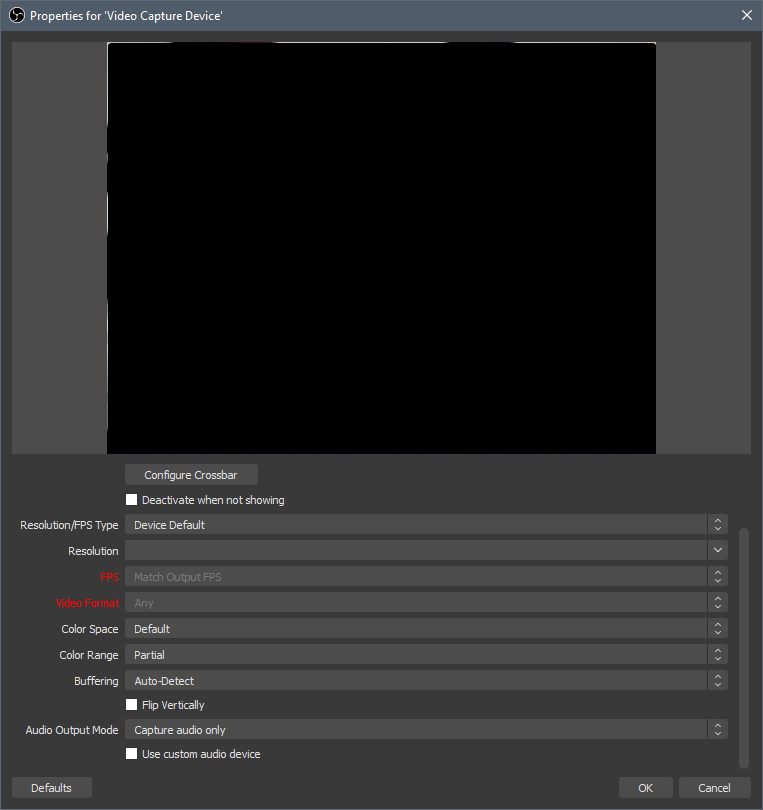 rare night
@clear mesa have you tried multiple usb ports already?
clear mesa
@rare night yes i have, i even tried re creating a new device for it..
rare night
@clear mesa sorry, I'm unfortunately out of ideas. Check with discord.gg/obsproject if you have not already
loud cedar
Hey I had ab Window for Stream settings (title, game etc.). Now this window is missing. It was not the menu found in the activity feed. It was an own window. Can s.o. tell me how to get the window again?
plain sonnet
log out of obs then back in
settings > stream
loud cedar
Streamkey or login?
dry sphinx
There is no ETA for OBS.Live on Mac @urban atlas
 urban atlas
well.... f*ck
loud cedar
Thanks Tadpole
plain sonnet
np 👍
 pine spade
hello, im having some trouble installing obs live. My antivirus identifies it as a trojan horse
plain sonnet
turn off av before you install it.
this is a false positive on your av.
you can add obs.live to the whitelist after
pine spade
i figured this was the case, just wanted to touch base first and make sure
plain sonnet
no worries
pine spade
Thx so much!
plain sonnet
np 👍
rare night
@pine spade If your antivirus is flagging it on install there is a good chance it will block the browser source plugin in OBS from working which will result in just seeing white pages once it is installed. You'll want to make sure you whitelist the program completely.
pine spade
ok thx for the heads up
 vocal osprey
Hi all! I have a quick question.
Im working on an overlay in the SE overlay editor and was wondering if i can select/move multiple layers together? I've got a section with 10 layers in a corner and would like to move it all but keep the spacing the same.
rare night
@vocal osprey Currently no but this is something we'd like to do soon
 tardy rain
is there a way to enable WebGL in OBS Live?
pine spade
So got it installed and everything whitelisted through both firewalls (windows and my av) but I keep getting this screen when I start up OBS
cloud elk
Just reinstalled after a computer wipe. I signed in and it won't go passed this screen (pic to follow)
Whenever I click connect with Facebook again, the pop-up appears for a second, then auto closes
 gray yoke
pine spade
gray yoke
pine spade
Update on my question above, ran compatibility mode on the program and windows set it to a windows 8 version or something and now it works perfectly
dry sphinx
Sunday night (US) for me is usually when the devs are asleep afaik.
Looking back I see related to Facebook which I haven't read up much yet with OBS.Live.
 feral grail
So my alertbox for streamelements stopped working. They don't show up whenever I try to launch a new tab to test it or when I put the widget URL into OBS. But it works in the streamelements overlay on the website
shy mountain
@pine spade Is this still on going?
@cloud elk Click on "Streamelmenets" on top -> bot and tipping settings
This is a known issue by the devs and QA, but no ETA on the fix.
deep birchBOT
@feral grail The default resolution for StreamElements overlays (theme and custom) is 1920x1080. Please add them in OBS at their full resolution and use CTRL+F to fit to screen if necessary. You can then downscale your stream in OBS settings > Video if you'd like https://i.imgur.com/6bWXxjR.png
 feral grail
All of that already matches what mine is, except of course, i have the actual overlay. But it just doesn't show up on OBS but it shows up in the overlay editor itself
feral grail
it showed up on my obs just then. also you scared me just then
shy mountain
perfect 
feral grail
if it works with you, why doesn't it show up when I try to test it on my own obs?
shy mountain
!alerts
deep birchBOT
You can test Alerts via the bell on the lower right corner of the Overlay Editor. Simply go to your Dashboard -> My Overlays -> Pencil/edit button on the overlay. Make sure the "Show Emulated events on stream" option is on to see the alert in OBS/Xsplit https://streamable.com/h6qgy
 feral grail
this is going to should dumb. but which/where is the pencil to get the button for "show emulated events on stream"
feral grail
oh im just incredibly stupid. I couldn't see the text beside the bell on my screen or in the video you sent
shy mountain
hehe, happens 😃
feral grail
thank you so much!
pine spade
@shy mountain I ended up uninstalling OBS live for the time being because I couldnt get browser sources to work. Thankfully they are working in OBS studio now and going to reinstall OBS live later to see if it will work
shy mountain
Elaborate on what you mean by not able to get browser sources to work 
 quartz pulsar
Hi guys
could anyone give me advice?
I have a problem with obs live ... sometimes it happens that it doesn't see the executable file of the game .... this problem always happens with the same game ... ring of elysium
in the section capture game ... I select capture window .... I find the executable ... but when I select it ... the game is not seen in the preview ... but I only have the black screen.
what can i do to resolve?
deep birchBOT
@quartz pulsar For the best OBS support, please join their Official Discord @ discord.gg/obsproject
 west perch
Can someone help me. I'm using OBS live with streamelements and everytime an alert triggers it goes off twice. Like echos. But there's only one source for alerts and when I check stream elements online there's only one on the editor too.
deep birchBOT
@west perch Make sure to ☑ “Shutdown source when not visible” for all browser sources (all OBS scenes). If using studio mode, uncheck “Swap Preview/Output scenes After Transitioning.” Also keep in mind that sound can play from any overlay loaded in the browser (editor or launched). https://i.imgur.com/FegZJQS.png https://i.imgur.com/yY0wcFl.png
west perch
I'll check but I'm sure I set all of them to do that.
 vocal marsh
Hi everyone, not sure if this is the place to be asking this but my problem is: I'm using both StreamElements overlays for alerts and StreamElements OBS.Live. While streaming im not always getting my Follow alerts poping up on stream or even appering in the "Activity feed" window but I know people have followed as I get a email from twitch popup on my pc telling me some one has followed the stream. For an example yesterday I got 4 new Followers and only 2 ever played on stream or appered in the Activity feed window. Does any one know why this might be happing? Thanks.
plain sonnet
if someone unfollows you then follows again it wont show in the feed or play the alert.
the 2 that played would have been new followers, the other 2 could have just followed you again.
the best thing is to part the bot, log out of the SE dashboard, log back in and join the bot.
if it happens again let us know and someone could have a look into your account/feed to see if there is an issue
vocal marsh
As far as I know its there first time ever following the stream. (New Streamer) But I will try the loging out and parting the bot idea. Thanks for the quick reply 😃
 wintry schooner
Is there any way to manage multiple Twitch accounts with OBS Live? I have another Twitch account for something completly different, how would someone do that?
odd kraken
You can log out using StreamElements > Log out at the top in OBS.Live and log back in with the other account.
wintry schooner
@odd kraken ty
It works on OBS Live but if I want to go to the StreamElements Editor on the website etc I just can't -- it always auto-log me on my 1st Account
odd kraken
Then you need to log out of your twitch account on your browser too, to make it prompt you to the log in panel.
Or you can create an access to the channel via adding one account to the other twitch streamelemetns account.
wintry schooner
k I need to be logged on this account on Twitch too to make it work
rare night
@eager crest Hi, please message me when you see this
deep birchBOT
@vocal marsh Please provide your account ID found at the top of this page: https://streamelements.com/dashboard/account/channels This ID is public info and safe to share here.
odd kraken
@vocal marsh Can you please provide the account ID, so we can look further into your issue?
vocal marsh
@odd kraken 5d1380b7979c61c65a2d1507 Hope this helps
 muted badge
how do you paste something into the ground control for playlist...doesnt give me the opyion when i right click.
odd kraken
Crtl + V to paste things you copied to your clipboard.
muted badge
omg thank you...im a dufus
 hexed steppe
Can you see how many viewers are currently watching somewhere? I might be blind..
odd kraken
In the activity feed, select the burger menu and there you should be able to acvitate the viewer count.
hexed steppe
Thanks bud, have a wonderful day.
 radiant yarrow
I have a black screen when I use windows capture on vscode or anything else except of chrome... any solution?
radiant yarrow
I have done it all already but still have a black screen :/
deep birchBOT
@radiant yarrow For the best OBS support, please join their Official Discord @ discord.gg/obsproject
 frosty peak
I just updated my obslive and now my webcam isn't working :/ Its just showing a green/blank screen
odd kraken
^ handled by giving OBS support discord link in #helpdesk-twitch
 steep thistle
Hi guys, I hope this is where I need to go. I am trying to make my own custom overlays with my own images, but they are not uploading onto streamelements editor. What am I doing wrong? Thanks.
plain sonnet
what browser are you using?
steep thistle
Internet Explorer.
steep thistle
Let me try that.
 steep thistle
That got it. Thank you @plain sonnet
plain sonnet
np 👍
 mossy oyster
does OBS.LIVE support NDI settings
odd kraken
Afaik, yes as we are not interferring with this plugin. But I don't know much about NDI.
 keen bronze
Hello, I am trying to use streamelements for the first time and I have setup alerts but they are not working. I test them and they work just fine but when I am live or testing from facebook, nothing is coming through. Any ideas on what to do?
deep birchBOT
@keen bronze You can test Alerts via the bell on the lower right corner of the Overlay Editor. Simply go to your Dashboard -> My Overlays -> Pencil/edit button on the overlay. Make sure the "Show Emulated events on stream" option is on to see the alert in OBS/Xsplit https://streamable.com/h6qgy
 keen bronze
Thanks for the quick response. It works when I do that but no notifications are coming from facebook for some reason.
odd kraken
What notifications exactly?
 earnest rampart
Hello, I am trying to copy over an overlay and the full overlay is not carrying over. Just the webcam part of the overlay is carrying over. Am i missing a step from copy pasting the link.
odd kraken
@earnest rampart Can you share a screenshot please?
keen bronze
I am not getting any actually. When I test from stream elements it all looks good in obs but if I go live nothing works and if I try to send test stars nothing goes through
odd kraken
Have you activated the small checkbox next to the bell when emulating the events?
keen bronze
Yes, and they show when I test them
earnest rampart
odd kraken
@earnest rampart What is missing besides the webcam? Have you added the overlay in 1920x1080 dimensions in the browser source?
wintry schooner
Is there a way to save the OBS Live layout? So I don't have to switch the chat/activity feed panels and stuff like that each times?
earnest rampart
@odd kraken im a dummy i needed to switch the Height and width to include the top and bottom border. Thank you though
deep birchBOT
@keen bronze Please connect your streaming account (Twitch, YouTube, or Facebook) with Discord by going to ⚙ Settings and then Connections here in Discord. https://streamable.com/eg92w

@wintry schooner If you are not seeing the OBS Twitch integrations and have OBS.Live installed, please follow these steps:
- Make sure you are on the latest and greatest version of OBS.Live ( 19.5.27.394 )
- exit OBS (make sure OBS is not running)
- delete
%appdata%\obs-studio\plugin_config\obs-browser\obs_profile_cookies - start OBS.Live
- Settings -> Stream -> disconnect -> connect
keen bronze
Ok, it should be connected now
odd kraken
Please disable the streamer mode in discord to give us access to your connected channels.
keen bronze
I have disabled steamer mode but unsure how to give access
deep birchBOT
Please provide your account ID found at the top of this page: https://streamelements.com/dashboard/account/channels This ID is public info and safe to share here.
keen bronze
5d1a97e17f16e28fce815c1b
odd kraken
I have to ask internally about your issue, as I am not that savy with facebook
 sullen jackal
I hate to bother and ask. I have a scene transition set up and it worked great and suddenly now plays with out sound and I have not changed anything. Any idea's on what to try?
deep birchBOT
@sullen jackal For the best OBS support, please join their Official Discord @ discord.gg/obsproject
 hard hinge
Hello, I recently setup an account for StreamElements using my YouTube account. I downloaded OBS.live, and I can't find a button to sign in via YouTube. Is there another way I can login?
shy mountain
OBS.Live does not support YT at the current moment, but its planned
hard hinge
Oh
 native stone
any one away to lend a hand
deep birchBOT
@native stone Welcome to the support channel! Please let us know how we can assist you today and a member of the support staff will be with you as soon as possible.
native stone
trying to setup obs live with my overlay cant figure out how to add wigets
native stone
its only allowing me to do it over the web not understanding it..
shy mountain
Well yes - the overlay editor is intended to be used from the Dashboard.
native stone
i keep getting a invalid path to URL
native stone
i think i got it working
shy mountain
@rose folio Posting in multiple channels will not get you help faster, but actually make everything more confusing if multiple people in multiple channels start helping you.
25% CPU is normal if you are using some animated videos in your overlay.
With your CPU, it shouldn't matter.
 rose folio
It did quite a bit
with the encoding as well it's using 40-50% of my CPU
that's ridiculous
is it not? I had plenty of animated overlays before and they didn't cause this much
shy mountain
Are you encoding with the CPU?
rose folio
Yes, graphics card is a bit busy though. Do video files use less CPU when they're played locally?
it seems like the browser source in general is the issue
shy mountain
Because you are encoding with your CPU, that is why you have increased CPU usage.
rose folio
No I wouldn't be posting here if it was normal usage
I was using the same overlays but locally yesterday
and an extra maybe 4%?
shy mountain
What does that mean? locally?
rose folio
and I disabled the overlays
running the video files from my file storage
rather than on StreamElements
I disabled one of my overlays that was new and it didn't reduce usage at all
shy mountain
that even started lagging my PC
Disabling it doesn't mean its not playing in the background
rose folio
does streamelements still load non-visible elements?
shy mountain
yes they still load
thats how the alerts work - they are loaded in the background and ready to trigger the specific animation to show it upon the event.
or at least not fully loaded until triggered
rose folio
oof I didn't know that
 cunning stone
small question installed new streamelements software for obs yesterday(patch), ever since my webcam screen stays green, i am not so good with these stuff , does some 1 have a idea what to do . thx in advance.
shy mountain
webcam screen? as in the webcam video?
 wet jolt
hey, do you recommend any free multistream platform/page? Restream occured to be with paid features i cant afford at my country.
 dark lake
Evening All!! Got a tad issue.
everytime i log in with Twitch im getting a 502 Bad Gateway. is this something your aware off.
also getting cloudflare issues through OBSLive when logging
dark lake
yeha just seen
dark lake
Its back
cunning stone
@shy mountain The part where my cam is, is green now ( THE capture device is still THE webcam)
 wise zodiac
hi
my restream.io chat box did not load up when I opened OBS.Live. how can i turn it on?
rose folio
@wise zodiac that's most likely a question for Restream's Discord but open up the restream chat app and it should auto-attach
wise zodiac
i opened the restream chat but it's not auto attach. i cant attach it
 tranquil smelt
Question for support: how do I get music to play on my Starting Screen layout? I have OBS on a Macbook.
plain sonnet
@wise zodiac you need to drag the chat window to certain areas in obs for it to attach, you need to be slow when moving it
@tranquil smelt you can add a media source and select your music from that
tranquil smelt
Okay, well it does not seem to be working with the music widget I have up.
It might be because I'm using the official OBS and not the StreamElements one, but that's a guess.
 limpid arch
I have 2 monitors and when i try to play LOL with my main monitor and have streamelements open in the other, my game plays really chopy like i am playing with 30FPS but when i minimise my second monitor with streamelements open my game runs fine and running at 144FPS why is this happening can sombody help me please?
 analog wagon
using the grey stream 1.0 i cant move the bars on the top and bottom they are cut out by the screen.
limpid arch
no need i fixed it
wise zodiac
@plain sonnet you mean the chat window of restream chat standalone app?
 crimson bane
hey guys i Need some help with my bot
since i changed my twitch Name yesterday, he dont react to anything! even the test message will not shown on my twitch channel
with /mod streamelements tells me he is already moderator
dry sphinx
@crimson bane Go to the streamelements website -> Part the bot -> sign out of streamelements -> sign back in & join the bot.
crimson bane
how can i part the bot ?
dry sphinx
It'll be in the Streamelements website. You'll see it on the right side of the Dashboard to click 'Part Bot'.
crimson bane
thx alot man !!!
dry sphinx
plain sonnet
@wise zodiac the chat window inside obs
 urban dune
Hi, whenever I try to import overlays from Streamlabs into OBS Live, it keeps saying it failed but I'm unsure as to why.
tranquil smelt
I think I’ve found a workaround for the music not working on OBS, although, it will only work on one source at a time.
 fathom cobalt
Hello
Can obs memorize image settings?
Thanks
odd kraken
@urban dune We can't import if one of your videos you want to import has a size bigger than 10mb, or StreamLabs owned assets.
@fathom cobalt What do you mean with image settings saving in OBS?
 brittle mirage
hey so the thing where i have to re login to my twitch to get some of the base obs ui elements such as stream summery so i can change my stream name and tags
is still not showing up
deep birchBOT
@brittle mirage If you are not seeing the OBS Twitch integrations and have OBS.Live installed, please follow these steps:
- Make sure you are on the latest and greatest version of OBS.Live ( 19.5.27.394 )
- exit OBS (make sure OBS is not running)
- delete
%appdata%\obs-studio\plugin_config\obs-browser\obs_profile_cookies - start OBS.Live
- Settings -> Stream -> disconnect -> connect
 rotund jolt
My bot seems to be missing from chat. Any ideas?
odd kraken
Is the bot a moderator in your chat?
odd kraken
In the channel connected to your discord, the bot is not modded.
Also do you use a custom bot name?
rotund jolt
I use a custom bot name, yes and it is not connected to discord
Uhh... i think the channel is - like people who sub get access. but idk what that has to do with bot?
odd kraken
How have you connected your custom bot name? Via OBS.Live or ground control?
rotund jolt
OBS.Live
odd kraken
Please set it back to StreamElements to see if that is working.
Try to set it back to the custom bot name and meke sure the custom account is not banned accidentaly in your channel.
rotund jolt
my bots not banned
odd kraken
What happens when you try to reconnect the custom bot name? Is it answering to commands in chat?
rotund jolt
sec, restarting obs live completely
that worked.... RIP me troubleshooting 101
ty benno
 timid raft
for the life of me i cannot get the stream deck to change scenes on OBS.Live . It just says this version of OBS is not supported
odd kraken
What version of OBS Studio are you on? Do you use the latest StreamDeck software?
timid raft
i just installed the latest version of the stream deck. OBS.LIVE version 19.6.26.414
OBS 21.1.0
odd kraken
Please update OBS Studio to the latest version (23.2.1), then install the OBS.Live plugin again and then try to repair/reinstall the StreamDeck software please.
timid raft
when i click on check for update nothing happens can i update from another form?
odd kraken
Donwlaod the latest OBS Studio installer here: https://obsproject.com/download
The version you are using has a defect auto updater.
timid raft
thank you so much you saved me so much pain LUL
rose folio
!log
not what I wanted
@shy mountain I found the reason for the massive CPU usage. There's errors in retrieving what seems to be the TILTIFY portion and it tries tens of thousands of times (about every .017 seconds until I hid shut down the browser source). I want to upload the log so it can be fixed
odd kraken
You can either drag and drop the log or better: post the link to the log file.
rose folio
it's from two days ago so I wasn't sure the best way to do that
there
As soon as I deleted Tiltify it dropped back to 4% usage (down from 40% that everyone said was normal for browser source). The only reason I want to be a minor nuisance is because I do my research when things don't work and there was no thought of it being OBS Live
Also this line seems important - 15:21:33.684: obs-browser[1]: CONSOLE: The SSL certificate used to load resources from https://d33wubrfki0l68.cloudfront.net will be distrusted in the future. Once distrusted, users will be prevented from loading these resources. See https://g.co/chrome/symantecpkicerts for more information. (source: https://obs.streamelements.com/activity-feed:0)
 lament garnet
Hello, I am trying to figure out how to change the text color in the chat box on my live screen. It's currently black and can not be seen. Thank You
 radiant rock
Evening, adding subscriber goals and follower goals. It is giving the incorrect number of how many subscribers and followers I have. How do I change the number in my overlay editor?
 regal copper
is there something im doing wrong when i use media share it plays the audio two times at once with the second audio having about a 2 second delay like an echo
 wooden talon
i am not able to copy a youtube url into media request. is this the right chat to ask for help?
anyone in here?
shy mountain
@rose folio remove the widget save the overlay.
@lament garnet go into the overlay editor, click the widget, texr settings and there will be a white circle with no color picked. Click it and that will be the color of the text
@radiant rock via the overlay editor click on Data on top and then goals tab. The goal progress can be changed there. Do note that it goes up automatically but not down
deep birchBOT
@regal copper Make sure to ☑ “Shutdown source when not visible” for all browser sources (all OBS scenes). If using studio mode, uncheck “Swap Preview/Output scenes After Transitioning.” Also keep in mind that sound can play from any overlay loaded in the browser (editor or launched). https://i.imgur.com/FegZJQS.png https://i.imgur.com/yY0wcFl.png
shy mountain
@wooden talon where are you trying to place the link?
wooden talon
Media request back up playlist
shy mountain
Well the field is expecting a playlist link not a single video link.
lament garnet
Another question, why is there a delay between my swapping scenes and the Theme actually popping up? Thanks!
shy mountain
Because you have the "shutdown when inactive" option on. That shuts down the sources when you are not in the scene.
Use Studio mode to pre-load the scenes
!studiomode
deep birchBOT
Check out this tutorial for OBS’ studio mode which allows you to preload scenes before transitioning. https://www.youtube.com/watch?v=W8iWsD2Lq3U
 desert raft
How do you add an overlay to your stream
deep birchBOT
@desert raft To add your overlays to OBS, add a new browser source in your scene. Paste your overlay URL in the browser source properties, set the dimensions to 1920x1080 (unless you changed them on the website), and ☑ “Shutdown source when not visible” https://youtu.be/KDvLynUqXI4
desert raft
How do you add alerts to your stream
shy mountain
Check this video guide: https://www.youtube.com/watch?v=8LVRd2X4HvU&list=PLCDDKlFdScbEwdx5AntcQIS1InkFJwHtv&index=6
 serene fiber
If I’m at a resolution of 480p on OBS because of my computer being a brick, what should I run my bit rate at? 350?
Sorry if not in the right place, just thought someone might have a quick answer! 🥰
plain sonnet
bitrate for resolution wouldnt matter, if your internet can handle it then do the full 6k
the downscale option in obs will set the resolution to 480
but 3500 would be ok quality, 4000 would be fine if you can get it
 hearty pumice
hey guys and gals. Im having some issues with the obs ndi plugin. this the right place for help?
shy mountain
Please don't poke random people from the member list. Thank you.
Have you installed the latest NDI plugin version
after installing OBS?
deep birchBOT
@hearty pumice For the best OBS support, please join their Official Discord @ discord.gg/obsproject
 maiden valve
Hey
How do i import my scenes and stuff from streamlabs to streamelements?
I already did the import thing on google chrome
sinful flint
Via OBS.Live it's in the StreamElements menu, and it puts everything on our website ready to make into browser sources
 echo crown
hey seems like my stream not showing any live feed
didnt touch anything and it worked fine till yesteday
 feral hound
hey guys quick issue my ping and fps is fine but everytime i have open stream element obslive my game just lag spikes a little
whenever i have it open or stream my game on lol just spikes a little
deep birchBOT
@feral hound Please provide a log from your last stream. To do this, in OBS go to Help > Log Files > Upload Last Log File and paste the link to the log file here.
ashen vapor
ashen vapor
? There is 3 warning. Also that long has no output.
Made a log and try to replicate the issue
Make
echo crown
any help?
ashen vapor
Your activity feed? @echo crown
Try logging out of streamelements on obs and logging back in
lament garnet
How do I change the Audio file in an overlay? - in Elements. Thanks!
odd kraken
@lament garnet Where do you want to change the audio?
Normally you upload the audio to the overlay editor and then select it as to be played with the action for example of your alert box.
 spare vale
i'm not sure if this is relevant but, anytime i try to stream using obs live i have issues with "frames missed due to rendering lag". I didn't use to have this problem at all and honestly i'm not entirely sure what it means. I would greatly appreciate any help i can get.
deep birchBOT
@spare vale Please provide a log from your last stream. To do this, in OBS go to Help > Log Files > Upload Last Log File and paste the link to the log file here.
spare vale
odd kraken
In this log is no output session. But I see you have Windows 10 gaming mode activated, I recommend deactivating it and also start OBS as admin.
lament garnet
@odd kraken yes. I am looking in the editor on Streamlabs and I am not seeing an audio option, at all. In the layers.
spare vale
i did those things. obs is using a lot of cpu..
plain sonnet
click the drop down and you will see whats causing the issue, also if you can post a log with output data we can help a bit more
tardy rain
Anyone know a way to enable WebGL on ObsLive?
 warm pewter
Not possible. The OBS. Live browser plugin does not support hardware acceleration at this time
tardy rain
Ok thank you Kite
odd kraken
@lament garnet This is the StreamElements support discord. What are you trying to achieve with the audio, like when should it be played?
lament garnet
I am trying to change the audio file itself, within the overlay. Like I can edit the text, images, etc. I should be able to change the audio as well.
odd kraken
What audio file? You mean an audio file of an alert?
 candid jacinth
when i go into obs.live why doesnt it give me a log in to youtube option
odd kraken
OBS.Live is only available for twitch and facebook at this time.
lament garnet
Yes @odd kraken, the sound of an alert.
odd kraken
@lament garnet So you added an alert box widget to your overlay.
Then you can select the wiget and on the left side are settings for this widget. You can select the event and then should be able to change the sound file. Also check the variations for some events.
lament garnet
No, the alert is part of one of the pre-made overlays. When I go into editor, go to that particular layer, I don't see a sound / audio option.
odd kraken
When you select the alert box, you should be able on the left side, to select the cog wheel next to the event and change the audio.
spare vale
hopefully this one has output data.
odd kraken
5.7% Rendering Lag
Your GPU is maxed out and OBS can't render scenes fast enough. Running a game without vertical sync or a frame rate limiter will frequently cause performance issues with OBS because your GPU will be maxed out. OBS requires a little GPU to render your scene.
Enable Vsync or set a reasonable frame rate limit that your GPU can handle without hitting 100% usage.
If that's not enough you may also need to turn down some of the video quality options in the game. If you are experiencing issues in general while using OBS, your GPU may be overloaded for the settings you are trying to use.
Please check our guide for ideas why this may be happening, and steps you can take to correct it: GPU Overload Issues https://obsproject.com/wiki/GPU-overload-issues
plain sonnet
@spare vale change to the NVENC (new) encoder, then turn off psycho-visual tuning and look-ahead in the encoder settings.
turn off browser hardware accel in settings
these will help, but not fix
 real ruin


 deep birchBOT
@real ruin Welcome to the support channel! Please let us know how we can assist you today and a member of the support staff will be with you as soon as possible.
 fluid moss
Hello?
ashen vapor
from the other side?
fluid moss
lol ok. I keep dropping frames and my internet is working fine I think I need to switch servers or something
ashen vapor
check out https://r1ch.net/projects/twitchtest
Test your upload bandwidth and connection quality to Twitch
fluid moss
Ok I found a good server but how do I know which one I am on and how do I switch servers
Honestly it wasn't that good it was 900kb/s
fluid moss
Ok thanks I will see if that works
I tried like 3 different servers and I don't see improvement so it is probably something else
ashen vapor
can u upload a log
fluid moss
How dod I do that
deep birchBOT
@fluid moss Please provide a log from your last stream. To do this, in OBS go to Help > Log Files > Upload Last Log File and paste the link to the log file here.
fluid moss
fluid moss
Yeah lol I need a wired connection probably
Well thanks for helping. It's a problem on my end so I will try and resolve it.
ashen vapor
yea. deff need to be hardwired.
fluid moss
I can't though this part of the house doesn't have the wall thingy
But thanks for helping. Bye
 strong reef
I need some help pls
I change my name on twitch i use streamelements now i cant use my commands
What do i need to do
odd kraken
Please try to log out of the dashboard and log back in.
strong reef
I did in both twitch obslive
odd kraken
Please also do it in your StreamElements dashboard: https://streamelements.com/dashboard
strong reef
Did
odd kraken
Please also connect your new twitch channel to your discord, to make support easier. Is the bot back working in your channel?
strong reef
I did that still not letting me do commands
odd kraken
Try to part the bot in your dashboard, log out of your dashboard, log back in and make it join your channel again please.
odd kraken
I recommend you modding your bot in your channel by typing /mod streamelements in your twitch chat.
strong reef
I do
rugged quail
i found u @strong reef lol but i am in need of help i am using my elgato and it has been giving me troubles and giving me screen freezes i fixed than and now in obs it wont let me edit the properties of my elgato game capture at all so i can edit my sound
deep birchBOT
@rugged quail For the best OBS support, please join their Official Discord @ discord.gg/obsproject
 wooden socket
Hi everyone - I updated to the latest stream elements plugin in OBS and now my activity feed is attached to my channel bot not my actual channel - looking at the settings/profile folders everything seems correct there but for some reason I can't seem to select my main channel.... how do I fix this?
odd kraken
Select StreamElements at the top in OBS and then log out and log back in please.
lament garnet
Ok so Benno, I am in stream elements. In the Editor, how do I change the audio file for the alerts? I don't see a "cogwheel"? I see the test alerts / sound. Not seeing anywhere to edit it.
odd kraken
Select the alert box widget and on the left side you should see the coghweels next to the events.
lament garnet
You mean the widgets tab? or is the widget supposed to be listed under layers?
odd kraken
The widget under the layers.
lament garnet
There are no widgets under the laywers, but I just figured it out (had to sim the alert box, and click it) made the cogs pop up. thanks!
wooden socket
@odd kraken - ok I logged out using the stream elements menu - when I select login it just refreshes the display and takes me back to the display scree saying connect with twitch, facebook or continue without logging in... it does not seem to be letting me login...
ok fixed... reconnected with twitch
apparently the credentials got wiped? regardless thanks @odd kraken
lament garnet
Ok added a follower goal, how do I change the starting amount? It's goal is set to 50, but it starting with 5? Need it to start with 48...
odd kraken
https://streamelements.com/dashboard/session -> goals tab
lament garnet
Thank You
 sterile bronze
Question, im using the royal blue super theme and trying to figure out how to make my webcam the right size and res to fit the frame
shy mountain
Right click the video source(that captures the webcam) and the resolution settings should be there.
sterile bronze
im not sure what it should be.
it says If you are using 4-3 cam frame, you
can find the red webcam uner themes gallery ---> theme
no clue what size to fit the frame
shy mountain
You want to switch the webcam border in the overlay or adjust your webcam to match the border?
sterile bronze
match the frame border
shy mountain
Right click your webcam source in OBS -> properties
and you will have resolution settings
sterile bronze
ill try thanks
lament garnet
Overload while encoding??!!
deep birchBOT
@lament garnet Please provide a log from your last stream. To do this, in OBS go to Help > Log Files > Upload Last Log File and paste the link to the log file here.
shy mountain
lament garnet
shy mountain
Still no output session,.
lament garnet
I just stopped streaming from Twitch, so idk....
shy mountain
No output session in the log = no stream.
If you are restarting OBS after you end the quick stream, then its making a fresh Log file.
lament garnet
https://www.twitch.tv/videos/448035968## << the stream I JUST finished with those errors
 shy mountain
Encoder lag usually means internet issue.
It can be your router, your ISP, your ethernet card having cache issues.
But just to be safe its encoding lag - i need that log to show the encoding lag
so I need a log file that has an output session.
Either go to your log file folder and find the log file that was from this particular stream, or do a 5 to 10 minute test stream.
Linking the VOD will not help in this case.
lament garnet
Output 'simple_stream': stopping
22:56:23.685: Output 'simple_stream': Total frames output: 224874
22:56:23.685: Output 'simple_stream': Total drawn frames: 224041 (227981 attempted)
22:56:23.686: Output 'simple_stream': Number of lagged frames due to rendering lag/stalls: 3940 (1.7%)
?
lament garnet
hmm
shy mountain
from last log you linked
all 3 log files you linked do not mention "render" beyond those 6 marked in the screenshot.
lament garnet
Ok so restarted OBS going to do another test. See what happens....
Not sure which one
shy mountain
same log file from both links
aah my bad - encoder was CPU and render was GPU
dropped frames was internet issue
so look in the analyzer.
Do note that your GPU is 5 years old - it might not live up to standards for streaming, as well as your CPU for being a 3rd Gen i7
lament garnet
This JUST started today. I've been streaming for the past 2 weeks with ZERO issues.
shy mountain
Has Windows updated? Did you change games?
shy mountain
You must have changed something.
shy mountain
Please note that this is a general OBS thing or general PC issue - unrelated to OBS.Live which is just a plugin for OBS Studio.
All I can say is - log file shows it all.
Something must have changed.
lament garnet
Isnt the encoder suppose to default to software?
shy mountain
CPU
lament garnet
Thats weird, I never remember seeing the Encoder set to Hardware (AMD)
shy mountain
I can't explain it properly, because I'm not familiar on a 100% basis with OBS Studio
lament garnet
and when I go to advance it defaults to software
shy mountain
If you want proper explanations -> https://discord.gg/obsproject
lament garnet
Yea no one actually answers me there, lol.
shy mountain
Ask again
lament garnet
So 1 thing that log analizer says to do is disable game mode. According to my registry, I have a game bar - but nothng called AllowAutoGameMode
shy mountain
the guide for the game bar shows for the different windows 10 versions
and there are 2 more things in the analyzer - encoder overload and rendering lag - both have guides
lament garnet
yup I am looking at all of them
going down 1 by 1
and yes I have the 2nd version of windows listed, there is nothing by that name (AllowAutoGameMode) in my registry
shy mountain
Then add it
lament garnet
Why would I add it if I am going to turn it off anyway? If its not there its not running
shy mountain
 torn remnant
i don't know if i am in the right spot to ask this but i am trying to use an overlay from streamelements and it will not fit on the OBS screen. i have a picture to show if that helps
deep birchBOT
@torn remnant The default resolution for StreamElements overlays (theme and custom) is 1920x1080. Please add them in OBS at their full resolution and use CTRL+F to fit to screen if necessary. You can then downscale your stream in OBS settings > Video if you'd like https://i.imgur.com/6bWXxjR.png
torn remnant
that was a lot painless than i thought it was going to be thanks
 lavish tide
Hi, guys, why obs with streamelements addons consume so much resurses?(20-50%)
In same time streamlabs with same scenes (5-25%)
shy mountain
Do you have kappagen in your overlay?
lavish tide
No kappagen overlays. and overlays same in obs(streamelements) and streamlabsobs
shy mountain
name of the overlay?
lavish tide
media-request ; few widgets with text about followers\subs\dons ; 1 animated frame for webcam ; allerts
and restream-chat
shy mountain
I just noticed that non of the browser pages are using more then 10%
its OBS it self
This is my OBS.Live, with that browser having 2 .webms loaded in
So Im not sure what the issue is as to why OBS is using 20%
lavish tide
so, just drop obs? i can use ground control for 1-4% for control media share
+streamlabs
shy mountain
It could be OBS trying to use your webcam
Here is OBS with a clean Scene
as in no sources in it
lavish tide
ill try re-add web com source..
 onyx matrix
Hey guys quick question, do i need ground controll to put in the names of followers and subscribers in the overlay?
odd kraken
No, you can create an overlay with these widgets and add this overlay to your OBS.
onyx matrix
got it thanks
 oak barn
My kappagen has stopped working, any idea why?
odd kraken
Make sure the widget is still in your active overlay in OBS with the correct settings and reload your overlays to restore chat connection from the overlay to recieve the emotes at the top of your activity feed. The overlay will hide and come back after nearly 10 seconds when you reload it.
oak barn
Tried all that, it only works if i have stream elements open in a browser
odd kraken
What OBS Studio version are you on?
oak barn
The latest obs.live
shy mountain
 @oak barn
shy mountain
@oak barn
rugged quail
hi my obs studio live doesnt show my stream chat and my recent followers / raids / alerts anymore does anyone know why?
odd kraken
Do you see StreamElements at the top in OBS?
rugged quail
yep @odd kraken
odd kraken
When you select it and you are logged in, can you choose actifvity feed?
rugged quail
there is no activity feed
hmmmm 🤔
@odd kraken should i just uninstall and reinstall?
i have checked for updates but there is none
odd kraken
Try to log out using StreamElements > Log out and back in before.
rugged quail
okay will do
odd kraken
What version of OBS Studio (top left) and what version of OBS.Live (bottom right) are you on?
rugged quail
obs (top left) 23.2.1 // Bottom right: 19.6.26.414
it worked fine when i streamed yesterday
thats why i am so confused
odd kraken
Can you share a screenshot of the StreamElements menu at the top please?
rugged quail
odd kraken
Try to restart your OBS please. Then log out using StreamElements > Log out and log back in.
rugged quail
ok will try that now
@odd kraken Password had to be changed and i had a scare, but it now works thanks!
rugged quail
hello any support available?
deep birchBOT
@rugged quail Welcome to the support channel! Please let us know how we can assist you today and a member of the support staff will be with you as soon as possible.
rugged quail
I am trying to import my scenes from streamlabs. It isn't working at all and I want to try SE
Always gives me an error message
odd kraken
What error do you get exactly?
Be aware we can't import if one of your videos you want to import has a size bigger than 10mb, or you are trying to import StreamLabs owned assets.
rugged quail
no I purchased from nerd or die
it won't import even a newly built scene
with no edits
odd kraken
What happens when you try to import the overlays using the import tool in OBS.Live? Any error message?
odd kraken
I am sorry, I don't have the ability to do voice atm. Can you share a screenshot of the error message?
odd kraken
What package of NoD do you want to import?
rugged quail
glitch2
odd kraken
With your purchase you should have gotten an installation guide for StreamElements as well. Because from what I see the overlay package is already ported to be workig with StreamElements.
rugged quail
even when I added the videos in a media source they dont appeear
appear
Well I can add the scenes one by one
isn't as fast as an upload but I will slowly import
odd kraken
I am sorry, as I don't know why the upload tool gave this error. Maybe a staff can help us here.
 low juniper
ok im trying to add the overlay scences into the streamelemnts obs live but idk how
deep birchBOT
@low juniper To add your overlays to OBS, add a new browser source in your scene. Paste your overlay URL in the browser source properties, set the dimensions to 1920x1080 (unless you changed them on the website), and ☑ “Shutdown source when not visible” https://youtu.be/KDvLynUqXI4
 hazy grail
hello, im using the streamelements obs.live to stream. my stream color was fine before i updated it and now it still has the same layout and everything its just blue, any tips?
odd kraken
What OBS Studio and what OBS.Live version are you on?
Can you share a screenshot of the blue stream color please?
deep birchBOT
@rustic gulch Google Fonts
More than 900 google fonts are supported at this time. You can preview them here: https://fonts.google.com/
Custom Fonts
Steps:
- Install the font on the streaming PC or choose a pre-installed windows font.
- In the overlay widget settings, select Text Settings
- Enable Custom Font
- Type the name of the font as it appears in the windows font directory (This is usually
C:\Windows\Fonts)
Note: After installing fonts, the browser and OBS must be restarted for the font to appear.
 rustic gulch
Thank you ❤
deep birchBOT
@hazy grail For the best OBS support, please join their Official Discord @ discord.gg/obsproject
 sly tangle
Why every time i load up OBS do i have to disconnect my twitch and reconnect to get the steam information and stats tabs. If i just have OBS its fine but OBS.live it messing with something
odd kraken
What version of OBS Studio are you on?
 delicate field
Is there a detailed instruction manual for obs.live? These tutorials online are not specific to my build and needs, so i'm trying to make my own settings.
odd kraken
What settings are you referring to exactly? If you are referring to your Streaming settings, like bitrate and encoder settings, this is up to many different factors and the most is try and error.
sterile bronze
i added a custom bot and now the bot isnt working at all
delicate field
@odd kraken I am trying to find out all the aspects of specific settings. I need to find things out like, should i set my output scale to 720 in the video setting, or would it be better to set 720 in the rescale setting in Output, and what is the difference?
odd kraken
Best to ask all these kinda questions in the OBS Studio support discord.
I know that you should set your scaling in the video settings. But I cannot explain you why. I only use the recommended simple output mode.
deep birchBOT
For the best OBS support, please join their Official Discord @ discord.gg/obsproject
delicate field
ok, thanks
 broken lava
ok i have and interesting question. is there a way to separate the audio from media request from the desktop audio?
plain sonnet
not in terms of have it running through a different track (like using voicemeter), but mr does have its own volume control
sterile bronze
i added a custom bot and now the bot isnt working at all
broken lava
I need it to be its own track. I plan to edit some of my stream footage to post to youTube and i will get hit with copyright with every video. Is there anyway to do this?
plain sonnet
the mods of your channel are here, nothing for stream elements.
you will also need to mod the custom bot name also,
plus you need to meet all of the below requirements
deep birchBOT
@sterile bronze Custom bot name requirements
- StreamElements bot modded and in chat
- Active overlay with alerts
- StreamElements tipping page in the panels below the stream (!panels)
- OBS.Live or Ground Control open
- Create a twitch account for the name you want to use or run the bot under your own name
- Custom bot name doesn't work on Mac
sterile bronze
than how is the bot working if its not modded?
look at my stream
ya not working
does the twitch account need to be modded too?
got it to work by modding the twitch account but why wont it show the link
nvm links working now
thanks for the help
i got it
plain sonnet
@broken lava you would need to have voicemeter and separate all of the channels (mic/desktop/obs).
you would need to play the media request through ground control or chrome (dont not click "show on stream"), the separated sound from chrome/gc will then need to be brought into obs in its own audio mix.
HOWEVER
for recording, there is no longer the option in obs to separate the different audio channels to their own file.
you need to use another audio recording software that can handle multi track recording.
broken lava
@plain sonnet Thank you. i think GC might be the answer. Chrome runs through the desktop audio and i cant seem to change that. I will Try GC and report back. Thanks for the info.
Ok so I found a way to do it with out voicemeter and just use OBS with this program https://github.com/audiorouterdev/audio-router
GitHub
Routes audio from programs to different audio devices. - audiorouterdev/audio-router
 vagrant fog
So, I'm having difficulty with the OBS.live stream deck actions. They were working fine, but at some point in the last month the icons were replaced with "?" I uninstalled the actions via the stream deck program, but now they will not reinstall. Is this a known bug?
I should say the actions disappeared completely, the "?" just replaced the missing actions on their keys.
odd kraken
Try to repair/reinstall the StreamDeck software please.
ashen vapor
@broken lava I go to sound setting in windows 10 and set my Spotify to output to my speakers output (I don't have any speakers) then create a audio capture in obs to capture just my Spotify
vagrant fog
@odd kraken I tried that (with no luck) right after posting here, unfortunately.
Unless a full system reboot is needed
odd kraken
I am sorry, I am not that savy with the SD software, but I recommend trying a reboot. Normally a reinstall of the SD software works.
broken lava
@ashen vapor im using media request not Spotify. No worries the tiny program i found does the job.
ashen vapor
Same thing works with a web browser
vagrant fog
@plain sonnet and @broken lava Multi-track recording in OBS still works as of 23.2.1 You just need to be using an encorder codec that supports multiple audio tracks.
@odd kraken No problem. Even confirming that others have not reported this helps me. Now I know the problem is on my end.
 ocean jungle
I have a problem with media request when I have it showing in stream causing a echo though I have all browsers muted when I stream, any ideas?
deep birchBOT
@ocean jungle Make sure to ☑ “Shutdown source when not visible” for all browser sources (all OBS scenes). If using studio mode, uncheck “Swap Preview/Output scenes After Transitioning.” Also keep in mind that sound can play from any overlay loaded in the browser (editor or launched). https://i.imgur.com/FegZJQS.png https://i.imgur.com/yY0wcFl.png
ocean jungle
ok thanks will double check that
lament garnet
Someone mind giving me the link again to where I change the starting # on goals?
odd kraken
https://streamelements.com/dashboard/session -> goals tab
 worthy vapor
Hello, can anyone help me with a streamlabs tip settings import? I have a lot of duplicate data and would like to clear all my tipping history and redo the import, is this possible?
odd kraken
Are you referring to a command for the viewer count in chat or to see the viewercount in OBS.Live for yourself?
odd kraken
When you select the burger menu at the top of the activity feed dock > Stream Settings
there should be a toggle for the viewer count.
lament garnet
I have no idea what you mean by burger menu...
odd kraken
The three small horizontal lines.
lament garnet
In elements or in OBS?
vagrant fog
RE: OBS.Live StreamDeck plugin: A full uninstall, reboot and reinstall did nothing. I have an install button, but once it "installs" rather than switching to an uninstall button, it simply says install again.
odd kraken
yes @lament garnet
vagrant fog
Other StreamDeck actions install fine, so if no one else is experiencing this, it's an issue with my OBS.live?
lament garnet
Still lost, not sure what you mean. In OBS.Live I see "burgers", both are in the Stream Chat box. None of which I see anything about acitivy feed
Nv
m
I got it
ty
odd kraken
@vagrant fog I have asked internally about your issue.
vagrant fog
@odd kraken Thank you. So, some one will be in touch at some point?
odd kraken
I'll try to find someone who has also a SD and can try to replicate the issue. I will try to update you if there is anything I could find out.
lament garnet
Ok how do I get the Viewer Count to pop up, so I can make sure its not in the way of anything?
Nvm
keep finding the answers after I ask, Lol
vagrant fog
Much appreciated, @odd kraken . It may help to note that anyone can download the SD software, install actions and set up keypad layouts. You only need the SD to actually trigger actions
And while I'm at it, it may also help to say that I'm a developer. So if this IS a SE bug, and you need a dev with a stream deck... 😛
lament garnet
Ok now its telling me my OBS is in test mode? Even though I know for a fact its not? Just checked key 3x....
deep birchBOT
@lament garnet For the best OBS support, please join their Official Discord @ discord.gg/obsproject
odd kraken
The only idea I have is to try to restart OBS.
lament garnet
Didn't work.... I'll go ask in the OBS Community, even though I have yet to ever get an answer there, at all. Lol
 eternal loom
how do i set scenes from stream elements to show as scenes in obs?
vagrant fog
@eternal loom The overlays are Browser Sources. When you add them to your theme overlays you get custom links for each scene. Just plug them into OBS browser sources and you're good to go. You can also use the overlay editor to customize them.
shy mountain
!add @Alex T. 567#0567
deep birchBOT
To add your overlays to OBS, add a new browser source in your scene. Paste your overlay URL in the browser source properties, set the dimensions to 1920x1080 (unless you changed them on the website), and ☑ “Shutdown source when not visible” https://youtu.be/KDvLynUqXI4
 unreal mango
I'm sorry I could not find this anywhere (but maybe I'm just missing where it would be shared), but it seems like there are more options for the chatbot in the desktop app compared to the OBS.live version? Or however it should be referred to? Are there plans to roll more of that functionality into the online bot? For example, setting it so that Twitch subscribers earn loyalty points at a faster rate than non-subscribers.
shy mountain
What do you mean more options for the bot in Ground Control?
unreal mango
Huh.
Sorry, I just saw that I now have more options than I did when I set this up
Were they simply hidden while the channel was not Affiliate/Partner?
I had seen them from watching tutorials and such (back when trying to sort out which tools looked like a good choice), but then when actually configuring things noticed their absence
shy mountain
Which features are you referring to?
unreal mango
(The subscriber multiplier in particular)
And I guess the bits multiplier for loyalty setttings as well.
shy mountain
That is a Loyalty settings option that is not present in either OBS.Live(the channel you we are typing now is used for help about OBS.Live) and Ground Control 
And yes those options are not visible to non-affiliated/partnered accounts.
unreal mango
I see. I'm sorry, it isn't clear to me where the delineation between OBS.Live functionality ends and the rest begins. I don't even know what Ground Control refers to, heh
The OBS.Live page lists as one of the 'What you get with OBS.Live' features the 'Custom Bot Name,' so I guess I got the impression that they were meant to be considered part and parcel of one another.
shy mountain
but it seems like there are more options for the chatbot in the desktop app compared to the OBS.live version?
When you mentioned "desktop app" this implies you were referring to Ground Control - our other app.
That only provides Activity feed, custom bot name and Media Request.
But not in the same way OBS.Live does.
unreal mango
Starting with that assumption -- and having options I had seen elsewhere absent -- I guess I concluded that the desktop app had different features than the one I had been using
Ah. Not having actually used it I only know it as the 'desktop app.'
shy mountain
Then what are you referring as desktop app really? The dashboard?
because its confusing
as both GC and OBS.Live do not show options from the dashboard.
just activity feed, MR and custom bot name
unreal mango
I guess Ground Control in this case, but this chat is the first time I've encountered that name :). I don't think it's called that on the site, and maybe that is where my confusion begins.
shy mountain

StreamElements
StreamElements is the leading platform for live streamers on Twitch and Youtube. StreamElements includes Overlay management, ChatBot, Tipping, Alerts & Loyalty
Its most def. called that. Now I wonder where you see it as plain desktop app besides the button on top 
maybe something we can change.
unreal mango
That's all I guess. Since I wasn't interested in it, I never clicked the button, and so never discovered it had a separate name.
shy mountain

Ok, so moving on.
Anything you see on the Dashboard, besides Activity feed and Media Request is Dashboard only.
Those 2 I mentioned(and above as well ) can be viewed from either Ground Control and OBS.Live
But both GC and OBS.live provide different ways to do the custom bot name.
unreal mango
Sure. I can put it together now. Without the context of how the desktop app, dashboard, and OBS.Live integration related to one another, though, they seemed like they might be more different than they actually are.
shy mountain
All 3 locations load the same Activity feed.
besides the Dashboard, GC and OBS.Live load the same MR version, while the Dashboard is a bit lagging behind - only the design.
unreal mango
Having the subscriber/bit options for loyalty settings (in the dashboard) greyed out rather than hidden probably would have eliminated my confusion, heh.
shy mountain
They function the same way basically - provide you the activity feed essentially
unreal mango
At first I thought perhaps they just had a different feature set owing to whether they ran locally or through your servers (not uncommon with apps that have both local and 'cloud' hosting)
But I think I have it sorted now.
 woeful crater
How do i change the PayPal email?
shy mountain

StreamElements
The Ultimate All in One Platform for Streamers
Tipping settings tab -> disconnect current PayPal then connect new one.
@woeful crater
woeful crater
thanks
 hoary lava
Yo, my desktop audio just yeeted on me (it is gone) how do i fix this
deep birchBOT
@hoary lava For the best OBS support, please join their Official Discord @ discord.gg/obsproject
 waxen solar
why isnt my activity feed working?
odd kraken
What do you mean with not working? Are specific events not listed?
odd kraken
What is not shown? New followers or hosts or other events?
waxen solar
should i send you a picture?
odd kraken
I just need to know what events are not shown in the dashboard first please.
odd kraken
When you select StreamElements on top in OBS, do you see Chat and activity feed in the dropdown? Are you logged in to StreamElements in OBS.Live?
 lofty sphinx
Hello a Big OBS Problem Apears
OBS dont hook my game screen -.-" and it dont hook window screens
deep birchBOT
@lofty sphinx For the best OBS support, please join their Official Discord @ discord.gg/obsproject
 trail ginkgo
Hi im working on a overlay, if i want a picture to have glow effect, is ther a option in editor for that? 😃 thanks good weekend.
 edgy ridge
Hello i keep getting an encoder error when i stream, i was wondering if i could screen share with someone for some help.
odd kraken
@trail ginkgo What do you mean woth glow effect exactly? Can you elaborate? But I think this is not possible, or only with custom coding.
deep birchBOT
@edgy ridge Please provide a log from your last stream. To do this, in OBS go to Help > Log Files > Upload Last Log File and paste the link to the log file here.