#helpdesk-selive
1 messages · Page 42 of 1
 grand river
 odd kraken
Are you using OBS.Live to rename the bot?
 latent willow
Thank you @plain sonnet I didn’t know how to put the stream key in and that worked thank you
grand river
i only saw the option via ground control, is there another place to rename the bot?
odd kraken
You can also rename it using OBS.Live: https://discordapp.com/channels/141203863863558144/494513233416421386/561516184718278676
 urban copper
Another Question I want to import all streamlabs settings into streamelements and its been around 20 min and the "upload" is still on 16% I also restarted the upload but it still stuck at 16%
odd kraken
Do you have items larger than 10mb in your overlay?
grand river
I didn't notice that option before, i'll check it out later on thanks heaps @odd kraken 😃
urban copper
To be honest I don´t know how can I check that?
But I dont think so
Still at 16% :(
odd kraken
You can try to import the alertboxes on their own and try to copy the scenes after this, but I am not sure, if it will get past the point you are at now.
urban copper
How do I import them by their own :)?
urban copper
Okay thanks and how do I import the Overlay now?
odd kraken
You can try to use the import tool in OBS.Live again. But I am not sure of another solution. Maybe another supporter has one.
urban copper
Nothing works :/ But still thanks for the help
 tulip hamlet
Just a thought. Are you using Nerd or Die overlays in Streamlabs?
urban copper
No I dont use any of them
tulip hamlet
Try removing your alertbox from your scenes and try again after.
Worth a shot, right?
urban copper
True :D let me try it
 dreamy tendon
Is there a way to play music for stream without me hearing it but they can?
 edgy ore
Hey! installed the OBS.Live plugin with the installer and tried to launch up OBS and it just crashed :/ I've attached the Error Log (:
odd kraken
@dreamy tendon You can use a tool like Voicemeeter, but the setup is up to yourself.
edgy ore
i searched up for a quick solution on google and got nothing so this was my second place to ask (:
@dreamy tendon u can actually use virtual audio cable, no voicemeeter needed
i just did it the other day 😛
tulip hamlet
@edgy ore Update OBS. Most recent version is 23.1.0. Need to download manually, the auto updater won't take you there.
edgy ore
that'd be a good idea thnx!
edgy ore
kinda... not exactly
dreamy tendon
is it an easy setup
edgy ore
yea. i can help u out if u want but probably not in this channel 😛
but basically u install the VAC (virtual audio cable) and route your music streaming software/app to output to the virtual audio cable then add a track in OBS for it
@tulip hamlet thnx i think it worked! its auto updating OBS.live plugin (:
 ashen vapor
@dreamy tendon you can do it without virtual audio cable
edgy ore
what does this button do exactly?
tulip hamlet
If you have a Media share widget in your overlay, the video will become visible in your overlay.
 edgy ore
any tips on how to fix a bot that wont respond after clicking "send test message"
 split oak
i need help with my obs stream elements thing
tulip hamlet
@edgy ore Did you attempt to rename in Ground Control or OBS.Live?
 deep birchBOT
@split oak Welcome to the support channel! Please let us know how we can assist you today and a member of the support staff will be with you as soon as possible.
 mellow topaz
I can't seem to get my alerts to line up on Obs live from the alert box
edgy ore
@tulip hamlet using purely OBS.live and yea i did use a custom bot name, i also tried the normal StreamElements one and that was no differen
tt
deep birchBOT
@mellow topaz To add your overlays to OBS, add a new browser source in your scene. Paste your overlay URL in the browser source properties, set the dimensions to 1920x1080 (unless you changed them on the website), and ☑ “Shutdown source when not visible” https://youtu.be/KDvLynUqXI4
split oak
a buddyh of mine tipped me 25$ and for some odd reason i didnt get no alert at all but ic an see it in the feed , but if anything it defnitely went throug h to my paypal via the link i made the moderation was fine and there werent any bad words but id ont see it there or it popping up as it should . . im unable to also get the tip to let my streamlabs to know oh hey it received it but it doesnt see that at all or either i guess since i used the stream elements tip instead of streamlabs but thats besides the point....
tulip hamlet
@split oak What was the message included with the tip?
 low thicket
my obs streamelements is not loading properly I started a stream and the chat does not load up nor does the activity feed
tulip hamlet
@edgy ore Please screenshot the bot rename settings you're using.
split oak
it said Thank you for everything nice to see you bro Ojboy
tulip hamlet
@low thicket Do you have a StreamElements menu at the top?
edgy ore
low thicket
what menu?
split oak
and so i just dont understand how its not working when my tip page is fine and everything else and i notiuce when using my overlay... it doesnt display him as my top or recent tipper its the 1st tip ive ever recieved in my stream life ./
tulip hamlet
@low thicket If you don't have a StreamElements menu at the top you have not installed OBS.Live to your OBS Studio client.
tulip hamlet
There is no StreamElements OBS. There's only OBS.Live, which is a plugin for OBS Studio.
low thicket
that's what I mean
tulip hamlet
And again, if you don't see a StreamElements menu at the top of your OBS client, you do not have OBS.Live installed.
tulip hamlet
@low thicket
low thicket
yes I have that
tulip hamlet
Then click it. Do you see options for Chat and Activity feed?
low thicket
yes
tulip hamlet
Do they have checks next to them?
low thicket
yes
tulip hamlet
Take a screenshot of your OBS client please. Do not crop anything.
split oak
i still need help
mellow topaz
Under audio properties when I try to listen to my self talk I cant hear myself now with obs.live?
low thicket
tulip hamlet
@split oak Please be patient. I'm only one person.
@low thicket The activity feed looks fine. As for the chat, click the refresh button in the top left.
tulip hamlet
Log out and log in through the StreamElements menu.
@split oak I replayed the alert and it worked fine.
Make sure you've actually added your overlay to OBS.
split oak
on obs or on the website?
tulip hamlet
Once you've created your overlay on the site you need to add it to OBS.
It doesn't just automatically show up.
split oak
Ok , what i mean is i created my overlay through player.me and ive used that browser source to detect my follows and so on so forth since it was easier for to make the overlay instead of stream elements... but if anything since im using OBS.Live i didnt get the alert or notification o the program.
split oak
Oh no i dont mind the player me overlay alerts, im strictly talking about the Stream Elements OBS.Live Activity Feed and its issue with not displaying the alert where i have been tipped.
When i think its setup the way ti should be. In my account followed by me loggin out and back in on the website. to make sure
And i would log in an dout on the Program and no alerts
tulip hamlet
It shows up fine in your activity feed.
low thicket
aye appreciate the help @tulip hamlet good luck with helping the rest of these people haha 😉
split oak
On the feed it does but on obs nothing comes up 😦
tulip hamlet
What are you expecting to see in OBS exactly?
split oak
Well my alert of it saying so and so person tipped or donated followed by my donation alert song and a small animation
tulip hamlet
If you're not using our alerts, then nothing will show.
split oak
if it do a test on streamlabs dashboard it plays just fine as it should but i didnt use that as away to be tipped i used streamelements and it didnt play anything at all.
tulip hamlet
Player.Me doesn't magically know when you've received a StreamElements tip.
You must be using an alertbox through us to see tips received through us.
split oak
ohhhh okay so let me try that out whaere can i go to get the link?
tulip hamlet
You can create or edit overlays in the My overlays section of your StreamElements account.
split oak
no, no no the overlay like, for streamlabs i can copy the donation or alerts box link and itll play any animation or sound i have setup for that specific - feature, such as follows, subs and tips. its all in one link
so what link would i need to copy to add a browser source thats going to set off the same exact hing that streamlabs uses?
tulip hamlet
In StreamElements, alertboxes aren't their own standalone thing. They're one of many possible widgets added to an overlay.
And you add the overlay to OBS as a browser source.
split oak
so you're saying since there not a standalone feature or a combine thing like streamlabs i HAVE to use the streamelements overlay to see the alert?
tulip hamlet
Watch this video: https://www.youtube.com/watch?v=8LVRd2X4HvU
split oak
oh! i figured it out thank you for your help 😄
so turns out you were right with the My Overlays.... i had forgotten to copy the link to the u mmm.... my overlay under alertbox labeled thing that i had created and im able to see the tip or alert
since i had assumed it was like an all in one thing like streamlabs..... i had to copy each and every browser source alert i made I.E chatbox, Alerts, Media share links to OBS xD so thats my fault im sorry
thank you @tulip hamlet for your assistance i was baffled with this for soooo long
 full orchid
@tulip hamlet i need help. so how can i get media request to play on my stream, but make it to where it will not play into my headset. I have tried everything and all it wants to do is not play at all or play and completely deafen me. plz help and thanks
 shy mountain
If you are using the MR from OBS.Live - it uses the default browser source audio track.
If you are running MR from the dashboard, you can reroute your own browser audio track to a different source, but the only way I know how to do it is via Voicemeeter Banana
 uncut sigil
So I accidentally closed the OBS Streaming tab, and I tried to turn it back on, but I t sends me to the original OBS tab
 shy mountain
@rugged quail Run OBS as admin.
 rugged quail
done
shy mountain
@uncut sigil I'm not sure I understand which tab you are referring to.
rugged quail
still nothing
deep birchBOT
@rugged quail For the best OBS support, please join their Official Discord @ discord.gg/obsproject
uncut sigil
nevermind I got it thanks
full orchid
@shy mountain so i can add the widgit into my browser overlay source and set it to go to my stream and i wont hear it in my mics. Got it. Thanks guys
shy mountain
No - the widget will play via the browser source default audio track from OBS
Which always defaults to Desktop audio
edgy ore
heya! for the streamelements bot does it work 24/7 even when stream is offline? currently trying to just test things out (:
edgy ore
hmm currently not getting a response from the bot
shy mountain
Because it was added before you renamed your channel
and it was stuck in your old name
Its back again
shy mountain
I did it yes
 radiant pulsar
@rare night I thought you would like to know I still have ZERO luck solving my problems with the obs.live plug in for Stream Deck. Elgato has no idea why it won't work. If I create a second login profile and install it, it works fine. But on my main account it just won't work after dozens of diagnostic tests, reinstalls, and more. To say this is frustrating is an understatement.
 storm gorge
Dear StreamElements-Team, thanks for your amazing work and quick support! I have a short question: Is it possible for the "Now playing" widget in the overlay to be hidden whenever SongRequest is not currently playing? Currently, it will always show the paused song. Or am I doing something wrong here? Thanks in advance!
radiant pulsar
Happy to report I fixed my StreamDeck problem on my own! YAY!
Anyone know if there will ever be an update to the StreamDeck OBS.LIVE plugin that will toggle the "show on stream" button that is part of the video request?
 hearty swallow
Hey, so I have media (music) playing in one of my sources and it's working well and my viewers can hear it but I can't. Is there any way I can make it so I can hear it as well?
 plain sonnet
in the audio mixer, right click on the music and select advanced properties, then make sure it is set to monitor AND output
hearty swallow
Thanks 😄
odd kraken
What OBS studio version are you on and what OBS.Live version?
odd kraken
Please try to download the latest OBS.Live version here: https://www.obs.live/ and just install the plugin OBS.Live on top of your existing OBS Studio version.
 orchid solstice
will it keep all my settings etc?
odd kraken
Best to export your profiles an scenes just in case.
orchid solstice
now my OBS Studio version is down to 21.1.2 😦
can i update studio or will that break things again 😛
odd kraken
You should be good with updating Studio now and then update OBS.Live.
orchid solstice
Is OBS.live just a plugin? Can't it be made available as a simple zip to put into the plugin folder?
This all seems to be unecessarily convoluted
 leaden fog
@orchid solstice yes OBS.live just a plugin
orchid solstice
yeah, updating to OBS Studio 23.1 breaks it again and it wants to update
leaden fog
Then simply don't update to 23.1 
orchid solstice
yes, great idea, don't update your windows either, totally uneccessary
O.K. so here is the right way to do this.
- Install latest OBS Studio
- Install latest OBS.Live (don't check the OBS install)
- Profit
leaden fog
hey if obs make a update its of course will break OBS.live as OBS.live can't updates itself for updates what are not publicly available It's simple logic @orchid solstice
orchid solstice
that's not how software development works but i ahve no time to waste explaining it.
Have a nice day
radiant pulsar
wow
 rare night
@radiant pulsar how did you solve the issue?
"Show on stream" is now available as an action on the streamdeck
Our last update added this
 hallow garden
Is this where I ask about alerts suddenly not working in OBS when I test them?
rare night
There are two actions:
- Toggle Media Request Widget (Same as clicking "Show on Stream/Stop Showing on Stream")
- Toggle Media Request Video (Same action as clicking "Video on/off")
@hallow garden Are you using the emulator in the overlay editor?
hallow garden
Yes
rare night
!alerts
deep birchBOT
You can test Alerts via the bell on the lower right corner of the Overlay Editor. Simply go to your Dashboard -> My Overlays -> Pencil/edit button on the overlay. Make sure the "Show Emulated events on stream" option is on to see the alert in OBS/Xsplit https://streamable.com/h6qgy
 hallow garden
It was working fine Monday, and last night after I added the media request, it stopped, and I haven't gotten it to work again
rare night
If you aren't seeing them in OBS it's probably because the bottom red text "Show emulated events on stream" is not ✅
 candid kernel
so heres a weird question, sometimes when i launch obs with the plugin, ill get this:
sometimes all the panels will just say "connection timed out" and have a reconnect button. None of the SE overlays will work during either of these instances, and I have to restart OBS maybe multiple times before everything looks normal and 100% loads. Is there a setting I need to toggle or just try a reinstall of obslive first?
deep birchBOT
@candid kernel If you are not seeing the OBS Twitch integrations and have OBS.Live installed, please follow these steps:
- Make sure you are on the latest and greatest version of OBS.Live ( 19.5.27.394 )
- exit OBS (make sure OBS is not running)
- delete
%appdata%\obs-studio\plugin_config\obs-browser\obs_profile_cookies - start OBS.Live
- Settings -> Stream -> disconnect -> connect
candid kernel
had same issue as screenshot when i started it back up after deleting the folder, the authorization screen for connecting twitch is just showing as a white screen
odd kraken
can you share a screenshot please?
candid kernel
auth screen when trying to connect twitch
radiant pulsar
@rare night I had to uninstall streamdeck and then delete the streamdeck folder in appdata. It wiped everything but now works.
I have the latest update to streamdeck but there is no 'show on stream' option listed under obs.live action items
rare night
odd kraken
@candid kernel Is it working, when you restart OBS?
radiant pulsar
That button does not toggle the video. When I click the button on obs.live it works, but that button does nothing
It only removes the video from the obs.live
rare night
Which action are you using?
Toggle Media Request Widget is what you want to show on stream/stop showing on stream
Toggle Media Request Video will toggle the video only on and off
radiant pulsar
that only is removing the video from obs.live panel, but doesn't activate the video on my overlay
rare night
Do you have the overlay widget in your scene?
radiant pulsar
jesus christ now it's working. I swear I was testing it for 1/2 an hour and it didn't work
candid kernel
@odd kraken restarted, panels are loading and working now, still white screen on auth for connecting twitch
radiant pulsar
I guess restarting everything must have cleared some weird error
rare night
Glad to hear it's working now. Keep us updated as it should always work just like the dock button 😃 If it is inconsistent we'll have to investigate
odd kraken
@candid kernel White screen is normally a local issue. Can you try to disble your firewall or anti virus tool?
candid kernel
yeah one sec
ok that solved the white screen issue, everything is working so, fingers crossed me relaunching OBSLive won't break everything
ok it's still borked, this is what I get like, 80% of the time when launching
firewall/antivirus is still disabled just FYI 😃
rare night
@candid kernel Would you mind if I connect via teamviewer to take a closer look?
candid kernel
thats fine, do i need to download anything or
rare night
and hop in the teamviewer support voice channel if you'd like
I'm going to send you a DM
 tame sandal
Is it possible to reroute the sound from media requests to a different audio device than default?
tulip hamlet
Not through OBS.Live, but yes if you handle it via the browser and route the browser's audio.
rare night
Also possible if you use the Ground Control application for Media Request which can have it's audio routed separately https://streamelements.com/groundcontrol
tulip hamlet
Export your scene collection. If you're using our cloud-based overlays, nothing else you need to do really.
 grizzled swift
not using clound base overlays
tulip hamlet
Makes situations like this far easier to handle. 😃
grizzled swift
some i buy ihave the overlay picture
nethyrs can you remove my pc and backup for me ?
with team viewer
tulip hamlet
I cannot, no.
 tulip hamlet
This is StreamElements support. We assist with StreamElements issues, not computer reformatting.
You may have better luck contacting a computer repair service. Maybe the Geek Squad at Best Buy?
They'll do this sort of thing for you, usually.
grizzled swift
i was only asking to backup my obs live stuff not reformat pc forme
the reste i do myself
anyways thank
 viral fiber
ok, I am not tech savvy. can anyone tell me why when I am not streaming this little thing is normal at 60fps. but as soon as I try to stream Final Fantasy 14 it drops to like 25 fps? I run the game on my SSD and in 4k on my main monitor... HELP! 😢
deep birchBOT
@viral fiber Please provide a log from your last stream. To do this, in OBS go to Help > Log Files > Upload Last Log File and paste the link to the log file here.
viral fiber
ok one sec
https://obsproject.com/logs/Ku3tBkPnPlc6OzT7
it isn't a very long stream. shortly after i saw it flash red and yellow and frames drop i stopped it.
plain sonnet
theres no output data in this log https://h4ndy.eu/obslog?url=https%3A%2F%2Fobsproject.com%2Flogs%2FKu3tBkPnPlc6OzT7
but there is a few things to sort out in the report
viral fiber
oh?
let me try a different log
how do i upload previous logs?
https://obsproject.com/logs/F_lNOosw6SLXTIU_
ok this time (once twitch stopped being stupid) it didn't flash red and orange/yellow. It stayed green but the fps dropped to the 20s and my stream was super choppy
 warm pewter
I don't see an output session in that log, but it looks like you are using a 4k monitor, and trying to stream at an output of 1080p. Trying to do that on single PC setup is not going to work well at all, it does not surprise me your output is low fps. If you provide a log with a session I can almost guarantee your GPU is being overloaded and the frames are being skipped from render lag, and possibly encoder overload
 upbeat crane
think you guys could help me figure out why my framerates are dropping in obs?
deep birchBOT
@upbeat crane Please provide a log from your last stream. To do this, in OBS go to Help > Log Files > Upload Last Log File and paste the link to the log file here.
upbeat crane
oh, it's not live, it's just when I'm idle
my problem isn't an internet issue, I get over 400 upload speed so
I don't have a log the provide yet because I haven't started streaming yet, I'm still editing my obs and twitch and stuff, is that alright? no matter how much I lower my graphics card settings and in game graphics unless I change my in game resolution to super low my frames on my game capture will drop and flux below 60
so I figured the problem might be in my obs settings
plain sonnet
you can get a log from recording. but from what you say it sounds like encoder overload
upbeat crane
ah, that sounds about right, my graphics card is the encoder and it's always being used at like 100 % when I tab back into game
if I use x264 will that solve it?
warm pewter
Post a log so we can see specs and settings
upbeat crane
alright, let me figure that out real quick, I'm still new so this might take a while, I'll get back with you guys when I figure out my log
I know it's probably not hard but I don't wanna waste anyone's time if it takes too long lul
warm pewter
Bot post above gave instructions on posting a log
Even without an output session it will show specs and settings
upbeat crane
https://obsproject.com/logs/IAi_EqLnz28gn1kr I think this is the log I just made
appreciate the help btw
warm pewter
Your output is 1080p, there is no way you will be able to achieve that output at a decent frame rate with that machine. Lower the output to 720p,and you will also want to lower your cam to 720p
upbeat crane
ah, ok, lemme see if I that does it, do I have to turn down my in game resolution or is that cool ath 1080?
wow, it was the camera's resolution, that's hilarious. thank you guys for the help
warm pewter
Yeah, game can be 1080,it would just be stream output, it would downscale from the source, and 1080p web cams can be known to chew up resources
 mortal moss
hello
deep birchBOT
@mortal moss Welcome to the support channel! Please let us know how we can assist you today and a member of the support staff will be with you as soon as possible.
mortal moss
my OBS Live want to log me in to twitch i want to log me in to youtube
odd kraken
OBS.Live is only available for twitch at this time.
 steep stag
Is there still anyone available i have a question about media request
deep birchBOT
@steep stag Welcome to the support channel! Please let us know how we can assist you today and a member of the support staff will be with you as soon as possible.
steep stag
Media share is not auto playing when something enters the queue and the streamdeck buttons to control the media request are not working either
I have a 12h stream in a few hours so i was hopeing that someone could help me solve this issue
tulip hamlet
@steep stag Please only ask in one channel. Thank you.
steep stag
I did an no one is answering
tulip hamlet
Not everyone is familiar with using a Streamdeck. As a result, you'll need to wait longer for someone who is familiar to be available to answer.
steep stag
Oke but still i have the thing of media share not working
tulip hamlet
Media request does not autoplay unless you've already told it to start playing, in which case it will continue through the queue.
steep stag
I have set it to autoplay and it still stops when there are video's in queue
tulip hamlet
Please add a few songs to the queue, or add a backup playlist.
 west trail
So I am sure this has been asked, but couldnt find it, is S.E. going to come to Mixer or maybe work with restream?
tulip hamlet
We will be sure to let folks know if we introduce Mixer integration. In the meantime we would love to hear from more Mixer streamers interested in this feature.
west trail
gotcha, thank you
 stark herald
Trying to add Stream Effects to OBS.Live. I unpacked the files and everything. The .dll .pdb are in the right spot and so is the data folder. I've been working on this forever. Im stuck lol.
warm pewter
We can really help you with a plugin created by someone, you would need to contact the plugin author for support
stark herald
Okay, thank you!
 zealous ferry
Hi, maybe I'm in the right place. I'm trying to set up two-machine streaming for the first time using obs-ndi plugin, and could use some help
rare night
@steep stag Where are you using media request? Website? OBS.Live? Please tag me in your response
warm pewter
tulip hamlet
@zealous ferry ⤴
zealous ferry
Yes I'm working from that
The second machine doesn't seem to be detecting the NDI signal from the first machine
It also doesn't have a field to name the NDI outputs on the primary machine,
Oh hang on, will it work if they have different versions of OBS?
My primary seems to have 21.1.2 but the secondary has 23.1.0, will this cause a problem?
warm pewter
I have no experience with the ndi plugin, but I would suggest both be on 23.1.0
 safe beacon
I've been having an issue with my host alerts not popping up, nor are they appearing in the activity feed. It's been going on for a while, and I'm tired of trying to fix it myself. Can anyone shed light on why this is happening? All other alerts appear just fine.
deep birchBOT
@safe beacon Due to changes to Twitch API, we have filtered out hosts and will only show these ones on your activity feed:
- All manual host events (0 hosts included and if filter set to 0)
- All hosts coming from an online channel. If the hosting channel has been offline, we do not show it
- All auto host events with at least 1 viewer
 grave oyster
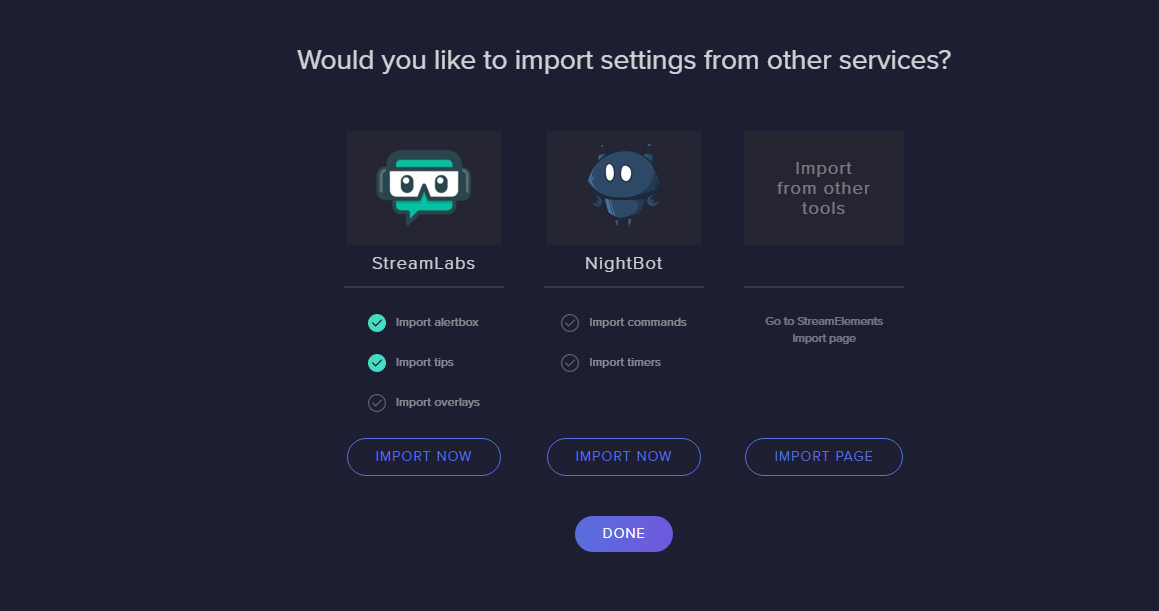
Hello, I'm making the move from Streamlabs obs to Streamelements obs, I need assistance with overlay importing. I've exported my file from Streamlabs and saved it to my PC. It saves as a .overlay file. When i try to import an overlay file in Elements, its looking for a .json file. Help?
tulip hamlet
Exporting in that way will not work. You should import using the Import tool in the StreamElements menu at the top of OBS Studio.
 whole venture
Anyone can run into troubles with Elgato Stream Deck Plug-in? I know of the fixes Elgato recommends, but they don't work for me
grave oyster
@tulip hamlet ah I completely missed that menu.... thank you
been stuck at 80% 13of15..... should i maybe restart the program and try again?
tulip hamlet
Can you take a screenshot?
tulip hamlet
Media files... do you have a large asset in any of your overlays?
grave oyster
hmmm. hard to say, I have a few animated background file but not really big
tulip hamlet
Let it sit a bit. Could just be a big thing. If it takes too long, could be something that's too big.
grave oyster
I've exported this set of files in the past never takes more than maybe 3 mins
grave oyster
ok. I'll leave it be and maybe in an hour or so if it still same re set it?
tulip hamlet
Out of curiosity are you using any Nerd or Die assets?
grave oyster
no all assets are self made
tulip hamlet
Okay, just checking.
If it takes too long, yes, stop the import and look into your assets. If anything's more than I believe 10mb it'll cause this problem.
grave oyster
well i do use one animated cam boarder from them actually?
tulip hamlet
In that case, try removing that from your overlays before trying again, if you stop it and try again later.
grave oyster
ok, something wrong with nerd or die files?
tulip hamlet
Hunch I've been checking on. Could just be the way they're handled. I've seen someone else who had alerts from them, if I recall, and once removing them the import worked.
grave oyster
alright, thanks for the help
ashen vapor
are your animations webm?
grave oyster
no
ashen vapor
by going with webm over mp4/avi you is cut way down on the size of the files
grave oyster
i just removed a few sources that could be a issue, testing now
ashen vapor
whats the total size of all the files you are trying to import
warm pewter
You will still have to set up your scenes and sources again. The import will just take what it can and create an overlay on the SE site
You can thank SLOBS for taking an open platform and closing it off with proprietary file formats for the scene collections
grave oyster
I'm going to shoot myself in the face, omg this is going to take hours to rebuild. 
Thanks for the help,
shy mountain
There are 3 things that might stop the import:
- The assets are over 10mb
- NoD copyrighted assets
- SLOBS default assets
 midnight spruce
Hi, I'm using OBS Live on OBS Studio, and every time I start OBS Studio, I have to sign into my Twitch account, even though it's linked. I can't use it until i do and it never remembers me even after i do sign in (even though it gives me the option to remember this computer for 30 days).
deep birchBOT
@midnight spruce If you are not seeing the OBS Twitch integrations and have OBS.Live installed, please follow these steps:
- Make sure you are on the latest and greatest version of OBS.Live ( 19.5.27.394 )
- exit OBS (make sure OBS is not running)
- delete
%appdata%\obs-studio\plugin_config\obs-browser\obs_profile_cookies - start OBS.Live
- Settings -> Stream -> disconnect -> connect
midnight spruce
I do not have those paths in my OBS Studio directory and disconnecting and reconnecting did not resolve the issue.
shy mountain
You go to that folder location in your file explorer
midnight spruce
Mo better. Thanks.
shy mountain
did it help or not? 
midnight spruce
Yes, it stays connected if I close and reopen now
shy mountain
great
midnight spruce
thanks for the help. Cheers
hearty swallow
Hey so I have media playing to my headphones and as output but it sounds as if it's kind of doubling in the stream a bit. I found that when I listened to it directly the quality was worse in the stream and when I had it just as output I couldn't hear it, any ideas?
odd kraken
When the output is doubling it is playing somewhere else in an active widget in another overlay or in the overlay editor.
shy mountain
Sorted (hopefully) over Live chat ⤴
 summer cave
Is it possible to change darkmode to non dark mode
 lost comet
yes you should be able to in your normal OBS settings
summer cave
Well the chat and the notifications still in dark mode
 olive temple
hello, is there anyway to stop your 'PAGE HEADER BACKGROUND' from repeating when viewing your profile on Stream elements? ive set the image size to 1920 x 310 px
 delicate holly
I have no clue why but when i change the sub alert video it wont save but everything else will.
odd kraken
@delicate holly Take a look at the variations in the event in the alertBox.
delicate holly
Thank you!! @odd kraken
deep birchBOT
@olive temple Please connect your Twitch and/or YouTube channel with Discord by going to ⚙ Settings and then Connections here in Discord. https://streamable.com/eg92w
 olive temple
ok, done.
odd kraken
please disable or edit the streamer mode settings in discord, to let us view the connections.
olive temple
doesn't say its on but I've deactivated auto streamer mode
odd kraken
I still can't view it.
The displaying picture is also dependant on your screen resolution. So depending on your screen resolution you will maybe see it repeating.
olive temple
is there anyway to centre it and stop the repeating?
odd kraken
I don't know, sorry.
olive temple
ok no worries
 night wigeon
Hi can i have some help?
 sour sigil
is this the desk for pc?
night wigeon
Yes
sour sigil
thx
night wigeon
Hi can someone help me with a problem?
deep birchBOT
@night wigeon Welcome to the support channel! Please let us know how we can assist you today and a member of the support staff will be with you as soon as possible.
 indigo folio
I have a question, I have recently switched from streamlabs OBS to OBS Live and I am trying to get my alerts from Streamlabs OBS to work on OBS Live and I am having a hard time figuring out how to do it. I have the Widget URL and it works when I use the alert when I have Streamlabs OBS open but not when it is closed
 cobalt void
Is it still required to have a second account on Twitch to rename the StreamElements bot?
 steel mural
It is still required and probably won't change because the bot uses the account to be able to send messages. I mean, are you able to send messaged without an account?
odd kraken
@tiny plinth Can you please provide a screenshot of your OBS right now?
 tiny plinth
idk how to do hahaha
odd kraken
If you are using Windows 10, there is the Snipping Tool, to make screenshots.
tiny plinth
deep birchBOT
@tiny plinth For the best OBS support, please join their Official Discord @ discord.gg/obsproject
tiny plinth
@odd kraken
odd kraken
If there is an issue with the game capture or screen capoture, best to ask at the OBS discord for the right dimensions.
tiny plinth
ok... i go hahah thx
odd kraken
@rugged quail What version of OBS Studio are you on now?
 woven pulsar
After Developer Mode enabled
odd kraken
@rugged quail Please donwload the latest OBS version on the website of OBS Studio https://obsproject.com/download
and then install the plugin only, without checking to install OBS studio again.
rugged quail
ok
odd kraken
@woven pulsar Is there an error in the developers console?
woven pulsar
I don't think I am doing this in the console. How do I get there?
odd kraken
Press F12 on your keyboard when in chrome. Reload the page and try to import again please.
woven pulsar
rugged quail
@odd kraken Now it's working, Thank you.
But now the function where I can see how many people are watching my stream is disappeared
odd kraken
Select the burger menu at the top left of the activity feed > StreamSettings > Toggle Show viewers count.
woven pulsar
Benno is that what you are looking for?
odd kraken
yes it is. currently checking internally.
woven pulsar
Thanks
deep birchBOT
@rugged quail If you are not seeing the OBS Twitch integrations and have OBS.Live installed, please follow these steps:
- Make sure you are on the latest and greatest version of OBS.Live ( 19.5.27.394 )
- exit OBS (make sure OBS is not running)
- delete
%appdata%\obs-studio\plugin_config\obs-browser\obs_profile_cookies - start OBS.Live
- Settings -> Stream -> disconnect -> connect
rugged quail
It used to was in View - Docks - And there it was
ok
I have installed Streamelements (Obs.live) but i cant find it
I only find OBS
odd kraken
Start OBS, the plugin should be active.
rugged quail
ok
Its the same as before
no streming settings
only the normal settings
I mean as u can see, Streamelements is on it
but not the function where i can see how many people are watching my stream
odd kraken
Then you have not followed the instructions above to get the docks back closely.
 shell fractal
Hey, does anyone know how to regain sources and scenes i acidentally deleted them?
odd kraken
If you have deleted them in OBS, best to ask the OBS support, but I think there is no backup, unless you made one yourself.
All your overlays are stored in the cloud, so you can just add them back in as browser sources.
@rugged quail What was it?
rugged quail
But where is the setting for the viewer count
I found the activity feed and streamsetting
 analog epoch
does obs live can be use now for youtube
odd kraken
No, no eta on when @analog epoch
rugged quail
I activated "show viewers count" but where is the number
where can i actually see it now
odd kraken
@rugged quail The OBS.Live viewer count setting is in your screenshot and if enabled it will be disabled at the bottom of the activity feed.
rugged quail
okay thanks
 coral cobalt
is there a url to put number of viewers in overlay
odd kraken
Afaik, there is no viewer count widget for the overlay.
coral cobalt
yea i coudnt find one as well
 robust python
Yo does the new streamelements spotify intergration work for offline files too?
odd kraken
offline files? can you elaborate please.
robust python
"local files" local mp3 files i play through spotify
odd kraken
Best to just test it. I am not sure, if they will be displayed.
 maiden ridge
Will we ever have a way to have media request pause spotify or what not?
tulip hamlet
Spotify will not have a media request option as that allows it to be monetized, which does break their ToS.
maiden ridge
didnt mean that, just meant a way for stream elements media request to pause spotify when a song is requested
tulip hamlet
Oh, I see.
I don't believe the integration has any control over your Spotify account, it just pulls the song playing.
So it probably won't be able to do something like that.
Not right now, anyway.
Maybe in the future. It's new and I don't personally know the future plans for it.
maiden ridge
kk, throw it in the feedback bin 😛
deep birchBOT
@maiden ridge Check out the new ideas board https://strms.net/ideas. You'll be able to add your ideas, upvote others that you like, and track their progress with email notifications. Adding and upvoting ideas also helps the staff know which ideas should be prioritized so please take some time to upvote the features that you’d like. The #💭︱feedback-and-ideas channel is best used for discussing ideas already on the board.
 ripe robin
This may be a repeat question/issue but I have not found any fix so far and REALLY need some help. I have a Razer Ripsaw HD capture card and use it to record/stream via StreamElements OBSLive and my audio is completely jacked up, distorted, popping and delayed... does anyone have any idea what I can do to fix this issue asap?
BTW im capturing from Xbox One X
tulip hamlet
I'd recommend reaching out to Razer support for that first. Note that OBS.Live is a plugin for OBS Studio so if they get confused you can pretty much call it OBS Studio. The plugin doesn't touch the audio settings.
ripe robin
yea i have tried... even got a replacement sent out.. still the same problems 😩
deep birchBOT
@ripe robin For the best OBS support, please join their Official Discord @ discord.gg/obsproject
 lethal bluff
Hey...when I installed OBS.Live on my pc and opened it, I tried to sign in, but it just kept loading and it wouldn't do anything.
odd kraken
Can you share a screenshot please? Maybe your anti virus tool or something different is blocking the communication.
lethal bluff
Ok. Give me a sec
The left is my second monitor and that is OBS.live
I can try to allow OBS through networks because maybe it's my firewall
The only interesting part is that I clicked "Connect with Twitch.tv" and it opened the window, and then exited.
I'll try to allow OBS anyway
This is the firewall before I modified anything. I restarted the app and it still does it
 gray solar
Hey, I'm trying to set up my scenes etc with my stream deck but it's saying OBS studio needs updated as it's the latest version, when I try to update it via the help section in the taskbar it says it's the latest version?
tulip hamlet
What's the version number in the top left?
gray solar
21.1.2
ashen vapor
Just turn the Norton firewall off. @lethal bluff
lethal bluff
Ok. I'll give it a shot
tulip hamlet
@gray solar Broken updater. Download the recent version from the site.
@gray solar 23.1.0 is latest.
ashen vapor
No need for it, windows firewall would work just fine
tulip hamlet
Isn't 23.2.0 just a release candidate at the moment?
lethal bluff
I have no idea
I just know that it auto-updated
Honestly, maybe that's my issue 😂
tulip hamlet
Yes, it's only a release candidate.
gray solar
@tulip hamlet thank u v much
lethal bluff
Alright. Well, if Norton wasn't the problem, then I wouldn't be suprised if it was the version of OBS Studio
 west sundial
is there a way after integrating spotify to make the !song command tell people what im listening to? rather than show my media request queue instead?
odd kraken
There is an API you can use to create such a command: https://discordapp.com/channels/141203863863558144/424943321794871296/460471841690222622
west sundial
@odd kraken ok, also can i make it to where i dont have to show the widget on my overlay?
odd kraken
The command is not connected to the overlay. So you can set it up without using the overlay.
west sundial
sweet, thank you
split oak
quick question how did you make ur profile pic a gif image , ive tried to do that and int doesnt animate
tulip hamlet
Where?
split oak
i mean like you r actual profile opr user and or serve rprofile picture
tulip hamlet
Again: Where?
split oak
YOu click the gear and it says under User Setterings my account and you selec edit to change your profile picture andim unable to set it as a gif image, just as you guys do for your server, its a nimating.
tulip hamlet
So you mean in Discord?
split oak
yes!
tulip hamlet
Have you paid for Nitro?
split oak
oh no i havent
tulip hamlet
There you go.
split oak
Since well, since i dont have nitro i upload the gif but it doesnt animate/
thats the reason why oh okay thank you for letting me knwo c:
 silk swift
i don't know where my media request window went on my obs live...
tulip hamlet
Check the StreamElements menu at the top. Is there a check next to Media request?
silk swift
i dont even see a media request option on obs and everything is fine on the streamelemnts website
tulip hamlet
Do you have a StreamElements menu at the top?
silk swift
yes
tulip hamlet
Take a screenshot of what's in it?
 night acorn
OBS live wont connect to twitch. Im on the strat up where is says connect to twitch or proceed without logging in.
silk swift
silk swift
same here actually
night acorn
Its Working now @tulip hamlet I figured it out.
tulip hamlet
Oh?
night acorn
I hit the streamelements tab and saw it says log in. it poped up with the twitch login.
silk swift
mine is still trying to log in, keeps loading and wont let me close anything, might try again tomorrow, but thank you @tulip hamlet
 tiny apex
hey guys when i do a test subs etc it doesnt show up in the browser sources is this normal ?
deep birchBOT
@tiny apex You can test Alerts via the bell on the lower right corner of the Overlay Editor. Simply go to your Dashboard -> My Overlays -> Pencil/edit button on the overlay. Make sure the "Show Emulated events on stream" option is on to see the alert in OBS/Xsplit https://streamable.com/h6qgy
 tiny apex
ok where do i find that option ?
ashen vapor
tiny apex
@ashen vapor if that was for me i know about where ot go for testing alerts
its more for the actuaL "Show Emulated events on stream" option i dont see
tiny apex
wow maybe needs to be given a icon or somthing its tiny option
 gilded cedar
Looking for help with OBS.Live, in particular, the group sources option doesnt exist with multiple sources selected
😦
tulip hamlet
Sure it does.
whole venture
Gif is not animating for me. Also, have cheer and tip set to same gif, but the gif only plays for tip. Cheer comes up as stock animation. Thoughts?
whole venture
For the cheer test button
tulip hamlet
Videos play once. Gifs loop.
whole venture
Do I upload as image or video then?
tulip hamlet
Gif always uploads as an image.
full orchid
cant i make my media request play in my stream and i wont hear it through my headset? plz help
tulip hamlet
@full orchid Please don't ask in multiple channels.
It's possible with multiple audio sources or virtual sources.
full orchid
how would i do that?
tulip hamlet
It's a more advanced setup, a bit outside of the kind of support we provide here.
full orchid
ok. is it possible you could direct me to the correct support sources?
ashen vapor
i have a video how u can, but u will lose your sound on google untill you turn it off basicly
full orchid
what do you mean lose sound on google? i will not hear the games i play?
 hybrid pollen
hi so my streamlabel events arent showing donations and I dont know why because i never had the problem before and i had 3 on stream
ashen vapor
here is how i do it. i launch the media request on google chrome. i set chrome to my "speakers" as a output. (because i dont have any". i think capture "audio output" of my speakers. i cant hear the music, but viewers can. the downfall to that, is unless you turn chrome back to the normal output. u cant hear anything u play on chrome
tulip hamlet
@hybrid pollen What do you mean? Looking at your account, you don't have any overlays.
hybrid pollen
what do you mean no overlays? on the stream elements it shows i got tips but on my streamlabels it doesn't show the event at all
tulip hamlet
Streamlabels is Streamlabs.
hybrid pollen
so how would i get my streamelements to show a recent donation on stream?
tulip hamlet
Use StreamElements overlays instead.
hybrid pollen
so i copied a theme would i put it in browser source?
deep birchBOT
@hybrid pollen To add your overlays to OBS, add a new browser source in your scene. Paste your overlay URL in the browser source properties, set the dimensions to 1920x1080 (unless you changed them on the website), and ☑ “Shutdown source when not visible” https://youtu.be/KDvLynUqXI4
full orchid
@ashen vapor how do i change audio output settings on apps?
ashen vapor
i'll dm you my video
hybrid pollen
adding an alert overlay and having them broadcast on obs is what im havign trouble with
tulip hamlet
Watch the video linked above if you're still having trouble.
hybrid pollen
i did and thats for like a whole background i just want it for alerts and for it to sinc up
tulip hamlet
An overlay can have just an alertbox on it.
hybrid pollen
how can i take like the alerts and the camera spot off of the overlay?
tulip hamlet
You can select any widget in an overlay and press delete to get rid of it.
hybrid pollen
i am trying too and its not selecting anything
gilded cedar
I dont have the option to group still
Sorry I dont know how to cut off the second screen from a screen capture
steel mural
You're on a pretty old version of OBS. You should update, because your OBS version has a broken auto updater.
Grouping got added in OBS v22
gilded cedar
I got this one straight off the website though 😦
I got it from stream elements webpage yesterday
steel mural
Don't worry. Just download and install the newest OBS version from https://obsproject.com/ over your current installation.
gilded cedar
will all my settings cross over?
steel mural
No scenes/sources/settings get altered.
gilded cedar
no as in none, or no as in No, they will get altered?
steel mural
Everything stays the same
hybrid pollen
quick question on the top donation on the overlay it says top tip:no data how can i get it to update?
shy mountain
Click on the widget and see what type of tip its tracking. It might be session tip
 stoic anchor
Good evening guys. Quick question: I am having a bit of trouble with my microphone audio and can't seem to track down the source. When I use the record feature to "test" my settings, I can hear myself just fine but when I went to broadcast using OBS Live, there was no sound at all. Everything seems to be functioning properly and I have no filters applied.
shy mountain
@stoic anchor Check this setting.
 rustic bear
Why cant i stream my screen ]
shy mountain
@rustic bear Please do not post in multiple channels. Also elaborate on your query.
 rough oxide
Is the custom bot name broken in OBS-Live? Connecting the custom bot name doesn't do anything, and the name isn't on the drop down list.
rustic bear
so i downloaded OBS live to stream i have it all set up but it wont stream my screen
shy mountain
Have you added game sources?
rustic bear
Where do i do that im not used to OBS live
shy mountain
@rough oxide Seems to be working for me. Check the pinned video in this channel for the custom bot name. Make sure you are also meeting all the requirements
stoic anchor
@shy mountain That setting is good.
deep birchBOT
@stoic anchor For the best OBS support, please join their Official Discord @ discord.gg/obsproject
shy mountain
@stoic anchor Audio issues, especially connected to mic/hardware nothing to do with our plugin.
@rustic bear On OBS where the Sources tab is - click the PLUS button and then "game capture"
@rustic bear https://www.youtube.com/watch?v=Zt_HVScA3Js check this video out as well
rough oxide
@shy mountain if you know of any other work arounds, I had it all working fine until I was forced to change the bots twitch password. All the steps are still verified, but OBS live won't pull that bot name in the list when I log into it through the activity feed section.
shy mountain
What OBS Studio version are you on? @rough oxide
rough oxide
23.1.0
shy mountain
There aren't any other reports and I can properly login with my own custom bot name.
I would suggest to maybe reinstall OBS.Live(the plugin part only).
 arctic solstice
Is there any update on being able to transfer overlays from stream labs to stream elements?
shy mountain
The latest OBS.Live update allwos importing of SLOBS scenes as overlays.
shy mountain
shy mountain
This will import your SLOBS scenes as overlays in the Dashboard here: https://streamelements.com/dashboard/overlays
arctic solstice
It it not allowing to import overlays
shy mountain
What do you mean?
arctic solstice
 arctic solstice
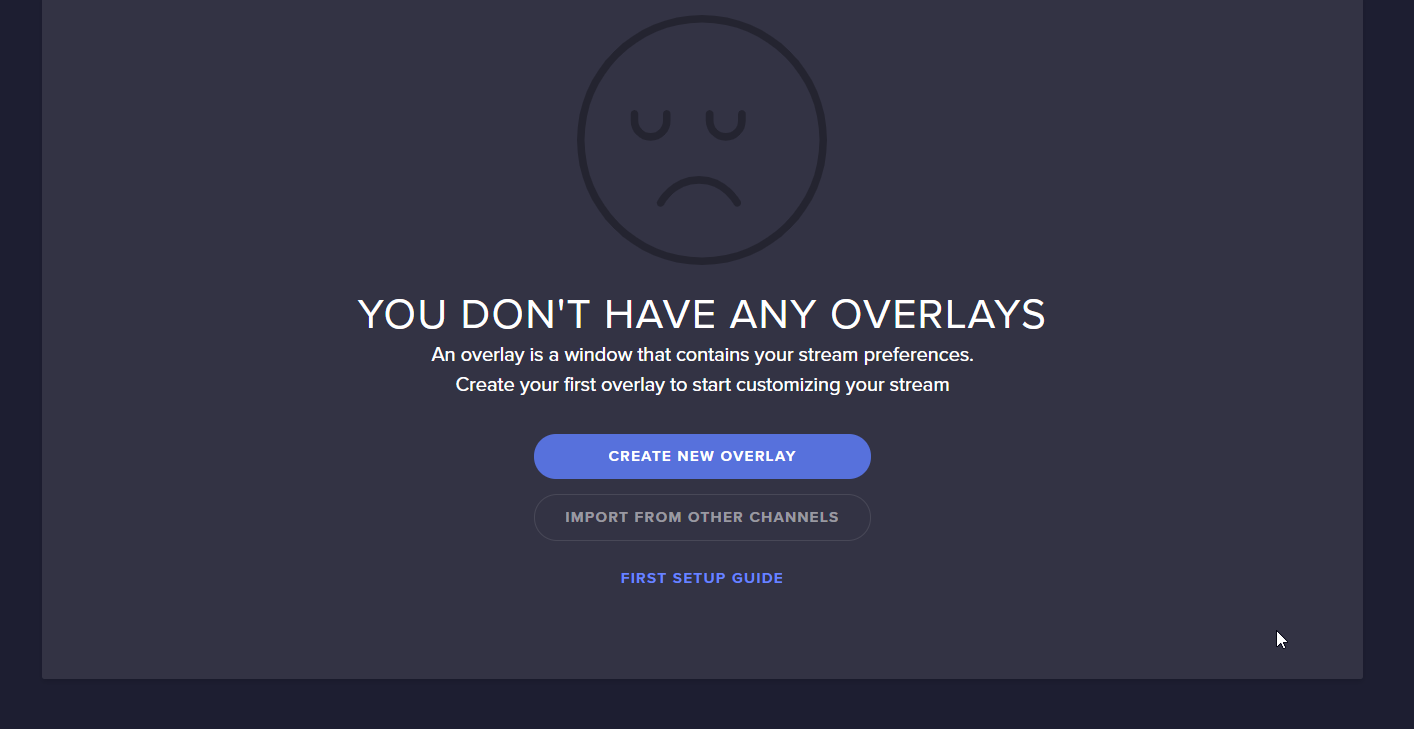 shy mountain
Refresh the page
shy mountain
Well I see one issue here
this widget should not be this big.
but I found another issue that shouldn't be a problem.
arctic solstice
What is the other issue
shy mountain
Thats something extra
arctic solstice
also idk why it shows that my widgets were not that size?
arctic solstice
Should I delete all of them and try again?
arctic solstice
Like the sizes are not correct for hand and face cam
as well as many assets are missing
shy mountain
Yea i'm looking at all the overlays and they seems really broken.
Well you can try with the delete and import again
arctic solstice
so I just tried that
It still is giving me the blank check mark for overlays
and all still broken 😦
I think the assets may be combining
shy mountain
Im trying to get a hold of the devs on this
shy mountain
No, we should be sorry.
But there might be an edge case here where it breaks the overlays like that.
arctic solstice
what do you mean by edge case?
shy mountain
in development that means a really specific set of circumstances that do a very special scenario or result
that can't be reproduced easily
shy mountain
Not that I'm aware of
arctic solstice
When did this update come out
shy mountain
Almost a month ago if i'm not mistaken
arctic solstice
I know I was waiting for this feature for a few months, and I saw a few steamers switching I knew something big happend
wow
I guess I am late to the party
I applaud the support you guys give, like actually thank you guys
Like you guys do it right
any update on devs?
shy mountain
I might be fast, but the devs arent - especially since they don't work today is it would be a saving grace if they replay today
arctic solstice
all good
 sterile dagger
Hello, I accidentally banned an user from requesting songs, where can I unban him?
 sinful flint
@sterile dagger There isn't a UI for this, but if you tell me your username and their username in a DM we can set a task for a developer to do this
 alpine crown
when I try to “sign in with twitch” via obs studio/obs live it never goes through, and I can’t close the program I end up having to restart my computer. Any idea what’s going on?
 gaunt turtle
@shy mountain I was the one having issues from Reddit. My Alertbox, followers goal, and recent follower widget didn’t work with my first stream but my chat worked fine.
deep birchBOT
@alpine crown If you are not seeing the OBS Twitch integrations and have OBS.Live installed, please follow these steps:
- Make sure you are on the latest and greatest version of OBS.Live ( 19.5.27.394 )
- exit OBS (make sure OBS is not running)
- delete
%appdata%\obs-studio\plugin_config\obs-browser\obs_profile_cookies - start OBS.Live
- Settings -> Stream -> disconnect -> connect
alpine crown
@deep birch I am forever stuck on this loading screen.
No way to cancel or disconnect, have to restart my computer every time
 distant gazelle
hey guys, so my stream is dropping frames - https://obsproject.com/logs/9llSrYBkPKwp1yUy
could someone kindly help please?
woven pulsar
seems better for the OBS discord than here
distant gazelle
well, it's cos i'm using obslive..
woven pulsar
live is an extension. OBS is doing the heavy lifting and where the settings need to be changed. Try using OBS on its own to see if you have the same issue. Then you can isolate if it is OBS or OBSLive causing the issues
 west eagle
Happy Friday! Not sure where to ask this but my last few streams I haven’t been getting my stream report emails for my past few streams, and I double checked that my email is still correct in the system. Separate issue is my alerts almost never work, last night suddenly started working 2 hours into my stream, its just random. Thanks for any advice or direction!
Btw when they do work they take about 30 seconds from when the notification pops in chat to when it starts
 sullen light
Does anyone how to fix obs live not letting me group my sources wanted to group my webcam frame and my webcam but it doesn't give me the option to?
plain sonnet
if you right click in the source list do you get the option for group?
sullen light
i dont see the option after right clicking sadly i tried to see if it needed to be updated as well and it says that its up to date hmmm.
plain sonnet
what version of obs are you on? (top left)
sullen light
should i mabey restart my pc i tried to restart the app and that didnt work either
21.12 it says
sullen light
oh okay thanks for the help man!
plain sonnet
no worries
 tepid delta
i cant sigh in on obs live pls help fix
 shut trench
I have a got some issue from obs.live
my stream is like this i change my obs studio to live
rugged quail
Hi! Is there a way to have a gif activate when a certain command or word (or bits) is used in chat?
 solid turret
Hi, is anyone aware of an issue with OBS Live and Elgato Stream desks?
Ok Just seen there is a newer version. I will try that 😃
plain sonnet
is it crashing?
solid turret
no, Just says this version isn't supported. and to update. The Update button in OBS did noting
I read a bit further up and saw there was v23
 junior comet
For some reason my video was choppy even though i didn't drop any frames and my cpu was at 60%. plus i have a verry strong/fast internet connection. help greatly appreciated
 rotund jolt
Any ideas why - whatever to stinger transition point (1 - 120000) or even frames (same numbers) it cuts into the scene rather then playing all the way through and introducing the scene.
The stinger is a swipe from left to right should swipe in across the scene and swipe out to show the new scene. when exiting it just stops playing and the new scene appears abruptly
deep birchBOT
@rotund jolt For the best OBS support, please join their Official Discord @ discord.gg/obsproject
rotund jolt
ty
 tulip fiber
I can't seem to setup SE.Pay. If I click on the SE.Pay tab within the website, I just get the swirling loading image but nothing ever appears. The rest of the tabs work fine. This is with either Edge or IE. Also, when I try to setup payments within OBS.Live, I only get the option to setup PayPal, no SE.Pay option.
odd kraken
Please try to use the chrome browser, as our website is optimized for this browser.
 flint smelt
I'm getting a network error, can't connect to my twitch account.
steel mural
Twitch is experiencing some problems atm
 hallow crypt
yeah seems like twitch is having some issues
flint smelt
Seems fine in my browser
steel mural
What seems fine? Elaborate please
hallow crypt
not for me lol
flint smelt
Literally everyone else is just fine except for my own personal stream lol
I dropped 4000 frames over the past 10 mins
steel mural
Are you sure? Take a look at #helpdesk-twitch
There are more people having problems right at this moment
flint smelt
and I restarted OBS, and now it completely disconnected my twitch
steel mural

🔎 We are currently investigating an issue with streamers connecting to servers. Stay tuned for updates!
 Twitter
flint smelt
Twitter
flint smelt
Cool, thanks for the help
 chrome nebula
im having problems where i go to start the stream but says failed to connect to server
odd kraken
Look at the tweet posted a bit up please.
 velvet pumice
was gonna post about the streamelements dashboard not coming up, but I'm guessing it somehow has to do with this too lol
 still gulch
i have the same thing going on ant boy
 quartz forge
Is this just affecting connecting to Twitch or is this screwing with everything like overlays and alerts? Cause my overlays are taking forever to show up in OBS.live. Fortunately I haven't gone live yet
steel mural
Twitch has a big problem and some of our services are affected too. The devs are aware and looking into the issue.
quartz forge
figured, glad I checked here before embarking on what would have been ridiculous and painful troubleshooting. Thanks for the info ❤
 normal basin
So as far as i understand media request is great and all but from the way i have everything set up the size i can see the video if i'm sharing it is miniscule.. is there a way to view it bigger so i can monitor it?
shy mountain
You can popout the widget/dock from the UI. @normal basin
normal basin
but the video doesn't scale up...
rugged quail
Does the StreamElements bot have a command that triggers a gif/browser when certain words/commands are being said in chat? 
shy mountain
What do you mean?
rugged quail
Hmm I'm trying to get a word in chat to trigger a gif... but I think I need to make a notepad file or something for that
 heavy flare
When you have an update, you have to first update OBS and then OBSLive ?
Can you not do only one ?
heavy flare
Also would like to DM someone and ask him questions with pictures etc
shy mountain
@rugged quail Why not use the stream store to have people trigger commands via keywords? The only downside of this method is the bot may respond with "X person has redeemed Y item"
rugged quail
Yeah I'm not looking for that
shy mountain
@heavy flare About the update. No, as code changes so must the plugin reattach it self to OBS Studio.
rugged quail
My birthday is in 1 month
And whenever someone cheers with a bday bits I want this gif to trigger in my overlay
shy mountain
Unless you are going to share some personal details, you can freely upload screenshots of your issue here.
@heavy flare ⤴
@rugged quail
I might have something for that, so I'll DM you later today ok?
rugged quail
I found this youtube vid on how to do it with gifs but it requires me to download another bot.... which used to be ankhbot and is now streamlabs I believe?
oh that would be great thanks!
heavy flare
Btw is there a SLOBS store or StreamElements store ?
For apps and stuff like that
shy mountain
What do you mean apps?
shy mountain
If you are looking for custom built widgets to show something different on your overlay
that is not part of our integrated widgets
check #widget-share
heavy flare
oh yeah use some of those and are sick what the community creates
my question regarding screenshots is if in OBS, is it possible to have a window of chat for example to be running from the top to the bottom of the screen?
shy mountain
Via this widget: https://github.com/StreamElements/widgets/tree/master/CustomChat
yes
shy mountain
What do you mean middle line?
heavy flare
its like the line between the top widgets in obs and the bottom widgets, as you said you can't have 1 running from top to bottom
shy mountain
Are you talking something like this?
Im really getting confused as to what you want here
heavy flare
I kinda would like the chat to be running from top to bottom of the screen 😂
Sorry, ain't really good to explain in english 🤦
heavy flare
no no 😂
shy mountain

heavy flare
have the red box running from top to bottom like the orange line
 ?
shy mountain
?
shy mountain
You will have to do this.
There are borders our docks can't cross by default so the only way is doing this.
By borders - dock borders in the UI of OBS
heavy flare
Exactly
Thank you so much
mostly for your patience ❤
I knew there was something going on with borders, and didn't know the things were called docks
shy mountain
You can also do this, but you are loosing your scene preview
If you click on "View" you will see "Docks" which are essentially the scene and source control window and the other ones as well.
shy mountain
Or undock the chat from the UI and do this
even if you click somewhere else in OBS, the chat dock will be on top always
heavy flare
Oh yeah had tried it but still like the first video 😂
The monitor size effects alot too
shy mountain
Just giving options 
shy mountain
Yes - we are looking into adjusting that
heavy flare
Okay that would be awesome ❤
 queen compass
With the new update, the twitch dashboard disapeared from the docks? 😅
plain sonnet
either under view > docks or stream elements and select what you need
queen compass
No dashboard (to change game titel etc.) found
plain sonnet
view > docks > stream information
make sure you are logged in with your twitch account in settings > stream
deep birchBOT
@queen compass For the best OBS support, please join their Official Discord @ discord.gg/obsproject
 chrome salmon
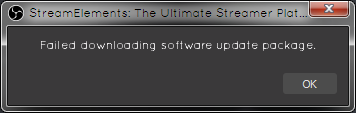
Has anyone figured out whats the cause of this by any chance ? https://i.imgur.com/DzMoEbv.png
 hardy tulip
Hi, what is the command for deleting cookies from obs?
deep birchBOT
@hardy tulip If you are not seeing the OBS Twitch integrations and have OBS.Live installed, please follow these steps:
- Make sure you are on the latest and greatest version of OBS.Live ( 19.5.27.394 )
- exit OBS (make sure OBS is not running)
- delete
%appdata%\obs-studio\plugin_config\obs-browser\obs_profile_cookies - start OBS.Live
- Settings -> Stream -> disconnect -> connect
shy mountain
@chrome salmon Try and disable your firewall or AV and try to update again.
 zealous trench
Hello, how can i test my timer? I set offline interval 1 min , but it's not working
zealous trench
@dry sphinx Ohhhhh , thank you !
 dry sphinx
No prob 
 left rapids
my obs is all the time thinking how to login on my twitch account and it's not happening
 lucid lagoon
after the update, my title page is missing in action.........
deep birchBOT
@lucid lagoon If you are not seeing the OBS Twitch integrations and have OBS.Live installed, please follow these steps:
- Make sure you are on the latest and greatest version of OBS.Live ( 19.5.27.394 )
- exit OBS (make sure OBS is not running)
- delete
%appdata%\obs-studio\plugin_config\obs-browser\obs_profile_cookies - start OBS.Live
- Settings -> Stream -> disconnect -> connect
lucid lagoon
so we have to delete shit to make it work right...... all i did was update
odd kraken
@lucid lagoon You can also try to only log out of OBS studio and log back in.
 young spindle
Hello. After this update... obs is running extremely slow for me. Keeps saying not responding, my dashboards are gone ( chat, stream tools etc ), I see no option to show those dashboards. What can I do to fix this? Everything is updated including windows
plain sonnet
to get the window back you need to log out and log back into obs
settings > stream
for the slowness, close obs then restart as admin, if it doesnt work upload a log
deep birchBOT
@young spindle Please provide a log from your last stream. To do this, in OBS go to Help > Log Files > Upload Last Log File and paste the link to the log file here.
dry sphinx
@left rapids Can you click 'Streamelements' on the top please. As there should be a Report issue button.
young spindle
@plain sonnet okay. Thank you
left rapids
@🍻American🍻 i reported that issue yesterday and still nothing but thanks for respond
dry sphinx
During the weekend the devs are usually away.
young spindle
It is still running slow even after running as admin. Here is the log. https://obsproject.com/logs/Pt4J0g7Sgm5azHkD
dry sphinx
I don't see an Output session in that log.
Also you have Windows 10 Gaming turned on & using Intergrated GPU.
young spindle
It may take 30 minutes for me to get a stream log because after the update everything in obs is running slow but, I'll get a clean log.
dry sphinx
Turn off the Windows 10 gaming as well as it may help with performance.
warm pewter
Your windows is also extremely out of date, you are on a build that is from over a year ago
 little terrace
ok so
ok so the obs says host name found but no data of the requested type. theit says i am bound to and ipv6 and streaming services only have ipv4. whats this mean?
warm pewter
Set the bind to ip in your advanced settings back to default, if that does not help, you will want to go over to the OBS discord
!obshelp
deep birchBOT
For the best OBS support, please join their Official Discord @ discord.gg/obsproject
 drifting grove
Hello
deep birchBOT
@drifting grove Welcome to the support channel! Please let us know how we can assist you today and a member of the support staff will be with you as soon as possible.
robust python
How do i know which font to add here?
deep birchBOT
@robust python Google Fonts
More than 900 google fonts are supported at this time. You can preview them here: https://fonts.google.com/
Custom Fonts
Steps:
- Install the font on the streaming PC or choose a pre-installed windows font.
- In the overlay widget settings, select Text Settings
- Enable Custom Font
- Type the name of the font as it appears in the windows font directory (This is usually
C:\Windows\Fonts)
Note: After installing fonts, the browser and OBS must be restarted for the font to appear.
odd kraken
No. The font has to be installed on your pc to work.
robust python
So I type this text into the "Custom Font" box?
odd kraken
Try helvetica
or "Helvetica Compressed"
robust python
btw
I'm trying out the new spotify feature
do you have a list of commands to put into "message" ?
odd kraken
Right beneath the message field.
robust python
I'm blind
local mp3 files playing through Spotify won't show the album cover using the new spotify intergration. Is this intended?
rare night
Yes
robust python
Is there any way to hide these separators when no song is playing without actually removing them from the "Message" box?
 iron valve
Guys, why when i activate the Show on Stream.. i listen double???
deep birchBOT
@iron valve Make sure to ☑ “Shutdown source when not visible” for all browser sources (all OBS scenes). If using studio mode, uncheck “Swap Preview/Output scenes After Transitioning.” Also keep in mind that sound can play from any overlay loaded in the browser (editor or launched). https://i.imgur.com/FegZJQS.png https://i.imgur.com/yY0wcFl.png




 tiny apex
is there away to switch the obs live activity feed from twitch to youtube ?
odd kraken
Youtube is not supported at this time.
tiny apex
... ok
 warped abyss
guys my obs from streamelements is giving me this weird effect on my webcam?? any fix?
 cosmic kestrel
Okay I think I mucked something up somehow. I opened OBS Studio rather than OBS.live Then I opened up OBS.live & now two of my panels are gone, I'm not sure how to bring them back 
- It's my stream information & stats things (the stats one directly from twitch, not the obs stats)
cosmic kestrel
Well seeing as that's not what I was talking about lol
deep birchBOT
@warped abyss For the best OBS support, please join their Official Discord @ discord.gg/obsproject
warped abyss
It is not obs?
It is since I just downloaded obs streamelement
I had studio before working fine?
plain sonnet
you asked that in obs, what did they say to do?
warped abyss
Ill ask it
cosmic kestrel
Do y'all have any idea how to fix what I asked about or is that an OBS Community thing.
cosmic kestrel
I'm not asking you.
cosmic kestrel
No, I asked the people who know what they're talking about and have a role to show that. Please just let them answer when they're able.
warm pewter
Please be respectful of other members in this discord, they were trying to help, no need to be rude
deep birchBOT
@cosmic kestrel If you are not seeing the OBS Twitch integrations and have OBS.Live installed, please follow these steps:
- Make sure you are on the latest and greatest version of OBS.Live ( 19.5.27.394 )
- exit OBS (make sure OBS is not running)
- delete
%appdata%\obs-studio\plugin_config\obs-browser\obs_profile_cookies - start OBS.Live
- Settings -> Stream -> disconnect -> connect
cosmic kestrel
I was not being rude at all. I told them I was asking people like you (with the role), not him.
Ohh I see
Okay thanks
warm pewter
You are coming off as rude and disrespectful
cosmic kestrel
If that's how you'd like to take it, that's fine. But I wasn't.
I should just delete the obs profile cookies folder right?
Never mind, just logged out and back in, that seems to have fixed the problem.
shy mountain
Please don't fight. @cosmic kestrel We allow people without roles to also help if they want to help(they may or may not know the answer).
Thats how people become support heroes in our server and help out in their free time.
cosmic kestrel
I had already told him I didn't want his help. And I wasn't fighting with him, nor was I being rude.
shy mountain
As for your issue, if you don't see "Streamelements" on the top bar in OBS, then you don't have OBS.Live installed.
cosmic kestrel
Nah I figured out the problem, and I have OBS.Live installed.
The StreamElements thing is there, there were two bars that disappeared after an update though.
shy mountain
Which bars?
cosmic kestrel
The Stream Information & Twitch Stats bars but like I said, they are back now.
May I DM you?
cosmic kestrel
I make a habit of asking first, I feel like it's disrespectful to DM without asking, personally.
cosmic kestrel
Lol, yeah. I get unsolicited DMs all the time. Alright, thanks.
 lone linden
Hey y'all, not sure if this is the right channel but I'm just curious on what the best way to use the SE overlay system is. I moved my stuff over from streamlabs, and recreated my overlays in SE but i'm getting really bad FPS drops in OBS (with or without obs.live enabled)
deep birchBOT
@lone linden Please provide a log from your last stream. To do this, in OBS go to Help > Log Files > Upload Last Log File and paste the link to the log file here.
lone linden
Ah cool. give me a sec to take a look at that
give me a sec to type this out (obs is running on the other computer, which i have dedicated to streaming)
should be it
dry sphinx
Yep yep yep!
lone linden
Last stream was last night, but I've been tinkering with OBS this morning so hopefully it has the right info
ashen vapor
Shows no output, old version of obs, and windows 10 game bar is active.
lone linden
no output?
ashen vapor
What verison of obs?
lone linden
I think there was one update yesterday that i skipped but beyond that i always keep it up to date
dry sphinx
What's the exact number? Will be on the top left of OBS.
ashen vapor
Certain Windows 10 gaming features can cause rendering and encoding issues when using OBS. It is recommended you disable them to ensure OBS performs at its best. As of March 2019,…
lone linden
Yeah good call. I thought i got all that extra windows crap when i set this PC up but i must have missed that
dry sphinx
Would be for the best. Also updating your OBS 
lone linden
Yeah, doing that all now. I guess my main question is there anything stream elements related that could be causing problems? Regardless of the other facts, i was getting solid 60fps with the overlay done all bit by bit. When i moved it all into one SE browser source is when it got noticably worse. I even deleted all the other elements from OBS and didn't seem to help.
tiny apex
also as genral make sure obs is run as administrator importance cause things like audio can be funky
lone linden
Ill try messing with that other stuff though. run the updates and disable all the Win10 junk
hmmm ok
ashen vapor
Can you do a log with 1-2min of streaming so it will have some data?
lone linden
Sure. give me a sec
warm pewter
Kappagen, hypecup, and animations in overlays are the most resource intensive, so of you have any of these in your overlay, it will use more resources. In some instances scrolling text can also cause issues for some users
lone linden
Yeah I have a lot of animated elements (sorry, computer didn't seem to like the update, everything is freezing, going to reboot)
Maybe its just less intensive for OBS to load them as local files than to have them in the browser source?
Thought I don't have the kappagen or hype cup widgets. Mainly just animated cam borders, looping animations that kind of thing
I do have a few of the 'top cheer/new sub/resub' elements and the 'now playing' spotify thing. But other than that its just graphics for the most part
Okay, running a test stream now. I'll stream for a few minutes, swap scenes a few times and all that
ashen vapor
The animations you have, are they webm?
lone linden
ashen vapor
shows no output.
lone linden
Yeah most of the graphics are from nerdordie which all come as webm. A few I edited or color corrected in after effects but I made sure to render as webm again
Huh... not sure what that means. It was definitely streaming
wait wha
yeah theres nothing there what gives
I can see the log in the text file which has data
not sure why its not uploading
Is it possible to upload a txt file here?
ashen vapor
did u select last log? or current
ashen vapor
looking over it now
lone linden
Cool. I didnt know you could look into the logs this deep. Cool stuff
 low ginkgo
i cant see my chat or my notification
ashen vapor
i see a couple things. try the nvenc encoder. set your bitrate to 4000 and disable your Dot_Matrix_Animation_with_Grunge to see if anything changed
changes
@low ginkgo
odd kraken
@low ginkgo Please restart OBS. The plugin should be enabled after this. If not, please reinstall the plugin.
lone linden
Hmmm ok. I feel like I tried NVENC back when it first became available and it was noticably worse performance (only a 1050ti in there) But I'll give it another whirl
ashen vapor
i stream 6000bitrate 1080p on a gtx1050 with nvenc
lone linden
Hmmm ok
ashen vapor
u can do a test stream so u dont go live also (not sure if u knew that)
lone linden
Is there any performance benefit to streaming at 720p instead? I downscaled thinking it might help but if its not going to make much difference i'll change it back
I knew you could but i've never done it that way before
ashen vapor
i do it when testing so i dont go live for everyone
lone linden
I don't have enough viewers to annoy with that yet hahah but yeah good to know
tiny apex
@lone linden your doing basically a super light downscale so it would be more benifical to set the base and output to 720p
if u need somone to jump in chat to give u feed back etc for test let me know i am happy to help u out man
lone linden
@tiny apex Thanks! Gonna mess with the settings here a bit, then I might take you up on that
tiny apex
no worries if u need help settings wise especially in the audio department i can help u out with that as well 😃
i sebd u dm so u can just dm when your ready etc
lone linden
When using NVENC, should i set the advanced setting to 'performance' or anything, or generally leave the default encoder settings?
 blazing forum
Where is the dock to change the stream info after the update?