#helpdesk-selive
1 messages · Page 25 of 1
 plain sonnet
 ashen raptor
@plain sonnet fo real the OBS version is causing this problem?
plain sonnet
i have no idea
 chilly wagon
That video does nothing to show how to connect the bot
plain sonnet
im not any tech person from se or obs
chilly wagon
I can get to that point to and it doesnt add it to the list
plain sonnet
please stop tagging people like that
the devs are working on this
you will have answers when we do
chilly wagon
its likely the name danni wanted to use was already in the list. for example in the dropdown i have bettyblue as a name i can choose
but im trying to add a different twitch account as my bot
so it works out like that video and nothing happens, the new name doesnt show up
think we just have to wait for a fix
 shy mountain
@chilly wagon You are gonna see a strange song in your MR queue - that was me, trying to test the loyalty. Disregard it 
@rugged quail What are you trying to achieve?
press ctrl+f
@chilly wagon
@chilly wagon So, since you are a broadcaster and i'm an admin for hte bot, we are exempt from the loyalty.
this means mods also can go past the loyalty requirement to use SR.
shy mountain

chilly wagon
I think that solves @ashen raptor issue as well
 dense jasper
Hi, I'm getting stuck on this page every time I try to log in. Any help, please? https://obsproject.com/logs/m0nie-Tg_hrS64uJ
 odd kraken
when you select StreamElements at the top bar, does is say Log out or Log in at the bottom in the menu?
dense jasper
Log in, and when I click it.. The screen flashes and then does nothing
odd kraken
can you try to start OBS as admin please.
dense jasper
Did that, same issues.
odd kraken
Do you maybe have any virusscanner which is blocking the connection?
dense jasper
i do use avast, does it have to be completely disabled to work?
odd kraken
Please try to disable the AV and restart OBS and try to log in.
dense jasper
still happens, will try disabling adblockers and logging in
no adblock, no virusscanner, run as administrator.. still no luck
odd kraken
Sorry, but I don't have any solution for your problem here. I'll forward your problem internally.
dense jasper
ok, thanks a lot
 latent grotto
Hi Team. I ran into a problem recently and wondered if you guys might have a solution.
When using OBS.live, at the end of my stream I like to raid other streamers I support. After raiding, the chat in OBS goes to the raided streamer's chat. There seems to be no way for me to get it to go back to my chat unless I restart OBS.
odd kraken
I am not sure, but maybe reloading the chat widget or closing and reopening works, also.
latent grotto
I tried that. It doesn't work. It reloads the raided streamer's chat.
The only way I've been able to see to get it back to my chat is to restart OBS.
odd kraken
I can replicate your issue.
You could try to log out of OBS.Live and log back in every time. Maybe this is faster than restarting OBS.
 pure burrow
Ran Into this problem with clicking on a youtube link in my chat
Not sure how to get it back :I
odd kraken
Try to log out of OBS.Live and log back in.
pure burrow
Do I have to stop my stream?
odd kraken
No. Just select StreamElements at the top bar in OBS and select Log out and log back in.
pure burrow
Awesome that fixed it
thanks man ❤
OBSLive seems to want to open things up in its own browser
odd kraken
yes.
 vivid edge
anyone know who the chat wont work on streamelements obs?
odd kraken
Do you see StreamElements at the top bar in OBS?
vivid edge
yes
odd kraken
Select Log out and Log back in please.
vivid edge
awesome that fixed it thank you
 jade light
Hi I am having trouble with my stream, I don't know if its my settings or something but I feel like my stream as much further behind real time than two seconds
odd kraken
This depends on your internet speed i think. But this has nothing to do with StreamElements. In my opinion 2 seconds is a pretty good value, as some other streamers have up to 7 seconds or even more. Of course there are some with less than a second out there, too.
jade light
Oh ok sorry I thought it would be a problem with my settings, my upload is around 20mbps and my bitrate is around 6000 does that sound like that should be right?
odd kraken
Take a look at this information, if you are streaming to Twitch: https://help.twitch.tv/customer/en/portal/articles/2935005-low-latency-video-beta
jade light
thank you
 vital tusk
any update on when the custom bot names will be fixed?
shy mountain
No ETA on when its going to be fixed.
 subtle frost
Quick question, I clicked a link in the chat box attached to obs live, and it opened a picture of a pigeon, however I am unable to get back to my chat, any quick fixes other then relaunching?
subtle frost
My hero ❤
 echo karma
shy mountain
echo karma
shy mountain
Huh?
 dawn canyon
Will OBS.Live be available for Mac users soon?
shy mountain
Its planned, but no ETA
dawn canyon
Okay thank you. I’ve been looking for a stream deck to use also, but I didn’t see anything for Mac users.
 rugged quail
Hello! My OBS live crashed and i cant close it :/
 twilit venture
task maager doesnt work?
rugged quail
Nope... can't close it there neither
twilit venture
if not then a PC restart would be requiered
rugged quail
Is there any way to fix this next time? I try to add a video recording device then it crashes :/
twilit venture
probably not. Its not like this happens every day once.
Pretty sure it was a series of unfortunate events
sometimes the PC or system settings cant handle the load of streaming, encoding and all oter programms that work in the back
if this keeps happening we an start talk about it and digg into it
 halcyon vale
Can anyone help me real quick ? I cant figure out how to play music in stream without myself hearing it like so i can hear footsteps and stuff ingame. Dm me please 🤓
odd kraken
@halcyon vale Take a look at this: https://obsproject.com/forum/resources/voicemeeter-banana-audio-management-for-1-and-2-pc-streaming-setups.397/
^send same answer via DM.
 crystal light
Hello everyone, does anyone know why my follwer goal overlay is showing 2 more followers than I actually have and how can I fix this?
shy mountain
https://streamelements.com/dashboard/session -> goals tab
the goal progression only goes up but not down automatically
 remote sail
I clicked a twitch clip on obslive chat and it opened in the chat itself, now it won't go back to the chat, how do i fix it?
shy mountain
Streamelements on top -> logout @remote sail
crystal light
Ahh got it @shy mountain thank you! Couldn't find that menu anywhere. Also another question recently saw you can change bot name. Where is "stream setting" in obs live?! Can't find it anywhere frustrating
shy mountain
Activity feed on the left -> widget data on the right to go back there.
remote sail
While streaming?
shy mountain
yes
@crystal light Burger menu button on the Activity feed -> stream settings -> custom bot name
or check the pinned video in this channel.
crystal light
@shy mountain Burger menu? I can find the video in the pinned user guides :( ther is a chatbot quick guide but doesn't address changing name. Do you have link to this video?
remote sail
So in order to get back the chat, i have to logout, log back in, rearrange everything while streaming? is there an easier way like a restart button?
shy mountain
The link that opens like that is fixed, but a relog is needed to get the fix and revert chat back to normal
remote sail
Oh ok, so it won't happen again?
shy mountain
It shouldn't
remote sail
ok thanks!
 tacit meteor
i'm not getting host alerts when its not without a raid :s help?
i changed the minimum to 0 viewers but it still didnt work
 cloud oak
I know this is more of a minor issue.. but is there any way to make OBS live remember it's window placement after an update or logging in/out? I always have to drag the windows around/resize them back to where I want them
odd kraken
@tacit meteor You activated the host alert in the AlertBox settings?
 hardy tulip
I maximised obs.live now the close minimise and resize buttons are missing HELP please!
twilit venture
How is that even possible???
Go down to your task bar and right click on obs
You can minimize it through there too
hardy tulip
I would like to move the obs window to another screen and it won't let me
 warm pewter
F11
warm pewter
Thats the full screen short cut, only way to have OBS full screen and not show title bar controls
hardy tulip
This is the second time, the only way i fixed it was restarting obs
It is not full screen it's missing the top window layer i.e. x _
Will a screen shot help?
warm pewter
Probably not. If you are not seeing the title bar, and its not actually full screen, sounds like there might be something seriously wrong with windows itself
hardy tulip
twilit venture
Why you not trying my thing? :(
To not maximize it
Right click on the obs task in the toolbar in the bottom and click the option to set it back to normal
Of its maximised that should work
You could also try to Chang the resolution of your monitor
hardy tulip
Ok, changing the resolution worked, allowed the top of the obs window to be shown again.
What could be the cause of this guys?
twilit venture
Maybe your monitor or graphics card
This never happens to me when I bump my window on the top to maximise it
warm pewter
Sounds like a problem with your display in that case, and nothing with the software
hardy tulip
Should i reinstall the graphics driver?
 flint pebble
Hey guys I'm just trying to implement the !sr into my stream. I use OBS.Live along with SE - Ground Control. I have successfully managed to get the backup playlist in and added hot keys.
Where I am having issues:
- when I try to !sr or !songrequest no song pops into the queue.
- when I skip a song via hotkeys it actually skips three songs.
and yes the viewer request button is set to on (blue)
I've ensure there are only macros on in one location OBS.LIVE, vs Ground Control
tacit meteor
@odd kraken yes I have and I have gone through all the settings and variations and it's still not working. Today I had a cheer and that didn't get an alert either
 nocturne meadow
is it possible to download an overlay and edit in photoshop?
 tulip hamlet
No. Downloading assets is against our Terms of Service.
nocturne meadow
Allright, thank you sir!
 gaunt citrus
Is anyone else having issues updating OBS with this error?
 deep birchBOT
@gaunt citrus For the best OBS support, please join their Official Discord @ discord.gg/obsproject
 shadow basin
Is it safe to update to the new OBS version? Will it break OBS.Live?
 frigid dawn
I just wanna say thank you to whoever started adding all the social icons in the overlays. It makes it soo much easier to select the ones you want to use with the same theme. You're the true hero.
tulip hamlet
As a rule of thumb, don't update until the plugins you rely on inform the public of support for the update.
shadow basin
Ok, and I assume StreamElements hasn't done that yet?
tulip hamlet
Keep an eye on #announcements and #270206314561404928 for important information.
gaunt citrus
I found the solution to my problem, you have to go into task manager, in the details page, and force close the leftover obs-browser-page.exe that the updater leaves open.
 candid dock
well I updated and now I can;t use OBS. keeps crashing
tulip hamlet
gaunt citrus
It's ok on my end, that's why I commented my workaround, I'm sorry it didn't work as expected for you.
gaunt citrus
After the OBS update finally happened for me, an SE OBS update triggered, I let that run, and was back in action. What part hung for you?
candid dock
The OBS updated fine, it was after the SE OBS update that it started crashing. it loads up and then as the SE plugins start to load it crashes
gaunt citrus
32bit or 64?
candid dock
64
candid dock
AMD A10 6700, Nvidia GTX 750
gaunt citrus
maybe it's the amd cpu
candid dock
not sure, it's fine. I'll give the update another go tomorrow, sleep now 😃
gaunt citrus
Ok, enjoy your sleep, sorry for the false hope.
candid dock
no worries, thanks for trying to help 😃
 keen osprey
obs 23 rc2 fixes crash, quick holdover til they fix 😃
gaunt citrus
That's good news.
 left pulsar
So I assume that updating OBS right now is a bad idea?
tulip hamlet

Heads up https://t.co/7oBZtkAlC2 users. We'll push an update to obs studio 23 soon. Do not update your obs meanwhile, it might result in a crash.
 Twitter
left pulsar
Twitter
left pulsar
thanks for the heads up
 glass pebble
I updated first then came here, now to play the waiting game lol
 obsidian zinc
I recently switched from steaming on twitch to streaming on YouTube. When i logged out of my twitch account on obs live and try and log into my YouTube account, it only gives me an option to log into a twitch account. How do i log into a youtube account of obs live streaming
odd kraken
OBS.Live is just for Twitch atm. Youtube is planned, but no ETA.
obsidian zinc
Thank you
 dire sphinx
I keep trying to uninstall and it seems to get stuck. It shows the following
I'm uninstalling because I'm experiencing an issue when trying to connect my Twitch account with the latest OBS. It crashes every time I try to connect it so I'm slowly removing plugins
 solar loom
With the new update and NVENC being better should I use my GTX 760 to encode or keep it on x264
deep birchBOT
@solar loom For the best OBS support, please join their Official Discord @ discord.gg/obsproject
dire sphinx
I ended up uninstalling OBS all together and manually removing files as needed
 split gazelle
Uhh... is it normal that
 small cave
I don't have a great pc so I'm wondering if using obs live plugin will impact my performance
tulip hamlet
It won't have a substantial impact, and using our cloud-based overlay system should lower overall usage versus locally hosted graphics and information.
small cave
Ah ok thank you very much
 indigo rivet
Is OBS.Live compatible with OBS 23.0 ?
tulip hamlet
Heads up https://t.co/7oBZtkAlC2 users. We'll push an update to obs studio 23 soon. Do not update your obs meanwhile, it might result in a crash.
Twitter
indigo rivet
ok, I already updated my OBS when the original 23.0 beta released and I couldnt even open OBS. Had to uninstall OBS live. Will keep my ears open to when they are compatible
rugged quail
I'm guessing since OBS now includes chat, you guys will be removing the SE Chat panel from OBS.live and just use the OBS one?
Also will you use the same Twitch account from OBS itself or will we need to sign in twice?
tulip hamlet
Please wait for the update release for information.
 dapper bay
Looking forward to the update. Really like the OBS Live.
 turbid arch
What do I do?! When is the OBS Live update?! I was supposed to stream 1 hour ago?
 steel mural
I don't have any insight on this but I guess this could take a few days.
 pale marlin
My activity widget is showing nothing??
i have a ss if anyone would like to help me out
tulip hamlet
@pale marlin Log out and log back in via the StreamElements menu at the top.
pale marlin
Okay ill try that
still nothing
still staying blank
i also tried reloading the widget to see if maybe that would help but still nothing
tulip hamlet
Take a full uncropped screenshot of OBS please.
pale marlin
okay
chat works, everything else works except for the activity widget? I started obs today and it just did that, i gave it about 20 mins to see if maybe it was still trying to load, but nothing, i reloaded it, nothing. ran as admin. nothing. it just stays like that.
rugged quail
Hello , I am trying to add ovelay to my stream and other extensions. I downloaded Obs Live and Streamlabs. Not sure the next step
deep birchBOT
@rugged quail To add your overlays to OBS, add a new browser source in your scene. Paste your overlay URL in the browser source properties, set the dimensions to 1920x1080 (unless you changed them on the website), and :ballot_box_with_check: “Shutdown source when not visible” https://youtu.be/KDvLynUqXI4
pale marlin
Update. Tried uninstalling and reinstalling obs and streamelements and its still not workingt
 past mango
So, A Stupid Question From An Idiot: I assume I cannot run OBS.Live on SLOBS?
pale marlin
no you cant lol @past mango
past mango
Fair enough!
pale marlin
lmaoo
past mango
well really I just picked SLOBS because someone got a dollar if I downloaded it 😛
rugged quail
How do I stream to facebook ?
 timber venture
Are you guys updating to the new OBS 23.0 too or is it going to take some more time?
shy mountain
We dont have facebook integration yet so its best to ask google in this case @rugged quail
@timber venture soon
timber venture
Okay cool
 loud sorrel
What's the best way to downgrade back to a working version?
shy mountain
Uninstall plugin first then obs studio
loud sorrel
Was really hoping I don't need to completely uninstall - I really dont want to risk losing all my profiles/scenes/etc..
Glad Monday isn't my stream day. lol
pale marlin
my issue was never resolved
shy mountain
Also old version https://github.com/obsproject/obs-studio/releases/tag/22.0.2

GitHub
OBS Studio - Free and open source software for live streaming and screen recording - obsproject/obs-studio
rugged quail
@shy mountain . I am almost there just can’t see my game
loud sorrel
But profile is just the settings, what about scenes and sources, etc...
deep birchBOT
@rugged quail For the best OBS support, please join their Official Discord @ discord.gg/obsproject
shy mountain
Se on top -> log out then log in
pale marlin
i tried that
shy mountain
Login to pur dashboard ans see if you have events there
shy mountain
Did you first uninstall our plugin or OBS?
loud sorrel
plugin
shy mountain
Hmm that shouldn't be like that.
Try running the uninstaller as admin.
@pale marlin So your events are most likely not showing up because the last time you've streamed and gotten an actual event is really far back.
shy mountain
Yes because i just followed to make sure the activity feed is not bugged.
loud sorrel
Didn't even start as admin. I just downloaded last OBS over the existing version, (thanks for the link) then re-ran the OBS.Live installer and it seems to work
pale marlin
it used to show followers from months and months tho, but i have followers from like last week that arnt showing, yesterday everything was fine??
pale marlin
ive had friends follow since then tho?
shy mountain
Lazy friends? 
pale marlin
even when im offline
i have no idea, it just seems weird that everything was there yesterday but today its blank
is there a way i could have reset it to not show all the follows from before?
shy mountain
No.
We usually show the last 60 days.
But if there is no new event in 20 to 30 days, the activity feed goes blank to save space/memory/somthing
pale marlin
Hm okay, maybe its just because i havent streamed in 20 days lol
thank you!!!
i have peace of mind knowing that it works at least lol
 boreal sable
hello, i can not figure out how to add my overlay to the scene. every yt video tells me to get it from wherever i saved it on the pc, but its not on my pc. i can only copy the overlay link from streamelements.
deep birchBOT
@boreal sable To add your overlays to OBS, add a new browser source in your scene. Paste your overlay URL in the browser source properties, set the dimensions to 1920x1080 (unless you changed them on the website), and :ballot_box_with_check: “Shutdown source when not visible” https://youtu.be/KDvLynUqXI4
boreal sable
well i did that, but that only gives like a third of the overlay...the rest is cut out or something (not the size thats the problem, its really just the third thats there)
shy mountain
tacit meteor
I'm still having issues with the alerts
shy mountain
If its general alerts #helpdesk-twitch
tacit meteor
host wont show up without raids, yesterday a cheer one didnt either
ah right let me go there then
nocturne meadow
So, I've used some time to get my alertbox working on my "INTRO" overlay.. is it possible to copy it to my "ingame" overlay? Or ddo i have to edit them all voer?
shy mountain
Click on it, layers on the left side -> 2 white papers with red dot -> copy to other overlays
 kind jetty
So... When I try to connect my Twitch account it crashes.. I don't know if this is a OBS LIVE feature or normal OBS but when I uninstall OBS LIVE it isn't there..
twilit venture
connect your twitch to streamelements?
or to configurate your streamkey?
kind jetty
Connect twitch to obs live
twilit venture
and I would assume you are on OBS 23.0.0 right?
kind jetty
yup
twilit venture
not 22.0.2
kind jetty
correct 23.0.0
twilit venture
we need to update OBS.Live to that version since it just came out today
kind jetty
k 😃
twilit venture
Heads up https://t.co/7oBZtkAlC2 users. We'll push an update to obs studio 23 soon. Do not update your obs meanwhile, it might result in a crash.
Twitter
 verbal obsidian
new update?
twilit venture
yes!
@kind jetty you can update your OBS.Live now
so it works stable with 23.0.0
kind jetty
yay
small cave
is there an option to have your dashboard as a tab?
odd kraken
OBS Live has the dashboard integrated, when you selet the burger menu at the top of your activity feed in OBS.Live.
small cave
ah thanks
rugged quail
how to i get overlays to my stream
deep birchBOT
@rugged quail To add your overlays to OBS, add a new browser source in your scene. Paste your overlay URL in the browser source properties, set the dimensions to 1920x1080 (unless you changed them on the website), and :ballot_box_with_check: “Shutdown source when not visible” https://youtu.be/KDvLynUqXI4
rugged quail
Thanks!
 stark atlas
OBS.Live Add-on now fully supports the latest OBS 23 update
Nice! Where is the download button for Mac?
odd kraken
Unfortunately there is no OBS.Live version for MAC available. It is planned, but no ETA.
 shadow lark
Obs live update but it keeps crashing... anyone else with this problem?
shy mountain
@shadow lark did you grab the latest update?
shadow lark
yeah m8 I did
shy mountain
Does it say 339 on the bottom right?
shy mountain
19.1.**.339 something like taht
shadow lark
just updated it thiss morning
shy mountain
Are you able to send an issue repot via the streamelemrnta menu?
shadow lark
yeas that works
shy mountain
Are you also on obs 23.0.0?
shadow lark
yes =]
 graceful thicket
after the last update i hear my voice in my head phone and unable to fix it. anyone got any ideas. help needed. thanks in advance.
deep birchBOT
@graceful thicket For the best OBS support, please join their Official Discord @ discord.gg/obsproject
shadow lark
@graceful thicket did you check advance audio settings
should be on not monitoring
@shy mountain my activity feed keeps on refreshing
graceful thicket
yes been all through my sound setting on pc and in obs
shadow lark
weird and on the pc? you checked that one too?
shy mountain
@shadow lark when exactly does it crash btw?
graceful thicket
About 2 hours ago. i might do a complete obs and stereamlab removal see if that fixers it
shy mountain
@graceful thicket if your are using slobs wrong discord
graceful thicket
sorry ment elements
shy mountain
Check audio channel advanced settings cant rememeber what its called the option
@shadow lark when does it crash?
 languid glacier
The unistaller doesn't complete the unistallation, how do i force it? it says it wasnt completed successfully
shadow lark
Almost at the get go.. it startes up.. i get the notification of the new update and boom it freezis
shy mountain
@languid glacier why are you trying to uninstall it?
@shadow lark you said you were on 23.0.0 and 339
languid glacier
To uninstall it
shy mountain
How are you getting an update notif?
@languid glacier im asking why. Is there a problem? Crashing? Tell me details please
languid glacier
No problem, just want to uninstall it
shy mountain
Reinstall obs studio then uninstall the plugin
shadow lark
send a report just in case
shy mountain
I saw the report
languid glacier
did it, it still doesnt let me remove the plugin
graceful thicket
all fixed had desktop audio set to headphone. in OBS audio settings F i'm can be dumb at times
shy mountain
Run it as admin then @languid glacier
@graceful thicket ask the obs guys at their discord
Our plugin doesnt touch the audio settings
@shadow lark you sisnt answer my question
 sand spindle
Silly thing won't let me connect my custom bot name. Probably have to go back to Ground Control if I can't figure it out.
sand spindle
I click "Connect Custom Bot account" and it puts me through two connect to twitch windows, without any explanation as to what I'm supposed to be logging into with those windows. I assume the bot account is the first one
languid glacier
Ran it as an Admin, this is what it says
sand spindle
Got it. Thanks!
shy mountain
@languid glacier restart pc and try again
@shadow lark the crash you are getting is suppose to be fixed. Did you try wuicky logging out from the settings menu?
shadow lark
gonna try it
languid glacier
@shy mountain no change
shy mountain
@languid glacier do you know how to go into safe mode of windows?
@shadow lark stay logged out from you twitch accoint and see if it freezes
shadow lark
kk
languid glacier
@shy mountain nvm. managed to do it. thank you very much
shy mountain
Also try logging out of the plugin and see id it cragmshes
shadow lark
okay so logged out..once i close it down its not responding
shy mountain
Cant tell reallu
So you are trying to close oba entirely and it doesnt close but freezes?
@shadow lark
shadow lark
yes correct
shy mountain
Huh
shadow lark
i have to force it to shut down
shy mountain
Can you check if you have a crash log in %appdata%
Obs folder then crash log folder?
 wispy tinsel
is there an easy way of updating obs studio version?
warm pewter
Help > Check for updates, unless you are on 21.1.x, then you need to get the full install from OBS site
odd kraken
@shadow lark You can find the crash logs at this location in your windows system %appdata%\obs-studio\crashes
wispy tinsel
was on 19.x then restarted and now I'm on 21.1.0 so nvm... should be fine now shouldn't I ? xD
warm pewter
no
23 is the latest version
like I said, if you are on 21.1.x, you need to get the installer from OBS site
odd kraken
@wispy tinsel Read what Kite told you above. The version you are on now has a problem with the auto update mechanics. You have to donwload the latest version manually.
rugged quail
Reason to stay with streamelements?... I want to update to fix my problem, but can't even update cuz the installer crashes too :/ Im mad ik BabyRage
odd kraken
rugged quail
@odd kraken tried already...
wispy tinsel
ah... my bad 😅 will download from the obsproject site then 😃
rugged quail
Installer can't install files (at least half of them)
wispy tinsel
@odd kraken @warm pewter do I need to uninstall anything before installing 23.0?
odd kraken
no.
rugged quail
@odd kraken can't uninstall obs live cuz it wants to install it :/
odd kraken
@rugged quail have you tied to download the v23 of OBS and just installed that one? What is the error you are getting?
rugged quail
odd kraken
post in this channel please by drag and drop.
rugged quail
@odd kraken wbu me?
odd kraken
I am still with you. just trying to handel like 5 problems in different channels at one. sorry.
odd kraken
What OBS Version are you on right now? What are you trying to do? Are you trying to install OBS.Live or are you trying to uninstall it?
shadow lark
@shy mountain asked for this
warm pewter
Browser source is crashng Fault address: 7FFC61CF9B1D (c:\program files (x86)\obs-studio\obs-plugins\64bit\libcef.dll)
warm pewter
I would completely uninstall OBS Studio, make sure that no files are left in c:\program files (x86)\obs-studio\obs-plugins\64bit and then do a clean install of OBS 23
shadow lark
@warm pewter you are revering to me?
shy mountain
yes he is
warm pewter
yes
odd kraken
@rugged quail take a look what Kite suggest a vew lines above. maybe this helps solvng your problem, too.
shadow lark
do I have to reinstall all my plugins for audio?
shy mountain
Plugins for audio?
shadow lark
yes..filters and such
shy mountain
Most likely yes
shy mountain
did you uninstall Studio before our plugin?
shadow lark
i did
shy mountain
install it back and then uninstall our plugin
rugged quail
Quick help to thoose who struggle to update : Delete your obs fully and reinstall it then update
Worked for me.
shadow lark
it updated fine.. even streamed with that
but only now it keeps freezing
but reinstalling now
candid dock
I have everything working but the default twitch stats and dashboard docks keep going when I restart the program? is this an issue with OBS.live or more OBS itself?
remote sail
After a raid, the chat goes to the chat of the person I raided, how do I get my own chat back without closing the system? Do i have to log out of streamelements again?
odd kraken
Yes, think this is the actual way how to do this.
remote sail
Thats so problematic.
warm pewter
Pretty sure that OBS 23 chat does the same thing, and that there is really nothing that can be done since its embedded Twitch chat, and that is how raids work
sand spindle
Wait... doesn't hitting the "refresh" button in the top left bring it back to you?
My main concern with this new integration with Twitch, at the moment anyways, is that it doesn't seem like there's a way to "test" stream without disconnecting the integration entirely and reverting back to stream key.... which I suppose is fine when using OBS Live
Since SE has their own chat and stuff.
Just wish the custom bot name worked with OBS live. Still basically no functionality for me with that integration until that's a thing
I know it's probably in the works, so no biggie
warm pewter
bot rename issue is being worked on. The integration piece to use instead of stream key is an OBS Studio thing, so nothing that we can do as its not related to our plugin
wispy tinsel
on the latest obs.live why do i need to login on the chat ?
warm pewter
What do you mean? You need to login for it to access your channel.....
wispy tinsel
to be able to use it I have to login
warm pewter
well, yeah, how else will it get to your channel
 warm pewter
Have you tried logging in under options > streaming? it might be related to the 23 integrations
wispy tinsel
I logged in when I open obs
warm pewter
I am not talking about the OBS.Live login
I am talking about Settings > Stream > Connect Account
wispy tinsel
I use stream key, connecting my account like that will only give obs studio access to my email, stream key and subs
the chat window gets premission from SE's obs.live extention
warm pewter
If you dont want to try it, i dont really know what else to tell you then besides logging in when prompted
plain sonnet
is that obs.live chat or obs chat?
split gazelle
Is it normal that I can't access the update Twitch console with a linked profile?
Like the bit that lets you set the stream title and so on
 wanton thistle
I can't get an activity feed to appear in OBS.ive. Its not in the available docks. Is there some other way to make it appear?
split gazelle
StreamElements > Activity Feed
 acoustic cobalt
can i have help 😛
every time i try to connect with twitch to obs.live its loading forever just left my computer open for an hour still didnt load 😛
split gazelle
Did you update to the new version?
wanton thistle
Hmm @split gazelle . I don't see Activity Feed there
acoustic cobalt
ok i fixed it 😃 @split gazelle
split gazelle
^^ There
split gazelle
Gives you highlights of your Twitch activity.
wanton thistle
Mine looks like this:
shy mountain
Logout and log back in
split gazelle
So does me having SE.Live disable the OBS UI to let me set my stream title and all that?
 devout vortex
I noticed last night that if someone raids, I get both a raid and a host notification live on Twitch for them -- is there something that will prevent that?
odd kraken
No, as Twitch sends us a host and a raid notification when someone raids you.
 limber juniper
What I did in this situation, @devout vortex, I have disabled raid alert and only did host. Since host is ALWAYS going to be triggered. When the event happens, you can see in chat if they raided you and address it then.
split gazelle
Same for Activity Feed
wanton thistle
Thank you @shy mountain and @split gazelle . Got it to work finally
devout vortex
@limber juniper That's a good option -- I might try that out. I don't want hosts to not be announced, and raids are amazing so I don't want them missed either, but we don't need both announced when it's a raid XD I'll play with that a bit on my alert profiles!
limber juniper
with raids, they are hard to miss. You get people spamming emotes in chat normally and you see the text from Twitch in chat notifying of the raid. It was the best solution that I felt comfortable with. Hopefully you do too! 👍
split gazelle
Sorry I just found the answer. If anyone lose the "Stream Info" dock from OBS 23.0.0, disconnect the Twitch account and reconnect and you'll get the options for it all again.
plain sonnet
go to the streamelements menu tab at the top and select what you need
 heavy flare
@plain sonnet Sources isnt there
plain sonnet
sources? what are you trying to open
heavy flare
Source
plain sonnet
this?
heavy flare
yes
plain sonnet
right click on scenes and click sources
heavy flare
Thank you so much!
plain sonnet
np 👍
 feral stream
when using media request i try to set the delay to 20 seconds but then when the song is done it automatically goes to the next song and starts playing with no delay
 pine walrus
Hey guys, Fenrir from the OBS team here. I'm investigating reports that your new plugin is breaking our integration features, and when I installed it from the website to test I noticed that you're shipping version 21.1.2 with the installer? This version is very outdated, and should not really be distributed anymore.
 merry otter
so i updated the last ver and now i can not see my alerts
shy mountain
@pine walrus Big boi here  I will pass this to our devs. Thank you.
pine walrus
We'd actually prefer you didn't ship a build of OBS at all, as it causes confusion that your plugin is actually a build of OBS itself.
And just installed the plugin.
However, that's just our ask :)
shy mountain
Also noted, thank you 😃
merry otter
so ??
shy mountain
What do you mean you can't see alerts?
feral stream
when using media request i try to set the delay to 20 seconds but then when the song is done it automatically goes to the next song and starts playing with no delay
shy mountain
That doesn't tell me or show me much.
warm pewter
No StreamElements menu, means OBS.Live is not installed
shy mountain
@feral stream Ty, I will see if I can reproduce this and see that our QA knows about it.
merry otter
@warm pewter so what should i do
warm pewter
If you want to use OBS.Live, you need to install it 
plain sonnet
because you havent updated it after updating obs
warm pewter
Corrupt install
merry otter
oh okey
hardy tulip
Hi, what is the command to add a new command?
deep birchBOT
@hardy tulip You can make changes to custom commands in chat with!command add/remove/edit/options/show Valid flags for !cmd options are: -cd (number) -usercd (number) -cost (number) -level (number) -type (say, whisper or reply) -count (number). --- Example: !cmd options twitter -usercd 60 -type reply -level 250
loud sorrel
Any plans to add chat panels for restream.io?
odd kraken
I don't think so.
loud sorrel
:(
plain sonnet
no plans, this would mean se would need to have api's for every streaming service which isnt the best thing. but as restream has their own chat app there really isnt a reason to do it
loud sorrel
Except it sucks. Lol
hardy tulip
Guys, as i have a dedicated stream pc, would the new nvenc coding with the latest release of OBS. Would this benefit at all?
 stoic lagoon
can someone explain to me how i get an overlay from the theme gallery onto my OBS
deep birchBOT
@stoic lagoon To add your overlays to OBS, add a new browser source in your scene. Paste your overlay URL in the browser source properties, set the dimensions to 1920x1080 (unless you changed them on the website), and :ballot_box_with_check: “Shutdown source when not visible” https://youtu.be/KDvLynUqXI4
plain sonnet
i would say so, to take the credit of @warm pewter knowledge,
The new NVENC completely changed how OBS handles frames. With the new it will pass the frames directly from the GPU vram to the encoder, where previously it would send the frame to system ram, and then pass to the encoder. With this, there are major performance improvements. With the Psycho Visual Tuning, you can also get a better quality image, although it will only be a minor improvement on anything that is not RTX, or the GTX 1660Ti
hardy tulip
Fine, but how does this all compare to a dedicated pc with X.264 CPU enconding vs the latest NVENC encoding? Should I change from X.264 encoding to that?
And the gpu in question is the GTX1060
 spark vigil
Hi, I have a question/problem. I am trying to add a custom bot but when I log in with the bot account, I get to the screen where I need to connect my twitch. So my bot account is turning into a real twitch account instead BOT. Can somebody help me?
warm pewter
If you have a dedicated streaming PC, and can do x264 at medium preset, there is no reason to use NVENC. Only if you have an RTX card can NVENC match the quality of x264 medium, and be better in some instances, like font
hardy tulip
Thanks @warm pewter appreciate your comments
 severe breach
anything on the settings side to help me deal with my drop frames?
streaming at 720p
deep birchBOT
@severe breach For the best OBS support, please join their Official Discord @ discord.gg/obsproject
spark vigil
Can somebody please help me with my BOT creation problem?
''Hi, I have a question/problem. I am trying to add a custom bot but when I log in with the bot account, I get to the screen where I need to connect my twitch. So my bot account is turning into a real twitch account instead BOT. Can somebody help me?''
odd kraken
There is a known issue with the bot not renamig. We are working on a fix.
spark vigil
Ahh okey, So I can't do anything about it right now? Just wait for a fix?
odd kraken
yes, we are sorry for the inconvenience. You can use the tool Ground control to rename the bot.
spark vigil
Okey thanks for your time! 😁
rugged quail
Hi there. When I broadcast, I have a strange green colouration to my output with thick green bars across the screen. Happened since I updated earlier today. any idea why?
deep birchBOT
@rugged quail For the best OBS support, please join their Official Discord @ discord.gg/obsproject
loud sorrel
@gaunt eagle @plain sonnet I forgot I was in the SE support here. I asked about restream support in the main OBS support chat and someone said it will be in 23.1 !
 sweet iron
I have a gtx 1070 oc 8gb and ryzen 7 2700x 16gb ram but struggling to stream at 720p 60fps
deep birchBOT
@sweet iron For the best OBS support, please join their Official Discord @ discord.gg/obsproject
 bright oyster
Is there a reason why my streams is now pixelated?
When I start a game its like i'm playing minecraft on my whole screen ?
I see the bitrates droppin and going up like hell , they aren't even stable
 waxen peak
Just wanted to pop in and say the new version (with obs 23) worked amazingly today - smoothest stream I have had yet. 
bright oyster
I had the worse stream ever
deep birchBOT
@bright oyster Can you please provide a log from your last stream. In OBS go to Help > Log Files > Upload Last Log File. Once this is complete, please provide the link to the log file.
bright oyster
odd kraken
There is no output session in this one. Please upload a log file where you have streamed.
bright oyster
second I will make a clean log 😉
waxen peak
@odd kraken saw your above message - how can I change the bot name with ground control? I meet all the requirements in obs live but it doesn't show up in the cog menu in ground control
 stuck glacier
I need some help please
bright oyster
deep birchBOT
@waxen peak Custom bot name requirements
- StreamElements bot modded and in chat
- Active overlay with alerts
- StreamElements tipping page in the panels below the stream (!panels)
- Create a twitch account for the name you want to use
- Ground Control app must be running
Steps to enable custom name
- Sign in to https://twitch.tv with the bot account
- Install and run Ground Control (!gc for download)
- Visit https://twitchapps.com/tmi/ and generate an oAUTH token
- Copy/paste everything in the box to Ground Control oAuth settings and enter the name for the bot account
- Restart Ground Control (custom name may take a few minutes to take effect)
Mac does not currently support renaming the bot.
odd kraken
Please make sure you meet all the requirements and follow the steps closely.
waxen peak
I have 😃
what exactly does active overlay with alerts mean?
I have an overlay on my overlays page with alerts
bright oyster
@odd kraken Can you check my log 😃
https://obsproject.com/logs/whuzkBIc8R6joqsn
tell me why my bitrate is going like crazy ?
Its just when i'm in a game
never had this issue before
deep birchBOT
@bright oyster For the best OBS support, please join their Official Discord @ discord.gg/obsproject
odd kraken
Sorry, but I have no idea why your bitrate is going like cracy. Better to ask this in OBS Support.
deep birchBOT
@stuck glacier Welcome to the support channel! Please let us know how we can assist you today and a member of the support staff will be with you as soon as possible.
stuck glacier
how do I add an overlay to my obs
deep birchBOT
@stuck glacier To add your overlays to OBS, add a new browser source in your scene. Paste your overlay URL in the browser source properties, set the dimensions to 1920x1080 (unless you changed them on the website), and :ballot_box_with_check: “Shutdown source when not visible” https://youtu.be/KDvLynUqXI4
odd kraken
@waxen peak You have to create a panel with a picture and link the StreamElements Tip Link.
waxen peak
oh it needs to be a picture not just a link?
odd kraken
yes.
waxen peak
kk, should specify that in the support response as OBS Live gives you the checkmark just for the link 😅
Thanks!
flint pebble
Anyone think they can help with this? Asked yesterday but it may have gotten lost in the mix.
SengbingYesterday at 3:02 PM
Hey guys I'm just trying to implement the !sr into my stream. I use OBS.Live along with SE - Ground Control. I have successfully managed to get the backup playlist in and added hot keys.
Where I am having issues:
- when I try to !sr or !songrequest no song pops into the queue.
- when I skip a song via hotkeys it actually skips three songs.
and yes the viewer request button is set to on (blue)
I've ensure there are only macros on in one location OBS.LIVE, vs Ground Control
 serene charm
Hi. Since the update OBS is crashing on close and the chat etc has vanished.
Is there a fix? Sorry if it's already posted elsewhere but I couldn't find anything.
tulip hamlet
Have you updated OBS.Live? What version are you running?
 midnight minnow
Sorry. Is there a way to turn down the volume for just Media Request? I have it turned as low as possible, and it's still almost half way the desktop audio mixer. The only thing I can think of is to turn down the desktop audio and turn up everything else. Do other people have their desktop audio low and I'm just dumb? 😂
serene charm
It's your most recent update.
tulip hamlet
Number please.
@midnight minnow It still uses YouTube audio. Go onto YouTube and lower things there, see if that helps.
tulip hamlet
That's OBS, not OBS.Live. What version of OBS.Live is installed?
Bottom right corner.
serene charm
19.2.2.26.339
I've managed to get back the plugin by relogging into SE on OBS but it's still going to not responding on closing the app.
It's not a big issue but it's an annoying one.
tulip hamlet
Haven't heard of that happening before. Is it being run as an administrator?
serene charm
I believe so but I'll try that as well. Not had this issue until the last time I closed it.
Running as admin and it still locks up.
Let me give it a restart and see if that'll fix it.
Yep. Still going unresponsive on close.
Maybe it's an isolated issue but my new PC arrives in a couple of days so it'll be a brand new install anyway. I can cope with it doing this for now.
 frosty holly
i accidently minized all my task bars on the bottom (scene, Sources,setting) how do i make them reappear
odd kraken
At the top bar in OBS > View > Docks > enable whatever you need
frosty holly
Thanks!
turbid arch
Is obs Live fixed now?
odd kraken
yes.
turbid arch
I can update both and no issues?
odd kraken
I recommend downloading the latest version of OBS Studio at their website https://obsproject.com/de/download and installing it and then download OBS.Live https://www.obs.live/ and install that afterwards.
 gleaming quiver
Will there need to be another update to obs.live for the hot fix obs just pushed?
tulip hamlet
How could we possibly know that when they've literally just released it?
It needs to be looked at.
gleaming quiver
Sorry I was just inquiring
tulip hamlet
I'm not a dev but I don't see anything in the hotfix notes that would require our attention, and I just updated without issue.
 wide sail
Hello. I have a question about the install of obs.live. When installing the OBS.Live plugin, is there a reason why we can't deselect download and install fresh copy of OBS studio? I literally just got done doing that.
tulip hamlet
It should be deselected by default.
 hexed kernel
How do i get the panel for updating stream info on my OBS?
The one to change titles and such 😮
wide sail
tulip hamlet
That's interesting.
wide sail
tulip hamlet
I honestly don't know what to tell you there.
Did you install OBS Studio in a directory other than the default?
wide sail
oh that's a good idea. Yeah I don't put anything on my C drive. I'll test that. Also obs studio had a hotfix update to 23.0.1.
tulip hamlet
I'm aware, just installed it myself.
Mostly to make sure nothing broke. 
I'm not a dev, so I can't go deep into it, but it seems okay...
wide sail
That's exactly what it was. When I changed drives it changed from deselected as default to selected by default.
tulip hamlet
¯_(ツ)_/¯
wide sail
lol good thinking!
 jaunty elk
If anyone is available can someone help me in the voice support. I am trying to switch from SLOBS to this, but have a few questions and really would just like to ask someone
odd kraken
Just post your questions here and we'll try to assist you.
 wind tartan
everytime i have tried to download obs live i get this and when i click close and resume it stops the whole installation
odd kraken
what OBS Version are you on?
wind tartan
23.0.1
 cyan idol
hola como conecto el streamelements con nonolive??
wind tartan
also cant seem to uninstall it either i had used it before and had no problems but the update had messed everything up and now i keeps aborting any kind of uninstallation of the program for me to even retry to download it
odd kraken
@wind tartan Please download the version 23.0.1 of OBS Studio here https://obsproject.com/download and install it.
After that download OBS.Live please https://www.obs.live/ and install it. See if you keep getting the same error.
wind tartan
i have already done this
odd kraken
For me this worked fine. I am sorry, but I don't have any solution for your problem. Maybe another supporter can help you here.
 zinc lark
@wind tartan where are you doing the uninstall from?
 daring moon
so how long should i wait between entering my bots OAuth from the link into Ground Control and closing the app to opening the app back up and seeing if the bots name has changed to the custom name?
tulip hamlet
You only need to close and reopen if the bot says the message multiple times.
Just part the bot, rename, and join the bot.
daring moon
so it's only showing the name as the twitch account name not the custom name i made in ground control
tulip hamlet
Did you make an actual Twitch account for the bot?
You can't just name it anything. It needs an associated account.
daring moon
yea i did already
tulip hamlet
Were you logged in with that account when you generated the OAuth token?
daring moon
yes
tulip hamlet
In Twitch?
daring moon
yea
tulip hamlet
Alright, take a screenshot of Twitch to show you're logged in with the bot before generating the token again and trying again.
 hidden cloak
So been getting frame drops/low FPS while streaming Apex on x264.
I have a Ryzen 7 2700x + 1060 3GB, all ingame settings set to low.
I stream at 720@60 5000bitrate
deep birchBOT
@hidden cloak Since Apex Legends doesn't have optimized GPU drivers yet, it tends to take up all your GPU resources, leaving nothing for OBS. If you're having OBS performance issues, you'll likely need to limit the game somehow. The easiest way to do this is to enable Vsync in the game, or use a frame limiter. You can limit the game to 60fps by adding +fps_max 60 to the game's launch properties in Origin.
https://twitter.com/OBSProject/status/1093974215877951493

If you stream @PlayApex and are having FPS issues with OBS due to a maxed-out GPU, you'll need to reduce GPU usage so that OBS can run as well. The quickest way to do this is to enable Vsync with triple buffering and disable Windows 10 Game Mode. https://t.co/FOPmDyJMNx
Retweets
472
Likes
1348
Twitter
hidden cloak
Many many thanks mr. bot
daring moon
tulip hamlet
Alright, so go ahead and generate a new OAuth token and paste it into Ground Control.
daring moon
what's the link for OAuth tokens again?
tulip hamlet
It's in Ground Control.
tulip hamlet
Do you use OBS.Live?
daring moon
Yea
tulip hamlet
Did you select your Twitch name in there?
Because if you use OBS.Live you should use that for the rename instead of Ground Control.
daring moon
where is the rename function in OBS.Live?
tulip hamlet
Menu in the top left of the activity feed.
daring moon
when it asks me to login to twitch for the custom bot name do i use my twitch bot account or my normal account?
tulip hamlet
For now disable it in OBS.Live completely, tell it to use the default bot name.
OBS.Live's rename is having issues, forgot about that for a second.
tulip hamlet
Now try renaming in Ground Control again.
tulip hamlet
No.
 quiet wraith
So I have a razor keyboard and it has 5 macro keys how can I use them on OBS
deep birchBOT
@quiet wraith For the best OBS support, please join their Official Discord @ discord.gg/obsproject
odd kraken
@quiet wraith if you are trying to control MediaRequest with these buttons try to assign them in the activityfeed in OBS.Live in the burger Menu.
quiet wraith
I figured it out Thank I just binded my macro to like ctrl shift 1
and Added that as my OBS scene swithc
One question how can I test alerts
deep birchBOT
@quiet wraith To test/emulate alerts, hover over the blue bell at the bottom of the overlay editor. From here you can select the type of event and the amount to test.
quiet wraith
OK thanks
 wind geode
Is there something i'm missing or is there no ability to randomize the backup playlist? I could've sworn you guys used to have that back before Ground control was a thing.
tulip hamlet
There is not.
wind geode
Should i be on the lookout for it in the future?
 abstract widget
hello im having troubl e with alert as when i test it shows in overlay editor but not ibn obs
Anybody??
Ok nobody
daring moon
if you're just testing the alerts it won't show up on obs i believe
abstract widget
Not On Stream Either
warm pewter
It will show in OBS if the overlay was added properly
abstract widget
Ok
warm pewter
There are rare cases that antivirus will block it, or if your system has a killer nic
abstract widget
Is there a separate thing for alert box to add on OBS?
deep birchBOT
To add your overlays to OBS, add a new browser source in your scene. Paste your overlay URL in the browser source properties, set the dimensions to 1920x1080 (unless you changed them on the website), and :ballot_box_with_check: “Shutdown source when not visible” https://youtu.be/KDvLynUqXI4
abstract widget
Ok 👍
daring moon
any idea when the chatbot custom name will be working on OBS.Live?
abstract widget
This is video I’ve watched alert
Already
I just need alert box to show on stream
warm pewter
Then add your overlay to OBS that has the alert widget in it, its a pretty simple concept, especially if you watched the video on adding overlays
abstract widget
It does have it in it but won’t show
daring moon
you can't just move around the alert box in OBS
you have to move it around on your dashboard when editing your overlay
warm pewter
Make sure it was added correctly, and not behind another source
warm pewter
!obslog
deep birchBOT
Can you please provide a log from your last stream. In OBS go to Help > Log Files > Upload Last Log File. Once this is complete, please provide the link to the log file.
abstract widget
Bye
warm pewter

I want a log to try to help you, but if you dont want to do that, then whatever, its on you
warm pewter
@daring moon devs are working on the rename issue with OBS.Live. I thought you got it working through Ground Control for now
daring moon
negative ghost rider it still is showing as my twitch account name i have for my bot not my custom name i tried to put in to Ground Control
abstract widget
got the logs now what
warm pewter
@daring moon Thats how the rename works, it uses another Twitch account for the name, you cant just give it whatever name you want, it needs to use another account for the name
@abstract widget learn to have some patients
daring moon
so then it's not really a custom name it's just use another twitch username?
interesting
warm pewter
It is a custom name, it just uses another Twitch account's name. Its the only way for it to have a custom name, as it uses that account to post to chat, there is no other way it could work with how twitch works
daring moon
ok gotcha
so it is a name of a twitch account instead of just using Streamelements bot as the name
warm pewter
@abstract widget only thing that stands out is that you have mcafee anti-virus, and windows defender. Mcafee is trash and could be part of the probelm. You are also using a laptop, so the problem could be with the GPU OBS is using and what the system ia using, you might need to change OBS to use the integrated GPU or set the system to use the Nvidia GPU
abstract widget
Gotcha
warm pewter
@daring moon correct. It basically makes it so the bot uses the other account as a proxy to post to chat
warm pewter

abstract widget
Thx
daring moon
@warm pewter you're the best

 quiet wraith
I need Help my OBS FPS is low but My game its really high any Help ?
deep birchBOT
@quiet wraith For the best OBS support, please join their Official Discord @ discord.gg/obsproject
shy mountain
@rugged quail Well I don't see on what current version you are, but if you want latest fixes, you should always be up to date with everything. Make sure you are first on 23.0.1 and then update Live.
shy mountain
Give more details
IF you are using Team Viewer or something similar to look at your 2nd PC
its going to lag regardless.
Then I'm not understand what you are doing.
 pliant kelp
Is there a way to turn off viewer count in OBS?
pliant kelp
Thank you.
shy mountain
@rugged quail Explain exactly what you are doing.
deep birchBOT
@rugged quail Can you please provide a log from your last stream. In OBS go to Help > Log Files > Upload Last Log File. Once this is complete, please provide the link to the log file.
shy mountain
I will not even toss this log in the analyzer. Your CPU is from 2010 and you are using integrated graphics.
Too low of a PC spec to have a stable stream.
That is why you will get freeze frames
 sonic sparrow
Hey Guys so I reinstalled OBS to newest version then when I want to update OBS.live plugin I'm getting error during instalation... if I skip the .dll files during instalation OBS won't start then.... any ideas?
shy mountain
Yes - reinstall again
without skipping anything
when you uninstall, restart PC
run installer of OBS Studio as admin
then run our installer for the plugin.
DLLs is what makes most programs work - skipping them will make programs not work.
sonic sparrow
@shy mountain ok, all i had to do was uninstall -> clean registry -> restart-> install obs -> restart again (when I didn't I got ".dll instalation error") -> then install obs.live plugin... Strange what 1 restart can do 😄
gleaming quiver
was I supposed to lose most of the chat setting options? I had most if not all of these yesterday:
https://gyazo.com/4472e1eb525aa7fbf22ecf6a7961aa47
Now I only have these:
https://gyazo.com/0b9d7daca62cab6bcae1e5a4fa6d186c

 shy mountain
You might be looking at the obs integrated chat
gleaming quiver
i updated obs cause of their hotfix and then I updated obs.live again >_<
did it screw up?
shy mountain
gleaming quiver
how do i get obs.live chat back then? Cause it is checked under the streamelements tab
gleaming quiver
yep so does mine
shy mountain
and it doesn't have all the settings? 
gleaming quiver
correct
shy mountain
log out and log back in?
 it fixed it!!!
shy mountain
it fixed it!!!
shy mountain
When it doubt "Did you try turning it off and on again" fixed 
gleaming quiver
haha yeah i'm still waking up, my brain didn't get that far
 vocal ivy
Good morning, does anyone know when the plugin will have support for osx?
shy mountain
Its planned. No ETA
vocal ivy
I see, thanks @shy mountain, in a few months I will be only using macbook, since I will be moving to another country, but I can use just obs studio
sadly wont have custom bot name for sometime
shy mountain
I can't guarantee its going to be out then.
 crisp heart
good morning, does anyone know why OBS Live won't uninstall from OBS 23.0.1? It seems to be stuck saying 'Installation Aborted' 'setup was not completed successfully'
shy mountain
Any particular reason you want to remove OBS.Live? As in, what issue are you facing that is making you want to remove the plugin?
Also I just replied to your tweet.
crisp heart
I was trying to figure out why it had disabled/removed my Twitch stats when installing the latest version of OBS Live
shy mountain
Check my tweet 😃
i had the same issue my self then I just relogged within the OBS integration and they showed up.
shy mountain

@StreamElements why when installing OBS Live does it disable the Twitch Stats panel? Its hugely annoying to lose something i wanted to see just to get my Activity Feed into OBS...
Twitter
crisp heart
must be slow my end, your a beast tho Keizar, doing what you said now after i've fixed my OBS Live 😃
shy mountain
I think I found an issue just now and will have to confirm with the devs if its us or something on OBS' side that is our of our control.
tacit meteor
Is the new OBS hotfix safe to install?
shy mountain
for 23.0.1 and 23.0.0 - yes
the crashes have been fixed.
Any other types of crashes - most likely you will have to reinstall OBS entirely.
tacit meteor
nah i dont have any crashes, just saw a hotfix so figured i'll ask before updating
shy mountain
If you are asking about the 23.0.1 hotfix its from the OBS guys
tacit meteor
yeah
but its safe to update with OBS live is what i was asking about, but good to know! :)
shy mountain
some people reported a lot of greenscreen lines on their streams adn that got fixed.
yes
tacit meteor
ah awesome, thanks :)
is there a 'remote' mobile app that i can use for stream elements?
shy mountain
No.
 devout latch
no doubt you guys already know this but i think i shoul dhave posted this here
docks are missing when installing newest OBS.live with v23.0.1
shy mountain
I literally found this issue before you even reported it in #general-chat 😉
shy mountain
in between helping this dude I found an issue with the docks - restarting OBS removes them and we've notified the devs about it.
You came right on time confirming this for me as well 
devout latch
yeah well ive tested like 3 different fresh installs over last 2 days
all yield same results
as soon as obs.live is installed it removes them
shy mountain
Going to settings -> stream -> disconnect -> connect twitch
fixes the docks, until you restart OBS.Live 
But just having obs 23.0.X doesn't remove the docks regardless how many times you restart.
this is definitely, not our intention and the devs will sort it out
devout latch
ok cool that sorted it
maybe the obs.live login, kicked the original obs twitch out
thanks for the fix
😃
 cinder fern
can someone help me pls
since i have updated my obs my c920 webcam keeps freezing FeelsBadMan
deep birchBOT
@cinder fern For the best OBS support, please join their Official Discord @ discord.gg/obsproject
shy mountain
@rugged quail You don't stream to us. You stream to either twitch or youtube.
Since you have OBS.Live installed it only supports Twitch
rugged quail
I use twitch
shy mountain
Then place your streamkey in OBS
setup your settings and stream
Here is a guide for OBS https://www.youtube.com/watch?v=BtZazqLgBjw
rugged quail
Thank you
crisp heart
@shy mountain you are probably aware of this but when switching profiles in OBS to a profile that doesn't have OBS.Live connected and back again to a connected profile it hides the Twitch integration panels. Logging out and back in again resolves it
just to let you know 👌
shy mountain
Switching profiles
noted will include in the report for the devs
will test it as well, thanks.
serene charm
Guys, thanks very much for the hotfix. My freeze is fixed as I see it was caused by G HUB which I have installed and plugged in for my headset.
As always, BEST streaming platform you could possibly use. Thank you ❤
 stark turtle
Also, whenever I update OBSlive, I have to rearrange the windows to my preference. Every time. Ex: I like keeping the chat window on the left side instead of right. And after each update, I have to move it again
odd kraken
@stark turtle I think there is no way to keep your settings, as for the OBSv23 there has been added new windows in the version. So we set it back to default I think, to prevent any troubles.
 sweet arrow
is there a way to have a keybind for media request in obs live? to pause and play and skip songs preferably
shy mountain
Yes - in the settings of the MR widget in OBS.Live
sweet arrow
thanks
warm pewter
@serene charm That hotfix was from OBS Studio, had nothing to do with us or our plugin https://twitter.com/OBSProject/status/1100539990298087424
serene charm
Take the love hahaha.
shy mountain
@crisp heart So Heres the thing. I'm currently on clean OBS 23.0.1 version. This Profile switch (where you click Profile on top and choose another profile), seems to be part of OBS.
So I switch to a new profile/clean one and I notice the twitch integration is missing. I went to "Settings" and saw that it wanted me to login with my account again.
So by definition, OBS guys have most likely set it so, different profiles, different accounts can be connected.
 robust niche
how do I add an SE overlay into SE's OBS.Live?
because adding the overlay scene's url as a browser sources does nothing
deep birchBOT
@robust niche To add your overlays to OBS, add a new browser source in your scene. Paste your overlay URL in the browser source properties, set the dimensions to 1920x1080 (unless you changed them on the website), and :ballot_box_with_check: “Shutdown source when not visible” https://youtu.be/KDvLynUqXI4
robust niche
I'll try 1920x1080
I have a request in the mean time.
I would like to request the ability to grab an overlay's url without having to "launch" it
A second request.
The ability to manually start the intro screen's count-down.
odd kraken
Set this source with the Overlay to "Shutdown when not visible". Everytime you select the scene, it will start the countdown from the beginning.
deep birchBOT
@robust niche Here is the StreamElements Ideas Board: https://strms.net/ideas
robust niche
I'll still submit the "manually start count-down" request.
Because of the load time, can't rely/time the option Benno mentioned
 wispy crescent
how do i setup a overlay in OBS?
deep birchBOT
@wispy crescent To add your overlays to OBS, add a new browser source in your scene. Paste your overlay URL in the browser source properties, set the dimensions to 1920x1080 (unless you changed them on the website), and :ballot_box_with_check: “Shutdown source when not visible” https://youtu.be/KDvLynUqXI4
severe breach
seems the media request is still detecting i dont have the media widget in my overlays is it still a known bug?
 worn mesa
my overlays aren't appearing in obs.live
 native sierra
Hello, since the update my OBS isn't showing the chat and the news feed and the button to add them again isn't where it used to be.
odd kraken
@worn mesa Are they set to the right dimension and are they the first source in OBS?
native sierra
odd kraken
You don't have installed the plugin of StreamElements. You have to insall it.
Maybe the update of OBS deinstalled our plugin.
native sierra
Uhm where do I find this plug in? @odd kraken
odd kraken
 simple escarp
hello all ive got a problem running obs and gaming the same time when obs is running my game stutters but the stream is fine when i use other software like nvidia shadowplay my game runs fine and stream is great ive got a 9700k and 1080ti and 16gb ram any suggestions?
odd kraken
what game are you playing?
simple escarp
apex
deep birchBOT
@simple escarp Since Apex Legends doesn't have optimized GPU drivers yet, it tends to take up all your GPU resources, leaving nothing for OBS. If you're having OBS performance issues, you'll likely need to limit the game somehow. The easiest way to do this is to enable Vsync in the game, or use a frame limiter. You can limit the game to 60fps by adding +fps_max 60 to the game's launch properties in Origin.
https://twitter.com/OBSProject/status/1093974215877951493
If you stream @PlayApex and are having FPS issues with OBS due to a maxed-out GPU, you'll need to reduce GPU usage so that OBS can run as well. The quickest way to do this is to enable Vsync with triple buffering and disable Windows 10 Game Mode. https://t.co/FOPmDyJMNx
Retweets
472
Likes
1348
Twitter
simple escarp
ive allready disabled windowss game mode and ive limited my fps
deep birchBOT
@simple escarp For the best OBS support, please join their Official Discord @ discord.gg/obsproject
 analog oar
my bot disapeared after the new update, and now i don't remember how to get him back. it is the streamelementbot, only with a custom name
odd kraken
The custom name feature in OBS.Live is currently not available. We are working on a fix. In the meantime you can use GroundControl to set the custom name.
analog oar
mjaha, you fixed something that wasn't broken xD
well thanks, ill wait for the fix ^^,
bright oyster
@warm pewter Just again something weird , I just streamed 30 minutes perfect... on the same game and suddenly again my game gets pixelated... Then the connection is back normal ?
The biggest question is , I'm streaming of 1 year on the same way and never had an issue with my ISP or this pixel thing!
The pixel thing started when they made an update? Or is the issue a windows update? Because my pc did an update on 25/02 ( KB4100347: Intel-microcode-updates ). hmmm
i'm uninstalling the update
odd kraken
@analog oar I just tested to get my custom bot name with OBS.Live and it worked. Maybe you want to test it on your end, too.
 fickle vessel
Hey there, having an issue with uninstalling OBS.live. I uninstalled OBS before anything, and now the uninstall aborts. Any help would be appreciated. Thanks.
odd kraken
Download the latest OBS Sudio version (23.0.1) and install it. After that download the latest OBS.Live version and install that, too.
fickle vessel
Almost! Still aborts on the
Execute: "C:\Users\spenc\AppData\Local\Temp\nsx9D49.tmp.exe" /S /D=C:\Program Files\obs-studio
odd kraken
While the OBS installation or OBS.Live?
fickle vessel
So, I installed the latest versions of OBS and OBS live, right? Now I'm trying to uninstall OBS live.
and that's what I get when it aborts.
Here's what I am seeing.
Ultimately, I wanted to uninstall every instance of OBS I had and reinstall just OBS.Live to it's newest version. But it wouldn't let me after I had uninstalled OBS first.
warm pewter
well, that would seem to be the problem if you uninstalled OBS Studio first then tried to uninstall OBS.Live. You would need to manually clean up the OBS.Live files in that case. Or just install the latest OBS Studio, and let OBS.Live update when promoted when you launch OBS Studio.
fickle vessel
Just for added reassurance, just manually delete all OBS and OBS.live files/folders. This will also act as "uninstalling"?
warm pewter
you can delete them all, unless you want to maintain your profiles and scene collection, then you will not want to delete all the folders under %programdata%
warm pewter
robust niche
Do I have to manually edit in my social media links to my overlays?
tulip hamlet
Yes.
robust niche
alright, thankyou
 dreamy tendon
Hey, I have the media request widget in my overlay but obs live keeps saying it was not detected
tulip hamlet
Are you trying to play the tutorial video?
fickle vessel
Did the obs HitFix somewhat break obs.live? I have my chat and stream info, but no activity feed.
tulip hamlet
Do you have the StreamElements menu at the top?
fickle vessel
I do not
tulip hamlet
Reinstall OBS.Live.
Seeing it with some people, that the installation's no longer connected to OBS.
fickle vessel
Fixed again! A+
 fresh sundial
how can i get bttv enabled in my chat on obs.live 23.0.1 (64 bit)
tulip hamlet
It should be by default.
fresh sundial
hmmm its not. ill try and re log.
tulip hamlet
You're likely using their chat.
Not ours.
The chat built into OBS 23 doesn't have it.
Use the chat that you toggle in the StreamElements menu at the top.
tulip hamlet
OBS.Live is a plugin.
For OBS Studio.
It's not its own version.
Technically speaking with OBS 23 you can have two chat windows in OBS.
It's kinda funny.
fresh sundial
im using the chat from the streamelements drop down menu
tulip hamlet
One is enabled through View>Docks>Chat
One is through StreamElements>Chat
If the chat has the smiley face, it's the right one.
fresh sundial
yeah i know when bbtv is there. i use on the webrowser allllll the time. lol its the only thing im missing from SLOBS that i dont have now.
tulip hamlet
SLOBS? This isn't Streamlabs.
fresh sundial
lol im aware. i meant as in from switching over. its the only thing im missing.
tulip hamlet
Again, it's enabled already when using the OBS.Live chat, but not with the OBS 23 chat. Check both of the menus and ensure that it's not checked in View>Docks>Chat, and that it is checked in StreamElements>Chat
fresh sundial
i dont even have a chat option under. View > Docks.
i only have chat under Streamelements > Chat
tulip hamlet
Screenshot your entire OBS.
fresh sundial
 mossy falcon
does anyone know if the obs studio hotfix removed the stream info dock or is mine just broken for some reason?
odd kraken
This is a known issue and we are trying to find the source for the problem.
In the meantime you can go to Settings > Stream > Disconnect Account -> and reconnect your account. The windows should pup up after you hit "ok".
Note, when you restart OBS or switch profiles you have to do the same procedure to get the panels back.
tulip hamlet
@fresh sundial Okay, that is our chat, and it does have both BTTV and FFZ enabled. You can see the smiley face in the top right of the chat box too. If you're concerned, reload the chat widget with the button in the top left.
mossy falcon
ah ok ty
fresh sundial
FFZ emotes work, ty. unfortunately BTTV still are not working.
 verbal briar
hi trying to set up alerts but when im setting it up it shows up on only half of it, how to fix pls?
deep birchBOT
@verbal briar To add your overlays to OBS, add a new browser source in your scene. Paste your overlay URL in the browser source properties, set the dimensions to 1920x1080 (unless you changed them on the website), and :ballot_box_with_check: “Shutdown source when not visible” https://youtu.be/KDvLynUqXI4
 radiant cosmos
Am i the only one OBS is dropping frames like crazy with the New update? idk if is the OBS live, or the Regular OBS, can you guys help me out? :S
deep birchBOT
@radiant cosmos Can you please provide a log from your last stream. In OBS go to Help > Log Files > Upload Last Log File. Once this is complete, please provide the link to the log file.
radiant cosmos
 hazy apex
i am in need of some assistance im trying to stream on my pc but my voice audio and video wont come thru ive tried messing with settings and nothing is working the game audio comes through but thats it
deep birchBOT
@hazy apex For the best OBS support, please join their Official Discord @ discord.gg/obsproject
 tawny drum
Greetings
I am playing around with Media Request
I am using OBS with the StreamElements OBS Live integration. The Media Request Widget is added via StreamElements Overlays.
Now when I say Show on stream it will generate an echo with the only sound source beeing OBS, how can I fix that?
deep birchBOT
@tawny drum Make sure to :ballot_box_with_check: “Shutdown source when not visible” for all browser sources (all OBS scenes). If using studio mode, uncheck “Swap Preview/Output scenes After Transitioning.” Also keep in mind that sound can play from any overlay loaded in the browser (editor or launched). https://i.imgur.com/FegZJQS.png https://i.imgur.com/yY0wcFl.png

 tawny drum
Thats it. I have 2 scenes with the Media Request active. It's working now. Thank you!
merry otter
can any body help me with my obs settings because iam trying to stream with gpu encoding and my internet upload speed is 1 mbps
tulip hamlet
You're not going to be able to stream even remotely well with 1Mbps upload.
merry otter
360 p 😃
deep birchBOT
@merry otter For the best OBS support, please join their Official Discord @ discord.gg/obsproject
merry otter
@tulip hamlet so what is the min limit to be able to stream like 480 at least
tulip hamlet
Honestly if you can't hit 2000 bitrate, don't bother. Which you shouldn't do without at least 2.5Mbps upload.
merry otter
thanks bro
tulip hamlet
If you want a quality stream, shoot for at least 7.5Mbps upload.
And use 6000 bitrate, which is the max Twitch allows.
merry otter
oh okay ty again
 echo tapir
When ever i try to connect a custom bot i get to this page https://i.imgur.com/oMqhA4z.png Then i try to connect with twitch and get the activity feed and click Continue Setup and then OBS in the background updates to this https://i.imgur.com/2DSzRUj.png I then close the custom bot login window and click the Do It Later in the main OBS window and then I'm back to the panels view and everything has bee reset
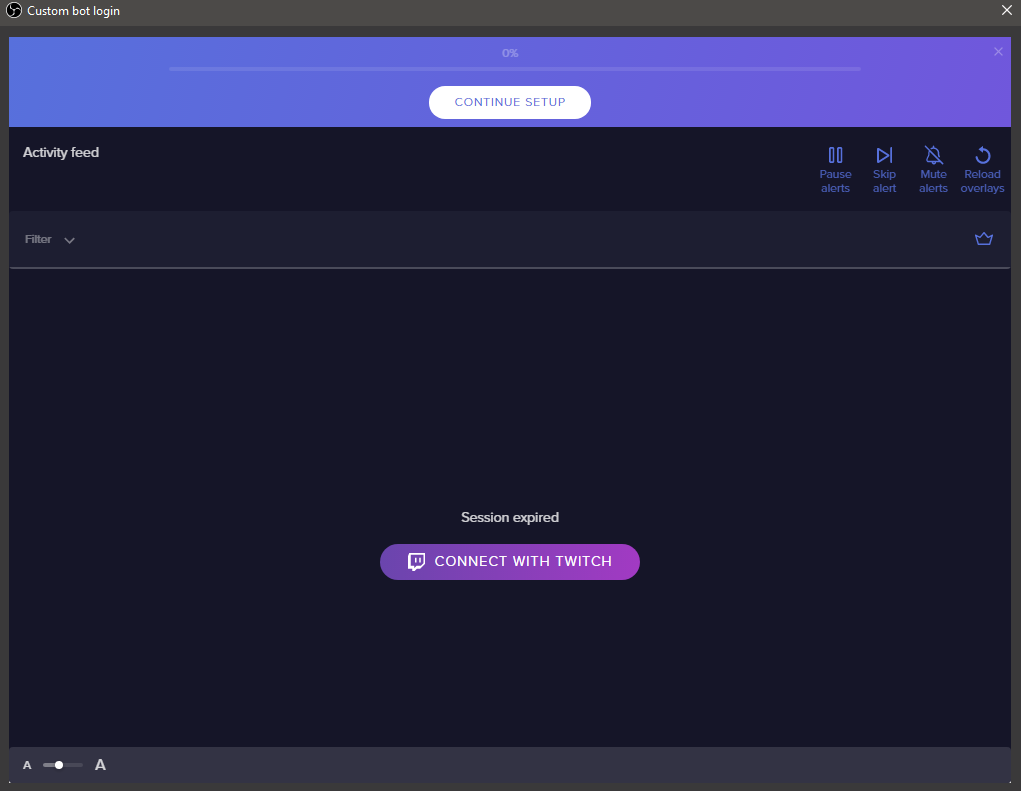

 lost granite
ive download OBS already, where is the browser source opcion?
odd kraken
In the sources tatb at the small + at the buttom and then "Browser"
echo tapir
@lost granite https://i.imgur.com/i4ZetZa.png
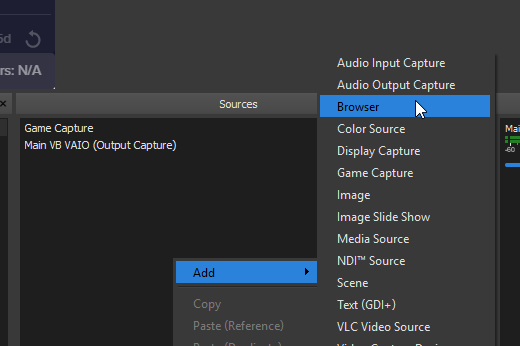 deep birchBOT
@lost granite To add your overlays to OBS, add a new browser source in your scene. Paste your overlay URL in the browser source properties, set the dimensions to 1920x1080 (unless you changed them on the website), and :ballot_box_with_check: “Shutdown source when not visible” https://youtu.be/KDvLynUqXI4
odd kraken
@echo tapir After you select "Connect with Twitch" please just try to close the window.
In the activit feed it should have changed from "Connect custom bot account" to "Remove custom bot account"
echo tapir
Thx it worked @odd kraken Finally i can get rid of ground control (as you can guess not my favorite program)
 crystal tundra
hopefully this is the right chat room, I had to update OBS & OBS LIVE love love love last night but since then everytime I go live a popping static sound comes through my headset ( but not my speakers ) and onto my show. I was forced to reboot but only fixed it for a few minutes, we had to forgive me please go back to SLOBS to see if it was us or the software or such and it works fine other then it's SLOBs and all the issues that has. I Don't like it I feel dirty.. Is reloading OBS & LIVE the fix? and if so is there some should do's first before reinstalling? profile saving etc..
 neon anvil


