#helpdesk-selive
1 messages · Page 21 of 1
 nova geode

 odd kraken
@white geyser delete the backup playlist in OBS Live, too.
 white geyser
How?
Oh I see it
Thanks
Now it keeps saying "No active widgets were detected for media request" but there is
odd kraken
try to log out of obs Live and log back in please.
 rugged quail
Anyone who has the time to help me with the tipping system?
odd kraken
@rugged quail whats the issue?
rugged quail
I cant't seem to get the link to work. I've added my paypall account and put the link on my twitch channel but i can't get further.
white geyser
Clicking "Test" on the tipping panel thing isn't doing anything/isn't working although I do have the link in one of my panels.
Can't click test means can't click next either
odd kraken
as long as you set up and link your tip-link in your twitch panel you can close/skip that part
 odd kraken
you have an active widget for media request in your scene?
 odd kraken
try to log out of OBS Live and log back in please
@rugged quail as long as you set up and link your tip-link in your twitch panel you can close/skip that part
rugged quail
@odd kraken oh so basicly you dont have to fisnish the whole setup. 😃
odd kraken
if you set it up on the SE internet page and put the tipping link in your description, you can skip that, yes.
white geyser
Any idea @odd kraken?
rugged quail
Thank you very much!
odd kraken
so it is not working? @white geyser
You have added the widget to your scene, Logged out of OBS Live and back in and it still shows you the red error message from above?
white geyser
Got it working
It was the StreamElements advertisement that doesn't let it work for some reason
Added a random video and it worked
Thanks
 wheat stone
hey guys i cannot continue the tipping setup on obs live?
what i did everything already but can´t hit next
odd kraken
as long as you set up and link your tip-link in your twitch panel you can close/skip that part
wheat stone
ahh so there will be not further step after adding the link to my channel?
odd kraken
no.
wheat stone
nice thanks 😉
nova geode
@hardy tulip that normally only happens when you have 2 instances of media request open, ie obs.live and the media request page in your browser for example.
 hardy tulip
Trying another playlist now and seems fine. May well have fixed it with that.
 quasi lava
Hey im here
odd kraken
@quasi lava so you have your widget with the media request in your scene in OBS?
odd kraken
so on the stream elements web page you added the widget "media request" to your scene?
quasi lava
oh no maby not
i have done a everlay whit the media request widget yes
and then put the overlay in to obs sources
nova geode
@glad sand it is fixed now. The command was set to only work when your stream was online.
quasi lava
but something is not right becuse all my sourses are buggy now wont event my game show on the stream
 glad sand
Oh is it? I got annoyed and went out for a smoke haha glad to see it works
nova geode
As I said, the command was set to online only.
So just as a heads up for the future, that's something to check also
quasi lava
and when i click show stream and i se the video show upo it say this
NO ACTIVE WIDGETS WERE DETECTED FOR MEDIA REQUEST
 hot marsh
hi @odd kraken i am on the part of setting up obslive with the paypal link which i should be able to press Next or skip , the screen where u can copy the link of paypal to your channel panel
the Next button isnt showing its dark, any idea why ?
odd kraken
you already added it to your channel page?
hot marsh
its already before i install obslive since i already use streamelements
odd kraken
as long as you set up and link your tip-link in your twitch panel you can close/skip that part
hot marsh
thank you benno
 ripe mica
Curious but for the stream deck elgato, is there an option or setting somewhere for the create clip feature to make it longer instead of 29 seconds or is it just default to that and no settings for it on the duration?
hardy tulip
Guys no good, media request is still skipping songs from a different playlist. Help!
odd kraken
@hardy tulip Have you set up a backup playlist?
odd kraken
Is it skipping when there is entered a new song to the queue?
odd kraken
So you play from your backup playlist and there is no song added to the queue and the song is skipping to another song of the backup playlist?
hardy tulip
Yah
odd kraken
Because the only thing I could imagine causing the skipping song is this: When you enter a song to the queue it skips the song of the backup playlist and starts playing the song which has been entered to the media request.
 random halo
Hello there, I'm trying to get my streamlabs OBS imported into Stream Elements and I cannot seem to get donation info imported to have top donator and such info available. Is there a way to do this so if I switch to elements I am able to keep my donors and everything? I've used the web import tool and gotten that all done, I've exported list and imported list as best I know, but donors don't show...
hardy tulip
No, i can see the song being skipped, it's wierd it' like it's possesed.
odd kraken
Try to reinstall OBS Live is the only tip to solve it I can give you. I am sorry, but I really have no idea why it skips around of your backup playlist.
@hardy tulip Another Idea: Have you set up a skip hotkey button in the Settings or maybe is there Ground control open in the background with a hotkey to skip set? maybe you press this by accident while gaming?
 near marsh
My backup playlist doesnt really seem to be working and when someone requests a song its about 30+ seconds before it plays, if it plays. If I try to go back to ground control both obs.live media request and ground control play
odd kraken
@near marsh Maybe you haven't set up the setting that a request does interrupt the playback of the backup playlist.
near marsh
that's setup right so it wont skip a playing song
my issue is the first song from the backup list will play and then nothing else
if I skip a song it all stops
and requests take 30+ seconds to actually play when nothing else is playing
only in OBS.Live
Ground Control works perfectly
except I cant use ground control anymore because I cant seem to disable the OBS.Live media request
hardy tulip
2 pc stream setup , my audio is independant of my game machine.... no ground control nothing, i have no other sources open.
odd kraken
@hardy tulip If you use OBS Live, you can also set up a skip button. Make sure you don't hit it by accident. I am sorry, but I really don't have any other idea how to fix this.
 slim ermine
umm it wont let me past the tipping setup thing
i put it on my twitch but its not check marked
 tulip hamlet
There's a known issue with the check button. It does not need to be checked for you to accept tips.
slim ermine
ok
 ancient zodiac

hardy tulip
Like now, the same song just had multiple restarts . I am not using any hotkeys.
Unless i'm listening to some funky music.
And now the song got skipped. Sigh
And that time it skipped 2 songs
slim ermine
when i try to play a song and show the video its says no active widgets were detected for media request
tulip hamlet
This is a known issue we're looking into.
 vagrant trench
is there a list of known bugs with the media request docked widget?
 lean widget
having issues with media requests playing on stream, it works on OBS and shows the video for about 10 seconds and then it turns off and gives me this error
tulip hamlet
Known issue.
 lean hamlet
So my configure vidoe button on se obs are all greyed out and I cant change the settings in them! Please help!
 shy mountain
@lean hamlet Can you provide a screenshot of the issue? Which configure buttons?
lean hamlet
I just closed it but if you left click on your video capture and go to properties and then to configure vidoe it wont open at all
@shy mountain
I have been using a laptop to stream from and now I just got a gaming PC and for some reason the button works great on my laptop but on the PC
shy mountain
I'm still not sure which button you are referring to.
Thats why i'm asking for a screenshot.
lean hamlet
Lol I can post one in the morning but I'd you left click on the elgato in the scenes and then go to properties you can find it there. Not sure that helps but I will forsure post a pic in the morning If that does not make sense! @shy mountain
lean hamlet
Yes that is the source
 deep birchBOT
@lean hamlet For the best OBS support, please join their Official Discord @ discord.gg/obsproject
shy mountain
That has nothing to do with our plugin, unfortunately.
Sorry 
Plus i'm seeing this:
lean hamlet
Well thanks for your help dear. I will ask around in the other discord. 😍
shy mountain
And I also don't hava a video device plugged in.
lean hamlet
Ok I see. I am just having issues with my chat link and there is a setting in the configure vidoe that I need to use and I cant even open it. Lmao
shy mountain
chat link? 
lean hamlet
Yeah it so my stream can hear the game sound and my friends talking when I steam from my ps4 so I can wear a headset
shy mountain
Aah Elgato thing I guess. Well yeah, ask in OBS' discord
 orchid fractal
How Do I adjust the size of the template when creating themes from the theme gallery I select 720p from the drop down and its still loading as 1080
shy mountain
The pre-made theme graphics are designed for 1080p size.
shy mountain
If you change the overlay from 1080p to 720p, you will have to manually downsize them via the black box when you click on the graphics.
Also this is not related to OBS.live, so for reference ask in #helpdesk-twitch 😉
orchid fractal
and move all the text and stuffs too?
shy mountain
Yes
rugged quail
Guys i need help, my obs keeps crashing and uses 99% ram
shy mountain
You might need to look at the crash log.
rugged quail
I cannot understand a thing it says 😢
shy mountain
Ok, so the easy way
deep birchBOT
@rugged quail Can you please provide a log from your last stream. You can find this log in " %appdata%/obs-studio/logs " OR Help > Log Files > Show Log Files. You can simply drag and drop the log file into Discord.
shy mountain
If it doesn't give a relative info, then I will have to send you to OBS' discord for help.
deep birchBOT
@rugged quail For the best OBS support, please join their Official Discord @ discord.gg/obsproject
shy mountain
No idea, the log didn't tell anything significant.
rugged quail
Can you use crash log?
shy mountain
You need to provide me the crash log
shy mountain
Yeah maybe ask in the obs discord
rugged quail
I already did 😢
shy mountain
I see they are in the process of helping you.
No point in having me helping you on this side, as we both might give you different answers/solution
shy mountain
Umm I'm not sure I understand what you mean.
rugged quail
Nvm i just found oput 😄
quasi lava
hey guys and girls i have som e problems whit obs i try to record and stream when i play world of warcraft but not i cant get it to work i start up obs and start up the game and ever ythings works fine 4 about 1 min then it just frezze i get this message from my computer "Default Radeon WattMan settings have been restored due to unexpected system failure" then it is just black there is no more gameplay recording even if i restart obs or the game it will not work onlything to get it to work agin is restart the computer. what can i do plz send help
 steel mural
Sounds like a faulty overclock to me. Radeon WattMan is the default overclock tool from AMD in their driver.
quasi lava
hm but the wierd thing is that i dont have done any overclocking on this computer just because i know it can crash
i have tryed to reset the Wattman settings to going to do a restart now and se how it works.
still the same problem and the card is not hot or working at max .
steel mural
I don't think that this has anything to do with OBS/OBS.Live. Stuff like this is normally caused by overclocking as I mentioned earlier, a faulty driver, wrong installation of the card or something with windows in general.
quasi lava
oikey will try to reinstall amd drivers obs and try agin.
 true ferry
Will there be OBS.Live for mac?
true ferry
k
 daring bramble
Hey guys capture window dont work how i fix it?
odd kraken
you are using OBS right?
daring bramble
Yeah
deep birchBOT
@daring bramble For the best OBS support, please join their Official Discord @ discord.gg/obsproject
daring bramble
Fixed thanks
rugged quail
Hey guys, my Activity Feed stopped working, nothing new that happens shows up there anymore
odd kraken
try to hit the refresh button on top of the window in OBS Live.
rugged quail
Still not
odd kraken
try to close it and add it back via clicking Streamelements on top and then activity feed
rugged quail
Nope, also I just figured out, my Alerts dont go off aswell
So it seems like StreamElements doesnt register it at all
odd kraken
is this for all alerts or just for host alerts for example?
rugged quail
For all, Follow for example doesnt go off/shows up
If I simulate an event though it works
 shy quail
try logging out of obs.live and logging back in
I had to do that when i first set it up
rugged quail
Tried, didnt work out, only Alerts from like 7 days ago show up
Nothing that happened at another point
shy quail
you don't have something blocking the connection do you? like a firewall or antivirus
it would seem the obs.live is not communicating with SE
rugged quail
Na should not, I didnt change a thing in comparison to before
shy quail
I know windows just had an update and they like to mess things up, only reason I mentioned it
rugged quail
I think I'll need to figure something out, thanks anyway
odd kraken
I don't have any more idea. I am sorry, but a staff member will be here soon to help you @rugged quail
 plain sonnet
@rugged quail have you changed your twitch name or your bot name?
rugged quail
I dont think so
I also checked the Activity feed on the website, also last action 5 days ago but I defenitely got a follower
deep birchBOT
@rugged quail Please connect your Twitch and/or YouTube channel with Discord by going to ⚙ Settings and then Connections here in Discord. https://streamable.com/eg92w
 rugged quail
Done
rugged quail
Yep I see, started working again, one of the things must have worked out, thanks guys
shy mountain
I only logged into your account.
And tossed you a follow, to make sure the AF is working.
So when was your last stream?
rugged quail
Around 2 hours ago
rugged quail
Alright I'll do
 smoky jewel
Hey 😃
odd kraken
@smoky jewel you tried clicking the refresh button on top of the media request?
smoky jewel
yes it reloads but stays blank
odd kraken
please try to close it and reopen it again.
smoky jewel
still the same
odd kraken
try to log out of obs live and log back in please.
odd kraken
in the same menu as you logged out, you can hit "Uninstall OBS.Live" to uninstall.
odd kraken
can you provide a screenshot of your OBS please?
smoky jewel
odd kraken
I don't have any more ideas. I am sorry, but a staff member will be here soon to help you.
plain sonnet
Saim, do you have the same issue with ground control (if you have it)?
deep birchBOT
@smoky jewel Our Desktop App Ground Control: https://streamelements.com/groundcontrol
smoky jewel
no
plain sonnet
can you try running it in 32-bit and/or as admin
odd kraken
OBS: 22.0.2; OBS.Live: 19.1.8.305
plain sonnet
ill raise it internally for you, as i have also run out of ideas 😁 i think this is a known issue tho
smoky jewel
ty 😃
 native token
Evening all
Just installed obs.live. Like the look of this all in one for Twitch.
Is it possible to use NDI with obs.live?
 dry sphinx
OBS.Live is just a Plugin. I believe OBS.Studio supports NDI.
 dim vigil
Hey I just got obs.live and I'm trying to add a overlay, I found one on streamelements.com and created it my question is how do I add it to my OBS?
deep birchBOT
@dim vigil To add your overlays to OBS, add a new browser source in your scene. Paste your overlay URL in the browser source properties, set the dimensions to 1920x1080 (unless you changed them on the website), and :ballot_box_with_check: “Shutdown source when not visible” https://youtu.be/KDvLynUqXI4
native token
@dry sphinx Checking obs.live tools and NDI is not there
dry sphinx
Check OBS.Studio's settings.
This is what I found on their site: https://obsproject.com/forum/resources/obs-ndi-newtek-ndi™-integration-into-obs-studio.528/
Open Broadcaster Software
This plugin adds simple audio/video input and output over IP using NewTek's NDI™ technology.
Three integrations are currently available:
- NDI Source: add NDI Sources into OBS like any traditional source
- NDI Output: transmit the main program...
So check sources if NDI is an option. Otherwise you'd like to download the NDI Plugin 😄
native token
I had NDI with OBS Studio just prior to installing OBS.Live
I'll reinstall NDI and check
brb
native token
Nightmare averted. Reinstalled OBS.live in obs studio location. NDI is back in action. Phew. Thanks @dry sphinx
dry sphinx
Awesome! 
native token
This is great. Streamdeck+NDI+AllinOne.
 warm pewter
@stone crystal 2:41:40 PM.654: Output 'adv_stream': Number of lagged frames due to rendering lag/stalls: 8684 (29.6%)
your GPU is lagging on the renderer
Make sure Game mode is disabled in your Windows settings
 stone crystal
what do you mean ? i dont understand
 stone crystal
lol sorry new to this
warm pewter
you are on Windows 1809, make sure Game Mode is disabled
if its enabled, it will cause this
stone crystal
1809 ? Windows 10 ?
warm pewter
Yes
Windows Version: 10.0 Build 17763 this is 1809, which was the latest feature update
warm pewter
Why are you trying to use Game Capture for Discord? 2:19:46 PM.774: [game-capture: 'Game Capture'] attempting to hook fullscreen process: Discord.exe 2:19:46 PM.808: [game-capture: 'Game Capture'] capture stopped 2:19:50 PM.808: [game-capture: 'Game Capture'] attempting to hook fullscreen process: Discord.exe 2:19:50 PM.841: [game-capture: 'Game Capture'] capture stopped
warm pewter
You are clearly using the source, Game Capture, to try and capture Discord.exe, and I am asking why? Game Capture uses DirectX or OpenGL to hook directly into the game feed. Doing stuff like this, can and will degrade your stream quality. I would also suggest updating OBS Studio to the latest version, 22.0.2
warm pewter
Window or Display Capture, you will only what to use Game Capture for an actual game, and only use one of these sources, as multiple game capture sources will degrade quality, and lead to problems like this.
stone crystal
done with the update
alright.
I understand thank you much for all the help there's anything else i can do more ?
warm pewter
Try a different NVENC preset, there should be one for performance
stone crystal
yeah i have that one on
i used to stream two weeks ago with no problem. here comes update and crash drop frames lag all the bad stuff.
i was thinking on formatting my pc
so 4000 for bitrate will be good ?
or 6000
also 30 fps or 60 fps
warm pewter
6K is way too high for 720/30
stone crystal
so 1920x1080 then ?
warm pewter
If your system is getting overloaded at 30, 60 will for sure not work. There is a chance once the next OBS Studio update comes out it will get better, as they have included the newer NVENC SDK, and improved how frames are sent from the renderer to the encoder
stone crystal
By the way how do you know so much about this ?
i used to do 60 fps at 1080 that's why i'm so confused when my stream was with lag and choppy
my pc have nice specs
warm pewter
If it was after the Windows Update, the Game Mode is the only thing they introduced that would cause stuff like this. Might be worth it to get a copy of the latest nvidia drivers, and do a clean install
stone crystal
i have a 7700K CPU and a gtx 1080
Yeah it was that update
I did that yesterday about the drivers. I even reset the date. January the 16
Thank you so much ?
Do you have a channel ?
dry sphinx
cough click his picture cough
smoky jewel
So I still have the problem with media request not loading in obs.live. I tested it with a second pc and it is the same.
 versed ore
Is OBS Live available on Mac I can't seem to find it?
odd kraken
@versed ore OBS.Live for mac is planned. no ETA on that.
versed ore
@odd kraken Thanks for the help again!
odd kraken
@smoky jewel I have poked staff to look at your problem. Please be patient as we try to find a way how to fix this.
smoky jewel
no rush 😃 ty
wooooow
I fixed it WTF
I deleted the queue on the website and boom
now i feel stupid 
odd kraken
glad you could fix this. 👍 thx for sharing your solution with us, so we can support other streamers better.
 lofty gorge
Hey so i want know how can i change streamelements name? I see the option for custom , my name or streamelements
dry sphinx
@lofty gorge You can check the pinned messages for setting it up through OBS.Live
 lone sigil
Hello, I have two sets of profile/scene collection since I have two accounts on Twitch (one for my team, and one for myself), how am I able to use OBS Live with the second Twitch account since when I switch profile/scene collection it still stays to one. How do I log out from the Twitch account and log back in with the other account on the OBS.Live? Thank you
odd kraken
You can log out by selecting StreamElements on top in OBS and then click on Logout.
 unkempt valve
odd kraken
unkempt valve
odd kraken
Try to pause it in OBS Live and close the MediaRequest window. Make sure to disbale viewer request in your StreamElements Dashboard afterwards.
lofty gorge
@dry sphinx where is that
warm pewter
The little pin icon in the upper right of Discord
 vast terrace
Hey was curious, will this always pop up when I launch obs like this? Is their a way to stop it from asking this every time I start up OBS?
 well alright thanks for the help lol
 dry sphinx
No problem 

 turbid arch
Anyone know if I can connect treatstream with streamelements?
dry sphinx
@turbid arch No but it's in the ideas board. https://streamelements.helprace.com/i959-treatstream-integration
turbid arch
Ok thanks! ❤
dry sphinx
Unless Nethyr has something else to say 👀
tulip hamlet
Fooooood. 😄
dry sphinx

 radiant cosmos
Guys im having an issue with my Media request i have two, and it sound in both of them.. if i mute one, doesnt either of them work.. can you help me ? @dry sphinx
dry sphinx
So you have it open in OBS.Live? What's the other source? Ground Control or Streamelements Media Request webpage?
radiant cosmos
how can i see that?
the only thing i have is this, let me show you
https://puu.sh/CDNZE/9a753e912d.jpg @dry sphinx
 dry sphinx
 You should try logging out of OBS.Live then sign back in.
radiant cosmos

ahahah, i havent try that yet.. let me see..
And thats what i had to do...
its working now
Thank you
dry sphinx
No problem
radiant cosmos
another thing, the Video OFF, option is working? because it doesnt work for me. @dry sphinx
dry sphinx
That is a known issue for Media Request OBS.Live
radiant cosmos
Good..
lofty gorge
Is there an affiliated program with stream elements
tulip hamlet
We have our DreamTeam which you can learn about at https://streamelements.com/dreamteam

StreamElements
The StreamElements DreamTeam is an elite group of Twitch and YouTube live streamers. Members get amazing perks such as a customized hoodie, free designs and campaigns.
lofty gorge
You guys here are awesomd
 grim rapids
Dont know why, but KappaGen stop working in the OBS but shows emotes on the Preview page on the website
 willow matrix
Hello, I noticed that i've been dropping a lot of frames since i switches to obs.live and i wasn't before as i dropped 15000 frames on todays stream
deep birchBOT
Can you please provide a log from your last stream. In OBS go to Help > Log Files > Upload Last Log File. Once this is complete, please provide the link to the log file.
willow matrix
tulip hamlet
20:43:31.027: Output 'adv_stream': Number of dropped frames due to insufficient bandwidth/connection stalls: 15027 (1.4%)
willow matrix
i had 1gb bandwith
warm pewter
OBS.Live does not alter anything in OBS that has to do with the connection to the servers, its a plugin for OBS Studio. saying you have 1Gb bandwidth does not really tell us much. The bitrate has to do with your upload rate only, and you have not specified if the 1Gb is up or down, and that does not change anything if there is an issue with your connection to the Twitch server, or something causes a network spike that would cause your dropped frames
 tardy rain
is there a way to remove media request from OBS Live?
tulip hamlet
There is not.
tardy rain
so there is now a problem I am having with Ground Control and OBS live being open at the same time
with Ground Control & OBS Live open at the same time, TWO responses happen from the bot, media request is iffy, music will randomly stop playing in the playlist, and music always desyncs because its now playing from both OBS and Ground Control
 rare night
@tardy rain this is being worked on now and we will release an update to fix it as soon as possible
 static basalt
Is there a way to make the text in the chat box larger?
shy mountain
To some extent
Use this - and this is the max size for the activity feed and chat
static basalt
Thanks, I didn't realize that it had an effect on BOTH boxes. Still not large enough for my liking (old fart) but I guess it will have to do.
glad sand
Hey guys 2 quick questions with probable easy answers 1. My audio keeps echoing dont know why, and i have no audio in game? dont know what i did wrong lol
deep birchBOT
@glad sand Make sure to :ballot_box_with_check: “Shutdown source when not visible” for all browser sources (all OBS scenes). If using studio mode, uncheck “Swap Preview/Output scenes After Transitioning.” Also keep in mind that sound can play from any overlay loaded in the browser (editor or launched). https://i.imgur.com/FegZJQS.png https://i.imgur.com/yY0wcFl.png

 shy mountain
And what is "no audio in game"? 
glad sand
i never use studio mode i usually just open the program and stream everything i hotkeyed
shy mountain
The text provided by the bot, mentions 2 ways to fix the double sound.
glad sand
and none worked or i wouldnt still be writting 😛
shy mountain
Then what exactly is echoing?
And you still didn't explain what you mean by "no audio in game". 
glad sand
million dollar question just had a viewer tell me my mic is echoing and when i watched the play back i was echoing. And no audio in game means no audio? no game audio is going to the stream so on the stream you hear mouse clicks and my voice thats all
deep birchBOT
@glad sand For the best OBS support, please join their Official Discord @ discord.gg/obsproject
shy mountain
Yay for more details on the issues 
Those are important details and unfortunately, we can fully support most common issues with OBS like multiple alert sounds, but that is some specific audio issues, at least I'm not familiar with.
ripe mica
Curious but for the stream deck elgato, is there an option or setting somewhere for the create clip feature to make it longer instead of 29 seconds or is it just default to that and no settings for it on the duration?
shy mountain
I'm not sure, is that a feature from us or provided by Elgato by default?
 ocean nacelle
Dunno why, but the mediarequest addon on obs is not working! D:
shy mountain
How so?
ocean nacelle
I really dunno! D: Like, it worked some days ago then when I reopened again obs, I just saw the addon all black! I opened obs again right now and it's the same! >__<
Also, yesterday viewers couldn't request any song for an internal server error!
odd kraken
Try to delete the playlist and the backup playlist using your browser please. And then restart OBS Live.
shy mountain
Stream elements on top -> log out
ocean nacelle
Done, but nothing changes! D:
ocean nacelle
Yours @shy mountain !
shy mountain
Try benno's
ocean nacelle
The playlist is now empty! D:
versed ore
Hello hello, I need to everything i used to have from 1080p into 720p any quick way to do this?
odd kraken
You can just set the output resolution in OBS to 1280x720.
versed ore
@odd kraken But my overlays have gone all distorted?
odd kraken
you have added your overlays still in 1080p to your scenes?
versed ore
i've changed them to 720p do i have to manually adjust the sizing?
odd kraken
What so your screen resolution? So the resolution of your monitor?
versed ore
@odd kraken I've changed everything from 1080p to 720 but thought they would automatically adjust?
odd kraken
Set the scene when creating it on the SE webpage to 1080p -> add this as browser source to OBS with the resolution 1080p (1920x1080). Then just set the Output as in the picture above to 720p (1280x720) and your gameplay will be streamed in 720p on Twitch.
versed ore
@odd kraken thanks bud i'll give it a go
odd kraken
@feral oxide OBS Live is just a plugin for OBS, as it doesn't change anything at the core features of OBS. You have to set up your GreenScreen Chroma Key in the Filter-Settings at the Source-Settings of your webcam in OBS.
static basalt
New user, slightly confused. I have SE.Live running, I also have connected to SE Browser Dashboard. Do I need to have Ground Control running as well?
odd kraken
no. you don't need Ground Control if you use OBS Live as it has the nearly same features.
static basalt
@odd kraken thank you
deep birchBOT
@rough light Make sure to :ballot_box_with_check: “Shutdown source when not visible” for all browser sources (all OBS scenes). If using studio mode, uncheck “Swap Preview/Output scenes After Transitioning.” Also keep in mind that sound can play from any overlay loaded in the browser (editor or launched). https://i.imgur.com/FegZJQS.png https://i.imgur.com/yY0wcFl.png
 rough light
@odd kraken i will try to live and if it did work thanks if it doesn't still thanks
odd kraken
If you need any further support or still encounter any problems or it is still not working please feel free to ask in here. We'll be happy to support you.
rough light
@gaunt eagle yea its still echoing can
odd kraken
What is echoig exactly, is it mediarequest, the alerts, your voice?
rough light
the gameplay
odd kraken
Can you post a screenshot of your OBS Live window please?
rough light
 placid cliff
How close is your headset to your mic bud ?
placid cliff
right rewind and explain from the start in one message the issues and ill assist best i can.
odd kraken
@placid cliff just read the few lines above.
warm pewter
There are more things in your audio mixer than what is shown in your screenshot, are you sure you are not capturing it multiple times?
placid cliff
Only thing i can think of that would cause a echo is if hes set a listening device in is speaker settings or capturing multiple times.
rough light
placid cliff
Ok break this down for me
Video Capture Device = Whats this running ?
Stream Elements = Alerts id asume
IDK = Whats this running ?
rough light
IDK any game
placid cliff
ok and whats video capture device
placid cliff
ok right click the camera and go to properies
rough light
yea
placid cliff
Scroll down whats your audio output mode ?
rough light
capture audio only
placid cliff
right ok now can i see your audio settings in OBS
This tab under settings
https://cruxedkat.live/s/201918592785.png
 rough light
placid cliff
rough light
placid cliff
Ok so on your task bar right click the speaker icon and click sounds.
Should get this window (on the sounds tab)
https://cruxedkat.live/s/201919015840.png
 static basalt
In middle of stream, game capture is working fine. Break for lunch and shut down stream, come back getting ready to start stream again and the game capture won't display the game.
placid cliff
Go under the recordings tab right click ALL your devices > properties > listen > and check non of them have this box ticked and are all on default
https://cruxedkat.live/s/201919050350.png

then check if theres any echoeing
odd kraken
@static basalt Are you using OBS Live?
static basalt
yes
deep birchBOT
@static basalt For the best OBS support, please join their Official Discord @ discord.gg/obsproject
 daring vessel
Hey ! I just saw an useless button on the "media request" UI ->
And I can't fin any "media request" media control on the streamdeck software :/
rough light
i fixed it thanks everyone that tried to help my
odd kraken
What was the issue exactly @rough light ?
 @daring vessel
 rough light
daring vessel
rough light
daring vessel
sorry I was not explicit @placid cliff
Forgot the word "media" 🤐
Media control*
like these ->
placid cliff
Do you have the latest SDK update for StreamDeck for SE ?
Could be a small oversite
placid cliff
Temp fix, Set a hot key and bind that in SD for the mean time
https://cruxedkat.live/s/201919465528.png
 daring vessel
Ho This menu is usefull thx !
placid cliff
Your welcome 😃
daring vessel
I guess you implemented it on last release ?
Just have to wait for StreamDeck update ?
placid cliff
More support will most likely come soon as the SDK is rather new so alot to expand upon, If you want to check the StreamDeck install back up your profile and scene collection and head over to obs.live and redownload it and tick ALL boxed including the StreamDeck options installation.
daring vessel
You mean reinstall or did I miss a relevant installation option ?
placid cliff
@zinc lark possible assist here isnt there 3 tick boxed when installing OBS.live ?
OBS.Studio
OBS.live
and if recognized doesn't the StreamDeck option show ?
(Iv no idea who to tag for an assist) Yikes >.<
We will get you a solid answer bud 😃
dont wish to feed miss information
placid cliff
If its not there its most likely on its way, Since the StreamDeck support SE has been after almost since release 😉 (there twitter is littered with wanting support hehe)
rare night
I don't recall a streamdeck checkbox on install of our plugin
Normally after installing the OBS live plugin I recommend repairing the streamdeck software using the streamdeck installer
rare night
What that does is ensures that the necessary stream deck files are in the OBS program folder
No problem
daring vessel
I will try repairing and see
rare night
I'd this is about mediarequest play/pause/etc keys in stream deck that had not been released yet
If this*
daring vessel
I though that was a main feature to the OBS plugin so on the main dev features to StreamDeck plugins 😃
well I will wait 😃
Is there any Git repo to help dev ?
warm pewter
Last I tried, the Media Request buttons exposed in the Stream Deck options for OBS.Live worked
 rare night
We currently have the hotkeys within OBS which can be controlled via streamdeck as cruxedkat mentioned but connecting the SE mediarequest controls to the streamdeck will require some API work with the streamdeck SDK
I'll check with the dev team about the repo possibility
I don't believe there will be an issue since the streamdeck SDK, OBS.live, and our production API are open source
Maybe open source isn't the right term but I think you know what I mean :D
daring vessel
Open source yes
I saw source download links
so I guess it is :3
I just figure it out that your using web api to control all StreamElements features 😃 So I guess the feature is already available on API :p
afk
rare night
maybe you've already found this but I'll link it https://github.com/StreamElements/obs-browser

GitHub
CEF Based obs-studio browser plugin. Contribute to StreamElements/obs-browser development by creating an account on GitHub.
daring vessel
XD
GitHub
Contribute to StreamElements/jobs development by creating an account on GitHub.
Well I don't see the StreamDeck plugin 😃
maybe private
rare night
@steel bridge is the lead memegineer
maybe he can assist with the streamdeck SDK question
@daring vessel here would like to help with adding mediarequest player controls to our streamdeck store plugin
 steel bridge
Yeah so the streamdeck plugin is currently private 
 static pine
CS:GO is black screen on obs
rare night
We provide support for our OBS studio plugin here but the best place to receive assistance with core OBS features is in their official discord.
deep birchBOT
@static pine For the best OBS support, please join their Official Discord @ discord.gg/obsproject
static pine
it is the OBS.Live
rare night
Game capture is a core OBS studio feature
OBS.Live is simply an add-on to the streaming software
static pine
alright
daring vessel
@steel bridge So there is no way to create pull request to add this feature ? 😃
steel bridge
Currently not, but I'll bring it up internally 😃
 hazy nebula
not alerts, but store sound clip redemptions
 subtle light
Help please. streaming pc records video (elgato HD 60 S) but no audio. any ideas? Thx!
deep birchBOT
@subtle light For the best OBS support, please join their Official Discord @ discord.gg/obsproject
 wispy current
are there any plans to get obslive intergrated with streaming to facebook?
wispy current
oh sweet! thank you. @dry sphinx I hope it happens, i hate slobs...
 red yarrow
Hey guys I'm new to media request in streamelements and was wondering if there was any advantage/disadvantage to controlling my playlist and requested songs on the website on a separate laptop instead of in OBS itself. I'm asking because after a couple hours the widget in OBS becomes extremely laggy and unresponsive. Is there something I'm missing?
 latent wren
Is there a way to add custom alerts to OBS.live?
tulip hamlet
They're created and managed on the site, and then added to OBS as browser sources.
latent wren
Thanks
vast terrace
For the media request box in OBS Live why does it take so long to play the next song
rugged quail
Hey, is there any word on that Groundwork app and OBS.Live Media not conflicting with each other? (re-description:- I wanna use groundwork not the obs.live media request. but obs feature auto kicks in, and normally playback is out of synch with groundwork) - groundwork goes to my speaker. stream alerts and game sounds go to my headset, obs.live MR forces the songs to come through my headset which is what I am not wanting.
shy mountain
Its in the works still.
 shy mountain
Or if i'm understanding your issue, that you just don't want to have MR via OBS.live
rugged quail
Essentially being able to disable MR 100% from obs.live would be the ideal answer.
shy mountain
Its in the works.
shy mountain
 👍
👍
nova geode
@red yarrow if you use a browser on a separate laptop, the audio will not be heard on your stream.
red yarrow
Ok thanks, so the recommended approach is to just use the widget in SLOBS without anything else running?
nova geode
For now. There are some bugs that are known to the devs, such as MR becoming a bit slower after a while, but it is being worked on. Thank you for your patience!
warm pewter
@red yarrow if your original question was in regards to using SLOBS, we do not recommend SLOBS as we can't guarantee reliability using our services with that application. This channel is for support of our plugin for OBS Studio, OBS.Live
red yarrow
@warm pewter Yeah sorry I meant OBS.Live. I get them mixed up, my bad.
@nova geode Ok glad to know It's not something on my end. I don't mind waiting as long as necessary I just wanted to be sure I wasn't doing something wrong. Keep it up!
nova geode

 severe breach
i think the media request box in obslive is broken again 😦 its not displaying anything.....
odd kraken
@severe breach can you send me a screenshot of your OBS please.
 sweet arrow
can i set a keybind to pause/play a song with the media request in obs live, if so, how do i do it
odd kraken
yeah you can setup hotkeys for that in OBS Live. In the Media Request panel in OBS Live select the cogwheel "settings" -> "Hotkeys"
sweet arrow
thx
 steep flower
Is anyone else having issues with the new Music media wiget?
It just doesn't work right. so I tried removing it and just playing the music and playing it the old fashion way on the website and the wiget was still playing after I removed it and was doubling the music
@severe breach I am having a similar issue. It will just stop playing music and then I can't get it to start. and then the request will go it and it will play like 10 secs of the song and then skip like 6 songs
dry sphinx
Yeah. That's a known issue been reported for devs.
 ivory egret
I am trying to switch over from slobs to obs live. The problem I am having is that under donations and tips is not reflecting the latest donation. But when I go under data everything shows there.
warm pewter
Where exactly are you looking at this data? I see you have a StreamLabs tipping page, we will not get any of their data in our system. You can import the tip data, but this is more historical, and our system will not pick up on anything related to your SL tipping page, you would need to use our system for use to track that data
ivory egret
Under the stream elements overlay on the top there is a blue bar with editor, widges, data, insert Text ,insert image, insert video. the thing is a long time ago I tested the tipping app and I had one person tip when I was using stream labs OBS the problem is that person has now been banned and I dont want their name on there. That was a long time ago.
So there is no way for the data to populate the latest donation
warm pewter
You can import your SL tipping data, but if you continue to use your SL tipping link, we will not get any of that data that comes in. You would need to use our tipping page for it to automatically alert on, and populate our widgets. You can manually set the data in the labels page of the data tab if there is something currently there you dont want to display
ivory egret
Ok Perfect! That worked!
My other question is how do I restart the countdown on the Start scene?
 zinc lark
refresh the cache on the page. If you have "Shutdown when not visible" checked, then making the source hidden, then visible again should cause it to refresh, and the timer to start over
ivory egret
I dont know where to find shutdown when not visible
plain sonnet
right click, properties, scroll down
ivory egret
on the Icon on Desktop? Is not letting me in the editor
sorry trying to figure out. Im not very technical
plain sonnet
go to your browser (overlay) source then right click
ivory egret
PERFECT! Thank you!
plain sonnet
np 👍
ivory egret
you guys are awesome! stream deck will be here in a couple of days. cant WAIT!
 tall umbra
Hello guys! I dont seem to be able to find "brower source" in my OBS live version. Tried reinstalling and both obs studio and live version with the option of brower source checked but it still did not show up. Can anyone assist?
tall umbra
thanks man! i'll try and look for it. Just uninstalled it agian lol
 candid olive
anyone else getting a bug with the game/stream title change screen? Once I go into it, I can't back out of it and have to restart OBS
tall umbra
@odd kraken hey sorry to distrub you agian. I am trying to add a brower source from stream element but that dosent seem to be working for the "brower" that you showed me
odd kraken
@tall umbra Can you describe what is not working in more detail?
tall umbra
I tried to add an overlay url to "browers" and it's not showing up in full
odd kraken
What resolution did you choose when you created the overlay in SE? Was it 1080p?
tall umbra
Yes 1080
plain sonnet
click on the browser in sources and press ctrl+f
wait, by the looks of it, its full size, just cut off
try refreshing the browser cache
odd kraken
Please DM me a screenshot of the properties of the Browser Source. Click right on "Browser" -> Properties and take the screenshot please and send it via dm.
solved. ^
plain sonnet
👍
 deep tide
Using the ground control music feature with live streams and i get this I do have the song in the overlay
plain sonnet
thats a copyright claim, just because its in your overlay doesnt mean you wont get one
deep tide
so why not use Royalty free music in the ground control app.
plain sonnet
good point, why not play them
rugged quail
Hi folks, can anyone explain the difference between the labels "recent subscriber" and "latest subscriber" ? And is there an easier way of adding txt labels compared to via the web overlay system? Not sure if this is the right channel but heck
vagrant trench
i'm having a similar problem @rugged quail
I also need help with the media request app. the one that is docked in the obs live now, it skips songs randomly that are on the playlist without being set to skip, it also will often play the first 30 seconds or so of a song, and then skip to the next one.
rugged quail
Hard times, @vagrant trench :)..
Another question just in case anyone from staff reads this: Is it possible to have all my alert images changed in one go? The way i change them now is all one by one. Thanks in advance!
I myself haven't tried the media request feature yet so i can't help you there.
 finite ferry
Hello, I just started streaming from OBS.Live to YouTube (was streaming to Twitch before), and I can't seem to be able to login through YouTube in the application to get feed & chat, is it not supported yet? thanks!
deep birchBOT
@rugged quail To duplicate a layer on an overlay select the layer that you want to duplicate in the layers drawer (bottom left of the editor) and then select the duplicate button with the red asterisk right above the layers panel. You can duplicate a layer to the same overlay or to other overlays.
ancient zodiac
@finite ferry YouTube integration isn't in obs live yet.
finite ferry
I see, I have one more question regarding this topic
My channels (twitch & youtube) are now separated in the website by two different logins, I only later saw that I can just add different channels in the same account, now it says It's already logged in in a different one. How can I fix this and merge it? or is it better to have them separated?
@ancient zodiac
ancient zodiac
Certain staff members can merge them.
severe breach
Hi @gaunt eagle i closed and re opened OBS seems to be working now sorry.
 wanton brook
Hey peeps. I wonder if i can install two obs live seperate. And if they Will not conflict with each other. Me and my gf wanna stream on the same computer with different setup and stuff (obviously). And i thought it would be best to install two different obs lives :p And to add, the question is NOT to stream at the same time, i know that. 😃
wanton brook
Alright, no way of changing that location on one of the obs live?
I mean so that the other obslive read appdata from somewhere else :p
tulip hamlet
Not that I'm aware of.
wanton brook
Darnit, thank you tho!
 limber juniper
@tulip hamlet if someone wanted to have two streamers on one machine (grant it, not at the same time), they could achieve this by simply logging out and logging back in?
tulip hamlet
Right, and having separate scene collections.
They were looking for something that takes a bit less effort, sounds like.
wanton brook
Oh I got an issue with media request trough obs live I could bring up now when I’m here 😃 When I klick “show on stream” it pops up on stream as excpected. But it gets double sound 😳 and after 5 sec obs live says ” couldn’t find media request widget” and then it dissapare from stream.
tulip hamlet
Known issue. We're working on it.
wanton brook
Alright.
Hmm less effort? I just didn’t wanna screw with my scenes and settings in anyway.
I didn’t even know that I could have a “collection” of scenes
tulip hamlet
Yup, that's the Scene Collection menu at the top.
So you could have one for each of you.
As for OBS.Live, logging out and in with the other account is what you do there.
wanton brook
But streamkey and settings are the same? So that would mean I need to change streamkey as well, right?
tulip hamlet
Stream key, yes, that'd need to be changed.
wanton brook
Alright, ty
vagrant trench
So there's no fix for the media request player being buggy and randomly ignore half the play list?
wanton brook
I think they working on that as well 😃
vagrant trench
man i hope so, people that tip to hear a song are gettin pissed that their song skipped
if they cant fix it, they need to remove it until they can fix it so we can use ground control instead
limber juniper
@wanton brook if you export out your profile, I believe all the settings (including stream key) is there. So you would export out Profile AND Scene Collection for both of you. Then import them per user as well as the log out and back in with OBS.Live. That should achieve what you want to do.
wanton brook
Alright. I think i will just use obs studio instead (for her). Since I’m the one that mainly streams. And she haven’t even said she wanna start stream. But she did stream today so that I could watch while I was away. So I thought it would be neat to help her set up a own stream for her 😃 thanks anyway @limber juniper
 limber crystal
Hello. My stream keeps dropping fps and I cant figure out what is happening
deep birchBOT
@limber crystal For the best OBS support, please join their Official Discord @ discord.gg/obsproject
 shy kindle
is it possible to stream to youtube and twitch at the same time ?
 viscid river
is there an issue right now where MediaRequest widget doesn't get detected on stream when it is?
 pliant kelp
I'm trying to troubleshoot the same thing.
viscid river
ok. so its not just me then
pliant kelp
It's working now but that's after I make sure the browser is off and I've reset StreamElements.
viscid river
I had the issue off and on yesterday when i was trying to setup with the streamelements OBS plugin.
@pliant kelp what do you mean by reset stream elements? like stream elements OBS?
pliant kelp
Yeah. Sorry. StreamElements OBS.
SE OBS didn't seem to pick up the changes I made on the overlays. Once I reset SE OBS, it seems to be working fine now.
viscid river
weird. its not fixing it for me, doing that was making it work for me yesterday when it was doing this off and on.
i even remade the widget to be sure.
not a big deal atm. im already done streaming for the night, id like to try it out friday though. Maybe it will work then.
pliant kelp
Yeah. Mine is no longer responding to when I switch video on or off.
Oh. Now it is. Weird.
viscid river
its a pretty new feature to SEOBS right? maybe it just has some stuff to iron out.
love that its a thing now though, way more accessible
pliant kelp
It's like a week old.
viscid river
aye
pliant kelp
Yeah. It's nice. Just a bit buggy. But when it works, it's gold. 👌
rare night
New feature to the plug-in so there are some bugs to squash. bugfixes are being worked on and coming soon
 sweet cradle
https://obsproject.com/logs/B00zSu32qy0X2uq4 ________ THis is my currrent log file and i am having renderlag issues and my recordings seem to be choppy
shy mountain
I don't see any frame or render lag.
But I am seeing this:
Also what OBS.Live version are you on? (lower right corner)
sweet cradle
19.1.8.305
shy mountain
run a 5-10 minute recording.
sweet cradle
alright just doing anyhing?
sweet cradle
sweet cradle
VBR : 40000
sweet cradle
i looked up best settings with my computers specs and that what it said to do
shy mountain
what?
sweet cradle
yeah
shy mountain
what site told you that 40,000 bitrate is ok for your PC?
sweet cradle
umm let me find
shy mountain
Twitch allows a maximum of 8000 bitrate, even at 8000 bitrate you need a dual PC setup, so that one PC can render the game the other can be the streaming machine.
That you have set your bitrate to, I think only a datacenter can render in that bitrate
sweet cradle
im not looking to stream right now mostly recored rn
shy mountain
Don't record even at 40,000 bitrate
sweet cradle
this is the video on the site
shy mountain
thats way beyond overkill
You cannot post links like that. @sweet cradle
The bot removed your first attempt
shy mountain
Do not in anyway follow this person's advise
Do not record in .mp4
40,000 will destroy your GPU, especially if its rainbow six
Stop linking.
sweet cradle
that wasnt a link
i was typing out all my specs so i could get a better opinion on what settings to use
shy mountain
Use 8000
I strongly recommend this person's videos: https://www.youtube.com/channel/UClx4eJ_EP9MJdz19JUjKD1w/videos

YouTube
Gaming Careers 🎮 is an online education platform for Gamers who want to grow their passion into their profession. Find new content every week including: film...
what ever you do for streaming settings, can and should be used for Recording settings
sweet cradle
alright and i use multiple audio tracks whats the best video file format?
shy mountain
.mkv
sweet cradle
alright thak you
shy mountain
Set your OBS as if you are going to stream
at a reasonable bitrate like 4000 or 5000 and for the encoding settings for recording place it to "use streaming settings"
sweet cradle
CBR or VBR whats your prefrence
shy mountain
CBR
sweet cradle
alright thank you!!
any other tips for good video recording especial for games lie rainbow 6
shy mountain
No. Research more and look for videos with more views that the one you watched
I'd strongly recommend taking a look at the person I linked
sweet cradle
alright thank you!!
 proud moth
can someone help me with a little problem i'm having with obs live? when the program catches the image of the game i want to stream, the game drops to 1 fps and becomes very laggy 😦
odd kraken
OBS.Live is a plugin for OBS Studio and does not change the core functionality. There are no changes to the functionality for display capture, game capture, or window capture. If you're havin trouble, you should reach out to OBS support.
deep birchBOT
@proud moth For the best OBS support, please join their Official Discord @ discord.gg/obsproject
proud moth
ok ty
odd kraken
@sharp reef What do you mean by not loading? Is it white, or black, or not even there?
 sharp reef
@odd kraken its only black it shows the box but it doesnt load like the content inside
odd kraken
are you Live atm?
sharp reef
Not atm!
odd kraken
Try to delete the playlist/queue and the backup playlist using your browser please. And then restart OBS Live.
sharp reef
@odd kraken that did the trick, thanks!
 woven pebble
Hey SE! Trying to figure out why my hosts aren't working correctly in my alerts. any help is appreciated! 😃
deep birchBOT
@woven pebble Due to recent changes to Twitch API, we have filtered out hosts and will only show these ones on your activity feed:
- All manual host events (0 hosts included and if filter set to 0)
- All auto host events with at least 1 viewer
woven pebble
I had someone host me with like 30 people the other day and it never showed up, do we still need to use ground elements in the background even though we are using OBS streamelements*?
odd kraken
@upbeat halo Have you added the widget in your Overlay Editor at the SE website?
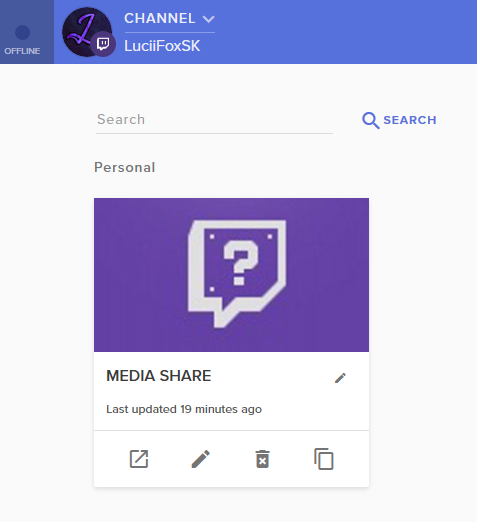 odd kraken
So when you edit this overlay, have you added the widget "Media Request"?
 upbeat halo
Yep, it's in there
odd kraken
Then try to log out of SE in OBS by selecting StreamElements at the top bar of OBS and select "Logout" and Log back in please.
upbeat halo
Benno The Wizard, It works now, thank you!
 muted relic
Hey guys, I'm trying to get my outputted audio to stream as close to my raw audio, however the streamelements Media Request is too loud even at the lowest point of the slider, any suggestions on how i can lower the volume without affecting the volume of my alerts ?
 acoustic rivet
Hey everyone I am streaming from my ps4 through a elgato capture card but I think I messed one of the settings up in obs and now my stream does not pick up the game audio from my gameplay instead it picks up the sound on the laptop any ideas on how to fix this
hardy tulip
Play sound notification when new tracks enter the moderation queue
This function in media request is not working.
 hidden mural
Hello, I'm part of B42 team, unfortunately I cannot use yours software and may I ask are they any staff members or developers around that I could have a chat with. If not may I have a dev email.
deep birchBOT
@hidden mural Welcome to the support channel! Please let us know how we can assist you today and a member of the support staff will be with you as soon as possible.
hidden mural
@deep birch thank you 😃
sweet cradle
Alright so i need help my videos are not recording at a consistent 60 FPS
here are my logs
hidden mural
What are you recording with OBS?
sweet cradle
and i have just recorded a video 2 min long that looks choppy as hell
rainbow 6 siege
hidden mural
No, I am on about software wise.
hidden mural
Have you recorded in past or first time recording wiv OBS?
sweet cradle
i have in the past and it ran perfectly on my 970 but when i upgraded to a 1070 my settings that i had were making it all chopy so i experimented and still no luck and i had just gotten my RTX 2080 not to long ago hoping that it would also help me with recording and also graphics but still no luck i have a very good computer that ive built myself i7-8700k MSI godlike MB and RTX 2080 with 32 gb ram i have no idea what or how to get back to my quality i once had
hidden mural
I'm waiting for a staff member 😄
deep birchBOT
@sweet cradle For the best OBS support, please join their Official Discord @ discord.gg/obsproject
 hollow cloud
why is there soo much time for it to switch from one scene to another?
odd kraken
@hollow cloud The Overlay is a Browser Source so the time it shows up is depending on your internet connection and other factors. You can hide this time from your stream to use the studio mode to preload the scene, so there is no black screen to switch between the scenes.
tulip hamlet
@muted relic Your audio on YouTube itself can also affect audio of media request. Go to YouTube in Chrome and lower it there. 😃
deep birchBOT
@acoustic rivet For the best OBS support, please join their Official Discord @ discord.gg/obsproject
hardy tulip
Twitch chat isn't as live as i would have invisiged it to be on the app or the browser, i.e. when a troll comes and spams an ansii text image and when a mod deletes/bans the user and message it doesn't clear chat unless a new message comes through in chat. Is this a bug with the plugin?
hardy tulip
And chat does not state who's been banned.
 fossil compass
does this work with facebook?
tulip hamlet
We do not have any support for Facebook streaming at this time.
vast terrace
How come the Media Request box keeps playing the same few songs
even though I have alot in the playlist
shy mountain
@vast terrace if the songs are from the backkup lliat we dont have a shuffle feature if thats what you are referring to
@plain tree afaik no plans
 plain tree
what do u mean
vast terrace
So it just plays the same few songs
shy mountain
@hardy tulip ive seen the same thing and i think its a bttv and/or ffz issue
vast terrace
even though I have 100?
plain tree
@shy mountain i dont understand what u mean
shy mountain
@plain tree as far as i know we dont have plans for a remote control
shy mountain
Streamdeck
shy mountain
No
plain tree
alright thx tho
shy mountain
@vast terrace im really not sure om your issue as no on else has reported something similar
 narrow hinge
I have made a video to act as an opening cutscene to my streams, but media sources do not play sounds and when there is some playing issues when i go through the overlay browser video. Any tips? I am at a loss. When i go the the scene i just want a single play through and then i switch to my talk to live scene.
shy mountain
What video format is the media sourced video?
 craggy musk
Hey guys I need help .. For some reason I can't move certain elements all the way over to the left, as if there is a barrier there
odd kraken
Does this happen for OBS only, so the elements are at the left border for example but in the middle of the screen in OBS?
craggy musk
well I try to move it to the left and it gets stuck about one fifth away from the edge
ive only tried in SE Obs live so far
it happened after I changed the previerw scale to 1080p then back to window fit
ive restarted obs and my pc already
odd kraken
Please make sure the resolution you selected when creating the overlay (default 1080p) is also set in your Browser source in OBS (1920x1080).
If this doesn't help can you please provide a picture of your OBS Live window
craggy musk
its happening with non browser source elements, such as text
You see where now playing and event list is, that's where theyre getting stuck
shy mountain
If the red rectangle around the element matching the canvas size?
craggy musk
well its a text file so its just around the text ill show you
and it shrinks as I drag it
lol
shy mountain
Well, unfortunately, this doesn't seem like anything we can help with.
deep birchBOT
@craggy musk For the best OBS support, please join their Official Discord @ discord.gg/obsproject
craggy musk
strange one lol
i'll give them a shout thanks
I fixed it, as a heads up when I clicked my folder view for my widgets the red box was out of place
doh
shy mountain
 cool
cool
 dusty marsh
Guys, I have this issue with Obs.live's media request. It literally freezes & locks up after every song request. Is there a fix for this?
shy mountain
Do you have a backup playlist?
dusty marsh
I want to use the browser instead but the plugin & browser seem to be interconnected.
shy mountain
I'd suggest to check the backup playlist for any unavailable or deleted video
shy mountain
Any songs in the queue?
shy mountain
Are you able to see songs in the queue?
dusty marsh
It doesn't register my clicks etc.
They mostly disappear, but they are there on browser media requests
Is there a way to disable this buggy media request other than disabling the obs.live entirely for now?
shy mountain
A readjustment for the media request widget to be turned off is in the works, no ETA on when its going out.
dusty marsh
That kinda sucks..
shy mountain
If you have the webpage media request open and OBS.Live at the same time, is it then, that it freezes?
I'm trying to get as much info as possible, so that I can try and reproduce this or pass it to our QA for testing.
dusty marsh
Nope, obs live freezes no matter if the browser one is open or not
I'd provide a VOD but it is muted unfortunately
dusty marsh
Well you hear it happening, not see it, that's the problem 😄
But basically over time, after every song is over, it just doesn't register any input or clicks for a while
Anywhere from a minute to three minutes, it stays frozen
shy mountain
But is that the entire obs or just the widget?
dusty marsh
Just the widget. Everything else works as intended
shy mountain
Ok, so lets say you restart OBS and start streaming now with songs in the queue
how long into the stream does it start to freeze?
dusty marsh
Hmm.. Good question. I think after 2-3 songs it started showing signs of freezing
dusty marsh
i5 4690, 8GB ram. It is a dedicated streaming pc so no gaming happens there. Using a capture card.
shy mountain
but OBS is on it right?
dusty marsh
Yup.
Cpu usage is always on constant 60% while streaming.
I checked for memory leaks but there weren't any, ram wasn't maxed out
deep birchBOT
Can you please provide a log from your last stream. In OBS go to Help > Log Files > Upload Last Log File. Once this is complete, please provide the link to the log file.
dusty marsh
Do I upload it here directly?
shy mountain
yeah its just a link
shy mountain
👍
dusty marsh
shy mountain
ok so try and sort out the warnings
and try and run a stream again
if it freezes again, please let me know.
dusty marsh
Wrong YUV color range?
shy mountain
Fix is in the link I provided
dusty marsh
Much appreciated!
shy mountain
I just want to cover these things as it may make OBS laggy.
Also if this helps mitigate the freeze, please also let me know @dusty marsh
dusty marsh
I will attempt those fixes and let you know
shy mountain
Like I said, trying to gather as much info as possible on this, as this is the 2nd report i've seen that the media request widget freezing and I suspect it maybe due to PC usage.
dusty marsh
I don't know the other dude but... was he also using Voicemeeter I wonder?
Also, I already have "AllowAutoGameMode" disabled in regedit, I wonder how it is still enabled :S
 shy mountain
i think the value needs to be 1 to be disabled?
dusty marsh
Nope, 0 is disable, 1 is enable. Which is why it is super weird.
dusty marsh
The toggle does not exist unfortunately
dusty marsh
I thought I had the latest updated windows... lol
shy mountain
if you don't see the toggle you are not on latest 1809 update
dusty marsh
Oh nevermind. I see an update when I checked manually. I hope it sorts out. I see a 1809
I guess I got some work to do 😃 thanks alot! I'll definitely keep you posted on if it fixed the media requests
shy mountain
👍
hardy tulip
Hi, any progress for Mixer support?
 sinful flint
Delayed until further notice
hardy tulip
Oh i see.
Also ... Play sound notification when new tracks enter the moderation queue ... on media request doesn't save the option when selected.
 formal isle
hey there! so the new media request panel in obslive is super duper buggy for me 😦
some issues i had:
- sometimes music would stop playing (or when song ends, it doesnt go to next in queue it just stops)
- songs in queue would get repeated
- when i pause the song, sometimes it doesnt let me play the music again
- I can't press skip on songs
not too sure what to do about it, because when i go on the website to play it instead, it just starts playing in my OBS anyways so I can't switch back to the website
nova geode
@formal isle have you tried reloading the SR widget in obs.live? in the upper left corner of the widget there is a little round arrow, click that to reload the widget. note that it will pause the MR for the duration it takes to reload tho.
also yes, all of the bugs you wrote about are known and being worked on!
for me the reloading of the widget helps a lot when it gets stuck.
 north edge
hi hi quick problem with the overlay system. So whenever an notification and redemption pops up, every scene makes the notificaiton sound. I know the fix for it is to go into properties and check off shut down when not visible but is there another fix around?
formal isle
thanks so much! will try that!
plain sonnet
@north edge in every overlay browser properties tab, make sure these options are ticked
north edge
thats what i'm tlaking about
the issue i have wiht that fix is my overlay takes a few seconds to fully come back
its mainly QoL but it would be nice if i can swap my scenes without any "pauses"
plain sonnet
thats because you have to download the browser again, the way around not having that pause is to use studio mode which will pre load the scenes
north edge
i see
 dire star
hello i was using the media widget to use music and i was uploading urls and then it stoped showing up. could you help
north edge
so i tried that too but the streamdeck doesn't let me wait then transition , it just switches the stream instantly
 snow bronze
Hi all, is it possible to disable the stream elements bot in my chat? It's preventing nightbot from posting links to viewers.
snow bronze
Thank you, that's what I was looking for, have a great day!
plain sonnet
@north edge so this is what you want to use (bottom right), you can also set a hot key for the actual transition to happen
nova geode
@dire star can you elaborate?
north edge
i know that @plain sonnet but the problem is when i use the stream deck it doesn't pull the scene on the left screen but instantly puts it on the right screen, the live scene
nova geode
do you mean you wanted to show the videos on stream and the video doesnt show up anymore?
or what is not showing up?
dire star
as in like when i was using it i was putting in the urls and then it didnt show up anymore i wanted to add more music
plain sonnet
i dont use streamdeck so i cant give a reason as to why its doing it. i use my num pad on my keyboard and it changes it on the left, then i set a hotkey for the transition. not sure if someone with streamdeck knowledge can help out
dire star
no the box that would let you upload urls
nova geode
could it be that the window for the widget is small and you can scroll? can you try scrolling up or down and see if the field is there?
north edge
is there someone i can tlak to about this? @plain sonnet
cause i think its real problem when studio mode is working for the stream deck
nova geode
please do so. i will also ask internally about this, since i am currently at work and dont have obs.live here sadly.
plain sonnet
you can ask here if people know, or, as this would be obs actual, try their discord
north edge
i never had this problem with slobs so i think this is a obs.live issue
dire star
i figured it out! i needed to go into se settings then open it up. I'm new to se coming from obs so i dint even notice.
plain sonnet
obs.live is only a plugin to obs actual, not a rebuilt program
north edge
of course
i just think its weird that it doesn't work on live
i know its very recent that live and streamdecks just got integrated
dire star
thanks for the help everyone have a good day
nova geode
dire star
 hardy tulip
Game title is not updating and some times stream title won't as well. Any known issues?
narrow hinge
@shy mountain the video is an mp4, but it can be made into any video format
nova geode
@hardy tulip I had this issue with twitch in general in the last week or so. Even when updating from the twitch dashboard itself sometimes.
 bleak belfry
so I noticed above that the issues for the media request module on obs.live were mentioned. Is there any way I can stop this module from playing music and use the separate Ground Control program only? When I try to use Ground Control, the Media Request thats built into OBS is still controlled by Ground Control and the audio is doubled since its playing from both.
closing out the media request section on OBS.live does not work and the music still plays/pauses when its not visible. I find that ground control works a bit better at the moment so would like to use that for now.
odd kraken
@bleak belfry At the moment you can not just close the Media Request in OBS Live. But we are working on a solution. But no ETA.
 true moon
Pardon the interruption....I started using some templates and one of them has a 10 min countdown timer. I think I'm missing something because it only seems to stream the timer sometimes, for reasons I cant determine. Is someone comfortably familiar with similar issues that they wouldn't mind pointing me in the right direction for a solution?
CC: general
odd kraken
@true moon I think you can start the timer whenever you switch to the scene including the timer on OBS or OBS Live, when you first set the Setting "Shutdown Source when not visible" in the sources Properties and set up the counter in the SE Overlay editor to count to exact time, like 5 minuites or so.
 upper dirge
why is my obs fps dropping when its set at 30 ive never had this problem until i started using streamelements obs live
^^^^Help Please
deep birchBOT
@upper dirge Can you please provide a log from your last stream. In OBS go to Help > Log Files > Upload Last Log File. Once this is complete, please provide the link to the log file.
 merry cargo
Hello, i recently added Media Requests widget to both my OBS.live and my overlay, the media request widget is just a purple screen, no buttons like there was for inputing a youtube link or managing my requests
shy mountain
I'd suggest to try these things:
- Streamelemenets on top -> log out -> log oin
- restart OBS as admin
- Go to the website, media request -> settings -> remove backup playlist and any queued up songs -> restart OBS
if the 3rd one helped look into your playlist and tell me if you have any deleted/unavailable songs
merry cargo
It was the 3rd, a video must of broke the media player
issue numebr 2, now when i press show on stream, it echos
deep birchBOT
@merry cargo Make sure to :ballot_box_with_check: “Shutdown source when not visible” for all browser sources (all OBS scenes). If using studio mode, uncheck “Swap Preview/Output scenes After Transitioning.” Also keep in mind that sound can play from any overlay loaded in the browser (editor or launched). https://i.imgur.com/FegZJQS.png https://i.imgur.com/yY0wcFl.png
 halcyon widget
Hello is obs.live supported for macs
shy mountain
Unfortunately, no. But it is planned.
halcyon widget
kk
 stoic osprey
hey guys, anyone knows if there's a possibility to make SE overlays interact with more than 1 platform at the same time? for example, I like doing multistream on both Twitch and Mixer
and I'd like to show animations when some1 follows me on Mixer also
not only twitch
or so giveaways on both
do*
shy mountain
- Wrong channel to ask
- we do not have an integration for mixer
- Unless thier API is open, then maybe you can make a custom widget hte overlays to listen to their API end points.
stoic osprey
sorry
 dull siren
Anyone else’s media section mess up occasionally??
shy mountain
Define mess up.
dull siren
Songs repeat, skip that are part of playlist I put in
Happens a couple times an hour
It’s usually happens after playlist plays fully
shy mountain
Do you have GC or the website MR open as well?
shy mountain
I'd suggest to remove the backup playlist and restart OBS.Live.
Then add the backup playlist from the OBS.Live settings.
shy mountain
 gleaming quiver
uhhhhh is there a set minimum length you can set song requests too? Cause my obs.live media requests keeps doing this o_0
https://gyazo.com/7efc61bb55c06aa3cc05507f485e7b79


 shy mountain
I'd set the setting in the website and reload OBS.Live
gleaming quiver
it is set to 4:30 in the website. I even went to the website changed the max request duration and changed it back to 4:30. Restarted obs.live and obs.live now says 5:30 even with refreshing the media requests.
shy mountain
Interesting. Will add to the list of testing I plan to do with QA on Monday.
gleaming quiver
okay, i hope the media request in obs.live gets fixed soon cause it has many bugs still. Good luck to you all.
 forest widget
1 question is there a way to use a green screen filter without using any other software externally from obs .. i am a brand new streamer and until i get a elgato capture device i am using ps4 remote play and obs studio so i get higher then normal cpu usage. I know if another piece of software is added then i know my usage will go a lot higher
plain sonnet
obs has a built in green screen (chroma key), just apply it in the filters of your source