#helpdesk-selive
1 messages · Page 12 of 1
 ornate dune
 deep birchBOT
@ornate dune For the best OBS support, please join their discord where OBS devs and support volunteers are available all the time discord.gg/obsproject
 shy gazelle
anyone available for a question?
 zinc lark
Whats up @shy gazelle
shy gazelle
ummm I figured out that im not getting desktop sound at all through obs
so its on my side
 heady token
New to OBSLive and I have a quick question
Before using OBS:L I wasn't dropping any frames, but now with OBS:L I'm currently at 5.3% dropped frames
any suggestions?
zinc lark
What we did was build a plugin on top of OBS Studio. We didn't change anything else about it (that we 99.9% think). Dropped frames could come from a lot of things. Go to View, then Stats, and send me a screenshot of that @heady token
heady token
zinc lark
so it does look like you dropped a fair amount due to your network
heady token
teach me how to read this? What idicates that to you pls?
 tulip hamlet
The red text. 
heady token
LOL oh I C
 tired sandal
Hello! o7 I could really use some help with OBS.Live...
tulip hamlet
Just ask your question.
tired sandal
Where do I find my 2nd monitor on OBS.live? I have a xbox one connected to a capture card in my pc and have the "hdmi out" port connected to the monitor. Im new to streaming from console (RDR2 got the best of me)
tulip hamlet
I'm personally not familiar with the use of capture cards, so better if someone else assists you with it.
tired sandal
ok
 shy mountain
@tired sandal I'd suggest to look at this vdieo from Elgato them selves: https://www.youtube.com/watch?v=nYyl3oh0fn0, assuming you are using the Elgato capture card.
 dusty drum
@tired sandal  When you install the Elgato Capture Card, you need to have a new source on OBS > 'Video Capture Device'
OBS is not capturing the monitor. Normally your Capture card is connected between your console and your PC with a USB cable.
deep birchBOT
@whole ore The default resolution for StreamElements overlays (theme and custom) is 1920x1080. Please add them in OBS at their full resolution and use CTRL+F to fit to screen if necessary. You can then downscale your stream in OBS settings > Video if you'd like https://i.imgur.com/6bWXxjR.png

 whole ore
@deep birch thanks, a bot replies me...😅
shy mountain
We poke it with a stick 
 gloomy gulch
Good afternoon:
In some occasions, obs live gives me fps of fps, I do not know why everything is perfect in the game.
 swift cape
Hello. I have been emailing back and forth, haven't received a resolution and was told to post my issue here. I am trying to finalize the bot and tipping setup in Twitch/OBS Streamelements integration program and keep getting stuck on the tipping setup page as it is not loading the correct URL.
 pallid parrot
This usually happens if you don't have tipping link on your twitch channel.
Huh. That is strange
I forwarded that issue to somebody with more skills than I have, and this is being investigated
 sinful flint
@swift cape I replied to your email with more information as well
swift cape
@sinful flint I received it. Thanks
 worldly frost
I have OBS:Live installed and now I am getting crackling sounds from all audio sources when either streaming or recording. ????
 spring otter
Does anyone know if there's an issue with TTS emulating on cheer alerts? I can get it to read out all other alert types, but when I try to emulate the cheer/bits alert it won't actually do the TTS. Any tips/hints?
tulip hamlet
Did you set TTS for the individual variations?
spring otter
yeah I did.
tulip hamlet
Doesn't look like it.
spring otter
thank you! I forgot this one had variations 😃
tulip hamlet

 rugged quail
how can I import my scenes from StreamLabs?
 ancient zodiac
You can import your alert box with our chrome extension. Scenes aren't able to be imported
zinc lark
SL made their scenes proprietary
 zinc forum
How can i import a streamlabs obs scene collection?
tulip hamlet
Streamlabs has its own custom extension for their exports, which isn't compatible with anything else. You'll need to manually import your assets into StreamElements.
 bold furnace
What's the difference between this and twitch?
shy mountain
@bold furnace There is no difference. We provide an extension/tools for Twitch streamers to track their alerts such as followers and subs for example.
bold furnace
Since I don't follow everything could you maybe send me a link with more descriptive instruction?
shy mountain
Twitch in general does not provide an easy way for streamers to track who has followed them, or subbed to them, although the latter is visible in the chat as is cheers and hosts. Since Twitch does not provide that info in general, companies such as our selves and others have used some coding magic to get that info and show it in a useful way for streamers, such as on screen alerts for viewers, but a nice little activity feed that lists recent events(follows/subs).
What OBS.Live is, is just an addon to the main program which is OBS Studio. There is another program used to stream to twitch called XSplit, but that one is paid to get the extra features, which are free in OBS Studio.
bold furnace
I only use mac
shy mountain
At the core, OBS Studio just provides a way to stream to twitch, while our Plugin OBS.Live provides a CHAT and activity feed right into OBS Studio as a visual helper.
Well, afaik, OBS Studio works on Mac, but not our plugin.
bold furnace
?
shy mountain
As far as I know, OBS Studio works properly on a Mac, while our plugin is still in development and Mac version is planned, but no ETA for it.
bold furnace
Hm
When I get on my computer in the morning I will take another look
It's 11:27 and I need to get some sleep
shy mountain
Ok. Have a pleasant sleep.
 amber flame
Hi. Can u connect obs live to Youtube?
shy mountain
It is planned for a future update.
amber flame
a little wiss from me tho. if u also can intergrade restrem.io chat as well would have been awsome
shy mountain
Quick and Dirty video guide on how to rename the bot in OBS.Live
@amber flame At the current moment we don't have any support for restream.io, so I'm not sure if thats going in as planned for OBS.Live.
 ocean nacelle
Can someone help me please? I don't know why, but it's impossible for me to download the new obs.live update! It just says "failed to download" >__<
shy mountain
Most likely your anti virus or extension is blocking the download.
ocean nacelle
It's the first time this thing is happening to me, the previous updates were fine! >__<
 warm pewter
what happens if you try to download from here https://strms.net/obslivedownload
 unkempt pendant
Have a question about browser capture does it also pull audio from that source as well or does it have to be window capture to pull the audio trying to stream to yt from my ps4 and use obs to capture that stream and stream to twitch to have alert popups and all. If that makes sense
ocean nacelle
@warm pewter It still says "failed to download"!
warm pewter
What browser are you using? Does it say why it failed?
ocean nacelle
@warm pewter Chrome! No, it doesn't say it!
 last falcon
Good Morning! I have some noob questions... Where is the best place to view my activity such as followers and subs etc?
ancient zodiac
If you're using obslive its integrated into your obs window.
last falcon
Is that the best way for me to see them? Or is better to look at streamelements browser? Idk just kinda seeing what others do
ancient zodiac
Obslive is generally the easiest because then you dont need chrome open
ocean nacelle
@warm pewter Kite, maybe I solved the problem! Thank you for your help! ;w;
 plain wharf
im having trouble trying to get my obs to stream. my stream key is correct but is still givng me the error failed to connect server
 steel mural
@plain wharf If you're 100% sure that you entered the right streamkey check if any anti virus or firewall is blocking OBS. If that isn't the case then you should ask twitch directly.
sinful flint
@sturdy kayak Hey, follow this tutorial video: https://www.youtube.com/watch?v=KDvLynUqXI4
sinful flint
Sorry it's rather late for me, what's up?
sinful flint
Tried messing around with your audio settings?
 sturdy kayak
I just fixed my audio setting on mic i am testing it now
 chrome hazel
My panels keep resetting their position, any ideas how to stop that?
 cloud oak
anyone know what changed in the most recent update?
 runic blade
So I don't know what happen its been fine until a moment ago but why all of a sudden I am disconnected from twitch on OBS Live and cant reconnect? By the way I am logged in on twitch and stream elements's website(ed
Then my twitch is all of a sudden linked to a different account when adding it?!?
 dreamy glacier
Is obs live available for mobile?
 dry sphinx
It's not. PC only for Windows 10.
 rare night
The latest version of the plugin addresses crashes that were reported in the past and bugs.
sturdy kayak
The game volume isnt working how do i fix this?
Please hurry i am in the middle of streaming
!!
ancient zodiac
This isnt relevant to our addon. This is a general obs question.
deep birchBOT
@sturdy kayak For the best OBS support, please join their discord where OBS devs and support volunteers are available all the time discord.gg/obsproject
 river galleon
where can I find the notes to the latest OBS.Live update?
ancient zodiac
river galleon
That's it? No details at all?
ancient zodiac
Thats what I was given.
 uncut notch
I can't get my alerts to show up no matter what I do. I set them up in stream elements layout. I emulate them and they show up fine. I launch in a new window and they show up fine. I copy launch widget address into browser source into stream elements obs live and it plays the sound, but the visual is like cut off on the right? what is going on?
deep birchBOT
@uncut notch To add your overlays to OBS, add a new browser source in your scene. Paste your overlay URL in the browser source properties, set the dimensions to 1920x1080 (unless you changed them on the website), and :ballot_box_with_check: “Shutdown source when not visible” https://youtu.be/KDvLynUqXI4
uncut notch
Resizing my browser source fixed it. I just set it to 1920x1080 and it centers itself now
ancient zodiac
:)
uncut notch
Does anyone know how to add a sub counter to obs?
ancient zodiac
Edit the overlay on our site and there's specific widgets for that
 versed ore
Hello everyone Is there a way I can lower the timeout time I usually timeout in obs live by right clicking there name and selecting time out but it does it for 10 minutes? Or is there an easier way to do it? Thanks
 twilit venture
You could do it with a command as far as I know
 coral charm
I am new here never used streamelements
may I ask how can I reload overlay? or add overlay from your website to obs and twitch
and how can I add my old stetting for games capture
deep birchBOT
@coral charm To add your overlays to OBS, add a new browser source in your scene. Paste your overlay URL in the browser source properties, set the dimensions to 1920x1080 (unless you changed them on the website), and :ballot_box_with_check: “Shutdown source when not visible” https://youtu.be/KDvLynUqXI4
coral charm
I was thinking about games capture how I can keep it for game
warm pewter
Not sure what you mean by that
warm pewter
Still not sure what you mean
adding a browser source for an overlay has nothing to do with other sources
If you removed your game capture source, or are migrating from something like SLOBS, you will simply need to add the source again in OBS
 teal wagon
I am trying to uninstall obs live (sorry, testing something new) When I uninstall it just says Unistall it doesnt say anything specific like the settings on the help page
shy mountain
@teal wagon You will need to uninstall both the plugin and OBS Studio then install OBS Studio fresh.
May we know why you want to uninstall the plugin?
 brazen bridge
Hello , is it possible to get an obs check ? Today I got like 60-70% usage and i have no idea from where .. I got a really good pc so it shouldn't be that high I think
 loud kettle
this prolly gets asked alot but what are the go to settings for a potato pc
warm pewter
@brazen bridge You can use the task manager and expand the OBS process to see what is taking up the most CPU. If you use x264 encoding, it will use more CPU and depending on what you are streaming it is very easy to get high CPU usage
@loud kettle You can start with the auto config, but if your PC is really a potato, then there is a good chance you wont really be able to stream from it
brazen bridge
@warm pewter Yes I'm using the cpu but someone told me I should use 1 " Game Capture " instead of 15 that I have for each game
warm pewter
yes, you should never use that many capture sources
brazen bridge
But I don't know how to make exactly 1 game capture for all .. i heard something about keybinds on that
Is it this option ? foreground window with hotkey ?
warm pewter
if thats how you want to handle it
brazen bridge
how else can i do it ?
warm pewter
change the game in the source as needed
brazen bridge
so that means everytime i change the game I need to do this setting in obs to get the game ?
warm pewter
yes, you would select it in the source properties
warm pewter
the bitrate will depend on what your video settings are for the output resolution
 sand kiln
why isnt the video bitrate not updating properly while live?
im using Streamelements OBS
ancient zodiac
We dont alter your obs settings/connection.
ancient zodiac
you cna do whatever you do in regular obs.
sand kiln
what i mean is this, so it was originally 6000, then i decreased it to 5000 but my max/regular bitrate still goes beyond 5000
ancient zodiac
thats n ormal.
sand kiln
but in normal OBS, when i adjust my video bitrate, it updates/caps it, even while live
ancient zodiac
it functions the same
sand kiln
weird, because on my status bar, it's still going beyond the configured video bitrate therefore causing frame drops..
ancient zodiac
thats literally what obs does.
sand kiln
i dont get it
sand kiln
but what about this? im just worried about the red sign, that mean's it's dropping frames, right? ive set it to 3500 now but its still like that
ancient zodiac
that means your internet isnt keeping up, yes.
but this has nothing to do with obslive (our addon)
sand kiln
but with that, my dropped frames keeps increasing
 lapis tusk
I need help with my chat and activity feed was removed off my obs and I dont know how to put it back
ancient zodiac
Streamelements tab on obs. Click on activity feed and chat and they should reappear
lapis tusk
There isn't no chat or activity feed
warm pewter
Logout and log back in
lapis tusk
I have it thank you
 limber fog
i stream on twitch with a ps4 will obs work with this stream as i can not get it to work properly i get the chat bot to work but ca not get the overlays to wor
 empty parrot
@limber fog if you have a capture card, it should.
OBS can't capture console gameplay without a capture card.
 wooden reef
does anyone know how to make a raffle command for your custom currency?
 nova geode
@wooden reef there is an sraffle and a raffle command in the standard commands already.
wooden reef
nono. im asking if i can get the script for it
nova geode
Im not sure that's possible, since its a standard command. But even so, the right board to ask that in would be #dev-chat
wooden reef
ok thank you
 last nexus
Hey! I was wondering if there was a way of realigning the follower goal with twitch? my follower count on my follower goal is 101 but my actual follower count is 96
warm pewter
If you are using a goal counter, it will not show your actual follower count, the data can be controlled here https://streamelements.com/dashboard/session also, this channel is for support with OBS.Live itself, a question like this is better asked in #helpdesk-twitch
 pearl remnant
Can someone help me out? My game capture stopped working
nova geode
Have you tried deleting it and adding a new game capture?
Also for some games game capture doesnt work. You would be best off to use display capture in that case.
pearl remnant
i did, i can try again though
and ive heard people say to use display capture, but isnt it slower then game capture in fps?
warm pewter
you would only get a performance impact with display capture if you are using Windows 7, or have Aero completely disabled on newer versions of Windows
warm pewter
if you are using OBS.Live you can enable it from the StreamElements menu, If you dont see it, log out and log back in
 tropic dagger
the streamelements tab in top bar
warm pewter
that would be the StreamElements menu
tropic dagger
i mean like a chat box the stream can see thats in my overlay
warm pewter
then you need to add the chat widget to your overlay, and this has nothing to do with OBS.Live
 simple stone
I have an issue when trying to stream. Can i get some help ?
I want to use stream elements as my overlay source, but I am having an issue with the black screen on OBS
Please message me or @ me
nova geode
@simple stone when adding the browser sources to your OBS, make sure to set the resolution to 1920x1080. otherwise it wont show up.
simple stone
I will be sure to try that. I am at work right now, but once I do get home I will try. Just be on standby, because I am new to this.
nova geode
just hit us up in here when you need further assistance. most of us are volunteers, i cannot guarantee i will be here when you return. its past 9pm on a sunday for me.
 empty warren
Why am I dropping frames playing Siege? I have a 1080ti and 8700k.. send help haha
deep birchBOT
@empty warren Can you please provide a log from your last stream. You can find this log in " %appdata%/obs-studio/logs " OR Help > Log Files > Show Log Files. You can simply drag and drop the log file into Discord.
warm pewter
need it when you end the stream, it wont show where the frame loss comes from until you end the stream
empty warren
warm pewter
the major frame loss came from your GPU rendering the canvas
14:19:13.049: Output 'simple_stream': Number of lagged frames due to rendering lag/stalls: 10429 (1.4%)
14:19:13.049: Output 'simple_stream': Number of dropped frames due to insufficient bandwidth/connection stalls: 264 (0.0%)
so how can i fix that?
i know guys with worse computers that dont have issues.. stressing me out haha
warm pewter
lower game settings, use vsync, or cap the framerate
warm pewter
OBS will build the canvas, and scale it on the GPU and then send it to the encoder. The rendering lag where your frame loss is coming from is related to the GPU rendering the canvas. Since the GPU is being overloaded, you will have to do what you can to limit this. Capping the framerate, or scaling resolution down are the best ways to address this
simple stone
Where do I go to add browser source? Then once i get there, how do i make it to where the resolution is 1920x1080? And what @nova geode said, does that go if youre streaming gameplay from a ps4?
deep birchBOT
To add your overlays to OBS, add a new browser source in your scene. Paste your overlay URL in the browser source properties, set the dimensions to 1920x1080 (unless you changed them on the website), and :ballot_box_with_check: “Shutdown source when not visible” https://youtu.be/KDvLynUqXI4
empty warren
ok my output was 1920x1080 turned it down. kets see if that works
nah i still am. I even lowered ingame stuff to lower than my friend wwhose pc aint s good and still having issues.. feelsbadman
simple stone
I am just focused on trying to have my face on the stream as well as my gameplay. This is being done through a ps4.
ancient zodiac
Console streaming doesnt allow browser sources
simple stone
So how do other ps4 players get their face in their stream like everyone else ? My buddy told me I didn’t need a elgato just to capture my face on the stream.
warm pewter
if you are doing it straight from the PS4, pretty sure you need a proprietary cam for streaming with PS4. Alternative is to stream from a PC
simple stone
So I need an external webcam ? I see that everyone uses the same logitech cam most of the time.
ancient zodiac
You would need the ps4 cam.
 vernal niche
Hello guys
Got problem with obslive
on the lateral bars where is the chat and activity feed, asks me to connect with twitch (sesion expired)
and there is no way to get connected one more time
its just appeared suddenly
warm pewter
Logout and log back in from the StreamElements menu
vernal niche
did it already
warm pewter
Logout and back in from the main SE site, then try it again from OBS.Live
vernal niche
same
now it just freezed there
looks like app is not able to connect with twitch
and i ran it with administrator
any1 ??
@warm pewter ? i just reinstalled and still same problem ? 😦
warm pewter
I would not expect reinstalling it would fix it if OBS.Live cant connect to Twitch
A log might show more
deep birchBOT
@vernal niche Can you please provide a log from your last stream. You can find this log in " %appdata%/obs-studio/logs " OR Help > Log Files > Show Log Files. You can simply drag and drop the log file into Discord.
vernal niche
warm pewter
Make sure OBS is closed, go to %appdata%\obs-studio\plugin_config and delete the obs-browser folder, launch OBS and try again
its returning a 401 on the login, so not too much that I can help with in that regard outside of suggesting what has already been suggested. If all else fails, you might need to go into your Twitch account, and remove access to StreamElements from there, and then try logging in again
 late scaffold
how do I change my bots name? i click learn more but doesn't open taps, checked everywhere & can't find option for streamelements btw using obs.live
deep birchBOT
@late scaffold Custom bot name requirements
- StreamElements bot modded and in chat
- Active overlay with alerts
- StreamElements tipping page in the panels below the stream (!panels)
- Create a twitch account for the name you want to use
- Ground Control app must be running
Steps to enable custom name
- Sign in to https://twitch.tv with the bot account
- Install and run Ground Control (!gc for download)
- Visit https://twitchapps.com/tmi/ and generate an oAUTH token
- Copy/paste everything in the box to Ground Control oAuth settings and enter the name for the bot account
- Restart Ground Control (custom name may take a few minutes to take effect)
Mac does not currently support renaming the bot.
warm pewter
if you want to do it from OBS.Live you need to click the burger menu on the activity feed, the options are in there
late scaffold
that's what I've been doing for past 45mins doesn't change, keeps just spitting out my name instead. I did ground at 1st, nothing, gave up on it & then tried obs.live same just spits out my name instead or custom name Ori
warm pewter
that means you are using your main twitch account, you need a second account that has the name you want to use for the bot that you connect
late scaffold
Not trying to be or sound rude... but why create another account? That's literally managing a 2nd account just to change name for a bot.
warm pewter
The second account is used as a proxy account. You cant simply rename the bot, the bot needs an account to use to post to Twitch chat if you want to rename it
late scaffold
I understand now, just seems like a lot. creating email for 2nd account creating 2nd twitch account, remembering passwords, enabling streamelements etcs thanks for the help guys.. i'll just stick with regular streamelements name bot
 fringe carbon
i dont know how to set up soures i just get a blank screen wheni stream
i need help
deep birchBOT
@fringe carbon To add your overlays to OBS, add a new browser source in your scene. Paste your overlay URL in the browser source properties, set the dimensions to 1920x1080 (unless you changed them on the website), and :ballot_box_with_check: “Shutdown source when not visible” https://youtu.be/KDvLynUqXI4
fringe carbon
i need help with sources
warm pewter
if you are trying to use game capture, and get a black screen, the game is probably not compatible with that source, and you would need to use window or display capture instead
warm pewter
If you are not familiar with OBS, then you will want to get familiar with it https://www.obs.live/articles/2018/7/23/the-best-obs-video-guides
fringe carbon
i am set up all ready i i have your chat bot i set up tipping but dont know how to stream properly
😃
warm pewter
If you have 0 sources, then you are not set up and ready, and if you dont know OBS, look at the guides in the article I sent you
 mystic mantle
Is there a way to set up the Tip widget from Steam elements as a standalone to put on Streamlabs Obs?
I have a overlay i love using in steamlabs and just want to add the tip anouncement.
ancient zodiac
You would have to create an overlay and add the alert box widget and customize it and add it to obs.
mystic mantle
where do i find the tip anoucement thing (whatever the proper term) to add a alert box
oh wait just make a blank overlay with JUST the alert box you mean?
ancient zodiac
@mystic mantle A blank overlay with an alertbox, with the tip alerts configured. yes.
fringe carbon
cross that of the list
ancient zodiac
We have no five hour videos
warm pewter
and we are not going to walk you through the entirety of using OBS, there is a play list of shorter videos, if you actually looked at the article
fringe carbon
this is what i was sent by KITE
ancient zodiac
If you dont understand how to add a source, after the bot told you how to add a source, then you might need those videos.
if you scroll down, theres are specific videos
on specific subjects.
warm pewter
we also have more guides than what I provided https://www.obs.live/articles/2018/7/23/basic-obs-studio-setup
fringe carbon
but i accidentally hit No so it didnrt tell me
ancient zodiac
fringe carbon
ok
when ever i see a video it is on a web browser
I DONT KNOW HOW TO GET TO THAT WEB BROWSER
warm pewter

fringe carbon
:wut:
ancient zodiac
What do you need help with
 pine raptor
Host alrets still don't pop should I add variations
tulip hamlet
@pine raptor It works fine.
 pearl hedge
I spent hours working on my overlays, and now my OBS doesn't work
twilit venture
define "Doesn't work"
pearl hedge
My kbps keeps dropping to 0 and going green to yellow to red
twilit venture
well you do know that OBS.LIVE and the SE overlays, are not effecting you OBS at all... right?
pearl hedge
Also, the overlays I setup aren't loading all the way
twilit venture
sounds like you have coection issues to the servers and or your internet isnt working right
pearl hedge
I ran a speedtest and everything shows fine on my end
twilit venture
could be a agressiv antivirus. could be twitch servers sucking, could be wrong settings on your end of OBS
there are many factors to this but the OBS.LIVE plugin NEVER touches your OBS studio settings EVER
same goes for overlays
it sounds that your OBS Studio application gets blocked from something OR your settigs are messed up
pearl hedge
Well, I've had intermittent problems with OBS before. Usually I'm green in OBS and stream at 3500 kbps
twilit venture
well there you have it 
Sadly I am not too good with OBS 
so I just gonna do this:
@shy mountain 
shy mountain
Im at lunch 
twilit venture
okay! After lunch Keizar maybe can help you @pearl hedge 🙏
just let this man eat and then he can troubleshoot with you If thats ok 😃
pearl hedge
Ok, thank you
deep birchBOT
@pearl hedge Can you please provide a log from your last stream. You can find this log in " %appdata%/obs-studio/logs " OR Help > Log Files > Show Log Files. You can simply drag and drop the log file into Discord.
twilit venture
yeah do that in the mean time
twilit venture
should Dm'ed him but yeah you did right. now we let Keizar enjoy his lunch 
shy mountain
Omw to the office
twilit venture
dont hurry my dude take your time 😄
twilit venture
@rugged quail sounds like you want to go to #🇵🇱︱polski
deep birchBOT
@pearl hedge Check out this tutorial for OBS’ studio mode which allows you to preload scenes before transitioning. https://www.youtube.com/watch?v=W8iWsD2Lq3U
 radiant pulsar
OBS.Live had an update over the weekend. Anyone know what it was for?
shy mountain
Somet stability fixes, nothing to be afraid of.
deep birchBOT
@rugged quail Here is a guide on how to setup the most essential tools for streaming from your console, while using StreamElements tools without involving a Capture Card! It's easy to do, take 4 minutes to read and 10 to 15 minutes to setup!
Read all about it here: https://blog.streamelements.com/how-to-stream-on-console-7b620b1c46c3
rugged quail
I tried on streamlabs but it just crashes
shy mountain
If you want to use OBS, you would needa capture card.
rugged quail
Would it work with streamlabs ?
rugged quail
I use stream elements still on my PS4 but having issues with the remote play
Hence why asking
twilit venture
If you want to stream with Overlays you need a Capture card. No stream Service from any console allows overlays ATM
rugged quail
Ps4 does ?
twilit venture
if you want to use remote play to capture
 dapper blade
!console
deep birchBOT
Here is a guide on how to setup the most essential tools for streaming from your console, while using StreamElements tools without involving a Capture Card! It's easy to do, take 4 minutes to read and 10 to 15 minutes to setup!
Read all about it here: https://blog.streamelements.com/how-to-stream-on-console-7b620b1c46c3
twilit venture
you still need OBS for it
twilit venture
@rugged quail last time I checked the PS4 streaming application doesnt allow you to have a URL as a Overlay set
remote play can be captured by OBS
since its a window on your PC
rugged quail
How do i do that please ?
rugged quail
The guide didn’t help it’s irrelevant
I’ve done that
I wanted to know when I launch obs
warm pewter
You add a source like display or window capture, and use that to capture the remote play
twilit venture
use window capture
warm pewter
Display capture captures your monitor
twilit venture
since its a program/window in the background
warm pewter
Hence the name, display capture
If you want to capture a specific window, use window capture
rugged quail
rugged quail
Screen is still black though ?
 rugged quail
Ahhh Woops lol
twilit venture
if not I advise you to watch a basic tutorial as in how to set it up
warm pewter

OBS Knowledge Base
OBS Studio is one of the most powerful tools for a content creator. When first starting, however, it can seem a bit overwhelming. Even if you have been using it for a while there may be some options or settings you are unsure of, or you just want to learn as much as you can t...
rugged quail
Arghhh compatibility lol
Kiwa I appreciate your advice but don’t appreciate you talking to me like I’m a naughty child lol
New to this so hence why asking for help no need to be a sarcastic shit
twilit venture
you dont know how I talk to naugthy children 
I am not sarcastic but we are not here to explain to everone how streaming works but to help with StreamElements question
the fact that Kite and I went out of our ways to help you is something you should appreciate
rugged quail
I appreciate it like I said just not the sarcasm
shy mountain
The fact that you stole the person from me, is just rude, I'll go cry now 
twilit venture

rugged quail
Lol 😂
twilit venture
you can have him since he doesnt like me anyway 
warm pewter


twilit venture
maybe he likes Huskys more then girls
shy mountain
But..but I'll let it slide for today, as you haven't done support for 3 weeks @twilit venture 
twilit venture
 and everone knows how much I missed doing support
rugged quail
Lol no offence taken kiwa but you came across a bit harsh just imo
twilit venture
sorry I am a meme queen and Like to have fun 🙏
twilit venture
I did not refere to you as an idiot
rugged quail
I know I know lol
twilit venture
just told oyu to look at tutorials how to use a programm
rugged quail
With a sassy approach yeah lol
shy mountain
woah woah, kids, calm down there now
twilit venture
:>
rugged quail
Lol
twilit venture
YOU ARE NOT MY DAD @shy mountain 
shy mountain
Everyone happy? Good! Now lets get that dosh from viewers 
rugged quail
Well i apologise for being grumpy lol appreciate the advice
twilit venture
you werent grumpy all good fam! lets get back on track!
rugged quail
👍 thanks all!
twilit venture
so once you added the gameplay fro the PS4 you want to use a Theme from SE and input the URL/Webpage into OBS
rugged quail
Ummmm ok lol 😬
twilit venture
again if you dont know how this works its fine we all started somewhere Kite linked very usefull guids and tutorials how to operate OBS
so maybe watch one of those first and then you can search SE for a cool looking overlay and implement it into OBS
rugged quail
Can I add my PS4 camera as my camera rather than my laptop one? No one wants to see my face so close up I’ll loose viewers 😂🙈
twilit venture

Tutorial #1 - Adding StreamElements Overlays to OBS Studio ----------------------------------------------------------------------- 🚀 StreamElements 🚀 -------...
rugged quail
Legend thanks!
shy mountain
If the remote play allows capture of camera, sure, else just don't use a camera for a while 
twilit venture
it should show up in the Capture on OBS right?
shy mountain
its a legit question, to which we can only assume, as we are mostly PC streamers
rugged quail
Sassy queen 👑
👍 I’ll give it a go thanks for your help and support and patience lol
shy mountain
twilit venture
miss you too @rugged quail No Tea, no shade , but all the pink lemonade
rugged quail
Haha 😂👍
radiant pulsar
@rugged quail still need help with remote play and OBS? I did it for a long time with overlays before I upgraded to a capture card
rugged quail
I don't know where to write this, it's more a suggestion, or bug fix than needing help. But when I put the Acri theme for OBS, the refresh buttons on SL OBS pluggin are black too so I can't see them haha
shy mountain
SL OBS?
We are SE, and our plugin is called OBS.Live, while SL's version of OBS is called SLOBS and its a fork of OBS Studio.
tropic dagger
how do i add alerts?
shy mountain
You can add the alert widget to the overlay, adjust as you want it then click save and add the overlay to OBS
deep birchBOT
@tropic dagger To add your overlays to OBS, add a new browser source in your scene. Paste your overlay URL in the browser source properties, set the dimensions to 1920x1080 (unless you changed them on the website), and :ballot_box_with_check: “Shutdown source when not visible” https://youtu.be/KDvLynUqXI4
tropic dagger
can i use game capture in the overlays?
shy mountain
Game capture is set in OBS.
tropic dagger
thats the propblem i use game capture but i want alerts so whn i make an overlay for alerts it goes on top of game capture do i get no game
how do i use game capture and alerts?
shy mountain
I'd suggest to take a look at this video guide for OBS on how to add game sources: https://www.youtube.com/watch?v=BtZazqLgBjw
tropic dagger
i just want my stream elements alerts on the same overlay as my game capture
dry sphinx
You're using a PC to stream right?
tropic dagger
yup
dry sphinx
You're fine then if using OBS. As you can have the Browser Source for the Overlay & Game Capture Source under 1 scene.
tropic dagger
but i need the alerts overlay to be over the game capture and when i do that u cant see the game caoture
dry sphinx
The Browser source should be above the Game Capture in sources. If that's not working: Try swapping places for Game capture on top & Overlay Browser source below it.
tropic dagger
there fixed it
dry sphinx
Sweet! 🤘🏼
 flat zinc
every time i add a browser source its always off and when im in my overlays centering it, its always off in obs
zinc lark
Make sure you are changing the width and height in the browser source settings. OBS Default is width 600 and height 800. SE Overlay default is width 1920, height 1080.
flat zinc
still off
zinc lark
can you give more details? Screenshots etc. I don't really understand right now what you mean by "off"
flat zinc
in the overlay editor it says center and when i put it in obs it like this
zinc lark
@flat zinc because you manually set the overlay you are working with to 720p. Therefore, your width will be 1280, and height will be 720
flat zinc
do i need to change the res to 1080p instead of 720p?
zinc lark
no, read the second part of what I said
flat zinc
can you tell me how i can avoid it without doing it manually
zinc lark
Not sure what you mean by that. All you have to do is go to your browser sourcec settings, and change the width to 1280, and height to 720, as stated
zinc lark
then hit CTRL+F, which will make it fit your canvas
which looks like it is probably 1080p
flat zinc
alright it worked thank u
zinc lark

 silk stone
I still am getting a black screen for Chrome window capture any thoughts on how to fix?
warm pewter
You need to disable hardware acceleration in Chrome
or use Display Capture for your source
zinc lark
did the hardware acceleration thingy, along with admin rights. Only option is the display capture at this point
warm pewter
Then you need to use Display capture
silk stone
things for you to try.
- Launch OBS as admin.
- disable hardware acceleration.
- Desktop capture
so yeh ill just have to do that
warm pewter
did you disable the hardware acceleration in Chrome itself or in OBS, it has to be disabled in Chrome
silk stone
obs
warm pewter
this is a long time known thing when trying to capture Chrome with OBS
silk stone
how do i change that in chrome
warm pewter
chrome://settings/ advanced -> System
warm pewter

dry sphinx
silk stone
ty all
warm pewter

 mortal terrace
Is there a way to scroll text in overlays?
dry sphinx
@mortal terrace click on the text widget in the overlay editor, open text settings and enable "Text scrolling"
 lofty forum
can i get some assitance?
i dont know why i am no longer getting any audio through my obs streams, nothing coming from my capture card and nothing coming from my desktop to my stream. could someone helo me out or guide me in the right direction, thanks
deep birchBOT
@lofty forum For the best OBS support, please join their discord where OBS devs and support volunteers are available all the time discord.gg/obsproject
mystic mantle
Is there a way i can find the gif image used by a Streamlabs theme to be used in my Streamelements alert box?
NVM found a better way
 lilac isle
Is anyone else having problems with the hypeboss not giving health back when the current boss donates? It just takes the hp away from him instead of healing him. I mean I can redo the alert a few times so he “becomes the new bit boss” and it rewards him the extra hp but something has to be off somewhere as it should just be giving them their hp back... thanks in advance guys
lilac isle
Thank you and ya tbh wasn’t totally sure where to post this one tbh... appreciate the help tho
shy mountain
Can you tell me what kind of event happens from the boss that its not healing him?
@lilac isle
lilac isle
When he does an actual donation. For instance the other night he was at somewhere around 2500 hp left out of approx 3900 so he donated $20 to fully heal himself and it ended up taking him down to 500 hp instead. I asked him if he used the same email login for PayPal thinking maybe that was it but he said he did. @shy mountain It’s been a minute but I believe a boss has healed themself using bits before just noticed the donation problem a couple times now
shy mountain
Usually it matched by user name. I'll pass this along.
lilac isle
Ya the username was the same 100% that’s what I initially thought too which is why it was weird and I asked about the emails just to check
shy mountain
@lilac isle Mind if I run some alerts on your overlay?
 past frigate
yo i like obs live but is it normal for it to use 30-40% cpu with static scenes?
SLOBS was using 10-15%
my specs arent bad either i got an i7 8750H and a 1060 gtx
but obs live is making my laptop throttle cause of high cpu usage
twilit venture
do you "not show if not visable" at all your Overlays?
past frigate
yes
deep birchBOT
@past frigate Can you please provide a log from your last stream. You can find this log in " %appdata%/obs-studio/logs " OR Help > Log Files > Show Log Files. You can simply drag and drop the log file into Discord.
lilac isle
@shy mountain sorry, passed out. Go for it
shy mountain
@past frigate You are trying to stream via your GPU as far as I see on a non-standard output resolution. Your CPU is more then enough and its recommended to encode via CPU.
@lilac isle Ok, but will test in a bit.
zinc lark
my question: @past frigate is it OBS itself causing that high, or are browser sources contributing to the CPU usage? you can see this in the task manager, as OBS will have a dropdown and you would see CEFbootstraps
I would def recommend outputting at 720p as well, the res you are doing now is not standard (like keizar said), and upping the resolution can increase the encoding cost
 hearty hearth
Hey hi guys .... dumb question but in need 😦 how to add stream lables into OBS (NOT STREAMLABS)
Thank you!
shy mountain
You add widgets to your overlay and then add the overlay into OBS.
I recommend taking a look at this video guide we have: https://www.youtube.com/watch?v=LwAfMIR3Cj0&list=PLCDDKlFdScbEwdx5AntcQIS1InkFJwHtv&index=17 @hearty hearth
@lilac isle I just replayed one of your BitBoss' alerts and it healed him
I'd suggest next time you see it not healing, while live, clip it and send it out way.
lilac isle
Ok sounds good. Like I said it was specifically for a donation too. The bits part worked fine. I’ll check it out and clip it if it does it again tho. Thx again for your help @shy mountain
shy mountain

 last swallow
Having some issues with obs live. Is this where i get help
When opened, it instantly crashes my OBS client
tulip hamlet
^Answered in Zendesk.
last swallow
Thank you @tulip hamlet
past frigate
@zinc lark i usually stream at 1080p 60fps, or i least i was with streamlabs, but now i had to resize output cause of cpu usage..
an sorry but i cant find CEFbootstraps
ancient zodiac
Some games dont function with game capture. Use window or desktop
rugged quail
window is not working and desktop quality is poop
ancient zodiac
Thats a generalized obs problem and isnt related to our addon.
 mortal cradle
hey, is there a way to overlay the chat from obslive on top of my game, but so I can see it too?
 brisk mirage
not to sure.
i have a question, game capture isnt picking up Destiny 2. how do i fix that?
and i only have 1 screen
dry sphinx
@mortal cradle It's possible but really wide instead of tall lmao.
@brisk mirage You'll have to Display capture that cause Destiny 
mortal cradle
and you can't adjust the size? :/
dry sphinx
Bungie doesn't allow direct game capture, else you get banned.

Bungie.net
To help ensure that every player will have a fair shot at fun and glory in Destiny 2 on PC, we resist attempts by third-party applications to insert code into the game client. This may result in incom
You could drag it down but your Activity feed & OBS Screen will be tiny in the process.
mortal cradle
oh ok
 misty cradle
Does the OBSlive support youtube yet? coz i cant find a way to switch to the youtube channel.(just started streaming on yt as well, streaming alternate days on yt and twitch and SLOBS sucks)
so my activity feed and chat is always the twitch one
nova geode
No, sadly not.
misty cradle
Are you guys gonna get it done in the near future or twitch is the primary focus for obslive for now
shy mountain
Youtube is planned for when we finish adding some other features and know they are stable enough to move along the line of future features
misty cradle
cool thanks. Also wanted to know if you guys will implement the loyalty points feature and the duel etc modules for yt
shy mountain
Afaik, Youtube's API isn't that open for us to be able to extract/track a live channel's chatter list to assign loyalty points.
There was an issue with the bot not joining channels that was fixed some time ago, but no new info on above feature.
misty cradle
nightbot is capable of handing the loyalty points, not sure if dueling and all of that is available or not
maybe that will help you guys
shy mountain
I'm not able to find any mention of a points system from Nightbot for Youtube. I even logged in with my youtube account to see if I can find anything. Also am finding this info:
So unless you found something I'm not finding via google search and looking into Nightbot, then please share with us, so that I can pass along internally.
 fresh flame
so I've been streaming black ops 4 this past week and I've been streaming perfectly fine getting 1080p 60 fps on stream and in game 120fps+... last night i start off the stream with some diablo 3 everythign is fine working normally then i switch to black ops 4 and i notice stream elements OBS CPU usage went almost as high as 30% with dropped stream frames that made my game drop frames as well. When i stopped streaming (not even closing streamelements OBS) my game ran perfectly smooth. I haven't changed any settings between the perfectly fine streams and yesterdays stream. Please help the only thing i can think of is uninstalling Streamelements OBS and reinstalling Base OBS
CPU: i7 8700k
GPU: GTX 1080ti
twilit venture
@fresh flame
The obs you use is base OBS Studio
We are not Streamlabs.
OBS.Live is not "our version of OBS" its normal obs Studio with an add-on
So it would do nothing if you deinstall obs.live 
As for your FPS issue. Can you provide us with a log of this stream?
deep birchBOT
@fresh flame Can you please provide a log from your last stream. You can find this log in " %appdata%/obs-studio/logs " OR Help > Log Files > Show Log Files. You can simply drag and drop the log file into Discord.
fresh flame
please excuse the frustration
twilit venture
Still need a log
twilit venture
Clips won't show us anything what actually happend
Then provide a log when you are home
fresh flame
will do
twilit venture

 lime merlin
Anyone here have this bug where when you set any device to audio monitor it just doesn't work?
I here no playback audio at all
shy mountain
Is this OBS.Live related or just OBS Studio?
Also what do you mean by "audio monitor"?
warm pewter
Audio monitoring issues would be unrelated to our plugin
works as expected for me, just tested by setting my mic to be monitored
empty warren
how can we set up donation alerts? if they donate through stream elements i dont get an onscreen alert?
warm pewter
you need to have a StreamElements overlay with an alert widget.
empty warren
so i cant use my custom overlay?
warm pewter
You can do what ever you want, but to get an alert on donations from our system, you need to have our alert widget added, even if that is the only thing in the overlay
empty warren
okay so im in the overlay editor, whats next?
warm pewter
add an alert widget
empty warren
okay im figuring it out, just figured youd be able to walk me through it haha Im pc illiterate. learning 😛
warm pewter
we have tons of videos guides on these subjects https://www.youtube.com/watch?v=8LVRd2X4HvU
 wanton brook
where do i find logs
nova geode
wanton brook
i love you @nova geode
nova geode
wanton brook
I would like to post a log in here and see if anyone can see why i get frames dropped. I just drag and drop the log?
nova geode
sure
wanton brook
framedrops
warm pewter
most frame loss was network related
22:14:56.320: Output 'adv_stream': Number of lagged frames due to rendering lag/stalls: 174 (0.0%)
22:14:56.320: Output 'adv_stream': Number of dropped frames due to insufficient bandwidth/connection stalls: 6774 (1.6%)
Ohhh, so was because of my internet then?
but does that mean it did 6774 bitrate?
Cause i have set it to 6000 only ^^
nova geode
no, it dropped 6774 frames
warm pewter
thats how many frames were dropped
nova geode
are you streaming with 720p? i would suggest a bitrate of 3500, but kite knows better than me
warm pewter
he is doing 900p/60fps
wanton brook
yeah
warm pewter
6K is still probably a bit overkill for that
wanton brook
Yeah i guess, but i live in sweden. And we have generally good internet all over the country. (And i am streaming in swedish) So i am only aiming for swedish viewers
And since i have 100/100 i thought id go for the 6000 limit
But i think it is my router that is the problem in this scenario. Or else i will try lower bitrate
Thank you guys for the help ❤
warm pewter
wanton brook

nova geode
fresh flame
@twilit venture here is that log file you asked for
warm pewter
that log is not from your stream, it has to be the log from your stream where you experienced the dropped frames
fresh flame
thats where kiwa directed me to get the log file from
where would i find what you are asking me for
warm pewter
from the same location, the bot command provided the folder path, or the option to open the location from OBS, if you used "show current log" that will be the log from that session. OBS generates a log each time its launched
!obslog
deep birchBOT
Can you please provide a log from your last stream. You can find this log in " %appdata%/obs-studio/logs " OR Help > Log Files > Show Log Files. You can simply drag and drop the log file into Discord.
warm pewter
You need to go into the logs folder, and find the log that is from your stream
fresh flame
im in the logs folder and i chose the one that had yesterdays date (the date the issue was happening)
warm pewter
the log you provided literally has todays date as the log name
warm pewter
the majority of the dropped frames came from your GPU being overloaded ```
22:19:49.926: Output 'adv_stream': Number of lagged frames due to rendering lag/stalls: 1808 (5.2%)
22:19:49.926: Output 'adv_stream': Number of dropped frames due to insufficient bandwidth/connection stalls: 82 (0.2%)
why was obs taking almost 30% cpu
warm pewter
30% is nothing when using x264 encoding
you are using x264, all the encoding is done on the cpu
your frame loss is from your GPU
fresh flame
i have been streamin bo4 no problem the past week and it was only yesterday it gave me a problem
warm pewter
ok, well I am only telling you what the log says
also, 1080p 60 FPS output at 3K bitrate, that is not nearly high enough bitrate for that type of output
that would cause severe artifacting
fresh flame
it was and has been working fine ever since i started streaming 1080p 60 fps
i dont understand
fresh flame
it worked and the quality was good the viewers would have let me know if it was awful
ill up that but i still dont understand why this happened
warm pewter
your GPU could not keep up with the workload
warm pewter
the line in the log I provided is from OBS creating the canvas before sending it to the encoder
temp has absolutely nothing to do with this
fresh flame
i think somethings wrong with OBS
if it was being overloaded would the GPU not run at a high temperature?
warm pewter
no, it would not run at a higher temp, nothing is wrong with OBS, this can and will happen on a single PC setup, especially trying to do 1080p/60fps on a single PC
What is happening is OBS will generate and down sample the canvas on the GPU and then send it to the encoder. Where you lost frames is where OBS is generating this canvas. Between the game and OBS, OBS could not keep up with rendering the canvas, hence the rendering lag in the log, and the lost frames
fresh flame
but explain to me why i was able to do it without a problem before yesterday... If this happened from the beginning then i would understand but i was running the exact same settings while playing with consistent 120+ fps in game and it didnt do this for more then a week
warm pewter
I cant tell you exactly why it happened, I can only tell you what the log tells me, combined with what I know about how OBS works. If you are running the game at higher FPS one common solution is to cap the framerate of the game or use vsync to cap it
fresh flame
well im going to try to download this recent gpu driver and see if that fixes things
thank you for the help hopefully i can get this back to normal
sorry if i seem pissed ..... its because i hate tech issues while streaming....
i only get to stream 3 nights a week so it really sucks when this shit happens
 mental mango
So streamelements OBS chat doesn't update your current title and if i wanna change the game it changes to something i dont set it too
warm pewter
Are you changing it from the stream settings located in the burger menu found on the activity feed?
 verbal basin
is there a stream deck integration for OBS Live?
warm pewter
Its just the normal OBS integration since its a plugin for OBS Studio. If its not working run a repair on, or reinstall the Stream Deck software
verbal basin
okay thanks
empty warren
Hey guys my OBS is dropping below 60 fps for some reason when I play COD, ive never had issues before.. ill send log file
 summer dew
Hey so obs live not work with elgoto Capture card ?
shy mountain
Elgato provides a video feed for OBS to capture.
Most likely a cable issue or you are not doing it properly.
Nothing to do with our Plugin.
 timber cradle
Hello, can i use OBS live, with the current configuration of my actual OBS?
is there any tool or something to import the current conf?
shy mountain
OBS.Live is a plugin that just adds an activity feed and chat on top of OBS Studio
your scenes and overlays stay as is
warm pewter
@empty warren frame loss came from your GPU rendering the canvas. If you dont already, your best option to try would be locking the games fps to 60 or using vsync
3:04:34.993: Output 'adv_stream': Number of lagged frames due to rendering lag/stalls: 2173 (9.9%)
@empty warren i had this same issue try changing your encoder settings under the output settings from x264 to the other option (the other option will have a prefix based on what type of card you have followed by 264) i did this and it fixed it for me.
warm pewter
Hardware encoding will have a lower video quality, and requires a higher bitrate for video quality. Now everything will be done on the GPU and there will still be a chance that ypu encounter the same problem with the OBS renderer not able to keep up with the work load
 worn mesa
Yo, how do i make OBS.live ignore certain sound sources like discord and mumble
shy mountain
@worn mesa You will need an audio router like for example, but not limited to Voicemeter Banana
Usually all programs default to desktop audio output and OBS picks that up and goes straight to your Stream. If you can "lie" to your program to output its sound to something else besides desktop audio, then you are golden.
worn mesa
kthx
nova geode
another example would be virtual cable
i havent personally used it but heard good things about it
shy mountain
Virtual Cable is from the same people who made Voicemeter and I use both in conjunction, else I don't have enough audio sources to redirect auto to and from.
 warm cloud
Hey how do i get my game to play in the background of my overlay it just shows a balck screen when im live but the overlay is there
nova geode
@warm cloud you have to add the game to your OBS. either via game/window capture, or for some games, via display capture. also please dont spam your questions in different boards.
warm cloud
I wanna stream fortnite
nova geode
then add a game capture to your scene, select the fortnite window (fortnite has to be running for that) and then make sure you drag the resulting source below your overlays
but thats a question regarding basic usage of OBS and has nothing to do with our plugin OBS.live. please take any further questions regarding this matter to #general-chat
 reef breach
Wow alot more people in here asking questions about OBS.live that are just regular OBS questions
 polar spruce
Is there a place I can see the change log for each obs.live update?
warm pewter
Unfortunately, no
empty warren
@warm pewter I will try that, but any idea why i would all of a sudden have issues? It streamed fine since release and then yesterday it started shitting the bed
and should i be using display cap or game cap?
PS. you guys are awesome and really helpful. happy i made the switch
tulip hamlet

warm pewter
Cant really say why it happened, there could be several factors to something like that, even a Windows update could change everything. With Windows 8 and later, with Aero and the way desktop management works, there should be no performance difference between display or game capture. Only older versions of Windows, like Win 7 there was a clear performance advantage to using game capture over display capture
empty warren
So i will be A ok running display capture? also i noticed last night i was getting higher frames in game and then between games is when my frames really dropped. just at the menu my cam and everything got super choppy
warm pewter
Yeah, display capture should be fine, you can try using game capture, but you should not really notice a performance difference. Some games are funky with menus, where they run the menu at an insanely uncapped framerate causing it to fully load the GPU, I have noticed that with games like Overwatch in the past. If the game has a resolution scale option, and that is set over 100% that can also cause the renderer to lag and lose frames easily
rugged quail
hello! so i have been having an issue where when i try using the overlays and i put it in the browser on obs, it only shows a part of the overlay even when i transfrom it to "fit to screen"
tulip hamlet
Set the properties to 1920x1080.
warm pewter
sounds like the resolution is not correct
empty warren
@warm pewter also i set up an Alert for donos on the Streamelements site and it wasnt working, all my other alerts worked except donos..
warm pewter
Do you see them in the activity feed?
rugged quail
idk if anyone seems to have this issue but when i create a window scene it shows a black screen
game capture works but window capture doesnt
neither does display capture :l
empty warren
Delete Source, close out, and retry with new Display Capture. atleast that worked for me
warm pewter
@empty warren Do you see the alert if you replay it from the activity feed?
rugged quail
tried it :l
warm pewter
If all captures are black its a sign that OBS cant hook into your display adapter/drivers. First thing to try would be to run OBS as Admin
empty warren
@warm pewter nope... just tried and even my follows dont replay.. is it because i have Streamlabs alerts? all my alerts except my Donos are through stream labs because i already had them all customized
warm pewter
Events from our system will not work with SL alerts
If you open the overlay in the overlay editor that has the donation alert, does it play in there?
@rugged quail That does not change what I said. When you use game capture this will use directx or opengl to capture the game directly, the other captures relay on the display adapter/driver
deep birchBOT
Can you please provide a log from your last stream. You can find this log in " %appdata%/obs-studio/logs " OR Help > Log Files > Show Log Files. You can simply drag and drop the log file into Discord.
warm pewter
also, if you are trying to add multiple captures to one scene, that can be a problem, you only want one capture active per scene
rugged quail
oh i fixed it!
warm pewter
What was the problem?
 old relic
Hey there, is there a way to allow song requests via search parameters like "Bohemian Rhapsody Queen" instead of by youtube ID/
 hazy nebula
Why is the CPU usage so high?
warm pewter
Its probably the overlay with the hypecup in it
if you hide the overlay, and look at task manager, I would expect the usage to go down, to prove this is what is taking up the most resources
warm pewter
Hype cup, animations, and kappagen are going to be the more resource intensive widgets
hazy nebula
thats crazy i dont remeber them using that much CPU before
warm pewter
If you have not in a while, you can try refreshing the cache on the browser source, might help a bit
!cache
deep birchBOT
Right click on the BrowserSource > Properties > Scroll down a bit > Refresh Cache of current page
hazy nebula
Crazy i didnt release how much CPU it was using, definitley cut down some of my kappagens
went from 30-40% to 15-18%
ancient zodiac
Kappagen uses a lot of cpu yeah
 inner ermine
Hi, I am having an issue where OBS Live says that the name already exists when i try and name a source, or a scene. I previously tried setting up an overlay and removed it, buit now it says i cannot name my new overlays the same even though I cannot find the removed ones anywhere.
Does anyone know how to fix this? Or is it just a case o a workaround by renaming the new one something different?
shy mountain
This is not really OBS.Live related, but scenes and sources can't share names. Check everything. If this still continues, then delete everything, as long as you don't have a huge setup
inner ermine
@shy mountain ok thankyou, i dont have much as i am new to OBS of any kind. I couldn't find info online explaining about scenes and sources sharing names, and assumed from the help categories this would be the best fit. Appologies for posting in the wrong place if so though 😃
shy mountain
What I mean by wrong place is, we use this channel for issues with our Plugin for OBS Studio, while we still try to help out with general OBS problems.
But we are not that knowledgeable to an extent. Yours falls in the common things 😃
mortal terrace
My timers are not working...? Any advice on settings?
nova geode
As in they are not playing?
Beginner/intermediate/Advance Timer Guide:
You have a 5-6 minutes internal (hidden for you) timer that counts chat lines.
If chat lines are met in that interval, then the external timer that you set starts counting down.
If chat lines are not met in that interval, then the internal timer is reset.
Having most timers with exact same settings, makes them trigger at once, so its best to have them with different chat lines and timers.
(External timer examples: internal of 5/7/9/12 minutes - yes some timers may trigger all at once but its less common if common divination number is different most of the time)
 brazen quest
Wie kann ich meine Last Donation in OBS einfügen? Finde die Option im Overlay leider nicht. Sub,Follower etc hat funktioniert ?
warm pewter
#🇩🇪︱deutsch
old relic
Is there a way to shuffle the media request fallback playlist? Also, mine doesn't seem able to skip any songs
nova geode
there is no way to shuffle it. and what happens when you try to skip it? are you using SR in google chrome browser?
old relic
I'm using Ground Control to manage the music from desktop, it won't skiop songs there. Also it always plays the tutorial video
same on the browser
nova geode
what tutorial video? SR doesnt auto play any tutorial video if you havent added it to the backup playlist. also using GC for SR is not advised at the moment. your best bet is to use chrome
old relic
Yeah there's a Media Request Guide from Stream Elements University that plays before everything. Also I have a fallback playlist in the settings for Media Requests but it doesn't pull from it, it just sits there blank
and it never plays the song
Skipping tracks just makes the Media Request Guide play again
nova geode
what browser are you using?
old relic
Chrome
nova geode
please try to clear the cache of your browser and then try again
old relic
Now it's just not playing any video at all, but it still showed the Media Request Guide
 amber vortex
can i get help with finding the perfect settings on streamelements to where i nor the stream lags
ancient zodiac
That would be obs not streamelements.
deep birchBOT
@amber vortex For the best OBS support, please join their discord where OBS devs and support volunteers are available all the time discord.gg/obsproject
 willow pond
hi, are there any issues with host alerts not going off, or cheer alerts not updating?
 coarse tiger
@willow pond 👀
willow pond
sup man, fixed it lol
lowered host to 0 , and killed all cheer variations
@coarse tiger
coarse tiger
this is for your own stream?
willow pond
yeah buddy, lovin it
coarse tiger

willow pond
you can log in and look at it if you want
fortnite theme lol
alerts are top tier haha
rugged quail
Hello, i need help with my stream, my ingame screen are just black, for 10 mints ago it was view able, but now. only blackscreen
deep birchBOT
@rugged quail For the best OBS support, please join their discord where OBS devs and support volunteers are available all the time discord.gg/obsproject
 tired python
i deleted my chat by accident and i don't know how to put it back can you please help
shy mountain
@tired python Top bar click on "Streamelements" then on "Chat"
 fresh harness
Hello. I am having an issue with alerts - when I get a follower or host, the sound usually plays but the animation will not show and there will be no subequent chat alerts in text chat
nova geode
i just tried, your bot reacted to my follow normally.
 uneven cliff
Hello!
Does OBS.Live work with OBS Studio?
nova geode
Yes, it is a plugin you use with OBS
uneven cliff
@nova geode
My question is based on that there are two different OBS.
One is OBS. The other one I use is "OBS Studio". They are not the same (or?).
nova geode
OBS Studio is OBS
uneven cliff
@nova geode
Hmm. When I started using OBS 1-2 years ago there was an OBS version with installer, and OBS Studio with its own installer. So now there is only OBS Studio and the other one is no more?
warm pewter
OBS Classic is no more
uneven cliff
@warm pewter
Ah! Ok! 😃 Thanks for answers. ^^
steel mural
Good ol' OBS classic. Rest in peace o7
rugged quail
Anyone know why a media source file that’s like 15 mins will start to lag around 5 minz into, is obs not able to stream long files in media source?
nova geode
That would have to do with OBS in general, not with SE
deep birchBOT
@rugged quail For the best OBS support, please join their discord where OBS devs and support volunteers are available all the time discord.gg/obsproject
rugged quail
Ok thanks
nova geode
 ancient burrow
merhaba
hello ı want turkish support please
ı want change bot name how can ı do that please
deep birchBOT
@ancient burrow Custom bot name requirements
- StreamElements bot modded and in chat
- Active overlay with alerts
- StreamElements tipping page in the panels below the stream (!panels)
- Create a twitch account for the name you want to use
- Ground Control app must be running
Steps to enable custom name
- Sign in to https://twitch.tv with the bot account
- Install and run Ground Control (!gc for download)
- Visit https://twitchapps.com/tmi/ and generate an oAUTH token
- Copy/paste everything in the box to Ground Control oAuth settings and enter the name for the bot account
- Restart Ground Control (custom name may take a few minutes to take effect)
Mac does not currently support renaming the bot.
 obtuse elm
Hey guys, got a stupid question about counters in the chatbot. I've got the counter working to count up and also the display commands, but I have no idea how to clear or zero out an existing count
Can anyone help me out, thanks in advance
obtuse elm
nevermind, found it 😄
 half python
Hey, how can I get the alerts from the store items in obs? Where do I found the scene to add?
nova geode
You have to add the "store redemptions" widget to one of your scenes in the overlay editor.
half python
perfect, thank you!
nova geode
 bitter ether
I crashed 4 times today in like 4 hours, and i think OBS.Live is at fault,, can someone help me understand the crash logs ? https://pastebin.com/eAc4xqSJ

I think its OBS.Live because the first day i used it, i had a very simliar crash.
deep birchBOT
@bitter ether Can you please provide a log from your last stream. You can find this log in " %appdata%/obs-studio/logs " OR Help > Log Files > Show Log Files. You can simply drag and drop the log file into Discord.
rugged quail
Hey guys, my stream has been stuttering lately and I cannot figure out why
bitter ether
Should work now 😃
rugged quail
could anyone help me?
tulip hamlet
@rugged quail It could be you've incorporated animated elements to your overlays that your computer can't quite handle alongside your game. Otherwise, this is a question better asked of OBS support.
deep birchBOT
@rugged quail For the best OBS support, please join their discord where OBS devs and support volunteers are available all the time discord.gg/obsproject
steel mural
Seems like your system isn't stable. Did you overclock your CPU or RAM. Are your temps okay? Maybe your power supply is too weak. Your libx264-148.dll is crashing and this hasn't really anything to do with OBS or the plugin. @bitter ether
bitter ether
temps are great, i do have a OC running, but my temps never pass 65 C .. Hmm.. didn't really OC ram tho,, just put them at the advertised timings and mhz .. Hmmm
Everything else runs fine
OBS just suddely looses connection,, stops sending
0 kb/s .. then i need to force quit it :S
But game and everything else is fine.. hmm,, might need to look into that OC then
steel mural
This is related to your connection. OBS doesn't alter you connection in any way.
bitter ether
hmmm, but this has never happend before, only started after installing OBS.Live :S
So thats wierd.
Has to have had some effect i guess, probably hard to say huh.
might also be the new win10 update i guess
steel mural
That's more likely.
bitter ether
So you dont see any obvious fix? most likely some instablity ?
steel mural
Jep. I'm pretty sure you'll find similar results if you google the DLL + OBS crash or something like that
 fringe chasm
Does anyone know how can i set the alert to appear in the center of the screen??
When i add it to "browser" it appears left side
nova geode
you have to position the alertbox in the overlay editor. or you can move the browser source in OBS by clicking it in the preview window and dragging it with the mouse @fringe chasm
fringe chasm
Thank you!
nova geode
 sharp terrace
hey guys. I have been streaming lately and want to start up my youtube.But i can not find out how to record my gameplay seperatly. Please help!
this is what my overlay looks like
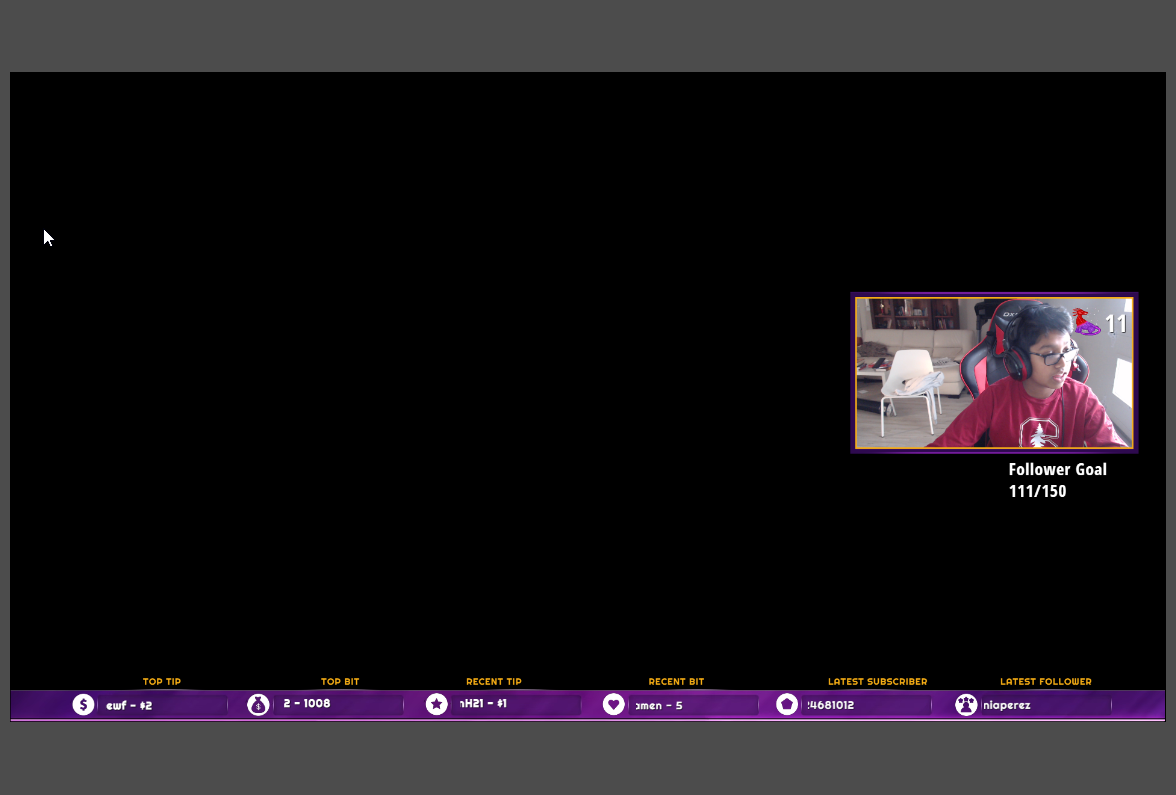
but i want to only record gameplay
not overlay included for yt
nova geode
thats a very specific question that doesnt have anything to do with StreamElements. maybe try asking in #general-chat or in OBS discord, if thats a possibility. @sharp terrace
steel mural
I can already tell you that something like this isn't currently possible.
deep birchBOT
For the best OBS support, please join their discord where OBS devs and support volunteers are available all the time discord.gg/obsproject
 tall gyro
Hey any chance of help?
My game has good fps, but stream is lagging when i stream in 720p
deep birchBOT
@tall gyro Can you please provide a log from your last stream. You can find this log in " %appdata%/obs-studio/logs " OR Help > Log Files > Show Log Files. You can simply drag and drop the log file into Discord.
 sand laurel
Wasn't sure where to share this, so I'm dropping it here.
I think I'm wrong...
I was thrown by the shape of the image shown there... it's a bit misleading.
shy mountain
@sand laurel I believe that image is this one:
so the **x310px might be correct
as 1980x1310px is a bit stretched 🤔
sand laurel
@shy mountain Thank you. It's for the Profile page header bkg. 1920x310px is correct, it's a very thin banner at the top. But on the profile page where the user is asked to upload, the image shape doesn't match what they are asking for. It feels misleading to me.
shy mountain
@tall gyro Ok, so first, you have 8GB RAM and the log shows around almost 2GB free. Thats not good. Second, GT 730? Thats not really a gaming video card. I once bought a 720 in hope to replace my 460, it was way worse then I expected. Also it has 4GB vRAM - thats not a lot.
Then I could not find your bitrate in the log or encoder you are using. You should switch it to x264 instead of NVENC, if you are and I hopefully you get around 20FPS at 2500bitrate.
Also this:
Not really sure what this is.
sand laurel
Maybe just something to keep in mind when considering UX.
shy mountain
I'll take it up internally. Not something I can do/change my self 😃
tall gyro
@shy mountain will do 😃
Im planning on getting a capture card and a better grapihcs card etc..
Is it possible to stream desktop tho? (Designing etc..)
shy mountain
I guess as long as its not gaming, yes.
tall gyro
ok 😃 Thanks for the fast responce
steel mural
@shy mountain the compatibility mode from your picture above is from this settings and not recommended.
shy mountain
Well poke the person as well @tall gyro ⤴
steel mural
Btw. 19:18:57.122: base resolution: 1280x720 19:18:57.122: output resolution: 1280x720
Change base resolution in Settings > Video to 1366x768 since this is your monitor resolution. @tall gyro
tall gyro
ok thanks 😃
wanton brook
Hey, is there any status of Elgato streamdeck support? have you reached out to them? 😃
IF you dont know ill go ask them ofc ^^
oh
nvm
i had to restart obs live ^^
Im sorry for bothering ❤
tulip hamlet
@wanton brook Stay tuned. 😃
 zenith hound
Hey, i just downloaded obsLive, and My donations tips and follows sint showing up
Any idea what does that
Like the alert doesnt show and the activity feed doesnt pick it up
warm pewter
For the activity feed, try logging out and logging back in from the StreamElements menu. For your alerts make sure the overlay was added to the browser source and try refreshing the cache of the browser source
zenith hound
Like if i reload one of my earlier donations it pops upo and works
its just the activity feed that doesnt work
 limber juniper
Curious if anyone has seen dropped frames reported in the status bar of OBS.Live. I've noticed that I will see lag in preview and on stream, with the advanced player stats showing dropped frames, but OBS.Live still says 0. Could the frames be dropped but not on my end?
shy mountain
@limber juniper This is a first report. I assume you are looking at your own stream and seeing dropped frames there. This usually is not recommended, to watch your own stream on your own PC, unless you have a really good PC and a high connection. But how it works is, on your side if your connection via OBS to twitch servers has any dropped frames it will show on the bar bellow, then there is the video player in the browser(viewers)'s connection to the same twitch server - both sides can drop frames (I think it was called skipped frames in the info panel of the player, not sure)
So you can have a 100% connection and stream with 0 dropped frames, but the viewer on the other side may not have enough speed to watch you on said quality and he only lags/drops frames.
If you still think thats not the case, toss that log file here
limber juniper
ah ha! It may just be that case. I know I was overloading my CPU on encoding, so I assumed I would get dropped frames.
I figured I'd atleast stream once with minimum 1 dropped frame, but I have yet to see it change from zero.
fringe chasm
Hey, i have a question. I stream at twitch PUBG in first place and the stream seems just a bit laggy or "stuttering". My current specs are: i5-8600 ; Gtx 1060 6 GB OC edition; 16 GB RAM; SSD M.2 NVME
Also in obs i use 1280x720 (720p) and selected nvenc encoder with a bitrate of 5000 (i have 100 mb upload) and keyframe interval on 2; preset to high quality and profile main.
Can i do something on here to make an improvement?
deep birchBOT
@fringe chasm Can you please provide a log from your last stream. You can find this log in " %appdata%/obs-studio/logs " OR Help > Log Files > Show Log Files. You can simply drag and drop the log file into Discord.
shy mountain
5000 bitrate seems a bit too high, for w/e 760p resolution is. Its best if you output your stream at 1280x720p
shy mountain
What exact encoder are you using? I could not tell from the log file
fringe chasm
NVENC H.264
shy mountain
Thats a GPU encoder
fringe chasm
yes
fringe chasm
with x264 it goes a lot more stutter
shy mountain
Then you are maxing out your GPU
so lower the game's settings
and lower the bitrate from 5000 to 3500
shy mountain
https://www.teamliquid.net/forum/tech-support/478845-twitchtest-twitch-bandwidth-tester - Twitch Server Tester
fringe chasm
running, thanks 😉
@shy mountain https://i.imgur.com/NYlIxbg.png
that's what i got
guess Madrid is the best option , no?
shy mountain
Anything that is Quality 100
fringe chasm
does RTT influence?
shy mountain
ping fluctuates all the time
pine raptor
Is there a way I can give my stream elements a reset
shy mountain
Elaborate
pine raptor
I hate to keep saying the same thing over and over 2 guys but my alerts for my host haven't work for over 2 months now Consistently it works when you guys do it on that side but if somebody host me and with 0 host or one host is still doesn't pop up
And I feel like I did something wrong or I deleted something or press something wrong so that's why was an scene is there a way to reset
shy mountain
These are the only host alerts we show you at any given time:
- All auto host events with at least 1 viewer```Trust me I have done this so many times
shy mountain
Ok, so in detail - manual hosts(people who do /host yournamehere in their chat) with 0 viewers and your filter set to 0 will show up in the activity feed and alert
pine raptor
I'll send some pictures of proof for you
shy mountain
any auto host(host that comes in the moment you start streaming)
that has a MINIMUM of 1 viewer will show up in your activity feed
pine raptor
That's my whole point it doesn't show up anywhere it's not a my activity feed it's not pull up in up and the alerts my kappagen doesn't even pop up lol
shy mountain
Also there is a tool called "snipping tool" in windows you can use to take picures
pine raptor
I'm not talking about auto hopes I personally and somebody in my stream to host me and it wouldn't do anything so I used a stream labs Event list to see more somebody host me because they tell me in the stream that they host me but I can't see it
shy mountain
Ok, so here is what I suggest. Your webhooks have been resubscribed. I looked over at past times when you talked about this and I didn't see anyone mention this. So next time, someone comes to your channel that they have hosted you, but it doesn't show up, make sure to come here the moment you see it, so that we can take a look, while you are live.
pine raptor
Ok I hope one of ya'll will be here
fringe chasm
Is there anyway to put a spotify playlist playing on my scene? I wanted some music playing in my "Starting soon" or "Be right back" screens
Since twitch blocks every music , i wanted to put their allowed playlists
shy mountain
Window capture spotify and then Shift+drag click the red bar until it just shows the current song playing for example
Direct showcase of playlist is not possible via a widget for example. Afaik there is an extension for twitch panels that shows last played songs
fringe chasm
oh okay thanks!
pine raptor
Ok so i'm streaming now and my friend flycity hit host that and nothing happened
pine raptor
@shy mountain OK as soon as you laugh somebody give me a hose and it didn't pop up in the activity feed nor pop up in general
shy mountain
coming back
 shut torrent
hi guys ... the last few streams my timed commands havnt been triggering and the ! commands aint working either(edited)
also when i try and @ someone it's hit and miss
pine raptor
@shy mountain still nothing smh
shy mountain
@pine raptor soeey not on pc. Minor emergency. Have pinged internally and are waiting on me. On phone.
pine raptor
@shy mountain ok
shy mountain
@shut torrent Can you try to part the bot and join it again in your channel? I can't seem to get it to respond to any command.
@pine raptor I gave all the info I can internally and waiting on a reply now.
@shut torrent As for the @ -ing someone, I assume you are referring to the OBS.Live chat. Have you updated to the latest version?
shut torrent
Yes OBS.live chat - updated a couple of weeks ago not been prompted since
shy mountain
Latest version is 18.11.5.271 (found bottom right corner)
shy mountain
So how are you trying to @ someone?
shut torrent
In the chat panel
shy mountain
I mean...when you start typing @ + name?
shut torrent
@ start trying it always comes up @null
shut torrent
Nope


 shut torrent
@shy mountain cant find the part button
shy mountain
@shut torrent SE Dashboard website -> right side
shut torrent
Parted and rejoined
 unreal sigil
When you want to tag someone and you do @ocean pond do you press enter or some other key?
shut torrent
Enter