#helpdesk-twitch
1 messages · Page 759 of 1
 vale adder
 indigo shale
How is Patreon support not implemented yet? It's been under review on the community board for 3 years now https://streamelements.helprace.com/i195-add-patreon-support It's also the ONLY reason I still use SLOBS and I'm hating it 😩
 pulsar gulch
What size and format does an alert need to be in order to upload it ? 
 tawdry sluice
I dont believe there is a specific size requirement for that @pulsar gulch
 white plume
@zenith widget i already have done what you said, its still a problem
and also i have a problem with getting Rainbow Six Siege to stream ... is this a common issue or something??
 supple pollen
Question:
When using media request, is there a link I can use or another feature I can use to allow viewers to see the queue, or at the very least which song is coming next?
 scarlet tiger
yes
for next song, you can enable !next command
or for full queue there is command !queue
supple pollen
awesome, I see the next command enabled but don't see the queue command on the list at all
scarlet tiger
it is maybe anything similar, one sec, i will find it
oh yes
its !songqueue command
supple pollen
ah found it, ty!
scarlet tiger

 bleak star
Hi everyone, i got a problem with my loyalty store can anyone help?
scarlet tiger
Yes, can you specify that, please?
supple pollen
last question with song requests, when my viewer requests are turned off, can I have an alternate message appear on the !sr command basically just saying that requests aren't on?
scarlet tiger
not with system
but you can create custom !sr command
and disable it always when sr is on
but ...
bleak star
@scarlet tiger Yes, i have store redemption everything setup, i even try redeem VIA website and it shows on stream but i tried using !redeem <name> and it doesnt work at all
supple pollen
it's a bit wonky but that can work for sure. thanks!
 plain cosmos
hey quick question all my subs/resubs doenst have tts even when its enables
i add variations for resubs etc but still not tts
 untold crest
@plain cosmos Enable them for resub variation of your sub alerts
plain cosmos
i did
untold crest
Hmm. The most likely reason is that variation is picked and that variation doesn't have TTS set (variation overrides default alert settings, so TTS should be set separately there).
untold crest
When you emulate alert, is TTS played?
untold crest
So... Maybe you have several overlays with separate alertboxes. Updating one doesn't update other
The best way from my experience is to have alertbox as separate overlay (same for every scene you have in OBS)
plain cosmos
nope only have 1 alert box :/ in my obs and in my "my overlays"
untold crest
Hmmm. It is getting stranger and stranger
untold crest
Try to close OBS, go to %AppData%\obs-studio\plugin_config\obs-browser\Cache directory and clear it
plain cosmos
the tts is working in obs 😄
untold crest
Maybe something is cached wrong there
 brisk meteor
is it possible to have a store redeem only available to a few users?
brisk meteor
I see the requirements section, but cant find a guide on what goes there...
plain cosmos
ok i will test it
i deleted the cache and checked the overlay url
everything is fine :/
i dont know why because in bits / donations etc tts is working
and when i emulate a sub it works too
only my "real" subs doesnt have tts
untold crest
@brisk meteor If you disable !redeem command and specify a custom command with response ${redeem itemname} you may be able to set privileges for usergroups
@plain cosmos Check if you have profanity filters there as they may catch your sub messages: https://streamelements.com/dashboard/tipping-settings
Also you can try to replay event from activity feed
plain cosmos
omg
bleak star
did i do it wrong?
plain cosmos
it worked
it was the Enable TTS Anti Spam
but it wasnt a Spam or something 😄 it was a normal message
scarlet tiger
@bleak star yes
plain cosmos
but still for every TTS streamlements said it was "spam"
untold crest
@bleak star More like !scream and ${redeem scream} where scream is your actual item name
scarlet tiger
you should paste there name from step 2 from store item settings
untold crest
@plain cosmos it detects spam also for messages with repetitive text
plain cosmos
ye its super bugged when u enable TTS Anti Spam
every message doesnt have TTS
in subs
i disabled it and now everything is fine
thanks 🙂
 fallow turtle
hi, is it possible to store a variable for use by a different command?
bleak star
@scarlet tiger & @untold crest Its still not working for me😭
scarlet tiger
can you DM invite link with editor access to your dashboard?
 round brambleBOT
@bleak star Follow these steps to grant managers/moderators access to your dashboard:
- Click on your channel name at the top of the dashboard
- Create a new invite at one of three access levels (Bot Supervisor, Editor, Full Control)
- Send this invite to a mod/manager to give them access to your dashboard. The link is one-time-use and expires after 72 hours if not accepted
Video tutorial: https://youtu.be/zl_h-ttZDF0
 wary halo
scarlet tiger
wary halo
scarlet tiger
@bleak star received, one sec
 tired yarrow
I am using streamlabs OBS to stream, but use Streamelements as overlay and chatbot, but I cant seem to get it to change my bots name?? I have followed the steps, but custom bot name never appears in Ground COntrol
scarlet tiger
@bleak star huh, for what item?
it can be enabled by staff on request
please give me your twitch username
tired yarrow
you want mine???
scarlet tiger
yes
tired yarrow
severus_rag
scarlet tiger
forwarded
tired yarrow
wil it appear on ground control?
tired yarrow
THanks , apreciate the help
brisk meteor
@bleak star there has to be something better than that. User groups are pretty broad, Is there really no way to further restrict beyond "subscriber" or "VIP"?
bleak star
@scarlet tiger i got 12 stream perks in store
 hollow remnant
Hey guys anyone know where the option to enable tts is? Cant seem to find it
scarlet tiger
yes
bleak star
@scarlet tiger i type !redeem wah or !wah ... i didnt show on stream layout
hollow remnant
Thanks alot mate!
bleak star
@scarlet tiger i tried but it doesnt work
but redeem VIA website got no problem
the only problem now is the commands, i couldnt get it work
scarlet tiger
@bleak star try now
fallow turtle
small bump but is it possible to store a variable for use by a different command?
 wanton ibex
Guys, why doesnt have this group Turkish?
untold crest
@wanton ibex This is because there are no supporters that speak this language and SE wants to keep support level high.
wanton ibex
All those languages have support
And turkish hasn't huh?!
I m really sure min. Hundred people using streamelements meanwhile speak turkish
At Thai server, messages have 10 day break
 chrome folio
@fallow turtle give more details of what you need/want to do..
fallow turtle
something like !multiset channelname
then whenever i do !multi
it calls that channel name that i set
wary halo
All those languages have support
@wanton ibex We have a staff or support member for those who speaks that language, and we don't have that for Turkish so that is the reason why there is no Turkish channel
wary halo
No, giving support on questions
chrome folio
@fallow turtle the system doesn't support Eval.
bleak star
OMG... @scarlet tiger i didnt know ... Thank you very much
 silk moat
my overlay keeps displaying a font i didnt put? is there a way to fix this
i am using a custom font and its typed into the font field, its just not showing it
the font is downloaded to my computer
 meager pollen
I am having some issues trying to edit the pre-fab overlays. Is there something I need to know to get it right?
 runic jungle
hey
I am super confused
I have a pc
and a xbox
and two moniters
Idk what I need to make my stream best
How does a capture card work
where can I get one for cheap
how to setup subscriber stuff and donations
It would be great if anyone could just message me if they want/can help
wary halo
Can you please not hit enter after every couple of words? 😛
round brambleBOT
@runic jungle New to StreamElements?
Check out our YouTube channel https://www.youtube.com/c/streamelements/videos
with tutorial videos from setting up the basics, to in depth details on how to use our product.
New to OBS? Here is a 4 step quickstart guide
https://obsproject.com/wiki/OBS-Studio-Quickstart
Want to learn even more? Here is an in-depth overview
https://obsproject.com/wiki/OBS-Studio-Overview
runic jungle
Good one
wary halo
This channel is mend for support on StreamElements related issues with streaming to Twitch
runic jungle
makes sense
wary halo
Look up a few videos on youtube about capture cards
prices are not going to be low since everyone wants one these days
runic jungle
@wary halo can you name everything I would need to make my stream good after the fact I have two moniters, xbox, pc, and headset?
round brambleBOT
@runic jungle There are no "best settings".
Please understand that every setup will be very different.
Any guides or videos that claim otherwise are misinforming. Your best option is to start with a base and adjust as necessary.
You can run the OBS auto-configuration tool. To use the auto-config, click on the Tools menu in OBS, select Auto-Configuration Wizard and then just follow the on-screen directions.
You can use this tool to get baseline settings for your hardware and adjust as necessary from there.
Test, test, and test again. We are happy to offer suggestions for any issues you may be having afterwards, but not a list of settings.
Thank you 
runic jungle
No I mean do I need anything else further from a capture card to get audio from in game people such as a serach and destroy lobby in COD?
 real plover
sorry all of a sudden my redemptions won't display any more (life gifs) they are an overlay can anyone help?
sound won't come through either
it was working fine just last night im not sure what could of caused it to stop
any help would be much appreciated please this is driving me crazy it was working just last night and nothing changed, is anyone else experiencing tis issue?
😦
 lament blade
if i set the number to 0 for the host chat alert will it pop up everyone one that hosts whether or not they have a viewer or does their host have to have at least 1 viewer
round brambleBOT
@lament blade Due to changes to Twitch API, we have filtered out hosts and will only show these ones on your activity feed:
- All hosts coming from an online channel with at least 1+ viewer
- Auto host events with at least 1 viewer - only from a channel that just went offline
Note: If you see X channel has hosted you with no viewers on the back, that is considered an offline host or a host with 0 viewers, we do not show these.
lament blade
dang okay thanks for the help
real plover
don't worry about it now finally fixed it accidently clicked someting in ground control i think
 unreal pivot
Hi, is there documentation for the streamlabs custom html/css/js widgets? stuff like hover isn't working, setting background to certain things isn't as well
 nimble dune
@unreal pivot This is StreamElements ask their support.
 ionic kelp
@unreal pivot Wouldn't know about streamlabs but for streamelements you can look in the channel topic of #dev-chat
 ebon compass
Hi! Need some help. So the problem is with my activity feed. I received all my follow notification but no host notification... On StreamElements, my setting for minimal hosting is 0. So I don't understand why I can't see it on my activity feed... Thanks u to help me 🙂
round brambleBOT
@ebon compass Due to changes to Twitch API, we have filtered out hosts and will only show these ones on your activity feed:
- All hosts coming from an online channel with at least 1+ viewer
- Auto host events with at least 1 viewer - only from a channel that just went offline
Note: If you see X channel has hosted you with no viewers on the back, that is considered an offline host or a host with 0 viewers, we do not show these.
 near osprey
Hi I just changed my twitch name and the chat in the streamelements obs stopped working
round brambleBOT
@near osprey If you changed your name on Twitch, please follow these steps:
- Visit https://streamelements.com/logout and then log in again by connecting with Twitch.
- On the right side of the dashboard page that opens, select Join under bot settings. If it says Part select that and then select Join to send the bot to the chat. Don't forget to mod the bot by typing
/mod streamelementsin your channel if you have not already. - Post your old and your new name here so that we can update your channel's chatstats tracking (must be done by staff).
near osprey
Already follow the starts at the start! old name is RadixDota and new is Radix_DOta
Radix_dota
 distant dawn
Guys hi, PLEASE urgent help - my OBS tells me that I'm live but I'm not on twitch
round brambleBOT
@distant dawn StreamElements menu, on top of OBS > Logout > Login
distant dawn
Mid-stream OBS suddenly choked my pc
I restarted it
And now when I click "Start streaming", it says it's streaming but it's not
relogging didn't work...
Guys it happened mid-stream, my entire audience left
nimble dune
@distant dawn Stop stream first go to OBS settings->stream then add twitch or there connect your account if you have disconnect and connect again, then relog StreamElements menu, on top of OBS > Logout > Login.
 light socket
Hello, not sure what chat to put this in but Im trying to withdraw from SE pay and it just says withdrawal failed and to contact support if it keeps happening
round brambleBOT
@light socket Please contact us via email for support with SE.Pay. You can use our contact form here: https://streamelements.com/contact Thank you.
 azure oracle
Guys I change my stream name and my bot from streamelements just gone. can someone help me ?
round brambleBOT
@azure oracle If you changed your name on Twitch, please follow these steps:
- Visit https://streamelements.com/logout and then log in again by connecting with Twitch.
- On the right side of the dashboard page that opens, select Join under bot settings. If it says Part select that and then select Join to send the bot to the chat. Don't forget to mod the bot by typing
/mod streamelementsin your channel if you have not already. - Post your old and your new name here so that we can update your channel's chatstats tracking (must be done by staff).
nimble dune
You mean twitch name?
azure oracle
yeah but I think I got it
nimble dune
👍
 fast gate
Sup
 daring dust
hi I have a problem with that I have streamed 2 hours of shadow legends but it says as if I have not completed the one I did it yesterday and contacted live support where they said they would add it manually some idea how far in / they are with it ?
 remote saddle
Hello. The points system stoped working. The bot cant't give points to anyone anymore.
Don't know if it's happening because I changed the twitch's channel name.
Old: DTableMusic
New: DTable
Thank you.
round brambleBOT
@remote saddle If you changed your name on Twitch, please follow these steps:
- Visit https://streamelements.com/logout and then log in again by connecting with Twitch.
- On the right side of the dashboard page that opens, select Join under bot settings. If it says Part select that and then select Join to send the bot to the chat. Don't forget to mod the bot by typing
/mod streamelementsin your channel if you have not already. - Post your old and your new name here so that we can update your channel's chatstats tracking (must be done by staff).
nimble dune

remote saddle
@remote saddle If you changed your name on Twitch, please follow these steps:
- Visit https://streamelements.com/logout and then log in again by connecting with Twitch.
- On the right side of the dashboard page that opens, select Join under bot settings. If it says Part select that and then select Join to send the bot to the chat. Don't forget to mod the bot by typing
/mod streamelementsin your channel if you have not already.- Post your old and your new name here so that we can update your channel's chatstats tracking (must be done by staff).
@round bramble Just did steps 1 and 2.
Old name: DTableMusic
New name: DTable
daring dust
can someone heelp me ? ⬆️
round brambleBOT
@cosmic remnant Go to the Dashboard > Right side > Part channel > Join channel (https://streamelements.com/dashboard)

 median tide
why is my stream not tweeting when i start now
round brambleBOT
@cosmic remnant If you changed your name on Twitch, please follow these steps:
- Visit https://streamelements.com/logout and then log in again by connecting with Twitch.
- On the right side of the dashboard page that opens, select Join under bot settings. If it says Part select that and then select Join to send the bot to the chat. Don't forget to mod the bot by typing
/mod streamelementsin your channel if you have not already. - Post your old and your new name here so that we can update your channel's chatstats tracking (must be done by staff).
@cosmic remnant If your commands recently stopped working and you're using OBS.Live and a custom bot name do the following:
- In OBS.Live, click on the hamburger menu (three stripes) at the top left of your activity feed
- Click on Stream Settings > Custom bot name
- In the Custom bot name field select Set custom bot name, not your already existing username (with capital letters). Note: If you already connected an account that way, the third entry will show as the account name (see image https://i.imgur.com/sO7fWOX.png).
- Scroll a bit down and click on the purple Connect Custom Bot Account button
- Log in as usual and Authorize the custom bot name
- Back in the Activity feed, click on the Send Test Message button and check if your custom bot name starts working again

 broken vale
hey people, can i change the name of the "streamelements" bot?
round brambleBOT
@broken vale Currently renaming the bot fully works with OBS.Live.
You can follow this video guide to set it up: https://discordapp.com/channels/141203863863558144/494513233416421386/561516184718278676
If you don't want to use OBS.Live and want to stick with Ground Control, please let us know your Twitch username.
 rigid umbra
Hi
median tide
why arent my starting stream tweets going out? i just double checked if its on and it is
mine doesnt even teal you its in the room anymore @cosmic remnant
 safe moth
I have a problem, I receive my donations through streamlabs and I would like to link the values with streamElements to account for points in the store, but I'm not getting it, can you help me?
round brambleBOT
@cosmic remnant 1) Right click on your OBS desktop shortcut and open the Properties
2) In the Target field, add the following to the very end: --remote-debugging-port=40404
3) Open OBS (or restart if it was open)
4) Open your web browser and type in: localhost:40404
5) Click on StreamElements - Activity feed
6) Navigate to the Console tab
7) Type the following into the console and hit enter: store.customBot.removeCustomBotIntegration()
8) Try setting the custom bot name
9) Remove the additional flag in step 2 from your shortcut properties.
 abstract hemlock
@honest karma did you change your twitch username recently?
 honest karma
@abstract hemlock yes, a view month ago
round brambleBOT
@honest karma If you changed your name on Twitch, please follow these steps:
- Visit https://streamelements.com/logout and then log in again by connecting with Twitch.
- On the right side of the dashboard page that opens, select Join under bot settings. If it says Part select that and then select Join to send the bot to the chat. Don't forget to mod the bot by typing
/mod streamelementsin your channel if you have not already. - Post your old and your new name here so that we can update your channel's chatstats tracking (must be done by staff).
abstract hemlock
everything should be good now
honest karma
yes thanks 🙂
daring dust
is your live support on the weeb site down ? i have ben nummber one in like 4h now
median tide
so why arent my tweets going out when im live?
daring dust
one in the queue
abstract hemlock
@median tide restore the connection : https://streamelements.com/dashboard/social-media
 void nymph
 last tartan
Hey. After my username on Twitch was changed, I haven't been able to see chat stats. Any chance someone can guide me in the right direction towards fixing this?
round brambleBOT
@last tartan If you changed your name on Twitch, please follow these steps:
- Visit https://streamelements.com/logout and then log in again by connecting with Twitch.
- On the right side of the dashboard page that opens, select Join under bot settings. If it says Part select that and then select Join to send the bot to the chat. Don't forget to mod the bot by typing
/mod streamelementsin your channel if you have not already. - Post your old and your new name here so that we can update your channel's chatstats tracking (must be done by staff).
 tough oriole
whenever i put a link in one of my timers the link gets replaced with "***" HELP
 pearl flint
@tough oriole You have links disabled on twitch, and the bot is not a moderator.
tough oriole
😮 thank YOU\
pearl flint
to mod the bot, do /mod Streamelements
To enable the sending of links on twitch, go to your dashboard on twitch, then under preferences, then moderation
make sure block hyperlinks is off
tough oriole
you have the biggest brain
pearl flint
Then from there you can block hyperlinks thru streamelements. If you do it thru streamelements, itll delete the message automatically if it has a link and the user isnt a mod. To permit links, do !permit (user)
tough oriole
bruh ive been wondering how to set that up! thats heat asf
 jagged kernel
has anyone's custom bot name stopped working? mine stopped AGAIN and it's really starting to annoy me
round brambleBOT
@jagged kernel If your commands recently stopped working and you're using OBS.Live and a custom bot name do the following:
- In OBS.Live, click on the hamburger menu (three stripes) at the top left of your activity feed
- Click on Stream Settings > Custom bot name
- In the Custom bot name field select Set custom bot name, not your already existing username (with capital letters). Note: If you already connected an account that way, the third entry will show as the account name (see image https://i.imgur.com/sO7fWOX.png).
- Scroll a bit down and click on the purple Connect Custom Bot Account button
- Log in as usual and Authorize the custom bot name
- Back in the Activity feed, click on the Send Test Message button and check if your custom bot name starts working again
pearl flint
@jagged kernel also to confirm, its not an issue with SE servers. My name is working fine
jagged kernel
I've tried connecting the custom bot a thousand times, it does NOT connect. It happened earlier this month and I could only make it work by reinstalling, parting bot, disconeccting account and all that stuff. Tried again and it's not working. It's hella frustrating.
round brambleBOT
@jagged kernel 1) Right click on your OBS desktop shortcut and open the Properties
2) In the Target field, add the following to the very end: --remote-debugging-port=40404
3) Open OBS (or restart if it was open)
4) Open your web browser and type in: localhost:40404
5) Click on StreamElements - Activity feed
6) Navigate to the Console tab
7) Type the following into the console and hit enter: store.customBot.removeCustomBotIntegration()
8) Try setting the custom bot name
9) Remove the additional flag in step 2 from your shortcut properties.
jagged kernel
It worked. Thank you so much!
 dull crag
Hi everyone! I've been having an issue setting up my alerts. I have it set up as a browser source in streamelements, and it will play the alert sound but it won't show the images I have set to show up. I set the resolution in streamelements to the same resolution that the alert is, and also to the resolution of the entire screen, but it doesn't show up no matter what. Is there a fix for this?
round brambleBOT
@dull crag OBS > Settings > Advanced > Scroll down > Enable or disable Browser Source Hardware Acceleration, depending on its current state > Restart OBS (This does not apply for OBS on Mac)
https://i.imgur.com/ggMe9ZE.png

 pearl quest
Folks. We've started our stream outside of streamelements and twitch. we're using Teredek. I'm wondering, if i "start streaming," will it screw things up. not sure how to include overlays in this situation.
 gleaming yew
Hey guys can someone help me? Im having problems with my alert box, i have my alert on obs but they dont appear on stream.
round brambleBOT
@gleaming yew The default resolution for StreamElements overlays (theme and custom) is 1920x1080. Please add them in OBS at their full resolution and use CTRL+F to fit to screen if necessary. You can then downscale your stream in OBS settings > Video if you'd like https://i.imgur.com/6bWXxjR.png
 gleaming yew
i did that but still dont work
round brambleBOT
@gleaming yew OBS > Settings > Advanced > Scroll down > Enable or disable Browser Source Hardware Acceleration, depending on its current state > Restart OBS (This does not apply for OBS on Mac)
https://i.imgur.com/ggMe9ZE.png
lament blade
Hello everyone i have a question on something that bothers me.
I changed my twitch name today and since then my chat bots/commands are not working, does anyone knows what to do?😔
round brambleBOT
@lament blade Go to the Dashboard > Right side > Part channel > Join channel (https://streamelements.com/dashboard)
gleaming yew
@round bramble i have that enabled but doesnt work
lament blade
@round bramble Thank you it's working again😍
round brambleBOT
@lament blade If you changed your name on Twitch, please follow these steps:
- Visit https://streamelements.com/logout and then log in again by connecting with Twitch.
- On the right side of the dashboard page that opens, select Join under bot settings. If it says Part select that and then select Join to send the bot to the chat. Don't forget to mod the bot by typing
/mod streamelementsin your channel if you have not already. - Post your old and your new name here so that we can update your channel's chatstats tracking (must be done by staff).
lament blade
@round bramble Old name: Machonoss / New name AlphaJudgment
 little oak
Noted will ping ya when fixed. Thank you!
lament blade
Thank you🙏
gleaming yew
@little oak can you help me with my problem?
gleaming yew
y
i already try do delete the source and put again
but the alerts still dont appear
round brambleBOT
Please provide a proper screenshot with the issue visible. If not sure how to take a screenshot, you can check here: https://www.take-a-screenshot.org/
gleaming yew
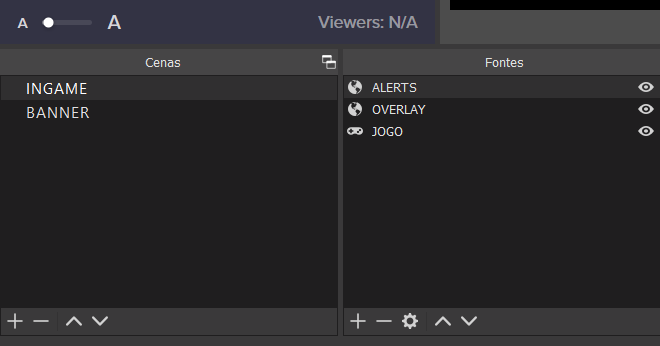 little oak
ok that sset in the right place
now do the properties of that alert source
sorry for all the SS just need to rules these out 🙂
gleaming yew
i have this in portuguese
little oak
you have 1920x720 😛
little oak
once we set the res
no need to stream
we can checc offline :0
let me know when its 1920 1080
gleaming yew
when i do alert test
little oak
yes
gleaming yew
it is now
little oak
working?
little oak
then youre good to go baby 
wait for one to follow and they will se it
leave OBS open ill test follow for you
gleaming yew
do you need my twitch link?
 nocturne tendon
hi! my se pay has been indefinitely not set up. i entered by bank info ages ago but it still says it's pending and can take up to 7 days. how do I re-do my se pay info so I can get paid
gleaming yew
y
 odd temple
Is it possible to turn off !donate command?
nocturne tendon
it's been prob over a year since i set it up but it still says pending
round brambleBOT
@nocturne tendon Please contact us via email for support with SE.Pay. You can use our contact form here: https://streamelements.com/contact Thank you.
gleaming yew
ok
little oak
did you see it?
remote saddle
@round bramble When does the staff updated the channel chatstats tracking?
gleaming yew
nope
gleaming yew
ok
gleaming yew
nop
little oak
🤔
nocturne tendon
i set a donation goal just now but it already has 90$ on it but i haven't recieved donations or gone live yet. how do i reset that 90?
odd temple
nobody anwsered so ill try again. Is it possible to turn off !donate commande? 😛
little oak
WOOOOOOOOOO
gleaming yew
ty man
gleaming yew
❤️
little oak
@lament blade Your chat stats have been updated 🙂
@remote saddle old name new name to checc, it should been done when you first submitted but i will checc with staff
remote saddle
@lament blade Thank you!
little oak
@gleaming yew so did you change from g0mes_ to NACKZZZZZ we will need to update chat stats if you streamed on that name before?
well not stream but used that name via se site before nac name
remote saddle
@lament blade It still doesnt add points to the users in chat =/
lament blade
@little oak thank you i was so sad first😁
little oak
You're Welcome 
lament blade
@remote saddle how can i let people earn points?
remote saddle
With !addpoints command
little oak
via https://streamelements.com/dashboard/loyalty dashboard they can earn if set to enabled
remote saddle
Woops, sry man, i tought you were the one who answered me
 mortal crystal
Hey everyone, I'm looking to set up tipping and it asks for my paypal email address. Does the paypal email need to be linked to a paypal business account, or will a personal account work?
little oak
there is a difference on that ill explain it
when using PP there is two ways you can use a personal or bidness the difference is personal they get your real name and addy where bidness they get bidness name and email @mortal crystal
and stream elements you can use either
via tipping
little oak
Welcome
and yes you can add a bidness account to personal and they wont get to see your personal long as you link the bidness account only via tipping PP @mortal crystal
mortal crystal
❤️
 solid meadow
Hi, I am moderator in a channel and the streamer added me as super moderator in StreamElements but his channel there isnt in my streamelements account, it doesnt appear
little oak
that there is just naming you as a supermod in order to see his dashboard on your streamelements he needs to invite you
round brambleBOT
Follow these steps to grant managers/moderators access to your dashboard:
- Click on your channel name at the top of the dashboard
- Create a new invite at one of three access levels (Bot Supervisor, Editor, Full Control)
- Send this invite to a mod/manager to give them access to your dashboard. The link is one-time-use and expires after 72 hours if not accepted
Video tutorial: https://youtu.be/zl_h-ttZDF0
Chat/Bot Levels
100 - Viewer
250 - Subscriber (Twitch subscribers automatically placed at this level)
300 - Regular
400 - VIP (Twitch VIP automatically placed at this level)
500 - Moderator (Twitch chat moderators automatically placed at this level)
1000 - Super Moderator
1500 - Broadcaster
Dashboard Manager Levels
Bot Supervisor
Editor
Full Access
Owner
https://i.imgur.com/s61Liry.png
 little oak
@solid meadow both post above is for the streamer to add you so you can see his dashboard
solid meadow
ok I will inform him. Thanks for help
solid meadow
yy now I understand 🙂
gleaming yew
yo @little oak you still there
little oak
yes yes
gleaming yew
i have all alerts activated
but only follow alerts appear
one friend hosted me
and it didnt appear
round brambleBOT
Due to changes to Twitch API, we have filtered out hosts and will only show these ones on your activity feed:
- All hosts coming from an online channel with at least 1+ viewer
- Auto host events with at least 1 viewer - only from a channel that just went offline
Note: If you see X channel has hosted you with no viewers on the back, that is considered an offline host or a host with 0 viewers, we do not show these.
little oak
^^
little oak
You're Welcome
gleaming yew
❤️
little oak
mortal crystal
I'm trying to set up an overlay that I made in the streamelements editors. I've copied and pasted the link into obs "broswer source" but its not the correct size, and only 1 widgets is showing. Do I need to add a source for each widget individually in a new overlay?
round brambleBOT
The default resolution for StreamElements overlays (theme and custom) is 1920x1080. Please add them in OBS at their full resolution and use CTRL+F to fit to screen if necessary. You can then downscale your stream in OBS settings > Video if you'd like https://i.imgur.com/6bWXxjR.png
 earnest copper
i have got an overlay but idk how to import or add it to Streamlabs OBS?
anyone know how?
little oak
you can add the overlay this way
round brambleBOT
To add your overlays to OBS, add a new browser source in your scene. Paste your overlay URL in the browser source properties, set the dimensions to 1920x1080 (unless you changed them on the website) and check Shutdown source when not visible. https://youtu.be/KDvLynUqXI4
little oak
but do note when using SLOBS
earnest copper
ok ill try
round brambleBOT
@earnest copper We're not able to troubleshoot issues with using our overlays in StreamLabs OBS (SLOBS) as we don't have the tools to support their software. We recommend using OBS Studio or OBS Studio with our plugin OBS.Live.
little oak
if it does not work or it breaks we simply can not help you
earnest copper
i think its working idk but thx
 small relic
Does anyone how to set this recent event rotation ?? I am guessing from streamelement
little oak
i do not recognize that but we do have some rotation events here if you like to look #widget-share
small relic
Thanks @little oak
little oak
You're Welcome
 boreal pasture
would anyone know why when i try to start my stream it says it couldnt access the specified channel or stream key?
little oak
@small relic also if you cant find what you like maybe a coder will know what it is in #dev-chat if you like to ask there
@boreal pasture you need to add your channel or stream key on OBS in File > settings > Stream
small relic
That helps a lot ❤️thank you
little oak
Welcome
 weak badge
Would anyone happen to know why the !gamble command sometimes will execute twice? it's rare but I've seen it happen more than once
 ivory anchor
Hi, i need to delete my account and the dashboard keeps telling me that my username is incorrect. Can someone please help me?
abstract hemlock
DM me this
Username:
Email:
Account ID:
JWT Token:
Reason for closure:
Error when using the closure form:
 quaint thorn
has anyone else had an issue with raid alerts not showing recently?
a streamer i mod for changed names and has been raided multiple times with 10+ viewers. the raid does not show in the activity feed, and no alert plays
(note that we have parted/rejoined the bot and logged out / logged back into streamelements)
round brambleBOT
@quaint thorn If you changed your name on Twitch, please follow these steps:
- Visit https://streamelements.com/logout and then log in again by connecting with Twitch.
- On the right side of the dashboard page that opens, select Join under bot settings. If it says Part select that and then select Join to send the bot to the chat. Don't forget to mod the bot by typing
/mod streamelementsin your channel if you have not already. - Post your old and your new name here so that we can update your channel's chatstats tracking (must be done by staff).
chrome folio
@quaint thorn ask your friend (streamer) to do the Logout and Login procedure first ... and then the second step with the bot. ⤴️
quaint thorn
@chrome folio we've done both multiple times (logout, login, login through incognito window) and we've parted, joined, modded and unmodded the bot multiple times too
haven't seen a raid in the activity feed in 2 days, however the channels been raided several times in the last few streams
round brambleBOT
@quaint thorn Due to changes to Twitch API, we have filtered out hosts and will only show these ones on your activity feed:
- All hosts coming from an online channel with at least 1+ viewer
- Auto host events with at least 1 viewer - only from a channel that just went offline
Note: If you see X channel has hosted you with no viewers on the back, that is considered an offline host or a host with 0 viewers, we do not show these.
@wintry totem Read and follow our server rules:
- We do not tolerate toxicity! Treat the community team, staff and all members with respect.
- No advertisement or channel promotion, anywhere on the server.
- No NSFW/NSFL
- No unsolicited DMs or friend requests to server members
Make sure to read the #welcome in any server you join.
 granite hemlock
Hola
little oak
#🇪🇸︱español
 elder vigil
Hello, can you help me? When I start streaming from twitch I get an error from a valid streaming service, I don't know what to do, please help me.
 cinder siren
I haven’t been getting my stats emailed to me after my stream. Anyone know what’s up with that?
little oak
prolly a small hiccup, ill just nedd your account id and have a staff resub it for you
round brambleBOT
@cinder siren Please provide your account ID found at the top of this page: https://streamelements.com/dashboard/account/channels This ID is public info and safe to share here.
cinder siren
Thank you 🤙🏻
little oak
Welcome
 lethal hazel
is the bot down?
 deep bone
Hola
little oak
#🇪🇸︱español
lethal hazel
maybe you'd be able to help. Our stream is live, and in the chat. however none of the commands are working, all of a sudden
little oak
streamers name only please
lethal hazel
the bot is unmuted for sure
deep bone
Holiss
lethal hazel
ABRACADABRA
lethal hazel
do you have any suggestions?
little oak
so stream name is Holiss or?
lethal hazel
stream name is Abracadabra
little oak
ok thank you
i was confused cause she said something an you said a magician word hahah one sec
lethal hazel
apologies
little oak
na na youre good lol
lethal hazel
do you have any recommendations on solutions?
little oak
think you can take off foloowers mode for a sec?
lethal hazel
it isn't followers mode
lethal hazel
now?
lethal hazel
ok.
little oak
ok now have her do this
lethal hazel
now?
little oak
!relog
round brambleBOT
StreamElements menu, on top of OBS > Logout > Login
little oak
on her obs
lethal hazel
ok.
little oak
since she knows you better
lethal hazel
give me 2 min
little oak
thats fine ler them know this will not interfer with their stream
@lethal hazel its bacc up and running
lethal hazel
thanks
 visual fossil
Random question, maybe somebody can help...my bot in chat is telling me my subcount is 0, as well as my subcount in my overlay. I have logged back in and out, reset session data/totals, and also reset my personal ID token on streamelements, all to no avail. Anyone have any idea what could be causing the issue? I recently reset my twitch password but I'm not sure if that is relevant
little oak
no idea, its common these days and youre welcome
@visual fossil i dont think changing password would interfere with any of that but a staff may have to look at it and see whats going on
if you did logout and reset session and nothing work we will need a staff for sure
 daring arrow
I need help
 viscid pebbleBOT
Hi @daring arrow, Please ask your question(s) or describe the problem you're looking to solve so staff or a support volunteer can assist you as soon as they are available.
visual fossil
hmm, thank you. I'm doing a subathon tomorrow so the timing is horrible 😦 it started showing 0 a couple days ago
little oak
no worry KeiZar will be here soon and he is the SE support god lol
he good at what he does
daring arrow
So I did a rebrand and changed my name and everything but it’s not letting me use commands anymore and I heard to reset the bot but I don’t know how to do that
round brambleBOT
@visual fossil Please provide your account ID found at the top of this page: https://streamelements.com/dashboard/account/channels This ID is public info and safe to share here.
@daring arrow If you changed your name on Twitch, please follow these steps:
- Visit https://streamelements.com/logout and then log in again by connecting with Twitch.
- On the right side of the dashboard page that opens, select Join under bot settings. If it says Part select that and then select Join to send the bot to the chat. Don't forget to mod the bot by typing
/mod streamelementsin your channel if you have not already. - Post your old and your new name here so that we can update your channel's chatstats tracking (must be done by staff).
daring arrow
My old name was Blitz_FST but my new name is Arthinay
little oak
will ping you when its done. Thank you!
visual fossil
59af10a7933e004f40e41551
little oak
Thank you! Staff should ping you for more info after i submit it
visual fossil
thank you!
little oak
Welcome
 naive heart
but it has as mobile???
little oak
yes but you can only do so much on that app
naive heart
i don't have pc
little oak
yeah you will need a pc or a laptop in oder to edit your panels on twitch
could go to a library and do that or thy neighbors or something
i know it succs man and i know how it goes when not having one
naive heart
quarantine everything is closed and I live in the nob neighborhood
little oak
may have a friend help you?
lethal hazel
@little oak how do I make SE Bot send messages as the streamer?
naive heart
already tried but not at the time of putting in streamlabs
little oak
@lethal hazel you can have that option via obs.live or simply have it on ground control
 languid dust
how to hide my mouse cursor in obs live. the only setting i see is for projectors
little oak
@naive heart then it all comes down to a pc i am sorry
lethal hazel
@little oak what do you mean ground control?
naive heart
@little oak yes I could see bro
little oak
@languid dust with the properties in the source right clicc and go to proerties and you should see the option on obs
naive heart
do you understand brazilian portuguese
little oak
@lethal hazel ground control is Streamelements independent app you can rename the bot/activity feed/music request and all the goodies
@naive heart some but now all but we do have your language #🇵🇹︱português 🙂
languid dust
no. i'm using window capture. doesn't have that option
naive heart
@little oak obrigado então
lethal hazel
@little oak do I need to be the owner, or can I do that as a Bot Supervisor
little oak
@naive heart You're welcome
@lethal hazel no SE has it designed fro streamer and streamer only but oyou can manage it but the streamer will have to release their twitch AUTH only a few will do that. that is the only way a mod can monitor it/control it
little oak
then you can do that ground control 🙂
you will just have to input the auth in the app
it also can be done via obs.live but only streamer controls it
or whoever is signed in 🙂
!gc
round brambleBOT
You can download our Desktop App Ground Control here: https://streamelements.com/groundcontrol
little oak
that SE ground control since you dont have it staff will have to activate the streamers name option
languid dust
@little oak i'm using window capture. it doesn't have that option
little oak
ill post it here for you
when using a windows capture it captures everything you do
you cant hide anything afaik
what are you capturing?
languid dust
just a tab
little oak
try display
ima do some test to see
but dont think you can only hide it on game
correct use display capture
an you can hide it there
languid dust
thank you
little oak
Welcome
little oak
@daring arrow There is no such name as Arthinay ???
daring arrow
My username or display name
little oak
i need old name then your new name
twitch name that is
cause what you gave me was Blitz_FST but my new name is Arthinay
there is no such name in SE system
 wicked idol
I'm new to stream elements and I need to know how to set your overlays
round brambleBOT
@wicked idol New to StreamElements?
Check out our YouTube channel https://www.youtube.com/c/streamelements/videos
with tutorial videos from setting up the basics, to in depth details on how to use our product.
New to OBS? Here is a 4 step quickstart guide
https://obsproject.com/wiki/OBS-Studio-Quickstart
Want to learn even more? Here is an in-depth overview
https://obsproject.com/wiki/OBS-Studio-Overview
 wintry trellis
Hey, I'm having trouble using the Streamelements chat commands, the bot is working but the chat commands are not.
Ive tried Parting channel and left it for a day and it doesnt work.
little oak
we will see what sgoing on
 slow pulsar
hi
 long rover
my friend wants to download obs.live but after he downloads it he can't open obs
untold crest
@wintry trellis I see that your commands are working on your channel (I checked !steam and !twitter)
wintry trellis
Hey sorry! @little oak Fixed it!, Thanks guys!
 fathom zodiac
Hey everyone! Question about the Revenue history in the stream elements website page. I see that there is a list for top tippers and top cheerers. Is there a page for the top sub gifters as well?
 zenith widget
Unfortunately, no
scarlet tiger
you can see it with extension @fathom zodiac
fathom zodiac
Awww, no worries! Thanks for the help! 🙂
 jovial cloud
Helloo, is there a way to update my activity feed etc from before i joined streamelements? update followers, subs, cheers, etc? 
fathom zodiac
@scarlet tiger yea I was wondering if it was possible to do it through the site just because I was trying to track everything all in one place, but the extension I'll just use that! Thanks mate! ❤️
 prisma relic
👋 @fathom zodiac
fathom zodiac
@prisma relic yo bro! How you doing? How come you're up?
wait! the weekend! thats why haha
prisma relic
i took a nap 🙂
 fathom frost
So I just made an overlay for my friend on Streamlabs, how can I let him use it for his channel and not mine?
fathom zodiac
nice man!
prisma relic
Not sure about Streamlabs ?
fathom frost
Shiz, elements sorry
prisma relic
Have your friend add you as an editor to their account
then you can copy it over and edit it for them
fathom frost
How do people share them as a link though?
 near blaze
How do i add a donation panel from stream labs onto twitch
prisma relic
Do you mean SteamElements ?
wary halo
Do you mean SteamElements ?
@prisma relic Hot and SteamyElements?
 round brambleBOT
@near blaze Twitch's official help guide for Panels: https://help.twitch.tv/customer/portal/articles/2416760-how-to-edit-info-panels
prisma relic
ya, Steamy Elements ... than you Ruben
wary halo

prisma relic
i was looking for the leaderboard link to add, but my memory is bad
 shell stream
how can I log in to my twitch account in StreamElements?
little oak
via site or obs?
shell stream
obs
 sacred narwhal
have new omoticons but in kapp the old ones are coming up make new overlay but same problem
scarlet tiger
in kappagen?
sacred narwhal
@scarlet tiger yes
scarlet tiger
!emotes update in chat
sacred narwhal
@scarlet tiger just same
sacred narwhal
@scarlet tiger there its ok
sacred narwhal
yes thx it ok now
scarlet tiger
sorted?
 desert silo
My StreamElements Chat Leaderboard isnt collecting statistical information. Anyone know why this would be?
little oak
@desert silo juddging by that profile that account is no longer available so if you changed your name then that may be the cause
desert silo
Ive changed my name a few times. How would I fix the issue?
round brambleBOT
If you changed your name on Twitch, please follow these steps:
- Visit https://streamelements.com/logout and then log in again by connecting with Twitch.
- On the right side of the dashboard page that opens, select Join under bot settings. If it says Part select that and then select Join to send the bot to the chat. Don't forget to mod the bot by typing
/mod streamelementsin your channel if you have not already. - Post your old and your new name here so that we can update your channel's chatstats tracking (must be done by staff).
desert silo
New name is AsakTTV
little oak
ok i see the canada thing
with that being said i will need all of your names you had
ok my location popped uo so that working
desert silo
mm, Drol3Krad and Drol3Krad_FacebookGaming i think are the two i used
If there were more i wont remember them
little oak
alright we will see what you have had for twitch
if those names have no hit then it will lead to resetting everything
these are all twitch names right?
desert silo
should be yes
desert silo
I cant remember if i used Drol3Krad_FB or not
little oak
added just incase
desert silo
kk
little oak
in the mean time just do the relog for now till stats are updated
round brambleBOT
Please logout of StreamElements at https://streamelements.com/logout and then login again to your account (Twitch/YouTube/Facebook).
desert silo
Can I be logged in StreamElements and offline at the same time? Would this make a difference?
little oak
no difference at all
once you log in we grab all that data online or offline tied to your name then when youre online we grab your stream stats for the extension
desert silo
ok
little oak
just have to wait for staff to peep it and exchange all the data over to your new name
desert silo
I didnt realize name changes would throw the extension off that much
little oak
one name not to bad but multiples will throw it all off LUL
desert silo
Good to know.. No more name changes lol
 eager igloo
Hello. I can't edit Overlay. I have error "Invalid authorization token" So what i did wrong?
little oak
no worry you can change all you want just let SE know
alot of ppl do that so youre good
desert silo
Asak is an acronym for my kids
eager igloo
in OBS editor
round brambleBOT
@eager igloo StreamElements menu, on top of OBS > Logout > Login
 analog burrow
Ok, so I created a custom animation with sound in after effects. I exported it as webm and put it in the store as an item to redeem. I made a command to redeem the item. when the animation plays back the audio doubles and isnt in sync. Now if I separate the audio from the animation and put it separate the audio wont double but it wont play in sync either. I cant seem to fix this issue. The same thing happens with using it as a sub animation.
little oak
add the audio to the webm and reupload it???
eager igloo
ty guys =))
little oak
Welcome
when you try to to play two things together in rarely ever plays well together it is hard to get that timing right
so i would bind them together and see what happens then
desert silo
I'll check back here in abou 15 minutes or so
little oak
alright if it happens before you do i will ping ya 🙂
little oak
You're Welcome 
 rain terrace
Hey, I'm having trouble finding the Hyper link for Raid
round brambleBOT
@desert silo Please provide your account ID found at the top of this page: https://streamelements.com/dashboard/account/channels This ID is public info and safe to share here.
desert silo
5e1441b4f82396afe927a510
little oak
thank you!
desert silo
your welcome
little oak
also i need only twitch names you can remember?
if not then it becomes a reset and all is lost
little oak
well that name has to lead to facebook unless you made a twitch account as facebook gaming?
desert silo
I used a facebook title when on twitch as a form of advertisemet as i originally was streaming to facebook
little oak
ah gotcha
desert silo
wait are you wanting all my twitch names or stream elements names?
little oak
yes i asked for all your twitch names
desert silo
ok yeah those would be them
little oak
alright
desert silo
Im open to a hard reset if that makes it easier.
prisma relic
Can you post your Twitch names in order from your original name, and any name changes since then; in order.
desert silo
I dont mind starting from scratch if that makes your job a little easier this morning
little oak
well the reason for the names is that if we get a hit then staff can carry the stats over for you
but i think its going to be a full reset
 carmine moat
can someone tell me if i can do something like this?
!cmd add !conditional ${1 + " with args!" | "without args!"}
prisma relic
@desert silo are you ok with just resting everything?
desert silo
go for it
does that mean i need to redo all my overlays and scenes?
How much "everything" are we talking lol
untold crest
@carmine moat User wrote ${1:|"nothing"}
desert silo
ok
desert silo
Lets do it
little oak
not points but chat stats only sorry
cause right now if you load your chat stats you will get a 404
prisma relic
2D2H has shipped a nuke. it'll be there soon 😉
desert silo
"Closing bunker doors"
little oak

prisma relic
👆
little oak
@desert silo your new chat stats await you sir
desert silo
Thanks bruh
prisma relic
i don't think they closed the doors fast enough 🤔
desert silo
3' thick tungston steel doors dont move very fast
you singed the hairs on my back bro
carmine moat
@little oak I don't know if it's exactly what I need, my intention is just to create a conditional that responds with 2 different predefined texts
little oak
ah gotch you can ask @untold crest if he is around he is a coder and very good at it, he may be able to do something of it
carmine moat
@untold crest almost but I couldn't add the text together with the first condition
@little oak thank you anyway
untold crest
@carmine moat I think that it is not easy way to go with default commands
 neon shell
Hello, can you help me? My new channel followers, are not getting points
little oak
is loyalty set to enabled?
neon shell
@little oak yes
little oak
so no one earns anything at all?
untold crest
@carmine moat you can use external API to handle this, this is the only way I could think of.
neon shell
@little oak no, only followers bonus isn't working apparently
little oak
ok try this then we will test the follower
round brambleBOT
Please logout of StreamElements at https://streamelements.com/logout and then login again to your account (Twitch/YouTube/Facebook).
little oak
let me know once you logout log in then give me your streaming name
carmine moat
@untold crest I didn't intend to use an external api but I think I have no options., but thank u anyway for the help.
@little oak and thank u too.
little oak
Welcome
neon shell
@little oak I logout log in, my stream name is Bitora (https://www.twitch.tv/bitora)
little oak
are you in chat?
neon shell
yes
little oak
ok see you in there
 nova gust
Hey, is there a way for mods to add quotes from Twitch Chat that can be called at random with a !quote command?
prisma relic
do you want to add a quote or retrieve one?
nova gust
I want mods to be able to add quotes directly from Twitch chat
and I want people to be able to retrieve them at random with !quote
prisma relic
i think it is !quote add blah blah
nova gust
Sweet! I'll try that out just now
prisma relic
yup yup. that is the default
neon shell
@little oak thanks for help 🥰
ionic kelp
Need to enable it first though 
little oak
You're Welcome @neon shell
nova gust
@prisma relic !quote add XXX isn't working.
I can't figure out what I'm doing wrong, I can't find anywhere to edit quotes and googling isn't helping either :/
ionic kelp
Can't work if the command isn't enabled https://streamelements.com/dashboard/bot-commands/default-commands

StreamElements
The Ultimate All in One Platform for Streamers
nova gust
Didn't realise it wasn't enabled by default, will check now
ionic kelp
I'm gonna pretend I didn't see that one
prisma relic
me too
little oak
me three
nova gust
Lol
Right, how do I edit / remove quotes?
Also, my quotes are repeating rather than showing random quotes. Any way to randomise?
prisma relic
not sure about the edit; but the !quote remove # should work
nova gust
Cool! Thank you both 🙂
 fluid marten
Hi, i have a problem when u add sub count on streamelements then obs. it appears like this "sub count: no data"
any idea how to fix it?
 elder tree
I need help
viscid pebbleBOT
Hi @elder tree, Please ask your question(s) or describe the problem you're looking to solve so staff or a support volunteer can assist you as soon as they are available.
elder tree
So i have done a bad. How do i use the rename command? It will not work for me
fluid marten
i need help
viscid pebbleBOT
Hi @fluid marten, Please ask your question(s) or describe the problem you're looking to solve so staff or a support volunteer can assist you as soon as they are available.
fluid marten
Hi, i have a problem when u add sub count on streamelements then obs. it appears like this "sub count: no data"
any idea how to fix it?
elder tree
What is the original command text for setting up a "Rename" command on twitch?
little oak
this? !rename OLDNAME replace OLDNAMe with his old username
 still cairn
Hello, i keep getting this user who creates fake profiles to follow me and harass and use profanity, also profile names usually is part my name and insult. This user has also threatened to do bad things to my daughter, i just need a way to block bad profile names, any thing i could do??
little oak
first what you do is report them to twitch by via chat cliccing on the name then remember the name incase you have to fully report them to twitch then type in your chat /ban [username] BANNED after you ban them then in your chat type /block [username] they will no longer ever see your twitch again
if it comes way worse then yo need to contact twitch
analog burrow
@little oak ive tried it both ways attached and separate
little oak
hmm 🤔 it should work great with it being webm unless something is misfiring in the custom code
but then again you only added a custom video 🤔
little oak
yes alot of ppl use the bacc door to do sound effects so you dont need points to redeem it
i wish i can test the webm for you but thy name is real and i wont be able to here the auido 
little oak
we need a person with some good ears
i know i just saw another question 
where'd it go lol
scarlet tiger
you're in #helpdesk-twitch
little oak
scarlet tiger
ok
elder tree
What I mesnt was like $(user) something along the lines of that not the response for the !rename command
I just do not know what it is
cinder siren
Any idea when my stats will be available via my email again? 🤙🏻
little oak
ah crap i got so busy tonight and forgot to tag you i is so so sowwy 
you have been resubbed by staff
cinder siren
Dude no worries- much appreciated 🤙🏻
little oak
it was me tonight holding it down lol
cinder siren
I hope you get some rest

 quick gazelle
How do I make a panel
 tame crypt
help?
round brambleBOT
@tame crypt Not all staff are able to assist with support issues. Please refrain from pinging them or sending them DMs unless asked to.
@tame crypt Welcome to the helpdesk! Please let us know how we can assist you today and a support volunteer or staff member will assist you as soon as they are available. Thank you for your patience.
tame crypt
I switched users on twitch and lost all my points from other streamers, can I import those points or did I really lose?
little oak
!rename OLDNAME replace OLDNAMe with their old username
tame crypt
thank you
elder tree
So i understand the how to use the !rename command i do not understand how to make it. I can do ! command add !rename ___ but im misssing the blank part. Does anyone know what the blank part is?
 verbal vine
hey is there away to have a rotating label feed and when an alert comes through it triggers that alert to display in the feed before continuing back to the rotating label feed?
an example of this is on Pengu's streams
chrome folio
@elder tree the command !rename is a default command and you don't need to create it. If you can't see the command in your command list, then check the default commands page and enable the command.
Syntaxe to use: !rename old-username
Example: !rename oldphph
elder tree
I know this but can a default command be changed/deleted or will it always be there
chrome folio
No, the default command you cannot delete it! You can edit the command's trigger, change some internal options, and disable the command.
Check the commands here - https://streamelements.com/dashboard/bot-commands/default-commands
elder tree
Okay thank you
analog burrow
Is there a way to have longer than 20 seconds for an alert duration for store redemptions?
 stable valve
when messing with my overlay why can I not change the twitter and youtube stuff over my camera over my camera?
analog burrow
@stable valve i dont understand your issue.
 clever sapphire
Do you know who I should ask to recover my stream element levels after a rename?
round brambleBOT
@clever sapphire If you changed your name on Twitch, please follow these steps:
- Visit https://streamelements.com/logout and then log in again by connecting with Twitch.
- On the right side of the dashboard page that opens, select Join under bot settings. If it says Part select that and then select Join to send the bot to the chat. Don't forget to mod the bot by typing
/mod streamelementsin your channel if you have not already. - Post your old and your new name here so that we can update your channel's chatstats tracking (must be done by staff).
chrome folio
If you are an user/a viewer, only do !rename old-name in the stream chat you want to recover the Loyalty points from the old profile name.
clever sapphire
oh okay thx
fluid marten
Hi, i have a problem when u add sub count on streamelements then obs. it appears like this "sub count: no data"
any idea how to fix it?\
i asked this hours ago and i got ignored LULW
clever sapphire
@chrome folio are you sure it work ?
 wanton jetty
Where did the session / weekly / monthly goal option go on this menu...
https://thecynicalkitty.com/s/20202690367.png
Cant find it the only one i can find is the Labels > Subscriber > Goals. Then from there it only shows a bar with the monthly, weekly, daily option.
 wanton jetty
thats not what im after >.<
There used to be a goal option you could tweak it being weekly, monthly and session...
seems ya have done away with it 😦
 slender yoke
Who can I talk to about PayPal giving me a hard time with the way StreamElements categorizes tips? They are saying they are coming thru as 'goods or services' and therefore I have to provide a tracking number, or wait for the person to confirm they 'received' the service.
 tawny ledge
My bot isn’t using my username as my bot and it shows up at “streamelements” in chat now. Is there some update or something new I have to do? I went to settings and relinked it but it’s not coming into chat as my username like it always has been usually.
slender yoke
@tawny ledge usually you just deactivate the old bot and reactivate it
scarlet tiger
@wanton jetty you can just set subs in activity feed > widhet data > goals
tawny ledge
Yes I did that cake on the streamelements browser
But it’s still appearing as streamelements in chat
wanton jetty
Thats not what im after MrJaros... Theres no session based goal widget or anything anymore 😦
wary halo
Who can I talk to about PayPal giving me a hard time with the way StreamElements categorizes tips? They are saying they are coming thru as 'goods or services' and therefore I have to provide a tracking number, or wait for the person to confirm they 'received' the service.
@slender yoke don't know much about it, but you have to tell them you don't sell any goods. That you are a content creator which broadcasts gameplay/entertainment.
wanton jetty
It seems to have been scrapped :(, I used to use it alot, cant seem to find it under the new menu 😦
slender yoke
@wary halo you don't know how many times I've said that, but they are saying all tips are coming in as 'goods or services' and that unless the 'tipper' selects it's just a transfer of funds it can't be helped. IDK how all other streamers do this.
scarlet tiger
I think because this option is better for some reasons.
wary halo
This kinda BS is exactly why i don't use PayPal for donations anymore
slender yoke
And when you click visit the link provided by Streamelements to go to the tipping page, you never have an option to change how the tip is categorized
wanton jetty
There used to be a option under this that would allow you to set how it resets 😦 that being Weekly, Monthly, Session :(
https://thecynicalkitty.com/s/20202627944.png

and its no longer available 
Now you can only set a end date
scarlet tiger
You can go to https://streamelements.com/dashboard/session > Goals > Subscription goal progress
i cannot help you more, sorry
wanton jetty
which isnt what i want i want a rolling goal.
Bro NVM...
I'll look through widget share see if theres something thats been designed there before i yank my hair out trying to find it.
scarlet tiger
yeh, there can be anything what you want, but not sure
wanton jetty
FUCK YEAH... This is why i dont delete older scenes iv made XD
I found it, You dont have it under goals rather you have it down as "count" which was throwing me off 
 south snow
anyone using nvidia broadcast?
 normal bane
My media request has stopped working for some reason, anyone know why?
round brambleBOT
@normal bane StreamElements menu, on top of OBS > Logout > Login
lament blade
Hey, some tipps with the !watchtime command ? It just doesnt count. Always 0 secs .. Tysm
round brambleBOT
@lament blade 10 minutes of watchtime are given to those in chat when the loyalty points are handed out (every 10 minutes). Therefore, loyalty must be enabled for watchtime to work properly.
There is no direct link between watchtime and all-time points.
It can’t be calculated from the amount of all-time points a user has because subs may earn points at a faster rate and !bonus all command increases all-time points for users in chat at that time.
Giving points to a single user does not affect all-time, only when giving to all in chat.
lament blade
Loyalty points are activated and still !watchtime not working sadly.
nimble dune
10 minutes of watchtime are given to those in chat when the loyalty points are handed out (every 10 minutes).
The viewer or you need watch the stream for 10 minutes and after should be work.
lament blade
Sadly it doesnt. Yesterday had a 5h Stream and in the beginning and end still 0secs watchtime
nimble dune
And it's viewer or for you?
lament blade
both
 rigid viper
Hi!
Is there a way to let the chatbot set the game to none?
For example, when the streamer takes a nap during a long stream to adhere to ToS.
viscid pebbleBOT
Hi @granite talon, Please ask your question(s) or describe the problem you're looking to solve so staff or a support volunteer can assist you as soon as they are available.
 granite talon
Why does Obs doesn't capture my screen?
rigid viper
This is the StreamElements Discord. For OBS questions you might want to head to their Discord. @granite talon
granite talon
ok thanks
round brambleBOT
@granite talon For the best OBS support, please join their Official Discord @ discord.gg/obsproject
granite talon
Ok
lament blade
Someone a solution for my watchtime problem ? Its just not counting. Loyalty points are on and in the beginning and end of a stream its always 0secs
 proud linden
my stream elements bot isnt in my stream V
round brambleBOT
@proud linden Read and follow our server rules:
- We do not tolerate toxicity! Treat the community team, staff and all members with respect.
- No advertisement or channel promotion, anywhere on the server.
- No NSFW/NSFL
- No unsolicited DMs or friend requests to server members
Make sure to read the #welcome in any server you join.
rigid viper
Did you make it join through your dashboard?
Has the bot got capability to set the game to "none"?
 slim hazel
Got anny solutions why i cant change my stream elements bot name?
I have done all you have to do and no custom option to change for twitch
wary halo
Are you trying it in OBS.Live or Ground Control?
slim hazel
iv tried doing it on both, driving a man crazy😫
wary halo
channel name please (no links)
 thorn oasis
trying to set up my alert bot
everytime I change sub or host or raid message it says that it saves, then when I click away and click back its gone
wary halo
absolutekingtv
@slim hazel I've send it to staff, can't give a timeframe on the fix though
round brambleBOT
@vocal beacon Read and follow our server rules:
- We do not tolerate toxicity! Treat the community team, staff and all members with respect.
- No advertisement or channel promotion, anywhere on the server.
- No NSFW/NSFL
- No unsolicited DMs or friend requests to server members
Make sure to read the #welcome in any server you join.
slim hazel
@wary halo thank you mate, I apricate it!.....
wary halo
@wary halo thank you mate, I apricate it!.....
@slim hazel should work now, Ground Control would need a restart to see it
 barren prairie
Hello all! I was hoping someone could help me with an issue I'm encountering with my sound notifications not coming through on my streams/vods? I can hear it when I test it on the streamelements page, but my viewers tell me there are no sound effects when someone subscribes/follows. (even though I've set all those up)
 safe parcel
Hey guys, new to Discord. I am trying to upload an image to StreamElements. It lets me find the PNG, and open it, but it won't actually upload. Help?
 smoky current
hi! I'm having trouble with the bot from yesterday. I have it set it up to run commercial every 8 minutes, but it's failing since yestarday. Did I do something wrong?
tawdry sluice
Try restarting the bot
 tidal venture
hello, can you restart my twitch stats?
https://stats.streamelements.com/c/skitek_
stable valve
@analog burrow Above my camera window there are boxes for twitch name and things like that when i try to edit the names they don’t show on stream
smoky current
Try restarting the bot
@tawdry sluice I did and it keeps failing
 gilded fox
hey guys, my text over image is not showing on alerts
do you know how to fix it?
row and column works fine
round brambleBOT
Text not showing up over your alerts? Go to the Advanced Text Settings and set the top margin to 50, you can work your way to the right position from there.
round brambleBOT
@willow kite StreamElements menu, on top of OBS > Logout > Login
 willow kite
Ty
lethal hazel
Hello! the SE bot on our channel keeps getting disconnected from the broadcast user. The reason we want this is so that the timer messages are sent out as the broadcaster's account. Additionally, it gives us access to other channel's emotes coz the host is subscribed to them. Thanks!
 plush lark
 cedar hearth
Hello
I have a question
I want to add a counter each time someone says "James". "Bond", or "James Bond"
How can I do this?
"You look like James bond"
Someone has mentioned James Bond 1 timie
"You look like Bond"
Someone has mentoned james bond 2 times
You look like james"
Soomone has mentioend james bond 3 times
Thats what I mean 🙂
abstract hemlock
@cedar hearth create a command, add this to the response ${count JamesBond} and then go to advance settings and add bond and james as a keywords
cedar hearth
@abstract hemlock So it would work how i just said?
abstract hemlock
Go play with it, create 1 command ${count sebond} and add the same keywords if everything is working as intended change the response to ${count JamesBond}.
 quiet lichen
viscid pebbleBOT
quiet lichen
viscid pebbleBOT
Hi @quiet lichen, Please ask your question(s) or describe the problem you're looking to solve so staff or a support volunteer can assist you as soon as they are available.
 storm mortar
I need help too. Ive gotten over $90 in tips and on twitch and for weeks it has said pending on paypal
abstract hemlock
@storm mortar If you believe there may be an issue with the transaction, you'll need to contact PayPal support as StreamElements is only a passthrough service and never actually gets involved with the transaction or touches the money..
storm mortar
oh ok thank you @abstract hemlock
 smoky elbow
Hello,
I'm trying to set up a donations bar for a charity stream, but I can't make it start from 0
It always starts from 1.000. Is there any way to solve this?
round brambleBOT
@smoky elbow To reset goals:
- from the Overlay Editor > Session data on top right (monitor symbol) > Goals tab > reset progress of desired goal
- from the Dashboard > Activity feed on the left > Widget data on the right > Goals tab -> reset progress of desired goal
Note: Goal widgets (progress) only counts up and doesn't go down automatically, if you lose followers/subs.
smoky elbow
Thanks a lot!
 bleak tinsel
Hello!
Everytime I raid someone from Streamelements, there's no notification on their end, which leads me to believe that it's either my side of things, or internally within Twitch
round brambleBOT
@bleak tinsel Due to changes to Twitch API, we have filtered out hosts and will only show these ones on your activity feed:
- All hosts coming from an online channel with at least 1+ viewer
- Auto host events with at least 1 viewer - only from a channel that just went offline
Note: If you see X channel has hosted you with no viewers on the back, that is considered an offline host or a host with 0 viewers, we do not show these.
bleak tinsel
thank you!
 zinc delta
need help. the bot's response isn't showing up in overlays. Please, can anyone help me?
abstract hemlock
@zinc delta check the settings on the chatbox widget by default StreamElements is ignored
 bitter forge
requesting help. have a working !setmulti command but can't find the !multi command to fetch the link anywhere
zinc delta
@zinc delta check the settings on the chatbox widget by default StreamElements is ignored
@abstract hemlock
where can i look?
abstract hemlock
zinc delta
thank you
 paper basalt
Can someone link the themes set up instructions here? I can't find it on the website
 silent swift
need help setting up alerts on stream elements im making the switch i think i have them set up but i need to find the test alerts so i can see if they are set up right
round brambleBOT
@silent swift You can test alerts via the Emulate bell on the lower left side of the Overlay Editor. Simply go to your Dashboard > My Overlays > pencil/edit button on the overlay. Make sure the Preview LIVE on stream option is on to see the alert in OBS/XSplit** https://streamable.com/vtulg9

 carmine knot
attention streamelements, attention streamelements (lol)
It has come to my attention that while you have a way to show recent cheerers (people who give bits) and recent subscribers, and even recent donators, you don't seem to have a list of recent sub gifters.
I found a way to show... the most recent sub gifter  but what if there was a way to show a list of them, recent sub gifters list (I'm not trying to be sarcastic, I'm serious lol)
Note: This is different than the all-time sub gifters list which I do still think is useful just different
also while we are on the list of suggestions, a setting to have the chat move from top to bottom, currently there's no setting for that, and it defaults to bottom to top 
 unique ore
I need to talk to someone from streamelements on a sensitive subject. Anyone here available or is there an email I should access?
 deep bay
Hi all. This has probably been asked before. i have some custom alerts made but i want the default text moved to go into the new alert sign that i had made. if that makes sense
verbal vine
hey is there away to have a rotating label feed and when an alert comes through it triggers that alert to display in the feed before continuing back to the rotating label feed?
abstract hemlock
@unique ore how sensitive? 
unique ore
@abstract hemlock theft
abstract hemlock
@deep bay if by custom made you're talking about custom code, you should reach the person that made the alert, but if just a custom design you can check the layout and play with the margins (text settings > margins)
DM me @unique ore
unique ore
Kk. Gimmie a minute to get to computer. Easier than thumbing on phone
deep bay
@abstract hemlock ok thanks
 craggy pollen
hey im having a problem
trying to play stream d2 pod
its very slow in game
i got 40 upload speed
and get black screen switching games
round brambleBOT
@craggy pollen For the best OBS support, please join their Official Discord @ discord.gg/obsproject
 meager vigil
i keep setting up the loyalty points and trying to do raffles but they never work
abstract hemlock
Did you enable the Raffle module?https://streamelements.com/dashboard/bot-modules
abstract hemlock

meager vigil

 icy burrow
Hello! I've added a time command to the bot so people are able to see my time but when I do the command the time is wrong by 1 hour...
 fleet lava
HI,i have a question,im thinking to start streaming and im going to use 2 pc streaming setup,in that set up im going to use OBS NDI, but i have a problem in my streaming pc when i connect my gaming pc through NDI i can get the audio but i can not get the game im getting a black screen, if you reply to me i will be happy, thanks
silent swift
every alert works but the raids and host will not work idk what to do
round brambleBOT
@silent swift Due to changes to Twitch API, we have filtered out hosts and will only show these ones on your activity feed:
- All hosts coming from an online channel with at least 1+ viewer
- Auto host events with at least 1 viewer - only from a channel that just went offline
Note: If you see X channel has hosted you with no viewers on the back, that is considered an offline host or a host with 0 viewers, we do not show these.
 hoary plume
Hi with streamelements dream team do you normally get a email when you applied? And how long roughly is the response? Thankyou
abstract hemlock
There is no timeframe that depends on the workload of the team, but they review every application
hoary plume
Ok Thankyou very much bud
silent swift
so if i host myself with bot account will it show up
 ashen crest
Is there a way to make better odds and less cd for subscribers
@ashen crest in rolette
 boreal folio
Suddenly having an issue with tips
Showing as tip successful but it's not working and emulated tip also not working
Bitties working though
 silver viper
So I have livestream, and did the dns according to what it said to do, got everything set up, but it's not connecting and is saying there is an error.
lightstream*
ionic kelp
@silver viper You'd have to speak with them about that.
@boreal folio Not working how?
silver viper
OBS is giving me an error saying it's not the correct info and to double check. I have used the correct stream key and tried serval times, then it came up for a moment, and crashed out saying it couldn't connect. It's lightstream, and camera on pc. Twitch connected via xbox, and DNS server though lightstream online
 spice steppe


 round brambleBOT
@silver viper For the best OBS support, please join their Official Discord @ discord.gg/obsproject
@spice steppe Go to the Dashboard > Right side > Part channel > Join channel (https://streamelements.com/dashboard)
 ripe merlin
I created A Twitter for my podcast. I have my twitch twitter profile for over 3 years. Now the going live post. Is posting to my podcast twitter. Is there a way to change that back to the way it was. 😩
 pine zenith
I want to use obs but I’m on mobile is there anyway to use it
ionic kelp
@pine zenith No. You need a computer to do that.