#helpdesk-twitch
1 messages · Page 741 of 1
 nimble dune
 fluid wedge
I changed my twitch name and now my bot won’t work at all I’ve tried to logout and log back in nothing changed
 round brambleBOT
@fluid wedge If you changed your name on Twitch, please follow these steps:
- Visit https://streamelements.com/logout and then log in again by connecting with Twitch.
- On the right side of the dashboard page that opens, select Join under bot settings. If it says Part select that and then select Join to send the bot to the chat. Don't forget to mod the bot by typing
/mod streamelementsin your channel if you have not already. - Post your old and your new name here so that we can update your channel's chatstats tracking (must be done by staff).
 sweet socket
^ try that
fluid wedge
I did there is no part or join on the dashboard when I log back in
sweet socket
can you show a screenshot of that?
secondly, we would need your old and new twitch username
 wary halo
secondly, we would need your old and new twitch username
@sweet socket already send that in 😉
sweet socket
aye aye sir
so if you could just screenshot what you see, since there should be a part or join in the dashboard
fluid wedge
wary halo
finish the setup 😉
wary halo
ah, i always forget about that button 
fluid wedge
So this whole time I wasn’t looking at the dashboard
 sinful mortar
Sup fellas! I have some issues trying to configure the Discord Microphone on my PC and getting my Discord linked to my Twitch as well. I'm using OBS
fluid wedge
😭
round brambleBOT
@sinful mortar Please connect your streaming account (Twitch, YouTube, or Facebook) with Discord by going to Settings and then Connections here in Discord. https://streamable.com/eg92w
 fluid wedge
My old name was qrd__mar that’s two underscores and my new name is MinotaurMar
wary halo
yes that got fixed already 😉
sinful mortar
I already did that. The thing is for some reason, the microphone on Discord is not working but my mobile Discord works fine.
fluid wedge
Thank you guys so much ❤️
 opal creek
Why is there no button to show media share on stream?
opal creek
yeah
wary halo
are you logged in to your Twitch account?
opal creek
oh I see nvm
 worthy osprey
Hello i have a problem it not capturing my game and I've been changing the game to windowed and fullcreen and nothing popping up any help?
wary halo
which game?
worthy osprey
ive been trying CounterStrike
round brambleBOT
@worthy osprey Valve has implemented a trusted mode which does not allow OBS to hook CS:GO using Game Capture. Read more in their announcement post here https://blog.counter-strike.net/index.php/2020/07/30736/.
Additionally, they have no plans on allowing OBS in trusted mode.
https://support.steampowered.com/kb_article.php?ref=8835-KLXV-0292#whitelist
You will need to run the game in either windowed or borderless fullscreen and use Window Capture instead.
Alternately, you can launch the game with -allow_third_party_software.
worthy osprey
Okay thank you i appreciate that
 quasi kiln
Hi, is it possible to use the !addpoints all command and not having it addpoints to ignored users, like Streamelements and so
 tacit stirrup
Is there a way to reset the bot? I cant see a leave and rejoin
nimble dune
@tacit stirrup Go to the dashboard -> right side -> part channel -> join channel (https://streamelements.com/dashboard)
 tacit stirrup
Also I cant get the videos to not be muted in media share any thoughts?
OMG! Best glasses ever I need those for my live stream
I would totally wear those too
 regal night
idk if im in the right chat but I was wanting to know if and how i can copy all my alerts from one theme and put it on another theme?
wary halo
@regal night
nimble dune

wary halo
copy the alertbox widget to it 😉
tacit stirrup
Anyone else having the trouble with the media share when sharing a video to stream where it stays muted and remutes if you try and turn up the volume again
regal night
thank you! it worked
 glad sky
hey @strong kernel remember you was helping me with the HYPE CUP and the custom image for bits via OBS it still showed the default bits and not the image of carrots
dont mind my ugly ass face
quasi kiln
cause, the command seems to ignore the fact that some users that are in the channel are on the ignore list and adds points to those users
glad sky
I was told when im actually LIVE the bits would show my personal image that I had set but it does not. I sad
 long dust
hey, I'm, having a problem where none of my overlays are loading in OBS for my stream
glad sky
don't mind my ugly ass face just look at the not carrot lol
round brambleBOT
@long dust OBS > Settings > Advanced > Scroll down > Enable or disable Browser Source Hardware Acceleration, depending on its current state > Restart OBS (This does not apply for OBS on Mac)
https://i.imgur.com/ggMe9ZE.png
 nimble dune
@long dust Try that should be work. 🙂
long dust
Ahhh, amazing! Can't believe it was a quick fix! Thanks @nimble dune ❤️
 whole moth
Why do my overlays not load at all?
round brambleBOT
@whole moth OBS > Settings > Advanced > Scroll down > Enable or disable Browser Source Hardware Acceleration, depending on its current state > Restart OBS (This does not apply for OBS on Mac)
https://i.imgur.com/ggMe9ZE.png
 sage lily
anybody know why adding an overlay source to browser just creates a black box ?
round brambleBOT
@sage lily OBS > Settings > Advanced > Scroll down > Enable or disable Browser Source Hardware Acceleration, depending on its current state > Restart OBS (This does not apply for OBS on Mac)
https://i.imgur.com/ggMe9ZE.png
 rugged tulip
I already created the overlay and the item and wanted to know if I have to do anything to appear on the splint?
sage lily
i tried it and still the same outcome just a black box
 woven trench
Wondering if someone can help. My friend is trying to send me the invite link to help him mod his bots but it keeps giving me this error code.
roleplay.missing scope invitations:manage
wary halo
he needs to log out and back in to the StreamElements website
woven trench
ok ill have him try that. thank you
 white gust
i have to get a video capture card for my pc and also get a second pc monitor for the time being i have to add my camera to my xbox one
 thorny wedge
How do I get my overlay onto my stream from streamelement
round brambleBOT
@thorny wedge To add your overlays to OBS, add a new browser source in your scene. Paste your overlay URL in the browser source properties, set the dimensions to 1920x1080 (unless you changed them on the website) and check Shutdown source when not visible. https://youtu.be/KDvLynUqXI4
 merry nest
hi,does anyone know what to do? i have added overlays already and they have been working fine but today i went to stream and they suddenly were there but not showing on the video
please help
round brambleBOT
@merry nest OBS > Settings > Advanced > Scroll down > Enable or disable Browser Source Hardware Acceleration, depending on its current state > Restart OBS (This does not apply for OBS on Mac)
https://i.imgur.com/ggMe9ZE.png
merry nest
thank you so much ❤️
 glacial jungle
thats wierd thats the exact problem im having right now
glacial jungle
yeah i know but at least it worked thank you very much
merry nest
Don’t thank me thank the bot
round brambleBOT
@merry nest I am just a simple bot, doing what the amazing support team tells me to do! They are the real MVP's here!
 native sleet
I've tried to find a solution with the search but not been successful yet
I just added my total sub count to my overlay and when I tested my sub alert it took the count back down to 1, restarting OBS solved the issue but...I can't restart in the middle of a stream I guess! Maybe it won't happen when I'm live but just in case I thought I'd mention it here.
round brambleBOT
@native sleet Right click on the BrowserSource > Properties > Scroll down a bit > Refresh cache of current page
wary halo
you can do that without restarting OBS 😉
native sleet
Thank you bot, I shall try
 rare wren
does anyone know how to copy all alerts /overlays over to another twitch channel or do ytou have to rebuild it
wary halo
this is the duplicate item function, you can send stuff to other overlays or even other channels if they are linked
rare wren
what does linking a channel do?, I think i tried this but it says i already own it
round brambleBOT
@rare wren Account Merging - Please note:
- Merging accounts only allows faster ways to switch between accounts
- Merging accounts does not allow data sharing between accounts - different streaming platforms, different type of events
- Merging accounts allows duplicating/sharing overlays between the accounts
If you understand the limitations of merging and want to proceed, please find the JWT tokens (!jwt) from both accounts you want to merge and you will be directed to DM them to a staff member.
 deep yew
hi, i know there was in issue with some variables for streamers over the past couple of days, but a streamer I mod for is having issues with one in particular still. We've parted bot/joined bot/logged out/logged in. We have a !game command which was originally just ${game} and removed/readded the command just in case with different text including the same ${game} variable. The !setgame command works (after doing the bot part/join mentioned earlier) and updates the category on Twitch now, but the !game command does not update or seems like there is a severe delay in it updating when pulling the info from Twitch.
round brambleBOT
@rare wren You can find your JWT token on your account channels page (Show Secrets to reveal the token): https://streamelements.com/dashboard/account/channels
READ ME: This is a private security token. Do NOT share this token here or other public places, only with a StreamElements staff member in private.
 analog lantern
Can some one tell me why my overlays aren't working any more?
round brambleBOT
@analog lantern OBS > Settings > Advanced > Scroll down > Enable or Disable Browser Source Hardware Acceleration, depending on its current state > Restart OBS (This does not apply for OBS on Mac)
https://i.imgur.com/ggMe9ZE.png
wary halo
who is the staffmember that I can DM this to?
@rare wren I'm working on that, one moment please 🙂
rare wren
no worries! thank you 🙂
 robust gyro
So I know I can set hotkeys to change scenes, but when I'm on that scene - can I set the same hotkey to put my music/game audio at a certain level?
glad sky
hello& is there anyone that can help with my hypeup customs in OBS why it still shows the default and not custom image
 modest acorn
Does streamelements have a way to automatically run ads on a timer?
 analog lotus
Hi! Is it possible to block a user from streamelements commands?
I use Streamelements and Nightbot and they talk together on some commands...
Would be awesome to block Nightbot in Streamelements
 rotund veldt
Hello everyone
I require some assistance. non of my browser source are showing up in obs
let me share my screen if necessary
oh nvm it's disabled
 surreal fable
ok so did you copy the kink with the three dots in streamelements and get the link that way when your looking at all your overlays
I did that today and it works fine
rotund veldt
yup I've been using obs for months now lol
For some reason it's not showing any browser sources for me. even if i create a new one
surreal fable
hmmmm do you unload the page when it is not live?
rotund veldt
nope
surreal fable
Have you tried refreshing the cache?
even a new source might grab the cache because it's the same link
rotund veldt
where is that option?
surreal fable
when you have properties open scroll all the way to the botom
surreal fable
good idea
 kindred flicker
if you close a giveaway and draw a winner, is it possible to reopen for new entries?
rotund veldt
@surreal fable no luck
surreal fable
I have no clue sorry only been using this a couple weeks never even tried that Solace
@rotund veldt have you previewed it in streamelements?
rotund veldt
@surreal fable Its cool thanks anyway
surreal fable
@rotund veldt if you want you could direct message me the link to see if I can see it. I promise I won't use it
 shy anchor
Good evening. My chatbot isn't working in my chat. Like the commands are working (like song request) but the bot won't send any messages to the chat. My timed messages or responses I put in for custom commands
rare wren
any luck on the staff member for the JFX tokens so i can merge my accounts 🙂
@wary halo
 dire cliff
I have an issue whenever i try to go live it says that i'm binding with an invalid IP How do i fix that
 next sorrel
Hi. Im trying to add skrill to my SE but i cant find it. Is there special request to have it as option?
 storm ore
how do I use the themes i got in the website in obs
 lament blade
Kann wer deutsch
next sorrel
Looks like there is no one from support now 😦
 normal bane
Just wondering is anyone getting the random message from streamelements saying ‘response message’ in chat?
lament blade
i was testing to see if my donations worked and i donated a dollar twice and didnt get any of them
any ideas for why it wasnt working?
 storm steppe
i am having black screen on my streamelement overlay
 tacit swallow
hey, I cannot for the life of me get chat to show up on obs. i click the settings and it says an Error loading data, I try to send a message nothing. any ideas on how to fix this
 weak badge
Howdy, is it possible to edit a quote (!quote command) after it has already been added? I can't find a way to do this and I would appreciate some help if possible 🙂
storm steppe
i am having black screen on my overlay
CAN SOMEONE HELP
weak badge
@storm steppe no idea, sorry
round brambleBOT
@storm steppe OBS > Settings > Advanced > Scroll down > Enable or Disable Browser Source Hardware Acceleration, depending on its current state > Restart OBS (This does not apply for OBS on Mac)
https://i.imgur.com/ggMe9ZE.png
 cinder olive
@weak badge to my knowledge not at this time, youll have to copy the quote, delete the old & create new
@tacit swallow how are you trying to get it to show up?
@lament blade how are you receiving donations?
weak badge
@cinder olive ah that's a shame. thanks for your help 🙂
cinder olive
@normal bane If I had to guess youve got a timer created that has no output
round brambleBOT
@storm ore To add your overlays to OBS, add a new browser source in your scene. Paste your overlay URL in the browser source properties, set the dimensions to 1920x1080 (unless you changed them on the website) and check Shutdown source when not visible. https://youtu.be/KDvLynUqXI4
cinder olive
@lament blade #🇩🇪︱deutsch
@next sorrel unfortunately not at ths time, try submitting it to our ideas board
round brambleBOT
@next sorrel Check out the StreamElements ideas board: https://strms.net/ideas. You'll be able to add ideas, upvote ideas you agree with and track their progress with email notifications. Adding and upvoting ideas also helps the staff know which ideas should be prioritized so please take some time to upvote.
@rotund veldt OBS > Settings > Advanced > Scroll down > Enable or Disable Browser Source Hardware Acceleration, depending on its current state > Restart OBS (This does not apply for OBS on Mac)
https://i.imgur.com/ggMe9ZE.png
cinder olive
@kindred flicker Once you close it, it is closed and needs to be recreated
@robust gyro you could try but submitting same-hotkeys in any program can be finnicky
@modest acorn you can create a command to do so but by default you cannot set a timer for such (to my knowledge)
cinder olive
So you donated to your streamelements link and it didnt go through?
dire cliff
I have an issue whenever i try to go live it says that i'm binding with an invalid IP How do i fix that
@dire cliff Pls can someone help me with this
round brambleBOT
@dire cliff Please provide a log from your last stream. To do this, in OBS go to Help > Log Files > Upload Last Log File and paste the link to the log file here.
dire cliff
I havent been able to stream i just recently started and encountered this problem
cinder olive
Head over to the OBS Settings, Advanced, Network, then under Bind to IP on the drop down list click default
 rigid bone
Cant get bot to work on my youtube live chat
storm steppe
thank u it fixed it 😄
 lime wharf
hey guys, im having trouble streaming my screen is just a black screen and cannot see my overlays or alerts
 half dew
Do the enable hardware acceleration tip up above, apparently a lot of people are encountering this today.
lime wharf
where's that?
round brambleBOT
@lime wharf OBS > Settings > Advanced > Scroll down > Enable or Disable Browser Source Hardware Acceleration, depending on its current state > Restart OBS (This does not apply for OBS on Mac)
https://i.imgur.com/ggMe9ZE.png
lime wharf
perefect thank you!!!
 vestal spear
Hey,
I have a subscriber goal setup. But I want to not included gifted subs. Am I able to code it to only count subs that have been around for more than 2 months?
round brambleBOT
@tawny stirrup Go to the Dashboard > Right side > Part channel > Join channel (https://streamelements.com/dashboard)

 trim gorge
my overlays are not loading at all?
round brambleBOT
@trim gorge OBS > Settings > Advanced > Scroll down > Enable or disable Browser Source Hardware Acceleration, depending on its current state > Restart OBS (This does not apply for OBS on Mac)
https://i.imgur.com/ggMe9ZE.png
 tawny stirrup
my bot is in chat and but my chat commands wont work
round brambleBOT
@tawny stirrup Go to the Dashboard > Right side > Part channel > Join channel (https://streamelements.com/dashboard)
tawny stirrup
Stream commands not working
round brambleBOT
@tawny stirrup If your commands recently stopped working and you're using OBS.Live and a custom bot name do the following:
- In OBS.Live, click on the hamburger menu (three stripes) at the top left of your activity feed
- Click on Stream Settings > Custom bot name
- In the Custom bot name field select Set custom bot name, not your already existing username (with capital letters). Note: If you already connected an account that way, the third entry will show as the account name (see image https://i.imgur.com/sO7fWOX.png).
- Scroll a bit down and click on the purple Connect Custom Bot Account button
- Log in as usual and Authorize the custom bot name
- Back in the Activity feed, click on the Send Test Message button and check if your custom bot name starts working again

 rustic root
Hello, good night, someone would help me by explaining if it is possible to make a waiting list to organize the users of a chat who want to play
Thank you very much in
tawny stirrup
ty
 gaunt vine
Anyone know how to fix my game being stuck on Rogue company? https://i.imgur.com/ZNrR8Rl.png
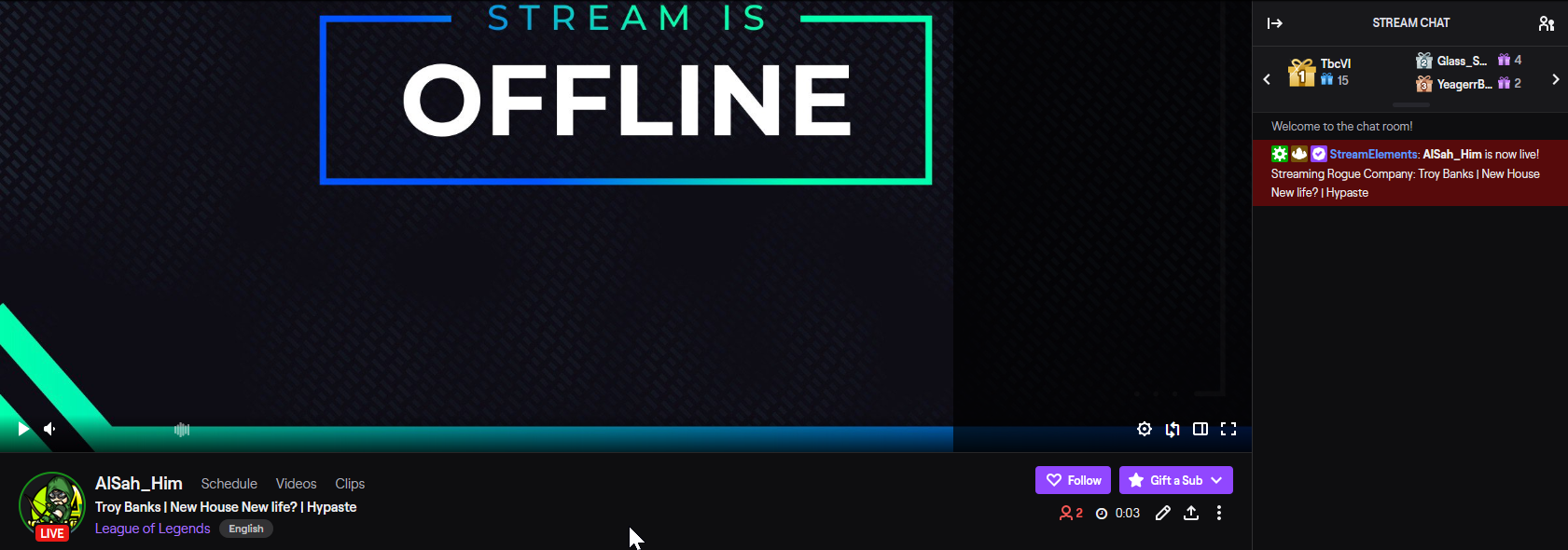
Every time for like a month my game is stuck on Rogue
 rain roost
Hey there I am looking for help with a sponsored stream, I want to know if I have to start my campaign when I go live or if I can start it a day before?
 void tangle
Hello I am having an issue with my follower goal overlay. When I set up the goal, it displays correctly, but when I simulate a follower event, the progress on the goal jumps up by a large number. For example, I will have a goal that is 3/5, but when I simulate a follow event, it jumps to 22/5
 alpine basalt
anyone know where I can find a list of { } commands I can use in events? I.E. {amount}
 fresh thunder
viewers cant enter with !ticket command for giveaway any way someone can help me fix that?
 cobalt tundra
Hey stream elements, all my overlays have stopped displaying in OBS, even tho the preview links still work from the Stream elements dashboard
round brambleBOT
@cobalt tundra OBS > Settings > Advanced > Scroll down > Enable or disable Browser Source Hardware Acceleration, depending on its current state > Restart OBS (This does not apply for OBS on Mac)
https://i.imgur.com/ggMe9ZE.png
cobalt tundra
Thank you 😄
cinder olive
@fresh thunder is the command enabled/useable by 'viewer' rank?
@alpine basalt do you mean variables?
alpine basalt
yes @cinder olive
cinder olive

StreamElements
The Ultimate All in One Platform for Streamers
alpine basalt
this seems to be for the bots. I mean for alerts and events etc
glad sky
can anyone help with my hype cup?
alpine basalt
you know, like {amount} {sender} etc
glad sky
The custom image doesn’t show (on preview or when i’m LIVE) it shows default
 sonic pier
Hello, I have a quick question. I'm really new to streamelements, like I found out about it today, and I'm trying to set up the overlay I picked in OBS but I'm having a tough time editing them and just getting around it, is there like a tutorial or any help I can get? Thanks!
 quartz vortex
Hi, I am Kind of new to Streamelements, and I'm confused. How do I transfer overlays to my Streamlabs OBS? How do I download the Overlays?
 old quest
My buddy has been having issues with Having Audio on his Livestreams. there is no Desktop Audio in His sound devices on the right side of OBS.
 tiny oxide
I need some trouble shooting help. My overlay isn't working on OBS. I've removed the browser source and brought it back in using the URL from stream elements, but I'm getting nothing.. Not sure what I'm missing
even my BRB spash screen is not working as well
round brambleBOT
@tiny oxide OBS > Settings > Advanced > Scroll down > Enable or disable Browser Source Hardware Acceleration, depending on its current state > Restart OBS (This does not apply for OBS on Mac)
https://i.imgur.com/ggMe9ZE.png
 real rapids
@cobalt tundra OBS > Settings > Advanced > Scroll down > Enable or disable Browser Source Hardware Acceleration, depending on its current state > Restart OBS (This does not apply for OBS on Mac)
https://i.imgur.com/ggMe9ZE.png
@round bramble I tried this and is not working anything.. You can only hear the notifications but you can't see anything at all, neither the goals nor the wall of emotes
tiny oxide
@shadow minnow hey try this
 abstract hemlock
@real rapids try to delete the overlays and add them again
 shadow minnow
@tiny oxide thank u this helps
 lean garden
I am having an issue getting the custom commands to work. The only one that will work currently is if I have it set to whisper. If it is set to say or reply it does not work. I am testing offline
real rapids
@real rapids try to delete the overlays and add them again
@abstract hemlock i do, I created new overlays inclusive and nothing..
tiny oxide
Deleteing the overlay did nothing Follow that bot reply above for the Browser Source Hardware Acceleration
@tiny oxide OBS > Settings > Advanced > Scroll down > Enable or disable Browser Source Hardware Acceleration, depending on its current state > Restart OBS (This does not apply for OBS on Mac)
https://i.imgur.com/ggMe9ZE.png
@round bramble
 austere wraith
getting error when trying to watch stream using stream elements
tiny oxide
trying to watch a video using stream elements?
austere wraith
that is my self streaming
 scenic badge
hola
austere wraith
it shows that error when ever i go live
scenic badge
necesito ayuda
tiny oxide
Hey Great tide
scenic badge
cuando pongo un overplay a la hora de hacer stream no sale nada
alguien sabe porque
tiny oxide
Ah sorry Dunno what you're saying
scenic badge
traductor
tiny oxide
weird Austinkl that may not be stream elements that could be an OBS setting
austere wraith
real rapids
@scenic badge la mayoria estamos teniendo ese mismo problema
tiny oxide
I see the error
austere wraith
alrighty
tiny oxide
shows you live though
austere wraith
yeah i am atm
scenic badge
@real rapids muchas gracias, te han resuelto el problema ??
tiny oxide
never seen that
real rapids
@scenic badge no :/ he intentado lo que mandan por imagen (puedes revisar mas arriba) pero tampoco se me ha solucionado 😦
tiny oxide
DM me that if you figure that one out.. I have no idea where to start with that.
scenic badge
okey voy a ver
tiny oxide
I'd say start from scratch @austere wraith
austere wraith
hmm
just had a lot of stuff from stream labs
and i wanted to transfer over from there sense it seem like a better version of that
tiny oxide
Transfer from SLOBS to OBS?
scenic badge
@real rapids ya se me ha arreglado
austere wraith
yeah
scenic badge
te ayudo o algo
tiny oxide
if you do that I'd say start totally fresh
tiny oxide
I can't atm not much time sadly.
austere wraith
this is me from stream labs
real rapids
te ayudo o algo
@scenic badge como has hecho?
 rain lotus
Alguem portugues?
tiny oxide
@abstract hemlock I had to do that option change from the bot as well as delete my overlay and readd it
 ionic kelp
#🇵🇹︱português @rain lotus
lament blade
Hello, I'm modding for a friend of mine and StreamElements bot isn't appearing on his channel. No commands work or anything but as soon as he's offline the bot works then? Is there any way to fix this? He's linked with OBS Studio
 pseudo seal
i need to log out of my old twitch account on the stream elements website how do i do that
 fervent jay
For some reason I can not get sound to work on from the game or commentary while streaming. The few times I got sound to come through there was a terrible echo. I am currently running StreamElements utilizing a ROG laptop, LG camera, & Corsair headset....thanks for any advise
 timid perch
Everytime I put an alert overlay, it always has a white screen, and I don't know how to change the background so it blends in.
 latent oyster
do we need to keep the website up for all the widgets to work?
or will it always run in the background
 muted loom
Is there a command to time someone out for using a word instead of a ban?
 zenith widget
'/timeout username 60' @muted loom
@latent oyster if youve loaded the overlay in obs then no
@timid perch show a screenshot please
 nimble forum
Hello! When I am adding the overlay and you can only the the top half of the overlay. Thank you!
round brambleBOT
@fervent jay For the best OBS support, please join their Official Discord @ discord.gg/obsproject
@nimble forum The default resolution for StreamElements overlays (theme and custom) is 1920x1080. Please add them in OBS at their full resolution and use CTRL+F to fit to screen if necessary. You can then downscale your stream in OBS settings > Video if you'd like https://i.imgur.com/6bWXxjR.png
 nimble forum
That doesnt work
latent oyster
im trying the overlay also on gamecapture HD. do i need to there as well?
zenith widget
@latent oyster if youve loaded the overlay then you are fine
nimble forum
ill take a screenshot
latent oyster
loaded as in save on the websie and adding the URL correct? thanks!
 burnt sparrow
Have you looked the resolution that you put on the configurations of the overlay? you have to put the save resolution of your canvas
nimble forum
i do not know how to do that
round brambleBOT
@nimble forum The default resolution for StreamElements overlays (theme and custom) is 1920x1080. Please add them in OBS at their full resolution and use CTRL+F to fit to screen if necessary. You can then downscale your stream in OBS settings > Video if you'd like https://i.imgur.com/6bWXxjR.png
burnt sparrow
/\
zenith widget
@nimble forum im 5000% sure you have not swt the resolution properly
burnt sparrow
Hey guys... I got a little problem... I'm using the OBS.Live, and today all my layers and cameras (every thing) its gone... And I cant make them back? Have anyone know what's happen?
zenith widget
Click on scene collection on top
And see if you changed the scene collection somehow
 lost vessel
Hello guys. I'm new here and I'm having a problem when I try to set my loyalty points on streamelements. The problem is that I don't get a multiplier option for subscribers. I've tried everything and had no success. If anyone knows how to solve this, please help me. Thank you for your attention
nimble forum
i fixed it thank you!
burnt sparrow
I did that... but dind change nothing 😦
i'll try reinstaling the program, maybe it will fix it
Now i saw that there is a section for the Obslive... Sorry for that 😛
lost vessel
Anyone?
zenith widget
@lost vessel logout from our dashboard and login again
@burnt sparrow this issue is not related to OBS.Live, as we don't touch the scene collection at all
round brambleBOT
@burnt sparrow For the best OBS support, please join their Official Discord @ discord.gg/obsproject
 warped badger
If I hit the button "open in streamelelments overlay editor" when in the properties of my obs web page - I get Uh-oh invalid authorization token... My alerts are not showing up in the stream (just in the chat)
lost vessel
@zenith widget Thank you so much my friend. You rock!
round brambleBOT
@warped badger StreamElements on top of OBS > Logout > Login
warped badger
tried that
still not working : (
I dont get unvalid token anymore
but my alerts still dont show... (just in chat) not in the browser region, they used to prior to the update
zenith widget
Thats a different issue then the first issue you mentioned
round brambleBOT
@zenith widget OBS > Settings > Advanced > Scroll down > Enable or disable Browser Source Hardware Acceleration, depending on its current state > Restart OBS (This does not apply for OBS on Mac)
https://i.imgur.com/ggMe9ZE.png
 warped badger
Have you come across the same file as a false positive?
zenith widget
not exactly that file
but that .dll is not part of our plugin
so you might have to see with the OBS guys here: discord.gg/obsproject
warped badger
Is there any way i can save all my profiles scene collections etc, and reinstall ?
zenith widget
if you uninstall OBS Studio, there is an option to NOT delete the scene collection and profile
warped badger
Sounds like a massive headach im waiting for, should i just try to reinstall the dll from the virus valt and disable avast ?
zenith widget
i would not recommend that
the first part
but i would recommend just not using AVAST
 steady cedar
hello i have a problem in streamelements program it cant load my overlays my super themes
round brambleBOT
@steady cedar OBS > Settings > Advanced > Scroll down > Enable or disable Browser Source Hardware Acceleration, depending on its current state > Restart OBS (This does not apply for OBS on Mac)
https://i.imgur.com/ggMe9ZE.png
steady cedar
its working thank you soo much
 mild solstice
hmm
interesting
my media request 'show on stream' button says no active widgets
however my other widgets work fine
just the media request video
the requests work fine too, it just says 'no active widgets were detected for media request'
latent oyster
the overlay is causing my webcam to delay now? im using game capture and not sure how to fix it
 sullen aurora
Hi, i'm trying stream but when i use StreamElements i can't see the alerts but without the SE i can see it. What can i do?
 warped radish
Hey guys I have a ton of questions but ill try to keep them to a minimal
for some reason my alerts are not working on this new scene and im not sure why this is
round brambleBOT
@warped radish OBS > Settings > Advanced > Scroll down > Enable or disable Browser Source Hardware Acceleration, depending on its current state > Restart OBS (This does not apply for OBS on Mac)
https://i.imgur.com/ggMe9ZE.png
warped radish
It didnt work
maybe i should fully reset my pc because it was on over night rendering a video
round brambleBOT
@warped radish Right click on the BrowserSource > Properties > Scroll down a bit > Refresh cache of current page
warped radish
that didnt work either
fresh thunder
viewers cant enter with !ticket command for giveaway any way someone can help me fix that?
zenith widget
Check and see if its enabled in the default command list page.
warped radish
Its fixed!
warped radish
Alright the other question i had was how do people media share videos on the stream? I got the box set but i cant find any info on how to made a video play in it
lament blade
How do I get my overlays in my stream
round brambleBOT
@lament blade To add your overlays to OBS, add a new browser source in your scene. Paste your overlay URL in the browser source properties, set the dimensions to 1920x1080 (unless you changed them on the website) and check Shutdown source when not visible. https://youtu.be/KDvLynUqXI4
 grand zephyr
I'm currently helping someone with their recent follower/subscriber set up and it's not showing any name
grand zephyr
sorry, they fixed it somehow. The names of the viewers that have recently followed should of been showing, but instead they weren't.
zenith widget
What is the problem then?
 winged burrow
Download the application to be able to stream and when I was editing an overlay for the "getting started" screen it turns out to be cut off in the OBS, does anyone know how to do it?
round brambleBOT
@winged burrow The default resolution for StreamElements overlays (theme and custom) is 1920x1080. Please add them in OBS at their full resolution and use CTRL+F to fit to screen if necessary. You can then downscale your stream in OBS settings > Video if you'd like https://i.imgur.com/6bWXxjR.png
winged burrow
Sorry if I have spelling errors, I am Argentine and I know little English. I hope they understand
Te amo
pero mucho
sos un capo
TE AMO ❤️
round brambleBOT
@winged burrow Welcome to the helpdesk! The regular helpdesk channels are in English but we do provide multi-language support in the following channels: #🇩🇪︱deutsch | #🇫🇷︱français | #🇪🇸︱español | #🇵🇹︱português | #🇳🇱︱nederlands | #🇮🇹︱italiano | #🇵🇱︱polski | #🇨🇳︱中文語言服務區-chinese | #🇯🇵︱日本語-japanese | #🇭🇺︱magyar | #🇰🇷︱한국어-korean | #🇹🇭︱ไทย-thai | #🇷🇺︱русский | #🇺🇦︱українська | #🇨🇿︱czech
latent oyster
how do you get the alerts to work on an overlay? it doesn't pop up on my stream and just the edit page only
round brambleBOT
@latent oyster You can test alerts via the Emulate bell on the lower left side of the Overlay Editor. Simply go to your Dashboard > My Overlays > pencil/edit button on the overlay. Make sure the Preview LIVE on stream option is on to see the alert in OBS/XSplit** https://streamable.com/vtulg9


 foggy ether
Dear streamelements, can we have a answer for us question about reset tickets count when guys are bought it after big pause. Can you restore all tickets? The question is urgent. ID: 5dfc9f1cca5f87d125f2470d
zenith widget
Ticket count? Im not sure I understand
foggy ether
Ticket count? Im not sure I understand
@zenith widget Tickets in the giveaway are resetting while users buying it. I'm launched giveaway in march
zenith widget
I see people with 42 tickets, 39 tickets 2 and 3 tickets as well
foggy ether
For example. Werbitium have 37 tickets. But yesterday he bought 2 tickets and his ticket count is 2 ticket, but it must be 39, but not 2
latent oyster
i preview the notification but doesn't pop up on live preview
foggy ether
I see people with 42 tickets, 39 tickets 2 and 3 tickets as well
@zenith widget Yes, but if people bought new ticket yesterday it reset previous tickets
round brambleBOT
@latent oyster OBS > Settings > Advanced > Scroll down > Enable or disable Browser Source Hardware Acceleration, depending on its current state > Restart OBS (This does not apply for OBS on Mac)
https://i.imgur.com/ggMe9ZE.png
latent oyster
i have a macbook
zenith widget
@foggy ether I just bought 5 tickets, then 1 ticket and then 5 more tickets
ionic kelp
Yeah...... if you're using an animated overlay you're out of luck unfortunately.
Would need to use a static one.
Both for alerts and whatever shows permanently.
latent oyster
im using a static overlay but the notifications are animated i think
ionic kelp
And that's the only issue or everything?
latent oyster
the overlay works but like the alert box i would say isnt working
and the recent names don't update
ionic kelp
Yeah. You'd have to use static image for it unfortunately.
 dim lodge
hi guys, just changed name on twitch but now emotes arent working and chatstats etc, read a reddit post saying it had to be reset on SE side?
round brambleBOT
@dim lodge If you changed your name on Twitch, please follow these steps:
- Visit https://streamelements.com/logout and then log in again by connecting with Twitch.
- On the right side of the dashboard page that opens, select Join under bot settings. If it says Part select that and then select Join to send the bot to the chat. Don't forget to mod the bot by typing
/mod streamelementsin your channel if you have not already. - Post your old and your new name here so that we can update your channel's chatstats tracking (must be done by staff).
latent oyster
donations actually is the only one that wotkd
 inland knoll
hi there, is there an issue with the website, I can't get to my dashboard
latent oyster
but followers won't update
inland knoll
I'm using Chrome - I click dashboard and it just refreshers the page
round brambleBOT
@inland knoll Please logout of StreamElements at https://streamelements.com/logout and then login again to your account (Twitch/YouTube/Facebook).
inland knoll
thanks - that's done it 🙂
I wanted to see the Fall guys theme 🙂
I really like the new theme, but is there a way to store my social media details so it automatically populates them? please say yes!
zenith widget
I think they should be taken from the profile page settings
StreamElements
The Ultimate All in One Platform for Streamers
but not 100% sure
latent oyster
for some reason they are working now with animations?
ionic kelp

latent oyster
its not smooth tho. is there a way to clear that up?
ionic kelp
Unfortunately because of a missing feature no.
dim lodge
@dim lodge If you changed your name on Twitch, please follow these steps:
- Visit https://streamelements.com/logout and then log in again by connecting with Twitch.
- On the right side of the dashboard page that opens, select Join under bot settings. If it says Part select that and then select Join to send the bot to the chat. Don't forget to mod the bot by typing
/mod streamelementsin your channel if you have not already.- Post your old and your new name here so that we can update your channel's chatstats tracking (must be done by staff).
@round bramble thank you - Old name is SeiryuSatanael , new name is LeDwagon_
inland knoll
@zenith widget no they don't but it would be excellent if they did - really puts me off trying new themes because I will have to go and add them all
 keen yoke
hey so does anyone know why all of the sudden as of like 3 days ago my twitch stats and my twitch statue i think it is (to change game title and stream title) is just gone
zenith widget
What do you mean, just gone?
warped radish
Alright the other question i had was how do people media share videos on the stream? I got the box set but i cant find any info on how to made a video play in it
Hey guys i think this got lost in the messages
zenith widget
 sudden walrus
Hi! I'm having trouble changing the image for my Cheer Alert
zenith widget
check variations
sudden walrus
@zenith widget Oml thanks 😅
 floral thistle
hi guys! I'm a little confused about the SE Stream Store, i added some perks and effects
but when people redeem them, it only shows a message in twitch chat about the redemption
the alert or sound effects do not play in the stream
vestal spear
@sudden walrus yeh check the variations. All the 100 plus cheers have the default video.
Had that issue the other week
floral thistle
Is this because i'm supposed to add a stream store widget into my stream so it plays the alerts and sound effects? or should the alertbox widget do that already
 steel shard
How to I change my chatbot name? I have obs.live installed, but can't find the settings.
zenith widget
@floral thistle you need the redemption widget added to your overlay
round brambleBOT
@steel shard Currently renaming the bot fully works with OBS.Live.
You can follow this video guide to set it up: https://discordapp.com/channels/141203863863558144/494513233416421386/561516184718278676
If you don't want to use OBS.Live and want to stick with Ground Control, please let us know your Twitch username.
vestal spear
My !watchtime command is still showing "0 seconds of watching". I've had it activated for a while now. Can't find any resolutions online for it.
 placid raptor
@vestal spear is loyalty enabled?
placid raptor
@vestal spear Loyalty must be enabled for watchtime to work
if there's another issue that follows just ask here
vestal spear
Okay so nothing is being tracked at the moment BUT we are currently streaming. Do I need to restart stream before that activates?
lament blade
How do i enable the !discord command
floral thistle
@zenith widget Where can i find this redemption widget ?
placid raptor
@floral thistle plz don't tag volunteers\staff members unless specifically requested to do so
zenith widget

its fine the tag, sheesh
In the overlay editor -> (+) button -> redemption on top in the serach bar -> add the redemption widget that is highlighted
 lean heron
When i put alerts into my streamelements obs they are appearing out of the box
 untold crest
@lament blade You can create a custom command !discord which has your invite URL in response
 dark thorn
I put streamelement for donations still with alerts streamlabs, but I don't get the alerts. Is it mandatory to put the donation alerts streamelement ? Because I use streamlabs and I don't see myself using obs live. Thanks
untold crest
@lean heron Make sure your browser source in OBS is 1920x1080 as OBS defaults to 800x600
@dark thorn SL will not able to play alerts from SE (and SE from SL). You need to have SE alertbox in order to play alerts from your tips.
dark thorn
So if I put streamelement alerts as URL on streamlabs, I'll get the alerts without using obs live?
untold crest
Yes.
dark thorn
Thank you 🙏
lean heron
Thank you love (:
warped radish
Thank you ♥
My last question is i want to add a charity to the big stream im doing but im not too sure how it all works. Is there any links to videos on how to set this up on stream elements and how it all works?
untold crest
 clear bison
where do i add the tip page on twitch
untold crest
You need to add a panel/link below your chat. Click "Edit panels" and add it there
clear bison
have to be affiliate first?
untold crest
You don't need to be affiliate. Tipping on SE is independent being from Twitch account.
floral thistle
Thank you Keizar it worked!
 mint swan
hi
i have a follower goal and it dosent go down when i get unfollowed
is there anyway to fix this
foggy ether
@foggy ether I just bought 5 tickets, then 1 ticket and then 5 more tickets
@zenith widget the question is. We have a problem. I understand - now all is work. But We have a problem. I can send you screenshot of March and yersterday about few people. They have N tickets in March but yesterday they tickets was reseated
clear bison
You don't need to be affiliate. Tipping on SE is independent being from Twitch account.
@untold crest Im on the edit panels but not seeing where to put it
untold crest
Add a Text or image panel, then pick an image and provide your URL to tipping page
That's it
 night kindle
anyone here has any problems with custom sounds on cheer alert? sounds are working on every other event but not on cheer, in dont understand why.
foggy ether
@zenith widget For Example. tinsati_ is ok, but 2 people have a wrong buy
zenith widget
There are 2 completely different giveaways
they do not share ticket purchases between each different giveaway
foggy ether
? I don't understand. last giveaway the same. We stopped in March and reopen yestarday
zenith widget
If you stop a giveaway
and open a new giveaway
its a different giveaway
regardless if you copy the same name of the giveaway
untold crest
@night kindle You need to update each variation of cheer alerts
foggy ether
It's not a new copy. It the same. Close and reopen. The same.
night kindle
@untold crest i did, as for each alert i changed the sound, for some reason for cheer is not working on any of them
untold crest
@night kindle Click "variations", then select each of them and update sound there
night kindle
@untold crest a life saviour, thank you sir 🙂
sweet socket
If you can tell us what the problem is, someone can try and give you the best support @rustic ice 😄
 rustic ice
Ahm... it's a problem with the alerts on stream, i don't know if i need to ask here? or in another spacce
space*
sweet socket
if your problem is with alerts for Twitch, this is the right channel
rustic ice
Yeah!
It is a problem with the alerts, I tried different ways to make them appear but they do not, when I give test in the streamlabs page they appear, but when someone subscribes or follows they do not.
sweet socket
Are you sure you mean Streamlabs, or do you mean StreamElements?
Streamlabs does indeed tend to block our services
round brambleBOT
@rustic ice We're not able to troubleshoot issues with using our overlays in StreamLabs OBS (SLOBS) as we don't have the tools to support their software. We recommend using OBS Studio or OBS Studio with our plugin OBS.Live.
sweet socket
We are StreamElements, not StreamLabs
rustic ice
but i use streamelements to stream
sweet socket
but your alerts go via streamlabs, is that what you're meaning to say?
can you say what site there is in your browser? Does it tell you StreamElements or StreamLabs?
sweet socket
they are indeed not, StreamLabs is our competitor
this is our website: https://streamelements.com/
StreamElements
StreamElements is the leading platform for live streaming on Twitch and Youtube. StreamElements features include Overlays, Tipping, Chat Bot, Alerts, Loyalty, all fully integrated and cloud-based.
rustic ice
OOOOOH.... i'm such and idiot... jsjsjs
 frigid crystal
Good morning. i need help with my overlays not loading on my browser source on obs
round brambleBOT
@frigid crystal OBS > Settings > Advanced > Scroll down > Enable or disable Browser Source Hardware Acceleration, depending on its current state > Restart OBS (This does not apply for OBS on Mac)
https://i.imgur.com/ggMe9ZE.png
frigid crystal
perfect. thanks 🙂
 cunning pagoda
Hey, I just got the affiliate on twitch, and i would like to change the loyalty settings to add more points to the subs. How can I do that?
round brambleBOT
@cunning pagoda Please logout of StreamElements at https://streamelements.com/logout and then login again to your account (Twitch/YouTube/Facebook).
 fierce valley
Hi, I have a problem, the entire overlay freeze very much during the stream, I have an animated overlay + moving text, and then I decided to change the scene and the overlay disappeared altogether. After finishing the stream, I restarted the OBS and everything works fine (without stream). Maybe this problem is due to the fact that I stream from the same PC and play on it? thank
round brambleBOT
@fierce valley OBS > Settings > Advanced > Scroll down > Enable or disable Browser Source Hardware Acceleration, depending on its current state > Restart OBS (This does not apply for OBS on Mac)
https://i.imgur.com/ggMe9ZE.png
 sand lily
hi
i need some help , i am trying to test alerts on obs. but it doesnt work. I have tried deleting browser and re-adding it, checked preview live on stream. is there anything else i can do ?
untold crest
If you add a text widget into your overlay - does it appear in OBS?
Also - check if your dimensions in OBS Browser source match those in SE website (1920x1080) as OBS defaults to 800x600
Because your alerts may be displayed, but out of canvas.
rustic ice
Hello again, good morning, it happens to me, I did it but this time with the stream elements page I configured it, I copied the link but my alerts still do not appear: c
untold crest
There could be two reasons behind that - either resolution of your browser source in OBS (OBS defaults to 800x600) which most likely should be 1920x1080 or:
round brambleBOT
@rustic ice OBS > Settings > Advanced > Scroll down > Enable or disable Browser Source Hardware Acceleration, depending on its current state > Restart OBS (This does not apply for OBS on Mac)
https://i.imgur.com/ggMe9ZE.png
dark thorn
I don't understand, when I go to the history of income on streamelements, it says one person (for example 20€) and when I go to create an overlay and I put all time it says 100€ for example. I imported the donations from streamlabs.
I tried all the overlays tip, and I can't find all his donation in the revenue history. Why ?
rustic ice
i did that, and still dosen't work
untold crest
@dark thorn This could happen if you import your tipping history several times.
dark thorn
No, I checked, I did it twice and I manually deleted the duplicates in the donation history.
Maybe it hasn't been updated? I have disconnected streamelements and always the same
it's been 30 minutes
Delete and redo several times the overlay too
untold crest
Ohh. If there were duplicates, they were counted towards those aggregates
Deletion doesn't cause recalculate until next stream end AFAIK.
But give me a second to confirm that, please 🙂
dark thorn
Ohhh, So if I run my stream for a second and cut it off, you think it'll be okay?
Ok 🙂
untold crest
From what I heard - there are still duplicates in your tips, session reset has been done for you.
round brambleBOT
@proper osprey Go to the Dashboard > Right side > Part channel > Join channel (https://streamelements.com/dashboard)
 proper osprey
cheers
dark thorn
Ah yes indeed, super cool thank you very much!
Weird on streamlabs it was a bit more about the all time donator and on streamelement, a bit less. Weird! @untold crest 🙏
untold crest
You have two types here - donation and donator. Both of them have amount and username.
What do you seem missing from those two, so I can check what can be done.
dark thorn
There is a 45€ difference between streamlabs and streamelement. @untold crest
untold crest
So seems like your import has something wrong there. You can check tipping history and see if they match.
dark thorn
But maybe streamlabs is the problem too? ahah
untold crest
Also - remember we are aggregating over usernames
Not user emails
So if I tip you as "lx" from my paypal, then I tip you from my paypal, but as "notlx" those wont be aggregated
(This is extra helpful to not show off that you are tipping a lot 😉 )
dark thorn
Ohhh okay, what's the right amount so ? ahah
Very weird. In the history of streamelement incomes, there is 550€ (one and the same address, I checked. Everything is gathered)
In all time donator overlay, it tells me 375€ and on streamlabs, it tells me 420€ always in all time donator.
untold crest
Most likely you have something weird with your import
The way I would check that would be copy/paste into spreadsheets and check this data manually
And as I mentioned earlier - you still had duplicate tips in your revenue history
dark thorn
I don't know what to do about it. It seems that some donations are missing in the streamelements, hence the 375€. Would turning the stream on and off solve this problem? @untold crest
 latent sequoia
My Overlays I crated in StreamElements aren't working on my OBS anymore. I've deleted them and re done them, Logged out then back into streamElements, but still nothing
round brambleBOT
@latent sequoia OBS > Settings > Advanced > Scroll down > Enable or disable Browser Source Hardware Acceleration, depending on its current state > Restart OBS (This does not apply for OBS on Mac)
https://i.imgur.com/ggMe9ZE.png
latent sequoia
thank you very much
 strong tundra
Can somebody pm me. I need help because of the Twitch Affiliate programm
untold crest
@strong tundra Twitch is independent platform and Affiliate/Partnership programmes are one of things that you should discuss with twitch rep.
Or if you don't have a "personalized" issue, but you are looking for general help, I am sure that there are people that are able to answer some questions at #general-chat
dark thorn
To solve this problem definitively, would it be possible to remove 175€ in the top 1 donator of the income history or not ?
Indeed, from what I have seen, there has been a problem with imports in the income history. @untold crest Thanks 😊
untold crest
If you have all proper data in revenue history, just click "reset session" here: https://streamelements.com/dashboard/activity
dark thorn
nothing has changed. In the top donator, there is all still this incorrect number 😦
untold crest
I think it should recalculate after your stream automatically then.
dark thorn
I threw and cut a few seconds and nothing either
Delete 175€ in Total Quantity top 1 donator, that would solve the problem. It's not possible at all? :/
untold crest
Session reset/recalculate happens 15 minutes after stream (that is longer than some threshold I am not aware of)
 deft badge
Hi im still quite new to this, Ive watched so many YouTube Videos and everyone is different, can anyone help me what the best output settings for my PC is I have an i5-4690k 16gb ram & 1660 Super, im also streaming from the same PC
untold crest
@dark thorn But this 175€ is not present in revenue history? If it is all correct now, it should be fixed soon
@deft badge I am not sure if 3500 bitrate is enough for that resolution
deft badge
@untold crest so do you think upping it would be better?
untold crest
It depends on your bandwidth - check output of that tool https://r1ch.net/projects/twitchtest to adjust bitrate
dark thorn
Ok cool thanks a lot for your help!
We'll see next time I'll be streaming!
Yes, there's too much quantity in the top 1 donator, and it messes up my overlay. That's why it would be nice to remove 175€ to solve the problem. But if you tell me that the next stream will fix the problem, then that's cool.
untold crest
Remember that most of users are not able to stream above 6000kbs
@dark thorn is there still too much for your top1 in tipping history or sum of their tips there is correct now?
If yes - after stream it should be fixed. If the revenue history has wrong data, it won't be fixed
deft badge
thank you @untold crest ill give that a go
 oblique steeple
@deft badge I'd recommend you to use the simple mode. When you have to ask about the "best settings" for your PC, there's no reason why you should use "Advanced". It won't give you any better quality. Even worse, I see two settings that will give you worse quality than "Simple Output"
dark thorn
I added 95€ so that the account is the same as streamlabs on the overlay streamelement. You're going to tell me, why add if it's already too much? Well actually, it's just the amount displayed that is not correct in the total amount top donator.
 inner marsh
hi, i want to add a hotkey on obs settings to perform an instant replay - i want it to be a button on my stream deck - how do I set that?
 modest blade
help failure media player (viewer requests) how to get it back
 supple heron
Hi. I have just gotten stream elements and I am having trouble getting what's on my overlay to show up in the actual software. I have tried matching the resolution, but that didnt work. The only widget that shows up is my subscriber goal, and it doesnt even show the bar, only the text. What am I doing wrong?
untold crest
@inner marsh Check this one: https://discordapp.com/channels/141203863863558144/457957557470887947/555734806034382888
You can set StreamDeck then to send a message to chat that will trigger this
@modest blade
@supple heron If your Browser source matches overlay dimensions, select that browser source and hit CTRL+F
modest blade
I lost my media player
round brambleBOT
@modest blade StreamElements on top of OBS > Logout > Login
round brambleBOT
@modest blade StreamElements on top of OBS > Logout > Login
untold crest
Seems like you are logged into YT account. There's no Mediarequest there
modest blade
а yes thanks
supple heron
I tried hitting ctrl f, it resized my browser source but none of my widgets are showing up? i just have a blank space in on my screen
round brambleBOT
@supple heron OBS > Settings > Advanced > Scroll down > Enable or disable Browser Source Hardware Acceleration, depending on its current state > Restart OBS (This does not apply for OBS on Mac)
https://i.imgur.com/ggMe9ZE.png
 oblique bay
How do I generate a share link from my overlays? I want to share it in the widget-share channel
untold crest
@oblique bay You can share it using this form: https://strms.net/codeshare
 magic ermine
Hi! Is there any way to have an asset rotator / slideshow not show up immediately when I open a scene up?
untold crest
@magic ermine Don't tell anybody about this cheat: you can add transparent image as first element there 😉
magic ermine
Ah, hmmmm
Okay, that could do the trick, I didn't think of that
Lemme try, thanks ❤️
Oh, and then I use the 'delay' setting to set the pause between the transparent one and the one I want to show up?
untold crest
Yes. There will be a delay between all of assets in your carousel.
 dapper kernel
hi i have set up a bunch of commands but when i go into the chat is doesnt work
 safe idol
hi i have set up a bunch of commands but when i go into the chat is doesnt work
@dapper kernel i have the same problem
dapper kernel
ye its being wierd
untold crest
@dapper kernel From what I see bot is not on your channel
safe idol
i tried to shut down the bot then restart
dapper kernel
ow how do i do that then?
untold crest
https://streamelements.com/dashboard/ Click "Join channel" on right side of that page
And mod the bot by typing /mod StreamElements
So it can bypass slow/follower/sub modes
safe idol
it is the same for me
dapper kernel
it works thank you so much
untold crest
@safe idol Can I have your channel name please?
safe idol
towerade on twitch
untold crest
Seems that this is the same here
safe idol
i have the same command registered on nightbot and on streamelements but the last one doesnt works
the bot is in the chat as mod
safe idol
it could be the problem?
untold crest
It will provide only one of those
But your bot should be working fine rn from what I see.
It is both - present on channel and modded
OK. Seems like you have a custom bot name there too
It should be modded as well
untold crest
You can check that in your OBS.Live => click hamburger menu on the top left of activity feed
Then Stream Settings => Custom bot name
I am not 100% certain, but "Crunchipchip" brought my attention there
untold crest
You are welcome!
round brambleBOT
@formal galleon If your commands recently stopped working and you're using OBS.Live and a custom bot name do the following:
- In OBS.Live, click on the hamburger menu (three stripes) at the top left of your activity feed
- Click on Stream Settings > Custom bot name
- In the Custom bot name field select Set custom bot name, not your already existing username (with capital letters). Note: If you already connected an account that way, the third entry will show as the account name (see image https://i.imgur.com/sO7fWOX.png).
- Scroll a bit down and click on the purple Connect Custom Bot Account button
- Log in as usual and Authorize the custom bot name
- Back in the Activity feed, click on the Send Test Message button and check if your custom bot name starts working again
lament blade
Now this "Welcome back" bug on the website is annoying me
oblique steeple
Not sure what you mean. https://streamelements.com/dashboard/welcome-back exists on my end and shows me the dashboard.
Or do you mean a different address?
 formal galleon
iv'e done that
after autorizing it doest work the send test message button
it simply doest work
untold crest
I see it uses default bot name
formal galleon
i had this problem in the past, but now
so weird @untold crest
it was working perfect yesterday
supple heron
I'm still having the same problem. I've tried everything I can think off. My streamlabs software doesnt show the overlays I have made on streamlabs.com after pasting the link as a browser source
 jade remnant
you need to ask streamlabs then, nothing we can do
formal galleon
i just restarted
its working now, iv'e done it before and didnt work
ok its working
thank you so much @untold crest
untold crest
You did it on your own. I was just looking 🙂
formal galleon

supple heron
my message shouldve read: I'm still having the same problem. I've tried everything I can think off. My streamelements software doesnt show the overlays I have made on streamelements.com after pasting the link as a browser source
dark thorn
I just made the test by sending me a donation, and the donation is only displayed in groundcontrol and not on the streamlabs feed. I want to use the overlay and donation page with streamelement while keeping my feed in streamlabs. Is this possible?
jade remnant
restart obs then go to
help > log files > upload current
paste the link here @supple heron
supple heron
should i paste link before or after restarting and following instructions
jade remnant
@dark thorn no
if you use the streamelements link then it wont show in streamlabs, they are 2 different providers
after
dark thorn
RIP, I spent 2 hours configuring and understanding everything. And it's not possible to put the feed streamelement on streamelement as obs live I guess? @jade remnant
supple heron
@jade remnant thanks, I understand what you meant - here is the link https://obsproject.com/logs/vuZRClkLbCFe2FpP
jade remnant
turn off hardware acceleration
round brambleBOT
@supple heron OBS > Settings > Advanced > Scroll down > Enable or disable Browser Source Hardware Acceleration, depending on its current state > Restart OBS (This does not apply for OBS on Mac)
https://i.imgur.com/ggMe9ZE.png
jade remnant
just leave the box unchecked
supple heron
I really do appreciate your help, I restarted twice after leaving the box unchecked, but that didnt work either. Is there anything that I might be doing wrong somewhere else?
jade remnant
thanks, i got it
make sure all of your browser sources are set to 1920 x 1080
have you changed the default resolution in the streamelements editor?
 shrewd parrot
were can i commission some twitch emotes/ sub badges
oblique steeple
 balmy locust
Hello, whenever i copy my url to import the overlay into OBS it only imports a small section of the overlay? can anyone help me please!!!
 void thicket
@shrewd parrot I love a fiverr artist and twitch partner named DAMDSN.


 He did these for me. He is SUPER quick, but not the cheapest out there...
nimble dune
@balmy locust Have you added the dimension for browser source 1920x1080 ?
balmy locust
i do not belive so. how do i do that?
balmy locust
i will try this now
i did it and now i have the full picture, but now there is a black bar on the bottom or top
 eager condor
can someone help me im trying to close my account and it needs my username but the one i thought it was apparently is incorrect
so i email that email with the details?
nimble dune
@balmy locust 🤔 can you screenshot what you see?
jade remnant
@eager condor please follow the below for account closure
Username:
Email:
Account ID:
JWT Token:
Reason for closure:
Error when using the closure form:
please DM me the reply
oblique steeple
@nimble dune Emailing reem is outdated.
nimble dune
@oblique steeple Oh, i didn't know. Thanks 😄
oblique steeple
That's why you should always use bot commands. If a command is gone, you know something changed 
supple heron
@jade remnant I changed everything to now 1920 x 1080 - in my browser source and on the overlay editor on the website
nimble dune
For @balmy locust shorted in DM. 😄
@oblique steeple I have commands, but i don't know when changes command also i not have most latest. 😄
 runic frigate
How do I get my chat stats to work in the stream elements extension on twitch?
 low kiln
Hi, I have a problem ... I have already activated the loyalty settings but the contests and giveaways are not working
Can someone help me? Thank you
whole moth
why does my alert for redeeming item not working at all?
 split hearth
Hello, is one able to edit the "chat alert module" for "new follower" to also display in the message: 1. the new total follower amount and 2. the current session follower amount?
 ripe sedge
Is there a way to view recent activity outside of the OBS.live? (followers, donations etc)
oblique steeple
On the website (dashboard)
ripe sedge
Got it, thank you very much!
 wary scarab
Is there a way to have a command trigger an overlay on stream?
 lilac canyon
hey, im new here i want to look my dashboard but when i click "on my dashboard" it sends me to home page
can someone help
round brambleBOT
@lilac canyon Please logout of StreamElements at https://streamelements.com/logout and then login again to your account (Twitch/YouTube/Facebook).
lilac canyon
i got it
 devout sorrel
I know recently my leaderboars got a reset and it seems that the counter total message is bugged kinda. Everything was indeed restted only total message is standing on 88 k messages xD
 ionic kelp
@devout sorrel That appeared to be something we couldn't  unfortunately
deep yew
hi, i know there was in issue with some variables for streamers over the past couple of days, but a streamer I mod for is having issues with one in particular still. We've parted bot/joined bot/logged out/logged in. We have a !game command which was originally just ${game} and removed/readded the command just in case with different text including the same ${game} variable. The !setgame command works (after doing the bot part/join mentioned earlier) and updates the category on Twitch now, but the !game command does not update or seems like there is a severe delay in it updating when pulling the info from Twitch.
devout sorrel
Understandable
 white flint
Hi there
I’m trying to add a donation panel to my twitch and every video I see they’re at a page in which I can’t find in my twitch?
Where is this screen, youtubers have also shown this
round brambleBOT
@white flint Please provide a proper screenshot with the issue visible. If not sure how to take a screenshot, you can check here: https://www.take-a-screenshot.org/
white flint
I post a picture clear as day
wary scarab
That's not clear at all
 chrome folio
@white flint you will see your Tipping page link here https://streamelements.com/dashboard/tipping-settings, on the Tippings Settings, Tip Panel Setup tab ... and you can create your own design for the tip panel on Twitch or use an image template from StreamElements and add it to the Twitch panel.
lament blade
I can't see the feeds
 heavy forge
Has anyone else lost their like browsersources randomly in obs? Like the browser "code" and stuff are there but justy not showing on screen
round brambleBOT
@heavy forge OBS > Settings > Advanced > Scroll down > Enable or disable Browser Source Hardware Acceleration, depending on its current state > Restart OBS (This does not apply for OBS on Mac)
https://i.imgur.com/ggMe9ZE.png
 proud wagon
Hello! My overlays stopped working out of the blue, can anyone help me to find a solution? (I use OBS 25.0.8 64-bit for Windows 10)
round brambleBOT
@proud wagon OBS > Settings > Advanced > Scroll down > Enable or disable Browser Source Hardware Acceleration, depending on its current state > Restart OBS (This does not apply for OBS on Mac)
https://i.imgur.com/ggMe9ZE.png
 inner hare
hi, streamlabs stopped sending me emails of my stat report after i stream and this is the second time that it’s happening :(
 steel arrow
I changed my twitch password and can't get Stream Elements to reconnect to my twitch please help.
The message says Failed to Authenticate with Twitch Failed to get token from remote
round brambleBOT
@steel arrow StreamElements on top of OBS > Logout > Login
 solemn reef
I have a question, when I enter the command for the raffle in twitch chat, is there a way to make it longer then 30 seconds?
steel arrow
TY
 olive shore
Hi folks small issue here, when I switch scenes in OBS the streamelements sources are often delayed in loading in. So if I switch over to say my capture screen from my starting soon screen the bar at the top with follower information and the border for my camera take like 2 seconds to load in. I was wondering if there is something I need to do to fix that?
 hollow aurora
I’m adding commands but they r not working how do I make them work
 scarlet tiger
@hollow aurora is bot joined?
round brambleBOT
OBS > Settings > Advanced > Scroll down > Enable or disable Browser Source Hardware Acceleration, depending on its current state > Restart OBS (This does not apply for OBS on Mac)
https://i.imgur.com/ggMe9ZE.png
round brambleBOT
Go to the Dashboard > Right side > Part channel > Join channel (https://streamelements.com/dashboard)
hollow aurora
K
 toxic pike
I am completely lost how to use the overlay i create in obs....
i put the link in obs like in the tutorial but it didn't apper in the screen
chrome folio
@toxic pike > #🇵🇹︱português
 wraith cloak
i dont know if this a twitch thing.. but noone of my commands are working
olive shore
I tried disabling acceleration and things got worse. Re-enabled and it still has the delay
round brambleBOT
@olive shore The delay of your overlays showing is due to your pc re-downloading the overlay when changing scenes.
The best option is to use a stinger transition to hide the loading.
Your other option would be to stop your overlay from closing,
In OBS, right click on the overlay > Properties > untick Shutdown source
https://cdn.discordapp.com/attachments/712428275049431120/738361175280189489/unknown.png

Note: This may cause issues so it would also be advised to separate your overlays into things that are safe to keep open (overlay images) and things to be shut down (alert boxes).
 olive shore
Thanks 🙂
 gloomy cloak
Hey, Im having an issue with alerts. Sound effect is doubled anyone had the same issue?
scarlet tiger
Maybe you have Redeemption widget in two sources?
gloomy cloak
nope, only one
scarlet tiger
You have opened overlay editor?
gloomy cloak
I have for testing, but its muted
scarlet tiger
Try close it
scarlet tiger
:)
 somber raptor
hey, i restarted my computer yesterday and since then no overlay appears anymore
round brambleBOT
@somber raptor OBS > Settings > Advanced > Scroll down > Enable or disable Browser Source Hardware Acceleration, depending on its current state > Restart OBS (This does not apply for OBS on Mac)
https://i.imgur.com/ggMe9ZE.png
somber raptor
omg it works again, thank you so much
 arctic mortar
how can i get people to stop lurking and come chit chat, i feel like im doing something wrong
@ if responding.
 covert axle
whats the best way to play a looping gif i want to show once every few minutes?
jade remnant
tbh, if im doing something else and have a stream open in the background, i dont want the streamer to be telling me i have to engage.
and i dont think any streamer would want to force their viewers to do something they dont want to
 worthy lagoon
so i have my twitch and youtube on obs studio, but everytime i go to stream to twitch it auto trys to stream to youtube and wont let me change it... How can i fix this i need it ':)
round brambleBOT
@worthy lagoon StreamElements on top of OBS > Logout > Login
 nocturne needle
Ayyyyyyy,sup everybody
round brambleBOT
@nocturne needle Welcome to the helpdesk! Please let us know how we can assist you today and a support volunteer or staff member will assist you as soon as they are available. Thank you for your patience.
 supple grove
Hi, yesterday I had an issue where I could not re-open a giveaway after I closed it to choose one winner mid-way through. The option was clearly there for me to reopen it, but it did not work, which forced me to have to refund everyone the points after I chose a winner so that I could start a new one. Is this a common issue?
 elder crypt
Help, I switched between Youtube to Twitch now I am getting an unauthorized token when trying to get my overlay to show up
round brambleBOT
@elder crypt StreamElements on top of OBS > Logout > Login
elder crypt
I already did that, still the same issue
 slender ice
There is no support on #helpdesk-youtube ?
round brambleBOT
@loud edge
Read and follow our server rules:
- We do not tolerate toxicity! Treat the community team, staff and all members with respect.
- No advertisement or channel promotion, anywhere on the server.
- No NSFW/NSFL
- No unsolicited DMs to server members
Make sure to read #welcome in any server you join.
 muted compass
Hello! I have had my Stream elements connected to a defunct paypal account, where can i speak with someone about where any of my revenue went?
wary halo
do not post links to channels please
if you have an issue, just give the name of the channel, not the link
 stone cliff
Sorry, my bad - thought it might help!
We've got a bot going a bit mental on the twitch channel 'Zedifus'.
The bot is posting the same 4 messages every 30 seconds - we've tried parting the bot completely and getting it back, but the responses just keep coming.
What can we do?
wary halo
Do you use Ground Control?
 proper palm
Hi, I am having an issue where the streamlabs obs uses up half of my cpu almost when it updates the webbsource from all the scenes, it causes the cpu to run up to 100% and it causes me to drop fps for 5-10 sec from 155 to 80 in game. how can I fix this ?
hi chat lol
sweet socket
@proper palm we are StreamElements, not StreamLabs
we can't help you with that
the best thing would be to download OBS.Live
round brambleBOT
OBS.Live is a Plugin for OBS created by StreamElements. You can download OBS.Live here: https://streamelements.com/obslive
Please make sure you have the latest version of OBS installed, Current Version: 25.0.8. You can install OBS here: https://obsproject.com/
muted compass
Can someone point me in the direction of getting support regarding financial issues with my account?
proper palm
@proper palm we are StreamElements, not StreamLabs
@sweet socket sorry I ment streamelements hahahah I just woke up
sweet socket
@muted compass do you use SE.Pay?
can you show a screenshot of your obs and your task manager? @proper palm
proper palm
hahahahha
muted compass
I just activated SE.Pay on my account, previously it was set up on a paypal account which hasn't existed since 2019, there are 5920 bits which I haven't received and just want to see what is up with collecting them.
round brambleBOT
@muted compass Please contact us via email for support with SE.Pay. You can use our contact form here: https://streamelements.com/contact Thank you.
sweet socket
please use above for support with SE.PAy ^
muted compass
Thank you
sweet socket
Bits however go via Twitch
and not via SE.Pay
those count towards your Twitch threshold that needs to be 100$ before it gets paid out by Twitch
muted compass
ok that makes sense, i was confused with the way it was reported!
proper palm
give me a sec I got to capture it
sweet socket
SE.Pay is for donations only
muted compass
Thank you for clarifying
sweet socket
no worries
proper palm
@sweet socket okey caught it
sweet socket
thats however not 100%, do you have any animated scenes?
proper palm
thats however not 100%, do you have any animated scenes?
@sweet socket yeah I know but when I play overwatch it does go up to 100% together, yeah I have 1 animation.
sweet socket
be sure to shutdown source when not visible
round brambleBOT
To add your overlays to OBS, add a new browser source in your scene. Paste your overlay URL in the browser source properties, set the dimensions to 1920x1080 (unless you changed them on the website) and check Shutdown source when not visible. https://youtu.be/KDvLynUqXI4
sweet socket
when you checked that at every scene, be sure to restart obs and check again
proper palm
it only does that for about 5 sec though, yeah I have tried that and it makes it alot better but something makes it so still drops frames when I am not close to using all of the cpu, hold on let me list the things I have tried for you o you know where I am at give me a sec
I have tried.
limmiting the cpu cores obs can use to 2 out of 6 cores, did not help
I have tried makeing it so sources are only loaded when it is active, made it better but it still drops some frames,
reinstalling obs completly, did nothing but worth a try,
giving overwatch it's own cores so pretty much what i first did but did not help
I have also made sure that my graphics card is not being overused and it is at 50% usage
chrome folio
@dark pagoda called you in DM. ^^
 spark root
Question - for the song request widget if I enable "tipping" only mode when someone goes to request does it prompt them to tip?
 fair jasper
hi my chatstats dont work can you help me ?
round brambleBOT
@dark pagoda If your commands recently stopped working and you're using OBS.Live and a custom bot name do the following:
- In OBS.Live, click on the hamburger menu (three stripes) at the top left of your activity feed
- Click on Stream Settings > Custom bot name
- In the Custom bot name field select Set custom bot name, not your already existing username (with capital letters). Note: If you already connected an account that way, the third entry will show as the account name (see image https://i.imgur.com/sO7fWOX.png).
- Scroll a bit down and click on the purple Connect Custom Bot Account button
- Log in as usual and Authorize the custom bot name
- Back in the Activity feed, click on the Send Test Message button and check if your custom bot name starts working again
 void pumice
Hey everyone... I'm wondering if there is a alert setting for when someone types in chat that I can turn on so I don't miss alot of chat.. can someone help me with that
round brambleBOT
@dark pagoda 1) Right click on your OBS desktop shortcut and open the Properties
2) In the Target field, add the following to the very end: --remote-debugging-port=40404
3) Open OBS (or restart if it was open)
4) Open your web browser and type in: localhost:40404
5) Click on StreamElements - Activity feed
6) Navigate to the Console tab
7) Type the following into the console and hit enter: store.customBot.removeCustomBotIntegration()
8) Try setting the custom bot name
9) Remove the additional flag in step 2 from your shortcut properties.
 marsh wagon
selamunaleykum ben bu obs yı kullanamıyorum twıch kodu ıstIYOR NAsıl olcam
wary halo
English please @marsh wagon
wary halo
We don't have turkish speaking support though
fair jasper
hi my chatstats dont work can you help me ?
marsh wagon
I can't use obs I want code I couldn't find the code
I'm talking to you right now about translation
:d
😄
round brambleBOT
@fair jasper Not all staff are able to assist with support issues. Please refrain from pinging them or sending them DMs unless asked to.
@fair jasper If you changed your name on Twitch, please follow these steps:
- Visit https://streamelements.com/logout and then log in again by connecting with Twitch.
- On the right side of the dashboard page that opens, select Join under bot settings. If it says Part select that and then select Join to send the bot to the chat. Don't forget to mod the bot by typing
/mod streamelementsin your channel if you have not already. - Post your old and your new name here so that we can update your channel's chatstats tracking (must be done by staff).
 keen shard
im using a fairly large video file as a Tip-alert 20MB. I'ts laggin in my OBS. Is that a problem with my Internet or a Stream-elements limitation
it also looking fine in stream-elements itself
just lagging in OBS
 tacit violet
How much money dose StreamElements take from tips?
 strong kernel
None.
robust gyro
I can't access my dashboard?
tacit violet
@strong kernel thank you ❤️
 mellow pawn
Hello everyone since 2 days ago i go to stream and my overlays dont show anyone is having this issue?
round brambleBOT
@fair jasper Not all staff are able to assist with support issues. Please refrain from pinging them or sending them DMs unless asked to.
@desert crag
Read and follow our server rules:
- We do not tolerate toxicity! Treat the community team, staff and all members with respect.
- No advertisement or channel promotion, anywhere on the server.
- No NSFW/NSFL
- No unsolicited DMs to server members
Make sure to read #welcome in any server you join.
 desert crag
Okay gotcha
robust gyro
Ok never mind I got in
mellow pawn
Anyone can help me? When i go to stream with OBS on twitch my overlays dont show anymore anyone know why or having same isue?
round brambleBOT
@mellow pawn OBS > Settings > Advanced > Scroll down > Enable or disable Browser Source Hardware Acceleration, depending on its current state > Restart OBS (This does not apply for OBS on Mac)
https://i.imgur.com/ggMe9ZE.png
 dark pagoda
ty ty again everyone ❤️
wary halo

 lethal marlin
hello @fair jasper stats didnt work can u help him
strong kernel
@keen shard What kind of file is it? If you can lower its size by converting to .webm, I'd recommend it.
lethal marlin
*chatstats
 terse elm
@mellow pawn i'm having the same issue, the alerts are going off, but the overlays are gone, i've done everything, i've saved i've reloaded it.
chrome folio
@fair jasper did you change your profile name on Twitch?
keen shard
@strong kernel h264 rn
fair jasper
yes i did
strong kernel
@keen shard .mpeg? Definitely make it a .webm then.
chrome folio
@terse elm do the same thing that the Support AI sent to Skivel.
@fair jasper say your old and new names, please.
mellow pawn
@terse elm i did what they said to do in the top OBS > Settings > Advanced > Scroll down > Enable or disable Browser Source Hardware Acceleration, depending on its current state > Restart OBS (This does not apply for OBS on Mac)
https://i.imgur.com/ggMe9ZE.png
terse elm
ok, it was enabled by default
fair jasper
my old name was turbopipiksk and my new is kevcoooo
chrome folio
@terse elm then, disable it.
robust gyro
How would I set up changing the volume with my hotkeys?
 tawny bronze
Hello😀, the streamelements bot stopped working , it just don't respond to any command in chat. Any thoughts ? 🤔
Until this evening it worked well, I just changed the bot name and tested it (it worked well) but now it has stopped.
The bot is a moderator of my Twitch channel
I tried to part the bot and re-join it
I tried to unmod and re-mod the bot
Still no luck ...
round brambleBOT
@tawny bronze If your commands recently stopped working and you're using OBS.Live and a custom bot name do the following:
- In OBS.Live, click on the hamburger menu (three stripes) at the top left of your activity feed
- Click on Stream Settings > Custom bot name
- In the Custom bot name field select Set custom bot name, not your already existing username (with capital letters). Note: If you already connected an account that way, the third entry will show as the account name (see image https://i.imgur.com/sO7fWOX.png).
- Scroll a bit down and click on the purple Connect Custom Bot Account button
- Log in as usual and Authorize the custom bot name
- Back in the Activity feed, click on the Send Test Message button and check if your custom bot name starts working again
robust gyro
I only see the mute and unmute options under the hot-keys, I don't see how to set it to a level?
quasi kiln
Hi, is it possible to use the !addpoints all command and not having it addpoints to ignored users, like Streamelements and so on, cause for the moment the command seems to add points to all users currently connected to the channel, even tho they are added as ignored users in the Loyalty page, if u know what iam after?
strong kernel
Not possible, no. All means all.
Ignored users don't gain points through watching.
quasi kiln
ah, right, so that means if i use the addpoints all to give some points to my viewers i have to manualy reset the bots points again? so that they don't end up on the top of Points list 😉
strong kernel
Yup, you'll need to go remove all the points from your ignored users.
quasi kiln
I figured that was how it worked, but i figured, best to ask here to get a confirmation so to speak.
Thanks for the info @strong kernel
 undone herald
I have order merch from my merch store and still hang not see my stuff not sure if this is the spot to ask for it my name is hurtmee89_
round brambleBOT
@undone herald Please contact us via email with issues regarding merch print quality or delivery. You can use our contact form here: https://support.streamelements.com/hc/en-us/requests/new Thank you.
undone herald
Thank you
round brambleBOT
@open river
Read and follow our server rules:
- We do not tolerate toxicity! Treat the community team, staff and all members with respect.
- No advertisement or channel promotion, anywhere on the server.
- No NSFW/NSFL
- No unsolicited DMs to server members
Make sure to read #welcome in any server you join.
chrome folio
@fair jasper stats page updated.
fair jasper
thanks
 oak moat
I need help pls for the alerts
 placid zephyr
How do I setup stream elements
round brambleBOT
@placid zephyr New to StreamElements?
Check out our YouTube channel https://www.youtube.com/c/streamelements/videos
with tutorial videos from setting up the basics, to in depth details on how to use our product.
New to OBS? Here is a 4 step quickstart guide
https://obsproject.com/wiki/OBS-Studio-Quickstart
Want to learn even more? Here is an in-depth overview
https://obsproject.com/wiki/OBS-Studio-Overview
 bold crane
Hi I’m streaming but it says I’m not streaming over here so it won’t do the timers
StreamElements
The Ultimate All in One Platform for Streamers
 grave salmon
Hi, I'm trying to setup my custom alerts that I bought, but when I try to put the text over the video - it keeps putting the text isn't there. Can someone help?
 rapid oriole
Hallo Ich habe ei problem also mein ovelay wirt mir nicht angezeigt kann mir da jemand helfen
strong kernel
@rapid oriole 🖱️ ➡️ #🇩🇪︱deutsch
@grave salmon Text settings>Advanced, play with the Margins.
 misty kraken
Hello, I need some help with the youtube media request. I have full control of the streamelements account of a streamer. I wanted to add the song requests command to be working. I have setup an overlay with sound requests (store redemption) that works fine. I am using that overlay and added also a Media Request. I saved the overlay afterwards.
I am checking the Media Request page on Streamelements and the songs appear there in Queue. Although it doesn't play anything on stream. What am I missing?
 tranquil hull
Someone in my chat is getting muted, and he hasnt been receiving loyalty points recently
Im not sure if anyone has been but he specifically said he hasnt
does getting muted not let you receiee poitns
chrome folio
@tranquil hull what is the user profile name?
And, show us a screenshot of this page - https://streamelements.com/dashboard/loyalty
chrome folio
Position: 1 - Points all time: 6380 - Points: 9232
you will need to contact us when you are live and the user is also participating in your live so that we can analyze what may be happening.
tranquil hull
how did you check how many points all time he had?
chrome folio
@tranquil hull https://streamelements.com/5centbanana/leaderboard > search
or going to All Time tab 🙂
 proven echo
Good evening,
with my hardware which encoder would you recommend?
X264 or HVEC?
Gehäuse Lian Li O11 Dynamic XL ROG
AMD Ryzen 3900x@ Wakü Alphacool Eisblock XPX Aurora - Chrome Digital RGB
Gigabyte X570 Aorus Ultra
Gigabyte Aorus GeForce RTX 2080 Ti Xtreme Waterforce Waterblock
G.Skill Trident Z Neo 2x16GB DDR4-3600 32GB @Standart
Samsung SSD PM981a 1TB
Crucial MX500 2TB SSD
Kingston A400 SSD 240GB
SanDisk Ultra 3D SSD 1000GB
Seasonic Focus Plus Gold 650W
Radi:2xAlphacool NexXxoS ST30 Full Copper 360mm Radiator
O11D Distro-Plate G1 Verteilerplatte-inkl.Pumpe DRGB
Lüfter:6x Arctic P12 Pwm Pst
Monitor:LG 27GL850-B
 next axle
Hello guys! I have some ploblems with my activity feed. It shows me only the tips alert and no more. The others alerts are alteady checked and I tried to reset the session many Times but it does not work. Do you have solutions to suggest? Thanks
 proud lagoon
Hi! I have a problem with my Chat Stats (404 - Page Not Found). Can anyone fix it please? I recently changed my username from NevrozeLIVE to Nevroze. Thanks you!
chrome folio
a moment
 prisma cosmos
Question: Does StreamElements support sfx? if so, how would I go about adding it to my stream?
chrome folio
@prisma cosmos Steps to make a command trigger sound on stream:
- Go to Stream Store page here: https://streamelements.com/dashboard/store/items
- Add an item that has these settings on it:
- Sound Effects
- Loyalty settings to your desire
(Next step - Item content) - Add image and/or sound you want to play
- Redeemable via website, extension and/or chat
(Next step - skip Requirements and save)
- Get the item name/command from the Item content page
- Go to commands page here: https://streamelements.com/dashboard/bot/commands/custom
- Add command with desired name and have response for command as
${redeem item_name_here} - Go to your overlays and edit the overlay you use.
- Click on "widgets" and add "Store redemptions" widget. Click save and you should be golden.
- Test your own command in chat and have OBS or editor open to hear sound
or watch this tutorial: https://www.youtube.com/watch?v=FMy8XekSq60
prisma cosmos
That you @chrome folio I will give it a try
supple grove
Hi, yesterday I had an issue where I could not re-open a giveaway after I closed it to choose one winner mid-way through. The option was clearly there for me to reopen it, but it did not work, which forced me to have to refund everyone the points after I chose a winner so that I could start a new one. Is this a common issue?
Hi, I wanted to post this again, b/c I didn't get any response, and I'm not sure if someone was looking into this....?
 scarlet quartz
Hey, how can I add a donation link as a panel? I've been looking around at YouTube tutorials and I went to the panel section of my twitch channel , bur there's no place to put a link
strong kernel
@supple grove You cannot reopen a giveaway after drawing a winner.
@scarlet quartz Please screenshot what you see while adding a new panel.
supple grove
@strong kernel but there's an option that said you can, that's why i'm confused why it would say that you can reopen it when you can't
scarlet quartz
strong kernel
You can reopen a giveaway when you haven't drawn a winner.
supple grove
I'm fine if that's the case, but they need to not offer that option then as a button
or someone does-- because that was very frustrating yesterday, honestly
i drew a winner on that giveaway and it still said i had an option to reopen it, and i never got an error message that told me that it can't be done
@strong kernel but i appreciate you letting me know, thank you
round brambleBOT
@supple grove Check out the StreamElements ideas board: https://strms.net/ideas. You'll be able to add ideas, upvote ideas you agree with and track their progress with email notifications. Adding and upvoting ideas also helps the staff know which ideas should be prioritized so please take some time to upvote.
supple grove
so you mean i should post that the reopen button should be disabled if it can't be reopened?
strong kernel
Or the idea of reopening a giveaway that already had a winner drawn. Up to you.
supple grove
ah okay cool, thanks
Also, another issue with contests: no one could successfully bet on any contest yesterday although everyone had plenty of points. Is there something wrong with the way i set it up?
strong kernel
@supple grove
 versed nexus
I'm sure this is a situation people may be familiar with, but I have to ask since I haven't found any resources online that have given me a fix. My overlays are not showing up at all. When I tried to open OBS Studio it asked me if I want to install OBS.Live which I thought was weird because it was already installed. I thought it was maybe an update or something. Anyway, when it loaded up my scenes were completely blank, and when I tested the links that the blank overlay sources had in properties, they came up perfectly on my browser. Any help would be appreciated. I tried to clear the cache on OBS and try re-adding the source, but no luck so far. Any help would be appreciated.
round brambleBOT
@versed nexus OBS > Settings > Advanced > Scroll down > Enable or disable Browser Source Hardware Acceleration, depending on its current state > Restart OBS (This does not apply for OBS on Mac)
https://i.imgur.com/ggMe9ZE.png
@versed nexus To add your overlays to OBS, add a new browser source in your scene. Paste your overlay URL in the browser source properties, set the dimensions to 1920x1080 (unless you changed them on the website) and check Shutdown source when not visible. https://youtu.be/KDvLynUqXI4
supple grove
@strong kernel ah, okay thanks but also that's REALLY not intuitive! how come it doesn't automatically activate when you start a contest?? That's wild.
keen yoke
@zenith widget sorry for late response fell asleep last night after asking question but my stats and statues in obs is just gone like no longer there
abstract hemlock
@keen yoke Keizar is most likely sleep now.. mind to give me a tl;dr so i can help you?
 slim sail
Does anyone know how to start a raffle using a timer like running a raffle every 20 minutes
strong kernel
A timer cannot run a command.
slim sail
so there is not a way outside of timers to run raffles every 20 minutes
 simple mauve
is it possible to set a command for super mods to be able to raid a channel or host it?
runic frigate
How do I get my chat stats to work in the stream elements extension on twitch?
 uneven latch
How do I even add the overlay to OBS? I'm very confused
simple mauve
@runic frigate give them your old twitch name and new one and they will fix it for you, it has to be done manually through the staff
round brambleBOT
@runic frigate If you changed your name on Twitch, please follow these steps:
- Visit https://streamelements.com/logout and then log in again by connecting with Twitch.
- On the right side of the dashboard page that opens, select Join under bot settings. If it says Part select that and then select Join to send the bot to the chat. Don't forget to mod the bot by typing
/mod streamelementsin your channel if you have not already. - Post your old and your new name here so that we can update your channel's chatstats tracking (must be done by staff).
simple mauve
@uneven latch maybe do some reading,
uneven latch
👀
round brambleBOT
@uneven latch To add your overlays to OBS, add a new browser source in your scene. Paste your overlay URL in the browser source properties, set the dimensions to 1920x1080 (unless you changed them on the website) and check Shutdown source when not visible. https://youtu.be/KDvLynUqXI4
uneven latch
Well at least someone was helpful
runic frigate
old name: pjgabayeron
new name: peej_g
 ebon lava
can i get some help guys
 open linden
hi
i just set up my dual pc setup and i installed stream elements under my twitch and nothing transferred over except for chat and activity feed
is there anyway i could i could tranfer all my scenes and stuff
abstract hemlock
All the overlays are cloud-based so you just need to add the browser source on the other PC and your good to go
simple mauve
is it possible to set a command for super mods to be able to raid a channel or host it? @abstract hemlock
ebon lava
can i get some help with something quickly
round brambleBOT
@open linden We've released our new Overlay Editor revamp. You can check out the changes and how to work with it here: https://youtu.be/X5VzXjqAsjk
Check out our blog post as well: https://blog.streamelements.com/streamelements-overlay-editor-just-got-even-better-c22cb5b4853e
abstract hemlock
@simple mauve iirc the raid command is only available to the broadcaster
round brambleBOT
@ebon lava Welcome to the helpdesk! Please let us know how we can assist you today and a support volunteer or staff member will assist you as soon as they are available. Thank you for your patience.
 tall willow
Hi, I am trying to create a command that does a calculation to convert celcius to farenhiet, but cant seem to find a variable to trigger the math. Anyone able to assist with this please?
ebon lava
Ok so i found this star wars theme on the site, how do i put it into my obs
open linden
is there any way i can transfer everything from 1 pc to another
all my overlays scenes and stuff
simple mauve
@abstract hemlock thx
@open linden export your profile + scenes from obs
then import them
 whole plank
Hi I am new to the Streaming game. So, I got Stream Elements about a week ago. My alerts are not sounding or appearing while I am streaming but if i go onto the site and "emulate" the alert it then pops up on my OBS and plays sounds. i have cleared the cache on obs but that still has done nothing for me.