#helpdesk-twitch
1 messages · Page 706 of 1
 lament blade
 untold crest
go to https://jebaited.net and create a token "addPoints" there
Then replace JEBAITEDTOKEN in URL to actual token from that website
untold crest
Each channel has to create their own token
lament blade
should be easy enough to guide my friend through that
 cedar nexus
Hey guys, So to keep things a lot cleaner on OBS I have started to use the overlays on stream elements. So now i am trying to change my alerts, but that means i have to do it in one of the overlays and then duplicate it over, same goes for sub goal. is there anyway, if i change them on one overlay, the rest will change automatically?
 warped radish
Hey Guys, Im trying to find how to have my latest subscriber, follower and bit giver on screen so it shows 1 and then fades to the next but i dont know where to took to figure this out
 prisma relic
take a look at https://discordapp.com/channels/141203863863558144/457957557470887947/722385437959651339 @warped radish
 patent cedar
guys im new to streaming and ive been trying to use stream elements
but my dashboard is messed up
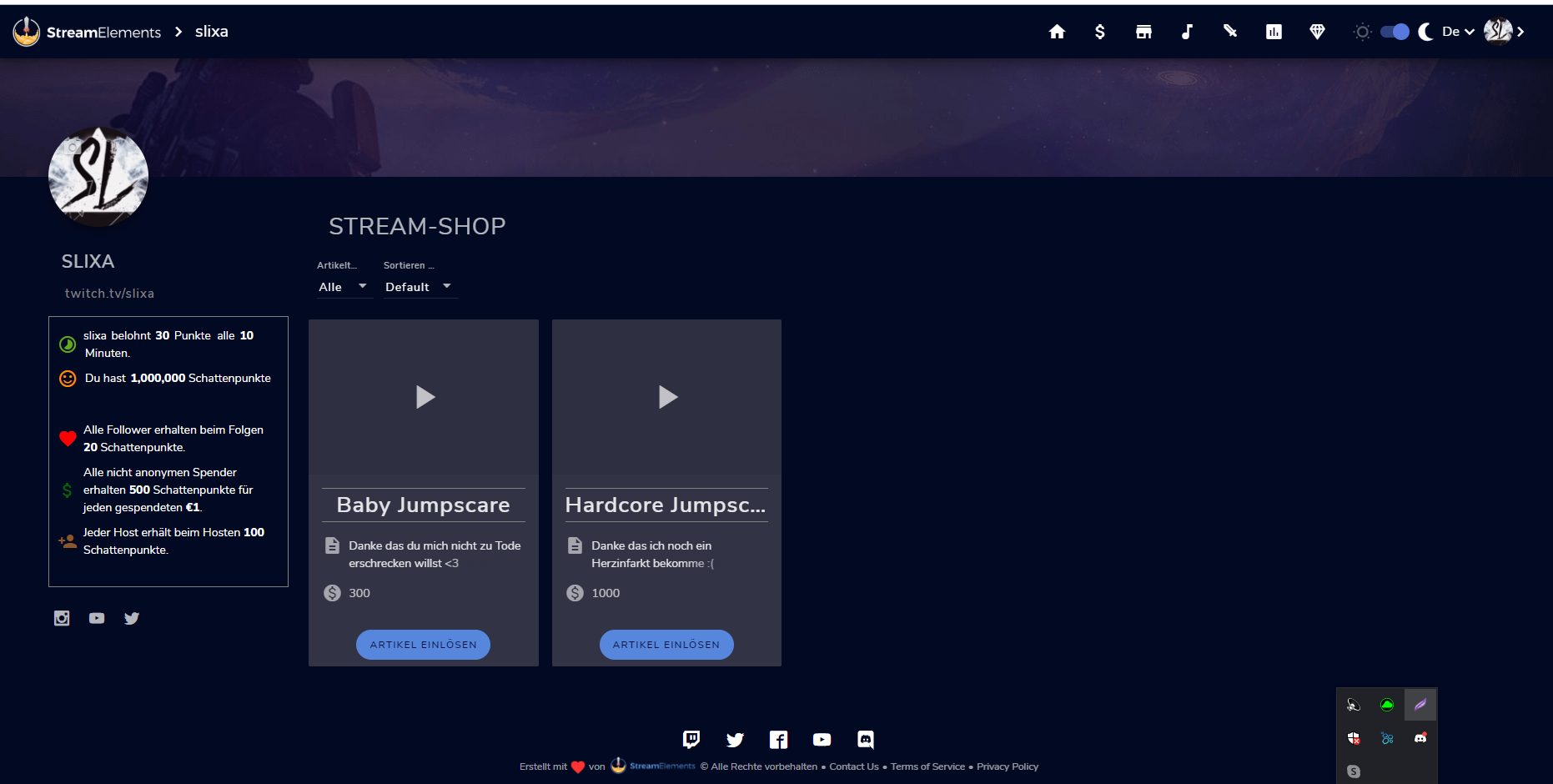
some of the icons and text are overlapping
 prisma relic
Are you using a screen reader of some sort? Or have a translator extension active?
You are missing some of the ICON files:
 mighty seal
How can i delete my account
 prisma relic
View your page in an incognito tab to see what your viewers will see
lament blade
how i do that
mighty seal
i try to close my account and i says invalid user name how do i fix that
lament blade

StreamElements
The Ultimate All in One Platform for Streamers
can u make a picture
what do u see
prisma relic
@mighty seal do you want to close the account or try to merge it? it is a Staff manual process to remove all of the data
mighty seal
Close
prisma relic
@lament blade
mighty seal
@prisma relic close
lament blade
thats to much ... idk how i vanish some options
prisma relic
go to https://streamelements.com/dashboard/account/security and click the close account button @mighty seal
I don't believe that is possible. which option would you like to hide?
lament blade
http://prntscr.com/tengqg and can i input here 0 ? its for Bot Timer
 mighty seal
@prisma relic it says
prisma relic
I believe the minimum for a timer is 1 (60 seconds) 🙂
 pseudo folio
is there anyone that could help me with an issue? my bitrate drops to 0 kb/s when im streaming ark, idk why but it only started happening recently and maybe this isn't a streamelements issue, maybe its an obs issue or connection issue? im kinda lost but it only started happening recently to my knowledge. if i click out of ark and just have it open it will jump back up to 1000-2000 kb/s
prisma relic
It might already be in the delete queue @mighty seal; i'll send a request and someone will send you a message when they get to your removal request
mighty seal
yep thx bro
prisma relic
what platform is it and what is your username? (i.e. Twitch - pjonp)
mighty seal
TS7yt
prisma relic
Twitch i assume (since that is the channel we are in? just want to verify 🙂 )
mighty seal
K thx bro
prisma relic
Is it your Twitch connection that you want to delete?
mighty seal
Yeh
prisma relic
🙂 alright i send a note in to the team
mighty seal
K thx bro
 wary halo
Go to the Google play store and search for the StreamElements app
warped radish
Iv been playing with the sub/follow/cheer changer overlay but i cant find a way to change the speed of them switching and i cant change the font to my custom font? do you know any way to fix this Pjonp?
prisma relic
i'll take a look at it. give me a few minutes
 eternal raptor
Can anyone support with twitch channel nick_nirlin. The ${channel.subs} command isn’t not working, all the others are fine. It always says 0. The owner has logged out and back in stream elements but it still says 0.
prisma relic
@mighty seal Email reem@streamelements.com with same details from the form. That is an odd error that you saw, so it might not have processed correctly. To make sure your account is removed this staff member will handle it for you.
 round brambleBOT
@lament blade New to Stream Elements?
Check out our YouTube channel https://www.youtube.com/c/streamelements/videos
with tutorial videos from setting up the basics, to in depth details on how to use our product.
New to OBS? Here is a 4 step quickstart guide
https://obsproject.com/wiki/OBS-Studio-Quickstart
Want to learn even more? Here is an in-depth overview
https://obsproject.com/wiki/OBS-Studio-Overview
 wide trail
does anyone have a good video or any tutorials on how to use obs studio
prisma relic
@warped radish
warped radish
ahh refresh rate is how that
but what am i missing to get my own custom text?
like downloaded font custom custom
prisma relic
do you have it on other overlays that you use already?
warped radish
yeah
wide trail
uhh i have to use ps4 remote play
warped radish
theres normally a 2nd text option for custom fonts but its not on this one
prisma relic
open the settings; then CSS tab; try replacing the {font_name} with the name of your font
prisma relic
no { } needed 🙂
warped radish
that was the ticket!
prisma relic
🙂
prisma relic
hahah. i asked my last question a lloong time ago 😉
and i just asked one an hour ago
warped radish
the bit emote is a star and i can change the word star with anything but it just changes it to the word. is there a way to make the star icon into a bit icon?
prisma relic
let me check 🤔
looking at the code; no. i don't think it can use the bit icon. basically stick to the free icons here https://fontawesome.com/icons?d=gallery&m=free
lament blade
Why my chatstats don't work
 knotty rivet
I changed my name on twitch and now I can't use the chat log in OBS. I already logged out of everything and logged back in.
 hollow sparrow
@knotty rivet https://discord.gg/obsproject There you can get support of OBS
prisma relic
have you changed your name on Twitch @lament blade ?
 ember frigate
Hiho, how to completly delete me from StreamElements?
prisma relic
Do you want to delete your account or add it to a different service @ember frigate ?
hollow sparrow
@prisma relic To me happened the same and a support tell to admin refresh me from StreamElements I think , so maybe is the same problem of @lament blade And me
prisma relic
Correct. but if there is a previous username on Twitch we need to know that too
hollow sparrow
Let me ask him
prisma relic
sometimes the fix will only work for 24 hours if all the info is not given
hollow sparrow
He doesn't change username
ember frigate
@prisma relic I tried your Software and it is good. But now I dont want the Bot anymore and no more E-Mails. I connected StreamElement with Twitch. But ist seams that there is still a connection between them. Even after disconnecting.
prisma relic
I'll send in the request @hollow sparrow; what is the username for chat fix?
round brambleBOT
@ember frigate Go to the dashboard -> right side -> part channel -> join channel (https://streamelements.com/dashboard)
 ember frigate
I dont have the software installed right now. And i dont want to reinstall IT.
prisma relic
It is on the website.
ember frigate
Cant i simply delete my Account?
prisma relic
yes. go to https://streamelements.com/dashboard/account/security and 'close account' @ember frigate
ember frigate
Thanks!
prisma relic
It will take up to 48 hours, because it is a manually process to remove your data. If you see an error in the lower right let me know
it will require an email sent to make sure your data is completely removed.
hollow sparrow
@prisma relic You need more info about @lament blade ?
prisma relic
I'm sending in a chatstat update for estell3r @hollow sparrow
 cyan fiber
Anyone wanna do clan wars
hollow sparrow
This is support.
lament blade
Can you let me know when the problem is fixed?
ember frigate
@prisma relic To log in, i need to couple my twithc account agein with streamelements...?
prisma relic
@lament blade I can request that someone ping you when fixed. I am not sure how long it will take fix though.
correct @ember frigate. you must remove your account from the dash board.
prisma relic
go to https://streamelements.com/dashboard/account/security and click 'close account'
It will take up to 48 hours, because it is a manually process to remove your data. If you see an error in the lower right let me know
ember frigate
what is a JWT-Token?
prisma relic
lament blade
i don't understand
prisma relic
i don't know how long it will take for your stat page to get updated @lament blade. it might take 1 hour or could be up to 48 hours.
round brambleBOT
@ember frigate You can find your JWT token on your account channels page ("Show Secrets" to reveal the token): https://streamelements.com/dashboard/account/channels
READ ME:
This is a private security token. Do NOT share this token here or other public places, only with a StreamElements staff member in private.
lament blade
ok but will you let me know? @prisma relic
prisma relic
I will request the person that fixes it to sent you a message here with an update
ember frigate
@prisma relic i did it, thanks for your guidiance
prisma relic
@lament blade @hollow sparrow There was no stat page for that account but they added it for you 🙂
lament blade
what?
prisma relic
hollow sparrow
Thanks 😄
 crude estuary
Is this a Bug or a Feature? :D
I can not replay a gifted Subs https://tjcteam.de/files/i/SUfsSfo.gif

 weak delta
I feel like a key is being held down or something there. You are in Chrome?
weak delta
Can you try incognito or straight Chrome?
I haven't seen that personally before with the highlighting.
 ionic kelp
Could you press F12 with the feed open in edge, switch to console, refresh the page and see if chunks of red text appear when you "try" to click?
crude estuary

    at t.emit (activityFeed.64d09a9cfe33df94e225.bundle.js?5d35ac1d9aedfd8b6074:1)
    at e.<anonymous> (activityFeed.64d09a9cfe33df94e225.bundle.js?5d35ac1d9aedfd8b6074:1)
    at ue (mobx.c789c7b994a5d9e5ac3d.chunk.js?5d35ac1d9aedfd8b6074:2)
    at e.n (mobx.c789c7b994a5d9e5ac3d.chunk.js?5d35ac1d9aedfd8b6074:2)
    at n.onReload (activityFeed.64d09a9cfe33df94e225.bundle.js?5d35ac1d9aedfd8b6074:1)
    at Object.<anonymous> (react-dom.f3156606c088ff3171f4.chunk.js?5d35ac1d9aedfd8b6074:2)
    at d (react-dom.f3156606c088ff3171f4.chunk.js?5d35ac1d9aedfd8b6074:2)
    at react-dom.f3156606c088ff3171f4.chunk.js?5d35ac1d9aedfd8b6074:2
    at E (react-dom.f3156606c088ff3171f4.chunk.js?5d35ac1d9aedfd8b6074:2)
at P (react-dom.f3156606c088ff3171f4.chunk.js?5d35ac1d9aedfd8b6074:2)```@crude estuary Last piece: what build version of edge are you using?
crude estuary
83.0.478.58
cedar nexus
Hey guys, So to keep things a lot cleaner on OBS I have started to use the overlays on stream elements. So now i am trying to change my alerts, but that means i have to do it in one of the overlays and then duplicate it over, same goes for sub goal. is there anyway, if i change them on one overlay, the rest will change automatically?
ionic kelp
Nope.
cedar nexus
ok thank you
 swift arch
Can't seem to find the media share widget when editing my overlay, why is that?
 low coral
Hi there I have been having an issue with the kappagen and charged kappagen buttons I installed on my streamdeck are you experiencing issues with them?
 twin sentinel
@swift arch
 lyric burrow
Can anyone help me ? I change my social media names, but it doesn't change in overlay
twin sentinel
Edit the message in the widgets settings not the layer name.
lyric burrow
Ok, thanks man
 cosmic ocean
need help my panel de control is bug
warped radish
Can I get some help? I dont know how to move the text and symbols to the left?
 formal river
Is there a setting that a streamer can turn off or on, so that if someone refollows their channel again, it doesn't show an alert?
 astral yoke
How do I use stream elements
round brambleBOT
@astral yoke New to Stream Elements?
Check out our YouTube channel https://www.youtube.com/c/streamelements/videos
with tutorial videos from setting up the basics, to in depth details on how to use our product.
New to OBS? Here is a 4 step quickstart guide
https://obsproject.com/wiki/OBS-Studio-Quickstart
Want to learn even more? Here is an in-depth overview
https://obsproject.com/wiki/OBS-Studio-Overview
astral yoke
THANKS!
 random axle
Good Thorsday to support crew & all SE users. Asking for assist: When i switch the scene w keybind there's a brief delay w changing to new overlay / scene. One that was created in SE's Editor. During that brief period black screen is shown. Didn't have this before transitioned to SE. How to fix ?
 jade remnant
the delay is your pc re-downloading the overlay
the best option is to use a stinger transition to hide the loading
your other option would be to stop your overlay from closing,
this can cause issues so it would also be advised to separate your overlays into things that are safe to keep open (overlay images) and things to be shut down (alert boxes)
 stoic brook
Hello there :D
I'm busy using the Custom Widget Tool to create an events list in the Overlay editor, and I would really appreciate it if somebody could help me make it bigger? Just dragging the corners does not resize the widget and it remains the same size. Any help as to how I can resize everything to make it bigger would be greatly appreciated. I've got all the CSS and whatnot still on default, so I'm not too phased by just copying and pasting anything there to fix it 😄
stoic brook
Ok, thank you 😄
random axle
@jade remnant Big ty for your time & assist. I'll lean into using stinger transition as i already have one set, but haven't looked into how they are handled. Extracted package yesterday & it was 1gb size, but is understandable cause of the format. Looking into it now. Ty again.
warped radish
Hey, just have a small feeling my question got scrolled too far up and got missed
 steady saddle
i need help my commands do not work in OBS
formal river
Is there a way that I can make a !time command to not show military time, and rather, regular time such as AM and PM?
ionic kelp
You'd have to use a 3rd party api.
 jovial idol
How do i part my bot from my channel
twin sentinel
Vie the PART CHANNEL button in your StreamElements dashboard.
jovial idol
Thanks
twin sentinel
@warped radish As this is a custom widget, either ask in #dev-chat or contact the creator.
warped radish
ah alright thanks
round brambleBOT
@steady saddle Streamelements on top of OBS -> Logout -> login
stoic brook
Sorry another question quick nothing to do with CSS this time xD. Am I able to export custom overlays to give to people to be able to edit their own version etc? Like, for example, I have an overlay that is themed for my team and I want to be able to send it to them for their own stream
 terse sand
is it ok to stream 720P60 at 4000 bitrate?
twin sentinel
terse sand
ik this but I've seen many people doesn't follow this guide
round brambleBOT
@terse sand There are no "best settings".
Please understand that every setup will be very different.
Any guides or videos that claim otherwise are misinforming. Your best option is to start with a base and adjust as necessary.
You can run the OBS auto-configuration tool. To use the auto-config, click on the Tools menu in OBS, select Auto-Configuration Wizard, and then just follow the on-screen directions.
You can use this tool to get baseline settings for your hardware and adjust as necessary from there.
Test, test, and test again. We are happy to offer suggestions for any issues you may be having afterwards, but not a list of settings.
Thank you 
 faint jasper
i need some advice - i want to let viewers tell me to give my dog a treat, but cheering X amount of bits. how would you go about doing that? (including a cool down period to make sure he doesn't get too fat)
 ancient oracle
here can i get themes
twin sentinel
 analog tiger
Hey, i just feel free to ask here about something with the Overlay in contact with Streamlabs.
I have an Issue with the Overlay is kinda „lagging“ or rather not „instantly loading“ whenever i want to switch Scenes. All the Stuff i created within Streamlabs is loading perfectly fine, but the Overlay loaded from the Browsersource (StreamElements) has a Delay. Whenever i switch a Scene, from.. let’s say „Starting Soon“ to „BRB“ or any other, the Screen first is Black for a Second or smth. Before it loads the Overlay. Is there any Chance to instantly load it, or avoid the "Blackscreen"?
faint jasper
@chrome folio i am not sure what you describe, but would i be able to set a "dog cheer price" of 100 bits and any one who does this can give my dog a treat?
 radiant agate
Hello, having an issue with the bot. The other day my timers were going off every 15 seconds instead of the 5 min intervals i set. Go in and set them at 20 min intervals, last night stream none of my timers went off at all. On top of that, the chat modules (follow chat command, host chat command, so forth) arent working despite that they are enabled. Please help!
 golden zenith
Hi! I seem to be having an issue with the 'contests' (ie: betting) function. Seems like when my viewers bet and lose, they lose their points (naturally), but when they bet and win, nothing happens...they don't win any of the points that they bet. Can someone clarify how this is supposed to work, or help me fix it? thanks!
 chrome folio
@faint jasper do you want your viewer to send messages for the price of 100 bits? We don't have a tool ready for this. But you can create a custom widget or see if someone at #dev-chat can help you with this.
i thought you wanted something for a donation goal 🙂
faint jasper
@chrome folio i think what i wanted is a custom cheermote, but i am not partner.. only affiliate
 warm saffron
My bot is doesn't working on my livestream, what happened?
chrome folio
@warm saffron are you using the bot with custom name (streamer name)?
warm saffron
Yes!
round brambleBOT
@warm saffron If your commands recently stopped working and you're using OBS.Live and a custom bot name do the following:
1.) In OBS.Live, click on the hamburger menu (three stripes) at the top left of your activity feed
2.) Click on Stream Settings -> Custom bot name
3.) In the "Custom bot name" field select "Set custom bot name", not your already existing username (with capital letters)
Note: If you already connected an account that way, the third entry will show as the account name (see image https://i.imgur.com/sO7fWOX.png)
4.) Scroll a bit down and click on the purple "CONNECT CUSTOM BOT ACCOUNT" button
5.) Log in as usual and "Authorize" the custom bot name
6.) Back in the Activity feed, click on the "SEND TEST MESSAGE" button and check if your custom bot name starts working again
 warm saffron
Okay, wait
Thanks man
And now, i want google voice on my cheers, tips and subs
how can i do this/
?
 foggy gorge
i'm having an issue where i've switched overlays, and I put my alert sounds to their specific events and while some of them are working, the subscription and tip alert sounds are still the default sound. any fix for this?
 spice mesa
hello how do you make a counter command mod only by using commands and not the dashboard
foggy gorge
oh i can tell you that! you have to make a command being !(command name) and then in the response, to increase the value you put $[count (command name)]
round brambleBOT
@spice mesa You can make changes to custom commands in chat with !command add/remove/edit/options/show Valid flags for !cmd options are: -enable -disable -cd (number) -usercd (number) -cost (number) -level (number) -type (say, whisper or reply) -count (number). --- Example: !cmd options twitter -usercd 60 -type reply -level 250
spice mesa
ive added the counter command and it works but i want to make it where only mods can use it
spice mesa
i know that but i need the command for it as im mod not streamer
foggy gorge
ohhh
spice mesa
unless only the streamer can change it
foggy gorge
im not too sure about that one
golden zenith
Ho can I put in a "hard return" in the messages I set up in the bot timers? They don't seem to accept/display them.
How*
twin sentinel
Not possible.
 gaunt spade
Is it possible to prevent the chat bot from responding to redeem commands? I have setup a sound command (!sfxname with the $(redeem sfxname) response) but I would prefer my bot not to reply if a user does the command
twin sentinel
No.
gaunt spade
Hmm okay, if I disable the chat bot will I lose chat commands?
golden zenith
I seem to be having an issue with the 'contests' (ie: betting) function. Seems like when my viewers bet and lose, they lose their points (naturally), but when they bet and win, nothing happens...they don't win any of the points that they bet. Can someone clarify how this is supposed to work, or help me fix it? thanks!
twin sentinel
If you make it part your channel, no.
lament blade
anyone ever had issue with OBS.Live where your channel is stuck on a rerun you cannot cancel it and you cannot connect to live stream either because error message is recieved saying " could not access the specified key"
twin sentinel
@lament blade Get an editor access to their account.
round brambleBOT
@lament blade Follow these steps to grant managers/moderators access to your dashboard:
- Click on your Channel Name at the top of the dashboard and select Settings
- Create a new invite at one of three access levels (Bot Supervisor, Editor, Full Control)
- Send this invite to a mod/manager to give them access to your dashboard. The link is one-time-use and expires after 72 hours if not accepted
Video tutorial: https://youtu.be/zl_h-ttZDF0
gaunt spade
@twin sentinel thanks, I have muted it for now
foggy gorge
i'm having an issue where i've switched overlays, and I put my alert sounds to their specific events and while some of them are working, the subscription and tip alert sounds are still the default sound. any fix for this?
 real tapir
Simple issue: Recently just switched everything over to streamelements, but can't get the option for custom bot name
twin sentinel
@real tapir Let's jump into #dreamteam for this.
chrome folio
@warm saffron https://streamelements.com/dashboard/overlays, open the overlay with Overlay Editor, select the widget Alertbox on the left panel, click on Settings, open Tip alert settings, enable TTS option, select the voice (choose the voice by language), back to Tip alert settings, check if the alerts have Variations and set there too.
... and do the same with the others alerts.
 last reef
Hi i was wondering why there isn't a recent follower or latest cheer label in the overlay builder?
twin sentinel
This is youtube, not twitch.
last reef
?
chrome folio
@last reef can you check if you are logged in with the Twitch account on StreamElements?
golden zenith
I seem to be having an issue with the 'contests' (ie: betting) function. Seems like when my viewers bet and lose, they lose their points (naturally), but when they bet and win, nothing happens...they don't win any of the points that they bet. Can someone clarify how this is supposed to work, or help me fix it? thanks!
chrome folio
with your Youtube account @last reef
warm saffron
@warm saffron https://streamelements.com/dashboard/overlays, open the overlay with Overlay Editor, select the widget Alertbox on the left panel, click on Settings, open Tip alert settings, enable TTS option, select the voice (choose the voice by language), back to Tip alert settings, check if the alerts have Variations and set there too.
@chrome folio I made all of this stuf, and my Google voice don't speak :(
golden zenith
Hello? Can somebody help me with my contest bug?
golden zenith
So when people bet to win, and they win, how come they don't get any of the points they bet?
They lose points when they lose the bet, but they don't win points when they win the bet. So how does that work?
 stuck dove
hello, was curious if anyone can help. i cannot change my stream title (activity feed>stream settings) but the game can be changed. I cannot alter the type in the title field alone, worked last week just fine. thank you
round brambleBOT
@stuck dove There is a bug with setting the stream title in OBS and the Dev team is investigating.
In the meantime you can set the title using the !settitle command in chat (if enabled in your bot command settings)
Or with the Twitch dashboard: https://dashboard.twitch.tv/stream-manager
stuck dove
thank you so much!
twin sentinel
@golden zenith What is the title of the contest please?
round brambleBOT
@golden zenith Please provide your account ID found at the top of this page: https://streamelements.com/dashboard/account/channels This ID is public info and safe to share here.
golden zenith
Thanks! 5ec195aeab088e6bab74ef47
@twin sentinel it's always just "will i win this next game?" for every round I play, the losers always lose their points, but the winners never seem to win theirs...so it seems broken
twin sentinel
Asked internally on your issue.
golden zenith
@twin sentinel Thanks!
 woeful juniper
Alert boxes not working for anyone else? Mine just randomly stopped working.
 fluid viper
I used to receive StreamElementts Stats emails shortly after my Twitch streams, but those all of the sudden stopped. I have tried remove StreamElements from the mod list and adding it back; I have tried parting the BOT from the channel and adding it back; but still no emails.
woeful juniper
I've reloaded overlays, removed stuff and added it again. Alert box stopped working.
weak delta
Do they work in emulation @woeful juniper
And I mean on the SE website in the overlay editor.
woeful juniper
Yes, it works there. But we had one cheer alert come in, and it worked until the next one and it stopped working. I ended stream anyway cause I was having another pile of tech issues. Not sure what's going on with it.
round brambleBOT
@woeful juniper OBS -> settings -> advanced -> scroll down -> enable/disable hardware accel.
https://i.imgur.com/ggMe9ZE.png
 woeful juniper
Okay, seems to be working now.
lament blade
hey guys, quick q. Is there a way to set up multiple sounds for the same alert so that it rotates through those sounds?
 wintry lynx
yoyoyo
How do i make it so that the chat on screen gets to see BTTV emotes?
Like if i type in Pog it doesnt convert
tot the image
lament blade
you're not going to be able to remove stream delay on Twitch. That's what FTL did and it is gone. lol
woeful juniper
Also is it just me, but bit cheer emotes are just showing up as text in the OBS Live chat?
It started doing that yesterday
lament blade
mine don't show up as just text in OBS chat? But then again, my OBS chat dock has completely shut itself down and won't reload no matter how many times I reset the dock.
round brambleBOT
@lament blade Streamelements on top of OBS -> Logout -> login
 lethal temple
How can i remove stream delay?
 errant edge
Hey all! My commands in chat aren't working. For example, chat (or myself) type !uptime but then the command response will not post in chat. Any help here would be hot!
 candid frigate
I'm bringing back my question from March:
https://discordapp.com/channels/141203863863558144/199460642975907840/694016723862552647
along with Nethyr's original answer:
https://discordapp.com/channels/141203863863558144/199460642975907840/694017113035112511
However, there is some new info. As of last night, Discord now has access to Twitch Tiers for the purposes of limiting Tier 2/3 emotes to those levels of subscribers on Discord.
Question: If Twitch updated their API, perhaps now StreamElements could access Sub Points data to display accurate counts on progress goals? It might be worth checking/asking Twitch if they are revamping their API!
 worthy void
Is there a practical way to do "round betting" for how the streamer is going to finish in a battle royale style game? Like starting a poll but every number in chat gets accepted? Ideally you could check after the match who got it right.
 hybrid helm
is it possible to use variables in blacklist filter?
weak delta
hey guys, quick q. Is there a way to set up multiple sounds for the same alert so that it rotates through those sounds?
@lament blade
Make variations, set the chance to 100% and make sure this box is checked
It won't rotate exactly it'll be random but it's close to what you want.
@knotty fiber Have you changed your name?
 shut urchin
hi, can i add giveway as panel so i can manage it without enter the site?
 knotty fiber
No, I didn’t change. I tried to write that the nickname is busy.
Just stopped working
round brambleBOT
@errant edge Streamelements on top of OBS -> Logout -> login
lament blade
http://prntscr.com/tewhi3 why my twitch bot dont send massage
 round brambleBOT
@errant edge 1) Right click on your OBS desktop shortcut and open the Properties 2) In the "Target" field, add the following to the very end: --remote-debugging-port=40404 3) Open OBS (or restart if it was open) 4) Open your web browser and type in: localhost:40404 5) Click on "StreamElements - Activity feed" 6) Navigate to the Console tab 7) Type the following into the console and hit enter: store.customBot.removeCustomBotIntegration() 8) Try setting the custom bot name 9) Remove the additional flag in step 2 from your shortcut properties.
knotty fiber
How do I fix it?
weak delta
What's your Twitch name, no links? @knotty fiber
@errant edge You might not have to do the second one, just try the relog first and then try to set it, send a test message and save it.
 clear wyvern
I have a blackscreen issue with wow only
 broken kelp
hi, my stream elements updates very slowly
twin sentinel
Have you started OBS as admin? @clear wyvern
broken kelp
and my overlays alerts dont pop up
clear wyvern
i always do
 round brambleBOT
@clear wyvern For the best OBS support, please join their Official Discord @ discord.gg/obsproject
lament blade
pls
 worldly rapids
hello where i can put the tips link i dont found
knotty fiber
@weak delta anti_strimer
weak delta
I'll tag you with news and to confirm one more time, definitely no name changes?
 tender rivet
the chatbot is not working for me is there any trouble shooting anyone knows about? also if this isnt the right place to ask is there a better place?
 cloud latch
I need a bit of help, I'd like to try streaming, but I was wondering if there are some settings that are wrong, or if this is purely a internet issue, the kb / s jumps between 0 and 1200-ish, lost images on the left is around 95%, I have no idea what's causing this.
gaunt spade
every time i reload OBS, latest followers are gone from my event list. just donations are listed. new follows go on the list, but just aren't retained when reloading obs
round brambleBOT
@cloud latch Dropped Frames usually means that you have a bad connection with the streaming service(Twitch/Youtube/Mixer/Facebook) and most likely something related to your ISP not handling the connection properly.
Speed tests usually cannot help solve this problem and its best to use this guide: https://obsproject.com/wiki/Dropped-Frames-and-General-Connection-Issues
worthy void
Stream elements doesnt save the text message that gets added to an item redemption alert? is there no way to see what someone added to the redemption afterwards?
 brazen moon
Hi, any know a overlay trick, or a obs setting to show if mic is active or not on screen? its annoying at the moment i can only use 1 screen so not sure if mic is on or off unless i minimize and check obs.
gaunt spade
You can see here that the eventlist knows that the most recent events were follows
but then all it displays is this
 grim scaffold
is it possible to run a command in a timer's message?
 night wren
Hey guys, so my bot isn't working at all in the chat. Anyway to trouble shoot this?
I've disconnected and reconnected multiple times but nothing changes.
 onyx otter
My OBS display capture doesn't work, also I can't seem to capture discord with my OBS. Anyone knows why?
night wren
Working now! Thanks whoever!
 radiant basin
round brambleBOT
radiant basin
round brambleBOT
@radiant basin To add your overlays to OBS, add a new browser source in your scene. Paste your overlay URL in the browser source properties, set the dimensions to 1920x1080 (unless you changed them on the website), and ☑ “Shutdown source when not visible” https://youtu.be/KDvLynUqXI4
 sinful kelp
Hi all! Im from russia, and, as some of you know, paypal is leaving russian market, considering this i have some questions regarding future of donation system in russia: Im not very popular streamer (15 follows LUL) and my only alternative is DonatePay, but requirements for using this system, for now, is unreachable for me, thats why some of my viewers who want to donate, are unable to do that. Considering that, did you have any plans of adding some alternatives in russian donate system? p.s. sorry for broken english LUL
lament blade
Could I make a soundboard with the Stream Store for a channel points alternative?
 autumn ingot
How do i make it so my stream has no/less delay?
lament blade
Do I need the Alerts widget to play sounds from my Stream Store?
wary halo
item store redemption widget
lament blade
Alright thanks
 twilit valley
is this where i ask about making a Clip command?
found this on the interwebs
Command Response: ${customapi.https://vxrl.xyz/api/twitch/clips/clip?user_access_token=<user_access_token>&channel_id=<your_channel_idea>}
 modern marsh
The website isn't loading for me (already tried incognito / other browsers). I'm waiting for about 2 minutes and nothing happens
modern marsh
let me check
maybe its your ISP/DNS
@charred quartz oof, that worked.. I will try changing my dns
 tepid wadi
If I set a command to just subscribers, will the rest of the chat be able to see it?
or non-subscribers? I'm giving out a free copy of a painting to just subs, I just want to confirm what happens exactly?
lament blade
Is the staff trolling me or can I not give myself points?
tepid wadi
Uhh you get infinite amount of points, I don't think you can give yourself points.
lament blade
I meant by the Loyality Points
 forest smelt
Hiya, I'm an editor for a streamer in SE, however on their channel SE keeps sending a message 'response message' once in a while, while there's no custom commands and such
and ideas how to track it down and get rid of it?
modern marsh
Check in your "Default commands" if you added any "Command keywords"
forest smelt
Checking them all now, 1 sec
 timid turret
I'm having an issue with my overlays. I can't upload anything, I keep getting the "Failed while uploading file" error. I'm using Google Chrome
 vague yacht
^^
 crystal hazel
My overlay is missing on stream 
wary halo
@crystal hazel let's hop in the #dreamteam channel 😄
crystal hazel
Ye typed in there now
forest smelt
No command keywords in any @modern marsh
I actually might have found it... Seems like someone added a message 'response message' to a bot timer
modern marsh
No command keywords in any @modern marsh
@forest smelt What about "bot-timers" ?
forest smelt
lol
modern marsh
ohh
forest smelt
thank you for your help, that would have pointed me to the right direction 🙂
modern marsh
👍 
 stoic prairie
I have a problem: I like to stream The Crew 2 on Twitch but if I choose The Crew 2 in the Game capture my Slobs shows me a blackscreen instead the Crew. pls help
jade remnant
best to contact slobs
stoic prairie
how?
jade remnant
in their discord
stoic prairie
where XD
jade remnant
stoic prairie
oh sh... im in the Stream Elements dc sorry
 granite locust
How do you create a multi computer stream like this?
 crisp socket
^ am curious too
fluid viper
@granite locust What I do is have Skype video calls with the others joining me on the stream and then capture their videos using NDI.
fluid viper
Overall its pretty easy; the OBS NDI Tools plugin does most of the work for you
granite locust
Thank you
fluid viper
Here is a good video how to do it: https://youtu.be/SmmHln-2kZw

Skype is stepping up their content creation features with an EPIC new update (in Preview, currently) allowing you to send individual Skype Call participants as their own NDI streams to be integrated into your live streams or recording in OBS Studio, VMix, XSplit, etc.!
This is...
granite locust
Wow that's way easier than what I was planning😂
I followed your channel. thanks chad
fluid viper
It can be a little tricky at first; but once it working it works. Not sure if it was just me; but I could only get this to work on the desktop version of Skype and not the Windows store version.
You can download that version here: https://www.skype.com/en/get-skype/
granite locust
Yeah UWP is still an early subset of features compared to .net framework
lament blade
I have a shoutout command reply that goes like Check out the streamer ${1} & give them a follow: https://twitch.tv/${user ${1}}
But sometimes it returns with the user who issued the command rather than the user called in the command. It seems to be when they have not yet talked in chat. Could it be related to having followers only chat when the user called hasn’t followed yet? Is there a solution?
 halcyon hollow
Please may I have some assistance with missing notifications?
 topaz geode
can anyone help me to record my screen in the live version. because I always have a black screen
 wary solstice
hey everyone, was wondering if anyone knew how to create a custom command to look like a hyperlink. Example: User types in !twitch and in chat, itll look like [Twitch here] but its just a hyperlink. Thanks!
 abstract hemlock
@lament blade change it to Check out the streamer ${1} & give them a follow: https://twitch.tv/${channel ${1}}
round brambleBOT
@topaz geode For the best OBS support, please join their Official Discord @ discord.gg/obsproject
@halcyon hollow Please provide your account ID found at the top of this page: https://streamelements.com/dashboard/account/channels This ID is public info and safe to share here.
abstract hemlock
@wary solstice sorry, could you elaborate a little more?
abstract hemlock
Hi @brazen moon , yes im bussy but don't worry about me.. how can i help you 🙂
wary solstice
Yup! So my buddy is streaming to Twitch and Youtube. He wants a command for twitch thats !youtube to send something like: Subscribe to me [here]. but instead of it being a long URL, anyway to make the [here] part a hyperlink?
abstract hemlock
@wary solstice afaik that not possible
lament blade
Heya peeops...
wary solstice
ahh no worries. my last recommendation for him was to just create a bitly link haha
brazen moon
Renziito, Hi 🙂 its a little detail, maybe you know a way; you know a overlay trick, or a obs setting to show if mic is active or not on screen? its annoying, at the moment i can only use 1 screen so not sure if mic is on or off unless i minimize and check obs.
lament blade
@lament blade change it to
Check out the streamer ${1} & give them a follow: https://twitch.tv/${channel ${1}}
@abstract hemlock thanks so much!
I haveno idea how to get Follower alert of my Stream, the gadget
any idea?
round brambleBOT
@lament blade We've released our new Overlay Editor revamp. You can check out the changes and how to work with it here: https://youtu.be/X5VzXjqAsjk
Check out our blog post as well: https://blog.streamelements.com/streamelements-overlay-editor-just-got-even-better-c22cb5b4853e

We are thrilled to announce the launch of the remastered StreamElements Overlay editor!
https://p.strms.net/newoverlayyt
Why StreamElements Overlays are better?
😎 Simple: Load your entier setup using only 1 link
⚡ Fast: Cloud-powered Overlays arrive in real-time, say goodb...
 young grotto
Hello everyone, can anyone help me? i cant withdraw my earnings from SE.pay, can you tell me why?
abstract hemlock
@brazen moon i'm afraid that its not possible, but you can ask on their official discord
round brambleBOT
@brazen moon For the best OBS support, please join their Official Discord @ discord.gg/obsproject
@young grotto Please contact us via email for support with SE.Pay. You can use our contact form here: https://streamelements.com/contact Thank you
brazen moon
alright thanks
 sweet magnet
Not sure this is the correct channel to ask this, but I was just given permission by a PC Maker to use their opening music/song on my stream starting soon overlay, but I just don't know how to add it, can anyone point me in the right direction on this, please???
jade remnant
if you want full control of the audio then best to add it as a media source in obs.
as you stream to twitch i would recommend to see if the music is copyright, if it is then make sure you have the correct rights from the producer and in an email form
 quasi cradle
Hello, Is there currently in an issue with “ !watchtime “ cause it says for everyone 0seconds ?
sweet magnet
Thnx @jade remnant
round brambleBOT
@quasi cradle 10 minutes of watchtime are given to those in chat when the loyalty points are handed out (every 10 minutes). Therefore, loyalty must be enabled for watchtime to work properly.
There is no direct link between watchtime and all-time points.
It can’t be calculated from the amount of all-time points a user has because subs may earn points at a faster rate and !bonus all command increases all-time points for users in chat at that time.
Giving points to a single user does NOT affect all-time, only when giving to all in chat.
 carmine knot
does anyone know if you can change what the !SR command says after you request a song, or make a custom reply with a custom !SR command
lament blade
is it possible to rename chatbot without installing ground control app?
round brambleBOT
@lament blade Currently renaming the bot fully works with OBS.Live.
You can follow this video guide to set it up: https://discordapp.com/channels/141203863863558144/494513233416421386/561516184718278676
If you don't want to use OBS.Live and want to stick with Ground Control, please let us know your Twitch username.
 outer hearth
lament blade
outer hearth
lament blade
I don't use Windows so installing Ground Control is not possible for me, as you have only Windows version of the app. Is there any way around it?
 quick goblet
my chat disapeard, how I fix It
quick goblet
thank you very much
 jaunty adder
hey why does my stream insta drop 1000 frames i havent changed the settings and they normally work well
 cedar fjord
I'm having an issue with stream elements where the bot isn't responding to commands.
round brambleBOT
@jaunty adder Dropped Frames means that you have a bad connection between your device and the streaming platform and most likely something related to your ISP not handling the connection properly.
Speed tests usually cannot help solve this problem and its best to use this guide: https://obsproject.com/wiki/Dropped-Frames-and-General-Connection-Issues
If you stream to twitch, use the !twitchtest command and do a connection test to your regional servers.
cedar fjord
It's not responding to commands either in my actual twitch chat or whether it's the chat in the elementslive obs plugin for the chat in obs.
round brambleBOT
@cedar fjord If your commands recently stopped working and you're using OBS.Live and a custom bot name do the following:
1.) In OBS.Live, click on the hamburger menu (three stripes) at the top left of your activity feed
2.) Click on Stream Settings -> Custom bot name
3.) In the "Custom bot name" field select "Set custom bot name", not your already existing username (with capital letters)
Note: If you already connected an account that way, the third entry will show as the account name (see image https://i.imgur.com/sO7fWOX.png)
4.) Scroll a bit down and click on the purple "CONNECT CUSTOM BOT ACCOUNT" button
5.) Log in as usual and "Authorize" the custom bot name
6.) Back in the Activity feed, click on the "SEND TEST MESSAGE" button and check if your custom bot name starts working again
cedar fjord
Thank you that fixed it. I needed to revert it back to streamelements bot.
One more thing if I may ask. I'm also having an issue updating the stream game and title. When I try to backspace the title or game it won't erase characters and instead just puts the typing cursor at the end of the line of text. I can only seem to update it via the creator dashboard.
brazen moon
ya its a bug with obs :S they are looking into it, for now you need to update title by using !settitle
brazen moon
ya
cedar fjord
I appreciate you. When I first encountered the bug I though my backspace button was toast. xD
brazen moon
same lol
eternal raptor
Good evening , can anyone help with ${channel.subs} not working on twitch channel nick_nirlin. All the other stats are fine, subs always display 0. The user has logged and and back in streamelements but it still says 0
lament blade
!id
 wise cliff
Hi! Just a heads up for some reason my commands don't work I don't know why!
 wraith gazelle
Heyo lovely peoples. I changed my name on twitch a bit ago and had the chatstats stop working. Now I thought it was resolved when got the OK that the name was swapped but sadly now neither names work, it just shows a "404 page not found" (was sposed to give it a few to update but its been a month+) Name was oldangrygaming and now is oldangrygrump (no judgementarinos). Now the chatstats arent THAT imperative but I really did enjoy the breakdowns. If you have any possible solutions lemme know! Bot not muted, parted, signed out, rejoined.
round brambleBOT
@eternal raptor Please logout of StreamElements at https://streamelements.com/logout and then login again to your account (Twitch/Youtube/Facebook/Mixer)
abstract hemlock
post here your old and new username @wraith gazelle
round brambleBOT
@wise cliff If your commands recently stopped working and you're using OBS.Live and a custom bot name do the following:
1.) In OBS.Live, click on the hamburger menu (three stripes) at the top left of your activity feed
2.) Click on Stream Settings -> Custom bot name
3.) In the "Custom bot name" field select "Set custom bot name", not your already existing username (with capital letters)
Note: If you already connected an account that way, the third entry will show as the account name (see image https://i.imgur.com/sO7fWOX.png)
4.) Scroll a bit down and click on the purple "CONNECT CUSTOM BOT ACCOUNT" button
5.) Log in as usual and "Authorize" the custom bot name
6.) Back in the Activity feed, click on the "SEND TEST MESSAGE" button and check if your custom bot name starts working again
wraith gazelle
@abstract hemlock I did. The old name was Oldangrygaming and the new one is Oldangrygrump
abstract hemlock
@wraith gazelle any old username? i may need to reset your chatstats
wraith gazelle
Im uncertain how to answer that. The name was OldAngryGaming for my channel and now it is OldAngryGrump. Is there a different name you need?
Did you need a different name other than the Twitch one?
abstract hemlock
any older username..
wraith gazelle
How can I make up an older name?
The original name was OldAngryGaming. The new name is OldAngryGrump.
There is no name before that
abstract hemlock
Done
wraith gazelle
wts and its working perfect
@abstract hemlock I love you in a platonic manner
Thank you for helping me.
abstract hemlock

lament blade
Could I use the Stream Store as a Soundboard?
 dry hare
Sort of
 clear canopy
Is there a way to show Reward Requests (Channel Points) toggle or something for the Activity Feed in OBS Studio? I can see the requests in the activity feed on twitch and toggle them, but the one in OBS Studio, doesn't show Reward stuff =/
OBS Live*
 boreal cloak
How do you add the streamelements bot back to the twitch channel
round brambleBOT
@boreal cloak Go to the dashboard -> right side -> part channel -> join channel (https://streamelements.com/dashboard)
 small quiver
hi my overlay suddenly stopped working is not showing anything even if I refresh the cache
round brambleBOT
@small quiver OBS -> settings -> advanced -> scroll down -> enable/disable hardware accel.
https://i.imgur.com/ggMe9ZE.png
 dim drum
hello, i'm trying to activate my emote, i've already uploaded them but for some reason when I'm live it says this channel hasn't added any emotes yet
 azure plank
anybody know how to use the widget to enable spotify on your stream?
abstract hemlock
Spotify asked us kindly to remove the integration
azure plank
oh ok. thanks for the help.
 gentle ore
Is there a way to give a text box or a label a background color in the overlay? Seems like there would be but if so I am over looking it.
abstract hemlock
@gentle ore not with the default labels, you may need custom code
gentle ore
Okay, thanks. Just going to use a image for now
 pseudo edge
Hey im have a bug where i cant change my stream title or game can someone help me?
round brambleBOT
@pseudo edge There is a bug with setting the stream title in OBS and the Dev team is investigating.
In the meantime you can set the title using the !settitle command in chat (if enabled in your bot command settings)
Or with the Twitch dashboard: https://dashboard.twitch.tv/stream-manager
 crisp peak
Hey All
Can someone please help me with how I'd make a video loop on a timer and add a delay?
 timid ermine
hello, someone hosted me without any viewers(he didnt streamed either) there was no alert comeing, is that normal or do i have my settings wrong?
round brambleBOT
@timid ermine Due to changes to Twitch API, we have filtered out hosts and will only show these ones on your activity feed:
- All hosts coming from an online channel with at least 1+ viewer
- Auto host events with at least 1 viewer - only from a channel that just went offline
Note: If you see "X channel has hosted you" with no viewers on the back, that is considered an offline host or a host with 0 viewers, we do not show these.
timid ermine
ah ok thank u, i thought i meesed up my settings again 😄
 high kettle
Hi! My streamelements bot hasnt been working for the past couple of streams and I cant figure out why /: I've made it leave my chat then rejoin so far.
chrome folio
@high kettle are you using custom bot name (streamer name)?
high kettle
Its using my name currently yes
round brambleBOT
@high kettle If your commands recently stopped working and you're using OBS.Live and a custom bot name do the following:
1.) In OBS.Live, click on the hamburger menu (three stripes) at the top left of your activity feed
2.) Click on Stream Settings -> Custom bot name
3.) In the "Custom bot name" field select "Set custom bot name", not your already existing username (with capital letters)
Note: If you already connected an account that way, the third entry will show as the account name (see image https://i.imgur.com/sO7fWOX.png)
4.) Scroll a bit down and click on the purple "CONNECT CUSTOM BOT ACCOUNT" button
5.) Log in as usual and "Authorize" the custom bot name
6.) Back in the Activity feed, click on the "SEND TEST MESSAGE" button and check if your custom bot name starts working again
high kettle
sweet Ill check this out!
Awesome, this worked, ty!! @chrome folio
Im guessing I needed to re-authorize after the 30 days
 past sluice
Hi my Activity Feed tab is busted, it won't let me edit my title or games.
round brambleBOT
@past sluice There is a bug with setting the stream title in OBS and the Dev team is investigating.
In the meantime you can set the title using the !settitle command in chat (if enabled in your bot command settings)
Or with the Twitch dashboard: https://dashboard.twitch.tv/stream-manager
past sluice
Thanks!
 torpid anchor
i can't figure out how to move my overlay from stream elements to obs also i cant figure out how to get my game capture to work
round brambleBOT
@torpid anchor To add your overlays to OBS, add a new browser source in your scene. Paste your overlay URL in the browser source properties, set the dimensions to 1920x1080 (unless you changed them on the website), and ☑ “Shutdown source when not visible” https://youtu.be/KDvLynUqXI4
 vast jungle
hi im wondering on how i can import a one tap set up for an overlay with you rsoftware
ionic kelp
@vast jungle If it's from Nerd or Die then you simply open the "installer" file you downloaded. Otherwise you'd need to ask whoever you got the overlay from.
 jovial river
Hi so when im recording from my ps4 trying to stream i cant hear the audio when i play my recording back
jovial river
like im trying to hear what i recorded in the game to test my stream but i cant hear the play back
lament blade
what channel do i need to post in to have channels removed from my streamelements?
ionic kelp
@vast jungle You'd have to speak with them as I don't recognize the name.
round brambleBOT
@lament blade There is no easy way to unlink 2 owner type accounts from each other. The only way is to make a closure request from here: https://streamelements.com/dashboard/account/security
WARNING: In submitting a closure request you will delete both linked accounts and loose all data from both accounts. This includes overlays, custom commands, timers and past data(tips, subs, etc). You can still relogin with the deleted account, but you are essentially starting fresh.
lament blade
ok can i merge an account into another?
vast jungle
visuals by impulse @ionic kelp
ionic kelp
Yeah. You'd have to ask them as I'm not familiar with their importers.
vast jungle
thank you for your time @ionic kelp
 ripe rain
How do i put other quality on my live for the viwers to choose like 480p or 360p??
ionic kelp
@ripe rain That is up to twitch if you're not partnered.
lament blade
Can someone make me a twitch stream package 😭 pls dm me
 wanton fable
i could use some help with the bot giveaway function
i dont necessarily need people to be using the points system so im curious to know if theres a way to just use it for one entry only
 frigid bluff
Is there anyway to trigger a a test subalert / donation alert via a chat command?
ionic kelp
No. You'd have to do it via the overlay editor.
frigid bluff
@ionic kelp so is there anyway at all to adjust the Hypeboss health without running test alerts?
ionic kelp
Not that I know of.
 grim crane
Hello i recently install obslive to try it out but for some reason no matter how many times i tried it wont let me import my scenes from Streamlabsobs. i also tried uninstall and install the program,delete all its files and tried again. wont work either. anyone know what the reason may be ? Thank you
 last mauve
Im looking for an easier way to lead viewers to the giveaway. Setting up custom command with the full link? Its a long link
abstract hemlock
@last mauve you can enable the giveaway command here: https://streamelements.com/dashboard/bot-commands/default-commands
mighty seal
How can I unlink my twitch account
round brambleBOT
@mighty seal There is no easy way to unlink 2 owner type accounts from each other. The only way is to make a closure request from here: https://streamelements.com/dashboard/account/security
WARNING: In submitting a closure request you will delete both linked accounts and loose all data from both accounts. This includes overlays, custom commands, timers and past data(tips, subs, etc). You can still relogin with the deleted account, but you are essentially starting fresh.
 stable moon
I have a question
How do I get my alert box to appear on stream and my chat to appear
Is there something I should do?
round brambleBOT
@stable moon We've released our new Overlay Editor revamp. You can check out the changes and how to work with it here: https://youtu.be/X5VzXjqAsjk
Check out our blog post as well: https://blog.streamelements.com/streamelements-overlay-editor-just-got-even-better-c22cb5b4853e
We are thrilled to announce the launch of the remastered StreamElements Overlay editor!
https://p.strms.net/newoverlayyt
Why StreamElements Overlays are better?
😎 Simple: Load your entier setup using only 1 link
⚡ Fast: Cloud-powered Overlays arrive in real-time, say goodb...
@stable moon To add your overlays to OBS, add a new browser source in your scene. Paste your overlay URL in the browser source properties, set the dimensions to 1920x1080 (unless you changed them on the website), and ☑ “Shutdown source when not visible” https://youtu.be/KDvLynUqXI4
stable moon
Thank you I am live rn and I am trying to make changes rn
onyx otter
Can someone help me with my display capture? It's not working.
abstract hemlock
@onyx otter are you on laptop?
onyx otter
Yes.
round brambleBOT
@onyx otter Due to the way laptops are designed, your system must be configured to run OBS on a specific GPU, depending on the type of capture you are trying to do.
For Game Capture and Window Capture (recommended), your system must be configured to run OBS on your laptop’s high performance GPU (default); for Display Capture, your system must be configured to run OBS on your laptop’s power saving GPU (iGPU).
If you are running Windows 10 1903 or newer, use this guide for instructions on how to configure your system: https://github.com/obsproject/obs-studio/wiki/Laptop-GPU-Selection-Windows-10
For instructions on configuring an older version of Windows (you should consider upgrading), use this guide: https://obsproject.com/wiki/Laptop-Troubleshooting
onyx otter
I did the thing it still won't show.
round brambleBOT
@onyx otter For the best OBS support, please join their Official Discord @ discord.gg/obsproject
onyx otter
Thank you.
stable moon
My next issue is that I added the link of the overlays to a browser for my stream but the chat doesnt pop up when someone is chatting on my stream
 sharp pagoda
how do i add my overlay onto my twitch stream
round brambleBOT
@sharp pagoda To add your overlays to OBS, add a new browser source in your scene. Paste your overlay URL in the browser source properties, set the dimensions to 1920x1080 (unless you changed them on the website), and ☑ “Shutdown source when not visible” https://youtu.be/KDvLynUqXI4
sharp pagoda
that i did in stream elements
how do i put my overlay on the website of twitch i went into mod mode and coud not find it
round brambleBOT
@sharp pagoda We've released our new Overlay Editor revamp. You can check out the changes and how to work with it here: https://youtu.be/X5VzXjqAsjk
Check out our blog post as well: https://blog.streamelements.com/streamelements-overlay-editor-just-got-even-better-c22cb5b4853e
We are thrilled to announce the launch of the remastered StreamElements Overlay editor!
https://p.strms.net/newoverlayyt
Why StreamElements Overlays are better?
😎 Simple: Load your entier setup using only 1 link
⚡ Fast: Cloud-powered Overlays arrive in real-time, say goodb...
 neon laurel
I have a Ground Control related question but I don't see a GC help area, if this is the wrong place my apologies. GC worked flawlessly for a long time but yesterday I lost the ability to change the stream title. The stream title area changes to blue text when I try to edit it, and will not allow me to change or delete what it currently shows. I tried resetting, restarting, and reinstalling - nothing has solved the problem. Any ideas how to correct this?
 main hound
I was about to stream and it is saying that access is denied for my stream information, how do I fix this?
Nevermind I got it to work
stable moon
Gifs dont appear on alert box and the music is heard 2 times
 lethal anchor
im having trouble with audio and visual quality on my stream
on my stream for some reason all the audio is very robotic, and on the stream i have it a 1080p but it looks very fuzzy still
 low cypress
HEY! i accidentally connected to facebook but i wanted to use overlays and alerts from my twitch login, when i tried to connect through my twitch login it said "account is claimed". so i logged back into my FB account, went through the deletion process, but it didnt delete and did the same thing. went through this process at least 5 times, anyone have a solid piece of advice on how to fix this?
round brambleBOT
@stable moon Make sure to ☑️ “Shutdown source when not visible” for all browser sources (all OBS scenes). If using studio mode, uncheck “Swap Preview/Output scenes After Transitioning.” Also keep in mind that sound can play from any overlay loaded in the browser (editor or launched). https://i.imgur.com/6bWXxjR.png https://i.imgur.com/yY0wcFl.png


@low cypress Account Merging - Please note:
- Merging accounts only allows faster ways to switch between accounts
- Merging accounts does not allow data sharing between accounts - different streaming platforms, different type of events
- Merging accounts allows duplicating/sharing overlays between the accounts
If you understand the limitations of merging and want to proceed, please find the JWT tokens (!jwt) from both accounts you want to merge and you will be directed to DM them to a staff member.
@low cypress You can find your JWT token on your account channels page ("Show Secrets" to reveal the token): https://streamelements.com/dashboard/account/channels
READ ME:
This is a private security token. Do NOT share this token here or other public places, only with a StreamElements staff member in private.
 fickle mountain
Hello, I researched here why I didn't find any solution, does anyone know how to make the auction system in the bot? for example: I want to auction a game, starting bid for that game with 50 loyalty points, this auction is open for a period of time x, let's say it is open for 30 minutes, and ending this time or bot announces the winner and discounts the amount offered from that person's loyalty points.
Does anyone know how to do this in StreamElements?
 peak storm
Hi, In the Contests section of the Dashboard, is there a way of making a previous contest the default contest, rather than copying the contest every time? 🤔 Thanks.
 elder knoll
Hey! i cant seem to figure out how to get my tipping page linked for donos?
 spiral juniper
can someone tell why this is not working? !commands add !watchtime ${user} has watched Streamer for ${user.time_online} and is Rank ${user.time_online_rank}.
ionic kelp
@spiral juniper Any reason you're making a custom command for it?
spiral juniper
doing it as a moderator
ionic kelp
Again why?
spiral juniper
so viewers can see time watched
ionic kelp
There's the default command for it.
spiral juniper
where do you enable it?
ionic kelp
https://streamelements.com/DashboardUsername @elder knoll
That being the one in the top left corner.
spiral juniper
is there a way for a moderator to do it for the streamer with a custom command?
ionic kelp
@spiral juniper You have to be bot supervisor for them though. https://streamelements.com/dashboard/bot/commands/default
 lunar gulch
It is not letting me make a withdrawal I enter my personal information confirm it and the page does not go any further
round brambleBOT
@lunar gulch Please contact us via email for support with SE.Pay. You can use our contact form here: https://streamelements.com/contact Thank you
spiral juniper
ok thank you @ionic kelp
lunar gulch
Thank you @ionic kelp
 warped plaza
Hi, when ever I go to try and update my game or change my stream title, it does not allow me to! I have uninstalled and fully reinstalled can someone help me
 sharp gorge
Hi! Is there any chance anyone could help me with coding a custom widget? I got one from another discord server and I was wanting to change some of the icons to custom icons I have, but I have no idea how to code them in. Thanks.
round brambleBOT
@warped plaza There is a bug with setting the stream title in OBS and the Dev team is investigating.
In the meantime you can set the title using the !settitle command in chat (if enabled in your bot command settings)
Or with the Twitch dashboard: https://dashboard.twitch.tv/stream-manager
warped plaza
Okay thank you
lament blade
hey everyone
lament blade
http://prntscr.com/tf6kzz how long its need ?

 sand salmon
twin sentinel
sand salmon
twin sentinel
Take a look at #art-marketplace
 sonic juniper
Hi everyone. Just a quick question: i'm playing around with commands and user management (level) and was thinking if there is a way that users with VIP status get level 400? (VIP) in streamelements as well (automatically). Or is this already existing?
round brambleBOT
Chat/Bot Levels
100 - Viewer
250 - Subscriber (Twitch subscribers automatically placed at this level)
300 - Regular
400 - VIP (Twitch VIP automatically placed at this level)
500 - Moderator (Twitch chat moderators automatically placed at this level)
1000 - Super Moderator
1500 - Broadcaster
Dashboard Manager Levels
Bot Supervisor
Editor
Full Access
Owner
https://i.imgur.com/s61Liry.png
 sonic juniper
I do have VIP users, but my user management only shows mods 500 and regulars 300. Do i have to reset something to make it work?
sonic juniper
Now that i gave a new user the vip status it was added to the user management automatically, but the Level column is empty. So do i have to un-vip my vips to "refresh" the status?
lament blade
@twin sentinel Hello! any news on my issue? About the gifted subs?
twin sentinel
No new info.
 void hinge
Can someone help!!! So i have put all my Bot timers in place on stream elements but when i stream none of the timers work. what am i doing wrong? i stream for 3 to 4 hours per sessions and the timers are all on 10 to 45 mins online
 storm coral
bot isn't working if you are using OBS.Live - switch to OBS.Studio and it works
untold crest
@void hinge does anybody write on chat when you are offline? Check "lines interval" along "time interval"
void hinge
bot isn't working if you are using OBS.Live - switch to OBS.Studio and it works
@storm coral Oh really i like the layout of OBS.Live as well but will give that a try tonight then
storm coral
you casn make studio look exactly the same as live its jsut hte bot no longer has channel name
void hinge
@void hinge does anybody write on chat when you are offline? Check "lines interval" along "time interval"
@untold crest no i'm a new streamer so don't get them through at the moment
you casn make studio look exactly the same as live its jsut hte bot no longer has channel name
@storm coral okay thank you for the info
storm coral
to get your chat and activaty panels in studio go to view - docks - and select the ones you want in there
and to load intop studio you need to go to streamelements tab at the top and choose obs.studio
round brambleBOT
@void hinge If your commands recently stopped working and you're using OBS.Live and a custom bot name do the following:
1.) In OBS.Live, click on the hamburger menu (three stripes) at the top left of your activity feed
2.) Click on Stream Settings -> Custom bot name
3.) In the "Custom bot name" field select "Set custom bot name", not your already existing username (with capital letters)
Note: If you already connected an account that way, the third entry will show as the account name (see image https://i.imgur.com/sO7fWOX.png)
4.) Scroll a bit down and click on the purple "CONNECT CUSTOM BOT ACCOUNT" button
5.) Log in as usual and "Authorize" the custom bot name
6.) Back in the Activity feed, click on the "SEND TEST MESSAGE" button and check if your custom bot name starts working again
void hinge
to get your chat and activaty panels in studio go to view - docks - and select the ones you want in there
@storm coral appreciate the info thank you
storm coral
np dude
untold crest
@storm coral as you can see above it is possible to keep custom bot name usable (and we are fixing the issue in the meantime) with all bonuses from having OBS.Live
storm coral
yea just seen that and tested it to make sure it works
and it seems to work
been looking for a fix for about a week now so thats great
untold crest
void hinge
@void hinge If your commands recently stopped working and you're using OBS.Live and a custom bot name do the following:
1.) In OBS.Live, click on the hamburger menu (three stripes) at the top left of your activity feed
2.) Click on Stream Settings -> Custom bot name
3.) In the "Custom bot name" field select "Set custom bot name", not your already existing username (with capital letters)
Note: If you already connected an account that way, the third entry will show as the account name (see image https://i.imgur.com/sO7fWOX.png)
4.) Scroll a bit down and click on the purple "CONNECT CUSTOM BOT ACCOUNT" button
5.) Log in as usual and "Authorize" the custom bot name
6.) Back in the Activity feed, click on the "SEND TEST MESSAGE" button and check if your custom bot name starts working again
@round bramble I have this all set up already but nothing has been happening
round brambleBOT
@main kettle Please follow our community rules:
- No advertisement or stream promotion
- Respect ALL server members
- No NSFW/NSFL
Thank you
 spare cargo
I have a 3960x n a 2080ti n my stream fps is not smooth on medium
round brambleBOT
@charred bramble Please follow our community rules:
- No advertisement or stream promotion
- Respect ALL server members
- No NSFW/NSFL
Thank you
 frank dove
Hello! I have a question. It's regarding labels. I have set a label for latest sub which has {name} and {amount} to show the months. How can I make the amount part have a different color?
 obsidian elk
Hello! I wish to merge the YouTube account i have with the Twitch one, how can i do that?
untold crest
@frank dove {name} has subbed for <font color="FF0000">{amount}</font> should do the trick
 waxen cypress
i have my details for streaming as twitch but the start streaming button triwes to stream to youtube
frank dove
thank you so much! @untold crest
stoic brook
Am I able to export custom overlays to give to people to be able to edit their own version etc? Like, for example, I have an overlay that is themed for my team and I want to be able to send it to them for their own stream
round brambleBOT
@waxen cypress Streamelements on top of OBS -> Logout -> login
ionic kelp
@stoic brook They'd have to do this and make you editor.
round brambleBOT
Follow these steps to grant managers/moderators access to your dashboard:
- Click on your Channel Name at the top of the dashboard and select Settings
- Create a new invite at one of three access levels (Bot Supervisor, Editor, Full Control)
- Send this invite to a mod/manager to give them access to your dashboard. The link is one-time-use and expires after 72 hours if not accepted
Video tutorial: https://youtu.be/zl_h-ttZDF0
stoic brook
Thank you
waxen cypress
how do i log out exactly?
im s o confuse how do i logout when i didnt log in\
help
why does it still show stream to youtube even tho i have twitch set up
wary halo
Log out in the StreamElements menu in the top bar in OBS.Live
waxen cypress
thank you
sonic juniper
Is it correct, that when i am in the User Management and Add New Bot User i can only choose between Regular, Moderator and Super Moderator? The VIP Level doesn't quite work for me.
 burnt kelp
hey, I am new to livestreaming and I was wondering how to set a title etc for your stream in obs, thank you in advance
round brambleBOT
@burnt kelp There is a bug with setting the stream title in OBS and the Dev team is investigating.
In the meantime you can set the title using the !settitle command in chat (if enabled in your bot command settings)
Or with the Twitch dashboard: https://dashboard.twitch.tv/stream-manager
 worldly axle
I set up the bot counter label on my overlay, I can add to it, but how do I clear it
sonic juniper
@worldly axle !editcounter [name] [value], you find that command in the default commands for mods.
worldly axle
thanks @sonic juniper
quick goblet
Hey, how I configure my bot?
round brambleBOT
@quick goblet New to Stream Elements?
Check out our YouTube channel https://www.youtube.com/c/streamelements/videos
with tutorial videos from setting up the basics, to in depth details on how to use our product.
New to OBS? Here is a 4 step quickstart guide
https://obsproject.com/wiki/OBS-Studio-Quickstart
Want to learn even more? Here is an in-depth overview
https://obsproject.com/wiki/OBS-Studio-Overview
untold crest
@quick goblet https://www.youtube.com/watch?v=8LVRd2X4HvU
round brambleBOT
@quick goblet To add your overlays to OBS, add a new browser source in your scene. Paste your overlay URL in the browser source properties, set the dimensions to 1920x1080 (unless you changed them on the website), and ☑ “Shutdown source when not visible” https://youtu.be/KDvLynUqXI4
 polar raptor
Hello, i change my donate message and video gif, but i doesnt change, anybody know why?
sonic juniper
@deep burrow set up a timer and press "+ add message" where you can set up a alternate message. Hope that's what you're meaning.
round brambleBOT
@polar raptor Please ask your question in one helpdesk channel only. A support volunteer or StreamElements staff member will assist you as soon as they are available. Asking in multiple places will only result in confusion, not faster answers. Thank you for your patience.
 paper heath
round brambleBOT
paper heath
round brambleBOT
@paper heath Due to changes to Twitch API, we have filtered out hosts and will only show these ones on your activity feed:
- All hosts coming from an online channel with at least 1+ viewer
- Auto host events with at least 1 viewer - only from a channel that just went offline
Note: If you see "X channel has hosted you" with no viewers on the back, that is considered an offline host or a host with 0 viewers, we do not show these.
polar raptor
Why doesnt my alert change when i change the gip, or the text? Idk why it does that
wary halo
@polar raptor i already answered you above ^^^
polar raptor
I know, tried that, doesnt work for me, or i do it wrong xD
round brambleBOT
@polar raptor We've released our new Overlay Editor revamp. You can check out the changes and how to work with it here: https://youtu.be/X5VzXjqAsjk
Check out our blog post as well: https://blog.streamelements.com/streamelements-overlay-editor-just-got-even-better-c22cb5b4853e
We are thrilled to announce the launch of the remastered StreamElements Overlay editor!
https://p.strms.net/newoverlayyt
Why StreamElements Overlays are better?
😎 Simple: Load your entier setup using only 1 link
⚡ Fast: Cloud-powered Overlays arrive in real-time, say goodb...
 cunning zinc
i use the streamelements overlays for over 4 months now, and suddenly my overlays dont load visibly on the screen. the only thing that the overlay does is sound. i really didnt change anything. help pls
my overlays in the overlay editor are fine and everything is correctly importet into obs.live
 mighty trail
My Chat Stats Page says '404 - Page Not Found'. HELP pls
 upbeat parcel
I can't access my dashboard, everytime I try to go on it, it just brings me back to the home page. Any ideas on how to solve this ?
Same problem with my profile, leaderboard and settings
Btw I don't know if that's the right place to ask, but there doesn't seem to be a better place
 native beacon
Hello, my chat and dashboard dissapeared on streamelements obs? what to do?
round brambleBOT
@upbeat parcel Please logout of StreamElements at https://streamelements.com/logout and then login again to your account (Twitch/Youtube/Facebook/Mixer)
upbeat parcel
That worked, thanks !!
 pale gust
Hi @everyone how do I stream to twitch with a custom overlay without using a pc or capture card as I can't invest in a pc at the moment as I'm saving for one at the moment need HELP ASAP!!!!!!

 gusty hornet
weird one, all my stream elements overlay features stopped working today and I cant get them to work again. They still work in the website but not on y obs?
seems i'm having the same problem as @cunning zinc
 misty badge
Hi, have any way to have youtube members alert with my twitch overlays or I will need to different alert box?
ionic kelp
@misty badge Different overlay. They're platform specific.
misty badge
okay, thank you
round brambleBOT
OBS -> settings -> advanced -> scroll down -> enable/disable hardware accel.
https://i.imgur.com/ggMe9ZE.png
ionic kelp
@gusty hornet @cunning zinc try this.
 idle cypress
Hi there, my ground control has randomly stopped working. It won't let me change game title in the stream settings. Anyone know a solution ?
I can change the game it seems, but not over-type/delete the title
 fringe birch
Helloe i´ve put the URL on OBS live , my overlay is not showing off , why ?
@ionic kelp
 fierce aspen
How do I delete a mod from my phone ?
 lean mulch
Hey, i'm just curious to why when somebody follows it doesn't make the 'Follower' sound notification also it doesn't pop up on my stream. Everything is linked to streamlabs.
fierce aspen
Ty tadpole
lament blade
How do I merge twitch and yt together?
 viral marten
Hi I'm having problems seeing my tier 1 emoji. How can I fix this please.
 tight sandal
hi i have added a video as items in my store so it plays on my stream but it lagger hope you can help me
 shy shell
how i create a overlay?
round brambleBOT
@shy shell New to Stream Elements?
Check out our YouTube channel https://www.youtube.com/c/streamelements/videos
with tutorial videos from setting up the basics, to in depth details on how to use our product.
New to OBS? Here is a 4 step quickstart guide
https://obsproject.com/wiki/OBS-Studio-Quickstart
Want to learn even more? Here is an in-depth overview
https://obsproject.com/wiki/OBS-Studio-Overview
 topaz umbra
Hey guys im having issues importing tip info from streamlabs to SE im using the chrome extension and its still not working
ionic kelp
@topaz umbra Both dashboards open?
topaz umbra
@ionic kelp thankyou ❤️
 rough parcel
Does anyone know how to use a party such as discord or game chat and not have the other voices come up on stream? I want to be able to hear other people in my party but only the stream to allow my voice
round brambleBOT
@rough parcel How to exclude audio sources for a stream or recording: https://obsproject.com/forum/resources/8/
Voicemeeter Banana guide: https://obsproject.com/forum/resources/397/
 subtle sonnet
Hey Friends, I'm having some issues. I'm assuming its more than likely my unreliable internet (comcast), but maybe theres some things I haven't checked. I keep dropping frames. I've updated all my drivers, checked my usage (cpu, gpu, ram), and I've tried different servers. I'm a bit stressed about it. Any suggestions?
ionic kelp
@subtle sonnet You are correct with your first part.
If it persists across multiple servers and all those close enough to you then it's most likely an ISP problem.
subtle sonnet
I have been through this enough to know its more than likely that. It sucks because all they offer at max is 35 mbps up which any little hiccup they have will impact that speed. Maybe not noticeable for the majority of their customers but I def feel it
ionic kelp
Here's how you can be sure
mighty trail
My Chat Stats Page says '404 - Page Not Found'. HELP pls
round brambleBOT
Use the Twitch Bandwidth Test to find the best Twitch server to stream to. Set Duration to Medium. You can uncheck any regions you're not near.
After the test completes, click the Share Result button to upload a screenshot, which can then be copied and pasted here.
Get Twitch Test from https://r1ch.net/projects/twitchtest
ionic kelp
@mighty trail Username?
ionic kelp
Just seems to be having a hiccup as it's showing fine for me https://streamlabs-is-a.totallysuspicious.website/4eosoKo.jpg
 mighty trail
@ionic kelp Wow its working now. Thanks for whatever you did to help (if anything)
 tough jackal
magic
subtle sonnet
How can I be sure?
ionic kelp
Use the bandwidth tester the bot linked above.
subtle sonnet
oh yeah I've been doing that
lament blade
how do i edit my commands
subtle sonnet
Could it potentially be because the latest nvidia update or windows update?
tough jackal
@lament blade On your StreamElements user page.
 frail fiber
potato
 fading halo
Is there currently a known issue with passing arguments to $game or $channel? I'm getting no results when using the defacto shoutout command Check out ${1}, they are playing ${game ${1}} at https://twitch.tv/${channel ${1}}
round brambleBOT
@frail fiber Please follow our community rules:
- No advertisement or stream promotion
- Respect ALL server members
- No NSFW/NSFL
Thank you
 idle flame
Hello. In our stream we are running into the issue that no one can create commands in chat. Not even the broadcaster can. We are forced to do everything in the dashboard. I have access to dashboard and am the primary person who works with it for the streamer. How can we fix this so other mods can help without him granting more dashboard access?



 covert mulch
Hello, I used my main account as the bot's custom name and after disconnecting and reconnecting it began repeating the result of a gamble command. I've restarted my stream, OBS, disconnected/banned the bot and then unbanned and reconnected the bot. I've removed the custom bot account name as well. Any ideas on what else I should do?
ionic kelp
@idle flame Tell him to remove follower mode.
 fringe jasper
Hi, I'm new here. I need some help with text entry and exit animations. The text animations dont seem to be working. Could anyone guide me through it?
(I'm not sure if the question goes here. Please guide me if this is not the appropriate channel)
ionic kelp
@covert mulch Are you using ground control or OBS.Live?
covert mulch
@ionic kelp OBS.Live
idle flame
@ionic kelp its off
ionic kelp
@idle flame The add command is disabled.
idle flame
@ionic kelp how do we get it turned on, or do you have a link on how
ionic kelp
StreamElements
The Ultimate All in One Platform for Streamers
idle flame
@ionic kelp so turn on !commands ?
ionic kelp
No. !command
 frail badger
Have a wonderful evening :)
I use the Chat Bot from stream Elements and up to 3 days ago it worked great too, but now it is like that as soon as I open Obs the Chat Bot doesn't want to work anymore. I close the obs again and go to my Twitch Chanel in the chat and trigger because the commands work properly. Has an idea why this is so and could possibly help me there?
round brambleBOT
@frail badger If your commands recently stopped working and you're using OBS.Live and a custom bot name do the following:
1.) In OBS.Live, click on the hamburger menu (three stripes) at the top left of your activity feed
2.) Click on Stream Settings -> Custom bot name
3.) In the "Custom bot name" field select "Set custom bot name", not your already existing username (with capital letters)
Note: If you already connected an account that way, the third entry will show as the account name (see image https://i.imgur.com/sO7fWOX.png)
4.) Scroll a bit down and click on the purple "CONNECT CUSTOM BOT ACCOUNT" button
5.) Log in as usual and "Authorize" the custom bot name
6.) Back in the Activity feed, click on the "SEND TEST MESSAGE" button and check if your custom bot name starts working again
 stone lantern
To
frail badger
thanks for the help it works!
stone lantern
I need help with stream elements
round brambleBOT
@stone lantern Welcome to the helpdesk! Please let us know how we can assist you today and a support volunteer or staff member will assist you as soon as they are available. Thank you for your patience.
 jagged cape
is there a way to have a command show a image on overlay?
 upper island
I can no longer change my stream title in OBS Live. Why?
round brambleBOT
@upper island There is a bug with setting the stream title in OBS and the Dev team is investigating.
In the meantime you can set the title using the !settitle command in chat (if enabled in your bot command settings)
Or with the Twitch dashboard: https://dashboard.twitch.tv/stream-manager
 whole nova
Isnt the bot supposed to work even when I am offline?
ionic kelp
yes assuming you have things to work offline as well.
 fringe saddle
hey i need some help if someone has time
round brambleBOT
@fringe saddle Welcome to the helpdesk! Please let us know how we can assist you today and a support volunteer or staff member will assist you as soon as they are available. Thank you for your patience.
fringe saddle
Hi, I am trying to stream a game and it won't pop up for some reason
CS:GO will not stream for some reason. it worked yesterday
round brambleBOT
@fringe saddle For the best OBS support, please join their Official Discord @ discord.gg/obsproject
 solid viper
Hi, the bot isn't working while I'm streaming. Can we get some help?
ionic kelp
@solid viper Could you disable follower mode please?
subtle sonnet
would it be odd if I bumped it up to 7500 bit rate and didn't drop frames? @ionic kelp
ionic kelp
That would be pushing what you should do at most but regardless most definitely.
subtle sonnet
still testing as we speak, but I went down to 1k didn't drop frames, went back to 2.5k and dropped frames. Now we are at 7.5k with no dropped frames
I dont get it 
ionic kelp
It's a network issue. Seeing as you said the magic ISP it's not surprising.
subtle sonnet
xfinity 🙂
 little grotto
So I added tags to my stream using the stream manager because that's impossible in obs.live, and now I can't change anything about my title, and I have to save my changes twice to make it so the game doesn't get set to blank. Please advise.
round brambleBOT
@little grotto There is a bug with setting the stream title in OBS and the Dev team is investigating.
In the meantime you can set the title using the !settitle command in chat (if enabled in your bot command settings)
Or with the Twitch dashboard: https://dashboard.twitch.tv/stream-manager
subtle sonnet
How do I interpret this @ionic kelp
ionic kelp
1st column should be 10k+, 2nd should be as close to 0, 3rd should be as close to 100.
Looks like Salt Lake City is your best bet ATM.
subtle sonnet
Thank you papo
ionic kelp
Dallas by appearance would be better but the trade off of response time and quality is ¯_(ツ)_/¯
 merry cloak
Is anyone elses bot taking a nap? none of my commands are working and I've tried having it part the channel and join again
@tehbasshunter helped me! thanks everyone!
 signal wharf
can anyone help me enable gambling because i dont know how to enable it
wary halo
StreamElements
The Ultimate All in One Platform for Streamers
roulette module
@signal wharf and make sure to have the loyalty sytem on
StreamElements
The Ultimate All in One Platform for Streamers
signal wharf
ok thank you so much
round brambleBOT
@merry cloak If your commands recently stopped working and you're using OBS.Live and a custom bot name do the following:
1.) In OBS.Live, click on the hamburger menu (three stripes) at the top left of your activity feed
2.) Click on Stream Settings -> Custom bot name
3.) In the "Custom bot name" field select "Set custom bot name", not your already existing username (with capital letters)
Note: If you already connected an account that way, the third entry will show as the account name (see image https://i.imgur.com/sO7fWOX.png)
4.) Scroll a bit down and click on the purple "CONNECT CUSTOM BOT ACCOUNT" button
5.) Log in as usual and "Authorize" the custom bot name
6.) Back in the Activity feed, click on the "SEND TEST MESSAGE" button and check if your custom bot name starts working again
 storm flax
Hi guys, I have re installed Obs.live and I cant change Stream title anymore, Any Idea why ?
round brambleBOT
@storm flax There is a bug with setting the stream title in OBS and the Dev team is investigating.
In the meantime you can set the title using the !settitle command in chat (if enabled in your bot command settings)
Or with the Twitch dashboard: https://dashboard.twitch.tv/stream-manager
 olive flume
Hi, I recently changed my Twitch username, but my SE Merch URL still reflects my old one. Along with this, my chat stats are no longer working, is there any way to fix this at all?
olive flume
old name: PierceMoore
new name: DenimPirate
ionic kelp
As far as "updating" your link it would require you resetting your store.
olive flume
Ah okay that's cool, I can do that myself, yeah?
ionic kelp
Yup. Go to your merch dashboard and you should see the shiny button. However I would do this before doing that.
round brambleBOT
Please logout of StreamElements at https://streamelements.com/logout and then login again to your account (Twitch/Youtube/Facebook/Mixer)
olive flume
Sure thing, is it "take store offline"?
olive flume
My bad, I'm blind
ionic kelp
Nope. I thought it was on the main spot as well.
Chat stats should be updated as well.
olive flume
@ionic kelp they are indeed. Thanks so much, you're amazing
 untold ember
Hi everyone iam ghost2030405060 ..when I go to go play on ps4 and start streaming then I go to my tablet and open stream element everything show up so I start my stream and then start the stream on stream element. It's a b lack screen why is that ???????
wary halo
@untold ember do you have a pc?
whole nova
I just changed my twitch name and now none of my commands are working
round brambleBOT
@whole nova If you changed your name on Twitch please follow these steps:
🔹 Visit https://streamelements.com/logout and then log in again with by connecting with Twitch.
🔹 On the right side of the dashboard page that opens, select "Join" under bot settings. If it says "Part" select that and then select "Join" to send the bot to the chat. Don't forget to mod the bot by typing /mod streamelements in your channel if you have not already.
🔹 Post your old and your new name here so that we can update your channel's chatstats tracking (must be done by staff).
untold ember
No all my money goes to my meds and my wife meds to ...
wary halo
okay so you are streaming from your ps4 directly to Twitch
make sure you have 2FA on on twitch or else you won't be able to stream
untold ember
Yes
wary halo
and make sure the connection with Twitch is setup right on the ps4
you use the StreamElements website for what exactly?
 pulsar vortex
Hello im haveing a problem with your bot and chat on my twitch stream how can i fix that
wary halo
what is the problem?
pulsar vortex
i will put a command and it will do nothing
and bot doesnt do anything
anything with stream elements
wary halo
do you use a custom bot name?
round brambleBOT
@pulsar vortex Go to the dashboard -> right side -> part channel -> join channel (https://streamelements.com/dashboard)
olive flume
Omg I feel so bad for you guys working this helpdesk... I run a helpdesk for a living and I thought my users were bad at explaining their issue 😂
"I'm having a problem with the bot how can I fix that"
Absolutely classic.
Staff, you're doing amazing work. Thank you so much for helping us all <3
wary halo

 open verge
Is there a way to search this so that I don't ask a question that has been asked a million times.
?
wary halo
open verge
yeah I see that.. results were kinda wonky LOL
open verge
activity feed is doing nothing and I thought I should try to find out why 🙂
wary halo
are you logged in?
open verge
yup
ionic kelp
Which part and are you using chromium edge by chance?
open verge
no to chromium edge.. for sure. I'm not at the computer right now.. will double check the login stuff when I get home tonight to make sure that I didn't miss something
 placid parcel
In OBS.Live the window to change the information of the stream does not appear, and I can't find anywhere to activate it, can someone help me?
round brambleBOT
@placid parcel There is a bug with setting the stream title in OBS and the Dev team is investigating.
In the meantime you can set the title using the !settitle command in chat (if enabled in your bot command settings)
Or with the Twitch dashboard: https://dashboard.twitch.tv/stream-manager
 lament cloak
Idk if anyone has had this issue where i try to set up my alerts and it shows the completely wrong video
wary halo
check all the variations of the alerts
lament cloak
@wary halo you goat one last thing how do i move the text to line up with the alert
 minor linden
Hi, i use OBS with the SE Live. My bot is activated but doesnt awnser. Did SE have any problems?
wary halo
@wary halo you goat one last thing how do i move the text to line up with the alert
@lament cloak advanced text settings, put top margin at 100 then adjust from there to your liking
round brambleBOT
@minor linden If your commands recently stopped working and you're using OBS.Live and a custom bot name do the following:
1.) In OBS.Live, click on the hamburger menu (three stripes) at the top left of your activity feed
2.) Click on Stream Settings -> Custom bot name
3.) In the "Custom bot name" field select "Set custom bot name", not your already existing username (with capital letters)
Note: If you already connected an account that way, the third entry will show as the account name (see image https://i.imgur.com/sO7fWOX.png)
4.) Scroll a bit down and click on the purple "CONNECT CUSTOM BOT ACCOUNT" button
5.) Log in as usual and "Authorize" the custom bot name
6.) Back in the Activity feed, click on the "SEND TEST MESSAGE" button and check if your custom bot name starts working again
minor linden
@round bramble Thank you, with the SE name works. With my name not
ionic kelp
@minor linden Did you choose the last option in the dropdown?
 proud socket
hello, why is streamelements chat bot not joining my stream? do i need app on my desktop?
ionic kelp
@proud socket Disable follower mode please
minor linden
@ionic kelp i havent a bot account
proud socket
@ionic kelp done
 small cloak
how to I delete a cmd command?
ionic kelp
@proud socket And that should be fixed now.
proud socket
ty ❤️
 boreal forge
Hello and good afternoon! I had a question regarding host notifications and chat stats?
I used to get host notifications but then didn't come through last night.
I also can no longer access my chat stats from the dashboard.
any help here would be greatly appreciate!
weak delta
@knotty fiber You should be good now.
round brambleBOT
@boreal forge Due to changes to Twitch API, we have filtered out hosts and will only show these ones on your activity feed:
- All hosts coming from an online channel with at least 1+ viewer
- Auto host events with at least 1 viewer - only from a channel that just went offline
Note: If you see "X channel has hosted you" with no viewers on the back, that is considered an offline host or a host with 0 viewers, we do not show these.
weak delta
And in regards to chat stats, have you ever or recently changed your name?
boreal forge
Ok that makes sense why the hosts weren't showing up then. thank you for that feedback!
Regarding the chat stats, I changed my name about a week ago.
round brambleBOT
@boreal forge If you changed your name on Twitch please follow these steps:
🔹 Visit https://streamelements.com/logout and then log in again with by connecting with Twitch.
🔹 On the right side of the dashboard page that opens, select "Join" under bot settings. If it says "Part" select that and then select "Join" to send the bot to the chat. Don't forget to mod the bot by typing /mod streamelements in your channel if you have not already.
🔹 Post your old and your new name here so that we can update your channel's chatstats tracking (must be done by staff).
boreal forge
Ok then! I'll go ahead and do that now!
Ok i've done all steps other than the third one.
my old name and new name respectively are: hundredpercentgent & plentyazach
 sleek belfry
How do you remove the streamelement bot from my channel?
round brambleBOT
@sleek belfry Go to the dashboard -> right side -> part channel -> join channel (https://streamelements.com/dashboard)
weak delta
Minus the last step.
sleek belfry
Okay thank you sm!
weak delta
@boreal forge You should be good to go! 
boreal forge
@weak delta Thank you so much for the help! Have a great day! 🙂
 sonic drum
Does anyone know how I can let my channel see my alerts please I have tried mostly everything and it still won't work
 rocky hedge
Struggling with a black screen with game capture. I have already tried to transform to fit the screen but all I see is black. After multiple attempts at trying different forms of game capture, I have given up. This has however led to problems with my Streamlabs which I was trying to get away from
whole nova
And my sub alerts arent working
round brambleBOT
@whole nova OBS -> settings -> advanced -> scroll down -> enable/disable hardware accel.
https://i.imgur.com/ggMe9ZE.png
rocky hedge
Didn't change anything if that was referring to my support question
round brambleBOT
@rocky hedge 1) Restart OBS
2) Start your stream/recording for about 30 seconds. Make sure you replicate any issues as best you can, which means having any games/apps open and captured, etc.
3) Stop your stream/recording.
4) Select Help > Log Files > Upload Current Log File. Copy the URL and paste the link here.
(Note: If you do not see an obsproject.com URL, you will need to update OBS Studio to version 22+)
rocky hedge
jade remnant
please remove "game capture 2" and "game capture 3"
close obs, then open it as admin and try again
if you want multiple game captures, when adding, use "add existing"
random axle
@normal wadi or someone who knows pls assist. Totally forgot & can't seem to find it in Editor page 😮 How to get the list of Alerts etc. with Cogwheel visible ?? x) 😦 Place where select which ones you enable or go to configure. I've closed 'layers', settings etc. to one window, but can't get that list available. UPDATE: Found how to make that Configs list visible: Clicked arrow pointing down at 'settings' x)
jade remnant
help > log files > upload current
paste the url here
rocky hedge
 echo sphinx
Hi 🙂
Is there a way to prevent re-follows showing through the alert box on an overlay?
jade remnant
its not picking up the game, did you go back into the game after opening obs?
rocky hedge
Yeah, currently playing it right now
This was imported from SLOBS where it was working fine, it wasn't capturing my game so I decided to add a game capture, transformed it, and nothing changed
I could, of course, delete the imported system but I really do not want to go through the process of resetting alerts and relocating everything
jade remnant
as there was no capture attempt in the log you sent i would suggest to restart obs again and be clicking around in the game menu
also check for any conflicts you might have:
Some third-party applications can conflict with OBS and cause issues, such as failing Game or Window capture, audio issues, and at worst crashes with OBS. For a full list, check here: https://obsproject.com/wiki/Known-Conflicts
if its the whole scene you imported then try just adding a capture straight from obs
rocky hedge
That was what game capture 2 and 3 were
I removed discord overlay, otherwise there were no known conflictions. And still, I have a black game capture screen
Would you like another log dump?
jade remnant
try making a brand new scene and adding a game capture. set the game capture properties to "capture specific window" and select valorant.
go back into the game and click around for a few minutes, if it doesnt work, upload the log
 warm burrow
On the Streamlabs Website I saved some overlays, how do I add them to my streamlabs app?
jade remnant
ask stream labs
warm burrow
how?
jade remnant
by going to their discord?
round brambleBOT
@warm burrow To add your overlays to OBS, add a new browser source in your scene. Paste your overlay URL in the browser source properties, set the dimensions to 1920x1080 (unless you changed them on the website), and ☑ “Shutdown source when not visible” https://youtu.be/KDvLynUqXI4
rocky hedge
lament blade
@rocky hedge i have the same problem.. tried everything but nothing is working
the weird thing is, it worked fine a week ago. today it just shows a black screen
jade remnant
with this new error, the only thing i can suggest is the collection is F'd from the import
make a new scene collection, add a source then game cap, set it to valorant and try again
its a different error than before, so we are getting somewhere.... sort of
round brambleBOT
@lament blade 1) Restart OBS
2) Start your stream/recording for about 30 seconds. Make sure you replicate any issues as best you can, which means having any games/apps open and captured, etc.
3) Stop your stream/recording.
4) Select Help > Log Files > Upload Current Log File. Copy the URL and paste the link here.
(Note: If you do not see an obsproject.com URL, you will need to update OBS Studio to version 22+)
lament blade
Hello, I did not know I could link other accounts like facebook or instance, I need to delete my facebook account and merge it to my twitch account on streamelements.
round brambleBOT
@lament blade Account Merging - Please note:
- Merging accounts only allows faster ways to switch between accounts
- Merging accounts does not allow data sharing between accounts - different streaming platforms, different type of events
- Merging accounts allows duplicating/sharing overlays between the accounts
If you understand the limitations of merging and want to proceed, please find the JWT tokens (!jwt) from both accounts you want to merge and you will be directed to DM them to a staff member.
lament blade
Is there a quick way just to export my current overlays from one account to the other then without merging?
 charred quartz
merging is the quick way :X
lament blade
😦
jade remnant
@lament blade try running obs as admin first
As of OBS 24.0.2, you can also run OBS as Admin to give it GPU priority, improving OBS performance when gaming.

To run OBS as administrator, close OBS Studio, then simply right click the shortcut and select Run as administrator.```

then try from step 2 of the log instructions aboveSo, are both accounts still useable?
I am guessing I still will have to sign in whichever account I want to use correct?
charred quartz
yep u can use both accounts but can't send overlays from each other without merging
lament blade
Ok awesome
charred quartz
exacly
lament blade
I just pm any staff member?
lament blade
ahh ty
lament blade
@jade remnant tried running as admin already. still a black screen.
 signal kindle
Hi guys, I can't find how to make StreamElements sub in my channel (Twitch Partner) Any hints? Thanks for your help!
jade remnant
ok, its just that obs wasnt running as admin when you tried it that time.
do the same as above
"make a new scene collection, add a source then game cap, set it to modern warfare and try again"
 tranquil raft
hey im new to this app is there anyway i can use a overlay from here and use it on a stream i started on a pa4
lament blade
tried to add gamecap but still got a blackscreen
 dusk bough
Hey... does anyone know how to change this colour? like the viewers/followers etc
charred quartz
@tranquil raft not possible, only with a capture card and obsLive in a computer
dusk bough
it's a widget .-.
charred quartz
this is a custom widget
jade remnant
@lament blade have you gone through the conflicts list?
lament blade
yes
charred quartz
u should contact iits owner for details @dusk bough
dusk bough
ah ok how do i contact the owner .-. im new to this sorry
lament blade
i just got a new pc so only my anti-virus could be the reason
but how can i find out?
charred quartz
u found this custom widget in the #widget-share probably there u have his name tagged @dusk bough
tranquil raft
do u guys know any other apps or ways i can use a overlay for a stream on ps4
i dont want my streams to be boring
charred quartz
but how can i find out?
@tranquil raft u have a capture card installed on it?
lament blade
nope
charred quartz
i dont want my streams to be boring
@tranquil raft doesn't exist, u need a capture card and a PC
dusk bough
um so i go to #widget-share there to find him?
wary halo
i dont want my streams to be boring
@tranquil raft if your streams are boring without overlays you should make it better by improving the actual content itself. your stream shouldn't only be interesting because of the overlay
lament blade
haha no problem
jade remnant
you will have to look in the AV settings menu for whitelisting programs
and do you have nvidia shadow play turned on?
charred quartz
resuming @wary halo overlays are the cake's cherry XD
signal kindle
Hi guys, I can't find how to make StreamElements sub in my channel (Twitch Partner) Any hints? Thanks for your help!
wary halo
Hi guys, I can't find how to make StreamElements sub in my channel (Twitch Partner) Any hints? Thanks for your help!
@signal kindle do you want to do the lifetime sub for it?
then contact Twitch
they can do that for you
charred quartz
sorry to get in the middle @jade remnant he is running the game in borderless or windowed mode? got a issue with game cap because of this in MW
lament blade
@jade remnant i found something on the av setting where i can whitelist websitedomain or something?? and i dont know if nvidia shadow play is turned on
signal kindle
@wary halo oh, i thought there was something to turn on in the streamelements dashboard! Thank you, I will do it!
jade remnant
it would be for actual programs, not websites.
for shadow play press alt+z to bring the overlay up, make sure everything is off.
check what oterro said above.
you might also want to look into updating your windows as its not on the current build/release
dusk bough
uhh oterrordobot, how do i do it again, do i just go to #widget-share and scroll up until i find it or....
charred quartz
uhh oterrordobot, how do i do it again, do i just go to #widget-share and scroll up until i find it or....
@dusk bough u could search for the creators name, u get it from the widget name itself in your editor
lament blade
@charred quartz @jade remnant but when i run the game in fullscreen i cant change anything in obs. so i run my game borderless and change everything in obs and when i start playing i set myy game to fullscreen
charred quartz
PM him
dusk bough
thanks ^~^
lament blade
also have everything of in nvidia thing
charred quartz
@charred quartz @jade remnant but when i run the game in fullscreen i cant change anything in obs. so i run my game borderless and change everything in obs and when i start playing i set myy game to fullscreen
@lament blade omg noo, leave the game running in borderless if u change it after its working in OBS it will bug outt
 warped raft
hello, can some1 help me? im getting this error when i run the /commercial 60 command with the bot
StreamElements: failed to run commercial, please re-login to StreamElements
charred quartz
when u run it in borderless and add the game cap it shows the game?
round brambleBOT
@warped raft Please logout of StreamElements at https://streamelements.com/logout and then login again to your account (Twitch/Youtube/Facebook/Mixer)
lament blade
always black screen
charred quartz
ok, even if it shows in future or other games don't change video settings like fullscreen or something
warped raft
already did
charred quartz
it will mess everything
round brambleBOT
@warped raft Go to the dashboard -> right side -> part channel -> join channel (https://streamelements.com/dashboard)
lament blade
ah oke thanks. but how can i change things in obs if my game is on fullscreen