#helpdesk-twitch
1 messages · Page 675 of 1
 peak cove
 livid frigate
By same thing i mean it dosent show the 2 new followers i have
 last cave
sLOBS was more consistent with their stream summaries, so I'm not sure why SE stream summary consistency is going downhill for me
livid frigate
peak cove
@abstract hemlock looks kind of blurry
 abstract hemlock
@peak cove Have you check the dimension on the browser source?
peak cove
what's the pattern?
livid frigate
@abstract hemlock its working now thank you!
just out of curiosity but why was it doing that?
 lament blade
Hey oh, I need some help figuring out some Stream elements stuff. Is someone able to help me please?
 round brambleBOT
@lament blade Welcome to the helpdesk! Please let us know how we can assist you today and a support volunteer or staff member will assist you as soon as they are available. Thank you for your patience.
abstract hemlock
@peak cove 1920x1080 by default
 analog marsh
can you do media share with bits? or is it just donations?
abstract hemlock
loyalty points and tips
peak cove
put here in the case? @abstract hemlock
round brambleBOT
@peak cove To add your overlays to OBS, add a new browser source in your scene. Paste your overlay URL in the browser source properties, set the dimensions to 1920x1080 (unless you changed them on the website), and ☑ “Shutdown source when not visible” https://youtu.be/KDvLynUqXI4
peak cove
@abstract hemlock and on the screenshot leave how much?
abstract hemlock
@peak cove that's up to you
 verbal ocean
How would you set up the "i'll be right back" stuff
abstract hemlock
wdym? like an overlay?
you can get our free supertheme https://streamelements.com/dashboard/themes
lament blade
Is there a way to add a shoutout command as a regular mod and not have to use the dashboard
 tranquil kettle
getiing a chat error with twitch. " error loading data" help plez
abstract hemlock
@lament blade yes use something like this /me Check ${1} at twitch.tv/${channel ${1}} .. GO GO GO
@tranquil kettle where?
peak cove
@abstract hemlock sub-goals increasing without anyone signing up. What can it be?
abstract hemlock
@peak cove https://streamelements.com/dashboard/session check the goal tab
 tulip scroll
I have a problem with my Activity feed on the StreamElements dashboard, it's been 6 days since my subscribers don't appear on the feed list, and when I get a new subscriber it doesn't go to the goal
 empty birch
Não tô conseguindo comprar nada na Twitch não
round brambleBOT
@tulip scroll Go to the dashboard -> right side -> part channel -> join channel (https://streamelements.com/dashboard)

 surreal lodge
Nobru chefa ovo
 proper patrol
Just had someone tip in my livestream and the alert did not populate on stream or in my activity feed. Im using the streamelements tip page as well.
 magic yoke
Hey, I hope you can help me with this. I have alerts set up but they don't all play correctly when I'm streaming live.
For example Followers works live, subscribe didn't, host did not, and when someone raided the host alert played. When I test all the alerts from StreamElements they come into OBS correctly. What are things to look into to troubleshoot this?
 tribal dome
I'm trying to get a scrolling list of recent events, going horizontally. I was thinking of adding a text box and having something like "Latest Subscriber: {LatestSubscriberName} Latest Follower: {LatestFollowerName}" etc. Is there a way to references that information in brackets like that, or would it require something more intensive?
proper patrol
Just had someone tip in my livestream and the alert did not populate on stream or in my activity feed. Im using the streamelements tip page as well.
@proper patrol Tips are also not showing up under revenue at all.
 green thicket
Does anyone know how i actually put Stream elements into my stream? Ive tried clicking my dashboard on the website but it isnt working
 warm crane
Hi All.....
 whole saffron
Hi bro
round brambleBOT
@green thicket We've released our new Overlay Editor revamp. You can check out the changes and how to work with it here: https://youtu.be/X5VzXjqAsjk
Check out our blog post as well: https://blog.streamelements.com/streamelements-overlay-editor-just-got-even-better-c22cb5b4853e

We are thrilled to announce the launch of the remastered StreamElements Overlay editor!
https://p.strms.net/newoverlayyt
Why StreamElements Overlays are better?
😎 Simple: Load your entier setup using only 1 link
⚡ Fast: Cloud-powered Overlays arrive in real-time, say goodb...
@proper patrol Go to the dashboard -> right side -> part channel -> join channel (https://streamelements.com/dashboard)
 lusty dragon
@tribal dome it'd be a bit more intensive, but if you ask in #dev-chat someone may have a better breakdown of how to go about it
 cursive flume
Hey, is anyone else having problem with the streamelement loyalty points system? subscribers are supposed to get 3x points every 10mins, but quite a lot of people have been reporting they are not getting the subscribers bonus. Is there a fix to this or what causes it?
 zenith widget
Turn it off and on again.
See if that kicks the system into giving bonus points again
tribal dome
@lusty dragon Thanks so much!
proper patrol
@proper patrol Go to the dashboard -> right side -> part channel -> join channel (https://streamelements.com/dashboard)
Did that. Alerts still will not show, also does not show under revenue history. But when i go to the tip page, The tipper is shown with the amount on the leaderboard
https://i.imgur.com/uYVb8OK.png
@round bramble
@round bramble
@proper patrol my url for my tip page wash changed when i moved to twitch. And it looks like whoever made the change, did not change the tip page to send the data to my twitch profile. Its howing in my old mixer dashboard.
zenith widget
No, you have not updated your link in your panel.
Its still linking to the numbers location, which is now your mixer account
@proper patrol
proper patrol
what should I do to fix it? Support updated the url after i made the store in my twitch stream elements dashboard.
zenith widget
Go to your twitch channel, click on "About", click on "edit" and edit the tipping panel to not have the numbers after your name.
proper patrol
oooffff
Yea thats a big brain move on my part. Thanks a bunch @zenith widget . Any way to import the donations made to my twitch so i can run the in stream alerts for the viewer?
basically move from the mixer dashboard to twitch
zenith widget
proper patrol
thank you very much @zenith widget !!!
zenith widget
you need to be a bit more specific than that
 cosmic swallow
hello, can I ask about Kappagen here?
 lofty topaz
Apologies, the website is moving slow, I'm trying to import from streamlabs and they show and then when I click it, it says that this overlay doesn't exist.
 tidal forum
hey i need some help. the website kicked me out and when i try to log back in it kicks me back out
im stuck on the page where it says "become a streaming legend"
cosmic swallow
I tried using Kappagen today, but when I copy the preview link to Streamlabs (browse source) and test it with following widget test, the emotes didn't show up
does anyone can help me please?
round brambleBOT
@tidal forum Please logout of StreamElements at https://streamelements.com/logout and then login again to your account (Twitch/Youtube/Facebook/Mixer)
@cosmic swallow We're not able to troubleshoot issues with using our overlays in StreamLabs OBS (SLOBS) as we don't have the tools to support their software. We recommend using OBS Studio or OBS Studio with our plugin OBS.Live.
zenith widget
SLOBS actually doesn't like our Kappagen widget for some reason and doesn't render the emotes floating or exploding properly.
cosmic swallow
I see thanks @round bramble
oh is that so?
that's too bad
thanks for telling me @zenith widget
tidal forum
Thank you it worked for a second i thought someone hacked into my account for a minute. but that wouldnt make any since i made the account like 30 minutes ago
 wild raven
hi
i live in brazil and i would like to know if i sell any merch
how i would deliver it to the buyer
or its only in EUA
zenith widget
You don't do the printing and shipping
That is handled by us
I would suggest for any other Merch related question -> #helpdesk-merch and https://strms.net/semerch-faq
 bitter carbon
Good morning, maybe you could help me with a problem. I got ONE tip yesterday, but streamelements showed it up twice. so it seems that I got 6 euro, but i got only 3 euro... how could I fix this problem? and is it necessary to hit the button "preview live on stream" to get the alerts working? yesterday i had the problem that neither the subscriptions nor the hosts were working; i had the button "preview live on stream" not activated, could this be the problem? the third problem i have is that de subscription list is not updating. so the leaderboard doesn't show the 2 new subs from stream yesterday. is ist possible to sychnronize streamelements and twitch? I would be grateful for help
 sage cipher
How do I clear cheer goal, keeps coming up with the same base rate of 1015bits etc. Want to clear each month but can't find an option to clear just an end date. Thanks
lusty dragon
@sage cipher in the session data/goals at the top of the overlay editor. The computer screen with gears on it
sage cipher
Thank you so much 🙂
lusty dragon

 agile island
hey is the timeout number in minutes like the default is 1 so is that one minute?
zenith widget
seconds
agile island
okay thank you
zenith widget
@bitter carbon The double tip thing might have been a hickup in the system and we got a double notification.
For alerts, not really, unless you are testing alerts.
round brambleBOT
@bitter carbon Due to changes to Twitch API, we have filtered out hosts and will only show these ones on your activity feed:
- All hosts coming from an online channel with at least 1+ viewer
- Auto host events with at least 1 viewer - only from a channel that just went offline
Note: If you see "X channel has hosted you" with no viewers on the back, that is considered an offline host or a host with 0 viewers, we do not show these.
Note for Mixer streamers: The above 2 filters currently apply for Mixer and we are aware its actually not how Mixer hosts work. We do plan on changing it, but no ETA on when.
@bitter carbon Twitch prime (new and resub) and paid subscriptions (resub only) must be shared in chat manually by the person subscribing in order for the subscription information to be sent to StreamElements. For twitch prime, the user needs to have sharing enabled on https://www.twitch.tv/settings/prime. For paid subs, if the share box doesn't show up immediately it will when they refresh the page. https://i.imgur.com/VNJN0Uv.gif https://i.imgur.com/2297EA7.png
bitter carbon
@zenith widget and @round bramble thank you for your answers and help. have I understood that correctly, that the double notification might be an one-time error and the next time it could run proberly?
Ah now I get it with the host and viewer count 🙂 that makes sense.
And i should assume that the 2 new subs are twitch primes that have sharing disabled so they were not shown up in stream? i didn't now that it is possible to hide subscriptions 🙂 but that makes sense too.
 ancient remnant
How do I start the point system in my chat?
 prisma relic
enable it here https://streamelements.com/dashboard/loyalty
 small moat
good evening. not sure where to ask this - in Overlays>alerts>settings> (and this is in all, followers, hosts, etc.) the layout - text over image is not showing text.
this is during set up and when i emulate the alert to test the layout
 little oak
Try Messing with your Margins
small moat
started a blank one on 1080p. without adjusting the display box or any margins
same issue
 ionic kelp
The margin of the text that is.
small moat
but default should work without me messing with the margins?
u are right tho
it was set default to -50
weird.
 little oak
possibly could have played a role into it
Works best on chrome lil iffy on FF and Edge
but can manage it
small moat
yep im on chrome
little oak

small moat

lament blade
How can I have a gif showing up with a chat command on macOS? (only found the ankh bot solution for windows online)
ionic kelp
@lament blade There's a widget that can do that. Gimme a sec to dig for it.
lament blade
omg pls save me man.. btw, nobody run his username in a terminal 😛
ionic kelp
lament blade
thanks so much!!
 tiny vector
Does anybody know how to change the streamelements url as I’m changing my twitch name but will that change url or how does it work??
zenith widget
Yes
zenith widget
Yes
tiny vector
Ok is there anything I have to do as done that it’s not updated url. Do I need to re link it or something
ancient remnant
How do I just like gamble points? So if I have 100 points and I want to gamble 5 for a prize how do I do that?
zenith widget
@tiny vector logout from our dashboard and login again
@ancient remnant !roulette 5
tiny vector
Thank you for your help
ancient remnant
Thanks
 blissful crag
I can't access my stream elements store dashboard. I am getting the following error "An error occurred.
Could not fetch store items."
prisma relic
like you are trying to open it on a browser? .... are you using chrome and done the log-out/log-in trick? @blissful crag
 fickle lion
Good Morning! Having an issue with my store redemptions. My sounds work fine, but the alert is not showing up in the overlay. I've deleted and re-added the widget several times. Emulating the event shows the alert just fine, but when I go to redeem an item the sound works but no visible alert. What'd I break?
blissful crag
@prisma relic @zenith widget
Logging out and logging in doesn't work.
I am using chrome. The issue is with the stream store dashboard not my store link
I created a store item through postman providing the json payload. The docs didn't mention which fields are required so I figure that must be causing the issue.
The place where you create a new item
zenith widget
Yea i see it
This is interesting 
and no, the API you posted doesn't have anything to do with the stream store
its this
fickle lion
@zenith widget 🤦🏻♂️ Thanks, worked like a charm. Obv time for a nap, this was the only thing I didn't try. 🙄😂
blissful crag
oh, so yeah, my initial request didn't include the alerts I think which contains the graphics
zenith widget
I'll poke the devs about this
blissful crag
Thanks @zenith widget a million.
@zenith widget , I probably can try deleting it through the api too. Just realised that it is actually being returned by one of the api calls but just not being rendered properly
blissful crag
lol. okay. not touching
zenith widget
@blissful crag fixed - deleted the broken item that was causing the issue
blissful crag
yey! it is working now. Thanks heaps @zenith widget @prisma relic
Always happy with your support.
 barren sundial
I’m trying to make a Merch store but it’s not letting me put my paypal email in
zenith widget
@barren sundial what browser are you using?
 grim scaffold
When adding a new bot user, does this need to be an existing twitch user?
zenith widget
yes
grim scaffold
thanks
 inner estuary
Is there a variable to check what a user last redeemed from the Stream store?
zenith widget
No such variable
barren sundial
Safari @zenith widget
inner estuary
😦
zenith widget
@barren sundial I would suggest to use Chrome
barren sundial
Okay thank you
inner estuary
How can i make a Store item run a command
 twin harness
i have x264 encoder on and it doesnt let me switch to nvenc ?
round brambleBOT
@twin harness For the best OBS support, please join their Official Discord @ discord.gg/obsproject
 sweet socket
@lament blade do you need any help with a StreamElements issue?
because its against the rules to self promote
please use english in here, we have a dutch channel to talk dutch in #🇳🇱︱nederlands 😄
 tacit summit
my OBS keeps stopping my stream
round brambleBOT
@tacit summit Please provide a log from your last stream. To do this, in OBS go to Help > Log Files > Upload Last Log File and paste the link to the log file here.
 civic night
hello, i'm trying to start a stream from obs,live but appears an error "filed to get token from remote"
ionic kelp
@civic night Got to stream tab in OBS settings and log out and back in.
 proven isle
My Streamelements doesn't show the last events of my streams in my creditroll, I need to change the subscriber count and follower count manually to get the last x amount of events in my creditroll.
Also when I create a new creditroll overlay, it doens't work.
 tawny jungle
My bot isn't in my chat even though your rep said it responded. I legit watched them type a response code and see zero response from the bot. It isnt even present in the viewers list that i know is up to date and is constantly refreshed.
zenith widget
When I typed !sedebug into your chat, the bot responded in your chat
If you are looking at your chat widget for the overlay, its set to ignore the bot responses by default.
So it will not show the bot's responses
tawny jungle
Negative, i was looking directly into chatty, and even my viewers are trying to run commands that arent running
I never saw a response
Chatty Being the Twitch Chat Client
zenith widget
Then that is an issue with chatty and not us
because I can clearly see it in your chat
tawny jungle
Thank you for this ill do some research
grim scaffold
can i rename the bot "streamelements" in my account?
round brambleBOT
@grim scaffold Currently renaming the bot fully works with OBS.Live.
You can follow this video guide to set it up: https://discordapp.com/channels/141203863863558144/494513233416421386/561516184718278676
If you don't want to use OBS.Live and want to stick with Ground Control, please let us know your Twitch username.
 slender quail
On OBS, I accidentally enlarged every scene and how do i undo it because i cant undo with ctrl z
grim scaffold
where do i access that panel shown in the video?
ionic kelp
That's the OBS.Live activity feed from the dropdown menu up top.
 exotic wind
@zenith widget when you get a second I'm still looking for a merger for my separate Mixer/Twitch accounts, I was told to reached out to @abstract hemlock a couple days ago with my tokens but haven't heard anything back
zenith widget
DM me the tokens
grim scaffold
i mean the video posted by the support ai
ionic kelp
That's what it is.
grim scaffold
ive tried to setup the bot thru OBSlive, but i dont get the options.
is putting the tipping panel on the twitch page a requirement?
cuz i cant use paypal here.
 bright drift
Hello, i'm not getting any alerts from the hosts i'm getting neither on the alerts on the overlay, neither on OBS Live on the activity feed. any trick?
round brambleBOT
@bright drift Due to changes to Twitch API, we have filtered out hosts and will only show these ones on your activity feed:
- All hosts coming from an online channel with at least 1+ viewer
- Auto host events with at least 1 viewer - only from a channel that just went offline
Note: If you see "X channel has hosted you" with no viewers on the back, that is considered an offline host or a host with 0 viewers, we do not show these.
Note for Mixer streamers: The above 2 filters currently apply for Mixer and we are aware its actually not how Mixer hosts work. We do plan on changing it, but no ETA on when.
ionic kelp
@grim scaffold Asking about something
grim scaffold
yes im asking
ionic kelp
Not that. I said I'm asking about something 
grim scaffold
Ah. Okay.
ionic kelp
@grim scaffold You can have the panel added with the link and no payment method active to do this.
 toxic warren
help
ionic kelp
@toxic warren Gimme 2 seconds and I'll reply in #🇵🇹︱português
 mild quarry
Every time I try to login whether it be on the website or the OBS Application, it'll say I logged in successfully (I get an email confirming this as well), but it'll just refresh the page (for browser the URL will say something went wrong, try again later), and it'll make me try and log in again, please help (:
ionic kelp
!logout
round brambleBOT
Please logout of StreamElements at https://streamelements.com/logout and then login again to your account (Twitch/Youtube/Facebook/Mixer)
ionic kelp
Does it still occur if you try in incognito?
tiny vector
I’m having issues with the altered overlay I add the url to my OBS and it’s doesn’t show I’ve tried streaming aswell but still doesn’t show
mild quarry
Yes, still occurs
ionic kelp
Are you added as a Bot Supervisor or Editor by another channel?
toxic warren
i don't speak english, but i'm using google translator, in the incognito window he goes to the Twitch website and asks to authorize, but when i authorize he comes back to login again
Does it still occur if you try in incognito?
@ionic kelp
ionic kelp
#🇵🇹︱português
mild quarry
yes
ionic kelp
Have the person who added you do it as well.
mild quarry
do what exactly?
ionic kelp
The logout method above.
mild quarry
still not working
ionic kelp
What browser are you trying this in?
mild quarry
Google Chrome
ionic kelp
So just to be sure:
You did it in incognito and it still redirects as shown in the video above.
You're a Bot Supervisor/Editor for another channel.```yes
ionic kelp
Who's the channel that has you added? Just a name please.
mild quarry
CodeNameOP
For more information: After failed attempts of logging into my Twitch, I tested logging in with my YouTube and it worked perfectly, so I'm only having this issue with trying to log in to Twitch
ionic kelp
Could you have them go here and revoke your invite then you logout and back in?
https://streamelements.com/dashboard/account/channels
https://streamelements.com/logout
mild quarry
didn't work
I thought you were asking if I was an editor on someone else's Twitch Channel, I am not an editor for anyone on Stream Elements. This is my first time trying to use Stream Elements
ionic kelp
Ah.
Do you happen to have your youtube and twitch connected with us or did you simply login to see if that was an issue?
 icy bison
anyone give me some advice. Trying to close a stream elements account to connect the platforms to my old account and it keeps telling me i have entered the wrong username. But i am typing it in correctly, unless the username is not the connected platform and I am just missing that detail.
mild quarry
I just logged in to see if it was only happening with Twitch, which turned out to be true
ionic kelp
Last idea: Does it still behave the same way if you try on your cell using data both in regular and incognito?
mild quarry
didnt work for either
ionic kelp
Ok. I'm out of ideas and gone as far as I can try myself. Gonna have to poke the staff with this one.
toxic warren
I also use youtube and it works, but with Twitch it doesn't work
mild quarry
Alright, well thanks for trying!
ionic kelp
@toxic warren @mild quarry Try again.
 daring orchid
I seem to be having issues with the Loyalty points system intermittently not tracking and awarding points. I have it running from a chrome browser. Any thoughts or troubleshooting steps I should run through?
 minor venture
Hey, My SE Chatstats are not loading and I think its due to my name-change on twitch. Is there a way of manually fixing this or do I leave my old and new username here for someone to update it, if so, my old name was ErsanTTV and new name is: Ersaan
sweet socket
Will let staff know @minor venture
 boreal apex
Hi, I have setup my tip command etc. However when i type !tip in the chat the link shows as ***. How do i fix this
round brambleBOT
@boreal apex If links in chat are appearing as ***** either mod the bot or disable block hyperlinks in your twitch channel settings https://dashboard.twitch.tv/settings/moderation
 red sapphire
@sweet socket Hi, did you hear anything new about partnership challenge where submitting images didn't work? If I click the challenge nothing shows up (exceptions in browser console) and I can't open any partnership pages until freshly reloading the streamelemts page
sweet socket
I have not seen anything back on it yet, will ask again for you!
 wet glade
Can I edit the 8ball command to actually give points to people as one of its reply’s or not? As I’ve tried to but it just comes up with the text I write and not anything else as I don’t think I can I just want confirmation really as to if I can make it have an option to add points to the person who uses it or not as one of the many responses I’m going to make
Thanks in advance for your time if you do reply
 untold crest
I think that could be possible if you have one response that has a ${customapi} call to proxy service, that could be doable
wet glade
How would I do that? @untold crest as I’m a very simple guy 😂 and how does that work exactly?
untold crest
Ohh. There is a proxy service https://jebaited.net where you can create a token to "addPoints"
Then you can create a bot command that will have a call like ${customapi.https://api.jebaited.net/addPoints/:YourToken/${sender}/100}
 gaunt basin
twitch channel points isn't letting me sign up. is there anyway i can fix that
untold crest
Can you elaborate?
 errant ivy
Hey guys I have a problem with the SE website. I moderate a few smaller streamers on twitch and do their bot stuff. Since yesterday I have not been able to get into the dashboard of a streamer even though I still have the permissions. Every time I try to go into the dashboard I get kicked out of the dashboard and my Chrome hangs. But that only happens with one person, with everyone else everything is normal. Does anyone know what to do?
 crisp ivy
Hi i have a question. how does an editor of a twitch chat add quotes to the stream? thanks
ionic kelp
@errant ivy try this and see if it still happens when going to your dashboard.
!logout
round brambleBOT
Please logout of StreamElements at https://streamelements.com/logout and then login again to your account (Twitch/Youtube/Facebook/Mixer)
errant ivy
@ionic kelp yeah i tried that before
ionic kelp
And I assume it behaves the same in incognito?
errant ivy
@ionic kelp yes
ionic kelp
Can you have the streamers you do this for do the logout as well?
errant ivy
@ionic kelp i already logged out 2-3 times then i logged me in and the problem is still there
ionic kelp
Is h3r0rz your current username?
errant ivy
yes
crisp ivy
If anyone can help. Im trying to set up a streamers commands. I am running as an editor and trying to set up quotes. I cannot find !addquote on default commands. Anyone know?
 oblique steeple
Because there is no !addquote command. The usage is !quote add YOUR QUOTE
gaunt basin
@untold crest so when i go onto the channel points website i go over to where it says 'sign up' and then when i go over to press it my cursor turns into a red cross and doesn't allow me to press 'sign up'
untold crest
Huh. Unfortunately I don't know stuff from affiliate point of view on Twitch platform.
gaunt basin
ah ok
untold crest
As it is not related to StreamElements.
gaunt basin
ok
crisp ivy
@oblique steeple do you have to set that up on custom commands?
untold crest
Maybe there's somebody wiser than me to assist you.
gaunt basin
ok thanks for helping
oblique steeple
@crisp ivy You only have to enable the !quote command
oblique steeple
You should be able to do it. To find it go to your default commands, press Ctrl+F to open a search box, then enter quote into it
crisp ivy
Ahh thanks!
errant ivy
@ionic kelp so you do not have a solution? ^^
ionic kelp
Gone a ping staff again to poke at it.
errant ivy
okay^^
 jovial oasis
Does anyone know where I can change the resolution of my overlay on the website? I imported an overlay but it doesnt fit the 800x600 resolution. I somehow need to make the canvas bigger
 simple mesa
Not sure if this is the right channel; trying to submit a partnership challenge, but the page keeps coming up blank.
round brambleBOT
@jovial oasis The default resolution for StreamElements overlays (theme and custom) is 1920x1080. Please add them in OBS at their full resolution and use CTRL+F to fit to screen if necessary. You can then downscale your stream in OBS settings > Video if you'd like https://i.imgur.com/6bWXxjR.png
 ionic kelp
@simple mesa What browser you trying this in?
simple mesa
Chrome
ionic kelp
Try in incognito?
 jagged rock
Can anyone help me? When i try to see the 'preview' of my overlay is bigger than the normal and in the OBS.Studios too, how can i fix it?
round brambleBOT
@jagged rock The default resolution for StreamElements overlays (theme and custom) is 1920x1080. Please add them in OBS at their full resolution and use CTRL+F to fit to screen if necessary. You can then downscale your stream in OBS settings > Video if you'd like https://i.imgur.com/6bWXxjR.png
jagged rock
okay, thanks. i'm goning try
ionic kelp
@simple mesa Can you go back to the challenges page, hit F12 and switch to the console tab, then click on the submit button? Looking for chunks of red text.
simple mesa
ionic kelp
Exactly the kind of thing I was looking for. Gonna pass it on for staff/devs to look at.
simple mesa
Ty
 worldly cargo
Is it possible to track the current session's longest viewer?
 cobalt kindle
Any way to hide this giant bar that's covering the UI? We get it. We know about this by now. Can we get a little "X" to hide it forever please?
 viscid socket
hi there, I'm trying to add the "top donator, top cheerer"etc on but it says "no data" for all of them. do ou know how I could resolve this?
 robust grail
hi im tyring to put overlays on my stream but i dont know if i can do it on playstaions or if im just doing it wrong please help me.
round brambleBOT
@robust grail Consoles do not have native support for overlays. You would need a capture card and a PC with OBS in order to have Overlays over your console gameplay.
We have an blog post about how to setup console streaming with our essential tools: https://blog.streamelements.com/how-to-stream-on-console-7b620b1c46c3
 weak delta
This is StreamElements @polar geyser
 polar geyser
Ops, sorry, I'll delete it
 topaz kelp
my subs are no longer displayed in streamelements and I no longer receive any alerts for them. all other alerts go.
maybe you have an idea why
round brambleBOT
@topaz kelp Twitch prime (new and resub) and paid subscriptions (resub only) must be shared in chat manually by the person subscribing in order for the subscription information to be sent to StreamElements. For twitch prime, the user needs to have sharing enabled on https://www.twitch.tv/settings/prime. For paid subs, if the share box doesn't show up immediately it will when they refresh the page. https://i.imgur.com/VNJN0Uv.gif https://i.imgur.com/2297EA7.png


 ember granite
Is someone able to help me I’m struggling on understanding about the donation and what you have to do to complete it
 mossy bramble
Im having issues with Media requests , i keep getting no active widgets after HOURS of it working any ideas?
This is the same issue i was having last night when the SE api was messed up
is it messed up again?
topaz kelp
thx ^^
 robust panther
I am trying to use the !setgame and !settitle commands on my stream which used to work but now supply the following messgae: "StreamElements: @robust panther00, something went wrong while trying to update the game." Any idea as to why?
mossy bramble
My Media request keeps bouncing back and forth now its like a conflict between media request on the dashboard vs the obs.live
wtf so random
 median basalt
How do I stop someone from using the StreamElements store?
mossy bramble
Anyone able to help me with my Media request issues?
 livid belfry
I am new to streaming and stream elements. Few questions I am using an overlay but would to see any media request pop up on my main monitor like if someone paid for a video because currently the overlay only is displayed by looking at the obs live which can be quite smaller. Secondly my chat box in obs live is not synced with my twitch chat not sure how to fix that? Like I could not see any messages from viewers at all during my stream.
 quaint imp
Need help
Everything is ok SR, commands but alerts aren't work
round brambleBOT
@ember granite Please contact us via email for support with SE.Pay. You can use our contact form here: https://streamelements.com/contact Thank you
 high pumice
Need Help
round brambleBOT
@mossy bramble Please logout of StreamElements at https://streamelements.com/logout and then login again to your account (Twitch/Youtube/Facebook/Mixer)
@pallid horizon Right click on the BrowserSource > Properties > Scroll down a bit > Refresh Cache of current page
 mystic vigil
Still dead After this
lusty dragon
 ignore the second one haze
high pumice
i dont got a 16x9 format and so i set it to but it streams the lower beam and makes the stream smaller. can someone help me?
round brambleBOT
@robust panther Go to the dashboard -> right side -> part channel -> join channel (https://streamelements.com/dashboard)
 twin sentinel
@round jungle What you need?
mystic vigil
So my alerts work in OBS but they dont work in the My Overlays section of the site
daring orchid
Sorry posted this in general first by accident.... Hi, Is there a way to not have my Raid and Host alert go off at the same time when someone raids me?
 round jungle
@twin sentinel So ... It's about betting / competing. They have some bugs. The person bets on a team and ends up discounting 2 or more times, sometimes the bets are paid, but the person does not receive the p points with the team he bet on, which was the winner. This is happening a lot.
@twin sentinel And we don't have availability of the betting logs. We have no way of knowing how much the person bet and everything. Why aren't betting logs available? It would help streamers a lot to have greater control of bets if bet logs were provided.
round brambleBOT
@round jungle Check out the StreamElements ideas board: https://strms.net/ideas. You'll be able to add ideas, upvote ideas you agree with, and track their progress with email notifications. Adding and upvoting ideas also helps the staff know which ideas should be prioritized so please take some time to upvote.
twin sentinel
For the issue you are having, you would be the first encountering a bug in the betting system in a long time.
quaint imp
@twin sentinel Hi
My alerts don't appear
twin sentinel
Please do not ping random people on this server. Thank you.
mystic vigil
For me more specifically Cheer Notification are not working. Anyone able to confirm any issues?
ionic kelp
Are they showing in the activity feed or the alertbox?
lusty dragon
@livid belfry unfortunately that's how media request functions. If you show it on stream, it sends it to your overlay and doesn't pop up elsewhere. As far as chat not appearing, try to re-log in and part/join the bot from the main dashboard for good measure
mystic vigil
@ionic kelp Nope, All other alert box types are fine though.
round jungle
@twin sentinel Damn it! I couldn't imagine! I'll send the idea then to see if the betting logs are available, because what I said is happening. Are you having these bugs that I said to discount 2 times more and etc...
twin sentinel
No, I have not seen any more reports for this bug besides yours.
Be aware, that when they are in the winning team, the pot gets split depending on how much they put in.
round jungle
@twin sentinel Yes, I know those percentages and everything. But I separated some people who warned about and that and we did analyzes with more bets and yes, really. I used to discount some people twice or more more, it was discounted and even if the team won the person did not receive the points for winning. I am aware of these things already, so I can confirm that it is true.
ionic kelp
@mystic vigil Could you screenshot your twitch activity feed along with ours?
twin sentinel
@round jungle This happened also on Gaules's channel?
mossy bramble
@round bramble Thanks ill give it a shot !
round jungle
@twin sentinel Sorry for the delay. All that I mentioned is happening there on his channel.
 loud rain
I need help with loyalty points to subscriber, my subs are saying the streamelements are not apply multiplier its a bug ?
twin sentinel
@round jungle Asking internally on this.
round jungle
@twin sentinel I did not understand! Haha
twin sentinel
Forwarded this to staff, also.
round jungle
@twin sentinel This okay. I thank you for your attention. ^ - ^
 hoary narwhal
is paypal the only way to get tips through stream elements?
ionic kelp
@hoary narwhal We do have another method however there are some requirements to be met first.
round brambleBOT
SE.PAY is available for streamers who are atleast 18 years old, with bank account under their name in one of the following countries and have at least 101 Follower (Twitch) / 101 Subscribers (Youtube):
Austria, Belgium, Czech Republic, Denmark, Finland, France, Germany, Ireland , Italy, Netherlands, Poland, Portugal, Slovakia, Spain, Sweden, Switzerland, United Kingdom, United States.
If you meet these criteria and don’t see SE.Pay, let us know.
For information on SE.Pay payment methods, their fees, and settlement times see https://streamelements.com/dashboard/tipping/fees.
 charred basin
In the past I was able to copy overlays between channels that I had editor rights for this was extremely useful but now it seems I can only copy to my channel. Will this be fixed or is it the intended behavior now.
ionic kelp
@charred basin Can you navigate to their dashboard and what not without problem?
charred basin
Yes everything else works normally @ionic kelp
 lime badger
Hello today i tried setting up SE.Pay but since i'm in Canada it doesn't let me use it but then now i can't go back with G2A PAY can someone help please.
ionic kelp
@lime badger Unfortunately it's been removed due to reasons beyond our control.
@charred basin Have you and the person you're trying to do it for do this.
lime badger
but i was just with G2A PAY ??
ionic kelp
Not for you clutch
lime badger
Will you guys make SE.Pay work in Canada soon ?
round brambleBOT
Check out the StreamElements ideas board: https://strms.net/ideas. You'll be able to add ideas, upvote ideas you agree with, and track their progress with email notifications. Adding and upvoting ideas also helps the staff know which ideas should be prioritized so please take some time to upvote.
@charred basin Please logout of StreamElements at https://streamelements.com/logout and then login again to your account (Twitch/Youtube/Facebook/Mixer)
ionic kelp
Both you and the person who you're doing it for should try that.
charred basin
Ok we'll give it a try


 covert briar
How can my overlay be put on from my iPad
 storm whale
Are there any free overlays to our on ps4?
 charred quartz
How can my overlay be put on from my iPad
@covert briar what u mean by put on from my iPad? are u using OBS?
Are there any free overlays to our on ps4?
@storm whale u should use OBS for overlays, in streamelements there are plenty of free templates
storm whale
For ps4 right
ionic kelp
@storm whale You have to stream from PC to use our overlays.
charred quartz
@ionic kelp someone from staff said that there is workarround to use overlays streaming from Xbox, but PS4 is out of bussiness
ionic kelp
And the work around requires a PC. No way to do it directly.
ionic kelp
¯_(ツ)_/¯
storm whale
Ok
lament blade
has anyone noticed chat alerts aren't working as of late?
my follows aren't displayed on the chat and i have them enabled
It used to work until yesterday
charred quartz
u are talking about the last 10 minutes?
i think they had a server slowdown, because i was testing alerts and they was not displaying too, but its working now
 halcyon falcon
session sub count not resetting
lament blade
yea it didn't display in the chat
some1 test followed me 4 mins ago
but didn't work
Does anybody know how to modify the Javascript code to allow all users invoke the Video on Command? #widget-share message
Currently it's only for streamer, mods and VIPs
lament blade
Thanks sudo, apologies
 inland knoll
hi there, I notice there is a !quote command as default to show a random quote - is there a command to add quotes, cant find it
ionic kelp
!quote add blah
inland knoll
oh thanks, no need for the blah!
lament blade
So is the video on command widget the best for streamelements to have videos playing? Was looking for something to help get my channel a bit more interactive. That'd mean all users can issue the command
ionic kelp
@inland knoll That was simply for the full usage. I understand you probably figured that as much but simply put it as a filler example to be sure.
 craggy plume
How do I make my voice louder someone told me I couldwith Stream elements
lusty dragon
@craggy plume you talk louder 
In the audio mixer dock in OBS, find your microphone input and slide the slider right until your voice makes the bar turn yellow when you speak
craggy plume
ok thanks
 onyx ermine
I'm trying to use Media request but the audio is echoing on stream
lament blade
Hello, again my friends on Dicord, my streamelements says I'm offline, how can I put it online?
Discord**
lusty dragon
@onyx ermine make sure you don't have media request active in OBS.live and your browser at the same time.
If that's not it, only use one media request overlay for media requests. Don't put media request on multiple overlays. If you need that, make an overlay that is ONLY media request and use that
@lament blade the dashboard says you're offline unless the connected account is streaming
lament blade
@lusty dragon I'm streaming at the moment
onyx ermine
It's not open in my browser, and only have Media request on 1 scene?
ionic kelp
Do you have OBS.Live installed?
 thick ibex
Hey guys. Not sure if this is the right channel cause I'm learning how to twitch. But I got stream elements open on my MacBook which program would you recommend to import the overlays on stream elements into my life stream if that makes sense?
onyx ermine
No, webcam mic off
lament blade
Can a staff member please reply to me, I have a donation error. thanks
round brambleBOT
@thick ibex New to Stream Elements?
Check out our YouTube channel https://www.youtube.com/c/streamelements/videos
with tutorial videos from setting up the basics, to in depth details on how to use our product.
New to OBS? Here is a 4 step quickstart guide
https://obsproject.com/wiki/OBS-Studio-Quickstart
Want to learn even more? Here is an in-depth overview
https://obsproject.com/wiki/OBS-Studio-Overview
lament blade
So, I'm not visible and no notfication if I stream, for 14 days now, is it posible that it's my end, because streamelements is showing offline?
lusty dragon
@lament blade did you mod StreamElements in your chat? 
lament blade
@lusty dragon yes it's in my chat
lusty dragon
Can't say I'm sure then. I only know so much 
Aside from a logout/in but I assume that's something you've tried
lament blade
Thank you @lusty dragon
round brambleBOT
@lament blade Please logout of StreamElements at https://streamelements.com/logout and then login again to your account (Twitch/Youtube/Facebook/Mixer)
lament blade
Thank you @round bramble
I need a staff member to look into some donation data errors for me if possible
onyx ermine
Also, mic volume got really quiet
lament blade
@round bramble nothing has changed
 peak reef
I am having such problems with long messages, how can I fix it?
lusty dragon
@peak reef in the alert position settings, extend the margin so you can see the whole message
peak reef
I tried but it doesn't @lusty dragon
lament blade
If I logout off streamelements I don't have to put in my name password or 2 stap verification
To login
peak reef
lusty dragon
There's a different setting for text inside each individual alert @peak reef
ionic kelp
Click settings then the ⚙️ to the right of the alert type.
peak reef
i know bro but unfortunately there is no position adjustment in the content of each warning
peak reef
where position?
lusty dragon
You could also make your alert box taller in the position settings alone by increasing the height. That allows more clearance
lusty dragon
Sorry that took so long. Me bad with words
peak reef
me too you are on the phone is normal 😄
 stray maple
hi folks.. anyone have any idea how to link all channels under one account? currently get "channel already claimed" error
round brambleBOT
@stray maple Account Merging - Please note:
- Merging accounts only allows faster ways to switch between accounts
- Merging accounts does not allow data sharing between accounts - different streaming platforms, different type of events
- Merging accounts allows duplicating/sharing overlays between the accounts
If you understand the limitations of merging and want to proceed, please find the JWT tokens (!jwt) from both accounts you want to merge and you will be directed to DM them to a staff member.
ionic kelp
@stray maple Do note this as well
round brambleBOT
There is no easy way to unlink 2 owner type accounts from each other. The only way is to make a closure request from here: https://streamelements.com/dashboard/account/security
WARNING: In submitting a closure request you will delete both linked accounts and loose all data from both accounts. This includes overlays, custom commands, timers and past data(tips, subs, etc). You can still relogin with the deleted account, but you are essentially starting fresh.
 drowsy barn
my overlay broke and now i cannot se it on my stream how do i fix this?
round brambleBOT
@drowsy barn Right click on the BrowserSource > Properties > Scroll down a bit > Refresh Cache of current page
 wanton shale
I cant activate the chat stats thing...
ionic kelp
@wanton shale Have you changed your name recently?
wanton shale
@ionic kelp yes 1-2 weeks ago
ionic kelp
Old name?
drowsy barn
it still does not show the overlay help
wanton shale
@ionic kelp but in the url the name is new
@ionic kelp ryycs_yt
@ionic kelp now RyycsTV
ionic kelp
having a staff fix it.
wanton shale
@ionic kelp Thanks. How do I now if its ready
ionic kelp
I'll ping you.
 dull olive
Hi, my overlays seem to not display in OBS, it has happened before, but started working again on its own. can any one assist.
 opal scaffold
papo errado
ionic kelp
@wanton shale Good to go.
opal scaffold
@ionic kelp papo errado mano n to consiguindo abri stream na twitch pelo streamelements obs
ionic kelp
#🇵🇹︱português
opal scaffold
hi bro
 pastel girder
Hey how do I get a donate button to work
weak delta
You've set up everything on SE website? @pastel girder
Just point one of your panels to your donation link.
round brambleBOT
@dull olive OBS -> settings -> advanced -> scroll down -> enable/disable hardware accel.
https://i.imgur.com/ggMe9ZE.png

 pearl folio
Heya! I'm curious of the SE Chatbot can be present in multiple channels, and share commands? I pan on restreaming to Twitch, Mixer, YouTube, etc. etc. And want to be able to share community commands.
ionic kelp
@pearl folio Everything is separate of another so no.
pearl folio
Poop
 warm oxide
My subscriber alerts aren't working, all the other alerts work (follower, bits etc).
It also doesn't show up in my activity feed that someone subbed, anyone an idea what could be wrong?
ionic kelp
@pearl folio There is an easier way to add the commands to the other platforms but still requires a little work.
pearl folio
Oh? I'm all about work.
ionic kelp
You can create a excel spreadsheet and import using our importer that's usually for other bots.
Gimme a sec to look at one that I had helped someone with fixing.
pearl folio
kk
ionic kelp
@pearl folio Replace the commandname with the appropriate one along with the response. Then choose the import option in the top right and then Ankhbot/Streamlabs with the commands option.
 half plank
Hallo, for some reason when going into my buddy stream, i have the There was a network error. Please try again. (Error #2000). I check on other people streams and it seems to be working but for some odd reason i cant view my friends stream.
Is there anyway to fix it (since I did deleted cookies, restart my modem and use the twitch app which does the same thing.)
grim scaffold
Does the custom bot name only work when running through OBS.Live? i'm testing my chat on twitch channel directly and i'm still getting "StreamElements" bot name
weak delta
Yes, it runs through OBS.Live so OBS.Live needs to be running.
You don't need to be streaming but it does need to be opened.
lusty dragon
@half plank that's a question for twitch directly I'd say
Also nice... Avatar
pearl folio
@ionic kelp awesome thanks!
 errant dagger
can some msg me my stream audio is buggy sounds laggy
pearl folio
@ionic kelp and just to confirm, as long as the SE bot is in all my channels - those commands will work ya?
round brambleBOT
@errant dagger For the best OBS support, please join their Official Discord @ discord.gg/obsproject
ionic kelp
@pearl folio Whatever commands you have enabled for that platform should work.
pearl folio
Perfect. I think this is what I need.
half plank
@lusty dragon For reals? I don't think they would reach out for me but alright I will try my best. Also thanks
peak cove
@zenith widget subscribe is not receiving bonuses, what could it be? not only prime
lusty dragon
@peak cove please don't tag random people who are inactive. Disconnect loyalty and reconnect, there were issues yesterday
peak cove
sory
lusty dragon
It's all good, someone is always lurking around though, no need to tag, just be patient 
lusty dragon
It should've been patched by now yes. At most you may need to log out of SE and back in
peak cove
ok, thanks
 swift sundial
does anyone know how to fix where i can re open my mixer and sources as they have dissapeared help would be appreciated
lusty dragon
@swift sundial your docks? View > Docks
 hoary holly
I have seen a few streamers with some come alerts and they told me it's from StreamElements but I can't find those Alerts at all? Can someone help me?
It's a very cool animation and they told you can customize as you wish
 normal igloo
What does it look like 🤔
lusty dragon
if they're custom they probably made them themselves
hoary holly
He is currently streaming
Can I send his twitch so you can see?
I already saw 2 streamers with the exact same alerts and they told me that it's from StreamElements
It's basically a rectangle on the left side and the text coming from it
normal igloo
just a screenshot would help to identify if from StreamElements 
lusty dragon
yeah that looks custom to me  Might be a preset on SE's community page though
normal igloo
I'm trying to hunt it down for you
hoary holly
I'm using this for the first time and I don't really understand it
 naive escarp
So I had a friend do the amazon twitch free sub, but it’s not showing up through my stream and or on my stream elements
normal igloo
in your overlay click on the widget and all your options will be in settings @hoary holly
normal igloo
did you get the in chat notification off twitch tho? @naive escarp
naive escarp
No nothing
 gilded prairie
Hi, I am having an issue viewing my chatstats. Whenever I try to view them, it gives me a 404 message. I assume that this is due to me changing my name fairly early on but I haven't been able to view them at all
normal igloo
np AVELINO
naive escarp
But he sent me a pic that shows he subbed
normal igloo
@naive escarp did they share sub?
weak delta
@gilded prairie Old and new name, please.
gilded prairie
Old name: EzekielKoontz, New name: EzekielJK
naive escarp
I’ll have to ask I’m not sure @normal igloo
But even if he didn’t share it shouldn’t it show up in my steamelements as a sub
weak delta
Will ping you shortly Eze.
gilded prairie
Thanks @weak delta
normal igloo
Ok only other way
@naive escarp Do you have this sub in your twitch creative dashboards activity feed?
weak delta
@gilded prairie You're good.
gilded prairie
Whoa, you're awesome @weak delta! That was fast. Whatever you did fixed it! Thanks
 wind cloud
hey, i switched from facebook gaming in obs to my twitch channel but when i hit go live it still says facebook , can anyone help ?
round brambleBOT
@wind cloud Streamelements on top of OBS -> Logout -> login
warm oxide
I have the same problem as UnkVet, and it's not showing up anywhere
normal igloo
not even in your twitch creative dashboards activity feed Kaito?
warm oxide
No, that's what makes it so weird
normal igloo
Let me see if there's any known issues for twitch 🤔
warm oxide
It will say I have 3 subs, but there's nothing in the activity feed at all
All the other things show up tho, it's just the subs
round brambleBOT
@warm oxide Twitch prime (new and resub) and paid subscriptions (resub only) must be shared in chat manually by the person subscribing in order for the subscription information to be sent to StreamElements. For twitch prime, the user needs to have sharing enabled on https://www.twitch.tv/settings/prime. For paid subs, if the share box doesn't show up immediately it will when they refresh the page. https://i.imgur.com/VNJN0Uv.gif https://i.imgur.com/2297EA7.png
naive escarp
Ya does t show up there
warm oxide
Alright, so far it's all been prime subs afaik so I guess I'll have to tell my friends to share it then
 weak marten
The bot is down?
 wary halo
nope
weak marten
Hmm, doesn't react on my chat since an hour and a half ago
 timid patio
Is anyone esle having issues with follow alerts ou any acvtivy in the feed?
round brambleBOT
@weak marten Go to the dashboard -> right side -> part channel -> join channel (https://streamelements.com/dashboard)
normal igloo
@timid patio no issues I'm aware of what seems to be happening for you 🤔
weak marten
@wary halo Cheers, though it still doesn't let me use any commands.
Aight, it started working now. Thanks!
 lethal frost
Hello, streamelements bot is banning users in chat for sending song requests .. simply for sharing links, but it puts the song into queue aswell .. when link-protection is off, it works as intended, do you know why? Twitch link-protection is disabled btw.
ionic kelp
@lethal frost Could you screenshot what's happening in chat?
lethal frost
deleted message is "!sr <link>"
well its not on my channel, im just helping out my mate
but it shouldnt be an issue here
ionic kelp
Username? No link please.
 coral kestrel
i need help with alerts... when i get a follow. the alert only shows about a third of the actual notification in obs. plzzzzz help
coral kestrel
Please help . why is it doing this?
ionic kelp
Open the overlay editor and screenshot the overlay area
normal igloo
^^
ionic kelp
expand the layers please.
coral kestrel
the problem still occurs even when i set it as 733x617
wdym expand the layers....sorry
ionic kelp
Top left of editor pic.
coral kestrel
ionic kelp
@coral kestrel I'm only seeing 1 alertbox. Where's the other one?
lament blade
anyone else having trouble with chat alerts?
 narrow citrus
when i click join channel for my bot nothing happens and it doesnt join any help?
lament blade
every time someone follows me, i'm not getting any chat notifications that says "thjanks for the follow"
narrow citrus
same my followers like the other half is cut out
and my recent followers box doest work
ionic kelp
@lament blade There's a chance they're a refollow which we don't track.
lament blade
some random person test-followed me but it didn't work
someone who never followed me before
u can try to follow me randomly and it wouldn't work
it used to work
until yesterday
narrow citrus
when i click the button for my bot to join the channel nothing happens and the bot doesnt join my channel any help on how to fix that?
lament blade
Hmm I guess nobody's noticed this follower alert issue not showing up in chat.
because yesterday not a single follow chat alert showed up in the chatbox despite getting like 15 followers from people whom have never followed me before. no way it's a coincidence.
 round wedge
Hi. I have a twitch account and youtube account, they seemed to be linked to different streamelements accounts... how can I combine them? When I'm logged in with Twitch and click add account for YT it says already claimed, vice versa when I log in as YT. I want one login to do them both. What are the options guys? 🙂
lament blade
@lament blade I have the same problem
@ionic kelp Yea apparently test following on a brand new twitch acc doesn't work
It stopped working recently. I hope you forward this to devs later.
ionic kelp
@lament blade @lament blade I had staff resync your accounts so hopefully it should behave now.
lament blade
thanks. @lament blade can you test-follow my channel?
and see if it broadcasts?
because it works even if it's offline normally
the account I'm having trouble with is not mine, it's my sister's, twitch.tv/thaylhama
@lament blade ok
ionic kelp

lament blade
u can just unfollow afterwards.
what's your id?
tonix_rs
you can click my discord profile to see it linked
timid patio
@normal igloo when someone follows me a didn't recive any alerts, sundays was everythig fines, and I didn't make any changes on the overlay
 pastel smelt
Hey, i'm brazilian, someone speak portuguese here? I have a bug, alerts don't sincronize with twitch
lament blade
pastel smelt
@normal igloo when someone follows me a didn't recive any alerts, sundays was everythig fines, and I didn't make any changes on the overlay
@timid patio - Having same problem
timid patio
@pastel smelt =/
normal igloo
@timid patio @pastel smelt are they showing up on your twitch creative dashboards activity feed? 🤔
pastel smelt
twitch show, activity feed on my OBS dont
round brambleBOT
@pastel smelt Please provide your account ID found at the top of this page: https://streamelements.com/dashboard/account/channels This ID is public info and safe to share here.
pastel smelt
It's an information i can share?
timid patio
The same here, i can see only in the twtich creative dashboards
pastel smelt
Ohh, sorry
5ec3c47bba8f0cdcf8134cdf - that's mine
Sorry the bad english
rezito follow and shoow!
normal igloo
no worries katomoriak
lament blade
5dc83722e3a059e4ef4136a3
abstract hemlock
@pastel smelt YES! 
timid patio
me too?
normal igloo
@timid patio If you are still having issues please follow the instructions above
abstract hemlock
@lament blade i did the same for you
timid patio
5ce054686b84fb6991083c76
abstract hemlock
@timid patio done
normal igloo
@pastel smelt no need to dm me you have already done what you needed to
lament blade
u can unfollow afterwards
pastel smelt
Ty
normal igloo
 rotund creek
is there anyway to change or create an alias to !ticket all and !ticket max both work?
timid patio
@abstract hemlock was somethin suppose to happen herer?
abstract hemlock
@timid patio i resub your webhook, so you will be able to see follows on your activity feed as normal
normal igloo
^^
timid patio
@abstract hemlock the old alerts shul appear in the active feed or only newones?
normal igloo
only newones
 high eagle
I'm having the same problem as Luton, my feed's not updating.
timid patio
Thank you very much, a appreciate your time!
normal igloo
@high eagle Please provide your account ID
found at the top of this page:
https://streamelements.com/dashboard/account/channels
This ID is public info and safe to share here.
high eagle
5dc83722e3a059e4ef4136a3
normal igloo
thank you one of the team will resub your webhook as soon as possible
high eagle
thank you for your attention
abstract hemlock
done 😉
 white torrent
I have a question. So I made all these overlays in one overlay. But someone gave me this link for a widget to use but wen I click the link a creates a whole new overlay thing. How do I add the widget to an existing overlay set?
ionic kelp
@white torrent have the widget selected in the overlay and click the 2 squares above the layers bit.
white torrent
Oh ok thank u so much!
lament blade
Is there a way to exclude streamelements from getting tagged randomly by my chatbot? Also, is there a way to change chatbot text color?
 sand roost
Hi I stream through streamlabs and use streamelements template, however the streamelements bugged for me it stays live as if it were live and I'm not, what should I do?
 woven osprey
Hi im having an issue with my overlay not updating the new followers etc... is there any quick fix for this. Thanks Jason
 wild crypt
Do Twitch Prime Subs not show in the activity feed for twitch?
round brambleBOT
@wild crypt Twitch prime (new and resub) and paid subscriptions (resub only) must be shared in chat manually by the person subscribing in order for the subscription information to be sent to StreamElements. For twitch prime, the user needs to have sharing enabled on https://www.twitch.tv/settings/prime. For paid subs, if the share box doesn't show up immediately it will when they refresh the page. https://i.imgur.com/VNJN0Uv.gif https://i.imgur.com/2297EA7.png
wild crypt
I love you @round bramble
 sly ridge
So someone subbed to me today but the alert never popped up but every follow does so im just confused on why.
 lost ocean
hello, does an overlay exist that tracks tiltify donations, similar to the Event list?
round brambleBOT
@lament blade Please follow our community rules:
- No advertisement or stream promotion
- Respect ALL server members
- No NSFW/NSFL
Thank you
abstract hemlock
@lost ocean no, you need to see that list on tiltify itself
sly ridge
So someone subbed to me today but the alert never popped up but every follow does so im just confused on why.
round brambleBOT
@sly ridge Twitch prime (new and resub) and paid subscriptions (resub only) must be shared in chat manually by the person subscribing in order for the subscription information to be sent to StreamElements. For twitch prime, the user needs to have sharing enabled on https://www.twitch.tv/settings/prime. For paid subs, if the share box doesn't show up immediately it will when they refresh the page. https://i.imgur.com/VNJN0Uv.gif https://i.imgur.com/2297EA7.png
lost ocean
thanks @abstract hemlock , do you know if thats on the pipeline?
round brambleBOT
@lost ocean Check out the StreamElements ideas board: https://strms.net/ideas. You'll be able to add ideas, upvote ideas you agree with, and track their progress with email notifications. Adding and upvoting ideas also helps the staff know which ideas should be prioritized so please take some time to upvote.
@sand roost Please provide your account ID found at the top of this page: https://streamelements.com/dashboard/account/channels This ID is public info and safe to share here.
normal igloo
no need to dm me please follow the instructions given above
round brambleBOT
@woven osprey Please provide your account ID found at the top of this page: https://streamelements.com/dashboard/account/channels This ID is public info and safe to share here.
normal igloo
no problem
 cloud vine
Good night, subs using amazon prime are not showing notification and are not earning points... need to do something diferent for amazon prime subs ?
round brambleBOT
@cloud vine Twitch prime (new and resub) and paid subscriptions (resub only) must be shared in chat manually by the person subscribing in order for the subscription information to be sent to StreamElements. For twitch prime, the user needs to have sharing enabled on https://www.twitch.tv/settings/prime. For paid subs, if the share box doesn't show up immediately it will when they refresh the page. https://i.imgur.com/VNJN0Uv.gif https://i.imgur.com/2297EA7.png
sly ridge
support AI teach me how to grow
 simple mauve
can someone what I did wrong for the timer not to work? online and offline both dont work even though the chat is active (more than 10 msgs a minute)
round brambleBOT
@simple mauve Go to the dashboard -> right side -> part channel -> join channel (https://streamelements.com/dashboard)
normal igloo
that's not really something we can help you with @sly ridge 
normal igloo
however they are plenty of things on youtube what might help you @sly ridge
sly ridge
Thanks boss
normal igloo
np
simple mauve
I'll try that. thank you support bot
normal igloo
" could follow me " yeah that's not how this works drayvn
sly ridge
LOL
round brambleBOT
@sly ridge Please follow our community rules:
- No advertisement or stream promotion
- Respect ALL server members
- No NSFW/NSFL
Thank you
normal igloo
@lament blade https://www.youtube.com/watch?v=X5VzXjqAsjk
We are thrilled to announce the launch of the remastered StreamElements Overlay editor!
https://p.strms.net/newoverlayyt
Why StreamElements Overlays are better?
😎 Simple: Load your entier setup using only 1 link
⚡ Fast: Cloud-powered Overlays arrive in real-time, say goodb...
 near hornet
FYI twitch prime sub alerts are broken right now for a lot of non partnered streamers. So if you’re like me and can’t see prime subs in your feed it’s a twitch bug right now
round brambleBOT
@near hornet Twitch prime (new and resub) and paid subscriptions (resub only) must be shared in chat manually by the person subscribing in order for the subscription information to be sent to StreamElements. For twitch prime, the user needs to have sharing enabled on https://www.twitch.tv/settings/prime. For paid subs, if the share box doesn't show up immediately it will when they refresh the page. https://i.imgur.com/VNJN0Uv.gif https://i.imgur.com/2297EA7.png
normal igloo
^
woven osprey
5e8f2260f96af339bd3353a1 here is my account ID @round bramble
near hornet
Annoying thing is streamelements can’t even update the counter right now because twitch themselves aren’t showing it in the feed while this bug is around
abstract hemlock
@woven osprey now it should be good
 nimble owl
did the bot crash?
normal igloo
@nimble owl should be working fine what problem are you having?
round brambleBOT
@willow crater Please logout of StreamElements at https://streamelements.com/logout and then login again to your account (Twitch/Youtube/Facebook/Mixer)
woven osprey
@abstract hemlock thanks
 willow crater
I m trying to login with my twitch account, but the page refree every time
refresh*

StreamElements
The Ultimate All in One Platform for Streamers
And it back to this page
normal igloo
is the bot a mod? @nimble owl
willow crater
Srry, i m Brazilian
nimble owl
sure
abstract hemlock
@willow crater Please logout of StreamElements at https://streamelements.com/logout and then login again to your account (Twitch/Youtube/Facebook/Mixer)
nimble owl
ive been using youre bot since 3 years now xP
round brambleBOT
@nimble owl Please logout of StreamElements at https://streamelements.com/logout and then login again to your account (Twitch/Youtube/Facebook/Mixer)
willow crater
@abstract hemlock How i will logout if i cant even login in my account...??
abstract hemlock
@nimble owl You have custom bot name right?
please change it to the default one
willow crater
when i click in this link it goes to the main page ( streamelements.com)
ionic kelp
Can you login via incognito?
abstract hemlock
@nimble owl i will send you more steps to follow
willow crater
What´s incognito?
nimble owl
ok
ionic kelp
Ctrl Shift N in chrome.
willow crater
will try
abstract hemlock
@nimble owl to re enable the custom bot name you will need to do this first :
1) Right click on your OBS desktop shortcut -> properties - in the "Target" field add this -> --remote-debugging-port=40404
2) Open OBS(or restart if it was open)
3) Open your browser and type in "localhost:40404"
4) Click on "StreamElements - Activity feed"
5) navigate to the Console tab
6) type in the console this: store.customBot.removeCustomBotIntegration() and hit enter
7) Try setting the custom bot name
8) remove the added addition of step 1
 narrow fern
hey i have a quick question, does stream elements have a bot to add in discord?
ionic kelp
Not atm.
willow crater
doen´t happen @ionic kelp ;/
ionic kelp
You can login or not?
ionic kelp
You've got a cookie or an extension causing issues then.
 astral hearth
is the points every 10 mins fixed now?
ionic kelp
@astral hearth Should be behaving.
 tribal wigeon
Does anyone know of loyalty points that should have been earned but were not counted have been backfilled? Or were the points frozen and now they will start counting again? It sounds like it has been fixed?
abstract hemlock
@tribal wigeon Yes, it was fixed
willow crater
Actually it doesnt work...
tribal wigeon
If I streamed when it was not working, are those missed points automatically granted, or would I need to try to do that manually?
normal igloo
manually ^
willow crater
Wuen i click on ´´twitch´´ to make the login, i puts my twitch account and its return to the main page
 runic whale
My chatstats page shows an error when I click on it. I assume this is because I changed my name a while ago. Wondering if it can be fixed?
abstract hemlock
post here old username and new username
runic whale
Old: a_zunfix , new: zunf
abstract hemlock
@willow crater even on incognito mode
abstract hemlock
@runic whale done
nimble owl
Jo @abstract hemlock thanks for helping me out man. the bot is working again.
the store items are not though. but thats a problem for another day xP im 2 tired right now
lament blade
youtube doesn't have the loyalty function
ionic kelp
They must use another service that provides it.
 random ember
Like when I try to go onto the loyalty function on stream elements it has no loyalty
 flat pulsar
Hi I was wondering if there was a place I could add tags for twitch on OBS.live?
 clear heron
Hello, I am trying ad an NDI source into OBS Live so I can add a person from Skype. but I do not see NDI as an option when I go to add source?
round brambleBOT
@clear heron For the best OBS support, please join their Official Discord @ discord.gg/obsproject
prisma relic
do you have the stream info dock open @clear heron ?
 south gulch
How can I change the payment method for tipping?
I only have paypal
and I want paysafecard and stuff too
ionic kelp
Unfortunately you don't meet the requirements yet.
round brambleBOT
SE.PAY is available for streamers who are atleast 18 years old, with bank account under their name in one of the following countries and have at least 101 Follower (Twitch) / 101 Subscribers (Youtube):
Austria, Belgium, Czech Republic, Denmark, Finland, France, Germany, Ireland , Italy, Netherlands, Poland, Portugal, Slovakia, Spain, Sweden, Switzerland, United Kingdom, United States.
If you meet these criteria and don’t see SE.Pay, let us know.
For information on SE.Pay payment methods, their fees, and settlement times see https://streamelements.com/dashboard/tipping/fees.
south gulch
you only can get donations via paysafecard with 101 follower?
 umbral depot
Is there a way to refresh the link between the StreamElements Activity feed and the Twitch Activity feed? For some reason follows and hosts didnt register on a stream yesterday from the Streamelements side, but clearly show in Twitch's activity feed
round brambleBOT
@umbral depot Due to changes to Twitch API, we have filtered out hosts and will only show these ones on your activity feed:
- All hosts coming from an online channel with at least 1+ viewer
- Auto host events with at least 1 viewer - only from a channel that just went offline
Note: If you see "X channel has hosted you" with no viewers on the back, that is considered an offline host or a host with 0 viewers, we do not show these.
Note for Mixer streamers: The above 2 filters currently apply for Mixer and we are aware its actually not how Mixer hosts work. We do plan on changing it, but no ETA on when.
abstract hemlock
@umbral depot i just reload your webhook in order to get all the followers
umbral depot
so i should be able to see them now? or thats something I need to do?
ionic kelp
There's a chance some were refollows which we don't detect but others might've been oopsies that fell through accidentally.
umbral depot
because it happened twice, and they came through on twitch, but not streamelements
 serene monolith
one of my subs aren't being shown on my overlay and in my StreamElements overview
 grim prism
How do i get the overlay to fit properly in my twitch feed
round brambleBOT
@serene monolith Twitch prime (new and resub) and paid subscriptions (resub only) must be shared in chat manually by the person subscribing in order for the subscription information to be sent to StreamElements. For twitch prime, the user needs to have sharing enabled on https://www.twitch.tv/settings/prime. For paid subs, if the share box doesn't show up immediately it will when they refresh the page. https://i.imgur.com/VNJN0Uv.gif https://i.imgur.com/2297EA7.png
abstract hemlock
@grim prism overlays... twitch feed ... maybe you can share a screenshot of what exactly are you trying to do?
umbral depot
@abstract hemlock im still not seeing the new followers show up in the SE feed. was the webhook reload something I was suppose to do?
grim prism
Everything is to big to fit
serene monolith
my thing is he does...
 clever oxide
Is Stream elements having issues ? My raid did not show an alert
abstract hemlock
@umbral depot
umbral depot
hmm, not sure why the ones from yesterday didnt work, but i guess if it works from here on out thats alright. thank you! @abstract hemlock
lament blade
@grim prism change the size in 1920 x 1080
grim prism
in element or twitch
lament blade
in Twitch Studio^^
clever oxide
Guys is Stream elements having issues with alerts not showing ?
grim prism
what should it be set at in elements
lament blade
@grim prism in SE it is 1920 x 1080
abstract hemlock
@clever oxide all alerts? or just raid?
clever oxide
@abstract hemlock raid and prime subs
round brambleBOT
@clever oxide Twitch prime (new and resub) and paid subscriptions (resub only) must be shared in chat manually by the person subscribing in order for the subscription information to be sent to StreamElements. For twitch prime, the user needs to have sharing enabled on https://www.twitch.tv/settings/prime. For paid subs, if the share box doesn't show up immediately it will when they refresh the page. https://i.imgur.com/VNJN0Uv.gif https://i.imgur.com/2297EA7.png
clever oxide
so this is the new way ?
ionic kelp
It's been like that for a while.
clever oxide
then im having issues
 stable magnet
Hello there, I can't get my chatstats up for some reason. Is it because I made a name change recently? If yes how can i fix it anyone that can help?
abstract hemlock
post here your old and new username
stable magnet
old : maximar13>>> new : maximartv
abstract hemlock
done
stable magnet
cheers 👍
clever oxide
guys stream elements is having a bunch of issues lately. and support never seems to help
lament blade
If I give someone mod can they fix my channel?😂
 tawdry compass
Hi, i try to set up a count down on my super theme but i cant get it visible. Can anyone explain how to do it pls.
ionic kelp
@tawdry compass You got something added to the message line for the widget?
stable magnet
@clever oxide well they helped me 2 times in 2 days now and they did it fast so I must oppose it mate.
abstract hemlock
@clever oxide give me your accountid so i can give it a look, but if the users don't share the sub we won't we able to pick up
lament blade
Can someone fix my twitch channel if I give them mod
ionic kelp
No.
tawdry compass
What do mean by that @ionic kelp ?
lament blade
lol Streamlabs is confusing ash
lament blade
anything obs related
ionic kelp
@tawdry compass By the above message? Do you have something in the message bit here? https://i.imgur.com/PrYCxDP.png
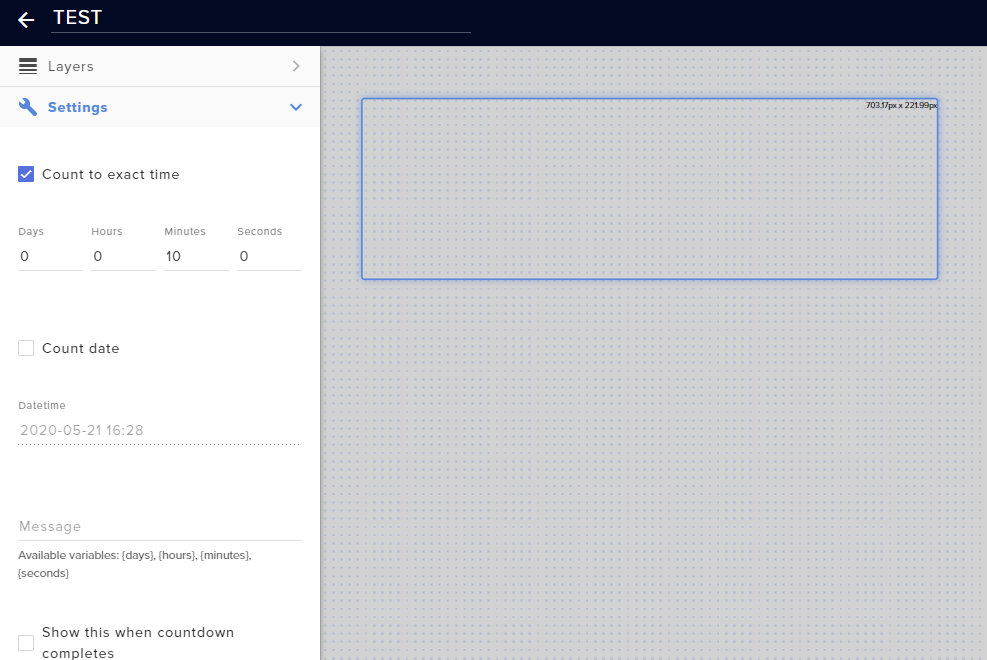 ionic kelp
Message spot needs to be filled.
tawdry compass
I see the message now, but no count down
ionic kelp
Because that spot is empty.
tawdry compass
When i fill in {minutes}:{seconds} then it displays it ?
ionic kelp
yup
 azure swift
not sure if this is the place but...when adding a custom browser dock...I tried adding the twitch reward queue so I could mark "redeemed" and so forth..when I enter the URL it says I don't have access to the queue...any thoughts on how to fix this?
grim prism
Are the follower and subcriber feeds auto set up or do i need to do something to them on overlays.
i got the overlay on now but now camera feed! Do i need to make a layer in twitch
round brambleBOT
@grim prism To add your overlays to OBS, add a new browser source in your scene. Paste your overlay URL in the browser source properties, set the dimensions to 1920x1080 (unless you changed them on the website), and ☑ “Shutdown source when not visible” https://youtu.be/KDvLynUqXI4
 young sand
how can i make streamelements use operas twitch chat for FFZ and not my other browser
 smoky turtle
anyone having issues running commands? cant get the bot to respond
round brambleBOT
@smoky turtle Go to the dashboard -> right side -> part channel -> join channel (https://streamelements.com/dashboard)
abstract hemlock
you are using a custom bot name ?
abstract hemlock
change it to default
to enable the custom bot name again try this : (it will need to restart your OBS)
1) Right click on your OBS desktop shortcut -> properties - in the "Target" field add this -> --remote-debugging-port=40404
2) Open OBS(or restart if it was open)
3) Open your browser and type in "localhost:40404"
4) Click on "StreamElements - Activity feed"
5) navigate to the Console tab
6) type in the console this: store.customBot.removeCustomBotIntegration() and hit enter
7) Try setting the custom bot name
8) remove the added addition of step 1
 somber folio
We can not get any information related to our stream to show up in pannels
we had chat then we logged out and in and now we do not have chat anymore
small moat
N E one know how to save out a after effects 7 second transparent design thats compatible with streamelements overlays?
I can save it as a transparent .mov but i dont think .mov is compatible with overlays
round brambleBOT
@somber folio Streamelements on top of OBS -> Logout -> login
 frail lantern
My chat stats stopped working when i changed my twitch name, is there a way im able to change it to my new twitch name becuase itll just appear as the page isnt found when i type my current name.
 hasty rain
Could I get some help converting an alert that was made for streamlabs to streamelements?
Whoops meant event list
abstract hemlock
@frail lantern post here old and new username
 foggy pumice
can i get help setting up my stream every time i run it my shots to my gun plays before the actual gun shows firing 😦
abstract hemlock
@hasty rain you can add a event list widget on your overlay
if you add a "custom widget" by default it comes as a event list
hasty rain
My html css js is a little rusty.
frail lantern
Old Username: R4in_b
New Username: RainBxy
abstract hemlock
@frail lantern done
frail lantern
thankyou so much ❤️
azure swift
not sure if this is the place but...when adding a custom browser dock...I tried adding the twitch reward queue so I could mark "redeemed" and so forth..when I enter the URL it says I don't have access to the queue...any thoughts on how to fix this?
round brambleBOT
@azure swift For the best OBS support, please join their Official Discord @ discord.gg/obsproject
azure swift
oh...I thought this was with the SE dock addons
 urban sequoia
Hello. I may be in the wrong place, but I need help, please. My Stream Store is working great except for one issue. I can't find the correct place to shorten the image duration. I can delay it fading, but I need to shorten it's time on several of the items.
 valid ridge
My bot won’t set my epic when I say !epic?
 stark plover
my friend has 17 twitch sub how can i make the sub counter label show 17 if i select last 30 days it shows 240
lusty dragon
@valid ridge
valid ridge
Omg thx so much!
lusty dragon
It's why we're here
@stark plover go to session data at the top of the overlay editor (screen with some gears on it) and go to settings. Try to change the relative time setting over. It should tell you what your options will be next to the option
 void falcon
Hello! I have a pretty newb question.. I’ve enabled song request on my stream, however, my viewers are requestings songs and are in queue, but no songs are playing out, how do I fix it?
lusty dragon
@void falcon make sure autoplay is enabled in the settings
charred quartz
also u don't need to press the button
show stream etc etc
unless u are going to real display video or something
u can just play it normally and use a audio capture source
that will preserve some CPU resources .. learned the hard way
void falcon
How do I turn on the autoplay function again? 
charred quartz
settings button > auto play media


 void falcon
Oh I think because I’m using mobile I can’t see it thanks for the advice! Will try it out when I get home
 round quail
hi guys
i kinda need some help growing my twitch stream
you can find it by tapping on my profil pic and ill be below
round brambleBOT
@round quail Please follow our community rules:
- No advertisement or stream promotion
- Respect ALL server members
- No NSFW/NSFL
Thank you
round quail
oh
 oak quartz
hey guys , quick question , i just switched to SE recently from SL , and the main reason was the mp4 alerts , so i started to set up the alerts and everything looked fine when i test it on website and SE app , but when i start to stream when the alert pops out it gets laggy , first i thought its the sub alert but same thing happened with donation / host as u can see in the clip https://clips.twitch.tv/StupidResilientKuduAMPEnergy , https://clips.twitch.tv/PerfectVenomousTireBuddhaBar again , everything looked fine off stream but the problem when i start streaming


 glossy plover
prime's problem is not appearing on the streamelements dashboard is it from twitch or from you?
I received a subscriber today and it didn't appear anywhere in the streamelements but on the twitch website it is counting normally.
round brambleBOT
@glossy plover Twitch prime (new and resub) and paid subscriptions (resub only) must be shared in chat manually by the person subscribing in order for the subscription information to be sent to StreamElements. For twitch prime, the user needs to have sharing enabled on https://www.twitch.tv/settings/prime. For paid subs, if the share box doesn't show up immediately it will when they refresh the page. https://i.imgur.com/VNJN0Uv.gif https://i.imgur.com/2297EA7.png
zenith widget
@oak quartz I would suggest to not use .mp4 files - its best to use .webm video files
 hexed cosmos
is the give / add all points broken still?
zenith widget
Did you try and use it?
zenith widget
yea i can also confirm that its working fine
prisma relic
really need that command to trim the starting @ for mentions 🤣
zenith widget
the issue was with all
hexed cosmos
ohhh
prisma relic
ahhh. i didn't try the all; just the @user always fails
oak quartz
@zenith widget i might give it a try
 fresh jetty
Idk if it belongs in here but: iam trying to get a count down timer for 12 hr stream tomorrow and its for the person i can control his stream with the stream control but i dont under stand how to set that up any help would be appreciated
ps if this shouldn't be in this chat I didn't know which one to put it in
prisma relic
are you looking for an overlay timer?
 rigid viper
Hi, I have a question regarding stream alerts.
I am currently switching from SLOBS and Streamlabs to OBS Studio (v25.0.8 64-bit) and StreamElements.
When I add my overlay into OBS via browser source, I can see the visual effect like follower notifications or KappaGen, but I have no sound in OBS Studio itself. The visualiser doesn't react at all. With the help of the friendly people over at TheSushiDragon's Discord I managed to have someone else play their alerts including sound in my OBS, but not my own. When having them test my browser source in their OBS, they could also only see the visuals, but didn't hear the alert. This was tested with the default overlay as well as with some custom sounds/visuals.
Thanks in advance!
fresh jetty
yeah something that i can put up on stream when he starts and it be a count down from 12 hrs to 0
rigid viper
@fresh jetty If it doesn't have to be remote controlled I can recommend Snaz.
fresh jetty
he asked if i was able to do it. its not my stream i just control his overlays
prisma relic
or if you want something more custom; try to find a codepen or jsfiddle that has the html/css/js source: i have one a made a while back i never finished https://codepen.io/pjonp/pen/qBOMQeB
 graceful tusk
hey so for some reason i turned on watch time and loyalty points but when i use the command it stays on 0 seconds
fresh jetty
Ok Thanks for the help
graceful tusk
any solution or am i just doing somethjng wrong
zenith widget
@graceful tusk you need to wait at least 10 mintues
prisma relic
did you make them in the SE Overlay editor @rigid viper and can you hear the sound there?
graceful tusk
@zenith widget
prisma relic
...i don't know OBS well enough to debug that, if OBS is the issue
zenith widget
@graceful tusk You need to be streaming in order to have people gain watchtime
round brambleBOT
@graceful tusk 10 minutes of watchtime are given to those in chat when the loyalty points are handed out (every 10 minutes). Therefore, loyalty must be enabled for watchtime to work properly.
There is no direct link between watchtime and all-time points.
It can’t be calculated from the amount of all-time points a user has because subs may earn points at a faster rate and !bonus all command increases all-time points for users in chat at that time.
Giving points to a single user does NOT affect all-time, only when giving to all in chat.
rigid viper
Yes, I used the SE overlay editor. I can hear the sound there when emulating an alert. @prisma relic