#helpdesk-twitch
1 messages · Page 672 of 1
 ionic kelp
 frozen matrix
Good morning,
I have a problem with the songrequest module, it doesn’t want to stay activated.
i go to the chat comands and try activate both the command and the module, but the moment i move to another section both deactivate.
In the modules section i also cant find the songrequest module to activate.
The other parts of the media request works, i just cant activate the sonrequest command. (sorry for bad english)
 lament blade
How you put stream elements on your stream and when somebody follow you the streamelements say thankyou ......... for following me
How you put stream elements on your stream and when somebody follow you the streamelements say thankyou ......... for following me
ionic kelp
@frozen matrix Refresh the page after enabling.
frozen matrix
still gets deactivated
lament blade
How do you put stream elements on your stream and when somebody follow you the streamelements say thankyou ......... for following me
 thick ivy
help pls me(my id 5eb1acc9d8048e23578963bc)The command does not work on a twitch called (! Command)
lament blade
@ionic kelp Repond me please
ionic kelp
Wait patiently. I'm assisting others atm.
lament blade
Okay
 past musk
@ionic kelp
ionic kelp
@thick ivy What exactly happens with the command in chat?
ionic kelp
@lament blade Bot modules at the bottom of the tabs on the left and enable chat alerts.
What browser are you doing this in PB?
 digital spear
bacicly i want to connect my twitch and youtube together on stream elements but it says CHANNEL IS ALREADY CLAIMED
what do i do
ionic kelp
Could you try in Chrome please?
digital spear
do i click close account on the twitch account
frozen matrix
can, just a moment
ionic kelp
@digital spear Could things to note before continuing
 round brambleBOT
Account Merging - Please note:
- Merging accounts only allows faster ways to switch between accounts
- Merging accounts does not allow data sharing between accounts - different streaming platforms, different type of events
- Merging accounts allows duplicating/sharing overlays between the accounts
If you understand the limitations of merging and want to proceed, please find the JWT tokens (!jwt) from both accounts you want to merge and you will be directed to DM them to a staff member.
ionic kelp
2nd thing is should you choose to "remove" either account in the future you'll have to delete everything added to both accounts (overlays, commands, timers, etc...)
digital spear
is there any way to duplicating/sharing overlays between the account because i want to add twitch things like when i have a new follower
 ripe drift
guys it won’t let me add stream elements to my moderator list could anyone please help me?
ionic kelp
!invite
round brambleBOT
Follow these steps to grant managers/moderators access to your dashboard:
- Click on your Channel Name at the top of the dashboard and select Settings
- Create a new invite at one of three access levels (Bot Supervisor, Editor, Full Control)
- Send this invite to a mod/manager to give them access to your dashboard. The link is one-time-use and expires after 72 hours if not accepted
Video tutorial: https://youtu.be/zl_h-ttZDF0
ionic kelp
@digital spear Do that for both accounts and you can dupe the overlays between them as long as you have at least one in both.
ripe drift
Yo when I copy and paste stream elements URL in moderator list it doesn’t say “save”
on YouTube
 quasi heath
hello, I have a big problem with streamelements, can anyone help me?
frozen matrix
same problem, after activating the command/module both still deactivate after refreshing the page, i an going to try whith OBS closed, maybe something happens
thick ivy
@sudo rm -rf /* nothing, she doesn’t react at all
Although it is included
quasi heath
I just wanted to stream a few minutes ago and my overlays are not working, like they are actually bugged. can someone help me? I am frustrated
frozen matrix
yea, still deactivates after refreshing
ionic kelp
Try in incognito
thick ivy
help me pls
quasi heath
hello can someone help me in a discord call?
ionic kelp
@thick ivy Can you screenshot what exactly isn't working?
thick ivy
help pls me(my id 5eb1acc9d8048e23578963bc)The command does not work on a twitch called (! Command)
round brambleBOT
Right click on the BrowserSource > Properties > Scroll down a bit > Refresh Cache of current page
quasi heath
@ionic kelp OMG THANK U
thick ivy
ionic kelp
That's not how that command is used.
You use that to add/edit/delete commands. Not list
You want to use !commands to do that.
 little oak
!command add !test test is how it is used
frozen matrix
still dont stay activated, interesting enough if i try someting like add a command alias, the chage stay saved
ionic kelp
Is mexicanopb your current username?
little oak
!commands is the one youre prolly looking for
digital spear
Do that for both accounts and you can dupe the overlays between them as long as you have at least one in both. what does that mean
 ebon crypt
^^ Do I need to do something to get the profile images to show on the Twitch Extension ?
digital spear
Do that for both accounts and you can dupe the overlays between them as long as you have at least one in both. what does that mean dosent matter
ionic kelp
Create an editor invite from the account you want to duplicate the overlays from. Login to the other account and then click the link to be added as an editor and be able to duplicate the overlay between them.
round brambleBOT
Follow these steps to grant managers/moderators access to your dashboard:
- Click on your Channel Name at the top of the dashboard and select Settings
- Create a new invite at one of three access levels (Bot Supervisor, Editor, Full Control)
- Send this invite to a mod/manager to give them access to your dashboard. The link is one-time-use and expires after 72 hours if not accepted
Video tutorial: https://youtu.be/zl_h-ttZDF0
 green cloak
hello, I need help with withdrawing tips from my streamelements account
round brambleBOT
@green cloak Please contact us via email for support with SE.Pay. You can use our contact form here: https://streamelements.com/contact Thank you
green cloak
can't find how to do so
ionic kelp
@frozen matrix So just to be sure on where to proceed: do you want SR done via chat, donos. or both?
frozen matrix
only chat
ionic kelp
Gimme a sec to type all this fun stuff 
frozen matrix
ok
ionic kelp
Enable viewer requests here (https://streamelements.com/dashboard/mediarequest/general)
Click settings to the right and set to free with the other options set as desired.
Go to default commands and enable !songrequest.
Refresh to check if it's enabled.
frozen matrix
still disabled after refresh
ionic kelp
Are you using OBS.Live or Ground Control by chance?
 long adder
Can anyone help me? I'm trying to setup follower goals and sub goals. but it says I've already made the goal when I set it up. while I'm at 280/500 and 10/15
round brambleBOT
To reset goals:
- from the overlay editor -> data on top -> goal tab -> reset progress of desired goal
- from the dashboard -> activity feed on the left -> widget data on the right -> goals tab -> reset progress of desired goal
Note: Goal widgets(progress) only counts up and doesn't go down automatically, if you loose followers/subs
frozen matrix
something i find strange is that, if songrequest is a module why he does not apear in the modules section?
long adder
THANKYOU
 stoic vault
Does this activity feed popped out URL will provide Twitch and Mixer activities at the same time if added to OBS custom dock ? Asking for Restream https://yoink.streamelements.com/activity-feed?activitiesToolbar=false&popout=true&theme=light&withSetupWizard=false
ionic kelp
@stoic vault It does not. It only provides it for the account logged in with.
stoic vault
Ah, I see
thanks
I really like your servce but it's just impossible to use with Restream it seems.
 idle moat
i cant link my twitch channel and FB channel in Stream elements
keeps saying channel has already been claimed
Fix?
round brambleBOT
@idle moat Account Merging - Please note:
- Merging accounts only allows faster ways to switch between accounts
- Merging accounts does not allow data sharing between accounts - different streaming platforms, different type of events
- Merging accounts allows duplicating/sharing overlays between the accounts
If you understand the limitations of merging and want to proceed, please find the JWT tokens (!jwt) from both accounts you want to merge and you will be directed to DM them to a staff member.
ionic kelp
Do note this as well
round brambleBOT
There is no easy way to unlink 2 owner type accounts from each other. The only way is to make a closure request from here: https://streamelements.com/dashboard/account/security
WARNING: In submitting a closure request you will delete both linked accounts and loose all data from both accounts. This includes overlays, custom commands, timers and past data(tips, subs, etc). You can still relogin with the deleted account, but you are essentially starting fresh.
ionic kelp
Should you wish to delete either one the warning in the 2nd response applies.
Do you still want to proceed?
idle moat
i want to share overlays with both accounts so i dont want to delete one i want to merge them and it wont let me
ionic kelp
Copy from one to another?
ionic kelp
Well you can do that without merging the accounts as you'd lose everything should you wanna remove one in the future.
 cerulean swallow
excuse me guy s, i need help with streamelements obs live. Everytime i stream, it automatically starts recording and then in the middl eof my stream it gives me an error saying there's not enough disk space to record even though i never asked to record
 half crater
the images beside my viewers name seems to not load and I would like to know how to fix this. thank you
ionic kelp
@cerulean swallow That's something you'd have to speak with the OBS people about as OBS.Live doesn't do that.
round brambleBOT
For the best OBS support, please join their Official Discord @ discord.gg/obsproject
idle moat
Well you can do that without merging the accounts as you'd lose everything should you wanna remove one in the future.
@ionic kelp
How?
ionic kelp
!invite
round brambleBOT
Follow these steps to grant managers/moderators access to your dashboard:
- Click on your Channel Name at the top of the dashboard and select Settings
- Create a new invite at one of three access levels (Bot Supervisor, Editor, Full Control)
- Send this invite to a mod/manager to give them access to your dashboard. The link is one-time-use and expires after 72 hours if not accepted
Video tutorial: https://youtu.be/zl_h-ttZDF0
idle moat
how can i share overlays without merging?
little oak
lets try your setting before you go to obs discord @cerulean swallow
 boreal basalt
3
half crater
5e7bd4ec84f818334dfe6a85
ionic kelp
Create an editor invite with the main account and then while logged in with the other click it.
boreal basalt
a
Hi. For the last 3 days I've been having some troubles with my Streamelements bot, some custom commands and new subscribers count are not working. How to fix it? :}
half crater
Hello! the images beside my viewers name seems to not load and I would like to know how to fix this. thank you
frozen matrix
soo, any new idea about the song request problem?
ionic kelp
Got a second to hop in DM screenshare?
half crater
i tried it @little oak but theres still no images sir
round brambleBOT
@half crater Please connect your streaming account (Twitch, YouTube, or Facebook) with Discord by going to ⚙ Settings and then Connections here in Discord. https://streamable.com/eg92w
 cerulean swallow
@little oak i dont apparently
little oak
@cerulean swallow then that will have to be the discord boyz as Sudo linked for you
lament blade
Is there any reason why i cant get total subscribers? Its kinda messing with my overlay design 😦
round brambleBOT
@lament blade Please logout of StreamElements at https://streamelements.com/logout and then login again to your account (Twitch/Youtube/Facebook/Mixer)
lament blade
As you can see, both week, month have values
Im an editor for a client so its not my data
how can my viewers request media throught the widget
little oak
using the cmd !sr [youtubelink] via chat
lament blade
How do I kick the stream elements bot out of my stream
soo that works for media iswell
?
little oak
yes it is an aliases to the cmd
lament blade
ahh ok
half crater
@little oak i connected my twitch on discord
little oak
forward to staff for you @half crater
round brambleBOT
@lament blade Go to the dashboard -> right side -> part channel -> join channel (https://streamelements.com/dashboard)
 half crater
thank you @little oak
little oak
You're Welcome  They Will either ping you or dm you 🙂
lament blade
Thabnks
little oak
Welcome
lament blade
Guys how do I kick the bot
round brambleBOT
@lament blade Go to the dashboard -> right side -> part channel -> join channel (https://streamelements.com/dashboard)
 wary halo

little oak
the bot has told you already how to part the bot
little oak

 frosty magnet
Hi all, for Follower Alert, when I click on "Emulate Follower Event" it works as expected. But when I paste the link into OBS (per the vid instructions) the alert doesn't show on-screen via OBS when triggered. Any help please would be much appreciated. Thanks
round brambleBOT
@frosty magnet The default resolution for StreamElements overlays (theme and custom) is 1920x1080. Please add them in OBS at their full resolution and use CTRL+F to fit to screen if necessary. You can then downscale your stream in OBS settings > Video if you'd like https://i.imgur.com/6bWXxjR.png
 frosty magnet
That was easy, thanks for SE bot auto-responder, lol
 tidal raft
hello, I hit to 101 followers but I still have only paypal option as tipping setting, my country is not avaiable for paypall , help me please ❤️
ionic kelp
@tidal raft Assuming I'm reading correctly you live in Turkey?
tidal raft
@ionic kelp yes I'm in Turkey
ionic kelp
Is that what your ID will show up with or is it from another country?
tidal raft
sorry for late response I was not expecting a response this fast 🙂
I couldn't understand what you mean , I don't have an id for another country
thats what I can tell
ionic kelp
Is your ID for Turkey?
tidal raft
yes
you mean my personal id number ?
or tax identification number ?
all for Turkey
ionic kelp
Neither
But regardless we unfortunately do not support Turkey for our other option atm.
tidal raft
so what ID you mean , very sorry I realy don't understand
I see
so in the end I need to work with streamlabs and skrill in time
ok
thanks
boreal basalt
Sean, Here is the video
ionic kelp
@boreal basalt Disable follower mode.
boreal basalt
i was talking to Sean here and i don't think the follower mode is the problem because bot awnser well to some commands
as !cfg
 indigo bone
Any way to make channel chat not reset when you switch scenes?
 jade remnant
have that overlay not shutdown or refresh when not in use
 placid belfry
eu reivindico um dos meu itens da loja que era para dar musica e imagem e ele não aparece
 lusty dragon
@placid belfry #🇵🇹︱português 
placid belfry
sorry ;-;
lusty dragon
It's all good haha
ionic kelp
Nope
 willow kite
Thanks for the information
ionic kelp
Only paypal and the company that handles CC for us.
They take their cut while we get nothing.
willow kite
Thanks @ionic kelp
 heady scroll
Hi I'm trying to use obs.live but the widgets and chat I put as a browser source aren't showing up and Im not sure what to do. I have another browser source in a different scene but that one works just fine??
 onyx ermine
Is there any way to import StreamElements alerts to Streamlabs. Whenever I hit test widget in Streamlabs with the Alerts as a browser source, nothing happens.
round brambleBOT
@onyx ermine We're not able to troubleshoot issues with using our overlays in StreamLabs OBS (SLOBS) as we don't have the tools to support their software. We recommend using OBS Studio or OBS Studio with our plugin OBS.Live.
ionic kelp
@onyx ermine You'd have to speak with them.
onyx ermine
I tried
 astral ocean
Hi there!
I'm having problems with the donation's cofiguration...
like 4 hours ago .....it only charge, and charge...and dosn't show ..nothing
I want the link, and i can't take it
i restart a lot of times, even the computer
 proper path
does anyone have any idea why this is happening? when I refresh the page it goes back to a transparent background. it also happens in obs sometimes.
wary halo
like 4 hours ago .....it only charge, and charge...and dosn't show ..nothing
@astral ocean i'll ask someone to take a look at it internally
proper path
round brambleBOT
@astral ocean Please provide your account ID found at the top of this page: https://streamelements.com/dashboard/account/channels This ID is public info and safe to share here.
proper path
i changed nothing between these to shots. just did a refresh of my browser.
ionic kelp
@astral ocean Is your twitch unpandacabreado?
What browser were you doing this in btw?
astral ocean
yep it is. chrome
ionic kelp
If you try in incognito?
ionic kelp
Then you've got a cookie/extension causing the problem. Clear cookies for SE and try again.
boreal basalt
yeah, my problem remains
lament blade
Hey how do i change the text of !points ive tried !command edit but it says this trigger doesnt exist
And I can only change the Trigger of it on Streamelements
 crimson yew
I tried adding a gif for follower alerts and it doesn't work.
Can we not add in gifs?
It just shows a word, rather than the gif itself.
ionic kelp
No reason why you shouldn't be able to.
crimson yew
...
ionic kelp
Can you click change image and show what it appears as in the library?
boreal basalt
@ionic kelp do you have any idea how to fix my problem please?
ionic kelp
Sean has seen the video and will take a look at it when he is available.
boreal basalt
ok. thanks :}
ionic kelp
That's not something I can assist with unfortunately.
boreal basalt
❤️
lament blade
@ionic kelp Could you help me?
ionic kelp
You can't do that.
ionic kelp
@lament blade Click the language option in the top left above the command list.
*right
.<
lament blade
@ionic kelp THANKS 
 clever sun
bağış linkimi nasıl değiştirebilirim ?
wary halo
English in this channel please 😄
clever sun
How can I change my donation link?
 weak delta
Gonna need more details @cosmic vine
 cosmic vine
yeh lmao
weak delta
Change it how? @clever sun
 edgy pawn
Chatstats are not working 😦 can you check for zockaroundtheclock? did not change username!
cosmic vine
so basically, it says someone donated £10 even though no one did, and i only pressed emulate so that i can test out if it works
weak delta
That won't save. Don't worry.
cosmic vine
is there a way to reset it
oh ok
but in my builder it reset, but in obs it didnt
cause i use the url
round brambleBOT
@cosmic vine To reset goals:
- from the overlay editor -> data on top -> goal tab -> reset progress of desired goal
- from the dashboard -> activity feed on the left -> widget data on the right -> goals tab -> reset progress of desired goal
Note: Goal widgets(progress) only counts up and doesn't go down automatically, if you loose followers/subs
weak delta
Make sure is 0 in there.
cosmic vine
ok let me try that
weak delta
Anything you see in editor would be reflected on OBS once you save it on the website.
cosmic vine
ok
clever sun
Copy the link of the donation page and paste it into the Youtube video description section.
cosmic vine
btw, i dont use obs (even though i said i did lmao) i use a twitch extension called overlay expert, cause i stream on console
any experience with that?
oh never mind
it reset
 elfin flame
Hello, I'm trying to setup my overlay, changing fonts and stuff but it doesn't seem to be working.
I pick a font for the text but when I save and check on the OBS, a different font comes out
 blazing tendon
How do you change it from saying roulette to saying someone else
ionic kelp
@elfin flame You got it installed on your pc?
blazing tendon
something*
cosmic vine
thanks @weak delta btw
clever sun
help me! Please
ionic kelp
clever sun
Copy the link of the donation page and paste it into the Youtube video description section.
I want to change my donation link but I can't help.
elfin flame
Thanks sudo. Since its an url stuff I didn't know I had to install it xd
cosmic vine
but yeh, anyone have any experience with "overlay expert", cause apperently you cant use url widgets, but it shows up for me in the builder lol
its all good if no one does, im just curious lmao
clever sun
I want to change my donation link but I can't help.
elfin flame
Huh, I downloaded the font but it's still not working 😦
round brambleBOT
@elfin flame Google Fonts
More than 900 google fonts are supported at this time. You can preview them here: https://fonts.google.com/
Custom Fonts
Steps:
- Install the font on the streaming PC or choose a pre-installed windows font.
- In the overlay widget settings, select Text Settings
- Enable Custom Font
- Type the name of the font as it appears in the windows font directory (This is usually
C:\Windows\Fonts)
Note: After installing fonts, the browser and OBS must be restarted for the font to appear.
ionic kelp
Did you restart OBS?
 hidden grail
Do I have to reset my stream overlay in OBS every time OBS updates? I updated OBS, and apparently all my alerts stopped working.
And... my overlay is now a blank screen.
 opaque flax
how do i make a timeout command with se?
clever sun
yardımmmmmmm
 slim grotto
anyone has the same problem with all white dashboard and help button only?
weak delta
Make sure the bot is modded, make the command response /timeout ${touser} then whenever you type !timeout [username] it'll timeout the username that you write when sending the command.
@opaque flax
Of course it can't timeout other mods.
Are you on Chrome @slim grotto
 broken cipher
Hello there ! I have a small problem. I just changed my Twitch account name. And since then, only follow alerts are working. Sub, gift sub doesn't work and doesn't appear on my board. I'm available in PM if you prefer. Thank you a lot.
 white beacon
hi guys
when i press go live
it does not go live on twitch
wary halo
are you logged in in the StreamElements menu in the top bar of OBS.Live?
round brambleBOT
@broken cipher If you changed your name on Twitch please follow these steps:
🔹 Visit https://streamelements.com/logout and then log in again with by connecting with Twitch.
🔹 On the right side of the dashboard page that opens, select "Join" under bot settings. If it says "Part" select that and then select "Join" to send the bot to the chat. Don't forget to mod the bot by typing /mod streamelements in your channel if you have not already.
🔹 Post your old and your new name here so that we can update your channel's chatstats tracking (must be done by staff).
 slender mulch
can i add things to a list using a chat command, like suggestions?
white beacon
yes im logged in
@wary halo
the live button goes red
and then it says im not live
pls help
round brambleBOT
@white beacon Streamelements on top of OBS -> Logout -> login
slim grotto
@weak delta yes chrome
 halcyon falcon
I have seen people with lurk commands that collect the names of people who say lurk. Then you can use a command like !lurkers to see who is. Then they use !unlurk when they are back. Does SE have something like this?
weak delta
Try incognito @slim grotto
slender mulch
can i add items to a list using a command, like game suggestions?
 gritty vault
hello does anyone know why gifted sub action is being announced by tts when its turned off?
slim grotto
@weak delta worked for me, thanks! is that a known problem?
wary halo
it means that one of your browser extensions is blocking something
slim grotto
i dont use any only adblocker
it worked first after i changed language to german it got this problem
 vivid radish
hey i just got the widget social media rotator i was wondering can i remove the youtube one ?
 devout stag
Hi. i need help. Someone here can speak spanish?
 smoky hemlock
Is there a way to restrict store redemptions to a certain user level? Like only regulars or subs can purchase this item?
ionic kelp
@devout stag #🇪🇸︱español
devout stag
Thanks @ionic kelp I recently watch it. sorry.
Is it possible to create a roulette the quality of channel points? (google translate)
slim grotto
@weak delta ok i can see now the dashboard but still cant import anything into obs.live
when i "open in strreamelements overlay editor" i get again only white screen....
 opaque heath
Hey all, hope someone can help with this. I've updated all my alerts to custom gifs and sounds but only 1 I cant seem to change is for bits donations. I can see cheer and tip but when I change cheer it doesnt emulate and I cant change sound? Thanks for any help
 charred quartz
common issue, all bits are ruled by its variations
u probably have changed only the main settings window
that will do nothing
go into its variations
that has 5 going from 100 to 10000
change one by one
@opaque heath
weak delta
Still in incognito @slim grotto ?
slim grotto
yes in chrome i see my dashboard but cant import into obs.live and when i click on the button again white screen
weak delta
What are you trying to import into OBS.Live?
 carmine knot
My scrolling text source often, regularly, and almost always gets stuck and stops scrolling.
The text on the bottom right, it's scrolling on StreamElements, but it stops scrolling in OBS Studio.
What do you guys think is causing this issue to continue to happen basically all the time
weak delta
You just add a browser source.
slim grotto
yes done that but still nothing happens
weak delta
I'm not sure where you're clicking right now.
You copy the overlay URL then add that as a browser source.
round brambleBOT
@slim grotto To add your overlays to OBS, add a new browser source in your scene. Paste your overlay URL in the browser source properties, set the dimensions to 1920x1080 (unless you changed them on the website), and ☑ “Shutdown source when not visible” https://youtu.be/KDvLynUqXI4
@slim grotto OBS -> settings -> advanced -> scroll down -> enable/disable hardware accel.
https://i.imgur.com/ggMe9ZE.png
 slim grotto
still nothing
weak delta
Nothing where?
slim grotto
ahh now it works 🙂
 restive gate
Hi guys, I changed my name's on twitch and my streamelements bot don't send message on chat,
round brambleBOT
@restive gate If you changed your name on Twitch please follow these steps:
🔹 Visit https://streamelements.com/logout and then log in again with by connecting with Twitch.
🔹 On the right side of the dashboard page that opens, select "Join" under bot settings. If it says "Part" select that and then select "Join" to send the bot to the chat. Don't forget to mod the bot by typing /mod streamelements in your channel if you have not already.
🔹 Post your old and your new name here so that we can update your channel's chatstats tracking (must be done by staff).
restive gate
Thank you so much @round bramble
devout stag
Is it possible to create a roulette the quality of channel points? (google translate)
@devout stag 😦
charred quartz
My scrolling text source often, regularly, and almost always gets stuck and stops scrolling.
The text on the bottom right, it's scrolling on StreamElements, but it stops scrolling in OBS Studio.
What do you guys think is causing this issue to continue to happen basically all the time
@carmine knot if you edit the overlay it stop scrolling until u reload cache
thats all
by edit i mean click save in the editor
carmine knot
That makes sense. I haven't tested that yet but that would explain why
charred quartz
XD
 pulsar gulch
Hello, I've got some commands on my stream store and they stopped using the sound for some reason, I can still see them in my Activity feed but no sound when someone redeems them
 amber robin
hey, i designed an overlay, but i cant user it ?
charred quartz
what is your native language Mario?
also, u designed a overlay now u just head into the overlay editor in streamelements and upload IT! after just add into OBSlive as web-source and its ready to rock 😉
round brambleBOT
@amber robin To add your overlays to OBS, add a new browser source in your scene. Paste your overlay URL in the browser source properties, set the dimensions to 1920x1080 (unless you changed them on the website), and ☑ “Shutdown source when not visible” https://youtu.be/KDvLynUqXI4
 peak briar
On the loyalty shop, for what is the category cooldown?
I thought if a user redeems an item from a category he can't redeem one in that time from the same category, but why do I have to set the time for each item each?
 still linden
hello i need help
round brambleBOT
@still linden Welcome to the helpdesk! Please let us know how we can assist you today and a support volunteer or staff member will assist you as soon as they are available. Thank you for your patience.
wary halo
@peak briar because maybe you want another cooldown time for different items?
still linden
hi my media request is acting up it doesnt limit the video to the time i set
peak briar
@wary halo so it means that if a user redeems an item that has a category cooldown for 60 seconds, he can't redeem any item from the same category for 60 seconds, but if another item will make a cooldown for that category for 70 seconds he can't redeem one from the same category for 70 seconds?
peak briar
oh, okay thank ya 
 vast venture
Hey. How do i access options for !quote command. I'd like to see the existing ones and edit them.
 simple mauve

ionic kelp
@vast venture Unfortunately there is no way to see them outside of doing the quote for a random or specific one.
simple mauve
Any chance Spotify integration coming back to SE? 
ionic kelp
@simple mauve Unless spotify says otherwise no.
simple mauve
 rapid thicket
Has anyone had any probelms with SEPAY? I made a transfer withdraw 8 days ago but still have not seen it appear in my PayPal account. Any clue what to do?
ionic kelp
@rapid thicket SE.Pay isn't done via PP.
However you need to contact support with this.
round brambleBOT
Please contact us via email for support with SE.Pay. You can use our contact form here: https://streamelements.com/contact Thank you
 grim scaffold
Is there a way to get the current count of a command and subtract that from a predefined total number? i.e. counter is 34 now, and i want to show the amount left from 120: 120-34 = 86 left
ionic kelp
@grim scaffold 1 second
Do you want the amount to subtract from a specific amount or input by the user?
grim scaffold
from a specific amount.
currently i have the command !shrine and i want to show the amount of shrines left to explore. Response would be something like Found another shrine! That's ${count shrine} in total! Only ${getcount 120 - shrine} to go.
ionic kelp
Replace number goes here with the desired number (And only those letters) along with the name of the counter https://twitch.center/customapi/math?expr=NUMBERGOESHERE%2D${getcount command4counter}
%2D needs to be in there to replace the -
 proven trout
hey someone is trying to give me acess to their streamelements. How do i see their dashboard instead of mine?
 merry laurel
is there a way to make a command to see how long the streamer has been in that category
 abstract hemlock
@proven trout check the #dreamteam channel 😉
broken cipher
@round bramble My old name is "Cibou_JSCV" my new name is "Cibou" ... I had already done what you ask me to do so  your turn to work ahah. Thank You a lot.
 woven quarry
my alerts are updating on my stream labels but the alert is not actually popping up. The alert will play if i "replay" it in obs live but it is not popping up when it happens
grim scaffold
@ionic kelp how do i use that api call in the response?
ionic kelp
Replace that where the remaining amount should appear in the response.
oof
Forgot to put it in the correct format 
${customapi.https://twitch.center/customapi/math?expr=NUMBERGOESHERE%2D${getcount command4counter}}
Now that's what you want
grim scaffold
awesome! that works like a charm. i knew i was missing something in there.
can i also make a command "silent"? not send any response?
ionic kelp
elaborate 🤔
grim scaffold
right now any custom command requires a response. i'd like to send a command but not have a response in chat.
for when i need to correct a number from a count.
ionic kelp
That response simply returns the current amount without raising it. If you want to other count modifications there's other variables here https://streamelements.com/dashboard/bot-commands/variables
 hardy pumice
Ever since I set up the custom bot commands seem to have cooldowns even when they're set to 0 in both global and user, for example !roulette did, and when I reset the cooldown by swapping it to 1 and back to 0 it seemed to work fine but my next stream the issue occurred again. Is there a way to fix this without having to reset cooldowns every stream?
 wicked matrix
is there a way to give points to everyone in current chat? via commad
hardy pumice
doesn't using all instead of a name do that?
jade remnant
!addpoints all amount
@wicked matrix
wicked matrix
Sweet thank you
woven quarry
does anybody have an idea of my question?
abstract hemlock
@woven quarry Do you see the alert on OBS when you emulate it?
abstract hemlock
@woven quarry all your alerts? could you share a screenshot of obs?
wicked matrix
@jade remnant is there a way to make a command like this = Command !makeitrain = !addpoints all ${random.1000-10000} and it actually add points to everyone, so my mods can use it?
woven quarry
screenshot of what exactly
 weak pebble
hello, my friend would ike to do a charity stream for the recent riots
does SE have a sort of a live counter thing
or any extensions?
jade remnant
@wicked matrix no, there is no way to customise the default commands,
or implement hard code like giving points in a set format like that to a custom command
@weak pebble a live counter for how long they have been live, or count down till the end of stream?
weak pebble
live counter for total donations
or any other plugins/widgets
related to charity work
jade remnant
yes, there are goals for donations and bits in the editor
 hexed meadow
how do you set up the counter so its your goal just during stream
i want to do a set up where my goal for subs for the day is 10 but i dont want it to count the subs i already have
lament blade
How do i resize all of the texts and icons all at once?
 storm trench
I changed the profile name of my twitch, then the bot stopped sending messages in the chat
abstract hemlock
@hexed meadow then selected the period
@lament blade You need to edit one by one
lament blade
acutaly...
abstract hemlock
@storm trench Logout and log in again then part the bot and join again
lament blade
this is going to take forever 🤣
abstract hemlock
and post here you old and new username
hexed meadow
so i can make it be like 0/10 and it will count up actively?
abstract hemlock
@hexed meadow
storm trench
@abstract hemlock My old username was patoservidorbrasileiro and now is patopparceriabruta
I'm from Brazil and using google translator kakakakaka
grim scaffold
is it possible to play a sound when a command has been executed? i'm trying the Stream Store solution, but i only want mods to be able to play the sound
abstract hemlock
could you please check your username i can't find patopparceriabruta
abstract hemlock
ty kip
lament blade
👍🏼
storm trench
The bot returned to work
lament blade
Nice!
 brittle parcel
My chatstats no longer works
lament blade
@brittle parcel Did you change your username?
brittle parcel
yeah a while back
lament blade
try logging out and loging in
brittle parcel
yeah didnt work it only shows 404 page not found
lament blade
Welcome @hard rapids  this is the helpdesk
 hard rapids
and i joine this
lament blade
Have you cleared your cookies / roaming data?
storm trench
Thank you very much @abstract hemlock
lament blade
Nice plase dont talk here those since its for help!
hard rapids
O My Bad
grim scaffold
is it possible to play a sound when a command has been executed? i'm trying the Stream Store solution, but i only want mods to be able to play the sound
abstract hemlock
@brittle parcel post here old and new username
@grim scaffold create a custom command "mod only" with the response ${redeem item} (replace the work item with the item's name
brittle parcel
atlasheavens > TheAtlasTTV
abstract hemlock
@brittle parcel give it a few minutes and try again later 😉
brittle parcel
thanks very much
grim scaffold
When i redeem an item myself do i still need points? as the streamer i dont get points
nvm this last one
weak pebble
@jade remnant thank you!
jade remnant
np 👍
 merry root
does anyone know how to rename the bot
round brambleBOT
@merry root Currently renaming the bot fully works with OBS.Live.
You can follow this video guide to set it up: https://discordapp.com/channels/141203863863558144/494513233416421386/561516184718278676
If you don't want to use OBS.Live and want to stick with Ground Control, please let us know your Twitch username.
 torn palm
how do i get my overlays to my OBS?
round brambleBOT
@torn palm To add your overlays to OBS, add a new browser source in your scene. Paste your overlay URL in the browser source properties, set the dimensions to 1920x1080 (unless you changed them on the website), and ☑ “Shutdown source when not visible” https://youtu.be/KDvLynUqXI4
long adder
Hey guys. I just had a dono but it did not do the TTS ? Did I do something wrong ? How do i set this up correctly ?
 round brambleBOT
@distant iris To add your overlays to OBS, add a new browser source in your scene. Paste your overlay URL in the browser source properties, set the dimensions to 1920x1080 (unless you changed them on the website), and ☑ “Shutdown source when not visible” https://youtu.be/KDvLynUqXI4
 distant iris
thanks
abstract hemlock
@long adder maybe check variations, disable and enable them again, emulate some donation on the web editor
long adder
where do I check variations?
I don't know for sure how to set it up.. Do I need to activate something in my overlays?
torn palm
I still cant get my overlays on my obs
round brambleBOT
@torn palm To add your overlays to OBS, add a new browser source in your scene. Paste your overlay URL in the browser source properties, set the dimensions to 1920x1080 (unless you changed them on the website), and ☑ “Shutdown source when not visible” https://youtu.be/KDvLynUqXI4
abstract hemlock
@long adder edit the overlay on the web editor, and click on the Tip settings (on your alertbox widget)
 surreal shell
Does the "banned words" list take into account leet speak? Like, replacing a's with 4's, o's with 0's, g's with 6's, that kinda stuff?
long adder
Just found it! Thanks alot mate! support is awesome from streamelements ! 😄
 dusk cliff
Hello there,
I got this problem with my alerts. I just made myself a nice alerts , but every single alert is just fine except for the Tip alerts. Not even on activity feed you can see last donation. Auto moderation is off.
 clever oxide
Hi, is anyone having this issue. profile pic not showing up on leaderboard
 molten yarrow
Hey guys all my overlays have died mid stream, any ideas? i try then them off and on, open and edit them and resave
but none are showing
round brambleBOT
@molten yarrow Right click on the BrowserSource > Properties > Scroll down a bit > Refresh Cache of current page
molten yarrow
no change
lusty dragon
Log out of SE and back in? 
 peak storm
Hi, just curious if anyone has created a site or method of viewing the emote data on stats.streamelements.com in a graph over time form? Thanks 🙂
clever oxide
Hello. can someone tell me if this is an on going issue
 onyx gazelle
Ok I have a question
lusty dragon

 royal quarry
@abstract hemlock Hey bro I know you're a very trustworthy guy. I received these messages this afternoon from someone claiming to work for Stream Elements, can you confirm this as a legitimate staff member / offer? Thanks bro.
ionic kelp
@royal quarry You want to DM @winged timber
lusty dragon
You're telling me he's offering sponsorships over Instagram DM? Odd choice 
ionic kelp
When there's limited contact options you try your best.
clever oxide
Can someone help me ?
ionic kelp
¯\_(ツ)_/¯
royal quarry
@ionic kelp Thank you
lusty dragon
I suppose that's fair. It definitely sends flags though. Alllways have a business email available 
@clever oxide I've had that before. Both times were different causes. One I just needed to reset the widget by removing it, the other was signing out/in of SE. Hopefully one of those works. Deleting browser cookies for SE might work too, but that's a theoretical one
clever oxide
@lusty dragon i tried and nothing seems to work
lusty dragon
 might just be a temporary thing, or a staff might have to reset something
clever oxide
@lusty dragon could you forward the issue to the staff ?
lusty dragon
Tadpole can do something 
jade remnant
staff are just checking with the devs regarding this
clever oxide
thank you
 faint scarab
i need assistance with streaming on twitch through pc with console i cant find the right audio settings it never sounds right in stream and you cant hear party chat or game audio
lament blade
My watchtime won't update :/
round brambleBOT
@lament blade 10 minutes of watchtime are given to those in chat when the loyalty points are handed out (every 10 minutes). Therefore, loyalty must be enabled for watchtime to work properly.
There is no direct link between watchtime and all-time points.
It can’t be calculated from the amount of all-time points a user has because subs may earn points at a faster rate and !bonus all command increases all-time points for users in chat at that time.
Giving points to a single user does NOT affect all-time, only when giving to all in chat.
@faint scarab For the best OBS support, please join their Official Discord @ discord.gg/obsproject
lament blade
My loyalty points are on though
 clear heron
How can I make my chat box only show the chat and have the background be transparent
 cedar laurel
does anyone know why longer texts like these get cut off on alerts? these are imported alerts from streamlabs btw
 summer crater
Does anyone know how to make media requests free? I set the loyalty point cost to 0 but it still costs 1 point.
abstract hemlock
@cedar laurel check the dimension of the overlay
@summer crater check here: https://streamelements.com/dashboard/bot-commands/default-commands (look for the songrequest command) and https://streamelements.com/dashboard/mediarequest/settings
torn palm
my overlay wont fit my screen how do i fix that?
summer crater
Still costs 1 point in chat/stream :/
 hallow agate
My command (!watchtime) appears in chat but it only changes time spent in 10 minute increments. Any way to change it so it shows real time spent watching the stream and not by 10 minute increments ?
abstract hemlock
@summer crater
torn palm
how to fix my overlay from being to big on my OBS
abstract hemlock
@hallow agate 10 minutes of watchtime are given to those in chat when the loyalty points are handed out (every 10 minutes).
summer crater
@abstract hemlock That's my error, perfect, thanks!
abstract hemlock
@torn palm
torn palm
@abstract hemlock there is nothing to change the size when i press that though
 zealous shale
I'm making Alerts for subs and it's playing 2 sounds! I've cleared all the sounds, I've deleted the resub variation and tried emulating it and it still played 2 sounds. The second sound isn't on ANYTHING except 1 other Alert. I don't understand why it's not clearing the sound and recognizing there's a new sound. Someone Please Help. UPDATE: I've Redone Every Variation Manually and they work when you play them, but as soon as I try and emulate it, it has 2 sounds. I can't just delete and redo the actual Subscriber Alert and it's a lot of work to need to redo all my Alerts so there has to be a way to force it to realize that it shouldn't be using that sound. Can someone Help?
clear heron
@abstract hemlock I got the super chat added to stream elements. When I type in chat it shows in the editor. But nothing shows on OBS, what am I doing wrong?
abstract hemlock
@zealous shale i hear your alerts just fine
round brambleBOT
@clear heron To add your overlays to OBS, add a new browser source in your scene. Paste your overlay URL in the browser source properties, set the dimensions to 1920x1080 (unless you changed them on the website), and ☑ “Shutdown source when not visible” https://youtu.be/KDvLynUqXI4
lament blade
How do i make it so when somone redeems a song request it plays?
zealous shale
@abstract hemlock Then why does it mess up when I'm editing and emulating them. I'd assume that what emulates is what is actually going to play and what people hear. Even if it is working fine how do I fix it in streamelements so that when I change things around I'm not still getting to double sounds?
 bleak stirrup
I'm having trouble getting my alerts to work
abstract hemlock
@zealous shale i don't hear the double sound, sure that you not have the overlay already added on your OBS or another web editor open and thats why you hearing it double?
zealous shale
@abstract hemlock Idk what I did but it's not doing it anymore xD. So we good
 livid ingot
How do i add SFX now?
 graceful hare
Hi all ! When I set up basic alerts from streamelements and input them as a broswer source in obs - it seemed to work great when i emulated, however, when I actually recieved an alert during my stream, my audio went out immediately - the only way I could fix it was to hide / turn off the alerts in obs that I'd set up. This has happened four times and I really need help. Does anyone know what I might do to fix this? Thank you!
abstract hemlock
@graceful hare could you DM me a short clip with this behavior?
peak storm
Hi, just curious if anyone has created a site or method of viewing the emote data on stats.streamelements.com in a graph over time form? Thanks 🙂
graceful hare
@abstract hemlock i can try it will take awhile cuz i dont remember which braodcasts and sections it happened in. It was literally whenever any alert would come thru, like when someone gave bits for example.
At the end of the clip you see a follow come thru - and then I couldn't make the clip longer but I had to turn off alerts and reset my audio mixer to get sound back and keep rolling. The pattern for this happening is a follow, sub. or bits only when the stream elements alerts are showing in my obs sources
abstract hemlock
@graceful hare that behavior is most likely because your audio setup
are you up to a teamviewer session so i can take a closer look?
graceful hare
Ok great! I never have issues with audio otherwise. Totally up for any help how do we do that?
abstract hemlock
i will DM you in a bit
 untold galleon
How do i get my bot to say "thank you for following (Name)" in chat
abstract hemlock
@untold galleon enable the chat alerts module

StreamElements
The Ultimate All in One Platform for Streamers
half crater
hi im still having the issue of my leaderboards extension not having pictures beside my viewers can anyone help me with this problem? thank you
abstract hemlock
@half crater devs already are looking into this
 quartz girder
Hi guys
dusk cliff
Gonna repost again! Hello guys, I got this problem with my alerts. I just made myself a nice alert , every alert is just fine except for the Tip alerts. It doesnt pop out in obs. Not even on activity feed you can see last donation. But ehen i go in to the overlay editor and emulate,it works fine.
Every field at auto moderation is greyed out.
 grim prism
it can find host but not server
abstract hemlock
@dusk cliff If a viewer tipped through PayPal but no information appears in your StreamElements account, this generally means PayPal has held the tip for verification. Until PayPal clears the tip and sends back a confirmation to your StreamElements account, no information will appear there and no alert will play, as that confirmation is the only way for us to be aware of a successful transaction. If you believe there may be an issue with the transaction, you'll need to contact PayPal support as StreamElements is only a passthrough service and never actually gets involved with the transaction or touches the money.
 finite echo
I'm trying to add a command to a channel I'm a mod in. Can anyone help me? It's a simple command. A command to choose a number between 1-500
grim prism
i still can't get obs to stream
round brambleBOT
@finite echo You can make changes to custom commands in chat with !command add/remove/edit/options/show Valid flags for !cmd options are: -enable -disable -cd (number) -usercd (number) -cost (number) -level (number) -type (say, whisper or reply) -count (number). --- Example: !cmd options twitter -usercd 60 -type reply -level 250
finite echo
I needed some help with the coding. Do nightbot, JavaScript codes work in streamelements?
abstract hemlock
@finite echo what exactly are you trying to do?
 wet marsh
Ive created a video for a new follower alert, but when I select the text over image option no text is shown. When I use row or column text options they work fine. How can I fix this?
abstract hemlock
@wet marsh go to text settings > advance and change the margins
wet marsh
Great, thank you
 idle scarab
Hey guys! new member, Ive recently downloaded some overlays and created my scene, will my overlays automatically be filled with my twitch info and followers.etc.etc??
(using OBS studio)
lusty dragon
Yep
As long as SE is connected to your twitch, which it should be if you set up overlay scenes already
idle scarab
also note that even though my twitch and SE are connected I have imported my overlays as files, that shouldnt be an issue?
lusty dragon
Imported as files? Did you not set things up on SE's overlay editor?
idle scarab
Well, I tried, and interestingly enough my obs studio doesn't give me a way to import my overlay as a URL link. Browser source in my recent download of OBS studio doesn't give me that scene option
lusty dragon
It does. You open your overlay editor, copy the URL provided in the top right corner, and paste that into your browser source (making sure the browser source matches the resolution of the overlay, e.g 1080p on the overlay to 1920x1080 in the browser source settings)
idle scarab
Right, but in OBS Studio, im not seeing the option for browser source
lusty dragon
This is of course assuming you're using a StreamElements compatible overlay preset. If not, you'll have to import your overlay layer in OBS, then set up an alerts widget on SE's site
lament blade
is there anything I can do with stream elements on PS4
idle scarab
Am I going crazy? Lol
 idle scarab
Alright, will do it right now. Stand By.
lusty dragon
Fuck I just thought of something lol
idle scarab
whats that?
lusty dragon
@idle scarab have you uninstalled? Lol
idle scarab
I have but Installing isn't going to take long\
lusty dragon
Ok no problem then. I just remembered it might be under your view menu under sources. It may have been deselected
Forgot that was a thing, but a reinstall should fix it anyway
idle scarab
Okay, will return shortly with update
lusty dragon
Sorry for the potential extra step 
idle scarab
No, its okay, I appreciate the help. Unfortunately reinstall did not work and I do not have browser source in my view drop downmenu
lusty dragon

idle scarab
I've been searching in the depths of google and youtube and I have found nothing
either
lusty dragon
Can you post your obs session log?
 earnest scarab
Is there a reason why I can't authorize StreamElements meaning I also can't login or use it at all?
idle scarab
current OBS session log
lament blade
anyone know why my cheer alert settings wont save?
round brambleBOT
@earnest scarab If you are having an issue with login into our Dashboard and getting "Invalid csrf token", please folow these steps: https://pastebin.com/raw/MZNayFLB
@idle scarab Please provide a log from your last stream. To do this, in OBS go to Help > Log Files > Upload Last Log File and paste the link to the log file here.
abstract hemlock
@lament blade any error on console?
lament blade
where is console? in f12?
abstract hemlock
@lament blade exactly
idle scarab
I am
lusty dragon
I love the idea of Linux but I know nothing about Linux haha
From a quick Google it looks like this is not an uncommon problem for Linux builds
@idle scarab
https://bbs.archlinux.org/viewtopic.php?id=254440
Does this do anything for you? Haha
round brambleBOT
@idle scarab For the best OBS support, please join their Official Discord @ discord.gg/obsproject
idle scarab
@lusty dragon It surely might. I'll be back with an update and also try the OBS discord! thanks again!
lusty dragon
lament blade
anyone know why my cheer settings keep resetting?
all my other settings are saving just fine
but the cheer one will not change
round brambleBOT
@lament blade Please connect your streaming account (Twitch, YouTube, or Facebook) with Discord by going to ⚙ Settings and then Connections here in Discord. https://streamable.com/eg92w
 earnest scarab
Still stuck on csrf
abstract hemlock
@earnest scarab pelase try those seetings on the latest version of google chrome
earnest scarab
It is the latest version
earnest scarab
abstract hemlock
Try again in incognito mode
lament blade
anyone know why my cheer settings keep resetting?
all my other settings are saving just fine
but the cheer one will not change
abstract hemlock
@lament blade did you connect your account?
 dawn whale
How do I use the Custom Font Family feature on the overlay? Been googling for a moment and can't find how to use that.
graceful hare
Hi @abstract hemlock I'm still not able to get streamers songlist working - the links I watched helped me to add youtube video media but that's not what I want to do - I just want to be able to accept and be notified about song requests in streamers songlist is that possible with SE?
abstract hemlock
so i can take a close look into your settings?
earnest scarab
It worked in Incognito, does this mean I have to go icognito every time I'd want to use this?
lament blade
@abstract hemlock why do i need to connect my account?
abstract hemlock
@earnest scarab or some extension is causing troubles
 quartz zealot
Hi, I was wondering if the media share was down? my page is just stuck at the loop
abstract hemlock
@graceful hare https://streamelements.com/dashboard/mediarequest/general enable the queue moderation
lament blade
@abstract hemlock dont know how its going to help but i connected it
graceful hare
@abstract hemlock ok it's enabled. does that mean it will work or is there more to do ? i'm thinking there i
is*
earnest scarab
@abstract hemlock These are my only extensions
abstract hemlock
@lament blade i see the default alerts playing
abstract hemlock
@earnest scarab probably the adblocker
@lament blade which one is causing trouble?
earnest scarab
lol.
lament blade
the cheer alert
abstract hemlock
@lament blade which one?
abstract hemlock
I see everything working fine ..
lament blade
really? they are all meant to be blue without a video and the cheer alert isnt changing
lament blade
no i disabled all of them
abstract hemlock
lament blade
do they need to be on?
abstract hemlock
i just disable all that
lament blade
do they need to be on or off?
abstract hemlock
Disable = off
lament blade
so should i have just one on?
abstract hemlock
if you don't want variations you just need to disable them
lament blade
either way ive tried both and its still default
lament blade
it worked but its at the very top for some reason
abstract hemlock
F5 again
abstract hemlock
i just disable the varaitions and press save
lament blade
thanks 🙂
earnest scarab
@abstract hemlock Last question sorry. I use a site called Muxy for all of my stream stuff but I don't see it on the import page. How can I import my settings from it or is it not possible?
abstract hemlock
@earnest scarab iirc its not possible atm
earnest scarab
Do you know if it will be possible in the future?
abstract hemlock
i don't, sorry must likely you'll need to do them from scratch in our web editor
earnest scarab
It's so much more complicated than the other site, so I guess I'll stick there until it is possible. Thanks though
 fast heron
Hey all I am new to StreamElements and would like to give it a try over Streamlabs(been using since i started but is lacking somethings i would like to add to my stream) but wheneverr i try to access my Dashboard i keep getting an endless loop on the website
abstract hemlock
@fast heron Visit https://streamelements.com/logout and then log in again
StreamElements
The Ultimate All in One Platform for Streamers
fast heron
well i feel dumb now @abstract hemlock thanks a bunch ❤️
earnest scarab
I have an overlay with a Media Share widget but when trying to use it I get "No active widgets were detected for media request" How do you activate a widget?
abstract hemlock
@earnest scarab did you add the overlay to your obs?
round brambleBOT
@earnest scarab Right click on the BrowserSource > Properties > Scroll down a bit > Refresh Cache of current page
 patent sleet
Hello Support, I have noticed that my upcoming and active challenges have disappeared but I am still part of the program they came from. Is this a bug or an issue outside Streamelements?
round brambleBOT
@earnest scarab Streamelements on top of OBS -> Logout -> login
abstract hemlock
@patent sleet check the Rewards menu
patent sleet
@abstract hemlock the rewards are still there
 ruby holly
Hello, I've received 2 subscriptions today, one of them never notified and is not even in my dashboard. It shows in twitch but not streamelements. How to fix it?
patent sleet
Thanks ❤️ @abstract hemlock
round brambleBOT
@ruby holly Twitch prime (new and resub) and paid subscriptions (resub only) must be shared in chat manually by the person subscribing in order for the subscription information to be sent to StreamElements. For twitch prime, the user needs to have sharing enabled on https://www.twitch.tv/settings/prime. For paid subs, if the share box doesn't show up immediately it will when they refresh the page. https://i.imgur.com/VNJN0Uv.gif https://i.imgur.com/2297EA7.png

 earnest scarab
@abstract hemlock I logged out and back in but still get the same no active widgets message
abstract hemlock
@earnest scarab could you share a screenshot of you OBS please
abstract hemlock
try press this button please
earnest scarab
Same message
abstract hemlock
@earnest scarab are you login on OBS with the same account that the overlay?
earnest scarab
Yes
abstract hemlock
cause i just test the overlay and everything is working fine
earnest scarab
I only have one twitch account
 light imp
subscriber only setting on the kappagen overlay is not working for normal subscribers but works for mods. Is there some other area I need to go to in order to allow non-mod subscribers access to this?
abstract hemlock
@earnest scarab are you up to share screen with me?
earnest scarab
Sure that's fine
 tidal marsh
i have a question: is it possible to import the name of the latest follower from streamlabs into streamelements?
earnest scarab
Is there a way to disable media share so my hotkeys stop working for it?
 wind citrus
new sub did not show up on stream, or in my activity feed, any help?
 past imp
round brambleBOT
past imp
round brambleBOT
@past imp Welcome to the helpdesk! Please let us know how we can assist you today and a support volunteer or staff member will assist you as soon as they are available. Thank you for your patience.
@wind citrus Twitch prime (new and resub) and paid subscriptions (resub only) must be shared in chat manually by the person subscribing in order for the subscription information to be sent to StreamElements. For twitch prime, the user needs to have sharing enabled on https://www.twitch.tv/settings/prime. For paid subs, if the share box doesn't show up immediately it will when they refresh the page. https://i.imgur.com/VNJN0Uv.gif https://i.imgur.com/2297EA7.png
@wind citrus Please logout of StreamElements at https://streamelements.com/logout and then login again to your account (Twitch/Youtube/Facebook/Mixer)
 sudden barn
so uh
I need help
my media request audio is playing twice
round brambleBOT
@sudden barn Make sure to ☑️ “Shutdown source when not visible” for all browser sources (all OBS scenes). If using studio mode, uncheck “Swap Preview/Output scenes After Transitioning.” Also keep in mind that sound can play from any overlay loaded in the browser (editor or launched). https://i.imgur.com/6bWXxjR.png https://i.imgur.com/yY0wcFl.png
 sudden barn
uh I don't think that's my problem
the audio is coming from OBS twice but if I lower the volume in the media request tab, it lowers both of the audio tracks that are currently playing at the same time
round brambleBOT
@sudden barn Make sure to ☑️ “Shutdown source when not visible” for all browser sources (all OBS scenes). If using studio mode, uncheck “Swap Preview/Output scenes After Transitioning.” Also keep in mind that sound can play from any overlay loaded in the browser (editor or launched). https://i.imgur.com/6bWXxjR.png https://i.imgur.com/yY0wcFl.png
sudden barn
.-.
hm right now it's fine
okay so far it's fine but I literally did not change anything
 verbal inlet
Hello, I'm trying to trigger a command when there is a follow or sub event. But I don't find how to do it. Is it possible?
grim prism
still can't get the overlay to work pls help
 jaunty lagoon
Hy guys. I recently change my username in twitch and when i want to look up at chat stats for my channel i get the 404 error problem.
sudden barn
How can I get my overlay on to my secondary computer?
grim prism
trying to get my overlay to work. pls help.
light imp
@verbal inlet what kind of command?
verbal inlet
!addpoints all xxx
jaunty lagoon
secreeee is old one and new one is secreq  @lusty dragon
light imp
I think I may have seen something like that in #widget-share
lemme see if I can find it
lusty dragon
@sudden barn you'll have to add the browser source on OBS on the second PC and copy the link to it just like in the first
verbal inlet
Nice
grim prism
Do i need to be a affiliate or partner to be able to use overlays
earnest scarab
Are there no base sounds you can use from streamelements for alerts?
lusty dragon
@grim prism nope
light imp
hmm I was mistaken I saw something that will trigger scenes based on chat commands
sorry
verbal inlet
np
lusty dragon
@grim prism
https://youtu.be/X5VzXjqAsjk

We are thrilled to announce the launch of the remastered StreamElements Overlay editor!
https://p.strms.net/newoverlayyt
Why StreamElements Overlays are better?
😎 Simple: Load your entier setup using only 1 link
⚡ Fast: Cloud-powered Overlays arrive in real-time, say goodb...
verbal inlet
I tried to put the command in the chat alerts module but it wasn't triggered
lusty dragon
@earnest scarab there are defaults yes
lusty dragon
That's the only default 
lusty dragon
@jaunty lagoon done. A staff got ya
That's why we have #426825216887619594 @earnest scarab
jaunty lagoon
Thanks ma man 
lusty dragon

earnest scarab
I really wish I could just import from the site I'm coming from, so used to their sounds
lusty dragon
I'm sure someone has uploaded them somewhere. It's the internet after all
5 minutes to cut em apart in audacity or something from a YouTube download at worst
sudden barn
I can't hear my follower alert sound
light imp
anyone here use kappagen? If I set it to subscribers only in the overlay, it only works for mods :/
lusty dragon
@sudden barn do you hear it in the editor page?
sudden barn
hmm
my stream can hear it
it's only when I have "control audio via OBS" on
but like if I have "control audio via OBS" on then my media request plays twice .-.
 solid warren
hello i have elgato and its not picking up the sound from xbox but is displaying the screen
ruby holly
@wind citrus Twitch prime (new and resub) and paid subscriptions (resub only) must be shared in chat manually by the person subscribing in order for the subscription information to be sent to StreamElements. For twitch prime, the user needs to have sharing enabled on https://www.twitch.tv/settings/prime. For paid subs, if the share box doesn't show up immediately it will when they refresh the page. https://i.imgur.com/VNJN0Uv.gif https://i.imgur.com/2297EA7.png
@round bramble It was a first sub, from what I know is that first subs its automatic? Am I wrong? I restarted twitch and streamlabs.
sudden barn
OKAY so I think I've figured something out
so if I have "control audio via OBS" unchecked, my alerts play back to me through OBS, but so does my media request since it's in the same overlay (therefore, it plays to me twice and it's really annoying to listen to)
but if I have it checked, then my overlay does not play back to me, so I don't hear my alerts BUT mediasharing is not playing twice
lusty dragon
@solid warren make sure your audio in the video device properties is set to device audio
sudden barn
so is there a way around this without having to create two different overlays?
can I make the mediasharing play through Ground Control instead of OBS?
 spring rock
good evening!
I would like to know if I can make a redemption notification in the store.
lusty dragon
@abstract hemlock we got a GC question I'm out haha
@spring rock you can make one in the alert box widget in your SE overlays if that's what you're aiming for
solid warren
device settings?
sudden barn
hmm
lusty dragon
@sudden barn you'll need to have it open but yes, mediarequest will work - ren
sudden barn
Oh like with a browser tab?
lusty dragon
His shift ended and I'm just filling space
solid warren
where is the settings for that
spring rock
@lusty dragon hmmm, can't I get something more discreet? because I have rescue with audio in the store
clear heron
how do i play music off ground control? will it show up on stream? It's not showing in my desktop audio even though I Can hear it
lusty dragon
@spring rock you can disable the audio and make the alert less obtuse in the settings
sudden barn
yes omg i think i figured out an alternative :0
spring rock
and how do I set up with the store rescue?
solid warren
@lusty dragon
spring rock
use the link ?
lusty dragon
I'm at a loss of what "store rescue" is 
 random rock
Do you guys know how to set up alerts for stream elements for OBS studio, for example; i would get an alert saying that i got a new follower, and everybody in the stream could see that alert..? how could i set it up? i've set stream elements into OBS studio?
lusty dragon
@solid warren Assuming you're using a video capture device in OBS, right click on your Elgato's source and scroll down to "audio output mode" - you should be able to select from there
spring rock
@lusty dragon when you buy something in the store, using points
lusty dragon
@random rock https://www.youtube.com/watch?v=X5VzXjqAsjk
We are thrilled to announce the launch of the remastered StreamElements Overlay editor!
https://p.strms.net/newoverlayyt
Why StreamElements Overlays are better?
😎 Simple: Load your entier setup using only 1 link
⚡ Fast: Cloud-powered Overlays arrive in real-time, say goodb...
 short sun
Question, ive done it with stremlabs but im trying to make the move over to obs streamelements , how do i make names auto populate on my overlay. Like recent followers and all that.
random rock
ok! thanks i'll watch the vid
solid warren
in properties?
lusty dragon
yep
spring rock
dashboard/store/redemptions/items
lusty dragon
@spring rock https://www.youtube.com/watch?v=mBDY4RdoZ4A
This video is kinda dated, but it should explain how to do so

StreamElements Loyalty System helps grow your community and turn your viewers into fans. Viewers are awarded points for viewing your stream that can be redeemed in various ways.
StreamElements loyalty includes:
- Stream store
- Contest
- Giveaways
- Media Request
- Modules ...
spring rock
ty ❤️
lusty dragon
sorry that wasn't faster. I'm learning as I go 
lusty dragon
@short sun as in alerts or a scroll/list of recents?
random rock
i'm watching the vid rn and she says "you'll have the link to the overlay" what does that refer to?
short sun
so i imported the valor overlay from streamlabs and dont know how to make the overlay update with most current followers and subscribers
 sharp gate
Hello, i am searching for some info, i have a widget for recent/latest events, but in the option for "highest all time sub gifter, at the event name format, what i should use? cuz [name] isnt read the name of the all time sub gifter, does anyone know?
lusty dragon
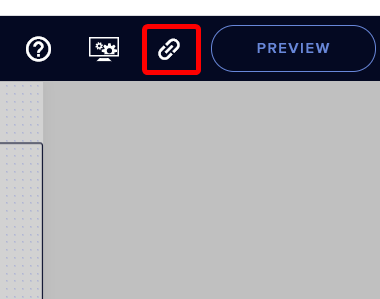
@random rock in the top corner of the editor page, you can get a link
https://i.imgur.com/bpC0ONR.png
You paste that into a browser souce in your OBS sources
 random rock
ok....
lusty dragon
make sure that it's the same resolution/ratio as your layout. If you chose a 1080p overlay, make sure the browser source is also 1920 x 1080
random rock
oh! does it mean i'll be able to paste the widget into OBS studio for sources?
lusty dragon
yep
lusty dragon
make sure those resolutions match 
@short sun SLOBS stuff and SE don't mix well, but if it's only the overlay, you can make your alerts in SE's editor (assuming you haven't) and match them to your SLOBS overlay as needed
https://www.youtube.com/watch?v=X5VzXjqAsjk
We are thrilled to announce the launch of the remastered StreamElements Overlay editor!
https://p.strms.net/newoverlayyt
Why StreamElements Overlays are better?
😎 Simple: Load your entier setup using only 1 link
⚡ Fast: Cloud-powered Overlays arrive in real-time, say goodb...
random rock
way off topic, but does stream elements have to be a moderator in your twitch stream in order for these widgets and effects to work?
lusty dragon
just to have things like commands and media share work
though I'd recommend doing so anyway
short sun
sorry i realized i have to do it all through stream elements and not obs thats why i was confused
lusty dragon
No problem :V
random rock
?how do you enable the commands though? sorry i'm new to stream elements....
sharp gate
does anyone know where can i find all the event types for widgets like [name] [count] etc...
lusty dragon
@random rock another somewhat dated tutorial, but largely the same process
https://www.youtube.com/watch?v=FUAmzaj70Js

Make the most of StreamElements, learn how to use Chat Commands.
Got any questions, or just want to say "Hey"? Join our Discord server: http://bit.ly/DiscordStreamElements
Loyalty system guide: https://youtu.be/hM7D0HJDRHg
Modules, Spam Filters and Timers guide: https:...
earnest scarab
Even though I changed my cheer alert picture and audio it still shows the default. Why is this even though it works for every other alert?
lusty dragon
@random rock beauty is often ugly at its core Kappa
sharp gate
Agglom check if you have the custom code active
earnest scarab
custom css is off
lusty dragon
@earnest scarab save the page just to be safe, refresh the cache in your browser source
that fixes it a lot haha
random rock
@lusty dragon alright so what i'm going to do for the widget is make the widget and then copy and paste the URL into my sources for OBS?
earnest scarab
It's not changing on the website itself either though
lusty dragon
o
sharp gate
@lusty dragon by any chance you know where to find the name values for widgets? like [name] [count] etc...
lusty dragon
https://i.imgur.com/GeHCIxP.png
Obviously you have all these
posting for posterity
https://i.imgur.com/ec7C3jq.png
All of the variables you can use will be under the entry field
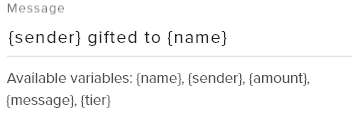 lusty dragon
That.. is terrifying
but I respect it
try logging out/back in. Honestly sometimes it works
earnest scarab
Still the default unfortunately
random rock
k!
earnest scarab
I don't get how this is so recommended when there's so many "buggy" type things
I've only been on it for like 3 hours now and have had a bunch of issues
lusty dragon
Honestly I've never seen this happen so consistently haha
usually one of those prior fixes works
It's great, but not everyone is so lucky to not have bugs
I personally have never had a major bug
earnest scarab
sharp gate
@lusty dragon mmm it doesnt work for the rotating feed, latest follow sub cheer donor everything works but not this one :S
earnest scarab
Even with no image it still shows the default
lusty dragon
Honestly though @earnest scarab it's very possible there's a solution that I just don't know as I'm not staff. I'm just a user who offers what he can
hopefully someone more knowledgeable hops on soon
earnest scarab
Is my boy @abstract hemlock around?
lusty dragon
He's off shift :V
earnest scarab
The only reason I even chose to switch what site I use for alerts is cause I wanted the option of media share
lusty dragon
And unfortunately I'm not seeing the regular helpful blues and reds on the list :V
 mental lion
my bot is glitched it wont show the time spent watching or how many points ppl have it says 0 for everything
lusty dragon
@mental lion do you have loyalty enabled? That's required for watchtime and points
mental lion
how do i enable it?
lusty dragon
StreamElements
The Ultimate All in One Platform for Streamers
earnest scarab
If you see someone get on let me know please, I guess till then I'll have the default cheer
lusty dragon
Will do, agg. Usually a "night guy" (my time at least) shows up within an hour or so of Ren
mental lion
thank you !
lusty dragon
@sharp gate I didn't know you were using a rotator :V I gave you the wrong example
which widget ARE you using
 zenith widget

random rock
@lusty dragon alright, so i copied the url widget to OBS, and i put it in there, and all i see is the red borders around the source and inside those borders it is transparent, does that mean i have the widget in OBS now? i can send a pic if you want me to.
lusty dragon
KEI IS HERE
@zenith widget please help @earnest scarab because I am lowly volunteer boi
zenith widget
tl'dr' me the issue
lusty dragon
His custom alerts aren't showing up. refresh, cache, re-log and etc didn't work. No css enabled
@random rock should be - did you make sure the resolution reads 1920x1080 not 800x600 in the properties too?
lusty dragon
should be, assuming you made your overlay as 1080p
random rock
i did. don't worry.
zenith widget
So which event is not working? @earnest scarab
lusty dragon
Cheers apparently, maybe more
zenith widget
@lusty dragon Watch this
@earnest scarab I see you've edited the main alert, but not the variations. Edit the variations

zenith widget
so tip 101 - if someone is editing alerts but still seeing the default ones, its variations 
lusty dragon
good to know, I've only ever had people with css on or need a refresh yet
didn't even look at how many points there are in the screenshot now my hindsight is mad at me again
@random rock yep. You can edit everything else in your overlay editor on SE's site and use the Emulate button to test it all out. Make sure to hit save after any change you make or it won't appear on OBS
zenith widget
the activity feed
random rock
alright lemme try to find it...
lusty dragon
or on SE's site on the overlay editor page
random rock
oh so you find it in stream elements not OBS?
lusty dragon
ye
you CAN test using the little replay button if you have the obs.Live activity feed, but some don't
https://i.imgur.com/tkqm4M2.png



that little one on the right
lusty dragon
It gets easier once you spend time on it haha
These days I don't even have to think about it, I just do what I need and know how
random rock
spends 200 million years on it and finally masters it
one more thing though
So this red box right here, where my widget is, so whenever I get a new follower, the alert is going to show up right there?
lusty dragon
you should make it the full size of your preview window. Right click > transform > reset
the ONLY editing you should do is on your overlay editor on the SE site here:
https://streamelements.com/dashboard/overlays
StreamElements
The Ultimate All in One Platform for Streamers
lusty dragon
looks like you need to rewatch that first video now 
zenith widget
!res
round brambleBOT
The default resolution for StreamElements overlays (theme and custom) is 1920x1080. Please add them in OBS at their full resolution and use CTRL+F to fit to screen if necessary. You can then downscale your stream in OBS settings > Video if you'd like https://i.imgur.com/6bWXxjR.png
zenith widget
!new
round brambleBOT
New to Stream Elements?
Check out our YouTube channel https://www.youtube.com/c/streamelements/videos
with tutorial videos from setting up the basics, to in depth details on how to use our product.
New to OBS? Here is a 4 step quickstart guide
https://obsproject.com/wiki/OBS-Studio-Quickstart
Want to learn even more? Here is an in-depth overview
https://obsproject.com/wiki/OBS-Studio-Overview
zenith widget

random rock
alright i fit the widget to the screen....?
lusty dragon
random rock
lemme send u a pic
lusty dragon
I still need to learn all these commands
zenith widget
stop yelling 
idle scarab
If anyone wants an update to my linux obs browser source problem, I just downloaded the windows version of OBS studios with wine.
random rock
hey is there any way i can send u a friend request because i gotta get to bed and maybe we could discuss this tomorrow or something?