#helpdesk-twitch
1 messages · Page 668 of 1
 lusty dragon


 abstract hemlock
@light hamlet maybe just a hiccup try again in a couple of minutes
 light hamlet
😦 k
lusty dragon
Ren knows all 🙇
light hamlet
i see 
 ripe sundial
is there a way I can show the subscriber message after the alert so it doesn't go outside of the alert itself
lusty dragon
@ripe sundial there's a text appearance delay setting in the alert settings. Bottom of the main option window. That should allow you to do so
ripe sundial
it appears to do all the text including the sub message
is there a way i can have them seperate
 regal current
Hey, so I created a super theme and put my own sound alert in for the bits notification but it's still playing the default sound that came with the overlay
lusty dragon
I was worried about that @ripe sundial but I don't believe there's a way... Unless there's a CSS thing you can do to separate them, but that's a Q for #dev-chat . I still need to mess around in it myself before I offer real advice there
ripe sundial
aight
regal current
anyone know how to fix my problem 😦
 weak delta
Check the variations @regal current you might have one overriding.
 wispy island
how to i set up the tipping page i have the link i cant find the part where i put it in and i have watched the video
does anyone know how to get it to work
 weak marten
Is there a good way to make it so that you can actually see text on like a goal bar easily? Cause I cant seem to get the text and size of the things to be decent. Using 1080 canvas on streamelements and OBS
But the text is either too small to see decently without using full screen, or it doesn't actually even fit in the OBS browser source if I try and move it and increase its size (the whole thing)
Example: top right corner, visible fully.
Moved a bit down and to the right, barely visible in OBS
lusty dragon
@wispy island on the tip settings page, click the edit button. All things to change are in that space
 hard hearth
Help! I'm logged into my streamelements but it keeps putting my live onto my brother twitch, not mine
wispy island
ok thanks
 round brambleBOT
@hard hearth Please logout of StreamElements at https://streamelements.com/logout and then login again to your account (Twitch/Youtube/Facebook/Mixer)
lusty dragon
@weak marten it looks like you're using white text on a white bar. You should be able to change either/or as needed in the goal settings
weak marten
Oh yes, I know, I meant the bar itself isn't really properly visible
In OBS
See how it's about half that is visible in OBS once I move it in SE
It's still in the "visible" area of SE so to speak
Inside the canvas
lusty dragon
Can you refresh the browser source's cache and reset the transform?
Oh good tadpole be here lol
 jade remnant

weak marten
Same issue
lusty dragon
I don't have to shoot in the dark when he's around 
jade remnant
set your browser source in obs to 1920x1080
lusty dragon
I thought he said he had that set already 
weak marten
Silly me, cheers!
lusty dragon
Oh shit he meant the OBS canvas
weak marten
I thought about the canvas of OBS itself
jade remnant
base canvas is 1920, just not the source
lusty dragon
God damn semantics
lusty dragon
So do I
jade remnant
np 👍 a good indicator the source isnt full screen is that you can still see the preview (blackness) after the red outline.
if it was full screen you would see grey or the side of a dock
lusty dragon
Fair play. I took that as he just scaled the source down
On hindsight the goal bar does look off-ratio
jade remnant
its all good,
with SE overlays you normally want them full screen in obs, then adjust sizing in the editor
lusty dragon
Should've noticed that. Bad me not thinking
 jade remnant
go to the properties of your text source then select font, increase the text size, then readjust the text box if needed
lusty dragon
Damn one i actually knew 
 willow current
hi guys
lusty dragon

jade remnant

lusty dragon
Sure 
 slender gorge
this server is actually great for trouble shooting
willow current
cause I made the store item and checked the store alert on the options and even created the overlay w the store redeem widget
but its not showing on stream
am i missing some step?
 deft juniper
I have a question about loyalty. Is there a way to sync Twitch and StreamElements coins?
 wary halo
I have a question about loyalty. Is there a way to sync Twitch and StreamElements coins?
@deft juniper no, because they are 2 different systems
am i missing some step?
@willow current if you test the alert in the editor, does it show on OBS?
deft juniper
ok, Thank you @wary halo
 quick gorge
Could someone tell me how to fix my routing number associated with my SE.Pay account? I recently just switched banks and closed my old one that was associated with my SE.Pay. I could switch it on my actual Twitch account but can’t find anything on how to switch it in SE.Pay.
round brambleBOT
@quick gorge Please contact us via email for support with SE.Pay. You can use our contact form here: https://streamelements.com/contact Thank you
wary halo
should work with SL but if it doesn't, we can't help
because SL sometimes blocks our stuff because they are our competitors
lusty dragon
SL and SE don't like each other 
round brambleBOT
@willow current We're not able to troubleshoot issues with using our overlays in StreamLabs OBS (SLOBS) as we don't have the tools to support their software. We recommend using OBS Studio or OBS Studio with our plugin OBS.Live.
wary halo
no, it should just work fine like any browser source, but we can't troubleshoot SLOBS
 slender reef
Hey guys, in Stream elements is there a way to make it so a chat command has no cooldown.
Wanna make it so everyone can just type !hype and it types emotes multiple times but theres a cooldown even when changing the cooldown setting to 0 or 1
slender reef
yup both 0
 strong kernel
Do me a favor and spam the command in your chat.

Make the bot a moderator please.
 waxen nova
THANK YOU SO MUCH @jade remnant
strong kernel
Twitch spam prevention makes it so you can't send the same message within 30 seconds. Mods get to ignore that.
 graceful ravine
 polar knoll
Is there a Way to store the watchtime in a Discord bot ?
like with Api or other ways ?
 ripe dome
So how can I give people points and how for them to check they’re hours
abstract hemlock
@lusty dragon your DMs are open?
lusty dragon
ye
ripe dome
Thx
 lusty rune
Hi, so my viewers get keep on getting problems with donations for my channel (TRANSACTION REFUSED BECAUSE OF AN INVALID ARGUMENT. SEE ADDITIONAL ERROR MESSAGES FOR DETAILS.). How can i fix this? Or where can i see the see additional error massages.
 fervent temple
Hello! I have problem whenever I stream on Twitch. Whenever I stream using StreamElements, my viewers say that they hear a static, pitch noise, and an echo of my voice, and I heard it as well when I was listening to my laptop. What can I do to fix this?
 winter solar
Hey, I'm wondering how I can set up mediashare so that people watching my stream can suggest videos to be played on stream. Any ideas, please ping me if you have an answer. I really appreciate it 😄
fervent temple
I don't. I use 2 laptops. I use one laptop to stream off from by connecting it to a monitor and I use my other laptop to have Twitch to see my Bitrates, comments, etc. I have people say it's my audio problem, but as much I try to fix it, it doesn't work how I wanted it to be 😔 @lusty rune
 narrow fern
Hey people, i was wondering, is there a way to show the chat with stream elements in obs?
weak delta
There is a chat widget @narrow fern add it to your overlay on the website:
narrow fern
uuuuuh nice
 rough zenith
Hey yall, im having a couple of issues transitioning from StreamLabs to SE, I know the learning curve is a little high but theres a few settings that seem to not change no matter how many times I save..
narrow fern
thank you
 finite star
how do i close my streamelemnts acount
i linked my twitch but dont want to use it anymore
narrow fern
any idea in why the alerts sound two times?
rough zenith
@narrow fern do you have OBS and the SE editor open at the same time? you can mute the editor if so
round brambleBOT
@narrow fern Make sure to ☑️ “Shutdown source when not visible” for all browser sources (all OBS scenes). If using studio mode, uncheck “Swap Preview/Output scenes After Transitioning.” Also keep in mind that sound can play from any overlay loaded in the browser (editor or launched). https://i.imgur.com/6bWXxjR.png https://i.imgur.com/yY0wcFl.png

 narrow fern
it only happens with the following alert lol
rough zenith
any chance you have two alert boxes with followers enabled on both?
narrow fern
let me see
oh it was that i have the video volume on and an audio track on too
thank you anyway
rough zenith
There ya go
 novel leaf
Hello, does anyone know how to remove the border from a follower textbox widget in the the overlay editor?
finite star
anyone got an answer on unlinking my twitch?
 toxic nexus
Anyone able to help me get my custom bot name working again via Ground Control? Seems to be gone from the application
round brambleBOT
@toxic nexus Currently renaming the bot fully works with OBS.Live.
You can follow this video guide to set it up: https://discordapp.com/channels/141203863863558144/494513233416421386/561516184718278676
If you don't want to use OBS.Live and want to stick with Ground Control, please let us know your Twitch username.
toxic nexus
Just read up on the twitch api changing causing this... suppose I can wait patiently
My twitch username is Bertlor... custom bot name has always been Bertlorbot (separate twitch account with mod rights)
rough zenith
@finite star You can unlink streamlabs in your twitch settings under Settings > Connections > Scroll all the way down to the 3rd section of connected Websites/apps
wary halo
Just read up on the twitch api changing causing this... suppose I can wait patiently
@toxic nexus you will have to wait an eternity, better give your twitch username and get it working today 😛
rough zenith
So, Alert animations and Fonts dont seem to change on OBS side of things, but they show working fine on the SE editor.. Ive saved multiple times and let it sit for awhile and the new settings never take on the Browser source.. any thoughts?
wary halo
So, Alert animations and Fonts dont seem to change on OBS side of things, but they show working fine on the SE editor.. Ive saved multiple times and let it sit for awhile and the new settings never take on the Browser source.. any thoughts?
@rough zenith restart OBS
ripe dome
!how do I make it so that when people get points they can gamble them and people only get people every 5 min
 uncut holly
Hello, my friend have this problem.
StreamElements Chat Stats says 404 - Page Not Found. Can you help to fix it please?
He changed his name on twitch.
Now : necki9
Thanks.
wary halo
Hello, my friend have this problem.
StreamElements Chat Stats says 404 - Page Not Found. Can you help to fix it please?
He changed his name on twitch.
Now : necki9
Thanks.
@uncut holly what was his old name?
!how do I make it so that when people get points they can gamble them and people only get people every 5 min
@ripe dome https://streamelements.com/dashboard/loyalty

StreamElements
The Ultimate All in One Platform for Streamers
novel leaf
Hello, does anyone know how to remove the border from a follower textbox widget in the the overlay editor?
rough zenith
@wary halo that got my fonts to work thank you <3. But now I cant seem to get the alert animation to work in the editor either
round brambleBOT
@rough zenith OBS -> settings -> advanced -> scroll down -> enable/disable hardware accel.
https://i.imgur.com/ggMe9ZE.png
 wary halo
disable that ^
uncut holly
@wary halo necki__ and before zneckpwa
wary halo
Hello, does anyone know how to remove the border from a follower textbox widget in the the overlay editor?
@novel leaf which border? 😛
novel leaf
When I place the follower widget in to the overlay, there is a permanent black border around the text
toxic nexus
Only wasted if you didn't learn from it 😋
 gritty belfry
Hello, I have an issue with redeemable items at my store. I'm trying to set a gif with music, but when redeemed it only shows the music but not the gif. Anyone who can help? Thanks!
I'm running OBS studio.
toxic nexus
I find myself staring at things forever then figure out it is working like it should lol
 pine geyser
So is being in this discord a requirement for applying to the MTG Arena program?
strong kernel
It is not, no.
pine geyser
Okay ty
 cursive otter
Hello, I am having an issue with the alerts. Sometimes the background doesn't render. Could someone help me?
What happens: https://i.imgur.com/ahgZo3D.jpg
What should happen: https://i.imgur.com/PDeT9nt.jpg

 austere star
i know this is a silly question but is there any way to change the custom bot name colour oir is that just related to twitch im using obs live
strong kernel
Log into your custom bot account on Twitch and change the color in the settings.
Like any other account.
austere star
i mean ive done that already ah ill just leave it may fix itself
 cobalt hamlet
o/ Is it cool to ask a question about se.pay here? I think I've found some conflict info in the dashboard about it so just wondering if someone here can clarify
round brambleBOT
@cobalt hamlet Please contact us via email for support with SE.Pay. You can use our contact form here: https://streamelements.com/contact Thank you
 opaque lark
yo yo yo, is there any way to have the hypecup be managed via commands or by time?
rough zenith
My channel name has changed since I linked SE a few years back, and my tipping page shows my old name, any way to update this?
polar knoll
Is there a Way to store the watchtime in a Discord bot ?
like with Api or other ways ?
strong kernel
We do not have a Discord bot.
@rough zenith On the page itself, rather than the URL? That's controlled in your tipping settings.
@opaque lark What do you mean by "managed?"
 kindred pecan
I'm trying to stream right now, and everytime I hit start streaming and then look for at my channel it says that I'm offline. Am I doing something wrong or is twitch being wierd to me
rough zenith
@strong kernel On the page itself, the URL is correct however
@strong kernel I got it figured out! ❤️
opaque lark
@strong kernel clearing the cup, reloading it. we do a stream where viewers react to stuff using emotes in chat, and so we turn off emotes, clear the cup then turn the emotes back on to capture them in the cup
if it cant be done then its not a big deal but it'd be useful
strong kernel
The default !hypecup clear command will clear it for you.
Timers cannot, and there is no command-based reload option.
gritty belfry
Hello, I have an issue with redeemable items at my store. I'm trying to set a gif with music, but when redeemed it only shows the music but not the gif. Anyone who can help? Thanks!
I'm running OBS studio.
opaque lark
ok thanks
round brambleBOT
@gritty belfry To add your overlays to OBS, add a new browser source in your scene. Paste your overlay URL in the browser source properties, set the dimensions to 1920x1080 (unless you changed them on the website), and ☑ “Shutdown source when not visible” https://youtu.be/KDvLynUqXI4
 delicate frigate
Payment issue, the only payment option available for me is paypal, but I can not use it since they dont operate in my country anymore. I live in Turkey.
gritty belfry
I did that, but somehow it only plays the music and does not show the gif.
strong kernel
@gritty belfry Please read the bot message again and take note of the part about the dimensions.
gritty belfry
@strong kernel Hi, I double checked that and it's fine. I keep hearing the music but the gif will not display on screen.
 final monolith
Hello, I was wondering if it were possible to pin a message or something to twitch chat
delicate frigate
thats not possible, but you can use timers @final monolith
final monolith
How would timers work @delicate frigate
Or is that something within the chat box?
delicate frigate
you can setup timers through chat bots such as streamelements bot

In this video we explain how to create chat engagement with Modules, keep your chat clean with Spam Filters and update your viewers with Timers, we have it all!
Got any questions, or just want to say "Hey"? Join our Discord server: http://bit.ly/DiscordStreamElements
St...
round brambleBOT
@winter solar New to Stream Elements?
Check out our YouTube channel https://www.youtube.com/c/streamelements/videos
with tutorial videos from setting up the basics, to in depth details on how to use our product.
New to OBS? Here is a 4 step quickstart guide
https://obsproject.com/wiki/OBS-Studio-Quickstart
Want to learn even more? Here is an in-depth overview
https://obsproject.com/wiki/OBS-Studio-Overview
winter solar
(on streamlabs)
round brambleBOT
@winter solar We're not able to troubleshoot issues with using our overlays in StreamLabs OBS (SLOBS) as we don't have the tools to support their software. We recommend using OBS Studio or OBS Studio with our plugin OBS.Live.
 haughty dawn
hello when i make a alert box and add a sound i can still hear the original even after i delete?
winter solar
Can a real person answer me cos I'm not sure about that AI
strong kernel
A real person is triggering the bot answers.
winter solar
o
delicate frigate
@winter solar you can use them with browser sources on OBS.
winter solar
alrighty thanks
delicate frigate
Check the links above for good measure tho.
winter solar
I think I'm gonna take my chances
final monolith
@delicate frigate Thank you!
delicate frigate
You are welcome!
Not entirely Twitch related, but didnt know where to post: payment issue, the only payment option available for me is paypal on Streamelements tipping options, but I can not use it since they dont operate in my country anymore. I live in Turkey. I would like to use G2A. I can use another service for tipping, but then I would not be able to use a custom bot name. What should I do?
strong kernel
Due to changes in EU regulations, new G2A Pay connections are unavailable at this time.
strong kernel
SE.Pay is not available in Turkey.
delicate frigate
Welp.
kindred pecan
Where in stream elements do I put the twitch stream key
strong kernel
Nowhere. You put it in OBS.
kindred pecan
Where in obs, because I've gone to setting and have not seen anywhere to put it in at
haughty dawn
stream duh
kindred pecan
it isn't in the stream settings
strong kernel
If you logged in with your Twitch account in Settings>Stream, you don't need to use a stream key.
kindred pecan
Well anytime I hit start streaming, and then look to see if I'm live on twitch, it says I'm offline
strong kernel
Screenshot Settings>Stream.
strong kernel
@oak dock If you want the bot to use your emotes, you need to gift it a sub.
 oak dock
U see in the chat where it says sub love and the sub and who it was
Ahhhh
Got u
Yea didn’t work. Hmmm
It just shows the actual words not the emote
strong kernel
Did you type it into the bot response case sensitive?
oak dock
kindred pecan
Here are my stream settings
gritty belfry
@strong kernel resolution is at 1920x1080 plus checked the “Shutdown source when not visible”. I can only hear the sound, however gif is showing on my scene editor, but not on OBS.
oak dock
Even when I copy and paste it from the chat it works
But when it pops up it doesn’t. Weird
slender gorge
how do i play games, and have twitch chat on the same monitor, so that i can see both???
delicate frigate
@slender gorge Streamlabs OBS has a built-in feature called In Game Overlay.
slender gorge
how do i turn it on?
delicate frigate
Settings->Game Overlay
slender gorge
lol ok, thank you 😊
delicate frigate
You're welcome!
slender gorge
👌
 lament blade
im having connection problems that i suspect are coming from windows is there anyone here that can help me? im having to wipe windows every week to continue streaming
obs works great on a fresh windows but after a week i start dropping my stream, reset windows, works fine again
has anyone else had this problem?
polar knoll
We do not have a Discord bot.
@strong kernel bro I mean that I can store with the Api the Watchtime.
And than I can put it in my own Discord Bot.
 shell stone
Hi is there anyone know if its okay to use VBR rate control in twitch?
lament blade
where is the best place to get tech support for obs?
round brambleBOT
@lament blade For the best OBS support, please join their Official Discord @ discord.gg/obsproject
ripe sundial
is there a way to make this always centered instead of it always appearing from the top
 quartz girder
i need help guys
delicate frigate
@ripe sundial on where, on what? Be more specific please.
@quartz girder tell me what it is and I will see if I can help.
ripe sundial
The donation message on the alert
delicate frigate
Are you talking about Streamelements overlays?
ripe sundial
yes
strong kernel
@ripe sundial Text settings>Advanced, play with the margins.
delicate frigate
Seems like I got the question wrong, sorry.
ripe sundial
I tried playing with the margins but, with longer text, the text would start coming off the alert
im trying to find a way where smaller text to stay centered
strong kernel
@ripe sundial Set left and right margins, too.
 warped portal
not sure if this is the right place to ask, but I'm having trouble finding how to edit default command answers for "sr" example!
strong kernel
You cannot edit default command responses.
 ivory crow
I need to put a TTS spam filter for donation, stream store, help me please
strong kernel
@ivory crow Tipping moderation settings in your Tipping settings.
ivory crow
in spam filter?:
strong kernel
No. Again, Tipping moderation settings in your Tipping settings.
ripe sundial
ive now tried playing with left and right, but im trying make the text centred top and bottom instead of left to right
ivory crow
one more question, is possible to active Adsense with bot or timer?
strong kernel
Pardon?
ivory crow
is it possible to advertise through the bot or timer?
strong kernel
Advertise how, exactly?
ivory crow
twitch advertisement
strong kernel
Look in #command-share
oak dock
can anyone hop in a chat with me about a stream elements issue?
strong kernel
We do not provide one on one voice support.
quartz girder
i need help
 viscid pebbleBOT
Hi @quartz girder, Please ask your question(s) or describe the problem you're looking to solve so staff or a support volunteer can assist you as soon as they are available.
strong kernel
@oak dock Please keep all correspondence in the public channels. Thank you.
 solemn mirage
having an issue where my test alerts for donations work, and donation shows on my feed but the alert wont show on stream. please help.
quartz girder
if someone redeem points how do i get it to come up
round brambleBOT
@solemn mirage To add your overlays to OBS, add a new browser source in your scene. Paste your overlay URL in the browser source properties, set the dimensions to 1920x1080 (unless you changed them on the website), and ☑ “Shutdown source when not visible” https://youtu.be/KDvLynUqXI4
oak dock
@strong kernel So when i add the custom cammand in the bot module option for when someone subs this is what i put. i put it perfect case sensitive and all i modded stream labs and gifted it a sub this is what i put testytSWOLEPATROL testytHYPE JoordyTV has been in the Swole Patrol fam for 2 months in a row! testytSWOLEPATROL testytHYPE and when it pops up on the chat it reads just like that not the emotes. But when i copy that exact message and put it in the chat manually then the emotes pop up and it works perfect but when its automated it just spells it out like above
solemn mirage
@all sorry wrote in wrong group.
quartz girder
if someone redeem points how do i get it to come up
round brambleBOT
@quartz girder New to Stream Elements?
Check out our YouTube channel https://www.youtube.com/c/streamelements/videos
with tutorial videos from setting up the basics, to in depth details on how to use our product.
New to OBS? Here is a 4 step quickstart guide
https://obsproject.com/wiki/OBS-Studio-Quickstart
Want to learn even more? Here is an in-depth overview
https://obsproject.com/wiki/OBS-Studio-Overview
warped portal
I can't add comands even to translate to another language ? 
 foggy nexus
why does it say that the account is already claimed
round brambleBOT
@foggy nexus Account Merging - Please note:
- Merging accounts only allows faster ways to switch between accounts
- Merging accounts does not allow data sharing between accounts - different streaming platforms, different type of events
- Merging accounts allows duplicating/sharing overlays between the accounts
If you understand the limitations of merging and want to proceed, please find the JWT tokens (!jwt) from both accounts you want to merge and you will be directed to DM them to a staff member.
foggy nexus
that didnt help at all
oak dock
?? @strong kernel
foggy nexus
how do i add gambling system
strong kernel
@oak dock Please trigger a command with the bot that includes a channel emote.
@foggy nexus The Modules section of your account. Also, the bot response is absolutely relevant: you are attempting to add a channel that you already logged in with, thereby creating its own account. Therefore, to have them in the same account, you must merge them.
oak dock
yea added a command that triggers an emote and it still only read it
strong kernel
Emotes are case sensitive. Please type the emote into the command correctly.
oak dock
but when i copy that in the chat a repost it it works
 hearty flume
is there a widget to add sounds by command?
oak dock
so its typed correct
strong kernel
@oak dock It is not.
foggy nexus
where is the moduels section
oak dock
just updated it and still not working
hearty flume
 It's like my emote but with a shoulder haha
hearty flume
yours is cleaner and easier to the eye. Nice
contrasty
anyways I
ilkl keep looking for that sound widget
 ashen lance
hey guys. sorry if I didn't get how this works right. should I just send what I need help with?
round brambleBOT
@ashen lance Welcome to the helpdesk! Please let us know how we can assist you today and a support volunteer or staff member will assist you as soon as they are available. Thank you for your patience.
ashen lance
if so, for some reason my chat in OBS isn't working/syncing. it shows the message "Error loading data".
round brambleBOT
@ashen lance Streamelements on top of OBS -> Logout -> login
strong kernel
@oak dock You will need to reach out to Twitch support regarding this.
lament blade
Hello! I suggest you to add the must-be-follower-to-win in the Giveaways section.
round brambleBOT
@lament blade Check out the StreamElements ideas board: https://strms.net/ideas. You'll be able to add ideas, upvote ideas you agree with, and track their progress with email notifications. Adding and upvoting ideas also helps the staff know which ideas should be prioritized so please take some time to upvote.
lament blade
Ty
 wary matrix
How do I merge accounts
Hello, I am having an issue with the StreamElements site. i cant add my twitch channel it pop up with CHANNEL IS ALREADY CLAIMED
round brambleBOT
@wary matrix Account Merging - Please note:
- Merging accounts only allows faster ways to switch between accounts
- Merging accounts does not allow data sharing between accounts - different streaming platforms, different type of events
- Merging accounts allows duplicating/sharing overlays between the accounts
If you understand the limitations of merging and want to proceed, please find the JWT tokens (!jwt) from both accounts you want to merge and you will be directed to DM them to a staff member.
wary matrix
!jwt
round brambleBOT
You can find your JWT token on your account channels page ("Show Secrets" to reveal the token): https://streamelements.com/dashboard/account/channels
READ ME:
This is a private security token. Do NOT share this token here or other public places, only with a StreamElements staff member in private.
 mossy stag
Question - when you call a sound effect from a command, can it be triggered randomnly from a specific set of sounds in the store?
strong kernel
@mossy stag No, one sound effect per item.
mossy stag
Thanks, are there plans to support that in the future?
round brambleBOT
@mossy stag Check out the StreamElements ideas board: https://strms.net/ideas. You'll be able to add ideas, upvote ideas you agree with, and track their progress with email notifications. Adding and upvoting ideas also helps the staff know which ideas should be prioritized so please take some time to upvote.
wary matrix
Who can I message about my problem
strong kernel
@wary matrix If you understand the limitations, please DM me the JWT tokens, clearly labeling which is which.
@wary matrix Copy and paste. Screenshotting the token doesn't help.
@wary matrix Both JWT tokens are required.
 lost herald
Can't tell if a BOT is retarded or a Mod. I have a problem someone help me.
round brambleBOT
@lost herald Welcome to the helpdesk! Please let us know how we can assist you today and a support volunteer or staff member will assist you as soon as they are available. Thank you for your patience.
strong kernel
@lost herald Please do not attempt to provide support if you are not fully caught up with the issue. https://discordapp.com/channels/141203863863558144/199460642975907840/715335125470150757
 gaunt matrix
Whats up guys, im looking back at some of my streams and im noticing that the quality drops pretty significantly here and there, very pixelated at times. I have an idea of what the issue, but id like some help. ideas?
round brambleBOT
@gaunt matrix Please provide a log from your last stream. To do this, in OBS go to Help > Log Files > Upload Last Log File and paste the link to the log file here.
 ember wigeon
Hi there. I recently changed my twitch name and since then chatstats hasn't worked giving me a 404. I've researched this and everywhere says to come here to get help. I have reconnected streamelements and all that. It's just chatstats.
round brambleBOT
@ember wigeon If your chat stats aren't working it's most likely because you changed your username! If you can give us your old and new username, we will get a chat stat fix for you.
ember wigeon
old user name wings95ttv new name wings95_
 cyan pebble
Is there a way to do !so @cunning pine and have it remove the @ automatically creating a nice link like twitch.tv/username
lusty dragon
@cyan pebble nope, you've just gotta remove it yourself unfortunately
 pseudo whale
Hey, i was wondering how to share your widgets for others to use?
lusty dragon
@pseudo whale you can only share widgets with people who have given you editor access on their SE accounts. To make one public, you can submit it to the link in the #widget-share channel description and hope for the best 😛
pseudo whale
THANKS
 supple pollen
Hello, widget question.
I love the settings and integrations on you guys' media request stuff. I want to use it with the MediaShare, but am looking to integrate it into my existing Streamlabs OBS setup. Is there any way to use the MediaShare outside of creating an overlay on StreamElements, or would it best to just make a full overlay and import it?
lament blade
Hello! ¿How can I change the limit of video duration for tips?
 ionic kelp
@supple pollen 2 things.
round brambleBOT
We're not able to troubleshoot issues with using our overlays in StreamLabs OBS (SLOBS) as we don't have the tools to support their software. We recommend using OBS Studio or OBS Studio with our plugin OBS.Live.
ionic kelp
And it's only possible via our overlay or capturing the window from the website/ground control/obs.live.
winter solar
Hey, I have added some people as Bot supervisors on my channel and they are having trouble accesing MY channel dashboard rather than there own, I need them to be able to access song requests/mediashare. Anyone have an idea? Thankyou! 😄
supple pollen
OK, that's all I needed to know, thanks!
ionic kelp
@winter solar You and them should try this
round brambleBOT
Please logout of StreamElements at https://streamelements.com/logout and then login again to your account (Twitch/Youtube/Facebook/Mixer)
ionic kelp
See if they can access it then. Otherwise they need to make sure they're using chrome/chromium browsers.
winter solar
what do you mean?
ionic kelp
You and them click the link then log back in and try to access the dashboard.
Otherwise they're using a browser that doesn't play nice with the website.
winter solar
The problem is that when they use my invite link they become a staff member or whatnot. But I need to know how they get to the dashboard? I'm sorry if you just answered that, I'm new to this and not sure 🙂
ionic kelp
!invite
round brambleBOT
Follow these steps to grant managers/moderators access to your dashboard:
- Click on your Channel Name at the top of the dashboard and select Settings
- Create a new invite at one of three access levels (Bot Supervisor, Editor, Full Control)
- Send this invite to a mod/manager to give them access to your dashboard. The link is one-time-use and expires after 72 hours if not accepted
Video tutorial: https://youtu.be/zl_h-ttZDF0
ionic kelp
You did that and chose Bot Supervisor?
lusty dragon
That video should show how to access other channels' dashboards
ionic kelp
Click their profile pic in the top left and choose you.
lusty dragon
^
winter solar
thankyou 😄
 ebon kindle
Hello, i am an editor to a channel and cannot access the dashboard to that channel. also the channel owner is also unable to access their own dashboard to streamelements. they've tried login out and in. was working 3 days ago and last day or two we have not been able to access it
ionic kelp
@ebon kindle You and them did the logout the bot mentioned above?
ebon kindle
yes
ionic kelp
Are you trying to access it with chrome?
ebon kindle
yes
ionic kelp
What happens when you try?
ebon kindle
when i click to change from my dashboard to theirs. it refreshes and goes back to streamelements.com
and i cant get into my dashboard
unless i view my profile then click dashboard
ionic kelp
Try in incognito. Otherwise that is an indication that you didn't both do it.
ebon kindle
okay will try that
 calm hearth
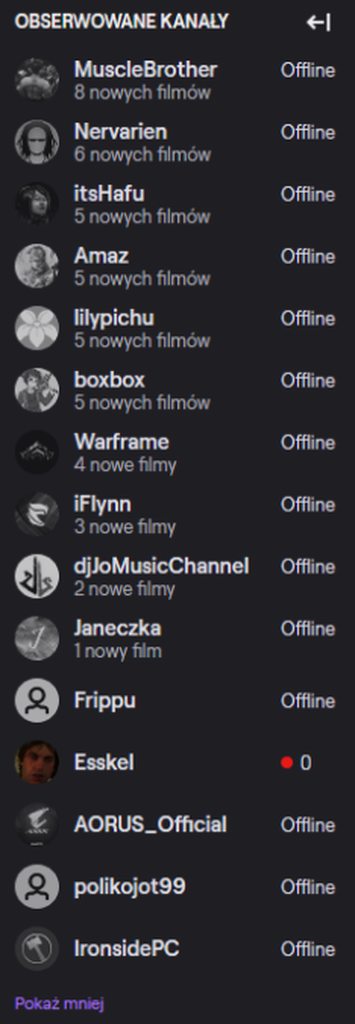
Hi i have a problem with obs.live i think when i'm streaming i doesnt appear in game category and also my followers see me streaming under their offline chanels on the left here is pic https://imgur.com/a/FT5BZqD
 ionic kelp
@calm hearth That's an issue to bug twitch with. Not something we handle.
If you show live on twitch when going directly to your channel...
lament blade
Ty @ionic kelp , hmmm lemme change my question... The video uploaded on tips is sound only? Or the entire video will display in my screen?
oak dock
So Twitch isn’t helping me My bot module isn’t working correctly. Under chat alert feature
I added my emotes and message but when it pops up in my stream it’s not showing the emote. It’s just showing the letters
But when I copy that exact message in the chat. It shows the emotes
calm hearth
Im still waiting for twitch staff to answer me i wrote to them like 1,5 month aho 
oak dock
^
ionic kelp
@oak dock If you have a message from the bot that uses sub emotes it's a bug on twitch's end.
ionic kelp
Nope.
You're not the only one with the issue and I was told by staff it's something on their end.
lusty dragon
bots don't use your personal emotes unfortunately
I really do hope they change that
lusty dragon
well yeah
lusty dragon
but who's gonna pay 5 a month to have a bot spit emotes? 
oak dock
But mines not
ionic kelp
@lament blade You'd add the Media Request widget to an overlay and it would show the video for it in the area of the widget.
lusty dragon
@oak dock
unless you put in the $5 a month and subscribe your bot account to yourself, it won't work.
However if you use a 3rd party plugin like BetterTTV for additional emotes, those will appear fine
ionic kelp
The only exception is partners as they have the option to permasub 2 bots.
lusty dragon
really?!
ionic kelp
Yup
lusty dragon
man they get EVERYTHING
ionic kelp
and 3 users as well at certain sub milestones.
oak dock
Yea I gifted sub to stream elements but still doesn’t work
ionic kelp
Yeah. Unfortunately it's something you'd have to contact twitch about to see what the issue is.
lusty dragon
good luck getting a response 
gaunt matrix
here is my log file https://obsproject.com/logs/-_yjU-a1SDUporQm
strong kernel
Your bitrate is probably too low for what you're playing.
 quiet mantle
Hi im an up and coming streamer. Im having and issue trying to go live on twitch i have watch videos on youtube and have spent a few hours trying to figure this out. i have connected my account to twitch but every time i go live twitch is saying im offline, can anyone help me? 🙂
quiet mantle
ok i check that now thank you 🙂
quiet mantle
@winter solar thank you bro omg iv been trying and trying your help has made it work thank you much love 🙂
winter solar
Np 🙂
lament blade
where do I add the media request widget at? I cant find it and every video or blog is out of date
gaunt matrix
Your bitrate is probably too low for what you're playing.
@strong kernel are you reply to me?
ionic kelp
Yes.
gaunt matrix
are u reply to me lol
ionic kelp
2500 bitrate at 1080p is where the pixelation comes in. You need an extremely higher (And not mobile friendly unless you get transcoding) bitrate to even do this.
gaunt matrix
replying***
ionic kelp
At most 720/900p is where you would be safe.
gaunt matrix
think 4000 bitrate would do it? I have a upload speed of like fucking 6 so im not trying to push that either
wait, lower?
ionic kelp
For 1080p? No.
ionic kelp
Both bitrate and res would need to be lower to make it work.
gaunt matrix
oh, so your suggesting dont stream in 1080 at all
gaunt matrix
Gotcha.
ionic kelp
But given your speed 4k at 720/900p is your max.
gaunt matrix
Okay cool So bitrate 4k, and stream in 720
ionic kelp
yup
gaunt matrix
alright brother Ill give it a shot - thank you man
 rare finch
can i unactivate the chat bot ?
ionic kelp
!part
round brambleBOT
Go to the dashboard -> right side -> part channel -> join channel (https://streamelements.com/dashboard)
 ionic kelp
Ignoring the join channel bit at the end.
rare finch
thank you
 gusty nymph
when i go on the stream elements site it looks like the bots and alerts are for youtube but i stream on twitch...
 zenith widget
If you have the accounts linked, then click on your channel name on the top left and then on the twitch account.
If they are not linked together, then logout from our dashboard and log back in with your twitch account
 hoary haven
anyone here know a thing or 2 about touch portal? the help desk there is basically deserted
ionic kelp
@hoary haven This would be something for #general-chat
hoary haven
okay sorry about that
 spark coral
I have an issue with media request. For some reason most of the music just don't start playing. Timer go on but video, name of the song and actual sound don't work. How can i fix that?
lament blade
need assistants setting up contest it isnt interacting with my audience saying no one can join really need fixed
zenith widget
We would need a bit more information.
How are they entering the contest?
what is telling them they can't join?
 molten badge
anyone know of a good Twitch bot that can do song requests with a backup playlist (in case of no song requests) and use a custom name and is free?
zenith widget
molten badge
its a cloud bot and those use a default name
zenith widget
molten badge
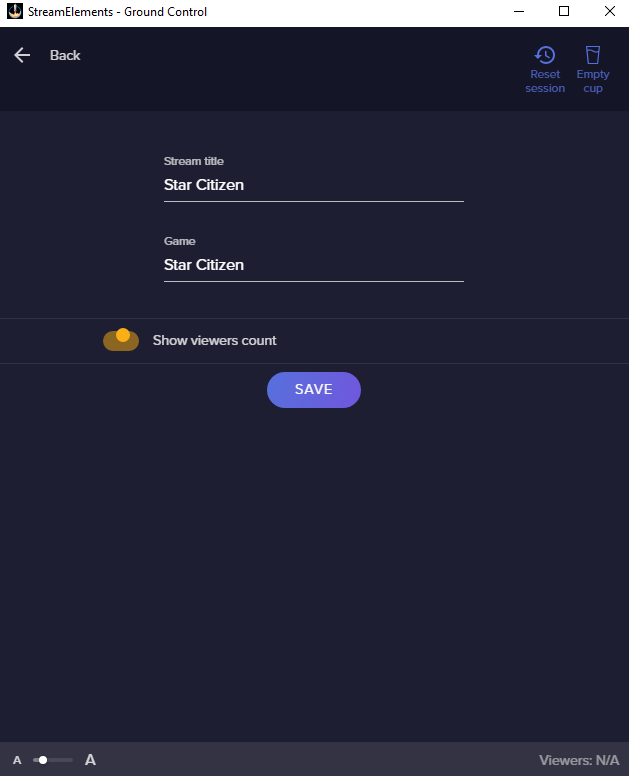
that field doesn't exist
molten badge
 molten badge
there is no option on obs.live either
zenith widget
Show me
molten badge
also the bot doesn't give an option to have a backup playlist for when there is no song requests
zenith widget
Because the video I linked is specifically for OBS.Live and not Ground Control
molten badge
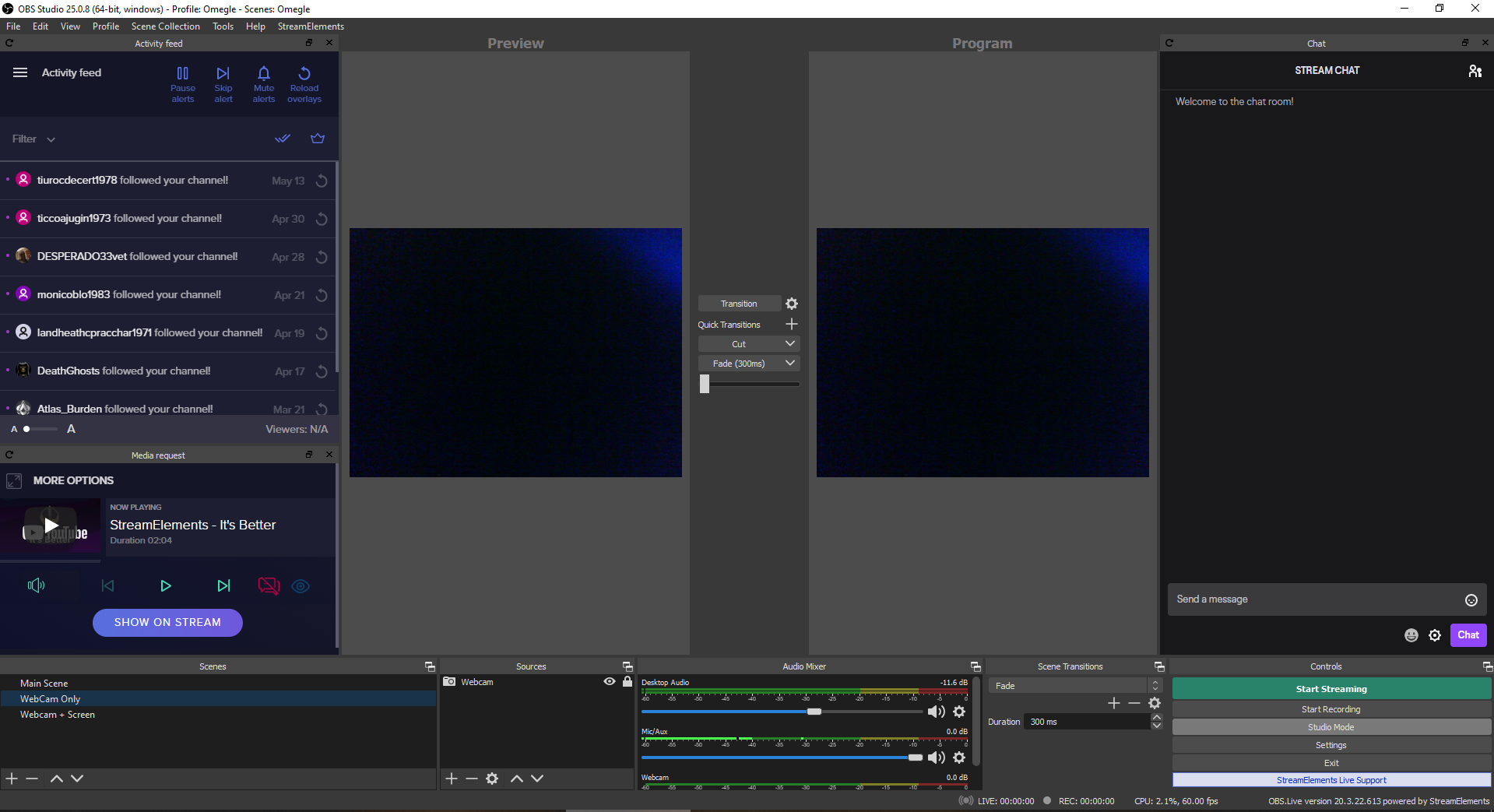 zenith widget
@molten badge Please follow this video for OBS.Live
@lusty dragon thats being rude now
lusty dragon

molten badge
no option http://prntscr.com/sp8x9o
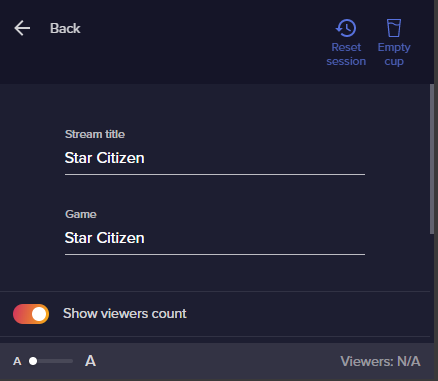
 covert pike
i dont know where to post this question but does anyone know how to get the spotify widget on streamelements obs the widget on the bottom right that shows the current song thats playing
ionic kelp
@covert pike We have no such widget as any spotify integration was removed.
covert pike
is there anyway to get it showing what im listening to?
ionic kelp
Gimme a sec but yes.

For some amazing overlays and widgets. Be sure to check out Nerd or Die
https://nerdordie.com/shop/ref/mrboost/
CODE IS HERE! https://github.com/mrboost/Spotify
Step one.. Visit https://spotify.aidenwallis.co.uk/ Once you login in, you will be brought to a page. At the top o...
zenith widget
Do you have a 2nd twitch account and if yes, are you trying to connect it?
molten badge
it won't let me select custom name or my name
only lets me use StreamElements
the other options are greyed out and don't select when clicked
 molten badge
no
uncut holly
Hello, my friend have this problem.
StreamElements Chat Stats says 404 - Page Not Found. Can you help to fix it please?
He changed his name on twitch.
Old name: necki__ and before zneckpwa
Now : necki9
Thanks.
ionic kelp
swoosh.
molten badge
i'm using obs.live with the bot in my channel
but not allowed to change from StreamElements
zenith widget
@uncut holly Done
uncut holly
@uncut holly Done
@zenith widget
thank you very much
zenith widget
@molten badge So here is the thing. I don't believe you, but i also believe you so in order to help you, I would like a Team Viewer session to see the options my self
covert pike
@ionic kelp thank you i will watch this video now
zenith widget
as currently its practically impossible for the options to be greyed out
molten badge
i don't let anyone but me on my computer
covert pike
this one is for streamlabs but if i download the streamelements one will it work? for the spotify widget
zenith widget
Then we will do this the harder and longer way with screenshots
ionic kelp
@covert pike Same thing applies. Just slightly different interface.
covert pike
oh alright thanks

 tranquil adder
Does anyone know how to get rid of the stunning alerts and overlays Bc I didn’t mean to add it
molten badge
and even if i can change my name its missing the ability to have a backup playlist when there is nothing in the song request queue.
tranquil adder
Sorry what I meant to say was does anyone know how to get rid of import from other tools
 opaque flax
hey, i got a question, is it possible to time commands? like make the commands available for 1am until 6am for example or is there no command for that, i looked around but didnt seem to find anything, thanks for ur help.#
ionic kelp
@opaque flax Unfortunately there isn't.
opaque flax
aight thanks for ur quick answer
 unique forge
Anyone having trouble with disabling and enabling fx sounds?
zenith widget
@molten badge Ok back. Had a void in my stomach i had to fill.
So what i notice is that you are missing the tipping link from your channel. Meaning without it, the options won't be there. If you scroll a bit down you will see the check marks for the custom bot name.
covert pike
@ionic kelp thanks a lot the spotfiy widget worked
molten badge
I'm not using tipping until I get viewers
zenith widget
As for the backup playlist, if you are looking at the Media request dock. @molten badge
Then that is one of the requirements for the custom bot name from us - the tipping link.
unique forge
Everytime I disable the store/fx I need to manually activate every sound fx
molten badge
pointless for me to add tipping when i get 0 viewers
unique forge
!closestore or !disablefx
molten badge
guess I'll go back to looking for a twitch bot 😦
unique forge
Both I need to manually enable every sound when I open the store or enablefx
zenith widget
there is a "!openstore" command though
 timid epoch
why is my game volume so much louder tahn my voice
zenith widget
Adjust the volume slider for "desktop audio" in OBS
timid epoch
ive done that and its still loud like really really loud
covert pike
@zenith widget how do i run ground control in safe mode?
unique forge
@zenith widget yes Im using it, it even says in chat that the itens have been updated but the sound doesnt play when redeemed, it even take the channel points as used but does not play the sound. Then I have to disable every sound manually and activate again
timid epoch
@zenith widget do u mean like when im play r6 master volume in settings?
zenith widget
yes
timid epoch
ok
zenith widget
@covert pike Windows has a Safe Mode
but your issue stems from something else - if you can't install programs you have a fundamental problem with your Windows installation
or you are not the administrator of the PC
timid epoch
@zenith widget i love u thank u so much lmao
 unique forge
Im a mod and editor there
 unique forge
Sorry i didnt knew you were looking it up
zenith widget
Here is what I'd like to suggest
when her stream is over
DM me
and let me know
unique forge
Ok
zenith widget
@covert pike then open the log
covert pike
covert pike
i dont understand it i meant
zenith widget
unauthorizedaccess
covert pike
ive ran it as admin
zenith widget
what i also notice is this
I believe you are trying to install it in a place you cannot install programs
covert pike
ohh where should i put it to?
zenith widget
not in C:\Users
covert pike
anywhere but c users?
zenith widget
yes
timid epoch
im kind of stuck and dont know what to do rn i think i have the settings right do u have any tips
round brambleBOT
@timid epoch There are no "best settings".
Please understand that every setup will be very different.
Any guides or videos that claim otherwise are misinforming. Your best option is to start with a base and adjust as necessary.
You can run the OBS auto-configuration tool. To use the auto-config, click on the Tools menu in OBS, select Auto-Configuration Wizard, and then just follow the on-screen directions.
You can use this tool to get baseline settings for your hardware and adjust as necessary from there.
Test, test, and test again. We are happy to offer suggestions for any issues you may be having afterwards, but not a list of settings.
Thank you 
 cobalt cloak
Hi there i'm having some serious issues with the merch beta right now, who can I talk to for some help?
zenith widget
#helpdesk-merch and elaborate on the issues you are having
cobalt cloak
okay i've had a few items in my store for a while now with no issues but today when i edited one it just kept spinning saying updating item, so i waited a while and worked on a new tshirt and came back and it was still updating it's now been over 12 hours and its still updating, also the new t shirt is still spinning saying its generating again, its 12 hours later. This evening I tried to make the design again on a hoodie and it said that the request couldnt be completed. I've also tried resetting my store completly and it wont even reset the store so i'm kinda lost at this point.
zenith widget
Handling in #helpdesk-merch ⤴️
cobalt cloak
thanks
lament blade
Hello
 sonic rock
uhm is it true that its not possible to do these rolling "last xy" overlays in StreamElements? Like i do a little box and all the names are rolling trough?
zenith widget
Latest Followers is a list widget
widget can be set to horizontal or vertical
and you can add scrolling text on it
via the text settings
and you can have the news feed type scrolling
sonic rock
really? Then i should search in the settings you just told me hang on
OH
I found it
Thanks!
sonic rock
But if i do it with "Recent followers" it will only scroll a bit when someone follows
round brambleBOT
@lament blade Please follow our community rules:
- No advertisement or stream promotion
- Respect ALL server members
- No NSFW/NSFL
Thank you
sonic rock
its not the feed like thing
zenith widget
@sonic rock the widget lsits the last X followers
zenith widget
3rd line from top to bottom
says the same thing
you are trying to install it somewhere you shouldn't
covert pike
wait ill show you
lament blade
Yes I'm sorry, ok
sonic rock
This is the "Recent followers" widget. I want it to scroll like a feed and show the recent followers like of the session or something. but if i enable "scrolling text" it will only move when someone follows like one name to make space for the new follower
covert pike
ionic kelp
@covert pike Could you close discord and open it in the browser for the sake of testing? Then run the installer.
covert pike
sure
same thing
i dont know why its saying c drive
i literally changed it to d drive on both my folders and on google chrome settings
or shall i try downloading it to somewhere else on c drive?
ionic kelp
It's not an issue with the download but how the installer behaves.
 desert ravine
in obs.live i have put in a browser source for alerts i got from streamelements and i input the link and change the dimensions like all the tutorils tell me to but whenever i go to emulate an event the alert never shows up. any ideas?
covert pike
i also did have discord app closed and opened in the browser
ionic kelp
Got a second to hop in voice?
covert pike
yh
lament blade
Hey, I really need help with SE Live Studio Asap! 😭
round brambleBOT
@desert ravine To add your overlays to OBS, add a new browser source in your scene. Paste your overlay URL in the browser source properties, set the dimensions to 1920x1080 (unless you changed them on the website), and ☑ “Shutdown source when not visible” https://youtu.be/KDvLynUqXI4
round brambleBOT
@lament blade Welcome to the helpdesk! Please let us know how we can assist you today and a support volunteer or staff member will assist you as soon as they are available. Thank you for your patience.
desert ravine
@round bramble still doesnt work
 summer apex
Is anyone kind enough to help me with my monitor set up? My dad isn’t awake currently and changed his monitor plug ins a bit.
lament blade
I am setting up my stream and between "Activity Feed" and "Stream Chat" the "place in the middle where I suppose to have my Stream Screen is not a "window" but just a black space where I can put overlays. And when I activate the game capurte it become big like my own screen...
Im new at this
 oblique steeple
Please send us a screenshot of your browser source properties, but don't show your overlay link @desert ravine
@summer apex Not sure if this is related to StreamElements.
desert ravine
summer apex
It isn’t, I just want to get to playing @oblique steeple
desert ravine
its alerts though @oblique steeple
round brambleBOT
@desert ravine OBS -> settings -> advanced -> scroll down -> enable/disable hardware accel.
https://i.imgur.com/ggMe9ZE.png
lament blade
I have a (hopefully) quick question regarding Se.Pay. Is there a staff member here I could ask a question about this or is another channel more appropriate?
oblique steeple
@summer apex Then it would be the best to ask in either #general-chat or on a tech discord
desert ravine
it already is enabled
round brambleBOT
@lament blade Please contact us via email for support with SE.Pay. You can use our contact form here: https://streamelements.com/contact Thank you
desert ravine
@oblique steeple @round bramble
oblique steeple
@desert ravine Disable it. Also, no need to tag @round bramble. It's a bot and won't respond on it's own. Kinda like talking to a wall.
desert ravine
keep it disabled?
oblique steeple
@lament blade Game capture captures your games. When it shows your own screen, you probably added display capture. And this behavior is expected. OBS records your screen, which shows OBS, that records your screen, which shows OBS, that records your screen and so on.
@desert ravine Ye
lament blade
@oblique steeple But I wish to see in OBS the window with "border limits" So I know how it will look on stream. I dont have limits now!! So I dont know how to resize the layout
Isnt it Game Capture I need to add to stream the game?
oblique steeple
Not sure I follow. What do you mean with "border limits"?
lament blade
(Im used to Streamlabs)
desert ravine
@oblique steeple i will test that
oblique steeple
And yes Game Capture is needed for streaming games
desert ravine
thanks a lot @oblique steeple its all working now
lament blade
@oblique steeple Im putting overlays in my "stream Screen", but I dont have an actually "limited Space" on it. So it s a mess! The space where I should "work" where I put the camera space, alerts overlay, labels, is not a "limited space" so It doesnt show how it will look like LIVE! <.<
Is there a possibilty to share screen here in direct message so I can show you?
My English is not my native language and I'm new on Streaming.
 static wing
How do you add a box around your follower, etc widgets in the overlay setup menu?
oblique steeple
Put an image behind it or use one of our pre made overlays, as they have that already set up.
@lament blade I'm a native German, so this could be interesting but lets give it a try
 burnt rover
When do Mtg give me my vip account
 dreamy bobcat
Hi.
Why is it that I fail when I want to create details about my bank informations? Im entering everything correctly - but it still says something about "fail to update - try again later"
round brambleBOT
@dreamy bobcat Please contact us via email for support with SE.Pay. You can use our contact form here: https://streamelements.com/contact Thank you
lament blade
Thank you so much for the fast support! ❤️ It helped me ASAP! @oblique steeple
 nova gust
I have a Donation Goal widget I picked up over in #widget-share, how would I animate it coming on and off screen on a timer?
Thanks in advance for any help and please @ me
nova gust
@ionic kelp I'll do that now, thank you for the advice
 grave lintel
Hi, how can i activate my new overlay?
round brambleBOT
@grave lintel To add your overlays to OBS, add a new browser source in your scene. Paste your overlay URL in the browser source properties, set the dimensions to 1920x1080 (unless you changed them on the website), and ☑ “Shutdown source when not visible” https://youtu.be/KDvLynUqXI4
 tough geyser
i have a problem that i cant see if someone tells me smth on the chat and i cant even write in the chat of obs
 bronze oracle
Why wont music play during my stream when I activate the command?
ionic kelp
@bronze oracle Media Request? Do you have the widget added to the overlay?
bronze oracle
I believe so, whenever I do !!songrequest (song) it links the video and says its queued, but never starts playing
ionic kelp
Mind screenshotting the overlay you're using with just the layers being listed?
bronze oracle
Uh, Im currently on my phone, would I have to try it on my laptop?
ionic kelp
That would actually work just as well as the display crops out everything I don't need 
Just do it in portrait mode.
ionic kelp
The website isn't exactly nice on mobile unless it's a tablet but easy enough to navigate to what I need.
ionic kelp
Yes
Exactly what I wanted
That's the overlay you're using?
If so that's why nothing is working. You need to add the media request widget.
bronze oracle
Yea, but Id like to add the option to play songs, tip notifications all that, it will let me do that?
Wow
I cant believe i totally overlooked that
ionic kelp
You've got the alertbox for the notifications but yeah it's missing the MR widget.
bronze oracle
Im sorry for the inconvenience sir
bronze oracle
Thank you so much
 cinder glen
Hey guys, i have a problem i cant get fixed. Maybe some of you know the solution. Its about store redemption for sound effects. A few days ago it suddenly stopped working, i checked on streamelements website because im using the overlays there. On site the sounds work if i try to emulate the store redemptions but somehow they are not getting carried over to OBS... everything else like the alertbox work perfectly fine. please help i tried everything i could.
ionic kelp
@cinder glen Could you do me a favor and follow this? DM the link.
round brambleBOT
Follow these steps to grant managers/moderators access to your dashboard:
- Click on your Channel Name at the top of the dashboard and select Settings
- Create a new invite at one of three access levels (Bot Supervisor, Editor, Full Control)
- Send this invite to a mod/manager to give them access to your dashboard. The link is one-time-use and expires after 72 hours if not accepted
Video tutorial: https://youtu.be/zl_h-ttZDF0
cinder glen
sure thank you
ionic kelp
Shit.
 hoary plank
Does anyone know how to fix this issue where as you can see I have people cheered bits but StreamElements Leaderboard is showing "no data" for some reason? Same for subs (I have 1 but it's not showing anything)
 storm matrix
@ionic kelp could you contact the staff about my problem with the store and the soundeffects?
ionic kelp
I had passed it along for them to investigate.
@cinder glen I was right. I'm gonna revoke it and need an editor invite.
cinder glen
alright one sec
ionic kelp
Well I think I found part of the issue.
You have the redemption widgets "hidden" in the overlays
cinder glen
i tried to show them didnt change anything, also it worked for over a year that way 😄
ionic kelp
And this is the first 3 I'm talking about.
ionic kelp
Now I'm gonna take a looksie and see if I get the same behavior with these as I did on another account.
cinder glen
okay 🙂 appriciate the help
 sonic portal
Hello, in the tipping page, only PayPal shows up, but I would also like to have the Bank transfer option how can I see that one?
 hardy summit
I am trying to log out of twitch account and log in to another one but every time i try to log in it just freezes up my browser and also slows down my pc
round brambleBOT
@sonic portal SE.PAY is available for streamers who are atleast 18 years old, with bank account under their name in one of the following countries and have at least 101 Follower (Twitch) / 101 Subscribers (Youtube):
Austria, Belgium, Czech Republic, Denmark, Finland, France, Germany, Ireland , Italy, Netherlands, Poland, Portugal, Slovakia, Spain, Sweden, Switzerland, United Kingdom, United States.
If you meet these criteria and don’t see SE.Pay, let us know.
For information on SE.Pay payment methods, their fees, and settlement times see https://streamelements.com/dashboard/tipping/fees.
sonic portal
So I need to have 101 followers?
ionic kelp
Yes.
sonic portal
Ok ty
hardy summit
I am trying to log out of twitch account and log in to another one on streamelements but every time i try to log in it just freezes up my browser and also slows down my pc
ionic kelp
@cinder glen I've tried on the 3 overlays and it seems to work for all 3 after I enabled the widget. 
Tried the SFX multiple times too.
cinder glen
let me try it myself again. @ionic kelp Thank you for the help ill let you know if it works. ❤️
ionic kelp
I didn't save the overlays so they're still on disabled.
hardy summit
so, can anyone help me out?
ionic kelp
Sounds like you've got an issue with either your browser or you system to cause that issue as there's no reason why it would cause that to happen.
cinder glen
I am so confused... it works now just by enabling it. xD I literally tried the same thing 3 times over the week and it didnt work. Thank you so much @ionic kelp
ionic kelp
And I revoked my perms for you.
 stray igloo
Hi, Is there a way to get the countdown font to be the same, as the text font, which pops up after the countdown stops? (Like to have it look the same, can't find it)
Thanks
 signal sand
if I want to block a specific word do I have to tick Regular expression?
ionic kelp
@signal sand Is it unique enough to not get caught as part of a word?
signal sand
no
ionic kelp
Then yes you'd need that option. Beyond that can't tell how you'd use it.
signal sand
ok, thank you.
lament blade
Hello. How could I export leaderboard?
 grave plank
Hey there, I'm an editor for a specific streamer, and he mentioned that certain tip alerts arent going through on the widget. I've pulled up his feed, and gone through all his previous tip events, and only 1 seems to not work, and it has the F word in the given text. Is there a profanity filter around the alerts, and if so, where can I find it?
 untold crest
StreamElements
The Ultimate All in One Platform for Streamers
@lament blade Unfortunately there's no export option
signal sand
can I somehow disable redeemed item message. that sends me to redemptions page
lament blade
Thank you:)
 dapper iron
hi !! .. any problem with the chat analyzers ?, mine stopped working .. my channel is "pollit0tv" 😦 (sorry for my bad English)
"404 - Page Not Found"
ionic kelp
@dapper iron Have you changed your name somewhat recently?
 edgy maple
So i kinda need help i just changed streamelements name and it started sending messages not with the name i put on but with my acc name and has me if that makes sense and its repeating itself 4 times so if i use any command it will repeat this same command response 4 times
covert pike
@pallid osprey you know my spotify widget it takes really long to update and sometimes it doesnt even update do you know why?
 wooden palm
when is the next update to the merch store
ionic kelp
@dapper iron Should be working now.
edgy maple
Why isnt ground control working?
dapper iron
@ionic kelp thank youu!! 🙂
 subtle marten
hi i made an overlay but im really annoyed as my pc cant handle obs or streamlabs obs. can you help me equip an overlay. if you you havent added that is, then can you please because im using streamelements as a twitch extensions and i cant use my overlay even though ive connected up my twitch account. so it would really help out alot as i love streamelements and it would be a lovely huge change.
 sharp ocean
The chat alerts bot module isnt working for me at the moment. I save a certain line to say and it doesnt save, it also doesnt stay enabled.
ionic kelp
@sharp ocean Refresh the page after saving.
@subtle marten Unfortunately if your pc can't run either of those there's not too much that can be done as our overlays require a streaming program to be used.
subtle marten
why cant u add an equip button for twitch extensions wen u add an overlay
ionic kelp
Because extensions don't help you stream.
subtle marten
but like i need alert box
 median palm
Hi!, I am new to rwitch, and I want to add the tips notifications and stuff like it
sharp ocean
well i feel dumb now, thank you @ionic kelp
ionic kelp
@subtle marten And that's only possible with streaming software. Now you can use something else to stream and have chat notifications but that'll be limited.
round brambleBOT
@median palm New to Stream Elements?
Check out our YouTube channel https://www.youtube.com/c/streamelements/videos
with tutorial videos from setting up the basics, to in depth details on how to use our product.
New to OBS? Here is a 4 step quickstart guide
https://obsproject.com/wiki/OBS-Studio-Quickstart
Want to learn even more? Here is an in-depth overview
https://obsproject.com/wiki/OBS-Studio-Overview
slender reef
might just be me, but are alerts for Resubs delayed for anyone ? even not showing in events
round brambleBOT
Twitch prime (new and resub) and paid subscriptions (resub only) must be shared in chat manually by the person subscribing in order for the subscription information to be sent to StreamElements. For twitch prime, the user needs to have sharing enabled on https://www.twitch.tv/settings/prime. For paid subs, if the share box doesn't show up immediately it will when they refresh the page. https://i.imgur.com/VNJN0Uv.gif https://i.imgur.com/2297EA7.png

 subtle marten
do you have anyother streaming softwares to help
do you know how to use a custom RTMP server on twitch
ionic kelp
Only ones we recommend is OBS Studio or our android app. Beyond that not really.
subtle marten
is there an ios app
ionic kelp
Unfortunately not.
subtle marten
whats ur android app called
ionic kelp
The link is in #helpdesk-mobile channel topic.
 thorn crystal
I have a viewer who just subscribed. However, Streamelements does not seem to recognize his new subscribed status and will not let him redeem any subscriber only items. Is there anything I can do to fix this?
 real portal
is there any widget that shows a currently playing song on spotify on stream?
ionic kelp
@real portal 1 sec
round brambleBOT
@ionic kelp mass deleted 3 messages.
ionic kelp
@real portal This is the best you can have unfortunately as we have nothing personally to do it https://www.youtube.com/watch?v=nwfZopFWOCk
For some amazing overlays and widgets. Be sure to check out Nerd or Die
https://nerdordie.com/shop/ref/mrboost/
CODE IS HERE! https://github.com/mrboost/Spotify
Step one.. Visit https://spotify.aidenwallis.co.uk/ Once you login in, you will be brought to a page. At the top o...
real portal
thanks, ill take a look
subtle marten
can u setup my overlay to y ttv channel pleasde
thorn crystal
So once my viewer creates an SE account and links their Twitch account it should fix the issue?
ionic kelp
Basically go here https://streamelements.com/login
thorn crystal
Ahh...have him login using Twitch. I see.
ionic kelp
Yup
thorn crystal
Thanks!
 long bison
Hi, I was trying the Overlay part, but the Follwer Goal don't see the correct amount of follower for my channel. How can I correct this point?
lament blade
Hey! whenever a friend hosts me thats not streaming [so 1 viewer] it never shows up on my alerts, i have set the value on 0 so it should show everything
round brambleBOT
@lament blade Due to changes to Twitch API, we have filtered out hosts and will only show these ones on your activity feed:
- All hosts coming from an online channel with at least 1+ viewer
- Auto host events with at least 1 viewer - only from a channel that just went offline
Note: If you see "X channel has hosted you" with no viewers on the back, that is considered an offline host or a host with 0 viewers, we do not show these.
Note for Mixer streamers: The above 2 filters currently apply for Mixer and we are aware its actually not how Mixer hosts work. We do plan on changing it, but no ETA on when.
lament blade
aww thats sad :/
round brambleBOT
@long bison To reset goals:
- from the overlay editor -> data on top -> goal tab -> reset progress of desired goal
- from the dashboard -> activity feed on the left -> widget data on the right -> goals tab -> reset progress of desired goal
Note: Goal widgets(progress) only counts up and doesn't go down automatically, if you loose followers/subs
long bison
I want to have it on the follower goal, I found that point XD
weak delta
You can, just manually input your total followers as the goal in the goals tab as it is right now.
Then make the actual goal higher then that.
If I am understanding your intent correctly.
So if your total follower is 500, put that number in the goals section
Now your goal will be at that point and you can set the end-game goal to whatever you want it to be... let's say 600.
subtle marten
well i cant do anything as stream elements is useless for me
long bison
Yeah, I've done it with the bot response, I was wondering why the total amount could not be taken for it... if someone unfollow the amount isn't correct and I have to correct it manually
weak delta
Yes that part is true. You'd have to update it every time you lost followers if you did.
 dry hare
@subtle marten I’m sorry that you’re having difficulty using StreamElements. Would it be possible for you to explain in more detail why it is “useless”?
If you need help getting started there are some wonderful YouTube videos that walk through a number of the features of the platform on the StreamElements YouTube channel... https://www.youtube.com/channel/UCjerlCIbLPQwSnYlClkjDXg

YouTube
Official youtube channel for StreamElements tutorials https://StreamElements.com
long bison
where can i find my jwt token?
ionic kelp
!jwt
round brambleBOT
You can find your JWT token on your account channels page ("Show Secrets" to reveal the token): https://streamelements.com/dashboard/account/channels
READ ME:
This is a private security token. Do NOT share this token here or other public places, only with a StreamElements staff member in private.
 quaint zephyr
i just turned on leaderboard and chatstats to appear in stream but for some reason instead of saying what it should say or putting the link , or any link it will not appear and instead place three astericks
long bison
I cannot close my account, as I do that the window asking some data closes but nothing happen
ionic kelp
Email reem@streamelements.com with the information that goes in the form.
long bison
it's done, thx
 lyric solar
ionic kelp
lyric solar
ionic kelp
#🇪🇸︱español or #🇵🇹︱português
 dim citrus
IM LOOKING FOR HELP WITH MY TWITH STREAM AND OBS IF SOMEONE CAN HELP PLEASE?????
 fresh sierra
Maybe you could just write the problem
 frail wharf
when will a fix come for this?
and also how do i put multiple colors in one text?
For example:
SUBSCRIBERNAME • 1x
I want "SUBSCRIBERNAME" to be white and "• 1x" to be purple
 wispy falcon
How do I start streaming?
frail wharf
start obs and click on start stream
signal sand
does regular expression work with cyrillic or does it ban if another words contains the banned word
 untold thistle
My account is linked to both streamlabs and streamelements, is that the reason why there is no notifications for subs?
like when someone sub to me there is no notification, however when someone follow me it shows the notification
if this is the case how do I unlink streamelements?
 wind pond
is there a way to make a sound effect for only a single person in chat? I upload items to the store and generally have chat call the sound effect using ${redeem SOUND}. Is there a way to make it so only a single user can use said command, other than restricting to VIP and making them the only VIP?
ionic kelp
@wind pond Unfortunately no.
round brambleBOT
@untold thistle Twitch prime (new and resub) and paid subscriptions (resub only) must be shared in chat manually by the person subscribing in order for the subscription information to be sent to StreamElements. For twitch prime, the user needs to have sharing enabled on https://www.twitch.tv/settings/prime. For paid subs, if the share box doesn't show up immediately it will when they refresh the page. https://i.imgur.com/VNJN0Uv.gif https://i.imgur.com/2297EA7.png
wind pond
ok, thanks @ionic kelp
frail wharf
hey, text settings in overlay editor doesnt work. i wanted to do right alignment but doesnt work
when will a fix come for this?
and also how do i put multiple colors in one text?
For example:
SUBSCRIBERNAME • 1x
I want "SUBSCRIBERNAME" to be white and "• 1x" to be purple
untold thistle
no I dont understand this bot I need help .-.
When I stream in streamlabs, why is there no notifications for people that subscribe? i'm only getting notifications for people that follow me and another thing is that I have both streamelements and streamlabs connected to my twitch is this the reason why there is no sub notification? like it doesn't even show up in the feed
fresh sierra
@frail wharf Right alignment does work for me tho, for multiple colors you can use 2 Text boxes with different colors ^^
frail wharf
@fresh sierra Ye, but if the Subscriber name gets longer, it doesnt look good anymore.
fresh sierra
i know but as far as i know there is no other way to fix this problem
frail wharf
wow..
Okay, we leave it at that for now, but the Alignment doesnt work.
I put right alignment on, it looks like this:
https://gyazo.com/6c0246ce2030f929fc6311d57617298f

But as soon as somebody will donate with a longer name, it looks like this
https://gyazo.com/f5fc4de112250bb451793f3053f3181a
 fresh sierra
You could change the maximum size of the box
frail wharf
ty
 twin sentinel
@frail wharf you can use inline CSS, to change colors of single variables or segemtns in the messag field:
<font color=red>{amount}</font>
frail wharf
ah thanks
twin sentinel
Also you can set the tipping widget to be aligned to the right and make it bigger to the left, so no name will get cut.
 spare moat
hello i have a problem
i can stream on faceboook but i can't stream on twitch when i click 'start streaming'
round brambleBOT
@spare moat Streamelements on top of OBS -> Logout -> login
winter solar
Hey, recently I got all my media request things up and running, but all the internet tutorials left one question unanswered. What command do viewers use to request videos?
weak delta
!sr or via tip
winter solar
ok thanks!
weak delta
Or both!
!songrequest works too.
Just make sure the default command is enabled in your command section.
winter solar
I have both selected
weak delta
There are a few different default commands related to media request that need to be enabled for full functionality, just double check they all are.
winter solar
Where might I find that?
weak delta
StreamElements
The Ultimate All in One Platform for Streamers
winter solar
thankyou! 🙂
ionic kelp
Here's one thing to make note of when using links for SR.
round brambleBOT
If links in chat are appearing as ***** either mod the bot or disable block hyperlinks in your twitch channel settings https://dashboard.twitch.tv/settings/moderation
ionic kelp
Because it'll give an unintended search result.
winter solar
Oh, Nightbot auto removes links, I'll find the option to disable that, Thanks!
 tardy shell
Hi. I'm wondering if there is a spot in Streamelements where I can pull a full list of followers/subscribers?
winter solar
Where do I find the link to add Mediashare as a browser source?
Thankyou 🙂
winter solar
I'm gonna try and figure that out, but its likely I'll be back here soon 🤣
 charred gull
Oi, estou tendo problemas com a notificação do stream elementes, toda vez que inicio a live eu apareço offline lá, e tambem não está notifcando pra ninguem que estou ao vivo
 cosmic thorn
how doe i use the themes
charred gull
Hi, I'm having problems with the notification of the stream elements, every time I start the live I appear offline there, and also not notifying anyone that I'm live
cosmic thorn
like the llam theme for my stream from the url
round brambleBOT
@cosmic thorn To add your overlays to OBS, add a new browser source in your scene. Paste your overlay URL in the browser source properties, set the dimensions to 1920x1080 (unless you changed them on the website), and ☑ “Shutdown source when not visible” https://youtu.be/KDvLynUqXI4
winter solar
Do we need to be using OBS.live to use streamelements mediashare?
ionic kelp
Nope.
ionic kelp
You do not as it's simply a widget.
winter solar
Where might I find the link to pop into my browser source?
ionic kelp
Once you have the widget added in the overlay follow the above instructions.
winter solar
I appreciate all your work, I know it must be hard to deal with people like me all day 🤣
Could you quote the above instructions I don't exactly know what you are referring to?
round brambleBOT
To add your overlays to OBS, add a new browser source in your scene. Paste your overlay URL in the browser source properties, set the dimensions to 1920x1080 (unless you changed them on the website), and ☑ “Shutdown source when not visible” https://youtu.be/KDvLynUqXI4
winter solar
Thankyou ^-^
 ruby fjord
Hello, im looking for some help, would preffer to get it on private messages
charred gull
Hellow?
ionic kelp
@charred gull What do you mean by that?
charred gull
Hello, I'm having problems with the notification of the elements of the stream, every time I start the live I appear offline there and I also notify anyone that I'm live, can you help?
winter solar
Also, once I've added it as a browser source. can i test it by requesting a mediashare myself if the stream is offline. Or will it not work?
charred gull
That I don’t go online when I’m doing live and don’t notify my live to anyone ... to watch me people have to enter my channel ...
ionic kelp
You can.
winter solar
That's not a good sign 😦
ionic kelp
@charred gull That's an issue with twitch that happens to people. Not something we can help with.
@winter solar Not really. Doesn't do much good if the overlay isn't open.
 versed crane
my! raffle has stopped working but everything is on? don't get it
winter solar
What I did is, I went into my chat and did !sr (youtube link) It began to play in my streamelements media requests board, but not on my screen in streamlabs OBS. was that supposed to happen?
round brambleBOT
We're not able to troubleshoot issues with using our overlays in StreamLabs OBS (SLOBS) as we don't have the tools to support their software. We recommend using OBS Studio or OBS Studio with our plugin OBS.Live.
winter solar
Are you able to tell me if thats a good or bad sign?
ionic kelp
If you have either the MR tab of the website, OBS.Live, or Ground Control it will play whatever is requested or in queue. Otherwise nothing shows.
winter solar
It plays the music, but the video does not appear onscreen. Is that because I am not live?
It plays through OBS
ionic kelp
If you're using SLOBS refer to the bot response.
winter solar
If i were hypothetically using Obs.live
x.x
Do you think that OBS.live is remarkably better enough to switch and redo everything?
ionic kelp
Unless you're using one of Streamlabs specific themes you can copy everything over in 2 clicks.
winter solar
How so? I am not using a specific theme. I have been interested in switching for some time
ionic kelp
And I mean one of their overlays that you can add from their library.
winter solar
yes, I don't use those
ionic kelp
In that case this https://twitter.com/tehbasshunter/status/1247188444310274048




 winter solar
Can I go install OBS.live and then we revisit this?
ionic kelp
Up to you. This doesn't require it.
 hallow sinew
How to create a counter? For example "user has dead n times" where n change every time a viewer use this command
ionic kelp
!deaths blah has died ${count death} times
charred gull
but back to normal?
winter solar
I've just imported "everything" from streamlabs
but it looks like a jumble of things I've never used before
ionic kelp
@charred gull It is not an issue that we can help with. You need to contact twitch.
winter solar
what in the name of god
charred gull
Ok, TY
winter solar
This is quite a big thing to look at knowing nothing
ionic kelp
So you used that to import your overlay?
winter solar
Yes, and nothing was imported
just a scene called Imported-scene with nothing in it
ionic kelp
Can you screenshot what you see in OBS vs SLOBS?
winter solar
Well, actually it does have my dono goal which was going to expire in 3 days but now it expired 1 year ago
yes i can
WTF
EVERYTHING IN MY STREAMLABS SAY YOU HAVE BEEN BLOCKED
 errant zephyr
hey I just started using StreamElements after looking at some data and deciding its better for fps, my only issue is that the streamelements dashboard is not up to date, it is showing year old notifications when I have had subs in the last couple of days any idea how to fix?
ionic kelp
Yeah. That's a cloudflare issue that you'd need to speak with SL about.
winter solar
But before I "IMPORTED" my settings that issue didn't exist
And sorry if I'm passive aggressive but this infuriates me
So, what am I meant to do. I am left with nothing. Not even what I had before I installed OBS.live
errant zephyr
@ionic kelp my streamelements dashboard is not up to date with the most recent activity just started using it so wondering if its user error, just @ me since im still playing around with the overlay options
ionic kelp
All I can suggest is speak with SL about that error as that's beyond what we can even do even if wanted to.
@errant zephyr Does the account name in the top left match your current name?
winter solar
But SL didn't have anything to do with the error. OBS.live did
They surely won't help me, but I will try
errant zephyr
Yes it does
ionic kelp
@winter solar Those error boxes aren't something we have any cause as I promise it happens to other who don't even use OBS.
errant zephyr
as you can see its showing donos from may, when i have follows and subs etc from recently
ionic kelp
Check the filter to make sure it's showing all of them.
errant zephyr
yes it is, still only showing those 3 donos
it does appear that streamelements knows the right amount of subs i have, since if i use the labels and total subs one it shows i have 6
ionic kelp
When did you connect your account to us?
ionic kelp
 Well the minute you connect it that's the time it'll start tracking stuff.
The thing that confuses me is the fact you have those 3 donos.
errant zephyr
ahh is that so, yea it has donos from way back, which is what is weird as well since i was thinking if i connected just now why would it show year old donos lol