#helpdesk-twitch
1 messages · Page 640 of 1
 royal mauve
 strong kernel
@gaunt matrix Edit it here: https://streamelements.com/dashboard/session

StreamElements
The Ultimate All in One Platform for Streamers
 daring walrus
Hey everyone! Does anyone know how to set up a subathon on twitch? I'm using OBS
 gaunt matrix
Can you tell me specifically how to correct them? @strong kernel
strong kernel
@gaunt matrix Manually. Type it all in.
gaunt matrix
dog
okay, will this stay updated Or am I going to have to maintain this? @strong kernel
strong kernel
It will update automatically with new events.
gaunt matrix
thank u nethyr
 reef finch
hello i need help
 round brambleBOT
@reef finch Welcome to the helpdesk! Please let us know how we can assist you today and a support volunteer or staff member will assist you as soon as they are available. Thank you for your patience.
reef finch
i just withdrawled 10.92 but its not showing on my card
 somber crag
I need help
 viscid pebbleBOT
Hi @somber crag, Please ask your question(s) or describe the problem you're looking to solve so staff or a support volunteer can assist you as soon as they are available.
somber crag
My girlfriend added streamelements to her twitch and it isn’t responding
strong kernel
You're going to need to be more descriptive than that.
somber crag
I authorized it for her and streamelements won’t respond in twitch chat
strong kernel
Did she make it a moderator?
gaunt matrix
alright one last question. Im looking at my history, and it's displaying multiple duplicates of donations. How can I correct this?
somber crag
I can’t @ it, I can’t use its commands, I tried modding it but it isn’t showing up at all in chat
round brambleBOT
@somber crag Go to the dashboard -> right side -> part channel -> join channel (https://streamelements.com/dashboard)
 somber crag
Fixed it! Thank you
 lament blade
Anyone else stuck on this screen for the last 3 days?
 wheat gazelle
No
 eternal temple
i already have a a setup from own3d. im looking for help for someone to set it up on my streamelement obs. I will pay
wheat gazelle
Does any one know how to use overlay in OBS (i put the links in but the overlay isnt showing up)
 abstract hemlock
@lament blade Visit https://streamelements.com/logout and then log in again
round brambleBOT
@eternal temple To add your overlays to OBS, add a new browser source in your scene. Paste your overlay URL in the browser source properties, set the dimensions to 1920x1080 (unless you changed them on the website), and ☑ “Shutdown source when not visible” https://youtu.be/KDvLynUqXI4
@wheat gazelle OBS -> settings -> advanced -> scroll down -> enable/disable hardware accel.
https://i.imgur.com/ggMe9ZE.png
 gaunt matrix
alright a couple of last questions before I sleep lol. Im looking at my history, and it's displaying multiple duplicates of donations. How can I correct this? also, I have my alerts created through streamlabs. I want to import them, but when I do, there are errors. Ideas on that?
you may be in the wrong channel man, check out the commisions channel. this is help desk
round brambleBOT
@eternal temple New to Stream Elements?
Check out our YouTube channel https://www.youtube.com/c/streamelements/videos
with tutorial videos from setting up the basics, to in depth details on how to use our product.
New to OBS? Here is a 4 step quickstart guide
https://obsproject.com/wiki/OBS-Studio-Quickstart
Want to learn even more? Here is an in-depth overview
https://obsproject.com/wiki/OBS-Studio-Overview
abstract hemlock
here is another video that may help you
round brambleBOT
@eternal temple We've released our new Overlay Editor revamp. You can check out the changes and how to work with it here: https://youtu.be/X5VzXjqAsjk
Check out our blog post as well: https://blog.streamelements.com/streamelements-overlay-editor-just-got-even-better-c22cb5b4853e

We are thrilled to announce the launch of the remastered StreamElements Overlay editor!
https://p.strms.net/newoverlayyt
Why StreamElements Overlays are better?
😎 Simple: Load your entier setup using only 1 link
⚡ Fast: Cloud-powered Overlays arrive in real-time, say goodb...
strong kernel
@gaunt matrix If you imported multiple times, then of course your revenue history will have duplicates. You'll need to delete them manually. Regarding the import, where are you importing, and what error do you see?
gaunt matrix
@strong kernel OHHH that may have happened initially like a week ago when I was "dabbling around" let me delete them and let me get you the error code hold tight!
...
how do i delete them LMAO
 snow light
I am using the Merchandise Widget for a Revenue Goal. When someone donates it does not automatically update. Is there a way that the bar will update off of a tip other than manually changing it in the session data?
 wraith hawk
my twitch is stuck in Swedish and i cant change it to English
i changed it but it doesnt go to english
lament blade
yo, are there any like widget overlays that I need to activate to show like alerts on my stream?
because I dont see any
round brambleBOT
@lament blade New to Stream Elements?
Check out our YouTube channel https://www.youtube.com/c/streamelements/videos
with tutorial videos from setting up the basics, to in depth details on how to use our product.
New to OBS? Here is a 4 step quickstart guide
https://obsproject.com/wiki/OBS-Studio-Quickstart
Want to learn even more? Here is an in-depth overview
https://obsproject.com/wiki/OBS-Studio-Overview
gaunt matrix
Just tag me whenever you guys can respond to my last message! Goodnight!
 pure drift
Hey there, I was having some difficulty setting up custom alerts. My alerts are gifs and do not get recognised by the system. When they are active they are not shown and all that I see is the text of ___ followed. Do you know of anyway around this?
strong kernel
Disable custom CSS.
 sick kite
Hey,
I'm a mod and not a streamer but the guy I stream for has this issue where the Streamelements bot will randomly send out "Response message" in the chat. It does it at irregular intervals and it's not triggered by any commands, nor does it appear to be triggered by anything said in the chat itself. It's been going on for a good two months at least now and we've looked through the entire dashboard and can't find any way to get rid of it. Please help, it's starting to get annoying. I've included a screenshot of one instance of the glitch if that's any help. Thanks!
strong kernel
@sick kite Someone added an extra response to a timer and didn't edit it.
It's not a glitch.
 quasi fog
ps darkmode pls and ty
gaunt matrix
@gaunt matrix If you imported multiple times, then of course your revenue history will have duplicates. You'll need to delete them manually. Regarding the import, where are you importing, and what error do you see?
@strong kernel how does one delete them?
strong kernel
The trash can icon next to each one.
wraith hawk
Why does my twitch chat language on Streamelements OBS come up as danish?
every setting i could find is in english
gaunt matrix
@strong kernel not seeing a trash can man
strong kernel
That's your activity feed, not your revenue history.
 sinful lily
Hey guys just wondering what I need to do right now, one of my viewers purchased a shirt 3 weeks ago and it hasn’t turned up the tracker hasn’t moved anything, may it be lost ?
 spice plaza
Anyone know how to setup command triggered sounds? example: !fart will set off a fart sound ~~ dm me pls ❤️
round brambleBOT
@sinful lily Please contact us via email with issues regarding merch print quality or delivery. You can use our contact form here: https://support.streamelements.com/hc/en-us/requests/new Thank you.
@wheat gazelle Please follow our community rules:
- No advertisement or stream promotion
- Respect ALL server members
- No NSFW/NSFL
Thank you
 little oak
@spice plaza you can do all of that good stuff here, we have sfx for your stream 🙂 https://streamelements.com/dashboard/store/items
 upper steeple
how do you make it so when someone puts an emote in your chat t he bot will respond with something?
(ex.  gets put in chat and the bot responds with multiple love emotes)
 nova blade
I need some help. i'm trying to close one of my streamelements accounts and link them all under 1 account
for example have Twitch and Youtube under the same so it's easier to manage both
but it's telling me my email is wrong for closing it even though i know it's the right email address.
little oak
@upper steeple you can have the trigger word for the emote as a Keyword for the command 🙂
upper steeple
awesome thank you
little oak
Welcome 
please do not post one question in multiple channels for that belongs in #helpdesk-selive Please and Thank you!
 restive shadow
hello everyone! is there an issue with timers atm? just noticed that a channel I mod for didn't have their timer go off once in a nearly 3 hours stream haha
 ionic kelp
@restive shadow Is the bot responding to everything else as normal?
restive shadow
yes
ionic kelp
Do you have editor access to their SE?
restive shadow
yep
ionic kelp
Can you screenshot the timers list for me?
restive shadow
ionic kelp
Actually meant all of them but that does help.
restive shadow
there's only one, for now haha
ionic kelp
Is chat pretty active or slightly dead?
ionic kelp
Were there at least 10 messages within the last 5 minutes of that time frame?
lament blade
The social tabs at the top do not let me put my socials in there it just says stream elements even though I have all my social linked
can anyone help
restive shadow
@lament blade I -believe- those are text labels! you have ot change those yourself haha
lament blade
I tried but they dont change
restive shadow
then I would wait for a support rep haha I'm just a user xD
lament blade
oh ok thanks
ionic kelp
@nova blade You can actually merge both the accounts without having to delete either. Do note this is a 1 way street and removing 1 account requires you to delete everything on both accounts and start from scratch.
nova blade
How does one go about merging?
ionic kelp
.<
nova blade
nice
restive shadow
😂
ionic kelp
You're not. I forgot a letter
round brambleBOT
Account Merging - Please note:
- Merging accounts only allows faster ways to switch between accounts
- Merging accounts does not allow data sharing between accounts - different streaming platforms, different type of events
- Merging accounts allows duplicating/sharing overlays between the accounts
If you understand the limitations of merging and want to proceed, please find the JWT tokens (!jwt) from both accounts you want to merge and you will be directed to DM them to a staff member.
nova blade
!jwt
round brambleBOT
You can find your JWT token on your account channels page ("Show Secrets" to reveal the token): https://streamelements.com/dashboard/account/channels
READ ME:
This is a private security token. Do NOT share this token here or other public places, only with a StreamElements staff member in private.
nova blade
So i just Dm it to any staff member?
ionic kelp
No. Only certain ones can but justa sec.
little oak
you will DM to the available staff and theyshould be available soon
 spring verge
So wait if I have made all my commands done do they just work in stream?
ionic kelp
assuming the bot is connected it should.
round brambleBOT
Go to the dashboard -> right side -> part channel -> join channel (https://streamelements.com/dashboard)
 hybrid sorrel
hey! i have an idea for you. not a streamer myself, but i noticed the streamelements bot mentioning that twitch doesn't count muted tabs. you can make a bookmarklet that will set the volume to 1%. i'm not sure if you can link javascript: type links in chat, but it's a pretty easy to way to consistently get that 1%
javascript:volumeControl = document.body.querySelector(".video-player video"); volumeControl.volume = 0.01;
 rugged star
Hey I’m trying to use the !drops command but instead of drops it’ll say a random quote from a list. Is there any way to make it a full sentence cause it seems to only recognize one word
 ashen sparrow
hey guys! is it possible to give all viewer x amount of points per chatcommand? is it !addpoints ALL 1000 ?
hybrid sorrel
@little oak it works as a bookmarklet, but i'm not sure how to integrate it into the stream elements software, it has to be run on the viewer's machine, so it can't execute as part of the bot code. it'd have to be some kind of link
(bookmarklet being, you have to paste the code in with javascript: as a bookmark)
little oak
well it could be useful to who one is trying to find some code for it an realize you dont need one but it can stay here if you like 🙂
 zenith widget
@ashen sparrow yes - that gives points to all current viewers
ashen sparrow
nice, thanks
rugged star
Does anyone know how to help me with what i put earlier
I’ll just type it again
Hey I’m trying to use the !drops command but instead of drops it’ll say a random quote from a list. Is there any way to make it a full sentence cause it seems to only recognize one word
Also how can i make commands that don’t require a !
zenith widget
@rugged star Custom commands can use keywords that don't need !
but that will trigger the command even if the keyword is at the end of a sentence
As for random quotes via !drops -> https://thefyrewire.com/docs/api/twitch/pastebin/

try this
rugged star
For me it doesn’t matter where the word is but trying !command add then something without ! Just still makes me need to use the !
Idk if that just made sense but thank you for the quotes I’ll check that out now
zenith widget
!cmd
round brambleBOT
You can make changes to custom commands in chat with !command add/remove/edit/options/show Valid flags for !cmd options are: -enable -disable -cd (number) -usercd (number) -cost (number) -level (number) -type (say, whisper or reply) -count (number). --- Example: !cmd options twitter -usercd 60 -type reply -level 250
zenith widget
if you mean you are using this
using !cmd add comamand will add the command normally
you need to go into our dashboard, find the custom command, open it and add keyword phrases to it
 austere viper
I'm having a similar problem as some others above with getting sent back to the splash page. I can logout and log back in to access my own dashboard but when i click to moderate another channel it sends me to the splash page only. I've tried clearing cookies and incognito.
ionic kelp
@austere viper They have to do it as well.
austere viper
@ionic kelp the user i'm moderating for?
ionic kelp
Yup
austere viper
thanks. I'll ask them to give it a shot
 nova gust
Hey, does anyone know what the CSS would be to delay the appearance of text?
Please @ me if you know the answer.
nova gust
Thanks for the link @zenith widget
Unfortunately, adding " animation-delay: 2s; " to " .awsome-text-container " isn't adding any delay. I'm struggling to figure this out.
zenith widget
You can ask in #dev-chat but do note that depending on the thing you actually want to do
you might need JS to manipulate the animation as well
nova gust
Ok, thank you.
 spiral gulch
I thought the watchtime command was universally broken, but noticed different channels either inaccurate, or entirely broken, and some actually working. How do we fix that as the streamer or mod with editor powers to stream elements?
 lunar dagger
Are these still the correct permission levels, and is there one for twitch VIPs by chance?
100 - viewer
250 - subscriber
300 - regular
500 - moderator (twitch mods automatically placed at this level)
1000 - super moderator
1500 - broadcaster
little oak
VIP is 400
lunar dagger
oh, perfect. thanks
round brambleBOT
Chat/Bot Levels
100 - Viewer
250 - Subscriber (Twitch subscribers automatically placed at this level)
300 - Regular
400 - VIP (Twitch VIP automatically placed at this level)
500 - Moderator (Twitch chat moderators automatically placed at this level)
1000 - Super Moderator
1500 - Broadcaster
Dashboard Manager Levels
Bot Supervisor
Editor
Full Access
Owner
https://i.imgur.com/s61Liry.png
 little oak
there you go
lunar dagger
Exactly what I was looking for. Thanks much.
little oak
Welcome
zenith widget
@spiral gulch What do you mean broken in most channels?
spiral gulch
@zenith widget inaccurate reading, and another channel all viewers are "0 seconds"
is there a way to reset or make it work?
I assumed not, since I thought was every channel just broken, but saw some other channels it works fine.
zenith widget
the 0 seconds - the loyalty system needs to be turned on
i need more information about the inaccurate reading
and there is a way to sorta reset it but i need the name of the streamer
 cursive orbit
What's regular? 🤔
zenith widget
a regular viewer?
cursive orbit
Yes but how is is determined? IMO a sub, which is paying, shouldn't be under it ¯_(ツ)_/¯
zenith widget
it might be a regular sub that is there all the time
and its something you manually give, not being given automatically by the system
cursive orbit
Yep okay!
lament blade
How I can spam "follow me" with streamelements
zenith widget
Timers
lament blade
Ok thanks
 agile vessel
Hello the website isnt loading what can i do?
cursive orbit
Switch over LTE? 😂
round brambleBOT
@agile vessel Our Dashboard and Overlay editor are Chromium Optimized. We strongly recommend using Chrome. Opera GX and the new Microsoft Edge Chromium might work closest to Chrome as its also Chromium built. FireFox also works, but some things might look a bit different or not work. We do not recommend using Internet Explorer with our Dashboard as it does not support functions.
If the website doesn’t work on chrome, be sure none of your plugins are blocking our website or clear your cookies. You can try if the website works in a incognito tab.
 weak delta
What might not work with Firefox? I just noticed that. I use Firefox 24/7 for StreamElements for one of the accounts I do things in to keep the login up and it has never been an issue! Am I missing something, or?
zenith widget
you are lucky then
weak delta
Really? Nice, I never been lucky before! Yeah, I never have had a problem with this one and saving but I have had random problems on Chrome before. Strange.
zenith widget
problem in your TV 
weak delta
What? 
Wait @zenith widget now that you're here.
That scene changing widget you posted, does it require OBS-live? Because that would actually be convenient as all heck.
Or just is a separate plugin entirely?
zenith widget
its an overlay that is required
zenith widget
Oh and you need an additional plugin for OBS
but not OBS.Live
but why would i record with NOT showing OBS.Live anyway?
 full valve
Hey, where can I make sure my TTS doesn't read out any blatant racist / TOS messages?
I don't see it on my TTS settings when editing my alert overlays
zenith widget
Tipping settings -> settings -> Tip moderation -> this is a global settings for all alerts
full valve
Tyty
 lethal tide
Why when using the command !add @user X does the BOT say that the user could not be found? I have to remove the @ from the user's nick to work. I wanted to understand the reason for this, since using @ is easier to be able to locate someone in the chat.
 twin sentinel
Most likely the variable used in the command only takes the word/words after the command and enters that into the output.
lethal tide
Yes, but I would like to understand why with this command to add points the BOT says that it does not find the user, but with others it works by typing with or without @. Is there any reason why this particular command will not work using @?
full valve
Interesting how the Standard Profanity Protection filters out 'assignment'
lethal tide
🤔
 toxic heart
Hello!Question: any ideas why would a twitch sub is not showing up anywhere?the viewer subbed it didnt show up on chat/alerts/events/ anywhere!! but he is subbed!!!!!
lethal tide
In the moderation settings for "Custom Profanity Protection" in TTS, does this field accept RegEx?
round brambleBOT
@toxic heart Twitch prime (new and resub) and paid subscriptions (resub only) must be shared in chat manually by the person subscribing in order for the subscription information to be sent to StreamElements. For twitch prime, the user needs to have sharing enabled on https://www.twitch.tv/settings/prime. For paid subs, if the share box doesn't show up immediately it will when they refresh the page. https://i.imgur.com/VNJN0Uv.gif https://i.imgur.com/2297EA7.png


 brave tiger
Hi, is the streamelements tipping system cooperating with StreamLabs OBS? I mean i have tipping system on streamelements, its set. Now i want to add donation ticker from StreamLabs OBS, my question is: Do this Donation Ticker will be tracking donations from Streamelements?
brave tiger
So, any ideas how to connect it?
lethal tide
In the custom commands, in the field that we can use RegEx informs that it is possible to use 500 characters, but when it exceeds 100 characters the save button is disabled
zenith widget
@brave tiger yes, with the alert widget and any other widget you want to track tips with.
brave tiger
@zenith widget Ok i have made my overlay, do i need to turn it on somehow, or as long as i clicked Save, its already all sorted out?
zenith widget
@lethal tide Interesting. Will report to QA and Devs
round brambleBOT
@brave tiger To add your overlays to OBS, add a new browser source in your scene. Paste your overlay URL in the browser source properties, set the dimensions to 1920x1080 (unless you changed them on the website), and ☑ “Shutdown source when not visible” https://youtu.be/KDvLynUqXI4
 foggy shale
can i add these overlays when im streaming from ps4 ?
zenith widget
Consoles do not have support for overlays. You need a capture card and a PC to have overlays over your console gameplay.
brave tiger
@zenith widget Ok all set up, is there any option to test it already on stream?
round brambleBOT
@brave tiger You can test Alerts via the bell on the lower right corner of the Overlay Editor. Simply go to your Dashboard -> My Overlays -> Pencil/edit button on the overlay. Make sure the "Show Emulated events on stream" option is on to see the alert in OBS/Xsplit https://streamable.com/h6qgy
 brave tiger
@zenith widget Ok i see, all done now, thank you for fast responses
@zenith widget Last qustion, when i fell like i want to edit it a bit, do i need to copy the url back to obs everytime i make some changes? Or it will update itself?
Feel*
zenith widget
Its gonna update it self.
brave tiger
Nice, thank you so much
 chilly fulcrum
Someone has saving problem with chat alert module ?
round brambleBOT
@chilly fulcrum On the page that gives an error, press F12 to open Developer Tools. Navigate to “Network” at the top and then Select “XHR” in the filter section. Try the action again that gave the error and note in the network tab any red text. Please copy and paste the error information that is given when clicking on this red text.
chilly fulcrum
No error but when it save, i change tab when i go back to tab this is reseted to default value 🙂 But f5 i see my saved value
 wild terrace
Alguien español que pueda ayudarme
twin sentinel
#🇪🇸︱español
twin sentinel
🖱️ => #🇪🇸︱español
 vale vine
What’s the width/height for overlays on streamlabs?
ionic kelp
Ask them.
ionic kelp
This is streamelements.
vale vine
Yup, I’ve seen it answered on here before
zenith widget
No need to be rude
We don't know
and we don't provide support for SL tools and features.
So we are not aware of their default dimentions for the alert widget
 gusty prism
hey how do i move my alert box from one overlay to another without having to reset it
twin sentinel
In the layers tab there is a copy option.
gusty prism
ah thank you so much!
 slim flame
hey can i ask you something
round brambleBOT
@slim flame Welcome to the helpdesk! Please let us know how we can assist you today and a support volunteer or staff member will assist you as soon as they are available. Thank you for your patience.
slim flame
can i use streamelements with xsplit broadcaster
twin sentinel
Afaik yes, although I do not have that much experience with that software.
little oak
yes you can use our stuff with x-split for i have used it and the only thing you cant do with x-split is have our obs.live plugin
gusty prism
hey so i have just had overlays made and rocks are in front of my cam and chat anyway to fix that?
twin sentinel
Rocks are in front of your cam? Do you have a screenshot of that?
gusty prism
basically the overlay has rocks over where the chat would be for example and i want the chat to sit into the overlay without covering the rocks
twin sentinel
Add the chat widget above the rocks and set the theme to custom to have a transparent chat background.
 torpid siren
Who would I talk to on staff about a bug in the stream boss widget? I have video proof of this and reported it before, but it doesn't seem to go anywhere. Is there a staff member online who can either fix it or tell me when it will be fixed?
 twilit wolf
Hi guys! Can anyone tell me if there will be option to be able configure the Twitch SE stats widget in terms of customizing the colors? My account has a black and red colour them and the purple doesn’t look right in there. I LOVE the widget and it works well, but I’d like to have it match up with my colours and theme. Thanks in advance 🙏
brave tiger
Hi, is there possibility to clear those random names from preview from ur "recent tip" in overlay? Also how to make it move
 celest plaza
I wondered if someone can help me. I’m wanting to be able to allow my subscribers to do song requests whilst I do my gaming streams. I have it setup but neither I or they can hear the music. Please can someone advise me how to sort it? Thank you!
brave tiger
I found the option of scrolling text but its not updating in stream
round brambleBOT
@brave tiger We're not able to troubleshoot issues with using our overlays in StreamLabs OBS (SLOBS) as we don't have the tools to support their software. We recommend using OBS Studio or OBS Studio with our plugin OBS.Live.
celest plaza
Thanks @twin sentinel I’ve looked through that. I think it’s a volume or sound setting for obs I need to configure though.
twin sentinel
Have you added the media request widget to your overlay?
Then the sound should be controlled via OBS.Live when you hit "Show on stream" and go out via your desktop audio line in OBS, if not configured otherway in the browser source settings.
celest plaza
Got it. I’ll try that. Thanks a lot @twin sentinel
twin sentinel
@twilit wolf At this time there are no plans on making changes to the panel extension.
brave tiger
@twin sentinel Yes indeed
 lilac path
how to create poll with streamelements bot
twin sentinel
In the overlay editor on the top right, select the session data (monitor with cogwheel) and save changes in the labls tab.
Then reload the overlay editor and clear cache of the browser source.
lilac path
thank you!
torpid siren
Who would I talk to on staff about a bug in the stream boss widget? I have video proof of this and reported it before, but it doesn't seem to go anywhere. Is there a staff member online who can either fix it or tell me when it will be fixed?
torpid siren
As you can see, the stream boss always allows for overheals on every option. Icel mentioned this is indeed a bug. I haven't heard back for awhile now.
 sweet socket
Alright I've communicated it towards staff
torpid siren
So what did they say in terms of when it will be fixed?
Because like I said before, I reported it before..
sweet socket
We dont give out ETA's and they havent answered in like 1 minute
torpid siren
and I am just looking to know when it will be fixed.
May I ask who you reported it to?
sweet socket
To staff in general, we have a hidden channel for these kinds of questions
 scenic veldt
I need help for my SE PAY Manual Withdrawal
round brambleBOT
@scenic veldt Please contact us via email for support with SE.Pay. You can use our contact form here: https://streamelements.com/contact Thank you
 flat sundial
Just asking like when someone follows on ur twitch, how can you make it pop up on ur stream?
or donation
twin sentinel
Add an alertbox widget to an overlay and add this to your OBS Studio or OBS Studio with OBS.Live as a browser source with the dimensions 1920x1080.
round brambleBOT
@flat sundial New to Stream Elements?
Check out our YouTube channel https://www.youtube.com/c/streamelements/videos
with tutorial videos from setting up the basics, to in depth details on how to use our product.
New to OBS? Here is a 4 step quickstart guide
https://obsproject.com/wiki/OBS-Studio-Quickstart
Want to learn even more? Here is an in-depth overview
https://obsproject.com/wiki/OBS-Studio-Overview
flat sundial
yea im new
round brambleBOT
@flat sundial We've released our new Overlay Editor revamp. You can check out the changes and how to work with it here: https://youtu.be/X5VzXjqAsjk
Check out our blog post as well: https://blog.streamelements.com/streamelements-overlay-editor-just-got-even-better-c22cb5b4853e
We are thrilled to announce the launch of the remastered StreamElements Overlay editor!
https://p.strms.net/newoverlayyt
Why StreamElements Overlays are better?
😎 Simple: Load your entier setup using only 1 link
⚡ Fast: Cloud-powered Overlays arrive in real-time, say goodb...
round brambleBOT
@placid lance To add your overlays to OBS, add a new browser source in your scene. Paste your overlay URL in the browser source properties, set the dimensions to 1920x1080 (unless you changed them on the website), and ☑ “Shutdown source when not visible” https://youtu.be/KDvLynUqXI4
twin sentinel
timer overlays? Can you ealborate please?
 placid lance
overlays that say starting in 10 min or so
twin sentinel
Add it the same way.
placid lance
ok
 hexed scroll
Good day! I have updated my twitch username. Is it possible to migrate my stats from the old username to the new username? I have changed from beaumontbp > syntax_rtfm
Thanks!
twin sentinel
Asked internally to fix your chat stats.
 sinful cradle
hi guys ! small problem. as much as i do not like redeem's chat answers . SE stopped typing ANYTHING in the chat. he s not banned. i tried parting and joining again . any other solutions
?
 inner raptor
hey there 🙂 ive run into an issue with the !bingo command. when typing in "!bingo twitch" it says "no emotes found" how do i fix this? (any other bingo command is working fine)
Disabeling the command didnt help. any help apreciated 🙂
twin sentinel
@sinful cradle Part the bot, log out of the dashboard, log back in and make it join again please.
Also do you use a custom bot name right now?
@inner raptor Known issue. No ETA so far.
inner raptor
thanks
sinful cradle
wait. you can put a custom bot name? 😮
twin sentinel
Yes, if you are using OBS.Live.
twin sentinel
Have you tried what I suggested above?
twin sentinel
Make the bot a moderator please.
sinful cradle
OH
that helps

i banned him for a few seconds a few days ago cause he kept on refusing to play a command cause it was sub only but everyone trying to use it was a sub and he also answered me that I need to be a sub to use it
that s when he lost the mod
btw any fix for the sub only commands?
twin sentinel
What command is set to sub only?
 real canyon
Hello everyone! I need some assistance with the stream chat overlay - how do I make it visible over an animated background without having a solid color as a background image? Making it transparent makes the text undreadable.
twin sentinel
Set the theme to custom and the background of the chat widget should be gone.
 round brambleBOT
@sinful cradle Currently renaming the bot fully works with OBS.Live.
You can follow this video guide to set it up: https://discordapp.com/channels/141203863863558144/494513233416421386/561516184718278676
If you don't want to use OBS.Live and want to stick with Ground Control, please let us know your Twitch username.
twin sentinel
@sinful cradle The commands I see in your commands list are all set to moderator level.
sinful cradle
 thank you @round bramble
real canyon
Right, I can make the background transparent, but it's an animated dark-ish background, chat is unreadable. Is there a way to add text border or something to make the text visible?
 bitter hedge
Does anyone know why I can't delete my streamelements account?
sinful cradle
there s one called !pp benno
twin sentinel
@real canyon Text boarder can be set in the text settings.
sinful cradle
that s hte one most of us have problems with
real canyon
I can't find it. There is a secondary shadow option, and that seems to be it
twin sentinel
@sinful cradle Do you have a screenshot of the settings of the command please.
@real canyon text stroke
sinful cradle
there s this one https://gyazo.com/861d5e22d07a8df9be9fbafb96b84e82

and ill send more in a sec
real canyon
ooh, that's what that does!
twin sentinel
@sinful cradle The redeem command for that item is set to level everyone.
bitter hedge
I have tried to delete account, disconnect my twitch account and it wont process rofl...
twin sentinel
When the user redeem this command, who are not sub, there should be an error message that they cannot redeem that item.
@bitter hedge Do you get an error message when deleting your account?
bitter hedge
@twin sentinel it just refreshes and doesn't give me an error or confirmation
twin sentinel
@bitter hedge Then your account will get deleted any time soon.
twin sentinel
Then the people who are not sub, should not get a warning in chat and these who are sub, should be able to redeem the item.
 bitter hedge
@twin sentinel hopefully lol, Thank you though
sinful cradle
one more question, do you have an example of how to use a command in another command?
twin sentinel
Use a command in another command?
twin sentinel
The bot cannot trigger itself.
sinful cradle
i mean
i have a command
called !makeitrain
that gives everyone 5k points
but for that to happen at the moment. i need to make another bot type !addpoints all 5000
twin sentinel
What should the command do?
sinful cradle
add 5k and trigger a sound and a gif
twin sentinel
You cannot do two actions in one command and besides the !addpoints all XX command there is no way to add points. So the bot cannot trigger itself to give points.
sinful cradle

ok
another thing is
sometimes when someone triggers that command
my other bot answers with that
but i think it s too fast and there is no confirmation if the 5k were delievered or not
twin sentinel
When the command is posted in chat, there should be a confirmation that the 5k points were given to Y amount of viewers.
twin sentinel
Yes, maybe caused by the commands cooldown.
sinful cradle
i see
thanks
i forgot where the setting to remove emotes like elementsOkay is
they show up like text even though i have bttv and ffz 
twin sentinel
!pepes disable with the default command !pepes being activated in your chat.
sinful cradle
thank you 😄
 potent parrot
Hey, from my streamelements dashboard how to I take a them I picked and put into OBS?
 frail moss
round brambleBOT
frail moss
round brambleBOT
@potent parrot To add your overlays to OBS, add a new browser source in your scene. Paste your overlay URL in the browser source properties, set the dimensions to 1920x1080 (unless you changed them on the website), and ☑ “Shutdown source when not visible” https://youtu.be/KDvLynUqXI4
@frail moss To add your overlays to OBS, add a new browser source in your scene. Paste your overlay URL in the browser source properties, set the dimensions to 1920x1080 (unless you changed them on the website), and ☑ “Shutdown source when not visible” https://youtu.be/KDvLynUqXI4
 daring wharf
Hello! I want to make a section on one of my screens that has a list of the top sub gifters of the channel, is this possible? If so does anyone know how to do it? I haven't seen anything on the labels
twin sentinel
Labels > Subscribers > Latest > Top Listers gift
 junior dagger
hello, imtrying if someone follows me i get a pop up but idk how i do that?
daring wharf
legend, perfect! Thanks 😄
round brambleBOT
@junior dagger New to Stream Elements?
Check out our YouTube channel https://www.youtube.com/c/streamelements/videos
with tutorial videos from setting up the basics, to in depth details on how to use our product.
New to OBS? Here is a 4 step quickstart guide
https://obsproject.com/wiki/OBS-Studio-Quickstart
Want to learn even more? Here is an in-depth overview
https://obsproject.com/wiki/OBS-Studio-Overview
 crude crypt
For the going live tweet option in Social Media, is there any variables that can be used to say pull the stream title and game?
twin sentinel
Not to my knowledge.
crude crypt
well dang okay
 candid parcel
Hello....
 foggy cipher
Hi how's is everyone am new two this
round brambleBOT
@foggy cipher Welcome to the helpdesk! Please let us know how we can assist you today and a support volunteer or staff member will assist you as soon as they are available. Thank you for your patience.
 gentle oasis
I need help importing themes
round brambleBOT
@gentle oasis To add your overlays to OBS, add a new browser source in your scene. Paste your overlay URL in the browser source properties, set the dimensions to 1920x1080 (unless you changed them on the website), and ☑ “Shutdown source when not visible” https://youtu.be/KDvLynUqXI4
twin sentinel
Still the same.
gentle oasis
no
twin sentinel
ok.
gentle oasis
I wont have to setup everything
if i import theme
if i import overlay everything has to be setup under the overlay
everything is already there with a theme
candid parcel
I recently received tips/donations during my stream, I have setup my PayPal link correctly however I haven't received it yet, nor showing in my tips alert, feel bad for the tipper because their names is not showing on my screen. Could you please advise how to fix this?
twin sentinel
@gentle oasis Then add the overlays from the theme to your OBS, as described by the bot.
gentle oasis
No no no no
twin sentinel
@candid parcel Is the tip in your activity feed?
candid parcel
Yes
gentle oasis
Not an overlay a theme
 long oxide
just a quick question, is there any way to automatically delete /me messages?
long oxide
okay, thanks 😄
gentle oasis
i will link it
 azure kite
can i set it up so tips autmatically go to a credit card instead of paypal?
gentle oasis
it is the force field one
twin sentinel
@candid parcel When you repaly the event, does it come up in your OBS?
candid parcel
I made my own overlays. Yes, it's showing in my chat box as well
twin sentinel
@gentle oasis Yes, if you chosen a theme, then multiple overlays are created in your MY OVERLAYS category. Add each overlay as described by the bot to your OBS.
candid parcel
How to attach picture, maybe I can show you....?
twin sentinel
@candid parcel Do the overlays have an alertbox?
candid parcel
Yes
twin sentinel
When you replay them, do the alert come up in the alertbox in the overlay editor?
You can just upload a picture here.
candid parcel
I have setup everything, the followers, the host and the raid works, but apparently the tips not showing
 wary halo
donations will always be said by the StreamElements bot, and by no-one else
candid parcel
I see...okay
wary halo
if they really tipped it should also show up in your activity feed 😉
gentle oasis
Do overlays work with streamlabs OBS also?
candid parcel
I thought something's wrong, new streamer, sorry for the false alarm 🤦🏻♂️ But it's nice to know. Thank you
round brambleBOT
@gentle oasis We're not able to troubleshoot issues with using our overlays in StreamLabs OBS (SLOBS) as we don't have the tools to support their software. We recommend using OBS Studio or OBS Studio with our plugin OBS.Live.
 hidden cave
when my viewers write !watchtime it says 0 seconds
round brambleBOT
@hidden cave 10 minutes of watchtime are given to those in chat when the loyalty points are handed out (every 10 minutes). Therefore, loyalty must be enabled for watchtime to work properly.
There is no direct link between watchtime and all-time points.
It can’t be calculated from the amount of all-time points a user has because subs may earn points at a faster rate and !bonus all command increases all-time points for users in chat at that time.
Giving points to a single user does NOT affect all-time, only when giving to all in chat.
 chrome tartan
When I try to use the media request function, I put the browser source in obs and then press "show on stream", but the video does not play on stream. Is there any fix to this? I've tried refreshing, restarting obs, and creating a new overlay on the website, none of which worked.
 nocturne crow
My recent followers widget isn't scrolling
ionic kelp
@frail venture Media Request widget is added to overlay?
 plush stag
I have some questions on setting up stream element
round brambleBOT
@plush stag Welcome to the helpdesk! Please let us know how we can assist you today and a support volunteer or staff member will assist you as soon as they are available. Thank you for your patience.
plush stag
Question on donation setup
lament blade
Every time I press start streaming It goes to Youtube. I want it to go to Twitch. I already connected my twitch account streaming key but this thing keeps popping out. How to fix this? Thank you.
round brambleBOT
@lament blade Streamelements on top of OBS -> Logout -> login
 frail venture
how to add an overlay
round brambleBOT
@frail venture To add your overlays to OBS, add a new browser source in your scene. Paste your overlay URL in the browser source properties, set the dimensions to 1920x1080 (unless you changed them on the website), and ☑ “Shutdown source when not visible” https://youtu.be/KDvLynUqXI4
 winged ice
Hello, I am having difficulty claiming rewards from the Magic the Gathering Content Creator program. I was hoping someone could help me resolve this.
 carmine flicker
Are there any known issues with the Widget Data section not saving updates that you make? I'm unable to save changes after I remove a couple inappropriate follower names.
plush stag
Hello I need help
lament blade
Thank you @round bramble . Problem Solved! ☺
plush stag
I need help on setup
round brambleBOT
@plush stag Welcome to the helpdesk! Please let us know how we can assist you today and a support volunteer or staff member will assist you as soon as they are available. Thank you for your patience.
plush stag
Setup
 neat charm
hey, i need help with stream layouts
round brambleBOT
@neat charm Welcome to the helpdesk! Please let us know how we can assist you today and a support volunteer or staff member will assist you as soon as they are available. Thank you for your patience.
twin sentinel
@plush stag What do you need help with your donation setup exactly? What is your issue?
chrome tartan
Can I have help with media share? The Media request tab is open from stream elements. But when i press the "Show on stream" button, the video won't play on the stream, even though I have the browser source setup
plush stag
My question is there taxes if any fees you have to pay on donations
twin sentinel
plush stag
What
twin sentinel
At this page are the fees listed.
plush stag
Ok
twin sentinel
@chrome tartan Have you added the media request widget to your OBS?
chrome tartan
I have
plush stag
Where do I go after the link to see feed
twin sentinel
@plush stag The link has all the fees on it.
@chrome tartan When you hit show on stream, do you hear the sound?
chrome tartan
There is no sound, and the video does not play
plush stag
So say some one tips u 5$ stream elements takes like 3%
 umbral fog
I dont know how to do anything on streamlabs and isnt it basically just obs?
twin sentinel
@plush stag StreamElements does not take anything of your tips.
Please refer to the link, for the fees of the payment processors.
round brambleBOT
@umbral fog We're not able to troubleshoot issues with using our overlays in StreamLabs OBS (SLOBS) as we don't have the tools to support their software. We recommend using OBS Studio or OBS Studio with our plugin OBS.Live.
twin sentinel
@chrome tartan Delete the widget in the overly editor and add it again. Then delete the browser source and add it to OBS again with 1920x1080 dimension.
round brambleBOT
@umbral fog OBS.Live is a Plugin for OBS created by StreamElements. You can download OBS.Live here: https://streamelements.com/obslive
Please make sure you have the latest version of OBS installed, Current Version: 25.0.4. You can install OBS here: https://obsproject.com/
chrome tartan
ok Thanks! @twin sentinel
 lavish raven
I have a problem with my !watchtime it always shows 0 and i made a bot mod and everything
twin sentinel
@carmine flicker Do you get an error messag when you try to save the data?
carmine flicker
No message at all
twin sentinel
@winged ice Best to contact Magic on this.
@carmine flicker What browser are you using?
neat charm
could somebody maybe explain how the overlay making works? because i dont really get it
round brambleBOT
@neat charm We've released our new Overlay Editor revamp. You can check out the changes and how to work with it here: https://youtu.be/X5VzXjqAsjk
Check out our blog post as well: https://blog.streamelements.com/streamelements-overlay-editor-just-got-even-better-c22cb5b4853e
We are thrilled to announce the launch of the remastered StreamElements Overlay editor!
https://p.strms.net/newoverlayyt
Why StreamElements Overlays are better?
😎 Simple: Load your entier setup using only 1 link
⚡ Fast: Cloud-powered Overlays arrive in real-time, say goodb...
@neat charm New to Stream Elements?
Check out our YouTube channel https://www.youtube.com/c/streamelements/videos
with tutorial videos from setting up the basics, to in depth details on how to use our product.
New to OBS? Here is a 4 step quickstart guide
https://obsproject.com/wiki/OBS-Studio-Quickstart
Want to learn even more? Here is an in-depth overview
https://obsproject.com/wiki/OBS-Studio-Overview
carmine flicker
Chrome. I've always used it with Streamelements. Been using this forever. Never had this issue before.
round brambleBOT
@carmine flicker On the page that gives an error, press F12 to open Developer Tools. Navigate to “Network” at the top and then Select “XHR” in the filter section. Try the action again that gave the error and note in the network tab any red text. Please copy and paste the error information that is given when clicking on this red text.
chrome tartan
I did everything @twin sentinel but now the audio plays twice
round brambleBOT
@chrome tartan Make sure to ☑️ “Shutdown source when not visible” for all browser sources (all OBS scenes). If using studio mode, uncheck “Swap Preview/Output scenes After Transitioning.” Also keep in mind that sound can play from any overlay loaded in the browser (editor or launched). https://i.imgur.com/6bWXxjR.png https://i.imgur.com/yY0wcFl.png

 carmine flicker
There is no error message at all when I do that.
 supple summit
i have a question, aparantly, i have a gif that i want it to loop, but when i put it on the editor, it stops after the first time, anyway to make it loop?
twin sentinel
@carmine flicker So you delete the follower names, then save the data and they still show on your overlay and in the data?
carmine flicker
yup
I was able to save data when working on new overlay, but trying to adjust widget data is not saving.
round brambleBOT
@carmine flicker Follow these steps to grant managers/moderators access to your dashboard:
- Click on your Channel Name at the top of the dashboard and select Settings
- Create a new invite at one of three access levels (Bot Supervisor, Editor, Full Control)
- Send this invite to a mod/manager to give them access to your dashboard. The link is one-time-use and expires after 72 hours if not accepted
Video tutorial: https://youtu.be/zl_h-ttZDF0
twin sentinel
Please DM me an Editor invite link to your account and name me a test follower name I can try to delete.
carmine flicker
That wasn't generating a link when clicking on the button. I restarted browser and now it's all working again. I had tried that before coming here, and it didn't work then, but did now. Go figure.
Thanks for your help, got it all saving properly now
twin sentinel
@supple summit What browser are you using?
supple summit
edge cromium
twin sentinel
Try it in google chrome please. The gif should loop, as long as its duation is shorter than the alert duration or the sound file, whichever of these two is longer.
 spice timber
Hi
 rapid robin
Still having this really annoying page cutoff issue, wondering if there's any update on the feedback I was asked to post here a few weeks back...
 eternal compass
how do you get stream elements to work
round brambleBOT
@eternal compass New to Stream Elements?
Check out our YouTube channel https://www.youtube.com/c/streamelements/videos
with tutorial videos from setting up the basics, to in depth details on how to use our product.
New to OBS? Here is a 4 step quickstart guide
https://obsproject.com/wiki/OBS-Studio-Quickstart
Want to learn even more? Here is an in-depth overview
https://obsproject.com/wiki/OBS-Studio-Overview
twin sentinel
@supple summit DM me the gif please.
 celest basin
Hey everyone, the bot commands where working. I changed my name now they wonr
round brambleBOT
@celest basin If you changed your name on Twitch please follow these steps:
🔹 Visit https://streamelements.com/logout and then log in again with by connecting with Twitch.
🔹 On the right side of the dashboard page that opens, select "Join" under bot settings. If it says "Part" select that and then select "Join" to send the bot to the chat. Don't forget to mod the bot by typing /mod streamelements in your channel if you have not already.
🔹 Post your new name here so that we can update your channel's chatstats tracking (must be done by staff).
 tidal rapids
Hello, Is there a way to move custom widgets into a single overlay?
 keen imp
hey, does anyone know how to reset a death counting command?
twin sentinel
@keen imp There is a !editcounter command
celest basin
My new name is YoNemean
twin sentinel
@tidal rapids You can copy widgets with the copy option in the layers tab.
tidal rapids
OOOO so obvious  . K Thank you!!!
keen imp
@twin sentinel Thanks! Can I get a little bit more detail?
twin sentinel
!editcounter <countername> <counteramount>
This is a default command which can be found here: https://streamelements.com/dashboard/bot-commands/default-commands
celest basin
@twin sentinel im trying to get it to work but it wont
I logged out and back in but no effect
twin sentinel
@celest basin What was your old name pls?
Also part the bot, log out, log back in and make it join your channel again.
keen imp
@twin sentinel Thanks again!
Now, how would I add an
overlay widget to the overlay, using the link it gave me?
twin sentinel
What overlay widget?
lament blade
I set up loyalty points, but does anyone know how to set up the !gamble command to gamble points
twin sentinel
Check modules. https://streamelements.com/dashboard/bot-modules > roulette
keen imp
@twin sentinel The lvl up goal widget
round brambleBOT
@keen imp To add your overlays to OBS, add a new browser source in your scene. Paste your overlay URL in the browser source properties, set the dimensions to 1920x1080 (unless you changed them on the website), and ☑ “Shutdown source when not visible” https://youtu.be/KDvLynUqXI4
celest basin
@twin sentinel Setl_nemean
Thank you
@twin sentinel How do i reinvite it?
Im so lost
round brambleBOT
@celest basin Go to the dashboard -> right side -> part channel -> join channel (https://streamelements.com/dashboard)
 civic lichen
hello guys! i need a help from twitch 😛
i have installed the box " StreamElements Leaderboards "
how can i reset the stats?
how can i view only stats for day? for week or for always?
i don't remember if is possible or not
lament blade
where can I ask on this discord if anyone makes good overlays? I need one screen so where can I ask? 🙂
twin sentinel
@lament blade Check #art-marketplace
lament blade
thx
twin sentinel
@civic lichen There is no way to reset stats or choose a time frame.
celest basin
This?
twin sentinel
Select Do it Later.
civic lichen
thank you @twin sentinel do you know some extension that i can install and reset the chat when i want?
celest basin
@twin sentinel THANK YOU!!!!!!
twin sentinel
@civic lichen No, sorry, not aware of any.
civic lichen
ok! thank you
lament blade
Would it be possible to make a countdown clock overlay that adds time when a button on a streamdeck is pressed?
twin sentinel
@lament blade Not out of the box. Maybe our code gurus in #dev-chat have an idea on this, but not sure if it is possible.
supple summit
@twin sentinel i just fixed it. by converting it into a webm. thx for the help tho
 warm wigeon
I REALLY NEED HELP RN is there anyway i can cancel a withdrawl because i just withdrew 300 dollars forgetting that i had my old bank acc infro not my new one and i didnt know how to change it and now the money is gone and idk what to do
round brambleBOT
@warm wigeon Please contact us via email for support with SE.Pay. You can use our contact form here: https://streamelements.com/contact Thank you
warm wigeon
im assuming theres no phone number cell service
 indigo spindle
Hello. For some reason, I don't see the bot among the available users in my chat and it doesn't respond to commands. What to do? (I saw it after the last modification)
twin sentinel
@warm wigeon No, there is not. And SE.Pay issues are only handled via email.
 tawny bloom
Question: I'm adding sound effects to my stream store but they don't seem to play anywhere when I tried to redeem them to test. Do I need to add something to hear or do I have to be live to hear them?
round brambleBOT
@indigo spindle Go to the dashboard -> right side -> part channel -> join channel (https://streamelements.com/dashboard)
twin sentinel
@tawny bloom You need to add the store redemptions widget to your overlay.
tawny bloom
The same one that shows alerts on stream?
indigo spindle
@twin sentinel thanks!!
twin sentinel
@tawny bloom No, the store redemptions one.
tawny bloom
I'm confused, sorry. How do I add that? I just know the one that shows alerts on the screen
twin sentinel
Search for the store redemptions in the search bar when you hit the plus to add widgets.
round brambleBOT
@tawny bloom We've released our new Overlay Editor revamp. You can check out the changes and how to work with it here: https://youtu.be/X5VzXjqAsjk
Check out our blog post as well: https://blog.streamelements.com/streamelements-overlay-editor-just-got-even-better-c22cb5b4853e
We are thrilled to announce the launch of the remastered StreamElements Overlay editor!
https://p.strms.net/newoverlayyt
Why StreamElements Overlays are better?
😎 Simple: Load your entier setup using only 1 link
⚡ Fast: Cloud-powered Overlays arrive in real-time, say goodb...
lament blade
Hi, I have a question too. I created an animation with a character that will appear on the channel when I'm live but I don't know where to set the time and how long it will start like it after it finishes putting it back, I worked in StreamElements
winged ice
@twin sentinel ok will do, thanks for the help!
twin sentinel
@lament blade You can try to use the asset torator/slideshow widget and see if that fits your needs.
lament blade
Thanks benno
 cedar delta
hi, i used streamlabs and now i created a follower goal and it counts the followers i had since i use streamelements, how it could count all?
 loud arrow
i need help can any1 dm me?
round brambleBOT
@loud arrow Welcome to the helpdesk! Please let us know how we can assist you today and a support volunteer or staff member will assist you as soon as they are available. Thank you for your patience.
@cedar delta To reset goals:
- from the overlay editor -> data on top -> goal tab -> reset progress of desired goal
- from the dashboard -> activity feed on the left -> widget data on the right -> goals tab -> reset progress of desired goal
Note: Goal widgets(progress) only counts up and doesn't go down automatically, if you loose followers/subs
 fleet locust
i have a problem
round brambleBOT
@fleet locust Welcome to the helpdesk! Please let us know how we can assist you today and a support volunteer or staff member will assist you as soon as they are available. Thank you for your patience.
fleet locust
the stream elements website wont let me go to chat bot when i click the button it just takes me to the home screen
wary halo
@cedar delta if you are in the data tab you can enter the actual amount here, and then hit SAVE on the right side
the stream elements website wont let me go to chat bot when i click the button it just takes me to the home screen
@fleet locust https://streamelements.com/logout
StreamElements
The Ultimate All in One Platform for Streamers
then log back in
fleet locust
thanks
loud arrow
i have a problem with command !settitle , i try to modify it , but it not work , i try to return it at che normally but it still not work
cedar delta
@wary halo Thanks! 😄
 hasty rain
Is it possible to reword the uptime command? I want it to just say ${channel} has been live for <uptime_amount> OR if not live ${channel} has been offline for <downtime_amount>
But I want this as one command like the default one but without the ping to the user who called it.
lament blade
Hey so i cant find where i get the browser source for the Videos from my Loyalty store to show on my stream :
 slender yoke
So lately, when my subscribers attempt to redeem a Sub-Only Store item, they are first denied, with SE posting a chat comment "sorry, that item is for subscribers only" then when they try again a minute later it works. Any idea what's happening?
 scarlet tiger
@hasty rain try this
${customapi.http://decapi.me/twitch/uptime/sixoul}
@lament blade you have created overlay with redeemption widget?
hasty rain
Cool thanks, that works 😄
lament blade
Yeah ive just sorted it thanks dude
but the audio plays when i want it to but then it repeats after again
scarlet tiger
@lament blade you have opened overlay editor?
lament blade
Yeah
slender yoke
@scarlet tiger I don't understand how that would work. Is that something that's solved issues in the past?
I don't use a custom bot, it's just streamelements
round brambleBOT
@slender yoke Go to the dashboard -> right side -> part channel -> join channel (https://streamelements.com/dashboard)
lament blade
I made a overlay for a browser source to add to my obs then when i redeem it it plays the audio twice, once when i want it to but then after it plays again
slender yoke
@lament blade do you have the overlay open in an internet browser in the background? It will trigger both on OBS and on the browser
lament blade
No i closed that
slender yoke
Do you have the browser source on multiple scenes?
lament blade
No just the one at the moment because i am trying to sort it
lament blade
Okay
I dont use the overlay for anything at all just for this but it dont know why its doing that with the audio
That didnt work :l @scarlet tiger
scarlet tiger
It's only in obs or in overlay editor too?
lament blade
i dont get what you mean ?
lament blade
Erm let me mute my obs and see 1second
 wanton finch
@lament blade I'm experiencing the exact same problem. I've been trying to fix it for a little over a month but so far nothing
loud arrow
Hi can any1 help me ? i have a problem with command !settitle , i try to modify it , but it not work , i try to return it at che normally but it still not work
wanton finch
So I'm tuning into this convo, thanks dawgs
scarlet tiger
@loud arrow what is the title length?
scarlet tiger
What's channel name?
loud arrow
Aliesel
scarlet tiger
Ok
You can try it now?
round brambleBOT
@wanton finch Please follow our community rules:
- No advertisement or stream promotion
- Respect ALL server members
- No NSFW/NSFL
Thank you
loud arrow
Ok
You can try it now?
@scarlet tiger Nothing
scarlet tiger
You are super moderator?
scarlet tiger
And dashboard access ?
loud arrow
yeas
scarlet tiger
Try part/join bot
loud arrow
the bot is in
round brambleBOT
@scarlet tiger Go to the dashboard -> right side -> part channel -> join channel (https://streamelements.com/dashboard)
scarlet tiger
Try disable / enable this command
scarlet tiger
You can redirect this to Broadcaster?
round brambleBOT
@loud arrow Please logout of StreamElements at https://streamelements.com/logout and then login again to your account (Twitch/Youtube/Facebook/Mixer)
loud arrow
ok i'll try
 rich yacht
ho many overlays can i have active at once
can i use one account to place overlays on 10 other streams?
hasty rain
Is it possible to make it so when !game is used it shows the game but if a mod uses !game <game_name> it changes the game? Without a game command twice
scarlet tiger
@loud arrow can try this Broadcaster?
scarlet tiger
@loud arrow Make sure you are a supermod
scarlet tiger
@loud arrow it is mod only command, not supermod
loud arrow
why?
scarlet tiger
You can change level of settitle command to mods
loud arrow
thanks
scarlet tiger
why?
@loud arrow anyone changed it
loud arrow
now is supermod?
 sage tulip
hello
sage tulip
can anyone help me
round brambleBOT
@sage tulip Welcome to the helpdesk! Please let us know how we can assist you today and a support volunteer or staff member will assist you as soon as they are available. Thank you for your patience.
scarlet tiger
@loud arrow command is still supermod only https://i.imgur.com/uYZpPwg.png
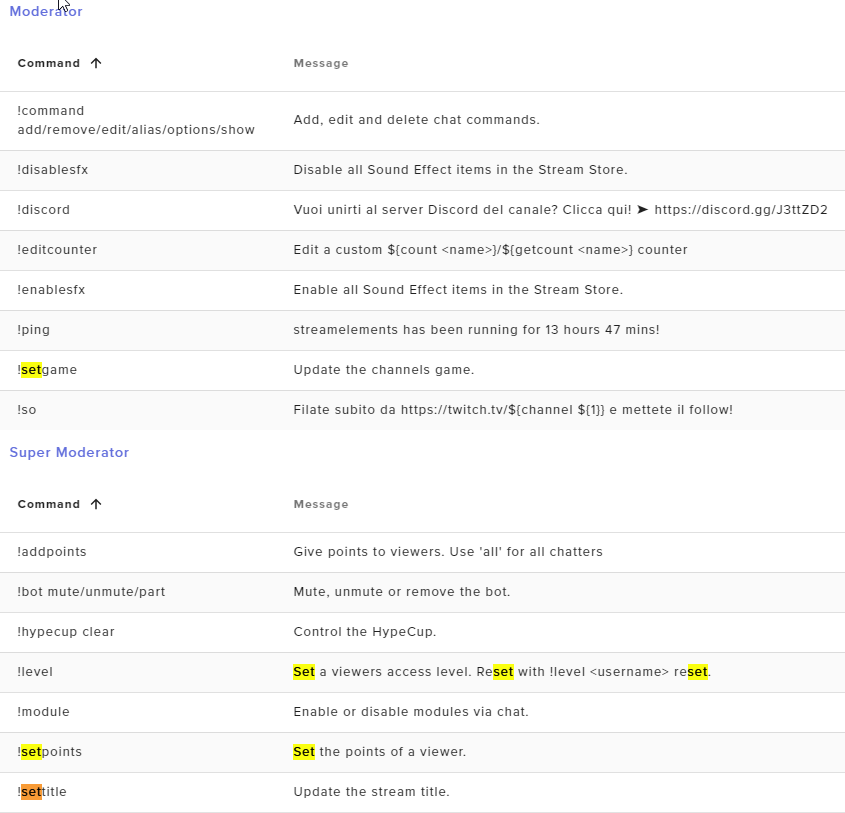
@loud arrow can you add yourself as supermod from dashboard
sage tulip
does streamelements award points while the stream is offline?
wary halo
no
scarlet tiger
No
sage tulip
oh ok so the bot cannot be in chat unless the stream is online?
wary halo
oh the bot is there
sage tulip
oh thats weird because he doesnt show up in my chat
loud arrow
See this @scarlet tiger
wary halo
but no one will get points for hanging in chat offline
but no one will get points for hanging in chat offline
loud arrow
i have full control
scarlet tiger
@loud arrow supermod is not full control
sage tulip
oh i mean if someone subscribes to my channel offline they dont get the points?
wary halo
@sage tulip it seems that the bot is indeed not in your channel
oh i mean if someone subscribes to my channel offline they dont get the points?
@sage tulip they will get points for that yes
just not for 'watching' offline
scarlet tiger
https://streamelements.com/dashboard/bot-commands/user-management here you can add yourself as supermod @loud arrow
StreamElements
The Ultimate All in One Platform for Streamers
sage tulip
oh okay ty now i understand but for some reason the bot doesnt show up in my channel. i dont have the bot muted or banned and the bot is connected to my twitch so idk what the issue is
wary halo
@sage tulip go to your dashboard on the SE website, click on this button, log out of the website, log back in and click on the JOIN channel button again after that.
loud arrow
@scarlet tiger thanks
sage tulip
ok ill try and see what happens
rich yacht
Is there a limit to how many stream URLs can be used from one account?
I have 14 twitch accounts. Do I need to make an account for each one and link it. I'd rather be able to manage the 14 overlays from one place
Just a simple cam window and text box
twin sentinel
Every account is on its own.
You can add multiple accounts to one StreamElements account and copy overlays between these, or set manager accesses between the accounts.
rich yacht
Oh fascinating
But I'd still have to add all 14 accounts which is a pain... my question is really if I have 14 different overlays that have 14 different URLs living in the same gallery on one account.
Will there be an issue with me placing each one as a different browser input on each of those obs applications
I have 14 laptops remote
In different locations with team viewer access
Other than the api not updating of course
But I'm not pulling data just putting a box and some text
twin sentinel
What text and what box?
rich yacht
Animated 16x9 cam window
And a name
I've allready duplicated and made the overlays I just want to know if the website will flag me
If I'm using 14 overlays
Urls
Or if I have to actually link all 14 twitch accounts
Which I will do eventually
Just barely have time and I'm going live fridday
 west terrace
The streamElement is only for stream the face or can be to record the screen?
twin sentinel
@rich yacht You are a creator of that images and want to share those with your clients?
And you have got teamviewer access to your clients accounts, did I get that correct?
@west terrace What StreamElements?
rich yacht
Essentialy although I'll be the one setting up obs on each machine remotely
sage tulip
@wary halo got it ty hes in 🙂
rich yacht
It's all my equipment. I bought laptops and built streaming kits and mailed them out.
twin sentinel
@west terrace The mobile app cannot capture screen.
west terrace
Thanks @twin sentinel
twin sentinel
@rich yacht Then I recommend for the best of your customes to set them up individually, as when you delete your account for example, that their stuff does not get deleted.
So I recommend to upload the items to every account and add it to an overlay in every account and add this url to OBS.
rich yacht
copy
twin sentinel
@rich yacht No, add it on every account on its own and create the overlays with the assets only available on this one account.
Otherwise when you delete the asset in your account, it also gets deleted for all the other acconts, as it is only linked and not in their account.
 tired oracle
Hello i am in need of some help
twin sentinel
@half burrow So when you emulate an event you see the alert, but in the lower right there is a sign that your alerts are muted?
round brambleBOT
@tired oracle Welcome to the helpdesk! Please let us know how we can assist you today and a support volunteer or staff member will assist you as soon as they are available. Thank you for your patience.
twin sentinel
@half burrow Unmute the alerts in the activity feed.
tired oracle
When i was setting up my stream element i accidentally set it up to youtube and i want it to be set up with twitch
Is there a way i can change that?
wary halo
do you have two seperate accounts now? if not: you can link your Twitch account to your existing account. if yes: you can merge the two accounts
twin sentinel
At the top of the activity feed: https://streamelements.com/dashboard/activity (the bell icon)
tired oracle
no i only have one account but when i press stream it goes into youtube instead of twitch
wary halo
oh i see
round brambleBOT
@tired oracle Streamelements on top of OBS -> Logout -> login
 bitter holly
Is there an easy way to use streamdeck to update a gdi text file for win/loss counter?
twin sentinel
@bitter holly Our bot is cloud based and does nothing with text files.
wary halo
@sage tulip to mod the bot use /mod streamelements 😉
round brambleBOT
@balmy flare New to Stream Elements?
Check out our YouTube channel https://www.youtube.com/c/streamelements/videos
with tutorial videos from setting up the basics, to in depth details on how to use our product.
New to OBS? Here is a 4 step quickstart guide
https://obsproject.com/wiki/OBS-Studio-Quickstart
Want to learn even more? Here is an in-depth overview
https://obsproject.com/wiki/OBS-Studio-Overview
 balmy flare
Can you use stream elements on mobile
wary halo
only for IRL streaming
not for screen capture
or are you not talking about the app? 😛
balmy flare
You have an app?
wary halo
only for Android
wary halo

balmy flare
Idk
It’s just like...
I’m trying to get commands on my stream
I stream on xbox but manage it on my phone
Using the twitch app
wary halo
StreamElements
The Ultimate All in One Platform for Streamers
 sour walrus
how add streamelements on twitch?
round brambleBOT
@sour walrus New to Stream Elements?
Check out our YouTube channel https://www.youtube.com/c/streamelements/videos
with tutorial videos from setting up the basics, to in depth details on how to use our product.
New to OBS? Here is a 4 step quickstart guide
https://obsproject.com/wiki/OBS-Studio-Quickstart
Want to learn even more? Here is an in-depth overview
https://obsproject.com/wiki/OBS-Studio-Overview
balmy flare
I did /mod streamelements
In my chat
And imported my commands from my nightbot
Once again I think
 flint sierra
hi
balmy flare
Hi
 merry vigil
I'm trying to save my tip variation but it keeps being stuck on saving... https://i.imgur.com/qj5vqtY.png and it never saves
 twin sentinel
What browser are you using?
merry vigil
google chrome
round brambleBOT
@merry vigil On the page that gives an error, press F12 to open Developer Tools. Navigate to “Network” at the top and then Select “XHR” in the filter section. Try the action again that gave the error and note in the network tab any red text. Please copy and paste the error information that is given when clicking on this red text.
 mighty cobalt
My friend is running streamelements and nightbot on the same channel, the stream element commands are working but the nightbot ones are not. How do I fix that for him?
twin sentinel
@mighty cobalt Best to contact Nightbot for support.
 woven quarry
Is there any way to change the speed on the animation of a follower goal? or the speed on anything?
merry vigil
{statusCode: 413, error: "Request Entity Too Large", message: "Request Entity Too Large"}
error: "Request Entity Too Large"
message: "Request Entity Too Large"
statusCode: 413
mighty cobalt
and I can contact them how?
twin sentinel
No, you would need to edit the videos speed before you upload it., if you are referring to the video speed itself.
@mighty cobalt Google that.
mighty cobalt
okay thanks
woven quarry
how do i edit the speed before hand?
twin sentinel
@woven quarry Edit the video or gif.
@merry vigil I will ask internally on your issue.
merry vigil
alrighty thanks
round brambleBOT
@merry vigil Follow these steps to grant managers/moderators access to your dashboard:
- Click on your Channel Name at the top of the dashboard and select Settings
- Create a new invite at one of three access levels (Bot Supervisor, Editor, Full Control)
- Send this invite to a mod/manager to give them access to your dashboard. The link is one-time-use and expires after 72 hours if not accepted
Video tutorial: https://youtu.be/zl_h-ttZDF0
twin sentinel
Can you DM me an Editor invite link to your account and the assets you are trying to add to the alertbox please.
 stone wadi
I'm trying to install the NDI 2 pc streaming but i cant figure it out.
round brambleBOT
@stone wadi Download the NDI installer here: https://github.com/Palakis/obs-ndi/releases/tag/4.8.0. If you're not seeing "obs-ndi" folder in C:\Program Files\obs-studio\data\obs-plugins, download the archive and extract and paste both folders (data and obs-plugins) into C:\Program Files\obs-studio.
azure kite
is there a way to show the total bits the latest cheerer has cheered? like on donations
abstract hemlock
@azure kite Latest cheer: {name} - {amount}
azure kite
that only shows the last cheer, not their total
for example if someone donates 100 bits and then another 100 i want it to show 200, not 100 
abstract hemlock
@azure kite Try this one and add the {name} variable
azure kite
i could try that but there could be an option that does this automatically, like the donations, no? for example, if A donates 2$ and then B donates 3$, it shows B, because he's the last person to donate. but then if A donates another 3$ it should show A - 5$. isnt that how it works?
abstract hemlock
The top cheer label will automatically update with the "A" - "5bits" if you add the {name} variable
abstract hemlock
Check the period
 abstract hemlock
The first 100 bits cheer was made when StreamElements was already on your channel?
wary halo
that would explain why it isn't added up
StreamElements can't 'see' events happend before joining your channel 😉
azure kite
oh
i misread the question
then no
streamelements has been in my channel for months and the bits just came in today
sorry about that
😅
wait. no. you misread the question.
wary halo


 clever karma
I can't upload my design on se editor and it doesn't give me an error message
wary halo
 azure kite
@clever karma what filetype is your design?
clever karma
Jpg and I cant figure out how to change it when I save the design
 rain verge
Is something messed up with OBS
clever karma
I'm strictly on Mobil no computer
twin sentinel
@merry vigil Due to having too much custom css coded variations inside this alertbox in all the events, you cannot add any more to it without breaking it.
twin sentinel
You can try that, but I cannot promise it.
 sage cove
Anyone having trouble with going live? Made sure stream key was correct and after the most recent update i'm not able see my channel live
merry vigil
it doesn't work sadly
twin sentinel
@sage cove Do you get any error message when trying to start the stream?
 opal kernel
Yes @sage cove, a channel I mod for is having the same issue. She shows she is transmitting data, but Twitch shows she's offline.
No error messages, reset stream key, and rebooted PC as well.
twin sentinel

🔎 We are investigating an issue preventing streamers from going live. The team is working hard to remediate this issue. We will keep you updated, thank you for your reports.
 Twitter
sage cove
Twitter
sage cove
@twin sentinel No. It shows under obs that i'm, live but when opening up a webpage to check or phone app nothing it up and shows offliune
 wanton frost
im showing that im live in streamelements obs but not on twitch. help?
i see thr tweet now
opal kernel
@wanton frost Everyone using streamelements OBS is apparently.
twin sentinel
Not only OBS.Live users are affected.
sage cove
@opal kernel Thank you!
opal kernel
I'm seeing other streamers using other OBS systems streaming with no issue.
twin sentinel
Have they already been live? Twitch states that there is an issue preventing streamers from going live, so starting a stream.
 violet urchin
I've not been live today.. last stream was Friday no issues then.. had internet issues monday which are now resolved and now this..
opal kernel
Can confirm it's not just Streamelements. Tried going live just now on my xbox...nada.
 bold elbow
So i guess we have to wait till twitch support says something
same issue is hapenning with me
opal kernel
Unfortunately. At least now we know it's not the OBS that's the issue.
bold elbow
i click start streaming and im not live
opal kernel
Same. "streamed" for about 30 seconds, and Twitch didn't even unhost.
 crude garden
is there anyone here who can help me with alertbox stuff
round brambleBOT
@crude garden Welcome to the helpdesk! Please let us know how we can assist you today and a support volunteer or staff member will assist you as soon as they are available. Thank you for your patience.
 quartz girder
how do i get the bot to ban someone
twin sentinel
The bot cannot ban people. It can only timeout.
 jade coral
OBS streams but it says im offline on twitch
quartz girder
What do you mean if it is a mod
twin sentinel
🔎 We are investigating an issue preventing streamers from going live. The team is working hard to remediate this issue. We will keep you updated, thank you for your reports.
Twitter
 worn heron
I was worried the obs update broke my twitch connection but it looks like its just a twitch issue
 forest rover
hi i just got affiliated and my stream isn't popping when i start it. Can i get some help?
twin sentinel
crude garden
im trying to make alertboxes and I decided to make a video file with a transparent background and when i upload it to streamelements it uploads it and there is literally nothing there, can anyone help with this
twin sentinel
@quartz girder If it is a mod? What are you referring to?
opal kernel
@forest rover All of Twitch is having this issue. I don't use OBS, but I had the same problem.
twin sentinel
@crude garden What browser are you using?
crude garden
google chrome @twin sentinel
quartz girder
@twin sentinel if it is a mod can it time out people
twin sentinel
@crude garden Have you selected the video you wanted to show in the events settings?
 clever river
I am trying to use the follow goal widget with my twitch account. But the widget says i have 119 followers but when im on my twitch account it say si have 135 followers. Any way to fix this?
round brambleBOT
@clever river To reset goals:
- from the overlay editor -> data on top -> goal tab -> reset progress of desired goal
- from the dashboard -> activity feed on the left -> widget data on the right -> goals tab -> reset progress of desired goal
Note: Goal widgets(progress) only counts up and doesn't go down automatically, if you loose followers/subs
 sudden scroll
@opal kernel Does this mean we just have to wait a bit before stream will be able to start
twin sentinel
@sudden scroll We have to wait till Twitch fixed the issue.
violet urchin
@sudden scroll I cant go live on twitch, I'm gonna have to sit and wait it out..
lament blade
o so its not just me
sudden scroll
Alright thank you everyone c:
crude garden
@twin sentinel i go to change video and the video is clearly there but it's just showing a transparent background with nothing there. You can here the sound effects and everything just no picture
twin sentinel
@lament blade Check above for twitch support twitter post.
opal kernel
@sudden scroll Unfortunately, this is a Twitch issue, not a StreamElements one. They're working on resolving it, but yeah, until they fix it, nothing can be done by you or anyone at StreamElements.
lament blade
ohhhhh
twin sentinel
@crude garden Do you have a screenshot of your alertbox settings please.
lament blade
ty ty
clever river
thank you
lament blade
I have a question about se pay, can staff pm me please?
round brambleBOT
@lament blade Please contact us via email for support with SE.Pay. You can use our contact form here: https://streamelements.com/contact Thank you
 rose hornet
hallo when i start stream it does not start my stream. i allready recennected my account
twin sentinel
crude garden
@twin sentinel
twin sentinel
@crude garden Set the image again and also check the variation settings.
crude garden
@twin sentinel its a video but okay
 amber rune
Hi guys, I am having a promlem. Trying to stream tonight but twitch isnt picking up the signal from SEOBS
twin sentinel
amber rune
ok thank you @twin sentinel guess no stream tonight then
crude garden
@twin sentinel what should i be looking for here
twin sentinel
Add it again and see if the video preview contains the video.
crude garden
it still appears as blank, just shows a completely transparent background
twin sentinel
Can you DM me the file please.
crude garden
sure
 olive sage
I have a quick question I am new to stream elements originally on stream labs and trying to do my first stream on stream elements and it says that when i click start stream it does not pop up on twitch that i am live i have tried disconnecting and reconnecting with my stream key and nothing has seemed to work??? Any suggestions????
twin sentinel
 still sky
Someone who helps me I start to stream on obs.live but it doesn't start on twitch?
twin sentinel
🔎 We are investigating an issue preventing streamers from going live. The team is working hard to remediate this issue. We will keep you updated, thank you for your reports.
Twitter
 versed oar


 twin sentinel
Take a look above your post please. Thank you.
still sky
thx
twin sentinel
@crude garden The video seems to be broken, as I cannot even play it in a video player.
 gleaming heart
Streamelements won't render for me and all i see is a blank white screen with a help button in the corner.
twin sentinel
Check your local settings, clear cache and check firewall. Something locally is blocking the connection.
@crude garden I recommend to try to uplaoad it as .webm
crude garden
@twin sentinel okay
@twin sentinel it works a normal video file for me though so im not sure of what the problem could be
gleaming heart
Already tried it. Went through the registry, checked everything, followed the instructions on the forums, cleared cache 3 times, and turned off any pop-ups, firewalls, and blockers. Still nothing.
twin sentinel
This is a local issue, which we cannot really assist you with. Check if something is blocking the connection.
Also check for chrome addons which might block it.
Also we recommend to use google chrome to access StreamElements.
gleaming heart
Not using chrome. And my settings all worked with streamelements until the twitch server maintenance that started screwing everything up.
twin sentinel
Then that might be connected somehow. Although I would not bet at that.
gleaming heart
You might want to change your forums. I followed all of the instructions and it said to come here for help if the problem persists. Thanks anyways.
crude garden
@twin sentinel when i upload as webm it ends up having a black background. Is there anyway i can change this?
twin sentinel
Render it with alpha channel.
crude garden
okay, thanks
 keen gust
why my store is redirecting to streamlegends home page?
twin sentinel
Have you checked that you have the correct store link?
keen gust
Streamelements* sorry
Yes, but its not just the store, all the links in streamelements is redirecting to home
round brambleBOT
@keen gust Please logout of StreamElements at https://streamelements.com/logout and then login again to your account (Twitch/Youtube/Facebook/Mixer)
 outer stag
OK so i keep losing sound on obs. when i emulate it it works on the editor but when i mute it and preview it live it doesnt work. i thought i fixed this 😦
twin sentinel
@jade coral @forest rover @opal kernel @sudden scroll @violet urchin @lament blade @rose hornet @amber rune @olive sage @versed oar @gleaming heart
https://twitter.com/TwitchSupport/status/1255621972286996480
🔎 Update: We are continuing to work on resolving this issue. You should now be able to go live, but we are investigating an issue preventing some creators from receiving transcodes
Twitter
sudden scroll
Tyty
twin sentinel
@outer stag Enable the browser source audio to be controlled in OBS, in the browser source settings in OBS.
 grand quiver
hello, i have a problem importing overlays and all from streamlabs to streamelements
twin sentinel
Can you elaborate please. Any error message?