
#helpdesk-twitch
1 messages · Page 636 of 1
 round brambleBOT
 twin sentinel
@lament blade Do you see my follow in your StreamElements activity feed?
 lament blade
@twin sentinel Yep! Still no change to the lables though
twin sentinel
Do you have a screenshot of your overlay editor please.
Also what widget have you added exactly to show the follower?
lament blade
twin sentinel
Make sure the latest follower widget is not the latest subscriber widget.
 sick marten
Hello, I'd like to ask how I can add a playlist of music to my stream, instead of just a single song playing.
twin sentinel
You can add a backup playlist in the media request settings.
lament blade
@twin sentinel I am dumb, thank you so much! ❤️ It is fixed!
sick marten
@twin sentinel can you show me how I can do that?
twin sentinel
https://streamelements.com/dashboard/mediarequest/settings > backup playlist
 patent panther
need help some 1 dm pls
round brambleBOT
@patent panther Welcome to the helpdesk! Please let us know how we can assist you today and a support volunteer or staff member will assist you as soon as they are available. Thank you for your patience.
sick marten
Thank you!
patent panther
im on obs studio and i cant see alerts and twitch chat on it can i fix it?
twin sentinel
Have you added your overaly as a browser source with the matching widgets to your OBS with 1920x1080 dimension?
patent panther
i used to be able to see chat and new followers but now it wont show up on left and right of screen
yes
round brambleBOT
@patent panther Streamelements on top of OBS -> Logout -> login
twin sentinel
You can do that also while being live.
patent panther
where is log out on obs? im new
round brambleBOT
@patent panther Streamelements on top of OBS -> Logout -> login
patent panther
ok thx
lament blade
@twin sentinel is it possible to get rid of this bar when a song stops playing? https://cdn.discordapp.com/attachments/289861272072093698/703647899296333844/unknown.png
 twin sentinel
Not that I am aware of. You can only hide the bar in general.
lament blade
aw
patent panther
still cant find log out on obs
twin sentinel
Do you see StreamElements at the top in your OBS?
patent panther
no
yeah
nvm thx
when i was streaming yester day on the left in the gray it told me who followed and on the right in the gray it showed chat how can i get that to pop back up
thats my obs stream only saw the game
twin sentinel
Have you relogged like the bot suggested?
patent panther
yes
twin sentinel
StreamElements > Chat and StreamElements > Activity Feed at the top in OBS.
 ripe inlet
Is there already a preset command for joining a giveaway? As in Joining a queue for 1?
patent panther
thanks
twin sentinel
@ripe inlet There is a default command named !ticket with the alias !enter.
ripe inlet
Is it a default?
twin sentinel
ripe inlet
Perfect thanks
 coarse raptor
My tipping page url is using my old username (from over a year ago). How can I get that updated to my new one?
 zenith lichen
How can ı add !uptime command text to chat
lament blade
You find !uptime under default Commands 🙂
zenith lichen
thanks
lament blade
@coarse raptor What's your old and new name?
coarse raptor
@coarse raptor What's your old and new name?
@lament blade
Old username: JessicaFreaxx
New username: JustFream
lament blade
Thanks!
 lime apex
Does anyone know how to change the color of the bot?
twin sentinel
@lime apex Only possible when using a custom bot name or your channel name as bot name.
lime apex
And how do I do that?
round brambleBOT
@lime apex Currently renaming the bot fully works with OBS.Live.
You can follow this video guide to set it up: https://discordapp.com/channels/141203863863558144/494513233416421386/561516184718278676
If you don't want to use OBS.Live and want to stick with Ground Control, please let us know your Twitch username.
 fresh harbor
So, I have a really simple question (I think), how do I add a stream label that shows how long I have been live for in stream elements OBS. Not the command !uptime, just a label that is displaying my running time so far on the overlay? Thank you for any help.
twin sentinel
fresh harbor
Thanks @twin sentinel
sick marten
Does anyone know how to add a VLC source to streamelments OBS?
lament blade
@coarse raptor Hey, if you log in to the dashboard again, i.e. log out and log in, the donation link should be fixed 
zenith lichen
I can't find !uptime command
twin sentinel
@sick marten You need to have VLC with the same bitrate variant installed as OBS.
lament blade
@zenith lichen https://streamelements.com/dashboard/bot-commands/default-commands -> Press F3 and search into !uptime

StreamElements
The Ultimate All in One Platform for Streamers
 mossy terrace
just a quick question, when does streamelements usually update to show new subs or followers?
twin sentinel
Right after they appear in your activity feed.
mossy terrace
strange it has yet to update since last night
round brambleBOT
@mossy terrace Please logout of StreamElements at https://streamelements.com/logout and then login again to your account (Twitch/Youtube/Facebook/Mixer)
mossy terrace
still nothing
sick marten
@twin sentinel do you know how I can change the bitrate variant on VLC to match OBS?
round brambleBOT
@sick marten For the best OBS support, please join their Official Discord @ discord.gg/obsproject
twin sentinel
@mossy terrace Do you see my follower in the overlay and your activity feed?
coarse raptor
@coarse raptor Hey, if you log in to the dashboard again, i.e. log out and log in, the donation link should be fixed
@lament blade Thanks for your help on this! I logged in and out and unfortunately it hasn't changed. D: If I attempt to go to the url it gives me a 404 as well https://streamelements.com/justfream/tip
mossy terrace
its as if friday night never happened 😄
round brambleBOT
@mossy terrace Twitch prime (new and resub) and paid subscriptions (resub only) must be shared in chat manually by the person subscribing in order for the subscription information to be sent to StreamElements. For twitch prime, the user needs to have sharing enabled on https://www.twitch.tv/settings/prime. For paid subs, if the share box doesn't show up immediately it will when they refresh the page. https://i.imgur.com/VNJN0Uv.gif https://i.imgur.com/2297EA7.png

 mossy terrace
what about new subscriptions (non prime non resub)
twin sentinel
They should show up just fine from now on, as you have restored the connection to twitch with the relog.
mossy terrace
as all my previous new subs have shown
they dont lol
my other subs show
but fridays dont lol
im guessing in my dashboard it should say how many subs i have in total? with or without shared?
round brambleBOT
@mossy terrace Due to a recent change from Twitch API, these features are affected by the change:
- Ground Control does not have Custom Bot Name
- Subscriber count will count the Channel and any other permanent sub you may have (+1 or +2 or +3 on top).
We are working on fixing both issues, but there is no ETA.
OBS.Live still has Custom Bot name working fine in it.
twin sentinel
Also the dashboard in StreamElements is dependant on your set timeframe.
mossy terrace
i set my timeframe to the year lol i have only streamed a few month tbh
i just dont want my subs to feel underappreciated that they arent appearing up top when it should be
gotta show that love ❤️
twin sentinel
From now they should show up again if they share it if needed. If not come back here.
mossy terrace
appreciate the help though dude
i dont think its the sharing issue as the ai said thats only for resubs
new subs should show in dashboard lol its like the stats havent updated themselves for friday
twin sentinel
if we missed events, we missed them. With the relog the connection should have been renewed and show new subs again if they share if needed.
If not, please come back here and we'll investigate further.
mossy terrace
lol so in this instance what you are saying is it is what it is
if it happens again holla
lament blade
@coarse raptor I think it will take a little while for the new name to be adopted 
twin sentinel
@mossy terrace I am sorry for the invonvenience. Missed events cannot be shown in your activity feed, as twitch only sends them once. With the relog your connection to twitch should have renewed, so from now on new subs should show up.
If they do not, please come back here and we'll investigate further on your issue.
Sorry again.
lime apex
@twin sentinel Don't have the option shown in the video
round brambleBOT
@lime apex Currently renaming the bot fully works with OBS.Live.
You can follow this video guide to set it up: https://discordapp.com/channels/141203863863558144/494513233416421386/561516184718278676
If you don't want to use OBS.Live and want to stick with Ground Control, please let us know your Twitch username.
twin sentinel
@lime apex The video guide is for OBS.Live.
If you don't want to use OBS.Live and want to stick with Ground Control, please let us know your Twitch username.
lime apex
mengueer
twin sentinel
Asked internally to enable the rename in GroundControl for you again.
It should be available after a restart of GroundControl @lime apex
 soft tiger
Hello, i have a problem: sometimes streamelements bot settings are completely reset (all custom commands, timers ect.), i can`t understand why it happening and how i can fix it, can you help?
round brambleBOT
@soft tiger Please provide your account ID found at the top of this page: https://streamelements.com/dashboard/account/channels This ID is public info and safe to share here.
lament blade
Hei, can I ask you why stremelements alerts aren’t displaying in obs.live? Does someone else also had this problem? Can you help?
round brambleBOT
@lament blade You can test Alerts via the bell on the lower right corner of the Overlay Editor. Simply go to your Dashboard -> My Overlays -> Pencil/edit button on the overlay. Make sure the "Show Emulated events on stream" option is on to see the alert in OBS/Xsplit https://streamable.com/h6qgy
 soft tiger
@round bramble 5c349aaa75ae0ecaf11b919b
lime apex
@twin sentinel can I apply to another streamer?
soft tiger
@twin sentinel google chrome
 austere prawn
so why is streamelements website just a blank white page except for the help button?
 mild salmon
ive got a problem i try to go live on twitch and my obs says its live but when i go to my channel it says offline
 wary halo
so why is streamelements website just a blank white page except for the help button?
@austere prawn i answered you already in #general-chat
austere prawn
i clicked on the link and it sent me here
wary halo
🤔
it should have send you to a specific post
one moment
https://streamelements.com/logout then log back in after that
StreamElements
The Ultimate All in One Platform for Streamers
that should fix it
round brambleBOT
@true halo Please follow our community rules:
- No advertisement or stream promotion
- Respect ALL server members
- No NSFW/NSFL
Thank you
patent panther
can i make commands with stream elements
austere prawn
still just sends me to the white page
wary halo
which browser are you using @austere prawn
lament blade
@patent panther yes! here, https://streamelements.com/dashboard/bot-commands/custom-commands
StreamElements
The Ultimate All in One Platform for Streamers
austere prawn
microsoft edge....all the help sites are fine they all load up properly
round brambleBOT
@austere prawn Our Dashboard and Overlay editor are Chromium Optimized. We strongly recommend using Chrome. Opera GX and the new Microsoft Edge Chromium might work closest to Chrome as its also Chromium built. FireFox also works, but some things might look a bit different or not work. We do not recommend using Internet Explorer with our Dashboard as it does not support functions.
If the website doesn’t work on chrome, be sure none of your plugins are blocking our website or clear your cookies. You can try if the website works in a incognito tab.
lament blade
It tells me: “Emulation sent, but alerts are paused in the activity feed” what does it means? @round bramble
 waxen orbit
hi again i have 1 problem , dont working timer :/
 frosty kite
Have you tried unpausing them @lament blade
Anyone know why when I set my sub goal it puts me at 13/whatever number but i'm currently at 4 subscribers.. @round bramble
round brambleBOT
@frosty kite To reset goals:
- from the overlay editor -> data on top -> goal tab -> reset progress of desired goal
- from the dashboard -> activity feed on the left -> widget data on the right -> goals tab -> reset progress of desired goal
Note: Goal widgets(progress) only counts up and doesn't go down automatically, if you loose followers/subs
 tawdry path
Hey guys, should i run obs as administrator only or also set priority to above normal?
wary halo
admin should do the trick
austere prawn
i upgraded to the new chromium version of microsoft edge and it works now....thank you
frosty kite
Thanks.
tawdry path
@austere prawn i dont trust chromium anymore hahaha
austere prawn
why so
tawdry path
That extension for google chrome gave me some malwares, could easily remove it. But the chromium for edge is good i think
austere prawn
i dont like google chrome its just to much on pcs
wary halo
off
tawdry path
Okay, thanks!
wary halo
yikes
luckily for everyone here that doesn't work
you know there are more than 100k people here right?
waxen orbit
i know
wary halo
then why are you so rude to tag everyone
not that it works, but you shouldn't do that in any discord server
waxen orbit
i dosent work timer
tawdry path
Enable the bot :p
 wooden junco
Can I setup commands for the bot on iOS or only pc
lament blade
Hi, I'm having troubles migrating from streamlabs. I've used the browser plugin and also the OBS built-in feature to migrate the tips and something is messed up right now. The label for the top tipper amount is showing much higher amount that the top tippers tab for the same user. I'm guessing it got multiplied after several imports. Can it be fixed?
Is there a way to reset tips? Maybe I just need to run fresh import?
 cerulean burrow
Hello. How do I setup commands on iOS.
wary halo
StreamElements
The Ultimate All in One Platform for Streamers
tawdry path
Should enforce streaming service encoder settings being on or off?
lament blade
So basically how to make it to recalculate the top tippers data based on current tips history?
The label is showing the wrong amount
 woven python
none of my overlays will show
no starting soon etc, how do I fix this?
No settings have changed, used the same things for almost a year now
 supple summit
im having a problem, all of my commands arent working for anyone else that is not me.
they only work for me.
why?
woven python
have you modded the bot
supple summit
yup
round brambleBOT
@woven python OBS -> settings -> advanced -> scroll down -> enable/disable hardware accel.
https://i.imgur.com/ggMe9ZE.png
 wary halo
disable that
woven python
still nothing
like I say no settings have changed at all and I see the overlays in editor
just nothing at all is showing in OBS
nvm I re enabled it
they show now
super weird
wary halo
probably a cache thing
 warped frigate
Hi guys, as a moderator is there a way of changing the amout of emojis allowed, the bot is timing people out
twin sentinel
Only if you have access to the streamers dashboard.
supple summit
hey, im having trouble with my bots, they dont listen to other people, only me it responds to my commands only when i do them, hes modded too, why?
twin sentinel
@supple summit What command are you referring to?
supple summit
every
like all of my commands
custom and deafultys
my chat was trolling mew.....
im not joking
i feel emberasssed......
xd
wary halo
 i see
i see
supple summit
oh
wary halo
nice chat 😛
supple summit
wrong person lol
wary halo
no problem 😄
 vital tulip
I don't know if this is the correct place but I saved one of the pre made overlays and put it in m OBS. I can get it to show followers and such when I hit emulate follower. But when a real person follows me it doesnt alert. Any advice?
twin sentinel
@vital tulip Is the LIVE follow event in your activity feed?
vital tulip
I dont see that option
 final turret
is streamelements doing custom alerts ? 
twin sentinel
Is the follow in your activity feed here?: https://streamelements.com/dashboard/activity @vital tulip
vital tulip
It is
twin sentinel
@final turret There is a custom widget where you can code your alerts, or use the custom CSS option in the alertbox.
vital tulip
Is the ground control app needed?
twin sentinel
@vital tulip If it is in your acitivity feed, then it should also show up as alert.
 silent smelt
wwhere do i go in stream elements to get the link for tipping/donations os that i can post it on my twitch channel
twin sentinel
https://streamelements.com/dashboard/tipping-settings @silent smelt
 random fulcrum
when I try streaming to twitch I hit start streaming and even though my service is set to stream to twitch and it has my account connected / or the stream key (ive tried both) a window opens and says "start streaming to youtube" and stays blank
round brambleBOT
@random fulcrum Streamelements on top of OBS -> Logout -> login
 ocean oar
if i have the family friendly tag does that mean i need to have clean music ?
twin sentinel
@ocean oar That would be a question directed to twitch.
silent smelt
@twin sentinel that just brings me to the settings of the tipping page, i need the link sop that my viewers can tip?
twin sentinel
Follow the link > Tipping settings > Tip panel setup card.
 odd temple
is there anyone in here who can help me out with something? 🙂 its about bot timer
ocean oar
@twin sentinel Alright
round brambleBOT
@odd temple Welcome to the helpdesk! Please let us know how we can assist you today and a support volunteer or staff member will assist you as soon as they are available. Thank you for your patience.
silent smelt
@twin sentinelthank you
random fulcrum
thank you!
odd temple
is there a way to make the Bot Timer to post this exactly as I ahve it write here
•Todays giveaway is a Rust Coat BFK, 25$ Steam Gift Card and also 2x24 Clean Drink.
•To participate in the giveaway you will have to follow and enter !ticket when the giveaway is taking place.
•Tickets will not be handed out because it has to be fair for everyone.
Asking for tickets is not allowed and will be penalized with a timeout.
twin sentinel
No.
odd temple
is there a way to make it post the 3 dots with 3 different messages then, one after another?
supple summit
@wary halo if you dont mind me asking but, how did you get vids to show a preview with franker, cuz i have it too but it doesn't do that
twin sentinel
@odd temple Twitch chat does not support line breaks.
odd temple
@twin sentinel but what if i make 3 different bot timers with these 3 dots. 1 dot on each i mean. and then make em post each timer after another
wary halo
@wary halo if you dont mind me asking but, how did you get vids to show a preview with franker, cuz i have it too but it doesn't do that
@supple summit no idea actually, it just does it when you hover over the link
odd temple
like
•Todays giveaway is a Rust Coat BFK, 25$ Steam Gift Card and also 2x24 Clean Drink.
•To participate in the giveaway you will have to follow and enter !ticket when the giveaway is taking place.
supple summit
ahhh when you hover
odd temple
oh, failed it
supple summit
ok thx
odd temple
but i hope u get what i mean
twin sentinel
@odd temple Not possible, as only one message per timer per time.
coarse raptor
@coarse raptor I think it will take a little while for the new name to be adopted :icdbTip:
@lament blade Awesome, I'll be patient then. Thank you so much for your help!
ripe inlet
I did a mobile stream and my overlay I made for it did not show up on it when I looked back at vod
twin sentinel
ripe inlet
But I stream through to Twitch
 oblique steeple
Yeah but you're using the app. This channel is more related to our overlays and bot when streaming to Twitch via PC / console ^^
lament blade
Hi, I'm having troubles migrating from streamlabs. I've used the browser plugin and also the OBS built-in feature to migrate the tips and something is messed up right now. The label for the top tipper amount is showing much higher amount that the top tippers tab for the same user. I'm guessing it got multiplied after several imports. Can it be fixed?
 swift zenith
Hello so I had my stream elements working fine up until I changed my name on twitch and it stopped working, I’ve tried logging in and out, can anyone help me ?
round brambleBOT
@swift zenith If you changed your name on Twitch please follow these steps:
🔹 Visit https://streamelements.com/logout and then log in again with by connecting with Twitch.
🔹 On the right side of the dashboard page that opens, select "Join" under bot settings. If it says "Part" select that and then select "Join" to send the bot to the chat. Don't forget to mod the bot by typing /mod streamelements in your channel if you have not already.
🔹 Post your new name here so that we can update your channel's chatstats tracking (must be done by staff).
swift zenith
My name on twitch is ItsNevn
 fallen pier
im having issues getting the songs from requests to play on stream.. they go into que but viewers cant hear them
 abstract hemlock
@swift zenith please post your old username too
swift zenith
When I tried to part from not theres no part button
lament blade
Can I get help here? The top tipper label shows wrong amount
round brambleBOT
@swift zenith Go to the dashboard -> right side -> part channel -> join channel (https://streamelements.com/dashboard)
 abstract hemlock
@lament blade check here please : https://streamelements.com/dashboard/session
lament blade
@abstract hemlock The totals and aggregates tabs show wrong data as well
Also when I go to setting and click save I get error "Error, Could not recalculate totals"
 chrome folio
Hello! Why there are 2 winners, but one with a different image?
abstract hemlock
@lament blade did you import your tips more than once ?
lament blade
Yes I did (
swift zenith
It’s now working thanks for the help 🤘
 prime coral
I had an account for my YT channel, but I decided to try out twitch for a bit. The accounts aren't linked and it won't let me link them. However i decided i didn't like twitch but created lots of nice overlays for twitch. How do i transfer then to my YT channel account?
abstract hemlock
@chrome folio stop breaking stuff! 🤦♂️ , the giveaways take the user that is currenty loged in, let me do a quick test and i'll be back
round brambleBOT
@prime coral Account Merging - Please note:
- Merging accounts only allows faster ways to switch between accounts
- Merging accounts does not allow data sharing between accounts - different streaming platforms, different type of events
- Merging accounts allows duplicating/sharing overlays between the accounts
If you understand the limitations of merging and want to proceed, please find the JWT tokens (!jwt) from both accounts you want to merge and you will be directed to DM them to a staff member.
lament blade
@abstract hemlock Think I've managed to fix the issue. It now shows correct data and saves settings correctly. I'm going to test it thoroughly and come back with any new info if I notice anything.
abstract hemlock
@lament blade 👍
lament blade
Also this migration issue was a pain (
chrome folio
@chrome folio stop breaking stuff! 🤦♂️ , the giveaways take the user that is currenty loged in, let me do a quick test and i'll be back
@abstract hemlock Ok. I don't know if I understood, but I wait you. 🙂
lament blade
is it possible to make the SE bot post a message after a certain amount of messages in a certain amount of time?
 shell shell
Hi there I was wondering if anyone could help me with an issue I'm having with my streamElements OBS
shell shell
It was working fine 2 weeks a go then took a break for a few days and now when I try to go live I get an error message saying 'Stream URL is missing' I can't fix it.
Tried unlinking account and using stream key instead. Tried uninstalling and reinstalling. Tried 2fa. nothing
lament blade
" If you have 2fa active and it's still not working:
- disconnect your Twitch account in OBS
- configure Twitch the standard way by giving a stream key
- make it so that you are able to stream this way
- if you were able to successfully stream some test by using the stream key method, connect the Twitch account again "
have you tried this
did you make sure to fully uninstall obs live and all its folders
oblique steeple
Both things are wrong
shell shell
Yes I tried all of that :/
oblique steeple
In OBS, go to settings > stream and select a server different than "Auto"
Twitch messed things up
lament blade
fabi quick on the trigger
oblique steeple
Select your closest server
shell shell
Nvm Just spotted London of the list xD
 late willow
am i the only one who cant load se.merch?
shell shell
That fixed it. Thank you @oblique steeple and @lament blade for your help. Much obliged.
lament blade
thank fabi, he's quick on the trigger
good luck!
what's the offline interval for on the bot timer?
 hasty briar
Anybody else having issues going live? it keeps saying there is no url when i've entered it countless times
hasty briar
yeah
oblique steeple
Helped a lot of people already
hasty briar
Nope, still giving me the issue :/
oblique steeple
It's the timer that sends messages in chat when you're offline
hasty briar
Disconected it added a stream key still wouldn't work, reconnected still wouldn't work =/
oblique steeple
Nah it has nothing to do with the stream key. Select a server different than "Auto"
hasty briar
oh the server ok
oblique steeple
Sches was referring to this https://discordapp.com/channels/141203863863558144/199460642975907840/703707411223150603
hasty briar
ah ok fixed thx
 analog lance
Hi!
I am having problem with streamelements site, I can't do anything on others streams or when I stream, when I want to for example go to my stream store, or song request the site takes me back to the start again
oblique steeple
Press dis 👉 https://streamelements.com/logout
analog lance
Thank you so much!
oblique steeple

 pulsar sky
Alguem sabe onde configuro para receber doações?
wary halo
#🇵🇹︱português << @pulsar sky
 tawdry acorn
When I select start streaming it starts streaming, but not on my main twitch account, it starts streaming on my viewer account, and the viewer account isn't even remotely linked to my computer or stream elements account
round brambleBOT
@tawdry acorn Streamelements on top of OBS -> Logout -> login
 fossil bay
Hi, I can't get my chat stats to appear. It goes to a 404 page. and nothing on the leaderboard. Any ideas?
abstract hemlock
Maybe you change your username?
If so, please post here your old username and the new one 👍
fossil bay
If it is that, my old one was TyrusTime or TYRU5 and new one is TyrusJames
abstract hemlock
ok, fixed it 😉
fossil bay
Awesome. Thanks, you guys rock!
tawdry acorn
Didn't work, keeps streaming to an account that is not even linked to it
 lyric flame
Looking for help with the chatbot and regex filters. I wrote a regex filter that works in nightbot, but I'm not sure how to make it work in streamelements.
abstract hemlock
@tawdry acorn Check the streaming settings on OBS
@lyric flame did you test it already with any custom command?
fallen pier
igot it tpo work
lyric flame
I was using the test functionality within the website and I'm getting phrase did not match any groups
I'm in the banned words section
abstract hemlock
@lyric flame
lyric flame
not sure if its a syntax thing
that's exactly how I have it in nightbot so I wasnt sure what I might be doing wrong.
 azure brook
Since when did Streamelements not do Paypal transfers? I'm having to wait 7 days for my account to be verified before I can get it? I got the donation from my brother so we can survive on and now I have to wait a week?
abstract hemlock
@lyric flame could you paste here the regex please?
azure brook
No, it's just COULDN'T verify it before hand.. can't just set things up prior to getting donations. What the hell are we going to do now to survive?
lyric flame
if you have an example of some regex that works in there, maybe I can work backwards and try to match the syntax
azure brook
Is there anyone I can call to get this verified quicker? Matter of life and death.
late willow
hey, how do i edit text in overlay editor? ty
abstract hemlock
@lyric flame i think its the negative lookahead that its causing troubles there
azure brook
Are there any freed up staff members who can assist me, please
abstract hemlock
@azure brook you receive this tip over paypal? You'll need to contact PayPal support as StreamElements is only a passthrough service and never actually gets involved with the transaction or touches the money.
@late willow click on the widget and under Settings edit the "message" textfield
azure brook
No, @abstract hemlock I receieved it over Streamelement's tip page thinking Paypal was attached to it, which is not the case. Why does someone have to wait to get a tip before they can set up their bank account information and then have to wait 7 days to get it?
I only did that because my card wouldn't be accepted by Venmo and my brother was sending me money so I can get food for our house and survive until we get our government benefits.
lyric flame
when I remove the negative lookahead I still have the issue. And testing in a regex tester it does seem to work fine.
abstract hemlock
@azure brook to take a closer look please provide your account id
lyric flame
I think I'm missing something obvious in how to get any regular expression to work in the field
azure brook
Is that the username on it? If so, that's epichyato
59d1761a38c4d13f711cc6ad
That's the account ID
abstract hemlock
@lyric flame remove the negative lookahead and the flags
@azure brook ok, give me a moment please
 dry gull
Can someone tell me how long it takes for a withdrawal from selling merch to get to my paypal
abstract hemlock
@dry gull SE.Merch withdrawals are handled manually by our staff
can take several days depending on workload
dry gull
Ok. I made the withdrawal on the 19th and I didn't know if its suppost to take that long
lyric flame
still having the same issue when I use .*n.{0,1}[il1!*].{0,1}[gqk6*].{0,1}[gqk6*].*
abstract hemlock
i just tried with this .*n.{0,1}[il1!*].{0,1}[gqk6*].{0,1}[gqk6*].*
i made my group name "BadWords" 😛
lyric flame
thats just odd because it looks exactly the same
wait I got it! idk what I did but thank you!
oh no, I just needed to enable the filter. Sorry for wasting your time!
wow
 high belfry
Is there a reason why after creating a window capture you cant configure the settings or click on anything ?
abstract hemlock
@high belfry wdym?
high belfry
Like when i go to add window capture and the little window pops up so you can select a window etc. it doesnt let me click on anything or click on any buttons @abstract hemlock
abstract hemlock
@high belfry You don't see anything like this?
abstract hemlock
mind to share a Screenshot?
 river horizon
hi there could someone help me with how to deal with the 0 seconds watch time issue?
round brambleBOT
@river horizon 10 minutes of watchtime are given to those in chat when the loyalty points are handed out (every 10 minutes). Therefore, loyalty must be enabled for watchtime to work properly.
There is no direct link between watchtime and all-time points.
It can’t be calculated from the amount of all-time points a user has because subs may earn points at a faster rate and !bonus all command increases all-time points for users in chat at that time.
Giving points to a single user does NOT affect all-time, only when giving to all in chat.
river horizon
wtf. im new to SE i dont even know what Loyalty is..
wary halo
StreamElements
The Ultimate All in One Platform for Streamers
oblique steeple
lament blade
I am trying to edit an overlay and the font is not saving to my overlay but it is showing it in the editor
high belfry
Sure , @abstract hemlock
wary halo
@lament blade put the fontname like this: 'fontname' with the ' '
lament blade
Where do I put that?
river horizon
so i enable this and watch time should work?
wary halo
in the thing where you select the font @lament blade
river horizon
will it account for peoples real watch time or is it from the point i turn it on?
wary halo
from the point you turn it on
oblique steeple
That's why the bot says
river horizon
ok so i turned it on, so people should gain watch time every 10 minutes, is that correct?
wary halo
yes
lament blade
@wary halo I'm afraid I don't understand. In the editor where I change the font?
If so I did that and it did not work
 sweet spoke
Can someone Help me?
abstract hemlock
@high belfry so weird please restart you OBs with admin rights
wary halo
did you hit the save button? @lament blade
lament blade
Yep
round brambleBOT
@sweet spoke Welcome to the helpdesk! Please let us know how we can assist you today and a support volunteer or staff member will assist you as soon as they are available. Thank you for your patience.
sweet spoke
i recived a donation via paypal and the person wants his money back
lament blade
No refunds lol!
sweet spoke
How should i solve it with paypal?
high belfry
Ok, ill try it @abstract hemlock
wary halo
i recived a donation via paypal and the person wants his money back
@sweet spoke just say no 😛
lament blade
let them try to get it back through paypal
sweet spoke
my account is in minus in paypal
lament blade
and if they don't
@wary halo So how can I fix this font issue
The previous method did not work
Let me try to reload it again
wary halo
no idea, i transferred my knowledge i had about this issue 😛
sweet spoke
Im confused my english is really bad, so i have to contact the paypal support ?
wary halo
Im confused my english is really bad, so i have to contact the paypal support ?
@sweet spoke i'm affraid so, yes
lament blade
@sweet spoke Your paypal account is negative?
oblique steeple
@sweet spoke That's why PayPal is risky. Everyone can drawback their money. Tell PayPal what you're doing (Twitch, you don't sell things etc) and hope for the best. For the future, disable PayPal from now on and only use SE.Pay, because you get full chargeback protection.
Also, there's -> #🇩🇪︱deutsch 😛
sweet spoke
Yes my paypal account is negative
lament blade
Did you spend the money they donated and then they did a drawback?
sweet spoke
no i didnt spend it
high belfry
Oh its working now , thank you 😅 @abstract hemlock
lament blade
How did your account get negative?
sweet spoke
i dont know he withdrawled his money and know its says my account is negative
abstract hemlock
@sweet spoke take in mind that paypal have a chargeback fee
oblique steeple
@lament blade Because of the chargeback fees. And please don't clutter this channel with questions when you don't know the answer for something. Makes it easier for us to actually provide support 🙂
lament blade
I thought the chargeback fee was charged to the person doing the chargeback?
sweet spoke
i actually am crying
abstract hemlock
PayPal charges a fee to the seller when the buyer files a chargeback with his/her credit card issuer. Google is your friend 😉
 static trout
how do i update my sepay direct deposit? anyone know where to go for that
round brambleBOT
@static trout Please contact us via email for support with SE.Pay. You can use our contact form here: https://streamelements.com/contact Thank you
lament blade
Who qualifies for SE.Pay? Is there a minimum channel size?
wary halo
101 followers
wary halo
Viewers from any country can send a tip through SE.Pay. Streamers must be over 18 years old and have a bank account under their name in one of the following countries: Austria, Belgium, Czech Republic, Denmark, Finland, France, Germany, Ireland , Italy, Netherlands, Poland, Portugal, Slovakia, Spain, Sweden, Switzerland, United Kingdom, United States.
lyric flame
you guys have helped me a ton already so no sweat if you're too busy, but my mind is melting trying to figure out how to fix my regex to work in re2 format without the negative lookahead.
I had .*n.{0,1}[il1!*](?!n).{0,1}[gqk6*].{0,1}[gqk6*].* as a basic n word filter, with the negative lookahead preventing the common issue of an ing word followed by the letter g. for example "entertaining game" trips the filter without the negative lookahead
 median hinge
When I upload a custom cheer sound it wont play the one I selected. It just plays the default one.
 raw venture
Hey Hey, I am trying to use the !watchtime command but it keeps sayi0ng 0 secs.
median hinge
do you have yourself muted? @raw venture
raw venture
No, it is also on my friends stream also.
abstract hemlock
@median hinge check the variations
@raw venture enable the loyalty points system
 bitter holly
Is there a way to set all of the screens of a supertheme at the same time with the facebook/discord/youtube accounts? For instance if I want to remove instagram because I don't use that right now, is there an easy way to replace that and resize the bar so it looks normal?
abstract hemlock
@bitter holly no, you will need to edit each overlay
 hazy plinth
i want to delete my account for stream element how?
bitter holly
Ah okay. And things aren't exactly drag and drop
abstract hemlock
@hazy plinth The only way is to make a closure request from here: https://streamelements.com/dashboard/account/security
hazy plinth
i dont know what a jwt token is
 hoary zealot
Why still my tip goal don't reset ?
bitter holly
Can I grab 3 or 4 elements and move them together?
hazy plinth
?
round brambleBOT
@hazy plinth You can find your JWT token on your account channels page ("Show Secrets" to reveal the token): https://streamelements.com/dashboard/account/channels
READ ME:
This is a private security token. Do NOT share this token here or other public places, only with a StreamElements staff member in private.
abstract hemlock
@hoary zealot check the "goals" tab https://streamelements.com/dashboard/session
StreamElements
The Ultimate All in One Platform for Streamers
raw venture
The loyalty points have been enabled but still showing everyone at 0 secs for watchtime.
abstract hemlock
it will refresh every 10 minutes
hoary zealot
@abstract hemlock What i do, put 0 on tip goal to start from ?
abstract hemlock
Yes 😉
hazy plinth
i did everthing but its saying that my username is incorrect but its correct
what do i do now?
lament blade
Hey so I was wondering if it would be possible to use an @ in a shoutout command, but have the shoutout remove the @ in the actual text of the shoutout?
abstract hemlock
@hazy plinth the username is the same as your URL, you could check your tip page link
 dire stratus
Hi, i have a question. How does SEPay work? I live in the netherlands but I dont know how to enable it.
 sweet socket
You need 101 followers @dire stratus
 normal igloo
^^
abstract hemlock
@lament blade let me grab something for you
sweet socket
And to be 18+
lament blade
awesome
abstract hemlock
@lament blade twitch.tv/${channel ${1}}
dire stratus
Oh okay, i dont have 101 followers yet so thats probably why
lament blade
Thank you so much @abstract hemlock
sweet socket
Let us know if the option still doesn’t pop up after that @dire stratus! 😁
dire stratus
I will thanks!
hazy plinth
yeah its not working
round brambleBOT
@vital sundial Please follow our community rules:
- No advertisement or stream promotion
- Respect ALL server members
- No NSFW/NSFL
Thank you
 vital sundial
sry
abstract hemlock
@hazy plinth check your DMs
 warped furnace
Hi
@abstract hemlock i need some help
i can not find my the label for my all time top donator
can someone help me?
lament blade
Is it possible to set an automatic raffle? Like every 20 minutes a raffle would start
 errant axle
hey guys. im new to this so how does streambots work. i have 60 followers on twitch so far. I need some help seeing how these bots work
errant axle
anyone?
 thorn bolt
Hello everyone. Hope you are having a nice weekend. I have run into t problem I don't know how to solve and I can't seem to find documentation that helps.
I am trying to add three gif animations to the asset rotator. But it seems the images do not unload and reload between showing. So a gif that loops is not always at the beginning when it appears and If I do a gif that does not loop it only ever plays once. Is there a solution to this I am not seeing?
 tiny oxide
Hey ya folks. I need an assist with timers and messages.
round brambleBOT
@true halo Please follow our community rules:
- No advertisement or stream promotion
- Respect ALL server members
- No NSFW/NSFL
Thank you
tiny oxide
think this is the wrong channel for that
thorn bolt
I have been trying several things... nothing gets me what I am looking for. I would really appreciate some guidance if possible.
abstract hemlock
@thorn bolt sorry the delay, i have my hands full atm, could you share a Screenshot?
thorn bolt
um... its sort of a video problem.. hard to show in a screen shot. it is to do with GIF timings in the asset rotator. (no worries on delays I see you have a lot going on here. 🙂 )
I cant find a way to ensure my GIFs start at the beginning when it is their turn to play.
tiny oxide
How do you get chat timers to separate links properly?
abstract hemlock
@tiny oxide like line breaks? twitch doesn't allow line breaks
tiny oxide
oh yeha?
abstract hemlock
@thorn bolt you are using a custom widget or the default one?
thorn bolt
default asset rotator.
tiny oxide
Come join Cattasraafe on Twitter and Facebook!! Announcements for starts and delays will be posted there.
shttps://twitter.com/blahblahblah
shttps://www.facebook.com/blahblahblah/
So you can't do something like that?
hah I apprently linked a random person by accident
thorn bolt
3 gif files... I have tried gifs that loop and gifs that play once... I believe the issue is to do with the image staying loaded once the widget starts.
abstract hemlock
@tiny oxide like i said twitch doesn't allow line breaks
abstract hemlock
@thorn bolt exactly the widget will load the image all together (so the gift while start all at the same time)
thorn bolt
So even though my gif is ten seconds and I have all the timining set to 10 seconds it still gets off.
well this whole idea is not going to work then... crap.
I really don't want to run a 10 min video... hmm there must be another way.
I was going to use video files instead but no mov files are allowed...
abstract hemlock
@tiny oxide add some simbols after the link till you get the line break, or use some website where you can put all your links and make the bot link to that URL
thorn bolt
Or have the bot run two commands. Let the first link be a command that calls the second link.
lament blade
Hello. So when i press "Start streaming" a box comes up and it says stream URL is missing. Any help pls?
abstract hemlock
@lament blade change it anywhere less "auto"
lament blade
UK isn't on here or it doesn't matter?
abstract hemlock
try to the closest to you
abstract hemlock
wdym? @lament blade?
 nimble shale
my stream media share music keeps echoing does anyone know how to fix it?
round brambleBOT
@lament blade Go to the dashboard -> right side -> part channel -> join channel (https://streamelements.com/dashboard)
lament blade
Ok
abstract hemlock
@nimble shale check all your overlays and click on "shutdown when is not visible" (Properties)
 low fossil
Hi I didn’t get that message my links are just doing this ***
lament blade
Thank you
abstract hemlock
@low fossil check mods settings on your twitch channel
nimble shale
mmm i tried but now it has a black screen then pops up is there any way to make it look cleaner?
abstract hemlock
@low fossil https://dashboard.twitch.tv/u/YOURUSERNAME/settings/moderation
change YOURUSERNAME to your username
 ocean plinth
My stream elements alerts appear in my dashboard but not in obs when streaming
 fiery pond
Any particular reason I can't access my dashboard via the website?? doesn't matter what i click, i'm just taken back to the same splash page. i've tried clearing my browser cache and history already.
abstract hemlock
@ocean plinth you have your alertbox widget on your overlay?
@fiery pond Visit https://streamelements.com/logout and then log in again
StreamElements
The Ultimate All in One Platform for Streamers
low fossil
Got ya so you want me to turn off block hyper link?
abstract hemlock
Yep @low fossil
low fossil
Thanks so much Man!
lament blade
I was told the other day that SE doesn't not have the host alert anymore due to twitch YET slobs does.. Can someone please confirm why.. Its really quite frustrating
I'm not sure if this is where I should post this
round brambleBOT
@lament blade Due to changes to Twitch API, we have filtered out hosts and will only show these ones on your activity feed:
- All hosts coming from an online channel with at least 1+ viewer
- Auto host events with at least 1 viewer - only from a channel that just went offline
Note: If you see "X channel has hosted you" with no viewers on the back, that is considered an offline host or a host with 0 viewers, we do not show these.
Note for Mixer streamers: The above 2 filters currently apply for Mixer and we are aware its actually not how Mixer hosts work. We do plan on changing it, but no ETA on when.
lament blade
Ive see this but I don't understand it
I've had host with more than one viewer yet nothing
No alert triggered just txt in my chat box
abstract hemlock
Check your variations 😉
lament blade
Hi @abstract hemlock my variations of host alert?
abstract hemlock
Yes
lament blade
What am I looking for exactly? Thanks for getting bk to me
abstract hemlock
@lament blade
lament blade
So host alert can be shown? What do I need to change? Thanks
I don't understand the amount of 0 will show all alerts
warped furnace
@warped furnace
@abstract hemlock yeah but it is top tipper during time segment. What is the time segment? for example the top tipper in that stream? i want the all time top tipper label
abstract hemlock
@warped furnace check the period
ocean plinth
@abstract hemlock I just deleted, and added a new one. I add a new browser in my obs scenes
round brambleBOT
@ocean plinth To add your overlays to OBS, add a new browser source in your scene. Paste your overlay URL in the browser source properties, set the dimensions to 1920x1080 (unless you changed them on the website), and ☑ “Shutdown source when not visible” https://youtu.be/KDvLynUqXI4
supple summit
hey, im having trouble with the spam filter, it whitelists youtube when i dont have it whitelisted, can anyone help me? thanks!
abstract hemlock
Check this link @ https://streamelements.com/dashboard/bot-spam-filters
 ocean plinth
Hi @winged pagoda my alerts work now but are in the bottom right corner of obs. Can't center it for some reason
abstract hemlock
@ocean plinth You can move the widget anywhere on the overlay 😉
ocean plinth
I keep trying to move but it won't move on my obs properly
abstract hemlock
@ocean plinth move it on your overlay (web editor)
 grim venture
hello for some reason i cant seem to access the dashboard on the website
abstract hemlock
@grim venture Visit https://streamelements.com/logout and then log in again
grim venture
ill try thanks
 paper narwhal
I'm trying to set up two sets of overlays with different urls to paste into my browser source, but every time I create a new overlay it has the same url. Is that normal?
I want two browser sources with different urls
abstract hemlock
@paper narwhal sure is the same URL?
just to make sure create 1 save it and go back and create the another one
paper narwhal
It's exactly the same URL.
I made one overlay. I made a completely new overlay with nothing in it. I go to get its url from either the three dots or the button at the top right.
It's exactly the same url for both the brand new overlay and the prior one.
I know because when I put it into the second browser source, it changes the first one too.
abstract hemlock
Let me check really quick
round brambleBOT
@paper narwhal Please connect your streaming account (Twitch, YouTube, or Facebook) with Discord by going to ⚙ Settings and then Connections here in Discord. https://streamable.com/eg92w
 paper narwhal
I think I figured it out.
I copied the browser source on obs and I think it's duplicating it across both of them.
I look at the beginning and end of the url it was generating and thought thye were the same.
But they're subtly different.
My bad.
Thanks guys
odd temple
Can you make Streamelement send 3 messages 1 after another with like 1 second delay with the bot timer?
 torn pike
when i go to edit a super theme the font edits dont save even when i am replacing the right text. Am i doing somthing wrong?
odd temple
ok then.. thanks bro 🙂
torn pike
so you can see that i have the YOUR NAME BOX highlighted and my name in the text edit but it hasnt changed
the same issue with all the socials as well
abstract hemlock
@torn pike You are changing the name of the label no the name on the label, click on the label an click on settings change the "Message" input field
abstract hemlock
Click there
torn pike
ok i got it thanks!
 quartz girder
my bot does not like me
abstract hemlock
 ocean plinth
Thank you! @abstract hemlock
 pale bone
I have an issue that after about an hour of streaming my stream goes black and my audio drops. Every time I restart StreamElements it happens again an hour later. Does anyone else have this problem and can help me out?
round brambleBOT
@pale bone Please provide a log from your last stream. To do this, in OBS go to Help > Log Files > Upload Last Log File and paste the link to the log file here.
abstract hemlock
@pale bone check this link: https://obsproject.com/analyzer/?url=https://obsproject.com/logs/_C9K6XUnL_32Le_g
abstract hemlock
Right click con the short cut and "run as an admin"
pale bone
@abstract hemlock Thank you! Hopefully tommorows stream will run smoothly again!
abstract hemlock
😉
lament blade
latest new subscriber label doesn't show twitch prime sub. how do i resolve this? THANKS!
abstract hemlock
@lament blade did you see it on your Activity feed ?
round brambleBOT
@lament blade Twitch prime (new and resub) and paid subscriptions (resub only) must be shared in chat manually by the person subscribing in order for the subscription information to be sent to StreamElements. For twitch prime, the user needs to have sharing enabled on https://www.twitch.tv/settings/prime. For paid subs, if the share box doesn't show up immediately it will when they refresh the page. https://i.imgur.com/VNJN0Uv.gif https://i.imgur.com/2297EA7.png
lament blade
awesome thank you!
 median anvil
hello everybody, i have problem with stream elements alerts for twitch.
when i use my overlay link in my obs browers source it doesnt show my alerts on my obs but it shows it on stream elements website live preview!!! help plz
 tulip seal
every time that i start my stream it always has a black bar on top and bottom but on stream elements its shows it doesn't how do i fix this?
round brambleBOT
@median anvil OBS -> settings -> advanced -> scroll down -> enable/disable hardware accel.
https://i.imgur.com/ggMe9ZE.png
abstract hemlock
@tulip seal check the dimension of the source
tulip seal
where would i find those dimensions
abstract hemlock
@tulip seal check the red lines
tulip seal
I have done this everything is squared on streamelements but the problem is on twitch its shows black spaces and the screen is jacked? idk what wrong?
round brambleBOT
@tulip seal For the best OBS support, please join their Official Discord @ discord.gg/obsproject
median anvil
@abstract hemlock i copied my stream elements alertbox overlay to my obs source browers but it doesnt show anything
@abstract hemlock it was working before , but not now
round brambleBOT
@median anvil To add your overlays to OBS, add a new browser source in your scene. Paste your overlay URL in the browser source properties, set the dimensions to 1920x1080 (unless you changed them on the website), and ☑ “Shutdown source when not visible” https://youtu.be/KDvLynUqXI4
abstract hemlock
check the dimension
median anvil
@abstract hemlock ty dude , you are really big helper
 steep wind
My Subscriptions aren't getting properly updated in Streamelements. How to fix that?
round brambleBOT
@steep wind Go to the dashboard -> right side -> part channel -> join channel (https://streamelements.com/dashboard)
steep wind
For example, I have 10subs, but when I create an overlay it shows 0 subs.
 dusty grail
i need help i made the merch store last night and someone ordered the mousepad and its not showing on my ordered
and also i have people wanting to know what material the mouse pad is soft or hard
abstract hemlock
@steep wind have you check the period of the label?
median anvil
hey , what kind of points are used in contests? cuz my users got no point and i dont know which kind of point it means
steep wind
@abstract hemlock I put total subscribers as my label
median anvil
@abstract hemlock how?
abstract hemlock
@median anvil https://streamelements.com/dashboard/loyalty
steep wind
Why is the sub count 0 here? I have 10subs.
 hidden topaz
I am not sure where I would post this question, but it is for twitch? Is it possible to have a command have a return in it? That way its not on a single line? And by return I mean the same as hitting enter lol so it is on a new line (to avoid any confusion).
median anvil
@abstract hemlock hey man my watch time for users show 0 seconds and i dont know how to fix it
 sullen cobalt
the website seems to be down. (Logged it but it keeps reloading to the "my dashboard" button page. On multiple devices and internet providers
abstract hemlock
@median anvil once you enable the loyalty system it will refresh every 10 minutes
@sullen cobalt Visit https://streamelements.com/logout and then log in again
lament blade
some body sent a dono and he said tht it was pending how do i fix itg
sullen cobalt
Awesome. Thanks
 analog forge
In the editor, i want to duplicate an alert box into another overlay, but i cant scroll up more to choose the overlays. Do i have to delete some overlays in order to see others?
steep wind
Why is the sub count 0 here? I have 10subs.
@steep wind Can someone please help me with this sub count resetting to zero?
 nova bramble
hello does any 1 knows how to fix !watchtime command on stream elements it always gives 0 sec back
 remote siren
hello. sorry to bother. my overlay url wont show in my browser. its just blank white. im assuming if it doesnt there then it wouldnt show on my stream when im live. any help on how to fix please? thank you!
 hollow horizon
So.. I have been trying to create a back for a while now and it starts but never finishes.. I have 450mbps down and 25 up but get this message..
no matter how many times i try
or is this an obs live thing?
any ideas?
 wild mango
is it possibe to get overlays on ps4
round brambleBOT
@wild mango Here is a guide on how to setup the most essential tools for streaming from your console, while using StreamElements tools without involving a Capture Card! It's easy to do, take 4 minutes to read and 10 to 15 minutes to setup!
Read all about it here: https://blog.streamelements.com/how-to-stream-on-console-7b620b1c46c3
wild mango
is it possibe to get overlays on ps4 no remote plays or capture card
can i self promo
does anyone know how to get the loyalty/points system
round brambleBOT
@wild mango Please follow our community rules:
- No advertisement or stream promotion
- Respect ALL server members
- No NSFW/NSFL
Thank you
sweet socket
no self promo allowed
 marsh marten
Hey there, guys! Please redirect me to a different channel if this is the wrong place to do so.
I've been trying to align the text on the Event List widget in Overlays, but so far, seem to be out of luck. The bottom three lines seem to be okay, but the upper one just looks different and there's nothing I can do about it. Is there a way to deal with this issue?
sweet socket
@marsh marten #dev-chat would be a better place to ask, if its a custom widget, please do tag the creator as well
@wild mango you cant get overlays without a capture card
marsh marten
@sweet socket Thanks a lot! I'll try to repost my message there.
wild mango
i asked about points/loyalty system
sweet socket
@wild mango you have to enable the loyalty module over at the website, let me grab the link for you 😄
wild mango
ok
sweet socket
https://streamelements.com/dashboard/loyalty < over here
StreamElements
The Ultimate All in One Platform for Streamers
@wild mango ^^^^
hollow horizon
Thanks @sweet socket
let me know if you find anything out.. so if i uncheck include scene collections content it goes right through but then the file is only 8kb
sweet socket
yhea I think its a bug to be honest, if you're keeping files under 30mb
 crimson granite
Hey folks, does anyone know the exact dimension of the media request banner? I can't figure out which size scales right in there. It's either too large, and cant see anything, or too small and it repeats 3-4 times... Thank you!
 inland knoll
Strange question - with the loyalty rewards, does the global cool down over rule the user cooldown?
 velvet berry
My follower goal isn't showing the right amount of followers I have (according to my twitch channel)
tulip seal
I'm having this issue where on twitch it has black bars like its cutting the display of and its really bothering me the thing that's puzzling is that on obs it shows all the dimensions are perfect and the stream looks weird does anybody know how to fix this?
 real canyon
Hello! I seem to not see the songrequest module in the dashboard?
 ionic kelp
@real canyon should be towards bottom of the tabs on the left. If you don't see it make sure sections aren't minimized.
ionic kelp
That would be their cloudbot most likely.
real canyon
Doesn't appear in the list of modules when I click on Modules. when I try to enable the !sr command it tells me to enable the module, and clicking on it doesn't do anything
blacklist the streamlabs user from the points system?
ionic kelp
It's under the more section.
real canyon
Oh, I see! Thank you
 minor seal
Hello, i need some assistance for chat stats. i get error 404 but i believe its because i've changed my twitch name
lament blade
@ionic kelp but how do I delete it from the leaderboard
I added it to ignored but it's still on there
real canyon
Leaderboard panel on the left, you should be able to edit the users there - remove points/etc. I think
 cloud ember
why does my stream keep lagging when i add a overlay?
 coarse path
How to add an overlay to my stream?
round brambleBOT
@coarse path To add your overlays to OBS, add a new browser source in your scene. Paste your overlay URL in the browser source properties, set the dimensions to 1920x1080 (unless you changed them on the website), and ☑ “Shutdown source when not visible” https://youtu.be/KDvLynUqXI4
 woeful spruce
Where do i change the "No one entered the raffle LUL" message for raffles?
It'll hardly ever come up, but I'd like to know.
 sinful shale
hello i cant access to my streamelements dashboard.. its just me?
crimson granite
How do I get the media request widget to show up in OBS? I don't see it in the docks or toolbars section...
 median topaz
Why is my Streamelements donations all on hold?
 raven jackal
the is no way to make a "!song" command for local playing songs in streamelements right?
ionic kelp
Not really/easy to do.
median topaz
Any reason all my donations are on hold through paypal?
 rain rover
Hi guys, I need some help. I want to part my twitch from streamelements but I don’t have any option
wary halo
Any reason all my donations are on hold through paypal?
@median topaz ask PayPal, they are the ones putting it on hold
i can't find the button either for you @rain rover 😦
i'll ask around
maybe someone hid it
 rain rover
i am going to part for now
wary halo
ah okay
rain rover
i am really confused about streamelements 😦
twin sentinel
What are you confused about @rain rover ?
raven jackal
how difficult would "not really/easy" be?
rain rover
@twin sentinel i am a new streamer, i get really confused about layouts
twin sentinel
What exactly do you get confused about? Anything we can assist you with?
Have you watched some tutorial videos on our youtube channel?
rain rover
i have watched some but i want to be bit more confident with streaming before i can use streameleements
lament blade
how do I test a store item redemption
rain rover
i know it has everything on it, and i have also downloaded it so i wil start using it once i feel like i understand it
lament blade
also why don't I see an option on the alert box for store item redemptions
twin sentinel
@rain rover ok. If there are any specific questions, feel free to ask them in here.
You should be able to part the bot via your dashboard with the PART CHANNEL button on the right side.
@lament blade There is a store redemptions widget for alerts for store redemptions.
lament blade
@twin sentinel how do I test the alert tho
twin sentinel
Use the item redemption option in the emulate menu.
lament blade
but if I have a custom sound effect or image it doesn't show
twin sentinel
Then redeem the item for a test.
lament blade
I don't have any points
twin sentinel
You can add yourself poitns using the !addpoints command or the leaderboard to do so.
lament blade
kk
rain rover
@twin sentinel the reason why i messaged was because i dont have that button on mydashboard
twin sentinel
The button should be there now.
rain rover
@twin sentinel its not avaliable
can i send a piccture? or share my screen
picture?
twin sentinel
Feel free to upload a picture here.
 iron palm
Anyone knows why I can't see Ground Control? I wanna have a custom bot.
 lofty idol
Hello, I've got a problem, when I try to do a custom command with the StreamElements bot and I use a link, instead of the link it appears ***, can someone tell me how to solve this?
round brambleBOT
@iron palm Currently renaming the bot fully works with OBS.Live.
You can follow this video guide to set it up: https://discordapp.com/channels/141203863863558144/494513233416421386/561516184718278676
If you don't want to use OBS.Live and want to stick with Ground Control, please let us know your Twitch username.
rain rover
iron palm
I am using OBS Live
twin sentinel
@iron palm Then follow the guide the bot posted.
rain rover
@twin sentinel i have shared the picture
twin sentinel
@lofty idol Disable the link protection in your twitch moderation settings.
round brambleBOT
@rain rover Please logout of StreamElements at https://streamelements.com/logout and then login again to your account (Twitch/Youtube/Facebook/Mixer)
iron palm
@twin sentinel I have connected to Twitch. But do I have to make changes in Twitch?
rain rover
@round bramble i have done that twitce 😦
twin sentinel
@rain rover Can you scroll down on the dashboard?
@iron palm try this:
1) Right click on your OBS desktop shortcut -> properties - in the "Target" field add this -> --remote-debugging-port=40404
2) Open OBS(or restart if it was open)
3) Open your browser and type in "localhost:40404"
4) Click on "StreamElements - Activity feed"
5) navigate to the Console tab
6) type in the console this: store.customBot.removeCustomBotIntegration() and hit enter
7) Try setting the custom bot name
8) remove the added addition of step 1
@twin sentinel i have but there is nothing there
 quasi fog
@rain rover click Do it later and then it should take you to the full dashboard where you can mute or part the bot
twin sentinel
@rain rover Then use the command !bot part in your channel.
rain rover
@quasi fog OMG
@quasi fog WHO ARE YOU? lol you sorted my problem
@quasi fog wizard?
quasi fog
just a guy 
iron palm
@twin sentinel Ok, it worked I guess. But It shows my name. If I wanna change it to like "Cirebot" instead of "Cireelim"?
rain rover
@quasi fog are you sure sir?
twin sentinel
Create a twitch account with that name and use this to log in at the reaname option in OBS.Live. @iron palm
 desert saddle
Hello guys. Recently I added some sounds on my stream store that people can redeem for points, the only requirement being a subscriber. Sometimes when my subs redeem the sounds (or even me) the bots says that this is only available to subscriber. Is this a well known bug or?
And I mean sometimes because if you write !redeem <item name> the bot will say that it's only available to subs, but if you write it again it will play
so you have to type it like twice to get it work, sometimes three times
 wet hull
Anyone know if you can inactivate streamelements replying to a part of a command, for example !bet when theres no contest, the bot replies "no running contest @agile spear" and it gets SPAMMED xD
 floral badge
hello I just got my animated alerts from fiverr
i a,m finding the new stream elements very hard to deal with
how do i set my new animated alerts to 1920 by 1080 and 24 fps so it fills my home screen on my computer please
I have 2 alert boxes
quasi fog
@wet hull maybe set user-cooldown to be higher?
at least then it'll limit it to the number of trolls in chat
wet hull
@quasi fog Thing is we have 2k+ viewers, so theres almost always atleast 50 ppl that havent writting it
@quasi fog I would just like SE to ignore replying to it when theres no competition
Or whiper them
or something
sweet socket
you can let the bot whisper
wet hull
Where is the setting?
quasi fog
would it be a problem if it whispered even while there is a contest running?
sweet socket
with custom commands that is
desert saddle
why dont you just deactivate said command when a competition is not active? You can also make it whisper yes
wet hull
Its not a custokm cokmmand thought 😦
@desert saddle We are running them back to back with like 5 minutes intrevalls
sweet socket
Let me ask around for you @wet hull and check what is possible
wet hull
@sweet socket Thank you ❤️
quasi fog
yeah, this looks like an easy thing to exploit because it even responds when you turn off Send confirmation when entering via chat
lament blade
can soem one help me please i dont nknow how its works
quasi fog
@lament blade what in particular do you need help with?
lament blade
with the overlays
floral badge
are there any stream elements people that can help me please
lament blade
@quasi fog can u help me or not
round brambleBOT
@lament blade New to Stream Elements?
Check out our YouTube channel https://www.youtube.com/c/streamelements/videos
with tutorial videos from setting up the basics, to in depth details on how to use our product.
New to OBS? Here is a 4 step quickstart guide
https://obsproject.com/wiki/OBS-Studio-Quickstart
Want to learn even more? Here is an in-depth overview
https://obsproject.com/wiki/OBS-Studio-Overview
@floral badge Please ask your question in one helpdesk channel only. A support volunteer or StreamElements staff member will assist you as soon as they are available. Asking in multiple places will only result in confusion, not faster answers. Thank you for your patience.
floral badge
I only asked oin here but asked twice
quasi fog
@floral badge can I recommend you ask a specific question, as the staff have a lot of people to help, so knowing exactly what you're struggling with will help them greatly 🙂
 lethal tide
Hello 🙂 In TTS is it possible to make the BOT not speak certain words, for example bad words?
quasi fog
@vapid scaffold what issue are you having with the overlay editor?
round brambleBOT
@floral badge To add your overlays to OBS, add a new browser source in your scene. Paste your overlay URL in the browser source properties, set the dimensions to 1920x1080 (unless you changed them on the website), and ☑ “Shutdown source when not visible” https://youtu.be/KDvLynUqXI4
floral badge
I know that how do i make the video in it bigger when my animated alerts come up
they look very small on my screen I want to make them larger
 sly dragon
hello my alert box doesnt show up in twitch ^^
quasi fog
make sure the source in OBS is 1920x1080 in properties, then resize as needed
sly dragon
@quasi fog but the alert box says 521 x 464
round brambleBOT
@sly dragon To add your overlays to OBS, add a new browser source in your scene. Paste your overlay URL in the browser source properties, set the dimensions to 1920x1080 (unless you changed them on the website), and ☑ “Shutdown source when not visible” https://youtu.be/KDvLynUqXI4
quasi fog
yup, the source needs to be at least 1920x1080p to work, you can then make it smaller (crop, or resize)
sly dragon
@quasi fog could you follow me on twitch and then unfollow ? just to check please
 magic dawn
Hey folks, I was wondering if anyone was around that could help me with overlays I've downloaded.
For some reason I can't see the layers section on the left hand side :/
When I click on an element, then I see the settings for that element. I'm trying to unlock my background layer.
 shell raven
Hi, I'm having an issue in the overlay editor where I copied alerts to another overlay and now I have duplicate alerts in the setting box - even when starting with a brand new overlay. :/
sweet socket
@shell raven hey finla, there seems to be a issue with the overlay editor at the moment
its reported to staff
quasi fog
@sly dragon you can emulate alerts in the overlay editor and just check the preview Live on stream button
 faint musk
is there an issue why i can't emulte merch store purchase ? i have activated the purchase notification in the alert box but if i try to emulate it nothing happens, any other emulate works ?
round brambleBOT
@sly dragon Please follow our community rules:
- No advertisement or stream promotion
- Respect ALL server members
- No NSFW/NSFL
Thank you
sly dragon
sorry
sweet socket
Emulate the alerts dont ask for people to test it out for you thank you @sly dragon
If you can, please delete that message
sly dragon
done im sorry
 crude totem
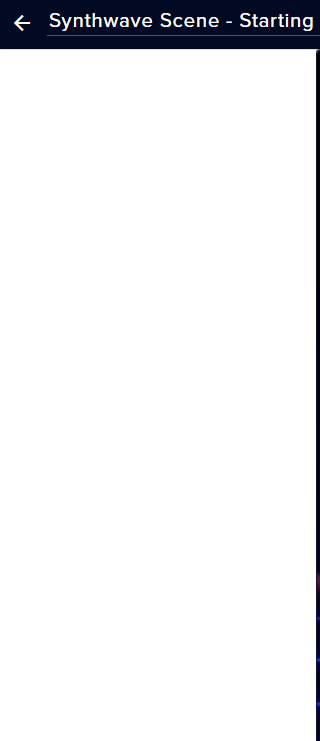
hey guys, my layers menu disappeared 😮 https://prnt.sc/s65mut
 quasi fog
known issue atm I think, being investigated
sweet socket
Yes, being investigated at the moment! @crude totem
faint musk
Bordeaux is there an issue emulating merch event ?
sweet socket
It could be because the layers don't show up, let me check that for you
faint musk
yeah it seems to have created 2 alerts one that shows the layers and the graphics and one with nothing
but if i try to disable the empty one it disables both
i activated the alert on all my overlays
tried on all
same thing
sweet socket
Has that been since today?
sweet socket
yes, so I do think its because of this known layers issue, I can't seem to edit or emulate myself as well
staff is looking into this
 meager flume
Hello, Im currently editing my overlay, and the layers have disappeared entirely and i cant get them back. They are still there and i can edit them, but the layers dropdown is missing
oh wait you are talking about this
good thing i joined the discord XD
sweet socket
@meager flume this is a known issue, staff is looking into this!
and no worries, thanks for reporting 😄
faint musk
@sweet socket ok thank you very much for the help, i'll just wait for the fix
 south flicker
is there a workaround for this until fix, cause my webcam frame is gone.
its hidden and cant get it baCK
wary halo
no there is not unfortunately
inland knoll
Strange question - with the loyalty rewards, does the global cool down over rule the user cooldown?
quasi fog
I think with every cooldown this is the case
sweet socket
global cooldown overrules
so if global is 60 seconds, user is 50 seconds, still have to wait 60 seconds
inland knoll
Thanks for helpful
sweet socket
No worries Wils!
round brambleBOT
@jovial lava Go to the dashboard -> right side -> part channel -> join channel (https://streamelements.com/dashboard)
 uncut lake
hey i wanted to have an alert comming up if somebody follows me , but it won´t appear ?
twin sentinel
@uncut lake have you added an alertbox to your overlay?
uncut lake
I don´t know ??
round brambleBOT
@uncut lake New to Stream Elements?
Check out our YouTube channel https://www.youtube.com/c/streamelements/videos
with tutorial videos from setting up the basics, to in depth details on how to use our product.
New to OBS? Here is a 4 step quickstart guide
https://obsproject.com/wiki/OBS-Studio-Quickstart
Want to learn even more? Here is an in-depth overview
https://obsproject.com/wiki/OBS-Studio-Overview
uncut lake
I also don't know if it is because my alerts are not connected to my streamlabs? How do i do that?
Sorry for bad english
twin sentinel
@uncut lake This is StreamElements, we cannot assist you with issues with StreamLabs.
uncut lake
ups sorry is there a streamlabs discord ?
twin sentinel
Best to google that.
uncut lake
sorry
 upbeat glade
Hello! I don't recive any notification when somebody tips / follows / subscribe. The overlay has them tho`
What am i missing?
twin sentinel
@upbeat glade Are the events in your activity feed?
upbeat glade
Yes
twin sentinel
Do you see them in your overlay editor alert box widget, when you replay them?
upbeat glade
No.
twin sentinel
Have you added an alertbox to your overlay?
upbeat glade
Yes
round brambleBOT
@upbeat glade Follow these steps to grant managers/moderators access to your dashboard:
- Click on your Channel Name at the top of the dashboard and select Settings
- Create a new invite at one of three access levels (Bot Supervisor, Editor, Full Control)
- Send this invite to a mod/manager to give them access to your dashboard. The link is one-time-use and expires after 72 hours if not accepted
Video tutorial: https://youtu.be/zl_h-ttZDF0
uncut lake
@upbeat glade thats also my problem
twin sentinel
@upbeat glade Please DM me an editor invite link to your account.
upbeat glade
Okey, thanks
twin sentinel
@upbeat glade For me your activity feed is empty, except for one donation entry.
 slate kernel
Anyone that can tell me whether if you add a video source which has not audio in it it will not show in the advanced audio properties? It is a total mess there for me and I would appreciate a function like hide in mixer for the advance audio properties 😦
 lunar yacht
Hi
upbeat glade
Yea, i just started the stream XD That's the only entry for today
twin sentinel
@upbeat glade How do you know someone followed or subbed?
round brambleBOT
@lunar yacht Welcome to the helpdesk! Please let us know how we can assist you today and a support volunteer or staff member will assist you as soon as they are available. Thank you for your patience.
@slate kernel For the best OBS support, please join their Official Discord @ discord.gg/obsproject
upbeat glade
I assumed it's the same as for tips. No?
lament blade
Hi, yesterday I finally had my first live on console with a capture card using OBS.live, I noticed that there’s some microlag into the live, do you think it’s cause of the hardware or the internet connection?
lunar yacht
How do I get a stream element in my stream
twin sentinel
@upbeat glade If I replay the alert in your activity feed, it comes up fine:
round brambleBOT
@lunar yacht New to Stream Elements?
Check out our YouTube channel https://www.youtube.com/c/streamelements/videos
with tutorial videos from setting up the basics, to in depth details on how to use our product.
New to OBS? Here is a 4 step quickstart guide
https://obsproject.com/wiki/OBS-Studio-Quickstart
Want to learn even more? Here is an in-depth overview
https://obsproject.com/wiki/OBS-Studio-Overview
@lament blade 1) Restart OBS
2) Start your stream/recording for about 30 seconds. Make sure you replicate any issues as best you can, which means having any games/apps open and captured, etc.
3) Stop your stream/recording.
4) Select Help > Log Files > Upload Current Log File. Copy the URL and paste the link here.
(Note: If you do not see an obsproject.com URL, you will need to update OBS Studio to version 22+)
upbeat glade
Wtf.. On my obs streamelements it didn't show up when i replayed it. Welp, i'll try restarting it.
Thanks for the help, and sorry for wasting your time XD
quasi fog
@upbeat glade now we know it works in overlay editor, if it didn't show up in OBS it might be that the source isn't 1920x1080?
upbeat glade
The source is 1440p, but i made the overlay 1440p too
quasi fog
hmm, well that should be fine then :/
twin sentinel
Is the overlay showing in general in your OBS?
upbeat glade
yep
twin sentinel
What OBS version do you have in the top left?
upbeat glade
25.0.4
round brambleBOT
@upbeat glade Right click on the BrowserSource > Properties > Scroll down a bit > Refresh Cache of current page
lament blade
Hi everyone, I'm new to streaming, 4 streams so far, but I streaming straight from ps4, no capture card, not a fan of remote play since my laptop is not good for it, and I was wondering if there is absolutely no way of having overlays, apart from some basic extensions on twitch dashboard. i guess I' m trying to find a loophole or something. Any help or advise would be great. thanks a lo in advance
round brambleBOT
@lament blade Here is a guide on how to setup the most essential tools for streaming from your console, while using StreamElements tools without involving a Capture Card! It's easy to do, take 4 minutes to read and 10 to 15 minutes to setup!
Read all about it here: https://blog.streamelements.com/how-to-stream-on-console-7b620b1c46c3
wary halo
no loophole, you will need a capture software like OBS to be able to put the overlays on top of the actual gameplay footage. and OBS does not work on consoles.
round brambleBOT
@lament blade Streamelements on top of OBS -> Logout -> login
lament blade
does this have to be done every time obs is restarted or is it an occasional bug?
twin sentinel
Should be an occasional bug.
twin sentinel
yes.
lament blade
@wary halo what i was afraid of. Thanks a lot anyway!
 solid jungle
hey guys, i know i can set the minimum amount to turn TTS on when donating bits/tips etc and I can lower the max characters in 'user message' for donations but cant seem to find it for bits/cheers. Any ideas anyone? thanks 🙂
twin sentinel
This setting also applies for bits.
solid jungle
oh under my alert box under tip settings that also applies for bits?
meager flume
So i am trying to set up my follow alerts, sub alerts, and bit alerts in seperate alert boxes so i can position them accordingly. When emulating an event, only one of each alertbox can pop up at a time. Is that normal function or during stream they can all function at the same time?
twin sentinel
@meager flume We recommend to only use on alertbox per overlay.
@solid jungle The settings in the alertbox are individual for the events. The tipping setttings for the spam protection and so on are for all events.
meager flume
@twin sentinel Ok can everything be positioned in separate locations with on alertbox without custom code? and if only using one will they all be able to function at the same time
for instance if a follow and subscribe happen at the same time, will they pop up simultaneously or one after another
solid jungle
@twin sentinel So under 'tipping settings' and then 'page settings' max characters was at 255, and I lowered it so thats for both Tips and Bits if I understand correctly?
velvet berry
My follower goal isn't showing the right amount of followers I have (according to my twitch channel)
twin sentinel
correcto @solid jungle
round brambleBOT
@velvet berry To reset goals:
- from the overlay editor -> data on top -> goal tab -> reset progress of desired goal
- from the dashboard -> activity feed on the left -> widget data on the right -> goals tab -> reset progress of desired goal
Note: Goal widgets(progress) only counts up and doesn't go down automatically, if you loose followers/subs
twin sentinel
@meager flume Afaik that is only possible with custom code in one alertbox. We do not recommend to use multiple alertboxes in one overlay, as this can cause issues.
 austere stump
Is it allowed to use sepay while im not 18 when my parents fill everything out?
and running on their name
 sharp dirge
Can someone help me please?
sweet socket
@sharp dirge please do ask your question
sharp dirge
when i try to stream MW WZ on twitch, its just really lagging and stuttery, and i cant fix it, im gunna throw my set up out the window lmao
can you help me
i cant do anything
round brambleBOT
@sharp dirge 1) Restart OBS
2) Start your stream/recording for about 30 seconds. Make sure you replicate any issues as best you can, which means having any games/apps open and captured, etc.
3) Stop your stream/recording.
4) Select Help > Log Files > Upload Current Log File. Copy the URL and paste the link here.
(Note: If you do not see an obsproject.com URL, you will need to update OBS Studio to version 22+)
twin sentinel
@austere stump Yes, you just need to put your parent's info in every step of the flow.
austere stump
alright great to hear :D ty <3
twin sentinel
@sharp dirge Please follow the bots instrucions.
twin sentinel
sharp dirge
how do i fix that? can you help?
twin sentinel
Check the log for ideas on how to improve.
 hardy silo
Hi, I've just customised my overlay on streamelements website and when I copy and paste the link as a browser source in OBS studio, Only the top left corner of my overlay loads. Can anyone help with this?
round brambleBOT
@hardy silo The default resolution for StreamElements overlays (theme and custom) is 1920x1080. Please add them in OBS at their full resolution and use CTRL+F to fit to screen if necessary. You can then downscale your stream in OBS settings > Video if you'd like https://i.imgur.com/6bWXxjR.png



 sharp dirge
@twin sentinel Still not working
hardy silo
Thanks. That helped although part of my design still hasn't loaded
The bottom right corner
twin sentinel
@sharp dirge Can you hand in a new log file please.
hardy silo
All good. Problem solved. Thanks!
twin sentinel
sharp dirge
i tried everything, idk how to help it, its the same issue
twin sentinel
This seems to be the same log file.
sharp dirge
its different, just the same issue
Would it be my CPU? would i need to upgrade @twin sentinel
twin sentinel
Check this for tips on how to improve: https://obsproject.com/wiki/General-Performance-and-Encoding-Issues
 prisma relic
what is your CPU?
sharp dirge
Processor Intel(R) Core(TM) i7-4790 CPU @ 3.60GHz, 3601 Mhz, 4 Core(s), 8 Logical Processor(s)
 junior shoal
Any issues with custom bots?
Mine isnt responding properly and is currently spamming my chat with the test message
still going...
ionic kelp
How are you using the custom name?