#helpdesk-twitch
1 messages · Page 625 of 1
 naive perch
 wary halo
 fluid spindle
HI I was wondering if anyone knows why I cant upload webm files to the editor
 hard lily
Hi! Just a question regarding Sub Goals widget and total subscribers on Twitch - how does it calculate - for example - I have 14 current subs but had around 25 at one point, so If I set my sub goal widget to 35, StreamElements - the data is showing that I have 34? Also, when I use the total Sub widget label , it shows 18, so this is interesting! Thx if you can help!
Edit: it seems like the streamelements overlay tools is random? When I emulate a sub, the numbers just change randomly.
 split merlin
guys
my twitch prime subs arent showing up??
i got twitch prime but it didnt pop up on stream?
 round brambleBOT
@split merlin Twitch prime (new and resub) and paid subscriptions (resub only) must be shared in chat manually by the person subscribing in order for the subscription information to be sent to StreamElements. For twitch prime, the user needs to have sharing enabled on https://www.twitch.tv/settings/prime. For paid subs, if the share box doesn't show up immediately it will when they refresh the page. https://i.imgur.com/VNJN0Uv.gif https://i.imgur.com/2297EA7.png

 split merlin
it was twitch prime
 scarlet tiger
@hard lily In the activity feed > Widget data https://streamelements.com/dashboard/session > goals
 quick moon
I show my current Sub Points on my overlay, and since Friday, the number has been off by 1 compared to my Twitch dashboard. I've logged out of SE and back in as well as trying to re-add the widget but the issue persists. Any ideas?
scarlet tiger
@fluid spindle What's size of the File?
round brambleBOT
@quick moon Due to a recent change from Twitch API, these features are affected by the change:
- Ground Control does not have Custom Bot Name
- Subscriber count will count the Channel and any other permanent sub you may have (+1 or +2 or +3 on top).
We are working on fixing both issues, but there is no ETA.
OBS.Live still has Custom Bot name working fine in it.
quick moon
Ah, so an API fix is needed. Ok, thanks for the heads up!
hard lily
@hard lily In the activity feed > Widget data https://streamelements.com/dashboard/session > goals
@scarlet tiger MANY THX!
scarlet tiger

split merlin
my twitch prime sub that i just got inst showing up on my stream elements activity thing??
WTF
scarlet tiger
split merlin
streamelements inst showing twitch prime subs on my activity feed
 cold merlin
Guys is there a way to undo deleting your overlay? xD
scarlet tiger
@cold merlin no
cold merlin
;c
split merlin
anyone help
scarlet tiger
In what activity feed?
split merlin
streamelents
scarlet tiger
What user!?
 cobalt turtle
Can someone tell me why my widget on stream elements is not correct with my actual sub count. I am trying to add the total subs to my overlay but it is incorrect.
round brambleBOT
@cobalt turtle Due to a recent change from Twitch API, these features are affected by the change:
- Ground Control does not have Custom Bot Name
- Subscriber count will count the Channel and any other permanent sub you may have (+1 or +2 or +3 on top).
We are working on fixing both issues, but there is no ETA.
OBS.Live still has Custom Bot name working fine in it.
split merlin
@scarlet tiger what do you mean
 kind palm
Where would i post to get help with ground control?
 honest kayak
Is bingo not working anymore? I tried to open an emote bingo but is says no emote founds :T
split merlin
no helP?
 abstract hemlock
@split merlin please share a screenshot
scarlet tiger
!emotes update in chat @honest kayak
split merlin


@abstract hemlock
abstract hemlock
@split merlin click on "filter" and check if "subscribers" is checked
split merlin
@abstract hemlock it is
scarlet tiger
You can provide screenshot of filter settings?
round brambleBOT
@split merlin Twitch prime (new and resub) and paid subscriptions (resub only) must be shared in chat manually by the person subscribing in order for the subscription information to be sent to StreamElements. For twitch prime, the user needs to have sharing enabled on https://www.twitch.tv/settings/prime. For paid subs, if the share box doesn't show up immediately it will when they refresh the page. https://i.imgur.com/VNJN0Uv.gif https://i.imgur.com/2297EA7.png
split merlin
the user has done this
and its not this
@abstract hemlock so what do i do
https://gyazo.com/3a713b82eb4caa0dd5436c51dccc7cbf @abstract hemlock

??
it shows on my twitch dashboard he subbed
but not on stream elements
abstract hemlock
If he did not share like the Bot said, we won't pick that sub up
 quartz girder
i need help
 viscid pebbleBOT
Hi @quartz girder, Please ask your question(s) or describe the problem you're looking to solve so staff or a support volunteer can assist you as soon as they are available.
wary halo

StreamElements
The Ultimate All in One Platform for Streamers
quartz girder
ok
 hasty briar
so when i go to my website it keeps randomly redirecting it self too like za a bunch of diff parts of the site and just stays constantly loading while the url is constantly changing
i turned off all the ad blocks and everything to see if that was it but it still doing it
wary halo
hasty briar
thx for some reasont hat link was fine
 jovial grove
how does a twitch viewer request a media request after i set everytthing up
abstract hemlock
@jovial grove You have to enable the songrequest command, and enable the viewer requests over this page :
https://streamelements.com/dashboard/mediarequest/general
 opal saddle
when i click stream it tries to stream to YouTube but i want it to stream to twitch how can i fix this?
can anybody help? it would be apreciated
round brambleBOT
@opal saddle Streamelements on top of OBS -> Logout -> login
abstract hemlock
@swift ice check your settings on OBS
 swift ice
its twitch
round brambleBOT
@swift ice Streamelements on top of OBS -> Logout -> login
 carmine knot
trying to reset my streamelements goals. anyone know how with this new layout
nvm, I found the answer.
split merlin
Does anyone know why when I stream and when i am moving around in the game the stream goes all pixelated
 ocean iron
Is there a way to add a chat from another channel to the overlay?
 formal river
Is there a way that I can remove the default donate command and make my own donate command with whatever I want it to say? I tried making a custom command, but the bot gave two responses, one that i made, and the default donate command.
 sly fog
whats the difference between sepay and putting information on twitch
on paypal
im under tipping settings
 icy pumice
sly fog
icy pumice
sly fog
well which works to get paid
wary halo
whats the difference between sepay and putting information on twitch
@sly fog SEpay has chargeback protection
well which works to get paid
@sly fog both
sly fog
so do u use both or u choose one or the other im confused
 charred kite
anyone having an issue accessing streamelements website?
formal river
Is there honestly no way to remove the basic donate command and just make my own
charred kite
ok thank u
wary halo
Is there a way to add a chat from another channel to the overlay?
@ocean iron no, only the channel linked to the account
ocean iron
Okay... Thanks! 🙂
wary halo
Is there honestly no way to remove the basic donate command and just make my own
@formal river let me take a look real quick
one moment
formal river
Okay, thank you
wary halo
we are talking about this right?
wary halo
yes
formal river
Thank you!
 formal river
Haha, thanks for your help! 😄
wary halo
no problem 😄
sly fog
what happens when i use both
does it go through twitch
when i get donations or does it through paypal im confused how this all worksd
can someone help me clarify
please
abstract hemlock
@sly fog the tips that are made through paypal, you receive it on your paypal account, and the tips that you receiver with other payment methods you receive it under SE.Pay
sly fog
so which one do i use. how do u get revenue through twitch. i am so confused
@abstract hemlock can u please help me
abstract hemlock
@sly fog yeah i can tell you are confuse.. twitch revenue have nothing todo with the tips
the revenue from twitch come from bits, ads and subscriptions
sly fog
wait so what do i do or what is the best way to set this up
should i do paypal or se pay or do u do both
abstract hemlock
the tips are independent and you can set se.pay and paypal to receive through you StreamElements Tipping page
first, do you understand the difference now? this are two completely different things
sly fog
no i dont. when i get gifted subs and amazon prime subs, and people subcribe on twitch with tier 1 2 3 is that different than streamelements
wary halo
yes
abstract hemlock
YES
sly fog
renz i direct messaged u is that okay
 dreamy bobcat
Hi. Why does it say No Data under my Top Tipper? Latest tip is already shown so there must be a top tipper already
 fallen compass
Can you change the bot's roulette module keyword to something besides !roulette?
 twin sentinel
@dreamy bobcat Check your selected time segment in the widgets settings.
sly fog
if not i can talk to u on here
twin sentinel
@fallen compass Change the command or add an alias to the command.
 cedar hound
During my streams I have been noticing that hosts are not going through the alerts. But everything else is going through StreamElements just fine. Is there a known issue?
round brambleBOT
@cedar hound Due to changes to Twitch API, we have filtered out hosts and will only show these ones on your activity feed:
- All hosts coming from an online channel with at least 1+ viewer
- Auto host events with at least 1 viewer - only from a channel that just went offline
Note: If you see "X channel has hosted you" with no viewers on the back, that is considered an offline host or a host with 0 viewers, we do not show these.
Note for Mixer streamers: The above 2 filters currently apply for Mixer and we are aware its actually not how Mixer hosts work. We do plan on changing it, but no ETA on when.
 royal quarry
Or potentially offering the option for people to use "Previous Editor" or something of that fashion. Thank you! ❤️
 lament blade
How do I get this on my donation page:
twin sentinel
@lament blade In your media request settings set the mode to free.
 dapper fable
little question: i am not able to change the game and i already checked the command on the dashboard. is it just buggy or is it a more occured problem atm?
royal quarry
I was actually about to delete my comment and re-write it because it came off very negative and unconstructive.
As a full time broadcaster I have invested an enormous amount of time learning how to use your software, I love it and I literally could not stream without it.
Familiarity in the design is one of the biggest challenges and possibly the biggest factor or discouraging people from using it, learning it takes time.
Drastic changes in the overlay editor and layout makes it more challenging for people to continue that learning curve, and in some cases start over.
I've been looking over it for the past hour or so making edits and adjustments and I truly don't see or find much benefit to the new design, just that a lot of options and functions are now a little more difficult to find, as their previous spots have been changed.
If it did however provide a technical benefit or something I'm not seeing aside from the aesthetic than I apologize, but as someone who considers themselves (or did) widely familiar on how to use and implement the software, I feel like this is more of a crutch than anything. I do see improvements in the ability to navigate in and around different overlays, but the actual layout where a lot of the mechanical functions such as implementing data from sources fetched from Twitch are now much more complicated and difficult to find.
twin sentinel
@dapper fable Did you get a positive answer in chat by the bot?
dapper fable
@twin sentinel https://gyazo.com/0a59e2465db5f43a3ee21461c828000b
 fallen compass
@twin sentinel Thanks.... I don't know why I didn't put two and two together.
round brambleBOT
@dapper fable Please logout of StreamElements at https://streamelements.com/logout and then login again to your account (Twitch/Youtube/Facebook/Mixer)
sly fog
renzito are u there
royal quarry
As mentioned, maybe offering an option to use the old system for the interim or possibly rolling it out in phases might be more beneficial but when everything is changed so much so quick it really does create a lot of issues for someone using the system. I will applaud the constant effort from the SE camp to bring forth improvements and A LOT has been done over the past 2 years, the software works incredibly well. I just don't think this much change was needed if at all.
My two cents anyways
dapper fable
its not my stream. should i still logout? @twin sentinel
twin sentinel
No, let the owner log out and in again.
wary halo
@royal quarry thank you for the feedback, i have forwarded it internally
royal quarry
Sorry about the first message, I really didn't mean to come off sounding negative @wary halo
dapper fable
ok and that should solve the problem?
twin sentinel
yes.
abstract hemlock
@royal quarry Thank you for the feedback
dapper fable
alright thanks 
 steep cape
If I create a giveaway and set it to give subscribers extra luck in the draw and a subscriber buys tickets and their subscription ends before I do the draw, do they still retain that extra luck or does it go away when I do the draw? Hopefully this is the right place to ask, if not, let me know where.
royal quarry
I'd be happy to offer some more specific suggestions, I probably have more time investment into this interface than every other broadcaster on the website.
Nothing but positive things to say about it, but as mentioned I just don't know if this drastic change in the look and location in functions was what was needed.
It takes a lonnnnnnnnnng time to familiarize oneself with this especially with no background information or knowledge about it.
Hope this helps and keep up the great work guys!
@wary halo @abstract hemlock
 tall lodge
Ignore my last
 median yoke
How to a get labels like, "Recent Follower" etc, to show up on my stream with StreamElements?
abstract hemlock
@median yoke You have to add them into an overlay
round brambleBOT
@median yoke New to Stream Elements?
Check out our YouTube channel https://www.youtube.com/c/streamelements/videos
with tutorial videos from setting up the basics, to in depth details on how to use our product.
New to OBS? Here is a 4 step quickstart guide
https://obsproject.com/wiki/OBS-Studio-Quickstart
Want to learn even more? Here is an in-depth overview
https://obsproject.com/wiki/OBS-Studio-Overview
 terse oracle
is there a way to create a countdown banner for twitch when you get back online? like you can do it with streamlabs?
quartz girder
@terse oracle i dont know if you can
lament blade
anyone know how to get a custom panels that match your overlay through stream elements or do i need to make it myself
abstract hemlock
@terse oracle you can add a Countdown widget on your overlay
terse oracle
@abstract hemlock will this work even if the stream is offline? or is it something you put in your panels below your stream?
abstract hemlock
@terse oracle If you want something in your panel, you can use the StreamElements extension on twitch for that
 steady vortex
i just have a few wuestions, i want to stream from my xbox and still have all of the overlays and stuff and i use the obslive. How do i get the stream on the computer brodcasting on twitch from OBS Live (sorry i am new here
round brambleBOT
@steady vortex New to Stream Elements?
Check out our YouTube channel https://www.youtube.com/c/streamelements/videos
with tutorial videos from setting up the basics, to in depth details on how to use our product.
New to OBS? Here is a 4 step quickstart guide
https://obsproject.com/wiki/OBS-Studio-Quickstart
Want to learn even more? Here is an in-depth overview
https://obsproject.com/wiki/OBS-Studio-Overview
terse oracle
@abstract hemlock okay, and what you showed me is a timer which plays on the offline banner in twitch?
abstract hemlock
@terse oracle what i show you its a widget countdown to use in your "Starting soon" overlay for example
terse oracle
@abstract hemlock so it only works when your stream is runnig, right? and there is no option for having a countdown to the next stream when you are offline besides the panels, right?
abstract hemlock
You got it 😉
terse oracle
alright, thx
 half schooner
Where can I report small bug with web service?
.... <no answer so here>
this link is endless loop of redirection, probably there is more
https://streamelements.com/dashboard
 drifting fractal
Ello, I am having an issue with Media Request. When I load up my OBS 25.0.4 my media request is completely blank. When I refresh it nothing happens. is there anything that anyone can help me with?
abstract hemlock
@half schooner try this https://streamelements.com/logout , and be sure to use GoogleChrome
round brambleBOT
@drifting fractal Streamelements on top of OBS -> Logout -> login
sly fog
can u explain to me how tipping on streamelements is different than twitch
 halcyon falcon
Is there a command to see how many subs you have received for the month?
quartz girder
no
sly fog
can u explain to me how tipping on streamelements is different than twitch
fluid spindle
So does anyone know why I cant upload webm files to streamelements editor
abstract hemlock
@sly fog Tipping is directly to your paypal or your SE.pay account, Twitch give you revenue for subs, bits and ads and you can select the way that you receive this revenue once you sing the Affiliate agreement
 floral storm
Hello how do i make it so that i can hear my streamelements alerts while i am using stream elements alerts on twitch
jovial grove
Everytime i get a song request it plays the song twice at the same time and it like echos
how can i fix that so it only plays the song without any echo, i cant be the only person who has had this issue
 noble finch
hey guys sorry to ask butt ican't delete my account on streamelements ?
 wide breach
Hi there! Anyone know why SE.Pay isn't showing up in my menu? I have my tipping settings linked with paypal but I don't want it to be with paypal anymore
abstract hemlock
@wide breach SE.Pay is not available due to region constraint or channel size
 serene granite
@noble finch you can submit a close request on https://streamelements.com/dashboard/account/security
abstract hemlock
@jovial grove Check if you have other overlays added on your OBS without the "Shutdown source when not visible" option enabled
median yoke
How do you get TTS to show up on this new system...
the secondary text will literally not show up for me
 spice scaffold
how do i change the name of my bot
 lament igloo
Seems that I cannot get the custom bot to connect anymore, I authorize the account and still nothing, it worked before. Any clues?
abstract hemlock
@spice scaffold You'll need to have obs.live installed
https://discordapp.com/channels/141203863863558144/494513233416421386/561516184718278676
spice scaffold
@abstract hemlock I do
abstract hemlock
Check that link
@lament igloo try this :
1) Right click on your OBS desktop shortcut -> properties - in the "Target" field add this -> --remote-debugging-port=40404
 (right before the end something like this: [...].exe" --remote[...])
2) Open OBS(or restart if it was open)
3) Open your browser and type in "localhost:40404"
4) Click on "StreamElements - Activity feed"
5) Click on the Console tab
6) Type in the console this: store.customBot.removeCustomBotIntegration() and hit enter
7) Try setting the custom bot name
8) Remove the added addition of step 1 and Restart OBS
 winter basalt
hi folks - I have an issue that is...difficult to search keywords for here, so I'll explain.
- 1080p 60fps, x264 encoding, Ryzen 3700X, GTX 1070 ti
Every now and then (fairly randomly), my bitrate will drop to 0. Sounds like a network issue. However, both online games and my Discord voice are both completely fine when this happens. I don't notice any other lag in any other application.
It usually happens for 2-3 seconds; sometimes for longer. Sometimes long enough where I have to force close OBS and restart my stream.
It's incredibly annoying. It doesn't appear to be my internet, because if I lost all upload ability, people in my discord would not hear me; but they say I sound fine when this happens.
Anyone else have any experience with this? Thanks for any help.
lament blade
hello, my subs command is telling me that i have 0 subs when i have 34 subs, is streamelements down?
round brambleBOT
@lament blade Please logout of StreamElements at https://streamelements.com/logout and then login again to your account (Twitch/Youtube/Facebook/Mixer)
lament blade
I have done that. Still not fixed.
abstract hemlock
@winter basalt somthing to have in mind is that the games and discord use your download speed, but streaming use your upload speed
abstract hemlock
@turbid root wdym?
lament blade
@abstract hemlock can you help me with my problem?
Hello, I'm curious why I cannot get my "Top Tipper" to load data in my overlay. It just states "Top tipper: No Data" even though I have had a tipper give me money and in my Revenue History on StreamElements.com I have one donation...
 delicate jacinth
My streamelements bot has stopped working, is there a way to get him back up and running ive tried logging out and back in, didnt seem to work tried to also
round brambleBOT
@delicate jacinth Go to the dashboard -> right side -> part channel -> join channel (https://streamelements.com/dashboard)
 abstract hemlock
@lament blade check the Period
 ebon trench
Anyone know if there is an activity feed to show which mods does what?
lament blade
@abstract hemlock Thanks so much. So simple.
 turbid root
@abstract hemlock my stream cant hear my friends in discord
ebon trench
Like how in the dashboard theres a feed to show when someone follows and tips I want to know if theres also one but made for mods. I know its a dumb question and all but i'm kinda curios
abstract hemlock
@ebon trench You could send them a invitation link to your account
round brambleBOT
@ebon trench Follow these steps to grant managers/moderators access to your dashboard:
- Click on your Channel Name at the top of the dashboard and select Settings
- Create a new invite at one of three access levels (Bot Supervisor, Editor, Full Control)
- Send this invite to a mod/manager to give them access to your dashboard. The link is one-time-use and expires after 72 hours if not accepted
Video tutorial: https://youtu.be/zl_h-ttZDF0
abstract hemlock
lament blade
@abstract hemlock can you help me fix my problem?
abstract hemlock
@lament blade Already relog in the site right?
 woeful gulch
Hey, is there any way I can add overlays on my ps4 stream? I am using a MacBook Air right now to watch my stream and use stream elements.
lament blade
yes @abstract hemlock
round brambleBOT
@woeful gulch To add your overlays to OBS, add a new browser source in your scene. Paste your overlay URL in the browser source properties, set the dimensions to 1920x1080 (unless you changed them on the website), and ☑ “Shutdown source when not visible” https://youtu.be/KDvLynUqXI4
abstract hemlock
You'll need to capture your gameplays into a PC and stream from there, for example with a capture capture, then install OBS Studio and you can use the overlay
lament blade
@abstract hemlock i have logged in and logged back out, it still says i have 0 though i have 34 subs
what shall ido
round brambleBOT
@lament blade Please connect your streaming account (Twitch, YouTube, or Facebook) with Discord by going to ⚙ Settings and then Connections here in Discord. https://streamable.com/eg92w
 lament blade
@abstract hemlock done
 dry elm
my donation alert doesn't trigger when someone uses my tip page. I have moderation disabled and can't figure out why this is
abstract hemlock
@dry elm do you see it on your activity feed?
abstract hemlock
it is with paypal?
dry elm
yes @abstract hemlock
abstract hemlock
If a viewer tipped through PayPal but no information appears in your StreamElements account, this generally means PayPal has held the tip for verification. Until PayPal clears the tip and sends back a confirmation to your StreamElements account, no information will appear there and no alert will play, as that confirmation is the only way for us to be aware of a successful transaction. If you believe there may be an issue with the transaction, you'll need to contact PayPal support as StreamElements is only a passthrough service and never actually gets involved with the transaction or touches the money.
I will contact PayPal. Thank you @abstract hemlock
lament blade
@abstract hemlock do you know why it says i have 0 subs on the command? but i have 34?
abstract hemlock
@lament blade give me you account id please
round brambleBOT
@lament blade Please provide your account ID found at the top of this page: https://streamelements.com/dashboard/account/channels This ID is public info and safe to share here.
abstract hemlock
After you did this https://streamelements.com/logout it should take around 10 minutes to refresh the data, with your account ID i could check it if eveything is working fine or the devs needs to take a look into this
lament blade
@abstract hemlock what shall i do now?
abstract hemlock
please a little patiente
lament blade
okay
 fossil forge
Unable to access the streamelements website as the site will not load !
abstract hemlock
@fossil forge Try this https://streamelements.com/logout and log back in, use it on Google chrome
@lament blade Done
 wise dagger
Second time asking this question with no answers, that I know off. Please some one help me fix this. I am trying to "!addpoints or !editpoints" But each time I do this, it states,
"@wise dagger" or any other username, "Was not Found"
Please advice.
I can manually add the points to each user name in the streamelements website. But not in chat, like i do in many other pages I MOD for. I have checked the settings they are not set on Super Mod , they should be working. They do not even work for the Owner of the channel. Thanks for any help
abstract hemlock
@wise dagger what is the name of the channel?
 fiery blaze
Is there a way to change the commands prefix? I want to use streamelements with another bot but both of them uses !
fossil forge
@abstract hemlock Thanks !
abstract hemlock
@fiery blaze no there isn't, but you can disable the commands on the default-command page
fiery blaze
Alright, thanks
wise dagger
@abstract hemlock Goldenchildnyc
 small agate
how do i get my overlays onto my computer?
round brambleBOT
@small agate To add your overlays to OBS, add a new browser source in your scene. Paste your overlay URL in the browser source properties, set the dimensions to 1920x1080 (unless you changed them on the website), and ☑ “Shutdown source when not visible” https://youtu.be/KDvLynUqXI4
small agate
thank you
 nocturne pasture
I keep getting a redirect loop between https://streamelements.com/fb-page/login?redirect=https://streamelements.com/fb-page/ and https://streamelements.com/fb-page/ and logging out doesn't help. I've also tried clearing my cookies and cache with no luck.
Edit: I've also tried the https://streamelements.com/logout page too which allowed me to get to the main website homepage once, but I'm stuck back in the loop.
 frozen lily
Is it possible to make a command user specific?
 ionic kelp
@frozen lily unfortunately no.
 glad grove
Question: How do I change my bot's name? 😳
abstract hemlock
@nocturne pasture are you login with twitch?
@glad grove Do you need obs.live installed
nocturne pasture
@abstract hemlock Yeah I'm logged in or trying to login with Twitch.
abstract hemlock
@nocturne pasture maybe some extension is causing troubles, try incognito mode
nocturne pasture
It just logged in after redirecting forever while I was focused on Discord.
It was redirecting for probably 5 minutes before that.
 chrome folio
Hello! How can I set a current amount in a Merchandise Goal (Overlay Addon)?
I found it! On session data 🙂
wise dagger
@abstract hemlock Any thoughts?
chrome folio
@abstract hemlock the Merchandise Goal currency is in USD (USA Dollar) on Overlay Editor, but on donation options/settings is in BRL (Brazilian Real)
On the OBS/Live the overlay will show the currency in BRL?
winter basalt
@abstract hemlock Yeah; but discord uses upload too - for my voice output. My co-streamers on discord noted my voice sounds very good when it happens.
 grizzled tundra
Does anyone know if there is a way to embed a YouTube or other video playlists inside an overlay assuming it is possible? I have seen suggestions to try running different video content while on your BRB screen to keep your viewers occupied while you are away and was wondering how to best do this?
A playlist is probably better than just setting up a single video as it can be different stuff every time
Anyone still there and awake?
 vapid harness
Hello guys. I have this problem with Kappagen. The Twitch global emotes aren't available with the Emotesplosion layers? It's like that since 2 weeks and I haven't change anything so far. Anyone can help?
chrome folio
Another doubt, the SE Leaderboards extension on Twitch doesn't appear to me... when i click to setup the extension then the settings window stay completely without data. What do I do?
grizzled tundra
mine is working fine @chrome folio
chrome folio
@grizzled tundra here too, but a friend doesn't have the same luck 😛
grizzled tundra
strange it would not work for some but works for most
chrome folio
@grizzled tundra yes, we have already disconnected the twitch and streamelements on twitch settings (connections), relogin on streamelements with twitch profile, and already tried with others internet browsers ... and he continues with problem with this extension :\
 ivory marsh
How can i play music while streaming so the audience can hear it too on xbox without pc?I’ve tried everything but nothing...
 zenith widget
There really isnt a way unfortunately
@grizzled tundra you can use the media request page and media request widget for the overlay
@vapid harness its not only kappagen but other features affected by this isseum no eta
@chrome folio unintall extension, go to our dashboard, logout login install extension go to settings
If its the same again try a different browser
chrome folio
about the extension: we already tried it... many times @zenith widget
zenith widget
With logging out and back into the dashboard?
grizzled tundra
ok thanks @zenith widget I will have a look at that
zenith widget
And trying a different browser?
zenith widget
Then i need a screenshot from the dev console of the browser
chrome folio
ok... i'm connecting there to try again
zenith widget
Open it with f12 and navigate to the console tab
Open the settings and some errors shoupd show up
Screenshot thise
Those*
 fleet mesa
I keep getting a redirect loop between
https://streamelements.com/fb-page/login?redirect=https://streamelements.com/fb-page/andhttps://streamelements.com/fb-page/and logging out doesn't help. I've also tried clearing my cookies and cache with no luck.Edit: I've also tried the
https://streamelements.com/logoutpage too which allowed me to get to the main website homepage once, but I'm stuck back in the loop.
I have the same problem. resolv? 🙂 @nocturne pasture
zenith widget
Now do the same in chrome
chrome folio
ok
ivory marsh
Sry fro interrupting obs live supports xbox?
zenith widget
@fleet mesa are you trying to role play someone else after you login?
@ivory marsh obs.live is a plugin for obs studio
ivory marsh
Thanks
fleet mesa
my resolv, open streamelements.com and relog new.. i was clicking on streamelements.com/dashboard, and there i got the loop. after relog its works fine^^ thanks mates 😗
 proven crest
Hello i want to sell TTS in the store but i am having troubles to do it ...
chrome folio
@proven crest did you already do the overlay with addon "store redemptions"?
 simple steeple
Hey guys
can anybody help me whith setting up loyalty redemptions?
i'm trying to setup a jumpscare
but the youtube tutorials are old
i'm live for 2h rn trying to setup this hahah
chrome folio
@simple steeple do you want to setup a "store redemptions" on overlay to link with your store, then the viewer buy an item and put some message to show in your stream with some sound? or do you want to setup some donation to get some sound (sfx)?
 wispy pebble
May I be so bold as to ask when is the ai based greenscreen going to be available is at all
ionic kelp
That's an OBS question but they're still waiting on stuff from Nvidia for that. @wispy pebble
 vagrant cave
One of the streamers I mod for was wondering if the twitch chatbot could tell you how many months someone was subscribed to their channel? We know you can hover over the sub icon to see the months, but was looking for a command to state it in chat.
simple steeple
@simple steeple do you want to setup a "store redemptions" on overlay to link with your store, then the viewer buy an item and put some message to show in your stream with some sound? or do you want to setup some donation to get some sound (sfx)?
@chrome folio I already have setted up the items on the loyalty store so people can redeem their points to do a jumpscare, but when i redeem it to test it, it doesnt pop up, not a image or a sound
and thanks for trying to help
 sharp cipher
How do I add stream elements to doo
grizzled tundra
I asked about this about a month ago too and I read you need an RTX card too. I would not expect to see it any time soon with the current health issues we are all facing. @wispy pebble
zenith widget
@simple steeple You need the store redemption widget added to your overlay.
@sharp cipher Can you elaborate please?
woeful gulch
Hey, is there any way that I can use my ps4 stream and put overlays on it from my MacBook Air?
zenith widget
If you want to have overlays on top of your console gameplay you need a capture card
woeful gulch
ok, and where would I get one?
zenith widget
woeful gulch
thank you
 deft vapor
So for the hype cup under cheers, why is it there are variants if we cannot set what cheer alert triggers them? Or is there some hidden code to enter in?
zenith widget
Its in the variation name it self
deft vapor
I tried that when testing and it didn't work for me oddly, I'll run a few more tests but would adding a less than or more than sign set it up for a range of cheers or no?
zenith widget
No currently plans to add that.
But I've tested it my self and it triggers based on the amount and name of the variation
as in
cheer500 will show anything above 500
deft vapor
Do you mean no but you currently have plans to add that or there are no plans to add that currently.
also I got it to work, fun fact you cannot directly upload a gif for anything animated for the cup it must be sprite sheet if you want animation
chrome folio
@zenith widget did you see the chrome screenshot with the console data?
chrome folio
ok
zenith widget
@deft vapor no current* plans
deft vapor
Last thing then, Why would an alert that is set to play at exactly a set number of bits instead default to a at least alert? Is there layering in the varyations to?
zenith widget
This is not the hypecup right?
zenith widget
No its me trying to make sure we have changed widgets
I'll take a look in a moment
deft vapor
To give more info, I have a few alerts set to % chances if this is caused by one of the at least alerts having a % chance I can just make them stay at at least
ivory marsh
Why am I unable to acces creator dashboard?
chrome folio
@zenith widget another thing... the Merchandise Goal currency is in USD (USA Dollar) on Overlay Editor, but on donation options/settings is in BRL (Brazilian Real)
On the OBS/Live the overlay will show the currency in BRL?
@zenith widget and more one thing.... haha... there is some addon (Alert or other) to add on overlay to show the sound effects redeemed on store?
zenith widget
thats called "redemption store widget"
As for the currency sign, even if you change your currently in the tipping page
it will not affect the goal widget - thats a known issue
and no it will not affect the merch store as well
@ivory marsh Can you elaborate?
chrome folio
about currency: ahn, sad... but ok
zenith widget
@deft vapor Which amounts?
deft vapor
If I set a variant for ten exactly but have the base and at least that also would work the program will put the base alert in as well as ANY others that qualify. So if ten bits get cheered and of those three can still activate instead of just the exact.
zenith widget
There is no variation for "when amount is atleast 10" or "when amount is exact 10"
chrome folio
right, the sound effects is ok 🙂 @zenith widget tnks
zenith widget
deft vapor
?????????? it's right there though. "condition" putting options for exact, at least, or session top.
zenith widget
Ok, lets start over
You say that when you test a specific amount in the cheers, its not triggering the variation
but its triggering the base alert
correct?
deft vapor
It triggers either the base, an at least, or will properly work. it's random which one will happen.
 short sky
Hi, im trying to activate my ingame browser source, but its not letting me in obs studio
scarlet tiger
@short sky obs is runned as admin? You are on laptop?
short sky
@scarlet tiger yes its run as administrator and no its on my desktop PC
scarlet tiger
What game?
short sky
Borderlands 3
deft vapor
100 is the variation that has an exact amount. 5 is an at least.
zenith widget
Dude. What amount are you using to test the variations via the EMULATION button?
deft vapor
100
round brambleBOT
@short sky Please provide a log from your last stream. To do this, in OBS go to Help > Log Files > Upload Last Log File and paste the link to the log file here.
zenith widget
I've done exactly 3 tests with 100 cheer amount and this variation triggered all 3 times.
deft vapor
I give up for the night.
round brambleBOT
@short sky OBS -> settings -> advanced -> scroll down -> enable/disable hardware accel.
https://i.imgur.com/ggMe9ZE.png
 short sky
still cannot access my ingame overlay
scarlet tiger
@short sky Try window capture, anyone saw peoples fix game capture after Window capture worked.
 unreal sundial
Is there anyway I can merge two accounts?
round brambleBOT
@unreal sundial Account Merging - Please note:
- Merging accounts only allows faster ways to switch between accounts
- Merging accounts does not allow data sharing between accounts - different streaming platforms, different type of events
- Merging accounts allows duplicating/sharing overlays between the accounts
If you understand the limitations of merging and want to proceed, please find the JWT tokens (!jwt) from both accounts you want to merge and you will be directed to DM them to a staff member.
unreal sundial
!jwt
round brambleBOT
You can find your JWT token on your account channels page ("Show Secrets" to reveal the token): https://streamelements.com/dashboard/account/channels
READ ME:
This is a private security token. Do NOT share this token here or other public places, only with a StreamElements staff member in private.
 little oak
@unreal sundial if you understand and want ot proceed with it then please DM @zenith widget for the accounts to be merged, Thank you!
unreal sundial
Thanks
short sky
@scarlet tiger that works, but my camera is not working in game captureor window capture mode. where it does in the ingame overlay
 spring dune
i'm not sure how to use songrequest in my twitch chat because when i request a song it adds it to the queue but nothing plays and when i use !song it says a song from the backup playlist is playing
little oak
did you look at the setting for it to auto play upon request?
spring dune
where's is that
little oak
where do you control the MR? obs.live GC or SE site? and also have you added the Media share widget to your overlay as well forgot to mention that in above post sorry abou tthat
spring dune
what is MR
zenith widget
Media Request
little oak
alright, then we need to add the media share to your existing overlay
go here https://streamelements.com/dashboard/overlays and edit the overlay you use then add the widget media request or you can create a new one if you like then hit the blue + sign and search for media request and add that to the overlay
there here you can control it right on the SE site you mentioned https://streamelements.com/dashboard/mediarequest/general then from there you should see Settings right on top of the video on the right side. clicc on setting and the first thing you see is auto play media enable it so that you wont have to keep approving it 🙂
spring dune
thanks
 dry stratus
so i just downloaded streamele got my overlays all set up when i hit start streaming in obs its not starting my stream on twitch any ideas ?
 sweet socket
that is apart, do you get any error or so? @dry stratus
dry stratus
nope no error says im streaming in the bottom corner but on twitch it says im offline
round brambleBOT
@dry stratus Streamelements on top of OBS -> Logout -> login
sweet socket
be sure to stop your stream for a second
and relog with your twitch account
im not seeing it come to your twitch as well
sweet socket
I'll ask around for you
dry stratus
thx
sweet socket
are you using streamkey or twitch account in the settings to log in?
dry stratus
twitch account
dry stratus
got it thank you
lament blade
hey i9 can not go to my dashboard an google please help me ?
round brambleBOT
@lament blade Please logout of StreamElements at https://streamelements.com/logout and then login again to your account (Twitch/Youtube/Facebook/Mixer)
short sky
im strill trying to get the imgame browser source to work but its not happening.
lament blade
what do you mean ?
 young fossil
Is there a way to change the scale of the whole theme I want to import, they're too large scale for my OBS, so the actual browser source cuts off huge parts of the overlay
round brambleBOT
@short sky For the best OBS support, please join their Official Discord @ discord.gg/obsproject
@young fossil The default resolution for StreamElements overlays (theme and custom) is 1920x1080. Please add them in OBS at their full resolution and use CTRL+F to fit to screen if necessary. You can then downscale your stream in OBS settings > Video if you'd like https://i.imgur.com/6bWXxjR.png
 young fossil
cheers, now I have to fine tune it to actually fit my OBS 😄
young fossil
no, I know that, but I need to tune the width and height because it cuts large parts of the overlay off
zenith widget
show me what you mean
young fossil
twin sentinel
@copper crater Your custom bot name function should be there in Ground Control again.
zenith widget
@young fossil Your OBS canvas is not set to 1920x1080
young fossil
huh, I thought it would work if I set canvas to my screen size then set the overlay to that same size
zenith widget
As mentioned above the defalt resolution of the overlays is 1920x1080
if your screen and canvas are smaller
then you will need to resize the overlay and then resize the widgets insde.
 plush flame
Is planet zoo a good game to start streaming?
zenith widget
Not a question suited for this channel.
And a game to start streaming with depends on you entirely
plush flame
For making of a banner. What is the size of it?
plush flame
for profile pic
little oak
profile banner is 1200x480 and offline banner is no more than 1920x1080 (10mb max)
plush flame
With that format people that use mobile phones can see the whole banner?
little oak
you cant really see it cause stuff bloccs it tbh rather on pc or mobile
plush flame
ah ok thank you
little oak
Youre welcome
 inland knoll
Hi there, I've added a countdown as an overlay and added it to OBS.live where it reads a text file - this is brilliant but I can't remember how I did it 😦 can anyone help?
inland knoll
honestly @zenith widget it works brilliantly - the timer is set up as an overlay in SE - there is nothing in the text file until I start the countdown
oh I have remembered how I have done it 🙂
doh
zenith widget
I'm not sure what purpose the text file serves so I'm a bit confused here
inland knoll
its ok, nothing to do with SE, its from my Stream deck
zenith widget

 zinc haven
If i want to start up streamellements i got a white stream for the hole time. Who can help me?
zenith widget
What browser are oyu using?
zinc haven
zenith widget
Try incognito mode
 burnt flax
im trying to get overlays and a chat bot to work when i stream on my ps4 and they dont pop up on stream. help?
 amber sorrel
!givepoints is not working
It says
%!(EXTRA string=sareezy)
sareezy is my name on twitch so its saying %!(EXTRA string=user)
It's from the default command
not custom
little oak
do you have the loyalty setting enabled?
zenith widget
givepoints usually takes points from your own pool of points
and gives them to the other person
@burnt flax Consoles do not support overlays. You need a capture card and a PC to get them to work.
 winged heart
I am having an issue with my follow alerts coming over and it being visable on my stream.. can someone assist?
round brambleBOT
@burnt flax Here is a guide on how to setup the most essential tools for streaming from your console, while using StreamElements tools without involving a Capture Card! It's easy to do, take 4 minutes to read and 10 to 15 minutes to setup!
Read all about it here: https://blog.streamelements.com/how-to-stream-on-console-7b620b1c46c3
little oak
ah i see, nvm my post 🙂
winged heart
@zenith widget can you assist me?
little oak
@burnt flax only way to have that is if you have a capture card or get remoteplay with a pc/laptop
round brambleBOT
@winged heart Please provide your account ID found at the top of this page: https://streamelements.com/dashboard/account/channels This ID is public info and safe to share here.
winged heart
its Sebstuh
little oak
he needs the id 🙂
winged heart
like the alert is not visual on the stream. I have it visual on stream elements just fine. It just wont transfer over
round brambleBOT
@winged heart To add your overlays to OBS, add a new browser source in your scene. Paste your overlay URL in the browser source properties, set the dimensions to 1920x1080 (unless you changed them on the website), and ☑ “Shutdown source when not visible” https://youtu.be/KDvLynUqXI4
zinc haven
I got 24 7 white scree if i want to start up streamellements
lament blade
@abstract hemlock sorted. Thank you mate.
little oak
@zinc haven https://streamelements.com/logout what happens when you do this and go bacc to it?
zinc haven
it workd i did it whit bingo
 topaz sedge
the new overlay editor doesn't have a place to put widgets...
 opaque lion
ohmygod THANK YOU!!!!!!!!
little oak
did it work for you?
 i finally did something right lmao
 topaz sedge
@zenith widget for sound redemption widget
zenith widget
topaz sedge
When people play sounds like the exclamation sounds to play on stream
zenith widget
Steps to make a command trigger sound on stream:
- Go to Stream Store page here: https://streamelements.com/dashboard/store/items
- Add an item that has these settings on it:
- Stream Perk
- Loyalty settings to your desire
- (Next step) Add contents (image and/or sound you want to play)
- "Redeeming this item shows an alert
- Redemable via chat
- Skip Requirements
- Get the item name/command from the 2nd creation page
- Go to commands page here: https://streamelements.com/dashboard/bot/commands/custom
- Add command with desired name and have response for command as:
${redeem item_name_here} - Go to your overlays and edit the overlay you use.
- Click on "widgets" and add "Store redemptions" widget. Click save and you should be golden.
- Test your own command in chat and have OBS or editor open to hear sound
lament blade
Hello, I have Twitch account: bur1zon.
I have a question. Donate via PayPal is working. But donate via Credit Card and Paysafecard is not working. What should I do? I am from Slovakia, so SE Pay is available in Slovakia. Where is a problem? Can you help me?
Thank you very much.
little oak
you need 101 follwers on twitch to activate SE pay and you must verify who you are and it must be available where you are located at @lament blade
lament blade
I have 180 followers already. I did it everything.
little oak
so only problem youre having is with Paysafe?
little oak
yeah the CC is towards the SE pay may need a staff to look at that for you since CC involves SE pay
Let me ask about it and ill get bacc to you
lament blade
Okey, thank u so much 🙂
little oak
You're Welcome 🙂
zenith widget
@lament blade Please wait for our reply over the ticket you've started with us.
lament blade
Okey sorry 🙂 thanks. I will get message on my email, right?
little oak
That is correct, With the info you provided will be the info that will be used when you contacted StreamElements 🙂 They will contact you thru that
lament blade
Okeey 🙂 thanks guys
little oak
You're Welcome
 mild stump
Hi I just got stream elements and I was wonder is obs.Live available for Mac also do u need obs live to use stream elements?
twin sentinel
No, you do not need OBS.Live to use StreamElements. Currently there are no plans for OBS.Live on Mac.
If you are using a Mac, we recommend OBS Studio as Broadcasting software.
 weak delta
Is there anyway to not show cents in donations?
I know I could just manually edit it but by default.
mild stump
Thanks for the heads up heading to stream labs but I’ll be back when I get a pc with windows!
weak delta
You can still use SE with just regular old OBS.  Plus if you click the "About" on regular OBS, you get to see my name and that's worth it by itself.
mild stump
Fine. I’ll stay a little longer to test out se
Wow ur names actually there pretty rad dude thanks for supporting them
weak delta
Yay. 
zenith widget
I support them as well

As for your issue @weak delta - unfortunately, no - there is no option to hide 50 cent
 daring obsidian
Anyone know how to fix bttv/ffz emotes not showing in the on screen chat box for a streamer?
zenith widget
!emotes update in your chat, then give it a few minutes
and then reload the overlay
daring obsidian
Alright thanks
 serene atlas
Hello, is the !watchtime command bugged, because it shows 0 seconds watchtime for people, that have been on the stream for days now?
round brambleBOT
@serene atlas 10 minutes of watchtime are given to those in chat when the loyalty points are handed out (every 10 minutes). Therefore, loyalty must be enabled for watchtime to work properly.
There is no direct link between watchtime and all-time points.
It can’t be calculated from the amount of all-time points a user has because subs may earn points at a faster rate and !bonus all command increases all-time points for users in chat at that time.
Giving points to a single user does NOT affect all-time, only when giving to all in chat.
serene atlas
thank you!
lament blade
I multistream to Mixer, Youtube, and Twitch, does SE work with three platforms at the same time?
I'm very new with stream elements, I might have to read up to how it actually works
ionic kelp
@lament blade it does but not as an all in one thing.
little oak
you can multistream to all of them with a 3rd party app but it will not capture all data at one time cause it is different platform with different sessions
lament blade
Alright, thanks for tip
topaz sedge
@zenith widget I assume I have to be live, this also has nothing to do with overlays?
little oak
what KeiZar posted for you to do, does not have to be live and yes, it has everything to do with the overlays you need that widget in order to perform that action
the redeem items you create rely on that widget being within the overlay
rather its existing or a new overlay
 autumn tapir
Hello, i am looking for a way to display my recent followers with OBS streamelements. I hope someone can help me 🙂
twin sentinel
Create an overlay and add the widget to it and add this to your OBS as browser source.
autumn tapir
@twin sentinel Thx for your quick response. I allready using an Overlay with a litte box for the recent followers. which widget you mean?
twin sentinel
Recent Followers, if you want to have multiple.
 vale girder
Do you have a sound library for alert sounds?
twin sentinel
No, we do not offer this. The sounds are provided by you.
vale girder
Do I get any problems if I use short copyrighted sound for subs/follows? Do you know any good places for sounds?
 lost yarrow
My in game sound isn't coming through on my Twitch Stream using StreamElements, is there a setting I am missing I need to adjust/activate/turn on etc?
twin sentinel
@vale girder I do recommend to only use music you have the rights for.
@lost yarrow In Setting > Stream should your account connected and in StreamElements at the top in OBS you should also be logged in.
 bitter monolith
Not sure if this is the right channel, but tell me if it isn't. I have some issues with custom bot for my stream
twin sentinel
Can you elaborate please?
bitter monolith
You can set your own custom bot in obs live settings
I set everyhing, it works for a day and then just stops working, and i need to switch to the normal/streamelements bot
twin sentinel
try this:
1) Right click on your OBS desktop shortcut -> properties - in the "Target" field add this -> --remote-debugging-port=40404
2) Open OBS(or restart if it was open)
3) Open your browser and type in "localhost:40404"
4) Click on "StreamElements - Activity feed"
5) navigate to the Console tab
6) type in the console this: store.customBot.removeCustomBotIntegration() and hit enter
7) Try setting the custom bot name
8) remove the added addition of step 1
the part where i need to open in the browser doesn't work. It cant reach the site
twin sentinel
Then go back to the previous step and check that you set that up correctly.
 burnt sky
@zenith widget any update on the !bingo twitch ?
 quasi solar
Hi there, could i ask for help?
 forest wraith
SOmeone who can help me?
bitter monolith
Ok, thank you so much ❤️ @twin sentinel
forest wraith
i need help to set up Media share when someones donates
round brambleBOT
@quasi solar Welcome to the helpdesk! Please let us know how we can assist you today and a support volunteer or staff member will assist you as soon as they are available. Thank you for your patience.
quasi solar
Is there a way to have the offline files labels?
twin sentinel
No. @quasi solar
quasi solar
damn
 scenic sparrow
is there a way for the stream elements bot to "whisper" responses?
twin sentinel
@scenic sparrow Custom commands can be set to whispers.
scenic sparrow
for example "!points" whispers to them how many points they have?
twin sentinel
Not possible with the default command. You can use a custom command with the variables.
 dire olive
0 viewer streamer here in the making, I'm looking to get into streaming but I cannot find any free overlays to try. Any tips?
scenic sparrow
OH SWEET
so I just got to build the custom command using the variables
?
and that can get a user the points they need?
 dense burrow
I'm having problems with this new overlay editor... can't seem to find a button to add widgets and stuff... it looks dope though
round brambleBOT
@dense burrow We've released our new Overlay Editor revamp. You can check out the changes and how to work with it here: https://youtu.be/X5VzXjqAsjk
Check out our blog post as well: https://blog.streamelements.com/streamelements-overlay-editor-just-got-even-better-c22cb5b4853e

We are thrilled to announce the launch of the remastered StreamElements Overlay editor!
https://p.strms.net/newoverlayyt
Why StreamElements Overlays are better?
😎 Simple: Load your entier setup using only 1 link
⚡ Fast: Cloud-powered Overlays arrive in real-time, say goodb...
twin sentinel
@scenic sparrow You can have a variable to show the users points.
dense burrow
I don't have this huge button "add widget" like she does on the video, using my current overlay i just get the "layer" section but can't add new stuff... hmm weird
twin sentinel
@scenic sparrow In the advanced settings of a custom command, set it to whisper.
@dense burrow There is a blue button with a plus in the lower left corner in the overlay editor.
dense burrow
@twin sentinel oh the old "emulate" turns to be a new "add" stuff! thanks @smoky shale ❤️
scenic sparrow
last question @twin sentinel is there a way to create a custom command for both the !giveaway and the !ticket whispering to the user the info?
specifically the !ticket command
twin sentinel
The command to enter a giveaway cannot be set to whisper. You can disable the confirmation message when you set up a giveaway.
scenic sparrow
anyway to make that confirmation a whisper?
twin sentinel
No.
scenic sparrow
okay, all good!
the !points was the biggest annoyance in my chat and that is now a whisper
so that is perfect
Thank you @twin sentinel I am sure you get hit with alot of questions. 😄
 left plover
Hello, currently I'm trying to start up a giveaway.. when entering the stuff to start the giveaway it lets me know that my chat must enter !ticket and then the number of tickets they'd like to enter with.. when doing so it doesn't enter them.. Am i doing something wrong maybe?
twin sentinel
Is the default command to enter the giveaway enabled here?: https://streamelements.com/dashboard/bot-commands/default-commands
The default command is !enter with the alias !ticket.
I also recommend to mod the bot in your twitch channel.
left plover
ouuuuuuuuu I just saw what you meant and wow that was fast LMAOO should of came here right away lol
i was struggling for like a good hour
LMAOOO
very much appreciated i hope you have a wonderful rest of your day and thanks for the help
vale girder
I have changed the sound in the overlay editor (cheer alarm). However, when I emulate one, the old sound still plays
twin sentinel
Check your variations.
vale girder
thx
 deep burrow
Good evening, I just wanted to know if there is a way to turn off !shop and !buy commands? I can't find these in the command lists. Thank you!
vale girder
Can I select a hotkey that stops the tts?
twin sentinel
@vale girder You can try to skip the alert in your activity feed and set a hotkey for that in OBS.Live.
@deep burrow Disable the matching default command here ('!items' by default): https://streamelements.com/dashboard/bot-commands/default-commands
 hearty fable
Hi guys, i have some problems with !watchtime and commands in general. They seem bugged since i turned off watchtime, and i am still getting notified i watched 0 seconds. And also when i turn it on SE reports it twice :c
round brambleBOT
@hearty fable 10 minutes of watchtime are given to those in chat when the loyalty points are handed out (every 10 minutes). Therefore, loyalty must be enabled for watchtime to work properly.
There is no direct link between watchtime and all-time points.
It can’t be calculated from the amount of all-time points a user has because subs may earn points at a faster rate and !bonus all command increases all-time points for users in chat at that time.
Giving points to a single user does NOT affect all-time, only when giving to all in chat.
hearty fable
Alright thanks!
 shell tundra
i updated my obs today, a deleted my obs and download back, and update again, a reconnect my account, and reput the overlay links, but it is not work, when i want to open it it shows : Invalid authorization token, so what can i do???
round brambleBOT
@shell tundra Streamelements on top of OBS -> Logout -> login
shell tundra
i did it
deep burrow
Thank you @twin sentinel I shall try that in the morning
shell tundra
pls
 slender yoke
can someone explain the difference between store redemptions and 'purchase alert' I now see under alerts? What is 'purchase alert'?
Is that if they purchase merch?
slender yoke
OK gotcha
 plucky dock
hi I'm trying to set up a command that counts my subs but it keeps including myself as a sub is there a way to remove that ?
sweet socket
@plucky dock no, since Twitch counts you as a subscriber of your channel, we do get the info from Twitch
plucky dock
ok
ionic kelp
@plucky dock try this where the number should be in the response https://twitch.center/customapi/math?expr=${channel.subs}-1
 narrow storm
Hi! I am having problems with StreamElements. I am currently live, but in streamelements it appears that I am offline in addition to the message when that bot write when I start the streaming doesn't appear, what happens?
topaz sedge
I guess text is not the best instruction, I did everything. I might have done something wrong!
sweet socket
@narrow storm are you going live via StreamElements?
for the bot, check if its in your viewerlist and if its still modded
narrow storm
@sweet socket Yes
round brambleBOT
@narrow storm Streamelements on top of OBS -> Logout -> login
 hollow pagoda
Question : Hey guys, I'm having an issue! The number of subs I have on my twitch is lesser than what I'm seeing in Streamelements Editor. In other words, the [count] value in the Total Sub Widget is showing me more subs. Is there a way to fix this? I dont wish to reset the values.
sweet socket
oh that sometimes happens @narrow storm dont trust the site on that, it can be all sort of things, check your twitch channel to see if you are live
 fresh helm
Hi. For about a month and a half I have had song request on for my stream and decided to switch the backup Playlist today to a new one and now it's saying I don't have one. I've made the Playlist public and copied and pasted the url so it's definitely right. Not sure what to do to fix it
round brambleBOT
Our Dashboard and Overlay editor are Chromium Optimized. We strongly recommend using Chrome. Opera GX and the new Microsoft Edge Chromium might work closest to Chrome as its also Chromium built. FireFox also works, but some things might look a bit different or not work. We do not recommend using Internet Explorer with our Dashboard as it does not support functions.
If the website doesn’t work on chrome, be sure none of your plugins are blocking our website or clear your cookies. You can try if the website works in a incognito tab.
sweet socket
could be all of the above why that says offline ^
 night spade
Buenas, en mi chat mis mods vetaron a streamelements para hacer la gracia y ahora le kitaron el veto y no funciona, está conectado pero sigue sin funcionar
sweet socket
@night spade english only please we have other languages under the non-english category
night spade
An where I speak Spanish?
sweet socket
#🇪🇸︱español @night spade !
night spade
Thanks
hollow pagoda
I've posted a query above. Would appreciate any help, as I'm unable to figure out the way to display the correct amount of subs in the widgets.
round brambleBOT
@hollow pagoda Due to a recent change from Twitch API, these features are affected by the change:
- Ground Control does not have Custom Bot Name
- Subscriber count will count the Channel and any other permanent sub you may have (+1 or +2 or +3 on top).
We are working on fixing both issues, but there is no ETA.
OBS.Live still has Custom Bot name working fine in it.
fresh helm
I've posted an issue above I'm having with my backup Playlist not working when no songs have been requested. Any ideas what can be done to fix it?
shell tundra
i updated my obs today, a deleted my obs and download back, and update again, a reconnect my account, and reput the overlay links, but it is not work, when i want to open it it shows : Invalid authorization token, so what can i do???
?
 azure kite
New editor looks great, but I just have a suggestion. Since the suggestions for the tips are only 10 and 50 and for anything less you have to click the Custom... button, the window that appears should open above the menu, or even better, close the menu! (see picture) Also, why is the default amount -1 instead of 0 or 1? 
 sullen moss
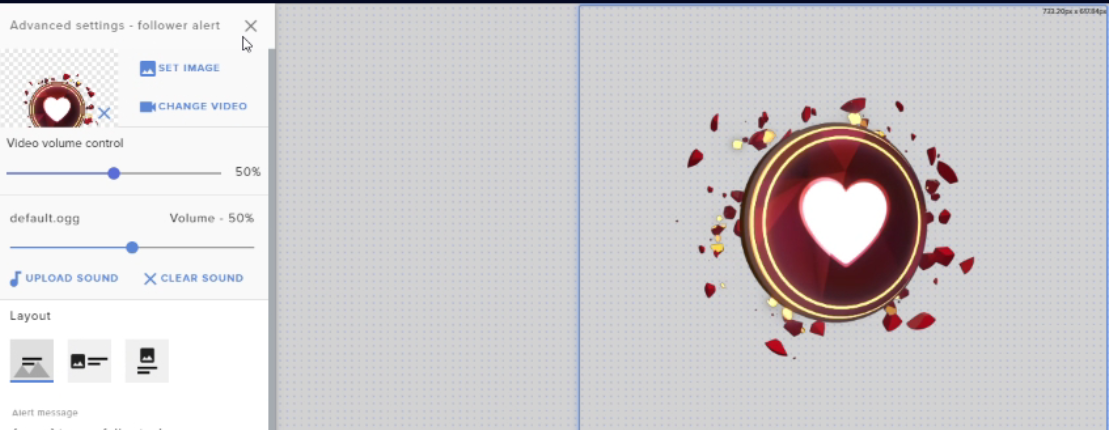
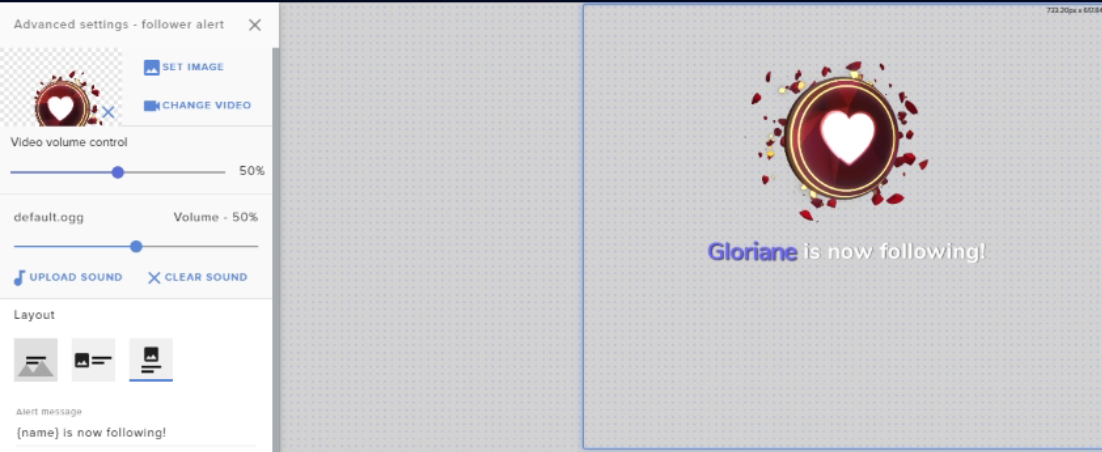
Guys my friend is tryna setup alerts, for followers etc, if he chooses 'text over image' nothing is shown, but it is it if he selects text below, or text to the side.
He's made a brand new Alertbox, using Streamelements default image to showcase what's happening.
Text Over Image
https://i.imgur.com/w42lugn.png
Text Next to Image
https://i.imgur.com/IRLqFGl.png
Text Under Image
https://i.imgur.com/CHmelCF.png

 chrome folio
Hi, I reported an issue here today (some hours ago) to @zenith widget about SE Leaderboards on Twitch, where the Twitch profile Jun1Nj cannot configure the extension on the Twitch extensions panel after it is installed/added. The problem occurs with the Twitch login/profile, it has already been tested on different computers and browsers and the problem is the same... only with this profile/login. As soon as you click on configure the extension it starts to open the window, it flashes, and suddenly the image is completely erased without any data. I already sent the Chrome and Firefox developer report to @zenith widget showing errors on the console. I would like to know if the developers already have an answer or fix to the problem with the Twitch profile Jun1Nj.
twin sentinel
@sullen moss Use text over image and change the margins in the advacned text settings.
sullen moss
@twin sentinel You're a superstar ❤️
sweet socket
@dense iris have you added the overlay to obs?
and have you set the right dimensions?
round brambleBOT
To add your overlays to OBS, add a new browser source in your scene. Paste your overlay URL in the browser source properties, set the dimensions to 1920x1080 (unless you changed them on the website), and ☑ “Shutdown source when not visible” https://youtu.be/KDvLynUqXI4
sweet socket
No worries!
 regal gorge
hi i cant get tts for bits to work tts for donations work just fine but not bits any way i can fix this?
twin sentinel
@regal gorge Check your default alert and your cariations.
twin sentinel
The default alert is directly when you enter the event, the variations are when you select the variations settings in the event.
fresh helm
Anyone know why my back up Playlist for song request isn't being used?
lament blade
Is it possible to change the built in chat widget to show the chat of another program like d-live in place of twitch?
twin sentinel
No. @lament blade
 steel gyro
There are people complaining that they are not earning points, even while watching live, that the points are blocked by a certain amount, and from what i saw it is not with everyone that this happens... Is there really a bug in that?
twin sentinel
@fresh helm What browser are you using? Is the backup playlist entered in the settings?
@steel gyro No bug to my knowledge.
steel gyro
Some people have already come to claim this and i don't even know to do...
twin sentinel
@steel gyro Do they all stop at the same amount?
steel gyro
no
round brambleBOT
@steel gyro Go to the dashboard -> right side -> part channel -> join channel (https://streamelements.com/dashboard)
twin sentinel
^ try this and see if it helps.
steel gyro
One person said he was on the live for a long time and didn't earn points.
sweet socket
can you check the person's points?
sweet socket
maybe Twitch didnt recognize him as a viewer, did he have the stream muted?
just check if it happens again if he is in the viewerlist at the moment, you can add some points for now if he really wants the points
 lofty spire
Hi there! Is this the place where I can ask questions regarding stream elements overlays?
sweet socket
its just !addpoints [username] [amount]
@lofty spire if you use Twitch, here is the good place!
fresh helm
@twin sentinel chrome. It's a public Playlist I made on YouTube
lofty spire
I do indeed. I’m new to overlays and i’m trying to figure out how to descale my stream elements overlay to hit on stream labs obs?
round brambleBOT
@lofty spire We're not able to troubleshoot issues with using our overlays in StreamLabs OBS (SLOBS) as we don't have the tools to support their software. We recommend using OBS Studio or OBS Studio with our plugin OBS.Live.
steel gyro
I can add points, but he may also be lying when he says that, so i wanted to see if there really is a bug in that because it wasn't just him who reported it..
sweet socket
For slobs assistance, please visit their discord
lofty spire
Ah okay. Thank you
sweet socket
I can add points, but he may also be lying when he says that, so i wanted to see if there really is a bug in that because it wasn't just him who reported it..
@steel gyro yhea if he was the only person, i wouldnt be so certain of it
twin sentinel
@fresh helm Can you DM me that playlist please.
sweet socket
Ah okay. Thank you
@lofty spire keep in mind that they tend to block our overlays and services in their program
lofty spire
Ah alright. Does stream elements have their own obs?
round brambleBOT
@lofty spire OBS.Live is a Plugin for OBS created by StreamElements. You can download OBS.Live here: https://streamelements.com/obslive
Please make sure you have the latest version of OBS installed, Current Version: 24.0.3. You can install OBS here: https://obsproject.com/
 feral wind
is it possible to make my own alert as in set the command, sound and image and who can do said command?
twin sentinel
@fresh helm The playlist is working fine on my end. Try to delete it and readd it.
fresh helm
@twin sentinel thanks I'll try that
sweet socket
Ah alright. Does stream elements have their own obs?
@lofty spire check @round bramble their answer, also we do have a import tool for non-copyrighted overlays and alerts/donations
lofty spire
Perfect. Thank you
sweet socket
No worries, just ask anyone here for help if needed and we'll help you as good as we can 🚀
 dense iris
next question would be why only some of my custom alerts are working. Subscriber and cheer keep showing default.
sweet socket
have you hit save in the editor before testing?
dense iris
yes
it has worked once but as soon as i copied the url and put it into my obs it showed default again
sweet socket
does it work in the tester tho? or does it show default there as well?
dense iris
it shows default there as well
i closed everything and reopened ( to check if it was saved) and all my custom settings are still there
but when i emulate it shows default
sweet socket
Let me ask that for you
dense iris
thank you
sweet socket
have you checked the variations as well?
sweet socket
you have to set the variations as well
otherwise if you test a resub of 2, it wont show the normal subsciption variation
dense iris
ahh, man i feel dumb
sweet socket
No worries haha!
sweet socket
@edgy lion well what do you need help with? 😄
 proper nest
@sweet socket the new overlay layout is confusing. i no longer no how to change the count for my sub goal
 edgy lion
is there any no cam overlays
round brambleBOT
@proper nest We've released our new Overlay Editor revamp. You can check out the changes and how to work with it here: https://youtu.be/X5VzXjqAsjk
Check out our blog post as well: https://blog.streamelements.com/streamelements-overlay-editor-just-got-even-better-c22cb5b4853e
We are thrilled to announce the launch of the remastered StreamElements Overlay editor!
https://p.strms.net/newoverlayyt
Why StreamElements Overlays are better?
😎 Simple: Load your entier setup using only 1 link
⚡ Fast: Cloud-powered Overlays arrive in real-time, say goodb...
sweet socket
should show every thing here ^
I'll quickly check how you can get there
@edgy lion most of the time you can delete the webcame overlay within the overlay!
edgy lion
but i dont know how to edit them
proper nest
@sweet socket that doesnt help. i need to be able to change the number of subs that i have achieved in my sub goal but there is no option
i could do it easily before under the goals portion of the last overlay editor but now there is no options besides adding widgets
sweet socket
I'm gonna check it for you Ayla
@edgy lion watch the above video on the new overlay editor and it will explain lots
proper nest
@sweet socket we are not able to manually change any of the amounts achieved for any of the goals
sweet socket
am asking around for you
 thorn bison
Hey there - so I'd like to add Sound Commands that are supposed to be triggered either by my mods only or by viewers + mods. We've added a command with a soundfile for viewers which they should be able to trigger by redeeming it in the shop for their points, but the sound doesn't trigger, even though the bot says that it has successfully been redeemed? My mods and I are clueless what we did wrong. Maybe one of you have any solution to that 🙂
feral wind
^ Same.
scarlet tiger
@thorn bison @feral wind hey, redemption widget was added to your overlay?
 little snow
Right now I am currently customising my chat alerts and in the tip section is there a way to make any donation the same message customised message?
scarlet tiger
I dont understand your question
little snow
In the modules section there is the chat alerts and right now i am customising the alerts
In the tip alert there is an "amount" field where I need to enter a number for the amount of money the person donated im guessing
scarlet tiger
If is set yet for example 150, 5-149 is triggered by message for 5 and all above 150 is triggered by 150
@little snow
@lament blade
For example !quote add dnsfiuabfvyuaknbcluiw -MrJaroslavik
lament blade
thank you!
little snow
Thanks for the help i appreciate it
scarlet tiger
 mortal mist
How can I reset my donation goal?
round brambleBOT
@mortal mist To reset goals:
- from the overlay editor -> data on top -> goal tab -> reset progress of desired goal
- from the dashboard -> activity feed on the left -> widget data on the right -> goals tab -> reset progress of desired goal
Note: Goal widgets(progress) only counts up and doesn't go down automatically, if you loose followers/subs
 charred vapor
 winged musk
if im on console can i do themes for my stream
round brambleBOT
@winged musk Here is a guide on how to setup the most essential tools for streaming from your console, while using StreamElements tools without involving a Capture Card! It's easy to do, take 4 minutes to read and 10 to 15 minutes to setup!
Read all about it here: https://blog.streamelements.com/how-to-stream-on-console-7b620b1c46c3
winged musk
i picked my overlays but they arent popping up on my stream
round brambleBOT
@winged musk To add your overlays to OBS, add a new browser source in your scene. Paste your overlay URL in the browser source properties, set the dimensions to 1920x1080 (unless you changed them on the website), and ☑ “Shutdown source when not visible” https://youtu.be/KDvLynUqXI4
sweet socket
you would need a streaming application
they dont just pop up on your stream, you need to capture the stream with a streaming application
winged musk
do i need a capture card
winged musk
so i cant put themes just off of my console
sweet socket
nope
winged musk
can i have alerts?
 karmic steeple
i keep on having one resolution only, i have been trying for three hours is there any way i could fix this?
sweet socket
@winged musk only chat alerts
for the rest you can only have what your console offers, game and camera stream
winged musk
@sweet socket how do i setup points
round brambleBOT
@winged musk New to Stream Elements?
Check out our YouTube channel https://www.youtube.com/c/streamelements/videos
with tutorial videos from setting up the basics, to in depth details on how to use our product.
New to OBS? Here is a 4 step quickstart guide
https://obsproject.com/wiki/OBS-Studio-Quickstart
Want to learn even more? Here is an in-depth overview
https://obsproject.com/wiki/OBS-Studio-Overview
winged musk
and for channel points do i need Affiliate
sweet socket
Channel points are a twitch thing, so those are seperate, but yes, you would need affiliate for the twitch ones, you dont need to be affiliate for our points
winged musk
👍
sweet socket
be sure to check the youtube channel and our website for all the stuff you can do with our services
https://www.streamelements.com
StreamElements
StreamElements is the leading platform for live streamers on Twitch and Youtube. StreamElements includes Overlay management, ChatBot, Tipping, Alerts & Loyalty
winged musk
Can you play music through twitch on console and use to skip song command
 carmine warren
can i use NDI in SEOBS ?
 strange plinth
Heya! Sorry to bug again, got a small request. I changed my name from AdrianS_irl to AdrianDotCherry, almost everything updated correctly, only the SE.Merch URL is still the old one. Could SE staff update that for me? thanks a ton!
wary halo
can i use NDI in SEOBS ?
@carmine warren yes
Heya! Sorry to bug again, got a small request. I changed my name from AdrianS_irl to AdrianDotCherry, almost everything updated correctly, only the SE.Merch URL is still the old one. Could SE staff update that for me? thanks a ton!
@strange plinth not possible at the moment due to technical limitations
Can you play music through twitch on console and use to skip song command
@winged musk no
strange plinth
@wary halo aw alright, fair. thanks for the quick response though!
lament blade
Hello. So I upgraded to win 10 and now all docks are all messed up this way. Any ideas how to fix that? Thank you for your time
 mortal echo
Hi there, is there a way for me to download the audio clips from my SE library? I lost files a while ago and just realised my audio clips are still available on SE for my alerts. I'd like to download them again.
ionic kelp
@lament blade view > docks > Reset
lament blade
@ionic kelp Didn't help unfortunately. I will try to update all drivers before.. It might be that... although they should get installed automatically i think
OBS performance kind of dropped too so I think it will be the best first step
@mortal echo You can open dev tools, network, and once you played them DL them from there
Thats what i did anyways
@wise dagger Did you try parting the bot from chanell and rejoining it?
quartz girder
does someone need help
lament blade
@quartz girder any experience in performance drop of obs after win upgrade?
 buoyant sentinel
im using brave, and when Im trying to add capture window -> and then select brave I get black screen
quartz girder
i dont know then i am so sorry 😥
wise dagger
the other functions work with the bot, but I Can try that suggestion @lament blade
buoyant sentinel
ayyy ok, no worries
lament blade
@wise dagger helps with bunch of things, might aswell help you
round brambleBOT
@buoyant sentinel For the best OBS support, please join their Official Discord @ discord.gg/obsproject
buoyant sentinel
thanks!
lament blade
Good bot
buoyant sentinel
also do you know how can I adjust window that im capturing, for example I want only to show the left corner from that window
how do I do that?
because when I try to change it by draging it changes resolution of that window
wise dagger
@lament blade WIll try that now, thank you.
lament blade
@buoyant sentinel Hold alt key and drag the sides to crop it
 strong kernel
@wise dagger Your previous message was removed for having a link. If you haven't already tried, make sure you're writing the username without an @ in front, and that they've spoken in the chat today.
 minor badge
hey it don't active on twitch how can i activete the bot?
strong kernel
Below the very prominent  that's saying it's not in your chat on your dashboard.
minor badge
it don't
strong kernel
It do.
wise dagger
there ya go @strong kernel it was the "@"
minor badge
i can't find it
strong kernel
StreamElements
The Ultimate All in One Platform for Streamers
minor badge
thx
 split vortex
Hey, I can't seem to open up chat as a dock anymore and put it alongside my activity feed. Any tips?
strong kernel
Check in the StreamElements menu at the top.
split vortex
Yeah, I have Chat checkmarked, and it's appearing on the screen, but I can only partner alongside the activity feed so they're stacked on each other horizontally, used to they could be side by side vertically. I can't seem to do this any longer
strong kernel
Oh, I see. Arranging panels in OBS is a fine art, it takes some fiddling around with.
split vortex
Indeed, I don't seem to have the touch I guess. Used to I could open up chat as a dock under "view", but it's no longer listed there
Oh my goodness, I just did it magically I suppose. Thanks for your help, Nethyr, sorry the problem was me just being ridiculous!
I can't seem to make the chat in dark mode anymore, though, any tips on that?
split vortex
My hero lol thanks a ton
 tough current
i need help give it aq call
round brambleBOT
@tough current Welcome to the helpdesk! Please let us know how we can assist you today and a support volunteer or staff member will assist you as soon as they are available. Thank you for your patience.
tough current
i have problem with paypal
wary halo
and what is that problem?
tough current
go on chill chat asap
strong kernel
We do not provide one on one voice support.
tough current
owkey
so i am searching few things
paypal situation that my money is on hold
and music on demand
wary halo
for Media Request:

StreamElements Media request enables playing songs and videos in your stream. It's an upgrade of StreamElements Song request and Media share features.
Join our discord for live support: discord.gg/SE
Ground Control: https://strms.net/groundcontrolyt
Channel Management ...
for paypal issues, contact paypal. there is not a lot we can do about that since we don't touch the money.
 dense quiver
my media request is not working
 narrow shale
I lost my chat feed and activity feed on my OBS
I don't see where to reactive the views
round brambleBOT
@narrow shale Streamelements on top of OBS -> Logout -> login
narrow shale
Thanks!
 vivid tendon
Hey guys, if I wanna stream with NDI setup I get these weird blurry banners. But I can easily stream with 1920x1080. It's only happening when the screen is stretched

Is there someone who can help?
round brambleBOT
@vivid tendon For the best OBS support, please join their Official Discord @ discord.gg/obsproject
vivid tendon
Thank you 🙂
 broken pilot
Someone have any solution? StreamElements OBS can't take stream key ;/
abstract hemlock
@broken pilot Could you translate that error message please and provide some context, when this is happening?
broken pilot
give me a second
 untold sigil
Hey everyone, new to the server. And I've been having an issue since I got my streaming back up and running in December through well today.
I'm not receiving ANY of my alerts through Streamelements, unless it's through a themed overlay in their collection.
I've tested the notification overlay I created. Quadruple checked my websource in OBS and while it's working RIGHT NOW when testing on the SE site, if it's coming from twitch chat.. it's not going through.
Any tips would be GREATLY appreciated.
broken pilot
You cannot access the selected channel or stream key. Please check the stream key. If it is correct, the connection to the server may be a problem.
This happens when I click start streaming
chrome folio
Did you try to get a new stream key on twitch > settings > channel? Or, if your OBS is version 23 or up you can login with your twitch account on OBS > Settings > Streaming @broken pilot
broken pilot
Everything is set up the way it should be. Five minutes ago, the stream was working normally. When I restarted stream, that's what happened.
winged heart
Hey guys. I am having an issue with Twitch having the mp3 sound from my follow alert. It has it right on my pov and when i emulate a follower on stream elements it works with sound on both, but I tried to follow my account with another laptop to see how it would look when I was live and the visual worked, but no sound
round brambleBOT
@untold sigil Go to the dashboard -> right side -> part channel -> join channel (https://streamelements.com/dashboard)
abstract hemlock
@broken pilot have you tried what phph said?
untold sigil
Bot is already in channel... but I'll remove and then re-add I guess.
winged heart
hello?
round brambleBOT
@winged heart Please connect your streaming account (Twitch, YouTube, or Facebook) with Discord by going to ⚙ Settings and then Connections here in Discord. https://streamable.com/eg92w
 winged heart
Done
broken pilot
We have to wait because I've sent too many requests for an SMS code
winged heart
@abstract hemlock can you help me brotha
abstract hemlock
@winged heart please be patient
broken pilot
It works, thanks a lot for your help! Have a nice evening
abstract hemlock
@winged heart everything seems to be correct, to test it, try this :
- Mute the web editor
- Emulate the follower alert (with the "preview LIVE on stream" On)
- See if your obs mixer is moving at all
- If so eveything its ok, if no check the "Audio via OBS" option on the browser source.
 drifting hawk
Messing with the new StreamElements editor, and set up a Total Subscriber Points widget, that shows properly, but when I emulate an event, it goes to 1? Also, is Right justification broken? It keeps expanding to the right instead of the left.
split merlin
is it possible to use the stream elements widgets on something like slobs?? just curious
i didnt mean widgets i meant alert sounds
abstract hemlock
@broken pilot try again
split merlin
and alerts
drifting hawk
@split merlin It's just a browser source, so yeah.
split merlin
but how??
broken pilot
same message
abstract hemlock
@split merlin you can use the overlay in any software
round brambleBOT
@split merlin To add your overlays to OBS, add a new browser source in your scene. Paste your overlay URL in the browser source properties, set the dimensions to 1920x1080 (unless you changed them on the website), and ☑ “Shutdown source when not visible” https://youtu.be/KDvLynUqXI4
@broken pilot Go to the dashboard -> right side -> part channel -> join channel (https://streamelements.com/dashboard)
untold sigil
@split merlin all you have to do is make an overlay on SE, add whatever widgets you want, copy the URL and paste it to a websource browser within OBS.
err SLOBS
split merlin
@untold sigil
strong kernel
@winged heart If your stream can't hear the sound but you can, then you're not capturing the right audio device. Check your settings in Settings>Audio.
split merlin
@untold sigil look at dm's
winged heart
@strong kernel what audio should I use to capture the browse source?
 swift hawk
can anyone help why the broadcaster only commands aint working ??
strong kernel
@drifting hawk Twitch doesn't send subscriber points through the API any more. We temporarily made it list sub count instead until we found a solution, which we've yet to do. You'd likely be better served just using the sub count widget instead.
drifting hawk
@strong kernel Oooh, ok.. What about the right justification?
strong kernel
Meant for fixed width widgets. Variable width widgets (without a width set) will always fill in from left to right.
drifting hawk
Dang, so if I have multiple widgets (Todays Subs, Total Subs, etc..) there is no way to right align them?
strong kernel
Give them a width.
drifting hawk
Oh. Touche. LOL
lament blade
Can people refund on streameelents donations?
 tacit lotus
How come my Logitech 920 won't zoom in on obs live??
strong kernel
The same reason it won't zoom in on OBS Studio either; OBS.Live is a plugin for OBS Studio, not its own software.
round brambleBOT
@tacit lotus For the best OBS support, please join their Official Discord @ discord.gg/obsproject
winged heart
what audio should I use to capture the browse source?
strong kernel
That's for you to figure out. We don't know your setup. But probably your default audio device.
 simple apex
what's the default playlist for media request?
lament blade
Can people refund on streameelents donations?
wary halo
SEpay: no
 strange island
Hello everyone!
lament blade
@wary halo was that in response to my question?
chrome folio
Hello, yesterday I made a Merchandise Goals and set the Revenue Goal on Session Data (Overlays Editor) because I brought this overlay that was already active on another platform with R$ 386,62... and today I received more R$ 18 of donations and the value of Revenue Goal hasn't been updated to the new value (386.62 + 18 = 404.62). How to fix it?
wary halo
@wary halo was that in response to my question?
@lament blade yes
lament blade
So no one will chargeback and I won’t have to pay a fee right?
I don’t want people refunding
wary halo
exactly, but only for SEpay
 steady hatch
my media request overlay isnt working and the viewer request arent working can anyone help
wary halo
if you use PayPal, they can always charge back
strong kernel
Chargebacks cannot be stopped as they're a bank decision, not a payment processor decision. They can only be disputed. With SE.Pay, you just won't have to deal with chargeback fees in the event one goes through.
A chargeback is not a refund.
steady hatch
can anyone help me
i just switched to streamelements and need some help with media request
abstract hemlock
@steady hatch Did you add the Media Request Widget to your overlay?
steady hatch
yeah and it wont show up on ym stream
i copy and paste the overlay link but still wont work
round brambleBOT
@steady hatch To add your overlays to OBS, add a new browser source in your scene. Paste your overlay URL in the browser source properties, set the dimensions to 1920x1080 (unless you changed them on the website), and ☑ “Shutdown source when not visible” https://youtu.be/KDvLynUqXI4
 glacial lion
media request wont work for me either when i try to "show on stream"
it shows up in the editor but not in the actual overlay
chrome folio
Hello, yesterday I made a Merchandise Goals and set the Revenue Goal on Session Data (Overlays Editor) because I brought this overlay that was already active on another platform with R$ 386,62... and today I received more R$ 18 of donations and the value of Revenue Goal hasn't been updated to the new value (386.62 + 18 = 404.62). How to fix it?
Anyone can help me with this?
steady hatch
@abstract hemlock thank you for the calm music its really calming me down right now
abstract hemlock
😅 np
steady hatch
lol



 glacial lion
u mean trying to request a song via chat? (worked)
abstract hemlock
@glacial lion You have the Media Request widget on your overlay?