#helpdesk-twitch
1 messages · Page 599 of 1
 neon magnet
 woven sapphire
This might be a real weird question but someone keeps on botting my friend, I’m wondering if you can report it straight to the staff or is the only way through the report button in their twitch
 strong kernel
You need to use the report function in Twitch.
woven sapphire
Oh ok, thanks tho
 lament blade
Wish we could do more, but this is something that's happening on Twitch, if something was happening using our tools, we could do more
 finite dagger
Hey guys 🙂 Wanted to ask, do you know if it's possible to have Stream Elements on multiple platform at once ? I'm Modding for a streamer who is using Restream and wanted to know if it was possible to have the alerts and such on multiple platforms at the same time. Thank you kindly 🙂
 tropic plinth
yes, it's possible, by using multiple links, one for each platform
finite dagger
Alright thanks 🙂 !
strong kernel
However, StreamElements does not support multistreaming and alerts from multiple platforms will not queue up with each other. They will overlap and interrupt each other.
 drowsy owl
Hi there. I hope in the right section. I’m using stream elements and I’m wondering if there is a away to free rotate a source. Maybe with a work around if stream elementsdoesnt support it ? Hit me up in a dm or reply on this message please.
strong kernel
Not possible in the overlay editor without doing a custom widget with your own coding.
drowsy owl
So I need to find a person who can create a code for me like that ?
strong kernel
It wouldn't be a free rotate. Rather, the code itself would just set how it's rotated.
 round brambleBOT
@amber wasp Please follow our community rules:
- No advertisement or stream promotion
- Respect ALL server members
- No NSFW/NSFL
Thank you
 paper ferry
is media player down?
strong kernel
Not that I'm aware of.
paper ferry
video won't play and I remade widget and still not working
 fallen compass
How do I change the chatbot's name in my twitch chat.
strong kernel
@fallen compass See pinned message in #helpdesk-selive
fallen compass
ty
paper ferry
it tells me there are no active widgets. Worked fine last night
paper ferry
I am and it still says no active widgets
strong kernel
Take a screenshot please?
paper ferry
round brambleBOT
@paper ferry Streamelements on top of OBS -> Logout -> login
paper ferry
I press show on stream then it gives me that msg
lament blade
Make sure that you're logged into the correct account, like the Bot said, logout and login on OBS.Live
paper ferry
I have the right account and I don't use obs.live
 vague lance
I keep getting this message when i try to edit my over lay
strong kernel
@vague lance Edit on the site, not from OBS Studio.
paper ferry
I can go on the browser and use the editor and the media widget isn't working there either so it's completly down on my end
vague lance
like it doesnt keep me from streaming but i just dont understand why it says unauthorized token when my stream is perfectly fine too lol
paper ferry
ok I got it working
strong kernel
@vague lance Edit on the site, not from OBS Studio.
vague lance
I got that, but when i start up the obs and all that itll still pop up, like i said my stream still works and everything but ill get the notification like the obs doesnt have the right stream key lol
round brambleBOT
@vague lance Streamelements on top of OBS -> Logout -> login
 clear elk
Suddenly not getting alerts to the specified overlay link from browser source. Anyone available to help?
Alerts showing in edit overlay, but not on stream
Using obs.live
strong kernel
@clear elk I've tested your alerts overlay and it appears to be working fine in both editor and OBS.
round brambleBOT
@clear elk You can test Alerts via the bell on the lower right corner of the Overlay Editor. Simply go to your Dashboard -> My Overlays -> Pencil/edit button on the overlay. Make sure the "Show Emulated events on stream" option is on to see the alert in OBS/Xsplit https://streamable.com/h6qgy
 strong kernel
(Shh. I got turned around. 😂 )
clear elk
Thanks for checking that. Any reason I'd not be seeing them in my OBS.Live?
strong kernel
Check the bolded text to start.
clear elk
Lol no worries, I figured
omg
I'm so sorry. Lol
That did it....thank you sir/ma'am!
round brambleBOT
@torn aurora You can test Alerts via the bell on the lower right corner of the Overlay Editor. Simply go to your Dashboard -> My Overlays -> Pencil/edit button on the overlay. Make sure the "Show Emulated events on stream" option is on to see the alert in OBS/Xsplit https://streamable.com/h6qgy
paper ferry
is there a way to disable min view count for song request? There are videos with 191k views that are getting blocked for not enough views and that is insane.
strong kernel
@paper ferry You control that setting in https://streamelements.com/dashboard/mediarequest/settings

StreamElements
The Ultimate All in One Platform for Streamers
Look at the Auto Filter slider.
paper ferry
cool thanks
 faint isle
I am a member of the Magic: The Gathering Creator Program - NA and I completed a challenge on Monday. I went to claim it today and tweeted out like I'm supposed to but I never got the code I was supposed to get.
 ionic kelp
@faint isle how long ago did you try?
faint isle
According to the Rewards page, it says it was redeemed today at 5:41 pm
ionic kelp
But it is showing redeemed?
faint isle
on the rewards page yes but I didn't receive a code
ionic kelp
I'll pass it along to those that should be able to investigate
ionic kelp
 Strange
faint isle
It might have been something with my email...but I have it now...so no big deal
you all are awesome to help us out when needed 🙂 ❤️
ionic kelp

 barren marlin
strong kernel
barren marlin
strong kernel
Please ask in #🇵🇹︱português
 sudden temple
Hello. Can anyone point me to the tech specs for file format required to upload my own Alert Notification video? I'm using the WEBM format, and the preview works perfectly inside the Editor. It does not show in the emulator.
round brambleBOT
@sudden temple You can test Alerts via the bell on the lower right corner of the Overlay Editor. Simply go to your Dashboard -> My Overlays -> Pencil/edit button on the overlay. Make sure the "Show Emulated events on stream" option is on to see the alert in OBS/Xsplit https://streamable.com/h6qgy

 dry hare
As long as your video is displaying correctly in the editor, follow the steps in the above video to emulate the alert in OBS
sudden temple
Thank you. I have used the Emulator to test all of my other customizations successfully. It's the video that is not showing in place of the default alert, even though it's uploaded and previewing perfectly.
sudden temple
Problem solved. There are many variations that need to be served first. Thank you.
 naive whale
so idk if this is within the scope of this channel, but I want to run a command on my channel as !catfacts and I basically want to work it like a reskinned !quote command set. so my users can add as they like and call random or specific ones
Does anyone have any info that can help with this?
 steady light
ok so I've just started streaming, but when i go live the desktop audio recoded by OBS for the stream plays for me as well as the viewers
and with the delay i have it means i hear a sound twice
which is hella annoying
anyway to mute it for me but not the viewers?
steady light
ok so like, on twitch ive got a 20 second delay
but the issue is, when i started the recodring, i could hear the game audio in real time from the game itself, then 20 seconds later id hear it again
same if i made any noise
id hear myself
ionic kelp
Do you have your stream open?
ionic kelp

steady light
ok then new question, the scenes i have have animated things for stream starting, ending etc. but for some reason they get hella laggy
 zenith widget
What are your PC specs?
 restive shadow
hello everyone! is there a problem with alerts at the moment? everything else is working on on my overlay except those ':)
round brambleBOT
@restive shadow You can test Alerts via the bell on the lower right corner of the Overlay Editor. Simply go to your Dashboard -> My Overlays -> Pencil/edit button on the overlay. Make sure the "Show Emulated events on stream" option is on to see the alert in OBS/Xsplit https://streamable.com/h6qgy
 zenith widget

 little oak
you can disable it
https://streamelements.com/dashboard/bot-commands/default-commands look for !commands and disable it
 lofty moth
It would seem extraneous to have someone type !show kapp for an emote to appear on screen
@dry hare I want it to be special, and have a cooldown on the command to prevent spam
zenith widget
@lofty moth Are you referring to a custom kappagen command?
 frank stratus
Hello folks! I do have a question, might need to go to obslive but i'll start here. I have my webcam setup on multiple scenes. If I switch from one scene to another, it will not work on the 2nd scene. I've tried to select "Deactivate when not showing" but it will open on another scene, and if I go back the cam will remain deactivated on the first. WHat am i missing?
lofty moth
@lofty moth Are you referring to a custom kappagen command?
@zenith widget https://xqc.pajbot.com/commands/showemote basically this
zenith widget
Ok I don't understand what exactly I'm looking at.
lofty moth
Ok I don't understand what exactly I'm looking at.
@zenith widget https://www.twitch.tv/xqcow/clip/StrongOptimisticDiscPraiseIt look at his webcam in the bottom left, it showed emote
 zenith widget
@frank stratus Remove the webcam source from all scenes. Then add it to 1 scene. Right click the source -> copy. Switch to other scene -> right click somewhere i nthe sources -> paste as reference. Do this for all scenes. You can adjust the size of the webcam in every scene without affecting the otheres, but this does not apply to filters
lofty moth
As far as I understand it's a custom made for xqc and forsen also uses something similar (if not the same) I was wondering if it's possible to achieve this through any of the widgets in SE
lofty moth
I did play around with it since people mentioned in yesterday, I was able to set it up to show one emote only but emote is bouncing, is there a way to make it simply show up and not move?
frank stratus
Ah you're amazing @zenith widget Thank you! I could not figure out why it wasnt acting right for the life of me
lofty moth
I did play around with it since people mentioned in yesterday, I was able to set it up to show one emote only but emote is bouncing, is there a way to make it simply show up and not move?
@lofty moth seems like animation blur is what I was looking for
which command is it to show an emote? !kappagen kappa for example? Can I make it so it uses loyalty points?
 gentle imp
@lofty moth you can set the cost here, search kappagen command
default is set to moderator but you can change that
and yes, I think that's how you trigger it with just 1 emote
lofty moth
Thank you! Awesome stuff!
 quasi flare
I got a donation tonight, but the notification/sound didn't pop up and I have it setup
gentle imp
does it show on your activity feed?
 livid stirrup
Hi There please could you help. I am not sure which variables to use to set this up but I am trying to do a command I can link up to my stream deck to shout out the person who just raided. Is there a way to pull the last raiders name?
quasi flare
ya it shows on my activity feed
zenith widget
@livid stirrup There is a shoutout template command for the custom commands.
gentle imp
do you have the alert box configured for donation and added the overlay to a source on OBS? @quasi flare
round brambleBOT
@quasi flare To add your overlays to OBS, add a new browser source in your scene. Paste your overlay URL in the browser source properties, set the dimensions to 1920x1080 (unless you changed them on the website), and ☑ “Shutdown source when not visible” https://youtu.be/KDvLynUqXI4
quasi flare
and will that show the notification in my overlay on stream too?
i have it in my overlay, thats why i thought it would work
gentle imp
yeah it will once you add it like the bot said
quasi flare
i have it in my overlay already
gentle imp
and you can test if it works via the activity feed, click replay
quasi flare
and when i do emulate tip it pops up
quasi flare
but it was like that before i went here and it didn't pop up
gentle imp
but you said above you didn't had it on OBS
 orchid yew
Hi everyone, wondering if someone can help!
Created a bunch of sound redeemable items on our store, to play whilst we're live in exchange for peoples points.
I have setup the store fine and installed the redeem store item widget in our overlay. We tried it out last night but our viewers couldn't hear the sounds? We could hear them play back through OBS.
Also just watching back our stream, even the sound effects for our sub alerts etc. aren't working either? Visuals work but not the sound.
I use OBS Studio and have SE as a browser source.
Any help appreciated
Saying that some visuals weren't even triggering in last nights stream too
 lean zinc
Yo quick question, is there a way to do a !heist, !boss and/or !ffa yet somehow? am i looking over this or is it not possible?
gentle imp
@quasi flare if you are not using OBS.Live you will need to have StreamElements dashboard open during stream for alerts to work
round brambleBOT
@lean zinc Check out the StreamElements ideas board: https://strms.net/ideas. You'll be able to add ideas, upvote ideas you agree with, and track their progress with email notifications. Adding and upvoting ideas also helps the staff know which ideas should be prioritized so please take some time to upvote.
gentle imp
at least that's how I recall things work, unless it changed
quasi flare
@gentle imp I use Streamelements OBS
gentle imp
weird and if you replay the donation from activity feed does it show?
quasi flare
ya
gentle imp
so perhaps it was some problem at the time, I don't see anything wrong
all my events worked fine last night
gentle imp
@orchid yew can you show us a screenshot of how you have the sound setup on obs please?
quasi flare
because all my other notifications work (sub, follow, host, etc)
thanks for the help @gentle imp
gentle imp
what I want to see is this @orchid yew https://cdn.discordapp.com/attachments/199460642975907840/685371800456134686/unknown.png
 orchid yew
@gentle imp thanks, give me a few minutes and I'll get that for you
zenith widget
Can I copystrike @gentle imp
gentle imp
if you have all tracks selected and if it's on monitor etc
zenith widget

gentle imp
😂
zenith widget
using my own screenshot 
gentle imp
yeah looked up to save work and there it was, ready to be copied 
zenith widget
actually i'll go make a command for that while eating lunch
gentle imp
nice!
orchid yew
Omg, how did I fail that hard.... @gentle imp ... It was "monitor only (mute output)" ffs I tried everything hahaha thought it was something I did wrong on the SE website!
Thank you so much XD
orchid yew
Any idea why sometimes sub notification images don't play when someone subs? Last night's stream 2 subs at the beginning triggered no alerts but then 20mins later on another new sub it worked?
zenith widget
It happens 😉
round brambleBOT
@orchid yew Twitch prime (new and resub) and paid subscriptions (resub only) must be shared in chat manually by the person subscribing in order for the subscription information to be sent to StreamElements. For twitch prime, the user needs to have sharing enabled on https://www.twitch.tv/settings/prime. For paid subs, if the share box doesn't show up immediately it will when they refresh the page. https://i.imgur.com/VNJN0Uv.gif https://i.imgur.com/2297EA7.png


 digital fiber
sorry I need help. where is tutorial for alert and overlay settings ??
little oak

Learn how to customize your alerts and setup different alerts variations with StreamElements Alertbox
Overlay Manager guide: https://youtu.be/X7XrDdRE7Fk
Add HypeCup to your Stream: https://www.youtube.com/watch?v=8LVRd2X4HvU
Got any questions, or just want to say "Hey"...
@digital fiber
digital fiber
Thank you very much @little oak
little oak
Welcome 🙂
 rose sluice
@little oak no not what I meant, hide all commands from chat
so only the results will appear
like if I type !commands it would not display the command, but the results only
 sweet socket
Do you mean that for he chat widget on your overlay?
or like on your chat within the streaming application?
dry hare
You mean to have !commands put a list of available commands into chat?
Or have it auto-delete the command after it’s submitted to chat?
sweet socket
I think the second part
rose sluice
oh yes the second part
but just the command one
not the result
like for ex if I type !raffle then I want !raffle be gone but the result is still there
 twin sentinel
Not possible with twitch chat.
 tough nebula
I have been having a problem with StreamElements Alerts and was wondering if you could help. I use Streamlabs OBS right now, and since Monday, the alerts have suddenly stopped appearing. It goes from Twitch to StreamElements, but doesn't show up in SLOBS.
I have tried remaking the overlay, adding a new layer, restarting SLOBS, reconnecting to Twitch, updating SLOBS but it doesn't show no matter what. It works on XSplit, though.
Any advice would be really appreciated!! Or if this seems to be a SLOBS (Looking that way...) I will ask there.
round brambleBOT
We're not able to troubleshoot issues with using our overlays in StreamLabs OBS (SLOBS) as we don't have the tools to support their software. We recommend using OBS Studio or OBS Studio with our plugin OBS.Live.
sweet socket
@tough nebula Slobs do block our alerts and stuff sometimes
They are our competitor and ofcourse they want you to use their products
tough nebula
I was wondering if that might be the case. It was very sudden. I appreciate the info. We were thinking of moving to Xsplit or OBS Studio, so this might just make the final decision. Thank you!
sweet socket
No worries! @tough nebula if you move over to obs studios and need any help with our plugin OBS.Live, be sure to ask around in the #helpdesk-selive!
 sly olive
Hey guys I’m not get any commands popping up in any of my followed channels that use streamelements commands
 floral frigate
Hello i am trying to switch to obs live, i am streaming through remote play of ps 4 instead of a capture card, no problems in OBS streamlabs. But want to go to OBS Live . It does not capture my gameplay in OBS live is is detecting my remote play but no visuals just sounds. Can anyone help me with that?
sly olive
For example, If I was to type any command such as !points, I do not get a response from the streamelements bots for anyone’s channels. Any fixes?
sweet socket
@sly olive can you double check the users list to see if the bot is modded?
sly olive
It is modded, yea. I’ve checked and it isn’t banned or anything either
sly olive
I was using points as an example. But any !command doesn’t work
sweet socket
points also doesnt work in mine
ah alright, seems to be working fine over at my stream
so ill have to ask around for you what that could be
sly olive
I’ll come to yours and show ya a pic
sweet socket
you can post pictures here
sly olive
Just no response. I thought it was just one streamer in particular, but it seems to be every streamer
Thanks for any help :}
I did notice when streamelements tried to post on my chat, it said it was intercepted or something last night on my end. Do you know what would cause that? It said “user message stopped” or something to that effect
 tight harness
Are you sure you haven't added the bot account to your ignored list on Twitch?
Just tried in your channel
sly olive
Do you know where I can find that list? When I type /ignore in chat it refers me to the ban list. The ban list doesn’t have streamelements on it
Ah nope you’re right. I tried /unblock and that worked. I don’t even know how that got on a block list. I use streamelements all the time
tight harness
The command would be /unignore streamelements
sly olive
Thanks guys. That’s had me scratching my head all night
tight harness
Glad that worked 😄
little oak
@sly olive also here you can see your blocc list goto this link scroll down a lil an you see "show blocced users" https://www.twitch.tv/settings/security
sly olive
I appreciate it!
 thorn quarry
Hey all, since I changed my Name on Twitch not one Chatcommand is working...does someone know why? also Streamlabs is not triggering any chatcommands like !commands etc...
sweet socket
Are you purely only refering to StreamLabs bot
or only refering to StreamElements bot
or both bots?
If its SE only log out and back in and then make sure to part and let the bot rejoin your channel
round brambleBOT
Go to the dashboard -> right side -> part channel -> join channel (https://streamelements.com/dashboard)
 sweet socket
No worries @thorn quarry that's the service we try to deliver! If you have any other questions, don't hesitate to ask!
 neat sigil
Is it possible to download the free alerts and use them as media sources rather than web sources?
 abstract hemlock
@neat sigil may i ask, why you wanna do that?
neat sigil
my pc isnt that great, using browser sources takes up more cpu than media sources
especially when using chrome
ionic kelp
Unfortunately if you want to user streamelements resources you'd need to use the browser source.
 bright knoll
Hi anyway to change the bots name? its very long
abstract hemlock
@bright knoll yes you can have a custom bot name
But is a must have installed obs.live
round brambleBOT
@bright knoll Custom bot name requirements
- StreamElements bot modded and in chat
- Active overlay with alerts
- StreamElements tipping page in the panels below the stream (!panels)
- OBS.Live or Ground Control open
- Create a twitch account for the name you want to use or run the bot under your own name
- Custom bot name doesn't work on Mac
abstract hemlock
but remember OBS.live
bright knoll
Yes I have done all this, but where does the new twitch user come in handy in all this?
gentle imp
- Create a twitch account for the name you want to use or run the bot under your own name
bright knoll
yes, and by doing this how does that change ma bots name?
little oak
it is a feature the SE obs.live plugin has, that allows you to change the streamelements bot name to a custom name of your choice
 jade remnant
twitch account for the name you want to use
 chilly meteor
Hi guys any quick fix on stream labs for dropped frames??
jade remnant
ask stream labs
bright knoll
@little oak Don't find this plugin in obs live
 dire solstice
I haven't got my Twitch stream email report for two days in a row now. Why did it stop?
little oak
@bright knoll on your obs.live broadcaster up top you will see activity feed hit the hamburger menu then scroll down and you will see set cusom bot name
ionic kelp
I think your feed panel is too small to show the option.
 waxen skiff
Hi! Im trying to get a command that serves as a daily win counter that i can updat by doing something like "!addwin" in chat. Is that possible?!
little oak
@bright knoll here you go
@waxen skiff like give you viewers loyalty points on a timer?
waxen skiff
oh no @little oak im talking about a command that people can come in and type !wins and itd display "Todays Wins: X" then when i get a win, i can just input a command that updates to the next highest number.
So like !addwin would make it Todays Wins: 1
so on and so forth
Just curious if thats possible!
little oak
ah ok gotha i will direct you to our API-CMD-Variable experts #dev-chat
🙂
with an api it is possible
waxen skiff
okay! Should i just retype my question over there?
bright knoll
I cant log outta groundcontrol, accidentally logged on to it with my main twitch user
little oak
are you god with API? if so i got a link for ya
waxen skiff
Not even a little bit haha
little oak
@bright knoll delete the auth key
bright knoll
in the app itself?
little oak
ah gotcha and yes you can retype your message in there 🙂
little oak
one sec ill get you a recording Mutus
bright knoll
alrighty
little oak
once deleted then log into the account you want
bright knoll
yes its done in this picture
little oak
you want to sign into main then after you sign with bot name
what i sent do you have that option?
little oak
ok then you do not have the option to have a custom bot name on your Ground Control
if you do not see what i sent you
yo only have a main account on it
the ground control should be your broadcasting account on twitch
bright knoll
I have a main user which is Mutus98
and a second now which is thekidsb0t
i wan that as bot
little oak
ok wait one sec i will show you something on GC an tell me if you have it
do you have this option?
bright knoll
No Not on the main or second account
But i have everything set up
- StreamElements bot modded and in chat
- Active overlay with alerts
- StreamElements tipping page in the panels below the stream (!panels)
- OBS.Live or Ground Control open
- Create a twitch account for the name you want to use or run the bot under your own name
little oak
if you do not have the custom bot name on GC you will need to sign into main account on GC
it needs to be the twitch broadcasting account the main account you stream on
then you will need to go to the obs.live and rename the bot there now
i see by the pic you are signed into the bots name that will do yo no good we need your main account there
bright knoll
bright knoll
done
bright knoll
Ok
bright knoll
where in obs live?
bright knoll
yes using this
little oak
now the video i sent will show you how to give the bot the name you want 🙂
bright knoll
little oak
yes there
bright knoll
this is my obs.live
little oak
yes now follow the video i sent 🙂
bright knoll
my screenshot and your video does not match
your video shows GC doesent it?
not OBS.live
little oak
you have the obs.live
bright knoll
the activity feed i have is "custom dock"
little oak
i can see it by your screenshot
bright knoll
not the one from the obslive program itself
little oak
every pic you have sent has let me know you have obs.live running. i see our tool on you obs
our video gives step by step details how to get a custom bot name 🙂
little oak
yes called hamburger menu
bright knoll
i dont have that om my activity feed
little oak
no you do not after i took a look again
my apoloigies for that
we need to move that docc or pop it out
little oak
yes we need to move that docc or pop it out
you can customize your doccs
they can be moved and rescaled
or pop them out
clicc hold an drag
if you like to screenshare, i am open to guide you
bright knoll
bright knoll
didnt come up
dry hare
When you connected your OBS to Twitch, did you paste your stream key or click the "Connect To Twitch" button?
little oak
goto File-setting-stream then sign into twitch account to auth it again
bright knoll
the second one @dry hare
alright done
what now
how do i bring the activity feed back up?
bright knoll
Got it this time i think
 dire solstice
Repost: I haven't got my Twitch stream email report for two days in a row now. Why did it stop? Thanks.
little oak
i will forward it to staff for you 🙂
lament blade
@arctic finch #🇩🇪︱deutsch
 summer token
Is there a way to get the cloudbot to state when a stream went live from? Sorting out a couple commands for a friend, but haven't seen this in the variables page...
little oak
afaik there is an uptime cmd that will show how long they been onlline gives an idea when stream started
summer token
Yeah, i'm just trying to make it more detailed
little oak
that will probably take a custom API to fetch it
summer token
Oh ok, thanks.
 short socket
hey a little question im trying to use the streamelements giveaway and set everything up but no one can seem to join it. anyone knows a fix ?
little oak
do you have the cmd active?
!join
https://streamelements.com/dashboard/bot-commands/default-commands checc and make sure its enabled 🙂
short socket
i just found out it was reseted to original settings....
after 30 min of looking into it or something XD
 lofty arch
hello how do I put
 remote hamlet
all week ive had an issue where it wont let me upload into the library for overlays. im taking up 1% of memory anyone know why? kind regards
lofty arch
hello I recently changed from streamlabs obs to OBS LIVE with Streamelements I'm trying to setup the alerts I did the rest but it seems for bits it's not the default bits animation its putting me some random animation.
And I wanna use streamelements for tips so when I imported my tips from streamlabs its not putting my latest tip the one it is it kinda got messed up how do you fix thaT ?
 worn ridge
I have a problem with my hype cup on stream elements. In the editor everything is fine and works normally and i have it set to when people use my emote or global emotes, it falls in the hype cup. . but when I stream, when someone uses an emote, the emote spawns like 20 or 40 emotes in the hype cup. but in my editor it just shows 1 like normal
 hexed heath
hello
worn ridge
idk if links are allowed, but this is a clip of the hype cup messing up with emotes, and it does it with everything else too, and i have it set to only 1, so not sure what the issue is https://clips.twitch.tv/AbnegateSweetPastaGivePLZ
 hexed heath
I was add streamelements activities in my obs but I can not see donations
lament blade
@hexed heath try to log out and log in
 signal remnant
any way to get custom bots working again?
 scarlet tiger
You can use #dreamteam channel ;)
 ionic summit
anyone know how to log out of ground control?
scarlet tiger
ionic summit
Appreciate it!
scarlet tiger
 bright plaza
How do I change twitch title?
scarlet tiger
With !settitle command
scarlet tiger
What do you mean?
scarlet tiger
But StreamElements bot its better.
bright plaza
Ok I am already using it
scarlet tiger
According to your preferences
 dark brook
Hello
dark brook
Y is my chennel is not growing
scarlet tiger
This is a StreamElements support discord server.
dark brook
Ok
 kindred dock
Hello! Just a quick question - How long do giveaways last? I am thinking of giving something away 2 weeks from now does the giveaway manually shut down after a certain amount of time? Just want to make sure so there are no headaches along the way like the giveaway closing before that. Thanks!
Edit: I know you manually end it once its done, but im just asking if there is a max limit to how long the giveaway can run.
tight harness
Probably shouldn't put this information in a public channel 
lament blade
and this^ 
bright plaza
How do I set up a donation goal?
bright plaza
where do I find widgets?
 wary halo
in the overlay editor
bright plaza
I don't know where that is. I'm very new
round brambleBOT
@bright plaza New to Stream Elements?
Check out our YouTube channel https://www.youtube.com/c/streamelements/videos
with tutorial videos from setting up the basics, to in depth details on how to use our product.
New to OBS? Here is a 4 step quickstart guide
https://obsproject.com/wiki/OBS-Studio-Quickstart
Want to learn even more? Here is an in-depth overview
https://obsproject.com/wiki/OBS-Studio-Overview
 twilit finch
I'm getting bitrate drop/dropped frames out of nowhere for no reason. After hours of diagnostics I have no clue what it could be.
You name it, I've tried it.
round brambleBOT
@twilit finch Dropped frames / disconnecting? Follow the troubleshooting steps at: https://obsproject.com/wiki/Dropped-Frames-and-General-Connection-Issues
bright plaza
How do I add the widgets to my streams?
round brambleBOT
@bright plaza To add your overlays to OBS, add a new browser source in your scene. Paste your overlay URL in the browser source properties, set the dimensions to 1920x1080 (unless you changed them on the website), and ☑ “Shutdown source when not visible” https://youtu.be/KDvLynUqXI4
twilit finch
...and that link the bot gave me doesn't help at all. I've used it before.
Use the overlay option on the streamelements site, there is a widget option at the top @bright plaza
round brambleBOT
@twilit finch Please provide a log from your last stream. To do this, in OBS go to Help > Log Files > Upload Last Log File and paste the link to the log file here.
twilit finch
twilit finch
It's not either of those "critical" options, as I said, I've tested a lot of stuff.
 small dew
Need help with the Events Rotator widget. I like it when it works but it's constantly dropping and not loading in the middle of a stream. Then after about 10 minutes, it comes back. Very unreliable. Am I missing something in how it's installed into my scene?
twilit finch
I've talked to my ISP MANY times and they give me the same response everytime.
"Everything looks good on our end."
Brand new router, cables, modem etc.
 next basin
i need help setting up my obs im new to this but wanna do it full time
round brambleBOT
@next basin New to Stream Elements?
Check out our YouTube channel https://www.youtube.com/c/streamelements/videos
with tutorial videos from setting up the basics, to in depth details on how to use our product.
New to OBS? Here is a 4 step quickstart guide
https://obsproject.com/wiki/OBS-Studio-Quickstart
Want to learn even more? Here is an in-depth overview
https://obsproject.com/wiki/OBS-Studio-Overview
next basin
@unique ivy can i get a bit of help
wary halo
@next basin do not tag random people in this discord
he is not part of the support team
you can follow the links from the bot and watch some tutorials
you say you want to do this fulltime, so you need to learn a lot
lament blade
hi, is there a way to change my tip url, I'm not a fan of the numbers at the end after my twitch username
scarlet tiger
What's your username on twitch?
 gritty trellis
yall know how you can see your bitrate and uptime underneath the start streaming button? that has disappeared for me. Any insight?
scarlet tiger
You have StreamElements account on mixer or somewhere?
lament blade
i connect the accounts into one if that's what you mean
would deleting the account completely on streamelement and redo it fix that?
scarlet tiger
This is task for devs
round brambleBOT
@lament blade Please provide your account ID found at the top of this page: https://streamelements.com/dashboard/account/channels This ID is public info and safe to share here.
lament blade
5e1ce435d35d9bc7ce028107
gritty trellis
@lament blade that is open but and yet nothing is being displayed
the only thing that it is currently doing is making the gray space bigger and smaller
lament blade
where exactly? @gritty trellis
gritty trellis
never mind, I realoaded the thing again
it is working fine now
Idk what was going on before
lament blade

i change me name on twitch and then i cant but more quality i dont know why can anyone help me please ?
have you tried with log out and log in?
dident work
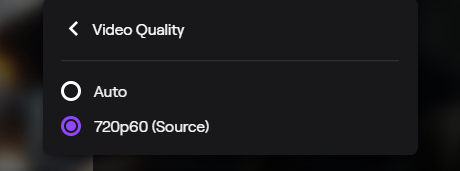
only ones
ah lol
you mean this 
lol
yeah
Name change and quality have nothing to do with each other
why then ?
was more not only 720 before i change it
abstract hemlock
@lament blade encoders (qualities) are random to affiliates
lament blade
^ this
 rare stream
hi, im working on making a new overlay and im duplicating some settings manually from my old one
one thing i cant figure out how it is different is chat
my old one has colorized usernames that match their twitch usernames
the new one is white usernames
lament blade
have you tried with logout and login? 
rare stream
of what, streamelements?
lament blade
yes!
rare stream
i mean im previewing both overlays on SE
in a browser
one is colorized and the other isnt
which is reflected in OBS
im not sure what logging in and logging out would do exactly?
i'll save and try it
no change
username is white on one, text color is correct
username is colorized per twitch on the other, text color is correct
lament blade
anyone know how long before a dev will fix my donation page issue, bc i found the link w/o numbers on the youtube dashboard of streamelements
abstract hemlock
@rare stream Hi, do you mind to invite me as an Editor in SE?
round brambleBOT
@rare stream Follow these steps to grant managers/moderators access to your dashboard:
- Click on your Channel Name at the top of the dashboard and select Settings
- Create a new invite at one of three access levels (Bot Supervisor, Editor, Full Control)
- Send this invite to a mod/manager to give them access to your dashboard. The link is one-time-use and expires after 72 hours if not accepted
Video tutorial: https://youtu.be/zl_h-ttZDF0
abstract hemlock
yes, DM me the link
lament blade
@abstract hemlock ok do you know how can i use more video quality ?
rare stream
@abstract hemlock is the bomb and fixed my issue, thanks a ton!
abstract hemlock
@lament blade You're not guaranteed transcoding (quality options) as an affiliate, only priority access.
Transcoding is only guaranteed to partners and then affiliates get priority based on availability
 gilded matrix
i setup my animated alertbox but it not emulated how to fix it?
 wise cliff
So I'm trying to spruce things up so I added a 'now playing' scroll on my elements, but it won't scroll in OBS
 ashen goblet
i am having issues with tips. i had someone say that they tipped $5.00 and it never showed and so i tried to tip my self and i got nothing and nothing came out of my bank account.
abstract hemlock
@ashen goblet are you using se.pay?
 fervent hedge
Quick question guys... can you show animated 3rd Party Emotes in Overlaychat? For Example pepejammer (BTTV) ?
ashen goblet
yes
fervent hedge
how 😄 ?
ashen goblet
sorry yes to @abstract hemlock
fervent hedge
Ah damn
round brambleBOT
@ashen goblet Please contact us via email for support with SE.Pay. You can use our contact form here: https://streamelements.com/contact Thank you
ashen goblet
@round bramble thanks a bunch
 halcyon falcon
Command question. Can I make a command that can respond with 1 of 2 responses randomly?
halcyon falcon
Essentially
abstract hemlock
so {random.pick} variable should work
abstract hemlock
@halcyon falcon ${random.pick '1' '2' 'rare pepe'}
it will return 1 o 2 o rare pepe
 ivory vortex
hi, if someone tries to buy smth with the chatt command (gave !redeem the alias buy) then the bot says at the end of the message StreamelemtsOkey (any way to hide this? looks more like a programming mistake in my eyes tbh
abstract hemlock
@ivory vortexi think you can solve it by tyoping !pepes in your chat
but let me confirm
yeah, that will solve this, but make sure you have enable the command here :
https://streamelements.com/dashboard/bot-commands/default-commands
StreamElements
The Ultimate All in One Platform for Streamers
ivory vortex
@abstract hemlock thx alot men
@abstract hemlock let me guess, its for debugging and checking if everything worked?
abstract hemlock
nope old emotes 😅, afaik
ivory vortex
ahh, ok
halcyon falcon
Thanks Renziito
abstract hemlock
np
lament blade
SE doesn't reconize my new username when i try to close the account nor will it let me close it
keeps signing back in with all the saved settings
hola?
abstract hemlock
@lament blade what is exactly what you wanna do?
 leaden quiver
Hi
round brambleBOT
@leaden quiver Welcome to the helpdesk! Please let us know how we can assist you today and a support volunteer or staff member will assist you as soon as they are available. Thank you for your patience.
leaden quiver
i want to know how i can use this, i have already made some lives on twitch, but don't shows who watched and how many minuts, sorry for my bad english.
abstract hemlock
you have to enable your loyalty points
abstract hemlock
yep
But you have to enable them here : https://streamelements.com/dashboard/loyalty
leaden quiver
okok, thanks a lot
lament blade
how can i invite the streamelement bot to me stream ?
 abstract ibex
Why I do not get every follow as an alert in OBS/Twitch Stream?
round brambleBOT
@lament blade Go to the dashboard -> right side -> part channel -> join channel (https://streamelements.com/dashboard)
abstract hemlock
@abstract ibex do you have the alertbox widget on your overlay?
abstract ibex
yes
sometimes I got an alert
sometimes not
even in OBS Activity Feed is no info
about new follow
sometimes yes - mostly no
!rank
abstract hemlock
maybe re follows?
lament blade
i want to close my streamelements account
abstract ibex
hm I am quite new and I dont think that these people ever followed me before
i want to close my streamelements account
@lament blade You have to delete the connection in your Twitch Account
Between streamelements and twitch
 cloud wave
hey guys so im trying to set up a command for my twitch and i cant figure some of it out, So I have a pokeball command I got the response done right but cant figure out how to get streamelements to say the name of who's throwing the ball and who the ball is thrown at
lament blade
i did but it still signs me in bc somehow i have my yt/mixer connected tot the elements as well
lament blade
trying to reset and get a url tip page that doesn't have numbers in it
unless there is a way to switch/connect the same tipping url to all the accounts connected
cloud wave
oh thank you so much!!! it worked!! i used $(1) for the @ person is that right?
lament blade
bc the one without numbers is connected to my YT account through SE but want on my twitch to get alerts there
abstract hemlock
@cloud wave Yes
cloud wave
Thanks so much!!!! ive been trying to figure this out for hours LUL
twilit finch
Do you guys know if a dynamic IP address would mess with bitrates? I've been troubleshooting for a good 10 hours trying to figure out why my bitrate tanks randomly.
abstract hemlock
@lament blade not via SE
afaik OBS has a plugin, but not sure
@twilit finch mostly is about something with you internet service provider
twilit finch
I've talked to them about it many times, they always say the same thing. "Everything looks good on our end."
 gleaming tinsel
how do i change my attached email to the account???
gritty trellis
hello, I seem to have an issue with display capturing. If I try to add my monitor as a display to be captured in the sources, it just sort of displays nothing
abstract hemlock
@gritty trellis you have laptop?
abstract hemlock
@gritty trellis try capture windows or game
gritty trellis
I am trying to add the "Display Capture" source
and it is just displaying black
I am trying to get whatever is on the monitor at any given time
abstract hemlock
you have to check that the monitor and the obs are working with the say GPU
on the NVidia Control Pnale
round brambleBOT
@gritty trellis Due to the way laptops are designed, your system must be configured to run OBS on a specific GPU, depending on the type of capture you are trying to do.
For Game Capture and Window Capture (recommended), your system must be configured to run OBS on your laptop’s high performance GPU (default); for Display Capture, your system must be configured to run OBS on your laptop’s power saving GPU (iGPU).
If you are running Windows 10 1903 or newer, use this guide for instructions on how to configure your system: https://github.com/obsproject/obs-studio/wiki/Laptop-GPU-Selection-Windows-10
For instructions on configuring an older version of Windows (you should consider upgrading), use this guide: https://obsproject.com/wiki/Laptop-Troubleshooting
 obtuse wadi
Hello, im trying to run a stream element overlay on obs on my mac. I am having trouble with the overlay lagging, and it will even lag my gameplay. I find this odd because i was able to run 5-6 browser sources with the same setup from streamlabs at the same time previously... any help is much appreciated
round brambleBOT
@obtuse wadi Please provide a log from your last stream. To do this, in OBS go to Help > Log Files > Upload Last Log File and paste the link to the log file here.
obtuse wadi
abstract hemlock
please provide the link
obtuse wadi
my bad
here is another log from another stream... this has much more info... idk if this will help:
 solemn dagger
Viewers can't donat me by Qiwi (rub)
error
{"error":"Invalid arguments","message":"Oops... something went wrong, try again later"}
what can i do?
 spiral bay
I had someone previously help me with my custom bot name with ground control it appears to be broken again. They had to make a manual change in the back end I was wondering if I could get some help with that?
Please and thank you whatever was done last time worked like a charm now for some reason it's back to being broken.
 covert ember
Hey folks. Any issues reported with store redemptions? They were working before, but now nothing. Browser source is set to monitor and output, and alerts are working fine. Just redemptions are down.
I have the store redemption widget added, of course.
The redemption does not show on screen.
abstract hemlock
@obtuse wadi this link may help you https://obsproject.com/analyzer/?url=https%3A%2F%2Fobsproject.com%2Flogs%2FBzsWMN5z22pQ8u7D
@spiral bay custom bot rename is only available via obs.live atm
spiral bay
Yeah it used to work with my set up until like a day ago someone made a change to my account because the api link with twitch was jacked up
Now it's back to the way it was when twitch made the change to their api like months ago
So it was fine once the change was made and now its reared its ugly head again
 hollow glade
Hey guys, is there any way to automate a timer for ad break?
round brambleBOT
@hollow glade To have Streamelements run ads for you, make sure:
- Streamelements is added as an Editor to your Twitch Channel here: https://www.twitch.tv/dashboard/roles
2.A) To make a timer, go here: https://streamelements.com/dashboard/bot-timers - add a timer with a response "/commercial" and 5/10/30/60 for the duration of the ad - example:/commercial 30
2.B) To make a command trigger an add go here: https://streamelements.com/dashboard/bot-commands/custom-commands and add a command with response "/commercial" and 5/10/30/60 for the duration of the ad - example:/commercial 30
 junior osprey
round brambleBOT
junior osprey
round brambleBOT
@junior osprey New to Stream Elements?
Check out our YouTube channel https://www.youtube.com/c/streamelements/videos
with tutorial videos from setting up the basics, to in depth details on how to use our product.
New to OBS? Here is a 4 step quickstart guide
https://obsproject.com/wiki/OBS-Studio-Quickstart
Want to learn even more? Here is an in-depth overview
https://obsproject.com/wiki/OBS-Studio-Overview
 bleak halo
Anyone able to assist with a sub count / goal widget? Thanks
round brambleBOT
@bleak halo Welcome to the helpdesk! Please let us know how we can assist you today and a support volunteer or staff member will assist you as soon as they are available. Thank you for your patience.
bleak halo
I'm trying to figure out how to have the sub goal accurately update my sub count, only seeing a way to manually edit the session data
 royal quarry
Hi there, it's been over a year since I edited this particular alert but I'm wondering if someone could help me recap how I create a unique alert for re-subscription?
I see there are variations for gifts, different tiers etc, even prime. Not renewal though, any suggestions?
round brambleBOT
@bleak halo To reset goals:
- from the overlay editor -> data on top -> goal tab -> reset progress of desired goal
- from the dashboard -> activity feed on the left -> widget data on the right -> goals tab -> reset progress of desired goal
Note: Goal widgets(progress) only counts up and doesn't go down automatically, if you loose followers/subs
zenith widget
@royal quarry "WHen Amount is at least" and then you place for amount "2" - this is the resub
 midnight plaza
Anyone have any issues with the instant replay widget being super laggy on stream?

 oak canopy
hi im having problem with stream elements like this this is always buffering and doesnt work i wonder if anyone cna help me
zenith widget
@oak canopy Try opening the media request in incognito. If it opens, then one of your extensions is blocking it
round brambleBOT
@midnight plaza Right click on the BrowserSource > Properties > Scroll down a bit > Refresh Cache of current page
lament blade
Hey my friend is having trouble enabling his !watchtime command it says “ has spent 0 secs watching” then his name
He checked if it was enabled and it was so he disabled then reenabled it still nothing
round brambleBOT
@lament blade 10 minutes of watchtime are given to those in chat when the loyalty points are handed out (every 10 minutes). Therefore, loyalty must be enabled for watchtime to work properly.
There is no direct link between watchtime and all-time points.
It can’t be calculated from the amount of all-time points a user has because subs may earn points at a faster rate and !bonus all command increases all-time points for users in chat at that time.
Giving points to a single user does NOT affect all-time, only when giving to all in chat.
lament blade
Thank you
royal quarry
@zenith widget Just saw the message now, thanks man
 hollow kite
hey so im streaming right now and in obs it shows that my mic is picking up sound but on stream there is no mic audio
round brambleBOT
@hollow kite If you are hearing your own Alerts, but the stream is not hearing them, or vice versa(you don't hear them but viewers do), then you will have to use the "monitoring" function, in case you are using the "Control Audio in OBS" option on your Browser source.
https://cdn.discordapp.com/attachments/199460642975907840/685371800456134686/unknown.png
zenith widget
To elaborate, same location, but check if you are having Track 1 ticked for your microphone
hollow kite
good looks
 mint yacht
Morning. So. The last 3-4 I've got messages from viewers that it does not appear that i am online on following bar on twitch. I appear below people who are offline. And some people dont even get notification when they activate push notification. And some people dont even see me at the panel at all. Im using StreamElements Obs.live and ive been using it since i started. Is there any other who has experienced this? This ruins my numbers and social with viewers
zenith widget
This issue doesn't seem to be related to us or OBS.Live.
It might better asking Twitch support, perhaps
mint yacht
alright ill try contacting them 🙂
 thin tusk
I'm attempting to stream using Streamelements (switched over from stream-labs)
suddenly, friends stop receiving messages on their e-mail, my stream is situated below offline streamers on the left hand widget (not showing at all on the app)
My channel cannot be found in the search bar unless you directly type the full name...like wth is going on at twitch
ionic kelp
This is the 3rd time in general I've seen this particular issue.
Not sure if the other person has/had used us etiher.
zenith widget
I'll test it right now
thin tusk
I could send you some screens if that would help 🙂 ?
https://inspector.twitch.tv/#/sappigesaus/ <--- checked to make sure, this is running stable
zenith widget
So you are saying, you don't show up in the side dashboard and in the followers page correct?
this one?
thin tusk
im below these offline channels
which seems odd,
my friends are also not getting any views
zenith widget
i don't understand what you mean with that last one
thin tusk
https://www.twitch.tv/search?term=sappige
my username is sappigesaus <--- not found under the search bar
zenith widget
That more sounds like a twitch generla issue
thin tusk
i don't understand what you mean with that last one
my friends aren't getting a message that i'm live (nor are any followers)
zenith widget
my test stream is fine i guess 
thin tusk
weird,
im currently live on twitch
however it's not showing up on
https://www.twitch.tv/search?term=sappigesaus
i'll try and contact twitch then I think would be best 🤔
zenith widget
Remove the link please
zenith widget
let me check if you show up
restarted my browser
Ok so i disabled something from BTTV and I can see that the follower list reshuffles it self and places 2 streamers before you
this seems like an issue with Twitch and not us
and how it lists you or something
thin tusk
🤔 odd, in that case I'll try to contact twitch about it, see if they can shed a light
thank you for checking it out ! 🙂
zenith widget
sure
lament blade
Qualcuno che c'ha il pc mi riesce a dare una mano a mettere a posto più salvataggio dei video su stream elements che faccio le live lì
Per favore
zenith widget
#🇮🇹︱italiano @lament blade
lament blade
Grazie
 marsh igloo
Hey guys, can we add Streamelements as a bot discord?
zenith widget
We don't have a Discord integration
marsh igloo
@zenith widget thanks for the reply, is there an alternative?
zenith widget
There are plenty of discord bots that announce when you got live and other stuff related to your twitch channel
 unborn forge
I reccomend Pingcord 🙂
lofty arch
@zenith widget can you help me with something ?
zenith widget
what is the issue you are facing?
unborn forge
can I hide the share clip thing on my tipping page?
zenith widget
media request -> settings -> request type -> both/tip -> free
lofty arch
@zenith widget how do i reset the animation for bits in stremelements ? it put me a default or maybe i did somehow another animation how do i reset it to the default bits one
zenith widget
either delete the alert widget and add it again
or look in the pinned messages in this channel
for the default bits animations
lofty arch
hmm can't seem to find them
zenith widget
lofty arch
@zenith widget where do you put them now
zenith widget
I would suggest to take a look at this video guide on how to edit the alert widget: https://www.youtube.com/watch?v=8LVRd2X4HvU&list=PLCDDKlFdScbEwdx5AntcQIS1InkFJwHtv&index=6
 true thicket
Does anyone know how i can copy my stream elements from one account to another?
wary halo
you can link all your accounts to one for easy transfer of overlays and widgets
round brambleBOT
@true thicket Account Merging - Please note:
- Merging accounts only allows faster ways to switch between accounts
- Merging accounts does not allow data sharing between accounts - different streaming platforms, different type of events
- Merging accounts allows duplicating/sharing overlays between the accounts
If you understand the limitations of merging and want to proceed, please find the JWT tokens (!jwt) from both accounts you want to merge and you will be directed to DM them to a staff member.
 idle apex
Hello, I have a super Annoying problem. When I get a prolongded sub, via the Phone app, lets say yesterday someone extended their sub thru May. This wont show in my Activity, it wont trigger an alert, it doesn even show in my StreamElements statistics
round brambleBOT
@idle apex Twitch prime (new and resub) and paid subscriptions (resub only) must be shared in chat manually by the person subscribing in order for the subscription information to be sent to StreamElements. For twitch prime, the user needs to have sharing enabled on https://www.twitch.tv/settings/prime. For paid subs, if the share box doesn't show up immediately it will when they refresh the page. https://i.imgur.com/VNJN0Uv.gif https://i.imgur.com/2297EA7.png
idle apex
what do you mean nothing we can do anything about?
wary halo
they need to click that share button the bot posted
wary halo
it's how Twitch's API sends a message to StreamElements
little oak
that message is for twitch chat and twitch chat only, that's just how it is
it is set off as if it was a cmd action
idle apex
This cant be correct, Why does the EXACT same kind of sub from the same person, trigger an alert for my friends stream? but not mine?
Spoke to this particular viewer as well she didnt "Share" neither in my or his stream
little oak
well i do moderate a very big channel and the "extended thru such an such" as always said it within chat often the streamer does not even notice it unless one subs and it follows an he sees it in chat
cause even before the change ppl would often buy 6 months and it would only announce you bought one month
but then again they are doing so much changes within the new API an maybe you will slowly get it
wary halo
could also be that his sub is only ending in 'let's say' 5 days for example and that it extends on that day and only sends out the message then and not now. i know that that can be the same for gifted subs that get extended.
 little oak
ah the ios pop up
idle apex
by making a variation alert of it does this mean that the activity panel will show it?
wary halo
i've never seen that before
little oak
i forgot about that they get an ios token
thingy ma jig
that should pop of if extended thru IOS
idle apex
Is there somwhere I need t oactivate to get these to show in my activity feed as well?
little oak
cause it is actually within the tester as well
that is within your sub variation
you would want to add a new variation then select IOS extension
they must have that in their alert and the alert you use do not have it
untill added
 tropic pelican
hi. one viewer give me a donation but the donation go to paypal link not to your link. i forget to put your link. i want to put that donation alert on my streamelements overlay. how can i do it?
lament blade
Hey guys, i search for a scrolling event list. Something that shows what happened during my last stream, but it scrolling from right to left. I want it at my "stream ending" screen, thats why i ask
 upper magnet
@tropic pelican that doesn't sound possible, but maybe a stream elements staff member might tell you otherwise
I forgot how to crop a source in OBS
ionic kelp
@tropic pelican You mean the text label saying who the latest was?
@upper magnet Hold alt with source chosen.
upper magnet
Thanks
 steel talon
I want to change my overlays, i got to scenes they are mostly identical, just smaller adjustments, so i made a duplicate of the Overlay in SE and edited the overlays. But it seems both use the same browsersource link... maybe my approach is wrong... any advice?
two scenes
nvm im dumb
twilit finch
I can't get the "Your streams chat" widget to show up on my stream when I add it to that source/scene using the browser source link. Ideas?
It shows up in the overlay editor on the SE site, but doesn't show on my actually stream.
lament blade
Hello, i am trying to import an overlay from FB to Twitch but it keeps on loading only.
round brambleBOT
@amber wasp Please follow our community rules:
- No advertisement or stream promotion
- Respect ALL server members
- No NSFW/NSFL
Thank you
dry hare
@twilit finch you add the widget to your overlay that you already have in OBS.
It should show up on your existing overlay
round brambleBOT
@solemn dagger Please contact us via email for support with SE.Pay. You can use our contact form here: https://streamelements.com/contact Thank you
twilit finch
I did that @dry hare it didnt work.
 thick jetty
Wow, lot of info here 😲 A small streamer I sub to, wanted to know if it's possible to display the 'current 'number of subs for the channel, not the 'total', in a stream label on the overlay. Cause 'total' never goes down, even when people do not resub. This number soon doesn't mean much anymore. TIA
 glad wigeon
how do I get my audience to transfer hit points to another channel of mine?
dry hare
@twilit finch do other widgets show?
@glad wigeon I’m not sure I understand what you’re trying to do
@thick jetty the total subs widget will always reflect the number of subscriptions reported by the twitch API
Make sure they have a total and not a goal
glad wigeon
@dry hare Next, I was wondering how to do to connect two channels and thus transfer points. Skipinho's channel has 2, 1 of which is to get points and then send the! Trade so that the points go to another channel
dry hare
I have no idea how to do something like that. That would have to be some completely custom bot coding would be my guess. Have you asked the streamer how they did it?
 somber ruin
Hey guys, so I know this is stream elements but I am trying to add alert boxes for my stream, and when I go to add sources on OBS alert boxes dont pop up, anything you guys can tell me to fix that? thanks so much!
dry hare
Have you checked out the YouTube guides yet @somber ruin
glad wigeon
No, he doesn't answer.
;-;
thick jetty
@dry hare Thanks for the reply. They have a total (afaik) diplayed. But that says ie. 15 (beeing the total subs that have at some time subbed) while the sub count at this moment is 12. But I guess this number is coming from Twitch, nothing StreamElements can do about that?
dry hare
@somber ruin When you create an overlay in the editor and add the alert box, you then have to add your overlay URL to a browser source within obs.
round brambleBOT
@somber ruin To add your overlays to OBS, add a new browser source in your scene. Paste your overlay URL in the browser source properties, set the dimensions to 1920x1080 (unless you changed them on the website), and ☑ “Shutdown source when not visible” https://youtu.be/KDvLynUqXI4
dry hare
@thick jetty yes. The widgets should pull the subscriber/follower counts directly from twitch’s API. You might have them log out of the website and back in and see if it will refresh the data
thick jetty
@dry hare. Thanks for the quick response! We will look at this from the Twitch side.
dry hare
I wish I had more information but I’m not that knowledgeable about how that data is captured
 ancient birch
Hi there!
I want to set a donation goal, but I can only set an ending date not starting date. So everytime it shows me (amount of doni since beginning of my twitch channel/ actual doni goal)
did I oversee smth? Pls help
 magic spoke
So my loyalty button isn't working. Like anyone watching doesn't gain or show loyalty points
dry hare
Do you have loyalty points enabled in your dashboard?
@ancient birch check the widget settings, I believe you want to adjust the session data for the widget
magic spoke
I do have it enabled
dry hare
Can you screenshot your loyalty settings?
magic spoke
dry hare
And the bot is a moderator in your channel?
dry hare
When you first sign into the se dashboard there is a button to join the chatbot to your channel
 sinful phoenix
is there away to blacklist users off the point leaderboard?
dry hare
You can. There is an ignored users section where you can add their names
@magic spoke your button will say “Join Channel”
sinful phoenix
I am Supermod for a Twitch streamer, and me and him has decided to give ourselves 100 million points
dry hare
Then give it moderator permissions by typing /mod streamelements in your chat
Oh lol
Yeah you can ignore yourselves and just give yourselves points as needed
magic spoke
I think I have that bot blocked in the loyalty thing haha
dry hare
Bots points don’t matter
sinful phoenix
Since we both would be taking #1 and #2 spot.
dry hare
You’d have to reset your points in the dashboard
sinful phoenix
Thank you @dry hare
Also, I don't seem to find it, but does SE have Bank heist as one of the games?
magic spoke
It is joined but it's not showing up still
 lost ridge
folks, can you tell me why i can't change the font on a label
 boreal quest
How do I add the tips widget?
I'm on my panels in twitch.tv website
and dont see anything about tips
ionic kelp
You add an image and then paste your link in the indicated box.
wary halo

StreamElements tipping system is guaranteed to increase your tips! Watch our guide to learn how to setup your own.
Got any questions, or just want to say "Hey"? Join our Discord server: http://bit.ly/DiscordStreamElements
Loyalty system guide: https://youtu.be/hM7D0HJD...
 hollow blade
how can i add new tipping methods?
wary halo
StreamElements
The Ultimate All in One Platform for Streamers
Paypal is default, SEpay has more options
that unlocks at 101 followers
hollow blade
but if i only connected paypal and clicked done, how can i add paysave card visa or something in retrospect
wary halo
you can't, those options are in SEpay
hollow blade
can i restet all tipping settings?
wary halo
which unlocks at 101 followers if you live in a country that supports it
you can change the settings whenever you want
hollow blade
what is SEpay
lament blade
StreamElements
The Ultimate All in One Platform for Streamers
hollow blade
but why i cant choose them without SEpay?
hollow blade
ok again that i understand that. I can only connect paypal and from 101 followers on Twitch can I set Visa, Paysavecard etc?
wary halo
which country are you from?
hollow blade
germany
wary halo
Then yes 😄
ionic kelp
It'll become available.
hollow blade
okay
dry hare
@magic spoke even if it isn’t showing up, go ahead and type /mod streamelements
magic spoke
I typed that and it said that it was already a mod so I don't know what to do next
sinful phoenix
Does SE have Bank heist as one of the games?
wary halo
nope
sinful phoenix
i guess I can't find it, means you don't

bright plaza
How can I make it so that when I switch a scene, I mute the audio automaticly? (BRB screen)
dry hare
@magic spoke can you go ahead and part the bot from your channel, sign out of the se website, sign back in and rejoin the bot for me?
@bright plaza go for it
bright plaza
How do I make this scene not have any audio automaticly?
dry hare
Disable default audio devices in your obs settings and then add audio devices to each scene via the sources panel
dry hare
Can you try relogging into obs.live? Click on streamelements at the top and then click log out >> log back in
magic spoke
Nope...
 uncut rapids
i need help
 viscid pebbleBOT
Hi @uncut rapids, Please ask your question(s) or describe the problem you're looking to solve so staff or a support volunteer can assist you as soon as they are available.
uncut rapids
uhm my mic/aux is not working in my obs
 hushed kindle
@uncut rapids You need to have your mic/aux turned on within your audio mixer by getting your audio input source set to your mic
Hey everyone, i need some help with allowing media request to play music for my viewers while allowing me not to hear it. anyone have a way around that?
uncut rapids
@hushed kindle its not working
hushed kindle
silly question Alfy, your mics plugged in rightt?
uncut rapids
yes
uncut rapids
yes
hushed kindle
In your audio mixer do y ou see a mic/ aux in your scene your using for games?
uncut rapids
audio mixer?
hushed kindle
Go to your View tab in your obs and go into docks, and click audio mixer. It will allow you to see your audio output and adjust accordingly
uncut rapids
yes
my mic/aux is not working
im not saying that i cant see it
@hushed kindle
everything is letting me see 2 bars of green yellow and red but my mic/aux is not
hushed kindle
is it the mic directly then? because im assuming that you have your audio input set to your mic and within your windows settings have the mic named to the same thing that your audio input is
uncut rapids
it only shows 1 bar
hushed kindle
oh
thats an automated settings detection.
You should be able to adjust that within audio mixer and change it to manual
uncut rapids
@hushed kindle still noy working
@wary halo je bent toch nederlands kan jij mij niet helpen?
wary halo
#🇳🇱︱nederlands maar ik ben erg druk met het voorbereiden voor m'n examen voor werk
uncut rapids
@wary halo ja doe je ding ik wacht wel op iemand anders
can someone help me
???
my mic/aux is not working
scarlet tiger
Please be patient
uncut rapids
sorry
 spring sapphire
I can't install a overlay ist evertime only the half overlay why (im german sry for my English
round brambleBOT
@spring sapphire To add your overlays to OBS, add a new browser source in your scene. Paste your overlay URL in the browser source properties, set the dimensions to 1920x1080 (unless you changed them on the website), and ☑ “Shutdown source when not visible” https://youtu.be/KDvLynUqXI4
uncut rapids
bruh
jade remnant
#🇩🇪︱deutsch if you want to speak german
uncut rapids
@jade remnant can u help?
thats a no
you know what i m going to google hope the friendly man can help me
jade remnant
the instructions are there,
make sure the overlay is set to 1920 x 1080 in the editor and browser source
and im in game so have trouble typing
 quiet lion
I'm trying to import the donations and alertbox from streamlabs to streamelement and it says its available in google chrome, so i installed google chrome and tried again and it keeps telling me available in google chrome. what do i do from there?
 deep kestrel
is there a way to change the backup playlist of the media request widget?
tight harness
@deep kestrel Yes, if you go here: https://streamelements.com/dashboard/mediarequest/settings and then change the link directly below where it says 'Backup Playlist'
@quiet lion If you show us what you see it will be easier to see what part you're at
quiet lion
How do i show you what i'm seeing?
quiet lion
i added the extension to google and it still says install on the import page in streamelements. not sure what else to do from there
abstract hemlock
@quiet lion Open both site on the browser try to click on the extensions while you are in the page
quiet lion
like the extensions page and streamelements or streamelements and slobs?
abstract hemlock
streamlabs and streamelements, no slobs
then click on the extension icon, and then click start import to StreamElements
 bleak dome
why alerts not working with specific nickname "seineshinigame"? Another nicknames work normaly....
wary halo
probably because of some filter settings for bad language in the tipping settings
since it's the only name not working, that usually is the cause
something in the name must be triggering the protection and filter it out
bleak dome
Can u tell me how to do?
wary halo
StreamElements
The Ultimate All in One Platform for Streamers
go there > tipping settings > tip moderation
bleak dome
Thank you!!!!
quiet lion
@abstract hemlock ok so was able to import but don't don't see my alert box. do i have to create a separate thing for that? like i want a follower goal and my widgets i had before.
if i'm asking too much just tell me and ill try to figure it out on my own. i really do appreciate your help.
wary halo
widgets do not transfer as they are different in our system than the ones from SL, so you need to make those again yes
quiet lion
ok is there a tutorial for that?
wary halo

StreamElements Overlays are loaded from a single browser source in your streaming software, making streaming easy. https://streamelements.com/
StreamElements overlay editor enables full customization of your overlay, improving stream visibility and an increase of audience int...
quiet lion
@wary halo thank you sir!
wary halo
no problem 😄
abstract hemlock
@quiet lion And you there no such thing as "asking too much", please ask, we here love to help, but sometimes we miss the discord alerts 😅 , so just be patiente
 coral rampart
Hi guys im jsut wondering why my pictures on my alert box wont show up but i can hear the alert sound on my stream through obsplease help.
abstract hemlock
@coral rampart check the sizes, go to the browser sources, right click on it and click on properties then check if its > 1920x1080
round brambleBOT
@coral rampart To add your overlays to OBS, add a new browser source in your scene. Paste your overlay URL in the browser source properties, set the dimensions to 1920x1080 (unless you changed them on the website), and ☑ “Shutdown source when not visible” https://youtu.be/KDvLynUqXI4
coral rampart
all of that is already selected... like i said i can hear the sound just no image
wary halo
can you send a screenshot of the browser source properties please?
coral rampart
of the part in obs?
coral rampart
okay is everything set up correctly?
coral rampart
it plays it correctly
it shows my custom photo with the name but it doesnt show up on my obs
round brambleBOT
@coral rampart OBS -> settings -> advanced -> scroll down -> enable/disable hardware accel.
https://i.imgur.com/ggMe9ZE.png



 coral rampart
still jsut hearing the noise
wary halo
round brambleBOT
Right click on the BrowserSource > Properties > Scroll down a bit > Refresh Cache of current page
wary halo
let's try that ^^
wary halo
^ sorted in DM's
 fleet shore
hi guys, is this the place for help
anyone knows why the animated overlay is still in obs?
abstract hemlock
@fleet shore you see it correctly on web editor?
abstract hemlock
have you try this ==> Right click on the BrowserSource > Properties > Scroll down a bit > Refresh Cache of current page
round brambleBOT
@fleet shore OBS -> settings -> advanced -> scroll down -> enable/disable hardware accel.
https://i.imgur.com/ggMe9ZE.png
wary halo
disable it ^
fleet shore
mmmm thanks but i dont have sources
i use a mac
also... all the icons move again, once an alerts pop, once is alert is over, icons dont move anymore
 idle solar
Have the animated bttv emotes start working yet?
Seemed like they were and now not
Like kappagen is broken
 mint viper
I have just posted an idea, hope it would appear in #💭︱feedback-and-ideas. Good night.
wary halo
it will, it takes some time to go through the system 😛
idle solar
?
round brambleBOT
@fleet shore For the best OBS support, please join their Official Discord @ discord.gg/obsproject
wary halo
@idle solar not that i know off
idle solar
No emotes on my stream are bouncing across the screen, they show in chat though
wary halo
it's a known issue, but the team had some other priorities to take care of first
idle solar
Ok as long as its known, thanks
 latent helm
Hi guys I was wondering if anyone could help me.
When I go to stream the division 2 my frames go from 150 straight down to 40 when I open streamelements? I don't have any issues with other games. I play pc and use display capture.
round brambleBOT
@latent helm Please provide a log from your last stream. To do this, in OBS go to Help > Log Files > Upload Last Log File and paste the link to the log file here.