#helpdesk-twitch
1 messages · Page 564 of 1
 hoary dune
 strong kernel
Community made widgets are provided as is and it is up to you to edit them should you need to.
 cinder olive
hey, was wondering if this build was strong enough to stream on https://pcpartpicker.com/list/sTVhjp
 dry cedar
dedicated stream pc?
 ionic kelp
@cinder olive scroll down to compatibilities section to take notes.
 dry cedar
ductape Mitch..
 dry hare
Is that literally the cheapest part for every category?

 cinder olive
Very cynical response.
 lament blade
@cinder olive 😉
strong kernel
Replace $msg with ${1:}
Showing the bot's answer doesn't help. We need to see how you've written the response
 strong kernel
${customapi 'https://api.scorpstuff.com/weather.php?units=metric&city=${1:}'}
Use this.
cinder olive
API is having issues.
cinder olive
nvm seems ScorpStuff only accepts city names, not zip codes now.
strong kernel
Honestly I just play with things until they work. 
 heavy brook
 fair enough
 graceful slate
Does anyone know how to fix the custom bot spam? I hit test and it puts the command in chat like 6 times lol
strong kernel
Open Task Manager, end all instances of bot.exe, and restart Ground Control.
lament blade
I used to use stream elements bot until it started spamming my chat with "Cynical Has gone live" Every 5 minutes.
I'll happily switch back if I can get that fixed.
I like stream elements for everything else just dont use it as a bot.
lament blade
I'll probably get to it some day but I think for now I'll use nightbot since I have all my commands there. idk.
I'm not a very big fan of change lol
 soft cosmos
Hey guys, I was wondering how I could create a widget that summed together my session follower, donations(per $), and subs (x5) for a global counter that had effects as it reaches certain values (that part can be manual instead of automatic). Thanks!
 alpine basalt
anyone know how to fix the streamelements credit widget so it doesn't skip? it has jitters.
 golden raven
Hi is it possible to get the "merch" role as I have been accepted for the beta ?
soft cosmos
Okay, thanks
 scarlet tiger
@golden raven granted
 zenith widget
@alpine basalt What exactly is the issue? Are you able to show?
alpine basalt
you can see it in the widget if you preview it
@zenith widget
at its default it has the jitters, like if hangs with micro stutters
zenith widget
Are you referring to Grot's credit roll widget or the default one?
alpine basalt
grots
zenith widget
I don't see any jitter 
alpine basalt
now go look at the one I created called test
it's with the default settings
you have to slow it down all the way to get it to stop
and if you go to the themes gallery > widgets > credit roll preview > you can see exactly what I mean as well
alpine basalt
it's not contained to just the preview
zenith widget
but what i'm looking at in the test - its all smooth as butter
alpine basalt
it behaves the exact same way when I place the widget if I don't adjust the speed
zenith widget
What are your PC specs?
alpine basalt
9900cpu 2080ti gpu 64ddr4
zenith widget
an i1-9900?
zenith widget
Do you have hardware acceleration on in your browser and obs?
alpine basalt
not in chrome but in obs
zenith widget
And its jittering in OBS as well?
alpine basalt
if I don't slow the speed yes
zenith widget
Im actually lost here on why this is happening.
what ever speed i place it on for my self i don't see the jitter at all
alpine basalt
what tool did you use to cap the short vid?
zenith widget
ShareX
I understand the issue
i just can't replicate it
and I don'tt know whats causing it for you.
alpine basalt
while i'm getting that, can you tell me why the editor is locked for the hype boss widget? I wanted to edit some of the colors and font placement but it's locked.
zenith widget
wdym locked?
alpine basalt
there is no "open in editor" option like most widgets to use your own code
alpine basalt
but it's the only boss bar that exists for streamelements ):
zenith widget
It was at one point a custom widget but it was quickly integrated
alpine basalt
can you explain why a default widget wouldn't allow me to edit it?
zenith widget
Because it uses different code structure then the custom widget
that is directly integrated in the main system.
while the custom widgets utilize open variables to manipulate data.
alpine basalt
ah, any chance you guys can let us have a bar bones custom one so we can put our own stylings on it?
zenith widget
There are improvement for the hypeboss planned
but no ETA on when.
The dev that worked on the hypeboss is preoccupied with other projects currently.
alpine basalt
alrighty. is something preventing others from making them? usually I see templates with boss battle included, but never for a stream elements template.
zenith widget
is something preventing others from making them?
Others? you mean devs? If yes, then prioritization is key here, but not exactly prevention
alpine basalt
well I meant the people that make custom packets for sale. I don't like to mention the other companies but if you look at Slobs you can see many templates with boss battle widgets. yet of all the templates offered here there aren't any with that. It's like something holds them back.
just wanted to know if it was possible before I try to commission someone
zenith widget
Are you referring to custom styles for HypeBoss?
If yes, then this still needs to be implemented as a side feature for this specific widget.
You can still edit it to some extent like colors and text colors
alpine basalt
no, not custom hype boss. but a custom boss widget
zenith widget
what is a "custom boss widget"?
alpine basalt
I saw no way to edit hype boss in that fashion btw
custom boss widget as in a non default stream elements boss widget
zenith widget
alpine basalt
sorry I'm speaking about the health bar itself
zenith widget
Health bar colors are meant to go from green to yellow to red based on how much HP is left
alpine basalt
I know that's how this one was designed, but that's a big reason why I need a custom one
 round brambleBOT
@alpine basalt Check out the StreamElements ideas board: https://strms.net/ideas. You'll be able to add ideas, upvote ideas you agree with, and track their progress with email notifications. Adding and upvoting ideas also helps the staff know which ideas should be prioritized so please take some time to upvote.
alpine basalt
it's all good. I've just never seen a custom boss bar on stream elements and can't understand why. they're pretty common elsewhere
but if you say I can make a custom one I'll commission someone to do it.
just was assuming something was preventing that from happening due to it not existing already
zenith widget
As mentioned the HypeBoss initially started out as a custom widget, but the person who made it a custom widget, afaik, it took him a long time to even make it because it was complex.
 light jasper
Heyo, was wondering how to activate my alert overlay in OBS.Live
round brambleBOT
@light jasper To add your overlays to OBS, add a new browser source in your scene. Paste your overlay URL in the browser source properties, set the dimensions to 1920x1080 (unless you changed them on the website), and ☑ “Shutdown source when not visible” https://youtu.be/KDvLynUqXI4
 vital badger
is there someone to help me out?
one store redeem alert word is stuck on my overlays
vital badger
tried that, but the word appear in another scene
zenith widget
Its a known issue and that is the only work around currently.
vital badger
ty for the fast reply, ty my friend
 gray lotus
Thats work
vital badger
is there any place I can separate activities in the activity feed?
gray lotus
Yeay
vital badger
like one column for store redeems?
vital badger
that could be a suggestion from me then
round brambleBOT
@vital badger Check out the StreamElements ideas board: https://strms.net/ideas. You'll be able to add ideas, upvote ideas you agree with, and track their progress with email notifications. Adding and upvoting ideas also helps the staff know which ideas should be prioritized so please take some time to upvote.
 tiny sigil
so i am completely knew to steaming and would like to know how to get past this
tiny sigil
i did a couple of things and now its working
and you were right about the streaming key
vital badger
is there some way to set a custom command like !test and with that command put the bot to do another command for itself?
I want to type !test and I want the bot to start one bingo
!test and the bot trigger a !bingo 100 for example
zenith widget
you can set the timers to remind you or the mods to starrtt hte games
vital badger
I will do that for now, and perhaps you could permit the bot to trigger its own games to run them in a timed period
round brambleBOT
@vital badger Check out the StreamElements ideas board: https://strms.net/ideas. You'll be able to add ideas, upvote ideas you agree with, and track their progress with email notifications. Adding and upvoting ideas also helps the staff know which ideas should be prioritized so please take some time to upvote.
vital badger
the timers on chatbot can play ad?
round brambleBOT
@vital badger To have Streamelements run ads for you, make sure:
- Streamelements is added as an Editor to your Twitch Channel here: https://www.twitch.tv/dashboard/roles
2.A) To make a timer, go here: https://streamelements.com/dashboard/bot-timers - add a timer with a response "/commercial" and 5/10/30/60 for the duration of the ad - example:/commercial 30
2.B) To make a command trigger an add go here: https://streamelements.com/dashboard/bot-commands/custom-commands and add a command with response "/commercial" and 5/10/30/60 for the duration of the ad - example:/commercial 30
 upper magnet
Neat
vital badger
this auto ad will say anything on chat when playing ads?
 twin sentinel
afaik, no, cause it only executes the twitch command.
vital badger
is there a way to make it say something?
 heady minnow
Hello people. My name is André Luiz, but in Twitch I use as AndreLuizRP. I am starting to stream, and would like an opinion which program should use. I've been using Streamlabs OBS, but I'm finding it too heavy for my computer to have a lot of live lag for those watching. You can call me privately that I try to understand a little, because I'm Brazilian and I'm learning to speak English. Probably everything I wrote here some things are wrong but I hope they can help me. Since now. Thanks.
 untold crest
@heady minnow Hi! There are several comparisons available on blogs/YT between SLOBS, Pure OBS and OBS with StreamElements plugins (OBS.Live). Don't worry about your English as your message is totally fine!
zenith widget
@vital badger That its going to run an add?
You will see a system message most likely, but no other way afaik
untold crest
@heady minnow You can also go to #🇪🇸︱español to get more information without troubling yourself with translating messages.
vital badger
#🇵🇹︱português @heady minnow
untold crest
OMG. Right. Mea culpa.
heady minnow
Thanks guys
zenith widget
Try the forrm again now
twin sentinel
KaiZar da hero. 
zenith widget
🙂
 grand bloom
alright ty 
 abstract hemlock
a little question.. i dont want the hypeboss go above 1000, it is posible?
 red maple
hey hope im in the right section with this, how can i name my points?
red maple
thx! even was on that page already but must have escaped me.... 😄
lament blade
Hey i just installed obs live and i would like to know hiw to edit alerts. Furthermore i always want to see my played spotify songs in an overlay in my stream
 rocky reef
Hello Friends,
my name is Charbel I am brand new at streaming and would like to know what are the best tools to use for streaming on a Mac
I downloaded OBS but I don't know what to put for the stream key
untold crest
You get stream key from platform you are trying to stream on.
For example for twitch it is there: https://dashboard.twitch.tv/settings/channel#stream-preferences

@lament blade If you want to use alerts, please check our youtube channel for great manuals on how to start using StreamElements https://www.youtube.com/watch?v=UuweQah3v00 and about Spotify - Spotify can be only used as official Extension, you can find it here: https://dashboard.twitch.tv/extensions/asppxuf1di6v7hwfucmogjg9eh32au-2.0.1
@gleaming cobalt Sometimes you need to run OBS with administrative privileges to listen to keys that could be bound to another application.
 gleaming cobalt
it default runs with admin priv i set that up xd
untold crest
Does it work when OBS window is active or even then it is not responding to keys?
gleaming cobalt
it works then yes just not in game or basicly in any other window than obs itself
untold crest
Does it matter if it is a specific game or does it happen even in notepad?
gleaming cobalt
in discord chrome spotify file explorer whatever window except in obs itself
gleaming cobalt
no windows
untold crest
Huh. I have no more clues if you are already running it as admin on Windows... But I am sure that OBS folks can be way more helpful in that case!
round brambleBOT
@gleaming cobalt For the best OBS support, please join their Official Discord @ discord.gg/obsproject
gleaming cobalt
oki thnx
rocky reef
thank you @untold crest I'm in
untold crest
Have a great time streaming! Glad you are with us!
rocky reef
glad to be here!
red maple
what am i doing wrong? when im enabling duel in modules, most of my default commands in the commands-page go missing?!
ok i got it
when i enabled the duel command in the commands page and got asked if i wanted to enable the moduloe too, i did that and now it seems to work without hiding any commands (it didnt hide only the duel-command btw, by the length of the list it was like half of them). surely this must be a bug?`does this get noted here by developers or where do i post this?
 half torrent
Hey friends!
I'm thinking of adding a 'daily sub goal' as well as my current 'general sub goal', is there a way to do this? I'm having no luck on the overlay editor
red maple
nope its not fixed. it seems like the module is enabled now but it isnt, and the command also isnt
when i try to enable the command in the list it shows me the same prompt as when the module wasnt enabled
untold crest
@half torrent You can use custom widget from our github. Create a "Custom Widget" in your overlay, go to code editor and paste contents of each file from https://github.com/StreamElements/widgets/tree/master/GoalsOverPeriod to corresponding tabs (JSON file goes to FIELDS tab). Then you will see options in left panel you can adjust

GitHub
Contribute to StreamElements/widgets development by creating an account on GitHub.
abstract hemlock
@lament blade on the #command-share channel there is a Spotify command "tutorial" go check it out
half torrent
@untold crest thank you!
 solemn gate
Hey! Question! I just updated my OBSLive and now my twitch account will not connect (anytime I try to I just get a blank screen instead of the login options showing up). Is there any fix for this?
abstract hemlock
@solemn gate open obs.live with admin rights
solemn gate
I did
abstract hemlock
1 when was the last time you log in? and .. 2 u can log in in the regular broweser?
solemn gate
I can't login to streamelements or twitch from OBSLive.
I logged in a few days ago just fine
abstract hemlock
maybe u should post your question on #helpdesk-selive
round brambleBOT
@solemn gate If you are not seeing the OBS Twitch integrations and have OBS.Live installed, please follow these steps:
- Make sure you are on the latest and greatest version of OBS.Live
- exit OBS (make sure OBS is not running)
- delete %appdata%\obs-studio\plugin_config\obs-browser\obs_profile_cookies
- start OBS.Live
- Settings -> Stream -> disconnect -> connect
lament blade
having a weird problem. Im able to stream about my GPU driver but if i try to stream about any OBS Apps twitch says something with error#1000 (cant translate it from german to english) So how can i solve this problem. Btw im able to see my twitch stream preview
 raven siren
@cinder olive scorpstuff never accepted zip codes.
round brambleBOT
@lament blade New to Stream Elements?
Check out our YouTube channel https://www.youtube.com/c/streamelements/videos
with tutorial videos from setting up the basics, to in depth details on how to use our product.
heavy brook
yeah i realised that 5 minutes after we had it fixed here oops
raven siren
Scorpstuff is my site. If you ever need help, just ping me here. I'm always lurking
abstract hemlock
@raven siren maybe looking for ES translator for the API doc? i can help, i say this cause i will love to have like "dad jokes" or "advices" on spanish ::)
raven siren
@abstract hemlock dm me
abstract hemlock
done!
 serene heath
is it ok to enquire here about stream-elements in combination with Xsplit?
couldn't see a specific room for that
ionic kelp
If you mean with the overlay on twitch yes.
serene heath
-
Is there a way to link certain layers with hotkeys? For example if I press a key then a 10 minute timer starts? (I have some channel point rewards with timers so need them to be activatable and not showing the rest of the time)
-
Sub Goal seems to show me the total number of times people have subbed, not my current sub count. Am I being an idiot and there is a different option or do I need to select something?
-
In terms of using SE on Xsplit, as far as I know I create my whole overlay on the site, then just use the web link to add it as a source into xsplit. But I dont know about sizing, for example if I want sub alerts to show in a certain portion of the screen I would generally size and apply that source into xsplit directly - but if I have multiple layers I cant position them well using xsplit. Do I need to make the Xsplit 'scene' for Streameelements basically full-screen and then position each layer on the Streamelements overlay editor? It seems very fiddly and much less clear than Xsplit
(im not 100% tech savvy by any means so feel free to point out if anything I have asked is stupid)
 gentle imp
-
No clue, am not experienced with Xsplit
-
https://streamelements.com/dashboard/session you can set it here, goals tab
-
you can do one layer per widget but that will use more resources, so best to have a streaming overlay with the widgets on it placed correctly, add it so xsplit with resolution 1920x1080 or whatever you setup on website
heavy brook
nice work @raven siren
serene heath
Thanks Ripp, there is no way to use hotkeys in streamelements itself?
gentle imp
I think OBS.Live plugin for OBS Studio has that yeah, but we don't have anything for Xsplit afaik
serene heath
understood thank you
ionic kelp
Any particular reason xsplit by chance?
gentle imp
oh seems like Ground Control has hotkeys too just not sure if its for stuff you want https://streamelements.com/groundcontrol @serene heath
legit question about xsplit above too
serene heath
lovely i'll take a look - I got 3 months free premium with the microphone I bought, I then got used to using their overlay and so on and it seems good to me
by the tone of your question it's generally held to be inferior to OBS?
ionic kelp
And iirc OS locked like slobs unless I'm wrong.
serene heath
OS locked like slobs? sorry I dont understand
ionic kelp
Windows only.
serene heath
oh right thats fine for me
like I said im not much of a tech person
Im not planning to code things and mess around with linux myself anyway
and I can't stand apple products
serene heath
I'll take a look when I find time, appreciate the tip
abstract hemlock
@serene heath i have a premium license for 3 month i came with my webcam 😛
ionic kelp
Plus a few features I doubt xsplit has.
abstract hemlock
never use it
serene heath
were you already using OBS at the time Renz?
abstract hemlock
exactly ..
serene heath
so then hardly surprising
I had a paid service for free, or a free service
with no experience of either
gentle imp
but still your 1) question seems to be something for a streamdeck
I'm not sure though
serene heath
probably a touch out of my investment range at this point, assuming they are pricey
im a very small streamer and expect it will take a long time to grow enough to make that worth it
but i'd like to provide some interactive stuff for the viewers that I do have 🙂
abstract hemlock
if u like u can DM me and we can get and arrangement lol
ionic kelp
@serene heath got an android?
serene heath
I'm good mate im just going to grow by producing good content and building viewer loyalty
ionic kelp
actually nvm
serene heath
yeh im on android
ionic kelp
Wouldn't work as you'd need OBS to use the programs >.<
serene heath
lol
 sharp portal
I have a user with higher current currency, than overall currency. How is this possible please? @ me if you can
 jade remnant
whats the user name?
sharp portal
Brokenuno
jade remnant
it could be "all time" hasnt updated just yet, or the all time was reset and their current is still there
you can remove their points from the leaderboard then use the give points button to add the points to their name from here
https://streamelements.com/dashboard/leaderboard/alltime
sharp portal
How often does All Time update? There is a BIG difference.
jade remnant
just double checking
they have more current points than all-time, because they gambled so gained points.
all-time is just from watching
 urban prairie
I have a problem with the upload of my identity documents the upload loads in a loop
 robust gyro
Hi, I've randomly started getting hissing on my mic...?
urban prairie
yes i want to upload photo of my ID
round brambleBOT
@urban prairie Please contact us via email for support with SE.Pay. You can use our contact form here: https://streamelements.com/contact Thank you
lament blade
how do i delete all my connected channels in stremelements
 wary halo
you can't, unless you want to delete your twitch one as well
they are all tied now, so you can only remove the whole thing
lament blade
so will i be able to do it over if i remove the whole thing?
wary halo
sure, but you would have to set everything up again
lament blade
ok gotcha thank you
wary halo
but why is it a problem for the other accounts to be linked?
you can just 'not use them' 😛
lament blade
true i'll just connect the new facebook account to it and let it be
wary halo

 valid scaffold
Hey guys, For some reason my alert box isn't picking up on hosts. The rest of the alerts work fine, though. Any ideas?
round brambleBOT
@valid scaffold Due to changes to Twitch API, we have filtered out hosts and will only show these ones on your activity feed:
- All hosts coming from an online channel with at least 1+ viewer
- Auto host events with at least 1 viewer - only from a channel that just went offline
Note: If you see "X channel has hosted you" with no viewers on the back, that is considered an offline host or a host with 0 viewers, we do not show these.
 polar wasp
@cinder olive Remember, you promised me that you would help me write to me when you have time
 charred flare
What exactly is this merch beta? And why was I selected to partake? I have only 36 followers. I’m confused as to what the requirements r needed to have joined?
charred flare
Yeah
wary halo
okay, i'll let staff know to give you the merch beta role
charred flare
I thought the email said that we were invited to a discord with only other beta participants?
I haven’t filled out the form yet
abstract hemlock
@valid scaffold mine alerts of host doesnt show either
charred flare
But idk if I should considering I don’t have a following lmao
wary halo
what is your twitch username @charred flare
abstract hemlock
lucky you @charred flare 😦
 icy lily
So the email came out but the self serve beta isn't quite up yet correct? Is there any ETA?
lament blade
Havin the same thing as roccityroller
 junior isle
^
icy lily
Lol good looking out. Just wanted to make sure it wasn't something I was missing. Upside is I didn't know there was an S.E. discord until that email.
junior isle
Likewise. Probably should've checked at the bottom of the page 😂
wary halo

this discord is the shizzle 😛
24/7 support
and we don't close during the holidays like that other company
lament blade
noice mann
abstract hemlock
LUL
junior isle
Noice
wary halo

robust gyro
Also https://obsproject.com/logs/wbzDOwJtqsZJjjEr I can't stream CoD?
 rugged salmon
Came for merch beta too. Can’t @staff to get them to put me in the beta channel
lament blade
Ripp
junior isle

wary halo
@rugged salmon i'll send it
rugged salmon
Domo
wary halo
and pinging staff is not very common here 😛
rugged salmon
Oh I’ll ping a foo if I gotta. Hehe. Prefer not to though
polar wasp
@cinder olive Have you time to help me now?
wary halo
i haven't seen him yet
polar wasp
Okay
Yesterday he said I could get help with my stage today if I just send him a message today
wary halo
yes, and he will help you
polar wasp
Good
wary halo
just wait a bit because i am pretty shure is still at work 😛
robust gyro
Also fun fact, it doesn't show any video on Reddit 
 storm cobalt
so super quick question. im trying to align the focus alerts from nerd or die to have them come from the left but i am not getting the option to alight the boxes to the left. am i dumb and missing something
thank you in advanced
nope. just dumb
figured it out
it has to be adjusted per alert type
icy lily
Hey stranger.
wary halo

storm cobalt
ohhh waddup ! @icy lily
icy lily
Yeah since you can have a different alert for each type, the position can change by type as well. Short of making a new alert template and redoing your customization, you gotta do it for each one.
 old thistle
Hey, when I activate my overlay all of the animated things dont move on OBS but they move when i am editing them
strong kernel
Disable Browser Source Hardware Acceleration in Settings>Advanced and see if that helps.
wary halo
polar wasp
Should I write to him more or contact him even when he has time?
strong kernel
@polar wasp Please remember that Mitch is a volunteer who is assisting you out of the goodness of his heart. He doesn't have to.
If he said he will help you, you wait for him, you don't ping him repeatedly.
polar wasp
Okay i wait
robust gyro
Hi, https://obsproject.com/logs/wbzDOwJtqsZJjjEr I can't stream CoD, any suggestions? Sorry for posting again, not sure if the right person saw it 😛
strong kernel
Don't put display capture and game capture on the same scene.
They mess with each other.
And run OBS as an administrator.
robust gyro
Even if one's disabled?
strong kernel
Make separate scenes for them instead.
robust gyro
Right, understood. Thanks for that
 rain obsidian
how i put sound allerts in stream ellements ?
abstract hemlock
on your Overlay EDITOR select AlertBox Widget and you just add the sound , video, image what ever SE is great
rain obsidian
thnks
 haughty flare
when i try authorize my twitch i get this message {"status":401,"message":"invalid csrf token"}
abstract hemlock
refresh te page
 feral kite
hi i have a little question about the chat counter. I have a command which outputs a random numer with the {random} into the chat. Can I use this random number to add to a counter while outputting the random number to chat?
haughty flare
its still not working
 honest kayak
hi, why can't I start bingo anymore? the mini-game which you need to discover a specific emote, it says: couldn't find any emote
robust gyro
Is there a way of opening SE OBS in admin by default?
wary halo
yes, make the shortcut the admin one
in properties
@honest kayak it's a known issue, no fix yet
robust gyro
Got it, thank you
 worn vault
Hi, my KappaGen emotesplosions don't go off when someone cheers, even though I have it checked off
worn vault
Ah okay
abstract hemlock
The host alerts wont show when viewers host me... they dont have viewers 😢
round brambleBOT
@abstract hemlock Due to changes to Twitch API, we have filtered out hosts and will only show these ones on your activity feed:
- All hosts coming from an online channel with at least 1+ viewer
- Auto host events with at least 1 viewer - only from a channel that just went offline
Note: If you see "X channel has hosted you" with no viewers on the back, that is considered an offline host or a host with 0 viewers, we do not show these.
 safe tendon
I'm using Streamelements over OBS.Live
icy lily
I'm pretty sure it still works.
I don't use the OBS.live plugin so I'm not sure if they mess with each other. But streamelements overlays just act like another browser source.
safe tendon
Okey
The thing is that I have just installed the plugin on the main computer
And I have rebooted
 grave gate
Anyone wanna help me do some tests?
safe tendon
And it doesn't appear
icy lily
Do you have scan converter running on the computer you're trying to capture?
safe tendon
Don't know what that is atm
robust gyro
This is a bit better, but can I do anything else? https://obsproject.com/logs/kx0XzGrGBljBX0zq
This was the original https://obsproject.com/logs/wbzDOwJtqsZJjjEr I've reduced the in game FPS to 40 instead of 60
icy lily
You need either the ndi plugin and OBS running on the game PC or ndi scan converter running on the game PC to make your ndi feed to show up on the stream PC.
icy lily
Np there's some good YouTube videos on setting up ndi.
 compact tapir
Is there a way to test the stream store items without them being "redeemed"
safe tendon
I'm following an tutorial from OBS webpage
compact tapir
And also can we add videos to loyalty store or just images and MP3?
strong kernel
Images and audio only.
lament blade
I am unable to turn on Points related commands on a channel I have Full Control on, Loyalty is enabled. Commands showed as disabled in dashboard before, but have since disappeared. Any ideas?
strong kernel
What commands?
lament blade
!points, !addpoints, ect
This is the list of default commands for everyone, previously there was a command for !points listed here, but it is gone now. Users get no response in chat when they type !points, but other commands do give a response.
Ah I figured it out, I had to disable loyalty, enable the commands and then re-enable loyalty
nvm, the commands show up when I disable loyalty, but I cannot toggle them on
 coral crest
Hey, I just wanted to ask before submitting the idea to the ideas forum if Alerts / Dono goals / etc will ever get something like profiles so that if we change settings for an alert box on (Overlay 1) it will updated the alert box in (Overlay 2)
strong kernel
All alertboxes are separate. The quickest way to edit multiple overlays with the same alerts is to finish one alertbox and then duplicate it to all the other overlays.
safe tendon
Nothing is working related to using NDI on my pc
tried reinstalling everything
not working
clean install not working
strong kernel
Do you have NDI installed on both the streaming PC and the gaming PC, with OBS running on both?
safe tendon
I followed official tutorial on OBS page
First obs installed, then ndi, then reboot, then should work
but after rebooting it doesnt appear on obs tools
im doing first one pc then the other
but just the instalation of NDI doesnt seem to work
i have watched 4 or 5 youtube tutorials but nothing seems to work right
round brambleBOT
@safe tendon For the best OBS support, please join their Official Discord @ discord.gg/obsproject
safe tendon
Im on their discord and no one seems to know
strong kernel
Have you tried contacting the creators of the NDI plugin?
safe tendon
Nop
I was hoping someone would know something about it
Seems like a very rare problem
strong kernel
While we're aware that it does work alongside OBS.Live, actually supporting it when it's going wrong is outside of our scope.
safe tendon
Yeah I understand
strong kernel
A volunteer may be able to assist if you're lucky, but other than that it's not something we can really assist with.
safe tendon
Also had problems with streaming CoD cause of stream lag, but no one could help me as far as I know
round brambleBOT
@safe tendon Please provide a log from your last stream. To do this, in OBS go to Help > Log Files > Upload Last Log File and paste the link to the log file here.
safe tendon
Cause I have a pretty powerful pc and great internet connection
strong kernel
That means nothing if you've set your settings too high.
Any computer can be overworked.
safe tendon
dont think overwork is the problem cause my pc doesn't reach full usage at any moment
round brambleBOT
@safe tendon Please provide a log from your last stream. To do this, in OBS go to Help > Log Files > Upload Last Log File and paste the link to the log file here.
strong kernel
So you're overloading your GPU.
safe tendon
having 4 free GB while playing?
robust gyro
how do I get that log for my stream?
round brambleBOT
@robust gyro Please provide a log from your last stream. To do this, in OBS go to Help > Log Files > Upload Last Log File and paste the link to the log file here.
strong kernel
OBS itself uses your GPU as well.
safe tendon
@robust gyro top bar on OBS, help tab
strong kernel
So the two are fighting over resources.
robust gyro
but it doesn't give me that link I don't think?
safe tendon
it give you a link that you need to put on that website to help you understand it
robust gyro
https://obsproject.com/logs/2rXl6dIuXKW7CDoG it just gives me this
safe tendon
@strong kernel yep, I can understand, but 4 GB of 2080 GPU for OBS seems like too much
strong kernel
That's what you need. Though this one doesn't have an output session.
https://h4ndy.eu/obslog?url=https%3A%2F%2Fobsproject.com%2Flogs%2F2rXl6dIuXKW7CDoG
robust gyro
wait it was this https://obsproject.com/logs/kx0XzGrGBljBX0zq
strong kernel
https://h4ndy.eu/obslog?url=https%3A%2F%2Fobsproject.com%2Flogs%2Fkx0XzGrGBljBX0zq
Nothing notable in there.
robust gyro
So why am I losing frames in my recordings still?
strong kernel
Recording or stream? Recording is a different matter and you might have better information on that from OBS Project's discord.
robust gyro
I figured if it would be ok in the recording, it would be fine in the stream?
I have... fairly reliable internet now
strong kernel
Not necessarily, and internet has nothing to do with recordings.
robust gyro
Ok no worries, I'm guessing it's better to get a report while streaming then?
strong kernel
Yes.
robust gyro
Ok sure, how long does it have to be?
round brambleBOT
@robust gyro 1) Restart OBS
2) Start your stream/recording for about 30 seconds. Make sure you replicate any issues as best you can, which means having any games/apps open and captured, etc.
3) Stop your stream/recording.
4) Select Help > Log Files > Upload Current Log File. Copy the URL and paste the link here.
(Note: If you do not see an obsproject.com URL, you will need to update OBS Studio to version 22+)
robust gyro
Besides WiFi streaming which I can't do anything about, I think I've fixed my issues...?
lament blade
guys
how can i replace my overlays from streamlabs to streamelements
without ruining anything
strong kernel
There is an import option in OBS.Live.
lament blade
where exactly?
strong kernel
In the StreamElements menu at the top.
strong kernel
It uploads to your account on the site, not directly into OBS.
You have to add it from the site to OBS.
strong kernel
We're a cloud-based system.
lament blade
its importing now
strong kernel
So you're sending things to cloud overlays in your account.
And then you add those.
round brambleBOT
@lament blade To add your overlays to OBS, add a new browser source in your scene. Paste your overlay URL in the browser source properties, set the dimensions to 1920x1080 (unless you changed them on the website), and ☑ “Shutdown source when not visible” https://youtu.be/KDvLynUqXI4
strong kernel
@lament blade Please keep all communication in the public channels. Thank you.
strong kernel
You don't want to import Nerd or Die offerings from Streamlabs.
Nerd or Die specifically provides StreamElements installation instructions for their offerings.
Imports from Streamlabs will not work as intended as they're scripted for Streamlabs, not StreamElements.
lament blade
ffuuuuck
strong kernel
Check with Nerd or Die for the installation options for StreamElements. They should have a one click option.
lament blade
ye but the fun part is
the overlays costs 30 euros
at that time cheaper but i dont remember
strong kernel
You shouldn't need to pay for it again. You don't purchase it for a particular streaming service, as far as I'm aware.
wary halo
there should be a one click install file in the downloaded files @lament blade
if not, contact NoD
they won't charge you extra for it, because you paid for the pack
lament blade
ye but i dont have an account
i checked all my mails
and wdym with 1 click install file?
strong kernel
Contact Nerd or Die.
lament blade
kk
 summer moat
Is it possible to do some sort of math in commands? For example get the number of followers or subs and do some math?
 dusty field
I cant find the merch channel?
 urban skiff
Hello, i downloaded Ground Control, parted and joined the Bot, restarted Ground control, but i cant change the Bots name in the Settings, what am i doing wrong?
round brambleBOT
@urban skiff Custom bot name requirements
- StreamElements bot modded and in chat
- Active overlay with alerts
- StreamElements tipping page in the panels below the stream (!panels)
- OBS.Live or Ground Control open
- Create a twitch account for the name you want to use or run the bot under your own name
- Custom bot name doesn't work on Mac
lament blade
okay so basically
i just figured out that BorederLine stream package is free on streamlabs
you can just download it
but not on Streamelements
how come?
strong kernel
That's a question for them.
urban skiff
Anyone?
strong kernel
Your panel image needs to link to your tipping page, not just a link in the description of the panel.
safe tendon
anyone knows if obs remote works with streamelements?
strong kernel
The spam filter section of your account.
strong kernel
Either add the other ways or learn RegEx.
lament blade
RegEx
safe tendon
Thanks @strong kernel, you have been very helpful 😄
 steady fiber
Is there any way to queue video files through StreamElements? i got 4x .webm vids i want to queue, but seems like i can't directly through OBS. I tried converting but then realized that will be problematic as there is transparent background on them.
strong kernel
Just checking, what do you mean by queue? What do you want the end result to be?
steady fiber
The videos are very basic. it's basicly a social media reminder that lasts for 10 secs, and then 4 minutes and 50 seconds of just a blank (transparent) screen to make it delay in between them. But when the first one is done i want the second to play, then the third and so on. And the hopefully i can make it loop like that.
strong kernel
So you want:
1 shows
4 minutes 50 seconds of nothing
2 shows
4 minutes 50 seconds of nothing
3 shows
4 minutes 50 seconds of nothing
Right?
steady fiber
yes. the "4 minutes 50 seconds of nothing" is included in the video files.
strong kernel
Okay. So use the asset rotator widget.
steady fiber
i JUST realized that. looked through the widgets like 4 times and found something, but i found it literally the second you said it... Sorry
 fleet depot
hi im new to streaming any tips
round brambleBOT
@fleet depot New to Stream Elements?
Check out our YouTube channel https://www.youtube.com/c/streamelements/videos
with tutorial videos from setting up the basics, to in depth details on how to use our product.
 fathom zodiac
Hey is there a way to setup the donation goal so that it takes every sort of payment into consideration?
strong kernel
Against Twitch use policy.
fathom zodiac
or is it only cheers? subs? etc.
Oh really?
so you can only show one form of donation?
 daring siren
If I were to give you guys two gpu/processors could yall tell me which is better? Im tryna get the best gaming experience and switch my monitor to the better port
strong kernel

Top Market Research & Genuine Product Insight from our Users. Quickly find category leading products with UserBenchmark.
daring siren
@strong kernel Ok so im pretty sure the answer is obvious but judging off of these using UserBenchmark which is better for me to connect my monitor to?
 still yew
Don't know if this is where I should ask this. But I am having a few issues with the stream elements site. I can not upload new images and even though I was accepted into the mercy beta the page loads blank.
strong kernel
Don't use Edge.
still yew
I'm at work atm but any ideas or help would be nice
Lol
I think I'm just using explorer
strong kernel
Don't use that either.
still yew
Suggestions?
strong kernel
Chrome.
still yew
I'll give it a try when I get home
daring siren
I guess I must've asked a stupid question then lmao
round brambleBOT
@tiny oxide Welcome to the helpdesk! Please let us know how we can assist you today and a support volunteer or staff member will assist you as soon as they are available. Thank you for your patience.
 rapid relic
I withdrew my money with SE.PAY a few days ago and its still nit in my account
strong kernel
It's a bank transfer. It takes more than a few days.
Moreso if it's done during or before a weekend.
rapid relic
Well when i mean a few days its been a week or so already
strong kernel
Give it 7 business days first.
 tiny oxide
There any way to tell if twitch is gonna mute my stream for the music playing through SE media request?
strong kernel
Yes.
Or did you forget a word in there?
You did, okay.
No.
Don't play copyrighted music, don't get muted, that's about all there is to it.
tiny oxide
There any good source for not copyrighted stuff?
dry cedar
"Royalty free" music is what you want to look for
strong kernel
⬆️
tiny oxide
But there's no Royalty Free only option right?
strong kernel
No. YouTube doesn't specify what is or isn't royalty free.
tiny oxide
No theres no real safe way to add music?
dry cedar
Royalty Free Music from Bensound for use in Videos, Youtube, films,... Only high quality royalty free music.
Take a listen to what’s topping the PremiumBeat charts. Press play and find incredible royalty free music. Search music by genre, mood, and more. Listen now!

YouTube
Royalty Free Music - No Copyright Music | https://bit.ly/2xGHypM | Background audio library for YouTube videos with non copyrighted music without limits for ...
tiny oxide
There away to link one of those channels into SE?
dry cedar
Not that I know off 🤔
tiny oxide
trying to find info on this Auto Filter on media request
strong kernel
What about it?
tiny oxide
Just trying to see what it does at the different levels
strong kernel
It explains itself pretty clearly.
If a video doesn't meet those requirements, it isn't put into the queue.
tiny oxide
Where is that?
strong kernel
In the media request settings.
tiny oxide
on the website?
strong kernel
Yes.
dry cedar
Whats this "rating" ?
strong kernel
👍 vs 👎
dry cedar
Oh
tiny oxide
Well.. I was able to add a backup playlist from one of those Royalty Free Channels. Can just turn off requests and let those play.
 pearl dust
How can we create a command like this ?
!alertcaptain You have to drink water.

Response should be like

Captain, "You have to drink water".
You guys have that blacklist option... Theres no way make a whitelist only?
strong kernel
There is not.
tiny oxide
Is that something that could be possible?
round brambleBOT
@tiny oxide Check out the StreamElements ideas board: https://strms.net/ideas. You'll be able to add ideas, upvote ideas you agree with, and track their progress with email notifications. Adding and upvoting ideas also helps the staff know which ideas should be prioritized so please take some time to upvote.
pearl dust
@strong kernel Can you please let me know if we can create a command like above mentioned ?
strong kernel
Yes.
strong kernel
Use the ${1:} variable.
pearl dust
Thank you very much @strong kernel .
 molten dock
I recenetly changed my name on Twitch, and now the chat bot isn't working. It's still a mod to the channel, hasn't been banned or muted. Is there a way to fix it?
zenith widget
Go here: https://streamelements.com/dashboard -> right side -> part channel -> join channel
 sturdy mortar
Why isn't my !points command working?
zenith widget
Is it enabled?
molten dock
@zenith widget okay thank you that got it working again!
 pearl flint
Alerts don't sync between overlays by default correct?
zenith widget
ah..yes they sync up
pearl flint
like if i change a sound on my main overlay itll change on my starting soon as well?
zenith widget
no
pearl flint
oof 😢
 fallow ether
Hi, one of my viewers kept having difficulty getting his song requests in; he's a VIP in my chat and the bot would take any of his commands. I had "Queue Moderation" activated, but I still got requests in from a different VIP to the pending queue. I have it set so all media requests are free or charge with no other filters or maximums. Would it be fixed for him by disabling moderation or is there something else going wrong?
zenith widget
whats the name of the person?
zenith widget
Sorted ⤴️
 wooden blaze
Hi there, how is this possible? How can i do this?
zenith widget
Its only possible due to what characters are used
and for it to match the length of the chat window
lament blade
Hi, my overlays are not showing up in OBS all of a sudden I have not changed anything. I have also tried to copy the overlay url into the sources again but they are still not showing up
 undone sapphire
I'm having a similar issue, except it's not that they aren't showing up all of the sudden, they've never shown up in OBS. I get the sounds, and my viewers can hear the alert sounds but the animation doesn't pop up in OBS.
round brambleBOT
@undone sapphire To add your overlays to OBS, add a new browser source in your scene. Paste your overlay URL in the browser source properties, set the dimensions to 1920x1080 (unless you changed them on the website), and ☑ “Shutdown source when not visible” https://youtu.be/KDvLynUqXI4
undone sapphire
That's what I did. I have a tracker that works perfectly fine but for whatever reason my alerts do not. 😦
gentle imp
try this !accel
round brambleBOT
OBS -> settings -> advanced -> scroll down -> enable/disable hardware accel.
https://i.imgur.com/ggMe9ZE.png
 gentle imp
!accel
undone sapphire
Oh thank you @gentle imp that seemed to work!
gentle imp
nice!
lament blade
I have done all of those things and nothing is showing up, everything used to work before
gentle imp
that is odd
can you send me one overlay in a private message so I can check if it shows for me?
private message, not here please
lament blade
do you want an url link?
gentle imp
yes, the link you put on your obs, any scene as long as it contains stuff that I can see
solved in DM's ⤴️
 tame owl
Hello, I'm new to stream elements and I have just set up my alertbox, however, bit alerts weren't showing up last stream on the alert box (even though i have cheer alerts set up). all other alerts were working fine i think. and if i test the alerts in stream elements it works. any idea how i can fix this?
lament blade
ay guys
I basically have a i5 8400 + GTX 1060 with 16 gb ram and 20+ Upload speed
what should my settings be?
zenith widget
@lament blade https://stream.twitch.tv/encoding/ i recommend 720p settings
zenith widget
one of the two
zenith widget
@tame owl how much bits did you receive that didn't show up?
@lament blade What downscale filter?
zenith widget
i'm not sure where you are looking
tame owl
AH i see what the issue is now, yes it was set to a min of 100 bits, and i got less than that  ty!
ty!
zenith widget
oooh
lament blade
in the Video settings
zenith widget
i use bicubic
zenith widget
i can't really say
lament blade
but bilinair should be easier
round brambleBOT
@lament blade For the best OBS support, please join their Official Discord @ discord.gg/obsproject
lament blade
all kind of stupid reactions
 zenith fox
Hello! I would really appreciate if u guys could help me with my overlay problem. It's stuck on buffering both in web dashboard and in obs, tried reloading, clearing cache doesnt help. It just shows top blue bar with EDITOR WIDGETS DATA https://i.imgur.com/T67iYJU.png
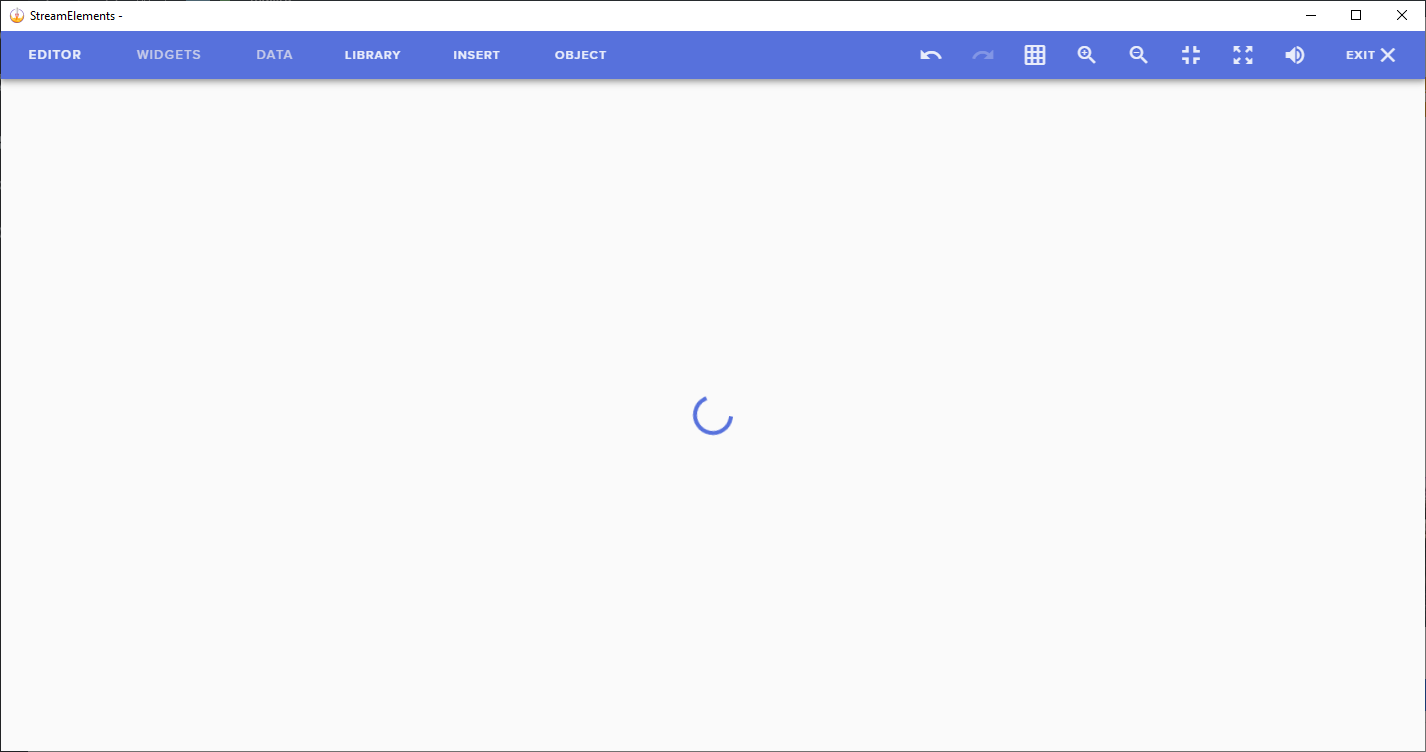
I had this problem some time ago and it randomly fixes itself, some kind of magic
round brambleBOT
@zenith fox Streamelements on top of OBS -> Logout -> login
zenith widget
For the dashboard, logout and login again
zenith fox
relogging helped for obs but not web, thanks anyway!
zenith fox
both chrome and opera not working
zenith widget
You have something that is blocking the editor then
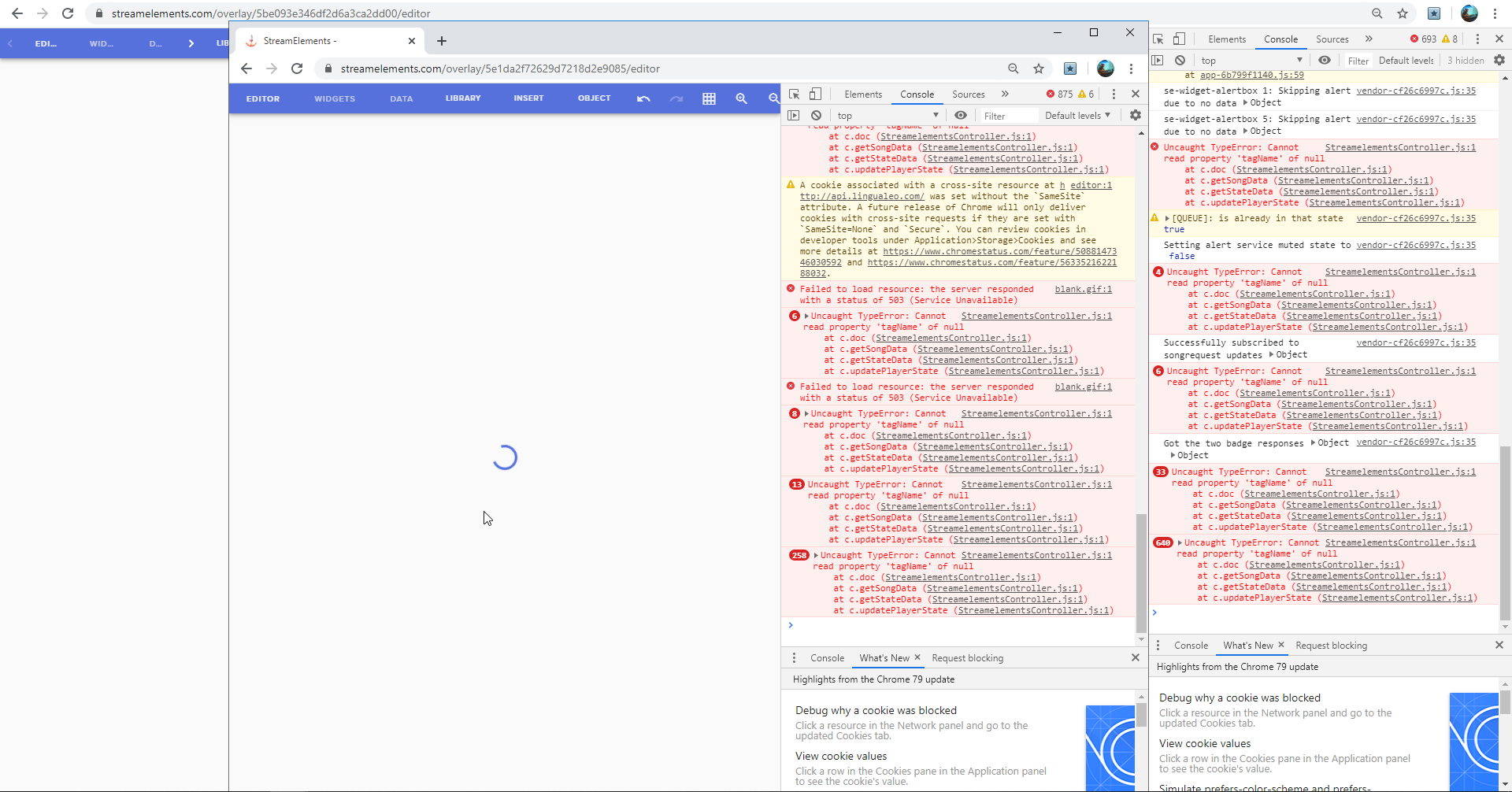
open the dev console
and open the editor and see if anything pops up in red
 little oak
yeah something has to be bloccing it
is your chrome "hardware acc" off by any chance?
 royal quarry
Hi there is there a way to create individual alerts for batches of gifted subs, ie unique alerts when someone gifts 5 subs, 10 subs, 100 subs, etc?
ooooh Keizar is on, I came at the right time 
zenith widget
Community Gifted with "At least" amount of what ever number you want
dry cedar
Create a variant?
royal quarry
I'm trying to find the variables in alert variations for the 5-10 etc
Derp, found it thanks
New feature I see, and I L I K E I T 
zenith widget
zenith fox
hardware acc off, and heres console https://i.imgur.com/pQtK84I.png
 little oak
turn on the chrome hardware acc and see if it loads up for you
 patent bluff
i have a problem with streamelements
zenith fox
turned it on and relogged, still buffers :c
little oak
oh wow
patent bluff
so i have a certain follow notification set but its playing a differnt one?
zenith widget
@patent bluff check variations if you've added some
@zenith fox Is this in every overlay?
little oak
site overlay
nvm saw that wrong
his errors say blocced by client so i dunno about the console errors
the hardware should had atleast fixed it 
zenith fox
@zenith widget yes
zenith widget
This has nothing to do with hardware acceleration @little oak
little oak
well, yeah youre right
 little oak
skifin, have you tried on ME browser to see if it worked there?
zenith fox
@zenith widget closed it
zenith widget
Ok try and enter the editor now
zenith widget
refresh now?
little oak
wow thats crazy it dont work on none of the browsers
zenith widget
i think i saw a widget not configured properly
Do you also have any adblocker on both chrome and opera?
little oak
opera has one by default
zenith widget
turn it off
little oak
nvm it did work in opera even with adb on just took a sec to load up
zenith widget
@zenith fox Is the overlay loading at least?
zenith fox
incognito chrome still buffers
zenith widget

dry cedar
adb is not the cause. Have you nuked your cookies and site data?
zenith fox
funny thing is that in obs it loads if i try editor in source list
@dry cedar yes and i tried multiple browsers
just now i tried it on mozilla, same thing
dry cedar
🤔
zenith fox
something on my side for sure, but what.. xD
zenith fox
none that i know of
dry cedar
Im just gonna throw a curveball.. Are your browsers up to date?
zenith fox
i just installed mozilla @dry cedar
dry cedar

lament blade
Hi, Media Request question. How can I stop it playing the Stream Elements advert as my backup playlist, without using a backup playlist. So I just want silence when viewers are not requesting songs
zenith widget
You can turn off this, but this will stop autoplaying the next queued up song
so you will have to manually play the next song
lament blade
Ok, I will try this. I do find the hot keys don't always work though. Also this could be a suggestion for an update if you care to add it? I used to have a back up playlist but when you do this full time it becomes a headache to hear the same playlist or come up with a new one.
round brambleBOT
@lament blade Check out the StreamElements ideas board: https://strms.net/ideas. You'll be able to add ideas, upvote ideas you agree with, and track their progress with email notifications. Adding and upvoting ideas also helps the staff know which ideas should be prioritized so please take some time to upvote.
lament blade
ok
zenith widget
@zenith fox Are you getting the same console errors when you enter the other overlay editors?
lament blade
I have put this on the ideas board
zenith fox
@zenith widget most of it https://i.imgur.com/aojD6SL.png
 zenith fox
just tried disabling all extensions and still buffers
zenith widget
what is the extension there?
zenith fox
that star is for bookmarks
zenith widget
ok
zenith fox
ok guys thank you for your time and help, but as long as it works in obs ill be fine, this problem seem to be pain in the ass 🙂 @zenith widget @little oak @dry cedar
little oak
you're welcome, i do hope this fixes itself on its own
zenith widget
@zenith fox Devs are suggesting somekind of malware - we are not sure whats the issue here
 glass comet
i need help with bot commands
little oak
shoot your problem, Stoqo
glass comet
i cant find the command where the bot thanks someone for follwing
untold crest
@zenith fox For your own safety - check this list and remove everything you don't recognize: chrome://extensions
twin sentinel
@glass comet This is in the modules here: https://streamelements.com/dashboard/bot-modules the chat alerts module.
zenith fox
ye it did last time randomly on web, but now i see that there is editor in source options also and it works for me, so its fine. Thanks again
glass comet
thanks very much
zenith fox
@untold crest will do, thanks
zenith widget
@zenith fox Another dev just took a look and found this extension https://github.com/berrberr/streamkeys installed - don't ask how he found it installed, but most likely this is messing up with the editor.
Make sure you have disabled it
 tight wyvern
Hello I'm having issues setting up tipping goal. For some reason is showing how much I've been tipped on my PayPal since I have started using it
dry cedar
Click on the Data tab @tight wyvern
Should be a setting there that lets you change that iirc
round brambleBOT
@tight wyvern To reset goals:
- from the overlay editor -> data on top -> goal tab -> reset progress of desired goal
- from the dashboard -> activity feed on the left -> widget data on the right -> goals tab -> reset progress of desired goal
Note: Goal widgets(progress) only counts up and doesn't go down automatically, if you loose followers/subs
 zenith widget

dry cedar

 zenith widget
you are ancient


 little oak

tight wyvern
Awesome thank you
sturdy mortar
I have chat alerts enabled and stream elements is a mod in my chat but it's not posting alerts for followers/subs in chat. Anything I'm missing?
 kind iron
are alerts set to correct res in obs?
gentle imp
@sturdy mortar worked fine
sturdy mortar
Weird, I just tried a bit ago with a test alert and it wasn't working. Ty though @gentle imp
kind iron
 oops my bad miss read question
gentle imp
tests won't show on chat
jade remnant
test alerts dont work for chat alerts
 dense crane
Can someone please help me with my beta store 😫 I’ve done literally everything.... tried multiple browsers, refreshed cookies, the lot and it just won’t load or open just spins. It’s happened every since I uploaded new things and then tried to reset the store as I added the wrong stuff. Can someone roll it back for me or something I just want to order some tees. Thanks in advance
zenith widget
looking
dense crane
@zenith widget thank you
dense crane
@zenith widget it’s working now thanks so much!
 tall cave
hey guys im having an issue where the desktop groundcontrol isn't booting i just get a white box in the taskbar. any help is appreciated =]
abstract hemlock
have u try admin rights ?
 desert tendon
Hi, I am having issues with setting up my SE Pay. I have tried a few times to enter my bank details in but it keeps giving me the Form Submission failed try again. Is there something wrong here?
round brambleBOT
@desert tendon Please contact us via email for support with SE.Pay. You can use our contact form here: https://streamelements.com/contact Thank you
 lean sapphire
hello, how can i add a limit to caracters in TTS store redemtion?
and, how can i skip a TTS?
twin sentinel
You can skip it with the skip button in the activity feed.
 sweet socket
So @lunar robin have you modded the StreamElements bot over at your channel?
 lunar robin
No it's not working
sweet socket
type /mod StreamElements in your chat
SE bot needs to be moderator of your channel before it can do things
sweet socket
Did you let the bot join via https://streamelements.com/dashboard/ ?

StreamElements
The Ultimate All in One Platform for Streamers
sweet socket
you can do that over here (will say join for you)
lunar robin
Okay thanks
sweet socket
oh the mobile app is only for IRL streaming
after that you will still have to type the /mod StreamElements in your chat
sweet socket
For explanation of the site and all our functions, we got a ton of videos on how to start out, if you need more support, you can obviously ask in here!
round brambleBOT
New to Stream Elements?
Check out our YouTube channel https://www.youtube.com/c/streamelements/videos
with tutorial videos from setting up the basics, to in depth details on how to use our product.
lunar robin
Ok so how can I add commands
sweet socket
be sure to take a look at the youtube and explore the website
its all pretty clear marked over there
wary halo
please keep you questions in one channel
 weak delta
Channel Pinktoe, got media share all enabled properly and widget is enabled, audio plays but doesn't play video on stream. Is that not a feature, or am I missing something?
weak delta
oh boy. oh boy.
let's find out together.
I believe that may be gone or not an option for full access editors.
gentle imp
hmm perhaps it's streamer only, not sure tbh
 hardy ore
Hey, is it possible to have a custom command award points?
scarlet tiger
@hardy ore you can use default command !addpoints <username|all> <amount>
hardy ore
I can, but can I do that within a custom command?
I want to award a random number of points within a range
 frozen lily
Hello,
I have a user in a chat I mod for that tries to redeem store items and although the have over 10,000 points, Stream Elements tells them they do not have enough to redeem.
hardy ore
Cheers
frozen lily
Their username is ashintrays
the channel I mod for is sultryrage
frozen lily
he gave some away after he was unable to use them, he's a bit put off by it
scarlet tiger
The maximum store item has 2500 points.
frozen lily
he was trying to redeem a command that was only 100
scarlet tiger
@frozen lily Can I get moderator status for viewing chat logs?
frozen lily
username the same as on here @scarlet tiger ?
scarlet tiger
Yes
frozen lily
so added
scarlet tiger
Where?
scarlet tiger
On twitch channel
frozen lily
one sec
scarlet tiger
Or DM me chat logs screenshot
frozen lily
should be good
frozen lily
it had worked yesterday
scarlet tiger
For him?
frozen lily
correct
scarlet tiger
@frozen lily pls tell Viewer to sign in to the SE Dashbord:
https://streamelements.com/dashboard
Log out. and then back in
frozen lily
He has since left chat for the moment, I will advise him to do so
If this alone isn't enough I'll reach out again
compact tapir
So correct me if Im wrong but there's no way to stream on Twitch straight from Xbox and have overlays/ alerts/ etc
 lucid sleet
I am new and have a question when someone has time: My desktop runs at 1680x1050 due to current monitor limitations. The cloud based overlay are 1920x1080. Is there a way to tell the cloud to downsize them? I already did so in my OSB; however there's some of the overlay chopped off due to the size difference.
compact tapir
Right. I was gonna suggest that but they currently dont have PC....
Thanks @ionic kelp
ionic kelp
you can have chat notifications regardless at least.
compact tapir
True. That's a good point.
lucid sleet
If someone has an answer for that and would kindly ping me, I'll check back in after I drop my wife at work.
wary halo
@lucid sleet you can change the overlay resolution there
lucid sleet
Thanks. I'll go check right now, @wary halo
Sadly it did not refresh the way I would like. Still parts are missing. I was able to update the resolution, however, so that's a big thing.
wary halo
try clicking shift + F in obs when you have the overlay selected
lucid sleet
Ok.
wary halo
i forgot the actual buttons so we may have to try a few combo's 😛
lucid sleet
That did nothing, though, to be fair, the cloud is what has not updated.
ionic kelp
Sources List Shortcuts Only active when a source is selected General Copy Source: Ctrl+C Paste Source: Ctrl+V Remove Source: Del Order Move source up in sources list: Ctrl+Up…
lucid sleet
I'm over in my elements dash trying to repair it there.
Yeah. I'm gonna switch themes, I think.
The one I'm having an issue with won't resize. I'm sure when I get a 2k or 3k monitor it'll be fine.
lament blade
@lucid sleet the cloud did update, however the new overlay size is what is cutting the overlay
if you go into the overlay editor for the one you've got on your OBS, you'll see that you can move the assets inside it to fit the new overlay size
lucid sleet
Yes. I tried that. Some are simply off the screen.
It was the Halloween one. I'm simply switching to the Yellow Linear.
lament blade
you can find them in the layers area (bottom left) and then click on the 'center widget' to move them
No problem ❤️ just making sure you have a solution in case you need it
fathom zodiac
Question so if you wanted to have a donation goal can you set it up so that its only cheers?
sweet socket
choose the cheer goal widget
 remote narwhal
I was accepted for S.E merch beta but I wasn't added to the discord channel
wary halo
okay, i'll let staff know
 serene granite

scarlet tiger

wary halo
haha staff knows i see
lucid sleet
I got a good portion of it fixed. I'll work on the rest post-stream. Missing a widget and can't resize the bottom bar but it's chill.
 split moth
Hey y'all i was added to the merch closed beta but i dont have access to the discord channel 🙂
wary halo
one moment please 😉
abstract hemlock
@wary halo i take it back
wary halo

abstract hemlock
i didnt you role me
abstract hemlock
k k k
wary halo
let me try to do it


 fallow ether
@zenith widget Sorry for the delaym With regard to my issue with Media Request yesterday, the user's name was "chaddanjah."
 pastel zodiac
Hi everyone, I was wondering, im using OBS studio ( I dont use OBS.Live because I use some studio features that makes the stream go smoother) , I was wondering is there a way I can add the store sounds in my OBS setup? I've been trying to do that but everything points me to the OBS.Live, I have several sounds added to my streamelements store but I can't hear them in my stream, or my computer, I can do the song request thing if I have the browser open, but not sure how do I deal with the store, thank you in advance 😄
wary halo
add the store item redeem widget to you overlay and place it as a browser source in OBS
 rapid latch
I had to reinstall Windows and my games on my sim computer. Getting things configured again and I cannot add the NDI source input from the sim computer on my stream computer running StreamElements OBS. I also installed the 4.7.1 client on the stream PC. It's working fine using OBS studio.
 elder sorrel
@pastel zodiac Yes
pastel zodiac
Ty
 hoary token
@wary halo can you let staff know that I have also have not gotten access to the merch discord channel? I was also added into the closed beta 🙂
wary halo
okay 😄
elder sorrel
@rapid latch I don’t think SE touches NDI. Since OBS.Live is a plugin for OBS.Studio
cinder olive
it doesn't
elder sorrel
Then OBS it is
round brambleBOT
@rapid latch For the best OBS support, please join their Official Discord @ discord.gg/obsproject
pastel zodiac
@lament blade So I added the browser source of that overlay using the store redemptions, but it's not working right now, I redeem a sound effect, but the sound effect doesnt play
cinder olive
do you have it muted?
rapid latch
@elder sorrel It has always worked before using streamelements.OBSLive.
rapid latch
I don't see the option to add as a source.
round brambleBOT
@rapid latch Please provide a log from your last stream. To do this, in OBS go to Help > Log Files > Upload Last Log File and paste the link to the log file here.
rapid latch
cinder olive
Not what I asked for
rapid latch
cinder olive
on mobile, bair with me.
rapid latch
No worries
cinder olive
is that the streaming or the source of?
rapid latch
Source of sim computer
cinder olive
run as admin and resend your log
rapid latch
rapid latch
I have it set in properties.
cinder olive
Don't do that
rapid latch
rapid latch
no I cannot add the NDI source
rapid latch
Log from what?