#helpdesk-twitch
1 messages · Page 528 of 1
 formal lintel
 little thicket
Ye they are ticked and still nothing
 wary halo
there are some problems with g2a at the moment so they don't take new accounts right now. So i think that's why you can't use it at the moment
 cedar lynx
are you getting the confirmation that the item is being redeemed?
formal lintel
okay, is there any other way i can allow people to tip me via credit/debit cards?
wary halo
@formal lintel not at StreamElements no
cedar lynx
what kind of file is your graphic?
little thicket
A gif
little thicket
260x216
cedar lynx
and the size in kilobytes or megabytes?
formal lintel
is there any 3rd party which allows this, cause i really dont want to leave SE just for the sake of this.. @wary halo
little thicket
Doesn’t say
cedar lynx
did you make sure that the redemption widget is at least 260x216px?
if it's uploaded on StreamElements then it must say. what's the number before the letters KB in your media library?
little thicket
613
cedar lynx
hm that should be fine then 
did you check the size of your Store redemption widget on your overlay?
wary halo
@formal lintel only options at SE at the moment are PayPal, G2A (that is currently a problem) and SE.pay. i don't know of any 3rd party stuff that works with SE at the moment. You could always make a seperate donation panel with a service of your choice on your twitch page but those will not run through SE.
formal lintel
@wary halo would you be so kind to help me with that then please ?
little thicket
Where is that located?
wary halo
@formal lintel to set up a panel on your twitch page?
cedar lynx
click on the widget in your editor and expand the "position, size, and style" section
wary halo
okay, no problem
cedar lynx
if you're willing you can DM me an editor invite link so I can have a look. click "generate invite link" from this page and send it to me privately https://streamelements.com/dashboard/account/channels
little thicket
Ok
cedar lynx
I'm seeing both the image and the message when I test the item redemption emulator
little thicket
when you where testing, i only heard the sound
cedar lynx
I can see the image as well. what browser are you using?
little thicket
is there a setting in obs?
 round brambleBOT
@little thicket You can test Alerts via the bell on the lower right corner of the Overlay Editor. Simply go to your Dashboard -> My Overlays -> Pencil/edit button on the overlay. Make sure the "Show Emulated events on stream" option is on to see the alert in OBS/Xsplit https://streamable.com/h6qgy
 cedar lynx
you've also given multiple items the same "item" name which may cause you issues down the road
little thicket
ok thanks
cedar lynx
but everything shows for me when an item is redeemed
little thicket
still doesnt show on obs
cedar lynx
did you make sure that your overlay is set to the size of your canvas?
1920x1080 is the standard size for both
 twin sentinel
Was it donated through SE.Pay?
 white quarry
Yes
round brambleBOT
@white quarry Please contact us via email for support with SE.Pay. You can use our contact form here: https://streamelements.com/contact Thank you
white quarry
I did omg
I did 4 months ago
and Ive not got a response
They stopped answering me
I had around $60 but when I checked today it says that I have 0
little thicket
yessss. thank you so much. i had to change the size in obs
twin sentinel
@white quarry I will try to get hold of a staff member internally and get back to you.
white quarry
Okay thank you
twin sentinel
What is your twitch name?
round brambleBOT
@white quarry Please connect your streaming account (Twitch, YouTube, or Facebook) with Discord by going to ⚙ Settings and then Connections here in Discord. https://streamable.com/eg92w
 white quarry
EJaxad
twin sentinel
You have an old account connected to your twitch, please connect your new one.
white quarry
if you click at my profile it says LittyApples [ Cringe ] But I changed it to EJaxad
Okay 1 sec
twin sentinel
I was told, that the issue is only handled via E-Mail. Please contact us again via the contact form linked earlier and we'll try to help you as best as possible.
white quarry
Okay should I email the same two staff. Kizo and someone else
or a different one
Benno
Is Sean a staff or Keizar
twin sentinel
Reply to the last email you got please.
 nimble dune
Hi how i can test from bot the Chat alerts?
twin sentinel
These alerts are only send in chat when a real event happens.
nimble dune
oh okay thanks!
white quarry
@twin sentinel I already replied twice and I still didn't get a response from you guys
Can I post pictures here? so I can show you
twin sentinel
Issues regarding payment are not allowed to be discussed in Discord due to their sensitive nature.
Please E-Mail them again.
twin sentinel
Just reply please.
white quarry
sent
twin sentinel
Thank you.
twin sentinel
Never heard of a similar issue, as they are always handled via E-Mail and as a support champion I do not have access to such data.
white quarry
Okay I replied to KeiZar and Sean
little thicket
is there any way of getting outline fonts on the overlay editor?
twin sentinel
There is a text stoke setting in the text settings.
 dry hare
stroke
twin sentinel
little thicket
its not working
twin sentinel
What widget are you trying to use it in?
little thicket
stream store overlay
twin sentinel
What browser do you use?
little thicket
edge
twin sentinel
Try it in chrome please.
 hardy summit
how do i add an overlay to oBS?
round brambleBOT
@hardy summit To add your overlays to OBS, add a new browser source in your scene. Paste your overlay URL in the browser source properties, set the dimensions to 1920x1080 (unless you changed them on the website), and ☑ “Shutdown source when not visible” https://youtu.be/KDvLynUqXI4
hardy summit
thanks
 lyric pivot
Hello! I have been having trouble loading my video capture device source. Once i start up obs.live, it won't load the camera so i have to close the app then start it up again then it shows up. it's every time i try to stream. Also, if i switch scenes with a VCD that one is then no longer working
the 2nd scene i mean, it's cam is broken
unless i restart obs in that scene, then that one works and my original one does not
dry hare
Shut down the camera when the scene is not active
check the properties of the webcam
I believe there's a "Shutdown source when not in use"
dry hare
should
lyric pivot
i found the option thank you. i'll play around a second and see if that helps
seems to be hit or miss if it works or not, my main scene won't come back
if i got back into properties and unclick the option then reclick it, then the video starts
but it should be seamless
twin sentinel
Try to add the cam one time to the sources and then add it as existing to your next scene.
lyric pivot
ohhhh ok
that seems very consistent thank you
last questions, as of monday, i have been getting periodic echoing from my mic. after experimenting, i found it went away if i start a new audio input without any filters. if i gave you my filter details is it possible to figure out what might be causing an echo because no i don't have any suppression or gate
twin sentinel
Best to ask that question on the OBS Community discord.
round brambleBOT
For the best OBS support, please join their Official Discord @ discord.gg/obsproject
lyric pivot
ok thank you! i appreciate the help fixing my cam though! huge time saver 🙂
hardy summit
how do i fix what the text says in the overlays like what i am playing, my recent follow or does it do it automatically?
twin sentinel
The recent follower widget will populate as soon as you get a follow after you signed up with us.
Or you can set the latest follower here: https://streamelements.com/dashboard/session > Labels > Latest follower
For the widget that shows what you are playing, if you are referring to your game on twitch, then it should be already populated and if it is a now playing widget for songs, then it will populate when you play a song.
 somber yarrow
Morning folks o/
I accidentally closed my twitch chat in OBS.
Can anyone point me in the direction of how to pull it up again, or even better, how to put a transparent chat overlay on the screen I'm actually playing the game on?
twin sentinel
in OBS: StreamElements > Chat
somber yarrow
Ok great ty
twin sentinel
For a chat overlay: add the chat widget to your active overlay or create a new overlay with your chat widget and add this to your OBS.
somber yarrow
I have the chat overlay on my streaming screen, that's np
I just missed an interaction with someone who was typing to me cuz I wasn't watching chat
twin sentinel
There is a chat overlay for your gaming monitor: https://github.com/baffler/Transparent-Twitch-Chat-Overlay
 lament blade
quick question about stream currency, is it possible to use it in a command so that the bot would give the sender X amount of points?
twin sentinel
There is a default !addpoints command.
lament blade
yes i'm aware of that, but can i use it in a command so the bot will give the sender points?
twin sentinel
There is no variable to use in commands to automatically add it to the sender.
The sender can enter himself in the command !addpoints to add himself points, but they can also enter every other name, so I would not recommend to set the userlevel down to much.
lament blade
so for example this won't work - !addpoints $(sender.name) 69 - if it's triggered by a bot?
 real escarp
the bot can not execute a command within itself, this prevents people from looping commands
lament blade
feck ... gonna have to come up with something else in that case, tnx for help anyway 😄
somber yarrow
@twin sentinel Downloaded the overlay, unsure what to do with the zip file now. Do I extract it somewhere and upload it to streamelements, or is it something that's plugged in through OBS, or something else I'm unfamiliar with?
twin sentinel
As this is an external tool, I am sorry, that I cannot provide support for this.
 orchid nova
Could someone with the ability to change alerts please give me a DM ? ❤
twin sentinel
Best to keep the chat in the public channels? What is up @orchid nova
round brambleBOT
@barren swan Welcome to the helpdesk! Please let us know how we can assist you today and a support volunteer or staff member will assist you as soon as they are available. Thank you for your patience.
 barren swan
should i dm the bot ?
round brambleBOT
@barren swan I'm a bot, only here to send helpful messages because the helpers are lazy.
orchid nova
@twin sentinel I've spoken with S.E staff previously in regards to this and they said take it to PMS if i needed the same help in the future
twin sentinel
Just post your question in here and we'll try to help you.
barren swan
im not understanding some simple things
twin sentinel
What things do you need help with?
barren swan
somethings with the bot commands , and also about the obs.live
wary halo
but what?
wary halo
you can drag the chat and controls to the side
it makes them smaller and the preview bigger
 jade remnant
timers, on the SE dashboard
barren swan
one last thing
i was using streamlabs donation site
now i switched to streamelements
if someone donates me
will the overlay show up ?
the alert *
wary halo
only if you make an alertbox overlay for it
barren swan
can u come to a screenshare call and help me ?
barren swan
can i copy the same settings from streamlabs ?
wary halo
on the top of the website there is an IMPORT button
you can import everything from SL there
 grand basalt
Is there a way to temporarily disable all tip/cheer variations?
barren swan
 smoky tide
@grand basalt in your alert box settings you can turn off cheers/tips
jade remnant
make sure you are logged into both stream labs and stream elements
the SL overlays must not be over 30mb
the SL overlays must not be copyright material
grand basalt
I just want to disable the alert variations so all tips/cheers have the default sound/gif
but then tomorrow I want to re-enable all the variations
jade remnant
add a new alert box and mute your current one
smoky tide
you can turn off specific variations as well @grand basalt https://share.getcloudapp.com/04ukQr58

Shared with CloudApp
round brambleBOT
@barren swan You can test Alerts via the bell on the lower right corner of the Overlay Editor. Simply go to your Dashboard -> My Overlays -> Pencil/edit button on the overlay. Make sure the "Show Emulated events on stream" option is on to see the alert in OBS/Xsplit https://streamable.com/h6qgy
 smoky tide
looks like 
smoky tide
Ctrl+F, Ctrl+D
wary halo
yeah but did you set it to 1920x1080 in obs? 😉
wary halo
smoky tide
yeah now just do ☝
wary halo
it's so nice to have some universal screenshots in a folder ready to place here 
wary halo
no problem
wary halo
audio can be a real B*tch
smoky tide
F-it! Do it live! 
wary halo
barren swan
imma stream a test stream
wary halo

 jaunty dust
greetings, I have looked but cant see if there is a fix for the alerts graphics staying on stream
wary halo
like, the alert goes of but the picture/gif stays on the screen after?
jaunty dust
correct
wary halo
make shure to tick the box next to the red arrow
jaunty dust
it is checked yes
jaunty dust
it varies based on the alert
wary halo
(i am just trying some things as i thought the box ticking would fix it) 👀
jaunty dust
apologies
wary halo
@jade remnant is a very wise person
jaunty dust
not the alerts the redeem store function
jaunty dust
doh
 analog python
how do i use this font in SE?
I tried using the css code part but it doesn't seem to work
wary halo
@analog python !fonts
analog python
!fonts
round brambleBOT
Google Fonts
More than 900 google fonts are supported at this time. You can preview them here: https://fonts.google.com/
Custom Fonts
Steps:
- Install the font on the streaming PC or choose a pre-installed windows font.
- In the overlay widget settings, select Text Settings
- Enable Custom Font
- Type the name of the font as it appears in the windows font directory (This is usually
C:\Windows\Fonts)
Note: After installing fonts, the browser and OBS must be restarted for the font to appear.
analog python
thanks ❤
wary halo

 dense pier
hello
Does anyone know if you can set up multiple redemption widgets and limit which store items go to them?
 tight harness
Not currently, interesting idea though! I'd recommend checking if it's on our ideas board already: https://strms.net/ideas and if not it would be great to add it on there
dense pier
thank you
jade remnant
im not aware of any issue with alerts staying on the screen after activating.
what theme are you using @jaunty dust
jaunty dust
it is a blank overlay I am only using stream elements for some of my stream components
Chat, alerts, tips, and the store functionality
lament blade
tadpole
lament blade
i need help setting up alert boxes on obs studio
jade remnant
do you have anything made yet or no?
lament blade
what do you mean
wary halo
i guess not
jade remnant
if you go here, do you have any overlays saved or have you made any overlays with the alert box
https://streamelements.com/dashboard/overlays
jade remnant
ok so you have 2 options
either go here for full themes (overlays, alert boxes, layouts etc...)
https://streamelements.com/dashboard/themes
or click the button to create a blank overlay if you only want to add the alerts
lament blade
k thank you
jade remnant
then you can go to "widgets" and add the alert box
then click the copy link icon and then paste that into a browser source in obs
jaunty dust
@jade remnant tadpole can i send you the overlay url so you can see what my issue is?
jade remnant
make sure you set the resolution in obs to the same as what you have in the SE editor (default is 1920x1080)
check the "shutdown" and "refresh" boxes
@jaunty dust yeh go for it
 slate stirrup
Hey guys, I'm running in to an issue when I try to mod a bot with a custom name. For some reason when I mod them and run a command or test post, the bot double comments.
twin sentinel
You are using Ground Control?
slate stirrup
@twin sentinel yeah I am
twin sentinel
Kill GrondControl via the taskmanager with all bot.exe and restart ground control.
round brambleBOT
@jaunty dust Follow these steps to grant managers/moderators access to your dashboard:
- Click on your Channel Name at the top of the dashboard and select Settings
- Create a new invite at one of three access levels (Bot Supervisor, Editor, Full Control)
- Send this invite to a mod/manager to give them access to your dashboard. The link is one-time-use and expires after 72 hours if not accepted
Video tutorial: https://youtu.be/zl_h-ttZDF0
slate stirrup
Perfect! Thank you @twin sentinel
 knotty jetty
not sure if this is the right channel, but i cant import thee overlay from streamlabs obs. when i try to import it it laods for like 2 mins, but i dont have any scenes or anything from streamlabs in the end
but the alerts got imported
analog python
anyway to make the text lowercase for widget for follower/sub/tip/bit etc
tight harness
That import tool is designed to import everything to the My Overlays page on our website
As long as it isn't copyrighted material
knotty jetty
where can i find it exactly?
tight harness
@analog python Which text in particular? If you mean the label part like "Latest Follower" then you can edit that text over on the left in the settings area where it says "Message"
knotty jetty
ahh got it
analog python
the username, i want it all in lowercase at the moment its saying Zugwig instead of zugwig
tight harness
Ah I see, from what I can see the {name} variable uses your name as it is displayed on Twitch, and as your name in particular is displayed on Twitch as Zugwig it shows as such, in that case your suggestion would need to be made officially on our ideas board: https://strms.net/ideas
analog python
ah thanks for having a look for me ❤
knotty jetty
is there a way i can import the overlay to the app?
tight harness
You can add an overlay to OBS.Live by following this tutorial video: https://www.youtube.com/watch?v=KDvLynUqXI4 - you simply add them as browser sources 😃
 sly crow
I cant find an OFFICIAL twitch discord..
but my friends stream is viewing at 360p for me... Audio Stutters etc.. But I can watch anyone else in a clear 900/1080p :/
Cleared the cookies too. Anyone have an idea on what to do?
wary halo
contact Twitch support and make a ticket
but if you look at r/Twitch on reddit you can see that you are 'by far' not the only one with viewing issues 😉
sly crow
im just in from work. it does feel slower today- is there recent changes?
wary halo
only changes in the ad stuff
yesterday
but overall the problems seem to be getting worse every week
 eager lake
Hello! Is there a way to use the shoutout command so when you do !shout @ /persons name, the command returns their stream without the @ symbol?
twin sentinel
There is a example when you createa a custom command, which should be able to do so.
eager lake
Oh perfect. Thanks! I'd tried myself I guess with $1 so it wasn't doing that! >W<
 robust lichen
@friendlyngeeks hi there
round brambleBOT
@robust lichen Welcome to the helpdesk! Please let us know how we can assist you today and a support volunteer or staff member will assist you as soon as they are available. Thank you for your patience.
 pale urchin
How do you resize video files in the alert window?
twin sentinel
make the alertbox bigger by drag and drop it in the lower right corner
 covert umbra
i love the service. takes less cpu on my laptop. issue. how do i get the pop up alerts (donations, tips, follow/subs)
twin sentinel
Create an overlay with an alertbox widget and add this overlay to your OBS.
covert umbra
also commands for smash bros like !arena, !discord, etc.
twin sentinel
I recommend to take a look at this video for the chat bot: https://www.youtube.com/watch?v=EpA4eDLMW_I and for the alertbox guide: https://www.youtube.com/watch?v=8LVRd2X4HvU
covert umbra
oof, still havin trouble. now the sources show whit rectangles on screen
twin sentinel
Can you share a screenshot of that please?
twin sentinel
What widget have you added to your overlay?
covert umbra
I tried to add alertbox to the top middle
I think trying to create the chatbox messed them both up
twin sentinel
The overlays are normally 1920x1080 by default. Then the green background in the overlay editor is the whole screen. Then you can add the overlay with 1920x1080 as browser source to your OBS.
covert umbra
still not able to get it to work
any possible way of getting help via vc and can watch my stream to assist?
twin sentinel
I do not have the possibility to do a VC atm. Best to take a look at the YT videos again. If then there still are issues, come back here.
covert umbra
okay i added an a gif and sound. the whit box appears to be gone
twin sentinel
Then add this overlay you created to your OBS.
round brambleBOT
To add your overlays to OBS, add a new browser source in your scene. Paste your overlay URL in the browser source properties, set the dimensions to 1920x1080 (unless you changed them on the website), and ☑ “Shutdown source when not visible” https://youtu.be/KDvLynUqXI4
covert umbra
i tested it with the emulator, it pops up with the image, text, and animations. hopefully itll work when someone truly follows. tysm for your help.
twin sentinel
You should be able to see it in your OBS, when you test it and check the checkbox next to the emulation bell.
knotty jetty
hey, im using the elgat stram deck, but when i try to put the diffrent scenes on the deck, it says that the reomote control plugin is missing
already reinstalled both applications, running latest versions of both
 gilded radish
My chatbot is not working
 viscid steppe
It's been ages but awhile back I set up commands for sfx in my chat. I'd like to add new ones and I can't remember how to go about it. Can anyone help?
 scarlet tiger
knotty jetty
scarlet tiger
knotty jetty
ahh thanks @scarlet tiger
twin sentinel
@viscid steppe Create a store item and create a custom command with the variable ${redeem ITEMNAME}
wary halo
hi, question time! how do i add colors to my bot's response?
scarlet tiger
@gilded radish working for me
gilded radish
what the
twin sentinel
@wary halo Make it type /me at the front of your answers.
gilded radish
twin sentinel
@gilded radish The bot is most likely ignored in the chat box, check the chat box settings on the left in the overlay editor when having the chatbox selected.
scarlet tiger
@gilded radish sorry, bad channel 😆
gilded radish
its fine
viscid steppe
I feel so dumb, Where do I type in the variable?
twin sentinel
This is the sound effect item in your store. After you created that, create a custom command with the variable here: https://streamelements.com/dashboard/bot-commands/custom-commands
gilded radish
@scarlet tiger I'm stupid, I just switched to streamelements and the bot was muted in the dashboard.
dry hare
Don’t sweat it. That’s what we are here for
 strong kernel
Let's take a look.
strong kernel
Looks like you've got it set.
viscid steppe
There's a command now that pops up when the command is used. Kinda bummed about that. My others don't do that.
strong kernel
All store redemptions done through chat will return a confirmation.
viscid steppe
I'll keep digging around.
strong kernel
Type !redeem bang for a comparison.
This is normal behavior.
With a space.
!redeem bang
knotty jetty
anyone got a working command for urban dictionary? i always get request timeout
twin sentinel
What is your customAPI you are using?
twin sentinel
Send the message of your custom command here.
knotty jetty
!define $(urlfetch https://twitchsharer.com/files/urbandict.php?Term=$(query)&User=$(user))
without the define
sry
scarlet tiger
SE format is ${customapi.URL}
twin sentinel
And if you try to reach the page in a browser it is not answering, seems that the endpoitnd is dead.
scarlet tiger
@knotty jetty Try
${customapi.http://api.scorpstuff.com/urbandictionary.php?term=${pathescape ${1:}}}
knotty jetty
works, thank you
im new to the command stuff 😄 so sorry, really appreciate the help
scarlet tiger
No problem! 😀
 slim marlin
hello guys, mys english is not so good, but, i'll try. is ther any way to TTS say who asked a redemption?
real escarp
TTS right now works with tips/and the alert box
 swift oak
Is there a way to have store items cost bits and not loyalty points? 
strong kernel
People can and do offer things through the stream store that would violate the Bits Acceptable Use Policy.
So we can't do that.
swift oak
ahh okay. thank you for the clarification
making me rethink some of the other bit for sounds stuff ive used in the past, so thank you for the heads up
slim marlin
so isn't there announce action for item redemption?
strong kernel
There is not at this time, no.
It'll only read the message, not announce the sender.
round brambleBOT
@slim marlin Check out the StreamElements ideas board: https://strms.net/ideas. You'll be able to add ideas, upvote ideas you agree with, and track their progress with email notifications. Adding and upvoting ideas also helps the staff know which ideas should be prioritized so please take some time to upvote.
swift oak
I hope extension panel customization options come in the future. Throwing off my whole blue/black vibe 🤣
knotty jetty
one more problem, i hvae a chatbox on my intermission scree, but i cant seem to change the color of the chat
i jsut can change the color of the stroke
 vivid ibex
can someone help me? trying to switch over to streamelements and the entire site freezes every time i go to the command page. i logged in with my bot just to test it and it works fine on a different account, so it seems to be related to one account somehow. i reset cookies/history/etc already
strong kernel
@vivid ibex What browser are you using?
twin sentinel
You can set a background color to the chat by enabling the theme custom and setting a background color. @knotty jetty
vivid ibex
ive tried it on chrome, firefox, and opera. its just related to my one account. when i logged in under another twitch account there was no freezing
strong kernel
@knotty jetty Text color is handled here.
vivid ibex
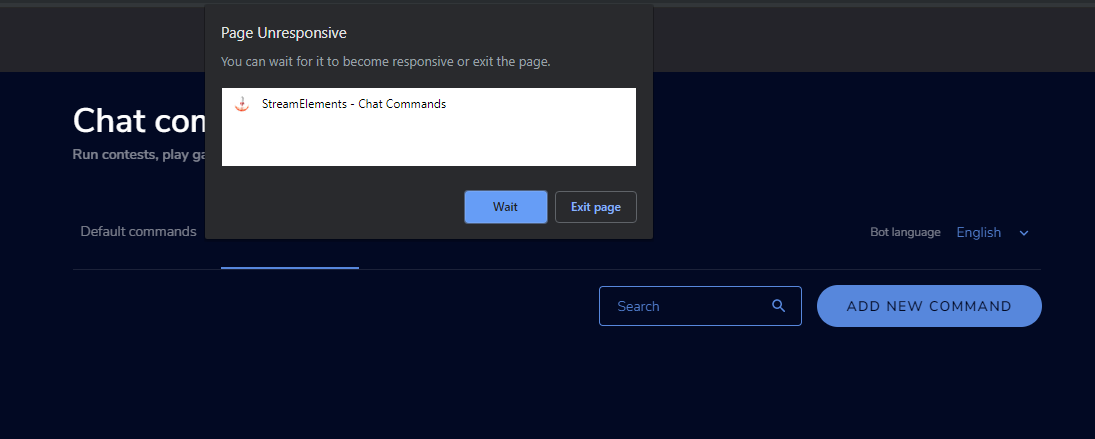 strong kernel
@vivid ibex Which account?
vivid ibex
"asleepypeach"
knotty jetty
@strong kernel i literally dont have that lol
vivid ibex
when i use "apeachybot" its fine.. so weird
strong kernel
@knotty jetty Screenshot please.
knotty jetty
strong kernel
Can I have a screenshot of the entire page please?
vivid ibex
can anyone help w the freezing issue? ;_;
strong kernel
@vivid ibex Looking into it.
vivid ibex
thank you 
just for some extra info: i added my moderator as a manager, and my account froze for him too. but his account is fine
strong kernel
Don't need any additional information.
There's likely something in a custom command that shouldn't be there.
vivid ibex
i did try to import custom commands, but it said error and is blank
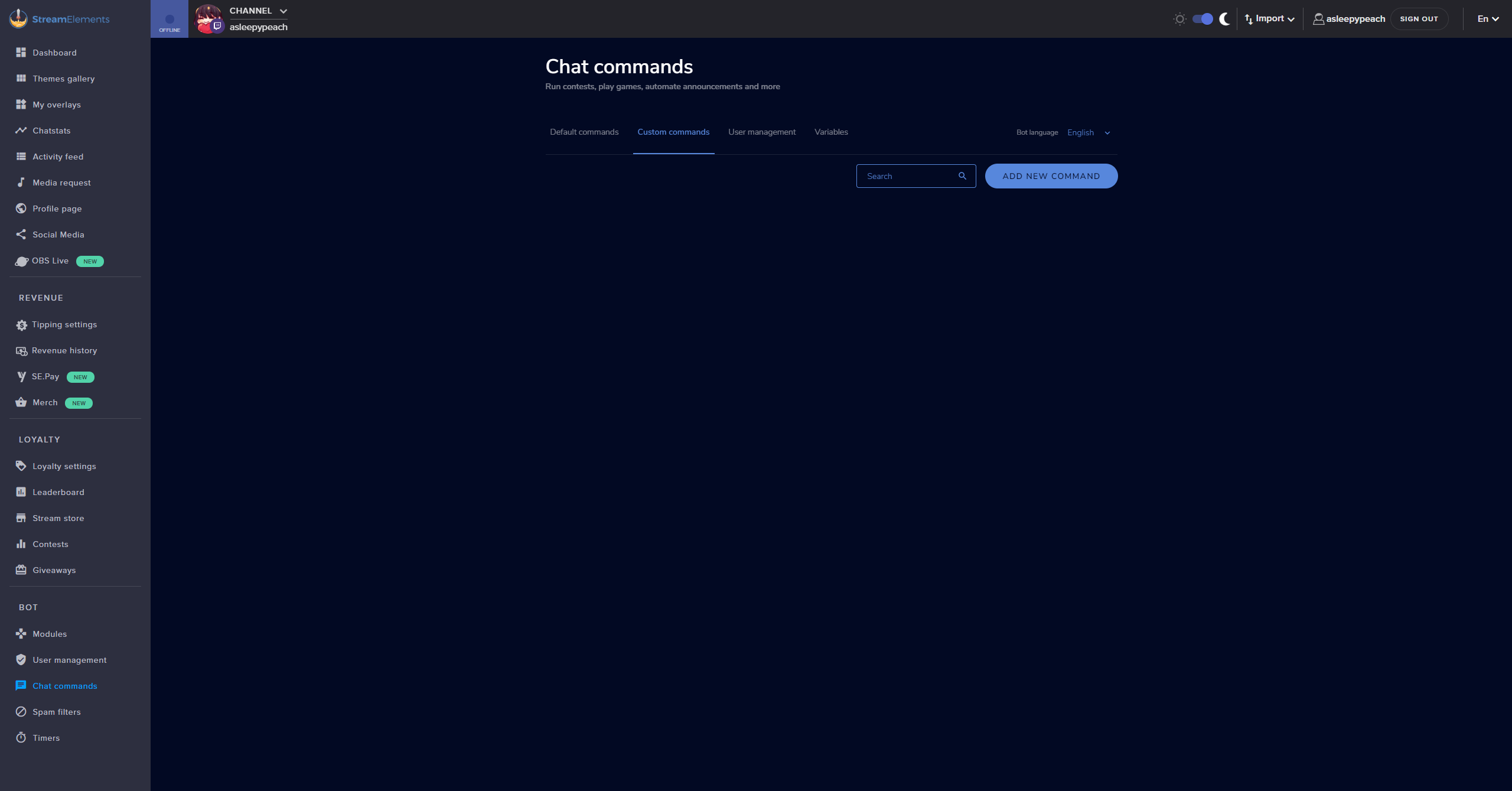
is there any way to erase it and start fresh?
strong kernel
It's going to require a dev's assistance, and it's past midnight here, so it may be some time.
vivid ibex
okay just let me know
knotty jetty
thanks again @strong kernel
 twilit kayak
How do I make my donation bar reset for a new donation goal? It still shows the total amount of donations I have gotten ever instead of starting at zero dollars
round brambleBOT
@twilit kayak To reset goals:
- from the overlay editor -> data on top -> goal tab -> reset progress of desired goal
- from the dashboard -> activity feed on the left -> widget data on the right -> goals tab -> reset progress of desired goal
Note: Goal widgets(progress) only counts up and doesn't go down automatically, if you loose followers/subs
 clever nimbus
Will the new poll function of Twitch be available through OBS.live? I would love to continue not having to have a browser open.
strong kernel
It was announced an hour ago. You'll need to give our team some time to react. 
twin sentinel
You can try to create a custom browser dock with this urlhttps://www.twitch.tv/popout/YOURCHANNEL/dashboard/live/poll or https://www.twitch.tv/popout/YOURCHANNEL/poll (exchange YOURCHANNEL with your channelname).
Or use the customizeable new dashboard where you can add a button to create a poll: https://dashboard.twitch.tv/popout/u/YOURCHANNEL/stream-manager/quick-actions
No guarantee for success, as I am not an affiliate and I cannot test this myself.
clever nimbus
Thank @twin sentinel I see it on the twitch dashboard. Thanks for your help.
pale urchin
@twin sentinel for resizing movies in the alert box window, did you say if you make the alert box bigger than the video size you can resize the video, or does it just change the alert box size?
twin sentinel
For me when I make the alertbox bigger itself, the video resizes with it.
pale urchin
It works to make it bigger, but my alert webm is large and I need it smaller
When I make it smaller than the video size it starts cropping instead of scaling
twin sentinel
Then I think you would need to make the video smaller itself.
 fluid forge
Maybe this is not a questin for this channel but where can i see what my current treshhold is for the payout?
twin sentinel
For SE.Pay that should be available here: https://streamelements.com/dashboard/se-pay/
fluid forge
I meant the $100 treshhold for subs and bits from twitch
twin sentinel
This is on twtich side and has nothing to do with StreamElements. Best to ask twtich here.
fluid forge
Yeah thats why i wasnt sure if i can post it here
Twitch doesnt have a discord sever so hoped someone knew here
 crisp knoll
how do we change our bank info for se.pay ?
round brambleBOT
@crisp knoll Please contact us via email for support with SE.Pay. You can use our contact form here: https://streamelements.com/contact Thank you
 stable sparrow
can you do a test stream on stream elements?
strong kernel
Well, it's not "through" us but yes, it's no different than a test stream in vanilla OBS Studio. OBS.Live is just a plugin.
strong kernel
For audio, just make a recording
stable sparrow
ok ii try
 neat compass
anyone know how to reset streamelements it crashed during stream and won't play alerts
strong kernel
What crashed, exactly?
swift oak
I guess im seeing the same issue as @neat compass
My extension wont load at all and I cant configure at all @strong kernel
strong kernel
@swift oak This is an unrelated issue and we are looking into it.
strong kernel
It appears to be resolved.
 nocturne bane
i have a problem with my alerts, i have put new alerts on streamelements.com put overlay url in streamelements obs.live, they did not show when i was streaming. i even did a test before i went live. i don't know why they are not showing, when someone follows etc.
can anyone help me plz 🙏 ?
strong kernel
Your alerts appear to be working fine.
nocturne bane
really ? how come they did not show on stream. i even checked my video. not alerts appeared.
neat compass
it works not ty
strong kernel
@nocturne bane According to our system only two events happened in the last 8 hours.
nocturne bane
hmm... most be the browser source in my streamelements obs.live in the wrong place
my browser source is always the first one on top of everything. in my obs.
@strong kernel is it possible that twitch as the problem ?
strong kernel
No visible issue with your events.
nocturne bane
oh wow it work on its own. i heard it
thank you for the follow @strong kernel 😄
well, i am glad it worked. i am confused why they did not work in the first place. maybe i need to reload my overlays & refresh activity feed everytime before i go live.
swift oak
for a redeemed sound, how do i get it to play on stream?
neat compass
it works now*
strong kernel
@swift oak You need to have a store redemption widget in your overlay.
swift oak
i figured. thank you man. i want to hide all the alert portion of it and just play the sound
thanks
nocturne bane
@strong kernel thank you for the help, i really appreciated 🙏
if anything else all message here again.
swift oak
is there a way to set rewards to be purchased multiple times without refreshing the stream?
 zenith widget
@swift oak if the extension is not following this behavior - viewers can always redeem vua the website
 foggy jetty
Heyhey, when trying to setup the media request I keep getting the message 'Please enter a valid Youtube URL' I have tried multiple song URL's and it won't accept any of them. Please help and thank you.
zenith widget
What URLs have you tried?
foggy jetty
this one for instance https://www.youtube.com/watch?v=rdpBZ5_b48g and multiple other Greenday songs.

Title: Wake Me Up When September Ends Album: American Idiot Lyrics: Summer has come and passed The innocent can never last wake me up when September ends lik...
foggy jetty
in the lets get started 'Enter Youtube URL or Title' section
zenith widget
In the tutorial? skip it
foggy jetty
Ok that worked, thanks appreciate it.
 ionic peak
anyone know how to fix the twitch stream black screen problem?
my window is fine in obs but on twitch its a black screen, audio is fine as well
zenith widget
Something is wrong with your output most likely
round brambleBOT
@ionic peak For the best OBS support, please join their Official Discord @ discord.gg/obsproject
ionic peak
i can see it just fine in obs
my window output that is
ive tried lowering the bitrate but that didnt help
round brambleBOT
@ionic peak Please provide a log from your last stream. To do this, in OBS go to Help > Log Files > Upload Last Log File and paste the link to the log file here.
ionic peak
should i post the log file or?
zenith widget
If its something I can't help with, based on the logs, then you will have to ask in the OBS discord.
ionic peak
sounds good
zenith widget
Yes you can
ionic peak
thanks for the help man
zenith widget
thats why i'm asking for the log
zenith widget
Tip: reduce your output resolution to 720p
Other then that, there are some encoder and rendering lag.
https://h4ndy.eu/obslog?url=https%3A%2F%2Fcdn.discordapp.com%2Fattachments%2F199460642975907840%2F639722838454042624%2F2019-11-01_02-58-25.txt
I would again, suggest asking in the OBS discord
 jade lantern
hi
round brambleBOT
@jade lantern Welcome to the helpdesk! Please let us know how we can assist you today and a support volunteer or staff member will assist you as soon as they are available. Thank you for your patience.
 sour mica
Halp... I have Kappagen installed and explosions work fine, but I can't get it to trigger on chat emoticons. Any help pls?
sour mica
I did
no bueno
The explosion works on stream (triggered through editor), but stream chat emoticons don't show
zenith widget
I see emotes bouncing now @sour mica
 analog dagger
Hi all, this is probably an easy fix, however I can't seem to find any info - ive set up the alert in my overlay however i cant get the alert to come on stream. I'm rtying to use Tiltify for this
zenith widget
Well there is an option onthe left if you see
sour mica
The # emotes per user one?
zenith widget
ye
sour mica
I tried all settings to try and get it to trigger from 1 to unlimited
zenith widget
yes?
sour mica
k
analog dagger
yerp.... my bad, thank you
zenith widget

sour mica
It doesn't seem to trigger on my emoji :/
sour mica
yup
oh
ah ....
I seeeeeee
So it won't just trigger on a single event
Can the threshold be dropped to trigger on a single one
?
zenith widget
Not really, I think
wary halo
or are you?
zenith widget
We are all mad a little bit inside 
sour mica

 modest crown
Hello, how can i increase subscribers luck? No subscriber options show on my streamelements
real escarp
with which command is the luck not high enough
modest crown
just realized streamelements 'doesn't know' i'm affiliate so subs don't show up
how to fix that?
anyone knows?
zenith widget
dashboard -> logout -> login
tight harness

 shut ridge
@tight harness fancy see you here 
tight harness
I do work here 
lament blade
Need help if some one can hlep stream was work OK yesterday no delay or lag and now it lag out so bad I can not stream
Is there a fix for this was playing f1 2019 and it lag so bed
round brambleBOT
@lament blade Please provide a log from your last stream. To do this, in OBS go to Help > Log Files > Upload Last Log File and paste the link to the log file here.
lament blade
OK will do do it when my pc rest start up as I just rest that as it was run slow but send it as soon as it all reboots up again
Where do I find help log please
real escarp
To do this, in OBS go to Help > Log Files > Upload Last Log File and paste the link to the log file here.
lament blade
hope that help you guys I just need it fixed so works good as need to stream as afflicted with twitch was working good yesterday but log now
 rustic thicket
Почему не работает статистика чата
twin sentinel
@rustic thicket Have you renamed your self recently? Please name your old and new twitch name, so I can forwared it to a staff to fix it.
@lament blade Here is an analysis of your log. In the log provided is no streaming session.
https://h4ndy.eu/obslog?url=https%3A%2F%2Fobsproject.com%2Flogs%2FHbX7BE6qykGsOiwE
To have a better analysis best to follow the steps in the log to create a log caontaining a streaming session.
rustic thicket
@twin sentinel old name kessuu/ New petya_groza
twin sentinel
@lament blade The auto configurator is your best way to find out.
@rustic thicket Your chat stats page is working again.
lament blade
yes i no im just rebuilding stream now as rest my pc
 unborn mauve
Hey boys is there a way to change the link in my donation page?
 dim idol
Hello! I need help with 2 commands in Twitch at a moderator level...
#1 - Edit count on counter
We have a command !Bark that produces the message " the dog has barked ${count} times!"
Q- How can I edit the count on this counter? For example, if it currently shows "70" but I wanted to it show "100"?
#2 - Having the counter count in variables of 6
We want to have a command that counts 6 at a time. So if we were to do !sneeze it would come back with "Streamer has sneezed x times on stream. So the first time it comes back with "6" then the second time it comes back with "12" and so on.
Q- How do I set this command up?
rustic thicket
@twin sentinel спасибо большое!
twin sentinel
@dim idol Take a look at this: https://discordapp.com/channels/141203863863558144/199460642975907840/572671650655502346
dim idol
@twin sentinel thanks so much! I saw that, if I am understanding it properly I already have that piece setup. It does do the counting correctly, its just modifying the count it currently has that I cant figure out. Basically the command was accidentally deleted, so now it has reset and I want to correct it by putting the previous count back on there. So I am hoping there is some way to edit the count it shows.
twin sentinel
Take a look at the variables here: https://streamelements.com/dashboard/bot-commands/variables
To add a variable amount to the counter use this variable: ${count <name> '+$(1:)'}
 pale sparrow
hello, i'm trying to set up a tiltify alert for SE, i was able to connect my tilt account to stream elements, make an alert, and i even see my previous campaigns in the drop down menu of the widget. but I'm on a team and i don't seen an option to link it to a team i'm a part of. is there a way to get alerts from the team campaign?
I'm also wondering if there is a way to share an overlay i made with my other team members.
round brambleBOT
@pale sparrow Follow these steps to grant managers/moderators access to your dashboard:
- Click on your Channel Name at the top of the dashboard and select Settings
- Create a new invite at one of three access levels (Bot Supervisor, Editor, Full Control)
- Send this invite to a mod/manager to give them access to your dashboard. The link is one-time-use and expires after 72 hours if not accepted
Video tutorial: https://youtu.be/zl_h-ttZDF0
real escarp
you can copy overlays to their dashboard after if you are an editor
you get them to share editor links with you and then you can copy your overlay to their dashboard
as far as teams with tiltify im not aware if you can share those campaigns
pale sparrow
ooo ok cool
 long oxide
Don't know which category to post to, but when I access the dashboard through mobile device and try to manage the store, I can only move items, I am not able to enable/disable, edit or delete items. Every time I try to click on anything it starts to drag the item.
real escarp
our site works best with google chrome on desktop
lament blade
For some reason my chat commands aren't working, any idea why?
cedar lynx
were they working before?
tight harness
It is likely due to your rename earlier today. Please do the following: Click on Part Channel on the dashboard, click on Sign Out, sign back in and then click on Join Channel on the dashboard
lament blade
Oh yeah maybe it was that
cedar lynx
ah I was even about to say, the connected Twitch on Discord is not current
long oxide
Yes, I get it, that it works best on desktop, but sometimes, it just isn't possible to access it from desktop. 😄
lament blade
Okay thanks, fixed it
long oxide
And as I need to disable item in store as soon as possible, I wanted to do it from my phone, which is not possible due to the dragging.
real escarp
if you tell me which item i can disable them now
long oxide
It's alright now 😄
 minor jewel
Hi staff, I'm using one of your overlays and next to the amount of subscribers i have it says NO DATA. Any solution for this?
real escarp
what session did you pick for that subscriber count? when is the last time you logged out of streamelements and logged back in
minor jewel
let me check
 torpid mulch
How long does it take for sepay support to respond to my email? Over 2 weeks now and still cant receive any donations.. Also 8 days ago ive sent my last email, still no response back 🤔
real escarp
we do have close to 3million users so it could take awhile. I only just received a reply from twitch for a ticket I submitted in august
torpid mulch
🤔
minor jewel
@real escarp I just logged in to SE, and It always restarts the session 15m after every stream
real escarp
@minor jewel
minor jewel
Ooooooh thank you so much @real escarp
lament blade
so dos that mean that twitch is have issue then not us
torpid mulch
Im pretty sure Twitch has nothing do with me having these problems with sepay. Even an se.staff on here tried to donate but couldnt succeed. When are these problems gonna be fixed? Are there any updates yet? Anything? If i put this in email im getting no response at all. Very annoying if you talked to like 5/6 people for this problem, sent screenshots, explained the problem over and over and you dont get an clear answer. Has been over a couple weeks now and i would like to receive donations after all this time. Is there anyone from the staff who can give me a clear answer on this? No answers like "Se.pay problems go through mails bcs they have sensitive information" or "Just be patient"
 charred rover
hello im from turkey and i wanna sync my account for donate site with my account it was avaiable before but yesterday it broken
tight harness
Which site are you referring to? @charred rover
torpid mulch
Sepay @tight harness
tight harness
@torpid mulch I was asking No62NoExit, as you already know we can't discuss SE.Pay issues on Discord. Although, I have informed our payments manager who is responsible for your case that you came to Discord unhappy with his response time
 gray ember
Hello, My moderator on Twitch cannot see my Streamelements dashboard on her account
She is super mod so idk why it wouldnt work
round brambleBOT
Chat/Bot Levels
100 - Viewer
250 - Subscriber (Twitch subscribers automatically placed at this level)
300 - Regular
400 - VIP (Twitch VIP automatically placed at this level)
500 - Moderator (Twitch chat moderators automatically placed at this level)
1000 - Super Moderator
1500 - Broadcaster
Dashboard Manager Levels
Bot Supervisor
Editor
Full Access
Owner
https://i.imgur.com/s61Liry.png
 gray ember
She is super mod so it should work right?
tight harness
Not necessarily, super mod is for chat commands
You set up dashboard access separately on this page: https://streamelements.com/dashboard/account/channels
 slate flame
Hey, I tried to change my alert sound for bits and raid and now, for some reason, neither of those are alerting on screen now
gray ember
Oh ok thank you!
tight harness
@slate flame Which overlay are you editing?
slate flame
I have a generic stream overlay that I use for all scenes. Has my media request, alerts, top/recent cheers etc
Everything else is active in the overlay, but I got raided and cheered last night and nothing popped up, no sound played
tight harness
I'm wondering the exact name of it on your My Overlays page, I have your My Overlays page open but without knowing which overlay it's in it's impossible to check
tight harness
Am I alright to run some emulated events to test?
lament blade
StreamElements keeps locking my PC during stream
i have an i7 6800k thats clocked to 4ghz is this not sufficient?
slate flame
The emulated ones went through, but, if you have access to my activity feed, the raid from takeshi_strike and none of the cheers went through
tight harness
Alright, if I add your overlay to my OBS and then replay the events from the activity feed this should give us some answers
slate flame
But sure, go ahead, lemme just make sure no damage is taken by the bit boss
Good to go
tight harness
Did you hear that? I did in my OBS
slate flame
I was able to replicate it as well through replay/emulate, but at the time it didn't work
Want to make sure it doesn't happen on stream again
charred rover
@tight harness bynogame
{"error":"server_error","error_description":"The authorization server encountered an unexpected condition that prevented it from fulfilling the request."},
tight harness
@charred rover Haven't heard of this error before, I'll ask internally and see if it seems like something on our end or theirs
charred rover
okay rn alertbox donates cant work in turkey at with streamelemens
tight harness
@slate flame When we replay events if it did/didn't work the first time exactly the same should happen when it's replayed, we'll see how it goes next time, as currently everything looks to be good
tight harness
Perfect, sounds good
tight harness
I'll see what seems to be up with the devs
charred rover
okay ty
 polar burrow
Hello, i have reached 100 followers, and still dont have option to select payout methods for tippings
There is still only paypal
I need, g2a or mastercard 🙂
wary halo
when did you hit 100?
real escarp
paypal is the option G2A was pulled
polar burrow
Is it the only option now? 😦
wary halo
SEpay
tight harness
SE.Pay is available if you're in one of the supported countries
real escarp

StreamElements
The Ultimate All in One Platform for Streamers
real escarp
we are attempting to roll out SE.Pay to more countries
dim idol
@twin sentinel that worked! Thank you so much!
polar burrow
Try adding it to Republic of Macedonia plz 🙂
lament blade
2019-11-01 15-19-27
my log out guy help me fix please im live now
can you take a look please
real escarp
in your chat
real escarp
DM me
lament blade
it not let me dm youy
lament blade
our message could not be delivered because you don't share a server with the recipient or you disabled direct messages on your shared server, recipient is only accepting direct messages from friends, or you were blocked by the recipient.
that what im get when i try to pm you
real escarp
a added you
lament blade
can you see the stream now @real escarp
real escarp
yep no lag
lament blade
thank you so much for your help you guy are so good keep up your good work guys and make some transition for us hehe
 jolly basin
I had a twitch prime sub yesterday during my stream but the alert from module chat or the sub alert alert from overlay didn't show up at all. Were there any issues with alerts last night?
round brambleBOT
@jolly basin Twitch prime (new and resub) and paid subscriptions (resub only) must be shared in chat manually by the person subscribing in order for the subscription information to be sent to StreamElements. For twitch prime, the user needs to have sharing enabled on https://www.twitch.tv/settings/prime. For paid subs, if the share box doesn't show up immediately it will when they refresh the page. https://i.imgur.com/VNJN0Uv.gif https://i.imgur.com/2297EA7.png




 jolly basin
I just checked my settings and everythings still there/
good bot
I will let them know
round brambleBOT
@jolly basin I'm a bot, only here to send helpful messages because the helpers are lazy.
charred rover
Hello why i dont get donate alerts? others works but donate nope
real escarp
@charred rover https://streamelements.com/dashboard/se-pay/ you need to change tipping panel on twitch
StreamElements
The Ultimate All in One Platform for Streamers
charred rover
@real escarp but its not avaiable we are using bynogame in Turkey
when we contact with bynogame they says problem from streamelements
other services works fine
whewn we try sync with streamelements it shows this
{"error":"server_error","error_description":"The authorization server encountered an unexpected condition that prevented it from fulfilling the request."}
other services works fine with bynogame but streamelemens is not working rn 😦 from yesterday
lament blade
@real escarp lag again now
now i have lost chat in obs lag out on fortnite what going on this as just been fixed for by you guys
round brambleBOT
@lament blade Please provide a log from your last stream. To do this, in OBS go to Help > Log Files > Upload Last Log File and paste the link to the log file here.
 vivid olive
This isnt that big of an issue but my music request is no longer working
I got it to start up nvm ty
 analog nymph
this is probably a common question, but can someone tell me how to add bttv emotes viewable on your channel?
twin sentinel
At the BTTV website you can add emotes to your channel.
lament blade
can some one hlep with my log then as im losting out on money here as being affiliated with twitch
wary halo
like the rest of us is not affiliated
jade remnant
the log you uploaded has no stream info, please upload the log from that stream
analog nymph
imagine being an affliate LUL, starter for life
lament blade
twin sentinel
Here is an analysis of your log file with tips on how to improve: https://h4ndy.eu/obslog?url=https%3A%2F%2Fobsproject.com%2Flogs%2FtgrGVlKSBa9-AyGB
jade remnant
do you record and stream at the same time?
 tidal shuttle
Is there help for the dashboard soemwhere? For example, where do I get help on how to setup Bot Timers?
twin sentinel
 woven orbit
Hi
In one of my SE Overlays, my subcount displays 142 instead of my real subcount of 172. It has been doing this for a while. I deleted the widget and reinserted it into my overlay however the issue persists. Does anyone know a fix?
twin sentinel
Have you used the widget total subscribers?
woven orbit
Ohh no I was using another one. Thanks so much! Its fixed!!
 dusk lark
Anybody have issues with total views being messed up? I only have like 130 total views I’m really new but I get people come in but it won’t ever go up
twin sentinel
I think this has nothing to do with our service, best to ask twitch here.
 potent wadi
hey there, anyone know how to add a subcount command?
!command add !subcount $subcount doesnt work
twin sentinel
Use this variable: ${channel.subs}
potent wadi
tried it now and it says 0 subs
twin sentinel
Click on Part Channel on the dashboard (https://streamelements.com/dashboard), click on Sign Out, sign back in and then click on Join Channel on the dashboard
potent wadi
thanks, trying to get the channel owner to do it
hes having difficulties figuring this out
 pearl glen
can anyone help with alerts ?
round brambleBOT
@pearl glen Welcome to the helpdesk! Please let us know how we can assist you today and a support volunteer or staff member will assist you as soon as they are available. Thank you for your patience.
 blazing basin
I have timers set up to wait 18 minutes and a minimum of 7 messages, but they seem to ignore it and act randomly
3 just set in a row with a 1 minute break, and a 1.5 minute break... with no messages in between
twin sentinel
The chat-messages are checked 5 min before the timer is running out. If you do not reach them, the timer starts again without posting.
 ivory crystal
im getting something about starting the output failed but cant identify where to change the setting for it
blazing basin
so why are mine sending out so fast with no messages though?
twin sentinel
Can you Share a screenshot of the error Message please? @ivory crystal
ivory crystal
blazing basin
is each timer message on its own seperate timer? or does it go through a list of them
because thats the only explanation I can think of
like is it one 18 min timer, or is there an 18 min timer for each message I make?
twin sentinel
@blazing basin check the pinned messages for the timer Guide. Each timer Message has its own timer afaik.
blazing basin
ty
twin sentinel
@ivory crystal Please make sure your drivers are up to Date.
ivory crystal
all of my drivers are up to date
round brambleBOT
@ivory crystal Please provide a log from your last stream. To do this, in OBS go to Help > Log Files > Upload Last Log File and paste the link to the log file here.
ivory crystal
twin sentinel
 modest pasture
What date did the refunds start working again for store redemptions? I need to know so I don't give back too many points to people as I've been mannually refunding
 plush elk
Is it possible to submit more than one regex pattern in a command?
plush elk
I did but seems that don't work cause when I try to write the second pattern the save button fadding and I can't save it.
 compact temple
i need some help
zenith widget
What is the issue you are facing?
dry hare
Well I am job hunting and apparently I’m not qualified for any of them
Oh sorry
What you got for us @compact temple ?
zenith widget
Can't help with that 
dry hare
Apparently mattress tester isn’t a legitimate job
compact temple
how do u get the game capture to work
dry hare
It depends on the game
compact temple
american truck simulater
zenith widget
Is the game giving you a black screen or you don't know how to add a game capture?
dry hare
Laptop or desktop?
compact temple
i'm on a laptop
 crimson river
I want to broadcast the Kartrider game, but I always have a black screen.
round brambleBOT
@crimson river For the best OBS support, please join their Official Discord @ discord.gg/obsproject
@compact temple For the best OBS support, please join their Official Discord @ discord.gg/obsproject
modest pasture
What date did the refunds start working again for store redemptions? I need to know so I don't give back too many points to people as I've been mannually refunding
zenith widget
I don't think they were ever disabled, unless they were some time ago when we had to do some upkeep.
modest pasture
they weren't working for a month, so I had to manually give them back this last month. it started working again today
last time I gave points back was 4 days ago and so I didn't test the refunds in that time, was wondering the date it started working again
zenith widget
No one has reported it not working at all and I don't see any changes from devs about it as well.
modest pasture
they told me it wasn't working and that they had no estimated time of when it would be fixed
zenith widget
Who is they?
modest pasture
Meags (TeamVASH)09/22/2019
Also when we refund it says "there was an error"
And we have to refresh the page to click the "x" refund button
Nethyr09/22/2019
This is a bug that can't be fixed on the spot. It's been reported, but we can't provide you with an ETA.
Meags (TeamVASH)09/22/2019
@strong kernel Oh okay thanks for letting me know. How do I stay up to date? If it gets fixed will all the refunded points go back? Because I may start manually giving points back now but I'd hate for it to double up later
Nethyr09/22/2019
Nothing will be retroactively applied.
Meags (TeamVASH)09/22/2019
Okay great thank you @strong kernel
zenith widget
thats during september when we had that upkeep upgrade for the store items
Everything was set back to normal within a week afterwards
modest pasture
Hmm weird I kept checking every week and it wouldn't work still, even 4 days ago, started working today though randomly
zenith widget
Well still trying to check with devs, but since its saturday
modest pasture
kk
zenith widget
it might take a while, if I am even noticed 
modest pasture
Hahaha okies sounds good, I'll probably ju give back all the points anyway up until today even if they get double ups
round brambleBOT
@jovial iron Please follow our community rules:
- No advertisement or stream promotion
- Respect ALL server members
- No NSFW/NSFL
Thank you
plush elk
I wrote a regex pattern and I test it to my channel. While in my channel is working perfectly when I copy paste it to a channel which I'am SE editor it does not work. The command are both indenticals 😦
zenith widget
Are the settings also identical?
plush elk
The command is !today and the channel is gamersloungegr
I have the same command in my channel which is labyrinthear
zenith widget
great 10 minute follower mode
zenith widget
Regex Tester Golang - A Go regular expression online tester
Im trying to test your regex here with"today i did" and its not matching at all
this is the regex we use
Google RE2
 civic shadow
Question... What would be a reason that SE or OBS or SLOBS would suddenly drop frames and disconnect from a stream?
zenith widget
Lets move to #helpdesk-selive @civic shadow
jade remnant
your connection to the platform
 magic totem
hey !
It is possible to remove follower alert when the follower have a dangerous name ?
@ me for if you have answer pls
zenith widget
[at]you
magic totem
🙂
zenith widget
Tipping settings -> tip moderation
enable it and set the filter
this affects all alert types
zenith widget
Tipping Settings (https://streamelements.com/dashboard/tipping-settings)
magic totem
Thank you man ! ;
 forest wraith
Hello i need help
 delicate atlas
hey, how would I go about fixing a stream store redemption alert not happening? I've got it all enabled but nothing in the alertbox
round brambleBOT
@forest wraith Welcome to the helpdesk! Please let us know how we can assist you today and a support volunteer or staff member will assist you as soon as they are available. Thank you for your patience.
twin sentinel
@delicate atlas Have you added the redemptions widget to your acvite overlay?
round brambleBOT
@forest wraith There are no "best settings".
Please understand that every setup, will be very different.
Any guides or videos that claim otherwise are misinforming. Your best option is to start with a base and adjust as necessary.
Test, test, and test again. We are happy to offer suggestions for any issues you may be having, but not a list of settings.
forest wraith
@round bramble Optimizing settings
round brambleBOT
@forest wraith There are no "best settings".
Please understand that every setup, will be very different.
Any guides or videos that claim otherwise are misinforming. Your best option is to start with a base and adjust as necessary.
Test, test, and test again. We are happy to offer suggestions for any issues you may be having, but not a list of settings.
forest wraith
That Doesent help
forest wraith
Any staffs there can help me
twin sentinel
@forest wraith What is the issue? We cannot name you your best settings or your optimized settings. Best to try these out yourself and play around with the settigns to see what fits best. Also do not change something in the advanced settings when you do not know what it does. Use the simple settings for a start.
Also there is a setup help in OBS itself.
forest wraith
Benno Its because on some streaming Softwares are there a "Optimize Stream" Button
twin sentinel
in OBS: Tools > Auto-configuration wizard. Use this tool to get a base for your settings.
twin sentinel
It is not in the browser. It is in the streaming software OBS Studio.
 fallow rock
hey, how can i add a second paypal account for micropayments? is that still an available? when i go to tipping settings there is no option to add another
tight harness
Afaik you only need to add the 1 account
real escarp
it has a second email in there already for micropayements
scarlet tiger
What does it mean?  (in duel module)
real escarp
what happens if you take off some 0's
scarlet tiger
The warning disappears
 heavy glade
How do I use Kappa Gen? I don't see the option for it on the website
real escarp
@scarlet tiger maximum deals with max loyalty points
jade remnant
@heavy glade in the overlay editor
fallow rock
@tight harness what, can you explain? how can 1 account be enough for micropayments thats accepted on another account.
@real escarp really, i cant even see it?
real escarp
what browser are you using
round brambleBOT
@heavy glade Follow these steps to grant managers/moderators access to your dashboard:
- Click on your Channel Name at the top of the dashboard and select Settings
- Create a new invite at one of three access levels (Bot Supervisor, Editor, Full Control)
- Send this invite to a mod/manager to give them access to your dashboard. The link is one-time-use and expires after 72 hours if not accepted
Video tutorial: https://youtu.be/zl_h-ttZDF0
real escarp
j****@ is the one for your micro @fallow rock
 dry plinth
i need help anyonew help
round brambleBOT
@dry plinth Welcome to the helpdesk! Please let us know how we can assist you today and a support volunteer or staff member will assist you as soon as they are available. Thank you for your patience.
dry plinth
call me?
real escarp
post your question
real escarp
okay
jade remnant
issue?
dry plinth
nbut i cant see chat from fb to my elements streeaming window
can someone call me or something?
hello?
real escarp
in your chat confirming fb chat is window for obslive
dry plinth
idk what u mean
i dont get why i cant see comments in my fb channel on my chat window on obs
i have fb linked to obs
is anyone there?
real escarp
dry plinth
go to my live oin fb see if uiuj can helpo
real escarp
do you see this dock window
tight harness
@fallow rock I'll have to check with our payments manager to get more information than what's available on the blog post already. What I do know is that it's only available for USD so it could very well be only available to some
 south willow
I am new to streamelements, and is having trouble setting it up
real escarp
OBS>streamelements>chat
round brambleBOT
@south willow Welcome to the helpdesk! Please let us know how we can assist you today and a support volunteer or staff member will assist you as soon as they are available. Thank you for your patience.
real escarp
obs app
streamelements button
in obs
stream elements button at the top
log out
do it later at top
you can use the dashboard settings
bring obs over so i can see
dry plinth
i got it dude thx
real escarp
np
dry plinth
thank you so much
real escarp
@last mist
tight harness
⤴ our QA team are researching this issue
twin sentinel
@shell wind Let's move the conversation to this channel.
Please DM me your JWT token of your YT account, so I can forward the merge request fully to a staff.
@shell wind Log out of your twtich streamelements account and log in to your YT account. Then you can find the JWT token the same way you found it with the twitch one.
twin sentinel
@shell wind Your accounts have been merged.
 wide schooner
Hi all i have a question about my stream store. When someone buys a small video clip i have available it plays multiple times when i only want it to play once ? any ideas why?
real escarp
do you have the redeem widget on multiple overlays???
wide schooner
oh maybe ill check
round brambleBOT
@wide schooner To add your overlays to OBS, add a new browser source in your scene. Paste your overlay URL in the browser source properties, set the dimensions to 1920x1080 (unless you changed them on the website), and ☑ “Shutdown source when not visible” https://youtu.be/KDvLynUqXI4
wide schooner
so it would play once for all of them
real escarp
make sure those overlays are shutdown when not visible
wide schooner
ok thanks il;l do that and see
 gaunt parrot
Hello guys how are you? I need your help. I am trying to modify a custom widget for my overlay but I have NO IDEA where to start from and where to put my hands in. I have 0 knowledge of CSS/JS but I always wanted to learn. Do you know how can I study it to understand how to use the StreamElements API ecc? Help
I am trying to modify a custom widget found on your widget share room but it is soo complicated. The code is arabic for me my god
real escarp
you can look in the #dev-chat at pinned messages and also open widgets from #widget-share to study how they use css/js
aside from that you will need to youtube css/js/html to learn how they all work together
gaunt parrot
yeah... the thing is that I need to do basic stuff and I can't learn everything just for that
like I am trying to make my font bolder but after putting the font-weight:900 it doesn't go bolder and I dunno why
real escarp
question you have about how custom works and CSS questions would best be asked in #dev-chat
gaunt parrot
I am discouraged. it seems so hard 😦
because I have ideas but I can't make them work cause I dunno how to code
 slender anvil
So i have two questions, one, my sound redemptions are not playing on my stream is there way to fix that? Two, so i want to do face zoom ups, is there any way for me via streamdeck to do a cut transition to a certain scene without affecting other scenes
twin sentinel
Have you added the store redemptions widget to your overlay and added this to your OBS?
You can set up transitions for scenes individually in OBS by rightclicking the scene in the scenes dock > transition override
To create transitions use the scene transitions dock in OBS.
 rustic pumice
Anyone know why this is happening? The right is SLOBS and left is streamelements editor (I'm using streamelements for alerts)
round brambleBOT
@rustic pumice We're not able to troubleshoot issues with using our overlays in StreamLabs OBS (SLOBS) as we don't have the tools to support their software. We recommend using OBS Studio or OBS Studio with our plugin OBS.Live.
 hard kettle
Is there a way to set up polls/votes in stream?
hard kettle
ahh awesome 🙂
analog python
is there a way to add a boarder around text like a stroke on photoshop using the shadow feature?
twin sentinel
In the text settings there is a text stroke option.
analog python
i've been trying to find that all day... thanks haha
 dim nexus
is the extra life widget down
twin sentinel
Extra Live seems to be having problems at the moment.
dim nexus
so thats why its not displaying current donations
twin sentinel


 tardy hemlock
Hi - is there a way to see how many viewers are in chat in Live.OBS, like you can when on a Twitch page? Thanks
jade remnant
view > docks > twitch stats
twin sentinel
Or/and in OBS.Live: Burger menu in activty feed > Stream settings > show viewer count
tardy hemlock
thanks @jade remnant @twin sentinel
 atomic tree
I got a $5 tip today and it shows up in my revenue history in Streamelements but it didn't change my Balance available for withdrawal in SE.Pay. Still $0.00. Any reason for this?
 idle solar
Hello, all of a sudden one of my layouts is not working correctly
 normal igloo
@atomic tree Was the tip made through sepay?
@idle solar what exactly is not working with it
atomic tree
It's not the same link that leads to SE.pay as standard Streamelements donations? I feel like my question is dumb. Gonna double check this
normal igloo
Is still the same link But if you have PayPal linked to your account people can tip to PayPal or sepay check your tipping history should show you in there
atomic tree
Ohhhhh, interesting. I assume that's the column under "provider"?
Yeah it says Paypal
So in order to force people to tip through Se.Pay, I need to disconnect my Paypal or something? I wasn't aware of that
normal igloo
exactly
atomic tree
Ah, ok. Makes sense. How do I disconnect my Paypal while leaving Se.Pay attached?
atomic tree
Awesome, done! Thank you so much! Hopefully that'll do the trick 
normal igloo
You're very welcome  👍
👍
normal igloo
as in what exactly emotes not showing up in the chat widget? 
twin sentinel
Are the emotes shown in the overlay editor when they are written in chat?