#helpdesk-twitch
1 messages · Page 520 of 1
 tepid wadi
 lament blade
Can you do the one of the merch?? @tepid wadi
tepid wadi
still doesn't work :(
 dry hare
I haven’t used GC in years so I don’t remember
lament blade
You have problems with the merch time, can you send a screenshot of those settings
Also I'm gonna say it again
 round brambleBOT
Custom bot name requirements
- StreamElements bot modded and in chat
- Active overlay with alerts
- StreamElements tipping page in the panels below the stream (!panels)
- OBS.Live or Ground Control open
- Create a twitch account for the name you want to use or run the bot under your own name
- Custom bot name doesn't work on Mac
lament blade
Follow ALL these steps
tepid wadi
I have the alerts up. I have the tipping page in there. I have groundcontrol open
the bot is under my name
not a separate account
lament blade
And you need the auth token of that account
tepid wadi
ohh that makes sense
can I change the custom name in ground control if the user isn't available on twitch?
lament blade
No the twitch account username will be the botname
So if it's already taken then someone is already using that name
lament blade
Time to get creative then!
tepid wadi
will do! any recommendations?
I was thinking of blinkyisabot because that's not taken
lament blade
hey again, what is merch under "revenue"
@lament blade merch revenue is the money you make of selling branded clothing aka merch, however merch is still in closed beta
so it is not yet opened?
Nope it's a closed beta
@tepid wadi sounds good!
anyways thx
I can't give you an ETA, but we are working hard on it 🚀
k thx @lament blade
No worries, i see you have a lot of streamelements questions by the way, I'd recommend watching our vids over at YouTube!
round brambleBOT
New to Stream Elements?
Check out our YouTube channel https://www.youtube.com/c/streamelements/videos
with tutorial videos from setting up the basics, to in depth details on how to use our product.

lament blade
Also thank you! bot
round brambleBOT
I'm a bot, only here to send helpful messages because the helpers are lazy.
tepid wadi
😂
 tepid wadi
crap
I put in too many emails
It's telling me I'm creating too many accounts
:/ how long do I have to wait? @lament blade
lament blade
I have no idea what the cooldown is, I assume on twitch?
lament blade
I'd just try again in 15 minutes
tepid wadi
Okay :)
 hexed violet
is there no way to remove the "Ends in x amount of time" for tip goals?
tepid wadi
@lament blade I'm doing it rn
So I made the account a mod on my account?
just did it and my account still pops up.
Do I unmod my own account?
weird im not a mod
lament blade
but have you done the right auth token & name in groundcontrol?
lament blade
Might be a good thing to do yhea, in the meantime ill get my gc up and running
weird that it worked for a second as well
if it still doesn't work after this, ill have to poke staff
tepid wadi
Okay thanks
@lament blade
No the bot works fine
it's just my account
oh now streamelements works
lament blade
Yes i understand what the problem is, but if your user is saying it and the bot isnt, then the bot isnt working fine
Works as in, its fixed?
@hexed violet I'll double check for you
Think its not possible, but I can ask around, however if you use the condensed version, you wont see the end date
lament blade
twice as in, the bot sends a double message or?
 proven fjord
I accidentally removed the Stream Elements bot from the moderator role how do I add it back?
proven fjord
So I go to Twitch roles then put that?
tepid wadi
thank you!
proven fjord
ok
My stream does not have to be live correct?
Nevermind thank you for your help😁
lament blade
doesnt have to be live no
tepid wadi
@lament blade It works!
I unchecked the custom name
@lament blade
My commands are outdated?
lament blade
I don't know what you mean with that
tepid wadi
For example, my schedule says T,T,F but I updated the commands on nightbot a month ago or so with my new schedule
lament blade
I cant help with any nightbot support
tepid wadi
Yes I know but I transferred the commands from nightbot to streamelements
and it's outdated all of a sudden.
lament blade
you can check them over here https://streamelements.com/dashboard/bot-commands/custom-commands

StreamElements
The Ultimate All in One Platform for Streamers
tepid wadi
Yeah they're outdated
no prob tho im copying and pasting from nightbot
Ohh nvm
i found out the problem
@lament blade
the commands are doubled here for some reason.
I think I used streamelements back then and forgot to delete
lament blade
Alright, no worries, that will atleast take less time than add everything again! 
tepid wadi
thanks!
One last question
my bad
I'm testing my sub alert and the TTS doesn't happen until my alert is gone, there's a lot of delay. How can I fix this?
 gentle imp
did you tick "shutdown source when not visible" on all browser sources?
 swift remnant
hello?
lament blade
hey? 
tepid wadi
@gentle imp In OBS?
swift remnant
i'm having a slight issue with chat commands
lament blade
What is the issue exactly?
gentle imp
yes @tepid wadi or that delay happens while testing on overlay edit?
tepid wadi
yes
swift remnant
like, i've enabled them but none of them,whether custom or SE's own command is showing up in my Twitch chat
tepid wadi
just testing
gentle imp
but TTS only triggers after alert is displayed, sound etc, is the sound by any chance too big?
lament blade
@swift remnant are both StreamElements and your custom bot modded in chat?
gentle imp
did you set a delay on TTS @tepid wadi
gentle imp
I have set mine to 15 seconds but it still sounds tts really fast after alert sound is done
tepid wadi
oh it only happens after the alert is over?
swift remnant
Bordeaux you there?
tepid wadi
ohh. damn I like the alert sound. it's this long tho
gentle imp
🙂
swift remnant
have i just been left on hold?
swift remnant
yep i've added it
round brambleBOT
Custom bot name requirements
- StreamElements bot modded and in chat
- Active overlay with alerts
- StreamElements tipping page in the panels below the stream (!panels)
- OBS.Live or Ground Control open
- Create a twitch account for the name you want to use or run the bot under your own name
- Custom bot name doesn't work on Mac
gentle imp
those are the steps needed
gentle imp
yes
tepid wadi
is it because I'm testing?
swift remnant
no i dont wanna rename it
gentle imp
nope, I'm testing too
swift remnant
i've added it as mod but the commands still wont work
tepid wadi
Did you add the auth code?
gentle imp
part bot from channel and readd it
tepid wadi
Also it plays after the animation is gone btw
gentle imp
animation is long?
swift remnant
no blinky
swift remnant
where will i find the auth code?
swift remnant
ground control
tepid wadi
Okay
make sure you're logged into your bot's account
go to ground control and go to here
click on 'here' and copy the code and paste it there
gentle imp
yeah just checked, goes after the longest, video or sound, then tts comes in
tepid wadi
and click on test bot
ah that sucks. can you send me a video of how it's playing for you?
swift remnant
gimme a few minutes lemme try something
tepid wadi
ah great my commands aren't working again :/
 carmine knot
does anyone know if the animation stuff works for text sources in a streamelements overlay
gentle imp
sadly can't record a video
tepid wadi
not a problem
gentle imp
@swift remnant did you try part the bot from channel and re add it?
tepid wadi
Any way of fixing the multiplied commands?
swift remnant
thats what im doing @gentle imp
gentle imp
yes, reset the rename and set it again @tepid wadi
swift remnant
wait now im in ground control wheres auth?
swift remnant
it says "copy the long JWT Token" yes i have now what?
tepid wadi
wait is this for your bot?
lament blade
@tepid wadi that isnt a command, that is the test button you're pressing
lament blade
a command is something like !merch
tepid wadi
lament blade
@swift remnant i did indeed leave you on hold for a second
had to do something over at work
Poking staff again blinky
tepid wadi
Not a problem 😅
 knotty dew
Greetings, is there a way to change the email for Twitch on my StreamElements Channel page? I changed my email on twitch and I don't see it reflecting on that page. I don't see a button to edit it so I thought after I changed it on Twitch it would reflect on that channels page.
lament blade
I'll dive into that, would be logical for it to change indeed, did you already relog from the streamelemnets website?
lament blade
No worries, if that doesn't do it, be sure to ping me and ill look into it
tepid wadi
Lmk when you're able to go back to me with a solution, I need to sleep :0 @lament blade
I'll be able to be back at 11 am est if you'll be on
swift remnant
im back?
tepid wadi
thank you!
lament blade
no worries!
lament blade
let me get you a screenshot
lament blade

you are seeing this correct Konkey?
be sure to generate the OAuth token and paste it on the yellow OAuth Token
also provide the username of the bot you made
swift remnant
nope(are you in settings)
lament blade
yes
swift remnant
lemme show you a screenshot
lament blade
its not under stream settings, just normal settings
How Do I Use Timers For Streamelements?
lament blade
@lament blade i recommend earlier to watch the youtube channel, here is one of the videos that show how to add timers https://www.youtube.com/watch?v=ua4_vvYQ0tQ

In this video we explain how to create chat engagement with Modules, keep your chat clean with Spam Filters and update your viewers with Timers, we have it a...
round brambleBOT
@swift remnant Custom bot name requirements
- StreamElements bot modded and in chat
- Active overlay with alerts
- StreamElements tipping page in the panels below the stream (!panels)
- OBS.Live or Ground Control open
- Create a twitch account for the name you want to use or run the bot under your own name
- Custom bot name doesn't work on Mac
lament blade
have you done all of the above?
swift remnant
i have
lament blade
it will be the StreamElements bot, a custom bot is another twitch profile you own with a custom bot name
swift remnant
.....
lament blade
so for example
lament blade
you have the streamelements one and bottlingbot is my own profile, which acts as streamelements
(random generated command btw thats why response is different)
gentle imp
StreamElements bot is not in the channel
swift remnant
whaddya mean
gentle imp
https://streamelements.com/dashboard join channel
it's not
on the right side, there's a button, join channel, click it
swift remnant
yeeees it works!
gentle imp
yay!
swift remnant
thanks so much Bordeaux,RippzOr and blinkytracer!
gentle imp
I told you so when you arrived but sadly another user told you something else, got you confused
glad it's working mate, have a nice day! 
swift remnant
damnit as soon as one problem gets sorted another pops up
alright a quick query about my overlay

 swift remnant
If i'm streaming through my Xbox how would i apply my overlay to the stream?
round brambleBOT
Here is a guide on how to setup the most essential tools for streaming from your console, while using StreamElements tools without involving a Capture Card! It's easy to do, take 4 minutes to read and 10 to 15 minutes to setup!
Read all about it here: https://blog.streamelements.com/how-to-stream-on-console-7b620b1c46c3
 potent ibex
If you're streaming from your xbox, I don't believe you can apply overlays
Unless using lightstream
gentle imp
you need a pc to capture it @swift remnant
swift remnant
oh damnit!
gentle imp
and ofc a capture card
potent ibex
What do I do about my bttv issue? Looks like its not splitting the message across multiple lines and therefore can't post it
swift remnant
so if i'm streaming through my xbox and capture card is on Xbox then....
aah screw it
 tardy canopy
I changed my twitch name and my chatstats is still linked to my other name and not my new one
on streamelements page i click my chat stats and it gives me a 404 error
on my old name it stopped tracking chat stats and my new name doesnt even give me a chat stats page
is there any staff in here that can help fix this?
 tardy canopy
@elder sorrel could you help me you tried to reply last night
potent ibex
Have you logged out of streamelements and logged back in?
tardy canopy
yep
gentle imp
if you changed names we will need to fix it for you
tardy canopy
my old name was JoshHD1080P and my new name is JoshHDR can you fix it for me plz
potent ibex
Does the stats page not update automatically? Shouldn't it be based on userID's?
gentle imp
I can't but will get someone to, ty
I'll get back to you when it's done @tardy canopy
potent ibex
my emotes command is set to everyone, no?
tardy canopy
thx how long will it take do you reckon?
potent ibex
I don't believe I have
gentle imp
it's not working for me and default permission is everyone
 potent ibex
yes it is
gentle imp
won't work for me
gentle imp
and you tried part the bot, logoff, login and rejoin the bot?
potent ibex
I removed the bot and readded it
gentle imp
can't say, I've asked and when a staff member is free they'll do it @tardy canopy
tardy canopy
okay cheers
gentle imp
I'm reporting it internally @potent ibex
so we get an error message or something to let us know what's going on
potent ibex
ok 
there needs to be some form of error
because I did not know what was happening for around 2 weeks
lament blade
Help, I Have Set a timer message to send every 1 minute while offline and every 10 minutes while online but the timer messages don't appear in the chat. why?
 lament blade
Yes 10 Lines
potent ibex
well that's why then isn't it
lament blade
than you need 10 lines before it will be posted
potent ibex
^
lament blade
chat line are messages
potent ibex
also why did you set !ping as a banned phrase? 
potent ibex
chat lines = messages; therefore timers won't be posted until 10 messages have been posted in the chat
lament blade
it should be explained in there, if it wasn't thats pretty weird, but what meme says ^
oh
so if its 10 minutes and 10 chat lines, it waits 10 minutes first, then if you didnt have 10 messages (chatlines) in your chat, it won't trigger
oh
so if the no of chat lines are 0? then?
then it happens every 10 minutes
however if you dont have an active chat, it would be a bit spammy
potent ibex
and they all appear at the same time 
swift remnant
if theres anyone there i have a quick questiion
is a "game capture" and a "capture card" the same thing
potent ibex
No
Capture card is designed to capture another pc/console
Game capture is designed to capture a game on the pc you're currently playing on
swift remnant
so if, as i said before, i'm streaming on Xbox and want an overlay what would i do?
potent ibex
capture card
This is a PCIe capture card, it connects internally in your pc
It has an in and an out hdmi port; meaning your console goes into the in port; and out goes out to the monitor
 swift remnant
ooh im not sure if my laptop could even handle that
can i,like,dm you my laptop specs and you tell me if it would handle it?
potent ibex
you can dm me if you want me to
gentle imp
@tardy canopy it's done
 gray grail
I've got a question about Ground Control
It keeps being in some state... somehow like.. minimized?
I can't open up anything at all
but I can see whats going on in the window
as it is visible down here
but it is just not clickable
gray grail
second
this one came.
and clicking maximize did it.
but I can only have it maximized
ohohooh it got fixed I think
@potent ibex genius c: thanks
potent ibex
 north kiln
Hi guys. I'm kinda looking on how to show all recent followers, subs, donations etc in the same location. Like they fade through each one, anyone know how to do that? Thanks! 🙂
lament blade
I do know we have a custom widget for that: https://discordapp.com/channels/141203863863558144/457957557470887947/618446259828686858 @north kiln
If you need any help with the widget, be sure to ask in #dev-chat!
 rapid hazel
 opaque wasp
Tried to start streaming and it instantly told me to come on here for help
But I don’t know what for 😂
lament blade
Can you show us the error @opaque wasp?
round brambleBOT
@rapid hazel If you are not seeing the OBS Twitch integrations and have OBS.Live installed, please follow these steps:
- Make sure you are on the latest and greatest version of OBS.Live
- exit OBS (make sure OBS is not running)
- delete %appdata%\obs-studio\plugin_config\obs-browser\obs_profile_cookies
- start OBS.Live
- Settings -> Stream -> disconnect -> connect
lament blade
Follow these 5 steps to get it working or downgrade back to V23 of OBS studios
opaque wasp
@lament blade
lament blade
are your gpu drivers up to date?
opaque wasp
As far as I am away yes
lament blade
Do you have a Nividia card?
opaque wasp
I have a NVIDIA GeForce GTX 950M
lament blade
@hexed violet You can remove an end date, you click on the End Date section and use Backspace to remove the date, then save
@opaque wasp do you have GeForce Experience installed?
they mostly update the drivers through that
opaque wasp
@lament blade I’m just downloading it now
lament blade
Alright, be sure to check that and run any driver udpates they throw at you try again after and let us know how that went!
opaque wasp
Will do, Thankyou 😊
tepid wadi
@lament blade good morning! Any updates for my issue?
lament blade
No worries!
Was just about to tag you @tepid wadi! Double responses can likely be fixed by closing down GC or OBS.Live, you could try Part and rejoin the bot too, then start back up GC or OBS.Live
tepid wadi
Okay thank you :) will try in a bit
lament blade
No worries!
lament blade
You can remove an end date, you click on the End Date section and use Backspace to remove the date, then save
 burnt sky
So wise ! thanks @lament blade ❤
lament blade
No worries!
 elder sorrel
@tardy canopy You should be all good now.
tepid wadi
Will do
 ivory summit
hi, i cant edit my current giveaway and cant pick a winner. is there something wrong actually?
lament blade
can you show me a screenshot or the link to the giveaway?
@tepid wadi ill poke around again
ivory summit
https://streamelements.com/foxsh0t/giveaway/5d6e77fd0c1018c8acf77af7 that is the current link to the public page
StreamElements
The Ultimate All in One Platform for Streamers
tepid wadi
Yeah it's not working. Streamelements popped up
lament blade
Alright, can you get me a screenshot of what you see? @ivory summit
ivory summit
its actually in german
lament blade
you have to close the giveaway first before you can pick a winner
ivory summit
ah okay, make sense
but can i edit it? because my viewer cant see any message from the but when they bought a ticket
lament blade
im looking into that
ivory summit
thx
if there is another possibility to let the bot give an information if someone buys a ticket, it would be fine too. but even in the command-list i cant find any chance to change it.
thats the only thing that i would change on the giveaway.
 real escarp
more than likely this box wasnt checked during start of giveaway
ivory summit
yes, could be – didnt remember @real escarp
is there a possibilty to change it afterwards?
opaque wasp
@lament blade hey that’s my driver updated and when I go back onto obs the display capture screen is black
Nevermind fixed it
 delicate pecan
Can someone help me ? I commands for followage subs and subcount in overlay dont work after i did what support said: support request 33405
delicate pecan
nice thx for help
real escarp
only if you close the giveaway
ivory summit
refund means, they will get the points back?
real escarp
right
ivory summit
can i give the guys tickets as a gift, or only points?
 sand ravine
Can someone help me on how to set my bot account to take control of the SE Bot?
lament blade
you can give 1 free ticket to start with as an option
round brambleBOT
@sand ravine Custom bot name requirements
- StreamElements bot modded and in chat
- Active overlay with alerts
- StreamElements tipping page in the panels below the stream (!panels)
- OBS.Live or Ground Control open
- Create a twitch account for the name you want to use or run the bot under your own name
- Custom bot name doesn't work on Mac
lament blade
these are the requirements that need to be done as first
lament blade
Alright if you have done that one, are you using OBS.live or groundcontrol?
sand ravine
OBS.Live attached to OBS Studio.
lament blade
Alright, so at your activity feed, click on the hamburger menu and go to stream settings, click on custom bot name
dry hare
🍔
lament blade
hamborger
sand ravine
If I choose Custom Bot Name, I can log in my Twitch Bot Account?
lament blade
yes
sand ravine
Without conflicting with my main Twitch account.
lament blade
so you'll have to chose after clicking on that
lament blade
you can also set it to your own name and back to streamelements over there
sand ravine
Tested out my bot account and it worked.
sand ravine
Already saved it.
lament blade
Alright, then it'll be there for the future!
sand ravine
As of minutes ago.
lament blade
you'll have to keep streamelements modded in your chat btw
lament blade
Alright! Enjoy your custom bot! 😄
sand ravine
Thanks! 😄
 quick ledge
@wanton mango So i could find it and set in in, thx bro for your help. 🙂
 ornate quarry
Is there any chance for getting paid that u could also add Amazon Pay cuz I don’t have Paypal
 icy juniper
Hello! The sound effects from my overlay alerts make a sound on my desktop, but I don't hear it on my chat. "Reroute Audio to OBS" is already enabled. Thanks!!
real escarp
@ornate quarry you can always suggest amazon pay here https://strms.net/ideas
real escarp
StreamElements
The Ultimate All in One Platform for Streamers
lament blade
That wasn't helpful
Are They Moderators Whom we need to assign?
Yes
If you want super moderators that is
if you follow the link Friendly posted there
ok thx
you can click on learn more
its all explained over there!
thx again 
 gleaming spindle
how can i set up a Apex kill counter command?
oops think i posted this in wrong spot
 wanton mango
No, you're in the right place 
You can make a counter command with the counter variable, which adds 1 and returns the new count: ${count wins} (e.g. !addwin)
And if you want to return the count without adding to it: ${getcount wins} (e.g. !wins)
gleaming spindle
thank you
 crimson latch
i am trying seems like forever and i cant get my audio to work in my stream for my game pls help i feel lost liek i might have pressed the wrong thing im new to this pc world of streaming.
real escarp
mic audio, game audio?
real escarp
are you using headphones at all
real escarp
make sure in game audio is set to default device
crimson latch
but not right now
 pliant lagoon
I would also check Windows to ensure it is on the proper default device as well.. sometimes the game and windows arent the same
edit: I realized that may not make sense.. some motherboards have an auto plug and play feature so if you unplug one device, then another, it switches to that automatically
tepid wadi
@lament blade Any updates? It reverted back to streamelements :(
crimson latch
ok bout too do all that brb thanks u tho
real escarp
@tepid wadi custom bot name?
real escarp
which overlay do you have open in obs right now
real escarp
obs or ground control must be open
tepid wadi
yeah groundcontrol is open right now
tepid wadi
oh for the custom bot? I didn't know that
real escarp
- StreamElements bot modded and in chat
- Active overlay with alerts
- StreamElements tipping page in the panels below the stream (!panels)
- OBS.Live or Ground Control open
- Create a twitch account for the name you want to use or run the bot under your own name
real escarp
2 active(open) overlay with alerts
tepid wadi
yes, I have at least 5
real escarp
so if you open obs with that overlay
tepid wadi
real escarp
then go into ground control and try to connect/test
tepid wadi
Ok
lament blade
Is there an event when someone joins for the first time , an message appears greeting them
real escarp
not currently @lament blade
lament blade
will there be tho @real escarp
round brambleBOT
@lament blade Check out the StreamElements ideas board: https://strms.net/ideas. You'll be able to add ideas, upvote ideas you agree with, and track their progress with email notifications. Adding and upvoting ideas also helps the staff know which ideas should be prioritized so please take some time to upvote.
 blissful quartz
If I change the name of the bot name and then get rid of the se tip panel will the custom name go away @real escarp
real escarp
correct
blissful quartz
So it will go away?
real escarp
correct change the tip panel, when the bot goes to check it will come back false and not login with custom name
blissful quartz
Why can’t they have it be simple
 edgy pilot
@real escarp How long will my chatstats not work for?
blissful quartz
Is there any way I can get the custom name without people being able to tip me with se
Can I make a tip panel but disconnect my pay settings or something
real escarp
I have no idea as the chat stats are ran by the developers. If you or your channel was abusing the ToS for that service. Its up to them. I saw you name changed this year but there are no stats under your old name
- StreamElements bot modded and in chat
- Active overlay with alerts
- StreamElements tipping page in the panels below the stream (!panels)
- OBS.Live or Ground Control open
- Create a twitch account for the name you want to use or run the bot under your own name
those are the requirements
blissful quartz
Why do they have to make it so complicated 😫
I want to keep my tipping with streamlabs
But their chat bot is a lot worse
 surreal estuary
Hey how can i avoid that people can overwrite there songs with the songrequest?
Currently if someone is doing a songrequest it is playing instantly
 jade remnant
it is simple, you want to use an SE app/bot, abide by their requirements, or, continue to use slobs
@surreal estuary does it play straight away (while something else is playing) or does it skip the queue (like with a dono request)?
surreal estuary
A further song request is skipping the current played song
blissful quartz
@real escarp so I need to do all of that stuff if I change it in obs.live?
jade remnant
hmmm, are you using mr through obs.live or using ground control?
surreal estuary
the website 😮 as overlay
jade remnant
i mean where do you control it from, or are you controlling it on the website?
surreal estuary
control?
i start the overlay in the website
and people request them via twitch
round brambleBOT
@blissful quartz Custom bot name requirements
- StreamElements bot modded and in chat
- Active overlay with alerts
- StreamElements tipping page in the panels below the stream (!panels)
- OBS.Live or Ground Control open
- Create a twitch account for the name you want to use or run the bot under your own name
- Custom bot name doesn't work on Mac
edgy pilot
Hi, how long will my chat stats not be working for?
 nimble tendon
Heyo! trying to set up a tipping page for my stream but the link I'm copying leads to an infinitely loading tip page
lament blade
Hi, I changed my facebook link to my page in profile settings(cuz i deleted it) but when i clicked on "open my profile" and in that page when i clicked on the facebook icon, It takes me to the link i set before. help
 patent wraith
Hi! I want to add an access to my dashboard but it's showing this error when the other person try to click on link. https://gyazo.com/d11e251b526d4db481ca638b7208477a

Is that normal?
real escarp
you may have to create an invite link or two... Ive seen that error happen once before
@lament blade the link will update give it a few (10 minutes) then open your profile page in a private browser
@nimble tendon whats your twitch username
lament blade
ok, will do, thx!
nimble tendon
ehpeek
patent wraith
@real escarp Alright thank you !
 upper steeple
is there a way to block someone from tipping you before they have tipped?
 dry lodge
I cannot add points to somebody using !addpoints I have to do it through Stream elements which Is fine just annoying haha. The command response says x user doesn't exist
Any help would be nice, thanks
 strong kernel
Don't put @ in front of their name.
lament blade
!addpoints name x points
strong kernel
!addpoints iiTsMagiical 100 for example
 ebon vessel
Guys, does it possible to set two or more answers on one command?
strong kernel
If you're looking for a randomly picked answer, the ${random.pick} variable can do that for you.
dry lodge
Thank you
 leaden bough
What is the best donation panel to use on twitch to setup stream elements tipping page (mobile)
surreal estuary
Hey i have some trouble with mediashare
real escarp
play the song
 jovial ocean
How do I add stream description into OBS Live
real escarp
activity feed > hamburger menu> stream settings
jovial ocean
I meant like a full-on tab for it. I watch a streamer and she showed me her setup, and it could edit tags, title, game and more.
It's a pop out
real escarp
screen shot?
jovial ocean
I don't have a screenshot unfortunatly. She showed it on screen
real escarp
jovial ocean
Yes that
real escarp
that is built into obs
jovial ocean
Where?
real escarp
docks
view>docks
disclaimer you need to be logged in with twitch not just stream key
 paper nebula
Hey guys! I hope I am at the right place here. I have a problem with the profanity filters. I have the Streamelements Bot deactivated completely as I am using a self-hosted Bot.
I have a problem, that a friend of mine is called "dicka" on twitch. dick in german means fat in english. But as it only knows the english meaning, it filters the alerts of my friend. Is there a possibility to add "dicka" to a Alert Whitelist? If so, where can I find that setting? Thank you!
dry hare
If you have the StreamElements bot deactivated, then you need to add it to your self-hosted bot's filter
which we aren't able to help you with
If you were using the StreamElements bot there is a place to add whitelist/blacklist words
icy juniper
My alerts for subscribers followers etc can be heard on my PC but can’t be heard while recording or streaming. Am I doing something wrong? “Reroute Audio to OBS” is enabled with no luck
paper nebula
@dry hare thanks but where can I find this on the website for whitelisting words? I can only find blacklisting.
icy juniper
Not sure if I’m supposed to have Desktop audio on when recording, but if I do, you’ll hear double the game audio since I have “monitor and output” on so I can hear the Switch games
dry hare
It may be getting automodded by twitch too
paper nebula
On twitch I already added it to the whitelist. There was also an option on streamalbs to whitelist things, but I switched over to Streamelements because they started hiding things behind paywalls.
I mean to whitelist names for alerts
dry hare
I’m gonna have to defer this one to someone more knowledgeable than I am
paper nebula
But also there I used my self hosted PHantombot. But Phantombot doesn't affect the Alert Overlay afaik?
dry hare
If you’re referring to blacklisted words in alerts then you can set the filter for the alert message in the alert box settings
I think
strong kernel
@paper nebula In the tipping settings section of your account, there's a moderation section. You'll need to disable the standard profanity filter and make your own custom filter.
paper nebula
there should be standing "dicka x6"
@strong kernel Thanks, but where di I find that on the page? Under "Bot Spam Filters" I have chosen Filters OFF
dry hare
Idk on this one as I’m driving and replying on my phone atm
paper nebula
Oh plz @dry hare just don't put yourself in danger. Just keep drivin man 🙂
strong kernel
Uncheck standard. Use custom. Write in your own filtered words.
This is not bot spam filters.
This is in the tipping settings.
paper nebula
Oooooooh! Thanks @strong kernel. Thank you very much. I would have never thought, that the tipping moderation also moderates hosts raids etc.
Not it works . Thanky very much! Also Thanks @dry hare !
*Now!
Thanks a ton!
❤
 rustic needle
Hi there, is there any more detailed tutorial for the individual commands how to use the variables? I was going to try to implement some of them, but no success in the way I thought.
strong kernel
What are you trying to do?
rustic needle
for example a !hype command, that works with !hype only and with !hype <some text> and it should display the text in the answer if there is any, else just the default
strong kernel
No, you can't have commands with options that result in different responses.
Or, well, maybe you can.
Try ${1|whatever the "default" should be here}
rustic needle
give me a second
 opaque pewter
Brief question, is it not possible to have a custom name for the bot? I downloaded OBSlive since it stated it allowed me to give a custom bot name but no luck from what I'm seeing
strong kernel
Directions in pinned messages in #helpdesk-selive
rustic needle
@strong kernel great that works thanks a lot
opaque pewter
Awesome, thank you Nethyr :D
 prisma grove
 brittle kettle
how do i setup my stream schedule?
rustic needle
Next question 🙂 is there any way to add sound commands apart from the redemptions? I just want to have !<command> and the sound should play without any other response in the chat. Sadly this is the only function that I use with other bots, but I really love SE and want to keep the amount of bots as low as possible
 humble rune
Is there any way to see activity feed for more than 2 days ago? Trying to figure out who gifted what in my 24 hour subathon for incentives
strong kernel
You can go further than 2 days, just keep scrolling.
For large amounts of gift subs, you might need to scroll up slightly and back down to make it load more.
 viral sluice
Hello, is there any League of Legends command, variable available?
strong kernel
Check #command-share
viral sluice
that api is not available anymore
strong kernel
The Twitter module in the Modules section of your account.
You can edit its settings or disable it.
 dire pivot
@strong kernel Thanks vey much!
 still skiff
anyone available to help?
round brambleBOT
@still skiff Welcome to the helpdesk! Please let us know how we can assist you today and a support volunteer or staff member will assist you as soon as they are available. Thank you for your patience.
still skiff
I need help with "Latest Subscriber" settings on the overlay editor. Trying to delay it so that it doesnt reveal the newest sub too soon before the animation covers it
 cloud vine
Nigth ... someone know how to set timer for automatic AD in twitch ?
strong kernel
There's a guide in #command-share
 dry bane
I need help with my obs
round brambleBOT
@dry bane Welcome to the helpdesk! Please let us know how we can assist you today and a support volunteer or staff member will assist you as soon as they are available. Thank you for your patience.
cloud vine
I still need help with the automatic commercial setup
strong kernel
Follow the instructions here: https://discordapp.com/channels/141203863863558144/424943321794871296/427682001525669888
cloud vine
@strong kernel i made this in timers or in chat commands ?
still skiff
Where do I go for help with overlay editor
strong kernel
@cloud vine Timer if you want it to do it on its own at set intervals, chat command if you want to manually trigger it, but at that point you'd just use the ad command itself rather than use the bot for it.
cloud vine
@strong kernel i try but don't work .... never strar ad ... 😢
strong kernel
Did you read all of the instructions? Namely:
StreamElements must be added as a channel editor from the Twitch dashboard
cloud vine
yes
cloud vine
strong kernel
So you're expecting 5000 chat messages in the 5 minutes before the timer is set to say its thing?
cloud vine
Isn't it one or the other? like if pass 8 min he active or 500 lines ?
strong kernel
No.
It's both.
Read the note under the Chat lines setting. It's a requirement, not a trigger.
cloud vine
hum.. thx ...sorry for being so dumb i will fix and see what happens thx @strong kernel
strong kernel
@still skiff There is no delay function for the recent subscriber widget. It will populate instantly.
 untold nest
Hello - I added sounds to the Stream Elements stream store & added the Store Items onto Twitch for the StreamElements Leaderboard. But when wither the redeem item is typed in chat or click in the steam store, no sound is played. Would someone be able to help figure this out?
strong kernel
@untold nest Have you added a store redemption widget to your overlay?
untold nest
I don't think so. Im new at this and still learning everything out
I just want it to play the sound though. I don't want anything to pop up on screen
strong kernel
You still need the widget. It's what actually plays the sound.
untold nest
ah ok. thank you!
 silver ravine
how do i add donation alert box on obs when i have streamelments?
strong kernel
The alertbox widget handles all types of alerts.
For a full guide on our alertbox: https://www.youtube.com/watch?v=8LVRd2X4HvU

Learn how to customize your alerts and setup different alerts variations with StreamElements Alertbox ----- Overlay Manager guide: https://youtu.be/X7XrDdRE7...
silver ravine
also how can i stop my video on obs the moment i start streaming?
strong kernel
Pardon?
silver ravine
ive heard that when you open ur obs while ur streaming it can overload ur cpu
so how do i pause the video on my obs?
for example in streamlabs the moment i click stream, it just opens up my notifications window so i don't have my video popped up
I'm guessing i shouldn't worry about it if i minimize my obs window?
strong kernel
You can right click and click "Enable Preview" which will uncheck the option and remove the preview.
silver ravine
where is that?
strong kernel
Right click anywhere on or around the preview.
 toxic glacier
Okay, I am about ready to give up but I thought I would try this first. I am trying to create a sound clip on a stream I moderate and I am not having much success doing so. Help?!
strong kernel
Create item in stream store. Add store redemption widget to overlay.
strong kernel
Not a precise tutorial, but this is all about our stream store: https://www.youtube.com/watch?v=BXGMjHqwVFE

The StreamElements Stream store lets your viewers redeem Loyalty points (collected by watching your stream) to get special perks, fun sounds, and even game k...
toxic glacier
Thanks! @strong kernel
lament blade
this is so silly but I asked a question days ago, everyone asked a follow up and I literally have been so busy that I straight FORGOT about my question -_- I'm so sorry to all of you super helpful people but here I am again to ask. Basically what would be my easiest way to set up some sort of queue via widgets/chatbot for players to join when I have too many people wanting to play. I'm not sure if this is possible or not since my technical knowledge is still pretty weak so any info would be great
part of me assumes fyrewire would have the answer but I don't dare ping them lol
trying to look at variables to figure out a way but my brain is confused xd
strong kernel
There's a queue thing you can use at https://github.com/StreamElements/widgets but it's up to you to get it working.

GitHub
Contribute to StreamElements/widgets development by creating an account on GitHub.
lament blade
of course! thanks friend. I just couldn't find anything related to it
an extensive google search probably would have done me wonders.... lol sry
 pure harbor
Hey! So I accidently closed the chat bar thing where would I go to find it?
strong kernel
StreamElements menu at the top.
wanton mango
@lament blade 

Here's a version that works through chat if you'd prefer that over a widget -> https://thefyrewire.com/docs/api/twitch/queue/

 ruby magnet
I just did a whole stream in your program and it never went onto twitch
strong kernel
We don't have a program. We have a plugin. It's still OBS Studio.
ruby magnet
yes i used the plugin and it never went to my twitch
strong kernel
Did you set up your stream settings correctly?
ruby magnet
i connected it to my twitch yes
strong kernel
Screenshot your stream settings please.
ruby magnet
strong kernel
Disconnect and reconnect, make sure you're using the right account.
ruby magnet
i am in the right account and i just diconnected and reconnected im going to test now
it now works
strong kernel
You were likely streaming to the wrong account.
round brambleBOT
@runic steppe Please follow our community rules:
- No advertisement or stream promotion
- Respect ALL server members
- No NSFW/NSFL
Thank you
 runic steppe
Ok
lament blade
thanks @wanton mango that is actually much more preferable! have an amazing night
 heady nebula
So, idk if this is the right channel to ask this but I was wondering if there was anyway to implement my streamlabs chat bot into my discord server as well to post like live events and stuff like that
strong kernel
We're not Streamlabs.
heady nebula
Streamelements* my bad
strong kernel
We do not have Discord integration at this time.
 red wasp
Here's a screenshot instead.
Looks totally fine in OBS though. Also, my camera is black now.
strong kernel
@red wasp Do not post your link.
red wasp
Sorry, did screenshots instead.
strong kernel
Make sure your drivers are up to date and check your color settings in OBS. If that doesn't help:
round brambleBOT
@red wasp For the best OBS support, please join their Official Discord @ discord.gg/obsproject
 lime meteor
Hello 😀
I have a small hiccup with setting up Stream Elements. I am a bit confused with how to get my custom bot name working. I am also having a small issue with the website recognising that I have made my own overlays
would it be possible to have some assistance please? I am wondering if I have missed a step somewhere
round brambleBOT
@lime meteor Custom bot name requirements
- StreamElements bot modded and in chat
- Active overlay with alerts
- StreamElements tipping page in the panels below the stream (!panels)
- OBS.Live or Ground Control open
- Create a twitch account for the name you want to use or run the bot under your own name
- Custom bot name doesn't work on Mac
lament blade
Follow these steps and then use the hamburger menu in the top left of the activity feed -> Stream settings -> custom bot name 😁
About the overlay part, did you add it as a source?
lime meteor
a browser source yes
 jaunty scroll
trying to get my overlay set up. Is there a widget to show a list of who is currently watching the stream? Not who just joined, not who is following. Is it there and I'm missing it? I just want something that shows in real-time like the chat widget or the list of latest followers.
lament blade
I don't think there is pinkeraser
lime meteor
I will give it another shot, thank you. 😀 
lament blade
No worries, let me know if you got it!
lime meteor
!panels
round brambleBOT
Twitch's official help guide for Panels: https://help.twitch.tv/customer/portal/articles/2416760-how-to-edit-info-panels
jaunty scroll
On the twitch website you can show a list of current viewers, and there are variables in SE to display current viewer count. I don't see a command or variable, is this something available in SE to build with the "Custom Widget" widget?
lament blade
It might be able to get built with the custom widget, I meant I dont think we have it as a standard one, sorry haven't had coffee yet! The CodeGuru's over at #dev-chat know a bit more about it than I do tho! 🚀
 undone hedge
Been like a year whens this shit gonna be released jeeez lol
lament blade
Care to explain? 😁
lime meteor
Success! Thank you!
lament blade
Did it work? Great!
jaunty scroll
mmmm... coffee... Is there an alert when a user starts viewing?
and thanks, I'll ask over at #dev-chat
lament blade
At the moment no, however I saw someone on the idea board recently asking about chat announcement when someone comes into chat
If you come up with any non-existing functions that you think would be helpful, be sure to post it over there ⬇️
round brambleBOT
Check out the StreamElements ideas board: https://strms.net/ideas. You'll be able to add ideas, upvote ideas you agree with, and track their progress with email notifications. Adding and upvoting ideas also helps the staff know which ideas should be prioritized so please take some time to upvote.
jaunty scroll
I saw that in #💭︱feedback-and-ideas Thanks!
lament blade
No worries!
 warm adder
HI guys , i wanna know if i can custom my contest with what i want to write and not what is on streamelements already ?
 cedar lynx
Can you be a bit more specific as to what and where you'd like to change text @warm adder ?
warm adder
i want to change what did it say after the betts are closed or when they win/lose
cedar lynx
To customize the bot messages in chat, you mean?
warm adder
Yes
if i can , i wanna know why after the contest is closed the bot does not award prizes to winners / losers
cedar lynx
unfortunately the bot replies are not customizable but you can find and upvote the idea on our ideas board!
round brambleBOT
@warm adder Check out the StreamElements ideas board: https://strms.net/ideas. You'll be able to add ideas, upvote ideas you agree with, and track their progress with email notifications. Adding and upvoting ideas also helps the staff know which ideas should be prioritized so please take some time to upvote.
warm adder
@cedar lynx ahh okk , and you know why the bot does not award prizes to winners / losers after the contest is finished ?
cedar lynx
do you mean it is not distributing points?
warm adder
yup and i dont know why
round brambleBOT
@warm adder Please connect your streaming account (Twitch, YouTube, or Facebook) with Discord by going to ⚙ Settings and then Connections here in Discord. https://streamable.com/eg92w
 cedar lynx
if you connect your account it will make it easier to help you troubleshoot 🙂
warm adder
i did it !
lament blade
Hello, Is there any way to make streamelements chatbot filter banned words in a wildcard
example: i have banned a word "Hate"
in a sentence like "haters hate you" can we filter the banned word?
cedar lynx
okay thanks @warm adder! it does appear StreamElements is properly modded in chat which is a common issue, so that's good  what are the contest settings that didn't work?
warm adder
how i can share you the settings of the contest ?
gentle imp
@lament blade you asked the question, no need to spam, when someone who knows sees it they will reply, thank you
@warm adder open the settings on website and take a screenshot using windows Snipping tool for instance
warm adder
for that contest
cedar lynx
and I am asking just to be sure, did people actually enter the contest and bet?
warm adder
i tried with another account to bet and to close it to try if it's work or no
you said "StreamElements is properly modded in chat which is a common issue" wich is the issue , i'm sorry if i didn't understand it
Is in italian but did u see , i put 10 "animes" on Win , i choose the Win as winner but i still have 10 "animes"
cedar lynx
I think that makes sense, you are just winning back the 10 points you bet
since no one else entered there are not additional points (or "animes") to win
warm adder
ahh maybe , i will try with 2 accounts
okk that's work with 2 accounts , but if is only 1 who is betting is not working , thx a lot anne !!
cedar lynx
glad you got it sorted! 
warm adder
you know if it can also work it with only 1 person ?
cedar lynx
it is working for one person, they win back the points they bet 🙂 they can't win points that weren't added into the contest
at least, that's my understanding
lament blade
hello, about the queue system, they tell us to create a !queue command. why?
gentle imp
I assume it's because there's isn't a queue system yet that you can use, where did you see that @lament blade
lament blade
Wait...
 tiny iris
Any ideas on why I can’t see “custom bot name” in the ground control app? I created a new twitch account to use as a bot.
round brambleBOT
@tiny iris Custom bot name requirements
- StreamElements bot modded and in chat
- Active overlay with alerts
- StreamElements tipping page in the panels below the stream (!panels)
- OBS.Live or Ground Control open
- Create a twitch account for the name you want to use or run the bot under your own name
- Custom bot name doesn't work on Mac
tiny iris
Thank you!
lament blade
@gentle imp Here is where i found it:
cedar lynx
ah, that's a third-party queue system built to work with StreamElements 🙂 so it's not built-in and you have to create the custom commands for it to work
lament blade
ok
But if you see the image it has that customapi which we need to copy and paste as our response for our command. but when i type the command, i get a response that says "missing token" why?
nevermind thx
wanton mango
@lament blade you've inadvertently posted your queue token here so you may want to consider recreating your queue with a new one
lament blade
meaning?
wanton mango
Don't show the links to people who aren't your mods, or anyone can alter it without you knowing
potent ibex

 fluid jungle
Greetings. Is there a way to make specific gifs appear on screen with the right command ? And if possible through the use of custom channel currency ?
jade remnant
!redeem
use the redemption store
fluid jungle
Thank you. Other than that, any other way that doesn't include points but just a command, possibly from a saved gif on my hard drive ? E.g. !nameofgif
gentle imp
you can use redemptions without costs, set it to 0 and make a shortcut command on custom commands with $(redeem itemname) so you can use !itemname to get it, make sure item is stream perk
also make sure you add store redemption widget to the overlay @fluid jungle
dry hare
Opening files from the hard drive involves leveraging OBS Websocket which while adding functionality to OBS, opens additional unnecessary ports in the firewall leaving your computer vulnerable. It isn’t recommended.
 mint jolt
hi I need help
 mortal spear
Trying to time when the sound in the alert starts by adding some silence at the beginning, but it doesn't seem to be having an effect. Is this an issue on my end, or does the StreamElements alert system filter out silence at the beginning of sound files?
Oh I figured it out. Had to actually click save for the sound to update
 tight harness
👍
 lime panther
So I'm trying to get my overlay to not only show a corner. But in my preview it's bigger than my canvas? how do I resize my canvas to the 1920*1080
jade remnant
obs canvas settings > output > base canvas
browser overlay > right click > properties > height, width = resolution
lament blade
hello, Now For The Spam Filter > Bad Words Can We make The Bad Words in such a way that streamelements even filters it in sentences?
mint jolt
my problem is that i have created an overlay that can't be imported to obs or to twitch and can't used . i need help because i wanted to stream today
tight harness
@lament blade That should already happen
@mint jolt Does the overlay contain copyright material from other services? As that can't be imported
 oblique steeple
^ checking in #🇩🇪︱deutsch @tight harness
tight harness
!add
round brambleBOT
To add your overlays to OBS, add a new browser source in your scene. Paste your overlay URL in the browser source properties, set the dimensions to 1920x1080 (unless you changed them on the website), and ☑ “Shutdown source when not visible” https://youtu.be/KDvLynUqXI4
lament blade
ok
 brazen iris
The host chat alert on the chat alerts modules won’t show up in chat; even though I set it up so that it would go off for all hosts.
 toxic heart
After the last update I am getting dropped frames like crazy is it just me ?
real escarp
@toxic heart try hardware acceleration in obs | obs>settings>advanced> scroll down
round brambleBOT
@brazen iris Due to changes to Twitch API, we have filtered out hosts and will only show these ones on your activity feed:
- All hosts coming from an online channel with at least 1+ viewer
- Auto host events with at least 1 viewer - only from a channel that just went offline
Note: If you see "X channel has hosted you" with no viewers on the back, that is considered an offline host or a host with 0 viewers, we do not show these.
toxic heart
@real escarp its already enabled :/
real escarp
is obs saying dropped frames or you just notice it on twitch
toxic heart
Dropped frames on obs like 5-10% and this is red/yellow all the time
real escarp
try switching twitch (ingest)server instead of auto | then try bringing your bitrate CBR down to 2800
toxic heart
I've tried that too :/ my upload is 10 and I was streaming with 5000 bitrate :/
I will try lowering my bitrate even more then thanks!
jade remnant
frame drops is always a connection issue
Dropped frames / disconnecting? Follow the troubleshooting steps at: https://obsproject.com/wiki/Dropped-Frames-and-General-Connection-Issues
 normal igloo
are they known issues at the moment with SE bot? as It's not responding to me and yes it's in chat mod i tried part channel and join back etc 
dry hare
what sort of issues are you having?
normal igloo
just not responding at all to commands
dry hare
in your twitch channel?
normal igloo
yep
dry hare
can you add your twitch information to your discord profile so people can find you easier?
real escarp
got a twitter post same issue
 dry hare
interesting....it wasn't showing
real escarp
but with custom bot name
dry hare
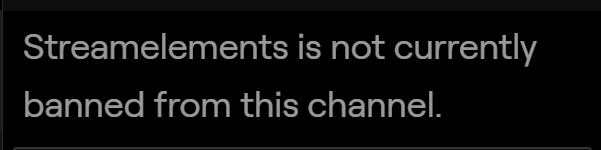
is the bot banned?
normal igloo
no shouldn't be 🤔
Nope looks good here https://i.gyazo.com/9cd61bff6044c6474553f5bd8b277b2b.png

mmm ok don't know what you guys did but thanks ❤ 
aka Issue resolved
Of course i hit you guys up if any more problems come up 👍
gentle imp

lament blade
Hello, I need help urgently.
namely, I activated the song request. but whenever someone writes a link, the bot suddenly has a completely different link. what is that?
real escarp
screen shot?
lament blade
Here is a screen. thats i mean
i don´t understand why is it so :/ srry for my englisch ißm german ^^
he posted a link with !sr but the bot posted a completely different link. :/
and it's always the same link that the bot simply inserts
i used obs live from streamelements.
real escarp
let me look at commands for you
real escarp
im here looking now
@lament blade can you open your media request in obs ill try !sr
lament blade
yes i put it on right now
it´s now on my media request
Hello, Help:
I do not understand why this happens for the queue system
whenever i type !remove
yes, it always works for me. I thought someone wants to annoy me. but then I saw it with a few people. that suddenly strange links were posted to the left of the bot.
i hope you understand me. my english is very bad
real escarp
yes this is a problem with YouTube shortening API (https://www.geek.com/consumer/google-unveils-youtu-be-shortener-that-cuts-down-video-links-by-15-characters-1029511/) not our bot

Youtu.be debuted Monday as a new URL shortener specifically designed for YouTube video links. Shortened video links don’t take up too much precious character count while giving you an inkling of what you’re …
you may want to leave !sr disabled for now
real escarp
@lament blade what are you trying to remove
lament blade
Like: A user from the queue
When we type !join
can i fix my problem with the video ? @real escarp
real escarp
StreamElements
The Ultimate All in One Platform for Streamers
@lament blade the problem with video?
lament blade
I mean, can I somehow fix the problem with the wrong links?
real escarp
no the wrong links are broken on youtube side
@lament blade which command are you using from this list https://streamelements.com/dashboard/bot-commands/default-commands
StreamElements
The Ultimate All in One Platform for Streamers
 remote wigeon
I'm attempting to get my Alert Box to persist through to other Overlays I've created but every time I try it forces it back to the original default StreamElements Alerts. Any idea how to fix this?
real escarp
you can copy the alert box widget from one overlay to the next overlay using the red icon
changes made to one will need to be made to the copies or you will need to recopy to the other overlays after changes
remote wigeon
Okay, thank you so much.
 maiden mountain
Hey all i just wanted to ask, do i need to have steamelements open in my browser with media request on to take requests and for my backup playlist to play?
real escarp
if your using obs live the media request panel needs to be open. Otherwise you will need the page open in browser
maiden mountain
Aah ok thanks
tiny iris
I some how created 2 bots of the same name plus 1 more with a different name(different twitch account). How do I go about delete one of the bots with the same name? I think this was done via the ground control?
 slender anvil
elements doesnt have a earnable ranking system does it?
also whats the best way to configure the timing of the timers
 left hare
I have had my tipping settings setup for a long time now. But when I go to my tipping settings on the stream elements dashboard it always says 50% complete. Any way to fix this?
real escarp
@tiny iris bots with different twitch accounts can be deleted at twitch using the login for that account. If you are seeing multiple bot usernames in your twitch chat please close ground control and restart your computer.
@slender anvil no current ranking system. Timers are based on time first then chat lines. So every X minutes the bot will check time requirement then check if enough chat lines have past. If there are not enough chat lines the timer restarts
@left hare sounds like a cookie issue with your browser or is it in obs live?
tiny iris
Thanks
left hare
it just shows 50% in my browser (chrome). I'll try resetting the cookies
 hushed stag


 real escarp
screen shot?
round brambleBOT
@hushed stag To add your overlays to OBS, add a new browser source in your scene. Paste your overlay URL in the browser source properties, set the dimensions to 1920x1080 (unless you changed them on the website), and ☑ “Shutdown source when not visible” https://youtu.be/KDvLynUqXI4
lament blade
guys my game is not showing on my stream
its just black
not sure why
my streamelements overlay just stopped working too
what is happening
slender anvil
so i have two that are playing at the same at random points of stream @dark herald . any ideas on what times to set them up as then?
left hare
ok I reset all my browser data, cache cookies etc. and it still shows 50% complete when I view the tipping settings. weird.
 stuck storm
question guys is there way to change the "duel" command such as what it says.? like i want to say somthing along the lines of yoniked
real escarp
@stuck storm default commands unfortunately don't leave a lot of room for customization of responses. On a side note don't forget about your #dreamteam channel to help you with future request.
stuck storm
i will go up there sorry
real escarp
@slender anvil make sure the browsers in obs are on "disable when not visible"
 magic raven
So I'm having an issue with my OBS
it seems that when I try to launch my twitch stream, it automatically tries to launch a youtube stream instead
and I really have no idea why it's doing this, I can't stream to twitch it says "set up stream to youtube" instead
Any idea how I could fix this?
left hare
@ancient gull I think by logging out of obs and back in will fix that
jade remnant
settings > stream
make sure its correct
streamelements > logout
log back in to your youtube
 spiral furnace
Hey gang hope you're all doing well! From time to time, the editor (assuming caching) doesn't show all of the layers and I either have to hard reload the browser window or exit and re-launch the editor. Is there a "refresh" button I'm missing somewhere in the editor for when this happens? Hitting "Save" doesn't do it.
magic raven
i took a video showing the issue, its blowing my mind how this is happening lol
i dont even think ive ever tied a youtube account into my obs
 barren apex
Sound Effect now playing on stream. Added item to my stream store, it redeems successfully, but doesn't actually play. Any Ideas where to start with this?
real escarp
@barren apex you will need to add the store redemption widget to overlay