#helpdesk-twitch
1 messages · Page 515 of 1
 gentle imp
 steel obsidian
oh ok... thanks @real escarp
 lavish flax
can i make it higher ? like Bitrate? twitch dont go more than 6k right? and cant cast on 4K quality or better samples right ?
 jade remnant
bitrate is maxed by twitch, so there is no point in increasing it, it also depends on your upload speed
 strange crow
cant use css for event list
gentle imp
@ashen cedar can you try incognito mode first?
 ashen cedar
@gentle imp yeah not working
gentle imp
with which?
ashen cedar
not working without extensions not working in incognito
gentle imp
wow
lavish flax
@real escarp I have laptop, but maybe way more better than you think.
https://www.acer.com/ac/en/US/content/predator-model/NH.Q5MAA.001
and it basically not listed all stuff :]
ashen cedar
i dont understand whats happend to me 😦
steel obsidian
well... @real escarp I changed it to Year, and still show the same(2018 show 0, 2019 23...) it's a new channel btw...
also the follower goal should count the total followers, isn't ?
lavish flax
@jade remnant that settings its max what i can do? or can i make it better ?
DOWN 300, UP 80. its fiber to hope, permanent stable connection, no looses.
 round brambleBOT
@lavish flax 1) Restart OBS
2) Start your stream/recording for about 30 seconds. Make sure you replicate any issues as best you can, which means having any games/apps open and captured, etc.
3) Stop your stream/recording.
4) Select Help > Log Files > Upload Current Log File. Copy the URL and paste the link here.
(Note: If you do not see an obsproject.com URL, you will need to update OBS Studio to version 22+)
ashen cedar
 real escarp
@lavish flax when obs removes support for your integrated graphics your gonna want a pc
@steel obsidian whats your sisters twitch name
steel obsidian
@real escarp CasalRage
lavish flax
@jade remnant i cant and thats the problem, for example i Stream... i wanna go afk so i hit AFK scene, or i add Text {GDI +} or image or video and it crash within 1 second. show me only my obs crash, and if i wanna save log or no...
and says go to %appdata%obs-studio/crashes directory
when i open it it will show me text files with name for example this is the last one > Crash 2019-10-03 15-24-24
and inside that text file is this >>>Failed to recreate D3D11: Failed to create input layout (80070057)
jade remnant
this is the thing, you were asked to provide the log, please upload it here
lavish flax
ok one second
jade remnant
thats not the crashlog
ashen cedar
there is my log from chrome console
lavish flax
ok ill upload here that crashlog
last Crashlog
this one u looking for? this is exactly the stuff what i wrote
 narrow coyote
Try this, if it does not help, you will want to go to the OBS discord https://obsproject.com/forum/resources/performing-a-clean-gpu-driver-installation.65/
real escarp
@steel obsidian you signed her up with us yesterday our dashboard doesnt use twitch api to see past follower dates but the overlays should show the correct total followers if you add total and you can manually set the follower goal starting here https://streamelements.com/dashboard/session

StreamElements
The Ultimate All in One Platform for Streamers
ashen cedar
this is from firefox
lavish flax
@steel obsidian i just red what u said... problem with past followers, yes that not work... u wont see past followers, u will see followers from that day u install that api/checker, even streamelements shows me like 40 subscibers on youtube, even i have way more, 40 or something like this cause thats the day i started to using streamelements. * EDIT TAG
narrow coyote
You tagged the wrong person, for something that was already answered 
steel obsidian
@real escarp ok thanks I will take a look on it.
lavish flax
i know kite, i also answering because i had the same problem,
@steel obsidian also with following goal, if someone give me follow and after take away, it will still show in goal, it will not remove it from there, cause the guy dont follow me anymore. its more like counter add up whats comming next, but dont checking previous numbers or correct numbers for followers at that time, or day or whatsoever :]
narrow coyote
You tagged the wrong person
ashen cedar
@lavish flax i havent got problem with showing follower ...its someone alse problem
@lavish flax for me streamelements extension not working
@lavish flax u red wrong messeges
jade remnant
do you have another laptop/pc you can it on? or phone?
lavish flax
i just check google guys, and im not the only one who getting this issues after patch 24. crashes with this same error after patch, ill probably wait for another patch or hotfix. its osb issue no my gpu, cause everything starts with that patch / update. just the last questions for u... how often they do patch / update / hotfix for obs ? how often they make new version ?
narrow coyote
round brambleBOT
For the best OBS support, please join their Official Discord @ discord.gg/obsproject
lavish flax
now i see, i edited the tags now :]
steel obsidian
@lavish flax yes, but in this case the follower goal would be higher then the actuall followers, not the other way around.
lavish flax
@narrow coyote i just check google guys, and im not the only one who getting this issues after patch 24. crashes with this same error after patch, ill probably wait for another patch or hotfix. ***** its osb issue no my gpu, cause everything starts with that patch / update******* . just the last questions for u... how often they do patch / update / hotfix for obs ? how often they make new version ?
round brambleBOT
@lavish flax For the best OBS support, please join their Official Discord @ discord.gg/obsproject
steel obsidian
@lavish flax if you have any problems with a new version of a software or driver, just downgrade to the last one you previously had. Problem solved 
ashen cedar
there is my error...dont known how to solve it
lavish flax
@steel obsidian the new version giving me something what i was waiting for so long time, it sometimes crash, but still with add up that feature, ok guys nevermind, ill sort it. thanks.
steel obsidian
@real escarp ok...found it... I had only added the widget and changed it's properties, didn't see the "data" on top, I thought all information/configs related to it was already on the left-side panel(when you click on top of if)... thanks again
lavish flax
@ashen cedar haha dalsi cech 😄 cus 😄 hodne stesti ve streamovani :]
ashen cedar
@lavish flax hoj diky tobe taky 😉 🙂 ...jen cekam kdy mi tady nekdo poradi co stim streamelements leaderboard
jade remnant
#🇨🇿︱czech
gentle imp
I honestly have no clue
seems like a cookie problem or duplicate widget
oh, you didn't click to accept cookies from Twitch
@ashen cedar
 pulsar gulch
Does anyone know how to fix this problem with my mic / camera ?
my second cam should be down there
 lyric pivot
Hello! is there any way of flipping a widget at all? i have a bar/background style widget i'd like to face the other way but can't seem to find a way to do that. thank you!
my god i just found it!
nevermind! 🙂 🙂 🙂
 dry hare
@pulsar gulch the 920 shows up in both places because it has a microphone built-into it. The Snap Camera is a software application that utilizes the 920 for image processing only and does not have audio because it's utilizing the 920.
pulsar gulch
I have 2 of them so I thought 1 is on the cameras and the second cam is down for some reason @dry hare
dry hare
you have two C920 cameras?
pulsar gulch
yea
dry hare
Are they plugged in on the same USB bus?
pulsar gulch
no, they have separate ones
I changed the usb port for 1 of them and now I have them both same way
I guess it's aight rn
dry hare
@pulsar gulch you had them on the same USB bus, so the system was having an issue differentiating the cameras. each set of USB ports resolves to a USB bus on the motherboard, and by moving the camera to a different set of ports on the motherboard will allow the system to identify them as different cameras
real escarp
Logitechs drivers:
Here’s how to install native UVC drivers for your webcam:
Open Device Manager.
Expand Imaging devices.
Locate the name of your camera in the list and right-click on it.
Select Update Driver Software…
Click Browse my computer for driver software.
Click Let me pick from a list of device drivers on my computer.
Check Show compatible hardware, and then select USB Video Device.
Click Next and follow the on-screen instructions to update the driver.
 torpid siren
For the boss battle, can I rename the boss?
real escarp
your gonna have to set one camera to usb video device
jade remnant
i suppose form now on you can go to SL for logitech issues 😁
dry hare
LUL
real escarp
not currently @torpid siren
real escarp
when the window receives an event object each widget takes it to evaluate if it applies to that widget then in console you will see the responses from the widgets that needed it
torpid siren
That's all I need. Thanks. 🙂
 languid gorge
I'm trying to setup an overlay using the Press Start 2P Font from Google Fonts it's listed in the font option in the SE overlay editor but the font doesn't display correctly
real escarp
some of the google fonts are misbehaving the devs are aware
 patent pivot
How do o set up shout outs? Can someone help please? I've been wanting to set this up for a while but am having trouble figuring it out. I have to do all of this off my galaxy s8
real escarp
@patent pivot Check out ${1}, Go leave them a follow at https://twitch.tv/${1} ! They were last playing ${game ${1}}
patent pivot
??
real escarp
make a new custom command here https://streamelements.com/dashboard/bot-commands/custom-commands
StreamElements
The Ultimate All in One Platform for Streamers
in the response area type Check out ${1}, Go leave them a follow at https://twitch.tv/${1} ! They were last playing ${game ${1}}
real escarp
yep
dry hare
@ashen cedar make sure you’re allowing cookies on twitch and streamelements. If you’re not receiving the cross-site tracking cookie between twitch and SE you can’t load external resources like SE data
 potent saffron
Hi, I try to modify my cheer alert but it doen't work. Every other alerts are fine but cheers and sub image. idk why. Can anyone help me?
real escarp
what is not changing on the cheer?
potent saffron
the gif and the sound alert
real escarp
did you check the variations for the cheers?
potent saffron
yes, i tried 1k and custom as well
i tried different gif and sounds too but it stuck on the basic sound and animation
real escarp
did you turn off the pick random alert box
 slender ice
when im choosing top tipper widget is shows me that the top donation is from over 3 days ago (the monthly one) if i want it to reset every 1st of the month i have to to it myself?
real escarp
@potent saffron which image are you trying to set for the 1k cheer
@slender ice https://streamelements.com/dashboard/session
StreamElements
The Ultimate All in One Platform for Streamers
calendar
potent saffron
Didn't set any for 1k, i actually want the same no matter the cheer
real escarp
biggie
real escarp
okay
slender ice
@real escarp ok so im on: Calendar Timing
and still my top tipper is a tip from last month(on the widget), its spouse to say no data right?
potent saffron
Thanks @real escarp
real escarp
which overlay @slender ice
slender ice
NEW BETWEEN @real escarp
real escarp
yeah seems like with the session reset being beta you will have to reset manually until the flush all the bugs out
i see shutrik in there
 mild ridge
What would cause the alert box to not show correctly?
slender ice
@real escarp i havent streamed for over 4 days so its from last month, where do i reset in manually?
real escarp
https://streamelements.com/dashboard/session | slide over to session data and reset session @slender ice
StreamElements
The Ultimate All in One Platform for Streamers
@mild ridge screenshot?
mild ridge
I can grab you a snip it.
But the issues is I have the box set up but the default alerts wanna show up for some of the alerts.
real escarp
make sure you uncheck random box
ashen cedar
@dry hare sure i allowed all cookies on twitch and streamelements
 versed dagger
in my streamelements obs.live my stream chat odes not work it stays blank does anybody know how to fix this? I have looked at reddit and I have watched countless setup videos i cant find a solution. Can anybody help
dry hare
You have something blocking the traffic between the two @ashen cedar. Something in your browsers or on your PC is preventing it from loading. Do you have AV on your machine?
dry hare
Open your browser in incognito mode and try it
ashen cedar
alllready trying
real escarp
@mild ridge
real escarp
@versed dagger logout of obs live and log back in | obs>streamelements>logout
mild ridge
Okay main Halloween box fixed the geek rocks!
lyric pivot
Hello! I have two twitch accounts and streamelements accounts. i just spent many hours working on an overlay in the wrong streamelements account. is there a way for me to copy it over to my alternate? when i hit the copy overlay button it only shows my current account. thank you!
real escarp
add your self as an editor with invite link
then you can copy the overlay to the other account
lyric pivot
ok thank you! i will look for that asap
real escarp
StreamElements
The Ultimate All in One Platform for Streamers
 frosty stream
how do i make a overlay
real escarp
a great place to start @frosty stream https://www.youtube.com/playlist?list=PLCDDKlFdScbEwdx5AntcQIS1InkFJwHtv

YouTube
Need help? Check out our video guides, covering every feature in StreamElements.
lyric pivot
@real escarp I have the Key, where do i put it in my main channel
real escarp
when you login to both stream elements same browser?
lyric pivot
i have them on separate browsers
real escarp
copy the url to the second browser
 open pendant
Are there any ways to add the quotes from phantom bot over to your bot?
I have.... well.... four years worth LUL
real escarp
quotes can be added manually there is not import tool for quotes from phantom bot
open pendant
OK thank you. 🙂
I will likely keep my old bot in addition to yours only for the quotes and the for viewer ranks by time rather than points.
Phantom bot has been great, but streamelements is the better choice for most things now. I love it. Thanks for your quick feedback!
 molten folio
hi just booted obs live and stream info is black
round brambleBOT
@molten folio If you are not seeing the OBS Twitch integrations and have OBS.Live installed, please follow these steps:
- Make sure you are on the latest and greatest version of OBS.Live
- exit OBS (make sure OBS is not running)
- delete %appdata%\obs-studio\plugin_config\obs-browser\obs_profile_cookies
- start OBS.Live
- Settings -> Stream -> disconnect -> connect
molten folio
ty
 primal pendant
how do I activate my overlays using my ps4 and my elgato in streamelements?
round brambleBOT
@primal pendant To add your overlays to OBS, add a new browser source in your scene. Paste your overlay URL in the browser source properties, set the dimensions to 1920x1080 (unless you changed them on the website), and ☑ “Shutdown source when not visible” https://youtu.be/KDvLynUqXI4
 lament blade
alo are u here some from staff?
round brambleBOT
@lament blade Please ask your question in one helpdesk channel only. A support volunteer or StreamElements staff member will assist you as soon as they are available. Asking in multiple places will only result in confusion, not faster answers. Thank you for your patience.
lament blade
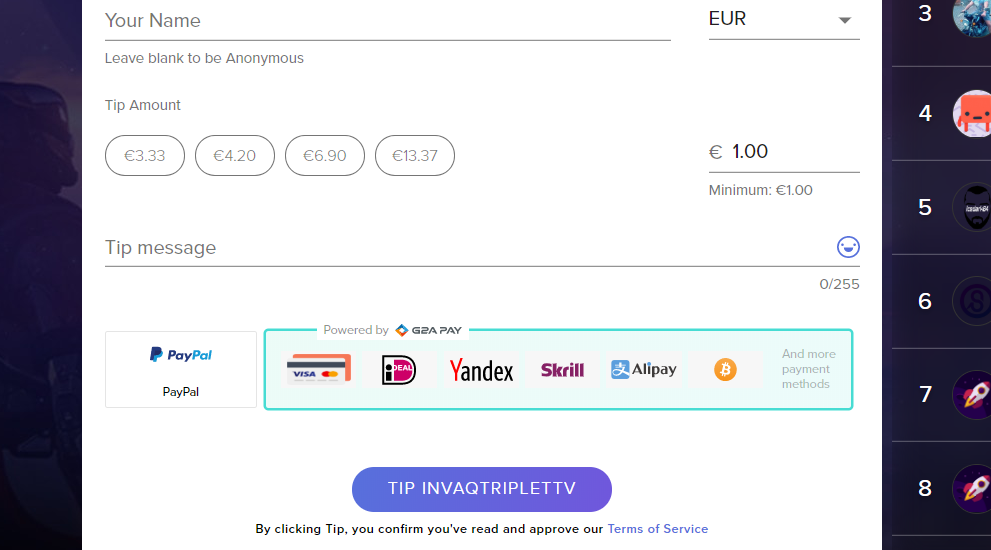
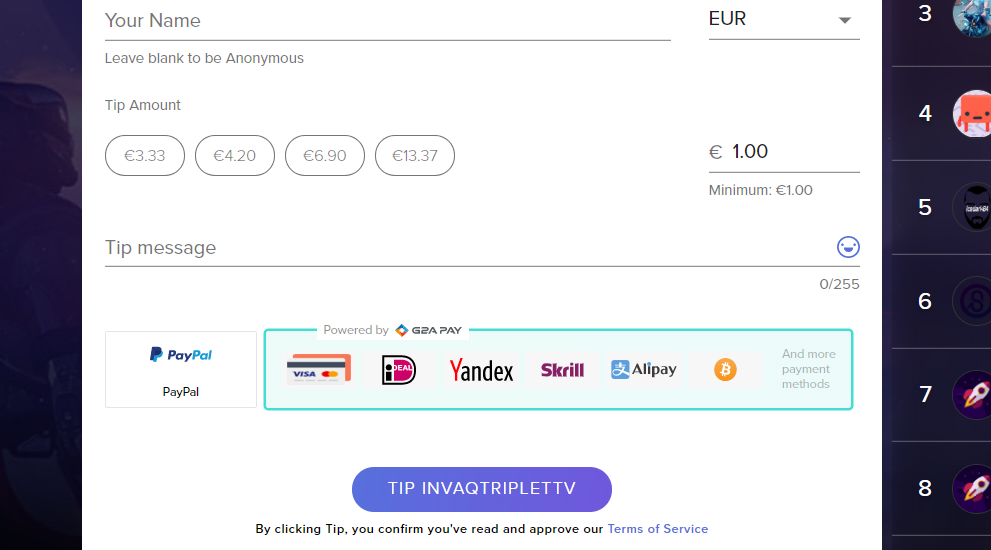
welll i want to remove this trash with g2a on donation ... and make direct from card not login first to g2a after donation ... my donations and viewers leave because cant donation direct...
 drifting aurora
who can help me with finding out how to check who im followin cause twitch kinda took it away from my profile channel
 wary halo
@drifting aurora on the top go to following and then click on channels
topleft corner of the main page
real escarp
@lament blade we offer paypal integration which still takes them away from site. We do not have a on site pay option
drifting aurora
You mean the people that are streaming yeah i already know that
im talking about a whole list of people im following
wary halo
yes
go to twitch, on the top left is FOLLOWING
click on it and than click on CHANNELS
there is no list list, this is the only option
 cedar lynx
it's just this link: https://www.twitch.tv/directory/following
@drifting aurora please don't ask the same question in multiple channels.
drifting aurora
oh im an idiot
wary halo
and the left bar
drifting aurora
Ok bro chill ok im new to this UI
lament blade
@real escarp i love streamelements.. but this options make me some problems... all friends said to me ... tipeestream is the best, because CAN DONATE FROM CARD not login to any site .. for me g2a is trash i never buy there games ... so i want to remove this option example https://i.gyazo.com/7192cc914deaa3dd9f3bd0c4d696d0c1.png . I want to donate first VISA BANK. but i cant .. need to confirmation FIST TO LOGIN ON G2A my viewers and donators dont have account there ..is bullshit and trash this option
 wary halo
i am chill, but i thought it would work better to CAP the letters from the folders 😛
drifting aurora
My bad for being slow i guess 
wary halo
no problem
drifting aurora
Thanks for the help i was not payin attention lol
lament blade
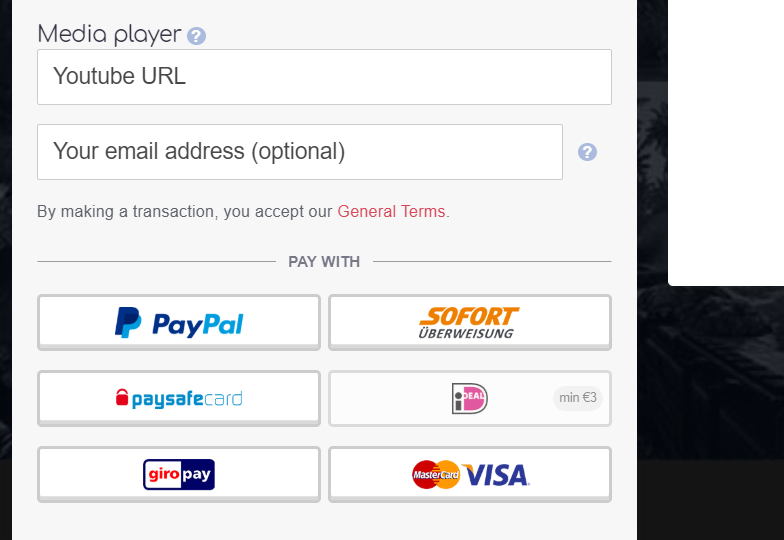
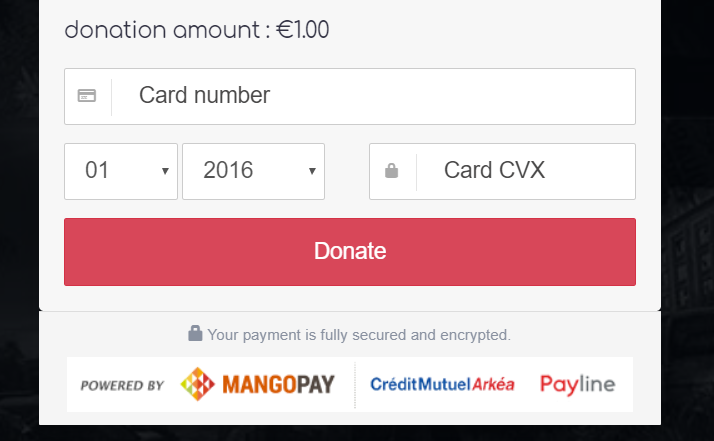
@real escarp and if u see on this tipeestream https://i.gyazo.com/f32c7f57982224588e237ec08a54daa1.png work direct visa .. paypa.. is single in box not needed to confirm to g2a or another site ...
 cedar lynx
@lament blade you can just choose not to offer G2A 🙂
wary halo
@lament blade get SEpay
lament blade
not work
 pale gale
Hi all, is it possible to choose which user are not shown in the !top online list?
pale gale
I have filtered them out but only in !top points they are not shown
real escarp
there is not currently a dashboard for watch time you can suggest it or up vote it here https://strms.net/ideas
lament blade
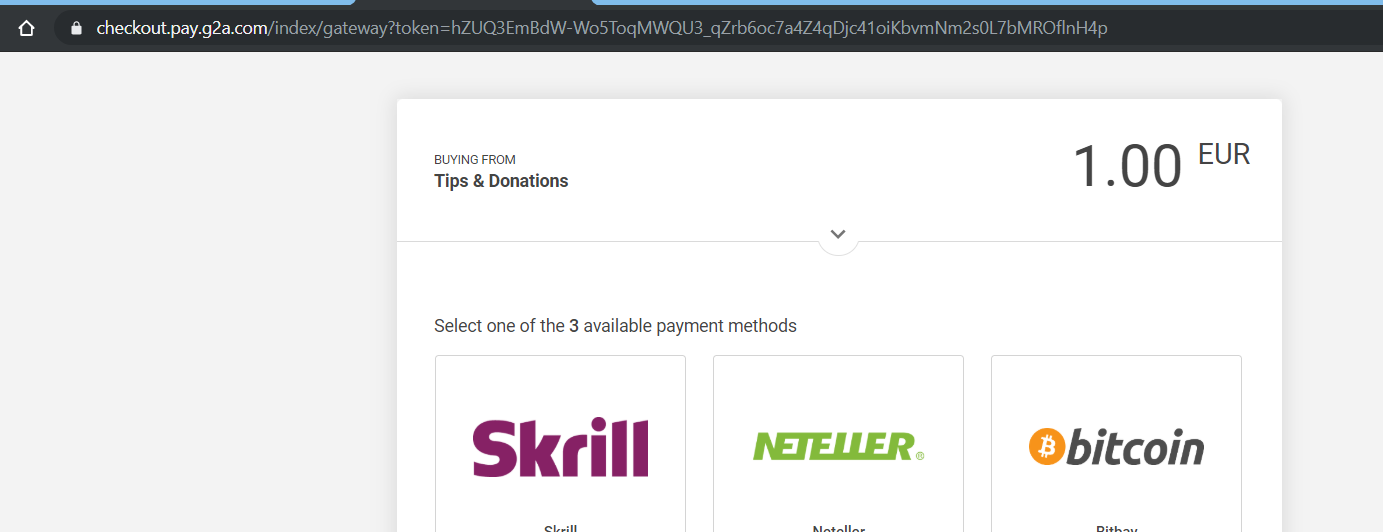
@real escarp what is this " https://i.gyazo.com/346e567ee2f67144a99b8b3d2d3ba528.png " ???
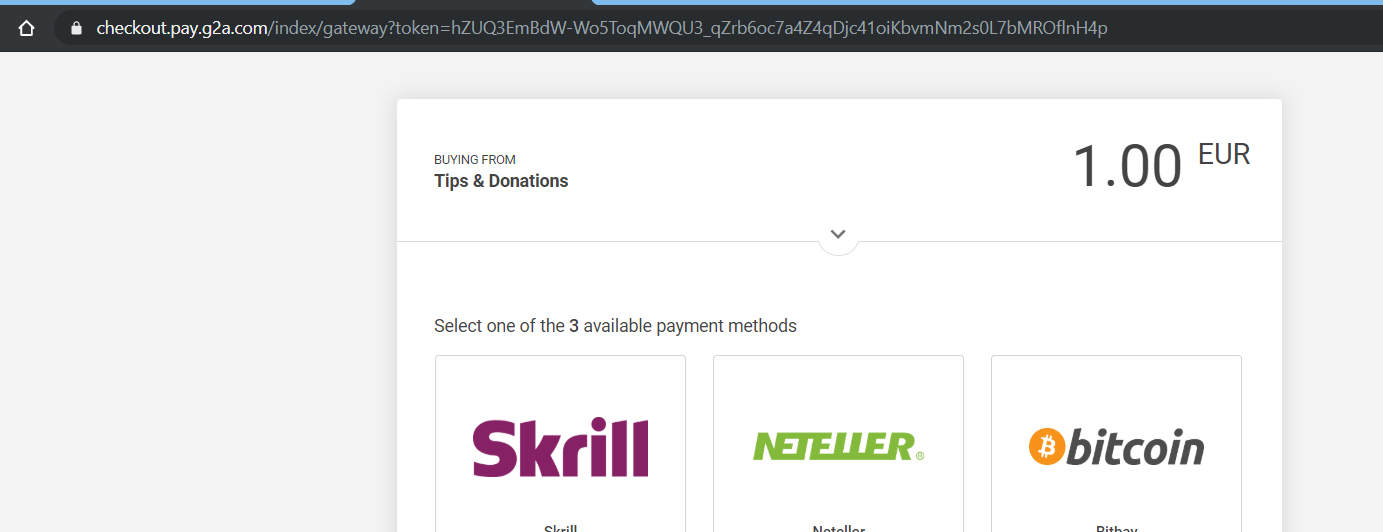
what is ths checkout pay g2a
wtf is this ?
drifting aurora
i really dont like how it wont let me unfollow someone
cedar lynx
G2A is not a service from StreamElements so I'm not sure why you're asking here?
lament blade
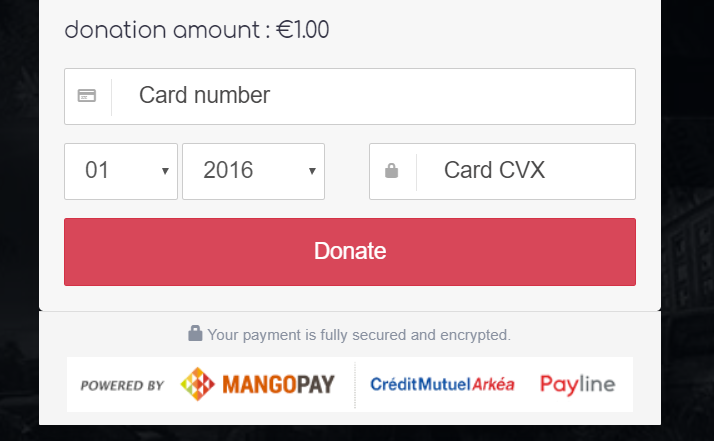
look at tipeestream ... https://i.gyazo.com/6420cd567faa7a7c66c10ea5ef76d0a1.png
 drifting aurora
it just kicks me to "error loading list" like wtf
lament blade
just add card and donate .. not needed to check / confirm any websites
cedar lynx
@lament blade are you looking for help? what can we do for you
lament blade
i just said . i want to help. how remove this website link g2a from stream elements .. i want to add card direct not confirm first
ok , not help me .. i leave stream element... my bussiness is crap
drifting aurora
Why is it not letting me unfollow someone
cedar lynx
do you not see a disconnect button here for G2A? https://streamelements.com/dashboard/tipping-settings
drifting aurora
This new UI is garbage
lament blade
@cedar lynx tell me.. why this link when donation is " checkout.pay.g2a.com " ??
real escarp
unfollow? @drifting aurora
cedar lynx
@lament blade because you connected your G2A account? if you want for people to donate to you using credit card and not G2A you will need SE.Pay
drifting aurora
@real escarp im assuming you dont know what unfollow someone means llol, but im tryna unfollow someone on twitch and it wont let me
lament blade
any ppl. . just test , not donation .. and u see this link
cedar lynx
what is your twitch username @lament blade ?
lament blade
yes is my roksanagantova
real escarp
that on twitch this channel is for StreamElements-Twitch portal
drifting aurora
lol
pale gale
And a 2nd question, sorry. For !watchtime the days and hours are shown. Is it possible to show only the full hours or to edit the variable ${user.time_online}?
drifting aurora
looks like i actually have to go to that persons channel and unfollow them haha
wary halo
@drifting aurora can't you go to their channel and click the heart in stead of doing it through the list?
drifting aurora
I was gonna say that LMAO
wary halo
sometimes the unfollow thing in the list glitches out
real escarp
SE.Pay is available for streamers with more than 100 followers, with a bank account in one of the following countries: Austria, Belgium, Czech Republic, Finland, France, Germany, Ireland , Italy, Netherlands, Poland, Portugal, Spain, Switzerland, United Kingdom, United States If you meet these criteria and don’t see SE.Pay, please contact support.
wary halo
that is twitch's problem
cedar lynx
I don't see G2A enabled on your StreamElements tipping page @lament blade nor do I see your StreamElements tipping page linked on your page
so I am not quite sure what the issue is
lament blade
@cedar lynx well i testing again this, i come and i recordin video .if i dont come is resolved @cedar lynx thanks
cedar lynx
best of luck!
real escarp
Bulgaria not on SEpay
lament blade
@real escarp im bulgarian 🙂 but i use only paypal ... 😄 ❤ and i can pay to any place from world
& epayments from UK same 😄
 strong wyvern
Anybody know why my quality keeps showing up as 0 when I use Twitch Bandwidth Test? This has happened before and then eventually it started working randomly after months but I have no idea why.
dry hare
You would need to ask the developers of the Twitch Bandwidth Test
slender ice
im changing my overlays and usually whenever i save and refresh OBS i can see it there right away, is there an issue with that or its from my side?
dry hare
Are you not seeing changes reflected in OBS?
have you tried switching scenes and then switching back?
 spice crystal
Idk what I did but my chat window but its not my chat window anymore, I dont know how to fix it..can anybody help me plz?
dry hare
Did you click on "Mod Tools"?
slender ice
nope, and i deleted a picture from the online overlay saved got back to it and its still there in the online overlay editor @dry hare
dry hare
I think there's a tiny "refresh" button on the chat panel that you can click @spice crystal
spice crystal
it dont work
dry hare
so when you save the overlay, the image is removed while saving, and when you exit the editor and go back in the image returns?
spice crystal
just brings it back to the not chat window
slender ice
@dry hare yes maybe thats why it also stays in my OBS overlay
ok i think its not really saving
can you check if its from my side? never happened to me
dry hare
umm one sec @spice crystal
spice crystal
k
slender ice
im ok now it works sorry ^^" @dry hare
dry hare
No sweat! glad it's working!@
@spice crystal I know closing OBS and relaunching it will definitely resolve that, I will find out if I can get ahold of the shortcut to make it work.
 dim nexus
i need a bit of help with the overlay sound effects
they keep defaulting to the original sound even though i have set sounds
 rare elk
I'm trying to add a custom font to an overlay... how do I do that?
I see the enable custom font but i don't see where I can add it to the overlay
slender ice
site is a little slow for me when i try to save the overlay or upload a photo is that working ok for you?
 deft plover
Can someone help me with my streamelements OBS possibly?
dim nexus
what your issue
wary halo
@deft plover throw your problem in here, than we can take a look at it
deft plover
So I have my Overlay which I had made and stuff
I just am confused as to how to get things to pop up on my overlay on my actual stream
Like if someone follows me etc.
round brambleBOT
@deft plover To add your overlays to OBS, add a new browser source in your scene. Paste your overlay URL in the browser source properties, set the dimensions to 1920x1080 (unless you changed them on the website), and ☑ “Shutdown source when not visible” https://youtu.be/KDvLynUqXI4
deft plover
When that happens for it to pop up where it says new follower
wary halo
you can test your new alerts in the overlay editor
and they will also show in OBS when you do
so you can get a good look of how it is
 tawdry lantern
deft plover
tawdry lantern
deft plover
What do you mean add a scene? My overlay and stuff is already on my stream
I just don’t know know how to get live alerts to actually pop up where they’re supposed to be
 strong kernel

Learn how to customize your alerts and setup different alerts variations with StreamElements Alertbox ----- Overlay Manager guide: https://youtu.be/X7XrDdRE7...
round brambleBOT
@tawdry lantern Welcome to the helpdesk! Please let us know how we can assist you today and a support volunteer or staff member will assist you as soon as they are available. Thank you for your patience.
strong kernel
Watch the video linked above.
deft plover
Okay, will do.
 turbid bramble
What does a girl do when her sub gifter label goes from 20 back down to 18
I've checked aggregates and goals but I cannot find a listing for gifted subs
and the label isnt accurately showing my top gifters sub amounts
 raw heron
Hey guys, I have three questions. Can I rename the stream elements bot in my chat? Is there a clean way to show what song is playing on spotify? And last, its kind of complex I guess but I have 2 alert scenes. One for my recent sub and donator, then one for the actual alert box. I have 2 so I can put the alert behind my facecam so it fades up for an alert then back down while having text on the overlay facecam.. with this it doubles the alert audio and idk how to fix it. Anything would help 🙂
 swift parcel
- Yes obs.live (plugin for OBS)/ground control has the features 2. No SE used to have the integration but spotify told them to take it down 3.you can remove the audio from one of the alert boxes so it doesn't play double
raw heron
Got it all, tysm ❤ @swift parcel
 hidden tartan
noti is doubling, how to remove it?
 knotty jetty
I change my Bot name. but appears my name opn twitch in the answer, not the name that i put
 radiant sail
Hi guys, I'm streaming on twitch but it is showing like this https://gyazo.com/ab683df5d25d5030b9d7ce94e6dc5f8f

Anyone know how I can fix it? Game is CS:GO
round brambleBOT
@radiant sail For the best OBS support, please join their Official Discord @ discord.gg/obsproject
radiant sail
OBS works fine i'm using your version of OBS..
strong kernel
OBS.Live is a plugin for OBS Studio and doesn't affect the behavior of game capture, window capture, or display capture. This is an OBS Studio issue and they will be better equipped to assist you with it.
radiant sail
Alright, cheers
strong kernel
You have both a default command and a custom command set to trigger from !$
Please rename or disable one of them.
hidden tartan
ok thanks
 dreamy canyon
Can you run two different giveaways at the same time?
strong kernel
One at a time.
dreamy canyon
Be a lot cooler if you did.
 cinder basin
how do i add the chat widget back to streamelements OBS. i deleted it
strong kernel
StreamElements menu at the top.
cinder basin
and i added nightbot to obs but how to i get the widget for that. after it says it imported it asks if i waana import it agasin
strong kernel
We're not Nightbot, and I don't think there is a Nightbot "widget" for OBS.
cinder basin
ok im sorry my bad. And thank you!
 olive trellis
Idk why but my stream information is suddenly black screened and restarting obs didnt work
round brambleBOT
@olive trellis If you are not seeing the OBS Twitch integrations and have OBS.Live installed, please follow these steps:
- Make sure you are on the latest and greatest version of OBS.Live
- exit OBS (make sure OBS is not running)
- delete %appdata%\obs-studio\plugin_config\obs-browser\obs_profile_cookies
- start OBS.Live
- Settings -> Stream -> disconnect -> connect
olive trellis
Is there a way to get recent follower, recent sub, recent donator to show up on obs? i know theres a way to do it with stream labels but does stream element have something for that?
strong kernel
Anything and everything you want to show on stream, audio or visual, is added as a widget to an overlay in your account on the site.
For a full guide: https://www.youtube.com/watch?v=LwAfMIR3Cj0

StreamElements Overlays are loaded from a single browser source in your streaming software, making streaming easy. https://streamelements.com/ StreamElements...
 hollow ocean
how can i fix the black screen when trying to live stream
round brambleBOT
@hollow ocean For the best OBS support, please join their Official Discord @ discord.gg/obsproject
cinder basin
whats the paypal i haev tio get so fees arent as much
strong kernel
@cinder basin See the PayPal section: https://streamelements.com/dashboard/tipping/fees
StreamElements
The Ultimate All in One Platform for Streamers
strong kernel
Take 20, take out 2.9%, and then take out another $0.30.
cinder basin
$13.9! thats a rip off
knotty jetty
I change my Bot name. but appears my name opn twitch in the answer, not the name that i put
strong kernel
Uh, you might want to check your math.
@knotty jetty How did you change the bot's name? OBS.Live or Ground Control?
cinder basin
ohhhhh
knotty jetty
ground control
strong kernel
@knotty jetty Did you generate the OAuth token while logged into Twitch with the user account you created for your bot name?
knotty jetty
yes
cinder basin
big difference, $19.12
strong kernel
@knotty jetty You'll want to double check and try again. If it's using your own username, it's because you generated the token while logged into your own account.
knotty jetty
ok, i'll try. Thankyou so much
cinder basin
does switching to a business account cost anything on papal
strong kernel
No.
knotty jetty
@strong kernel I tried again, but it still appeared showing my name as the name of the bot. and now appears 3 times the command when I send
strong kernel
Open Twitch in your browser, click on the profile icon in the top right, and take a screenshot, please.
knotty jetty
strong kernel
That's a screenshot of your chat. That's not what I'm asking for.
Open Twitch in your browser, click on the profile icon in the top right, and take a screenshot, please.
knotty jetty
i need to create a account for the bot?
strong kernel
Of course. Otherwise every 13 year old on Twitch would've named their bot Ninja to look important.
 misty badge
I noticed an error in the store redemption alert and the problem is that words like "User Redeemed Item" do not disappear after the alert is triggered and are displayed all the time and commands like {user} or {item} just don't appear only what I write still showing up
hidden tartan
how do i loop the gif for alert?
strong kernel
Gifs will always loop unless the gif itself is specifically made not to, which has nothing to do with us.
hidden tartan
icic thank so much
 jovial ocean
Hey, my SR isn't working for StreamElements. Can someone help me?
 kindred snow
is there a way to allow regular mods to change a stream title on twitch? or in general, change the permission level for preset commands?
misty badge
@kindred snow can you give "Editor" to streamelements in twitch and set your mods to super moderators and they can use the "!settitle" to change the title
jovial ocean
^You might also want to create a moderator channel so it doesn't spam your stream chat
kindred snow
we don't want to give so many additional permissions to regular mods just for a couple of commands
jovial ocean
Don't promote anyone you don't trust. I speak from experience. Don't promote unless you have done an "interview". Even the most kind can steal from you. Please be safe in this journey of streaming, friend :)
misty badge
@kindred snow go to default commands and change the "!settitle" to moderators be able to use the command
kindred snow
that seems like what i'm looking for, can you give me a few steps on what exactly to change?
misty badge
@kindred snow go into chat commands > at the top go to deffault commands > at the bottom you go to the pen on "!settitle" and change the user level from super moderator to moderator
kindred snow
excellent, i'll have a look, thanks!
strong kernel
@misty badge Try deleting and recreating the store redemption widget, it's a known issue.
@jovial ocean Bot needs to be in your chat to listen to !sr
jovial ocean
@strong kernel where do I go to view that?
strong kernel
StreamElements
The Ultimate All in One Platform for Streamers
misty badge
@strong kernel I already did that and the problem continue when I add it again only the commands disappear and the words still appear
strong kernel
Please redeem an item.
jovial ocean
Thank you so much @strong kernel
Life saver
Is it possible to put a spotify playlist as a backup playlist or nah
round brambleBOT
@jovial ocean Spotify has kindly asked us to disable our integration with them, so we complied. This means that the Spotify integration has been removed and the "Now Playing" widget no longer has it as an option.
misty badge
@strong kernel Alright, I'll try when the live ends and tomorrow I'll come back to say if it works thanks
strong kernel
You can't redeem one now? I'm all set to take a gif of the behavior.
misty badge
maybe i will see what can i do
strong kernel
Give me a warning if you're about to do it so I can start the recording.
misty badge
okay, i will purchase an item to see if the problem solves, the twitch channel i will do is the sonecarox that i moderate
 rustic meadow
hey @zenith widget - just a quick follow up on the hype cup. did the devs ever get back to you regarding the slivers?
misty badge
@strong kernel no, it's in a channel that i'm an editor, not moderator
strong kernel
@rustic meadow Please do not @ people as not everyone is awake at all times.
@misty badge Okay, now I'm ready. Give me maybe a 5 second notice before you redeem.
misty badge
okay i will save the overlay with the redemption alert and in sequence purchase the item
okay, that works the words disappear @strong kernel thanks
 inland yoke
round brambleBOT
inland yoke
round brambleBOT
@inland yoke Please ask your question in one helpdesk channel only. A support volunteer or StreamElements staff member will assist you as soon as they are available. Asking in multiple places will only result in confusion, not faster answers. Thank you for your patience.
 peak light
Hello, I have an issue regarding alerts, where my donation/ tipping alert doesn't work but all my other alerts like subscriptions, follows, etc work!
peak light
yes
peak light
SL
 zenith widget
Thats the problem then
zenith widget
If you imported the aler box via the chrome extension, did you add the newly created overlay to obs?
peak light
yes
zenith widget
@peak light Replyin the last tip, triggers the alert widget.
 neat depot
Hello, I am Masky_San, in my stream I have meme sounds related to GIFs that viewers can redeem using my channel currency just for fun and interact with me.
The problem is: my Store Redemptions Wigdet is not working properly on my Overlay. Every time someone buys anything the sound alert and the GIF image appears in the screen but the image it doesn't go away after it ends, it stays there until someone buy another thing. I already tried to set alert duration and mess with the text animation timers and even tried to create the Store Redemptions Wigdet in a separated overlay but the GIF stays forever in the screen.
I can set it to invisible so the sound came in and the image does not, but I really want to show the image and the text without this issue. Can someone helpme?
zenith widget
Don't be surpised if you hear a sound in a moment.
neat depot
🤔
zenith widget
I see that all the store items(at least most that i checked)
are set to "Sound effect"
this doesn't allow the redemption widget to show the image
zenith widget
thats a fade out
neat depot
same on my OBS
zenith widget
that won't show on the actual overlay
neat depot
 neat depot
OMGALUL
zenith widget
white screen is the overlay launched in my browser
i might need a bigger screenshot from OBS 
 neat depot
see
neat depot
weird right
zenith widget
try this:
round brambleBOT
@neat depot Right click on the BrowserSource > Properties > Scroll down a bit > Refresh Cache of current page
neat depot
ok it worked, but i can't refresh my overlay everytime someone redeem something 😅
zenith widget
is it showing up now?
neat depot
no, its not
zenith widget
but you did hear the sound right?
zenith widget
then its fixed 
zenith widget

so you want to show the gif and sound
then change all the items from "Sound effect" to "Stream perk"
that will play the gif and sound
 graceful heart
My Twitch docks aren't Working
round brambleBOT
@graceful heart If you are not seeing the OBS Twitch integrations and have OBS.Live installed, please follow these steps:
- Make sure you are on the latest and greatest version of OBS.Live
- exit OBS (make sure OBS is not running)
- delete %appdata%\obs-studio\plugin_config\obs-browser\obs_profile_cookies
- start OBS.Live
- Settings -> Stream -> disconnect -> connect
hidden tartan
my chatstat is 404, i changed my username before, can you please help to rectify it?
zenith widget
fixed
 topaz umbra
Good evening, i have started using some StreamElement overlays in Slobs, now for some reason they work for one stream but when i fire up again they dont load can anyone help me with a solution?
zenith widget
SLOBS tends to either block or not load our overlays at all.
There is nothing we can do about it, besides suggest to move to OBS Studio
topaz umbra
maybe if i got a sneaky sponsorship 😉
 zenith widget
Lets not turn this channel in a discussion board.
 hollow quest
hey how do i set notification sounds for follows cheers etc.?
round brambleBOT
@hollow quest New to Stream Elements?
Check out our YouTube channel https://www.youtube.com/c/streamelements/videos
with tutorial videos from setting up the basics, to in depth details on how to use our product.

rustic meadow
Hype cup in the SE overlay editor
Hype cup in SLOBS
Hype cup in OBS
slivers aside - wondering why there's a discrepancy across the 3 platforms
zenith widget
Didn't I notify you that there is a task for the devs to fix this issue?

aah
well SLOBS tends to either not load our overlays properly, block them or just not load our overlays.
rustic meadow
ah okay
in this case SLOBS looks like it's loading more events though
maybe something else the devs can look into
zenith widget
Token load is based on localstorage of the browser source.
rustic meadow
interesting, okay
is there perhaps an OBS folder i can delete, and have it rebuild on relaunch?
same idea as when my docks are not working?
zenith widget
Delete the browser source that holds the cup
and then add it again
this will load some events that in general are stored as past events and then clear the cup from its button
rustic meadow
it's just the one overlay
so delete the overlay, and re-add it
gotcha
didn't work
i'll wait for the devs to come back on the sliver issue
maybe whatever they come up will somehow resolve this issue as well
zenith widget
and then clear the cup from its button
this means, go into the overlay, click on the cup -> there is a clear cup button
 burnt siren
When I press the start broadcast button, it gives a failure to connect to the server.
zenith widget
Check your streamkey
zenith widget
Are you connecting your twitch account directly in Settings -> stream
or just using your stream key?
burnt siren
both give the same error
zenith widget
So you disconnected your account and connected it again you are getting that error?
Made sure you are set to connect to the proper server?
rustic meadow
If possible, I'd like to avoid having to hit the clear cup button. I'm a small streamer so my events are few and far between. What you said about the token load being stored locally makes sense though. Since switching to OBS, the only events I've had so far are cheers (slivers) and the one donation, which agrees with what I see in OBS. Follow up question: has it been considered to handle this on the SE server side, so that it's the same as the overlay editor, instead of locally stored?
 foggy aspen
Hey, as soon as i open obs my computer instantly gets slower by running the program and its making my games unplayable and un streamable
i have the newest i5 and 1060 6gb graphic card - My benchmark for it showed that my gpu was underperforming with like 54%. Shouldnt i be able to stream atleast 720p 30fps with this hardware?
wary halo
maybe an encoding issue? do u use x264 or nvenc ?
foggy aspen
Tried both, but i lagg no matter what setting i use
to specify i get a lot of fps drops and i´ve tried almost everything but resetting to factory settings.
 red trellis
I have a question. I made a command for people to !touch each other and a few options timeout people for trying to do it. Is there a way to put a double option if a mod uses the command and is randompicked to be timed out instead of sending no response it sends an alternate response like "lucky you are a mod and i can't time you out"
real escarp
no current support for that functionality but you can suggest it here https://strms.net/ideas
 compact rampart
hey so streamelements isnt recognizing any of the hosts im getting. The hosts usually start off with 0 viewers so I dont know if thats why it isnt recognizing them, but even still I would like it to show in my events list, and come up as an alert on stream
I have my alert box setup with the host settings as well so im not sure why it isnt showing
round brambleBOT
@compact rampart Due to changes to Twitch API, we have filtered out hosts and will only show these ones on your activity feed:
- All hosts coming from an online channel with at least 1+ viewer
- Auto host events with at least 1 viewer - only from a channel that just went offline
Note: If you see "X channel has hosted you" with no viewers on the back, that is considered an offline host or a host with 0 viewers, we do not show these.
 rough jackal
can I ask about stream elements loyalty settings?
real escarp
👀
 past jewel
Hi guys somebody know's how to get sliker merch by any chance?
rough jackal
@real escarp I would like to see last month's loyalty points and/or watch times of followers/subs can I do that on stream elements?
real escarp
@past jewel more than likely its on streamlabs somewhere as thats who he uses for his donations
past jewel
@real escarp Ok man thanks anyways 🙂
real escarp
@rough jackal points are added every 10 minutes. We currently do not keep timestamps of when points are added.
rough jackal
@real escarp like on slobs next to the loyalty points there is a watch time as hours*. If we have this option also in se can I reset every start of the month till the end? so I'll know who was active throughout the month to get a chance to join giveaway as a follower?
real escarp
Although we have many of the same features as Stream Labs and other platforms we are not those platforms. New features get prioritized based on build time and how in demand they are. Demand is partial determined by upvotes at https://strms.net/ideas . Currently there is no interface for "watchtime" which can only be searched by !watchtime <username> in chat.
rough jackal
@real escarp aight. so if I can see I can also reset those times by the beginning of the month right?
to make sure that follower will also watch me throughout the month to get enough watchtime for the next giveaway?
real escarp
you can not set !watchtime over every month
rough jackal

@real escarp I see. do you have any suggestion to track this information? I would like to have a giveaway every month but need to use watchtime as a rule. for people who can't sub but follow.
real escarp
i suggest you search and upvote it here or suggest it here https://strms.net/ideas
 elfin walrus
not sure if this is the right place for bot help but my custom bot isn't showing up in chat.
anyone else having this issue?
I tried to part/join channel but nothing happened
real escarp
what is the bot name your logging in with on obs.live
elfin walrus
Schwedy_Bot
 cyan delta
Is there a way to make streamelements obs change scenes with chat commands ?
real escarp
not currently @cyan delta
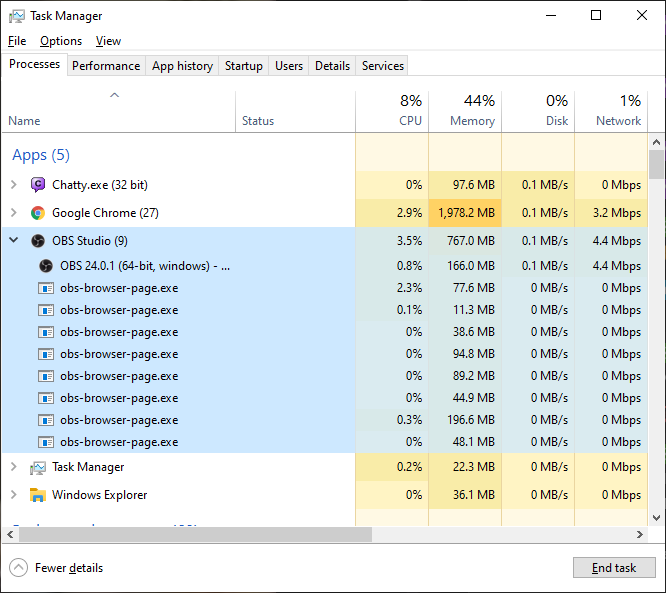
@elfin walrus task manager and make sure > bot.exe is closed
cyan delta
Any workarounds ? 😛
round brambleBOT
@cyan delta For the best OBS support, please join their Official Discord @ discord.gg/obsproject
elfin walrus
@real escarp I don't see bot.exe
this is what I have https://i.imgur.com/9PN2Gu8.png
 elfin walrus
am I looking at this on the website?
also what's the hamburger menu 😄
real escarp
- StreamElements bot modded and in chat
- Active overlay with alerts
- StreamElements tipping page in the panels below the stream (!panels)
- OBS.Live or Ground Control open
- Create a twitch account for the name you want to use or run the bot under your own name
 tight harness
The hamburger menu is delicious 
elfin walrus
Still not working for me
I downloaded Ground Control, logged in, entered my Custom bot name and included the OAuth token and still nothing.
Not sure what happened, the bot was working fine yesterday
oh btw now that I have Ground Control I do see bot.exe in the task manager
https://i.imgur.com/QUtPGum.png
 tight harness
Did you make sure to log in as the bot Twitch account before grabbing the OAuth token? Otherwise you get the OAuth token of your main account instead
tight harness
Twitch
elfin walrus
there we go! I think I got it 😄
lament blade
I hate to do this to anyone after I've checked #command-share several times but is a clip command a fairly simple thing to implement? I should be able to just use the same variables that another bot would use right? some stupid part of me wants to think I can only use approved commands from #command-share in SE.
wary halo
@cyan delta you can use a Elgato Stream Deck for it, but that's going to cost you some money. it is a fantastic product though and i would want to stream without it anymore.
lament blade
totally agree with a stream deck for Tinteexs question too [tho macros, midi controllers, and hotkeys are all pretty cool]
 ionic kelp
Or if you have an Android device deckboard is a good substitute. They have option to interact with twitch chat and OBS/SLOBS.
lament blade
Forgot about apps. xD Good stuff.
 wanton mango
@lament blade also this if you wanna try it out  https://discordapp.com/channels/141203863863558144/199460642975907840/558507216743694338
lament blade
oh. my. god. I've looked at almost every widget for fun and I didn't check that out. Sorry Fyre xD <3 thanks so much. that's perfectly convenient
"Ah, I forgot, the link to just the clip stuff isn't in the post" 
wanton mango

It was originally a widget only and I guess the command version never made it to #command-share  confused me for a second too 😂
 quasi oasis
Excuse me, if i want to close "Activate the Chat Bot"
what should i do?
Does anyone know? thx ><
real escarp
screen shot?
 small nacelle
Can I change the font of a text in my streamelements overlay?
small nacelle
Thanks! @jade remnant
jade remnant
np 👍
small nacelle
My bad again, I found it ❤
 glass gate
how would i go about making a command that fires off 2 separate responses? is it even possible? what im trying to do is !<command> = response 1, response 2 consistently
real escarp
random responses
glass gate
wouldnt random responses respond with one or the other not both?
glass gate
yeah that, sorry im not good at explaining myself clearly lol
lament blade
I don't think you can trigger two response from one command
glass gate
ah, damn. ill have to figure something else out or just live with 2 commands, thank you 🙂
 lament blade
yhea exactly, was trying to look if Fyre had something haha
jade remnant
frye has everything 😁
 elder sorrel
Fryer* 
jade remnant
yefr
wanton mango
I'm reporting all of you
jade remnant
 lament blade

glass gate
im innocent 😭
 hoary otter
hi, is there a way to make a command that a viewer can use that triggers a sound effect and requires x amount of bits
jade remnant
if you want to use a command then use !redeem
this will use the loyalty points
if you want to use bits then make an alert variation for x amount of bits
 scenic radish
is there a tutorial for adding custom fonts?
tight harness
!fonts
round brambleBOT
Google Fonts
More than 900 google fonts are supported at this time. You can preview them here: https://fonts.google.com/
Custom Fonts
Steps:
- Install the font on the streaming PC or choose a pre-installed windows font.
- In the overlay widget settings, select Text Settings
- Enable Custom Font
- Type the name of the font as it appears in the windows font directory (This is usually
C:\Windows\Fonts)
Note: After installing fonts, the browser and OBS must be restarted for the font to appear.
 bronze lily
hello since I installed obs.live I'm keep getting encoder error can someone help ?
 fading epoch
Hi! I'm trying to set up chat commands for specific user levels. I have some set to "VIP" level and "Super Moderator" level but when I go to user management I see a list of all my moderators and VIPS but moderators are listed as just regular "Moderator" and VIPs have no level assigned to them. Non-moderators and non-VIPs don't show up in this list. I don't see an option to edit the users in the list, just to "add new bot user" but the only level options that appear when I select that are Regular, Moderator, and Super Moderator (no VIP).
How can I fix this so my VIPs on Twitch are VIPs on StreamElements and that my moderators can be super moderators? Ideally the VIPs should be synced automatically (and it seems like they are pulled from Twitch but not assigned to the VIP level) and I should have some way to "promote" moderators.
Am I missing something?
elder sorrel
More than likely just need to change the level in user management.
round brambleBOT
@fading epoch
Chat/Bot Levels
100 - Viewer
250 - Subscriber (Twitch subscribers automatically placed at this level)
300 - Regular
400 - VIP (Twitch VIP automatically placed at this level)
500 - Moderator (Twitch chat moderators automatically placed at this level)
1000 - Super Moderator
1500 - Broadcaster
Dashboard Manager Levels
Bot Supervisor
Editor
Full Access
Owner
https://i.imgur.com/s61Liry.png
 fading epoch
I can't see a way to change the level in user management. I can delete users but there doesn't seem to be a way to change the level. I could "add new bot user" and reassign the moderators to super moderators (which would be a bit tedious) but there isn't an option for VIP in the "add new bot user" option.
hoary otter
@jade remnant how can i make an alert variation for x amount of bits?
wary halo
!level rubensaurus 2000
@hoary otter in the alertbox widget go to bits and then click on variations
hoary otter
@wary halo im in here, where do i set a specific keyword that can trigger the sound
for example, if someone types !airhorn it would trigger an airhorn sound effect that requires 100bits to use
wary halo
that is something completely different
i don't know how to do that, but that is definately not in the alerts widget box
i saw people with twitch extensions using those to activate sounds with a certain amount of bits
real escarp

 little zodiac
hey guys does anyone know how to add a command that is a countdown timer\
real escarp
a command that would trigger an on screen countdown timer?
jovial ocean
Does twitch care if you use copyright music? Or all they do is remove it from the VOD
real escarp
remove it in the VOD
little zodiac
no like if it said ! bday it would say 12 days x hours and x minutes till bday
@jovial ocean
jovial ocean
So they don't really care?
real escarp
ah you want to use an external api
@jovial ocean thats a question for twitch, although i've never heard of someone getting banned for it
little zodiac
so how do i go about doing that?
is there a youtube video you could recommend perhaps
real escarp
i can get you the link classy
little zodiac
thank you
real escarp
there he is
wanton mango

Epidemic Sound
When it comes to Twitch streaming and music, it can be summarized in a word – confusing. Right now, the majority of streamers that play music on their stream do so with little regard for copyright law.
real escarp
just had to click my heels
whats your link for return x date @wanton mango
looking for x days until...birthday
little zodiac
oh me
wanton mango
${time.until <date>}
little zodiac
one second
real escarp
the link to your api for days until...
wanton mango
For a date of 2 Jan 2020 15:04:05 UTC
It would be: ${time.until 2020-01-02T15:04:05Z}
which returns: 2 months 28 days 20 hours
little zodiac



 real escarp
you want a command that returns in chat how much time is left @little zodiac
wanton mango
in that case it's ${time.until 2019-10-17T10:15:00Z} - provided 10:15am is UTC timezone. You'll need to adjust if not
real escarp
so his custom command response should be ${time.until 2019-10-17T10:15:00Z})
wanton mango
Ah no, it's an inbuilt SE variable
Mine is more for time since because SE doesn't have that (but it can do time until as well)
real escarp
i see it now
wanton mango
If that's EST then the variable in UTC would be:
${time.until 2019-10-17T14:15:00Z}

little zodiac
ah ty
wanton mango
@little zodiac
${customapi.https://api.thefyrewire.com/twitch/datediff/2019-10-17T10:15:00Z?timezone=EST5EDT&precision=7}
thank you ladies and gents
 near summit
What could be the problem when viewers cannot use songrequests? The bot doesn't react to their requests, only mine (and I suppose, mods') requests work.
real escarp
in the Media Request module turn on viewer request
near summit
It is on + also these shouldn't be a problem
near summit
mhm
real escarp
also in !songrequest there is a 15 loyalty cost that needs to removed
near summit
weird, didn't it change when I modified it there (pic^)
real escarp
for me to even be able to send the command in chat is set to 15
the one in pic is cost for songs
near summit
🤔 where do I change that
real escarp
StreamElements
The Ultimate All in One Platform for Streamers
scroll down to !songrequest
real escarp
NP
 heavy forge
Hello! Trying to make small videos for sub alerts, while i give all the different variations 20% chance to happen, the old one still goes on everytime, what do i do wrong?
real escarp
lets have a look
heavy forge
im good, thanks @real escarp
 worthy musk
Good Afternoon is Twitch the only platform that going live alerts are sent to right now
sorry twitter
real escarp
correct
worthy musk
@real escarp thanks for your answer
are there any other solutions that you are aware of that could handle other platforms
real escarp
Not of the top of my head
 boreal folio
I disabled G2A Pay to opt for SE Pay which I realise is more developed now from when I first started however it doesn't give me an option of stating my country of residence as Japan. Or even Australia for that matter. It will not let me continue without putting in a country of residence. Does this mean I cannot use SE Pay? I have an online US Bank account under my name though?
"Viewers from any country can send a tip through SE.Pay. Streamers must be over 18 years old and have a bank account under their name in one of the following countries: Austria, Belgium, Czech Republic, Finland, France, Germany, Ireland , Italy, Netherlands, Poland, Portugal, Spain, Switzerland, United Kingdom, United States."
real escarp
i was just about to paste that
if its showing you the SE.pay option your bank account info needs to match one of those countries
boreal folio
My bank account is US. My /residence/ is none of those countries.
real escarp
your bank has which address on file
boreal folio
It also asked me to disable G2A before I could apply for SE Pay and no longer showing a G2A connecting option.
Bank account is Transferwise
So the address listed will be the bank associated with Transferwise. Account name is mine.
real escarp
if your transferwise address is in Austria, Belgium, Czech Republic, Finland, France, Germany, Ireland , Italy, Netherlands, Poland, Portugal, Spain, Switzerland, United Kingdom, United States.
then you should be good to go
boreal folio
Paypal has no issue withdrawing into this account. G2A did (so money is still stuck in G2A). If my actual residence has to match the bank then that's fine but would be an idea to update the info to reflect as much.
So I should say country of residence as US despite being a resident of Japan (for tax purposes I am definitely not US)
compact rampart
hey Im trying to use a font with the overlay with a text widget and the font isnt showing up on the browser source on stream
only in the overlay editor
real escarp
should work like that. We dont take taxes out so that would be on you to report yourself. try with residence US but only if your bank information they have on file for address is US or it might not work
@compact rampart fresh the cache in obs | obs>source>right click >properties>scroll down > refresh cache
boreal folio
Okay was just worried about the implications of selecting US resident if you're not - wasn't sure.
compact rampart
didnt work
boreal folio
(thanks for the help btw! Account has been created. Will await donos next stream and check to see if it's withdrawable)
compact rampart
its updating and working whenever I move or change anything else
but the font isnt changing
real escarp
okay 2nd part @boreal folio when you get your first dono there will be an additional info setup
did you refresh the cache
compact rampart
yeah
compact rampart
kk
compact rampart
hey does anyone know of a good way to have a countdown on stream?
I know theres the countdown widget in the overlay editor
but its laggy and I have to reset the cache everytime I change the amount of time
 short folio
I cant disavle video on media request :P
 patent talon
Cant change my stream title
 untold adder
where did the other payment provider go
fading epoch
I get no response when using the !level command. I use !level username 1000 and the bot doesn't respond and there is no change to the user level in the user management page
wanton mango
@fading epoch is this for your own channel or someone else's?
fading epoch
my own
 vale brook
I want to stream a twitch modpack, but I cant seem to get "Game Capture" or any other capture to really record it...
wanton mango
@fading epoch have you checked if the level command is enabled? -> https://streamelements.com/dashboard/bot-commands/default-commands
StreamElements
The Ultimate All in One Platform for Streamers
fading epoch
thanks, i had checked that for the level command but apparently overlooked it!
 potent ibex
is there a way to start a streamelements raffle when someone subscribes or a significant event happens?
 civic orchid
ok so this isnt exactly just a streamelements problem but i figured id ask in case anyone knew, twitch and streamelements are showing that i have no viewers, when I know for sure I have at least 1. anyone possibly know why?
 pallid shoal
Hey, I’m having issues with my host alerts not working? I have ground control up and running as well. Even the twitch dashboard isn’t showing the hosts but it shows in the chat that someone is hosting? Since twitch isn’t showing it I’m assuming it’s twitch’s end, just wondering if anyone knows what’s up or can help?
wanton mango
@civic orchid it's not just you, it's a site-wide bug. currently shows 0 viewers for every channel at the moment lol
civic orchid
ok i was just worried it would mess with my viewer average lol (trying to get affiliate so im watching that stuff closely) thanks! lol
 pearl oar
Hey guys, having trouble finding the "follow" simulation on the site to test alerts. Could someone please point me in the right direction?
The streamelements website*
wanton mango
@pearl oar there are two places: you can either replay events from your dashboard, or you can send test events from the overlay editor. It's the blue bell in the bottom left. To make the test events go through to OBS as well, you'll need to tick the checkbox at the bottom ('show emulated events on stream')
 modest pasture
Is there any way to make video commands? I don't want to use tiny gifs but an actual video pop up on stream. Streamlabs has this option, doe streamelements? I want to make custom videos for viewers
pearl oar
@wanton mango thanks so much! I can't believe I spent so long looking for that hahaha
wanton mango
@modest pasture There's a custom widget that might suit your needs https://discordapp.com/channels/141203863863558144/457957557470887947/619140761971195915
@pallid shoal I believe that if you see the host message in chat and it's like 'Username is now hosting you' then this is an offline and/or 0-viewer host and doesn't get sent or picked up by SE
round brambleBOT
Due to changes to Twitch API, we have filtered out hosts and will only show these ones on your activity feed:
- All hosts coming from an online channel with at least 1+ viewer
- Auto host events with at least 1 viewer - only from a channel that just went offline
Note: If you see "X channel has hosted you" with no viewers on the back, that is considered an offline host or a host with 0 viewers, we do not show these.
modest pasture
@wanton mango thanks, unfortunately the max file size is only 30 mb, bit too small for our needs
wanton mango
How big is your file?
pallid shoal
Awesome appreciate it!
dry hare
You can use store redemptions for that @jovial ocean
jovial ocean
So commands won't work for it?
dry hare
There is not currently a method for pulling sound effects via a chat command. I know it is on the ideas board, but not currently a feature.
Previous iterations of this "feature" from other bots used OBS-Webhook to parse chat messages and load files on your computer.
lament blade
Hi I accidentally reset the widget data. how can i bring them back
dry hare
what widget data?
lament blade
StreamElements
The Ultimate All in One Platform for Streamers
StreamElements
The Ultimate All in One Platform for Streamers
Reset tags clicked everything deleted
 onyx torrent
Hey friends, is there a way to restrict who as access to Adding quotes? I'd ideally like everyone to be able to call them, but only subscribers and mods to add them.
dry hare
In the commands, you can edit the command to be subscribers
onyx torrent
I thought I couldn't do that specifically, since Add is an argument for the quote command, not a separate command
dry hare
it will show up under custom commands and you should still be able to edit the user level that can use the command
onyx torrent
Perfect, thanks
I imported my nightbot commands, where an older quote command lived, so it must have overwritten the quote command there. is there a help doc somewhere where I can just rewrite it?
 hot whale
My commands are
my commands aren't working with my chat on twitch. i checked another bot to see if it was twitch but other bots are working at the moment for me
dry hare
Did you mod the bot?
hot whale
yes of course
hot whale
i changed my name a couple days ago. and none of the commands are working
dry hare
go into your SE dashboard, part the bot from your channel and then rejoin it to your channel
hot whale
That worked. thank you very much!
 sand glade
Hi! Does obs live work on Mac?
 normal igloo
no
pearl oar
Hey guys so Twitch is taking forever to "process highlight" but the highlight is only like a minute long... any idea what's up.
?*
 nocturne inlet
Hello, i would like to mute the sound alert of the follows i get on streamelements obs live how do i do that?@dry hare
i only want to mute the follow alerts, not the other alert
dry hare
Select your alert box in the editor > click the gear on follower alert > click “clear sound”
@nocturne inlet
 opal barn
Hello I am trying to setup the streamelements bot. Is there a way to have a custom name for the bot? Also my links are not showing up in twitch chat. its showing up as *** instead of the URL
zenith widget
!renane @opal barn
opal barn
Okay just needed to mod streamelements in my chat. A custom name for bot remains
zenith widget
Also mod the bot and custom nane
opal barn
!rename ?
round brambleBOT
Custom bot name requirements
- StreamElements bot modded and in chat
- Active overlay with alerts
- StreamElements tipping page in the panels below the stream (!panels)
- OBS.Live or Ground Control open
- Create a twitch account for the name you want to use or run the bot under your own name
- Custom bot name doesn't work on Mac
zenith widget
Ooh oops mistyped it 
opal barn
Ah okay so the online dashboard doesnt have all the functions. I need to have obs.live or ground control
will try that tomorrow then
nocturne inlet
@dry hare i cant even find the editor menu to find the alert box
dry hare
Click on “My Overlays” click on the overlay you want to edit then select alert box from the layers
Keizar is awake so screenshots might appear
nocturne inlet
@dry hare thanks alot
dry hare
Np
 sacred walrus
Hey, everyone! Is some please able to explain how I make a merch store with Stream elements?
zenith widget
The Merch Stores are currently in closed beta and all spots are taken. We gradually open up new spots so keep an eye out for that email.
 vague crypt
Is there a widget, or coding for a widget that allows commands in chat to trigger a gif and sound? like an alert, but command based vs event based. For example !bees would bring up the gif of nic cage with his head in a beecage and screaming about the bees.
zenith widget
Steps to make a command trigger sound on stream:
- Go to Stream Store page here: https://streamelements.com/dashboard/store/items
- Add an item that has these settings on it:
- Stream Perk
- Loyalty settings to your desire
- (Next step) Add contents (image and/or sound you want to play)
- "Redeeming this item shows an alert
- Redemable via chat
- Skip Requirements
- Get the item name/command from the 2nd creation page
- Go to commands page here: https://streamelements.com/dashboard/bot/commands/custom
- Add command with desired name and have response for command as:
${redeem item_name_here} - Go to your overlays and edit the overlay you use.
- Click on "widgets" and add "Store redemptions" widget. Click save and you should be golden.
- Test your own command in chat and have OBS or editor open to hear sound
- ???
- Profit in viewer interaction and that dosh

vague crypt
absolutely awesome, thank you
 jade shoal
Hey, how can I rename the chatbot? I already have a bot account but ground control doesn't give me the option.
round brambleBOT
@jade shoal Custom bot name requirements
- StreamElements bot modded and in chat
- Active overlay with alerts
- StreamElements tipping page in the panels below the stream (!panels)
- OBS.Live or Ground Control open
- Create a twitch account for the name you want to use or run the bot under your own name
- Custom bot name doesn't work on Mac
jade shoal
I already have all those requirements...
jade shoal
I have
zenith widget
then most likely you are missing a requirement
jade shoal
I've also parted the bot and readded it
The bot is a mod, I use a streamelements overlay, I have a link to donate in the panels, I use obs.live and have ground control open, I have the account already, and I'm on windows
dry hare
The tab that says keizar and nethyr are amazing
zenith widget
Show me a screenshot
of where and what exactly is missing
just saying "that tab" can mean 10000+ things
zenith widget
Show me a screenshot of the side menu open
 ancient cairn
yo, my streamelements isn't receiving hosts/raids in the activity feed 
round brambleBOT
@ancient cairn Due to changes to Twitch API, we have filtered out hosts and will only show these ones on your activity feed:
- All hosts coming from an online channel with at least 1+ viewer
- Auto host events with at least 1 viewer - only from a channel that just went offline
Note: If you see "X channel has hosted you" with no viewers on the back, that is considered an offline host or a host with 0 viewers, we do not show these.
ancient cairn
but they show on streamlabs and not on streamelements
dry hare
They’re making shit up. If the API doesn’t permit hosts of 0 viewers then they’re doing something that can’t actually be done
ancient cairn
my streamelements use to show 1 viewer hosts but then they crap out 
zenith widget
Note: If you see "X channel has hosted you" with no viewers on the back, that is considered an offline host or a host with 0 viewers, we do not show these.
ancient cairn
okay i guess i have to use streamlabs for the 1 viewer hosts meme
 normal cliff
i use Streamlabs OBS. am i able to use Kappagen?
zenith widget
You are, but it will not perform as intended sometimes.
SLOBS tends to screw up Kappagen in random ways
 ornate lichen
Oh yeah, not sure where my chatstats went. Haven’t checked it in a long time and it went 404. Old name is itisleland, current name is leland. Let me know if you need more info, thanks!
lament blade
@ornate lichen can you give me your old and new twitch username if you changed those in the past?
zenith widget
He has provided his old name, but I will fix it in a moment
lament blade
oh alright! 
zenith widget
With the amount of name changes you've done @ornate lichen - i found your chatstats in this name: https://stats.streamelements.com/c/luvdwayulie
ornate lichen
😂
zenith widget
am i striking a memory? 
ornate lichen
Hmmm, not really ‘cause there were certainly more stats than that
zenith widget
Well that chatstats page doesn't change when you rename
so most likely over time the page just started clearing data
ornate lichen
I guess we’ll have to restart the stats from 0 then 😂
zenith widget
want a fresh page then?
ornate lichen
Yes please!
zenith widget
You should update your discord profile as well 😉
https://stats.streamelements.com/c/leland fresh out the oven
ornate lichen
You mean the twitch accounts linked to my discord? I have two heh
Oh wait
What happened to my Other one DansGame
zenith widget
zenith widget
Ooh you are still keeping that name
zenith widget
smurt
ornate lichen
😉
normal cliff
how can i do this @zenith widget
round brambleBOT
@normal cliff To add your overlays to OBS, add a new browser source in your scene. Paste your overlay URL in the browser source properties, set the dimensions to 1920x1080 (unless you changed them on the website), and ☑ “Shutdown source when not visible” https://youtu.be/KDvLynUqXI4
lament blade
HI i have problem here, I need to reinstall streamelements obs live but it wont dellete it first
zenith widget
Do you have OBS Studio 24.0.1 installed?
lament blade
i think so
zenith widget
OBS.Live is not compatible with OBS 24.0.1
including the installer at the current moment
lament blade
ok
zenith widget
what I would suggest is to downgrade to 23.2.1 and then uninstall obs.live
lament blade
ok thx
lament blade
ok so when i reinstall it i dont update to 24 or i should update it?
zenith widget
you don't update to 24.0.1
zenith widget
MR is only for Twitch
lament blade
kk
jade shoal
@zenith widget UPDATE: I was able to rename the bot. What I had to do was:
- Part the bot from my channel & re-add it
- Close GC and OBS (with the OBS live add-on)
- Open GC and then OBS.
- Using the options menu in OBS.live, go to the settings and change the bot name like you're supposed to be able to.
- Close GC and forget about it's existance
lament blade
@jade shoal within ground control you went to the settings tab right?
because its right there
 heavy gulch
Hi, I have some problems with the import of mit Donation-Datas from Streamlabs. Streamelements shows my donation to that day, I imported all the information. But it doens't get the recent donations. Could somebody help me please? 🙂
zenith widget
If you are getting new tips, then you will have to import those as well and also change your tipping link to ours
so that we can start showing rtecent tips
 naive garden
how can i stream on multiple platform?
 crystal hound
Hi 🙂 My Chat Stats page is not working. I read that this is due to the name change. Can you help me please? I changed my name from cucurbino to fuchsseele a while ago.
zenith widget
done
crystal hound
Wow, fast 😮 Thank you very much 🙂
jade shoal
@lament blade I ended up changing the setting from obs live instead od GC
 sleek fox
Hey! I'm new to twitch and trying to design an overlay on streaming elements but when I copy a gif from giphy into the alert box, its previewing it fine in the left hand side but when I save and emulate follower alert it bugs and only plays like 1 second of the gif before freezing. Im using a Mac OS Sierra 10.12 ...any ideas? Thanks, Kayt
 foggy cliff
Question. How do I change the order that my "storm items" appear on the page of my twitch panel?
foggy cliff
@zenith widget I did that, but the order isn't changing on my twitch panel
only on the SE store
zenith widget
That requires other type of coding specially made for the extension
round brambleBOT
@foggy cliff Check out the StreamElements ideas board: https://strms.net/ideas. You'll be able to add ideas, upvote ideas you agree with, and track their progress with email notifications. Adding and upvoting ideas also helps the staff know which ideas should be prioritized so please take some time to upvote.
sleek fox
@zenith widget hey, not sure about my desktop at the min but its not even showing the gif on the emulate alert on my laptop and im using safari on my laptop?
zenith widget
That might be the issue - safari
i was able to see the gif for the entire 10 seconds
zenith widget
worth a shot
as i was not able to see the issue when emulating a follower alert on your overlay
sleek fox
ok, will give it a go later . thanks!
 rotund spire
Hey, so I contacted the streamelements on twitter and they told me to come here, I've had some problems with the points system on my stream.
lament blade
@rotund spire what problem are you experiencing?
rotund spire
I set that people should get a certain amount of points per 100 bits, but they get 1 point everytime they cheer no matter the amount, also that people should get points when they donate per $1 but they don't get any
lament blade
Im looking at some of my own settings for a second
you do have the streamelements tipping link set?
rotund spire
No I'm using the streamlabs instead
cedar lynx
Streamlabs donations won't count towards StreamElements points 🙂 they're different services
cedar lynx
sorry I didn't see the timestamp, swooped in on ya 😛
rotund spire
alright so I gotta add the streamelements one
lament blade
nah no worries Anne! however for the bits tho, im looking at my own settings for that
because i dont know why that one shouldn't count with points, you have streamelements bot modded and in your channel?
rotund spire
Yeah
cedar lynx
it's not modded @rotund spire
lament blade
yhea just checked, type /mod streamelements in your twitch chat
lament blade
No worries, otherwise the bot can't interact with your chat
rotund spire
Will it still show the notification I set up on streamlabs and the noise? if I use the streamelements
lament blade
@rotund spire what do you mean exactly with showing notification from streamlabs
rotund spire
When someone donates
 sudden halo
Is there a place that shows super noob tech (me) simple way to set up streamelements via elgato capture card?
round brambleBOT
@sudden halo New to Stream Elements?
Check out our YouTube channel https://www.youtube.com/c/streamelements/videos
with tutorial videos from setting up the basics, to in depth details on how to use our product.
sudden halo
Halp ♡
lament blade
if you stream from streamlabs with the streamelements bot, yes streamlabs will show your alerts
if you want to stream with streamelements, best way is to go with streamelements alerts
lament blade
no worries
sudden halo
Did I go to the wrong chat?
lament blade
no, why so?
the youtube channel is just the best way to see how to set everything up
sudden halo
I mean my setup is for both twitch & YouTube but for now just how to connect elgato capture and streamelements.
I think I watched that one already.
All good.
I'll try again 👍
lament blade
streamelements has a auto config tool that you can run for the settings
under tools
sudden halo
Oh, okay. Cool. @bordeauxprime
I am complete noob with tech stuff. It hurts my head. I'll try. 👍
lament blade
no worries, next time it goes about those settings, best to go to #helpdesk-selive 😄
sudden halo
Appreciate it
 surreal estuary
Hey, i would like to get the content of my top donators as txt. file But if i try to loud my widget with wget https://streamelements.com/overlay/5d98a08540946338622b235c/UVLuN2bu_NKNTPH1XXXXXXi8N5n1L9lwFlDa --output-document=newfile.txt i only get the html file
is there a option to get the raw output
also tried ```
wget -r --follow-tags=iframe https://streamelements.com/overlay/5d98a08540946338622b235c/UVLuN2buXXXXXd8NGmoSYelieXi8N5n1L9lwFlDa --output-document=newfile.txt
😦
 stable blade
hey guys i am having issues where in past few weeks my host alert never works, it shows in twitch chat but does not show anywhere else, i cant figure out what is wrong, i even redid my whole alerts but to no avail, can anyone help?
round brambleBOT
@stable blade Due to changes to Twitch API, we have filtered out hosts and will only show these ones on your activity feed:
- All hosts coming from an online channel with at least 1+ viewer
- Auto host events with at least 1 viewer - only from a channel that just went offline
Note: If you see "X channel has hosted you" with no viewers on the back, that is considered an offline host or a host with 0 viewers, we do not show these.
 sturdy pivot
Quick question, do goal widgets include bits? Streamlabs does not
lament blade
we do have a bit goal widget yes
sturdy pivot
Does it allow you to use donations and bits in the same goal
lament blade
it is a loose goal widget
sturdy pivot
Loose indicating that it does?
lament blade
it's called cheer goal, if you wanna show both bits and donations, you need two goal widgets
sturdy pivot
Sorry I am not understanding. I just woke up lol
lament blade
one for cheers, one for donations
sturdy pivot
Ahh
lament blade
loose meaning seperate
lament blade
probably because its two different things and idk if anyone ever asked it, you could always post your idea over at our idea website
round brambleBOT
Check out the StreamElements ideas board: https://strms.net/ideas. You'll be able to add ideas, upvote ideas you agree with, and track their progress with email notifications. Adding and upvoting ideas also helps the staff know which ideas should be prioritized so please take some time to upvote.
lament blade
no worries
onyx torrent
Hey there. I asked about the quote functionality of the chatbot last night, and I'm afraid I'm back again with follow-ups. I need to separate the ability to add quotes to the library from the ability to call a specific or random quote. if I write the "!quote add" command as a custom command, will that override the default command? Also, is there a more complete library of variables for that function, or is it as barebones as it seems?
I also don't know if this is the right place to ask, or if I should head to a different channel
wanton mango
@onyx torrent you can use a customapi version of the quote system that might better suit your needs - https://discordapp.com/channels/141203863863558144/259680142459142144/565129179608383548
onyx torrent
@wanton mango that's perfect. if I've been using Nightbot, can I just sub in my token for the nightbot token and move the quote DB over?
wanton mango
Should be able to yup!
onyx torrent
You've made my morning. Thank you so much
wanton mango
No worries! One small adjustment I'd make is using ${queryencode ${1:}} in place of just ${1:}, just so that special characters are sent over properly (for when adding quotes at least)
onyx torrent
and I should be able to use the same format to move over the editquote command in theory too, right?
wanton mango
Yup, just follow the same variables structure 
 turbid wraith
Hello! I seem to be having an issue with an animated overlay from streamelements. Would anyone be able to help me figure out the issue?
turbid wraith
looking now
enable browser source hardware acceleration is checked, should i uncheck it?
real escarp
yeah try to uncheck and restart obs
turbid wraith
the preview looks better