#helpdesk-twitch
1 messages · Page 504 of 1
 cedar lynx
cedar lynx
cedar lynx
I mean if you’re wanting SE specific help on how to do something this works 🙂 but for open convo that’s not about something specific issues, general chat is usually better
 quick path
can anyone help me understand these overlays a bitmore
like if i add an overlay with that has a space for chat to be displayed in do i need to add something else besides the browser source? or once im live chat will automatically pop up in the space its supposed to be in ? im an overthinker and this is eating me alive rn lol
 normal igloo
@quick path You need to add the chat box in your overlay then it will pop up in the chat box as soon as a message has been said 
Make sure to save your overlay/s btw 
 brisk prism
completely new 1000% dont know what im doing.
have OBS wand an overlay with alerts figured stream elements was the way to go. now how to i combine them
 round brambleBOT
@brisk prism To add your overlays to OBS, add a new browser source in your scene. Paste your overlay URL in the browser source properties, set the dimensions to 1920x1080 (unless you changed them on the website), and ☑ “Shutdown source when not visible” https://youtu.be/KDvLynUqXI4
quick path
one other thing is for some reason my stream comes up with two black spaces under when i fit to screen like its a widescreen movie i have to use stretch to screen option to fix but i looks.. well stretched any way i can fix?
 halcyon falcon
Hosts are not showing up in my activity feed
 versed basin
none of my alerts are coming up
 elder lion
Im having issues using the ndi plugin on obs streamelements where it keeps random closing out the stream without warning
 rare wasp
If my se.pay cleared, does it mean it went through or does the processing time still apply?
round brambleBOT
@halcyon falcon Due to changes to Twitch API, we have filtered out hosts and will only show these ones on your activity feed:
- All hosts coming from an online channel with at least 1+ viewer
- Auto host events with at least 1 viewer - only from a channel that just went offline
Note: If you see "X channel has hosted you" with no viewers on the back, that is considered an offline host or a host with 0 viewers, we do not show these.
 zenith widget
@versed basin Can you elaborate - specific alerts or all of them?
round brambleBOT
@elder lion For the best OBS support, please join their Official Discord @ discord.gg/obsproject
zenith widget
@rare wasp Depends on which part you mean has cleared.
rare wasp
Bank verification cleared, balance available for withdrawal = 0, it was on the 12th. Im just curious to see if it being 0 means its being processed ykno (wish it would say like pending to bank/@ bank). Im kinda pepega rn
zenith widget
Balance available for withdraw means the balance available for withdraw - any tips that have settled.
Ooh you mean you've placed a withdraw request
rare wasp
Yeah sorry if im causing confusion hehe
zenith widget
well, it takes up to 3 business days for the withdraw to be fully processed and be available in your bank balance
rare wasp
I gotchu, the part that worried me was it wasnt in my bank and when I first did it the number didnt change from the original withdraw.
Today it changed to 0 and it wasnt in my bank so I was like wut.
Thanks for clearing it up though!
 main ridge
Hello. I need help with streaming with StreamElements. I am on a lenovo 110 ideapad and cannot stream. When streaming it pops up with a black screen and only shows my cursor. It work even when i record or even before streaming/recording. I think i came here before and the problem couldn't be solved?
zenith widget
Usually some laptops(and googling this one) don't have GPUs besides an integrated GPU, which is not meant for streamings.
main ridge
:/ so its not possible?
zenith widget
Laptops in general are not a good base to start streaming from.
Unless its a specific gaming laptop, but those are more expensive then building a normal tower PC
main ridge
ye. But my other desktop is 32bit and it dosnt load the games I need.
So there is not even a way to do it?
Or is there any other software that COULD do it?
zenith widget
Streaming is a taxing thing for a PC in general and looking at the specs of the laptop - I don't think its meant for this type of thing.
main ridge
oh ok.... Thanks for you help tho!
 crimson basin
Hello, is there any way to remove channel bots from all time top viewers
zenith widget
You can remove their points and add them to the loyalty ignore list
that way they won't gain new points
zenith widget
That will be ignored once you add them to the ignore list
as in - they won't gain new "online" view time
crimson basin
Ah ok
zenith widget
but removing points and placing in the ignore list won't remove their current watch time
crimson basin
right, so they're basically just there on watchtime?
and i can't change that?
"Top 5 Minutes spent in Offline Chat: 1. streamelements (357280), 2. skinnyseahorse (54990), 3. lurxx (54970), 4. p0sitivitybot (23210), 5. anotherttvviewer (13640)"
I can't remove that?
 elder flare
so i set up media requests and people can request videos and music, it autio changes any requests to 1 video insted of what they requested
versed basin
@zenith widget it was all of them i tried replacing them several times to nothing working
 twin sentinel
@elder flare Do you have the twitch link protection disabled in your channel? Is the requested link only being displayed to ***?
zenith widget
@versed basin Is this when testing alerts or live alerts in obs?
 indigo arrow
i just dont understand how does the theme thing work, how do i add the link to obs 
round brambleBOT
@indigo arrow To add your overlays to OBS, add a new browser source in your scene. Paste your overlay URL in the browser source properties, set the dimensions to 1920x1080 (unless you changed them on the website), and ☑ “Shutdown source when not visible” https://youtu.be/KDvLynUqXI4
 short hound
I accidentally deleted the box my sources show up in on obs.live does anyone know how to get them back? 🤔
zenith widget
view - docks - restort UI or just find the source dock
short hound
😂 thank you
indigo arrow
Aight that was exactly what i was looking for, thank you. mutch better support than slobs xD
indigo arrow
fax
indigo arrow
if anyone knows solution send help lol. as soon as i start streaming all my usb devices disconnect and idk why, i lose internet connection cause of that since i recieve it from phone. Doesnt matter wich streaming software i use it always happens..
all drivers updated etc
zenith widget
what?
usbs disconnect and you loose internet when you start streaming?
i can suggest something for the loosing internet, but usbs disconnects?
indigo arrow
yes, as soon as i press " start streaming " my keyboard and phone disconnect from my pc. i've tried chaning ports etc..
I just might've fixed it. If anyone else has this problem, troubleshoot your power settings.
zenith widget
Are you on a laptop by chance?
indigo arrow
Nope, pc
zenith widget
I've never really heard this problem before
indigo arrow
me either, google had very little information too
I figured it out by the solutions others had. Usually they had problems with power in their usb ports and they had some settings on that would shut down certain usb ports, i went to troubleshoot page on windows and saw power there, decided to give it a go and now it seems to work :)
 lament blade
Well good to know that its now working!
 dry trench
hey can someone help me on why my customs timers arent setting off??
 dry trench
okay so lower my chat lines to 5
indigo arrow
aight i guess 1 more question. How do i make the themes on scenes load faster, for example if i do transition from brb to live, "hud" takes a second to load..
round brambleBOT
@indigo arrow Check out this tutorial for OBS’ studio mode which allows you to preload scenes before transitioning. https://www.youtube.com/watch?v=W8iWsD2Lq3U
indigo arrow
omg i feel so ignorant i didnt see the studio mode button lol, i've been using slobs for so long xd
Well i quit all works fine, i open csgo my usb devices disconnect
zenith widget
you need a better PSU 
indigo arrow
tought 650 would be enough for 1050ti and fx 6300
it should be tbh, worked fine for like 6months now
this problem only came couple days ago
zenith widget
windows update?
zenith widget
just get a 750 PSU
i had trouble on my old mobo and a 1060GTX with a 500 and 650PSU
 raven oasis
Hello, do you guys and girls also have problem with streamelements that it doesn't show all the alerts you're getting? i only got 4 at se ( http://prntscr.com/p60xx9 ) while in reality i got more before the argoni guy (http://prntscr.com/p60yfc )

 zenith widget
I'm not sure how Twitch handles it, but if these people have followed you before, unfollowed and followed you again, then we won't trigger the alert and event in the activity feed again
raven oasis
oh and yeah deonosis to tigerabe follow was done on a different day stream.
they're new followers
i'am quite new to twitch that's how i know they are new
 lean flume
I explained my situation on twitter and asked me to join the discord here. Gaules is even online right now. https://twitter.com/Bamufic/status/1172838344511954946

I haven't earned points for several months in the @alegaules stream for watching it. Even though you are logged in to @TwitchBR, and @StreamElements. I was wondering who could help me with that.
 Twitter
 tight harness
@lean flume Have you tried logging out of StreamElements and then logging back in? Also, are you aware of any connection issues you may have? I ask as you require 10 minutes consistent viewing to gain the points
@raven oasis Lets try this: Click on Part Channel on the dashboard, click on Sign Out, sign back in and then click on Join Channel on the dashboard
Seeing as you renamed last month, this is necessary for our system to recognise your rename
tight harness
On the main StreamElements dashboard, right side
lean flume
@tight harness Yes, I tried to log out. Also because as I said already happens for several months. And my connection is ok.

 finite lotus
Is there anyway I can play music while streaming from my xbox w/o OBS
lament blade
thats only possible through a capture card
so you streaming to obs.live on your computer, then you can add music via your pc
 faint musk
so any news on ground control notification issue ?
they still only appear if you reset ground control
or i click filters and it refreshes
everything is checked on filters
and notification aren't paused
also reinstalled it
or logged out and back in
still same issue
raven oasis
got another follow but didn’t pop up on se once again :(( @tight harness @zenith widget
no alerts as well not even in the se dashboard
tight harness
What is your latest Twitch username?
tight harness
Got it, I followed by nothing in the activity feed, I'll let our developers know
raven oasis
alright
thank you so much! 🙂
please keep me updated of what the problem is
yep still none
tight harness
I've reported your case to our development team, we just need to wait for one of them who is able to look into this to get back to us 🙂
raven oasis
Alright, once again thank you. Please keep me updated sir 🙂
 nimble forge
Hello there. I'm having issues with my alerts overlay. I followed the handy video tutorial for it so I should have everything set up right but they never actually pop when events happen. I've tried googling my issue but the only thing it returns is the set-up page for it and Streamlabs pages about alerts... so nothing overly helpful.
 elder sorrel
No alerts are popping up at all?
nimble forge
Nope. The chat bot will announce it and it shows up in the activity feed but the overlay doesn't trigger.
I can screenshot my obs browser overlay settings if needed.
 wide stump
Hi everybody!
 real escarp
@nimble forge can i DM you
nimble forge
yeah
wide stump
I think there is a problem with the top gifter list widget in the overlay section
the widget does not update correctly, it become blank after someone give subs. Can someone help me?
nimble forge
Thanks for the help, friendly. Everything works
real escarp
^ known bug devs are tracking @wide stump
wide stump
@real escarp thanks. Is there a way for me to follow the ETA on this bug?
real escarp
not currently as the devs have their own priority list with "quality of life improvements" but it is on their list
wide stump
Thanks
 narrow kraken
Hello,
I'm recording my changes.
Refreshes the page and returns to its original state.
real escarp
thats after you hit save before closing it
narrow kraken
I did. but it didn't.
real escarp
can I DM you
 sweet crater
I can't install OBS live
real escarp
what error is it giving?
sweet crater
Extract error writing file
real escarp
Can i DM you
 dense reef
Guys, how do I rename SE bot, while using your OBS
elder sorrel
Whoops 
round brambleBOT
@dense reef Custom bot name requirements
- StreamElements bot modded and in chat
- Active overlay with alerts
- StreamElements tipping page in the panels below the stream (!panels)
- OBS.Live or Ground Control open
- Create a twitch account for the name you want to use or run the bot under your own name
- Custom bot name doesn't work on Mac
dense reef
What do i do, after I created account?
twin sentinel
real escarp
on obs.live > activity feed>hamburger menu>settings > scroll down
elder sorrel
There's also a mini video tutorial in the pinned messages for renaming the bot in #helpdesk-selive 🙂
 wary halo
@real escarp you made me hungry, talking about hamburger menu's and all 😛
 somber anvil
How do i know if bot will be in chat just got started on se says im live on twitch and se would that mean bot is live aswell?
lament blade
you can always try by doing a command (like !ping)
 jade remnant
look at the viewers in your chat
try a command
check that the bot is correct on the se dashboard
lament blade
Great 😄
 heady knot
heya, i want to add a boss scenario into my chat via command like !battle, then a timer asks people to use !joinbattle to fight something, then after a few minutes, the event of the battle is rng, like win or lose etc, is this possible?
i've seen people have heists and stuff, idk how to do that
real escarp
all the bot mini games we currently have are located here https://streamelements.com/dashboard/bot-modules

StreamElements
The Ultimate All in One Platform for Streamers
tight harness
People do occasionally make custom ones that they post in #widget-share - you can ask in #dev-chat if you have any unique ideas
 tawny ledge
Hello everybody
Any way I can have a streamelements store redemption and not have the streamelements bot respond ?
I just want the alert to come up and the sound but no chat response
real escarp
@tawny ledge can I DM you
tawny ledge
Yes
 boreal basalt
My streamelements bot stop working everytime im live. It works for an hour or two, sometimes more, but it stop working after this time . Im live now if the support wanna try twitch.tv/shktt
real escarp
@boreal basalt in your Stream elements dashboard can you part the bot
and join the bot
ahhhh
obs.live custom bot is losing connection in the app
 warm vale
hi. i need help for the best settings. my rig is a solo pc with overclocked to 4.80 ghz msi gtx 1060 6gb. download speed 84.94 mbps upload 42.41 mbps. i know this is not ideal for streaming but what settings will work
round brambleBOT
@warm vale There are no "best settings".
Please understand that every setup, will be very different.
Any guides or videos that claim otherwise are misinforming. Your best option is to start with a base and adjust as necessary.
Test, test, and test again. We are happy to offer suggestions for any issues you may be having, but not a list of settings.
warm vale
oke. i will ask if im lost. and i will explain the issue and hopfully it can be fixed
jade remnant
Please run the OBS auto-configuration tool. To use the auto-config, click on the Tools menu in OBS, select Auto-Configuration Wizard, and then just follow the on-screen directions. You can use this tool to get a set baseline settings for your hardware, and adjust as necessary from there.
jade remnant
laptop?
 cold bridge
can you please teach me how to show spreadsheets in excel on OBSLive?
jade remnant
use desktop or window capture
cold bridge
window capture wont work
if you resize the excel screen many time the excel hud shows up
real escarp
sounds like your ms excel is using hardware acceleration try a Display capture
jade remnant
are you on a laptop?
cold bridge
but nothing about the cells
nope
@real escarp display capture shows everything, i dont wanna to show my entire desktop
real escarp
Open Run and execute Winword /safe.
Open a blank page and click File.
Open Options and click Advanced.
Untick Disable hardware graphics acceleration.
Select OK to save the setting and restart the Office app.
try that
cold bridge
ok
 ancient pewter
hi my streamelement bot will not activate in my chat how to fix that
jade remnant
go to the se dashboard and part then join the bot (right hand side)
ancient pewter
thankyou ❤
jade remnant
np 👍
cold bridge
@real escarp the "disable hardware graphics accelration" box is already unchecked
real escarp
DM me
jade remnant
if it says disable, you want to tick it
if it says enable, dont tick it
 torpid basin
Any reason why I access is denied for the stream information panel?
real escarp
screen shot but i think i know what your talking about
 spice granite
anyone know why it wont let me upload my custom alert box ?
lament blade
Does it give an error?
 solemn scroll
i dont know why but my stream always drops frames about an hour in. i've tried changing my broadcast settings and every thing else i can think of to keep my upload to a reasonable level but always happens.
lament blade
How much is your upload and bitrate?
spice granite
nope it just acts as if its not loading i click upload an it just does nothing
lament blade
That is weird indeed
solemn scroll
i have the issues with all sorts of games too. fortnite, minecraft, mtg arena, and borderlands have all had it happen. i dont know if it matters but sometimes my upload spikes to like 6000+ on top of crashing. it may just by stability in my network?
round brambleBOT
Please provide a log from your last stream. To do this, in OBS go to Help > Log Files > Upload Last Log File and paste the link to the log file here.
solemn scroll
real escarp
run the speed test and clip just your upload for us
real escarp

Speedtest.net
Test your Internet connection bandwidth to locations around the world with this interactive broadband speed test from Ookla
only screen shot us the speeds not ur ip
cold bridge
@real escarp libreoffice worked perfectly OO'
real escarp
nice very cool
solemn scroll
this is not the speeds ive gotten when i do tests with my phone. my download is also half of what its suppose to me. i'm hardlined too?
 vague scaffold
Do you have ethernet?
solemn scroll
yes
solemn scroll
they recently sent us a new router and i had been getting 200 down and 12 or 13 up. i will call them though
real escarp
okay ill explain for everyone
solemn scroll
i just did the test with the same ookla on my phone and i'm getting 200 down but i was only getting 80 to my computer
real escarp
when you buy internet the small print says we only guarantee up to 60% of the speeds advertised
thus on high traffic days they can split bandwidth for all customers
so your computer is wireless or wired
solemn scroll
my computer is wired
real escarp
and the computer is how old or new?
solemn scroll
made it in jan of this year
 bleak geode
<Comcast employee, if you are getting the right speeds on your phone through WiFi but not your pc through Ethernet , chances are it’s not your internet it’s you pc
solemn scroll
any thoughts on what it would be on the pc that would throttle my speeds? for the record my up loads were the same on my phone and pc
jade remnant
could be router priority, could be LAN connection on your pc
bleak geode
I have gig speeds and my wife’s brand new custom built beast of a pc was getting 90 down and 10 up while my Mac on WiFi in a different room was getting full gig. Turns out it was a “pc boost” piece of software she “unknowingly” downloaded. Removed it and boom full gig
real escarp
yeah even at my full gig i average 700-900 both up and down on speed test with 3 internet ports plugged into the same computer
@solemn scroll for now i would drop the bitrate down to say 2k
solemn scroll
i will try that. ill talk to the guy who helped my build the pc also (again i am very new) see if theres anything in the way the computer is put together that would cause it to slow.
i appreciate all the help thanks a ton
bleak geode
Do you have something else to test off of Ethernet?
Like a laptop or something?
That could help determine if it’s really the pc or maybe a bad router port
 hidden timber
Hi everyone -- curious, is there a Streamathon Widget or tool available in Stream Elements? like +10 minutes for every $5 donation?
real escarp
@hidden timber https://strms.net/stream_marathon-by_lx
bleak geode
@solemn scroll who’s you isp and what router are you using?
solemn scroll
spectrum. give me a sec on the router
 devout night
I need help linking my twitch elagto capture card n stream elements
solemn scroll
@bleak geode p/n on the router is 253703944 brand looks like sagemcom? its got spectrum labeling on the front. stands about 10in to a foot tall.
hidden timber
@real escarp Thanks!
bleak geode
@solemn scroll it’s a toss up. I’m inclined to believe it’s something on your pc but because the laptop also came back with trash I would contact my isp. Only thing is, it’s usually not the router. Rarely does the router push out good WiFi and trash Ethernet. I would call them and continue to trouble shoot your pc in the meantime
solemn scroll
@bleak geode alright. thanks for the help
bleak geode
A really good way to start is to disable any start up programs, and restart the pc then test speed
If it’s better quality then it’s a programming that’s running
solemn scroll
that makes sense.
vague scaffold
Streamelements has my follower count off by 1 in my follower goal. It isn't a big deal but is there a way to fix this?
vague scaffold
oh thx
 supple dove
when i move in game my kb/s drops to red anyone know why?
real escarp
^ try running a report after stream https://h4ndy.eu/obslog
 prisma vector
@supple dove Im having the same issue as well. Does anyone know why it shows dropped frames and when i stop recording and restart it say s that i have another obs screen running and then it shows that i am live even when i stop stream??? Any help would be great!!!
 pale glacier
Did something change with the StreamElements Ground Control? I was able to use my own personalized Bot before, now that feature is missing in the ground control panel. What happened?
 mortal oar
im tying to stream on twitch and every time i try to go live it opens a something that's related to youtube
 frosty grail
Whenever I start stream on OBS my stream will start on Twitch but theres no video and the only audio I can hear is the music I'm able to play. How can I fix this?
 ember canyon
Hello, All my alerts work perfectly, but host... when someone hosts me, the alert doesnt trigger. Any one have an idea why this could be?
 wanton mango
@pale glacier I believe you need to have a twitch panel in your bio that links to your SE tipping page for the option to appear
 cold sonnet
Is there a groundcontrol app for mobile? I use mobile dashboard from twitch, but it doesnt show tips in the feed
raven oasis
@tight harness any update sir?
 pure forum
For the contest option, can you start a contest during one stream and then announce winners at a later stream? Or does the contest have to complete in a single stream?
 sly girder
Is there a way to make your command text come out as a list?
 thorn elk
@jade remnant hi, have the admin unbanned username Vennyyo for song request for my channel twitch.tv/knukka_bear
 ivory summit
Hi there. I have a question about the bot. i activated a giveaway. The bot does not response if someone buys a ticket with the command !ticket - my viewer get the ticket but I want that the bot tells him or her that he bought the ticket. I can’t find any variables for that. The default command !ticket can’t be edit on the website. Could someone help on this?
 clever echo
Hi, can anyone help me with this? Thanks :3 It shows up whenever I want to start recording. Streaming works, but recordings don't
 serene summit
Is there any way to delete someone from donation page leaderboard?
round brambleBOT
@clever echo For the best OBS support, please join their Official Discord @ discord.gg/obsproject
 quick oracle
does twitch prime subs count towards a sub goal?
 weary gorge
yes
quick oracle
It didn't. What kind of troubleshooting I should do? The alert did go off, but not counted to the goal.
weary gorge
not sure on that one. I just had my first one the other day and it did count.
 jovial wigeon
Whats wrong with alertbox in streamelements why i cant see default without icon?
 dark hearth
Good morning! I don't know where I have to look for help with this issue, but I put it here in case you can help me. I am trying to import my commands from streamlabs chatbox to streamelements, when I do it puts me that it has been completed, but when going to my list of commands they do not appear to me! I have followed the tutorial that appears on the web, but it does not work. Can anybody help me?
cedar lynx
Which browser did you make the transfer with?
dark hearth
with google chrome
 shadow trout
Hi. yesterday i recieved a cheer and my alerts didnt go off. its registered in the ctivity feed both in obs.live and on twitch. when i try to replay the alert nothing. my "cheer-train" does activae tho. when i go to my alert overlays and emulate a cheer event it actually trigger my variations and shows alert on in obs.live but not when actually receiving cheers.
 devout sorrel
Is there any crew here that can reset my static's from Total chat message's + counter from the people and the Top Emotes static's if that is possible reset them
devout sorrel
I hope you can do it today? Do you need my name from leaderboards just tell me.
 ember eagle
So, I use SLOBS, and I want to use these alerts. I made a browser source, but it simple doesnt work
round brambleBOT
@ember eagle We're not able to troubleshoot issues with using our overlays in StreamLabs OBS (SLOBS) as we don't have the tools to support their software. We recommend using OBS Studio or OBS Studio with our plugin OBS.Live.
cedar lynx
you're welcome to choose the best solution for your needs 🙂
wary halo
but just know that SE is Better! 😉
devout sorrel
Can anyone reset my leaderboards static's please from streamelements😄
lament blade
@devout sorrel I' ve given it through in our support channel, mostly staff is off today
devout sorrel
O no😄 So another time i guess?
lament blade
If you ask me tomorrow agian, ill see if any staff can help
devout sorrel
Alright, thank you. It is needed because my code emotes are changed and now i see the same emote from my subs in the leaderboard only with a different code so i wanna have it resetted for that. Alright, i will message here again tomorrow. Thank you for the help
lament blade
Alright, I understand why yhea! 😄
 whole jay
my net speed is this. what should be my bit rate? would you help!!
 pine goblet
Hello! Quick question here. I have noticed that my StreamElements bot does not have a moderator icon anymore, even though it is acting as a moderator
Whats up with that?
weary gorge
with slobs and that group wanting you to pay for each and everything... there is no better solution than here 😛
glad i found this
oops meant for general chat sry
twin sentinel
or mod your custom bot name.
pine goblet
Thank you 🙂
lament blade
@whole jay what resolution do you use? And what is your output?
 unborn portal
I have a viewer who's been following me for around 6 months but when he's using !followage it only shows 1 month... others have 4-5 months and it's working fine
elder sorrel
Did he change his name recently?
lament blade
did he unfollow and follow you again?
unborn portal
no
elder sorrel
 A staff member may need to look into that one.
unborn portal
okay, thanks for the help
 red flume
Hei my name is Sandro i got a big problem by my obs often wen i start obs and league is like my Pc will explode and in other moments it works so well...
 hollow oxide
I’m not sure if this is the right place to post, but a friend of mine uses the StreamElements leaderboard widget as a panel on twitch. I’ve changed my name and now I have two spots on her leaderboard, is there a way to remove my old username?
cedar lynx
the streamer might need to make the request but I'm not sure  either way this will definitely be an issue for staff, if no one gets back to you by end of Monday feel free to ask again since they'll probably be back around by then 🙂
 shadow ivy
anyone know why desktop audio might stop working on stream after playing a few media request videos? desktop audio lights up just fine in obs
cedar lynx
@shadow ivy your audience is unable to hear it even though the audio lights are showing in OBS?
shadow ivy
yep
cedar lynx
are you able to hear it?
shadow ivy
the streamer is, audience isn't
cedar lynx
does this apply to all the audio from the desktop source or just media request?
cedar lynx
I don't think anything coming from a browser overlay would be able to interfere with the desktop audio, you might need to head over to the OBS Discord for help troubleshooting this
round brambleBOT
@shadow ivy For the best OBS support, please join their Official Discord @ discord.gg/obsproject
shadow ivy
yeah thats what I thought, I'll give them a go, thanks
cedar lynx
good luck!
shadow ivy
fyi desktop audio device was disabled in obs, not sure why it turned itself off during stream...oh well
lament blade
Well luckily it was such a easy fix!
jade remnant
might want to check your hotkeys if you have any set
 whole axle
can someone help me im new to streamelements and my main screen has turned into the fade and cut screen
lament blade
@whole axle the best way to start is by watching some of these tutorials:
round brambleBOT
New to Stream Elements?
Check out our YouTube channel https://www.youtube.com/c/streamelements/videos
with tutorial videos from setting up the basics, to in depth details on how to use our product.

 summer silo
Is there a reason why the !watchtime command shows up as 0 seconds for everyone in my stream??
 strong kernel
You haven't turned on loyalty.
jade remnant
you must have loyalty points enabled
strong kernel
Watchtime will only start counting up from 0 once loyalty is enabled.
It will not retroactively apply watchtime when you enable it. Everyone's starting from 0.
summer silo
Is there a way to get the total watchtime for the past?
If not that’s okay! Thank you for the answers
strong kernel
No; Twitch doesn't even keep track of it.
summer silo
Oh okay thank you!
 upper steeple
how do i make where people have to use their twitch username to donate and can't do custom donate names?
 brazen chasm
hi i am currently using one of the stream element overlays for my obs. the package i have dosent have a chat scene and was wondering if i can adapt one of the other scenes in the package to make one without it affecting the other?
lament blade
yes you can copy a scene @brazen chasm and maybe remove or move some things
 raven jackal
can i somehow remove media requests from my profile page ?
lament blade
 oblique steeple
@swift mist This is a new feature from the new OBS v24 RCs. This separates the audio from browser sources to individual tracks so you can adjust the volume separately from desktop audio, apply filters etc.
Ticked > Enabled
Unticked > Disabled (old behavior. Audio goes through "Desktop Audio)
 swift mist
hmmm, but it is something you add in right?, because i just installed OBS today on a fresh machine without OBS.Live and it does not have it (fresh download from obsproject). And it's the same installer i just used on my gaming rig, still nothing. but the second i install Live it shows up
brazen chasm
thank you so much @lament blade
lament blade
no worries!
oblique steeple
Nope it's from OBS, not OBS.Live.
Like I said. It's from the OBS v24 RC. RC = Release Candidate, something like a beta. It's not a thing in the version you download from https://obsproject.com, because that's the version v23.2.1
swift mist
then there must be something in your code that relies on it because if you go to obsproject front page and download and install it you do not have it, but the second i install OBS.Live i do have the ticked option but nothing is seperated in my audio sources. OBS.Live some how add it in. Don't know how, just know I did not download the RC 🤔 (i'm a dev myself 😉 )
oblique steeple
Okay what I have to check it internally 
swift mist
Gaming rig -> https://i.imgur.com/QYBVSqN.png
Encoder Rig -> https://i.imgur.com/h58WyzT.png

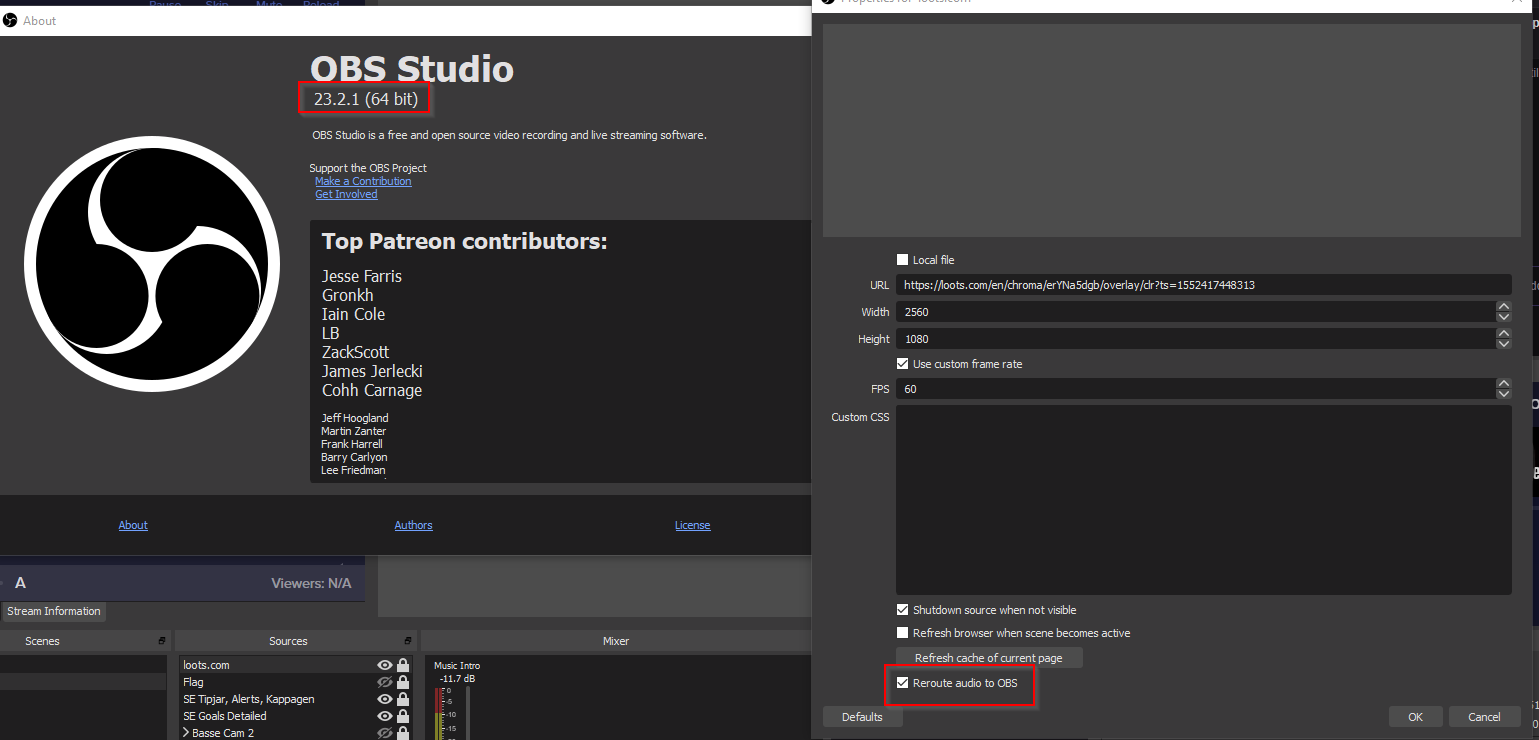
it makes sense why i don't see seeperate sourcen in my OBS then
oblique steeple
Very interesting! Weren't aware of that. D:
swift mist
well now you are 😄
lament blade
Hello
Can i speak with someone from the support, i need help with the Stream Store? 🙂
strong kernel
You can ask your questions here.
lament blade
thank you, sir
so i added items to my stream shop
and put the option when they redeem to put a Message
but this message doesn't appear anywhere, in the chat, or in the dashboard section
the idea to add this message field is, when the client redeem something, to give there his steam profile so i can send it by trade
Could you be so kind to help me to fix that?
lament blade
yeah, i spoke with 2 of them
strong kernel
i.e. !redeem itemname This is a message
strong kernel
Not necessary.
lament blade
they don't redeem with command, sir
the last user, logged with his twitch profile
and said that he put message on both items
when he redeem
😦
Is it a problem if the message is on different language ?
strong kernel
No.
round brambleBOT
@lament blade Please connect your streaming account (Twitch, YouTube, or Facebook) with Discord by going to ⚙ Settings and then Connections here in Discord. https://streamable.com/eg92w
 lament blade
@strong kernel i've just test it again with another profile
and the only message that i received is default
without the message i wrote
...
i'm on Bot Modules / Chat Alerts / Redemptions
there i've put {user} and {item} info
strong kernel
Follow the bot's instructions.
lament blade
What should i add to see the message?
strong kernel
If you mean you've added both a ${redeem} variable and a message to a command, that doesn't work.
Redeems will always use the default redeem reply.
You cannot put in a custom confirmation message.
lament blade
Check the red section. This message doesn't appear.
I'm sorry for the dual screenshot
i'm talking about the message that the user can add before he redeem something
strong kernel
Please follow the bot's instructions above.
lament blade
for the moment i don't want to connect discord with my stream
"This will show on screen under the alert"
strong kernel
You do not have a store redemption widget in an overlay.
Nothing will show on stream.
lament blade
i see, but i'm using streamlabs
strong kernel
We're not Streamlabs.
strong kernel
If you do not have a store redemption widget in an overlay through our system, nothing will appear on stream.
lament blade
Aha, thank you for the info
just one last question and sorry for bothering you, sir
and thank you for your patiance
Is there widget/ext. which i can add above my stream as panel, in which i can see message ?
strong kernel
What?
strong kernel
Panel extensions are for your viewers, not for you.
strong kernel
Not an extension. The store redemption widget. Just like you were told earlier.
lament blade
yep, i'm using it
okay, thank you once again for everything, sorry for bothering you with so many probably stupid questions
wish you a great week
and goodnight Sir 😉
strong kernel
Except you're not using it?
You do not have a store redemption widget in an overlay.
lament blade
aaa
strong kernel
This has nothing to do with panel extensions or anything in your Twitch dashboard. It's solely to do with your StreamElements account.
oblique steeple
@swift mist Okay so I just had a chat with our main OBS.Live dev. The checkbox exists but it isn't doing anything for now. The feature will be available when OBS v24 is stable because it has the required code to function 😄
strong kernel
@lament blade Please watch this tutorial from start to finish: https://www.youtube.com/watch?v=BXGMjHqwVFE

The StreamElements Stream store lets your viewers redeem Loyalty points (collected by watching your stream) to get special perks, fun sounds, and even game k...
lament blade
@strong kernel thank you, sir 😉
swift mist
alright thx @oblique steeple that is what i guessed, but nice to get a confirmation 😄
 rustic mist
is anyone else having issues with their scenes loading?
jade remnant
hmmmmm, i take it you are?
rustic mist
that is implied by my statement, yes
 deep widget
How am I able to change the message that is returned when a user write !my<currency name> ? I can see it in Default Commands but cannot modify the message.
rustic mist
incredibly slow when they do load and if I launch them from the site I get nothing
jade remnant
refresh the cache in the browser properties, they will load in a short time after
rustic mist
it wouldn't load in my browser, or in my client on multiple computers.
it started loading again but very slowly
 sage dirge
Is there a way to make a command... and it play music AND something in chat?
strong kernel
No, sound effect redemptions will only reply in chat with a default redemption message, not a custom message.
sage dirge
Bummer!
That's something I'd love to see in the future. Additional variables added to the commands. like a gif on screen or music..
round brambleBOT
@sage dirge Check out the StreamElements ideas board: https://strms.net/ideas. You'll be able to add ideas, upvote ideas you agree with, and track their progress with email notifications. Adding and upvoting ideas also helps the staff know which ideas should be prioritized so please take some time to upvote.
sage dirge
thank you for that website!!
strong kernel
Gifs and sound effects are already possible using the stream store.
sage dirge
I ask because an example: A birthday command. So you do !birthday and it pops up in chat what the birthday stream is but plays like a birthday tune as well!
strong kernel
While you can make a gif and sound effect play on stream, the message in chat will always be the default redemption message.
deep widget
How am I able to change the message that is returned when a user write !my<currency name> ? I can see it in Default Commands but cannot modify the message.
raven jackal
got a question about this one :D Maybe someone who uses it can help me
https://discordapp.com/channels/141203863863558144/457957557470887947/471391075257286657
Are all Events from the last stream shown? Or everything in the "session Data"?
Also did i set something up wrong or does every second subheadline is very small?
and one final question for today:
when do i need to use $ in front of a variable and when not?
strong kernel
For questions on widgets in #widget-share you should try to reach out to the widget's creator.
Variables should begin with $ in all bot command responses.
raven jackal
okay was confused because some of them were with a $ and some not. and some worked without and some not too
okay checked it. some will just show $ in front of their value when written as example ${user}
 wise grail
Hi, these are commands for streamelements related to Twitch, not sure if this is the right place
How can I set up 2 commands. 1) I need to be able to set up birthday command so people can actively submit their birthday however I also need to know of a way to that I can see a list of everyone's birthday on set date 2) I need to find a way to activate a command that will allow a person in chat to submit either their username or a short sentence. Thank you
strong kernel
Stream store items have the option to submit a message. The redemptions and the messages can be seen in order of redemption by clicking on the Redemptions button in the Stream store section of your account. Redemptions cannot be organized in any way other than order of redemption; you're not going to get a populated calendar of birthdays through us.
wise grail
It needs to be a ! command though for in Twitch chat
strong kernel
Yes, redemptions are done through chat.
The StreamElements Stream store lets your viewers redeem Loyalty points (collected by watching your stream) to get special perks, fun sounds, and even game k...
wise grail
Can you perhaps send me some images? This is foreign to me
Thank you
Also, how about birthday commands
strong kernel
Same thing.
wise grail
Okay, I will look into both Thank you Nethyr 🙂
strong kernel
Anything you want where viewers submit some sort of information to you should be done with a store redemption.
wise grail
I will watch that video 100%
 livid hemlock
please help, I can't go live. It just says starting stream. 😦
 spark osprey
FOR SOME REASON IT WONT LET ME START MY STREAM. KEEPS SAYING MY MY KEY WONT WORKE... I UNLINKED MY ACOUNT THEN RE LINKED IT. STILL HAVING THE SAME PROBLEM... 😦 ANY IDEAS WHY ??
 spiral salmon
Getting a failed to connect error in SE obs live, anybody know of any issues
 slender anvil
yea its not allowing me to start my stream
spark osprey
im having the same problem 😩
slender anvil
downdetector.com
Real-time status and problems for Twitch. Can't log in, or stream videos? Here you see what is going on.
this is a twitch issue just found out
 solemn flower
Is there anyone I can talk to regarding Stream Elements bot replying in Chat when I want someone to redeem/trigger a sound effect through the redemption store. Is it possible to remove the "@solemn flower, you successfully redeemed Deep Dark Fantasies for 0 tomatoes. elementsOkay "
strong kernel
No. When redeeming in chat, the redemption confirmation message will always be sent.
For a message to not appear, it must be redeemed through the site or the extension.
solemn flower
No way to fix it and you will not be changing this feature?
strong kernel
It cannot be disabled.
round brambleBOT
@solemn flower Check out the StreamElements ideas board: https://strms.net/ideas. You'll be able to add ideas, upvote ideas you agree with, and track their progress with email notifications. Adding and upvoting ideas also helps the staff know which ideas should be prioritized so please take some time to upvote.
 hoary veldt
Hey I'm having the same issue I'm not able to start a stream at all and it was working earlier today
strong kernel
This is a Twitch issue.
Has nothing to do with us.

🔎 We're investigating issues with impacting thumbnails and with streamers going live. Thank you for the reports!
Twitter
 uncut kite
ah i have the same problem thanks
brazen chasm
same here
was live 20 mins ago but had a drop in frame rates so tried to restart stream then wouldnt start
hoary veldt
Thanks
strong kernel
🔎 We're investigating issues with impacting thumbnails and with streamers going live. Thank you for the reports!
Twitter
 rocky elk
I can't start my stream at all
strong kernel
🔎 We're investigating issues with impacting thumbnails and with streamers going live. Thank you for the reports!
Twitter
🔎 We're investigating issues with impacting thumbnails and with streamers going live. Thank you for the reports!
Twitter
oblique steeple
🔎 We're investigating issues with impacting thumbnails and with streamers going live. Thank you for the reports!
Twitter
strong kernel
🔎 We're investigating issues with impacting thumbnails and with streamers going live. Thank you for the reports!
Twitter
🔎 We're investigating issues with impacting thumbnails and with streamers going live. Thank you for the reports!
Twitter
🔎 We're investigating issues with impacting thumbnails and with streamers going live. Thank you for the reports!
Twitter
wise grail
Nethyr, I have been through the stream store video, the redemption option doesn't seem to have an option available for the ! command for birthday set up or for the viewer to use short text
What am I missing?
oblique steeple
bruh
 ashen relic
Iv ebeen streaming for 3-4 weeks now and never had this
strong kernel
🇹 🇼 🇮 🇹 🇨 🇭 🇭 🇦 🇸 🇮 🇸 🇸 🇺 🇪 🇸
https://twitter.com/TwitchSupport/status/1173392307447455744?s=20
🔎 We're investigating issues with impacting thumbnails and with streamers going live. Thank you for the reports!
Twitter
oblique steeple
ashen relic
oh wtf
 rocky yoke
<@&382267076632379392> hello, I need help with my OBS
lament blade
What exactly do you need help with? :o
 proper prawn
guessing nothing we can do accept wait it out
strong kernel
Please take 10 seconds to briefly look at the past messages above here before asking, just in case. 🙂
rocky yoke
oooooooooooh okays
proper prawn
it's apparently on Twitch's side
rocky yoke
I was wondering, because I ended my stream and than attempted to relaunch it and it refused to connect to the server
proper prawn
same here...so I really doubt it's a thumbnail issue LOL
strong kernel
...did you stop reading after six words in?
 shy arrow
Hi, I also 'failed to connect' to the server tonight, I don't know why. Everything was fine. I've verified my steam key as well.
strong kernel
🇹 🇼 🇮 🇹 🇨 🇭 🇭 🇦 🇸 🇮 🇸 🇸 🇺 🇪 🇸
https://twitter.com/TwitchSupport/status/1173392307447455744?s=20
🔎 We're investigating issues with impacting thumbnails and with streamers going live. Thank you for the reports!
Twitter
🇹 🇼 🇮 🇹 🇨 🇭 🇭 🇦 🇸 🇮 🇸 🇸 🇺 🇪 🇸
https://twitter.com/TwitchSupport/status/1173392307447455744?s=20
🔎 We're investigating issues with impacting thumbnails and with streamers going live. Thank you for the reports!
Twitter
🇹 🇼 🇮 🇹 🇨 🇭 🇭 🇦 🇸 🇮 🇸 🇸 🇺 🇪 🇸
https://twitter.com/TwitchSupport/status/1173392307447455744?s=20
🔎 We're investigating issues with impacting thumbnails and with streamers going live. Thank you for the reports!
Twitter
🇹 🇼 🇮 🇹 🇨 🇭 🇭 🇦 🇸 🇮 🇸 🇸 🇺 🇪 🇸
https://twitter.com/TwitchSupport/status/1173392307447455744?s=20
🔎 We're investigating issues with impacting thumbnails and with streamers going live. Thank you for the reports!
Twitter
🇹 🇼 🇮 🇹 🇨 🇭 🇭 🇦 🇸 🇮 🇸 🇸 🇺 🇪 🇸
https://twitter.com/TwitchSupport/status/1173392307447455744?s=20
🔎 We're investigating issues with impacting thumbnails and with streamers going live. Thank you for the reports!
Twitter
🇹 🇼 🇮 🇹 🇨 🇭 🇭 🇦 🇸 🇮 🇸 🇸 🇺 🇪 🇸
https://twitter.com/TwitchSupport/status/1173392307447455744?s=20
🔎 We're investigating issues with impacting thumbnails and with streamers going live. Thank you for the reports!
Twitter
🇹 🇼 🇮 🇹 🇨 🇭 🇭 🇦 🇸 🇮 🇸 🇸 🇺 🇪 🇸
https://twitter.com/TwitchSupport/status/1173392307447455744?s=20
🔎 We're investigating issues with impacting thumbnails and with streamers going live. Thank you for the reports!
Twitter
lament blade
Twitch has issues
rocky yoke
ISSUES!!
uncut kite
lmao nethyr has problems with people who cant read
rocky yoke
"I have issues and so do you, so give me yours and I'll give you mine" 
proper prawn
wow that's cool !
wise grail
Hi, so I was trying to activate ! for birthday and also ! to allow my viewers to add in a short text that is associated with the command. I have also watched the Streamelements stream store video, the redemption option doesn't seem to have an option available for the ! command for birthday set up or for the viewer to use short text
What am I missing?
rocky yoke
time for some xbox rocket league in the meantime
 peak barn
anyone know if obs is down??
strong kernel
@wise grail There is no such thing as "birthday setup." You can enable the store item to accept a message with the redemption.
wise grail
Oh, I have definitely seen a streamer who uses a birthday command
You can input your birthdate into the stream
strong kernel
Not through us.
uncut kite
@peak barn 🇹 🇼 🇮 🇹 🇨 🇭 🇭 🇦 🇸 🇮 🇸 🇸 🇺 🇪 🇸
https://twitter.com/TwitchSupport/status/1173392307447455744?s=20
🔎 We're investigating issues with impacting thumbnails and with streamers going live. Thank you for the reports!
Twitter
peak barn
streamlabs isnt lettting me go live sigh
 fickle verge
My StreamElements OBS is having a hard time connecting to the server! I checked my stream key three times, and it STILL will not work! What the fuck is going on here?
uncut kite
🇹 🇼 🇮 🇹 🇨 🇭 🇭 🇦 🇸 🇮 🇸 🇸 🇺 🇪 🇸
https://twitter.com/TwitchSupport/status/1173392307447455744?s=20
🔎 We're investigating issues with impacting thumbnails and with streamers going live. Thank you for the reports!
Twitter
 neon linden
same problem @fickle verge
uncut kite
this is funny to see people dont look around for anything
neon linden
i cannot connect to my server either
 proud pumice
༼ ºل͟º༼ ºل͟º༼ ºل͟º༼ ºل͟º ༽ºل͟º ༽ºل͟º ༽YOU CAME TO THE WRONG DONGERHOOD༼ ºل͟º༼ ºل͟º༼ ºل͟º༼ ºل͟º ༽ºل͟º ༽ºل͟º ༽
 pliant summit
good evening people. i again have a problem. i cant launch my stream, it says that my steam key is.... i see u guys having the same problem
neon linden
ive restarted and changed stream keys and auto connect etc and no luck yet
pliant summit
meeeeh
proud pumice
Im sure the good people at twitch are working on fixing that issue
rocky yoke
really? what's rediculous is people complaining that a FREE software is having issues
uncut kite
^
fickle verge
...
proud pumice
🔎 We're investigating issues with impacting thumbnails and with streamers going live. Thank you for the reports!
Twitter
neon linden
downdetector.com
Real-time status and problems for Twitch. Can't log in, or stream videos? Here you see what is going on.
oblique steeple
No because OBS doesn't have any problems, it's Twitch  @rocky yoke
 half sleet
anyone else having issues with streaming today?
rocky yoke
lol sense when hasn't twitch had issues?
uncut kite
shirtless look like 7 messages above
neon linden
twitch is reporting outages check the link i put above
half sleet
oh i see, good, as long as its not just me
neon linden
if anyone does find a fix before twtich fixes it lmk
uncut kite
yeah lemme just restart the twitch servers real quick
strong kernel
-Twitch is currently experiencing issues with their servers and are working to fix it. Please see the following tweet:
https://twitter.com/TwitchSupport/status/1173392307447455744?s=20
🔎 We're investigating issues with impacting thumbnails and with streamers going live. Thank you for the reports!
Retweets
242
Likes
619
Twitter
rocky yoke
I can stream again
strong kernel

 peak heath
I lost where to get stream information on obs.live? It doesn't show up in docks
 slender elm
Ugh I still cant
round brambleBOT
@peak heath If you are not seeing the OBS Twitch integrations and have OBS.Live installed, please follow these steps:
- Make sure you are on the latest and greatest version of OBS.Live
- exit OBS (make sure OBS is not running)
- delete %appdata%\obs-studio\plugin_config\obs-browser\obs_profile_cookies
- start OBS.Live
- Settings -> Stream -> disconnect -> connect
 obtuse prawn
Is there an estimate on how long it will take to fix the issue?
strong kernel
We're not Twitch, so we can't tell you.
 lunar pivot
it just fixed for me
slender elm
Finally fixed
 sterile niche
Obs live keeps telling me the stream key is not right and I have reset it 4 times and still cant get OBS live to actually go live
slender elm
@sterile niche its an issue with Twitch not OBs
lament blade
Please be patient as Twitch is attempting to fix this outage they're having!
strong kernel
🛠 We're recovering from the earlier issues preventing streamers from going live and with thumbnails! Thank you all for your patience.
Twitter

 light blade
So I have been having this issue for a while where I set my host limit to 0 so that way they all show but it never works not sure how to fix this
round brambleBOT
@light blade Due to changes to Twitch API, we have filtered out hosts and will only show these ones on your activity feed:
- All hosts coming from an online channel with at least 1+ viewer
- Auto host events with at least 1 viewer - only from a channel that just went offline
Note: If you see "X channel has hosted you" with no viewers on the back, that is considered an offline host or a host with 0 viewers, we do not show these.
 worthy musk
I havent streamed in awhile is there any progress of auto notifying your going live on sociam mefia sites besides twitter
strong kernel
Twitter only for now.
deep widget
How am I able to change the message that is returned when a user writes !my<currency name> ? I can see it in Default Commands but cannot modify the message.
upper steeple
so i have a sub only sound effect and a non sub was able use it. Is this a bug?
 dry hare
@deep widget create a new command for your currency and make it say <${user} has ${user.points}>
In your store @upper steeple
?
zenith widget
@upper steeple How did they redeem the item? And is the viewer a VIP but not a sub?
upper steeple
by putting !(sound) in my chat cause i have $(redeem) set up for each sound.
And they are not a vip, just normal viewer
zenith widget
@upper steeple Which is the command?
 devout wharf
hi guy6s i am trying get ogin on stream element website but got this {"status":401,"message":"invalid csrf token"}
from twitch
round brambleBOT
@devout wharf If you are having issue with "Invalid csrf token", please follow these steps: https://pastebin.com/raw/h0B4xNtS
zenith widget
Restart PC and try the steps again
 steel talon
Hey im useing the Twitch Extension for my loyalty system, i resetted it yesterday, Now i saw that i didnt reset the all time list as well, now i only have current list with data and alltime data is empty. Will this update again when i go live?
And good morning from germany 🙂
zenith widget
So you didn't reset the all-time points, but the extension is not showing it?
I'm confused here
steel talon
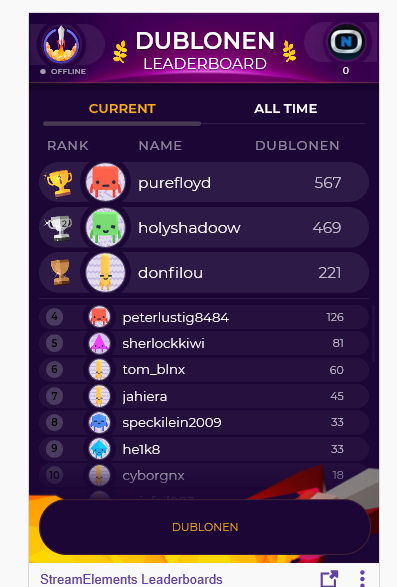 zenith widget
I checked
steel talon
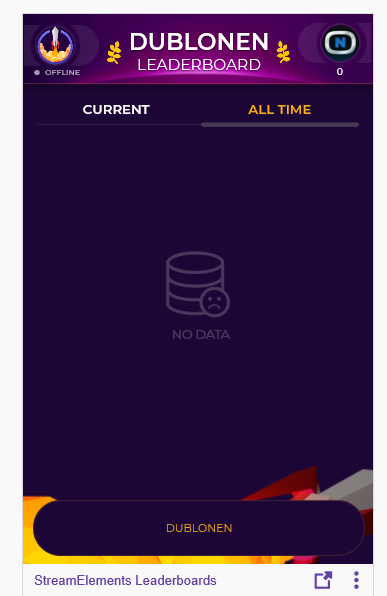 steel talon
yeah i started it yesterday, but i deleted today the alltime
because it had old stuff in
zenith widget
Then when people gain points again, they will get all-time points as well
steel talon
okay 🙂
Quick question about the store items, i want people to redeem trigger sound in stream, i guess that is made by the shop.
Does this mean they unlock the sound forever or does it mean they can trigger the sound by spending the points for every time they trigger it?
zenith widget
Steps to make a command trigger sound on stream:
- Go to Stream Store page here: https://streamelements.com/dashboard/store/items
- Add an item that has these settings on it:
- Stream Perk
- Loyalty settings to your desire
- (Next step) Add contents (image and/or sound you want to play)
- "Redeeming this item shows an alert
- Redemable via chat
- Skip Requirements
- Get the item name/command from the 2nd creation page
- Go to commands page here: https://streamelements.com/dashboard/bot/commands/custom
- Add command with desired name and have response for command as:
${redeem item_name_here} - Go to your overlays and edit the overlay you use.
- Click on "widgets" and add "Store redemptions" widget. Click save and you should be golden.
- Test your own command in chat and have OBS or editor open to hear sound
zenith widget
its permanent
upper steeple
@zenith widget !hammer is the command to set off the sound effect from the store
 bold basin
My chat stats don't show up, brings up an error every time I try to view it. I changed my name a while ago and I'm assuming that has something to do with it. Can any of the staff help? Not sure where else to ask.
bold basin
wow, thanks a lot! @zenith widget
upper steeple
@zenith widget current fluffy game 2019
zenith widget
That is actually really interesting.
upper steeple
i know right?
zenith widget
The thing is, I'm not if because i'm an admin I can circumvent the sub only option or not 
do you have a friend who isn't a sub or mod that can come help test with my test item that I created on your account?
upper steeple
hold on one mo
zenith widget
@upper steeple Tell them to use !redeem keiza_test_item
actually wait i'll use my 2nd account

upper steeple
oh okay lol
zenith widget
wait 
upper steeple
k
steel talon
What could be the reason?
https://i.imgur.com/6EbVRfy.png
 zenith widget
Open both our dashboard and theirs
steel talon
Okay.
Got another uestion about it but 1by1 first 
Mh it is not working as intend.
Maybe i explain my issue. Im useing your Loyaltysystem, but currently i use Alerts made by Nerd or Die through Streamlabs. The Loyaltysystem will give points for Donations, but the Donations are currently done with Streamlabs because i´m unable to find good alerts for SE or getting them to work propably in SE. This means the Donations dont count for the Loyaltysystem in SE. Do you see a workaround? Because adding a SE Donation link wouldnt trigger the Alerts/Events.
zenith widget
There isn't a work around, besides using our tipping link
or manually adding the points
if you are using NoD you can import it via OBS.Live's import tool
that imports SLOBS scenes as overlays 🙂
steel talon
I dont use Slobs :/
And i dont use OBS Live...
Would OBS.Live also import from OBS or dosnt this make sense? xD
zenith widget
So you say the import extension failed?
steel talon
Mh i cant say it failed it just show the alerts without any effects
 steel talon
it was imported
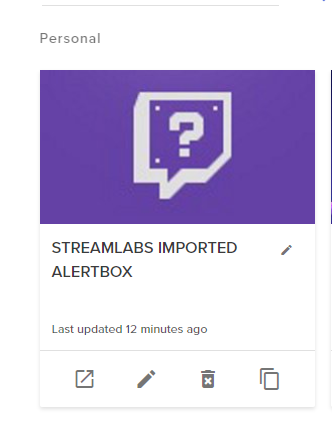
thats what the event shows
https://i.imgur.com/35uVqoy.png

Default for some reason
 steel talon
Prestige
Lets say i get it to work, would the donationlink from SE then trigger the event from NoD?
and count to loyalty
zenith widget
yes
I would strongly suggest to contact NoD about this and tell them that you tried to import the alert package to us, but it looks like that
they might provide you with the SE version of it
steel talon
 steel talon
Dont pepe me!
zenith widget

 zenith widget
what do you want me to do? be like the fortnite kids and say "oof" and "yikes" out loud?

zenith widget
StreamElements
The Ultimate All in One Platform for Streamers
we do have some themes and alert only packages
steel talon
I want to move complete but its difficult to find something good.
zenith widget
but these are not NoD
zenith widget

steel talon
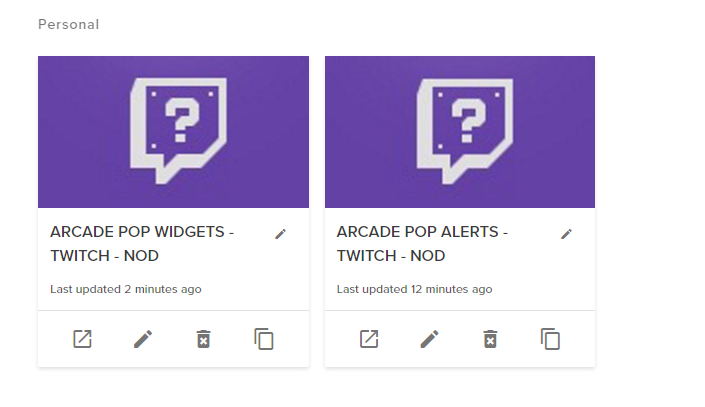
One more question, should i use one browser source or several ones? If i have to use one source, how do i merge one source with the other
example
zenith widget
You can click o nthe widget in the overlay then on the 2 white papers with red dot on the bottom left next to layers
to copy it over to other overlays
steel talon
So recomment to use one source
I dont see that button, sorry but could u make a SS?
found it
 livid ridge
boa noite, eu dei sub em um canal e eu deveria ganhar os pontos em dobro, so que pelo que parece no streamelements ta constando que eu não sou sub, alguem sabe como resolver?
zenith widget
@livid ridge I'm sorry but this is an English helpdesk. #🇵🇹︱português
livid ridge
Good night, I am subscribed to a channel and I should earn double points, so it seems from streamelements that I'm not sub, does anyone know how to solve?
I will try in English, because in Portuguese I had no answer
zenith widget
To whom are you subscribed?
Don't post their link
just name
and are they online/live?
livid ridge
its a video
zenith widget
Ok I'll check again in 10 minutes
zenith widget
for reference for in 10 minutes
livid ridge
I became subscribed yesterday and watched more than 15 hours without earning the correct points
zenith widget
@livid ridge
Thats 40 points increase
20 points for non-subs + x2 for subs
so you got proper points per 10 minutes
steel talon
The TTS is always changing back to Brian... what im doing wrong?
https://i.imgur.com/ko7tNHq.png
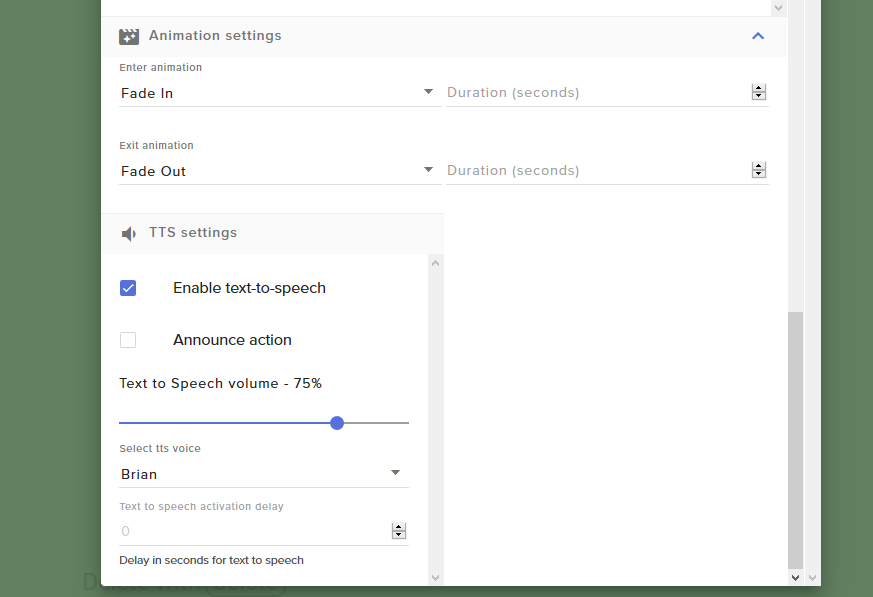 cedar lynx
are you clicking "Save" on the overlay after changing it?
zenith widget
whats your resolution?
because it seems the variation window is squeezed from the sides
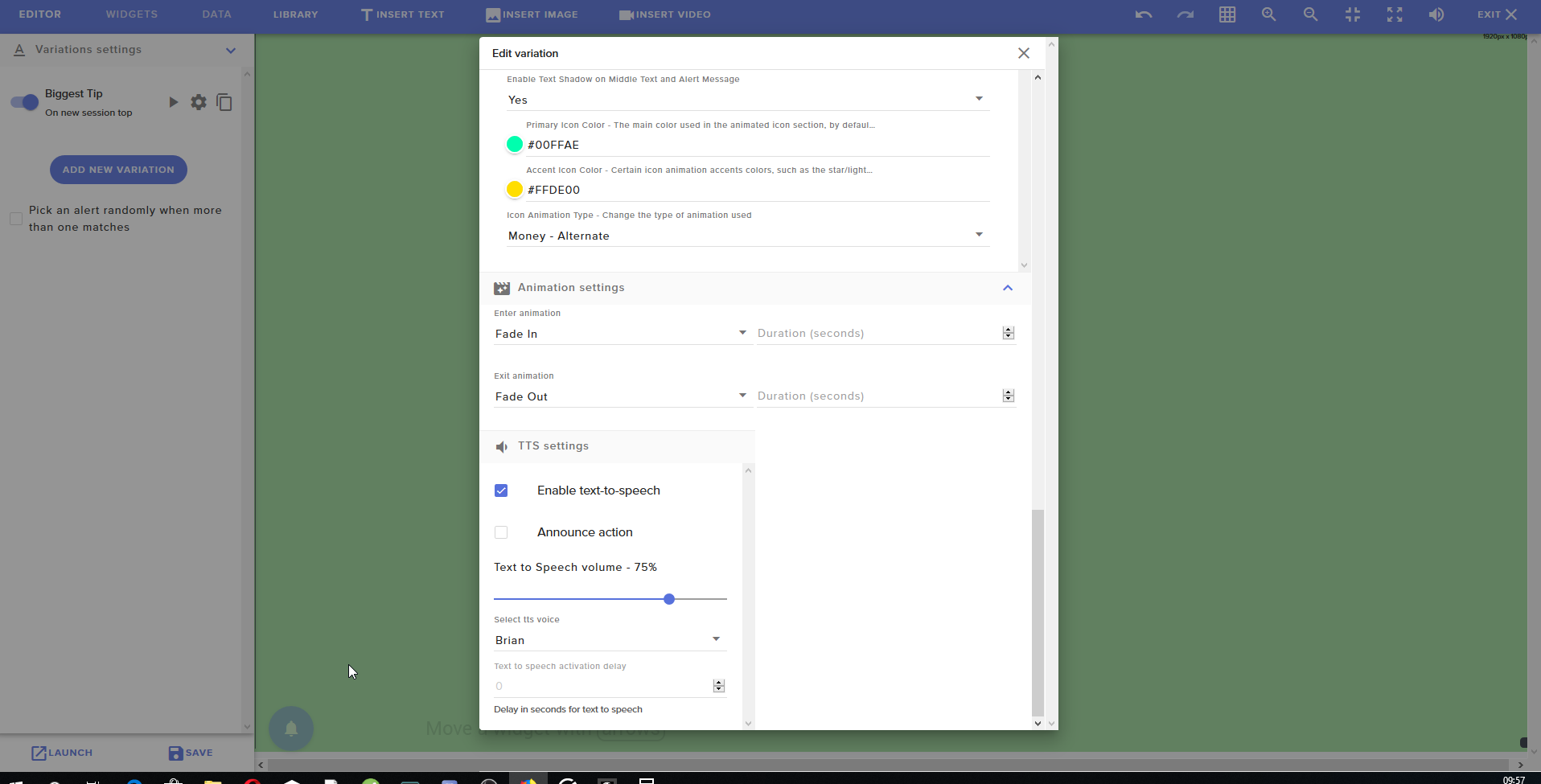
 steel talon
found my issue?
zenith widget
would you be so kind to update you twitch name on your discord profile?
wait what browser is that?
zenith widget
Ignore what the site says
See my 2 screenshots that have 10 minutes in between them
you gained 40 points
like you should
as a subscriber
lament blade
Hello - is there any way i can see and modify banned tags from media request? I know i did add some. I saw 2 for a couple of minutes and they r not visible anymore. Even if i will add new one, cant see any of them - yet those blocked ones r not working via request. That means that banned tags works, but i cant see them, nor can modify them. Please help 🙂
ive tried 3 browsers, no addblock
zenith widget
Are you hitting enter when entering a banned word/tag?
lament blade
yes
it says SAVED
but not showing tag
like now on upper right corner
i tried different computers also - from home/work - looks the same on all
zenith widget
lament blade
yes those r the ones
lament blade
if there is an option which allows me to do it please tell ;)
any command im not aware of 🙂
i didnt know if tags are case sensitive, and after my friends bombed me with Gaichi i wanted to make sure they wont again 😉
devout sorrel
I did this ask yesterday but there was no crew member online at that moment. Can my leaderboard static's resetted with the total message and most usuable emotes?
zenith widget
@lament blade there we go refresh the settings page
@devout sorrel do you mean chat stats?
lament blade
@zenith widget Thank you very much
devout sorrel
Yes @zenith widget
zenith widget
so you want a fresh chatstats?
devout sorrel
Yes because i did change my twitch channel name a few weeks ago and now since a new feature with the emotes. They said do you wanna change your code from your emotes and i said yes and now my chats stats have the same emotes played on it but then with a different code. So thats why i wanna have that fresh chat stats again to not get confused anymore.
devout sorrel
Total messages as well if that is possible 😄
zenith widget
done
devout sorrel
Thank you @zenith widget
zenith widget

quick oracle
how do i test alerts on stream elements?
round brambleBOT
@quick oracle You can test Alerts via the bell on the lower right corner of the Overlay Editor. Simply go to your Dashboard -> My Overlays -> Pencil/edit button on the overlay. Make sure the "Show Emulated events on stream" option is on to see the alert in OBS/Xsplit https://streamable.com/h6qgy
 quick oracle
thanks
lament blade
How do I transfer alerts etc from slobs to elements
zenith widget
Via OBS.Live -> Streamelements on top -> import from other services
quick oracle
for some reason test hosts are working, but real hosts dont work, and its set to minimum 0 viewers
round brambleBOT
Due to changes to Twitch API, we have filtered out hosts and will only show these ones on your activity feed:
- All hosts coming from an online channel with at least 1+ viewer
- Auto host events with at least 1 viewer - only from a channel that just went offline
Note: If you see "X channel has hosted you" with no viewers on the back, that is considered an offline host or a host with 0 viewers, we do not show these.
quick oracle
thanks
 lean shard
@quick oracle now twitch added a rule for not spamming host command.. alerts will start with 5+ viewers coming with an host
quick oracle
Got it thanks @lean shard
lean shard
😉
 sinful prism
does anyone know why the top tip and top tipper widget doesnt utilise capitasl letters for names? every other widget does but those two
 kind epoch
Hi, has the sub and cheer goal widget changed? I noticed the coloration seperating the amount achieved and the background and with the amount achieved colour is now missing. And the text is different as well.
cedar lynx
@kind epoch can you provide a screenshot to show what you're talking about?
kind epoch
That's how it looks in the editor
But in obs it only shows the background colour not higlighting the progress
cedar lynx
be sure to check the opacity in the editor and remove any that might be there. don't forget to click save when you've made the changes!
 meager oriole
hey why cant i change bit goal widget's height anymore? :\
the height of the bar cant be adjusted oof
kind epoch
The widget has not been edited since it was created months ago, something has changed and idk what it is, this opacity you speak of i don't see an option for it.
cedar lynx
for future reference you can manage opacity here in the color picker – but I see what you're saying, there's something funky going on with condensed progress bars on the overlay for me as well. will check with the staff!
kind epoch
Oh okay yah it's the condensed version of the widget that's funky. Thanks, please update me.
pm or something
The streamelements bot appears to be offline as well. Could you urgently look into that please.
 hot belfry
I'm having the same issue I think @kind epoch
cedar lynx
you need to mod the bot @kind epoch
cedar lynx
please re-mod the StreamElements bot
kind epoch
The bot doesn't even appear in the channel
cedar lynx
yes it does, I just had a look. it's in the users list.
hot belfry
the redeem bot wasn't working, but it is now
kind epoch
how did that happen?
cedar lynx
I think only the streamer can unmod an account so you must have unmodded it by mistake
hot belfry
so it's not changing size or filling with colour
kind epoch
hmm ok
cedar lynx
@hot belfry I've shared the general issue for condensed goal formatting with staff so it should be getting checked into soon 🙂
kind epoch
Strange the bot was banned as well. How the F did that happen?
cedar lynx
if you use third-party tools that allow user management, you might have accidentally triggered these things
 untold crest
Maybe it was not modded and another bot banned it because of pasting links?
hot belfry
thanks @cedar lynx
kind epoch
The bot has never been banned or demodded not by me or anyone else but the followage command doesn't work.
Followage command is working again, but the status of the bot in my channel remains funky, it tends to unmod itself
cedar lynx
are you using a custom bot name?
 oak creek
i was about to ask about my condensed goal not showing its fill colour too
hopefully that can be resolved soon!
 sleek vale
Hey Guyz Im New To Discord And Im Back From The Hospital And Happy To Be Back Streaming On Twitch 🙏🎥💯Cant Wait To A Journey/Story To Tell ✌
cedar lynx
welcome back to streaming and welcome to Discord! we use #general-chat as a place for random discussion 🙂 feel free to talk in there! if you have any questions about StreamElements and Twitch, then this is the right channel to post
 fallen lava
for the roulette "rigged" bar.....is that saying the higher the number the more rigged the system is? IE- 75% means a higher percentage to lose than win?
sleek vale
Ok I Sincerely Appreciate The Warm Welcome And Nice To Meet You All 🙏GodBless
real escarp
@lament blade https://streamelements.com/dashboard/account/import
StreamElements
The Ultimate All in One Platform for Streamers
round brambleBOT
@sleek vale Please follow our community rules:
- No advertisement or stream promotion
- Respect ALL server members
- No NSFW/NSFL
Thank you
normal igloo

lament blade
I'd advise to read TOS
lament blade
I'll dm a link to you to TOS
sleek vale
Ok
normal igloo
TOS = terms and conditions
Server Rules: NO ADVERTISEMENT/STREAM PROMOTION --- Respect all server members --- No NSFW/NSFL
wary halo
And Not Every Word Starts With A Capitol Letter
raven jackal
Will people get Loyality points when they follow while i am offline?
 unique minnow
i need to speak privately with staff as it might involve bank details
twin sentinel
@unique minnow https://streamelements.com/contact
unique minnow
thanks @twin sentinel
wary halo
@raven jackal yes
lament blade
@raven jackal yes, as shown here:
raven jackal
thx 👍
wondered because another person who followed earlier today doesnt show up in the leaderboard
unique minnow
it wont let me use contact everyone time i try it says oops something went wrong
cedar lynx
@kind epoch @meager oriole @hot belfry @oak creek Just letting you know staff is aware of the goal widget styling issue and it's on the list for fixes 🙂 feel free to check #widget-share for some alternative goal widgets to try out in the meantime!
 lime abyss
I can't seem to find the text to speech option for donations or bits.
raven jackal
go to your alertwidget ->click the cog of tip alert or cheer alert and there is a menu "TTS settings"
hmm guess i will give him the points manually then 🤔
lament blade
Yhea I wouldn't know why it didnt do that for him to be honest, but ill ask if someone else knows
fallen lava
is there a way a command can call another command?.... For example: I have !resetwins which sets wins back to 0, !addwin which will add 1 win and !wins which will give the total of wins. I would like to have it set up if I !addwin I would like for streamelements to automatically call the !wins command as well
dry hare
Commands cannot trigger another command
You should be able to append the counter variable to your !addwin as a second sentence like this: Streamer won another game! This brings the total wins to (counter)!
 ionic kelp
Wouldn't want a bot banned for spam would you? 
fallen lava
for the roulette "rigged" bar.....is that saying the higher the number the more rigged the system is? IE- 75% means a higher percentage to lose than win? Just want to make sure I understand the language here
dry hare
@fallen lava it means how often they will lose points over time. 100% means they won't ever lose points, 75% means that they'll lose points 25% of the time (I believe)
fallen lava
ahh okay @dry hare thanks!
dry hare
np!
 inner coral
hey everyone, looking for some help. I've accidentally removed my Stream Information tab from my OBS.live. Anyone have ideas on how to get it back? 🙂
cedar lynx
should be available in the Docks 🙂
inner coral
its not 😦
inner coral
they are
dry hare
Can you post a screen shot?
wary halo
''hamburger'' menu... cooking channel... 
inner coral
LUL
yep. and then i get stream information, but then i accidentally removed the other one.
i have a screen shot of that too
so now you can see my dilemma ? 😦
FeelsBadMan
wary halo
so you can't click the grey button?
wary halo
that's what i was thinking as well
inner coral
my tab has disappeared on the other one, thats the problem
wary halo
and there is no button for stream information in the hamburger menu?
inner coral
nope 😦
wary halo
i don't even have a stream information button anywhere 🤔
real escarp
are you trying to update title and game?
round brambleBOT
@inner coral If you are not seeing the OBS Twitch integrations and have OBS.Live installed, please follow these steps:
- Make sure you are on the latest and greatest version of OBS.Live
- exit OBS (make sure OBS is not running)
- delete %appdata%\obs-studio\plugin_config\obs-browser\obs_profile_cookies
- start OBS.Live
- Settings -> Stream -> disconnect -> connect
dry hare
So if you click the hamburger menu what do you see?
wary halo
updating title is: Hamburger menu > Stream Settings
dry hare
^^
inner coral
yeah i get that. but im looking to get the stream information tab back as one specific tab as well.
cedar lynx
you might need to relog in to your Twitch account through OBS
inner coral
thats what im going to try now. Thanks everyone for your help ❤
wary halo
no problem
 fleet meteor
Hi, i have quite a large problem with the StreamElements Addon for Obs Studio. i just installed the recent update and the screen where i should see my output is completely white. when i go on the StreamElements tab i can switch to Obs Studio and everything is back to normal but when i restart Obs Studio the middle part is all white again.
lime abyss
So question with the TTS activation amount. is 0.01 is that 1 bit or if it's set to 0.50 is that fifty bits?
steel talon
https://i.imgur.com/z0HnaID.png
Global Cooldown overwrites User Cooldown or whats the difference when i do it like that?
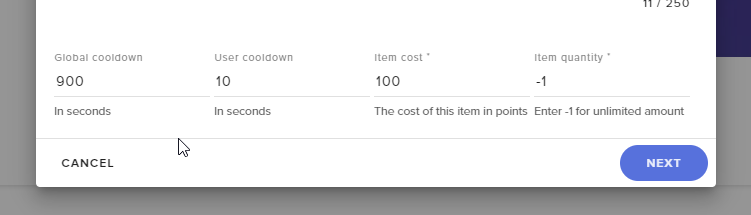


 lament blade
Global cooldown is for everyone, whereas user cooldown is for user only
steel talon
So Global cooldown overwrites User Cooldown
?
If i set global i dont need user or do i missunderstand
Damn that was the worst englisch i ever created
😄
wary halo
yeah that should be the case
lament blade
I' d say it works like that but im asking it to be sure
 mighty cipher
Howdy. Is there any way to create a video "ad". I mean I use Radeon Relive to stream and a streamelements layer (alerts etc). but I have a fancy tiny video that I want to play time to time or trigered by any way.
dry hare
You can add a media source to your stream “canvas”
 rotund jay
ok yall - Couple of quick questions
- Is there a way to setup certain ranks for users like other bots do? I.E. once someone watches for x hours, they become a "regular", y hours gets you "Upgraded" rank, z hours gets you "even higher upgraded" rank?
- Is there a way to keep certain users from appearing in the Loyalty Leaderboard - I see bots and other known bots that show up in the list and I'd like to keep them from showing, if possible.
dry hare
- Not currently
- Loyalty Settings at the very bottom has a section to put ignored users who won't earn currency.
mighty cipher
Hi @dry hare thanks for the help, I've already tried to add the media source, but the options are to play one (only play when I start the livestream) or play in a loop. I was trying to figure out if there's a way or html code to play once every 30 minutes. So far I see that streamelements does not have that option, so trying to figure out if there's a way to do it. My goal it is to do something like loots, but with my vid instead. thanks again
dry hare
I set mine somewhere
lemme check
I did an asset rotator
It might kick off when you first switch to the scene, but it should delay the second rotation
fleet meteor
oh i just noticed i posted my question to the wrong channel...
mighty cipher
wow, the slideshow? let me check. Aww. Oh boy in front of my face @dry hare Thanks a LOT!!!
dry hare
not a problem. It should work for what you're looking to do. Make sure the video is in webm format as it's the most compatible and plays the best 😄
mighty cipher
@dry hare thanks again. Yes I have both formats mp4 and webm and I know mp4 can be tricky to play as a layer. So I'm testing 1800 second = 30 minutes on the option "Time before history repeats itself (in seconds)". this is what I was looking for thanks again!!!!!!!!!!
dry hare
not a problem! glad I was able to help!
 white lintel
How do I remove emotes from the Kappagen widget that are no longer being used in my ffz/bttv/ channel emotes
twin sentinel
Make sure the default command !emotes is enabled and type !emotes update in your chat. After that reload your overlays.
white lintel
Hmmm yeah that is up to date.
Although when I am in the overlay editor editing the Kapapgen widget, I can't deselect ffz/bttv emotes I had in the past, you know what I mean?
twin sentinel
I am not that savy with the BTTV and FFZ emotes in the kappagen widget. Maybe another support has any ideas.
@white lintel What browser are you using?
white lintel
Google Chrome Version 76.0.3809.132 (Official Build) (64-bit)
twin sentinel
asking internally about your issue.
so when you disable one bttv emote, it not gets disabled, or is the new emote not shown in the list even after !emotes update?
white lintel
Everything is updated, Kappagen just has old emotes that I removed a while ago from ffz
Thus they dont show up in the "Select Emotes" menu in the Overlay edtor, which also means that I can't unselect the old emotes.
real escarp
@white lintel can i DM you
white lintel
With pleasure
real escarp
@white lintel are you good?
 shut oriole
I'm getting the 404 page error on my chat stats on stream elements. I stream on twitch. I changed my name recently, but I parted and re joined the channel and everything works except that page