#helpdesk-twitch
1 messages · Page 485 of 1
 sly bough
 dry hare
So I'm trying to trigger a "set" of commands using keywords, but they aren't triggering. I want the last few words of the first command to trigger the second command potentially up to 3 different commands. Is that possible?
 strong kernel
Commands cannot trigger other commands.
 lament blade
Hey guys, I donno if this is possible. I want a little clip to play when people say "Hello" in chat. Is there a way to make an overlay like that?
 atomic summit
Hello, I am having trouble with my watchtime command. It always says 0 seconds.
strong kernel
Watchtime is tied to Loyalty. You need to enable the Loyalty system before watchtime will start counting up from 0.
lament blade
Hello! Is there a way to set up a custom greeting (with sound/image) for when a specific person speaks for the first time in chat? If so, how?
strong kernel
It is not a retroactive system. Turning on Loyalty will not suddenly change peoples' watchtime from 0. Everyone must begin accumulating from 0.
lament blade
First time that session*
strong kernel
@lament blade The minimum amount of activity required for the bot to act is a follow. There is no way to trigger a message for a first message per session.
lament blade
Thanks, it's the only reason I'm still holding onto my Streamlabs bot sadly
Trying to get away from that
atomic summit
@strong kernel I have loyalty system enabled now what do I do
strong kernel
@atomic summit Nothing. It will count up every 10 minutes while you are live.
atomic summit
@strong kernel So just wait 10 minutes and it will start working
strong kernel
If you're live, after 10 minutes, people will have 10 minutes of watchtime.
If you're not live, it will not go up.
atomic summit
I think I have it I will come back if I don't
strong kernel
To reiterate: it is not a retroactive system.
 hushed nimbus
im tryiong to get good streaming on twitch before i start doing facebook..../...im still have a variety of
 subtle fable
I'm trying to use Ground Control 1.3.2 for Mac, and I can't get anything other than a grey screen where notifications should be.
hushed nimbus
why doesnt tippee stream the extentsion have any links to their webste?
so frustrating
and ive downloaded ground control AND OBS LIVE BUT ONLY THE DOWNLOAD IS LINKED FOR BOTH ON STREAM,ING ELEMENTS
NOT COMPLAINING, JUST LETTing you klnow itys inconventient
strong kernel
I'm not sure I understand what you're explaining here.
subtle fable
This is what I see when I try to use Ground Control. The settings section works, but I don't see any notifications or alerts here.
hushed nimbus
yeah i habvent used groumnd comntrol once
but downloaded it multiple times
not certain why i needxcd it
 kind iron
Have you tried running as admin? (Not sure if Mac has that option)
hushed nimbus
but i keep trying to activate it and tip[pee stream aND OBS LIVE AND GROUND CONTROL
subtle fable
Mac doesn't have that option. It worked up until at least a month ago. I took a break from streaming and came back today to find it like this.
kind iron
Have you tried uninstalling and reinstalling?
I know it works when the obs plugin acts up
subtle fable
Yep. I'm working on a fresh install right now.
strong kernel
@subtle fable Ground Control for Mac hasn't been updated since we changed the activity feed, so it's behind and not entirely functioning at the moment.
subtle fable
Oh. Great. just like literally everything else for mac. Awesome.
kind iron
I’m sorry 
subtle fable
No OBS live, no bot support, and now, Ground Control has stopped working.
 vast oriole
hello: is their a way to !give everyone points?
strong kernel
@vast oriole !addpoints all ###
Only adds points to people present in your chat at that moment.
vast oriole
Ah. Is there one for giving all followers?
strong kernel
No, only for people present in chat.
 small crater
Hey guys so I’m trying to get my overlay to work but every time i copy it into obs it cuts it in half pretty much
 nocturne pelicanBOT
@small crater To add your overlays to OBS, add a new browser source in your scene. Paste your overlay URL in the browser source properties, set the dimensions to 1920x1080 (unless you changed them on the website), and ☑ “Shutdown source when not visible” https://youtu.be/KDvLynUqXI4
 south pewter
my !watchtime. wont work for me
strong kernel
@south pewter Loyalty needs to be enabled for watchtime to begin counting up.
south pewter
i have it enabled
strong kernel
What's the behavior you're seeing then?
strong kernel
When did you enable it?
south pewter
i have it enabled right now
strong kernel
It doesn't suddenly retroactively apply watchtime.
It starts from 0 for everyone from the moment you enable it.
strong kernel
"Since the start" doesn't matter.
south pewter
im live right now and before i started i made sure it was enabled
strong kernel
Twitch doesn't keep track and doesn't send a history, nor can we get a history of watchtime.
It counts every 10 minutes and it appears it's only been 8.
 analog forge
Hello, how to i change my bot name?
strong kernel
In OBS.Live or Ground Control?
analog forge
OBS.Live
strong kernel
Look in pinned messages in #helpdesk-selive
analog forge
Thank you!
 misty kestrel
how do you stop the default little "ding" that goes off everytime theres an action that happens like a sub or follow. i just want it to play my uploaded sound only.
 wheat tartan
How do you name the bot
 zenith widget
@misty kestrel check variations
nocturne pelicanBOT
@wheat tartan Custom bot name requirements
- StreamElements bot modded and in chat
- Active overlay with alerts
- StreamElements tipping page in the panels below the stream (!panels)
- OBS.Live or Ground Control open
- Create a twitch account for the name you want to use or run the bot under your own name
- Custom bot name doesn't work on Mac
 sour cedar
why cant i change the image on my follow alert or any alert, and same with the audio?
zenith widget
what browser are you using?
sour cedar
firefox
zenith widget
I would suggest to use Chrome
zenith widget
I don't see any images in the image gallery.
zenith widget
Are you using "set video" then?
sour cedar
it only gives me the opition to delete the video
zenith widget
Show me a screenshot
zenith widget
or save your current progress in the overlay
so that I can take a look at what you changed
 bright swallow
hey how do you put music in the background
zenith widget
@bright swallow What do you mean? Just play music from youtube/spotify/soundcloud/what-ever-you-usually-use
@sour cedar Don't worry about it 😉
sour cedar
kk thx
zenith widget
I would suggest to take a look at our Video tutorials here: https://www.youtube.com/playlist?list=PLCDDKlFdScbEwdx5AntcQIS1InkFJwHtv

YouTube
Need help? Check out our video guides, covering every feature in StreamElements.
it might help in the future 😃
bright swallow
also how do you go to the overlay to set it?
zenith widget
I would suggest to take a look at the overlay video guide in the playlist i just provided
bright swallow
ok thanks
 verbal warren
Does anyone know why my song request doesn’t work? I just activated the function today and it worked like for a minute
and after that the music stopped playing
I’ve tried lots of things and they didn’t work
zenith widget
do you have the auto play option on?
zenith widget
Do you have OBS?
verbal warren
But as soon as I activated and requested a song it started playing
After a minute it turned off and can’t make it sound again
Nope
 zenith flower
hi there, sorry to bother but can anyone help me changing the bot name on my channel?
nocturne pelicanBOT
@zenith flower Custom bot name requirements
- StreamElements bot modded and in chat
- Active overlay with alerts
- StreamElements tipping page in the panels below the stream (!panels)
- OBS.Live or Ground Control open
- Create a twitch account for the name you want to use or run the bot under your own name
- Custom bot name doesn't work on Mac
zenith widget
@verbal warren You usually need OBS to be able to capture the sound of music and play it on stream with your gameplay.
verbal warren
That’s weird, I mean I thought it would be like that but I at least gave it a shot, I swear the song played like a minute on my stream and even my followers heard it but thanks!
zenith widget
If you had speakers
and your microphone picked it up
sure
as for playing the next song - its working fine for me on your account
zenith flower
I meet all the requirements now, what I have to do now?
zenith widget
You either use Ground control or OBS.Live
verbal warren
Maybe it was that, but I had the headset on
zenith widget
theres a video for OBS.Live in #helpdesk-selive pinned messages
verbal warren
And I didn’t notice it was my mic 😦
zenith flower
im using ground control but there is no option for the bot name
zenith widget
restart GC
zenith flower
ok
zenith widget
The tipping link in the panel is not clickable so that might not work
zenith widget
restart as admin?
zenith flower
what you mean by that?
zenith flower
nope 😦
im using streamlabs OBS with a overlay of streamelements for the raid and host notifications, that count?
zenith widget
Your not on a mac
zenith flower
nope
zenith widget
only 2 things im thinking is, either remove the JWT token and add it again
or reinstall GC
zenith flower
ok, I´ll do both
nope 😦
the bot is mod, is on the channel, I added the overlay with 2 alerts, the tipping page is in the panels, the GO is open, is there anything more?
zenith widget
That should be it
unless you are on a linux or mac where the custom bot option won't work.
zenith flower
no, i´m not x)
zenith widget
if you did the last 2 suggestions
and still not working
then im not sure. restart pc as a last resort
else use OBS.Live
 glossy quail
Hey, at this moment what would be the easiest way of making your media request volume louder on stream but quiet for me? For using media request I have my browser always open during stream to actually make it work, should I change it for an app btw?
zenith widget
One way is via Voicemeter
This video is an in depth tutorial on how to setup VoiceMeeter Banana for Streaming to Twitch, Beam, or Hitbox with OBS or XSplit and having full Discord or ...
lament blade
how to setup the elgato dual pc?
zenith widget
lament blade
yeah lol thx... can't figure out how thats why I asked it here...
zenith widget
we do not know - best place to ask is Google
zenith flower
Is there any way to add ranks to te currency in streamelements bot?
nocturne pelicanBOT
Check out the StreamElements ideas board: https://strms.net/ideas. You'll be able to add ideas, upvote ideas you agree with, and track their progress with email notifications. Adding and upvoting ideas also helps the staff know which ideas should be prioritized so please take some time to upvote.
zenith widget
!ideas
 austere berry
Hi. i'm new to Streamelements trying to set things up. Been on Streamlabs until now, and my question is:
Streamlabs have something called Streamlabels, where you get for example most recent subscriber etc. Where can I find this in Streamelements?
zenith widget
Those are located in the overlay editor -> widgets on top
I suggest watching this video guide
 signal yoke
I'm having a bit of trouble setting up Chatbot Death Count Commands.
The commands that are working are:
!dead (Response) Sanno has been slain ${getcount <dead>} times O_o;
& !dead+ (Response) Sanno has been slain ${count <dead>} times now! ;_;
however,
!dead- and !resetdead with the commands ${count <name> +<step>} & ${count <name> <value>} respectively don't seem to function properly. Any advice?
zenith widget
You can have ${count <name> +10} but not ${count <name> 10} or ${count <name> -<dynamic value>}
signal yoke
Thank you so much, @zenith widget ~ That solved it
had to do & ${count <dead> 0} and ${count <name> -1}
 limber scaffold
Hello, any mods here?
 abstract sable
Hi im trying to have my subscriber alert on Streamelements as a certain gif but its stuck on default.
It wont changed to the gif I set it too, and its only a problem with the tipping and subs
limber scaffold
I have question about "Global cooldown" when trying to buy item for points. How long it is?
zenith widget
Its as long as you've set it
abstract sable
My gif doesn't show up now, neither the text nor the gif. but the sound is working
limber scaffold
I'm not a stremer, so i have to ask streamer?
zenith widget
yes
limber scaffold
k
zenith widget
@abstract sable Which overlay?
abstract sable
I dont know if you can see the message i sent you
and also the bit one doesn't change either nor the sound.
abstract sable
It should be the one that only says ALERTS
zenith widget
same thing applies for tips and cheers
but the cheer variations is the default bits gif
so if you want, you can either remove the variations or just change them
abstract sable
Okay, thank you so much for the info! I didn't know that before I thought there was none by default
nocturne pelicanBOT
@wise trail Welcome to the helpdesk! Please let us know how we can assist you today and a support volunteer or staff member will assist you as soon as they are available. Thank you for your patience.
 wise trail
those are my specs
and I want to run fortnite and stream smoothly
but I cant configure the right options
 eager meteor
Hi I need help with the watchtime command it always says imevoshock has spent 0 seconds watching blank
nocturne pelicanBOT
@eager meteor 10 minutes of watchtime are given to those in chat when the loyalty points are handed out (every 10 minutes). Therefore, loyalty must be enabled for watchtime to work properly. There is no direct link between watchtime and all-time points. It can’t be calculated from the amount of all-time points a user has because subs may earn points at a faster rate and !bonus all command increases all-time points for users in chat at that time. Giving points to a single user does NOT affect all-time, only when giving to all in chat.
eager meteor
Don’t understand I have loyalty enabled and still get 9 seconds
zenith widget
and you need to be online in order to get watchtime
eager meteor
zenith widget
hosting doesn't count
eager meteor
I’ve been in the stream
He’s only just started hosting 2 min ago
I was trying to fix the watchtime when he was streaming before
I think I’m doing something wrong
eager meteor
Ok will do
zenith widget
@wise trail There are guides on Google you can find on how to configure OBS for streaming.
We provide support and help with our tools and features.
 hot hollow
can i build a follower count using streamelements?
 elder sorrel
You can use the Total Followers Widget for Follow count @hot hollow
hot hollow
@elder sorrel so I can just build it inside a premade scene? 😃
elder sorrel
Not sure what you mean by build but yes if you mean by just adding it?
In the Overlay Editor for Streamelements you can click 'Widgets' -> Scroll down until you find Total Followers to add the Widget.
 north jungle
streamelements bot only say thanks to the new followers? (i mean you can replay it in streamelements)
 tight harness
Yes, only to new followers and you can replay old events as long as they show on the activity feed
 wise grail
New to stream elements, I have the basic set up and was wondering how you include your own animated screens, if its a type of gif or something like that, and how do you make and add your own custom widgets under a particular command. Thank you
 timber sail
Wanna add a command to use in my twitch streams, I need to create a discord command, but cannot see a template to create the command, please help
 gentle imp
@timber sail use this location https://streamelements.com/dashboard/bot/commands/custom
don't even need to use a template, just make a command !discord and enter the text you want + discord permanent invite link
timber sail
Thank you @gentle imp
gentle imp
@wise grail you can use premade themes which also include animated ones, check it out here https://streamelements.com/dashboard/themes
if you want to use your own, start a new overlay, add alertbox then edit each alert to include sounds/images you want
 hexed delta
Isnt it possible to add a command in streamelements bot that playes a soundfile? I see streamlabs chatbot got this😭
lament blade
hi any advice on getting custom stream set up by an profesional?
 ionic kelp
Am I missing something that would show frankerfacez emotes in the chat overlay or is it not possible atm?
 stone fox
@everyone is there some here who could help me with setting up the basics of my stream and knows there way around a computer. i have made my overlays but i do not know how to start stream with obs.live
ionic kelp
@stone fox There's a reason that's disabled. You might have better luck in #helpdesk-selive as well.
stone fox
@ionic kelp whats disabled?
ionic kelp
the everyone ping.
ionic kelp
Click on the channel I mentioned.
stone fox
ok thx
 heady knot
im getting a 404 when trying to view my chat stats
 oblique steeple
Did you change your name recently? If so, what's your old and new name?
heady knot
oldname was immortal_fates and new one is theimmortalfate
oblique steeple
I forwarded it to the team. We'll get back to you as soon as it's fixed. ^^
heady knot
thank you so much!
oblique steeple
@heady knot Okay so small problem here:
It seems like you changed your name a few times without letting us know. The chat stats page always has to get fixed by hand. This means that your old progress did not get saved. Your active chat stats page was under the name "fate_gaming_lp". We now transferred the page to https://stats.streamelements.com/c/theimmortalfate, but there's no activity if yo know what I mean. :/
 steel shadow
Streamelements isnt in my chat i've unmodded it and re-modded it but its not working
elder sorrel
Did you join the bot in the Streamelements dashboard?
If it's joined already: part the bot & have it join again.
@steel shadow
steel shadow
Thank you mate that worked
oblique steeple
No it's not. It's fully working atm, but if you wanna change your name in the future, please let us know 😄
 median yarrow
Hey stream elements isnt showing hosts/raids in chat when its enabled
nocturne pelicanBOT
@median yarrow Due to changes to Twitch API, we have filtered out hosts and will only show these ones on your activity feed:
- All manual host events (0 hosts included and if filter set to 0)
- All hosts coming from an online channel. If the hosting channel has been offline, we do not show it
- All auto host events with at least 1 viewer
Note: An offline host is when you see "X channel has just hosted you" - with no viewer numbers on the back
 atomic silo
Heyy, If I create an account and I assign the streamelements bot to use that account (effectively changing the name) then can that back fire in any way?
Also am I required to be logged on on that account or something like this? 
 nocturne wave
someone is trying to donate to me but they keep getting the error "seller Restriction" ?
tight harness
@atomic silo Backfire how? not sure what you have in mind
atomic silo
like does it automatically transfer all my settings or could I lose some stuff with it? @tight harness also i'm curious if it'd work with me just creating an account for it
tight harness
Your settings will be fine, you don't need to do anything there. You will need to make sure that the new account you made is subbed to have access to your sub emotes, that's pretty much it. You make an account and then follow these instructions ->
!rename
nocturne pelicanBOT
Custom bot name requirements
- StreamElements bot modded and in chat
- Active overlay with alerts
- StreamElements tipping page in the panels below the stream (!panels)
- OBS.Live or Ground Control open
- Create a twitch account for the name you want to use or run the bot under your own name
- Custom bot name doesn't work on Mac
median yarrow
i am trying to repeat a host notification and its going through
 shell magnet
just had an update fail, any way to sort this?
 oblique marsh
So im trying to create a !Charity command in my commands section for Stream Elements, Everytime I go to submit and create it, it tells me I already have a !charity command. But when I organize my commands in order, It doesnt exist.
Help Please. I need this up and running for my charity drive.
nocturne pelicanBOT
@oblique marsh Follow these steps to grant managers/moderators access to your dashboard:
- Click on your Channel Name at the top of the dashboard and select Settings
- Create a new invite at one of three access levels (Bot Supervisor, Editor, Full Control)
- Send this invite to a mod/manager to give them access to your dashboard. The link is one-time-use and expires after 72 hours if not accepted
Video tutorial: https://youtu.be/zl_h-ttZDF0
 jade remnant
can you pm me the link please
i will take a look
@shell magnet what obs version (top left) and what obs.live (bottom right) are you on
shell magnet
Obs 23.2.1 64 bit
Obs.live 19.6.26.414
Do I need to update obs first?
@jade remnant
jade remnant
obs is up to date, for obs.live best to go to the SE website and download the plugin from there.
in obs go to streamelements > check for updates, if there isnt an update youre fine, if there is then follow above
shell magnet
Thanks alot
median yarrow
i am trying to repeat a host notification and its going through
oblique marsh
Um, I need to give myself access as a manager to my own channel to fix the command that isnt there?
elder sorrel
I think he was asking to make him an manager to check @oblique marsh
elder sorrel
He left but I believe it's occurring because I believe there's an alias for the same command.
Going to check real quick 
oblique marsh
Yea i went to DM him and it says i cant because of privacy settings o.O
I have a invite link ready if you need it,
elder sorrel
Yep! Can DM me it 
 near pagoda
How do I upload a overlay to my console stream I'm doing the setup on my phone
ionic kelp
unless the stream is captured with something on desktop you can't.
near pagoda
Oh ok thx
 sudden sable
Hey everyone, i am new to the streaming community and i am having problems trying to add the right source to where i can stream my games through twitch. I had downloaded OBS. Any tips would be greatly appreciated.
elder sorrel
@sudden sable The Source would be Game Capture.
Your game will need to be on to be able to select it in the properties.
sudden sable
I feel so dumb but do i need to add the game as the title?
elder sorrel
For the Source Title in OBS? You don't have to. Renaming the source is up to you for organization.
sudden sable
OK. will i have to add a new source for each game that i decide to stream?
elder sorrel
It's best to keep it at 1 game capture source & just change the game in the properties.
sudden sable
Thank you so much for helping me.
 lyric pivot
Hello! I am working with the StreamElements OBS.live app on my PC and it is no longer responding to my attempts to test the widgets through the website. Is there a way to resynch these at all?
tight harness
@lyric pivot Do you see the tickbox within the alert emulator? is it ticked or unticked currently?
lyric pivot
😃 I should have come here hours ago!
sadly, that isn't a very obvious button but it works now. thank you very much!
tight harness

 grand basalt
How do I make the tip goal just for the current session. Right now it's counting every tip I've received
tight harness
@grand basalt You can reset it at Activity Feed > Widget Data > Goals, you can do this as often as you like
 queen cave
Hello. I'm trying to set up Streamelements so that the bot will use my name and I won't have to keep gifting subs to it to makes slots look good. Could someone assist please?
 twin sentinel
Do you use OBS.Live?
queen cave
no
i was told it could be setup using ground control, but I can't seem to get it setup properly
also, im currently using XSplit
twin sentinel
Do you see the custom bot name field in GroundControl?
queen cave
no
twin sentinel
Then most likely you do not fulfill the requirements.
nocturne pelicanBOT
Custom bot name requirements
- StreamElements bot modded and in chat
- Active overlay with alerts
- StreamElements tipping page in the panels below the stream (!panels)
- OBS.Live or Ground Control open
- Create a twitch account for the name you want to use or run the bot under your own name
- Custom bot name doesn't work on Mac
analog forge
How do i reset a follower goal on the widgets in overlay editor?
twin sentinel
https://streamelements.com/dashboard/session -> goals tab
elder sorrel
Sounds like you got stream delay either enabled on twitch and/or OBS @pliant tree
queen cave
I've done all of the steps mentioned above, but still dont see the setting to change the bot name
in ground control
 pliant tree
ok
cool
oh also when i minizie my game in OBS
it pauses automatically
i was looking at getting capture card
but i dont think that will fix it
elder sorrel
@queen cave Why not use OBS.Live? Are you using a MAC?
@pliant tree If you're playing a Full screen game. It will do that.
pliant tree
ah right
queen cave
I'm just more comfortable with XSplit, plus i have the lifetime license so I'm getting my money's worth.
Streamelements.OBS gave me hiccups at a time
elder sorrel
I haven't used Ground Control in awhile, Slim. Not sure if it has to deal with your Tip though in your panels?
pliant tree
its not keeping up with me
elder sorrel
As I see the link. Not sure if a image is required as well.
twin sentinel
@queen cave - StreamElements tipping page in the panels below the stream (!panels)
!panels
nocturne pelicanBOT
Twitch's official help guide for Panels: https://help.twitch.tv/customer/portal/articles/2416760-how-to-edit-info-panels
queen cave
I did that and checked and it confirmed it was there
queen cave
if you have time you can check my stream to verify
its my name but with "The" in front
pliant tree
NVIDIA GeForce GTX 960
RAM DDR4 8GB
ASRock H110M-HDV R3.0 Intel Motherboard
AvP Hyperion EV33W Cube Mini Tower Case - WHITE
are these good enought to stream
twin sentinel
@queen cave This is not meant by create a panel. You need to make it a link to the picture.
analog forge
yes @pliant tree more ram more usage for streaming
analog forge
have you changed your obs settings for low latency?
analog forge
yes.
analog forge
yea, those can be expansive
pliant tree
but not always needed
analog forge

In this video I show you how to tune OBS to use the Ultra Low Latency option that has recently been added to YouTube for live streaming. With Ultra Low Laten...
oblique steeple
Please don't follow any unofficial guides on YouTube, especially if they're old like that one.
oblique steeple
Just skipped through the vid and the settings are bullshit. Good luck with that.
queen cave
ok i just added an image and made it link to streamelements tip
pliant tree
hmm how to fix this
analog forge
@pliant tree the video will always be at least 2-3 seconds behind. with your rig.
pliant tree
ah
but when i watch poeples streams they always sync
G
AH
Do i need upgradd
grade
oblique steeple
It's not possible to have zero latency on twitch
analog forge
those streamers have at least a 2 second delay.
pliant tree
ah
oblique steeple
There's always a delay of at least 1-2 seconds. That's how RTMP works. If you wanna have next to zero latency, you have to stream to Mixer and use their FTL method.
pliant tree
when you watch them live how do they pull it off
they playing games while chatting at same time
oblique steeple
Counter question: How do you know they have no delay?
 slate hinge
I was told there was some info on the chatbot and how to get it to do a sequence of timed announcements instead of each being individual. Can someone point me in the right direction?
queen cave
OK so the bot name change is now visible, but when I test it still uses the Streamelements bot name
oblique steeple
You can enable Twitch low latency mode to go from 5+ seconds to about 1-2 seconds but there's no chance to remove the delay completely. Here's the option: https://www.twitch.tv/dashboard/settings @pliant tree
twin sentinel
@queen cave Have you create an Oauth token for your channel name and entered this with your channel name in the fields for the custom bot name?
queen cave
yes
oblique steeple
You do not
Please... trust me. You cannot stream without delay to Twitch. That's how RTMP works
twin sentinel
@queen cave This is maybe a more detailed description: https://discordapp.com/channels/141203863863558144/199460642975907840/424079173158699008
wise grail
@gentle imp Thank you 😃
queen cave
It finally worked! I had to enter the token first, then type the username and restart
thank you everyone
 covert rapids
just a quick question about the auto tweet feature, if you tag something as if it were a normal twitter post, will it actually tag or will it just be regular text?
lament blade
Hello I want to tip someone but I'm wondering what percent goes to the streamer
oblique steeple
Do you already have an StreamElements account? If so: https://streamelements.com/dashboard/tipping/fees
strong kernel
The important thing to note is StreamElements does not take a cut of tips.
lament blade
So they get the full amount?
strong kernel
What isn't charged by the payment processor to process the payment, yeah.
PayPal for example charges 2.9%+$0.30 of the tip.
lament blade
What's the highest I would find
Just I want to give them at least a specific amount after processing fees
strong kernel
If you're for example tipping $13.37 through PayPal, the meme amount will appear in alerts, and the fee is applied off-screen and the streamer would get like... $12.68 or something.
 inland nest
Does anyone know how to stream mobile or Switch games on Twitch?
 mint ginkgo
Hello. How can I activate tips with paysafecard? I don't have in my account! 😦
strong kernel
That's done through SE.Pay.
strong kernel
SE.Pay unfortunately isn't available in Romania at this time.
mint ginkgo
ooof...........
 high lintel
i cant see my gameplay in my stream, im new to this, help?
strong kernel

OBS.Live | Open Broadcaster Software Streaming Knowledge Base
lament blade
I noticed today that my stream elements bot wasn't recognizing hosts (at all) I've got my alerts turned on, but it's not catching them. It is getting bits and follows, but nothing else.
Is there a feature not turned on or something? It noticed them the other day and I've not changed anything.
high lintel
i followed the setup guide and it didnt fix it
 median panther
Does anyone know how to turn a clip, from my channel, into an audio file to which I can use as my alert sound?
lament blade
@median panther if you have Filmora Wondershare, Xsplit or another video maker you can add the clip to it and separate the audio from the video
Then save it as an MP3
median panther
Alright thank you for this!
I found Something called Clip Ninja, would that also work?
lament blade
No idea, I use Filmora personally as I do a lot of movies and videos
median panther
Ah, I see. Thank you
 cedar fiber
Not quite sure where to place this, but it's in reference to the Stream Elements extension. Is there a way to see Chat Stats for specific weeks/months? Or is it only all-time?
nocturne pelicanBOT
@lament blade Due to changes to Twitch API, we have filtered out hosts and will only show these ones on your activity feed:
- All manual host events (0 hosts included and if filter set to 0)
- All hosts coming from an online channel. If the hosting channel has been offline, we do not show it
- All auto host events with at least 1 viewer
Note: An offline host is when you see "X channel has just hosted you" - with no viewer numbers on the back
strong kernel
@cedar fiber All-time only.
cedar fiber
Darn, ok thank you!
 drifting crater
I'm trying to add stream labels to my overlay and I noticed there is a section for Animation Settings in the sidebar. They don't appear to be working for me regardless of which animation/duration I choose. Any advice? Is this not functional?
strong kernel
Enter and exit animations don't apply to plain text widgets like Latest subscriber as they never enter or exit, they just stay there.
drifting crater
Oh okay. Seems kind of strange that they would be there at all then. Thanks for the response!
strong kernel
They're generic settings available on all widgets.
 lapis epoch
hey ho, thanxs for youre great tipping solution. i want to change from tipee to you but i have one problem .. i importet the top donations two time ... and now the tips have doubled ... is it possible to reset this?
strong kernel
No simple way, no. Gotta go through and delete the duplicates.
lapis epoch
under tipping list?
strong kernel
Revenue history.
lapis epoch
try my best .. thx for help
is it possible to reset also top-tippers? because deleted one to test it, but no changes
 carmine sparrow
I want to give points to everyone online now on my channel. How do I do that? In the classification frame requires to enter a name.
strong kernel
!addpoints all ###
 cunning sparrow
How do I give access to the bot for Spotify?
nocturne pelicanBOT
@cunning sparrow Spotify has kindly asked us to disable our integration with them, so we complied. This means that the Spotify integration has been removed and the "Now Playing" widget no longer has it as an option.
 turbid hedge
hello
cunning sparrow
Ah... That's a bummer.
nocturne pelicanBOT
@turbid hedge Welcome to the helpdesk! Please let us know how we can assist you today and a support volunteer or staff member will assist you as soon as they are available. Thank you for your patience.
strong kernel
We can't support SLOBS, we're not Streamlabs.
strong kernel
Nope. We'll always recommend OBS Studio with our plugin, OBS.Live.
 cinder olive
@zenith widget
So you can change the value now to higher than 6k
But in chat still doesnt work
nvm changed !sraffle instead of !raffle carry on
misty kestrel
Okay, so importing basically anything from streamlabs hs been a joke, everything just errors out. literally everything lol. ffs
no commands, no currency, no ranks, no timers, no qoutes, no scenes, no sources, nothing.
strong kernel
If you're using the Chrome extension, have one tab open and logged in to SL, one tab open and logged into SE, and then run it.
strong kernel
For points, Chinese characters occasionally will error it out, so removing those lines will resolve that.
misty kestrel
having to put everything in by hand again is going to take dayyyysssss
strong kernel
Commands and timers are on a separate sheet and should give no issue.
misty kestrel
commands unfortuantely give an issue everytime i try
the currency supposedly uploaded
strong kernel
So look in your leaderboard for those.
misty kestrel
nothing 😕 19 random users ive never heard of, all assigned 250 points.
lemme try again
strong kernel
Did you open the csv and look inside?
misty kestrel
says successful instantly, then nothing updates in leaderboard
strong kernel
Open the csv and look at what actually exported from their program.
misty kestrel
i legit don't get it. like it shows the correct currency in the bot but refuses to export it, i know its not you guys, but god damn this shit is frustrating.
literally exports everything else but currency , dumbest thing ive ever seen
now would there be a reason the commands list would fail?
strong kernel
So that's because they started running points through their extension instead of their local bot program a while back.
And they don't have an export for those points.
misty kestrel
now would there be a reason the commands list would fail?
strong kernel
Not that I can think of. I'd have to see the file.
Odd characters maybe?
Start by deleting all the sound commands without responses. Our system requires responses for commands and handle sounds in a different way.
misty kestrel
gonna work on that, the trick of having one streamlabs and one stream elements window open isnt working, it just continues to error out 😕
strong kernel
Try it incognito, could be another extension arguing or something.
misty kestrel
its not that big of a deal, its just tips and alert box, but im not using the old alert box, so its fine
Thanks for your help, I'll continue this shit show tomorrow. Thanks again
 analog hawk
hello ya'll, the alerts are not working? Browser source is in the obs-studio, not even the test alerts are working :/ help pls 😮
please can some1 confirm that alerts are broken atm?
 wise sundial
Hey @analog hawk was just about to come and ask the same thing, i've just made the switch from streamlabs to stream elements and it seems that none of my alerts are working thankfully this isnt just an issue on my end
 sly girder
Hey guys, I have been trying to set up my custom chatbot. I have got it working but everytime I use a chat command it post multiple times (12 to be exact). Whats happening and how can I fix it?
 spare knoll
hey so i want to know how to add an command from twich chat it self as a mod
analog hawk
@wise sundial ye man :/ I hope this is getting fixed soon :/
wise sundial
Yeah its pretty annoying but im sure it'll be fixed soon 😃
nocturne pelicanBOT
@spare knoll You can make changes to custom commands in chat with!command add/remove/edit/options/show Valid flags for !cmd options are: -cd (number) -usercd (number) -cost (number) -level (number) -type (say, whisper or reply) -count (number). --- Example: !cmd options twitter -usercd 60 -type reply -level 250
zenith widget
!alerts
nocturne pelicanBOT
You can test Alerts via the bell on the lower right corner of the Overlay Editor. Simply go to your Dashboard -> My Overlays -> Pencil/edit button on the overlay. Make sure the "Show Emulated events on stream" option is on to see the alert in OBS/Xsplit https://streamable.com/h6qgy
 zenith widget
@wise sundial @analog hawk ⏫
@sly girder turn off groine control ne then open yask manager and kill all bot.exe
analog hawk
i tested them @zenith widget they dont pop off :/
analog hawk
If i press on emulate event, it doesnt do anything :/ @zenith widget
sly girder
@zenith widget cheers bud worked a treat
zenith widget
Even in the editor?
analog hawk
@zenith widget yes
covert rapids
if you tag stuff in the auto tweet it shows up as an actual tag in the twitter post right?
lament blade
@zenith widget is there a way for alerts be different from twitch normal subs and twitch primes

zenith widget
@lament blade please check the other channel i pinged you
zenith widget
@covert rapids wdym?
analog hawk
@zenith widget it is changing on the editor, but my follow notification doesnt pop off nor the sound plays, it was fine before, worked like 2 hours ago
analog hawk
ok sry
zenith widget
I have to tag you all so you all know what im telling you differently
covert rapids
under the social media section for auto tweet going live and you put your message in, if i were to do #ffxiv will it do an actual tag or will it look normal like that?
zenith widget
I think twitter will convert it into a tag
@analog hawk i will take a look at your overlays im like 5-10 minutes
covert rapids
i kinda thought so but wasnt sure, thx
zenith widget
Im not sure my self as well
zenith widget
@analog hawk Do you even have this overlay added to your OBS?
Because the other 2 overlays do not have an alert widget.
 onyx geode
Hi can anyone help me on voice support
zenith widget
What is the issue? @onyx geode
onyx geode
Like i Started doing all this stuff and I’m still confused about it
zenith widget
YouTube
Need help? Check out our video guides, covering every feature in StreamElements.
We have plenty of video guides that can help you get started with our tools.
onyx geode
But is there a way to do like a 1 on 1 with someone
zenith widget
Im not available for a 1 on 1 session at the moment.
onyx geode
Oh ok
 gilded otter
I'm aware of the API changes to Twitch via search, I just want to get some things right. So only manual hosts from live channels will get a host notification now? Or will a manual host from online/offline still push through? Also, is there soon to be a fix for this or is it going to just stay this way?
zenith widget
offline channels that host/raid won't get a notification from us.
As far as I know, we are not getting the offline event.
Or we are getting it, but we are by default filtering it out, because it does not come with a viewer amount.
which for us, look like an auto-host with 0 viewers, which we still filter to prevent spam.
gilded otter
I don't really understand the process behind ignoring hosts, whether small or large (I understand auto hosts), it doesn't make sense to not acknowledge support given. I hope this changes soon, as it's a major deal for me and is almost enough to switch to a different streaming company.
zenith widget
When Twitch changed their API, everyone got spammed more then they should bave with 0 viewer hosts.
for a few days, before we changed it so we don't see specific host events, which affects 0 viewer hosts.
I can ask if we will have plans for this, but I doubt its even talked about.
gilded otter
Even if I change the number to 0 viewers it still doesn't show the support that people are given. It just doesn't make sense
zenith widget
If the host/raid comes in with a system message of "X channel has hosted you" - its a manual offline host.
no viewer amount in the event we receive, not showing it.
analog hawk
yes @zenith widget like the alerts were working fine before, it just stopped working
i have the link copied to a browser source in obs studio
nocturne pelicanBOT
@analog hawk Right click on the BrowserSource > Properties > Scroll down a bit > Refresh Cache of current page
gilded otter
Like I said, I get not showing auto hosts as a whole, but if someone /hosts me, whether they have viewers or not, and were live or offline, I should get something in my activity feed and they should get an alert, not doing so is basically like not acknowledging a sub or a raid, it ignores support to the streamer.
analog hawk
its just not working, why did it work before, but now it just doesnt work anymore? Like i had alerts going off just fine before, also i tried to reset the cache, didnt work :/ @zenith widget
 crimson basin
Does streamelemnts have the ability to play Gifs and sound bites after using commands??
zenith widget
Yes - with stream store items
crimson basin
Sweet
zenith widget
Steps to make a command trigger sound on stream:
- Go to Stream Store page here: https://streamelements.com/dashboard/store/items
- Add an item that has these settings on it:
- Stream Perk
- Loyalty settings to your desire
- (Next step) Add contents (image and/or sound you want to play)
- "Redeeming this item shows an alert
- Redemable via chat
- Skip Requirements
- Get the item name/command from the 2nd creation page
- Go to commands page here: https://streamelements.com/dashboard/bot/commands/custom
- Add command with desired name and have response for command as:
${redeem item_name_here} - Go to your overlays and edit the overlay you use.
- Click on "widgets" and add "Store redemptions" widget. Click save and you should be golden.
- Test your own command in chat and have OBS or editor open to hear sound
crimson basin
thanks bro
 glass drift
@zenith widget - that's actually easier than the steps I've previously found and was wondering if they were summed up somewhere - THANK YOU!
wise sundial
@zenith widget Hey man thanks for responding to my tweet, didnt realise i @'d stream elements but i managed to switch my alerts over i think, its just that now the follow alert video that plays is weirdly cropped
nocturne pelicanBOT
@wise sundial The default resolution for StreamElements overlays (theme and custom) is 1920x1080. Please add them in OBS at their full resolution and use CTRL+F to fit to screen if necessary. You can then downscale your stream in OBS settings > Video if you'd like https://i.imgur.com/6bWXxjR.png
 analog hawk
Yes, i did clear the cache @zenith widget It didnt do anything sadly :/
zenith widget
Im not talking about new scene
analog hawk
ye, well than i did that already
zenith widget
Removing the browser source that holds the overlay and adding it again?
analog hawk
i copied the link for the overlay, went into settings and removed that code, put the same code in again, which i copied from the Editor scene
zenith widget
So you right clicked the browser source, clicked on properties, removd the link in the properties and added it again?
Thats not what I meant.
REMOVE entirely the browser source
analog hawk
ok
zenith widget
and then add a fresh browser source with the link
analog hawk
so doing a complete new scene again right?
nocturne pelicanBOT
@analog hawk To add your overlays to OBS, add a new browser source in your scene. Paste your overlay URL in the browser source properties, set the dimensions to 1920x1080 (unless you changed them on the website), and ☑ “Shutdown source when not visible” https://youtu.be/KDvLynUqXI4
analog hawk
where do i get that link again for the follow alerts etc 😮 ?
zenith widget
Check the video
analog hawk
Isn't it that 1 link which says Overlay url`?
i did, well i copied that link and its giving me the same overlay i already have, but doesnt play the sounds anymore and the animated scenes i used before
Just to be clear, there is 1 link for all right? Like for overlays, for alerts etc
zenith widget
Did you click on this?
No - you have more then these 3 overlays
the one on the right holds your alert widget
the one on the left is the one with the labels
you can combine them
but the one on the left doesn't have an alert widget
analog hawk
i got it now
the alerts are back
but there is one more thing which i dont understand
why is my scene not updating on the recent follows etc...
it just froze, its on the squid overlay
 amber remnant
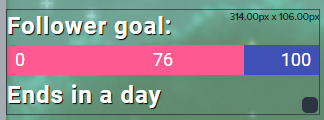
Anyone know why my Follower Goal won't display the correct amount of followers (192)? https://i.imgur.com/EMN3jZ1.png
 analog hawk
@amber remnant go to DATA and adjust it manually there 😄
amber remnant
@analog hawk I had no idea that tab gave you that control. Thank you very much Ultra, I appreciate it 😃
zenith widget
@analog hawk I don't understand what you mean its stuck on the squid overlay
wise sundial
@zenith widget Sorry for pinging you man but i cant seem to get my commands to work, copying them over from my streamlabs chatbot and adding them to the elements one doesnt get the commands to do anything
zenith widget
Well have you imported them?
wise sundial
Tried that yeah
Doesnt do anything
Wait let me try that again
Just says import failed
zenith widget
Import from where?
wise sundial
I backed up the streamlabs chat bot commands and tried to import them onto the stream elements website
I just imported them successfully but they dont show up under custom commands
analog hawk
I am in the editor right now Keizar and i copied the link and added it to a new browser source, it doesnt show my overlay in Obs-studio
like its not there idk XD
The one which says Squid Overlay, why can i not if i copy that link to the Browser Source, see that overlay in obs-studio, it worked before 😮
analog hawk
ok i got it now
after adding it a couple times it worked
do u know why it stopped working all of a sudden doe?
Like why did it randomly stop working D:
zenith widget
A) hard cached
B) The squid overlay has been edited 4 hours ago, so I might assume it had an alert widget and you removed it by accident and didn't notice until you started your stream maybe
analog hawk
hmm
zenith widget
@wise sundial DM me the file
analog hawk
anyway thx for the help again keizar, appreciate ur time! ❤
cinder olive
👀 instead of {1} to only grab the first word whats the variable to grab the entire message 🙄
twin sentinel
${1:}
cinder olive
@{user} changed the title to "${1:}"! to make a fake set title command 👀
zenith widget
He beat me to the punch  @cinder olive
cinder olive
👊 @zenith widget
zenith widget
that should work i think
but have it as " ${1:} "
instead of "${1:}"
just in case
and it should be ${sender}
not ${user}
cinder olive
PepeHands when you change the title to troll the streamer and actually cahnge the title
 cinder olive
i have now
zenith widget
quick maths...i mean quick fix 
cinder olive
bit late PepeHands
zenith widget
run 
cinder olive
 nova quest
I do a lot with pastebin and I was wondering if there is a way to make a command that will pit 2 users against each other.... kinda like this: theaussiedova (person typing) stands up and backhands deadpiratebrandon (random chatter) with a dead fist.... is there a way to do this?
cinder olive
${sender} stands up and backhands ${random.chatter} with a dead fist.... is there a way to do this?
if i understood correctly 👀
zenith widget
You didn't need to copy the last part of "is there a way to do this?" 
but yes thats the way to do this
cinder olive
was too lazyt o delete
zenith widget
!lazy
nocturne pelicanBOT
I'm a bot, only here to send helpful messages because the helpers are lazy.
cinder olive
dont complain im doin free work here 😢
 cinder olive
howcome ${user.lastseen} doesnt output anything if you are online PepeHands
zenith widget
What is it outputing if the user is there?
cinder olive
nothing
${sender}'s last message was "${user.lastmessage}" and they were last seen: ${user.lastseen} while last being active on ${user.lastactive} with an online time of ${user.time_online} and online rank of ${user.time_online_rank} with an offline time of ${user.time_offline} and offline rank of ${user.time_offline_rank}```output / input
cinder olive
make me 
zenith widget
Larrisa might not like me if I do
zenith widget
huh?
cinder olive
me covers blown
${user.lastactive} anyway to change this one to where if it says 'on' to like 'active now' 
zenith widget
Did the previous suggestion work?
cinder olive
yeye
zenith widget
did it add the quotes?
cinder olive
cinder olive
wouldnt the quotations go on the outside
cinder olive
ahh
im learning
${sender}'s last message was "${user.lastmessage}" and they were last seen: ${user.lastseen| "now" }, while last being active on: ${user.lastactive|"now"}, with an online time of ${user.time_online} and online rank of ${user.time_online_rank}, with offline time of ${user.time_offline} and offline rank of ${user.time_offline_rank}``` Pognow how do you make it so you can !stalk <user>
zenith widget
ooh well adjust it a bit to${user.lastactive| "now" }
instead of ${sender} do ${user}
${sender} defaults to the actual user of the command
cinder olive
Is there a pdf somewhere on all this 👀
zenith widget
while ${user} looks for !stalk @user
but if the @user is missing
it will default to the sender/actual user of the command
in my head 
cinder olive
start typing >:)
zenith widget

I mean it says it here
example being ${sender.points} - this means that you can use ${sender.lastseen} as well
but in this case you wan the user that is being used on
cinder olive
Well I mean stuff like | "now" } isnt on there i dont think
cinder olive
Yeye i realize that now but didnt know SE included it
zenith widget
its a bit touchy sometimes because you can do this:
${user|${1:}}
nova quest
@cinder olive is there a way to make a pastebin out of this so there are multiple different ones. I guess what I am trying to ask is will those commands work in pastebin
cinder olive
like.. export a bunch of different outputs randomly then export it to pastebin and save it?
I dont think you can do it by default in SE but you can make yourself a easy api with pastebin using $api_paste_code = 'text here' and $api_paste_private = '0' of the sort in php

 nova quest
will the SE commands work inside the pastebin is what I was wondering
grrrrr this is so hard to explain
 round void
Is anyone able to help me. Neither Twitch or StreamElements have notified me of 4 of my recent subs! They're not showing in either recent notification tabs. However if i go to my sub list in Twitch i can see the 4 new recent subs. Any help would be majorly appreciated as it looks really bad when im not thanking people who sub.
nocturne pelicanBOT
@round void Twitch prime (new and resub) and paid subscriptions (resub only) must be shared in chat manually by the person subscribing in order for the subscription information to be sent to StreamElements. For twitch prime, the user needs to have sharing enabled on https://www.twitch.tv/settings/prime. For paid subs, if the share box doesn't show up immediately it will when they refresh the page. https://i.imgur.com/VNJN0Uv.gif https://i.imgur.com/2297EA7.png

 round void
Okay thats very helpful thank you 😃
 onyx bane
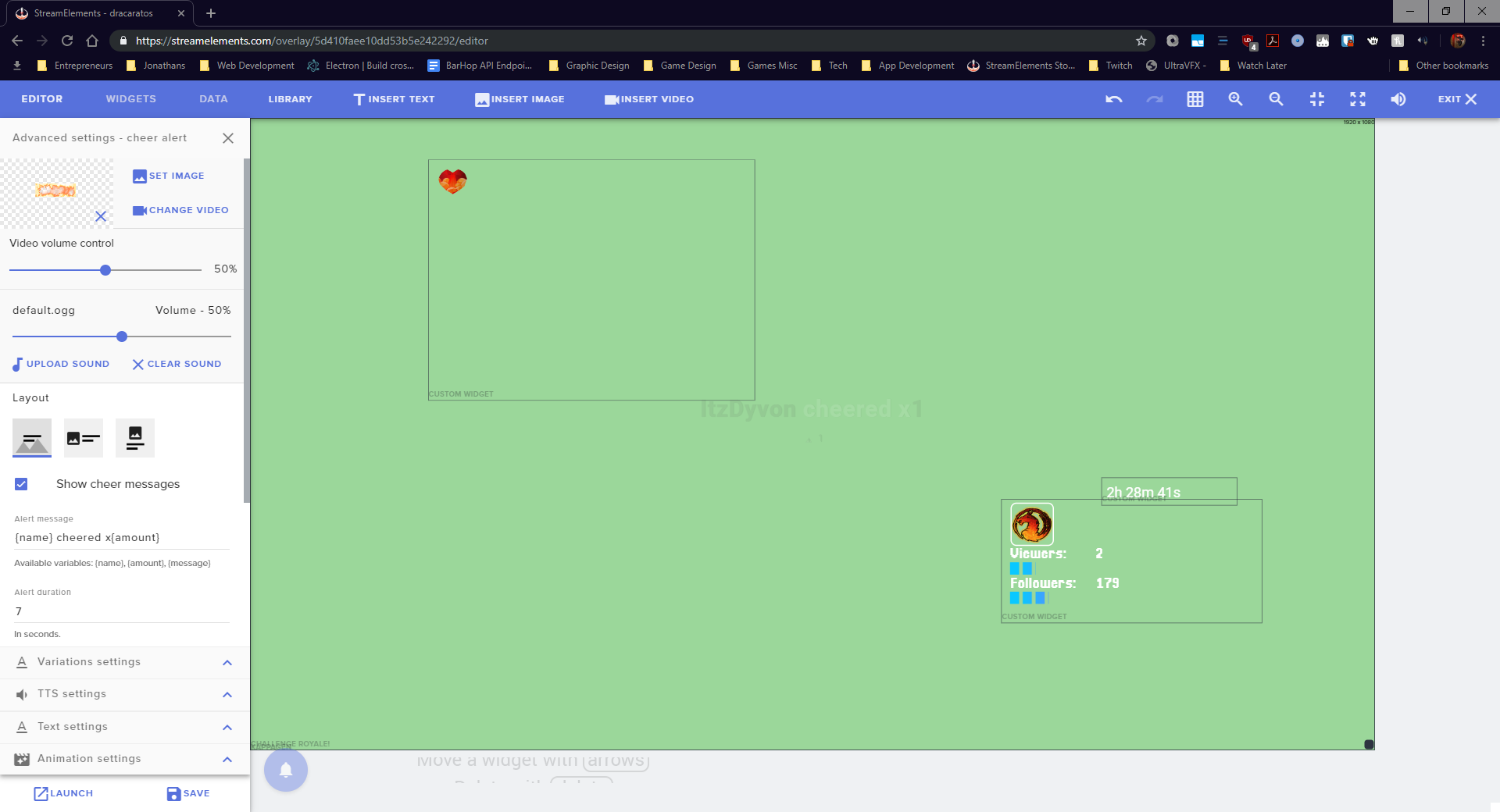
@zenith widget Hey so I changed all my alerts in my overlay and it shows the new ones on my overlay but none of them show
it shows default ones
nocturne pelicanBOT
@onyx bane Right click on the BrowserSource > Properties > Scroll down a bit > Refresh Cache of current page
onyx bane
I did 😦
twin sentinel
When you emulate a follow in the overlay editor, does it show the alert in the overlay editor and not the shark?
onyx bane
yes
twin sentinel
Please delete the overlay source in OBS and create a new browser source with the new url.
onyx bane
Okay
I just added a new browser source
still not working
Can I link it to you @zenith widget
zenith widget
First of all, I don't know why you have the challange royal widget copied over to all the overlays, when its best to use the original overlay and just use that as a browser soure
then copy and paste as reference the browser source to other scenes
onyx bane
I'm sorry 😦
zenith widget
2nd, your in-game overlay doesn't have an alert box
 wind flax
Guys pls. Why when i have in obs all setting on max quality + 7000bitrate. My stream have rly bad stream quality ?
zenith widget
@wind flax Lower the bitrate
onyx bane
@wind flax The max recommended bitrate by Twitch is 6000 kbps
zenith widget
Don't stream on 7k
 thanks
zenith widget
thanks
zenith widget
@onyx bane Check the variations of the sub alert or any alert that is giving you the default shark
@wind flax Lower it even more
wind flax
how many ?
zenith widget
@onyx bane Thats not what Im seeing.
@wind flax https://stream.twitch.tv/encoding/
I would strongly recommend streaming at 720p
wind flax
Okey i try stream on 720p
onyx bane
@zenith widget any reason why it wouldn't be updated?
 hollow wing
Hey! Im still waiting for my SE Pay acceptance - is there an ETA after 7 days?
onyx bane
 zenith widget
If you claim you have changed the alert variations and they are still the shark, you have not clicked on "save"
onyx bane
I have I promise
zenith widget
I don't even know what you are showing me
or trying to show me
@hollow wing Did you submit your info for SE.Pay?
zenith widget
If yes, then yes
hollow wing
@zenith widget yes last week, 7 days ago
zenith widget
wait 1 more day
@onyx bane Dude. Im entering your overlay, im looking at the variations. They are the default variations.
 slender ice
Im setting hours in your widget schedule and on the settings there it seems fine but my widget under the stream shows diffrent hours and days
and its like the 3rd time its happening to me
zenith widget
Please remove the link
no one can enter the link.
or rather it just links the extensions
onyx bane
@zenith widget I'm telling you that they are not the default on mine. I can reload them and they're different. I'm not a complete dunce
slender ice
its the link for my hours in the widget @zenith widget
zenith widget
Is this the overlay I need to take a look at?
zenith widget
@slender ice I see this
onyx bane
They're all supposed to be set to my newest addition to my library
slender ice
oh nevermind got it! @zenith widget thanks
zenith widget
@onyx bane Look at the video, very carefully.
zenith widget
Thats what I've been telling you - check variations
 toxic cave
oh hi, I am having trouble with the StreamElements bot. It suddenly stopped working last night. Is this the proper place to discuss that?
twin sentinel
What exactly stopped working last night? The chat commands, event announcements?
toxic cave
Everything. But it looks after I just parted the channel from the StreamElements dashboard it is working now
thanks for the help @twin sentinel !
onyx bane
@zenith widget is there a way for me to just apply it to all withoutvariations?
toxic cave
wow..I typed all that with haste. I 'parted' the bot from the StreamElements dashboard and rejoined it after I logged out and logged back in to the StreamElements dashboard.
toxic cave
works now!
onyx bane
I accidentally deleted them before editing like an idiot, do you know them or have a link top setting them up?
 amber granite
hi guys... my !addpoints command has suddenly stopped working? (its still enabled on 'chat commands')
twin sentinel
Have you set the command to use while online only by any chance?
 flat forge
Anyone got the API for !top online but that it deletes the Bots
amber granite
no? it wasnt working whil live last night which is how i noticed
zenith widget
@onyx bane adding the variation will take teh default settings and image/sounds from the main alert that you've changed.
@flat forge There isn't an API endpoint for editing the watchtime.
flat forge
Oh waw
amber granite
@twin sentinel it seems to be only the points thats not working - the other commands all work
 dawn lily
Hello
i am trying to change scene using my stream deck with streamelemets.live how do i do that ?
twin sentinel
Would you mind giving me a bot access to your streamelements bot? @amber granite
amber granite
sure @twin sentinel just let me know what you need me to do
nocturne pelicanBOT
@amber granite Follow these steps to grant managers/moderators access to your dashboard:
- Click on your Channel Name at the top of the dashboard and select Settings
- Create a new invite at one of three access levels (Bot Supervisor, Editor, Full Control)
- Send this invite to a mod/manager to give them access to your dashboard. The link is one-time-use and expires after 72 hours if not accepted
Video tutorial: https://youtu.be/zl_h-ttZDF0
twin sentinel
Please send me the link via DM.
dawn lily
When i press the button it doesnt change scene
amber granite
@twin sentinel done
onyx bane
@zenith widget any idea why that overlay element would be spiking my CPU?
twin sentinel
@amber granite Added you testwise to the super moderator status for your bot and removed you, but I doubt that has solved the problem. So I don't really know.
amber granite
seems to be working now @twin sentinel
twin sentinel
If this happens again, please let us know.

 lament blade
SO, not really sure how to go about asking for help with my stream settings in here, but is someone is able to assist, it would be wonderful to not have dropped frames
nocturne pelicanBOT
@lament blade Please provide a log from your last stream. To do this, in OBS go to Help > Log Files > Upload Last Log File and paste the link to the log file here.
lament blade
Heres the Log File https://obsproject.com/logs/elVNiwVYM_1jSE9Y
lament blade
thank you, going through the steps now. I'll let ya know how it goes
lament blade
@twin sentinel That was very helpful, a lot of the options of "Should do" we not done on my system. I'm going to run a test stream now, Ill let you know. Thankx again in advance.
hope that someone can help me with my dual pc setup with my Elgato :D
nocturne pelicanBOT
@lament blade For the best OBS support, please join their Official Discord @ discord.gg/obsproject
lament blade
just hoping there are some staff over here that use dual pc setup with elgaot
 dense kelp
I namechanged on Twitch now my streamelements chat and bot is stuck in the old channel name and I am not sure how to make it transfer to the new one.
tight harness
Click on Part Channel on the dashboard, click on Sign Out, sign back in and then click on Join Channel on the dashboard
dense kelp
Cheers m8
Ok so the bot joined now but my chat in Streamelements OBS is still not functional, any fix for that?
tight harness
Try going to StreamElements > Logout > log back in. Within OBS.Live I mean
 formal plaza
hi guys. i've isolated an issue that i've been having. My alerts don't work on stream but they do when i test alert in streamelements. i use streamlabs obs but ive switched everything to obs but having the same issue. i've copied the browser source and added it to my scene and the same issue. when i test it in stream elements it works on the overlay. but when i get a follower it doesnt. i'm desperate for help because i've tried everything 😦
nocturne pelicanBOT
@formal plaza We're not able to troubleshoot issues with using our overlays in StreamLabs OBS (SLOBS) as we don't have the tools to support their software. We recommend using OBS Studio or OBS Studio with our plugin OBS.Live.
formal plaza
i just tested with obs studio and the .live plug in
dense kelp
All my issues are solved now, thank you so much @tight harness
twin sentinel
@formal plaza When you test an alert and check the checkbox next to the emulation bell is it coming up in OBS Studio with our plugin OBS.Live?
formal plaza
yeah
thats what i don't understand. it works when i test but not when i actually get a follower. I don't always get the streamelements bot notification too but the bots in the channel and set as a mod
twin sentinel
Is it just for some follows here and there or is it for every follow?
formal plaza
I've only tested one today and nothing popped up, no "thank you for the follow" and no widgets
 nimble gale
Hey, on streamelements I have my old twitch name, is there a way to change it?
 rain crypt
Hi, Does the spotify integration no longer work? I can't find it anywhere and only just noticed its not working
formal plaza
ive sent you a recording of it working on obs @twin sentinel
nocturne pelicanBOT
@rain crypt Spotify has kindly asked us to disable our integration with them, so we complied. This means that the Spotify integration has been removed and the "Now Playing" widget no longer has it as an option.
nimble gale
This is my issue, where streamlabs has the old name while I have changed it.
oh I fixed the page title but its not changed on tippingpage
twin sentinel
@formal plaza Just followed your channel and got a follow notification in chat. So I would assume the alert is going off as well, when set up properly.
formal plaza
did you follow on 2? it popped up for one and worked fine. message , and the alert in obs worked
twin sentinel
junix followed.
formal plaza
yeah thats one that i got the notification for. I havn't changed anything though so thats really weird
twin sentinel
For followers there is an issue with twitch not sending us every follower here and there. Can you send your accountId please, so we can try to contact twitch?
nocturne pelicanBOT
@formal plaza Please provide your account ID found at the top of this page: https://streamelements.com/dashboard/account/channels This ID is public info and safe to share here.
twin sentinel
Thank you.
formal plaza
Thank you so much for the help. Hopefully it's all sorted . I'll let you know either way thanks again 😃
twin sentinel
@nimble gale Log out of the StreamElements dashboard and log back in please.
nimble gale
ok will do
it has not changed
OH I found it. no problem. it was just hard to find tipping page design setting
spare knoll
hey i want to make the tts sound only for more than 5 dollars how can i do it
jade remnant
@spare knoll you will need to make a variation for donations set to $5 and enable tts.
disable tts for that standard setting
nocturne pelicanBOT
@wind flax Please provide a log from your last stream. To do this, in OBS go to Help > Log Files > Upload Last Log File and paste the link to the log file here.
 gusty elm


 twin sentinel
rain crypt
twin sentinel
rain crypt
Hi again(sorry for all the questions), Is there any way to add a !clip command that will get the bot to clip the last 30 seconds and auto post the link to chat?
twin sentinel
@rain crypt There is a custom API for creating a clip, but it will not post it in chat: https://thefyrewire.com/docs/api/twitch/clips/#required-parameters
twin sentinel
You can copy the alertbox widget to another overlay by selecting the layer in the layers option in the lower left and select the two paters with the red dot above it.
spare knoll
ty
twin sentinel
Can you upload your current log too please.
wind flax
yep but its problem when i streaming now ?
twin sentinel
Would be best to stop the stream. get the log and post it here. then you can start the stream again.
twin sentinel
please do not restart OBS after you stopped the stream.
upload the current log please.
The log has the latest stream session with 1080p and 7000 bitrate. Please uplaod the current log file.
wind flax
C or L ?
twin sentinel
C
twin sentinel
Non-Default x264 Preset
A slower x264 preset than 'veryfast' is in use. It is recommended to leave this value on veryfast, as there are significant diminishing returns to setting it lower. It can also result in very poor gaming performance on the system if you're not using a 2 PC setup.
wind flax
Okey what i need make
twin sentinel
Best to use the simple mode, when you have no idea what you are doing. Also you can try the auto configuration wizard to find your best settings.
wind flax
Okey thanks i go try it and say you
 analog dagger
hey all, i cant seem to get TTS to speak for a specific variation of my subscriber alerts, any one know how i can resolve it?
twin sentinel
Do you want to have it for an months amount and above, or just that specific months amount?
twin sentinel
Disable Pick an alert randomly when more than one matches and create a variation where the month amount is set with at least and the TTS enabled.
analog dagger
ive done that...
nocturne pelicanBOT
Follow these steps to grant managers/moderators access to your dashboard:
- Click on your Channel Name at the top of the dashboard and select Settings
- Create a new invite at one of three access levels (Bot Supervisor, Editor, Full Control)
- Send this invite to a mod/manager to give them access to your dashboard. The link is one-time-use and expires after 72 hours if not accepted
Video tutorial: https://youtu.be/zl_h-ttZDF0
twin sentinel
Please DM me the editor link.
 tranquil pumice
question on emote overlays! I've noticed some animated BTTV emotes don't show up in the overlay. is there any way to add certain emotes or are some simply not supported? thanks in advance!
twin sentinel
@analog dagger The TTS is working fine for me. Be aware that you set a 10 second delay for TTS.
@tranquil pumice Make sure the !emotes default command is enabled in your bot and type !emotes update in your channel. This updates the emotes.
analog dagger
i did, because it wasnt playing with no setting there, so i made it 10 seconds but the tts wont play through obs
twin sentinel
Is the alert coming up in OBS when you emulate it at all?
analog dagger
the alert will come up fine and plays the sound however wont play the tts message
nocturne pelicanBOT
Right click on the BrowserSource > Properties > Scroll down a bit > Refresh Cache of current page
twin sentinel
Does the alert sound come up and then 10 sec later the TTS does not come up in the browser?
lament blade
I think I got my issues fixed, I am now just wondering if there is someone from Support staff that could assist me in checking my result?
twin sentinel
Hand in the latest log link with a stream and I will take a peak.
analog dagger
@twin sentinel correct
twin sentinel
What are you emulating exactly?
lament blade
@twin sentinel You want me to hand in a log or were you talking to somone else?
twin sentinel
@lament blade Though you searched for someone take a look at your log.
analog dagger
The subscriber variation alert
tranquil pumice
@twin sentinel thanks so much for your help!
 dawn dune
Hello, Not sure where to post this, but trying here.
my "Chatstats" in streamelements dashboard is throwing me a 404 error.
Is this working for anyone else or just me?
twin sentinel
@analog dagger How many months are you emulating?
@dawn dune What is your old twitch name and what is your new one? The chat stats have to be manually fixed by a staff after a name change.
analog dagger
i have tried 1-2-3
dawn dune
em, lol_aleko78 (old, if i dont remember wrong) and fruktsalat (new)
twin sentinel
@analog dagger There is set a minimum for TTS in the default alert.
analog dagger
ive removed that and still nothing
would it just be easier to delete the widget and readd it?
twin sentinel
You could try that.
analog dagger
😉
lament blade
Sorry it took a bit, here ya go https://obsproject.com/logs/-hjefbEECGsOzY_A
lament blade
already dealt with the capture interference, and I think I got it to be broadcasting video that isn't blurry
twin sentinel
You have in your Dark Matter Main scene a display capture and a game capture.
lament blade
Had, not have
twin sentinel
ok then.
lament blade
i just need a confirmation that its broadcasting clear, not blurry now, may I post my stream address?
twin sentinel
No, posting your stream address is considered self advertisement. Best to watch your vods, if the quality is what you are looking for. The log does not have any issues as far as I can see.
lament blade
ok, thank you, and glad I asked before posting it. Thank you for your help. do have a wonderful day!
twin sentinel
@dawn dune Your chat stats have been fixed.