#helpdesk-twitch
1 messages · Page 471 of 1
 scarlet tiger
 primal lichen
Might be in the wrong spot but where do i go to reset the dono goal? Was gonna make a new one but i forgot how to reset how much the old ones already got

 cedar lynx
@primal lichen go to Data > Goals in the editor
 rocky acorn
How do I send my money to paypal ?
 lapis python
OBS.live is just a white screen now from updating it...
 elder sorrel
Should also provide the option vice versa 🙂
Let's go to #helpdesk-selive @lapis python
 umbral jungle
He @tight harness Its taking soo long is that realy normal? i dont see that by differnt streamers
rocky acorn
I wanted to know how to send money from my streamelements to paypal not from paypal to my physical bank
 tight harness
Your tips were made through G2A Pay, so they're in your G2A Wallet, not StreamElements (we don't hold this money), this means that you have the options for withdrawal that they (G2A) offer
 opaque stream
Does anyone know how to fix the host alart command??
tight harness
try Settings > Advanced > Video section > Colour format = i420
@opaque stream Host alert command? Not sure I follow what you mean, do you mean the automated chat alert for a host event?
 cinder hill
okay
opaque stream
Yeah
tight harness
What issue are you having with it?
opaque stream
Well I got host alart on it's not working on my chat when I stream
 nocturne pelicanBOT
Due to changes to Twitch API, we have filtered out hosts and will only show these ones on your activity feed:
- All manual host events (0 hosts included and if filter set to 0)
- All hosts coming from an online channel. If the hosting channel has been offline, we do not show it
- All auto host events with at least 1 viewer
Note: An offline host is when you see "X channel has just hosted you" - with no viewer numbers on the back
opaque stream
So I have to put a 1 ??
cinder hill
when use game capture my game wont show
 median panther
Does anyone know how to put up a recent donation?
I have a recent tip list... but thats not the same.
opaque stream
Go to tips dashboard & copy the link & put it in your donation panel or let your bot have a command for donation.
 true plank
Hello. I would like to know if you set something up on streamelements and stream on Streamlabs will they coincide?
median panther
@opaque stream Sorry, ty for the information but I mean how do I put who recently donated on the stream and having them there: Recent Donation: _______
 half torrent
Hey guys! Media Request query...
Is there a way to set 'x amount of free requests per session' then have unlimited requests for subs
I've set free requests to 5 for normal users but that means 5 forever, whereas it'd be cool to limit it to say 2/3 songs per stream, then have subs control the majority of music requests
tight harness
@true plank Depends what you mean, but in general they don't work well together and there is no integration between our services, it's more an either/or choice
cinder hill
when use game capture my game wont show
tight harness
@half torrent The limit is currently how many they can have in the queue at once, it isn't per stream, your suggestion would require an overhaul of how the system works. So you'd need to suggest it in our ideas board: https://strms.net/ideas 👍
@cinder hill Doesn't sound like a StreamElements issue, but if you want to ask OBS/OBS.Live questions please ask in #helpdesk-selive
 winged sundial
I am having an issue with my bit images and variations. My images do not show, they show randoms. I have sheet unchecked. Variations I add I cannot see, even when it says it has been added
half torrent
@tight harness is there a way to reset the session data or something? Mine seems to just allow them to have a certain amount forever
tight harness
There is no session data for media requests, it's just a limit of how many they can request at once in the queue
@winged sundial Try saving and then refresh the page before testing (with Ctrl + Shift + R), could be a cache issue
 tough mesa
Is there any other way to edit the chatbox without getting in to super detailed CSS?
 pine flame
The host alerts issue is happening to me too, I'm getting "X hosted you with Y viewers" in my activity feed in SLOBS, and in chat, but not in my SE activity feed.
winged sundial
@tight harness That did not work 😦
median panther
Question, there are black bars on the side of my screen only on twitch. not on obs but only on the website.
nocturne pelicanBOT
@pine flame Due to changes to Twitch API, we have filtered out hosts and will only show these ones on your activity feed:
- All manual host events (0 hosts included and if filter set to 0)
- All hosts coming from an online channel. If the hosting channel has been offline, we do not show it
- All auto host events with at least 1 viewer
Note: An offline host is when you see "X channel has just hosted you" - with no viewer numbers on the back
median panther
I heard its due to Aspect ratios but I have it at 1920x1080 on Base and Output.. what do I change it to?
pine flame
yeah, the host had a viewer (was manual), and regarding the note, I had a "for x viewers" aka, was online.
 brisk grotto
Does anybody know how to remove old emotes from kappagen? It still displays old ones that are no longer in the selection screen and haven't been for months
 primal seal
i need a little help. my stream is good on my end, but on twitch it is just a screen thats green. i dont have a face cam. can somebody help me?
 sage pier
Hi, i need some help
 plush bane
hi how I do i started right now
sage pier
I can not stream since I download OBS from streamelements, my obs screen is green, i need support ASAP
 jade remnant
@sage pier Settings > Advanced > Video section > Colour format = i420
@plush bane have you set up obs with scenes, sources and connected your twitch account/stream key?
@brisk grotto the only thing i can think of is to removed kappa from your overlay and re-add it, if the old emotes are still there then it may be an admin/dev thing
@median panther black bars like this?
median panther
Yes. I managed to fix it ❤
jade remnant
👍 
jade remnant
you can for obs actual, i dont think so for obs.live
pine flame
so is the official answer for host alert issues that they just don't work? because the alerts I should have gotten met the criteria listed.
 twin sentinel
Was the channel defintely Live when they hosted you?
pine flame
according to the criteria in the bot response it said Online not live, they were online based on what was said in the Note:
"An offline host is when you see "X channel has just hosted you" - with no viewer numbers on the back"
the message in chat/SLOBS showed the number of viewers they hosted for
twin sentinel
The channel has to be live before they host you when they should appear in the activity feed and fire an alert.
I am not sure what the difference between online and Live is, but they need to be Live.
pine flame
But that isn't a host, that's the "host" portion of a raid.
Also, why? SLOBS captured the event just fine.
twin sentinel
There have been made changes to Twitch API and we can only show hosts meeting these criteria.
pine flame
I get that, but wouldn't changes to the API affect all services? Like I said, stream labs shows it.
twin sentinel
We just can't show them due to the changes of the API.
pine flame
Ok. Guess the official answer is yes they don't work. I'll just use Stream Labs alerts for that.
 winged pewter
update removed my ability to see how many viewers i have, is there a way to correct it manually?
twin sentinel
@winged pewter If you are not seeing it and can't enable it, can you please use the report an issue function in OBS.Live when you select StreamElements at the top and type in the submission field: Missing OBS docks ?
 wary bough
Im having trouble with the roulette mini game.. How can I give someone points through chat?
I tried these examples: !givepoints (user) 100 & !give (user) 100
Would like to know if I can give someone 100,000 points by just typing 100k
nocturne pelicanBOT
@lament blade Custom bot name requirements
- StreamElements bot modded and in chat
- Active overlay with alerts
- StreamElements tipping page in the panels below the stream (!panels)
- OBS.Live or Ground Control open
- Create a twitch account for the name you want to use or run the bot under your own name
- Custom bot name doesn't work on Mac
 fair sleet
 lament blade
Hello, could someone help me with audio issues
 zenith lark
is there any way to make a followers only command? because i wouldn’t want to put my stream on followers-only mode
twin sentinel
@wary bough You should be able to use !givepoints <username > 100k
@fair sleet Sorry, what do you mean exactly? Can you elaborate please?
@lament blade What exactly? We can support you with the StreamElemetns tools. For specific audio questions best to ask at the OBS support discord.
@zenith lark Unfortunately you cannot limit a command to follower level.
tough mesa
No one can help me out by chance?
twin sentinel
@tough mesa For your question regarding the CSS chat, you can use an exsting customizeable custom chat: https://github.com/StreamElements/widgets/tree/master/CustomChat
 safe coyote
Every stream now guys theres some issue.. now elements not registering new followers.
Two new followers recognised by twitch not by elements and also label never changed
 hardy crane
is there a way to do an automated shout out for the people who raid/host you?
 graceful gulch
is there a easy way of adding banned words at once lol
 woeful juniper
My alerts are back to not working again. I tried unparting SE from the channel, removing the overlay and readding it. Store SFX are still not working as well. I'm not sure what else to do from here.
nocturne pelicanBOT
@safe coyote Please connect your Twitch and/or YouTube channel with Discord by going to ⚙ Settings and then Connections here in Discord. https://streamable.com/eg92w

 clever mango
@graceful gulch Only by using the API (advanced)
 blissful ledge
Hello, there is some trouble with my streamelements activity feed. I got 2 new followers but there's no alert, at first I thought the alerts widget is glitching, but when I check my activity feed, it's not updating for new followers.
There's a "reset session" option but I don't really know what it will do, so I thought that asking here will be helpful.
Any suggestion will be appreciated, thanks.
clever mango
@hardy crane There is not
@blissful ledge I just followed you and everything seems to be working fine
Keep in mind that if someone followed you, the activity is going to show in the feed or show an alert when/if they re-follow
blissful ledge
@clever mango yea it seems working now, yesterday it's not working. Thanks btw
 dense adder
I need some help here
@help
@clever mango help please
My redeems stop working after 5 min
i clear my browser source cashe, they work, then 5 min later, nothing
clever mango
Please be patient and someone will assist you as soon as possible. Thanks
dense adder
been going on for 2 weeks now
@woeful juniper Im having the same issues
alerts and sounds arnt stop working after 2 min
hardy crane
@clever mango thank you
dense adder
@clever mango This has been going on for 2 weeks and I sat in this help channel for 3 hours Fri with no help... ive been patient
clever mango
@dense adder I'm the only one here and I'm helping 2 others at the moment. I promise to assist you when I am done.
dense adder
ok
clever mango
@woeful juniper do I have your permission to log in to your account to look into this?
woeful juniper
@clever mango yes, that's okay.
clever mango
@dense adder I'm sorry for the wait. May I log in to your account to look into this?
 sly girder
Hey guys,
I am trying to achieve something that I am unsure if I am able to due to limitations and wanted to ask before I spend the next month coding it up.
I want to make several different Tipping Goals for a single overlay that the twitch chat can use custom commands to tip towards. This is to be used in a Streamed D&D game, where I would like the chat to be able to Tip towards giving different players rewards in-game. So each player has their own Tipping Goal. (I have already created an accumulative goal of bits and tips)
Usage would need to be functional with different custom commands to allow chat to differentiate between which player they are tipping towards. Additionally if a Subscriber was to tip, I would like their to be an addition percentage increase of the tip amount, that would be accessible via custom command that would include tier 1 sub emote.
My solution at the moment is to create several accounts in SE and and use the different tipping pages, but of course streamlining this would be much more effective.
Is this possible or am I chasing a pipe dream?
dense adder
@clever mango Yes absolutely
 clever surge
Is there any way to delete a single activity event from the Activity Feed? Mainly to address troll follows with bad usernames I do not want to show on stream. Thank you!
clever mango
@dense adder
Please manually upload your log file.
(Windows)
- Press win+r to open the Run dialog
- Paste the following into the box and hit OK: %APPDATA%\obs-studio\logs
- Then find the desired log file (usually the latest) and drag/drop it into this channel.
dense adder
@clever mango it wont drang dro[
 digital mortar
Hey I need some help with my leaderboard if anyone can
clever mango
@dense adder click on the plus sign here in discord
then paste the %APPDATA%\obs-studio\logs at the top
and double click the file
digital mortar
what do I do if Ive set up the leaderboard in panels but nothing is appearing?
clever mango
@clever surge Sorry, there is not a way to do this.
dense adder
clever mango
@digital mortar Thank you for your patience. Someone will be around to assist you as soon as possible. They will tag you here when you are next to be helped.
@sly girder Thank you for your patience. Someone will be around to assist you as soon as possible. They will tag you here when you are next to be helped.
@dense adder checking it now
@dense adder let's definitely start by updating to 23.2.1 which you can find at https://obsproject.com
lament blade
Ded
dense adder
ill give that a try and ill let you know
 zenith widget
@digital mortar What exactly is the issue you are facing?
digital mortar
Hi, first of all thank you so much for msging
Anyways- Ive set it up but in the panels it doest show any data?
zenith widget
@sly girder Maybe ask in #dev-chat if someone has a better idea, as this seems a bit too complicated to setup and only having separate tipping links is the best way to do it imo
@digital mortar Uninstall the extension, go to our dashboard, logout from our dashboard, clear your browser cache, login again and then install the extension again.
zenith widget
Elaborate on what "no data" means?
To me it sounds like the entire extension is not showing anything
zenith widget
The extension can show lots of different things. Specifying which thing shows no data will help me help you
What is your twitch name?
zenith widget
😃
 tidal rapids
Question how do I move a custom widget into another overlay? Am I able to do that?
zenith widget
Click on the widget, then on the lower left of the overlay editor next to Layers click on the 2 white papers with red dot
to duplicate the wigdet
tidal rapids
Ok thank you. I'll give it a try
 near pond
Hey all, im having an issue with the chatstats, i keep getting a "404 page not found" I have read in the past this happens to people who change their names, but I havent changed my twitch name. Any ideas why the stats arent being calculated?
near pond
hotdamn that was fast 😃
i see the page now. thank you. i didnt expect that quick of a fix. you're awesome @zenith widget
 trail field
zenith widget
trail field
zenith widget
OBS.Live is not supported on the Mac.
 tulip mural
question... im having issues with my overlays. streamelements is connected to restream my twitch is connected to stream elements but i cannot get the overlays to show up on twitch when im streaming. what am i mising? plus i cannot see my stream with the overlays on streamelements.. im on ps4
zenith widget
If you are streaming from your console - they don't have the capability to have overlays. You need OBS and a Capture card for this.
 slender haven
Hey, how would I go about getting help with my stream commands and subscription button setup ?
twin sentinel
What do you need help with exactly?
slender haven
Twitch setup.
Stream commands, Exc. I’m not too sure what I need help with to begin with.
twin sentinel
Here is a guide on chatbot commands: https://www.youtube.com/watch?v=FUAmzaj70Js here is an overlay guide: https://www.youtube.com/watch?v=LwAfMIR3Cj0
slender haven
Thank you very much
 steady kraken
i got an problem with my hosts, when someone hosts me i can see it but the bot is not seeing that. In my alert box the alert for hosts is on an i tried it out. It worked really well but hosts are not working
 shell thicket
hello i have a problem with my game caputre and the use of my overlays i could really use someones help
nocturne pelicanBOT
@steady kraken Due to changes to Twitch API, we have filtered out hosts and will only show these ones on your activity feed:
- All manual host events (0 hosts included and if filter set to 0)
- All hosts coming from an online channel. If the hosting channel has been offline, we do not show it
- All auto host events with at least 1 viewer
Note: An offline host is when you see "X channel has just hosted you" - with no viewer numbers on the back
 polar loom
I apologize if this has already been asked. With Nightbot, Moderators are able to create a !setmulti command that automatically changes the !multi command link. Is there a way to do this in Stream Elements through Chatbot?
 tame saffron
Hi, how do i delete my StreamElements account for Twittch? I want facebook now. Please help. @rapid tapir
tight harness
You can close your account here: https://streamelements.com/dashboard/account/security @tame saffron
tame saffron
It's not working 😦
tight harness
How so?
tame saffron
I enter the details, when I click close the screen just disappears and nothing happens
tight harness
@shell thicket This would be best asked in #helpdesk-selive with a bit more detail about your issue
tame saffron
I even disconnected StreamElements from my youtube account
tight harness
@tame saffron That's fine, it means your closure request has been sent to the relevant person
tight harness
@polar loom There is a post in #command-share about this I believe
@tame saffron It's a case of waiting now
polar loom
@tight harness Appreciate the response
tight harness
No problem
tame saffron
Though is it a issue if my Youtube account is the main account?
OR channel rather
I got 2 channels in one account
tight harness
Closing your account disconnects all connected accounts because the account is deleted. It isn't possible to simply remove one channel from an account currently so closing the account entirely is the only way to do it at the moment
tight harness
Once that's done you can reconnect only the ones you're interested in connecting
lament blade
anyone in here know how to use after effects
 willow eagle
i do @lament blade
lament blade
@willow eagle could u help me out
willow eagle
i can try
 manic wasp
Hey, I made an alert overlay but idk how to add the text onto it when it shows up, any idea how to fix it?
 brazen iris
What's the preview image size for stream store items?
tight harness
@manic wasp Do you mean the sub message for example? If so, there's a tick box which says "Show subscriber messages" under the layout selection, there's also this tick box for cheer alerts and tip alerts too
tight harness
@brazen iris 235x186
brazen iris
thanks
tight harness
@manic wasp Text Settings, you've got Line Height, Positioning, Padding, everything basically 😃
manic wasp
Thanks
tight harness
👍
willow eagle
What do people use for polls on stream?
 sharp portal
@willow eagle https://poll.ma.pe This is an awesome one
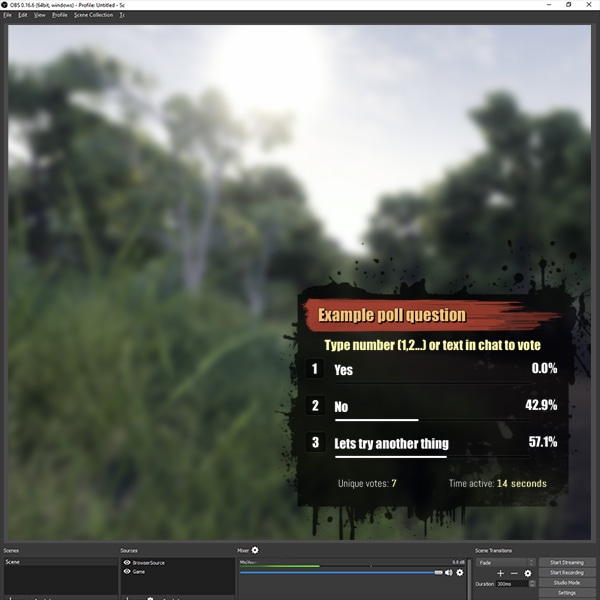
Quickly and easily integrate a real time poll into your Twitch.tv stream
willow eagle
thanks @sharp portal
sharp portal
Quick question regarding the giveaways. I have set it to so that subs get 3x the luck. When I look at the number of tickets that people have purchased, is this number inflated to reflect the 3 times luck? I.e. If a non-sub buys a ticket it will show they have 1, whilst if a sub buys a ticket it will show they have 3?
twin sentinel
No, the number of tickets is not reflected by the increased luck for subscriber. Just when you draw the luck setting will be taken care of.
sharp portal
@twin sentinel What is the person bought tickets, subbed, and then purchased more tickets? Are all the tickets multiplied by 3?
twin sentinel
I am not sure if it changes to subscriber, when they already entered. I cannot test this, as I am not an affiliat on twitch.
clever mango
sharp portal
@twin sentinel I've looked at the numbers regarding the giveaway and I'm confused. Total tickets: 17822, tickets the winner had 199, winner was a sub. The bot and the maths show that the winner had a 1.12% chance of winning, but this is based solely on the number of tickets purchased not including any sub multiplier.
I want to make sure that people are actually getting the increase in luck that subbing should give them
twin sentinel
@sharp portal I am not sure on this. Best to wait for a staff member to look at it.
sharp portal
OK thanks @twin sentinel
 upbeat birch
Does anyone know if it's possible to have something trigger on a sub train? Like if it gets down to 1 minute, something popups/sound plays?
 carmine sparrow
When a person follows my channel or something, the animation usually appears in the overlay ready that I got on the site. But if I use a message redeem in my store, it does not appear. Because? I'm not with live offline doing tests but I believe that's not the problem
I believe that the same alert that has in the overlay that makes appear the follows would make the network of the store appear too, right?
upbeat birch
Oki, thanks
tight harness
@carmine sparrow You need the Store Redemption widget for store redemptions to show and play the sound
Uses a separate widget to the alert box
carmine sparrow
Thanks! I got it! : D
I wanted to put a net where people would send a message and be read by some bot, as if it were the google translator woman for example. I was able to get the message to appear but not be read automatically, how do I? I did not see a choice
tight harness
Try enabling Text to Speech in TTS Settings
 odd dragon
Twitter support said I should join, so I will ask here. Spotify integration has not worked for me. I get a blank screen that takes me back to the integrations page in SE. The URL shows something went wrong, but no error message pops up. Any ideas?
 scarlet garnet
hello
Im trying to start my stream and all its doing is saying stream started requested
clever mango
@scarlet garnet Please share a screenshot of your full OBS program window
scarlet garnet
I switched back to OBS Live, Its past time for my stream
clever mango
... ok
 half otter
hello, I have a problem with text to speech - viewers hear the text read on the stream but I can;t hear it. How can I remedy this?
 proper pivot
Hello, i search the function "streamdescription" in obs.live, in obs studio it was in docks.
tight harness
@half otter Are you using an audio mixer?
half otter
@tight harness No only sound card
nocturne pelicanBOT
@proper pivot Please send in an issue report so our team can investigate using the program's logs.
Report an Issue
Select "StreamElements" at the top of OBS
Select "Report an Issue"
Write a brief description of the issue in the box and select "Send to StreamElements"
clever mango
When you have sent in this report let me know ⬆
proper pivot
thx , i do it
tight harness
Sounds like you could have the wrong audio device selected. If both your Volume Mixer and your OBS are set up to use the same audio device and nothing is muted then you should both hear it. The exception would be if you were using an audio mixer to prevent yourself from hearing the sound (which you're not)
half otter
@tight harness I see. Ok i try reinstal my audio codec
maybe help
proper pivot
After i send an issue, did i get a feedback?
clever mango
@proper pivot We are actively investigating this problem and hope to resolve it in an upcoming update
in the meantime, this will temporarily bring back the dock
!obscookies
nocturne pelicanBOT
If you are not seeing the OBS Twitch integrations and have OBS.Live installed, please follow these steps:
- Make sure you are on the latest and greatest version of OBS.Live ( 19.5.27.394 )
- exit OBS (make sure OBS is not running)
- delete
%appdata%\obs-studio\plugin_config\obs-browser\obs_profile_cookies - start OBS.Live
- Settings -> Stream -> disconnect -> connect
carmine sparrow
I made several variations for the follow in a layout. How do I use it as default for all my other layouts?
tight harness
You can use the duplicate widget button, it has a red circle in it (the button) when you click on the alert box widget
You'll find it in the bottom left of the overlay editor
lament blade
oh my god, I just saw the custom fonts update. (late the the party lol) you guys are amazing!
thank you for that addition
tight harness

carmine sparrow
Great! Thanks for the help, I'm able to do everything here and I really enjoy the streamelements!
Just to confirm, the person at the time of the sub, can not choose the animation, it's all random right? I think in the tip option that the person can choose, or is it also all random?
tight harness
If you set up random choices in Variation Settings it's all random, there's no way currently for them to choose for either event, so it'll be random
 winter shore
okay I am trying to set up a stream store redemption but i cannot get it to pop up on my stream. i have read that i need to add "stream store redemption" to my obs overlay but i don't have that option on my obs i have looked 100 times
twin sentinel
You have to create an overlay with StreamElemetns or use an existing one and add this widget to your overlay. Then you can add this overlay to your OBS as browser source.
 true breach
when using the "tip goal" widget, is there a way to start the goal from 0? (zero)?
like for a newly created goal
nvm i found it. in the overlay editor you go to "data" -> goals
tight harness
That's right, you can also get there from Activity Feed > Widget Data > Goals
lament blade
can u make a media source play music
or does it only accept video
coz i have a video with music on it and i wanna add it as a source but the sound isnt playing
tight harness
The stream will hear it, even though you don't
lament blade
ah got ya
carmine sparrow
In the animation variation option of the subs, you have the option "Condition". If I put "at least" and put "requirement amount: 2" only the person give subscriber from the second month that animation will appear, correct?
proper pivot
nice streamdescription is back in my interface, that makes me so happy
thx for help
tight harness
Correct @carmine sparrow
 true iron
Hi, I can't seem to get any commands to work, I assume I need a bot in chat, but it isn't there.. any idea's guys?
jade remnant
have you added it to your channel from the SE dashboard?
true iron
awesome.. simple when you know how! thanks
 old pilot
is someone here now?
nocturne pelicanBOT
@old pilot Welcome to the support channel! Please let us know how we can assist you today and a member of the support staff will be with you as soon as possible.
twin sentinel
In the widgets section in your overlay editor, there is a widget called Your channels twitch chat. Select this and add it to your overlay.
lament blade
I will try
 ebon junco
how do i screen record with obs studio(while streaming)
nocturne pelicanBOT
@ebon junco For the best OBS support, please join their Official Discord @ discord.gg/obsproject
 queen mist
Hey guys the Watchtime command isnt working for a friends stream I am trying to help setup
I have loyalty on aswell
Is there anyone that can help me!
queen mist
They are streaming right now 😭
and they will be streaming for a while
is there anyway that we can solve this problem without him or atleast attempt to
jade remnant
whats their twitch name
scarlet garnet
I want to use Streamelement but when I try to go live it says stream start requested
jade remnant
can you send a screenshot of the error
 livid flare
Is there a way to mute spotify on stream when someone does a media request?
twin sentinel
Not that I am aware of.
livid flare
ok
 tough oriole
trying to setup a subscriber goal, i have 4 subs yet the widget isnt saying i do
twin sentinel
https://streamelements.com/dashboard/session -> goals tab
tough oriole
TYSM
wait i put in 4 and it says 0 on the actual widget :/ and it doesnt say the goal on the bar
NVM IM DUMB
 stone plank
Hello!
I am considering switching to Streamelements and running into issues on setting up my overlays, is this the right channel to get help in?
twin sentinel
What do you need help with exactly?
stone plank
So I am setting up a custom font on the overlay, its one from the list, but its not always showing up in the "Launch Overlay" on the web
 glossy turtle
hit save
stone plank
but now after you responded it seems to be working. lol I have been, I've been saving and exiting.
 dawn gorge
Hi. Im having a problem with Alerts. I mean that they don't work. When im emulating donations or else it just doesn't appear on stream. I want to mention that i have also a "HypeBoss" widget which works fine and accually seems to lose hp and shows it on stream but you can't see alerts about donations/follows etc.
nocturne pelicanBOT
You can test Alerts via the bell on the lower right corner of the Overlay Editor. Simply go to your Dashboard -> My Overlays -> Pencil/edit button on the overlay. Make sure the "Show Emulated events on stream" option is on to see the alert in OBS/Xsplit https://streamable.com/h6qgy
 stone plank
I click Emulate follower event but nothing happens....
and I get the little popup that it saved in the lower right
twin sentinel
Have you added an alert Box widget to your overlay?
twin sentinel
When the event is enabled, in the alert box, what you are emulaing, there should be something happening on your screen, like a picture coming up.
stone plank
yes a "video" with audio
dawn gorge
"Show Emulated events on stream" where can i find this option?
twin sentinel
@dawn gorge Right next to the emulation bell.
stone plank
@dawn gorge its an opaque circle with a bell in the middle on the lower left of the green part of the screen on the editor page
dawn gorge
Oh, i see. Now it works right. Thanks 
stone plank
lol mine isnt 😛
carmine sparrow
After creating a new network, I can not change the order of the store items, right?
stone plank
just downloaded and trying obs.live to see if that helps, but odd how in the online editor its not working
twin sentinel
@carmine sparrow What do you mean with new network exactly? I think you cannot rearrange store itmes.
stone plank
so it works when I hit the button to replay the notification in obs.live
twin sentinel
Then an emulated alert should work, too.
stone plank
lol its not, not sure if the website is having an issue right now or something, oh well
jade remnant
have you added the overlay with an alert to obs?
jade remnant
dont spam it. exit your overlay and refresh the cache in obs then try again
emulate 1 event
stone plank
@jade remnant how do I clear the cache on the webpage editor... 😛
jade remnant
in obs, not the editor
stone plank
well I'm trying to do most of my work in the editor, its just slow in processing updates.
nocturne pelicanBOT
@winter fern Welcome to the support channel! Please let us know how we can assist you today and a member of the support staff will be with you as soon as possible.
 winter fern
I create a SHOP alert sound but i dont know how i put the alerbox in my streamlabs obs
twin sentinel
If you are using StreamLabs, best to use their support. Normally you can create a browser source and add the url.
twin sentinel
I recommend watching this overlay guide: https://www.youtube.com/watch?v=LwAfMIR3Cj0
This is for nomal alerts and overlay setup.
lament blade
Is there a way to have the top three on the points leaderboard, instead of a link to the leaderboard pop up?
twin sentinel
Not that I am aware of without coding your own custom widget.
lament blade
Alright, thank you 😃
 crude crescent
I have been toying around with the link protection in the SE-bot
And would like the bot to spit out a warning if someone posts a link without permission
Instead of just timing them out instantly
Is that a possibility with SE? 😃
twin sentinel
Afaik, no. There is no chat message for timedout actions.
crude crescent
Okay, would be a nice addition if it is not possible atm 😃
nocturne pelicanBOT
@crude crescent Check out the new ideas board https://strms.net/ideas. You'll be able to add your ideas, upvote others that you like, and track their progress with email notifications. Adding and upvoting ideas also helps the staff know which ideas should be prioritized so please take some time to upvote the features that you’d like. The #💭︱feedback-and-ideas channel is best used for discussing ideas already on the board.
stone plank
I have a question about the follower goal...
Is there a way that I can change the starting number for the follower goal?
twin sentinel
https://streamelements.com/dashboard/session -> goals tab
stone plank
^^ Thanks!! You guys are awesome.
stone plank
is the only rolling credits the subscriber credits?
or is there one that can show everything? follwoers, donators, cheerers, hosts, raids, etc?
would this be a custom widget?
 dry lynx
Anyway to make the SE bot sit in a different room other than the live room? Would lover to make a song request room
 barren niche
Iam looking for the KappenGen emote explosion for my stream cant find on streamelenets
barren niche
I found it thank you
 slender anvil
hey my guys are saying that the games are broken, any ways on fixing them?
 daring swallow
is there sort of a timer donate module in streamelements, in which the more donates I get, more time is added to the timer?
 upper lichen
I am having issues with commands not working. Is stream elements having issues yestreday and today?
also bittie alerts
 atomic stump
Anyone know how to set up text-to-speech for cheers/bits? I see the option on the alerts box for cheer and I have it enabled but it doesn't work. Am I missing something?
 covert rapids
out of curiosity, using the overlay editor, is it possible to add the webcam or does that just need to be added separately into obs?
upper lichen
is there anyone helping on here?
covert rapids
very good question, it doesnt really seem like it judging by previous messages
elder sorrel
@upper lichen Check the variations. As if you only enabled the default one. It won't play.
@covert rapids Seperate.
Whoops wrong ping
@atomic stump The post I mentioned was ment for you instead of Miss

upper lichen
@elder sorrel they were working 20 minutes ago and now they aren't
everything is setup correctly
its on SE end i think
elder sorrel
What commands are not working?
covert rapids
ok, kinda figured but just wanted to make sure, thanks
 long frost
Is there anyway to skip all pending alerts?
I hit reload overlays and got my problem solved - sorry!
 swift willow
Hi so i'm not sure if it's a twitch matter but i don't know where else to ask and since i'm streaming on twitch i'm tempting my chance here : so i'm trying to rename the bot in ground control and for some reason it won't work can i get some help with that please ^^
atomic stump
@elder sorrel It worked, thank you! 
 mossy bramble
Hello, I am trying to put my emote in a command. Is this possible? I have put my emotes code in the response but it is not showing up, however, when I put a BTTV emote it works
 swift parcel
@mossy bramble the bot has to have a sub to the channel the emote belongs to if it's a twitch emote
mossy bramble
@swift parcel thank you very much! That clears it up for me 😃
swift parcel
@swift willow can you be specific from "it won't work"? Does your bot account show up in chatters list? I assume it's still talking on the SE account
swift willow
Hi thank you for your answer and sorry for not being more specific ^^ yes it's in the chatters list under the name streamelements, i tried to change the name in ground countroll (for MrG2EK_bot even created an account for it and put the Oauth Token) but it still appear as streamelements
swift parcel
@swift willow wanna give ground control a restart if you haven't already?
swift willow
already did, it still don't work :p
elder sorrel
@swift willow Do you have a PC with Windows 10 by chance?
swift willow
yup
elder sorrel
Why not use OBS.Live? Just curious as imo it's better & easier to use.
slender anvil
hey my guys are saying that the games are broken, any ways on fixing them?
 swift willow
can i change the name of the bot through OBS live ?
elder sorrel
Absolutely!
Custom Bot name, Change stream title, view Twitch Chat, view Activity feed.
All in one with your OBS.Studio Screen. Also Media Request
slender anvil
yea the currency game modules @elder sorrel
elder sorrel
Ah those games. Gonna wait 10 minutes for points to test.
slender anvil
ok 😄
 swift willow
thank you @elder sorrel just downloaded it it works now ^^
elder sorrel

 grave rampart
Hi,
Had a question regarding the StreamElements Leaderboards Extension on Twitch.
Is it planned for an update to show tippers/top tippers aswell?
SEEYA
clever mango
@grave rampart Twitch doesn't allow this
grave rampart
I see, thank you for the information.
 cold sonnet
Hello, I'm working on migrating my overlays from SLOBS to SE. I've gotten a few followers through SLOBS, but the SE widget for new follower won't recognize these followers. Is recent follower data bound by platform? Would I have to manually set the widget data for the last follower in SLOBS, or should it automatically find that?
 proud dagger
how do i get mediashare to work for donations? (if they want to request a part of a video to play on stream when the Donation pops up)
zenith widget
@cold sonnet We track followers and subs and other event types from the moment you sign up with us.
@proud dagger Dashboard -> media request -> settings(right side) -> on the top you can change from Free to Tip or both to have MR be either free/loyalty points based or Tip based(can only song request using the tipping page) or both
elder sorrel
@slender anvil Wanted to follow up. Do you have more than 3 emotes listed in your Slots module?
If you do. Drop it to 3 & have the slider within the 85-100% range as that should provide better chances for winning
 bleak matrix
Hello, i am having issues getting my scene to show up on the preview
zenith widget
Are you using OBS.Live?
zenith widget
Do you see this in the lower right corner of OBS?
bleak matrix
yes
zenith widget
Then lets move to #helpdesk-selive
bleak matrix
ok thanks
 spiral tangle
Got a question if I’m streaming on twitch and I have a coin bot enabled will it work if I’m using my ps4?
elder sorrel
Coin bot? Like The Loyalty points system with the Roulette and/or Slots Module?
upper lichen
is there a issue with stream elements and bit alerts and commands not working?
upper lichen
They were all working fine and then they all just stopped working.
animations, sounds etc
 velvet briar
is this where i can get help regarding my donation panel?
zenith widget
More or less yes.
velvet briar
im receiving feedback from viewers that theyre seeing money deducted, but im not receiving any notification on my streamelements dash
nocturne pelicanBOT
@velvet briar Please connect your streaming account (Twitch, YouTube, or Facebook) with Discord by going to ⚙ Settings and then Connections here in Discord. https://streamable.com/eg92w
 zenith widget
@upper lichen Taking a look - one moment
@upper lichen I'm replaying the most recent cheer events from the activity feed and everything seems to be playing properly. 
nocturne pelicanBOT
@upper lichen Right click on the BrowserSource > Properties > Scroll down a bit > Refresh Cache of current page
zenith widget
@velvet briar Waiting for you to connect your twitch account so that I can take a look at your account 
velvet briar
i did, let me know if it isnt showing up
velvet briar
yes
 mystic pumice
I had a guy that followed with a name that started with Grasshopper and it got censored in the Alerts and showed Gr***. Is this caused by a word filter and can I disable it somewhere?
zenith widget
How are you sure they are tipping you? @velvet briar
velvet briar
my gf just did it and shes in the same room 😦
zenith widget
@mystic pumice This is caused by the tipping moderation settings in the tipping settings.
mystic pumice
ok, thanks
zenith widget
@velvet briar Check your paypal account and see if you have any open issues, or need to verify your email or if you need to manually accept the tips
velvet briar
ok will do
 ashen sparrow
@zenith widget Any news about the missing gifted subs in my streamelements extension? You poked the devs about it. Anything I can try to fix that?
ashen sparrow
k, thx
dry lynx
Might as well ask again. Anyone know if you can have your bot located in multiple rooms of a stream?
zenith widget
Chat bots do not support rooms
 cinder olive
Is there a way to have a countdown command in chat with SE?
cinder olive
I figured after checking documentation, figured id ask. Thanks as always KeiZar!
lament blade
How will streamelements work when I stream from PS4?
nocturne pelicanBOT
@lament blade Here is a guide on how to setup the most essential tools for streaming from your console, while using StreamElements tools without involving a Capture Card! It's easy to do, take 4 minutes to read and 10 to 15 minutes to setup!
Read all about it here: https://blog.streamelements.com/how-to-stream-on-console-7b620b1c46c3
lament blade
I kinda have done the setup, will I be able to see the alerts and stuff? Other then in chat?
Sorry if I am asking really obvious questions
zenith widget
You need a capture card in order to have an overlay and show/see alerts.
lament blade
Thanks. So the modules will work with out capture card?
zenith widget
No worries - it was still answered the guide i linked above 
lament blade
I didn't really understand the guide... (PS have dyslexia sucks really when I try to do setups and stuff)
 dreamy palm
Hey guys I have TTS enabled on my alert box but when someone subs or cheers and they add in text, the audio dosent come up
zenith widget
Have you enabled TTS on the variations?
 sly hornet
ola, is there a way to add a counter to redemptions from the stream store? or even a way to edit the redeem message it says? thanks!
lament blade
can someone who can track orders dm me please?
zenith widget
@lament blade DM me your order ID
@sly hornet I'm not sure I understand what you mean by counter to redemptions. And which redeem message?
lament blade
i dm'd you it :D
zenith widget
im asking the merch department
sly hornet
@zenith widget when someone redeems an item through the 'stream store' on the streamelements site, i'd like to implement a counter in the stream command but am not sure how to edit the redeem-specific commands that the streamelements bot says in my chat. does that make sense? sorry aha
zenith widget
Are you using this variable? ${redeem item_name}?
sly hornet
i've not set any variables as it's a default command
i've not been able to find a way to access and edit the command the way i can with commands unrelated to the store
zenith widget
the response when which you when using !redeem <item_name> is not editable.
The reason i asked if you are using ${redeem item_name} is, that you may try to make a custom command like so:
!item_name
response: ${redeem item_name} ${count redeemed_item_name}
sly hornet
would that still trigger a redemption and be recognised by the store? i've been avoiding that because i know you can also redeem items by clicking the button in-store, rather than typing it in the chat
zenith widget
Thats the thing. I'm not sure if the ${count} variable will be recognized
sly hornet
okay. is there a way i'm able to trigger a second command through a key word used in the bot's redeem response? i essentially have an item in my store where people can use points to redeem the planting of a tree and i want there to be a command to keep a tally of that which updates with each redemption. So the bot saying 'successfully redeemed Plant a Tree' or something, would trigger the following command with the counter..
sorry about this @zenith widget ahaha
zenith widget
No. We have disabled the bot responding to its own responses/keyword/commands
sly hornet
okay, thank you very much for your help and time, have a good one!
 manic quail
Is there a way I can completely undo a donation? Someone used it to pay me back when I specifically told them not to do it there and now I'm trying to go in and reset all the stats and everything lmao
twin sentinel
You can delete them from your donation history, edit your widget data and save it. So they won't show in the overlay.
manic quail
How do I delete from donation history? I'm editing the widget data but some things I can't edit it seems...
twin sentinel
velvet briar
hello, i was having trouble with my donations going through streamelements and I was told to add account information to paypal to fix the issue... it didn't work so I'm back for more advice if possible 😃
cedar lynx
@velvet briar can you explain exactly what steps you've taken so far and what error you are still receiving?
velvet briar
Sure... i've set up my streamelements tipping page, copied the link to my twitch page for users to click, linked my paypal, and created an alertbox and linked it to obs. So far, I've had 2 people confirm tipping issues where I'm not able to see their tip on my dash even though it deducts from their bank-- no other feedback so far. One of the people to test it out was my gf who was in the same room as me so i know that the issue is legit
cedar lynx
a few basic steps, which you would follow in this order until you find the issue:
- Double checking your PayPal email on the PayPal website
- Double checking that your PayPal email spelling is correct on the StreamElements PayPal settings area
- Confirming that your PayPal account is active and in good standing
- Getting the exact payment status from those who have tested it (should be pending) as well as their payment order #'s and contacting PayPal support to find out why your account isn't receiving them
velvet briar
my email was misspelled in streamelements 😦 thanks, im updating it
cedar lynx
ahh that's a bummer! but it should work from here on out so that's a plus 😄
your friends should be able to cancel their transactions from their PayPal dashboards in the meanwhile and try again using the updated info just to confirm
velvet briar
ok awesome, thanks for the help @cedar lynx
nocturne pelicanBOT
@sturdy dragon Please abide by our server rules:
- No advertisement or stream promotion
- Respect ALL server members
- No NSFW/NSFL
zenith widget
Last warning @sturdy dragon
 severe anvil
How can I set up my audio from my elgatohd60s. I made a source with the elgato, but on the mixer it is showing no audio is coming out
 flat forge
is there a way to fix someones watchtime if they name change
tight harness
@flat forge Sorry but there's no command or editable leaderboard page for that just yet
@severe anvil Sorry i'm not sure as it isn't a StreamElements issue, will let someone who knows answer
flat forge
@tight harness so will it be added later?
tight harness
Very possibly, I haven't heard any guarantees but it'd definitely make life easier
lament blade
need someone that can help me really quick with aligning in a overlay
never mind, got it
 atomic silo
hey, in the obs extension, can I make the screen larger, so it's easier to edit my overlays?  🔧
🔧
cedar lynx
@atomic silo you'll edit your overlays in the browser, they aren't editable from the OBS interface
lament blade
my custom font doesnt load
atomic silo
oh 
nocturne pelicanBOT
@lament blade Google Fonts
More than 900 google fonts are supported at this time. You can preview them here: https://fonts.google.com/
Custom Fonts
Steps:
- Install the font on the streaming PC or choose a pre-installed windows font.
- In the overlay widget settings, select Text Settings
- Enable Custom Font
- Type the name of the font as it appears in the windows font directory (This is usually
C:\Windows\Fonts)
Note: After installing fonts, the browser and OBS must be restarted for the font to appear.
lament blade
okay, so i am streaming on my streaming pc, do i need to install the font on both pc's? and just restart obs and the browser after?
 👉
👉  mossy rover
Do you guys have any ideas how to spend points? We have a good system of earning them but can't think of any good way to use them
twin sentinel
@mossy rover You could use the module mini games in chat, the stream store like https://discordapp.com/channels/141203863863558144/370226812669788161/501442163112935444 or commands being triggered by points.
 stray ermine
is there a way to have streamelements return the current tempture at a location.. like the streamers local weather?
tight harness
Yes, this is one of the commands in #command-share
 civic gulch
Hi I’m not sure why but my alerts were not going off yesterday on my first stream using stream elements... I got two subscribers and nothing happened, but when I go onto the stream elements website and click to test an alert it works
 sage dirge
same ^^^^
civic gulch
So to be clear the fake test alerts were working but my actual alerts were not
sage dirge
i posted that in #helpdesk-selive because im not sure where im suppose to put it. but my alerts also haven't been going off during my stream.
Also same! Testing alerts worked, real alerts did NOT work.
 winter zenith
do you see the events in the activity feed? @sage dirge @civic gulch
sage dirge
Hit or Miss. Some, yes. Some, no.
I do not see Donos, Raids or Subs. i DO see followers.
winter zenith
I dont need to tell you that your Donation panel on your Twitch still links to StreamLabs right? 
sage dirge
i have "check marks" set for all of that though ^^^ usuaully it all refreshes after my stream!
winter zenith
so the donation issue could be that
civic gulch
I had an actual seprate panel on my second monitor from twitch showing me my events and that was working
winter zenith
on SE there is no activity of the subs? @civic gulch
sage dirge
Same, when i test any of the alerts, they ALL work. Just not the real ones
winter zenith
I talk about do you see the Subs you say where missing in your StreamElements Dashboard as a event/activitx? @civic gulch
what happens when you replay them from said activity feed @sage dirge @civic gulch
civic gulch
Yeah I see them and I couldn’t figure out how to replay them
sage dirge
how do i replay an alert?
civic gulch
I used to use streamlabs and stream off streamlabs from my gaming pc, but I just started a dual pc stream setup and started using obs studio and stream elements instead
civic gulch
Oh ok well I’m assuming it probably wont work cause it seems that I have the same problem as @sage dirge
sage dirge
mines my alert box
winter zenith
did you guys try to log out and back in @civic gulch @sage dirge
 spring wedge
guys any idea why everytime I update streamelements I can see anything??
winter zenith
if you face any issues try that always first
spring wedge
just a white fuckin screen
sage dirge
to be honest, it all started glitching out the moment its been asking me to update it
winter zenith
@spring wedge restart OBS is it still there?
sage dirge
but i dont want to update it because everyone i know has had their stuff deleted from the update.
spring wedge
it happens literally every update
winter zenith
also its a #helpdesk-selive @spring wedge
spring wedge
yup reset it and reinstalled it
civic gulch
Same @sage dirge
sage dirge
i think we watch the same people @civic gulch i see you everywhere lol
nocturne pelicanBOT
@spring wedge Please send in an issue report so our team can investigate using the program's logs.
Report an Issue
Select "StreamElements" at the top of OBS
Select "Report an Issue"
Write a brief description of the issue in the box and select "Send to StreamElements"
sage dirge
and yes.. their alerts and scenes delete when they installed the latest update
civic gulch
Wait really @sage dirge ?😂
winter zenith
I never heard of that
and I updated yesterday and had no issue
I think you mix streamlabs with Streamelements
because we hear it all the time tha this happens with Streamlabs OBS . no one came here and reported that issue
also I see no tag about this on twitter
but you can gladly dm me the person I would love to help them out.
sage dirge
They came in here and got help 😃 so it was resolved.
winter zenith
gotta admit I am not here 24/7
sage dirge
but it still created fear for me. I actually did tweet about it! Latte gave me the discord link to join about an hour ago! But.. Maybe i will try the update.. and see what happens.
winter zenith
then I think its a special case because if that would happen all the time we/I would definatly know about this
you can save yur scenes and profiles if that makes you feel safer 😃
sage dirge
Im going to try the update first.. and then update ya
winter zenith
safe your profiles and scenes and then update
other then that: did you guys try the log out?
civic gulch
I’m just confused to why my alerts don’t show and I use browser in obs and I’m putting in the correct link
 pallid osprey
@sage dirge if u are worried about losing your settings and layout, back them up before updating
 dry flame
(I have a question about SE pay but i dont wanna interrupt any ongoing conversation)
winter zenith
you dont @dry flame whats up?
dry flame
I tried out SE pay but decided its not something i want, so after doing a manual withdrawal i disconnected the feature from my tipping page
sage dirge
okay.. so the follower and sub replays are working in the overlay for latest follower,subscriber.. but not my alert box?
dry flame
but now the money i asked to get withdrawn never made it to my bank
sage dirge
(after logging out and back in )
winter zenith
@dry flame when did you do the withdrawl
dry flame
april 30th
winter zenith
@sage dirge maybe update OBS/OBSLive
@dry flame and you sure it never made it? when did you disconnect it? is there a withdraw balance still showing?
winter zenith
yes
winter zenith
oh
dry flame
sorry
 dry flame
it was too much effort and too much extra payment fees involved to get the money
I found a service that seems to take a lot less in transaction fees and all that. I wont advertise them here but i think imma stick with them for now XD
sage dirge
yeah did the update and alert box does not work. but yeah, i do have a mix of slobs and SE. so thats probably the problem.
so ill bring everything to SE and hopefully thats the solution.. i would assume..
lol
winter zenith
we advise never to mix it 🙏 if you use SLOBS StreamElements doesn't work well with their program
@dry flame Dm me the other service 😃
civic gulch
Ok but how do I like unlink it??
lament blade
Hello I wanted to know when will you release new overlays ?
civic gulch
Because I’m not using the streamlabs obs anymore I made new ones in se
sage dirge
but.. its a random sound.. lol its not stopping.. so i actually dont know what it is
idk if its my alerts all coming through? what alert? its not a sound ive used or know.
winter zenith
check your variations @sage dirge if its a normal "ding" sound thats the SE stock sound
sub variation, cheer, donation variations
@civic gulch what OBS are you using?
OBS.Studio
OBS.Live
StreamLabsOBS
civic gulch
I’m using Obs studio
I used to use streamlabs obs
When I first got obslive I loaded my streamlabs alerts into it but then decided I wanted to delet those and make new ones in SE
winter zenith
send me a dm with your overlay link
civic gulch
Ok one sec
winter zenith
and sorry did you try to log out and back in again?
civic gulch
Yeah
sage dirge
i deleted the alert box that was coming from slobs and copied everything into SE and now its all showing up twice, like.. not repeating bot at the same time so theres an echo
now its happening 3 times..
civic gulch
That’s weird
sage dirge
mhmmm
rip
Like literally.. 3 of the same alert at once. And I have a custom song so it’s playing 3 different times as well but the echo is surreal
sorry for the poor quality picture lmao
civic gulch
I’m scared
sage dirge
i dont even know how it fix it. its only input 1 time.
wait. i think i figured it out
lol
civic gulch
What was it?
sage dirge
i thought i needed to launce the URL per alert.. but its just one time lol
like i was adding a browser scene per alert... but im in the alert box setting so it just needs to happen once
civic gulch
Oh yeah
See my problem is that they don’t show up automatically
See look now that I replay it worked but why didn’t it work at first??
sage dirge
now the font is cut in half???
nocturne pelicanBOT
To add your overlays to OBS, add a new browser source in your scene. Paste your overlay URL in the browser source properties, set the dimensions to 1920x1080 (unless you changed them on the website), and ☑ “Shutdown source when not visible” https://youtu.be/KDvLynUqXI4
sage dirge
oh that could be it, i definitely didn't touch the resolution in the website or once it was input
jade remnant
where?
tight harness
You have the Twitter module enabled and you have the StreamElements twitter account in there set to post it's tweets
You can change that in Modules > Twitter easily 👍
 long crypt
thanks.
 granite garden
How do i add a subcount command
elder sorrel
@granite garden ${channel.subs}
granite garden
Ok thx u
 brittle rampart
@granite garden You can always look in https://streamelements.com/dashboard/bot/commands/variables for a list of all the variables too 😃

StreamElements
The Ultimate All in One Platform for Streamers
granite garden
Ah ok thx u
nocturne pelicanBOT
@hexed beacon Please send in an issue report so our team can investigate using the program's logs.
Report an Issue
Select "StreamElements" at the top of OBS
Select "Report an Issue"
Write a brief description of the issue in the box and select "Send to StreamElements"
 static echo
hi can have some advise am streaming obs but the screen on twitch is green
tight harness
Try this: Settings > Advanced > Video section > Colour format = i420
civic gulch
I can’t seem to get my loyalty point to work when I type !slots
tight harness
If your username is the same on Twitch as it is here that'll be because you haven't joined the bot to your channel yet
civic gulch
Where do I get to that??
 outer zephyr
@tight harness my !sr in Twitch stopped working
tight harness
The main dashboard page: https://streamelements.com/dashboard
StreamElements
The Ultimate All in One Platform for Streamers
lament blade
my song request wont auto play
tight harness
Did you click on Join Channel on the dashboard page I linked?
@lament blade Your song request shows as paused currently, the auto play option in Media Request > Settings is enabled
 tardy lake
heey in my overlay i can adjust the volume of the alerts, but it doesn't change anything. the alerts are all super fast and I only hear my viewers complaining about it.
civic gulch
Ok
tight harness
@outer zephyr You should link your Twitch to Discord so we can find your account easier
tardy lake
super hard i mean
civic gulch
Working thanks!
tight harness
@tardy lake Are you clicking on Save after changing the volume?
You should also go to your browser source properties and try 'Refresh cache of current page'
tardy lake
yes anyes everything is now at 0% but it keeps coming in loudd all of the volumes
nocturne pelicanBOT
Make sure to ☑ “Shutdown source when not visible” for all browser sources (all OBS scenes). If using studio mode, uncheck “Swap Preview/Output scenes After Transitioning.” Also keep in mind that sound can play from any overlay loaded in the browser (editor or launched). https://i.imgur.com/FegZJQS.png https://i.imgur.com/yY0wcFl.png

 tardy lake
no i have a stream starting, ended, gameplay, interaction, and thats all
and 2 personal but that shouldn't matter, right?
tight harness
If you don't tick the above option in all of those they can still make sound
So yeah it will matter
tardy lake
oooh wait i will change something
 peak anvil
@help
lament blade
i have autoplay on its still not working
tight harness
Did you play the video? It was paused when I looked
lament blade
alright thanks
tight harness
This one also shows the video as paused
Simply clicking on the play button or using !play in the chat would fix this, seeing as it's been paused a new request won't make it unpause
lament blade
ok
outer zephyr
@tight harness my Twitch is no w linked. can you help me with my !sr
tight harness
@outer zephyr You are meant to set the cost of the song request here: https://streamelements.com/dashboard/mediarequest/settings in the Loyalty Points Cost section
StreamElements
The Ultimate All in One Platform for Streamers
I see you set a cost on the command in Chat Commands > Default Commands instead
tardy lake
i have deleted all off the alerts from al my overlay but it still loud.
outer zephyr
@tight harness you're awesome! thanks!
tight harness
@tardy lake If you've deleted all of the alerts from your StreamElements overlays and you're still having alerts play then the alerts aren't StreamElements alerts in the first place. Process of elimination 😃
 thorn ruin
Changed Twitch Name and now StreamElements has stopped functioning on our stream.
twin sentinel
@thorn ruin Please log out of the dashboard and log back in.
thorn ruin
didnt work
twin sentinel
Make the bot part your channel, log out of the dashboard, log back in and make it join your channel again.
 vernal urchin
How do i fix this ? remove the line in middle
thorn ruin
Make the bot part your channel, log out of the dashboard, log back in and make it join your channel again. srry i dont undarstand how to do this
twin sentinel
In your dashboard https://streamelements.com/dashboard on the right side in Bot Settings, does it say Part channel?
@vernal urchin Is it in your overlay or where is that line from? Try to disable the overlay, to see if the overlay is causing it.
vernal urchin
ok
vernal urchin
thats a live twitch shot
twin sentinel
@vernal urchin Is it only visible in your broadcast and not in the OBS window?
vernal urchin
yep
twin sentinel
@thorn ruin Best to mod the bot by typing: /mod streamelements in your twitch chat.
 civic shadow
So, I have a question when someone has a moment.
nocturne pelicanBOT
@civic shadow Welcome to the support channel! Please let us know how we can assist you today and a member of the support staff will be with you as soon as possible.
civic shadow
So, I stream from the PS4 (no capture card yet) and I was wondering if StreamElements will work on my channel while I'm live or do I have to be streaming through something like OBS or Streamlabs OBS for the bot to work?
nocturne pelicanBOT
@civic shadow Here is a guide on how to setup the most essential tools for streaming from your console, while using StreamElements tools without involving a Capture Card! It's easy to do, take 4 minutes to read and 10 to 15 minutes to setup!
Read all about it here: https://blog.streamelements.com/how-to-stream-on-console-7b620b1c46c3
twin sentinel
@vernal urchin I have never seen such a behaviour before. I have to ask internally what the issue could be.
 obtuse patio
Any ideas why Streamelements can't detect that I'm online streaming? It shows me offline and isn't detecting alerts, follows, etc
twin sentinel
@vernal urchin You can also ask at the OBS discord, of they know what might be the issue.
vernal urchin
and heres this shot i just took
lament blade
what the best settings to stream with twitch
vernal urchin
i just don't know how it happened all of a sudden it was there
twin sentinel
@obtuse patio Please make the bot leave your channel, log out of your dashboard, log back in and invite the bot back to your channel please.
@lament blade The settings depend on your PC and internet connection and other factors. We can't give general advises for best settings.
twin sentinel
What issue do you have exactly? Sorry, don't understand what you mean.
 last rampart
Greetings! How can I have audio commands on stream not show up in the chat? I currently have them as redeemable items in the chat, but if someone types in the command the prompt about redeeming the sound command pops up.
I would like to have it where if I type in (!sound) into chat, it plays without the stream elements bot saying anything
nocturne pelicanBOT
@vernal urchin Please send in an issue report so our team can investigate using the program's logs.
Report an Issue
Select "StreamElements" at the top of OBS
Select "Report an Issue"
Write a brief description of the issue in the box and select "Send to StreamElements"
twin sentinel
@last rampart There is no way, to make chat redemptions without notification. You can upvote this idea in our ideas board.
livid flare
This streamelements overlay editor is literally the worst program I have ever used
holy
jade remnant
cool, so how can we help you with your twitch obs.live?
lament blade
how do i make it in real time
twin sentinel
You can use the low latenca mode on twitch.
lament blade
i got a good pc and internet when i use streamlabsobs i dont have that prob.
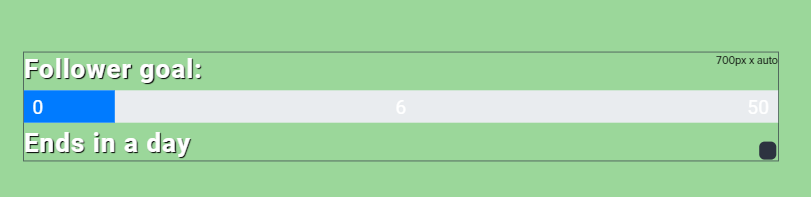 clever mango
There are text settings on the left panel
Anytime you select a widget you edit that widget's properties using the left panel
clever mango
That may not be an option
tough oriole
why does my display capture turn black whenever i open any full screen application
nocturne pelicanBOT
@tough oriole For the best OBS support, please join their Official Discord @ discord.gg/obsproject
lament blade
Good afternoon! Hoping to get some help on the Giveaway feature in SE, I am still somewhat new to using SE but I am really loving it so far and trying out new things. I run a discord community and I thought it would be great to do a giveaway, but I dont see where the 'tickets' come into it. How do I set it up so that people can spend these tickets on a giveaway, or how do viewers obtain these tickets?
how do i set up my overlay
 rustic karma
Hello, I had issues with my store tonight. Users couldn't redeem via the chat or the widget, but in the store directly worked fine. All the items in my store have being redeemed in chat turned on.
twin sentinel
@obtuse patio As your uptime is detected, you seem to be Live from StreamElements side. Seems to be a twitch issue here, that the events are not coming through.
nocturne pelicanBOT
@lament blade To add your overlays to OBS, add a new browser source in your scene. Paste your overlay URL in the browser source properties, set the dimensions to 1920x1080 (unless you changed them on the website), and ☑ “Shutdown source when not visible” https://youtu.be/KDvLynUqXI4
twin sentinel
@lament blade https://www.youtube.com/watch?v=LwAfMIR3Cj0
 flat wedge
Does anybody speak Turkish ?
twin sentinel
@rustic karma When you create a giveaway you can set up ticket costs and the maximum amount of tickets a viewer can buy for the giveaway to get a higher chance to be drawn.
Here is a guid on giveaways: https://support.streamelements.com/hc/en-us/articles/115003195432-Giveaways
twin sentinel
@lament blade When you create a giveaway you can set up ticket costs and the maximum amount of tickets a viewer can buy for the giveaway to get a higher chance to be drawn.
Here is a guid on giveaways: https://support.streamelements.com/hc/en-us/articles/115003195432-Giveaways
Sorry @rustic karma The answer was not meant for you. Do you have the bot in your channel, was there an error massage in your channel that the item could not be redeemed or the user had not the amount of points required?
 dreamy bobcat
Hi guys.
Is there anyway to add the "
!clip is command" without using third party apps? 😃
rustic karma
@twin sentinel The bot was definitely in my channel, it announced follows and raids fine. There was no error and the users definitely had enough points.
For one user, they definitely hadn't given permissions to the widget, but I would have thought they could still use the chat commands.
twin sentinel
@dreamy bobcat We completely trust the creator of the API in the widget share channel, thefirewyre. I don't know of any other way to do such things. Maybe they can be done with a streamDeck, but not sure on this.
 gentle onyx
hi i have problem with bets on stream. when i type "!bet win (amount)" its not working. any ideas ?
dreamy bobcat
Alright for being a total noob. But where do I find the API? And thanks Benno!
sorry*
twin sentinel
@dreamy bobcat https://thefyrewire.com/docs/api/twitch/clips/#create-clip
@gentle onyx Make sure the !bet default command is enabled here: https://streamelements.com/dashboard/bot/commands/default
gentle onyx
oh okay
dreamy bobcat
Thanks man! Does that link include all I need to know about that then? 😃
twin sentinel
Would say, yes.
dreamy bobcat
THX!
gentle onyx
@twin sentinel thanks a lot
twin sentinel
@rustic karma You are not an idiot. Glad you found a fix. 😄
 green yacht
hi, doesn anyone know how to change the tip goal so it doesnt show the previous tips? like i want it to start from zero
twin sentinel
https://streamelements.com/dashboard/session -> goals tab
green yacht
thanks 😃
 glass sluice
Hey all. I'm not entirely sure where to ask this but I need to be able to make a video trigger on a donation event. It's an explosion of money and it covers my screen but how would I go about doing this? I have my video but any ideas how to make this happen?
I don't want to use the alert box as that wouldn't be what I'm looking for. I have that anyway.
 civic berry
is there any reason stream elements pay would say my bank info is invalid and too contact support? Its been working this ENTIRE time and all of a sudden today its telling me this
lament blade
Anyone know why my fonts aren't carrying over from the Overlay Creator -> OBS via browser source?




 clever mango
@bashley168#3483 someone will contact you soon to provide you with information on this
aaaand she's gone
lament blade
lmao
 wanton jetty
@clever mango Question, Is there a way we can see ALL the emotes StreamElements has access to from "Gifted" subscriptions.
appologies for the tag.
clever mango
there is a way using a twitch endpoint
but it's been a while and I can't remember it now
lament blade
thank you so much @twin sentinel I really appreciate that!
clever mango
@lament blade Which font are you trying to use? Is it a google font?
lament blade
Bebas
clever mango
Is this a google font or are you using custom font?
lament blade
It’s one that I just typed into the widgets font option
clever mango
Ok so you enabled custom font first right?
or did you selected bebas from the dropdown list?
lament blade
I selected it from the drop down
clever mango
Silly question but have you saved?
lament blade
Yeah
nocturne pelicanBOT
Right click on the BrowserSource > Properties > Scroll down a bit > Refresh Cache of current page
lament blade
I just figured it out, thank though!
clever mango
now I need to know
clever mango

lament blade


 fast monolith
a viewer changed his name and now the stream store refuses to acknowledge his existence. he can gamble in chat but all of the !redeem's just say he doesnt have enough loyalty to buy things. its just him thats broken no one else has this problem. its been a couple days since he changed his name, which we thought was the problem, but no avail. ive done everything i can possibly think of as a mod to try and fix it but nothing has worked. please help me find the ritual to raise the dead so the bot doesnt ghostbusters him and he can go back to buying the goodies too. 
 versed sigil
where do i post looking for someone to add sound effects to a 10 second video for twitch alerts?
 noble echo
I've been trying to troubleshoot the custom bot name on ground control for a little while now. I got it to work a few times but never consistently. Is there some particular factor that cant cause it to stop working properly?
 marsh lintel
Hi. The Streamelements event list. Why is it not possible to change for example how many viewers the host must have for it to show in the event list? For example, if a viewer hosts with 1 viewer, etc. Its the same with hosts and bits? Anyone know if this is possible to change, like the minimum number for it to show in the event list?
 drifting crater
Hey all. I'm trying to do something with the chat bot. Is there a way to add line breaks (new line) in responses?
elder sorrel
Nah. Cause Twitch doesn't support Line breaks. You need to add that much characters that there will be non linebreak in the middle of you want to do
@noble echo By chance do you have a PC with Windows 10 & use OBS.Studio?
drifting crater
Thanks @elder sorrel
noble echo
@elder sorrel I do use both
elder sorrel
Best to use only one. OBS.Live most preferred imo as having both active can cause conflict.
lament blade
yo , is there a way to make streamelements post a promo code every 30min for example? I do promo code giveaways and It would be much easier for me if I can make the bot post them somehow.
zenith widget
@lament blade unfortunately no
 pulsar raptor
Im trying to import my slobs scenes into obslive and I keep getting an error Failed Importing Scene Selection. Any recommendations?
zenith widget
@pulsar raptor check in the my overlays in the dasjboard ehat has been imported. If nothing has been inported your slobs scenes either contain copyrighted material from SL which we will not import or the scenes measure over 10mb in size(some assets are above 10mb)
pulsar raptor
I have neither which makes no sense. They are not showing up in the dashboard. I hate to have to redo all of them again
zenith widget
Then run OBS.Live as admin and try again. If it failed then most likely one of the assets in the scenes(a video perhaps) is over 10mb.
 modern finch
hello
when i try to go into my chatstats it says 404. i changed my name. idk how to fix it
zenith widget
What is your new name? @modern finch
fast monolith
yo @zenith widget, you just tweeted me back so ill post my thing again so you can see. a viewer changed his name and now the stream store refuses to acknowledge his existence. he can gamble in chat but all of the !redeem's just say he doesnt have enough loyalty to buy things. its just him thats broken no one else has this problem. its been a couple days since he changed his name, which we thought was the problem, but no avail. ive done everything i can possibly think of as a mod to try and fix it but nothing has worked. please help me find the ritual to raise the dead so the bot doesnt ghostbusters him and he can go back to buying the goodies too.
 grave lance
ok I have resided to the fact that streamlabs is not going to provide a simnpler way to roll credits unless i install slobs, and I am looking to find a widget on stream elements that will roll credits for me. based on a command at the end of a stream. Is this possible and how can I do it \
zenith widget
There are 2 types of credit roll widgets in #widget-share
You can set a hotkey in OBS to show/hide the source of the overlay, or just have the widget in a different scene when ending stream.
grave lance
so then I can just set my stream deck to pop the scene for the roll credit widget and that would work then
?
zenith widget
yes
The answer is in your question.
i was not aware it was a question until you added the question mark 
zenith widget
no probs 😉
fast monolith
yes i did @zenith widget it didnt work
zenith widget

Ok I saw your question now in Discord and your tweet reply.
I didn't look anyone up after American helping there, so my bad.
Whos is the viewer and is the streamer live?
fast monolith
no hes not live, Danzo_VIII, and the viewer thats broken is an_effortless_smile
zenith widget
They have not logged into our dashboard as I can't find their account in our system.
The viewer, not streamer
fast monolith
strange, would you like me to have him sign into the streamelements thing?
fast monolith
mkay 1 sec
zenith widget
Just to make sure - this
fast monolith
alright hes signed in
zenith widget
Ok now I see him
zenith widget
try and redeem something
fast monolith
HECK YEA UR A TECH GOD
thank you very much. sorry for being snappy on twitter ive been trying to fix taht for days i was a little frusterated
i appreciate ur time alot
zenith widget
zenith widget
its morning for me, but ty 
grave lance
@zenith widget is there a way to get it to scroll up or is this widget fixed
love the animated dog
zenith widget
wdym? both credit roll widgets start rolling from the bottom towards the top
grave lance
ok they both roll ok did not understand instrustions
of widget
this is the one I am was thinking of using, SE DONATION COMBO WIDGET BY LX AND BENNO (V2)
or do you recommend the other
zenith widget
thats not a credits roll type one
grave lance
ok thank you then I want the other one then correct
grave lance
I wish there was a way to take the sloping text -> / and have it scroll striaght up -> |
zenith widget
So the credit roll by LX to scroll straight up?
zenith widget
@untold crest would be able to help on that as Im looking at the code and not sure which controls that angle of animation
grave lance
@untold crest```I like the cinematic ending - by lx
I wish there was a way to take the sloping text -> / and have it scroll striaght up -> |
Is it possible that you could tell me what I need to do make this happen, either in the html, css or js feild
As I want the your idea to scroll over this back ground on the left, on my stream ending scene.
Thank You```
zenith widget
Yea I think you can DM him, but he might be busy with his things atm
so he might answer a bit later.
grave lance
it is not possible for me to DM him as you have suggested. So Clyde has told me so
zenith widget
Aah, well wait for him to answer here
 dawn lily
hello
i am streamelemnts overlays and
i am trying to add a sub goal however it says i have 28 where i only have 11 how do i make that chage ??
zenith widget
Data tab on the top -> goals -> adjust current goal progress
 formal monolith
Hey, so I am setting up my variations for gifted subs in one of my overlays. Is there a way to copy and paste or just use the same ones in another overlay or do I have to make the variations again
zenith widget
Click widget -> click on the duplicate icon in the lower left corner next to layers (2 white papers with red dot)
this will copy the widget to other overlays
formal monolith
Holy shit you are a life saver thank you
steady kraken
can someone tell me how to add more Mic or Desktop Audio inputs ?
steady kraken
thank you 😉
 wanton sierra
Hellooo, not sure if this is the right place for this. I've got audio on my webM video for my alert, and it plays in the overlay editor "change video" menu.
However it doesn't seem to play when I emulate the alert. I had TTS running just to be sure it wasn't an overall audio issue, seems to be specific to the webM video being emulated.
zenith widget
I see that the imported alert widget from SL has custom CSS turned on.
Upon turning that opion off, i can see the alert playing the video and audio
or maybe not
the sub video is not playing sound
interesting
If you have the asset(.webm) on your PC
try and reupload it to the media gallery and set it as the sub video
wanton sierra
@zenith widget will do and thanks for your help!
 zenith sparrow
I was wondering if anyone has had an issue with frame rates in OBS dropping tremendously after receiving any alerts ran through the Stream Elements website and browser source on obs? I am also using a dual pc stream setup so it shouldn't be an overload on the pc itself.
nocturne pelicanBOT
@zenith sparrow Please provide a log from your last stream. To do this, in OBS go to Help > Log Files > Upload Last Log File and paste the link to the log file here.
zenith sparrow
zenith widget
Is this the streaming PC?
zenith sparrow
Yes
zenith widget
The GPU seems to be very old