#helpdesk-twitch
1 messages · Page 466 of 1
 zenith widget
 distant dune
thank you ❤
 lament blade
hey im wondering why my twitch chat overlay will not appear with messages in my obs studio.
any help would be appreciated!
 nocturne pelicanBOT
@lament blade The default resolution for StreamElements overlays (theme and custom) is 1920x1080. Please add them in OBS at their full resolution and use CTRL+F to fit to screen if necessary. You can then downscale your stream in OBS settings > Video if you'd like https://i.imgur.com/6bWXxjR.png
 lament blade
ok thanks!
it didnt work rip lol
im looking to display my twitch chat overlay gameplay?
zenith widget
Do you have the chat widget added to it?
lament blade
yep
zenith widget
Then what is the resolution of the overlay?
lament blade
my name appears but not the message
So bit of a weird situation i am helping my buddy swap from streamlabs to stream elements and he has a new over lay with stream elements but his notifications that pop on screen are being cut in half for some reason but in the editor it is fine
nocturne pelicanBOT
@lament blade The default resolution for StreamElements overlays (theme and custom) is 1920x1080. Please add them in OBS at their full resolution and use CTRL+F to fit to screen if necessary. You can then downscale your stream in OBS settings > Video if you'd like https://i.imgur.com/6bWXxjR.png
 carmine knot
This means it will always work for NEW subs right? 0 = new?
I want a specific alert for first time new subscribers
zenith widget
@lament blade Go into the overlay, click on the chat widget -> text settings -> there is a color option -> change it from w/e it is to a color of your choice
lament blade
ok thanks
carmine knot
Are there no variables for Prime subs or gifted subs?
zenith widget
For chat alert - no
 smoky latch
i set up the Spotify Now Playing widget yesterday, it worked fine before but now it just doesn't display anything 😦
zenith widget
Go here: https://streamelements.com/dashboard/account/integrations disconnect -> connect
 woeful vessel
My activity feed has stopped noticing/counting my new followers. Since yesterday I've gotten two new follows, that StreamLabels are picking up just fine, but they're not showing up in OBS Live Activity Feed. Any ideas as to why?
smoky latch
i already tried that @zenith widget
woeful vessel
I thank you, kind sir
zenith widget
@smoky latch Disconnect, logout, log back in -> connect
smoky latch
still nothing 😦
zenith widget
Are you playing a song currently?
Because I am able to see on my own overlay my song
smoky latch
yeah i am
 tawny pivot
@smoky latch Could you play something on spotify for a second?
smoky latch
yeah my spotify has been playing music the whole time
zenith widget
@smoky latch Can you go here: https://www.spotify.com/us/account/apps/ - disconnect/revoke our access, then go back to the integration page in our dashboard -> disconnect -> connect
smoky latch
@zenith widget still nothing 

 smoky latch
ok
tawny pivot
It's something strange from Spotify's end.
 wispy willow
I have 2 questions. First is there an extension like streamlab's that is shown like overlay while live and from where you can buy stuff. Streamlabs had the option to add img that show from time to time on the screen and if a viewer manage to click it before it disappear he received loyality points. Does streamelements has it too?
And I want to ask about a bot command. Is there a way to add a ${random.pick} in a ${random.pick}. I mean example: user 1 kissed user 2 on the ${random.pick cheek, lips, lips and user 2 slaped user one with ${random.pick hammer, shovel, flipflop}}.
About the command - every time i tryed to fix it the second command came as quote not as a command.
 wanton mango
@wispy willow any reason it would need to be nested? Something like this would work:
$(sender) kissed $(1:|$(random.chatter)) on the $(random.pick 'cheek' 'lips' 'nose' 'ear') and got slapped with a $(random.pick 'hammer' 'shovel' 'flip flop')!
!kiss user will kiss the targeted user, and doing !kiss on its own will pick a random viewer instead.
wispy willow
the idea is that i wanted not in every case user 2 to be slapped. i wanted un option, a pick in the first command to include second random pick
lament blade
how do i add a discord link as a command please,,ty
wanton mango
@lament blade go to https://streamelements.com/dashboard/bot/commands/custom ➡ + New Command ➡ make the command name discord ➡ add your discord link in the response box ➡ press submit

StreamElements
The Ultimate All in One Platform for Streamers
In that case check out the pastebin customapi, which lets you play with more advanced responses
$(sender) kissed $(1:|$(random.chatter)) on the $(customapi.https://api.thefyrewire.com/twitch/pastebin/QQm8ZkNy?filter=$(random.pick 'cheek' 'lips' 'nose' 'ear')&args=$(random.pick 'hammer' 'shovel' 'flip flop'))
Paste:
:[lips] lips and got slapped with a $(args.1) FeelsBadMan
$(filters.1) <3
 shut ridge
can anyone tell me why i dont have chat stats?
wispy willow
Thank you alot!
shut ridge
zenith widget
Fixed
shut ridge
@zenith widget your the best!!
 shut ridge
@zenith widget although i dont think thats upto date chat stats....
wispy willow
and just information to give. While you use Microsoft Edge as browser with streamelements it doesn't allow you to upload imgs. You click but nothing happen. I had a struggle finding the problem but it was the browser. With google chrome there is no problem but I jsut wanted to say so you to know the problem exists. Maybe in future streamelements will work with Microsoft Edge for the users of that browser. Thanks one more time about the help ❤
zenith widget
@shut ridge Yes, because you name changed and I moved your old stats from before the name change.
@wispy willow That is because our site is chromium optimized.
shut ridge
@zenith widget will it pick up correct stats or will it just start recording new stats from now?
zenith widget
It will continue from where it is at the moment
shut ridge
ok perfect thanks
 undone grove
Is there a way for me to import .overlay files into stream elements? (preferably not obs live but if that's the only way. Is there a way to do that?)
 pallid osprey
@undone grove
 cursive lotus
@twin sentinel were you ever able to make progress on my issue yesterday?
 weary anvil
Hey, I just bough a camera! I'm wondering how I can activate it on my overlay ?
pallid osprey
@weary anvil Click "+" on Sources then "Video Capture Device"
weary anvil
@pallid osprey thanks.
pallid osprey
No problem
 zinc cobalt
 heavy mauve
when I try to “sign in with twitch” via obs studio/obs live it never goes through, and I can’t close the program I end up having to restart my computer. Any idea what’s going on?
 normal igloo
@grave python Has he been a sub anytime between now and the last time he sub?
@heavy mauve I would recommend taking this to #helpdesk-selive
heavy mauve
thanks 😃
normal igloo
np 
 wide sorrel
Hello, is there a !streak command and if not, is it possible to make this a custom command?
 grave python
@normal igloo chu mean, I need shadowboxer from the se staff
normal igloo
Well he's not available so good luck with that  👍
👍
grave python
Tal 
 sonic jetty
how do i disable the !buy command permanently ?
 elder sorrel
@sonic jetty In Twitch Chat !disable buy
In the StreamElements Website -> Go to Command Page -> Click the Enable/Disable slider for the !buy command
wide sorrel
Hello, is there a !streak command and if not, is it possible to make this a custom command?
 twin sentinel
I think there is at least no default command like this.
What should the !streak command do exactly?
cursive lotus
Benno did you make progress on my issue yesterday?
twin sentinel
We are still investigating it. I have asked internally about a status.
cursive lotus
Thanks for the update
wide sorrel
@twin sentinel it should tell you for how many streams in a row you've been watching
wanton mango
An idea was submitted for that yesterday, feel free to upvote it. https://streamelements.helprace.com/i1565-daily-streak-command-streak
wide sorrel
ok thanks i will
 shell hill
how do i get my bot to display my friend code is someone wants it?
 jade remnant
you would need to make a timer or a !command
shell hill
where do I make a !command
jade remnant
SE dashboard, then scroll down to bot settings and chat commands
shell hill
ok thank you
jade remnant
settings > stream
 dawn lily
cheers
 waxen glen
anyone else having issues where the !shoutout command isn't posting the link for the shoutout?
jade remnant
do you have link protection on in twitch settings?
lament blade
Can start streaming
jade remnant
what message do you get?
jade remnant
can you post a screenshot
waxen glen
that might be it... but didn't think it would block the bot... lol
lament blade
jade remnant
first thing is to update obs https://obsproject.com/download
then go to settings > stream and make sure the service and stream key is correct
lament blade
it is
waxen glen
and shoutout link is working... forgot to remod my bot since i changed its name
jade remnant
@lament blade most recent version is 23, you are on 21
lament blade
Okay
jade remnant
@waxen glen awesome 😁
jade remnant
add a game capture or a display capture, whichever one you want to capture
 quasi kiln
Any admin Here ? i has a question about Spotify integrations?
 twilit wedge
Hello, I do not have any alerts on stream elements when someone is hosting me. why so ?
lament blade
Okay
nocturne pelicanBOT
@twilit wedge Due to changes to Twitch API, we have filtered out hosts and will only show these ones on your activity feed:
- All manual host events (0 hosts included and if filter set to 0)
- All hosts coming from an online channel. If the hosting channel has been offline, we do not show it
- All auto host events with at least 1 viewer
lament blade
@jade remnant How do i do that
jade remnant
click the + on the source list, then add one of the captures
lament blade
ty
jade remnant
np 👍
twilit wedge
But... someone was hosting me manually
cursive lotus
Right. So that is ONLY in your activity feed. It does not show up on your stream as part of the overlay
 ionic peak
can anyone help me
how do I use donatation ticker and that on obs
i have a nice setup on stream labs but not on the regular obs
i also have elments haha but
 manic kraken
Hello, I am trying to start a livestream using OBS, and Its becoming very choppy and etc and I am unsure of how to fix it, Any Ideas to troubleshoot the problem?
 clever viper
Hello. I am trying to change my sub alert in a new super theme that I added as an overlay. When I customize my alerts for hosts, follows, etc. it updates and works fine. The sub alert will not change to my customization. It keeps playing the default alert for subs for that theme. Thanks for your help.
 modest sail
Heya, you probably heard that question a thousand times already, but in hell do you use custom fonts in your overlay widgets? What magic spell do I have to cast to use custom font? Because just adding the name of one of the installed fonts from my PC doesn't do the job.
 nocturne pelicanBOT
@modest sail Google Fonts
More than 900 google fonts are supported at this time. You can preview them here: https://fonts.google.com/
Custom Fonts
Steps:
- Install the font on the streaming PC or choose a pre-installed windows font.
- In the overlay widget settings, select Text Settings
- Enable Custom Font
- Type the name of the font as it appears in the windows font directory (This is usually
C:\Windows\Fonts)
Note: After installing fonts, the browser and OBS must be restarted for the font to appear.
elder sorrel
@clever viper Check your variations in the Sub Alert Box.
elder sorrel
No problem 
modest sail
Kinda not working with the font, feelssadman.
nope, not working at all, but thanks anyway. Gonna redo all my overlays with stockfonts. GG.
 proven estuary
I have a got some issue from obs.live
my stream is like this i change my obs studio to live https://clips.twitch.tv/DreamyColdFinchDBstyle

 dawn fog
Hello, when I import an overlay and then I go to edit it, it just freezes the whole browser
no matter what browser
firefox or chrome
and then the tab takes up 100% of my cpu and ram
Even if I wait 20min it's still frozen
and it's a good laptop
1050ti i7-8300h 16gb ram
 dense sigil
hello someone can help me?
i need help with my setup of donos and something like that 😄
dawn fog
@dense sigil what's the problem?
dense sigil
can we talk?
dawn fog
Yeah sure
dense sigil
where?
dense sigil
sure
jade remnant
@proven estuary try Settings > Advanced > In Video > Colour format = i420
 slow pulsar
Does media request also work with spotify, because that's sorta still unclear to me.
jade remnant
not that im aware of, media request is youtube only, i think
elder sorrel
Yes it's for YouTube only.
jade remnant
voice of god incoming
elder sorrel
Spotify integration will not have MR cause monetizing is against their 
proven estuary
thx i will try
slow pulsar
Ahh i see, bummer
Because the only thing that's annoying about MR on Youtube is the volume difference between vids
i constantly have to adjust the volume
proven estuary
why can ı use nv12 i can try solve this probl.
dawn fog
@jade remnant or @elder sorrel can you guys help me?
Hello, when I import an overlay and then I go to edit it, it just freezes the whole browser
no matter what browser
firefox or chrome
and then the tab takes up 100% of my cpu and ram
Even if I wait 20min it's still frozen
and it's a good laptop
1050ti i7-8300h 16gb ram
jade remnant
can you try incognito mode, there may be some extension having issues
 fair condor
I'm on mobile how do I stream my screen
jade remnant
do you have both sl and se open at the same time and logged into both?
dawn fog
nope
jade remnant
you need both open, give it a try
dawn fog
Oh I forgot to tell that it's not imported from SL but from another streamer that shared it
jade remnant
how do you mean another streamer? what platform are they using?
dawn fog
StreamElements
The Ultimate All in One Platform for Streamers
Stream Elements
They shared an overlay from SE
jade remnant
ah right, so the only way i know of for them to share their overlay with you is for you to give them access to your account and then they can copy it over.
let me ask internally to double check
jade remnant
is it one thats pre made?
dawn fog
Yes
 fallen verge
Hey there. I've set up SE and everything is pretty much the way I want it. The only thing I'm trying to figure out is if I can set a command to only be used by a specific subscriber/viewer?
jade remnant
@dawn fog go to your SE dashboard and double check you are in your account, then click the link and try again
 clever mango
@fallen verge That is not a built-in functionality of the chat bot though I may have a workaround that I'm checking on
fallen verge
@clever mango Alright, thank you! Someone on Reddit recommended RegEx as a workaround, but unfortunately I have no idea how to set that up, or if it would even filter the sender rather than just the message string
clever mango
Yea, I'm pretty sure regex is of no help with this
jade remnant
@dawn fog thats the overlay, thats what i had when i clicked it.
dawn fog
yeah and I can't edit it
fallen verge
Alright, let me know what happens with the workaround you were checking, and I appreciate the help 😃
jade remnant
click on the widget in the overlay (the green part) then the left panel will change
 graceful oar
how do you add a game like eroblox on to stream
dawn fog
does it freeze for you too? @jade remnant
jade remnant
no mines fine, can you try chrome again
dawn fog
should I close Firefox?
jade remnant
@graceful oar add a game capture in the source box in obs
 echo basin
hi there,
Was just needing some help with my songrequests. I have that it is 100 loyalty points for viewers and the 75% off for subs. One of my subs yesterday song requested but it didn't cost them anything. Am I doing something wrong?
jade remnant
yes, close firefox and try chrome
jade remnant
if you go to chrome settings and turn off hardware acceleration
graceful oar
how do you get roblox on to the stream
jade remnant
@graceful oar
elder sorrel
@echo basin Check the Exempt User settings in the MR Advanced Settings.
May be set to Subscribers.
dawn fog
still freezing @jade remnant
graceful oar
i am it wont come on my screan
echo basin
@elder sorrel Thank you!
elder sorrel
No worries
dawn fog
Still freezing btw @jade remnant
jade remnant
sounds like an issue on your pc. can you make an overlay and edit it?
graceful oar
now where can i chat about roblox
jade remnant
does it freeze chrome entirely?
dawn fog
Yes
I mean the tab
And firefox too
I'm like the magnet for bugs in programs/sites/etc. that nobody can solve
LUL
 ivory delta
is any other place here or somewhere to find more command-share stuff ? i really loved them
dawn fog
So, like is there any solution? @jade remnant
jade remnant
im asking staff internally
dawn fog
oh ok
wanton mango

 hearty token
hello folks i was just trying to update my overlay but i getting an error essage when tying to connect to the website. known issue today or is this new?
twin sentinel
It is a known issue and we are already investigating it with our staff team.
hearty token
ok thank you
dawn fog
@jade remnant should I ask in some time orrrrr?
twin sentinel
@hearty token The issues should be fixed. Please let us know, if you are still experiencing issues.
 median pawn
Can anyone help or guide me with switching or adding a second twitch profile to my streamelements account?
hearty token
@twin sentinel i good to go now thank you!
median pawn
anyone?
twin sentinel
You should be able to make the one account an editor for another.
 zinc canopy
There are problems with the service now. NOthing is showing up on stream. And if you have a store with points gained watching a streamer, it takes them but nothing goes live.
Anyone else having problems?
 zinc hare
ive changed my twitch name but chat now isnt working in obs streamlabs?
streamed a whole evening with people chatting but not seeing it lol
twin sentinel
Select StreamElements at the top > Log out and log back in.
zinc hare
excellent i meant streamelements lol thanks
twin sentinel
Also best to update your connected twtich account in discord.
Also if you would like, I can fix the StreamElements chat stats for your new account. Please let me know.
zinc hare
how woudl you do that?
twin sentinel
I can ask a staff iternally to do so.
twin sentinel
asked internally for the fix. can take a while, as it is weekend.
zinc hare
yea no problem thank you i appreciate it
nocturne pelicanBOT
@weary anvil To add your overlays to OBS, add a new browser source in your scene. Paste your overlay URL in the browser source properties, set the dimensions to 1920x1080 (unless you changed them on the website), and ☑ “Shutdown source when not visible” https://youtu.be/KDvLynUqXI4
 pearl flint
Can you request songs in chat via spotify or is that still not gonna happen because of their TOS
twin sentinel
Not gonna happen, cause of their ToS.
pearl flint
RIPPPPP
 upper steeple
so i've been receiving follows and nothing happens on activity feed or alerts
 strange summit
Scenario: Tip Moderation, Replace bad words with happy words, happy words are global Twitch emotes
Any reason why the happy words are spelled out when something in a username is filtered but they are properly shown as emotes in the alert if something in the message is filtered? 
 unique ore
Just noticed that my OBS.Live isn't updating, nor are alerts for my account. Anything I can check really quick to "reset" them?
upper steeple
@unique ore having the same problems with alerts, refreshed the cache and everything not sure if it worked though lol
unique ore
refresh cache on OBS?
I don't think it will. Right now, my SE dashboard doesn't even see the new follower I got.
upper steeple
yeah refresh the cache on obs, but yeah mine isn't showing new follows either on the dashboard even though i got some
unique ore
oh well. thanks for offering an idea. Wait on SE staff to respond i guess.
upper steeple
yep
 warm marsh
Hello just wondering, what how long does sub revenue stay for?
Like I got a few subs here and there but I doubt I’ll reach 100$
Does it go away after sometime or it’ll keep on stacking till I reach 100$
unique ore
twitch just rolls it over until you hit $100
warm marsh
Oh okay thanks I though twitch clams the money after a period, didn’t want to be wasting some people money
 tawny bay
doesn't SE have a que system?
twin sentinel
@tawny bay Here is an external API for a queue system: https://thefyrewire.com/docs/api/twitch/queue/
unique ore
@upper steeple FYI i just had a follower alert fire off, so maybe it was a temporary thing?
upper steeple
@unique ore yeah it got fixed for me too
 delicate crown
I am using the Apex Legend overlay for the BRB screen. Its not fitting to my window.
nocturne pelicanBOT
@delicate crown To add your overlays to OBS, add a new browser source in your scene. Paste your overlay URL in the browser source properties, set the dimensions to 1920x1080 (unless you changed them on the website), and ☑ “Shutdown source when not visible” https://youtu.be/KDvLynUqXI4
lament blade
i have a recent subscribers stream label but its not showing my subscribers it is showing random bots
wait nvm
upper steeple
i can't connect to a twitch server, obs just completely cut my stream for no reason after almost 8 hours
i've restarted
nocturne pelicanBOT
@upper steeple For the best OBS support, please join their Official Discord @ discord.gg/obsproject
modest sail
Back at it again, since I struggled with it all day. I did it as I was told, but custom font still not works. http://prntscr.com/o22af5

 cobalt hazel
Keeps saying failed to connect to server
upper steeple
same
upper steeple
same thing for me
 oblique steeple
Same for me here in Germany. Seems like Twitch is down. 
twin sentinel
@modest sail You don't need to enter the whole path to the font, but the name of the font as it appears in the windows font directory.
cobalt hazel
Twitch is fine, I see others streaming 
oblique steeple
The internet isn't a "fixed" thing.
cobalt hazel
All of my 8 viewers gone 
modest sail
@twin sentinel tried, as I did that, I was told here to use the Path.
twin sentinel
What happens when you put " around it?
modest sail
Nothing, just changes to a standard serif font
 toxic grail
so streamlabs is down? orrr
 mystic pendant
Hey there, today I got a subscription and SE didn't recognize or register it. Any idea what the problem might be?
nocturne pelicanBOT
@mystic pendant Twitch prime (new and resub) and paid subscriptions (resub only) must be shared in chat manually by the person subscribing in order for the subscription information to be sent to StreamElements. For twitch prime, the user needs to have sharing enabled on https://www.twitch.tv/settings/prime. For paid subs, if the share box doesn't show up immediately it will when they refresh the page. https://i.imgur.com/VNJN0Uv.gif https://i.imgur.com/2297EA7.png

 oblique steeple
@toxic grail This here is StreamElements, not StreamLabs
toxic grail
its almost the same thing, but okay thanks.
mystic pendant
The person that subscribed to me sent me their subscription confirmation and she got the loyalty badge but SE didn't show the alert or show the sub in my dashboard / alert
Oh used
I see*
 untold jetty
Failed to connect server fix? anyone?
oblique steeple
@toxic grail They're completely different companies, but aside from that, no Twitch has problems not streamelements
 dreamy breach
Cannot connect to server rip
mystic pendant
Thanks!
untold jetty
so its not just me then that cant connect?
dreamy breach
no mate
oblique steeple
Twitch is experiencing some problems. @untold jetty @dreamy breach
dreamy breach
ok thanks for the info
twin sentinel

🔎 We are currently investigating an issue with streamers connecting to servers. Stay tuned for updates!
 Twitter
 analog matrix
just lost a 24 viwer stream
twin sentinel
@modest sail Can you send me the download link for the font please?
analog matrix
obs wont reconnect is it on my end?
oblique steeple
Check the message right above yours
cobalt hazel

 crystal folio
Yeah I just lost my stream that sucks I had a good run of viewers going
normal igloo
https://twitter.com/TwitchSupport/status/1139689093300809728 so you guys know  👍
👍
🔎 We are currently investigating an issue with streamers connecting to servers. Stay tuned for updates!
Twitter
oblique steeple
You're a bit late to the party James, scroll up 
normal igloo
oh ffs 
 long frost
😂
analog matrix
this sucks
 coral delta
well for some reason it only starts in obs and not live
analog matrix
anyone want to get icecream? its on twitch
normal igloo
^^^ this guy 
analog matrix
@plucky estuary buy us icecream for our troubles ❤
 idle shadow
Switched from normal OBS to SE twitch, I now get "Failed to connect to server"
dreamy breach
bruh
upper steeple
@idle shadow twitch is having problems it is addressed on twitter
idle shadow
Oh sorry I did not know.
upper steeple
all good
 fair flame
lol just got home to try and stream to my resounding 0 viewers (I'm still brand new to streaming) good thing I checked here tho. Thanks for the info!
untold jetty
BACK UP LOG IN
dreamy breach
ITS BACK
 neon ridge
its back up
 verbal elbow
I cant start my stream for some reason
oblique steeple
@verbal elbow Do you get a error saying "Failed to connect to server"?
oblique steeple
On which version of OBS are you?
verbal elbow
21.1.2
oblique steeple
Please update to OBS v23 and use the new login method. Makes things a lot easier. To update, download the newest version from https://obsproject.com and install it over your current installation. No settings etc. get changed.
verbal elbow
alright ill try it
Im still getting it. Its says "Could not access the specified channel or stream key, please double-check your stream key. If it is correct, there may be a problem connecting to the server." So yea kinda what you said about the failed to connect to server I didnt read the whole error
oblique steeple
Nope I mean't something different. So you're now on OBS v23.1 right?
verbal elbow
yes
oblique steeple
And did you connected to twitch via this little shiny button or via streamkey?
oblique steeple
There we go 
verbal elbow
lol
also, possibly unrelated issue, my mouse just started flickering like 20 minutes ago trying to set this up
and its still doing it
 slender anvil
hey streamelements isnt picking up follows right ow
 celest glen
Twitch is being twitchy and messing with everything @slender anvil , it was mentioned a little bit up the page, you'll see it if you scroll up
slender anvil
alright thank you
 livid ingot
is there a way i can copy pannels from one overlay section to another at all?
lament blade
Hi Guys I'm having a lot of dropped frames today with the same games i played yesterday Is the problem twitch or am i mistaking something ?
livid ingot
ie: From Start Soon to BRB
lament blade
Everything was fine yesterday.
lament blade
anyone?
 olive minnow
Is there like a free streamdeck with this obs streamelements. How do i use it or activate it
 winged sundial
Hey guys a couple of days ago I asked about my play/skip etc button not working on the streamdeck. I was told to uninstall and delete the cache folder which I did. I re installed everything and it worked perfectly fine the last 2 days. Now it's not working again
slender anvil
is there a way to crop videos in the editor?
because im trying to crop something on top and its not working
 supple wren
how do I get a custom font to work? It's installed on my pc.
cursive lotus
Hey @twin sentinel I figured out the issue. Something on my work's internet was disrupting the transfer. Tried it at home and it worked fine. Thanks for all you did
cobalt hazel
My bot isnt doing its timed messages or reacting to commands in chat
Do I need to do something?
Other than set it up in my StreamElements dash
zenith widget
@olive minnow What do you mean free streamdeck?
@winged sundial What version of OBS Studio and Streamdeck do you have?
@slender anvil Unfortunately, no.
@supple wren There is a "Custom Font" field in the text settings, when in the overlay editor and clicked on the widget. Make sure you place the name properly with spaces if it has.
@cobalt hazel Part the bot and join it again. If it doesn't work let me know
zenith widget
I would suggest to uninstall just the integration and installing it again.
Not the entire software
winged sundial
How do I do that
zenith widget
winged sundial
alright I will try that
zenith widget
Just to make sure, after you uninstall, turn off the streamdeck software and then turn it on.
 scarlet tiger
is there any way I can change the format of online/offline watched time?
zenith widget
Unfortunately, that is a default response and that can't be changed. We do plan on having people able to change the responses on default commands, but no ETA on when.
winged sundial
Ok that worked thanks
zenith widget

 grave lance
so you have this iamge of a how to, that does not take me any were, showing spotify, could you please clarify this for me
jade remnant
can you explain what you mean, that isnt really clear
grave lance
it shows that you can icorporat spotify into your stream, it was on the from page
sorry for spelling very late for me
jade remnant
you can connect your spotify account so it displays what song is playing. did you follow the step by step guide in #announcements
grave lance
is that what that was about, if so thank you
it was on the frount page of streamelements login after loging back in
if so sorry
 broken cliff
Trying to set up stream on streamelements its causing my ping to go ridiculously high, any ideas how to get this lower?
jade remnant
what is your ping?
broken cliff
it was 110 just changed my output video bitrate to 2500 and it seems to have gone done but will this affect the quality alot?
its normally around 20/30
grave lance
do you have a stream deck
jade remnant
sounds like your bandwidth was being overloaded
grave lance
I found that my issue was stream deck was pinging a rediculous amopunt of outbound pings, till I unticked viewer count
broken cliff
no i dont have a stream deck mate
grave lance
ok
broken cliff
just literally streaming from same pc which obviously isnt helping
new to all this really haha
jade remnant
best is to run a speed test, then set your bitrate to 75 - 80% of your total upload speed
it will be best to have a fixed connection and not use wifi
grave lance
that wwas my iss issue, you could dl a free demo of glasswire and it will point out the issue that is how I found my problem as well
jade remnant
also make sure no one is using heavy upload speed when streaming as this will add to the bandwidth being maxed out
broken cliff
yeah no one else is home just me so will try what both of you have said thanks for the help very helpfukl
grave lance
np hope you find it, gn ppl
 wicked laurel
jade remnant
wicked laurel
jade remnant
disconnect and reconnect your twitch from obs
 timid plinth
i cant stream because OBS sends under 100 kb/s but my internet works really well... how could i solve this?
nocturne pelicanBOT
@timid plinth For the best OBS support, please join their Official Discord @ discord.gg/obsproject
 storm matrix
hello guys
my obs.live got updated
now the stream informations are gonne ( in which i could change the description and the game im playing ) in obs.live
how to add it?
jade remnant
log out and log back in to your twitch in settings > stream
storm matrix
thanks it works
ive downloaded the grond controll to rename the bot
but i dont know how to do it
nocturne pelicanBOT
@storm matrix Custom bot name requirements
- StreamElements bot modded and in chat
- Active overlay with alerts
- StreamElements tipping page in the panels below the stream (!panels)
- OBS.Live or Ground Control open
- Create a twitch account for the name you want to use or run the bot under your own name
- Custom bot name doesn't work on Mac
storm matrix
everything is done
but its asking for me a token
how im supposed to get that token?
nocturne pelicanBOT
@storm matrix You can find your JWT token on your account channels page: https://streamelements.com/dashboard/account/channels
(Don't forget to click on "Show Secrets")
 autumn stag
Hi! I’ve veen using streamelements for almost 6 months now, but i’m really tired of having to change the size of my browser sources every time i open up OBS... i have to re-scale every time. Is this a setting in obs or the source from streamelements?🧐
autumn stag
I updated like, 1 hour ago😅
nocturne pelicanBOT
If you are not seeing the OBS Twitch integrations and have OBS.Live installed, please follow these steps:
- Make sure you are on the latest and greatest version of OBS.Live ( 19.5.27.394 )
- exit OBS (make sure OBS is not running)
- delete
%appdata%\obs-studio\plugin_config\obs-browser\obs_profile_cookies - start OBS.Live
- Settings -> Stream -> disconnect -> connect
autumn stag
It’ always like ‘reset’ to the top left corner while i always set it over my full screen
 zinc osprey
Heya, tried to connect my spotify via the integrations page on the website.. and it errors out saying something went wrong. I'm certain my info is correct and stuff. Anyone else having troubles?
elder sorrel
I haven't seen the thing myself but are you using Chrome as your Web Browser?
elder sorrel
Not sure, Spazzy as I'm not home to look / don't have my own Spotify Account 😅
Trying to find out if anyone else had the same issue.
You mean stuff like this, @fallow pagoda https://stream.twitch.tv/encoding/ ?
 fallow pagoda
@elder sorrel yes, thank you. however my pc is 2k and the stream will be 1080p
so do i go with the 1080p rates in that link ?
elder sorrel
Yep. Give that a try 🙂 As that's directly from Twitch.
fallow pagoda
@elder sorrel thank you
also, i have another pc with asus RX470, should i go with 2 pc setup? i currently have a 2080 build
elder sorrel
You could if you want. Also don't have to ping me. I'm watching 
As lots of people do the Streaming PC / Gaming PC set up.
oblique steeple
But you'd have to do CPU encoding on the second machine, because the AMD encoder is one of the worst (quality wise)
NVENC on the RTX cards is pretty nice, so I think that a second PC for the encoding isn't really necessary.
oblique steeple
Depends on the game etc. Would be the best to just test it
There are no fixed recommendations in this regard
fallow pagoda
okay, thank you
twin sentinel
The commands which are toggled off, cannot be used by anyone in chat. The owner can use every command cause he has the broadcaster status in chat, which is higher than the moderator one. Be aware that, if commands are set to only online or only offline, even the owner cannot trigger them when the stream does not have the correct online/offline status.
 kindred granite
Hi i have problem with my obs.live mainly i can not connect with my twitch account any suggestion ?
twin sentinel
Can you share a screenshot of the error in #helpdesk-selive please.
kindred granite
there is no error is in the login mode and it's looks like he is thinking to much time almost 5min
 olive bloom
quick question: how to increase the "green canvas" in the editor? I swear i've seen the option somewhere but can't find it!
twin sentinel
In the position, size and style settings of the image widget, you can edit the position via the top and left parameters. Be aware negative values are also possible.
 fickle sable
Good day. Having a problem with api call keep getting a server timeout, but only with the stream elements bot. Hitting a page directly or other bots (nightbot) works fine. The api is hitting showbot.tv/b.php. Any ideas?
Very intermittent. Sometimes delay before timeout is 5 seconds. Sometimes it’s 20. Sometimes returns fine.
Thanks in advance.
broken cliff
Any ideas why my audio sounds really bad?
olive bloom
@twin sentinel thanks I found the setting, I meant the actual canvas not the image settings - it's here if someone else needs it -
broken cliff
Not sure how to make it better anyone mind helping?
twin sentinel
What sound are you referring to? MediaRequest sound, or game/voice sound?
broken cliff
game/voice sound
nocturne pelicanBOT
@broken cliff For the best OBS support, please join their Official Discord @ discord.gg/obsproject
olive minnow
Can anyone help me. How do i use only music from google chrome streamelements media request place and only that cant hear discord and all other in game sounds
twin sentinel
Check your audio routing in OBS studio and windows. Normally the media request and everythign else is your desktop audio source.
olive minnow
Yea and how do i mute all that and make it only hear the google chrome streamelements media request site music
If tthats even possible
twin sentinel
Afaik not possible without additional tools like virtual audio cable. But we can't give you support for this here.
broken cliff
ive put a message in the obs support and no one is replying lulw
jade remnant
its been 3 minutes
broken cliff
alot quicker in here haha
 outer junco
Can someone help with getting my tiltify campaign donations to show up in my activity feed?
 grave snow
is there a chat command to disable a chat command?
like a !cmd disable !<command> or something like that
olive bloom
@twin sentinel I need one more thing if you can my friend! Is there a list of "tags" for these widgets? like {amount} or {name} etc, I'm trying to make this thing say "John gifted a sub to Mike" but can't do it the way I want. The only way that brings it up is the {message} "tag", are there more of these somewhere to give them a try?
twin sentinel
@grave snow !cmd options <command name> -disable
@outer junco Afaik, the donations won't show up on your StreamElements activity feed.
@olive bloom What widget are you talking about exactly?
olive bloom
this kinda thing, I would like a list of the {name} {amount} etc "tags"/"commands", not sure how to call them
I tried using {gifter} but it defaults to "fyrewire" as the gifter
twin sentinel
Try {sender}
olive bloom
good idea but it didn't work :(
and i don't know who made this widget, I honestly keep collecting them and i think i renamed this one without duplicating it, so i can't reach out to them
thank you for your help though man, I appreciate it
olive bloom
thanks man, I'll do it after the stream later today - again thank you!
elder sorrel
@outer junco Did you do the steps for connecting Tiltify in the Integrations menu and adding the Alert Box to your Overlay?
wanton mango
@olive bloom The usual keys are {name} and {amount} - the 'count' based ones (e.g. total followers/subs) use {count} instead. The reason for the hardcoded gifter is because at the time (and still at the moment?) there is no official {gifter} key that works in the same way the widget handles it, so a workaround is in place, but it isn't retrospective and has to be initialise with some value. You can, however, overwrite it by replaying your latest gifted sub from your dashboard. Hope that helps.
 sacred harbor
Is there a way to add the nice cheer bit images from "Recent cheers" widget on the "Latest Cheer" widget?
storm matrix
After the update everytime when i close and open obs.live my Streaminformations (in which i can change game + description ) + my twitch Statistics ( viewer count + subs etc ) gettin dissappeared
and i have to sign out and sign back in with twitch in the settings
did not happen before the update
nocturne pelicanBOT
@storm matrix If you are not seeing the OBS Twitch integrations and have OBS.Live installed, please follow these steps:
- Make sure you are on the latest and greatest version of OBS.Live ( 19.5.27.394 )
- exit OBS (make sure OBS is not running)
- delete
%appdata%\obs-studio\plugin_config\obs-browser\obs_profile_cookies - start OBS.Live
- Settings -> Stream -> disconnect -> connect
@sacred harbor Check out the new ideas board https://strms.net/ideas. You'll be able to add your ideas, upvote others that you like, and track their progress with email notifications. Adding and upvoting ideas also helps the staff know which ideas should be prioritized so please take some time to upvote the features that you’d like. The #💭︱feedback-and-ideas channel is best used for discussing ideas already on the board.
dense sigil
someone can help me in Voice Support?
twin sentinel
Don't have the ability to do voice atm. What is the issue?
dense sigil
i cannot edit my cheer picture and sound its still the same...
twin sentinel
Check the variations of the cheer event in the alertbox.
twin sentinel
When you edit the cheer event in the alert box. In the lower left it says variations. Check these please.
 full dust
My obs is streaming but there is not stream coming out on twitch. still says im offline . I have changed the stream key and all that. Can someone please help?
nocturne pelicanBOT
@full dust For the best OBS support, please join their Official Discord @ discord.gg/obsproject
dense sigil
@twin sentinel I love you ❤
lament blade
Anyone else having issues with their stream decks and OBS Live?
jade remnant
if things are missing, log out then log back in on obs
lament blade
I have banned a viewer by mistake on song request how can i un ban please?
nocturne pelicanBOT
@lament blade Please provide your account ID found at the top of this page ➡ https://streamelements.com/dashboard/account/channels
clever mango
as well as the twitch username of the banned person
lament blade
5b79ac6663ca784c2733c67b
username: Leestonecold
ivory delta
is possible to add an "if" command in my code ? i am trying to make a blackjac. i used ${random.pick for numbers but i want add something like if user1 pick > user2 pick announce him as winner
twin sentinel
No, such statements are not possible.
ivory delta
ty
tawny bay
I have 2 scenes. I copied the first scene to use with a different facecam spot, but they both share the same "lauch url" making it impossible to switch between them during the same stream
twin sentinel
They cannot share the same launch url.
Be aware, when you edit an overlay, it gets first spot in your overlay list.
tawny bay
wait for it
clever mango
@lament blade I'll ping you when it's done. It may take some time
 swift zephyr
hey i got a question . i was setting up the media request section for my stream and i got it set up im just not sure how people put songs into the queue? im having a little trouble finding that out lol
elder sorrel
In the StreamElements Website / OBS.Live you'll see "Viewer Requests" Slider you can enable/disable.
As viewers would be able to use the command !sr (enter name of song/enter youtube url here)
lament blade
Thanks @clever mango
 visual scarab
Not sure if the right channel, but have a question about Store Redemptions for Sound Commands
Wondering if there is a way to remove the Bot reply after a successful redemption: "You sucessfully redeemed (item) for (points) points. elementsOkay"
jade remnant
these no option for that at the moment afraid
 untold adder
just a quick question, but what happend to the overview tab in chat bot?
visual scarab
@jade remnant ah ok, minor nuisance I guess but hopefully that can be updated later
 vagrant wind
Hello
Could someone help me on something I am working on with chat commands, executing an audio file in the redemption store?
I have the commands setup for use, and it displays the actions happening in chat, but they are not playing/displaying on stream
elder sorrel
@vagrant wind When you created the store item: You set it up as a Stream Perk?
As that's how an image/gif will be shown with/without audio.
dawn lily
hello all of my alerts work on stream apart from host alert and i dont know why
this has been happening for the past few weeks please help
when i emulate host evernt it works but not when someone actually hosts me
nocturne pelicanBOT
@dawn lily Due to changes to Twitch API, we have filtered out hosts and will only show these ones on your activity feed:
- All manual host events (0 hosts included and if filter set to 0)
- All hosts coming from an online channel. If the hosting channel has been offline, we do not show it
- All auto host events with at least 1 viewer
dawn lily
so does that mean if someone hosts me with more than 1 view it will show ?
 safe coyote
When im in others chat i dont see there commands but others in chat do have i clicked something or
 lime plank
i cant see my chat or my notification please someone help
safe coyote
For example a fellow streamer has a few shout out commands when i or any ine else types them i cant see response but others in chat can
@reclaimer i had same issue click streamelements too bar log out and log in again
Your also in old obs lol
lime plank
i just updated lol xD
safe coyote
Open using the desk top shortcut stream elements not the black obs round one
So my issue of not seeing !so people have set but others in chat can
jade remnant
@safe coyote there are commands that can be made to send a whisper/pm to a user instead of having it in general chat
as for certain people seeing it (like subs) i dont think thats something SE has, but i could be wrong
 brittle rampart
$(urlfetch $(eval q=decodeURIComponent(`$(querystring)`).toLowerCase();a={"red":"http://url.url/red.php","blue":"http://url.url/blue.php","green":"http://url.url/green.php","purple":"http://url.url/purple.php","subscribe":"http://url.url/subscribe.php"};try{a[q];}catch(e){`http://url.url/badrequest.php`;}))
Current NightBot command... Can I convert this to SE Chatbot?
safe coyote
@jade remnant its in the main stream chat bud. The user has !so set to a few of us and i can type in command and others in chat including broadcaster can see the response but i cant. But its strange because i can do watchtime points etc and see that response just not the !so commands
jade remnant
hmmmm, whats the user twitch name?
safe coyote
Letzblazeup_ttv the command is !69 and it shouts out my channel but i dont see it every one else does ? And its not the only channel it happens on
I would think its something the broadcaster had done if every one else couldnt see the response. So must me something my end
 harsh moss
Got a question... so I am using a streamelements overlay... There is a section on there for the camera feed. But for some reason my video feed doesn't fill in there. Any suggestions? (sorry new streamer)
safe coyote
Add camera direct on on obs @harsh moss new source video capture
Just find a nice box on editor to put it in
harsh moss
So edit that in the overlay (like when you first make them)
safe coyote
Yh set up how big and were you want cam to be in se editor load the url into obs as a source then add another source video capture and resize this and place im the box you created over the top
harsh moss
awww got ya! Thanks
jade remnant
@safe coyote answer from knowledgeable people
*The streamer has multiple bots, so maybe they ignored one of the bots *
 small bay
Hi, I was wondering if there is a way to get the Stream info panel (where i can change title/game/etc) back when it disappears from an update or just randomly disappearing\
jade remnant
@small bay log out of obs then log back in
settings > stream
small bay
Still doesnt come back, i would switch back to obs studio then restart as well and nothing
wanton mango
@brittle rampart can you explain the functionality a bit? I'm guessing the link changes depending on the first parameter? So !command red goes to red.php?
jade remnant
try deleting the cookies
nocturne pelicanBOT
@small bay If you are not seeing the OBS Twitch integrations and have OBS.Live installed, please follow these steps:
- Make sure you are on the latest and greatest version of OBS.Live ( 19.5.27.394 )
- exit OBS (make sure OBS is not running)
- delete
%appdata%\obs-studio\plugin_config\obs-browser\obs_profile_cookies - start OBS.Live
- Settings -> Stream -> disconnect -> connect
small bay
Hm still not there, idk what i did to bring it up the lasat time it did this
brittle rampart
@wanton mango Yes, my command is !bulb <userinput> and it just matches input to the presets I have then executes link
jade remnant
@small bay if you try closing obs and running as admin thn going to view > docks >reset UI
 woven shore
I've been using streamelements with twitch for 4 months.
I have 1 overlay with an alert box and a chat box.
yesterday I lost the ability to connect with twitch on obs for about 30 minutes for some mysterious reason.
-In that time, i tried things on my end: updated obs, and reset my twitch stream key.
After some time it just started working again, but I no longer had my chat box or follow alerts showing on stream. The streamelemnts bot was still welcoming in twitch chat tho.
-i tried some online help that said go to https://www.twitch.tv/settings/connections and remove streamelements connection.
----- I dont see how to get it back, the help made it seem like i would just know how, and i dont lol.
 twin sentinel
@woven shore Please try to readd the overlay to your OBS. There have been issues with twitch yesterday.
wanton mango
@brittle rampart there is a customapi solution but I would probably avoid nesting customapis if possible. The easiest solution I can think of is making a basic PHP router script like router.php?redirect=$(1) where your redirect is processed and then goes to the specified file
 narrow coyote
Log out of the SE site, and back in, it should prompt for Twitch permissions again
woven shore
@twin sentinel my obs of streamelemnts has the correct url in the Source. do you mean delete the source from obs and make a new one? (even tho it has the right url?)
twin sentinel
yes please.
small bay
Didnt work either @jade remnant but I can live without it, just made things convenient, if you do know what panel i am talking about (I dont like the way the activity feed changing title and stuff looks and works) then if you have somewhere to like request putting that under the streamelements tab and under chat or activity feed that would make it pretty easy ofc it could just be me not knowing how this works
woven shore
will this make streamelements reapear in https://www.twitch.tv/settings/connections -other connections ?
narrow coyote
Do what I said
woven shore
seems like i need to fix 2 things...
also, do you remember what kind of Source is needed? someone held my hand 4 months ago... and clicking properties on my existing Source doesnt say what kind it is..
narrow coyote
Removing and re-adding the overlay will do nothing if you revoked permissions on Twitch
jade remnant
@small bay i know the one, there was an update today and either logging out and back in, or as a last resort deleting the cookies fixed the issue. maybe disconnect again, close obs then start as admin and log back in?
i will ask internally if anyone else knows anything
woven shore
@narrow coyote yes, i think i followed bad advice about disconnecting Streamelemnts from my list of twitch connections... and so far im not able to google how to get it back
readding the obs url makes sense
but im clueless on readding the twitch connection
narrow coyote
I already said what to do 
woven shore
oh dang
sorry, i see
i logged out, logged back into streamelents and it prompted to authorize. -i dont see it adding the connection back in twitch yet tho, maybe it takes time
small bay
@jade remnant Sounds good LMK if you find anything or if you find a easy way to bring that back 
woven shore
YAY its back!
now i just need to redo the source in obs
and it should all be fine?
nocturne pelicanBOT
@woven shore To add your overlays to OBS, add a new browser source in your scene. Paste your overlay URL in the browser source properties, set the dimensions to 1920x1080 (unless you changed them on the website), and ☑ “Shutdown source when not visible” https://youtu.be/KDvLynUqXI4
woven shore
if only i could figure out what kind of source the overlay wants lol...... -its just one of those things, streamelements worked so perfect since initial setup 4 months ago, that i forgot 100 percent of everything
browser source- thanks @twin sentinel and @narrow coyote
 ashen sparrow
Is it possible for viewers to get multiple follow currency points by defollowing and following?
woven shore
i was wondering too @ashen sparrow which is why i never enabled those type of point bonus lol...
twin sentinel
@ashen sparrow @woven shore They should only get the points, when their follow triggers an alert and being in the activity feed. Twitch knows when youunfollow and follow again and will not send out the alert. So I think they do not recieve the points with this method.
woven shore
it works again! thank you guys... man was it hard keeping up with the follows and alerts yesterday... felt like my first month of streaming, before streamelements saved me, all over again
 copper zealot
is there a way to import existing overlay to streamelements form slobs and have it import as 1080p having resizing issues
whey i try to test the overlay only part of it shows like the scaling is wrong
twin sentinel
Is it in the overlay editor or in OBS?
copper zealot
ah overlay editor shows a giant green screen and when i save it to look at it in obs i only see part of what i edited like 1/3 of the actual overylay
nocturne pelicanBOT
@copper zealot To add your overlays to OBS, add a new browser source in your scene. Paste your overlay URL in the browser source properties, set the dimensions to 1920x1080 (unless you changed them on the website), and ☑ “Shutdown source when not visible” https://youtu.be/KDvLynUqXI4
twin sentinel
You can resize the overlay by hitting the small pencil in the overlay overview, but it will not automatically rearrange the widgets. You would need to rearrange them individually.
copper zealot
yea the green work space is bigger than 1080 x 1920 unless i just missed the option on the imort
import and thanks for taking time to help
I got it fixed thanks! just have to insert each text and video into new overlay.
 gloomy root
With the app, is there anyway to view the dashboard, or is it just for streaming
twin sentinel
What app are you referring to? If you are referring to the mobile app, best to ask in #helpdesk-mobile
gloomy root
@twin sentinel ooops sorry
 heavy brook
https://gyazo.com/eb55b4915c047992111584d168cd87b2 how do I make it so that the 47X is in a different color?
 twin sentinel
What kind of widget is this? You would need to have a custom widget, to set two different colors.
heavy brook
This is just latest subscriber as {name} • {amount}x
twin sentinel
Then you would need to make it a custom widget.
heavy brook
Thats probably out of my league 
twin sentinel
You could try to use this widget and see if it fits your needs when setting it with the right settings up, like not to show the donations, just the cheers: https://discordapp.com/channels/141203863863558144/457957557470887947/579282168900091907
tawny bay
not sure why redeeming items are using the item's preview pic inside of the alert gif i setup. the gif works on some redeems but not alll
 wide stump
Hi, is there a way to link the bot with the new spotify integration?
twin sentinel
You can either connect your spotify when you set the widget up or here: https://streamelements.com/dashboard/account/integrations
If you are looking for a command in chat, take a look at this: https://discordapp.com/channels/141203863863558144/424943321794871296/460471841690222622
wide stump
@twin sentinel I noticed the command get a 401 sometimes... Are you planning to have an alternative to it in the future?
twin sentinel
@tawny bay I think, when you set an image to the item, this image will be shown instad of the "default" alert you set up in the redemptions widget.
heavy brook
One more question from my side, I tried using a custom font called Dream MMA, it recognizes small letters but not capitals  probably no easy fix?
twin sentinel
@wide stump I have no info if there are plans, or not for this command. But you can always submit an idea in our ideas board.
nocturne pelicanBOT
@wide stump Check out the new ideas board https://strms.net/ideas. You'll be able to add your ideas, upvote others that you like, and track their progress with email notifications. Adding and upvoting ideas also helps the staff know which ideas should be prioritized so please take some time to upvote the features that you’d like. The #💭︱feedback-and-ideas channel is best used for discussing ideas already on the board.
wide stump
thanks dude
twin sentinel
@heavy brook What do you mean wit it recognises smaller letters, but not bigger ones? Do you have a screenshot of it?
 wide stump
just to be super clear on the spotify error message: "Current Song: Error: Request failed with status code 429"
twin sentinel
I am not sure why this is happening. @heavy brook Maybe an issue with the font.
heavy brook
Yeah it is, it doesnt have the non capital letters in the file, I edited the font to have them, but doesnt change in streamelements. I guess changing it locally doesnt effect it?
wanton mango
@wide stump that error means too many requests. Probably due to many people using it at the same time (not just the command, the now playing widget as well, which is probably hitting the endpoint every few seconds)
wide stump
yeah... 😦
wanton mango
@heavy brook are you saying you're using a local custom font? Unfortunately I don't think custom widgets* support them yet
heavy brook
Well I just put the name into Custom Font Family on the editor, and it worked, well partly worked
wanton mango
custom widgets* sorry
heavy brook
The widget i'm using is the latest subscriber one.
so I guess the font is just fckd
https://www.dafont.com/dream-mma.font its this font
Dream MMA Font | dafont.com
on the page it notes there's no capital letters in it, but i put them in with a font editor, didnt fix my issue for some weird reason
tawny bay
@twin sentinel i see no opition. somehow some with preview images work but not others
untold adder
just a quick question, but what happend to the overview tab in chat bot?
 vestal widget
I cant see donations on stream but can see them in streamlabs any advice would be great
untold adder
um this is streamelements @vestal widget
vestal widget
i meant stream elements lol
untold adder
lol
twin sentinel
@tawny bay For me all the items with a preview in the item itself of the type streamperk had the set preview as alert. All the items without having an image set, will use the default image which is set in the redemption widget.
jade remnant
@vestal widget you are using a streamlabs donation link
it wont show up on your stream if you are using stream elements overlays
vestal widget
also just realized that thanks haha
twin sentinel
@untold adder I think it got removed and when I joined, this tab wasn't even present anymore. But I am sure the features are joined in the other tabs now.
 fast granite
Anyway to fix activity feed not updating?
twin sentinel
Activity feed on the website? What event should be shown, but is not?
twin sentinel
You mean a follow via mobile?
fast granite
no someone followed me and it didn't bring an alert up nor the follow on activity feed
twin sentinel
Part the bot from your channel via the dashboard, log out of the dasboard, log back in and invite the bot back to your channel please.
fast granite
done
twin sentinel
^ solved.
fast granite
thankyou
twin sentinel
@coral helm There is a setting in your tipping settings at the Tip moderation, to approve tips manual. You can disable this.
 coral helm
 fresh remnant
hey, i don't find where to set up a merch store
twin sentinel
Merch stores are only available for a select few at the moment, sorry.
fresh remnant
Ohhh alright, thanks :)
 crystal copper
Hi guys. I'm using the StreamElements update on OBS. Today I've tried to stream my game, but OBS was constantly disconnecting and reconnecting with Twitch. Was wondering if anyone else has this problem and knows how to solve it. Don't know if it's StreamElements related or not, but I'm using the StreamElements update of OBS.
nocturne pelicanBOT
@crystal copper Please provide a log from your last stream. To do this, in OBS go to Help > Log Files > Upload Last Log File and paste the link to the log file here.
crystal copper
Oh fuck, I'm on my phone right now, but will provide a log tomorrow (in a few hours). Hope that's okay.
 mellow maple
Hi, was wondering if there was a way to make the betting system similar to streamlabs? at the moment as i understand it if a viewer is the only person betting then they dont get anything more in return if he wins. am i correct?
twin sentinel
I think if they participate in a contest and win, they will recieve their set amount and the set amount again as the return. If they choose the losing option, they get nothing back.
mellow maple
oh really!? i was test trying on myself and didnt see any increase hmmm
yea...i just get my amount back unless im doing something wrong!?
olive bloom
@pallid osprey @wanton mango thanks guys, I will give it another shot in the morning and see how it goes!
twin sentinel
@mellow maple Ok, so basically you enter your points in a pot when you chosse an optiion on the contest and if you win, you will recieve the corresponding of the whole pot.
Like if one picks lose and 2 pick win. And the win option wins, the two "winners" get their amount back and the half of the pot, of the "loser" option. So they have to split the pot corresponding their poitns they set in their option.
mellow maple
@twin sentinel so does the betting work only if there is more than 2 ppl!? what im doing is just testing with myself since i have only a few ppl that follow me and sometime i have single bet happen.
twin sentinel
When you have on person which bets, they will recieve 100% of the pot, which is basically their own entry.
 gusty heath
Is there a reason I can't connect G2APay as a tipping method? the option just isn't there
lament blade
is there a command for twitch chat to see the new linked spotify widget now playing song?
 copper relic
I need help transitioning from console streaming to OBS and i have a decently mid range PC but will mostly be streaming from console capture card and i need someone to guide me how to set every thing up with OBS Stream Elements on PC, im a complete noobie and would appreciate if someone could help me by Private Message, thank you!
 tardy mulch
question, is there a way to show on the goal for tips/followers/bits only the percentage?
copper relic
Wish i knew lol
 vernal magnet
@anyone know if there's a way to have StreamElements ignore itself to Chat Commands?
It currently is capable of triggering it's own commands.
copper relic
Thats strange lol
vernal magnet
should be able to create a ignore list including the streamer, and streamelements.
please tag me if you know, in case i miss the "answer" to this Q
 pine flame
Host events are not showing up for me in the Activity Feed. They are also not showing up in my alert box, but I would guess that's because they're not in the feed.
I can't figure out why
vernal magnet
@pine flame you referring to when someone hosts you?
pine flame
yes
pine flame
Yes, it has in the past
vernal magnet
try reloading overlay?
pine flame
but hasn't for the last several days
 ivory bramble
Question: Streamelements has a giveaway feature. In this giveaway feature there is a Subs Only option. How does this work with Twitches gambling policy? I'm asking for someone else who has been reading up on the topic and believes Subs Only giveaways conflicts with Twitches rules.
pine flame
@vernal magnet I've had people host me over my last few nights streaming with no alert, my PCs get rebooted between streams, so I mean I guess yes I've tried that if that's what you were asking
vernal magnet
@ivory bramble I would assume giveaways for subs is an incentive to get more subs, I think that is more a question for Twitch support. But I don't think it would conflict, would be interested what you hear back
@pine flame have you tested the "emulated even on stream" in your overlay?
pine flame
yeah, the test shows
ivory bramble
As I said, I'm asking on someone elses behalf
vernal magnet
@ivory bramble all good.
pine flame
but since it's not even showing the hosts on the dashboard's activity feed. I would assume that it's not getting to stream elements in the first place?
vernal magnet
@pine flame you've got me, i'm just a user as you are just joined this server today. Does seem like some kind of setting is off. idk man.
@pine flame that would lead me to think it's a twitch settings or block. I'm not sure.
@pine flame Have you seen an option anywhere to have StreamElements ignore itself as a bot?
StreamElements is triggering it's own !commands
nocturne pelicanBOT
@pine flame Due to changes to Twitch API, we have filtered out hosts and will only show these ones on your activity feed:
- All manual host events (0 hosts included and if filter set to 0)
- All hosts coming from an online channel. If the hosting channel has been offline, we do not show it
- All auto host events with at least 1 viewer
vernal magnet
WOW! okay there ya go buddy.
pine flame
Sounds like it was the second one. That seems like a very strange limitation
Because it was a manual host, but the person was not currently streaming
Wait. Think I misinterpreted.
The host was a manual event. and the person who hosted was online (not LIVE though)
pine flame
so it ONLY shows raids? that's.... pointless?
elder sorrel
Raids are considered hosts. Only difference is people going to your channel directly.
vernal magnet
@pine flame here is an example when i was using Streamlabs I would be streaming... get a notifcation that billybob hosted me with 1 viewer... when in fact billybob wasn't in my chat his channel just had me set to autohost. So i thanked no one really (live that is).
pine flame
yes, but someone who is online, watching your channel, hosts you, and the alert doesn't show? That's not going to encourage them to do it again (and it could be a big deal if it was someone who usually has a large viewership)
pine flame
also, no I haven't seen an option for bot to ignore itself ... but mine doesn't trigger itself and I actually wanted it to 😆
vernal magnet
I've spent the last week switching over from Streamlabs huge work.... what i miss the most changing the bot name.
On Streamlabs Chat I had my own custom bot name
elder sorrel
elder sorrel
Yep!
 foggy cliff
Question: anyone know how I can test the new Tiltify integration? I successfully linked the two accounts but have no idea how to customize it or anything....
vernal magnet
aWeSome!
elder sorrel
If you have a 2nd Twitch Account (or you can create one). Create the Account to the Username you want your bot to be.
vernal magnet
@elder sorrel sure do!
elder sorrel
I don't think testing is an option yet. I haven't checked since the update. Double checking.
@foggy cliff
foggy cliff
can someone show me a screenshot of what the "alerts" or "goal tracker" look like at least?
Thanks @elder sorrel
 rain imp
so heres a weird thing...I made a gif in photoshop and it appears the way I made it (speed wise) on both the overlay editor and when I play it on photoshop but when I look at it on OBS its sped up
vernal magnet
@rain imp are you adding it as an alert or just a video or part of an overlay?
rain imp
As an animated overlay im scratchin my head over this lol
I know for a fact I added enough frames
vernal magnet
what is roll of this gif? Alert?
elder sorrel
From what I'm reading duel, afaik there is no option to test Tiltify alerts. An Actual donation will have to go through.
I can't see the Alert Box / Goal Widget either as I have to sign up for Tiltify but bout to head off to bed. Can ask though from a Staff member if they have em on hang when 1 gets the chance.
foggy cliff
ok thanks
how is it even supposed to work?
do I need to set up a widget on one of my overlays?
foggy cliff
Thanks
vernal magnet
@rain imp is your gif a background animation or an alert or what
foggy cliff
It's very confusing SE justs pops you back here with no explanation for how to actually do anything with this integration
elder sorrel
Have you checked the article yet in #announcements ?
foggy cliff
I'm looking at it now, thanks
it looks like the widget is duplicating the "tip event" animation trigger from my original overlay
gusty heath
Any reason why I can't select G2A Pay as a payment processor? only have an option to connect paypal atm
gusty heath
I'm in the UK i'd assume that would be supported?
vernal magnet
So you can't click on the "Connect" button?
gusty heath
I just don't have the option fullstop it's not there. only PayPal connect
vernal magnet
it's got to be your location my best guess, just a user like you.
gusty heath
Here's my dashboard
vernal magnet
Try activating a USA VPN and log back in see if it shows up
SE.Pay is available for streamers with more than 100 followers, with a bank account in one of the following countries: Austria, Belgium, Czech Republic, Finland, France, Germany, Ireland , Italy, Netherlands, Poland, Portugal, Spain, Switzerland, United Kingdom, United States If you meet these criteria and don’t see SE.Pay, please contact support.
have more than 100 followers?
gusty heath
No that'll be it then I suppose
vernal magnet
yeah
gusty heath
Great thanks for the help mate 😃
vernal magnet
you bet!
 formal mountain
I need help please. I try to stream with discord open to hear my friends when we play while streaming. But i cant hear my friends through my livestream. I hear them in my headset but the voice chat wont go through into my stream. I have tried putting discord into another output then recapture it into my livestream, however i cant hear them then. Plz help and thx
 sacred narwhal
ideal module by donation dont work on gmail accounts adress any idea whats the problem ?
fallow pagoda
my stream is really bad guys
i cannot solve the issue

i even dropped the game resolution from 2k to 1080p
 rare rivet
Hello guys, anyone familiar with KappaGen around? I've checked all guides/tutorials and the widget simply refuses to show the emotesplosions on any type of option (follower, sub, host, tip, etc)
 stuck saffron
has anyone solved the issue of donations not showing up on alerts? im importing alerts from slobs
lament blade
@fallow pagoda try streaming in 720@60 fps instead of 1080 😃
see if that changes anything
fallow pagoda
thanks, ill try
grave python
@fallow pagoda quality settings
post OBS logs, seems like it is frame missed due to rendering lag or skipped frames due to encoding lag
stuck saffron
does anyone know why donation alerts keep being missed?
all other alerts work except my donations
 grave python
hmm
12:56:36.372: Output 'adv_file_output': Number of lagged frames due to rendering lag/stalls: 23 (0.2%)
12:56:36.372: ==== Recording Stop ================================================
12:56:36.372: Video stopped, number of skipped frames due to encoding lag: 48/29442 (0.2%)
but this isnt much
disable xbox game stuff by windows
run obs as admin, do a full screen cap
of the game
and then try
lament blade
does anyone know any overlay services that are actually good
 cyan gale
Hello, I need to share one of my streamelements overlays with a customer. How do I do that?
grave snow
Is there a list of all !cmd options?
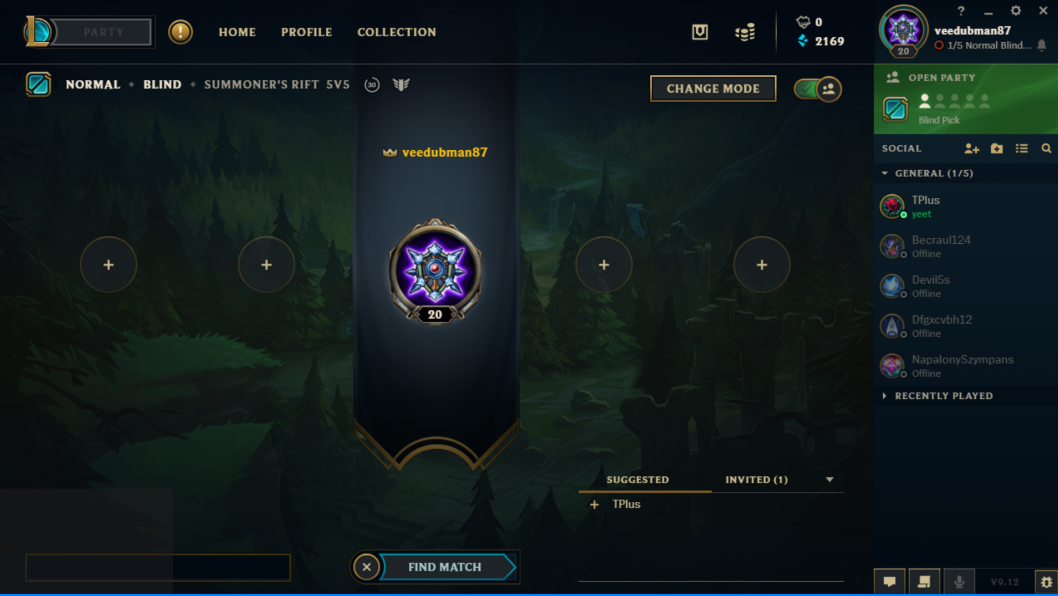
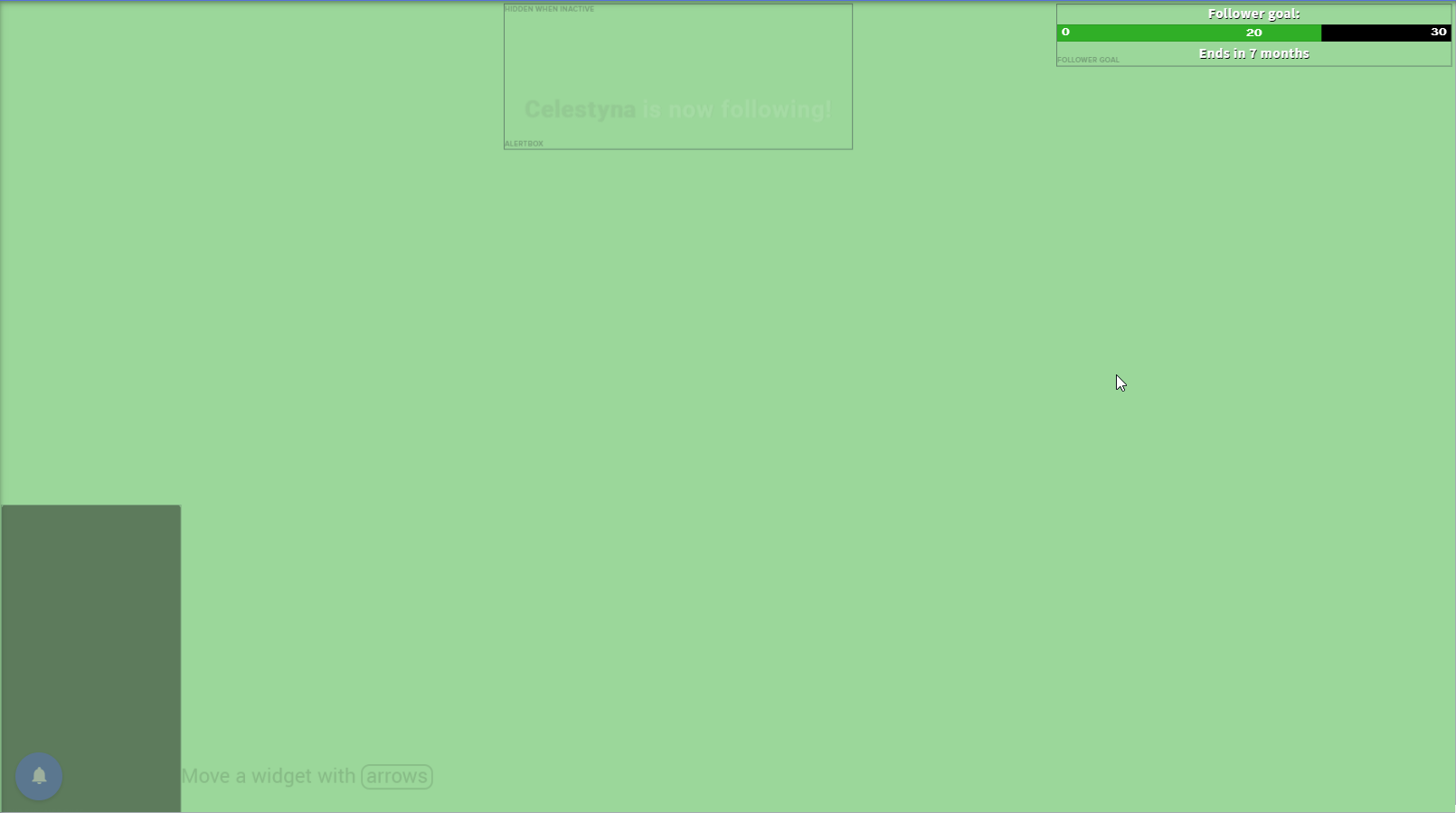 elder sorrel
@minor copper Where do you have your Overlay Source located in OBS? Is it above your Game Capture?
 minor copper
@elder sorrel yes

also half chat is off screen
i did everything the guide said on the website
elder sorrel
🤔 Is your Overlay 1920x1080 in OBS
Also can you can in the StreamElements Website -> My Overlays if it's listed 1080p?
 lament blade
why can't i see my dashboard anymore in SE LIVE
grave snow
Is there a list of everything that can happen in !cmd options?
Also, can I set user level when creating a command in chat with !cmd add
nocturne pelicanBOT
@grave snow You can make changes to custom commands in chat with!command add/remove/edit/options/show Valid flags for !cmd options are: -cd (number) -usercd (number) -cost (number) -level (number) -type (say, whisper or reply) -count (number). --- Example: !cmd options twitter -usercd 60 -type reply -level 250
elder sorrel
Correct to both 
modest sail
Is there a possibilty to rename the Streamelements bot?
 modest sail
Yus!
elder sorrel
Check the pinned messages in #helpdesk-selive
It's the first one, Sino
 rustic mist
i dont see anything there in pinned regarding this issue?
modest sail
Thanks American ~
elder sorrel
Maybe try restarting your computer if any luck, Antinull. 🤔
I did the update yesterday as well but no distortion came from my end.
rustic mist
i did
elder sorrel
This only started to happen after the update with OBS.Studio?
rustic mist
yes
nocturne pelicanBOT
@rustic mist For the best OBS support, please join their Official Discord @ discord.gg/obsproject
rustic mist
its literally with the obs live update and overlays tho?
elder sorrel
OBS.Live is a Plugin for OBS.Studio for Activity Feed, Twitch Chat, Custom Bot Name & Hot Keys.
Is it distorted as well in the Overlay Editor for your Overlay?
rustic mist
no
olive bloom
@wanton mango the {gifter} tag works, just like you said, it just needs a nudge from an actual gifted sub, so all good! Thank you very much!
 cyan delta
Hey guys, how can i create a chat command that converts currencies? Like euro to usd etc. Please ping me if you answer so i dont miss it
 flint barn
I'm getting the error: "roleplay missing scope invitations:manage" when I try to redeem shared access. But this error message is a bit odd. Is there a maximum of manageable channels? I tried it with a different account and it worked flawless. Is there any subscription/option to increase the number of manageable channels? I think I hit the maximum but I couldn't find any max declared on the help page, does anyone know something about it?
 spiral ether
Hey, Where did the Stream Information tab go from OBS ? I used to be able to set title and tags from OBS.
 wheat stag
Just got OBS trying to start streaming but it says unable to connect, and to check key. I did but still not working, please help.
elder sorrel
On OBS.Studio -> Settings -> Connect
wheat stag
@elder sorrel Thank you!
 zinc granite
i stream with streamlabs and have streamelements as bot. My watchtime command doesnt work! It says 0 seconds to everyone. i have enabled Loyalty settings to. What to do?
elder sorrel
Have the viewers been watching for more than 10 minutes during your Live Stream?
nocturne pelicanBOT
@zinc granite 10 minutes of watchtime are given to those in chat when the loyalty points are handed out (every 10 minutes). Therefore, loyalty must be enabled for watchtime to work properly. There is no direct link between watchtime and all-time points. It can’t be calculated from the amount of all-time points a user has because subs may earn points at a faster rate and !bonus all command increases all-time points for users in chat at that time. Giving points to a single user does NOT affect all-time, only when giving to all in chat.
zinc granite
@elder sorrel yes, some viewers have watched over 5hours, but i dont care about the point system, just want ppl to see how long they watched my stream in hours and minutes!
But it only says "0 seconds"
elder sorrel
What's your Twitch name?
The one in your Discord Profile is not showing up.
narrow coyote
Watch time uses the loyalty points system to track. If you don't have that enabled, then you will not have any watch time being tracked
zinc granite
Thats the problem tho, i have it enabled, and it doesnt show watchtime anyway.
only 0 seconds 😦
zinc granite
Haha i tested nightbot, but it didnt work, thought i took it away
now it would work
U have any idea? @elder sorrel
elder sorrel
I don't. Are you able to stream right now? Cause the only way we can test is I'm in your chat while you're streaming.
I have the time right now as will be going to lunch soon.
zinc granite
okey, i can stream!
elder sorrel
Ready & waiting
 onyx sapphire
Yo. My follow alerts haven't been working in my stream lately. Streamelements hasn't been picking up on them
elder sorrel
Let me know if your activity feed got an update.
lament blade
hi, why cant i stream csgo?
elder sorrel
One thing you can try is parting the bot, sign out of Streamelements through the website, sign back in & join the bot again.
onyx sapphire
Ok. I'll try that and get back to you
elder sorrel
@lament blade Don't know what you mean.
Are you getting some kind of error when you try?
onyx sapphire
@elder sorrel I did the bot thing. I can try refollowing using my bot account
elder sorrel
Give it a shot.
onyx sapphire
It Worked!! Thx!
elder sorrel
No problem 
onyx sapphire
lament blade
how do i add overlays to my obs?
modest sail
You have to add a Browser source if you created the overlay in SE
lament blade
and then what? sorry i have no idea what im doing
Hey, Is there any support guy on rn? I am trying to give a small tip to a streamer and when I enter my card it gives an error which says payment refused.
Please help me solve this, I am sure my card is valid and has balance
modest sail
No worries, Coder, you should get the Link for your overlay from SE here: http://prntscr.com/o2l3j2

And then you launch OBS and in the section Sources you create a new Browsersource. In the url bar you paste the overlay link you just copied
 bronze stirrup
Does anyone have a good customizable donation goal box? I feel the default one is a bit lacking on customization features in terms of how it looks and such
narrow coyote
Check #widget-share otherwise you would need to code one yourself using the custom widget
 swift furnace
When working with a custom widget, where do the results go? The line "console.log(results);" implies there is a console where we could possibly see results
I am trying to make the emote combo widget work for me with sound only, and having no luck. I don't know if my customization is the cause, or if the widget code is flawed in general
 full geode
Hello! I set media share in the overlays yesterday. Media share was working perfectly. But now media is not showing in overlay and not playing in the overplay at all. What might be wrong?
 dark yacht


 swift furnace
@narrow coyote TY
 solid bobcat
Hi everyone! Sorry to bother you all on Fathers Day but is there anyone that could possibly help me? I'm trying to get my Alerts that I transferred over from StreamLabs to work and not having luck!
 strong kernel
It looks like you have custom CSS enabled for your alerts. You'll probably want to disable it and then adjust text position for your alerts.
solid bobcat
ok. Will that allow the animation to show up?
strong kernel
Yes.
tawny bay
so my store redeem alert are using the item preview picture instead of the GIF i made. This only happens on some items while other items use the GIF. All items with a preview image
strong kernel
@tawny bay Can you give an example of a store item that isn't showing the correct image?
tawny bay
my free sub does gif while acolytes mods/weapons do the picture for preview
strong kernel
To be clear, which of those isn't working correctly?
strong kernel
Okay, let's make this simpler. Please redeem an item that did NOT work correctly previously so I can watch the behavior.
tawny bay
redeemed
strong kernel
That appears correct.
strong kernel
Yes, the preview image is always used.
If there is no preview image, it uses the one in the store redemption widget.
strong kernel
The preview image is always prioritized over what you put in the widget.
tawny bay
and no way to override?
strong kernel
Remove the preview image.
tawny bay
seems quite pointless since a preview image is for the store link to help someone but whatever
and inconsistent as some with preview images do not use the preview image while others do lol
strong kernel
Redeem one that you believe uses the widget's gif.
tawny bay
done. i also got last night stream proof
tawny bay
I'll find the clip last night
strong kernel
At any rate, to reiterate the behavior:
The redemption will use the preview image. If there is no preview image, the widget's set image will be used instead.
This is intended.
tawny bay
inconsistent and a bad idea
solid bobcat
@strong kernel Thank you that worked. I'm now trying to figure out why some of my alerts are larger than others. How can I increase or decrease the size of the grey box inside the widget outline if that makes sense lol
tawny bay
you also so far can't remove a preview image from a item. Only replace or delete the entire item from the store.............
 agile creek
Hey I stream and there is shooting delay I woudl shoot and about ten seconds later it would make the shooting noise