#helpdesk-twitch
1 messages · Page 445 of 1
 lament blade
You could check your router if you have something to get a new ip/reconnect.
or Plug out your router for like 10min and hope you get a new ip allocated and you should avoid that teamspeak server
If not call your isp
 ornate python
yeh
i've tried to unplug it
i don't get a new ip unfortunately
but thank you though
lament blade
Well then you should call your isp maybe they can help you and good luck
ornate python
thanks man
 steep narwhal
Having a lot of trouble with SE and need some advice.
- raids/hosts/paypal donations dont get announced
Ive double checked and None of my settings have changed. I'm honestly at a loss on whats going on and could use some advice.
lament blade
@steep narwhal Do you have Twitch and Youtube added as channel in SE?
What sometimes happens to me is that i think im in the twitch section just to find out that i was editing things for youtube
 echo elk
How do i put the stream title into obs overlay?
steep narwhal
@lament blade twitch only. Im inactive on youtube and have never streamed there.
 elder sorrel
@steep narwhal Did you receive an email from Paypal that a tip was made?
@echo elk If you want to put it in your Overlay. Can always add the Text for your Title in your overlay editor.
steep narwhal
@elder sorrel
Yes.
echo elk
@elder sorrel i mean if i can put a title editor in the overlay, like the chat box, the scene box or like that
elder sorrel
Dashcam: Do you have Manual Tip Approval enabled in your tipping settings?
steep narwhal
I'm not sure. Where do i find it?
elder sorrel
Go to the Streamelements Website -> Dashboard -> Left side menu click "Tipping Settings" -> Tip Settings again
Scroll down until you see Tip Moderation.
steep narwhal
Ok. 2 seconds please.
echo elk
is there Any form of doing that @elder sorrel ?
elder sorrel
I'm not sure if that is possible for the Title. Can't confirm as I'm not at home to check if the variable ${title} can be used or not.
As for the Twitch Chat can be shown on screen. As in the Overlay Editor in the Streamelements website you can add the Twitch Chat widget.
steep narwhal
@elder sorrel
Tip moderation is set to off.
echo elk
oh, its because ive seen it in gaming careers
see? in the bottom of the screen. it say title and notification @elder sorrel
elder sorrel
Ah. That's through Twitch themselves. Not through us. You'll have to connect your Twitch account through OBS.Studio if you haven't already.
Go to settings -> Stream -> connect
Dashcam. Going to ask internally to see what's up with that not showing in the activity feed 
I'll ping you when I get a response as it may take awhile due to most staff are away on the weekends.
steep narwhal
sounds good. thanks for your help.
elder sorrel
@steep narwhal Can you login your paypal account in their website & check if the Tip got accepted?
steep narwhal
@elder sorrel it was accepted.
 weary mist
@steep narwhal Hey. I just sent a $1 over through your tipping page. This one is showing on your activity feed just fine from my end. With this other tip, check to see if it has some of the same things. Like when you go into the transaction, it says "Tip - Thanks for tipping!"
steep narwhal
The one from last night doesn't show "TIP - Thanks for tipping"
also, let me see if I can refund that dollar.
weary mist
To me, that means it was sent through another service. We put that into our transactions to help with fighting chargebacks, where other services do not
If you used another service before, we highly recommend shutting down your previous tip pages just in case someone has an old link they use, and that way information isn't lost because of it
steep narwhal
it appears that I cant refund it...
I'll contact the chatter that sent it and find out how he did it.
i'm wondering if he sent it paypal - paypal directly.
weary mist
It could be possible. And don't worry, I'm ok with you keeping the money :)
steep narwhal
😁 thanks Scalper.
what about the host/raid notification not showing up?
weary mist
I just resubscribed your webhooks, just in case there was an issue there. Let us know if it happens again
steep narwhal
scalper, thanks.
also, I just talked to the chatter. he did indeed send the tip last night directly through paypal.
echo elk
how can i test my follows/subs/donatiosn notifications, i want to see if they work
 nocturne pelicanBOT
@echo elk To test/emulate alerts, hover over the blue bell at the bottom of the overlay editor. From here you can select the type of event and the amount to test.
 twin sentinel
There is a widget you can add to your overlay called My twitch chat.
echo elk
where do i find it?
elder sorrel
twin sentinel
When you are in the overly editor of an overlay in the blue bar at the top it says widgets.
echo elk
thank you both
 solemn arch
A couple of questions - are the command variables useable in the overlay editor? Or is it possible to print a code response in an overlay if it's updated? For example ${title} and ${game}
Also - this one is tiny and not really an issue - but I'm assuming the leader board panel extension updates twitch avatars when that viewer comes to my stream?
twin sentinel
@solemn arch Afaik only the widgets in the widgets list are able to be displayed on stream. But there is a custom widget you can code what you are describing yourself.
And I am sorry, as I don't have handled with the twitch extension that intensively as being able to give you an reliable answer here.
solemn arch
Just a curiosity thing more than anything
And thanks! The last thing isn't that big of an issue 😃
 calm maple
Im trying to upload an image to my overlay editor but it wont upload how do i do this
elder sorrel
Are you using Chrome?
elder sorrel
Chrome would be the best option to use. I'm not sure if you're using the Chromium beta version of Edge.
As the Streamelements Website is Chromium based.
calm maple
okay thankyou ill give it a shot
 mellow dust
Sup , one question trying use your overlays everything is nice but chat isn t working on overlay what i need to change? cause everything is working perfect but don t know what to do qith working chat cheers ;D
twin sentinel
@mellow dust What exactly is not working?
 fiery jewel
Hi how can i make my game overlay work on my game capture ?
nocturne pelicanBOT
@fiery jewel To add your overlays to OBS, add a new browser source in your scene. Paste your overlay URL in the browser source properties, set the dimensions to 1920x1080 (unless you changed them on the website), and ☑ “Shutdown source when not visible” https://youtu.be/KDvLynUqXI4
fiery jewel
I did that but it doesn t show on game capture only on display capture
i got it thanks
lament blade
Good day i'm trying to figure out how he g2pay works i cant get money there from tip
 winter zenith
@lament blade you need to do the verification for withdrawing money
 drifting brook
hey guys
i need some help , how can i make sub goal count only current subscribers?
because some of people doesnt subscribed anymore but it still shows them
lament blade
@winter zenith okay and where somewhere on g2pay site?
 normal igloo
@nimble dune be extremely helpful and nice in the community and ask 👍
normal igloo
@drifting brook one way of doing that you could always use total subscribers
total subscribers then have as text the goal number
winter zenith
@drifting brook need to change that yourself because the widget doesnt count down.
you can set that here in the goals tab:
https://streamelements.com/dashboard/session
 jade remnant
@nimble dune keep an eye on updates in this sever, sometimes admin ask for testers. as for twitch tester you need to ask them. clearly we have nothing to do with that
 glass sluice
Are there any plans to allow the alertbox for example to have copy and paste for the sounds?
It's laborious to change them on each different browser source in one of the template sets.
elder sorrel
You mean like duplicate your alertbox from one overlay to another? @glass sluice
glass sluice
Yes.
nocturne pelicanBOT
@glass sluice To duplicate a layer on an overlay select the layer that you want to duplicate in the layers drawer (bottom left of the editor) and then select the duplicate button with the red asterisk right above the layers panel. You can duplicate a layer to the same overlay or to other overlays.
elder sorrel
Yep. As the bot says
glass sluice
I never knew this.
elder sorrel
"You can duplicate a layer to the same overlay or to other overlays."
 normal igloo
son goku it's that really you? 
 wanton mango
@grave snow I believe $(touser) becomes a target name if specified, or if not, becomes the sender's username, and $(user) appears to work like $(sender) now
 grave snow
Thanks
So if I put a command with touser and don't @ anyone in the message, it would @ me?
lament blade
I am a moderator for a streamer and he has song requests enabled. I can do !play !pause !skip etc but is there a way to accept a song? for example someone requests a song can I accept it for them?
jade remnant
they will need to give you access to their SE account
nocturne pelicanBOT
@lament blade To invite managers to your dashboard, Click on your Channel Name at the top of the dashboard and scroll down to Settings. Click the drop down arrow to expand your channel managers and then create a new invite at one of three access levels (Bot Supervisor, Editor, Full Control) Check this video out for more help: https://youtu.be/zl_h-ttZDF0
lament blade
ah I see thanks for the help if I got any other issues ill report back ❤ 😄
wanton mango
Correct! @grave snow
wanton mango
Do you want it to only accept a target username?
grave snow
Yeah, if I don't @ anyone when I call it I don't want the bot to @ anyone
drifting brook
@normal igloo Thank you thats exactly what i neded
mellow dust
@twin sentinel
wanton mango
Use $(1) instead, which means the first word (the target) after the command
wanton mango
The command won't run if no word is specified
mellow dust
on twitch chat
and any message won t see at my overlay\
I see chat on brb overlay but don t see at stream starting soon
grave snow
Thanks.
normal igloo
@mellow dust do you have your chat widget on the stream starting overlay 
mellow dust
gonna check im using blue metropolis
 azure horizon
Do alerts not play based on a username? I have a sub that has been subbing for months now and all of a sudden like the last 3 subs when he resubs to me the alert wont got off for him but will for others, same if he gifts a sub. Is anyone else getting this issue?
nocturne pelicanBOT
@azure horizon Twitch prime (new and resub) and paid subscriptions (resub only) must be shared in chat manually by the person subscribing in order for the subscription information to be sent to StreamElements. For twitch prime, the user needs to have sharing enabled on https://www.twitch.tv/settings/prime. For paid subs, if the share box doesn't show up immediately it will when they refresh the page. https://i.imgur.com/VNJN0Uv.gif https://i.imgur.com/2297EA7.png


 sharp dawn
hello! when the spam filter timesout a user, the user is not seeing the timeout reason/message
azure horizon
I'm getting their sub, the problem is the alert for them will not play. Even if I click the reload button.
The sub even shows on the dashboard and I see it in chat, but the overlay will not play their sub
twin sentinel
@sharp dawn Twitch recently changed something on their timeout system for moderators. Afaik the user just sees that his/her message got delteted but not the reason any more.
sharp dawn
i thought so, thanks for clarifying. hope twitch sorts it out. people keep complaining "why am i getting banned!!!" haha
twin sentinel
@azure horizon Have you tried to replay the sub, and not reload the overlay?
Is the sub in your activity feed?
azure horizon
@twin sentinel I've tried to replay nothing, reloaded overlays nothing, had them check their settings to make sure sharing was on, all his settings were right, this started about 3 months ago and before it never had the issue
and yes it is
i got a sub right after him and it played that one
im not sure if its an issue with his name being "Assfan"?
i dont have that word blocked or anything so i dont know what would cause the overlay to just say no to one person
twin sentinel
Have you enabled the standard profanity filter?
twin sentinel
So when you hit the replay button of the activity in the activity nothing shows up, even in the overlay editor, when you are in the editor mode of an overlay?
It could be, that the name is blocked somehow by StreamElements. I am not 100% sure on this.
azure horizon
it just dosent do anything i click replay and it acts like it replays it but nothing shows up, i replay another alert and it works fine it is only for this person im having the issue
i dont know if anyone from staff can help me but ive posted about this more than once and they never come in here to say anything
if i replay the overlay to redo his sub, it changes my recent sub to his name, but the alert will just not play
twin sentinel
I have asked internally about your issue. But as a lot of staff members are not available on the wekends it could take some time for a response.
azure horizon
alright thank you
mellow dust
@twin sentinel don t know what is wrong everything works but not on start streaming overlay
twin sentinel
You are talking about the issue that your chat is not displayed onscreen in your start streaming overlay?
Have you added the chat widget to your start stream overlay?
 granite star
hi ive lost all my streamelements scenes where do i find them on the one drive?
twin sentinel
Your scenes in the StreamElements system are here: https://streamelements.com/dashboard/overlays
granite star
no i mean from the files i lost everything its all on my streamlabs obs anyway i can import it from there?
twin sentinel
This is the StreamElements support discord. All your data are secured in your cloud based system. So when you reset your PC, all your overlays are still available.
 cinder lotus
quick question: is it possible (and how?) to make the bot trigger at specific things said in the chat? I just see chat commands with "! " but what if someone says hello and then the bot is answering with hello e.g.
twin sentinel
That would be a keyword for a command. In the advanced command settings you can enter the keywords to trigger the response.
cinder lotus
ah, thanks. that easy 😃
mellow dust
@twin sentinel didn t need add on any
they were automatically
but on this one
i don t see
twin sentinel
So when you are in the overlay editor and in editing mode for the starting scene, and you type in chat, it does not come up on your screen in the editor?
Is the chat widget in the layers?
 fast glade
Does @nocturne pelican have a program to help with Charity streams?
 strong kernel
We have alertboxes for Tiltify and Extra Life.
fast glade
Ok, I'll look them up
 next mantle
I have a question. Mod StreamElements commands stopped working for me on Twitch since I changed the twitch username a few days ago. Other mods can still use them bot none of them are working for me. Logging out and back into Twitch & StreamElements didn't work
 silent zinc
is it possible show in chat the current Elo in League of Legends?
strong kernel
Check #command-share

 twin sentinel
Working for me:
twin sentinel
40x errors are mainly clinet side, as far as I know.
normal igloo
@wanton mango by any chance is your API down?
I keep forgetting I'm using that for the command 
twin sentinel
For me a request with fireqires API was fine.
can you dm me the response which should be given, so I can test on my side?
normal igloo
ok
silent zinc
seems all the league of legends command are not working. any suggest?
normal igloo
You know that feeling where you ask for help and the person helping you is in the middle of testing your issue but it fixes itself well me and @twin sentinel just experienced that
 prisma sparrow
Im trying to Screen record my game and it not exactly working
 heavy flicker
This has been asked a couple of times but I haven't been able to find a more recent response... Are there plans to make the StreamElements extension panel available to mobile users?
strong kernel
That's a question for Twitch. It's their app.
heavy flicker
Oh, I think I've misunderstood something, then... Someone asked about mobile extension support a year ago, and the response was "we need to stabilize the web version first and then we will start working on that"?
strong kernel
No panel extensions work on the Twitch app. Because the Twitch app wasn't made to support them.
heavy flicker
That's disappointing. 😦 Thanks.
 inner bridge
Hello, I can't write in the streamchat for my own channel, Like not in obs pop up chat
If u understand
twin sentinel
StreamElements at the top in OBS: Log out > Log back in
inner bridge
Ok, thank you!
Oh yeah it's because I changed name on twitch yeah?
Now it works. Thank you @twin sentinel
 lost copper
Hello
nocturne pelicanBOT
@lost copper Welcome to the support channel! Please let us know how we can assist you today and a member of the support staff will be with you as soon as possible.
lament blade
does stream elements take a percentage from donations?
strong kernel
No, we don't take any cut, but there are fees implemented by the payment processors.
twin sentinel
lament blade
ok thanks
 mild warren
Is there a specific channel for Mac OS ? Related to Retina display + Super Theme resolution . I searched the discord a search result, but it is an unresolved issue.
strong kernel
There is no Mac-specific channel, no.
mild warren
I am using a MacBook Pro 2018 Retina display. I am modifying the "PINELYN" super theme. When I put the browser source into OBS it appears "weirdly sized" My stream size is 1440x900
strong kernel
All super themes are designed at 1920x1080.
mild warren
The Browser sources has been set to 1920x1080 as it is said in the help video
strong kernel
Changing the overlay resolution does not resize and reposition the assets.
1440x900 is a 16:10 resolution, while 1920x1080 is a 16:9.
mild warren
So I cannot use any of the super themes and need to create my own?
strong kernel
You can use them but it's your responsibility to edit them to suit a 16:10 aspect ratio.
mild warren
I have moved the widgets around and it appears decent in the Overlay Editor. But when I bring it into OBS, I get huge empty space on the right and below.
The image that I have used as a Background is a 1440x900 image
but it fails to fill out the panel in streamelements
mild warren
I do not understand how a super theme can be modified to suit that. Alright I guess I will just make them from scratch without using the super themes then.
Thank you.
❓ Is there a way to use a reference of a widget from one overlay to another without having to recreate it?
mild warren
Not overlays. If i want to bring one of the widgets (for e.g an alert widget) from the starting soon overlay to the BRB overlay
Ok, I just saw your edit.
But I still cannot find a way to bring specific widgets with their styles to a new overlay.
strong kernel
Select the widget and click the duplicate button.
mild warren
Aha. Thanks.
One last question before I go, can we group widgets and duplicate them as a group? I do not see a grouping option in the layers panel
strong kernel
No.
mild warren
Alright. Thank you for your help
lament blade
Hey. Not sure if anyone else has/had this issue.
No matter what I try with settings, I keep getting a good amount of lag and dropped fps when trying to stream.
nocturne pelicanBOT
@lament blade Can you please provide a log from your last stream. In OBS go to Help > Log Files > Upload Last Log File. Once this is complete, please provide the link to the log file.
lament blade
The problem isn't with obs. OBS runs fine. I can record with no issues.
Just happens when I try to stream.
strong kernel
Oh, okay, in that case:
nocturne pelicanBOT
@lament blade Can you please provide a log from your last stream. In OBS go to Help > Log Files > Upload Last Log File. Once this is complete, please provide the link to the log file.
lament blade
I'll let it run a few minutes then send it.
strong kernel
👍
Your log isn't reporting any dropped frames. Did you have everything running, game included?
strong kernel
Well, the log isn't reporting any dropped frames.
lament blade
Weird
Anything else that could be causing the lag on twitch when I try to stream there?
Yeah, I tried at 30fps. Was even worse.
strong kernel
Well, this log isn't telling us much so we have two options:
- Get us another log from an actual stream
- Listen to the bot:
nocturne pelicanBOT
@lament blade For the best OBS support, please join their Official Discord @ discord.gg/obsproject
lament blade
Already asked there. They didn't know either
strong kernel
Well, they're definitely overall more experienced with OBS issues than we are.
More than I am at the least 
lament blade
All they said is it's on Twitch's end.
Just did a quick stream. That's the output log I got on obs.
Not sure if it'll say anything about twitch though.
strong kernel
Same thing, no reported dropped frames.
lament blade
Must be something on twitch's end I guess.
 shut phoenix
Any word on host alert updates?
strong kernel
The devs have not made any changes to host alert behavior.
shut phoenix
So 0 viewer host still won't show..?
 wary heath
when i Duplicate Overlay to twitch were tf does ot go
strong kernel
To the "My overlays" section of your Twitch account's StreamElements dashboard.
@wary heath
wary heath
k
no when im on stream element in my overlays it says Duplicate Overlay then i dup it to twitch were does it go on twitch
strong kernel
@wary heath To save some time:
You cannot magically copy/duplicate/apply/beam an overlay to Twitch.
Your overlay must be able to be used and handled by the device you're streaming from.
Your phone cannot be used as a middle man for this.
Neither can your tablet.
Consoles can't handle this on their own. They don't have the capability.
You need a capture card or remote play and stream from your PC.
No, there's no other way to stream console gameplay with overlays.
wary heath
so i put in on my elago correct
strong kernel
You put it in OBS.
wary heath
ok thanks
so when i copy the link on stream elements for obs were on obs do i put that link
nocturne pelicanBOT
@wary heath To add your overlays to OBS, add a new browser source in your scene. Paste your overlay URL in the browser source properties, set the dimensions to 1920x1080 (unless you changed them on the website), and ☑ “Shutdown source when not visible” https://youtu.be/KDvLynUqXI4
 brazen idol
hello. new to the discord and new to streamelements. i have the basic stuff down, i think. lol. i am wanting more info on the tip page thou. i set it all and had a friend tell me that he tipped me while i was offline. i still haven't seen it show up in my paypal or on the streamelements tip leaderboard or last tip. this is the first time getting a tip through here and i wanted to know if there was suppose to be a delay on getting the tip? it's been a few days even.
strong kernel
If there's no information in your StreamElements dashboard, then the payment processor (I'm assuming PayPal) did not send us a confirmation. Chances are, PayPal held the tip for verification. We're just a passthrough service and never touch the money; if you're having an issue, you may wish to contact PayPal support.
brazen idol
@strong kernel thank you sir for the info!
wary heath
browser source is not in obs for mw
 zenith widget
@wary heath its just called browser when adding new soucre. If its not there reinstall obs
 devout ice
how do u show your gameplay on stream
zenith widget
https://m.youtube.com/watch?v=BtZazqLgBjw - here is a guide about how to setup obs. Afterwards we have some video guides for our tools and features
lament blade
please please please fix the updates. everytime there is an update the activity feed and chat window of stremelements obs resets.
zenith widget
What do you mean resets?
lament blade
i have my chat window on the left side. everytime there is an update it resets to the right
zenith widget
Aah, that. Its been requested before. No ETA on when.
lament blade
that's unfortunate. thanks
 inner mauve
hey can someone tell me how to have the TTS happen when someone gifts a sub
zenith widget
I don't see a reason for this question to be asked in #helpdesk-selive .
For TTS on the gifted sub -> overlay editor -> click the alert widget -> subscriber alerts cogwheel -> variations -> cogwheel on the gifted sub -> on the popup window scroll down until you see TTS
inner mauve
lol i didnt know where the setting was dude but thanks for putting me on blast lol
so i put it in both
my bad
zenith widget
The question/query has nothing to do with OBS.Live, so there is no need to actually spam in different channels.
inner mauve
why are you being a pain lol and SPAM 2 messages is not spam
do i have to put the alert box in there or will it do it auto matically for me?
zenith widget
In where?
inner mauve
in my obs
nocturne pelicanBOT
@inner mauve To add your overlays to OBS, add a new browser source in your scene. Paste your overlay URL in the browser source properties, set the dimensions to 1920x1080 (unless you changed them on the website), and ☑ “Shutdown source when not visible” https://youtu.be/KDvLynUqXI4
inner mauve
i dont want to add a gif or sound i just want the bot to announce when it happens
zenith widget
You can enable chat alerts then. On the main dashboard(outside the overlay editor) -> Modules -> Chat alerts module
but teh chat alerts module, doesn't have a variation for gifted subs
it can only announce that X person has subbed
inner mauve
yea i want it to say it out loud not text i want the voice
zenith widget
Ok so going back to the overlay - you don't need to place a gif or sound
inner mauve
ok lemme try
zenith widget
Nobody here, just white walkers
 somber vessel
can you help me?
zenith widget
Depending on what the issue is 😃
zenith widget
And you want them merged?
somber vessel
yes
zenith widget
I would need the JWT tokens from both accounts in order to merge them for you.
nocturne pelicanBOT
@somber vessel You can find your JWT token on your account channels page: https://streamelements.com/dashboard/account/channels
(Don't forget to click on "Show Secrets")
zenith widget
DM me the tokens
somber vessel
ok
zenith widget
don't post them here
somber vessel
sent
zenith widget
Merged. You can now switch between accounts when you click on your name on the top left.
zenith widget
@lament blade Anything you need help with?
nocturne pelicanBOT
@lament blade Can you please provide a log from your last stream. In OBS go to Help > Log Files > Upload Last Log File. Once this is complete, please provide the link to the log file.
zenith widget
Well I see you are trying to stream 720p
but using 1400 bitrate
you need at least 3000 bitrate
lament blade
Tried that yesterday. Lag
zenith widget
zenith widget
at 2000fps target range, it might lag all the time.
Ok I see that you've lowered it afterwards to 30fps
But if you want to, you can check in with the OBS guys if they can propose some other setting change.
nocturne pelicanBOT
@lament blade For the best OBS support, please join their Official Discord @ discord.gg/obsproject
lament blade
Already did yesterday
zenith widget
What I only see is, low bitrate
zenith widget
Then switch servers
lament blade
Friend of mine has a worse gpu than me, 7 upload speed, and runs at 1400 bitrate and has no lag 😕
zenith widget
https://www.teamliquid.net/forum/tech-support/478845-twitchtest-twitch-bandwidth-tester - Twitch Server Tester
lament blade
Yeah I know about that too. Already have it set on Frankfurt.
thats what I got from the analyzer
zenith widget
Giving me that, doesn't help me in anyway to provide you a fix.
At this point this issue has nothing to do with us and I cannot help you, unless someone else has any other idea.
 slender ice
i have a weird issue , you can see in the overly manager i have 90 subs but when i look at it through obs live it shows like i have 1 sub
this is in your site
this is the same scene in my obs live
slender ice
between
slender ice
no in my obs its 1 😐
nocturne pelicanBOT
@slender ice Right click on the BrowserSource > Properties > Scroll down a bit > Refresh Cache of current page
zenith widget
Try this
zenith widget
huh? 
slender ice
zenith widget
i see a 1 there 
slender ice
i have another question
zenith widget
SUre
slender ice
when i streram and i switch to my end window it has that emoji thing
and it always get stuck
i have a clip of that wait
 zenith widget
Thats kappagen
slender ice
and its always get stuck when im switching to a screen that has that emote option
zenith widget
having to preload explosions and its stuck
slender ice
so its spose to be like that?
slender ice
thanks
zenith widget
ok so same as your alerts, you might want to move kappagen on its own overlay
slender ice
ohhh
zenith widget
and have it set as "shutdown when not visible" and copy + paste as reference in your other escenes
where you use kappagen
slender ice
yes, but how do i do this: shutdown when not visible in obs?
zenith widget
right click browser source -> properties -> scroll down
slender ice
cool did everything seem to work grate thank you very much you guys are helping a lot here !! ☺ ❤
@zenith widget
zenith widget

 distant linden
hey I am having trouble with something from stream elements I can't figure out how to move/make my chat box bigger I had someone help me set it up
may someone please help me? ty.
zenith widget
which chat box?
 zenith widget
You need to enter the overlay editor and make it bigger
distant linden
okay logging into stream elements
and looking for that rn
I don't see that
in my overlays
zenith widget
Where are you getting the chat from then?
zenith widget

 grave python
@zenith widget ultraping because styler isnt responding KKona
can we take it to private?
 STYLE
STYLE  grave python
gonna talk to tal 

 topaz wharf
any1 know why i cant import curreny from streamlabs chatbot to streamelements?
zenith widget
loyalty points need to follow this format in the .csv file:
name, points, minutes
In the export file there is a rank column we don't use
topaz wharf
mine is name, points, hours
zenith widget
DM me the file
 slender yoke
Question: when I’m raided, both the raid alert and host alert are triggered. It might have to do with the twitch api recognizes them as separate events, but is there anyway to have only the raid alert trigger?
zenith widget
This should have been fixed couple of days ago
can you give a clip of it happening that is after the 18th april?
zenith widget
aah wait on saturday?
Yeah I think when the fix was released, it was reverted along side other fixes we reverted.
let me check if this was re-fixed again 
@slender yoke So this was sorted out on Sunday afternoon(EU time)
you should no longer get host alerts if you get raided
grave python
@zenith widget  👉🏿 ❤ prepare
 fallen lava
Hello! So I posted sometime last week in regards to the follower goal widget for one of the streamers I mod for. She has 1151 followers and we would like to have a follower goal of 1500 but when I add the widget it shows that her current followers is 780..... But if I add the Total Followers widget it shows she 1151 followers. I have already tried to go into the Data and change it from 780 to 1151 but it wont let me as it says "Error Could Not Save Session"
zenith widget
I would suggest to again now to edit the current goal progress
If it doesn't work, the streamer may need to do it.
 tranquil osprey
Hey everyone I'm new
elder sorrel
Hi new!
jade remnant
Hi new, welcome to the helpdesk
elder sorrel

jade remnant
God dam it emerican
fallen lava
@zenith widget yeah i tried and it didnt work. So even though I have editor permission in Stream Elements she will most likely have to go in and try to edit it?
zenith widget
Did you try right now?
zenith widget
Interesting.
fallen lava
its 782 for some reason in the data for goal progress. i go to change to 1154 which is her current follower count according to twitch and according to the "totals" in stream elements and i get the "error" message
zenith widget
Well the streamer will need to edit that.
zenith widget
I can't understand the example if its formated like that
use double ` infront of the link and in the end
fallen lava
sorry!
zenith widget
its still not formated properly - delete the link and paste it again with the tildes
 dawn lily
what does this mean
zenith widget
loosing connection most likely
lament blade
how to get a scene i obs? any help?
twin sentinel
Select the small plus and name the scene. Then add sources to it.
lament blade
ty 😄
nocturne pelicanBOT
@lament blade To add your overlays to OBS, add a new browser source in your scene. Paste your overlay URL in the browser source properties, set the dimensions to 1920x1080 (unless you changed them on the website), and ☑ “Shutdown source when not visible” https://youtu.be/KDvLynUqXI4
fallen lava
Sorry but on another side note I assume Stream Elements doesnt have these commands like Nighbot did:
Multiple Response Command- example !countdown in chat then streamelements types in chat:
3
2
1
GO
https://vxrl.xyz/commands/multiplemessages#state=%7B%22messages%22%3A%5B%22%24(querystring%20~text~%20%40%24(user))%22%2C%22%24(querystring%20Count%3A%20%24(count))%22%2C%22%22%2C%22%22%2C%22%22%2C%22%22%5D%2C%22messageAlreadyEncodedValues%22%3A%5Btrue%2Ctrue%2Cfalse%2Cfalse%2Cfalse%2Cfalse%5D%2C%22msInterval%22%3A5000%2C%22delaySecondMessage%22%3Afalse%2C%22commandName%22%3A%22!lewd%22%7D
!Queue Commands - example for follower games individuals can type !join and join a queue so it keeps track of who wants to play with the streamer
https://2g.be/twitch/nbqueue/public/install/auto
@zenith widget is that better?
zenith widget
well no as it still somehow transfored some symbols into %20 or %22
but now that I look into your query - no out bot doesn't do multiresponce
fallen lava
okay i figured from googling and all but figured id ask in case there was some custom API with stream elements for it!
thanks again @zenith widget for your help!
twin sentinel
@fallen lava Take a look at this custom widget: https://github.com/StreamElements/widgets/tree/master/UserQueue
 icy bison
 tight harness

StreamElements Media request enables playing songs and videos in your stream. It's an upgrade of StreamElements Song request and Media share features. ----- ...
fallen lava
@twin sentinel I will look now!
 valid lotus
I somehow removed my chat thingy on the software - how to i get it back?
twin sentinel
If you mean in OBS.Live then let's hop in #helpdesk-selive
fallen lava
@twin sentinel do you know of anyone that uses that custom code? I will have to try it out on my twitch before integrating it into hers. She doesnt know much about coding so she left me in charge of it 😂
 gusty ocean
Hi there, I was wondering why are some people being shown twice in SE extension, and can I fix that? Thanks!
twin sentinel
@fallen lava I am sorry, as I don't know anyone who uses this. But if you are having trouble with this, the code guys in #dev-chat are maybe able to support you.
twin sentinel
@gusty ocean We are looking into issues with the leaderboard panel.
 safe carbon
I am wondering if the host issue will be addressed? I ask because it seems that hosts work fine for streamers using other programs such as Slabs. I can trigger host alerts for them (while I'm offline and no viewers) and it still works.
twin sentinel
We will investigate why these events are not being received from Twitch as soon as we can. No ETA can be given at this time.
 worn cliff
so i made a follower goal but it says i have 100 more followers then i actually do, how can i fix that?
twin sentinel
https://streamelements.com/dashboard/session -> goals tab
worn cliff
thx
 dense glen
So anytime I connect to the site via twitch, I'm getting just a white page, no matter what part of the site i'm going too.
twin sentinel
Can you try to open the page in an incognito chrome tab please?
dense glen
Just tried, same thing happens.
twin sentinel
Please try to shut down your anti virus tool, maybe it is blocking the connection.
what browser are you using?
dense glen
Yeah i tried that too, recently reformatted, tried multiple browsers, cleared cache's, can connect via mobile, but if it helps at all, OBS.Live won't connect either, just tries to connect until it times out.
 unique juniper
How can i change the bot name ?
twin sentinel
Do you use OBS.Live?
@dense glen I am sorry, as I am out of ideas here. Maybe another supporter has any ideas. For me, I had it one time and I restarted my browser and everything was back fine.
unique juniper
u mean me with obs live ?
twin sentinel
yes.
unique juniper
yea i use it
dense glen
@twin sentinel No worries. Thanks for trying 😃
twin sentinel
Take a look in #helpdesk-selive in the pinned messages, there is a video how to set it up in OBS.Live.
 plain fox
@nocturne pelican Hey, how come my bits alerst are not showing on stream? Could you pelase help me out? I did set it for alert box
 oblique marsh
Is there a way to change the command for song request, I dont want it to be !play cause I use that command for other thintgs.
twin sentinel
You can edit the command in the default commands page I think.
oblique marsh
Ill try that! Thanks
I think that worked, I never realized I could alter default commands, Mind blown, I have so many commands to play with now! haha
Thanks for helping this noob out
twin sentinel
@plain fox Do they show when you emulate test events? Are the bits on your activity feed?
plain fox
they are on my active feed, but not showing even when I try to emoluate
unique juniper
thanks @twin sentinel 😉
twin sentinel
When they do not show when you emulate a test event with the blue bell and have the checkbox ticked next to it, something might be wrong with your alertBox setup.
unique juniper
Yea igot it 😉 can i adjust that the bot post automatically my clips ?
or i cant do that ?
 bright oak
Hello, I finally made affiliate. I am setting up things like loyalty points and other perks, but cannot see where subscribers is an option anywhere. Do I have to add or enable this feature somewhere in the dashboard?
elder sorrel
@bright oak Sign out of Streamelement's website & sign back in.
bright oak
Thanks, it worked. Much appreciated.
 tidal arch
hey there and happy Easter/Passover 😃 I have a problem with the media request - it doesnt play automatically, and even after I approve the vid it does'nt show it on stream. (The gadget is set in the overlay and set to play automatically)
lament blade
I have made my overlays, so how do I put in in my stream
nocturne pelicanBOT
@lament blade To add your overlays to OBS, add a new browser source in your scene. Paste your overlay URL in the browser source properties, set the dimensions to 1920x1080 (unless you changed them on the website), and ☑ “Shutdown source when not visible” https://youtu.be/KDvLynUqXI4
elder sorrel
@tidal arch Are you using Media Request through the Website, Ground Control or OBS.Live?
tidal arch
@elder sorrel obs live
elder sorrel
Do you have Ground Control or the Media Request webpage open? As I believe that may interfere with the Media Request option.
The next option you can try would be logging out of SE on OBS.Studio & sign in again.
 dawn lily
how do i do that
 manic dawn
i need suport
elder sorrel
Go to Streamelements.com -> Sign in -> Scroll down & see on the right to click 'Join bot'.
Once joined. Go to your Twitch Chat & type /mod streamelements
nocturne pelicanBOT
@manic dawn Welcome to the support channel! Please let us know how we can assist you today and a member of the support staff will be with you as soon as possible.
 narrow fern
bot is dead?
 jaunty pilot
seems like
lament blade
Anyone else who's bot just died?
jaunty pilot
yup, no response
elder sorrel

jaunty pilot

lament blade
Yikes that sucks for marbles
tight harness
Partial outage, the developers are aware and looking into it
lament blade
Thank you Sean!
jaunty pilot
thanks
oblique marsh
Thanks for letting us know!
tidal arch
@elder sorrel will try thank you!
 inland knoll
hello - is there an issue somewhere, done of my user commands are working
lament blade
Bot just returned for me 😃
inland knoll
no worries thanks for letting me know
 short hound
Is there any way to set up a queuing command within SE? for example !joinqueue and something like !seequeue
jade remnant
activate chat alerts under module setting on the se dashboard
lament blade
Can you show me a tutorial? @jade remnant
twin sentinel
jade remnant
so you mean overlay alerts
lament blade
Yes!
jade remnant
go to the overlay editor and add the alert widget
lament blade
Is that in the dashboard or in OBS? @jade remnant
jade remnant
dashboard, you cant add the widget in obs
twin sentinel
jade remnant
^ everything can be seen here
lament blade
And how would I activate that to OBS?
nocturne pelicanBOT
@lament blade To add your overlays to OBS, add a new browser source in your scene. Paste your overlay URL in the browser source properties, set the dimensions to 1920x1080 (unless you changed them on the website), and ☑ “Shutdown source when not visible” https://youtu.be/KDvLynUqXI4
 muted crown
im trying to move around stuff in my overlay editor and it keeps grabbing other windows than the one i want
im not sure whats going on
jade remnant
items in the editor are layered, you need to make sure what you are selecting is not behind something else
jade remnant
grid icon at the top right
lament blade
...
 misty wagon
Easiest is our integration with OBS via https://www.obs.live/ in the hamburger menu top left.

OBS.Live | Open Broadcaster Software Streaming Knowledge Base
OBS (open broadcaster software) knowledge base for live streaming. Find articles and videos about streaming with OBS.
lament blade
Then can I take the hardest? Since I have OBS.Live and I'm making it via the dashboard.
Or is there no other way then OBS.Live?
slender yoke
kappagen has stopped working on my stream. No emotes anywhere
 misty wagon
'easiest' was a figure of speech @lament blade 😄
twin sentinel
@slender yoke Make sure the overlay is saved and you reload your overlay with the small reload button on top of the activity feed: https://streamelements.com/dashboard/activity
Your overlay will disappear for max of 10 seconds and will also reset the chat connection.
jade remnant
apparently they didnt like your help @misty wagon
misty wagon
No problem, I serve  too
too
lament blade
When I upload sound will it play the full song or just the selected part?
jade remnant
you want to upload and play songs through the overlay?
jade remnant
why not do it either through your desktop or through obs?
sound for the alert. you want a whole song?
lament blade
Sound for the alert.
slender yoke
@twin sentinel I did that. Still not working
twin sentinel
Can you clear the cache of your browser source?
slender yoke
oh wait
maybe I didn't put it on this overlay shoot
I redid the easter ones
hold on no worries
lament blade
If I added tips would I personally get any fees?
winter zenith
@lament blade no
lament blade
Thanks since I may set it up!
twin sentinel
winter zenith
⤴
 sacred narwhal
get problem on raid alerts its not appear the screen i set minimal amount on 0 on test its ok in stream not appears
lament blade
the replay overlay, where to place the border, it is always visible, and not only when the source is active
winter zenith
@sacred narwhal how much was the raid?
0? 3? 10?
@lament blade Replay overlay? what do you mean?
lament blade
where it shows you a replay of 30 sec
lament blade
yes
winter zenith
you need to do that in the CSS of the Widget
lament blade
and does it show up if you are offline btw?
winter zenith
not on the overlay itself
winter zenith
I am not too sure probably
lament blade
i'll just test, just going live so
winter zenith

 thick lintel
Hello. Such a problem: put voice alerts on the stream through the purchase of an item in the store and the subsequent sound alert on the stream. Everything works well, but the bot after each command (eg. "! Meow") displays a notification that the item was purchased. How can I hide this bot answer? Since I reckon that such commands will be used often, and in such a situation there will be a hard spam. And the answers to single messages also litter everything. So, is it possible to somehow remove?
jade remnant
the command will work offline, however, obviously it wont capture or display anything because youre offline
you can disable the command when offline
winter zenith
@thick lintel if the store item is marked as a "Soundeffect" it will not display the "succsesfully redeemed" message if the sound was bought from the Panel Extension or from the store page itself
redeemed via chat will always display this message to confirm it was successful
winter zenith
no problem
sacred narwhal
@winter zenith 12 users
winter zenith
and the alert box in your overlay was set right?
sacred narwhal
yes all ok only the raid is not working
winter zenith
I ment, some people change the settings in there alertbox in the Lobby overlay for exsample and think it will change everywhere else in the other overlays
so if you set up the overlay alertbox right, what happens when you replay the event?
doese it show up in OBS or only in the overlay manager?
sacred narwhal
@winter zenith at replay its ok but yesterday in live session its not appears
winter zenith
yeah what if you replay it now
sacred narwhal
@winter zenith its ok now
winter zenith
then there was a mistake by twitch
api hickup or something because if it works by replaying the event its twitch's fault not giving out the information properly to trigger a event
sacred narwhal
ok @winter zenith thx
winter zenith
no problem
nocturne pelicanBOT
@lament blade To add your overlays to OBS, add a new browser source in your scene. Paste your overlay URL in the browser source properties, set the dimensions to 1920x1080 (unless you changed them on the website), and ☑ “Shutdown source when not visible” https://youtu.be/KDvLynUqXI4
lament blade
Thanks! @nocturne pelican
jade remnant
same as before
lament blade
@jade remnant Sorry I can forget things..
 amber juniper
Posted this couple days ago and haven't heard much back. Is it just a known issue at the moment?
"Would like to use the streamelements leaderboard instead of streamlabs (love the gift subs option), but any idea why I'm getting no data? Here's both installed side by side. Tried re-installing once." I have not changed my name at all
 thin ether
hi i cant get my commands in chat to work for some reason
zenith widget
@amber juniper I'm asking the devs again, as I was not answered earlier today to give you an answer. I hope i get an answer tomorrow as devs are not around
nocturne pelicanBOT
@thin ether Please connect your Twitch and/or YouTube channel with Discord by going to ⚙ Settings and then Connections here in Discord. https://streamable.com/eg92w

 short tulip
Hello @zenith widget I have the same question. 😃
Is there a way for viewers to check their points in the loyalty system in chat?
zenith widget
!points
short tulip
Thanks. I am assuming there is no way to import the points from Streamlabs to your system?
short tulip
That will bring in the Streamlabs Loyalty Points system into Stream Elements?
zenith widget
strong kernel
You were already told in the live chat that we cannot import the points from their extension.
short tulip
I asked about Streamlabs. Now I am asking about Stream Labs Chat bot
strong kernel
Yes, the local chatbot client has an export function, but if all of your points are in the extension, they won't reflect in the local chatbot.
short tulip
thanks!
strong kernel
It doesn't transfer them back over.
Once they're in the extension, there's no getting them back out.
short tulip
copy that!
 clever mango
@amber juniper Hey are you around?
amber juniper
Yup! 🙂
nocturne pelicanBOT
@amber juniper Please logout of StreamElements at https://streamelements.com/logout and then login again with Twitch or YouTube
clever mango
That should fix it. Right now we don't see your channel as affiliated.
amber juniper
Boom! Thank you so much ❤ It's showing up now. Sorry it was something as simple as that I appreciate the help
clever mango
no problem, have a great day
amber juniper
1 question! The cheers and subs show up now. For Sub Gifts, that will only be going forward since installing the extension? and no wait to input data myself correct? Just wanted to be sure
no way*
strong kernel
That's correct.
 astral mesa
My Chat Stats is not working for me because I changed my name in the past and it can't find the new username ErimTV it gives page 404 error. Please help me
I had this problem for really long time but I was ignoring it
bright oak
I keep getting this in my chat: ModeratorVerifiedStreamElements PogChamp new Tweet from @TwitchSupport: @irnzoe Please report them to us! While in the whisper window click that cog at the top right and then report them… https://t.co/vYDChSLw5z how do I disable?
strong kernel
Edit or disable the Twitter module in the Modules section of your account.
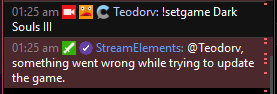
 novel whale
 strong kernel
Works fine for me. Part and rejoin the bot?
astral mesa
Can someone look into my problem?
 turbid helm
How do i add point to myself?
lament blade
Is it possible to get some type of reset with overlays?
My alerts just stopped working in the middle of a stream
strong kernel
If you're using OBS.Live, there's a button there for that.
lament blade
I can't use obs.live
You aren't talking about reload overlays are you?
The alerts aren't working on the site either.
They were working fine for the first 2 hours of my stream and then they just stopped for the rest of it.
I didn't change anything either.
twin sentinel
Are the events listed in your activity feed?
lament blade
Yup
twin sentinel
Are the alerts coming up in OBS, when you emulate them and have the checkbox next to the bell ticket? Are the alerts coming up when you replay an alert from the activity feed?
twin sentinel
Please clear the browser cache of your browser source on OBS Studio.
lament blade
How do I go about doing that?
nocturne pelicanBOT
Right click on the BrowserSource > Properties > Scroll down a bit > Refresh Cache of current page
twin sentinel
Do you have the alert box widget added to your scene, activated the alert type alert and saved the overlay?
lament blade
Yup yup
I been using these alerts for over a year, they just stopped working out of nowhere.
I did recently make two alert overlays (a dup) so I could have different sizes for other alerts and it was working fine but yah.
i tried making a new alert overlay and it doesn't work either.
twin sentinel
Would you mind giving me an editor access to your bot via PM, so I can take a closer look and try to find the issue?
lament blade
I don't mind
lament blade
Thank you Nethyr. xd..
 livid ingot
How do i change the timer for Points earned by X minutes?
strong kernel
The timing cannot be changed, only how many points are gained in that time.
livid ingot
Crap, oh well X points per 10 mins it is then
 desert creek
Hai friends, I have a questions and this could totally be just me not seeing something but here we go. I am a mod for a channel that runs streamelements (obv) and I cannot for the life of me figure out how to add quotes, edit/delete quotes, and see the list of quotes already in there. Do I have to be an editor in his streamelements specifically? or do that in chat and see everything? Sorry if this is a dumb question I just can't figure it out for the life of me
strong kernel
There's no managed list, it's entirely by the commands.
!quote to call a random quote
!quote # to call a specific quote
!quote add to add a quote
!quote remove to remove a quote
desert creek
is there a way to see all of the quotes at one time? or which ones are used?
strong kernel
No.
 forest umbra
sooo yea, like i said in main chat accedentally... im trying to host a streamer who i manage via streamelements, but the bot isnt posting the announcements.
i went through all the chat alerts, and they're all enabled.
strong kernel
Information like what streamer and what commands would be helpful.
forest umbra
streamer: breedingpool.
commands: volume, and chat alerts. (so far).
strong kernel
!volume is a Super Moderator command.
forest umbra
it worked for me when i first messed with the bot 2 days ago.
strong kernel
It is currently set as a Super Moderator command and you are not currently set as a Super Moderator.
forest umbra
he gave me the link to the bot supervisor role though....?
strong kernel
That has nothing to do with being set as a Super Moderator.
forest umbra
hmm
strong kernel
Super Moderator is set in User Management.
forest umbra
then what about the chat alerts?
strong kernel
Events need to take place for chat alerts to happen. I see no activity for the past 4 days.
forest umbra
impossible since he got hosted a few minutes ago 3 times now.
strong kernel
Offline hosts are not considered.
strong kernel
Do you have a screenshot of the host message in his chat?
forest umbra
no because they never showed up
strong kernel
So Twitch itself never put in a host message in the chat?
Then we won't know, either.
forest umbra
hmm
strong kernel
Everything except followers are tracked by what happens in chat. If Twitch doesn't put an announcement in, then we can't react to it.
forest umbra
thats even more weird since he also saw the hosts on his own screen...
i also apologise if i seemed a little hostile.
strong kernel
Simply put, if Twitch does not have an announcement shared in chat, we don't get anything.
 rigid shadow
I just realised there are Nvidia creator ready drivers, should I be using those or the game ready drivers for obs?
nocturne pelicanBOT
@cyan iron Please connect your Twitch and/or YouTube channel with Discord by going to ⚙ Settings and then Connections here in Discord. https://streamable.com/eg92w
 strong kernel
Restart Ground Control.
And don't use the rename function in both OBS.Live and Ground Control. One or the other.
 cyan iron
where's the rename setting in obs.live? i have no idea where that's at if i've done it
strong kernel
It's in the activity feed's menu, but if you didn't know that, you probably didn't use it.
Just restart Ground Control.
Make sure you close all instances of bot.exe in your task manager as well.
 mortal hearth
zenith widget
mortal hearth
zenith widget
Restart router for 5 to 10 minutes or switc twitch servers @mortal hearth
 nova quest
So I am trying to make a friend of mine an editor and I don't know how.... do I do it through twitch or streamelements
nocturne pelicanBOT
@nova quest To invite managers to your dashboard, Click on your Channel Name at the top of the dashboard and scroll down to Settings. Click the drop down arrow to expand your channel managers and then create a new invite at one of three access levels (Bot Supervisor, Editor, Full Control) Check this video out for more help: https://youtu.be/zl_h-ttZDF0
 meager elk
i am an editor on a friends stream elements. We set everything up but when someone host and raids the stream nothing shows up. It emulates as if it should show up but will not in the stream its self. How would you fix this?
nocturne pelicanBOT
@meager elk Due to changes to Twitch API, we have filtered out hosts and will only show these ones on your activity feed:
- All manual host events (0 hosts included and if filter set to 0)
- All hosts coming from an online channel. If the hosting channel has been offline, we do not show it
- All auto host events with at least 1 viewer
meager elk
Would that be the same for raids as well?
zenith widget
If there was no raid, the streamer was not raided
meager elk
He was raided but nothing showed up. We had someone raid this his viewers in a discord call with us to test the raid animation but nothing showed on the stream.
zenith widget
is there a notification i nthe activity feed about the raid?
meager elk
Yes
zenith widget
So the raid alert is not enabled
meager elk
How would you enable it. It emulates coming up just didn't actually show up?
zenith widget
Whos the streamer?
meager elk
Mr_330
zenith widget
I see that the raid alert is playing on the strem
meager elk
It does so on stream elements but not on twitch its self.
zenith widget
Ok next time it happens can you clip it and poke me?
 split orchid
Hey, my twitch streamelements Chat Stats are not working, it can't find my channel, any way to fix?
zenith widget
Have you changed your name recently?
split orchid
sweet!
split orchid
weird, well thank you anyway!
lament blade
hey from the UK - i'm trying to give my SE bot a custom bot name but it keeps on saying things twice
zenith widget
Are you using Ground control?
lament blade
yeah i am
zenith widget
shutdown GC
open task manager
and kill all the bot.exe you see
turn on ground control
lament blade
can't see any bot.exe
zenith widget
then you should be fine
zenith widget
sometimes GC can start a 2nd custom name app, which is called bot.exe
so if it happens again - do the process above - if non is present just start GC
lament blade
magic, thanks @zenith widget !
does anyone know of how to set a custom message when someone joins the stream please?
 sick creek
Am Hi, I created a "PURPLE WAVE ANIMATED ALERTS" but for some reason it only shows the circle not the whole thing
zenith widget
@lament blade You mean a welcome message for new visitors or new followers?
nocturne pelicanBOT
@sick creek The default resolution for StreamElements overlays (theme and custom) is 1920x1080. Please add them in OBS at their full resolution and use CTRL+F to fit to screen if necessary. You can then downscale your stream in OBS settings > Video if you'd like https://i.imgur.com/6bWXxjR.png





 lament blade
@zenith widget a new visitor one or specifically a random visitor
zenith widget
We don't have an option for the bot to welcome new visitors.
lament blade
So first time: welcome keizar. VIP: it's only bloody keizar!
How about the latter, mentioning a specific person please?
zenith widget
Nope, we dont
lament blade
No worries
jade remnant
yes, in the overlay editor, go to the widget tab and look for twitch chat widget
 nova arch
this is the place for some issues regarding the custom widget on streamelements?
zenith widget
Depends. If you are making a custom widget (with custom html/css/js), best place is #dev-chat
if its something else but close to the above, you can try your luck here
zenith widget
Which custom widget?
nova arch
I think this one is the base for custom widgets
zenith widget
so the base is giving that?
nova arch
yep
I think it quite strange because I remember it working just fine with the lastest events
zenith widget
Interesting
nova arch
even tested deleting the overlay and creating a new one
zenith widget
I see the same thing
nova arch
o.O
zenith widget
the JS is broken if its showing like that
zenith widget
I had one, but it seems its broken as well
 hardy tapir
the same thing is happening to me, on all my overlays
nova arch
not sure if Im happy for not being only with me haha
nova arch
nice, thnx @zenith widget 😄
inland knoll
I see the same thing @zenith widget was just about to mention it
zenith widget
devs are looking into it
nova arch
so lets wait, thank you guys
astral mesa
Can some one help me with the error page 404 with chatstats
astral mesa
Thank you so much
 ashen sparrow
Hey guys! Is there a way for me to fix that? How is that even possible?
zenith widget
Devs are aware of the capitalized names and a fix is on its way.
No ETA on when its gonna happen, but its gonna fix it self magically
when the dev fix is out
ashen sparrow
ah ok, thx! 😄
tidal arch
@elder sorrel hey idk if you're here, but the media request is still not working for me and have to fix it before today's stream, can anyone help in voice chat?
zenith widget
What exactly is the issue?
tidal arch
it does not show on stream and says I dont have media request in my overlay and I do, I use the obs.live
zenith widget
Is the video on MR currently the default tutorial one?
tidal arch
i tried to load a youtube vid and it still didnt work
trying again - i logged in and out - checking
zenith widget
👍
astral mesa
Keizar you are on fire today really fast!
zenith widget
@inland knoll @nova arch @hardy tapir fixed 
 knotty lichen
Hey guys.. every time i start the stream. Everybody hears my voice but not the desktop audi.. i think i make something wrong
twin sentinel
Do you use OBS Studio?
knotty lichen
yess
nocturne pelicanBOT
@knotty lichen For the best OBS support, please join their Official Discord @ discord.gg/obsproject
 proud ibex
I have a chromebook.Is there a way to get obs on chromebook
twin sentinel
Afaik there is not. But best to ask at the OBS support server.
 brazen iris
Is there a way you can get a list of all your regulars on your channel in your twitch chat?
elder sorrel
Don't think so. Only can view Regulars in the Streamelements website I believe
brazen iris
Okay
 wise cliff
So the last couple of streams I've noticed my Host alert is not prompting. I have it set to 0 so they should all come up. I only notice someone hosts when I see the prompt in my chat but no alert. Anything going on with that?
 nimble dune
Hi when i can watch my stream stats?
nocturne pelicanBOT
@wise cliff Due to changes to Twitch API, we have filtered out hosts and will only show these ones on your activity feed:
- All manual host events (0 hosts included and if filter set to 0)
- All hosts coming from an online channel. If the hosting channel has been offline, we do not show it
- All auto host events with at least 1 viewer
twin sentinel
@nimble dune You are talking about the stream stats you are supposed to recieve at the end of your stream via email right?
When was the last time you streamed and got the stats and when was the first time you can remember not getting one after your stream?
twin sentinel
Have you selected unsibscribe by any chance in the email, or is it blocked and send to your spam folder?
I have asked internally what can be done.
nimble dune
I don't know, and have setting for what emails i recieve?
twin sentinel
Afaik there is no option in the dashboard to determine what email you recieve. Checking internally about the issue.
nimble dune
okay
lament blade
where to find the default test sound of the alerts?
twin sentinel
nimble dune
@twin sentinel When i am now live and end the stream then send me the email?
 visual turret
HELP!
nocturne pelicanBOT
@visual turret Welcome to the support channel! Please let us know how we can assist you today and a member of the support staff will be with you as soon as possible.
twin sentinel
We are still looking in the issue. Please update us if you have recieved the stream stats after your stream.
nimble dune
Okay.
visual turret
Can someone out here in the open internet help me with the problem that my stream lags, what could be the reason for that?
twin sentinel
Do you use OBS.Live?
visual turret
yes
nocturne pelicanBOT
@visual turret Can you please provide a log from your last stream. In OBS go to Help > Log Files > Upload Last Log File. Once this is complete, please provide the link to the log file.
visual turret
twin sentinel
You are running the 32 bit version of OBS on a 64 bit system. You should only use the 32 bit version if you have a capture device that lacks 64 bit drivers. Please run OBS using the 64-bit shortcut.
visual turret
oh...
thank you ❤ i'll try that outr
nope still lags :/
but I just noticed when i tab out it runs smooth
jade remnant
you have a lot of render lag
https://h4ndy.eu/obslog?url=https%3A%2F%2Fobsproject.com%2Flogs%2FuyroerT2CiTdfoVL
visual turret
how can I check that?
jade remnant
links in the log report
also youre using the x264 encoder, look to change to the NVENC (new)
if you use it, turn off PVT and look-ahead in the encoder settings
visual turret
pvt?
jade remnant
psycho visual tuning
visual turret
i don't have anything like that
jade remnant
jade remnant
that looks like the old version of obs. can you check on you 64 bit version, also the encoder is NVENC (new)
visual turret
ok
nimble dune
@twin sentinel i haved end stream and i not recieved email
visual turret
still laging :/ @jade remnant
twin sentinel
I will check with the staff tomorrow on this issue. @nimble dune
nocturne pelicanBOT
@visual turret Can you please provide a log from your last stream. In OBS go to Help > Log Files > Upload Last Log File. Once this is complete, please provide the link to the log file.
visual turret
nimble dune
okay
jade remnant
still some of the same errors as the last log
https://h4ndy.eu/obslog?url=https%3A%2F%2Fobsproject.com%2Flogs%2FCKoRskk1MSc4_Az7
please go through the report, links in there to help
 fleet obsidian
is there a way to disable a widget (like a donation goal) on ALL of my overlays? I think it is very impracical to change this individuallly in each scene
visual turret
@jade remnant i found out the problem! the hame i want to stream is already using to much GPU so there is none left for obs obviously :/
cause when i start the stream the CPU isn not very high.::
and there are not any dropped frames
anyways thank you for you help, without the analyzer you showed me i wouldn't have found the problem ❤
 old atlas
hello i just imported my streamlabs' to my streamelements but it only imported my tips and not my subscribers, bits, followers and etc. shown below
elder sorrel
The import tool only imports the Alert Box Notifications & Tips.
 minor ivy
hi, one quick question. How can i unban Users from the Media Requests. I accidentally banned one Chatter from Requesting Songs.
jade remnant
its a know error, fix coming soon
old atlas
oh okay thanks u!
dawn lily
how do i add !gamble to my chat
jade remnant
make sure the loyalty points are activated
dawn lily
they are then what
jade remnant
activate one of the modules (roulette, duel, slots) and then make sure the commands in "chat command" are active
 dry hare
So I set up custom redeem commands. Is it possible to replace the redeem text with a custom response?
twin sentinel
No, there is not.
dry hare
😦
That's the only thing that I want to be able to do is trigger media via chat commands into a widget. Only feature I need
 tulip jolt
Can I download OBS on mobile?
strong kernel
No, but we have our own mobile IRL streaming app. Check pinned messages in #helpdesk-mobile
tulip jolt
Thanks
strong kernel
That's Streamlabs OBS.
 bitter helm
same ish thing
strong kernel
Not at all. We have nothing to do with them.
bitter helm
oh lmao
 woven sapphire
is there any way of banning words from the tts alerts?
twin sentinel
It is in the tipping settings. In the tip moderation section.
woven sapphire
ty
 patent acorn
So I am new to this system. I have my stream set up and the preview shows exactly what it should but my actual stream only shows a green screen. Audio is recording perfectly and broadcasting but no video at all. What am I missing?
twin sentinel
What version of OBS Studio are you on?
twin sentinel
What version of OBS Studio are you using? the version number is in the lower right.
patent acorn
19.3.24.375
nocturne pelicanBOT
@patent acorn For the best OBS support, please join their Official Discord @ discord.gg/obsproject
lament blade
about the alerts, when you use different alert boxes, will they play on top of each other, or will they wait until one is finished its alert?