#helpdesk-twitch
1 messages · Page 443 of 1
 glad swan
 twin sentinel
what do you mean with several elements?
@thin garden You cannot change the response of the bot for the modules.
 thin garden
so.. is there a way i can report this so someone can change it? @twin sentinel
glad swan
several quotes, how can i do for display more than 1 quote randomly?
 worn blaze
Will top tipper widget be fixed? My all time top is only taking it from yearly
glad swan
that*
 bleak totem
I used the Streamlabs Export To StreamElements for my alerts but it didn't work the alerts dont show up on the screen?
 strong kernel
Did you add the imported alertbox overlay to OBS?
bleak totem
dont understand...
 nocturne pelicanBOT
@bleak totem To add your overlays to OBS, add a new browser source in your scene. Paste your overlay URL in the browser source properties, set the dimensions to 1920x1080 (unless you changed them on the website), and ☑ “Shutdown source when not visible” https://youtu.be/KDvLynUqXI4
bleak totem
@strong kernel It helped how can i thank you, best staff. ❤
strong kernel
You just did. 😛
bleak totem
in my overlay there are Top Donater and it showed a text where there are staying mehdi840: 201 DKK and that is from streamlabs where do i find that from StreamElements? 😃
strong kernel
Overlay editor. Everything you want to show on stream is added as part of an overlay in your account.

StreamElements Overlays are loaded from a single browser source in your streaming software, making streaming easy. https://streamelements.com/ StreamElements...
worn blaze
@strong kernel Sorry for ping, just had a question. Is the top tip widget broken? It is showing the top tipper within 365 days rather than all time but its set to all time
strong kernel
You're using top tip, not top tipper.
worn blaze
oh
 strange summit
The !watchtime command, it seems to be showing "0 seconds" for anyone that changed their username since Streamelements started tracking a particular channel. Is this a known issue? 
strong kernel
Watchtime is tied into the loyalty system. The loyalty system tracks by username so people don't have to make accounts. So of course, if they change their username, the system doesn't recognize them any more.
strange summit
Should it not at least start over with the new username?
strong kernel
If the loyalty system is enabled, then yes, it will. It updates every 10 minutes.
strange summit
Hmm, the loyalty system has never been enabled, but watchtime works fine for most users.
strong kernel
Then it may not be our watchtime command. Our watchtime command is dependent on our loyalty system.
strange summit
Only bot in this channel with it, and it's the one responding in chat.
 cedar lynx
I only see Moobot in your channel
strange summit
It's not "my" channel, I'm managing SE for Timmac.
cedar lynx
ahh, that's helpful 😃
and though yes, StreamElements is there, Moobot is definitely also there
strange summit
It doesn't have a watchtime module, though.
cedar lynx
just to clarify, I'm seeing !accountage a lot in the chat which is different than !watchtime
strange summit
Right, that's separate, while still SE.
cedar lynx
okay cool I just want to make sure it's not just some miscommunication here 😃
currently testing for myself as a new watcher, it'll take about 10 minutes to see if it catches me in there
 dire tree
Is there a tutorial for audio capture? Because I can't seem to figure it out?
cedar lynx
are you on Mac or Windows @dire tree
strange summit
Example:
dire tree
windows
cedar lynx
yep so it'll take at least 10 minutes before that might update @strange summit so I'm gonna chill until then and try again
strange summit
Ah, I can pull an older one.
I narrowed it down to people that changed their username since we started using SE.
cedar lynx
@dire tree are you trying to capture the sound from StreamElements browser source for alerts or what are you trying to do?
 tame elm
I use the streamelements chatbot in my stream and one of the big features I use this chatbot over others is the watchtime command, which doesn't work, it says 0 seconds for anyone that uses it, even though I know they have a lot more than that, the command doesn't work, I need help in resolving this.
cedar lynx
have you enabled the loyalty system @tame elm ?
tame elm
@cedar lynx no what is that
cedar lynx

StreamElements
The Ultimate All in One Platform for Streamers
dire tree
The sound from my headset mic is being retransmitted through my headset audio, but not the external speakers (when activated) and in no instance is the sound being streamed. The input (and output) registers on the OBS mixer, though.
cedar lynx
this sounds like a configuration issue you might get better help with from the OBS Discord, as that isn't really related to StreamElements services  so we aren't as equipped to help
nocturne pelicanBOT
@dire tree For the best OBS support, please join their Official Discord @ discord.gg/obsproject
dire tree
thanks @cedar lynx
tame elm
@cedar lynx I enabled it and it is still not working
cedar lynx
it updates every 10 minutes @tame elm so you will need to wait a little bit before you can see whether it's functioning 😃
tame elm
@cedar lynx if I enable it it will work right because I enabled it
cedar lynx
theoretically, yes 😃
tame elm
@cedar lynx do I have to mess with the loyalty settings at all??
cedar lynx
yep it's not updating @strange summit I would definitely just enable loyalty to get that working
it is probably referencing old data
tame elm
@cedar lynx also will previous watchtimes be recorded?
cedar lynx
no I don't believe so
tame elm
@cedar lynx ok thank you
strange summit
@cedar lynx I just enabled it, just don't want to use points etc. We'll see if it starts tracking those that changed names.
cedar lynx
good luck! I think you can just disable all point related commands to effectively not use the points 😃
strange summit
I'm pretty sure it was never enabled previously, so I don't know where it would've pulled the data from for users it worked for.
cedar lynx
could have been a fluke of some kind! ¯_(ツ)_/¯
 kind epoch
Hi, i just ended stream to restart obs due to some settings i made and the widget-share stream uptime widget fails to reset to 0 . Any ideas apart from restarting the computer to reset the counter?
kind epoch
Never mind, it reset after a few mins give or take 5 mins
 viscid osprey
So to confirm, I’m using the sub point widget, it counts up when someone subs. But not down when someone’s sub falls off?
so you have to check each stream
strong kernel
It periodically gets updates from Twitch.
viscid osprey
Data seems to be pulled from twitch
strong kernel
I think it's every 5 minutes?
strong kernel
When events happen, it tries its best to calculate, but every 5 minutes the number should be updated to reflect what we receive through the connection to your Twitch account.
Sub falloff can't be calculated on the spot as Twitch doesn't send an event through for that.
So you'll need to wait for the periodic update in that case.
viscid osprey
Even if it was likely well over 5 min?
 wanton jetty
How do i reset the bits boss ?
as it doesnt take on atributes like the alerts system does on a reload... it keeps its data from test alerts...
So my bits boss is fucked xD
nvm got it
😄
still would be nice if it didnt take on test alerts as perminant changes
and a reload would pull the "true data" so if i test something the user who was the boss doesnt loose where they was.
 limpid laurel
so i got a problem with my chat i cant talk in chat and i cant sea what the viewers say its just a black screen chat does anyone know how to fix it
strong kernel
Can you take a screenshot of what you're referring to?
strong kernel
Log out and log back in.
 zealous galleon
any idea why the bot won't show every host anymore? I have it set to 0 by default and it only shows hosts that have views
strong kernel
It's hosts from live channels.
zealous galleon
it used to show alerts for any host
strong kernel
Devs didn't change anything. It's likely a change on Twitch's end.
limpid laurel
ok it works now ty
zealous galleon
they don't even come through on the overlay
strong kernel
Again: It's only getting hosts from live channels. Devs didn't change anything. It's likely a change on Twitch's end.
zealous galleon
ok then
 pseudo goblet
my stream is bully and i trided everything
limpid laurel
new question im starting to lag in my stream for some reason i restarted my pc and everything my pc is fine but im droping frames in my stream any idea how to fix it
nocturne pelicanBOT
@limpid laurel Can you please provide a log from your last stream. In OBS go to Help > Log Files > Upload Last Log File. Once this is complete, please provide the link to the log file.
tame elm
I have a question about the streamelements battle royale extension could you guys help me out
strong kernel
Just ask your question.
tame elm
Can the battle royale extension work without obs.live
strong kernel
Yes.
strong kernel
No.
strong kernel
It's an overlay extension.
tame elm
So it can work with slobs right
strong kernel
In theory.
 fast topaz
So for the last few streams i haven't gotten any of my hosts alerts i dont know why 😦
strong kernel
Were those people hosting you before they were going offline on their own streams?
fast topaz
probably
strong kernel
So you're sure they weren't offline when they were hosting you?
fast topaz
some were but i know people hosted after they ended there stream and i havent gotten anything then either :/
strong kernel
"After they ended their stream" as in they were offline?
fast topaz
well they ended stream and hosted so i guess yeah they were offline
strong kernel
Typically you want to host before clicking "stop streaming" in OBS so people don't just ditch while you're using the command. But that aside, Twitch seems to have done something weird and is only sending data for hosts done that way, not for hosts done while offline, and never for hosts with 0 viewers.
Our devs didn't change anything.
fast topaz
damn... that sucks :/
 gloomy cape
When im editing an overlay and move a text box, i can almost never put it back in place. it like moves one way and in or another way an inch but never in between said two spots
strong kernel
You can disable grid snapping with the button in the top right.
gloomy cape
UGGHHH THANK YOU. much struggles over here.
 floral matrix
hey fellas hopefully this is the right section, but is there a prebuilt bot that i can add to my discord that uses my streamelements loyalty system from my stream?
strong kernel
No Discord bot at this time.
floral matrix
is there an api i can ghetto rig a bot together with?
 ivory bramble
Is there any way I can set up a store item that can be redeemed for points to the user who redeems it? I have a !pointsall item set up and working, but I'd like to do the same thing that can be redeemed by users who follow my other social sites. I have tried to set up an item that uses the "!points {user} 100" command line, but it fails to work. It tries to give {user} the 100 points, not the redeemer. Is there a way to do it?
 karmic canopy
How do I view the note sombody left on a redemption?
 lament blade
Hey
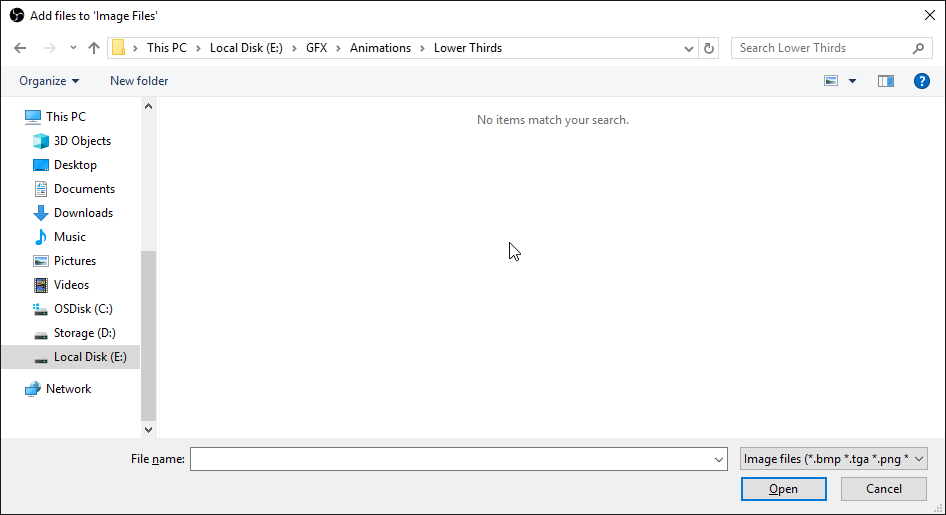
Is there a way to have a media slide show instead of image
I have animated lower thirds and wanna make them appear every 10 mins
 zenith widget
@ivory bramble just place the cost of the item in the items settings
 bronze falcon
How do I go about merging my accounts? I accidentally claimed a youtube channel separate from my twitch channel. o.O
zenith widget
@karmic canopy on the stream store page on the dashboard, click oj redemptions on the upper right of the item list.
@lament blade are you referring to videos insteqd of image rotstor?
@bronze falcon i will need the jwt token for both accounts
zenith widget
I think our image rotator supports videos as well
lament blade

bronze falcon
Ok, where do I find that?
lament blade
https://i.imgur.com/ENECb00.png naw it doesnt @zenith widget
 nocturne pelicanBOT
@bronze falcon You can find your JWT token on your account channels page: https://streamelements.com/dashboard/account/channels
(Don't forget to click on "Show Secrets")
bronze falcon
Oh wait, can I just close the account, or will that still remain connected?
@zenith widget I sent them via dm, not sure if those are something I shouldn't post publicly
bronze falcon
NVM, I was able to just close the old account and readd to the new
zenith widget
@lament blade Are the videos .webm format?
lament blade
No mp4
zenith widget
ivory bramble
@zenith widget I have the cost to redeem the items set at 0. They can be redeemed, but the problem I am having is that it doesn't give the points to the redeemer.
zenith widget

ooh you want the store item to give points, not take them
i read your query wrongly
ivory bramble
yeah.
zenith widget
to answer properly - no - store items can only cost points, not give
You can still give them points by redeeming something, but you will have to do it manually
ivory bramble
Oh? I have 1 item that when redeemed give all people 100 points. and that works
ivory bramble
I use the !redeem [command], then I have the [command] linked as an alias to a different [command] that activates the !pointsall 100 chat command
I can screen shot the required screens to show you (privately) if you like, since the final command/keyword is a custom setup.
 ivory bramble
I was hoping I could use the !points [insert number] {user} command for the others... but the final outcome is {user} (literally {user}) is given the points.... which means the actual user (let's say bob) isn't getting the points
darkside_bricks
Cookies for everyone is the one that gives all... The twitch follower is one of the ones that isn't working
I've disabled the others, until I can find a fix
zenith widget
You mean to tell me that a custom command that responds with !addpoints all 100 is actually working properly?
and that when this command triggers, it adds points to everyone?
zenith widget
custom commands shouldn't be able to trigger default commands 
as in, this is a looping issue
ivory bramble
oh
zenith widget
I will have to test this out my self, but in a few minutes.
ivory bramble
I got the idea from the instructional youtube video for stores... they guy in the video has a Make It Rain item, and the description says give all users xxx points.... so I just worked out how to do that
which is why I thought the 'points for following my other social sites' would work as well
ivory bramble
nope, the one with the guy.... Sorry I don't want to say the wrong thing here regarding creed etc....
I'd hate to use incorrect terms
zenith widget
can you link the video then?
ivory bramble
was looking for it... this one... go to 5:04
StreamElements Loyalty System helps grow your community and turn your viewers into fans. Viewers are awarded points for viewing your stream that can be redee...
Sorry, I figured if that was on a Streamelements instructional video (ok I had to work it out myself to get it to work), then it'd be ok to do. If it isn't, please let me know, so I can delete the store item.
zenith widget
He doesn't show the command setup though
ivory bramble
ok, cool
Well, I'll leave you to it then. As I have animals to feed. I'll check back for any messages.
ivory bramble
Oh ok then... Righto, so all those items I have setup are loops or whatever you called them, and they are all blocked from working? (I'm obviously no programmer).
zenith widget
yes
ivory bramble
I'll remove them then. So my original question. LOL. Is there a way to set up a store item to 'give' points?
zenith widget
No. 😃
ivory bramble
ok, cool. Thank you for your help with this. It's a shame we can't reward our multi-site followers for being just that... ah well.
 foggy birch
hi im having bad frame drop issues, and was wounding if maybe i have a setting wrong for my system?
nocturne pelicanBOT
@foggy birch Can you please provide a log from your last stream. In OBS go to Help > Log Files > Upload Last Log File. Once this is complete, please provide the link to the log file.
zenith widget
Not sure if related but why are you streaming at this resolution?
output resolution: 852x480
ah nevermind i see that you've changed it to 720p
foggy birch
i tryed droping it to see if res was an issue
foggy birch
it randomly started one day so i stoped streaming and upgraded my pc and internet speed still no change
zenith widget
there are other things, but you have mostly dropped due to internet
router issue most likely
just follow the stuff in the analyzer and you should be fine
foggy birch
ok ya im new to this all and dont really have anyone for explain to me lol
im using isp supplied router u think buying my own may help?
zenith widget
Well depending on your ISP
but some ISP provide shitty routers
what i meant by router issue is - it might have cached and you need to restart it for like 5 minutes
just plug it out from the power outlet
foggy birch
ya i got WoW i bet its crap
ok ill try that tho
one last thing any setings u see i could change to optimize my stream?
zenith widget
Me personally? no. follow the link i gave you above
foggy birch
ok thx
 proud dagger
anyone know why i get keep getting disconnected mid stream and it reconnects like 10seconds after? its messed up a few 12 streams
zenith widget
@proud dagger Internet issue most likely.
proud dagger
nah nets fine on everything else
nocturne pelicanBOT
@proud dagger Can you please provide a log from your last stream. In OBS go to Help > Log Files > Upload Last Log File. Once this is complete, please provide the link to the log file.
zenith widget
Please provide a previous log file.
proud dagger
that was the last stream only lasted 10 mins then got disconnected
zenith widget
proud dagger
ok
zenith widget
Either provide me with a previous log file, or use the twitch server tester pinned in the #helpdesk-selive channel to see your connection to the servers.
proud dagger
thats what i get when i click upload current log file
and im connected to the sydney server (im in melbourne
zenith widget
 inland knoll
hey there, is there a way to get messages from my viewers to pop up on my stream - seen others having this
zenith widget
From an alert of just show the chat on the overlay?
inland knoll
it appears to be a message - it appears with a yellow backgound on the stream and their bot says message recieved
zenith widget
@inland knoll screenshot of an example?
click on the blue dropped frames
internet issue
proud dagger
ok
inland knoll
@zenith widget
 i can barely make out what it says
proud dagger
i can barely make out what it says
proud dagger
@zenith widget how do i get my media request in obs?
zenith widget
Streamelements on top -> media request
for overlay -> go to your overlay editor -> widgets -> media request
proud dagger
how do i get the control panel and settings in Obs? (ive had a few drinks so sorry for my dumbness lol)
for media
request
zenith widget
What do you mean control panel?
proud dagger
like i have all the settings for media request in my OBS. i did have it in obs but when ever the update came out its not in my obs and i have to use the browser to play music instead of playing music from my obs
lament blade
Why can't I see the text when donations come?
zenith widget
@lament blade Did you add an alert box?
lament blade
You mean, just the box that adds all the alerts, tip, follower etc. ?
zenith widget
ye
lament blade
yes, I'm in the text settings on the tip one
And the donation shows, but not the text
if I emulate a tip with text, nothing shows
nocturne pelicanBOT
@lament blade We have added a new feature, which allows testing of alerts only in the Editor or in both Editor and OBS. Hover over the bell and on the right side toggle it on.
https://media.discordapp.net/attachments/342748377416466442/564781551649292299/unknown.png
 proud dagger
i think he means he wants the donation message to show up but its not
zenith widget
@proud dagger are you talking about this?
I know what he means, he didn't get my instructions
let me screenshot what i mean @lament blade
proud dagger
yep thats it but i dont have a option to enable it do i have to do it in the obs live?
lament blade
@zenith widget thanks for that dude, but my files are too big to use on there 😦
proud dagger
nah like there is no option to add media requests to my dock
lament blade
@zenith widget Yes, that works, thanks. xD
proud dagger
like there is no streamelelments tab and i cant add media request into the obs to get that little tab of it instead of having to use my browser
nocturne pelicanBOT
OBS.Live is a Plugin for OBS created by StreamElements. You can download OBS.Live here: https://streamelements.com/obslive
Please make sure you have the latest version of OBS installed, Current Version: 23.1.0. You can install OBS here: https://obsproject.com/
proud dagger
i have obs live do i just launch it?
proud dagger
cool ty ill just finish this game
lament blade
Amazing update guys!! Keep ricking!!
zenith widget
@lament blade Was this about the assets rotator?
zenith widget
even in .webm format?
lament blade
They're .mov's

 crude swallow
Is it possible to have the text in donation goal to scroll instead of being static?
zenith widget
@crude swallow only with custom css.
crude swallow
CSS?
zenith widget
coding
crude swallow
Ok I've no idea how to code
lament blade
im actually super happy now ty again keizar
zenith widget

 frosty herald
Been having issues getting alerts to show in the preview of OBS and i don't think it shows live either. This have been going on for 3-4 months. What can i do to sort this?
nocturne pelicanBOT
@frosty herald We have added a new feature, which allows testing of alerts only in the Editor or in both Editor and OBS. Hover over the bell and on the right side toggle it on.
https://media.discordapp.net/attachments/342748377416466442/564781551649292299/unknown.png
 tight harness
A change was made a few days ago ⤴ not months though 🤔
frosty herald
how woud that help me/my viewers see the alerts?
It is on btw
Or do you have to use OBS live for that to work? OBS studio isn't enough?
frosty herald
i heard it, but OBS doesn't show it
nocturne pelicanBOT
@frosty herald The default resolution for StreamElements overlays (theme and custom) is 1920x1080. Please add them in OBS at their full resolution and use CTRL+F to fit to screen if necessary. You can then downscale your stream in OBS settings > Video if you'd like https://i.imgur.com/6bWXxjR.png
 frosty herald
cheers, must be an issue in OBS then..can't see it in the OBS preview
nocturne pelicanBOT
@frosty herald Right click on the BrowserSource > Properties > Scroll down a bit > Refresh Cache of current page
zenith widget
So this is the 3rd thing that comes to mind really that is related to OBS and the overlays.
tight harness
@bleak totem When you're editing an overlay in My Overlays, click on Widgets, look for the Media Request widget and click on Add to add that widget to your overlay
tight harness
Are you sure you have the widget added to your currently active StreamElements overlay?
tight harness
When I log into your account and I load up the Media Request page it still shows the tutorial video, haven't you skipped this yet?
Or watched it
bleak totem
no
tight harness
Give it a try
tight harness
You don't have anything in the queue
It says "You don't have any media to share"
And in regards to making the widget active, you put it in an overlay and add that overlay to OBS as a browser source (making sure that the browser source is showing/visible)
tight harness
Yes
bleak totem
sure?
tight harness
Yes, that's the feature
tight harness
Sure if someone tips you with a request
You currently only have it set to allow tip requests
bleak totem
ty
crude swallow
Is there a command to clip streams so I don't have to have my twitch account open as well?
 dusk cypress
how do i set it up
 gentle imp
@crude swallow look on #command-share there's one there
crude swallow
@gentle imp ty
gentle imp
my bad, it's on #widget-share instant replay
crude swallow
Haha thought I couldn't find it
 sharp dawn
hello, is there a limit how long our regex can be for the banned words?
it's not saving my expression unless i shorten it :(
gentle imp
there is a limit that I can confirm, I just don't recall what is it
sharp dawn
darn :(
my expression is slightly over 2000 characters cause it contains things related to Avengers, to block spoilers
 wanton mango
Is it possible to cut it in half and add it separately?
sharp dawn
i'll try it!
no :(
maybe i have to quater it
yeah. i had to split it up into four parts
any chance to increase the limit?
 dapper apex
Something going on with SEPay in the Netherlands. Been helping a friend out switching from sl to se
He can't activate SEPay while he does have over 100 followers
lament blade
hello, so im on ps4 and im using ps4 remote play on m pc, and i use OBS Live, and im trying to stream but it says connection timeout, make sure you have a valid streaming service and no firewall is blocking the connection
what do i do
 torpid estuary
@lament blade where do you get this error? OBS?
lament blade
Yes
torpid estuary
have you made sure to connect your streamkey? click on settings, navigate to streaming (i think, not currently in front of OBS, second tab from the top if i remember correctly) and login via streamkey or via your twitch account
torpid estuary
can you post a screenshot of the error?
lament blade
It’s on danish
But sure
I’ll make a video so you can see what happens
It takes a while
Before it comes up
Do you know what I need to do
 calm arch
so how do you use the custom font?
torpid estuary
i only know that this error might come up when you havent connected your streamkey in the settings, but you said you already did that. maybe try refreshing that @lament blade
lament blade
K
Still comes up 😦
How do I check if a firewall is blocking the connection? @torpid estuary
calm arch
I don't understand how to use custom fonts, I enable it but how do you actually get the font into stream elements?
nevermind just did a search in this channel and found it
 bright oak
Once I edit overlays. Where are the links to add to scene (browser). I see them when I originally create but not sure how to get back to the screen once edited.
torpid estuary
click on launch and copy the url. or make sure no object is selected in the overlay editor and there will be a url field on the left
bright oak
Thanks
torpid estuary

 upper steeple
I'm not sure if this is twitch or the chat in obs.live, but since yesterday when someone is timed out it is taking 15 seconds for it to appear in chat as <message deleted> and there is no gray text in chat indicating that the person has been timed out.
 runic zodiac
so I just downloaded Streamelements obs live and I have the infinite screens, how do I make it so it's just a single screen and that both my sound and picture don't overlap each other continuously?
 dusky crown
I’m having an issue with my single raffles. I switched the module to have 5000 loyalty points but when I put the command in it’s coming up as only 1000. Any idea how to fix this
 winter zenith
@upper steeple I think that plays together with the new moderation tools they released recently
calm arch
So i installed the font and restarted my browser and i still get the font i want to work
winter zenith
@runic zodiac disable Studio mode
upper steeple
@winter zenith even though it was happening before they announced the new moderation stuff?
winter zenith
@dusky crown did you safe? Or is it like the old setting after refreshing the page and opening up the settings again?
@upper steeple oh was it? Hmmm well how doese it look like in the twitch chat? Maybe it's happening there too?
Bevause then it's a twitch issue
upper steeple
yeah i'm testing it and it is happening in both chats
winter zenith
@calm arch you mean a custom font? You mean you installed it but it still doesn't work?
@upper steeple then it's safe to say it's a twitch issue.
calm arch
@winter zenith yup
winter zenith
Refresh the browser and don't forget to save
calm arch
Hmmm... maybe it's because it's the adobe fonts?
dusky crown
@winter zenith I’ve saved and closed both streamelenents and twitch to restart.
winter zenith
@dusky crown still doesn't work? What browser you are using?
@calm arch what font format is it?
dusky crown
@winter zenith chrome
calm arch
@winter zenith Not sure because I just activate it through adobe Creative Cloud. Chrome recognizes the font if i go into settings and go to custom fonts for the browser. and all my programs see the font
 balmy crag
Hello i just connect g2a pay to my account but cant see g2a pay option in my donate page?
upper steeple
is there a way to clear the cache on the chat in obs.live?
runic zodiac
my studio was never turned on lol
calm arch
I guess adobe fonts doesn't work with the custom fonts
lament blade
How do I make sure I save my overlays on OBS Live
Because I’ve put a bunch of them in now, and I want them to get saved
 storm yew
Whenever I start streaming on the stream all it shows is a green screen
lament blade
Probably because you didn’t choose what it should show
If you click on the + under sources, you can either choose screen recorder or game recorder @storm yew
 karmic comet
so, where should I post about help with and SE pay issue?
 cunning cedar
Hello guys
i have a problem with viewers count during live streaming
it says always N/A
can you help me?
 jade remnant
@storm yew remove the changes you made by caynn, the fix for the green output is
to set the colour format in OBS to i420. in OBS: Settings > Advanced > In Video > Colour format = i420.
@cunning cedar does the viewer count work at all? even after a refresh?
@calm arch as far as i know its google fonts, not sure if adobe would fall under that
cunning cedar
@jade remnant yes dear 😦
 pseudo shore
hello i am having an issue where as im streaming my obs fps drop and as soon as i click on obs they pop right back to 30 im wondering if anyone can help me with this i know at one point it was set to 30 and wouldnt move now its all over the place
jade remnant
@cunning cedar i will ask internally for you
nocturne pelicanBOT
@pseudo shore Can you please provide a log from your last stream. In OBS go to Help > Log Files > Upload Last Log File. Once this is complete, please provide the link to the log file.
pseudo shore
just restarted the stream im going ot let it happen then ill post the link
i started with one setting and instantly did it changed it to plecebo and stoped for a minute then started again
pseudo shore
ok i dropped down to 1600x900 so lets see if that works
jade remnant
@cunning cedar ive been told twitch is having issues, this might be part of it
pseudo shore
nope doing the same thing
jade remnant
are you streaming apex?
pseudo shore
yes
nocturne pelicanBOT
@pseudo shore Since Apex Legends doesn't have optimized GPU drivers yet, it tends to take up all your GPU resources, leaving nothing for OBS. If you're having OBS performance issues, you'll likely need to limit the game somehow. The easiest way to do this is to enable Vsync in the game, or use a frame limiter. You can limit the game to 60fps by adding `+fps_max 60` to the game's launch properties in Origin.
https://twitter.com/OBSProject/status/1093974215877951493

If you stream @PlayApex and are having FPS issues with OBS due to a maxed-out GPU, you'll need to reduce GPU usage so that OBS can run as well. The quickest way to do this is to enable Vsync with triple buffering and disable Windows 10 Game Mode. https://t.co/FOPmDyJMNx
Retweets
476
Likes
1358
 Twitter
 mental bramble
anyone knows why this doesn't works? I configured it with my channel emotes but for some reason when the message is sent it shows the text instead of the emotes
jade remnant
as far as i know, the bot doesnt support custom emotes
strong kernel
The bot needs to be subbed to use your emotes.
Partners get free lifetime subs for bots for this purpose, but otherwise you need to gift it a sub.
upper steeple
@winter zenith found out the problem with the chat not timing things out properly. The change twitch made to the mod tools broke FFZ. FFZ tweeted about it and a fix is coming today.
mental bramble
I made the custom bot a subscriber, still doesn't work, might be It isn't possible?
strong kernel
It's definitely possible. But those are Tier 2 and Tier 3 emotes in your channel.
Did you gift it a Tier 3 sub?
 real gate
@elder sorrel For some reason the issue with my store redemptions are still persisting with one command despite changing to stream perks as well. Any advice?
mental bramble
@strong kernel Yeah the subscription level was the issue, thanks a lot!!! 😄
 cobalt laurel
HeyGuys, anyone know the variable to show just how long the guys is following? Im creating a custom command to !followage
strong kernel
There is no followage variable; the default !followage command has its own function.
 spring lake
Is there a way to use custom api in Stream Elements commands?
strong kernel
That'd be the ${customapi} variable.
spring lake
and then the api webadres? Or do I add the $readapi part?
strong kernel
${customapi.https://apilink.com}
spring lake
Okay makes sense! Thank you 😃
 hard summit
Hello. I've been having some issues with alerts and store redemptions within the Streamelements overlay. Whenever someone redeems something from the store, it keeps playing the sound effect twice for some reason. And alerts are somewhat intermittent.
nocturne pelicanBOT
@hard summit Make sure to ☑ “Shutdown source when not visible” for all browser sources (all OBS scenes). If using studio mode, uncheck “Swap Preview/Output scenes After Transitioning.” Also keep in mind that sound can play from any overlay loaded in the browser (editor or launched). https://i.imgur.com/FegZJQS.png https://i.imgur.com/yY0wcFl.png

 hard summit
Yes, I always make sure to do that. I wasn't having this issue before. I went through and checked all of my sources that are SE to make sure they were checked and not loaded.
I wasn't using studio mode, but I just went ahead and unchecked the setting in case.
 strange narwhal
Hi, had a miss-click and accidentally banned a user from media request when I meant to only remove their track. I can't see where the option to un-ban someone is. They're not banned from chat or anything twitch-side, just the !sr feature of StreamElements
 austere flame
Hey chat
Is there any way to reverse the in-stream chat overlay to show the most recent chat line at the top and scroll down, rather than start at the bottom and scroll up?

 solemn arch
Is there a way to just have a command enabled for a specific user? Say I have a store item for people to redeem a command in chat that they can only use, how could I do that?
strong kernel
@austere flame No setting for that in the widget. You'd have to code your own.
@solemn arch Not possible.
solemn arch
@strong kernel Is it something that could be requested?
strong kernel
strong kernel
Sure, plenty of guides on learning HTML, CSS, and Javascript online.
austere flame
Okay, so there's not a guide provided by Streamelements? Good, I'll ask my friend google for that, thx!
austere flame
Which is the easiest to learn between HTML, CSS, and Javascript online?
strong kernel
You need all three.
wanton mango
@solemn arch There's a way to make user-specific commands with customapi, but sadly for your redemptions it wouldn't prevent them simply going to your stream store and redeeming from there
solemn arch
@wanton mango Well they'd purchase it and I'd add it myself, it's essentially a way for them to purchase the command and I get notified, they then tell me what they want it to be so would that have any effect?
Also, is there a way to do an If this then that? Say if my command is !slap <random user>, can I set it up so that if someone types a name it would do !slap <username> if not <random.user>??
strong kernel
${user|${random.chatter}}
solemn arch
Awesome
wanton mango
Ahhh you mean you have a store item that is "have your own command", which is only accessible to that one person?
Then yes, maybe with this.
https://discordapp.com/channels/141203863863558144/259680142459142144/558715162685734948
I can provide a quick demo if you need one, but I'm on mobile so it might take a second lol
 analog shoal
Hello, i have a problem with the bot. Me and other mods can't change the title of the stream using the "!settitle" command, we always get this message from the bot "something went wrong while trying to update the title.", we tried adding other command that could change it just by posting it on chat without the title itself but we get this message "unexpected status code: 401". Does anyone know what's happening?. Thanks.
winter zenith
@analog shoal try to part the bot and join again
Also check what the user level is set to for "set Titel"
If it's for Super mods Only or something
analog shoal
I tried parting the bot and joining it again, and the command is set to mods, not super mods
It was working before but it stopped working suddenly
 pine goblet
I'm having some issues with the Custom Stream Elements bot.
nocturne pelicanBOT
@pine goblet Welcome to the support channel! Please let us know how we can assist you today and a member of the support staff will be with you as soon as possible.
pine goblet
I've connected the custom bot to a new Twitch account, and given mod status to the bot on StremElement dashboard, but he still isn't shown as a mod nor can he perform mod abilities
Plus its name isn't different from another regular chatter
strong kernel
StreamElements bot mod isn't the same as Twitch mod.
You still need to type /mod username in your Twitch chat to mod it.
wanton mango
User-specific commands via customapi
Basically you need one paste (as in on pastebin) per person (i.e. per command). Registering on pastebin is free, and I recommend an account so you can go in and edit pastes in the future.
For each command, make a paste like this, replacing USERNAME with the person's username (it's not case sensitive)
:[USERNAME] This is my command response that only this person can use.
(Note the colon in front of the square brackets.)
Then save the paste. You'll have a link like, pastebin.com/ABCDEF.
Go back to SE and make a new command, with a response like below. Replace ABCDEF with the ID of your paste.
$(customapi.https://api.thefyrewire.com/twitch/pastebin/ABCDEF?filter=$(sender))
Now that command will only be available to the person who's username matches USERNAME in that paste and won't return anything for anyone else.
@solemn arch
pine goblet
@strong kernel Thank you very much! Can't believe I missed that. So what is the point of naming moderators on the Stream Elements dashboard?
Does it do anything?
strong kernel
Giving access to mod commands for a non-Twitch moderator.
pine goblet
Ok and is there any way to add the bot icon next to the custom bot?
Or is that impossible?
 exotic escarp
hi lovelies! was great to catch a few of you on Sunday
Just trying to import Deepbot now, and it's beem going for a long while. Wonder if anyone knows how long it'll be (guesstimate)?
strong kernel
@pine goblet That's a BTTV thing you can apparently set. Where? I don't know. 😄
lament blade
What is BTTV?
strong kernel
Rabbi Dr. Google can tell you all about it, but it's a browser extension.
pine goblet
Ok @strong kernel cool
 rapid oxide
lament blade
rapid oxide
lament blade
Hello, I require assistance. For some reason when I get sub gifted It leads the alert with " [Gifter Name] has just subbed" and then it lists all the people who were gifted.
nocturne pelicanBOT
@chilly axle Welcome to the support channel! Please let us know how we can assist you today and a member of the support staff will be with you as soon as possible.
 chilly axle
I am consle streamer i cant put a controller overlay on my stream
strong kernel
Consoles can't do anything remotely interesting on their own. You need to get your gameplay onto your PC using remote play or a capture card and stream from your PC.
 hollow zodiac
When i load to dashboard its just a blank screen besides help button
strong kernel
Gonna go out on a limb here, but use Chrome.
@chilly axle You've already been answered. Don't spam other channels.
hollow zodiac
ikr i thought that was the problem, i just gotta figure out how to get it to open on chrome and not automatically explorer
chilly axle
Ok
cobalt laurel
Custom followage >>>>>>
${customapi.http://api.newtimenow.com/follow-length/?channel=CHANNELHERE&user=$(touser)}
hollow zodiac
anyone know how to make it open chrome and not automatically explorer?
strong kernel
Not sure what you mean by that.
hollow zodiac
when i press add overlay it instantly opens explorer to do it
strong kernel
Where are you pressing add overlay?
hollow zodiac
i downloaded streamelements, i open obs live and press add overlay
strong kernel
I... what? Can you take a screenshot? Something's just not registering for me here.
hollow zodiac
wait i got it, i figured out how to activate chrome
hollow zodiac
so once it loads up do i just go to the "my overlays" and press the one i use
nocturne pelicanBOT
@hollow zodiac To add your overlays to OBS, add a new browser source in your scene. Paste your overlay URL in the browser source properties, set the dimensions to 1920x1080 (unless you changed them on the website), and ☑ “Shutdown source when not visible” https://youtu.be/KDvLynUqXI4
strong kernel
There you go.
hollow zodiac
Thanks
strong kernel
👍
hollow zodiac
alright now last question, i put the youtube live key in the stream setting already
is there a vid you guys have on a tutorial to stream it without capture card
strong kernel
If you're streaming from your PC, you need to get your gameplay footage onto your computer one way or another.
hollow zodiac
so it would only work with capture card
strong kernel
Or remote play.
hollow zodiac
is there a vid on remote play
hollow zodiac
Alright, thanks man for all the info
solemn arch
Is there a place I could ask for some help on making a custom widget?
strong kernel
You can hope someone volunteers their time in #dev-chat I suppose but otherwise you're on your own.
 steep plank
Hey there! I have a question but I have no way of phrasing it that doesn't come off as rude. Which isn't my intention at all. I'm just trying to learn.
So every time I see StreamElements online or at a convention, it catches my eye but I can never get a clear answer on what it actually is. I asked at a booth at TwitchCon 2018 and the lady couldn't seem to give me a straight answer. She just kept saying "You know StreamLabs? We do what they do but better." I kept asking "That's great, but better how? What is it the service actually does?" and she just kept insisting that it's just better.
Even going on the website, I see a variety of interesting features but mostly a lot of buzzwords thrown around without any clear cut "Hey, our app's main focus is on X with all these cool features integrated". So I still to this day don't know what StreamElements actually does. I know the super easy solution is just to download and find out for myself but it's almost a point of pride at this point that I don't want to download something without knowing what it actually is.
Again, I apologize if this comes off as rude, I just want to understand how everything works, and what I'd actually be downloading instead of just going off of the 'It's better' tagline.
strong kernel
Here's the cliffnotes version:
-Cloud-based overlay and alert system
-Cloud-based customizable chat bot
-Tipping page that connects to PayPal and SE.Pay, which is our own tipping platform with the lowest fees out there
-Interactive features like media share, loyalty points, gambling minigames, giveaway functionality, and other tools
-Support that actually answers!
-100% free for streamers and viewers
The design concept is everything is cloud-based to make your computer have to run less locally, keeps things backed up, and if you travel anywhere, switch PCs, what have you, your setup is ready to be applied in 5 minutes.
Any questions? @steep plank
Oh, and because it's all cloud-based and managed in your account on the site, you can give moderators some access to edit things for you even mid-stream so you can focus on doing your thing.
hollow zodiac
lol sorry for all the questions but this is my very last one. when i do the remote play method would my playstation camera i just bought work?
strong kernel
@hollow zodiac Does it connect to your PC?
hollow zodiac
it connects to the back of the ps4 only
strong kernel
Then probably not.
lament blade
Hello, I require assistance. For some reason when I get sub gifted It leads the alert with " [Gifter Name] has just subbed" and then it lists all the people who were gifted.
Also, different sized pictures/gifs get scaled differently, was wondering if I could change the size of a particular image
steep plank
Thaaaat's what I'm talking about @strong kernel. Thank you so much, that's much more clear! That's definitely pulled me in enough to at least download and try it for myself.
I'm still rebranding so I'm in the process of building new alerts which can be a nightmare to keep track of everything locally!
strong kernel
Our Youtube channel's got lots of video tutorials on all the different features we have: https://www.youtube.com/channel/UCjerlCIbLPQwSnYlClkjDXg/videos

YouTube
Official youtube channel for StreamElements tutorials https://StreamElements.com
I recommend checking them out, especially the full guide on our overlay editor, as it can be intimidating at first.
strong kernel
That was for @steep plank
lament blade
Oh, okay.
strong kernel
You, I'm still logging into your account.
@lament blade You mean community gift bomb of like 5 subs, they all alert individually?
lament blade
The default alert gets played
I'm guessing if a gifter isn't subbed it says that he subs then it does the individuals that were gifted.
strong kernel
You need to make a "community gift" variation to handle those sub bombs, as we like to call 'em.
lament blade
I did a temporary fix by just getting rid of the default alert, but there's a sizable delay
strong kernel
You have a regular gift variation for single gifts.
But not a community gift variation.
strong kernel
Community gift variations will be like "this person gifted 5 subs"
Instead of 5 back to back alerts.
strong kernel
Hm?
lament blade
For my alertbox I have serveral different gifs/pictures/videos that play
Is there a way I can change the size for each individual media?
Since the size varies per item
strong kernel
Custom coding is one option. If it's different per type of alert (i.e. sub, tip, cheer), then you can have an alertbox handle each type of alert, but what you don't want is having multiple alertboxes handling the same type of alert, as that'll break things.
lament blade
That is what I was afraid to hear. u . u
so, just to be 100% completely clear, there's nothing I can do to change the size of this alert?

 cerulean fulcrum
does stream elements have like a widget that will rotate social media ?
strong kernel
@cerulean fulcrum Asset rotator if you've got image files for 'em.
@lament blade Yeah, that'll resize if you change the formatting you're using for it.
But it'll resize all alerts handled by that alertbox.
cerulean fulcrum
@strong kernel if i do not than ill have to make them right?
lament blade
Oki
strong kernel
@cerulean fulcrum Yeah, there's no "text rotator." You can make a scroller/ticker at most if you want to rely on text, but otherwise that's either an asset rotator (images/videos) or custom coding.
lament blade
Thank you
Oh, another thing, when I swtich over to my brb overlay all the previous alerts get voiced again, but there's not alerts layer for it...
Kappagen plays again and the tts
Could it be because obs refreshed the scene? or is it something more internal?
strong kernel
I'd honestly take a closer look at your scene/source setup if I were you. Multiple playbacks always means multiple widgets.
lament blade
I did, it stops when I deactivate the brb browser widget.
strong kernel
Sounds like you have an alertbox in there then.
strong kernel
Sounds like you've got something open somewhere. Nothing in that overlay creates sound.
 raw plover
Hi i need help, my StreamElements Webpage is not loading, it charge, but is all White
strong kernel
Use Chrome.
raw plover
im using chrome
raw plover
strong kernel
Check any adblockers.
strong kernel
Allow cookies.
strong kernel
- Clear your cache
- Go to chrome://settings/content/cookies and add streamelements-yoink.netlify.com to your allow list, allow cookies in general
- Press Ctrl + Shift + R while looking at the white screen
raw plover
i need to say that the main page load perfectly, the problem is when i click "MY dashboard"
strong kernel
Follow the instructions.
mental bramble
Hey is there anyway to reward higher subscriptions with higher rates in the loyalty settings? just asking 😄
strong kernel
Not at this time. Add/upvote the idea on our ideas board: https://strms.net/ideas
mental bramble
Ok ty!
strong kernel
What country are you in?
raw plover
Venezuela
strong kernel
Just a hunch, try with a VPN.
strong kernel
Press F12, look in the console, refresh the page, and check for any red errors that pop up.
raw plover
strong kernel
I've never seen that error before, and unfortunately as you're the only one that's reported this issue, it's likely local. My recommendation is to disable all of your browser extensions and see if that helps.
raw plover
i will try
 grand flame
does anyone know how to read the messages from people that donate via PayPal? and also how do you get a bot that will thank someone who donates?
lament blade
Hey, I was just curious if there was a limit to the points system in Stream Elements? one of the other moderators in a stream I mod for has had a glitch happen a few times where hes doing slots offline and it will suddenly glitch his points, it seems to happen at random times. Heres a couple of the things hes said about it:
"it resets to like 60k less than 2^31 (2.147billion) I am pretty sure" and "I have gotten to 100 billion once and stopped doing slots, and after a while it reset without me doing anything". Is this a glitch or an intentional limiting? and is there anyway we can stop it?
 tranquil cypress
Hey I just wanted to know if there was anybody/channel that could help me with setting up my stream im not very good with this and the yt vids I looked at were very confusing would anyone be able to help me with this?
strong kernel
@lament blade I've only seen obscene amounts of points break it once before, but yes, it is possible.
lament blade
ok sweet as, so it is just the bot cant handle it? or is there a way to minimise the chance of it happening (besides not having that many points)?
strong kernel
@lament blade Think it just can't count that stupid high. 
lament blade
haha fair enough, thanks for the help, appreciated 😄 ❤
 tiny lotus
Has everyone been having issues with ground control being just plain white for the past 2 weeks or is that just me
 south creek
Sorry new person here, is there a way to keep the discord chat from coming through to the stream.
 compact solar
You might just have to go on ‘Do not disturb’ but there is also a streamer mode on Discord that I use.
twin sentinel
@tiny lotus No issues over here. Maybe worth a try to download and installl the latest GroundControl version here again: https://streamelements.com/groundcontrol
 hardy yew
in obs live, theres buttons for pause alerts and skip alerts, but im looking to set up a hot key for pause alerts, yet i only see a hot key for skip alert. am i doing something wrong?
zenith widget
No - there isn't a button for pause alerts
but if you use streamdeck, our integration there has the toggle
 soft fulcrum
Hey wondering why Kappagen is not showing on SLOBS? Everything works until it has to show the source in the program.
zenith widget
SLOBS tends to block some of our stuff on a random basis
SLOBS also doesn't like Kappagen and you might get flickers
from the emotes
zenith widget
Directly from SLOBS? Unfortunately, no. We are working on something to help with importing/exporting from SLOBS, but no ETA on when its going to be done.
soft fulcrum
Thanks heaps. Here was a quick tip SLOBS gave me and thought I would share. It works now
Should show, but it can be laggy. Go to Settings > Advanced and scroll to the bottom and uncheck the box for Enable Browser Source Hardware Acceleration (requires a restart) and restart SLOBS, see if that changes anything.
zenith widget
Right - well I can't guarantee that will help you all the time, as even if that is turned on/off they can still block random elements from the overlay if you are completely on our overlays.
lament blade
hey, just wondering is there a way my mods can add custom commands for me?
nocturne pelicanBOT
@lament blade You can make changes to custom commands in chat with!command add/remove/edit/options/show Valid flags for !cmd options are: -cd (number) -usercd (number) -cost (number) -level (number) -type (say, whisper or reply) -count (number). --- Example: !cmd options twitter -usercd 60 -type reply -level 250
lament blade
cheers
hard summit
Hi. I'm still having the same issue with the store alerts playing double. I went ahead and deleted the store from the scene I was using, but it still plays if people redeem sounds. It even if I'm on a scene that doesn't use a Streamelements overlay.
hard summit
I've gone through and checked literally everything. I can't figure out where else it could be.
I think I found it. Ugh this has been driving me crazy for so long, lol.
zenith widget
So where was it hidden?
raw plover
HELP is there a way that i can reproduce SFX sounds on my stream by comands?? like a viewer typing !hello in twitch chat, and in the stream a specific sound that i choose sounds??
zenith widget
@raw plover Steps to make a command trigger sound on stream:
- Go to Stream Store page here: https://streamelements.com/dashboard/store/items
- Add an item that has these settings on it:
- Stream Perk
- Loyalty settings to your desire
- (Next step) Add contents (image and/or sound you want to play)
- "Redeeming this item shows an alert
- Redemable via chat
- Skip Requirements
- Get the item name/command from the 2nd creation page
- Go to commands page here: https://streamelements.com/dashboard/bot/commands/custom
- Add command with desired name and have response for command as:
${redeem item_name_here} - Go to your overlays and edit the overlay you use.
- Click on "widgets" and add "Store redemptions" widget. Click save and you should be golden.
- Test your own command in chat and have OBS or editor open to hear sound
- ???
- Profit in viewer interaction and that dosh

raw plover
omg that was fast
zenith widget

cedar lynx
KeiZar is amazing, it's true
raw plover
i wish keizar works in every stuff i need support.. damn that would be a perfect world... "hey i need help on this" and pum! 1 second later the answer!
zenith widget
Maybe I do? 
twin sentinel
KeiZar is truely amazing! 
raw plover
2nd question, can i try my new comand in streamelements OBS without being online (streaming)
zenith widget
ye
raw plover
pls marry me ♥
zenith widget

raw plover
btw weren't u the same keizar helped me with my problem of Overlays not showing? xd
zenith widget
maybe? 
raw plover
how can u forget me 💔 i though we made a good feeling
zenith widget
I help so many people i forget what I have to lunch 30 minutes ago 
raw plover
ok i dont hear anything owo
but the steramelements answer me i used the right command
zenith widget
Taking a look
zenith widget
Steps to make a command trigger sound on stream:
- Go to Stream Store page here: https://streamelements.com/dashboard/store/items
- Add an item that has these settings on it:
- Stream Perk
- Loyalty settings to your desire
- (Next step) Add contents (image and/or sound you want to play)
- "Redeeming this item shows an alert
- Redemable via chat
- Skip Requirements
- Get the item name/command from the 2nd creation page
- Go to commands page here: https://streamelements.com/dashboard/bot/commands/custom
- Add command with desired name and have response for command as:
${redeem item_name_here}
**6) Go to your overlays and edit the overlay you use. - Click on "widgets" and add "Store redemptions" widget. Click save and you should be golden.**
- Test your own command in chat and have OBS or editor open to hear sound
- ???
- Profit in viewer interaction and that dosh
I've bolded the steps you have 99% missed to do
raw plover
oh god i did..... i just do until step 5... forgive me xD
zenith widget


raw plover
by* the way, another user tried to help me with... but i will try tell u.. i'm having a issue openning streamelements on my chrome webpage, the page load but is all white... i cleared cache and check report using f12, the other red staff user told me i was the only one having that issue, so it should be a local problem, i downloaded firefox and openend streamelemets from it, and all is good... but i could be more happier if i can open from chrome, any idea?
zenith widget
what did you see in the dev console?
raw plover
this one is ok, the problem is the next one when i click my dashboard
ignore streamlabs (it sucks) was me trying to find a way to do the music command, them i remember i have this discord and came here
zenith widget
ok so what does the console say?
raw plover
zenith widget
just refersh the page while having the dev console open
if it doesn't show anything different open the network tab and refresh
raw plover
network tab?
zenith widget
zenith widget
is anything in red?
raw plover
no
zenith widget
clear cache and cookies
raw plover
i did, but i will do again
zenith widget
try afterwards incognito
that way no extension will be working
or disable extensions
raw plover
going back to sounds... if i changes perks to sound effects it will still working but not showing the "someone redeem xxxxx command" ?
i dont like to spam that on my overlay
raw plover
let me try get a photo
i dont want that
but now that u says it, neither in the chat
can i just hide those 2?
i tried chaning perks to sound effects, and the 1st is not showing anymore, but still hearing it ...
zenith widget
- Add an item that has these settings on it:
- Stream Perk
- Loyalty settings to your desire
- (Next step) Add contents (image and/or sound you want to play)
*** "Redeeming this item shows an alert** - Redemable via chat
- Skip Requirements
raw plover
zenith widget
is this ticked in the item?
raw plover
yes it was
zenith widget
then you should not be seeing the text or the box
if it was
did you add an image?
raw plover
no i dosn't
but when i added the widget on the overlay i think it had an imagen
ok first is perfect now, but 2nd? in chat?
i want to make it free for viewers, so i dont want to see the "succesfully redeemed" any time they used it
zenith widget
@raw plover Everything seems to be fine now.
As for the response from the bot
its a default one
it can't be removed/edited.
raw plover
oh ok well .. ty dont worry
btw it's me , or the sound repeat? i mean i use the command and i hear it twice
zenith widget
if you have obs with the overlay open
raw plover
i though it was the MIC but no.. u have reason is the obs xd
i mean the page
perfect! i love u keizar
raw plover
how can i active media request from stream elements?
i need to behonest, im using night bot, but now i think stream elements have everything and more
raw plover
how is the command?
gentle imp
https://streamelements.com/dashboard/mediarequest/settings setup all about it
raw plover
ty
gentle imp
!songrequest or !sr
https://streamelements.com/dashboard/bot/commands/default look it up here as songrequest, should have the sr alias if not u can add it
raw plover
what means "regular" ?
gentle imp
ppl who you manually assign to regular
raw plover
is like a VIP tag?
gentle imp
raw plover
why i can't enable songrequest command?
gentle imp
it's on when you activate the viewer requests, don't worry
nocturne pelicanBOT
@raw plover
Chat/Bot Levels
100 - Viewer
250 - Subscriber
300 - __Regular __
400 - __VIP __
500 - Moderator (twitch mods automatically placed at this level)
1000 - Super moderator
1500 - Broadcaster
Dashboard Manager Levels (least to most access)
Bot Supervisor (can add super moderators from dashboard)
Editor
Full Access
https://i.imgur.com/s61Liry.png



 stoic lava
Hi there, so I just got my first gifted community subs, but it only showed an alert for "x gifted y subs", it didn't show each individual sub afterwards, is there anything I need to change?
twin sentinel
Check the variations in the sub alert. there is a community gift alert. I think, but I am not 100% sure on this, you can delete/edit this variation and it will always show the gifted variation on community subs.
stoic lava
@twin sentinel Thanks, I deleted the gifted one, gonna see if that helps 😄
 delicate epoch
My bot isn't working at all. I checked if it was banned or timed out and that is not the case. Can anyone help?
twin sentinel
Does it not answer on default commands or how do you notice it is not working? can you elaborate please?
twin sentinel
Have you made it join your channel on your dashboard?
twin sentinel
Make it leave your channel, log out of your StreamElemetns Account on your dashboard, log back in and tell it to join your channel please.
delicate epoch
Still not responding
twin sentinel
It is not muted on your dashboard right?
delicate epoch
correct
twin sentinel
What is your twitch name?
delicate epoch
SuperChaos
twin sentinel
Have you tried to rename the bot?
delicate epoch
Nope
twin sentinel
Do you use OBS.Live or GroundControl?
delicate epoch
Obs.live
 feral sandal
morning all i hope everyone's day is doing good, i have a question; my commands on my channel only works when im offline but the second i go live all the commands stop working, i tried to unmod and mod streamelements i also tried make it part from the channel and adding it again, i try to google the problem and i havent been able to find a solution so now idk what to do or whats causing the problem
jade remnant
@delicate epoch the bot is in your channel, you need to make it a mod
twin sentinel
unban it please.
delicate epoch
But when I go to banned users, streamelements is not listed
twin sentinel
/unban streamelements in twitch chat.
twin sentinel
Make the bot a mod please with /mod streamelements to not get it caught with a timeout for posting a link again please.
delicate epoch
Got it
twin sentinel
@feral sandal Have you made sure the commands are set to online use or to both online and offline use?
feral sandal
yea because when i type the command while offline it does appear
twin sentinel
commands can be set to offline use only. Please check that it is either set to both use (offline and online) or online.
 dawn lily
how do i make my donos automaticlaY come up instead of i have to approve it
feral sandal
last night when i was streaming even the uptime wasnt working
its like streamelements gets shy and decide not to work when im live
jade remnant
@dawn lily on the SE dashboard
@feral sandal at the moment i would suggest parting the bot, logging out of the SE dashboard, logging back in and re-joining the bot. the next time you are live and its not working let someone know and they can have a look. it will be much easier to diagnose when online and not working than offline and working
feral sandal
ok thank u
strange summit
For the past week, I've noticed that any overlay widgets with subscriber data freeze for a while when someone gifts 100 subs. Takes quite a while for it to start updating that data again.
jade remnant
i will ask internally
strange summit
Took 20 minutes before it finally resumed updating/increasing the sub value(s); 9:34am ET - 9:54am ET.
jade remnant
i see your twitch only has 4 followers and isnt affiliate. how are you getting the 100 subs?
strange summit
I'm managing SE for Timmac.
 vocal jackal
Any moderators for Yassuo available now ?
twin sentinel
@vocal jackal What is the issue, I can try to reach someone internally.
 desert briar
Is it possible for a gifted sub alert to give an alert for each gifted sub, rather than just "x gifted 20 subs"
twin sentinel
Check the variations in the sub alert. there is a community gift alert. I think, but I am not 100% sure on this, you can delete/edit this variation and it will always show the gifted variation on community subs.
 clever nimbus
Hello everyone...quick question...I'm having a brain fart...how can I set a command to throw into chat one of my emotes
twin sentinel
You have to gift the Bot a subscription or gift the custom name a subscription, or get the custom bot name to be your own account. Then you can use your emotes.
clever nimbus
Thanks. Knew it was something I was missing. I have a custom bot name that worked with Ground Control but doesn't work with OBS Live.
 rare crown
Hi!
StreamElements dashboard say "You tried to accept a channel invitation to a channel you own."
How i accept? Streamelements my Twitch channel moderator.
 lethal tide
What variable should I use to display the name of a user that has been marked? In other BOTs the $ targetname is usually used.
jade remnant
@rare crown streamelements is a bot, it doesnt have a dashboard.
what are you trying to do?
rare crown
Dashboard i meant StreamElement dasboard. I try change bot name.
nocturne pelicanBOT
@rare crown Custom bot name requirements
- StreamElements bot modded and in chat
- Active overlay with alerts
- StreamElements tipping page in the panels below the stream (!panels)
- Create a twitch account for the name you want to use
- Ground Control app must be running
Steps to enable custom name
- Sign in to https://twitch.tv with the bot account
- Install and run Ground Control (!gc for download)
- Visit https://twitchapps.com/tmi/ and generate an oAUTH token
- Copy/paste everything in the box to Ground Control oAuth settings and enter the name for the bot account
- Restart Ground Control (custom name may take a few minutes to take effect)
Mac does not currently support renaming the bot.
jade remnant
you need to make sure you meet all of the requirements
nocturne pelicanBOT
You can download our Desktop App Ground Control here: https://streamelements.com/groundcontrol
clever nimbus
Will custom bot name eventually work with OBS live?
 elder sorrel
@clever nimbus Already does
clever nimbus
Without running ground control?
elder sorrel
Yep.
clever nimbus
Do tell 😃
rare crown
@nocturne pelican You mean i keep create extra twitch account?
clever nimbus
I see the video. Where is that taking place? SE Web dashboard or inside OBS?
Not sure where to enter.
 midnight plaza
Anyone have any experience with the tiltify integration? I am setting up my orgs overlays for an event next weekend, just want to know if there is a way i can test the tiltify alert and honestly how reliable that alert really is
rare crown
I compound yesterday my Luotaju twitch account Ground Control. Should i visible custom bot name OBS?
clever nimbus
@elder sorrel Stream Elements Rocks! Thank you again for all you and the team does!
elder sorrel

 fallen lava
hello! I mod for a streamer and i just switched her over to streamelements and was looking into the Media Request. The music plays very loud for her when she streams but if she turns the music down then the viewers cant hear the music on the stream. How does one go about having the volume lower for the stream to still hear in game while the viewers can hear in game and the music playing? Is this something inside of Stream Elements and OBS?
midnight plaza
@elder sorrel I am setting up my orgs overlays for an event next weekend, just want to know if there is a way i can test the tiltify alert and honestly how reliable that alert really is
is anyone from <@&382267076632379392> around that can help me with this?
twin sentinel
There is no way to test a tiltify alert, than donating for it afaik.
tight harness
Correct
lethal tide
I am trying to create the "!ban @username" command to play the game in the chat. How variable can I use for BOT to respond with the name that was marked. For example: !ban almeckysan -> Response: AlmeckySan was banned in chat ...
 wind quail
why does it say reconnecting then disconnected over and over again when trying to stream?
midnight plaza
Is the tiltify integration pretty reliable? I only have experience using other sources when I do charity streams, but I would like to streamline the process for my org during this 72 hour event
 untold crest
@lethal tide Unfortunately bot cannot have two replies to one command, the only solution I am aware of is https://discordapp.com/channels/141203863863558144/424943321794871296/449137760989741056
wanton mango
@fallen lava Does she maybe have inline volume controls for her headset? She could possibly use that to turn down the volume of MR for herself (and turn up the volume of the game to match) then adjust the volume for stream in OBS
fallen lava
@wanton mango let me check and get back to you on that!
jade remnant
@wind quail you need to make sure you have the right service and stream key entered, or make sure you are logged in with the correct twitch details.
if these are correct you will need to ask in the obs discord
 hearty peak
i havent been able to get my hypecup to empty for weeks. suggestions?
jade remnant
have you cleared its data in the widget section?
hearty peak
where in that section is it located??
jade remnant
in the widget section of the overlay editor
rare crown
My Custom Bot name does not come obs current bot name list
wind quail
can you make it so that it doesnt stream when you click windows key? Like i want it to just stream the game i dont want them to see whats running in the background.
 scarlet tiger
Hello
When gift sub shows me on the alert behind the name of the recipient shows _0 . Don't know what to do with it?
wanton mango
Did you replay that alert or was that fresh?
scarlet tiger
Replay, i am look VOD. Moment
wanton mango
The replayed gift sub recipient names have the _0 on the end but it should work as normal during live streams
wind quail
can you make it so that it doesnt stream when you click windows key? Like i want it to just stream the game i dont want them to see whats running in the background.
wanton mango
Can you explain a bit more? Do you mean you don't want people to see your desktop and other windows, only the game window?
scarlet tiger
@wanton mango
Oh, it's really fine on the stream.
Why is it?
 river cave
Hey, dont know if you can help me i use stream labs and when someone follows me or donates to me i dont get a notification and i use the sponge bob GIF and it shows up for not even 1 second and the donation doesn't do anything and ive tired everything possible.
wind quail
@wanton mango yh i only want people to see what im playing , like if i go on the internet i dont wan tthem to see what ive searched
@wanton mango they will still be watching me in game but on my screen ill be on google looking at something else
wanton mango
@scarlet tiger not exactly sure why, it's just when you replay events, but it'll work fine during your streams 
@wind quail Use Window Capture or Game Capture to target the game itself rather than Display Capture, which will show all your applications.
wind quail
ok cool
scarlet tiger
@wanton mango
OK, thank you very much. SE team is great.
wanton mango
@river cave this is the StreamElements discord, it's probably better for you to visit their discord
river cave
oh someone said to try this discord
 winged sundial
Good afternoon everybody. I am having a problem. So as of 3 days ago there was an update with StreamDeck. They had another update today. When I launch OBS it says "This version of OBS studio is not supported". If I check OBS there is no update. How can I fi this?
 weary mist
we could help, but StreamLabs is a completely different company, and we don't provide support for their products. You could import your alertbox into StreamElements, and then we could help you 😃 @river cave
@winged sundial what version of OBS are you on?
winged sundial
The latest
weary mist
I need a number
river cave
ive tried obs and the alerts still dont pop up
winged sundial
OBS Live version 19.3.24.375
river cave
maybe ill try streamelements
weary mist
That is the plugin version, need the OBS version. It should be listed in the program title bar at the top of the program @winged sundial
elder sorrel
That will be due to the client updater being funked up.
Grab the latest version at https://obsproject.com/ @winged sundial
Open Broadcaster Software is free and open source software for video recording and live streaming. Stream to Twitch, YouTube and many other providers or record your own videos with high quality H264 / AAC encoding.
winged sundial
Thank you 😃
wanton mango
@river cave If you do want to try out SE, this should help you get started! Come back with any questions https://youtu.be/886i0iTjLwE

Importing other tools to StreamElements is EASY -- check out this video guide on how to do it. You can import: StreamLabs, Nightbot, Revlo, Deepbot, Streamti...
 lyric owl
Hello. It seems everything with OBS.Live when I stream I get horrible dropped frames (I've tried countless setting combinations) but with StreamLabs OBS it seems to be a bit better. Another problem I noticed is CBR Bitrate will shoot up above my set of 6000 to around 8000 or drop down to 2000's and always be in red, also developing dropped frames. How can I solve this? I originally had this problem with Streamlabs OBS and when I changed to OBS.Live it stopped, now its reversed. Should I reinstall the program?
river cave
Thank you hopefully it will work as ive grown quite a lot in just one week of streaming
 odd hollow
Does SE save scenes? So if I installed obs.live onto a new PC it'll bring everything over
weary mist
@lyric owl if your showing red, I would bet that your network connection to twitch isn't that great. Would you be able to restart OBS, then run a short stream, stop, and send us the log? It should shed some light on what the major problem is
@odd hollow We save the full overlays. Each overlay is cloud based, so all you have to do is re-add the browser source and you are ready to go
lyric owl
I did do that countless times with twitch inspector, on Streamlabs OBS the problem seemed to be fixed
weary mist
@lyric owl ok, but if you want us to help, having a fresh log file will go a long ways for us to figure out what is causing the issue, and point you in the right direction
lyric owl
Okay, so basically, what do you mean by log? as in a past broadcast that I just now take?
weary mist
Do the restart and stream, then go to help, log files, upload current log, and paste the link here
lyric owl
https://obsproject.com/logs/b7dMysmNu6qiEjLz @weary mist
odd hollow
Is there a chat box widget? I can't seem to find one
odd hollow
Oh I found it haha, I went right by it
weary mist
@lyric owl So it looks like your encoder is lagging on this. I see you are using hardware encoding, what is your preset value at? (number of skipped frames due to encoding lag: 154/3419 (4.5%))
lyric owl
From what I see, I have those as 0. Also, the problem seems to be resolved on both VBR and CBR bitrates
 hallow garden
Hi I need help setting up commands for my stream.
I was wondering if you guys can help me.
lyric owl
Max Quality
weary mist
changing this to be faster than what you currently have it at will help reduce the encoding issues
lyric owl
Okay, I will switch between the presets available
weary mist
I run a ryzen 7 1700x, and this does very well for me, even while playing games like apex
I always keep the tas manager open to make sure my hrdware isn't getting maxed
weary mist

only an rx 590 here for gpu but it runs very well
make sure to turn off the stupid windows game mode thing
it only makes things worse
lyric owl
Thats Windows for you haha
 signal cedar
Is there anyone that can help me set up a custom bot name?
nocturne pelicanBOT
@signal cedar Custom bot name requirements
- StreamElements bot modded and in chat
- Active overlay with alerts
- StreamElements tipping page in the panels below the stream (!panels)
- Create a twitch account for the name you want to use
- Ground Control app must be running
Steps to enable custom name
- Sign in to https://twitch.tv with the bot account
- Install and run Ground Control (!gc for download)
- Visit https://twitchapps.com/tmi/ and generate an oAUTH token
- Copy/paste everything in the box to Ground Control oAuth settings and enter the name for the bot account
- Restart Ground Control (custom name may take a few minutes to take effect)
Mac does not currently support renaming the bot.
weary mist
you can also use OBS.live to do so, requirements are still the same
 river kelp
super random, butttt is it possible to have the event list fade after like 5 seconds then reappear on a new alert?
signal cedar
awesome thank you, does ground control need to be running during every stream for it to continue to work?
weary mist
@signal cedar if you use ground control to rename, yes. If you use OBS.Live, it is basically running when you open obs anyways
signal cedar
Okay good to know, I use OBS.live so im probably going to just set it up through that (:
where are the oauth settings within OBS.live?
fallen lava
hello okay so the lady i mod for downloaded OBS.Live and was setting everything up and she told me that the Media Request Tool has disappeared. I currently do not have OBS.Live available to me at this moment but is there something in the tool bar or a way to have it come back?