#helpdesk-twitch
1 messages · Page 415 of 1
 swift swan
yea already added
 zenith widget
which rest?
swift swan
But what all do I need to add now?
zenith widget
what else do you want imported?
swift swan
and can I add more then 1 on the Commands/Quotes (Data.xlsx)
I say commands quotes
What is data exactly? XD
ok added commands
Do I import
zenith widget
yes
zenith widget
 swift swan
As well?
zenith widget
Follow the instructions please
you won't destroy anything if you just try clicking a button or importing the wrong file.
zenith widget
Your not a pain, but if there is an issue, the import tool will tell you there is an issue.
And nothing can break.
swift swan
Import failed hmm
zenith widget
Just make sure you are not importing something twice if it worked the first time, as it can double up.
Does it say which import?
zenith widget
Ok, if you tried adding the points and commands files
go check which of the 2 are present -> leaderboard on the left for points
and chat commands on the left for the commands
swift swan
ok
zenith widget
if one of the 2 is empty, let me know which
swift swan
currency is there
zenith widget
then the commands failed for some reason.
swift swan
.<
zenith widget
Just make sure and check just in case.
swift swan
ok
zenith widget
unless you used the "data.xsxl" file which is not the ocmmands list file you need to use.
zenith widget
commands.xlsx file holds the list of your exported commands, while data.xlsx holds your quotes.
zenith widget
yes
swift swan
where I find quotes here as well?
zenith widget
zenith widget
Bin icon on the far right.
zenith widget
1 by 1
zenith widget
At this point, you don't need SL's bot, but you need ours.
But ours is cloud based.
zenith widget
https://streamelements.com/dashboard -> right side -> join channel.
swift swan
chat bot is faded does that mean it's there?
zenith widget
What do you mean?
swift swan
It says Activate but it's faded?
zenith widget
I still don't understand what is faded.
swift swan
I can't click it
zenith widget
Show me a screenshot of what you can't click.
 twin sentinel
The bot is already in your Twitch channel and modded.
 jade salmon
Any ideas?
zenith widget
@jade salmon Have SL's dashboard open and logged in as well as ours.
jade salmon
Not working @zenith widget 😦
swift swan
How do I fix the links
zenith widget
@jade salmon What chrome version are you on?
swift swan
OMG! So many
twin sentinel
The currency command is default with !points. You can set an alias in the default commands.
twin sentinel
I think the Bot does not recognise your space between the links. Try to put a symbol in between them.
twin sentinel
Try to set this as your answer to the command !links : https://www.youtube.com/Manah | https://www.facebook.com/Manahbee | https://twitter.com/Manahbee | http://steamcommunity.com/groups/TheManahNation | http://themanahnation.deviantart.com/ | https://www.patreon.com/Manah | https://www.spreadshirt.com/user/Manah
jade salmon
Ah there was an update, thanks @zenith widget !
twin sentinel
The points have been imported from your previous Tool. So everyone still has its points.
swift swan
How I make it like the current one?
twin sentinel
What do you mean exactly by that? Can you elaborate please?
The "Manahbot" seems to be your old bot which is still answering your commands. So it seems you have two bots on your channel now. I would recommend parting the old bot from your channel.
swift swan
got those
ok
I am just testing it
I mean the currency
Like it does with manahbot
see?
Do I need to add Ranks
 torpid estuary
You don't need to.
swift swan
I can't even see all the commands
jade salmon
Any ideas how I can still use my overlay (a video way bigger than 30 mb)
zenith widget
video source?
jade salmon
What do you mean?
zenith widget
Why is the video 30mb? How long and in resolution size is it?
jade salmon
I do 'Insert video' in my overlay
Well it's my overlay video
So it's on repeat
1920x1080
zenith widget
Ok so you've added it via the video widget correct?
zenith widget
Is it a .webm as well?
jade salmon
Uhm nope
zenith widget
jade salmon
Just a .mov
zenith widget
convert it to .webm file
but do note that if its a 1080p video, its most likely going to lag a bit.
Either the video it self or your entire stream
 small scroll
hi, anyone able to me/someone else i work with in twitch out?? the guys i work for, their alert pictures and animations arent showing on screen anymore. it is reading it out and showing in the cup and activity feed, but its missing the animations. anyone know what to do??
 untold crest
700 MB mov file converted to webm takes around 1MB and will be accepted by overlay editor
 royal drum
Hello people, My computer was trying to import my streamlabs OBS to streamelements on google but for some reason it keeps saying an error occurred. Can anyone help?
swift swan
Holy crap @twin sentinel Spent a long time helping me set up all my streamelements commands and everything super nice thanks! 💝
 mild rose
Hi, I have a question regarding StreamElements bot's custom commands, is this the right place to ask?
https://streamelements.com/dashboard/bot/commands/custom - this thing specifically

StreamElements
The Ultimate All in One Platform for Streamers
twin sentinel
yeah it is.
mild rose
I have a silly command that gets triggered by a specific word and repeats it, with an emote. My issue is that sometimes the bot triggers the command again from itself mentioning that word again 😛
Is there a way to stop the bot from repeating like that?
 tight harness
The bot is designed to not allow itself to trigger from it's own messages, to my knowledge it ignores it's own messages
Is it possible you have another bot also running?
mild rose
Hmmm, interesting. Yeah it doesn't happen all the time, in fact it's kinda rare. I'll check with the owner and see if there's another bot running.
But yes, thanks for the info! Knowing that the bot isn't triggering itself helps 👍🏼
tight harness
👍
 raven wharf
I got one question regarding CountDowns. I want my Overlay to count down to 21:00 every stream. Do i need to configurate it everytime before I stream?
 worthy aspen
may someone please assist me , ive been trying to change my Streamelements chatbot name to UniQbot , but everytime i do it , and test the bot , it uses my twitch name and displays every message 3 times , im so sorry im lost
twin sentinel
@raven wharf You can set the source with the overlay with the counter in OBS to "shutdown source when not visible". THen everytime you switch to this scene, the countdown will start from the beginning.
 nocturne pelicanBOT
@worthy aspen Custom bot name requirements
- StreamElements bot modded and in chat
- Active overlay with alerts
- StreamElements tipping page in the panels below the stream (!panels)
- Create a twitch account for the name you want to use
- Ground Control app must be running
Steps to enable custom name
- Sign in to https://twitch.tv with the bot account
- Install and run Ground Control (!gc for download)
- Visit https://twitchapps.com/tmi/ and generate an oAUTH token
- Copy/paste everything in the box to Ground Control oAuth settings and enter the name for the bot account
- Restart Ground Control (custom name may take a few minutes to take effect)
Mac does not currently support renaming the bot.
tight harness
You're missing out a step in the instructions which tells you to make a bot account on twitch and log into it when you request the oauth token, so you're instead putting in the oauth token for your main account instead
raven wharf
@twin sentinel I found the better solution. Just set the year to 2150 it will show only Hour:Min:Sec so no need to set it up again xD
jade salmon
Allright, I want something but I have no idea if this is possible. I wanna give every subscriber a 'welcome' command in my chat. The command needs to trigger an alert (sound + GIF) and can only be done once per stream, when they enter the stream. Is it possible to give seperate redeems in the stream store all different text + alert?
For all I can see the text of the alert will always be the same but I might be missing something
To clarify:
!redeem a -> Triggers the welcome alert for person A
!redeem b -> Triggers the welcome alert for person B
Both unique, so different GIF and sound alert
 tardy mulch
Hi guys I wondering if I could get some info, like one guy sent me some money through PayPal but he is the first one to be on held as processing, so I'm not sure if there is anything I can do for that, or tell him
 split slate
I need help when i try to sign into streamelements on chrome it just keeps loading and doesnt change pages. I used explorer and im signed into the wrong account and when i sign out and click sign in it just logs me back in
<@&364840891023622144> pls help
 queen edge
Hey guys! I have question. Is streamelements planning to add a paysafecard as payment method in donations?
worthy aspen
@tight harness @nocturne pelican thank you very much for your help for i now got it working , but because of my previous mistake attaching my main account , the bot with my name still keeps responding as well on top of the new Bot i first wanted , so we are making baby steps lol
i figured it out , thank you so much again luvs
 waxen skiff
Hi! Is there a way to tramsporte one separate overlay sceene in to another? like copy a Overlay editor into another scene and combine them?
split slate
Ctrl + C, Ctrl + V ? idk what you are asking about
waxen skiff
Copying an ENTIRE overlay scene in streamelements to an SEPARATE overlay scene. Basically combining the twi sces
 winter zenith
@jade salmon you can do that with store Redemptions and putting it as "subscriber only" items welcome message ain't possible. You can make the bot respond after every subscription via the chat alert Module
@tardy mulch he should Contact papal. If you don't got the money and no alert got triggered no money was exchanged nothing we can do about that
tardy mulch
oh ok
winter zenith
@waxen skiff you can also dublicate every widget from that one overlay and duplicate it into the wished overlay
 restive trellis
how do i edit the timers in the timer section
winter zenith
@split slate hmmm please try an incognito tab in Google chrome. Could be a plug in that is blocking the site
@restive trellis sorry I don't understand your question. What is unclear in that section to you?
restive trellis
@winter zenith once a timer is already made how do you change what it says
winter zenith
You use Firefox?
Because there is a pencil icon on the far right next to the trashcan icon @restive trellis
And if you ain't seeing it you probably use the browser with a old chromium version. Wich tends to happen with browsers that aren't chrome
So try chrome or change the resolution of the browser
 weary smelt
I’ve set everything up. Do I have to restart my stream for it to work?
 dreamy bridge
I'm curious what all the Activity Feed shows. If I have the pop out up on my second monitor will I be able to see all follows, donations, hosts and raids on it?
winter zenith
@weary smelt no just bot in channel and moded, overlay URLs in your obs scenes and you should be good to go while being live
weary smelt
Ok. Thanks
winter zenith
@dreamy bridge yes but I will always recommend our app "GroundControlls" or obs live for more power and Controll then being able just to use the Activity feed
nocturne pelicanBOT
@dreamy bridge Our Desktop App Ground Control: https://streamelements.com/groundcontrol
@dreamy bridge OBS.Live is a Plugin for OBS created by StreamElements. You can download OBS.Live here: https://streamelements.com/obslive
Please make sure you have the latest version of OBS installed, Current Version: 22.0.2. You can install OBS here: https://obsproject.com/
dreamy bridge
Thank you @winter zenith
winter zenith

 long frost
${channel.subs} is returning 0 Twitch Subscribers, do we have an ETA for when this will be fixed? It seems as if Overlays are not impacted just the chat variable.
zenith widget
@long frost part the bot and join it again.
long frost
Okay, thank you
 boreal crescent
Hello, all! Question : I am Super Moderator in a channel and I am trying to figure out why SE won't allow me to give points to viewers in stream. Trying to troubleshoot why it isn't working. Any help would be appreciated. Thank you.
twin sentinel
@boreal crescent Maybe the !givepoints command is disabled. Look in the default commands section and enable it if needed.
boreal crescent
So !addpoints and !givepoints need to be enabled correct?
Correct command to add 500 to all would be !givepoints all 500 ?
twin sentinel
If you want to transfer your own points to the user, the !givepoints command needs to be enabled, if you want to give out points from the "bank" use !givepoints all <amount> and make sure the !givepoints command is enabled.
boreal crescent
Ok, just tried to do !givepoints all 500 and bot response was Dr_Esquire, you only have 0 points.
Not letting me pull from the bank. Hmmmm
twin sentinel
Maybe I am wrong, let me check internally, if it withdraws the points when you use !givepoints from your own points.
untold crest
Use !addpoints instead as !givepoints goes from your balance
untold crest
You're very welcome, Don't be too generous to your viewers 😉
boreal crescent
Lol, it is my streamer's birthday so he wanted me to be a little kinder with the !roullette odds lol
Be nice for the day lol.
untold crest
Oh. I agree in that case, but sometimes there are users with 126326346346 points and sound effects are abused 😉
boreal crescent
Oh yeah, we cut the sound effects off for the day!
untold crest
Also - you can rig a roulette
 jade remnant
🤔
boreal crescent
Thankfully the viewers aren't too bad with it. !gamble all usually gets them pretty quickly
untold crest
Bet high or die
boreal crescent
😉
 lament blade
is there a way to escape an apostrophe in a random.pick variable? I need to use "it's" in a random pick, and well, that's causing issues lol
 covert ember
Heyo! My alerts variations aren't showing the changes I made. I even went so far as deleting and recreating the variations, but still no luck. The main alert is fine, it's just the variations that are being weird.
Actually, let me clarify. The variations are showing up in the overlay editor correctly, but not in OBS.
I've refreshed the cache as well.
Somehow it's even showing a graphic that I deleted from the uploads, so it's holding onto it from somewhere.
lament blade
Also, is there a follow date variable for commands?
 coral marten
How do you give the commands for stream elements?
untold crest
@coral marten commands are set here: https://streamelements.com/dashboard/bot/commands/custom you can also use !commands in your chat
StreamElements
The Ultimate All in One Platform for Streamers
 molten brook
Woopsie?
untold crest
@lament blade Unfortunately follow date is not available as variable. You can use external service if you want it - such as decapi.me
Woopsie at all
is bad at tagging
molten brook

untold crest
@covert ember There can be few reasons of that:
- you didn't save your overlay
- you are using wrong overlay URL
- You need to try reload your overlay via https://streamelements.com/dashboard/activity - top right, there's a spinning arrow
StreamElements
The Ultimate All in One Platform for Streamers
covert ember
Now the changes are showing.
Weird...
All I did was leave the editor and go back into the same overlay I was editing.
shrugs.
Thanks for the tips though @untold crest
untold crest
That is strange. Maybe alert was queued or something as strange as that.
 tawny bay
can you not do a video on store redemptions?
 elder sorrel
@tawny bay Correct. Image/Gif at the moment. I believe it's already in the Ideas board for video
tawny bay
I'll switch my video to GIF then
 idle iris
hi
jade remnant

Stream store is where your viewers can spend their points on cool perks. Watch the video and learn how to set your own store. ----- Join our discord for live...
tawny bay
done @elder sorrel
idle iris
is there a place that explains all the obs live settings (general, stream, output, audio, etc etc) including advanced stuff and multiple tracks and everything? im trying to get mys ettings dialed in, but information feels so scattered for all this stuff
lament blade
thank you @untold crest 😃
elder sorrel
@idle iris Go to #helpdesk-selive Pinned messages
idle iris
okie dokie
elder sorrel
OBS.Live Knowledge Base 
untold crest

OBS.Live | Open Broadcaster Software Streaming Knowledge Base
OBS (Open Broadcaster Software) knowledge base for live streaming. OBS.Live is optimized for live streaming, Integrating Twitch with OBS Studio, making your stream management flawless
idle iris
tysm
elder sorrel
Pretty much what lx posted 
idle iris
i will wander off in that direction lol
 jolly flame
Hey guys, is there a way to export your full donation history to CSV or similar file?
elder sorrel
Gif & Mp3 correct to use as a Stream Perk item
 worldly cedar
Can anyone explain to me how to get my bot to post emotes as part of a command? I see there's a variable but I have no idea how to use it
elder sorrel
Are you referring to Global Emotes?
worldly cedar
No, one of my own, but the bot has a subscription to my channel
jade remnant
each twitch emote has its own code, so to add salt for example, hover over the salt emote and the code will pop up, i think its PJsalt
elder sorrel
Pretty much what tadpole said 
jade remnant
make sure its outside of any code or variables
worldly cedar
Wait a minute
I'm an idiot, I think I know the problem
Yeah, GroundControl was fucking up so it wasn't posting as my bot
 mossy bramble
Does anyone know when streamelements is going to implement the ability to make a command from just a wrod without the ! infront?
word*
twin sentinel
You could try to use a keyword to trigger the command.
mossy bramble
i was going to also add the ability to play a sound clip off of that keyword
twin sentinel
So you wanto a store item to be triggered on a keyword?
 untold scroll
yoooo, i cant get my chat or alerts to show up on my OBS while im live. they just disappeared for no reason. help?
elder sorrel
Are you referring to OBS.Live @untold scroll ?
elder sorrel
yee but just real quick: Log out of OBS.Live then Sign back in.
untold scroll
if this works @elder sorrel you're the GOAT.
@elder sorrel it worked. I really appreciate it!
elder sorrel
No problem
restive trellis
does stream elements have any kind of queue for when viewers want to play with streamers?
 pine hemlock
Not implemented
 young phoenix
so is where do I download stream elements and what does it do
lament blade
Can anybody help me please
 elder pawn
 candid vortex
hi is streamelements down? none of my commands are working
 formal holly
@candid vortex yeah I'm pretty sure it is, its not working for two streamers that im watching rn D:
an update would be nice D:
young phoenix
not working for me either
 sage sinew
hello, my chat isnt working anymore
nocturne pelicanBOT
@elder pawn To add your overlays to OBS, add a new browser source in your scene. Paste your overlay URL in the browser source properties, set the dimensions to 1920x1080 (unless you changed them on the website), and :ballot_box_with_check: “Shutdown source when not visible” https://youtu.be/KDvLynUqXI4
 normal igloo
@sage sinew what exactly do you mean 
 analog mirage
my bot is not join my stream
sage sinew
none of my commands are working, its not saying when I go live, and there's nothing in my chatbox for stream
normal igloo
Yeah pretty sure the bot is dead just tried it myself 
sage sinew
aw 😦
analog mirage
i was using it rip for commands
sage sinew
thought I broke something
analog mirage
it just always active
normal igloo
@sage sinew Yeah it's not just you 
sage sinew
okay, thanks guys
analog mirage
ok
normal igloo
np 
Ok time to do what I do best 
➖
⚠ Please note before posting any issue you are currently having If you are having issues with commands bot not join chat or any of that kind of thing then do know that the bot is currently down the team is currently working hard to resolve this issue thank you for your patients ⚠
➖
 idle solar
Bot being down is related to !kappagen command then?
Because stopped working all of a sudden
normal igloo
yes
idle solar
@normal igloo thanks 👌
normal igloo
np
 lone token
Is there a way to get @nocturne pelican to stop welcoming followers in chat?
restive trellis
hey i dont understand streamelements isnt working in my chat right now and i dont know why
normal igloo
@restive trellis Read 5 messages up
@lone token I take it you have a welcome command
lone token
@normal igloo It doesn't say anything when a new person says anything, only when they follow.
 normal igloo
np
formal holly
 thanks for the hard work guys
normal igloo
we like to try
 nimble zinc
is the chatbot down?
normal igloo
yes
nimble zinc
any eta on when it will be back?
normal igloo
Unfortunately I know as much as you right now so no ETA at this time
 steel turret
Hey there, does anyone know if there is a way to make SE Chatbot do sound events when someone specific enters (or speaks) in the channel?
normal igloo
@steel turret I do not believe so
steel turret
Thanks.
normal igloo
np
 worldly turtle
Anyone else have none of their commands custom or regular working?
 hot osprey
All of my Commands Stopped Working
hot osprey
I have no idea I am trying to read up and see what happened?!?!?!
 jade breach
Let us know if you find out anything!
 cobalt bolt
lament blade
cobalt bolt
lament blade
Hello
normal igloo
the bot is currently down the team is currently working hard to resolve this issue thank you for your patients
lament blade
Some one can help me?
normal igloo
@lament blade sup
normal igloo
bot down = non response of commands @lament blade
lament blade
Okay thanks
hot osprey
Thanks James Just read your post from earlier
normal igloo
np
 spare knoll
does the bot have issue it doesnot respond to command
normal igloo
@spare knoll the bot is currently down the team is currently working hard to resolve this issue thank you for your patients
jade breach
@normal igloo Thanks so much for letting us know! Appreciate all your hard work!
normal igloo
np 👍
spare knoll
yeah hope it work asap
normal igloo
Same here but unfortunately I can only give the info that I currently have
pine hemlock
patience*
 fervent edge
I'm not receiving alerts and the chat bot commands are not working
any troubleshooting?
 orchid lagoon
Scroll up
spare knoll
how can i remove this from dono page

 idle solar
Bot is back
normal igloo
bot is back
spare knoll
nah he is not
normal igloo
@spare knoll Works fine for me maybe try get it to rejoin chat
normal igloo
?
normal igloo
go to mediarequest and simply turn off Viewer requests 👍
normal igloo
👍
 quick sable
Hey guys do you need a pc to add extras to your stream like overlays and stuff? As I’m doing it all through the xbox atm and I’m now afiliated
torpid estuary
yes, for overlays you would need a pc
quick sable
What about bots?
torpid estuary
but for consoles you can still use the bot and chat alerts
quick sable
How do you do not and chat alerts?
nocturne pelicanBOT
@quick sable Here is a guide on how to setup the most essential tools for streaming from your console, while using StreamElements tools without involving a Capture Card! It's easy to do, take 4 minutes to read and 10 to 15 minutes to setup!
Read all about it here: https://blog.streamelements.com/how-to-stream-on-console-7b620b1c46c3
 honest zephyr
Nick vlog
 viscid osprey
commanderroot
apricotdrupefruit
slocool
p0sitivitybot
These are all bots i can delete and exclude from my loyalty leaderboard, right?
 velvet horizon
I couldn't find it in command share and im not sure where to post, but in order to reset a bot counter with a chat command, is there a variable? or at the very least a variable to reduce the counter by one?
 narrow coyote
The second post in #command-share shows an example of a counter, including how to reset it
waxen skiff
Hi! How exactly do you add Commands to chat where you can have Voice SFX activate oon stream? Ad can you make them run off the points system, like redemptions?
 sonic peak
Is anyone having issues with their stream elements not connecting to twitch. The web page shows its loading but then does nothing
pine hemlock
you can create commands that redeem store items using the ${redeem itemname} variable @waxen skiff
 sacred mantle
Requests to the server have been blocked by an extension. when attempting to attach
 wanton jetty
What extentions you using @sacred mantle
viscid osprey
Anyone know if I can remove those names above from my loyalty point list, if they’re all bots? I know a few are
commanderroot
apricotdrupefruit
slocool
p0sitivitybot
wanton jetty
@viscid osprey yes you can here
https://streamelements.com/dashboard/leaderboard/current
Remove there points then go to
https://streamelements.com/dashboard/loyalty
and add there names to the ignored users 😃 like so
https://cruxedkat.live/s/201906185555.png
@sacred mantle Are you trying to use StreamElements with streamlabs or vice versa ?
viscid osprey
@wanton jetty are all 4 of those confirmed bots before i ignore them?
viscid osprey
oh yea for sure
wanton jetty
also maybe include yaself in there
that way the viewer deffo feels like there ontop
and not in a loosing battle against you
as you can always GIVE yourself points 😃
viscid osprey
i need some shop ideas
id like to launch some things upon hitting affiliate, i have the metrics except follows, at 33 now
viscid osprey
ah yeah i do want to add my own twist to things - just as ideas for starters
also been messing around with point values
 limpid token
Is there a way to add the current Twitch stream title to a text object in the overlay editor?
viscid osprey
(theres also host_giveaway)
wanton jetty
Not that i can see atm, You could add it if you know how to code and use the "Custom Widget" Widget or suggest it here
nocturne pelicanBOT
@limpid token Here is the StreamElements Ideas Board: https://strms.net/ideas
limpid token
ty
wanton jetty
@viscid osprey Here's my store if you want ideas
https://streamelements.com/CruxedKat/store
viscid osprey
any recommendations for follow host etc point bonuses?
ah thank ya
i have some ways i could go, just want some ideas to bounce off
wanton jetty
Well just remember points are given out every 10 mins 😃
viscid osprey
i have it currently as 10 points 10 min
wanton jetty
Make sure to set prices based on those gains :)
https://cruxedkat.live/s/201906472230.png
 wanton jetty
will take them 10 mins to buy that reward then.
viscid osprey
10 for follow, 10 for every $1 tipped, 10 for host... seems low
im still new to twitch - started YT in april, started focusing on twitch mid Jan
wanton jetty
🤔 not depends really bud...
Here's some math for my setup
1 every 10mins = 6 an hour :)
Takes 2 points to request a song in my channel (this stops people just requesting troll songs unless there in my community)
Then iv got my glyph that takes 40 hours for them to earn, There here to earn those rewards not just have them handed to them (unless they sub) then they can spend the sub points on buying the glyph instantly 😃
viscid osprey
are you a partner btw?
viscid osprey
sweet
what kinda concurrent # do you usually hit?
my avg is 5, peak was 19 after a raid
wanton jetty
Varies 😃
viscid osprey
been streaming DOOM, so its not huge, but still has a following
thought about messing with some zelda oracle game randomizer
wanton jetty
Most games will have a following
viscid osprey
the oracle ones don't have much, though there is a randomizer community.
 noble panther
Is there a way for the bot timers to be a whisper?
 jaunty blaze
Is there a way to pull up the list of quotes from my stream on the dashboard?
wanton jetty
@noble panther nope as that would case unneeded spam
noble panther
vs going to everyone? idea behind this is to prompt me to say 'follow' or 'twitch prime' etc rather then it being overlooked due to it being a bot
wanton jetty
Well it being posted publicly in chat is less spam then messaging lets say 1-1000 people in your chat list with a "Timed" message.... Id instantly block said bot for this action as its rude and isnt welcome in my whispers unless i personally ran said !prime command.
You have to remember if it did "timed" messages it would also send it to lurkers in the chat list
deterring lurkers from watching
noble panther
thats fair, but i only want it is send to me? is there an alternative? more like a reminder
wanton jetty
No sorry you could always sugest it but isnt something i would see being accepted as its spam and twitch would shut the bot down.
noble panther
like making the 'timed' message content a whisper to me only?
nocturne pelicanBOT
@noble panther Here is the StreamElements Ideas Board: https://strms.net/ideas
noble panther
all good, i dont think im explaining it correctly
wanton jetty
Why would you want the bot to whisper you timed messages ?
Seems counter intuitive...
noble panther
being a reminder to talk about a follow making it more organic
wanton jetty
if its done on the dot everytime... its not organic.
noble panther
asking for action rather then passive text chat
wanton jetty
I think your missing the point of organic and natural chats... if somone likes your stream they will follow reguardless of a reminder from you or not.
That "timed" message isnt invasive (unless in all caps) and is just a simple reminder for your chat, while you focus on well BEING YOU and putting on a nice show for the peoples.
noble panther
we're missing each other here.. lets just leave it here. Streamelements cant do it.
wanton jetty
Just my personal opinion here and your fine on disagreeing, But if you have to constantly remind / ask people to follow the stream, Your not doing something right.
viscid osprey
call to action is shown to do well
people need that extra push sometimes, the reminder - as the channel owner, its ALWAYS on our minds 😃
HOWEVER - there IS a stark difference between "hey, if you liked what you saw, consider following..." and "PLEASE follow me, i NEED 50 followers, i gotta make money plzzzzz"
wanton jetty
Yeah but people dont like intrusive things 😃 and direct whispering somone WONT help is my point im getting at.
and i 100% agree with your however 😃
wanton jetty
He wants it so "timed" messages whisper instead...
viscid osprey
eh nah
wanton jetty
Like NONONONONO thats not good.
viscid osprey
just stick with the standard bot chat message.
wanton jetty
then he was like he wants it to whisper him... and im like  why
why
Just make it organic and interact
Call to action is fine, but if not done in the right way its a huge put off.
People LOVE organic
viscid osprey
i see what you mean
 kind crest
hi everyone.
is the obs.live add on working at the moment ? my twitch does not want to resolve it at all. That purple ststus circle is spinning its heart out, but no progress.
wanton jetty
Mines up fne @kind crest try flushing your DNS.
kind crest
I got it cleared up by switching over to 1.1.1.1 and flushing my dns.
lament blade
Hello. I cant enter OBS studio. It says connect to twtich and when I press the button it is just loading. Nothing happens. What might be wrong with it?
wanton jetty
@lament blade try flushing your DNS. 😃
lament blade
Not working :/
kind crest
Try setting your dns to 1.1.1.1 and secondary to 1.0.0.1 and then flush again.
 boreal kelp
Hey, is there a way to put music for my viewers, but not for me? I have been wondering about this for a long time
twin sentinel
You could use the tool Voicemeeter Banana: A few instructions: https://obsproject.com/forum/resources/voicemeeter-banana-audio-management-for-1-and-2-pc-streaming-setups.397/
boreal kelp
@twin sentinel I have tried that tool and it must conflict with my PC or something, because it gets all wrong, and screws my sound up
twin sentinel
I am sorry, but I don't have any other info, as it is possible with this tool. I have never used it myself, so I can't give that much support on how to use it. Maybe another Support Hero/Champion or Staff has dealed with this problem before and can help you with this.
boreal kelp
Alright, thank you for the help either way 😃
twin sentinel
@boreal kelp I just go the info that it is possible to add music into obs and set the audio to output only. But the audo will stop with every scene switch then.
boreal kelp
Damn, that's not really what I was looking for :/ Thanks though :)
jade remnant
unfortunately as theres no "music player" in obs, your options are very limited due to the way windows captures sound. the only other way would be some sort of guerrilla set up and plug an ipod/music player into a spare mic input on your pc, add the extra mic to the obs mixer and do it that way
however as you cant monitor the sound "audibly" you would have to rely on chat for quality and levels
 dreamy canyon
Hi! I am streaming to twitch with your obs live and trying to stream my computer. The stream shows my desktop background but does not show and windows or a mouse cursor or anything
Any suggestions?
twin sentinel
Do you use "Display Capture" as Source?
 wise tangle
Help
dreamy canyon
@twin sentinel I’m not sure what you mean
twin sentinel
You can add a source called "Display Capture" to OBS as Source. There you can activate the capture of the cursor.
wise tangle
Help I don't know how to make commands
twin sentinel
Log in your Dashboard of StreamElements https://streamelements.com/ and scroll on the left to "Chat commands".
dreamy canyon
@twin sentinel can you explain more?
twin sentinel
You are using OBS right?
dreamy canyon
Yes
It only shows my background. It does not show any windows or anything I have popped up on it.
twin sentinel
The Overlay Source goes on top, then under that add the screen capture.
dreamy canyon
That’s what it is
twin sentinel
The overlay can not have a background image.
dreamy canyon
My video capture at the bottom is the elgato capture and everything else on top of that
twin sentinel
Select the video Capture device and press crtl + F, so that the red border fits the canvas.
dreamy canyon
I have hdmi from monitor to elgato and hdmi from elgato into stream laptop
Already done
On that image, the red background is my beak top background. The elgato is doing its job in that sense. But for some reason, it does not show any windows that I have opened on that display that is hooked up to the elgato
Desktop*
twin sentinel
Sorry, but I am not that familiar with streaming with an elgato, as I don't own one myself. Maybe check your elgato settings.
analog mirage
is the bot working?
twin sentinel
Maybe the elgato captures the "wrong" monitor.
@analog mirage Yes, the bot is working for me.
analog mirage
ok
dreamy canyon
@twin sentinel I got it. There was an issue with my nvidia settings. Thanks!!
lament blade
http://prntscr.com/mj6kho -- http://prntscr.com/mj6kkn Can you help me, I deleted all the donations and even then I have a top donor?


 cloud niche
probly has something to do with it pulling from your stream for information so after you delete it - it pulls the info again - but idk hopefully some actual help comes XD they are probly busy atm
also my prob atm -> module "Raffle" isnt updating its respective "!join" command - so raffle is enabled but !join wont enable and says controlled via module -> creating the issue of we can start Raffles but no one can join resulting in the raffle response after countdown "No one has joined the raffle LUL" - tried Disabling and Enabling - tried refreshing page - using google chrome - command name was changed from !join to !enter do to conflict with our queue bot commands (issue continued to occur after changing it back to !join) - help i need an adult XD
 wispy badger
Hello all, i'm french (sorry for bad english) i need help, on my all overlay i have this pop up window, how to remove it ?

I never had this, I want to clarify that this window is not visible from google, only on OBS
 hushed void
hello anyone know a decent bitrate to use for apex legends that may be alittle under 6000
lament blade
Hi,
I have a shop on which people can buy sound effects. But there is nothing under the banner stream.

 orchid nova
I've lost an alert sound that was on my old computer but it is on S.E
Is there anyway to download this file from S.E on to my computer?
lament blade
The google chrome extension to import my StreamLabs settings into StreamElements keeps saying an error occurred, not sure how to fix it
 winged sundial
If I convert a mp4 file into webm, will the sound also still be within the video?
 native horizon
Hello
nocturne pelicanBOT
@lament blade You can make changes to custom commands in chat with!command add/remove/edit/options/show Valid flags for !cmd options are: -cd (number) -usercd (number) -cost (number) -level (number) -type (say, whisper or reply) -count (number). --- Example: !cmd options twitter -usercd 60 -type reply -level 250
elder sorrel
@winged sundial Should still work cause Webm is supported
 harsh sparrow
winged sundial
harsh sparrow
winged sundial
@elder sorrel Thank you 😃
 split granite
Hey, are the Deepbot and Streamlabs importers broken?
orchid nova
Is anyone available to help with this query from earlier? It's pretty urgent. @elder sorrel
I've lost an alert sound that was on my old computer but it is on S.E
Is there anyway to download this file from S.E on to my computer?
elder sorrel
@orchid nova It's not possible to download sound files from our site. One workaround I know of would be to play them from the site and record them playing so you have them again in the recording
kind crest
I am having a strange error in obs.live. I have a proper media request widget in my overlay, but when i click show on stream, it will play for a few seconds and then error out. "NO ACTIVE WIDGETS WERE DETECTED FOR MEDIA REQUEST
DISMISS
GO TO MY OVERLAYS
"
any insight would be great. the music plays just fine, it only hangs up on pushing the video to the stream. I have remade my overlay mulitple time, including today. My obs has the most current url for my overlay
 cedar lynx
so I had the custom bot name running on a separate computer with Ground Control, and now I'm trying to set it up again on my new PC. However GC isn't giving me the option to insert the oauth info and bot name to activate it like before. I've reinstalled, reauthenticated, waited hours, started/restarted the app but nothing triggers it to show up. Is there something I'm missing?
orchid nova
@elder sorrel is there any way to move the next higher up ? https://gyazo.com/525c0dffade0fdaf9f93f8719a9986d9

text*
normal igloo
@orchid nova in your overlay Alert box Follower alert Text settings ADVANCED
@cedar lynx GC Is so outdated now You're better off just installing obs.live
@kind crest This is probably because Media request as far as I'm aware Is still undergoing maintenance for obs.live
normal igloo
@split granite not sure about Deepbot but Streamlabs They are known for making life hard for their users to move over to SE
@lament blade ideal Is currently not supported however you can upvote it here https://streamelements.helprace.com/i473-ideal-as-payment-option
lament blade
i can click on conect but it does nothing
but it says it supports it
oh wait thats g2a i see
nvm
thanks fot the help
normal igloo
np 👍
 hardy mason
How do i create a custom command where it shows how many people are subbed to me on twitch?? @everyone
nocturne pelicanBOT
Please refrain from using [at]everyone or [at]here
orchid nova
@normal igloo I'm afraid it doesn't adjust the positioning, is this something you can help with further ?
hardy mason
How do i create a custom command where it shows how many people are subbed to me on twitch??
normal igloo
@hardy mason go chat commands New command Command templates !subs
hardy mason
well ik that but i want to make it where i dont have to change it should already change when i do get more subs so i dont have to physically have to go in there and change it
normal igloo
@orchid nova sure thing [ DO NOT NOT POST IT HERE ] Send me a DM of a Editor Link and I see what I can do 👍
hardy mason
well ik that but i want to make it where i dont have to change it should already change when i do get more subs so i dont have to physically have to go in there and change it @normal igloo
normal igloo
@hardy mason You know you don't have to repeat yourself and with that command you don't need to change anything
hardy mason
im confused
normal igloo
?
hardy mason
nvm i got it
 terse oyster
hello, is there a way to add a <CR> to the text for an alert? For example I have a cheer alert with an image. I use "text over image", but it always starts the text at the top of the image. I'm trying to make it so the text that appears over the image and somewhat centered in the image. How can I do this?
queen edge
Hey guys! I have question. Is streamelements planning to add a paysafecard as payment method in donations?
terse oyster
nvm. for anyone wanting to know its in text -> advanced -> margin.
 dawn fern
Hi guys, i was wondering if any of y'all has had this issue before where testing hosts work but when people are hosting me with 0 viewers besides themselves it doesn't trigger an alert.
nocturne pelicanBOT
@dawn fern Due to recent changes to Twitch API, we have filtered out hosts and will only show these ones on your activity feed:
- All manual host events (0 hosts included and if filter set to 0)
- All auto host events with at least 1 viewer
dawn fern
The thing is i can see in the chat them manually hosting me with 0 viewers but its not triggering anything in my activity feed
or am i understanding wrong whats written here
normal igloo
@queen edge it Is planned no ETA tho
@dawn fern blame that one on twitch host alerts never work properly
dawn fern
It works with other services that provide alerts tho
 latent spear
Hello, I added the media request to the stream and whenever i click on "show on stream," it does show it, but duplicates the audio. Is it because this media request is new and it's just not working correctly?
restive trellis
how do i change quantity of payout in raffle
 sweet pine
Hey I need help with the watchtime on my friends stream
winter zenith
@sweet pine SE can only track watch time since the bot is in use
 daring hazel
Anyone know how to fix it when you streamelements wont part your channel. Bot died on me mid stream last night and i cant get it to reset. Tried banning it and unbanning but even then it just removes mod and leaves it in my viewer list.
orchid nova
is there a font list so i can see the font styles without having to scroll through them all individually ?
Also I am changing font settings like secondary colour and adding bold text to it and it wont update
 buoyant onyx
If someone gifts a sub, the chat alert says "Thank you for subscribing, {user}!" How can I change it so that a gift sub alert thanks the gifter, not the giftee?
orchid nova
@buoyant onyx have you tried adding a variation?
buoyant onyx
I'm not talking about the stream alert, I'm talking about the CHAT alert.
orchid nova
I don't work for SE i thought I would help out but didn't realise you said chat alert mb
normal igloo
@buoyant onyx you can't change it SE still doesn't support gift sub alert for chat and yes as far as I'm aware they are all google fonts
buoyant onyx
oof. well, thanks for letting me know!
normal igloo
np 👍
orchid nova
@normal igloo Is there anyway to create an alert for every gifted amount possible without having to create them from scratch? Say for example someone gifts an odd amount like 38 it will play the subscriber gift 38 times
restive trellis
how do i change the payout qunatity of the raffle??
orchid nova
@normal igloo I'm confused... do I have to make an alert for every single number or no?
As explained i have ones for the main ones but on odd amounts like 38 it plays the normal gift 38 times
 orchid nova
i'll try that now mate,, thank you. Also the secondary colour and some font changes aren't applying. Any idea on this one? @normal igloo
normal igloo
That sometimes happens to me try reload the overlay editor make your changes save and And of course reload on OBS or whatever you are using to make sure you should have the new stuff and np 👍
@orchid nova
orchid nova
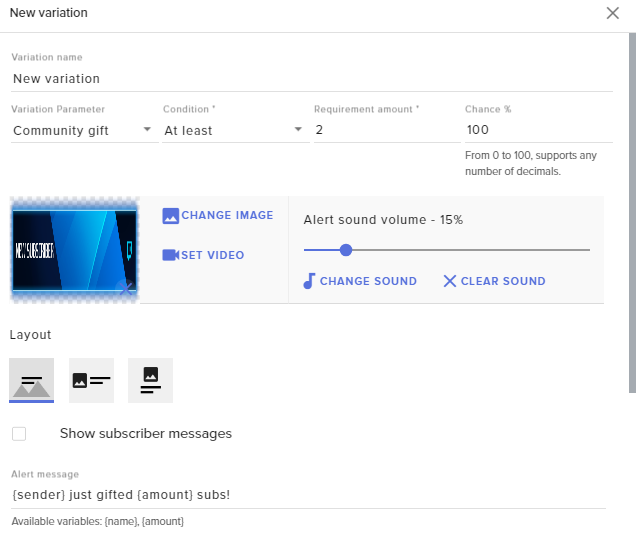
Secondary text is used for {sender} and {amount} correct ? @normal igloo
normal igloo
@orchid nova for Community girt?
orchid nova
correct
normal igloo
That's up to you you could have many variations for example {sender} just gifted {amount} subs! or yoo guys Let's get some hype in the chat for {sender} as they just gifted {amount} subs to the community thank you so much for your kind Kindness
@orchid nova
That's the purpose of having the ability to move things around customise as you please
 minor heart
Hello,
I have a question. I have several overlays that I would like to be combined into one. Is there a way of combining my current overlays into one overlay without creating a new one from scratch? Or do I have to just start all over and add each thing separately?
Thanks
restive trellis
when you do command !sraffle points are awarded to a random person. how do you change the payout???
 strong kernel
@minor heart You can duplicate individual widgets to other overlays but there's no "mash these two together" button.
@restive trellis Payout is set in the module settings.
minor heart
@strong kernel ok, how is that done? Whne I click Duplicate Overlay, it tells me to choose either, PLatform --- Channel and Twitch ---SunnyMoney.. But no matter what i click they both are selected. I see no option to duplicate to another layer
strong kernel
No, not duplicate overlay.
Edit the overlay, select a widget, use the duplicate button in the bottom left.
One widget at a time. Not whole overlays.
lament blade
Is there stream deck support coming out ??
strong kernel
There already is in OBS.Live?
lament blade
Really
strong kernel
Really really.
lament blade
It's not in the stream deck software
normal igloo
yes stream deck support for OBS.Live is now
strong kernel
@lament blade https://blog.streamelements.com/streamelements-obs-live-elgato-stream-deck-the-perfect-match-85c194bf894a

StreamElements - Legendary Live Streaming
StreamElements OBS.Live add-on makes stream management easy. The add-on is fully integrated with OBS Studio and allows you to declutter…
normal igloo
oh thx Nethyr
lament blade
Ok thx
worthy aspen
quick question regarding alerts .I Use my own animated overlays so I keep the overlay itself in OBS since looping over browser isint the best, and I want to have different placed alert boxes on certain overlays in OBS , so to my knowledge i still need to make individual overlays and create different alert boxes and place them where i want in each overlay on streamelements website . is this correct ?
and if thats the case , my worry is what if i happen to be switching overlays and it just happens to be during an alert , would it still keep playing or cancel it ?
 spring tundra
Hey hey, is anyone else having an issue with the overlays not showing up in SLOBS??? All I get is a white box.
Works fine in standard OBS
strong kernel
@worthy aspen Aside from the fact that you can still upload your animated overlays into your account and it'll loop fine, you can create a single overlay with just the alertbox, and add the single source multiple times in different scenes with the "use existing" option when adding a source. That'll make it technically the same source in all scenes, and there won't be an interruption while switching between scenes.
@spring tundra There's no way for us to guarantee performance in SLOBS; they've had issues in the past with updates messing with things. We always recommend using OBS Studio with out plugin, OBS.Live.
worthy aspen
@strong kernel im not able to upload even if i want due to the fact they are .mov file and anyway i change it , takes away the transparency needed in it
strong kernel
Mov is supported, and transparency should be retained. Or you can always convert it to webm at https://convertio.co
Convertio - Easy tool to convert files online. More than 285 different document, image, spreadsheet, ebook, archive, presentation, audio and video formats supported.
worthy aspen
okay so im now seeing its not the .mov problem its just the file is too large for everything , all the parts of my overlay are 124 mb , dont think there is anything i can do to get these to work
daring hazel
right here @zenith widget whatever you did, it finally reset and is now listening to commands. but i have in unparted from the channel, yet it's still in the channel
zenith widget
I last joined it.
But since you have custom bot name via GC or OBS.Live I think that only parts the custom name 
and the original bot is there and 'stuck' of sorts
daring hazel
i removed the custom name. part and unpart again?
 daring hazel
kk
restive trellis
how do viewers access the loyalty store to redeem points?
zenith widget
There is a default command called !items with an alias store in it
daring hazel
@zenith widget Its gone w00t!!
zenith widget
noooo 
daring hazel
thanks
 drifting brook
Hi there
Guys , i have a little question, when i try to add Last Subscriber to Overlay , the {name} of last sub is not showing , when regular text is here
soz for bad english
zenith widget
Hmm..looking
drifting brook
Don't have any subscribers currently, but i had . Same with followers
zenith widget
works fine i guess
just make sure to expand the box, as the name might not show up
You can also place a random name here if you'd want
zenith widget
well the labels are empty - only way that can happen is if you've reset them manually 
zenith widget
 👍
👍
zenith widget

drifting brook
is there any way to make Labels catch Activity Feed?
i mean hook them up , hope u understand ^^
zenith widget
Its automatic
using previous image -> make changes -> save changes :
will update the widgets with the info you've placed here manually
anything afterwards its automagic
drifting brook
oh so i just put a nicknames of my last [sub/fol/etc] once for setup and then it will be saving this for 43 or 53 calendar days as it says in Settings[Beta] menu?
zenith widget
depending on the setting there
if its a calendar month, everything should properly reset once the month starts
or week, depending on the widget and waht time frame you set it to show
if its the other option, it will show in the last 30 days
drifting brook
okay, but if i used not StreamElements previously there this will not be hooked up?
zenith widget
You've shown to have events from december
drifting brook
I mean thats why we writing this manually
zenith widget
that means that we already have info from you, but your labels are just empty
zenith widget
Like I said above, if there is nothing there for latest follower or sub or tip or w/e just manually input a random name if you want to and hit "save changes" to apply the change to the widgets
drifting brook
and if i will not put anything here
zenith widget
nothing will show up
zenith widget
yes
drifting brook
oh, cool
ok, ty
soz woke up 10 mins ago :]
KeiZar, found an alternative way
maybe it will help so will leave a lil feedback what was more easier for me
I setted up Lastest Sub and Follower
Then just pressed Refresh button in Activite Feed in front of Last follower and subscriber , ( reload overlays button at the top didnt helped for me )
in OBS.Live
refreshed last sub and refreshed last follower for me and that exactly what i wanted, without writing them manually
zenith widget
👍
drifting brook
I just didn't knew that this button adding them to labels again, tried to press Reload Overlays at the top first. Thank you again!
 tacit quest
Whats the command to do raffle of custom amount
zenith widget
@tacit quest To adjust the amount in the raffle, you need to go to "Modules" -> settings of "Raffle" module
tacit quest
No chat command?
zenith widget
Ok, I just found out that you can just type !raffle 1000 and it will start with that amount a raffle @tacit quest
good thing I said "as far as I know" 
drifting brook
Guess Whoz Back)
Have 2 problems currently
First is my Subscribers Goal doesnt show correct info, it shows like i have 3 subscribers , and i dont have them
font of my "recent sub" label is not changing
torpid estuary
You can correct the number in the session data tab
torpid estuary
And click on goals
And you can't change the font from obs. You have to change it in the overlay editor
drifting brook
Yeah already did! It refreshed
And about font the problem is
I m changin it in editor
After i press save button it doesnt changing in OBS
but if i move it for example
in any other place on the screen
it will refresh in OBS
i mean place is refreshing, font is not
torpid estuary
If it doesn't change, try saving it in the editor and then refresh the overlay
In OBS
drifting brook
k sec
drifting brook
i wanted to use Impact but didnt found him , so just started to look into all of them and on some moment they stopped to refresh
and now it works just find after i refreshed cache
thank you so much
torpid estuary
 glad I could help!
drifting brook

drifting brook
hm
another question
Tips will be alerted on stream only if i use StreamElements for donations?
winter zenith
yes @drifting brook
 oblique steeple
jep. We can't hook into other services.
 boreal shoal
Hi! If I reset the ALL TIME loyalty leaderboard, the current one also gets reseted?
winter zenith
pretty sure yes .
boreal shoal
Actually, it doesn't 😛 I have done it right now
 worldly bear
Hello there,
Do you guys know how can i use Streamelements Store and notifications through OBS ?
thanks in advance
zenith widget
Yes. Let me grab the instructions
worldly bear
thank you
zenith widget
Steps to make a command trigger sound on stream:
- Go to Stream Store page here: https://streamelements.com/dashboard/store/items
- Add an item that has these settings on it:
- Stream Perk
- Loyalty settings to your desire
- (Next step) Add contents (image and/or sound you want to play)
- "Redeeming this item shows an alert
- Redemable via chat
- Skip Requirements
- Get the item name/command from the 2nd creation page
- Go to commands page here: https://streamelements.com/dashboard/bot/commands/custom
- Add command with desired name and have response for command as: ${redeem item_name_here}
- Go to your overlays and edit the overlay you use.
- Click on "widgets" and add "Store redemptions" widget. Click save and you should be golden.
- Test your own command in chat and have OBS or editor open to hear sound
- ???
- Profit in viewer interaction and that dosh

commands or store items - applies to all
zenith widget
I have them saved
worldly bear
also do i have to alawys approve every redemption or is it gonna be automatic after doing the steps ?
 gaunt matrix
Hi, I am wondering if anyone could help, I am a new streamer so I don't know much things, I have managed to get most of my stuff set up but I am struggling to get song requests done, it is telling my I need to add a widget can any tell me how I can do that? I know im probably be really stupid haha
winter zenith
@gaunt matrix dont worry you are for sure not stupid . you made the switch to SE I consider this a smart decision 
its a widget you have to add in the Overlay editor. its called "Mediashare" you need it to show video footage from the Media Request on stream
if you only use it for Songrequests this step is not necessary
 wide stump
Hi all! Is there a possibility to change the font in the "Bot Counter Widget" within the editor?
winter zenith
Bot counter widget 
wide stump
My overlays / {overlay name} / widgets / Bot counter
winter zenith
AHHH I was thinking of #widget-share sorry 
well if you cant change it with a "style" tab as the other widgets then I fear you cant 😦
winter zenith
since I am at my workplace right now and dont really memorize all the widgets SE offers maybe you can help me out with a screenshot so I can see if I can help you out or not 
could you select the widget
and make a screenshot of the WHOLE left white bar?
normally all SE widgets have a text style tab
wide stump
@winter zenith Thanks for your help bro but it is just not there. I don't know if it was intended or not ...
@winter zenith I am just wondering why it is not
winter zenith
tbh I aso dont know if it was intendet or not 🙈
zenith widget
@wide stump Bot counter widget at hte moment doesn't have text options - it is a known thing
winter zenith
Staff to the rescure
wide stump
@zenith widget thats sux... It makes it unsuable...
zenith widget
But afaik, this one, which has been around for longer: https://github.com/StreamElements/widgets/tree/master/BotCounter

GitHub
Contribute to StreamElements/widgets development by creating an account on GitHub.
does have custom css and I think recently added custom fields to include text size/color options
and some other customization
the one in the widget link is a recent addition based on this widget, but its still in progress to be added
wide stump
@zenith widget how do I use this widget? Include it in the CSS style of obs browser plugin?
zenith widget
no
overlay editor -> widgets -> custom widget
open editor -> replace html/css/js
fields is the json
orchid nova
@zenith widget my top donator sound is not going off but everything is set up correctly, also it does it if i emulate but if someone donates it wont work, can you come and sort this please? as i'm showcasing new graphics etc and it's bugging me 😦
 burnt sky
Can Media request take a spotify list for the backup list ?
zenith widget
no
burnt sky
too bad 😃 does anyone have a good YT list then ? 😄
twin sentinel
@burnt sky I think it would be best to ask this in #general-chat
 unreal fable
does anyone know why my alerts cut out when my obs is on admin while i am playing a game and how i can i fix this
twin sentinel
What OBS are you using?
unreal fable
studio
twin sentinel
Is it for all alerts or just for some actions?
unreal fable
mostly all of them when i am playing some games i working on trying to reduce the lag i get from obs so i dont lag in game
i would talk to obs about that but they banned me
in their chats
@twin sentinel also i am noticing that if someone hosts me via /host type in i have a 0 limit to when the alert goes off but doesnt go off and no points are being given out
nocturne pelicanBOT
@unreal fable Due to recent changes to Twitch API, we have filtered out hosts and will only show these ones on your activity feed:
- All manual host events (0 hosts included and if filter set to 0)
- All auto host events with at least 1 viewer
twin sentinel
But the other alerts are getting cut out? What do you mean exactly by they are getting cut out?
unreal fable
basicly if i was to real royale and get a alert it will play then mid way thru the sound will lag out and if i go to a brb scream the alert will become unstuck and play only the alert box given
 thorny tusk
Cant get my alerts to work with obs... it shows a tiny bit of the alerts :/
twin sentinel
@unreal fable I am sorry, but I don't know how to fix this. But hopefully another Support or a Staff will have an idea.
unreal fable
yeah i know it has to do with mostly me
twin sentinel
@thorny tusk Does the red border of the alert Source fit the canvas on OBS? If not, try to select the source with the alerts and press Crtl + F to make it fit.
thorny tusk

ctrl f didnt work neither no clue why it does this
Also it wont save the sounds on all the diffrent alerts that i make :S
twin sentinel
What screen resolution do you have, what resolution do you stream on (OBS output), what resolution does your browser source of the overlay have and what resolution does the Overlay have when you created it on the SE website?
thorny tusk
That was it had it at 800x600 and changed it so now it appears
twin sentinel
So the alert shows up correct on stream in the right position then, but you can't save the sound of the alerts you changed?
thorny tusk
i have saved the sound for them all and when i test it on the website it works but on obs it dont
twin sentinel
So they are not appearing on OBS at all, or with the wrong sound?
thorny tusk
with the wrong sound
twin sentinel
Try to clear the cache of the Browser Source.
nocturne pelicanBOT
@thorny tusk Right click on the BrowserSource > Properties > Scroll down a bit > Refresh Cache of current page
thorny tusk
Everything beside Subscriber works with sound
twin sentinel
Check the variations on the subscriber alert.
thorny tusk
yep there it most be but it wont save thats why
twin sentinel
What broswer are you using?
thorny tusk
Waterfox
twin sentinel
Try it in Chrome please.
thorny tusk
dont have chrome ^^
 violet nimbus
steel this bug
thorny tusk
ill try do more once im home again gotta go to the hospital with my daugher
unreal fable
@thorny tusk where can i find the songquests button to allow people to start using !sr
twin sentinel
@unreal fable At the website of SE there is a tab called media Request.
twin sentinel
or if you are using OBS Live you can activate the MediaRequest Feature by selecting "StreamElements" > MediaRequest and activate SongRequest in there.
unreal fable
but it telling me i need the model to turn on the command
twin sentinel
If you are talking about the command !sr which you can't activate, you have to first activate MediaRequest itself via the link Rippz0r provided above.
unreal fable
did that
twin sentinel
What browser are you using?
unreal fable
chrome atm
twin sentinel
chrome is the way to go. try to log out of the webiste, clear your cache and log back in please.
unreal fable
still grayed out should i just close all my browsers too
 gentle imp
what is greyed out?
twin sentinel
what userlevel does the command !songrequest have?
gentle imp
the command will always be grey, it's controlled by song request module
lament blade
Hi, i created the overlay but nothing dont works, folllow, media share, chat box. Nothing works, but on another site all alerts works. How to repair it? I added correctly overlay to the obs by browser
tight harness
@lament blade If this is since you renamed yourself then you need to do the following: Click on Part Channel on the dashboard, click on Sign Out, sign back in and then click on Join Channel on the dashboard
nocturne pelicanBOT
@unreal fable Our Desktop App Ground Control: https://streamelements.com/groundcontrol
lament blade
That didn't help
i dont see all the alerts from overlay
tip goal chatbox etc
i corectly paste the browser link to obs
twin sentinel
You have checked that the overlay is on top of all other sources in OBS?
lament blade
yes its on the top
twin sentinel
Try to clear the cache of the browser source.
nocturne pelicanBOT
@lament blade Right click on the BrowserSource > Properties > Scroll down a bit > Refresh Cache of current page
nocturne pelicanBOT
To add your overlays to OBS, add a new browser source in your scene. Paste your overlay URL in the browser source properties, set the dimensions to 1920x1080 (unless you changed them on the website), and :ballot_box_with_check: “Shutdown source when not visible” https://youtu.be/KDvLynUqXI4
lament blade
i see only follow alerts, nothing else
like donations etc
but media share dont work
and tip goal too, and chatbox
i refreshed
tight harness
You have Media Share added to a different overlay
tight harness
You also have it in your other overlay too, still testing
lament blade
i have only 2 overlays, for test. One overlay and copy of this overlayt
nocturne pelicanBOT
@unreal fable To invite managers to your dashboard, Click on your Channel Name at the top of the dashboard and scroll down to Settings. Click the drop down arrow to expand your channel managers and then create a new invite at one of three access levels (Bot Supervisor, Editor, Full Control) Check this video out for more help: https://youtu.be/zl_h-ttZDF0
lament blade
ok now it works, but i dont change anything lol
and it dont work now
@tight harness Can you help me?
tight harness
You deleted your other overlay
Now you only have 1 overlay, the other one. Meaning if you want to test the remaining overlay in OBS you'll need to copy the URL for that overlay instead
twin sentinel
Do you use Ground control?
Please close Ground Control and check in Task Manager and make sure every instance of the bot.exe is closed. Otherwise terinate it via taskmanager please.
Start Ground control afterwards. and try again please.
 plain ridge
Is there a way i can use stream elements overlays with my ps4 without a game capture card
twin sentinel
I don't think there is. You can just use the Overlay as a Browser Source in OBS or OBS Live.
plain ridge
Yes i do but when i try to stream from it my stream is very laggy because ibonly have an upload speed of 1 mb/s. But i can stream 360 standard no problem from ps4
What can i do to fix that
elder sorrel
With 1Mbps on OBS.Studio would mostly handle 480 30FPS.
As the work around without using a Capture card would be downloading The program on your PC for PS4 Remote Play. Connect your PS4 to it & use Display Capture on OBS.Studio so you can use Overlays
plain ridge
Ok ty
 median silo
can someone help me with a !wins & !setwins command?
twin sentinel
yes sure.
median silo
amazing
twin sentinel
in chat: !cmd add !wins $(channel) has won $(getcount wins) times so far this stream! or whatever you want it to say.
And then !editcounter wins 2
or !editcounter wins 0
for example.
median silo
THANK YOU
restive trellis
my kappagen command isnt working even though it is turned on
twin sentinel
@restive trellis You added the widget to your scene, too?
restive trellis
@twin sentinel how do i do that
twin sentinel
In the overlay editor, add the widget kappagen.
 waxen carbon
can anyone help me im losing frames due to the stream frames not my connection
twin sentinel
what game are you streaming?
waxen carbon
apex but its mostly everygame
twin sentinel
!apex
nocturne pelicanBOT
Since Apex Legends doesn't have optimized GPU drivers yet, it tends to take up all your GPU resources, leaving nothing for OBS. If you're having OBS performance issues, you'll likely need to limit the game somehow. The easiest way to do this is to enable Vsync in the game, or use a frame limiter. You can limit the game to 60fps by adding +fps_max 60 to the game's launch properties in Origin.
https://twitter.com/OBSProject/status/1093974215877951493

If you stream @PlayApex and are having FPS issues with OBS due to a maxed-out GPU, you'll need to reduce GPU usage so that OBS can run as well. The quickest way to do this is to enable Vsync with triple buffering and disable Windows 10 Game Mode. https://t.co/FOPmDyJMNx
Retweets
432
Likes
1250
 Twitter
waxen carbon
Twitter
waxen carbon
i tried
i have a ryzen 7 2700x and i try to stream with cpu and im still losing frames
nocturne pelicanBOT
@waxen carbon For the best OBS support, please join their Official Discord @ discord.gg/obsproject
 olive cedar
Whats the name of the program again that shows stream elements notifications?
twin sentinel
What notifications are you refferig to?
olive cedar
@waxen carbon what windows version do you have
@twin sentinel donations, follows, etc
Theres a separate program that lists all recent events
nocturne pelicanBOT
Our Desktop App Ground Control: https://streamelements.com/groundcontrol
olive cedar
Thats the one
 limber wagon
Hey i need some help..
I maked a sound thing vor vieuwers for in the stream
I redeemed it, and nothing happends?..
twin sentinel
You have to add the widget to the stream in the Overlay Editor to get it displayed on stream.
winged sundial
Good afternoon SE  Can soomeone please check why my text in my cheers don't show within my Apex IN GAME Overlay?
limber wagon
And how to do that?
twin sentinel
Log in to Stream Elements where you can create an overlay and add the widget "store redemptions".
@winged sundial Unfortunately I don't have acces to your overlays. But isn't there showing up any alert, or is it just the message that someone cheered, or the message the user can provide with his cheer, which can not be displayed?
winged sundial
@twin sentinel It shows on the bits default, but not on the 10, 1000 etc
winged sundial
i did and they are there but not showing
twin sentinel
@limber wagon Do you have set up any store items to be redeemed?
twin sentinel
can you DM me your Twitch name please? Cause the connected you have to your DC account does not have any store items as far as I can see.
twin sentinel
What video format did you use to create your stream perk?
Because normally in the store preview the preview should already show the video and I think it is just a static picture for your item.
limber wagon
Here should it be pop up..
normal igloo
@limber wagon When you say command I take it you mean for the stream store?
limber wagon
But not the picture
normal igloo
so next question how did you set it up Stream perks
or Sound effects?
limber wagon
I did it on sound effects
normal igloo
There's your problem then
limber wagon
normal igloo
you need to use Stream perks for sound and vid
limber wagon
Hmm okay ill test.
normal igloo
👍


 late estuary
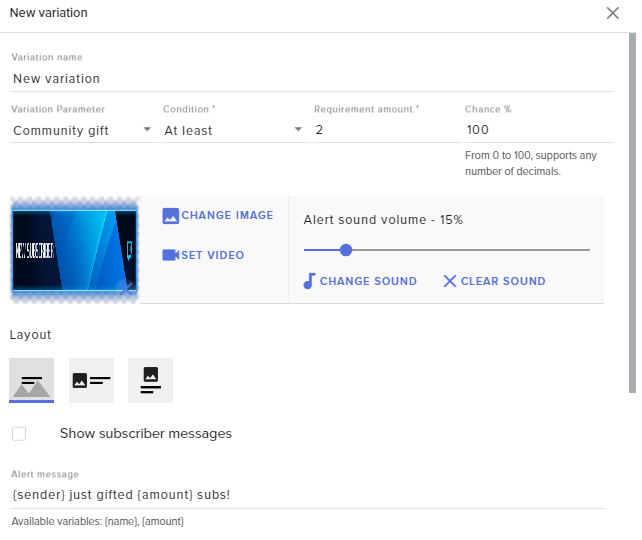
Hello ! i dont have notif for resub for subgift :/
Anyone can help me ?
thx
( i'm french so je parle aussi Francais )
 pseudo tangle
can anyone help with setting up a afk command? example:
!afk shower
streamelements: username is now afk (shower) and it tells me next time I type in chat that im back and how long ive been afk for
zenith widget
${sender} is now afk ( ${1} )