#helpdesk-twitch
1 messages · Page 412 of 1
 twin sentinel
 hasty crow
how do i do that
twin sentinel
@hasty crow Here is a useful tutorial video: https://strms.net/welcome
 restive trellis
the stream elements overlays are 1920x1080 but the video output to twitch is 1920x1200, how do you compensate for that?
twin sentinel
What do you mean with compensate? Are you trying to stream in 720p? So are you trying to downscale the video?
restive trellis
@twin sentinel not what im talking about, not the quality of the stream the size of the box
twin sentinel
Select the Browser Source and press Control + F.
hasty crow
do i have to be on twitch to have the bot
twin sentinel
The Source should be visible with a red boarder in your preview window, building the outline boarder. @restive trellis
restive trellis
see how overlay doesnt fit to bottom of box
hasty crow
@twin sentinel do i have to be on twitch to have the bot
twin sentinel
@hasty crow Please be patient as I will work myself through all the questions.
Where do you wanto to stream? Our Bot is used to create Overlays and other Features for Streamers on Twitch and Youtube and IRL Stream via mobile SE app at the moment.
hasty crow
the bot is in my chat
twin sentinel
@restive trellis When you created the Overlay on the SE page you selected 1080p as resolution?
@hasty crow What feature do you want to use on twitch now? We can provide many, as Overlays for your Twitch Stream or a chatbot for example.
restive trellis
@twin sentinel where do i do that
twin sentinel
@restive trellis When you created the Overlay you can choose the resolution.
restive trellis
@twin sentinel i dont see that option sorry
hasty crow
its asking for continue set up
twin sentinel
@hasty crow So you want to use Media Request in your Twitch Stream?
hasty crow
yes in obc live
twin sentinel
You have to add the widget "MediaRequest" to an overlay, add this overlay as Browser source to your OBS and log out of OBS Live and log back in after this. Then you can add medias to the media request and hit play and they should appear on stream.
hasty crow
can you link the media reqest
nvm
can you help do the mediarequest
im haveing a hard time doing it
twin sentinel
@hasty crow Please try to follow these steps in the video, as it explains step by step how to add the Media Request in SE. https://www.youtube.com/watch?v=17eUkoZ6eIs
 last creek
is there anyway to lower the frame rate and resolution settings in obs? i am having issues with severe stream lag twitch.tv/serahvalentine1 i am streaming rn if you need to see it
 elder sorrel
@last creek Are you trying to stream 720p? You can lower the bit rate in OBS.Settings.
 sly crow
Hey there guys, how can I make a shop item which will trigger a gif/sound on stream on redemetion.. and how can I remove the !redeem precommand.. so it i will trigger and take credits with a custom command?
I use SLOBS so far, but happy to add a browser source or something.
 primal lichen
I remember asking this months and months ago but where do i go to reset my dono bar
https://puu.sh/CGGbw/6370ecf5fa.png

 inland needle
can the StreamElements BOT be made to or is it already supposed to autoconnect to twitch chat?
twin sentinel
@sly crow You have to add the "Store redemptions" widget to your scene. You can make the redeem command using this variable: https://gyazo.com/5ea26dcd42a8b540257d7437760ea0c4 But be aware that there might be problems using SLOBS with the Store Redemption Alert. We recommend using OBS Studio or OBS Live.
@primal lichen Activity Feed > Widget data > Goals. Or from the overlay editor, Data tab > Goals
primal lichen
Such a weird place no wonder i forgot haha. Ty ty
sly crow
And is there a way to duplicate items in the store or have different tiers to 1 item.
twin sentinel
@inland needle You have to make the SE Bot join your chat actively by selecting "Join Channel" on the SE Dachboard.
@sly crow If you want to duplicate items you have to create a new one with the same settings. The is no duplicate/copy possibility atm.
last creek
@elder sorrel im trying to get my stream to stop lagging and idk what else to try.
twin sentinel
yeah @sly crow ?
 nocturne pelicanBOT
@last creek For the best OBS support, please join their Official Discord @ discord.gg/obsproject
sly crow
So I see the variable command. Can you explain how this would work as a viewer. My current item is to have an "owen wilson Wow sound"
which is naturally "owwow" in chat.
inland needle
@twin sentinel I do not see a "Join Channel" on my dashboard???
elder sorrel
Does it show "Part bot" @inland needle ?
inland needle
@elder sorrel Yes, got it, but I have top do this every time I stream?
twin sentinel
no @inland needle
elder sorrel
⤴
inland needle
@twin sentinel Then something is not working like it is supposed to....I'm having issues with my SE Bot
twin sentinel
@sly crow the name of your item is "owwow". So it would be $(redeem owwow)
sly crow
Ok great.
elder sorrel
Try parting thebot & have it join again, Pops.
sly crow
This gonna sound full tard.. where the hell have the widgets gone. I wanna get the browser source to test it :/ Cant find it
havent edited overlay in an age D:
twin sentinel
You can select your overlay here and add the widgets after going to the Overlay-Editor to edit the overlay.
inland needle
Every time I go to join channel and then come back it says it's not joined...I need to start over with this bot setup...is there a good video for step by step?
twin sentinel
@inland needle Are you using Chrome?
inland needle
@twin sentinel no
twin sentinel
Please try it on Chrome.
sly crow
@twin sentinel is there any way to remove ! from my command.
So its "!owwow"
but i just want the text
twin sentinel
you can set up a Command keyword which would be owwow in your case. Make sure you hit Enter after entering it in the are for the keywoards to get it logged in by the website. Then hit save.
inland needle
@twin sentinel same on chrome
twin sentinel
@inland needle please DM me your Twitch channel. I will forward this to a staff who will look into it.
sly crow
Sweet thats working! And lastly.. How can I make the image appear on purchase. I added widget/Overlay to browser source.. wont appear there.. But works in overlay editor :/
twin sentinel
@sly crow uh... try to clear the Browser cache of the Browser source in OBS.
@inland needle thx. I will forward this to staff.
sly crow
hmm refreshed. I can hear it.. now how can i make a gif appear the same time. im getting no image :/
twin sentinel
@inland needle Try to log out and log back in of your SE Dashbpard in chrome using "Sign out" in the top bar please. Try the follwoing after this: Part bot -> Logout of SE Dashboard > Log back in > Try to join bot.
 inner juniper
OBS is crashing my internet after 5 min of streaming
nocturne pelicanBOT
@inner juniper For the best OBS support, please join their Official Discord @ discord.gg/obsproject
 lament blade
Isn't really a help question but, is stream elements affiliated with stream labs?
elder sorrel
No
lament blade
ok
sly crow
@twin sentinel Is there a way to make a image trigger with a sound file?
lament blade
Is there a desktop app for stream elements?
sly crow
yes.
lament blade
Oh awesome
inland needle
@twin sentinel same response, it joins the chat channel and then appears to drop back out again. How do I just clear the bots out and start all over again wit setup?
lament blade
Were do i download it?
sly crow

LMGTFY
twin sentinel
@inland needle I have forwared your request to a staff member, waiting for response.
lament blade
@sly crow Did you just make that?
nocturne pelicanBOT
@lament blade Our Desktop App Ground Control: https://streamelements.com/groundcontrol
twin sentinel
@sly crow I think you can set the gif up in the Store Redemptions widget, or at the store item itself.
 raven crescent
Hello, After ive added my overlay for notifications. Is there any way I can test sound and display before I start using it in stream?
nocturne pelicanBOT
@raven crescent To test/emulate alerts, hover over the blue bell at the bottom of the overlay editor. From here you can select the type of event and the amount to test.
lament blade
When I try linking ground control it says An error occurred, please try again or enter the JWT token manually.
inland needle
@twin sentinel could this be a misunderstanding on my part? Is the bot connected and then every time I hit "Part Channel" (to see if it is connected) it disconnects?
raven crescent
Ah found it. Thanks
sly crow
@twin sentinel Its appearing in the Overlay editor.. but its "Transparent"
nocturne pelicanBOT
@lament blade You can find your JWT token on your account channels page: https://streamelements.com/dashboard/account/channels
(Don't forget to click on "Show Secrets")
twin sentinel
@inland needle Whey you hit "Join channel" you have to maybe wait a few minutes. Soon you will see a viewer in your Twitch Chats Viewerlist called "StreamElements". Then the Bot is in your channel.
When you hit "Part channel" then, it will leave your channel. Kepp in mind, the Viewer List needs time to update.
lament blade
Yup, found it. Also, sorry for being a little stupid, does ground control have more than just activity feed?
when I click the three bars nothing happens
twin sentinel
@sly crow I am sorry, but I have to go now, but another SE member will look at your problem soon.
sly crow
Fair, @twin sentinel thanks otherwise.
Anyone else willing to take over?
Im trying to trigger a gif along side the soundfile from a store redemtion. I hear but no see.
Its taking the loyalty points, Its playing the sound.. but its not playing the animation/alert
elder sorrel
Did you set the store item as a stream perk?
elder sorrel
Yeah. Set it to stream perk so the audio is heard & gif is seen in your overlay
inland needle
@twin sentinel thanks for the assist!
elder sorrel
As well, for you Pops 
nocturne pelicanBOT
@inland needle Please connect your Twitch and/or YouTube channel with Discord by going to ⚙ Settings and then Connections here in Discord. https://streamable.com/eg92w
 elder sorrel
I want to look further into this
inland needle
New issue: now that the SE Chat Bot is connected. The SE Bot shows up in the chat but it DOES NOT show up in my overlay...
elder sorrel
@inland needle I believe the Streamelements bot is set to ignore on default
 jade remnant
if you check the overlay for chat, is the se bot in the ignore user list?
jade remnant
hehe
 pale glacier
posting this again, need help please - Been using streamelements for months without issue until recently. My browser source isnt loading in OBS at all. Its invisible (completely transparent like its not even there). Already did a hard refresh and also used the edit browser source properties and clicked refresh cache button but doing that makes the entire screen go white. I have duplicated the overlays and made new ones with new links, still same issue. This is happening with all my overlays I have within streamelements. Any ideas?
jade remnant
are you using slobs?
lament blade
why does my media request always open to 'stream elements it's better'?,
pale glacier
@jade remnant yes i am
jade remnant
slobs blocks most se items/overlays
pale glacier
it wasnt until recently that this started happening, so does this mean i can no longer use streamelements for my donations?
because that alrert isnt showing up at all
inland needle
@jade remnant thanks!
jade remnant
this has been going on for about 2 or 3 months (from memory), if you want to use se then obs actual or obs.live will work. everything can be imported through the se dashboard if you want to move over
no prbos pops 👍
any other issues, just ask : )
lament blade
anyone else having problems with slobs?
jade remnant
this is se, if youre having issues with slobs go to their discord
sly crow
Ok, Im fine tweakin my sound/gif popup now. !owwow and owwow triggers it, but !redeem owwow and i get " @sly crow, Invalid user input"
I even added it on as a command keyword. :/
whats wrong here?
jade remnant
i think the command keyword !redeem owwow is whats messing up.
try setting the command as !owwow and remove the ! from redeem owwow
sly crow
still not liking it @jade remnant
eh sod it
OwWow and !owwow is functional enough
elder sorrel
Wait a second...
You have it as a Keyword.
What happens when you type redeem owwow ?
sly crow
invalid user input again
elder sorrel
That is weird. Can you try removing the Keyword: "redeem owwow"
and enter that in the Command Aliases?
sly crow
I scrapped it
its meant to be soundbytes.. not actuall redemtions
HAs the site gone down or something? Im addin command keywords.. hit enter. Nothing.
jade remnant
it may take time, im currently editing overlays, all good here
lament blade
is there any way to test the alert box before starting a stream?
jade remnant
bell in the bottom left of the overlay editor
 surreal parrot
Hello, I am wondering if anyone can help. I added a custom sound to the alerts for new follower, and when I click test (or replay an event even in OBS) it works fine. But during my stream there was no sound from alerts at all
lament blade
Why is the alert like that? never had this problem with other programms 😃
well back to streamlabs OMEGALUL
twin sentinel
@lament blade Is this a screenshot of the preview window in OBS Studio or OBS Live?
@surreal parrot You hit save after editing the alert?
surreal parrot
yep its saved, as i said it works when i replay the event
twin sentinel
Do you see the action of the follower in your activity feed? Are you able to replay it? Does it play the right sound on Steam then?
lament blade
how do you log in with youtube not twitch
surreal parrot
i see the action yes, i can replay it now and it works, i didn't try replaying when streaming though
elder sorrel
@lament blade If you're referring to OBS.Live. It's not possible.
OBS.Live is for Twitch only currently. YouTube is planned but no ETA.
lament blade
ok if i wanted to stream on youtube with stream elements it would be imposible?
twin sentinel
@surreal parrot After your stream please try to log out of OBS Live, if you are using it, and log out of the webiste of SE. Close OBS and log back in the website and open OBS back up and log in OBS Live if needed.
lament blade
ok how do i add alerts than
nocturne pelicanBOT
@lament blade To add your overlays to OBS, add a new browser source in your scene. Paste your overlay URL in the browser source properties, set the dimensions to 1920x1080 (unless you changed them on the website), and :ballot_box_with_check: “Shutdown source when not visible” https://youtu.be/KDvLynUqXI4
surreal parrot
ok I've tried that Benno, obviously it's still working now to replay and test, guess i'll see next stream if it's worked properly
i figured the problem, it's not going over the ndi to my stream pc
now i just need to figure out how to fix that!
 outer vessel
When you download Super Themes, is there a way to save them so that you can combine them?
Save the Images and Videos I mean
twin sentinel
You can copy elements from one Overlay to another one.
outer vessel
strg + c and strg + v?
twin sentinel
In the overlay Editor of SE, select the element and select this one.
outer vessel
Thank you very much!
 nocturne tendon
So, I know that I need browser sources to shut down while switching scene, but the delay is soooo long that is really screws up a scene transition to the point that there is no overlay for a good few seconds. It’s bad. Any suggestions?
nocturne pelicanBOT
@nocturne tendon Check out this tutorial for OBS’ studio mode which allows you to preload scenes before transitioning. https://www.youtube.com/watch?v=W8iWsD2Lq3U
outer vessel
I have no problems when you have a ~2 sec transition video
 frozen parrot
can i run streamelements animated theme and alerts on streamlabs without having a browser source open?
jade remnant
no
elder sorrel
Browser sources is the life source 
jade remnant
plus slobs blocks se themes
frozen parrot
so u basically need to have it open in a browser while streaming then
elder sorrel
Oh no lol
nocturne pelicanBOT
@frozen parrot To add your overlays to OBS, add a new browser source in your scene. Paste your overlay URL in the browser source properties, set the dimensions to 1920x1080 (unless you changed them on the website), and :ballot_box_with_check: “Shutdown source when not visible” https://youtu.be/KDvLynUqXI4
outer vessel
Is there a way to import nerdordie alerts/eventlist which autoinstalls to streamlabs into streamelements?
The "import" does not seem to work
 odd vale
im trying to put a tip panel on my twitch account wot is the name of the panel u need to click please guys
jade remnant
stream elements leaderboards
elder sorrel
!panels
nocturne pelicanBOT
Twitch's official help guide for Panels: https://help.twitch.tv/customer/portal/articles/2416760-how-to-edit-info-panels
 stark swallow
jade remnant
stark swallow
jade remnant
is the bot in your channel and a mod?
odd vale
thank you
jade remnant
np 👍
outer vessel
Anyone can answer my question?
Is there a way to import nerdordie alerts/eventlist which autoinstalls to streamlabs into streamelements?
The "import" does not seem to work
jade remnant
do you have both se and sl browsers open and logged in?
outer vessel
now, yes
outer vessel
You mean the import?
jade remnant
yes
outer vessel
I mean I did it before and it imported everything exept the nerdordie alertbox
and the eventlist
jade remnant
how did you receive the nerdordie alert box?
is it a standard browser link?
you can pm me a pic if its easier
 azure swift
hey guys....any reason why my bit/follower/sub goal & stream boss overlays aren't updated?
*updating
stream boss shows correct name, but wrong picture in the circle
nocturne tendon
So, this is what is happening now that I have it in studio mode for pre loading scenes.
twin sentinel
@nocturne tendon I think it would be better to open studio mode just before you want to transition, preload the scene, make the transition and close studio mode. Maybe this helps.
nocturne tendon
@twin sentinel honestly if we could get the images of scenes this wouldn’t be an issue at all. Would never have to go studio mode just to transition.
Using and i7/1080 for stream and i9/2070 for game. Go 10-12 hr streams and never miss a beat with render lag, frame lag, FPS drops. But as soon as I go studio mode that all happens uncontrollably.
twin sentinel
I am sorry, but I don't know why you have these problems with Studio Mode. Maybe you wanto to ask this at OBS Discord.
nocturne pelicanBOT
For the best OBS support, please join their Official Discord @ discord.gg/obsproject
lament blade
Could someone help me with overlays?
twin sentinel
What is the matter?
lament blade
Just want overlays on my twitch stream on ps4
twin sentinel
Sofern du keinen Computer hast, über den du streamen kannst, kannst du leider nur den ChatBot von StreamElements benutzen.
lament blade
Why you change up on me like that lol
twin sentinel
oh. sry. wrong language.
lament blade
All good bro
twin sentinel
If you don't have a PC, you can't stream with overlays just using your console. But you can still use our ChatBot.
twin sentinel
You are streaming to Twitch, right?
lament blade
Yeah
twin sentinel
You can log in on the SE webpage (https://streamelements.com/) with your Twitch account and invite it to your twitch chat.
 alpine whale
Hello, I'm trying to create a command without prefix that could be use alone and within a phrase. Is this possible with SE? As far as I've seen it's not :(
For example:
command -> hello
hello --> triggers a message
hello, I'm Juan --> triggers the same message
I'm Juan. Hello --> triggers the same message
You can set just set a word, like "hello" here as a command keyword. So whenever the word is found in a message the command message is posted, if the timer is down.
alpine whale
So should I create a !hello command then add as an alias the word hello?
twin sentinel
not as alias, but as keyword.
an alias would be another word after an ! to trigger the same message.
alpine whale
Yeah, it's now working. Thanks @twin sentinel Another question, can I create the commands as a mod on the Twitch chat for someone else's channel?
And add that keyword
twin sentinel
You can create a command if you have the rights to use the !command-command on their Bot. Like: !command add !awesomecommand TEXT
alpine whale
Where can I see documentation for that? Or how do I add the keyword within that syntax?
twin sentinel
I am sorry, I can't find any documentation on this atm.
But another way could be, that you get access to the Bot settings page, set up by the streamer.
alpine whale
Thank you 😃
 wide mauve
Does anyone recommend and good commands if so anyone is welcome to privete message me i am new to thie bot and just becoming a regular streamer with avaerge views and alot of people poppin in and out and gettin raided so wandering if anyone has any good commands?
twin sentinel
@wide mauve take a look in #command-share . There are some examples.
wide mauve
Okay thanks @twin sentinel
I have had a look but can anyone show me if there is away to pull someone's name and link for a shoutout?
twin sentinel
There is an example for a shoutout command in this channel, too 😉
wide mauve
Oh where 👀
twin sentinel
it is the first from the beginning. So maybe you have to scroll all the way up.
wide mauve
Okay 😊 i shall get to scrooling
I wizzed passed it 😂 i really need to invest in my glasses i need thanks for the help @twin sentinel
 peak rock
Hey I’m trying to change the name of points how do I do that
twin sentinel
You can change the name in your Loaylity settings.
peak rock
Thanks
twin sentinel
 strong kernel
There's no player queue system out of the box. You might be able to custom code something.
peak rock
Can anyone help me with that I’m on mobile without a pc so I need help
strong kernel
You can try asking in #dev-chat but you're basically banking on the generosity of a random coder if you can't do it yourself.
peak rock
Ok
 storm zodiac
Can someone help every time I try to put on an overlay it is too big and wont fit on stream.
strong kernel
Did you press Ctrl+F to fit to canvas?
strong kernel
You need to select the browser source first, and then press Ctrl+F.
And you need to make sure you set the browser source to 1920x1080.
azure swift
hey guys....any reason why my bit/follower/sub goal & stream boss overlays aren't updated?
*updating...stream boss shows correct name, but wrong picture in the circle
storm zodiac
That worked thanks
 raw glen
can anyone use the media request when streaming \
 cobalt mesa
Is something wrong with the song request? Every time a song is requested to be put in que it skips the current song and doesnt play the song originally requested or doesnt put it in the que to play next.
Has been happening for the past couple of weeks
 worthy depot
any news on being unable to disconnect G2A? Have had people donate a good chunk of $$$ to it and I can't even disable or access it apparently :/
azure swift
am I asking in the wrong area?
strong kernel
@worthy depot I'll go ahead and disconnect G2A for you; the system is made to not allow both G2A and SE.Pay so not sure how you got that. As for the money, that'll be in your G2A account.
@azure swift When the boss initially changes, is the image correct? When do you first notice it having the wrong image?
azure swift
one person hosted, became the boss, then another person raided, became the boss (in name) but not in picture
nothing was updating - I had to do it manually. If I "reset" the session, it defaults to quite a ways back
strong kernel
I've opened a ticket for the devs to look into it.
twin sentinel
@next glen Please keep non SE support related content in #general-chat Thank you.
 calm veldt
Hey there, I was wondering if StreamElements allows API authorization from 3rd party werbsites
I couldn't find it on Streamelements so I had to switch to Streamelements for the time being but I would like to switch back if there is an option to allow access to to API'S
calm veldt
I'm not a developer myself so I don't know what I'm looking for there. I just use this site for donations, it's sort of like Turkish G2A and I need to enable permissions. The link they provide opens up an API authorization API for streamlabs but no alternative for Streamelements does it mean I cannot use it with Streamelements until they make an API themselves?
The site is https://www.bynogame.com/ if it helps

We are Friend of Gamers - Trusted & Best Prices 7/24 Fast Delivery in ByNoGame
strong kernel
No, alerts won't trigger for Bynogame donations. We don't have support for that.
calm veldt
Ok, I really like your product so I hope support will come in the future
Thanks for replying
I gtg but thanks for the quick response
 storm stirrup
Hey so is there any easy ways to play music for the stream without hearing it?
strong kernel
You'd need to direct the audio to a different audio device than what you're using.
storm stirrup
10/10 thank you @strong kernel
lament blade
Why is StreamElements bot not in my Twitch Chat?
Do I have to do something to Invite him?
 royal lark
maybe you forgot to set them mod in your stream ?
strong kernel
You need to click the "Join Channel" button on your StreamElements dashboard.
 hearty glacier
I recently ran the Wizard with obs.live
However my stream is still frame dropping for some odd reason.
Got stable internet, tested both with ?broadcast=true & speedtest (running a stable 6,000 kbps
720p downscale & high priority on the software itself.
hearty glacier
!obshelp
 pine hemlock
Stable just means your upload is sufficient for 6k. Dropped frames could mean encoder lag
 split sluice
Anyone else having problems with obs eating high CPU Load rate tonight? I didn't have a problem with it earlier.
 zenith widget
- Wrong channel
- CPU load rate? Thats a PC/local specific thing, not a global thing that can affect everyone
- discord.gg/obsproject <-- for the best OBS help
split sluice
well, I was wondering if maybe the Browser sources might have some affect on it etc. so curious if anyone else was having that issue who is on SE. my task manager said obs had 19 browser sources open
zenith widget
If you use the animated themes and your CPU isn't a big one, then yes, you might have some stutter issues showing the animated overlays and feel your PC a bit sluggish, but not drastically. (I have na i5-4440 and I don't use animated overlays, due to this reason).
split sluice
I'm running i-7 7700, so it should be that. Was just a flippin' windows update tonight too. grrrrr
zenith widget
Well Windows updates are known to cause totally random issues for streamers specifically.
split sluice
sorry, "Shouldn't be that"
zenith widget
Are you using OBS.Live?
split sluice
yes
zenith widget
Then, like I mentioned earlier, wrong channel.
#helpdesk-selive Toss the last log file there
split sluice
😦
 sullen hamlet
hows it going anyone help me with ${redeem} commands ?
zenith widget
What exactly do you need help with, with the variable?
sullen hamlet
yeah so im trying to make it so u dont have to type !redeem knock etc
but i cant seem to use the varable correctly
any ideas ?
zenith widget
Yes, thats not the usage case.
sullen hamlet
thought so
zenith widget
command name: !knock
response: ${redeem knock}
sullen hamlet
ahhhh
zenith widget
make sure the item is set to stream store perk and is redeemable via chat.
 kind trench
Hey there, I've set up media share requests, but it seems that when the request starts to play, I hear it playing double, so far i've tried to remove the media share widget and readd it but i can't seem to get it to work
zenith widget
@sullen hamlet Sound effects don't have the option "redeem via chat" I think.
Can't check at the moment.
sullen hamlet
i just tried as sound effect
it works
so all g
thanks bro !! i still love your dog pic hahaha
zenith widget
👍
@kind trench Make sure to use the "shutdown when inactive" option for browser sources.
kind trench
this would be in the browser source properties menu right?
nocturne pelicanBOT
@kind trench Make sure to :ballot_box_with_check: “Shutdown source when not visible” for all browser sources (all OBS scenes). If using studio mode, uncheck “Swap Preview/Output scenes After Transitioning.” Also keep in mind that sound can play from any overlay loaded in the browser (editor or launched). https://i.imgur.com/FegZJQS.png https://i.imgur.com/yY0wcFl.png

 kind trench
yeah i've had that ticked already
and i dont have another window open on the editor or the overlay launched as a browser
this only happens when i click show on stream from the mediashare request page
zenith widget
Do you have Ground control or OBS.Live open?
kind trench
no
zenith widget
Do you use OBS.Live?
kind trench
wait i think i reproduced the issue
i think it is an obs issue
i closed everything including the browser, and reopened my obs
and no more double plays
zenith widget
So you are using OBS.Live?
kind trench
Sorry, yes
zenith widget
Then, that is the issue
OBS.Live and the website is playing the sound twice.
If you used the show on stream, the MR widget in OBS.Live does not know that the "Show on Stream" is active and still plays music
its a known issue.
zenith widget
No you are not.
 upbeat basin
Ola
zenith widget
Hello
 humble rune
Is there a way to only allow people with __ watchtime to join a giveaway?
zenith widget
No. Watchtime is just a number that goes up in our system based on the loyalty system if its enabled or not.
humble rune
😦 doodoo, thanks!
zenith widget
You can always check our ideas board 
nocturne pelicanBOT
@humble rune Here is the StreamElements Ideas Board: https://strms.net/ideas
 static eagle
I'm trying to change my chatbot name. I'm confused why it's not working.
nocturne pelicanBOT
@static eagle Custom bot name requirements
- StreamElements bot modded and in chat
- Active overlay with alerts
- StreamElements tipping page in the panels below the stream (!panels)
- Create a twitch account for the name you want to use
- Ground Control app must be running
Steps to enable custom name
- Sign in to https://twitch.tv with the bot account
- Install and run Ground Control (!gc for download)
- Visit https://twitchapps.com/tmi/ and generate an oAUTH token
- Copy/paste everything in the box to Ground Control oAuth settings and enter the name for the bot account
- Restart Ground Control (custom name may take a few minutes to take effect)
Mac does not currently support renaming the bot.
static eagle
I think I did the requirements. Option not showing up in ground control
zenith widget
Restart GC as admin
static eagle
That didn't change it.
nocturne pelicanBOT
@static eagle Please connect your Twitch and/or YouTube channel with Discord by going to ⚙ Settings and then Connections here in Discord. https://streamable.com/eg92w
 static eagle
It is connected
zenith widget
I don't see your twitch in your discord profile.
static eagle
There we go.
zenith widget
Issue is this:
I don't see your tipping link in the panels
aah i see it nvm
but its not a hotlink
I'd suggest to place it as a hotlink there
static eagle
OK, I did that. Do I need to wait for something to crawl over the link. Or is there a next step?
zenith widget
Restart GC again
static eagle
I did as admin, not there.
zenith widget
Are you on a Mac?
static eagle
Windows
zenith widget
@static eagle So you don't see this?
static eagle
zenith widget
restart GC again now.
static eagle

 flat kiln
twin sentinel
flat kiln
twin sentinel
you can manage that via a custom widget. you can implement/code it yourself. as a basis you could use the "Last Events Rotator" in #widget-share
 lavish aspen
Hey guys is it possible to add event list and such similar to streamlabs?
just feels better to build up my overlay directly inside my obs client
not been able yet to find to add these "widgets" without creating overlay on your homepage
zenith widget
For now, you can only edit overlays from the dashboard.
and it the overlay editor.
lavish aspen
i noticed that if i lock a layer in overlay editor thats under things i cant move anything else when i locked that layer
zenith widget
You are most likely not clicking on the widget you want to move.
Also make sure the locked widget is on the bottom.
You can use the arrow keys to move up and down in the layer list.
lavish aspen
i click on lock the layer then i try move other things and its just an icon telling i cant move things. this layer is locked and covers the entire overlay. which is weird because thats not how other things like photoshop works?
zenith widget
which overlay?
lavish aspen
like if its locked then you should't be able to even interact with it
zenith widget
lavish aspen
blue banto
end scene
i locked my layer that has thanks for watching
then i cant move anything else
zenith widget
that image has a huge transparent background
zenith widget
Thats not the locked layer.
lavish aspen
really?
zenith widget
The locked layer is the big black background image.
lavish aspen
so i locked bottom layer now and thanks for watching
zenith widget
lavish aspen
still the thing "cant move"
zenith widget
I'd suggest to crop your image to not have that big transparent background
as you can see in the video even I am having issues clicking on the smaller image
that is layered bellow the text image.
lavish aspen
but if you lock a layer it shouldn't matter right?
zenith widget
well you can't click bellow it
i just locked the "streameneding" image and I can't click o nthe image that is 1 layer below it
lavish aspen
so locked layers has to be under other layers?
zenith widget
It is, but thats the work around - move the position.
lavish aspen
well now i know atleast 😄
zenith widget
Well, this isn't OBS and the editor is not an image editor, is it 😃
lavish aspen
i hope it changes tho because its weird
zenith widget
We do want to update the overlay editor, but no plans have been set in stone, so no ETA on the improvements.
lavish aspen
by the way another thing i wonder about
how can i move a thing without it hooking to things like move it freely?
zenith widget
lavish aspen
awesome thanks 😄
any plans for in the future make it possible to download these overlays?
zenith widget
If its your own individual images, that can arranged
they won't 😉
last time overlays was down was 7-8 months ago for like 2 minutes
lavish aspen
oh wow that's great uptime 😄
zenith widget
we react faster then lightning strikes the ground
lavish aspen
this also works with Youtube streaming?
zenith widget
👍
 subtle drum
ok so for video requests scene was deleted on accident
how do i make the videos show on stream agagin
 torpid estuary
You need to add the widget "Media request" in a scene
subtle drum
i can only find media source
lavish aspen
No worries i removed my double comment 😄
torpid estuary
Technically my comment was the double one as you were faster 
jade remnant
go into your overlay editor, then click widgets on the top bar
ctrl+f to then search for media request
subtle drum
this there a chance it isnt where it normaly is ? https://gyazo.com/8304185e539631bae30757a0eebacc28
 zenith widget
Click on the pencil from left to right, 2nd position.
to enter the overlay editor.
then widgets on top -> media request
subtle drum
problem solved, thanks
subtle drum
NO ACTIVE WIDGETS WERE DETECTED FOR MEDIA REQUEST.
how do i fix this message
 calm shard
how do I upload a logo to add to my overlay?
jade remnant
when you are in the editor, click add image (top bar) then on the right hand side of the pop up box click upload
calm shard
click upload after I select?
jade remnant
clicking upload will take you to the upload page
calm shard
okay thank you
jade remnant
np 👍
 empty wigeon
Not sure if this is the right channel, but I'm on mac using regular OBS and trying to get background music going with song request and the media request widget on my overlays. When "show on stream" is selected, my audio doesn't seem to be routed to the default audio device like it's supposed to be. If I use soundflower (setting my system output to Soundflower 2ch, then setting the same as an output capture source), it plays on stream for 2 seconds before cutting out.
Am I missing something?
zenith widget
ugh...wow that is a fairly specific issue 
I have a bad feeling that we would not be able to help in any way but I can try and troubleshoot.
Unfortunately, I don't know any mac user to more on this, so here goes
If you open Youtube and play a song, does it play audio properly via the audio channels?
empty wigeon
Yeah, I know, right? Thanks for trying to help anyway. No, youtube doesn't play through default audio.
empty wigeon
Neither do.
zenith widget
ok, so this now sounds (all the puns) as a general OBS and Mac audio issue.
its not specific to the overlay not playing sound.
empty wigeon
ha
zenith widget
no sound response = agreement
nocturne pelicanBOT
@empty wigeon For the best OBS support, please join their Official Discord @ discord.gg/obsproject
zenith widget
I would like to send you on a sound wave towards the OBS guys if they can help 
empty wigeon
Cool, thanks!
zenith widget
I'll keep an eye to see if they managed to help you, so that maybe I can keep it in mind for the next Mac user
empty wigeon
Sweet! Yeah, I'd love it if we could come up with a general fix. Mac streamers seem pretty rare.
empty wigeon
Ok, well, I was about to post in the OBS discord, but then I think I fixed it accidentally. in the mac Audio Midi Settings panel, you can add a "multi-output device." in that device, I checked Built-in output AND Soundflower (2ch), then selected Multi Output Device as my output in sound settings... and now it just works.
Soooo.... Yeah. Pass this along to any wayward mac streamers. 😄
zenith widget
👍
 cinder olive
Is it possible to have 2 audio channels for stream? Say one browser(chrome) playing music that gets sent to stream, and one browser(firefox) playing music that only I here?
zenith widget
Yes
 wanton jetty
Does SE have Tiltify support ?
zenith widget
@wanton jetty What kind of support are we talking here?
wanton jetty
Alerts
zenith widget
We do have tiltify alerts
wanton jetty
nice
zenith widget
and goal progress bar.
 stark furnace
Hi there 😃 Wondering if someone can point me in the right direction - trying to find the details and usage of "urlfetch"
wanton jetty
Will donations also show up on the activity feed for tiltify ?
zenith widget
for tiltify's AF - yes
cinder olive
Thanks @zenith widget looking into that software now 😄
zenith widget
@cinder olive https://www.youtube.com/watch?v=EdAhR_CdjLc
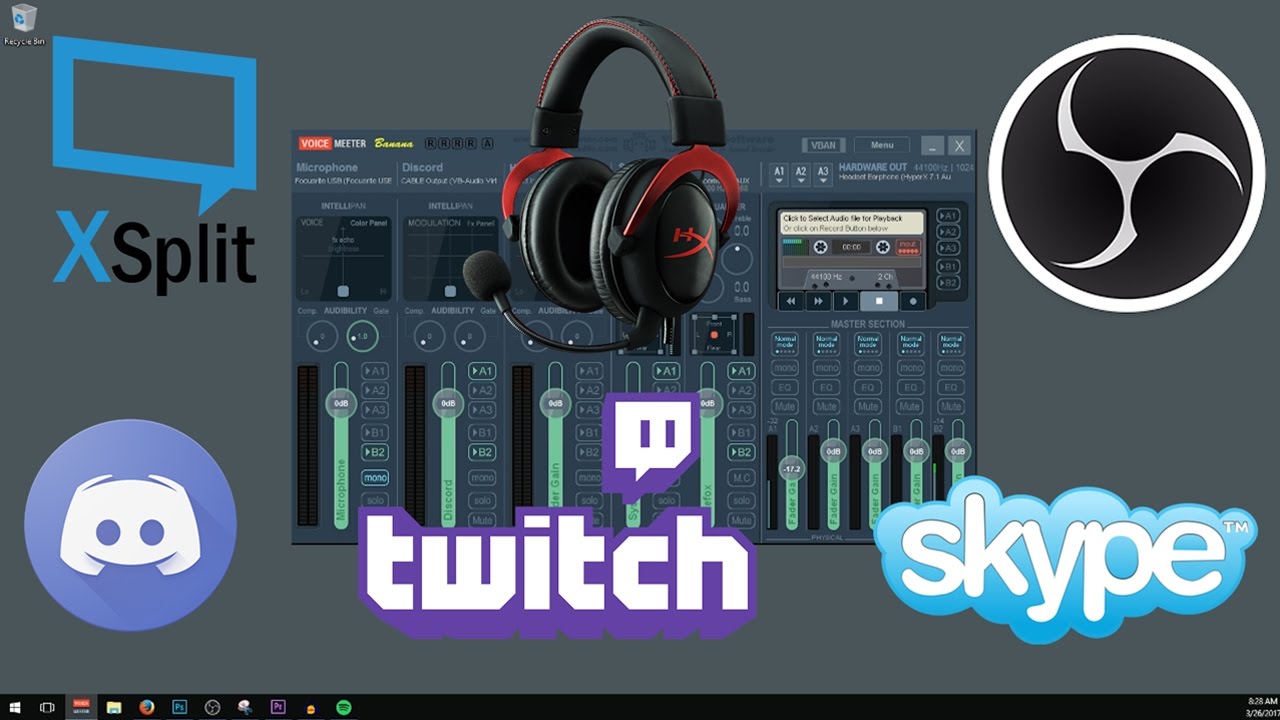
This video is an in depth tutorial on how to setup VoiceMeeter Banana for Streaming to Twitch, Beam, or Hitbox with OBS or XSplit and having full Discord or ...
@stark furnace Hmm, what now?
stark furnace
It's a $ function to use for commands
stark furnace
What I'm trying to do is this - using urlfetch on nightbot can give a timed set of responses from nightbot in the chat hat I can use as a countdown. This is the command for nightbot..................... $(urlfetch https://vxrl.xyz/smm/GET READY FOLKS - Battle starting in 3.../Battle starting in 2.../Battle starting in 1.../GOOOOOOOOOOOOOOOOO !!!)
Thing is that it can ONLY wait 5 seconds in between lines
wanton jetty
Is this section supposed to be empty or is it broken xD
https://cruxedkat.live/s/201915175220.png
 zenith widget
@stark furnace I don't think we can use that site.
If the site response every 1 second and tells nightbot to post in chat, our bot can't do that.
stark furnace
So I'm trying to work out what I must set up on my OWN website so I can do similar
zenith widget
@wanton jetty Thanks for leaking your IP 
wanton jetty

zenith widget
@stark furnace On your site, so that our bot can respond the same way each second?
stark furnace
Yes
zenith widget
In general, our Bot doesn't wait for consecutive response, it waits for 1 response back and then stops listening to the API endpoint.
stark furnace
I managed to get a sort of response - ATM my website only has a plain text file but a friend can write me something in PHP to do what is required. I used $(urlfetch https://www.zoeballz.tv/countdown)
zenith widget
And I'm telling you that our bot won't wait for the 2nd, 3rd and 4th response from the website. It closes the connection the moment it gets 1 response - I think this is to prevent some malicious API endpoints people can create as our bot is Cloud based.
and our entire network can get banned from twitch.
stark furnace
Ummm - 😦 Ok then. I suppose that's what I was trying to find out !
Well thanks for your help. I HAD requested (in the dies section) some time ago that maybe this functionality could be set up as an actual command on SE but doesn't look like the idea ever made it :/
ideas section I mean
zenith widget
I'm not 100% sure though, as granted out bot is cloud based and to protect the entire bot not being banned due to it being cloud based, thats how it is set to function. That doesn't mean that it can't be changed in the future.
(I worked as a Dev before and we didn't want to send lots of requests, due to server being cloud hosted and we being blocked on the cloud - it happened before and it was a headache to whitelist us afterwards)
stark furnace
Yeh I can understand that 😃
I deeal with email servers and if a client account gets hacked and sends out loads of spam it's a bloody nightmare
Anyway Thanks for your help 😃
 tidal sandal
@zenith widget
Just to know how I change the name of the bot su my live (if I can)!?
tidal sandal
which video ?
tidal sandal
thanks
 normal mango
Hey, I'm having some issue with the leaderboard. I recently reset both so they should be synced and showing the exact same score until next month when I restart the current points. But it isn't showing the same score and just wondering if anyone can help me? Here are some screenshots to help. I restarted them on the 01 Feb.
twin sentinel
The All time is what your viewers have earned just by being in chat. The Current is the points of the person, after playing mini games and other stuff to win or loose points.
normal mango
Ahh I see... Is there a way where the all time leaderboard can include everything the current one does?
twin sentinel
No there is no way.
normal mango
Oh okay then. Cheer @twin sentinel!
lament blade
Hi! Whenever I try to use !watchtime, it would give me a preset number of 10. can anyone please help
twin sentinel
What do you mean with a preset number of 10? I am in your chat and it showed me 0 of course.
@lament blade To get the !watchtime to work the Loyality Points have to be enabled.
nocturne pelicanBOT
@lament blade 10 minutes of watchtime are given to those in chat when the loyalty points are handed out (every 10 minutes). Therefore, loyalty must be enabled for watchtime to work properly. There is no direct link between watchtime and all-time points. It can’t be calculated from the amount of all-time points a user has because subs may earn points at a faster rate and !bonus all command increases all-time points for users in chat at that time. Giving points to a single user does NOT affect all-time, only when giving to all in chat.
lament blade
Cheers man! I appreciate it
 sly crow
Hey guys, Im tryna find tweak and iron out my stream features.
Currently I have soundbytes with a gif in the shop. I made it so "OOF" would trigger it. But When its part of a sentance, It responds "Invalid user input"
It has it as "oof" under the "Command Keywords"
And the sites not loading fully- had the page of advanced options to a custom command open whilst writing this
is there a "Non fancy" version of the site.. just wiped cache/cookies. Still. page cant load -.-
remade command.. worked first time entering and saving info. Next up> Invalid user input?
torpid estuary
Huh, let me check that. I use a bunch of key word triggered commands and never encountered that bug @sly crow
sly crow
@torpid estuary
https://i.imgur.com/LEzs29N.png
 lament blade
Hello, I'm wondering how I can import this template to the OBS Application 
torpid estuary
@sly crow ok i was able to replicate that error. thank you for pointing that out, i will forward it internally to the devs. i was under the impression that my command worked even when in mid sentence, but it seems to also happen to me.
thank you for finding this!
nocturne pelicanBOT
@lament blade To add your overlays to OBS, add a new browser source in your scene. Paste your overlay URL in the browser source properties, set the dimensions to 1920x1080 (unless you changed them on the website), and :ballot_box_with_check: “Shutdown source when not visible” https://youtu.be/KDvLynUqXI4
sly crow
Awesome stuff! I thought something was up! 😃
lament blade
Thank you!
 silk void
how to set someone to supermoderator please
twin sentinel
At the SE Page on the left side there is a category "User Management". There you can set the uses up.
elder sorrel
@silk void !level username 1000
silk void
thank you
 languid dagger
can anyone help me out please 😃
twin sentinel
just post your question in here and we'll try to assist you.
languid dagger
im using the !store command and for my friend he has it so it tags the user that uses the command
but when i try and get it to work its only posting the link when i have at least one item redeemable in chat
torpid estuary
use it without the @
wide mauve
Ok
strong kernel
You can also replace ${user} in the response with ${user|${1}}
That'll make it work whether you use @ or not.
wide mauve
Oh okay
torpid estuary
youd have to replace it in the url part too then, right nethyr?
wide mauve
Success thanks 😊
elder sorrel
@rain shadow
Met de kracht van Google Translate. Zelfpromotie is niet toegestaan op deze server.
Can still apply to be a #402919550066229250 though 😉
!sellout
nocturne pelicanBOT
Are you a StreamElements all-in-one streamer and interested in stream promotion when you go live? Please fill out this application https://strms.net/sellout and if you meet the 3 requirements posted in the :pushpin: pinned message in #welcome you will be added to the stream announcements.
 grand elbow
Can I use the overlays on my twitch stream through mobile?
twin sentinel
Are you using the mobile app Stream Elements Live?
grand elbow
No I’m using the web app
twin sentinel
I think this is not possible, because you can use our Overlays just using a Browser Source.
grand elbow
So how do I do it?
twin sentinel
I think this is not possible with our Software at the moment. But we are working on a streaming app. But for now this streaming App just supports IRL streams.
 copper bobcat
Is there a way to download images from my image library?
 copper bobcat
No the images I've uploaded
grand elbow
I’m streaming from my ps4 right now
elder sorrel
That I don't think so.
grand elbow
Via twitch
nocturne pelicanBOT
@grand elbow Here is a guide on how to setup the most essential tools for streaming from your console, while using StreamElements tools without involving a Capture Card! It's easy to do, take 4 minutes to read and 10 to 15 minutes to setup!
Read all about it here: https://blog.streamelements.com/how-to-stream-on-console-7b620b1c46c3
copper bobcat
So there is no way to download images I've uploaded to my gallery? I know there is a way with video but is there not a way with images?
elder sorrel
There is not.
 last tangle
Hey there! I need some help! I have a Ryzen 2600x and my obs is tanking my stream... Is there any reason stream elements would be?
Like does having recent subs scrolling instead of static use more? I shouldnt be hitting 100% CPU usage just from OBS.
elder sorrel
What other animated things are you using? As Animated stuff such as Kappagen, Hypecup uses a pretty good amount of CPU.
elder sorrel
It could.
As well
nocturne pelicanBOT
@last tangle Can you please provide a log from your last stream. In OBS go to Help > Log Files > Upload Last Log File. Once this is complete, please provide the link to the log file.
 ivory panther
hey if i changed my twitch name is it possible to transfer my channel stats to work with the new username
current stats are 0 for everything, my previous name still has a stats page with all the old statistics on it, not sure how i can fix it
elder sorrel
@ivory panther Yes. Just need your previous Twitch Name & your current Twitch name to have a Staff member update it.
ivory panther
okay, where can i contact the staff?
elder sorrel
You can dm me it so I can forward it 
@last tangle Should definitely update your OBS as it's like 22.0.2 I think & you're on 21
Also make sure to run OBS.Studio as administrator
last tangle
When I click check for updates nothing happens
elder sorrel
You can try updating through OBS.Studios website.
twin sentinel
@last tangle Are you using OBS Live? You have two update buttons then. One for the StreamElement Plugin and one for OBS itself. Please try to update both.
If this doesn't work go with S.Emericans solution please.
nocturne pelicanBOT
@molten coyote You can find your JWT token on your account channels page: https://streamelements.com/dashboard/account/channels
(Don't forget to click on "Show Secrets")
 molten coyote
thanks!
 true kernel
Hey, so I'm trying ot implement a themed overlay into my stream scene, but when I add the browser layer for it, the theme gets cut off
languid dagger
im using the !store command and for my friend he has it so it tags the user that uses the command
but when i try and get it to work its only posting the link when i have at least one item redeemable in chat
elder sorrel
@true kernel Did you set the Overlay to be 1920x1080? If so. Try pressing Ctrl + F on your OBS Screen to make it fit to screen
true kernel
Screenshot of what I mean
@elder sorrel Yeah, it just made the part in the screenshot bigger
elder sorrel
@languid dagger I don't understand what you mean. A screenshot would be preferred on what exactly you're trying to do.
twin sentinel
@languid dagger Most likely he has made himself a custom !store commad in which he tags the user and posts the store link.
languid dagger
but if someone would use !store wouldnt both commands go through and collide over each other?
and my friend who made the !store tag ppl said that he didnt touch anything and thought that was default
twin sentinel
Can you take a screenshot like S.Emerican already requested, from the chat of your friend with the command and the response it gives out please?
twin sentinel
Make sure it says reply in your command setting.
languid dagger
with the first image i forgot to mention that its another friend that gave me access to help him with his store
and he only gave me bot access not full access
so i wont be able to edit that until he gives me those perms
molten coyote
may be a dumb question, but there isnt an actual way to stream off of stream elements is there? i have a mac so i have like, no options :/
strong kernel
We provide tools, not a streaming software. OBS Studio has a Mac version.
twin sentinel
@languid dagger I think you can still access the Bot settings of your friend.
molten coyote
yeah , obs always slows my games down suupperr badly..
 stable tree
anyone finding StreamElements Web having trouble loading?
languid dagger
@twin sentinel its ok i just sent him a message asking if he can give me full perms
twin sentinel
no. working for me.
@languid dagger If you already have access to his SE page with the right of "Bot Superwisor" it s enugh to set up the commands.
languid dagger
all i have access to
twin sentinel
You can set it up in the Chat commands.
languid dagger
so just create a new store command
but wont it overide twice?
paste twitce*
twice* i can type i swear
twin sentinel
You can disable the default command. It is called !items. Then only your custom command will "answer".
twin sentinel
Thsi should be correct so far. Now you have to disable the default command, if you didn't do that already.
languid dagger
yea i did
right time to try it out
it works 😄 thank you so much @twin sentinel and @elder sorrel
elder sorrel
 clear stag
Hello. My streamelements dashboard is blank besides the help button. Not even a hard refresh solved it.
twin sentinel
try to use chrome in incognito. If this worked, clear your cache please.
clear stag
Okay, the weird thin is that I cleared my cache 10min prior.
Yup, that did it, thanks.
 fading pewter
Hello, I am trying to upload a picture to Streamelemnts to use as part of my stream background, but the image isn't uploading. Any suggestions?
twin sentinel
Are you using chrome?
fading pewter
Nope
twin sentinel
try to upload your picture using Chrome please.
fading pewter
Sure thing, just a sec
 idle iris
hi! im having trouble changing my streamelements bot name. can someone help me?
twin sentinel
have you met all the requirements?
idle iris
i believe so
twin sentinel
there is a pinned message in this channel on how to get the random name. please check it out.
But I think atm the Ground control is bugged. We are working to fix this fast.
elder sorrel
@idle iris Are you using OBS.Live?
idle iris
yes
actually i got it
using those instructions
thx
but every time the bot posts, it posts twice
do you know what might cause that?
twin sentinel
do you have OBS Live and Ground Control open?
idle iris
yes
twin sentinel
close one of them.
idle iris
could it be that i gave both streamelements and my bot moderator roles in twitch?>
twin sentinel
preferably GroundControl.
idle iris
haha yeah, gc would make more sense lol
shoot... closing gc made it only post once, but it went back to streamelements as the bot name
twin sentinel
Set up the custom bot name in OBS Live.
idle iris
i do not know how to do that
elder sorrel
Looked at the pinned messages in #helpdesk-selive
idle iris
okie dokie
elder sorrel
EZ
twin sentinel
You can try to set the Text stroke up and color it in the same as the text and disable the switch "text shadow" to not let it look blurry.
 odd jackal
Hi, I just imported a bunch of commands from Moobot into StreamElements bot, and there's a command that keeps automatically repeating. I have deleted the command from streamelements bot, but it still keeps spamming the message.... anyone know how to fix?
@pearl light
strong kernel
@odd jackal Don't randomly ping people, not all staff does support, or are available at all times. Asking your question and waiting patiently will get you an answer.
 sonic pollen
Hi all, can’t get the overlay to show up in obs . I just get a black screen
twin sentinel
@sonic pollen You have moved the overlay in OBS on top of the other sources?
strong kernel
@odd jackal What command, and have you checked the Timers section? Those import too.
sonic pollen
@twin sentinel it will show up in a default res but when I update to 1080p to fit the screen, it’s just black
It’s the only source currently
twin sentinel
select the source and press control + F please.
 atomic silo
Heyy so i have a sub goal thingy, but it counts subs even if theyre already subbed as new ones
Im not sure if thats easy to follow
But i’d need my current subs counted without me having to update the goal after every sub 
sonic pollen
Worked!!
 opal obsidian
Hey guys I have a question about my tip data for my overlay?
twin sentinel
just post your question here and we'll try to assist you.
opal obsidian
I had a friend donate to me and nothing is showing up on my overlay. It still says No Data under top tip
twin sentinel
@atomic silo You can display your actual subcount or you can let the subcount be counted up.
odd jackal
Thanks Nethyr. Didn't realize timers were in a separate section.
twin sentinel
@opal obsidian Are you seeing the tip in your activity feed?
opal obsidian
No
atomic silo
@twin sentinel yea i’d want my actual one but as a goal
strong kernel
@odd jackal 👍
twin sentinel
Then the donation was not send through the system of SE and we could not trigger an alert.
opal obsidian
She had gone through the tip button that i had set up with SE.
twin sentinel
@atomic silo There is a widget "Subcriber count where you can edit the text to set your goal behind it. Something like 10/50 will be displayed then.
atomic silo
Oh yes ty @twin sentinel
twin sentinel
@opal obsidian When you can't see it in your Activity feed after checking your filter settings are set correctly to show Donations, it most likely did not went through the system of SE and was not send to you via the SE Tip-Link.
opal obsidian
How would I see if it was showing donations
strong kernel
@turbid moss
twin sentinel
The donation would appear in your activity feed.
opal obsidian
Right, but all that is in my feed is followers, would it be a possible fix if I tried to resetup the button?
twin sentinel
You can try, but if there is no donation in the activity feed, there was no donation via the SE tip page.
opal obsidian
Thx I will ask them for more info of what they did
 primal quartz
 prisma grove
I turned OFF redemption notifications, but I still see them - what am I doing wrong?
strong kernel
The redemption option in the chat alerts module is something else. These confirmations you've screenshotted cannot be disabled.
 prime swan
i cant find how to change the stream elements bot's name.
twin sentinel
@prime swan are you using OBS Live or Ground Copntrol?
prime swan
OBS Studio. not OBS live
twin sentinel
There is no option to change the bot name when using OBS Studio
prime swan
i need OBS live for it?
twin sentinel
yes. in #helpdesk-selive is a manual in the pinned messages in this channel.
prime swan
oh ok well thank you.
prime swan
hy?
lament blade
can you help me?
prime swan
i dont work here sorry
lament blade
np
nocturne pelicanBOT
@lament blade Welcome to the support channel! Please let us know how we can assist you today and a member of the support staff will be with you as soon as possible.
lament blade
sorry for @ you
twin sentinel
@lament blade Just post your question here and a stagg member will try to assist you.
lament blade
i'm looking for a bot that can welcome my new followers
cause sometimes i miss them
strong kernel
Chat alerts module: https://streamelements.com/dashboard/bot/modules

StreamElements
The Ultimate All in One Platform for Streamers
lament blade
because i am focused on ultra rapid fire mode
 crimson yew
Welcoming new followers wouldn't be a good idea.
lament blade
why not?
i feel bad when i miss them
or i am too late
i'm afraid they already left
cause i gotta keep my focus on ultra rapid fire league of legends
@crimson yew
thanks you
sorry for typing here
just enable chat alerts?
thank you
are you a small streamer?
can i gift you my 1 minth twitch prime sub?
crimson yew
If you hear the alert go off, what I do is say that I'll get to it in a sec or I'll just say "thank you for the follow" . I just recommend not really calling them out too much because then they'll end up leaving.
You don't have to. xD
crimson yew
That's why you at least say thank you. 😛
crimson yew
Yeah.
last tangle
@nocturne pelican Did you notice anything in my report that could be causing my CPU to be overloaded?
 modest palm
Will obs live ever work with mac?
strong kernel
It's planned, but there's no ETA at this time.
modest palm
Is there an estimate for how long? Like months or years?
strong kernel
No ETA.
modest palm
Ok
modest palm
Is it just planned or being worked on?
pine hemlock
planned
 hazy iris
I setup everything but it won't show on my twitch. What do I do?
strong kernel
Can you be a little bit more specific than just saying "everything?"
 tawny cargo
Follow alert working in test, but not with real follower ? Anyone ?
Googled it for a while but didn't find, seems too specific of an issue
 cold axle
Hi peeps do any of the overlays work with xsplit?
strong kernel
Yes, should be called webpage sources in XSplit.
 royal herald
What amount should the hypecup tip over at?
 sullen dock
hey
so i moved my alert box to a blank overlay
so it's not attached to my graphics
and i added the browser source to obs
and i'm testing the alerts on the streamelements website
and they're not showing up on obs
i've refreshed browser source and nothing
streaming rn and it's stumping me
zenith widget
@royal herald The cup is not meant to tip over 
@sullen dock Have you placed the proper resolution for the alert overlay?
sullen dock
@zenith widget what do you mean
nocturne pelicanBOT
@sullen dock The default resolution for StreamElements overlays (theme and custom) is 1920x1080. Please add them in OBS at their full resolution and use CTRL+F to fit to screen if necessary. You can then downscale your stream in OBS settings > Video if you'd like https://i.imgur.com/6bWXxjR.png



 sullen dock
it's fine that it's 1920x1080
that's not the issue
the alertbox is in the centre of the screen
restive trellis
Hi I need help here. When I go to copy the link for an overlay it is in 1080p format. But when I put it into streamlabs obs live, the height of the box being streamed is 1200p, and thus the overlay comes up short. How do I deal with this
zenith widget
If they are not showing up on OBS, then you've most likely either not placed the proper resolution that you've set o nthe overlay in the dashboard, or you have placed the alert box' source bellow something in the OBS sources that hides it @sullen dock
sullen dock
even if it was hidden it should still make noise
so what would be the proper resolution?
because i did this with my donation bar and it works fine
a blank overlay with one element in it
zenith widget
@restive trellis You can place a custom resolution on our overlays -> My overlays -> small pencil next to the name ->resolution -> custom
@sullen dock So the alert box works
zenith widget

tawny cargo
Ok about my previous message, I had a new follower and this one worked so I assume it works now or maybe I did something wrong earlier. Thanks anyway !
zenith widget
 ok?
ok?
restive trellis
@zenith widget but then theres still a black line at the bottom of the screen, everyone who uses stream elements has this black line?
zenith widget
Yes, because 1080p is a widescreen resolution
restive trellis
im not doing anything atypical, i just loaded the software, brand new at this
restive trellis
how do i change the side of the square in obs
the overlay is 1080 but the box in obs is 1200
zenith widget
Is your native resolution also 1200p?
Go to "My Overlays" -> click this pencil and change the resolution to a custom one and input your 1200p resolution.
restive trellis
is doesnt matter if i change that to 1200 or 1080, it wont stretch vertically so there is still a black line
i did that, it wont vertically stretch anything because width is the same
zenith widget
Well, you still need to go into the overlay editor and adjust images.
restive trellis
thats crazy, what is everyone else doing? theres no way every single person goes through this
zenith widget
They use a 16:9 resolution, as in a 720p or 1080p or even 4K
restive trellis
but the box in OBS is set in stone, i dont know any way to change that
zenith widget
but there is an ocassional 21:9 resolution user(even WIDER resolution), to which they get black bars.
restive trellis
all i did was open up software i didnt change anything in OBS its the way it was downloaded
zenith widget
and what we suggest is, to leave the overlay to 1080p and fill the black bars on top or bottom with their cam or chat or something.
restive trellis
so what im looking at is what everyone sees when they first download obs
zenith widget
I will take that as a pseudo yes.
restive trellis
i dont know im only assuming
zenith widget
OBS' canvas and output resolutions can be changed.
restive trellis
how
zenith widget
zenith widget
zenith widget
Sure
 quiet crow
Guys, I have a major issue with OBS and StreamElements
zenith widget
Well, what is the issue?
quiet crow
My CPU usage is at 40% while idle, and I know the issue, and it is my animated webcam and overlay from streamelements, and that is while I'm using NVENC, It's ridiculous how much the CPU is getting taken up while II'm using NVENC which causes my frames to cut more than half, are you able to help me?
OBS CPU usage ONLY
zenith widget
Switch to static images?
quiet crow
But my animations won't be present, am I right?
zenith widget
So you are not using our plugin.
nocturne pelicanBOT
@quiet crow OBS.Live is a Plugin for OBS created by StreamElements. You can download OBS.Live here: https://streamelements.com/obslive
Please make sure you have the latest version of OBS installed, Current Version: 22.0.2. You can install OBS here: https://obsproject.com/
zenith widget
Maybe.
quiet crow
din't make it any better, even made it worse
nocturne pelicanBOT
@quiet crow Can you please provide a log from your last stream. In OBS go to Help > Log Files > Upload Last Log File. Once this is complete, please provide the link to the log file.
zenith widget
Or just the last log you have now.
zenith widget
Ok from what I can see you have multiple browser sources, ranging from us, streamlabs and muxy.
zenith widget
Why?
quiet crow
but your browser source is taking the most space
because my alerts are setup on muxy from a long time
and that's idle
zenith widget
Do you know that any browser source, makes an obs-browser-page listed there.
zenith widget
Good, but also to point out, on your channel you've listed wrong PC specs then the ones I saw in the log file, and have so many browser sources, will lag your CPU.
The idea of using us, is to have everything under 1 browser source - 1 overlay.
zenith widget
Then you have a choice. Either move to a static overlay, or don't use animated overlays at all.
quiet crow
So there is no other way to solve this?
quiet crow
Like ffs, can't I make it use my GPU
God damn it
there is no solution to this loopjole
zenith widget
There is no loophole, just bad setup on your side in OBS. Multiple browser sources = lag.
Yes we know that our animated overlays are heavy on the CPU, but thats why we also have static ones.
quiet crow
If I make them into one browser source?, will it fix my problem?
I have the static ones, but they don't nearly look as good as the animated ones
zenith widget
The idea behind out overlays is, they are cloud based and you don't have to download anything.
Having the alert box inside is also a plus.
Look, I told you the solution - accept it or not, I can't help you more then this.
quiet crow
So making it into one browser source?
zenith widget
You can't use multiple links in 1 browser source.
quiet crow
So what I understand is, make my alerts from streamelements, then put them into my browser source, and then put it ionto OBS and then My CPU usage will drop?
zenith widget
then put them into my browser source, and then put it ionto OBS <-- same thing
Just add alerts to your overlay and click save and you are done.
But I'm still suggesting you to use a static overlay
since your CPU can't handle it
quiet crow
IT can handle it, and I still get 120 frames, but that is not enough 4 my monitor
How do I add the alerts?
zenith widget
 light coyote
So I just checked my point leader board for my stream and I noticed a few bots on there so I ignored them. Is there a way to prevent any other bots from getting points from watching my stream without having to go through the list and try to figure out who is a bot?
zenith widget
If its points, remove their points and add them to the ignore list.
Its just a manual process unfortunately, as there are a lot of tame chat bots that just join and don't do you any harm.
light coyote
Okies thanks. It would be nice if there was a way to automatically ignore common known bots
 tranquil sierra
I am running into a snag using the HypeBoss widget, the health bar is green, but I have to use a green chroma key on the browser source for the alerts, but that keys out the health making it invisible. I don't see any way to change the health color, aside from making it it's own source, do you have any other solution?
zenith widget
Why are you chroma keying the alerts?
tranquil sierra
My alert files use the chromakey background, I suppose I could try rendering them with a transparent background  but that's a lot of rendering
zenith widget

Well one thing in this you can do is, make a blank overlay
copy over the hypeboss withet (click on it -> layers tab -> 2 white papers with red dot)
then lower the resolution of the overlay to more or less match the hypeboss size -> add to obs
that way you can freely move it around as well
tranquil sierra
That should make it less impactful on the CPU as well right? Since the source isn't as large. I will give that a try, appreciate the recommendation
zenith widget
For the size of the source? Probably, not sure, maybe, yesn't
tranquil sierra
lol! Thanks for the help (again) KeiZar!
zenith widget

 jolly basalt
hi
is there a way to import my tipeestream alertbox v2 ?
zenith widget
@jolly basalt We have an import tool here: https://streamelements.com/dashboard/account/import
 winter zenith
@jolly basalt not the alertbox itself thats just for streamlabs but if you have all the gifs and audio its easy to recreate!
jolly basalt
ok thanks 😗
lament blade
henlo, my activity feed in OBS with streamelements addon isnt updating, twitch name Nekolacek, wut do?
zenith widget
Have you logged into our dashboard?
lament blade
i tried logging off and on
zenith widget
Is that in our dashboard or OBS.Live?
lament blade
it aint updating
had 3 events since that
it shows up on the site, streamlabs dashboard
not here tho
zenith widget
lament blade
your follow showed up 🤔
zenith widget
Are you sure you had events in between?
lament blade
yes, one host and two donnos
zenith widget
Wherea re they listed?
Because I see that your tip link is with Streamlabs.
We can't show SL tip alerts, because we are different companies.
zenith widget
No.
lament blade
but the host should have 🤔
i mean, its 1 viewer host, but hte point is it didnt show up in tha thing
zenith widget
Looking at when it showed up, Twitch had issues at the time, so the host alert might have been skipped due to flood of other event types.
lament blade
oh, so in the end, nothing to worry about
aight
so, if i do the donno link through the link from streamelements, will the notification be the one from the streamlabs? 🤔