#helpdesk-twitch
1 messages · Page 407 of 1
 stark helm
and then skips it to my list :l
its happening in CachorritaLuna channel if u need to know it
 inner oyster
Hey all! anyone in here that wants to help me with the song request widget on streamelemts/obs? i cant seen to get it working. Thanks in before hand - Fallen
 twin sentinel
There is a known Bug atm with the songrequest. I think they are looking into the problem right now. Please be patient.
 viscid tapir
Hey ive got a problem with song request as well
whenever i put it on my stream it plays for 5 seconds and then does like this echo thing
i don't really know why or whats causing it
twin sentinel
@viscid tapir SE knows this issue and is working on a fix I think. Please be patient.
viscid tapir
okay thank yoou
inner oyster
it seams like i fixed it lol
This is the problem i had and the solution, i'm using streamelements OBS and i saw the song request widget. i accidently removed it and had to do a new one on the page. after i did that the song would then show up BUT after a few seconds it dissapeared. during that period of time i also heard echoing (double of the same song) i noticed that it was playing in OBS and on the Webpage, so basiclly i closed the webpage but still had the issue on OBS. what i found was that there was a VERY SMAL refresh button on the top left corner of the media request song widget in OBS. pressed that sucker and then pressed play and voila the song is playing as it should without any problem..
 strange summit
Quick question, I think I've looked everywhere... is there a widget in Streamelements that pulls a subscriber's sub streak count as well, not just the name?
I've seen it on several streams that use Streamelements, but perhaps they use a different tool for that piece... not sure.
inner oyster
no idea 😦 haven't noticed that before
viscid tapir
@inner oyster what do you mean by in the obs
like you go onto the stream thing and make your own overlay no?
inner oyster
@viscid tapir in the software "Streamelements OBS" there is under the fleek "streamelements" something called "Media Request"
 midnight hamlet
Uhh I have a simple question, if I make a reedemable alert in Stream Elements where will that alert play from or do I need to make a seperate overlay for that?
inner oyster
song requests from youtube on the right, u can choose that your viewers or just you and so on
i don't know @midnight hamlet
twin sentinel
@midnight hamlet there is a widget you have to add in your overlay-Editor.
midnight hamlet
Ok thank you ❤
also holy shit I didn't know you could have the media request thing open in OBS like that

inner oyster
you can if you have the Streamelements version of OBS
 narrow coyote
If you are using our plugin OBS.Live
narrow coyote
its not a StreamElements version of OBS 
midnight hamlet
I had a sepeare tab open
seperate*
Omg that just made my life so much easier this entire time I have been using the plugin and was unaware of that

inner oyster
yeah sorry my bad, i meant obs.live
been at it and reading and learning for about 7 hours so i'm pretty burned out in the head atm
viscid tapir
@inner oyster yeah thats enabled but i still get that echo
midnight hamlet
It's all good thanks for showing me that @inner oyster I would have never found that out myself
inner oyster
but i'm pretty happy with my OBS now with the setting i did and all
 wanton sail
Does anyone know how to get the bot to say the chat messages
inner oyster
@viscid tapir have you checked so the webpage isn't on ? maybe the echo is coming from another source you have opened.
viscid tapir
yeah i did
i still get the echo
i went into my volume mixer as well
but all of the sounds are being played through obs
inner oyster
are you using only the tab in obs?
twin sentinel
@wanton sail The bot is in your twitch channel?
viscid tapir
wym?
i switched to streamlabs for now bc i couldnt get it to work
so i just having the webpage running in the background
wanton sail
What? @twin sentinel
twin sentinel
you logged in here? @wanton sail https://streamelements.com/
 wheat sigil
I'm trying to "create a store item" and it keeps saying "something went wrong..." it's really frustrating that it doesn't save it as a draft or something.... I've done it 3 times now without the uploaded picture etc and still the same issue.... website broken???
inner oyster
then i don't know @viscid tapir 😦
inner oyster
❤
wanton sail
I have a stream elements bot that types in the chat when someone types a command in @twin sentinel
twin sentinel
You can log in at the website I sent you and there you can adjust the commands.
wanton sail
I’ve already set up some commands
twin sentinel
Ah now I got you I think. So you want the bot to read out loud the posted messges in chat or am I getting you wrong this time again? Because reading out loud the messages is not possible I think with this bot.
wanton sail
I have a friend that has a bot where when someone types something in chat the bot says it out loud and what I’m asking is if you know how to get that bot
twin sentinel
I don't think this is possible with the StreamElements Bot.
wanton sail
Ok I will just ask him how to do it because he also uses stream elements
narrow coyote
We do not have a TTS feature like that
They probably use another bot to accomplish that
 kind epoch
@narrow coyote Is anyone looking into media request and the tipping setup for obs plugin?
narrow coyote
 Pretty sure the tipping setup is known, and there should just be a skip button, and not sure what you are referring to with Media Request. I am insanely busy at work, and have not been keeping up in all the channels
kind epoch
Plugin won't continue with setting up tipping , the next button after the second option won't let you click "next" . And media request won't show in stream even though widget is in overlay.
And media request is empty in the plugin
Been waiting in obs.live support channel for an update but it's been quiet for several hours now
 pine hemlock
You can skip the tipping setup and click the x in the top right of the message saying its incomplete.
As for media request, seems to work fine for me with a requested video that isnt the default video for media request.
kind epoch
@pine hemlock Media request is blank in my plugin
pine hemlock
Did you update obslive
pine hemlock
What version of obslive are you on
kind epoch
22.0.2
pine hemlock
close and reopen obs? Mine was only blank when i first opened the program
kind epoch
I have been doing so for the last few hours no change
The plugin breaks too when you are halfway through the tipping setup and closing obs then reopening it looses the plugin.
 strong kernel
pine hemlock
strong kernel
pine hemlock
Disable and re-enable it.
kind epoch
The only way i know how to disable it is by doing what @strong kernel said to do in his image shown above and still the window shows nothing in it
strong kernel
What's empty?
kind epoch
Yes, the media request box is empty
strong kernel
Log out and log in.
kind epoch
Done that several times as well.
strong kernel
Then reinstall.
kind epoch
hmmm ok
Reinstalled and still showing empty
Would Ground Control have anything to do with this?
pine hemlock
Possibly
kind epoch
Should i uninstall Ground Control?
pine hemlock
doubt
narrow coyote
Just close GC, there is 0 reason to use it with OBS.Live
kind epoch
I don't have GC running now that it's within the obs plugin
 past cosmos
Hi guys - My partner is having trouble with the sound alerts playing twice. She uses OBS. Unfortunately when you check "Shutdown source when not visible" then the transitions are clunky and slow (and basically don't 'transition' at all, rather they just appear bit by bit). Is there anything that can be done to allow the best of both worlds?
 nocturne pelicanBOT
@past cosmos Check out this tutorial for OBS’ studio mode which allows you to preload scenes before transitioning. https://www.youtube.com/watch?v=W8iWsD2Lq3U
 acoustic zephyr
Hi, speak spanish?
viscid tapir
when you click show on stream the video is delayed compared to right before you click it
thats where this echo is coming from
atleast in my case
acoustic zephyr
Alguien me podria decir donde encontrar el "JWT Token"
viscid tapir
but theres no way i can fix it
nocturne pelicanBOT
@acoustic zephyr You can find your JWT token on your account channels page: https://streamelements.com/dashboard/account/channels
(Don't forget to click on "Show Secrets")
viscid tapir
@acoustic zephyr #🇪🇸︱español
i've tried to show it on stream by pausing it first but then itll hiccup and then start
which makes the echo worse
i got it to work once and then it continued to stop working
pine hemlock
When you hit show on stream, it pauses the local player and plays the sound via the overlay.
There shouldnt really be any duplicate audio
Unless you spam the show on stream button
viscid tapir
ill record it for you one sec
kind epoch
Media request was working then all of a sudden its stopped working. This is so unusual.
In the plugin that is.
Nothing showing up still in the plugin under media request.
viscid tapir
@pine hemlock https://youtu.be/itqGcGqYG6k

listen to the entire thing
i dont know whats causing it
pine hemlock
@viscid tapir Do you have multiple overlays with the media share widget?
viscid tapir
no
past cosmos
Thanks @nocturne pelican very helpful 😄
pine hemlock
Are all the others set to shutdown when not active?
viscid tapir
uh
i think so?
how do i check that?
like the only one in my sources that has it is the default overlay
pine hemlock
Rightclick on the browser source and click properties and theres a button for shutdown
Do you have one of these in each scene?
because that may be the case
viscid tapir
just in the smite one as well
ill try and see if it helps
oh my GOD
it worked
bless your soul
xD
viscid tapir
ty ily
❤
another not
e
my viewers said that my stream stutters alot when i use stremelements compared to when i use streamlabs
is it just cuz streamelements is using OBS and OBS does that?
pine hemlock
It might be related to the option we just enabled
having that disabled causes more stress on your pc
because you're loading more than 1 overlay at once
viscid tapir
icic
ill try again in a couple hours and see
i really like streamelements alot more xDD
pine hemlock
we'll be here
kind epoch
Any other suggestions for my problem ?
pine hemlock
Firewall? Antivirus? Press the reload button on the top left of the media share widget in obslive? Idk.
 sleek dragon
Does this work if u don’t have a pc
sleek dragon
I want follower on screen pop ups and chat gamble thing btw I stream from my Xbox
pine hemlock
You can do the chat things, yes. on screen stuff = overlay = not on console
sleek dragon
Ok how would I do that
nocturne pelicanBOT
@sleek dragon Here is a guide on how to setup the most essential tools for streaming from your console, while using StreamElements tools without involving a Capture Card! It's easy to do, take 4 minutes to read and 10 to 15 minutes to setup!
Read all about it here: https://blog.streamelements.com/how-to-stream-on-console-7b620b1c46c3
pine hemlock
You can add the bot to your channel via our website and enable certain modules to your liking.
 lunar furnace
just wondering if gravity and physics is turned on for the hype cup.... if it gets knocked over will it continue to animate the bits or does it have to be reset?
kind epoch
What do i do now guys? Media request is still not showing in the obs plugin and i've exhausted all of my resources.
The contents of the panel is missing.
It was showing earlier then it suddenly stopped showing content/text/buttons.
strong kernel
When there is an answer, we will inform you. Spamming us about it will not speed things up.
 worn ether
Good morning!
For the stream elements item store, I want to make one for people to say Hi, and have their name come up on the screen. Is this something that is possible to create?
strong kernel
@kind epoch And keep the OBS.Live questions in the OBS.Live channel, please and thank you.
@worn ether Not possible, the redemption will always show a message of "{name} redeemed {item}"
worn ether
Ahh okay. Got it. Thank you!
lunar furnace
@strong kernel was your spamming message directed at me ??
strong kernel
No, to Kingy.
lunar furnace
ah
strong kernel
If the cup falls over, bits can still appear, as far as I know.
lunar furnace
ok
because if it falls over and will still show them going to fall in the cup it wont bother me just wanted to make sure they would still animate getting dropped and bouncing and such
strong kernel
They should continue to fall, but obviously not in the cup since it's knocked over.
 maiden jetty
I'm not sure where to really ask this but is there a way to refer to already uploaded assets with the custom HTML/CSS editor? Like, can I refer to the font choice or the uploaded image in the normal overlay editor but with custom CSS?
strong kernel
{{image}} should refer to the image. I'd have to check about font.
maiden jetty
Is there documentation or something similar I can refer to? This seems like a dumb question to have to ask you guys and I'd be happy to just read some stuff haha
maiden jetty
Alright will do thanks!
 slate horizon
hello,can you hlep me
nocturne pelicanBOT
@slate horizon Welcome to the support channel! Please let us know how we can assist you today and a member of the support staff will be with you as soon as possible.
slate horizon
how i can create on my channel something like "coins" on my stream
twin sentinel
on the website of stream elements there are loyalty settings where you can set up the loyalty system for your stream.
twin sentinel
You set up the widget in your Overlay editor?
 lament blade
yes: I saved, launched, and added URL to Browser source. but when I put an emote in chat to test my browser source shows nothing
twin sentinel
I think you have to look inside the OverlayEditor at the SE internet page. Because I think, when you are offline, the don't show up in OBS.
lament blade
so If i'm not live it won't show in my browser source?
twin sentinel
You can look at the emotes in the Overlay Editor at the SE internet page in the specific Overlay where you placed the widget. You can't see the Kappagen Emotes in your OBS when you are offline.
lament blade
okie doke, that makes sense. I'll test it out next time i'm live
twin sentinel
you can also test it right now, when you go to the SE page (https://streamelements.com/) choose the edit option to get into the Editor of the Overlay where you created the Kappagen. When you type emotes in chat now, you can see them fly around your screen in the WebBrowser.
strong kernel
This is not correct. You can see the emotes in your overlay in OBS regardless of whether you are live or not.
@lament blade I've tested your Kappagen overlay and it appears to be working fine. Check your browser source settings.
twin sentinel
I tied to test the kappagen widget, but for me the emotes only appeared at the SE page. Have I made any settings wrong? I am very sorry to gave out false advise.
twin sentinel
ah ok. bcs of overlay key. I got it. sry.
strong kernel
Did you click save?
twin sentinel
beginner's mistake. I am very sorry. yes, I didn't press save. 
midnight hamlet
Umm I was wondering when I put something in the media request is their a way for it not to skip the current song playing?
or do I have to do !sr if I don't want it to skip the current song
 regal solstice
hello i have a problem, i use the share media feature, i want the name and lenght of the songs showing on my screen, but the media share feature also plays the music from the widget itself, so i end up with double audio, from my player, and from the widget, how can i fix that?
worn ether
Hey there, I noticed that when I restart my stream / end the stream and start a new one, my recent sub , follower, and donations dont restart unless I manually replay them, is there any way to get these to auto-start?
viscid tapir
just kidding
 woven scroll
i need help asap
nocturne pelicanBOT
@woven scroll Welcome to the support channel! Please let us know how we can assist you today and a member of the support staff will be with you as soon as possible.
woven scroll
when i use one of my commands it wont on stream chat , i try fixing and i cant do nothing about it
worn ether
Well, I'm not staff, but let's start by getting some more information.
What command?
What is the command supposed to do?
Have you checked upper/lower case?
Did the command work in the past?
woven scroll
its a !giveaway command i have like 2 yeah i check everything i deleted and re added , yes in the past it was fine this just happen to me yesterday
worn ether
You have 2 commands that are the same?
woven scroll
nah , i have 2 commands both wont work
worn ether
Okay, where did you set them up? In the stream elements dashboard?
woven scroll
dashboard then scroll to chat commands
worn ether
If they are in the stream elements dashboard, are you sure you have enabled them?
Also: have you enabled the bot as a moderator in your chat?
worn ether
Try to disable, reenable, and then hit save. And then restart obslive.
Another thing is to check the advanced settings, to make sure that you haven't added anything else
It should look like this
woven scroll
ok
worn ether
Once you've done all that, if it still doesn't work, you'll have to wait for an actual staff member to help you out.
This is just the basic steps of troubleshooting, and making sure that you're meeting the correct parameters for it to work. Hopefully it does, if not. I've at least saved you and the staff a little bit of time. But alas I have to go now.
 calm anchor
is the bot currently down? not working on my stream
worn ether
Oh shoot maybe that's it.
strong kernel
The bot is not down.
calm anchor
Hmm, i tried to send a test message but nothing
it just came back to my channel but still no commands are working, will wait for a bit and reply wiht a response later
worn ether
@strong kernel if you could help out with @woven scroll 's issue if it's still not solved, I walked him through some basic troubleshooting tips while we were waiting.
Thanks a bunch!
strong kernel
@woven scroll What are you trying to do?
woven scroll
the bot wont work on my chat i did all the steps already
strong kernel
Can you be a little bit more specific please?
woven scroll
so i when use my commands they wont work in my chat , i have a !montage command its not working when i go live my streambot dosent notfi it was working in the past not sure whats the problem
 steep panther
Hey song request is not working in my channel
calm anchor
both streamelements and custom name bot are in my channel but they aren't outputting the commands
strong kernel
Disable custom name.
Part the bot from your channel.
Log out of StreamElements.
Log back in.
Rejoin the bot.
Test it.
nocturne pelicanBOT
@bold axle Welcome to the support channel! Please let us know how we can assist you today and a member of the support staff will be with you as soon as possible.
 bold axle
i need a overlay and im on xbox with no capcard
strong kernel
Research options for remote play.
bold axle
why
strong kernel
Because that's literally your only option.
bold axle
i will try tHAT then
steep panther
Media share isn't working in my stream 
narrow coyote
Need a bit more information than that, there are several ways to use media request, so need some more detail
pine hemlock
What part of media share isn't working.
steep panther
Its not putting songs in the queue when people try to use the !sr command
pine hemlock
Is the bot in your channel
steep panther
yes
pine hemlock
Part the bot and rejoin it.
pine hemlock
steep panther
still not working
pine hemlock
Do you have viewer requests enabled here https://streamelements.com/dashboard/mediarequest/general
steep panther
yes
calm anchor
bot is back but custom name isn't working so i assume i have to wait a bit?
pine hemlock
Try re-doing the custom bot name
steep panther
@strong kernel thank you sorry for being tilted earlier 
pine hemlock
ty carry on
 faint moon
so im trying to delete stream elements and it comes up with a error it says that "setup was not completed succesfully" what should I do?
pine hemlock
@faint moon Are you talking about ground control or obslive
pine hemlock
can you click show details?
 narrow coyote
looks like it is trying to run something that was in temp, that might not be there anymore
faint moon
ok
pine hemlock
If you go to: C:\Program Files\obs-studio and run the uninstaller from there, does it work?
lament blade
hello! I am having trouble linking my twitch account to stream elements..i did change my user name on twitch so i think i may have cause some issues as to the links not working for my channel..?
pine hemlock
Part the bot, log out of streamelements, log back in, rejoin the bot
If links are showing as <link removed> that means you have a twitch setting enabled to disable hyperlinks
lament blade
ok thank you..
nocturne pelicanBOT
@acoustic zephyr Welcome to the support channel! Please let us know how we can assist you today and a member of the support staff will be with you as soon as possible.
acoustic zephyr
i want to leave media request of obs studio
strong kernel
There's currently no option to do so.
acoustic zephyr
i like activity feed and chat, media request no
strong kernel
There are some known issues with its functionality that have been reported, and the devs will be taking a look at it. However, there's no way to disable the feature at this time.
 split sluice
I'm missing sub notifications and Tip's, I'm in the middle of stream, Not happy! THIS is why I spend a week switching to SE from SL!
strong kernel
Well you're not getting tips because you're using the Streamlabs link.
split sluice
I switched it to streamlabs BECAUSE the Streamelements wasn't working
2 times in 3 nights tips having shown up
strong kernel
So of course you're not going to get tip alerts. You're using their system, not ours.
We can't listen to tips through their system.
split sluice
read my above comment, thank you
I just switched it because I'm losing money by it not working over the last couple days. Had viewers ask if it went through or not, and I see no sign of it
 lusty yacht
I see media request is on obs.live now. Is the rename bot function there yet?
strong kernel
@lusty yacht It's been there.
lusty yacht
Well then..... I need to find it now lol
strong kernel
Menu in top left of activity feed.
lusty yacht
Thanks.
strong kernel
@split sluice It depends on which service the tip went through. Paypal can and will hold tips, in which case they don't notify us until they release it.
We can't do anything about that.
split sluice
so, anyone who tips using paypal is going to hold the tips? Really? how long on the average? I mean, ... that's not a cool setup IMHO
strong kernel
No, it's not every tip, but PayPal's system will hold them sometimes. It depends, and I couldn't tell you what causes it to do so.
You should have the tipper check their PayPal account for a pending charge.
split sluice
yeah, and if it's not accepted by this service in 3 days, it gets dropped.
strong kernel
It's PayPal's system. We're a passthrough service. The information is given to them, they process everything, and when everything goes through, they give a response.
If their system chooses to hold it, they don't send us a response, we can't confirm it's gone through, and there's no alert.
split sluice
Ok, well, what about the twitchprime sub that didn't show up?
strong kernel
Did they share it in chat?
pine hemlock
Prime users have the option to not share their subs.
which means it will give no alert
 chrome acorn
my chat panel and activity feed are gone, any help
strong kernel
@chrome acorn Do you have the StreamElements menu at the top of OBS?
chrome acorn
yes
strong kernel
Click it. You should see options for them listed there.
chrome acorn
i dont
strong kernel
Log out and log back in. There's a log out option in there.
chrome acorn
it keeps asking me to setup the tipping page even though i have it setup
 copper bobcat
Did media request get really messed up with some latest update, music player has been completely screwy.
strong kernel
@split sluice Well, we definitely saw that Twitch Prime sub go through.
@copper bobcat There's been some issues and the devs are aware.
copper bobcat
K, cool cool, just making sure it's not me.
split sluice
yeah, the last resub went through and it worked, the one before did not
the one by RoboNinja3 never showed up, I see their badge in place... and like I said, it showed up in chat.
strong kernel
Could be for a few reasons. But when everything is lined up the system does see it.
chrome acorn
It keep asking me to finish setting up the tipping even though i have it setup
strong kernel
@chrome acorn There's a skip button in the top right.
chrome acorn
now it went though, i did that previously and it didnt work
also, when i switch between scenes my camera turns off.
i have deactivate when not showing selected
strong kernel
The camera issue would be a question better suited to OBS support, if you're sure you have it set to remain on when the source isn't visible.
nocturne pelicanBOT
@chrome acorn For the best OBS support, please join their Official Discord @ discord.gg/obsproject
copper bobcat
@strong kernel Any estimated time for the fix? Media keeps skipping songs and sometimes playing two songs at once.
strong kernel
Couldn't tell you. Though, you're not still controlling it through the browser, are you?
copper bobcat
I did because OBS version was being so glitchy.
copper bobcat
Hmmm, oh no LUL
strong kernel
Yeah, it's not ideal, and the devs have been informed.
copper bobcat
That would explain some doubling issues. Thanks for the feedback!
lusty yacht
So I’m trying to add bot name on obs.live and it’s telling me to set up tipping first. But it’s already set up and rechecking it does nothing.
 limpid lake
hello im new here 😃
pine hemlock
Click 'do it later', then hit the x above continue setup @lusty yacht
limpid lake
is there a specific role to have to be able to post an idea? i wanted to write on the website but figured id join disocrd instead
lusty yacht
@pine hemlock there is no do it later or X. Just recheck which just loads and stops.
 restive trellis
i want to disable all commands and chatbot features except for music requests, how do i do that
 zenith widget
You go to the command list and disable all commands there from the togglee.
restive trellis
how do i get to command list? sorry i just downloaded the app
zenith widget
Which app?
restive trellis
streamlabs obs live
calm anchor
so i'm trying to give my bot a custom name but it tells me i have to add my tip[ping link to my donation panel but it gets stuck and doesn't let me continue
zenith widget
@restive trellis Are you sure then that you are using our bot?
restive trellis
@zenith widget pretty sure, the streamelements song request feature works in my chat
zenith widget
Ok, so you go to our dashboard and on the right, click on "Chat Commands" and then "Default commands".
@calm anchor With what are you trying to change the bot name? GC or OBS.Live?
 magic pasture
i need help with Ground Control... all i can see is "LOGIN VIA STREAMELEMENTS.COM" button but cant find where on the website to login
calm anchor
obs.live
zenith widget
@restive trellis Also did you know that SLOBS is known to take more CPU usage then plain old normal OBS Studio?
@magic pasture Did you click on the button?
magic pasture
i did
zenith widget
@calm anchor #helpdesk-selive lets move there for you.
calm anchor
ty
zenith widget
@magic pasture And did it open a new tab on your chrome?
magic pasture
it did not
zenith widget
What browser are you using?
magic pasture
chrome
zenith widget
Ok, so run GC as admin
restive trellis
@zenith widget where do i click?
zenith widget
Why do you have SLOBS and OBS Studio(with our plugin)?
magic pasture
@zenith widget 

restive trellis
@zenith widget i like different features
zenith widget
@restive trellis I still don't understand why you would have open both OBS Studio with our plugin and SLOBS.
This is a recipe for disaster - you will clog your PC resources if you are not extremely careful.
And like I said only SLOBS is know to use more CPU then it has to (some say by 10 other say by 30% more).
restive trellis
@zenith widget thanks, im not worried about that tho im doing something very specific. how do i get to chat commands?
zenith widget
Like I said previously, go to our dashboard ( https://streamelements.com/dashboard ) and click on "Chat Commands" on the bottom of the left menu -> Default commands tabs -> use toggles
 lusty swift
Hello, I need some help. I'm configuring the my alerts and almost everything is working fine, with the Cheer alert being an exception. I change the image and sound but it seems to have no effect and it keeps showing the default image and sound when I test. Is that a bug or am I missing something?
zenith widget
Most likely yes. Check the variations of the cheer alert.
lusty swift
Ok, got it. Thanks a lot, mate!
 tropic isle
I'm having some trouble with my setup. I can't seem to get overlays or background images to upload.
zenith widget
What browser are you using?
tropic isle
Microsoft Edge
zenith widget
Switch to Chrome
tropic isle
Ok
zenith widget
and then try uploading
tropic isle
Should this solve the issue with Overlays, when I attempt to activate an overlay it just opens as a blank webpage?
nocturne pelicanBOT
@tropic isle To add your overlays to OBS, add a new browser source in your scene. Paste your overlay URL in the browser source properties, set the dimensions to 1920x1080 (unless you changed them on the website), and :ballot_box_with_check: “Shutdown source when not visible” https://youtu.be/KDvLynUqXI4
zenith widget
Unless you add widgets with black text and images, you will always most likeley see a white background
tropic isle
So the launched overlay into the webpage becomes the source for the background if I'm understanding correctly.
lament blade
Yo, could someone help me please? 😃
zenith widget
What do you need help with?
lament blade
i was wondering, is it possible to set a duration for a donation sound
i've got like a 5 second sound clip, and want to make it 2 seconds for example
zenith widget
Via our tools? No. You will have to cut it with a program
but you can still make the alert duration it self 2 seconds
lament blade
are there any programs u can suggest for something like this?
zenith widget
Audacity comes to mind but i'm not sure
lament blade
alright, thank you so much! ❤
 chilly vigil
hi, why every time i updated obs live, i must always re-setup the things that I had already set up on my streamelements account. it is so irritating. Now I'm stuck at this screen and it won't let me click next. I had already set up everything long time ago. 😡 😡 😡 😡 😡
zenith widget
Just click "Do it later" on the top right.
When the plugin updates, it removes previous old data from previous version to avoid any bugs or issues from occuring.
midnight hamlet
Is their a shuffle feature on the media request in Stream Elements?
zenith widget
Its been requested and is part of our Ideas board.
nocturne pelicanBOT
@midnight hamlet Here is the StreamElements Ideas Board: https://strms.net/ideas
zenith widget
Find it, upboat it
midnight hamlet
acoustic zephyr
Hi, i want to import streamlabs loyalty to streamelements bot, i don't know i want help
have option?
zenith widget
As long as you can export the loyalty from SL as a ".csv" file then you can import it to us by using the anhkbot import tool
its located in the top right corner of the dashboard
zenith widget
@acoustic zephyr https://cdn.discordapp.com/attachments/331560310165078016/453304085614034967/3930ad327157a20b16802e4d0589fd0a.png

 weary nest
heeey guys, ive got a little question and maybe you can help me a little bit
if i put (name) in the chat is the background of it white and its ugly
do you know how i change this
zenith widget
I don't understand the issue. Can you provide a screenshot?
 lyric jasper
In the StreamElements Leaderboards extension there no one of my the oldest subscriber. What went wrong?
zenith widget
If you just installed it and just signed up with us, then it takes about up to 30 days to receive all past subscriber info, after they resub.
lyric jasper
ok
 grave python

StreamElements
The Ultimate All in One Platform for Streamers
404? 
nuuls 
styleeeeeeeeeeeeeeeeeeeeeer
zenith widget
the page works
zenith widget
it loads completely fine for me.
But if a command starts with !# maybe that can cause issues that are not that easily fixable.
zenith widget
i just openinged it twice
no error on my side
clear your cache and browser data and disable any extensions
this is most likely on your side, unless you can give me a console/network tab error
 sonic bough
Where the heck do i find the website link for people to go tip?
cant find it on the tipping page
zenith widget
 cloud solstice
Hi guys , the media request feature is removed today from OBS-studio / SE integration . Any news when it will be back ?
zenith widget
cloud solstice
@zenith widget hi dude thanks for your feedback . I had that option visible . now i can't see it any where . btw i tried to check for updates . it says i have the latest version .
zenith widget
use the log out and then log in again
 zenith widget
👍
 echo sedge
if someone posts 'gg' in my chat, is there a way I can add a soundeffect to it, or does it always have to be !gg
zenith widget
If you have a command attached to a store item that triggers sound
just add 'gg' as a keyword to the command
echo sedge
can i find the keyword in the store item, or do i need to add it elsewhere
zenith widget
just add 'gg' as a keyword to the command
echo sedge
and am i possible to add a sound effect if person A says something in my chat
yes but I dont know where to add the 'keyword' I can only find command
im tarded, but you are always so helpfull 😄
zenith widget
Ok so lets start from the waaaaay begining
You have a stream store item, correct?
Is it a stream perk or just a sound effect?
echo sedge
sound effect they can redeem for 'free'
zenith widget
the cost is irrelevant.
So usually people can do !redeem sfx_item and it should redeem the item, but afaik, the !redeem command doesn't work on Sound effect items.
So you need to change it to a Stream Perk and then the option to redeem via chat will pop up.
You choose that and then you get something like: stream_store_item name
you copy that, go to your custom command list
and add/edit a comamnd to have this response in it: ${redeem stream_store_item}
then you click advance and on the bottom is the keyword field where you add keywords - alternate way to trigger commands
echo sedge
aaaaaaaaaah
whoop there it is
never clicked advanced
and is there a way to play a soundfile when person a joins in the chat
and only for person a
zenith widget
no
echo sedge
Ok, thought I have seen other streamers do it, but they might just manually hit a sound effect
thanks so much again though
can i upvote your techee of the month?:p
zenith widget
Most likely manually with streamdeck or hotkey to play local file
what-now of the month?
echo sedge
You may have knowledge of this question, which however is somewhat irrelevant of stream elements. I am looking for a way to add numbers to a text-file by pressing a certain key combination or key. It will then add a number to a .txt file, do you knowledge of an easy program that could do this or is it custom coding time
techee - service tech :d
zenith widget
Are you planning on showing that on stream?
echo sedge
Its the win/kill counter
echo sedge
So I import this into the overlay as a source?
zenith widget
To add it on the overlay, just edit the overlay you want to show the counter -> widgets -> custom widget -> open css editor -> remove pre-defined code -> copy over html/css/js file code to editor -> save
echo sedge
Got it, thanks, will give it a shot 😃
 gentle imp
ahh you cannot minimize it or it goes too, unless that got changed, try dragging chat window outside of OBS.Live and see if it still gets minimized also
assuming you are using OBS.Live that is 😃
lament blade
i use obs.live
this is waht i did and it goes back too
also thank god i found obs.live
it losses way less frames then original obs woud
gentle imp
that bug/feature of chat minimizing when you minimize OBS.Live has been reported, in fact I'm surprised it isn't fixed, but you can request it here https://strms.net/ideas or upvote if someone else already asked for it
lament blade
oh ok thx
from now i could say i am an expert as i have a lot of experience with obs
gentle imp

lament blade
i could start giving support
gentle imp
everyone is welcome to help if they know and no one else is helping or has the solution 😃
lament blade
is cool streamelements has still kept the obs gui and the log thingy
no bot 😦
ok anyone needing help
 valid pagoda
When I try to update my settings for my Profile Page I get "There was an error updating your settings" and it doesn't update anything on the profile page.
lament blade
ok
i assume there is an update or an network error
can you send me the log file?
help/log file upload curent log file
@valid pagoda log file please?
zenith widget
@lament blade why do want his log file?
valid pagoda
what?
valid pagoda
latest version of what?
zenith widget
@valid pagoda wre you removing social links from the profile page?
lament blade
@zenith widget i have my own style of operating
i am sorry if you do not agree with it
valid pagoda
I was changing them
zenith widget
@lament blade i do not agree as the person is asking about an issue unrelated to obs.
lament blade
ok
valid pagoda
wtf is going on
lament blade
i wanted to see if the api sent a request
zenith widget
@valid pagoda If you are trying to remove a social link from the profile page settings, it won't work, because currently the fields are set to require a link to be present in them.
We know about that issue and the best thing you can do is, just change the link to example google.com
valid pagoda
OK
lament blade
a quick saerch on google says for :When I try to update my settings for my Profile Page I get "There was an error updating your settings" and it doesn't update anything on the profile page. gives me the thing you need to disconect from streamelements itself
zenith widget
Ok then, go here: https://streamelements.com/dashboard/profile
and try and change any links, then disconnect your account with w/e method you found on google and let me know if you succeed in changing the link.
lament blade
next?
zenith widget
Let me guess, you are not following what you found on google eh? @lament blade
lament blade
umm is not my problem
valid pagoda
@zenith widget the google .com trick is working, thanks
lament blade
i searched it for mark
zenith widget
@lament blade Look, we appreciate you want to help and all, but the way you wanted to help, was not the right way. See what information I provided the person and learn from it.
@valid pagoda 👍
zenith widget
I don't have time at the moment to spare for some random talk in DMs.
lament blade
ok give me a quick advice
gentle imp
please refrain from using this channel unless you have a problem or you are assisting someone who has an issue, thank you 😃
gentle imp
!obslog
nocturne pelicanBOT
Can you please provide a log from your last stream. You can find this log in " %appdata%/obs-studio/logs " OR Help > Log Files > Show Log Files. You can simply drag and drop the log file into Discord.
lament blade
gentle imp
as you can see here, you have a lot of problems on your log, check here https://glorp.ninja/obslog?url=https://cdn.discordapp.com/attachments/504975178791649320/538340484645650433/2019-01-25-22-48-15.txt
lament blade
yeah but it is not the latest ver of obs
gentle imp
it also links you to suggestions on how to fix it
lament blade
and also i am not gaming
i am streaming some songs
i mean do you want to see how crappy is it?
gentle imp
just follow the suggestions, it will improve streaming and dropped frames
lament blade
nothing helps me lol
gentle imp
it does, did you check the suggestions?
lament blade
Wi-Fi Streaming-i cannot use something else
nsufficient Hardware i have no money to updtape+i use auto-config
gentle imp
what can't be fixed is already solved, just do what you can 😉
like running as admin, disable windows DVR stuff
lament blade
ok ill try to turn off game mode
yeah i try to capture chrome
so idk if admin or dvr turned off will help
lol
zenith widget
You won't be able to stream properly regardless of what you change, due to the fact that you have an integrated graphics card for a laptop and the CPU is from 2014
and is for laptops.
lament blade
so u knew the date of the spu
cpu*
u cool
it will work with other streamers or recorders
like wirecast or camtasia
zenith widget
I don't think you understand what I'm telling you.
Your laptop is not meant for streaming at all.
zenith widget
Get a dedicated PC.
lament blade
WITH WHAT MONEY
sorry caps was on
maybe when ill make more money out of twitch
😦
anyway back to work
work
 torpid estuary
We can only provide the services and support for those. If your setup is not meant to stream we are sorry, but nothing we can do about that.
lament blade
@torpid estuary i know
but @torpid estuary as you have a better experience can u share some advices with me?
torpid estuary
Not here. If you have general questions please ask them in #general-chat @lament blade
lament blade
oh ok
Hello, I have a question, I've set my streamelements the way my viewers can donate. I've set both Paypal and g2a ways of donating and I would like to remove the G2A one, is it possible?
zenith widget
Yes. Tipping Settings -> Disconnect button next to the g2a payment option.
lament blade
yeah, that is the problem, I already did that, only Paypal shows up there
at Payment Providers
i am sorry but it may be an browser error
zenith widget
@lament blade No, its not.
zenith widget
@lament blade Refresh the tipping settings page. You will see it now.
zenith widget
Yes
zenith widget
No.
 harsh ember
just wanted to share i am using the app to stream outside it happens rarely but i thought i put there......I have smart connection and sometimes when I lose connection and it comes back even though i have good reception I would still have confused john travolta and i would have to restart whole stream beacuse it wont recconect.
lament blade
ok
torpid estuary
@lament blade I will ask you to stop
torpid estuary
@harsh ember please use the corresponding channel #helpdesk-mobile
harsh ember
@torpid estuary i c sry
torpid estuary
Not a problem, it's just that you will get help faster regarding your problem there!
harsh ember
@torpid estuary ty 😄
torpid estuary

zenith widget
Do not assume the problem is fixed every time with a log file or its a browser issue.
torpid estuary
@lament blade as I told you before, no. Take it to #general-chat if it's a general question
lament blade
ik that as i were in the obs comunity
zenith widget
Stop!
lament blade
k
 ripe moth
i need help to reset my follower goal widget, i have currently 117 followers but on the browser it stands 440 something like that, can't get it to be the exact amount of followers as i have
zenith widget
Go here -> https://streamelements.com/dashboard/session -> goals tab -> adjust the current goal progress.
zenith widget
Activity feed on the left menu -> widget data on the right
ripe moth
alright got it, thanks a lot
 gilded haven
Can I, as a mod, set up a counter though chat?
gilded haven
Thanks
nocturne pelicanBOT
@gilded haven You can make changes to custom commands in chat with!command add/remove/edit/options/show Valid flags for !cmd options are: -cd (number) -usercd (number) -cost (number) -level (number) -type (say, whisper or reply) -count (number). --- Example: !cmd options twitter -usercd 60 -type reply -level 250
zenith widget
Example of usage is the 3rd column
gilded haven
Thank you!
gilded haven
sorry, still struggling... I'm trying to set up a death counter, what exactly should I type?
narrow coyote
This is a good example of setting up counters in #command-share
 soft lark
hello I have a little problem i use streamelements for my overlay and alertbox but i use streamlabsobs there is a confflict because my alert box on stream elements doesn't work i need help please
gentle imp
slobs is known to block StreamElements overlay stuff
I recommend that you use either OBS Studio or OBS.Live
 elder sorrel
OBS.Studio + OBS.Live 
 granite nymph
Hello
 deft crest
Hey friends! When I try to run a giveaway in my stream, I always check the "Confirm when Tickets are Purchased" box but for some reason it never sends any confirmation. Additionally, I cant use !ticket to redeem tickets. Any idea s why this happens?
gentle imp
did you also check the option to enable tickets purchase from chat @deft crest ?
 wild lake
Hey I got the problem That my OBS.Live says I only got the Bot Activated but Not the tipping even tho I Have both enabled
gentle imp
just skip it @wild lake it's a known bug
deft crest
Yes i did, @gentle imp
gentle imp
alright go here https://streamelements.com/dashboard/bot/commands/default and enable !tickets command
or !enter command @deft crest
wild lake
and now after that if I go onto activity feed at those 3 lines and after setting things up I cant click on back?
deft crest
Thank you so much! @gentle imp
gentle imp
you're welcome 😺
 spiral sleet
Is there anyway I can use a custom widget and a custom command (or some other method to trigger it) to switch between having one of two images in my overlay? (ie requests on / requests off)
 fast topaz
i downloaded ground control and this came up Unexpected token u in JSON at position 0
 wooden tapir
Hey guys, does anyone know if it is possible to add an auto sound when contests open and close? Without a soundboard or a ! commando
 dire solstice
Is stream elements acting up to where alerts aren't working properly? Gifted two subs in my husband's channel, and no alerts went off. He said other streamers were having issues as well? Said there's been problems past few days?
torpid estuary
@lament blade !sr <youtubeURL>, or !sr song title
so for example !sr abba dancing queen
torpid estuary
@dire solstice not that i know of. have him try to refresh his overlays.
torpid estuary
are his overlays working fine in the overlay editor?
dire solstice
Overlays are working yes.
torpid estuary
and are the events showing in his event list?
dire solstice
Yes.
torpid estuary
oh sorry, my mistake
so only the gifted subs werent working? follows etc are coming thru?
@wooden tapir i dont think that is possible
dire solstice
I hadn't seen any recent follows to tell.
torpid estuary
@spiral sleet no, you would need 2 overlays for that
what is his name on twitch?
@dire solstice
dire solstice
Just noticed his overlay is frozen. It's Steampunkgears
elder sorrel
@lament blade Is the bot in your channel?
torpid estuary
what do you mean it is frozen? @dire solstice
dire solstice
Nothing is scrolling or moving.
torpid estuary
then i would advice clearing the cache of the browser sources in OBS
dire solstice
Ah, he did that just as you said it.
torpid estuary
does he have hardware acceleration on in OBS?
for browser sources?
if so, he should deactivate that
fast topaz
anyone know why the ground control app is throwing this error? Unexpected token u in JSON at position 0
torpid estuary
when did ground control put out that error?
fast topaz
after i logged in with twitch
spiral sleet
@torpid estuary Thanks. No way to do it in one overlay? What I want to achieve is to switch the graphic while in one scene, then be able to switch to another scene and have the graphic change remain.
 weary mist
@fast topaz I don't think ground control has a sign in button. you have to copy/paste your JWT token to get it to work
fast topaz
 long plaza
why wont my mic work??? it was just working and now nothing
nocturne pelicanBOT
@long plaza For the best OBS support, please join their Official Discord @ discord.gg/obsproject
weary mist
@fast topaz I would go to the gear, and make sure you copied the JWT token correctly
it could be causing issues
fast topaz
there that worked thanks ❤
weary mist


torpid estuary
That is because it is not a default command. You need to make a custom command with the right variables. You can find them in the "variables" tab @wraith halo
 wraith halo
how lol
torpid estuary
You need to use the ${channel.subs} variable
Just type !cmd add !subcount Current subs: ${channel.subs} in your chat
wraith halo
i still dont understand
wraith halo
thank you
torpid estuary
After that you can use the !subcount command
wraith halo
how do you put an emote into a command? when i do it, it just shows the twitch name for the emote and not the actual emote
twin sentinel
If it is a public twitch emote you have to check you wrote it correctly. If it is your personal emote I think the Bot needs to recieve a sub to get the emote displayed.
wraith halo
public? is that an emote that everyone gets
and personal being one that the channel has created?
dire solstice
His stream is still acting up. 😭 He turned off the hardware acceleration and restarted OBS/ the stream.
twin sentinel
yeah. the public twitch emotes are free to use in every twitch chat. and the other ones are channel specific emotes.
dire solstice
Any other suggestions @torpid estuary ?
torpid estuary
Are the overlays still freezing? @dire solstice or what is the problem?
dire solstice
Yes. He hits refresh, it's good for a few, and then frozen again.
Was there an update recently?
 shadow flax
Does Stream elements OBS have built in redemptions fromm store items? My redemptions are coming in twice on my stream
twin sentinel
do you maybe have the editor open in browser that it doubles with that window?
shadow flax
I use the twitch app on my pc to watch the chat, I have obs running with the streamelements page open for alert activity
I closed them out and it still does it
nocturne pelicanBOT
@shadow flax Make sure to :ballot_box_with_check: “Shutdown source when not visible” for all browser sources (all OBS scenes). If using studio mode, uncheck “Swap Preview/Output scenes After Transitioning.” Also keep in mind that sound can play from any overlay loaded in the browser (editor or launched). https://i.imgur.com/FegZJQS.png https://i.imgur.com/yY0wcFl.png

 shadow flax
I will try that
torpid estuary
and to answer your question, no, obs.live does not have a store redemption widget built in
shadow flax
still does it
 jade remnant
do you mute the twitch on your pc when you stream?
shadow flax
Yea
jade remnant
so theres only a few ways for the sound to duplicate on stream:
either there are other widgets open that play (even on other scenes), the above would have stopped that if youve closed them.
you have your stream open and not muted
you have the editor or other pages that play/emulate the sound from alerts
the only thing that should be open with live sound is obs,
anything else (including scene browser sources) should be closed/muted
shadow flax
twitch.tv/onwego317 here is my stream when you are in I can show you what I mean
everything is set to shut down if not visible
dire solstice
Should I post the log here @torpid estuary ?
weary mist
- Go through each scene and source to double check. Soemtimes one gets missed (I have done it too many times myself)
- Refresh cache on sources.
- Open folder, navigate to
%appdata%, go into the obs-proect folder, and delete the browser folder to reallllly clean the cache
torpid estuary
yes please @dire solstice
torpid estuary
yes, thank you
 naive fox
hi i was trying to transfer database points from deepbot to stream elements bot, but all i get is this for like 1hr + https://imgur.com/a/L7fqMeE
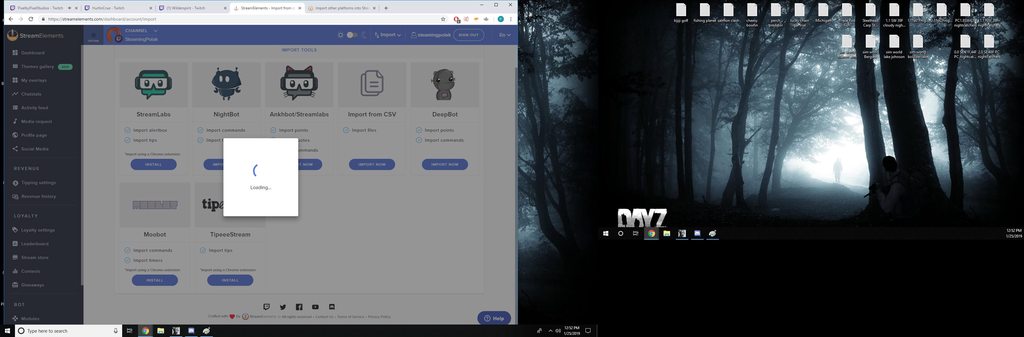 weary mist
do you have the deebot open, and do you pay the monthly fee for API access?
 upper grotto
Hi. Will the Chat Alerts for host fire without having events list open?
 ancient swan
Hey guys I have a quick question. I have a Mac and I’m looking for a bot that I can put into my chat that says how many bits were donated and subs etc. would you be able to help me?
naive fox
hmmm i have the API i dont think i pay a monthly fee, i paid 5 years ago a fee to get the bot but i dont think i pay a monthly fee no
ancient swan
I paid for DeepBot but it won’t download on my Mac because it’s for windows
naive fox
would it show the API even though i do not pay the monthly fee @weary mist ?
torpid estuary
@upper grotto the event list has nothing to do with the chat alerts
so yes, chat alerts still happen without having it open
 ebon forum
@ancient swan our bot can do that. let it join the channel and enable chat alerts module.
ancient swan
So once I activate it what do I do?
ebon forum
@ancient swan and once you are near a windows PC, you can import your commands etc. from Deepbot
@ancient swan this is under "modules" on our site. so step one: dashboard, join bot, give it mod rights on twitch. step 2: modules > enable chat alerts, set it up as you like
ancient swan
Thank you so much @ebon forum
Is there a way to test it out? Or do I have to stream for it to work?
upper grotto
@torpid estuary Thank you. Does the number of viewers need to be higher than 0? Is there anything that might block them? Timers and things are working but I haven't seen any host etc messages pop up.The module is ON and the sections (like host ect) are also ON.
nocturne pelicanBOT
@upper grotto Due to recent changes to Twitch API, we have filtered out hosts and will only show these ones on your activity feed:
- All manual host events (0 hosts included and if filter set to 0)
- All auto host events with at least 1 viewer
ebon forum
@ancient swan fire up a test alert. this is done under my overlays, you need an existing overlay there - open it in the editor (second button under the overlay name) and use the bell icon to test it
@ancient swan or easier: repeat an existing alert from the activity feed
ancient swan
Okay perfect once it connects to my twitch will it show my activity feed because I had someone donate bits before
ebon forum
@ancient swan you can keep the activity feed open as a page. the bot will announce alerts in the chat
@ancient swan https://streamelements.com/groundcontrol
this is also an option

StreamElements
StreamElements is the leading platform for live streamers on Twitch and Youtube. StreamElements includes Overlay management, ChatBot, Tipping, Alerts & Loyalty
desktop app that will show you the activity feed in a separate window
totally forgot that it has a mac client
ancient swan
Okay perfect thank you so much
upper grotto
Are there any other event types that are also filtered out and only shown on the streamers chat? Or is it just hosts that don't appear in the chat? Will that information be added to the chat alert module section as it's a bit misleading. I thought these have been showing on other peoples chat.
 reef gate
hi i was in here a few days ago asking about a channel that i mod for as they seem un able to get host alerts as the hosts never register in the activity feed, the last time it turned out that the session had to be refreshed however this time this did not solve the issue, the minimum viewers is set to 0 so should register all of the time however this doesnt happen, how can i fix this?
upper grotto
@reef gate Theres a message a few up sent to me saying that hosts no longer get announced in chat. Only in the streamers chat.
reef gate
no its not the alert in chat its the alert on the stream in the alert box, thanks though @upper grotto
upper grotto
@reef gate Ah right sorry.
reef gate
no problem
naive fox
hi sorry to post about this deepbot database transfer, but i see my API in deepbot master settings, i do not pay a monthly fee for the deepbot, i paid a one time fee about 5 years ago when i got my bot, i keep getting the " loading " window when i try to transfer the points for over an hour or more its been trying to do this, my question is would my API still show if i do not pay a monthly fee for the deepbot? any help with knowledge about this would be appreciated, thanks
reef gate
can anybody help with my issue?
twin sentinel
@reef gate a staff will be here to assist you soon.
ancient swan
Is it normal for the bot to take a while to activate?
Been stuck at 50% for a while
It says the channel you tried to add is linked to a different account
That’s weird
Can I restart the process somehow?
reef gate
is there anybody able to help with my host problem, as this is an ongoing problem now and we really need this fixed
ancient swan
Same here would like to get my bot on my channel so I can stream
I just want to know if it’s normal for the bot to take a while to activate
It’s been on 50% forever
reef gate
@narrow coyote any ideas with my host alert problem?
narrow coyote
If they were auto hosts for 0 viewers, they will be filtered out of our system regardless of the settings
reef gate
no they were manual hosts
there was approximately 4 in total, none of them registered on the activity feed
ancient swan
It is in my channel? So it should work for my stream?
reef gate
i had reset the session and that did nothing
narrow coyote
this has nothing to do with the session. If you are getting no hosts at all, then someone from the staff would have to resub your webhooks for hosts
reef gate
ok, well it happened 2-3 days ago too and they all worked following a session restart however this has failed to work this time
 tribal sigil
Türkçe?
reef gate
is there any staff that can help fix this issue please?
 strange yacht
I keep getting error 403 when i click save for the info before i start my stream
shows me connect to twitch
i click it
same thing happens
twin sentinel
@strange yacht Make sure you are logged in here: https://streamelements.com/dashboard or can't you log in here, too?
reef gate
really all of those members of staff and not one is able to help with an issue?
ancient swan
So I figured out my issue but how do I give the bot moderator and have it join my channel?
twin sentinel
you can mod the bot by typing following in your chat: /mod streamelements
and as Kite already showed to you with a screenshot of your viewerlist at twitch: the bot is already in your twitch-channel.
lament blade
Can't go back to Activity after going to the window where you change your stream name
this make the entire window useless
twin sentinel
you are talking about OBS Live? if so, think you can get more help asking in #helpdesk-selive
 supple aurora
One of my browser source overlays is now showing a completely blank, white screen. My other overlays are working perfectly fine but I have one that randomly just started doing this
jade remnant
try refreshing the cache on the browser source
supple aurora
No luck
I even created a brand new overlay and used the new browser source link, and it's doing the same thing.
twin sentinel
you are using OBS or OBS Live right?
supple aurora
SLOBs
twin sentinel
SLOBS is known to block some functions of the SE overlays. I recommend switching to OBS or OBS Live.
supple aurora
Considering my other overlays are working fine, that's not really a reasonable solution.
And one of the first troubleshooting steps shouldn't be "move to a completely different piece of software"
jade remnant
if its slobs then you need to talk to them
supple aurora
Slobs has the exact same backbone as OBS, the browser source functionality is the exact same as OBS studio.
It's just a different GUI, so this problem should have nothing to do with it being Slobs
supple aurora
slobs is literally just OBS Studio with a different GUI
Im sure someone here has run into this issue with their SE overlays
And like I said, I have multiple SE overlays currently working properly, but a few have stopped completely and new ones don't work either.
Any insight to the actual issue would be awesome
narrow coyote
SLOBS is a hard fork, its not near the same branch that current OBS is
its more than just a UI, and that is why their development lags behind OBS Studio
supple aurora
And nothing about their browser source implementation is different than OBS Studio
 prisma grove
OBS.Live has a media request section - I click on "take a tour" it disappears from OBS.live and doesn't open any other window - I've done this twice - my Media Request is playing songs twice and echoing - my viewers are getting really angry - help 😢
narrow coyote
It would be great if you would at least check the overlay in OBS Studio
prisma grove
it's playing twice because I had the website open as well as obs.live
narrow coyote
last I checked, SLOBS browser source was not the same CEF that Studio was using. They have also blocked our services in the past, and had other issues as well, including with their implementation of hardware accleration
prisma grove
but the media request window in obs.live keeps disappearing :/
maybe this is just a bug with update?
 bitter holly
Hi i need help with the media share
Every time i try click show on stream keep saying this
Then come back to the normal menu
jade remnant
you need to add the media request widget in your overlay
bitter holly
I ready have it
jade remnant
is the "eye" on the widget on? as in it can be seen and will show on obs
bitter holly
Yea
So every time I click show stream shows for few secons then stops and show me that message
jade remnant
do you have ground control?
bitter holly
Mm no
jade remnant
what i would suggest is downloading that and set it up from there, see if some settings override and help with the issue.
bitter holly
Ok let me try
jade remnant
or maybe try deleting and adding the media widget in your overlay
 tidal thistle
how do i have an offline chat command like the one twitch.tv/yassuo has?
jade remnant
make sure your timer chats are enabled for offline and are set to 0 chat lines
twin sentinel
@tidal thistle If you are looing to create an offline command like in the channel you mentioned do the follwoing:
Create a custom command and set it to enabled when offline. The response would be following: ${user} has spent ${user.time_offline} in offline chat. yasPepega
tidal thistle
got it, thanks! didn't realize there were this many variables
bitter holly
@jade remnant but the ground control is like another app
I mean like separate
I still have the same problem
Is give me the same massage
Some can help me please?
twin sentinel
For me it worked to log out of SE in OBS Live and log back in.
bitter holly
@twin sentinel that works thanks
reef gate
hi i was in here a few days ago asking about a channel that i mod for as they seem un able to get host alerts as the hosts never register in the activity feed, the last time it turned out that the session had to be refreshed however this time this did not solve the issue, the minimum viewers is set to 0 so should register all of the time however this doesnt happen, how can i fix this?
 potent ibex
I am having an issue where my alerts from the stream will replay when I go to my offline scene. This has happened twice, but I have not found it to be reproducable
twin sentinel
@potent ibex Make sure to ☑ “Shutdown source when not visible” for all browser sources (all OBS scenes). If using studio mode, uncheck “Swap Preview/Output scenes After Transitioning.” Also keep in mind that sound can play from any overlay loaded in the browser (editor or launched). https://i.imgur.com/FegZJQS.png https://i.imgur.com/yY0wcFl.png
potent ibex
I'm not using studio mode, however I don't understand why I should uncheck Shutdown source when not visible, it's what keeps the overlay loaded cross scenes thus making it so that it doesn't have to load the overlay fresh every single time
twin sentinel
yeah, but if it is loaded in the background it can happen that the alerts are played in each scene. so they double.
potent ibex
But the alerts don't replay on other scenes, only in the "offline" scene
I constantly switch from desktop scene, to game scene, to talk scene and none of them replay through those scenes.
twin sentinel
can you please test to set the checkbox only at the "offline" scene and simulate an alert? Make sure your browser is muted or at least the Editor is muted.
potent ibex
so check the checkbox, simulate an alert in another scene then switch to the offline scene?
twin sentinel
just to make this clear first. in every scene you have an SE Overlay you checked at these scenes the "Shutdown source when not visible" checkbox and you do not use studio mode to switch scenes? Or do you have it unchecked at every scene?
potent ibex
I have it unchecked in every scene usually
I only have the issue if I switch to the offline scene and no other scene
twin sentinel
ok. so please check this only at your "offline" scene and try to simulate an alert.
potent ibex
sure, so I run the alert on another scene and switch to the offline scene?
twin sentinel
yeah.
potent ibex
it didn't replay, however it didn't replay when I had the box unchecked
like I said, it's not reproducible 
 dusk oar
Hi, is this right place to ask how to chanhge bots name?
twin sentinel
Then I really don't know why your alert repeated these two times. I think the best idea would be to try to reach out for a staff member tomorrow. I am very sorry I cant help you with this issue but I am out of ideas on why it happened two times. I really don't know why it is not reproducable or to guarantee that it will not show up again.
hey @dusk oar You can use OBS Live to change the bots name.
 signal atlas
hey, my obs live is not working anymore, no more live updates or chatbox on my obs
pine hemlock
Log out and log back in @signal atlas
signal atlas
how do i do that? @pine hemlock
pine hemlock
 pine hemlock
np
 mossy nest
naive fox
mossy nest
naive fox
hi my stream elements bot keeps talking to my mods saying " song request is currently playing " every 2 minutes its so annoying, can someone help me turn that feature off? i looked in the commands and everywhere cannot find any setting to stop the bot from saying that
pine hemlock
@lament blade refer to like 5 posts above you
@naive fox You can disable song requests here: https://streamelements.com/dashboard/mediarequest/general
Disable 'viewer requests'
naive fox
its just when the requests are on the bot keeps spamming songrequest is playing
is there any way to make it stop saying that while requests are on?
lament blade
is there any way to add a youtube playlist to the song request queue?
pine hemlock
Your moderator told you how to disable it. !play is a moderator command to resume songrequest playback. Disabling it will stop the spam, since !play is also a command for marbles. @naive fox
naive fox
@pine hemlock ohhhh okay i see thanks
pine hemlock
@lament blade Only backup playlists i believe.
lament blade
is that something exportable from youtube?
pine hemlock
You just add a playlist to the backup playlist field
But playlists cant be queued
pine hemlock
we saw nothing
 brittle tulip
are we able to make a command that switches through answers every use if that makes sence
for example
if i put !blame in chat
the replie rotates from blame microsoft and blame bathesda
copper bobcat
Is there a way to reset the backup playlist to go back to the first song in the playlist?
brittle tulip
@pine hemlock thanks
 hollow dew
can i eat you
 keen merlin
what's the command for giving points for the loyalty system
the full command, doesn't seem to be working for me
pine hemlock
!addpoints username amount
keen merlin
thank you sir
 thin mason
Hi I can hear media share normally but when I switch to show on stream I cant hear music, please help
and the vid is playing
It was working before
???
 oak creek


