#helpdesk-twitch
1 messages · Page 404 of 1
 vague rover
 normal igloo
@Furcifer#2354 thx feelings mutual 
 tawny bay
as for my problem............. i once set a min bit requirement which seems to be stuck now
he left server
normal igloo
And he leaves What a ass
 oblique steeple
More like got removed
 oblique steeple
"james your a pos"
Boi! 🔥
tawny bay
under 5 doesn't alert 😦
normal igloo
@tawny bay what exactly seems to be the issue 
 brittle void
Any of you guys using custom css for your alerts?
 valid pagoda
how do I get ${time.TIMEZONE} to display in AM/PM?
tawny bay
I set a cheer min for 5, then set back to 0, stays at 5 when i test or have people cheer
@normal igloo
normal igloo
So you set it back to 0 But it's only going off when people do 5 or more ? 
 tawny bay
see picture above
normal igloo
mmm ok
tawny bay
I'ved turned it off then on. Last resort is make a new alert which would be taxing
unless i made 2 alerts which can be eh
 sweet zenith
hey mods is there any way i can take someones stats of donations and gift subs off my stream analytics extensions?
i had a guy who tried to charge back 6k and seeing his name in my extension makes me want to internally combust
normal igloo
ok could be one of two things #1 do you have any Variations for alert #2 Have you messed about with your in twitch settings @tawny bay
normal igloo
I would check for variations @tawny bay
normal igloo
@sweet zenith I'm not sure about gift subs but Donations you should be able to just delete From revenue history
sweet zenith
its bits
valid pagoda
how do I get ${time.TIMEZONE} to display in AM/PM? <-----is there a better place to post this, or a resource I should look at?
 narrow coyote
As far as I am aware, that is not possible
valid pagoda
@narrow coyote OK, thanks, I'll use an alternative bot for this then 😃
normal igloo
@tawny bay  👍
👍
narrow coyote
I am sure there is an open API endpoint somewhere that could be used
valid pagoda
@narrow coyote good idea, I might look around for one, thanks

 I need help
  me smashing the bell for the mods

 lament blade
Hi, it appears there is a space between the dollar sign and the word "pointsname" in the "betting is closed" announcement and it's not actually displaying the currency. I've been tearing my hair out trying to find how to fix this, does anyone know? Thanks
Sample output:
Betting for "Will the amount of marbles finishing this race be HIGHER or LOWER than 50%?" is now closed. Current bets are: Higher - 500 $ (pointsname) (1 bets), Lower - 0 $ (pointsname) (0 bets)
 zenith widget
Can you screenshot it please?
zenith widget
That looks like chatty
lament blade
Yes, it is chatty.
zenith widget
is this the same when you look from actual Twitch chat?
lament blade
Yeppers. Dollar sign, space, pointsname.
there should not be a space there
I believe it's trying to call the variable but displaying the text instead because of the space, but i am not a dev 😂
zenith widget
Gonna report it to our devs for a fix.
lament blade
Thanks!
 lime forge
Question, how do viewers know they're getting loyalty points? I don't see anywhere in chat that it notifies them. Do they see it on their screen only? Thanks
zenith widget
Our bot doesn't notify in chat when someone got points.
Viewers can check how much points they have via the !points command
lime forge
Is there no way to set up a command to notify them when they receive points?
zenith widget
No. Imagine having 2000 viewers with loyalty points. The bot will overspam the chat every 10 minutes.
normal igloo
^^^^
zenith widget
Like I said, viewers can check their points with !points command.
 prisma grove
@zenith widget POG
zenith widget
Sup?
prisma grove
Just looking for my questions from earlier that got ignored in this channel 😃
zenith widget

prisma grove
heh
prisma grove
either the other guys are too busy to respond / don't communicate that they don't know the answer / or don't know the answer
yup
but you're the only one that responds
if I ask 8 hours ago
forget it
it doesn't get answered
zenith widget
looking at it, i think you answered your own question 
it seems to be a video really in full screen and his webcam is on top.
but this is another scene really, so that his cam can be a bit bigger
prisma grove
I just want to completely research every angle of what he's doing
zenith widget
why not just ask him? 
zenith widget
its really just a new scene, with his cam source copied over to that scene with a full screen video that plays when he switches over to that scene
zenith widget
same principle with the last thing I showed you about the media source not having a video on loop
prisma grove
with his cam overlayed
Only thing I don't know is where / who to pay / how to create those videos
zenith widget
its just a long video allowing him to talk and has his cam source listed over the mdia source

no idea as well
prisma grove
yeah
zenith widget
ask on twitter? you are bound to get someone maybe/hopefully
or recommendations on who might do those things.
prisma grove
hmmm
 drifting forge
Em someone has the app in their celphone????
zenith widget
Check #helpdesk-mobile - i answered you there. No need to ask in different channels.
 dusky ice
@jade remnant if thats the case is it possible to stop the !vanish command from tagging a user in chat
zenith widget
@dusky ice
Change this option to "say" - this will remove the @user, /timeout user 1
and it will do the command properly.
prisma grove
Keizar: Do you know any program that I can record desktop audio on Win 7? like record discord calls?
zenith widget
OBS 
prisma grove
OBS records video tho
I can't figure out how to only record audio
video files are too big
zenith widget
Do you edit videos by chance?
prisma grove
yes, I can unlink the audio and video and delete the video, but I won't have enough space to record the video in the first place
zenith widget
Then one option is Audacity
 indigo bone
ive noticed ppl getting alerts when they get a follow on youtube that just the pop up on the computer or something different ?
zenith widget
follow on youtube, on a twitch stream? 
prisma grove
@zenith widget Welp I recorded with OBS, wasn't too bad 84 mb 😄
zenith widget
 👍
👍
prisma grove
yeah
zenith widget
If its not related to us, then vent in my DMs
prisma grove
sorry
zenith widget
No worries 
 eternal notch
When ever i open a giveaway no one can enter but my mods. the giveaway works when i'm offline though but doesn't work when i'm online
 gentle imp
can you show a screenshot of when you are creating it please?
I use giveaways all the time without probs
 tight harness
@eternal notch Did you mean to set a ticket cost of 20 per ticket and a cost of 500 points just for using the command to enter the giveaway as well on top?
eternal notch
I create a giveaway ticket cost and everything is fine the only people that can actually use the command to enter is myself and my mods when my viewers try the command the bot doesn’t register them
tight harness
Were you aware of the 500 points cost on using the command?
As well as it costing 20 points per ticket on top of that original cost
Because that's how you or one of your mods has set it up currently
tight harness
You made the !credit / !ticket command have a command cost of 500 points
This is stated in Chat Commands > Default Commands
So, when people use !ticket they are having to pay 500 points regardless plus an extra 20 points per ticket
eternal notch
I’m not seeing the !ticket command under the default commands
tight harness
You've renamed it to !credit
eternal notch
Thank you
tight harness
No problem
 kindred venture
Is this the right place to ask about data not syncing correctly from streamlabs to streamelements?
zenith widget
Sort of yes. What is the connection issue related to?
 barren niche
Is there a overlay for b42 members yet
 dark smelt
How to see advanced settings of twich in mobile
barren niche
yes they have partnered with b42 and there is going to be a overlay for us
ok sorry there making overlay now will be up soon
kindred venture
Only part of data is synced, donations partly, no bits, no subs, gifted subs partly
Not all of them
narrow coyote
We can only import donations from SL, no other data. The rest populates from Twitch, as new events come in
kindred venture
So there is no way getting that data displayed in the leaderboard?
zenith widget
@barren niche I'm still not sure what you mean by "overlays made for b42 team".
We do not sponsor or partner with teams, unfortunately.
narrow coyote
Leaderboard will populate as data comes in, like resubs, or when people cheer. We can only get data from the time you sign up, from events that come in after you signed up
kindred venture
Okay.
 oak glen
Hi, how can i fix : The Channel you tried to add is linked to a different account?
zenith widget
We already spoke over on Live chat and I made a merger request with the devs for you.
You can't link your accounts if you've made them separately.
barren niche
@zenith widget ok i could have it wrong maybe b42 is making it for us to use with streamelements iam sorry for the mixup
zenith widget
No worries 😃
 delicate prairie
I'm trying to test a subscriber count label by emulating a subscribe event, does this not trigger sub label counters for session?
 tacit granite
hi, my game capture isnt working after I installed streamelements. It only shows black screen. It used to work before streamelements was installed. Any ideas? here is the log file https://obsproject.com/logs/arnk1aJlZeAltOdY
tacit granite
@gentle imp yes
delicate prairie
wait can we scratch what i said i think i just went dyslexic and read it was sub goal widget WOW
anyways, yes sub count widget
gentle imp
yep, confirmed, doesn't increase with sub testing
delicate prairie
okay - and on my elgato streamdeck I have a 'reload overlays' button - will this reset a sessions sub count widget?
I hope it does
gentle imp
I don't think so, but I never tried that, session is reset 15 mins after stream ends anyway
@tacit granite yep all seems fine, which game is it?
delicate prairie
ahhh i see okay cool - thanks - it will be fine either way 😃
gentle imp
exactly hehe
@tacit granite try with this off anti-cheat compatibility hook
or window capture, seems like its overwatch right?
or multi adapter compatibility on
there's a bunch of solutions here https://us.battle.net/forums/en/overwatch/topic/20754517036
tacit granite
turned out it is incompatible with rivatuner/msi afterburner
had to exit out of those applications and then worked
 twin sentinel
the followers aren't updating in the overlay and there is no chat message from module any more. any help? also they aren't added in Widget data any more.
round an hour now, past the last update of followers
channel: moonthebear
I am mod there with full access.
 misty flame
Im on stream but streamelements says im not at the webpage, and alerts do not show up
 spiral solstice
SE seems broken today, before th update, some SE alerts didn't work, after the update, the whole Event List is broken, just sits reloading constanly..
 weary mist
Darkelf is taken care of in stream
@spiral solstice I noticed that the SE bot is not modded on your stream. Sometimes that helps things like commands and stuff in the chat.
Other than that, I am checking other things. Can you be more specific about what programs you are using to view the event list etc?
twin sentinel
@gentle imp the alerts are still on tipeeeStream. the display of the followers etc is on SE Overlay.
gentle imp
we are looking into it and will get back to you @twin sentinel
twin sentinel
thx @gentle imp pls contact me via this discord channel if any additional help is needed and for updates.
thx a lot. 
gentle imp
will do 😃
 crisp cargo
hi there! need help with the voice of my bot for tts
I already changed for a woman but in my stream I still hearing "Enrique's voice" and I would like to have a spanish woman voice
anyone can help me?
weary mist
Did you change the variations to make sure they all matched? Is it playing the correct voice in the editor?
crisp cargo
not sure, I changed all the tts voice (for cheers, subs, etc)
weary mist
Those have variations as well, its a settings bar on the bottom left of the overlay editor when you are in the second level (sub settings, cheer settings, etc)
crisp cargo
done! thanks!
 heavy field
Hello I need some help!
Stream Elements is not picking up my recent followers in the event list!
tight harness
Hey, we're aware of this, it's being investigated by our developers
heavy field
No worries I was thinking it was something wrong on my end!
 midnight carbon
Need help my alerts dont work...
 elder sorrel
@midnight carbon Overlay Alerts and/or Chat alerts?
Also is it all alerts not working?
midnight carbon
overlay
so the customs work but if anybody is following it doesnt work
i didnt tried with donation or something
elder sorrel
I believe that's a known issue that's being investigated currently with followers.
gentle imp
yep
midnight carbon
kk ty
 radiant vessel
follower activity dosnt work
weary mist
@radiant vessel read up a few lines 
radiant vessel
were?
 nocturne pelicanBOT
@radiant vessel Please connect your Twitch and/or YouTube channel with Discord by going to ⚙ Settings and then Connections here in Discord. https://streamable.com/eg92w
 weary mist
elder sorrel
weary mist
elder sorrel
⤴ 
 strange yacht
Trying to set up boom replay but its not working properly
 lucid lodge
do twitch clips die if the vod was deleted?
elder sorrel
I have no idea what Boom replay is. Sounds like a Third Party thing 
 strange yacht
its supposed to work with obs but it doesnt
lucid lodge
thanks
elder sorrel
Best to contact OBS Support about that then since it doesn't relate to Stream Elements
nocturne pelicanBOT
@strange yacht For the best OBS support, please join their Official Discord @ discord.gg/obsproject
 primal thicket
hi, so earlier i updated my obs.live and started streaming '
and i got new followers but streamelements did not detect them
hence there were no alerts at all .
the new followers are not showing up on streamelements.com when i logged in. Can i get advice on this?
narrow coyote
There is currently an issue with Twitch sending our services follow notifications
primal thicket
Right. Will there be an announcement when it is fixed?
narrow coyote
Possibly
 wanton jetty
Ok so like we can import alerts is importing donation goal looks also a thing ?
twin sentinel
@lament blade https://support.streamelements.com/hc/en-us/articles/360000485152-How-to-set-up-Dashboard-access

StreamElements
Setting up Dashboard access for your mods to help manage your StreamElements account is really simple and helps you share the responsibilities of running a successful stream.
Use this guide to lea...
twin sentinel
you are welcome. 😄
 pulsar gulch
Hello everyone 😃
 wraith acorn
Hey can someone help me my average viewers is in the red arrow but everyday after I stream my average views is getting higher whyyyy?
 slender mulch
 torpid estuary
to my knowledge there is not @slender mulch
wraith acorn
Thanks for the help
torpid estuary
@wraith acorn your question has nothing to do with SE, as it is a general question regarding twitch. I would suggest you take it to twitch support, since it may be a bug.
wraith acorn
That’s rough
 jade remnant
not really, would you ask the obs discord staff to improve your internet speed?
torpid estuary
I am sorry if you feel it is rough, I am just stating the fact that there is nothing we can do about it. You may feel however you want about that.
 quasi tiger
idk if this will be under twitch helpdesk or obs but for some reason my resub alert doesn't work, these are my current settings for resub, someone recently subbed to me for 8 months and the alrt didn't work it just went to default
jade remnant
if you emulate an 8 month sub in the editor, what comes up, the default or one you set up?
elder sorrel
....
jade remnant
pc turns off
wanton jetty
:)
quasi tiger
yeah i changed the 2 from an 8 and still nothing
well i can emulate it on the website but when i go to stream elements ground control to replay alert it goes default
 arctic stag
under variation settings do you have "Pick an alert randomly when more than one matches" checkmarked?
jade remnant
if you make a blank overlay and only change the months to what you have (to save time) and emulate an alert there does it do the same in editor and gc?
 patent vortex
Hello, I use streamelements for everything OBS Live, streamelements for overlays donations etc. Now the problem is i've had about 5 donations since the 2nd of January until now & haven't actually received anything on paypal, no message, no transfer nothing.
elder sorrel
Did you check your G2A wallet @patent vortex ?
I see you have both Paypal & G2A Pay active.
patent vortex
uhhh actually yes I do hold up let me check
quasi tiger
so it the resub works on a new overlay but not my current one
narrow coyote
https://streamelements.com/dashboard/tipping/list will show where the tip came from
quasi tiger
the current one i use is one of the pre made ones in stream elements gallery
jade remnant
hmmm, as a last check, does a new overlay of the same one you use work with custom subs?
it sounds like the alerts in that overlay had a number 2
patent vortex
Found it, thx! @elder sorrel sorry for the @ , couldn't find it on the website but is it possible to withdraw money from G2A Pay into your paypal account?
narrow coyote
I am pretty sure G2A has stopped supporting withdraw to PayPal
elder sorrel
I believe so as well ⤴
quasi tiger
new of the same overlay works, my current one doesn't work xD
jade remnant
awesome, (not that you have a problem). the best thing is to make a new set in this overlay (its a pain i know..) then you can duplicate it to your current overlay
i have no idea why this happens, sorry bud
quasi tiger
for some reason i got it to work... i didn't do anything XD all settings were the same idek
patent vortex
How do I get rid of G2A as payment option for donations?I don't see it anywhere under the tipping settings :/ i can only remove paypal o.o
tight harness
@patent vortex Do you want me to remove it for you?
patent vortex
if you can yeah, my twitch is 23Bambozu
tight harness
Done
quasi tiger
thanks for the help i guess haha!
jade remnant
haha, anytime bud 👍
tight harness
@patent vortex I've removed G2A and left PayPal connected
patent vortex
thank you!!
tight harness
No problem
quasi tiger
@jade remnant it's cause i made a variation of a tier 1 sub (like the default setting) so when someone resubbed with tier 1 it conflicted
jade remnant
ah ok, thanks for the info : )
lament blade
Hey guys, is it possible to make an automatic top donation panel on twitch? Is there a StreamElements API to connect to?
 snow jasper
I wasn't really sure wether to place this question here or in #helpdesk-selive , though I'd like to know why some prime subs won't show up on my Alerts/Events while it does show up on other eventlists (i.e. streamlabs) I just recently moved to streamelements and am genuinely happy with the service. But not showing alerts or listing events for subs is kind of a deal breaker for me right now. Does anyone know, if this is a known issue?
nocturne pelicanBOT
@snow jasper Twitch prime (new and resub) and paid subscriptions (resub only) must be shared in chat manually by the person subscribing in order for the subscription information to be sent to StreamElements. For twitch prime, the user needs to have sharing enabled on https://www.twitch.tv/settings/prime. For paid subs, if the share box doesn't show up immediately it will when they refresh the page. https://i.imgur.com/VNJN0Uv.gif https://i.imgur.com/2297EA7.png

 snow jasper
Okay, I guess it's a "feature" 
sweet zenith
hey mods? does anyone know if i can remove someones top bits donor and top gift subs donor? story: person tried to white night went crazy and got banned tried to chargeback all the money, and i dont want to see them on my twitch page. please help
 red drum
Hi you don't support mixer?
 vague field
how do i edit the bot answers?
 calm maple
uh idk if anyone is here at the moment but i successfully synced streamlabs into elements or imported w.e, and im not sure how to check if the gifs that play when someone subs/follows will activate on elements obs now too
like alertbox/widget stufff, sorry if unclear
jade remnant
@vague field on the SE dashboard scroll down to commands/timers (whatever you want) and go from there, unless there is something specific youre looking for
@calm maple go to the overlay editor and click the bell in the bottom left corner and test from there
 naive sable
how do i bring back my chat box
jade remnant
in obs, go to stream elements then chat
 wooden silo
I have an issue with alerts, i cannot get them to come up
 sleek stratus
Hey, just a question since I read that G2A isn't allowing to withdraw through paypal. Since a lot of people from countries that aren't the US/Canada use streamelements, is there going to be a way so we can get donations through credit cards? I read that uphold is letting people do that but I'm not too sure.
 ancient tusk
Has there been a problem with overlays redirecting to the main page?
 hot hearth
Can someone help me with the basics of setting up an alert? The text I add does not disappear with the alert
lament blade
Is there an way to get in the app now?
elder sorrel
This is the best for the basic set up @hot hearth

Learn how to customize your alerts and setup different alerts variations with StreamElements Alertbox ----- Overlay Manager guide: https://youtu.be/X7XrDdRE7...
@lament blade The Mobile App is open for public beta testing. May have to update the app & try again.
 midnight hamlet
When I add this overlay to Stream elements how do I scale it so the words don't become blurry
 radiant widget
I literally just got double charged for a donation
normal igloo
@radiant widget What seems to be the problem
radiant widget
oh wait, nevermind! i got a refund
normal igloo
👍
radiant widget

normal igloo
@midnight hamlet can you get hold of a screenshot so I can see exactly what's going on
 safe zenith
Do you guys know if I can rotate a widget?
normal igloo
@safe zenith Not of my knowing unless someone tells you different
safe zenith
thanks 
midnight hamlet
yeah hang on
radiant widget
how long does it usually take before a donation goes through?
normal igloo
Looks fine in the editor but then what I take it is obs Is not giving out the same result @midnight hamlet
midnight hamlet
Yeah when I make it bigger in OBS it looks fine but I am trying to have it be that size I have in the last screenshot
normal igloo
@radiant widget that totally depends on what method you / Broadcaster is using
midnight hamlet
but still have the words visible
normal igloo
ok let me try and get hold of one of the staff members who may be able to better help you with this
so please spare me a moment
 normal igloo
apologies for the wait @midnight hamlet ok just been speaking with sean and it seems to be that you're shrinking it too much
midnight hamlet
Hmmm in what OBS?
But how do I get it to be a decent size but also have the words be visible?
I don't want it too big but not too small
normal igloo
no idea I'm only going by what I was told by sean
tight harness

tight harness
Make it the resolution you want before you add it, rather than resizing it afterwards
That's my advice
midnight hamlet
In Stream Elements? or in OBS? @tight harness
midnight hamlet
Ohhh ok thank you
lament blade
hey
normal igloo
hey @lament blade
lament blade
im back lol
normal igloo
Oh no
normal igloo
Wait so you using too gaming pc to stream?
normal igloo
That would probably be the best solution
lament blade
k thanks
normal igloo
!obshelp
nocturne pelicanBOT
For the best OBS support, please join their Official Discord @ discord.gg/obsproject
lament blade
why does stream elements put a trash under the link
normal igloo
^^^ Just in case if you're not already in
lament blade
i am
normal igloo
I believe it so they can delete it In cases where people have used it multiple times
narrow coyote
Yes, if you have the right role, and click the bin, it will delete the response
narrow coyote
 we love OBS
lament blade
hey boys, im trying to link SE to twitch but its shwoing up as errors
narrow coyote
I am error
 narrow coyote
401 is unauthorized, you can try in an incognito tab, in case its an extension causing it
lament blade
aight ill try
 hallow nimbus
fInNaLy I caN stReaM aGaiN wiTh tHe bOis 


lament blade
aha
normal igloo
np
 rich wave
im kinda confused. i downloaded the osb.live thing and it now shows a stream elements screen instead of my screen
narrow coyote
are you on the login, where it asks you to connect to twitch, or skip?
 cyan pier
idk if y'all can help, but for the command !duel, how does that command automatically add and substract the points? Does anyone know the code behind the command?
 normal igloo
 fresh tangle
CAN SOMEONE
HELP me
plz
idk how to set up my audio and stream through streamer elements
normal igloo
@fresh tangle what exactly is that you are trying to do
normal igloo
@fresh tangle you using obs?
fresh tangle
yes sir
normal igloo
!obshelp
nocturne pelicanBOT
For the best OBS support, please join their Official Discord @ discord.gg/obsproject
fresh tangle
I joined but
normal igloo
@fresh tangle Go here and they will help you as this problem is related to obs and not se ^^^^
narrow coyote
It sounds like you need to configure your audio sources in OBS
fresh tangle
Thank you 😃
 marsh bane
normal igloo
marsh bane
normal igloo
@marsh bane It's best to tell us your issue
normal igloo
!obshelp
nocturne pelicanBOT
For the best OBS support, please join their Official Discord @ discord.gg/obsproject
fresh tangle
Thank you it wotkefd
normal igloo
np
 old umbra
Just a quick question, for song requests are mods exempt from the duration limit? One of my mods requested the entire Hamilton soundtrack (in one video) and it played. I was fine with it, but I just wondered if it should have been filtered out.
narrow coyote
If you set the exempt user level to mod, then they are exempt from the rules
 edgy vector
I can't seem to get the !songrequest command to work, Media requests are active. Is there a troubleshooting page available?
narrow coyote
This option on the Media Request page controls it
edgy vector
Yes that is active for me, but the !songrequest command is greyed out nor works in chat
narrow coyote
The command will always look greyed out on the commands page and say controlled by module, as its controlled by this page. If you have this enabled and its not working, try this. Disable viewer requests, go to the dashboard and on the right side, part the bot from your channel, then log out of the SE site. Log back in, go to the dashboard, join the bot to the channel, and then try enabling viewer requests again.
lament blade
Ok so i tried to connect to twitch on the front screen of obs live but it fails
using same key as streamlabs obs
tried firewall still fail
narrow coyote
You are promoted to login with your Twitch account with OBS.Live, so not sure what you are referring to with the key.
lament blade
it doesn't connect
narrow coyote
edgy vector
thank you @narrow coyote
narrow coyote
Does it work now?
 vague elm
Anyone know why my mobile overlay isnt showing up when streaming on mobile?
zenith widget
Usually you don't see the overlay from your side.
vague elm
But people on stream dont either
vague elm
Yes thats the one
vague elm
I reset it tried to redo it and still nothing showed up when streaming
zenith widget
Did you click on save after editing the overlay?
vague elm
Yes
zenith widget
What is your account name?
vague elm
YetiFit
zenith widget
I still don't see the overlay edited
Make sure when you are done editing the overlay, you click on this button.
vague elm
I am saving now i added hypeboss
zenith widget
I just saw the hypeboss widget on the top right
vague elm
Yeah seems to be working now
midnight hamlet
What are the logging in to when this is on?
zenith widget
Their twitch/youtube accounts.
midnight hamlet
Ohhhh ok but if they don't have a twitch or youtube then they cant donate?
zenith widget
Nope.
midnight hamlet
Oh alright
zenith widget
if you are a twitch streamer, then twitch accounts need to login and it will be forced to a twitch account anyway.
midnight hamlet
Thank you  for the help
zenith widget
I just said "twitch/youtube" as it just depends on which of the 2 you are using to stream on.
midnight hamlet
Ohhhh ok
 prime swan
my stream store items dont show the "subscribers only" check box anyone else have this isue?
its supposed to be there as shown in this vid https://youtu.be/m1ZP_nwmzBs?t=280

LIKE and SUBSCRIBE if you enjoyed the video! Watch me LIVE on Twitch at twitch.tv/teamvash I mostly play Fortnite Save the World. We have a growing community...
normal igloo
@prime swan Are you a twitch partner or affiliate
prime swan
no, u have a point there. but i remember seeing it before.
in anycase ^
i wanted to change that to everyone
not only subscribers. they seem to apear under the subs only anyways
normal igloo
^^^^
zenith widget
Without being affiliated, we can't show you affiliate/partner only options
prime swan
ah ok. thats odd. i thought i seen it before. anyways. thxs for the support. i hope my sound effects still work with everyone instaid of only subs... cayse i got non so no one could use them.
 fringe jungle
for tipping what else can i use than paypal
fringe jungle
i am not and in where i live there is no paypal(paypal doesn't work)
tight harness
What about G2A Pay?
fringe jungle
ok so i checked g2a pay it is available but it doesn't appear on tipping settings
zenith widget
I see that you have 0 followers. Unfortunately, you need a minimum of 10 followers to see the G2A Pay option.
 short hound
Hellooooo, I can’t find the default sounds for alerts I used to use in stream elements overlay editor?
zenith widget
Are you referring to the default sounds you get when you make a fresh alert widget?
short hound
Yeah I think so the alertbox? @zenith widget
zenith widget
To get the default sounds you may have remake the alert widget form the start.
What I mean is, just add the alert widget again.
short hound
Okay Thankyou! @zenith widget
 west ice
I need help
 crimson vortex
hey .. need help wit the streamelements OBS .. when i try testing my tipping page it fails .. could you guys help me with this?
https://gyazo.com/e295040ce5c8eb61e827a174fb8870b2
 nocturne pelicanBOT
@west ice Welcome to the support channel! Please let us know how we can assist you today and a member of the support staff will be with you as soon as possible.
 ruby stream
Hello support! I was wondering if there is any open-source on for example github (for streamelements). I'm a programmer newbie that's interested in seeing some code :P
zenith widget
@ruby stream https://github.com/StreamElements/
 kind epoch
How do you put cooldownss between different store redemptions .... the item itself and not the viewer.
Or put cooldowns between claims.
kind epoch
That's for one redemption, i mean people or the same person can redeem 6 different store items in a row without cooldowns
zenith widget
You can place a cooldown on the redemption command, but that will not stop them from redeeming from the store it self.
There no individual cooldown
kind epoch
Having sound store redemptions makes it a problem when they string multiple redemptions together, i think it would be best if you could implement a way to put a cooldown between the actual redemptions themselves.
zenith widget
You can increase the duretiaon of the alert so that it sort of stays a bit longer on the screen, but the sound finishes
ruby stream
Thank you Sir!
zenith widget
but also block the next one from showing immediately.
But, there is only cooldown (globa or user) for the item it self which affects the store as well as the being used via a command and then there is a cooldown(global) for the command it self.
kind epoch
Its a mess when the user strings along various audio store redemptions. The cooldowns work individualy and not as a group to split the time between claims. And that's where it becomes overlapped. Also i don't see the Alert Duration option within the store. Could you tell me where it is please?
zenith widget
Thats on the redemption widget for the overlay.
This affects the item for Everyone - no one can use it until this cooldown is over - regardless if trying it with !redeem command of the store page.
 undone rivet
Have i been in the wrong channel?
zenith widget
This as well can be set to havea global cooldown affecting someone using it.
But if the both this command is in cooldown and 1 item is in cooldown(global), then that doesn't stop a person going to the store to redeem an item.
@undone rivet I'll be with you in a moment.
@kind epoch With what I said so far, at least you can prevent some of the "string" redemptions
@undone rivet I see the difference in the totals aggregates you have and what the bot is saying. I'm not sure why its different that way.
kind epoch
There is no way to prevent someone from redeeming for example 5 different store redemptions in a row especially audio ones that i've created. But the alert duration trick seemed to do it. At least the audio isn't overlapping now.
undone rivet
The !subs command is always identical to what my twitch dashboard shows.. which is nice.. i'm just looking for a way to implement this counter in my overlay.. with the correct data
kind epoch
Even i have problems with the sub counter. It's never accurate. It's accumulative.
 amber jewel
Morning people! Are you guys ok? Yesterday one follower give me 2 bits as a cheer... but this one received the same amount as 100 bits of my currency channel
Someone can help me?
zenith widget
@undone rivet Sorry, yes its accumulative, but also the totals number we keep in the aggregates goes down, and should be refresh after a stream ends - thats when we think someone should have renewed their sub but maybe they haven't(30 days). Its a bit complex to explain, but we still keep track of subs from the last 30 days
As for why the bot has the correct number? I assume that it takes it directly from the Twitch API, while the aggregates is a bit separate system.
@amber jewel Have they cheered before?
amber jewel
@zenith widget nope! This is the first cheer from this follower
undone rivet
So there's no way atm to make an overlay with the twitch api number i guess?
zenith widget
The overlay pulls from the aggregates, which usually populates during and after a stream ends.,
Most likely during your last stream and now, someone's sub didn't renew, but our aggregates still count them as they fall in the last 30 days of sub count info we store.
One API point you can use is this one: https://decapi.me/twitch/subcount/:channel
primal thicket
Is Twitch still having problems sending follower notifications?
tight harness
Don't believe so
 dry lagoon
One thing I haven't gotten to work lately is TTS on bits. Tried some test alerts this morning and the cheer text seems to be locked in. In this screenshot, it typed "Hello" for the custom message with a custom bit amount of 100. The amount worked, but the text is incorrect and no voice
zenith widget
custom bit tests are know to not play the entire message as TTS
As long as you hear one of the words, then TTS is working.
dry lagoon
Doing a standard test of cheer event @ 100 does the same "my" text with no voice
1000*
same with 5000
zenith widget
Check your variation - it doesn't have TTS enabled
dry lagoon
ooo okay got the sound, so i'm going to assume it works on a real event, thanks! the test message is still stuck on "my name is bill" where it defaults to "my" if only 1 emote is used
zenith widget
Like I said - testing cheer alert for TTS is know of only catching the first work and only showing that.
dry lagoon
okay got it
 unkempt gazelle
anyone willing to help out a new streamer trying to get their channel looking half way decent? im extremely new to all this OBS stuff and stream elements
torpid estuary
So you did not watch the videos?
unkempt gazelle
Oh i am dont you worry. i will still have many questions
torpid estuary
Then hit us up with those questions.
unkempt gazelle
so in the obs, how do i get there to be a visible chat box? i started with stream labs and it was labeled chat box. im not sure if im looking in the wrong place or what not. hell im not even sure if im using the correct terms yet
torpid estuary
You want to display your channels chat on your stream? Then you need to add the widget "my twitch channel's chat" to an overlay on SE. But that's one of the topics that gets explained in the videos I told you to watch.
unkempt gazelle
in the overlays!!!!
aaaahhhh i see
if i am using one of the pre made overlays do i need to create a new source for each one? and can i keep it all on the same scene or do i need to add more
jade remnant
when you find an overlay you like it will add all of the scenes for you in your overlays. go through and edit what you need can copy those overlays to new scenes into obs browsers
unkempt gazelle
@jade remnant so i only need to pick one or the 5 options on the overlay selected?
jade remnant
click create, fill in the name, then create my overlay, it will import everything for you
unkempt gazelle
fantastic!! thanks! im sure ill have more questions
jade remnant
np 👍
unkempt gazelle
so after i picked my overlay and added the wed address to the obs, it is only showing a quarter of what the overlay did. a red box is in the center of the obs where my overlay should be but i cant do anything with it. @jade remnant
 fading turret
Hey guyz, I have a question: When we "hide" an element in the overlay editor and then load this overlay on our OBS, does it stop this element from loading at all? or it loads as "invisible" which keep it from being seen during the streaming but still gives work to our CPU?
jade remnant
set the resolution to 1920 1080, if that doesnt work press ctrl+f @unkempt gazelle
it hides it from the overlay @fading turret
fading turret
yes, I know
midnight carbon
do the follows now work?
fading turret
that was not my question x3
jade remnant
im not too sure, for the rest then x3
unkempt gazelle
@jade remnant should i keep messing with it until i see all the overlay in the tiny square or is it fine if i scroll around and see it? also im doing this on my laptop
fading turret
what I want to know is, wether these hidden elements give work to the CPU or not
jade remnant
can you send a screenshot of what youre seeing?
jade remnant
if you right click on the overlay in sources, go to properties and set the width to 1920 and height to 1080 that should make it fill the window
also you can drag the side panels (activity feed and chat) to make them smaller if you need
unkempt gazelle
so the tiny window in the middle isnt now suppose to have the entire overlay showing
jade remnant
so this is how the overlay should look. it should only take up the window not the whole obs
 fast topaz
So i got rid of a command but its still able to be used i tried editing it too but it wasn't wanting to change so i thought id delete it and whatnot but its not being deleted for some reason
unkempt gazelle
maybe the 1920 1080 is too large for my laptop?
jade remnant
@fast topaz can you add a new one and delete it?
unkempt gazelle
pc is currently being built so i only have the laptop to work with
jade remnant
it might be, if you select the overlay and press ctrl+f it should centre everything
fast topaz
well its gone from the command list on stream elements website but its still able to be used in my chat on twitch
unkempt gazelle
@jade remnant YOU THE REAL MVP!!!!!!
fast topaz
Hey! Go and check out the fantastic ${1}! Share the love give them a follow at https://twitch.tv/${1} They were last streaming ${game ${1}}!
 unkempt gazelle
one more question. do i need to add my twitch http into the obs or since i already have it connected when i git start stream will it know what to do
@jade remnant
git?? hit* lol
jade remnant
no everything will be managed from the se dashboard, if you press start stream it should go straight to your channel
oh wait
have you filled out the stream settings in obs @unkempt gazelle
fast topaz
i was changing it from they were playing game to the one i just posted cause not everyone games so it didnt make sense to say they were last playing 😛
jade remnant
fast topaz
i have multible of that command though cause theres so many ways to shout out my mods can have options to type out even though !so is the easiest imo
unkempt gazelle
how do i get there?
jade remnant
it looks like its a variable command so even the ! command is gone, it may still register against the variable. im not too sure about that so someone else will have to confirm, sorry dude
@unkempt gazelle in obs go to settings then stream, select twitch as your service. then go to your twitch channel, dashboard and on the left side click channel. copy the stream key and paste it into the obs stream key part
unkempt gazelle
fast topaz
i seem to have fixed it by deleting the other ones that had the same thing idk why but yeah just had to delete the others to fix 😃
unkempt gazelle
so i dont need anything else down here correct @jade remnant
jade remnant
lol, nice @fast topaz haha glad its fixed
@unkempt gazelle what i would say is have different scenes set up, the overlays that were created for you should have things like "in game" "brb/intermission". this will break everything up so you dont constantly have just the game on. to start with i would say add a "welcome" scene and a "brb/intermission" scene
unkempt gazelle
ok cool! but once i start streaming on twitch i will see an image appear in the blank black box as long as i followed the steps you have provided? i wont know until i get back home but this is making me itch to stream now
 regal hollow
Hi, I cannot get the sr to work. It works if I copy it manually on the browser myself, but not in the chatbox. How to enable the feature?
jade remnant
the main thing for it to work @unkempt gazelle is have the stream key and service set in obs settings. if thats done correctly then whatever will show in obs will show on stream when you start : ) the other thing you would need is in the sources tab is either a window capture or game capture. this will need to be at the bottom of the list of sources as everything gets stacked
@regal hollow have you set up the ! command in "chat commands" on the se dashboard
regal hollow
I cant seem to find the variable for it
jade remnant
@regal hollow on the se dashboard there is a video tutorial for setting everything up. unfortunately i dont use this so my knowledge on this is veeeeeery low
regal hollow
Okay, I watched that but it didnt really help me. Ill try something else
 strange plover
Is the chat twitch chat widget still supported?
I guess I should be more specific. I have my alerts set up on OBS and are fully functional. I'm using similar steps to set up the twitch chat widget as a separate overlay. Not getting anything to show on browser source
fading turret
Hey guyz, I have a question: When we "hide" an element in the overlay editor and then load this overlay on our OBS, does it stop this element from loading at all? or it loads as "invisible" which keep it from being seen during the streaming but still gives work to our CPU? Anyone knows?
torpid estuary
@strange plover yes, it is still working. So you added the widget and added the overlay to a browser source. Did you make sure to set the browser source to 1920x1080?
And type something in chat to see it pop up in the widget
strange plover
Thanks for the help. When it wasn't set to the full 1080 it was so small the text wasn't showing up. I'll have to make some changes. lol
jade remnant
no self promo @lament blade
 covert flax
twitch says I'm live but it's not showing anything and obs says I'm streaming. any ideas?
jade remnant
what is obs showing on its display @covert flax ?
 karmic terrace
I'm lost at how to change the name of my StreamElements bot for my Twitch Chat. :/ Any tips?
nocturne pelicanBOT
@karmic terrace Custom bot name requirements
- StreamElements bot modded and in chat
- Active overlay with alerts
- StreamElements tipping page in the panels below the stream (!panels)
- Create a twitch account for the name you want to use
- Ground Control app must be running
Steps to enable custom name
- Sign in to https://twitch.tv with the bot account
- Install and run Ground Control (!gc for download)
- Visit https://twitchapps.com/tmi/ and generate an oAUTH token
- Copy/paste everything in the box to Ground Control oAuth settings and enter the name for the bot account
- Restart Ground Control (custom name may take a few minutes to take effect)
Mac does not currently support renaming the bot.
 oblique pilot
Hi guys! my bot is repeating itself, if i have the OBS live open.. can you guys help me??? http://puu.sh/Cz9HY/779c6e7f0d.png
 cyan pier
Go to ur streamelements page, and on ur dashboard u can activate ur chat bot
Heyyyy, i've made a custom api that returns a string with an amount of scrap, and i've made the command soo anyone can call it, but does anyone know how to make the bot automatically add the scrap that was specified by the api to that user? So the mods do not have to add the points themselves?
cyan pier
okaay! 😃
 hidden grail
I think I'm going to need a snacky buttload of help right now. Trying to use one of the stock overlays (with a little bit of customization) to set up my new webcam so I can have a facecam while streaming art. I want to have my cam in the corner but my main screen on my Photoshop window only (not my whole computer screen).
I think I have it set to my Photoshop window now? But my cam window isn't working at all, even though my cam is on and working.
 dusk quartz
someone to help pls?
jade remnant
what is it you need help with @hidden grail getting your cam working?
hidden grail
I think so?
nocturne pelicanBOT
@dusk quartz Welcome to the support channel! Please let us know how we can assist you today and a member of the support staff will be with you as soon as possible.
dusk quartz
so i have a overlay in other service. how can i import it to obs.live
jade remnant
is obs recognizing the webcam? can it be selected on a source?
is the overlay on the other service and browser url?
hidden grail
Oh... um. I didn't know I had to do that. I don't know how to do that. lol
jade remnant
haha, gimme a sec
dusk quartz
like it is from a streamlabs.obs it was in their "themes" section
hidden grail
This is my first time ever setting up a webcam with OBS.
I also think my overlay is the wrong size for my monitor? But maybe not for Twitch? I don't know.
 tardy shell
Hello, just wondering if when you do a giveaway, does it need to happen in the same stream, or can i leave it running for say a week?
jade remnant
@hidden grail in sources, click the plus icon and select video capture device, then look for your webcam
elder sorrel
@tardy shell Just keep it active for a week.
Close the Giveaway when you're ready to draw a winner.
🙂
hidden grail
Okay! Got the configuration screen. @jade remnant and it's showing my camera.
jade remnant
awesome, click ok on the settings then you can move it to where you want
tardy shell
@elder sorrel thank you! i didnt know if, if i started a giveaway, if it would close when i finished streaming or whether i could leave it running for a week, thank you for your help 😃
jade remnant
make sure its below your overlay so it sits behind the cam border (if you have one)
elder sorrel
nah you're fine. Lmao
hidden grail
Settings where?
elder sorrel
No problem, junkrabbit 
jade remnant
just the settings window when you select the camera
elder sorrel
Is the overlay from StreamLabs
dusk quartz
yes
hidden grail
I don't understand, @jade remnant
jade remnant
you can try to import using the se dashboard. you would need to have SE and SL browsers open at the same time, however i dont know if overlays will be imported
dusk quartz
so i cant have the overlay i had in streamlabs. if now i want to change to obs.live?
hidden grail
Video still isn't working, @jade remnant
elder sorrel
The ones from SLOBs, correct. we can't import those.
jade remnant
@hidden grail so when you select the camera in the video capture device settings you should be able to see it straight away, if not try using a different usb slot
hidden grail
I don't think it's my USB slot. The camera works. I see it working in its software system tray.
lament blade
Why can't I connect G2A Pay? It only popped up once and then vanished like a CSS bug
jade remnant
is the software tray open and previewing the camera while youre on obs?
hidden grail
Oh, ok. Unplugged camera and plugged it in again and restarted OBS and now I'm appearing in the top right corner... not in the camera box in the overlay. O_o
jade remnant
awesome, so now on obs you can drag your camera around your obs screen. so you can move it to you camera box
it should have a red outline. once you have it where you want make sure to move it below the overlay in the sources tab, this will put the camera 'behind' the box
hidden grail
I think I broke it. I think I dragged it out of the corner completely.
jade remnant
can you send a screenshot?
hidden grail
jade remnant
if you click on the video capture in sources then press ctrl+f it will centre it on the screen for you, then you can readjust it
hidden grail
Well, ctrl + f didn't fix it. Had to delete the sources and create new ones. But got it set up!
Thank you, @jade remnant !
jade remnant
awesome, np buddy 👍
hidden grail
Now to figure out why my camera had broken my sound...
jade remnant
in the mixer if you scroll down you will see a volume bar for the capture device, mute it
hidden grail
I use Voicemeeter to manage my sound.
I was getting really bad sound with just the default OBS sound management.
And it wasn't managing my music well.
jade remnant
oh ok, i dont really know about voicemeter so i cant help unfortunately : (
hidden grail
But now Voicemeeter and the camera are conflicting and I can't seem to figure out how to fix it even though I have everything set to the Voicemeeter inputs and outputs.
jade remnant
is voicemeter picking up the new device, can it be shut off in the inputs of the software?
hidden grail
I've reset all the audio inputs in the Logitech software to Voicemeeter and it still doesn't seem to be working.
jade remnant
what if you try and disable it in windows sound settings?
hidden grail
Did that.
Going to put a pin in this for now and work on other things... like my homework.
 lost vault
Hi guys! Need a little bit of help here. I've made X amount of sounds on my streamelements store, and people can redeem them, and it costs instream currency, but it doesn't actually play the sound! Any ideas? I'm sure I've missed something super simple!
elder sorrel
Did you add the Redemption Widget to your Overlay @lost vault ?
lost vault
@elder sorrel I've googled the issue and found out I need to add that to my overlay, but I have o idea where I find the widget?
elder sorrel
Go to the Streamelements Dashboard. Left side click "My Overlays". Click the Pencil icon on the Overlay you want to add the Redemption widget.
Your Overlay will open. On the top click "Widgets". Find "Store Redemptions".
lost vault
So I've done that, so do I need to put it into my scenes anywhere? Or is that it solved?
Because I've already made loads of sounds to redeem, but will I now have to do them on this overlay?
elder sorrel
If you'd like to have the Store Redemption widget on other overlays as well: You can go to your Layers on the bottom left -> Duplicate it to Other Overlays & you're all set.
Give it a test if it shows on your OBS.
lost vault
and how would it show on OBS? Nothing called "store redemptions" has come up
Should I just go live and test it?
 hushed summit
How do I get to my stream points system on here again? I had it the other day and forgot already....
elder sorrel
You would have to test the alert @lost vault You can test in the Overlay Editor or type the command for redeeming the item & check if your OBS screen shows the alert / makes the sound.
@hushed summit Go to the StreamElements Dashboard -> Left side click "Loyalty Settings" so you can enable Loyalty.
lost vault
It's worked! @elder sorrel many thanks dude!
 tight coral
I hate being a guy that joins and asks a question right away, but I'm wondering if there's a way to remove users (bots) from the "Chatters Leaderboard" on the StreamElements Leaderboards extention
elder sorrel
No problem, @lost vault
hushed summit
@elder sorrel how do I check those points in stream?
elder sorrel
!points
hushed summit
thank you!
elder sorrel
@tight coral I'm not sure if that's possible as I think that goes off ChatStats. Checking to be sure
tight coral
I only ask because my top 2 chatters are my channel bots haha
 foggy crater
Whenever someone tries to use !Watchtime it just says 0 seconds. StreamElements is linked with my channel and the Command is enabled.
nocturne pelicanBOT
10 minutes of watchtime are given to those in chat when the loyalty points are handed out (every 10 minutes). Therefore, loyalty must be enabled for watchtime to work properly. There is no direct link between watchtime and all-time points. It can’t be calculated from the amount of all-time points a user has because subs may earn points at a faster rate and !bonus all command increases all-time points for users in chat at that time. Giving points to a single user does NOT affect all-time, only when giving to all in chat.
foggy crater
I just enabled it but it still says 0
 pine hemlock
did you wait 10 minutes
foggy crater
Nope but I will
 proper needle
I have an issue with songrequests command. Viewer request on Media Share is on but no one can request a song via chat. It only works if I add it manually on Media Share. The command should be enable with modules settings as I can read from the greyed out button on commands. The other commands like !skip work.
 ancient cloud
hey i have a qeustion: i had this problem where people want to donate but they can't because they can't find how to donate thru paypal? i use g2a for donations how do i make it work for them
does anybody know how?
proper needle
manage to figure out the songrequests command, but it takes much more points from viewers. I set the cost to 50 and even trying to request a song while having 50 points will suck that viewer's points and tell him he has 0.
ancient cloud
you need to have the browser open with the song request page @proper needle

StreamElements
The Ultimate All in One Platform for Streamers
it needs to be open for it to show up on stream
lament blade
I'm picking fonts to use on my stream labels, is there a way to see a preview of the fonts as they all appear as the same in the list and I have to go through 1 by 1
 bronze bone
is it possible to import overlays to streamlabs?
lament blade
So with music requests, I know there was a thing so only viewers can hear it but i want to aswell but I can't turn it off so
¯_(ツ)_/¯
normal igloo
@bronze bone no as that would be breaching SE tos
bronze bone
ok
normal igloo
@lament blade What exactly are you having issues with
lament blade
I know there was a widget were you could just have your stream hear the music, but they are hearing it twice now, and I want to turn it off but cant find the setting
 ancient cloud
you could just hide the overlay?
lament blade
Its not in my overlays
 rugged light
question... first I been mia for a few months . I come back and all my overlays that were working when I left now have the SE red ad page on them when I activate different scens . so how do I fix this or do I need to redo them all?
normal igloo
@rugged light what red ad page 
rugged light
the become a streaming legend page
normal igloo
streaming legend page 
rugged light
normal igloo
If it's telling you to login then yes
ancient cloud
hey i have a qeustion: i had this problem where people want to donate but they can't because they can't find how to donate thru paypal? i use g2a for donations how do i make it work for them
does anybody know how?
normal igloo
That's because there's no option for paypal https://i.gyazo.com/aeec3169a58432b53ea3ef98cdb41cd3.png now whether or not you can turn on the option for PayPal I couldn't tell you as I have never used g2a myself @ancient cloud
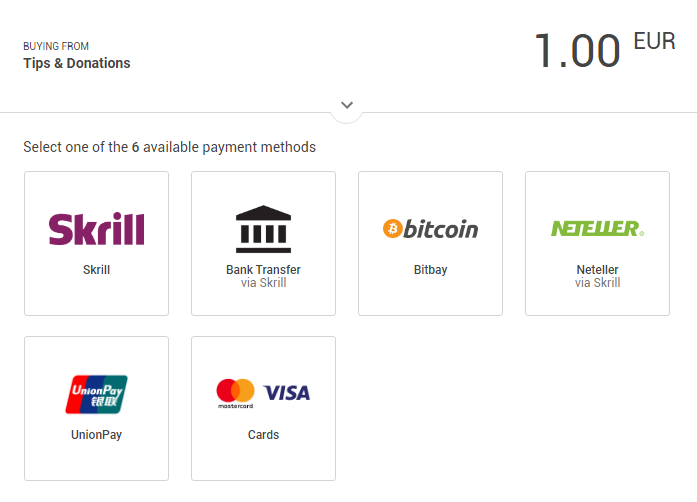 normal igloo
ancient cloud
or is that normal?
normal igloo
Like I said I have never used g2a myself so I can only tell you what I can see 
ancient cloud
oowh okay, still thank you
normal igloo
np
 rapid finch
I have had some trouble with my streamelement bot timing out people due to cheers. How can I avoid this? It happens when there is too many single cheers 33x1 cheer.
lament blade
Would it be possible to have a chat command to change an image on screen, for example !charmander pics the image i set for that, and give it a delay so it doesn't get changed constantly?
 undone hearth
Everything the bot says in stream is doubled. If I try any command it returns the output twice. -- I have a twitch account connected to the bot, and both that bot and Streamelements are in the channel. Suggestions anyone?
wanton jetty
Is there like a {goal} prefix we can use in commands ?
dusk quartz
why after i started streaming like 13 min after just stopped without no reason
and after i tried once more and 1 min after stopped
 untold spindle
hey sorry why if i set a command to be sub only, other people can use it too? (like vip and mods)
wanton jetty
because there's a hierarchy: Mod > Vip > Sub > Regulars > Users @untold spindle
Personally i feel it should be
Mod > Sub > VIPs > Regulars > Users
But i beg to differ
untold spindle
thanks for the answer and ye i share ur opinion as well and i thought it was that way already since paying viewers should be on top of vips tbh
its logical imo, might be wrong tho
or there should definitely be a different way of selecting what type of viewers can play that command, specifically. that shouldnt be that hard
 bronze palm
Quick question, if I select "Give everyone their first ticket for free", does that mean everyone is automatically entered in the giveaway or do they still need to use "!enter" to enter?
 winter zenith
They need to enter @bronze palm
normal igloo
thx Kiwa
torpid estuary

normal igloo
or Void 
 stark pilot
Soooo...I just got the StreamElements bot for my channel, and I seem to need some help. Because it responds to the !commands command, but it wont respond to any other commands.
elder sorrel
What other commands you’re trying to use?
pine hemlock
https://streamelements.com/jexlumikhoth/commands These are the only commands that you have enabled for your channel.
stark pilot
Oh my god I'm an idiot lol. The last two I tried to use were title and game. But I just realized I was doing it wrong
because it's !settitle and !setgame and I was trying to do !title and !game
Well it looks like the bot's working fine after all, and I was just being dumb, sorry for any trouble.
 nocturne pelicanBOT
To add your overlays to OBS, add a new browser source in your scene. Paste your overlay URL in the browser source properties, set the dimensions to 1920x1080 (unless you changed them on the website), and :ballot_box_with_check: “Shutdown source when not visible” https://youtu.be/KDvLynUqXI4
lament blade
still does not work
narrow coyote
Then you are still doing something wrong. You make an overlay on the SE site, then you add it to OBS at the resolution you created it.
 obsidian bramble
On mobile i cant addd my donation or tip panel :(
stark pilot
So uhhh...after testing with some of the other commands for the bot, I DID...eventually find some that the bot doesn't seem to respond too. I haven't tested all the commands yet so there may be more, but...
The commands so far are the custom Vanish and Timeout commands as well as the KappaGen command
 daring minnow
Hi guys! Is there a way to upload video files at all? I want to use my own animated stream that I made myself but the upload isn't taking anything outside of the supported formats.
For reference
narrow coyote
.webm is the video format we support, so you will need to convert your video files to .webm
daring minnow
Oh okay. Thanks I'll do that.
lament blade
Hi there, I am trying to figure out how to change the name of the bot name, however i'm not seeing the option on where to change the bot in ground control. anyone?
my bot is enabled.
and on the channel but not seeing it?
nocturne pelicanBOT
@lament blade Custom bot name requirements
- StreamElements bot modded and in chat
- Active overlay with alerts
- StreamElements tipping page in the panels below the stream (!panels)
- Create a twitch account for the name you want to use
- Ground Control app must be running
Steps to enable custom name
- Sign in to https://twitch.tv with the bot account
- Install and run Ground Control (!gc for download)
- Visit https://twitchapps.com/tmi/ and generate an oAUTH token
- Copy/paste everything in the box to Ground Control oAuth settings and enter the name for the bot account
- Restart Ground Control (custom name may take a few minutes to take effect)
Mac does not currently support renaming the bot.
lament blade
Thanks!
stark pilot
Is there a way to have the bot automatically say something in stream? Like, something similar to how say with Nightbot you could have it automatically say messages if the chat is active etc.
narrow coyote
stark pilot
Ah, thank you~
 misty jay
Can someone tell me why I cant activate the bot?
pine hemlock
the bot is in your chat, what do you mean specifically
misty jay
Problem solved. Thanks 😃
lament blade
Question, are there any known issues in alerts?
Starting last week my alerts stopped making a sound, without change.
Tried to check and update, all things are fine.
Then tried to use the new alerts, and a grey outline of the alert shows in preview, but no image or sound.
Thoughts?
It’s the top layer, and all media appears properly loaded
 waxen dragon
guys I need help... I recently started streaming with obs and streamelements. When someone follows or donate, it doesn't show in my stream/Obs. It only works e.g emulate followers event on their website. HELP
rapid finch
Have you added your overlay as a browser source in OBS?
waxen dragon
yes
 light harbor
For some reason when I select game capture it shows up as a black screen. How do I get it to show my game? I already have my twitch connected to obs.
waxen dragon
@light harbor my best solution is that you create another source and keep switching sources till the screen is not black. Tell me if it works
light harbor
I’ve tried and I didn’t have any luck.
I’ve also ran the app as an admin and didn’t have any luck that route either 😦
waxen dragon
guys I need help... I recently started streaming with obs and streamelements. When someone follows or donate, it doesn't show in my stream/Obs. It only works e.g emulate followers event on their website. HELP
 wooden raptor
Hello, how do I import my overlay from the web panel to the obs live?
nocturne pelicanBOT
@wooden raptor To add your overlays to OBS, add a new browser source in your scene. Paste your overlay URL in the browser source properties, set the dimensions to 1920x1080 (unless you changed them on the website), and :ballot_box_with_check: “Shutdown source when not visible” https://youtu.be/KDvLynUqXI4
torpid estuary
@waxen dragon so testing the events does show the alerts in your OBS? But real events don't?
waxen dragon
yea
torpid estuary
What events did you try? Real events I mean
waxen dragon
follower
torpid estuary
Was it an old follower that unfollowed and followed again?
waxen dragon
no
wait wait wait
when i test the event it shows in stream elements on their website but not in my obs
torpid estuary
Oh ok. Did you make sure that your overlay has the resolution of 1920x1080?
waxen dragon
ok done
torpid estuary
Now test an alert in the overlay editor
waxen dragon
ok
torpid estuary
It should show up in OBS
winter zenith
(crtl+f to make it full screen  )
)
winter zenith
It will work
torpid estuary
You just tested it. It works!
torpid estuary

waxen dragon
hey guys wait
i have one more question
can I make the alert appear when im in my game?
torpid estuary
If your browser source is above your game window, then yes.
It will display no matter what is below it
waxen dragon
how do i do that?
jade remnant
torpid estuary
Just drag click the browser source above the game window, like @jade remnant just showed
jade remnant
your game/window capture should be below your overlay
jade remnant
lament blade
why do i get frame drops?
 pale elk
@lament blade There could be multiple factors. Bad internet, overloading your cores, bitrate is too high, etc. What are your settings?
 pale elk
and your upload speed? Also, i5 is unadvised, as is using the NVENC encoder.
torpid estuary
You are outputting 1080p with a bitrate of 2500 and an i5, that won't work
pale elk
What Void said
torpid estuary
Try 720p with a bitrate of 3500
Your video settings on OBS would be interesting too
 molten niche
Would look like this
molten niche
Ensure you are using the correct stream key* and input it correctly 
lament blade
u mean key?
light harbor
Hai guys I’m having an issue with Game capture. It shows up as a black screen. I’ve tried running as an admin, resetting the app, and deleting the captures and it still doesn’t work.
torpid estuary
what game are you trying to capture? some games dont allow game capture and have to be captured with a screen capture @light harbor
@lament blade in the screenshot you showed earlier you hade the "force rescaling" option on and set to 1080p
change that to 720p too
torpid estuary

light harbor
Over watch from my Xbox 1
torpid estuary
oh, so you are using a capture card then? @light harbor
 worthy vale
Hello, I'm looking to start streaming with OBS Live and transfer my donations and stuff to Streamelements. When I start OBS Live, it directely ask me about my donation settings. I already linked Paypal account but when I try to click "Connect" with G2A Pay for credit cards, it wont open anything so I'm stuck here. I'm using Windows 10.
light harbor
No, I am not. Do I need one? It worked fine until I made the Over lays.
torpid estuary
you cant stream with overlays if you dont have a capture card and try to stream from console only. i might be missing something here. what is your setup?
@worthy vale have you tried turning your popup blocker off/tried another browser?
worthy vale
@torpid estuary I just did and it did not change 😦
light harbor
Okay thank you, completely bummed
 fallow plover
Is anyone manning #helpdesk-selive ?
normal igloo
@fallow plover Leave your question or problem in there and someone will help you 👍
fallow plover
i did almost an hour ago bud, 😦
normal igloo
I understand that but you have to understand that #1 it's a weekend #2 all of the support staff are volunteers So of course they do not monitor 24 / 7
fallow plover
Oh yeah, I totally appreciate that, but i'm not specifically waiting for a staff answer, anyone's help would be appreciated and I figured that with it being a weekend, like you said, there'd be a fair few people around. 😃
 thorny flare
Hi, does anyone know why I can't add variations to my Sub Alerts on the HypeCup? There were some stock variations earlier (Namely for Gift Subs) which I deleted since I thought I could just add more.
 primal drift
yooooo 😄 I got a problem again 😄 I made a tip goal. and in this tip goal I have put how much money. then I did put a test tip. and now it says that I am done with the goal 😛 and it will not reset 😄
fallow plover
create a new goal?
primal drift
dident help 😄
fallow plover
ah... oof
 normal igloo
@primal drift Go to your overlay in my overlays go to data goals Tip goal progress edit to what you require and save changes should do the trick
primal drift
it worked 
normal igloo
fallow plover
👌
 scarlet mauve
Hey. Can someone help me reset my account? I wanna have a fresh start and do everything from scratch
normal igloo
@scarlet mauve What exactly do you want to fresh start with
scarlet mauve
Just redo commands and overlays and tips and stuff, instead of having to delete them all one by one
dusk quartz
hello. why after i started streaming like 13 min after just stopped without no reason
and after i tried once more and 1 min after stopped
lament blade
^hi if i use !Kappagen in chat only i can do that in the chat other users dont how to add that ? thx
normal igloo
@scarlet mauve I don't think that can be done manually I think one of the higher ups will need to do that for you hopefully someone will get to you about that soon 👍
!obshelp
nocturne pelicanBOT
For the best OBS support, please join their Official Discord @ discord.gg/obsproject
normal igloo
Join the official obs discord and they will help you as this problem is not related to se @dusk quartz ^^^
@lament blade What exactly is it you are trying to do
lament blade
@normal igloo if you type !Kappagen in chat icons are coming but only i the streamer can do that not the other followers
normal igloo
Check your permissions in your default commands for Kappagen @lament blade
dusk quartz
but like . i used the stream labs obs and i worked. i changed to obs.live from u and i got that problem
and in the obs discord anyone is there for the support
the problem "why after i started streaming like 13 min after just stopped without no reason
and after i tried once more and 1 min after stopped"
normal igloo
I don't see how a plug-in would cause that problem


 dusk quartz
no
primal drift
do that
dusk quartz
but my overlay will be saved right? like my scenes
jade remnant
yes
primal drift
ask in #helpdesk-selive since I have no clue 😄
dusk quartz
ty
lament blade
Hi everyone, there's any way to disable the !ping command? Because I'm an italian streamer and I would like to have my commands only in Italian.
It says it can be turned off in the module settings but I can't find anything
Thank you!
twin sentinel
@lament blade It is a command. So you can go to your caommand overview and select the "default commands" and disable it there.
I see, it is controlled by a module. I am sorry to give you a wrong hint.
lament blade
@twin sentinel I don't know, it doesn't let me do that, it is locked... look
And the only module I have enabled is the Announcement one for the moment 😦
lament blade
Because I would like to have only Italians commands, because my viewers are mainly Italians
99%
I would like to have commands that only reply in Italian to them
In fact, maybe in the future, SE should have an Italian translation, lot of italian streamers use it actually
primal drift
then remove so only you can use the command then ? 😛
it is not what you really want. but it is a bypas
twin sentinel
@lament blade Have you changed the User Level of the command?
It helped for me to set the user level back to "everyone". Then I could disbale it.
twin sentinel
You are welcome. @lament blade
primal drift
I at least tryed to help 😄 
dusk quartz
there is any way of doing a stream test without going live to confirm if that problem got solve?
elder sorrel
I think that's what Twitch Inspector is for 🤔
twin sentinel
dusk quartz
so i reinstalled and i stil have the same problem. pls help