#helpdesk-twitch
1 messages · Page 397 of 1
 zenith widget
Aah you mean the one that they leave a message with?
Yes, after they click "share".
So I was close 
 prisma grove
the gif shows it tho
so you got it

you da best
can I help you with anything? or pay it back somehow?
 prisma grove
can I tell your boss that you're amazing?
zenith widget
If you're loving the service and support, spread the word about StreamElements on Twitter with @StreamElements
zenith widget
Boss man sees all 
prisma grove
lul
 native cairn
 nocturne pelicanBOT
@native cairn The StreamElements Mobile IRL streaming app is currently in closed beta.
If you'd like to assist with testing when public beta testing becomes available, please fill out this form: https://goo.gl/forms/3DaiLckKDjeMAeVt2
This does not guarantee you to receive a Code.
 north glacier
!levels
 tiny lotus
is there a permban option in the word protection menu thing for the bot moderation? I just got botted and really would like to permban the accounts instead of maxing it at 36 hrs
if not thats fine I doubt they will come back. Thanks for the help in advance
zenith widget
Unfortunately, only a specific time duration.
 cobalt canyon
Its been 9 days still havent goten my code
zenith widget
You might have to wait longer.
zenith widget
There is no ETA on when its going open beta or release date.
Signing up for a code also doesn't guarantee you get one.
cobalt canyon
Ohhh ok thanks👌
 grave python
allo
my twitch dono is having problems with paying 
I dont get money on my end and for him it says tip has been processed 
zenith widget
What...does that mean? 
grave python
on SE page
zenith widget
ooh
zenith widget
Well, do you have tip moderation?
grave python
yes 
or wait
13:28  Ji3Dan: uhhh forsenWut
13:28  Ji3Dan: im checking my paypal acc
13:29  Ji3Dan: ok so streamelements said that i tipped successfully but transaction didn't happened pajaL
go to your paypal, check if you need to manually accept the tip
zenith widget
Ok, so no tip there as well?
zenith widget
they have a problem on their side
grave python

I guess I will pay them a visit again when I am in Luxembourg 
I can start polishing my limited account again
 obtuse mica
How can I get an access code to use the app I would love to be able to use it
nocturne pelicanBOT
@obtuse mica The StreamElements Mobile IRL streaming app is currently in closed beta.
If you'd like to assist with testing when public beta testing becomes available, please fill out this form: https://goo.gl/forms/3DaiLckKDjeMAeVt2
This does not guarantee you to receive a Code.
grave python
it happens often due to high ammount of money transactions 
so suggestion from me is not to get rent through paypal if u are dealing with real estate
zenith widget
👍
 split wing
will we recieve the code on our email?
zenith widget
Most likely contacted over discord.
split wing
oh ok
 crimson basin
So I started using the Grey Area super theme from the theme gallery.
I trying to add custom sound alerts, but at times it will play the alert twice including the pling sound and at times just the custom alert sound. Does anyone know how to fix this?
zenith widget
@crimson basin Check the variations of the alert you want to have the sound changed.
crimson basin
Lets say i want to change the follower alert. Regardless of the tick box being uncheckedm and I do a follower test, the sound will still play. Even if I clear the sound in the follower settings it will still play sounds and the standard pling.
zenith widget
Do you have OBS open with the overlay loaded or the overlay loaded in a tab in the browser?
opening the sound mixer will determine what is the doing teh alert sound.
crimson basin
I have the overlay editor open in the browser with the sound muted, and OBS open for sound
zenith widget
!multi @crimson basin
nocturne pelicanBOT
@crimson basin Make sure to :ballot_box_with_check: “Shutdown source when not visible” for all browser sources (all OBS scenes). If using studio mode, uncheck “Swap Preview/Output scenes After Transitioning.” Also keep in mind that sound can play from any overlay loaded in the browser (editor or launched). https://i.imgur.com/FegZJQS.png https://i.imgur.com/yY0wcFl.png

 crimson basin
Amazing! That fixes the double play of sounds! However, the standard pling sound that came with the theme is still playing, even if I cleared the sound in the alert settings. Do i need to edit something in CSS?
zenith widget
Do you have the custom css enabled?
crimson basin
Nope.
zenith widget
Then you don't need to edit the css, because there won't be anything there.
Most likely you still have the overlay open in another tab.
Click save, exit out and enter in again
open teh sound mixer of OBS and test and see where the sound is coming from
crimson basin
There is no other tabs open. All tabs are muted.
Sound alert for e.g followers are cleared in the editor. So there shouldnt be any sounds. Saved. Exit the editor.
In OBS.live I reload latest follower and I still hear the custom sound alert i put on the follower before I cleared the sound WITH the pling sound still
Can the pling alert be removed at all with this theme?
zenith widget
So either you have an overlay that still doesn't have the "shutdown when in active" option ticked on it
or you don't have chrome entirely muted.
crimson basin
My heavens, "shutdown source when not visible" on all the overlays helped! No more pling sound and customer sound alert only play once! Thanks KeiZar, legend!
zenith widget
👍
 dusk badger
how do I change the bot's name? '-' is it possible?
zenith widget
Yes. Two ways. Easy one or longer one?
dusk badger
easy way please 
zenith widget
Get OBS.live and check out the pinned message in #helpdesk-selive
You will also need a 2nd twitch account or use your own,.
dusk badger
will i still have all the commands?
zenith widget
Yes
 lament blade
is there a way i can have my chat window open without having the twitch chat itself open?
dusk badger
thank you 
zenith widget
@lament blade You are basically asking if you can have twitch chat open but not the channel it self.
Right?
lament blade
yessir
zenith widget
There is a cogwheel on the twitch chat which you can press have the chat pop out.
But I'd recommend using OBS.Live (our plugin for OBS Studio) as it gives you a chat window and activity feed
all without having to open a browser
lament blade
downloading it now thanks
crimson basin
What do I need to add in above mentioned theme for resubs to show as such in the alert? As of now resub alert will just show e.g KeiZar just subscribed to the channel!
 burnt sky
Where can i see what the session data is labeled ? so i can use it on overlay 😄
is it [Top cherrer name} ?
zenith widget
@burnt sky What exactly are you looking for?
@crimson basin Check the subscriber alert varations
Usually there should be one setup already if you are using a pre-defined theme
burnt sky
I want to show the "man" of the day - the top cheerer of the session - ( fx the follower label have {name} and it finds the name automatic - i want the same for session data 😄
crimson basin
@zenith widget True, and when I go to edit in the variable it will show this message: {name} resubscribed for {amount} months!
However, when I do a test for 3 months resub, it will just show the standard alert message for a non-resub: {name} subscribed to the channel!
zenith widget
Are the conditions for the variations set to a resub event?
@burnt sky There are widgets for the overlay that already do this for you.
If you are looking to custom make it.
zenith widget
No worries.
crimson basin
Even if I set condition to exact, and do a test for 3 months it still only show the 1 month sub alert
zenith widget
Wait a moment...thats for the hypecup
Are you talking about the alert widget or the hypecup?
crimson basin
Oh my god, nevermind.... Figured it out just now, thanks again KeiZar, LEGEND!
 crimson basin
Yes, i was looking in hypecup variables, rather in the alerts for subscribers.... Doh
 north epoch
anyone can help me plz?
 oblique steeple
Not if you don't state your issue. 
 still gust
what invite code for mobil ?
nocturne pelicanBOT
@still gust The StreamElements Mobile IRL streaming app is currently in closed beta.
If you'd like to assist with testing when public beta testing becomes available, please fill out this form: https://goo.gl/forms/3DaiLckKDjeMAeVt2
This does not guarantee you to receive a Code.
still gust
thank
zenith widget
@north epoch How many followers do you have?
north epoch
7
zenith widget
We've implemented a minimum amount of followers for G2A Pay.
I'd suggest to try again after you gain at least 10 😃
still gust
When the questionnaire is filled up the answer comes
zenith widget
What answer?
still gust
invite code for android
oblique steeple
@still gust Check the last sentence of the text you were highlighted
still gust
streamlabs android invite code pls
zenith widget
Well go ask their support for such a code.
still gust
where
zenith widget
Ok, so you downloaded our mobile app for IRL streaming and now you want a code. This discord is for Streamelements support. Afaik SL doesn't have a mobile app that wants a code.
If you've filled out the form, please wait patiently for when you receive a code via email or Discord DM, or wait for open beta or full release.
still gust
give me invite code so hard wtf?
zenith widget
Yes its hard, because we don't have any open spots for the close beta at the moment.
still gust
all right, buddy, thank you for giving me your support ..........Ataturk 🇹🇷🇹🇷🇹🇷🇹🇷🇹🇷🇹🇷
bye bye
hah komiksiniz orospu çocukları ağlayın amk beni anlamıyonuz dkkdos

ana skm
ana avrad skm okey meen
zenith widget
I'm sorry, but this is an english support channel.
still gust
please bring in Turkish a very nice language if you want to help you if you want to have a good day
zenith widget
Unfortunately, we don't have a turkish support personal, so we don't have a turkish support channel.
still gust
okey
 dreamy violet
Hello, I was streaming like I usually am but for some reason I was told by several people that they can only hear me from their left headphone, I tested it out on discord ect and it seems to be perfectly fine so the only issue is some setting that somehow switched on obs, any idea what it could be?
lament blade
omer just swore at you keizar he is a lill salty
dreamy violet
Should I post this in the obslive-helpdesk?
 near estuary
any way i can stream in 21:9 res without the black bars on top and bottom? i need asistance pls sned halp. @ me if possible so i get a notification thanks 😄
lament blade
u need ur game in that resolution im pretty sure
near estuary
its not the game thats the problem, its the twitch player putting in black bars below and above the actual game stream
oblique steeple
You should always stream in 16:9 because that is the most common and supported aspect ratio. Set your aspect ratio in OBS to a 16:9 resolution and fill the blank space with something like an overlay, information etc. if you really wanna play in 21:9
If you don't want to do this, set your game to windowed mode an chose a 16:9 resolution. You could use the blank space for something like your chat etc.
 true shadow
@near estuary obviously you know nothing about what you're saying lol
oblique steeple
@true shadow How is that relevant to the conversation? If they didn't know it, they know it now.
near estuary
@true shadow heres the difference, instead of trying to belittle me, try to help, cuz the 1st option is t working out for ya bud ;)
and yes, i had no clue, hence why i am here in the first place
thanks
true shadow
 digital idol
I try to setup the !songrequest command but i can nont turn it on. (controlled by module settings)
@pastel stratus what can i do ?
 true tinsel
Go to this tab https://streamelements.com/dashboard/mediarequest/general and turn on "Viewer Requests" @digital idol Then it should work

StreamElements
The Ultimate All in One Platform for Streamers
digital idol
@true tinsel no
true tinsel
Do you have a media share widget in your overlay? @digital idol
 wispy epoch
Is there a way to add win and kill counter in command? I do know that there is count variable but it works only for one count.
As you can see, it outputs with ${count kills} but the issue is that every time I write !daily, the count goes up for wins which it should not - Is that possible to prevent doing it?
 sly cedar
Can i get an invite code?
nocturne pelicanBOT
The StreamElements Mobile IRL streaming app is currently in closed beta.
If you'd like to assist with testing when public beta testing becomes available, please fill out this form: https://goo.gl/forms/3DaiLckKDjeMAeVt2
This does not guarantee you to receive a Code.
wispy epoch
Oh, found getcount variable but bot still outputs only one count (the win) and leaves kills as ${getcount kills}
As it shows - Does bot only care about one count that is first, rest not?
 crimson yew
I guess so, but idk.
You may have to wait til' someone more knowledgeable on this comes.
 quick elk
Can I get a invite code please ?
nocturne pelicanBOT
@quick elk The StreamElements Mobile IRL streaming app is currently in closed beta.
If you'd like to assist with testing when public beta testing becomes available, please fill out this form: https://goo.gl/forms/3DaiLckKDjeMAeVt2
This does not guarantee you to receive a Code.
 upper steeple
Do you guys know that sometimes the streamelements panel extension shows a 404 not found when people go to someone's stream?
Refreshing fixes it, but I wanted to see if you guys knew about it.
 main imp
It wont show me my invite code whenever i get the email
oblique steeple
@main imp
main imp
Oh
oblique steeple
A "closed beta" wouldn't be closed if everyone gets a code
 hard wharf
Hey everyone, I've been trying to change the font for my alerts, all of them have changed fine apart from the Cheer alert. If I emulate the event it just still shows the old font. Also I can't get the size to increase. Like I say I've done it for all the other alerts so I understand the basic process but it just won't change it. Any thoughts?
 median linden
hello everyone, i am currently trying to move my stream overlays to SE and was trying to set up the follower goal. I was wondering if there is a way to set the start amount of followers since the value shown is not in line with the actual amount of followers i have . Even better solution would of course be to make it show the correct value from the beginning. Thanks in advance !
hard wharf
@median linden seems like you are at where I was yesterday, moving everything over. I spent ages trying to work out why the same thing was happening with my subscriber goal. I concluded that it the number of subs since you set the goal, same for follower goal, and not the total number you actually have. If you go to overlay editor and data tab, then goals you can reset them to say whatever you like.
just to add i'm not an expert or anything and there may be other ways to do it, thats just what i worked out yesterday
 elder sorrel
@hard wharf You may have to fiddle with the Primary & Secondary text size & font change.
hard wharf
ive been doing that
elder sorrel
Check your variations as well if those need to be changed as well for the Font / Text Size.
@median linden Yes you can edit the Data in the Overlay Editor. Top left click "Data"
hard wharf
@elder sorrel thanks that fixed it! There should really be a button that just says apply to all variations
nocturne pelicanBOT
Here is the StreamElements Ideas Board: https://strms.net/ideas
median linden
@hard wharf thanks and good luck !
hard wharf
@elder sorrel idea submitted
 ember juniper
any way to shuffle songlist?
elder sorrel
Unfortunately that option is not yet present in the media request page. I think it has been suggested in the ideas board before.
 modest hollow
Theme in obs live?
 jade remnant
??
elder sorrel
Not sure what you mean @modest hollow
modest hollow
Can i add owerlays from your webbsite or something?
jade remnant
yes
jade remnant
from stream elements

StreamElements
StreamElements is the leading platform for live streaming on Twitch and Youtube. StreamElements features include Overlays, Tipping, Chat Bot, Alerts, Loyalty, all fully integrated and cloud-based.
modest hollow
@jade remnant How to add them to obs live?
nocturne pelicanBOT
@modest hollow To add your overlays to OBS, add a new browser source in your scene. Paste your overlay URL in the browser source properties, set the dimensions to 1920x1080 (unless you changed them on the website), and :ballot_box_with_check: “Shutdown source when not visible” https://youtu.be/KDvLynUqXI4
modest hollow
nice
lament blade
I would like to delete my account completely on streamelements how do i do that ?
just remaking it but want a fresh account
 fervent field
Im having a problem where the SE widget is not loading
jade remnant
what se widget? what are you trying to do?
elder sorrel
If you wish to delete your Account you may send an email request to StreamElements at reem@StreamElements.com. @lament blade
lament blade
hello i have question over the roulette game how do i get started voor mij vieuwers?
and is there someone the can explaine it to me in dutch :D\
 tall mantle
Hey where to fill the form for beta access??
nocturne pelicanBOT
@tall mantle The StreamElements Mobile IRL streaming app is currently in closed beta.
If you'd like to assist with testing when public beta testing becomes available, please fill out this form: https://goo.gl/forms/3DaiLckKDjeMAeVt2
This does not guarantee you to receive a Code.
 mossy rover
How can i make automatic !raffle with sound effect? Like every 30mins there would be sound played on stream and the raffle would start. It would be nice notification 😃
elder sorrel
Did you change your Twitch Channel name recently, @lament blade ? The Twitch channel in your Discord is not working.
lament blade
a few weeks a go i changed the name of my stream yes
elder sorrel
If you update your Twitch Channel on your Discord. That would be the best. As well make sure your current Twitch Name is the same on the Streamelements Discord 🙂
lament blade
how can i do that i dont not so many of discord
nocturne pelicanBOT
@lament blade Please connect your Twitch and/or YouTube channel with Discord by going to ⚙ Settings and then Connections here in Discord. https://streamable.com/eg92w
 lament blade
and now
elder sorrel
I see you only have Nightbot active. Were you using the Stream Elements bot before?
lament blade
i activat him now ok
 hybrid surge
hello
is there a command we can have so we can get people in the chat to buy stuff with there points?
jade remnant
they will need to go to your stream store, if they want to buy stuff with their points
lament blade
now its a moderator i deactived that because the roulette didnt work
hybrid surge
what would be the link
jade remnant
https://streamelements.com/<user>/store (replace user with your twitch id)
StreamElements
The Ultimate All in One Platform for Streamers
true tinsel
If they know the item "id"-s there is a default command called !redeem to buy the stuff
@hybrid surge
 narrow coyote
!items !store
hybrid surge
kk
elder sorrel
@lament blade Did you enable the Roulette module in https://streamelements.com/dashboard/bot/modules
StreamElements
The Ultimate All in One Platform for Streamers
lament blade
i did al the setting in streamelements for point loyalty en
yes you mean on the left site of the page right
elder sorrel
You need to have the bot active in your Twitch channel for it to work.
lament blade
its a moderater
narrow coyote
SE bot is not in your channel
lament blade
loyalty settings als didnt work i think so
narrow coyote
lament blade
no i didnt have that
streamelements is already a moderator of this channel say in the chat
hybrid surge
is there a command to add the item to the shop??
narrow coyote
the bot is not in your channel, you need to join it to your channel from the dashboard
hybrid surge
HELP
jade remnant
https://streamelements.com/<user>/store
StreamElements
The Ultimate All in One Platform for Streamers
add it there
lament blade
ok help me please step by step 😉
true tinsel
@hybrid surge you need to set items manually
jade remnant
@lament blade go to se dashboard, right hand side click join channel
narrow coyote
You need to go here https://streamelements.com/dashboard and click the join button under the bot settings on the right side @lament blade
hybrid surge
ok
narrow coyote
commands should work now
mossy rover
How can i make automatic !raffle with sound effect? Like every 30mins there would be sound played on stream and the raffle would start. It would be nice notification
elder sorrel
Not sure if that's a possible function
narrow coyote
you would need to write some custom code and leverage the API
elder sorrel
⤴
mossy rover
Can't i connect it somehow with stream store? Like there would be sound usable only for moderator and streamelements would play that sound just like !redeem does
lament blade
thnx @elder sorrel for helping me out
is the link working to discord
and @narrow coyote also thnx
narrow coyote
You asked how to make an automatic raffle, with a sound effect, that is simply not possible out of the box
elder sorrel
No problem, Wimpossible! Yes your Twitch Channel on your Discord profile works fine now

lament blade
who knows how to get started whit music in the stream?\
mossy rover
hmm. But is there a way for bot to use different command? Like timer with bot saying !raffle and starting the raffle
elder sorrel
You can add music of your choice and optional YouTube backup playlist through the Media Request page
StreamElements
The Ultimate All in One Platform for Streamers
Timers cannot trigger commands.
lament blade
is that also possible whit spotify?
narrow coyote
@mossy rover timers and commands cannot trigger other commands, you would need to write custom logic using the API to accomplish something of this nature
mossy rover
Well, too much for my brain 
elder sorrel
With the Media Request page that's not possible, Wim. Most we have for Spotify is in #command-share
 pseudo harbor
hey if anyone can assist me, im havcing some issues with my Host notifications. everytime someone hosts me no matter the amount of views it doesnt apperar on my Overlay. ive tested every single one of my notifications and all of them work except for that one. anyone know a fix?
nocturne pelicanBOT
@pseudo harbor Due to recent changes to Twitch API, we have filtered out hosts and will only show these ones on your activity feed:
- All manual host events (0 hosts included and if filter set to 0)
- All auto host events with at least 1 viewer
mossy rover
Is multi raffle spliting the prize between winners? Or if i set the prize "200" everyone would get that no matter how many people would take part?
 brittle tulip
Am I able to make it so subs get points apun subbing/gifting subs

 mint sail
Hello, if someone could help me out. I'm having a giveaway, and during the stream there were some that bought tickets, but looking at the giveaway page it does not update with new information... someone bought 5 tickets and are still on 2, a couple others bought a ticket or two each but does not appear on the list at all...
 little drum
Hello I am a new streamer and wanted to check out your mobile streaming app. Was wondering if I could get a early access key?
nocturne pelicanBOT
@little drum The StreamElements Mobile IRL streaming app is currently in closed beta.
If you'd like to assist with testing when public beta testing becomes available, please fill out this form: https://goo.gl/forms/3DaiLckKDjeMAeVt2
This does not guarantee you to receive a Code.
lament blade
Hello I am trying to create a subscriber only giveaway and I checked the box but I just want to enter subscribers without making them purchase tickets how do I do this?
 bright ocean
Somebody help!!
upper steeple
Do you guys know that sometimes the streamelements panel extension shows a 404 not found when people go to someone's stream?
Refreshing fixes it, but I wanted to see if you guys knew about it and if it is on your end or has to do with twitch.
true tinsel
Te magyar vagy nem? @bright ocean
bright ocean
iGEN
true tinsel
Miben kell segítség?
bright ocean
Kaptam donatet 9 eu-t
Kaptam róla képet
De nem érkezett meg 😃
Mostani kép
Haverom küldte
De nem jött meg
se paypalra
Se alert
A pénzt levonta!
true tinsel
Biztos jó paypal email van megadva streamelementsen?
true tinsel
Nem lehet hogy neked vagy a haverodnak ezt adja ki a paypal és ezért?
 torpid estuary
@upper steeple yes, we know about that error, but thanks for asking!
@mint sail it could be that your bot gives out another link than the actual giveaway that you check in your dashboard. compare both links. if they are in fact different, closing and reimbursing the giveaway and opening a new one should help. but make sure to close both
upper steeple
@torpid estuary awesome thank you for the confirmation appreciate it
torpid estuary
@lament blade you could select that every first ticket is free for subs and subs only and max tickets as 1. then every sub could enter for 1 free ticket, cant buy more and all subs have the same chance.
@upper steeple np! 
bright ocean
I need help guys!
torpid estuary
just state your problem and the next support will try to help you
bright ocean
So i got a 9 eu donation and the money was got down from my friend who donated me, but i don't get the money no alert no money
What can be the problem?
I got other thgey a 50 eu donation
torpid estuary
what was used? paypal?
bright ocean
Yes paypal
bright ocean
No
torpid estuary
then the donation didnt go thru
 ebon forum
Do you have a secondary payment option enabled (G2A Pay or SE.Pay)?
narrow coyote
If you did not receive an email, and its not in your account, no transaction took place
torpid estuary
if you didnt get a paypal notification your account never got the money. so its something you would have to take uop with paypal
did he send you proof he sent the money and it was deducted from his account?
ebon forum
@bright ocean you have no donation history in our system. So you never got a donation through us.
bright ocean
cz i deleted today
i reseted it
becaouse i wanted to create a donation goal
but the othet donations was there in the goal
because*
narrow coyote
thats what this is for https://streamelements.com/dashboard/session
ebon forum
I also see your activity feed, we have NO donations registered at all, not a single event.
bright ocean
because i reseted it
ebon forum
You can not reset your activity. What i try to tell you is that the donation went not through our (streamelements.com/name/tip) URL.
bright ocean
How do you writed my name??
ebon forum
 bright ocean
Yes
ebon forum
this channel is correct?
If yes, then we have NO donations registered. i see all the cheers, i see a raid from 2 hours ago, but no tips.
bright ocean
narrow coyote

bright ocean
narrow coyote

torpid estuary
this is paypal. it still doesnt mean that the donation went thru the SE link
bright ocean

ebon forum
Paypal can get money from every source possible. It did not went through our system
bright ocean
ebon forum
let me check something, gonna DM you the paypal that is registered here
can you confirm that the email is correct?
ebon forum
Fact is - i can't find any previous donations in your profile.
narrow coyote
um, it would not say StreamElements 
ebon forum
The donation text actually looks like ours.
And you probably should delete that because your email is visible
bright ocean
ebon forum
It is still strange. At this point i can't tell anything else, i would need to speak to colleagues who are offline (weekend).
bright ocean
This is other
this was on dec 24
u can check on vod
the donation was went trough
ebon forum
I see, those transactions look normal. No need to check the VOD.
bright ocean
I can send it to you
ebon forum
Can you message us tomorrow so we can look into that? If possible, a bit earlier during the day
It is midnight and the office is empty right now 😃
ebon forum
Not where our office is 😃
bright ocean
in the morning eight o'clock
ebon forum
Office time is GMT+1, just as an orientation
bright ocean
Then tell me a moment when i can talk with u guys!
ebon forum
Can you message us again here in the channel in like 8+ hours? This is where the office should be open
bright ocean
then 10 o'clock is okay? right?
ebon forum
I will also forward that to the support people who have more access, they look into it.
bright ocean
Okay!
ebon forum
We have no idea what timezone you are in 😃
bright ocean
it's 1:18 nighttime now
bright ocean
i live in hungary
 pale elk
We're an hour ahead
elder sorrel
Best bet is 10 o clock your time @bright ocean
bright ocean
Okay!
ebon forum
It is one hour difference. Just message us during your daytime.
elder sorrel
bright ocean
@ebon forum Okay boss!
 tardy tiger
Is there any way to save the list of followers/ subs/ donos/ etc on my computer so I dont have to put recent sub/ follower/ etc from the overlay editor
bright ocean
Then in the morning bye guys good night!
ebon forum
Good night 
bright ocean


 keen tree
Hello not sure if i can drop messages here but i am interested in to try out your mobile application...
nocturne pelicanBOT
@keen tree The StreamElements Mobile IRL streaming app is currently in closed beta.
If you'd like to assist with testing when public beta testing becomes available, please fill out this form: https://goo.gl/forms/3DaiLckKDjeMAeVt2
This does not guarantee you to receive a Code.
keen tree
Thank ya
 tranquil sigil
Im thinking on switching to StreamElements, before I do so, where will people be able to donate?
jade remnant
you will need to set it up on the se dashboard
tranquil sigil
Ty for your help so it is still possible good
I love the kappagen for streamelements one of the main reasons I wanna switch
jade remnant
: )
elder sorrel
KappaHype 

keen tree
Better try something more than nightbot too
narrow coyote
yes
 meager rock
Hi! I need some help with changing my custom bot name
narrow coyote
are you using OBS.Live?
meager rock
yes as well as ground control
narrow coyote
If you are using OBS.Live, there are instructions in #helpdesk-selive in the pinned messages. If you are using OBS.Live, there also really is no reason to use Ground Control, but make sure you dont try to set the bot name in both
meager rock
okay thank yoU!
lament blade
whats the site that has all those sound bites ?
elder sorrel
Myinstants.com @lament blade ?
lament blade
yaya thank you 😄
 hushed void
i updated obs and now everything is lagging any ideas
nocturne pelicanBOT
@hushed void For the best OBS support, please join their Official Discord @ discord.gg/obsproject
 languid shell
hello - I have a question considering giveaways/loyalty points
 pine hemlock
its easier to just ask
languid shell
oh xD yeah haha sorry
is there a possibility to influence/ to add points viewers get in the loyalty system for let's say for example following on fb or instagram or subscribing on youtube? so that the giveaway would also take those things into account?
since the only other thing i could find was to create a giveaway on an external page -> but that doesn't account the loyalty points people have and i think viewers should be rewarded for actually watching/supporting a stream or atleast have a higher chance in winning the giveaway ^^
pine hemlock
Theres no integration for external sources like following on facebook etc.
The only stuff that works like that is stuff like gleam.io
languid shell
alright! :3
thank you for your answer and your time!! :)
(i think it would be really neat if that would work within streamelements itself)
hushed void
i updated to the newest version
pine hemlock
If you updated obs and you are experiencing issues, go to their discord and they will provide support for their product
 empty epoch
How do I get the points for my stream elements leaderboard to show up in my twitch panels
 knotty basin
Hey guys could anyone help me out with my SE dashboard ? I have timers that won’t work , also not sure how to do a custom command I only see preset ones.
torpid estuary
@knotty basin if you click on commands it even defaults you to the custom ones. can you provide a screenshot? https://streamelements.com/dashboard/bot/commands/custom
also regarding the timers, if you have chat lines as prerequisites, the bot will look at the last 5 minutes (regardless of you timer settings), and if the chat lines minimum wasnt met in that timeframe the timer message wont be played.
knotty basin
So I click custom commands but it only shows a Dropbox of about 7-8 commands. I don’t see how to type in my own with a message. Ex: !lurk or something along those lines
torpid estuary
it tells you what to do in the corresponding fields. like the "command*" field, below it says "what triggers the command"
so if you want a lurk command, youd type lurk there
user level means who can use the command. everyone means everyone in chat, mod = only mods etc.
response is the field where you put in what response the bot will say when the command is triggered.
click on "show advanced" to get even more options for your command.
@knotty basin
knotty basin
So In the response I want to say their username is that automatic ? Or is there an algorithm I need to type in ? I see some have $(channel.subs) for example. Do I need to do that ?
torpid estuary
here you can find the variables you can use in a response https://streamelements.com/dashboard/bot/commands/variables
 young sand
why wont my hosts pop up in alertbox, one came up in activity feed but wont show alert, replaying it wont even work.
 cobalt kindle
Any way to make a store item redeemable only by Regulars? The entire nature of Regular right now seems like an after-thought almost... and kinda a waste of time. I'm trying to see the point in its utilization. Is that possible?
 pearl rock
I Need a code
knotty basin
Code for what ?
elder sorrel
Oh I see it was answered in #general-chat 
 inland plover
I need a entry code
young sand
@jagged saffron you can just use the test dono in the edit overlay
 weary mist
@jagged saffron don't ask for donations. You can test in the overlay editor, blue Bell, bottom left
!code @inland plover
 hollow junco
Can I Get A Code for the StreamElement App ?
lament blade
We all here for codes😂
elder sorrel
Answered in #general-chat ⏫
 dusk fiber
 polar river
Nececito código :v
elder sorrel
The StreamElements Mobile IRL streaming app is currently in closed beta.
If you'd like to assist with testing when public beta testing becomes available, please fill out this form: https://goo.gl/forms/3DaiLckKDjeMAeVt2
This does not guarantee you to receive a Code.

Google Docs
The app is only available for Android phones. Please be aware that filling out this form does not guarantee access to the beta.
lament blade
Yo igual😂
lament blade
I stream on xbox with twitch and i use stream elements how do i do it so a pic on controller pops up and presses same buttons as me
 agile canopy
stream store: additional requirement text won't show up
I have set up a stream perk-item in the stream store section. In the last step I added a text as an additional requirement (see screenshot). But yesterday a user redeemed the item and the text didn't show up anywhere even though he wrote something in the text field.
Am I missing something here?
true tinsel
@agile canopy requirement test is just what you need to write after the item that you want to reedem. E.G: !redeem <item> <requirement text>
agile canopy
@true tinsel Thank you for the answer. But where can you as a streamer find the text from the redeeming user (in your example "testing")?
zenith widget
@lament blade You want a graph on your stream showing which button on the stream you've pressed? https://gamepadviewer.com/
agile canopy
@zenith widget That looks very promising, but where is this page? I don't have these details on my dashboard nor the activity feed tab.
Ah sorry, just clicked your link.
Thank you very much! 😅 👍
zenith widget
 👍
👍
 dull magnet
Hey I'm a up and coming streamer who mainly streams from my phone. It would be amazing if youd let me test your app the interface on the play store looks amazing!
zenith widget
Our mobile app is for IRL streaming.
lament blade
How can i set up User level can someone just type the variables and TextPlease
 echo sedge
On the tippingpage it will show my name once you get into the paypal payment window, is there a way to remove this? It will show the name under the option to 'Cancell and return to xxx' I am just a bit worried due to privacy.
 normal igloo
@echo sedge You can always set up a business account on paypal
@lament blade What do you mean 
lament blade
I need My subs To see Their Levels
 rapid finch
I have been trying to work with the timers in Streamelements, but it is either quiet or spamming 3-4 in a row. Any idea how to fix it? Or is it any way to just set up a list of commands and cycle it?
lament blade
Never Mind about that no i need to know how do i fix !points command o actualy SHow Numbers???????+++
 tired agate
Hey guys how do I enable g2a pay on my streamelements
lament blade
@rapid finch Change the Minutes on Your timers
You need a link linking to your paypal @tired agate
rapid finch
I have tried that @lament blade, they are all different.
lament blade
What intervals are you using?? (minutes)
tired agate
But I mean g2a pay not PayPal is different then the g2a pay option in g2a pay you can have it go straight to your debit card or something like that
rapid finch
10/15 minutes
 round geyser
So, On my overlay I have hosts set to 0 (all hosts), but both on my activity feed & alerts, I don't see any of the hosts except the ones with at least 2 viewers. I saw hosts coming through from the chat, so I know I was being hosted, but those hosts aren't in my activity feed nor alerts. Any way to fix that?
jade remnant
@rapid finch set the lines to 0 then have the timer to whatever you want
tired agate
Can anyone help me with the g2a pay option
jade remnant
@lament blade are you referring to the points system for watching your stream
rapid finch
It keeps syncing up spamming 3-4 commands and then none for an hour. The lines is not the reason. Might have to go back to using Streamlabs timers. Because it just cycled the commands on a set timer.
tired agate
Wow skipping over my message like that i see
normal igloo
tadpole he's trying his best to support everyone so please be patient @tired agate
jade remnant
@tired agate I'm going in order what I see on my phone.... as far as I'm aware g2a isn't supported on se yet. Not sure if any admin can confirm
tranquil sigil
@tired agate you can show some respect
 light finch
G2A Pay is an alternative donation method to PayPal on SE
jade remnant
@rapid finch does it spam the same message or multiple messages
lament blade
How do i get The Points command to show numbers instead of Sayiung User
tired agate
@tranquil sigil mind your own business
jade remnant
Oof toxic
tranquil sigil
wow why so toxic?
normal igloo
@round geyser this is a twitch issue I have this myself se can only tell you data they received
rapid finch
Multiple commands/messages. Thanks for helping @jade remnant 💜
round geyser
Gotcha, good to know. Thanks @normal igloo
normal igloo
np 
jade remnant
Let me start my PC so I can get some screen shots for you 😁
 onyx oak
Gotta have a early acces code
 onyx oak
!code
normal igloo
The StreamElements Mobile IRL streaming app is currently in closed beta.
If you'd like to assist with testing when public beta testing becomes available, please fill out this form: https://goo.gl/forms/3DaiLckKDjeMAeVt2
This does not guarantee you to receive a Code.
Google Docs
The app is only available for Android phones. Please be aware that filling out this form does not guarantee access to the beta.
@onyx oak ^^^
onyx oak
Thx
normal igloo
np
 glossy raft
!code
pale elk
hold on...
jade remnant
@rapid finch here is snip from on of my timers, the best thing i can suggest is to make sure all of your timers are set to what you need then go to the dashboard and part then join the bot. im hoping this will solve something for you
!code
wait what???
normal igloo
bot is dead guys just read my last
jade remnant
F
pale elk
I was wondering why it wasn't working
jade remnant
you can also set up commands in "chat commands" if you want to do something manually
onyx oak
Google Docs
The app is only available for Android phones. Please be aware that filling out this form does not guarantee access to the beta.
rapid finch
Ah! @jade remnant it is just the problem with trying to cycle different messages it seems to group every message up, but I will try 😃 Thank you 😃
onyx oak
This is The code link
jade remnant
hmm strange, if it still does it maybe have a 5 min break in between each timer, if there isnt one already 😁
lament blade
@jade remnant Yeah the points sytem for watching My Stream Yeah how ??
pale elk
?
lament blade
Let me send You a screen shot
rapid finch
I would like to have just set interval between the different messages instead of just option for how often the message should appear.
 oblique umbra
why paypal takes fees on the donation made through it?
jade remnant
i dont really think that is possible, unless you use the chat lines option, but then it might cause some same issues. this is how ive set some of mine up. im not sure if this would help you or if you want something like this
pale elk
@oblique umbra That's just how PayPal works. Nothing to do with us.
normal igloo
@oblique umbra Because that's how they make their profits PayPal is a business 
jade remnant
ignore the offline intervals, they are set to 0
oblique umbra
so its better to share my paypal/me link instead using the link from streamelemtns
then i can have direct donations without fees
jade remnant
paypal takes a fee. as the others have said
pale elk
No. Because it still costs to withdraw from paypal regardless. @oblique umbra It has nothing to do with StreamElements.
normal igloo
^^^^
normal igloo
I don't think you understand how PayPal works 
zenith widget
Afaik, using paypal.me link to receive tips/donations is actually against Paypal's ToS for .me account.
pale elk
That's PepperPay, not PayPal. PayPal requires fees to withdraw. How else do you expect them to make money on their service?
zenith widget
One of the reasons we don't support paypal.me account for linking in the tipping settings, btw.
oblique umbra
i send money and recieve money from my brother using paypal/me...so using it for donations is against tos?
i see
zenith widget
the idea behind the .me link is to give it to family to share money more or less between each other
Or thats how I read the pitch for it some time ago.
normal igloo
Well I learnt something new today didn't even know paypal.me was even a thing so thx KeiZar
zenith widget
 normal igloo

zenith widget
edited to include the SSL/https
normal igloo
lament blade
i got 20 peeps watching as always
jade remnant
is that some low-key self promo?
pale elk

bright ocean
@ebon forum Hey dude! sorry i don't got internet, but now i do
 cyan pier
how set a custom command to repeat every 5 to 10 min
jade remnant
you want the timer
pale elk
There should be a time... what @jade remnant said
jade remnant
on the se dashboard go to bot timers
cyan pier
i'm just a mod and i dont have access to edit the streamers se
soo if there a way to change it with the !cmd options
is*
jade remnant
not that im aware of, not sure if someone else can confirm
cyan pier
uhmmmm okay
 inland knoll
I was watching this video about running a contest - https://youtu.be/3BFP05997Ro it says that you can run past contests by pressing the START button, but I dont seem to have one showing - can you help please

Use Contests & Giveaways to increase user engagement and reward your viewers, it's a whole lot of fun for everyone! ----- Loyalty system guide: https://youtu...
 dreamy canyon
Why does my obs love look like this?
I have had no problems before but it’s not showing it in the full 1920/1080
All of my scenes are like that.
Obs live*
torpid estuary
have you changed the resolution in game to something 4:3?
try to press ctrl+f in obs while the game capture is selected
dreamy canyon
That made the video capture screen the same as the overlay which is nice, but I don’t recall all that grey space under the overlay before
torpid estuary
oh, that is what you meant? you can change the size of your chat and your activity feed by mousing over the border of them and drag click them bigger/smaller
with this you can change the size of the video preview, thus changing the grey beneath
but yes, there always was such a grey area in OBS.live
torpid estuary
this is after you pressed ctrl+f in obs?
dreamy canyon
Correct
torpid estuary
show me a screenshot of how it looks in obs please
dreamy canyon
I have had no issue until now. I fixed a couple of my overlays and added and deleted some items and now it’s doing this
torpid estuary
also, what resolution have you set in the game?
dreamy canyon
My apologies. It’s a console thing ha
torpid estuary
click on the video capture device please, i want to see the red border it shows in obs
dreamy canyon
torpid estuary
interesting. are you using a capture card? if so, the settings might be changed.
dreamy canyon
Yup elgato
oblique steeple
I'd say that you have to check your elgato settings.
torpid estuary
⤴
dreamy canyon
This is going to sound bad, but how and what do I look for?
torpid estuary
i wouldnt know, since i dont have an elgato sadly
 pallid osprey
so, im using my own overlay with obslive. is there a way to grab recent followers, subs, bit, etc without having to use streamlabs stream labels?
torpid estuary
yes, SE can display all of those things. @pallid osprey
please watch the tutorial videos that are linked in the #welcome channel, they do a good job of getting you started
pallid osprey
roger. thanks bubby
torpid estuary
dreamy canyon
@oblique steeple any suggestions?
oblique steeple
@dreamy canyon do me a favor.
- https://www.take-a-screenshot.org/windows.html
- Rightclick your Video Capture Device > Preferences. Show me a screenshot of the resolution.
torpid estuary
try clicking on "configure video"
also this is still a pic from your cellphone and not a screenshot
oblique steeple
Btw. please: https://www.take-a-screenshot.org/windows.html
can't get easier then that
torpid estuary

this was in the link ez-krieg3r sent you
and you still didnt click on "configure video"
oblique steeple
It should open a new window. Did you install the elgato drivers?
dreamy canyon
now the elgato video is gone.
@oblique steeple i believe so. i have been streaming no problem with this same setup for months
how do i check to see if the current drivers are installed?
torpid estuary
actually, this doesnt really have anything to do with SE anymore. please take this to #general-chat
dreamy canyon
will do
 unkempt flare
How do i keep my Hypecup full when switching the overlay link between overlays instead of refreshing the cup?
 serene granite
you can make a new overlay that only has the hypecup in it, and use it as a global source on OBS
lament blade
Can anyone help me setup my OBS?
jade remnant
what sort of set up are you looking for? settings/overlays?
lament blade
wait, never mind. I just sorted the problem XD
dreamy canyon
@torpid estuary and @oblique steeple fixed it. thank you both for the collab and the help!
hard wharf
Hi guys... I got some tips last night... I have the emails from paypal... but they did not show up on my stream. The tips are through stream elements, and when i test it with emulate tipping event it shows up and triggers the alert, but nothing happened on stream. Also the stream elements dashboard shows 0 in tips. Anyone any ideas why?
serene granite
@hard wharf can you send me a PayPal transaction id?
also you have an old twitch id linked to your discord, so whats your twitch username please?
hard wharf
sure.. @serene granite so the wierdest thing just happened.. it just showed up on my stream chat now, I'm just on my dashboard, not live... but the tips from last night just popped up right now and it updated on my overlay!
serene granite
definitely weird, give me the details and i'll check
it might be that paypal had these transactions as "pending" for a while
inland plover
@serene granite I need a activation code
nocturne pelicanBOT
@inland plover The StreamElements Mobile IRL streaming app is currently in closed beta.
If you'd like to assist with testing when public beta testing becomes available, please fill out this form: https://goo.gl/forms/3DaiLckKDjeMAeVt2
This does not guarantee you to receive a Code.
 wheat rampart
Hello there is a command for youtube last video?
hushed void
hi i havent been able to upload an image for awhile now i thought id come back here and try to get some help again any ideas
elder sorrel
Are you using Chrome? What's the size of the image you're trying to upload?
hushed void
using google chrome ?
pale elk
Yes. I've been experiencing issues uploading images when using anything but Chrome, so stick to that.
hushed void
If i play League and when i'm not in game I want an image to be in the backround of the game menu/champ select what are the specifics about doing that ?
 vast spade
I'm interested in an invite code in the app! I'm only a few months new to Streamelements
nocturne pelicanBOT
@vast spade The StreamElements Mobile IRL streaming app is currently in closed beta.
If you'd like to assist with testing when public beta testing becomes available, please fill out this form: https://goo.gl/forms/3DaiLckKDjeMAeVt2
This does not guarantee you to receive a Code.
vast spade
Done
 main adder
Hi I have a question: I'd like to have a stream goal that combines tips and cheers, is this possible? I haven't found anything...
elder sorrel
Not at this time but someone did submit the idea you can upvote https://streamelements.helprace.com/i1291-combined-variation-settings
narrow coyote
Thats actually against Twitch terms to combine bits with money
 narrow coyote
Basically, bits can't be represented as having any monetary value to them. If you combine bits with a donation goal, you end up giving bits that monetary and violate the cheers terms of use
lament blade
hi how i can add alert box from tipeeestream ?
pine hemlock
You cant add an alert box from tipeeestream. You can import your tips from them to us, and add a streamelements alertbox to your overlay.
lament blade
@pine hemlock how?
pine hemlock
https://chrome.google.com/webstore/detail/tipeeestream-export-to-st/igimjamhmgdommjgdhmcocaknfjppiai

Export your Tips from TipeeeStream straight to StreamElements
 gusty ocean
Hi there, I have a question about KappaGen, I have Santa Hats turned on, but they don't work anymore? Is there a bug or whatever?
pine hemlock
Seems broken yes
gusty ocean
Like for everyone or just for me? Is there any solution if it's broken for me, thank you
gusty ocean
Okay, got ya, thanks!
 pseudo ravine
Anyone else experiencing OBS crashes? Like literally shutting down itself randomly making the stream stop?
nocturne pelicanBOT
@pseudo ravine For the best OBS support, please join their Official Discord @ discord.gg/obsproject
 cyan seal
Just got here what's the invitation code?
nocturne pelicanBOT
@cyan seal The StreamElements Mobile IRL streaming app is currently in closed beta.
If you'd like to assist with testing when public beta testing becomes available, please fill out this form: https://goo.gl/forms/3DaiLckKDjeMAeVt2
This does not guarantee you to receive a Code.
 torpid kindle
ok so i got slobs DLed do i need OBS as well?
elder sorrel
OBS.Studio recommended. Slobs tends to block Streamelements related stuff.
torpid kindle
ok thx lemme go try that
elder sorrel
No problem. You can also Download OBS.Live Plugin so you have your Activity Feed, Twitch Chat, change Stream Title & have a Custom Bot Name 
All in one on OBS.Studio.
cyan seal
!code
nocturne pelicanBOT
The StreamElements Mobile IRL streaming app is currently in closed beta.
If you'd like to assist with testing when public beta testing becomes available, please fill out this form: https://goo.gl/forms/3DaiLckKDjeMAeVt2
This does not guarantee you to receive a Code.
lament blade
if I wanted to string two commands together, can I have one command call the two? say, one to call the sfx and one to call the bot text output?
like, have an !ethics_sfx and !ethics_text called by a single command
narrow coyote
commands cannot trigger other commands
lament blade
curses. Ok, thank you @narrow coyote 😃
just trying to find a work around for displaying text with a SFX
 violet crater
Does the tipping platform take any fees?
narrow coyote
Could probably write some custom code with the API
lament blade
that's true. The API can call store redemptions...
I didn't even think abut that. Thank you!
lament blade
@violet crater for a credit card processing system, the fees are very light.
violet crater
@lament blade is it normal feed from PayPal? Or is it your additional fee
lament blade
it's only for creditcard processing, paypal fees are the usual ones.
I've been very happy with it 😃
violet crater
Ok so nothing added on from stream elements for using their page?
lament blade
nope
lament blade
no problem!
 hasty breach
How do i get stream element early access code for phone?
 jagged saffron
How do I get my overlays I think that’s what it is called to show around my face cam on my stream
nocturne pelicanBOT
@hasty breach The StreamElements Mobile IRL streaming app is currently in closed beta.
If you'd like to assist with testing when public beta testing becomes available, please fill out this form: https://goo.gl/forms/3DaiLckKDjeMAeVt2
This does not guarantee you to receive a Code.
pine hemlock
You add your webcam to obs and fit in the box @jagged saffron
pine hemlock
?
jagged saffron
How do I get obs#
pine hemlock
Download obs
jagged saffron
Where at
elder sorrel
Download OBS.Studio https://obsproject.com/download
Open Broadcaster Software is free and open source software for video recording and live streaming. Stream to Twitch, YouTube and many other providers or record your own videos with high quality H264 / AAC encoding.
lament blade
anyone know what happend with my overlay ?
pine hemlock
Set the size of the browser source to 1920x1080 and ctrl+f
lament blade
ok done thank you
 subtle canopy
where do I install obs.live?
nocturne pelicanBOT
@subtle canopy OBS.Live is a Plugin for OBS created by StreamElements. You can download OBS.Live here: https://streamelements.com/obslive
Please make sure you have the latest version of OBS installed, Current Version: 22.0.2. You can install OBS here: https://obsproject.com/
 median panther
question, for obs live is there a way to customize the sound an alert makes? if so, where?
elder sorrel
Not on OBS.Live
 strong kernel
Your alerts are customized on the site, not in the plugin.
elder sorrel
In the Overlay Editor 
subtle canopy
the overlay manager
elder sorrel
On the Dashboard top left -> Click My Overlays -> Edit the overlays you want 🙂
median panther
oh that also counts for alerts? huh.
upper steeple
Will commands ever get the user_specific option for who can use the commands?
elder sorrel
If the idea is voted enough it's possible 🤔 but can't guarantee. Only found this that is most similar to your question. https://streamelements.helprace.com/i1250-user-specific-sound-effects
upper steeple
I upvoted it even though my question wasn't for sfx, but just normal commands.
elder sorrel
I'll upvote as well if commands for specific users idea is suggested in #💭︱feedback-and-ideas 
elder sorrel
Yes please! 
upper steeple
elder sorrel
Thank you
upper steeple
no problem, really hope this comes into effect
i don't want to have to use another chatbot just to user specific commands. I want everything through SE 😃
elder sorrel
Understandable. Just need more upvotes so the Devs know what the community wants 👀
upper steeple

median panther
Would the numbers on the top right be my widthxheight
strong kernel
Yes.
Well, rather, it's the widget's width and height. I'd be worried if you were 290 pixels tall.
median panther
haha
 lucid lodge
i'm looking to switch to NVENC encoding for streaming and recording some games, but i havent found a good guide on which preset is the best. I figured that it had to be either High Quality, High Quality Low Latency or Bluray, between the 3 (or another one if there's a better option) which one is best for:
1 - constant bitrate streaming
2 - variable bitrate with unlimited buffer recording (CQP/CRF)
ebon forum
NVenc is worse than x264 even with a 2000 series GPU. Why would you want it?
lucid lodge
because i want to take a load off of my cpu when streaming/recording a cpu intensive game
i cant go above very fast in my case, and it looks like ass because the game involves very fast movement
elder sorrel
@hushed prawn Did you save the overlay? If not: You can close the overlay editor & open it again & it should be there.
lament blade
is there a way to reposition the graphic in the redemption overlay? I've got it set to full screen, and I'd like the preview images to pop up on different locations on the screen.
 hushed prawn
@elder sorrel WELL ya see i had an editor of mine do it all idk if he has it saved or anything. i was in its own overlay but i deleted it like a drunken fool
upper steeple
the only way to set the custom bot name is through GC right? or can you do it on obs.live as well?
lament blade
GC only @upper steeple
I had asked that earlier in hopes I wouldn't have to run another app 😃
upper steeple
@lament blade appreciate you trying to help, but you can do it on obs.live just checked to confirm if what you told me is true
lament blade
really...
lament blade
ha! well then
elder sorrel
Fluffy is right
I didn't use a Custom Bot name until OBS.Live became a thing.
@hushed prawn Ask the editor that did it then. If the editor did save it. Nothing we can do. Would have to be entered in again or if you have the alert box in another overlay: Duplicate it.
lament blade
yeah, I was given bad info by a fellow streamer. gonna let him know
sorry, @upper steeple
hushed prawn
got cha @elder sorrel thanks for the speedy help !
elder sorrel
Also @lament blade There is not that option at the moment. Only in one area the Store redemptions will show.
upper steeple
its all good @lament blade i tend to only listen to the staff of SE when it comes to things related to their services, but I appreciate the help
Since I'm using the custom bot name now is there a way to remove the emote that won't appear cause its not the SE bot?
strong kernel
!pepes disable
upper steeple
that only disables them in commands, not just putting them in chat right?
sorry not commands the bot responses that have the pepes i mean
elder sorrel
Yes. They won't show up in the default commands that contains pepes.
upper steeple
if you wish to re-enable the pepes you just do !pepes enable?
elder sorrel
In the commands webpage. Yes 🙂
lament blade
@elder sorrel I figured out a workaround. I am taking the gif files, and rendering them at 1080p in after effects, place them where I want, export as gif again then they show up in the right spot 😃
upper steeple
@elder sorrel i see, thank you
 worthy sparrow
why do i keep crashing? no settings changed
nocturne pelicanBOT
@worthy sparrow Can you please provide a log from your last stream. You can find this log in " %appdata%/obs-studio/logs " OR Help > Log Files > Show Log Files. You can simply drag and drop the log file into Discord.
elder sorrel
Try running as administrator & turn Game DVR off.
 brisk bobcat
yea i had to turn game dvr off before and it helped a lot of issues involving my pc
elder sorrel
Some Windows Junk. I don't remember how but googling should be a quick option how.
brisk bobcat
^
elder sorrel
Since my work computer blocks me from opening the page 
pseudo ravine
Soooooo I was in the OBS Official Discord as suggested by your bot earlier about my issue with OBS live crashing and closing itself during the stream making it crash and there was some controversy here and there.... Especially about what to do to fix it. I would like to post the screenshots of the answers I got here but it's like 17 chat lines.... Maybe I could DM someone quickly instead of clogging the chat just for myself?
nocturne pelicanBOT
@worthy sparrow For the best OBS support, please join their Official Discord @ discord.gg/obsproject
pseudo ravine
anyone?
weary mist
@pseudo ravine sure, send them over
pseudo ravine
Thanks @weary mist
hushed void
how do i reset my follower count for follower goals its not updating
lament blade
Hey where can I find my donation url so I can set up my alerts on my slobs? I felt really bad yesterday because I got my first cash dono's but i didn't get alerts.
elder sorrel
@hushed void Can go to SE Dashboard -> Left Side Activity Feed -> Goals
elder sorrel
Sorry. Was Activity Feed - Widget Data -> Goals
😃
You can find the Streamelements tipping page at https://streamelements.com/dashboard/tipping-settings @lament blade
StreamElements
The Ultimate All in One Platform for Streamers
hushed void
thanks
lament blade
@elder sorrel thank you!
elder sorrel
No problem 
hushed void
I was wondering how to set my backround when im not in game to an image?
elder sorrel
Like a be right back screen?
hushed void
for instance when im playing a game like League of legends and im at the game menu its not a full screen. so i wanted to have a backround image
it may be really simple and im making it sound difficult to be honest
elder sorrel
You would have to manually enable the background to show up on the overlay. I don't know the pause button for League but you can create a hotkey the same button for OBS so it shows up /remove everytime you hit the pause button.
hushed void
sorry i dont follow its ok im dumb
weary mist
For league, I use a Window Capture to get the queue window, and a game capture to get the game window. This setup allows OBS to automatically switch back and forth between windows, and the Window capture can be set to full screen, when in actuality it isn't
 woven orbit
Is there a way to have the SE Chatbot send messages through a different dedicated account? Like if my name is Kevin could it be KevinBot for example
nocturne pelicanBOT
@woven orbit Custom bot name requirements
- StreamElements bot modded and in chat
- Active overlay with alerts
- StreamElements tipping page in the panels below the stream (!panels)
- Create a twitch account for the name you want to use
- Ground Control app must be running
Steps to enable custom name
- Sign in to https://twitch.tv with the bot account
- Install and run Ground Control (!gc for download)
- Visit https://twitchapps.com/tmi/ and generate an oAUTH token
- Copy/paste everything in the box to Ground Control oAuth settings and enter the name for the bot account
- Restart Ground Control (custom name may take a few minutes to take effect)
Mac does not currently support renaming the bot.
hushed void
@weary mist so in obs i would go to hotkeys > game capture>capture foreground window and bind it is what ur saying?
hushed void
So where would I put the image?
weary mist
- For a solo image, add an image source and select the image you want.
What I offered is completely separate from this, which makes it so you don't need a full background image.
- Add window capture source, select the queue window (where you log in). Save, hit ctrl+f to make it fit your OBS canvas.
- Add a game capture source, set it to capture any full screen application, and have it one above your window capture source.
Leaving both visible will always show your game above the queue window, and when a game ends, it will have the results displayed, and you go right into your next game etc
hushed void
how do I save the queue window ?
hushed void
my game isnt even being captured anymore?
 deep widget
I would like a chat command to give (randomly) 1 of 11 respones. How do I achieve this?
strong kernel
You might not pull off 11 responses due to character limit but you can do something random with the ${random.pick} variable.
lament blade
How do I get an early access code?
nocturne pelicanBOT
@lament blade The StreamElements Mobile IRL streaming app is currently in closed beta.
If you'd like to assist with testing when public beta testing becomes available, please fill out this form: https://goo.gl/forms/3DaiLckKDjeMAeVt2
This does not guarantee you to receive a Code.
 crisp ocean
Is it possible to view history of command changes on SE?
strong kernel
Unfortunately not. You can vote for the idea at https://strms.net/ideas
crisp ocean
Bummer can’t even be investigated at all?
 hearty oak
I have a problem, where i'd like to add a number taken from a customapi to one of the counters... However, as soon as i add a + before the customapi variable, it doesn't work anymore... and without it, it rewrites the current value...
${count test ${customapi}} was the only way i got it to work...
As soon as i added a + before the ${customapi}, it would simply write out the whole thing without actually doing the variables..
 dry rivet
yo
would like some help
i installed a new theme from your featured themes
and it displays a "now playing" overlay
for some reason... it only lets me choose from plugdj, subtrackfm or song requests
which is pretty stupid
how do I get it to play my spotify tracks?
strong kernel
You can't. Spotify removed that option from their API. It's why Streamlabs doesn't have it as an option any more, either.
dry rivet
Whyyyyyyyyyyyyyyyyyyyyy 😭
thanks for replying though
would there be a simple way to replace the Now Playing section with Recent Cheerer? @strong kernel
or, any way for that matter
strong kernel
Depends on the theme but you should be able to adjust the text, change the icon if any, and put in a different widget for the data you want to show.
dry rivet
I don't think that works for mine. The whole bottom part is just one image and I cannot edit anything since it's just an image
It's called blue electric
strong kernel
Yeah, that's baked into the image, so can't be edited. Our newer themes tend to separate the text.
dry rivet
No worries
Managed to put a black block after the exisiting text, then adding my own widget
Works 😃
nocturne pelicanBOT
@radiant yew The StreamElements Mobile IRL streaming app is currently in closed beta.
If you'd like to assist with testing when public beta testing becomes available, please fill out this form: https://goo.gl/forms/3DaiLckKDjeMAeVt2
This does not guarantee you to receive a Code.
 radiant yew
Gracias
 tall quarry
Need help
strong kernel
Just ask your question.
tall quarry
My OBS Studio is reproducing my audio on the software itself, so I keep hearing my echo, resulting the double echo on the stream
 red knoll
check your mixer while ur doing something on ur pc. you might have to remove/mute one of your audio sources
tall quarry
And if I turn down the OBS volume on the PC audio mixer, only the mic works on the stream, the PC audio is muted
Even if both Mic and Desktop audio are muted, the OBS keep reproducing my audio
nocturne pelicanBOT
@tall quarry For the best OBS support, please join their Official Discord @ discord.gg/obsproject
tall quarry
Sure, thanks
 twin compass
Hello! So I have a question... Can we set up multiply redeem alerts for the stream store in one single over lay
or do we have to set up each one individually? I have an image for each thing I want to implement but don't see how to add it to the stream.
red knoll
is there a way to give bots access to sub emotes?
zenith widget
@red knoll You will have to gift the bot a sub.
red knoll
heck
zenith widget
@twin compass You can have the stream store items trigger as alerts, but they need to be stream perk items.
twin compass
so if I have 5 different store items I would need to create 5 different alerts?
zenith widget
@twin compass
If you have this option on, you just need the redemption widget in your overlay
This options allows the store item to show as an alert
with what ever image and sound you set it with.
twin compass
ok got thank you!
 narrow cipher
I have a problem, I've created variation bittie alerts for twitch in the overlay editor, but when they are triggered the GIF does not show up, just the sound file 😦
zenith widget
Do you have "custom css" enabled?
narrow cipher
I do not 😃
zenith widget
Which overlay?
narrow cipher
the main one for live scene 😃
narrow cipher
Oh, I'm helping a friend with theirs as I'm an editor 😃
zenith widget
Which of the 3 friends then?
narrow cipher
MissKryp 😃
zenith widget
full name please
narrow cipher
MissKryptonite 😃
 nocturne moth
real quick one!
media requests are returning an internal server error?
any quick fix I can apply?
nocturne moth
thanks
narrow cipher
Any idea as to why its happening then? I'm thinking its an OBS thing, but its odd, as the text still shows :/
nocturne pelicanBOT
@narrow cipher The default resolution for StreamElements overlays (theme and custom) is 1920x1080. Please add them in OBS at their full resolution and use CTRL+F to fit to screen if necessary. You can then downscale your stream in OBS settings > Video if you'd like https://i.imgur.com/6bWXxjR.png
 narrow cipher
Yeah, it doesn't show on stream
I thought it would be an OBS thing
I'll check with her 😃
Thanks you very much @zenith widget
lament blade
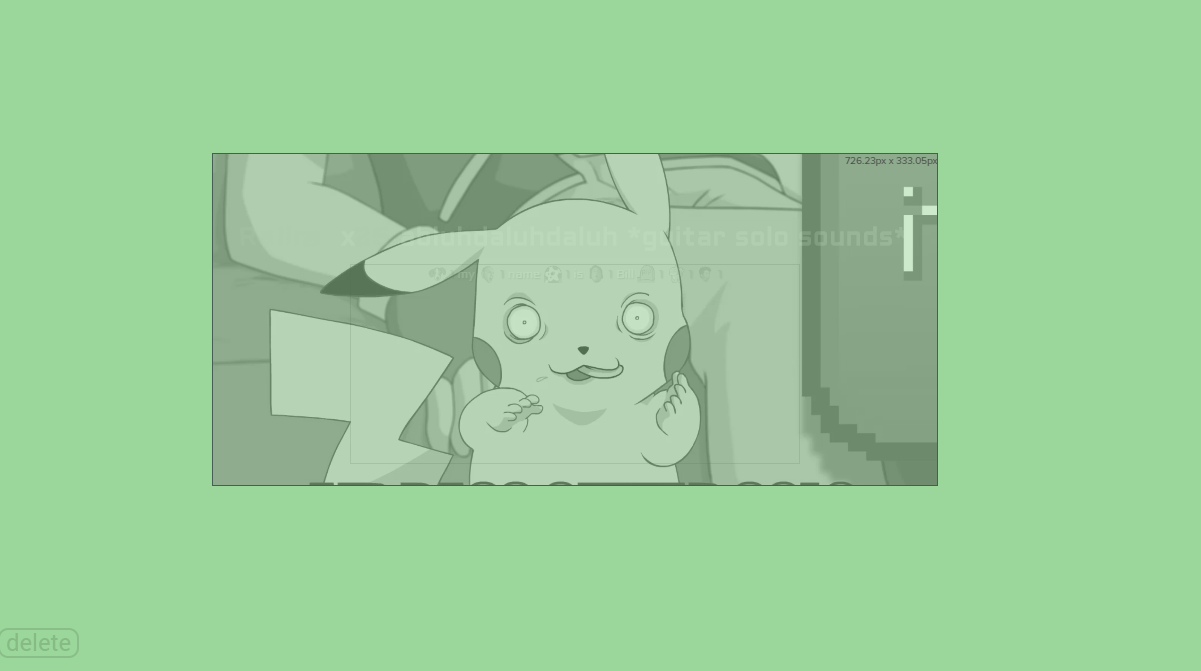
Hello! I wish to know how to move the text inside of alerts?
https://i.imgur.com/lb6d99y.png
 zenith widget
Text settings -> advanced -> adjust margin
lament blade
I tried messing the paddings and margin
Ah.
Do I have to do that with each alert?
zenith widget
Yes


 zenith widget
Top -> moves from top to bottom
bottom -> moves from bottom to top
so if you place a top 100, the text should go down 100 pixels, but it won't go up any more. Having bottom 300 won't make the text go up.
 brittle mortar
I need a stream elements early access code
nocturne pelicanBOT
@brittle mortar The StreamElements Mobile IRL streaming app is currently in closed beta.
If you'd like to assist with testing when public beta testing becomes available, please fill out this form: https://goo.gl/forms/3DaiLckKDjeMAeVt2
This does not guarantee you to receive a Code.
 potent ibex
how do I change my font colour for my chatbox?
I cant seem to find the option 
like dark font on a dark background 
zenith widget
 buoyant onyx
if I want a sound effect in the store to only be activated by myself, not by moderators, subs or everyone, can I do that? if so, how?
zenith widget
You can only limit store items to subs.
What else you can do is you can place a huge point cost on the item
lament blade
is there a way I can reposition the video/picture then? @zenith widget
lament blade
hope i need to put it here :p
I just used !cmd add !so ${1} is awesome and deserves a follow. Check them out at https://twitch.tv/${1} to make a shout out command, it works, but now i want to edit the text that shows up when i give the command
 torpid estuary
You can edit the text in the dashboard on SE under the custom commands section, or from chat via !cmd edit !so Your New Text @lament blade
lament blade
thank you so much @torpid estuary
torpid estuary
 ornate forum
hey i was just wondering if anyone knows why it doesnt game capture LOL client but it captures every other game at least in my case. tnx for any suggestions on fix
nocturne pelicanBOT
For the best OBS support, please join their Official Discord @ discord.gg/obsproject
 gentle imp
try running OBS as admin @ornate forum see if it helps
zenith widget
Streamelemenets on top -> chat
pale elk
Advanced Audio Properties (Click on the gear in the audio mixer section)
 hazy whale
and then?
pale elk
Monitor Only?
I mean, I'm pretty sure they're both coming from Desktop Audio (the game audio and desktop audio), so I don't know what you'd want to change anything to begin with.
hazy whale
when im streaming im using music also for me and they hear it on stream and i dont want them to
pale elk
I mean, I'd say not to listen to music then. Most people just play the music with the stream. Not really sure how I can help here. 
hazy whale
ok man thanks anyway
gentle imp
that requires audio splitting setup
pale elk
What @gentle imp said
gentle imp
you can easy find how to on google 😃
pale elk
That was my next guess
oblique steeple
Do you mind if I step in?
hazy whale
no u can
oblique steeple
How to exclude audio sources for a stream or recording - https://obsproject.com/forum/resources/how-to-split-exclude-seperate-audio-sources-off-your-stream-or-recording.8/
Voicemeeter Banana guide - https://obsproject.com/forum/resources/voicemeeter-banana-audio-management-for-1-and-2-pc-streaming-setups.397/
pale elk
Fabi to the rescue
oblique steeple
