#helpdesk-twitch
1 messages · Page 396 of 1
 thorny pecan
Well done! You are already using our bot
its just stuck saying this
is it suppost to continue
 barren oar
how do i put my twitch chat on screen while playing a game
?
 strong kernel
@barren oar Include "Your channel's Twitch chat" widget in your overlay.
barren oar
ty C:
strong kernel
@thorny pecan Like this?
strong kernel
Maximize the window.
barren oar
is there a way to see my chat? I put it on the overlay, but dont know how to actually see the chat
strong kernel
Type into your Twitch chat while the widget is in your overlay.
barren oar
I mean i can see it only if im on tiwtch
twitch*
can i see it while playing a game?
strong kernel
The point of putting it in your overlay is to allow your viewers to see it in the stream video. If you just want to monitor chat for yourself, we recommend using our plugin for OBS Studio, OBS.Live: https://obs.live
barren oar
ty C:
how do i see it while playing games?
i have the little chat window, but will it go over in games?
 lament blade
need fast help ... i use streamelements songrequest can i setup the settings from the musik only for stream or in my headset volume 10
 vale yacht
 nocturne pelicanBOT
@vale yacht The StreamElements Mobile IRL streaming app is currently in closed beta.
If you'd like to assist with testing when public beta testing becomes available, please fill out this form: https://goo.gl/forms/3DaiLckKDjeMAeVt2
This does not guarantee you to receive a Code.
strong kernel
@lament blade Volume is volume and can't be different on stream vs. in your ear.
 warped wolf
and ffz too?
strong kernel
Yes.
warped wolf
thanks you 😃
 hallow forge
@strong kernel Thanks, but what do I do about people not just seeing what the chatbot said but also the command I typed in the chat. sorry if you already answered this and I didn't understand.
strong kernel
People will always see the command if you used the command. Using a timer just makes it go off at a set interval instead, without using a command.
 crystal violet
How do I apply for the app?
nocturne pelicanBOT
@crystal violet The StreamElements Mobile IRL streaming app is currently in closed beta.
If you'd like to assist with testing when public beta testing becomes available, please fill out this form: https://goo.gl/forms/3DaiLckKDjeMAeVt2
This does not guarantee you to receive a Code.
hallow forge
oh ok, how can I use a timer?
strong kernel

StreamElements
The Ultimate All in One Platform for Streamers
hallow forge
Thank you
 zealous latch
where can I find a complete list of payment methods se.pay accepts?
 pine hemlock
@zealous latch SEPay is credit/debit card donations
zealous latch
is there a list of which credit/debit cards somewhere? and how about cryptocurrency?
 fluid atlas
how do u put the overlay on streamlabs
pine hemlock
Im pretty sure any card issuer will work. as for crypto, i don't believe so, no.
nocturne pelicanBOT
@fluid atlas To add your overlays to OBS, add a new browser source in your scene. Paste your overlay URL in the browser source properties, set the dimensions to 1920x1080 (unless you changed them on the website), and :ballot_box_with_check: “Shutdown source when not visible” https://youtu.be/KDvLynUqXI4
 golden ether
 SO after todays update of obs.live, i cannot monitor my sound coming from my elgato. It worked a few days ago. https://obsproject.com/logs/vZXdjGxxpJM4Kw0e
Occasionally the audio would be a tad off, but i would just un monitor it, then back again.
pine hemlock
You can disable device timestamps to try and fix the audio delay - but as for monitoring sound idk what you mean/how to fix it
golden ether
oh sorry, wrong channel 😛
pine hemlock
You can try doing this on your audio devices to remove delay: https://i.nuuls.com/1EV30.gif
 golden ether
I dont have a delay 😄 , when it occasionally does, I just do as I said. ill post in obs
fluid atlas
does anyone know how to do a command witha letter for the full facecam
streamlabs obs
fluid atlas
no
 wanton mantle
its when i wanna save my stream title..
pine hemlock
@wanton mantle Streamelements at the top -> logout and log back in
@fluid atlas I dont know what you mean by a command for facecam
fluid atlas
u know how ninja does his webcam but not game so people dont stream snipe him
pine hemlock
i dont watch ninja so no
wanton mantle
after a rellog still the same bug..
golden ether
You should watch ninja  @pine hemlock
pine hemlock

fluid atlas
cuba ima tryna figure out how to do this webcam stuff
pine hemlock
What are you trying to accomplish
fluid atlas
alright if u watch streamers u would sometimes see them put there big webcam
and not the game
just there face
 pallid flower
Anyone have any clue why I can't turn off tipping through Streamelements?
!donate command doesnt exist according to the bot, but when typed in chat the default message still pops up, trying to use Streamlabs for tipping and disable the !donate command but I cant
strong kernel
!donate is an alias for !tip
pallid flower
gotcha
I tried changing !tip to output the streamlabs link but it still outputs the same default message as before
!command edit !tip donations are not required, but heres the link to support (: https://streamlabs.com/****
StreamElements: You can Tip to **** using this link
https://StreamElements.com/****/tip
that still outputs when I type !donate in chat
fixed it just by removing the alias and adding the !donate command through chat, thanks for the help 
strong kernel
You cannot edit default commands. That's why.
pine hemlock
@fluid atlas That would be a scene in obs that is just the webcam. It has nothing to do with a command.
pallid flower
@fluid atlas add a new scene with just your cam on it then set a keybind to switch between that scene and your main scene, then you can use that keybind to go to just your cam showing, and then back to the regular gameplay
 unkempt flare
Can you get your picture for what you are buying in the store to show up on screen when redeemed?
strong kernel
Yes. If you've created the item as a stream perk, then both the image and sound you've set for the item will be used.
unkempt flare
Thank you
 sturdy cedar
So I need help setting up the Chatbot to be a different nAME
- hit the caps key the last three letters I apologize
strong kernel
Check the pinned video in #helpdesk-selive
If you're not using OBS.Live, you'll need to do it via Ground Control.
 grim obsidian
I'm new to streaming. What does the bot do?
 narrow coyote
Sends the machines back in time to stop John Connor
It can also be used for chat commands, games, alerts, etc.
grim obsidian
lol thank you
narrow coyote
Does not really sound like that requires voice support. What browser are you using? If you are trying to upload images in Edge it simply wont work, the site is optimized for chromium, so works best with chrome
 marsh slate
Okay. I will try chrome. TY. I will let oyu know if that works
Worked! Thank you @narrow coyote
narrow coyote

 crisp coral
I need help @narrow coyote
narrow coyote
42
crisp coral
The universe answer.
but yeah soo to start, how does Chat stat work? i have been trying for ages, but it is refusing to save / show or work with me here
narrow coyote
Did you change your name since signing up with SE?
crisp coral
I signed up on SE after all the name changes
narrow coyote
ok, then someone from staff will need to enable your chat stats page, I will request that be done for you
strong kernel
⤴ Handled in livechat.
narrow coyote


 robust sparrow
Ok so I have tried everything and it just keeps saying I need to fix my settings to stream
 robust sparrow
invalid path or connection URL
narrow coyote
That is either an issue with the path set to save recordings, your server you selected, missing your stream key, or you are missing runtimes required by OBS https://obsproject.com/visual-studio-2017-runtimes
 north jay
Hello, I am trying to figure out if you can have a leaderboard for hours in the stream. The only leaderboard I know of is for points in the stream, but I would like to have one for hours, and I can't find anything on it
robust sparrow
What is a stream key
strong kernel
Your stream key is provided by Twitch and can be found in your Twitch account's dashboard.
pine hemlock
@north jay Not a feature at the moment
north jay
Ah, dang, thank you 
 atomic wedge
how can i reset my overlay that i've selected? on streamelements site
atomic wedge
I meant the site ( https://streamelements.com/overlay/ )
StreamElements
The Ultimate All in One Platform for Streamers
not the OBS Live
 weary mist
do you mean start over?
atomic wedge
Yes, let's say I have made some mistakes on the overlay editor and I want to reset that templated overlay again but with the default settings of it. (reverting back to the template's settings).
Is there a way to do that? rather than just re-adding the overlay. cuz sometimes i save the changes without realizing I've done some mistakes and it happens a lot
strong kernel
There's no way to undo things after you've saved, or reset a single overlay to its default. You'll need to add it again from the Themes gallery.
atomic wedge
okay thank you.
narrow coyote
yes
 queen sorrel
Ok so my problem is that i open the app on my pc and it says "You entered an invalid JWT Token"
I tried to look for my token to re-enter it but can't seem to find it
nocturne pelicanBOT
@queen sorrel You can find your JWT token on your account channels page: https://streamelements.com/dashboard/account/channels
(Don't forget to click on "Show Secrets")
queen sorrel
Do i copy and paste it or do i have to write it myself? (i'm asking cause i've seen ppl asking this in forums but they got no response)
strong kernel
Copying and pasting is fine.
narrow coyote
 rare trail
hey all! no worries if no one knows... but anyone know if you can make/add alternate media playlists? (i.e. song requests, beyond the main playlist and 'pending approval' etc) - thanks! 😉
strong kernel
You just have the backup playlist, pending, and the queue.
 solid lantern
can anyone help me wi a few questionsth
 dusky ice
Can anyone please explain why, when I click on the social media tab, nothing shows up.
strong kernel
What browser are you using?
dusky ice
Chrome
strong kernel
Disable your adblocker.
dusky ice
Thank you 😄
 little chasm
I would like to receive a code so I can stream mobile games on your stream elements app for android
strong kernel
The mobile app is for IRL streaming, not for mobile games.
little chasm
10-4 I can do that with the twitch app
strong kernel
Either way...
nocturne pelicanBOT
@little chasm The StreamElements Mobile IRL streaming app is currently in closed beta.
If you'd like to assist with testing when public beta testing becomes available, please fill out this form: https://goo.gl/forms/3DaiLckKDjeMAeVt2
This does not guarantee you to receive a Code.
 worthy sparrow
is it possible to setup a new command template?
 zenith widget
Are you referring to the custom command templates we have on top of the pop up for new custom commands?
zenith widget
You can suggest the idea to have new templated or the option to add templates, but most likely when new templates are added by users, they need approval first.
nocturne pelicanBOT
@worthy sparrow Here is the StreamElements Ideas Board: https://strms.net/ideas
worthy sparrow
oh no its not for everyone, its just very specific to my use situation
zenith widget
Then, no.
zenith widget
Just add the custom commands, I'm not seeing a specific reason to add them as a template.
worthy sparrow
i want to do a special shoutout for specific ppl but i have a base foundation that i just need to tweak for each person
cuz adding custom commands its what im doing but its very tedious to set up the basics like "Who can use this command" and "visible to public"
zenith widget
Thats just 2 options that can be clicked quickly if you copy over the response and tweak it a bit.
worthy sparrow
its in advanced options and if i can just have 1 click to do all of them that'd be nice to do them in mass
i have hundreds to do so it'd be nice to say hundreds of clicks
zenith widget
Why would you give out so much special shoutouts to 100 people?
Actually don't answer that.
worthy sparrow
because they're my dearest friends
zenith widget
No, there is no way to bulk edit commands at the moment.,
And there is no way to add your own template as well.
 tiny lotus
the obs live plugin doesn't play alert audio and I have to refresh my overlays to be able to hear one alert again. What do?
zenith widget
Reload the overlays via the reload overlay button @tiny lotus
 glad hedge
Hey guys! I'm wondering if someone could help me and point me in the right direction. I'm trying to have two different alerts come up. One normal and then a gifted sub variation. Similar to this, https://twitter.com/StreamElements/status/1075503696367230976 When I make one alert variation and try to add a second I get both sources to trigger even though one is for gifted subs and one is for normal subscribers.


POG!
Who has the best holiday-themed alert on Twitch? 🎅 Yup, it's @timthetatman! https://t.co/piwX5wgD8c
Likes
116
 Twitter
zenith widget
Twitter
zenith widget
How are you getting both sources to trigger?
Usually you edit the conditions of the variations for gifted.
glad hedge
The conditions I currently have is one box with " When sub is exactly Tier 3" and the other is "when variation is a gift" But If I use emulate both events get triggered
Thanks for the help KeiZar
tiny lotus
@zenith widget I do reload the overlays, and then audio comes back for only like 1 or 2 alerts. I shouldn't have to reload the overlays every time I want to have them function properly
zenith widget
@glad hedge That shouldn't be possible to have both events triggered - i'd suggest to reload the editor.
If this continues to happen, then most likely you have 2 alert widgets.
@tiny lotus
Can you send in a report please, so that I can pass it to our devs.
Most likely you will have to restart OBS.Live as admin
glad hedge
Hey @zenith widget I cleared it completely and made an entirely new overlay to test it and it still does it. I have two alert boxes both with only one variation that is different and it continues to do it 😦
zenith widget
Why are you putting 2 alert boxes?
That is why you see both variations triggering - because even if one alert box has your gifted variation the other one doesn't and it defaults to its previous settings.
glad hedge
So how would I get two different alert boxes to go off the same way that link I showed without showing the donation or alert at the same time ina different window
zenith widget
Thats a good question. As I have not helped in the process of setting Tim's alert boxes, I can only assume at the moment, its due to custom coding, but I can check.
glad hedge
That's what I figured it has to be custom CSS, thank you for checking @zenith widget I appreciate it
zenith widget
Now that I think about it and look at the alert box settings, you are thinking and most likely wanting a super alert style right?
I think that his normal alert bear that pops is just a smaller video version of the big one.
This means that most likely, the variations are moved and scaled around with the margin.
aah wait thats the text
glad hedge
Yeah, that's why I thought it would use two windows one with a different set of variation and the other the same. But for some reason it's still telling the other source to trigger regardless.
glad hedge
Thanks @zenith widget that sucks that it isn't a standard add-on. And I'm sure they wont share the code. 😦
glad hedge
I'm sure I sent in the application but I don't think I ever got an e-mail back.
 cloud lake
How do I get a code for the mobile app
nocturne pelicanBOT
@cloud lake The StreamElements Mobile IRL streaming app is currently in closed beta.
If you'd like to assist with testing when public beta testing becomes available, please fill out this form: https://goo.gl/forms/3DaiLckKDjeMAeVt2
This does not guarantee you to receive a Code.
cloud lake
If I'm streaming on my xbox with no capture card how do I get my streamlabs. On my stream
nocturne pelicanBOT
@cloud lake Here is a guide on how to setup the most essential tools for streaming from your console, while using StreamElements tools without involving a Capture Card! It's easy to do, take 4 minutes to read and 10 to 15 minutes to setup!
Read all about it here: https://blog.streamelements.com/how-to-stream-on-console-7b620b1c46c3
 pallid jetty
just added in an alert box into an empty scene. started playing around with tipping and follower settings, now i test my cheer. i've removed all the variations, removed the video, changed the sound, ticked "show cheer messages" and turned on TTS. when I emulate a message it plays the alert sound and the tts just says "my". on screen, it also only says my as the cheer text
zenith widget
I'd suggest to click save and reload the editor.
I'm getting a normal TTS length on cheer.
pallid jetty
i went to record and now its doing some... very strange things... first it played the default notification sound AFTER the tts, then its showing the tip amount between every word. https://streamable.com/y8ig7

saved and reloaded, still only saying "my"
zenith widget
You have OBS open. If the overlay is added to OBS then its playing all the sounds.
zenith widget
old overlays in OBS?
pallid jetty
not on this scene
zenith widget
those are playing sounds in the recording.
Then you don't have the "shutdown when inactive" option in the other scenes.
pallid jetty
regardless, that isn't the cause of the issue here.
pallid jetty
i've tried putting a custom one in, it's still not working as intended
zenith widget
usually it should split the text "my name is bill" with different asmounts of cheers until 1000
pallid jetty
 zenith widget
Because the cheer alert is not splitting the big amount you wnt to test with
and its just reading the text that gets displayed
If you have a normal cheer alert from a person in your chat
their entire message should get displayed
and read out
pallid jetty
so its the emulation that's broken?
zenith widget
Its just the test alert is a bit wonky
I wouldn't say broken as the normal cheer test alert has full text thats being read out
pallid jetty
well if you wanna make a ticket i described the steps i took to get to where i am, guess ill move on 🤷
zenith widget
This is a known thing really.
lament blade
Is there a Variable for the Current song widget to put the name of the person who requested it?
zenith widget
Unfortunately, no.
 brittle tulip
am i able able to turn on text to speech without using obs?
zenith widget
Well you need to the overlay to OBS to even hear the alerts, let alone TTS.
brittle tulip
you knoww the link that it gives you when you launch a overlay? if i have that opened will it play the sounds and what not?
zenith widget
My question is, how are you streaming?
brittle tulip
well i stream on a chrombook and i use a site called light streams and i use the 3rd party intergration in it to use my overlays from stream elements
zenith widget
Ok, so TTS is controlled in the overlay it self - you need to edit the alert widget -> cogwheel non the alert type you want to have TTS and either on the left side menu "TTS Settings" or in the variations of it, popup right side.
If your stream hears alerts with your setup, thats cool that you have a way to stream from Chromebook.
brittle tulip
i understand thank you
lament blade
Can I get early access code by the app StreamElements
nocturne pelicanBOT
@lament blade The StreamElements Mobile IRL streaming app is currently in closed beta.
If you'd like to assist with testing when public beta testing becomes available, please fill out this form: https://goo.gl/forms/3DaiLckKDjeMAeVt2
This does not guarantee you to receive a Code.
lament blade
Thnx
 flat plume
Hello in need help with g2a pay out i have 25 euro on me total but i cant get it
zenith widget
When did you receive the tip?
Usually there is a 2-3 day verification within G2A Pay before they allow withdraw. If that period has passed, I suggest contacting their support on the status of the tip.
flat plume
Look this is what i mean
zenith widget
One thing says "Total Available" while the upper one does not say that.
Also don't post pics like that, as it may contain sensitive info.
flat plume
Oke
zenith widget
We are only provided a gateway with G2A Pay. If the money has been like that for the past couple of days, then I suggest contacting G2A Pay support on this for clarification.
zenith widget
And what I mean is, G2A Pay allows you to withdraw balance that is available for withdraw.
The "total balance" you mean is most likely in a verification process.
Contact G2A Pay Support for further clarification. If they want info from us, then come back and we will provide you what ever info they need from our side.
We have no control over your G2A Pay account OR balance.
nocturne pelicanBOT
@lament blade The StreamElements Mobile IRL streaming app is currently in closed beta.
If you'd like to assist with testing when public beta testing becomes available, please fill out this form: https://goo.gl/forms/3DaiLckKDjeMAeVt2
This does not guarantee you to receive a Code.
 lofty parcel
Why use SteramElements and not SLOBS?
I currently use slobs and I have customized a lot in it. Why should I do the switch?
 gentle imp
slobs is a reworked obs, Obs.Live is a plugin for obs, they are different and it's down to personal choice
but if you use StreamElements overlays they will not work well or at all on slobs from reports we've had
gentle imp
one of the big advantages of using StreamElements is that you don't have to run nothing on your side besides OBS since it's all cloud based
you won't ever loose overlays or anything since all is stored in StreamElements
- there's moderator access, they can do stuff for you on your channel, leaving you focused on your stream
lofty parcel
I see, honestly the major reason of why I want to switch is that I'm in love with the community and the loyalty system. It's more person rather than advertising stuff etc..
- the chatbot is incredible.
gentle imp
exactly, you can even format your pc that everything will remain there, just need to re-add browser sources on obs and it's ready
- legendary support 24/7 if you come into any issues or just have questions
lofty parcel
I'm currently not on my streaming PC on vacation but if i set up OBS + StreamElements and get it ready from my laptop would I struggle with having to transfer stuff etc to my streaming pc.
gentle imp
nah, you can do it from anywhere
 oblique steeple
Your scenes and sources aren't saved in the cloud, only the overlays, alerts etc. so everything you set up in and with streamelements.
gentle imp
but do use Chrome since it's setup to work better with it
lofty parcel
@oblique steeple is there a way to back them up?
oblique steeple
Yep via the top menu in OBS where it says Profile and Scene Collections.
lofty parcel
Noted.
how do I import from Streamlabs chatbot
the loyalty points etc..
It says it requires files but how do I export them?
oblique steeple
I never used Streamlabs but there has to be an option to export the values into a .csv file
lofty parcel
and about the chrome plugin export for donation/alerts
how is it done exactly i downloaded the extension
i'm getting this error
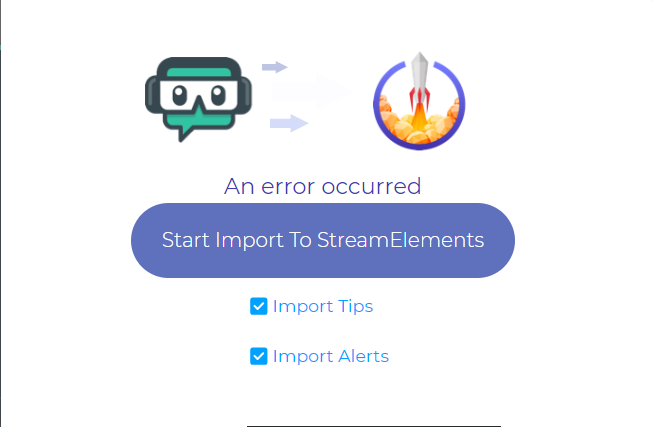 oblique steeple
That's not an error
oblique steeple
⤴
lofty parcel
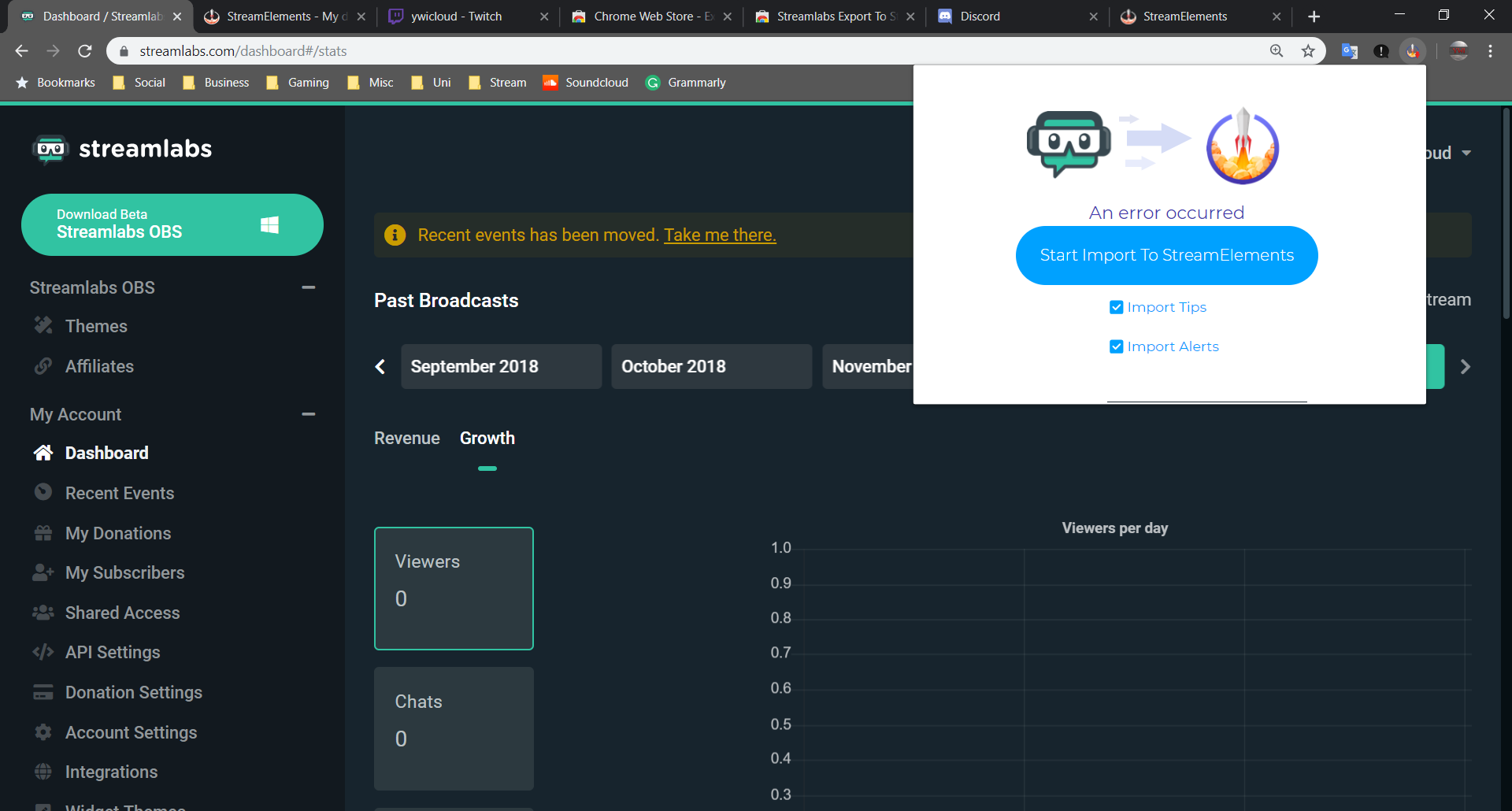 zenith widget
I'd click on our dashboard and keep theirs open
if it still persists, I'd suggest 2 things:
- Enjoy your vacation and we will do this when you come back
- Open the chrome dev console, refresh our dashboard and make sure you are looking on the "Console" tab and run the extension.
lofty parcel
I'd stick with two I need to prepare StreamElements for when I come back.
Alright, so do you mean this
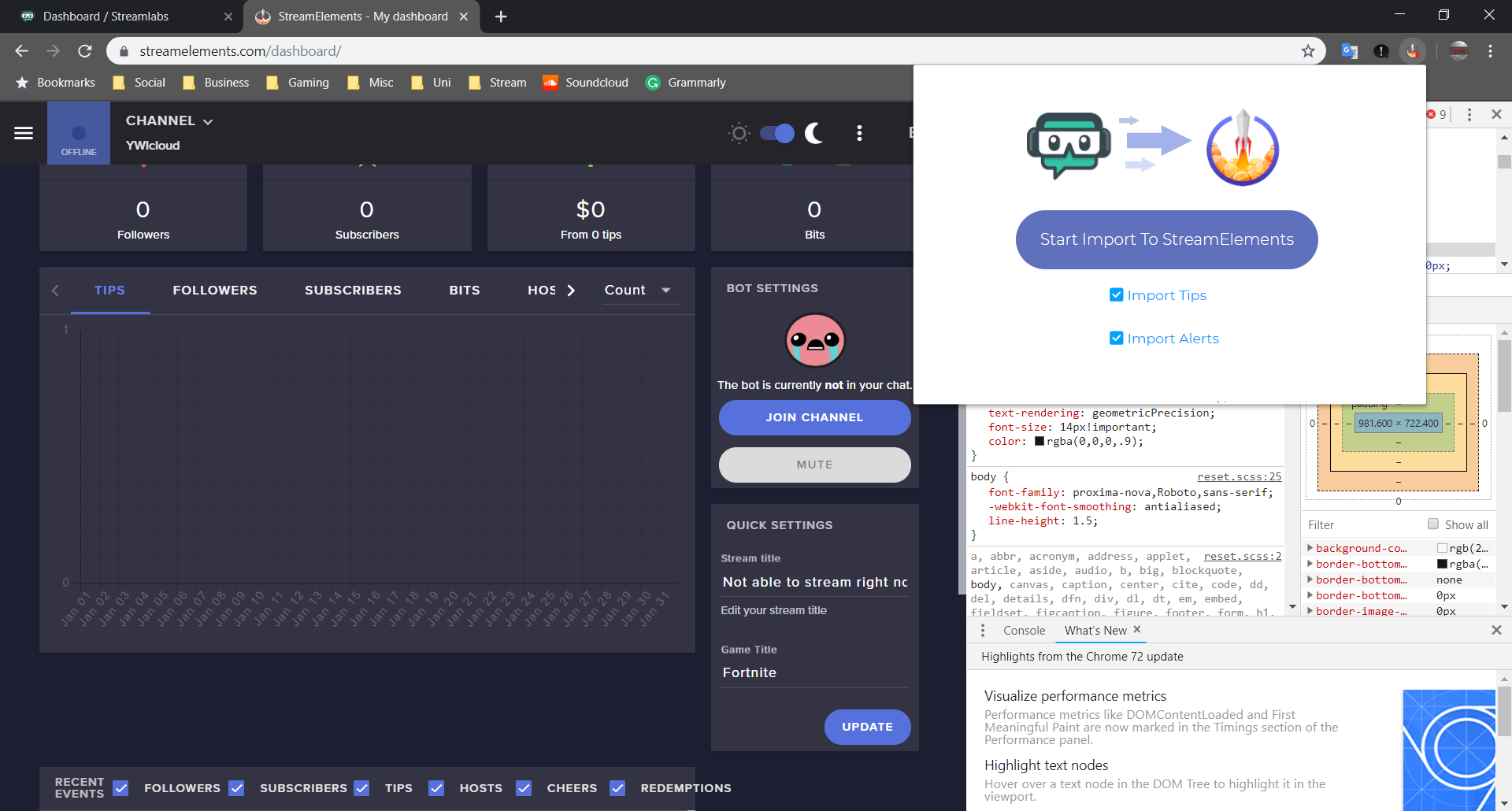 zenith widget
uggh...what? 😄
Ok, so log out of our dashboard and SLs dashboard, clear your cache(and if you want cookies), restart browser log back in and try.
lofty parcel
alright
 brave vessel
I get no alert sounds
zenith widget
Are you using OBS.Live?
 oblique cipher
Hellouuuuu have yo codearse forma Apple móvil streamelemen??
lament blade
Hi...
 potent ibex
how do you make a downtime command 
zenith widget
use !uptime
potent ibex
lament blade
How does one get code?
potent ibex
downtime's meant to be how long you've been offline for
zenith widget
nocturne pelicanBOT
@lament blade The StreamElements Mobile IRL streaming app is currently in closed beta.
If you'd like to assist with testing when public beta testing becomes available, please fill out this form: https://goo.gl/forms/3DaiLckKDjeMAeVt2
This does not guarantee you to receive a Code.
zenith widget
Maybe? Or you are using a custom command for uptime.
oblique cipher
Sorry jiji i sea in spanish y see 1 canal spain
zenith widget
@potent ibex So you just now added the bot to youe channel?
potent ibex
yes
zenith widget
Most likely its not counting since when you went offline if it wasn't in your channel.
 raw briar
Greetings, I have a problem with Importing another bot data to SE bot. It keeps saying to login with the other bot while I'm already logged in. Anyone have an ideA?
potent ibex
have the other bots tab open I'm assuming (logged in)
raw briar
Yeah tried that aswell, still says the same on chrome
potent ibex
what bot
raw briar
Moobot
raw briar
😃
potent ibex
!gc
nocturne pelicanBOT
Our Desktop App Ground Control: https://streamelements.com/groundcontrol
potent ibex
 the ground control app has been improved
oblique steeple
In which way? o_Ô
potent ibex
last time I used it you had to input the jwt token to login
zenith widget
you can still do it manually
oblique steeple
Seems like I have an old version
zenith widget
That is known
oblique steeple
Old version:
potent ibex

zenith widget
Expand the window 
potent ibex
is there a way to make an !rq command?
oblique steeple
no space!
zenith widget
then use OBS.Live 
potent ibex
that better? 
zenith widget
@potent ibex What is "rq"?
potent ibex
random quote - one that has come from a chatter (usually)
potent ibex

zenith widget
but no, if I'm understanding you correctly
pick a random chat line said during the stream
I think either you or someone else asked about this,
potent ibex
from any stream
oblique steeple
Feels1366x768Man
zenith widget
Something like this to happen, we would be breaking twitch tos for keeping logs of chat.
potent ibex
chatty 
zenith widget
Or so I heard, but still not possible at the moment.
oblique steeple
new GC lookin' good 
rare trail
@strong kernel thank you 😃
zenith widget
Check your stream key.
 cyan pier
heey i have a question
 lapis walrus
okay i'll give that a go
cyan pier
i'm a mod in a stream, but i do not know how to use the add command that mods have. Can anyone help?
nocturne pelicanBOT
@cyan pier You can make changes to custom commands in chat with!command add/remove/edit/options/show Valid flags for !cmd options are: -cd (number) -usercd (number) -cost (number) -level (number) -type (say, whisper or reply) -count (number). --- Example: !cmd options twitter -usercd 60 -type reply -level 250
zenith widget
I told you already how to use it.
cyan pier
i know but it didnt work
zenith widget
Then ask the streamer to make you a super mod in their dashboard user management page.
zenith widget
Please don't show pictures like that.
zenith widget
You may show something you don't want to show.
potent ibex
if its a black screen then you probably need to add a game capture source and alert box and video capture device source
zenith widget
I'm in your stream and I see the login back of the game.
@potent ibex You didn't see the pictures I assume. He has game capture
potent ibex
oh ok
zenith widget
Its not a good idea to watch your own stream as it may lag
potent ibex

zenith widget
Thats a browser issue.
Reload your dashboard.
You are actually downloading an update to the game.
Thats sacking your internet connection
thats why you can't see your own stream.
potent ibex
no reason to use twitch dashboard when you've got ground control 
potent ibex
reload the dashboard
zenith widget
you are basically downloading...watching a stream also downloads data.
potent ibex
you were just told
lapis walrus
already did that
potent ibex
with regex on the bot, when I check it, do I still need to use codes like \b and shit like that?
zenith widget
Most likely yes.
potent ibex

oblique steeple
F
potent ibex
luckily enough I still have it from phantombot
lapis walrus
still black screen to me T_T
potent ibex
I've got a tip for you then
potent ibex
Click this button and the black screen disappears
zenith widget
Either stop the stream and download your game update then start your stream, or just don't watch the dashboard video preview
Like I said, you are downloading a patch, which drains most of your download speed.
This means that even if you open another person's stream, you will get the same error.
lapis walrus
Hmm I see okay i'll try to finish it first and try again.
potent ibex
beyond what you'd already been told, there's nothing else that we can do
lapis walrus
alrighty thanks for the tips i'll be back shortly and let you know if it gets fixed
zenith widget
Just to point out, this has nothing to do with streamelements.
 mellow fjord
Hi um how do I get the invite code?
potent ibex
!beta
nocturne pelicanBOT
@mellow fjord The StreamElements Mobile IRL streaming app is currently in closed beta.
If you'd like to assist with testing when public beta testing becomes available, please fill out this form: https://goo.gl/forms/3DaiLckKDjeMAeVt2
This does not guarantee you to receive a Code.
potent ibex
I was close 
mellow fjord
Thx guy's
lapis walrus
@zenith widget oh crap that's true haha i'm in the wrong help section @_@ sorry guys
 short hound
Does any know why this is happening?
zenith widget
What exactly are you referring to? @short hound
 winter zenith
@lament blade to what?
lament blade
short hound
@zenith widget I’m just guessing it’s not supposed to be like that the question mark icon? Didn’t used to be like that
winter zenith
@short hound you have to change the avatar picture yourself by going to your StreamElements profile page
Should be:
StreamElements.com/TWITCHUSERNAME
short hound
@winter zenith Thankyou wasn’t sure how to do it
nocturne pelicanBOT
@lament blade The StreamElements Mobile IRL streaming app is currently in closed beta.
If you'd like to assist with testing when public beta testing becomes available, please fill out this form: https://goo.gl/forms/3DaiLckKDjeMAeVt2
This does not guarantee you to receive a Code.
potent ibex
can you queue commands using timers?
eg with phantombot, I could set a timer to be command:!discord and it would use my discord command - then I could change my discord command and not have to change my timer
and I tried following instructions to rename the bot, it didnt work
winter zenith
@potent ibex I remember you 
potent ibex
do you 
winter zenith
Bot can't trigger himself so no this will not work
potent ibex
fuck
winter zenith
Just make a timed message that links to your discord server
potent ibex
I have my panel setup like this and the option to rename the bot isnt showing
winter zenith
If you have to change your discord link (why ever you need to do so) you would need to change a command anyway.
So why not also change the timed message while you are ad it
winter zenith
@potent ibex because you didn't include the link in the right spot
winter zenith
"image links to"
oblique steeple
winter zenith
But you can have it down like you did aswell
lapis walrus
alright it had nothing to do with the internet speed though fixed it with restarting the router @_@
thanks again
winter zenith
Like I said you can have that aswell @potent ibex
It doesn't hurt
The "image link to" is just way more important
potent ibex
the bot thing shows up now 
winter zenith

 barren mauve
I really wanna test this app out i have a feeling its gonna be better then streamlabs
winter zenith
@barren mauve I am in the closed beta and it truly will change the market once it's all done. Trust me
cyan pier
if i want to change a name of a command?
potent ibex
@cyan pier what command
cyan pier
soo instead of !twitchprime to just !prime
potent ibex
Go here: https://streamelements.com/dashboard/bot/commands/custom
Click the ✏ icon next to the command you want to adjust
Change the text under the command field
cyan pier
not my stream, but i'm a mod in it
 nocturne pelicanBOT
@cyan pier You can make changes to custom commands in chat with!command add/remove/edit/options/show Valid flags for !cmd options are: -cd (number) -usercd (number) -cost (number) -level (number) -type (say, whisper or reply) -count (number). --- Example: !cmd options twitter -usercd 60 -type reply -level 250
potent ibex
there's a grammar error in that bot 
cyan pier
i might just remove it and add it again with the right name...
winter zenith
if you want to change the prefix that would be needet to delete it and re add it @cyan pier
cyan pier
ouuu okaay thanks!
winter zenith
or your Streamer gives you dashboard accses as "Editor" so you can go to the SE Dashboard and change needed things there
so you could do a "Alias" for a command.
So it would be
!Prime
but also
!Twitchprime
or
!tp
or
!sub
cyan pier
alright! will ask 😃
 spring moss
hey, is there a possibility to make a bot assigning discord roles to users based on watchtime/points/some stats from twitch?
sorry if this have been asked here previously, I'm not looking for solution, I just want to know if this is even possible 🙂
potent ibex
@spring moss I don't believe se bot has discord integration yet, you can always make/upvote a suggestion 
nocturne pelicanBOT
@spring moss Here is the StreamElements Ideas Board: https://strms.net/ideas
potent ibex
who did that 
oblique steeple
👀
spring moss
 thanks my dudes
oblique steeple
To be precise: https://streamelements.helprace.com/i180-add-a-discord-bot
nocturne pelicanBOT
Are you a StreamElements all-in-one streamer and interested in stream promotion when you go live? Please fill out this application https://strms.net/sellout and if you meet the 3 requirements posted in the :pushpin: pinned message in #welcome you will be added to the stream announcements.
spring moss
tbh, I was thinking about coding my own bot, which could be fetching data from stream elements 

 jaunty blaze
Can you use streamelements to clip stuff?
 sudden stone
Hello everyone
To start I'm new to the discord and I want to start the stream soon but I'm bad to configure the stuff so if someone could help me be super nice,
thank you in advance
PS:
I'm french and not very good in English so I use google translate to talk so possible that there is a lot of fault
jaunty blaze
Right. Thanks
 jade remnant
np 👍
no self promo @merry sparrow
@sudden stone welcome buddy. to start off with check out the link you would have received in #welcome you can also check out below ⬇ , anything else let us know : )
nocturne pelicanBOT
To add your overlays to OBS, add a new browser source in your scene. Paste your overlay URL in the browser source properties, set the dimensions to 1920x1080 (unless you changed them on the website), and :ballot_box_with_check: “Shutdown source when not visible” https://youtu.be/KDvLynUqXI4
 torpid estuary
@merry sparrow @fringe ginkgo as you were told, no self promo. consider this your final warning.
 graceful spindle
@zenith widget Bruh...any news on the host alert issue yet??
sudden stone
ok thank's @jade remnant
 timid herald
dosent work
gentle imp
it's !addpoints
jade remnant
enable points system for viewers and they can gain points over time
gentle imp
use !addpoints all to give to all viewers
gentle imp
you're welcome
you can add command aliases to use with words that suit it better
!bonus also works
timid herald
ok
 livid basalt
Hey everyone! Quick question for y'all... If I link my personal paypal, will it show my full name if someone donates or just my username?
jade remnant
i think its personal name (whatever is on your account)
gentle imp
upgrade to business and people only see what you choose
jade remnant
a business account will give you the option to have an alias
livid basalt
Thank you! 😃
brave vessel
i think i solved my alert thing
 lethal osprey
How do I get in item code for your app?
nocturne pelicanBOT
@lethal osprey The StreamElements Mobile IRL streaming app is currently in closed beta.
If you'd like to assist with testing when public beta testing becomes available, please fill out this form: https://goo.gl/forms/3DaiLckKDjeMAeVt2
This does not guarantee you to receive a Code.
lament blade
Hello
 golden fox
hey so how do i run contests. i tried today, but idk if i did it right
when i was doing SL, it was 'betting'. what i want to do is have people be able to guess the answer to a question, and then pick the correct answer and they get points back as a prize
 slender yoke
I just figured out how to program StreamDeck to use multi action and hot keys to do the following to help with Overlay Loading Times:
Turns on studio mode, loads the new scene, adds 5000ms delay to let the scene load, triggers the stinger transition, another 5000ms delay, then turns off studio mode
lament blade
hey there, im trying to edit my bot on the dashboard but every time i do something it tries to save and goes "something went wrong".. my twitch name was west6n and i recently changed the capitalization to WEST6N
 elder sorrel
Are you using Chrome as your Web Browser?
lament blade
ye
elder sorrel
Try signing out of SE then sign back in.
If that does not work. Sign out again, clear your cache on your web browser then sign in again.
lament blade
do you know how i would clear cache on a chromebook
elder sorrel
chrome://settings/privacy
Copy that & paste that in your URL.
Scroll down in Privacy & Security -> Clear Browsing Data
lament blade
what boxes do i select
ehh @elder sorrel that didnt seem to work
i checked all the boxes
oh sike i think it did

 lament blade
thanks lad:)
 wanton jetty
:) @elder sorrel to save the day :)
lament blade
+1
elder sorrel
I'm a glad lad  No problem 🤘🏼
wanton jetty
 @elder sorrel
 prisma grove
Is it possible to have the stream elements bot play a sound on stream with a !command typed in chat? If so, what is the !addcommand to set that up?
wanton jetty
Yes
Add it to your store
And add the "redemptions alert" to your stream.
@prisma grove
lament blade
ehh ive got another issue
wanton jetty
Go ahead bud
elder sorrel
More than likely have to since you cleared your cache ^^
lament blade
still nothing
${user} -> Weston is currently listening to: ${customapi.https://spotify.aidenwallis.co.uk/u/5b60e23b4d057f01aedcc3c1}
ah shit im missing a }
wanton jetty

lament blade
wait no im not i just didnt copy it
lament blade
right there
prisma grove
@wanton jetty Is there any way to play the sound without the !redeem command and just straight !(example)
lament blade
this is what i get when i run the command:
StreamElements: @WEST6N failed to get the current song.
wanton jetty
 hmmm not off top of head @elder sorrel any ideas for the chap.
@lament blade are you currently playing anything ?
lament blade
im playing a song right now over my speaker
i have the spotify tab open and it says its playing
wanton jetty
The spotify API can be a bish (from personal experiance).
lament blade
it used to work fine for me
narrow coyote
probably need to reconnect to https://spotify.aidenwallis.co.uk/ after clearing your cache
lament blade
already tried that as well
wanton jetty
:) Ty @narrow coyote
Then spotifys being a bish
Leave it 10mins playing songs and check it periodically
lament blade
im gonna disconnect the api from my spotify settings and reconnect
lament blade
nothing
if im being honest. the song issues been happening for weeks i just never brought it up cause my streams dead lmao
wanton jetty
Hmmm
 wide gyro
Help, i don' t know where to ask ;_; let me know if there is specific place to ask
i updated streamelements obs.live and screen stuck on loading. i reinstalled it but still same...
wanton jetty
It seems like a spotify issue since your pulling directly from there API, Iv had MANY MANY issues with there API its spotty and unrelyable at best @lament blade
lament blade
fixed it
all it took was deleting the command and re adding it 
sorry for wasting all that time
wanton jetty
@wide gyro send me a full screenshot of OBS cant remember the button off top of me head.
@lament blade good ole turn it on and off again 
lament blade
oh my gosh i think i realized the issue..
wanton jetty
 enlighten me
lament blade
so !song is a streamelements command as well right
lament blade
because i had made !song an alias for the !spotify command
narrow coyote
do not name this command !song unless you have disabled the default StreamElements !song command as there will be a conflict. Instead, use !spotify, !currentsong, or !nowplaying
wanton jetty

narrow coyote

lament blade
gah shoot im sorry guys lmao
wide gyro
@wanton jetty umm i have jp version ;;
wanton jetty
Dont be sorry you did nout wrong
lament blade
ill learn how to read next time
wanton jetty
Click streamelements @nekomuu and disable obs live
Then do the same to re enable it
See if that fixes
@lament blade we all miss read even at the best of times :)
lament blade
thanks for the awesome support brother
elder sorrel
Still here 
wanton jetty
Hehe
@wide gyro are you from Jp just thinking incase theres any blocks from your provider ect.
wide gyro
@wanton jetty OML i'm so dumb, i found login button under the streamelements tab. i didnt think of i had to relog after update ahhh! Thank you very much for your support you saved me!!!
yes im from jp but i can use it normally 😃
 wide gyro
👍 ❤


 lilac summit
Hello. I changed my twitch username. Logged out from SE and logged in again. I tried to connect to my channel again on https://streamelements.com/dashboard/account/channels but i am getting this message "The Channel you tried to add is linked to a different account." How can i solve this?
StreamElements
The Ultimate All in One Platform for Streamers
 queen edge
Hey Guys! I just wanna to ask if it is some Czech/Slovak donation reader in streamelements?
 long matrix
i need help with a problem with my streams
im trying to watch chat with my phone with the twitch app but i dont see whos watching or whos chatting
jade remnant
@queen edge they use google (i think) api's for voices. just need to wait for others to be added
 shadow perch
when we received the code or when we can use the app I do not see news about the app
 jaunty current
For some reason when people sub to my channel the voice plays once (I have tts activated), then once the alert is over the whole alert plays again but with default sounds, is there a way I can fix this?
nocturne pelicanBOT
@jaunty current Make sure to :ballot_box_with_check: “Shutdown source when not visible” for all browser sources (all OBS scenes). If using studio mode, uncheck “Swap Preview/Output scenes After Transitioning.” Also keep in mind that sound can play from any overlay loaded in the browser (editor or launched). https://i.imgur.com/FegZJQS.png https://i.imgur.com/yY0wcFl.png


 errant igloo
So I have a problem with ground control. After I've reinstalled ground control a couple of times because I was logged in into the wrong account it just won't open again. I've already tried deleting the files somewhere in %appdata% and reinstalling the program. When I try to open it taskmanager says, that it is running somewhere in the background but there is nothing opening. Can't even see the icon on the Taskbar.
 true shadow
My hosts dont work no more
Everytime someone hosts doesnt matter how many people or anything , it doesnt appear in the side bar
nor does it send out an alert
i bet its all @dense jackal fault cause he breaks everythingh
 dense jackal

 kind epoch
Hi, media request is echoing please help fix it
Using Ground Control to handle song requests but it's echoing rn so suddenly it just happened.
nvm, my bad, had the overlay open in a browser in the background as well. 😄
 plain hatch
Questiono: when I go to test the Kappa Gen, the christmas Kappa is still on and I have the santa hat's turned off. What do I do
elder sorrel
Try !emotes update in chat I believe 🤔
plain hatch
In twitch chat?
elder sorrel
Correct. If that does not work. Try removing the Kappagen & adding it again in the Overlay editor.
 plain hatch
The thing is I don't have santa hats on
narrow coyote
are you sure you disabled it in correct overlay? Try duplicating the widget to a new overlay. Worst case scenario would be to delete the widget and re-add it
 fleet slate
Guys, I'm a mod in a channel. I was looking to add a timed message in the channel I'm modding. How I do that from the chat?
nocturne pelicanBOT
To invite managers to your dashboard, Click on your Channel Name at the top of the dashboard and scroll down to Settings. Click the drop down arrow to expand your channel managers and then create a new invite at one of three access levels (Bot Supervisor, Editor, Full Control) Check this video out for more help: https://youtu.be/zl_h-ttZDF0
fleet slate
Ohh...
narrow coyote
bot supervisor would be enough to access timers
narrow coyote
plain hatch
I fixed it!!
 lunar quarry
how do I play music where it will say on stream what song is playing?
 willow fractal
am i able to import a theme from streamlabs obs to streamelements to minimize cpu usage?
 livid ingot
Is Auto host alerts going to be reinstated at all? 😛
prisma grove
Can you make the stream elements bot reply with something when someone follows?
pine hemlock
@prisma grove Enable Chat Alerts module.
@livid ingot Its likely to stay the way it is.
@willow fractal Streamlabs exports in a format that only their software can read .
@lunar quarry You can enable the Current Song widget on an overlay. This only works if you're using song requests/plug.dj/Dubtrack
hallow forge
does anyone know how I can stop my bot from saying hello over and over and over again in the chat? he says it like 5 times in a minute and its really annoying
pine hemlock
Check your timers? The bot doesnt do that automatically
 wooden anchor
Can I get a invite code for the streamelements mobile app? 
nocturne pelicanBOT
@wooden anchor The StreamElements Mobile IRL streaming app is currently in closed beta.
If you'd like to assist with testing when public beta testing becomes available, please fill out this form: https://goo.gl/forms/3DaiLckKDjeMAeVt2
This does not guarantee you to receive a Code.
elder sorrel

hallow forge
alright and to connect your paypal to streamelemnts etc do you only need to type your email? the email that is connected to your paypal? do you not need to do something else?

 hallow forge
where are the bot timers?
 honest nova
i have a problem what is the difference between offline interval and online interval in timers
 hybrid parrot
Would anyone be able to tell me why i keep losing so many frames as soon as i start up. latest crash file https://obsproject.com/logs/P99po2hvNMEag3-1
 open basalt
question, one of the prebuilt themes is acting weird when I'm editing it, can someone help?
cyan pier
i'm trying yo set up a command that interacts between the user that request its (user1), and another viewer (user2). To do so would it be: !cmd add example $(user1), $(user2)?
pine hemlock
@honest nova One is when the stream is online, one is when the stream is offline
nocturne pelicanBOT
@hybrid parrot For the best OBS support, please join their Official Discord @ discord.gg/obsproject
cyan pier
and if i want the sender to post a little text when he uses the command? !Example user txt. How do i get that txt in the response?
pine hemlock
Example: !shoutout randomword
${1} = randomword

Theres also ${1:}  which takes the whole message after the command
Example !shoutout this is a longer message
${1:} = this is a longer message
Idk if this helps, thats all i really know @cyan pier
cyan pier
yeah! that helps 😃
 drifting yarrow
Need help with a alert not using the correct alert
 fathom herald
what?
drifting yarrow
i was using a picture and want to replace it with a animation. its not being updated
nocturne pelicanBOT
@fathom herald To add your overlays to OBS, add a new browser source in your scene. Paste your overlay URL in the browser source properties, set the dimensions to 1920x1080 (unless you changed them on the website), and :ballot_box_with_check: “Shutdown source when not visible” https://youtu.be/KDvLynUqXI4
honest nova
what are variables?
hallow forge
I have a question, in my chat it says someone tipped me but when I look in revenue nothing,no one comes up? whats happening
nocturne pelicanBOT
@hallow forge Please connect your Twitch and/or YouTube channel with Discord by going to ⚙ Settings and then Connections here in Discord. https://streamable.com/eg92w
 drifting yarrow
Need help with a alert not using the correct alert. i was using a picture and want to replace it with a animation. its not being updated. it keeps the picture active even though it doesnt show its being used
prisma grove
I maximized the Stream Elements OBS program and now I can't make it smaller or resize it, help? 😮
 earnest seal
Invite code?
nocturne pelicanBOT
@earnest seal The StreamElements Mobile IRL streaming app is currently in closed beta.
If you'd like to assist with testing when public beta testing becomes available, please fill out this form: https://goo.gl/forms/3DaiLckKDjeMAeVt2
This does not guarantee you to receive a Code.
hallow forge
does anyone know why my tips don't appear in tips revenue but the message that someone tipped appears in chat? Im confused😕
drifting yarrow
kite i replaced an image for an alert with a video alert. it shows the video alert should be active but when i do a test it shows the image as the alert and didnt get updated
prisma grove
@narrow coyote F11 isn't working, I can't move it after pressing F11
narrow coyote
What type of alert is it? did you check all your variations?
drifting yarrow
its a cheer alert
elder sorrel
@hallow forge What's your Twitch? Only The channel name
narrow coyote
F11 is the full screen toggle. If it was not full screen before you pressed it, you could press it again to toggle, I would have expected that to fix the issue
elder sorrel
Do you have your tips set to manual approval?
narrow coyote
@drifting yarrow Check all the variations then
drifting yarrow
got it thanks
narrow coyote
Did you get an email from PayPal about the transaction being successful?
hallow forge
I will check but it still weird that it doesn't appear in events or revenue or anything
narrow coyote
it will only appear there if there was a successful transaction.
hallow forge
hmm /:
narrow coyote
Was the message in your chat actually from the SE bot?
hallow forge
yes
weird thing is I got a tip message before I had even set up a tipping account earlier
narrow coyote
sounds like someone might be trying to troll you with /me messages in chat. I would double check, but you dont have VODs enabled 
hallow forge
oops
alrightt
yea I was thinking maybe it was a command they were using
should I disable the !tipp command
narrow coyote
If you did not get an email from PayPal, and there is nothing in your PayPal balance, then no transaction took place
The !tip command will simply provide your tipping URL
narrow coyote
if they are using the /me troll, that is a Twitch chat thing you can use to make a message appear as the color of the person sending it
hallow forge
so the only way to get the message is for the person to click on the tip panel right?
narrow coyote
What do you mean?
hallow forge
like
the only way to tip is by clicking on the url in my tipping panel under my stream and then doing the rest
well I understand now thankfully, I will check my paypal either way (: thank you for the help
narrow coyote
they would have to get to your tipping page somehow, either the link in your Twitch panels, the link provided from the !tip command, or they would need to just browse to it manually
hallow forge
alright
narrow coyote
When people use /me it would look something like
 pastel elk
does anyone know how to trigger an overlay via bot command?
pastel elk
i want my browser source to activate via a bot command users can enter
narrow coyote
That is not possible
Well, in theory maybe, but it would involve heavy custom code from both an SE API, and OBS perspective, but nothing out of the box that would allow anything like that.
pastel elk
ok
 winged raft
how do i reset all the leadership points?
pine hemlock
@winged raft https://streamelements.com/dashboard/leaderboard/current Reset button top left
winged raft
thank you
 warm widget
Hi i buy an accident Streamlabs Pro Effectidele how i can refund? I am not streamer or smthing
narrow coyote
We are StreamElements, you will want to contact StreamLabs. We are not into doing stuff like that to viewers
warm widget
Oo sorry haha
 unkempt wasp
Having an issue trying to install StreamElements OBS. I keep getting this pop-up when trying to install, I click close and resume install and then nothing. Yet nothing else is running that interferes with it. I even uninstalled OBS thinking it was the issue.
Oops, posted in the wrong place. Was meant to post in the OBSLive section.
 midnight hamlet
Hey I got a quick question when using Stream Elements. When you do the variations on alerts and there is the setting "atleast X number of viewers" but what exactly does that mean?
elder sorrel
Which alert are you referring to?
midnight hamlet
You know the standard twitch alerts followers,subs, etv
etc
they all have the same variation alert setting
narrow coyote
variations are just that, a way to set up different alerts for different scenarios. You have to set a condition for a variation to be triggered, like x amount of viewers, x amount of months subbed, x amount of $ donated, etc.
midnight hamlet
Yeah I know but I am asking what does the setting do for when you have to set to "triggers from atleast X number of viewers" when I am raided. Does that mean if I have it set to like 10 then anynumber close to 10 will trigger the alert?
say like a 9 person raid or a 11 person raid
narrow coyote
it means just that, it would need at least x amount of viewers to trigger that alert. so if you have it set to 15 like the screenshot. it would need at least 15 viewers to trigger
 narrow coyote
sturdy cedar
I've got both dashboards open in different tabs in chrome, and I'm still getting an error when trying to import from StreamLabs to Stream Elements using the Chrome Extention
zenith widget
Open the dev console of chrome (f12) and make sure you are watching the console tab. Refresh our dashboard and try again with the extension
sturdy cedar
Should I have them in their own windows ?
zenith widget
You should have both dashboard open, logged in, in the same chrome window, but 2 tabs.
Open the dev console and look for a red line if the error happens again.
Screenshot the error and give it here.
 worldly obsidian
hello I am having issues receiving tips I have had multiple people tell me they have tipped but nothing came up notification or anything.
can you please help me
zenith widget
Have you received an email about the tips?
You can also check your revenue history if you have paypal and g2a pay setup to see where the tips went.
narrow coyote
Did you do this
 narrow coyote
I am a Snipping Tool pro
zenith widget
@sturdy cedar Have you checked if the overlay is there already? Theres no real extension error.
sturdy cedar
Nothing imported over that I can see, I must be looking in the wrong spot. Shouldn't it appear under Overlays and it would say something like "Streamlabs imported alert box "??
zenith widget
It should say exactly that.
You actually have a lot of extensions. I'm thinking that maybe one of them or some are interfering with the import process of our extension. 
sturdy cedar
Is it only able to be used with chrome ?
zenith widget
yes
sturdy cedar
still nothing :\
zenith widget
Are you sure you used the extension while the dev console was open?
At this point i'd suggest to log out of both our dashboard and theirs and clear cache and maybe cookies, turn off any anti-virus and any other extension your Chrome has, log in to both dashboards, open dev console just in case and use the import extension.
sturdy cedar
I'm going to download 32 Bit so that I don't have any extensions on it at all
Should I be on the Stream Elements Dashboard when I hit the button or the Streamlabs dashboard?
zenith widget
I think it doesn't matter, but maybe ours.
sturdy cedar
Oooh that worked 0.0
zenith widget
So some of your extensions was blocking our extension.
sturdy cedar
I think you were right with one of those extension was blocking it yeah
zenith widget
Well we finally got there 
sturdy cedar
I appreciate your help @zenith widget 
zenith widget
👍
pastel elk
hey, i want to make a shortcut command that enables or disables another bot command... is there any way to do that? for instance one called !command1on that just does "!cmd options !command1 -enable" for me
zenith widget
Unfortunately, the bot can't call its own commands. This is to prevent looping.
You will have to either type that manually or disable/enable commands from the dashboard.
pastel elk
hm ok, thanks
 thorny nymph
So I do someone stream and the night bot was constantly doing there own commands without people saying !youtube and stuff how do I do that
zenith widget
Keywords.
We have keywords for custom commands.
But if this is related to how to setup nightbot - wrong discord or support.
thorny nymph
Ok thx I’ll go do that know
 gilded walrus
How can I put an overlay that cycles through the logos for my sponsorships on stream? If that's possible
prisma grove
Is there a way to check is someone is a gifted sub or sub with their own money?
zenith widget
In the activity feed you can check only subscriber alerts and see if they subbed with prime or normal sub or gifted
gilded walrus
Thank you
zenith widget
You still check if you scroll enough
prisma grove
lul
scrolling that far makes me turn into your avatar Kei
and I remember you
you're my favorite
zenith widget
prisma grove
you helped me sooooo much
zenith widget
We do have infinite scrolling on the activity feed..soo....
just filter out everything else
and show sub on the activity feed and you should be good 
prisma grove
but I get tons of subs a day, and they subbed forever ago 😮
I guess I was wondering if there was a !command
zenith widget
Tell me the name you are looking for.
prisma grove
aw nah you don't have to, it's not that important right now, it was an in the moment thing
zenith widget

zenith widget
A man needs a name.
zenith widget
John, do you want to know more?
zenith widget
zenith widget
Wait I think i saw that name
 zenith widget

zenith widget
scrolled like 2 months ago the fartest I could and ctrl+f
prisma grove

zenith widget

zenith widget
like i said, filter out everything else and just scroll
prisma grove
all these emotes
zenith widget

zenith widget
i'm almost 28 
prisma grove
young whipper snappers comin up with all this interweb lingo
so
you're literally the most helpful ever
like
you're the best one
zenith widget

prisma grove
I think you work the night shift or the EU shift right?
zenith widget
EU morning shift
prisma grove
got ya
zenith widget
until almost late afternoon
zenith widget
its 10AM here
zenith widget
we do have 24/7 here
zenith widget
so anyone could help..besides entering your account 
zenith widget

prisma grove
haha
I just remember last time you were insanely helpful
and now this time
so
anywho, last question then I'll go to sleep
it's 2 am 😮
zenith widget
I can't read minds over a computer screen 
zenith widget
So what is your last question?
prisma grove
lemme snipping tool it


 nocturne pelicanBOT
@prisma grove Twitch prime (new and resub) and paid subscriptions (resub only) must be shared in chat manually by the person subscribing in order for the subscription information to be sent to StreamElements. For twitch prime, the user needs to have sharing enabled on https://www.twitch.tv/settings/prime. For paid subs, if the share box doesn't show up immediately it will when they refresh the page. https://i.imgur.com/VNJN0Uv.gif https://i.imgur.com/2297EA7.png




 zenith widget

 is that it?