#helpdesk-twitch
1 messages · Page 391 of 1
 lost gate
 elder sorrel
@glass sluice irl Streaming for the app. iOS should be planned but can’t guarantee.
 nocturne pelicanBOT
@lost gate The StreamElements Mobile IRL streaming app is currently in closed beta.
If you'd like to assist with testing when public beta testing becomes available, please fill out this form: https://goo.gl/forms/3DaiLckKDjeMAeVt2
This does not guarantee you to receive a Code.
 normal igloo
@ornate raven It's best to tell us your issue 
 ornate raven
hehehe i was getting there!
i keep trying to save my chat stat settings and it gives me the same message each time
"Something went wrong while saving!"
ornate raven
??
elder sorrel
@ornate raven Did you change your name recently?
ornate raven
not recently i changed it over a year ago
i've already logged on and off and disconnected and reconnected my twitch
 sage oasis
Am I still able to setup an overlay if I'm on a phone
elder sorrel
Not recommended for phone. The space is so limited 
 pine hemlock
You can always try?
 desert thunder
Help!! For some reason on OBS the alerts trigger on all the scences causing a train reaction on the sound and then on the one i am on the logo wont pop up
 foggy meteor
🗣
 high bear
Need a little help
my stream was attacked tonight by a person using a VPN who was generating tons of accounts with racist and hateful names
using them to follow to trigger alerts on screen
I was able to handle it by deleting vod, making sure clips were deleted, disabling alerts on the OBS end
and just keeping streaming till they got bored
but those alerts are still in my activity
and thus are still appearing in some on screen GUI
is there any way to remove undesirable alerts from there?
before the next time i go live
pine hemlock
https://streamelements.com/dashboard/session
You can remove recent usernames here
nocturne pelicanBOT
@stray hornet The StreamElements Mobile IRL streaming app is currently in closed beta.
If you'd like to assist with testing when public beta testing becomes available, please fill out this form: https://goo.gl/forms/3DaiLckKDjeMAeVt2
This does not guarantee you to receive a Code.
elder sorrel
Welcome to the Discord Server as well 

 lament blade
so my stream is very pixelated, any tips on how to fix it?
nocturne pelicanBOT
@lament blade Can you please provide a log from your last stream. You can find this log in " %appdata%/obs-studio/logs " OR Help > Log Files > Show Log Files. You can simply drag and drop the log file into Discord.
 wooden tapir
Yo, since I'm here I'm asking for a problem. Do u know why my streamelements extension leaderboard is completely blank? I've set everything up, but it shows nothing and it doesnt even change the points name to the currency of my channel 😦
 zenith widget
@wooden tapir Try to uninstall the extension and install it again.
wooden tapir
Nope, still blank
zenith widget
What the default/landing page you've placed on the extension?
If you have that page disabled, it bugs out the extension.
Also relogging in the dashboard might help, if you've recently made affiliate.
wooden tapir
It may be the landing page thing actually. What page to activate do u mean? I didn't find anything to "activate/disable" D:
zenith widget
On the top of the settings page for the extension you have "location/points/chatsts/etc"
 maiden lantern
how do i make a song request once i have set it up
zenith widget
if you've set to hide the "location" but have previously set it to the default page to open on the extension but now its disabled, the extension can get stuck
maiden lantern
what is the command to do a song request?
zenith widget
its usually "!sr"
maiden lantern
do you have to set it or is it automatic
zenith widget
You will have to configure the media request settingsfirst.
Here is a video guide for media request: https://www.youtube.com/watch?v=17eUkoZ6eIs&list=PLCDDKlFdScbEwdx5AntcQIS1InkFJwHtv&index=13
maiden lantern
thx

 shy ivy
is it possible to change the whole overlay whenever a new alert comes?
zenith widget
What do you mean?
shy ivy
instead of the subscriber alert, i want to change the whole overlay for 5 seconds
 untold crest
Unfortunately it is not possible as scenes are changing in OBS, but you can replicate it by creating full screen alertbox and do stuff there
 fervent edge
is there a way to do something like this on the stream elements chat bot? https://www.youtube.com/watch?v=0HzKHe9Pp-U&t=4s

PLEASE NOTE: If you are having issues with this not working despite following the video, it might be due to updated versions causing problems. A safe bet is ...
I've just changed to stream elements and this the only thing I'm missing
untold crest
There's no ready to serve solution it would require you to write your own API client for OBS and do some walkarounds
zenith widget
You can do that via the stream store
Steps to make a command trigger sound on stream:
- Go to Stream Store page here: https://streamelements.com/dashboard/store/items
- Add an item that has these settings on it:
- Stream Perk
- Loyalty settings to your desire
- (Next step) Add contents (image and sound you want to play)
- "Redeeming this item shows an alert
- Redemable via chat
- Skip Requirements
- Get the item name/command from the 2nd creation page
- Go to commands page here: https://streamelements.com/dashboard/bot/commands/custom
- Add command with desired name and have response for command as: ${redeem item_name_here}
- Go to your overlays and edit the overlay you use.
- Click on "widgets" and add "Store redemptions" widget. Click save and you should be golden.
- Test your own command in chat and have OBS or editor open to hear sound
- ???
- Profit in viewer interaction and that dosh

fervent edge
@zenith widget thanks I'll check that now
 wooden imp
Looking for invite code for android
nocturne pelicanBOT
@wooden imp The StreamElements Mobile IRL streaming app is currently in closed beta.
If you'd like to assist with testing when public beta testing becomes available, please fill out this form: https://goo.gl/forms/3DaiLckKDjeMAeVt2
This does not guarantee you to receive a Code.
fervent edge
@zenith widget this only gives sound?
wooden imp
Thanks
zenith widget
If you follow the instructions you can also add a gif to it.
fervent edge
thanks
 plain fox
Hi guys, can you please help me with sounds from imported alerts from streamlabs. For some reason sounds are not working and I still getting this stream elements defult sound
zenith widget
Check variations of the alert.
plain fox
Sorry, not getting it. For example follower alert.
zenith widget
Followers don't really have variations, but if you hear the default sound, click on the alert widget -> cogwheel on followers
then "Change/Set sound"
plain fox
Yes yes. I meant, my imported alerts have sounds, but I cannot upload or make them appear on stream elements.
plain fox
If I disable custom css sound will play. SO I am trying to find inside this code, what is overriding sound. Any tips?
zenith widget
Without actually looking at the code my self I can't really say.
plain fox
You are right, no idea how to pass a code to you. I am not a big coder, just some basic staff. All I can say if I disable a custom css and alert - it will be played with sound. I can see it in console logs as well. What next step to go I am not sure. Sorry for spam.
zenith widget
 whole stump
Can a Patreon alert show in StreamElements?
zenith widget
We don't have a patreon integration, afaik
whole stump
Understood. Thank you!
 frosty nacelle
How to get code??
nocturne pelicanBOT
@frosty nacelle The StreamElements Mobile IRL streaming app is currently in closed beta.
If you'd like to assist with testing when public beta testing becomes available, please fill out this form: https://goo.gl/forms/3DaiLckKDjeMAeVt2
This does not guarantee you to receive a Code.
frosty nacelle
Best streaming app for mobile??
zenith widget
Yes
 dapper fjord
@zenith widget Hi there! When do i get info when that app is released. Im a certified partner, have partnered discord, nearly full time streaming, 15k followers and so on! Have whaited for decades and sorry to say i whanted that app so bad! Its hard to go streamlabs just for some streams and streamelements dont come back with info.
zenith widget
Unfortunately, there is no ETA on the mobile app at the current moment.
 final ocean
hey i have an issue i don't seem to be able to fix.
It's about the sfx, and I have two issues with it. First off the text placed in chat about redeeming something.. though i heard that's impossible to get rid of. Secondly, the overlay i created for the sfx somehow also shows my old alerts, even though i did not put any other widget in the overlay at all, just the redeem one. Even so, whenever I get a follower, my old alert suddenly shows up, fit to screen even. I can't figure out where it's coming from
zenith widget
@final ocean 1) No, the default response can't be disabled but its been suggested. 2) in the overlay editor, onthe left side check "Layers"
zenith widget
Ok, so lets start from somewhere else.
In the scene where this overlay is placed, hide everything else.
(in OBS with the eye icon)
final ocean
yes
final ocean
yeah it still shows
zenith widget
Are you sure you've hidden everything?
final ocean
zenith widget
Ok, so right click the browser source
properties ->
refresh browser /clear cache
 terse canyon
👀
final ocean
i clicked refresh cache, should i keep the 'refresh browser when scene becomes active' ticked?
zenith widget
You should keep the shutdown when not shown/active
final ocean
hmm well i tried both but it's still showing
nocturne pelicanBOT
@final ocean Right click on the BrowserSource > Properties > Scroll down a bit > Refresh Cache of current page
final ocean
i switched scenes a couple of times to make it refresh, but it still happens
(on a side note, the sfx also does work, and i did double check if i have the right link)
zenith widget
remove all overlays sources from us
turn a test alert just in case
you haven't forgotten anything
re-add them all one by one
with tests in between
terse canyon
What about a new scene collection with just that one source? Might be the simplest way to test.
Just tossing out an idea 😃
final ocean
I'll try 😃
lament blade
Why doesn't my chat stats appear? Https://stats.streamelements.com/c/souoviktor
terse canyon
@lament blade Did you just finish a stream, first time using SE? Have you changed the settings for the chat stats on your dashboard?
I ask because i've been using SE for many months, have never touched it, and my status show fine.
On another note ....
hey @zenith widget , any tips on recording and streaming at the same time? I'm not on a high-grade enough of a machine where I can do whatever I want with it.
http://ninetyfour.net/micropc will take you to my pc partpicker page of what i'm using.
Currently streaming 1600x900 at 30fps, would like to record 720p 60 if possible.
 zinc cobalt
Am I the only one that can't see what Stream Elements typed in chat?
terse canyon
@zinc cobalt Have you changed it in the modules on your dashboard at all?
terse canyon
Go to your dashboard, under the BOT section, there's a "Modules" section
zenith widget
@zinc cobalt Its a known issue that Twitch App doesn't show /me text
work arounds:
- reinstall twitch app
- remove all
/mein command responses an modules
terse canyon
^
zinc cobalt
I gotta do both?
terse canyon
I'm just a major fan. I don't know it all, but this is true. 😃
zenith widget
One of the 2
As for you @terse canyon - no idea - best bet is to ask in #general-chat or obs discord
zinc cobalt
Oh alright
terse canyon
Fair point, thanks 😃 @zenith widget 😃
 tight harness
@zinc cobalt Individual accounts can't be removed from the channels page at this time but you can disconnect the connection between the account and our website from the site itself (Twitch or YouTube) removing the authorisation if that's what you're wanting to do
 low spoke
@weary mist I really like this idea
I think a good idea is to see if there is a way to get the raid alert to show both data, and ignore the host alert (something I just thought of xD)
I'm honestly trying to find out how to get just 1 alert (raid) when I'm raided, not both, but it seems kind of hard inside selements, could you add it to #💭︱feedback-and-ideas so people won't forget and well, wait for it, that hopefully soon is implemented 😄
I use obs.live but sadly I cannot use the custom bot name with it, I have to install ground control, right? the reason I switched over to selements it was because I really dont like to let more program open with obs
and slements is faster
tight harness
@low spoke OBS.Live has the ability to rename the bot too
It's a plugin for OBS Studio
low spoke
Hmm.. its the tipping setting, right?
tight harness
@low spoke You click on the menu icon in the top left of the activity feed, then Stream Settings, then Custom bot name, it'll list the requirements
normal igloo
@proven compass but you can post them at their website tho  https://streamelements.helprace.com/s1-streamelements/ideas
 proven compass
yea i did that so it's posted itself now in the channel
pinned post just outdated
"(2) Share the link to ideas here and anywhere else so others can upvote"
didn't realise
normal igloo
@proven compass Yeah I think they changed it like that recently Probably got sick of people posting unrelevant stuff in there + The way they have #💭︱feedback-and-ideas Now in my opinion makes it easier for them to see what we actually want
 bright spoke
How can i get early access to stream labs or is it exclusive?
 jade remnant
stream labs???
bright spoke
The mobile app
jade remnant
The StreamElements Mobile IRL streaming app is currently in closed beta.
If you'd like to assist with testing when public beta testing becomes available, please fill out this form: https://goo.gl/forms/3DaiLckKDjeMAeVt2
This does not guarantee you to receive a Code.

Google Docs
The app is only available for Android phones. Please be aware that filling out this form does not guarantee access to the beta.
bright spoke
Ty
lament blade
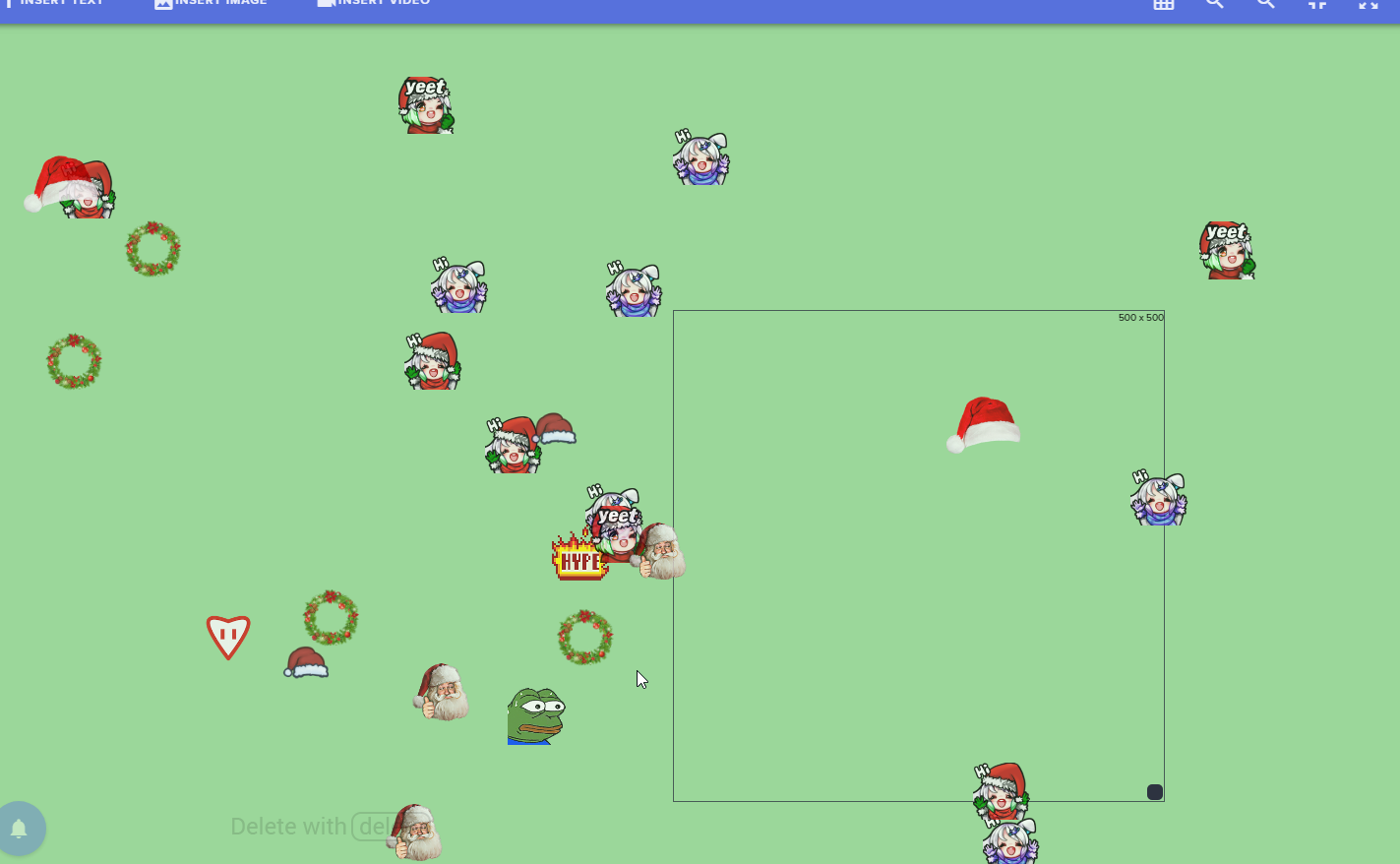
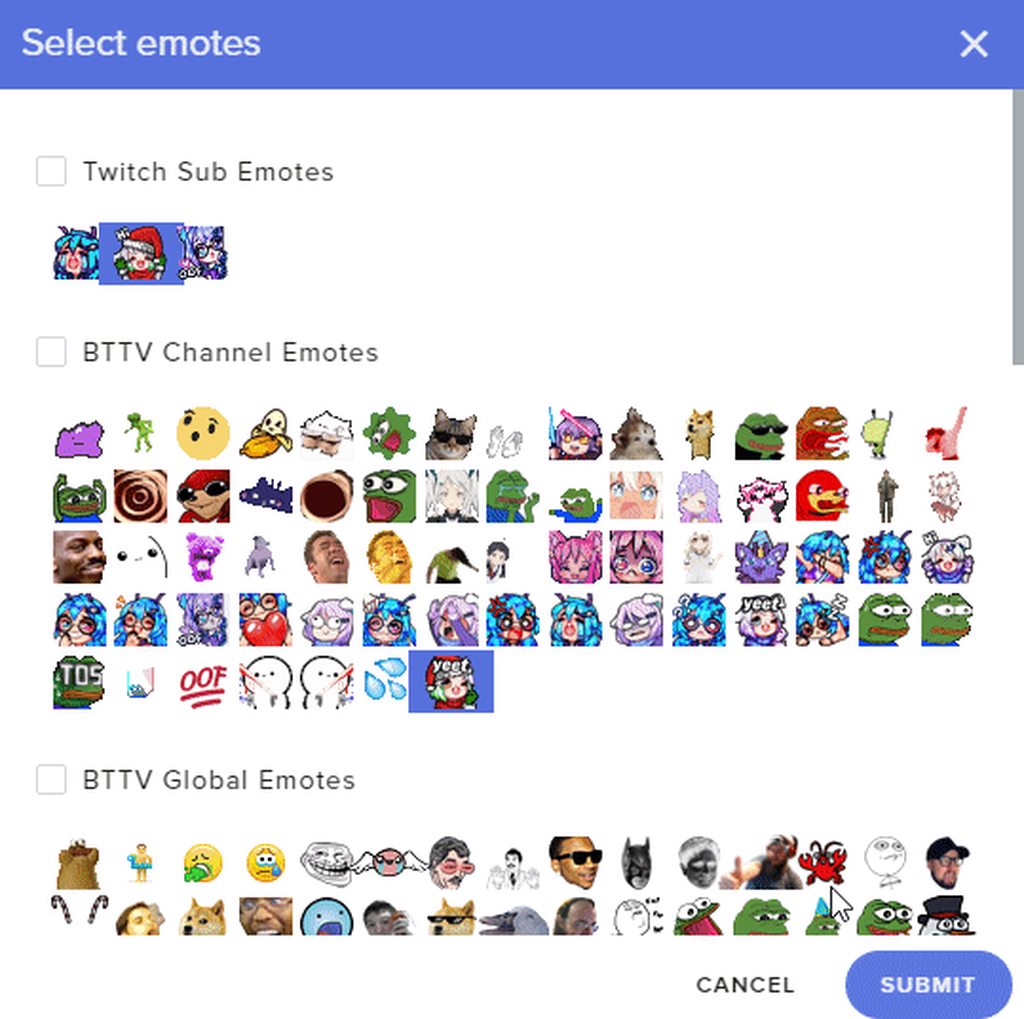
Hello, messing around with kappagen and it's using emotes that I don't have selected.
https://i.imgur.com/75Umzrp.png
 hoary pebble
Is it possible to remove moderators from accessing all of the music request commands and make it only supermoderator
tight harness
@hoary pebble you can edit the commands in chat commands > default commands to make them super moderator and above
@lament blade if you remake the widget does the same thing happen?
 magic sapphire
Hi. Whenever I add an overlay to OBS, it seems that part of the overlay is cut off... any solutions?
jade remnant
check your resolution, make sure its the same as your obs. normally 1920x1080
magic sapphire
Everything is 1920x1080.
tight harness
The issue happens when you are setting the incorrect resolution for the overlay somewhere along the process, make sure you set it appropriately everywhere, on the site, for the browser source and for your OBS base resolution, if everything matched the issue doesn't occur
magic sapphire
You can change the resolution on the website?? How?
Oh wait I found it... However, it is 1080p
Oh wow, turns out I'm an idiot. I didn't change the scene to 1080p.
Thanks a lot Stream Elements! I will donate when I have time 😃
 dark spindle
Hello, when switching between scenes via OBS I'm finding that there is a slight delay between when my camera appears and when the scene renders over the top. It's making the changes look a bit unprofessional.
Any suggestions?
nocturne pelicanBOT
@dark spindle Loading time for overlays will vary based on your internet speed, ping to servers, and the amount of data to load in the overlay. Using studio mode, you can preload your next scene before transitioning so that no loading appears on stream. You can also use a longer transition time. https://youtu.be/W8iWsD2Lq3U?list=PL_9rga23xIlJDyaOnO2avbss-PHm28oNs
dark spindle
Thanks for the response. Will check out the link.
untold crest
Everybody using our custom widgets using keyvalue.xyz service might have some issues as their API is not working.
https://keyvalue.xyz/#about - if you see "SERVING 0 KEY/VALUE PAIRS" changed to another number that means it is fixed
Key/Value as a Service (KVaaS)
 dreamy canyon
Can anyone help me with giveaways? I don’t understand
tight harness
@dreamy canyon https://www.youtube.com/watch?v=3BFP05997Ro

Use Contests & Giveaways to increase user engagement and reward your viewers, it's a whole lot of fun for everyone! ----- Loyalty system guide: https://youtu...
 ionic oxide
I'm interested in a code to use the beta version of the app on Android
nocturne pelicanBOT
@ionic oxide The StreamElements Mobile IRL streaming app is currently in closed beta.
If you'd like to assist with testing when public beta testing becomes available, please fill out this form: https://goo.gl/forms/3DaiLckKDjeMAeVt2
This does not guarantee you to receive a Code.
final ocean
Hey guys! I managed to fix the issue i had before, but now I'm having an issue with song requests. I just can't get it to work, it won't register any of the requests my viewers put in
it worked earlier today, but now it randomly stopped. it only inputs the songs I type, but even then it still doesn't play them, just puts the in chat response.
nope it doesn't work at all anymore, nothing is going to the queue 😦
 grave rock
Any way to disable !ping?
 real tulip
I need help if anyone of the stuff join me am on the support channel:)
normal igloo
@real tulip It's best to say what your problem is
jade remnant
@grave rock go to chat commands on the dashboard and disable !ping
just post it in #💭︱feedback-and-ideas
normal igloo
@real tulip This channel is for support tho
real tulip
Ok will do:)
grave rock
Can mods disable it or do I need to ask the streamer?
grave rock
ah ffs
 lilac spade
anyone know if any fonts work on the overlay editor besides Roboto and the default?
Ive tried a ton of them but thats the only one that seems to work
normal igloo
@lilac spade I personally use the teko font but it comes down to personal preference
lilac spade
Do they all work for you?
Roboto is the only one that actually changes the font for me on the overlay editor
normal igloo

lilac spade
orly
welp
ty cuda
ive been using roboto for like a year thinking nothing else worked -_-
normal igloo
@lilac spade never hurts to ask
 stray hornet
So i signed up for a code for the app and i still dont have it
pine hemlock
Codes arent guaranteed.

 brittle tulip
am i able to add watchtime to people
pine hemlock
negative
lament blade
Hi i need a invite code
nocturne pelicanBOT
@lament blade The StreamElements Mobile IRL streaming app is currently in closed beta.
If you'd like to assist with testing when public beta testing becomes available, please fill out this form: https://goo.gl/forms/3DaiLckKDjeMAeVt2
This does not guarantee you to receive a Code.
 jaunty blaze
Anyway to start up a queue that viewers can join?
 narrow coyote
Make a stream store item, and then use the redemption list for tracking
jaunty blaze
@narrow coyote great idea thanks  so is there no integrated feature in streamelements yet?
narrow coyote
Not at this time, it is somewhere on the long list of features to add, but the stream store and redemption list do a good job in the meantime
jaunty blaze
@narrow coyote cool thanks for the help!
 zealous condor
Is there a Command for switching Game (And possibly Title) through the Bot?
 north glacier
!setgame xxx , !settitle xxxxx @zealous condor
 wintry relic
Is there a variable in streamelements that would display the current SESSION's subcount? like ${channel.subs} display the TOTAL subs count, but is there one for hte current stream session that you can use in chat instead of in the overlay?
 viral ginkgo
Wut access code they asking for? To login in my stream elements
 rigid viper
Hey I wanted to do an overlay and then confirmed it now I want to change it again but it is gray and I can not choose it. How can I change it again?
Nerd help
Need help
narrow coyote
Are you trying to edit an existing overlay? Not sure what you mean by "it is gray and I can not choose it"
rigid viper
either change
an existing one
or insert a new
one.and l said
that it looks
like I'm done
but can not
change it
anymore
 wet sedge
Hi, im interest to tryout the streamelements live app you have on PlayStore. May I request for an invite code?
nocturne pelicanBOT
@wet sedge The StreamElements Mobile IRL streaming app is currently in closed beta.
If you'd like to assist with testing when public beta testing becomes available, please fill out this form: https://goo.gl/forms/3DaiLckKDjeMAeVt2
This does not guarantee you to receive a Code.
 dawn sentinel
Is there a StreamElements app I can use for Song Requests?? I don't have a PC and I tried playing the music thru the Website on my phone, but it's just not loud enough
 nocturne sigil
 shrewd basin
is it me, or KappaGen isn't working for emotes messages? Emulating emote event does nothing, I do have KappaGen enabled in my overlay
zenith widget
@shrewd basin Emulating emotes is most likely for hypecup
If new emotes are not working, use !emotes update in your chat.
If bot is not responding to the update, enable the command
nocturne pelicanBOT
@nocturne sigil The StreamElements Mobile IRL streaming app is currently in closed beta.
If you'd like to assist with testing when public beta testing becomes available, please fill out this form: https://goo.gl/forms/3DaiLckKDjeMAeVt2
This does not guarantee you to receive a Code.
zenith widget
@dawn sentinel You can use the website for media request but you still need an overlay for that, which means you need obs.
@shrewd basin Make sure to enable all emotes in kappagen
and use !kappagen command for explosions
shrewd basin
in chat emotes dropdown in the overlay editor, right?
zenith widget
yes
dawn sentinel
Ughhh lack of a PC sucks
shrewd basin
but I want specific emotes to appear in emotesplosions
hold up
@zenith widget the "Select Emotes" in Chatsplosion is not it, right?
 ocean mantle
Hello... Had a question. I had a viewer come in and drop me a follow on twitch. Doing this should give him 50 points towards my loyalty system.... He the proceeded to buy a ticket into my giveaway (costs 50 points).. He checked his points and he had -50 points.. Why is that?
shrewd basin
ok nvm, it works, emulate emote event is broken
zenith widget
@shrewd basin Like I said, emulate emotes is most likely for the hypecup.
@ocean mantle Who is the user?
ocean mantle
User was elektra765
It has happened once before as well
Since it happened again I figured I would come ask
lament blade
How do i access thur the app
nocturne pelicanBOT
@lament blade The StreamElements Mobile IRL streaming app is currently in closed beta.
If you'd like to assist with testing when public beta testing becomes available, please fill out this form: https://goo.gl/forms/3DaiLckKDjeMAeVt2
This does not guarantee you to receive a Code.
Please refrain from using [at]everyone or [at]here
 lusty gate
@everyone with the video player banner how do you make it the full screen
ocean mantle
@zenith widget
zenith widget

 void pumice
hello
 earnest river
:thinkingOHNO:
void pumice
can any one have the time to help me pleases
 slow tapir
What's the invite code
void pumice
can any one teach me how to get themes from streamelement to slobs?
slow tapir
Beyond
void pumice
yo
slow tapir
Can you tell me the invite code
void pumice
the what now?
jade remnant
@@slow tapir The StreamElements Mobile IRL streaming app is currently in closed beta.
If you'd like to assist with testing when public beta testing becomes available, please fill out this form: https://goo.gl/forms/3DaiLckKDjeMAeVt2
This does not guarantee you to receive a Code.
Google Docs
The app is only available for Android phones. Please be aware that filling out this form does not guarantee access to the beta.
lament blade
hi I have the following problem, as soon as I want black ops 4 or blackout record or stream, I initially strong jerking have set to 60 fps, the fps partially on unte 20 fps, encoder is amd rx 580
my system
i5 8400
rx 580
16gb ram
internet upload 35 mbits
dowjload 200.00 mbits
Can someone help me please?
 finite lintel
Where can I get invite code
jade remnant
The StreamElements Mobile IRL streaming app is currently in closed beta.
If you'd like to assist with testing when public beta testing becomes available, please fill out this form: https://goo.gl/forms/3DaiLckKDjeMAeVt2
This does not guarantee you to receive a Code.
Google Docs
The app is only available for Android phones. Please be aware that filling out this form does not guarantee access to the beta.
 plain barn
hey, can someone help me to create an deadcounter? i found nothing on google 😦
 elfin patio
Hello why are my messages delayed?
 atomic hollow
@plain barn see #command-share there is a template there
@elfin patio delayed where?
elfin patio
in the chat
plain barn
I found it. Thanks :)
atomic hollow
@elfin patio not sure I follow, what do you mean?
elfin patio
With me, chat messages are displayed later or not at all in the chat
elfin patio
in the obs overlay
lament blade
I logged in via twitch and now i need to input a code? I got an email but it didnt contain the code.
jade remnant
This does not guarantee you to receive a Code.
dreamy canyon
When running a giveaway, how do your viewers view the “Public’s page”
atomic hollow
youll get the URL once you start it @dreamy canyon
dreamy canyon
Okay. So I do not need to post anything?
atomic hollow
no
dreamy canyon
Thank you!
 pulsar gulch
Hello guys , is it 60% cpu usage to much for a talking scene ?
 true breach
That's pretty high usage, @pulsar gulch. Can you tell if you're maxing a core or two and maybe the other cores on the CPU are free?
pulsar gulch
How do I check that ? on Performance tab ?
true breach
I changed my twitch channel name from xxxsirkillallotxxx to AbraxxusTV recently, since then it looks like my chatstats gets a 404 page and anytime I save the settings on the 'chatstats' page and refresh the settings are reverted
@pulsar gulch yes. each graph you see on the CPU screen is a different core
pulsar gulch
all are the same
true breach
you're hitting the cpu pretty hard for sure. sometimes applications only use a single core and leave the others free to do whatever they want (it's better if they're all used )
pulsar gulch
how is it possible to fix that ? 🤔
pulsar gulch
i7 6800k
pulsar gulch
in what tab you mean by settings @jade remnant ?
pulsar gulch
I'm at my parents atm so they have only 2mb upload but normally i keep it on 3.2k home
oh you are using ur gpu to encode
pulsar gulch
what gpu u have
pulsar gulch
but when you play big games like bo4 fortnite ow or so it's not gonna slow ur gpu ?
jade remnant
nope, i stream ow and theres never been a problem with it
true breach
gpu and cpu function differently
gpu is much better at multitasking, cpu is much better at single jobs VERY quickly, but only one at a time
jade remnant
👆 👍
true breach
this is a fantastic example of what that means btw https://www.youtube.com/watch?v=-P28LKWTzrI

The Mythbusters, Adam Savage and Jamie Hyneman demonstrate the power of GPU computing.
pulsar gulch
so my 1070ti will be ok u say ? 🤔
true breach
for sure my man! i encode and stream 1080 at 60fps on a 1070 lol
jade remnant
yep should be
pulsar gulch
wait let me check
jade remnant
especially with an i7
pulsar gulch
so are these settings ok or do i need to go from simple to advanced ?
jade remnant
i would say got to advanced, it will give your more options
true breach
you will want to downgrade your output to 720p likely if you arent an affiliate on twitch
pulsar gulch
I'm affiliate
jade remnant
there is a preset also for high quality or performance so you can take some more load off too
jade remnant
you should be ok, if it still has issues change your preset from default and see what works
pulsar gulch
from default to high performance or ?
jade remnant
but your i7 and 1070 should be fine now
true breach
I changed my twitch channel name from xxxsirkillallotxxx to AbraxxusTV recently, since then it looks like my chatstats gets a 404 page and anytime I save the settings on the 'chatstats' page and refresh the settings are reverted. It seems like my old names page still works... i see some posts online and it looks like someone on the server side might need to fix
elder sorrel
Yep. Just got to be updated. I'll let a Staff Member know 🙂
 serene granite
@true breach can you link to your old stats page thats working?
true breach
 serene granite
@true breach done:
true breach
will test
serene granite
😃
true breach
so the page does not 404 anymore
question though
i would say this means the chatstats are 'off' right?
and this means their on?
when i toggle them all on and click save it says 'successfully updated your settings'
but then when i reload that page they appear toggled off again
jade remnant
try clearing your browser cache and log in and test again
jade remnant
... hmmm ok, as long as it works : )
true breach
thx for the help @serene granite @jade remnant !
lament blade
How do I get an early access code for the stream events app
nocturne pelicanBOT
@lament blade The StreamElements Mobile IRL streaming app is currently in closed beta.
If you'd like to assist with testing when public beta testing becomes available, please fill out this form: https://goo.gl/forms/3DaiLckKDjeMAeVt2
This does not guarantee you to receive a Code.
lament blade
Thankd
jade remnant
👍
 iron jay
Hey, how would I make a command that's like, (User) loves (2ndUser)
 torpid estuary
@iron jay ${sender} loves ${1} for example
that would put out a message where the one who writes the message loves a user they specified with the command, so if i were to type !love you it would say VoidsMind loves you
jade remnant
awww so beautiful ❤
torpid estuary

 void vector
@admin can i have invitation code pls
nocturne pelicanBOT
@void vector The StreamElements Mobile IRL streaming app is currently in closed beta.
If you'd like to assist with testing when public beta testing becomes available, please fill out this form: https://goo.gl/forms/3DaiLckKDjeMAeVt2
This does not guarantee you to receive a Code.
torpid estuary
was about to say. glad you caught it!
iron jay
Thanks again 😄
torpid estuary

pulsar gulch
Is it possible to add an event box ?
with recent activities ?
something like this
nevermind got it ^^
you add to many stuffs on " new overlays " you can have only one with everytrhing girl
 runic zodiac
How foes one get an invite code for the mobile app i just downloaded from google play
nocturne pelicanBOT
@runic zodiac The StreamElements Mobile IRL streaming app is currently in closed beta.
If you'd like to assist with testing when public beta testing becomes available, please fill out this form: https://goo.gl/forms/3DaiLckKDjeMAeVt2
This does not guarantee you to receive a Code.
jade remnant
you can use a custom widget https://github.com/StreamElements/widgets/tree/master/BotCounter

GitHub
Contribute to StreamElements/widgets development by creating an account on GitHub.
if you fill out the 'jwt' , 'channel' and 'counter' in the JS section you should be good
 forest peak
Any one gotten a Error Code #3000 when they start to stream? The other day it worked. I try looking the error code and i still got nothing. Please Help.
pine hemlock
I would ask twitch
 glass sluice
Hi. Is it possible to edit the text on a giveaway? I need to change the draw date that's on there but closing it and starting again isn't an option.
 strong kernel
Editing an open giveaway isn't currently possible. You'll need to close it and reopen it.
glass sluice
I can't seem to edit the text when I do that. I gave it a go :/
strong kernel
As in, you need to close it, refund the tickets if relevant, and start a new one with the proper text.
Apologies for not being clear. 😃
glass sluice
:/
 opal basin
I keep on getting really really really bad lag on twitch
and it is super delayed
like a lot
torpid estuary
that would have to do with your ISP
 kind epoch
Hi , Is OBS.Live browser extensions as optimised as the original version of OBS i.e. OBS Studio?
elder sorrel
It's better. If you haven't seen the Twitter post yet 😉 https://www.youtube.com/watch?v=Ck_AUuDUflA

Detailed in-game performance comparison when streaming Fortnite, CS:GO or PUBG with OBS Studio vs. Streamlabs OBS (SLOBS) vs. OBS.live by Streamelements. Exc...
Goes through OBS & OBS.Live 🤘🏼
 lyric chasm
Does OBS.Live work on Non-Windows OSes? I just installed it on Windows, but I might like to switch to Linux with my new system build and it would be a shame to lose this. (I also can't seem to find an answer on the website anywhere other than that there's only Windows downloads that I can find...)
elder sorrel
Currently for Windows 10 at the moment. 🙂
Someone already posted the idea: https://streamelements.helprace.com/i1242-obs-live-support-for-linux
You can upvote it
strong kernel
Please bear in mind that OBS.Live is still in beta and being developed. Support for other operating systems will come later. 😃
lyric chasm
hmmmmmm "GNU GENERAL PUBLIC LICENSE" 👍 I might have to brush off my C++ and try to compile for linux. Might make for an interesting stream
kind epoch
Ok i just switched from OBS Studio to OBS.Live and my CPU usage has climbed by about 15% when live. Any ideas?
Alright, i've been told that SE is my support, OBS just refused help point blank. Any ideas guys?
elder sorrel
@kind epoch Try turning off Hardware acceleration
Trying to remember where that's located.
elder sorrel
Disable.
elder sorrel
More than likely for applying the change to disable hardware acceleration.
kind epoch
I did that and the cpu usage is still at 40%
elder sorrel
🤔 No idea from that point as that is out of my league for OBS Logs.
strong kernel
Not my personal expertise but one thing comes to mind from the past @kind epoch
Are you using an Elgato capture card, by any chance?
strong kernel
Yeeeah. A streamer I work with found the software/plugin to cause high CPU usage. Had to do a clean reinstall of OBS to get his CPU usage back down.
kind epoch
Ok, reinstalled OBS and no real difference. Sigh.
strong kernel
Without Elgato set up?
kind epoch
Reinstall without the Elgato plugged in? Or with it in?
strong kernel
Reinstall without Elgato at all.
kind epoch
The elgato when muted only lessens the CPU usage by 77 %
Oh ok
77%
7%
If i unplug the Elgato from USB and install OBS is that suffice?
strong kernel
No, you want to uninstall any plugin/software that'll hook into OBS for the thing as well.
kind epoch
Oh ok
opal basin
When streaming I get audio but video and game capture is just frozen
kind epoch
Ok, uninstalled 4k software and unhooked Elgato And OBS.Live when bare only with browser source from SE and Discord Streamkits is causing CPU idle % of 17.0 (Not Live)
 rare wren
anyone know why when I go to emulate a cheer event where I have TTS setup, i can't get any sounds or text to speech to work on my browser. I know my volume is up and its not muted. Any troubleshooting tips?
strong kernel
Did you enable TTS for the variations?
kind epoch
It's the SE layout, it's taking up 17% of my CPU
rare wren
variations like cheer, sub, etc
?
i think its even more basic than that, i dont even hear a sound when the follower ding goes off
er the default sound
I checked my VOD tho - the sound plays there but just not on the browser editor
nm i restarted for the second time and it works
kind epoch
Is there a reason why SE layouts take so much CPU?
strong kernel
Are you using CPU intensive widgets like kappagen or the hypecup?
kind epoch
I am using Kappagen and the Hypecup yes
strong kernel
Remove them from your overlay.
kind epoch
Okay
rare wren
@strong kernel is safari supported browser for the overlay editor. the sound is gone again.
strong kernel
The site is optimized for Chromium as that's what OBS browser sources use. We'll always recommend Chrome.
rare wren
alright ill try that thanks
kind epoch
Wow, the hypecup and kappagen took up that CPU usage , what a hog!
strong kernel
It takes effort to work physics.
kind epoch
So would a better computer handle the extras then?
strong kernel
Probably.
 next glen
does the bot work in discord?
strong kernel
There's no Discord option at this time.
 gritty sand
can i get some help lol
strong kernel
Just ask your question.
gritty sand
why is it that on my streaming pc im hiting high encoding when less than 50% of my cpu is being used?
 molten raft
What are you outputting?
gritty sand
1080p
molten raft
30 or 60 fps?
gritty sand
60?
molten raft
and what is your bitrate?
gritty sand
9000
molten raft
Partner?
gritty sand
Youtube
molten raft
ah ok
(this is Twitch helpdesk 😛 but that's fine. Same idea really, OBS)
You're using OBS or OBS.Live?
molten raft
6000 is maximum, unless you're a partner.
gritty sand
I use 6000
molten raft
Are you recording as well as streaming?
molten raft
How is the threadripper's thermals?
Not getting overheated or anything is it?
that could cause some issues with speed
molten raft
Have you set OBS to be "High Priority" on Task Manager?
gritty sand
Yes
molten raft
Nothing else is running in the background? Windows Updates, etc?
nocturne pelicanBOT
@gritty sand For the best OBS support, please join their discord where OBS devs and support volunteers are available all the time discord.gg/obsproject
molten raft
Seems a bit odd that you would be getting encoding overload
gritty sand
I agree
molten raft
Your internet can obviously handle a 6k/9k upload yeah?
gritty sand
Yes sir lol
molten raft
Are you dropping frames at all?
molten raft
Have you tried lowering the Encoding Preset?
if it's set to highest quality, maybe try lowering that?
gritty sand
It’s even using half the cpu though should I hafto?
molten raft
weird man. Unfortunately i'm out of ideas at this point.
 dark fractal
why does the sub goal on streamelements count resubs?
molten raft
because that's +1 sub
I hjad the same issue a few months ago, and ended up making a text one instead
strong kernel
@hybrid surge If you're not the broadcaster, then it's likely you haven't been set as a Super moderator for the bot.
 hybrid surge
i am.
strong kernel
Can I have your Twitch name please? Just the name, not the link.
strong kernel
The streamer's.
lament blade
Hello i have a bit of a question. I want to keep nightbot as a bot so i can have discord integrations but nightbot still frequently talks on my channels and gets timed out by stream elements . How would i go about this?
hybrid surge
its ok i sorted it
strong kernel
Mod Nightbot if you don't want it timed out.
lament blade
no i just don't want nightbot to talk in general i only use it for the discord integrations
molten raft
You'd have to turn off all the Nightbot responses
lament blade
but would it still do the discord intergrations?
strong kernel
Don't know. We're not Nightbot support. 😃
molten raft
^
lament blade
oh ok
strong kernel
It's !settitle by default.
hybrid surge
is there a command to stop links/
pine hemlock
You can configure the bot in via the dashboard and enable link protection
hybrid surge
is there no sort of command?
 somber current
Hello?
strong kernel
If you need help, just ask your question. 😃
somber current
Emm...I'm need code invite code for Streamelements
nocturne pelicanBOT
@somber current The StreamElements Mobile IRL streaming app is currently in closed beta.
If you'd like to assist with testing when public beta testing becomes available, please fill out this form: https://goo.gl/forms/3DaiLckKDjeMAeVt2
This does not guarantee you to receive a Code.
@somber current The StreamElements Mobile IRL streaming app is currently in closed beta.
If you'd like to assist with testing when public beta testing becomes available, please fill out this form: https://goo.gl/forms/3DaiLckKDjeMAeVt2
This does not guarantee you to receive a Code.
normal igloo

somber current
Sorry my english no is very good
hybrid surge
Language??
strong kernel
@somber current La aplicación de transmisión StreamElements Mobile IRL se encuentra actualmente en versión beta cerrada.
Si desea ayudar con las pruebas cuando estén disponibles las pruebas beta públicas, complete este formulario: https://goo.gl/forms/3DaiLckKDjeMAeVt2
Esto no le garantiza recibir un Código.
(Traducido por Google)
Google Docs
The app is only available for Android phones. Please be aware that filling out this form does not guarantee access to the beta.
 royal quarry
Hello, this is a rather general question but I'm curious to see what people are getting for their average OBS "CPU usage" simply so I can compare to my own. Personally I'm streaming at 720 / 60 fps with 4 HD cameras, multiple animated overlays, tip jar, and using game capture rather than display capture. Currently I average around 17-20% CPU usage on an i7 @ 4.9ghz. Anyone care to share their specs? In summary I'm trying to figure out if I'm using far more CPU usage in OBS than normal, as I find OBS just kills my FPS rate in several games.
 soft wing
@nocturne pelican how can I get a invitation code for the mobile stream elements
nocturne pelicanBOT
@soft wing The StreamElements Mobile IRL streaming app is currently in closed beta.
If you'd like to assist with testing when public beta testing becomes available, please fill out this form: https://goo.gl/forms/3DaiLckKDjeMAeVt2
This does not guarantee you to receive a Code.
zenith widget
Can you give a bit more details?
 wet plume
I do it on mobile and when I click the overlay I want to use it doesn’t work
nocturne pelicanBOT
@wet plume To add your overlays to OBS, add a new browser source in your scene. Paste your overlay URL in the browser source properties, set the dimensions to 1920x1080 (unless you changed them on the website), and :ballot_box_with_check: “Shutdown source when not visible” https://youtu.be/KDvLynUqXI4
wet plume
Ok thx
nocturne pelicanBOT
@glad crow Are you a StreamElements all-in-one streamer and interested in stream promotion when you go live? Please fill out this application https://strms.net/sellout and if you meet the 3 requirements posted in the :pushpin: pinned message in #welcome you will be added to the stream announcements.
 glad crow
Ok
 amber token
need help for this one.When I type something it always say this
zenith widget
Not related to us really. Check suggestion in #general-chat
glad crow
Ok
 trim pecan
Whats the invite code
 vestal mesa
Invite code?
nocturne pelicanBOT
The StreamElements Mobile IRL streaming app is currently in closed beta.
If you'd like to assist with testing when public beta testing becomes available, please fill out this form: https://goo.gl/forms/3DaiLckKDjeMAeVt2
This does not guarantee you to receive a Code.
zenith widget
@vestal mesa @trim pecan ⤴
lament blade
How can I change the color of the twitch chat in the SE overlay?
zenith widget
@lament blade
zenith widget

 zenith widget
 👍
👍
 rugged reef
I'm interested un an estoy acces code
nocturne pelicanBOT
@rugged reef The StreamElements Mobile IRL streaming app is currently in closed beta.
If you'd like to assist with testing when public beta testing becomes available, please fill out this form: https://goo.gl/forms/3DaiLckKDjeMAeVt2
This does not guarantee you to receive a Code.
 rustic tartan
Hey, I imported my tippeestream alerts into streamelements....unfortunately 2 times....so my donations are doubled and now showing 2 times in streamelements dashboard...any chance of going back or delete?
zenith widget
You can delete some of them from the revenue history if they show up: https://streamelements.com/dashboard/tipping/list
Just make sure you press this basket, instead of the far right one.
rustic tartan
ok that works...but in tipping settings they are still shown double the amount....browser-refresh without changes
zenith widget
Tipping settings?
If you are referring to the overlay showing more info, that should refresh it self 12 hours after you finish your next stream.
rustic tartan
ahh ok now it changed...took a while to refresh...thx so much for your help
zenith widget
Sure
 mighty cape
Hey guys, not sure where to go with my issue, since it is both a youtube & twitch problem
So lets start here 😉
Since the last 2 streams, I started noticing a flickr in my streams, which is mainly visible on dark backgrounds
Here is an example: https://youtu.be/ZB9fPVzz-uY?t=2668
zenith widget
When you change settings like that during stream, you need to turn of the stream and turn it on.
mighty cape
@zenith widget Please don't focus on that part, that sample was the second stream with issue, while I did not change those settings for a long time
The thing I did change, between the last "good" stream & the first stream with issue: I've added emoji explosion to my layout
are there any issues known with that feature?
zenith widget
Well I've only noticed that flicker happen to me when i move chrome from one monitor to the other.
But only a specific website
whilist not stream or doing anything specific
mighty cape
The flickring is even visible on my overlay
I seems to be at a constant rate
seems to be around 2,5 seconds
zenith widget
Ok, here goes a long shot, but I don't think this is related to us in anyway more like an OBS issue.
nocturne pelicanBOT
@mighty cape Can you please provide a log from your last stream. You can find this log in " %appdata%/obs-studio/logs " OR Help > Log Files > Show Log Files. You can simply drag and drop the log file into Discord.
mighty cape
I know 16:10 is not normal to stream, unfortunately, I have a 32:10 screen, so I'm streaming half of it... doing 16:9 is a real pain
but then again, previous stream did not have the issue, so yeah
zenith widget
Its a specific thing I guess. Either hope it doesn't happen on next stream or ask the guys at OBS.
nocturne pelicanBOT
@mighty cape For the best OBS support, please join their discord where OBS devs and support volunteers are available all the time discord.gg/obsproject
 outer karma
Hi Guys my Chat and Feed on the left and right side are no longer what can i do?
zenith widget
Streamelements on top -> click on chat/feed
outer karma
Thanks and merry christmas
proven compass
@royal quarry
that cpu usage is really quite low for that amount of cameras
assuming they are all active
for reference, i set my single webcam to 360p on in-game scenes and don't have anything like tip jar or kappagen on my overlay to keep my cpu usage as low as possible
so streaming with nvenc and my overlay it stays at 1.8-3.5% cpu usage
when i go to my scene with my webcam at 1440p it jumps to like 9%
even 3-9% cpu usage in obs can make a big difference to frames
#1: 720p 60 nvenc in obs with 1.8-3.5% cpu
#2/3: 1080p 60 directly in nvidia shadowplay where encoder is fully utilized and no cpu overhead
#4/5: is gaming without streaming/recording
so yeah you can imagine what 9 or even 20 as you have will do
you just need to cut down on as much as possible when you need the frames aka tip jar and maybe cameras/resolutions depending on how they're handled
Here is how webcam resolution can impact fps due to that cpu usage: https://imgur.com/Zp2F6pU
amazingly the snow widget adds like .3% which is the reason i ended up swapping to streamelements last week 😂 that and obs.live plugin being better than using chrome just to see viewer number alongside chatterino2
 neon ginkgo
Heey when i open the app it asks me for a code, what shall i do?
nocturne pelicanBOT
@neon ginkgo The StreamElements Mobile IRL streaming app is currently in closed beta.
If you'd like to assist with testing when public beta testing becomes available, please fill out this form: https://goo.gl/forms/3DaiLckKDjeMAeVt2
This does not guarantee you to receive a Code.
neon ginkgo
Okey thanks
atomic hollow
@lament blade we have German support here - #🇩🇪︱deutsch
 proven copper
!brains
Moderator1-Year SubscriberZombiefeastingBot: @ZombieFeasting, ZombieFeasting has 4443421 zombie115Feasters TwitchUnity
Moderator1-Year SubscriberZombiefeastingBot: @ZombieFeasting, ZombieFeasting has 4443421 Brains and is rank 7/9464 on the leaderboard.
Moderator1-Year SubscriberZombiefeastingBot: @ZombiefeastingBot, ZombieFeasting has 4443421 Brains and is rank 7/9464 on the leaderboard.
please how do i stop the above command repeating so many times
 heady swift
hello everyone and thank you for your help you give me. I wanted to know if it was possible via bots, program a message when a new viewer watches my live, at that time the bot could write: player X subscribe to my channel. I hope I explained myself well, unfortunately I used a translator waiting for the Italian language to arrive
proven copper
think I have managed to fix my little problem
Happy Holidays @nocturne pelican
ummm not showing rank grrr
Broadcaster1-Year SubscriberTwitch PrimeZombieFeasting: !brains
Moderator1-Year SubscriberZombiefeastingBot: @ZombieFeasting, ZombieFeasting has 4443421 Brains and is rank 7/9464 on the leaderboard.
Moderator1-Year SubscriberZombiefeastingBot: @ZombiefeastingBot, ZombieFeasting has 4443421 Brains and is rank 7/9464 on the leaderboard.
how do I STOP the bot repeating Please
zenith widget
@heady swift No. We don't have such functionality as its considered calling out lurkers and that may even hurt your stream.
@proven copper Restart Ground control
proven copper
ok done that
somethings conflicting
what if i change bot to my username will that work
heady swift
OK thanks. the bot then how do you advise me to use it? @zenith widget
zenith widget
@heady swift Use the chat alerts, but we don't have the functionality you want.
heady swift
Ok
zenith widget
We have a lot of guides you can utilize here: https://www.youtube.com/playlist?list=PLCDDKlFdScbEwdx5AntcQIS1InkFJwHtv
heady swift
Good
zenith widget
@proven copper Are you using Ground control and OBS.Live?
proven copper
yes
proven copper
oh 1 min 😛
zenith widget
I'm not even sure why you are using both GC and OBS.Live, as they both do the same thing
but OBS.Live is better as it has chat as well
proven copper
1 min confused here
zenith widget
left side - ground control /// OBS.Live - Right side
proven copper
if i use obs live i dont get my emote to show up in chat lines ...if i open ground control bot shows my emote
proven copper
without ground control chgat lines show my emote as zombie115Feasters .... when i have ground control open it shows the actual emote
lament blade
can i get invite code on phone
nocturne pelicanBOT
@lament blade The StreamElements Mobile IRL streaming app is currently in closed beta.
If you'd like to assist with testing when public beta testing becomes available, please fill out this form: https://goo.gl/forms/3DaiLckKDjeMAeVt2
This does not guarantee you to receive a Code.
proven copper
twitch chat
zenith widget
Like I originally mentioned, GC custom bot name and OBS.Live custom bot name conflict with each other
so thats why you get double responses
as for the emote thing, i'm not what you mean, as you didn't show me.
proven copper
oh was not aware bot was in obs live
 deep epoch
How does a user check their loyalty points balance?
zenith widget
with !points
pulsar gulch
Hello everyone , for a i7-6800k with 1070 ti is it recommended to use the gpu for encoding or cpu ?
 rugged raft
@pulsar gulch go for x264 Encoder
I have some issues with some tips I received from someone and there's nothing in my paypal even though the tips were registered. Anyone from the staff who can help?
elder sorrel
What about G2A Pay? I see that's in your tipping page. 🤔
jaunty blaze
Can I add a sound for when someone follows me? In the chat alert settings I don't see anything to add a sound effect
elder sorrel
Are you using a PC to stream?
jaunty blaze
No console but I'm using windows 11 to route audio into an Xbox party and onto the stream lol
elder sorrel
If you download the Xbox App on your computer to use remote play & use OBS Studio with Display Capture. That'll be the way to get Alert sounds. As you'll be able to paste your browser source overlay in OBS.Studio.
Having a Capture Card works as well 🙂
jaunty blaze
Ohhhh wow I actually never thought about doing that too. Thanks!
elder sorrel
No problem 
true breach
I have a few general questions about streamelements (being used on twitch) but the questions aren't exactly twitch related... is this the right place to ask those?
 flat karma
proven compass
flat karma
proven compass
@pulsar gulch you will always get more in-game fps with nvenc encoder
only if you either 100% max your gpu in a game, or run lower bitrate, would you want x264
nvenc really is superior
at >4500kbps for 720p 60 use nvenc
below 4500kbps consider x264
true breach
any idea why !songqueue is a mod only command by default?
narrow coyote
 you can change default commands to any level you would like
true breach
yup i know, just making sure i'm not doing something dumb
trying to see why the developers defaulted it to mod basically
in my eyes, no danger in making that an everyone use command
 delicate berry
Hello, just wondering if someone can help with a Twitch chatbot related thing.
elder sorrel
Possiblimente 🤔 What's up?
delicate berry
So I followed uh.... this guy?

I'm trying to get a custom name and colour, etc.
So in Ground Control, I DO see the Custom Chat Bot tab thing. I flipped it over. Did my auth token.
When I go to Test it, it shows up as the bot username instead of the custom name I've given it.
elder sorrel
Are you using OBS.Studio?
delicate berry
I downloaded OBS.Live
elder sorrel
Sweet. OBS.Live is the better choice for setting up the Custom Bot Name 🙂
delicate berry
My one buddy who streams and uses StreamElements seems to suggest I don't need Ground Control or anything.
elder sorrel
There's a pinned video in #helpdesk-selive that shows how to set the custom bot name
elder sorrel
At this moment. OBS.Live is superior for custom bot name & a lot less steps 
 quiet sorrel
Hello, Not to bug, but i was wondering how may i check to see if my application has been looked at ? ❤ happy holidays
elder sorrel
Application what for specifically? 
quiet sorrel
for a invite code
elder sorrel
Ah. If more testers are needed. You'll receive an email with a code to test the app. Currently it's still in closed beta & no additional testers needed at the moment.
jaunty blaze
I downloaded streamlabs obs but it looks like my custom commands and what not didn't transfer over to it. Any help?
quiet sorrel
Alright, guess i'll wait till it's public, thanks
jade remnant
Streamlabs or stream elements honored Irish??
jaunty blaze
Labs. I realized I needed to install the streamelements plugin. I think I'm good now @jade remnant
jade remnant
Ah cool. Any other problems let us know dude 😁
pulsar gulch
Where can I change the message from stream elements for the subscribers ?
 long fjord
Need invite code
nocturne pelicanBOT
@long fjord The StreamElements Mobile IRL streaming app is currently in closed beta.
If you'd like to assist with testing when public beta testing becomes available, please fill out this form: https://goo.gl/forms/3DaiLckKDjeMAeVt2
This does not guarantee you to receive a Code.
elder sorrel
@pulsar gulch Are you referring when someone subscribes to you & get the Chat Alert or you referring to the Overlay alert?
pulsar gulch
when somone subscribe
the message that Stream Elements is doing , where can I change it
elder sorrel
If you're referring to the Chat Alert: Can change the message in Dashboard -> Modules -> Chat Module
On the Overlay would be Editing your Overlay -> Go to your Alert Box & select Subscriber to change the Alert Message
rugged raft
@elder sorrel what about G2A Pay?
elder sorrel
If you have G2A Pay: Check your G2A Wallet as it may be there 🤔
rugged raft
It is weird cuz from someone else I got it on PayPal
elder sorrel
Both options are available in your Tipping page for viewers to choose from 🙂
 rigid flume
I'm new to twitch, any tips?
rugged raft
@elder sorrel I see I have few bucks on my G2A. Is there any way I can remove the G2A Pay from tipping?
elder sorrel
Best to ask in #general-chat @rigid flume As this Helpdesk is for helping with Streamelements set up 🙂
I believe you can disconnect G2APay in your tipping settings.
rugged raft
Alright, I will look it up when I get home.
elder sorrel
No problem. That'll be at https://streamelements.com/dashboard/tipping-settings
StreamElements
The Ultimate All in One Platform for Streamers
rugged raft
Thank you @elder sorrel Have a Merry Christmas and happy holidays :)
elder sorrel
You as well! Thank you
 old cape
How would I go about getting an invite code
I would love to test the Android app and provide feedback
elder sorrel
Answered in #general-chat ⤴
old cape
@elder sorrel thanks so much!
elder sorrel
No problem! 
 orchid comet
Hi there, I am moving over from Stream Labs over to SE and I have been using the Loyalty system on SL's website. On SE, I tried to import the loyalty points but it didnt have the option under import. I tried to export a csv of the points from stream labs but have discovered this isnt possible. Is there anyone can help with this? I figured there had to be people that have switched over in the past and didnt lose all the info.
brittle tulip
i changed my name to mrtoooextra from extra pranks and in the stream elements leaderboard my name is still extra pranks how do i change it?
 pastel stratus
@orchid comet check your DM
pine hemlock
@brittle tulip points are based on name and do not transfer automatically on name change.
lament blade
Hey, my chat alerts are not working. Bot is enabled and mod in the channel. what am i missing?
 unkempt flare
Hey guys, for the donation goal. How can I get rid of the total money in the center and just put the goal itself.
 hushed void
my layers on obs are all messed up and cant get them to fit screen .. is there a way to default it or screen fit ??
strong kernel
@lament blade I don't see any events in your activity feed, so either nothing's been happening to trigger alerts, or the webhooks needed to be refreshed, which I did for you already. Should be fine going forward, either way.
@unkempt flare Default goal bar always shows the amount toward completion. If you need to reset that amount, you can go to https://streamelements.com/dashboard/session and in the Goals tab.
StreamElements
The Ultimate All in One Platform for Streamers
nocturne pelicanBOT
@hushed void To add your overlays to OBS, add a new browser source in your scene. Paste your overlay URL in the browser source properties, set the dimensions to 1920x1080 (unless you changed them on the website), and :ballot_box_with_check: “Shutdown source when not visible” https://youtu.be/KDvLynUqXI4
lament blade
@strong kernel i thought i can trigger the chat alerts by doing the test follow via the overlay editor? how can i test if the chat alerts work?
strong kernel
Chat alerts don't trigger from the test buttons in the overlay editor. They'll only trigger from actual events.
lament blade
@strong kernel ah i see. so there is no way to test it beforehand? but my options are correct arent they?
unkempt flare
@strong kernel it's not towards completion. I never used the goal before. My first time setting it up it shows over $1000 I only want to put out of $100 can I post a pic here to show?
strong kernel
There is no way to test it, no, but as long as you went through the chat alerts settings and put it how you like it, it should be fine.
lament blade
Okay thank you Nethyr, nice and quick support here!
strong kernel
@unkempt flare The goals tab always counts up no matter what you do or don't have in your overlays.
If you received tips, then it counts up.
Go to the link I gave you and reset it. It's an editable field.
lament blade
what are the webhooks you mentioned to be refreshed? just curious
strong kernel
That's a backend thing, nothing you can do.
unkempt flare
@strong kernel l'll try it. Thank you
lament blade
Hello i neeed a fast help
when i start a new live the bot spam in my channel i am online + name of the live and the game how i can stop it ?
strong kernel
You can disable the live announcement module at https://streamelements.com/dashboard/bot/modules
StreamElements
The Ultimate All in One Platform for Streamers
lament blade
kthanks merry crhistmas
 worn cradle
I cant find the hypecup tree decoration to change it too
strong kernel
?
strong kernel
Strange.
No idea why it wouldn't be there, no idea how to make it appear for you, so if you want I can just select it for you here and call it a day.
worn cradle
yeah would you please?
strong kernel
Saved. Refresh your overlay.
worn cradle
thank you!
strong kernel
Next to the canvas or in your overlay?
strong kernel
So the window isn't there at all?
 dusk prawn
ya
strong kernel
Do you see a StreamElements menu at the top?
strong kernel
No problem.
 pliant finch
mery christmas everyone
nocturne pelicanBOT
@lament blade The StreamElements Mobile IRL streaming app is currently in closed beta.
If you'd like to assist with testing when public beta testing becomes available, please fill out this form: https://goo.gl/forms/3DaiLckKDjeMAeVt2
This does not guarantee you to receive a Code.
pine hemlock
streamelements*
 novel compass
is anyone going to help here?
I do not care about spelling correction right now dude...lol..
c'mon!
lame room.
pine hemlock
?
 static topaz
Can anyone tell what is invitite code and you to get it
nocturne pelicanBOT
@static topaz The StreamElements Mobile IRL streaming app is currently in closed beta.
If you'd like to assist with testing when public beta testing becomes available, please fill out this form: https://goo.gl/forms/3DaiLckKDjeMAeVt2
This does not guarantee you to receive a Code.
 barren pawn
hey i'm just created a new super theme i havent even touched it yet and in the preview the chat has a big black box behind it
this is from just the preview
barren pawn
its in more than one of the scenes too
zenith widget
Is this in OBS?
zenith widget
In the editor?
barren pawn
this is on the website
zenith widget
Aaah are you on Firefox?
barren pawn
yeah
barren pawn
oh
zenith widget
It made me think for a moment, due to the right side being black as well
while i have a green location
so if you add it to OBS, everything will be fine
its just Firefox being a  with transparency in .webm files
.webm being a video file made for browsers
barren pawn
sorry for wasting your time
zenith widget
no worries 
zenith widget
Happy holidays as well 
 modern sundial
hello i need help
lament blade
That's what we do 😃 How can we help?
 sick gulch
 nocturne pelicanBOT
@sick gulch The StreamElements Mobile IRL streaming app is currently in closed beta.
If you'd like to assist with testing when public beta testing becomes available, please fill out this form: https://goo.gl/forms/3DaiLckKDjeMAeVt2
This does not guarantee you to receive a Code.
 plush lantern
anyone online i need help 😦
 echo sedge
Is there a way to add paragrahps in the bot chat responses?
zenith widget
@plush lantern Yes.
@echo sedge No. Twitch chat does not allow paragraph typing, unfortunately.
 strange wraith
hello i need help
jade remnant
Ask away
strange wraith
My songrequest command sometimes show the song title sometimes not,like only"@user,added to the queue". Any solutions to show the song title everytime? I want to ensure people request the right song. Ty 🙂
zenith widget
I think if they request the link, the tittle is shown every time
if they request by name of song example !sr hey boy hey girl the bot will give the link to it and say its queued.
 winter cradle
I'm using a follower goal widget and it doesn't show the current amount. Any ideas how to refresh it?
jade remnant
@winter cradle try refreshing the browser cache or go into the se editor and setting the goal again. I know there is another way to refresh it but I'm not at my pc and cant remember off the tip of my head
winter cradle
@jade remnant okay, checking. thanks.
jade remnant
👍
 neon walrus
Hello, i was wondering if someone could help me with something about the tipping page?
My tipping page doesnt pay out to my paypal anymore
winter cradle
Nope, still the same 😦
zenith widget
@winter cradle The goals progress starts from 0 the moment you sign up with us and increments up, does not get changed to your current follower number.
https://streamelements.com/dashboard/session -> goals -> input number you want.
This also means it does not go down if you loose a number or 2
winter cradle
Cool. @zenith widget
zenith widget
@neon walrus Have you received tips? If yes, do you have G2A Pay?
neon walrus
I have received tips @zenith widget but without any settings changes it stopped paying out
And i have g2a yup
zenith widget
So if the tips aren't in your PayPal balance automatically, then the went to your G2A account. Check your revenue history - there is a column that shows paypal or g2a
Also note that G2A Pay stopped their withdraw to PayPal
neon walrus
@zenith widget aahhhhh i see now. Thank you very much, it was driving me nuts but i forgot to look in the obvious place. Merry Christmas!
 trim matrix
hello I try set shoutout command. this is my command "Lemonbros&Co lasciate un bel follow a ${user} sul canale" what I need add for show the user twitchtvchannel? I hope i explained well sorry my eng is bad
zenith widget
@trim matrix You want to link to their channel?
 crude dagger
help
Keizar
welcome back
@zenith widget hey there can you still finish help me out
can anyone help me with my song requests
 rotund tree
hello, i want to test the app "fire stream" on anroid and it needs an invitation code, I've been redirected through the app here. I hope im on the right place ^^
nocturne pelicanBOT
@rotund tree The StreamElements Mobile IRL streaming app is currently in closed beta.
If you'd like to assist with testing when public beta testing becomes available, please fill out this form: https://goo.gl/forms/3DaiLckKDjeMAeVt2
This does not guarantee you to receive a Code.
rotund tree
@nocturne pelican Thank you ! I'll try my luck 😉
trim matrix
@zenith widget yes I want link their channel
for example "follow @zenith widget at twitchchannelXXX"
narrow coyote
There is a template for a shoutout command that will include that, also an example in #command-share
 fair terrace
Now that there is a new clip link format (twitch.tv/<user>/clip/<clipid>) how can I allow clips but block any other links to twitch.tv with the link module
 dawn summit
Hey all, Hoping someone can help, I have made the jump to obs.live and imported all the alerts from streamlabs
However it uses the default sound for all files alerts
No matter how I try to change it, it wont play the audio of the .webm
 proud pumice
@visual dew it will be a couple of weeks before the app reaches public launch and you'll get access
 visual dew
@proud pumice can i just get the code
jaunty blaze
Where can I go to send a test follower?
jade remnant
You can do that on the editor page, bottom left you should see a bell icon
jaunty blaze
@jade remnant perfect. Thanks for all the help man
jade remnant
Np dude 👍
 stark helm
Hi!
i just give supermoderator to a friend, but my channel does not appear on his dashboard
does he have to accept something?
 rain roost
Hey there All of my xmas super theme assets are gone... Did stream elements update something causing this to go away?
is this just a bug
I just recreated the scenes and still this is all i have
jade remnant
Try deleting your cache in your web browser for SE and log in again
@stark helm they shouldn't have to accept anything. Are they following your channel?
rain roost
nothing, i also went to a different computer and the elements are still missing
lament blade
Hello!Im having trouble setting up Stream elements on my phone. I need an invite code, but idk how to get one. Can someone please help me? Thx😁
nocturne pelicanBOT
@lament blade The StreamElements Mobile IRL streaming app is currently in closed beta.
If you'd like to assist with testing when public beta testing becomes available, please fill out this form: https://goo.gl/forms/3DaiLckKDjeMAeVt2
This does not guarantee you to receive a Code.
lament blade
Thank you! Will fill out!
 hybrid parrot
Does anyone know if i can use my stream deck with stream elements? Having issues recovering any kind of scene
visual dew
s
trim matrix
@narrow coyote sorry thanks for template i was afk
strong kernel
@hybrid parrot You can still use it in OBS Studio as normal. We recently received their SDK and are working to develop more integrations for stream decks.
lament blade
Ima gonna get angrU!
how come when I go live I don't
it says im hosting my friend
 dull cairn
Hey
I recently got donated 13 dollars 2 days ago and it is stll not in my bank account what do i do?
strong kernel
@dull cairn After you've received your first tip, you must log into StreamElements to add in your bank account details. It can take up to 7 days for your bank account details to be verified, after which you'll be able to log into StreamElements and withdraw to your bank account from the SE.Pay section.
@lament blade This sounds like a configuration issue with OBS rather than anything to do with StreamElements. We recommend reaching out to OBS support.
nocturne pelicanBOT
@lament blade For the best OBS support, please join their discord where OBS devs and support volunteers are available all the time discord.gg/obsproject
dull cairn
Nethr
Im not retarded
Butr
ITs not that
I have everything already setup
Just i didnt know it takes a week
hybrid parrot
Got it thank you!!
 agile rain
How can i get acces to the mobile streaming mode from streamelements
nocturne pelicanBOT
@agile rain The StreamElements Mobile IRL streaming app is currently in closed beta.
If you'd like to assist with testing when public beta testing becomes available, please fill out this form: https://goo.gl/forms/3DaiLckKDjeMAeVt2
This does not guarantee you to receive a Code.
 heavy spoke
if I want to test alerts and I have hypeboss enabled and I was testing donos is there ANY way to set the boss back to its previous HP and owner before I started testing things?
 winter zenith
@heavy spoke next time you should delete the widget and put it back I think that should work too
heavy spoke
I havent done anything yet