#helpdesk-twitch
1 messages · Page 374 of 1
 dry sage
 north dawn
Hey. I would like to use the new vip function as something redeemable with streamelements points. Is there something I could do to automate the process instead of manually giving vip to the person that redeemed it?
 narrow coyote
No, its a new feature, and there is nothing that 3rd parties can really do with it at this time
north dawn
thanks!
 vale ember
Hey all, I’m having a problem with the tiltify donations alerts. If I ever reload the overlay while live, any of the current sessions alerts replay. This is impacting my charity drive and I was wondering if there is a way to fix it?
 light nest
how do i manage to get the mobile stream elements app to work it keeps asking me for a code?
 nocturne pelicanBOT
@light nest The StreamElements Mobile IRL streaming app is currently in closed beta.
If you'd like to assist with testing when public beta testing becomes available, please fill out this form: https://goo.gl/forms/3DaiLckKDjeMAeVt2
This does not guarantee you to receive a Code.
light nest
thanks
 zenith widget
@vale ember I'm sorry for the late response. Is the widget part of your main overlay? If yes, make sure the browser source is set to "Shutdown when inactive". If this option is already turned on, then I'd suggest to have the widget on a standalone overlay and then add it without that option. You can then copy/paste the browser source to other scenes.
 sharp salmon
ok so im trying to set a sub goal.. its stuck on 13/5
13 out of 5
i also want to see if it will reset every stream
sharp salmon
why is it stuck on 13 out of 5?
zenith widget
sharp salmon
the normal one is what i mean..
the sub goal..
stuck on 13/5
i dont have 13 subs lol
zenith widget
If you are in the overlay editor, click on "DATA" then "GOALS" tab and reset the current sub count
this only goes up, upon new and resub
so most likely you've had a total of 13 subs counts since last reset
sharp salmon
ohh yea i see now
zenith widget
This does not reset automatically
You can also use this page: https://streamelements.com/dashboard/session
To get to this page click on "Activity Feed" on the left, then Widget Data on the right side of the new page.
sharp salmon
yes thank you
zenith widget
 👍
👍
 young stag
Hello, i'm having two issues with streamelements
First is, i can't seem to understand how to connect gamewisp so that when I get a new sub on it, it triggers the overlay animations on streamelements.
Second issue is, the tipping settings page is just plain white, nothing in it.
 gentle imp
 dense prairie
may i ask if there is a possibility to see my top 10 online viewers? with !top online i get only 5 and three of them are bots (inkl. streamelements and the streamer). is there a way to exclude them from the top online user?
young stag
:/
Here's my issue : https://www.dropbox.com/s/ohwf4935nsq14fa/Capture d'écran 2018-11-16 11.11.11.png?dl=0
 nocturne pelicanBOT
@young stag If your tipping settings page is white, that would mean a specific cookie is being blocked on the page. Make sure that streamelements-yoink.netlify.com is allowed and not being blocked. In Google Chrome you can check by clicking Secure on the address bar, and going into cookies. You can also access these settings from chrome://settings/content/cookies
zenith widget
@dense prairie The top online is tied to the loyalty points
nocturne pelicanBOT
@dense prairie 10 minutes of watchtime are given to those in chat when the loyalty points are handed out (every 10 minutes). Therefore, loyalty must be enabled for watchtime to work properly. There is no direct link between watchtime and all-time points. It can’t be calculated from the amount of all-time points a user has because subs may earn points at a faster rate and !bonus all command increases all-time points for users in chat at that time. Giving points to a single user does NOT affect all-time, only when giving to all in chat.
zenith widget

young stag
I allowed ALL cookies from both netlify and streamelements though, but it seems to work now
zenith widget
Glad it works
dense prairie
@zenith widget if the top online is tied to the loyalty points - following scenario:
my bots and me as streamer are excluded at the loyalty page additionally i set the points of bots and streamer to zero so why do they show up in !top online
zenith widget
Afaik, even if excluded the top watch time is still counted as long as the loyalty system is on.
I had the loyatly points system enabled for my self but then turned it off, because of reasons, but it still counted
even though I was excluded
But this is not a proper metric to establish who has watched your stream the most.
young stag
Quick question, the {user} variable on the "message to your tippers" settings, does that display my name or the tipper's name ?
zenith widget
Tipper
young stag
Ok !
zenith widget
@dense prairie Also as far as I was informed, the watch time is not a perfect system and it just exists with us. We do want to reform it, but its not in the works at the current moment.
Our current focus is on the mobile app, obs.live and something else
 lament blade
How do I add text in it
zenith widget
Add text where?
dense prairie
got it - that's fine. its just a pitty because you cant measure viewers loyalty with points since they can win points f.e. in minigames which in my eyes is no reason to gain loyalty. hope you can follow my thoughts @zenith widget
zenith widget
You can, in a way. All time points
But all time points are affected by sub bonus as well
and donos and so on.
But most streamers who use our points system, don't use it to measure loyalty of viewers as in watch time or donos and so on. They use it to make cool stream store items.
https://streamelements.com/randomgirlsinging/store
https://streamelements.com/1ceprime/store
https://streamelements.com/veetus/store
https://streamelements.com/itsthesheppy/store
https://streamelements.com/jempanada/store
https://streamelements.com/orienator/store
https://streamelements.com/eekcast/store
https://streamelements.com/pastriepuff/store
https://streamelements.com/kiwaplay/store
here are some examples
dense prairie
i know,... i use it the same way. anyway there needs to be a seperate ratio to measure loyalty like we did before with online view time in the ankhbot times... ahhh thats sad... for example the new "VIP" status on twitch makes no sense to give to the !top points users ....
zenith widget
I'd rather give VIP to the people I want, who can't sub and are super active.
dense prairie
maybe i missunderstand the usage of "alltime" and "points"  where is the difference?
zenith widget
Bcs VIP is as close as you can get to a sub
All-time points - accumulated over time and not usable points
normap points - usable for the modules, command usage, song request, stream store, etc.
using !addpoints <username>/all <points> only affects current points and not all time.
dense prairie
got it - thank you 
zenith widget


 copper pollen
possible bug sighting my community gift sub alerts are coming through twice as community gift then single ones THOUGHTS ❤
dense prairie
she is live guess she just wanted to drop that here ^^
zenith widget
I pinged for when she has time between her Blops match 
 split drum
Anyone around for a couple quick questions? Basically, just set up my overlays. I grabbed a grey and white theme from the store but I was wanting to just change the colors around and keep the layout as is but having a difficult time doing this.
New to OBS here
zenith widget
Afaik, you can change the hues of colors in OBS, but how its done I don't know. But also unfortunately, the themes have a pre-defined color and can't be changed.
split drum
Yea I realized this as soon as I tried to just add an image. I'm just gonna make my own sized images of similar things but the color I want and just drop it in there
zenith widget
👍
split drum
okay now i have an actual question that i cant figure out
I play fortnite on a stretched resolution. How do I get the stream to see that without the black bars?
NEEEEVERMIND
forget i said anything ever
I keep answering my own questions after i ask them lmao
 royal ledge
I have a question if nobody happens to be busy
 torpid estuary
Just ask away
zenith widget
@split drum Best kind of way to answer a question is by having the answer in the question 

royal ledge
Today, I got a few tips from some viewers during a stream. After it was over, I went into my tipping page to check everything out, then into my Paypal and nothing existed in terms of anything added. Is there something I can possibly do to help fix that?
I'd rather not have to just tell people that their money is forever in the void 
torpid estuary
Do the tips show up in your dashboard?
royal ledge
They do
torpid estuary
Then it must be something on Paypals end I assume. Did you double check your tipping link that you linked the correct paypal account?
royal ledge
Yeah. I made extra sure. While I was researching, I saw some stuff on it possibly being on their end, but I wanted to ask just in case
torpid estuary
Or did you try doing a small donation yourself, to see if it works? Also, is it a new Paypal account?
zenith widget
@royal ledge Have you received an email from PayPal about the tips?
royal ledge
I have not. Kinda a red flag, but Idk how to interpret that fully
zenith widget
Well this is odd, if the tips are in your activity feed.
We usually show that there are new tips in your activity feed, after we get a green flag from PayPal's side about it
royal ledge
Maybe something bugged out somewhere? idk, could honestly just be bad magic at this point
zenith widget
So how many tips did you get?
royal ledge
$120 between 4 tips
zenith widget
How many emails did you get from PayPal?
royal ledge
Exactly 0
zenith widget
And there is nothing in PayPal's dashboard?
torpid estuary
And you checked spam mail just in case?
royal ledge
I have and there's nothing anywhere. Not in my Paypal dashboard and no email
zenith widget

torpid estuary
To me it sounds like either Paypal bugged out or somehow the Paypal account linked in your tipping link is another account than the one you are checking.
Have tips worked in the past?
royal ledge
They have. This is the first time this has happened
zenith widget
I'm poking internally about this, as usually we don't show that you have a new tip, until we get a green flag from PayPal - this includes if you have to accept the payment or the payment is delayed.
royal ledge
Okie doki. Is there anything you need from me?
zenith widget
No.
royal ledge
Ok. Thank you for any help you can give and for hearing me out
torpid estuary
Thats what we are here for! Keizar or I will poke you here once we have had an answer!
royal ledge

zenith widget

vale ember
@zenith widget it is set that way. When it reloads it replays any of the donations from that current session
zenith widget
This shouldn't be the case. Can you double check?
Usually this happens with our own alert box, if the "shutdown when in active" is not ticked in the browser source
 queen edge
Hey guys, can someone help me?
zenith widget
What is the issue you are facing?
queen edge
I want to know how to mute ground control alerts. Because when I stream I hear it multiple
zenith widget
Ground Control doesn't produce sounds
nocturne pelicanBOT
@queen edge Make sure to :ballot_box_with_check: “Shutdown source when not visible” for all browser sources (all OBS scenes). If using studio mode, uncheck “Swap Preview/Output scenes After Transitioning.” Also keep in mind that sound can play from any overlay loaded in the browser (editor or launched). https://i.imgur.com/FegZJQS.png https://i.imgur.com/yY0wcFl.png


 stark helm
Hey! Id like to ask, is there anyway to link streamelements with streamloots?
zenith widget
streamloots?
stark helm
So that if someone buys a chest in my streamelements store, It automatically gives a chest in streamloots
Yep
This Page xd
zenith widget
I'm looking at streamloots atm
zenith widget
I'm not finding at the moment a dev point from them, but the stream store items afaik, can't connect to an external location.
This needs a serious coding work to be done.
Even with a custom widget code and our API
stark helm
Wow ;-;
zenith widget
There needs to be a 2 point connection between us(or our API) with their API, but like I said I don't see an open API point from them.
queen edge
@nocturne pelican But when I get shutdown source when not visible than I have a black scenec when I switches
nocturne pelicanBOT
@queen edge Check out this tutorial for OBS’ studio mode which allows you to preload scenes before transitioning. https://www.youtube.com/watch?v=W8iWsD2Lq3U
zenith widget
@stark helm I'll poke in their discord just in case
stark helm
Oh thnks!
Im also on their discord And there are so Many people asking the same, the link with streamelements
It would be nice :)
And, another question... Is there anyway to make the streamelements bot say Hi to people? I mean, someone on Twitch chat says HI RELO, and the bot automatically says HI PERSON
zenith widget
I think with previous testing, the bot can response upon seeing "Hi/Hello" but not exactly the user.
Just make a custom command named !hello, and have it have a keyword "Hi" + "hello.
stark helm
Oh ok!
stark helm
The command keywords would change depending on the language?
In spanish i type there "Hola, buenas,etc"
So that the bot reads the Word and make the command
zenith widget
Just add how many keywords you want
stark helm
What i mean is that: the keywords are the words that make the command send the sentence
stark helm
Ok! :3 ty!!!
zenith widget
@stark helm Someone answered me that they consider to make an API in the future, but they are still upgrading the code base, so to skip on technical jibber jabber, you would be probably faster and finding out when they open up their API
 quiet cargo
for kappagen, how do i make my own command? like !potato and 100 potato emojis come out?
 winter zenith
@quiet cargo I am not sure if you can edit the default command "Kappagen" found in the default commands
But if you can you can add a Alias to that command
Could very well be that you can't edit it
quiet cargo
i saw a streamer have something like !duckhype and a bunch of duck emojis appaeared on the screen
so im sure theres a way
furthermore, any ideas on how to
set it so that cheer > 100 will have it rather than all cheers have kappagen?
winter zenith
@quiet cargo it's not possible to limit Kappagen to a alert variation only a event time atm
It's also super possible that he has a command set up for his bot to spam the e. Otes in chat with a message
There for the emotes appear on stream thanks to Kappagen
quiet cargo
oh, so tht would mean the streamer has emotes to display on screen for all emotes (not just combo, etc)?
torpid estuary
kappagen can be used to display all emotes happening in chat.
vale ember
@zenith widget it only happens for the tiltify alerts. My other alerts are in the same window with no repeating.
queen edge
Please guys can I somehow mute ground control alerts?
Because I hear it multiple when I stream
torpid estuary
@queen edge thats most likely from using your alertbox browser source in multiple scenes
nocturne pelicanBOT
@queen edge Make sure to :ballot_box_with_check: “Shutdown source when not visible” for all browser sources (all OBS scenes). If using studio mode, uncheck “Swap Preview/Output scenes After Transitioning.” Also keep in mind that sound can play from any overlay loaded in the browser (editor or launched). https://i.imgur.com/FegZJQS.png https://i.imgur.com/yY0wcFl.png
queen edge
But what when I dont want to do it like this is there any other option?
torpid estuary
there is no reason for you to not shutdown source when not visible
you dont gain anything by not doing that
queen edge
But its more complicated... Because I need to always eneter studio mode...
torpid estuary
other than that, no, there is no other option i am aware of. maybe keizar has something.
zenith widget
There is a more complicated version of setting this up, then you think and you need a really good PC for that.
queen edge
also I cant find the swap preview option in my streamlabs obs
stark helm
ty @zenith widget ! I'll be on that :3
torpid estuary
we cant really help you with SLOBS
zenith widget
@vale ember I've asked internally if someone has an idea on how sort it out.
narrow coyote
You would make it so any widget that makes noise is in its own overlay, alerts, store redemption, etc, and that overlay will be set to be shutdown when not visible. Then the rest of your elements, images, videos etc, would be in their own overlay that is not set to be shutdown, but with this it will always be running, in all the scenes its in, hence needing a machine capable of handling all of that
torpid estuary

vale ember
@winter zenith you’re a saint! I want these alerts to work! Last charity event I had to swap services 😦

 zenith widget
oooooh 
torpid estuary

winter zenith
keep the Ping Chain alive
zenith widget
Memes in #general-chat please 
narrow coyote


vale ember
Sorry! Kiwa, mobile discord is a butthead. Also I’m female 😉
torpid estuary
all good, she was just memeing  M'lady
vale ember
Got it. I’m too old for the meme life it seems
winter zenith
Nah its fine I was just memeing  we love you! @vale ember
I know Discod mobile is just... 
torpid estuary
yes, a necessary evil. i am always frustrated with discord mobile, but what else should i do while sitting in public transport?
vale ember
I knit 👍
lament blade
hey all..dont know why but i cant use commands in my channel. Tested some own and the default from SE, but nothing worked.
torpid estuary
@lament blade try parting and rejoining the bot from your dashboard please
 white nimbus
I got a question
someone donate $5 to me 16 hours ago and I didn't receive it on streamelements even though I have streamelements open and link to my paypal
torpid estuary
did you get a mail from paypal? and does the donation show up in your dashboard?
white nimbus
I didn't get an email from paypal and it didnt show up on my dashboard
but I have the picture of the donation
this is the donation I receive from someone.
white nimbus
oh ok thanks
 icy zinc
how often does stream elements send out invite waves to the stream app beta? or how long till i know if i got accepted into the beta program?
 elder sorrel
No ETA currently @icy zinc
lament blade
@torpid estuary Perfekt, danke!
 languid kernel
Hi, I'm trying to upload an image to use in a new overlay, but every time I try to upload the upload button doesn't work. I can click on it but nothing happens afterwards.
elder sorrel
@languid kernel How big is the image? As I believe over 30MB uploads fail. 🤔
 sterile jetty
Guys is it possible to change the color of the streamelements widget?
icy zinc
@elder sorrel ty
languid kernel
It's not even a MB @elder sorrel
elder sorrel
Are you using Chrome?
torpid estuary
@sterile jetty what widget?
sterile jetty
@torpid estuary the one under your stream at Twitch in the panels. For points etc
languid kernel
Oh that must be the problem then. Im using Edge
torpid estuary
Oh the panel. No, that is purple by default! @sterile jetty
sterile jetty
@torpid estuary oh okay, thanks!
split drum
Okay i need actual help now. My song request for stream is acting up and idk whats going on
i'll have a song playing and then someone in stream will request a song and it will completely negate the song playing to play the freshly requested song
and then it wont play anything at all
torpid estuary
Do you use SR in browser or in ground control? And do you have multiple instances of SR open? Or your Mods?
split drum
I hae my streamelements open on my pc as well as my mac
elder sorrel
@languid kernel Yeah that ain't recommended to use. SE is most compatible with Chrome.
split drum
using SR in the twitch chat
torpid estuary
dont have your SR open more than once.
lament blade
How do I get in the streamlabs beta for phone?
 lament blade
Yea @zenith widget
zenith widget
Well go ask them
lament blade
U have to have a code
zenith widget
as we are streamelements
 lament blade
Not streamlabs
nocturne pelicanBOT
@lament blade The StreamElements Mobile IRL streaming app is currently in closed beta.
If you'd like to assist with testing when public beta testing becomes available, please fill out this form: https://goo.gl/forms/3DaiLckKDjeMAeVt2
This does not guarantee you to receive a Code.
 oblique pilot
Hello, guys! i have a simple question, im trying to add a video as my alert... but the video is kinda small, is there a way that i can make it a little big bigger, from the overlay editor?
torpid estuary
I dont think there is a way to resize it in the editor. Is the video small in your file as well? You might need to resize it in a video editor before uploading it.
oblique pilot
yeah thats what i was thinking. because is kinda small
but the problem is that i dont have the Raw, file, idk if there a possible way to do it. but ill keep trying.
 balmy oar
Hey, real quick, is it possible to revert back to the default sound effect(s) that came with a theme?
I quite liked the sound for bits but cannot seem to get it back after clearing the sound accidentally.
 weary mist
@balmy oar if you didn't save, you can just exit the overlay. If you did save, you can duplicate the alertbox from one of the other 4 overlays in the pack. Or create another instance of that theme, and duplicate it to the overlay you want
balmy oar
Ah heck, I made a bunch of changes to this one already
So I guess I'll just find another sound for it for the sake of not having to do everything again. Thanks anyway.
 placid fulcrum
@balmy oar i do say make a full new overlay use the theme there, find the sound file and download it and add it your overlay that you already have worked on.
balmy oar
Thats not actually a bad idea.
 stuck hamlet
pretty sure this is our default noise
placid fulcrum
Idk if this is the right channel for my question,
I need help with some alert html/CSS code, i have a webm file for animation and i have it on html as this https://i.imgur.com/74dSVIV.png but it still is not playing i just get the first frame as an image whole time.
 placid fulcrum
i guess they're all coders there xD
 fathom zealot
hi my test alerts don't work
narrow coyote
Can you be more specific on exactly what you are doing?
 torpid estuary
so test alerts work now? the shark appears, because you have to change the variations too
fathom zealot
work, but i saved new image 😭
torpid estuary
what do you mean by that?
torpid estuary

 compact star
How can I use my overlay made with stream elements and obs on twitch PlayStation streams?
torpid estuary
you can only use them if you have a pc and a capture card
compact star
Ok thanks
torpid estuary
if you stream with only console you can use the bot
nocturne pelicanBOT
@compact star Here is a guide on how to setup the most essential tools for streaming from your console, while using StreamElements tools without involving a Capture Card! It's easy to do, take 4 minutes to read and 10 to 15 minutes to setup!
Read all about it here: https://blog.streamelements.com/how-to-stream-on-console-7b620b1c46c3
compact star
There isn't another way to put overlays on the stream?
torpid estuary
without a capture card and a pc, sadly no
narrow coyote
You can use remote play and a PC, but you must stream from a PC that is using broadcasting software that supports a browser source
compact star
Thanks again :)
torpid estuary
or that ⤴
lament blade
Hey is there a Way to add Space below your Panels?
torpid estuary
you mean the panels below your twitch video player?
 wheat night
I've activated the chat bot as a moderator. It even responds to !commands of different kinds, and I've set timers online... But, it's not posting anything that I can tell....
narrow coyote
If you have chat lines set, your chat lines are probably not being met
when the interval is hit, it will see if the chat lines were met in the past 5 min, if not, the timer resets
wheat night
Thank you, I wasn't sure what those met.... I've been typing in my own chat as a test.. but maybe not enough
So, maybe if I pull those to 0 I can test a control to see if it is actually populating correctly
wheat night
?
elder sorrel
Putting the Chat lines at 0 the Timers will automatically trigger when the time interval is hit.
So if you have the timer set for 10 minutes with 0 chat lines. It'll trigger every 10 minutes.
wheat night
Thank you. And what is the timer based on? Or is it just a rolling interval?
narrow coyote
depends if its offline or online timer, should start as soon as you go online, or offline respectively
wheat night
and do changes on streamelements.com take effect immediately? Or should I bring my stream online and then offline to 'refresh' it. I changed to 0 chat lines and 20 minute timer and still not seeing anything accross three timers. It's been probably 40 minutes...
thanks again!
narrow coyote
should be instant, but if you are trying to test online timers when you are not streaming, they are not going to work, since you are offline
wheat night
I'm testing offline
offline timers
Hmm.. Maybe there has to be someone in the chat besides me and the bot?
torpid estuary
nope, no people are needed for the timers to work. to test it out set it to something like 1 minute
and did you make sure to set the lines required to 0 and that you have an offline timer?
 midnight linden
ive got a question about the loyalty system
torpid estuary
sure, whats up?
midnight linden
i have it disabled in my settings yet its still showing up on my stream as a little clickable box
nocturne pelicanBOT
@midnight linden Please connect your Twitch and/or YouTube channel with Discord by going to ⚙ Settings and then Connections here in Discord. https://streamable.com/eg92w
 narrow coyote
If you see something clickable on the video player, that is not our extension
wheat night
I have 3 timers.
Online 15, offline 20, chat 0
On 20, off 25, chat 0
On 25, off 30, chat 0
Does that look right?
torpid estuary
sure, but if you want to test it set the timer to something like 2 minutes
wheat night
perfect
midnight linden
in the bottom right corner my mouse is over this clickable box displaying my currency name i set up in streamelements even though i have it disabled
elder sorrel
That would be a Streamlabs thing.
torpid estuary
thats nothing from StreamElements
narrow coyote

elder sorrel
You would have to disable that from Streamlabs @midnight linden
narrow coyote
 tight harness

 cloud matrix
Is Ther any way to make it so chat bot would say the message from the most recent donation ?
narrow coyote
chat alert module, use the {msg} variable
cloud matrix
Ok thanks ill try it
 sterile hamlet
Hey who has a code for me to get into the mobile app
nocturne pelicanBOT
@sterile hamlet The StreamElements Mobile IRL streaming app is currently in closed beta.
If you'd like to assist with testing when public beta testing becomes available, please fill out this form: https://goo.gl/forms/3DaiLckKDjeMAeVt2
This does not guarantee you to receive a Code.
 hollow grove
my alerts seem to be broken. with most alerts(most noticeably subs and follows) there seems to be an overlapping echo, kinda like its playing twice, but if i replay the alert, its fine.
nocturne pelicanBOT
@hollow grove Make sure to :ballot_box_with_check: “Shutdown source when not visible” for all browser sources (all OBS scenes). If using studio mode, uncheck “Swap Preview/Output scenes After Transitioning.” Also keep in mind that sound can play from any overlay loaded in the browser (editor or launched). https://i.imgur.com/FegZJQS.png https://i.imgur.com/yY0wcFl.png
 carmine knot
is there a way to pop out the recent events
The one on the website
(or any other way to do something similar)
torpid estuary
you can use Ground Controls or our OBS plugin. they have event lists built in
 ebon forum

 livid escarp
@ebon forum bro, can i stream in i3 4gb ram intel hd graphics?
ebon forum
would you stop pinging people?
this is a generic question that has nothing to do with our service
livid escarp
I know, but I want to be clear from professionals?
torpid estuary
deoends on what you want to stream. this is so low end that you would likely run into problems on almost any game
livid escarp
Does ur service provide best end support for low end pc.
@torpid estuary just chating and some old games.
torpid estuary
⤴ helped in general
 robust pine
trying to add donation panel to twitch, using streamlab OBS?
 pine hemlock
That has nothing to do with StreamElements. and it has nothing to do with OBS.
!panels
nocturne pelicanBOT
Twitch's official help guide for Panels: https://help.twitch.tv/customer/portal/articles/2416760-how-to-edit-info-panels
 fickle cobalt
one of my viewers recently changed his name but it did not change on the bit leaderboard extension. will it change on the leaderboard extension or does it keep the name when he donated the bits? I would love to be able to change the name on the leaderboard because i am very grateful and would love to show my appreciation. thank you so much for the help!
weary mist
@fickle cobalt It depends on if tat viewer has logged into our system or not. If so, then they just need to manually log out of our system, then log back in for it to detect the name change. Also, if this works, they would need to donate bits again for it to update (from what I understand)
fickle cobalt
They don’t stream so I don’t think they have a stream elements account
weary mist
they don't have to stream to have an account, there are tons of reasons that people might have signed in with us at some point
fickle cobalt
It has on the leaderboard both of the usernames
weary mist
Ok, but that still can be corrected if what I said above is true/instructions followed
fickle cobalt
He didn’t have an account before he donated the first bit amount
Thank you for the help @weary mist
 civic summit
@weary mist I need help with my commands on twitch
narrow coyote
the bot is not in your channel
civic summit
Oh ok
 river hornet
Hallo everyone #everyone can i get invitasion code?
nocturne pelicanBOT
@river hornet The StreamElements Mobile IRL streaming app is currently in closed beta.
If you'd like to assist with testing when public beta testing becomes available, please fill out this form: https://goo.gl/forms/3DaiLckKDjeMAeVt2
This does not guarantee you to receive a Code.
 short hound
Hello wondered if someone could help me I’ve downloaded ground control and it says to me use JWT token in settings menu to use activity feed. It says you can find on “my account” but I don’t know what it is? Thanks
nocturne pelicanBOT
@short hound You can find your JWT token on your account channels page: https://streamelements.com/dashboard/account/channels
(Don't forget to click on "Show Secrets")
 lyric dew
hey guys, which widget triggers the redeemed playsounds?
lyric dew
@torpid estuary but it says "The alert settings apply only to items of type Stream perk that have Redeeming this item shows an alert enabled."
and I have the Stream sound
torpid estuary
Have you tried it?
lyric dew
not yet
 dusty cargo
Hi, I'm here for the Streamelement app which asks me for an access code
nocturne pelicanBOT
@dusty cargo The StreamElements Mobile IRL streaming app is currently in closed beta.
If you'd like to assist with testing when public beta testing becomes available, please fill out this form: https://goo.gl/forms/3DaiLckKDjeMAeVt2
This does not guarantee you to receive a Code.
 vital schooner
Hi - I currently am Trying to import things over to from Streamlabs to Streamelemnts but an error keeps occuring on the Chrome extension
tight harness
@vital schooner Hey, check that it's not importing over anyway otherwise you'll have quite a few duplicates
If it isn't, then check you're logged into BOTH our website and theirs at the time of the import
vital schooner
Also is there an event list on Streamelemnts?
Or like Event Log to put on stream as I cant find it
.. Event list
found it
tight harness
That's the one 😃
 sweet zenith
can anyone get me an obs mobile streamelements live early access code
need it for an irl stream, would appreciate it
nocturne pelicanBOT
@sweet zenith The StreamElements Mobile IRL streaming app is currently in closed beta.
If you'd like to assist with testing when public beta testing becomes available, please fill out this form: https://goo.gl/forms/3DaiLckKDjeMAeVt2
This does not guarantee you to receive a Code.
 atomic silo
If I change my twitch name, will it have any effect on streamelements? Will I have to redo some settings?
 sullen jewel
Can I get an invite code for your app please
nocturne pelicanBOT
@sullen jewel The StreamElements Mobile IRL streaming app is currently in closed beta.
If you'd like to assist with testing when public beta testing becomes available, please fill out this form: https://goo.gl/forms/3DaiLckKDjeMAeVt2
This does not guarantee you to receive a Code.
torpid estuary
@atomic silo basically no. Only your chat stats must be renewed by a staff member. Everything else should still be working normally.
atomic silo
can somebody do that for me then? Also, the bot started working, and I can't login to BTTV (i know thats not your business, but i need any help i can get  )
)
my old name was Richard_HS , now it's Ryccs
torpid estuary
I have forwarded the issue internally. I will ping you once your chat stats were renewed. Cant really help you with bttv tho! @atomic silo
 dense laurel
I want to make a command that tells the time I am at for when someone types the command !time in chat. I tried the variable ${time.TIMEZONE} and tried both replacing TIMEZONE with Central and CST and still get displayed UTC. What should I put to get the bot to show my time where I am located?
atomic silo
and will the bot wake up eventually?
 old ice
will there be an update to the chatbot to "catch" the new VIP role from twitch so you can set the link protection to allow links from VIPs? adding everybody as "regular" is a bit painful
atomic silo
my bot doesn't react to anything not from me, not from viewers
torpid estuary
@atomic silo part and rejoin the bot from your dashboard
winter zenith
@old ice planed sure. But keep in mind this feature was implemented and introduced on Wednesday. It's not possible to Include a feature when twitch haven't given out ways to utelise this feature
To this day twitch has not given us options to edit tags on a technical site...
@dense laurel probably something for #dev-chat?
atomic silo
thank you, that worked @torpid estuary now about the chat stats, i'll only have to wait?
winter zenith
@atomic silo yes. It will be fixed and we will let you know 
old ice
okay thanks for the quick reply
winter zenith
No problem that's what we pride our selfs with. We hope to get this info asap so we can provide the best tools for you
atomic silo
thank you kiwa, very cool
winter zenith
That's us
torpid estuary
@atomic silo all done. Your chat stats are fixed now
 untold prism
hello,, when im trying to start the stream it only says "Invalid Path or Connection URL
atomic silo
ty!
torpid estuary
@untold prism that means you haven't set up your twitch account with OBS correctly. Please look for some tutorials to do that, since it has nothing to do with StreamElements
winter zenith
@lament blade it's our Twitch extension!
nocturne pelicanBOT
@lament blade Our Panel extension can be added to your channel here: https://www.twitch.tv/ext/uaw3vx1k0ttq74u9b2zfvt768eebh1
lament blade
Ahhhh always wondered what it was thank you !
 rotund drum
Quick question, yesterday I got a few subs and the first 2 alerts didnt pop o.O... Same for a few host it didnt pop in my stream... everything is set right on my end...
torpid estuary
did other subs occur and did the alerts play then? also did you try to replay the alerts?
and for the hosts: were they 0 viewer autohosts?
rotund drum
@torpid estuary the other subs did work and I was able to replay them... and no they were not auto host... 2 of em were normal host with 1+ viewers
the first sub I was able to go in the dash and replay the alert
torpid estuary
please refresh the cache of the browser source in OBS
nocturne pelicanBOT
@rotund drum Right click on the BrowserSource > Properties > Scroll down a bit > Refresh Cache of current page
rotund drum
will do!!!
and 1 quick question, with OBS live do I get all the alerts, subs, bits, dono, ect?
elder sorrel
In the Activity feed yes.
rotund drum
is there an "import" button?
cause im using obs studio right now
i dont want to remake everything lol
elder sorrel
You shouldn't have to. As with downloading OBS.Live: You'll just sign in with your Twitch user + password & will populate your Activity Feed & Twitch Chat.
The Activity feed should show the same as the Dashboard.
rotund drum
awesome! 😃 thank you
narrow coyote
OBS.Live is simply a plugin for OBS Studio, so nothing will need to get remade, as far as scenes and sources go
rotund drum
thats great! thank you 😃
torpid estuary
narrow coyote
If you use a stream deck, you would need to repair or reinstall the stream deck software, but thats about it
rotund drum
I do! thank you
 coral junco
is there a give everybody points command in the steam element bots ?
torpid estuary
!addpoints all AmountOfPoints
coral junco
Cool thanks last stream i did 12 viewer by hand because i could not find the command
torpid estuary
np, glad to help!
 native mist
Hello
I changed name on Twitch and my watchtime resteted
Is there anyway that you can transfer my watchtime from my other name to my name now?
torpid estuary
what was your old twitch name and what is your new name?
native mist
My old name was MTKlyftis and my new is Klyftis
torpid estuary
i am asking internally about it
ok, so we cant do anything about the watch time. sorry!
torpid estuary
native mist
Oh ye
My points got reseted too
is there anyway with that?
or not?
@torpid estuary
torpid estuary
you mean the points you had in another streamers stream, right? sadly nothing we can do about that, you would have to ask said streamer or their mods
native mist
Oh ok
 edgy stone
i am trying to be able to show the media from ground control to my stream but it says i need to have the mediashare widget on my overlay. how do i add that?
torpid estuary
you go into your overlay manager on https://streamelements.com and add it. click on widgets in the overlay editor and look for "mediashare"
edgy stone
thank you
torpid estuary
 scarlet onyx
Oof send help
 somber token
hello! trying to set up giveaway. when chat enters with !ticket {number of ticket} or !enter command, the tickets are not registering. The giveaway is currently running. pls help thnanks!
torpid estuary
@scarlet onyx what happened?
narrow coyote
@somber token Make sure the default !enter command is enabled
torpid estuary
somber token
ah ty! i'll try that ^__^
 ember kraken
How do I start a giveaway?
torpid estuary
@ember kraken https://streamelements.com/dashboard/giveaways
scarlet onyx
@torpid estuary I don't want to do my notifications all over from OBS
Is there a way to transfer or something
narrow coyote

torpid estuary
you used StreamLabs before and want to import your alerts? is that what you are saying @scarlet onyx ?
torpid estuary
then you can import some things https://streamelements.com/dashboard/account/import
 serene raptor
nocturne pelicanBOT
serene raptor
nocturne pelicanBOT
@serene raptor The StreamElements Mobile IRL streaming app is currently in closed beta.
If you'd like to assist with testing when public beta testing becomes available, please fill out this form: https://goo.gl/forms/3DaiLckKDjeMAeVt2
This does not guarantee you to receive a Code.
scarlet onyx
Err...
What's a CSV and how do I get it.
I don't get any of this ><
@torpid estuary
torpid estuary
 hardy tapir
Just a quick question - is there going to be a VIP role in the chat commands?
 peak rune
Hey i would like to create a command that says [Username] has been fired or something like that, but i dont know which parameters i need for the [Username]... it should be the name of the user, who used the command
 coral orchid
Hi guys I have a problem with my overlays and OBS live, none of my animations are showing and my donaitions neither
pine hemlock
@peak rune ${user}
@fuzzylogic I haven't heard any discussion yet. There may not 3rd party api for vip yet
@zinc plank click streamelements at the top of obs and select chat
 zinc plank
thx
pine hemlock
@coral orchid did you set the size of the browser source to 1920x1080
coral orchid
nop its 1280 by 720
@pine hemlock is there a way I can test if my overlay animations are working or not? Will I see them in OBS?
 hasty rain
If I want to display the tier a sub is but just the number how can I do it? So instead of having it show tier 1 it shows T1 or T2 or T3?
 jade remnant
hey guys, so ive had this problem for a while, my bot is in my room but none of the timer commands will work until (normally) i do a ! command. however today it didnt start working until i opened the stream elements webpage and refreshed it until my twitch account showed it was live. is there something i can do to fix this?
lament blade
is there any way for me to transfer an alertbox to an existing theme
or do i have to make a whole new theme just to use the alertbox
torpid estuary
@jade remnant have you tried parting and rejoining your bot?
yes, click on the icon that looks like 2 sheets of paper in your overlay editor
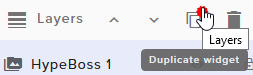
@lament blade ⤴
lament blade
thank you kind sir
torpid estuary
hardy tapir
thanks @pine hemlock Will you let us know if it is added
torpid estuary
@coral orchid do your alerts work in your overlay editor when you test them?
 quiet zenith
Afternoon. Im having an issue with my alert box in the overlay editor. When I make a change to the specific alert and save it, the change doesnt take affect.
peak rune
@pine hemlock thanks ❤
jade remnant
@torpid estuary i will try on my next stream : )
torpid estuary
does it say "saved" in browser? @quiet zenith
narrow coyote
also, if you are changing subs or bits, check your variations
narrow coyote
 odd siren
is it okay to ask stupid questions? 😄
I have a store in SE with redeemable gifs. I would like to redeem video clips I've made. how can I do this?
coral orchid
@torpid estuary hey, yeah it works in the editor it works in obs too when I test it in the editor now that it’s in 1080p
torpid estuary
sorry, i did not see that it was resolved already! my bad
 shadow dirge
Hi Guys I'd like to test the Firesstream App is it possible to get an early access code I'd like to stream pokemon go from outside
torpid estuary
the app is only for irl streams. also the app is in closed beta right now!
nocturne pelicanBOT
@shadow dirge The StreamElements Mobile IRL streaming app is currently in closed beta.
If you'd like to assist with testing when public beta testing becomes available, please fill out this form: https://goo.gl/forms/3DaiLckKDjeMAeVt2
This does not guarantee you to receive a Code.
shadow dirge
thanks
 latent kettle
Hi everyone, i need to use your app so that i could edit some things on my stream. Could i have an invite code please?
nocturne pelicanBOT
@latent kettle The StreamElements Mobile IRL streaming app is currently in closed beta.
If you'd like to assist with testing when public beta testing becomes available, please fill out this form: https://goo.gl/forms/3DaiLckKDjeMAeVt2
This does not guarantee you to receive a Code.
latent kettle
ok thanks
torpid estuary
the app is for IRL streams tho. not sure what you mean by you want to edit things
latent kettle
i just have to add some stuff for the viewers to see, like sponsor banners and stuff like that
torpid estuary
Oh so you wanted to use it for IRL streams? Ok, then fill out the form, maybe you will get selected to participate in the closed beta.
 round swallow
Is there a way to add a large increment to a command in StreamElements via chat? I've recently added a command which tracks wins/losses for a friend in a game, but I need to add a large increment, cause' I don't really feel like sitting there spamming !win every few seconds.
round swallow
Ah, thanks Cuda. Can't believe it was so simple. ❤
coral orchid
Hi guys how do I active my alerts in OBS , because they work when I manually replay them but they don't activate automatically when somenone subscribes to my stream
nocturne pelicanBOT
@coral orchid Right click on the BrowserSource > Properties > Scroll down a bit > Refresh Cache of current page
fickle cobalt
Hi. I’m using the streamelements extension for the leaderboard and one of my donors changed his name but did not have a streamelements account until after he changed his name. The leaderboard shows both of his names but I would like to have all of the bits be under his new name. What can we do about this?
coral orchid
@nocturne pelican still not working sorry
torpid estuary
@coral orchid ok, so you added the browser source to your OBS and it's not working when someone follows your for example? But the follow shows up in your event list?
@fickle cobalt I dont think there is anything we can do about it, but I will ask internally!
fickle cobalt
Ty so much for the help... is there a way you can override and manually change the name?
 slender yoke
Does streamelements connect to different charity organizations for fundraising? I’m doing the Stack Up DonorDrive and every time I get a donation I’d like to have an alert.
odd siren
I have a store in SE with redeemable gifs. I would like to redeem video clips I've made. how can I do this?
torpid estuary
@odd siren you cant set videos to play yet. It's in the works as far as I know, but no ETA yet
 tough furnace
hi!,i dont know what is token jwt and i cant find it
nocturne pelicanBOT
@tough furnace You can find your JWT token on your account channels page: https://streamelements.com/dashboard/account/channels
(Don't forget to click on "Show Secrets")
odd siren
Thank you
torpid estuary
tough furnace
thank you!!1 ^^
slender yoke
@torpid estuary I was afraid of that. I may have to use an alternative with SL
 dusky stump
Hello everybody ! 😄 I download the app in Android but they want a invite code but where it is ?
nocturne pelicanBOT
@dusky stump The StreamElements Mobile IRL streaming app is currently in closed beta.
If you'd like to assist with testing when public beta testing becomes available, please fill out this form: https://goo.gl/forms/3DaiLckKDjeMAeVt2
This does not guarantee you to receive a Code.
dusky stump
Okay thank you very much :) @nocturne pelican
 long frost
Hello! is anyone else having issues where normal hosts (with 0 viewers) do not show up in chat, activity feed or the alert box or know how to resolve this?
winter zenith
@long frost
Due to recent changes to Twitch API, we have filtered out hosts and will only show these ones on your activity feed:
- All manual host events (0 hosts included and if filter set to 0)
- All auto host events with at least 1 viewer
If it was Infact a manual host not a auto host check Our chat alert and alertbox requierments for the minimum to show up
long frost
So I tested from two accounts a manual host and neither came through to the Streamelements activity feed, but did show up on Streamlabs Activity Feed (which I don't want to use anymore because well SE is better)
I'm assuming those are the ones that no longer come through?
0 viewers by the way-both were offline hosts to a live stream
winter zenith
Yeah due to recent changes as in how they send it through. But like I said check your requierments in chat alerts and alertbox of they are set to 0
long frost
Yeah, they both are and they still wont come through unfortunately
winter zenith
And yeah offline hosts font get send out and if they do they need a longer time to recive as an actual event rather then you being detected as live on the upper left of your StreamElements Dashboard
long frost
winter zenith
See my message I posted above :)
long frost
Sorry, gotcha, thank you!
winter zenith
No problem have nice day/night 🙏
nocturne pelicanBOT
@lament blade The StreamElements Mobile IRL streaming app is currently in closed beta.
If you'd like to assist with testing when public beta testing becomes available, please fill out this form: https://goo.gl/forms/3DaiLckKDjeMAeVt2
This does not guarantee you to receive a Code.
lament blade
I filled it boi
torpid estuary
Then now you wait. As the bot message said, its not guaranteed to get into the closed beta.
 rustic spear
Hello! Is there a grace period after you get banned to a channel, for you to use the bot commands again?
narrow coyote
If you are banned from a channels chat, you cant access the chat, so you cant use commands
rustic spear
No the ban has been revoked ,but the user cannot use the commands...
torpid estuary
@leaden crater !editcounter countname -10
Or whatever number instead of - 10
@rustic spear if a User was banned they would lose their role, so for example if they were a regular then they would lose that role. Do the commands in question require a specific role?
Because normally the bot should not ignore users that were unbanned
rustic spear
No it's the usual commands, as !points !followage !top points... even if the streamer types them for the specific user , the command doesn't respond @torpid estuary
torpid estuary
Curious. I would try parting and rejoining the bot from the dashboard.
 leaden crater
tyty
rustic spear
thanks ill try it
torpid estuary
And another idea: does the user in question have a name that contains a banned word? Did commands work for the user before? @rustic spear
 cobalt kindle
Does StreamElements have anything like StreamLabs' Heists and Boss Battle stuff? - if not, do you know any way to somehow integrate this with StreamElements? - What I mean is, I currently have my bot SHARING a Twitch account with StreamLabs. Both bots operate with their own functions for the features I like with each, sharing the same account in chat (nobody really knows the wiser).
Any way to make Heists results somehow... give channel currency, or prompt a command in chat that does?
torpid estuary
I dont know the heist feature, but there is a SE battleboss. Hosts, tips etc hurt the previous battleboss and if they are defeated, the user who did the last damage becomes the boss.
cobalt kindle
Yeah, I'm using HypeBoss now.
I'm talking about non-monetary things.
Games with their points
torpid estuary
About the heist: maybe something you want to put in #💭︱feedback-and-ideas?
cobalt kindle
I can't type there.
Unless I'm not understanding
Oh, you mean the board on the site
torpid estuary
Yeah, the link in #💭︱feedback-and-ideas pinned message. You can also search if someone else already posted it there, and if so, upvote that.
rustic spear
@torpid estuary thanks a lot, that was the issue 😄
torpid estuary
cobalt kindle
I don't suppose there is any way to identify with the bot who is watching (stream is rendering) and who is simply loaded in chat
torpid estuary
No. Not that I know of.
 inland knoll
Is it possible to have discounts for VIP members of the channel in song/media requests? or do they just act as moderators for that?
pine hemlock
We dont have vip support yet
inland knoll
no worries, something to look forward to 😃
 potent bear
are we allowed to promote our channels?
elder sorrel
@potent bear By becoming a #402919550066229250 if you meet the requirements. 🙂
!sellout
nocturne pelicanBOT
Are you a StreamElements all-in-one streamer and interested in stream promotion when you go live? Please fill out this application https://strms.net/sellout and if you meet the 3 requirements posted in the :pushpin: pinned message in #welcome you will be added to the stream announcements.
 tawny fox
Hey @nocturne pelican I follow @lady_jesyka on twitch and when I do !gems it says I have 35,500 points/gems but when I try to !vote it says I don’t have enough gems. I’m the only one in her chat with this problem. She has tried to restart, close, and take off stream elements to try and fix it. Can you please help?
ember kraken
https://gyazo.com/c0c64e14bafc3cc85651636fdb927fbb
This isn't disappearing for me. I've definitely fulfilled what I need to do to have it disappear, but it keeps popping up everywhere.

 obtuse ivy
I'm unable to check the "Require users to log in and verify their username" checkbox under tipping settings.
The steps to reproduce for me:
- Go to https://streamelements.com/dashboard/tipping-settings
- Press "Tipping Settings"
- Expand "Page Settings"
- Check "Require users to log in and verify their username"
Expected result: The checkbox value is saved
What actually happens: The checkbox value is not saved and I get an error message in the top right stating "Something went wrong"
 maiden spindle
Hey crew. Anyone know how to resetthe timer widget on an overlay?
*reset the
So when i take a break ill bring up a 15min timer - but once it counts down to zero. How do i reset
zenith widget
@ember kraken Just click on the buttons and it should go away.
@maiden spindle In the overlay: click on it and set a new time to countdown from. In OBS - hide/show the browser source that has the widget or right click the browser source -> shutdown when in acitve if you switch away from this scene OR reload browser source button
@obtuse ivy Looking into yours.
@obtuse ivy Can you reproduce it again, while in chrome + the dev console open? Usually the error shows up in the console.
maiden spindle
@zenith widget brilliant. Love your work.
obtuse ivy
@zenith widget Clicking any option adds nothing to the console
(that's firefox, getting chromium now)
I see the error in chromium at least
zenith widget
Ok, so what does it say?
obtuse ivy
PUT 400 error on the request
message: "child "background" fails because ["background" with value "https://streamelements-uploads-dev.s3.amazonaws.com/1483902834116.png" fails to match the required pattern: /^(?:https?://)(cdn.streamelements.com|s3.amazonaws.com/streamelements-uploads-dev)/.+(gif|jpg|jpeg|png)/i]"
so the background image I uploaded long ago is on a different domain which isn't valid anymore?
zenith widget
That shouldn't be the case I think
Let me test something
Ok it seems I can't enable the option for you as well and its giving the same error. Then thats the case. I'll give the error internally for a look up.
obtuse ivy
neat, thanks 
zenith widget
I would like to suggest to reupload your background image, but not sure if this needs to be looked at by a dev
obtuse ivy
yup uploading a new tipping page background and using that one instead fixed the issue. I can now change other settings
 near junco
when i go to stream elements and try to enable song requests it just keeps saying controlled by module settings
zenith widget
The command is controlled here: https://streamelements.com/dashboard/mediarequest/general
near junco
thank u
 serene granite
@obtuse ivy can you send me the image that caused issues?
 south sage
Ive noticed theres a delay option on Stream Elements OBS but doesnt seem to change delay, any help?
zenith widget
@south sage Are you talking about this?
south sage
@zenith widget I've changed that to 1s but delay still seems to be like 15 seconds
zenith widget
Why would you want to se a stream delay of 1 second?
south sage
before i enabled that delay was 15 seconds, enabled this setting to 1 second but still big delay
zenith widget
This option is used for actual stream delays in tournaments for example
south sage
I dont want any delay, but thought enabling this to 1 second would sort the issue
zenith widget
or if you want to avoid stream snippers
If you don't want any delay, don't use the option
south sage
The option wasnt enabled originally but there was still a 15 second delay
zenith widget
Usually there is always a delay of 2-3 seconds between you and your chat and actual live video feed
due to connection to twitch servers.
Then you have a slow internet if you have 15 second delay. I don't remember where, but there was an option to have a less delay within Twitch settings.
But not everyone has that option.
south sage
Yea checked twitch no option, cant be slow internet as i get 50mbps download lol
zenith widget
download is different then upload
Most people have high download, but slow upload
I have a 1gbps download & upload but still have 5-6 second delay
south sage
ah ye my bad, upload appears to be 10mbps mark
zenith widget
which is normal for everyone on twitch
if you still get 15 seconds, then its your connection to twitch servers.
Use this to determine your bitrate to some extent and actual connection speed to twitch server: https://www.teamliquid.net/forum/tech-support/478845-twitchtest-twitch-bandwidth-tester
south sage
ok may have to work on that then, thanks @zenith widget! So much for awesome speeds provider says i should get
zenith widget
i have a 1gbps down and up but only locally in my own country - speed tests show 800 mbps, but when I test with germany I still get 200-300 mbps upload, which is still a big number.
so its one thing to advertise a local connection and then test it internationally
 olive turret
Is there a way if I use obs on pc and I want to stream on ps4 if I can use the same setup? With alerts and stuff?
 untold crest
@olive turret you can achieve that by using capture card
olive turret
Ty
 fleet cargo
hi! im trying to import my subscribers by csv from streamlabs, i have tried every csv format, but it dosent work. tips ?
 median axle
Hello! Is there and way to connect spotify to StreamElements or Play a spotify Playlist on StreamElements?
torpid estuary
No, since Spotify doesnt allow its service to be used directly on twitch.
torpid estuary
@fleet cargo you can see what can be imported here https://streamelements.com/dashboard/account/import


 torpid estuary
Please stop the spam, this is a helpdesk.
median axle
K sorry
fleet cargo
Yes, i tried from there to import from CSV, but its not working for me :/
stuck hamlet
@median axle look in #command-share
The latest message, it will display Spotify for you.
fleet cargo
or can i write in my subscribers by hand ? because import doesn't work.
narrow coyote
What do you mean you are trying to import subscribers?
zenith widget
subscriber lists/counts can't be imported
if you are referring to the loyalty points, then you need to follow a format of <name>,<points>
in the .csv
fleet cargo
ah okey .. in my leaderboerd it says 0 subs, i really want the subs from the platform im leaving to show to.. :/
like top subs
narrow coyote
That will populate as they resub
fleet cargo
okej, yeah, but the resubs the last 6 mounths will not be showing ? :/
narrow coyote
We can only track from the time you signed up to use our services, so you will need to wait for them to resub to be picked up by our services
fleet cargo
ah okey 😦
fleet cargo
when i start the stream, will the streamelements add on ; chat window come up i? it is now showing atm in obs live offline 😃
winter zenith
@fleet cargo I don't really understand your question
Is this regarding obs live?
Or the chat widget on your overlay
fleet cargo
In obs live, isnt there supposed to be chat view to the right in OBS ? 😃
and a activity feed to the left ? 😃
torpid estuary
@fleet cargo yes, if you have obs.live installed click on streamelements and enable the chat.
 lament island
The !giveaway command from a channel I mod seems to be giving out a different link than I see from the dashboard and it somehow seems to be a second giveaway with different stats. Is this a know issue or anything we can do about it?
torpid estuary
Do they only use streamelements or another bot too?
lament island
There's also songlistbot, but the response comes from Streamelements
lament island
And now it seems to be a mess, because people bought tickets through both links and the one the bot gives back doesn't seem to be legit.
narrow coyote
Are you using the default command, or a custom command?
lament island
The default command
narrow coyote
What channel is this in?
narrow coyote
sure
 copper bobcat
This may be a reach - but I thought I'd come here and ask. I have a viewer who loves to use the !gamble command to earn points in one stream to see how high they can gamble. They don't use the points to buy items or anything, they just like the high score.
I had the idea to make an item for 100,000 points that is basically a cash in item where they could put their 100,000 points towards the item and then I could manually "level them up." It'd be such a high point amount that they would have to save up over time to rank up.
Is there a place I could then have that rank displayed that has any sort of automation - or would this whole project need to be hands-on?
lament blade
hello, how can i reset my tip goal?
pine hemlock
Activity Feed -> Widget Data -> Goals and change the number to 0
lament blade
thank you 💜
pine hemlock
@copper bobcat Its been suggested im 90% sure but we have no support for it yet
copper bobcat
@pine hemlock This would be different than typical ranks, though - which I think it planned. This is some sort of weird system, haha!
lament blade
i am using hypeboss, and it never shows the name of the person who beat the boss, and it never did
pine hemlock
The only manual leveling you could do at the moment is promoting the user to Moderator
copper bobcat
Okay, thanks @pine hemlock!
pine hemlock
@lament blade I dont have any experience with the hypeboss so i cant really answer this question. The only thing I am really aware of is, if you have the editor open with the hypeboss widget on the overlay, and you have the overlay active in obs (2 overlays with hypeboss active at the same time) conflicts can occur
copper bobcat
Other, unrelated question: I saw a widget the other day where it rotated between different animations that then displayed labels.
For example, it had an animation where a little highlight shifted from a bit icon to a cash icon, then faded to display the latest donation.
Is there a way to do that in StreamElements? It seemed like some complex stuff.
pine hemlock
Thats custom css stuff
copper bobcat
Okay, and back to the old question - is there a way to do an !editcount for something tied to one user? Such as !editcount pointrank username
pine hemlock
!setpoints username amount
sets them to a speicific # if that is what you're asking
copper bobcat
Nah this would be to have something like "Username has gambled up to 100,000 points [count] many times."
Or even "Username has beat me at Smash Bros. [count] many times."
A count tied specifically to a user.
 trim wyvern
hi
 wooden blaze
Hi , is there any chance exporting my loyality points as a csv or txt?
pine hemlock
@wooden blaze You can use this to export your loyalty to a csv. https://github.com/Slikrick/streamelements-csv
nocturne pelicanBOT
@trim wyvern For the best OBS support, please join their discord where OBS devs and support volunteers are available all the time discord.gg/obsproject
wooden blaze
@pine hemlock Thanks, i´ll give it a try!
 odd forge
The giveaway feature. Is there any way with streamelements or with any third party to make "must do" to be able to join the giveaway? As gleam.io does. Like "Follow the channel", "Follow Twitter" etc etc. You know what i mean? 😃
Otherwise that would be a good add to the idea site 😛
 clever nimbus
I have changed a command, clicked submit, and when I use the command in channel, it reverts to two versions of the response ago
!countries
Is there a way to clear this?
 short ingot
I want a code what do i do
torpid estuary
@clever nimbus try to part and join the bot from your dashboard
nocturne pelicanBOT
@short ingot The StreamElements Mobile IRL streaming app is currently in closed beta.
If you'd like to assist with testing when public beta testing becomes available, please fill out this form: https://goo.gl/forms/3DaiLckKDjeMAeVt2
This does not guarantee you to receive a Code.
short ingot
How is the way i can 100 percent get a code
torpid estuary
there is no way to 100 percent get a code
clever nimbus
@torpid estuary That did it. Thank you
torpid estuary
clever nimbus
Love how responsive you all are to any questions that pop up #bestbotoutthere
torpid estuary
haha, thank you! SE is much more than a bot tho 
short ingot
I submitted it how long will it take to get a response or a code
torpid estuary
its not guaranteed that you get a code at all. and no ETA on when you would get one.
short ingot
Ok thNks for help
torpid estuary
 iron ether
I have a question about overlays. I'm fairly new to streaming and I do so from my PS4. Can I activate overlays from my computer over my stream even though I'm streaming from my PS4?
torpid estuary
if you have a capture card or stream via remote play, yes!
iron ether
Darn I need a better pc for remote play as soon as I try my cpu dies
Thank you for the help!
 lost eagle
So u have to use remote play to stream off of ps4?
iron ether
No you can stream straight off of your PlayStation
torpid estuary
only if you want to use overlays. either remote play or a capture card
 midnight ginkgo
Is there a way for a chat command to award points instead of taking them with the cost settings? I want to make a daily !claim command that adds points to the user with like 20 hours cooldown
torpid estuary
if you are happy with only bot and no overlays you can stream with ps4 only
iron ether
I need a capture card does anybody have any suggestions for a budget capture card
torpid estuary
@midnight ginkgo no, you have to use the command to give them points, you can not make a command to award them points as a response, as the bot cant trigger itself.
@iron ether thats more of a question for #general-chat . i heard the elgatos are pretty popular
iron ether
Ahh my bad I'll go there. I'm gonna bug you one more time though lol. I love the !top points command but I want it to be automated and run like every 15 minutes but I can't seem to figure out how to trigger it with a timer
torpid estuary
the bot cant trigger itself, so you cant trigger a command with a bot message! @iron ether
iron ether
Okay thank you buddy you've been a huge help!
torpid estuary
thats what we are here for!
 amber perch
hI DOES ANYONE KNOW WHY MY LINKS IN MY STREAM ELEMENTS COMMAND SHOW UP AS *** sorry caps
i left cap on my b
narrow coyote
Because you have Twitch set to block hyperlinks, and the bot is probably not mod in your chat
amber perch
oh ok how do i make it mod
narrow coyote
/mod streamelements
amber perch
omg thanks so much
it works thank you
Um excuse me @narrow coyote do you know how i can give players my loyalty points?
And does anyone know how people can check there own points
torpid estuary
!addpoints UserName 10
and
!points
narrow coyote

amber perch
thank you
torpid estuary

 bright oasis
How do I get an invite code on stream elements
nocturne pelicanBOT
@bright oasis The StreamElements Mobile IRL streaming app is currently in closed beta.
If you'd like to assist with testing when public beta testing becomes available, please fill out this form: https://goo.gl/forms/3DaiLckKDjeMAeVt2
This does not guarantee you to receive a Code.
bright oasis
@nocturne pelican when is public beta come out?
elder sorrel
No ETA, Feller 🤠
bright oasis
Can I get an early access code
 strong kernel
Did you not read the message?
bright oasis
I did but when does public bate come out
elder sorrel
No idea.
elder sorrel
Reading in 2018
bright oasis
So true
 finite steeple
How do you get points
elder sorrel
@finite steeple Have to Enable Loyalty in the Loyalty Settings. Points are giving to viewers every 10 minutes they're watching you.
https://streamelements.com/dashboard/loyalty You can set up how many points viewers will get every 10 minutes.

StreamElements
The Ultimate All in One Platform for Streamers
short hound
Hello everyone, I wondered if there was a way to do automated raffles in modules? Thanks 😊
elder sorrel
There is not @short hound I believe it's in the #💭︱feedback-and-ideas board already
!ideas
nocturne pelicanBOT
Here is the StreamElements Ideas Board: https://strms.net/ideas
short hound
Okay Thankyou@elder sorrel
elder sorrel
No problem 🤘🏼
 nimble granite
I would love to join the early program for the mobile Android app. If it helps, I am a Sr. Engineer @ Netflix, so I am good at investigating bugs
I am also partnered
nocturne pelicanBOT
@nimble granite The StreamElements Mobile IRL streaming app is currently in closed beta.
If you'd like to assist with testing when public beta testing becomes available, please fill out this form: https://goo.gl/forms/3DaiLckKDjeMAeVt2
This does not guarantee you to receive a Code.
 feral swallow
My timers did not working during my 3 hour stream that I just ended. I parted the bot and reconnected, I checked all the timers settings. Any suggestions?
elder sorrel
@feral swallow What are the Online Intervals & chat lines?
feral swallow
15 or 20 minutes for online interval and 10-20 lines
Had plenty of chat going and streamed for 3 hours.
 prisma grove
Heyyyyyyyy! I got a stream elements question
elder sorrel
If it's 20 lines. That means 20 posts have to be made in chat for it to trigger within the time frame before it resets. If you're trying to get it to post everytime: Can try lowering the chat lines or make it 0 so it automatically posts every 10-20 minutes.
brb. Leaving work & driving home.
feral swallow
I streamed from streamelements obs this time and they didn't work. Used OBS studio last time and they worked just fine.
prisma grove
Does Stream ELEMENTS have a widget that is like a combo widget that puts everything into 3 rows like StreamLabs does?
 hardy sinew
Does anyone know how can i set the alert to appear in the center of the screen??
When i add it to "browser" it appears left side
torpid estuary
answered in #helpdesk-selive ⤴
hardy sinew
Thanks 😉
narrow coyote
@prisma grove You mean an event list? if that is the case, yes, there is the event list widget, as well as the custom widget, which the default code is a custom event list
@feral swallow Using OBS.Live has nothing to do with the timers. If you have chat lines set, when the interval is met the bot will check the chat to see if the chat lines were met in the past 5 min, if they were not met in the past 5 min, the timer resets. It is entirely possible that the chat lines were not met
prisma grove
Ok! Event list I didn't know the name of it!
 celest vortex
I have the emote combos and emote pyramid modules on but when someone spams emotes or makes a pyramid nothing happens. I also have streamelements as a moderator. What do I do?
 open basalt
hello
quick question I think. When I set alerts it gives options for the orientation of the text and image/video. When I set to center over the video, it is not. Is there a way to manually adjust where the text shown in the overlay is in comparison to the image/video?
pine hemlock
@celest vortex Part the bot, logout of StreamElements, log in, join the bot again and let us know if its fixed
Text settings, Advanced. This is located inside the alertbox widget in the specific event settings. @open basalt
 thorn sparrow
okay guys so i changed my twitc username and now the bot doesnt work? hpw do i fix this
pine hemlock
Part the bot, logout of StreamElements, log in, join the bot again
lament blade
Ok last question if I set up the widget on my phone will it be on my ps4 stream
strong kernel
Consoles on their own can't support overlays.
nocturne pelicanBOT
@lament blade Here is a guide on how to setup the most essential tools for streaming from your console, while using StreamElements tools without involving a Capture Card! It's easy to do, take 4 minutes to read and 10 to 15 minutes to setup!
Read all about it here: https://blog.streamelements.com/how-to-stream-on-console-7b620b1c46c3
 keen trellis
can someone help me?
strong kernel
Just ask your question.
keen trellis
sow do i put up the actual stream when im on a crome os?
strong kernel
As far as I'm personally aware there isn't a streaming software that's compatible with ChromeOS.
 jagged nymph
What is the invite code?
nocturne pelicanBOT
@jagged nymph The StreamElements Mobile IRL streaming app is currently in closed beta.
If you'd like to assist with testing when public beta testing becomes available, please fill out this form: https://goo.gl/forms/3DaiLckKDjeMAeVt2
This does not guarantee you to receive a Code.
 obsidian crag
Hey guys, I've changed my name on Twitch and now somethings are still showing the old twitch username. How can i fix this ?
pine hemlock
@obsidian crag Part the bot, logout of StreamElements, log in, join the bot again
obsidian crag
Its mainly links. Its showing my old username. When i replace it with my new username it displays a 404 error
I'm coming back to use SE after using other bots and platform
 loud vigil
Got a 50 dollar tip, says "Balance available for withdrawal $48.80" But does not let me withdrawal also is not in my bank account or paypal..
pine hemlock
@obsidian crag Have you gone to https://streamelements.com/logout and logged back in at least? Thats how the site figures out when a name is dfferent
StreamElements
The Ultimate All in One Platform for Streamers
obsidian crag
Yes i have
pine hemlock
Ill let a staff member know then because i cant do much else :)
obsidian crag
Thank you
pine hemlock
@loud vigil Where did you receive the tip? If its via SE.Pay and you recently linked your bank account, it takes ~7 days for verification
elder sorrel
I think it is S.E Pay. It's active in the Tipping page.
 robust bison
how do I get invite code
nocturne pelicanBOT
@robust bison The StreamElements Mobile IRL streaming app is currently in closed beta.
If you'd like to assist with testing when public beta testing becomes available, please fill out this form: https://goo.gl/forms/3DaiLckKDjeMAeVt2
This does not guarantee you to receive a Code.
loud vigil
@pine hemlock yes through se.pay but I'm not sure when I linked se.pay is there a way to check?
pine hemlock
i dont have an answer for that unfortunately because I don't know myself. All i know is 7 days after bank is linked it should let you withdraw any amount over $5
strong kernel
@loud vigil What's your Twitch name?
strong kernel
It's only been 5 days.
rotund drum
Hello! So somebody decide to drop a 20$ earlier in my stream... (im new with streamelements, I was with streamlabs before) anyway now I just realise that its not in my paypal... Would it he possible that he donated with a CC? Usually with streamlabs when somebody was donating with a CC I had to go in my dashboard to transfer the money in my bank account! help! thank you 😃
nocturne pelicanBOT
@waxen shuttle You can find your JWT token on your account channels page: https://streamelements.com/dashboard/account/channels
(Don't forget to click on "Show Secrets")
pine hemlock
@waxen shuttle You can try to use their OBS and our product but we do not support their program.
@rotund drum If the tip wasnt via paypal, it could have been via SE.Pay which is located in your tipping settings on the website, or if you have g2a enabled it would be in your g2a wallet
 waxen shuttle
oh ok cause i had a problem with regular obs it would use a ton of cpu power
pine hemlock
SLOBS wont use any less cpu than regular obs.
rotund drum
@pine hemlock I did enter my g2a “email” but I dont have access to the account since its lock lol
What am I suppose to do?
waxen shuttle
oh ok
pine hemlock
@rotund drum If you connected your g2a account I would start by contacting g2a. If the tip was processed via their system thats where it would be, locked or not
rotund drum
@pine hemlock is there a way to know where the payment went?? Cause I know its not in my paypal... could it he anywhere else?
pine hemlock
If its not in paypal and not here: https://streamelements.com/dashboard/se-pay
Then its g2a
rotund drum
ok cool!
pine hemlock
or never occured
rotund drum
thank you
@pine hemlock yeah I see this... Where can I go now to confirme if its in g2a or something else?
pine hemlock
The only options available on your tipping page are Paypal or G2A so if its 100% not in your paypal account, its on g2a and i would contact their support team if your account is locked
rotund drum
ok cool! thank you!
 worthy sparrow
is it possible to get the "Chat" module to be on the local OBS, i dont wanna move it on the website each time i wanna readjust chat
pine hemlock
Create an overlay with just the chat module. Add that overlay to obs, move it by itself in obs
pine hemlock
you figure some things out over time sitting in this discord
worthy sparrow
that's cool man
what are all these roles, what do they mean
also before i forget, how do i reset the countdown timer ?
pine hemlock
Reload the scene with the timer is the easiest way i believe
worthy sparrow
yeah thats what i currently do, adjust the width/height, and re-enter as the right dimensions again
pine hemlock
Check the 'refresh browser when scene becomes active' in the properties of the browser source and it should reset everytime u change to taht scene
 steep idol
nocturne pelicanBOT
steep idol
nocturne pelicanBOT
@steep idol The StreamElements Mobile IRL streaming app is currently in closed beta.
If you'd like to assist with testing when public beta testing becomes available, please fill out this form: https://goo.gl/forms/3DaiLckKDjeMAeVt2
This does not guarantee you to receive a Code.
 tired quartz
For some reason my SE chatbot will not respond to my commands in chat. I'm not sure exactly why its doing this but i've tried reparting the bot and ive given it Mod access and it still does nothing. what am i doing wrong?
zenith widget
@tired quartz
Its there
Make sure your commands are set to "Both" instead of "Online" mode usage.
Also update your discord profile, as it leads to your old twitch name 😄
tired quartz
yeah... i gotta do that asap
and i've check for it being set to both and it is still not responding to custom commands
I.E. !so (shoutout)


 tired quartz
oops...
zenith widget
But nice message nonetheless
tired quartz
@zenith widget thank you very much for the help!and the follow!
zenith widget
Well I usually ask for those follower only modes to be removed while helping test commands, but I just unfollowed
imho thats not a good way to gain viewership, but its your choice in the end 😉
tired quartz
@zenith widget im a moron... this whole time i didnt even know it was on... that actually explains alot. you are on a roll with the help!
waxen shuttle
I am trying to update obs and it doesnt really update been here for like 10 mins waiting for it to gain any progress
nocturne pelicanBOT
@waxen shuttle For the best OBS support, please join their discord where OBS devs and support volunteers are available all the time discord.gg/obsproject
 hollow nimbus
How do i set up the r/moderator streamelements chatbot on my twitch account?
hollow nimbus
on twitch?
zenith widget
hollow nimbus
how do i remove a channel?
zenith widget
What do you mean?
hollow nimbus
nevermind. So do I type that command in my twitch chat?
then click the join button at stream elements?
zenith widget
Click join for the bot to get in your channel, then type that command
in your chat
zenith widget
KeiZarToday at 11:02 AM http://streamelements.com/dashboard/
Go to your SE Dashboard and on the right side.
zenith widget
Yes. The bot is in your channel and modded
 spiral dome
What do I need to do now
torpid estuary
about what?
atomic silo
if somebody switches names, the twitch extension keeps counting points for their old name, how do i fix that? 
zenith widget
If its for points, just switch their points around
zenith widget
@atomic silo Whats their old and new name?
atomic silo
Richard_HS = Ryccs, JayCrackers = loreisagirlcalledlorena
but if it has to be done manually then idk
not sure if its worth the effort
zenith widget
Hmm I found something odd - one moment
spiral dome
I cannot get stream elements app to work it says it needs a code
nocturne pelicanBOT
@spiral dome The StreamElements Mobile IRL streaming app is currently in closed beta.
If you'd like to assist with testing when public beta testing becomes available, please fill out this form: https://goo.gl/forms/3DaiLckKDjeMAeVt2
This does not guarantee you to receive a Code.
spiral dome
THANK YOU very much
atomic silo
and will it double count or what? @zenith widget
zenith widget
What do you mean double count?
atomic silo
count Ryccs and Richard_HS at the same time
zenith widget
It will not add points to your own name.
The system gives points to people in your chat list
But if you've added your self to the ignore list, then it won't ever give you points
atomic silo
hmm
 graceful wave
How do you give yourself points?
zenith widget
!addpoints <username> <points>
graceful wave
It tells me I have this amount