#helpdesk-twitch
1 messages · Page 333 of 1
 narrow coyote

 raven mortar
Hello
raven mortar
Thank you :) sitting with Perry!
 strong kernel
Tell him the office isn't on fire yet and not to worry 
 atomic hollow
@raven mortar we're here if you need anything ❤
strong kernel
@atomic hollow Such a plain heart. We can do better 
narrow coyote
@strong kernel 
strong kernel
Showoff
 strong kernel
D'aww thanks 😄
Let's stop though, or take it to general, this is for the supportz!
 zenith widget
I supported your heart with a better one 
 gleaming sage
i found the problem @zenith widget
strong kernel
@gleaming sage Oh hey didn't I talk to you in the live chat? 😃
gleaming sage
yes @strong kernel
strong kernel
😄
zenith widget
@gleaming sage So whats the problem?
strong kernel
@zenith widget G2A payments. 😃
strong kernel
@gleaming sage Should give you the option to resend it. Otherwise, contact their support.
gleaming sage
oh ok tnx @strong kernel
 untold spoke
I cant reconnect my streamelements account on obs live
And when i streamed yesterday none of the alerts showed up
zenith widget
@untold spoke you had the whitesceern on obs problem yestersay right?
Did you update obs.live to the most recent update from yesterday?
 pine iris
Does anyone know of a safe URL shortener? By safe I mean something that maybe doesn't allow links from explicit websites and such? I want to shorten some links that my bot posts, but don't want viewers to be scared of clicking the links.
zenith widget
Bitly or googles shorteners
Bttv and ffz provide a link previewer thumbnail
So they load up short links before clicks
pine iris
Oh nice, okay. I see google is not supporting their shotener anymore.
I'll use bitly then.
zenith widget
Bitly can have custom-ish links at the end so it doesnt look so obscure really
pine iris
Yeah I saw, I'll create an account
untold spoke
@zenith widget sorry i was occupied yesterday so i didnt see ur reply
I updated and now i have the white screen issue
zenith widget
@untold spoke Ok, I DMed you some things to reproduce the whitescreen if we can so that we can try and fix it in general.
untold spoke
u can dm me sure 😄
zenith widget
I DMed you already yesterday 
pine iris
@zenith widget I have another dumb question...


 pine iris
Lol... When setting up a store item, there is an option to display an alert when redeemed, do you have to go add a widget for that in your overlay?
xD
zenith widget
yes
narrow coyote
Store redemption widget
pine iris
Thanks, knew I was dumb
Would you then clear the sound and image in the widget so that the individual items' sounds and image would display?
zenith widget
The option overwrites what ever sound/image you place on the item
as long as the item is set as "Stream Perk"
pine iris
Alright, awesome.
Here comes another.... xD
Is it possible to use a webm video that already has sound for the item? So you dont have to get a gif + sound file
narrow coyote
you cant use video for a store item
 gentle imp
although I never tried hehe
narrow coyote
https://streamelements.helprace.com/i440-be-able-to-use-video-for-redemption there is an idea post for this, be sure to up vote it
pine iris
Yup just gone and upvoted!
 opaque vigil
im having trouble finding the JWT Token to use on streamelements ground control
 nocturne pelicanBOT
@opaque vigil You can find your JWT token on your account channels page: https://streamelements.com/dashboard/account/channels
(Don't forget to click on "Show Secrets")
 robust plaza
Overlays aren't working. Making a duplicate and using it doesnt work either. Using OBS.live
 weary mist
@robust plaza are you seeing a white screen?
robust plaza
No
 balmy pawn
when i go to whitelist a link will this format: "https://clips.twitch.tv/*" whitelist all twitch clips?
robust plaza
I see whatever game i have up on OBS. Overlays havent been working for me for a few days. I also just did a fresh install a few minutes ago and still nothing
weary mist
@balmy pawn I don't think you need the *
balmy pawn
wasn't sure because some whitelists need it and some don't
weary mist
@robust plaza Which overlay are you attempting to use (I have your dashboard pulled up). The beatsabre ones seem to be showing up for me
robust plaza
Still nothing after restart
narrow coyote
What about what I posted just above you
narrow coyote
Because the hardware acceleration is the only thing I have come across with OBS that prevents the overlays from loading, unless something else in your environment is preventing the browser source from loading the overlay
robust plaza
I guess I'll try doing another fresh install and this time delete everything.
I need to reorganize my obs stuff anyway i guess
Fresh install of everything worked. Not sure what would have made it not load. I think it started after the obs.live and obs update the other day. 
and i didnt download any new plugins
weary mist
sometimes starting fresh helps. Or at least I tell myself that because I had to re-install my entire harddrive a couple months ago xD
 hushed prawn
@zenith widget I was able to open then in the browsers but not in OBS even if I replay the subs or donos they trigger on editor for the overlays but not ON OBS
I'm going to o try what @robust plaza has tried I guess but if anyone comes across a better fix pls dm me I'm at work and won't be home for about 4 more hours thank you!!!
 wanton finch
My streamelements bot responses for the media share module are too long. Is there a way I could edit them and shorten it up so it doesn't flood my chat :)?
weary mist
@wanton finch At this time, default commands are not editable
wanton finch
Thanks for the heads up @weary mist
weary mist

 sacred spoke
Hey so I'm loving stream elements since trying it out a few weeks back. been having a lot of fun with sound alerts redeemable via chat commands. Is the limit really 20 sound effects active at any given time? or is there a way to activate more than that?
 vital wyvern
Hmmm not really sure about that one @sacred spoke Checking internally 
sacred spoke
Ok @vital wyvern much appreciated brooduh. hopefully there's a workaround. Wouldn't be a huge deal if I have to use different bot or something for sound alerts, but 20 just aint enough lol
 tropic hearth
Had some issues recently where SE was not loading on chrome for me for the first time. Anyone else having this issue?
Currently my on screen emotes and alerts are now working again but before they were white pages. Also won't load on other browsers either.
Just FYI to see if anyone has had a sim issue
Thanks
vital wyvern
Actually @sacred spoke ~~ could it be that you have a follower alert with 20 variations of the alert? the question might sound stupid~~ 
sacred spoke
my follower alert is default one that came with the overlay package I got using the built in theme browser. the sound effects I'm talking about are the ones in stream store
custom that I uploaded
vital wyvern
Yea i had to read that twice for some reason, could you send me a editor invite so i can take a look also make a duplicate so i can take look in that one
and send it in a DM to me
nocturne pelicanBOT
@sacred spoke To invite managers to your dashboard, Click on your Channel Name at the top of the dashboard and scroll down to Settings. Click the drop down arrow to expand your channel managers and then create a new invite at one of three access levels (Bot Supervisor, Editor, Full Control) Check this video out for more help: https://youtu.be/zl_h-ttZDF0
 shy wave
Hello, quick question about the Link Protection spam filter: can the Exclude Usergroups be set to None so that not even subs can post links?
shy wave
I just realized that @weary mist , I assumed active subs were automatically deemed as Regulars but no they need to be manually set. So that works great thanks!
weary mist
 candid wolf
hey there, trying to load my chat into obs. getting nothing. but see it in the editor. anything special I have to do in OBS for it to pick it up?
 pine hemlock
Did you save? If so, try refreshing the browser source cache @candid wolf
candid wolf
hmm, not sure how to do that last part. is that in obs or in SE?
nocturne pelicanBOT
@candid wolf Right click on the BrowserSource > Properties > Scroll down a bit > Refresh Cache of current page
pine hemlock
Obs
candid wolf
ok found that, thank you. no change.
 tight harness
@candid wolf Are you adding the chat overlay at 1920 x 1080?
Because I just added your overlay to my OBS at 1920 x 1080 and it's all good 😃
candid wolf
ahhh. standby
 dull wyvern
Hi, I was wondering if there was any way through the Loyalty System that I can wipe all of my user's points to start new?
candid wolf
that did it. thank you!
tight harness
No problem
@dull wyvern In the Leaderboard page on our website there's a Reset button in the top right
 hoary mirage
Heya, I'm a bit confused as my tipping settings won't load. It's been like this for a while and I'm just not sure what's going on with it. Am I just missing something? Like have tipping settings been disabled for right now?
 frail moth
Anyone else have to sign in to twitch everytime they open obs with the add-on now? Never had to before
narrow coyote
@frail moth yesterdays OBS.Live update should have addressed this
 zinc current
Dark prueba con {amount}
narrow coyote
@hoary mirage If the tipping settings page is white, that would be an indication that cookies are blocked or not allowed on that page, there is one specific cookie that can cause this
 proud pumice
@hoary mirage any chance youre using any sort of adblock that might block it?
 misty flame
Solved my problem
narrow coyote
streamelements-yoink.netlify.com This is the cookie, if its being blocked or not allowed, you will get a white page when accessing tipping settings
hoary mirage
sweet, thank you
 lament blade
Hello guys, does anyone know if there is a way to set up hotkeys to skip, and pause a song on the media request page? thank you!
weary mist
Not at this time, but hotkeys are a planned feature in OBS.live plugin for OBSstudio
lament blade
I am not sure what the OBS.live plugin is, anywhere I can find out more about that?
nocturne pelicanBOT
OBS.Live is a Plugin for OBS created by StreamElements. You can download OBS.Live here: https://streamelements.com/obslive
Please make sure you have the latest version of OBS installed, Current Version: 21.1.2. You can install OBS here: https://obsproject.com/
weary mist
don't mind those version numbers, the current version of OBS os 22.0.1
lament blade
Ahhhh I see, I shall keep a close eye on that then because having kotkeys for pasuing/skipping songs if very important to me, Thank you for the hasty help as always ❤
 vivid lodge
My overlay isn't showing up on OBS anymore?
weary mist
Is it black, white? @vivid lodge
 agile sluice
Hello. Having some issues getting the stream elements extention to work.
the leaderboard extension
vivid lodge
It's just not showing in general. @weary mist I even put in the link again you get from the website
narrow coyote
If refreshing the cache does not solve it, you can try to disable hardware acceleration in OBS advanced settings. If that does not work, try duplicating the overlay and using the new duplicate link
 oblique dome
Is it possible to pause alerts so they require approval? was hoping to set this up for redemptions
 hasty briar
is this the new layout? every time i went to the website this is what it's looked like for me
i also can't get anything to open or come up
narrow coyote
Looks like your browser cache might be borked, try incognito tab, and/or clearing your browser cache
 worthy rock
Question, everytime I get a donation/tip from paypal the onscreen alert does not show up during my stream. I get a confirmation email and the money but no alert. Any ideas?
hasty briar
that worked thx
frail moth
So I'm trying to add the tipping widget to my stream, but in the middle of the progress bar, it shows my total tips from since i started streaming. This is more than the goal I set so it says progress 335%. Anybody know how to reset that?
narrow coyote
@worthy rock do you see them as pending in here https://streamelements.com/dashboard/activity
@frail moth https://streamelements.com/dashboard/session Goals section in here
worthy rock
@narrow coyote No nothing
frail moth
OHHH wow thanks so much! @narrow coyote
narrow coyote
@worthy rock Do you see them in the activity feed at all?
worthy rock
@narrow coyote nope but I got confirmation for all the tips, and all I see in the activity feed is my subs and followers
narrow coyote
Are you sure that they used your StreamElements tipping page then
worthy rock
@narrow coyote yes as I tested it myself
narrow coyote
Do they show up in https://streamelements.com/dashboard/tipping/list
worthy rock
@narrow coyote no which is so very odd
weary mist
I don't see any tips in your activity feed @worthy rock
worthy rock
@weary mist I know its odd cause I just checked my paypal and the money went through
weary mist
I know you have the SE link in your panels, but it isn't showing on our end. If you go into the transaction details, does it give a description? Let me grab what it should look like if it came through us
worthy rock
@weary mist where would I check for transaction details?
weary mist
Click on the transaction in paypal, and it should open a new page
this is what is in the order details
worthy rock
@weary mist Yes in the transaction details it shows the donations as well as the option to refund
weary mist
ok, does it say that exact phrase in the order details?
because that is something we specifically ensure is there on every transaction through our page
worthy rock
@weary mist No where on the order details does it say thanks for tipping, but it says thank you for using paypal
weary mist
ok, then I do not believe that the tips came through our system at all
worthy rock
@weary mist I will show you what I got
weary mist
We add that "Tip - Thanks for tipping!" both as a marker of that it came through our service, and a deterant to chargebacks
weary mist
Yeah, that is not through us
maybe that person tipped through a different service link they saved
worthy rock
ahh ok
weary mist
what you CAN do is to add a tip, mark it imported, and it will pop an alert, and award loyalty points
worthy rock
@weary mist could it be that they never refreshed there twitch stream and used my old link as I just updated to streamelements?
weary mist
quite possible
worthy rock
@weary mist Ok I will keep my eyes on the tips and come back if it continues to be an issue, I will try it on my page and test it
 novel leaf
@weary mist i did this question "everytime i open my streamelements i need to login to my twitch account is that normal?" but i forgot to check the reply my bad.
weary mist
@novel leaf No, that is not normal
novel leaf
but i was talking about the streamElements Obs Live
novel leaf
the software
weary mist
one second
novel leaf
if i close the software and reopen it i will have to login into my twitch account
weary mist
open a folder, go to %appdata%/obs-studio/plugins/ and delete the obs-browser folder, then restart OBS. You will log in once more, and it should be fine
novel leaf
oh ok
narrow coyote
 that should have been addressed with yesterdays update
novel leaf
let me test that
not sure
just opened the software now didnt check it
^^"
but i will give it a try
worthy rock
@weary mist @narrow coyote Thank you both for the help. It was an old link I had up 😄 cheers.
narrow coyote

 timid ocean
Tip Jar not working right now? other overlay alerts working fine.. tip jar unresponsive...
weary mist
Do you have it in the same overlay, or seperate overlay from the rest of the alerts
timid ocean
separate
weary mist
Can you try refreshing the cache on that browser source and see if it works?
nocturne pelicanBOT
@timid ocean Right click on the BrowserSource > Properties > Scroll down a bit > Refresh Cache of current page
timid ocean
did. even preview stops working
weary mist
Does it stop after a certain event drops into the cup?
timid ocean
....not sure. didn't notice when specifically it stopped working. today in general. was working last night.
weary mist
try duplicating that specific overlay, and see if the duplicated overlay link works better (just a test, not even sure this will work, lol)
timid ocean
doing that makes a new URL so you think that'd bust cache or whatever locally is issue?
novel leaf
@narrow coyote @weary mist yep its fixed, the update did the magic 😄 thanks
narrow coyote
weary mist
@timid ocean it would, but there have been weird things that duplicating has somehow fixed
 gentle mica
Can anyone help on why when someone follows my channel it doesn't show up on my overlay?
weary mist
@gentle mica is the follow event showing up in your activity feed?
 coarse viper
How do I get an invite code for the streamelements app? Sorry if this isn’t the correct place to ask.
gentle mica
@weary mist no there's nothing there
narrow coyote
@coarse viper Codes are only being given out at Gamescom at this time
coarse viper
Okay thank you very much
weary mist
@gentle mica can you DM me your SE accountID? you get it by clicking your name in the top right
 knotty marlin
okay. so i have the bot... but i cannot enable certain things like !accept due to module settings?
narrow coyote
knotty marlin
ty, didnt know that was a thing
narrow coyote
Most things that are controlled by module will be found in there, except for the songrequest command, that is found in the media request page
 mortal hearth
Hey! Since the last update all my overlays disappeared on my stream. Is this a bug?
narrow coyote
Last update to what?
mortal hearth
obs and stream elements
 dense beacon
I got a friend who recently joined StreamElements and added everything. ADdid his twitch and all but he can't see his recent followers or see who followed him. But he can see when someone host him .. Why?
mortal hearth
Stream elements & obs both had updates and ever since I did that none of scenes are showing on my stream
lament blade
Hi I just spent 4 hours trying to troubleshoot why my stream audio was broken. It sounded like my game audio was corrupt and my mic audio totally broken. I discovered that it was due to Stream elements OBS, the update yesterday. To resolve it I exported my scenes and saved my OBS setting to a separate folder, uninstalled OBS, which removes stream elements. Then resintalled OBS, I then had to remove my mic source and re-add it. My game capture audio and my mic audio were clear from then. I will now stick to using Ground control as a stand alone program and Chatty for my chat. I won't be using Stream elements OBS anymore.
narrow coyote
Try clearing the cache on the browser source, if that does not work try disabling hardware acceleration on the browser source in the advanced settings of OBS, and if either of those do not work, try duplicating your overlay and adding the new URL into the browser source @mortal hearth
@lament blade What OBS.Live does should not do anything to the audio side of OBS studio. If this did cause an issue we would probably need to start by looking at some logs. Did you try reinstalling OBS.Live to see if the issue continues? We would need to try and replicate the problem in order to be able to address it, and this is the first report I am seeing of something of this nature
mortal hearth
I tried creating a new browser source but same issue
is there a way to back up all these and reinstall obs & streamelements
where do I clear browser cache?
nocturne pelicanBOT
Right click on the BrowserSource > Properties > Scroll down a bit > Refresh Cache of current page
dense beacon
@narrow coyote Do you got quick answer to my friends problem? hehe 😄
lament blade
I would normally try and help out here but given that I spent an entire evening fixing this and I now have everything stable I really don't want to replicate this.
weary mist
@dense beacon get your friend to DM me his accountID for streamelements (click on his name, upper right side of dashboard)
narrow coyote
⤴
narrow coyote
Nice, it was the easy solution 
lament blade
Going offline now. Sorry but my steps to fix are the best I can offer.
narrow coyote
If we cant replicate it, and its a problem with OBS.Live, we cant really do anything about it until the issue can be replicated. There is also a chance that the issue is isolated to your system, and if you dont what to reinstall OBS.Live to troubleshoot, seems we are at an impasse 
 limber verge
is it on streamelements something like chatlog?
narrow coyote
What? 
agile sluice
does anyone know if there is a way to test your alerts like you can in StreamLabs? Thanks
narrow coyote
Not sure what you mean by that
agile sluice
I want to see what the sub alert looks like, tips, etc
zenith widget
@agile sluice open up an overlay to enter the overlay editor and use the bell icon on the bottom left side of the green screen
narrow coyote
 sorry, I read that wrong
zenith widget
@limber verge We don't store chat logs, but there are 2 sites that can do that for you, as long allow the sites to track your chat
weary mist
LogViewer is my choice
zenith widget
cought yes logviewer is probably the best and is located here: https://cbenni.com/
agile sluice
awesome! thanks
limber verge
where can i find JWT token
nocturne pelicanBOT
@limber verge You can find your JWT token on your account channels page: https://streamelements.com/dashboard/account/channels
(Don't forget to click on "Show Secrets")
agile sluice
for some reason my subscriber alert event plays the default shark makarena GIF and not the one I'm saving. The others work great. Any ideas?
Also, is it possible to have the alerts simply fade in instead of coming in from the top? Thanks!
narrow coyote
check the variations, there are 2 variations by default for subs
pine hemlock
Edit the images in the variations settings.
Theres also animation settings within the alertbox
pine hemlock
Its 3 tabs below the variations
Variations also have seperate animation settings too
so make sure you meddle with those
agile sluice
Got it. thanks
last question, is it possible to add a background color to the text part of an alert so it pops more?
 dire basin
Is there a way i can play a youtube music playlist through the S.E. media tool? i try to request it but it just plays one song
 winter zenith
@agile sluice you can add drop Shadow and border colors I think
agile sluice
thanks @winter zenith let me mess around with it
winter zenith
@dire basin in the settings you can input a Backup playlist
weary mist
@dire basin there is a backup songlist field in the settings
dire basin
Thank you, i didnt see that xD @winter zenith @weary mist
 lime sequoia
How do I view chat without leaving the game page?
narrow coyote
What are you referring to, I dont follow what you are asking
 late gulch
how can i remove the bots from my toplists?
 rustic ether
Hey. I believe SE commands can use regex - I was wondering which engine it is? I haven't had much luck getting regex working in commands
 knotty warren
is this possible?..or is 24hr format the only response available?
winter zenith
@late gulch yes you can exclude bot from gaining loyalty points in the loyalty settings by typing in the bot name in the Loyalty settings
@rustic ether I know nothing about those fancy things did you look Into #dev-chat
@knotty warren honestly I dont think so. If so you would be better off asking in #dev-chat 🙈
 clever mango
@rustic ether google RE2 https://github.com/google/re2

GitHub
re2 - RE2 is a fast, safe, thread-friendly alternative to backtracking regular expression engines like those used in PCRE, Perl, and Python. It is a C++ library.
rustic ether
Thanks!
 ember salmon
Question, I have one Webcam, is it possible to have two seperate scenes with the same webcam source in them, and apply different filters to each scene?
As it stands applying filters to one webcam applies it to all cam sources in all scenes. I've tried creating another output from the same source, but it won't load while the first source is active in another scene. (See pic)
To clarify: Imagine I want to have 2 outputs the same webcam, with different filters on each. Any suggestions? Thanks for any tips 
narrow coyote
 Is that SLOBS? We cant really help with that, this channel is for support with StreamElements services, you could try asking in #general-chat or SLOBS discord
and in general with OBS, if you use the same source in multiple scenes, its the same source
ember salmon
Understood, I figured they would be similar in function. Much appreciated
weary mist
SLOBS is a hardfork, in where they pulls some things out of the OBS Studio build. We can't support it, because we don't know everything that has changed with it, only they know. But if you used OBS studio, we could walk you through how to do what you want
late gulch
@clever mango i got my bots on the list there but they are still listened...
ember salmon
Understood, thanks for letting me know ❤
late gulch
talking about the leaderboard
 spring tundra
Hiya! I am using the widget share for Media Requests, nothing is saving in the overlay and when I do get something to pop up in SLOBS it does not show the video. Help please!
weary mist
@late gulch you should be able to reset their points to zero
@spring tundra We can try with SLOBS, but we do recommend using OBS studio, as that is more proven to work. Double check that your dimensions are set correctly (default is 1920x1080), and with media requests, make sure that you have requested media, the tutorial video will not pop up
spring tundra
Okay, thanks! I have my backup playlist running. I keep having to make a new overlay for the video to pop up. Do you have any other work arounds that could help me?
weary mist
Try openning the overlay in your browser, and sending the media to it
spring tundra
I did and it does the same exact thing
 old ice
I have a small question regarding a custom chat command for multi twitch steams.
So far i have created a command that takes up to 3 usernames as arguments and outputs those into a URL to "create" the multistream URL.
This works perfectly fine.
However I would like to create a 3nd command that just refereces to the previous arguments and just displays the created URL again without having to use the names again.
Is that possible?
spring tundra
And when I am changing the accent color and hit save, the change is not saved even after refreshing the page.
weary mist
@old ice No, the best thing to do is just edit the command with !cmd edit multi url/username1/username2/username3. There is currently no variables that are custom set other than the count variables, and those only store numbers
old ice
that sucks
but thanks for the quick reply
 quartz bane
Hello,
I had a problem with the Timers and these settings are set at the moment.
Online Timer: 5 Minutes
Offline Timer: 5 Minutes
Chat Lines: 5 Lines
The Probleme actually exsist at many Streamers Accounts. The other Streamers i talk to didn't have this Problem. I set the same settings, but actually didin't worked.
Or does it probably help restart streamelements if it works? it's weired that the Timer worked sometimes and a few times later not.
Can anyone help me?
best regrads,
 celest glen
Okay, so I meant to ask you guys these two questions the other day but I got busy with other stuff..
so my first question is: why is the media request feature so bad ? It's slow, it's laggy, it skips songs randomly or ends them before they're over... Is there anything that I can do to improve performance on my side? Is there any way to get it to play random songs from a playlist?
My second question is about customizing the items that fall into the hypecup. How the hell do I do it? Is there a tutorial on the whole thing anywhere? I tried using some .pngs I have & some work just fine while others glitch out.
 late ore
Hey there! I'm here for a streamer I mod for. He currently has a problem with his alerts not always triggering and only if they feel like it. Any solutions or possible problems what it could be and how to fix it?
 solid herald
can some one please help me just need some info about donations and chargebacks @here
 stable aurora
hi! i need help with parts of my overlay. I'm having trouble with my sub alerts. I want an alert for 1-5 month subs and then 6months and beyond. I thought I set it correctly but for some reason it's combing the gif and sounds from two different variations of the alert
pine hemlock
@quartz bane You need more unique chatters for the timers to continue to function if you chat is slow.
@celest glen Media request is just a youtube embed. Not sure what yo umean by performance - its the same as having youtube.com open.
As for the hypecup, when you add new images make sure you click "Show Advanced" and disable "The provided image is a sprite sheet".
@late ore Which alerts and can you be more specific
@solid herald Its easier to just ask the question which you would like an answer for
solid herald
its more than one or two @pine hemlock
pine hemlock
Asking would still provide an answer
solid herald
basicly im under 18 but over 13 wich allows me to stream on twitch and i want to setup donations but also am worried about chargebacks
pine hemlock
@stable aurora What are the parameter yours have set for your alert variations? Also make sure this option is notchecked: https://i.nuuls.com/UUfe4.png

@solid herald Thats on paypals end.
 ruby lion
Anyone able to link the obs.live plugin
solid herald
yea but how do i protect myself against charge backs
nocturne pelicanBOT
@ruby lion OBS.Live is a Plugin for OBS created by StreamElements. You can download OBS.Live here: https://streamelements.com/obslive
Please make sure you have the latest version of OBS installed, Current Version: 22.0.1. You can install OBS here: https://obsproject.com/
late ore
@pine hemlock Subalerts dont always trigger and sometimes the text-to-speech gets cut off.
pine hemlock
@solid herald https://www.paypal-community.com/t5/PayPal-Basics/Age-requirement-for-individual-accounts/td-p/615057
Your chargeback question is vague and paypal would be the one that deals with the chargebacks, not StreamElements. Streamelements does not interfere with money.
nocturne pelicanBOT
@late ore Twitch prime (new and resub) and paid subscriptions (resub only) must be shared in chat manually by the person subscribing in order for the subscription information to be sent to StreamElements. For twitch prime, the user needs to have sharing enabled on https://www.twitch.tv/settings/prime. For paid subs, if the share box doesn't show up immediately it will when they refresh the page. https://i.imgur.com/VNJN0Uv.gif https://i.imgur.com/2297EA7.png

 stable aurora
@pine hemlock that option was checked 😳 I uhm. fixed it. and noticed another setting I thought i had already fixed but didn't. thank you
oh i do have one more question, i'm not sure if this is alright for here, but how do you get to be a "sellout" lol
nocturne pelicanBOT
@stable aurora Are you a StreamElements all-in-one streamer and interested in stream promotion when you go live? Please fill out this application https://strms.net/sellout and if you meet the 3 requirements posted in the :pushpin: pinned message in #welcome you will be added to the stream announcements.
stable aurora
thanks!
pine hemlock
:)
 shrewd vessel
Quick question: I want to make a command in a command for the bot. Basically the points are called "Voidlings" and I'd like !voidlings to do the same thing as !points. How would I do that?
narrow coyote
add it as an alias to the default command
add it as an alias to the default command
shrewd vessel
Done now; didn't see that option there. Thanks!
narrow coyote
hoary mirage
My alerts keep playing twice and ive checked everything. Not only the overlay but also if there were any glitched scenes in OBS, duplicate sources, etc etc. It always plays one after the other 🤔 im really confused and slightely annoyed
nocturne pelicanBOT
@hoary mirage Make sure to :ballot_box_with_check: “Shutdown source when not visible” for all browser sources (all OBS scenes). If using studio mode, uncheck “Swap Preview/Output scenes After Transitioning.” Also keep in mind that sound can play from any overlay loaded in the browser (editor or launched). https://i.imgur.com/FegZJQS.png https://i.imgur.com/yY0wcFl.png

 hoary mirage
Ah, i was wondering where that was
and also, I would like to get the SE.OBS if at all possible, can you tell me how?
nocturne pelicanBOT
@hoary mirage OBS.Live is a Plugin for OBS created by StreamElements. You can download OBS.Live here: https://streamelements.com/obslive
Please make sure you have the latest version of OBS installed, Current Version: 22.0.1. You can install OBS here: https://obsproject.com/
hoary mirage
And finally, do you have a streamboss widget?
narrow coyote
Not at this time 
hoary mirage
feelsbadman
 mild eagle
What up
 reef yew
is there a way to limit how many items show up in the chatbox when a user types !items?
 spice frost
Hey I wanna get a early access code to stream elements
knotty warren
Is it possible to 'purge' the "Top Tippers" list? I have duplicate usernames listed with different amounts, as well as usernames associated with amounts that a different user has tipped.
No worries
 drifting basin
lament blade
drifting basin
lament blade
@stuck hamlet Are the servers down?
 stuck hamlet
No, what seems to be the issue?
lament blade
I'm using the new streaming app Bebo, but since yesterday my overlay just decided to no longer show up on stream
stuck hamlet
I know nothing about Bebo.. we always recommend using OBS.
Does the overlay load in the browser?
lament blade
Yes it does
stuck hamlet
I would contact bebo for help, I heard they had 24/7 support?
 elder sorrel
@lament blade Those were only being handed out at the Gamescoms event.
No ETA when releasing later
lament blade
Okey
 sour minnow
Hey is there a duel command that a mod can add
elder sorrel
@sour minnow Duel is already a default option in https://streamelements.com/dashboard/bot/modules

StreamElements
The Ultimate All in One Platform for Streamers
sour minnow
Ah ok thanks I tell my friend to turn it on then
elder sorrel
No problem 🤘🏻
 tardy mulch
im trying to set up a stand alone chat widget but its a bit weird cause i type on the chat of my channel and its not showing up
 stark furnace
Heya all 😃 Just popping in to ask that maybe you could have a look at this and give it an upvote please ? https://streamelements.helprace.com/i1035-customisable-text-to-speech-screen-name-translations
tardy mulch
i think that would fit into ideas
stuck hamlet
What is the resolution of the browser source? @tardy mulch
tardy mulch
i have it set at 500x250
stuck hamlet
unfortunately, the widget has a known issue where it doesnt work if the overlay has a custom resolution.
It only works at 1920x1080
tardy mulch
its chill thanks! keep up the amazing work! i know you can do it
 burnt flax
Hi guys, i want to switch over from slobs to stream elements obs.live but is there a way to import all my overlays from there to here
zenith widget
@burnt flax unfortunately we cant import the overlays provided directly by SLOBS as they are in an unknow file ".overlay"
 normal island
Hi. For some reason my stream elements alert isnt working when I get followers and the new follower count isnt working or the new follower name in the box isnt working.
zenith widget
Are you getting other alert types?
normal island
no
when i bring up obs and i click the emulate follower event it brings it up on obs and the stream elements...but it doesnt do that in stream
ive tried updating obs...it's already updated. ive tried recopying the link to obs. ive disconnected from twitch and reconnected and none of the boxes are working as intended.
zenith widget
Can you open up the overlay in your browser and then use the editor's alert simulator?
normal island
yes
zenith widget
What version of OBS did you say you've updated to?
normal island
22.0.1
lament blade
Was I added to #402919550066229250
Just wondering
I applied like several months
weeks**
zenith widget
@normal island can you DM me your overlay link?
normal island
sure
zenith widget
@lament blade I'll ask internally as I'm not sure
lament blade
@zenith widget Thank you!
pine iris
@burnt flax DM me I can help you move your overlays from SLOBS to SE
 royal quarry
Hi there, is there a way to make the streamelements bot a way to automatically remove any links from chat except youtube links for song requests?
zenith widget
@royal quarry Yes using the link protection filter
just add https://youtube.com/ and I think it was https://youtu.be/ for their short link
royal quarry
Thanks man, what about twitch clips?
zenith widget
https://clips.twitch.tv/
i think - not sure, ask a friend to test the links for you
royal quarry
Sorry Keizer where do I check where to enable/disable the bot in chat again? It's late here..
zenith widget
https://streamelements.com/dashboard -> right side "Join/Part"
royal quarry
thanks, night
pine iris
@zenith widget where are you from and what TZ?
zenith widget
Balkans
pine iris
Okay makes sense. I though US and you are up this time supporting here
zenith widget
If this is not related to SE, ask me in #general-chat or DM me
pine iris
Okay
 inland knoll
hi there, still looking to move to Streamelements - I was wondering, does my Stream Deck work with your OBS live?
zenith widget
Unfortunately, no.
We are waiting at the current moment for them to make an SDK so that we can start working on implementing it, or waiting on them to implement it themselves 
no sure the state of talks at the current
proud pumice
@zenith widget obs hot keys work.
For stream deck it's just like a regular obs studio
zenith widget
I don't have one so I'm not familiar if it just worked like that really
Thanks for the heads up 
proud pumice
@inland knoll obs Live is obs studio. Should work all the same.
inland knoll
@proud pumice thanks - any news on getting your own actions on Stream Deck?
proud pumice
Yeah just had a good talk with Elgato. We're going to have something done in September!
inland knoll
oh how exciting! another tick in your 'move to Streamelements' box 😃
 steel geyser
Hi, i switched my nick and the bot doesnt work 🌭
zenith widget
@steel geyser Go to here; http://streamelements.com/dashboard and on the right side click "Part" and then "join".
 low fractal
Hello, Where should I ask about support for Facebook?
inland knoll
sorry me again - on OBS live can I organise me scenes into folders?
zenith widget
@inland knoll I know sources can be grouped into folders in OBS 22.0.1
OBS.LIve is just and plugin for OBS Studio, so we haven't changed anything, just added another layer on top
@low fractal We don't really support Facebook platform and I'm not sure we have any plans for it.
inland knoll
Oh i think it is in scene collections in the top menu thanks
 gusty ocean
Hello! My streamelements widget has stopped showing new followers, I thought maybe the problem was with the OBS, but I made test alerts and it works fine. I've figured out that "recent events" tab doesn't show new followers anymore, it does show new subs, cheers and hosts but not the followers. In other application I can see the new followers but not in SE. How do I fix that? Because I really would like to show my new followers their alerts about follow. Thank you. My username is "Redjkee"
On screenshot you can see the new hosts and cheers, but there're missing like 10 new followers after last follow by "norkaporka"
zenith widget
@gusty ocean can you DM me your account ID?
gusty ocean
Sure
zenith widget
I'll add you to a list of accounts to fix
 round ingot
can anybody help me with a question regarding the g2apay(wallet) and donations ?
inland knoll
hello again - I'm adding the event widget, I have two events showing but I want to make the 2nd have a transparent background as if it is fading away - is this possible?
zenith widget
@inland knoll It is to an extent with the custom event list widget and modifying the code there
the predefined event list widget doesn't have that option
@round ingot What is the question?
round ingot
Got a couple of donations in my g2a total balance but how do i get this to be available balance?
zenith widget
I think G2A has a dropoff period of 24 to 72 hours before it allows the amount to be available for withdraw.
round ingot
aah ok then i ''ll wait for that, thanks
inland knoll
oh @zenith widget code - that sounds difficult
zenith widget
Does it? 
I'll help you out in a bit, let me see if i can smash this raspberry pi into the wall first 
inland knoll
thanks 😃
 shy flint
hi how to create !subcount command in streamelements
zenith widget
@shy flint use this variable:
You can find other useful variables here: https://streamelements.com/dashboard/bot/commands/variables
lament blade
Any word on auto mod alert messages are going to be added to OBS.live chatbox?
Too many times where something is caught and I dont have mods to select accept or deny
zenith widget
@lament blade I'll ask
@lament blade Thanks for the question! Its been added to the ideas and to-do list for the plugin
inland knoll
sorry u have probably be asked this loads but can i change the bot name?
 rotund harbor
on the alertbox i deleted all the variations for bits, any way i can get them back without restart it all?
nocturne pelicanBOT
@inland knoll Custom bot name requirements
- StreamElements bot modded and in chat
- Active overlay with alerts
- StreamElements tipping page in the panels below the stream (!panels)
- Create a twitch account for the name you want to use
- Ground Control app must be running
Steps to enable custom name
- Sign in to https://twitch.tv with the bot account
- Install and run Ground Control (!gc for download)
- Visit https://twitchapps.com/tmi/ and generate an oAUTH token
- Copy/paste everything in the box to Ground Control oAuth settings and enter the name for the bot account
- Restart Ground Control (custom name may take a few minutes to take effect)
Mac does not currently support renaming the bot.
zenith widget
@inland knoll Thats why we have a command for that 😉
@rotund harbor As long as you use them in our overlays, I can DM you the default ones
rotund harbor
@zenith widget would love if you could
i deleted them because the sound wasnt working and didnt realise it would wipe them all
😦
zenith widget
@rotund harbor DMed you the default cheers 😉
 indigo shard
hey guys i need some help, i changed the subscription video but when i simulate i get the default one with the shark, what am i doing wrong?
i tried rendering the video in mp4 and webm but nothing changed
indigo shard
I've disabled every variation
zenith widget
disabled or delete?
 indigo shard
Is there a way to upload a file bigger than 30mb?
zenith widget
Nope
indigo shard
ok thanks man
inland knoll
great thanks - all done 😃
inland knoll
me again 😃 - I have a command but when I type it the bot says the code and then the real thing - e.f.
Moderator
Waffling_bot:The account for $tousername was created on $readapi(https://api.crunchprank.net/twitch/creation/$touserid).
15:54
Moderator
Waffling_bot:@inland knoll, inwils was created 8 years 4 months 17 days 7 hours ago.
zenith widget
@inland knoll You have 2 duplicated commands
We also don't use $tosusername variable and our custom api variable is ${customapi.YOURLINKHERE} and user variable is ${sender}
It seems the 2nd response is the proper one
 icy trench
Is there a way to make TTS donations a minimum amount?
elder sorrel
@icy trench I believe so with the Variations. Have to look.
narrow coyote
yes, through a variation
elder sorrel
or someone else can confirm 😎
narrow coyote

icy trench
How would I go about doing that?
zenith widget
narrow coyote
In the alert widget, select tips, go to variations, add new variation, specify the amount, setup TTS in the variation
 old pecan
Is there a way to combine two overlays into one?
narrow coyote
you can duplicate elements from one overlay to another
icy trench
When I try adding the streamelements overlay, It doesn't load on obs?
narrow coyote
was it added at the correct resolution, and is not behind other sources?
lament blade
Question for any savvy GFX artists, I just finished making my sub badges. Problem is I uploaded them and they look horrendous compared to what I made via photoshop
icy trench
@narrow coyote Aye.
narrow coyote
Does the overlay load in a browser? If not, try duplicating the overlay and using the duplicate in OBS. If it does load, and you are on OBS 22, you can try disabling hardware acceleration on the browser source in the advanced settings in OBS. The only other possibility would be something is blocking it like security software or the service for a Killer nic
gentle imp
probably better ask that on #general-chat @lament blade 😃
lament blade
can i have some hep please
icy trench
Aye when I launch and It opens In a tab, It's all there. But on OBS I get nothing.
candid wolf
good morning. so yesterday I was having issue with the hype jar. tried duplicating it, switching stuff to defaults. ultimately decided to create a new overlay and build it from scratch.
figured out this morning that it has something to do with the custom images I'm trying to use for the sub variations. any thoughts on why it would cause the hype jar to stop working after switching the images.
lament blade
im having trouble with the overlays hight and width
nocturne pelicanBOT
@lament blade The default resolution for StreamElements overlays (theme and custom) is 1920x1080. Please add them in OBS at their full resolution and use CTRL+F to fit to screen if necessary. You can then downscale your stream in OBS settings > Video if you'd like https://i.imgur.com/6bWXxjR.png
 narrow coyote
@icy trench If it does load, and you are on OBS 22, you can try disabling hardware acceleration on the browser source in the advanced settings in OBS. The only other possibility would be something is blocking it like security software or the service for a Killer nic
candid wolf
Well, figured that out. went under "advanced" and turned off the sprite sheet thing. fixed.
narrow coyote
thats what I said in the message I tagged you in, in the DreamTeam channel
icy trench
I've disabled all security software, still nothing. Iunno then.
narrow coyote
are you on OBS 22?
icy trench
Aye
narrow coyote
Try disabling this
narrow coyote
Does your motherboard happen to have a Killer nic?
icy trench
I have no Idea
narrow coyote
hit the start button > search for Services and launch services.msc > look for Killer networking service or something like that
icy trench
Can't see anything like that
narrow coyote
do any pages load in your browser source? like the default OBS project page, or other web pages
icy trench
Aye I can see the OBS Studio page
narrow coyote
Can you DM me your overlay URL, I want to try loading it on my end
icy trench
I just made like four different Sources and tried to spam It to see If It would load. It has now loaded.
I'm confused
narrow coyote
 native terrace
hey I am new to streamelements I am having trouble adding webcam into the overlay can anyone help me?
am I supposed to add that from streamelements or from OBS?
narrow coyote
You add the overlay and your webcam as sources in your broadcasting software
native terrace
ok so I have tried that but I am having issue with the resizable thingy it is not fitting into the webcam section
like I like the static force field overlays
and I have that but its not working am I supposed to use some chroma key or colour key?
narrow coyote
if your cam is not the same aspect ratio as the border in the overlay, you wont be able to make it fit. Most overlays with a cam border should have a 4:3 and 16:9 aspect ratio border in the overlay, one is just hidden. You can check this in the overlay editor
what do you mean its not working, you would only use chroma key if you have a greenscreen
native terrace
oh ok thanks for that info @narrow coyote let me see that
old pecan
sorry i need help again this time with the importing 😛 I just imported my streamlabs alerts to my streamelements and I cant get the original alert message cause if i remove custom css the whole alert breakks
 lapis flax
hey guys, anyone know how to fix the hypecup? it is too bouncy, and everything bounces outta the cup because everything falls one by one
I want all past items to drop to the cup at once at start
weary mist
If you ask an actual question, you will get an actual answer 😉
@lapis flax im not too sure how to fix that, I haven't played with the cup recently. Hve you tried playing with the settings to reduce/increase gravity?
You can delete it. The overlays are 100% customizable
 random tartan
If I import commands from nightbot, will they still work if the nightbot commands had variables
weary mist
we have made it so most of the nightbot variables work. The best thing to do is to test the commands to make sure they still work as intended, as nightbot has a few different ways to set up some things compared to our command system
low fractal
hello, is there any support for streaming on facebook with stream elements?
low fractal
poop
a billion some odd people on there
and to apply for their Stream program requires only 4 hrs in the last 7 days streamed
elder sorrel
Could check https://strms.net/ideas to see if anyone made a post to have Facebook with SE available
low fractal
Ill check it out.. I duno how "big facebook" could get in that respect but it's intresting
elder sorrel
No idea. It's really under the radar for streaming like people using Caffeine to stream.
low fractal
yea.. just Facebook pixel is all powerful - there's a lot of opportunity in regards to monetizing and having highly targeted ads etc.
elder sorrel
Ads 
low fractal
next to google no one has more tracking data than facebook - ANYONE
I mean even to figure out who might like your stream,.. there's so many metrics you can toggle,
elder sorrel
Anyway if you need more help. Hit us up here or talk to us in #general-chat. Don't want to flood #helpdesk-twitch with non SE twitch stuff
elder sorrel
No problem 🤘🏼
 clear cliff
Is there any way to mass resize overlays in streamelements? when I add the overlay to OBS it only shows one corner
nocturne pelicanBOT
@clear cliff To add your overlays to OBS, add a new browser source in your scene. Paste your overlay URL in the browser source properties, set the dimensions to 1920x1080 (unless you changed them on the website), and :ballot_box_with_check: “Shutdown source when not visible” https://youtu.be/KDvLynUqXI4
weary mist
Make sure you match the dimesions here, then hit CTRL+F
it should transform the overlay to fit your canvas
 cunning ocean
I'm setting up song requests and I can't find a way to shuffle my backup playlist. It just plays in order and that won't work. Is there a shuffle option?
weary mist
@cunning ocean not yet, though it is a requested feature
cunning ocean
any idea on a eta?
weary mist
ETAs are not something we put out. Plenty of things happen that shift around what we can do. All I can say is that it is something on the list to get working, it just takes time to get there
novel leaf
is it possible to put the chat like that?
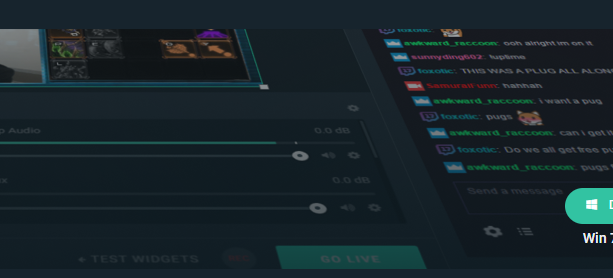
i tried to move it around a lot but never managed to do it
haha
weary mist
lol. I honestly havn't tried doing something like that. I know that OBS is pretty customizable with how it places things, but I can't say for sure
clear cliff
I ctr-f the overlay in OBS but the overlay in the browser is a few times to big. I
I'm using a preset one too
weary mist
Ok, Right click on the browser source, go to transform, and click fit to canvas (or something similar to that)
clear cliff
Oh sorry I wasn
I wasn't very clear. this is regular zoom
So it only shows this much on OBS
weary mist
What are the dimensions on the browser source
clear cliff
in streamelements, it is 1920 by 1080
clear cliff
oh I changed the width and height to match, and it works now, sorry for being stupid and wasting your time, thanks 😄
weary mist
lol, its ok, just make sure to read everything we send, as that was the first thing I recommended (via the bot)
clear cliff
I didn't even see that D:
weary mist
lol, spamming isn't going to get an answer faster. So stop. Wait patiently. I am guessing you want to add the chrome extension for importing?
narrow coyote
weary mist
@lament blade if you don't answer my question, I can't answer yours. I don't know what chrome extension you are asking about, so I am verifying
you need to install the chrome extension, open both your streamlabs and streamelements dashboards, then run the extension. It will import all your information
no
the link is on the website
narrow coyote
I also shared the link earlier, but I guess you were too busy spamming to notice
 hasty glacier
In the media request settings, loyalty cost is set to 20. However it is taking 35 points from viewers, is there another setting somewhere?
narrow coyote
possibly on the command itself, check the command in default commands to see if you have a cost on the actual songrequest command
hasty glacier
Ah yes, it was set to 15. So I can just remove that setting and it will take what is in the loyalty settings?
narrow coyote
yes, if you take the cost off the command, it should just subtract what is in the media request settings only
hasty glacier
Awesome 😃 Only thing there is when you use !commands to see what is available, it shows it as 0. Not taking the value from the loyalty settings. I think thats why I set it to 15, so you could show people
As I am hoping to show it as 20 there
narrow coyote
That would be something that we would have to check with the devs to see if it would be possible
hasty glacier
Would be handy, just so a viewer knows how much it will cost. And then I can keep the loyalty bonus stuff
narrow coyote
In the mean time, you could setup something like a timer to be like "hey, you can use !sr for 20 points" just so you have it somewhere visible to users
narrow coyote
No problem, I will also see if it would be possible to get the cost to show from !commands as well
 austere storm
I have an issue with my tip alerts. They seem tro work if i test them but as soon as i get an real tip they won't show up. While followers etc is working
narrow coyote
did you receive an email that the transaction was successful? Do you see it in the activity feed?
icy trench
I have a problem with the loyalty system, I have It so It's meant to take credits per song request. But It's not taking the credit?
 hollow magnet
Hello i hope this is the right section for questions 😃 I was at your booth today (gamescom) and i heared very good things about StreamElements which StreamLabs doesnt have. I have now two questions:
-
Me was told that you can transfer settings etc from streamlabs to elements, can i also transfer the streamlabs loyality points?
-
I saw that there is a bot integrated, do i need then the nightbot anymore?
Thank you :)!
weary mist
@hollow magnet 1. If you are using loyalty points through the chatbot, yes. The points kept in the extension are not retrivable (StreamLabs does not allow export from it)
2. You won't need nightbot anymore 😃 We can even import your current commands 😃
hollow magnet
@weary mist Thank you, this is awesome! 😃 But with the loyality points, this is bad mhh ... but i can add points to users right?
weary mist
Very correct 😃 What we could do is build a simple document with your top 100 or so people, and import those points, then just do spot bonus's to people that come regularly but not in the top 100
hollow magnet
Iam not a streamer with so many people 😃 If I know their usernames, can i add these points without going live? If yes I add them by myself, you dont have to waste your time 😃
weary mist
sure. If you join the bot to your chat from your dashboard, you can use !bonus username 1000 (or what ever point value you want
If you put them into a text document like username,points, we can use an import tool to get them loaded in pretty quick
icy trench
I have a problem with the loyalty system, I have It so It's meant to take credits per song request. But It's not taking the credit?
weary mist
@icy trench check the very last setting in your Media Share settings. This setting controls who is exempt from the cost. Make sure this is at least mod level or higher
icy trench
Thankyou!
 blissful apex
Hey Guys, does SE not have a bit cup or am i blind D:
narrow coyote
Hype cup
blissful apex
is it widget?
 lost wyvern
I was looking to get a code for the stream elements app early access since I don't have a computer yet to use. Is it possible to get one of these codes?
narrow coyote
@blissful apex yes, its in the widgets
blissful apex
Thank you ❤
narrow coyote
@lost wyvern They are only being given out at Gamescom at this time
weary mist
keep an ear out. This is a very new release, and this is the test to see a more massive usage than the closed usage from before
lost wyvern
Ok sounds good
stuck hamlet
What's your Twitch account? @lost wyvern 😃
hollow magnet
@weary mist Thanks for your help, i added now all points 😃
weary mist
Yay!
lament blade
Пилешки
 ebon vigil
Ive been having problems loading my dashboard or even my leaderboard on my pc i can bring it up on my phone but not my pc and im not sure why
lament blade
@weary mist @ebon vigil
weary mist
@ebon forum or @cedar fulcrum or @summer mulch could help
@ebon vigil that sounds like something localized. It would either be something on your machine, or because of your internet. When on your phone, are you connected to wifi?
ebon vigil
i am
weary mist
ok, so it isn't your internet, it would be something localized to your PC
ebon vigil
ok
 candid whale
Hey guys, any clue why any alert sound would suddenly play back extremely loud on occasion?
 carmine prairie
Is there a reason when someone raids me I'm alerted with a host and raid?
stuck hamlet
Because once the raid is over, twitch automatically hosts you as well @carmine prairie
@candid whale I have not heard of this issue, do you have a clip or something of it happening? Also does it happen on all alerts or just some?
carmine prairie
Oh OK thanks @stuck hamlet
 tough cedar
Hi there. I have one problem in my twitch with the extension StreamElements
I cant see my subs in the chart
and the configuration are right
 sweet zenith
how do i reset a tip goal
elder sorrel
@sweet zenith http://streamelements.com/dashboard/session
StreamElements
The Ultimate All in One Platform for Streamers
Go to Goals -> Far right click Reset Goals
sweet zenith
thanks
 rustic turret
hey guys, anyone has a clue how I remove the 'preset' playlist in mediashare and stuff ? and create my own list ?
celest glen
@pine hemlock I wish media request was like having YouTube open. Viewer requested videos get randomly skipped, they'll often cut off before the song is over, and there is no way to have the videos play randomly. I know I'm not the only one who has had this problem. I'll have to clip it next time these things happen.
And with the hypecup thing, I know about the advanced option, but I still don't really know exactly what to do. I've tried uploading some randomly downloaded sprite sheets but nothing's worked. Is there a good turorial that you're aware of anywhere?
 foggy nebula
I'm having issues with some stream elements stuff on twitch. when I input a new source into my obs, it only grabs a portion of the overlay from stream elements, rather than the whole overlay. any ideas?
 primal mantle
Hello again, Im trying to reset my tip Goal but it is not reseting, I've already deleted all the donations that I've got to see if that works but still stuck
 warm patrol
Can i have early access to live app android?
nocturne pelicanBOT
@foggy nebula To add your overlays to OBS, add a new browser source in your scene. Paste your overlay URL in the browser source properties, set the dimensions to 1920x1080 (unless you changed them on the website), and :ballot_box_with_check: “Shutdown source when not visible” https://youtu.be/KDvLynUqXI4
weary mist
@primal mantle in the overlay editor, go to data, then goals, change the value, hit save
@warm patrol right now, the keys are only available to people that went to gamescom. Keep an eye out though, there might be another chance to get them
primal mantle
@weary mist thanks!!!
foggy nebula
that worked i think, second thing. how do I get rid of the base follower/subscriber noise. I get two noises when I put in my own noise for it
lament blade
my overlays arent loading is something wrong with the site?
All of my images for my follow alerts are gone?
I havent even touched the site what is going on
my current notifications with everything for twitch wont even load
i havent touched any of it
Im literally have a mini panic attack right now wtf
 cosmic spade
Hi is ut possible to get an invitation code for using the streamelements app?
lament blade
?????
weary mist
@cosmic spade right now, the keys are only available to people that went to gamescom. Keep an eye out though, there might be another chance to get them
lament blade
is my message just going to be ignored im super confused.
weary mist
no, im am looking. The other one was super easy to answer since I can just copy what I put 30 minutes ago
foggy nebula
same boat. i'm sure someone is looking into it
lament blade
so its not just me?
Multiple people are dealing with it thank goodness lol.
has me riled and scared lmao
foggy nebula
lol
weary mist
@foggy nebula yours, it means you have multiple overlays, watch for bot response
nocturne pelicanBOT
@foggy nebula Make sure to :ballot_box_with_check: “Shutdown source when not visible” for all browser sources (all OBS scenes). If using studio mode, uncheck “Swap Preview/Output scenes After Transitioning.” Also keep in mind that sound can play from any overlay loaded in the browser (editor or launched). https://i.imgur.com/FegZJQS.png https://i.imgur.com/yY0wcFl.png
foggy nebula
where would i see that
foggy nebula
ah
lament blade
or like anything I should be doing?
weary mist
try refreshing your cache real fast @lament blade
lament blade
how do I do that?
nocturne pelicanBOT
@lament blade Right click on the BrowserSource > Properties > Scroll down a bit > Refresh Cache of current page
weary mist
try duplicating the overlay, and testing the copy
lament blade
trying that right now
its stuck in a loading loop for duplicating overlays
still stuck in a loading loop
yeah its not working at all lol

just this
for minutes now
Im not sure if I Should just wait or continue my stream lol.
now sounds are fucked
and theres two images duplicated
can I just get into a call with someone and work on this please?
weary mist
@lament blade I was able to duplicate your "DEFAULT" overlay
try refreshing the cache in OBS now
weary mist
what is the name of the overlay? @lament blade
lament blade
its current notfications
 dense jackal
Styler Onsl and I are looking into @weary mist @lament blade
weary mist
 flat valve
@dense jackal i have a problem with this overlay: https://streamelements.com/overlay/5b33dd37d311202823d4871f/9jCHiN7A93yTjP715P5Y if a bunch of people follow or sub at the same time, then the overlay breaks and stops doing things.. text to speech also stops after about 8 seconds, and doesnt continue despite having mroe things to say when someone gifts a sub, subscribes, resubs with a message, etc
StreamElements
The Ultimate All in One Platform for Streamers
lament blade
Any chance a title & game changing option will be added to OBS Live?
narrow coyote
 cold crypt
So i just started using streamelements., and earlier today i got 2 new subs, those subs wont show on streamelements because they subbed BEFORE i was using this, right?
narrow coyote
If it was before, correct
cold crypt
ok ty. and all the tipping settings needed to link to my paypal was the email?
narrow coyote
Correct
cold crypt
tyvm
narrow coyote
cold crypt
is there a way to manually update the streamelements leaderboards so peoples previous bit donations appear?
 abstract dome
ok so my alerts have been broken for 5 days and its not just obs when i try to do a test multiple times it doesnt even pop up on the overlay
on streamelements
 tacit ridge
okay I NEED help
I have updated every setting for alert
the sound I chose plase then some generic "ding / blip / chime" goes off.
WHERE is this sound file located?
abstract dome
dont panic guys..... theres no one here
 ancient prawn
hi, where is the best thread to aks someting about the tip settings of g2a pay? Because I think I need some help^^"
dense jackal
No since bits are through twitch we cannot reach the old ones @cold crypt
@abstract dome what do you mean by broken
they don't work at all? have you tested default alerts?
@tacit ridge do you have the alertbox in two places perhaps and not save? which overlay is giving you this issue
@ancient prawn ask away
ancient prawn
@dense jackal I get the problem, that I have tried to connect g2a pay to my payment methods but when I am on the password site (to confirm my mailadress) they told me, that the username (mailadress) is already in use but when I click to send me an email to restore my mailadress they told me, that I have to confirm my mailadress. And I really don´t know how I can fix that because without the one poin I didn´t get the other ^^" I am a bit confused about that <.<
dense jackal
Now is this being done on the G2A website @ancient prawn ?
like you click connect and it takes you to their site correct?
ancient prawn
yes, about the connection button
dense jackal
I would check with G2A support then because that seems like an account issue, unless I am not understanding your issue correctly
ancient prawn
ok, no problem i will connect the g2a support, maybe there is a problem with theyr page or my mailadress^^
lament blade
Does anybody have an idea why my cheer goal looks like this on stream
vital wyvern
@lament blade try and delete the goal, the add it again. and to change the value, you go to Data in the overlay editor
lament blade
@vital wyvern I deleted then added it back but the little animated bit is still not showing up
@vital wyvern Also changing the value did nothing
 nocturne star
Hello all!
Might somebody be able to help me set up a sound effects command?
I want people to be able to !xyz to play a sound effect
zenith widget
@nocturne star You will need to involve the stream store. First, setup a stream store item as "Stream Perks" with an image and sound. Setup a cost for it if you want, but most importantly, have it "Redeem via chat!".
What ever name you've placed on it, should convert to a variable in the same setup window and it should look like this: !redeem XYZ.
Now go to custom commands for the bot, add new command and here the most important part is have the custom command response be ${redeem XYZ} and name the command !XYZ.
Last step is, make sure you have the redemption widget added to your overlay. Test out the item and you are done.
 crystal mason
https://gyazo.com/55ca195fac7368f635a9562434b190f7
so i incidentally clicked persons name and went to their channel on my stream elements live. but now i cant get the chat box back to showing the chat. is there a simple fix?
 zenith widget
@crystal mason If you still see the "Streamelements" button on OBS.Live, click it and then either "disable chat" and then show or "reconnect streamelements account"
afaik you can do this while live
crystal mason
that worked! Thank you so much ❤
nocturne star
This worked! Thank you so much @zenith widget !
Just can't forget to set up a picture for the store item as well. It is a requirement for it to work!
Is there a way to hide the bot's reply in chat, though?
blissful apex
Does SE have their own stream deck or am i imaging that?
blissful apex
IS there a way to test th hype cup
lament blade
what is the JWT Token
atomic hollow
!jwt
nocturne pelicanBOT
You can find your JWT token on your account channels page: https://streamelements.com/dashboard/account/channels
(Don't forget to click on "Show Secrets")
 small zenith
It's a code that other programs (like https://streamelements.com/groundcontrol ) can use to perform actions on your behalf
 uncut quarry
Hi is there a way to prevent users from buying one different item after another from the store to avoid them spamming?
lament blade
?
inland knoll
Hey there - With the Custom-bot name - does it take the name of the second account or can it be changed here?
pine hemlock
@inland knoll it takes the name of the account of the Auth token
inland knoll
@pine hemlock thanks
lament blade
Hello, im notsure what to do but i play Fortnite on streched screen on 1440x1080 and its like a window mode on obs, i want to make it cover the entire screen even if it streaches
pine hemlock
Better to ask generalized obs questions in #general-chat or in the obs discord.
!obshelp
nocturne pelicanBOT
For the best OBS support, please join their discord where OBS devs and support volunteers are available all the time discord.gg/obsproject
pine hemlock
(I'm suggesting this because I don't know how wide-screen works with obs)
lament blade
i just found a exact video of my problem but thanks for the help
Hey guys when i install it. They ask a invitational code what is that
 mint moat
hey guys! I feel silly but I can't figure out how to add youtube playlists to song request feature, it seems that i'm either using the wrong link and its not accepted, or it only plays the first video. thoughts?
tacit ridge
@dense jackal in my main scene no. Just the overlay from streamelemtns
tight harness
@mint moat What's the link you're putting?
 tight harness
@mint moat Try this instead: https://www.youtube.com/watch?v=7OrLroFa0AI&list=PL0dpnURI-_LFecwyHDQG9NBE_LHAI5O0h
mint moat
whoa
it worked
how'd you do it
youre a god among men
oh wait
youre still awesome but, its only playing the first vid. maybe im adding in the wrong area
mint moat
added, saved, but now not showsing anything
small zenith
Can I add variables in variables? eg. ${customapi.my-api.com/feature?q=${1}}
mint moat
weary mist
@small zenith very much so 😃
small zenith
Awesome 
 limpid spire
Is there a glitch with the overlay editor? I created a new overlay, and I'm trying to copy elements to the new overlay, but it isn't showing up in the list of overlays to copy to...
tight harness
@mint moat Try refreshing and playing the first song with the play button, it's working here 😄
 chilly vigil
hello, I have some questions want to ask about the spam filters. Yesterday one viewer said the word "streamer" and he got timeout. I was wondering why "streamer" is a blacklisted word. Any idea?
mint moat
it worksssss!!!!!
tight harness
mint moat
ty brother, it was driving me crazzzyyyy
tight harness
No problem
@chilly vigil It isn't by default, either it was added to your banned words or a mod timed them out
chilly vigil
@tight harness I did not set the word as banned word. And I do not have any human mod yet.
weary mist
@limpid spire try doing a hard refresh (CTRL+SHIFT+R in chrome), it could be that it is cached without the other overlay, and it just needs reminded to check
limpid spire
@weary mist tried that first, no dice. It isn't showing recent edits in the copy list either. Earliest is 11 days ago, despite me editing several overlays earlier.
Think easiest will be to duplicate the overlay I wanted to copy stuff from, and remove the other stuff I don't need, until this gets resolved.
tight harness
@chilly vigil Did they say anything else other than streamer?
I'm looking at your Banned phrases now, you have one for /me messages, was it a /me message? You also banned the  emote, did they use that? 🤔
weary mist
@limpid spire hmmm, this is the first time I have seen this issue. I will poke a dev about it
chilly vigil
@tight harness Hmm.. how can I check the messages log from yesterday?
tight harness
If you used a 3rd party program which stored the logs then you could use that, otherwise you won't be able to
weary mist
@limpid spire I figured it out. It seems that the list is not getting placed into the frame correctly. If you zoom out, it will show those overlays. They are just "above" where the scroll bar starts
chilly vigil
If the viewer comes back again, I'll ask again.
tight harness
Alright 😃
The word "streamer" definitely isn't in your banned phrases list though, so I imagine they used something else that was
chilly vigil
that's what i thought too
As for Caps and paragraph protection, what settings would be the best? I'm having quite a problem adjusting the settings
tight harness
It's entirely up to you, people normally set them fairly high otherwise you have the problem of people getting upset for being timed out
limpid spire
@weary mist that did it. 😉 Small things, huh? 😛 Let's hope it is an easy fix for them!
chilly vigil
that's what I'm facing yesterday 😦
 jolly osprey
Some one help me with this ?
austere storm
So i got a few tips from some of my viewers but they were made via G2A payment option. I have verified every thing on G2A wallet but the tips aren't in the wallet. Who do i need to contact for this StreamElements or G2A ?
tight harness
@jolly osprey Your extension shows fine for me on your channel
narrow coyote
@jolly osprey
jolly osprey
I do not know how I do not show it
narrow coyote
@austere storm did you get anything from g2a about the transaction? Like an email? Might be something you would need to contact them about, as we don't touch the money at all
chilly vigil
hello, is it possible to add chat command in timeout message in spam filter so that if someone got timeout, bot could have the message on why the person got timeout?
I know that the timeout message doesn't show on the chat. so wondering if that is possible..
narrow coyote
That is not something that is possible
chilly vigil
it's a bit frustrating of not telling what the person is timeout for. people have no idea and just seeing their messages got deleted.
 rapid robin
Is there/will there be an option for alerts to just show a mass gift train? instead of single alerts for every gifted sub?
narrow coyote
There should be a new varaition available for the community gift subs in the sub alerts in the alert widget
rapid robin
Does that also affect the Ground control Alerts/web alerts page?
 sudden wyvern
Dose anyone here want to help a Alfinated twitch streamer with some twitch elert sounds and co streaming Id be ofc funding some value
narrow coyote
@rapid robin it's for the on screen alerts in the alert widget in the overlay, pretty sure they will still just show as they do in the activity feed
rapid robin
Hmm, gotcha. Thanks.
narrow coyote
@sudden wyvern if you need finding sounds we have #426825216887619594 or there are plenty of options on the internet. This is also not the place to ask about "co streaming" you can discuss things of that nature in #general-chat
hollow magnet
Hi 😃 I created now my overlay on my dashboard and changed the font. It looks great in the browser version of my overlay but when i add it to OBS, the fonts are completly different, can someone tell me what i did wrong?
OBS
StreamElements
Different names comes from the emulate follower button 😮 ignore this
abstract dome
I believe I fixed my problem with the alerts I think they weren’t going off because I had two alert boxes in one overlay because I needed to put the message on something so I just put the name only alerts on a different overlay
narrow coyote
@hollow magnet make sure the browser source is set to shutdown when not visible, and then refresh the cache on the broweser source
hollow magnet
@narrow coyote Thanks for the answer but how does it fix the font problem ^^ ?
narrow coyote
Already told you they are only being given out at gamescom at this time, posting in multiple channels will not help you @lament blade
hollow magnet
I mean it is now visible if no one follows me right? but the next displays my lastest follower 😮
narrow coyote
@hollow magnet if you saved the overlay, the refreshing the cache part was the fix
hollow magnet
wait a moment i test it^^
@narrow coyote Thank you it worked! Do you know if I can add a drop shadow to my text or outlines? (like in obs)
narrow coyote
There should be a shadow option in the overlay editor for text
hollow magnet
oh yes thanks ... i think iam blind now xD thx for ur help
narrow coyote
chilly vigil
hello. is there any way to set an auto message to welcome viewer?
elder sorrel
I believe that was asked from someone else yesterday @chilly vigil Checking
narrow coyote
I have told you once already this channel is not the place for that @sudden wyvern
 wheat mantle
someone here to help me implementing follower names etc. into my alerts on streamelements ?
narrow coyote
If it's a standard alert, it tells you the available variables for the alert
elder sorrel
Ah. See nothing on auto messaging when a view pops in / chats 🤔
wheat mantle
well i'm kinda confused, because via streamlabel you had to download .txt to implement the names
chilly vigil
Just wanted a welcome message when someone said something first time for the day. Cos I realised I missed quite a few 😦 @elder sorrel
wheat mantle
my question is where streamelements gets those data from
 crimson yew
XD that one previous post.
narrow coyote
it all comes from Twitch API and web hooks @wheat mantle
crimson yew
Yo, Kite. How's it going, dude?
narrow coyote
Its going
narrow coyote
@chilly vigil Automated bot welcome messages are not possible, this is probably the closet existing idea that we have related to what you are looking for https://streamelements.helprace.com/i366-set-up-automated-bot-message-sfx-to-play-when-a-user-speaks-for-the-first-time-in-a-session
wheat mantle
ah thank you kite 😃
narrow coyote
 winged sundial
Good morning everyone  I have a question: Is there a way to set up a bot in channel for retweets?
narrow coyote
Twitter changed their APIs a while back, so once that all gets sorted, it could happen at some point in the future
winged sundial
Ok thank you very much 😃
narrow coyote
dull wyvern
Hello
I was wondering why when I set a donation goal and launch the overlay and add a browser scene in OBS the dono goal does not show up
I need help pls
And now none of my alerts are popping up on OBS
lament blade
can i add a slide show in the stream elements overlay?
dense jackal
what is the name of your twitch account @dull wyvern
 lilac spade
Anyone seen fake hosts, is this a thing on twitch now? StreamElements: boragaming998 just hosted the stream for 500000 viewers PogChamp
dull wyvern
@dense jackal I figured it out, now Im just having trouble with my donation goal and it saying already completted, was wondering if there was a way to make it so its at 0% progress
dense jackal
@lament blade there is an image rotator widget that might be what you are looking for
I haven't heard of this  @lilac spade you sure it wasn't a test?
lilac spade
if it was I didn't trigger it, odd
chilly vigil
If I set a command to trigger the bot to say welcome to the chatter, e.g. trigger on hello or hi, how can I set the message to say welcome (username) ?
can I just set it like this?
Hi ${user} and welcome
or set it like the shoutout like this?
Hi ${1} and welcome
dull wyvern
@dense jackal I figured it out, now Im just having trouble with my donation goal and it saying already completted, was wondering if there was a way to make it so its at 0% progress my twitch is babynikki
dense jackal
in the editor there's a tab at the top called 'Data' click that and you can edit your goal
dull wyvern
thank you
dense jackal
is it in your activity feed @lilac spade ?


 dense jackal
That is wild, I've never heard of that happening
Message us if it happens again I'll look more into it
@chilly vigil Hi ${user} oir Hi ${1} just fine
 smoky kettle
Hi. I downloaded the app for android and it brought me here for an invite code/early access code? I have switched from nightbot to stream elements and i am enjoying it! It gives me a lot more opportunities for streaming on my ps4! How do i get an early access code/invite code?
dense jackal
just make sure your command is someting like '!welcome @chilly vigil'
Are you at gamesom @smoky kettle ? If so head to our booth
smoky kettle
@dense jackal no i am not sadly. Is there another way to get one? That say to contact you guys on discord. Or thats where thr link took me anyway.
dense jackal
then unfortunately no code at this time  @smoky kettle
smoky kettle
.... Why put thr link here then!
winter zenith
@smoky kettle we dont
 frozen moss
hey there im having some trouble with getting the alertbos work from the custom website donations how can i make streamelements to see my donations from the website other than the one in the streamelements default
winter zenith
@frozen moss you dont we cant track tippings through other Services
Only through our Services
chilly vigil
how do I test kappagen?
winter zenith
Type !Kappagen in chat
chilly vigil
oh i have to apply the overlay first
winter zenith

chilly vigil
if i want to use different emotes for different event in kappagen, i have to create different kappagen overlay right?
winter zenith
Yes
Disable Kappagen for All Actions but one and select the emotes you want for that Event
Make sure to only have activate the other Kappagen for Events not the default ones
Or you will have a LOT of CPU usage also 5 emotes on screen for every Single one in chat
Trust me you dont want that
chilly vigil
hmm...
 round otter
Hello guys, I have a problem. My game on stream have sound delay, but my microphone have not.. Where can be a problem? I did not change anything and it starts today.. Same problem in different games
weary mist
That would more be an OBS issue, not something we are familiar with. You can ask OBS for assistance
nocturne pelicanBOT
@round otter For the best OBS support, please join their discord where OBS devs and support volunteers are available all the time discord.gg/obsproject
 brisk cape
Hello streamelements people,
I sent an email to your helpdesk, but that sent me to the discord, gist of it is I have no idea how to access the members or variables in a custom CSS alert
I was under the assumption when I first saw the custom CSS option, that it would be filled by the default template, so one would have ideas of names of the variable of for example the username - or the starting HTML layout since I won't change it that much.
I saw angular is used on streamelements scrolling through the source code, can I add that to my HTML/JS?
(even so, I'd appreciate info on how to get standard data, alert type, username, etc.)
(twitch)
small zenith
Does the bot react with 🗑 to delete the message after a set amount of time?
@brisk cape the variables should be given in the editor. You can access them in the custom HTML/CSS/JS by using {{var_name}}
brisk cape
My custom css editor is entirely blank on all 3 tabs with no hints whatsoever
But so it does use angular style, thank you.
 hidden hamlet
Does streamelements have any connection to spotify or is it just youtube?
I have a friend that uses spotify and he wants the overlay to show what music he is playing
small zenith
When the "Enable custom CSS" option is disabled it shows the available variables
brisk cape
Okay. that's a slight inconvenience at worst. An idea might be to have a small tutorial for these variables for something that's advertised on the main site in multiple places
Thank you, that should be enough information.
elder sorrel
Youtube at the moment @hidden hamlet Up to Spotify IF Spotify will allow SE of their usage via their API.
brisk cape
@small zenith Another question, I've turned off all animations from the Alert, yet it still slides in. How can I just make it do nothing unless I specifically tell it to?
I hope I'm not bothering you too much
small zenith
Did you set all animations to "None"?
Are you testing the proper event?
Did you save?
That's all I can think of, I don't generally edit overlays.
brisk cape
Found it, yes thank you. I turned off the animations on the alert itself. Apperently for all the events in the alert (follow/sub/host) etc. this just changes the text animation to none, have to do all of them manually.
You've been a great help, thanks!
hollow magnet
hi, i have several problems -.- Lastest Tips dont show my lastest tips when i start the stream, lastest follower is also not there -.- only when in the current stream someone follows me -.- me was told at the booth that stream elements is so easy and you dont have much work, but so many things dont work ...
 violet ocean
Hello, I have looked everywhere and can't find my token to use ground control. The link in ground control just redirects you to the stream elements home page
small zenith
!jwt
nocturne pelicanBOT
You can find your JWT token on your account channels page: https://streamelements.com/dashboard/account/channels
(Don't forget to click on "Show Secrets")
small zenith
@violet ocean
violet ocean
😐 lol the struggle was real. thanks!
small zenith
NP 😃
violet ocean
does it play a notification sound for an event like a sub or follow, etc.?
small zenith
Not sure, I only ever mod for others, I don't stream myself
brisk cape
Yes, you can set up sounds for each type of alert
One more question for custom CSS/html/js alerts. The angular code behind the scenes automatically always hides the alert after a while.
IS there any way I can get a piece of HTML to stick? I'd like to create a "Buddy" on screen, for that it needs to be on screen; but switch during alerts.
I was hoping for a streamalerts only solution. Just need SE to not hide everything automatically and do it manually
hidden hamlet
Ok thanks @elder sorrel
elder sorrel
No problem 🤘🏼
zenith widget
@brisk cape @small zenith Just to point out something, the available variables for the custom css editor for the widgets can be located in #dev-chat pinned messages 😉
But its best to use an external editor(like Visual Studio Code) to make your code and then copy->paste
brisk cape
I'm using an external editor, I just had no idea where to find the variables because they were nowhere on the site/tutorials, (also wouldnt really consider it part of the "api" but, thank you!)
zenith widget
Well, I can tell you that if you used the dev console of chrome you could have gotten the same variables in the pinned messages there, you just had to know where to look(both #dev-chat & the dev console.)
We mostly use the #dev-chat when we help out with custom css for the widgets or actual API questions(if any at all)
brisk cape
Thank you, so is there any way to stop the alert from hiding automatically? @zenith widget tried overriding the #widget-1 with !important etcetera but the console showed the div just gets deleted @zenith widget
zenith widget
The default behavior of the alert widget is to go in hiding
If you want to, you can build an alert widget that doesn't go into hiding using the Custom Event List widget
Just don't mind the name of it
brisk cape
Genius. Thank you.
zenith widget
Also to point out something with the custom event widget and the normal alert widget:
- Alert widget doesn't rely on JS to catch the alerts and you can just palce the
{{name}}, etc variables in the HTML and style in CSS - Custom Event List relies on you having to build the JS to track and add and trigger upon eventReceive. I'd suggest to read up on the document from LX that is pinned in #dev-chat
 frank merlin
so i have a sub goal and the widget is up but for some reason theres a number in the middle of the widget bar how do i get rid of it. there a way to change widget appearances
zenith widget
Go to "Goals" tab and refresh or manually edit the sub goal progress
as for the apperance, there are 2 presets for it - normal one and compact one...as far as I know
ooh ans simple design
@frank merlin If you truly want to remove and style the goal progress to your liking, you will have to build it from stratch almost using the Custom Event List and some CSS+JS coding
frank merlin
like i have the goal as but 5 but it has this number 94 /5