#helpdesk-twitch
1 messages · Page 327 of 1
 pliant plover
 strong kernel
@pliant plover Looks like it's there to me. 😃
Oh, wait.
Misread, here, lemme look at your stuff. 😃
 tidal wing
Is there a way that I could link my twitch channel to my discord so that my subs can get an auto role?
 nocturne pelicanBOT
@tidal wing Please connect your Twitch and/or YouTube channel with Discord by going to ⚙ Settings and then Connections here in Discord. https://streamable.com/eg92w

 zenith widget
Then you go to your discord server's settings -> Integration
@split wedge Also, what needs updating after teh crash? OBS.Live or Windows?
Usually OBS crashes if you use OBS.Live and an OBS version LOWER then 21.1.2
strong kernel
@pliant plover Looked at your overlay with the chat, seems to be working fine in OBS. If you're seeing otherwise, could you provide a screenshot?
 split wedge
@zenith widget I'm using the newest version of OBS with OBS.Live
And the update was for OBS.Live
zenith widget
@split wedge Can you provide the last log file from OBS?
 simple forge
Every browser and OS I use loads a blank page with just "Help" on the Tips and Donations page. Refreshing, cache clearing, nothing helps. I can't make money on StreamElements.
zenith widget
@simple forge What OBS are you using?
zenith widget
Ok, so allow cookies in FireFox and force allow JS for SE website
but to warn you. The website and overlays are chromium based, so its best to use Chrome
simple forge
I am accepting all cookies but third party cookies. Whose are they
zenith widget
I don't know about firefox, but can't you just click here and allow cookies:
 chilly adder
I need help, I can't figure out how to go live
 scenic lodge
@zenith widget I need you again ,lol. I'm streaming and one of my followes redeemed a postcard but it did not pop up in stream. Why?
simple forge
That is the mentality I have learned to stop. Just allow it has spiraled into too many issues affecting my life
scenic lodge
@zenith widget It's a gif
zenith widget
@scenic lodge You need to add the redeption widget into your overlay
split wedge
@zenith widget yeah sure! Do you want the whole thing?
zenith widget
@split wedge DM me the file
chilly adder
Can I use SE to go live
scenic lodge
@zenith widget Where to find that?
zenith widget
@chilly adder We provide alert tracking and overlays, we do not provide the stream platform like Twitch does
zenith widget
@scenic lodge
chilly adder
i can't figure OBS out
zenith widget
@chilly adder Watch this video: https://www.youtube.com/watch?v=BtZazqLgBjw
scenic lodge
@zenith widget I can use that for streamlabs obs?
chilly adder
thx
zenith widget
Umm SLOBS tends to block our overlays @scenic lodge
Best to use OBS Studio
(or our plugin for OBS Studio)
scenic lodge
what?
zenith widget
StreamLABS OBS(StreamLabs FORKED OBS VERSION) has a record of blocking out overlays
we recommend, using OBS Studio
simple forge
I've accepted third party cookies and still get a white page. I'm not blocking anything.
zenith widget
@simple forge Either refresh couple of times or use Chrome
 weary mist
@simple forge its a special cookie this one. You have to go in and unblock the cookie
for some reason, most browser auto-block this one
 low fractal
HEy whats uP guys?
Question, whats the best way to get Twitch chat into OBS for an overlay?
I forgot!
 narrow coyote
add the twitch chat widget into your overlay
 small veldt
Is there a way to reset the amount of money i have gotten in donation on the "tip goal"? I'm trying to get a donation goal for a new webcam but it shows all the money i have gotten from earlier donations too
narrow coyote
chilly adder
The vid you sent me is telling me to get a "test tool" I can't download the tool
 restive warren
Please help! I asked the question last night but haven't got it solved yet. I installed the extension and added store item, but the store item did not show up on the extension panel, any advice or fix please? Thank you very much!
zenith widget
@restive warren You need to set the store items to be "redeemable via chat"
to show up in the extension
restive warren
Yes, sir. I already set it as it is, the box is already checked.
zenith widget
uninstall the extension and install it again
restive warren
I uninstalled, reinstalled, reactivated, but it still does not show the store items.
 faint moss
I just installed the leaderboard and how do I not make bots top chatters and stuff like that
nocturne pelicanBOT
@olive bloom Twitch prime (new and resub) and paid subscriptions (resub only) must be shared in chat manually by the person subscribing in order for the subscription information to be sent to StreamElements. For twitch prime, the user needs to have sharing enabled on https://www.twitch.tv/settings/prime. For paid subs, if the share box doesn't show up immediately it will when they refresh the page. https://i.imgur.com/VNJN0Uv.gif https://i.imgur.com/2297EA7.png

 zenith widget
@restive warren It seems I can't remove my test item from the store 
So I think it just takes a bit of time to take effect
scenic lodge
okay
zenith widget
@restive warren I'll poke internally
@faint moss Unfortunately, we don't have an option to ignore people from the chatstats as of yet. It is planned, but no ETA at the moment. - this affects the extension as well
restive warren
OK, That is interesting. Do you know how much time that it will take to show the store items. I appreciate your help, friend! 😃
 olive bloom
@zenith widget thanks mate
faint moss
Thanks @zenith widget
zenith widget
@restive warren No idea really. I just refreshed my channel and the item was gone
So what I'd suggest is, remove all the store items' options to "redeem via chat"
wait like 2-3 minutes maybe 5
then add the option again
restive warren
@zenith widget I tried as what you said, but it still not show up. 😦
 crimson yew
Is there a way to reset tip widget? I was testing and I don't want it still showing 100000 $
faint moss
How do I delete a command that was imported from Nightbot? It wont let me edit so I can't delete it
 chilly vigil
hello. if I add mp3 as media source, will I hear any sound coming from obs?
narrow coyote
@faint moss If you dont see the edit or delete options, there is a scroll bar at the bottom of the command list
@crimson yew you mean for the goal? https://streamelements.com/dashboard/session goals tab
faint moss
thank you
narrow coyote
@chilly vigil if you are talking about the OBS media source it should play .mp3s. If you are looking to play music on stream you could also look into using media request with a playlist from youtube
 bitter kiln
The new version of OBS.Live isn't displaying the chat for all users, only the announcements like wizebot and the streamer. It's broke from the latest update.
narrow coyote
The devs are tracking this issue, I am going to let them know it is affecting your channel, thank you for reporting, and sorry for the inconvenience
 lean hamlet
Hello? I am wondering where I can find sound effects for follow notifications. It seems streamelements doesnt provide any
narrow coyote
@bitter kiln Can you please try clicking the reload button on the upper left corner of the chat widget and see if it still happens?
lean hamlet
KITE can you help me?
narrow coyote
zenith widget
@lean hamlet Or you can check out #426825216887619594
 blissful leaf
is there a way to implement a live viewer count with the new OBS integration? That way I can use OBS as my dashboard rather than having an additional browser window open to use Twitch?
zenith widget
@lament blade That is not what he asked 
@blissful leaf If you get obs.live you will be able to see a viewer count on the OBS UI
Viewers: N/A is the viewer count
chilly adder
How do you desplay your game onto stream
 hasty glacier
When I use !commands to see the full list of commands, the prices arent showing correctly. In media request settings, I have song request set to 15, but it shows as 0. Roulette also shows as 0
chilly adder
game capture wasn't working, iether that or idk how to work it
zenith widget
@hasty glacier Those costs are command usage, not feature usage
chilly adder
do you think If you joined my stream you could help me from there?
hasty glacier
@zenith widget How would I get them to not show up in that list then, or have them show the feature price
chilly adder
ok, stream user is same as discord, give me a sexk
zenith widget
@hasty glacier If you don't want the commands to show up, you can disable them. afaik default commands can't be hidden from the list let me check
chilly adder
ok im online
zenith widget
@hasty glacier
this is only available for custom command
default commands can't be hidden via this method, only when disabled. This means if you want to hide the song request command, then you have to turn off the media request
hasty glacier
I have SR disabled inside the default commands section, enabled within the module. But it shows up in the list, shall I just give it a price of 15. I am fine with it showing up as long as the price matches reallky
zenith widget
You need to disable the FEATURE/MODULE
the disable/enable button i nthe command list on the dashboard is a visual thing and does not relate to the actual status of the module
hasty glacier
Ah right, I will have a look 😃
 knotty warren
@narrow coyote OBS.Live Installer Failure (Update): New version installed correctly - installer did not fail after searching for programs to close. However, it did seem to 'infinitely' search for several minutes before proceeding. [see screenshot]
narrow coyote
thats good that it installed, the logic that is used in the installer in this part has been something that has been worked on, so in a future update these issues should be a thing of the past
knotty warren
Excellent! If I have any more issues, I will be sure to let you know!
narrow coyote

 lament blade
hey
ehm how do i do this: The dancing shark is the default image, you didn't add it. Make sure you go into Variation Settings to edit the variations too
zenith widget
Click on the alert that has the shark(sub/tip/cheer) and then find the variation settings
oops
lament blade
but were can i find to add the shark
knotty warren
Is there a way to turn off dark mode for the activity feed with the current version of Live?
narrow coyote
Not at this time, but its on the list
knotty warren
Gotcha
zenith widget
@lament blade Go to your overlay -> overlay editor -> click on the alertbo
lament blade
@zenith widget oke got that but when i recieve a donation the shark is shown but not the text
zenith widget
@lament blade When you click on the alert box -> cog wheel on the TIP alert -> VARIATIONS shown on the screenshot
edit the variations then
or delete them
knotty warren
Excited to see the quality of Live evolve. Right now, I can tell you immediately that I prefer to have the pop out chat box from my dashboard rather than the chat dock within OBS - the text and emote clarity isn't as rich/clear.
lament blade
i see this in variations
zenith widget
Is this from a blank overlay(your overlay) or a preset overlay?
zenith widget
ok, so click on CHANGE IMAGE or SET VIDEO
and then choose what ever you want to place there
lament blade
and then also messeges from people who donate are shown?
zenith widget
yes
lament blade
oke nice
thanks alot
and an other question im going to make myself a new stream template should i do everything with streamelements or also a bit with streamlabs. like donations goal and that kind of things on streamlabs?
zenith widget
We pretty much have everything SL has for the overlays
and we are cloud based, while SL is not
I would suggest to take a look at this video: https://www.youtube.com/watch?v=X7XrDdRE7Fk&t=1s&index=4&list=PLCDDKlFdScbEwdx5AntcQIS1InkFJwHtv
knotty warren
@lament blade As a fellow streamer and someone who has used every overlay/bits/dono service out there (including GatherBot aka OperaEvent), I can tell you it will absolutely overcomplicate things to use multiple platforms for your overlay elements. The ultimate goal for all of them is to offer everything a streamer needs, all in one place. StreamElements does it all, and it's cloud based. Plus, you could spend your entire day waiting for a solution to an issue with another service, but #helpdesk-twitch always has someone ready and willing to help. This was not an attempt to kiss a**, just some honest transparency.
lament blade
ty 😛
knotty warren
You're welcome
lament blade
but i was allreayd convinced xd
zenith widget
We do provide 24/7 support in discord, as we have support heroes all around the world
knotty warren
@zenith widget 👍🏼
zenith widget
I may soon go to bed as I'm EU, but the US peeps are here
lament blade
but first im going to make a logo with photoshop but im kinda noob xd
im eu too
sleep is for the weak ones haha
@zenith widget my stream is frame lagging how to fix
zenith widget
There might be a lot of factors for that
lament blade
im streaming now can you take a look
 west gull
what does someone mean with "frame lagging"
zenith widget
Most likely you are not using proper OBS settings and game is set to "High" graphics
or your PC specs are not sufficient enough
lament blade
very low graphics
zenith widget
then PC specs and internet connection
lament blade
what obs settings should i use
west gull
turn Vsync on, or lock it to 60fps
zenith widget
Its really dependent on your PC specs
chilly vigil
Hello. Anyone knows how to play a list of songs for a scene? Let's say for brb scene.
zenith widget
youtube playlist?
chilly vigil
You can just grab YouTube playlist for a scene?? Because I need the songs stop automatically when I change the scene.
zenith widget
I don't there there is a way to make it automatic with us or any other tool
except if you use Streamdeck
and set a macro to play/pause music
chilly vigil
Can't I set it like for 1 mp3 media source?
chilly vigil
Then what you use? 
zenith widget
I'd like to say Youtube, but I use Spotify
chilly vigil
Ah.. so manually stop the songs.
knotty warren
@chilly vigil The best (and only) way to do that would be to add a media source (that is audio only) to the scene.
chilly vigil
I know I can add 1 mp3 media source. But playing a list of songs randomly for 1 scene, how?
knotty warren
You would need to compile the songs yourself
And create one singular mp3 file for that compilation
Best thing you can do for the playback is don't have it set to restart every time, and set it to loop. Not sure how often or how long you are going AFK, but that factor would determine how many songs you want or need to compile.
The much simpler option would be to add the songs you want to play for that scene to a playlist on YouTube or spotify (whatever you use when you aren't on that scene), and press play before you step away.
 crisp cloud
Am I doing something wrong?im assuming that once the stream starts music from media requests starts to play from my playlist anyone know how to get that to work?
zenith widget
Press the play button manually
crisp cloud
I tried that and I’m on mobile so when I do that music in my safari tab starts playing but I’m not sure if it comes up on stream
 lean osprey
Is there a way to create a custom command that can make you win/lose channel points?
crisp cloud
@zenith widget i did what you said but I can’t hear it
 vital wyvern
@lean osprey from my knowledge no, but we do have modules for this 😛
i recommend asking in #dev-chat to get that confirmed 😄
 zinc shale
Hi! I duplicated an overlay because i wanted to create a slightly different version of it, but it had the exact same link so whenever i edited the new overlay it also duplicated the old one, how can i fix this?
 kindred hill
i am in need of help
twitch streamer using stream elements
when i show media on stream it changes my audio to a different vaux audio and not the Vaux Aux audio so stream stops hearing the music
 cursive obsidian
Does anyone know about a NICE way to present the item store to our viewers... like streamlabs does ?? not just a messy link with no catagorys
vital wyvern
@cursive obsidian Stream Elements have a twitch extension panel that you can add 😛 featuring leaderboards and the stream store 😄 so the user don't need to go onto your website to purchase the item 😛
cursive obsidian
Yeah I know that... but than its still messy... its just one list with redeemable sounds.. no cat, just one list with everything in my store
not even alfabetic
I was wondering if there was a way to do it like streamlabs does
or atleast a little bit cleaner
 exotic hinge
how can i create a command where it adds the people who type it to a list?
for my subscriber games
so theyre not fighting over who goes next
 pastel tree
How would I hear alert box notifications on a dual pc setup without it doubling up?
vital wyvern
@cursive obsidian for the extension it starts at least costly items to the most costly item being last
But sadly i don't know what you are referring to in regards to SL
@exotic hinge Our bot don't handle such yet sorry. recommend adding it to the posting the idea here
nocturne pelicanBOT
Here is the StreamElements Ideas Board: https://strms.net/ideas
 ebon forum
@pastel tree cheap audio mixer like a behringer 302 (if you do not plan on a big 48V powered mic, otherwise grab a bigger mixer) and run the alerts on the second PC.
pastel tree
Is there another way I can make it so I hear the alerts through my gaming pc and then it gets sent through the capture card to the stream?
ebon forum
@pastel tree you can do that. but they will be not visible and probably off sync with the visual alerts on the second PC. but that is possible, just run OBS with our overlay loaded in the background on the gamingPC, this will give you audio. And you can mute the desktop sound in OBS on the streaming PC, but you will have to deal with audio desync (significant).
Mixer that gives you the option to hear both sources and control them without alt-tabbing is what you want, everything else is optional
pastel tree
Okay I see, thanks for the help.
 wide hatch
my alerts of SE doesn't work on my obs but on a tab it does 
 normal igloo
@wide hatch Did you try relinking you alerts on obs? 
wide hatch
yes
restive warren
Dear staff, I asked this question yesterday and today, about my store items not showing up on my Twitch extension. @stuck hamlet and @zenith widget tried to help, thank you very much for your kindness! I do appreciate that, but the problem has not been solved yet. I wonder any staff or developer could give me some insight so that I could get it fixed please? Thank you very much again! 😊💚🙏
normal igloo
@restive warren #1 Onslaught Is a staff member #2 You tried installing and reinstalling the Twitch extension
 sturdy moat
Hey, is there any way i can make like a queue system so that when a player redeems a store item (!redeem play) it puts them in like a queue to play a game with me?
restive warren
@normal igloo I do very much appreciate everyone who has helped out, and that is why I wrote their names above. They are great people and I am grateful. Yes, sir, I did try installing and reinstalling already, but the problem does not change a bit.
normal igloo
@restive warren Strange Hopefully one of the staff will fix that for you 
restive warren
@normal igloo Ya, I really don't understand why. Really hope to fix it soon though, look forward to.
normal igloo
hey guys Asking for a friend alerts not working on obs but are working on se website He's tried everything I can think of Have no sound no animation anything Anything what can be done to resolve this ?
 misty wagon
@sturdy moat you can upvote the idea on strms.net/ideas We currently do not have it.
@restive warren I'm afraid I can't help with that but I'm sure the people tagged or any of our other brainiacs will when they are among the land of the living 👌
crisp cloud
I’m trying to play music on my stream but it’s not playing
normal igloo
@misty wagon Any chance of support here coach
misty wagon
Nah @normal igloo but I already tagged some.of.the real brainiacs
normal igloo
misty wagon
You know my role is more.of taking care of clean diapers and making fresh pots of 
normal igloo
 carmine prairie
Hello! I was wondering if the resubscribe alert message is built in with streamelements automatically or do i need to set that up.
misty wagon
Also as you can see by my amazing quality of typing, I'm on my cellphone somewhere on. Beach I'm Turkey watching the Perseids crashing on earth
carmine prairie
I just didn't know if I have to set up a separate alert
misty wagon
If the user chooses to announce it, it will be picked up by the normal sub alert
carmine prairie
OK cool
normal igloo
@carmine prairie for resub alert You will need to add that yourself In Variations settings of the sub alert
carmine prairie
so im on the add new variation page, how to i set up the resub exactly
normal igloo
But like what Latte said Not a lot you can do about offline subs tho
normal igloo
Add new Variation
Variation Parameter Monthl sub at 2
carmine prairie
not seeing where it says variation parameter
nvm
k, changed it to months subscribed
normal igloo
And if you want to have gift sub alert then Add new Variation
Variation Parameter gift
 quick moth
Hey there! I'm new to Twitch streaming and StreamElements. I started using SE quite recently and I have setuped some overlays with alerts and other widgets. Now I get for example Host Events through my SE bot to show alerts, but nothing related to followers is recorded. Not by the bot to the chat, not on the alerts and not even in the dashboard activity. Hosts do records for all mentioned above. I have every follower object enabled that I could find, starting from bot modules and so on. Any ideas what to try next?
carmine prairie
@normal igloo for the resub should i change condion the say At least?
 pine hemlock
@quick moth did you change your twitch username or password recently
@lament blade I don't have an answer
normal igloo
@carmine prairie yes then Requirement amount set 2
carmine prairie
kk, got it xD
quick moth
@pine hemlock not that I recall. My account on twitch is almost 4 years old.
normal igloo
@pine hemlock Asking for a friend alerts not working on obs but are working on se website He's tried everything I can think of Have no sound no animation anything Anything what can be done to resolve this ?
quick moth
@pine hemlock thank you. twitch is ShaqeTV
pine hemlock
@normal igloo refreshed cache? Obs up to date? (might need to manually download the latest version)
normal igloo
@wide hatch You done this ^^^^
pine hemlock
He can also duplicate the overlay on the site and use the new url too if nothing seems to work
carmine prairie
@lament blade should u keep the box checked that says Pick an alert randomly when more than one matches
normal igloo
mmm Not sure to be honest I have it ticked And works ok for me @carmine prairie
so I say yeah do it
carmine prairie
check it to have it pick randomly if multiple matches
pine hemlock
Do they show in the overlay editor when you test?
wide hatch
yes
pine hemlock
Are followers wtf showing in the activity feed
Etc *
Not wtf
@quick moth should be fixed
quick moth
@pine hemlock testing
pine hemlock
@wide hatch firewalls or anti virus maybe?
wide hatch
can't because i'm not going say name tho alerts work but se alerts don't
pine hemlock
when you test the alerts on the site, do they play in obs? or no, even when testing
wide hatch
on obs it don't play but on site they do
pine hemlock
can u tell me what version of obs you have
wide hatch
21.1.2
pine hemlock
Send me your url in a dm
quick moth
@pine hemlock okay so i'm using OBS and the SE Overlay events work to OBS. But the SE bot is still not working in the chat and the follower events are not going through. And now the hosting also dissappeared :S
I feel like SE-Twitch connection has something problems as my activity feeds are not updating as we are making new followers with my friend to test
pine hemlock
Usually logging out and logging back into the SE site fixes those connection problems.
if the bot isnt posting, is the module enabled?
quick moth
SE - Bot - Modules - Chat Alerts is enabled and the message is the template one " Thank you for following {user} 😃 "
pine hemlock
Are you using Ground Control with a custom bot name?
quick moth
@pine hemlock I'm using only online. I had Ground Control installed but I didn't use it and then I removed it.
I have logged in and off from the SE website quite many times and it still shows that I have 0 followers as total. Which is not true.
pine hemlock
@stuck hamlet ^
quick moth
This is after many streams and some followers joining
 quick moth
@stuck hamlet that shows 0 from entire year or any selected time. and Bot is not posting the "X followed" texts nor do they happen in Overlay Alerts
pine hemlock
Which overlay are yo uusing @wide hatch
 stuck hamlet
Did you recently sign up to our system?
quick moth
@stuck hamlet about 5 days or so
wide hatch
my alert called lol
stuck hamlet
It won't display Data from when you weren't signed up to use. so it will say 0 for everything
wide hatch
and ANIMATED BLUE METROPOLIS BRB SCENE
quick moth
@stuck hamlet when I select a day, it will show Hosts correctly but Follows are always 0.
@stuck hamlet that follow came thgrough! 😄
stuck hamlet
Yes, Because there was an issue with your follower notifications, I have fixed it now.
You will see proper data from now on.
stuck hamlet
No, you're fine
quick moth
Phew, I thought I was a noob. Good.
 wide hatch
pine hemlock
wide hatch
pine hemlock
Did you set the size of the alertbox to 1920x1080?
wide hatch
for me it didn't show
normal igloo
I see my name 
 quick moth
@pine hemlock @stuck hamlet Thanks guys. Seems like it works now. I'll come back if I see anything weird about it. Super good service, I will recommend you guys in the future. Thanks, and keep up the good work. Have a pleasant day/night (3 am here) 😃 😃
wide hatch
@pine hemlock reinstalled it don't show up
pine hemlock
Im not sure where to go with this
have u tried duplicating the LOL overlay and adding the new URL
?
normal igloo
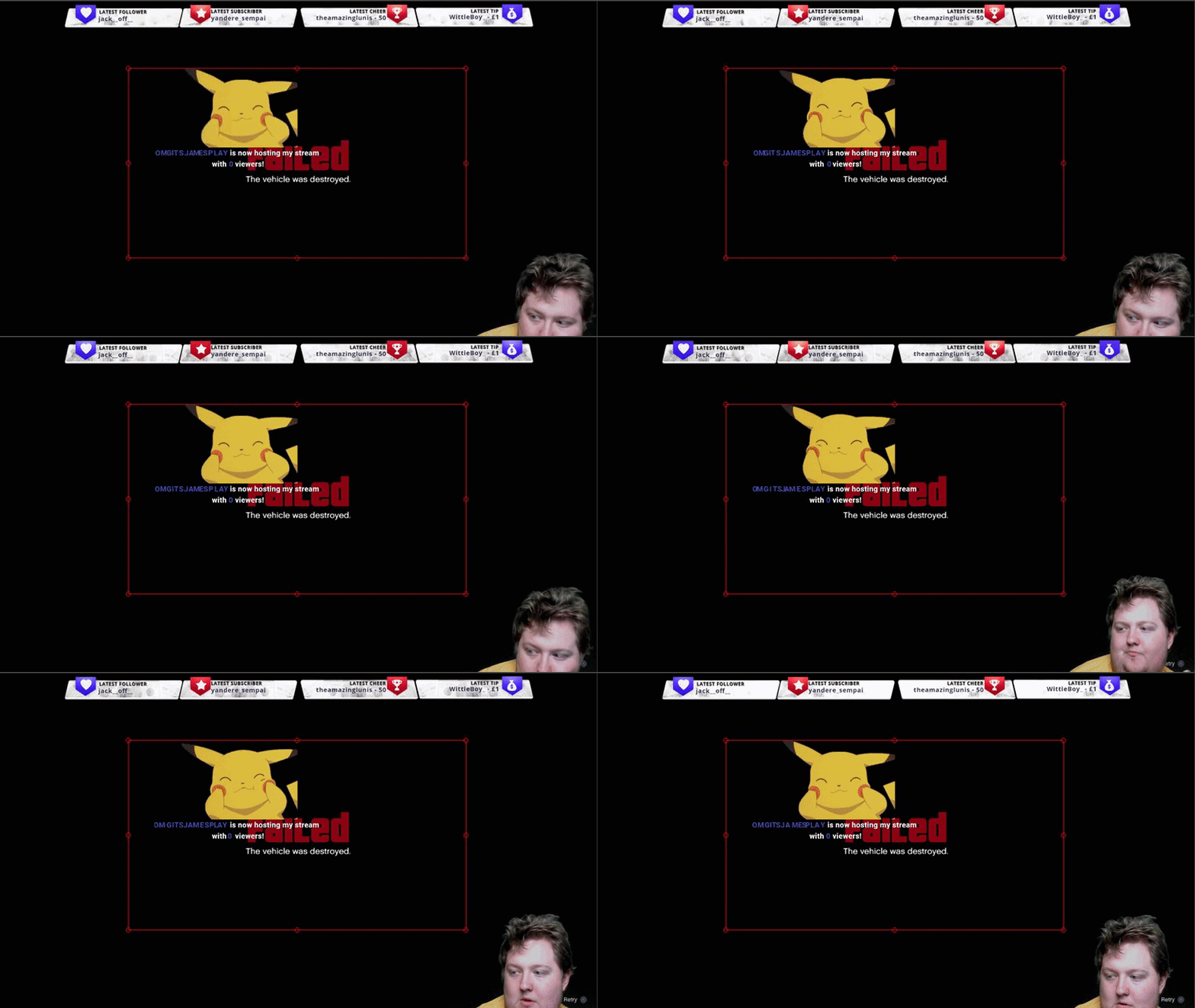
@pine hemlock Looks like it's something on @wide hatch end Even I tested the link https://i.gyazo.com/2f3cc7d58f6b5daf09bf56407a565587.gif

pine hemlock
I just dont know what would cause it not to work for him specifically is all
wide hatch
still the same
pine hemlock
:|
wide hatch
@normal igloo is looking into it with teamviewer
normal igloo
@pine hemlock all alerts links not show on his pc but good for me 
pine hemlock
Something has to be blocking something.
normal igloo
@pine hemlock I don’t know man I’m more clueless then you are right now
 outer topaz
i updated obs but i dont see the new features
pine hemlock
!obslive
nocturne pelicanBOT
OBS.Live is a Plugin for OBS created by StreamElements. You can download OBS.Live here: https://streamelements.com/obslive
Please make sure you have the latest version of OBS installed, Current Version: 21.1.2. You can install OBS here: https://obsproject.com/
pine hemlock
@outer topaz What features are you talking about exactly
outer topaz
i get it, thank you
narrow coyote

outer topaz
is there more than 2 widgets that can be used?
narrow coyote
not at this time, just the activity feed and chat
@wide hatch top 3 causes of something like this are packets being blocked/dropped by antivirus, firewall, or other thigs that can interfere with network traffic, like the killer networking service for killer nics
normal igloo
@narrow coyote yeah even tried on team viewer using my link still thing happening for him
narrow coyote
yeah, it sounds like the packets are being dropped/blocked. Do other sites work in the browser source? like if you make a new browser source do you see the OBS Project page?
wide hatch
@narrow coyote but why it shows my alerts of deepbot then?
normal igloo
@narrow coyote yes that was one of the first things I tried just the alerts don’t work
 dusky cave
Is there anyway to do multiple giveaways?like if I am running a month long one then want to do a random giveaway??
narrow coyote
@wide hatch not all packets are treated equally when something interferes with network traffic
dusky cave
@lament blade streamlabs obs or obs? Both of which have there official discord on there websites if no one here can help
nocturne pelicanBOT
For the best OBS support, please join their discord where OBS devs and support volunteers are available all the time discord.gg/obsproject
narrow coyote
its all going to depend on your encoding settings, hardware, and you upload rate and your bitrate
dusky cave
Is there anyway to do multiple giveaways?like if I am running a month long one then want to do a random giveaway??
narrow coyote
I believe you can only do one at a time
normal igloo
yes one at a time ^^^
dusky cave
Anyone know if they are working on adding multiple?
narrow coyote
https://streamelements.helprace.com/i480-long-running-and-multiple-giveaways be sure to upvote this
@lament blade the bitrate is just a part of it and setting a random range like that is not very helpful. Your bitrate will depend on what encoder settings you are using, and what your upload limit is on your internet
wide hatch
uninstalled my antivirus program still the same on chrome tab it works but not on obs
 honest notch
All of my other alerts emulate but cheer will not?
Nope. It is checked:(
It was working yesterday.
Nope
Since it wasn't working I went to see about remaking it, and its the same. All the other work except the cheer. I still have the original though, nothing was changed on it.
 winter zenith
@honest notch what's your Variations?
Normaly stuff like that is a Variation issue where one alert only Shows for 1-99 bits
A diffrent one for 100
outer topaz
any idea why the store redemption isnt showing the picture?
winter zenith
Another diffrent one for 1000 and so forth
honest notch
Ahh okay let me try
winter zenith
@outer topaz is it a Sound effects or a streamperk?
honest notch
I didn't have any variations set
winter zenith
@honest notch okay because. Normaly they are there per default when you make a new alertbox
honest notch
Yeah it shows 1k, 5k, custom
but it says i dont have any variations so those are the defaults?
winter zenith
Yes
honest notch
Okie
honest notch
Nothing
honest notch
No:(
winter zenith
Chrome Browser?
winter zenith
When you emulate a Cheer. Doese the alert play in obs?
honest notch
No
winter zenith
Can you Screenshot me your alert Box settings?
winter zenith
Na your question is legit dont worry
So when you make
A new overlay
And input a alertbox widget in there
And emulate a cheer
Nothing comes up?
winter zenith

honest notch
;D
winter zenith
Subscriber also works?
honest notch
Yes
winter zenith
Okay need to forword that to a dev then that's pretty wierd...
Can you try one thing for me?
honest notch
let me try;)
winter zenith
And test a Cheer
winter zenith

honest notch
I am a dope. I should have tried that first.
winter zenith
Always try that I also didnt think of it sooner 
winter zenith

No problem
Also:
@Smider is it a Sound effects or a streamperk?
@outer topaz
 haughty scarab
Hey, just got to using the streamelements extention. I've set my countdown for sunday at 12PM(noon)(currently 10:40 pm) and it's showing a countdown of just 13 hours, instead of counting down to sunday next weekend. Is this a bug, or did I setup something wrong?
 glass goblet
Does the train wdget work for followers? I put it in and changed the Train Type to Follower train but the number only increments with a sub trigger and not follower.
stuck hamlet
Try uninstalling and reinstalling the extension @haughty scarab
haughty scarab
just did, same issue
haughty scarab
thank you 😃
it'll probably be fine after midnight, but figured it's still a bug, gotta report it X)
stuck hamlet
Maybe the extension forgot how to count to 6

@glass goblet The emulator doesn't work (bug ive just noticed) but it should work for live events 😃 (just tested on your account and it worked )
glass goblet
Ok. thanks
@stuck hamlet do you have the variable for months count? I want to put {name} just resubscribed for {months}
stuck hamlet
{amount} is what you're looking for
glass goblet
Thanks you
 delicate oxide
 dense jackal
https://streamelements.com/groundcontrol @delicate oxide
 molten brook
So when it comes to making more advanced alerts, is there a way using either Streamelements or just right in OBS to add a screen blend mode? Maybe something using the custom coding the overlay offers but not making it from the ground up. Maybe having the HTML section have a video and the CSS apply a blend mode?
 sour minnow
Just wondering is there a way I can look at a friend's quotelist
dense jackal
A quoteslist is not something we have at this time but something we want to implement in the future @sour minnow
For more advanced alerts our alerts allow for custom css @molten brook I'm not sure exactly what you are asking though can you elabrorate?
molten brook
So let's say I have a video with an alert on it. Problem is that I need it to have a transparent background (which could be acomplished using a blend mode set to screen) but video files tend to not be that big on transparency, and if they are, the file size is huge. So I'm trying to figure out if I could somehow replicate a screen blend mode using the custom css option in the overlay, or if there's some really easy way in OBS I just missed.
dense jackal
webm's transparent files don't seem to be big in my experience, but I guess you could accomplish this by doing some trickery in OBS. I'm assuming when you say blend mode you mean chroma key (getting rid of one color for transparency) ? If the parts supposed to be transparent are all one color you can make your alertbox 800x600 on our site, then put it in a 800x600 browser source, then put a chroma key filter for the one color. I hope I am understanding you correctly 🤔 @molten brook
800x600 is just for simplicity and managability
molten brook
googles webm
sour minnow
@dense jackal OK thanks
molten brook
I'm probably going to do some experimenting on my own and looking around for valid formats then
dense jackal
Sounds good. Zamzar.com is good conversion site I use often if you need that 👍
refreshing/ saving overlay
You can always refresh all your overlays with the press of the refresh button at the top of your activity feed
lament blade
My top cheerer's is not going to my StreamElements while importing, and because I have used the import tool many times it appears that some peoples stuff is doubling
is there any way i can reset my entire streamelements profile to fix this
Also @rapid tapir Bless your soul for the log viewer on Twitch, helps fight chargebacks!
dense jackal
Cheers do not import as it is recorded as api from twitch like a host once it's done, it's gone. @lament blade
lament blade
So its impossible Ill just have to manually add in the name correct?
dense jackal
so once you signup on SE you will recieve all the tip/cheer alerts, and you can set your goals and latest cheer but you cannot reset the total or highest cheerer
lament blade
Roger that
Also, for some reason my alert videos show up transparent on StreamLabs, but since transitioning to stream elements, my alerts have a black background
Any way to fix this as I will have to set it up using a browser source for the overlay anyways
dense jackal
Do you still have the original files?
 lament blade
My exact face HAHA
 primal mantle
How much time does it take to bring the money to my paypal account from a G2A Donation?
 pale pawn
hi guys. so i updated obs.live just before stream and changed my twitch name last night and now my chat isn't showing command responses or timers. subscription notification shows up in chat though. all alerts work fine via overlay, just nothing bot related showing up in chat?
lament blade
@pale pawn Part your bot from your stream and add it back see if that fixes it
dense jackal
you'd have to ask G2A @primal mantle if you're transferring money from that wallet to paypal
@pale pawn part bot, log out, log back in, and re add bot
pale pawn
that worked just fine guys. thank you. i tried logging out and in multiple times but to no avail. all god know 😃
good*
dense jackal
 tawdry mica
anyone know how to fix a glitch where twitch wont let you chande your stream title or game
dense jackal
Haven't heard of it, I would ask twitch support tho
 celest temple
Is StreamElements conntected with ExtraLife?
zenith widget
We do have a tracking widget for extralife
celest temple
It's a Widget right?
 oblique steeple
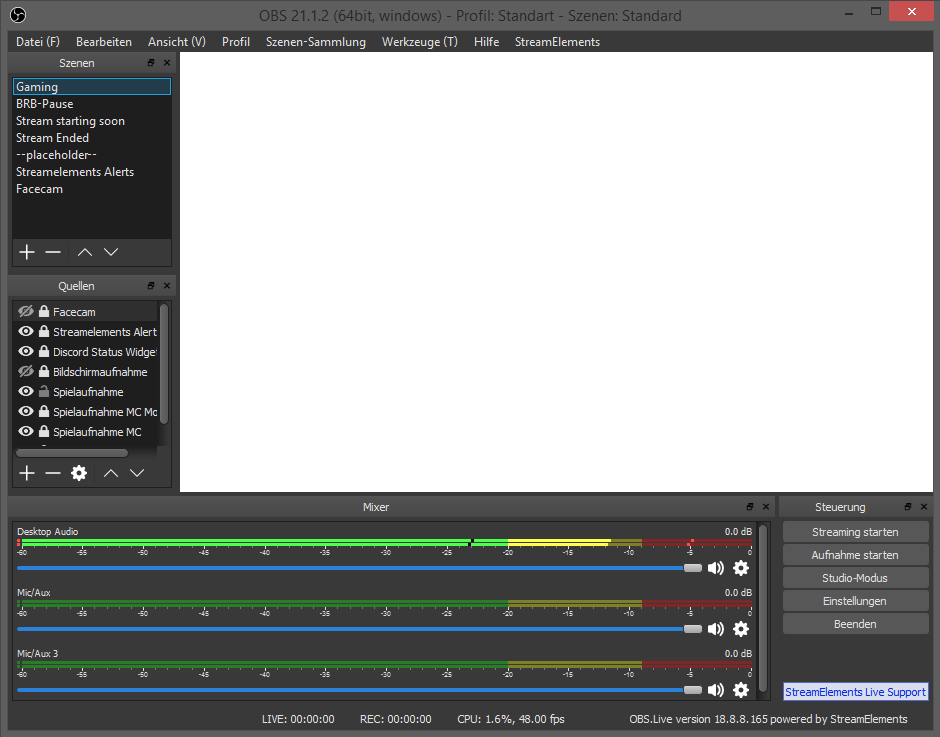
yesterday i had a problem after updateing OBS Live. After i reinstalled everything was fine. Now i wanted to setup a few things and as yesterday everything is white. Btw. i can't reconnect since the windows keeps white: https://i.imgur.com/NmoBYHy.png
 zenith widget
@celest temple check the widget list in the overlay editor at the bottom
celest temple
I see it, and got it
zenith widget
@oblique steeple have you tried the "reconnect account" from the streamelements menu?
oblique steeple
@zenith widget yep but...
 ancient otter
Guys just a little question from a new SE user, the Link Protection custom message shouldn't show on chat to the user that got timed out?
stuck hamlet
it should not
ancient otter
Oh
There's anything that i could put a message to the viewer?
Maybe putting http:// as an banned word... hmm
stuck hamlet
It tells them when it bans them
ancient otter
Hm, I tried with a fake account on my channel and didn't sent any message D:
It showd to me on my main account as a 'Reason' but nothing to the user
stuck hamlet
Oh, i believe that is something Twitch changed, we will have to look into it 
zenith widget
@stuck hamlet This has been a thing for a very long time where the bot doesn't respond with the timeout/ban reason from the filter
ancient otter
Oh okay, i was thinking that was something that i was doing wrong hehe
Thank you so much @stuck hamlet
zenith widget
I've seen nightbot do it, but I've always thought it was never enabled/implemented for our bot. @turbid reef can you confirm?
zenith widget
@oblique steeple OK, since I don't have OBS on my work laptop at the current moment, can you shutdown OBS, start it again, let it load w/e it wants to load, get a fresh LOG file from "Help" -> logs and DM me it?
Welp I've never seen the ban/timeout reason since I've switched over like 2-3 months ago my self so 
celest temple
So Quesiton
I got my ExtraLife ID.
I put in the ID.
Now, how does my viewers donate to the extra life thing. Is that in the Actual ExtraLife Website, or on the StreamElements Tip page?
oblique steeple
@zenith widget okay gimme a sec
zenith widget
@celest temple You place your ExtraLife tip link you should be provided by them on your panels bellow your channel
Its best to replace the SE tip page
zenith widget
But note that if you are using a custom bot name setup, it will stop working. If you want to have the custom bot name as well, make sure you place the SE Tip page in the text description somewhere
Yes
 leaden acorn
Hey I installed the OBS Live thing that was put in #270206314561404928 and now everytime I try to close OBS it freezes. Anybody else? any fixes?
zenith widget
Does it crash as well or just freezes?
leaden acorn
it freezes and just says not responding
zenith widget
ok, so can you get a log file? from %appdata% then go to obs-studio/logs I think was the path
leaden acorn
one sec, should I pm it?
zenith widget
sure
celest temple
Ummm, so a viewer has donated on the ExtraLife, but no Alert.
Okay, I do the a message @zenith widget, but looks like it didn't activate the alert
zenith widget
I'm not sure really on the extralife widget my self, as I've never used it. Let me poke internally if someone knows anything
celest temple
Okay, mention me if anything.
zenith widget
@celest temple Do you have the widget added to the overlay and did you click save?
zenith widget
Because I'm unable to see it on your stream
zenith widget
Ok, so the widget needs to be added to an overlay, setup the ID and so on, then add the overlay via a browser source in OBS @celest temple
I'm not sure what you mean by "extensions"
celest temple
In Twitch
celest temple
Yes
zenith widget
Ok, go to your current overlay in SE Dashboard
celest temple
Okay, i am in my dashboard
zenith widget
Go to the editor -> widgets on top -> CTRL + F "extralife" -> Add widget -> setup your ExtraLife ID or w/e it needs then click on save(don't forget to position it) @celest temple
celest temple
I did.
zenith widget
@lament blade Usually, if a sound bite is longer then a 4 or 8 seconds it triggers copyright thing on the vods. For visuals, as long as its a short looped thing I guess you'd be fine
I've seen 20 seconds gifs and more I think and no problems there
Well for starters I don't think you are asking in the right place, as there might not be anyone awake to answer your question properly 

but you should be fine imho
as long as its not the full movie or something
celest temple
It's not even in the activity feed
 teal solstice
hi, the imported points from another bot are in the all time leaderboard, is it possible to move them to the current leaderboard? i don't quite understand the difference between these two leaderboards...
winter zenith
Uhhh Hello @teal solstice 
Also du meinst im current leaderboard keine loyalty Punkte sind
Aber in all time schon?
teal solstice
huhu @winter zenith, die importierten punkte sind im alltime , es werden aber auch punkte im current gesammelt, ich hätte hat gerne die importierten punkte auch im current gehabt
winter zenith
Hast du schon gesteamed mit stream elements?
Ich glaube current wird erst richtig gezählt wenn die viewer und du gleichzeitig anwesend sind. So werden die loyalty Punkte dann aktualisiert und zusammen gezählt
 wet dune
Can you move the latest followers text? and if you can where?
winter zenith
@wet dune in the overlay Editor
wet dune
yes @winter zenith
winter zenith
Yes. You can move the "latest follower" widget in the overlay Editor
Even change font, size etc.
wet dune
But i need to mive the text only not the picture behind
winter zenith
@wet dune what? 
@wet dune then select the "latest follower" widget not the overlay picture
wet dune
@winter zenith
winter zenith

 wet dune
@winter zenith check the pic above
zenith widget
@wet dune Go to text settings and I think in "Advanced" tab and adjust padding
wet dune
@zenith widget thanks m8 😃
winter zenith
@lament blade could always input two URLs into obs
Because you would need to dublicate every Single widget into the other overlay
Probably Takes some time
Sure
Then just merg the 3 widgets to the other overlay
By click Ing the dublicate widget with the little dot
wet dune
The subscriber alert dosent "update". i tryy to change it but its still my old. i have saved the new and then restart browser but its still the old
lament blade
My .webm videos are still showing a black background even though they are transparent overlays on StreamLabs. I am confused
I am using this for Alerts btw
winter zenith
@wet dune check Variations for resub etc.
wet dune
There we have it thanks ❤ @winter zenith
winter zenith
No problem
@lament blade so not just in the overlay Editor
But when you emulate a alert it also isnt transparent in obs?
zenith widget
@lament blade So the .webms have a black background in the editor but not in OBS? Are you using FireFox? If yes, transparent backgrounds on .webms show as black in FireFox. SE website is chromium based, so its best to use chromium browsers really, but if you don't mind the black background then don't switch I guess
wet dune
@zenith widget i think that the editor puts a background by it self. i tried to animate some thing and when i put it in the gif in the editor i got a white background
zenith widget
Are you using FireFox?
also Gifs don't like transparent backgrounds if exported as such 😉
I've tried it my self when exporting an animated gif, and I made sure it was a transparent background, but then it exported with a white background
had to export all frames as .png and then sequence it with a gif maker
wet dune
no chrome. and when i put the gi directly in obs it was transparent

 sullen nimbus
Is it possible to set the donate target (for example, $ 100 on the microphone + progress bar) ?
zenith widget
@sullen nimbus We got a donation goal widget for the overlay.
Set the goal in the widget and control current progress via the "Data" tab in the overlay editor -> goals tab
lament blade
@zenith widget you got it spot on all good thanks again!
wet dune
iam probobly a pian in the a**, but my text color isnt updating for the tipping alert

 wet dune
yes
zenith widget
1 -> is the name of the tipper
2 -> is the message
also check variations for the tip alert @wet dune
sullen nimbus
but where and how can i put progress bar on my overlay?
wet dune
but i wanna change the Highlight text and its not working
zenith widget
@sullen nimbus
sullen nimbus
ohhh i see... sorry for problem and thanks for help ;)))
zenith widget
That is a progress bar
No problems 😉
@lament blade
I think you can
no idea, but I think the 20k subs in YT are related if you stream on YT
wet dune
@zenith widget Here i try to update it but i just just the original color https://gyazo.com/3c4127be571fe2119e6af480d5f44110
 zenith widget
@wet dune Did you check the variations
wet dune
Yes there is nothing there
zenith widget
Ok, so close the text settings, is the custom css enabled?
wet dune
Still blue color
zenith widget
as a last resort, mind giving me an editor
wet dune
how do i do that
i can still change the other follower and sub, but nost host or tipping
@zenith widget
zenith widget
and DM me the editor link
@wet dune Sorted over DMs...that pesky enter button 
He was experiencing an issue called "lack of pressing ENTER button when pasting new RGB numbers"
wet dune
😂
 wet dune
Do cheers/bits have a built in alert in twitch or do i have to make my own/ in SE?
zenith widget
While being in your overlay, I've noticed you've disabled those alerts
and no - twitch only have the built in chat alert that someone sent bits
wet dune
yeah but i dont have the "bits sound" and i got bits donation with the bits sound before
so i have to do the variation thing. like if someone donates 100 bits its the purple bits gif
zenith widget
check DMs
wet dune
Well, well, well guess whos back 😦
I cant change the color of bits text, i tried on every variation
 wet dune
yepp
 pale nexus
Is there any russian staff? I need help
winter zenith
@ebon forum @cedar fulcrum
ebon forum
@pale nexus день добрый.
 cedar fulcrum
@pale nexus hello yes, two staff actually 😛
wet dune
Fixed it @zenith widget again...
 kind jacinth
I was checking the emote section in the chat of obs.live and when I scroll al the emotes, it doesn't allow me to go back on top! It get stucked! So I can't see all the other emotes! D:
nocturne pelicanBOT
@floral badger For the best OBS support, please join their discord where OBS devs and support volunteers are available all the time discord.gg/obsproject
 floral badger
Thx
winter zenith
@kind jacinth interessting "feature" we will look into it. uppon restart you should be fine agan
zenith widget
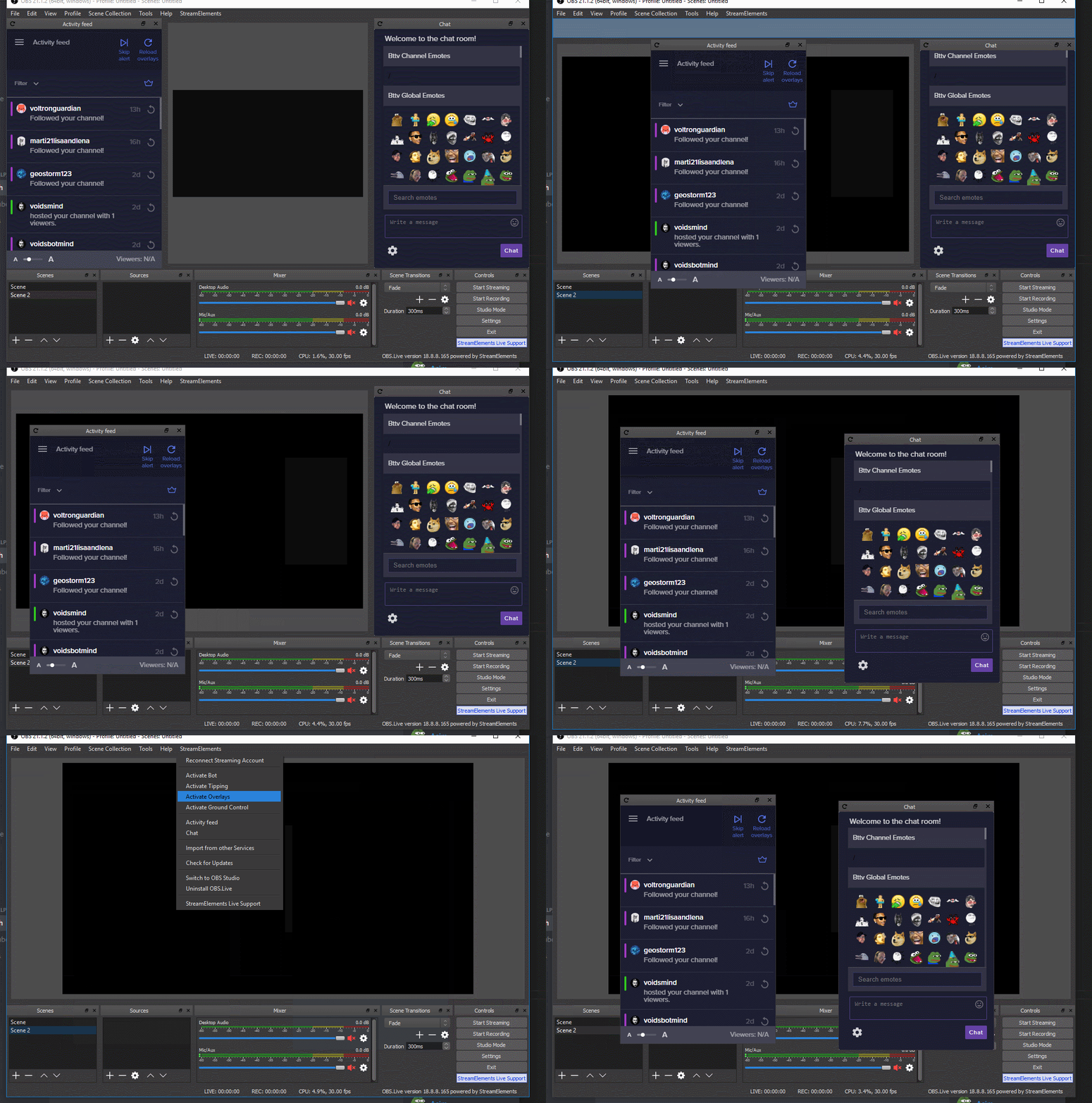
Provides an integrated chat and activity feed(that only works with our stuff)
no
overlay is just a separate thing
while the Activity feed is something you can move away and chat as well from the OBS
winter zenith
!obslive
nocturne pelicanBOT
OBS.Live is a Plugin for OBS created by StreamElements. You can download OBS.Live here: https://streamelements.com/obslive
Please make sure you have the latest version of OBS installed, Current Version: 21.1.2. You can install OBS here: https://obsproject.com/
 winter zenith
@lament blade more a question for #general-chat
zenith widget
HEY! STOP! SURPISE DRUG TEST! 
You smell of #helpdesk-spam addiction! This is your first warning! Go find cookies in #general-chat 
(also I'm memeing, if its not obvious)
floral badger
Hey guys i have a question. So i have a folder with highlights of my game that constanetly updates but i would love to show those highlights at the end of the stream and at the brb screen do you guys have eny suggestion to get all the video’s playing on stream automaticaly?
 gentle imp
I do believe u can setup movies to be played on OBS although I never tried
floral badger
Yea but i cant select a map to play
zinc shale
Hi! I duplicated an overlay because i wanted to create a slightly different version of it, but it had the exact same link so whenever i edited the new overlay it also duplicated the old one, how can i fix this?
 distant pier
Is there anyway to make the stream elements leaderboard extension also have a link to my stream elements page? Where people can visit the store, media request, etc. Trying to think of the best way to link them to it.
cedar fulcrum
Hello @zinc shale I will check your user one moment please:)
zenith widget
@distant pier Usually there are default commands that can lead to the webpage of said locations
!top gives the points leaderboard link
!store should give the store link
cedar fulcrum
Hello @zinc shale I checked and none of your overlays got the same link
 shy dock
Hi
I added a sub goal widget, and the widget show something like "12 subs on a total of 10) .. but This is not the real value. I tried to purge the cache ... nothing
zenith widget
Check the Goals tab here https://streamelements.com/dashboard/session
shy dock
Thanks ! 😄
 foggy yoke
Where can i find my JWT Token?
gentle imp
!jwt
nocturne pelicanBOT
You can find your JWT token on your account channels page: https://streamelements.com/dashboard/account/channels
(Don't forget to click on "Show Secrets")
gentle imp
there u go @foggy yoke
gentle imp
awesome, same here 
foggy yoke
lol
 subtle anchor
ok sorry i im ny
gentle imp
it's np, happens 😄
kind jacinth
@winter zenith I restarted it and now is working but when I scroll, it just go back up or back down randomly! D:
Also a question: is there a way to disable notifications for automatic hosts? Like I want the notifications just for the ones who are hosting me with the command!
winter zenith
No Since Auto hosts and normal hosts come in, as the same Signal
kind jacinth
Okok! uwu
 cinder cedar
Not sure if anyone else has had this problem or not but recently in my streams (and someone else I know has had this recently too) Another streamer raids/hosted with viewers... now they usually come in with around 3-5 viewers as raid/host. But on the dashboard on twitch it comes up with the raid.... and then a very large Host of over 80+ viewers. - YIkes never had that many before and the person hosting/raiding has not got that amount with them. I'm not the only one this has happened to recently... PLease help. I've attached a screenshot of what I seen that day.
And non of the host viewers show up at the end of the stream :/
zenith widget
I don't think is is related to us in any way, and not sure if we can even help with this. This is on Twitch's side.
cinder cedar
It's really odd...
zenith widget
I do see that the bot triggeres the host chat alert as well, but the number is provided from Twitch's side. This is also the first report of inconsistent number.
Unless maybe hosts pickup lurking bots that don't count as actual viewers and smacks it in the number, but that doesn't make sense
The bot saying raid and then host is a "normal"-ish thing though, but the number is something we receive directly from Twitch's API
cinder cedar
Yep which is why it's so confusing the numbers don't add up in the slightest. And I just noticed and @'d streamelements to a post on twitter about another raid/host that had the same issue/viewers
zenith widget
@atomic hollow I'm not sure, but can you toss a quick eye above? Maybe its really related to us 
 atomic hollow
looking
zenith widget
(poking you, as you were last active from the trio i usually poke  )
)
atomic hollow
what does the activity feed say @cinder cedar ?
cinder cedar
activity feed as in what my viewer count is at the end?
 thorn cedar
im having trouble enabling my twitch affiliate
zenith widget
@thorn cedar Not really the place to ask. Better in #general-chat
atomic hollow
@cinder cedar do you see both raid and host? what are the numbers of each?
thorn cedar
ok
cinder cedar
I don't have overlays just what is happening in the chat with the elements bot. And what I seen in the chat is what I screenshotted.... I can add a screen shot of the viewers/stream summary if you need?
atomic hollow
sec ill look at your activity feed
cinder cedar
Just the raid said 4 and then viewer host of 86!
These are the stats for that day with viewers
cinder cedar
And in the elements dashboard it didn;t register the large number of viewers
Oh... actually it did.... I changed the count to amount and it did register it
atomic hollow
the 86 viewers notification is a bug, fixing now
thanks for reporting
you win a 🍪
cinder cedar
Thanks for the confirmation... although a sad one.... 😦 Would have been nice if it was real 😦
But thank you for the cookie too 😃 Can I have white choc chip? Purdddy please? 😛
 cinder cedar
😂
atomic hollow
🥛

 zinc shale
@cedar fulcrum weird, i had the issue last night. let me check
@cedar fulcrum can i pm you the link i mean?
cedar fulcrum
Sure
 wooden shard
Hello. I'm back! This time, for help on getting a subcount widget to look like the font in PUBG. Moczy has one setup already, but I'd like to know how to make one myself. I've attached a screenshot of how his looks. https://pbs.twimg.com/media/DkbezZbX4AAZpdD.jpg

 fierce lagoon
Dobry jest tu jakas dobra Polska dusza chetna do pomocy? 😄
zenith widget
@wooden shard https://fonts.google.com/specimen/Teko this font which maybe already in our font selection for widgets as its copyright free (Bcs of Google)
I also found this: https://www.dafont.com/headliner-no-45.font?text=PLAYERUKNOWN'S+BATTLEGROUNDS but I could not find it in Google Fonts, so you ma y need some custom CSS for that....but be advised for copyright strike
wooden shard
Hmm, okay
 mental hare
hello can anyone help me out the Alert box for stream elements isnt working at all
strong kernel
@mental hare Sure. Can you tell me how you've tested it so far?
mental hare
can we talk in the voice support?? @strong kernel
lament blade
i tried first with obs live SE, it was working suddenly it stops, im testing alertbox link with 2 obs version, so installed vanilla obs, and still not working
my settings are good to i think
what should i do
zenith widget
Is your OBS version 21.1.2 or 22.0.0(the beta branch)?
lament blade
OBS version 21.1.2
zenith widget
did you try clearing your cache?
lament blade
i can see the alerts working at SE website, but cant show with the 2 different obs
where can i do that?
zenith widget
and what resolution have you set for the browser source in OBS?
Right click browser source -> properties -> bottom of new window -> clear cache
nocturne pelicanBOT
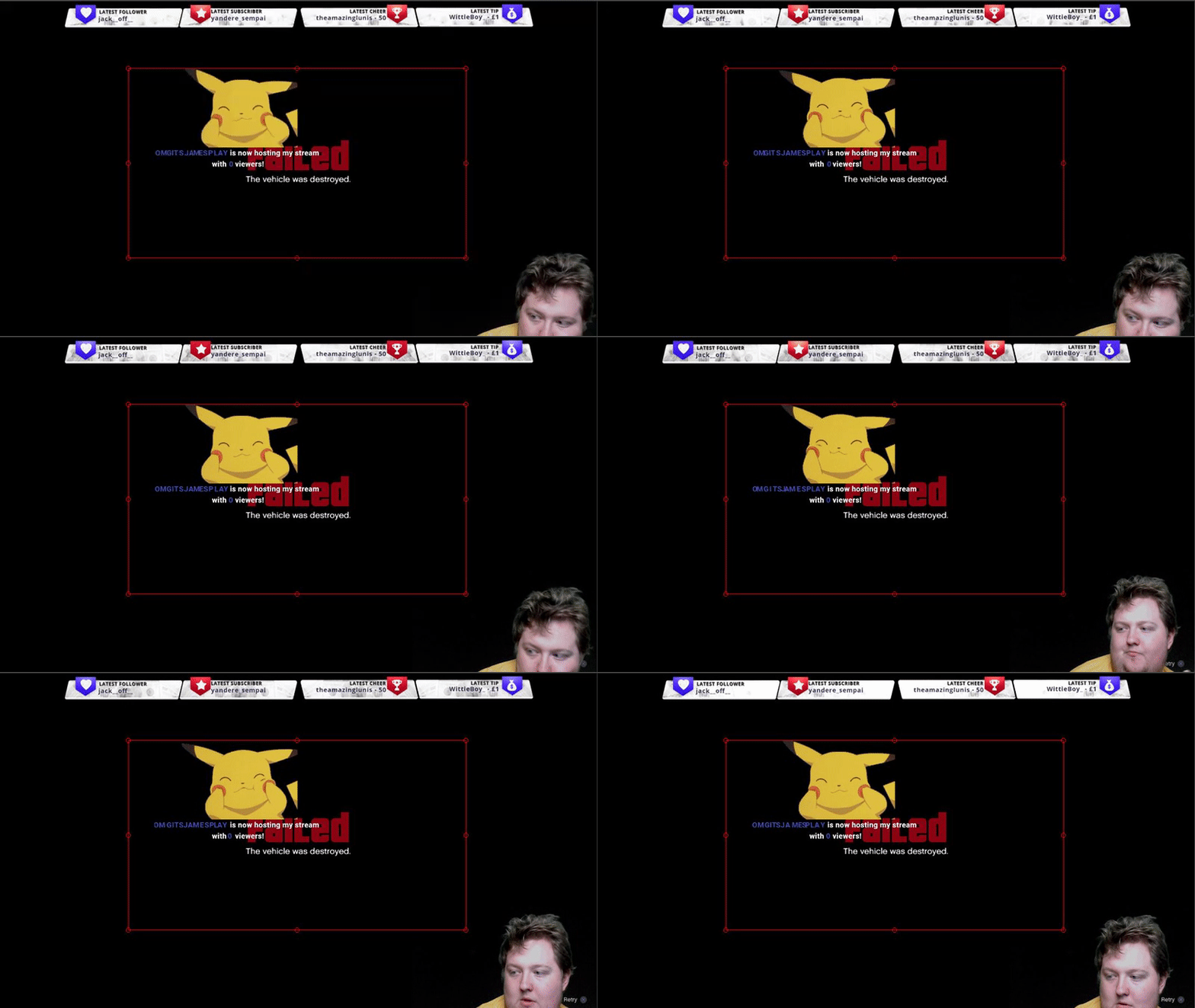
@lament blade The default resolution for StreamElements overlays (theme and custom) is 1920x1080. Please add them in OBS at their full resolution and use CTRL+F to fit to screen if necessary. You can then downscale your stream in OBS settings > Video if you'd like https://i.imgur.com/6bWXxjR.png
 lament blade
oops



 lament blade

mental hare
YEEEESSS i appreciate the stream elements team!!! Mostly @strong kernel Thank you for the help you people are awesome !!
atomic hollow
@mental hare
strong kernel
 fierce orbit
Hello guys, i have a problem with tip goal, is there any way to make brand new tip goal? Mine is stuck on being full and i cant reset it, is there anywhere "reset session" button? Becouse i can't find it
zenith widget
Where the sessian data is stored go to goals tab and reset that
 serene granite
@lament blade can you see if its ok now?
chilly vigil
Is it better to have local overlay or upload onto SE? As right now I'm creating my own overlay.
zenith widget
Best is to upload graphics to the overlay editor and set widgets. This way you can take your overlay anywhere as its clous based
 abstract yarrow
is there a way to just take the alert widget from the overlays? I don't really need all the other stuff, just the alert box
chilly vigil
Will there be any lag time loading the overlay from SE during live stream? Cos when I tried import it using browser source, I seeing a lag. @zenith widget
fierce orbit
@zenith widget Thank you .)
zenith widget
@abstract yarrow You can make an overlay only containing the alert widget and add it to OBS
@chilly vigil That is dependent on your internet connection really. If a static(non-animated) overlay is taking some time to load, is because of your own internet connection and/or PC
abstract yarrow
...............................you're a genius. LOL thank you so much
I totally forgot you could just make your own overlay
zenith widget
You can make the alert as big as the overlay and just adjust the size in OBS via the red squares
but make sure to set the properties to 1920x1080
 inner hawk
Question what are unique chatters
zenith widget
anyone who chatted during the stream. For example, me, SE Bot, you, someone else - 4 people
inner hawk
I think it is being inaccurate
I look at my chat a lot during the stream and I only see wise bot who chatted
But then it says I had 7
gentle imp
ppl can join stream and don't speak
strong kernel
@inner hawk Unique chatters are people who are logged in to Twitch, whether they talk or not.
weary mist
@inner hawk the "unique chatters" uses the "Chatter list" (also called viewer list) on twitch. Anyone who loads chat shows up there, even if they didn't talk
xD
inner hawk
That still does not make sense as I had like two viewers though
weary mist
Bot accounts count as well. Something you might try: Download and run a program called Chatty. This chat application will connect to your channel, and you can see the people that join chat. You might see some bots like Commanderroot, or some other chat bots (streamelements counts as well)
weary mist
I normally get about 3-6 viewers when I stream, but I get about 22 unique chatters. I know I have logviewer, streamelements, commadnerroot, nightbot (because it refuses to leave), and then people randomly joining and leaving
inner hawk
I have wise and elementals
 vague holly
Why isn't anything updating automaticly any longer? my last 3 streams i've had to manually update the subgoal and donation goal. Is this something that has been fixed ?
weary mist
@vague holly it was a bug, but it should be fixed
vague holly
thanks @weary mist
vague holly
Another question. how long does it usually take to get a respond from the dream team ? 😃
 hasty remnant
Help
weary mist
@hasty remnant what is the option above that, you might need to just click it, then it will allow you to confirm. Another note, you should have a program called "Snipping Tool", it comes default with windows. It allows for screenshots that don't need to be taken with a phone
hasty remnant
Ik sry
weary mist
@vague holly I am not sure about that
vague holly
i applied maybe 3 weeks ago
 cold ferry
why would my latest cheer be blank when i try and add widget?
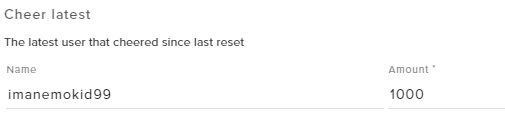
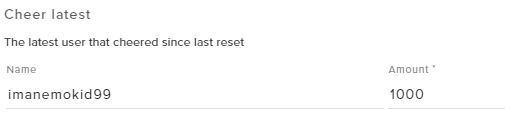
it shows up here but when i add widget nothing shows
latest sub does though
chilly vigil
@zenith widget I have a animated webm. File size about 45 mb. If I upload to SE, will it be laggy during live stream?
zenith widget
I'm not sure if you are going to be able to upload it due to the size
you can try to upload it, but for the loading - it will take some time as its dependent on your internet connection
for the laggy part - it depends on your CPU
chilly vigil
🤔 hmm okay. Guess I need to test it out then.
weary mist
@hasty remnant click download, then it will let you click complete
zenith widget
You don't need to complete all the steps to have the tipping page to work
I have it like that and its fine for me
hasty remnant
ok
 eternal oracle
how do I get to play the song name in my overlay
zenith widget
@eternal oracle Add the "Current Song" widget and set it to this option:
 oblique marsh
@weary mist Save me!
eternal oracle
like hvea the song on there listed in my overlay
zenith widget
@eternal oracle Unfortunately, we don't have Spotify support. Only way is to get the spotify chat command from #command-share
eternal oracle
got it
oblique marsh
LUL
So I added a tip goal widget, cause I have 1 day to get enough to get tk mascot.
Put it to percentage, and on my overlay its showing 10 of 100 (which was a test run) and on my actual obs its showing i have raised 886$ of 100
how do i reset it to 1
er, 0
weary mist
I did it for you, but you would go to Data, then goals, then change the donation goal to zero 😃
winter zenith
and then on goals
narrow coyote
oblique marsh
Thank you!
abstract yarrow
so when editing the Sub alerts, how do you change the image and sound for the Gifted Subs?
weary mist
That will be a variation
abstract yarrow
OHH thank you so much!
lament blade
so i installed and unistalled the SE Live obs, but now i cant see the borders with follow notifaction and chat
how can i enable them again?
its installed tho
weary mist
Go to the StreamElements menu, and reconnect
lament blade
ahhh easy 😛
lament blade
uhhh my alert are not showing up
dense jackal
@lament blade I wouldn't share your stream link does it show up on your browser?
abstract yarrow
so when it comes to viewers posting links in the chat, or even clipping something, how do you make it to where mods either approves or denies the link?
weary mist
 that might be something you maybe can set up with twitch automod
that is the only feature that allows approving/denying twitch messages before they hit the chat
dense jackal
You can whitelist certain links, or use the !permit command as well
 kind epoch
There is a problem updating the dashboard rn it is erroring
weary mist
@kind epoch can you send me a screenie of what you see? I was just able to load your dashboard without issue
kind epoch
The problem is also on twitch /dashboard i cannot update stream and game title
oh nvm
i found the problem
Title too long
weary mist
xD
narrow coyote
@summer mulch @cedar fulcrum @ebon forum ⤴
ebon forum
@acoustic cedar вечер добрый. ничего не лежит, всё работает
@acoustic cedar это уже не у нас. можно сделать tracert
 acoustic cedar
@ebon forum привет. Я уже вроде с тобой пол года назад общался. Я не могу зайти на сайт, как и другой чел из рашки
cedar fulcrum
Какой браузер у тебя?
acoustic cedar
хром
ebon forum
@acoustic cedar было дело. у вас или РКН или провайдер чудит. трясите их за уши. а трейсерт может помочь
acoustic cedar
пинги до конца идут а обратно нет
ebon forum
tracert можно попросить? просто tracert streamelements.com и сюда резульат
хочу посмотреть что с маршрутизацией и что вообще происходит
acoustic cedar
https://streamelements.com/dreamteam это открывает а когда пытаюсь логинить или другую вкладку то не идет

StreamElements
StreamElements is the leading platform for live streamers on Twitch and Youtube. StreamElements includes Overlay management, ChatBot, Tipping, Alerts & Loyalty
ebon forum
@acoustic cedar пожалуйста трейсерт сделайте, мы увидим что куда
acoustic cedar
Трассировка маршрута к streamelements.com [159.65.199.87]
с максимальным числом прыжков 30:
1 5 ms 9 ms 8 ms hi.link [192.168.1.1]
2 * * * Превышен интервал ожидания для запроса.
3 * * * Превышен интервал ожидания для запроса.
4 * * * Превышен интервал ожидания для запроса.
5 * * * Превышен интервал ожидания для запроса.
6 ^C
ebon forum
как мы видим, блокируется на уровне провайдера
acoustic cedar
до этого было другое
ebon forum
у нас много адресов и мы за клаудфлером
acoustic cedar
антивирус даже отключил
ebon forum
да тут не в этом дело, у вас блокировка на уровне провайдера, это сразу видно потому что маршрутизация даже не стартует
acoustic cedar
чел, у меня образование сис-админа, я понимаю это. Но как это у знакомого из другого конца рашки такое же происходит?
ebon forum
@acoustic cedar
@acoustic cedar вот так. Ваши не очень умные люди выдали блокировку IP на уровне провайдера, так что не удивляйтесь
@acoustic cedar если у вас образование системного администратора, то VPN вам должен быть знаком. Решает все региональные проблемы типа таких.
ebon forum
значит VPN плохой. Берите такой который поддерживает нормальную маршрутизацию, гигабит скорость и выбор серверов. не скупитесь, эти 5-10 долларов окупятся на стримах которые будут работать стабильно.
lament blade
How can I delete a command?
acoustic cedar
1 10 ms 6 ms 8 ms hi.link [192.168.1.1]
2 * * * Превышен интервал ожидания для запроса.
3 * * * Превышен интервал ожидания для запроса.
4 * * * Превышен интервал ожидания для запроса.
5 * * * Превышен интервал ожидания для запроса.
6 * * * Превышен интервал ожидания для запроса.
7 * * * Превышен интервал ожидания для запроса.
8 * * * Превышен интервал ожидания для запроса.
9 46 ms 31 ms 47 ms 37.29.5.53
10 * * * Превышен интервал ожидания для запроса.
11 * * * Превышен интервал ожидания для запроса.
12 * * * Превышен интервал ожидания для запроса.
13 * * * Превышен интервал ожидания для запроса.
14 * * * Превышен интервал ожидания для запроса.
15 * * * Превышен интервал ожидания для запроса.
16 * * * Превышен интервал ожидания для запроса.
17 ^C
zenith widget
@lament blade You can delete a command via the chat command dashboard here: https://streamelements.com/dashboard/bot/commands/custom
ebon forum
@acoustic cedar мы используем Cloudflare, потому части сайта грузятся с разных адресов.
@acoustic cedar нормальный VPN с хорошей скоростью избавит вас от всех вопросов такого типа.
acoustic cedar
Так у вас в рашке не заблочен сайт, зачем требуется использовать впн ? Вы не можете решить это ? @ebon forum
lament blade
@zenith widget thank you!
ebon forum
@acoustic cedar я вам только что выдал скрин где один из наших внешних IP заблокирован. Тут дело не в сайте, а в системе защиты Cloudflare которая предоставляет внешние адреса нам.
@acoustic cedar мы возможно можем решить это, но это а) займёт время и никто не знает когда прилетит блок на очередной адрес. вручную каждый день все проверять нереально.
 inner path
How come I can't edit the Text Size for my AlertBox? I keep editing it and updating it and then saving it but it still doesn't work and change.
weary mist
@inner path make sure you are editing the variations as well
and depending on the text, check to see if its a secondary text
inner path
Yeah I didn't know about the Secondary text until a second ago lol. Everything else but the cheers are working with the new and updated Text Sizes.
weary mist
 Play with it more (check them variations)
inner path
Ok will do! I got it working! Thanks 😄
 pulsar night
I'm customizing fonts in text widgets in the overlay editor, it's missing a lot of the Condensed fonts found on google fonts (I assume that's the repository you guys are using). Was wondering how I would go about adding those fonts to StreamElements, or how to access those missing fonts
weary mist
@pulsar night We can only add in those specifically by Google. fonts.google.com also shows many 3rd party fonts as well
plus, if it is a newly added, it may have not been added already
pulsar night
okay thanks for your help
 fossil rapids
I need help!
Im trying to find how to integrate the streamelements to my obs
But im not seeing anything that connects it to my obs I currently have
nocturne pelicanBOT
@fossil rapids To add your overlays to OBS, add a new browser source in your scene. Paste your overlay URL in the browser source properties, set the dimensions to 1920x1080 (unless you changed them on the website), and :ballot_box_with_check: “Shutdown source when not visible” https://youtu.be/KDvLynUqXI4