1 messages · Page 324 of 1
 nocturne pelicanBOT
@kindred basin Make sure to :ballot_box_with_check: “Shutdown source when not visible” for all browser sources (all OBS scenes). If using studio mode, uncheck “Swap Preview/Output scenes After Transitioning.” Also keep in mind that sound can play from any overlay loaded in the browser (editor or launched). https://i.imgur.com/FegZJQS.png https://i.imgur.com/yY0wcFl.png
 zenith widget
@floral badger Sorry. Video link? I'm not following on that
 kindred basin
same listen double
 floral badger
zenith widget
floral badger
zenith widget
@floral badger Thats for the media request.
floral badger
so i can disable it over there?
zenith widget
Whats your twitch name?
floral badger
goed_gamen
zenith widget
Ok, so you don't want people to request songs via tipping, go to the media request page settings and on top change to "Free". This will allow song requests to be made only via loyalty points or free if set to 0 points cost
floral badger
yea but i still want them to have to pay with their points
zenith widget
Then just change these settings:
 chilly vigil
Is there any way for me to download the theme for more easier editing?
floral badger
okay thx @zenith widget
zenith widget
Unfortunately, its against our Terms to download the pre-made overlays
chilly vigil

chilly vigil
hmm.. the theme preview and what is on editor don't match. For example, animated blue metropolis alert animation. On preview, it's showing a big half rounded rectangular animated alert box. But on editor, it only has the tiny animated alert. Like wth
chilly vigil
nope. there's only 1 alert box in the layer. didn't see any variation
zenith widget
@chilly vigil What is the name of the theme you are looking at?
@ripe herald may be able to help sort it out
chilly vigil
Blue Metropolis Animated Super Theme
I did not see this animated alert box in the editor
 ripe herald
@chilly vigil give me a sec to check
@chilly vigil on our site please go here
and create alerts you want and delete all others from the overlay and just copy new ones to overlay you wanna use
 dense canyon
@wise ridge i download obs but i must have os 64bits ... i have only 32 bits
 teal pier
hello, have you in chat some custom minigames for points to viewers? Can you send me commands in pm?
 winter zenith
@teal pier either check our #command-share
dense canyon
@winter zenith
winter zenith
Or check our Moduls @teal pier
We have Roulette, Bingo, slot machines, duels and more
@dense canyon I am asking if it is possible to get 32 bit Version of it
 wise ridge
@dense canyon i use bebo so i cannot help. i’m sure someone here has obs
chilly vigil
@ripe herald thanks
teal pier
@winter zenith Yes, we have online all from moduls and in command-share is only one minigame
winter zenith
That's what we have to offer @teal pier
Atm
If you need more maybe ask in #general-chat
Since there are more people looking
teal pier
@winter zenith Thanks 
dense canyon
@wise ridge bebo* 64 bits then ?
ripe herald
@chilly vigil i've added animated and static depends on what you prefer more
 narrow coyote
@dense canyon have you streamed with this PC before? Having a 32-bit OS with only 4GB of ram is not really ideal for streaming
dense canyon
nah not really i dont stramed before , Ok 😮 @narrow coyote
narrow coyote
Also, as far as I am aware OBS.Live will work with 32-bit OBS. Are you getting an error when you try to install? @dense canyon
 surreal spoke
I seriously can't find the link for my own tipping page. I think you need an easier way to goto your own tipping page
winter zenith
@surreal spoke either go to the tipping settings and click "open tipping Page"
 pine hemlock
There's a button on tipping settings
dense canyon
windows 64 bit must have this what the setup tell me @narrow coyote
winter zenith
@surreal spoke or type !tip in your chat
pine hemlock
@dense canyon if you provide the error message maybe we can troubleshoot
surreal spoke
I'll use the link
it used to be easier where it just said 'go to your own tipping page'
Thank you @winter zenith
dense canyon
@pine hemlock how ?
narrow coyote
Your best option at this time would be to download OBS Studio and use that
dense canyon
@narrow coyote this what i download : Streamlabs+OBS+Setup+0.9.7-EOqqkIpkFyIebYU
can you give me site to download bos studio ?
narrow coyote
StreamLabs has nothing to do with us and we can't help with that, we were under the impression you were installing OBS.Live, not SLOBS
nocturne pelicanBOT
@dense canyon OBS.Live is a Plugin for OBS created by StreamElements. You can download OBS.Live here: https://streamelements.com/obslive
Please make sure you have the latest version of OBS installed, Current Version: 21.1.2. You can install OBS here: https://obsproject.com/
dense canyon
thanks @nocturne pelican
 normal flume
hey does anyone know how to put the streamers logo in ! commands please?
narrow coyote
not sure what you mean
normal flume
so when we do !resubhype it displays a message that includes my twitch icon.
 elder sorrel
@normal flume Either Twitch Emote or if you use BTTV can try that 🤔
normal flume
@elder sorrel yeah but its the Sub teir emote so i think Kiwa was right the only way get it work would be to give the bot a sub
elder sorrel
Ah, yeah for Sub tier stuff it would have to be that 👍🏻
 gentle imp
you can also make the bot use your account so it has access to the emotes @normal flume
instead of being StreamElements
normal flume
@gentle imp how do i do that?
gentle imp
!rename
nocturne pelicanBOT
Custom bot name requirements
Steps to enable custom name
Mac does not currently support renaming the bot.
normal flume
thank you!
gentle imp
do those steps, but instead of a new account use yours
but all messages from bot will come via you/your account
so it's not only good things lol
normal flume
yeah me and the channel owner will look into this, as i am one of his super mod so will see what he says
gentle imp
alright, good luck, now u know the choices u have at ur disposal 😃
normal flume
Yeah thank you really appreciate the help her guys we are a fairly new stream and just want the format to be perfect for our community 😃
gentle imp
you're welcome, we all search the same thing
floral badger
guys i'm making an new overlay in stream elements but i'm wondering is it possible to use your allerts from an other overlay because i spend some time setting those up?
winter zenith
@floral badger sure thing
floral badger
owesome
winter zenith
You can go to the overlay with the modifyed Alertbox
And click the Duplikate icon with the little Red Dot in it
To Duplicate it into your selfmade overlay
floral badger
also i don't get stream reports eny more. eny idea how to fix it or re-endable it?
 fallow agate
Hey can after some set up guidance.. running into a few teething problems
all* not can
 strong kernel
Any specific questions? 😃
 hot wind
can i get some help
elder sorrel
⤴ 😄
winter zenith
Just ask your questions 
fallow agate
Can I use stream elements to support an overlay for my twitch channel? Im using a Macbook and an Elgato HD60, and just constantly running into issues just putting a basic overlay together
hot wind
sorry im new im trying to make widgets for followers and subbs as i hjave a logo thing
hot wind
winter zenith
@fallow agate yes you can I assume you use OBS?
hot wind
i have this
hot wind
yh
winter zenith
@hot wind go in the overlay Editor, creat a overlay or use the one you have right now and Insert a "last subscriber List" widget
Same goes for follower etc
fallow agate
@winter zenith Currently using the elgato software to steam (Game Capture HD) as OBS doesnt talk to the Elgato and recognise it as a device. I also, use streamlabs from some widgets and alerts, which I use the url's for, but im stuck at finding a way to set up an overlay
hot wind
im a big noob i will try
fallow agate
stream*
winter zenith
You also can input the picture into said New Overlay @hot wind to place it better
fallow agate
Also cant download streamlabs for their overlays, as not compatible with Macs.. 😦
winter zenith
@fallow agate you seem to talk about StreamLabs not StreamElements
So I cant help you with that
fallow agate
@winter zenith Just explaining what ive done so far, so this is why i've looked at streamelements, saw the function to play with overlays etc, so thought id seek some guidance
 timid ginkgo
i am trying to use stream elements overlays but i cant get them to fit on screen any tips
winter zenith
Sure thing I can help you with that  @fallow agate
You would need to Design a overlay in our overlay Editor. Since everything is in One Overlay with one URL it's pretty easy setting it up and using only one overlay link
You still would need to have OBS, bebo or xsplit to use your Elgato and a input for a URL as a overlay
hot wind
@winter zenith sorry for being a pain but i just dont know how to use this
winter zenith
I am pretty sure obs can handle Elgato as a capture device maybe it's diffrent for Mac users
@timid ginkgo you use OBS or xsplit?
fallow agate
Yeah for mac users, for some reason, the two dont talk to each other
winter zenith
@hot wind watch our Video tutorials they are very usfull
hot wind
i jsut wanna put these labels on so i can stream
winter zenith
@hot wind
https://strms.net/welcome

Setting up StreamElements is easy, learn how to in this video, hosted by Twitch Partner GIRLvsDUMB - Got any questions, or just want to say "Hey"? Join our D...
Again it's Fairly easy
Go to the overlay Editor
Make a new overlay on your own or use the one you already have
Input a widget. It's called "last subscriber List" and place it on the right spot
And you are done. It cant get any more easy then that trust me
@fallow agate maybe Google around for your issue
Maybe bebo can detect the Elgato?
Not sure how it would work
fallow agate
@winter zenith is Bebo compatible with Mac OS?
winter zenith
Maybe close the Elgato Software when you open obs so it can detect the Elgato
@fallow agate I dont know we advise to use obs
Since it's more stable and better in general
fallow agate
@winter zenith I havent tried having the elgato software closed, so will try that
narrow coyote
Mac is notorious for sound driver issues, and pretty sure elgato falls into that category as well
winter zenith
Obs wont detect it
fallow agate
Just tried it.. no joy 😦
fallow agate
Ok.. thank you will look into capturing the window instead
narrow coyote

winter zenith
are you realy using the edge browser?
in 2018 ?

@hot wind StreamElements is build on Chromium. So we advise to use Google Chrome
hot wind
as i said im a big noob
ive done it on chrome now it goes threw text and idk if my thing is too small
@winter zenith
winter zenith
but you did watch the videos? @hot wind
winter zenith
explaining how to use the overlay editor
winter zenith
so you can position your pciture and drag it bigger to make it full screen
 dense beacon
Hello, I am not sure if it's here to post it or where. But I saw the GTA Theme and looked really nice. But regarding the transition between them. Can I find them anyway ? 😃
winter zenith
and put the labels in the right spot you can do that right?
hot wind
yh ik @winter zenith but idk how to make the follow thing go ontop not behind
winter zenith
you would also need to make the Box bigger, maybe the font smaller so it fits in your design
narrow coyote
move the labels up in your layers
dense beacon
@winter zenith In the video you posted you kinda have a transition between the overlays xD
hot wind
@winter zenith ive fitted it and saved but will it pop up now ?
winter zenith
when you input the URL of the Overlay source in your OBS yes
 royal roost
what commands to get up the songlist in song request?
winter zenith

 proper leaf
silly question - I have two account one for twitch and one for youtube (from before when you could add your two together) now that I wanna use restream to duel stream I want to add them on the same Stream Elements account but the system won't let me since there is already and account for it - so my question is how do i disable/delete that account for my YouTube channel so that I can add it to the main twitch stream elements account
 lofty kiln
my obs just got into fullscreen and i have no more taskbar or X (right corner) anymore. how do i get back to window mode?
and i don't mean any preview screen
strong kernel
@lofty kiln F11
lofty kiln
@strong kernel thanks!
 stoic cedar
alerts and chat box disappeared from my obs?
 pulsar gulch
Hello , how can i change the text from bot when someone is subscriibing ?
was it from overlay editor ?
 lament blade
When I play the alerts I get two different alert sounds on streamelements obs
winter zenith
@pulsar gulch no in the Modules for "chat Alerts"
nocturne pelicanBOT
@lament blade Make sure to :ballot_box_with_check: “Shutdown source when not visible” for all browser sources (all OBS scenes). If using studio mode, uncheck “Swap Preview/Output scenes After Transitioning.” Also keep in mind that sound can play from any overlay loaded in the browser (editor or launched). https://i.imgur.com/FegZJQS.png https://i.imgur.com/yY0wcFl.png
winter zenith
@stoic cedar you use StreamLabs?
stoic cedar
streamelements
lament blade
Awesome Thanks 😃
winter zenith
@stoic cedar I ment StreamLabs OBS
stoic cedar
@winter zenith just obs, and it downloaded stream elements with it? like 2 days ago
narrow coyote
if you are using OBS.Live and dont see the activity feed or chat module, go to StreamElements > Reconnect Streaming Account in OBS
pulsar gulch
@winter zenith ty
narrow coyote
elder sorrel
@ebon forum Sorry in advance if pinged for wrong language 😅
 ebon forum
@elder sorrel nah thx for the poke 
@sonic lynx да есть, всегда есть, сразу мне пишите или Сергею)
 spark sentinel
hi is there anybody that could help me pls? i got a question
 sonic lynx
@ebon forum как я могу реализовать заказ песен на стрим за очки лоялности?
 weary mist
@spark sentinel ask thy question
spark sentinel
okay so i created a new overlay but now the .aac files are not playing but the .mp3 files are, is there something i need to do to fix this?
it does play in the editor it self but beside that it does nothing
so when i close the editor and replay an old alert it does nothing, except for the alert with the .mp3 extension
ebon forum
@sonic lynx включить media share, если надо вывести на стрим видео - добавить виджет с таким же названием. и дальше уже настройки.
sonic lynx
@ebon forum будут ли списываться очки лояльности за заказ медиа?
ebon forum
@sonic lynx как настроите, так и будет - заказ можно сделать платным, бесплатным или вообще за донат
sonic lynx
@ebon forum какую ссылку вставлять на виджет? где эту ссылку взять?
ebon forum
@sonic lynx оверлей наш есть? там виджет для видео заказа добавляется в редакторе. а ссылку на media share для зрителей НЕ надо, это через бота работает
sonic lynx
@ebon forum я сижу через обычный обс не через ваш
ebon forum
@sonic lynx это роли не играет, читайте что я написал выше
 boreal crypt
is there a way to activate the links protection on twitch chat being a mod ?
or does it only work internally on the streamelements pluggin at the bot settings
winter zenith
@boreal crypt you should ask your streamer to give you a edit roll for the StreamElements account


The Ultimate All in One Platform for Streamers
boreal crypt
ok thx for the help i will say that to her 😃
winter zenith
so you can moify this screen:

The Ultimate All in One Platform for Streamers
 tidal pier
hello , is there any plugin or app for streamers to check the chat if u only have 1 screen?
winter zenith
!obslive
nocturne pelicanBOT
OBS.Live is a Plugin for OBS created by StreamElements. You can download OBS.Live here: https://streamelements.com/obslive
Please make sure you have the latest version of OBS installed, Current Version: 21.1.2. You can install OBS here: https://obsproject.com/
narrow coyote
With one screen not really, if you have a mobile device you could have chat on that
tidal pier
i have seen it, thats why im asking
ebon forum
get a second monitor, used if you want to cheap out, even a derpy 15" office monitor will work.
spark sentinel
is there a way to fix my problem?
winter zenith
@spark sentinel acc should work. So maybe concert them to mp3?
Do you want to convert a AAC file to a MP3 file ? Don't download software - use Zamzar to convert it for free online. Click to convert your AAC file now.
spark sentinel
it should and does in the editor but its not sending it when the editor is closed. but thanks.
narrow coyote
So you dont hear it in your broadcasting software? what do you use?
spark sentinel
within OBS it doesn't play but the single .mp3 file 1 use for host does work
narrow coyote
OBS Studio or OBS.Live?
spark sentinel
Obs studio
narrow coyote
Are you on the latest version? 21.1.2
spark sentinel
yes
 coarse heath
Cz has anyone had any issues with the SE OBS not seeing their elgatoHD60 pro? In just getting a no signal
Idk what that cz was at the beginning ^ typo
pine hemlock
the OBS Plugin is just a plugin, it doesnt affect OBS other than adding elements
coarse heath
Hmmm so maybe it’s obs? Wouldn’t be the first time
No updates available so fuck... idk. Why does streaming have to be such a pain in the arse tech wise
Cute name @narrow coyote
narrow coyote
might need to run a repair or reinstall the elgato software, also make sure you run OBS as admin
coarse heath
Okedokee
narrow coyote
If that does not work, we can peek into some OBS logs to see if they give any insight
floral badger
Hey guy so i wanted to make custom commands for donators but it isn’t possible atm to add roles to people so i’m wondering could i some how set a score to someones name and let the command check if the person has a score of 1 so he could execute the command
coarse heath
Ok... because I just did updates on my obs - lemme fidget around a bit and get back at ya (imagine a blind mouse gnawing on a bunch of spaghetti wires )
narrow coyote

floral badger
I know a little minecraft stile but
 mellow cliff
I tried to go live with Stream Elements and OBS but it went on being black screen
any solution to that
??
narrow coyote
?? is not really necessary, you just posted your question
are you using OBS Studio, or OBS.Live
mellow cliff
Obs studio
coarse heath
I’m good... it was that ok classic user error issue
narrow coyote
@coarse heath
@mellow cliff If you only have black, sounds like your sources are not setup properly
mellow cliff
Yes actually I am really new to it and I want to explore
I would like to have a good demo of how to stream and use the features of Stream Elements
narrow coyote
well, step 1 is to learn how your broadcasting software works, after that you can checkout all the videos we have on StreamElements. When you joined this discord, you were tagged with a welcome message that has a link to all the SE getting started guides. For OBS, I would start with these https://www.youtube.com/watch?v=Zt_HVScA3Js and https://www.youtube.com/watch?v=J5ojeVYsLY4
mellow cliff
Thanks Kite
narrow coyote
mellow cliff
👌
 slender yoke
Question about the Twitter module: will it display when someone retweets my tweets?
 hidden bison
hi, need a help, is it possible to put into media request a playlist from youtube?
 summer mulch
@hidden bison yeah sure, just go to the settings on the top right and you'll see an option to put a backup playlist, just make sure it's public
I mean the settings on the media request page
 main adder
I have a mod who is receiving loyalty points but his all-time number isn't moving. Any advice?
 crimson osprey
I'm having a problem getting my stream elements overlay to load on xsplit gamecaster..
 idle burrow
which is better OBS or Xsplit?
im currently using OBS but i wanted to know if xsplit would be better for a beginner so i can load my overlay on to it.
nocturne pelicanBOT
@idle burrow To add your overlays to OBS, add a new browser source in your scene. Paste your overlay URL in the browser source properties, set the dimensions to 1920x1080 (unless you changed them on the website), and :ballot_box_with_check: “Shutdown source when not visible” https://youtu.be/KDvLynUqXI4
idle burrow
ok thank you
 royal quarry
Hi there just wondering if there is a quick chat command for the media player for volume controls, ie !volumeUP or !volumeDOWN etc ?
zenith widget
No its mostly !volume <number from 1 to 100>
royal quarry
That works for me, thank you @zenith widget
 late gulch
Is there any way that the bot thanks for a follow via text massage in chat? Cause i dosnt have 2 Screens atm and just reading the chat on my smartphone
zenith widget
@late gulch You can use the chat alerts module for the bot located here: https://streamelements.com/dashboard/bot/modules
 merry loom
i seem to be having alot of audio issues, all me friends sound echoie on my stream and my game volume sounds very quiet even though its all the way up in OBS
late gulch
Perfectly thanks ❤
 normal igloo
Beautiful people at streamelements I love you guys so much but please fix the alerts 
nocturne pelicanBOT
@merry loom For the best OBS support, please join their discord where OBS devs and support volunteers are available all the time discord.gg/obsproject
merry loom
thanks
narrow coyote
I think there was a hiccup with alerts, but they should be working as far as I am aware
normal igloo

narrow coyote
I blame Twitch Tuesday 
 dense reef
Hey guys, can u help with Recent donations widget. Can I display all donations from one user in one summ, not like 10 donations from one man scrolling down?
sonic lynx
Ру сапп есть?
 distant lake
Does anyone know how to have alerts play on your phone for sound and alerts only for a gun run back pack so you can have your tts and things play on a bluetooth speaker please and thank you
 obsidian maple
hey there, i want to use soundcommands. so i've uploaded some sounds in the stream store and set them as redeemable items. but if someone uses the "!redeem <soundname>" command.... nothing happens. they only spend their points for nothing. what do i have to get into my OBS to get those sounds into the stream?
narrow coyote
You need to add a store redemption widget to your overlay
obsidian maple
okay, but it tolds me that it only works for stream perks
and the soundcommands are setted up to soundeffects. does it work too?
slender yoke
Trying to find out how the twitter module works. Does it let post in chat when someone retweets my tweets, or does it simply follow certain twitter accounts and post in chat their tweets as they happen live?
obsidian maple
Is there an option to shut off the response of the !redeem command?
the chat response
normal igloo
@slender yoke it Messages out tweets Of the Twitter accounts you add
winter zenith
@slender yoke there is some trouble with it in the Twitter API they kind of changed things so it now have some issues
 haughty talon
i have link filter enabled but it dosnt remove them? 😒
pine hemlock
Define doesnt remove
It will time out messages with links, from people who are not mods
haughty talon
well, people can still link stuff without getting timed.
narrow coyote
unless you set it to exclude a different user group
 frigid flare
@distant lake I would assume if you had the URL of Ur alerts open on Chrome on Ur phone it would play the alerts still? Haven't tested it myself
haughty talon
i have clips.twitch.tv in whitelist. But shouldnt it remove youtube links and other stuff? cause it dosnt remove or times anyone
narrow coyote
are you sure its enabled then?
haughty talon
this is correct right?
frigid flare
Click the little settings. Might be something in there making it not work
If you can screenshot in there
pine hemlock
Try parting the bot and rejoining it from the dashboard
pine hemlock
If you're not a partner who gets a few free subs to you channel, yes you have to gift the bot a sub
if you want to use your own emotes
haughty talon
that didnt fix it @pine hemlock
haughty talon
an non mod is trying to post links whenever we have changed stuff
pine hemlock
what channel is this for
haughty talon
XorDaniel
pine hemlock
The bot isnt modded.
haughty talon
oh, the streamer said he had i modded. i guess the mod was removed when i parted it?
pine hemlock
nope. parting and rejoining doesnt affect mod
 past mountain
i need help
the bot won’t pop up in my chat
after an hour and a half of streaming
haughty talon
the bot now has mod, i parted it and added it again. Still dosnt work @pine hemlock
 dull cove
Hey guys, I have this weird problem that when I change the sound and GIF of my Cheer Alert, it still plays the regular bit sound and GIF. Someone else having this problem?
pine hemlock
@haughty talon works fine from what i see.
@dull cove Check the variations
@past mountain IS this for twitch or youtube?
haughty talon
now it worked. Maybe subs passes it
pine hemlock
The settings showed that subs are exlucded, yes
past mountain
youtube
haughty talon
oh, that makes sense then. Missed that one. Ty for help anyway ❤
dull cove
@pine hemlock Thanks man, was already thinking what I was doing wrong haha. Thanks!
past mountain
@pine hemlock YouTube bro
haughty talon
One more thing @pine hemlock , is it possible to turn of subs to link stuff?
pine hemlock
@haughty talon Change the exclude settings to regulars instead of subs
regulars have to be manually set
@past mountain The bot should join within 1-2minutes of detecting you are live
There may be an issue with youtube showing you're live
you're better off in #helpdesk-youtube
(since its youtube related)
past mountain
oh sorry my bad
 devout kettle
hey, does someone how to do a "thank you" command triggered by bits?
 storm falcon
Anyone know why, when testing my 5K cheer alert I get this text at the bottom?
narrow coyote
You can enable chat alerts
pine hemlock
@storm falcon Its a generic test message
storm falcon
@pine hemlock it’s a different text each time. Does it appear when someone donates 5K when I’m live?
devout kettle
i dont remember where are chat allerts xD
narrow coyote
@devout kettle If you are a full editor, should be able to https://streamelements.com/dashboard/bot/modules
pine hemlock
No, the text that appears when someone cheers any amount is the text they send with the cheer @storm falcon
devout kettle
sorry for the inconvenience xD
narrow coyote
No worries
devout kettle
thanks 😄
narrow coyote
 naive willow
Hello Hello! Looking for some help with SE Ground control and botname
narrow coyote
What did you need help with exactly
naive willow
The custom bot name function. Just trying to figure out why it's not translating into the chat. I have the name picked and inserted but it's not showing in my chat
narrow coyote
you need to use an oauth for a twitch account that has the name you want to use
the name field is not where the bot gets the name from
naive willow
oh! Ok. So what is the "Name" field used for?
narrow coyote
It was used to verify the oauth that is entered, but now I dont really think it does anything
naive willow
Alrighty! Thanks for the help @narrow coyote
narrow coyote
distant lake
@frigid flare it shows but does not play and sounds are tts i wonder why
 candid whale
Hey there! Found a bug I think. I imported my streamlabs donations, and it looks like the all time top tipper doesn't see the imported ones
devout kettle
and this is something i really dont know if its possible
can the bot go into a "games" room??
or can the games go to a room in twitch chat?=
i would like the games and the points system to go into an independent room
normal igloo
@devout kettle The bot does not currently Support multiple twitch chats
normal igloo
@devout kettle Well I'm not a staff member so I know as much as you do
 celest temple
Hi, I was told that I can change the Tip Goal widget background to transparent, but I would have to use Chrome. I installed chrome, loged into my StreamElements account and I still don't see that option.
devout kettle
sry for that question
normal igloo
np
 cinder python
Anyone have the notification saying that someone has followed not work for them the last week or so?
Seems to be broken atm
devout kettle
it just worked for me
normal igloo
@candid whale As far as I'm aware Top tip has to be a tip what was given whilst using SE
cinder python
hmm because it only told me via twitch email
normal igloo
@cinder python You are not the only one I think there's some issues going on with the alert system at the moment
normal igloo
@cinder python Yeah should be did mention to kite about it earlier But whether or not it's a twitch issue or SE issue i don't know More likely to be some sort of twitch issue
 jolly patrol
Hey, im new to streamelements and i was wondering if you can stream on any other broadcasting software than OBS?
 viral charm
Good evening, someone who tells me already why not download StreamElements + Obs? Thank you 😉
normal igloo
@viral charm StreamElements + OBS live Simple answer why not 
 misty wagon
@jolly patrol You can run StreamElements with most type of broadcasting software but it's optimized for OBS
normal igloo
^^^^
misty wagon
@viral charm You mean you want to download our platform? It's cloud-based so no download needed so no local crashes or updates can scuff up your settings 😉
jolly patrol
Thank you, so there is no merged client with OBS like in streamlabs?
viral charm
@misty wagon yah
misty wagon
Yes, that's the one @normal igloo mentioned https://www.obs.live/

OBS.Live - an education hub for live streaming on OBS
jolly patrol
Oh, thank you!
viral charm
OHHHHH Tank You @misty wagon You rock!!! ❤
 outer crest
my alerts are not working currently and i don't know why
normal igloo
@outer crest This is a known issue
outer crest
and?
 quaint hornet
Does anyone know a good tip to equal the audio level between the desktop and microphone when streaming ? I would do it time to time but i feel when i stream with some music in the background it throws me off and i don't want to raise the volume if no one can hear me.
normal igloo
@quaint hornet Best thing to do is Just change stuff whilst you are streaming Have a friend in discord chat or whatever And watching the broadcast So you know what to change
quaint hornet
Okay, I'll try testing it out and see how it works.
weary mist
@torn hatch What kind of question do you have?
 torn hatch
I’m filling out the affiliate thing but I’m 15 and I don’t do taxes
So I don’t have a tax number
weary mist
You would need to have your parents help you, otherwise you are in violation of Twitch TOS. It is a binding legal contract, and you are not an adult, therefore your parents need to sign it
torn hatch
I had my parents sign it but you still have to put in a tax number
 vagrant thistle
hi here have a new question :
I create some items on streamelements store twitch and i thought that they will interact on the stream when someone buy one like sound effect
but nothing happens
someone buy one and i don't receive any notification
weary mist
@torn hatch are you in USA? or where?
@vagrant thistle you need to have the store redemption widget in your overlay for the sounds to play
vagrant thistle
ok can help me to find this widget pliz ?
and we are ok that this widget is available for other items, not only sounds ?
weary mist
yes
It will play any sound for sound effect items, and sound/images for Stream Perk items
 warm yew
Any ideas why the amount of viewers someone host me for is not showing up?
 glass goblet
Is there anyway to use loyalty currency to buy a song request?
warm yew
Yea you can
In media request
Go to settings
and go to the section where you see bot and loyalty
and you will see something called loyalty cost
@glass goblet
glass goblet
Thanks @warm yew Missed that section
warm yew
np
main adder
I have a mod who is receiving loyalty points and accruing current points but his all-time number isn't increasing. Any advice?
weary mist
@main adder are they earning points from watching, or from gambling?
main adder
watching
I had him log in to the site and log back out, i gave him some points to see if it would kick-start it
Nothing seems to work as far as I can tell
weary mist
next time you go live, tag me, and I will have a look. Can't really test it right now, lol
warm yew
Im having an issue where whenever someone host me the number of viewers being hosted or raiders coming doesnt display
I looked at the HTML and it seemed correct because it seemed to follow the correct synatx of {{count}}
If its wrong lmk please I would love to fix this annoying bug!
main adder
@weary mist will do. I'll be streaming a lot tomorrow.
weary mist
@warm yew is that in your alert box?
torn hatch
@weary mist USA
weary mist
@torn hatch your parents know your tax number. Everyone has a tax number from birth there 😉
weary mist
@warm yew I believe the correct variable is {{amount}}
warm yew
okay let me check thanks
 light prism
👋 hello I’m having issues with changing my sub alerts is there anyone that can help me out with that?
lament blade
Hey, im having issues with my stream quality, after i installed the new streamelements obs, my stream quality is now constantly set at 720p, but is given transcoding down to like 144p. The quality isnt even in 720p though and my facecam looks insanely compressed.
weary mist
@light prism check the alert variations
light prism
@weary mist like what kind of alert it’s supposed to be? I selected the subscribe one and uploaded a gif and sound bit and nothing changes
 hardy ingot
I need help with the OBS
weary mist
@light prism there is a settings tab in the sub alert called variations. you need to change those
or delete them
hardy ingot
It says I need to set a browser source but in the latest version of OBS you can't do that. Can someone help?
lament blade
nvm i fixed my issue by reseting settings and making settings my old settings
hardy ingot
nvm then
weary mist
@hardy ingot if you don't see the browser source option, you need to reinstall obs studio, and make sure to not uncheck the browser source plugin
pine hemlock
Its named Browser instead of browser source now i believe but yes
If you dont see it, redownload
hardy ingot
My third one is color source
narrow coyote
If you dont see it, then its not installed 
hardy ingot
I'm Re-Re-installing it
I tried to re install it again and an error popped up saying there was an error writing to file libx264-148.dll
how do I even take a screenshot?
nvm I got it now
royal quarry
Hi just wondering where I can download the new obs extension, I saw a link on my dashboard a few days ago but it's been replaced with the newsletter link
nocturne pelicanBOT
@royal quarry OBS.Live is a Plugin for OBS created by StreamElements. You can download OBS.Live here: https://streamelements.com/obslive
Please make sure you have the latest version of OBS installed, Current Version: 21.1.2. You can install OBS here: https://obsproject.com/
royal quarry
Is there a way to reverse the data locations, IE Twitch chat on the left side of OBS as opposed to right side?
weary mist
@royal quarry yes, it is competely customizable
you can move it around, and even pop out the items, or close them
sonic lynx
Есть ру сапп?
royal quarry
This extension is sensational... finally making use of that dead space in OBS
sonic lynx
@ebon forum тук тук?
 hot urchin
Hello all new to the discord...trying to use the ground control desktop app and for the life of me i can't find where in my dashboard my JWT token is haha
nocturne pelicanBOT
@hot urchin You can find your JWT token on your account channels page: https://streamelements.com/dashboard/account/channels
(Don't forget to click on "Show Secrets")
hot urchin
awesome ty
floral badger
Hey guys lately i do not get my stream stats eny more via mail has there been an update or do i have to re enable it somewhere
weary mist
@floral badger DM me your email address and account name
 winged sundial
in order to play store sounds I need the chatbox active within obs right
 dense jackal
You need to have the store redemption widget in your overlay @winged sundial
to hear store sound effects
 hidden sundial
Im very new to stream Elements and obs as in brand new i havent even had my first stream yet. Anyway the issue i am having is that i can all of a sudden hear my self on my mic in obs . It wasn't like that before . So what i am asking is how do i fix that ?
how and if i say run a youtube video the feedback i real is that an audio issue that i can fix
Its as if the video and the desktop audio goes hay wire and runs twice through
WHy do i have a feeling it has something to do with this ?
winter zenith
@hidden sundial disable Audio Monitoring is my guesse
winter zenith
 lean yew
Hello I have recently switched from streamlabs to stream elements due to issues with streamlabs, the issue I am having atm is the leaderboard extension on twitch is not showing any information such as store items, all time bits, subs etc and also I was trying to set up ground control on my PC however it askes me for a JWT token which I cant find anywhere it says it is in my account but I could not find it.
nocturne pelicanBOT
@lean yew You can find your JWT token on your account channels page: https://streamelements.com/dashboard/account/channels
(Don't forget to click on "Show Secrets")
zenith widget
@lean yew JWT token location above. As for the extension, have you tried uninstalling and installing it again on your channel?
winter zenith
@lean yew  maybe loging in and out of the StreamElements Dashboard?
zenith widget
Ooh sorry had to reread the issue. Let me explain the "problem".
We start tracking bits AFTER you make an account with us. Sub count should be synched, but who has subbed to you, we can't tell until they resub.
As for store items - in order to show them in the extension, they have to have the option to be redeemed via chat enabled in order to show and there is a limit of 8 or 12 max items that can be shown on the extension as far as I remember
lean yew
oh okay thank you 😃
Sorry also I was trying to import my data from the streamlabs chat bot however couldn't find the finals it asks to upload would it be better to contact streamlabs to find why I cant see those files/how to generate them?
zenith widget
finals? as what are you trying to export and import?
You can pretty much use these steps for commands and points: https://cdn.discordapp.com/attachments/331560310165078016/453304085614034967/3930ad327157a20b16802e4d0589fd0a.png
 lean yew
as in I have currency for my streams and also commands on the streamlabs chat bot what I wanted to bring over
zenith widget
but for points you will 100% get an .xlxs(excel) file.
when you ge the excel file for the points, DM me the file
lean yew
I cant seem to find the export currency CSV
zenith widget
Like I said, they removed the option to export as CSV and you will get an excel file(.xlxs or .xsxl)
zenith widget
but if you can get me the excel file, I'll import your points 😉
just DM me the file
 buoyant folio
Can you set up stream elements on mobile
 wet dune
I need Help with my tipping gif. it dosent show for the stream
winter zenith
@wet dune but it Shows for the overlay Editor? Do other Alerts Show up on stream?
@buoyant folio you could... But it's a real pain. We advise to use a Browser like Google Chrome on a Desktop pc
wet dune
Yeah it shows on editor but not on stream. nothing shows on stream just text
i use google chrome
winter zenith
What brodcasting Software do you use? Did it work befor? @wet dune
winter zenith
You see Streamlabs Sometimes seem to "Block" certain Informations from StreamElements overlays. Can you install OBS and tell me if it also happens there?
Other then that I would advise you to clear the cache in SLOBS
@wet dune
floral badger
Hey guys i’m having a problem so my stream allerts are green screen GIF’s and i remove the green with my obs is there a way to remove the green in stream elements so its an alpha. Because a part of my overlay has a hole in it when the allert shows
zenith widget
the greenscreen in the editor is not there when you load up the overlay in OBS
zenith widget
 ?
?
wet dune
alright @winter zenith ill try 😃
floral badger
My gifs have a green background
winter zenith
@floral badger you can do the alert Box in a seperat overlay
floral badger
So i can remove background
winter zenith
Have that as a seperat Browser source
winter zenith
And apply Chroma Key to that webpage
winter zenith

wet dune
It works on obs but why dosent it work on SLOBS? @winter zenith
nocturne pelicanBOT
@lunar escarp Are you a StreamElements all-in-one streamer and interested in stream promotion when you go live? Please fill out this application https://strms.net/sellout and if you meet the 3 requirements posted in the :pushpin: pinned message in #welcome you will be added to the stream announcements.
winter zenith
@wet dune honestly we dont know.
I would say Streamlabs hates us but there is probably a better explanaition for it 
But hey you can always use OBS Live 
!obslive
nocturne pelicanBOT
OBS.Live is a Plugin for OBS created by StreamElements. You can download OBS.Live here: https://streamelements.com/obslive
Please make sure you have the latest version of OBS installed, Current Version: 21.1.2. You can install OBS here: https://obsproject.com/
celest temple
Okay, I am having issues with a gif...
I uploaded it, but when testing the cheer to show the gif, it should play or loop. Just a static imaghe of it
zenith widget
@celest temple Is that in the editor?
 craggy wraith
Is there any way to reset every viewer's loyalty points?
zenith widget
@craggy wraith You can visit your leaderboard here: https://streamelements.com/dashboard/leaderboard/alltime for all time points and https://streamelements.com/dashboard/leaderboard/current for current points and just click on the big red button saying "reset"
craggy wraith
Thank you
zenith widget
@celest temple Does the gif not play in the editor? If yes, what browser are you using?
zenith widget
Does the GIF image NOT play while in the overlay editor and you simulating an alert?
celest temple
But in my alert and on my stream, it doesnt look
zenith widget
ok, mind providing me the overlay link in DMs? I'll load it in my OBS and ask you to replay an alert or simulate one
zenith widget
@summer mulch @cedar fulcrum ⤴
ebon forum
@sonic lynx да. не пишите "есть кто", сразу пишите вопрос)
sonic lynx
@ebon forum я не могу вывести заказ медиа на стрим. я создаю оверлей, внутри добавляю виджет Media Sharе. Создаю в ОБС источник, называю его точно так же как называется оверлей, подбиваю разрешение под экран, ставлю галочку, включаю. И ничего!
ebon forum
@sonic lynx а выводить заказ треков не пробовали из самого заказа? Там есть кнопка show on stream
sonic lynx
@ebon forum ах да, нажимаешь "запустить оверлей" потом жмякаю "шоу он стрим" в оверлее он проигрывает а на стриме нет.
ebon forum
@sonic lynx если виджет на оверлее стоит, выставлено правильное разрешение 1920х1080 и всё настроено, оно будет выводится.
sonic lynx
@ebon forum почему фул хд если надо подбить под свой экран?
ebon forum
@sonic lynx потому что базовое разрешение у нас такое. остальное ОБС сам сделает
sonic lynx
@ebon forum пробую
 atomic hollow
!sellout
nocturne pelicanBOT
Are you a StreamElements all-in-one streamer and interested in stream promotion when you go live? Please fill out this application https://strms.net/sellout and if you meet the 3 requirements posted in the :pushpin: pinned message in #welcome you will be added to the stream announcements.
sonic lynx
@ebon forum не работает.
ebon forum
@sonic lynx в редакторе оверлей проверяли? там же показывает что включено. естественно надо чтоб трек играл
sonic lynx
@ebon forum я запускаю оверлей в отдельное окно, после нажатия кнопки "show on stream" там он работает, показывает видео, на стриме не показывает
ebon forum
@sonic lynx значит или оверлей не тот или настойки browser source неправильные.
 ivory delta
Hi anyone can help me ? 😃
winter zenith
@ivory delta its best to just state your problem
ivory delta
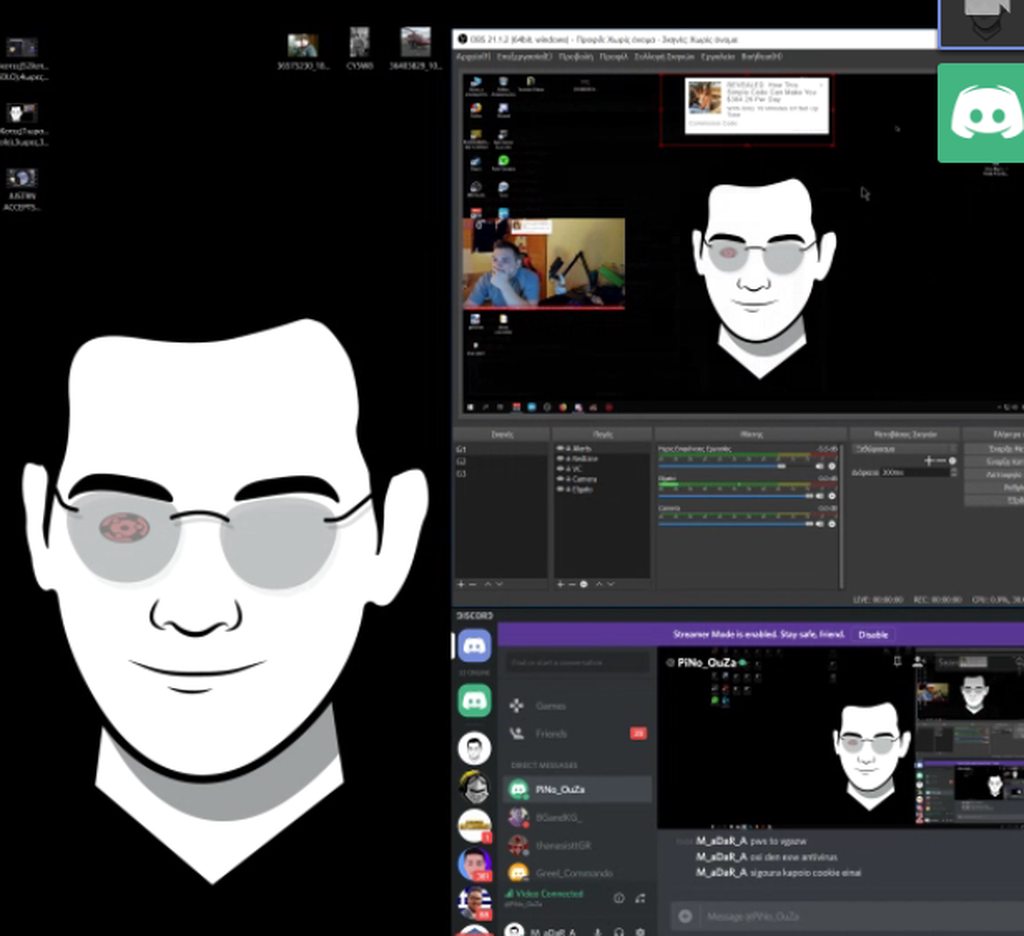
@winter zenith Suddenly today there is a problem with our stream on twitch. In front of every alert there is an ads( some stupid advertising from google) which cover the alert , do u know what it can be?
maybe link help its from OBS https://imgur.com/a/NyJUzW5
the screenshoot is on from alert but this is the ads which cover all the alerts
ivory delta
ok on my way
sonic lynx
@ebon forum я захожу на сайт Streamelemets.com. Слева в меню я вижу вкладку "Мои Overlays" нажимаю туда. В правом верхнем углу вижу кнопку "Создайте новый Overlay" нажимаю на неё. Вижу окно. Для какой игры и тд. "Название overlay" пишу "my overlay" ниже в "разрешение overlay" оставляю 1080р. Нажимаю отправить. Создается новый Overlay. Нажимаю на карандашик. Попадаю в редактор. Сверху второй пунк Widgets тыкаю туда вижу "media share" жму ADD. Жму Save. Закрываю редактор. Нажимаю кнопку запустить Overlay, в открывшемся окне копирую ссылку и иду в OBS. В obs нажимаю ПКМ на Источники, добавить, браузер, вставляю туда ссылку, выставляю разрешение. сохраняю. Иду на сайт. Жму Show on stream и в оверлее он играет а на стриме НЕТ!!!!!!!
 teal yoke
hi guys!! ialready asked this 4 times here... can you guys help me find the place where i can set the numers for follower/subs and another goals widgets?
you guys always are helpful and provide a link, but i want to know how to get there
winter zenith
 blissful mural
Good day all. Quick question, can a Editor of my channel add mod permission to himself? I need him to be able to
winter zenith
or go to the Overlay Editor - Edit any Overlay - go to the "Data" Tab - Click on goals and go ham @teal yoke
zenith widget
@blissful mural He can add mod and super mod levels to them selves, but those will only work on chat bot commands. They won't be able to mod them selves in your chat and ban/timeout people
blissful mural
thnx @zenith widget so its either a mod or editor? cant be both? Also is there a variable i can give him to use to grant mod level?
teal yoke
@winter zenith Thank you very much!!!!!!!!!!!!!!!!!!!!!!!!!
zenith widget
@blissful mural They can be both a mod in your chat, a mod level, a super mod, a bot supervisor and then instead of bot supervisor, they can editor or full editor
nocturne pelicanBOT
@blissful mural
Chat/Bot Levels
100 - viewer
250 - subscriber
300 - __regular __
500 - moderator (twitch mods automatically placed at this level)
1000 - super moderator
1500 - broadcaster
Dashboard Manager Levels (least to most access)
Bot Supervisor (can add super moderators from dashboard)
Editor
Full Access
https://i.imgur.com/s61Liry.png
blissful mural
OMG!!!!!! THANK YOU!!
ebon forum
@sonic lynx я не пойму как мы добились того что в редакторе на оверлее у вас есть плеер, а в ОБС нет?
Давайте я уже вам это настрою нормально, войс и тимвьювер есть?
@sonic lynx а то мы будем переписывать это по 10 раз
sonic lynx
Войс есть тим вивер сейчас воткну
ebon forum
@sonic lynx звоните как будет готово
 shy flint
hi having a prob switching from streamlabs to stream elements, always getting error failed when importing my currency csv
zenith widget
@shy flint What is the format of the csv file?
if you are not sure, DM me the file and I'll help you out
shy flint
ok i can send it
nocturne pelicanBOT
@shy flint You can find your JWT token on your account channels page: https://streamelements.com/dashboard/account/channels
(Don't forget to click on "Show Secrets")
@shy flint 10 minutes of watchtime are given to those in chat when the loyalty points are handed out (every 10 minutes). Therefore, loyalty must be enabled for watchtime to work properly. There is no direct link between watchtime and all-time points. It can’t be calculated from the amount of all-time points a user has because subs may earn points at a faster rate and !bonus all command increases all-time points for users in chat at that time. Giving points to a single user does NOT affect all-time, only when giving to all in chat.
shy flint
thanks for your help!
hot wind
How do I set up a command for a giveaway
zenith widget
@hot wind You can use this page to create a giveaway: https://streamelements.com/dashboard/giveaways
people then use !ticket or !enter to enter the giveaway or get a link to the giveaway via this command: !giveaway
merry loom
how do i install stream elements obs ?
gentle imp
!obslive
nocturne pelicanBOT
OBS.Live is a Plugin for OBS created by StreamElements. You can download OBS.Live here: https://streamelements.com/obslive
Please make sure you have the latest version of OBS installed, Current Version: 21.1.2. You can install OBS here: https://obsproject.com/
gentle imp
install Obs Studio then OBS Live @merry loom
if u have the latest OBS Studio version just install OBS Live
shy flint
can we export current obs studio overlay and place it in stream elements?
narrow coyote
depends on how your current overlay is set up, if it is just images you can take those images and uploaded them to SE and add them to an overly
shy flint
ohh ok.. one last thing, how can we connect streamlabs alerts to the obs.live plugin?
narrow coyote
StreamLabs 
 cedar fulcrum

shy flint
ayy.. sry nvm
cedar fulcrum
@shy flint You just save them as Browser source as you do with normal OBS
 primal lichen
Does the chat widget display Sub Badges and if not can you guys suggest me a third party chat widget that does
gentle imp
it does afaik
primal lichen
Long time no see ripp can you help me fix it rq then it wont display them for me
Nvm it updated fixed it thanks
gentle imp
hey! and cool 😄
 pure brook
Hello is it possible to add streamelements to my ps4? like nightbot etc to work when i go live through ps4 on twitch?
hot wind
for the giveaway
nocturne pelicanBOT
@pure brook Here is a guide on how to setup the most essential tools for streaming from your console, while using StreamElements tools without involving a Capture Card! It's easy to do, take 4 minutes to read and 10 to 15 minutes to setup!
Read all about it here: https://blog.streamelements.com/how-to-stream-on-console-7b620b1c46c3
pure brook
alright thanks 😄
 sacred fjord
For some reason my tipping page does not work. Is there any way to fix it?
hot wind
yh
weary mist
@hot wind When you start the giveaway, the bot posts the message that it has started in your chat. Then, there is a default command called !giveaway that will give information about the giveaway. There is also a command !ticket (default) that people can use to purchase the tickets. Make sure you have both commands turned on in the Chat Commands -> default commands section
hot wind
thanks
 tame bone
hey guys i remember you had a process to get your custom bot to rejoin your channel after a name change. can someone please post it?
weary mist
after you change your name, it is recommended to part the bot via the dashboard, log out of streamelements.com, clear cache, log back in, and re-join the bot
tame bone
in ground control it says my token is invalid
pulsar gulch
Hello there , what should I use for the downscale Filter ? 😃
and what's that exactly for ?
chilly vigil
hello. is that anyway to prevent repeating words within some seconds? Like if someone says something like "wow omg". The next seconds, he/she says "wow omg" again, the bot will prevent him/her to say the same words for the next 30 sec.
narrow coyote
@tame bone your jwt or oauth?
tame bone
jwt
narrow coyote
@pulsar gulch it's the type of filtering applied to the image on the gpu when it down scales it before sending it to the encoder
weary mist
@chilly vigil twitch should automatically stop that from happening
narrow coyote
@tame bone then make sure you copy the entire jwt token
nocturne pelicanBOT
You can find your JWT token on your account channels page: https://streamelements.com/dashboard/account/channels
(Don't forget to click on "Show Secrets")
pulsar gulch
@narrow coyote and what's the best one or like the most used one ?
 kind jacinth
Ehi guys, sorry but I just downloaded the obs.live! I was checking the activity feed and I saw there isn't the music section! Is there a way to put it on obs live? Or I'm forced to open the ground control? ;w;
narrow coyote
depends on what your system can handle. bicubic is probably most used as its low cost and higher quality, with lanczos being the highest quality
pulsar gulch
well i got a i7 6800k I think it will handle lanczos
weary mist
@kind jacinth right now, v0.1 does not include media share, but it is a planned feature to include
kind jacinth
@weary mist okok niiiice >w<
narrow coyote
you must have missed the part where I said this part is done on the GPU @pulsar gulch
narrow coyote
Everything in the video tab is done on the GPU, and then passed to the encoder
the canvas is created, downscaled, and filtering applied on the gpu, then passed to the encoder
 west gull
well... maybe not @pulsar gulch my 1080ti can't handle lanczos in some scenarios
pulsar gulch
@west gull can u see the dif between lanczos and bicubic ?
narrow coyote
most people wont be able to
pulsar gulch
oh cuz of bad internet ?
west gull
you can, but if the card has issues with lanczos I would stick with bicubic, its easier to run and frankly on most resolutions looks the same
pulsar gulch
got it
 hasty glacier
On my dashboard it still says "You're on the path to streaming glory 75" and it saying I need to add alerts and overlays. I currently 3 active things in "My overlays"
pulsar gulch
oh btw , are there any tips for getting quality change on twitch ? I know u need to be a partner to get that all the time but for the moment sometimes i got 720 and some viewers can't change it
narrow coyote
you are not guaranteed transcoding until you are partner, nothing you can do about that
kind jacinth
Oh sorry, another question: In obs.live in the chat I can't see what the bot is gonna write? D:
narrow coyote
@hasty glacier Do you have an alert widget in one of your overlays
kind jacinth
Like, I did a test of a random notification and nothing appears in the chat >__<
narrow coyote
test notifications dont trigger chat alerts
only a real event will trigger a chat alert
hasty glacier
@narrow coyote Yes, all three overlays have alerts in them
Got alertbox plus a few labels
kind jacinth
@narrow coyote Oh, for real? Okok, niiiice! Thank you! :3
weary mist
@hasty glacier can you show me the whole message? I can't see it from my end
kind jacinth
@narrow coyote Sorry for mentioning you, but I guy just followed me and nothing happened in the chat! >___< I should be online to let the bot write notifications in chat?
hasty glacier
That is what I get on the dashboard screen
narrow coyote
@kind jacinth Just to make sure, you have the chat alert module enabled? also is the follow in your activity feed? the chat alerts would be enabled here https://streamelements.com/dashboard/bot/modules
weary mist
@kind jacinth worked for me:
hasty glacier
@weary mist It just takes me to the themes gallery to get me to add a theme, but I dont really want to use any of them
kind jacinth
@narrow coyote Yeah, I just saw that! But trust me, some minutes ago a friend followed me, I saw it in the activity feed but not in the chat! D: Anyway thank you for testing it out! ;w;
weary mist
@hasty glacier what happens when you just go to my overlays, create a new blank overlay, and go back to the dashboard?
hasty glacier
still shows up
weary mist
can you try a hard refresh? in chrome, its ctrl+shift+r
hasty glacier
Still the same
 glossy nimbus
If I get a donation on streamlabs will Kappagen react to it?
Also what about if the tip comes in from tipeeestream?
narrow coyote
only tips from StreamElements will trigger kappagen automatically
sacred fjord
@narrow coyote so when anyone tries to tip me it takes them to an infinite loading screen. And this happened to me to when I try to tip myself.
nocturne pelicanBOT
@sacred fjord Please connect your Twitch and/or YouTube channel with Discord by going to ⚙ Settings and then Connections here in Discord. https://streamable.com/eg92w
 signal escarp
is there a way to change the color of the chatters on the chat in obs.live ?
for me they are all white
weary mist
@signal escarp I beleive that is something being worked on
glossy nimbus
What is the Kappagen animation called where emojis come flying in from right to left like meteorites?
weary mist
Yeah, you can use Tiltify or Extra Life
pulsar gulch
Thank you ^^
Oh and why is my donation goal bar not changing the ammount ?
I still have the total amount from the past
and i changed it on Data too
weary mist
check the data goals tab again, change it, and make sure to hit save
pulsar gulch
Data - Goals - changed tip goal progress
and saved
still the same
oh refreshed the page 😄
workin ^^
hasty glacier
Tried a few things @weary mist but seems to always want me to add overlays despite me currently using them
weary mist
@hasty glacier I am seeing if there is eomthing else I can do about it. I don't know why it hasn't disappeared, normally the stuff we tried gets it gone
 charred garnet
for the obs live my activity feed is having problems connecting its just sitting there loading how do i fix it
weary mist
@charred garnet try going to StreamElements in the top bar, then clicking reconnect
charred garnet
thanks
 kind epoch
Why do i alsways have to wait so long to edit my streamelements overlays? It takes for ever to load the pages to be edited. The overlay that is.
weary mist
@kind epoch try disabling hardware acceleration in your browser, sometimes that helps
tame bone
how do i reset my overlay token?
 clear island
Hi, i'm a streamer who hasn't streamed and I want help getting thru everything. Can you tell me how to start it up?
 lilac hornet
Question regarding the Media widget. Is it only songs that you have in the library that can be requested, or can the viewer him self enter a url, and the widget will add it ?
nocturne pelicanBOT
@clear island Welcome to the support channel! Please let us know how we can assist you today and a member of the support staff will be with you as soon as possible.
weary mist
grr
that was supposed to have more info in it, lol
watch these videos https://strms.net/welcome
clear island
Hi, I want to be a streamer but I haven't gotten used to it, plus I play on nintendo switch. Can I get some help with broadcasting and overlays?
narrow coyote
@lilac hornet If you have media request set to accept viewer requests, then viewers can request songs
weary mist
@tame bone you should be able to do that by clicking your name, then there should be a buttong to reset tokens
lilac hornet
@narrow coyote Thank you 😃
narrow coyote
clear island
?
narrow coyote
do you have a capture card and a streaming capable PC?
lilac hornet
Hmm i have looked at the Media Widget before, but i just cant find the "viewer" can request a random song. Where is that option.
narrow coyote
https://streamelements.com/dashboard/mediarequest/general its in the media request page itself
weary mist
@clear island I gave you a link for learning about our platform. It is our public youtube page that has all of our how-to videos. As for streaming software, I recommend looking up videos on how to use OBS. https://strms.net/welcome
lilac hornet
@narrow coyote hmmm "cough" that was awkward haha. Thanks again
 copper bobcat
There's no way to have the bot greet someone new in chat, correct?
weary mist
@lilac hornet xD you should have seen how awkward kite was when he first joined xD
hasty glacier
No problem @weary mist just let me know 😃
weary mist
@copper bobcat no, but Twitch has a thing for that
copper bobcat
_> Oh really?
narrow coyote
Im still awkward 
lilac hornet
@weary mist hehe...
Well here we go again 😋 How dose one control/use the Media request, or how does chat use it. Maby im missing something.
Or im sure im missing something.
weary mist
Chat uses the command !sr or !songrequest followed by either a song name and artist, or a youtube link
you can manage it by being on that page. The page will play the videos, and you can choose to skip them from there
hasty glacier
In Link protection, I have whitelisted "clips.twitch.tv" but people are still getting timed out for clips, have I set that up wrong?
weary mist
lilac hornet
@weary mist Thanks again mate.
kind epoch
Hardware acceleration off seems to make no difference, the delay in load times for loyout edits is huge.
narrow coyote
Possibly something with your connection then, if I load my heavier overlays (lots of videos and images) it loads very quickly, just a few seconds
lilac hornet
btw is there a way to see people that follow, and have the music request at the same time in SE ?
open on one page
narrow coyote
like have the activity feed and media request open at the same time?
lilac hornet
yes, but in one window, or one page.
i know one can just open to browser pages, but tought i would ast 😃
ask.
narrow coyote
Not really. If you use OBS Studio, you can install our plugin OBS.Live. that has the activity feed and chat integrated, and media request is planned to be added as well
lilac hornet
Hmmm you kinda lost mere there, but i get what you are saying. Ill go take a look where to find OBS.Live.
nocturne pelicanBOT
@lilac hornet OBS.Live is a Plugin for OBS created by StreamElements. You can download OBS.Live here: https://streamelements.com/obslive
Please make sure you have the latest version of OBS installed, Current Version: 21.1.2. You can install OBS here: https://obsproject.com/
 echo hound
Does StreamElements have an API for us to code a custom plugin/widget for our stream using the loyalty system?
lilac hornet
@narrow coyote Thanks again. +1 for the good help one can find here. You don't provide viewers to ? or is that stretching it to far na jk 😛
 sour lava
Anyone else having issues with the SE bot not responding to commands in twitch chat?
weary mist
xD @lilac hornet only if you hang out and make friendlies
@sour lava I am looking into it
lilac hornet
I had to throw that one out there, because one always gets what they are asking for here, here we are talking good help 😃 @weary mist Im trying "Ohana" 😃
Omg that OBS.Live is soooooo good. Thanks again.
weary mist
 We hang out in #general-chat and meme a lot xD
@sour lava are you using the custom bot name feature?
sour lava
I am yes, shall I close GC?
 bright tartan
I have several donators on my list that have donated with slightly different name variations. Is there a way to bulk edit them to all have the same username, or display picking one of the usernames basing of email in the list widgets?
One has 153 donations with slightly different names is why I am asking for bulk option
zenith widget
Unfortunately not possible. What i may suggest is for future tips enable the login for tips. This will make the person use his own twitch name and stack the future tipa in one place
bright tartan
yeah I turned that on recently
weary mist
@sour lava What is likely happening is a bad oauth token for the custom name. Make sure to log into twitch as the bot account, then click the link to generate the token. If you don't do that, it will fail to make the ocnnection, and the bot won't say anything in chat
sour lava
ok, have closed out of GC now as I'm mid-stream, that's fixed it 😃
weary mist
that would do it 😃
another thing, if you still want to use ground control, you should just be able to flip the custom name function to the off position
 round minnow
May it be possible to add a option for an additional points payout method for giving bonuses for chatting in streamchat? 😃 havnt find any answer about that.
weary mist
something to encourage it is to give bonuses directly to someone, but there is no automatic way. You can also run raffles to get people participating
 meager fiber
Hello guys sorry for bothering you, i was jus wondering what's going on with my alerts. The problem is i inserted all things like in the every tutorial video but test alerts won't show even if in overlay edit mode. What may be the problem? 
weary mist
DM people in #art-marketplace who fit the style of graphics you want @zinc stump
 mild walrus
Hello. Can i somehow make commands for bot with optional answer? I want my bot answer different things for followers, subs, moderators and not-followers
weary mist
@mild walrus not at this time, but it is a cool #💭︱feedback-and-ideas
@meager fiber im not exactly sure on that, if you can't see them in the overlay editor, have you added the alertbox widget?
meager fiber
@weary mist Sure thing
mild walrus
@weary mist Thanks
 zinc stump
? Hello anyone?
narrow coyote
this channel is for support with StreamElements services, other questions are best asked in #general-chat
narrow coyote
some have
narrow coyote
ok, again this channel is for support with StreamElements services, other questions are best asked in #general-chat
zinc stump
Oh
Who should I ask?
I was thinking this would be considered support also how do I commission graphics by you SE
narrow coyote
Place your question in the channel, and see what responses you get
if you want to commission art, check #art-marketplace
zinc stump
Thanks!
narrow coyote
pretty sure thats the 3rd time now you have been referred there
zinc stump
Sorry
weary mist
that question specifically, SE does not do commissioned graphics, the artists are too busy providing artwork for our DreamTeam members (make it a goal to reach that) @zinc stump
zinc stump
Dream team? @weary mist
narrow coyote
zinc stump
So you mean I have to have requirements to do a payed custom graphics commissions?
weary mist
no
 torpid estuary
no veejer, they mean that you should look in #art-marketplace and that noone here is able to do your paid comissions
because they are busy with members of the DT
to which kite linked you, so you could see what the dreamteam is
weary mist
what I mean is that if you want graphics from the SE design team, you have to be DreamTeam. If you want to pay for some graphics, the #art-marketplace channel is your best bet
zinc stump
So the commissions channel has nothing to do with stream elements?
weary mist
They are artists that reside in this server, and are permitted to advertise their work here
but they are not employeed by StreamElements
zinc stump
So they are not paid by you?
torpid estuary
narrow coyote
no, the person getting the commission would pay them
zinc stump
Alright
 heavy crater
can someone help mne
mild walrus
One more question. Is it possible now to make bot response to some commands with two messages? e.g. I want make command that will mute user and in second line it will response with reason for mute. Because now on twitch only moderators can see the reason for mute.
heavy crater
me
weary mist
@heavy crater Yes. you have now used your one question quota for the day (just kidding on that, ask your question to get help)
meager fiber
I'm really sorry to write this again but do you have any ideas what might be the problem in my case, or what steps should i do to fix it? [it's above] 
weary mist
@mild walrus not right now, though it could be something that comes in the future.
heavy crater
lol
weary mist
@meager fiber let me look into it
mild walrus
@weary mist thx
meager fiber
@weary mist It'll be great
weary mist
@meager fiber im going to emulate a few things
heavy crater
umm so is there a way i can set a key bind to like mute the media request so when im in intense moments i can acually hear my game?>?
weary mist
I just emulated a host, and no issues @meager fiber
meager fiber
Maybe i can record it for you
heavy crater
@weary mist umm so is there a way i can set a key bind to like mute the media request so when im in intense moments i can acually hear my game?>?
narrow coyote
@heavy crater Not at this time, key binds should return once Ground Control is rewritten
heavy crater
rip
so theres no way at all to like set a keybind on google chrome to maybe somehow mute that or no?
narrow coyote
maybe with a chrome extension
heavy crater
ok
 quaint bay
Question I get how to set up alerts for follower, subscriber etc. But is there a way to set up specific alerts for someone redeeming something from the store. ? Like if for 100 points a clip from yugioh played not just sound
narrow coyote
Store redemption widget, and using a stream perk as the item
 rapid slate
Cannot seem to figure out the give points commands. Trying to set mine up for stream, and doing some sample gifts and it says that me, as a content creator, have 0 points to give.
Can anyone assist in this/?
quaint bay
@narrow coyote i cant figure out how to add a video i see sound and image only
 clever mango
@rapid slate !addpoints is the command for this. !givepoints is for transferring points to someone else
narrow coyote
Store items don't support video, only images and gifs
quaint bay
ah i get it so i would have to do a gif and add it as an image and do the sound seperately
narrow coyote
Yes, for a stream store item, if you want it to trigger the alert when they redeem the item
quaint bay
thank you very much @narrow coyote
narrow coyote
There is an idea for it to support video, be sure to upvote this https://streamelements.helprace.com/i440-be-able-to-use-video-for-redemption
quaint bay
i will!!!
narrow coyote
rapid slate
so how do i make it to where I am not popping up as the leader when I'm giving myself 500 points to gift out? I don't want to be on the leaderboards
copper bobcat
If my goal settings are off (StreamElements saying I have more followers than i do) how do I change that?
clever mango
@rapid slate you don't have to give yourself points to give them. Use !addpoints
@copper bobcat activity feed > widget data > goals
@stoic cedar if all other pages are loading fine it's probably something temporary and will load soon
stoic cedar
@clever mango its been a few days 😦
clever mango
It loads here with google chrome 
try clearing your cache and cookies in the browser settings
clever mango
We have access to all accounts for support purposes
 polar verge
Hello, I have a problem with the followers goal that does not show me the real number that I have in twitch, the overlay tells me that I have 772, in twitch I have 695, what is this problem?
clever mango
Staff
stoic cedar
i know i was kidding 😛 ty
clever mango
😛
stoic cedar
ill try resetting cache
weary mist
@polar verge That is the intention of the follower goal (keeps track of the number of follows over a specific time period). If you would like a goal that pulls directly from your actual follower count, I recommend the Total Followers widget, and editing the text so it shows up as a goal ({amount}/600 follows)
 feral rampart
Hey I've asked a few times before but it still isn't fixed. Who do I have to talk to to get my chat stats fixed? :)
Twitch name: YetiIRL
old name: TheDumbYeti - renamed at start of 2018
stoic cedar
My tipping settings are still a blank white page 😭
polar verge
@weary mist
but if you followed up on messages for a specific time, how could it have exceeded my real followers?
narrow coyote
@stoic cedar white tipping settings page means there is a cookie being blocked on the page that it needs
polar verge
weary mist
@polar verge because it only increments, it does not decrease when someone unfollows @polar verge
 tulip sedge
How would i get the overlays into streamlabs obs?
stoic cedar
@narrow coyote i turned off adblock and everything else but still white 😭
narrow coyote
Has nothing to do with that, your browser itself is blocking/not allowing a cookie on the page
cedar fulcrum
@stoic cedar Please make sure you got cookies enabled on your Browser
And try with Chrome
stoic cedar
@cedar fulcrum chrome was blocking it, got it working on firefox, tyvm 😄
cedar fulcrum
❤
stoic cedar
how do you add tts on stream elements?
pine hemlock
Its in the alertbox, you can add tts to subscribers/cheers/etc
stoic cedar
in obs? or SE?
weary mist
se
stoic cedar
dont see it.. sorry
narrow coyote
you need to be in the overlay editor for your overlay, in the alert widget, and select the event you want TTS on, the settings are in there
stoic cedar
@narrow coyote OHHH OK, ty ty
narrow coyote
If you have variations for alerts, make sure to check your variations as well
hot wind
I just wanna say thank you everyone at helpdesk u guys have really helped me over the days and made my streaming so much more enjoyable. 😃
narrow coyote
 jade elbow
Hi. So i am getting new followers on twitch but it never shows in my activity feed or activates the alert for it.
pine hemlock
Log out of SE and log back in
You've probably changed your name recently by the looks of it
jade elbow
i have not but will give it a try
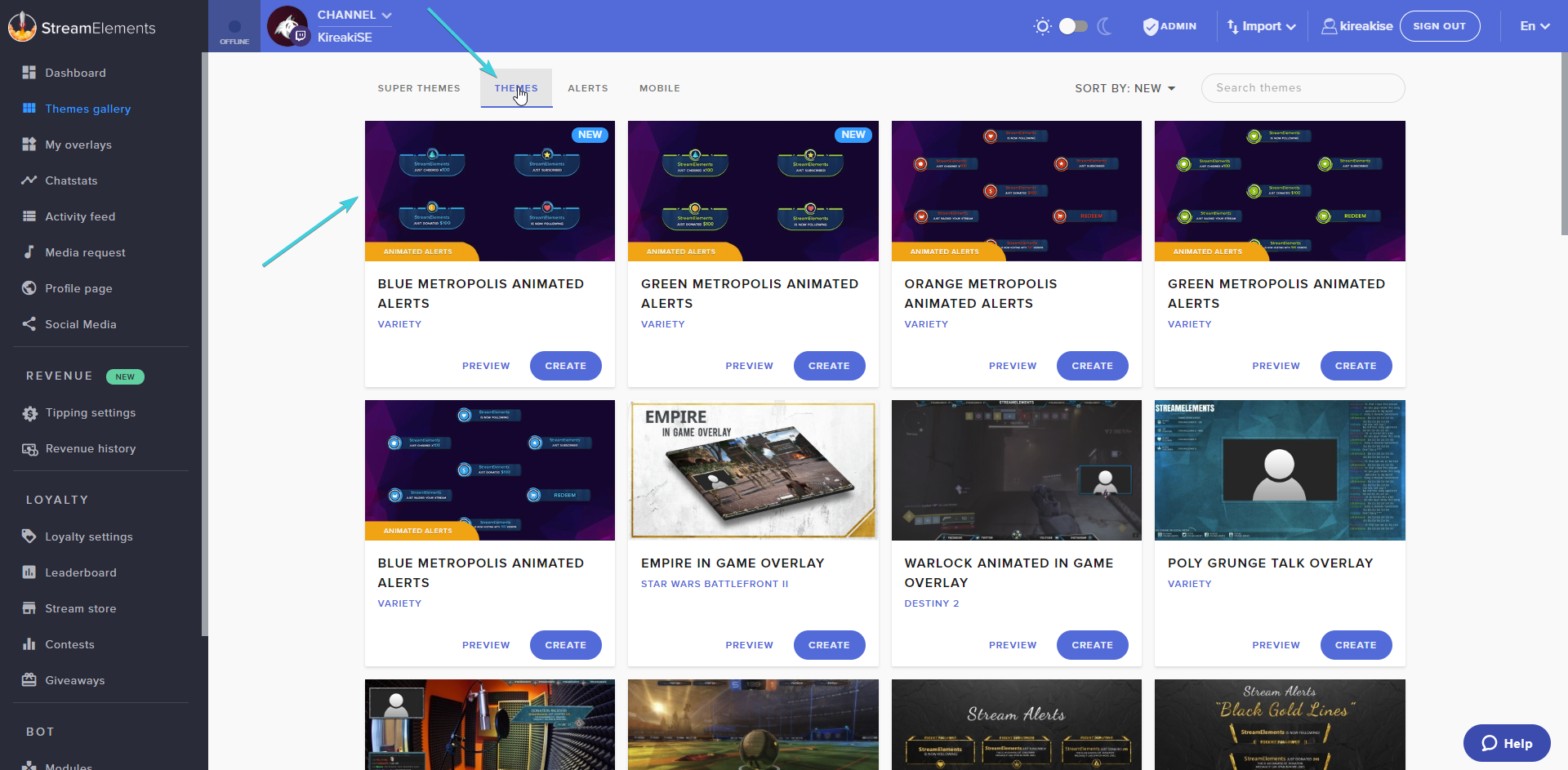

 quasi pollen
 exotic hinge