#helpdesk-twitch
1 messages · Page 167 of 1
 weary mist
 floral pebble
yeah i believe you
weary mist
you can see them if you look at the summary, they willing admit to taking them
weary mist
👍
 indigo haven
PayPal is stupid.
weary mist

 upper steeple
are there supposed to be animations in the holiday decorations widget?
weary mist
upper steeple
i click it there is nothing there
 upper steeple
its just a bunch of white boxes
but when i click them they appear on the overlay
i dont' really want to guess by having to click each white box to see what it is
 trim badger
@stuck hamlet because you asked: the host isn't even listed in activity log, but twitch chat displayed that i've been hosted
 stuck hamlet
it wont be listed if you didnt have it open
we cannot capture hosts if the activity feed isnt open
trim badger
Okay, i'll check that in my next stream
 strong dock
halp...
upper steeple
i don't see the animations either
strong dock
holiday widget is being a grinch right now
strong dock
@upper steeple well at least its not just me... 
upper steeple
👌
stuck hamlet
Looking
strong dock
@stuck hamlet loving the new avi... 
 upper steeple
lol
strong dock
lol
stuck hamlet
getting it fixed
upper steeple
👌
 brazen surge
@stuck hamlet I have a question. Could you possibly dm me to talk about it?
strong dock
@upper steeple it llooks like they are almost in the same order as the static images
upper steeple
i've already been through them all just annoying to go through all of them to find just one, its okay. They are fixing it
strong dock
yup
stuck hamlet
@brazen surge whats up?
brazen surge
Is there any way to locally save the different aspect like if I like the panels on on overlay set and I wanted to use the icons with a different layout. Is that possible?
 hallow harbor
Quick question! do you guys have a area so if i usee any of your stream overlays it will implement my names/facebook/ps4/steam automatically
like filled in widget that auto implements to overlays
for example http://prntscr.com/hmplo1
 strong dock
aww so me testing in obs for cpu usuage with it on and off not really doing much then
kk
stuck hamlet
We do not provide downloading our free graphics locally., They are meant to be use on our service. 😃 @brazen surge
@hallow harbor We actually don't, but could be useful in the future, just currently not possible.
strong dock
is there a text box that shows recent tip - either donation or bits?
brazen surge
I figured I would ask because it would be nice to be able to modify the streams with different icons. and different words.
stuck hamlet
Almost everything on our Overlays is editable.
strong dock
minus rotate and fip :hidsad:
brazen surge
I knew about that but there is no way to get the silver white icons from the sleigh ride theme over to the xmas spirit
At least not that i am aware of
 toxic basin
NOOB QUESTION: but why does my twitch profile pic not appear? cache not loaded yet?
😄
 toxic basin

strong dock
bwahaha
stuck hamlet
you can change it here streamelements.com/trizze
indigo haven
@stuck hamlet Re: "free graphics meant to be used on our service" - can you add another themed element image, without finding a way to download it locally and re-upload it?
strong dock
whats it worth to u if that was clipped....
toxic basin
oh my god I have become the annoying 80 year old granny who calls technical support 
stuck hamlet
You can duplicate it to another overlay, yes @brazen surge
stuck hamlet
just hit the duplicate button, it will ask this overlay or another
brazen surge
oh ok @stuck hamlet Thanks
stuck hamlet
np np
toxic basin

 tight harness
Best to use a funnel so you just get it in all the right places
indigo haven

 turbid reef
strong dock
turbid reef
strong dock
who made that possible? hetic? who?! i need to thank them.
strong dock

tight harness
@indigo haven Is the angry thinking emote because you don't know how to duplicate?
This button ⤴
stuck hamlet
I bully all the devs until they do shit
indigo haven
That doesn't help with (for example) adding an image background to an alert widget.
stuck hamlet
i like the design
tight harness
Is that meant to be an idea?
tight harness
The border is very neat, 💯
hallow harbor
yah
stuck hamlet
hahaha
stuck hamlet
thank you, thats actually a great way to do it, but it would be probably be in DATA
indigo haven
@tight harness My specific example is getting the background panel image behind different alerts where it isn't normally. This relates to the Extra Life overlay in particular (which I know there's graphics for to work around this), but I imagine other themes would have similar issues due to the limitation.
- Create an Extra Life theme set
- Select the AlertBox
- Enable the Raid alert
- Notice that it's a shark.
There's no way to duplicate or copy-settings from the other alert types that I can find
strong dock
u can create your alert
are u wanting to have same alert setting to different overlay themes?
indigo haven
No
strong dock
the same alert and settings on multiple overlays then?
indigo haven
I want all the alerts in the box to be consistent
stuck hamlet
pretty sure he wants to copy settings from say "Follow" to "Subs"
indigo haven
On a single overlay
^ That
I mean, copy settings would be nice
But being able to see the current theme's images in the "Select Image" popup would be just as helpful
strong dock
aww ok. gotcha.
well lmk when u put it on the ideas boards. ill up vote that
i just have one overlay for all my my alerts so i dont have to do alerts on every overlay i use
indigo haven
 tight harness
stuck hamlet
tight harness
stuck hamlet
@strong dock @upper steeple semi fixed, we are just missing thumbnails for 2/3 of them
but overall, will be fixed shortly.
indigo haven
Wouldn't it fall under https://streamelements.helprace.com/i421-se-image-library-of-images-used-in-themes ?
upper steeple
👌
stuck hamlet
Sure, yea. @indigo haven
tight harness
Better to upvote the idea if it's already on there than to make duplicates because then I have to merge them anyway 😄
indigo haven
Ok - and besides themes which have extra asset packs for download (and subsequent reupload), there isn't a way to homogenize the alert panels if they're not configured by default?
 lyric totem
Please Halp! I'm about to start stream and none of my overlays are loading!
indigo haven
And yeah - I did upvote that one already. I mean, technically I'm only looking at a subset of it (images for the current theme rather than the whole library) but it would seem to be very close to a duplicate
lyric totem
Oh... they just popped in wtf
tight harness
@indigo haven Correct
lyric totem
@stuck hamlet I'm onto you 

stuck hamlet

strong dock
guys i have a problem...
tight harness
What is the problem?
strong dock
how many animated xmas lights is too many?
tight harness
You can never have enough
strong dock
im betting my cpu/bitrate thinks differently... but we will push those limits
tight harness
For science! 
strong dock
lyric totem
Did you guys sneak in a fix for when it used to read all the custom bits? like kappa1 kappa1 kappa1?
strong dock
@tight harness 👀
tight harness
Is that all? 
strong dock
decking them halls baby
lyric totem
Yeah seems low @strong dock bettah step up your game
strong dock
gawd dangit guys...
tight harness
@lyric totem The answer to that question is no btw 🤔
strong dock
ill ad more later... gotta test the interwebs and the weefees
lyric totem
Huh... well for whatever reason it seems to have stopped reading them, when I test, I guess I'll see if it starts doing it later
strong dock
also gotta wait until all the thumbnails work...
 unreal basalt
So the song request for ground control is weird
I need to restart it every now and again or it won't play the song
strong dock
mine use to do that when the play list ended. the backup started and then someone requested new song
stuck hamlet
what version of it are you on @unreal basalt ?
unreal basalt
Yeah like when playlist ends it's kinda hit or miss if it'll start next time a song is requested
Not sure let me check
Well apparently it's updating
stuck hamlet
oh playlists ending, that would be youtube's side
;-;
and yea, we pushed an update today
stuck hamlet
and those end, the back up doesnt start?
unreal basalt
And after that's done if we wait a minute like no one requests then the next time a song is requested it doesn't register on ground control and it needs to be restarted
unreal basalt
Will do
indigo haven
Sounds like you just need more people making requests 😂
 dapper apex
Is there a fix for € showing as EUR yet?
tight harness
Refresh your overlay
stuck hamlet
what
dapper apex
YEAH
stuck hamlet
i tagged you just before 

 indigo haven
Is there a bugtracker, like the ideas wall?
stuck hamlet
Nope
indigo haven
kk
strong dock
i need a hot coco hype cup....
stuck hamlet

indigo haven
"There are no bugs!"
indigo haven

tight harness
🔎 🐛
indigo haven
So, do I just tag you with the typos I found then, @stuck hamlet ? :P
stuck hamlet
@strong dock you need this cup https://streamable.com/8820i

no need to tag me :p
i cant change it
just let us know, and we will get around to it
tight harness
We saw
unreal basalt
So for hypecup at a certain point of trying to resize it it begins t ocut off parts of the cup and I was wondering if there's a way to fix that?
indigo haven
I did, but it wasn't a screenshot and wasn't sure how dedicated you guys are to reading back through everything :P
stuck hamlet
Make the box bigger + move the cup @unreal basalt
indigo haven
I mean, I've only been in here a day, and it's close to my most active server
strong dock
@stuck hamlet that wins...
strong dock
is that urs?
stuck hamlet
yes dad
unreal basalt
So when it cuts off the cup in the overlay editor it doesn't in OBS?
strong dock
haha show me ur ways....
stuck hamlet
bye bye!
strong dock
mic stand? i use a mic boom arm for my overhead cam
but guess for a table that would too tho
tight harness
That mic stand looks right at home in the #helpdesk-twitch channel
indigo haven
It's very supportive
strong dock
its supporting a cam @tight harness
stuck hamlet
@unreal basalt i meant move it like this: https://www.onslaught.ca/s/i6fr8k1i.gif

when it gets cut off
causeit gets too big
strong dock
aight i need to add some more lights so i can stream.
tight harness
Do it
strong dock
but now i want to make custom bit cup eater things...
unreal basalt
OOOOOOOOOOOOOOOOOOOHHHHHHHHHHH, thanks!
stuck hamlet
or like this @unreal basalt https://www.onslaught.ca/s/zst0q91h.gif
 unreal basalt
Ah ok, thanks a ton!
stuck hamlet
np 😃
strong dock
oh yes.... new lights and snow are messing my bit rate...
which means i can add more next time 😉
stuck hamlet
 still panther
im having troubles with my redemptions
my first overlay reproduce the soundfx but the second dont
what can i do?
stuck hamlet
Do you have the store redemption widget on the second overlay?
 sturdy cloud
Hello, is there a way to have SE do random messages in the stream. Like "hey dont forget to follow" or here is a list of our social medias"
stuck hamlet
Those are called timers, and yes. Bottom left of the website, at the very very bottom, you will find timers
sturdy cloud
thanx @stuck hamlet I will play with those now.
 keen arch
Nightbot is not importing. What do I need to do?
nevermind...USER ERROR! lol
How can I welcome someone to the channel?
stuck hamlet
For following? or what?
keen arch
just watching the stream or is that even possible
stuck hamlet
that is not possible
keen arch
ok, ty
sturdy cloud
so their is now alert Stream elements can do to welcome someone right when they enter your channel?
keen arch
no, I was just asking
sturdy cloud
Yeah i was doing alerts and looking, just came in and seen your question 😃
did you find any substitutes @keen arch
I just wanted it to know who to say hi too
stuck hamlet
new people/lurkers dont usually like people called out
indigo haven
^ This
keen arch
Onslaught is right but if your itty bitty streamer like myself who has maybe one or two lurkers and what to try and interact with them...it would be nice
want*
indigo haven
Just do a general shoutout - "I see we've got a couple more viewers, but they're not talking in chat - feel free to say hi, we won't bite!" or something
Or run a giveaway :P
Haha
"Free points to anyone who says !gimmepoints"
keen arch
I do both lol
indigo haven
Then, what's wrong with that?
keen arch
no replies
indigo haven
I often lurk in small streamer channels when I'm just looking for some background entertainment while busy and not really paying full attention
¯_(ツ)_/¯
keen arch
but i will try the points
indigo haven
I am considering making a command that has a really long cooldown, that just grants a few points.
 carmine knot
Is there a way to give loyalty points to someone via a command
Or.. to make it easy, can I give loyalty points to someone via a command?
 distant marlin
hello, i need help about a command
i need a count command, but that subs and followers can check the command to see how many times something happend, while mods can chage it just by typing a command and not edit the 1st comamnd
indigo haven
@distant marlin if you search for "count" there's a post in #welcome that helps with that
stuck hamlet
@carmine knot !bonus user amount or !addpoints user amount
 viral sonnet
I'm setting up spam filters and decided that "banned words" filter is for avoiding spoilers, like now that Star Wars is coming, I don't want to see any spoilers before seeing the movie. So, my question is, can I attach an alert to filter so that if someone is talking about star wars, it makes a sound in stream? Would love to have River Song shouting "Spoilers!" 😄
stuck hamlet
not in a conventional way no.
You could possibly make a stream store sound effect, and tie it to a command, and possibly use a command keyword.
but that last step i have not tested
viral sonnet
ok, I give it a try 😃
 woeful nacelle
Is it better to have the bit cup on its own separate overlay? I tried adding a bit cup for the first time the other day, just as another layer on an existing overlay, and it nearly crashed my stream. Even offstream and in the overlay editor page in my browser, it lags really badly. I have a pretty old PC, but it shouldn't be this bad.
stuck hamlet
What is your old PC?
 tranquil sequoia
Is anyone else having issues with the Web page? It freezes, just the page itself, not my browser or any other pages
If not, how can I fix it? It suddenly started doing that
stuck hamlet
@tranquil sequoia Can you try disabling Hardware accelaration?
tranquil sequoia
@stuck hamlet how exactly? If I may ask...
tranquil sequoia
I shall try that. Don't remember changing any setting in chrome. Thank you for the possible solution.
I'm not in front of my pc atm but in case that doesn't work, is there anything else that might have changed on its own
stuck hamlet
Thats usually the case
weary mist
It's enabled by default, certain versions of chrome make it rough on the site
tranquil sequoia
Thank you for the support. Maybe a recent gpu update messed with something
distant marlin
i have a question also about random number, if i set it from 0-100 will it ever pick the 100 or it goes just to it
cause i made a comand with 0-100 and in last week it didnt show 100 once and the command is one of most used
stuck hamlet
yes, it should pick 100
distant marlin
odd, if i put up to 101 is it higher chance to pick 100 ?
stuck hamlet
no.. that would have it lower chance
 worn cradle
Hey guys! how do i get my hypecup to auto reset all the stuff in it everyday
so its nice and clean everystream
 worn cradle
awh i wish it was like an option you can toggle on/off
 silk patrol
@worn cradle have you tried using the clear cup button in the widget settings? https://i.imgur.com/hPnYfk9.png
 tight harness

 lament blade
well i'm almost only using the activity feed, SR is playing itself xd
but looks familiar h aha
silk patrol

GitHub
Contribute to ground-control development by creating an account on GitHub.
tight harness
We're testing something to do with it @lament blade 😄
Something people have asked us to do for a long time
 serene granite
you might be able to help us @lament blade 😉
 slender yoke
Question about chat responses from streamelements for new followers, subscribers, commands etc. Can I change it so it says my username instead of streamelements?
slender yoke
Yes I would like it to say my user name instead of stream elements.
tight harness
This is currently in testing, shouldn't be long 😃
slender yoke
Ok thanks @tight harness !
tight harness
No problem 😃
 celest temple
Have a small issue with the overlay.
I am only getting the Instagram and Twitter part.
Not the rest of the overlay.
lament blade
How does stream elements sub to you? Or how does it become a sub? And can it stay subbed? sorry
tight harness
@celest temple Check your resolution for the overlay
@lament blade If you're a Partner twitch will allow you to have this for free, if not the only way I know of is to gift it a sub each month
weary mist
Yeah, make sure you tell them you want the top tier sub for the bot
tight harness
@lament blade Are you a Twitch Partner?
lament blade
No, I mod for one
tight harness
@celest temple You right click on the overlay browser source, click on Properties, change the height and width
lament blade
2 sorry
tight harness
@lament blade Are you asking on behalf of them?
lament blade
yes please
tight harness
Alright, yeah, they need to email Twitch via their Partner help email they were provided with
lament blade
Thanks! 
celest temple
Resolution is all wierd with the overlay
 ebon forum
@celest temple set the browser source to 1920x1080
lament blade
Anyone knows a good image and gif capture software?
I tried Gyazo but the timer isn't long enough 
 lament blade
are these items store items?
serene granite
tell him to visit https://streamelements.com/logout and try again
StreamElements
The Ultimate All in One Platform for Streamers
 nimble owl
does he have to be logged in in order to redeem items?
lament blade
yes ^
tight harness
Yes, otherwise how do we know who's redeeming? 😄
tight harness
No problem 😃
tight harness
How different is it? because the Twitch API includes a few free subs that the dashboard doesn't show you
tight harness
toxic basin
tight harness
And you're using the Total Subscribers widget?
tight harness
No problem
 gaunt light
Who do you guys recommand for Twitch Make over ? ( Graphic wise ) can be from fiverr . I need a new deisgn that include everything
Catagory for measure are : Level of work , Price , And delivery time
toxic basin
Tried the Streamelements overlays?
tight harness
Well you know we make the best overlays 
 gaunt light
OFC i did
I need something with a Personal Theme
This is epic for new streamers
@toxic basin True to that !
tight harness
I've been streaming for over 3 years and I'm using a super theme 
But I get what you mean 😄
woeful nacelle
@stuck hamlet Intel Core i3-2120 CPU @ 3.30GHz, 6 GB RAM
stuck hamlet
Hmm?
 coarse heath
Does SE have a chat bot?
stuck hamlet
Ah. Well that is quite old.
coarse heath
& does it display a custom notification when you go live?
gaunt light
how do i mute the Streamelements Roullete massages?
stuck hamlet
We do have a chat bot @coarse heath
 olive arrow
Hi. How do I get the link to my donation page so I can put it in my stream info?
coarse heath
Where is it? @stuck hamlet
stuck hamlet
It doesn't display when you go live, but if you usually tweet it out or something it can post in chat.
olive arrow
Chat bot is in modules
stuck hamlet
It's not a widget
coarse heath
Is it called twitch chat @stuck hamlet
 pine hemlock
@olive arrow streamelements.com/tip/yourtwitchname
olive arrow
Modules is near bottom of page on left side @coarse heath
coarse heath
Ty
stuck hamlet
Modules are an addition to the bot. You need to make sure you join the bot before exploring those.
olive arrow
Thanks @pine hemlock
coarse heath
Okedokee @olive arrow which module allows me to change the verbiage on my notification to my followers when I go live?
 clever mango
Hi @coarse heath there is no module for announcing streams at this time. From your twitch dashboard you can set up announcements to send to your followers when live 😃
It's in the spot where you change your title and game
coarse heath
O rly! I didn’t realize that @clever mango I must’ve have missed where that was. I’ll look again
Ohhh!!! Ty ty ty
clever mango
I think it's pretty new
coarse heath
It is - btw- happy holidays @clever mango big huge hugs and kisses!

 split quail
@stuck hamlet How's it going? Thought I'd check in about the gift sub notifications. Any news?
Also, how did you guys make the bar at the top of this discord channel clickable with info? "Click here for helpful information"
 split quail
nice thanks.
stuck hamlet
I have not tested yet. Thank you for reminding me.
split quail
I don't wanna bug you, but let me know if I need to go through another avenue to report it
stuck hamlet
There's no proper way of me testing this without spending money is all :p
Will test right now
lament blade
Hia there, just wondering for the word and link blacklist do they support wildcards?
stuck hamlet
yes
 sharp canopy
I'm getting an echo on alerts (playing twice). I think it might be an OBS issue but any suggestions?
lament blade
Presuming it's asterix as usual?
stuck hamlet
@sharp canopy "Shutdown source when not visible" in your browser source properties.
sharp canopy
thanks!
sharp canopy
perfect, that answers another problem i've had in the past as well
stuck hamlet
@split quail You around?
lament blade
I'll be able to test it myself, just thought people would know shrugs
woeful nacelle
So I take it my computer really is too old to support the bit cup? I didn't think it would take up as many resources as it apparently does.
ebon forum
@woeful nacelle depends on the settings?
stuck hamlet
I seems like it, I'mn ot entirely sure tho, never tested with an i3. 
ebon forum
well, i3 is barely enough to stream with shitty settings
woeful nacelle
@ebon forum It can stream older/smaller games well enough. But as for the settings, I tried shrinking the size of the layer drastically, so it's pretty much just the cup and some space above it, but it didn't help.
Like I said, it also even nearly crashes my browser.
ebon forum
@woeful nacelle you can play around with settings, but you will still notice the extra CPU load. i suggest upgrading, currently the minimum what i would use for streaming is a ryzen 1600 or i5 8400
woeful nacelle
Yeah I kinda figured as much, @ebon forum . Unfortunately any sort of upgrade is way out of my price range at the moment. I guess for now I'll just have to rely on having the only cheer-related addition to my overlay be the display of the last cheer on my bottom bar.
ebon forum
@woeful nacelle the most expensive stuff right now is DDR4, so yeah, waiting is definetly a good idea. stiick with what works on your current setup. newer games and kappagen will eat your i3 alive
woeful nacelle
@ebon forum Yeah I knew that much. I don't use kappagen, haven't tried it yet, but yeah it'll probably do the same thing. I'll just have to keep splitting streaming time between my PC and PS4 for now.
ebon forum
@woeful nacelle if you use your PS4 with a capture card, this will be the best part. CPUs are currently in a really good state, just the expensive RAM and other parts make upgrades painful
woeful nacelle
@ebon forum Yeah I don't have a capture card, and this old dinosaur probably couldn't handle streaming with one if I did. I'd love to get one eventually but first I'd need a new PC.
ebon forum
it actually works fine, the streaming load from the capture card is not that hard. until you start to go into 1080p streaming. anyway, if you want to cheap out on parts, hit me up, i find you the best hardware for the buck for streaming. might be ugly and a bit loud and toasty, but cheap 😛 @woeful nacelle
 tacit tundra
Hello, it is possible to get list of winner users from contest?
or maybe we can export/import current leaderboard?
clever mango
They're looking for the users that picked the winning response for each contest
That's not currently tracked
Just the wining response
tacit tundra
bad news 😦 so, maybe it's possible to export and import current leaderboard?
clever mango
points leaderboard?
tacit tundra
yep
tacit tundra
great! 😃 later we can restore (import) that csv to current leaderboard? Not only to all time?
clever mango
yes, but it will not overwrite the points so you'll want to reset the leaderboard before importing
you can use this site https://filter.dj/CSVtoStreamElements.html
and choose current
tacit tundra
ok, very very thanks! 😃 it will solve my problem
clever mango
Also, there is an ideas board where you can share and upvote ideas https://strms.net/ideas
tacit tundra
ok 😃
hmm, but this tool import only top1000, not more 😦 We have ~35k users in current leaderboard 😄
clever mango
check the config file
tacit tundra
in cfg is only variable to minimum points value
clever mango
I'll take a look at it @tacit tundra
tacit tundra
ok, I've checked api. Offset is max 1000 so we can export only 2k records 😦
clever mango
We're looking into it. The full leaderboard can be pulled.
toxic basin
What widget do I use to show my top donator for the last 30 days as well as the donation amount?
 weak lodge
Hi all - I am using the "goals" for a Sub Goal display and is there a way that I can set it so that it will "not" include resubs? or is there another way that I can do it?
weak lodge
ah... okay... strange.. I will try that.. though.. 😃
clever mango
That was a reply to Trizze
weak lodge
ah..my bad...
clever mango
@GamersCircle that's not currently possible but I think the idea is on the ideas board if you want to 👍🏽 https://strms.net/ideas
weak lodge
okay.. thanks
toxic basin
I need assistance @clever mango my 30 day top donator has donated 500 euros it says but it's supposed to be 500 SEK
there seems to be some kind of conversion bug
clever mango
Hmm.. this was reported before and I thought it had been fixed but let me check
toxic basin
Yeah I talked to Onslaught about it
he fixed my top 3 donators manually
cuz they were wrong
tight harness
toxic basin
and now I noticed my top donator for the past 30 days is wrong
since he donated in SEK
weak lodge
thank you.. 😃
tight harness
No problem 😃
toxic basin
@clever mango 
clever mango
Don't you worry we're looking into it 
toxic basin


 stark sonnet
Hey guys, quick question
pine hemlock

stark sonnet
I am trying to move a text near the top border of my stream. The text box is automatically snapping to the border, which offsets the way it looks. What button do I need to press to block it from snapping to the border?
pine hemlock
top left of the overlay manager there is a waffle looking button
clever mango
*right
pine hemlock
ya right
clever mango
waffles mmm 
clever mango

 solid delta
Is there a way to delete a user off leaderboards as they're at the very bottom and leaderboards have bugged on a user. Bot seems to register their previous name as their current name but also lists their current name as a separate user but they cannot redeem anything above their previous names coin limits.
the skip to end of leaderboards doesn't work either.
Yeah if I go past a certain point leaderboards stop loading.
stark sonnet
Anyway I can get one of you in voice really fast and view my screen with teamviewer, I'm having an issue that is quite strange and very hard to explain through typing
tight harness
@solid delta Sorry I was handling live chat support, I remember reporting the bug of skipping to the last page not loading the leaderboard so that's already known, I'd like to think that the last thing is probably linked to that problem too so that's good to know. In regards to your first message, my workaround suggestion for now would be to give them enough points via the chat command !bonus <name> <points> to get them on a page you can see them and then delete them that way
solid delta
@tight harness I wiped out their points entirely but it still registers their old name as an active user.
woeful nacelle
@ebon forum I appreciate that! However, I live in Canada, so that'll probably complicate it for you.
tight harness
Technically everybody will show on the list who's ever received points, you can add them to the Ignored Users list in the Loyalty Settings page so they don't receive points anymore
solid delta
Yeah I get that
I tried what you said again and nothing. They have 1080 coins trying to redeem something of 100 coins but it will not deduct as its reading from their previous accounts points.
Is there anyway to purge a user entirely from the leaderboard system?
tight harness
It's probably possible for the staff to do it but I don't believe you or I can
solid delta
I'm unsure as to why this has bugged but definitely is a bug.
thanks for the help regardless. I guess it's best to just wait for a staff to comment.
stark sonnet
@tight harness when I select the source as BrowserSource in OBS, copy and paste streamelements link, expand the box to fit OBS screen. I am only getting about half of the layover that I created in SE, any ideas?
solid delta
did you adjust the resolution?
tight harness
@stark sonnet If the overlay is too big try dragging it down to size via dragging the corners inwards
You'll need to make sure the preview isn't locked first
stark sonnet
I tried adjusting it, but it fits the windown in SE
clever mango
@stark sonnet size is 1920w 1080h
stark sonnet
but not in obs
solid delta
is your OBS set to 1080p or 720p though?
clever mango
Regardless of the canvas or output in OBS, the overlay dimensions are 1920x1080
After you add the overlay at the right size you can fit it to the canvas by using CTRL+F
stark sonnet
Okay, the image I added to SE (overlay) I adjusted to 1920/1080
I have to change everything now in SE, ill let you know if it workds
Still not working =/
can i get one of you to view my teamviewer
clever mango
jump in voice
 fleet shell
I need help
I'm trying to turn off the chime in my notificaion on the call of duty overlay and it won't work
tight harness
@fleet shell Have you checked variation settings?
tight harness
Did you check for the alerts you're getting the chimes from?
tight harness
Yes, correct
tight harness
Only if the video has audio I believe
fleet shell
in the settings it has it set to 50%
my ORG put my stream in a giveaway and Now my alerts are going insane lol
I mean I'm grateful but its nuts lol
tight harness
Understandable 😄
woeful nacelle
@ebon forum And also, I didn't know the streaming load from a capture card isn't much. I may look into it. Thanks.
clever mango
@stark sonnet Check out this tutorials playlist. You've got the first tutorial done so check video 3. I'll be adding more videos as well. https://www.youtube.com/playlist?list=PL_9rga23xIlJDyaOnO2avbss-PHm28oNs
 upper steeple
is there a way to put a background color on the alert words?
tight harness
You can add a text shadow currently, there's a few ideas about the way text is disabled on the ideas board: https://streamelements.helprace.com/search?space=1&q=text
clever mango
I think this idea is the closest https://streamelements.helprace.com/i437-ability-to-add-a-stroke-or-outline-around-text
you can add a comment for text background 😃
@tight harness maybe we can rename that idea to "Additional text features in the Overlay Editor"
and build on it through comments
tight harness
Done 😃
upper steeple
cause i just realized how hard it is to see my sub alert text no matter what colors i change it to
upper steeple
i'm using the pink sttarfield super theme so all my alerts have the nice background picture on them that makes the text stand out.
Unfortunately I changed my sub alert so it has no background but a gif and the text underneath it, but you can't even read what it says T_T
 vocal leaf
Good evening Support-Elves. Does SE have a command similar to nightbots $(tweet text) to pre-make tweets?
tight harness
Not yet, we can display tweets in chat but not tweet out messages from chat
vocal leaf
yeah, i know lasttweet. thank you o/
tight harness
No problem
clever mango
@vocal leaf do you need the ability to set a message in the command or can it be pre-made?
If pre-made is fine then you can use click-to-tweet to create a link and then add it to a command
 near pike
Hey guys ... I am currently having trouble auto updating recent follower ... I changed it manually for now but cant seem to figure out what is going on with it not auto updating ... I am using a pre-made overlay atm
tight harness
Did you change your Twitch name recently?
near pike
Nope the same as it has always been
tight harness
Try relogging into the site 😃
ebon forum
@woeful nacelle actually PC parts are the same everywhere, canada is a good market
 formal tusk
This may have been asked a million times so sorry in advance if so but: can I use SE overlay on my stream directly from PS4? I'm trying to bypass using my usual Elgato / Xsplit combo because my partner is using the gaming laptop. Or, any other suggestion to make alerts work when I'm streaming directly from the PS4? Thanks !!
clever mango
Console streaming directly doesn't support overlays so it would require a capture card
You can have chat alerts from the SE chatbot during your console streams though 😃
You can find them under modules
formal tusk
Ok thanks for the feedback 😃
 terse hinge
Is there a way to transfer alert box from one scene to another while editing themes?
stuck hamlet
@terse hinge Yup! Simply hit the duplication button on the widget you want to transfer
 stable aurora
Hello, I'm trying to set up a "regulars" system. I know another streamer that uses a different system but I'd rather stay with you guys! The way he has it, is the bot automatically adds someone as a regular after getting so many points in the loyalty system. Then those people are able to request songs. Can i do that somehow here?
 ionic flare
should my overlays take a few seconds to load when switching scenes?
stuck hamlet
Currently not @stable aurora but it one of the popular requests. Here: https://streamelements.helprace.com/i181-automatic-regular-status-for-viewers
Every upvote counts! 😄
stable aurora
oh.. that's a bummer. I hope it gets added
stuck hamlet
Yea @ionic flare It's because you have "Shutdown source when not visible". This makes it use less CPU and also remove double sound if you have multiple alert boxes. You can use Studio Mode to make it a smoother transition for your viewers.
@stable aurora Upvote it!
stable aurora
i did
stuck hamlet
Awesome 😄
ionic flare
I've never heard of studio mode, where would the info on that be?
stuck hamlet
Do you use OBS Studio?
ionic flare
yeah
stuck hamlet

You hit that. and the left side is the preview, and the right side is the live version.
stuck hamlet
You can switch to the scene you want on the left, let the overlay load, and then hit transition. 😃
it seems seamless to the viewers
let me find a video one of our champions made
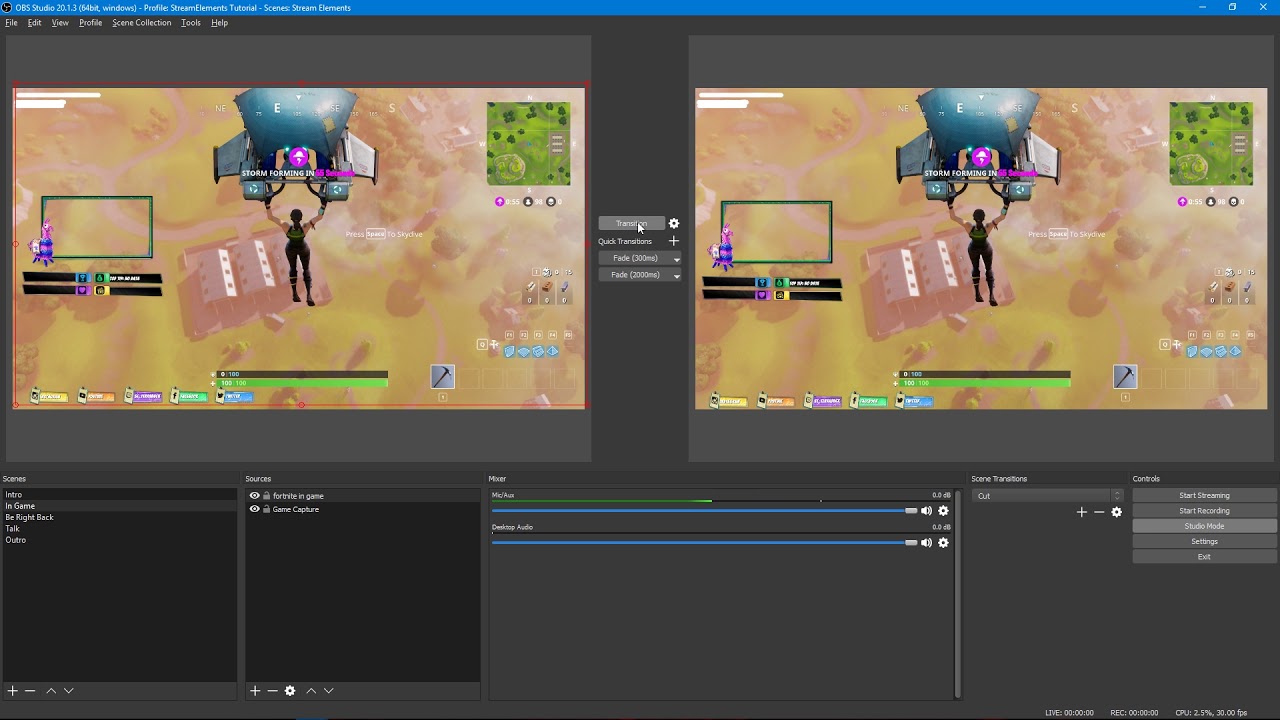
Tutorial #2 - Scene Transitions with OBS Studio Mode ----------------------------------------------------------------------- 🚀 StreamElements 🚀 -------------...
Here you go 😃
ionic flare
I appreciate it
just started streaming a month ago so i've been researching tons and trying to improve everything, thanks for the info
ionic flare
another question, if I have my source to refresh when it becomes visible (for a timer on a starting soo screen) how would I transition correctly? when I transition that newly transitioned window will refresh to start at the begining time
if I dont refresh the time via that, the countdown will be at 0 by 10 minutes.
stuck hamlet
you can just load the page, and then hit start streaming.
there's about 2-5 seconds that are cut off on a live stream at the start usually
ionic flare
so basically the only way to fix that is close obs and open to restart the timer?
stuck hamlet
i might of misunderstood
ionic flare
if I want to transition to a scene with a timer that has loaded already with a reset timer
the only way would be with refresh when loaded
which would make transitioning pointless seeing as my screen WILL go black
stuck hamlet
If you're utilizing Studio Mode, once you see its loaded in the left side, just transition right away. I may not be understanding properly.. Im sorry
ionic flare
I completely agree with you
once its loaded on left side transition
but once you do transition, since that window has the property to refresh once visible the second screen (live screen) refreshes
thus basically not a transition at all.
since you need the refreshing property to start a brand new timer
stuck hamlet
but why does it matter if there is missing 2 seconds off the timer? 
for a start screen especially
stuck hamlet
You could "hax" it by adding 5 more seconds to your timers
ionic flare
I'm not trying to make this hard on you, I apologize.
ionic flare
I think you do understand me partially, lets say I have a timer going on in a scene while im playing something
that countdown has started
I transition off (thank you for texting me about that) for my main scene
I then need that same scene later but with the same timer (refreshed) to time a certain event in game
stuck hamlet
AH
ionic flare
therefore I keep the refresh command
stuck hamlet
so how do you keep it going?
ionic flare
second window refreshes it basically a non transition
 fluid basin
Hi all. I have the chat alerts module enabled, but i dont know how to change the alert sounds. Where do i do that?
pine hemlock
Alert sounds are via the overlay manager and are controlled by the AlertBox widget - nothing to do with the modules @fluid basin
fluid basin
thx
ionic flare
Actually dont worry about it, I can just implement the scene manually just by adding each image and animated text
stuck hamlet
Would this count up or count down?
ionic flare
down.
best way for me to describe this would be
bob needs to do something in 10 minutes to get to a to b
after getting to b it doesnt matter how long
then bob needs to get to a to b again, after having done the other thing for however long on the other scene
since there was a timer previously and I need to use the timer again (full 10 minutes) I need to refresh it
ionic flare
Since I refresh it whenever it goes live on the transition it will be black for live
stuck hamlet
so the best way to acheive this, is to set your timer on another overlay seperately, and set a hotkey to turn it off/on
that will refresh it 😃
ionic flare
lmao
I know it refreshes
so you're getting I need to refresh it
correct
if I refresh with the transition screen I now have 2 versions technically that are live
you might want to try this if you can
if you transition to the scene with the timer on it, it will refresh for me, AND the live version whenever I have already transitioned the refreshed one over

 and now its over there
stuck hamlet
and now its over there
stuck hamlet
Of course.
stuck hamlet
Sure
ionic flare
load the refreshed timer
then transition it for the live group
after refreshed
and you get a blacked out version once the now live version loads, because it is set to refresh
 ionic flare
JERGNAJER
stuck hamlet
why do you have that checked tho
ionic flare
To refresh the timer
?
am I being dumb or something
.
I need that damn emote
Im laughing so hard
stuck hamlet
So basically the way i explained before, would work as well
but let me give you another "solution"
Remove the "Refresh when scene becomes active" you only need "shutdown when not visible".
Now, spin 3 times and prey to Gaben.
fluid basin
Where do i test alerts?
ionic flare
Onslaught
stuck hamlet
Bottom left of the overlay editor, there's a blue circle @fluid basin
fluid basin
ah yes, thanks onslaught
ionic flare
I'm pretty sure I looked up how to refresh the timer like 2 days ago on forums, though it was 3
why would you ever need refresh when visible?
it works now, no issues.
ionic flare
yeah
I hate everything
too complicated, thats how I make everything lmao
so is there an actually reason for needing that option? or no
ionic flare
refresh on visible
stuck hamlet
I'm sure there is, but i cant think of any
 ionic flare
I'm sorry for the issue, thanks for the laugh
stuck hamlet
Nooooo problem, just misunderstanding :p
ionic flare
you should see me trying to explain questions I have when doing calc
ionic flare
1.989 × 10^30 kg 
stuck hamlet

fluid basin
The TTS for cheer events reads out the cheermotes letter by letter, is there a setting for this?
stuck hamlet
It's a current issue, we will be fixing that
fluid basin
alrighty thanks again
terse hinge
Can you add more than 1 video for the alertbox?
fluid basin
when i click "emulate item redemption" nothing happens
is that hows its supposed to be or did i miss something?
stuck hamlet
@terse hinge Yes, you can add varitations
@fluid basin do you have the store redemption widget?
terse hinge
Well I mean for the same alert
stuck hamlet
And it would pick one at random? @terse hinge
terse hinge
I wanted 2 videos running at the same time
stuck hamlet
@fluid basin Best way to test those is to actually redeem them thoo
terse hinge
for 1 alert
stuck hamlet
@terse hinge At the same time, that is not possible, but you could add another alert box to the same overlay and edit the video on that one
fluid basin
yeah i notice that it just makes a "woo" sound when testing
terse hinge
I guess I can't do that, the second alertbox wont change at all, thanks though
stuck hamlet
@terse hinge Hit save and reload the page
i believe it is a bug
once you reload, it should be able to be changed
terse hinge
Still doing it ><
stuck hamlet
Hmm
Let me have a look
Which one are you using @terse hinge
"CHRISTMAS" overlay?
terse hinge
Yeah
stuck hamlet
Which alert are you editing?
terse hinge
I am using a sub alert, basically im building a second alertbox just to add a video alone to go along with it
but the alertbox with the video just shows default sub alert when i test it out
stuck hamlet
OH
You have to edit variations too, we have a default sub alert in there for resubs
and when you just test a sub, it chooses a random month, you have to click "1"
stuck hamlet
what about them?
terse hinge
they don't overlap as well do they?
terse hinge
It isn't doing that for me either lol
Sorry if I overcomplicate this, i liked the default box the christmas theme had and just wanted to add a video along with it
terse hinge
I don't have any new variations
stuck hamlet
Alright which alert box is this sound suppose to be tied to, and what is the name of the sound?
 tiny glade
so question, did somethin changed with the Host Settings? I'm asking because when people host it doesn't show up on stream, but in the editing and testing section it pops up, so I am not sure if I did somethin wrong
terse hinge
So basically im using the sound and box from the christmas theme and want to overlap that with a sound and video on another alertbox
fluid basin
Hmm, the store redemption alert works in the overlay editor when i redeem for something, but nothing in OBS shows or comes through. Even refreshed the cache on the browser source in OBS
im not sure what to do about that
stuck hamlet
Yes, something did change, you need to have the activity feed open for the host alert to be captured by us @tiny glade
the way Twitch sends hosts is weird.
terse hinge
ah i see what's going on, i figured it out
stuck hamlet
Activity Feed can be found on 3 pages, "Activity Feed" "Dashboard" and our Desktop app "Ground Control"
You need to have one running to get host notifications.
but did you save in the overlay manager @fluid basin ?
fluid basin
yes, multiple times. and closed the browser, and went back to it and it was still there
tiny glade
so have the dashboard up in the web browser for it to work?
sturdy cloud
hey guys, so I made my timers, 6 of them. Is there a way that I can have them come every 11 minutes. not right after eachother but so in 1 hour each go once
stuck hamlet
There's no reason it shouldnt reflect on obs.
yes, or the desktop app we have @tiny glade
tiny glade
didnt know there was an app lol
sturdy cloud
not at all, just made it 2 weeks and don't want to promote it until I get it perfect
stuck hamlet
it's a bit complex to pull something like that off with our current system.
Because if the chat isn't active, they will never fire.
stuck hamlet
What's up?
 daring bear
time looks messed up af https://gyazo.com/8b06c2582bea06d9d4626900777d1608
 sturdy cloud
I was thinking if I did like 5,6,7,8,9,10 lines, then they would proc eachother? do they proc eachother? or does it have to be a person type to proc it
stuck hamlet
messed up af, meaning the running time?
daring bear
ye
daring bear
sorry im not very descriptive. Its counting down not actually counting the time
stuck hamlet
Ah
daring bear
It started at that number i sent and is counting down.
Oh. Wow. It just started counting up...
stuck hamlet
@sturdy cloud so say you have a timer set for every 12 minutes, the bot only check the last 5 minutes of lines, before triggering. So it checks from 7-12, and if the lines are met, it fires.
how long was it counting down? @daring bear
daring bear
from the number i sent. Till it hit 0. Then it started counting up.
stuck hamlet
What you do mean, number you sent?
daring bear
daring bear
It counted downwards from that. Hit 0. Then counted up so its fixed.
But it started at that number. Counted downwards till it hit 0. Then counted 1-2-3-4
stuck hamlet
Alright, that is strange. I will have a look at that
daring bear
Its counting right now so i guess it fixed itself. https://gyazo.com/b921fcee673389c6d9fa7111a699f42f


Weird well thanks. Ttyl
fluid basin
I've set an image and a sound effect for redemption and when i redeem it i see (and hear) it pop up in the editor, but its faded and i dont see it in OBS (but again, i do hear it). is this how its supposed to be?
fluid basin
do stream perks show images?
stuck hamlet
yes
fluid basin
ah great, thanks
stuck hamlet
np
tacit tundra
Guys, it is possibility to add bigger offset to api /points/top ?
now max is 1000
but we have 30k users in top... 😃
stuck hamlet
I spoke to a dev today, and he mentioned a cap on the end point right now, it should be listed some time soon.
we also have an #dev-chat question btw 😃
if you're ever interested!
tacit tundra
we have tomorrow cooperation with sponsor where we can make few contest and give out prizes
before we must backup top leaderboard
btw. i represent inetkoxtv channel
stuck hamlet
so you're trying to export inetkoxtv current leaderboard?
stuck hamlet
I'll pass it along
tacit tundra
I will be grateful 😃
fluid basin
Why do sounds from alerts and redemptions play thru a different scene into my current scene in OBS?
it makes sounds double/quadruple/echo
keep running into this problem
pine hemlock
Open your Browser Source settings and enable the shutdown when not active box in the properties
The sounds play on all overlays unless that is checked
fluid basin
@pine hemlock thanks you just helped solve a seperate issue as well
lament blade
can you see the infos, people put in store redemptions, in GroundControl somehow?
if not, is there already an idea like this? I'm just live rn
tight harness
@lament blade You can on the site, not on ground control currently
Although it's no doubt one of the improvements planned for it
 snow sand
Anyone notice streamelements fonts are pretty big by default for premade?
24 I believe they are seems quite huge, wouldn't 20/18 be better especially for the common long names that are forced upon most name creations? 😄
tight harness
I have noticed, yep
snow sand
Also there's like no plain neutral setups or reds really 😄
Though that is not a support Q there 😦
tight harness
We're revamping our tutorial videos because they're outdated now with how fast we add new features and improve everything
snow sand
Yeah, id love to see the layers be adjustable as a window
Like actually show more then 2/3 layers at a time on a full screen, like how you can adjust the window size of the layers area as in.
tight harness
snow sand
I tried posting there a few times, it kept saying it was but I have yet to see them on there.
Remember, you told me to haha
tight harness
Nope, everything goes on immediately
snow sand
odd...
stuck hamlet
Sup?
daring bear
So. I got follow botted. Probably by some kid i pissed off in CS. Anyway to delete all that shit off stream elements dashboard?
stuck hamlet
Off the dashboard no, off your widgets, sure. that would be in your sessions.
tight harness
Sorry was answering live chat support
stuck hamlet
no reason to be worried
daring bear
Ight
tight harness
As far as I know there's no punishment for it because it's impossible to track down who's doing it
lament blade
How does the shoutout command template work?
tight harness
It takes the name you put in, looks for the relevant data and displays it in the response
lament blade
I have to type !shoutout [name] right?
tight harness
Yep, so for example !shoutout sorg
lament blade
Thanks a lot
tight harness
No problem 😃
gaunt light
Streamer ! , I need the best Graphic designer u know !
Streamers*+
Anyone know of someone that is good ?
I hate my Panels , I dont have a Mascot , No Profile pic , No short video seen for when i go between Overlays.
or start and end stream
tight harness
Better to ask in #creative-chat 😃
lament blade
When I emulate a cheer sound isn't working, only the image and text
tight harness
@lament blade Is there a sound uploaded? is your overlay manager muted?
lament blade
It is working in the overlay manager, no sound on stream
Refreshed the cache still no sound
tight harness
If it's working in the overlay manager then the problem is within your streaming software
tight harness
I said this earlier 😄 no need to stress about it
[2:50 PM] Legendary_Studios: As far as I know there's no punishment for it because it's impossible to track down who's doing it
tight harness
2 strikes? 
fluid basin
hi all, we have a 24hr stream going and it seems everything was mostly working until someone tipped/donated. Their alert did not show up, and their information isn't showing on our overlay's recent tipper box or anything like that. Any ideas?
the emulated tipping alerts work
The information does show in the StreamElements tipping information page, so the data is tracking
weary mist
@fluid basin check the activity feed, is the tip showing there?
and what is the twitch name of the streamer
fluid basin
yes it shows in the activity feed @weary mist . CoalitionGamingCrew
weary mist
What I am seeing is that it is pending approval. If you hit Accept, it will pop the alert. This is Tip Moderation, and you can turn it off in the tip settings (so you don't have to approve them). Its designed so you can check tip messages before having them pop up on stream
@fluid basin
weary mist
👍
 grave spindle
Anyone available for voice chat? need some help with overlays. 😦
fluid basin
@weary mist I didnt see where to approve it, but i turned off tip moderation and it still doesnt show
weary mist
Open the Activity feed, and right at the top shoudl be a list of Pending Approval Alerts. On the right, there should be an Approve/Deny button on anything in that list
fluid basin
i see it now thanks again!
 maiden grotto
hey guys! i've been using you animated overlays for a while now and i love them, but since 2 streams ago everytime the video in the backgrounds has to loop it just gets stuck
which is really weird cause the first time around it runs smoothly
restarting OBS and my stream elements account on browser won't fix it
 urban notch
Hey there! I'm having issues with streamelements currently. We're experiencing problems with song requests for viewers. Any time we fill the list for qeued songs the bot states nothing is in qeue. I go to my bot overview, user management, spam filters and timers it states at the center of the page 'An error occurred. Could not fetch bot status.'' Please help?
serene granite
@urban notch please try:
- on the main dashboard, Part Channel
- log out of streamelements
- log in
- Join channel
urban notch
Oh wow. There it goes! @serene granite I'm gonna try that again next time if the issues persist. Much appreciated!
 limber moat
i dont know how to use the overlays