#helpdesk-twitch
1 messages · Page 132 of 1
 tight harness
 pine hemlock
Make sure the browser source properties are set to the right dimensions then fit it to screen
 placid abyss
What are the dimensions ment to be ???
tight harness
The dimensions of your OBS canvas which is usually your monitor resolution
 lament blade
I need help .
lament blade
i have fixed by my self
tight harness
@lament blade I just tested again on my end and it worked fine, have you definitely got the Store Redemption widget in your overlay?
tight harness
Do you have the Redeem via chat option unticked by any chance?
lament blade
yeah is unlocked
tight harness
If the Redeem via Chat option is unticked then you can't Redeem via Chat.
Because it's unticked, indicating that you don't want that to be available
tight harness
Yes, that'll do it
lament blade
perfect thanks to you
tight harness
No problem
lament blade
@tight harness last thing
Is possible like to do
!118 and the sounds go
Or i need all the i time
!redeem 118?
tight harness
No, the !redeem part tells the bot that you want to redeem an item
lament blade
Oh okay np
You should introduce
In the bot a sfx program
Like you can put !118 ad do the sounds
tight harness
Are you sure it hasn't already been suggested on the ideas board?
lament blade
I don’t know
placid abyss
@tight harness hey now got it working thanks
tight harness
Awesome 😃 glad you got it working!
lament blade
Hello support team!! I would like to access to a friend admin page (as I am super moderator there) so i can change some options for him. I cannot find the option to do that, would you please help me?
 serene granite
dashboard access for moderators is not available yet, but it's coming out very soon
stick around to be notified of it first 😄
in the meantime you can use the supermoderator chat commands
lament blade
thx for your answer
 spring shard
@serene granite will you throw out keys for it at TwitchCon? 
serene granite
we're hoping for a surprise 😄
 clever mango

tight harness

spring shard
I'll have to catch up on stream then! 😄
 paper marten
When ever i try to do spam filtiers it changes after i live the screen
and everything is flick on
 ancient wigeon
Shouldn't the Twitch Con channel be called Doc Con? Kappa
lament blade
how does one have SE use sub emotes for affiliates and partners?
 weary mist
if you are a partner, you can email twitch partnership and have them put a sub on the bot
but affiliates can't 
ancient wigeon
they're supposed to be opening that to affiliates soon, though
as well as lifelong subs
weary mist
yay
 lethal mulch
that does open up more possibilities 😃
 slim cairn
Lifelong subs: only 300$
weary mist
hmmmm, not sure how I feel about that
unless someone can do that to me, without me requesting it, then I am 100% down for it, lmao
tight harness
I've given away 1 lifetime sub before, you need to get quite a few subs to get each one
 strong dock
Is that a real thing? Life time sub?
tight harness
Yep, but you have to reach certain sub goals to get each one, with a maximum of 3 to give away (I believe)
strong dock
Crazy
tight harness
And they didn't tell me about it, I had to ask 
strong dock
I still grt a kick out of bits and seeing all these huge numbers and knowing 35 percent of the cost of those bits went to twitch and not the broadcaster
But I also never set up a tier 2 or 3 sub badge either. So that's just me. Haha
tight harness
There isn't a tier 2 or tier 3 sub badge
The badge tiers are for lengths of sub subsequently subbed for
strong dock
Emote. Sorry
tight harness
Ahhh 😄
 terse canyon
Haven't even done any resizing to stuff aside from the webcam and it already looks cool! XD
Trying out the red flare theme #Cause
strong dock
Yay halloween stuffs... if only I could copy current super theme collection and change image portions
 hoary crystal
I have a question that basically has nothing to do with streamelements, but im hoping that one of you streamers out there knows the answer 😛 I know that when you buy twitch Turbo, the videos on your channel will be saved for up to 60 days. Does this also apply to twitch prime?
 wanton sluice
Don’t believe so.
tight harness
Yes it does
wanton sluice
Mine only save 14 days
tight harness
Prime is basically the new Turbo
wanton sluice
Actually. Hold on.
 wet elk
Is there a problem with the chat bot atm? It's been unresponsive for over 10 minutes at my friend's Twitch channel. Doesn't respond to any commands or !bot part 😦
tight harness
Your friend should try getting it to leave and rejoin via the dashboard
wet elk
Already done and it didn't do anything
hoary crystal
oh thank god, i was hoping for that to be true. Thank you so much @tight harness & @wanton sluice
wanton sluice
I dint technically have twitch prime. I have amazon prime linked to twitch.
Same deal
Best part tho. No add
wet elk
@tight harness in the chat or?
tight harness
Yes
wet elk
it doesn't respond to any chat commands
 stuck hamlet
What's the channel name?
wet elk
 terse canyon
ping is fine on mine
wet elk
this is the 3rd or 4th time in the past week where it's been unresponsive for a while and then it comes back a few minutes later
 runic glacier
Is anyone else having issues with the bot functioning properly in chat?
 astral isle
not working for me @runic glacier
stuck hamlet
Oh man
 misty wagon
weary mist
misty wagon
weary mist
that can cause issues 
tight harness
That's what I suspected 
stuck hamlet
That's just viewers list 🤔
misty wagon
Wasn't me! 
stuck hamlet
Or am I bamboozled
 alpine mountain
hello again! a streamer i mod for cant use his backup playlist when he adds a playlist it just plays the first song then stop
weary mist
make him show video on the player, refresh the page
it is a silly bug with the youtube embedded player
alpine mountain
ok thx 👍
stuck hamlet
Twitch is currently having issues with their servers. @runic glacier @astral isle @wet elk https://www.onslaught.ca/s/9lqovlw3.png
 wet elk
yeah I noticed, thanks
 coral kelp
astral isle
coral kelp
astral isle
@stuck hamlet yeah thanks... it seems to be working sometimes. we will survive 😄
 long dome
So is everyone 😃
lament blade
Oh is for all okay
tight harness
Yes, the Twitch chat servers are having issues
tight harness
No problem 😃
 unreal arch
Hello, my bot randomly stopped working
misty wagon
It's Twitch Bingo @unreal arch Twitch servers are going up/down atm
misty wagon
 devout kettle
ummmm guys, the bot stopped chatting just right now...
i use commands and they work but its not muted and it doesnt chat
:S
tight harness
Yes, Twitch chat servers went down, that's what we've been talking about here ⤴
unreal arch
my nightbot is the only thing working
devout kettle
well thats unfortunate
clever mango
@TwitchSupport just tweeted: 🔎 We're investigating reports of site loading issues. Stay tuned! ^AK
unreal arch
okay now he is up an running
clever mango
Nothing we can do when 40% of twitch chat servers die
unreal arch
just spammed my chat
clever mango
Sorry 
devout kettle
well luckily they solved it in a glance
clever mango
Hopefully twitch can get their acts together
 twin thorn
SE needs to make an overlay widget that shows a twitch derp emote on screen when twitch is derping
clever mango

 spark gulch
Two questions - When will assassins creed origins show up in the "game" list for overlay name in the overlay menu? Also does that control what the preview image is on the dashboard?
tight harness
I haven't heard anything about an Assassin's Creed Origins overlay yet so I can't confirm if there will be one or not, in terms of the preview image that is set for whatever game the overlay is meant for
 bitter hamlet
Hi friends. I'm a new streamer and currently using obs classic. However, I'm not sure how to manually crop what displays. The game I'm recording only requires certain parts of it to be in video. How do I manually crop how I want it? Please dicrext message me answered. All help is appreciated
tight harness
OBS Classic is not a good choice, OBS Studio would be a lot better, OBS Classic hasn't been updated in over a year now
bitter hamlet
Oh. It's what I was originally told to use so it's what I've stuck to
tight harness
It's very outdated
spark gulch
Yeah I realized that there may not be one prebuilt, hence why I am building my own. I am talking about the overlay name field on this screen
bitter hamlet
Oh I see. Thank you
tight harness
It's the part "What game is this overlay for" which determines the preview image
spark gulch
right, can it be added? I can provide a good ubisoft image for it. They put out some good ones with their press kit
 west gull
the only thing that OBS classic had over studio up until recently was it was able to use dual CPUs, studio got that ability delayed because it had issues
tight harness
@spark gulch You mean there isn't one there yet for that game? I'm not sure how and when they get updated
spark gulch
yeah its not there yet. Granted game comes out on the 27th. I am just preparing
tight harness
I'd wait until then and then check 😃
 clever mango
We'll look into it again as the release becomes closer. I think it will eventually show up there.
spark gulch
Thanks
alpine mountain
streamelements still down for me 
devout kettle
by the way, how do you reset a counter from twitch chat?
 turbid reef
part and join the bot @alpine mountain
alpine mountain
ok ill try 👍
devout kettle
can someone tell me how to reset a counter?
:S im having a bit of trouble with that
turbid reef
are you using a $(count) or $(count name) ?
devout kettle
$count name
turbid reef
ok do !editcount countname 0
turbid reef
yeah it is
turbid reef
👌
 regal thunder
the bot died on me, any issues going on?
 edgy kindle
@regal thunder From what i've heard it's a twitch issue
misty wagon
https://twitter.com/TwitchSupport/status/920756009597128704 Should be solved by now meaning the bot needs to rejoin the channels which can take a sandwich or two 😉

🔎 We're investigating reports of site loading issues. Stay tuned! ^AK
Retweets
103
Likes
280
 Twitter
regal thunder
Twitter
regal thunder
Thx for the heads up both of you <3
 abstract dome
i went on irl tv and the overlay didnt work for cheers or notifications , what do i do?
clever mango
Are you using a theme?
Mobile streaming apps cannot handle .webm video files, only gifs. @abstract dome
abstract dome
ok so they cant do tts and alerts?
clever mango
TTS is fine
It's the video animations that they can't do
Alerts with animated GIFs are fine though
abstract dome
i only have an image that pops up
clever mango
Did you set the dimensions correctly?
abstract dome
how do you set dimensions
clever mango
If you created the overlay yourself the dimensions are 1920x1080 by default
You would set that in the app where you add the URL
I'm not familar with IRLTV since I use android
but that's how it works with the apps on android
 broken crescent
anyone elses commands not working in streamelements?
i have logged out and in but they still dont work. i get the follows and hosts etc just no commands work
clever mango
Try parting and joining the bot. Twitch chat servers crashed a few hours ago and the bot has been joining channels again.
 vital jackal
Hiya I'm getting an error changing the game using the bot command !setgame
weary mist
@vital jackal log out of SE and log back in, if you are the broadcaster
vital jackal
I'm a supeemod :/
weary mist
Need the broadcaster to log out of SE and log back in. Normally when that command errors, it means the access token needs reset
vital jackal
OK thanks :)
 unkempt sparrow
im sorry but i can't find this. Are you able to set regulars certain permssions to like post links etc. I saw user management, moderators and regulars but i don't know what lvl 300 is
and cant edit them
clever mango
Yes, that would be set in the spam filters > link protection
250 is subs
300 is regulars
500 is mod
1000 is supermod
unkempt sparrow
wonderful! thank you very much
abstract dome
terra could you help me with the irl tv thing its showing up but i need it to be a different size
does anyone know how to control the overlay on irl tv
clever mango
I'm not familar with that app as I don't have an iphone
 charred oracle
Why am I unable to reset my tip goal? its stuck on 28$ for some reason
clever mango
Have you gone into the Data tab in the editor, then to goals?
abstract dome
Well would there be any reason why the tts wouldn’t be working
clever mango
by clicking on widget data
abstract dome
I already enabled it on streamelements
charred oracle
Thank you @clever mango
clever mango
@abstract dome the only reason I can think of is if not enabled
does it work if you launch the overlay on PC?
clever mango
Honestly not sure on this one as I've never streamed from mobile. Are you able to try another app?
 rich tusk
Hey i am useing a stream overlay and when i put on my obs its only showing a portion of the overlay
nevermindi fixed it
 restive lantern
Yo dudes StreamElements is crashing chrome for me suddenly - wasn't happening 2 hrs ago
I can open anything else but when I open that it crashes
jk my dashboard is doing it too
wut
it didn't a second ago
:notlikethis:
removing some extensions
misty wagon
You are two hours behind, we all had that ealier 😃 I checked a couple streams and server status but don't see anything happening right now.
restive lantern
weird
misty wagon
!command add/remove/edit/options/show
Valid flags are: -cd (number) -usercd (number) -cost (number) -level (number) -type (say, whisper or reply) -count (number)
!command options <name> -level 500
500 is mod
restive lantern
oh it's working now
ty for responding i just need a techie to stand next to me and it's fine
 feral axle
@misty wagon Wat level is SuperMod
misty wagon
@restive lantern I think the bot was afk booking the How to best Bot workshop at TwitchCon, didn't take that long seeing there was not such a long waiting line  Happy it solved itself
Level 500 moderator
Level 1000 supermoderator
misty wagon
As in renamed?
Or as in custom bot commands (https://streamelements.com/dashboard/bot/commands/custom)
feral axle
@misty wagon i meant like how deepbot is since hes changing since deepbot is having issues and he wanted to know if we can change the StreamElements name to a custom Name
misty wagon
It's in the planning but no ETA. We are only 6 months old so having the name out there is good promotion for a free service.
feral axle
@misty wagon How Does one Become a SE.Champion
misty wagon
There are two ways basically after you are fully setup with StreamElements (an obvious requirement 😉 )
1> For a support role by being active in this Discord and help people with their setups and questions while having a proper knowledge and understanding of the platform.
2> For a promoter role by being a positive promoter of our platform outside Discord.
feral axle
Ive Been Suggesting SE to 3 People Thats About it
misty wagon
Good one 👌🏽
 dense jackal
thank you for the support @feral axle 😄
feral axle
😃
@misty wagon How Do i Make A Cmd say @user@ Throws Bomb's At @target@ ❤ in SE Format
 fringe ferry
can anyone help me get kappagen on my stream again? Thanks
clever mango
@feral axle ${sender} throws bombs at ${user}
sender is the person using the command, user is the target after the command
@fringe ferry what do you need help with?
Kappagen is added in the overlay editor under WIDGETS
feral axle
can we have a tutorial for how to add  Gen
Gen
clever mango

KappaGen is now a part of StreamElements! https://streamelements.com Need help with your initial setup? We got you covered! https://www.youtube.com/watch?v=U...
There are a bunch of tutorials on the StreamElements youtube channel https://www.youtube.com/streamelements

YouTube
Official youtube channel for StreamElements tutorials https://StreamElements.com
feral axle
@clever mango Help Plz ?
clever mango
${sender} throws bombs at ${1}
What you had before would have worked though if you didn't use test
it doesn't like test for some reason
clever mango
Here are the variables: https://streamelements.com/dashboard/bot/commands/variables
you use those to make commands
clever mango
That's fine. I'm just linking for future reference
feral axle

 humble coral
what would cause custom animations on text fields to not work
I changed it to something other than the fade in and it's only doing the fade in
misty wagon
Have you saved in between (at the bottom) and then Launch Overlay, also at the bottom?
humble coral
Yep
I put a text box in
and gave it slide in right and slide out right animations
when I refresh the cache and shutdown/restart the browser source from OBS, and when opening the "launch overlay" from the browser itself, the text just simply pops up.
stuck hamlet
What widget?
edgy kindle
@humble coral Hey so you're trying to use Text widget with animations right?
stuck hamlet
I don't believe that widget actually has animation settings.
humble coral
it does show settings.
edgy kindle
Animations do not work for that widget due to the fact that it's only displaying static text
stuck hamlet
The tab is there, but it doesnt do anything.
stuck hamlet
yes 😃
humble coral
so if I cut up the background from the CS BLUE theme and have the buttom left and top right panel animate onto the screen, then the background fade in, that will work when I pull up that overlay to transition?
stuck hamlet
Oh a single image 
I dont think so
@humble coral i reccomend using studio mode and using fade in as a transition to get the wanted effect
humble coral
lol, I can use OBS to do a "Shut down source when not visible"
and then when I make the source visible I just have it do all animations up front
I can then just flip over to the actual source for say...taking a break or something
and it will match
fringe ferry
@clever mango I used to use kappgen on my streams but I can’t figure out how to use it with the new service
clever mango
I linked you a video and the YouTube channel for more tutorials
It's all through the overlay manager and Editor
edgy kindle
@fringe ferry KappaGen is now a Widget for the overlay system
misty wagon

The KappaGen widget animates emotes on screen to increase hype in your chat. It also triggers Emotesplosions - an event triggered explosion of emotes! KappaG...
fringe ferry
oh ok, i will look there Thanks!
lol, sorry to be a pain but I am not sure where to find widgets
oh
nvm i got it
unkempt sparrow
another question, for a custom command, is there a way to use one command but it randomly will choose between several choices to put in chat?
stuck hamlet
There's a Random variable you can use @unkempt sparrow
${random.pick} Pick a random item from a list ${random.pick '1' '2' 'rare pepe'} rare pepe
unkempt sparrow
do i type that in the custom command?
stuck hamlet
yes...
stuck hamlet
replace '1' '2' 'rare pepe', yes.
unkempt sparrow
cool ty
 hallow harbor
I play a game but this game i play has multiple different servers. A ton of ppl come ask what server are you playing. Is there a way i can make stream elements maybe read that word "server" or every 20 mins say example; "server I am playing is ladedade website wwwdotladedadedotcom
misty wagon
Either a timer or let the bot respond to the keyword or make a command !server

Make the most of StreamElements, learn how to use Chat Commands. ----- Got any questions, or just want to say "Hey"? Join our Discord server: http://bit.ly/D...

In this video we explain how to create chat engagement with Modules, keep your chat clean with Spam Filters and update your viewers with Timers, we have it a...
hallow harbor
thanks ill watch em
 crimson quest
 zealous basalt
just wondering how to reset my tip goal? i cant find the button or anything for it
misty wagon
https://streamelements.com/dashboard/session here you go
pine hemlock

zealous basalt
ah thanks @misty wagon 😄
misty wagon

restive lantern
dear lord chrome still crashing and i can't actually get to the extensions to remove them to see if that will help rip me
it's freaking adblock and i can't stop it installing and crashing before it installs DansGame
GOT IT
OMG
 brisk hamlet
i made a custom custom command "!hai" to spam my hai emote but when i test it in chat it just says the words, not the emote 😦 help?
misty wagon
Only subs can use the sub emotes. Is your bot subbed
stuck hamlet
Seeing as shes an affiliate, no.
brisk hamlet
ohhhh ok...i dont think so lol
stuck hamlet
You'd have to contact somsone at twitch for the bot to be able to use the emotes.
brisk hamlet
ahhh i see. thank you
pine hemlock
Partners can usually do that. Not sure about affiliates
 marble dew
not sure if this is the right place, so ive made me some animated overlays, and want to stick them into streamelements, so everything is in one place, ive managed to export to webm, but i cant get transparency set up for that format, would like to not go gif because of the loss of detail.
tight harness
To my knowledge webm allows transparency because I believe our super themes use webm files too 🤔
What browser are you using out of curiosity?
stuck hamlet
he needs to render it webm trans.
marble dew
in that case what software do you use for rendering? ive stuck it into premiere as that supports webm, but it doesnt seem to allow for transparency, using chrome,
marble dew
cant seem to find a webm transcoder for after effects, but ill try hunt it down then
stuck hamlet
maybe @ripe herald can help
 silk patrol
I think @clever mango had something for that
marble dew
i see some plugins advertise it? if thats the case im more than happy to buy one,
stuck hamlet
Media encoder does trans i think
marble dew
trying to find an encoder for that, the standard webm doesnt seem to want to allow it,
stuck hamlet
silk patrol
you might need to tweak the output. I know kireaki had some issues with it at first too
marble dew
ait sweet, currently playing around, got adobe updating media encoder with the new ovg format to see if that works, on the plus side at least ill have every html 5 format after this 😛
silk patrol
@marble dew there you go http://www.fnordware.com/WebM/
marble dew
sold, thanks so much @silk patrol 😄
 grim kiln
Hi guys, how do i add "mod only" commands as a mod ins omeones channel? I've added a shoutout but its permission is anyone and I dont want that?
silk patrol
@grim kiln you can do !cmd options nameOfTheCommand -level 500
grim kiln
awesome thanks!
 ripe herald
also if you use adobe after effects there is pluginfrom Premier and Media encoder
silk patrol
@ripe herald i've shared the plugin earlier ❤
ripe herald
good boy ♥
silk patrol
thx mom
ripe herald
😳
silk patrol
thx babe then?
ripe herald
☺
pine hemlock

marble dew
day made, it worked, tahnks a mill 😛 now off to make epic things
misty wagon
Tol ya, Best Discord Community Spread the word @marble dew ❤
marble dew
dont worry 😛 most of the south african streamers rely quite heavily on you peeps
ripe herald

tight harness

misty wagon
I'm happy to hear as it's the only continent we not have champion from yet
marble dew
dunno what a champion is but most of our streamers use streamelements.
misty wagon
The people in blue 😉 And I'd love to hear one of our tuts in Afrikaans, amazing language
is Dutch
marble dew
aaaahhh dan is ek baie jammer oor wat ons aan jou taal gedoen het 😛
marble dew
we get trouble for allot of things, im amazed the dutch havent neuked us due to how we ripped the language off
misty wagon
Nee nee. We can't stay serious if we hear Afrikaans. It, with respect, just sounds so funny when we hear it.
marble dew
dont worry. its sounds funny to us as well
 unreal geyser
Wat gaan hier aan?
marble dew
^^ a wild south african appears
unreal geyser
luckily we dont need tutorials in afrikaans, most of us and by that i mean 90%, can understand english
misty wagon
Same for the Dutch, would actually be weird.
 white ocean
Hey, I am new to stream elements, been trying to set it up. I created my overlay, but I want it linked to on of the theme options. So whne I launch it for the different type of streams I want to do, I can press one launch and it launches the set theme in totallity. However, cannot seem to get that done
marble dew
@white ocean not sure how you do it, but i have my several overlays in stream elements, and then i have them each on their own scene in obs, and switch there,
silk patrol
@white ocean  I'm not sure to understand you are trying ot achieve here. You don't need to launch them everytime you are trying to stream. Just add them all to OBS and switch scenes whenever you want
white ocean
@marble dew thanks, then do I have to launch each screen seperately from the theme I am using after setting it up in OBS
silk patrol
@white ocean launch it once to get your link, and you're done, they will always be up and running
white ocean
cause each screen has a launch feature, since it is cloud based the function has to be launched, I am used to StreamLabs and that is why my question
pine hemlock
You use the launch feature to get the URL to put into your obs browser source
silk patrol
once it's launched, it will stay launched forever
white ocean
ok, got it. thanks
pine hemlock
anytime
marble dew
out of interest,, what are the se.champions if i may ask?
silk patrol
@marble dew very nice people with a very good knowledge of SE, that are available a lot
or people that can bring something in the mix
marble dew
ahh i see 😛 nice
 orchid saffron
Problem
For some reason, the viewers yesterday, they don't get any points at all.
Is 0
tight harness
You can try parting the bot and then getting it to rejoin
serene granite
most of twitch's chat servers went down during the night, so that's probably the reason
orchid saffron
Is noon for me since I am from Asia I guess
Did the rejoin thing, will see later x.x
 devout rover
Hello I have a problem I don't stream a lot all because my games tend to lose too much fps from running my games that I play. The stream is fine but my game is terrible, I fixed everything and nothing changes I have an GTX 950 and my internet download speed is good too
pine hemlock
950 is a pretty low tier card.. but what is the rest of y our pc specs?
as you'd probably benefit more from asking these questions on the obs forums
 dreamy jetty
tight harness
dreamy jetty
tight harness
Not possible at the moment
 fast topaz
is there a way i can change my email?
silk patrol
@fast topaz where do you want to change it?
fast topaz
on stream elements i noticed it didnt change over to the same one im using with twitch now
 atomic hollow
log out and back in
 upper steeple
song requests seems to be bugging out or its just me. Cause my backup playlist will play and then it won't notice tthat anyone has put any requests in, so I have to refresh the entire page
clever mango
It's been happening for me too
upper steeple
T_T
clever mango
The devs will have more time to get these types of things fixed once the new site is out (very soon)
fast topaz
thanks that worked ^_^
 ripe elk
Hello guys, i have a problem, i got a donation but no alert and the donation isn't displayed on the hud either nor on the alert feed, cna you help me ?
clever mango
Do you have tip moderation enabled?
ripe elk
no
clever mango
Did you use another tipping service before?
ripe elk
i did used streamlabs but now i migrated everything
clever mango
Is it possible that they used the streamlabs page?
What link do you have in your twitch panel?
ripe elk
wait
i jsut saw the donation in moderation
although i didn't enable it
i 'll enable it then disable to refresh and see if it's fixed
done, it seem that it was enabled, maybe it was me.. my bad folks ! haave a great day !
clever mango
You too 
 lilac falcon
my alert sounds are not playing, but when i test it in streamelements i can hear them
placid abyss
Oh @tight harness How can u join a party if your using orbs with a PS4 and I’m using remote play can u help
Obs
placid abyss
Ok
lilac falcon
seems there is a huge delay with the sounds from the alerts, anyone else having this problem?
silk patrol
@lilac falcon twitch servers had a brain fart yesterday as well as today. This might be the issue
people were marked as offline even tho the were live
lament blade
ah, that explains it.
thank you for the update @silk patrol
or should I say.. Dracula :wutface:
silk patrol
you're welcome my little ghoul 😃
placid abyss
How do I get the starting soon scene on obs
serene granite
add the overlay's launched URL as a browser source
make sure the resolution on obs matches the one on our system
placid abyss
Oh ok thanks
serene granite
np 😃
 warm umbra
is there a poll function? can't find it..
 obsidian field
hey
trying to create and modify my overlays and its either not showing me the overlay at all or its only showing a small part of it
any ideas on how to resolve this?
clever mango
where? The editor or OBS?
obsidian field
both
clever mango
The green space is the whole overlay canvas
obsidian field
when its on obs it only shows the top left corner
there is stuff inside the green overlay canvas but only displays half when i click on launch overlay
clever mango
what is not showing up?
edgy kindle
@obsidian field This sounds like a screen resolution problem.
You chose 1080p for your overlay correct?
obsidian field
correct
edgy kindle
Default 1080p is 1920x1080
obsidian field
but also did the same on a 720 overlay as well
clever mango
send me your link and that will confirm if it's a res issue
edgy kindle
So your monitor doesnt have the correct size to display the overlay
obsidian field
but it did when i first made the overlay 2 months ago and was fine until i added the follower text
edgy kindle
In your OBS when you add the browser source you'll see height/width options; you'll set those to 1920x1080 and then you'll hit CTRL+F with the source selected which will fit to screen
clever mango
All fixed
obsidian field
sorted out thanks for your help guys
was importing it at the wrong resolution size
 jagged mantle
thanks @tight harness
 velvet wren
Whens the new dashboard? 😃
edgy kindle
Soon 👌
 slender lichen
Anybody able to help me with an twitch prime sub issue? I´m not getting an alert if somebody subs with twitch prime, but I´ve already set up an alternate alert variation with settings set to "exact" and "prime" - so it should work I guess?
clever mango
the variation for prime is the same as 4.99
marble dew
hay so smart peoples, something broke, made myself a dope overlay, but if i import it to obs my cpu goes from 10% to 100%.
edgy kindle
@marble dew import to obs? Do you mean using the browser source link?
marble dew
aye ser
edgy kindle
Do you have KappaGen enabled?
marble dew
i do....
edgy kindle
and i'm guessing you set it to full screen for kappagen 
marble dew
yes 😛 ill disable that and give it a go
marble dew
nope still screwed. it went down to 90% though
edgy kindle
Hmm what happens when you remove the kappagen widget?
marble dew
it dropped the cpu ussage a little bit, but not mutch
could it be video files? i do have quite a few of them
clever mango
Anything animated is going to take a lot more cpu to render/encode
What kind of CPU do you have?
marble dew
damn, i had the same files on obs, but i imported them into stream elements today, got the i5 skylake, think its a 2.4 or 3 ghz, will check now
abstract dome
Are you able to stream at twitch con from your phone
clever mango
yes
marble dew
3.2 ghz i5 6500
clever mango
@marble dew rendering a local video file is not the same as streaming the video file through a browser source
marble dew
damn, i liked having everything in one place, ill go back to having the video files as local.
clever mango
Some can get away with this. Your CPU isn't able to handle them in the browser source. With your cpu, you should look to keep the browser source more static.
If you DM me your overlay link I'll test it on my system
marble dew
ait sweet, 😛 yea the machine does need some tlc.... i5 just wont cut it anymore, no stress, deleted everything allready, got a spare static one, will use that for now until i can afford a new processor
clever mango
fine for gaming, not so much for single pc streaming these days
marble dew
yea i have been having quite a few issues, cant help it though . 😛 got some neato ideas,
 abstract anchor
Okay so how does the song request work?
clever mango
enable it on the SR page
viewers request in chat with !sr <youtube URL>
have the song request page or ground control open to play the youtube videos
profit
abstract anchor
and the music would just play through my browser and go into OBS?
clever mango
yes, when your browser is set to pick up desktop audio
Ground Control is the desktop application which allows you to monitor activity feed and play/manage song requests. It also has hotkey support. (Download it from the activity feed page)
abstract anchor
is there a way I can have it set up to play a set playlist and when somone requests a song it gets put to the top?
clever mango
so you don't need to leave the browser tab open for SR
Yes, in song request settings
abstract anchor
okay I'll install it quick and see if I can figure it out, thanks
clever mango
the backup playlist can only be added on the site
abstract anchor
okay thanks, I found it
there's just a lot more options than I'm used to
sorry, I have another question... Is there a way I can make it so when someone tips me they don't see my full real name?
I would assume that's paypal sided but
edgy kindle
@abstract anchor If you have a business account they should only see your business name.
abstract anchor
Do i need a business account?
edgy kindle
Because of how paypal works with needing your SSN i would assume so
abstract anchor
I've never needed my ssn on my personal paypal- just bank account or credit card
edgy kindle
Weird... Must be a feature they turn on and off
Last time I made a paypal account they needed mine
abstract anchor
it might have been because I made my account a while ago, I know if you didn't have a credit card or bank account it would lock your account once you had sent $500 in total
Could I just make a new paypal and use a fake name?
edgy kindle
Yeah I remember that $500 limit
You'd be better off making your account a business account
misty wagon
Business accounts bring back partial seller protection as of April 2017. Still means shit, but it's better than nothing 😉
abstract anchor
haha
misty wagon
Took me 10 mins to chance two accounts to business
abstract anchor
ok
 lost ridge
Does anyone know if you can have SFX, eg. !hype - and it plays a sound?
edgy kindle
@lost ridge You would need to make a store item and use !redeem <item>
obsidian field
hi again guys
im trying to get my overlay to show what song is playing through my bot but all im getting atm is no song
does it have to be through stream elements bot to fix this?
lost ridge
@edgy kindle sweet, does it do just sound or can a gif be played as well?
edgy kindle
@lost ridge I'm not 100% sure, I personally don't dable with store, but @clever mango might be able to answer that
misty wagon
@lost ridge yes, make it a redemption in the store https://streamelements.com/lattemotte/store
clever mango
@lost ridge It doesn't work exactly like that but yes you can have people redeem sound effects
the chat command is !redeem <name of item>
the sound name in this case
misty wagon
⬆
 hot pike
Is there a way to set up video requests ?
edgy kindle
I pinged you for the "does it do just sound or does it play a give too?" @clever mango lol
clever mango
if you want an image too then it's a Stream Perk
clever mango
image or animated gif
clever mango
sure
abstract anchor
is there a way I can set the default playlist to be shuffled?
obsidian field
hi again guys
im trying to get my overlay to show what song is playing through my bot but all im getting atm is no song
does it have to be through stream elements bot to fix this?
clever mango
@abstract anchor yes, there is a shuffle button
The overlay current song widget shows songs from:
- Requests through the SE bot
- a plug.dj room
- a dubtrack.fm room
obsidian field
does it have to be stream elements bot though?
clever mango
Yes
abstract anchor
@clever mango do you need to be on the website to do that or can I use Ground Control
clever mango
you can shuffle on both
 tall island
hey, with overlays is there a way to import a 4-3 cam instead of a 16-9
tight harness
You add the webcam via OBS, not into the site, so if you have a webcam border in the overlay with the dimensions 4:3 then you can put your webcam into that easily 😃
tall island
yeah i know that, but with the overlats on the website there is one called Red flare that only has a 16-9 webcam box, yet there is a blue flare overlay that has a 16-9 webcam box and also a 4-3. i was wondering of there was a way to getna 4-3 for the red version
tight harness
Perhaps @ripe herald can help there if she has it
tight harness

serene granite
praise be.
tall island
thank you @ripe herald
misty wagon
She takes sweet compliments, bottles of red wine and plain cash
ripe herald
🍷 💰 🍬
misty wagon
⬆
 floral galleon
Yeah
tight harness
Tell us the problem so we can help
floral galleon
What's up?
 ionic flare
i use stream labs but i just login on stream elements and every time a alert comes on a follow sub or something its double sound
like the music its 2 times
tight harness
Do you still have your stream labs alerts in your streaming software?
ionic flare
yes in obs because i dont want to use stream elementos for alerts
only for chat stuff
but the alerts still comes on double
tight harness
Alright, well if you're not using our overlay manager then it's impossible that you have our alert box, so the issue isn't with our service
tight harness
Yes, that's what I said. You don't have any overlay on our page, so it's impossible to be coming from our site
ionic flare
ok and how do i logout from stream elements like to dont give permission to anything
tight harness
Although, judging by what you said that won't fix your problem, because as I said you told me you're not using our overlays, so the double alerts must be coming from Stream Labs
tight harness

 viscid moth
HELP!
I need a shoutout command for Streamelemnts
I am trying to put it in chat like ankh
and it is not having it
!command add !so /me Go check out $target over at $url and give them a follow. They were last playing $game
or changecmd add !so /me Go check out $target over at $url and give them a follow. They were last playing $game
And it comes up with weird shit
tight harness
Alright, well there's already a template for this in the commands page so this is easily done 😃 go to create a new command, in Command Templates select Shoutout, done 😃
Change it if you wish
viscid moth
changed user to ${user} and that fixed it
For user only
I am not the streamer
I am trying to add from chat
tight harness
You can add it from the chat, although slightly more complex because you'll need to add the command and then edit the permissions for it also through the chat
viscid moth
thats fine
ionic flare
for something quick
tight harness
@viscid moth An example would be: Check out $(1), they were last playing $(game $(1)) - twitch.tv/$(1)!
Just say what the problem is
viscid moth
Thanks!
tight harness
Didn't you remove the connection between your twitch and our site?
You said you were doing that 10 minutes ago, so you will need to re-establish that connection first if you've changed your mind
The variable for current followers is: ${channel.followers}

 devout kettle
hey m8s
tight harness
Hey
tight harness

!quote followed by the number of the quote will show that quote, for example say you put !quote 1 it'll show the first quote in the list
At the moment there's no page for quotes but we're hoping to have one eventually
It's all done through the chat currently
devout kettle
okay 😄 tnx
tight harness
No problem 😃
ionic flare
wtf
tight harness
?
 tight harness
Right
 tight harness
Didn't you disconnect StreamElements at that link you asked for?
That'd probably cause this problem
clever mango
If you disconnect SE from Twitch nothing will work
ionic flare
no i have it
clever mango
The bot isn't in your channel
 tight harness
But the bot isn't in your channel
clever mango
Tell the bot to join your channel from the SE dashboard
lament blade

hallow harbor
Quick question about using the super overlays with 5 different scenes!
Do i need to make a ton of different thems or can i just make ea bunch of browser sources and just put one over the other?
clever mango
I don't exactly understand your question. Each overlay is it's own browser source. So a super theme has 5 browser sources but they're all different scenes
serene granite
you don't want them all on one scene @hallow harbor because you need to mark the browser source to shutdown when inactive
so as terrabuck said, its gotta be a scene for each overlay.
hallow harbor
heh, im a newb! okay so different sceene for each overlay got it!
clever mango
Technically you could add all 5 to the same scene but you would need to hide all but one that is active
hallow harbor
then i would have to edit cams etc...
clever mango
it's more confusing than making 5 different scenes
hallow harbor
right?
 mighty pier
i have a question. One of the users in twitch said she didn't like that the roulette text says went all in and lost every single one of his 7 <whatever points> emphasis on the his is there a way to change that text anywhere?
mighty pier
ohhh there's module specific settings thanks
 open crag
is the site overloaded at the moment ?
misty wagon
No issues known
open crag
was just acting slow for an bit, but could be my line that's acting up
 unique ore
So i added a scene for just a chat overlay....it works when i launch it, but not in obs.....ideas?
 crisp jacinth
Thanks for he help. I replaced my Ethernet cable and I went from dropping 100,000 frames in a stream to 19. Both for about 2.5 hours of stream
 molten raft
Hey guys, I've been meaning to ask in here earlier but I've been having issues with Song Request only playing the first song in a playlist when Song Requests run dry. Is there a possible reason for this?
ionic flare
i need help

in this part
when i want to enable and disabel
it says that in the module settings
but i cant find it
edgy kindle
@ionic flare What are you trying to disable?
ionic flare
i want to enable a lot of commands
 full sandal
did something happen yesterday between streamelements and twitch? i got a new subscriber, but the alert didn't go off, nor did the count update. Same thing today
edgy kindle
@ionic flare What are you trying to enable then
ionic flare
like
edgy kindle
@ionic flare If you're trying to enable the !duel commands you need to come to this page https://streamelements.com/dashboard/bot/modules and enable the module.
full sandal
the subscriber widget for me is off by 1 sub, and the most recent sub is showing not the most recent
edgy kindle
Default commands cannot be changed unless they have variables you can use in commands located here https://streamelements.com/dashboard/bot/commands/variables
You can edit a lot of them for cooldowns, aliases, userlevel, etc however you cannot change the format of the message
@full sandal Are you using the Total Subscribers widget?
edgy kindle
Subscriber count allows you to keep track of how many you have earned within a time period
full sandal
Total Subscribers widget shows 0 ...
molten raft
Twitch Prime subs take FOREVER to show up on StreamElements
If they sub'd via that, might be why
full sandal
well here's what happened.. first sub, alert went off, all good, was a regular sub
2nd sub was twitch prime sub, alert went off, all good, count went up
3rd sub, i'm not sure if it was regular or twitch prime, but no alert went off, no counts went up
and Latest Subscriber is wrong
weary mist
@full sandal so, with prime subs, there are some special things
full sandal
just seems odd, why can't it pull from the same API that the "send me a list of my subscribers" pulls from, i mean twitch will say 4 since it counts myself as a $25 sub, but why can't streamelements pick up the other 3?
misty wagon
AFAIK the Twitch API does not tell us the differences I believe was the reason
ancient wigeon
Now my next objective. Custom bot names. The crusade BEGINS.
edgy kindle
@ancient wigeon Already on the idea page :P
humble coral
So, since text doesn't allow animations, I assume I'd have to use paint or photoshop to generate equivalent text as an image and animate that
bitter hamlet
Is there a way to allow your intro to play if streaming on YouTube with obs?
 flat tangle
hello
am I in the proper channel for streamelements support?
I kinda need help with something
misty wagon
Just stape your questions and we pop some supportive leprechauns
flat tangle
okay, thanks
Basically, I'm trying to set up the song request bit.
everything is easy to use
however Im encountering a problem with the youtube backup playlist
after it plays the first song, it doesn't continue
just stops
I've done my own troubleshooting on the youtube playlist itself as well as on streamelements but still unable to resolve
please advise 😃
misty wagon
I know the answer but not in English, sorry 😦 but someone is gonna pop in soon. It's a simple sollution
flat tangle
okay thank you for the prompt response
misty wagon
To load the full playlist, unhide the video player make video visible, refresh page, then you can hide video
flat tangle
wow
that actually worked
thanks loads ❤
ok
the playlist is working
but now theres another problem
while the songs from the backup playlist are playing, and someone request a song
the song requested doesn't automatically play
it needs me to press it before it plays
how do I enable it to auto play
 vivid trail
@flat tangle So I did a search through support logs https://i.imgur.com/0xHUgBF.png
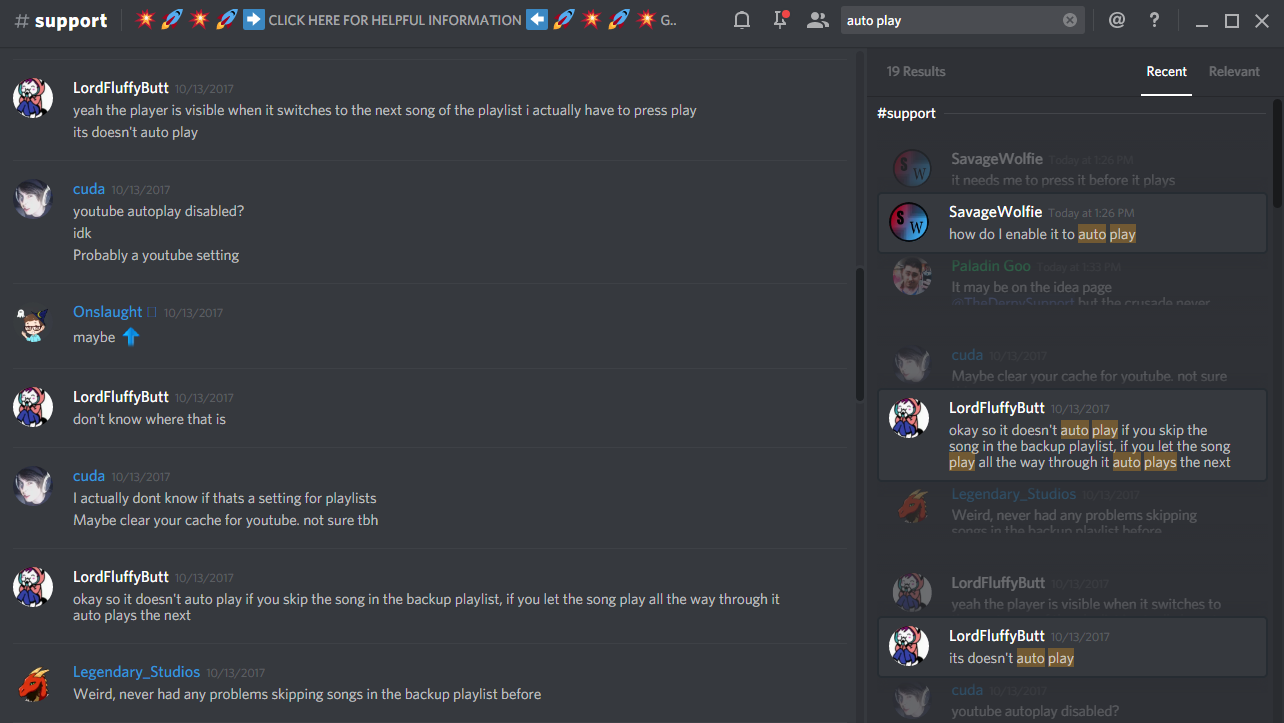
Check if your YouTube backup playlist autoplay is enabled on top right
If that doesn't solve the problem, try clearing YouTube cache as Cuda suggested (Ctrl + Shift + Del for Chrome)
flat tangle
@vivid trail The youtube player is autoplaying on its own already
I'll delete the youtube cache as well
In relation to this my other question was about song request, like if an individual does the song request command
so right now the playlist is ongoing > song requested by person > song is requested, but it doesnt autoplay
vivid trail
I see, thanks for clarifying. I'm looking through #helpdesk-twitch logs now 🐹 💦
flat tangle
Thank you!
vivid trail
Does this user's problem description match yours?
flat tangle
This problem is related to the playlist
i've figured out the playlist just not the song request bit
to put it clearly, when someone request a song, it interrupts the backup playlist aye
so their song is next up
but the song doesnt autoplay
I have to press it to play
other than that, after the song ends, it reverts back to the backup playlist
placid abyss
How can I stream pc games on obs
tight harness
Game Capture
tight harness
To capture it? Yes
Because OBS has to see the application (the game in this case) that you want to capture
placid abyss
Ok thanks for the help
tight harness
No problem 😃
unique ore
So i added a scene for just a chat overlay....it works when i launch it in the browser, but not in obs.....ideas?
silk patrol
@unique ore make sure your browsersource size is 1920x1080 in its properties
silk patrol
try to match the custom size then. But what is your screen resolution in windows/base canvas in OBS?
unique ore
OBS base is 1920x1080. I made a blank overlay in SE for chat box at 400x250 with the chat box being same size. Browser source at same size, 60fps
Launching in its own browser window from SE, it works. OBS shows the chat dark bg, but no chat
@silk patrol
silk patrol
@unique ore Overlays are optimized for 1080p. Try to set your overlay resolution on the website as well as in OBS to 1920x1080
 brisk flint
Hi! I think the wrapping of the text in store is not the best:
silk patrol
ideallyy, any overlay should be at max resolution, and then you move stuff in the editor, not in OBS
@brisk flint we are aware of it, and the bug report has already been submitted
unique ore
@silk patrol ok. I'll play around with it more. Thanks
 copper pollen
hey, my alerts arent working is that a thing? my overlays are just alerts arent!
silk patrol
@copper pollen pixels! Like no alerts at all? let me pop in your stream real quick
 ornate orbit
Hello. I got a problem with my Alert Sounds. Im streaming with OBS (new update downloaded) and just a few of my alerts ( follow/ sub ) pop out twice or there is a Soundbug that I hear the songs twice minimally offset in time. This is really annoying! another point is that the "text-to-speech" function is reading while the music starts and after it she read it again. PLEASE HELP ME!
tight harness
@ornate orbit All you need to do is right click on each of your overlay browser sources in OBS, click on Properties and make sure 'Shutdown source when not visible' is ticked for each of them, this'll fix the problem 😃
ornate orbit
I read this in a reddit to but didnt change anything .. sometimes if i switch between the scenes the bug is back :/
 fallen egret
so im streaming on ps4, and it says stream elements bot is enabled. but every time me or my friend try to put in a command or i replay an event nothing happens.
tight harness
@fallen egret Do you have an overlay set up?
silk patrol
@fallen egret you need an overlay for hosts to appear. you don't need one for bot commands, make sure the bot is in your channel, not muted and modded
fallen egret
Ok, i'm guessing i need a capture card for that?
silk patrol
there are multiples ways to capture your ps4 without a capture card
fallen egret
Yeah, but do i need a capture card for an overlay off streamelements
silk patrol
nope, you need one opened on a computer or a tablet if you want alerts to work, but you don't need it actually visible on your stream
you can use the remote screen function to capture your PS4 on your PC
you can also stream to a insivible account on youtube, and then capture the youtube page on your PC, but the stream delay will be massive
fallen egret
ok, thanks for the help
velvet wren
Dammit haha
i was messing around with a new one, didn't like it and instead of deleting that one, i selected my main... RIP
tight harness
That's heart breaking to hear
floral galleon
Uh
How do I change my profile picture in my tipping profile?
I press upload image, i put in my image
But Idk how to save
tight harness
Once you've uploaded the image you hover over it and select Submit
ripe herald
I think he ask for profile middle image 😄
you can change it on profile page https://streamelements.com/ and add your twitch name behind the / and on left side you will see profile image click and upload
tight harness
Ohhh
ripe herald
tight harness
That's better then
ripe herald
scroll
ripe herald
all good 😄
floral galleon
i still dont understand
tight harness
It's because the picture is so big?
ripe herald
what is your twitchname
tight harness
That they had to scroll I mean
floral galleon
my name is ^
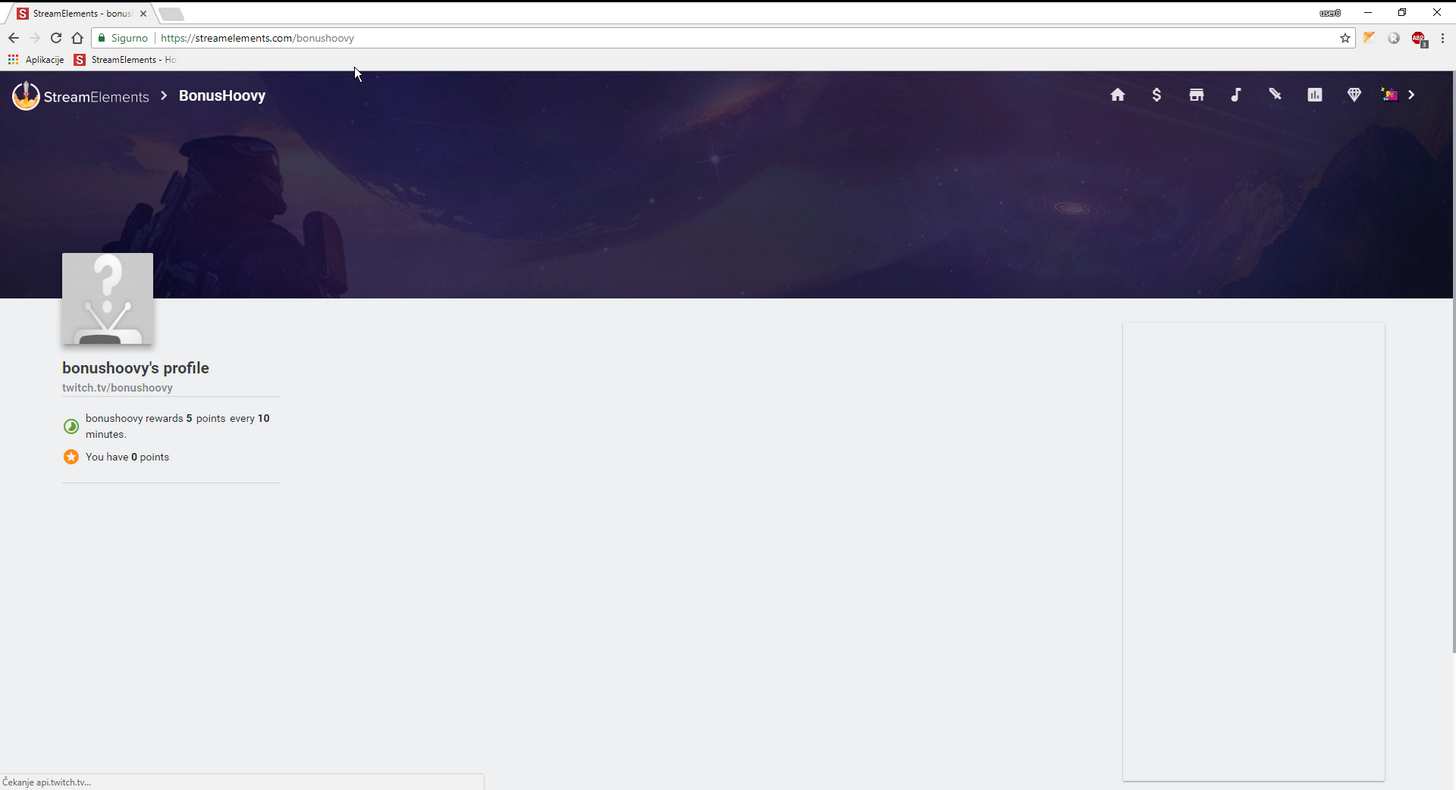
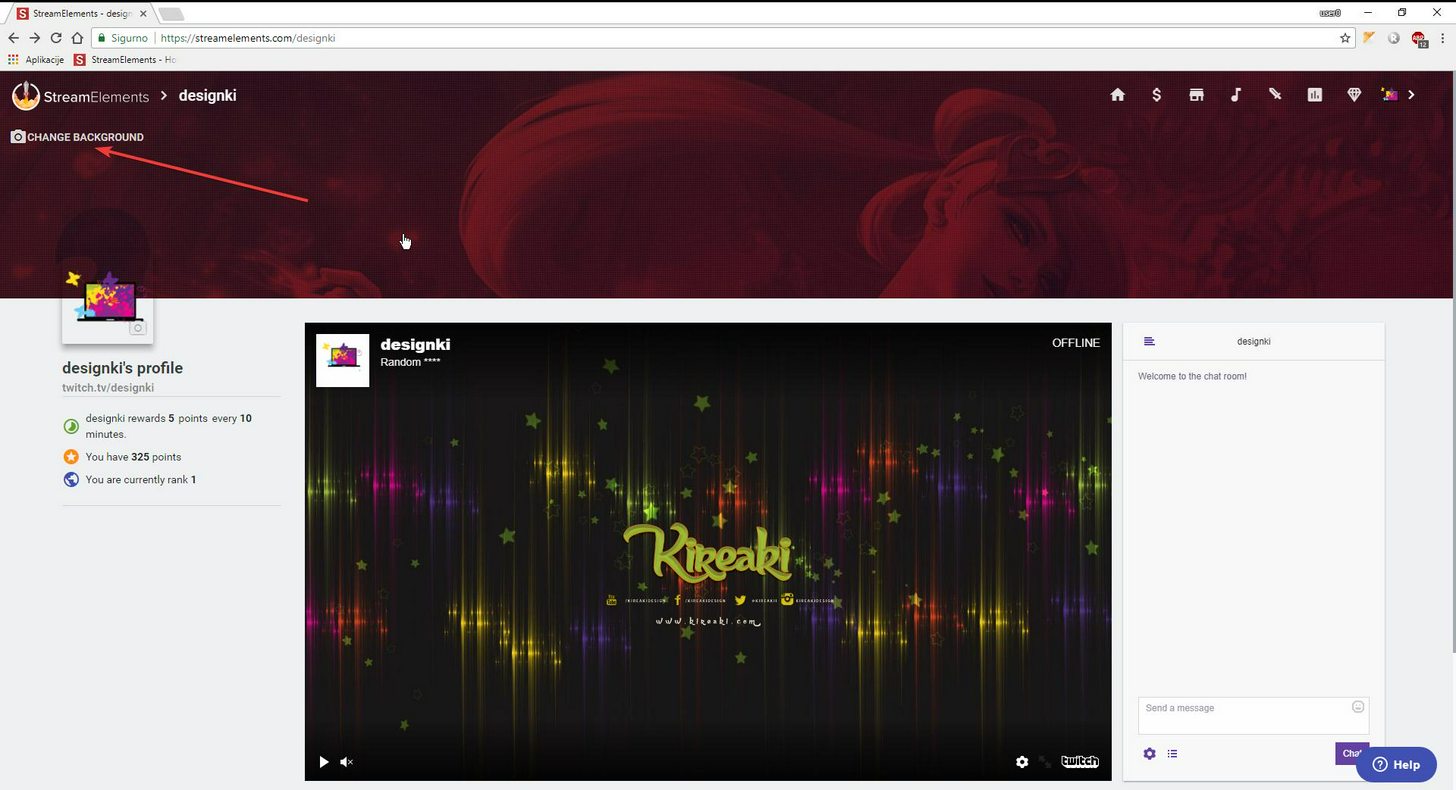
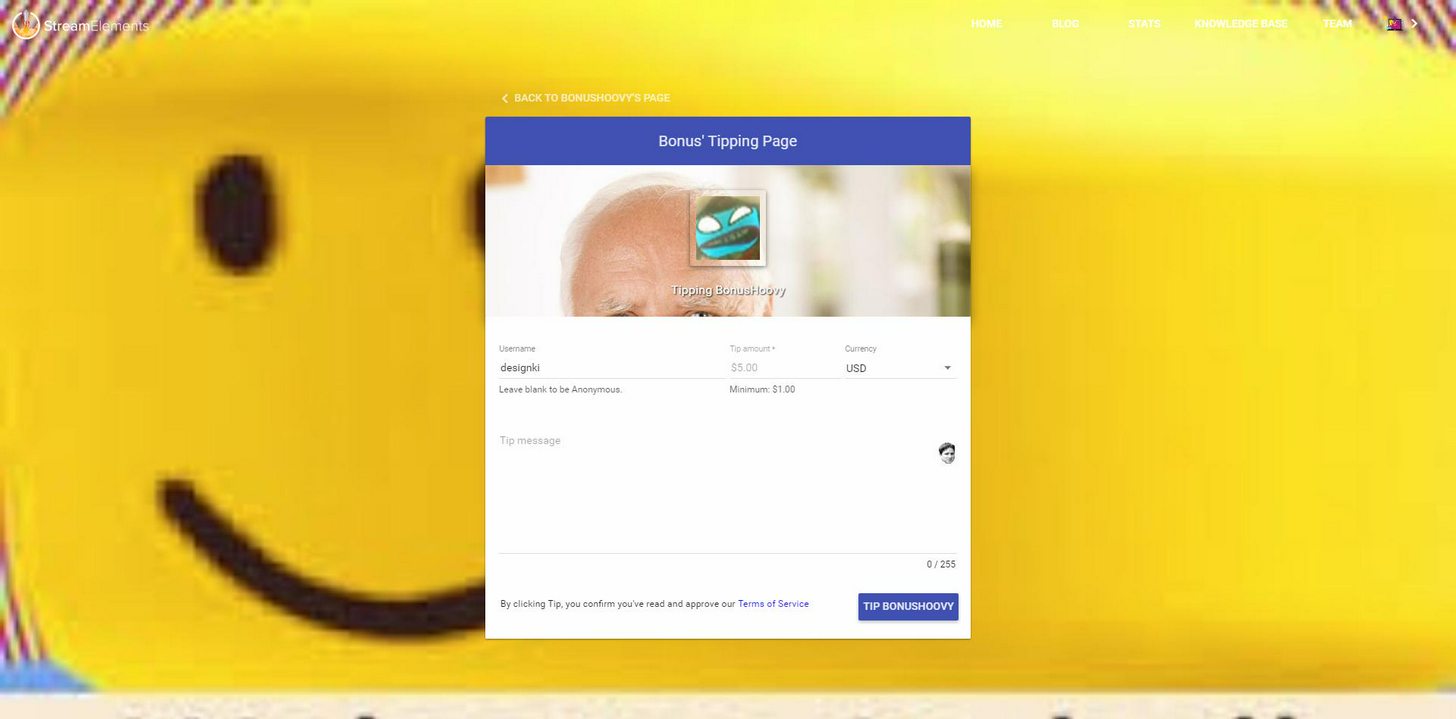 ripe herald

 ripe herald
like i said resolution problems 😄
 ripe herald
are you sure
floral galleon
yeah
ripe herald
can me send that image to try
tight harness

ripe herald
😄
ripe herald
👀
tight harness

tight harness

floral galleon
Alright
ripe herald
resolution problems 😄
floral galleon
Im set for streaming on this fucking laptop
What is the resolution for this dude.
Mine is 1920x1080
ripe herald
ok let me show you how it works 😄
can you send me that image
original size
not this 😄
floral galleon
tight harness
What even is this? 
floral galleon
i have no idea
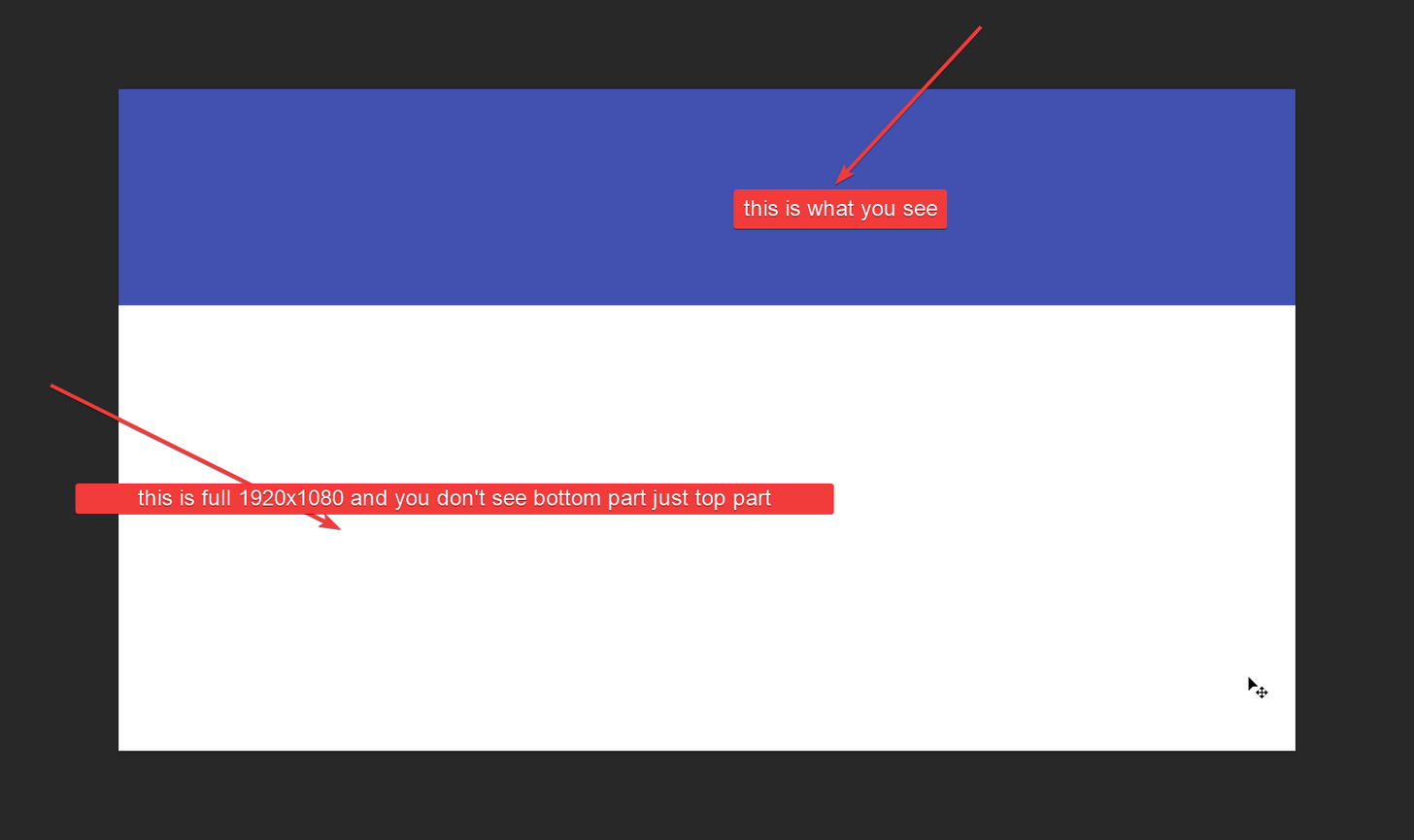
 floral galleon
alright


 ripe herald
i need to go be back in 20 then ill send you template
floral galleon
alright
floral galleon
k thanks
 gusty void
is it possible to add a command in the twitch chat for instatnly make it mods only?
silk patrol
@gusty void nope, you have to first add the command !cmd add then change the userlevel with !cmd options nameOfTheCommand -level 500
silk patrol
in the name of the command you mean? both work
gusty void
yeah, but thanks 😄
silk patrol
@gusty void feel free to upvote this idea https://streamelements.helprace.com/i291-allow-flags-to-be-specified-when-adding-commands-in-chat
gusty void
upvoted it 😄
 drifting grove
Hello. Im realy intereested in this project. i see there is overlays e.t.c and how to start a Stream start timer ?? with eny command ? or ...
clever mango
Countdown timer is a widget in th e overlay editor