if I had to guess, and I'm opening the door pretty wide for actual SE staff to correct me on this (hey, I want to learn the internals if I can!!)... SE checks the Twitch API for followers more frequently if you're using them for follow notifications... I haven't noticed any kind of delay on my stream, streams I watch, or even streams I mod
#helpdesk-twitch
1 messages · Page 94 of 1
 native cedar
but then they all use SE for notifications as well
it makes sense from a bandwidth use, scheduling , and processor utilization standpoint
take the above with a grain of salt, though, as I don't work for SE so I'm just guessing
 weary mist
Yes
 sleek geyser
or https://streamelements.com/<your channel>/songrequest for viewers
I don't know
native cedar
@sleek geyser one possible workaround would be to set up a StreamElements follow notifications with no video, image, or sound, and make it 1px by 1px, just so SE is checking follows more frequently, that should bring things back in sync
 stuck hamlet
or use our follow alert with KappaGen because they are meant to trigger together, at the same time
sleek geyser
the problem is that I want all alerts to look the same, and I'm not using StreamElements for donations
stuck hamlet
can i ask why?
native cedar
SE lets you import an image or video for that
sleek geyser
two reasons, you can make the alerts look much better with the other platform, and it offers all kinds of different payment methods beside paypal if people want to
stuck hamlet
Can you show me a "much better alert" ?
native cedar
I dunno about the looks part of that... you can make SE alerts look pretty damn good if you know what you're doing
tho I would like the ability to make the chat BG semitransparent or attach the BG to the messages so it's only present when messages are displayed -- preferably both
I should take that to #💭︱feedback-and-ideas tho
tho if there's support for entering my own CSS I can do that already 😃
weary mist
@native cedar you can
weary mist
Go to custom color, and the bar on the right is transparency
native cedar
oh?!
weary mist
@sleek geyser there are both coming. We are 3 months since we released to beta, don't over judge us. Takes time to implement the things those services have had 5-10x longer to perfect
sleek geyser
I'm not judging, I'm just noticing
native cedar
oh!! how did I miss that?
sleek geyser
you doing great work
that's what I mean with better looking alerts https://youtu.be/YocQgBH2ulY
 native cedar
still would like the ability to add custom CSS tho... and again, I'll take that to #💭︱feedback-and-ideas
stuck hamlet
You can edit the CSS in OBS
native cedar
wonderful!
sleek geyser
never even thought of that
stuck hamlet
@sleek geyser what service is this from?
native cedar
@sleek geyser what @stuck hamlet just said to me applies to you as well 😃
native cedar
so technically, if you have hosting for your own fonts you can use any font you want and custom CSS opens up pretty much any layout you might want
sleek geyser
not really, since you're bound to the html and JS, but still very much
native cedar
that's why I said pretty much 😃
 edgy kindle
@jagged ridge Not yet. We disabled that feature due to youtube API limit
We're working with youtube to get that limit removed or improved
I'm not sure, maybe @weary mist can answer that
 fathom raptor
Hey, is there a way to limit redemption by user?
edgy kindle
Not currently only global
fathom raptor
Thank you
edgy kindle
@jagged ridge I explained this to you above :D Not currently due to the youtube api limitations
 inner hound
bot is not reading the mesages from the bits donations, can anyone help?
weary mist
As for other places, I know that it Jas been mentioned a few times that we are looking at them, need access to the api for that
@inner hound is that for the alerts or the chat messages
inner hound
alerts
weary mist
@jagged ridge for the youtube thing, we get 10000 cookies. We can get a search request for 1 cookie, or 10 link requests for a cookie. So that there are enough cookies left for everyone, we do just the link
inner hound
the bot that is supposed to read the message given with the cheer
weary mist
Well, I am asking where you are expecting it to put the message so I can troubleshoot
Not yet, but it is being looked at (that was mentioned once)
Only youtube, but given time, we want more options
Take some weight from the youtube api and spread it around, lol
 strong dock
weary mist
strong dock
weary mist

strong dock

 blazing briar
Heya guys, I was wondering please what I am doing wrong. I was able to change the picture and sound in alert box but only for follows and hosts, for sub and cheers it isnt working. Any ideas?
edgy kindle
@blazing briar This is an issue with the variations. Simply remove them and it'll be fixed
blazing briar
remove the variations you mean?
strong dock
can i change currency to an emote or emoji? plz say yes....
blazing briar
got it - thanks @edgy kindle ❤
edgy kindle
@blazing briar <3
@strong dock Dont see why not you can name your currency to whatever
 clever mango

edgy kindle
Maybe some time in the future @jagged ridge but not yet
 mellow jacinth
so what are all the values for making commands $(user) $(channel)
is there one for [to user]?
ignore this question I did not read the description
clever mango
Hi @lament blade do you need voice support?
edgy kindle
@mellow jacinth You can find all of that information in the Variables tab of commands :D
clever mango
No worries just thought I'd check
mellow jacinth
Really? Thanks @edgy kindle !
 lament blade
i wish i could show my latest sub and donation 😦 as it seems so empty now xD in the overlay
edgy kindle
Donation you can manually do @lament blade
lament blade
iknow but i don't know how to do that manually
lament blade
and when there is a new donater that is higher it will automaticly update ?
edgy kindle
Yeah
lament blade
oh oke that's nice !
edgy kindle
If you only want latest tipper use the one up and to the right
@jagged ridge You posted this in feature request already; We dont currently have a way to do what you're asking
Well I figured you were requesting it since you posted it there first
 sick needle
Hi guys sorry to bother you but some of my followers are getting <Link deleted> when requesting songs
any ideas?
edgy kindle
@sick needle Sounds like you have spam filter on either in the bot or twitch settings
sick needle
@edgy kindle ill check that out
sick needle
Already unchecked
edgy kindle
And what about your SE settings? https://streamelements.com/dashboard/bot/filters
sick needle
Link protection off
edgy kindle
Check your channel viewers and see if you have any other bots in your channel that you might have used before?
sick needle
no none
clever mango
What is your twitch channel?
sick needle
yog1gaming
edgy kindle
@sick needle Sounds like someone might be trolling you or something because if none of your settings are blacklisting links there should be no reason for it to say <Link Deleted>
clever mango
I was able to post a link in your channel just now
edgy kindle
Yeah
sick needle
like i said it was a friend
https://i.gyazo.com/0932e146174d4c6d8f385a55aea0d59b.png its not showing up though
Guys i would not be bothering you if it was just a random guy, It was a friend whom i am on TS with who had this issue
edgy kindle
We understand that but as you just saw it did not tell us Link Deleted when we both posted a link
clever mango
Screenshot your SR settings please
 clever mango
Ok, now check that !songrequest command is enabled under default commands
 clever mango
Working now 😃
sick needle
Thanks
clever mango
No, !redeem or an alias of !redeem is required
You could make an alias !play ---> !play haha
Default commands
Add it as an alias for !redeem
Oh sorry I forgot !play was just added for song requests
!sfx as an alias?
Or just use !redeem haha
yes
is the store redemption widget in your overlay?
lament blade
is it normal that some of the overlays give like huge fps drops 😮 ingame
i use 1080gtx with i7 7700k
it goes from 300-170 fps when i use the overlay
on obs
clever mango
Do you have other sources in your OBS scene? Do you have multiple scenes with browser sources and if so, are they shutting down when not visible?
clever mango
There ya go
lament blade
thanks i will look at that
clever mango
With that hardware you should not experience those FPS drops
normally
I also disable OBS preview while gaming which helps
 cloud topaz
how do i stop the chat bot from announcing that someone is hosting me with 0 viewers every 15 seconds
clever mango
in chat or on stream?
weary mist
!lurks
clever mango
Are you using the chat widget?
weary mist
the answer is yet
yes
chat module, settings, hosts
you can change settings there
so it will only announce with more than 1 viewer or what ever you want
mellow jacinth
Sorry I'm a bit confused how to you make a command in chat with user levels?
weary mist
!cmd add test test
then
!cmd options test -level 500
that makes the test command mod only
mellow jacinth
thanks @weary mist !!!
 drifting blade
hey so I can see my alerts in the streamelements editor but they are not showing up on my stream at all
any idea? do I need to refresh everytime?
 rancid rivet
I don't know lol
 frosty zealot
Did you save your overlay?
drifting blade
overlay is saved
frosty zealot
Can you see any overlay elements in OBS?
drifting blade
I can hear the alert but im not seeing anything
yeah
I can see some of them
the alertbox, kappagen, and event box are not showing up but all the other image files are
frosty zealot
Right click the browser source, go to properties and make sure it is set for 1920x1080
drifting blade
it is
this was working fine last night
the alerts are just not showing up at all on obs
but i can see themn on the stream elements editor, they are not set to invis
they are on the highest layer
frosty zealot
If you’re hearing sounds, they are going off. Do you have multiple scenes with the source?
weary mist
@drifting blade it could have been the update this morning that messed with it. You might need to just refresh the cahce, and if that doesn't work, try recreating the browser source
 gaunt parcel
hello i have submited 720p as my resolution but it is displaying partial cut off screen?
 pine hemlock
Did you set the resolution of the overlay in the overlay manager to 720 and set the browser source in obs to 1280x720
lament blade
Can the "Alltime" part of the points' leaderboard be deactivated or hidden? Especially in the command !top points/alltime/online/offline ? It seems to confuse a lot of viewers between points and alltime
Another question, what is the variable used to show !top points ?
 atomic hollow
@jagged ridge we are teting it now, should be up in a few days
@lament blade you can delete the default command and create a custom command that doesnt links there
check #270206314561404928
we post it there for now
 celest ridge
The !songrequest or !sr doesn't work. The bot doesn't respond to them, even !settittle or !setgame.
celest ridge
!ping might be off, but !songrequest doesn't work,
atomic hollow
both disabled
celest ridge
Ohhh
Any other place has it enabled :D Thanks!
Do i need to set the points for using it too?
in that space
atomic hollow
seems like loyalty is enabled for you
celest ridge
Thanks! I'll start streaming in a bit, will tell you if it works. :)
 rare umbra
Anyone else notice having their Google chrome freeze up when streamelements is open?
 tight harness
What's your CPU usage when this is happening?
Because the only time I've noticed it showing anything like freezing is when I have 100% CPU usage which is a problem with how much I'm doing on my PC, not the site
 frosty lantern
i havent had this @rare umbra
sleek geyser
Is it possible to add a global sound cooldown for all sounds? Some days ago I had like 3 sound effects playing at the same time
Or at least stagger them one after the other
frosty lantern
@atomic hollow
frosty lantern
wasnt looking for a chat was pointing out the person above XD
atomic hollow
from different sources?
 ancient wigeon
searches the depths for any info on the often promised, but somewhat estranged cheer cup
has come up with nothing
atomic hollow
@ancient wigeon Im DMing you
mellow jacinth
beep beep
atomic hollow

pine hemlock
@atomic hollow that looks like u irl
atomic hollow
true
 onyx lodge
gaunt parcel
onyx lodge
gaunt parcel
when i select 720p for my resolution for the supertheme it makes part of the screen cut off can they not be sized les then 1080?
 orchid jacinth
How do I make followers appear in chat?
atomic hollow
@onyx lodge streaming from a console?
@gaunt parcel some super themes are designed for 1080P, you will need to move some elements to support 720P
@orchid jacinth enable chat alerts - https://streamelements.com/dashboard/bot/modules
gaunt parcel
ok ill just use 1080 for now just twitch usually downgrades my stream to 720p thats why i was gonna try stream in 720 instead
clever mango
@gaunt parcel I recommend using 1080p overlay with 1920x1080 canvas resolution in OBS. Then downscale within OBS to 720p output resolution
atomic hollow
^^
 upper steeple
is there a bug with the tip goal right now? I just opened my obs and the bar is cut off halfway vertically
and the text is super small inside the bar now
atomic hollow
@upper steeple can you send me a screenshot?
 sinful fjord
Just a silly question but even if I don't run it with OBS will it do chat alerts when someone follows me or at least ping me so I can see it?
clever mango
It sure will 😃
sinful fjord
Okay! Thank you! 😊
upper steeple
@atomic hollow
now that is what it looks like but when i go to the overlay manager it looks like this
upper steeple
pink starfield
upper steeple
@atomic hollow just did and still the same even on the overlay manager
upper steeple
i click it and now i can't read the text
 cinder ibex
Just a question... Yesterday someone donated a pretty big amount. But the alert didn't show, and still can't see it in streamalerts. I did receive the donation on paypal. But I felt so sorry for the person... Any idea how this was possible? In that same stream, earlier someone else donated and that alert did show...
clever mango
Tip moderation
upper steeple
@atomic hollow
atomic hollow
upper steeple
@atomic hollow why is the text so small when it it was readable before i clicked it
cinder ibex
@clever mango I don't use tip moderation...
edgy kindle
@cinder ibex Are you 100% positive they sent the donation or did they just tell you in chat? Does paypal reflect the donation?
clever mango
Do you see it in your "my tips" section? @cinder ibex
atomic hollow
@upper steeple we added an option to change the inner text size
 serene granite
we JUST added it 😃
cinder ibex
Yes, I checked on my Paypal it was there, 130 euro. So the money is indeed received. It doesn't show ini the "my tips" section
upper steeple
@serene granite @atomic hollow wooo thank you guys so much
clever mango
Is there a chance the donation was made using another service?
Using paypal but not StreamElements
edgy kindle
@cinder ibex You could manually add the tip for now and we will look into this problem
upper steeple
@atomic hollow can the text be moved inside the bar so its more centered vertically?
cinder ibex
It was German Paylpal... she told me this was the first time she donated through streamelements, so I think she used the link in my channel. I don't use a direct link to Paypal...
@edgy kindle thank you!
edgy kindle
atomic hollow
@upper steeple we just saw that its not aligned, fixing it now
upper steeple
@atomic hollow roger
atomic hollow
@cinder ibex never heard of such a thing, very weird
clever mango
⬆
atomic hollow
that it went through PayPal but not shown in SE
atomic hollow
let us know
edgy kindle
As Suezan said, shortly after another tip was gotten but the large one was not
cinder ibex
Yes, I will 😃
 real moth
is there a way to bypass the character limit when creating a command? Im using the ${random.pick} module and i have a lot of choices written that it exceeded the character limit 😦
clever mango
I believe that limit is determined by twitch. They limit messages to 400 characters per message
 silk patrol
@real moth twitch has a character limit, we use the same character limit. Nothing we can do about that
real moth
that's understandable. thank you ! 😃
upper steeple
@atomic hollow any eta on the realignment of the tip goal text?
silk patrol
@upper steeple have you tried the condensed version ? It works fine for me
upper steeple
@silk patrol it is condensed
@silk patrol shadowboxer said they are working on the vertical alignment of the text inside the tip goal widget bar cause its not aligned properly
 silent helm
Hey, Is there a way to import ankh-bot points into stream elements?
clever mango
There is 😃 I can walk you through it but it might be easier in voice support if you are able to do that
silent helm
Sure
clever mango
 gentle imp
hi guys, is there a way to display an image triggered by a command?
was looking at overlay but didn't find any
clever mango
Sure, using the stream store
You can have an image associated with an item/command and then when redeemed in chat, the image will pop up
gentle imp
just via redeem then, I did recall that but didn't want to make it cost something
gentle imp
maybe I can set it to free, lol
ty hehe, at the same time
any way to use it with a command without being redeem?
clever mango
!Redeem or an alias for redeem is required
gentle imp
seems I can't brain atm, I've done that before, looking into it, ty 😃
clever mango
Under default commands you can click on the pencil icon next to the redeem command and add an alias that will also trigger !redeem
You're welcome
 lilac owl
I have two quick questions. Is there a way at all to sort store redemptions? For example if I wanted to look at who redeemed a specific item, without having to sift through EVERY redemption. I tried using the search bar function, but it doesn't work. Also my viewers have mentioned not getting bonus points for hosting, which I have turned on. Is that a function still being tinkered on?
stuck hamlet
No and yes
 silent veldt
Does the overlay have to be launched in browser when Live?
stuck hamlet
No, you take your overlay link and put it into OBS BrowserSource
 lean wedge
How do I go about changing my email address for my account?
clever mango
It's the same as the email on your twitch account
You can change it with Twitch and it will update on SE
clever mango
Try logging out/in
lean wedge
I thought you have to manuelly change it or something
edgy kindle
@lean wedge You can try using CTRL+F5 too to clear your cache if logging out/in doesnt help
 solar salmon
so I lost 2 follows overnight (RIP me) - how do I modify it on my follower goal so it reflects current totals?
clever mango
Activity feed --> Edit session
clever mango
Not currently
solar salmon
ok thanks
clever mango
@solar salmon You can however have variations for the chat alerts that pop up on hosts 😃
depending on the number of viewers
Modules --> Chat Alerts
solar salmon
right...I'm used to my 2 options for host alerts though...it's a small nitpick. I just can't pick which gif I like better....
😛
but thank you
 halcyon comet
i have a few things. is the bit cup not featured here. also my latest follower /subscriber widget is not updated nor is my sub goal. maybe i missed something on setting those up.
edgy kindle
@halcyon comet Alright so Bit cup will hopefully be here this week-ish its in testing right now; Did you import from another service?
halcyon comet
i did from stream labs
edgy kindle
Okay for your follower widget you will have to wait until a new one because we can't pull that information(from my understanding) same with subscriber however you can manually correct your sub goal.
On your main dashboard Click on the Activity Feed Tab on the left and then on the right when the page loads click the Edit Session button. here you can edit main information for your widgets that get information such as Sub, Follower, and tip goals
@halcyon comet
 fallen breach
Hey. a question. when you import revlo points. does the bot just give everyone the points they had on revlo? also thanks fro adding store. i didnt know how i would be able to make rewards before i found stream elements
for*
clever mango
Yes importing from Revlo will add the names and their points to the leaderboard
fallen breach
okay
halcyon comet
thank you @edgy kindle helped a lot.
 brittle rock
Im irritated from the songrequest menu 😦 Is it possible, to show only videos with donations as a video on stream and every other sr without a donation without a video?
frosty zealot
for clarification you want to use a video that is requested in a donation with the alert? and all other songs to just be audio?
brittle rock
Yeah.
If you pay a ammount of donation with a songrequest: Your Video will be showed on strem
If you did a solo songrequest without a donation: Your Video will not on stream but the audio
 lavish canyon
I have something i need help with
frosty zealot
I don't see a way to do that @brittle rock but I'm still looking into it.
what do you need help with @lavish canyon?
lavish canyon
setting up my twitch panels
i thought that stream elements helped with that due to the donation and social media stuff
frosty zealot
#creative-chat might be a good place to ask for that, Stream Elements does not offer those natively
clever mango
It's not possible right now to request a video with a tip/donation. Only song requests (audio) @brittle rock
If you are looking for Stream Elements panels we have them @lavish canyon
lavish canyon
you guys do?
lavish canyon
thanks!
 tender heath
is there a way for me to set up a !setmulti command that changes !multi to twitch.tv/"whatever the imput to !setmulti"
lilac owl
Thanks! @stuck hamlet
clever mango
@tender heath Not right now. One command cannot alter another command. However you can use the $(args) variable to create something like this:
The response would be https://twitch.tv/${1}
but I think if you're setting a multi you want to use multistre.am or kadgar.net
clever mango
If you add the link that it spits out to the !multi command
tender heath
ok thanks for the info
clever mango
!setmulti would be https://multistre.am/${1}
silent veldt
whats the spec requirements for super themes? my game lags hard when i have then activated
clever mango
There are no posted requirements. Are you shutting down all browser sources in OBS when they are not visble?
edgy kindle
@clever mango Would need to be ${1:}
silent veldt
actually on this specific scene i don't have any other browser sources
edgy kindle
Hmm it should be ${1:} so it gathers all arguments
clever mango
Oh, I used !setmulti name1/name2/name3 so it was only one argument
edgy kindle
ah okay
stuck hamlet
1: would be useless in this scenario
clever mango
For all SE browser sources it's a good idea to check this box:
silent veldt
Yeah my frame rate drops when I have the super theme activated
frosty zealot
what processor do you have?
stuck hamlet
what are your specs? 
silent veldt
i5 6400
stuck hamlet
gfx?
silent veldt
gefore 970
frosty zealot
what game are you playing?
stuck hamlet
did you do what Terra said?
silent veldt
yeah. i dont have anything else active
frosty zealot
hmm... hots doesn't typically draw that much I don't think.
silent veldt
I guess I'll try with the regular theme and see what happens
stuck hamlet
Are all your Se browser source set to shut down?
silent veldt
yup
stuck hamlet
i have an i5 4700 and GTX 960, i ran the OW super theme fine
silent veldt
Yeah I'm running at 60fps and it keeps jumping around
 mossy osprey
Hello @stuck hamlet
stuck hamlet
hi
mossy osprey
I have a question
So if I changed my twitch name, do I need to import stream elements to a new account?
edgy kindle
No
edgy kindle
I would think a good ol' CTRL+f5
 sly pier
hey i had a question
do i need obs for a stream overlay?
edgy kindle
@sly pier You can use xsplit too :D
stuck hamlet
You just need to sign out and back in to StreamElements @mossy osprey
mossy osprey
@edgy kindle okay thank you
sly pier
so i cant use shadowplay? cus that is easier to set up 😄
clever mango
Yes
 fresh furnace
Guys
I need quick help
How do I use the Themes Gallery items
I cant get it to work..
clever mango
You select a theme and then edit it in My Overlays
clever mango
Add the overlay URL as a browser source. I recommend checking out our youtube channel for tutorials https://www.youtube.com/channel/UCjerlCIbLPQwSnYlClkjDXg

YouTube
Official youtube channel for StreamElements tutorials https://StreamElements.com
fresh furnace
kk
 dense egret
What's the best way to do a shoutout for another streamer? I want to make a shoutout command, but I am not familiar with the variables.
Example: ! shoutout ( name )
A shoutout to ( name ) check out their stream at ( twitch link )
I'm just so lost on these...
clever mango
We have a !shoutout command template
When you add a New Command you can click the Command templates box and you'll find shoutout in there
 cosmic summit
Hello, I'm a former Revlo bot user and probably going to ask a few things that have been metioned before. I didn't see a way to announce to my channel once every [x] minutes that the bot is active and folks are earning points. It's nice to have a way to inform everyone there are ways I'm saying thank you for watching.
Maybe I just didn't see it, but is there a way to add reward notifications to OBS shows when an item was redeemed by a user?
clever mango
- Use timers, all the way at the bottom on the left
- Yes, by adding the store redemption widget into your SE overlay
cosmic summit
Wow thank you for the quick answer Terra
clever mango
You're welcome
cosmic summit
clever mango
The $ is included
silk patrol
@cosmic summit depends, in custom commands, you have to type the dollar sign. In the overlay editor and bot modules, you don't
also, you can either use {} or (), both work
cosmic summit
I'll give it a shot then and see what's working. I was specifically asking for the timers, but that's a pretty easy one to test
clever mango
${user.name} will not work in a timer as the command is not being triggered by a user
cosmic summit
Right, was trying to pick an easy one lol, should have just said what I was doing which was with ${pointsname}
clever mango
Ah I see 
 warped jungle
Hey everyone, quick question. Do you know if i am able to bring a image back into an overlay long after i have deleted it? such as webcam window or chat box?
 shadow tiger
was wondering if i someone can help me really quick
clever mango
@warped jungle A supertheme overlay? If so, the assets can't be added back to the overlay
 @shadow tiger
shadow tiger
i reformated my pc 2 days ago redownloaded everything and im now setting up my obs and i when to the overlay i want to use removed the stuff i dont want on it and put the overlay url in my obs but the entire overlay is not showing up
warped jungle
Sounds good! thanks 😃
shadow tiger
my obs and when i go to*\
silk patrol
@shadow tiger have you saved and then clicked "launch overlay"?
shadow tiger
ok got it to work thx for the help
silk patrol
@warped jungle if it was a stock image, you can create a new overlay with the same theme and you'll get everything back. if it was something you uploaded, it should still be there
shadow tiger
wait one more question
when i change my scene to my brb screen or another overlay why does it take a second to pop up
clever mango
Sorry, one question per hour 
weary mist
clever mango
The browser sources have to load like any other site
frosty zealot
that's the browser needing to load. you may want to use studio mode in order to get it to load before switching scenes. or there's the option of using multiple sources and not disabling sources that don't use audio elements. (this could be a CPU draw if all your scenes have Kappagen or animations)
shadow tiger
ok thx for help both of you
 misty torrent
is there a way to permit viewers to temporarily bypass bot time outs? 🤔
weary mist
!permit <username> will allow them to post links, if that is what you are looking for
misty torrent
oh does it? i guess i just didnt see anything that talked about it on the site
weary mist
sees @ancient wigeon typing, escapes out the back door
ancient wigeon
Ahoy me hardy's. See here, the bits cup is narwhere to be seen, says I
@weary mist Scalper AHOY.
weary mist
o/

 weary mist
❤
clever mango
Don't let your memes be dreams
weary mist
it will happen
one day, you will come in with the pre-cup shakes, and leave with a skip in your step
ancient wigeon
Better get the adult diapers ready, then
weary mist
Depends on how long it takes 
ancient wigeon
blarf
clever mango
scalper? puns?  never
never
weary mist
lol
warped jungle
hey quick question about the sell out option thing ma bob er..wow i cant spell. How do i get on it if i am currently using SE overlay, tips service, and bot?
weary mist
just gotta ask the right person 😉 I'll check you out and get you added
warped jungle
awesome, thanks :p
weary mist
portal 2, eh? I haven't played that in a while
warped jungle
oh yeah? :p yeah I'm very good ..at being bad at portal 2 😉
silk patrol
the portal games were so freaking good
weary mist
hAHA, I think I have them installed just to deerp around at somepoint
tight harness
I installed it again recently to play co-op with my girlfriend 😄
weary mist
should stream it
ancient wigeon
keeps a watchful eye
 silk void
is there a way to give different mods different permissions, like im head mod of stream so only i am able to mess with the commands but then the other mods cant?
edgy kindle
@YTGamingWithJosh#3325 Sadly not but that is definitely a great suggestion
 olive lintel
@YTGamingWithJosh#3325 or you can use the supermod option 😃
edgy kindle
@olive lintel True i forgot to look at it that way. @YTGamingWithJosh#3325 You would need to get access to the dashboard and set the command !command to super mod
 tranquil iris
my donation goal widget has been acting up the past two days, is this something being worked on or something?
edgy kindle
@tranquil iris What has been acting up with it?
olive lintel
@tranquil iris now the donation goal can be resize.
tranquil iris
so yesterday it just randomly started to not look aligned in the Condensed view
the bar was thinner and not lining up right
olive lintel
tranquil iris
when i go in today to try to fix, it.. i mean it's all over the place
weary mist
hmmm, condensed should be fine
olive lintel
yep, try condensed meanwhile
tranquil iris
this is not related to inner text size.. and in addition, when i UNCHECK condensed, it is just blank
weary mist
uncondensed obtained a bug with an update, but it is being worked on. it was unexpected
tranquil iris
i can't get the text to be vertically centered in the bar anymore
at any font size from 12 to 32
it just chops the top of the bar and looks bad
it never centers
the text settings dropdown seems to have no effect
olive lintel
@tranquil iris please, take an SS with the text chopped please
tranquil iris
that was my first screen
here's a new one https://puu.sh/xbT4Z/1f9e10d290.png

the text was always centered fine and looked great
but now it's always like this regardless of font size
weary mist
nah, that is ttotally an alingment bug, the text size dictates the bar girth
olive lintel
yep.. confirmed.. it's a but
tranquil iris
this backs up what Scalper said https://puu.sh/xbT7A/b9bcb4ca80.png
 weary mist
so we need to get that onto the bug board, thanks @tranquil iris
 sterile panther
dumb question here, but how do i actually get the overlay onto my stream?
tranquil iris
any chance of a quick fix? this looks really bad
weary mist
@sterile panther browser source on OBS
sterile panther
thought so, but where is the link, or is it the link after i launch it
sterile panther
ok im dumb thanks
weary mist
you good, always good to ask questions just in case
tranquil iris
like I'm gonna fly without the donation bar today because it just looks really bad and unprofessional
but it'd be great for it to be fixed sooner rather than later
clever mango
Shadowboxer was made aware this morning of the text bug and said there should be a fix in the next day or two
weary mist
⤴
olive lintel
@tranquil iris ⤴
sterile panther
ok, another question, when i put it in the browserscorce, it comes up only half the overlay? what do i seem to be doing wrong
weary mist
@sterile panther change the width to 1920, height to 1080. While you are at it, check the "Shutdown source when not visible" box as well
its in the browser source settings, right click, go to settings/properties
ancient wigeon
drinks from the bottle because he can't find his cup
edgy kindle
@ancient wigeon Shhh shh shh It'll be okay 
ancient wigeon


 ancient wigeon

edgy kindle
 tranquil iris
okay so here's a puzzle for you. song requests cost 50 points on my stream. subscribers get a 50 point discount, therefore it's free for them. that works perfectly. except for ONE guy. one sub gets charged 25 points somehow. we have NO idea how this could even be possible but it has been happening that way for at least a couple months. any ideas?
 weary mist
the discount is a percent, working on getting that documented better
put in 100, and it will not charge subs a single point
tranquil iris
OH
tight harness
Don't believe I've heard of a Paladins one in the works yet
weary mist
they are working on the top games seen on twitch, so unless it is up there, it might not get a dedicated theme 😦 but there are some generic ones in the works to help cover all the other games
 frosty pendant
Hello! I got problems with my overlay that i fixed, it doesent show Recent subscriber
 random tartan
Is there a level system in streamelements? There is a variable for it but I cant seem to find anything else
frosty lantern
latest or recent @frosty pendant
clever mango
@random tartan Levels are used for assigning REGULAR, SUBSCRIBER, MOD, and SUPER MODERATOR to users
random tartan
oh, ok thanks,
clever mango
weary mist
a more detailed leveling system has been requested, but not on the docet at the moment, due to much much large fish being fried
and that image is incorrect. Everyone should be changed to Plebs
random tartan
lmao
weary mist
because that is what the bot calls them
clever mango
FeelsPlebMan
random tartan
I requested levels today in feature requests
weary mist
oh, it has been on there since I started, haha
2.5 months ago
its got the ground work for some customization, just needs the programming done to make it fit. So hopefully once they get going on it, it will be quick and easy
clever mango
I'm also pushing hard for sub level to be higher than regular
Still can't wrap my head around that one
weary mist
lol
frosty lantern
what if you wanted to make your regulars a higher tier than subs? for those you trust @clever mango
weary mist
@frosty pendant have you gotten a sub since joining StreamElements
frosty lantern
^^ tru
weary mist
the level system just needs to be custom, so you can set people at what ever level you want, and be able to choose the stuff. That will take a lot of backend work, but it will be epic once completed
weary mist
oh, I will use ALLLLLL da levels
1-2000
well, 1499 since anything above 1500 right now is practically god of the channel
 sleek river
He people how can i fix my Subcount Command frojm Nightbot ? it looks like this: Sua hat aktuell $(twitch subcount) Abonnenten!
clever mango
There are just few times when I would give more permissions to a regular who is not subbed than a subscriber
The problem I was running into was that I have song request as a regular perm but then subscribers can't request 
weary mist
the variable is in the variables section of the chat commands @sleek river
ill look it up, but you should get familiar with them, they are useful
${channel.subs}
clever mango
But yea, if it becomes customizable 👍🏽
weary mist
but the channel.subs works, along with followers, views, and viewers
hmm, they must have updated variables to help with the transition from nightbot to us 😃 thats good, haha
I sent that second one first, internet derp
sleek river
Idk why i used Nightbot that long :/ @misty wagon Took me in too ur slump Kappa
clever mango
Welcome!
 misty wagon
It's oké @sleek river Nightbot is still my bitch even long after everyone left, she will. Setup over 100+ channels with her, but she's getting old 😉
sleek river
I always need Fresh Flesh hue hue
inner hound
is anyone having issues with the alerts for cheers not being read?
tight harness
Did you set a minimum amount for it to be read?
inner hound
is on the default (0)
 true skiff
A twitch broadcaster I'm watching is trying to set up stream elements to where subscribers can request songs. She has it enabled but for some reason nothing will go through
clever mango
I'll stop by her channel if you post the link
true skiff

 charred oracle
Anyone having serious frame drop from stream elements overlay on OBS? Just started today and its running at about 10fps while the rest of the stream is going full 60fps. its just the overlay
Nevermind, its the animated overlays I have from stream elements. Obs may not be able to handle that. However, I do love the new animated overlays. Lovely things 😄
 torn plaza
often my host alert (chatbot) does not react... (?)
true skiff
@clever mango thanks for the help with Kala's stream
ancient wigeon
shaves head in protest of no bits cup
weary mist
@Neinn#7106 what are you host settings on the chat alert module?
 people and not being able to tag them
clever mango
Looks like discord told you, "Neinn!" 
ancient wigeon
Seriously though, it's getting harder and harder to come up with these messages and not integrate penis humor
you need to hurry
lol
weary mist
lmao
 forest anvil
Hey, streamelements is not responding to commands in chat. Started yesterday. Not sure what to do.
frosty zealot
can you part and rejoin the bot from your dashboard?
 real ore
Is there a way to have song requests or point additions added automatically from the stream store? I want to add some options to auto add song requests at the top of the queue via stream store redemption or adding points to everyone in chat?
weary mist
not at this time. the only way to promote songs to top of the queue is to turn on tip for song promotion
real ore
Is there any dynamic feature available with the stream store?
weary mist
need to be more specific on what kind of feature you are looking for specifically, lol
real ore
I just saw a few streamers were doing things like "if you redeem this. everyone in chat gets 300 points" it would be kind of a pain to do all that manually
weary mist
yeah, for the moment it isn't a feature, but it is something that is planned (as far as I know)
weary mist
👍
 dim sorrel
Hey, is there anyway I can get an export document of all my donations and stats?
lament blade
Is it just me or does the Subscriber Alert -> Text settings -> Text Align Left not working?
dim sorrel
RIP
lament blade
Having the same issue with the Tip Alerts (Text Align Left).
weary mist
I know at one time I got that to work without issue, can't remember what I did, and in da middle of a stream, lol
lament blade
The menu does pop-up upon hover, but the option can't be selected. Spam-clicking it just closes the menu, without any changes.
drifting blade
whenever I fire up stream elements on the website I get this bootstrap program that starts running and eating up all my cpu anyone else
getting this?
lament blade
@drifting blade I think that's under OBS though. Is it something like "cef-bootstrap.exe"?
weary mist
yeah, that is the browser source from OBS
lament blade
@weary mist It worked, for a moment, then it went back to Align middle. Welp.
drifting blade
@lament blade yes it is called that. but it only seems to be happening when I use the stream elements browser source
i have to manually kill it in task manager 3-4 times
lament blade
@drifting blade Not too sure about that since I've not used it yet, still trying to set things up. @weary mist Any advice about that?
weary mist
So, what happens is when you do a browser source, OBS runs the CEF-Bootstrap to open that page you set. Killing it will freeze the source on your stream
to reduce it, use a static overlay, turn down kappagen
drifting blade
what do you mean by a static overlay?
if I leave bootstrap up it kills my cpu
if I kill bootstrap will it prevent my overlay from updating? had some people donate and the all time donation didnt update at all
weary mist
yeah
think of the CEF like a chrome tab. If you kill it, it isn't pulling information from the server
What kind of things do you have on your overlauy
drifting blade
alertbox, kappagen, 3 images, event list, 2 text feeds
weary mist
Kappagen will be the one dragging it down
drifting blade
i thought the whole point of the browser source was to reduce cpu
weary mist
the whole point is to reduce the number of browser sources, which reduces overall CPU strain
 amber tartan
Greetings, Are you guys going to support dual or more platforms at once, shall we say: Both Twitch and Mixer? And or more?
lament blade
@weary mist Any way to file a bug report regarding the Text Align?
weary mist
you already did by letting me know 😉
@amber tartan yessir. Youtube is actually in the works right now
We plan on mixer, hitbox, facebook, twitter
weary mist
👍
lament blade
Where can I find the list of !quote that viewers add?
stuck hamlet
There's unfortunately no listv
fresh furnace
Uhhm
Guys
I need help
When I stream PUBG
For some reason..
My OBS goes down to 30-50 FPS
Whilst I have 103FPS In-game
stuck hamlet
you didnt ask a question
fresh furnace
NotSoCasualCarlos - Today at 8:43 AM
Uhhm
Guys
I need help
When I stream PUBG
For some reason..
My OBS goes down to 30-50 FPS
Whilst I have 103FPS In-game
I did
Do you know a fix for that
stuck hamlet
is it related to SE?
stuck hamlet
You can ask the OBS chat or forum
fresh furnace
Where is that
stuck hamlet
stuck hamlet

stuck hamlet
Yes, its one of the first things on our dashboard
 proven steeple
How easy it is to set up Stream Elements for a stream? 🤔
stuck hamlet
easier than couting up to 3
fresh furnace
1 \
2
3
How to set up Themes Gallery
Uhhh...
Go in OBS
Browser Source
Then not figure it out
Go to OBS chat
Ask there
Get an answer
Then finish 😃
Looks easier then it is Tbh..
upper steeple
@atomic hollow any word on the text alignment in the tip goal widget?
atomic hollow
@upper steeple we are releasing fixes within the next hour
upper steeple
@atomic hollow okay, thank you

 leaden canopy
Hi everyone ! I've got a strange bug on my Overlay editor. I had an old follow alert song, i clear it and i set a new one. But when someone follow, both of them play '-' Do you have any idea to fix it ?
leaden canopy
On OBS
stuck hamlet
Do you have the overlay manager open when you hear both? are you sure one sound isnt coming from the overlay manager and the other from obs?
leaden canopy
(I try to determinate it)
It's possible that I hear follow alert from another scene ?
leaden canopy
Yes you're right, tha come from another scene in OBS...
How can I mute other scene ?
stuck hamlet
on the browser source properties "Shutdown source when not active"
or just remove the browser source if not needed
rare umbra
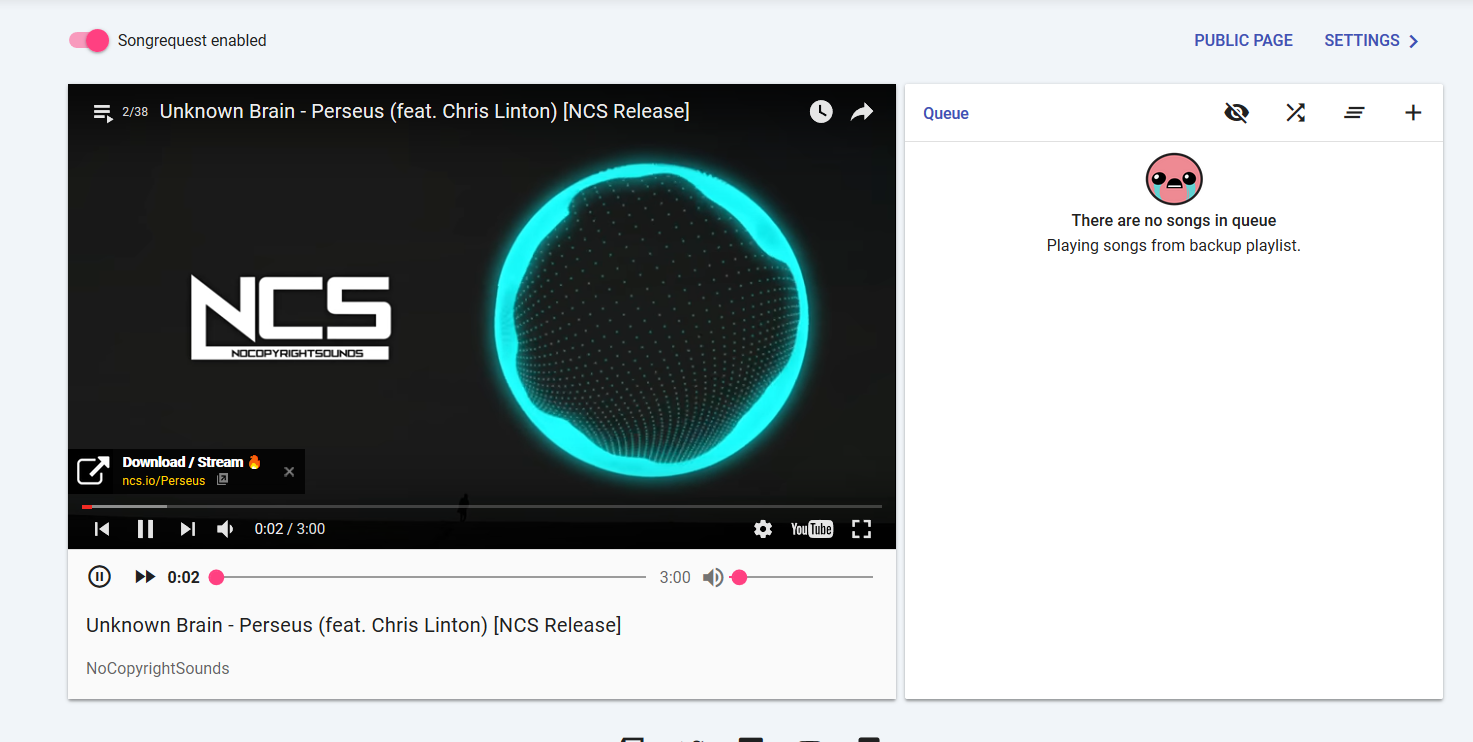
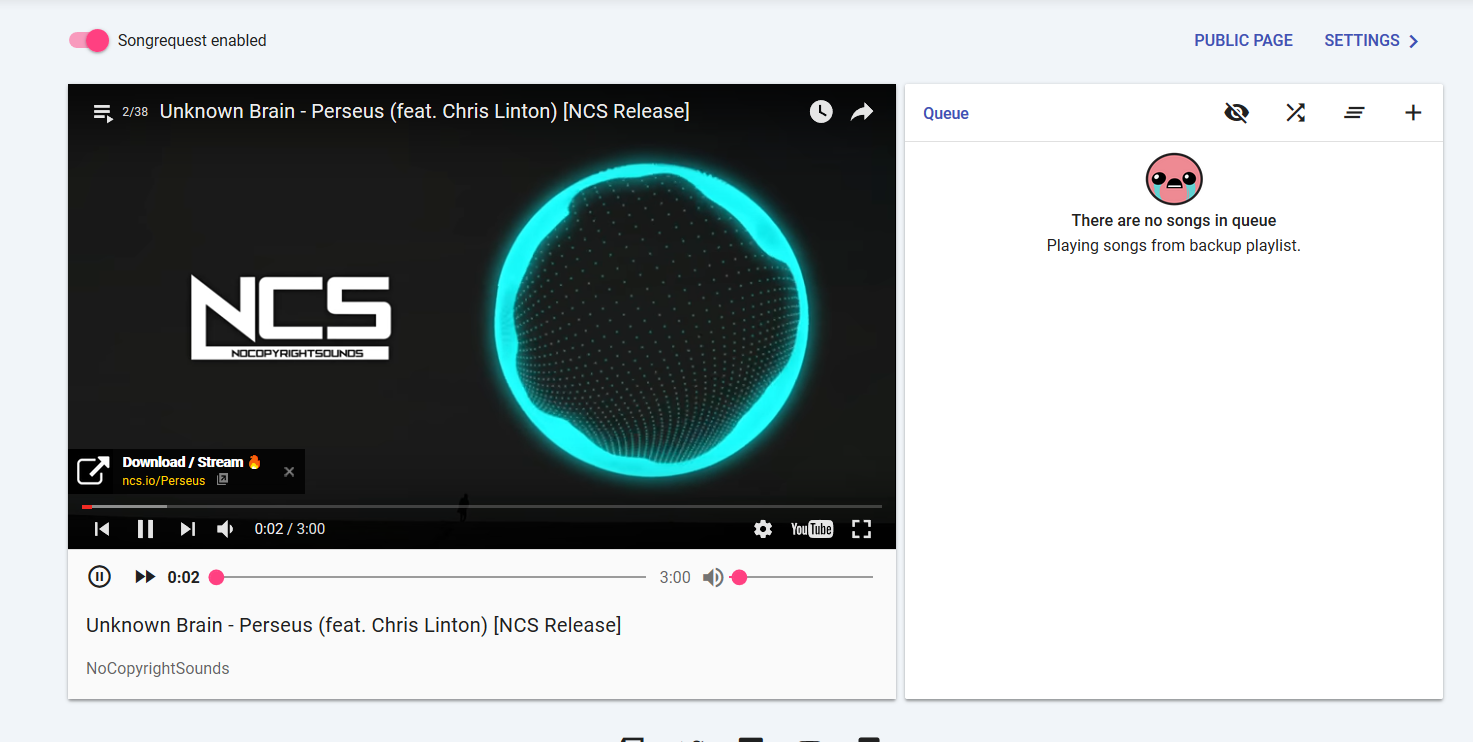
Anyone know how I can show what song requests are playing on stream? I tried windows capture on OBS Studio but it isnt detecting ground control
stuck hamlet
You can just use our Widget called current song 😃
rare umbra
Where do i find that D:
tight harness
In Overlay Manager it's along the top
See widgets? https://gyazo.com/a93488918feb7acd80f51ceb88cfb818
 rare umbra
Thank you!
upper steeple
@atomic hollow do i have refresh my overlay once the fix is out?
atomic hollow
Ctrl + F5, deploying it now, had to do some last minute work on other things
upper steeple
@atomic hollow thats while i'm in obs?
atomic hollow
go into the overlay and do it, ill let you know once its ready
upper steeple
okay cause i'm live right now
atomic hollow
im coming to the stream, will inform you there
 mighty spindle
Hey all! I just started using StreamElements and it is looking good however I'm dealing with one problem. I imported tips and alerts from my StreamLabs since I've been streaming for an year now and wanted them to show at my StreamElements. But now my donator's names are showing up at the leaderboard. Can I reset my whole leaderboard so there wouldn't be ANY names? Now I can just reset the point scores.. Haven't streamed with the StreamElements yet and now since there are already names on the list, viewers will be listed with these donation names..
(sorry if I'm hard to understand - hello from Finland lol 😂 )
pine hemlock
Im unsure if theres a way to reset the leaderboard for tips at this time
You could go to tipping settings -> leaderboard tab at the top and disable the leaderboard
If you don't want any names shown ever
@mighty spindle
mighty spindle
@pine hemlock hmmh.. okay :/ My viewers just donated me with a lot of "alter egos" and now I have like "nonnamerin1 nonnamerin2 nonnamerin3 nonnamerin4" kinda names on the leaderboard since the StreamElements took all the data from my donators of StreamLabs and now I have these alter egos taking spaces from my leaderboard and the position will never be the real :D
but thanks anyways! :) Will check that out if it helps
pine hemlock
Staff may be able to clear it, I'm not 100% sure though..
atomic hollow
@mighty spindle you cant reset the leaderboards
mighty spindle
okay! :) thanks
upper steeple
@atomic hollow thank you for helping earlier
atomic hollow
we're good?
upper steeple
@atomic hollow no its still not centered vertically
atomic hollow
@granite falcon make sure the resolution is set to 1080P
random tartan
I just changed my name about two days ago and streamelements still has my old name appear on my overlay/theme, how do I fix this?
 granite falcon
it is set to 1080p
random tartan
ok thanks
 half trail
#helpdesk-twitch Hello, Does StreamElements currently support stream managment for other playforms aside from Twitch?
Or multiple at a time?
half trail
@atomic hollow Awesome thanks for the quick responce!
atomic hollow
@half trail ❤
half trail
😊
 wicked sphinx
Hey i've been testing out the new super themes, the only issue i am having is that the art from the scenes take a few seconds to load in. Even happens when switching between scenes, (roughly 4-5 seconds of black screen) is this normal? or am i doing something wrong? thanks
 inland spindle
Is there any way to change the give away timer to display when the drawing will happen? The time elapsed only goes 24 hours currently
 bright junco
Put 1920x1080 as the browsersource? or match it to your current resolution?
nevermind
the chat moved
haha
did not say i had new messages
derp
cinder ibex
@hollow zinc for tts settings, you said yesterday: there are TTS settings for tips. In the overlay editor click on the settings icon for tips, then at the bottom above layers there is a thing with label TTS settings.
But I can't find it... help... someone... :D
I am in overlay editor but don't see a setting icon for tips or tts settings...
pine hemlock
set the dimensions to 1920 x 1080 or whatever your native source is under browser source properties
random tartan
ok thx
cinder ibex
oooooooh lol! It's in the alert box thingy! Cool! Thanxs @hollow zinc pics help 😄
 hollow zinc
I replied from my phone yesterday, couldn't take screenshots 
cinder ibex
I understand 😄
granite falcon
can xsplit use super themes or isit just for me that it dosent go on my screen
 next kelp
Hey - can someone help me with something in the dashboard?
 slender lichen
Hi guys, is there any option to show the "now playing" song when it´s not on dubtrack.fm / plug.dj ?! Weird sites I don´t even consider using to be honest.
hollow zinc
@next kelp it's better to just post your question so the right people can get to you 😃
next kelp
ok - how do i disable the bot?
slender lichen
@next kelp Just hit "part channel" in the dashboard and he will leave your channel
pine hemlock
@granite falcon Your browser source needs to be the same size as the resolution your set your overlay to
also no one uses xsplit in 2017
@next kelp You don't need the join the bot in your channel if you dont want it.
pine hemlock
Most of us, probably none of us use xsplit and i'm not sure how to solve your problem. The generic way to fix it would be making sure the browser source you just added is set to the same resolution that you selected for the overlay(theme)
 ripe herald
@granite falcon when you put browser source
in XSplit right click on the it and setting window will open
you need to set up custom resolution

It will work only that way cause XSplit is little bit weird in this case
it have to be custom not original source
granite falcon
well i must be doing sometfing wrong
ripe herald
@granite falcon did you changed maybe resolution in side of the overlay manager to 720 maybe
ripe herald
Aweseome @granite falcon
 humble ether
GUYS; need help! 😃 .. . Can i download an image from SE ? Or can i only upload? I need to download a image that has been uploaded there that i dont own the local file to anymore..
@atomic hollow
frosty zealot
unfortunately, it is a one way street when you upload
atomic hollow
^^
slender lichen
@here Hi guys, is there any option to show the "now playing" song when it´s not on dubtrack.fm / plug.dj ?! Weird sites I don´t even consider using to be honest.
frosty zealot
it shows for song requests through YT, although until the API request allowance is increased, we can't show the song titles of your backup playlist.
upper steeple
@atomic hollow 
upper steeple
@atomic hollow okie dokie
upper steeple
there is a new option?
weary mist
Yessir. It's in the main options area on the left, not in any of the expandable areas
upper steeple
your talking about changing the text size inside the bar right? cause i know about tthat
humble ether
Anyone know if you can chance speed on the image rotator ?? 😃
@weary mist maybe 😃
i found the animation type, but now the speed / timer
weary mist

these are the options I see
so you can have no delay between images, or more delay (blank space), and you can increase or decrease the time the image is shown for. If you want them to rotate fast, 0 in delay and 1 in show images for would make them cycle 1 per second
humble ether
hmmmm
weary mist
if you want it longer, max it out to 120 seconds for the image, and then put your delay between each image to be what you want
humble ether
i wonder why they are not popping up
oh shit, they are hiding behein the "position n shit" ,, they should have their own bar
😃
thx tho
upper steeple
@atomic hollow got it, looks a lot bettter thank you
atomic hollow
❤
upper steeple

 misty hare
Question? Will there be a new bit cup soon?
tight harness
@misty hare Yes 😃
frosty zealot
soon... check #297092117933719552 @misty hare
weary mist
@ancient wigeon #297092117933719552
misty hare
I need my bit cup 😦
pine hemlock
 when its ready
 snow bane
With the new updates, where is the sub tier part?
weary mist
for emulating?
snow bane
yeah, i guess i'm not sure what that means lol
stuck hamlet
we arent sure what your question means :p
snow bane
Is there a way to distinguish sub tiers like giving more points and such?
weary mist
not yet, just for alerts
snow bane
ahh ok
also is there a way for the giveaway to give subs on gamewisp luck too? or a way for me to add them in somehow?
weary mist
you could do !level <username> 250 to put someone at the subscriber level, not sure if that gives them the sub benefits, but worth a shot
snow bane
oh ok
thank you!
Is there somewhere that shows levels for each user?
sorry so many questions
pine hemlock
Rehulars
snow bane
so what does 250 mean?
clever mango
 snow bane
perfect, thanks!
weary mist
still wrong... 100 is plebs
clever mango

silk void
anyone @here able to explain something to me regarding the themes
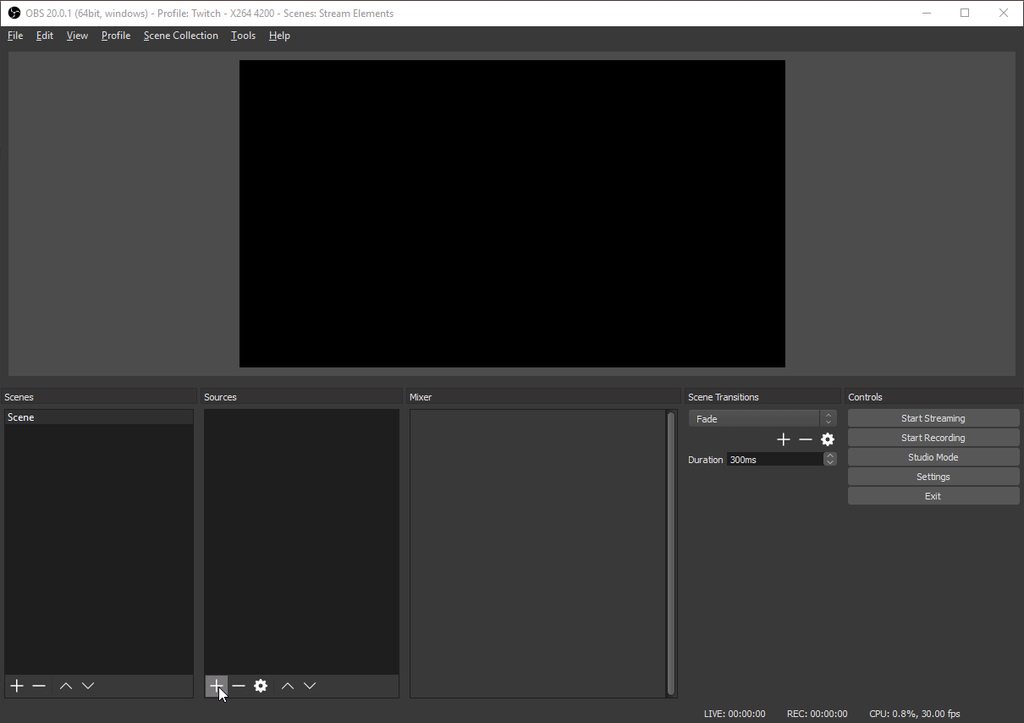
when i put the URL in my obs it dont fit my screen but i also cant resize it?
weary mist
make sure when you put in the URL, to put in the dimensions of the overlay on the site (default is 1920x1080). Then, once you submit those settings, click the source, and hit CTRL+F
clever mango
 weary mist
(I am assuming you are using OBS)
silk void
What's the command to put in chat to make the kappagen explosion
frosty zealot
!kappagen 100 <- this will make 100 emotes at random (from the list of emotes that you've selected on your kappagen settings)
you could also do something like !kappagen 100  and get 100 of those specific emotes
 fair relic
@drifting blade I'm still experiencing that problem with my Stream Store. People can redeem things and I hear the sound, but the alert doesn't pop up. It works in the Overlay Manager though :\
I reported it over a month ago, but I still haven't seen a fix for it yet
clever mango
@fair relic Everything is working perfectly in the editor but not in OBS? Or is it not working in the editor as well?
fair relic
If "foo" redeems an item (and the item was a sound event) then the sound is played in OBS, but the text is not shown. In the overlay manager the sound is played and "foo redeemed X" is shown
Onslaught helped ID the issue a month ago, but I haven't seen anything about it since
weary mist
@fair relic I am at work right now, but if you are going to ba around in like 5 hours or so, I can look into it maybe VIA teamviewer (if no one else has been able to by that point)
fair relic
yea thats fine. I should be around my setup by then. Basically Onslaught and I went through most of the process already. Facts as they are ATM:
- sound is played on overlay but no text pop up
- sound is played and text pops up in overlay manager
- triggering an item redemption from overlay manager (test) does pop up text and plays sound on overlay and overlay manager
- resolution of overlays match up with my stream software
- It doesn't matter if you redeem from chat or the store, the result above stay the same
- I've tested this in OBS, Xsplit, vMix, you name it and I've tried it
- I've deleted all my overlays and tried fresh, but to no avail
- This used to work, but stopped around mid July
weary mist
have you tried a test by purchasing an item directly from the store? I know the emulate item is derpy
fair relic
yea I just updated it. It doesn't matter if its from chat or the store
I honestly do think it is something screwed in the backend on my account. Like I did something weird and it screwed up my profile somehow.
weary mist
did you see the preview? @ancient wigeon
it is a limited sneak peak, but it is something to calm the jitters
ancient wigeon
I did
but
sneak peaks are like cleavage
they just leave you wanting the whole thing
serene granite
hmm
@fair relic the store items are all of the sound effect type
you want them to be a Stream Perk type if you want them to show on stream through the widget
I edited the test one
you can edit the rest if you want
fair relic
all of mine are sound effects. I think that was a faux paux on my part



 serene granite
no problem 😃
fair relic
do stream perks have to be manually approved?
serene granite
no @fair relic , but they also show up on the redemption list
in case you need to actually do something like give them a key etc.
we keep a list of redemptions for you
fair relic
Oh okay. So is the sound effect thing just broken on my part or do I have a misconception on my part with how store items work
serene granite
the sound effect items are meant to only do a sound effect and not trigger the store redemption widget
clever mango
Stream perk = "make streamer do 10 situps"
Sound effect = "fart sound" plays on redeem
The alerts will pop up for either when redeemed
but you have the stream perks in a list so you know what to do
serene granite
its definitely a bit confusing since you CAN upload an image to a sound effect type, but its how it was built :/
fair relic
huh... okay they used to do pop ups, but I will change it over to stream perks since it definitely works
Thanks guys! 😄
humble ether
wait .. so when i wanna do a new overlay,, and i already did it actually, just need the alertbox,, i need to redo the whole alertbox again ?? i can't just copy the settings of a alertbox i already made ? 😃 .. Am i getting this wrong @serene granite 😃
or anyone else know this ? 😃
weary mist
you could duplicate your overlay, and just delete everything out of the new one
I believe that should work
goes to test it
strong dock
I have seperate overlay for alerts only
humble ether
but
strong dock
That way my alerts can be themed if need be
humble ether
then i would need to redo the whole overlay
weary mist
that is the only option to clone an alert box 😦
clever mango
It's not possible currently to copy a single layer within an overlay to another overlay but having alert widget on it's own overlay works out well
So you would have your overlay without alert widget and an overlay with just the alert widget
This allows you to add that alert overlay to multiple scenes easily
humble ether
yeah thx ,, kinda sucks
strong dock
I like my method tbh
Not counting super themes inhave my default overlays then I have a default alert overlay that includes alerts, store items and kappa gen
I have a default one. Then I can copy rhat overlay and adjust based on games or game type for scare alerts or so forth
Until alert profiles are a thing it's pretty much the same
humble ether
yeah problem is im working for a esports org.. and need to do it as easy as possible for our players when they stream 😃 .. So it would be awesome with just one link 😃
instead of two 😃
clever mango
Well, cloning the alertbox by remaking it for that one overlay wouldn't take nearly as long as remaking the whole overlay and then you'd have it all in one link. I guess that's the best option for you at this point.
¯_(ツ)_/¯
weary mist
Pretty much next time, clone it, and build around the alert box, lol
humble ether
but would be awesome to have like a cloud based system where u can use custom made alert boxes that you made and saved before 😃
 pliant linden
If I want to create seperate sound AND animations for store redeptions, how do I do that? Right now, I can only get 1 sound to work across all redemptions. I use the overlay option. thanks. 😃
clever mango
Could you give an example of what you're looking for? Are viewers redeeming a stream perk that requires you to do something or are they just redeeming a sound and image to pop up?
pliant linden
Fx: A user redeems ItemA, which procs sound 1 and animation 1 on screen. Same user then redeems ItemB, which procs sound 2 and animation 2.
Right now, I can't get the above to work. I can:
- Get all redemptions to have the same animation + sound, or
- Have them all have different sounds, but no animation.
I hope that make sense. 😃 I don't care, if it is catagorised as a stream perk or sound/image, I just want the first statement to work 😃
clever mango
Ok, I'm doing some testing
pliant linden
cheers mate