#helpdesk-twitch
1 messages · Page 53 of 1
 silk patrol
@upbeat tree that's a neat idea actually. please post it in the brainstorming page (that you can find in the pinned message) and feel free to upvote others that you like
 sacred fiber
ok, thx @silk patrol good to know 😃
 misty wagon
@upbeat tree One of my friends changed the welcome msg in Chat alerts to different languages. He even has one saying Welcome in Klingon. 
 upbeat tree
@misty wagon I have done this too. But I would like to see multiple sounds and images playing on stream when I get a follow. If I have a sound effect "Wow!" play when I get a follow, I don't want to hear that every time. I want to hear other things too.
I really like Stream elements, and it has allot of features that might make me switch from stream labs to this. One of the only things stopping me is not having variations to my follows and hosts. In Stream labs I would have different follow nottifications, and one really rare one. If the really rare one played I would say something and usually give them loyalty points too.
sacred fiber
@silk patrol any way to keep my eventlist when I restart OBS?
 atomic hollow
no @sacred fiber 😦
 quasi skiff
So I may need a little help. I did the import from streamlabs, it pulled my donation info. For some reason I decided to do a second import, and it ended up doubling the info for my donations. Is there a way to correct this?
misty wagon
https://streamelements.com/dashboard/tipping and https://streamelements.com/dashboard/activity are options to edit @quasi skiff
upbeat tree
where can I find the supported fonts?
misty wagon
@upbeat tree good question @proud pumice I know we support 840+ but not know of a list
upbeat tree
Would be cool to see a list.
silk patrol
@upbeat tree they are working on a preview feature, because right now you have to click on each font to see how it looks like
upbeat tree
Ah
atomic hollow
I can get you the list if you really like, but we are changing that very soon
upbeat tree
It is fine, I'll wait for the change.
sacred fiber
@silk patrol any way to hide commands from the commands site?
 snow bane
Does the donation part read the message people write like Streamlabs does?
sacred fiber
yes
silk patrol
@sacred fiber not yet, only disabled commands will be hidden
@snow bane yes, TTS is available when you edit the alert box
quasi skiff
@misty wagon I went to the pages to reset the donation data, but the activities log still shows the doubled up donations. When I try to use the All time top donator widget it is reflecting those incorrect values.
@misty wagon I may have just found the solution...
 covert sapphire
wtf how am i suppose to add my KappaGen?
 chilly stratus
So im streaming now, and for one of my viewers the ingame chat overlay has the text not aligned with his name. For other viewers its fine
covert sapphire
Just done that doesnt work
atomic hollow
??
what doesnt work?
@covert sapphire its not in your overlay
its empty
did you save it?
covert sapphire
i did do then i deleted it im in the middle of doing it again
atomic hollow
no, use Studio
quasi skiff
Well, I thought I had fixed it. I went to the my tips page and just deleted the duplicates. The all time top donator widget is still reflecting the double tip. Also just noticed that the follower goal is not reflecting my current amount of followers.
silk patrol
@quasi skiff you'll need to edit the session, go to activity feed and click on edit session on the right
covert sapphire
No sorry won't use studio
silk patrol
@covert sapphire why tho? obs classic will not be supported anymore, obs studio is the new version.
covert sapphire
why is it not supported ? stream out fine just one overlay that doesnt work
atomic hollow
most of the new features on Twitch just dont work on classic
it doesnt have support for most things
silk patrol
@covert sapphire just like microsoft won't push any update for windows xp, obs won't push any update for the classic version. they spent a lot of time developing studio, they want people to use it
things don't last forever unfortunately 😃
 ionic barn
Hey guys I was wondering if it is possible to keep the events on the event overlay for like the next time you stream or is that something that is comming?
Also I have the same problem with my chat overlay as @chilly stratus the message is not even aligned with the name. cheers!
silk patrol
@ionic barn unfortunately no, you can't keep what was inside the event list as of right now
a temporary fix is to replay the last alerts before starting your stream, but it's not perfect
silk patrol
thanks for the screenshot
ionic barn
it looks like it doesn't happen if you have like a mod badge or a streamer badge
upbeat tree
I can't upload .mp4? Only gif for a video
 fierce sun
¿How do I promote a song with stream elements? Someone who knows it can tell me
upbeat tree
@fierce sun What do you mean?
fierce sun
@upbeat tree This to move a song first as with Nightbot
 upper steeple
Is there a reason my entire activity feed resets when I only press the reset button on one of the goals?
upbeat tree
@fierce sun I can't seem to find a method to bump songs on the song request, would be a cool feature to see so be sure to post it on the requests page
misty wagon
@fierce sun check this Redemptionstore I think that's what you mean right? Promote a song to the first place. https://streamelements.com/randomgirlsinging/store @lone bridge I'd love to know that too 😊 can you post a how2 please?
 placid spruce
Okay, I'm having a brain-fart... Where on the Dashboard can I go to edit bot messages for new followers, subscribers, etc.?
upbeat tree
@misty wagon Yes like in the video displayed on the stream store page. But how do we make sure the video gets bumped to the top?
misty wagon
Chat Module
upbeat tree
@placid spruce Under bot then modules it is the first one, Chat Alerts
misty wagon
@upbeat tree I just confessed above blushing that I don't know, don't make me go  twice
twice
placid spruce
Ah, there it is... Thank you!
 lament blade
Can we reset donation goals ?
upbeat tree
@misty wagon MB, Missed that message
lament blade
From what I see I can't get it back to 0
upper steeple
Is there a reason my entire activity feed resets when I only press the reset button on one of the goals?
 edgy kindle
@lament blade You can indeed
 lone bridge
@fierce sun @misty wagon you can tip to bump a song to the front of the queue in the youtube songrequest player 😃
lament blade
Hello everyone! i have a question about kappa gen if anyone can help
lone bridge
sure
edgy kindle
https://streamelements.com/dashboard/session @lament blade
upbeat tree
yup?
lone bridge
@lament blade KappaGen is a widget in your overlay manager 😃
lament blade
actually im new so im lost sometimes 😄
upper steeple
@edgy kindle Is there a reason my entire activity feed resets when I only press the reset button on one of the goals?
lone bridge
@lament blade any alert widgets or alert-based things will all be in your overlay manager. You'll have to add separate widgets and components
edgy kindle
I believe all the buttons are linked @upper steeple
lament blade
oh thank youuu 😃
upper steeple
@edgy kindle facepalm
upper steeple
I hope gonna see about asking on the site
 visual shale
edgy kindle
visual shale
edgy kindle
No clue; @dense jackal @stuck hamlet Any clue?
 carmine flicker
How can I go about deleting a command that I made?
edgy kindle
The dashboard is a bit wide
 dense jackal
@visual shale can you elaborate?
edgy kindle
but there should be a scroll bar on your "Custom Commands" page
@carmine flicker http://puu.sh/wdxNl/a999a699c7.png
 dense jackal
OH the super themes!
@visual shale they should be coming out with them soon 😄
we have many more than just overwatch and pubg in development
 stuck hamlet

carmine flicker
@edgy kindle What about in a stream in which I moderate and not my own
edgy kindle
You would have to delete the command in chat
dense jackal
@upper steeple i love your name but this seems like an unfortunstr bug
we are pinging devs now
carmine flicker
Oh I'm stupid. I didnt see the command add/remove/etc thing
dense jackal
😂 all is well
upper steeple
@dense jackal thank you
lament blade
May I ask a question?
dense jackal
did you raise your hand?
lament blade
🖐
dense jackal
yes custrain what's on ur mind
lament blade
How do I change the time on which people recieve points? right now it's set to every 10 minutes, but I want to change it to 1 minute
lament blade
So I can't change that?
edgy kindle
^Not yet
upper steeple
@edgy kindle Is there a way to have the Recent tip widget to show more than 2 tips? Mine is only showing 2.
 wanton jetty
Anyone else having an issue with importing there points from Deepbot
 ornate cobalt
Anyone has a 'generic' overlay to use?
lone bridge
@ornate cobalt there are premade overlays for different games, and even an IRL/creative overlay
ornate cobalt
IRL/Creative overlay?
lone bridge
yes, hang on, let me find it for you
ornate cobalt
Awesome
lone bridge
if you go into your overlay manager
create a new overlay in the dimensions you need (1080 or 720)
once you're in the overlay manager, look up at the top navigation
"themes"
scroll down, and you'll see one called "animated creative red."
at the moment, that's the only one that's not a "game" theme overlay that's pre-designed. They will be adding more themes eventually too
lone bridge
i understand, the user interface can be alittle confusing too
the drop down arrow menus can be a bit much to navigate and there's a LOT you can do!
lone bridge
I would suggest just playing in the widgets 😃
ornate cobalt
So there's a lot to learn 😉
lone bridge
add an event list, play with the text type and size
add kappa gen, play with the emotes.
upper steeple
@lone bridge do you know how to make the recent tip widget show more than 2 donations?
lone bridge
yeah I totally get it @ornate cobalt ❤ But this is where the fun really begins, you'll feel so proud of yourself to know you built it on your own.
@upper steeple strange, lemme take a look
lone bridge
haha! thanks 😄
if you need more help i'll be in and out, but as you can see there's tons of other SE folks who will be here too
ornate cobalt
Yea, I saw. Sounds like an awesome community already
 proud pumice
@upbeat tree https://fonts.google.com/
 lone bridge
@upper steeple i didn't think the most recent tipper was supposed to show more than one
i don't even know how to get two to show up.
upper steeple
@lone bridge that is the lastest tipper widget I think your talking about. I'm talking about the recent tips widget where is just like the donation ticker from streamlabs.
lone bridge
mine is not doing that Fluffy Butt, I can see all my tips scrolling through
is the user in question sure they have more than two tips in the SE system?
upper steeple
T_T mine only shows 2
lone bridge
or that previous tips from another service have been transferred?
 humble quartz
I was wondering if I could get a hand, I can't seem to get my event list scrolling from the bottom upwards and there are no animations on the event list either. Any help would be appreciated!
upper steeple
all my tips have been imported from streamlabs
lone bridge
@upper steeple is it doing that in OBS or the overlay manager or both?
upper steeple
both
lone bridge
weird. And deleting the layer/relaunching overlay manager isn't working?
why is it working for me
lol
upper steeple
let me try
lone bridge
@humble quartz sure let's figure it out
@wanton jetty that may be something a developer might need to help with, Lemme reach out and see who might have a second
upper steeple
nope still only shows 2 tips and its not even updated tip amounts, its one from a long time ago and another is when i tested the alert
humble quartz
@lone bridge here or through DM ?
lone bridge
we can slide into those dms 
okay @upper steeple , that def sounds like a bug. not sure why it is working for me and not you. tagging @turbid reef @rapid tapir - not sure if you guys make a note of this stuff anywhere? Seems like there is a bug with the "recent tips" scroller -- some users are unable to have more than 2 tips scrolling on the display even with other tips imported.
upper steeple
okay i hope they fix it soon
lone bridge
@wanton jetty our lead developer is actually on a plane right now-- and he would be the best person for you to interface with about Deep Bot.
 minor kindle
The top session donator widget... Is showing top all time donator. And I couldn't even reset it. It stuck to that one person.
lament blade
Do you guys know why the mute text to speech doesn't work ?
 weary mist
mine doesn't get tts. maybe it is a new bug with the update
 royal crane
what does the jar do??
i see it everywhere lol
lament blade
Well I have it disabled with 0% volume but it still goes off
 past bronze
Question! The loyalty bonuses don't seem to be working for a friend of mine and we're wondering if there is any bug with it right now? Or does the bot bonus it without announcing?
weary mist
Just to check, have you clicked save recently? there are two places to turn it off (cheer and tipping). last thing I could think of would be to delete and readd the alert box widget
the bot does the bonus without announcing it
lament blade
Yes I clicked save
Actually when Im trying this out, a lot of sounds are in the background, like they are duplicated
weary mist
there might be multiple then
 weary mist
have you launched the overlay anywhere else?
do you have other overlays in OBS (or other software) that might still be active with a different overlay link
weary mist
hmm
it does sound like you might have another alert box hidden somewhere, based on the multiple sounds you are hearing. I am going to tag @rapid tapir to see what he knows
lament blade
@weary mist i think it was some kind of bug. I needed to put it again on new overlay, even duplicating old one didn't work
but now it works fine dunno why
Don't know what caused the issue but it was temporary
lament blade
However, is there any way to enable text to speech only for donations of specific value and above ?
lament blade
when I put for example 15 and make sample 8$ donation it still trigers
 rapid tapir
@turbid reef will be with you shortly
sorry, were severely understaffed today
since its a travel day for half the office
 turbid reef
@lament blade make sure to check the boxes at the bottom https://i.nuuls.com/17M1q.png
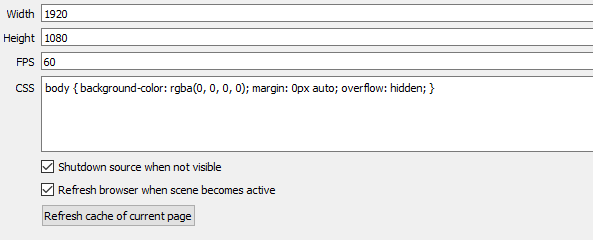
 compact saddle
how can i change the cup?
stuck hamlet
The cup is being completely redesigned
 compact relic
Hello, wondering for the layout editor - Is there a way to show a list of followers/scroll cycle effect?
upbeat tree
@compact relic that isn't a feature yet. But I requested it so be sure to up cote my requests in the requested features page
compact relic
Okay 👍
 final isle
@atomic hollow or any staff: Is the host point bonus only valid once per day? If someone hosts at 8am, then unhosts and leaves, and then hosts again at 8pm would they would only get the bonus once?
weary mist
there is a time limit on it, from what I have heard. so they would get it once, then have to wait some time before being able to get the bonus again. I just can't remember what that limit was
final isle
im hoping its once per stream to avoid people trying to take advantage of bonuses
upbeat tree
I feel like it it's once per stream
Would be easier to code to only accept when online
weary mist
Yeah. It was brought up before like 3-4 days ago. My brain is telling me 2 hours, but I can't be 100% sure that is what they said. I keep my host bonus at around 20 points, so if they stick around long enough to rehost me, they would be earning more points watching that hosting
turbid reef
you can get it every 5 hours max
weary mist
imprints memory so I don't forget that agian
weary mist
if you click My account, then Integrations and imports, you can import the points from there
 snow brook
I haven't seen it but is there a way that when I give out currancy to all people in chat it doesn't tell me how many people are in chat? I don't look at at viewer numbers and I don't want to know. I look at stats after a stream and not during.
weary mist
that will be one to add to the list. the default command doesn't allow for editing what the bot says yet
snow brook
yeah thats what I thought because I searched and searched.
I give out currancy for hitting me in the face with bits
 lilac forum
The custom sound I'm trying to set up for stream alerts is not registering. still plays default
weary mist
I haven't tried that out myself, but you are the second person I have heard that from.
weary mist
odd that is
edgy kindle
@pale heron Alright so your overlay
 small field
follower counters don't seem to track correctly? I and another streamer I know only see followers since we started using SE. Does anyone else have this issue (or a solution)?
weary mist
Activity feed -> edit session
 pale heron
Im just attempting to use the stock h1z1 overlay to test it all out
edgy kindle
@small field Are you trying to set a follower goal?
@pale heron Okay so when you hit Launch on your overlay did you make sure to save first?
small field
For me it is a goal, for my friend it is just a count
edgy kindle
@small field Okay so you'll want to go to Dashboard > Activity Feed > Edit Session
pale heron
Yes i made sure to save
edgy kindle
@pale heron And when you click launch how did you use the URL in OBS?
@small field You'll edit one of the top two options depending on your need
small field
Got it, thank you!
pale heron
as a browser source
edgy kindle
Okay and what resolution did you set your overlay to when you made it in the manager?
pale heron
1080p
pale heron
I stream @ 1080p
edgy kindle
You stream at 1920x1080 resolution?
pale heron
yes
edgy kindle
Ah okay
pale heron
affiliate
edgy kindle
Can you screenshot your OBS with the browser source in place?(dont display the properties of it)
small field
@edgy kindle is there a way to set most recent follower or sub like you can tipper name in that page?
edgy kindle
@small field Not that I know of
@small field If you want recent follower/sub I would suggest using the Event List module/widget
weary mist
i know there is a widget for theose both individually
I use them
but it uses the twitch API to pull the information, so there is no way to set it I believe
edgy kindle
Alrigh just walk with me here;
In overlay editor
http://puu.sh/wdMAX/460c01b775.png
This is what your screen looks like when loading the stock h1z1 theme right?
 weary mist
if you have w7+, there is the snipping tool 😉
edgy kindle
And when you rightclick on your overlay and click properties do you have your resolution set properly?
again dont paste a screenshot of that information
your overlay url contains sensitive information
stuck hamlet
My guess is your resolution is currently default, 640x320, you'll have to increase it to 1920x1080
pale heron
In the editor or in obs
edgy kindle
in obs
stuck hamlet
@pale heron what's your streaming resolution?
stuck hamlet
okay cool
pale heron
I got iti
edgy kindle
@pale heron Whats your overlay/altert source resolution though; dont screenshot it
weary mist
edgy kindle
RIP
pale heron
future reference i did not know that was there lmfao
weary mist
its correct, but delete it. it has your specific api token
edgy kindle
@pale heron Delete that please
I tried warning you not to paste the picture with your overlay properties
 olive lintel
Hi... I have a new token from a user...let's see what can we do with it 😈
stuck hamlet
he resized it
weary mist
derp, missed that message
stuck hamlet
@pale heron Please delete the image you posted
edgy kindle
Alright its gone
pale heron
lol
rapid tapir
dont leak your token
edgy kindle
^
rapid tapir
it can be used to log in to your account
edgy kindle
You cant post your URL for overlay anywhere
rapid tapir
we are gonna change that because theres just too much user error possible
but give us time here ~~
olive lintel
well it's gone form the discord... but... If anyone it's interested I'm sellinga user token for 
rapid tapir
@turbid reef is the head of changing overlay urls KappaHD
edgy kindle
Champions need to be able to manage messages @rapid tapir cause what if someone does that when staff arent here
rapid tapir
not up to me to decide
olive lintel
(he wants the power)
rapid tapir
^
wanton jetty
Any idea why i get a error when trying to import my deepbot points to the bot ??
It works fine using the key on my website
/:
 ancient prism
ya know @edgy kindle they could just get a good discord bot
edgy kindle
@ancient prism Already discussed them getting a discord bot and Perry said they're working on it soon
but either way
ancient prism
i know
edgy kindle
That cant protect users from posting their tokens without just forbidding all users to post images
ancient prism
but if they had a better interm one you could do >prune 10
and it would delete the last 10 messages
or >prune @edgy kindle 10
and itll delete your last 10 messages
edgy kindle
Never heard of it/seen it
stuck hamlet
oh man, you havent been around discord for long then :p
edgy kindle
Ive been around discord since they first went public @stuck hamlet
ancient prism
i mean I do moderate for multiple 5000+ member servers
stuck hamlet

ancient prism
and even the creater of Mee6 says its not trash but not the best
weary mist
lol
wanton jetty
Anyone ??
edgy kindle
Ive been using discord since about june/july of 2015
weary mist
I am not sure @wanton jetty
olive lintel
@wanton jetty about the problem with the import from deepbot?
wanton jetty
I just get a error when it tries to import
But my website gets the info perfectly fine
olive lintel
tell us more about the error
olive lintel
when you say "website" you mean "your profile page in streamelements"?
wanton jetty
No
I mean MY website
It pulls info perfectly fine from deepbot
But streamelements isnt pulling my points from deepbot
weary mist
normally styler is the one that does that stuff, and he is out today :/
olive lintel
did you follow these steps?
wanton jetty
Streamelement/deepbot is a temp bot anyway im having a full website, bot and API designed anyway
My bots running 24/7
And my website uses the Secret key to pull info lol
olive lintel
well, then we have to wait for @tawny pivot to check the problem.
wanton jetty
Okays
 spring ferry
is there a way to Pay-To-Win on Stream Elements, or it's just F2P atm?
wanton jetty
Lol
edgy kindle
What do you mean? @spring ferry
spring ferry
like how you can pay to win on twitch with twitch prime/turbo, can you do that on Stream Elements?
I'm asking for my own personal, egotistical self, lol
weary mist
lol
edgy kindle
Uh...There is no pay to win on twitch
weary mist
There is no feature for you to sub to us, but we do take  bribes
misty wagon
Hello @forest thorn how may we help you 💯
 forest thorn
Would anyone here be able to explain the ranking system in Stream Elements, please?
Thanks, @misty wagon
misty wagon
It's not really a ranking system, that is on the feature list. It's a tier system for the different type of users
forest thorn
Also, is there an auto-regular feature? For example, at a certain rank or hours viewed, they are able to automatically become a regular?
misty wagon
Everyone, Regular, Subscriber, Moderator, Supermoderator, Caster (you)
forest thorn
Ah, so 300 for regular, 500 for mod, and 1000 for super-mod!
misty wagon
Auto-regular is on the feature list too.
weary mist
also, 250 is subscriber
forest thorn
I like the mix of your overlay system and backend analytics - it's like multiple (popular) platforms in one!
misty wagon
The number imply we are prepared for something like auto-regular, we just have to get rid of the backlog since Revlo's demise.
2,5 months into beta now and counting
It is said, we are popular +1 
forest thorn
Well, keep up the great work! I'm very impressed and happy with everything and have moved everything over to SE
misty wagon
I aseriously have to talk to the manager about adding that emoji
forest thorn
I'm a small streamer (affiliate), but have been recommending SE to many i've met via Twitch, and we all want to see this platform succeed.
haha
misty wagon
We appreciate that @forest thorn
forest thorn
And thank you, @misty wagon and @weary mist , for being quick to respond
spring ferry
I was talking like how on twitch prime/turbo you get special badge, and no ads, and free game content, and shit like that, was just wondering if there was something like that for stream elements. I was joking about the p2w part, lol
misty wagon
For sure, the future might be bright for you @spring ferry :fortunecookie:
spring ferry
Not necessarily getting badges or free content from Stream elements, but just like a support the devs type thing with whatever recognition would be offered
misty wagon
Well if you don't want the free content, we have to find someone else. But we like free choice and respect yours. 🏯
spring ferry
Don't get me wrong, I'm all about the free content, just sometimes, I like p2w for exclusivity lol
 rich urchin
Question: I made a Follower/Host alert overlay with StreamElements, but the sounds for the alerts don't play on stream (on Twitch), even though they do play in OBS. Is this a glitch or am I not using the overlay alert correctly?
weary mist
if it plays in OBS, that probably means there is something wrong with your audio source settings
 scenic depot
When importing tips from Streamlabs it duplicates already imported tips, any way for this not to happen?
lilac forum
I can't seem to get the stream alerts to work properly on my stream. When I test the different things (follow, cheer, host, ect.) some of them work sometimes and others sometimes don't.
Seems like the problem is mostly with the cheer alert
It won't show on stream, but shows on preview. Also, customizing the image and sound for the Cheer alert doesn't do anything.
Seems I've gotten all other alerts to work
weary mist
for the cheers, do you have a minimum set?
 serene lotus
So I had my first tip via the SteamElements tip feature during my stream today. The problem that I ran into was 1. No alert popped up, 2. No event list of the tip and 3. Nothing shows up in the Leaderboard section of the tip page. Any help to reslove this issue would be appreciated.
serene lotus
 weary mist
Does it show up on My Tips page?
serene lotus
@weary mist It does. It shows the date, time, donator, amount and message. Oh, and it also didn't give them any loyalty points for the donation.
weary mist
weird, its almost as if it didn't count as a tip. first time something like that has happened.
lilac forum
None of the alerts for my store are working when I redeem them but it works when I do a 'test'
weary mist
I will put it to the attention of the guy that looks at that for you
lilac forum
is there a known issue with it or would it be on my end?
weary mist
Not sure MindWaves. It could be either way. Just make sure to save the overlay, and refresh the broswer source in obs
lilac forum
I can redeem it off the website and it works but it's not working when i redeem it in chat?
weary mist
That part is odd. It should play either way
lilac forum
And I checked 'redeemable in chat'
Damn. I really want to switch from revlo but that's stopping me x_x
Wow. I'm retarded. I had the '!redeem' command turned off in the command section
XD
lilac forum
thx again tho
weary mist
😃 👍
 strong basalt
Any idea why when people give me bits it does 2 notifications? One cheer notification through streamlabs that shows nothing but the sound and then the streamelements one with both popup and sound? Anyway to just make it do one or the other?
weary mist
You could turn off the streamlabs one, if you click it and hit delete it will go away
weary mist
do you have any other browser sources on any other scenes?
strong basalt
Sure I haven't updated all my scenes yet but if I'm not on a scene with streamlabs it shouldn't matter
weary mist
well, browser sources stay open even when you are not on the scene, so it could be playing that sound from the other scene
turn this on, and make them invisible should help
strong basalt
What does it mean not visible? Like when its not on the scene?
weary mist
like click the eye
strong basalt
well the eye is just for that specific scene. It was on because I had it on for the other scenes but I clicked that checkbox and it works but the issue now is if people donate through streamlabs it won't show up anymore and I can't switch to streamelements for tips because of credit card tips for streamlabs that isn't offered from what I can see by SE yet. Is there a way for it to show streamlabs alerts through SE's overlay?
 rapid axle
Bot shows up in stream, gets modded and then leaves.
weary mist
@rapid axle we have experiencing a high influx of people, it causes the bot to derp every now and then. Give it a shot to join again
@strong basalt there is more options coming soon, but in the meantime, you could edit the streamlabs so that it only shows tip alerts, and everything else through SE
strong basalt
Yeah that was the plan. Was hoping to be able to have emotesplosions for tips too though ah well. Hope to see that available in the future. Like the service all the same 
weary mist
❤ they are looking at a portal to allow a lot more options, coming soon 😃
rapid axle
@weary mist How do I get it to join again?
weary mist
go to the dashboard, have it part channel if the option is there, then have it join again
rapid axle
@weary mist got that. it left again :/
weary mist
make sure it isn't banned for any reason /unban StreamElements
rapid axle
StreamElements is not banned from this room.
 atomic ridge
Does StreamElements hand out points when the channel is on Vodcast mode?
weary mist
Not too sure, that is a very new feature of twitch
atomic ridge
Yeah, that's why I thought I'd ask.
weary mist
it would be a good thing to test, I just don't have vod's to put up
strong basalt
Oh one more question, is there passive point gain while I'm offline or only when I'm online and is there a way to set it to only when I'm online/both online and offline?
or make it so you earn quarter or half of the usual amount of points while offline
misty wagon
No, bot will stop tracking as soon as you go offline
Viewers can still gamble and such, but not gain points
strong basalt
Ah alright, any plans to include offline point gain as a seperate option in the future? I'd like to see a customizable offline point gain in the future. I know other bots have offered this too.
misty wagon
Not afaik. People would just go afk in chats to gain points. Personally not my favorite
strong basalt
mmk, just voicing my opinion because it is a feature I miss from ankhbot. Was a nice way to let viewers get some extra point gain and I get more people in my chat when stream starts. win-win.
weary mist
I would make a case for that. My arguement is using the Twitter module. It posts my tweets in the chat, so I would like to reward those people in my chat for staying, even if its a very small number of points every ten minutes (like .25 or something). I got you Little Gamie
strong basalt
yay, and yeah thats what I would do. I'd set offline point gain to about a quarter or so of usual point gain, I just don't see a downside to giving the user more available options since ya'll are trying to make a "one stop" service for Twitch users
misty wagon
good point @weary mist I might rethink my opinion
weary mist
😉
misty wagon
hm still, but it takes to long to explain; multiplatform strategy Twitch is just a part in the bigger machine so unless the chat they stay in is SE profile, I'd say: 🚫 😃
strong basalt
chat they stay in is SE profile?
misty wagon
https://streamelements.com/lattemotte If you stream on multiplatforms, viewers can just go here
strong basalt
The only issue I see with that is Twitch affiliates can't stream on multiplatforms since their contracts make their live content exclusive to Twitch for 24 hours. And asking our viewers to go to a specific different link to watch our stream and earn points would probably just destroy any interest dead in its tracks.
misty wagon
Plenty of those will trow away their affiliate and even sub contracts getting the option to spread their wings. Other solutions will offer themselves 😉 Users can go to any plaform they want including SE
In fact, I will be the first to rip up the contracts for the streams I handle. Hate it to be limited
And in some cases like the Fox Sports Netherlands that I handle, Twitch will come begging and rip out the clause 😄
weary mist
😃
strong basalt
I really disagree only because affiliates will soon get sub buttons and already have bits + available revenue from the Twitch Store now. Streaming on Beam and YT isn't really viable yet and may never be. However on Twitch there is only room to go but up and soon just streaming baseline will give you a sub button which is insanely huge.
The option to spread your wings has always been out there and a lot of people didn't take it. Now with Twitch Affliate theres even less reason to take it.
atomic ridge
I think the best option to have in those situations is options in general, in regards to the points during offline. I think if it was an option for people to turn on if they wanted it, people can choose what works best for them. Revlo would let you opt in to hand out points during Host Mode, and I think a similar thing for StreamElements would be a wonderful thing
misty wagon
Let's do math; on average 10% converts to subs, good channels get 20% so a channel with 10K followers will have 100 subs (after the hype month is over). That's $500 - 50% split (or worse) - tax = $175 bucks.
Add the same amount in bits and that makes $200 net/net. Now add first a GameWisp/Patreon alternative and then add YT audience, Facebook, Microsoft, Twitter, Instagram, Azubu, Afreeca, etc.. rips contract.
weary mist
That may be true Little Gamie, but at the same time, if a service offers you a viable option to a Sub button for ALL those services?
misty wagon
@atomic ridge that's already possible with host
lament blade
Hey guys
misty wagon
Hi Veexer, but I should be sleeping for real now it's past 6AM
atomic ridge
Is it now?! Never seemed that way. Is it an option I turn on?
strong basalt
Well the thing is a lot of viewers won't sub if its not through Twitch itself, and the viewer engagement and retention rate will also go down if you add these hoops like "click this specific link to watch my stream to its full value."
I didn't really want to make this a debate. Just wanted to say theres nothing wrong with choice and gating an option to users because you personally don't like it doesn't sit well with me if your trying to brand this service as a replacement for revlo, ankhbot, streamlabs, etc.
lament blade
anyone had a problem with a bot that he joins a channel but doesnt respond to any commands even though they are turned on?
misty wagon
90% of the affiliates will never get sub, it's aint a stepup system. Also you only get paid after it reaches $100, untill then Twitch uses your savings to pay big streamers and thus control the negative company's cashflow which reflects on their stockprice (Amazon).
atomic ridge
I was having that issue on Monday @lament blade
lament blade
did it autofix?
misty wagon
We solved that issue on Monday. Is it happening now @lament blade ?
lament blade
yeah i checked it 5 mins ago
bot joins the chat says that its running
but doesnt respond
misty wagon
Please link your twitch to your discord profile. I want to have a look
strong basalt
Twitch doesn't take the money from you it takes the money from the viewer regarding bits. With subs its a flat 50/50 rate unless you belong to an esports org or something of that nature. That's for all partners. No one is saying it's a "step up" system either and the affiliate to partnership statistic is a little skewed since literally any regular streamer on the site will get affiliate nowadays and the amount of streamer burn out/quitting has always been very, very high.
misty wagon
@strong basalt let's agree to disagree. A lot of what you say are assumptions not facts oke. For example, I have a 70/30 channel, 2 60/40 and none 50/50.
strong basalt
The sub rates are assumptions sure, but the bits and streamer burn outs are well known.
 opaque fog
Does anyone have issues using the Kappagen emotes in OBS using the Browser CLR plugin, rather than OBS Studio?
opaque fog
Fair enough
 tropic apex
hey my bot is sending duplicate messages, anything I can do about that? I already made it depart and rejoin
and now my bot wont respond to commands
lament blade
sec
weary mist
We got death taken care of
lament blade
yo, you have pretty voice
but i cant answer
obs uses my microphone
and you just talked on my stream XD
 inland hemlock
Aww I am so sorry 
lament blade
yo, dont be sorry
inland hemlock
Thank you for the compliment
lament blade
come www.twitch.tv/veexer
weary mist
😉
 sturdy walrus
commands arent working in my chat anyone else have this issue
weary mist
Hey wolfy, we have had a few people this happened to. let me see what I can find out
Could I get your twitch channel?
@sturdy walrus
weary mist
try to re-add the bot to your channel
sturdy walrus
ok
weary mist
Looks like everything is working now!
 worn pivot
regarding the kappagen widget. I've been using it from the website directly until now and would like to start using the widget instead. However, I had it set so it starts behind my cam and comes up from my back only in a certain area (if that makes sense) I can't see how I can adjust that in the streamelement widget (basically just defining a starting area and then they go over that upwards and fade out depending on the timer.
 frosty urchin
Hey, would anyone know how to set a start date for the tip goal widget? It seems to take tips from prior the start into account and I can't figure it out
 left heath
ok so i run a friday night chat party in my channel. in chat i put the jackbox room code in a command. i think using the variable ${args.word} would work but it is not.
atomic hollow
@worn pivot adding @rapid tapir to this, he is the Kappagen guy, lets wait for him to wake up though
@frosty urchin just reset session
@left heath can you please explain what you mean? not familiar with that
left heath
I want to use a command like !jackbox TEST to put out a chat anouncment about the current room code.
left heath
Ah ok. well thanks foer try8ing
 unkempt oasis
@left heath do you mean you use !jackbox test and then the bot announces "room code is test"?
left heath
yes exactly
unkempt oasis
If so the variable is ${1}
left heath
oh sweet trying that now. thanks @unkempt oasis
unkempt oasis
So you'd have room code is ${1} as your commabd
atomic hollow
oh, I misunderstood you then 
left heath
thank you @unkempt oasis that worked 
unkempt oasis
Np :)
atomic hollow
@rapid tapir can you help with the above Kappagen question?
rapid tapir
ill have to do that later, sorry
atomic hollow
np
rapid tapir
remind me if I forget
rapid tapir
uh, just disable "use entire screen for emotes", move the widget to cover the area the emotes should be in and make sure to have the overlay behind your camera
atomic hollow
@worn pivot
worn pivot
@rapid tapir but that makes the emotes come from the whole screen as well not just a starting area? right?
thanks btw both of you 😃
err I meant - sorry..that will have the emotes only appear within that box and they get cut off on the sides?
trying again - at least that happened when I tried that
yeah the box cuts them off on the sides - the original kappagen has a spawn point set but it's not a box that was limiting the movement of the bubbles
stuck hamlet
Alright,  can you re-explaine what you want?
worn pivot
I am talking about the spawn zone 😃
stuck hamlet
Benni is being rushed with a bunch of stuff, and he hasn't been able to add spawn zone yet.
worn pivot
it would start them there then have them float above in a big radius that wasn't limited - if I use the box in streamelements it will cut off the sides and limit the view of the emotes
stuck hamlet
but there is a few work around, depending on what you want
worn pivot
ah right - didn't mean to bug about this - it's just a little thing I was wondering about 😃
worn pivot
I know everyone here is super busy 😃
I think what I would like is just not 100% possible atm but that's no big issue. It's just cosmetic anyway 😃
stuck hamlet
i made a quick drawing to understand properly

it start behind your cam, and goes everywhere
correct?
Thats what you want?
lone bridge
@worn pivot @stuck hamlet haven't been following all of this - but what if for the time being since there is no spawn zone you used the bubble option for alerts? then it would always spawn from bottom 
worn pivot
@lone bridge yeah I figured 😃
@stuck hamlet yeah it's just the spawn zone that's missing the benny had on the original one. all good 😃
stuck hamlet
i was going to reccomend this with bubbles: http://www.onslaught.ca/s/ub9b3w4q.png

the green person is you btw 
worn pivot
that doesn't work - since the bubbles don't go out the area 😃 but no worries. I got my answer. Thanks for the help though!
stuck hamlet
haha, no problem. Benni is super talented, so im sure he'll add it in no time 😉
worn pivot
for sure 😃
lone bridge
LUL

 i mean wat
lone bridge
i mean wat
lone bridge

atomic hollow
LUL
lament blade
Hello, I have a question
My subscriber goal from yesterday is still on the counter
how can I reset the counter for my next stream?
stuck hamlet
you can go to https://streamelements.com/dashboard/session
but did you keep your obs open?
lament blade
I close OBS after every streaming session
stuck hamlet
hmm
lament blade
ONe more qquestion, what is the command to show the Uptime on your stream?
stuck hamlet
!uptime
lament blade
But how do I add it in my overlay?
I would like to add a text on my overlay, so it shows on steam how long I've been up
lament blade
ALright thanks buddy!
Is there any way to ad dosme temporary black background or some overlay to make all this text more viisble ?
stuck hamlet
which test?
 acoustic compass
I am having a bug where people can't lose at slots. It happened after I changed the default commands, and specifically removed the emotes
stuck hamlet
well, how many emotes are left?
silk patrol
@lament blade which text? you can add a black image on your overlay, or create another one
lament blade
@silk patrol All text, For follower, to pdonaitons, and all. it's just pure white. I know you can change the colro but in photosohp it doesn't make a difference, th etetx ir unreadable
Without anything behind it, like even a small box or smth. And there's no way to make solid color blocks that would serve as temporayr template ?
silk patrol
@lament blade you can change the text color, isn't there one that suits you? you can create a background in photoshop to put behind your text, like most people do ^^
 vast wren
is there a way for me to have my raffle tickets be redeemed by loyalty points for a prize?
 hard cargo
^you Dansgame
atomic hollow
FIGHT!!!
hard cargo
Idk how. I just fetal position
atomic hollow
@vast wren its you on livechat?
vast wren
yeah thats me
i reallized there was live chat shortly after i posted here lol
my bad
chilly stratus
is anyone else getting 502 bad gateway when trying to get into stream elements
 sterile dock
is the bot down?
chilly stratus
@atomic hollow is updating
atomic hollow
couple of seconds guys, sorry
chilly stratus
you will be.. jks ❤
 willow mountain
Bot isn't responding to any commands in @lone bridge stream, other than getting it to leave and rejoin the channel anything else to try?
stuck hamlet
I believe they just restarted
chilly stratus
Was hoping the twitch chat overlay would have been fixed, but then realised its been less than a day since I brought it up
sterile dock
The bot still dont respond to commands?
silk patrol
@sterile dock it's back
weary mist
readys up
atomic hollow
putting on gloves
weary mist
cracks neck
 sturdy sedge
Hi, Im currently messing with the Loyalty Settings - wanted to know if its possible to redeem Transparent gifs / videos.
atomic hollow
goes to the bathroom
sturdy sedge
Say my viewer has enough Loyalty Currency - he wants to redeem a rain of pogchamps
on my Screen
is that possible?
silk patrol
@sturdy sedge nope, but you can use KappaGen with store redemptions
it will be triggered by any store redemption tho
atomic hollow
^^
sturdy sedge
already having problems finding KappaGen though 😛
atomic hollow
overlay manager --> widgets
silk patrol
@sturdy sedge overlay manager
atomic hollow

KappaGen is now a part of StreamElements! Got any questions? Join us on Discord: http://bit.ly/StreamElementsDiscord
dense jackal
manager->editor->widgets you forget the most crucial step!
sturdy sedge
It prompts me to define a Game - is that a requirement or can i get a Overlay to be global aswell?
weary mist
yes!
sturdy sedge
welp - bot down again?
silk patrol
@sturdy sedge seems like it
sturdy sedge
darn it 😛
silk patrol
alerts are working, only the chat bot is down
 left jolt
I am having an issue with points not being given when someone donates cash donations, but it works when people donate bits.
 worldly plinth
Us either, SE down?
 tight harness
And I'm getting chat alerts for follows that happened half an hour ago
 atomic hollow
bot and alerts were down for a few minutes guys, they are getting called retroactively now
sorry for that
❤
@left jolt using SE donations?
left jolt
I currently do not have it hooked up to SE donations I am using Stream labs for alerts
is that an issue?
I thought they would work because of bits working
atomic hollow
we have no way to know about the donation then
left jolt
ok
atomic hollow
bits is throught Twitch
 cosmic elm
Anyone else having trouble running commands in chat right now? Mine are completely broken atm it seems
atomic hollow
we are fixing it right now, sorry for the trouble
cosmic elm
Okay, thanks! ♥
atomic hollow
❤ thank you for understanding
sturdy sedge
I gotta come back one more time to the Redeem thing. - Ive got the grip of Kappagen now but this would mean that theres no real way for someone to use e.g "!redeem Salt" which would promp an animation that sprays salt ontop of my facecam?
for the cost of some currency
 arctic linden
No commands, or kappagen or songrequest. is the bot still down? i did re-join and still doesnt work ..
upper steeple
Is there a reason that my recent tips widget is not even showing the correct recent tips? It is showing random tips that I have recieved and none of them are recent ones.
silk patrol
@sturdy sedge as of right now no. Feel free to submit your request using the link in the pinned message
@upper steeple have you imported tips recently? you can go to activity feed -> edit session to change that
@arctic linden it was. but it's back. Sorry for the trouble
upper steeple
I did import tips recently
sturdy sedge
Okay Fine 😛 - Thanks but there are no pinned messages :c not in #helpdesk-twitch at least
silk patrol
@sturdy sedge my bad, it's in #💭︱feedback-and-ideas
upper steeple
@silk patrol cause the names of the recent tips that should be scrolling across on the widget aren't there, its just random tips that I had received a long time ago.
arctic linden
Still not working tho, how do I fix it? :/
 ocean mango
Hey there i am live, and my bot is online but not responding anymore. it stopped when i turned on song request.
arctic linden
^same
atomic hollow
Bot is restarting now guys, sorry for the trouble
sturdy sedge
When using the Stream Store - and say someone Buys a mp3 File that is supposed to play a Sound on Stream, what exactly plays the Sound? where does it come from? - i just bought my Own item from the Store and no Sound. Is that connected to the Bot being down? Since i didnt really connect a Media Source or similiar...
weary mist
The sound plays through the store redemtion alert
so you have to have that on your overlay
ocean mango
thank you 😃
sturdy sedge
Ah i See
upper steeple
@atomic hollow Is there a reason that my recent tips widget is not even showing the correct recent tips? It is showing random tips that I have recieved and none of them are recent ones.
atomic hollow
@upper steeple our system was restarted which caused a bit of unplanned mess, everything should be fixed in a few minutes
upper steeple
@atomic hollow roger that
atomic hollow
❤
upper steeple
was wanting to transfer my entire overlay over to streamelements and that was the only thing messed up lol
left jolt
@atomic hollow I heard there was issues with the alert sound volume. Is that fixed?
I don't want viewers ears to explode lol
left jolt
oh
Is there any options with alerts to set up variations?
like for example a different gif pops up if a certain amount is donated or random gifs for different amounts
left jolt
Oh i see!
Thank you!
Setting up a new system is confusing sometimes. Not use to this layout before. Thank you for your help.
 prisma rune
Hi i just wanted to tell you thatt your website is really helpful for me since i knew that revlo will be shutdown..But there is 1 and unique default on your website in the streamstore part....When i add a song to my animations even if i put the volume lower it doesn't change anything that's why i can't even use it properly...Hope you'll fix it ❤
Sorry if my english is bad
And how do i add my animations into obs?
weary mist
For the sound part, there are two places to turn it up or down: on the store item itself in the second level of the item, and on the overlay in the store redemption widget. For the animation, if you want it to be a part of an alert/redemption, you click on the alert widget in the editor, click the gear next to which alert you want to change (if store redemption, skip this part), click change image
then
then
prisma rune
Yeah but when i turn the volume down it doesn't change anything from the start
prisma rune
Yes i did
weary mist
ok, @atomic hollow will put a bug into the right dev's ear to check it out 
weary mist
are you talking about the overlay, or animations you have on your computer
prisma rune
Yeah
 summer forge
With link whitelisting, is it possible to whitelist certain domains? For example: flickr, instagram
lone bridge
@atomic hollow those follows rolled in once the bot was up again. LUL
I thought someone was followbotting me
 dry sandal
Is there a way to set up global alerts using this bot? So alerts that pop without me having to make an overlay for every single game I play?
weary mist
defining a game is only for sorting purposes, you can use one overlay for everything if you want. I have 4 overlays for 4 different games, but that is because I have moved things around so items work with the game
I use my Overwatch overlay for Doom, my Minecraft overlay for rocket league, lol
dry sandal
much thanks 😃
weary mist
@summer forge, try adding a * to the end and seeing if that works. I know that is what is used in the song request blacklist and the bad word moderation
@prisma rune, if you are adding an overlay, you can Launch Overlay, copy that link, and put it into a Browser Source on OBS. Just make sure to adjust the dimensions to match what your Overlay dimensions are. Popular is the 1080p, which dimensions are 1920x1080
 queen osprey
i still haven't figured out how to add the alerts like the ones i have in streamlabs on obs via streamelements
can someone help me??
weary mist
yes. All the alerts at SE are cloud based. That way if you have to switch computers, all you have to is put in the same link on the new obs. Plus, you can reduce the number of browser sources you use in OBS, which reduces strain on your CPU
the overlay editor is pretty powerful, and you can get all your alerts through the one source. I went from having around 15 or so things on my obs scene to 4-5
weary mist
it depends on how you want to do it. If you have the images hosted on your computer for the image overlays, you don't have to recreate that in SE.
You can just create an overlay that handles alerts
queen osprey
i think i'm going to do that
i just have to create an overlay with only the alertbox and add it throught OBS. right??
queen osprey
what is that??
weary mist
when ever someone types a emote in your chat, like 
it shows up on your screen, and maybe bounces, or just appears for a few seconds
queen osprey
ooh i saw it in a couple of streams! it's actually pretty cool
weary mist
your viewers will be able to show their appreciation and reactions, and have it recorded live for their entertainment
I love it, haha
I have it covering my 1920x1080 screen, lol
do you have a browser source for twitch chat?
queen osprey
can i put the kappagen with the alertbox?? or is it recommended to create a different overlay??
weary mist
you can do it all in one. I have everything I need in one link. Cheer cup (which is getting an upgrade), kappagen, alerts (follower, cheer, tip, etc), store redemptions, twitch chat, overlay images/videos, text for recent/top tipper/cheer
its all in the one, I don't have any text files to manage anymore
this is my OW
its animated
weary mist
and here is what the editor looks like, lol
everything can be moved around individually, hidden, unhidden, resized
queen osprey
looks cool, it's a bit of work to recreate all my scenes, but i guess that one day i'll do that
for the moment i'll just use the alerts so that when someone donates me or cheers he'll get the fidelty points
automagically
weary mist
Also, don't forget to set up your Tipping page and update your panel. The SE tipping page is designed to make mobile tipping easier, which is awesome as 35% of twitch viewers watch from a mobile device
queen osprey
yup, already done
i came to SE mainly for the fidelty function (the revlo-like)
and the function that gives points automatically when someone follow/tip/cheers is awesome
weary mist
yeah, a lot of people are. I did, but I didn't expect to find something that could replace all my other bots at the same time 😃
weary mist
Just don't forget to update your panel. It is still showing streamlabs, which won't pop an alert through us
oh yeah, same. I got all my commands imported too
queen osprey
you mean the browsersource on obs??
queen osprey
oh yes, i'm still setting up SE
weary mist
and hell, I wish I had your internet connection
weary mist
I get about 10% of what you get
and that is from my phones hotspot... my wired connection sucks...
sturdy sedge
friends tell me that Kappagen Sound files via !redeem are very very quite and i already set it to 100% how do i further increase it?
weary mist
im not sure that kappagen has sound? I don't see an option to edit sound on the widget
misty wagon
@weary mist 's channel  👍
👍
 warped tangle
What was the command to mod chatbot? Just /mod chatbot?
acoustic compass
what are the defaults for the slots module? i changed the default messages and emotes, and now every time people win regardless
acoustic compass
thanks !!
lament blade
hey all this may be the wrong room to post this sorry but how do i set up the twitter module ?? to work
weary mist
I got you, perfect channel
type your twitter name where the arrow is
hit enter. SAVE. Enable module. Done
lament blade
ok thanks @weary mist
weary mist
👍 let me know if you need anything else
lament blade
will do buddy
wanton jetty
Im guessing subs come threw as normal subscription from gamewisp yh
also @tawny pivot can you help me please with exporting my points from deepbot ??
weary mist
he should be able to assist with both of those

 tawny pivot
@wanton jetty how many users do you have in your DB user list ?
tropic apex
Has anyone else had a problem with uploading images to stream elements using Internet Explorer?
Okay I opened the console and an error gets reported upon clicking the submit button, are the image uploades broken right now then?
wanton jetty
Internet Explorer in 2017 
tropic apex
Yeah I don't use it... A friend uses it
tropic apex
I did
wanton jetty
Chrome or Firefox
tropic apex
he wont use chrome rofl
dense jackal
SE is optimized for chrome
dense jackal
lul
upper steeple
My recent tips widget is still not updated with the recent tips and it is still showing random tips that I have recieved.
tropic apex
There is a section where you can manually change that
I'm trying to find it right now I cant remember where it is
upper steeple
I'm not talking about the latest tipper widget, I'm speaking of the recent tips widget that is just like the donation ticker from streamlabs. I know how to change the latest tipper widget via the activity feed, but I can not change the recent tips widget on what tips it is currently having scroll across my overlay.
prisma rune
how do i add my animations in teh streamstore into obs ?
tropic apex
@prisma rune do you use the stream elements overlay?
prisma rune
no why ?
tropic apex
that's how you add it, there is a store widget for the overlay that you can add which has notifications when people redeem store items
similar to how the revlo overlay worked
tropic apex
Overlay Manager -> Edit Overlay -> Widgets
Store Redemptions -> Add
then just position it how you would like
prisma rune
thank you ❤
tropic apex
np 😃
@upper steeple The recent tips widgets gets its list of tips from the "My Tips" page
tropic apex
then I'm not sure, staff should be able to help, sorry I wasn't able to
tropic apex
np
 upbeat topaz
@weary mist Did you ever have a chance to mess with the timers?
weary mist
No, I keep getting distracted, or I forget what I was going to make a timer for, lol
Send me some ideas, and I will play with it after my meetings today
 sick wharf
Hello, i just added the overlay link to obs and sound is ok but no image? How can i fix it
upbeat topaz
@weary mist You'd basically make 2+ timers with different settings and see if you can get them both to trigger. Would be nice when a dev can look at the actual code for them.
 pliant linden
Hey! A remark for the lotalty system. I set the "Bonus point for tipping 1$" to 1000. I'm Danish, and some of my users donated 5 DKK (~1 USD), but StreamElements views it as 5 USD = 5000 points instead of around 1000. A minor thing, but I just noticed. 😃
edgy kindle
How is it wrong @pliant linden ? $1=set points so if they donated/tipped 5$ they got 5x what the point set was
misty wagon
Noticed, just make sure you keep the same ratio bits = 0,01ct, dollar=100ct. Had one streamer giving 1000 lp per bits and 1000 per $1
pliant linden
@edgy kindle - It was 5 DKK, not 5 USD. But yeah, I might just have to do a ratio instead. I'll look into that tomorrow. Cheers
 indigo dune
So is there a way to manually fire Kappagen? On the old system you could use !kappagen customsplosion, is that still a thing?
misty wagon
I wouldn't know @hearty flare but #322361432937070592 we have experts waiting
well prolly not waiting but it would help shouting to wake them up a bit
 candid cargo
Sent a twitter message but maybe I could ask here, does tipping support song requests simliar to streamlabs?
candid cargo
Perfect! Thanks @weary mist
weary mist
👍
candid cargo
For the points awarded with tips, is it per $1? For example its 500 points per $1 or per tip even if its $20?
weary mist
per $
and it spreads it out. If someone donates 14.50, they will get the 14500+.5250 (I think. this is what I have experienced with bit/dollar donations)
candid cargo
Thanks! Just experimenting and loving the amount of features so far over streamlabs, just making sure that I am not missing something along the way 😃
weary mist
yeah, no problem! ask any questions you have. If I don't know, I will learn it right along with you 😃
upper steeple
@weary mist any idea of why my recent tip widget is not scrolling the correct recent tips that show on my tips page along my overlay?
weary mist
I am not too sure. I only have 1 tip, lol, so I can't test it on mine. @tawny pivot might know why, or be able to bug the guy that does
upper steeple
@weary mist cause i have everything moved over to SE for my overlay but that is the only thing that is not working right.
weary mist
Hopefully it will be an easy fix, or they will know (who) what smack to fix it. I know the devs are very focused and determined to get contest out ASAP. As soon as we get a response, they will @ you, and I could even DM you if you want
upper steeple
@weary mist DM would be greatly appreciated cause I don't want to switch to my overlay on SE until everything is right cause I want to get rid of Streamlabs, since it always pisses me off
weary mist
have you taken any tips through SE since you started setting it up, or are you waiting to switch that until everything is set?
(just had a minor thought that might help)
@upper steeple
upper steeple
@weary mist no all tips are through streamlabs at the moment, I have imported my tips though. But it still isn't even showing the tips that were imported in the recent tips widget, just shows random tips that I have recieved in the past.
weary mist
I have a theory
underline theory
hypothesis i think would be the better term
I think, that because all your tips were imported, thus appearing at the same time, they may have gotten out of order. That is my best guess. Would you try something for me? On the my tips page, you can add a tip. If you add one, see if it come up on the cycling list.
weary mist
Damn. Well, it was worth a shot
stuck hamlet
I've been told that the imported isn't the best, but they are working on fixing it.
upper steeple
well poo T_T
 terse yew
how do you make command timers that go off every X minutes/X chat lines?
e.g., if i wanted the bot to post my socials every hour
 ornate prism
Is there a document that one can read that describes all the general functions and parameters for StreamElements yet?
terse yew
do i have to write the text again or can i make it do a command automatically
 bright tartan
Does anyone here know what the purpose behind the {args} variables are (From the chat commands). It looks like it could possibly be very useful but I can't wrap my head around its use.
stuck hamlet
@terse yew at the bottom left, if you scroll down, you'll see timers!
terse yew
yeah i'm on it!
i see that i can insert text that will repeat
i was wondering if theres an option that to make a command repeat every Xmins
is that makes sense
if*
 harsh slate
[UX Suggestion] When clicking the top link to join the discord, open a new window.
[UX Suggestion] Not sure if there is a way to change the time viewers recieve points "Will receive 1.0 NUKES every 10 minutes."
stuck hamlet
@terse yew like ${1} will return the first word after the command. (Let's say my command is "welcome to the stream ${1}") "!welcome Onslaught" returns "welcome to be stream onslaught" basically
Support on mobile is hard
terse yew
wait what LOL
stuck hamlet
@harsh slate second one is being done already!
past bronze
Okay this might sound stupid.. but are currency points only awarded when the stream is live? Or as long as bot is in chat?
stuck hamlet
Yes, only when live.
past bronze
Cool, thanks a bunch Onslaught!! 😄
terse yew
for example in timers i wrote
hoping it would type out my commissions command but it just does this
stuck hamlet
In the "message" portion, you need to write what you want it to say 😋
terse yew
oh okay so there isnt an option for me to select a command to repeat
stuck hamlet
Not yet! But maybe soon.
terse yew
okay! thanks for clarifying. it would be really helpful if there was so then i only need to update one section if i change my socials, for example 😃
stuck hamlet
I agree. Mention it in #💭︱feedback-and-ideas and you can vote on it on our feature request website
Going to bed now. Catch you guys later!
 restive lantern
Anyone's cheer/bits audio sound super .... broken/peaking/scratchy etc?
left jolt
I am having an issue here my alerts are cut off. I was told before it was a resolution problem before but i forgot what i have to do to fix it. Anyone able to help me out?
weary mist
Yes.
Check your OBS properties on the Browser source. it is probably left at the default width and height
tawny pivot

weary mist
hey Styler
tawny pivot
Hey 
weary mist
hopefully you can either point me in the right direction, or help these peeps out. Have a few experiencing sound issues
and one experiencing issues with the rotating list of last donors
tawny pivot
Like not showing at all, not rotating or?
weary mist
not showing the right tips
it shows some random ones. We even added a new tip, and it would not show up on the list
tawny pivot
Wait not theirs or old ones?
I'll take a look into it, just throw me a PM if you see more of that
weary mist
sounds good. Thanks for checking it out
left jolt
Idk where to put this but, when i transfered my stream labs data to stream elements the bit variation for bits did not transfer at all.
tawny pivot
Yeah we are aware of it 😃
left jolt
ok
 grave spire
Hey, so does anyone know why the bot isnt giving out points for bits/follows/ect? It is tracking points for being there in chat, but not for anything else. The options are enabled
weary mist
hmmm. I am not sure. It is a difficult thing to track. I did just check a couple of my most recent follows, and it does look like the points were credited. Bits are harder. give me a minute, just want you to know I am looking
grave spire
Thanks ^.^
weary mist
The first problem I see is that the bot is not in your chat. I do not know if that will make a difference, but its a good start, lol
 Not for my channel, probably should have stated that
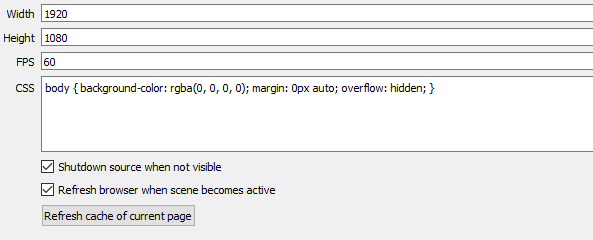


 weary mist
my settings look like this:
grave spire
Hers are this
weary mist
can you link her stream for me?
grave spire

Twitch
The sponsorship program has ended BUT IM STILL PLAYING!!! Black Desert Online! Come check it out and get it yourself !bdo for Details!
weary mist
@turbid reef, not sure if it is you who would know this, but is there a time frame people would expect to get points for a follow? Vahri's channel here seems to be having some issues, though I can't be 100% sure without more information. I jumped onto her channel, bot is there, and followed. She is offline, so I wouldn't gain any points from that. At this time, I have yet to recieve any points for a follow, and it looks like it is supposed to be 10.
@grave spire I also have to highly recommend that she double check those settings and make sure she pressed the save button at the bottom of the page.
grave spire
I've tried that a few times 😛 I will try again though. Thanks for trying to figure this out though, really appreciate it 😄
weary mist
No problem
 silver plover
Hey all. Setting up a new overlay and set custom gif and sound to play in the alert box.. there seems to be a glitch because it plays the stock sound and my regular soundclip... any ideas?
weary mist
that is something that is known, and they are working on fixing it
 visual sail
sooooooooo im trying to get SE all set up for next week when i get back to my streaming schedule. i got some things figured out but not everything. I ran into a small issue the other day with some dude comeing in a spamming some dumb shit and it continued but i thought i had it set to stop that so i guess what im asking is i need help with settings and stuff
misty wagon
Okay that's a broad perspective. Was it like a wall of text then you could use the Paragraph in spam filters.
silver plover
question about song request... is they a way to change the order of the playlist? like bump a song to the top if someone tips?
visual sail
yea it was wall spam
misty wagon
Yes you can make it a redemption in the store when someone tips. Example: https://streamelements.com/randomgirlsinging/store
visual sail
and i did have paragraph on
misty wagon
lower the paragraph # @visual sail to for example 200
silver plover
latte I saw that but struggled on how to do it.
visual sail
got it thanks @misty wagon
misty wagon
I know there is a video in the making for that @silver plover Have to admitt, I didn't figured it out yet either. Lemme see if someone knows
silver plover
I was able to make something using points but I have to manually bump the song but have no idea how to do that . I walso want to mae a song request with a tip
also on my SE profile page if I'm hosting someone how come the video doesnt show?
weary mist
Hey @silver plover. I'll get you some quick screen shots. Give me 2 minutes
@silver plover if you go to your Song Request page, then in the upper right corner, click the settings link
 weary quest
are mods able to add/edit timers? or can only the streamer do that through the dashboard?
weary mist
then they will be able to request a song at the same time as tipping @silver plover , and it will promote it to the top of the song request list
@weary quest not yet, dashboard access for mods is in the works. timers are only for broadcaster to edit at this time
silver plover
thanks