#community-helpdesk
1 messages · Page 3 of 1
 simple prism
 still zenith
my alertbox is randomly broken yesterday it was working and now its broken (havent changed anything
Even in the editor it no longer works
 lucid zephyr
Widgets/Elements isn't loading
 fiery marsh
I pressed refresh on the Activity feed in obs and now I have the "old" activity feed user interface. How can i get back to the more modern one?
Okey I found it. It is counter intuitive but you have to go on the website to enable the new activiy feed if it switch back to the old one
 quasi swan
is a multistream chat, alerts and events widget in a possible roadmap for SE, after the announcement of twitch allowing simlucast ?
 obsidian fog
No plans ATM.
 glossy prism
this account is randonly DMing people and they are in this discord, they are acting like a bot

 cobalt fable
for anybody using the chat alerts bot module, do you know what happens when you exacerbate the custom message for each subscriber month? (e.g. bot has month 0 and month 1 with custom messages, what message will play for month 2, 3 and so on?)
 bitter pebble
So I'm a mod in my friends server and I'm trying to get the watchtime working for him is their a way I can do that for him without using his account?
 fair echo
Hey guys I have 2 questions, hopefully I can get some help <3. I'm setting up Kappagen and have it as a Browser Source. It's not activating to chat text. Secondly, my S.E. custom commands dont display Emotes but instead the text for it.
 limpid bluff
fair echo
Hey guys I have 2 questions, hopefully I can get some help <3. I'm setting up Ka...
limpid bluff
fair echo
Hey guys I have 2 questions, hopefully I can get some help <3. I'm setting up Ka...
If the bot doesn't have a subscription, it can't use the emotes.
limpid bluff
bitter pebble
So I'm a mod in my friends server and I'm trying to get the watchtime working fo...
I do not believe loyalty can be enabled by anyone except the streamer.
 heady plinth
Hi! Am I required to go through the support ticket system or may I ask a question here directly
limpid bluff
heady plinth
Hi! Am I required to go through the support ticket system or may I ask a questio...
You can ask here
heady plinth
limpid bluff
You can ask here
Thank you, My question would be regarding my overlay as even though I followed the steps from tutorials, The chatbox doesn't seem to work (I've tried it while doing an unlisted stream and nothing seems to be appearing)
limpid bluff
heady plinth
Thank you, My question would be regarding my overlay as even though I followed t...
I believe stream has to be listed, public, and live in order to work
heady plinth
I see, appreciate the answer :)
 ruby tide
anyone know how to fix the viwers que "Hmm. Looks like there was an issue running that command. Try again, and if it’s still not working, contact support"
 strong moth
how do i reinvite streamelements bot to the chat? i'm trying to help someone i mod for and we've tried reauthorization but that didnt work.
obsidian fog
which platform?
strong moth
twitch
obsidian fog
The bot is not banned in chat?
strong moth
the bot wasnt in chat for the entire stream. bots not banned
obsidian fog
Channel? No links.
strong moth
rawswagger
 earnest zephyr
Esta tendo problemas com Alertas do Facebook? Seguidores, compartilhamentos, Estrelas?
Meu só esta funcionando Likes.
 thin daggerBOT
If you need to fill out a support ticket, please use the command !ticket in chat, following the subject of your issue! For example, please type "!ticket My chatbot isn't working", and then follow the prompts from our bot!
obsidian fog
Do you have SE dashboard access or just chat?
strong moth
i have him on call w me right now but i personally only have access to the chat. can i invite him in?
thin daggerBOT
Follow these steps to grant managers/moderators access to your dashboard:
- Click on your channel name at the top of the dashboard
- Create a new invite at one of three access levels (Bot Supervisor, Editor, Full Control)
- Send this invite to a mod/manager to give them access to your dashboard. The link is one-time-use and expires after 72 hours if not accepted
Video tutorial: https://youtu.be/zl_h-ttZDF0
obsidian fog
Have them do that for you and you can work it out quicker.
Just need bot supervisor.
strong moth
got it.
obsidian fog
Once you're set there switch to/from your account via your avatar in top right corner.
Part the bot from the right side and wait about 30 seconds before rejoining. Hopefully that should work. Otherwise they'd need to make a support ticket.
strong moth
im sorry. i couldnt access the dashboard with the bot supervisor role. we had to go to moderator. i've waiting & now i'm reinviting SE
ii got an error 😅 trying again
it works now. thank you so much! 💛
bitter pebble
limpid bluff
I do not believe loyalty can be enabled by anyone except the streamer.
Oh thank you and sorry for wasting your time
 languid forum
hey guys need help with my stingers it is very loud and want to know if there is a way to make it quieter with its own mixer?
 granite schooner
Hi guys this is so silly in my Live streams i had "Lastest Subscribers" scrolling as an overlay. but it was doubling up names so i went to dashboard and clicked "reset Session" i also went to widget Data and reset labels.. i had not idea what i was doing.. but now nothing except the new subscribers (after the reset) are being shown it's like I deleted all the info i can still see the info in the data and reports area. is there a way get all the info back?
languid forum
also i cant do a cloud backup as files are too large how do i see what is taking the space from my OBS
 fallen cloud
Hey guys, I have a small problem with the chatbox overlay.
Wanted to use the fonts "Nunito Sans", but I get only the option between normal and bold.
See attached, if I type in "Nunito Sans Normal Black" it dont show the right font on the streamelements overlay editor.
BUT... in OBS is show the correct font.
Is there any way to get the right font in the editor too?
Would be so much easier to see it there...


 minor arch
gonna try this here, does anyone know how to show comments ON STREAM? like in a chat box, or alerts into an overlay...
 raw crypt
fallen cloud
Hey guys, I have a small problem with the chatbox overlay.
Wanted to use the fon...
raw crypt
fallen cloud
Hey guys, I have a small problem with the chatbox overlay.
Wanted to use the fon...
If OBS detects it correctly, that means the font is installed on your computer.
Try to close the web browser and check all process are closed. Easiest way is rebooting your computer to confirm (some browsers keep process open every time)
raw crypt
minor arch
gonna try this here, does anyone know how to show comments ON STREAM? like in a ...
Not sure what you mean by "comments on stream".
Do you want to have alerts and a chat box in an overlay? If so, check this part of the video:
https://www.youtube.com/watch?v=XgfswUlk9HU&t=379s
Help us hit our sub goal! -❯||||||||||||||| 100% ||||||||||||||| 150K/150K
Newest Awesome Subscriber: XxSAVAGExX_1K
Click here to subscribe! https://vod.strms.net/s/UCjerlCIbLPQwSnYlClkjDXg
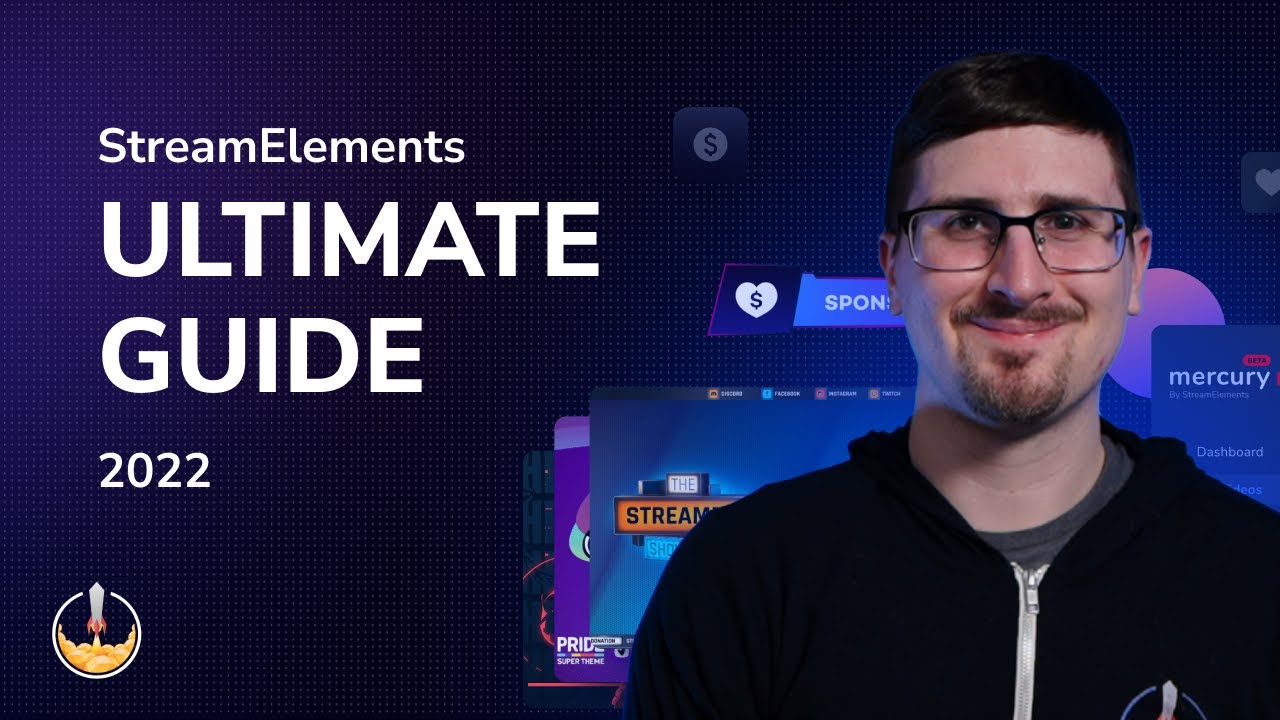
Welcome to our ultimate beginner's guide for all things StreamElements! This 2022 updated tutorial should give you all of the tools you need to become a...
thin daggerBOT
If you need to fill out a support ticket, please use the command !ticket in chat, following the subject of your issue! For example, please type "!ticket My chatbot isn't working", and then follow the prompts from our bot!
 vivid trout
is anyone bale to help me on how to add my overlays into the obs software?
 dreamy parrot
Hello, when I install SE live and open OBS it just has a white screen. If I uninstall SE live it goes back to normal. Any idea what the issue is? Thanks!
 exotic spire
I'd like to talk to a staff member about sponsorships. I got a couple of questions. The bot inside the website said it was going to connect me with one but I have been waiting for 30 minutes.
 pearl eagle
Hello i keep on running into the issue that the se bot doesnt want to change my title or game i keeps on saying something went wrong while trying to update the title. and i already tried to reconnect him in my channel but still same problem and another problem i have is that he ist updating the watchtime from my viewers they stuck at 0secs and i have loyalty settings on
 plush mesa
in custom chat commands how do i remove the @ symbol and convert to lowercase the argument, i want to do .replace("@", "").lowercase()
 slender berry
hi i have issues with streamelemets on prismlive iphone app and would like help
used to have a person assigned to my twitch channel to help with setups but lost his contact
 high pike
Hello,
Having issues with someone not being able to use sub commands that is subbed to the channel. Any suggestions???
 nocturne reef
Trying to setup timers to announce for example during my stream in chat, "Please give a follow if you have not yet" I have the timers setup but they don't seem to be working. Any thoughts?
 knotty minnow
Is there a way to set a custom giveaway announcement / giveaway entry / giveaway winner message?
 winter torrent
So does streamelements have a certian data cloud storange maneger limit or is it scenes or scorces that take up the most space. Cause ever since the cloud storage ran out I've instead been using the export to files direction instead. which seems to be way easier?
 pale echo
Hehehehaw
 proper tangle
I just got completed one of my base goals and my revenue says pending can someone help
 fresh path
Hi guys, does anyone else have issues with $(random.chatter)? I created a command with this variable and for me it is working. But the Twitch Channel I am Moderator at, once command is triggered it always says: <no chatters>. Things I did already: made sure, there are chatters. Settings is set to: use online and offline both. Deleted command an created again. Created another Command with same variable, same issue with <no chatters>. Any Ideas on this topics? Really appriciate input, thanks 🙂
 swift depot
knotty minnow
Is there a way to set a custom giveaway announcement / giveaway entry / giveaway...
swift depot
knotty minnow
Is there a way to set a custom giveaway announcement / giveaway entry / giveaway...
Nope.
thin daggerBOT
@proper tangle ⤵️
If you need to fill out a support ticket, please use the command !ticket in chat, following the subject of your issue! For example, please type "!ticket My chatbot isn't working", and then follow the prompts from our bot!
 gleaming gulch
currently doing the Ant Legions sponsor In Which I Know at least 2 people who have got first orange specilized ant recieved but for somee reason for the last 24hrs that hasnt updated still saying its 0, the people who did it were the people who also got to level 5 queen etc
thin daggerBOT
@gleaming gulch ⤵️
If you need to fill out a support ticket, please use the command !ticket in chat, following the subject of your issue! For example, please type "!ticket My chatbot isn't working", and then follow the prompts from our bot!
 harsh otter
need help
for some reason my stream elements chat widgets in my overlays aren't registering my chat input. and wont display active chat on my screen.
how do i fix this issue?
: EDIT :
I fixed the issue, i had changed my twitch name and hadnt updated stream elements yet, so it was not recognising my chat input anymore. once i re-connected my channel on stream elements, it started showing up in my overlay again.
 frail stratus
how can i remove streamelements from obs because i dont want it connected to my obs

 gaunt wolf
I have a problem with the stream shop
I created 3 sounds for loyalty points
They just don't play when my viewers buy them
nothing happens
obsidian fog
Uninstall SE.Live from windows settings
obsidian fog
gaunt wolf
I have a problem with the stream shop
I created 3 sounds for loyalty points
Th...
Do you have a redemption widget added to your overlay?
gaunt wolf
obsidian fog
Do you have a redemption widget added to your overlay?
in obs or twitch
obsidian fog
Neither. To use the stream store SFX you need to add the widget for it to your SE overlay. Otherwise nothing will show/go off.
gaunt wolf
obsidian fog
Neither. To use the stream store SFX you need to add the widget for it to your S...
where can I get the widget
obsidian fog
Create an overlay here and add the stream store widget. Have that added to your streaming software and it'll play https://streamelements.com/dashboard/overlays

StreamElements
The Ultimate All in One Platform for Streamers
gaunt wolf
obsidian fog
Create an overlay here and add the stream store widget. Have that added to your ...
dankeschönn // Thx a lot
 worldly steppe
Can someone help me get my stats displayed?
 thin daggerBOT
@worldly steppe ⤵️
If you are receiving a 404 error on your chatstats page, please provide the following information:
- Channel name (old and new if changed recently)
- your account ID found at the top of this page: https://streamelements.com/dashboard/account/channels This ID is public info and safe to share here.
 celest knoll
Has anyone else been having their starting soon screens refuse to load, and only show as a black screen?
 night aurora
Hey, are there any issues that would prevent me from testing donations with a $1 donation to myself?
Just want to make sure everything is set-up correctly and doesn't break as soon as someone tries to use it lol.
 delicate pagoda
You should be able to sent a test donation event in the StreamElements Overlay editor. I'm about 99% sure sending bits to yourself on Twitch is against TOS, but I'm not sure about other methods of tips and donations.
night aurora
Yeah, test donation shows up, but I wanted to make sure that the money actually processes and goes to the paypal account.
I guess it should be fine as long as its not during stream??
delicate pagoda
Ohhhh, yeah, I'm not sure how you'd test that either, sorry!
I know how to set a chat widget, but as a smaller streamer the chat is very s l o w, which means if there's no chat it's just dead real estate on the layout. I'd like to have something behind chat to be there when there's no chat messages but I don't know if there's a way to set up the styling or CSS to pull it off.
If I give it a background in the widget settings, the background is always there. You can read the chat but I can't put anything behind it. If the chat was a transparen't background, it's, well, transparent. So now I have plain text against, say, Other Text I might want in that space when the chat is empty.
I need Schrodinger's Transparency =\
limpid bluff
night aurora
Yeah, test donation shows up, but I wanted to make sure that the money actually ...
I don't believe paypal will let you send money to yourself.
delicate pagoda
delicate pagoda
I know how to set a chat widget, but as a smaller streamer the chat is very s l ...
What I've ended up doing is using the Multichannel Chat for Twitch from the Widgets gallery (https://streamelements.com/dashboard/themes/widgets)
unlike the stock Stream Chat element, it does 'animate' the chat messages in and out, and you can give each message its own background. As your chat fills up, it will cover up the "thing behind chat" and if chat is slow, it'll get out of the way. If you don't want to Java-CSS-Google-Fu your way through it, that's definitely the cleanest solution. You can leave the "second chat" field blank if you just need the single-room chat.
Make sure you notice the "add this widget to an overlay you already made," so you don't do what I did and waste time copy-pasting all the HTML/CSS/JS/Fields/Data stuff over...a couple of times. cough
The only thing is that it will "cover up" one message at a time, so you'll end up with half-and-half content, but if I were so inclined I'd probable be able to figure out how to edit what's there to make it do what I want instead.
night aurora
limpid bluff
I don't believe paypal will let you send money to yourself.
Thanks. I'll check on that
granite schooner
Hi guys hopefully someone can help me in my Live streams i had "Lastest Subscribers" scrolling as an overlay. but it was doubling up names so i went to dashboard and clicked "reset Session" i also went to widget Data and reset labels.. i had no idea what i was doing i thought it would just refresh. but now nothing except the new subscribers (after the reset) are being shown it's like I deleted all the info. i can still see the info in the data and reports tab. is there a way get all the info back?
worldly steppe
Can someone help me get my stats displayed?
- Icykyra (old) / Icykaty (new)
- 5cc1d9a7a6d814020d272789

 wooden sierra
Hi! Is there any way to customize the text from the giveaway that appears directly once you start the giveaway from the dashboard?
 main narwhal
@worldly steppe okay
 woeful ridge
Hey,
Someone I know and myself have been having a weird issue with media requests lately and I'm wondering if anyone else might know whats up.
Its like the last played video is getting stuck in the que and wont allow the next video to auto play, if I or a mod use !skip if will go to the next video and same if I hit next, but most of the time left alone the current video ends and then the que breaks. Auto play is on and I have had it working fine for quite a while, just suddenly it's being a bugger.
limpid bluff
wooden sierra
Hi! Is there any way to customize the text from the giveaway that appears direct...
There is not
 quick talon
Any idea why 7tv emotes arent working (still) on the chat overlay widget? ive red its implemented, but nothing shows up. bttv and ffz shows up fine.
limpid bluff
worldly steppe
Can someone help me get my stats displayed?
1) Icykyra (old) / Icykaty (new)
2) ...
This has been forwarded to the staff for a fix.
limpid bluff
granite schooner
Hi guys hopefully someone can help me in my Live streams i had "Lastest Subscrib...
There is not.
 amber steeple
I have a timer that I deleted (without deactiving first) now I can't deactivate the timer from messaging every 15 minutes
obsidian fog
Part the bot, wait 30 seconds, rejoin.
amber steeple
obsidian fog
Part the bot, wait 30 seconds, rejoin.
thanks, this worked
 weary portal
In no shape or form can I get my alert box to work anymore.
- Streamelements bot has rejoined chat
- I have reset my personal access token
- Deleted all overlays, added some from overlay gallery and tried creating my own > none work
Any suggestions what I can try next?
 violet forum
@weary portal try kick the bot from tlyour server then wait 2 mins and then re add it mate, I had the same issue and that worked for me
weary portal
i will try waiting a couple of minutes this time
violet forum
Yes mate that couple of mins will help the bot reset itself mate
weary portal
waited more then 10 minutes before rejoining, didn't work either unfortunately
swift depot
worldly steppe
Can someone help me get my stats displayed?
1) Icykyra (old) / Icykaty (new)
2) ...
Fixed
 long mango
hi, can I somehow edit raffle commands, to give a custom amount of points?
 regal hearth
does anyone know why i have a huge delay when i go live??
 forest pollen
how long does S.E pay take to withdraw? i made a withdraw 2 days ago and im not even sure if its going to my paypal or bank (both are hooked up) didn’t even get a confirmation email or anything but i see the withdraw in the transaction history.
obsidian fog
PayPal is straight to your account.
SE.Pay is just a hair longer depending on methods https://streamelements.com/dashboard/tipping/fees
StreamElements
The Ultimate All in One Platform for Streamers
 scenic pier
Hello all; Is twitch messing with their subscriber api endpoints again? My 3rd party subcount command stopped working a few months ago, and the Streamelements $(channel.subscribers) also stopped working. Can anyone provide some guidance?
forest pollen
obsidian fog
PayPal is straight to your account.
SE.Pay is just a hair longer depending on m...
so if it’s taking 2 days it’s safe to assume it’s on its way to my bank account?
obsidian fog
I'd say give until Wednesday at the latest. If it's not there by end if business that day then come back and make a ticket.
Considering it's the weekend.
long mango
long mango
hi, can I somehow edit raffle commands, to give a custom amount of points?
figured it out: just type after "!raffle (amount)" in chat. without "" and () ofc
 unreal burrow
Hi does the StreamElements chatbox overlay no longer support 7TV emotes? I'm no longer seeing 7TV emotes
 echo mortar
unreal burrow
Hi does the StreamElements chatbox overlay no longer support 7TV emotes? I'm no ...
echo mortar
unreal burrow
Hi does the StreamElements chatbox overlay no longer support 7TV emotes? I'm no ...
same here, just noticed none of them are showing up.
BTTV and FFZ work fine but none of the 7tv ones show.
 light eagle
unreal burrow
Hi does the StreamElements chatbox overlay no longer support 7TV emotes? I'm no ...
light eagle
unreal burrow
Hi does the StreamElements chatbox overlay no longer support 7TV emotes? I'm no ...
Same thing; I joined the server just to see if other people had the problem or not.
It used to happen sometimes that all the emotes were down but it would only last for a day; now it's been 2~3days and no 7tv displayed at all.
 long pilot
Hi, having an issue with OBS pointing only to youtube after I installed the streamelements addon. When I hit "Start stream" it only points to youtube, messing with the settings doesn't change this either
thin daggerBOT
@long pilot ⤵️
If you are attempting to stream to one streaming platform, but SE.Live is attempting to stream to another, please try the following:
Navigate to StreamElements menu, on top of OBS > Logout > Login
After you have logged back in navigate to File > Settings > Stream > Disconnect > Reconnect
 hoary surge
Is there any way to link my YouTube and Twitch to the same account? I'd like to setup cross streaming with Restream now that affiliates are allowed to do it, but when I log in with YouTube I get a different account entirely.
Meaning: Alertbox can show Twitch and YouTube alerts (probably with an icon to differentiate them) and chatbox having a YouTube/Twitch icon next to chatters
I have seen other streamers do this although I am not sure if it's from StreamElements. How do I do this?
 halcyon isle
light eagle
Same thing; I joined the server just to see if other people had the problem or n...
halcyon isle
light eagle
Same thing; I joined the server just to see if other people had the problem or n...
I am also having this issue, I have tried updating the connection of 7tv to my account, reset my overlays and nothing is working. It's been about 3 days since I can't see them anymore, other channels I follow still have theirs working... 
 limber grotto
long pilot
Hi, having an issue with OBS pointing only to youtube after I installed the stre...
limber grotto
long pilot
Hi, having an issue with OBS pointing only to youtube after I installed the stre...
kudos
same problem
limber grotto
long pilot
Hi, having an issue with OBS pointing only to youtube after I installed the stre...
change the stream service to twitch
limber grotto
quick talon
Any idea why 7tv emotes arent working (still) on the chat overlay widget? ive re...
kudos
thin daggerBOT
If you need to fill out a support ticket, please use the command !ticket in chat, following the subject of your issue! For example, please type "!ticket My chatbot isn't working", and then follow the prompts from our bot!
 lean citrus
Anyone else getting this??

 agile orchid
Hey Folks, so I've just fully reset everything as I haven't streamed in over a year. and using Stream elements Alert box, I want to just use the old Bitty alerts and sounds for the alert box but they've got a new custom one for SE. does anyone know how to change this?
obsidian fog
Are you using the overlays tab or elements?
agile orchid
just the new overlay added Alert box. not any of the custom ones
 zealous valley
Hi, Is there a way I can transfer my commands/timers from my Twitch SE account to YouTube?
obsidian fog
No. Have to manually copy/paste.
 prisma bronze
worldly steppe
Can someone help me get my stats displayed?
1) Icykyra (old) / Icykaty (new)
2) ...
prisma bronze
worldly steppe
Can someone help me get my stats displayed?
1) Icykyra (old) / Icykaty (new)
2) ...
This shows up for me as well
I get an error when trying to save my profile page settings on any of my accounts.
I get an error when trying to upload an image to use in the se.merch page
 subtle otter
Hello, i dont find the Button SE.pay in my Dashboard, why?
thin daggerBOT
@subtle otter ⤵️
If you need to fill out a support ticket, please use the command !ticket in chat, following the subject of your issue! For example, please type "!ticket My chatbot isn't working", and then follow the prompts from our bot!
agile orchid
Hey folks, Just using the new Audio Capture Beta, But it cant find the Alert boxes and such, Because im capturing everything via the Beta system seperately so I can seperate Spotify and not have it doubled up and such.
how would i capture the alert boxs is that an option?
 warm gulch
I’m thinking of streaming on Twitter/X. Does SE have anything that can show the chat or alerts?
 vernal sentinel
Hello, i have problemy with activity feed and alerts, when i emulate followers alert everything is okay, but when someone give me follow during the stream the alert doesnt show, i found out that the follower isnt in activity feed.. but on Twitch the follower is. Do you know what to do with that?
raw crypt
warm gulch
I’m thinking of streaming on Twitter/X. Does SE have anything that can show the ...
No
raw crypt
agile orchid
Hey folks, Just using the new Audio Capture Beta, But it cant find the Alert box...
That is a setting on OBS, not on Streamelements. SE alerts are just a browser source.
Try to enable the option "Control audio via OBS" on OBS for the browser source. If that does not work, check with OBS support if that is possible.
 solar crown
7TV emotes aren't showing in chat overlay since last 3 days. I've seen other users have this issue
 for a solution
 sour mauve
Is anyone else having issues with deleting merch off their store? I click the delete button, but the merch is still there. Same thing with Unpublishing.
gaunt wolf
can anyone help me with my sponsorship please?
 thin latch
Yo yo lads. anyone having issues with 7tv emotes not showing on chat boxes?
thin latch
solar crown
7TV emotes aren't showing in chat overlay since last 3 days. I've seen other use...
Not the only one
 bronze lynx
I utilize 3 screens when streaming and gaming, is there a way for OBS to stay on the secondary screen where I place it when my computer starts up and not always load to the main monitor?
 runic sundial
Is there any chance in Elements to let the Alert Sound play and then activate Text-to-Speech?
 abstract garnet
hey is streamelements down?
limpid bluff
abstract garnet
hey is streamelements down?
Not that I know of.
 supple orchid
hello, is anyone able to help me? my alerts are fully set up for what i understand. however only the like alert goes off on stream while all other alerts do not trigger. i checked an seen all of them are checked on and still dont see it on my stream when my supporters share follow or send stars. I am a creator on facebook.
 tidal plover
 sharp swan
Same ^^
 delicate crescent
Same 
 junior dragon
Same here! Getting this error:
Error: KV GET failed: 401 Unauthorized at async getFinalUrl (worker.js:144:19) at async handleRequest (worker.js:47:20) at async _handleRequest (worker.js:7:12)
 oblique oriole
Same here
 carmine python
same here
 gloomy mist
also same
obsidian fog
Devs are already aware and working on it.
 tranquil onyx
Does anyone know if this actually gets shown on stream or only we see it?
obsidian fog
?
tranquil onyx
Like if we can still stream at all with this 401 error or if it's impacting streaming lol
 polar vector
It gets shown on stream, my chatbox overlay shows this error on Stream
 tranquil onyx
Shoot
 summer sail
junior dragon
Same here! Getting this error:
`Error: KV GET failed: 401 Unauthorized
at a...
summer sail
junior dragon
Same here! Getting this error:
`Error: KV GET failed: 401 Unauthorized
at a...
Redoing my panels and have this same issue. Tipping link is down.
 viscid marsh
Have a bug Error: KV GET failed: 401 Unauthorized at async getFinalUrl (worker.js:144:19) at async handleRequest (worker.js:47:20) at async _handleRequest (worker.js:7:12)
 noble haven
Guys:
Error: KV GET failed: 401 Unauthorized
at async getFinalUrl (worker.js:144:19)
at async handleRequest (worker.js:47:20)
at async _handleRequest (worker.js:7:12)
 frail juniper
okay, so it's not just me....
 kindred topaz
also happening here
 sick canopy
Error: KV GET failed: 401 Unauthorized
at async getFinalUrl (worker.js:144:19)
at async handleRequest (worker.js:47:20)
at async _handleRequest (worker.js:7:12)
Same
kindred topaz
Error: KV GET failed: 401 Unauthorized
at async getFinalUrl (worker.js:144:19)
at async handleRequest (worker.js:47:20)
at async _handleRequest (worker.js:7:12)
 twin river
I'm getting this toooo
frail juniper
I'm supposed to be streaming a special event right now OTZ
kindred topaz
exactly the same
tranquil onyx
obsidian fog
Devs are already aware and working on it.
They've stated devs are working on it
sick canopy
Stream started 7 mins ago and I cant use OBS?
twin river
Is there a way to quickly temporarily disable SE.Live while this issue is present?
viscid marsh
sick canopy
Stream started 7 mins ago and I cant use OBS?
we live an no allerts uff
tranquil onyx
I can't even see anything in OBS other than that error haha
noble haven
@tough whale can you comment about this issue? Thank you
 obtuse void
kindred topaz
Error: KV GET failed: 401 Unauthorized
at async getFinalUrl (worker.js:144:1...
obtuse void
kindred topaz
Error: KV GET failed: 401 Unauthorized
at async getFinalUrl (worker.js:144:1...
I'm glad I'm not the only one, hope they fix this soon. :)
 lime tulip
kindred topaz
Error: KV GET failed: 401 Unauthorized
at async getFinalUrl (worker.js:144:1...
lime tulip
kindred topaz
Error: KV GET failed: 401 Unauthorized
at async getFinalUrl (worker.js:144:1...
#same any fixes yet??
noble haven
lime tulip
#same any fixes yet??
nop
tranquil onyx
Theis was posted like 6 minutes ago lol
 kindred topaz
I was about to open a ticket to another issue, I hope it fixes it as well
noble haven
tranquil onyx
Theis was posted like 6 minutes ago lol
I wasn't here 6 min ago 
tranquil onyx
Scrolling :3
frail juniper
sits around , awaiting the KV GET 201 to receive a fix
Sure must be stressful in the SE office right now
worldly steppe
kindred topaz
Error: KV GET failed: 401 Unauthorized
at async getFinalUrl (worker.js:144:1...
same here
 crisp fjord
Im trying to have it so a single user can not type the same message twice in a row. Unique chat in Twitch isn't what I am looking for. Any ideas?
 idle oxide
Error: KV GET failed: 401 Unauthorized
at async getFinalUrl (worker.js:144:19)
at async handleRequest (worker.js:47:20)
at async _handleRequest (worker.js:7:12)
 next apex
frail juniper
*sits around , awaiting the `KV GET 201` to receive a fix*
Sure must be stressfu...
next apex
frail juniper
*sits around , awaiting the `KV GET 201` to receive a fix*
Sure must be stressfu...
we all love getting the same error codes lol
idle oxide
I'm assuming everyone has the same issue

 primal bluff
It's fully stopping me from using my OBS
 grizzled mortar
Yeah, I'm gertting this too,.
idle oxide
nice
 earnest ore
yes we DOWN
noble haven
crisp fjord
... haha
gaunt wolf
this is so sad, i just wanted to make my stream spooky 😦
frail juniper
saaame
next apex
Would anyone know how i can add a small blur window over something so when im streaming a game it wont show that small thing i dont need shown (no i cannot make it go away in game genshin players hiding their UID be like)
noble haven
same
 dry mason
Is there any maintenance now?
frail juniper

 tropic locust
Is stream elements showing an error for anyone else?
noble haven
tropic locust
Is stream elements showing an error for anyone else?
its down
 quick sorrel
Yes, the website is currently down
 turbid willow
but the thing is this isnt the only site no?
im getting this error on multiple sites as well not only SE
noble haven
turbid willow
im getting this error on multiple sites as well not only SE
like what?
turbid willow
noble haven
like what?
NexusMods, but its only on my pc. when I open the site on my phone it works perfectly
obsidian fog
It's cloudflare having issues which also effects other websites/services as well.
turbid willow
nvm its back
obsidian fog
Not just us.
dry mason
thas becouse twitch can't do a single update and from 2 weeks for now they make like 10
tropic locust
ITS BACK
frail juniper
oh it dissappeared?!
tropic locust
no u gotta reload
turbid willow
so its with cloudfare?
quick sorrel
The issue was with cloudflare, yes
oblique oriole
Is now up
quick sorrel
But the site is back up and running now
 frozen bough
frail juniper
quick sorrel
But the site is back up and running now
frozen bough
frail juniper
quick sorrel
But the site is back up and running now
thank you for keeping us updated!
oblique oriole
The problem is solved
noble haven
quick sorrel
But the site is back up and running now
Thank you
idle oxide
nice
 thin abyss
Its back everyone :3 Have a nice Day
dry mason
finaly, now a lightning hit neighborhood i hope light dont crash, bb folks good work all
noble haven
See you all on the next bug 
quick sorrel
Of course! Sorry that ya'll had to deal with this today 🤯
But atleast it happened while the staff is still working 
noble haven
quick sorrel
But atleast it happened while the staff is still working <:KEK:99136861842206313...
My anxiety agrees with you brother xD
 modest wharf
quick sorrel
But atleast it happened while the staff is still working <:KEK:99136861842206313...
quick sorrel
modest wharf
quick sorrel
But atleast it happened while the staff is still working <:KEK:99136861842206313...
quick sorrel
Appreciate you all for coming right away to let us know of the issue! @abstract garnet you're message helped me get the Dev's awareness right away!
 raw mountain
IMO Streamelements shouldn't block video window and make whole OBS unusable. You pushed OBS & SE.Live integration way to far. Please find solution to make SE.Live plugin quick to disable if needed. We should have "bypass" avaliable.
 junior dragon
Everything seems to be up and running again on my end!
 old ivy
solar crown
7TV emotes aren't showing in chat overlay since last 3 days. I've seen other use...
old ivy
solar crown
7TV emotes aren't showing in chat overlay since last 3 days. I've seen other use...
also having this issue :((
 hollow dune
solar crown
7TV emotes aren't showing in chat overlay since last 3 days. I've seen other use...
hollow dune
solar crown
7TV emotes aren't showing in chat overlay since last 3 days. I've seen other use...
same
 vale siren
Oh i just popped in here to see if theres a 7tv emote fix, guess not.
 trail shoal
Silly question, but is there a way to cusomize what emotes the slots machine command uses?
 woven coral
You can do your follower emotes but not sub emotes
prisma bronze
i submitted a ticket last night and now its not showing up in discord, does anyone know why
 covert bough
Are they aware of the 7tv emotes chat overlay box issue, have they addressed it and said they are working on it?
Any timescales would be greatly appreciated...
 stable junco
got a weird problem that i've been having a while, i have ads autorun on twitch and it's supposed to notify me in chat 15 minutes before, but for whatever reason i only ever get the very first one and then no others. still tells me there's an ad break going on currently, which is absolutely useless because by then it's too late.
not sure how to explain this in a better way, the 'upcoming ad break notification' only works the first time, then no other time after, which is very frustrating
 still mist
I have a strange issue with alert boxes, specifically for Extra Life. I have multiple tabs open as I'm editing multiple scenes and I ran an emulated donation that triggered all the tabs as expected. I then donated to my own cause as a further test, and only two of the four tabs actually played the notification, though all four updated the totals correctly. Any clue what might cause this and how to fix it?
 winter heath
Does anyone know how to create a widget for top dono and top sub gifter within specified time parameters? I am going to be hosting a subathon and was hoping to display the top tipper and top sub gifter for the subathon on my screen. I see an option to display top all time tipper and top all time sub gifter, but I don't want all time tops, I want the top gifter/tipper for the time frame of my subathon. Any help with this would be appreciated 🙏
stable junco
when making overlays there should be an option to set period
nd you can set it as 'session'
 patent iron
for some reason streamelements isn't letting me change the gif and sound from the defaults for my subscriber and cheer alert overlays. i tried making another overlay and that one only let me change the subscriber sound for some reason. anyone know any fixes for this?
patent iron
patent iron
for some reason streamelements isn't letting me change the gif and sound from th...
figured it out, it was cause of the variation settings
 obtuse wind
Can someone tell me why I get this message when I try to look at the chat stats
 thin daggerBOT
@obtuse wind ⤵️
If you need to fill out a support ticket, please use the command !ticket in chat, following the subject of your issue! For example, please type "!ticket My chatbot isn't working", and then follow the prompts from our bot!
limpid bluff
 thick shell
The streamelements bot is not working in YouTube chat
thick shell
The streamelements bot is not working in YouTube chat
Is your stream live and public?
thick shell
yep it is live
limpid bluff
If it's public also and still not working, can you submit a support ticket?
thin daggerBOT
If you need to fill out a support ticket, please use the command !ticket in chat, following the subject of your issue! For example, please type "!ticket My chatbot isn't working", and then follow the prompts from our bot!
 keen haven
Hello can I ask some help with streamelements in here?
limpid bluff
keen haven
Hello can I ask some help with streamelements in here?
Yes
gaunt wolf
hello, when I want to record my screen with the software it records a black screen and that with any software and even on my other computer what should I do?
thin daggerBOT
SE.live is a plugin for OBS Studio for the best OBS support, please join their Official Discord @ https://discord.gg/obsproject
keen haven
!ticket Okay so I stream on Twitch and have had now problems with my alerts for a month.
When I long in to streamelements on my web browse and go to my overlays and try my alerts there that have been working for last year it won't show anything. I can see from my activity feed that the alert info have gone there but the alert won't show it self. I click "emulate" > "follower event" but nothing happens. Also I can see that my files that I have been using with my alerts are there so they are not deleted.
still mist
still mist
I have a strange issue with alert boxes, specifically for Extra Life. I have mul...
Does anyone have any ideas/suggestions on this?
limpid bluff
still mist
Does anyone have any ideas/suggestions on this?
You will probably need a ticket for that.
still mist
Alright, I'll try that, I suppose.
 lunar flame
My commands are not working correctly and I don't understand why. I have even deleted it and created it again but the first wrong command I put in still works, it does not update at any time and I don't know what to do, could someone help me?
limpid bluff
lunar flame
My commands are not working correctly and I don't understand why. I have even de...
Are you using a custom bot name or the default "StreamElements"?
lunar flame
streamelements website
limpid bluff
keen haven
!ticket Okay so I stream on Twitch and have had now problems with my alerts for ...
Let me ask someone about this.
limpid bluff
lunar flame
streamelements website
I joined your channel and it looks like the bot is working.
lunar flame
but not correctly
limpid bluff
Can you part the bot, log out of the website, log back in, and rejoin the bot?
thin daggerBOT
Go to the Dashboard > Right side > Part channel > Join channel (https://streamelements.com/dashboard) https://i.imgur.com/uYVb8OK.png
Please logout of StreamElements at https://streamelements.com/logout and then login again to your account (Twitch/YouTube/Facebook).
lunar flame
I try
okey it updated, now I have to edit the text
How can I put the links in a column?
limpid bluff
Twitch chat does not support line breaks
 ripe goblet
hii dunno if anyone can help, im pretty new to streaming so a lot of this is new to me. one of my mods added a command incorrectly so it didnt work properly, i have since deleted the command completely but it still shows up in chat when the command is used, any idea how to fix it?
okay i scrolled bak chat and see someone else has had the same issue, will try the same fix
it worked
gaunt wolf
Hello guys, I have an issue with StreamElements as my voice keeps on looping when I stream, any suggestions on how to resolve such a thing?
 stray flicker
Hi so I'm trying to set up a tip goal but I can find a way to reset it cause it automatically shows $70 as n example how can I fix it?
 thin daggerBOT
@stray flicker ⤵️
To reset goals:
- from the Overlay Editor > Session data on top right (monitor symbol) > Goals tab > reset progress of desired goal
- from the Dashboard > Activity feed on the left > Widget data on the right > Goals tab -> reset progress of desired goal
Note: Goal widgets (progress) only counts up and doesn't go down automatically, if you lose followers/subs.
stray flicker
Ok sweet thanks!
 fickle onyx
I am having an issue where my dashboard shows 0 followers in the last month and I have a follower alert set up however when I get followers the chatbot doesn't welcome them in and the alert doesn't play. I can make the alert playusing the emulator on the website but not using the emulate option through S.E Live.
keen haven
limpid bluff
Let me ask someone about this.
I hope that there will be some help with this problem~
 molten crescent
Anyone else experiencing graphical issues with the tip jars when you use custom images?


 lofty bane
Anyone having issues with the SE plugin for Stream deck lately?
 copper garden
I've been trying to get my tts sounds to play before the alert disappears. Right now it just plays the alert, but the tts doesn't happen until the alert is finished and it's about 5 seconds long. Even with the alert sound only being 1.5 seconds, the tts still doesn't play until the alert disappears from the screen. I want it to be able to play right after the alert sound ends, but not before the alert itself disappears from the screen. Is there a way to fix this?
 willow mist

 frozen bronze
does anyone have knowledge about custom streamelements widgets?
i have a problem with 7TV emotes not showing up anymore after 1-2days
 ionic ledge
For the Genshin impact sponsorship if I stream the game for 2 hours, do I get the $80? Or do I have to have people to sign up.
patent iron
i think when i used sound alerts it accidentally created a follow alert which took over the one i had on stream elements, but even though i deleted the sound alerts one, the stream elements one isn't coming up anymore. my sub alerts still work, but it's just the follower alert that nothing shows up on stream. the emulate works but it doesnt show up on stream. does anyone know of any fixes?
(tldr, follower alert doesnt come up on stream anymore)
 ebon fog
Anyone has a multi chat tool for Twitch and YouTube at least with moderator function? So I can timeout bad people from YouTube or Twitch with just an easy click??
obsidian fog
There is nothing that I'm aware of that supports that.
 drifting cloak
Hello everyone does anybodey know how to put twitch chat in obs? (not in a scene but in obs at the side so i can read it?)
i deleted the caht on accident but i dont know how to get it back again
 remote matrix
drifting cloak
Hello everyone does anybodey know how to put twitch chat in obs? (not in a scene...
remote matrix
drifting cloak
Hello everyone does anybodey know how to put twitch chat in obs? (not in a scene...
idk 

raw crypt
drifting cloak
Hello everyone does anybodey know how to put twitch chat in obs? (not in a scene...
OBS Menu > Docks > Chat
drifting cloak

sadly I dont have the cchat in the menu dropdown. Is it because I currently use normal OBS but not Streamellements obs?
obsidian fog
There's no such thing as streamelements OBS but disconnect and reconnect under stream tab.
raw crypt
drifting cloak
sadly I dont have the cchat in the menu dropdown. Is it because I currently use ...
Go to OBS Settings > Stream > Select Twitch and disconnect/connect your account again.
In case you are using Streamkey to connect to Twitch, change it to Connect Account mode
obsidian fog
In settings that is
main narwhal
@lofty bane kinda
lofty bane
main narwhal
<@159373415202029568> kinda
Mine says the action is offline for every command I drop onto a button. Reinstall of both apps has not helped.
 dark moon
Have the reqs to get sponsorships changed? I used to get a ton but now I haven't gotten any in like 5 months. Still hitting usual viewership/engagement 🤷
keen haven
@limpid bluff Hi! Just tell me when they will answer on the problem ^^
thin daggerBOT
If you need to fill out a support ticket, please use the command !ticket in chat, following the subject of your issue! For example, please type "!ticket My chatbot isn't working", and then follow the prompts from our bot!
 blazing grove
when i add activy feed from SE to obs its light mode how to switch to dark mode?
 strange goblet
Hello everybody, how are you?
Does anyone know if i can extract the watchtime spreadsheet to an excel archive, and of course, use it in excel?
 raw linden
Hi, there was a command in the past where the bots reply was something similar:
StreamElements ID: 6/20, build has been running for 7 hours 48 mins. Custom Bot Name enabled: false; Muted: false; Ratelimited: false; Modded: false But i cant remember the command, anyone knows it?
limpid bluff
raw linden
Hi, there was a command in the past where the bots reply was something similar:
...
I do not believe that command is available anymore.
raw linden
limpid bluff
I do not believe that command is available anymore.
Thanks 🙂
 tough sonnet
I've been using the !quote command, and I was wondering if there's a way to see the full list of quotes that have accumulated?
obsidian fog
There is not unfortunately.
tough sonnet
obsidian fog
There is not unfortunately.
Darn.... My poor mod is about to have to individually enter over 100 commands on my channel to get them all. Poor guy lol! I'll add it as a recommendation!
covert bough
Still no response of fixing 7tv emotes for chat overlay? 
lofty bane
Anyone else having issues witht the plugin not working?

 woeful igloo
Hii, I'm looking for help setting up a point system that adds subs & bits and puts the amount given to a point system. (1 sub = 1pt, or 500bits = 1pt). I've seen some other people ask for this as well but nothing akin to what I have in mind. I've tried out the Hype Goal by harveytoadface but it only does tiers, there's no bit section. It doesn't have to be a bar or anything extremely fancy, I'm just looking for a simple widget that takes subs/bits and displays them in a point system.
Sorry if my wording is weird, I've been hunting down every possible widget out there for a few days now that can do something like this 
 subtle forge
Hii , wondering if there is a widget for a progressive cute bit goal? Similar to the one already made for subs?
 ancient kettle
Hi I'm having a screen ratio issue I was wondering if someone might be able to help me try and correct the problem.
 hot delta
Hello! Im currently trying to stream THCOW The Hunter: Call Of The Wild and my obs framerate seems to drop to non existant why is that? does anyone have a sloution that could possibly help me?thats the on;y game that i stream that does that...
 echo chasm
currently live and have no chat bot on youtube
o.o
have trtied parting channel and rejoining it but the bot does not respond to all commands, and timers are not going
obsidian fog
Is the stream public?
echo chasm
obsidian fog
Is the stream public?
yes it is
 quartz viper
Is there a way to make a command that answer has 2 responses?
I want to do a !hornypolice @ someone command.
Basically it timeouts the user for 60 seconds and then sends a message like "Hey (USER) you were sent to the horny prison, you will be timed for 60 seconds"
I dont know how to time someone out and answer on the same response, so not sure how to do this
 snow mauve
Hello! Does anyone else here use "Boxed Chat by Cocahh" and also has the problem that 7tv emotes aren't being shown anymore? Or is that just me? 
 final fog
Hello. I am struggling with bug when reciving a follower on ttv. Theres a nickname of new follower missing in chat text message alert. Anyone know how to fix it?
 small bone
Guys why 7tv emotes don't working in chatbox?
 crude bridge
i completed my sponsorship, and a few days after it ends, get told that there was unusual activity and therefore i am not getting paid? can anyone help?
thin daggerBOT
@crude bridge ⤵️
If you need to fill out a support ticket, please use the command !ticket in chat, following the subject of your issue! For example, please type "!ticket My chatbot isn't working", and then follow the prompts from our bot!
crude bridge
i tried using support already but its been about 2-3 days and no one replied back
obsidian fog
We are unable to assist wwith that here and must be handled via tickets.
crude bridge
alright thanks for your help
 cerulean island
Any one know how to link channels points to stream element annimations without trigger fyre?
obsidian fog
Not possible.
cerulean island
Ah...
 trail cove
With Streamelements, can you see whether moderators are making changes in the dashboard? E.g. giving watchtime to a user and removing watchtime is it logged somewhere who did it?
obsidian fog
@trail cove No.
obsidian fog
Just not possible ATM.
trail cove
Why are there no logs?
obsidian fog
No such thing had been implimented and nothing more than that.
 serene matrix
Is there anyway to get rid of this?
This is the first time I've seen it.

It's in my feed

I have this ticked off.

Weirdly even roloading OBS didn't fix it.
I had to disconnect and reconnect the feed, then it went away.
OK. Sorry for bothering.
I don't know why it happened. Random bug I guess?
 proud galleon
serene matrix
Is there anyway to get rid of this?
This is the first time I've seen it.
proud galleon
serene matrix
Is there anyway to get rid of this?
This is the first time I've seen it.
Hey there Phase 👋
This is something we are testing currently, so there's a few "kinks" the team is ironing out to make this less intrusive.
Shared yours and a few other mentions we received on this so the team is aware of what they need to update.
Wanted to add why we're doing this is because we wanted to make sure folks saw the sponsorship opportunities they had available to them, because some people have mentioned not receiving our emails.
If you have any thoughts or feedback on a better way for us to get those messages to folks like yourself, we're all ears 😃
Thanks again for flagging 🙏
 desert scaffold
Hey! Anyone knows if alerts are broken right now? I dont even get them as a emulation in streamelements. Also not in my browser source. Didnt change anything. They just broke down
 lavish bridge
Hi, does someone know if SE overlays are working weirdly rn? I didn't change anything on the page or obs and I'm getting tiny overlays in a weird position. I posted images on #🇪🇸︱español message, I would appreciate help (not an English native speaker)
old ivy
Anyone know if the 7tv emotes are working in chat overlays yet? Wasn’t working for me all week
obsidian fog
Try !emotes reload in chat and see if that wants to play nice
Will need to make sure !emotes is enabled with the default commands.
gaunt wolf
One message removed from a suspended account.
thin daggerBOT
@gaunt wolf ⤵️
To add your overlays to OBS, add a new browser source in your scene. Paste your overlay URL in the browser source properties, set the dimensions to 1920x1080 (unless you changed them on the website) and check Shutdown source when not visible and Refresh browser when scene becomes active, as shown in this GIF: https://imgur.com/a/2JhJD0S
 wanton frost
Hello, I installed the Streamelements extension on OBS and since then, I no longer have any feedback on my OBS, - people have the image on the stream but I don't have any feedback from the image, I I just have a black screen and I can't solve the problem... anyone have a solution?
ebon fog
Hello, is there anyone that can tell me why i can Activate a Source but not deactivate with the Stream Deck button??
 keen haven
Do you have a helpdesk other then this where I could get help for streamelements?
 quiet loom
Hi there! I've recently tried using $(user.lastseen) and $(user.lastactive) in a command. Somehow with every user I've tested this with, it's always displaying "<not found>" instead of the time. Isn't it working right now? 🙂
 shut heart
quiet loom
Hi there! I've recently tried using $(user.lastseen) and $(user.lastactive) in a...
shut heart
quiet loom
Hi there! I've recently tried using $(user.lastseen) and $(user.lastactive) in a...
I’ll take a look
 foggy berry
Hi, at some point my chat overlay has started to display emotes I don't recognise, converting words like yes, no, cry, look, scared into emoji. In the editor on the website they don't display, but in the browser source they do. How can I stop this?
limber grotto
foggy berry
Hi, at some point my chat overlay has started to display emotes I don't recognis...
They're probably bttv emotes
limber grotto
quiet loom
Hi there! I've recently tried using $(user.lastseen) and $(user.lastactive) in a...
Don't put the @ when you type the user
quiet loom
Sadly doesn't work either way.. with or without @
proud galleon
keen haven
Do you have a helpdesk other then this where I could get help for streamelements...
Hey there, you can submit an official support ticket to get assistance from our Support Team by following the instructions in the #submit-support-ticket channel, or by submitting a ticket here: https://support.streamelements.com/hc/en-us
Thanks!
 viral lynx
When you use a talking scene overlay, does the chat box automatically get fitted to the spot in the overlay or do you have to add that in the editor?
limpid bluff
 viscid island
and chat box? i cant see it
viscid island
and chat box? i cant see it
Please don't randomly @ staff. And the docks shouldn't be down.
thin daggerBOT
StreamElements menu, on top of OBS > Logout > Login
limpid bluff
Then from the same StreamElements menu, go to the docks submenu and select chat
viral lynx
Any reason why when I emulate an alert in the editor nothing happens?
 torpid jetty
wondering if anybody knows how to get back to the streamelements channel that im editor for? its only showing my main account and in "my channels" it says im still editor but i cant click on the streamers account to get to it.
 obsidian fog
The other person may need to do this.
thin daggerBOT
Please logout of StreamElements at https://streamelements.com/logout and then login again to your account (Twitch/YouTube/Facebook).
torpid jetty
obsidian fog
The other person may need to do this.
thats what im thinking but he doesnt know if theres a specific link to send me or what happened to it. Ill reach out to him again and see
 worldly moon
Hi hi! I have a quick question. I'm trying to enter all of my social links on one bot command, but it ends up either adding an extra dash or jumbles up everything. Is there a way to do this better by chance?

 obsidian fog
Yes and no.
No because it's not possible for the way you designed it.
Yes because you can "tweak" it a little more but that involves adding "useless text" to push the response further along.
worldly moon
Gotcha! Would it be better to just have them all as separate commands? Or would the "tweaking" be too crazy?
 icy pelican
thin dagger
<@345121695926976514> ⤵️
icy pelican
thin dagger
<@345121695926976514> ⤵️
can i reply to this message with this information to get my chatstats to work? or will it only work for the person who started the thread with the bot?
thin daggerBOT
If you need to fill out a support ticket, please use the command !ticket in chat, following the subject of your issue! For example, please type "!ticket My chatbot isn't working", and then follow the prompts from our bot!
 nimble tangle
hey guys i removed command in my custom command list but when i use command its still working and i cant remove it
raw crypt
nimble tangle
hey guys i removed command in my custom command list but when i use command its ...
This is something only the staff can solve for you. Open a ticket using the instructions above your message.
 chilly elbow
hey all, is there a log for all alerts shown through things like the charity donation alertboxes? I thought it might be in the Activity Feed, but that just seems to be twitch channel activity
 drifting pollen
yo im having issues with my alerts, i have regular alerts for when someone subs normally and resubs then i have full screen alerts for gifted subs that cover the entire screen i cant adjust the sizes for them and when i add a new browser source to have them on their own size i get these 10000 notifications does anyone know how to fix this PLEASE will really appreciate it!!!
 sand barn
Hi ! , Can u make a live Viewer counter of Youtube and Twitch with streamelements dashboard ?
I've found a widget from MrBoost for Twitch count, but couldn't find one for Youtube
 tame pelican
hey is the bittie fountain / bittie emotespolisions still a thing? Fountain still works for subs but it doesn't do the bit fountain with the bit gems like it used to. any ideas? is it even still a thing?
 muted sleet
!ticket Hi Guys, can somebody help me, when donate is comming text of donate didnt read by widget.. and also i cant preview or rerun again previous donation to track is it work or not i mean text reading
 cobalt panther
Has anyone else had issues the last couple of days publishing Elements? It seems that I can save changes but not publish them and they are not showing up in OBS with the changes, not sure if I did something or if I am missing something? I tried a search to see if anyone else was having this issue but it came back with zero.
 storm valve
cobalt panther
Has anyone else had issues the last couple of days publishing Elements? It seems...
storm valve
cobalt panther
Has anyone else had issues the last couple of days publishing Elements? It seems...
Yes same here, for me specifically it won't leave sounds on my alert box element
My chatbox overlay also stopped showing my live chat, even when testing in creation
 fervent thistle
So i got 4 new followers towards the end of my stream and I got nothing for them to pop up on the streamor in the alert boxes. Anyone know how to fix?????

 thin daggerBOT
@simple escarp ⤵️
Read and follow our server rules:
- We do not tolerate toxicity! Treat the community team, staff, and all members with respect.
- No advertisement or channel promotion, anywhere on the server.
- No NSFW/NSFL
- No unsolicited DMs or friend requests to server members
Make sure to read the #welcome in any server you join.
 simple escarp
Ha???
obsidian fog
No posting invites.
simple escarp
Ahh gege
 gleaming brook
se.live
 patent island
i know this gets asked every week or so, but is there a way to display 7tv emotes in the chat box?
obsidian fog
They should work as is without issues.
If not do !emotes reload in chat. You may need to enable the emotes command.
 inland bluff
hey just sent a email. ill read the email about it. but i wondering how do some streamers get a modbot/chatbot for discord. you know one of those go live bots.
limber grotto
You can use the stream cord bot or an automation software with discord integrated
 swift shale
can i make obs completley undetectble?
obsidian fog
In what way?
swift shale
like when recording a live stream can the host see i joined there stream? if so how can i not get detected
inland bluff
thanks MAURICE im still a bit new here on discord. trying to get the bot from streamcord not only to tell when i go live but what game i am playing. and all the other little features. still cant figure out the rest. its not like twitch when you can just go /mod streamelements and then just add the bot from streamelements channel or add another bot to another channel or link it between two accounts. i know that can do that with twitch/twitter and streamelements would link the both. but your telling us nothing right now from streamelements to join the bot between two sites atm? i think streamlabs does something like that with one bot. easier set up. but will trott on anyways thanks. ill try
 spiral relic
Quick question. Is it possible to download files, ie: sound files you uploaded to the SE site for alerts, back to your computer?
inland bluff
I think that the discord should allow 30 second clips. but discord says have to pay for a little extra upload. oh well.
 surreal sandal
hey i just pulled money out of my se pay does anyone know if there is a transfer time or something like that im just wondering because im trying to see when my money comes in.
 atomic thicket
hello i have problem with !volume its nor working can somone can help

 silent ibex
Hey ist possible to use stream elements with Facebook gaming stars alerts?
 oak aurora
What up peeps! So I have Tiltify integrated into my account. I just ended a campaign and have created another. I tried to select the new campaign in the Tiltify Alerts but the old Campaign is still there with no new one not showing up.
Any fix to this?
 celest rain
Hey I just wanted to know if there is a set amount of time that needs to pass before the custom bot name kick in?
limpid bluff
@desert peak This is not the place for that.
 desert peak
oh my bad. Do you have any idea how i can manage to get staff?
thin daggerBOT
If you need to fill out a support ticket, please use the command !ticket in chat, following the subject of your issue! For example, please type "!ticket My chatbot isn't working", and then follow the prompts from our bot!
 willow fox
Hi, I'm trying to trigger commercials as well as get a message saying "the 90s commercial break started
Am I missing something, as I cannot fathom how to do it
If I setup one command as the /commercial x and add that command as alias to the announcement - will it work?
limpid bluff
willow fox
Hi, I'm trying to trigger commercials as well as get a message saying "the 90s c...
Unfortunately commands can only do one thing, and they cannot trigger other commands.
willow fox
limpid bluff
Unfortunately commands can only do one thing, and they cannot trigger other comm...
so there is no chance for me to get a double response?
limpid bluff
There is not
willow fox
wow, ok. Thanks
 orchid hill
hey guys. how can i get more sponsorship offers?
 odd cairn
Hey guys, my english is not the best.. when i go to https://stats.streamelements.com/c/sody03 there is an error and i cant see my chat stats i have also a 2nd channel and with it its not working as well https://stats.streamelements.com/c/sody03tv if you can help me it would be very nice ❤️
thin daggerBOT
If you need to fill out a support ticket, please use the command !ticket in chat, following the subject of your issue! For example, please type "!ticket My chatbot isn't working", and then follow the prompts from our bot!
 round cypress
I am having the weirdest issue with my alert overlay- since a couple days, any number gets replaced by a global 7TV emote? I don't even use 7TV
 midnight sentinel
Hi Guys, ive added my Overlay as browser source in OBS, for some reason it only pops up for 1 minute then dissappears. Any advice?
 fallen pagoda
does anyone else have the issue that !sr does not autoplay even if you have enabled it?
obsidian fog
Do you have the video player open via the SE.Live dock or the page on the website?
 thin daggerBOT
@atomic edge ⤵️
If you need to fill out a support ticket, please use the command !ticket in chat, following the subject of your issue! For example, please type "!ticket My chatbot isn't working", and then follow the prompts from our bot!
oak aurora
How do get access to support tickets cause I can’t type in there 😂
obsidian fog
reread the instructions.
oak aurora
Ah I’m dumb lol
 mint merlin
Hey @obsidian fog are u available?
I need some urgent help if anyone is available, its about alerts not showing up for my FB integration
Not even emulating alerts shows up on SE editor
obsidian fog
Unfortunately FB alerts leave a little to be desired short of tips/merch purchases.
mint merlin
I recently switched to twitch I had one of my SE contacts copy over all my alerts etc, but now im multistreaming and im using also my FB alert browser sources again, and now they completely dont work
What do u mean? :/
obsidian fog
First: Are you sure the overlay you chose is for your FB account and not another platform?
mint merlin
stars alerts, tips, nothing, btw tips alerts are weird af why wouldnt they work? theyre integrated with you not with FB, if there was an issue with API doesnt make sense. if i log out and log into my twitch SE emulating Tips work
but emulating tips on my FB side account SE doesnt work
obsidian fog
I mean the ones I mentioned are the ones that should function without issues. FB specific ones weren't exactly playing nice last time I spoke with someone.
mint merlin
If i log out it used to ask me to integrate everytime with the page and log in, but now it logs in instantly to my SE FB account without asking, could it be that?
obsidian fog
Good chance you'll need to make a ticket as this requires stuff I don't have access to. Only staff.
Do !ticket FB alerts and they'll handle it from there.
mint merlin
@obsidian fog do u know how i can log in and out
I made a ticket but maybe i can fix it before
obsidian fog
Not sure what you mean.
mint merlin
like to re-integrate SE with my fb page
obsidian fog
That would be something they'd have to look at unfortunately.
raw crypt
mint merlin
like to re-integrate SE with my fb page
Tô remove the integration, go to your Facebook settings and then look for “business integrations”. You can remove the integration from there and then reintegrate from Streamelements website
I think the link is https://www.facebook.com/settings?tab=business_tools
Facebook
Log into Facebook to start sharing and connecting with your friends, family, and people you know.
mint merlin
I did it but when i pressed login again with Facebook it directly logged me in
It didn’t ask to connect lol
raw crypt
mint merlin
I did it but when i pressed login again with Facebook it directly logged me in
Logout from Facebook, then.
 grave forum
Hi I just created a store for my stream but how do I exacly send coins to my chat so they claim?
Cant anyone help_
 ivory stump
! ticket
 obtuse fjord
Using the new Elements section, I can't seem to get any audio within OBS itself, the audio displays on the browser preview, but when I try to test the alerts from follows/subs within OBS, there's no sound but the visual displays fine? I'm not entirely sure if the error is within my OBS setup or because the elements are in beta something else isn't working,
Has anyone had a similar issue & has fixed it?
 rotund surge
is the chatbot not working on twitch
thin daggerBOT
If you need to fill out a support ticket, please use the command !ticket in chat, following the subject of your issue! For example, please type "!ticket My chatbot isn't working", and then follow the prompts from our bot!
 hearty blade
Is StreamElements having a problem with the points system?
 strange pebble
 atomic edge
Hey my activity feed is not showing new followers
atomic edge
Hey my activity feed is not showing new followers
I'm having this same issue

 green lion
there is a 30 second cool down in Twitch chat for the same word being used - does anyone know how to update that?
 gleaming viper
No matter what I do, I can't get chat to show up when streaming on Youtube. It was working fine last week. Now, it isn't registering
It shows up in the OBS chat, but there's nothing on the StreamElements Widget
apparently, it only works if the stream is public
limpid bluff
gleaming viper
apparently, it only works if the stream is public
That is correct. It only works when your stream is live and public.
gleaming viper
any idea's how I can troubleshoot and test out some different chat widgets without having to go live?
 coarse crater
/ticket
obsidian fog
gleaming viper
any idea's how I can troubleshoot and test out some different chat widgets witho...
Without doing it via a public stream you cant.
No way around that.
 bleak bear
can someone help me
 thin daggerBOT
@bleak bear ⤵️
If you need to fill out a support ticket, please use the command !ticket in chat, following the subject of your issue! For example, please type "!ticket My chatbot isn't working", and then follow the prompts from our bot!
 daring furnace
Is there a way to hide a link behind a word in a Streamelments costum command?
I found something like this example: [url=ww.beispiel. com/@kleinesoelfchen]kleines ölfchen[/url]
but unfortunately that doesn't work :/
obsidian fog
There is not. Any links would be plain as written.
 tired cedar
obtuse fjord
Using the new Elements section, I can't seem to get any audio within OBS itself,...
tired cedar
obtuse fjord
Using the new Elements section, I can't seem to get any audio within OBS itself,...
In the Browser Source properties for the alert in OBS, have you checked/ticked "Control audio via OBS"? That should show an audio slider in OBS and allow you to change the volume.
obtuse fjord
tired cedar
In the Browser Source properties for the alert in OBS, have you checked/ticked "...
I tried both & neither worked
mint merlin
raw crypt
Logout from Facebook, then.
it asked me to choose the page, so i connected SE with FB now, but the issue stands with SE now cus nothing goes through not even emulating alerts, or even Tips which is SE donation related
So I did do what u said and today it worked to login and connect page
But still SE has issues on the editor when i emulate alerts
raw crypt
mint merlin
But still SE has issues on the editor when i emulate alerts
In this case I will ask you to open a ticket with the staff, so they can look at it with more details.
thin daggerBOT
@mint merlin ⤵️
If you need to fill out a support ticket, please use the command !ticket in chat, following the subject of your issue! For example, please type "!ticket My chatbot isn't working", and then follow the prompts from our bot!
 white sparrow
 hot robin
this is not opening
hot robin
this is not opening
Same Issue here
thin daggerBOT
@hot robin @white sparrow ⤵️
StreamElements menu, on top of OBS > Logout > Login
 maiden gyro
Hello Kappagen doesn't let me select emotes.. 😅

is this hapopening to other people? or just me?
raw crypt
maiden gyro
Hello Kappagen doesn't let me select emotes.. 😅
Working fine from my side, but I use Twitch, it seems you are using another platform, right? Either way, Try to logout and login again, so SE can reload the token
https://streamelements.com/logout
StreamElements
The Ultimate All in One Platform for Streamers
maiden gyro
I'm using Youtube so that might be it I have twitch so I'll try there
 sudden narwhal
Why is my logo not showing details on my hats. It’s on all hat types but is fine on anything else


 elder raptor
does anyone know how i can manipulate the color of a stream label text while an alert is active? I am trying to achieve this by using the css/html/js editor but no matter how I target the class the color isn't changing...
plz @ me if you can help
I tried doing
#widget-3 > se-widget-tip-latest > div > pre {
color: #AC42FF; /* This is a shade of purple */
}
in the css but no luck
round cypress
Is anyone else still having numbers in alerts turn into strange unvetted emotes? Support told me this issue was fixed but it is still occuring- any number turns into an emote I have never seen
Very concerned as I have no way of telling whether these emotes will break TOS
Alert message "1 2 3" turns into this

 normal wadi
Can you actually display 7tv emotes in streamelements? I can't seem to get it working
round cypress
(for context, I dont even actually use 7tv so I have no clue where these emotes are coming from)
 rustic oxide
My S.E Docks didnt work i didnt can setup it in my obs#
i use for long day today didnt here
i didnt can update my obs
i have newest version
 cedar moon
!ticket My alerts on twitch don't play properly while I'm streaming. Sub alerts starts playing but seems to stop/freeze midway or skip around before abruptly ending alert. I tried refreshing the browser source which didn't help.
 chrome terrace
Is there any way to get the banned words to apply to myself as well? I'm using this program for a certain game and the developer decided to add some random spam message from myself if it's connected every so often and I want none of it in my chat.
 native gulch
Does anyone know how to like make chat bubbles be tilted ive seen some others with it (terrible screenshot) i am using coca chat bubble

 hallow socket
how do I get paid from stream elements? they owe me hundreds of dollars they have all of my account information and tax information and yet... not one dollar from all of my merch and donations.
 lilac ember
Chat commands
rustic oxide
My S.E Docks didnt work i didnt can setup it in my obs#
i use for long day today didnt here
i didnt can update my obs
i have newest version
 native pawn
Is there a way to set up a channel point reward so people can exchange their twitch channel points for StreamElements coins automatically?
 noble bridge
Hello hello! No matter how much I log in and log out and back in, my custom named modbot account's name is not showing up for custom bot name...

 grim laurel
native pawn
Is there a way to set up a channel point reward so people can exchange their twi...
grim laurel
native pawn
Is there a way to set up a channel point reward so people can exchange their twi...
no
thin daggerBOT
@noble bridge ⤵️
If your commands recently stopped working and you're using SE.Live and a custom bot name do the following:
- In SE.Live, click on the hamburger menu (three stripes) at the top left of your activity feed
- Click on Stream Settings > Custom bot name
- In the Custom bot name field select Set custom bot name, not your already existing username (with capital letters). Note: If you already connected an account that way, the third entry will show as the account name (see image https://i.imgur.com/re4theQ.png).
- Scroll a bit down and click on the purple Connect Custom Bot Account button
- Log in as usual and Authorize the custom bot name
- Back in the Activity feed, click on the Send Test Message button and check if your custom bot name starts working again
 opal fjord
hi guys is it normal that when someone write long message also not so long.... TTS not work? and not read nothing???
and not show the alert
thin daggerBOT
@opal fjord ⤵️
If you need to fill out a support ticket, please use the command !ticket in chat, following the subject of your issue! For example, please type "!ticket My chatbot isn't working", and then follow the prompts from our bot!
native pawn
grim laurel
no
really? cause there's a twitch streamer I've seen called hitsquadgodfather and you can redeem the channel point rewards for an x amount of channel points and you'll receive a y amount of coins in streamelements
I'd prefer for my viewers to use streamelements currency than twitch channel points
grim laurel
native pawn
really? cause there's a twitch streamer I've seen called hitsquadgodfather and y...
they probably do it manually StreamElements has no ties to twitch channel points 
native pawn
cause they have hundreds of viewers and the conversion is instant
I don't see any commands being used in chat or anything
grave forum
how can I send tokens to my chat? there is no turtouil for this
grim laurel
native pawn
I don't see any commands being used in chat or anything
well this is not something StreamElements offers we have no ties to twitch channel points
grave forum
grim laurel
well this is not something StreamElements offers we have no ties to twitch chann...
do you have any idea how to send coin to chat
grim laurel
grave forum
do you have any idea how to send coin to chat
what coins? 
native pawn
grim laurel
well this is not something StreamElements offers we have no ties to twitch chann...
do you happen to know any bots or extensions I can use that work with multiple twitch currencies like channel points, stream elements coins, ect...?
grave forum
normal store coins that they can cliam while typing !join
grim laurel
native pawn
do you happen to know any bots or extensions I can use that work with multiple t...
Nope
grave forum
to the twitch chat
thin daggerBOT
@grave forum ⤵️
If you need to fill out a support ticket, please use the command !ticket in chat, following the subject of your issue! For example, please type "!ticket My chatbot isn't working", and then follow the prompts from our bot!
grave forum
omfg no one has knowladge about streamelements here? like really?
native pawn
grim laurel
Nope
alright thanks for your help!
grim laurel
np 
limpid bluff
grave forum
omfg no one has knowladge about streamelements here? like really?
Do you mean you want the bot to show how many loyalty points a user has when they use a command?
grave forum
NO. I just want to send chat coins so they can claim. for example every game after 10 coins I want to send them.
limpid bluff
grave forum
NO. I just want to send chat coins so they can claim. for example every game aft...
There is !givepoints <user> <amount> or !givepoints all <amount>
limpid bluff
I don't believe so
 warm frost
yo im trying to switch from twitch to youtube so im setting up my se pay and i cant select the payemt options i had on twitch like ideal visa and others only paypal
thin daggerBOT
@warm frost ⤵️
Please contact us via email for support with SE.Pay. You can email support@streamelements.com to submit a support ticket. Thank you.
elder raptor
i have a stream label using custom font play size 20, and i have same thing for my alert box text using custom css. Both same text settings however when I test them simultaneously the label seems to be bolder? any idea why?
 elder raptor
😦 id appreciate aany help
 granite lichen
Hey guys quick question for anyone out there. I have a follower and a sub goal on my overlay and it utilizes the goals in the data session. The value does fine updating when new subs/followers come in but it doesn't update the other way when they fall off or ppl unfollow. Anyone know why or how to fix? The sub and follower goals are not daily they are overall btw. I'm wondering if resetting it will work but dont want that to mess up anything else...
 obsidian fog
That unfortuantely is not possible.
granite lichen
granite lichen
Hey guys quick question for anyone out there. I have a follower and a sub goal o...
Update: tried the reset it doesnt work.
obsidian fog
Twitch does not send unfollow motifs from the API.
granite lichen
obsidian fog
That unfortuantely is not possible.
So you just have to manually update the values constantly?
gaunt wolf
(sorry bad english)
need some help, subs labels don't want to refresh :x
 granite lichen
obsidian fog
Twitch does not send unfollow motifs from the API.
granite lichen
obsidian fog
Twitch does not send unfollow motifs from the API.
Ahh ok. Well that's unfortunate.
 vale lily
Hey all! Has anyone ever run into deleted commands still showing up in chat when used? I'm an editor for someone's stream, and they had set up unnecessary custom commands for !followage and !uptime. He asked me to delete them, but SE still outputs the default command as well as the deleted custom command in both cases.
elder raptor
elder raptor
😦 id appreciate aany help
plz anyone?
obsidian fog
@vale lily part bot, wait 30 seconds, rejoin.
vale lily
obsidian fog
<@871224043741794365> part bot, wait 30 seconds, rejoin.
Thanks so much! Will give it a go
vale lily
obsidian fog
<@871224043741794365> part bot, wait 30 seconds, rejoin.
OMG I won't say how long I'd been trying to figure this out (to maintain my dignity) but it was a while. Thank you so much again!
rustic oxide
My S.E Docks didnt work i didnt can setup it in my obs#
i use for long day today didnt here
i didnt can update my obs
i have newest version.
 maiden tulip
Hello, I have an issue where I changed my name and now my name is not showing up on a streamer's all time leaderboard for gifted subs, but new name is showing up for bits donations . Is it because you have to donate a specific amount on that name for it to update? or what's the issue?
bleak bear
is there a streamelemets discord bot?
maiden tulip
yes
bleak bear
maiden tulip
yes
how can i add the bot to a discord?
maiden tulip
oh a discord bot? not sure
bleak bear
huh
obsidian fog
There isn't one.
 next harbor
Hi, regarding the chat modules for streamelements, for the roulette module, is there any way to disable it when stream is offline?
I have a bunch of offline gamblers, and I hate to put a pin in their fun, but its getting a little excessive
obsidian fog

StreamElements
The Ultimate All in One Platform for Streamers
gaunt wolf
gaunt wolf
(sorry bad english)
need some help, subs labels don't want to refresh :x
** **
need some help plz ^^
thin daggerBOT
If you need to fill out a support ticket, please use the command !ticket in chat, following the subject of your issue! For example, please type "!ticket My chatbot isn't working", and then follow the prompts from our bot!
obsidian fog
That definitely isn't 80

You need to give a short description of the issue.
Not something explaining it.
 copper locust
Help! Connect Custom ChatBot not working
obsidian fog
Follow the bot instructions above
 gaunt dune
Any reason that my sound uploads keep failing?
 shut elm
gaunt dune
Any reason that my sound uploads keep failing?
shut elm
gaunt dune
Any reason that my sound uploads keep failing?
is the size too big is it the right format
obsidian fog
are you trying to upload a .wav file?
gaunt dune
obsidian fog
are you trying to upload a .wav file?
Yes.
obsidian fog
That would be why. It's not a supported filetype.
gaunt dune
obsidian fog
That would be why. It's not a supported filetype.
"Supported formats are: (.png, .gif, .jpeg, .jpg, .mp3, .aac, .wav, .ogg and .webm.)"
obsidian fog
Yeah. Unfortunately that hasn't been updated to reflect the change.
I'll poke them again about fixing that.
 honest crater
streamelements chat bot isn’t working? Even though it shows up in my chat
I’ve been using streamelements for quite a while then stopped steaming, I’ve recently got back into it and noticed that the chat commands aren’t working for some reason.
- I’ve checked if it’s banned, it’s not.
- I’ve parted and reconnected it from my chat/channel and still doesn’t work
- removed and gave the bot moderator and editor roles
I really don’t know what else to try at this point. I would be grateful if I could get some assistance, thank you 🙏
gaunt dune
So one of the most common, and popular, audio file formats isn't supported. Dandy. Is mp3 still valid?
obsidian fog
Everything else indicated there is supported to my understanding.
wav specifically was just the change.
gaunt dune
Thank you for the helped, changing the wav to mp3 worked and it uploaded.
shut elm
Hey can mod dm me please theres someone in here that try to scam me but failed
Can't even do a support ticket to says I don't have access
raw crypt
shut elm
Can't even do a support ticket to says I don't have access
Don't think a staff will DM you. If you cannot open a ticket from here, I suggest that you send an email to support@streamelements.com. That will open a ticket for you as well.
 wary raven
I'm sorry to butt in here like this, but I'm supposed to do the call of dragons sponsored stream in a moment and someone reported that my branded link doesn't show a download button but a black screen on firefox and a white screen on edge. I could approach the download link on my end just fine. W echecked vpns, ad blocks and those already, but to no avail. Anyone any experience with this issue?
thin daggerBOT
@wary raven ⤵️
If you need to fill out a support ticket, please use the command !ticket in chat, following the subject of your issue! For example, please type "!ticket My chatbot isn't working", and then follow the prompts from our bot!
wary raven
Alr. I don't think that'll give me a quick enough answer thougyh ^^' Seeing as how I'm supposed to be live in 4 minutes. I was hoping for some experience, I guess. Sorry!
thin daggerBOT
If you need to fill out a support ticket, please use the command !ticket in chat, following the subject of your issue! For example, please type "!ticket My chatbot isn't working", and then follow the prompts from our bot!
 sage raptor
yo... just installed streamelements on obs, but now none of my scenes are working. just black screen. can someone help me fix this?
gaunt wolf
how i can create a random user mention using the bot in chat?
for example, i using timer for 20minutes to mention random user sayin is a good person
 split bronze
Does anyone else experience overlay connection issues around 7:30 CET recently? Happened to me now 3 times and it definitly is not my uplink. It is just streamelements only.
 dark rivet
Hi, can someone help me? I'm using a webm video as a new follower alert, but it freezes when it plays. The file outside of Streamelements doesn't have these freezes. I thought it was an issue with OBS, but I've already done all the tests. Please, help? 
 hushed crest
i dont no if some one can help me but i found out i have a !so coming up on my twitch that i cant that is blocking my links and i cant see where it is in streamelements
thin daggerBOT
If you need to fill out a support ticket, please use the command !ticket in chat, following the subject of your issue! For example, please type "!ticket My chatbot isn't working", and then follow the prompts from our bot!
 heady nebula
dark rivet
Hi, can someone help me? I'm using a webm video as a new follower alert, but it ...
heady nebula
dark rivet
Hi, can someone help me? I'm using a webm video as a new follower alert, but it ...
Ughmm
 solar crescent
So i have noticed my twitch sub animated emotes from my channel work with kappa but no one elses sub emotes work on kappa my friend did it on his kappa and his sub emotes for his channel worked any reason why all dont work
 broken bolt
None of my overlays are working, and I get a blank (white) screen after logging in. Does anyone have any steps to sort me out?
Or should I filll out a support ticket?
limpid bluff
Staff have been notified
 slender scroll
broken bolt
None of my overlays are working, and I get a blank (white) screen after logging ...
slender scroll
broken bolt
None of my overlays are working, and I get a blank (white) screen after logging ...
I'm having the same issue on browser (chrome). After clicking "log in" instead of the page loading to StreamElememts interface the page goes blank white.
 fair adder
Oh, it's not just me?
 honest skiff
anybody can log in streamelement?
limpid bluff
No
fair adder
When I log in, it's a white screen
honest skiff
so it's down huh?
 modern sky
honest skiff
anybody can log in streamelement?
modern sky
honest skiff
anybody can log in streamelement?
No blank page
limpid bluff
It seems so
fair adder
ok good to know it's not just me
modern sky
Nice I was about to open a ticket haha lets wait then
 kindred crown
Im going to wait too i guess
slender scroll
Glad I'm not the only one experiencing this. Must be a server issue on their end or something.
 grim pulsar
that's tough I was just about to go live and it's not working, glad it's not just me
 simple wing
have they tried turning it off and back on again?
kindred crown
Mine came up
fair adder
I'm in as well!
grim pulsar
me too!
solar crescent
I was just streaming and accesed the site fine
broken bolt
Woo! Much love to whoever fixed it!
 weary fable
Yeah anyone else got that outage, where the page wouldn't load and it was stuck on a white page? seems ok now, weird
limpid bluff
There was an outage, it should be fixed now.
 bitter basalt
is kick intergrated yet to streamelements?
obsidian fog
No
 zenith nymph
Hey! I have an Elements set up and all the alerts are working except for gifted subs even when i set up a variant for gifted subs... Any idea how to fix this? i added it in and still nothing!
it works in the preview but not on stream
obsidian fog
honest crater
streamelements chat bot isn’t working? Even though it shows up in my chat
I’ve been using streamelements for quite a while then stopped steaming, I’ve recently got back into it and noticed that the chat commands aren’t working for some reason.
I’ve checked if it’s banned, it’s not.
I’ve parted and reconnected it from my chat/channel and still doesn’t work
removed and gave the bot moderator and editor roles
I really don’t know what else to try at this point. I would be grateful if I could get some assistance, thank you
 haughty arrow
is anyone else not able to get the bot to use the custom bot name? i've tried to reinstall se.live 6 times and i still don't get the menu in my obs
 rain raven
haughty arrow
is anyone else not able to get the bot to use the custom bot name? i've tried to...
rain raven
haughty arrow
is anyone else not able to get the bot to use the custom bot name? i've tried to...
came here for the same reason! I've tried several times disconnecting and reconnecting but the custom bot name still does not change from "streamelements"
fiery marsh
Heya! I am setting up my alterts and I am wondering what the diference is between "Community gift" and "Community gifted sub"
 viscid spruce
Hey guys, so I'm setting up the chat overlay and I've matched the resolution and everything so the background appears but the text itself doesn't update from my YouTube stream
 remote harness
Hey guys, im trying to setup my alerts but they arent showing on stream elements isnt showing in preview or on obs!
The resolution is the same and hardware optimization is off.
 magic fossil
Hi Is Streamelements dashboard unavailable in Australia?
As I try to access it and only get a white page
I am not the only one
 fringe token
magic fossil
Hi Is Streamelements dashboard unavailable in Australia?
fringe token
magic fossil
Hi Is Streamelements dashboard unavailable in Australia?
hello guys anyone else has issues connecting with SE.live dock for OBS?
also dashboard is white in Europe
 warm veldt
My SELive is down as well!
 plush tundra
I am getting a white screen when I go to access the site as well.
 golden mica
yeah its definitely down
magic fossil
OMG it is difficult to lodge a ticket
just to say Streamelements is down AGAIN
Ok it is back again
I can access the page
loyalty is backup as well
 golden wren
warm veldt
golden wren
warm veldt
It's running again for me
 reef jewel
Down again
 celest cedar
reef jewel
Down again
celest cedar
reef jewel
Down again
Can confirm
 steep jewel
Same
 lyric stag
ditto
celest cedar
Aaand back in lol
 primal jewel
geez wth is happening here - my whole obs view is broken.... and this only cause of SE ?
 hushed pelican
My Streamelements notifications make no sound in my OBS
split bronze
Oh good, so am nyot the only one who is experiencing outages on their overlays
 sudden stump
When it comes to sponsorships do you HAVE to stream the game your promoting
obsidian fog
Yes
 exotic lake
does anyone know how to edit the message which streamelements is sending after you typed one of the default commands? (in my case the !addpoints command)
limpid bluff
exotic lake
does anyone know how to edit the message which streamelements is sending after y...
I don't believe those can be edited.
thin daggerBOT
If you need to fill out a support ticket, please use the command !ticket in chat, following the subject of your issue! For example, please type "!ticket My chatbot isn't working", and then follow the prompts from our bot!
 opal sapphire
There still isn't a solution to this? well now it has changed from being 292 years to <not found> instead 
 dreamy pumice
I have editor permissions for a channel and wanted to try out the new Elements overlays (Beta), but when I create a new element and save it, it doesn't appear in the channel I'm moderating, but only in my account. Is that a known issue at the moment with the new elements?
 gilded bronze
i havent gotten a sponsor in a like 5 months and havent gotten a single other offer is there any reason as to why?
 granite osprey
does anyone know why my sponsorship alert is not appearing in my dashboard when someone reaches one of the goal and it doesn't update in the sponsorship requirement.
 obsidian fog
@neat yarrow Right click your desktop, choose Nvidia Control Panel.
Click 3D Settings on the left side. Then turn Anti-aliasing FXAA off
 neat yarrow
ohhh u're the best thanks
 rapid current
hey guys, i have an issue with someone spending money during my sponsorship and it now showing up in my stats for some reason, I have all the screenshots as well ❤️
where would i go to talk to someone about this? 🙂
granite osprey
rapid current
hey guys, i have an issue with someone spending money during my sponsorship and ...
same thing with my sponsor it doesn't show up in my stats
 lament glen
can someone help me understand why that i updated my se.live activity feed dock that i cannot see my viewer counter now
 polar rover
i have an queston, in my OBS the overlays are not updating sometimes, i have manually refresh them, does someone know why or how i can fix this?
if creating less broswer sources i will try to do that instead
gaunt wolf
I want to edit the resolution on my iPad
wary raven
polar rover
i have an queston, in my OBS the overlays are not updating sometimes, i have man...
I know there are options that will make the browser sources not run in the background. These are options when setting up the browser source, but I think also some completely outside of obs. Maybe you can look into those? If you have very many it may indeed also be caused by that; every browser source is another thing your device needs to keep running in the background. Task manager should be able to tell you more about how many you've got running all the time
 tired tinsel
hiii idk if i should say here or in general chat but basically from what i heard if i join the streamelements discord server i will get access to a chat overlay that i see lots of streamers using but i cant find it if this is the way to get that overlay can someone pls help me
ok nevermind i think i found the channel
 sage grail
can someone help me, is it possible to link Bot responses to make a conversation with the bot? im currently trying to link a keyword to the commands but its not reading its own text
sage grail
polar rover
i have an queston, in my OBS the overlays are not updating sometimes, i have man...
i only use one browser source for overlay, alerts, etc that is specifically to StreamE and another one for sound alearts
tired tinsel
tired tinsel
hiii idk if i should say here or in general chat but basically from what i heard...
ok turns out i couldnt find it its like a bubble chat overlay thingy idk how to explain it but if someone knows what im looking for that would be great
sage grail
tired tinsel
ok turns out i couldnt find it its like a bubble chat overlay thingy idk how to ...
i think i know what you are talking about im gonna jump into gaming 1 but wanna make sure
tired tinsel
sage grail
i think i know what you are talking about im gonna jump into gaming 1 but wanna ...
ok
polar rover
sage grail
i only use one browser source for overlay, alerts, etc that is specifically to S...
will try to optimize them to work more with SE instead of multiple apps
thank you for so far
sage grail
polar rover
will try to optimize them to work more with SE instead of multiple apps
if you want to call me i can show you how i have mine set up
 fallen falcon
Is anyone else having the issue where SElements alerts are playing no sound.... all other browser sources/ Virtual Cables are working fine
 fleet kelp
are you working on a Kick integration?
 azure fossil
Hi, does anyone know why I don't see the donor giving bits in the overlays? Everything works, donate, sub and follow, but I still have no data for bits. Thank you.
 river schooner
Q: When i have 2 different browser sources set up for alerts (1 for a gaming scene, 1 for a chatting scene) when i go from the gaming scene to the chatting scene, the alerts trigger again. How do i avoid this... lol
 storm cedar
so when i go to add mediashare as an overlay it dosent show up as an option at all even though i know im in the right area because i was directed by the streamelements app mediashare section telling me to add it as a overlay
obsidian fog
@storm cedar This is only available for twitch.
 sinful tide
anyone knows how do i make a command for tft elo ?
 loud harbor
Question: Is it possible to have two goals up and distinguish which donation goes to which goal?
 raw hamlet
Hi everyone!! Trying to change alert sounds on my overlay, but I keep getting an upload error whenever I upload a .wav file. Anyone knows what the max file size is? Feels like that'd be the only reason for it not too upload.
raw hamlet
Oh!! Well yeah it says it is hehe!! Ok I'll just convert then!! Thanks for the quick reply!!
sinful tide
if im managing someone else streamelements, what ID do i put in the ticket
 wintry pewter
Hello, are there any problems with Loyalty at the moment? I no longer get a preview under Overlays.
gaunt wolf
привіт
 muted gorge
Hi, StreamElements says that nothing is down, but the site loads endless for me? I tried it in Firefox and Opera - always the same result
limpid bluff
muted gorge
Hi, StreamElements says that nothing is down, but the site loads endless for me?...
Can you try clearing your cache, or pressing CTRL+F5?
muted gorge
limpid bluff
Can you try clearing your cache, or pressing CTRL+F5?
I've never accessed the site before in firefox, so should be fresh there. Also, the bot came in late after being live
limpid bluff
muted gorge
I've never accessed the site before in firefox, so should be fresh there. Also, ...
Hmm. It should all be up, I just tried on a couple computers and it worked.
muted gorge
Strangely, now it works. Nothing changed. It is slow, but it works
 clever yacht
Hello, my friend wants to play my promotion game, but on the phone; is there a posibilty that I can link her to my progress?
loud harbor
loud harbor
Question: Is it possible to have two goals up and distinguish which donation goe...
I'm guessing this is a no.
 distant zealot
i have problems too with streamelements its loading very long
wintry pewter
wintry pewter
Hello, are there any problems with Loyalty at the moment? I no longer get a prev...
Can any body help me?
 calm patio
hello! anyone can help ? streamelements doesnt change my video animation for subs or whatever sometimes ... doesnt change font size...
 rugged badger
Anyone have success setting up the alert widgets?
Pasting the browser URL is not working. It creates the area but nothing happens when tested.
 sleek frost
Create your SE.Pay Accountб cant grate account....idk why...help pls
 pastel fiber
My Chatbot Dashboard won't load. Is it stuck for somebody else as well?
 edgy topaz
Hi! Why is my alerts only showing up in my just chatting scene, but not in-game scene? Im using the exact same web browser link to both of them
I can only hear the sound in one of the scene,s but not see it
 lime galleon
I have like, a super quick question
is mediashare a thing for youtube streamers? cuz I can't for the life of me seem to find it at all
storm cedar
no its not
but what you can do is set it up and have people go to your twitch chat and request like that
for youtube streams
thin daggerBOT
@sleek frost ⤵️
If you need to fill out a support ticket, please use the command !ticket in chat, following the subject of your issue! For example, please type "!ticket My chatbot isn't working", and then follow the prompts from our bot!
 onyx jetty
hey ya'll i did a raid shadow legends sponsorship and one of the goals was to spend $20-$30 in game and they will pay me that +$30. SE hasn't verified this purchase and I don't know how to tell that to my sponsor.
thin daggerBOT
@onyx jetty ⤵️
If you need to fill out a support ticket, please use the command !ticket in chat, following the subject of your issue! For example, please type "!ticket My chatbot isn't working", and then follow the prompts from our bot!
gaunt wolf
My stream alerts are massively delayed on youtube i need help !!
 winter fog
for some reason overnight my stream shows as 'live' in OBS when i click go live, but isnt going live on twitch? - anyone had this issue before?
split bronze
So maybe it makes sense to share this insight here as well. I had severe connection issue recently for my overlays and the streamlabs.com domain in general. Turns out something is off with IPv6 routing. So I disabled IPv6 on my system and suddenly I had no packet loss anymore and much better ping even.
This might be some upstream provider issue or related to backbone operation in certain regions only though. But I thought I would share this with you guys, should you experience the same problem. ya can leave me a follow if it helped you wink >^^<
sudden stump
Can I post my game link in here that's all I need is people to play the game now
Idk how to get anyone to play it like iv had people say they will have one has but it didn't update anything
sudden stump
ok so i got a question i really need a answer to iv had 3 peoplw all together make it to level 5 on ant legion but only one of them is registered as done and i no 2 are done for a fact because one is my son and the other is my buddy
so y arnt they counting and how long does it take for the info to be counted on the website after the player has finished the lv 5 goal
someone please answer asap so im not sitting here wondering if they just did that for no reason
round cypress
Hey there StreamElements 👋
I've been losing my mind a bit this past week, because random frog emojis have been appearing in my alert messages. Any number gets replaced by a global BetterTTV emote: they appear in the cheer/tip message part.
I wasn't entirely sure if the problem was on my end, since nobody else seemed to be reporting this issue. So, after confirming the issue also occurs with a fresh Twitch account on a separate machine, I figured I might as well fire up the debugger
This issue seems to occur because when the overlay loads in, g.emotes gets loaded in as an object where each property is an emote description, and the name of the property is a number 0-423. However, later on in the code, when the tip message gets processed and the emote images get inserted, that piece of code expects the property name to be the name of the emote. See my attached screenshot
Hence, no emote names get turned into images at all, but instead, any number 0-423 will be replaced by a loaded emote erroneously :(
I'm guessing this issue started occurring when y'all did this hotfix for trove emotes showing up last week? I didn't investigate the chat overlay code, but a similar issue might be causing the numerous reports about 7TV emotes not showing up in the chatbox overlays
Hope this is helpful! I would really appreciate a fix, so I can show tip messages on stream again without random frog emotes appearing 😛

Example of the issue:

 minor lotus
Noted
sudden stump
Hello anyone here to help this is a help desk right its like having an office with no secretary
And y'all's support system online sucks ass big time
limpid bluff
sudden stump
Hello anyone here to help this is a help desk right its like having an office wi...
Well, this does say "community helpdesk", so unless someone has volunteered to be a secretary, there probably won't be one.
limpid bluff
sudden stump
ok so i got a question i really need a answer to iv had 3 peoplw all together ma...
You will need to submit a ticket to get official support for anything related to sponsorships.
thin daggerBOT
If you need to fill out a support ticket, please use the command !ticket in chat, following the subject of your issue! For example, please type "!ticket My chatbot isn't working", and then follow the prompts from our bot!
 sonic pasture
sonic pasture
sonic pasture
sonic pasture
sonic pasture
why??
thin daggerBOT
@sonic pasture ⤵️
Not all staff are able to assist with support issues. Please refrain from pinging them or sending them DMs unless asked to.
 terse locust
round cypress
Hey there StreamElements 👋
I've been losing my mind a bit this past week, beca...
terse locust
round cypress
Hey there StreamElements 👋
I've been losing my mind a bit this past week, beca...
I came here because someone I mod for has this same issue and glad to see someone is on top of it and hopefully it gets fixed asap
 wise mason


 dapper scaffold
Hello, is it possible to send a message in Twitch chat directly from a custom widget? The doc suggests we can use SE_API to "access basic functionality", but how can I know exactly what and how access them? I'm probably missing something.
https://dev.streamelements.com/docs/api-docs/775038fd4f4a9-stream-elements-custom-widgets#se-api
dapper scaffold
Oh thank you.
thin daggerBOT
If you need to fill out a support ticket, please use the command !ticket in chat, following the subject of your issue! For example, please type "!ticket My chatbot isn't working", and then follow the prompts from our bot!
 safe mesa
Getting 404 on the chat stats page for my 2nd twitch account
Name: Brentspine2
ID: 65246ec42a027992f1c2e283
 dry rune
listen listen! just by chance, can anyone give me some advice? I want to choose from streamelements from se.pay, but it's been failing for 30 days)
it keeps referring me here if it doesn't work anymore
thin daggerBOT
@safe mesa @dry rune ⤵️
If you need to fill out a support ticket, please use the command !ticket in chat, following the subject of your issue! For example, please type "!ticket My chatbot isn't working", and then follow the prompts from our bot!
 atomic nimbus
helpppppppp my addpoints is not working!
 silent flame
Hello
Does anyone know how to setup a multi stream command where we don't have to edit it everytime to update it?
 plucky hollow
Some one knows how i Got twitch prime bo4?
 solemn obsidian
My chat and activities feed are not working
 indigo swallow
Who can help me with the problem I mentioned here?
Otherwise I'm about to lose hope.
I created 2nd twitch account and I named it as bot for my channel and I signed in with my 2nd twitch account inside my obs stream elements feed settings for "custom bot name" however I couldn't see my 2nd twitch account which is bot in that list. I sent a test text to my chat but text test was like with "Stream Elements" name. So how can I display my 2nd twitch account name in my chat? This was my issue and yesterday I opened a ticket about it. And it removed somehow from your ticket service. I hope someone tell me the solution here.
I logged to my obs with my main twitch account and logged to custom bot name in stream elements feed with my 2nd twitch account. When I typed !so command in my chat, my 2nd account name doesn't shown in my chat, only stream elements name display in my chat. So how can I fix this?
 outer wren
Help! Cannot go live with se plugin!
fair adder
Honestly, I just need a bit of advice when it comes to setting up a custom alert. If I wanted to use a part of a youtube video for an alert, what would the process for that be?>
 maiden heath
Any way to add TTS to messages?
I saw speechchat but I don't fancy giving a random app permission to edit all my videos so it can read chat. Any other alternatives welcome!!!
PS: This is for youtube
 woven swift
ANY ONE TO HELP ME ?
IM LIVE WAITING FOR YOU GUYS BECVAUSE I AM HAVING TROUBLE AND NO ONE THERE ?
 signal chasm
whats going on
 vital vigil
how do you delete a channel from SE?
 subtle crane
I am having a huge issue with the "Encoding Overloaded" Error and I have tried everything it says online.
 gleaming finch
CCant go live with se what do i do???
 wary bear
So I have a weird issue and don't know if I reach out to StreamElements or to the sponsor, but when I took my sponsor the link goes to a QR code that doesn't work. Who would I go to for this issue or does anyone know how to fix it?
thin daggerBOT
@wary bear ⤵️
If you need to fill out a support ticket, please use the command !ticket in chat, following the subject of your issue! For example, please type "!ticket My chatbot isn't working", and then follow the prompts from our bot!
fervent thistle
Can someone help me for some reson stream elements doesnt see I get follwers so my alert box only for follwers isnt working. All other alerts work that show in activity feed except follwers
 jovial halo
Anyone else having issues with custom bot names ?
vital vigil
i cant create an account so there for i can not proved an account ID to the stupid bot to get any help. what a great system we have going here
 clever minnow
please help me add chat statistics to my channel
 heavy heron
I am trying to setup a Subathon but the timer disappears when I need to reload the overlay even though I have "overlay reload behavior" set to 'continue countdown'. It simply stops displaying. Also the countdown timer doesn't start until there is an event, is this intended? Is there a setting where I just click the "start timer" button and the timer starts and displays? This is frustrating, please help.
 fluid flame
Good afternoon In the last few days my points store stopped working, I tried to remove Streamelements, create a new store, I checked if the link was correct and nothing, could you please help me get it working again so that we can redeem the points again and alerts appear (Sorry for my English, I'm Brazilian, I speak little English)
raw crypt
fluid flame
Good afternoon In the last few days my points store stopped working, I tried to ...
Answered in #🇵🇹︱português
raw crypt
heavy heron
I am trying to setup a Subathon but the timer disappears when I need to reload t...
Where did you get that Subathon timer? What is its name exactly?
raw crypt
vital vigil
how do you delete a channel from SE?
You don't delete a channel from SE, you delete your SE account (and that will remove all linked platforms from that)
raw crypt
fervent thistle
Can someone help me for some reson stream elements doesnt see I get follwers so ...
The best option here is to open a ticket, so they can check what is happening internally with your account
thin daggerBOT
@fervent thistle ⤵️
If you need to fill out a support ticket, please use the command !ticket in chat, following the subject of your issue! For example, please type "!ticket My chatbot isn't working", and then follow the prompts from our bot!
raw crypt
clever minnow
please help me add chat statistics to my channel
In case you are seeing "Not found" in the stats page for your channel https://stats.streamelements.com/c/USERNAME, open a ticket and inform your Twitch username in the ticket, so the staff can fix that.
thin daggerBOT
@clever minnow ⤵️
If you need to fill out a support ticket, please use the command !ticket in chat, following the subject of your issue! For example, please type "!ticket My chatbot isn't working", and then follow the prompts from our bot!
raw crypt
subtle crane
I am having a huge issue with the "Encoding Overloaded" Error and I have tried e...
If you tried everything, there is no way anymore, nobody is able to help you, there is no solution. Your OBS is cursed with the bad spirits of the Streaming World 👻
Being serious now, that's more an OBS question, I would recommend that you go to OBS discord and inform what you did, your PC specs, and the current OBS streaming configuration. They can try to help you on that.
thin daggerBOT
@subtle crane ⤵️
SE.live is a plugin for OBS Studio for the best OBS support, please join their Official Discord @ https://discord.gg/obsproject
heavy heron
raw crypt
Where did you get that Subathon timer? What is its name exactly?
Overlays Gallery - Widgets - Stream marathon timer
fluid flame
In the last few days my points store stopped working, I tried to remove Streamelements, create a new store, I checked if the link was correct and nothing, the link is just blank when I paste it into the browser or when I try to see if the redemption at least appears in the Nothing really appears in "My Overlays", when you make the redemption, the redeem point appears in the history (Activity Feed) but does not appear in the overlay created for the store, whereas before it was normal
raw crypt
 calm rapids
hello im having major issues with my alerts not playing sound
calm rapids
hello im having major issues with my alerts not playing sound
Can they play on the Streamelements website? Do you have the alerts silenced on your Activity feed?
 raw crypt
heavy heron
Overlays Gallery - Widgets - Stream marathon timer
raw crypt
heavy heron
Overlays Gallery - Widgets - Stream marathon timer
I've just tested it and it is counting correctly for me. What I can imagine it is bugged on your overlay.
My suggestion is to remove it, add it again from the Gallery, change the reload behaviour to another option and change back to "Continue countdown".
Click on SAVE button and add it again to your OBS.
heavy heron
raw crypt
I've just tested it and it is counting correctly for me. What I can imagine it i...
That totally worked! Thank you!!!
 stray crater
i am having probably the weirdest issue i've experienced with obs xD
streamelements dock disappeared and there is nothing in the "SE.Live Docks"
managed to fix my issue by just hitting "import" and re-logging in
gaunt wolf
Hi, how do I get the StreamElements Bot to say an automated message in the chat?
stray crater
gaunt wolf
Hi, how do I get the **StreamElements** Bot to say an automated message in the c...
chatbot -> timers -> add new timer
gaunt wolf
stray crater
chatbot -> timers -> add new timer
Thanks ♥️
 cedar leaf
Bits are not showing in activity feed or playing noti on stream Twitch. Any idea? Thanks!
thin daggerBOT
@cedar leaf ⤵️
If you need to fill out a support ticket, please use the command !ticket in chat, following the subject of your issue! For example, please type "!ticket My chatbot isn't working", and then follow the prompts from our bot!
 next sorrel
Activity feed does not update, alerts don't work. Could it be that I changed twitch password? I relogged authorized again but still doesn't work


 opaque hatch
Hi! First of all, sorry if is something confusing, I don't speak so much English;;
Yesterday I help a friend to set up his Overlay on StreamElements, since I set up mine there ~2 years ago and got no problem with it! But, a few hour later, on stream, one "box" from the overlay was missing on OBS but not in the StreamElements Overlay, today, other "box" disappear from the OBS; I never experienced things disappearing like that, so I'm kinda confused about what can be happening, even though is easy to fix each time (Delete the box in SE and place it again), is kinda... annoying?
These are the "boxes"; They are 3 individual boxes, the only thing I can think that he do it "strange" is that he put the first one and duplicate to make the other 2

 prime grove
hey. i want to strat streamig on youtube live and i dont see subscribers (and subscribers alerts) on streamelemet on dashbord and on acitivity feed. Does some1 have this problem?
 lucid ocean
does any know how to compress a animated overlay to streamelement?
 upbeat granite
hey for some reason the SE merch store isnt saving any of my product edits and when i try to create anouver product it gets stuck on the creating your product widget and when i refresh the page it deletes the product entirely
 bright sentinel
is it possible to do media share with channel points?
 lost tiger
Hey! Just wondering how long it usually takes for all bank account and personal details to be verified
For SE.Pay^
gaunt wolf
gm
hallow socket
I have yet to recieve a payment for all my merch sold months ago and i wonder why, also my twitch channel... 8 sponsorship offers with 100 ish followers. my youtube.. 0 sponsorship offers, 7000 subscribers... but why?
edgy topaz
how do i restart my donation goal
 thin daggerBOT
@edgy topaz ⤵️
To reset goals:
- from the Overlay Editor > Session data on top right (monitor symbol) > Goals tab > reset progress of desired goal
- from the Dashboard > Activity feed on the left > Widget data on the right > Goals tab -> reset progress of desired goal
Note: Goal widgets (progress) only counts up and doesn't go down automatically, if you lose followers/subs.
 frail ravine
hi everyone. since yesterday ( or maybe earlier, got a 2 weeks offstream) subscription alert message {{message}} have just text and no <img> link, so i got a plan text instead of emote.
i tryed with the defaut overlay and got the same.
i tryed using custom css and other variable like {{messageRaw}} or {{userMessage}}, same
something changed ? is there somewere a config i need to change to get back html for message ?

 solid prairie
Oi
 limpid snow
Hi guys!
I want to apply custom fonts.
I've already downloaded the fonts i want to use but they don't appear.
It is a font family and it has 5 fonts in it. I'm not sure what to type into the box.
 indigo grotto
Hi, I have a question tried to add custom bot name but after I click authorized on the other twitch account to be used for the custom bot name, nothing happens. what should I do?
 stoic jasper
hej jest ktos z polski
limpid snow
stoic jasper
hej jest ktos z polski
#🇵🇱︱polski
stoic jasper
hej
 worthy wharf
I want help please .
 gloomy sluice
Media request down for anyone else?
thin daggerBOT
If you need to fill out a support ticket, please use the command !ticket in chat, following the subject of your issue! For example, please type "!ticket My chatbot isn't working", and then follow the prompts from our bot!
 pseudo wedge
Yeah getting some issues when simulating, is that what you mean?

there was one that worked fine, but this one has a video clip, not showing up correctly unfortunately
 obtuse swan
how do i report a bug?
 rotund carbon
Gente alguem tá com bu no goals do elements?
ebon fog
Hello anyone can tell me why this does not open anymore and i cant see the Chat and Activity Feed?

 drifting turtle
Yo tbh y’all gotta read how to get help here in the how-to-get-help channel
Cause u don’t just post here and get help
pseudo wedge
drifting turtle
Yo tbh y’all gotta read how to get help here in the how-to-get-help channel
I have a channel / ticket set up already but this is labeled community helpdesk.. So it helps not only the admins if the community knows the answer to your issue but you dont have to wait as long either as the user if its an easy solution that someone knows and can just post it here.
I assumed that's what this channel actually meant on the label. 😉
raw crypt
pseudo wedge
I have a channel / ticket set up already but this is labeled community helpdesk....
You're correct, this channel is to have help from the community. Tickets are to have help from the staff team
raw crypt
obtuse swan
how do i report a bug?
There is no official way to report a bug, but you can always open a ticket for that and report it to the staff in the ticket.
raw crypt
ebon fog
Hello anyone can tell me why this does not open anymore and i cant see the Chat ...
If SE.Live docks menu is not opening anymore, try to reinstall it. Usually works.
thin daggerBOT
If you need to fill out a support ticket, please use the command !ticket in chat, following the subject of your issue! For example, please type "!ticket My chatbot isn't working", and then follow the prompts from our bot!
 outer yacht
Hello, how can i using SE Live with OBS Portable?
 oblique phoenix
Hi, what i can do to fix my alert, the video is not showing up when alert is on
 dreamy void
oblique phoenix
Hi, what i can do to fix my alert, the video is not showing up when alert is on
dreamy void
oblique phoenix
Hi, what i can do to fix my alert, the video is not showing up when alert is on
add !ticket to the beginning of your message so they get it
oblique phoenix
Thank you
 quartz bough
Stream Elements "Elements - Beta" has a Subathon counter. I can confirm that it doesn't calculate properly. I had a 50 sub gift drop, and it only added 2.17 hours when it should have added 4.17. It worked fine in smaller numbers, but not with higher ones. Not sure if that requires a trouble ticket or if Elements beta objects are 3rd party or SE's own.
-Also, it's unclear how the in-chat commands like !subaddtime work, as they aren't natively a command for the chat bot. Using it does nothing as well.
-Simulation, which shows a preview of how things work, is stuck in 24:00:00 and while it adds the time for events you list in the top of the timer in seconds, it doesn't move the timer.
odd cairn
chatbot- stats issue !ticket
 light musk
Hey all! Does anyone know if there's a way to add an overlay to an overlay in Stream Elements? In other words, add multiple overlays into a scene so there's only ONE browser overlay to put into OBS?
limpid bluff
light musk
Hey all! Does anyone know if there's a way to add an overlay to an overlay in St...
I do not believe so, but the OBS discord would know better.
light musk
oh crap I meant streamelemeents
limpid bluff
That is unfortunately not possible
light musk
ok we were messing with HTML sources but good to know!
limpid bluff
Yea, I tried to use javascript to pull another page into an overlay and couldn't make it work 😦
light musk
gotya!
 manic bobcat
Hello! Does anyone know if there's a way to delete messages with links instead of timing people out?
obsidian fog
Assuming you mean twitch there is not without them implimenting said feature.
 torpid hare
hey hope everyone is good i need help setting media request for twitch can anyone help me do i need to keep my webpage opened in of media request in order to get music or media requested because whenever i have it closed or i switch to another webpage it stops giving sound
?
manic bobcat
obsidian fog
Assuming you mean twitch there is not without them implimenting said feature.
on twitch yeah. Thanks!
 silent spruce
Website streamelements.com is again soooo slow... I am trying for 15 min. to enter my dashboard, but no chance... chatbot isn't working too... what is going on SE??? Massive problems for weeks now, overlays, alerts and so on are slow or aren't loading... it is sooo frustrating.
Please look in the channel #🇩🇪︱deutsch there are a lot more people with the same problems.
 fringe mirage
#1173699651539578940 hello my media request will not work in twitch chat
 noble pagoda
hey there! im having some issues with a command? i just started my first sponsorship with streamelements and connected my paypal to be payed out. In turn streamelemetns has overwritten my !Donate command and placed in a streamelements donation page i didnt create or want and now im struggling to get rid of the command and the link in favour of my donations website that i created, any help?
im in the live chat on the website but havent been connected to anyone
I dont have access to it?
 jovial bough
Does anyone know why the "Kappagen" not show up 7tv or frankerz emotes?
torpid hare
torpid hare
hey hope everyone is good i need help setting media request for twitch can anyon...
?
 bold ivy
Hello, i am wondering if there is a way to add a video to the mobile app so that a "Stream starting soon" "BRB" and "Stream Ending" Can be added to the stream? Any help would be greatly appreciated.
torpid hare
fringe mirage
<#1173699651539578940> hello my media request will not work in twitch chat
having same issue it wont work until u keep media request browser open
 fervent narwhal
anyone know why when I test alerts like follower. It works but when on love I dont get the alerts
live*
would really aprecidate the help
 trim dock
Hello Community, can someone tell me how i can delete some users on the Twitch Leaderboard StreamElements Panel? I have some Old Niknames and some Users that i want to delete. They are not anymore (since months) on my Leaderboard List on the StreamElements Dashboard but still in the Leaderboard Twitch Panel.
Ok i want to clear Top Chatters or delete some of the Chatters
torpid hare
ia there no one to help me?
torpid hare
????
bold ivy
THis discord used to be full of really helpful folks, each category with it's own people, now all i can seem to find is a way to create a support ticket, but that seems to be for if you have a problem, not just a general question. Really unsure where to get help for this app.
 pliant sage
will the merch store ever get updated phone cases for newer mdoel phones?
torpid hare
fringe mirage
<#1173699651539578940> hello my media request will not work in twitch chat
did u find a fix
 tired condor
Hello! I'm trying to set up a command that adds two numbers to always equal 100%. I'd like both numbers to be variable from 1-100.
Example (with incorrect code):
${sender} you are ${random.1-100}% sweet and ${random.1-100}% sour.
How can I modify this to make sure the percentages add up appropriately while being random?
 languid vector
gaunt wolf
languid vector
gaunt wolf
Hello I dont see Loyalty on my streamelements dashboard do u kno why ??
 mighty prawn
Hi, sorry, I'm new to this since I've never done a sponsorship. It doesn't seem to accept my information because I'm not American. Is there a specific entry on the application I'm supposed to do? I'm Canadian. If someone could please help, it would be greatly appreciated. Thank you!
 graceful talon
question about the hype cup, sometimes the chat emotes that fall are just black cubes w/ green outlines. is there any way to avoid this?
gaunt wolf
hello guys, is there anyway to send an automatic message to chat when adds are about to run? like streambot has?
obsidian fog
there is not.
thin daggerBOT
If you need to fill out a support ticket, please use the command !ticket in chat, following the subject of your issue! For example, please type "!ticket My chatbot isn't working", and then follow the prompts from our bot!
 terse ruin
Hi I'm having problems with a sponsorship of ant legion, anyone can help?
obsidian fog
Need to create a ticket for that.
 lavish maple
Hi, quick question. Can I disable my Streamelements stats page for my privacy? Ex: https://stats.streamelements.com/c/username
raw crypt
lavish maple
Hi, quick question. Can I disable my Streamelements stats page for my privacy? E...
There is no option for that. But you can open a ticket and check with the staff if they are able to do that
lavish maple
Alright, thanks
obsidian fog
Are you doing a public stream that's working with everything else in the chat widget?
 shell moat
anyone else have this issue? bot name isnt changing even though it says it is
 obsidian fog
Please keep any inquiries to your ticket.
I say that as I can see other channels indicating this
shell moat
oh, whats this channel for, then?
obsidian fog
user to user to help but if you create a ticket any inquiries have to be keep there.
obsidian fog
They "should work as is" but it's never that simple 😐
Follow the bot instructions above to create a ticket since that's something they can look at better look at though it may be fun if you're using a custom coded widget.
No. That's something only they can help with anyways.
 broken tapir
Anybody else having isues with OBS 30 + SE Live, being whenever you open OBS SE Live logs in or something, takes over and completely changes all your docks around to some sort of "default"?
gaunt wolf
hello that is there is a problem with stream elements on twitch it doesnt recognize it , it tells me that i cant use it as a engime
broken tapir
anybody know how stream elements is still doing a command when its deleted?
obsidian fog
Do this but wait 30 seconds before rejoining
thin daggerBOT
Go to the Dashboard > Right side > Part channel > Join channel (https://streamelements.com/dashboard) https://i.imgur.com/uYVb8OK.png
 nocturne willow
got a weird question. I'm creating a game for my chat wherein they run a command, which uses the $(random) var to randomly pick a response, and depending on the response I want to then do a further command, like giving them 5 points or doing a 1 second timeout, etc. I've got the random part down but IDK how to get the bot to respond to it
like I'm good w/ the code but the bot just doesnt seem to want to respond to itself
obsidian fog
That is intentional nor going to happen natively.
nocturne willow
bruh
with the random.pick thing is there a way to separate options besides just using spaces? could I do ${random.pick a , a b c , c} and it'd interpret each comma as a break?
trim dock
so again, how can i clear the chat leaderboard (Twitch Leaderboard Panel) or delete some specific Chatters from it?
obsidian fog
You can't. That option was removed a good while back.
obsidian fog
nocturne willow
with the random.pick thing is there a way to separate options besides just using...
Next best option for random responses would use this 3rd party API https://thefyrewire.com/docs/api/twitch/pastebin/#return-random-line-from-paste
 trim dock
obsidian fog
You can't. That option was removed a good while back.
trim dock
obsidian fog
You can't. That option was removed a good while back.
answer for me? if yes then puhhhh
thats bad
obsidian fog
Certain things can be pushed out by other users progressing the leaderboard but beyond that it's stuck as is.
nocturne willow
oh and whats the refresh rate for when I update commands to SE actually using the new response? I'll add a command or edit a command and it'll take a few minutes for it to realise
...actually maybe I'm just crazy
oh i probably wasnt saving the edit, mb
nocturne willow
nocturne willow
with the random.pick thing is there a way to separate options besides just using...
can i use random.pick to execute a command? such as like ${random.pick '/timeout $(user) 1'} etc?
obsidian fog
technically that should work however it wouldn't include an additional response if that's what you want.
nocturne willow
wdym by aditional response?
obsidian fog
/timeout MrX as the response should work as is.
/timeout MrX MrX struck out and got timedout would not.
nocturne willow
oddly enough it's letting me do that, the 2nd part, "mrX struck out and got timedout" is the reason for timeout
oh I think the code's being weird because it can't time me out maybe?
obsidian fog
that would be a issue if you're trying it on your channel and not using someone else.
nocturne willow
i think the code has been working for 10 mins now, if so
i got one of my cave dwellers to do the command and it worked, only problem is i dont think i can get SE to send the reason part in chat
delicate crescent
Guys? am I only one?
 limpid bluff
delicate crescent
Guys? am I only one?
limpid bluff
delicate crescent
Guys? am I only one?