#technology
1 messages · Page 475 of 1
 humble iris
 prime jasper
well
im doing the same thing everyday
all background programs closed
viber and discord closed
prime jasper
hm
also
does virtual memory affect it?
i have it on 12288 mb
both on initial and max
on my main drive
yes i only have 6gb of ram
 terse glade
My Ryzen 7 3800 CPU maximum usage on heavy load always is about 40% maximum, is upgrading your CPU only necessary when it hits 99% or before?
And what do you guys think about Nvidia inbuilt sharpening to increase framrates (in GeForce settings)
humble iris
Looking to be good I think. "starting with the HEDT lineup, the Intel Sapphire Rapids family will consist of up to 24 cores for the mainstream HEDT"
https://wccftech.com/intel-hedt-sapphire-rapids-w790-platform-and-mainstream-raptor-lake-z790-desktop-cpus-october-launch-rumor/
humble iris
terse glade
My Ryzen 7 3800 CPU maximum usage on heavy load always is about 40% maximum, is ...
It just all depends on several factors, but the main thing is this, Is it struggling to do the task you gave it?
terse glade
humble iris
It just all depends on several factors, but the main thing is this, Is it strugg...
No, not at all
humble iris
Then there is no need to upgrade. And it depends what the PC is doing. for instance, is the CPU is at 40%, and the GPU at 100%?
terse glade
humble iris
Then there is no need to upgrade. And it depends what the PC is doing. for insta...
Yes
That's usually the case
humble iris
Nvidia Stock Plunges, Q2 Revenue Outlook Below Expectations Gee I wonder why! https://www.tomshardware.com/news/nvidia-stock-q2-revenue-outlook-below-expectations
humble iris
terse glade
Yes
then in reality the GPU would be the upgrade path. but really that's where it should be.
Ideally we want the most powerful CPU and GPU we can get, but there will always be a weak link, that does not mean the PC is weak either
terse glade
humble iris
```Nvidia Stock Plunges, Q2 Revenue Outlook Below Expectations``` Gee I wonder w...
Lmao so the Nvidia stock was mainly dependant on the Bitcoin rate
terse glade
humble iris
then in reality the GPU would be the upgrade path. but really that's where it sh...
Rtx 2080 super, I won't upgrade for the next 4 years
It's all good tho it was just a general question
That's why I won't upgrade to 144hz monitor yet
75hz with dp are fully enough for me right now
humble iris
yeah I'm just being hyper today. I too use a 2080, and my CPU is much older then your's
I'm using 144hz monitors with FreeSync
1080p
terse glade
I use a 3440 x 1440 monitor
humble iris
I have a 4k but I rather play on 1080p, and I use 3 of them for my music stuff
terse glade
It also has free sync but dunno, Nvidia settings it says it's not supporting that model
So I just turned it off
humble iris
Yeah mine too on my IPS panel, but I use it and it's fine, just as good as the certified ones I have
2 of mine are certified, and 2 are not, but it works just fine
terse glade
The cool thing on ultrawide is I can play on windowed mode and watch movie or YouTube without having 2 monitors on
humble iris
yeah, I guess, who plays a game and watches a movie at the same time?
terse glade
But playing bf5 Fullscreen on 3440 x 1440 on ultra is quiet an experience ngl
humble iris
I just play across 3 monitors in surround
terse glade
humble iris
yeah, I guess, who plays a game and watches a movie at the same time?
Idk like on GTA 5 online when I'm just chilling around
terse glade
humble iris
I just play across 3 monitors in surround
Ohh
humble iris
5760x1080
terse glade
that's more than 3440 then hah
humble iris
when I play I just play on a 1080p 1 monitor, the other is just for funning around
terse glade
I see 🙂
I just want now a Logitech g29 wheel for Forza horizon and assetto corsa then I'm completed
humble iris
but It's to nice to have all my mixer, plugins, audio and everything on 3 or 4 monitors.
terse glade
Ye like professional music studio
humble iris
yeah.
I may have a pic somewhere
stupid iBrave hosting is being slow
here's a pic. https://www.pcegaming.com/images_blog/Scarlett-NewOS.png
 pale quartz
terse glade
My Ryzen 7 3800 CPU maximum usage on heavy load always is about 40% maximum, is ...
pale quartz
terse glade
My Ryzen 7 3800 CPU maximum usage on heavy load always is about 40% maximum, is ...
no, this is a common conception, CPU load is not indicative of being CPU bound, single core IPC is not measured through this, to find out boot some games and see how high your GPU utilisation will go on unhindered framerates, if it doesnt approach near 90% its time to upgrade it
if youre playing games like GTA then you will definitely be CPU bound and an upgrade will be warranted
pale quartz
terse glade
And what do you guys think about Nvidia inbuilt sharpening to increase framrates...
NIS does not increase framerates, at least, that isnt why its there, its an upscaling technology to help increase the resolution of old bitmap textures
youre running a processor which is older than a decade and a GPU based on an architecture which is over a decade old, on minimum memory, theres the reason for your stuttering lol
prime jasper
pale quartz
youre running a processor which is older than a decade and a GPU based on an arc...
my bigger problem is now my freaking bios
pale quartz
prime jasper
my bigger problem is now my freaking bios
well yeah your processor is susceptible to numerous exploits lol
time to upgrade
pale quartz
well those are pretty serious issues
pale quartz
ok?
prime jasper
the freaking jumpers
pale quartz
why are you wanting to see your bios anyways
prime jasper
when i press DEL key, all i get is a black screen, if i dont do anything on boot up, no boot screen but windows pops up
prime jasper
pale quartz
why are you wanting to see your bios anyways
cuz i changed some things accidentally
pale quartz
you changed what?
prime jasper
vga palette thing, pci settings and stuff
cuz of that, my screen is black when i try enter bios
pale quartz
where did you get the idea to change your VGA settings from
prime jasper
i was bored
pale quartz
..
pale quartz
i mean it doesnt really matter anyways there isnt much you can do in your bios
pale quartz
why would you want to do that
prime jasper
not make it boot into my hdd but in my ssd or smt
prime jasper
pale quartz
why would you want to do that
well who knows, i may put a ssd in my pc
pale quartz
well you cant do that anyways
youd need to purge your current windows installation
and given your platform is over a decade old theres little point
pale quartz
other than getting a GPU which supports displayport you cant
you fried the VGA settings
CMOS reseating does nothing either if you want to purge the BIOS take it out power on then power down the pc then put it back in
not guaranteed to fix it though
humble iris
prime jasper
does updating the bios help?
No offense but it seems like you learned enough to cause damage to your PC. What are you trying to achieve?
Are you no longer able to see the bios screen? try plugging the monitor into the motherboard instead of the GPU.
pale quartz
^
prime jasper
humble iris
No offense but it seems like you learned enough to cause damage to your PC. What...
i wanted to see if some settings help, yeah, monitor turns on but its black screen, why in motherboard?
humble iris
if you change a setting you can't see anything it may be using the onboard graphics instead of the GPU
without knowing what you did, it's hard to help
humble iris
you might even remove the GPU from the system and get it back stable. have you done a RESET_CMOS
which might get you in worse shape if you don't know what you're doing
prime jasper
humble iris
you might even remove the GPU from the system and get it back stable. have you d...
i tried in board
and still black screen
and idk if a H61 has a RESET_CMOS
i did the JBAT1 technique
humble iris
what is the actual model of your board
prime jasper
how do i check that
humble iris
its on it
humble iris
it is right below the ram and mainboard power, use a metallic object to short the pins, it says CLR_CMOS
prime jasper
my motherboard dont look like that tho
doesnt re-seating the battery do the same thing?
@humble iris what does SERR and PERR generation do?
i have a feeling thats the issue
prime jasper
well i already did that
humble iris
prime jasper
doesnt re-seating the battery do the same thing?
No, if the power supply is still on and connected and keep power on the bios, and will not reset it. You have either unplug it from the wall, or turn off the switch, wait a few minutes, discharge the capacitors by pressing the power button a few times. then remove the battery for few minutes, sometimes it can take 30 minutes if the caps are not discharged, it is best to use the CLR_CMOS jumper or button.
prime jasper
humble iris
No, if the power supply is still on and connected and keep power on the bios, an...
bro the psu is never plugged in during the process
humble iris
capacitors "bro" can hold power for several minutes or hours
you have to discharge the system
may take seconds, may take several minutes maybe even 30 minutes depending.
if yours has a Flux Capacitor it might take months to discharge.
it's like 1.21 gigawatts of power
prime jasper
prime jasper
GIGAWATT?
Gigachad
 eager sun
humble iris
capacitors "bro" can hold power for several minutes or hours
eager sun
humble iris
capacitors "bro" can hold power for several minutes or hours
Bios settings are stored in cmos memory. Removing power from it will make any data disappear in an instant.
prime jasper
Anyone know why I'm rubberbanding a lot even tho I have 40 ping? Lmfao
humble iris
eager sun
Bios settings are stored in cmos memory. Removing power from it will make any da...
I change CMOS batteries all the time without clearing the BIOS/UEFI. You have to remove battery, remove power, and discharge it to do it correctly. otherwise using the button/jumper is best practice. Usually it will discharge itself, but not always. just click the power/reset button a couple times usually does the trick..
 solar kestrel
prime jasper
Anyone know why I'm rubberbanding a lot even tho I have 40 ping? Lmfao
solar kestrel
prime jasper
Anyone know why I'm rubberbanding a lot even tho I have 40 ping? Lmfao
might be server lag
 quick locust
450W psu lol

 toxic wigeon
What's the m1 like?
quick locust
Apple M1 is decent
Hopefully they'll make a new one to replace first M1 this or next year
It's pretty efficient and fast
toxic wigeon
As much as I dislike Apple. They certainly try to do something good with what they can. As shit as their macs are.
The more you understand hardware the more you hate Apple.
quick locust
Nah, most of their hardware now is good
Just very proprietary
They fixed out their keyboard issues etc before M1
Compare them to Dell and they're doing a lot better lol
 topaz fractal
 atomic jackal
guys
pale quartz
toxic wigeon
What's the m1 like?
good laptop, deceptive marketing and cannot run x86-64 ISA software, so pick your poison
 stuck tangle
is there a microsoft C++ redistribution 2017 site? literally trying to play Control but shit dont work unless i get the right MS C++ redistribution
i even tried doing 2015-2022 or whatever is the latest but it doesnt really work
it tells me to modify setup i do repair it repairs but dont launch.
quick locust

AYA Neo Air with an OLED display is a thinner, lighter handheld gaming PC for $549 and up
stuck tangle
IS THIS FRICKING POSSIBLE TO FIX???
 quick locust
This isn't a support channel, so calm down
stuck tangle
no shit sherlock.
quick locust
stuck tangle
is there a microsoft C++ redistribution 2017 site? literally trying to play **Co...

This article lists the download links for the latest versions of Visual C++ Redistributable packages.
stuck tangle
looks like there is no 2017 only just 2015, 2016, 2017, 2018, 2019, 2020, 2021, 2022
im so pissed rn
quick locust
stuck tangle
looks like there is no 2017 only just 2015, 2016, 2017, 2018, 2019, 2020, 2021, ...
Visual Studio versions since Visual Studio 2015 share the same Redistributable files. For example, any apps built by the Visual Studio 2015, 2017, 2019, or 2022 toolsets can use the latest Microsoft Visual C++ Redistributable.
 molten flame
Why do you have to install that to play a game
stuck tangle
im trying for my xbox with shit cables now
stuck tangle
molten flame
Why do you have to install that to play a game
time pass
molten flame
Like is Control the only game that needed you to re-download Visual C++
prime jasper
My bf5 is trying to use one of my other headphones as the audio device, how do I switch which audio device I want>
stuck tangle
molten flame
Like is Control the only game that needed you to re-download Visual C++
yes.
molten flame
Odd
humble iris
IDK if you all like free games, but Bio Shock: The Collection is FREE on EPIC right now.
I've literally only purchased like 2 or 3 games on EPIC, and I have 24 games.
Also if want a real benchmark, just download and launch Conan Exiles Dev Kit. waste an entire day.
Dang all 20 threads pegged 100% breifly
I believe its gonna load into all 32GB of memory
 mystic acorn
my game is so bright
but whenever i get in geforce, it gos back just as normal as ive played before
someone please help
quick locust
👀
 molten flame
Mi250X still technically the fastest GPU ever
That depends on workload too
Mi250X based on 6nm is faster (in raw performance) than Nvidia H100 which is based on much denser 4nm node
MCM design is better than a node shrink
 atomic cedar
i need help, i keep getting an error, "diectX function "getdeviceremovedreason" failed with DXGI_ERROR_ACCESS_DENIED ("you tried to use a resource which you did not have the required access privleges,"). GPU: "NVIDIA GeForce RTX 2060:, driver 51295. this error is usually caused by the graphics driver crashing, try intalling the latest drivers" and idk how to fix it
ive done everything from deleting then reinstalling the graphics drivers, to refreshing them
i have no idea why its not working
molten flame
atomic cedar
i need help, i keep getting an error, "diectX function "getdeviceremovedreason" ...
Is this perhaps a laptop version of the RTX 2060?
atomic cedar
molten flame
Is this perhaps a laptop version of the RTX 2060?
no
molten flame
Are crashes happening in more than 1 game?
toxic wigeon
BAHAHA WHAT.

 ember bolt
good advice
 molten coral
expensive monitor
So many other monitors that are probably 100% better in that price category
 coarse nimbus
It says do not by, don't question it any further
 ivory creek
according to a site i read theres leaks that rtx 4090 will come out first in august, then 4080 in september and last 4070 in oktober
so ppl who want to be first have to buy the most expensive card
prime jasper
toxic wigeon
BAHAHA WHAT.
View sonic better
quick locust
ivory creek
so ppl who want to be first have to buy the most expensive card
that's what happens in most launches
except 1080 ti
 terse glade
with the upcoming energy crisis i doubt normal people can afford running a gpu demanding 600 watt
molten flame
People don't care about power consumption anymore since RTX 3000 series
pale quartz
terse glade
with the upcoming energy crisis i doubt normal people can afford running a gpu d...
not only this, most people do not have the requirements hardware wise nevermind in energy bills
humble iris
terse glade
with the upcoming energy crisis i doubt normal people can afford running a gpu d...
And also to add everyone used up all the stimulus money on 20, and 30 series. LOL..  but really though, there will be a ton of used 20 and 30 series, in fact there already is, I saw a 2080 super for $300 the other day, and I passed on it.
I just found a 2080ti for $480
 marsh gull
toxic wigeon
All I need is a VA, 1080p 165hz adjustable monitor. That's all. -.-
marsh gull
toxic wigeon
All I need is a VA, 1080p 165hz adjustable monitor. That's all. -.-
i have a gigabyte monitor that fits those requirements exactly
marsh gull
humble iris
I just found a 2080ti for $480
spicey
now im tempted to upgrade but ill resist
humble iris
marsh gull
now im tempted to upgrade but ill resist
Yeah I'm good too for now, I've been upgrading my Audio & Music gear.
marsh gull
lol
the thing is now i can pay less than 400usd for a used 2080 but since i recently upgraded to an rx 6600 and i have been having a great experience with it ive reasoned that upgrading is a waste of money for now and ill see in a year or two
 neon cave
finally managed to make discord show what I'm listening to on itunes like it does with spotify, you have to use a 3rd party app (I use itunes cause I've got an apple music subscription while with spotify I don't have premium, + airpods pro have better audio quality options with apple music due to spatial audio
toxic wigeon
marsh gull
i have a gigabyte monitor that fits those requirements exactly
What's the model?
marsh gull
toxic wigeon
What's the model?
toxic wigeon
Thank you very much.
prime jasper
humble iris
I just found a 2080ti for $480
Not worth it
200 is good
quick locust

Tom's Hardware
No more Taiwan-made CPUs, microcontrollers for Russia and Belarus.
25 MHz lol
 midnight crypt
not bad tbh
marsh gull
toxic wigeon
Thank you very much.
good buy althought i would recommend the 1440p version which is better value (depending on its price compared to this 1080p model)
toxic wigeon
marsh gull
good buy althought i would recommend the 1440p version which is better value (de...
Yeah I just need a side monitor. i didn't specify the 23 inch part but I'll certainly have a look at that.
marsh gull
toxic wigeon
Yeah I just need a side monitor. i didn't specify the 23 inch part but I'll cert...
oh fair ig
humble iris
toxic wigeon
Yeah I just need a side monitor. i didn't specify the 23 inch part but I'll cert...
I recommend the same resolution for your side monitor as your main monitor. although it will work just fine, its annoying to see a small window slide over as a big window.
 cosmic warren
i update the punkbuster for bf4 but it still kick me. "you've been kicked by punkbuster".
 dry pike
!!punkbuster
 silent oasisBOT
ℹ️ If you're having problems with Punkbuster, we recommend following this community-made guide to installing and using it! https://www.carbonic.dk/punkbusterguide/
Solutions, descriptions and troubleshooting for to almost all Punkbuster related issues and problems. Easily explained step by step instructions with pictures.
prime jasper
humble iris
I just found a 2080ti for $480
When the 3070 is 499?
Get it when it hits 300 ish
humble iris
prime jasper
When the 3070 is 499?
Oh i'm not buying one, I just see the same listings go from 2500 to under 500
I hope the scalpers have garage fulls of $300 cards they paid $1000 for.
prime jasper
Lol yea
quick locust

Last month System76 and HP began teasing an HP developer laptop with AMD Ryzen SoC and running Pop!_OS while today that HP Dev One laptop has formally launched.
ivory creek
so i was going to wait for 4060 but now it seems that i can find 3070ti for like 550euro.... idk if i should wait maybe half a year for 4060 or just buy a 3070ti anymore
what do you think?
molten flame
Depends what you have now
ivory creek
a gtx 1070
molten flame
Pretty big upgrade but RTX 4060 should at least be faster than the 3080
molten flame
xx60 class Nvidia cards usually comes much later than the xx70/xx80
ivory creek
i know, thats why i wrote probably half a year
molten flame
I think around January or February 2023 we would see a RTX 4060
molten flame
Yes
ivory creek
damn
maybe a 3070ti it is then
ill think about it abit more tho
thanks for your replies btw
coarse nimbus
Lol wait..4060 will be better than a 3080? 
ivory creek
3060ti was on par with 2080 super, no?
molten flame
Entire RTX 4000 (except the 4050) lineup should be faster than 3090Ti in ray-tracing
In raw performance should see a 4070 surpass the 3090Ti
ivory creek
idk about now, but 1070 was about the same as 980ti
molten flame
Yeah and 100 watt lower power rating as well
ivory creek
yeah
ivory creek
i have a 850w psu, so i can take that, but im afraid from rumors on the tech site i read that 4080 will require a 1000w psu in combination with a hungry cpu
molten flame
Yes if you have an i9 CPU already drawing 200+ watts then youre gonna need a 1000W PSU or higher to power a 450W GPU
coarse nimbus
Bruh...how much will these cost lol
And yeah good luck getting one in stock if the performance is that bonkers (regardless of the price)
I was able to get a 3070 the other week to replace my 1070ti
ivory creek
nice
i might just buy a 3070ti from a gtx 1070 next month
or at the end of this month*
coarse nimbus
If I got a ti I would have needed a new psu so I just figured the regular one was enough of an update and it was actually available
ivory creek
cool
funny thing was that i first ordered a 1200w platinum psu but when i got to the store the staff and i decided that it will be overpowered and that i could save money by just buying a 850w gold psu. if i were to order a 4080 that would have been a totally different story
terse glade
Does anyone is underclocking/ undervolting his GPU at the GeForce panel "alt+z" or I'm the only one?
I set everything to the lowest ladder
Ironically I get often the same fps with less Watt consumption and heat
 weak girder
molten flame
Entire RTX 4000 (except the 4050) lineup should be faster than 3090Ti in ray-tra...
weak girder
molten flame
Entire RTX 4000 (except the 4050) lineup should be faster than 3090Ti in ray-tra...
wtf
you could run any game at 4k 144 fps +
molten flame
Well I think RTX 4090 is going to be marketed as 8K 120Hz/4K 240Hz capable
weak girder
useless
molten flame

weak girder
how expensive is that shit
I only see it being useful in very intensive graphic design where it takes days to render single frames or smth
terse glade
molten flame
Well I think RTX 4090 is going to be marketed as 8K 120Hz/4K 240Hz capable
Damn
molten flame
RTX 4090 will be anywhere $1500-2000 MSRP
terse glade
8k resolution and 120 fps lol holy shit
weak girder
holy
terse glade
And then games on UE5
weak girder
here I am with my 1650 super...
terse glade

weak girder
I dont play newer games so Idrc
rdr2 is the most intesive game I have and it runs it fine
terse glade
weak girder
rdr2 is the most intesive game I have and it runs it fine
Same here
molten flame
Gonna be some wild CPU bottlenecks when people are trying to play at 1080p or 1440p with a RTX 4080 lmao
terse glade
Isn't RDR2 still the most GPU intensive game
terse glade
molten flame
Gonna be some wild CPU bottlenecks when people are trying to play at 1080p or 14...
I think my Ryzen 7 3800 could handle it
molten flame
Nah there would be a bottleneck with that CPU even with current gen
weak girder
^
molten flame
Zen 2 architecture will bottleneck a RTX 3090
weak girder
gpu's are advancing too quickly
weak girder
terse glade
Isn't RDR2 still the most GPU intensive game
no
cyberpunk is
or dying light 2
tbh rdr2 runs rly well for how the good the graphics are
terse glade
Are you playing on low graphics settings?
coarse nimbus
Playing on 1080 with a 4k card should just brick your system 
weak girder
terse glade
Are you playing on low graphics settings?
high
I get 50-60 fps most of the time
quick locust

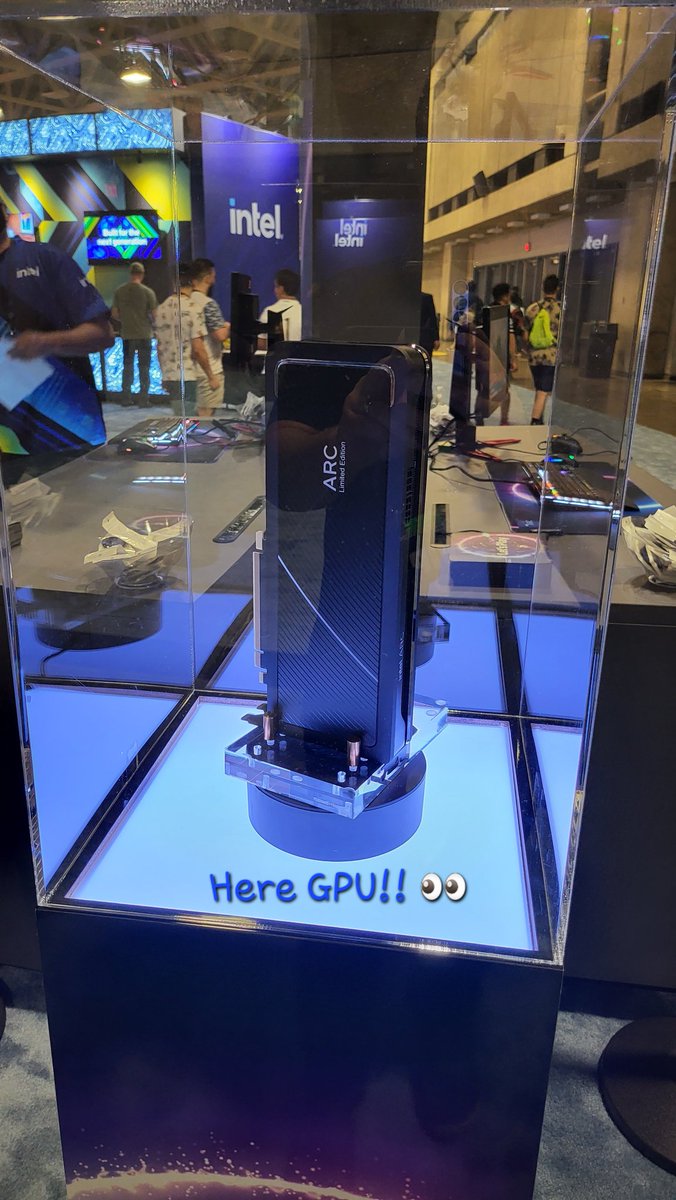
Intel @ @IEM
Look at what made an appearance! 👀
Come by the ARC booth and check it out in action
 Twitter
·
Twitter
·


 junior wren
♡
molten flame
@quick locust which one are you getting
molten flame
reference?
quick locust
Yes
molten flame
curious to see how they handle GPU cooling themselves
molten flame
could be anywhere from 200-250W all matters on how hard they push it
 molten flame
most leaks or rumors say equivalent to RTX 3070 in performance and TDP but I have no clue how they are gonna make these GPUs compete with RTX 4000 series tho
Intel will have to take a loss
quick locust

marsh gull
molten flame
RTX 4090 will be anywhere $1500-2000 MSRP
ofc
marsh gull
molten flame
Gonna be some wild CPU bottlenecks when people are trying to play at 1080p or 14...
that 12900ks is finally gonna have a purpose
molten flame
Nah doubt that even 13th gen or Zen 4 would be able to max out a RTX 4090 at 1080p or even 1440p lmao
RTX 4090 is strictly gonna be for 4K or 8K gaming
If you play at a resolution lower than 4K the card will automatically brick itself upon detection

pale quartz
terse glade
I think my Ryzen 7 3800 could handle it
Zen 2 is already a hard bottleneck for IPC with modern GPUs, so it's going to brick even harder for next generation lol
molten flame
only benefit of Zen 2 architecture is how small the cores are, AMD can make small chips with it, which is why it's still being refreshed to this day in low-end APUs
pale quartz
that's because the CCX is segregated
it isn't a architecture specific design, it's because it's physically impossible to build quad core CCXs on Zen 3
molten flame
So basically impossible to make cheap APUs with Zen 3
DDR5 price already went down 20% in a month
AM5 platform shouldn't be too expensive at this rate
pale quartz
molten flame
So basically impossible to make cheap APUs with Zen 3
yeah, if AMD could theyd do zen 3, but a core 8 CCX for a APU is far too much heat
you'd be talking (if that) a kind of weird 3.8GHz APU on clock cutdowns just to fit it
molten flame
I think Zen 2 is gonna stick around for APUs until Zen 4c or maybe even Zen 5
Theoretically you could make a good tiny APU with Zen 4c cores
pale quartz
Zen 5 is when actually making APUs becomes "feasible" other than 4c as the architecture has been rebuilt
don't get these half morph compromises like you do on Zen 4 for it
quick locust

 fallen harbor
hi guuuuys
i got a question
is the seasonic a12 500w white decent for a very low end pc?
i know it is enough but what im asking is if it is safe enough
the pc has an athlon II and a gt730
midnight crypt
yes
molten flame
RTX 4060 to have a TDP over 220W, more than the RTX 3070
We're gonna see upcoming mid-range GPUs draw power comparatively to top-tier enthusiast GPUs a few years ago
 proud trellis
so in other words the 4060 will be better then the 3070 ? or am i wrong
molten flame
Well yeah it should be a lot faster than 3070 tbh
coarse nimbus
so more expensive, higher power draw, and less stock? 
molten flame
total board power of RTX 4060 could actually come close to 300 watts
also heard that the 4060 won't be too far behind the 4070 in performance
shouldn't be as big of a gap as between the 3060 and 3070
eager sun
molten flame
We're gonna see upcoming mid-range GPUs draw power comparatively to top-tier ent...
Upcoming mid range gpus will outperform top tier enthusiast gpus from a few years ago by a lot as well though
Effeciency is actually getting better. Just looks worse until you keep in mind how stupid fast even mid range gpus are now. Gpus are wayyy ahead at this point. 1440p is not even standard yet and these gpus already overpower it
Same for cpus. A few years ago you needed to buy the flagship cpu to get max gaming performance. Now you buy a 12400f or 12600k and get basically the same gaming performance as with the flagship but for 300-420$ less
 untold tiger
at this rate your keyboard could out perform previous mid range gpus in a couple years
 tropic field
quick locust
https://www.tomshardware.com/news/doom-port-released-as-bios-payload
tropic field
quick locust
https://www.tomshardware.com/news/doom-port-released-as-bios-payload
only a matter of time before someone ports doom to run only on a hard disk's boot sector
pale quartz
eager sun
Effeciency is actually getting better. Just looks worse until you keep in mind h...
it has not, on the Nvidia side anyways, ampere is less efficient than turing
same applies to Lovelace with the exorbitant power draws these space heaters will put out in a room
pale quartz
terse glade
Aren't then GPUs obsolete?
far from it
"cloud gaming" is just a fancy term to describe running services be it games or otherwise on a remote machine
that in itself has its own cohort of issues be it latency/game limitations/not physically owning the hardware or otherwise
quick locust
Hm yes, journalism with its astute observations
 ivory creek
i found a 2080 ti for 600euro, that should perform like a 3070/3070ti but have more vram , right? thats a good deal?
but then again its second hand and might only have a few years left in it if it was abused etc...
prime jasper
pale quartz
that in itself has its own cohort of issues be it latency/game limitations/not p...
Yeah cloud gaming doesn't have the feeling
Hmm but for phones it's good
I tried xcloud
pale quartz
ivory creek
i found a 2080 ti for 600euro, that should perform like a 3070/3070ti but have m...
no, the 3070/3070ti have faster RT rendering
they are equal in raw raster performance, not RT
ivory creek
alright, thanks for the headsup!
 warm estuary
$499, but probably going to get sold by scalpers who purchase the entire stock then sell them for $700
molten flame
pale quartz
no, the 3070/3070ti have faster RT rendering
RTX 3070 should outperform the 2080Ti in ray-tracing on paper but in many games, the 2080Ti can still lead in RT
Control and Shadow of the Tomb Raider I know off the bat
pale quartz
unless the 3070 is severely underclocked it ain't losing
molten flame
I think 2080Ti gets an edge sometimes because of vram config
pale quartz
it does when the vram expires, cause Nvidia putting 8gb on the 3070 was nothing but a con
was just an excuse so they could finish selling off 2080ti stock
molten flame
3070 might not be able to handle even 1080p at ultra settings within the next 3-5 years
8GB not enough for its level of performance
coarse nimbus
quick locust
Hm yes, journalism with its astute observations
Yes I can feel wetness after stepping under this waterfall 
molten flame
Now it's LGA 1851
Which is good
LGA 2551 would of been too big of a socket for the general PC market, unless it was HEDT
coarse nimbus
Will my 2010 era hyper 212 still cool it though?
terse glade
I maxed out today RDR2 on the most maxed graphics settings you can do and average fps was 42 in 3440 x 1440
With rtx 2080 super and Ryzen 7
molten flame
RTX 3080 would get around 70 fps average with same configuration
terse glade
The super weird thing is when I turn off the undervolting (I set everything to the lowest level on GeForce experience interface undrt "performance") I only get minimal better average fps, like 47fps but watt consumption jumps from 120 watt to 220 lol
I think no one could explain that to me
And temp goes up to 86c
When I set everything to the lowest I have max 72c
Tbh these 6fps I don't really notice
molten flame
RTX GPUs suck at undervolting and tweaking power settings, just saying lol
terse glade
molten flame
RTX GPUs suck at undervolting and tweaking power settings, just saying lol
But it's really working tho
I mean I don't make it up, I can touch back of PC without getting burned while when I set everything to 100 I get burned so the numbers don't lie
Also a weird fact, rtx 2080 performs better on bfv than rtx 3070
Ahh I will be happy with my 2080 for the next 6 years x)
molten flame
terse glade
Also a weird fact, rtx 2080 performs better on bfv than rtx 3070
3070 faster than 2080Ti in BFV at 1440p Ultra
terse glade
I'm just curious about the performance fps per watt on the newer cards
Also temperature management
My rtx 2080 for example only has 1 fan
molten flame
is it a blower fan?
terse glade
molten flame
https://tpucdn.com/review/nvidia-geforce-rtx-3070-ti-founders-edition/images/bat...
Weird I saw other comparison and it stated otherwise
terse glade
molten flame
is it a blower fan?
Uhhhh idk 😶
It's a prebuild
My knowledge is so small I should be actually banned from here

It's my first gaming PC
Bought march 2020
With 32gb ram
And SSD
coarse nimbus
The cheapest gpu money could buy 
Didn't think they'd try making a single fan 2080 lol
terse glade
Even EVGA does single fan rtx gpus
Even OC ones
So shove your toxicity elsewhere 😛
coarse nimbus
I was taking a dig at prebuilts using cheaper stuff
ivory creek
ive heard about people buying cheap ventus cards and reflashing them with higherend msi card bios which give them access to higher voltage and stuff
but is that really safe?
like giving a ventus which got very limited overclocking a gaming x bios
quick locust
ya
 molten flame
Neural engine sees the biggest improvements
pale quartz
ivory creek
but is that really safe?
no lol
terse glade
So basically an iphone becoming a gaming PC or what
pale quartz
no apple use ARMs ISA not x86
 lofty light
It's sad PC games can't be run on ARM easily/at all as they're real decent hardware
 lime bay
Hi
 sly portal
why is the ea desktop app limited to 17 mb/s ?
sly portal
it's not my pc, steam downloads at 90 mb/s and it is being downloaded on a ssd
prime jasper
sly portal
it's not my pc, steam downloads at 90 mb/s and it is being downloaded on a ssd
Ea problem
prime jasper
sly portal
thanks for anwsering!
No problem
midnight crypt
get a better cpu and youll see an improvement
 last spoke
midnight crypt
get a better cpu and youll see an improvement
last spoke
midnight crypt
get a better cpu and youll see an improvement
i910900k not enough? 32gb ram as well lol
YIKES LOL
midnight crypt
clearly not since you want more fps
last spoke
Just wild how bf1 is 144fps locked smooth butter and this game is just a rocky rocky pos lol
fuck it ill go bitch elsewhere lol No harm all good vibes for a solid experience for long lasting fans
 regal pagoda
last spoke
Just wild how bf1 is 144fps locked smooth butter and this game is just a rocky r...
regal pagoda
last spoke
Just wild how bf1 is 144fps locked smooth butter and this game is just a rocky r...
Its because of 128 players. Costs more CPU
play 64 its very smooth
my cpu is bottleneck, so in 64 players i can turn everything on even Ray tracing and I have above 100 fps, but when i play 128, it goes like 60
 silent cypress
I’m having a general issue that I don’t know how to solve so that I can’t play any EA game online
I have lost access to my old email and now I get error messages saying I need to reset password
terse glade
Ah that sucks
molten flame
molten flame
it's hardly a successor to the GT 710 lol
 slate wave
quick locust
ya
slate wave
quick locust
ya
and as some one how builds apps for apple desktop I'm terrified they are gonna have weird compat issues
humble iris
midnight crypt
clearly not since you want more fps
Love this reply. lol..
humble iris
midnight crypt
nice joke
entry to the being able to see video. loll
However that 1010 looks like a sweet HTPC card, I'm still using 710/720/730 for HTPC builds. Maybe this one can do decent 4k movies.
would also be a nice card if it sports the new NVENC chip.
 river ocean
last spoke
river ocean
last spoke
NAT ideally is set to Open
prime jasper
Does more ram speed make the game smoother with better fps because my ram sticks are set to the factory settings is 32GB 4000Mhz max I was wondering if I would see any differences
pale quartz
prime jasper
Does more ram speed make the game smoother with better fps because my ram sticks...
no idea as you haven't given your CAS timings
 storm osprey
 molten flame
80% more fps on average in 4 generations
you can almost say 3 generations because Zen and Zen+ are same thing just slight node change
 exotic valley
storm osprey
exotic valley
storm osprey
interesting, I wonder what difference between 6900xt and 6950xt on bf2042
molten flame
like 8% more fps maybe
exotic valley
crikey that sounds like a lot I thought it might be 2 - 5 % max lol
molten flame
6950XT uses a very well binned chip along with new video memory ICs
also increased power limit
exotic valley
i guess in standard form it would be noticeable but a high OC 6900xt probably a difference
molten flame
lots of 6900XT especially liquid cooled models reach the same performance as a stock 6950XT
exotic valley
yeah I havent seen any 6950xt in 3dmark HOF yet
maybe people cant use more power tool with it not sure
 dusty wave
last spoke
NAT ideally is set to Open
dusty wave
last spoke
NAT ideally is set to Open
How does one change it
dusty wave
Changing NAT type didn't work
 short pawn
I have 2042 supersampled up to 1440p on my 1080p monitor with the amd driver cause it gives smoother frames but after the new 1.0 update I now get dx errors within the middle of the game crashing it. I don’t know what exactly what it is being caused by but I think it’s either cause I updated my card to 22.5.2 from my original 22.4.2 or it’s the update and I don’t know what it is
short pawn
Wack freesync dosent even work
 deep sorrel
Any one here with a 3070ti and a 5600x running the game at horrible performance even at low/med settings?
short pawn
midnight crypt
<@656378324557496320> New Amd driver update has been causing crashes
what version should i install
midnight crypt
well i would guess the one you were on previously
 earnest epoch
storm osprey
earnest epoch
storm osprey
What graphic are you choosing?
 dusky kiln
Anyone got a fix for bf2042 closing after a few seconds?
 hoary spruce
This gets buried anywhere else so, does anyone have a fix for mouse binds to be auto bound to Mouse 5? This is literally a bug from the beta and still hasn't been fixed
hoary spruce
I can't attach anything here but it's been a bug and been reported since November I don't think me reporting it in June is gonna do anything
So, not really looking for someone to tell me to report it. Looking for a fix 🙂
midnight crypt
this still aint the proper place to find a fix so 🤷♂️
hoary spruce
Well aware, that's why I prefaced my message with it gets buried elsewhere, forums got nothin, it's a shot in the dark
 hollow perch
When building my new pc, I need a bit of advice.
I am in college for cybersecurity so I'll need to do some Linux and Unix work but I mainly play games on my pc and I don't do any video rendering(my boyfriend has a quadro m8000 and renders 4k and all that) but is amd or Intel the play for chip set and recommended ram and mobo
I'll be running either a 3070 super or 3080ti
Note: I won't be able to purchase anything for 6 to 9 weeks due to my boyfriend just winning his HIPPA violation court case after 4 years and he's giving me some to upgrade my pc. I've had the same setup since the 2070 super came out.
 rough token
Anyone know why only BF5 does not detect my mic? Even if VOIP is set to OPEN and all playback/recording devices except the one in use is disabled.
pale quartz
rough token
Anyone know why only BF5 does not detect my mic? Even if VOIP is set to OPEN and...
change your default mic/speaker in windows
pale quartz
hollow perch
When building my new pc, I need a bit of advice.
I am in college for cybersecu...
linux and unix work
if thats the case intel/AMD on the CPU side are perfectly fine (either), on the GPU front, if youre requiring linux its highly advised you go with RDNA
rough token
pale quartz
change your default mic/speaker in windows
Nothing to change it too. Have disabled all audio devices except the one I use.
pale quartz
rough token
Nothing to change it too. Have disabled all audio devices except the one I use.
i didnt say disable
i said change the default device
 rough token
You can't set a "Default" when there is only 1 device. The 1 device is the default.
pale quartz
no, its not
disabling the devices does not change the default assignments
change them as ive said
rough token
Okay, you can't help as you don't understand. Thanks though
pale quartz
its pretty straightforward
enable them, change the defaults, voila
if you wont listen thats not my prerogative
rough token
You are saying to enable all audio devices, set them as default, then set my correct input as default then what?
pale quartz
then reboot the game
the game does not care which devices are disabled, it cares what your default audio devices are
and thats universal across all voIP applications
rough token
That does nothing. My DEFAULT RECORDING DEVICE is my microphone. that I use everyday
pale quartz
yeah, and voIP is not recording
its communication
stop getting angry it isnt worth it
rough token
Not getting angry. This doesn't help the issue. Just tried.
pale quartz
your caps out of nowhere begs otherwise, clearly got some other configuration issue going on then
rough token
It is literally this game only that is the issue.
pale quartz
no its not, its of the games that youve played
if you play a game that has a similar voIP to 2042, youll have the same issue
pale quartz

 elfin needle
Is anybody able to connect then disconnected instantly and routed to the menus?
pale quartz
elfin needle
Is anybody able to connect then disconnected instantly and routed to the menus?
yes it's a known issue #direct-communication
 tender socket
the intel core i7 10700 is good for $
79.999 pesos argentinos (in dollars 400)?
that price for the processor and a motherboard
 unreal holly
No - that's awful value. $400 for a 10700 - they're about $350 for a 12700 these days
pale quartz
^
pale quartz
tender socket
that price for the processor and a motherboard
get a 12600k/5800x3d
MUCH better value, and performance lol
molten flame
argentina puts insane import taxes on hardware afaik
you won't find better value than that likely
molten flame
Genoa-X CPUs have over 1GB of L3 cache
RDNA3 big jump in performance-per-watt
Also leaks were true, RDNA3 is getting rid of traditional Compute Units in favor of Work Group Processors
 rotund haven
I am unable to start a game on the Exposure Conquest 24/7 playlist as there are no players.
 cinder galleon
Can you level up guns in portal?
I only play hardcore.
I don't wanna play core to level up my shit.
Core is for kids! Have to shoot people 37 fucking times to get a kill.
WELL HOW FUCKING REALISTIC!
coarse nimbus
aim better
quick locust
Bruh
 short pawn
midnight crypt
well i would guess the one you were on previously
short pawn
midnight crypt
well i would guess the one you were on previously
ive come back to say that downgrading did not work
 copper brook
hey i havet gotten the game to run well since lauch
[10:47 AM]
even on 42 players my fps is 45 max
and my textures load in so slow
 gaunt pier
specs?
copper brook
Intel(R) Core(TM) i7-10700K CPU @ 3.80GHz 3.79 GHz
32.0 GB ram
64-bit operating system, x64-based processor
2070 rtx Super 8vram
2 tb hard drive and 500gb hard drive
gaunt pier
That’s a fine build- 99pct of even intel 12series or ryzen processors are having trouble due to optimization
copper brook
ahhh fuk 😦
gaunt pier
Only suggestion is to limit background processes when your playing as much as possible
copper brook
i literally only have my driver running when i open this game
pale quartz
copper brook
2 tb hard drive and 500gb hard drive
theres your problem lol
its not an optimisation problem
you have a hard drive
copper brook
wym ?
pale quartz
hard drives are terrible for games like 2042
if you want to fix your issue get an SSD
gaunt pier
must have missed the 500gb hard drive, yes you prob want a ssd
pale quartz
yes, minimum, it doesnt mean its what you should use
copper brook
y put that as an option if its a crappy one dice
pale quartz
hard drives are terrible and shouldnt be used in games anymore, period
ditch them both if you can
copper brook
i mean my game should be able to run at least 32v32 at 50 fps not 40 man 😦
pale quartz
not with a hard drive lol
copper brook
nah 2042 just isnt optimised well
copper brook
its quite possibly the only game i cant play with my current rig
pale quartz
absolutely not lol
copper brook
it really is
pale quartz
you wouldnt run MSFT whatsoever
copper brook
ur just being a ssd snob
copper brook
im sure an ssd woul help me play flight sim fine
jesus ppl like u on discord are annoying
copper brook
i mean when its literally the only game i cant run and his only thing is my ssd then yea
copper brook
if it can run off my friensds prtable 3tb harddrive to his ps4 i see no issue
pale quartz
a 6 year old+ console?
pale quartz
you should probably re-evaluate your expectations lol
copper brook
re evalute ur life if your not here to help wat are u doin
copper brook
im just sayin ubeen being a n ass all conversation and i just meet u
copper brook
ive never meet anyone that ruined my high faster tbh
pale quartz
you got angry and blamed me, for some, bizarre reason
copper brook
bro its not the ssd
and u keep claiming it is like not having immediately makes my build ass
ssd only helps in load time not loading in assest textures or helping genral fps performace
thats all cpu and ram
which i have a 2020 10 gen intel cpu and 32 gb of ram and your not really saying anythin remotely close to helping ur just spaming ssd
 uncut jolt
i had my game in hdd and it run 70 fps, i am pretty sure ssd doesnt affect fps at all
 pine dome
how do i fix slow motion in battlefield
quick locust
uncut jolt
i had my game in hdd and it run 70 fps, i am pretty sure ssd doesnt affect fps a...
It can, but usually stuttering or pop in issues
 raven vapor
copper brook
which i have a 2020 10 gen intel cpu and 32 gb of ram and your not really saying...
raven vapor
copper brook
which i have a 2020 10 gen intel cpu and 32 gb of ram and your not really saying...
Get alder lake or the 5800X3D
The game only plays fine on these two platforms 🤡
I got a 3080 ti, 5800X3D paired with a kit of dual rank 3800 cl14 bdie ram
5800X3D runs just fine with micron rev E or the better binned Hynix stuff
I was able to get like a consistent 170-220 fps at 1440p low on some of the smoother maps.
raven vapor
the updated the game or something
quick locust
70-80 at 1440
raven vapor
5800X3D is 🔥
quick locust
Ya it's good
raven vapor
But other zen 3 chips I find laggy af
quick locust
Last cpu on am4
raven vapor
The cache thing helped
quick locust
Yup
raven vapor
Otherwise Ryzen is still shit for esports
quick locust
Intel might do 3D stacking soon as well
Plus tiling
On gpus as well
So no longer monolith desktop
raven vapor
Intel has always been the king😋
quick locust
Mobile maybe still monolith, udk
Idk*
Like how every ryzen mobile is monolith
And apus
But who knows
quick locust
I've had my old 8700K for 5 years by now, still decent
I get free gpu soon though and idk if can keep up
raven vapor
Get a 12700K maybe
quick locust
Ya, unless 13th is out by then, idk
It's an intel gpu I get for free but they've take a while
raven vapor
Just flip that sh!T on eBay 😋
The game doesn’t scale with CPUs at all. Only the top models can give high enough frame rates.
I believe when the game first came out I was getting like 70% usage on my GPU because of my 5800X non 3D and sh!t optimization 🤡
quick locust
Depends what you're satisfied with
80 fps at 1440 stable with no stutter is decent enough
raven vapor
I can’t hit sh!T at below 100
quick locust
When game came out I had stutter issues
But seems to be gone now
Well I could use more, I have 165Hz monitor
midnight crypt
now it just suffers from servers being ass instead
midnight crypt
ye but still equally frustrating
quick locust
Ya I tried playing yesterday but gave up
pale quartz
quick locust
Like how every ryzen mobile is monolith
phoenix is chiplet
molten flame
Pheonix may use V-cache to accelerate the iGPU
quick locust
pale quartz
phoenix is chiplet
So, all ryzen mobile and apus so far
pale quartz

quick locust

Intel soon has tiled on battlemage
👀
If it doesn't get delayed as much as Alchemist has been
pale quartz
battlemage was supposed to be out months ago 
quick locust
Ya
pale quartz
it's worse than alchemist
pale quartz
quick locust
I'm still waiting for my free alchemist gpu
https://twitter.com/SkyJuice60/status/1535158908591161344?t=9godBGvrHH6DHOwE12pBFw&s=19 enjoy waiting for longer

Review of the A730M Laptop, showing problems with video export, software compatibility, game stability and SPECviewperf freezing, tested out-of-the-box with single DDR5 SODIMM and the latest 1735 driver.
https://t.co/VZDfPfYkC6
Twitter
·
 cyan dagger
What is the best ASUS Zephyrus ROG model?
quick locust
pale quartz
https://twitter.com/SkyJuice60/status/1535158908591161344?t=9godBGvrHH6DHOwE12pB...
By the time the desktop top end sku comes they have time to fix lol
My grandpa 8700K will be even older by then
But I don't think pcie 4 will matter for it, idk
13th gen would be big upgrade though
pale quartz
cyan dagger
What is the best ASUS Zephyrus ROG model?
g14 2022
pale quartz
quick locust
My grandpa 8700K will be even older by then
you in the slow lane
molten flame
quick locust
By the time the desktop top end sku comes they have time to fix lol
Idk about that, designing graphics software is one of the most difficult challenges in the computer space, it could take Intel a decade or more to get drivers comparably stable to Radeon/Nvidia GPUs
it took AMD.... 15 years to make reliable drivers
proud trellis
does anyone have any clue what this noise could be from ? I think it’s my PSU but I can’t hear where tf it actually coming from
prime jasper
proud trellis
does anyone have any clue what this noise could be from ? I think it’s my PSU bu...
Lol jumpscare for a moment
midnight crypt
dying fan maybe
proud trellis
midnight crypt
dying fan maybe
all the fans are brand new and the noise happened before i put the fans in
i think its either my PSU or a HDD
storm osprey
your fan psu can by dying, just put a stick in there to stop the fan from spinning and see what happens
proud trellis
if it is my PSU, will i need to get a new PSU pretty much ?
toxic wigeon
Let's stick a stick into the zappy zappy box and wait for a response yes?
storm osprey
if you bought a decent brand name psu their warranties last some 10 years, you should be able to rma it
storm osprey
toxic wigeon
Let's stick a stick into the zappy zappy box and wait for a response yes?
JUST enough to stop the fan, and not metal...
proud trellis
i mean my pc was a prebuilt so idk if i can do anything about it
and my pc is out of warrenty now by like a month
midnight crypt
should still be able to rma i think
 proud trellis
i think its only like a 50 pound psu anyway, its a VS450 watt from corsair
storm osprey
proud trellis
i mean my pc was a prebuilt so idk if i can do anything about it
i mean.. just get a hold of your psu manufacturer and explain/show everything and see what they say
molten flame
I'll touch anywhere inside a PSU I ain't scured
I've been zapped by things way worse
220v wall outlet was my worst shock
proud trellis
jeez
molten flame
shouldn't be alive after that
storm osprey
putting a stick into it
molten flame
my mom's trashy house.... it's a trailer house with horrible grounding issues
proud trellis
ohh
molten flame
I was plugging in a clothes dryer and it got me
proud trellis
also this rattling noise isnt constant, its on and off, which i think if it was a HDD it would be constant ?? or im wrong
 mint bronze
i got the x box bone connected to the ps4 bone the wii you bone connected to da switch bone
storm osprey
proud trellis
also this rattling noise isnt constant, its on and off, which i think if it was ...
afaik hdd wont always be making noise, on most cases theres a light that flickers as an indication of hdd being used
molten flame
AMD confirms Ryzen 8000 lineup: “Strix Point” Zen 4 APU to feature enhanced RDNA3+ graphics, desktop “Granite Ridge” Zen 5 CPU series now official
pale quartz
proud trellis
does anyone have any clue what this noise could be from ? I think it’s my PSU bu...
it sounds like vibrations, most likely you've got wires that are vibrating against metal
pale quartz
molten flame
Idk about that, designing graphics software is one of the most difficult challen...
a decade? definitely not with intel lol, they've been designing graphics for years this isn't their first rodio, 2-3 years will be more than enough
 spiral tendon
Looking to get some suggestions on headset for xbox series x. Currently considering the steelseries 9x. Anything better than these but still in same price range?
pale quartz
spiral tendon
Looking to get some suggestions on headset for xbox series x. Currently consider...
Corsair virtuoso SE is leagues better than the 9x
microphone is much better aswell it basically isn't a competition
molten flame
pale quartz
a decade? definitely not with intel lol, they've been designing graphics for yea...
Yeah but even their drivers for their iGPUs have been real buggy especially in games
spiral tendon
pale quartz
Corsair virtuoso SE is leagues better than the 9x
Thanks man I will take a look at those!
pale quartz
np
quick locust
molten flame
it took AMD.... 15 years to make reliable drivers
intels software team alone is bigger than AMD
and theyre been making gpu drivers for 20 years
but yah, could take a bit
pale quartz
quick locust
but yah, could take a bit
you'd know what a bit is like
molten flame
the silicon been ready for a long time
XeSS and FSR 2.0 are pretty much making DLSS pointless
XeSS being open source is a good move
I feel like what AMD and Intel has done will result in Nvidia making their own kind of open source super sampler
 quick locust
567 usd for that build
 quick cape
Can ANYBODY help me with an error on 2042
short pawn
there is a hardware store in australia carlingford called "CCP-U computers"
this is real
 humble iris
copper brook
bro its not the ssd
humble iris
copper brook
bro its not the ssd
Hard drives aren't the first choice, an SSD will most certainly be a better choice, however some things to think about with hard drives to increase performance in gaming.
- Not all HDDs are equal. (run tests to see performance)
- Onboard cache size of the HDD (16MB, 32MB, 64MB, 128MB, etc..)
- HDDs slow down as space is filled, (A Full HDD will perform worse then an empty drive)
- Turn on Write Caching, turn off buffer flushing to increase performance, also increases data loss risk if power loss.
- Defragmenting the HDD will help increase performance.
- I recommend a Western Digital Black for best HDD performance as its multi platter high rpm.
- Multiple HDDs in RAID 0 will increase performance dramatically. But no parity however, but its performance you want, not parity.
Again this is not a substitute for an SSD, but just pointers on HDD performance. I still use HDDs and some of my HDD setups will outperform SSDs in some scenarios. Size vs cost, and raw transfer speeds. etc...
Anyway just wanted to add to this, others have said an SSD is what you should use, and they are correct, but if an HDD is all you have, then try some of the things I've mentioned if you want.
humble iris
proud trellis
does anyone have any clue what this noise could be from ? I think it’s my PSU bu...
normal computer sound.
 quartz void
Fix a bug where my game settings keep resetting pls Now I want to stop listening to ‘Listen up’
copper brook
humble iris
Hard drives aren't the first choice, an SSD will most certainly be a better choi...
Nah I think I’ll just uninstall and go to destiny 2 again
Not saying I don’t appreciate the help tho , it’s just that if I gotta upgrade just to play this one game I’d rather not tbh I’ll upgrade when a better game or whenever I feel like it because this games pretty much done for after a year or so from wat I’m hearing
prime jasper
can i run bf1 in ram 8 cpu i5 10300h and gtx 1650 laptop?? in low?
molten flame
yes
molten flame
'Navi 33' RX 7600 XT mid-range GPU is more likely to launch before 'Navi 31' flagship 7900XT
molten flame
RX 7000 series GPUs supports PCIe Gen5, which leads me to believe that AMD is pushing for Gen5 mainly for Smart Access Memory
 unreal wren
how can i change my Microphone ?
humble iris
unreal wren
how can i change my Microphone ?
Right Click Speaker in system tray >> Sounds >> Recording: Set mic as needed, (Default Device) recommended.
short pawn
Is it a good idea to install the amd 22.10 preview driver?
 brave bough
how do u fix stickdrift on xbox
 vast scroll
pale quartz
short pawn
Is it a good idea to install the amd 22.10 preview driver?
vast scroll
pale quartz
short pawn
Is it a good idea to install the amd 22.10 preview driver?
if you're meaning the .52 driver then yeah it works fine
short pawn
pale quartz
if you're meaning the .52 driver then yeah it works fine
So 2042 ain't gonna have dx errors?
pale quartz
short pawn
So 2042 ain't gonna have dx errors?
I can't guarantee that lol, the game just works fine with the driver
short pawn
pale quartz
I can't guarantee that lol, the game just works fine with the driver
definitely better than 22.5.1 and 2
pale quartz
..? 5.2 is the preview driver
short pawn
pale quartz
..? 5.2 is the preview driver
pale quartz
short pawn
oh no i mean this https://www.amd.com/en/support/kb/release-notes/rn-rad-win-pre...
these are already in the 5.2 driver
5.2 is from the may preview driver
short pawn
oh
short pawn
pale quartz
5.2 _is from_ the may preview driver
thats strange cause the current 5.2 on amd's site is pretty broken and has dx errors
even 5.1 crashes but this aint crashing
pale quartz
it is a preview driver lol it's not intended to be stable
short pawn
i wonder why amd's recomended 5.1 crashes
short pawn
pale quartz
it is a preview driver lol it's not intended to be stable
ok so what version should i be using exactly
pale quartz
whichever one is published as stable, none are guaranteed to fix DX related crashes, as they're independent of the driver
short pawn
pale quartz
whichever one is published as stable, none are guaranteed to fix DX related cras...
so the reccomended one on the site
pale quartz
yes, note the second part
short pawn
ah cause after i installed the preview above all crashes seemed to stop
pale quartz
they wouldn't have, you just simply wouldn't have had it occur yet
they're random, rather than a pattern
cosmic warren
why does bf 2042 reset everytime i launch it?
unreal wren
humble iris
Right Click Speaker in system tray >> Sounds >> Recording: Set mic as needed, (D...
yeah i already done it but Battlefield dosent use it ingame
 stark phoenix
guys what gpu would be a nice balanced match to i5 1240p?
 fiery nymph
Someone please help me I reach the pass to LV 10 but the new hero still locked please help me
proud trellis
restart your game ig ?
fiery nymph
it didnt work
short pawn
every time i reinstall a amd driver i get Windows cannot find 'C:\Program Files\AMD\CNext\CNext\RadeonSettings.exe'. Make sure you typed the name correctly and then try again. error
it still installs but this appears in the middle
 upper osprey
I have AMD Ryzen 5 3600 6-Core Processor
To what do I need to set
Thread.MaxProcessorCount ?
Thread.MaxProcessorCount ?
Thread.MinFreeProcessorCount ?
 halcyon narwhal
Hello guys, my game is lagging since yesterday after my town had a power shut down due to the high temperature. My ping is 16m, and my fps is between 75-130 in game, mostly stays around 100. I don’t know how to fix it, it’s really annoying, anyone has some ideas about it?
pale quartz
upper osprey
I have AMD Ryzen 5 3600 6-Core Processor
To what do I need to set
Thread.MaxPro...
you don't need to set anything, the game automatically assigns these values
pale quartz
stark phoenix
guys what gpu would be a nice balanced match to i5 1240p?
laptop SOC so the processor is naturally weaker, the GPU will be aswell, so any will be fine mostly
pale quartz
short pawn
every time i reinstall a amd driver i get Windows cannot find 'C:\Program Files\...
DDU then reinstall the driver, failing that chk scan for fragmentation corruption
short pawn
pale quartz
DDU then reinstall the driver, failing that chk scan for fragmentation corruptio...
Thats how I did it, I used ddu then reinstalled the driver but every time I got the same notification, the download continued even after it appeared tho
pale quartz
are you actually installing the full package? it seems like you're applying the minimal installer
only reason it checks for the exe is due to that
short pawn
Yes I am installing full package
As in going to the amd site, downloading the version and clicking install without changing the actual install type
pale quartz
dunno then put your drive through chkdsk
short pawn
Strange
Also 2042 has been dx crashing on all driver versions I've tried
5.2
5.1
4.2
4.1
3.1 ect but still dx crashes
 small osprey
Game keeps crashing Device Hung
Annoying as fuck
Reinstalled drivers etc
Not my drivers since all other games run fine
pale quartz
@quick locust starting to think I've got too much spare hardware

there's a crosshair vii hero and 2 1tb SSDs and another router lying about
quick locust
👀
pale quartz
quick locust
👀
just a 5900x boxed up and you're running that stone age 8700k
quick locust
ya lol
molten flame
Liquid metal default thermal compound in a laptop? Cool feature
pale quartz
molten flame
Liquid metal default thermal compound in a laptop? Cool feature
coolest feature
molten flame
prime jasper
pale quartz
coolest feature
Cooling pad?
pale quartz
prime jasper
Cooling pad?
?
prime jasper
pale quartz
?
Whats that?
prime jasper
pale quartz
no it's the case of the laptop
Rtx 3060?
pale quartz
prime jasper
Rtx 3060?
6700s
short pawn
pale quartz
dunno then put your drive through chkdsk
i dont think it found anything
i restarted my pc and then well idk
Also the acheviements bar on steam just started flickering underneath it
And the battlepass words saying "free" in 2042 are just white bars
 onyx vale
Well, I officially did it. I bought myself a gaming PC after years of no action. In honor of starting my new job soon! Can’t wait to play Battlefield 3!
prime jasper
onyx vale
Well, I officially did it. I bought myself a gaming PC after years of no action....

 strong breach
onyx vale
Well, I officially did it. I bought myself a gaming PC after years of no action....
strong breach
onyx vale
Well, I officially did it. I bought myself a gaming PC after years of no action....

 cold wave
Is there a way to lock fps? I have power to have the fps I want but it just keeps dropping below it. Any help?
 thick valley
My PC got a Ryzen 7 5800x , RX 5700 and 16GB 3600MHz RAM but cant reach constant 100FPS on medium settings. Any ideas how to optimize it? Drivers are updated
deep sorrel
I'm also having troubles going above 100fps while on low settings
3070ti, 5600x, 32gb 3200mhz
pale quartz
thick valley
My PC got a Ryzen 7 5800x , RX 5700 and 16GB 3600MHz RAM but cant reach constant...
is this CL16? also turn on PBO if you havent
thick valley
pale quartz
is this CL16? also turn on PBO if you havent
Sadly no. Its CL 18 corsair vengance pro RGB
pale quartz
thick valley
Sadly no. Its CL 18 corsair vengance pro RGB
the game is very memory sensitive so you're losing out on a lot of performance, as noted turn on PBO and unlock the power draw to try to make up for it
thick valley
pale quartz
is this CL16? also turn on PBO if you havent
Atm its on AUTO
pale quartz
thick valley
Atm its on AUTO
enable it manually and disable the power limits
of course, make sure you've got decent cooling too
pale quartz
yup as it should, what you can do is allow it to clock even higher now, turn on the clock override within PBO
the max junction you can push for is 200MHz where it will taper out, then go into curve optimiser and enter a decile of -5 for voltage curve stability
assuming your bios is up to date if not do that first
enable CPPC within the AMD CBS menu and you're done
thick valley
First i want to see if my CPU survives a round with PBO on Auto
pale quartz
I mean you're on custom cooling so you'll be 90% fine
though once you're done do those steps
thick valley
just an Idea but maybe they should add AMD FX 2.0 into BF2042.
 pale quartz
thick valley
just an Idea but maybe they should add AMD FX 2.0 into BF2042.
pale quartz
thick valley
just an Idea but maybe they should add AMD FX 2.0 into BF2042.
wouldn't do much
the game is 90% CPU and memory bound rather than GPU
 dry pike
pale quartz
the game is 90% CPU and memory bound rather than GPU
dry pike
pale quartz
the game is 90% CPU and memory bound rather than GPU
Doesn't scale indefinitely though. 4-6 very fast cores and some slow ones and the bottleneck moves over to GPU and ofc memory as mentioned
pale quartz
these are ryzen architectures, not intel
the memory is the determiner here with the IF, Zen does not use "fast and slow cores"
pale quartz
molten flame
Give me all fast cores
molten flame
Sapphire Rapids HEDT is neat because it P-core only
quick locust
Ye I know one of the persons that worked on it
quick locust
 quick locust
Yeah
quick locust

The big upgrade of my PC hardware orchestra. 512 floppy disk drives, 16 hard disks and 4 scanners. What do you want to hear next? Write it in comments!
Playing: Entrance of the Gladiators (by Julius Fucík). More details on how it works - http://silent.org.pl/home/2022/06/13/the-floppotron-3-0/.
Patreon: https://www.patreon.com/floppotron
raven vapor
Any of yall been experiencing directX crashes after the update?
Dude my game is giving me ocd rn
Spend days trying to fix that sh!T
 frail vault
Anyone know why it takes me 4-10 minutes to load into a game
 main zodiac
So i decided to reinstall 2042, played a few matches and it overheated my cpu
anybody know what i could do to fix that?
cold wave
main zodiac
anybody know what i could do to fix that?
Could be a bunch of different things. What cpu and cooler do you use?
main zodiac
cold wave
Could be a bunch of different things. What cpu and cooler do you use?
the one that came with the cpu (ryzen 7 3700x)
cold wave
Is it fine in other games?
pale quartz
main zodiac
So i decided to reinstall 2042, played a few matches and it overheated my cpu
played a few matches
your thermal contact with the paste must not be have been great then
remount the cooler with better quality thermal paste, itll fix the issue
and if youve unlocked the power limits on that 3700x, put it back to stock
main zodiac
cold wave
Is it fine in other games?
yes
main zodiac
pale quartz
remount the cooler with better quality thermal paste, itll fix the issue
thanks, ill try that
quick locust
Their current? No
They're fine
Barracudas are SMR but most others are CMR

Read the Backblaze Drive Stats report for Q1 2022 with the latest data on over 200,000 hard drives, including quarterly and lifetime results on which drives work best in our environment. And, May the fourth be with you!
toxic wigeon
quick locust
They're fine
What's the difference?


Asides from size.
I've heard they die so I'm super concerned.
quick locust
Form factor, speed, cache
Top one is for laptops
(unless you have an SFF case with no 3,5 in)
molten flame
5400 RPM is slow
toxic wigeon
I just want something that stays alive cause I've heard reports of such drives dying.
quick locust
Can't find much about these drives specifically in terms of reliability
Wouldn't use either one in a NAS though
toxic wigeon
NAS?
quick locust
Network attached storage, storage on your own local network
anyway, i don't know about reliability between the two, but the second one is faster, though still SMR
toxic wigeon
Is SMR whatever?
quick locust
SMR is cheaper to manufacture, but they're way slower in some tasks and in sustained writes


And especially poor in RAID, but thats more of an issue on NAS than PC, since you probably wont use that
pale quartz
toxic wigeon
Is SMR whatever?
yes
the tldr is Seagate falsely misrepresented the drives with their performance as not equivalent, SMR drives compared to others like CMR are atrocious
quick locust
WD too
pale quartz
longevity isnt really an option, if that's what you're looking for anyways, hard drives are being forcibly killed, so if you intend to use them for any sort of game storage, that won't be an option in a few years
quick locust
Ya, just file storage, like with NAS
pale quartz
^
toxic wigeon
Yeah I won't be using it for game storage. Just instead for clips and other things.
Two teras for ssds, two teras for hdds.
pale quartz
clips? yeah defo not what you want then lol
hard drives serve, basically no function other than mass backups, anything I/O intensive like clips is a no go
exceptions being a NAS


 pale quartz
gotta love marketing fraud
quick locust
WD and Seagate got sued for it, toshiba and hgst weren't iirc
molten flame
quick locust
unless you enjoy this
quick locust
lol
toxic wigeon
So there are no good hdds for general storage?
pale quartz
correct
toxic wigeon
I always thought that you use sdds on games while you use hdds on movies and memes.
quick locust
You can use them for long term storage of files
pale quartz
^
quick locust
Just not really games or anything intensive anymore
lofty light
Get a big server raid setup of drives
pale quartz
or some memento backup storage
quick locust
I use four N300 drives for my NAS
pale quartz
but general tasks, it's an arcane piece of utility
and a heavy system bottleneck at that too
quick locust
I just have two HDDs left in my PC
an X300 8 TB ive had for 4 years and a WD 1 TB that everyone has had
lol
pale quartz
yeah I ditched my hard drives entirely 18 months ago, never regretted a thing
quick locust
Only ones I bought after those were the N300s
pale quartz
no more bs screeching from the pc and waiting around for tasks
molten flame
gonna get 6TB HDD for cyberpunk
pale quartz
slideshow texture popin
molten flame
tru
quick locust
 toxic wigeon
Well shit might as well get a 980 2 tb pro and worth of that baha.
Ugh.
Such a shame.
pale quartz
toxic wigeon
Well shit might as well get a 980 2 tb pro and worth of that baha.
if you're wanting, pure top of the line stuff, the firecuda 530 is what you're wanting
unparalled for performance