#technology
1 messages · Page 466 of 1
 pale quartz
 sacred dove
because Squadrons and Jedi Fallen Order were developed at the same time
pale quartz
if you think squadrons is a competitor to jedi fallen order you haven't played the game
sacred dove
but battlefront 2, a game with essentially no single player, is a competitor?
pale quartz
... yes because it's a multiplayer focused title lol
sacred dove
jedi fallen order is multiplayer focused?
did you forget your own argument
it looks like you did
 wintry prairie
Battlefront is basically Battlefield in space. They launch on different schedules because of this.
sacred dove
wintry prairie
Battlefront is basically Battlefield in space. They launch on different schedule...
this, thank you
pale quartz
no, I didn't, battlefront 2 is a multiplayer focused game - EAs biggest launches are multiplayer focused, jedi fallen order is also one of EAs biggest launches
sacred dove
i already said that but ty HK
pale quartz
so it went right over your head what the original point was
sacred dove
:/
pale quartz
it had nothing to do with it being single player or not from the beginning
sacred dove
i know that
wintry prairie
So Battlefield and Battlefront are competing each other.
 mild bough
Anyone knows how to bypass "Access Denied" when trying to change priority in task manager? Tried launching as administrator and didn't work. Used to work before, but not now
pale quartz
wintry prairie
So Battlefield and Battlefront are competing each other.
no because there hasn't been a battlefront launch in 4 years lol
sacred dove
🙃
pale quartz
and the game back then didn't launch anywhere close to battlefront
wintry prairie
Squadrons and Fallen order are not in the same category.
wintry prairie
pale quartz
no because there hasn't been a battlefront launch in 4 years lol
Which proves my point.
sacred dove
pale quartz
and the game back then didn't launch anywhere close to battlefront
battlefront 3 wouldn't either, it could easily release 2 years from now. why not?
pale quartz
why not? because EA would have announced a sequel to the franchise was in the works by now
sacred dove
pale quartz
why not? because EA would have announced a sequel to the franchise was in the wo...
omfg
lmfao
wintry prairie
I don't think there will be a Battlefront 3
sacred dove
i give up
sacred dove
wintry prairie
I don't think there will be a Battlefront 3
yes we KNOW that lol
pale quartz
ok, give up, nice seeing you
 toxic wigeon
Hey sorry to break the convo up but I sorta need to leave this before sleep so if I can get an answer later that's fine.
When it comes to updating a b550 bios board cpu-less, can any flash drive be used for updating it or do you need a 32 bit M FLASH drive?
Plus do you need to rename the file that updates the BIOS or can it work as is?
pale quartz
not sure where this is going
pale quartz
no, you didnt
not sure if you actually bothered reading the original point and this
clearly not
they are entirely different things
sacred dove
this
wintry prairie
Oh shoot, late for meeting, bbl.
sacred dove
this
sacred dove
wintry prairie
Oh shoot, late for meeting, bbl.
don't leave me with this i beg you
pale quartz
clearly you don't have a clue about how game development schedule works if you think it's going to launch in 2 years from no announcement, infact I'm not sure where in narnia you got this idea from
games are multi year development projects
they can't just release something in 2 years, especially a multi million dollar budget franchise like a battlefront 3
sacred dove
pale quartz
clearly you don't have a clue about how game development schedule works if you t...
i know it won't launch in 2 years. that was a hypothetical
toxic wigeon
It'd be a good idea to move on from the topic since this is going nowhere
pale quartz
yes it was a totally awful and bad hypothetical
pale quartz
toxic wigeon
It'd be a good idea to move on from the topic since this is going nowhere
^
sacred dove
:/
pale quartz
toxic wigeon
Hey sorry to break the convo up but I sorta need to leave this before sleep so i...
you don't need a 32 bit m flash drive
what you do need is a USB with the right file format
FAT32 99% likely
format it to that it'll update fine
toxic wigeon
Got it!
And the bios update file itself, I don't need to touch it at all. It can work from the get go no problem at all?
pale quartz
other than renaming it yes
that part you'll need to do
do that drag it over and you're done
toxic wigeon
What will it need to be renamed to
pale quartz
it'll be covered in the update actual zip file
pale quartz
readme note most likely
toxic wigeon
Yeah
pale quartz
or in the update logs changes both probably
toxic wigeon
So just format any flash drive to Fat32, get file in it and follow instructions. That's all?
pale quartz
yup that's all
pale quartz
toxic wigeon
So just format any flash drive to Fat32, get file in it and follow instructions....
name will most likely be on the page itself like this for the file
 toxic wigeon
Ye
pale quartz
Asus includes an autorenamer, not sure about other manufacturers
toxic wigeon
I'm going on that MSI a pro board, back to what I originally set but yeet
Sounds easy for Asus
pale quartz
you'll be fine something goes wrong can just endlessly usb flashback till it works
toxic wigeon
I was thinking, I did hear that the boards can't support the 5000 series because they didn't have enough room for support
Well, that's what I took out of it
And I'm guessing it's incredibly difficult to screw up a mobo
pale quartz
other way round
toxic wigeon
Just don't remove the power cables mid update
pale quartz
they don't support ryzen 1000, ryzen 5000 is supported right out the box for b550
you won't actually need to update a thing
toxic wigeon
What?
pale quartz
yeah BIOS flash limitations dropped support for ryzen 1000 series chips and basically anything lower, b550 runs r5000 right out the gate
no bios updates necessary
toxic wigeon
...you know I was thinking of getting a cheap second hand 1600 for the sake of updating LOL.
pale quartz
yeah you don't need to do that lmao
b550/x570 both support ryzen 5000 natively so you'll boot right away
pale quartz
 quick locust
You only need to on older chipsets
quick locust
You only need to on older chipsets
anything on b350-x470 requires the bios upgrade ^
pale quartz
welcome to the lurky landmine of AMD cross support
now if you're wanting to upgrade to the 5800x3d that will require a bios upgrade, but cross that bridge when you get to it
toxic wigeon
Let's keep it simple shall we
pale quartz
well yeah the bios for it kind of doesn't exist yet either
sacred dove
yep still an excellent gaming cpu and will be for a while
i'd say it competes with 3700x
toxic wigeon
I wanted my first CPU to be a 10700k but when I heard 5800x I thought yes then to 5600x even more yes.
pale quartz
tldr just install the chip boot it up you're good to go way
might be worth actually updating the bios after it though, security vulnerability reasons
toxic wigeon
I'll be on my way
You could have said that!
Ye
Get everything up to date
Make the os drive
pale quartz
it's pretty straightforward once the chip installs, you won't have any particular issues
literally just more or less the exact same thing as usb flashback except you can update it using a UI
pale quartz
yeah they've been dead for like over 5 years now
toxic wigeon
Such a shame too
pale quartz
toxic wigeon
Such a shame too
primary reason is discs are slow af and easy to break on the actual laser
secondary reason was that they take up a massive amount of space internally
sacred dove
toxic wigeon
One thing I realised is that disc drives are becoming less and less common
yeah haven't bought one since 2011
pale quartz
quick locust
I still have one
 your CD drive is as old as your 8700k
quick locust
😛
 proud trellis
Does anyone know if the blue yeti is worth getting ? I'm looking to get a new mic as this is one i have now is a bit broken, every now and then the volume mixer basically just goes all the way down to the point where my mic is basically just muted, and this happens on its own like 2 times a day and its just irritating and im looking to upgrade a few things for my setup anyway as i have some spare money. I've looked all around and the blue yeti is the only one that really appeals to me for some reason and also the price isn't really bad, but just checking if you guys think its worth getting to before i do buy it
if there are any other mics you guys think is suitable for gaming and isn't stupidly priced (around £100) please feel free to send the link so i can have a look :))
 storm osprey
is the one messing up the fifine?
 wintry prairie
proud trellis
Does anyone know if the blue yeti is worth getting ? I'm looking to get a new mi...
wintry prairie
proud trellis
Does anyone know if the blue yeti is worth getting ? I'm looking to get a new mi...
I have three of them. I really like them. 👍
 vagrant epoch
Anybody having issues with the mouse while playing on PC?. I have to constantly change my DPI when playing from time to time
storm osprey
you shouldnt ever change your dpi, pick a dpi (imo at least 800), and then only change in game sensitivity
vagrant epoch
yea I normally do it from the mouse software app
storm osprey
yea dont change it from there either
vagrant epoch
I normally do that and have custom dpi for each game and do not have an issue except for this game
storm osprey
changing dpi also changes the input delay of your mouse, let alone constantly changing the dpi just means you dont get used to a specific one
thats backwards imo
vagrant epoch
ok I will give that a shot
storm osprey
hell id probably say thats just outright backwards
storm osprey
theres a difference between working and being the best though
i can play just fine using a super fast sensitivity, doesnt mean that i wont play better with a slow sensitivity
pale quartz
proud trellis
Does anyone know if the blue yeti is worth getting ? I'm looking to get a new mi...
I've got the blue yeti X, it's very good
 humble iris
proud trellis
Does anyone know if the blue yeti is worth getting ? I'm looking to get a new mi...
humble iris
proud trellis
Does anyone know if the blue yeti is worth getting ? I'm looking to get a new mi...
I have a Yeti Pro. It's nice because it has USB, or XLR true Stereo (Dual/XLR) has 3 condenser capsules and several different modes, Cardioid, Stereo, Omni-Directional, and Bi-Directional. I've had for several years.
 prime jasper

prime jasper
12 fans
 lunar dawn
there was a leak saying that respawn started the development but rn dice is focused on 2042
prime jasper
Is your pc providing heater performance?
lunar dawn
prime jasper
Is your pc providing heater performance?
3090+i9 9900ks ... you tell me
prime jasper
That is a good heater
The 3090 radiates more heat than an open BBQ at this point
And the 9900ks well
Yea
lunar dawn
prime jasper
And the 9900ks well
280 watts from cpu and 450 from gpu
 lofty light
I've been looking into the AYA NEO series as the Steam Deck is a long way out (and not an easy thing to get in AUS), anyone had experience with them?
lunar dawn
lofty light
I've been looking into the AYA NEO series as the Steam Deck is a long way out (a...
i think ltt did 3-4 videos about it but anyway isnt the steam deck supposed to release in 1 month
lofty light
Releasing slowly to preorder people
lunar dawn
lofty light
Releasing slowly to preorder people
alright anyway i d wait to see the price for performance difference
also the aya neo costs more iirc
prime jasper
lunar dawn
280 watts from cpu and 450 from gpu
Jesus help us
You now could oc ur card for a space heater
Throw away your current heater. Who needs a space heater when you have a pc that warms your room with 700+ watts
mild bough
Just ordered the SSD @prime jasper, I guess we'll find out if my PC will be any faster
prime jasper
mild bough
Just ordered the SSD <@456226577798135808>, I guess we'll find out if my PC will...
Trust me, you wont regret an SSD as it is crucial to your system
mild bough
prime jasper
Trust me, you wont regret an SSD as it is crucial to your system
Yeah I hope that aswell
 gusty plaza
can anyone tell me why HDR is greyed out in on positon? I want to turn it off. TY
lunar dawn
gusty plaza
can anyone tell me why HDR is greyed out in on positon? I want to turn it off. T...
does your monitor support it?
and second if it is perhaps you can enable/disable it in the monitor settings
 prime ore
mild bough
Just ordered the SSD <@456226577798135808>, I guess we'll find out if my PC will...
prime ore
mild bough
Just ordered the SSD <@456226577798135808>, I guess we'll find out if my PC will...
did you get an M.2 NMVe one or a sata?
mild bough
M.2 NMVe @prime ore
prime ore
both are fast but m.2's are even faster, I got a 1tb m.2 drive for 80 bucks
euro*
from samsung but I never checked if it had cache
prime ore
confusing stuff, not too important, if you want to know more about it you should just google it lol
mild bough
only cache i know is a csgo map hahah
still not sure on how to transfer the windows os to the ssd disk though
no idea whether i can just drag it over to the ssd hahah
storm osprey
prime ore
from samsung but I never checked if it had cache
DRAM?
prime ore
mild bough
no idea whether i can just drag it over to the ssd hahah
yeah that'll be quite the chore and if you don't do it right you loose all your data, it means reinstalling windows so you'll have to make a backup and put all your files on a drive, can be your hard drive that you already have but i wouldn't recommend. You will need to download windows from their website and put it on a USB stick and then get your old key or buy a new one and activate it in settings, then you can download all the updates and reinstall your games/programmes.
pale quartz
mild bough
still not sure on how to transfer the windows os to the ssd disk though
you cannot (technically) do this
it is possible to mirror your drive onto your NVMe and reassign boot priority, but I'd advise just factory installing it
 pearl lava
It says battlefield 1 revolution is included in ea play
Does it mean when subscription ends you still keep the game
 vast helm

lunar dawn
prime ore
both are fast but m.2's are even faster, I got a 1tb m.2 drive for 80 bucks
m.2 can ne both sata or nvme btw
wilth all different form factors like 2280 etc
anyway nvme is the best one ofc
lunar dawn
mild bough
still not sure on how to transfer the windows os to the ssd disk though
you can but imo its just esier to reinstall also can cause less bugs
storm osprey

Newegg ripped us off when we tried to return a product by claiming it was "damaged," despite being in the same condition as how they sent it.
Sponsor: be quiet!'s Silent Base 802 https://geni.us/DaGYu
Has Newegg done something similar to you? POST IN THE COMMENTS so you can help other people who have the same problem!
Newegg claimed that the p...
prime jasper
humble iris
mild bough
still not sure on how to transfer the windows os to the ssd disk though
The best most effective way to do this, is to image the drive, and restore it to the new drive. I currently use Macrium Reflect 8 (they have a free version) to do this. You can also browse this image like a drive, or even run the image in a VM in case you need to reference something. However if you don't have a large amount of programs and files that you need to keep, I would just do as Deco said and install a new OS which the best way to start a new SSD.
humble iris
pearl lava
Does it mean when subscription ends you still keep the game
No when your membership expires you will no longer be able to play, unless you buy the perpetual copy, or renew EA Play subscription.

 lofty light
👀
quick locust

AMD preparing Radeon RX 6X50XT refresh for June/July, RX 6500 non-XT expected in May
https://t.co/jhGkEYds9S

 Twitter
·
Twitter
·
rx 6500 non XT
how slow will it be
🐌
 midnight crypt
just wait until they go even further and release a gt1030 equivalent
prime jasper
Cant wait to see how much hate amd gets with the non xt 6500

But in all seriousness, i’d like to see the refreshed cards
prime jasper
I can't decide on a new processor.
quick locust
Budget and use?
prime jasper
My budget is about $800 for gaming and using tools like hashcat
I was thinking the amd ryzen 7 5800x at first but seeing people talk about temp issues.
 raw turtle
prime jasper
I was thinking the amd ryzen 7 5800x at first but seeing people talk about temp ...
raw turtle
prime jasper
I was thinking the amd ryzen 7 5800x at first but seeing people talk about temp ...
are you upgrading on an AMD platform
and don’t worry about temp issues
idk why it runs hot but with any competent cooler it’s fine
AMD can run at 85c and walk away fine
prime jasper
@raw turtle building a new system was thinking the Asus ROG strix x570-e
raw turtle
how to build a ryzen pc in 2022:
Step 1: Don’t
Step 2: Look at how much better intel prices are and how they are out performing AMD for cheaper
Step 3: buy intel
done
prime jasper
I have an Intel build I'm currently using and want to do an amd now
raw turtle
comical way of saying that intel is a better choice
you can go ahead and build one… but it’s a waste of money considering how intel has better offerings in every way at this point
quick locust
Yeah intel has better value right now... surprisingly
prime jasper
If they were equal value Intel, and amd cpu's which would be better in your opinion.
 eager whale
raw turtle
Step 3: buy intel
eager whale
raw turtle
Step 3: buy intel
Well well well, how the turn tables
 lone sable
Exactly, you can't just say 'This is better', you need to understand someone's needs before you can say A or B
I bought an Intel CPU for the faster cores for Maya, but i am not using Maya anymore. Lately i have been using Unreal Engine 4 a lot where an AMD cpu comes in nicely because it has more cores to work on compiling a lot of shaders
quick locust
Right now Alder Lake is better except if you need TR amount of threads
Except for decompression/compression
prime jasper
Amd still wins in that department
quick locust
Yeah, only area they hold rn
sacred dove
yeah intel is really 10%ing the fight against 18-month-old Ryzens, agreed
lunar dawn
raw turtle
Step 2: Look at how much better intel prices are and how they are out performing...
only 12th gen is better
and after 12 the gen release amd price dropped a little bit
the 5600x is around 265 dollars now and the 12600k is usually around 280-300
that said the 12600k is way better
raw turtle
lone sable
I bought an Intel CPU for the faster cores for Maya, but i am not using Maya any...
not sure what causes that but even intel is edging out AMD in basically all workstation tasks
raw turtle
lunar dawn
only 12th gen is better
yes… and only 12th gen should be bought
raw turtle
sacred dove
yeah intel is really 10%ing the fight against 18-month-old Ryzens, agreed
“____ is an older CPU” okay? intel still beats it with current offerings. no matter what’s on the table i’ll buy the best available to me and everyone else and that would be intel. AMD nor intel is dying/dead, but intel currently has the market in their hands at the moment. 🤷♂️
sacred dove
lunar dawn
the 5600x is around 265 dollars now and the 12600k is usually around 280-300
and it works on your 6-year-old mobo
lunar dawn
sacred dove
and it works on your 6-year-old mobo
more like 4yo
x370 can support a 5600x and its from 2017
and also mobos for am4 are cheaper
sacred dove
2017 is 5 years ago but still
wish we could react comments here instead of wasting space and time typing out how much we agree on things
sacred dove
raw turtle
“____ is an older CPU” okay? intel still beats it with current offerings. no mat...
i'm definitely glad intel is competitive to the point of pushing out AMD performance-wise. i just hadn't heard it was now competitive price-wise after factoring in mobo and cooling costs
 cosmic prairie
Anyone have information as to why BF 2042 crashes when OBS is open?
midnight crypt
your pc probably cant handle it
cosmic prairie
@midnight crypt Was able to handle it no issue last week, ive tried several steps read online and cannot figure out why its happening.
DX Hung issue, error like that
 prisma anvil
I recommend getting the non k series intel alderlake sku with B660mobo, low power draw like ryzen and around the same or better performance.
that being said I just chose a 10850k + z590 over 12400f + b660 for my friend
cause they cost the same. I got an amazing bundle on that 10850k
prisma anvil
raw turtle
“____ is an older CPU” okay? intel still beats it with current offerings. no mat...
exactly
I actually wrote a list consist of 12400f b660 prime p asus and some cheap ddr4 ripjaws as the go to
I crossed out the newegg supplier to amazon and bestbuy. That's the only thing I changed 🤣
I scored a 2080 super for 500 USD
gonna oc it past a 3060ti
sacred dove
prisma anvil
I scored a 2080 super for 500 USD
👀
why would anyone sell it so low sheeeesh
must have had to make rent
prime jasper
prisma anvil
I scored a 2080 super for 500 USD
Ayyy grats man
 solar kestrel
might finally be upgrading my gpu from a Gt 1030 to a RX 5700 XT
 jade quail
sacred dove
why would anyone sell it so low sheeeesh
must have had to make rent
jade quail
sacred dove
why would anyone sell it so low sheeeesh
must have had to make rent
Could always be the oven trick
I don't believe in good deals
prime jasper
solar kestrel
might finally be upgrading my gpu from a Gt 1030 to a RX 5700 XT
 that bad huh?
prime jasper
Man I was hoping you guys would shill me on ryzen
 marsh gull
i mean amd has good gpus
prime jasper
I was thinking of a AMD cpu nvidia gpu combo
But guess I'll look into the newer Intel cpu's
pale quartz
prime jasper
But guess I'll look into the newer Intel cpu's
there is one consideration for ryzen
and that's if you're wanting zen3d
or any ryzen 9 part, if not use get ADL (not a 12900k)
prime jasper
Dang I gotta wait till spring 😔
 dry pike
@pale quartz regarding your error log. Pretty sure it's EAC related. I would look at the ProcessID in the errorlog just to be sure. Not sure what you stack traced.
pale quartz
dry pike
<@!162568099839606784> regarding your error log. Pretty sure it's EAC related. I...
dw i know where the problem is, isnt a EAC issue, is a vcore phasing failure
dry pike
It was dc3a3596-71e1-45a3-b2ea-39ad5322fe51 right?
toxic wigeon
So what do AIO coolers offer that others don't?
I watched a pc building video out of curiosity and the man replaced the front fan with it which I thought was more convenient for space.
 molten coral
There isn't much difference tbh, air coolers are excellent these days.
toxic wigeon
Ye. Seems to be a two in one deal. Get an extra fan with a cooler but you may as well just get the cooler
Just seems less bulkier
molten coral
If I would get a new CPU cooler I would get this https://www.amazon.com/ARCTIC-Liquid-Freezer-All-One/dp/B07WSDLRVP/ref=sr_1_3?crid=O5A3MITFZHXT&keywords=Arctic+Liquid+Freezer+II+240&qid=1643906629&sprefix=arctic+liquid+freezer+ii+240%2Caps%2C145&sr=8-3

At ARCTIC, we are proud of our completely new all-in-one CPU water cooler series. For the Liquid Freezer II Series, we have used our experience in CPU water cooling to develop a completely new compact water cooling pump. The new pump of the Liquid Freezer II Series ensures an ideal ratio of high ...
molten coral
or the 360 version
quick locust
Pretty good
storm osprey
in general aios take longer to get to max temperature, are generally quieter, but if an aio fails its at the very least as annoying as an air cooler failing to fix, and at worst it leaks and destroys other components (not common at all, but it is a thing) and aios typically dont have a way to refill the liquid, so there is technically a certain point where an aio just wont work. air coolers are simple so they either work or they dont, they get to max temp faster and are roughly the same price as an aio
storm osprey
what are you takling about front fans in regards to an AIO?
toxic wigeon
For better ones but I bet the stock lian li fans are already very good
Uhhh
Yeah, I thought it was cool them replacing the front fan of their case with the aio
Very convenient as a whole
storm osprey
oh, so they used the front intake on their case for their aio? that typically leads to worse gpu thermals
toxic wigeon
Ahhh
Makes sense
Sorta
What's the point of mounting your gpu vertically?
Or on its side
storm osprey
aesthetics, typically thermals get worse since most cases will push the fans too close to the glass panel
toxic wigeon
Yeah I was thinking wtf is the point of that if the fans blow against the case
lunar dawn
molten coral
or the 360 version
or 420
(i own one)
pretty cheap for rad size and performance
lunar dawn
storm osprey
oh, so they used the front intake on their case for their aio? that typically le...
that said usually gpu is cooler than the cpu so if you also have bottom intake is fine
storm osprey
yea but gaming performance is largely based on gpu, so getting that optimal makes the most sense
proud trellis
nyphon, are you good with mics ? and specifically the blue yeti mic ? im looking for a new mic and the blue yeti is the only one that sticks out to me but just want to get your acceptance first :))
@storm osprey
storm osprey
nah i dont follow mics much anymore, either a modmic for convenience, or a fifine k699 for desktop budget
molten coral
I like my Rode NT-USB
molten coral
Don't think you can go wrong with either of the 2
proud trellis
molten coral
Don't think you can go wrong with either of the 2
if i was to go for the rode, would i need an amp or anything ?
or is it because its USB i wont need one at all ?
molten coral
You won't need one
proud trellis
ahh perfect
molten coral
Just do a bit of research I would say
proud trellis
i will do some research but its probs gonna be either the Blue Yeti or the Rode NT, both around the £100 mark which is my budget tbh
molten coral
I do have a rode mic arm so I don't use the stand on the Rode
proud trellis
speaking of which, do you also have to get the Rode boom arm specifically or can it be attached to any boom arm ?
molten coral
They all should work, the industry uses standardized mounts.
storm osprey
blue yeti and rode are 100 bucks? i wonder how much a basic XLR setup would cost
molten coral
My next setup will be XLR, but an XLR setup isn't super cheap.
proud trellis
storm osprey
blue yeti and rode are 100 bucks? i wonder how much a basic XLR setup would cost
what is XLR lol ?
storm osprey
you know, idk what XLR stands for...

back when i was doing mic research at a certain price it didnt make sense to get a USB mic because you could get a budget XLR setup that was just way better
proud trellis
ahh
storm osprey
an XLR setup requires a mic and an audio interface though, so its not as simple as just plugging in a usb and being on your way
proud trellis
so is that why the GOXLR is a thing
pale quartz
dry pike
It was dc3a3596-71e1-45a3-b2ea-39ad5322fe51 right?
yeah the issue is agnostic of EAC, happens sporadically, not a new issue
pale quartz
storm osprey
back when i was doing mic research at a certain price it didnt make sense to get...
not exactly true
infact its never been true, XLR and USB mics use the same hardware, even the same channel streams, XLR only comes out ahead if you're willing to spend a small fortune on actual studio equipment
if not there's no conceivable difference
storm osprey
🤷 idk what the price point was that it was better to go to XLR than usb
pale quartz
this has always been a false myth in the audiophile scene so people can justify their $500 purchases lmao, you won't notice a diff either way don't believe the hearsay
storm osprey
thats why i personally default to modmic for convenience and fifine k699 whenever recommending people just using a discord and casual steaming
pale quartz
what matters most is the microphone, not if it's XLR or USB
and that's always been the truth
same elitist arguments happen for RJ45 and 8p8c has always been total nonsense
storm osprey
i cant refer to the videos ive watch to compare the differences considering when i watched them was some yeaaars ago, but i could hear a difference
was it drastic? no, was it worth the price difference? highly doubt it
granted i do have a schiit stack and 6xx, and even with youtube compression theres a difference

I'VE MOVED FROM TWITCH TO YOUTUBE LIVE ►► https://youtube.com/harrisheller
Which one should you buy for your stream setup? How much of a sound quality difference really is there?
TWITCH ►► https://twitch.tv/harrisheller
DISCORD ►► https://discord.gg/jt7XQ36
...
eh just checked this random video to see if i can hear a difference, i could
lunar dawn
storm osprey
yea but gaming performance is largely based on gpu, so getting that optimal make...
depends on games
on csgo for example a new cpu can give you 200+ fps (example ryzen 3600 vs 5600x)
there are games that are cpu bottlenecked
even 2042
storm osprey
that doesnt mean your performance isnt largely based on gpu still
2042 and like... a handful of other examples doesnt change that
lunar dawn
storm osprey
that doesnt mean your performance isnt largely based on gpu still
i mean you re right but if your cpu bottlenecked getting a new gpu wont improve fps basically
thats what i mean
storm osprey
good thing the topic isnt upgrading a gpu
humble iris
toxic wigeon
I watched a pc building video out of curiosity and the man replaced the front fa...
The biggest difference for me is size, weight on the board, and accessibility to components. It's way faster and easier to reapply TIM, swap RAM, and there is no weight stress on the motherboard. I have not used an air cooler on my own personel PC since 2010, but have installed several on other's PCs. My last air cooler was a Zalman 9900 CNPS
 quaint topaz
Very happy with my Quadcast for casual gaming and zoom meetings.
I needed a solution which offered live feedback, my best bet was to get the quadcast, which conveniently was on a good sale.
humble iris
pale quartz
infact its never been true, XLR and USB mics use the same hardware, even the sam...
I partly agree with you on this.
If you are just using it as communication mic, then yeah. but if you are using it on DAC with preamps, mixer, low latency, etc.. This is why I chose the Yeti Pro, it has both USB, and XLR. If you are not trying to get Pro sound then the USB is fine, If you want to make music recordings then the XLR is where it's at using proper interface with low latency and preamps.
humble iris
storm osprey
an XLR setup requires a mic and an audio interface though, so its not as simple ...
Yeti Pro has both USB, and XLR. Best of both worlds
Also if you want to use the mic on a stand that USB cable will be too short, and introducing a longer USB, or USB extension will cause issues. With XLR you can have 100' if you want, I'm using 20' XLR stereo right now to connect to my interface. My mic is above my head. But I do more then just Discord.
storm osprey
yall should be telling ice this..
humble iris
The main thing is I do not use any USB audio what so ever. My 2 audio devices are PCIe, and Firewire via PCIe.
 undone sandal
I got a tech question for the lurkers in this chat.
I have a $3000 computer with a 5800x and 3080, the game runs on ultra 100 fps pretty constant
when i move my mouse
the movement is extremely choppy
but the fps stays constant
no frame drops
whats my issue
the background constantly stays normal its only my movement
humble iris
Check that GAME DVR in windows is turned off, also check that shadow play is turned off. Check CPU usage during game play
undone sandal
when i press alt z all of the recording stuff is turned off
is that what you mean
so those settings were off and windows dvr is off, cpu stays at about 65% while playing
issue still occurs
humble iris
Go to windows Settings >> Gaming >> Captures, and turn that off as well
undone sandal
just checked, it is off
humble iris
Hmm... it may be a mouse or USB issue, USB is notorious for shared issues, try another USB port, also try wired vs wireless
undone sandal
i figured it out
my guitar hero controller was plugged in
im suprised it wouldve let me play with it
lol
 wet notch
lol
humble iris
yeah, I would try things like that
Guitar Hero controller is actually an audio device
humble iris
I have the XBOX one it sucks really bad, like a minute of latency
I'm an actual player, I cannot play guitar hero cause it's not o latency and throws off the timing way to bad
humble iris
I would start by swapping USB, and such
there is a program that shows what ports are being shared and whats an actual root hub so as well
humble iris
storm osprey
https://www.youtube.com/watch?v=XEpPyTu2Ubk
That's a good video.
pale quartz
undone sandal
I have a $3000 computer with a 5800x and 3080, the game runs on ultra 100 fps pr...
windows 10 or 11?
pale quartz
sec
one thing you're missing
@undone sandal win key + X open CMD as admin execute bcdedit /set hypervisorlaunchtype off reboot stuttering should go away
undone sandal
ight
molten coral
 humble iris
pull the ram out of the sockets, and put the sockets back on the board, install ram
 vast valley
molten coral
vast valley
molten coral
Big yikes. Lmao
prime jasper
molten coral
Ou
 digital hill
molten coral
digital hill
molten coral
Ah time to get out a youtube tutorial on how to resolder sockets
prime jasper
Time to get a new mobo 
quick locust

Support us on Patreon: https://www.patreon.com/hardwareunboxed
Join us on Floatplane: https://www.floatplane.com/channel/HardwareUnboxed
Buy relevant products from Amazon, Newegg and others below:
XMG Laptops: https://www.xmg.gg/en/
Core i7-12700H Laptops - https://geni.us/YoAY7pY
Core i7-11800H Laptops - https://geni.us/dgMIqny
Ryzen 7 5800H L...
quick locust

 robust socket
Hey, any Gaming laptop under $1000?
midnight crypt
i wonder what google is
prime jasper
midnight crypt
i wonder what google is
Dont be rude lol
quick locust

 cursive ermine
Help i overclocked my 60hz monitor and now cant get out of the error message that says the frequency is too high
 supple bane
Then put it back to 60?
cursive ermine
Hm
cursive ermine
supple bane
What refresh rate?
75 hz
supple bane
Afaik thats wayyyyyyy too high
cursive ermine
Hmm
supple bane
Most can only do an extra few hz
cursive ermine
Im tryna enter safe mode rn
quick locust
Sata connector or m.2 connector?
quick locust
Then top m.2 slot
mild bough
Where is that?
 prime jasper
put it in the m.2 slot
prime jasper
why would u use rear slot anyways
unless your gpu is huge
and u got no clearance
i.e. 3080/3090
quick locust
prime jasper
why would u use rear slot anyways
Because its an itx board
Not much space
Pretty common there
mild bough
Lol
I got it installed
So goddamn tight
Now the voyage on installing Windows on the SSD
no idea how lol


 prime jasper
impressive
im still gonna buy an m1 air this year for college
transitioning from 12 years of windows to mac
quick locust
MacOS is pretty nice
prime jasper
i just hope i can run windows 10/11 arm natively sooner rather than later on m1
if i ever needed to do so
also the ntfs read only limitation sounds like a drag when using ntfs formatted hard drives
prime jasper
quick locust
Its nice to see intel taking to performance crown again
prime jasper
7000 is gonna be killer
If theres no competition, companies can price their products how they like
Its disgusting
prime jasper
has intel beat apple in terms of perf per watt?
quick locust
almost
prime jasper
Not quite there yet
raw turtle
hard to compete on perf per watt with arm
 lost cargo
I have a question?
So my next issue is how to fix green flickering every time I shoot I update everything and uninstalled and reinstalled the game and drivers are fully updated with windows updates too…
prime jasper
Any one getting lag and rubberbanding on PS5?
 floral sparrow
i'm getting grey bars on bf anyone know a solution? (i have a screenshot but cant upload it )
storm osprey
Dm me image I’ll post
digital hill
Ah yes I love stressing up another computer to make sure the temps are fine and they are
I'm going to resell a bunch of old machines
Just gotta make sure the temps are fine and if it plays fortnite then sell it as fortnite capable
humble iris
I just repasted a Dell 7010 and the temps went down 25c, paste was hard as plastic. stressed it for about 10 minutes.
digital hill
Ah eeh I just don't want to deal with that the machine seems fine as it's just an a10 apu
Might be repasted by how good the temps are
67c on cpu and for gpu 49c but that's the worse case scenario as both of those were 100% usage
humble iris
or just good paste, Dell is trash, the paste job was bad, I had to dig it out of the socket even. good thing it was dry like plastic, it came right out. "Dude Never Get A Dell"
humble iris
digital hill
67c on cpu and for gpu 49c but that's the worse case scenario as both of those w...
67c load ?
digital hill
humble iris
67c load ?
100%
was stressing the cpu and gpu at the same time
That what I meant by worst case scenario
humble iris
it's not too bad, is it a manufactured PC?
digital hill
Yep an hp pavilion 500 series
humble iris
yeah thats good temp for that
digital hill
Though I dunno if I should spend money on an ssd though that would make it snappy
and could be easier to sell maybe lose like 20-30 bucks of profit
humble iris
I put an NVMe on a 13 year PC yesterday and it worked, was getting good speeds too. PCIe 2.0, but much faster then SATA. However cannot boot or OS on it.
 wraith sky
My GPU temp is 30C right now.
humble iris
mine is 27c
wraith sky
CPU is a bit higher
wraith sky
Nice, what's the ambient temp?
wraith sky
Ambient temp?
humble iris
probably 65f
wraith sky
Ah, your delta is higher than mine
humble iris
my max temps are around 40/42 on cpu, and 62 GPU
wraith sky
My GPU max temp is around 45
humble iris
what you have 100% fan going?
wraith sky
Fans are slow, super quiet, on the rads.
humble iris
I'm running fairly quiet fan settings. 30% on GPU, and smart on CPU, and case, some set at around 60% 800-900rpm
wraith sky
Nice! I love a quiet PC.
humble iris
considering most of my PC is as old as 7+ years I'd say not to bad.
digital hill
damn the hp isn't using the standard phillips
wraith sky
Yeah my older PC is much cooler, and quiet. 🙂
digital hill
it's using torx to hold it in so no ssd
humble iris
all of my fans are stock corsair 760t fans, and a couple others. but are original old fans
humble iris
digital hill
it's using torx to hold it in so no ssd
whats wrong with torx?
digital hill
@humble iris I don't have any tool to open it up
humble iris
you can get a cheap set at walmart or harbor freight
digital hill
Still weird why they require a different tool other then philips
digital hill
I'll see if my stepdad has the tool
 fallen harbor
i have a question i doubt anybody will know how to answer but ill ask just un case
for context my pc has an i5 8400 and dual channel 16gb ram 2666mhz with windows installed in a kingston 240gb ssd
for a couple of weeks ive been living in my cousin's apartment to take care of the place and his cats while he's on vacations
his pc has a ryzen 5 3600, dual channel ram 3200mhz, with windows installed in a kingston 480gb ssd
but his pc is slower, like, not notoriously slower for the average user in one go I'd say, it's on little things, but consistent. Like for example switching from server to server on discord takes 1 full second which, as I said, not notorious for most people, but it becomes notorious after days of usage, especially after I went back to my pc some days recently and noticed it's a lot faster
switching between discord servers is just one example, but it happens in internet browsers too
and in plain windows folders too
and with opening archives etc etc
like, it never freezes, but it takes a bit longer to open or switch everything
and i was wondering why that could be
my gpu is an rx590 and his is a gtx1650 but i dont think that matters
solar kestrel
would a 550 watt psu be good enough for a 3060 and an i-5 10400f
fallen harbor
my guess is yes
but you can check here

Power Supply Calculator - Select computer parts and our online PSU calculator will calculate the required power supply wattage and amperage for your PC.
solar kestrel
preciate it
fallen harbor
np
sacred dove
digital hill
Just gotta make sure the temps are fine and if it plays fortnite then sell it as...
performance mode fortnite is like 1.3GB vram usage
sacred dove
fallen harbor
i have a question i doubt anybody will know how to answer but ill ask just un ca...
could be plenty of things. is it fully updated? hdd usage too high? weird windows power settings for some reason?
has it been shut down entirely and restarted recently?
fallen harbor
is it fully updated?
not sure actually, gonna check now
hdd usage too high?
no
weird windows power settings for some reason?
I checked that today and didnt find anything weird, although im no expert
i just put it in the default balanced power plan

huh what
this gotta be wrong too
idc about w11 and i dont have that but this pc should meet the requirements and beyond for w11
downloading latest w10 update rn
sacred dove
that can pop up even in systems that do meet requirements. source: happened to me and i still installed w11 with no other changes that same day
wraith sky
I personally would not install Win 11, yet.
sacred dove
yeah i don't recommend it
it's definitely just fine
but that's not worth the trouble to sidegrade to
wraith sky
👍
digital hill
sacred dove
performance mode fortnite is like 1.3GB vram usage
Damn it only has 1gb of vram well off to say it's roblox capable
 grizzled tulip
Yeah, not great
digital hill
Eeh I need something popular to sell it quicker for the price I want
wraith sky
¯_(ツ)_/¯
digital hill
Hmmm I could still say fortnite capable but put in small disclaimer "may not be able to handle 1080p and all were tested with 720p resolution"
sacred dove
that's pretty much fraudulent
i wouldn't share that here
not excusing you defrauding people, but i will say nobody should be buying a "fortnite capable" refurbished PC. they should just get a $100 Xbox One
raw turtle
fallen harbor
you're gonna need to enable TPM 2.0 and secure boot and have a GPT formatted boot drive
also win 11 is perfectly fine
performance issues are fixed and have been fixed for many months now
fallen harbor
ic
digital hill
sacred dove
not excusing you defrauding people, but i will say nobody should be buying a "fo...
That's true
I do have a lot of i3's which most likely just gonna lot them for 50 each
Since they don't have gpu's and are igpu not gonna deal with seeing which i3 is better just gonna lot it for 50 each
humble iris
I can't stand seeing this type of ad, it's like trash to me. Super Powerful Beast Computer for sale. i3 system.
I would much rather see something like: i3-2120 computer, it's not a gaming machine, but can play older games, office tasks, and internet things.
It's a good honest opinion about what you are selling, you might even get more hits that way.
fallen harbor
woah woah wait
youre telling me vendors manipulate the consumerbase to make them buy things that they dont need or are worse than they think?
thats a lot to take in
omg
quick locust
Always nice with unreliable drivers
 prime jasper
quick locust
Always nice with unreliable drivers
prime jasper
quick locust
Always nice with unreliable drivers

lunar dawn
humble iris
I can't stand seeing this type of ad, it's like trash to me. ``Super Powerful Be...
tbf new i3s are really good
that old i3 no lol
the new i3 (i3 12100)can beat the ryzen 9 3990x in most cases
 celest minnow
If you run that health check from the popup it will tell you exactly what the problem is, it's likely TPM, but it could be something else. <shrugs> Why guess tho, the tool will tell you exactly why it's failing.
sacred dove
didn't tell me anything
lost cargo
how to fix green flickering every time I shoot I update everything and uninstalled and reinstalled the game and drivers are fully updated with windows updates too…
molten coral


 opaque saddle
molten coral
opaque saddle
molten coral
I know some people might use RGBW "UHD" TV as their PC monitor. That said, it has 2880x2160 pixels (4:3, while having a 16:9 shape and output) with valid R, G or B pixels on screen.
lone sable
molten coral
Fuck, i feel attacked
quick locust
then use BGR monitor 
humble iris
lunar dawn
tbf new i3s are really good
For sure. fully agree. and price is good as well. But those used PC sellers always leave out the part that matters (i3-WHAT) usually means it's it's a i3-220 1st gen. I have only owned 1 i3 in my life, a laptop i3-330m. in 2010 and that's because I couldn't find one with an i5, still have it too.
humble iris
molten coral
I don't like RGB, I just like either R, G, or B, White is kool as well. Right now it's all red. Although it would be neat to setup my GPU as Matrix to match my setup.
storm osprey
hmm guess ill search for a non RGB monitor, pretty sure yellow/cyan has been used before
lunar dawn
storm osprey
hmm guess ill search for a non RGB monitor, pretty sure yellow/cyan has been us...
or get a bgr monitor
quick locust

WOW I haven't seen this before. The tap I use to attach the k-type (8 in total) probes for VRM temp testing, some of it melted to the Asrock B660 Pro RS. I'm about to test some MSI boards now, I wonder if they'll get as hot.
Likes
344
 Twitter
·
pale quartz
quick locust
https://twitter.com/HardwareUnboxed/status/1490543283730214916?t=Fb20sO-XPkUk2ad...
Twitter
·
pale quartz
quick locust
https://twitter.com/HardwareUnboxed/status/1490543283730214916?t=Fb20sO-XPkUk2ad...
asrock being asrock
quick locust
toasty
prime jasper
prime jasper
holy
 eager sun
prime jasper
https://www.reddit.com/r/battlefield2042/comments/smlhzh/my_personal_guide_to_pl...
eager sun
prime jasper
https://www.reddit.com/r/battlefield2042/comments/smlhzh/my_personal_guide_to_pl...
100% fans everywhere - useless + sounds like boeing 747 with any normal non watercooled gpu
ultimate performance power plan + prefer maximum performance - both useless + space heater when sitting idle
i think that happens when people dont know what the windows power plan and the nvidia performance setting actually do
prime jasper
eager sun
i think that happens when people dont know what the windows power plan and the n...
Enlighten me ! ? ! improve the post ! I will credit you !
quick locust
The prefer ultimate performance thing just forces it at higher power state, but doesn't change clocks in game or under load
eager sun
prime jasper
Enlighten me ! ? ! improve the post ! I will credit you !
nvidia max performance setting just sets your gpu to P0 power state all the time (really high clocks but not full boost, its like ~1800mhz for modern nvidia gpus) which means youll end up with a space heater on the desktop and as soon as you start a game the card will clock just like before and boost up to its maximum frequency so when you actually start a game there is absolutely 0 difference
quick locust
It just forces it to not clock down on idle
The only benefit is games that are so light they still cause no load throttle ( low pstate)
Windows power plan same issue (though it does also disable other things)
As for fans, just increase your fan curves if you want instead of 100%
eager sun
when i played fortnite at 1440x1080 all low i used msi afterburner to force clocks to the max frequency bcs youll just end up with ~1800mhz with the max performance setting
prime jasper
2 of this option make quite a smooth FPS boost for me ? please help me explain why
quick locust
Also you don't need nvme ssd over sata in most games
Also just use windows defender instead of bit defender
quick locust
Also windows licence doesn't have an impact on gaming
Just either sata 2.5 or m.2 sata, same speed
Not many games take advantage of nvme yet
prime jasper
i see
quick locust
So it is nice but not a must for games to be installed on
eager sun
loading times benefit a tiny tiny bit from a fast nvme ssd but you wont get any more frames
prime jasper
eager sun
loading times benefit a tiny tiny bit from a fast nvme ssd but you wont get any ...
this is true
quick locust
2042 should put gpu in highest pstate so max performance preset shouldn't make a difference
prime jasper
ultimate performance power plan + prefer maximum performance << what is the best approach to this
eager sun
prime jasper
ultimate performance power plan + prefer maximum performance << what is the best...
nvidia settings max performance is straight useless thats for sure
prime jasper
so, it will goes full performance by its own right ? under load ?
prime jasper
I see, and about the window plan ?
eager sun
same for the cpu so windows power plan setting also doenst have an impact on gaming clocks cpu will clock up by itself
prime jasper
i see
so it only improve something like windows operation
I see improvement when open folder, excel, other working apps
but not gaming
eager sun
prime jasper
so it only improve something like windows operation
maybe im not sure what it does to windows but the clock thing wont do anything when you start a game
eager sun
prime jasper
I see improvement when open folder, excel, other working apps
if your pc is far from being the best i might make windows more responsive bcs your cpu is sitting at a high clock speed on the desktop
prime jasper
@quick locust @eager sun I add you guys in the post.
eager sun
you dont need to do that idc i dont even use reddit
quick locust
Me neither
prime jasper
 I do, you help.
quick locust
I don't have account
 glass holly
Best case ever used for straight through air stream cooling.. my i9 never goes above 34% no matter how much I thrash it and that is what you need.
The large fans on the front of the case pull air in, then the twin fans on the BE Quiet CPU Cooler suck that air straight through the vents cooling the CPU and then the larger fans on the rear blow that warm our out the back.... simply brilliant and much better than any liquid cooled nonsense
https://www.coolermaster.com/uk/en-gb/catalog/legacy-products/cases/haf-xb-evo/#!
prime jasper
glass holly
Best case ever used for straight through air stream cooling.. my i9 never goes a...
I can post my setup, and it can cause trama to many.
eager sun
glass holly
Best case ever used for straight through air stream cooling.. my i9 never goes a...
34% ?
supple bane
glass holly
Best case ever used for straight through air stream cooling.. my i9 never goes a...
wdym it doesnt go above 34% lol
thats a huge issue if thats true
i doubt you mean 34c because thats not possible on air unless you have the cpu downclocked significantly
and the case i mean, its old as heck by the looks of it. and the few benchmarks i can see of it place it fairly below average.
lunar dawn
prime jasper
I see, and about the window plan ?
simply tried to boost your cpu too 100% all time
wich is kind of useless if its idle
 errant stratus
why is this happening
https://drive.google.com/file/d/1jJ2vIVKabHOtPLc_wp00_1RKK0PSDY2Y/view?usp=sharing
pale quartz
prime jasper
ultimate performance power plan + prefer maximum performance << what is the best...
both extremely bad ideas leave them on default
pale quartz
prime jasper
so it only improve something like windows operation
no it doesn't improve anything, what windows power plan for UP does is set the minimum clock speed of the processor to the base boost clock to run at, at all times regardless of what's going on, this is an extremely bad idea which is why you should never modify power plan settings
lunar dawn
pale quartz
no it doesn't improve anything, what windows power plan for UP does is set the m...
i mean its not an extremely bad idea its just gonna use way more power
and run at full speed ... wich it shouldnt at idle
other than being a space heater its not gonna do much
eager sun
theres so much false information about pc "tweaking" its insane
there are people manually setting the max amount of cores in msconfig thinking they will get more frames
supple bane
i know plenty of people that basically refuse to play games without changing every setting in the nvidia control panel
yet ive not seen any evidence that that does anything either
eager sun
its kinda different when the setting actually changes something but might not have an effect
but setting stuff that will literally not make any difference at all or even have bad side effects just hurts
supple bane
i guess the tldr is that software devs arent bottlenecking your pc. its best out the box basically
pale quartz
lunar dawn
i mean its not an extremely bad idea its just gonna use way more power
it isn't just a power issue
there is one additional change this does, and that's voltage amperage to the processor, and by that it goes through the roof, you're more or less putting your processor on a time watch for longevity by doing this
pale quartz
eager sun
there are people manually setting the max amount of cores in msconfig thinking t...
^ andd not actually realising this totally breaks SMT from working whatsoever
lunar dawn
supple bane
i know plenty of people that basically refuse to play games without changing eve...
i mean does settings actually do something
like you can enable nvidia nis from there
or the "low latency mode" that force 1 max frame in queue
lunar dawn
pale quartz
there is one additional change this does, and that's voltage amperage to the pro...
tbf i know a guy that uses it and his pc is older than mine ( 5 yo at this point), still hasnt exploded lol
lunar dawn
pale quartz
^ andd not actually realising this totally breaks SMT from working whatsoever
can you explain a little more im interested lol
pale quartz
lunar dawn
can you explain a little more im interested lol
people do not understand that this setting does not actually enable threads, it enables cores, which breaks threads from operating, so if you turn on 4 or whatever in msconfig you will in reality disable 4 threads from being used by the main OS
tldr people are stupid and don't know what they're doing with their own PC's
same goes for things like "low latency" mode and all this nonsense
lunar dawn
pale quartz
same goes for things like "low latency" mode and all this nonsense
tbf low latency mode does work
but it simply reduces the max queued frame from 2 to 1
basically less fps
for lower input lag
pale quartz
no it doesn't, infact it can actually increase input latency if not used as intended
things are not as straightforward as people think with settings they should not be changing, LL mode is a prime example of that
sacred dove
The superiority complex itc is impressive
humble iris
I actually run Nvidia Inspector to force P8 state so my card won't run at 1280mhz all the time for no reason. card should idle about 300-GPU | 405-Mem | 540-Vid. card setting at 28c idle, there is no need for max performance unless running benchmarks. You can force full boost clock when wanting get every little bit of FPS on a benchmark. Also there is a setting in NV control panel where you set 3D settings per game, instead of global. There are plenty of "tweeks" that will gain FPS if you know what you are doing.
Also some things work better for others, no settings is best for everyone.
sacred dove
humble iris
I actually run Nvidia Inspector to force P8 state so my card won't run at 1280mh...
i mean what's wrong with just flipping windows power to performance
humble iris
sacred dove
i mean what's wrong with just flipping windows power to performance
Nothing, if you know what you are doing and why you are doing it, it's perfectly fine.
I usually setup performance plans for what I need the PC to do. Like a NAS, the HDDs need to be on at all times, and keep the PC awake, etc.. just depends on why.
running everything at 100% for global use is not good. We want our PC to perform the task at hand, and when high usage is not needed we want things to idle, and save power & heat. If everything is working as it should, your PC accelerate to accommodate the task at hand. Back in the old days we would force 100% clocks because hardware didn't have the technology to adapt to tasks.
Probably adds to longevity as well.
I mean you don't set at a stop light with your gas pedal to the floor, and for good reason, you aren't going anywhere.
I mean if you want to use MAX performance for a certain game, Use 3D settings by program in NV control panel. the settings will apply when the game is running.
NVCP >> Manage 3D Settings >> Program Settings
research and understand what each setting does so you are not just blindly turning things off and on. Like @pale quartz said some settings can make it worse if used incorrectly.
sacred dove
i know some who like using everything at 100% all the time
someday that behavior will be abolished though
humble iris
Some people leave their PC on 24/7 as well, even when not in use.
And think it's a good idea
prime jasper
pale quartz
tldr people are stupid and don't know what they're doing with their own PC's
There are people out there not knowing PC at all. if they found the list, it might help.
but it is not perfect list.
calling out others as stupid is not nice ! !
Educate and discuss like civil person is better option.
I have read all above conversation, and adjust the guide, Thank guys.
Any others in the list that should be adjust ??
humble iris
prime jasper
https://www.reddit.com/r/battlefield2042/comments/smlhzh/my_personal_guide_to_pl...
These are only opinions but:
Don't use Anti Virus
Don't use Afterburner
Don't use Dragon ??
Removing side cover might have adverse affect.
Intel Driver Assistant is trash.
Leave Power Plan Alone
NVCP should be a whole different article

Turn on Windows Game Mode
Disable Shadow Play (GF EXP)
Disable Windows Game captures
Turn off/on Hardware-accelerated GPU Scheduling
Turn off/on VRR ```
Again just my personal opinion.
Some of these settings will apply differently to certain hardware and windows versions.Thank you 
humble iris
prime jasper
Thank you <:BlobWave:663653583668903957>
Just remember my opinion really does not matter
Some other things that might be useful.
Make sure HDD is defragmented
Make sure SSD is trimmed
Use Disk Cleanup
low latency mode does work when set to ultra
which effectively sets prerendered frames to 0
and the latency reduction works best when gpu bound
prime jasper
humble iris
Some other things that might be useful.
```Turn off system restore, and delete ...
Thank you again, I will edit them in.
Think of someone with old PC, or hv no knowledge, all this can be a boost for them.


prime jasper
I need help
humble iris
It sucks because playing game to its fullest performance, and having the best experience damn near requires a PHD in Computer Science. there are no best settings for everyone, different games different hardware equals different settings, and user preference. At least for multiplayer anyway.
prime jasper
I need help with my ps5
prime jasper
humble iris
It sucks because playing game to its fullest performance, and having the best ex...
lol, right .
quick locust
prime jasper
I need help with my ps5
Ask your question instead of just stating that. This isn't a tech support channel though, so people might or might not be able to help
prime jasper
added and re-arrange things according to you guys, thank you.
prime jasper
quick locust
Ask your question instead of just stating that. This isn't a tech support channe...
I added a fan to my ps5 and now it's screwed
Idk what to do
quick locust
added a fan to it? Those 3rd party attachments?
Or the main internal fan of the ps5
prime jasper
I replaced the fan it came with
I used a RyDon fan im not sure if they are good or not
quick locust
why replace the fan?
quick locust
and i dont know that brand, but whatever
 quick locust
Uhh not sure if there's any replacement fans for the ps5 yet
They might be, I just don't know them
humble iris
did the old fan not work?
quick locust
There's replacement fans available it seems
prime jasper
humble iris
did the old fan not work?
It worked
I thought the new one would increase cooling
and performance
I'm new to this kinda stuff
quick locust
it doesn't increase performance, consoles are locked in framerate and clocks
quick locust
and original fan is decent enough
humble iris
I would think that Playstation would have already have a valid fan installed, if you want it to run cooler, maybe make the ambient temp cooler, put in a well ventilated area with cool fresh air.
they also have these extra fans, I doubt they do much
quick locust
I wouldn't know if they do or not, don't have experience with them
prime jasper
Oh yeah?
humble iris
the best thing with a console is just make sure it's clean and has ventilation
quick locust
original is NIDEC or Delta
humble iris
pretty expensive fan
humble iris
rydon
humble iris
it looks more like a blower fan
wtf are you trolling?
do you know how to plant tulips?
prime jasper
Indeed good sir
pale quartz
prime jasper
There are people out there not knowing PC at all. if they found the list, it mig...
calling out others as stupid is not nice
this wasn't about your list, so stop assuming it is, and frankly I don't care in what's nice, and what's not, it's a fact that the majority of the consumer base change whatever they think they see on a dime, and that makes them stupid, isn't a big deal
humble iris
prime jasper
Wym tldr people are stupid
can you plant tulips
humble iris
plant tulips around my #$%^
humble iris
don't want to get banned
prime jasper
Dont worry
humble iris
so you didnt even change a fan did you?
humble iris
lol
humble iris
prime jasper
Nope
Suck Mike Hawk
prime jasper
Still sounds dirty either way bro lol
humble iris
lol
prime jasper
pale quartz
> calling out others as stupid is not nice
this wasn't about your list, so stop ...
dun be rude, this is how being nice .... sometime.
btw, Good morning.
pale quartz
I am not being rude, stop telling me I'm being rude about something when I'm just telling you a simple fact
prime jasper
prime jasper
https://www.reddit.com/r/battlefield2042/comments/sneiad/several_ways_to_help_wi...
@pale quartz anything in the list I should revise ?
humble iris
pale quartz
did you ignore that I said it had nothing to do with the list
I think he is just asking for your input
prime jasper
no...but you are software engineer....any improvement on the list are valuable !
pale quartz
I'll have a look at it later on
prime jasper
Thank man !
 viral quest
!rank
dry pike

 prime jasper
For some weird reason this makes me hungry
 rotund sorrel
lol
dry pike
As I understand it you do some stacking of cache chips to:
A: save space on your PCB
B: reduce latency
Seems like a good idea but increases the amount of heat in a single spot
quick locust
More cache, as you can stack them instead of increasing 2D size of die
you can go from 64 MB cache to 192 on AMD
Eventually you could do this with core designs as well
dry pike
You can in theory stack a lot of things, as long as you can keep the thermals in check 😄
 hard brook
hi
dry pike
Sure, stack 4 x Intel 12900k's into 1 chip and get one of the small Noctuas and go to town! 
 rotund sorrel
dry pike
Sure, stack 4 x Intel 12900k's into 1 chip and get one of the small Noctuas and ...
rotund sorrel
dry pike
Sure, stack 4 x Intel 12900k's into 1 chip and get one of the small Noctuas and ...
Is it just me or that looks like chocolates
dry pike
Everything brown is not chokolate.
prime jasper
I love the way these fans look
toxic wigeon
On the talk about Fans!
Even though the Noctua is a definite go to for a CPU cooler, What benefits does it provide over the stock 5600x cooler?
dry pike
More effective at the noise level / quieter at the same performance. I would not replace the stock fan on the stock cooler though - replace the entire cooler.
Also, be aware that Noctua is very good, but not necessarily the best value for money.
toxic wigeon
Oh I was generally talking but yeah
toxic wigeon
I call them the same but yeah
So generally it isn't super important but it's nice to have.
glass holly
eager sun
34% ?
34°C I meant to write, I guess people just got excited over my error
eager sun
glass holly
34°C I meant to write, I guess people just got excited over my error
your cpu is either running with 1core or you are really wrong
supple bane
glass holly
34°C I meant to write, I guess people just got excited over my error
Your cpu is certainly not running at 34c
quick locust
Unless idle
storm osprey
quick locust
Unless idle
they said "my cpu never goes above 34c"
 storm osprey
 supple bane
I don't even think negative room temperature would achieve that
Cuz you are at a limit of how fast heat can be pulled away from the cpu
quick locust
time to move a lot of stuff

 atomic jackal
guys
do i spray the compressed air from the mesh part or from the fans if my aio is on pull config
supple bane
atomic jackal
do i spray the compressed air from the mesh part or from the fans if my aio is o...
you spray it everywhere
you just get rid of dust. there is no "where do i spray"
supple bane
you just dust that after then..
supple bane
is the radiator clogged up?
atomic jackal
nope
supple bane
like can you actually see any dust on it?
atomic jackal
i mean
there is a mesh on my pc
which kinda prevents me from seeing the radiator a lot
but no visible perfomance reducements so far
ive been using the pc since the summer of 2021
supple bane
dust wont reduce performance for many many years lol
you need like 10 years or more worth of dust to affect a pc.
atomic jackal
so how much should i wait before dusting the pc
supple bane
you should wait until you can see it and it bothers you.
atomic jackal
i mean i can see some whiteness but its not so much so that its pouring out of everywhere
humble iris
I usually clean my filters every month or so, I do full air clean about 1 to 2 years, and within 3 years a complete rebuild and deep clean. this all depends on how much the PC has been powered on. basically a visual inspection will tell you if it needs cleaned. Mine is ready for another rebuild, and my fans are all going bad. most of my fans are over 7 years old now.
humble iris
atomic jackal
there is a mesh on my pc
I usually vacuum the mesh, and use a microfiber or paintbrush to loosen the dust on the outside. you always dust to go away from the other components.
atomic jackal
humble iris
I usually vacuum the mesh, and use a microfiber or paintbrush to loosen the dust...

its a pull configuration by the way
so do i spray the air from above towards the radiator?
humble iris
Push & Pull is a fan placement on a device, Intake & Exhaust is where the air is going or coming.
atomic jackal
okay then its an "intake" aio
humble iris
So you can have a Pull / Intake, or a push intake
atomic jackal
how am i going to know whether its pull or push
humble iris
is it pulling or pushing air to the radiator
it look like a pull / intake
no it looks like pull exhaust
atomic jackal
because there is no air coming from the top of the top
humble iris
but i'm looking at your fans
if there is no air coming out of the top then your fans are choked
atomic jackal
my temps are fine though
its like 50C for my cpu
which is very cool if it was choked why is it this cool
humble iris
your fans are pulling air in from inside the case, pushing air into radiator, and exhausting from top of case.
atomic jackal
bro why are you so insistent? like the pc is literally right near me
humble iris
set a piece of paper on top of your case and if it blows away or stick to it
I can see the setup you posted a pic
It is setup correctly by the way
atomic jackal
well i just knew that it was supposed to be on the top
and i placed a bit of tissue paper and it kinda floats yeah
but isnt tissue lighter than paper
humble iris
yes it is setup perfectly
thats an exhaust setup the best way it can be, same as mine
atomic jackal
man all i needed to know was whether or not i was supposed to be spraying from which side hahaha i guess thanks for the extra knowledge
so if it was an intake,would the fans be upwards?
humble iris
if you flip the fan it will be intake
atomic jackal
so it seems i have 3 intake 3 exhaust so its neutral i guess
humble iris
technically blow air opposite of fan, but that also blows it back into case as well
humble iris
atomic jackal
so it seems i have 3 intake 3 exhaust so its neutral i guess
hmmm well it depends, if you have an open vent somewhere it will be neutral but yeah
what case do have?
atomic jackal
asus gt301
atomic jackal
humble iris
hmmm well it depends, if you have an open vent somewhere it will be neutral but ...
well i have an exhaust fan at the back of the case, aio has 2 fans as exhaust, 3 on the front as intake
atomic jackal
atomic jackal
asus gt301
technically my case doesnt support upwards 240mm but i managed to fit it in
humble iris
it looks like you have some extra vent on top to help neutralize the pressure, but might recycle some exhaust.
and the vented expansion slots as well
yeah that case isnt bad at all, nice
atomic jackal
is it because of the low rpm i couldnt feel the air too much?
humble iris
Ohh yeah you have iCUE to control it?
atomic jackal
its not a smart aio i think
humble iris
I have an H110, no iCUE, no RGB, just pump and fans
humble iris
I control mine with motherboard bios
atomic jackal
yeah samew
humble iris
OIC, yours has RGB but not iCUE usb header, I like that one
humble iris
Ohh okay, well all that iCUE sucks in my opinion. I bought a H150i to replace my H110, I returned that POS, it was horrible
atomic jackal
yeah
humble iris
so many wires, and it did not perform very well either
atomic jackal
all i had to connect was the fan and the fan header here
atomic jackal
your aio looks very similar to mine
i may go as far as to say that mine is just a bit fancier and thats all
humble iris
Mines not even the H110i just H110
atomic jackal
i think mine has thicker tubing and a white light though
also yours is probably 280mm right
humble iris
also mine is 280mm
humble iris
atomic jackal
also yours is probably 280mm right
yeah
mine is straight rubber hose, none of that mesh
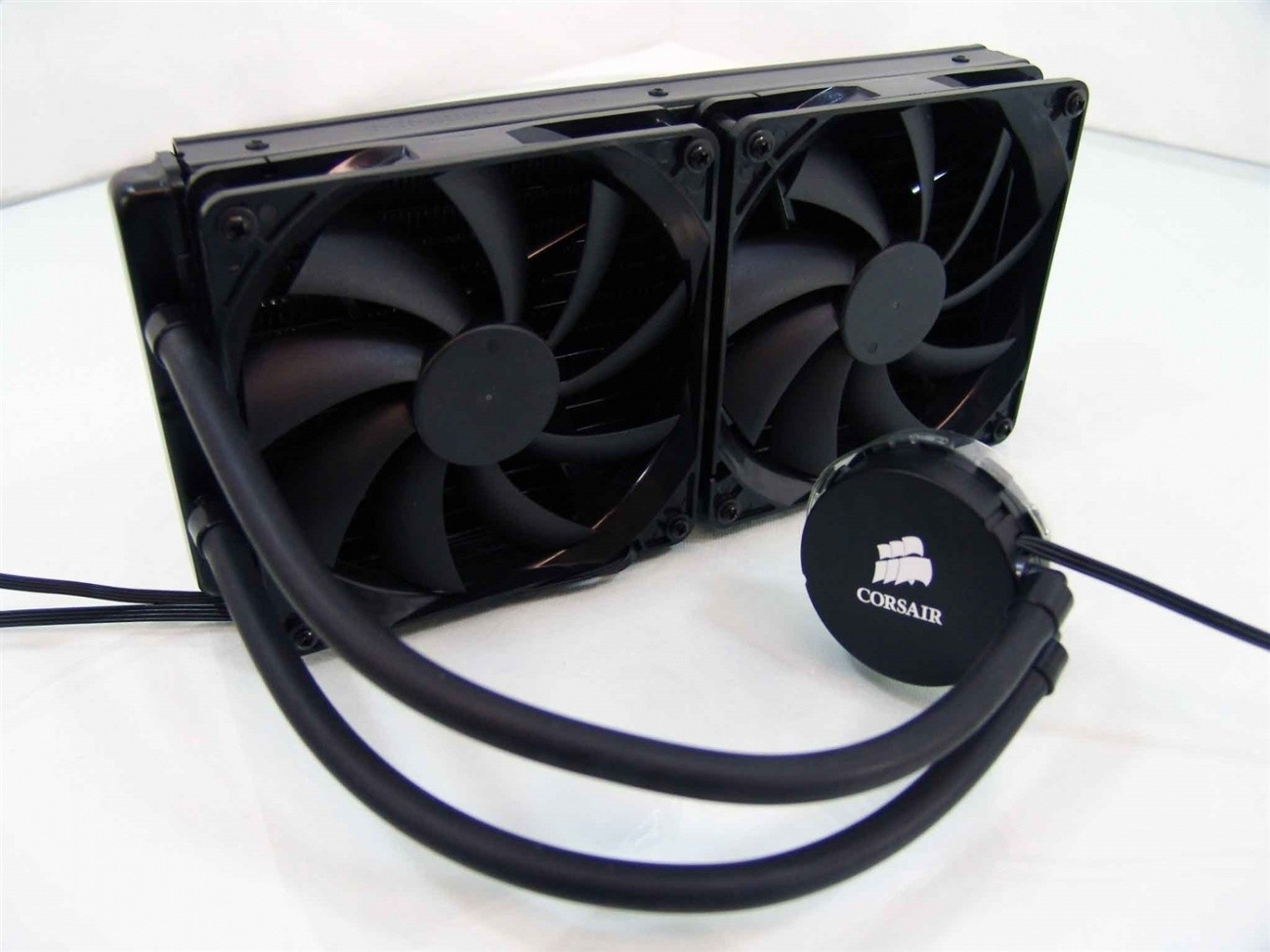
it's like 7 years old, I also have an original H50 from 2010
humble iris
why?
atomic jackal
i mean if it leaked mesh would at least hold a bit of the liquid wouldnt it
supple bane
Thats like saying if you fell out of a plane, opening your t shirt will help you
A.) It wont
B.) Why would you fall out a plane?
Ie, you wont
humble iris
i doubt it, the mesh was added to protect the cheaper material from drying out
the older coolers have the well some even older ones have rigid plastic material, but they started using the same material a car uses, but that was too costly
now some scientifically engineered type of rubber pvc or something to help with permeation, and the mesh helps protect that. so liquid wont evaporate