#technology
1 messages · Page 449 of 1
 feral gull
i did notice that it's only gone up to around 65C with the 4.2 ghz i gave it
do yeah.. i guess there's some headroom left
so*
feral gull
wish i could do it from ryzen paster without having to restart every time i wanna try something new
master*
feral gull
damn that's loud
4.3 works fine
Mention, i only have a 650w psu , running a 3070 with the cpu
i do see somewhat of an improvement
and it is quite stable. Thank you
 thorny bridge
Graphics Card gtx 1660 super gigabyte amd ryzen 5 3600 shutter fps do u have solution fan noise
 midnight crypt
Buy a better pc
thorny bridge
Why
 oblique zephyr
i can barely run the game on 50fps lowest settings, 16gb ram, rtx 2070, ryzen 5 3600. I usually get around 30-45
thorny bridge
Me too I have gtx 1660 super
 cosmic cave
I have a i9-10900k and a 2070 super and I’m getting 80-100 fps
oblique zephyr
im wondering if my ram is the problem
oblique zephyr
cosmic cave
I have a i9-10900k and a 2070 super and I’m getting 80-100 fps
how much ram u got, and what speed
cosmic cave
oblique zephyr
how much ram u got, and what speed
I got 32gb at 3200mhz
cosmic cave
My issue is aiming down the sites
 verbal cliff
80-100 fps with only 43% of my gpu being used is not bad
oblique zephyr
cosmic cave
I got 32gb at 3200mhz
aight, i got 16gb 2666mhz so that seems to be my main prob
verbal cliff
but cpu usage is at 60+
cosmic cave
If I play portal I get over 100fps and the games runs so smooth
verbal cliff
cause most portal servers are 64 players
cosmic cave
Yea
verbal cliff
even on 128 players those maps run smooth
cosmic cave
You guys think they are gonna fix the fps issue? In the patch
verbal cliff
i mean they kinda have to
 karmic barn
cosmic cave
You guys think they are gonna fix the fps issue? In the patch
karmic barn
cosmic cave
You guys think they are gonna fix the fps issue? In the patch
i highly doubt it.. they have been kinda radio silent about PC performance...
 prime jasper
Ok so for the first two days of release, my performance was completely fine, actually netter than i thought it would be, but on the third day, yesterday, all of a sudden im only getting 30 fps on all low, i looked in my task manager and Battlefield is using 0.1% of my gpu and my cpu is maxed out, but my nvidia performance overlay says that the usage is avg 60%
 marsh gull
oblique zephyr
i can barely run the game on 50fps lowest settings, 16gb ram, rtx 2070, ryzen 5 ...
marsh gull
oblique zephyr
i can barely run the game on 50fps lowest settings, 16gb ram, rtx 2070, ryzen 5 ...
bruh on my old system i had a ryzen 3 3100 oced to 4.2ghz and a 1650 super and in low i had more than 60 fps most of the time
 long ridge
i wonder if there is some logging taking place that takes up cpu over time
use the Dynamic Res setting under Options/Display
 queen gyro
Idk if I have the right channel, but I have problems connecting regarding to error code 15-7A. My internet is running fine. I did full shutdown my console and unplug it, but that didn’t work. I did disable crossplay but didn’t work as well. Are servers down or something?
 wintry prairie
You are free to ask, and you may get some help from community members, but if you need further support I can direct you to EA support.
!!support
 silent oasisBOT
ℹ️ Have an issue with Battlefield or your EA/Origin account? Contact EA Help:
If you need to contact the EA Help team for questions you might have regarding game or account issues, head over to https://help.ea.com
ℹ️ Have thoughts to share regarding Battlefield? Submit your feedback:
If you want to help the Battlefield team with constructive feedback to make the title/franchise even better, head over to https://answers.ea.com/t5/Battlefield/ct-p/battlefield
ℹ️ Have you encountered a bug? Report it:
If you have previously unknown technical issues you'd like to highlight, head over to https://answers.ea.com/t5/Bug-Reports/INFO-How-to-Bug-Report/td-p/10940830
ℹ️ Have an issue related to the Official Battlefield Discord server? Let us know:
If you need help related to this Discord server you can send a Direct Message (DM) to our ModMail bot! Please know that we can not help you with any game or account issues!
 prisma anvil
cosmic cave
I have a i9-10900k and a 2070 super and I’m getting 80-100 fps
prisma anvil
cosmic cave
I have a i9-10900k and a 2070 super and I’m getting 80-100 fps
Maybe try unlock the power limit etc if ur not ocing. If u have good cooling that is.
cosmic cave
prisma anvil
Maybe try unlock the power limit etc if ur not ocing. If u have good cooling tha...
How do I do that? I have not overclocked anything, I got great cooling
prisma anvil
cosmic cave
How do I do that? I have not overclocked anything, I got great cooling
Bios settings
cosmic cave
prisma anvil
Bios settings
Would you be interested in giving me a hand with that?
im not the best computer geek out there lol
thorny bridge
hey
 molten bramble
Thinking of selling my 3080 for an egregious amount of money and profiteering off of it with little regard to the ethical implications.

prisma anvil

 raw turtle
verbal cliff
Sold my ps5 last year for 850 usd
raw turtle
verbal cliff
Sold my ps5 last year for 850 usd
you are a bad person
raw turtle
and scalped it
not as bad as scalpers per se, but i still don't like people that do that
verbal cliff
atleast im not using bots
raw turtle
take a small profit of 600-650$ and help somebody out
verbal cliff
and buying everything that goes on stock right away
 opal cliff
So do you guys think optimization will get any better or is this basically as optimized it will get for this game
 atomic latch
It can get better I suppose, but maybe after 6 months to a year. That's how long it took to patch the performance issues in BFV anyway.
opal cliff
Oh okay damn lol
 compact stratus
anyone knows where to post in game issues?
atomic latch
compact stratus
anyone knows where to post in game issues?
#battlefield-2042 only unfortunately
compact stratus
ah ok thanks fam!
 honest bison
molten bramble
Thinking of selling my 3080 for an egregious amount of money and profiteering of...
honest bison
molten bramble
Thinking of selling my 3080 for an egregious amount of money and profiteering of...
3080's are rare
molten bramble
compact stratus
anyone knows where to post in game issues?
!!support
silent oasisBOT
ℹ️ Have an issue with Battlefield or your EA/Origin account? Contact EA Help:
If you need to contact the EA Help team for questions you might have regarding game or account issues, head over to https://help.ea.com
ℹ️ Have thoughts to share regarding Battlefield? Submit your feedback:
If you want to help the Battlefield team with constructive feedback to make the title/franchise even better, head over to https://answers.ea.com/t5/Battlefield/ct-p/battlefield
ℹ️ Have you encountered a bug? Report it:
If you have previously unknown technical issues you'd like to highlight, head over to https://answers.ea.com/t5/Bug-Reports/INFO-How-to-Bug-Report/td-p/10940830
ℹ️ Have an issue related to the Official Battlefield Discord server? Let us know:
If you need help related to this Discord server you can send a Direct Message (DM) to our ModMail bot! Please know that we can not help you with any game or account issues!
compact stratus
Thanks fam!
atomic latch
It's just Battlefield being battlefield lmfao
 latent hearth
 storm rune
idk what happened but my game became stuttery
storm rune
idk what happened but my game became stuttery
performance seems to be very inconsistent
its funny the first time i launched the beta it blew my surge protector
latent hearth
how bout cpu
storm rune
50-70%
latent hearth
yeah id say its just battlefield and its wonderful optimization
hopefully they fix it
storm rune
idk i'll try to fix it later
 deep sorrel
Even when enabled dx12, i'm still using cpu 60-70% and gpu 50-55% no matter the settings. Game still needs to be optimized
storm rune
yea it needs
latent hearth
yeah my cpu usage is very high
deep sorrel
That's good
latent hearth
it was actually maxing out my ram so i bought more ram, turns out my prebuilt motherboard wasnt compatible (thanks alienware) so i literally rebuilt my pc today lmao
storm rune

latent hearth
its running whatever i guess its super inconsistent but im gonna put the blame on the game
latent hearth
yeah its not very polite
storm rune

it was working just fine
like you can see on the video
now it's a stuttery mess

deep sorrel
The game is running just fine for me after dx12 set to 1. But no matter the settings, i never get past 100fps
latent hearth
yeah i dont think 100s gonna happen for me lmao
i dont even know what framerate im running at
im kinda stingy about graphics so

 lost schooner
Optimization needs fixed. Driving a tank is horrible and feels like I'm running slow.
 latent light

TweakTown
Game developers asked Sony for a 16-core CPU in the PlayStation 5, but backpedaled because it would've affected GPU peff.
midnight crypt
Imagine how hot and loud that thing would've been
 quick locust
Would have been interesting but a large die
midnight crypt
And big too
atomic latch
cooling situation would have been insane too
latent light
big.LITTLE would make more sense having 8+8
quick locust
Yeah, but that'd be much later than ps5
 thin swallow
latent light
https://www.tweaktown.com/news/82879/game-devs-asked-sony-for-16-core-cpu-in-the...
thin swallow
latent light
https://www.tweaktown.com/news/82879/game-devs-asked-sony-for-16-core-cpu-in-the...
developer moment
also i should probably not be putting this here but does anyone wanna help me test my netcode for my game. Currently trying to get steam transport to work rn
feral gull
okay, found a way to stabilize the performance and get a bit more out of the game. Turn everything to low except antialiasing. You can leave that to ultra. Oc your CPU as much as you can and disable dlss as it does absolutely nothing. Also, make sure xmp is enabled. It's not much, but it will make the performance overall a bit more consistent without stuttering and above 70 fps most of the times
feral gull
there's nothing to upgrade. Any other game apart from this one runs flawlessly with all settings on ultra. I'm not gonna buy a cpu just because dice decided so
verbal cliff
feral gull
there's nothing to upgrade. Any other game apart from this one runs flawlessly w...
specs?
feral gull
r53600/rtx3070/16gbram 3200mhz
raw turtle
well tbf you’re limiting performance a bit with that cpu anyway on any game
feral gull
perhaps, but it's not bottlenecking the gpu
prime jasper
guys please help
whenever i launch my battlefield
it crashes on 40 seconds into startup
im launching from origin)
 modern gull
@supple bane Definitely cooling my VRM's (5.0ghz), normally it would be around 100c in this scenario

 wise anvil
is 50fps with an i5-9600k, with dips to 40 a decent performance. I have an rtx 207 playing at all low 1080p
midnight crypt
Whats your ram?
wise anvil
16GB 3000mhz
midnight crypt
Then its normal
wise anvil
what a shittilty optimised game for a $1300+ system then
 supple bane
a pc back in the 90s would cost thousands and thousands, doesnt mean its fast
my point is your hardware isnt brand new
and this game is truly next gen
wise anvil
It is not no but other games releasing this year such as vanguard i get 160fps+ not really a reason to have this game perform so much worse
i know cod is a lot less intensive
but at least igmme 80 fps
supple bane
vanguard isnt 128 players
i predicted all of this
i knew that 2042 was gonna be unreasonably cpu demanding

 wise anvil
i like the idea but they need to add 64 player servers too. In portal i can reach 80 fps on occasions because of low player coutns
midnight crypt
We do really need conquest small
 cold finch
wise anvil
is 50fps with an i5-9600k, with dips to 40 a decent performance. I have an rtx 2...
cold finch
wise anvil
is 50fps with an i5-9600k, with dips to 40 a decent performance. I have an rtx 2...
I have the same specs.. its Yeah hard to get over 30-40fps.
wise anvil
My problem is that my cpu maxes but my gpu hovers at around 50%. bottleneck.com says its a 4% bottleneck but clearly not
supple bane
i have the same gpu but with a slightly slower cpu and get roughly the same
supple bane
wise anvil
My problem is that my cpu maxes but my gpu hovers at around 50%. bottleneck.com ...
dont rely on those websites
utter horse poo
wise anvil
in games like forza it seems right though gpu and cpu nearly maxed
supple bane
in something like rdr2, you would have a 0% cpu bottleneck, in 2042 its a 100% bottleneck
its just different games
you cant look at a system and say "x percentage bottleneck" because thats just not how loads work
 vestal mortar
This is the only game that don't support my gtx 970
wise anvil
I guess they just need to patch the game to rely less on the cpu
supple bane
and usually 80-90% cpu usage, but that will be down to me having 12 threads whereas you have 6
cold finch
Same. Only 40-50% .. cpu 100% 😅
wise anvil
but inlucidng other programs 100%
supple bane
yep, cuz its only 6 threads
wise anvil
On some 128 player maps i get consistent 60fps, on others i struggle to get 50
would buying an i7-9700k help much
supple bane
it would give an improvement for sure. but dont buy a 9700k now
its 3 generations old
wise anvil
I dont want to have to buy a new motherboard if i dont have to
cold finch
Dont buy new specs for a BF game 😅
supple bane
well the extra 200 bucks for a new motherboard will mean you wont have to spend any more for like 5 more years
buy a 9700k and youll need to upgrade again soon
wise anvil
do the 10th/11th gen i5s have hyperthreading?
supple bane
yes
but 12th gen
there is 0 point buying a last gen cpu
same money for less performance generally
supple bane
i cant imagine it being any more than 30 pounds more
its a tiny bit cheaper for a large drop in performance
wise anvil
when does 12th gen release
supple bane
it released weeks ago :P
supple bane
z690
supple bane
you can get a 12600kf for the same price as an 11600k
and that will get you a nice 20%? performance
wise anvil
is it a good pair for an rtx 2070?
supple bane
probably overkill. but again, why spend the same money for an older cpu
i also have a 2070 and planning on upgrading to a 12600k
but not till after new years
 proud trellis
is there a known date for when the new cpus come out btw ?
supple bane
the new cpus as in?
proud trellis
12th gen
supple bane
they have been out for weeks
 vapid estuary
They launched at 4th this month
proud trellis
oh ffs
supple bane
ryzen 6/7000 will be coming soon too
vapid estuary
wise anvil
meanwhile im stuck on z390
Intel users
proud trellis
Isnt the intel CPU's better then Ryzen CPU's this year though or do we not know ?
i want to upgrade my pc probs around may time which is my birthday
supple bane
currently intel holds the gaming crown
but next generation ryzen could change that
currently a 12600k is on par with a ryzen 7 5800x
proud trellis
oh damn
supple bane
and the 12900k handily beating the 5950x
proud trellis
see idk if i want to go with a i5/R5 or an i7/r7
modern gull
Never would have thought i would get this close to 100% gpu usage in this game 


 twilit quiver
modern gull
Never would have thought i would get this close to 100% gpu usage in this game <...
twilit quiver
modern gull
Never would have thought i would get this close to 100% gpu usage in this game <...
71 percent cpu?
damn
modern gull
That air cooler is the best thing i could have bought 😛
modern gull
twilit quiver
71 percent cpu?
In breaktrough it goes to like 90
modern gull
supple bane
120 fps
This was with AI only tho
I get around 80-90 fps in breaktrough at the flag
 vapid estuary
proud trellis
Isnt the intel CPU's better then Ryzen CPU's this year though or do we not know ...
vapid estuary
proud trellis
Isnt the intel CPU's better then Ryzen CPU's this year though or do we not know ...
it is better
but you have to upgrade motherboard and sometimes coolers almost every generation on intel
😔
twilit quiver
vapid estuary
but you have to upgrade motherboard and sometimes coolers almost every generatio...
thats bullshit
too much crap
twilit quiver
modern gull
Rtx 3070 i9 9900kf
wow and that much usage?
i think my alptops gonna expldoe
modern gull
 twilit quiver
modern gull
https://tenor.com/view/pc-fire-gif-18709628
twilit quiver
modern gull
https://tenor.com/view/pc-fire-gif-18709628
did u have it on like high
1440p
or what
dlss?
modern gull
twilit quiver
did u have it on like high
Max no dlss
twilit quiver
modern gull
Max no dlss
cpu bottleneck?
modern gull
Multiplayer
 modern gull
midnight crypt
my game doesnt use that much cpu and we have the same one
modern gull
midnight crypt
my game doesnt use that much cpu and we have the same one
I have HT off btw, forgot to mention that
modern gull
For some reason with HT it shows only like 50-60%
midnight crypt
yep
modern gull
Temps same etc...
modern gull
Did some research and if you have 6+ cores you might see performance improvement with HT off
modern gull
storm rune
what res?
1080p
 twilit quiver
modern gull
Did some research and if you have 6+ cores you might see performance improvement...
twilit quiver
modern gull
Did some research and if you have 6+ cores you might see performance improvement...
wait wtf is ht
midnight crypt
hyperthreading
modern gull
Hyperthreading
modern gull
storm rune
nice gpu usage than
Mhm i am happy 😛
modern gull
twilit quiver
off
In bios, if you have 4c i suggest you keep it on tbh
twilit quiver
modern gull
In bios, if you have 4c i suggest you keep it on tbh
6 core
but im
on
laptop
modern gull
Probably can't do anything in that bios 
twilit quiver
modern gull
Probably can't do anything in that bios <:WoahThink:562440526021001230>
whats the technical explanantion on why hyperthreading lowers performance on 6+cpu cores?
modern gull
Google is your friend but i'll find one of those articles i read, give me a moment
@twilit quiver I can't seem to find the spesific article i was thinking about but you should find some benchmarks on google. One game i remember that was tested was fortnite and it was the only game that got a performance loss with HT off
prisma anvil
twilit quiver
whats the technical explanantion on why hyperthreading lowers performance on 6+c...
Nah you don't need to turn HT off. I'm pushing 130-170 without doing "optimization" like tweaking saved profile turning off HT. Just good ole fashion overclock.
I've also help tuned a 9700k and a 9900k here. They have similar fps, 9900k is actually abit higher with similar clock speed. Thats 8 core 8 threads no hyperthreading vs 8 core 16 threads with.
prisma anvil
proud trellis
see idk if i want to go with a i5/R5 or an i7/r7
Depends. Out of the box Zen3 beats intel 10th gen in gaming. Manually overclocked cpu and ram Zen3 barely matches intel 10th gen. Intel 11th gen is sht and Intel 12th gen curbstomp both 10th gen and zen 3 out of the box or tuned.
prisma anvil
proud trellis
see idk if i want to go with a i5/R5 or an i7/r7
I would suggest 12th gen intel 12700k cause 8P cores. Go with a DDR4 z690 mobo and some 3600 cl16 ram. DDR5 is cool but it's too early and loses to DDR4 most of the time for now. It will be a year or two when DDR5 beats DDR4 in gaming when it matures. Also DDR5 availability rn is 🥲
 rough jolt
Can you play as the Russians in solo/Co-op mode?
proud trellis
prisma anvil
I would suggest 12th gen intel 12700k cause 8P cores. Go with a DDR4 z690 mobo a...
i already have some ram which is 2x8 3200Mhz
btw what is cl16 ?
prisma anvil
proud trellis
btw what is cl16 ?
Cas latency 16 you usually want the higher ram speed with lower Cas latency for example 3200 cl14 ram beats a 3600 CL18 in games usually.
proud trellis
ohh ok
proud trellis
prisma anvil
Cas latency 16 you usually want the higher ram speed with lower Cas latency for ...
https://uk.pcpartpicker.com/list/hGm3Vc everything in this list apart from the PSU and case i have in my pc rn minus the GPU, CPU and motherboard as i will be upgrading them
twilit quiver
prisma anvil
Cas latency 16 you usually want the higher ram speed with lower Cas latency for ...
wow wtf i have cl22 3200
prisma anvil
twilit quiver
wow wtf i have cl22 3200
Oof. Sorry about ur 2042 fps.
twilit quiver
prisma anvil
Oof. Sorry about ur 2042 fps.
😢
proud trellis
i also dont know if i will have to change my CPU cooler once i get a new CPU, i could always wait and see the temps before i do upgrade but i think a 120mm rad in a big lian li case will look kind of stupid anyway
prisma anvil
I don't think a 120mm aio can handle 12th gen.
proud trellis
ahhhh
i might try and get a 360mm radiator to go along the top then if i can
do NZXT have decent performing coolers ?
 sonic cipher
proud trellis
do NZXT have decent performing coolers ?
sonic cipher
proud trellis
do NZXT have decent performing coolers ?
yeah
happy with my AIO
served me well for around 4 years now
no failures so far
and temps are ok
Dont know about the newest gen tho
I would guess they arent worse than the older gen
 shell tinsel
my game crashes when I enter a game
because i dont have drivers
I installed it but I keep getting the same error.
The most recent Geforce driver I have is the one from 11/16/2021.
feral gull
modern gull
Did some research and if you have 6+ cores you might see performance improvement...
what is HT?
 lunar dawn
feral gull
what is HT?
lunar dawn
feral gull
what is HT?
hyper threading
feral gull
thx
 fringe crest
For all of you playing on PCs, we want to acknowledge that many of you are finding that performance of the game is presently CPU bound, and not enough of you who are fortunate enough to enjoy high end GPUs and CPUs are seeing the benefit of consistent, high frame rates. Identifying engine level optimisations and developing solutions will require a lengthier response time from us so that it gets done right. Short term, we’ll be doing all we can to help offer performance improvements that reduce the load, and up your frame rates where possible. We’ll keep you updated on our work through our Battlefield channels.
From battlefield facebook... atleast its something
queen gyro
When are they gonna fix this error? I’m still getting 15-7A. If it isn’t just me, then it has to be the game itself, not my console.
And it’s not on my end.
 storm osprey
fringe crest
From battlefield facebook... atleast its something
storm osprey
fringe crest
From battlefield facebook... atleast its something

Electronic Arts Inc.
An Update on our Focus for the Weeks and Months Ahead
storm osprey
for the link i posted? different times they will be added but the soonest is in 2 days iirc
cosmic cave
No im saying for the PC fix
for FPS
level optimisations and developing solutions will require a lengthier response time from us so that it gets done right
storm osprey
oh, ehh im really curious to how they "fix" this. im in the camp that thinks the performance it gets right now is already kind of impressive considering how much is going on in a match.
theory is that the way its optimized now benefits cpus and lower end system, while if they let it scale off hardware people will get better performance on the high end, but it would be even more so unplayable with lower end systems
atomic latch
They did say there are some fixes for stuttering, rendering and optimization issues in Update 3 which I hope will solve a lot of the performance issues
queen gyro
queen gyro
When are they gonna fix this error? I’m still getting 15-7A. If it isn’t just me...
Anyone know when are they gonna fix it?
I'm still having trouble logging in.
latent hearth
how is it my computer does more work on the menu screen than in the actual game 😭
atomic latch
Depth of Field in the main menu is somehow resource intensive lmfao.
latent hearth
What can i do to get better frames without making the game look like complete trash? Im running most things on medium except for textures which i have on ultra
still only getting around 80-100 usually and those settings are low so idk what to do
 blazing turtle
storm osprey
oh, ehh im really curious to how they "fix" this. im in the camp that thinks the...
blazing turtle
storm osprey
oh, ehh im really curious to how they "fix" this. im in the camp that thinks the...
That's a great take, after watching hardware unboxed series on 2042 I feel the same way. Pretty impressive what they can do optimizing across so many platforms
queen gyro
No one isn't gonna help me?
atomic latch
latent hearth
What can i do to get better frames without making the game look like complete tr...
Nothing really, you just have to wait for the next patches to drop and see how they improve your performance then. Rn the performance is just all over the place
latent hearth
queen gyro
Anyone know when are they gonna fix it?
idk what a 15-7A is sorry im dumb
latent hearth
atomic latch
Nothing really, you just have to wait for the next patches to drop and see how t...
hoping for the best
queen gyro
latent hearth
idk what a 15-7A is sorry im dumb
It's some issue that everyone is having trouble logging in.
I'm not the only one.
latent hearth
are you on console?
queen gyro
Yes.
latent hearth
which one
queen gyro
And it's not my console, it has to be the game. I tried turning off my console then unplug my console and plug it back in, but that didn't work.
Xbox Series X.
latent hearth
are you using a wired connection or wifi?
queen gyro
Not my internet either. It's running fine.
So it has to be Battlefield 2042 having these bug error.
blazing turtle
Reach out to ea support
 marble meadow
Latest news update blaming cpu bottleneck for poor performance on high end machines is BS. My cpu sits around 50% usage while my rtx 3080 graphics cards sits between 50 & 60% usage with a temperature of 60° 😞
thorny bridge
Hello
 stark glacier
marble meadow
Latest news update blaming cpu bottleneck for poor performance on high end mach...
stark glacier
marble meadow
Latest news update blaming cpu bottleneck for poor performance on high end mach...
What? That sounds good, I’m at 100% cpu and 3% gpu usage. With a 1080
 midnight crypt
Are you mining and playing at the same time
midnight crypt
Dont
thorny bridge
Do u have solution fixed problem fps
midnight crypt
Stop mining
marble meadow
stark glacier
What? That sounds good, I’m at 100% cpu and 3% gpu usage. With a 1080
Not good. I should be getting much higher fps and gpu usage should be around 98% usage
 potent sierra
how do i get to at least 20% cpu usage
i keep getting 50/50 or 60/40 gpu:cpu usage
i have a ryzen 9 5900x
twilit quiver
potent sierra
how do i get to at least 20% cpu usage
Jam ur settings up
potent sierra
@twilit quiver like max them out?
twilit quiver
potent sierra
<@!486999474217156609> like max them out?
Yeah
twilit quiver
So nvidia released NIS
Nvidia image scaling
And I can apparently use it in any game
It’s just in nvidia control
But I heard people say that it doesn’t work for a laptop without mux switch or advanced optimus either that or u have to connect to an external monitor
Can I like bypass that or smrh
midnight crypt
Unlikely
 barren minnow
anyone have any suggestions for freezing every 30 seconds or so on pc
im running a 5600x and a 6gb rtx 2060
getting like 140 fps at 1080p but it will freeze every 30 seconds or so
twilit quiver
barren minnow
getting like 140 fps at 1080p but it will freeze every 30 seconds or so
Reboot ur pc
barren minnow
@twilit quiver Ive done that a ew times today and it hasnt helped
twilit quiver
barren minnow
<@!486999474217156609> Ive done that a ew times today and it hasnt helped
Did u repair files
barren minnow
yeah i completely uninstalled and reinstalled the game
twilit quiver
barren minnow
yeah i completely uninstalled and reinstalled the game
Change the settings?
barren minnow
yeah im running low and medium settings
marsh gull
stark glacier
What? That sounds good, I’m at 100% cpu and 3% gpu usage. With a 1080
what cpu
prisma anvil
barren minnow
im running a 5600x and a 6gb rtx 2060
Try update mobo bios with a USB drive, don't forget the re enable xmp afterwards
shell tinsel
shell tinsel
my game crashes when I enter a game
Thanks👍!
 wraith sky

cosmic cave
barren minnow
getting like 140 fps at 1080p but it will freeze every 30 seconds or so
How the heck are you getting 140 lol
verbal cliff
barren minnow
Plus a slight clock on cpu and gpu
thats prob why it freezes every 30 seconds
plus dx12 stutters
they happen
verbal cliff
somewhat surprised the game isnt crashing for u
bfv would crash if you tried overclocking
that game hates any kind of oc
verbal cliff
your cpu is solid
barren minnow
It’s running on a clean nvme drive
16gb ram at 3600
Like I have no clue what the issue could be
prisma anvil
Hmmm. Yeah I don't use ryzen master haha, best way is to use bios and do some PBO2
Also 3.85ghz sounds very low for 5600X stock should clock higher
latent hearth
barren minnow
anyone have any suggestions for freezing every 30 seconds or so on pc
have u tried not overclocking and seeing if it still crashes
and is ur ram maxing out at all?
latent hearth
 topaz bloom
the game wont install :/
topaz bloom
the game wont install :/
on pc? where are you installing it from (steam, ea, epic etc?)
latent hearth
queen gyro
It's some issue that everyone is having trouble logging in.
hey i got the issue you were talking about earlier, but on pc i think. when i tried joining a game it gave me the error. i backed out and tried another game mode and it worked
quick locust

The latest Linux kernel patches confirm that next-gen AMD Zen processors are capable of featuring up to twelve CCDs.
atomic latch
What are CCDs again?
quick locust
Core complex dies
Currently each can have 8 cores in 8 ccds
64 cores
But 12 ccds would allow for 96 cores if it's the same core per ccd
You see the top 2 dies? Those are ccds and can have 8 cores each
 atomic latch
So AMD is upping their core count game again. That's interesting, maybe their next x600 budget CPU will be an 8 core instead of 6? 👀
quick locust
Desktop ryzen has 1 to 2 , epyc and TR has 8 (zen 2 and later)
Maybe, who knows
But they might do a 96 core TR or Epyc
(And some lower due to defects and fusing off cores, like with 5900X compared to 5950X)
 thorny halo
did servers go down? started getting the persistent data error all of a sudden
i mean i havent seen that error since the early access week
and now i simply can't find a single game
storm rune
Hey, lately I've been thinking about buying a laptop which I could take to my college. I've been looking at hp's and dell's and I wanted to ask you, what would be the better option? I can buy a hp laptop with r7 5700u/16gb ram/512gb ssd cheaper than dell with r5 5500u/16gb/512gb and that's a bummer for dell
atomic latch
5700u for sure. Better processor.
storm rune
Ok, thanks
 rapid venture
Is it worth it to switch to a b550 Mb with a b450 MB with a 5600x and a 3070?
atomic latch
What are you looking for in a B550 mb?
rapid venture
I dont know 😅 small more fps ? ...black friday 😅
prisma anvil
u will get about 0 more fps by switch.
 pale quartz
not true actually
there is a tiny performance delta increase from going to b550
it isn't worth the cost though
atomic latch
Don't B550 motherboards have that feature wherein the CPU can directly access the GPUs memory? Since the guy here has a 5600X and a 3070, it may be a better MB in the long run.
pale quartz
it's 2% in terms of average framerate, so it is measurable
quick locust
not really worth to switch from B450 to B550 for gaming use
pale quartz
atomic latch
Don't B550 motherboards have that feature wherein the CPU can directly access th...
no this is on b450 boards too
it isn't exclusive to b550
atomic latch
Oh that's good actually. Lessens the need for MB upgrade.
prisma anvil
oh smart acess memory
prisma anvil
rapid venture
Is it worth it to switch to a b550 Mb with a b450 MB with a 5600x and a 3070?
turn on ur pbo2
quick locust
just remember to update bios for zen 3 support
rapid venture
Ok thanks, i stay with b450. I have a b450 pro4 from AsRock with bios 5.0
prisma anvil
for 5600X I recommend 150 tdp, 130edc and tdc. -20 all core negative offset on curve optimizer and +200mhz boost
u can try -30 all core neg but u need testing and see if u crash after a week
the 5 5600X I tested all did -30 all core but I say -20 just in case
rapid venture
Ok, thanks @prisma anvil i will test it
prisma anvil
make sure ur cpu cooler can handle 150 watt tdp check ur temps
oh I forgot scalar 1x for prolong cpu life
rapid venture
prisma anvil
make sure ur cpu cooler can handle 150 watt tdp check ur temps
I think then i need a new one, have a noctua u12s 😅
prisma anvil
rapid venture
I think then i need a new one, have a noctua u12s 😅
Nah ur good.
prisma anvil
rapid venture
I think then i need a new one, have a noctua u12s 😅
Unless u have clapped thermal paste u12s can handle it. U can lower ur tdp to 120 if u want in pbo2
rapid venture
Ok, thanks !
deep sorrel
Any1 here with Omen x27 experience?
 quick locust
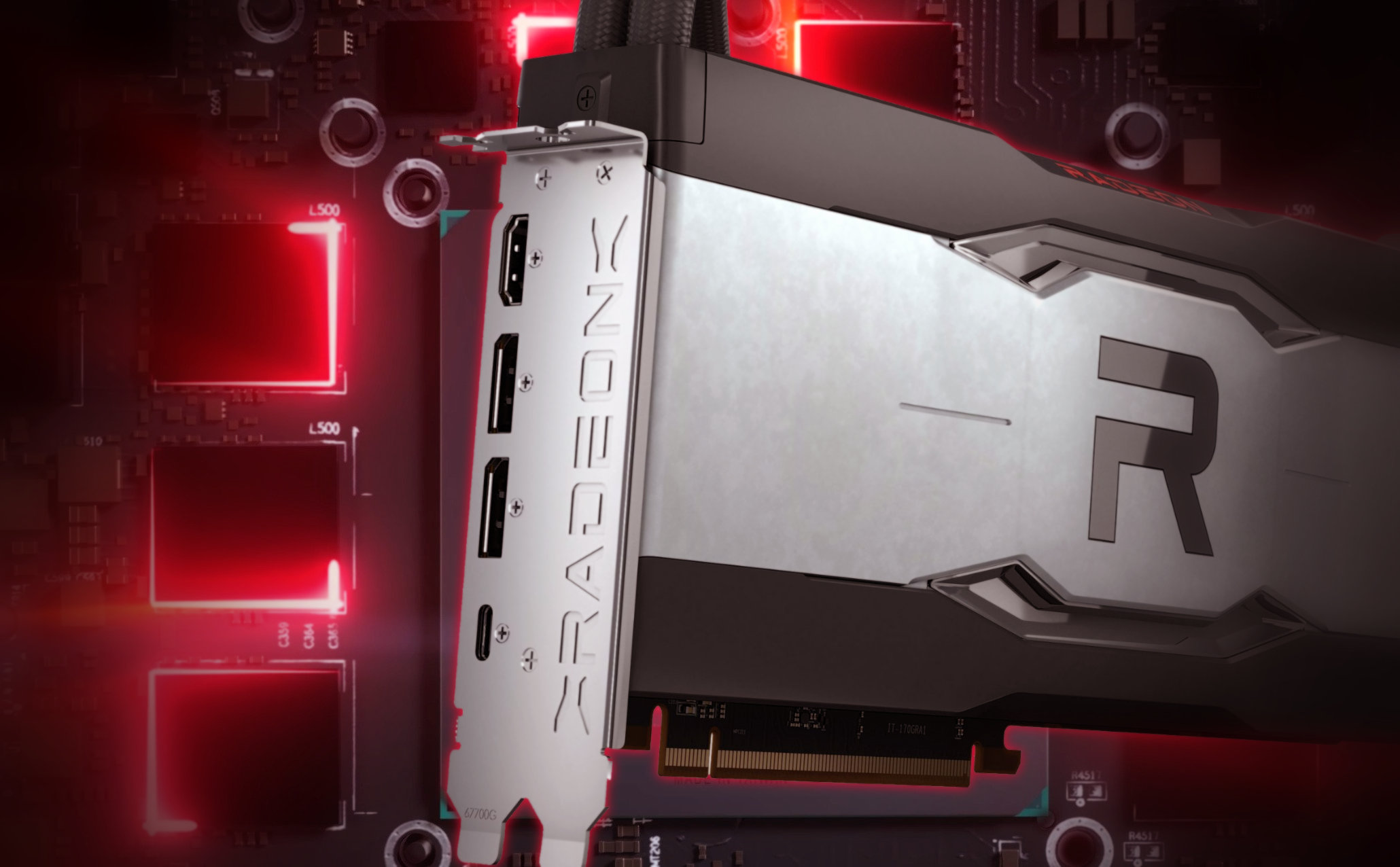
AMD Radeon RX 6000 pricing up by 10% The company has allegedly informed board partners it will be increasing the price of Radeon RX 6000 graphics cards. According to Board Channels forums, AMD has decided to increase the pricing of Radeon RX 6000 GPUs by 10%. Cards based on RDNA2 architecture will now cost 20 […]
latent light
Ouf
topaz bloom
latent hearth
on pc? where are you installing it from (steam, ea, epic etc?)
yeah pc, steam
topaz bloom
latent hearth
on pc? where are you installing it from (steam, ea, epic etc?)
nvm man got it workin :D
storm osprey
blazing turtle
That's a great take, after watching hardware unboxed series on 2042 I feel the s...

Thermal Grizzly: https://www.thermal-grizzly.com/produkte/358-kryonaut-extreme
Support us on Patreon: https://www.patreon.com/hardwareunboxed
Join us on Floatplane: https://www.floatplane.com/channel/HardwareUnboxed
Buy relevant products from Amazon, Newegg and others below:
Intel Core i9-12900K: https://geni.us/xEZFptS
Intel Core i9-12900KF: ...
its crazy how aggressive people get because HUB gave their opinion on why things run the way they run
blazing turtle
Haha fr I’m not gonna pretend to be an expert on game development and having someone who understands hardware explaining optimization has helped a lot
storm osprey
yea its insane how ignorant people are yet talk like they know something, i posted the video in 2042 chat and i bet hardly anyone clicked it, and no one watched it completely
they cant even put 10 minutes into a video to get a better understanding, but will say optimization is bad as a fact
blazing turtle
People want to be angry I guess 🤷♂️
 wanton tapir
completely unrelated to battlefield but does anyone know any good headsets with mics around 200$?
 molten coral
for pc? console?
storm osprey
wanton tapir
completely unrelated to battlefield but does anyone know any good headsets with ...
usd? wired or wireless? does it HAVE to be a headset or can it be a headphone with a modmic/desktop mic?
wanton tapir
erm 200 usd pc id like wireless but im fine with wired and if theres a good combo of mic / headphones under 200 why not\
storm osprey
are these for gaming and media like music and movies? or JUST gaming?
wanton tapir
definitely gaming and media
i was thinking abt the logitech g pro x but every review ive seen has been negative
storm osprey
i generally stay away from most gaming headsets
the only "gaming" products i buy are mice
storm osprey
if youre fine with a desktop mic, i would pick up a fifine k669, and dt 880
theres the dt770 and dt990 which are also popular, but the high ends can be a bit aggressive and prone to giving people headaches, so i dont recommend those
storm rune
Wish I knew what I did wrong that my game became stuttery
reinstalling it doesn't even help

midnight crypt
maybe its just making shaders?
lunar dawn
storm rune
Wish I knew what I did wrong that my game became stuttery
try to deleted the cache folder under documents/bf2042
prisma anvil
storm osprey
yea its insane how ignorant people are yet talk like they know something, i post...
I got called a bich and a shill when I said I can push 130-170+ fps and offered to stream them.
storm osprey
people are just unjustifiably angry about anything to do with 2042

quick video covering the best black friday 2021 deals for gaming mice that I've seen. if anything big changes, or new products go on sale, ill be sure to update the description!
LINKS TO SALES BELOW (i have reviews posted for every mouse)
Lowest prices for TONS of mice, shipping is around $20 to the US though
https://us.maxgaming.com/us/black-f...
storm rune
midnight crypt
maybe its just making shaders?
In what way?
it wasnt stuttery before it became stuttery and it was before the reinstall
storm rune
lunar dawn
try to deleted the cache folder under documents/bf2042
i think i did that before if became stuttery
but it wasnt from the beggining
it was working just fine since 12'th
blazing turtle
prisma anvil
I got called a bich and a shill when I said I can push 130-170+ fps and offered ...
People want to be mad at anyone who has anything nice to say about 2042
storm osprey
not even nice, you say anything neutral and people act like you killed their dog
 cursive ermine
can rx 5500 xt and ryzen 7 2700 run bf2042 ok?
storm osprey
cursive ermine
can rx 5500 xt and ryzen 7 2700 run bf2042 ok?

game is heavily cpu bound, i think youd at least get 60 fps with low settings with your hardware
cursive ermine
alr ty
supple bane
storm osprey
same graph for 1440?
storm osprey

 worn garden
Battlefield 2042 and a 1050TI + i3 8100. Anyone got experience with this? Does it run 'smoothly' enough to play the game?
midnight crypt
highly doubt it
 rain kernel
storm osprey
rain kernel
storm osprey
even if it was, i wouldnt buy that
midnight crypt
its basically only to have some basic display output
 lament nebula
has 2042 gotten any better?
storm osprey
uhhh, official launch patch improved the performance, balance and other QoL changes are coming tomorrow
lament nebula
oh weird I still have like 90% of the issues in the launch patch, didnt even know they pushed
like the first match of the day XP bug, (which was also present verbatim in swbf2)
 rancid haven
My gpu is repaired!!!
blazing turtle
There are still a decent amount of bugs, there is a patch coming tomorrow thats supposed to help and then another patch over the next couple of weeks
 woven dragon
Anyone know if this error message is common; DXGI_ERROR_DEVICE_HUNG (RX6900xt). Game crashes randomly with this error. Says "the gpu will not respond to more commands"
lunar dawn
woven dragon
Anyone know if this error message is common; DXGI_ERROR_DEVICE_HUNG (RX6900xt). ...
perhaps ddu the driver (you can google how to us ddu in safe mode) and install latest one?
quick locust

ZDNet
Starting in 2022, AWS's Amazon Linux will be based on Red Hat's Fedora community Linux.
 brave bough
thorny bridge
brave bough
thorny bridge
Hey
I have shutter fps battlefield 2042 m'y graphics card gtx 1660 super gigabyte amd ryzen 5 3600 16 gb ram do you u have solution
supple bane
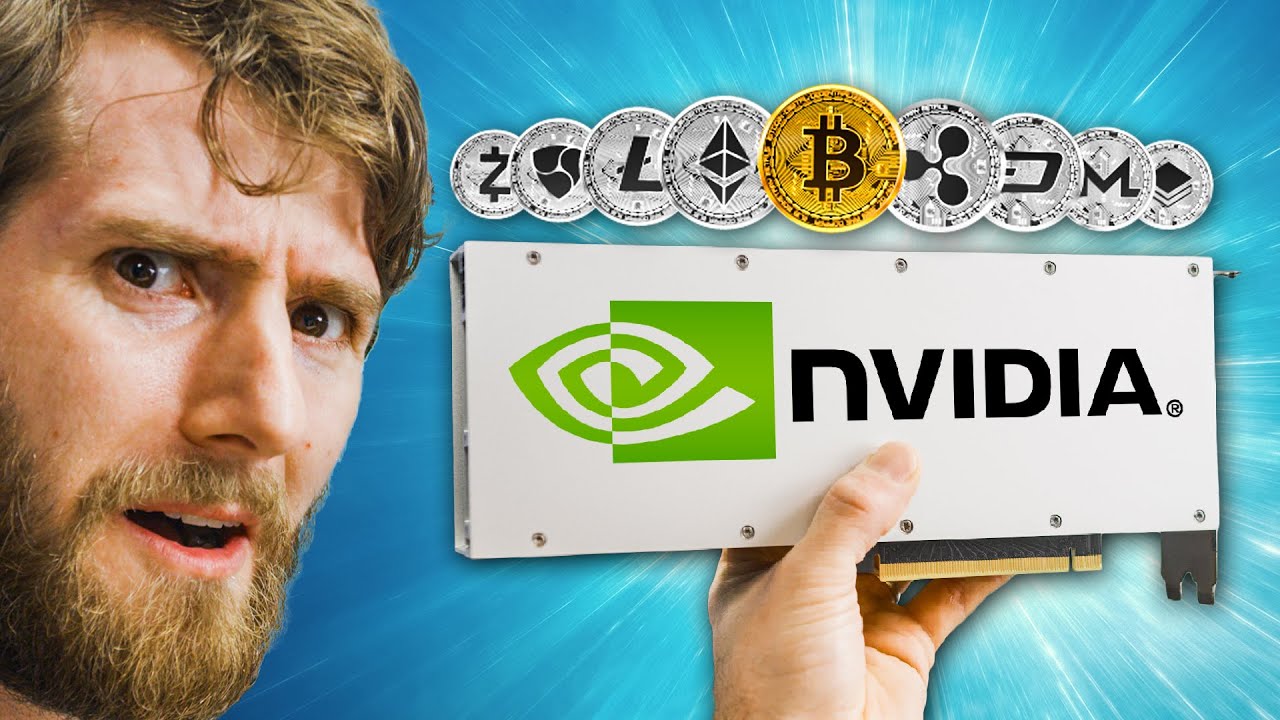
Get your Toolkit at its lowest pricing today at: https://www.iFixit.com/LTT
We got our hands on NVIDIA's latest ghost-product CMP 170HX crypto mining card graphics card, and it is SUPER weird. Let's check it out.
Buy the NVIDIA CMP 170HX at: https://lmg.gg/1Oaop
Purchases made through some store links may provide some compensation to Linus Me...
@quick locust the gpu in this is like the same size as ya ampere cpus 
Even has an ihs

 valid locust
Got my ram to 3733 CL14
Average FPS: 135-150
1% Low FPS: 100-110
Max FPS: 190
Resolution: 2560x1440, 160hz
CPU: Ryzen 5900x, 4.85-4.925ghz
GPU: RTX 3070, +800 mem
RAM: 32GB 3733 CL14 (57.4 ns)
Settings: Textures Ultra, rest a mix, DLSS on, RT OFF https://puu.sh/Ip8yL/152f11d7e3.png
Woah that's pretty good
valid locust
If there is not a lot on screen, its more like 165
https://puu.sh/IrkRQ/82a12e1daa.jpg
With a lot going on in the action, closer to 125
https://puu.sh/Irkwt/7f67bd88f8.jpg
 worldly gull
storm osprey
yea its insane how ignorant people are yet talk like they know something, i post...
worldly gull
storm osprey
yea its insane how ignorant people are yet talk like they know something, i post...
Dunning-Kruger curve eh?
worldly gull
worn garden
Battlefield 2042 and a 1050TI + i3 8100. Anyone got experience with this? Does i...
Look at the graph, the 8350K is literally unplayable, so no, your 4c/4t i3 won't cut it
prime jasper
https://youtu.be/jCPoKuCz5E0?t=914 hardware unbox explaining their take on bf 2042 optimization
Thermal Grizzly: https://www.thermal-grizzly.com/produkte/358-kryonaut-extreme
Support us on Patreon: https://www.patreon.com/hardwareunboxed
Join us on Floatplane: https://www.floatplane.com/channel/HardwareUnboxed
Buy relevant products from Amazon, Newegg and others below:
Intel Core i9-12900K: https://geni.us/xEZFptS
Intel Core i9-12900KF: ...
quick locust
supple bane
<@369842093213876235> the gpu in this is like the same size as ya ampere cpus <:...
It is an ampere gpu
Just on tsmc
midnight crypt
aka way better
 peak mural
can Xbox 1 play with PC on 2042?
marsh gull
yes
midnight crypt
no
 hidden pumice
changed my 3700x to 5900x bad or good? for 3080ti
midnight crypt
bad
prisma anvil
I think it's pretty good.
Zen3 IPC and clock speed wise is just sooo much better than zen2
latent light
At 1080p the difference in average framerate between Ryzen 3000 and 5000 series is usually around 20-25%, at 1440p around 10%
 warped apex
Upgraded from a 9700K to a 12700KF yesterday, the minimum FPS difference is huge 😮
quick locust
nice
Large jump 🙂
Enjoy

Gucci recently announced their first ever collaboration with Microsoft’s Xbox brand in the form of an extremely limited edition Gucci-branded Xbox Series X
 short pawn
 lyric wagon
It's telling me to update my nvidia geforce driver but it's alrady up to date
 slate ivy
If the Switch Lite is for sale on Black Friday for 160€ at my local store, is it worth it if i already have a regular one (its the bdsp special edition)
 weary flax
Game runs better after the update today?
 small trench
anybody else the games tells them to restart the game for update after you already updated it?
 whole tusk
yea it is but i tryed everything but its still here
midnight crypt
have you gone into the config and disabled it there?
whole tusk
no
midnight crypt
try that
whole tusk
oka thx
 fallen harbor
uh guys
i got a question
the server in the company where I work is plugged into one of these

and this is plugged into ANOTHER of those
and that other one is plugged into ANOTHER
its like 4 in total before going to the wall
pale quartz
is it dangerous? yes absolutely
fallen harbor
yeah thats what i was gonna ask
pale quartz
should it be done? no, will they get fined if they're caught yes
fallen harbor
there are other computers and UPS connected into those as well
the UPS are all dead
pale quartz
yeah... fire hazard 101 lol
quick locust
I dunno fire rules there
But here it's 8 devices per socket iirc
Wall socket that is
slate ivy
let me put it like this
fallen harbor
the server dies often and stuff and i found out about all of this last week and I told my employer that this is mindblowing to me because it looks unsafe and uneffective as hell but he didnt agree with me and said its ok
and blames the users for the performance
slate ivy
one dumbfuck at our school plugged 3 waffle irons into one, fried all the fuses and killed the entire power for the whole building
quick locust
Lol
slate ivy
but this was 10 years ago, might have gotten better
slate ivy
no but seriously, chaining them is bad but if you get a decent one you can plug a few things in, i have a 5950X/3080ti PC, 3 Monitors and a mixer plugged into one and never had any issues
really depends on the ammount of devices and how much power they need
pale quartz
extenders themselves are fine, chaining them is a absolute no go and a massive fire hazard
slate ivy
also, get a decent one with overcurrent protection and not the shitty ones from the dollar store
my parrents have a few of those and those mafaggers keep dying constantly
midnight crypt
those UPSs are a hazard
too
actually nvm theyre usually not lithium for servers
fallen harbor
how do i convince my employer that the server and UPS will always malfunction as long as everything is plugged this way?
midnight crypt
still should get replaced though
fallen harbor
also, how long does a UPS usually live under correct circumstances?
 midnight crypt
for servers i have no idea
quick locust
And temperature
slate ivy
this bitch survived a lightningstrike that fried some other things in our house like a chad
 midnight crypt
fallen harbor
also, how long does a UPS usually live under correct circumstances?
midnight crypt
fallen harbor
also, how long does a UPS usually live under correct circumstances?
tell him it will be expensive to replace everything when it eventually gets fried
slate ivy
true that
there are a few things you shouldnt cheap out on
PSUs, UPSs and Power Bars
quick locust
I uhh
Use 3 extension cords for my pc
Since the grounded wall socket is so far away
At least I don't run whole servers on it
slate ivy
get a good quality one with more outlets and a longer cable
reading 3 makes me get goosebumps
quick locust
it's already about 30 m
with the 3 cords
i dont have that much plugged in though
about 1200W full load on the devices I think combined
which I never reach
it's not the outlet count i need 3 for, it's the range
2 of them have nothing plugged in
slate ivy
just plug 3 waffle irons into it 
slate ivy
i dont even know how much power by pc draws
fallen harbor
quick locust
https://tenor.com/view/electrician-electric-wire-gif-12844987
omg yes this is exactly what i thought
quick locust
I've not used a proper meter, so just estimates
slate ivy
i just know i use as much power as a 2 person household in my 2 room apartment just cause of the pc
fallen harbor
quick locust
Depends on what it is
on a regular computer
quick locust
i meant type of UPS (lead, lithium)
and temperature of it
matters a lot in how long it'll last
quick locust
slate ivy
i just know i use as much power as a 2 person household in my 2 room apartment j...
me too probably
My printer uses more than my PC, but that's only short loads
slate ivy
my heating bill is literally 0
i physically turned off the fuse for me heating cause i dont need it
5950x has my apartment at 22° during winter
quick locust
i have radiators so they just regulate themselves with thermostat after the room temp
so doesn't matter how much my pc heats, I don't have to turn down/up on them
 sour fractal
Hey guys, i have a 144hz main screen and a 60hz second monitor, does it improve fps to shut the second off when im gaming?
midnight crypt
no
 dry pike
I need to figure out why DLSS causes lower frames for me in 2042. Makes no sense.
prime jasper
why do i get only 40-50fps ??
modern gull
dry pike
I need to figure out why DLSS causes lower frames for me in 2042. Makes no sense...
Well DLSS is only useful if GPU at 100%. 2042 requires a lot of CPU so you won't get extra fps
dry pike
modern gull
Well DLSS is only useful if GPU at 100%. 2042 requires a lot of CPU so you won't...
I actively loose FPS. Neither CPU or GPU is fully utilized
modern gull
dry pike
I actively loose FPS. Neither CPU or GPU is fully utilized
When I turned of ht on my CPU, CPU usage became higher. Usually it would stay around 50% with ht on. Tbh your best bet is to increase CPU frequency then you might see GPU usage go up
Also to add in many cases if you have 6c+ you might as well leave ht off
pale quartz
dry pike
I need to figure out why DLSS causes lower frames for me in 2042. Makes no sense...
to be expected
DLSS is only useful for gaining framerates when you are GPU bound, there can be regressions when the upscaler is having to wait on CPU executions, which is why the myth usual folk had around DLSS being a free frame rate increase were always false
 quick locust
They just updated and changed dlss in todays update
pale quartz
overclocking wont actually change much if anything
quick locust
In 2042
modern gull
128p do require a decent amount of cpu
modern gull
pale quartz
overclocking wont actually change much if anything
Lol why?
pale quartz
its purely a IPC limitation, which to even try and overcoming that youre pushing 500mhz more on the core as a default for any meaningful change
 pale quartz

modern gull
quick locust
I'm 700 MHz above default
But the real question is with how many cores? 😋
quick locust
6
modern gull
Nice
quick locust
Could get a newer cpu later
modern gull
That do be good
quick locust
But it's been running 2042 well
modern gull
pale quartz
overclocking wont actually change much if anything
Have you tried tho?
Does your GPU go to 100%
pale quartz
i have a 5900x, clock speeds have been redundant to performance for a couple years now
games no longer linearly scale with clock speeds like they used to
modern gull
So if i down clock my CPU to stock clock i won't notice performance drop?
In terms of GPU usage
pale quartz
not sure what youre asking, you will see a reduction in GPU usage, because GPU usage =/= framerate
modern gull
Well yes ofc. If CPU to slow you might not see 100% to GPU usage 😉
pale quartz
no, it has always been a false myth that utilisation is a indication of performance
100% utilisation on the GPU is bad, you do not want that whatsoever
modern gull
So you are saying if 100% i can still potentially get more fps out of my system?
pale quartz
technically? yes, practically? depends what youre talking about by performance
modern gull
100% GPU your system can't work harder to give you more fps
pale quartz
GPU utilisation is an indicator of load, it is not an indication of how many frames are being rendered, because the equation behind what framerate is, as most things are, are far more complicated than just one graph on a screen
pale quartz
modern gull
100% GPU your system can't work harder to give you more fps
of course it can - because what you are saying is wrong
pale quartz
i think you dont understand how framerate calculations actually work
modern gull
Tbh i don't understand much so I'll just go now
pale quartz
fair
modern gull
Thing is i increased my GPU usage by overclocking.
pale quartz
in practical terms
quick locust
Runs 2042 pretty well despite its age
pale quartz
youre 300 above stock rather than 700
dry pike
modern gull
If your GPU is not 100% in 2042 your best bet is to overclock CPU
Not really any headroom left. Have to wait for optimizations which will take time.
pale quartz
managed to push my 5900x to 5.2GHz on the single core but thermals were, well, not practical, so just locked it to 5.05
quick locust
dry pike
Not really any headroom left. Have to wait for optimizations which will take tim...
Does todays update change anything for you
Since they changed around with dlss
dry pike
quick locust
Does todays update change anything for you
Just came home so no time to check.
quick locust
I would have gone ryzen if I bought my parts later I think @pale quartz
Though now I kind of want alder lake
:P
pale quartz
messing with zen+ was well, interesting because of how unstable it was
dry pike
quick locust
Since they changed around with dlss
Notes didn't mention DLSS
quick locust
Yeah it does
dry pike
quick locust
Yeah it does
https://www.ea.com/games/battlefield/battlefield-2042/news/battlefield-2042-update-notes-2 tell me where

Electronic Arts Inc.
Addressing further critical issues and balance following our worldwide launch
quick locust
The steam post is a bit longer
pale quartz
dry pike
Notes didn't mention DLSS
 quick locust
pale quartz
messing with zen+ was well, interesting because of how unstable it was
quick locust
pale quartz
messing with zen+ was well, interesting because of how unstable it was
Only ryzen I have is zen+ with 3700U
pale quartz
a bit is an understatement, its massive compared to the base patch notes
 pale quartz
yeah odd one
modern gull
dry pike
Not really any headroom left. Have to wait for optimizations which will take tim...
Rip. Tbh they seem to have pushed a lot of CPU optimisation tho considering 128p. One really noticable thing is pausing of non priority animations "enemies not in direct view"
pale quartz
though, glad they did actually
dry pike
quick locust
So they put two changelogs in steam post
They didn't post the update 2 notes to Steam. I will poke them about it.
quick locust
So their part 2 post is about update 3 changelog and their part 3 post will be update 2 changelog
dry pike
I poked EA about the update #2 on Steam. It's in the news tab but not the game tile for some reason https://store.steampowered.com/news/app/1517290 - I suggested they add it to the game hub too.

Updates, events, and news from the developers of Battlefield™ 2042.
modern gull
Update #2 do be good 
quick locust
11 minutes ago
dry pike
Noticed that too 🙂
quick locust
So wasn't up when I looked :P
But yeah anyway
Hope they improve dlss a bit in update 3 then
 lucid oar
i hope someone can help me! i downloaded battlefield 2042 on pc from origin and i wanna play with ps4 controller but it does weird things like X is on battlefield r2 or something weird button layout
 verbal nimbus
game still runs like dogshit going to play ww3 until dice pulls their head out of their asses
modern gull
Have you seen how much the optimised the game tho? In terms of CPU usage*
 verbal nimbus
I can barley hold a stable 60 fps with rtx 3070 ryzen 5600x my series x runs this shit better sad.
quick locust
verbal nimbus
I can barley hold a stable 60 fps with rtx 3070 ryzen 5600x my series x runs thi...
I run at 70-80 ish with an old man 8700K
At 1440
Pretty stable performance wise
Steam Proton with NVIDIA DLSS After experimental support with Proton 6.3-7, Valve is making NVIDIA Deep Learning Super Sampling (DLSS) officially available with Proton 6.3-8. 2021 will be remembered for two reasons, ridiculously overpriced GPUs and the rise of super-resolution technology among three GPU vendors. After a successful launch of AMD...
Now just need dice to enable eac for Proton
a ryzen 3700U could be cool to have in a NAS
Quite a lot faster than my AL-314 and still uses 10W or less.
turned off the stupid 80% used warning for the volume
it's just 80% allocated, not used, but it still warns
Even though the rest is dedicated for snapshots
w/e
 dark verge
anyone else efven getting less fps now since the update ?
lucid oar
ive downloaded ds4windows and my controller wont respond on battlefield 2042
 chrome schooner
i've never seen a game with such bad reviews. wtf happened?
 jovial oar
 maiden silo
guys i have blackscreen and disappear launching game who know fix please help me guys ! i update all drivers
 chrome skiff
I wonder why fawzi left, dunno what everyone sees wrong with the game. The nerve of some people
dry pike
People leave companies, especially at the end of projects and when there's a lack of people like now. But don't worry, some things never leave.
 midnight crypt
lucid oar
ive downloaded ds4windows and my controller wont respond on battlefield 2042
midnight crypt
lucid oar
ive downloaded ds4windows and my controller wont respond on battlefield 2042
it only works through steam
 bright dome
can someone help me with some issues in having?
Windows thinks im tabbed out of the game when im actually tabbed in and vice versa. So when im tabbed out, my gpu and cpu are putting a lot of power into running the game, but when I try and tab in my cpu and gpu dip like 30%
 wet notch
dry pike
People leave companies, especially at the end of projects and when there's a lac...
wet notch
dry pike
People leave companies, especially at the end of projects and when there's a lac...
when will there be a penguin skin
for bf2042
do you have any news
dry pike
I can only lobby so hard, at some point you just have to wait
 vocal saffron
Any news on what to do for the "Persistence Data" issue on Steam? Even after updating the game, I'm still getting the error.
 lapis seal
I cant find a direct response on google but I'm on pc and I have a friend on ps5 would we be able to make a party together and join a game?
For bf2042 ofc
lapis seal
Thx
molten coral

sour fractal
i have 2070 and i9400f, should i really not be able to run this game over 60 fps in 64 v 64??
 digital bough
vocal saffron
Any news on what to do for the "Persistence Data" issue on Steam? Even after upd...
digital bough
vocal saffron
Any news on what to do for the "Persistence Data" issue on Steam? Even after upd...
I saw the same 15:600P-7A error since update #2, can't login ever since. 😩 I play 2042 on Xbox and PC.
lunar dawn
vocal saffron
Any news on what to do for the "Persistence Data" issue on Steam? Even after upd...
disabel cross play
and restart the game
typo
 hushed geyser
Dears, I have an issue with logging in. Error code: 15: -7A
 worthy quiver
I have a issue in trying to launch the game
I've been trying to launch battlefield 2042 and origin keeps asking me to put in the product code
worthy quiver
worthy quiver
I've been trying to launch battlefield 2042 and origin keeps asking me to put in...
(no I don't have my steam account linked to my E.A. account and its been saying that my credentials are old and that I should reset my password, I've done so and it keeps saying the same thing no matter what I do)
 balmy saddle
hushed geyser
Dears, I have an issue with logging in. Error code: 15: -7A
balmy saddle
hushed geyser
Dears, I have an issue with logging in. Error code: 15: -7A
Same
midnight crypt
worthy quiver
(no I don't have my steam account linked to my E.A. account and its been saying ...
link your accounts
worthy quiver
midnight crypt
link your accounts
i just said i tried
worthy quiver
midnight crypt
link your accounts
I meant I tried already and that's why it says my credentials are old*
vocal saffron
lunar dawn
disabel cross play
That's the thing. It won't let me go into options to do anything. I'm stuck on the warship loading screen.
lunar dawn
vocal saffron
That's the thing. It won't let me go into options to do anything. I'm stuck on t...
try to delete the bf2042 folder under documents then
if you re on pc ofc
vocal saffron
Yeah I am
lunar dawn
vocal saffron
Yeah I am
then try that
 slender kettle
having mic issues on ps4, help
midnight crypt
give up
 lone wasp
maiden silo
guys i have blackscreen and disappear launching game who know fix please help me...
lone wasp
maiden silo
guys i have blackscreen and disappear launching game who know fix please help me...
Go to origin not the EA client and verify game intergrity fixed mine
 vital monolith
its funny playing hazardzone with my friends we had a good round all from all the game crashed that patch today fixed everything
also the game crashed from all my mates
 wanton summit
yo . i have a question. i get very often this yellow window icon ingame , i googled it and it means low fps warning , everytime i get it ppl start lagging around , its so often i cant win any closerange fights , is there any fix ? Intel(R) Core(TM) i7-8700 CPU @ 3.20GHz Nvidia gtx 1080
hushed geyser
does the servers works?
thorny bridge
Hey
 stable thorn
how do i increase my fps when my settings are all low
 vagrant narwhal
close chrome
midnight crypt
close all background programs
valid locust
you increase your CPU and RAM speed
lone wasp
wanton summit
yo . i have a question. i get very often this yellow window icon ingame , i go...
Your video card is literally on the borderline of the Minimum Requirements lol what do you expect?
 dusty onyx
**On my vehicle gunner my aim is inverted (up is down, down is up) but in my settings it’s not… how do I fix??? Soldier itself is normal
IM ON XBOX **
 near spade
Has anyone had issues with geforce experience freezing and not letting me apply filters?
Like the mouse sticks in the middle of the screen.
 void pier
Finally was able to get my game to run after trying a fix per night for the past week; the game would always bring up the anti-cheat, transition to a solid black 1280x720 screen and crash to desktop with error being directx12 related...
Downloaded 16 gb of LED Gaming RAM running @ 4000 and CAS 16
Is it worth it to buy the additional XMP profile?
 coral escarp
Anyone still getting low gpu util with dx12 on?


 digital bough
My "15:-7A" problem was solved after waiting for a few hours, I am pretty sure it was a server side problem because I didn't do anything. There is no way to work around it and no info on the EA website about this problem. "15:-7A": A common bug on PS5 and Xbox that when a player try to open the game it gives you 15:-7A error at the warship screen and stops there.
 random sierra
yeah im having the 15-7a errors and cant load in
 runic ravine
Is there a key bind for descending?
 vast mica
DirectX function"GetDeviceRemoveReason" failed with DXGI_ERROR_DEVICE_HUNG("the GPU will not respond to more commands"). GPU:"NVIDIA GeForce RTX 3090", Driver: 49676. This error is usually cause by the graphics driver crashing; try installing the latest drivers.
anyone had this problem before?
my graphics driver is the newest BTW.
valid locust
potent sierra
@vast mica that happens to me alot
i havent found the solution to random crashing but it rare now but still happens time to time
prisma anvil
vast mica
DirectX function"GetDeviceRemoveReason" failed with DXGI_ERROR_DEVICE_HUNG("the ...
Try a ddu and reinstall ur drivers. If that didn't work try downclock ur gpu by 30 mhz
 ancient spindle
Wow! 4000 series gpus! Cant wait to get my hands on one when the 8000 series gpus are out!
 pseudo mural
Does anyone know why my gpu only runs at 30%
 heady turtle
anyone else having trouble trying to add friends on console?
latent light

Infinity Cache is literally just the same 4MB L3 slab placed everywhere, even across other dies. Fantastic stuff
 coarse nimbus
the $ sign seems very appropriate there too
 oak cave
Any ideas for a cooler for 5600x? I dont want to deal with water so Imma go with fans
 abstract wigeon
am i doing somthing wrong with my seetting cuz i be getting the same fps on ultra that im getting on low
quick locust
you're not gpu limited
abstract wigeon
also i feel like a 3080 should be able to do more then 70-90 fps
quick locust
which cpu
abstract wigeon
5800x
abstract wigeon
yeah i was looking around and i saw a guy with a 3080 and he was getting the same as a 2060
so i have just been assuming its the games current state lol
slate ivy
seems like the game doesnt run too well on ryzen
3080ti and 5950x here and im getting about the same on 1440p ultra
abstract wigeon
praying for a fix soon then i guess
oak cave
quick locust
most mid end tower air coolers will do fine
cooler master hyper 212 evo v2?
 dull tusk
oak cave
cooler master hyper 212 evo v2?
dull tusk
oak cave
cooler master hyper 212 evo v2?
Thats probably the most famous mid end air cooler there is
oak cave
Yeah Im probably going to buy it now
dull tusk
wont do you wrong thats for sure
https://www.amazon.co.uk/Cooler-Master-RR-V8VC-16PR-R1-performance-heatpipes/dp/B00E0EXYDC this is the cooler that always used to make me laugh

The Cooler Master V8 GTS is the latest addition to Cooler Masters famous V-series of Performance Heatsink featuring a powerful car engine look. The V8 GTS features a high performance horizontal vapor chamber. It spreads heat up to 8x faster than Heatpipes which minimizes CPU hotspots and quickly ...
looks like a god damn transformer
however... this has to be the most confusing review iv read for a cpu cooler 😂
 quick locust
slate ivy
3080ti and 5950x here and im getting about the same on 1440p ultra
quick locust
slate ivy
3080ti and 5950x here and im getting about the same on 1440p ultra
im getting the same with a 8700K
with a 2080 ti
oak cave
dull tusk
https://www.amazon.co.uk/Cooler-Master-RR-V8VC-16PR-R1-performance-heatpipes/dp/...
actually looks like a transformer + an amazing cooler too
slate ivy
i would have done some benchmarking with my old 9700k 2080ti machine but the 2080ti broke so f
prisma anvil
9700k does around 100
prisma anvil
abstract wigeon
5800x
What's ur ram and game setting?
prisma anvil
slate ivy
3080ti and 5950x here and im getting about the same on 1440p ultra
I think at 1440p ultra u are gpu limited probability.
slate ivy
according to nvidia performance overlay it barely scratches 70% GPU useage
prisma anvil
Cause I get less fps going from 1080p high to 1080p ultra
3080ti
Try turn on ur pbo2
lunar dawn
oak cave
Any ideas for a cooler for 5600x? I dont want to deal with water so Imma go with...
noctua u12 and if you want to overclock a lot go with the nh d15
i used the noctua nh d15 for a lot of time and its very good also it cools the vrms due to the airflow
or even a normal cooler will do fine with a 5600x ... if you dont overclock it too much
oak cave
lunar dawn
i used the noctua nh d15 for a lot of time and its very good also it cools the v...
Im going with hyper 212 evo v2. Simple, cheap and good. Just gonna use for casual gaming.
prisma anvil
212 can handle max pbo, - 30 curve optimizer and +200mhz boost
Just get decent thermal paste
lunar dawn
prisma anvil
Just get decent thermal paste
indeed
i mean they re all basically the same just dont get the cheapest ones thats probably the worst
thermalgrizzly krynaut or noctua nt h2 are imo the best ones
prisma anvil
Nah too expensive. Artic mx5 can handle it np.
lunar dawn
or even artic mx4/mx5 are very good
my fav one is noctua nt h2 since it lasts forver and its very very easy to spread
prisma anvil
I use krynaut cause my 10850k draw up to 250+W
lunar dawn
thermal grizzly krynaut is the best for thermals but doesnt last as much
prisma anvil
😅
lunar dawn
yeah the thermal grizzly one is more for overclockers than normal use
prisma anvil
Liquid metal aye
 normal gull
Hi everyone, I am new here, and maybe I didn't found right now the past discussion. But I have a question : I have a PS5 and BF2042, that I would like to play with Mouse & Keyboard... I know it should works, becouse a friend of mine is using them on his PS5! Question, anyone know why is it not working on my console? (ps. the console recongnise the keyboard, but i cannot use it in the game) . Thanks for your attention, BR Delfan9
maiden silo
https://www.youtube.com/watch?v=V2hKMbTtScQ guys who know fix this ?? plz
dull tusk
yeah aint that the liquid metal stuff, thats also messy af and you have to be super careful with not to over do
quick locust
dull tusk
yeah aint that the liquid metal stuff, thats also messy af and you have to be su...
They use gallium not mercury
But yeah gallium can be messy
prime jasper
normal gull
Hi everyone, I am new here, and maybe I didn't found right now the past discussi...
Battlefield doesnt have K&B support for consoles right now
normal gull
prime jasper
Battlefield doesnt have K&B support for consoles right now
damn 😦 i hope also in an update soon- but many thanks for your time ❤️
lunar dawn
normal gull
Hi everyone, I am new here, and maybe I didn't found right now the past discussi...
bf2042 has no support for mouse and keyboard on console idk how your friend is using them
for now at least
maybe they ll add support in the future
dull tusk
lunar dawn
bf2042 has no support for mouse and keyboard on console idk how your friend is u...
there actually exists a device that you plug into your console that emulates gamepad movement using kb/m
perhaps they are using one of those
lunar dawn
dull tusk
there actually exists a device that you plug into your console that emulates gam...
but that is basically a cheat
and some games ban you bcs you still have aim assist with it
normal gull
mmm i will wait, and hope, for a soon update to use KB/M with PS5 ❤️
 whole spear
im guessing this game is bad with only 8gb ram?
luckily i have 16gb coming for my gaming laptop so all is good lmao
lunar dawn
whole spear
im guessing this game is bad with only 8gb ram?
depends ... some people enjoy 30 fps but anyway 16 gbs is better always
im getting a kit of 2x16 gb kingston fury impact cl15 2666mhz ram
also 8gb is minimum
to play the game
prisma anvil
lunar dawn
im getting a kit of 2x16 gb kingston fury impact cl15 2666mhz ram
Ahm. Laptop ram?
lunar dawn
prisma anvil
Ahm. Laptop ram?
yeah thats what im buying for my laptop
prisma anvil
2666 cl15 still sounds pretty slow.
lunar dawn
prisma anvil
2666 cl15 still sounds pretty slow.
2666mhz is max supported until 9th gen intel
without xmp wich most laptops dont have
prisma anvil
Oh. Oof.
lunar dawn
an cl15 is basically as low as you can get ... i think you can find cl14 or 13 but only for desktop
prisma anvil
Welp better than jedec 2666 cl19
lunar dawn
i mean my cpu i7 8750h supports max 2666mhz so yeah
also lower cl the better
cl=cas latency btw
lunar dawn
prisma anvil
I overclocked my ram to 4000 cl15-15-15-34
on my desktop im using 4600 mhz 16-17-18-36 (iirc) at 1.35v
lunar dawn
yeah i dont remember the timings tbh
modern gull
prisma anvil
I use krynaut cause my 10850k draw up to 250+W
 What frequency?
lunar dawn
prisma anvil
No way you can do that at 1.35v
oh well tbh i havent overclocked my ram in a while so idk
prisma anvil
modern gull
<:ThinkEyes:718281783262707752> What frequency? <:WoahThink:562440526021001230>
Only 5.1ghz all core 4.8ghz ring test is aida64 fpu only.
modern gull
prisma anvil
Only 5.1ghz all core 4.8ghz ring test is aida64 fpu only.
i get about 140 ish with 5.0 i9 9900k
prisma anvil
Which test?
modern gull
cinebench r20
prisma anvil
That's pretty good. Good silicone lottery
modern gull
think that is like avx
prisma anvil
Yeah r20 is pretty hard to run.
modern gull
at 1.3v tho
lunar dawn
prisma anvil
Only 5.1ghz all core 4.8ghz ring test is aida64 fpu only.
i do about 200 watts with i9 9900ks 5.1 all core
prisma anvil
I'd use that to call gaming stable and r23
modern gull
it goes down a bit underload
lunar dawn
on prime95 or cinebench r23
prisma anvil
That's decent silicone lottery congrats.
10850k are rejected 10900k so I need 1.39v
🥲
Vdroop down to 1.35v
 vague ridge
Hi Dice /EA why don't you bring guns over from bf 4 if there is any reason I would love to know yours sincerely Ascenedsong
valid locust
Dropped another nanosecond off my RAM. Hoping it increases my minimum fps from 110 to 115
https://puu.sh/IrKVr/3071994ef3.png
 midnight crypt
vague ridge
Hi Dice /EA why don't you bring guns over from bf 4 if there is any reason I wou...
midnight crypt
vague ridge
Hi Dice /EA why don't you bring guns over from bf 4 if there is any reason I wou...
you still wont get an answer from them here
vague ridge
Wher then
midnight crypt
nowhere
 solar kestrel
vague ridge
Wher then
solar kestrel
vague ridge
Wher then
i wish i had the link on hand but i feel like forums are your best bet, your not gonna get any responses from ea members in this sever
vague ridge
Yer lol
prisma anvil
valid locust
Dropped another nanosecond off my RAM. Hoping it increases my minimum fps from 1...
nice